10 messages · Page 1 of 1 (latest)
 fresh charm
Model: Lenovo 7i, i7, 3070ti
Issue:
While playing a game, Windows gave BSOD with error 'VIDEO_TDR_FAILURE'. Since then, the nvidia 3070ti GPU is not working. Device manager shows "Windows has stopped this device because it has reported problems. (Code 43)".
What have I tried already?
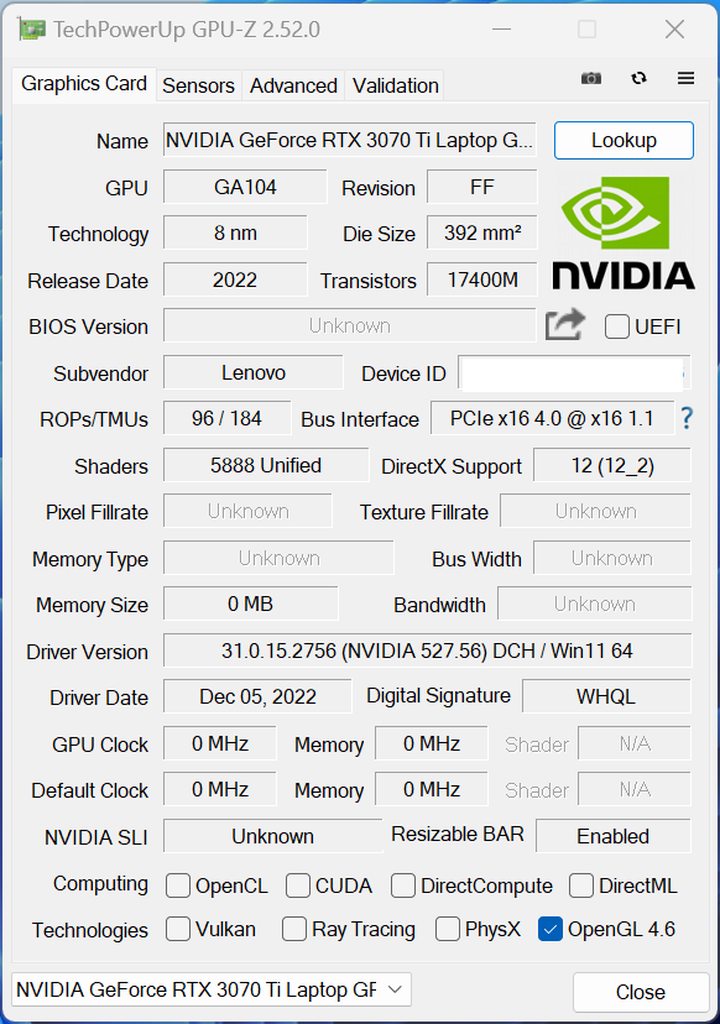
I tried reinstalling drivers, fresh Windows install, BIOS reset, EC reset, switch to dgpu - nothing helped. Laptop display works, but it won't connect to external monitor through HDMI. GPU-Z shows nvidia GPU parameters such as clock speed, memory size etc as 0. Intel GPU works fine.
When did it start producing the issue?
Was playing a game when it happened. I don't think it was heating up because I had launched the game just 5 minutes before. The game was still doing intro cut scene.
Did you install new drivers/software?
Coincidentally, 2 days ago, I did a fresh Windows install by following the "No-OS" guide in knowledgebase here. I followed all the steps in the guide, installed all latest Windows updates + Lenovo Vantage updates + latest Intel drivers + nVidia driver.
Is my nvidia GPU or VRAM dead? Please advice.
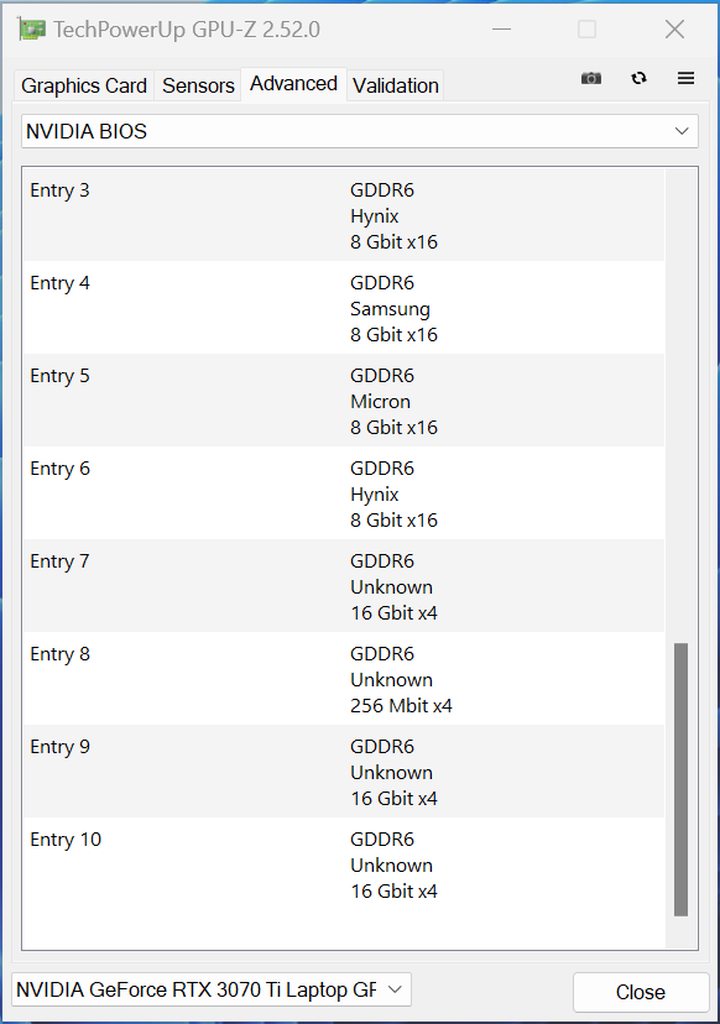
Screenshots from GPU-Z:
https://imgur.com/a/OvJx9QE
https://imgur.com/a/dGhq1Rl
 soft condor
Try fresh windows installation again, if this don't fix, you may have a problem with your gpu ou vram (maybe need reballing). Send to support if it has warranty yeat...
fresh charm
Thank you.
I tried Windows complete fresh install 3 times. No positive change unfortunately. Strangely, now the second GPU-Z screenshot that I shared above is not even showing any of the memory "entries". In the above screenshot, it was showing 'Entries 1-10'. Now, its not showing anything! I guess its slowly dying.
I have raised an RMA request with Lenovo.
 burnt stream
Try to flash the 3070ti vbios
@fresh charm
Might be ur vbios got fucked
Guide for flashing in #1020285176531669012
And make sure that the device id matches, u can check via gpu z
fresh charm
Thank you. Unfortunately (or fortunately, don't know 🙂 ), I ended up returning the laptop. Keeping my fingers crossed that Lenovo will give me a full refund (its still within return period).