#ng-boostrap TABLE
14 messages · Page 1 of 1 (latest)
 limber oak
Note: other examples works (Basic, Sortable , Pagination)
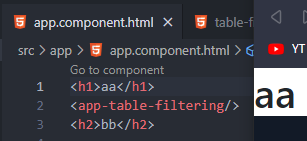
- only Search render nothing
- after unsing the component it stoped rendering
Code:
only change i made is name of class and selector =>
@Component({
  selector: 'app-table-filtering',
  templateUrl: './table-filtering.component.html',
})
export class TableFilteringComponent {
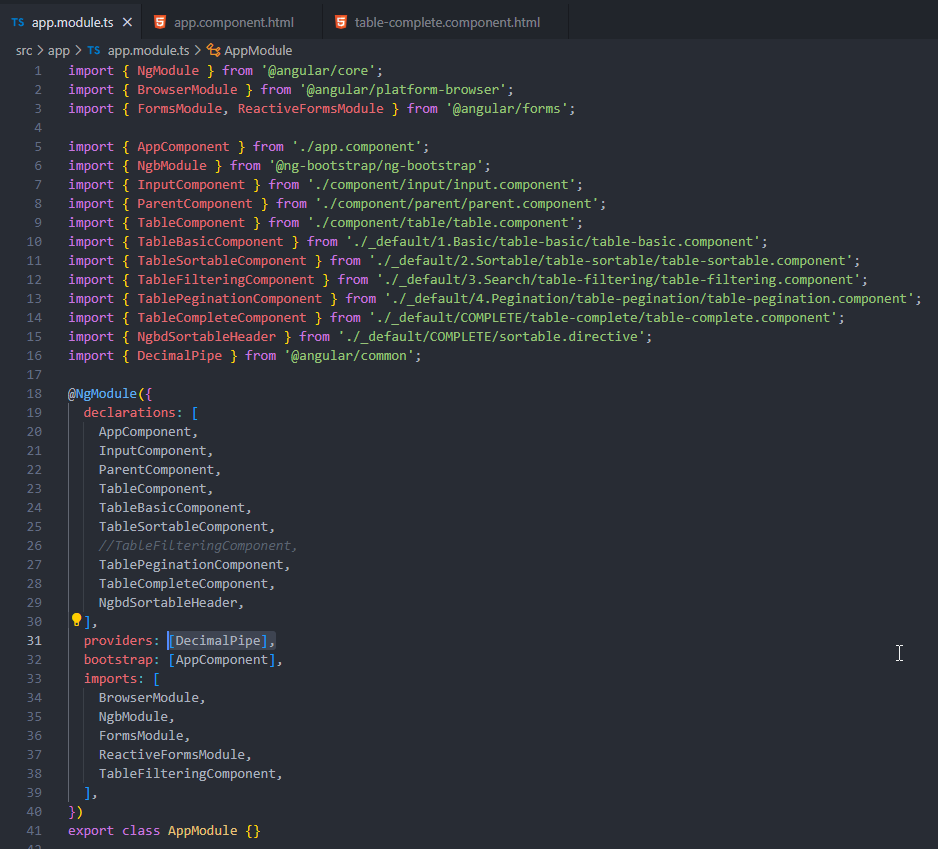
app.module.ts
import { NgModule } from '@angular/core';
import { BrowserModule } from '@angular/platform-browser';
import { FormsModule, ReactiveFormsModule } from '@angular/forms';

import { AppComponent } from './app.component';
import { NgbModule } from '@ng-bootstrap/ng-bootstrap';
import { InputComponent } from './component/input/input.component';
import { ParentComponent } from './component/parent/parent.component';
import { TableComponent } from './component/table/table.component';
import { TableBasicComponent } from './_default/1.Basic/table-basic/table-basic.component';
import { TableSortableComponent } from './_default/2.Sortable/table-sortable/table-sortable.component';
import { TableFilteringComponent } from './_default/3.Search/table-filtering/table-filtering.component';
import { TablePeginationComponent } from './_default/4.Pegination/table-pegination/table-pegination.component';
import { TableCompleteComponent } from './_default/COMPLETE/table-complete/table-complete.component';
import { NgbdSortableHeader } from './_default/COMPLETE/sortable.directive';

@NgModule({
  declarations: [
    AppComponent,
    InputComponent,
    ParentComponent,
    TableComponent,
    TableBasicComponent,
    TableSortableComponent,
    TableFilteringComponent,
    TablePeginationComponent,
    TableCompleteComponent,
    NgbdSortableHeader,
  ],
  imports: [BrowserModule, NgbModule, FormsModule, ReactiveFormsModule],
  providers: [],
  bootstrap: [AppComponent],
})
export class AppModule {}
Dev tools:

ALL CODE:
https://github.com/[deleted]
UPDATE:
- i fixed that with changing the component to stand alone but i don't why is that.
can someone explain?
 viral iris
Open the browser console, and you'll see that there is a missing provider for DecimalPipe. So you can just add DecimalPipe to the providers of your root module and voilà. That said, I wouldn't use pipes as if they were services. Instead, you can use https://angular.io/api/common/formatNumber directly.