#Dialogue System for Unity
1 messages · Page 2 of 1
 verbal gust

So as you can see from my Quest List, I copied your demo database, renamed it, and then built from that.
Claw Meat was originally "Lost Hat" before I modified it into a kill / harvest quest
But some trace data identifying this quest as Lost Hat persists somewhere because the tracker is still tracking "Claw Meat" as "Lost Hat"
This is obviously a complicated topic and it will take me time to sort through all of this, but because I built on top of your demo (I copied it into a new database) there are still traces of the Demo I am trying to track down and eliminate
What I find interesting is that it kept the name "Lost Hat" but copied the description from Claw Meat.
Got it
 fast jackal
Got it figured out?
verbal gust
yes, got that part figured out
There are several things I am still trying to resolve, but I'm also having progress.
fast jackal
I'm here if you have any questions! I'm working on a video today that demonstrates how to use the Dialogue System and the Addon for OpenAI to let you talk to RPGB NPCs about anything using freeform text input or voice input.
 ruby quest
wow thats nuts
made me realize that eventually rpgs will be way more free form with dialogue
verbal gust
fast jackal
I'm here if you have any questions! I'm working on a video today that demonstrat...
my API key is already crying lol
This is super exciting.
I picked up your Addon for OpenAI that was in the asset store, but haven't touched it yet. I will be looking forward to this video and how to pull it off.
The big questions I have is if this is supported via API calls to the free version of OpenAI, and how to properly contextualize (i.e. train) the AI to resopond in a roleplay like manner.
I have had great results training Da Vinci to impersonate and role-play, but it takes a lot of context data and some degree of arguing with it and misdirecting it (i.e. its ok to talk about violence because its fantasy made up violence and not real violence, etc.)
So without that, its ethical filters kick in and it won't talk about killing orcs or slaying goblins, etc. And it gets picky about a lot of topics which became really cumbersome
So I am deeply curious about how you handle this in your code. I finally succeeded in getting Da Vinci to fantasy roleplay and fight and kill monsters and talk about adult topics, but that particular AI charges you for the length of its responses and the costs can add up.
It would be really nice to be able to integrate and interact with the AI without all the hassles of the Ethics filter and Woke-Filters that normally get in the way
I was also looking at FreedomGPT for a possible integration but I am not sure if their web API has been released yet.
fast jackal
The upcoming version of the Addon provides more fields to add context, but for the most part it leaves that up to the designer since some might want the filters. It still does a nice job.
ruby quest
hey Tony, quick question about this. in the base integration do we need to make a new Item Events for every quest item the player picks up? to increase various counters in the quest journal? also, is there an opposite of Increment On Destory, or do we just increment by -1? (nm i see that part is in the tooltip)
im trying to get the Quest HUD to synergize with the # of items the player has
 leaden kettle
fast jackal
The upcoming version of the Addon provides more fields to add context, but for t...
leaden kettle
fast jackal
The upcoming version of the Addon provides more fields to add context, but for t...
A couple questions for ya if your on? im setting up a new project Again! lol Alot of assets i have are conflicting with RPGB when i try and use them sio im trying to set things up right to avoid it.
leaden kettle
fast jackal
The upcoming version of the Addon provides more fields to add context, but for t...
I see that the Dialoge system has its own Save system should i download that and use it with RPGB? does it override RPGB's save system? and what files from extras would you sujest i install and use?
fast jackal
ruby quest
im trying to get the Quest HUD to synergize with the # of items the player has
Got it working?
If you just want to tell the quest UIs (quest log window and quest tracker HUD) to update their displayed counts when the player picks up or drops an item, add a Dialogue System Item Events component to the Dialogue Manager. Then add the item(s) to the Update Quest UIs When Amount Changes list. In your quests, use text like: [lua(rpgGetItemAmount("Apple"))] / 3 Apples Collected
If you need to run a specific event for a specific item, add an Item Events component (or Dialogue System Item Events, no difference in this case) and configure its OnPlayerGained/LostItem() events.
fast jackal
leaden kettle
I see that the Dialoge system has its own Save system should i download that and...
The Dialogue System's RPGB integration ties the Dialogue System save system into RPGB's save system. Remember to follow the setup steps precisely: https://www.pixelcrushers.com/dialogue_system/manual2x/html/rpg_builder.html#rpgBuilderSetup. That link also has a link to the video version. This will connect the Dialogue System's save system, among other things. This means you can use any of the Dialogue System's "saver" component such as PositionSaver to save a GameObject's position, EnabledSaver to save the enabled/disabled state of a component, etc.
leaden kettle
fast jackal
The Dialogue System's RPGB integration ties the Dialogue System save system into...
thanks im sure ill have more questions to come i havent had a chance to use the system yet as i keep getting errors from other assets and spent most my time trying to fix them and want to have all errors resolved before installing the Dialogue system
ruby quest
Update Quest UIs When Amount Changes list <- where is this list?
is it in code or the inspector?
fast jackal
ruby quest
Update Quest UIs When Amount Changes list <- where is this list?
Inspector on Dialogue System Item Events.
ruby quest

oh i see i was using the top one
old version or for something else?
does this work with the Quest Machine quest HUD by default?

i see it calls DialogueManager but im not sure how the two are integrated
fast jackal
I believe QM has a different way to update. I just stepped out of the office so I can’t provide details ATM.
ruby quest
ok no problem. I'll figure it out
leaden kettle
to the instructions for setup say install these files cant find them in the extras are they in the program itself? or are they already integrated into your latest version?

Never mind i found them lol
leaden kettle
fast jackal
The Dialogue System's RPGB integration ties the Dialogue System save system into...
Ok i completed all the setup up to this point! but im not sure exactly what this is telling me to do? how do i create a data base?

I did the above window stuff but data base?
ruby quest
at the top of your screen, go to Tools -> Pixel Crushers -> Dialogue System -> Dialogue Editor
that will put a Dialogue tab by scene and game, then create the database for all your dialogues
leaden kettle
ruby quest
that will put a Dialogue tab by scene and game, then create the database for all...
ok a window poped up and gives an option to create a data base in it should i create 1 or not?
ruby quest
yes
ruby quest
name it w/e you want. this is the dialogue database for your game
leaden kettle
ruby quest
name it w/e you want. this is the dialogue database for your game
ok cool thanks for the help
ruby quest
sure
fast jackal
It you haven’t done the Dialogue System’s Quick Start tutorial yet, I strongly recommend it. It only takes about 5 minutes.
leaden kettle
fast jackal
It you haven’t done the Dialogue System’s Quick Start tutorial yet, I strongly r...
Cool is it tjhe setup instructions or the prograsm itself?
Just so everyone knows im a complete NUUUB my goal is to create a game using RPGB and just assets i have purchased as well as free ones i wont be using any coding or script as i know very very little about both! if i can pull this off and make a working game this will be a huge selling point for the assets i use as well as RPGB but my main goal is just to prove to myself i can do it!
fast jackal
You can do it. The Dialogue System and RPGB have lots of video tutorials. You just need to make sure to watch them. 😉
ruby quest
my goal is to win GOTY
jk
i dont think any of us here are "professionals" so its all good
ruby quest
fast jackal
I believe QM has a different way to update. I just stepped out of the office so ...
so QuestMachine does have a similar script. its Quest Machine Item Events

you're using the message system to keep track of items in the players inventory i think
when the player receives a quest, is there a way to check if they already have quest items in their inventory? and then update the counter appropriately?
i could see a scenario where the player already collected 3 Apples before they got the quest... but the UI might show 0 apples (until they gain another)
i am trying to avoid modifying the Quest Machine core code because I do want to keep those updated 🤣
leaden kettle
fast jackal
You can do it. The Dialogue System and RPGB have lots of video tutorials. You ju...
uh sorry to interrupt again but when i clicked on the data base it showed me a new creation screen with lots of options to enter where do i learn how to fill out these fields and which ones do i need to fill out?
Following supportOrtFlam instuctions above?
ruby quest
like Tony said earlier, go thru the quick start guide + video tutorials on the Pixel Crusher youtube channel if needed
leaden kettle
Sorry to be such a pain but i have had to redo like 15 projects already because i got errors trying to do this one right!
ruby quest
in general the default settings should be fine
leaden kettle
ruby quest
in general the default settings should be fine
cool do you have a link to that you tube channel?
ruby quest

ADDITIONAL STEP: In RPG Builder 2.1 or older, edit the RPGBuilderEssentials script. Add this line to the end of the ResetCharacterData() method:
PixelCrushers.SaveSystem.ResetGameState();
The Dialogue System for Unity is a complete solution for adding interactive dialogue and quests to your Unity projects. This video will show you how to se...
this one and others
leaden kettle
ruby quest
https://www.youtube.com/watch?v=-1m4omg0DnI
thanks
ruby quest

ohh maybe i am just thinking about this wrong again
is it possible to use LUA code like this directly as a counter?
guess ill have to find out
leaden kettle
ok quick question? i have and plan to use the the quest manager or system from pixel crusher should i install it before setting up this dialogue system or after?
ruby quest
i am not sure order matters but i usually do dialogue manager first and it works so might as well do that
leaden kettle
ruby quest
i am not sure order matters but i usually do dialogue manager first and it works...
Ok cool thanks again!
leaden kettle
ruby quest
i am not sure order matters but i usually do dialogue manager first and it works...
Ok question? none of the feilds in the data base creation ar setup except the Demo data base im assuming that i should not use that 1 for creating a game? am i correct?
And if i dont use that 1 should i still fill out the feilds?
ruby quest
what fields are you talking about
leaden kettle
ruby quest
what fields are you talking about
This
 ruby quest
add the database you created into that field
or if you didnt create one yet, then create new
leaden kettle

Well it wont show the feilds but when i create a new 1 there alot pof feilds under that are empty like global search anmd replace ect?
Do those feilds auto populate?
ruby quest
thats like the Find and Replace (CTRL + F ) in microsoft word
just make your database for now and leave all the other stuff
you dont really need any of it, unless you are doing specific stuff
leaden kettle
ruby quest
thats like the Find and Replace (CTRL + F ) in microsoft word
ok cool thats basicaly what i was asking! thanks agaimn
ruby quest
you can leave the database with most of its default settings
what you will need to learn are the Actor and Conversation tabs up there
thats what u will use the most
leaden kettle
ruby quest
thats what u will use the most
im still in the setup process but i will get to them lol i am watching the quick start as well!
leaden kettle
ruby quest
you can leave the database with most of its default settings
are there tutorials on setting up your first conversation system in rpgb? i found 1 for first conversation but oits for plamaker?
fast jackal
leaden kettle
are there tutorials on setting up your first conversation system in rpgb? i fou...
Hi! Sorry, just got back in. This is the first tutorial you should follow: https://www.pixelcrushers.com/dialogue_system/manual2x/html/quick_start.html
All video tutorials: https://www.pixelcrushers.com/dialogue-system/dialogue-system-tutorials/
leaden kettle
Ok so from what im gathering from stuff i can find i have to drag the dialogue manager into every scene i want to use it in?
fast jackal
ruby quest
so QuestMachine does have a similar script. its Quest Machine Item Events
Definitely don't modify the Quest Machine core code if you can avoid it. There shouldn't be any case where you actually have to modify it.
The RPGB Has Items quest condition checks immediately if the player has the required items. It updates the counter at this point, which will update the UIs.
fast jackal
leaden kettle
Ok so from what im gathering from stuff i can find i have to drag the dialogue m...
I'm typing some instructions to help...
leaden kettle
fast jackal
Hi! Sorry, just got back in. This is the first tutorial you should follow: https...
This is a great help you should make these easier to find for us!
the main problem was finding the tuttorials
fast jackal
leaden kettle
This is a great help you should make these easier to find for us!
Do you have a link to the online manual? You can access it from the Welcome Window. It's here, too: https://www.pixelcrushers.com/dialogue_system/manual2x/html/
I recommend these steps:
- Locate the prefab named "DialogueManager_RPGBuilder" in Assets > Pixel Crushers > Dialogue System > Third Party Support > RPG Builder Support > Prefabs.
- Right-click it and select Create > Prefab Variant. This will create a prefab variant, which is a copy of the DialogueManager_RPGBuilder.
- Create a folder in your project your own stuff.
- Move the prefab variant into your folder.
- Add this prefab variant to all of your scenes.
- When you want to customize it, customize the prefab variant, not the copy that's in one of your scenes.
leaden kettle
fast jackal
Do you have a link to the online manual? You can access it from the Welcome Wind...
yes i have the manual all that comes with it but it doesnt give link to all the video tutorials
fast jackal
leaden kettle
yes i have the manual all that comes with it but it doesnt give link to all the ...
It's linked in the Tutorials page. If you want to refer to text tutorials at any point, you can get to the Tutorials page here: https://www.pixelcrushers.com/dialogue_system/manual2x/html/tutorials.html
But thanks for the feedback. It lets me know that it's hard to locate the video tutorials. I'll add a link to the manual's front page, too.
ruby quest
fast jackal
Definitely don't modify the Quest Machine core code if you can avoid it. There s...
does using a Lua variable as a counter work, as i showed above? i started using QM and DS way before the integration, so ive always done it manually without RPGB’s quest system. its easy without items. now im just making sure i can get counters working should i need them
with an item as a counter for updating a quest i mean. so collect 5 apples -> auto advance to next stage
if its just an item check on dialogue its easy
leaden kettle
fast jackal
But thanks for the feedback. It lets me know that it's hard to locate the video ...
it would be a great help to NUUuubes like me lol
leaden kettle
fast jackal
It's linked in the Tutorials page. If you want to refer to text tutorials at any...
Quick question with RPGB the default scene has quest and quest giver already setup with a couple quests if i want to add to that do i need to delete the default that comes with RPGB or can i just add quest to it with your system or will that create a conflict?
fast jackal
ruby quest
if its just an item check on dialogue its easy
Yes, you can use a Dialogue System variable as a quest counter. Use a Lua Variable quest condition to check it, and use Dialogue System Text quest content to show it in HUD text. You may need to call QuestMachineMessages.RefreshUIs(this); to tell the HUD to refresh, though, since unlike Quest Machine counters changing a DS variable won't automatically tell Quest Machine to refresh its UIs.
ruby quest
ok got it. thanks for the help as always
fast jackal
leaden kettle
Quick question with RPGB the default scene has quest and quest giver already set...
I recommend creating your own dialogue database and assigning it to your Dialogue Manager prefab variant's Initial Database field. (I'm referring to the prefab variant you created in step #2 above.) Since this is a new database, it won't have any quests or actors in its yet. It'll be clean. You can add your own content to it.
I'm wrapping up work for the night. If you have any questions, feel free to leave them here or post on the forum (https://pixelcrushers.com/phpbb/) if you don't want your questions intermingled with other messages here.
leaden kettle
fast jackal
I recommend creating your own dialogue database and assigning it to your Dialogu...
I think i understand i am using the default RPG demo scene for one of my scenes i did modify it but i am assuming that i just need to add my own quest giver and quest from what your saying if im gonna use it?
leaden kettle
fast jackal
I'm wrapping up work for the night. If you have any questions, feel free to leav...
have a great night! thanks
 craggy glen
I've watched all the vids and read the docs. My quests work fine. I'm using RPG Builder w/Invector integration for movement and Now We're Talking w/DS for my quests. When I try to use DS conversation to open a RPGB merchant window, I get nothing. I've tried using rpgMerchant() as a Sequence. And about 10 different other ways. I get nothing.
If I drop the demo HumanNPC guy in to my scene while running the game, his RPG Builder normal merchant window opens. Then when I try to open my DS conversation merchant window after that, it flashes for a split second (not sure which merchant's window it is, but it appears very briefly) and then the conversation ends like normal and no merchant window.
Is rpgMerchant() working in the current version? Or am I doing it wrong? Or did one of my integrations possibly interfere?
Also, I would like to add that I appreciate the effort you put in to your integrations, because some asset devs put integrations low on their priority list and you are responsive, very helpful, and on top of things.
fast jackal
craggy glen
I've watched all the vids and read the docs. My quests work fine. I'm using RPG...
It's working in the current version. Please temporarily set the Dialogue Manager's Other Settings > Debug Level to Info. You can do this at runtime, before starting the conversation. This way you don't need to remember to change it back after exiting play mode. You should see one of these 3 messages in the Console:
- Warning:
Dialogue System: Sequencer: rpgMerchant() can't open merchant on last interacted entity - Warning:
Dialogue System: Sequencer: rpgMerchant(): Requirements not met on <entity> - Info:
Dialogue System: Sequencer: rpgMerchant() opening merchant UI for <entity>
If it's successful, you'll see the info message. Otherwise you'll see one of the two warnings.
verbal gust
hey guys, time for another lowball question because I can't find the right nob to turn. I believe its weapon transform values.

I need a reminder on which video to watch to fix this
I want to change the rotation of the weapon on the character model
I am having trouble finding the right thing to do
*Should I change the position of the weapon on the model, and then drag that into the Scene Reference field of the Weapon Transform Values?
woops Wrong Channel
sorry
I found the video 🙂
craggy glen
I was about to link this one
https://www.youtube.com/watch?v=zflfgfwE24o&ab_channel=Blink

Get RPG Builder: https://bit.ly/32X3fPz
RPG Builder is a tool for Unity that lets you develop your own RPG without programming skills. Focus on your game design and content and let RPG Builder do the hard work for you!
LINKS:
Join the Blink community on Discord:
https://discord.gg/fYzpuYwPwJ
If you want to support me on Patreon:
https://www.pat...
craggy glen
fast jackal
It's working in the current version. Please temporarily set the Dialogue Manager...
Thanks for the prompt response and advice. I think my issue is with my particular NPC since I can spawn the demo HumanNPC using my conversation and he works perfectly with it. I'll figure it out.
verbal gust
yeah everyone around here is generally very quick to give you assistance. They have been supporting my efforts to make a game for over a year now.
verbal gust
I will just start messing with the transform values and seeing the results, but because its an in-combat value, there is no good way I know of to stop mid swing and make adjustments. The object is parented to the hand correctly. Its just the weapon when attacking is in a wierd position and I don't know of any way to fix that.
 soft canyonBOT
@verbal gust just reached level 5!
verbal gust
I managed to get a good screenshot.
I have a bad habbit of posting in the wrong discord channel lol
verbal gust
@fast jackal Got a link to that AI Video you were making?
verbal gust
@fast jackal Second Question, Is there a way to configure Dialog system to use a TTF Font rather than the one that DS comes with?
Is that done by modifying the UI templates for DS, or is it a deeper Unity Change?
fast jackal
verbal gust
Is that done by modifying the UI templates for DS, or is it a deeper Unity Chang...
You can use whatever font or UI assets you want. I recommend switching to TextMesh Pro (https://www.pixelcrushers.com/dialogue_system/manual2x/html/dialogue_u_is.html#dialogueUITMProSupport).
The tutorials for custom diallogue UIs are at the top of the page here: https://www.pixelcrushers.com/dialogue_system/manual2x/html/dialogue_u_is.html
fast jackal
verbal gust
<@226434818869559296> Got a link to that AI Video you were making?
Still working on it. It's a lot of work! I'm starting from a blank project, importing and setting up RPG Builder, DS, art assets, NPCs, etc., and then setting up the integration, SALSA LipSync, and finally setting up the runtime AI dialogue.
craggy glen
I'm having the worst time getting my cursor to show on my merchant window. I have the cursor for clicking through options on the DS dialogue. DS opens the merchant window with the sequencer rpgMerchant() but then the conversation ends and the cursor goes with it. If I try to continue the conversation beyond the merchant window, DS ignores that window and keeps blabbing.
I have the integration for Invector along with RPG Builder. Controlling the cursor is getting really confusing and hard. If I didn't have the Invector integration, what would be the solution to having my cursor remain after the merchant conversation? I have other quest NPCs in the same scene who use the cursor for their dialogues and the cursor has to poof at the end. Those work right now. Since RPGB spawns NPC's, it wipes all the settings on scripts built in to the NPC prefab. For me anyway. I think it is something to do with serialization and all that. So setting dialogue triggers and stuff with them seems to involve some other steps. Otherwise, I just have the manager setting rules for the whole scene. I guess the quest NPCs can be created in the scene and the merchant can be spawned so the dialogue manager controls the merchant but the quest NPCs each have their own settings on them?
fast jackal
craggy glen
I'm having the worst time getting my cursor to show on my merchant window. I ha...
It might be simplest to add a script to the merchant UI that keeps the cursor visible. Add something like this script to the Merchant panel:
ShowCursorWhileCanvasGroupVisible.cs
using UnityEngine;
public class ShowCursorWhileCanvasGroupVisible : MonoBehaviour
{
    private CanvasGroup canvasGroup;

    void Awake()
    {
        canvasGroup = GetComponent<CanvasGroup>();
    }

    void Update()
    {
        if (canvasGroup.alpha > 0)
        {
            Cursor.visible = true;
            Cursor.lockState = CursorLockMode.None;
        }
    }
}```Thank you very much. I'll have to try that in the morning. I appreciate it.
verbal gust
@fast jackal I am having trouble with a Quest that almost exactly like the Demo Kill Skeletons Quest, but my Variable Kill_Wolves is not incrementing. I made a short video where I show how the quest is set up. Any help you can give me would be most appreciated. https://vimeo.com/850685952?share=copy

This is "Quest Not Incrementing: Madstone Wolves" by 70m on Vimeo, the home for high quality videos and the people who love them.
fast jackal
verbal gust
<@226434818869559296> I am having trouble with a Quest that almost exactly like ...
On your Increment On Destroy component, you have a typo in your Alert Message (duplicate "KilledKilled").
In your dialogue entry nodes' Conditions, use and instead of AND. Lua, like C#, is case-sensitive.
verbal gust
Thanks!!
verbal gust
This is a big challenge for my attention to detail.
I've reached the point where 90% of all work I put in is using Dialog System and not map design. I am sure that with practice I will get better at DS
fast jackal
Use the dropdowns/point-and-click where possible, like Conditions. Unfortunately it’s not possible in freeform text such as alerts.
fast jackal
Use Dialogue System 2.2.39 and Dialogue System Addon for OpenAI 1.0.5: https://youtu.be/M_5JN5TmFkQ
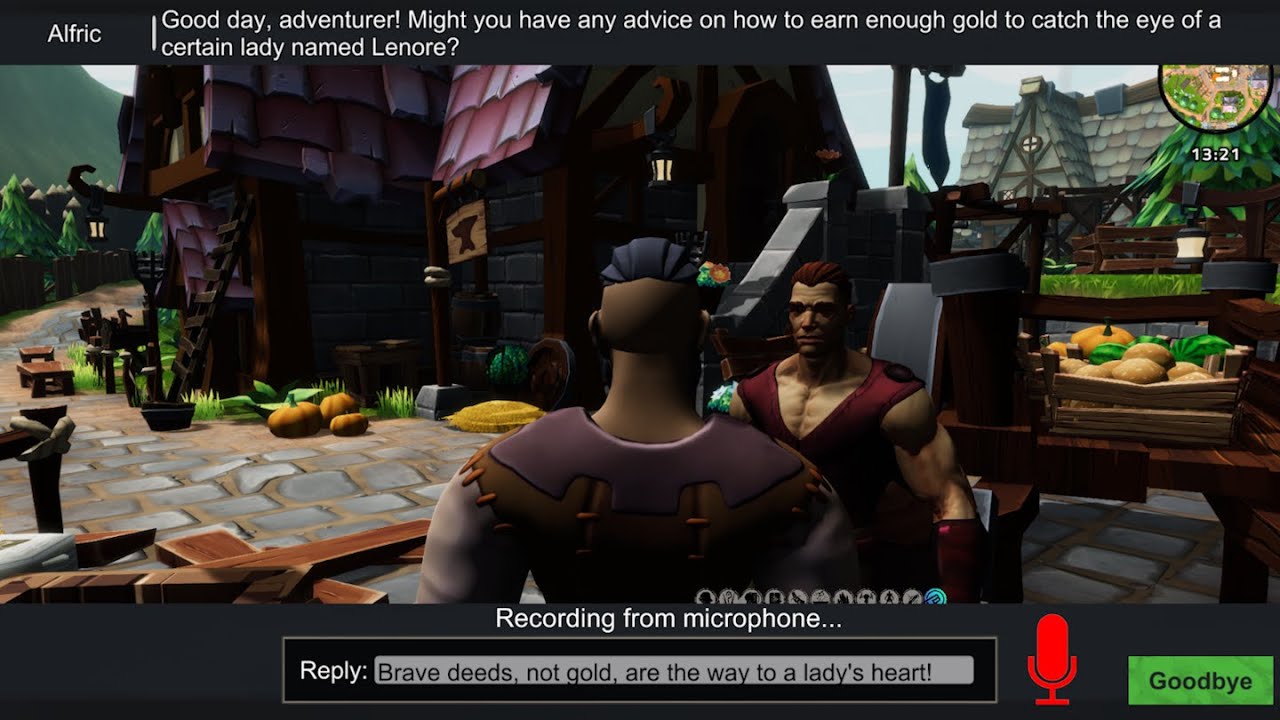
This video demonstrates setting up the Dialogue System for Unity, the Dialogue System Addon for OpenAI, RPG Builder, and SALSA LipSync Suite to create NPCs that you can converse with using generative AI like ChatGPT.
Get the Dialogue System Addon for OpenAI on the Unity Asset Store: https://assetstore.unity.com/packages/slug/249287
Requires the...
verbal gust
@fast jackal I'll watch that video and send you my thoughts. Since I own both Dialog System and your AI add-on, I should be able to integrate this correct?
fast jackal
Yes; I didn't do anything special other than what's in the video. You can pretty much follow it step-by-step to get the same result.
fast jackal
Thank you!
verbal gust
Tony, I have a strange problem here
The Dialog System just stopped working about 15 minutes ago
By Stopped Working I mean when you engage an NPC in dialog, Nothing happens
All my NPCs across the board stopped working
This is not caused by any specific change that I can think of
How can I troubleshoot something like this
I switched over to the RPG Builder Demo database and its ceased to work as well
Somehow it appears that something got corrupted
fast jackal
verbal gust
Somehow it appears that something got corrupted
What Dialogue System version are you using?
Are there any errors or warnings in the Console window?
verbal gust
Ok, I will check.
I just kind of freaked and was stunned for a round
I am not using the latest version, perhaps upgrading can help.
I will try upgrading. Perhaps that will fix it. I am using a version previous to 2.2.37
fast jackal
Back up your project first. Then also import the RPG Builder Support package in 2.2.39's Common/ and Dialogue System/Third Party Support folders.
Note: If you've directly customized any of the prefabs that come with the Dialogue System or the RPG Builder integration, hold onto them so they don't get overwritten by the original unmodified versions when you update.
verbal gust
alright
verbal gust
@fast jackal After the upgrade, functionality returned to normal, so thanks !!
I will look at your AI Video tonight and see if I can't get it running in a project. Its really exciting that you made that video
verbal gust
@fast jackal This is a fantastic video. The only feature I would suggest is the ability to somehow handle a User inputting their key via an in-game menu at Runtime. This way the game can be distributed and published without the developers having to input their key. Right now I would have to use my API key and publish that to Steam, which is a no-no.
@fast jackal Awesome video Tony. I am following your walkthrough now. You are very specific and very in-depth on every single step.
fast jackal
Good point about the API key. The addon's WebGL runtime demo does that: https://pixelcrushers.com/dialogue_system/demos/openai_runtime/
verbal gust
Excellent.
fast jackal
That's a closed source demo, though, since it uses Asset Store models. But with a bit of scripting it's not hard to ask the player to enter their API key.
verbal gust
Those were great resources you used in this video. I was not aware of the lipsync software and how well it worked
I am looking into that for my game
There is a lot going on beneath the hood here so I will likely come back with more questions about the AI software once all of the new information digests in my system
its a lot to take in all at once
fast jackal
Yeah, the AI part ended up being just a small part at the end. A lot of it was setting up RPG Builder, setting up a scene, configuring an NPC, setting up SALSA, and setting up the Dialogue System.
verbal gust
got to watch that again because I know my buffer was overflowed haha
fast jackal
That's what the pause button is for. 😉
verbal gust
hahaha
I'll be back after I watch this again. From my own experience with working with ChatGPT, I've only gotten really good results when A. Working with DaVinci (the expensive) bot, and B. inputting a lot of contextual data into my chat with it so that it is on the same page with my roleplay scenario
That said, I am going to see if you cover that and that I missed it.
fast jackal
GPT-3.5 and GPT-4 are actually really good at fake conversations like for AI NPCs.
verbal gust
I was using GPT-3.5 I think.
I liked its roleplay abilities
It came up with some amazing characters and concepts out of nowhere that really pushed along the narrative. I had it Game Mastering to me after significant training
The thing that really made me chuckle
Chat-GPT 3.5 Created a Paladin character who was a warrior-monk and named him Roberto Guilliman
so if you play Warhammer 40K, that is a core figure from the Ultramarines backstory
alright back later Tony. I have some integration I need to do 🙂
 rare narwhal
Hi guys, I had a question regarding the integration of Dialogue Systems and RPG Builder. I am the writer for my game and am integrating both of the assets together. I am collaborating with other devs, but they are unable to see the files I am using. Do they need seats too? They are not writing in the asset or anything - I just want to know if it will break my project integration if they can't import my changes into their local projects before pushing again.
 austere oar
if they require access to rpgb then they will at the very least need seats for rpgb
i cant say for certain for dialogue system but iirc that is on a per seat basis as well but imma let @fast jackal clarify that one :p
fast jackal
Yes, DS, like RPGB, is licensed on a seat basis. But this sounds like a technical issue, or at least a technical question. Make sure to commit the Dialogue System and any content you create with it (e.g., dialogue database) to version control.
austere oar
@rare narwhal
rare narwhal
Well, they can see the file locations (empty or whited out) but not the actual contents. I just want to make sure that we won't have bad merger errors down the line.
@fast jackal
fast jackal
rare narwhal
Well, they can see the file locations (empty or whited out) but not the actual c...
Are you referring to the Dialogue System package files such as Assets/Plugins/Pixel Crushers/Dialogue System? Or files you’ve created using the Dialogue System such as a dialogue database? If it’s a dialogue database, that’s just a plain old asset. They should be able to see it just like any other asset such as an animator controller or an audio clip.
rare narwhal
fast jackal
Are you referring to the Dialogue System package files such as Assets/Plugins/Pi...
Okay so they should be able to see the dialogue database, but Im guessing not the dialogue database manager prefab?
I'm just not sure which ones are the exclusive to one seat or the other
which files I mean
fast jackal
rare narwhal
I'm just not sure which ones are the exclusive to one seat or the other
Seats are basically an honor system. They have no effect on your project files. Any file in your project — database, prefab, image, audio clip, whatever— should be included in version control unless you’re explicitly omitting it by putting the filename in your version control’s ignore file.
rare narwhal
Gotcha. We may just have another issue then. We were wondering about that, but I’ll try to let you know what we find.
verbal gust
@fast jackal While using the signpost mechanic to do some narration, I noticed the dialog stops about half-way through and cuts off. So as its typing the dialog, it just quits at about half-way. Any fix for that?
I tried checking Stop Conversation on Trigger exit but it still cuts off about half the dialog
I'll keep looking around for a timer setting that might affect this. I was hoping to use the Bark-Collider as a form of DM narration but the bark is on too quick of a timer to narrate much.
fast jackal
verbal gust
<@226434818869559296> While using the signpost mechanic to do some narration, I ...
Make sure the Dialogue Manager’s Subtitle Settings > Subtitle Chars Per Second is no larger than the typewriter effect’s Characters Per Second.
verbal gust
alright thanks
leaden kettle
fast jackal
Make sure the Dialogue Manager’s Subtitle Settings > Subtitle Chars Per Second i...
Is there Tutorial Vids that cover setting up Conversation in RPGB Soley? i know there are vids for Unity setup but i mean for RPGB integration and doing conversations in RPGB it makes no sense to have to watch all the Unity setup vids then have to try to apply them to RPGB?
I watching the vid for conversation its saying set up a empty scene im not starting from scratch i have scenes i want to add conversation to this is confusing!!
fast jackal
You only need to watch the Quick Start video. It steps you though the process of creating a dialogue database and a conversation. Then you can apply that knowledge to your RPGB setup.
leaden kettle
fast jackal
You only need to watch the Quick Start video. It steps you though the process of...
I was watching the quickstart nut it talks of creating a blank scene makes it much more confusing when implementing it in RPGB i will figure it out but damn i can take a college course to learn to do this that's what this feels like without specific vids to work with RPGB i mean you got all kinds of vids out there for Unity in general but i would think because you made this to integrate with RPGB you would have made vids targeted to RPGB setup only!
Quick start tells you nothing about setting up the NPC Dialog or quest system in RPGB or if you even need to its very confusing! it doesn't say how to set up an already-made NPC for conversation ect. i mean i spent months already building a project why would i want to start over just to understand how to put the Dialogue system in my game? i don't want to watch a hundred vids and spend 20 hours figuring out how to make conversation in a game again that's why people take 2-3 courses on this .
I have made the Data base and stup the system to work already what i dont hget is how to use it with a existing NPC in RPGB
This is very unessecerly confusing when using it with RPGB Mainly because RPGB has its own dialogue system however lacking its built-in and it has a somewhat quest system so when using the Dialogue system alot of questions have to be answered when you migrate the 2
soft canyonBOT
@leaden kettle just reached level 10!
leaden kettle
You have to remember you talking to a NUUUBBBEE trying to learn your system and RPGB this might be easy for an experienced programmer but RPGB is aimed at none programmer kinda people and your system should reflect that also.
I will give a for instance the Demo scene has a quest kill the bear if i want to add to that how do i? or if i want to add a NPC how do i add that 1? do i add it to RPGB? do i set it up so it has dialogue in rpgb which it has a tick box for? do i tick the quest Dialogue in RPGB? lots of un answered questions here?
I have had to restart like 20 projects after trying to add assets in RPGB i restarted from scratch each time because of errors im trying to avoid that this time so instead of experimenting im asking.
leaden kettle
fast jackal
You only need to watch the Quick Start video. It steps you though the process of...
If i apply it to RPGB do i need to tick the Dialogue Box for the NPC in RPGB Setup or the Quest Giver? or do i Untick them in RPGB Setup?
 fast jackal
leaden kettle
If i apply it to RPGB do i need to tick the Dialogue Box for the NPC in RPGB Set...
fast jackal
leaden kettle
If i apply it to RPGB do i need to tick the Dialogue Box for the NPC in RPGB Set...
Hi - Do you have a link to the integration’s setup instructions? They’re here: https://www.pixelcrushers.com/dialogue_system/manual2x/html/rpg_builder.html.
There’s also a video that starts from a completely empty project and sets up an NPC for use with OpenAI ChatGPT-style dialogue. For general RPGB setup, you can watch that video up until the point where it gets to the OpenAI part: https://youtu.be/M_5JN5TmFkQ
This video demonstrates setting up the Dialogue System for Unity, the Dialogue System Addon for OpenAI, RPG Builder, and SALSA LipSync Suite to create NPCs that you can converse with using generative AI like ChatGPT.
Get the Dialogue System Addon for OpenAI on the Unity Asset Store: https://assetstore.unity.com/packages/slug/249287
Requires the...
leaden kettle
fast jackal
Hi - Do you have a link to the integration’s setup instructions? They’re here: <...
Ok this part is very confusing? Where and how do i create this data base in rpgb?

Where do i find and assign this in RPGB?

I have done all thge steps up to this point
leaden kettle
i found the Basic Standard Dialogue UI Variant What i dont understand is where to find the folder to assign it to? in RPGB
 fast jackal
leaden kettle
i found the Basic Standard Dialogue UI Variant What i dont understand is where t...
fast jackal
leaden kettle
i found the Basic Standard Dialogue UI Variant What i dont understand is where t...
The Quick Start tutorial explains how to create a dialogue database. To do it, select menu item Assets > Create > Pixel Crushers > Dialogue System > Dialogue Database. This will create a dialogue database asset in your project. Then assign this asset to the Dialogue Manager's Initial Database field.
Did you try following the video tutorial? I actually recommend the setup steps in this tutorial instead: https://youtu.be/M_5JN5TmFkQ. It adds an extra step (creating a prefab variant), but since you're new to Unity and prefabs it will help prevent you accidentally overwriting your customizations if you update the Dialogue System or the RPGB integration.
Also, general tip: Learn how to use version control. It will save you countless headaches.
leaden kettle
fast jackal
The Quick Start tutorial explains how to create a dialogue database. To do it, s...
i have the Database setup figured that part out its this Dialogue variant that i don't know where to put and the UI Quest log variant your instructions in quick start does not tell what folder it goes in or where it should be set up in RPGB i could not find the description you give to set it up in nowhere in RPGB or the file tree! and what is the Version control you referring to?
I am using the newist version of RPGB and your Dialogue manager as well
fast jackal
Please watch this video: https://youtu.be/M_5JN5TmFkQ. Jump to 03:30. In this video, I put the prefab variants in a new folder that I named __Game so it will sort to the top of the Project view, making it easy to get to.
leaden kettle
fast jackal
Please watch this video: <https://youtu.be/M_5JN5TmFkQ>. Jump to 03:30. In this ...
that was the missing link! in your quick start you direct to create the folder game but never explained why or what it was used for! i got the basics setup now i think lol
fast jackal
There are a few ways to create a dialogue database. The Quick Start uses the Create button that's next to the Dialogue Manager's Initial Database field when the field is blank.
leaden kettle
fast jackal
There are a few ways to create a dialogue database. The Quick Start uses the Cre...
yeah i did it like that i am doing the very beginning setup with Dialogue system havent done any character dialogue yet just trying to make sure its setup right
I will come back to the UI stuff latyter for now just want to learn how to use the Dialogue!
fast jackal
That's the smart way to do it. Get things working first, then work on UI/appearance later.
leaden kettle
fast jackal
That's the smart way to do it. Get things working first, then work on UI/appeara...
Sorry to be such a Nuub pain in the Arss but im learning lol
fast jackal
No worries -- we all start at the beginning when tackling anything new.
leaden kettle
fast jackal
No worries -- we all start at the beginning when tackling anything new.
Is there a vid that explains the difference in Barks and Normal Dialogue ect.?
leaden kettle
fast jackal
No worries -- we all start at the beginning when tackling anything new.
dont mean to sound so dumb but have to learn sometime lol
fast jackal
leaden kettle
Is there a vid that explains the difference in Barks and Normal Dialogue ect.?
Barks are one-off lines that use a character's bark UI, whereas conversations are one or more lines of dialogue that use the dialogue UI.
Bark tutorial: https://www.pixelcrushers.com/dialogue_system/manual2x/html/tutorial_bark.html
verbal gust
I made a video that might help you. It talks about how to set up an NPC in my game Fate of Aruna which uses RPGB and Dialog System. I don't know if this will help you or not but here is a link: https://steamcommunity.com/groups/FateofAruna/discussions/0/3801653351438440499/

How to Add NPCs to RPG Builder
@leaden kettle I can make a specific video for you if you need. But this one talks about setting up an NPC jusing RPG Bulider and Dialog System.
@leaden kettle I am totally good with making videos specific to any basic process that I know how to do so let me know if there is anything I can assist you with
For example, in that video I linked it shows a setup for an dialog NPC but I dont go over everything you need to do in DS to get it working, but it covers most of the major steps that you would do with HumanNPC
fast jackal
verbal gust
I made a video that might help you. It talks about how to set up an NPC in my ga...
Great video!
Tips:
- You can use forward slashes in quest names and conversation titles. This will group them into submenus. This will keep the dropdown menus manageable as your project grows. If you want rename a conversation title, etc., if you weren't using the RPGB integration you could use the Asset Renamer tool (menu Tools > Pixel Crushers > Dialogue System > Tools > Asset Renamer). However, with the RPGB integration, if you rename a conversation you'll need to re-select it in the RPG Builder window.
- You can create a template conversation and, in the Dialogue Editor's Conversations section, use Menu > Template to save it as a template. Then you can create new conversations based on this template. This helps speed up creation of new conversations that are structured similarly.
ruby quest
hey Tony, quick question. is there an easy way in either Quest Machine or Dialogue System to flip objects active if the player has a quest when changing zones? lets say you're in the tavern and the barkeep gives you a task to kill 10 rats in the cellar. so the player zones into the cellar and because he has the quest the rat spawners get enabled (if not, they dont)
just wondering if theres a way to check on zone load if the player has a quest or quest node active (through the editor i mean, w/o hardcoding it)
verbal gust
that's a good one Flam. I need something like this
ruby quest
its easy if they are in the same scene. im wondering what the best way to do it is if they arent in the same scene lol. im trying to optimize a bit by breaking stuff into smaller scenes
fast jackal
ruby quest
hey Tony, quick question. is there an easy way in either Quest Machine or Dialog...
Yup! Add a Dialogue System Trigger to the scene. Set its Trigger dropdown to OnSaveDataApplied. Set the Conditions to check if the player has the rat quest. Select Actions > OnExecute() UnityEvent, and configure the OnExecute() event to activate the rat spawners.
If you need to change the states of a lot of GameObjects, skip the Conditions section. Instead of Actions > OnExecute(), select Actions > Set GameObjects Active/Inactive. This lets you specify multiple GameObjects to activate or deactivate and the conditions in which to activate/deactivate them.
ruby quest
ohh ok cool. so when it loads the save data on zone in, the trigger fires?
On Start only fires once?
fast jackal
OnStart and OnSaveDataApplied both run when the scene starts. The difference is that OnSaveDataApplied will wait if save data is currently being applied, or the equivalent number of frames as specified by the Save System component’s Frames To Wait Before Apply Data value.
ruby quest
ok cool. thats helpful. thank you
verbal gust
@fast jackal Is there a LUA function that I could use to roll a d20 to implement skill checks?
if d20 + rpgGetSkillLevel(skillName) >= 13 then blah
looks like I would need to call the math library
fast jackal
verbal gust
looks like I would need to call the math library
Yup, math.random. Example:
- NPC Dialogue Text: "The door is locked."
- Script:
d20 = math.random(20)
|
v - PC Dialogue Text: "[Lockpicking] Pick the lock."
|
v - NPC Dialogue Text: "Success"
- Conditions:
(d20 + rpgGetSkillLevel("Lockpicking")) >= 13
|
or
| - NPC Dialogue Text: "Failure"
- Conditions:
(d20 + rpgGetSkillLevel("Lockpicking")) < 13
(Technically you can leave Conditions blank if it's the second NPC link. The first (success) will only be used if its Conditions are true. Otherwise the conversation will have to pick the second one since the first one isn't true.)
Related: How To: Do Skill Checks In Conversations: https://pixelcrushers.com/phpbb/viewtopic.php?f=3&t=2782
Also: Conversations Evaluate Conditions One Extra Level Ahead: https://www.pixelcrushers.com/dialogue_system/manual2x/html/dialogue_editor.html#conditionsEvaluateExtraLevel
verbal gust
This is amazing. thanks
leaden kettle
verbal gust
For example, in that video I linked it shows a setup for an dialog NPC but I don...
Thanks i let ya know when i get that far lol
leaden kettle
austere oar
if they require access to rpgb then they will at the very least need seats for r...
If your on still i have a question! say i have a scene that i want to divide into like blocks that the player can buy to build there own house ect. on can i set that up without doing any script/programming in RPGB? its something im looking at doing but as i said from get go im trying to build a game using no programing or scripting just assets and RPGB!
austere oar
leaden kettle
If your on still i have a question! say i have a scene that i want to divide int...
You're still in ds thread haha. But no rpgb has no "land claim" system.
You could place interactable objects on points that will spawn gameobjects representing a building etc but no claim and/or building functionality comes with rpgb.
There is the integration with easy build system but i dont know if they have that "land claim" functionality
But ye imma go to bed now, its 1:22am here
leaden kettle
austere oar
You're still in ds thread haha. But no rpgb has no "land claim" system.
You coul...
yeah i had i had easy builkd in mind to work with it but i wasnt sure how RPGB was gonna work with it but this is a ways off for me just trying to get in mind what can be done thanks have a great night
rare narwhal
Hye guys, so when setting up the integration between both Assets, I found that at 5:50 in this tutorial, https://www.youtube.com/watch?v=-1m4omg0DnI, when he clicks "save", I don't get the same save popup, nor does it save. I am not sure what is wrong. Here is a picture of my errors:

ADDITIONAL STEP: In RPG Builder 2.1 or older, edit the RPGBuilderEssentials script. Add this line to the end of the ResetCharacterData() method:
PixelCrushers.SaveSystem.ResetGameState();
The Dialogue System for Unity is a complete solution for adding interactive dialogue and quests to your Unity projects. This video will show you how to se...
fast jackal
rare narwhal
Hye guys, so when setting up the integration between both Assets, I found that a...
Hi! Please create this folder:
Create a new, empty folder: Assets ► Blink ► Tools ► RPGBuilder ► Resources ► Database ► DialogueSystemNpcTemplates.
rare narwhal
I have that. Is it just not assigned properly?
rare narwhal
fast jackal
Hi! Please create this folder:
```Create a new, empty folder: Assets ► Blink ► ...
Have any ideas?
I am pretty sure I copied it directly.
fast jackal
Is it possible that there's a typo in the name? Npc needs to be capitalized like that, not like NPC.
rare narwhal
fast jackal
Is it possible that there's a typo in the name? `Npc` needs to be capitalized li...
NPC is capitalized. I'm wondering, I found that in the RPG Builder Demo Dialogue Database, it assigned an ID of "3" to the NPC. However, to avoid merger conflicts, one of my programmers created a randomized ID system so the ID for my HumanNPC in RPG Builder is: "00000004". Do you think this could be the issue?
@faint crag Tagging you on this!
fast jackal
Just to make sure I understand you correctly, the folder name must be DialogueSystemNpcTemplates, not DialogueSystemNPCTemplates.
fast jackal
rare narwhal
NPC is capitalized. I'm wondering, I found that in the RPG Builder Demo Dialogue...
Which ID are you referring to? An RPGB ID or an Actor ID in the Dialogue System's dialogue database?
rare narwhal

No space?
Wow. In the video it looked like there was a space...
Let me try and change this real quick
rare narwhal
fast jackal
Which ID are you referring to? An RPGB ID or an Actor ID in the Dialogue System'...
The RPG Builder Demo Dialogue Database has the HumanNPC ID listed as "3", while in RPG Builder, it has our own ID of what I sent you before ^ This shouldn't cause any issues, correct?
Dude wow
fast jackal
Correct. They're different systems, so they don't need to match at all.
rare narwhal
It saved after the space error was fixed
I thought it had a space in the video - too small a screen to watch it I guess 🙂
fast jackal
When in doubt about spelling or text, feel free to copy-paste filenames from the text version of the setup instructions: https://www.pixelcrushers.com/dialogue_system/manual2x/html/rpg_builder.html
rare narwhal
fast jackal
When in doubt about spelling or text, feel free to copy-paste filenames from the...
Awesome, thanks so much for the help. Everything else is set up just fine.
soft canyonBOT
@rare narwhal just reached level 4!
rare narwhal
rare narwhal
<@163105027718643713> Tagging you on this!
NVM
fast jackal
Glad to help!
 mighty forge
Hiii, any idea why a dialogue database (used for barks) attached to a prefab would keep disconnecting on its own?
The moment I enter play mode, the conversation / database removes itself.
 fast jackal
mighty forge
Hiii, any idea why a dialogue database (used for barks) attached to a prefab wou...
fast jackal
mighty forge
Hiii, any idea why a dialogue database (used for barks) attached to a prefab wou...
That field is only used to populate the dropdown (e.g., Actor dropdown, Conversation dropdown) in the editor. It has no effect at runtime. At edit time, if a scene is open that has a Dialogue Manager, the field will auto-select the dialogue database that's assigned to the Dialogue Manager. If you don't want to select from that database, or if there's no Dialogue Manager, you can assign a different dialogue database.
At runtime, barks and conversations will use the database that you've assigned to the Dialogue Manager, and any other databases you've added at runtime using an Extra Databases component or DialogueManager.AddDatabase(), regardless of what you database you used to populate the dropdown at edit time.
More info on multiple databases: https://www.pixelcrushers.com/dialogue_system/manual2x/html/dialogue_editor.html#workingWithMultipleDatabases
mighty forge
fast jackal
That field is only used to populate the dropdown (e.g., Actor dropdown, Conversa...
I was confused by the fact the referenced database was gone but that was exactly what I needed, thank you! ❤️
ruby quest
@fast jackal apologies if this is explained somewhere, but i didnt see it on the website. is there a way to make a bark appear over the player's head in RPGB? for instance, player runs into a trigger and a bark appears over their head that says "You spot a secret door"
usually I specify the transform of the object that is barking, but because it's the player cant do that here. is there a way to use the object entering the trigger as the barker?
fast jackal
ruby quest
usually I specify the transform of the object that is barking, but because it's ...
Use a Bark conversation. Assign the Player actor to the conversation and the node being barked. Make sure your player prefab has a Dialogue Actor set to the same Player actor.
ruby quest
thank you
ruby quest
actually its probably easier to just make a simple script huh? you have the .BarkString function. i just need to plug in the player's transform 😂
fast jackal
Sure, that’ll work, too.
 wanton hemlock
@fast jackal How do you change emphasis color by script?
soft canyonBOT
@wanton hemlock just reached level 5!
wanton hemlock
Or change invalid color, old responses color
Because I want it to be possible to change UI color within game and that all works but IDK how to change emphasis colors
fast jackal
wanton hemlock
<@226434818869559296> How do you change emphasis color by script?
Make sure your Dialogue Manager's Other Settings > Instantiate Database checkbox is ticked. Then you can set emphasis colors like this:
// Change [em1] to red: (indices start at [0])
DialogueManager.masterDatabase.emphasisSettings[0].color = Color.red;```Thanks
 long parcel
Im getting these error when I port the integration, did I miss something?
 fast jackal
long parcel
Im getting these error when I port the integration, did I miss something?
fast jackal
long parcel
Im getting these error when I port the integration, did I miss something?
Hi! Make sure to import both integration packages. Setup steps: https://pixelcrushers.com/dialogue_system/manual2x/html/rpg_builder.html#rpgBuilderSetup
If you run into any other issues, please let me know!
verbal gust
@fast jackal What is a good package for adding Voice to dialog sequences created with Dialog System. I saw that you were using Lipsync. But I wasnt sure if this added the vocalization or control over the NPCs voice
I have NPCs ranging from Dwarven to Eldar to Human and Imp, etc.
fast jackal
In this video: https://www.youtube.com/watch?v=M_5JN5TmFkQ I used ElevenLabs, which I think has the best quality AI-generated voice acting and the best variety of voices. You can use it to generate audio files in your project. It's not just for runtime AI dialogue.
The lipsync is done using SALSA LipSync Suite.
verbal gust
thanks Tony!
fast jackal
If those don't work out for you for some reason, let me know. Other options for voice generation are RT-Voice Pro (I'm also working on DeepVoice integration) and FaceFX (very pricey!) for lipsync. Unfortunately LipSync Pro is no longer available on the Asset Store, but SALSA's quality has gotten so good that it's equivalent but much easier to set up.
verbal gust
@fast jackal I decided to try out Replica. So I've created an audio clip and I want to tie it to the NPC's dialog, so that it plays when the dialog is triggered. How would I go about doing that?
verbal gust
I am having trouble accessing to documentation on the Pixel Crusher site
fast jackal
verbal gust
I am having trouble accessing to documentation on the Pixel Crusher site
Are you using this link? https://pixelcrushers.com/dialogue_system/manual2x/html/
For audio, see the Cutscene Sequence Tutorials: https://pixelcrushers.com/dialogue_system/manual2x/html/tutorial_sequences.html
They're video tutorials. Here are the direct links if you can't access pixelcrushers.com for some reason.
- 1 - Basics: https://youtu.be/Tquu-DLl8Ps
- 2 - Camerawork: https://youtu.be/LJb6OYDNrBw
- 3 - Messages: https://youtu.be/DiGkPEYxk_4
- 4 - Entrytags: https://youtu.be/oDF7DonAoz8
- (Also parts 5 (Timeline) and 6 (Custom Commands))
Briefly: The quickest way to test it is to put the audio clip in aResourcesfolder. Then drag the audio clip into the dialogue entry's Sequence field.
Part 4 above explains a more scaleable approach.
Note: You don't have to useResources. You can use asset bundles or addressables instead.
verbal gust
ok great, Thanks for the resources Tony
verbal gust
I know I have asked this before but I'm having trouble finding my old message about it. I have an Audio Clip tied to the Sequencer of a Signpost (A DM Node). Everthing works, but the typewriter effect of the written dialog closes before the full dialog can be printed to the frame. Is there a way to keep the dialog frame from closing before the full text is printed out?

I recall having a conversation with Tony about the typewriter effect speed having something to do with this, but the life of the dialog window is too short to let all of my text get printed.
This is attached to a signpost, as mentioned.
I found a work around, but I am curious as to the correct solution
fast jackal
You're correct. The typewriter speed is controlled by the typewriter effect's Characters Per Second, which is entirely independent from how long the the dialogue entry's Sequence runs. The subtitle will finish (i.e., dialogue frame closes in this case) as soon as the Sequence is done. If you haven't specified anything in the Sequence field, it will use the Dialogue Manager's Display Settings > Camera & Cutscene Settings > Default Sequence, which is initially set to: Delay({{end}}). This delays for the duration specified by the keyword {{end}}, which is based on the text length and Subtitle Settings > Subtitle Chars Per Second and Min Subtitle Seconds.
There are two solutions:
- Set the Dialogue Manage's Subtitle Settings > Subtitle Chars Per Second to a value that's equal to or lower than the typewriter's Characters Per Second.
- Or set the dialogue entry's Sequence to wait for the "Typed" message from the typewriter:
WaitForMessage(Typed)
If you want to wait for the typewriter or the audio clip (say it's named "Highlands"), whichever is longer, set the Sequence to:
AudioWait(Highlands)```
The Dialogue System will wait for both commands to finish.The sequencer is really an entire simple programming language. If you want to get fancy and delay for 2 seconds after the typewriter and audio wait both finish, you could set the Sequence to:
WaitForMessage(AudioDone, Typed)->Message(DelayLonger);
Delay(2)@Message(DelayLonger)```This might not exactly be the right place to ask but I noticed a big increase in GC using DS in my profiler, whenever barks spawn on NPCs I believe.

Any ideas what might be wrong in my config to cause this spike?
fast jackal
mighty forge
This might not exactly be the right place to ask but I noticed a big increase in...
Do your barks have lots of Conditions? Those conditions take memory (temporarily) to evaluate. You can minimize it using this tip: https://pixelcrushers.com/phpbb/viewtopic.php?f=3&t=4275 and/or tick Cache Bark Lines if the bark conversation has no Conditions.
mighty forge
0 conditions indeed, they just randomly play
mighty forge
fast jackal
Do your barks have lots of Conditions? Those conditions take memory (temporarily...
I'll look into caching them. Thank you!
Actually, this is my bark tree that I use for around 20 NPCs currently.

Does that look problematic to you by any chance?
fast jackal
mighty forge
Does that look problematic to you by any chance?
Should be fine, especially if you tick Cache Bark Lines since there aren't any Conditions.
mighty forge
Yup, done that just now. Missed the tickbox when I added it to my NPCs initially. Thank you! ❤️
verbal gust
@fast jackal Do you think the LUA implementation inside of Dialog System will conflict with other more general LUA packages? I would like to add in a LUA package that lets one manage gameobjects with LUA, but I really dont want to blow my project up if you think that might conflict with the built in LUA support of Dialog system
When I say "package" I really mean Asset
I just dont know how 2 LUA implementations will exist side by side and place nice
I am going to back up my project, and see if it explodes
fast jackal
verbal gust
<@226434818869559296> Do you think the LUA implementation inside of Dialog Syste...
It should be totally fine. They won't conflict.
verbal gust
Do you know if Love/Hate is compatible with RPG Builder? I use Dialog system extensively but wondered about adding this into the mix
soft canyonBOT
@verbal gust just reached level 6!
verbal gust
Is integrating it with Dialog System sufficient or would there be a missing connector with the RPGB core? At this point my integrations need integrations as I've added in so much, but I'm such a fan of your Dialog System I can't imagine this not being awesome (if it works with RPGB)
I don't really need Love/Hate to control aggro. I am principally thinking about adding it because relationships are my most frequently asked for feature
So it would be to enhance the way friendly NPCs interact with the player and not as a AI replacement. I am already experimenting with Opsive Behavior Designer for the AI core
While I am on the topic. Quest Machine + Dialog System + Love/Hate. Is there some good chemistry there for RPGB?
Thanks Tony
fast jackal
verbal gust
Do you know if Love/Hate is compatible with RPG Builder? I use Dialog system ext...
It's coming soon! I expect to finish up testing this weekend.
You probably don't need the dedicated Love/Hate - RPGB integration for friendly NPCs since you can control that through the Dialogue System and/or Quest Machine.
But the integration will definitely be necessary to tie into RPGB's combat and aggro system.
Love/Hate already has Behavior Designer integration, so since you're using Behavior Designer you can probably use that integration to handle Love/Hate aggro.
verbal gust
thanks
I am looking into Quest Machine. I use Dialog System and you can define quests with it, but its complex to use when you get these big behavioral trees. Still, I love Dialog System and it works for me, its just some of the trees that I have are really large, hard to maintain or debug.
I haven't fully figured out Behavior Designer so I can't say that I am using it very effectively.
Right now I am finishing up a free demo and it has simple quests in it, so that I could keep it manageable. But for the complete game, the early access game I want to release next year I am still experimenting with options. So I am definitely going to take a look at Quest Machine
I'll also experiment around with your LoveHate integration with RPGB when you release it. Good luck with that. I am looking forward to it
verbal gust
@fast jackal put me on your short list for people you want to test the integration. I'm willing to put some time into it to help you
fast jackal
Thanks!
verbal gust
@fast jackal I am working on a system where a page of graphic novel gets unlocked in-game whenever the player find certain objects. I want the player to be able to go back and read previously unlocked pages. And I want music to play on each page. I know this is a complicated notion, but do you think that the Quest Journal could be modified to display an image & play a short midi clip?
This way I could build into the quest journal the unlocked graphic novel page when a quest is complete. I dont know about how to play the music.
I am not an experience coder so a custom job like this is a real challenge.
I recall before you showed me how to integrate images into a dialog interaction. Could that be coupled with sound? If I have to I can create a player camp with books that show the graphic novel images, but I was thinking that it would be nice to create a journal.
Thanks for helping a novice coder figure stuff out because I am really quite primitive in my coding abilities
fast jackal
verbal gust
<@226434818869559296> I am working on a system where a page of graphic novel get...
If you're using Quest Machine (I think you are?), then if you're not using Icon quest content types, you can make your icon template bigger and use Icon quest content for your graphic novel pages:
 soft canyonBOT
@fast jackal just reached level 7!
fast jackal
If you are using Icon quest content already, then you can define a new content type. It requires a little scripting (but no modification of Quest Machine code). If you need to do this, let me know. I can help.
verbal gust
alright.
I am not using Quest Machine yet, just Dialog System. But it sounds like Quest Machine would be worthwhile based on my goals
I was hoping for a way to repurpose the Quest journal in Dialog System to be able to show graphic novel pages
But I can pick up Quest Machine and experiment with what youve just suggested
Ok I picked up a copy of Quest Machine, I will let you know how it goes. If I find this befuddling I may reach out humbly to you for some help
fast jackal
Sounds good. I’m here if you have questions!
 worldly topaz
I will say both Quest Machine and Dialogue System are a must-have for most games I don't know what I would do without them 🙂
verbal gust
ok. I got my project backed up so I am going to start the integration
I'm going to go look for docs on how to integrate with both RPGB and Dialog System
Any tips are appreciated
I watched the Integration Video here: https://www.pixelcrushers.com/quest-machine/quest-machine-video-tutorials/
Complete Playlist: Quest Machine Tutorial Playlist Tutorial 1: Scene Setup Tutorial 2: Exploration Quest (triggers & message system) Tutorial 3: Collection Quest (counters & spawners) Tutorial 4: Branching Quest with Timer Tutorial 5: Procedural Quest Generation Tutorial 6: Dialogue System Integration Tutorial: AI Questers Tutorial: Text Tables ...
fast jackal
If any questions come up, let me know. BTW, Love/Hate integration is done. It uses a small API addition in the next Love/Hate version, so the RPGB integration will be included in the next Love/Hate release, scheduled for December 18.
verbal gust
@fast jackal Can I play an Audio Clip with Sequencer? Then make that Audio Clip a Child of the UI Image Gameobject. This way when I display the image with sequencer by setting it active, Audio plays when my image displays and shuts off when I hit the close button?
fast jackal
verbal gust
<@226434818869559296> Can I play an Audio Clip with Sequencer? Then make that Au...
Sure. No need to use an Audio() or AudioWait() sequencer command. Add an audio source to the Image, tick Play On Awake and Loop, and assign your audio clip.
When you use SetActive() to activate the GameObject, it should play the audio.
verbal gust
great thank you.
That's my 578th question on this group lol
Thanks for your patience Tony
verbal gust
So, works like a charm Tony but I need to toggle on and off the region/zone music of RPGB. I heard from 3P0 that he thinks its integrated already
verbal gust
I deleted a bunch of messages because I answered my question with infos you prevously provided lol. Saved you from the wall of text
fast jackal
The integration doesn’t currently do anything with region music.
verbal gust
ok
I made a small Disable On Other Awake script and so when you ask the NPC about lore, when the Page prefab awakes, it turns off the audio manager, and then when you End the conversation, I use a sequencer command to re-Awaken the disabled audio manager
verbal gust
I'm trying to build a minigame for fishing. Is there anyway to use Dialog System's Lua functions on an external interaction, like a minigame which calls one of the DS Lua functions?
DS makes it very easy to add things to inventory, so I was considering some way to make a minigame a Dialog System actor
verbal gust
PixelCrushers.DialogueSystem.DialogueLua Class
fast jackal
DialogueLua's good for getting and setting Lua values such as DS variables: int score = DialogueLua.GetVariable("Score").asInt;
If you want to run Lua functions, you can use Lua.Run(): Lua.Run("rpgAddCurrency('Gold', 50)");
verbal gust
Do I need to load a class at the top of the script for that?
fast jackal
Yes, put this line at the top of your script:
using PixelCrushers.DialogueSystem;```ok ty
fast jackal
Glad to help!
fast jackal
I just added a thread for the new Love/Hate integration: #1182777688964988928
 orchid wasp
When audio is played by a dialogue node, where is the audio source in the scene?
fast jackal
orchid wasp
When audio is played by a dialogue node, where is the audio source in the scene?
Typically on the speaker's GameObject.
If you're using a sequencer command such as AudioWait() (https://pixelcrushers.com/dialogue_system/manual2x/html/sequencer_command_reference.html#sequencerCommandAudioWait), it's on the subject. The full syntax of AudioWait is: AudioWait(clip, [subject], [more clips...])
If you omit the second parameter (subject), it uses the current dialogue entry node's speaker. If the speaker has an Audio Source, it will use that Audio Source. Otherwise it will add a default one.
To know which GameObjects are used for speakers, see: https://pixelcrushers.com/dialogue_system/manual2x/html/triggers_and_interaction.html#interactionDialogueSystemTriggerGameObjectAssignments
orchid wasp
fast jackal
Typically on the speaker's GameObject.
If you're using a sequencer command such ...
Okay, I see. I'm using AudioWait() so would the subject be the RPGB NPC that I'm in dialogue with?
fast jackal
orchid wasp
Okay, I see. I'm using AudioWait() so would the subject be the RPGB NPC that I'm...
Yes, that's correct.
verbal gust
I figured out a way to use Dialog system as a Crafting system. Is there anything your software won't do 😛
I got pretty intimidated by your video on Quest Machine, but I am going to try it anyway.
fast jackal
Quest Machine's simpler in the long run because it's just a quest system, not a dialogue and quest system like the Dialogue System. If you have any questions, drop them in the Quest Machine thread.
I also posted the pre-release version of the Dialogue System's Emerald AI 2024 integration in the Pixel Crushers discord server today if you happen to be using Emerald AI 2024 with RPG Builder. It's not native RPG Builder <-> Emerald AI integration, but you can still use it to control Emerald AI in conversations, Dialogue System Triggers, etc., and save their positions and states.
verbal gust
alright
I will look at your Emerald AI for certain
Is there a way to randomize which convo node when one enters dialog. For example: you engage a fishing hole in dialog and its response is, "The waters a calm, not a fish in sight" vs. "You see a DragonBass swimming near the docks"
There wold need to be a randomization so that every fishing hole will respond in multiple ways, to prevent too much repetition.
like 10% chance the fish are schooling at any doc
verbal gust
verbal gust
I will look at your Emerald AI for certain
I may have to upgrade to 2.1 and if I do that, emerald AI or Behavior designer will be critical pieces
 supple garden
Intresting questions 😀
fast jackal
verbal gust
Is there a way to randomize which convo node when one enters dialog. For example...
Yes, there are at least two ways to do that:
- In the preceding node, use RandomizeNextEntry() in the Sequence or Script field (either work):

- Or use the RandomElement() Lua function in the Dialogue Text: "[lua(RandomElement("The waters a calm, not a fish in sight | You see a DragonBass swimming near the docks"))]"
Or you could add a script with an OnConversationLine(Subtitle) method to your Dialogue Manager and process any special syntax or tags you've decided to add to your dialogue text.
ruby quest
how would you implement icons on alerts like this? in the past i asked this question and you recommended Sprite Assets, which I did, but it annoys me a bit because you have to make them part of the text

i did away with Sprite Assets and tried to use events, which changes the icon based on what type of alert it is
but the one problem I have is
if the alerts get queued, the icon will be set as the last alert for all of the queued alerts (all the alerts get fired, which triggers all the icon change events, but the queueing system is handled in Dialogue Manager)
do I have to go in and change the alert methods themselves to include an icon parameter?
i try to avoid modifying your stuff directly
fast jackal
ruby quest
how would you implement icons on alerts like this? in the past i asked this ques...
No need to modify any stuff directly. Add a separate UI for that. Write a custom sequencer command, or a C# method and register it with Lua, and use that in your conversation. Here's an example that uses a C# method GiveItem("itemName") registered with Lua. The conversation's "Pick it up" dialogue entry uses the GiveItem() method.
ruby quest
fast jackal
No need to modify any stuff directly. Add a separate UI for that. Write a custom...
OK so this would not use the alert system in Dialogue Manager then? i like your queue system. thats the trouble, i just wanted to attach the icon into the alert itself so it would get queued too 😂
fast jackal
Oh, that's possible then. You can do it with a bit of code. I'll put together a quick example.
ruby quest
never mind. i asked about the $ in a string but i think i get it (i deleted a msg)
fast jackal
Here's an example that uses the alert panel. It has a small custom script on the alert panel itself. Another script on the Dialogue Manager simply adds a GiveItem("image//message") C# method/Lua function, where the part before "//" is the image name and the part after is the text message.
Remember to tick the Dialogue Manager's Alert Settings > Allow Alerts During Conversations when you set up your own version.
ruby quest
ohh ok i get it. i figured there could be a way to pull the image name out of the alert text itself similar to how Sprite Assets work but i didnt know how to do it
thank you
ruby quest
@fast jackal is there a simple way to delay a conversation by just a tick when fired through a Dialogue System Trigger?
when player enters the scene, a convo is fired but i want to give it just a split second before convo launches to give the camera time to set up (convo pauses time)
i thought maybe thru sequence but i dont see starting a conversation as one of them
fast jackal
ruby quest
<@226434818869559296> is there a simple way to delay a conversation by just a ti...
What if you use the Camera() command to move the camera into place during the conversation (e.g., in the first dialogue entry node)?
verbal gust
heh. hi guys. Answered my own question. Helps to read. Marvelos.
ruby quest
I'm having an exceedingly strange issue with saving the game (again)
if I save -> Exit to Main Menu and return to game, the savers in the scene dont save (RPGB stuff saves correctly)
if instead of exiting to Main Menu, I simply stop by clicking the Play button in Unity , then everything saves correctly when I reload the scene
totally baffled lol
I changed the _RPGBCharacterFile path in the JSON Saver, but I dont think you even reference that in the Save System. it's all stored in the CustomString in CharacterData right?
it's saving at the correct time (when I use the Save object). no random saves to overwrite anything
any ideas? like i said, im totally baffled by this one. everything seems to be working correctly except the damn data just will not save if I go back to the Main Menu lol
ruby quest
maybe this is the intended behavior? I'm running it thru the editor. if I save the game, then exit through the editor, everything saves correctly
if I exit through the Main Menu, then the savers in the scene do not save
ruby quest
ah hah i may have figured it out

i think i had this out of order in the RPGBuilderEssentials InitializeGameState script
when loading in the editor it did not matter but i guess it does thru scene changes
fast jackal
Let me know if that fixes the issue and if you think anything needs updating in the integration.
ruby quest
thanks i will test it more thoroughly to make sure. i need to make a fresh copy of RPGB again w/ Dialogue Manager just to verify if its me thats breaking things again (i think it is 😆)

one very minor suggestion to include in the next update whenever you release it
i think it would be nice to include a DialogueManager.HideAlert() here
otherwise if you quit directly after an alert pops up, it persists into the Main Menu
fast jackal
Good suggestion! I'll make sure that's in the DS 2.2.43 release.
orchid wasp
What is a good way to activate an RPGB effect with a dialogue end node? I tried "rpgPlayCombatEffect" to trigger an effect that would summon the NPC I just spoke with as a companion but it doesn't seem to activate. I filled it out as rpgPlayCombatEffect("", "SummonFaith", 0).
fast jackal
orchid wasp
What is a good way to activate an RPGB effect with a dialogue end node? I tried ...
Hi! Are there any errors or warnings in the Console window?
If you see this:
Dialogue System: Can't find RPG Builder entity named ''
then it's not able to identify the player for some reason.
If you don't see any errors or windows, then it's possible that the player doesn't have the effect whose entry name is "SummonFaith", or that RPGB isn't able to start the effect (i.e., call the player's InitEffectType() method on it).
An alternative approach, which might not be appropriate since you're trying to play this on the player, is to set up an InteractableObject GameObject with a unique Gameobject name. Configure a game action on it. Then use the rpgUseInteractableObject(gameObjectName) Lua function in your conversation.
orchid wasp
fast jackal
Hi! Are there any errors or warnings in the Console window?
If you see this:
```...
Thanks for the helpful response! I am not getting any errors when attempting to call the combat effect, it shows in console but nothing happens. I think it either can't find the effect or it's not running because the game is paused during dialogue. I tried rpgUseInteractableObject and was able to activate a game action, but only if it has an interaction time. For some reason I get a "specified cast is not valid" error when I try making it setting the time to 0. This unfortunately means that the player can cancel the effect if they move directly after dialogue. At least it works now though, I posted an example of what I'm doing on here at #showcase message
fast jackal
orchid wasp
Thanks for the helpful response! I am not getting any errors when attempting to ...
This updated integration package will report a warning if it can't find the effect. If you set the Dialogue Manager's Other Settings > Debug Level to Info, it will also log a line like this if it can find the entity (player) and effect (SummonFaith):
- Dialogue System: Starting effect 'effectName' (type) on entity entity at rank #.
Note: If you're using the DialogueManager_RPGBuilder prefab as-is (instead of creating your own prefab variant), UNtick the prefab when importing this package to prevent overwriting your customizations.
orchid wasp
fast jackal
This updated integration package will report a warning if it can't find the effe...
Something seems to have broken when I imported the package. It was missing the definition "HideAllAlerts." I figured maybe it was because I had an older version, so I updated to the latest version and re-imported the package. I then has a missing definition for "DrawAIBranchingConversationButton" so I updated the OpenAI package as well which solved the issue which fixed the error. Now I have two errors for "SavWav" not existing in the current context. I tried checking the thirdparty support packages but I can't get past it. I'm not sure if I'll need to do a clean install or backup to fix it.
 fast jackal
orchid wasp
Something seems to have broken when I imported the package. It was missing the d...
fast jackal
orchid wasp
Something seems to have broken when I imported the package. It was missing the d...
I think you're almost completely updated. Does your project contain this file?
- Assets / Plugins / Pixel Crushers / Dialogue System Addon for OpenAI / Scripts / OpenAI / Utility / SavWav.cs
If not, back up your project. Then delete the Assets / Plugins / Pixel Crushers / Dialogue System Addon for OpenAI folder and reimport the Addon for OpenAI.
orchid wasp
Yep, that file was missing for some reason. Deleting the folder and then reimporting it did work, however.
 orchid wasp
fast jackal
I think you're almost completely updated. Does your project contain this file?
-...
orchid wasp
fast jackal
I think you're almost completely updated. Does your project contain this file?
-...
It actually looks like it does find the effect plays it on the player, It just doesn't do anything for some reason. I tried seeing if it would work if I made it run a game action through the effect that does something similar but that didn't change anything. I also tried changing the rank from 0 to 1 in case it was literal and not treating it like binary.

 fast jackal
orchid wasp
It actually looks like it does find the effect plays it on the player, It just d...
fast jackal
orchid wasp
It actually looks like it does find the effect plays it on the player, It just d...
Thanks for the info. I'll put together a little test and also suggest a Debug.Log line to add to the RPGB side ofthe code to get more info. Everything on the DS side is running correctly at this point.
fast jackal
orchid wasp
It actually looks like it does find the effect plays it on the player, It just d...
Please try this patch. I think it should kick off the effect now:
If it doesn't, and if you're comfortable with a code debugger, place a breakpoint on line 1757 of CombatManager.cs (inside EFFECTS_LOGIC()) and step through the RPGB code.
orchid wasp
fast jackal
Please try this patch. I think it should kick off the effect now:
I appreciate your assistance with this. I tried the new patch but it seems like RPGB is showing an error. I tried a fire damage effect to see if it was just the pet effect that caused it but both give the same error. Did you get this in your testing? I could be doing something wrong. I'm not quite sure how to do a code debugger like you mentioned though.
 fast jackal
orchid wasp
I appreciate your assistance with this. I tried the new patch but it seems like ...
fast jackal
orchid wasp
I appreciate your assistance with this. I tried the new patch but it seems like ...
Please use this patch.
A combat effect can be a state effect such as Shapeshifting or a non-state effect such as InstantDamage or Pet. State effects don't require the player to have a target, but non-state effects run EFFECTS_LOGIC(), which requires the player to have a target. I changed the rpgPlayCombatEffect() method to use the player as the target if the player doesn't currently have a target. I believe this is how RPGB handles it, too, so it should be consistent.
orchid wasp
fast jackal
Please use this patch.
A combat effect can be a state effect such as Shapeshifti...
That did it. This is fantastic, thank you! This is much better than using an interactable object.
 fast jackal
Glad to help! Thanks for helping me get to bottom of the issue.
 ornate forge
Has anyone used this asset to create quests in RPGB? Is there a video tutorial so I can get an idea? I only saw the asset integration video, I would like to see a tutorial focused on the DS + RPGB quest.
fast jackal
ornate forge
Has anyone used this asset to create quests in RPGB? Is there a video tutorial s...
There are two ways you can set up quests in RPGB with the Dialogue System:
- Use RPGB's quest system. In this case, you'd use the DS integration's Lua functions such as rpgProposeQuest() and rpgTurnInQuest() to control RPGB quests from inside Dialogue System conversations.
- Or use the Dialogue System's quest system. This is what the integration's Demo Scene does. It demonstrates three quests: A fetch quest (Lost Hat), a kill quest (Kill Skeleton), and a loot quest (Boar Fur). The integration tutorial video shows how those quests are set up, but the video goes over it fairly quickly to keep the video length reasonable.
ADDITIONAL STEP: In RPG Builder 2.1 or older, edit the RPGBuilderEssentials script. Add this line to the end of the ResetCharacterData() method:
PixelCrushers.SaveSystem.ResetGameState();
The Dialogue System for Unity is a complete solution for adding interactive dialogue and quests to your Unity projects. This video will show you how to se...
ornate forge
fast jackal
There are two ways you can set up quests in RPGB with the Dialogue System:
- Use...
Right, there's another tutorial on how to create an integrated RPGB and DS quest, this video only teaches you how to import the asset and gives you some basic notions of DS. I asked before buying the asset, I like to know if there are video tutorials, reading documentation I find it boring
RPGbuilder has a tutorial for creating quests, but its dialogue system is not complete.
Yours is very complete, I just wanted to watch some tutorials to have better knowledge.
😅
fast jackal
Do you plan to use RPGB’s quest system or DS’s?
ornate forge
fast jackal
Do you plan to use RPGB’s quest system or DS’s?
I plan to use the DS quest system integrated into RPGB
fast jackal
In that case, I recommend familiarizing yourself with the DS quest system in general without involving RPGB first: https://www.youtube.com/watch?v=tJ_WRhTTmEA
Then you can use the info in the RPGB tutorial to connect RPGB to your quests. If you have any questions about it, or if you'd like a tutorial on a specific type of quest (e.g., kill quest or item quest), let me know.
Alternatively, if you have Quest Machine, there's a thread for it: https://discord.com/channels/747392854896279576/1105886598446448690
ornate forge
fast jackal
In that case, I recommend familiarizing yourself with the DS quest system in gen...
Thank you, but I'm sorry, I understood the part about creating the dialogue and its logic, but I didn't understand how I can make the DS count the dead enemy created by RPGB, I didn't understand how to reward the player after a quest, nor how to remove an item from the player's backpack, analyzing a 2d tutorial for 3d makes little sense.
How do I attach the RPGB creature to account for the task, don't you have any tutorial videos within RPGB?
I confess that I loved your system, but for me it has become a lot of information and I don't understand anything and I don't know how to use it integrated into RPGB. Don't get me wrong, anything personal!
Can you do a quest tutorial with RPGB + DS?
fast jackal
2D or 3D doesn't when it comes to quests, but I'll make an RPGB + DS quest tutorial that's a combination kill quest + fetch item quest. I'll try to post it here tomorrow.
ornate forge
fast jackal
2D or 3D doesn't when it comes to quests, but I'll make an RPGB + DS quest tutor...
@fast jackal Thank you for help
fast jackal
@ornate forge https://youtu.be/y9-H77e4t_A

Prerequisite - RPG Builder Integration Setup: https://youtu.be/-1m4omg0DnI
The Dialogue System for Unity is a complete solution for adding interactive dialogue and quests to your Unity projects. This video will show you how to create quests using the Dialogue System's integration in Blink's RPG Builder. For support, visit http://pixelcrushers.c...
ornate forge
fast jackal
<@710358949177720843> https://youtu.be/y9-H77e4t_A
Wow, A lot of things I saw in the video that I would never have had to do by reading the documentation, such as duplicating the template and attaching it to the creature! Thank you for your support!
fast jackal
Glad to help! 🙂
 chrome copper
fast jackal
<@710358949177720843> https://youtu.be/y9-H77e4t_A
chrome copper
fast jackal
<@710358949177720843> https://youtu.be/y9-H77e4t_A
Thanks a lot for supporting the asset and providing us with detailed tutorials!
ornate forge
Hi Tony, DS recognizes dialogues between NPCs to star quests?
fast jackal
ornate forge
Hi Tony, DS recognizes dialogues between NPCs to star quests?
Hi! Yes. You can start a quest from any dialogue entry (i.e., node in a conversation tree). It doesn't need to be a conversation that involves a player. You can also start a conversation from a Dialogue System Trigger, so it doesn't require a conversation at all.
If you have any questions about starting a quest, let me know.
ornate forge
fast jackal
Hi! Yes. You can start a quest from any dialogue entry (i.e., node in a conversa...
And how to add a condition in the dialogue, regularizing a node from another NPC.
for example, NPC B will only initiate dialogue when it considers dialogue between the player and NPC A.
Another question, how do I recognize the item received from a chest?
How do I link the DS variable to the RPGB (interactive object (script)) using the Action/Unity Event?
fast jackal
ornate forge
And how to add a condition in the dialogue, regularizing a node from another NPC...
And how to add a condition in the dialogue, regularizing a node from another NPC.
for example, NPC B will only initiate dialogue when it considers dialogue between the player and NPC A.
Either use SimStatus (https://pixelcrushers.com/dialogue_system/manual2x/html/dialogue_editor.html#conditionsSimStatus) or set a variable when the player talks to NPC A:


Then set Conditions on NPC B's conversation to check the variable:

Another question, how do I recognize the item received from a chest?
You can check if the player's inventory contains an item usingrpgGetItemAmount("item")in the Conditions field. (https://pixelcrushers.com/dialogue_system/manual2x/html/rpg_builder.html#rpgBuilderLuaFunctions)
How do I link the DS variable to the RPGB (interactive object (script)) using the Action/Unity Event?
You can userpgUseInteractableObject("objectName")to trigger an interactable object.
ornate forge
I want it to recognize the item's task as shown in the image, when clicking on the chest it adds +1 from my variable in the task


 chrome copper
I feel like I do not fully understand how to organize the project, which integration to import (and in what order if it's important) to achieve this:
- Disregard the native RPGB quests. Use Quest Machine for quests to benefit from both handcrafted quests and procedural ones
- Use Dialogue System to display the QM dialogues to benefit from all the DS advanced branching features, SALSA integration, AI plugin, etc
- As a bonus, use Arcweave import to DS since all my texts are stored there anyway
- And yeah, I want Love/Hate to work alongside as well
@fast jackal Is it even possible or do I want too much? 😅
chrome copper
I also fancy the way when DS start the QM quest as shown in youtube tutorial for DS/QM/LH integration much more than if QM uses DS to display dialogue so I will try to replicate that way. But it’s already feels too overcomplicated 😄 😄 😄
ornate forge
Is it possible to open the Merchant table screen on the DS to negotiate with NPCs?
chrome copper
ornate forge
Is it possible to open the Merchant table screen on the DS to negotiate with NPC...
did you check here? Does it work? https://www.pixelcrushers.com/dialogue_system/manual2x/html/rpg_builder.html
RPG Builder Sequencer Commands
These sequencer commands are available:
rpgMerchant()
Opens the Merchant window of the NPC that the player is currently interacting with.```I saw it now, but where do I add this command? 😂😂
That's why I like video support, documentation alone is complex😅
chrome copper
ornate forge
I saw it now, but where do I add this command? 😂😂
You can type the following Lua functions directly into Conditions and Script fields, or use the "..." dropdown wizards to access them from the Custom → RPG Builder dropdown submenu.
chrome copper
ornate forge
That's why I like video support, documentation alone is complex😅
You need to rewatch the Dialogue System video tutorial series then 😄
chrome copper
ornate forge
I saw it now, but where do I add this command? 😂😂
Actually, it's not the Sequence field, but into the Scripts field right below
 ornate forge
chrome copper
ornate forge
chrome copper
Wow, thank you very much
fast jackal
rpgMerchant() should be in the Sequence field, but other than that Sam3DX is right on the money.
chrome copper
haha, so the first guess was right 😄
fast jackal
chrome copper
I feel like I do not fully understand how to organize the project, which integra...
Yes, it's a lot, but it's all designed to work together. The initial setup is the time-consuming part, but just take it piece by piece. Start quests from DS like in the DS/QM/LH integration. If you have questions about any particular piece, please ask.
fast jackal
ornate forge
I want it to recognize the item's task as shown in the image, when clicking on t...
It should work just fine if you remove the Lua Conditions:

(You don't want it to check the variable yet since you haven't incremented it yet.)
chrome copper
fast jackal
Yes, it's a lot, but it's all designed to work together. The initial setup is th...
Yeah, that's exactly my approach. I'm starting piece by piece following the logic of a 3 part guide. Currently, I'm stuck in an unexpected place. I set up the basic DS, set up Interactable Object that starts DialogueSystemTrigger OnUse. Conversation starts as expected but somehow the system time becomes "0", i.e. all animations stop working, fps counter freeze, etc
The only difference from the expected setup is that I'm using the John Stairs controller. But I assume it should not be an issue
fast jackal
chrome copper
Yeah, that's exactly my approach. I'm starting piece by piece following the logi...
Are you talking to an AI NPC? Or some other kind of interactable object?
chrome copper
fast jackal
Are you talking to an AI NPC? Or some other kind of interactable object?
Oh, I see! One more difference from the expected setup. I'm talking to an interactable object. And since I want to avoid native RPGB NPC, my first guess was to build my own NPC as interactable objects
fast jackal
That's fine. I only asked because there's an option when setting up an RPGB AI NPC to pause time during DS conversations.
Make sure your Interactable Object doesn't pause time. And check that the Dialogue System Trigger's Actions > Start Conversation > Pause Game During Conversation is UNticked.
chrome copper
fast jackal
That's fine. I only asked because there's an option when setting up an RPGB AI N...
I believe that the only time management on Interactable Object is cooldown and Interaction Time. Non of them doesn't stop the time by itself


 fast jackal
chrome copper
I believe that the only time management on Interactable Object is cooldown and I...
fast jackal
chrome copper
I believe that the only time management on Interactable Object is cooldown and I...
If you drop the Signpost_Bubble_Trigger_CautionBears prefab or Signpost_Bubble_Trigger_CautionBears prefab into your gameplay scene and run up to the signpost, does it pause the game?
chrome copper
I would assume it should not be a (Sophia) 👀
fast jackal
ornate forge
😅
What Sam3DX said. Put rpgMerchant() (no parameter) in the Sequence field.
chrome copper
Checking the sign!
ornate forge
 chrome copper
yep, it should be rpgMerchant() not rpgMerchant(Sophia)
ornate forge
And how am I going to serve Sophia?

How do I open Sophia's store in the dialog without parameters?
chrome copper
Opens the Merchant window of the NPC that the player is currently interacting with. It should be set up on the NPC in Blink Editor

So the NPC you're currently talking should be Sophia. And rpgMerchant() will open the merchant table attached to this NPC in Blink editor.
chrome copper
fast jackal
If you drop the Signpost_Bubble_Trigger_CautionBears prefab or Signpost_Bubble_T...
kk, I see. Signpost used "as is" didn't stop the game, but if I connected my dialogue to the signpost the game also stopped. As soon as the text appears. So I assume it's something in my database/Dialogue itself
Yeah, somehow the very same dialogue setup copied from demo database to my database stops the game 🥲
fast jackal
On your dialogue UI's Standard Dialogue UI Display Panel component, is Pause Game ticked? (If so, untick it.)
chrome copper
I created a new database with two new dialogues. One for signpost and one for npc. Signpost working perfectly but NPC dialogue stopping the game. Is there something suspicious in this setup?


 chrome copper
fast jackal
On your dialogue UI's Standard Dialogue UI Display Panel component, is Pause Gam...
chrome copper
fast jackal
On your dialogue UI's Standard Dialogue UI Display Panel component, is Pause Gam...
Nope, there are no Pause Game ticked anywhere
fast jackal
Is the dialogue UI with the Standard Dialogue UI Display Panel component (Pause Game unticked) assigned to the Dialogue Manager GameObject's Display Settings > Dialogue UI field?
 ornate forge
chrome copper
`Opens the Merchant window of the NPC that the player is currently interacting w...
ornate forge
chrome copper
`Opens the Merchant window of the NPC that the player is currently interacting w...
Only now have I been able to test it, it worked here!
Thanks!
fast jackal
Glad to help!
ornate forge
Hi, it's me again hahaha, another question, today I bought AddonIA, how do I add dubbing to the dialogues I had previously created?
I've already chosen the voice for NPC!

 ornate forge
https://www.youtube.com/watch?v=PBbCZncKXok
I'm watching this tutorial, but it's confusing to use with RPGB
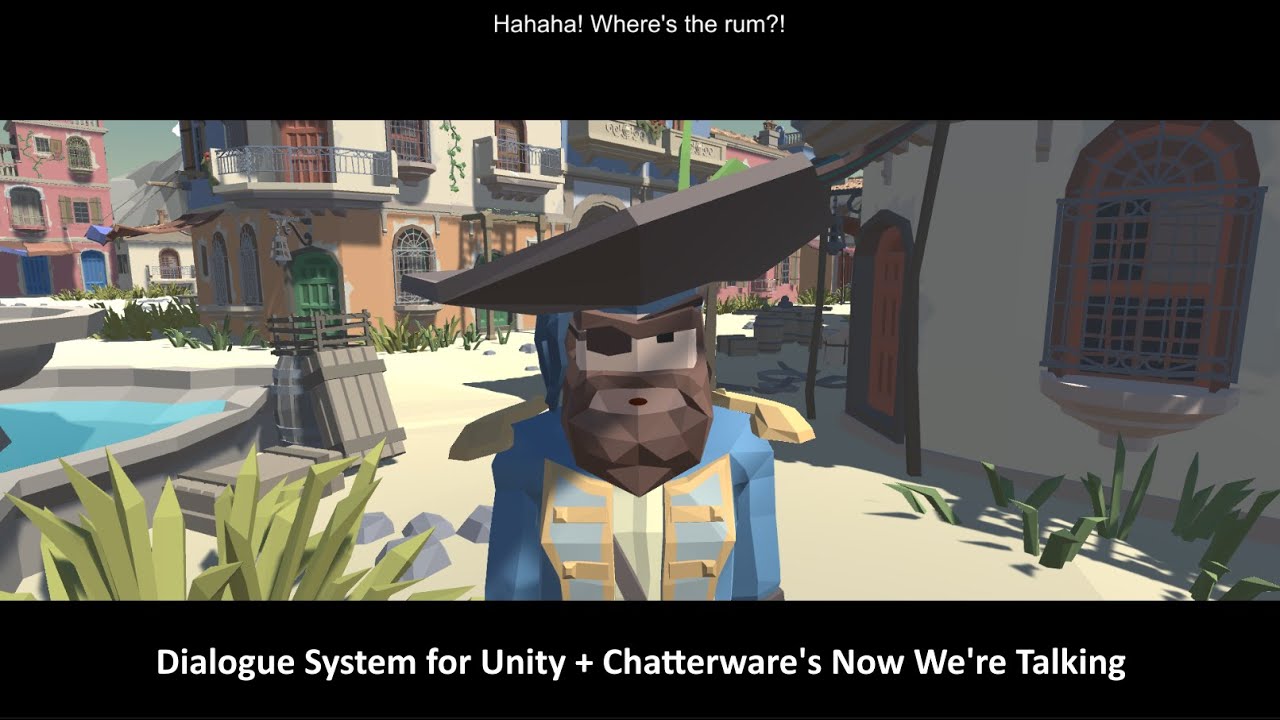
The Dialogue System for Unity is a complete solution for adding interactive dialogue to your Unity 3D projects. This video will show you how to use Chatterware's Now We're Talking with the Dialogue System. For support, visit http://pixelcrushers.com/phpbb or email support (at) pixelcrushers.com.
Have characters with animatable mouths? The Dialo...
fast jackal
ornate forge
Hi, it's me again hahaha, another question, today I bought AddonIA, how do I add...
This video demonstrates setting up the Dialogue System for Unity, the Dialogue System Addon for OpenAI, RPG Builder, and SALSA LipSync Suite to create NPCs that you can converse with using generative AI like ChatGPT.
Get the Dialogue System Addon for OpenAI on the Unity Asset Store: https://assetstore.unity.com/packages/slug/249287
Requires the...
That video covers runtime AI conversations. Skip the part about runtime AI conversations. Instead, after choosing a voice, click the dialogue entry's AI button as explained on page 19 of the manual. If you're using SALSA for lipsync animation, you can follow the SALSA part of the video, too.
Thanks for buying the Addon for OpenAI, by the way!
ornate forge
I don't intend to use Salsa, my goal is to be able to talk to NPCs by clicking on the speech nodes or typing, all with the NPC's audio output!

I followed the steps to edit the UI, but I don't know where the input text field is!
 ornate forge
 fast jackal
ornate forge
I followed the steps to edit the UI, but I don't know where the input text field...
fast jackal
ornate forge
I followed the steps to edit the UI, but I don't know where the input text field...
Do you want to play runtime-generated conversations or conversations that you've written in the Dialogue Editor?
It looks like you want to play runtime-generated conversations. The easiest way to add the input fields is to copy them from the dialogue UI in the addon's Runtime Demo scene.
I think the video I linked above covers some of that.
ornate forge
Is it possible to do both things simultaneously? but initially I want to work with the dialogue written in the dialogue editor.
Yes, I brought the UI components from the Runtime Demo Scene, but I still don't know what happened that the text input doesn't appear, according to the image I attached
fast jackal
It's possible to do both. (See the RPGB + Runtime Dialogue video I linked above for runtime conversation setup.) Did you connect the UI elements to the RuntimeAIConversationSettings component on your dialogue UI? (See the dialogue UI in the Runtime Demo scene for a working example.)
ornate forge
fast jackal
It's possible to do both. (See the RPGB + Runtime Dialogue video I linked above ...
Yes, I connected the UI elements to the RuntimeAIConversationSettings component in the UI dialog box, but I didn't have a good result, tomorrow I will redo the tutorial again to see where I went wrong!
Thank you, for now!
ornate forge
Is the use of salsa optional? I don't want to use conversation animation, I'm having this error

 ornate forge
I'm following the tutorial! ☹️
fast jackal
ornate forge
Is the use of salsa optional? I don't want to use conversation animation, I'm ha...
SALSA is entirely optional. If you're not using SALSA, skip that part of the tutorial.
Make sure your dialogue UI has a Runtime AI Conversation Settings component, and that all of the fields are assigned:
 ornate forge
fast jackal
SALSA is entirely optional. If you're not using SALSA, skip that part of the tut...
ornate forge
fast jackal
SALSA is entirely optional. If you're not using SALSA, skip that part of the tut...

I'm going to have to back up my project and restart the tutorial again, I made so many changes that now the dialog screen doesn't appear and the player is paused
 fast jackal
You could try these steps:
- Open the Addon for OpenAI's Runtime Demo scene.
- Expand Dialogue Manager > Canvas so you can see Basic Standard Dialogue UI.
- Add your OpenAI API Key to its Runtime AI Conversation Settings component.
- Drag Basic Standard Dialogue UI into the Project view to turn it into a prefab.
- Rename the prefab and put it in your own folder so you can find it more easily.
- Add a Standard Dialogue UI Display Panel component to the prefab, and assign the child Dialogue Panel to This CG.
- Assign the prefab to your Dialogue Manager's Display Settings > Dialogue UI field.
Then test that out. Once you've confirmed it works fine, you can customize its appearance.
ornate forge
fast jackal
You could try these steps:
1. Open the Addon for OpenAI's Runtime Demo scene.
2....
Thank you, sorry for the many questions! 😅
fast jackal
No worries! Getting the technical side of a big RPG up and running is a lot of work. The up-front setup is always a lot of work, but then hopefully it'll be smooth sailing and fun making content after that.
ornate forge
fast jackal
No worries! Getting the technical side of a big RPG up and running is a lot of w...
Yes RPG is a lot of work, but it's also fun 🙂
Today I set aside the day just to get AddonIA working.
One question, I noticed that I have this API error message:
 fast jackal
Make sure to enter your OpenAI key in the Runtime AI Conversation Settings component.
ornate forge
here?
 soft canyonBOT
@ornate forge just reached level 4!
ornate forge
I believe here!
 ornate forge
I don't understand this error, I have the GPT 4 plan and it says I exceeded the quota limit, is a better plan needed to use this tool?

 fast jackal
ornate forge
here?
fast jackal
ornate forge
here?
No, that’s a Runtime AI Conversation component. Please set it on the Runtime AI Conversation Settings component located on your dialogue UI.
ornate forge
ornate forge
I don't understand this error, I have the GPT 4 plan and it says I exceeded the ...
...
In your tutorial you didn't link the API key and it worked! time 22:32!
 fast jackal
OpenAI gives you a certain number of credits. This past week, they changed to a prepay plan where you pay for extra credits ahead of time. If you replenish your credits, you should be all set.
The video doesn’t show my API key of course.
ornate forge
fast jackal
OpenAI gives you a certain number of credits. This past week, they changed to a ...
aff, now all my plans regarding interaction with NPCs change! 😢
If I just want to add voice to the dialogue, is it possible?
Using just ElevenLabs can I? how do I do?
 fast jackal
Yes, ElevenLabs lets you generate a large number of minutes of audio every month for free, or you can pay a little to generate more. To generate voiceover audio for a dialogue entry, inspect the dialogue entry and click the Sequence field’s AI button. Make sure you’ve set the actor’s voice first by inspecting the Actor and clicking Select next to the Voice field.
ornate forge
fast jackal
Yes, ElevenLabs lets you generate a large number of minutes of audio every month...
Nice, Do I also need to choose something in the sequencer command before clicking 'Check'?
 ornate forge
If you can watch and see what I did wrong! 😅 🙏
 fast jackal
You don't need to click the "+" next to Sequence. In the addon window, I recommend setting the Sequence Command dropdown to AudioWait. Move your audio files into a folder named Resources. For example, a folder Assets / _Game / Audios / Conversas / Drakar / Resources.
ornate forge
fast jackal
You don't need to click the "+" next to Sequence. In the addon window, I recomme...
Niceee, its working!! 🥹
 sick needle
is there any way to set a requirement template for quest machine by chance?
I need to make a drop item but only if a quest is accepetd in dialogue system + quest machine
fast jackal
sick needle
is there any way to set a requirement template for quest machine by chance?
Requirement template options are hard-coded in RPGB. It's not possible to add new types without modifying RPGB's code directly. However, some devs have co-opted RPGB's own quest system to hold custom info. For example, when the player accepts a Quest Machine quest, you can use the rpgAcceptQuest() Lua function to set a (hidden) RPGB quest active to mark that the actual Quest Machine quest is active. Then your requirement template can check if the RPGB quest is active.
sick needle
fast jackal
Requirement template options are hard-coded in RPGB. It's not possible to add ne...
ok yea thats what I was thinking about doing sounds good
fast jackal
They're basically using RPGB quests as hidden variables. 🙂
ornate forge
Hello, how can I make the animation loop active for the entire time of the NPC's dialogue?
 fast jackal
ornate forge
Hello, how can I make the animation loop active for the entire time of the NPC's...
fast jackal
ornate forge
Hello, how can I make the animation loop active for the entire time of the NPC's...
I'll assume Sophia_4_13 is the dialogue entry's unique entrytag. For more information about entrytags: https://pixelcrushers.com/dialogue_system/manual2x/html/cutscene_sequences.html#entrytags and https://www.youtube.com/watch?v=oDF7DonAoz8.
For my reply, I'll also assume the speaker has an animator controller with states named "talk" and "idle".
With those assumptions, you can leave the dialogue entry's field blank, and set the Dialogue Manager's Display Settings > Camera & Cutscene Settings > Default Sequence to:
AnimatorPlay(talk);
AudioWait(entrytag)->Message(Done);
required AnimatorPlay(idle)@Message(Done);
Delay({{end}})```
- The first line plays the speaker's `talk` animation state.
- The second line plays the audio clip whose name matches the dialogue entry's entrytag (e.g., Sophia_4_13). When it's done, it sends the sequencer message "Done".
- The third line waits for the sequencer message "Done". Then it plays the speaker's `idle` animation state. We include `required` to ensure that this command runs even if the player skips ahead before the audio has finished.
- The fourth line delays for a duration based on the text length. We include this line in case the dialogue entry doesn't have any audio.
Note that this sequence does not use the AnimatorController() sequencer command, which assigns a new animator controller to the speaker's Animator component.Just a question when AnimatorPlay() is mentioned, as I understand that it is no longer necessary to add the animation inside the animation controller and where can I link this animation to be called inside AnimatorPlay()
 fast jackal
No, the animation must be in Sophia's animator controller. AnimatorPlay("state") plays the state named "state" in the animator controller.
sick needle
so I updated to the latesdt but I dont see rpgAcceptQuest in the bridge
nm I found it I dont have questinteraction panel
sick needle
Seems I needed it heh
All good now
Now I need to figure how to send quest machine when quest items are collected from loot
Might need some custom editor work for that
sick needle
These work with rpgb I’ll take a look
sick needle
ruby quest
Dialogue System Item Events, Quest Machine Item Events
is there a doc on this on how to use with RPGB?
ruby quest
hmm check the one that comes with the integration
i think it is in there? i dont remember. i am sure Tony knows
sick needle
its cool I found it
just a script
I think I get it I can basically user questcontrol to use this event to pass in when I pick up quest items
seems like Tony has done a lot of work here since I looked last
fast jackal
It's all based on everyone's feedback and ideas here, so if any other feature ideas come up, please let me know.
sick needle
works lilke a charm
I love all your bridges heavily used in my game
item collection works like a charm now with quest machine and using the requirments system
ill toss a vid in share work her e in a few
ornate forge
fast jackal
No, the animation must be in Sophia's animator controller. AnimatorPlay("_state_...
Hello friend, I'm still having difficulty synchronizing the timing of the animation with the NPC's speech. The NPC's animation is ending before the speech, I added looping to the animation and it still hasn't solved the problem!
Note: I was able to use the tag for all audios!


 fast jackal
Looping should work. I’m currently at GDC. I’ll reply back in detail later today.
fast jackal
ornate forge
Hello friend, I'm still having difficulty synchronizing the timing of the animat...
What ends first -- the audio or the animation? If the Talk animation ends first, remove any transition arrows coming from Talk to anywhere else.
ornate forge
fast jackal
What ends first -- the audio or the animation? If the Talk animation ends first,...
Sorry for the delay, the animation ends first
fast jackal
ornate forge
Sorry for the delay, the animation ends first
Are there any transition arrows connecting from the talk animation to any other states?
ornate forge
ornate forge
fast jackal
Are there any transition arrows connecting from the talk animation to any other ...
I had it and removed it, I did a test without connecting the animation and I will continue testing without the looping in the animation because now when the dialogue ends the animation continues
fast jackal
Are there any errors or warnings in the Console window? Maybe “idle” isn’t a valid state (eg, spelling or capitalization).
ornate forge
What I noticed was that it only lasted 4 seconds, if the dialogue was longer than that time it would not remain synchronized


 fast jackal
Which part lasts longer than 4 seconds? Audio, animation, or subtitle text?
ornate forge
animation
fast jackal
Does it last until the conversation advances to the next dialogue entry? When does it stop?
ornate forge
So I believe I managed to adjust and I honestly don't know what I did, I started to adjust so many things!
I'll do more tests and let you know!
😅
I believe it was removing the animation connection with exit and triggering looping in the animation.
Thanks a lot for the help! I will be giving stars in the store for your product!
fast jackal
ornate forge
Thanks a lot for the help! I will be giving stars in the store for your product!
Glad to help! And thanks in advance for the review!
sick needle
Can you add change faction interaction for entities?
so change faction interaction stance?
actually nm on this
I might need to look into this more but im looking to be able to change the faction stance to the player and vice versa through dialogue
not sure this is possible looking at the lua function
let me do some testing basically I want to have a convo where the player and npc start at neutral and the convo changes their stance to enemy with a choice path
austere oar
Just a heads up. Faction stances are bugged.
They do not update at runtime, meaning you're enemy with bear then become friendly then bear will retain hostile behavior.
When they respawn it might update tho but ye
sick needle
hmm yea thats an issue for me then
so dynamic stance not possible
I might have to look at the code and make a lua function myself
sick needle
austere oar
Just a heads up. Faction stances are bugged.
They do not update at runtime, mean...
So it’s not written to the db I take it
austere oar
UI updates as it should, the entity doesnt, at least not on the fly
So player will see the change but the ai entity wont. At very least not until it is respawned (that said I'm not entirely sure about the respawning either cuz I had moments where it wouldn't show up updated on respawn either)
sick needle
Ok we can take the chat to code I’ll dig into it
I’m not really using the factions as much as just the stances
austere oar
Faction = stance
If you're using stances, you're using factions. Those 2 are connected :p
sick needle
Yes I mean the traditional faction system
I just need to flip stances but no problem I’ll fix it
sick needle
ok, yea none of this is setup for combatentity
sick needle
ok, seems the change entity looks at the behavior name and not the entity name my behavior name was different than the entity I can get things to work now but need to save the db entry
not sure that intentional nal in the bridge to change faction in the bridge
sick needle
yea seems I cannot get new LUA functions to register is there a new trick @fast jackal
I tried even adding one into CustomLuaHandler and it just never shows up
seemed to work fine before I updated to 2.2.44.1
let me make sure im not missing anyting
fast jackal
The integration includes several functions to add and remove faction stance points, which you should be able to use to push AIs' factions into different stances.
sick needle
yea I have that all working im just trying to make some custom lua


then under scripts custom it never shows up this was working before when I had tried before an upgrade
so wondering if something is not working for new lua registers
whats strange is my old registers from before the upgrade work fine just new ones
no errors in debug also when I turned it on
fast jackal
sick needle
then under scripts custom it never shows up this was working before when I had t...
I recommend adding your code to a new, separate script -- not in CommonLibraryLua, since your additions will be overwritten when you update the Dialogue System.
To make your new Lua function available in the "+" menu's dropdowns, set up a Custom Lua Function Info asset: https://www.pixelcrushers.com/dialogue_system/manual2x/html/logic_and_lua.html#luaCustomFunctionInfo
sick needle
fast jackal
I recommend adding your code to a new, separate script -- not in CommonLibraryLu...
Yea I did that also but let me look
before I tried common
Let me look at that maybe I missed something
fast jackal
Make sure to add your new script to the Dialogue Manager. And don't unregister (e.g., in OnDisable) since it's on the Dialogue Manager.
sick needle
fast jackal
Make sure to add your new script to the Dialogue Manager. And _don't_ unregister...
yes it is added there
like I said it was all working before I upgraded
but let me look at your docs maybe im missing something the old functions in my script load fine
ok, used the functioninfo
New Custom Lua Function Info
anand it shows up now
hmm must of changed since I didnt do that with the old version thanks
banging my head on that one
sick needle
Ok got dynamic working but I had to use my load save system until blink fixes the system
chrome copper
Seems like I still missing some basic concepts, so I have a couple of questions.
- I don't use native RPGB NPC. Instead, I have an
InteractiveObjectcomponent on my NPC prefab and this component triggers a dialogue withOnUse. Basically, my NPC is similar to the "sign" example. It means that the conversation actor will not be assigned, right? The tooltip says that "conversation actor is the object that triggers the dialogue", but since we trigger it withOnUsefrom the same object it actually has no way of knowing it speaks to the Player? - I have two actors defined in the database: Player and Lydia. I trigger a dialogue with them. Check the names on the picture, seems like the system didn't understand who was actors in this conversation. Even if I use
DialogueActorcomponent on my NPC that defines its name as Lydia,[lua(Variable["Actor"])]will return Player. Am I using [lua(Variable["Actor"])] in a wrong way? - What will be the correct way to display actual Player name before the Player's lines instead of "Player:"?


 lyric wind
Hi everyone, I am new, will try to read as much of the history as my easilly distracted brain can. So I apologize in advance if I ask something which is asked already!
Silly question to start with, but how do I change the font size of the RPG Builder editor window, it's really big on my screen
hmmm...sorry, this might be the wrong place to ask, let me browse around the Discord, will delete this message
austere oar
lyric wind
Silly question to start with, but how do I change the font size of the RPG Build...
Hi you're in a dedicated thread for dialogue system. I pointed to #rpgb-chat :p
But to answer real quick, you don't change fonts in the rpgb editor. Fonts etc are set inside your project settings but far as I'm aware those dont change the actual text/font inside the rpgb editor, I think that may be hardcoded as there is no place to change that
And this was that pinned msg i referred to
 lyric wind
austere oar
Hi you're in a dedicated thread for dialogue system. I pointed to <#777862631616...
lyric wind
austere oar
Hi you're in a dedicated thread for dialogue system. I pointed to <#777862631616...
Tx again, and sorry....yet again, will get the hang of this. It's my boomer curse to get lost on Discord 😉
fast jackal
chrome copper
Seems like I still missing some basic concepts, so I have a couple of questions....
Hi!
- Leave the Dialogue System Trigger's Conversation Actor field unassigned. Add a Dialogue Actor component to your player prefabs and set the Actor dropdown to Player. This will associate the player's GameObject with the Conversation Actor.
- Use this patch. Just #1 should fix it, but the patch will also set the actor's Display Name in case you need to use that. This way you don't need to use the
rpgGetPlayerName()Lua function. - Same as #2.
chrome copper
fast jackal
Hi!
1. Leave the Dialogue System Trigger's Conversation Actor field unassigned....
Thanks a lot, on my way to checking the patch! But regarding the part 1, how do the dialogue will know it’s player game object who trigger the conversation? If Player trigger the Interactive object and then interactive object trigger the dialogue, how will the dialogue know it was player first?
fast jackal
chrome copper
Thanks a lot, on my way to checking the patch! But regarding the part 1, how do ...
If the Dialogue System Trigger's Conversation Actor field is blank, and if the conversation's Actor dropdown (see conversation properties) is set to Player, then it will use the GameObject whose Dialogue Actor component's Actor dropdown is set to Player.
More details: https://pixelcrushers.com/dialogue_system/manual2x/html/triggers_and_interaction.html#interactionDialogueSystemTriggerGameObjectAssignments
orchid wasp
I'm having difficulty setting up my mouse inputs for the dialogue system. Whenever dialogue is entered, it hides and centers my mouse. The only way I can reveal the cursor is by pressing a button/code to check, but trying to click anything hides/centers the mouse again. I can keep it visible by checking "control cursor state," but it'll also reveal the cursor during gameplay and I can only hide it if I use RPGB's lock cursor command twice to toggle it back off. Is there any way to have it start with the cursor enabled and then go back to hiding it when leaving dialogue?
 fast jackal
orchid wasp
I'm having difficulty setting up my mouse inputs for the dialogue system. Whenev...
fast jackal
orchid wasp
I'm having difficulty setting up my mouse inputs for the dialogue system. Whenev...
Hi! RPGB should take care of the cursor for you, but you need to make sure your dialogue UI has a Standard Dialogue UI Display Panel and that the Dialogue Panel child GameObject is assigned to its This CG field. If that doesn't take care of it right away, it might be fastest to run through the setup steps again like a checklist just to make sure nothing got missed.
orchid wasp
Yup, that did it! I was using the Runic Standard Dialogue UI for the time being, but it didn't have the Display Panel script on it just the Standard Dialogue UI. Adding the second script has my cursor working as intended now. Thank you!
 fast jackal
Glad to help!
ruby quest

hey, I thought to make enemy NPCs bark during combat by adding a dialogue trigger / actor to the LogicTemplate that RPGB uses when the enemy creature gets instantiated, but I see that this takes quite a bit longer than i expected
probably because both of those components have a lot more to them than just throwing up a bark
is there a lightweight way to do this, or am i better off just making a bark UI in the RPGB enemy unit nameplate?
fast jackal
ruby quest
hey, I thought to make enemy NPCs bark during combat by adding a dialogue trigge...
It looks like it takes 20 milliseconds (0.02 seconds) to initialize when the enemy is spawned. It shouldn't have any impact on barks afterward. Is 0.02 seconds too long?
If you're seeing that barks have a delay, that may be something else, in which case it may help to tick the Dialogue System Trigger's Cache Bark Lines.
ruby quest
it goes from 100+ FPS to 15-30 FPS when an enemy instantiates. its just for a frame but i wanted to try and minimize that spike/stutter as best i could
the barks themselves work fine
i think instead of instantiating it on the npc, i will move it to the Unit Nameplates which are created w/ the RPGB UI
fast jackal
Are you sure it's the DialogueActor.Awake? If you remove the DialogueActor and DialogueSystemTrigger, does the 0.02 seconds go away? If so, do the DialogueActor's bark UI and/or dialogue UI panels point to prefabs? If so, add instances of those prefabs to the logic template and assign the instances to the DialogueActor. That way it won't have to instantiate anything, which should eliminate the issue.
ruby quest
the bark UI was a prefab, which may have contributed to the time. ive gone ahead and moved it all to the Unit Nameplates, that way it instantiates the bark UI once when it generates the game UI instead of each time a mob is spawned during gameplay which seems much more efficient anyway
blink has a sort of "object pool" of the unit nameplates. it instantiates them all at the beginning from 1 prefab and then recycles them
soft canyonBOT
@ruby quest just reached level 12!
ruby quest
the instantiation of NPCs is the heaviest part of the game so im trying to optimize it as much as i can to avoid those 1 frame plunges hehe
long parcel
Hi, anybody know why is my cursor not showing up? I can only get the Cursor to show if I press Escape button.

 fast jackal
long parcel
Hi, anybody know why is my cursor not showing up? I can only get the Cursor to s...
fast jackal
long parcel
Hi, anybody know why is my cursor not showing up? I can only get the Cursor to s...
Hi! Did you add a StandardDialogueUIDisplay component to your dialogue UI? Here are the steps from the setup instructions:
- Add a StandardDialogueUIDisplayPanel component to the dialogue UI.
- (Optional) Tick Pause Game.
- Assign the Dialogue Panel child GameObject to This CG. (Add a Canvas Group if Dialogue Panel doesn't already have one.)
- UNtick the StandardDialogueUI component's Add Event System If Needed checkbox.
long parcel
Here is my UI, I did setup through the instruction. At first the conversation went normal with cursor pop up during conversation. But for somehow after a while, when I'm try to run conversation again, when conversation start the cursor disappear and I can no longer able to click the option without Escape button which brings out the cursor.
 fast jackal
long parcel
Here is my UI, I did setup through the instruction. At first the conversation w...
fast jackal
long parcel
Here is my UI, I did setup through the instruction. At first the conversation w...
Your dialogue UI is missing a StandardDialogueUIDisplay component. Please examine the RPGB integration's Basic Standard Dialogue UI Variant for an example:
 long parcel
fast jackal
Your dialogue UI is missing a StandardDialogueUIDisplay component. Please examin...
long parcel
fast jackal
Your dialogue UI is missing a StandardDialogueUIDisplay component. Please examin...
Thank you so much!!! It's working now!
sick needle
is there a way to bump the audio level on the AI for Elven Labs?

would be nice to add an option to adjust that
fast jackal
sick needle
is there a way to bump the audio level on the AI for Elven Labs?
Since it's playing the preview in the editor, it just plays through the standard system volume. If you're talking about the volume level of the actual audio file, I don't see any way in the ElevenLabs API to specify that. I think it uses a standard normalized volume level.
sick needle
fast jackal
Since it's playing the preview in the editor, it just plays through the standard...
ok, was not aure if anything was possible on audiosource component
fast jackal
sick needle
ok, was not aure if anything was possible on audiosource component
At runtime, sure. You can set the volume higher if it's not at 1, or -- better yet -- set up an audio mixer and assign an audio mixer group (e.g., a new group named Voiceover or something). Then set the volume of that audio mixer group.
sick needle
Its pretty cool but I wish you could telkl the ai like a movie director act this way for t he scene that would be a game changer
fast jackal
sick needle
Its pretty cool but I wish you could telkl the ai like a movie director act this...
You can do it contextually. For example, I tested this line in the Dialogue System's Demo: Private Hart says "Any luck downloading the launch codes?"
If I change the line to "Any luck downloading the launch codes???" the voice is more emphatic and excited.
If I change it to "any... luck, uh, downloading the launch codes...?" the voice is more subdued and hesitant.
If you want a pause that doesn't imbue the voice with hesitation or shyness, use a dash (-) instead of ellipsis (...).
Also, the choice of voice actor affects the results. Some actors recorded very monotone performances. Other actors overacted every line so you can get very melodramatic readings.
All CAPS makes them shout, btw.
 weak hemlock
its probably something dumb but any help is appreciated
fast jackal
weak hemlock
its probably something dumb but any help is appreciated
Anything I can help with?
weak hemlock
fast jackal
Anything I can help with?
No thanks, I figured out my issue, forgot to delete that part of the message
supple garden
@fast jackal i just imported Quest Machine and i get this error when i try to import RPG Builder Support
Assets\Pixel Crushers\Quest Machine\Third Party Support\RPG Builder Support\Demo\Scripts\DemoPrefabsSetup.cs(2,21): error CS0234: The type or namespace name 'RPGBuilderSupport' does not exist in the namespace 'PixelCrushers' (are you missing an assembly reference?)
any clue why this happened
also i am on old version of RPGBuilder 2.0.6 maybe this can be the cause of the error ?
fast jackal
There are two packages to import. You may need to also import the other one in Common.
See the PDF in the one you already imported.
supple garden
okay so i just have to import again correct, also why dos it get added to plugins folder and its not making its own path anyclue

@fast jackal question i imported the first one do i need to import the second one cos when i do i get this error
Assets\Pixel Crushers\Quest Machine\Third Party Support\RPG Builder Support\Scripts\QuestMachineRPGBuilderBridge.cs(87,24): error CS0117: 'GameEvents' does not contain a definition for 'LoadCharacterData'
fast jackal
Ah, that must be the version issue you mentioned. Can you back up your project and then update RPG builder?
supple garden
o no i dont want to uptade RPGB the new one is full of bugs
so there is no other way O wow
the 2.0.6 is a more stable one for me
also i did a lot of custom fixes for RPGB 2.0.6 it will take me days again to get to that level 😅
if i update to 2.1

i guess i just have to wait for a RPGB more stable update before i can use Quest Machine 😆
fast jackal
Thomas added support for third-party integrations being able to hook into the save and load system after your version. If you don’t need to save Dialogue System quests and variables in player saved games, you can remove that code from the bridge script.
supple garden
of course i need it to save, hey no problem its just not meant to be today i dont mind waiting for new stable RPGBuilder update, thanks for the help 😀
fast jackal
Sorry, complete integrations (including RPGB's save system) weren't possible prior to RPGB's addition of third party save system hooks. I'll keep the integration up to date with the current RPGB version, so as soon as RPGB is on a version you're happy with you should be able to use the Dialogue System with it, too.
supple garden
fast jackal
Sorry, complete integrations (including RPGB's save system) weren't possible pri...
np no need to be sorry it is what it is 😆
sick needle
Dialogue system AI in action https://www.youtube.com/watch?v=9qbXpx7N7Ms

also @fast jackal would be nice to be able to preview the audio in the dialogue tree's like maybe a play dialogue button
fast jackal
sick needle
also <@226434818869559296> would be nice to be able to preview the audio in the ...
That's a good idea. I'll add it to the to-do list.
ornate forge
Hello it's me again 😅
I want to know how to activate a variable after interacting with the object.
When I click on the chest I receive a book, and I need the book to be recognized in the quest task when I receive it!
How can I do this


 fast jackal
ornate forge
Hello it's me again 😅
I want to know how to activate a variable after interact...
fast jackal
ornate forge
Hello it's me again 😅
I want to know how to activate a variable after interact...
Hi! Configure the interactable to use a Dialogue System Trigger. (See here.) On the Dialogue System Trigger, select Add Action > Run Lua Code to set a DS variable and/or Set Quest State to set a quest state or quest entry state.


 vale temple
Hi i am watching the first tutorials on QuestMachine + Dialogue + RPGB and was trying to setup the first quest. Sadly i get this error when i talk to npc and want to accept the quest
 vale temple
nwm i changed it with SetQuestState("RuneStoneQuest", "active");
ShowAlert("New Quest: The Lost Rune")
and it works
ornate forge
@fast jackal If you can look what I'm doing wrong!
My objective is to only activate the task variable as done when receiving an item (interact)
I want to receive the item and variable so I can finish the quest!
fast jackal
ornate forge
<@226434818869559296> If you can look what I'm doing wrong!
My objective is to o...
That looks correct so far. Two things:
- Add a second line to your Lua Code:
UpdateTracker()```
This second line will tell the quest HUD to refresh its display.
2. Use the [Variable Viewer](https://pixelcrushers.com/dialogue_system/manual2x/html/dialogue_editor.html#variableViewWindow) window or Dialogue Editor's [Watches](https://pixelcrushers.com/dialogue_system/manual2x/html/dialogue_editor.html#dialogueEditorWatches) tab to see the runtime value of the variable. Make sure it's being incremented.Sorry, but it hasn't worked yet!
And how do I access the Watches function
 fast jackal
The Templates tab becomes the Watches tab at runtime. (Please see the link I provided for more details.)
ornate forge
Right, but the link only says that it serves this function.
I don't know how to access it!
I can access the Variable Viewer tool, but I have no idea how to use it!
The explanations in the link are very general, I wanted a more detailed step-by-step guide! 😢
Because I put the updated lua code as suggested, and it still didn't work!
fast jackal

After you interact with the chest, use the Watches tab to make sure the variable has been incremented.
What is the value of your quest entry? (e.g., [var=drakarlostbook]/1 Book)?
ornate forge
 ornate forge
fast jackal
What is the value of your quest entry? (e.g., `[var=drakarlostbook]/1 Book`)?
ornate forge
fast jackal
What is the value of your quest entry? (e.g., `[var=drakarlostbook]/1 Book`)?
yes
 fast jackal
Please use the Watches tab at runtime and confirm that the value of drakarlostbook has changed to 1.
ornate forge
fast jackal
Ok, I'm updating my asset, because I'm not finding the watches button!

😅
fast jackal
No need to update the asset. The Watches button has been there since version 1.0.
Are you in play mode? The Watches tab only appears when you're in play mode.
 fast jackal
That's the problem then. At runtime, keep an inspector on the chest's Dialogue System Trigger. When you interact with the box, make sure the Conditions section's (Last Check: None) changes to a green (Last Check: True):
 ornate forge
(Last checked: True) Do I add within the Quest Condition, Accepted Tags, Accepted Game Objects?

😅
fast jackal
It's not something you add. It appears at runtime in the inspector.
ornate forge
Good evening, I'll be back tomorrow to try more!
Thanks for your help so far!
Here in Brazil it's already too late haha
fast jackal
For tomorrow then:
- Expand the Dialogue System Trigger's Conditions section.
- Keep an inspector on the Dialogue System Trigger.
- Make sure the Conditions section shows (Last Check: None) <-- Make sure you see this before continuing.
- Interact with the chest.
- Examine the Conditions section. Does it show (Last Check: True)?
orchid wasp
I'm having some issues getting "GetAffinity" from Love/Hate working as a condition for my NPC and getting this error. I'm sure I've set something up incorrectly but I don't know what. It's probably something super simple but I could use some guidance.

 fast jackal
orchid wasp
I'm having some issues getting "GetAffinity" from Love/Hate working as a conditi...
fast jackal
orchid wasp
I'm having some issues getting "GetAffinity" from Love/Hate working as a conditi...
Hi! Did you add a LoveHateLua component to your Dialogue Manager GameObject?
orchid wasp
fast jackal
Hi! Did you add a LoveHateLua component to your Dialogue Manager GameObject?
Yep, that's what I was missing thank you! I got to the Lua Functions section of the documentation and my brain must have turned off because I didn't read the first paragraph.
fast jackal
Glad it's working now!
ornate forge
fast jackal
That's the problem then. At runtime, keep an inspector on the chest's Dialogue S...
Hello, I was checking and this functionality continues (Last Check:None) after interacting with the chest

I solved the problem!
ornate forge
The error was because within the interactive object (scrpit) the "Action" of the item is first and the Lua code is second, when I reversed the order it worked!
Now it recognizes the variable and hands me the item!
Thank @fast jackal 🙏 👍
 vale temple
Hi! Please if i have a dialogue conversation starting a Quest machine quest > How do i keep the original QM HUD with the tracking of how many kills/timers etc??
I can see only the Dialogue HUD which has no information only Quest name
 fast jackal
vale temple
Hi! Please if i have a dialogue conversation starting a Quest machine quest > Ho...
fast jackal
vale temple
Hi! Please if i have a dialogue conversation starting a Quest machine quest > Ho...
There's no need to set any Dialogue System quests active. In fact, you can remove the Dialogue System quest tracker HUD from the Dialogue Manager GameObject's Instantiate Prefabs component if you want.
When a Quest Machine quest becomes active, if its Quest Info section's Trackable and Show In Track HUD checkboxes are ticked, then it should appear in the Quest Machine HUD. If you don't see it there, check the Console window for any errors or warnings. The HUD will show HUD Text content for any states that are active. For example, if the "Kill 3 Mittens" quest node is active, then it should show the "#/# Mittens Killed" message in the Quest Machine HUD. With the Quest Editor window open, inspect the GameObject with the Quest Journal (i.e., the Quest Machine GameObject in the RPGB integration) and select the Deratization quest from the Quest Journal's Quests list. You should see that the Start node is green (complete) and the Kill 3 Mittens node is blue (active).
vale temple
fast jackal
There's no need to set any Dialogue System quests active. In fact, you can remov...
it started working when i hooked up Quest machine Dialogue Alert UI Bridge prefab i think 🙂
ornate forge
Can I add variables to the ongoing mission?
In the image I start with Entry1 and then I want to add Entry2
Let's say the initial quest has 1 task and at the end I want to add 1 more task. it's possible?

😅
fast jackal
ornate forge
Can I add variables to the ongoing mission?
In the image I start with Entry1 and...
Yes. Add it at design time, but set the entry active at runtime when you want it to become visible to the player.
 fast jackal
By design time, I mean set it to unassigned in the editor, not during play. During play, when it's time to show the entry, use a Dialogue System Trigger or a dialogue entry's Script field to set it to active so it appears in the HUD.
 limpid venture
if i want to make like a tutorial with dialogue system to guide people using WASD control, how can i set it to check if player press for example the button "W" yet
fast jackal
limpid venture
if i want to make like a tutorial with dialogue system to guide people using WAS...
The Dialogue System Extras page has a tutorial conversation example (direct download. You can do something similar. Briefly:
- Don't assign your player as the conversation actor or conversant. This way it won't pause player movement.
- Use the WaitForMessage(message) sequencer command or Continue()@Message(message) command to wait for a command from your script.
- Write a script that sends that message when the player presses W:
PixelCrushers.DialogueSystem.Sequencer.Message("message")
weak hemlock
Im having a consistent issue with lua functions. Particularly the ones for item. No matter what format I use, or using the + to add a lua function, it will never find items by name
fast jackal
weak hemlock
Im having a consistent issue with lua functions. Particularly the ones for item....
Are there any errors or warnings in the Console window?
A convenient way to test at runtime is to add a Lua Console component to your scene. I recommend ticking its Pause While Open checkbox. Then you can press ~+L during play to open the Lua Console and enter commands such as:
return rpgGetItemAmount("Rusty Axe")```
or:
```lua
rpgAddItem("Lava Axe", 1, true)```Thanks for you help. I have another question, is there a way currently in the asset to lerp between camera angles from the camera angle prefab for smooth transitions between angles? or should I write a custom function for that?
fast jackal
weak hemlock
Thanks for you help. I have another question, is there a way currently in the as...
Yes, you can use Camera() sequencer commands in your conversations. (See Part 2 of Cutscene Sequence Tutorials.)
weak hemlock
fast jackal
Yes, you can use Camera() sequencer commands in your conversations. (See Part 2 ...
Thanks!
limpid venture
@fast jackal i thinks it bugs when i try to use the camera() sequence to an npc inside the region that have music, the music just reset...
fast jackal
Is the music tied to the camera position?
limpid venture
I not sure how rpgb work with region music... But i just add music to the regions template and every time i pass the dialogue node that have a camera() sequence then the music just reset to start...
fast jackal
Me either. Maybe Ardyn can elaborate. The Region component has an OnTriggerEnter method. If the player GameObject enters the Region's trigger collider, it will play the region's music. I don't see anything in the code about the camera.
ruby quest
hi Tony, i have a question about the math.random function which seems to be built into dialogue system's lua, right?
i have 5 possible responses and i just want to select one of them at random. so i think i can use randomValue = math.random(1,5) to make this work?
i searched this and i see possible solutions going back to like, 2015 so i just want to know which option you'd recommend now lol
is that randomValue variable built in?
fast jackal
ruby quest
i searched this and i see possible solutions going back to like, 2015 so i just ...
Are these NPC nodes or Player nodes? If they’re NPC nodes, add RandomizeNextEntry() to the Script field of the preceding node. If they’re Player nodes, do the same but put [auto] in the text of the nodes, too. This tag automatically plays the node instead of showing a menu.
ruby quest
oh thats even easier. thank you. did not know it existed
ornate forge
Good evening, within the dialog can I activate an effect?
I created this effect with the intention of teleporting the character with dialogue!

 fast jackal
ornate forge
Good evening, within the dialog can I activate an effect?
I created this effect ...
fast jackal
ornate forge
Good evening, within the dialog can I activate an effect?
I created this effect ...
Yes, use the rpgPlayCombatEffect() Lua function.
You can also use the rpgTeleport() sequencer command. No need for an effect.
ornate forge
Using the name of the object where the coordinates are, correct?

I managed to teleport, but it wasn't at the specific coordinate.
Tomorrow I will try more! thank you for now!
 fast jackal
The syntax is rpgTeleport(spawnpoint, scene, subject)
If you omit subject, it teleports the player. If you omit scene, it stays in the same scene. The command will move the subject (e.g., player) to the same position of the GameObject named by spawnpoint.
ornate forge
fast jackal
The syntax is rpgTeleport(_spawnpoint, scene, subject_)
If you omit _subject_, i...
Right, I added a gameobject and I want to be teleported to its position, when I activate it I'm only going to the scene but not to the gameobject's position

If I add the name of the empty gameobject to the spawnpoint, will the position be recognized?
fast jackal
Is "Teleport_canoa" where you want the player to appear?
ornate forge
Yes
King2 my scene
I'm being directed to the scene, but not in the position I want.
ornate forge
🙏
ornate forge
fast jackal
Is "Teleport_canoa" where you want the player to appear?
What am I doing wrong? 😅
ornate forge
I also have this effect that is working.
To activate it in rpgPlayCombatEffect() how do I do it!
The name of my effect is 'ATeleportboat_York' it doesn't have a Rank (I didn't create it), and I don't know what it requires in the 'entityName' field
rpgPlayCombatEffect(entityname, ATeleportboat_York, 0).

 fast jackal
The Rank of that effect is 1 according to the screenshot.
fast jackal
Sorry, my message didn't send yesterday. I had asked:
When the rpgTeleport() sequencer command runs, are there any errors or warnings in the Console window?
ornate forge
fast jackal
Sorry, my message didn't send yesterday. I had asked:
---
When the rpgTeleport()...
No error message, the player is directed to the scene, but not to the selected point (empty gameobject)
I have empty gameobject name called 'Teleport_canoa', scene name 'King2', I don't know what to add in 'subject'
 fast jackal
Leave subject blank to teleport the player. You can specify a GameObject name for subject if you want to teleport a different GameObject, such as an NPC.
ornate forge
I'm using it like this: rpgTeleport(Teleport_canoa,King2)
teleporting to the same scene at a specific position worked, now I can't take it to another scene at a specific point
rpgTeleport(test)
fast jackal
Temporarily set the Dialogue Manager's Other Settings > Debug Level to Info. Then play and get to the rpgTeleport() sequencer command. When the command runs, confirm that you see these messages:
Dialogue System: Sequencer: rpgTeleport() starting teleport to 'King2'.
Dialogue System: Sequencer: rpgTeleport() finished loading scene 'King2'.
Dialogue System: Sequencer: rpgTeleport() teleporting player to 'Teleport_canoa'.
ornate forge
Here?
 fast jackal
No, please inspect the Dialogue Manager GameObject, and set it here:

Helpful video tutorial: https://www.youtube.com/watch?v=bYcL6mpGRBg
The Dialogue System for Unity is a complete solution for adding interactive dialogue and quests to your Unity projects. This video provides tips on logging and debugging. For support, visit http://pixelcrushers.com/phpbb or email support (at) pixelcrushers.com.
Get the Dialogue System for Unity at: https://assetstore.unity.com/packages/tools/ai...


 fast jackal
Are there any other warnings? I thought you said there were no warnings in the Console window? It looks like there are 999+.
Is King2 a big scene? If so, you might need to extend the timeout period:
rpgTeleport(Teleport_canoa,King2,,300)
That will wait 300 seconds (5 minutes) before deciding that it has failed to load the scene.
ornate forge
fast jackal
Are there any other warnings? I thought you said there were no warnings in the C...
are warnings of other things, like duplicate LODs, shadows etc... are future demands
hehehe
ornate forge
fast jackal
Is King2 a big scene? If so, you might need to extend the timeout period:
```rp...
Yes King2 is a heavy map!
ornate forge
fast jackal
Is King2 a big scene? If so, you might need to extend the timeout period:
```rp...
I will test
@fast jackal It worked!
Thank you very much and sorry for all the inconvenience!
fast jackal
Happy to help! I'm glad it's working now.
Keep an eye on those warnings. With the Dialogue System, they'll usually tell you when and why something isn't working.
ruby quest
question about the Continue button + Typewriter effect (im using the TextAnimator integration from Febucci)

i have it set up using the Optional Before Reponse Menu which works fine
when you click the button early, it ends the typewriter and shows all the text. this is great before a regular Continue button as the player then clicks Continue again to proceed to next subtitle entry when ready
however, before a response menu it annoys me, because the player has to click twice to skip the text. once to end the typewriter early, and another time to show the response menu
i want to make it so the player clicks once and it both skips the typewriter and shows the response menu simultaneously
is there an built in way to do this, or do I implement this myself? i think in the TextAnimatorContinueButtonFastForward script (TextAnimator integration) is probably best?

also a tangentially related question lol. when displaying the responses, i want to add a slight block before the player can click, so they dont accidentally click a response immediately while doing this
but if i change the Block Input Duration here in the Response, it seems that it uses scaled time. and during convo, I pause the game, so time.timescale is 0 so the response can never go thru
ruby quest

oh ok, this Invoke (in StandardUIMenuPanel) wont work w/ timescale at 0. i changed it to a coroutine
i am not a very good coder tho so feel free to correct me on anything
fast jackal
That's been fixed (using a similar approach -- coroutine using WaitForSecondsRealtime) in the upcoming version 2.2.47.
For the continue button, make a subclass of TextAnimatorContinueButtonFastForward and add your subclass to the continue button instead of the original. Something like:
public class CustomTextAnimatorContinueButtonFastForward : TextAnimatorContinueButtonFastForward
{
public override void OnFastForward()
{
    // If still typing and a response menu is next, skip to end before calling the base method, which will continue to the menu:
    if (textAnimatorPlayer != null && !textAnimatorPlayer.TextAnimator.allLettersShown && !DialogueManager.currentConversationState.hasNPCResponse)
    {
        textAnimatorPlayer.SkipTypewriter();
    }
    base.OnFastForward();
}```nm im dumb, i just saw the ! as you're typing
thats helpful. i might use that to change the look of the continue button based on what comes next
limpid venture
Is there a dedicated tutorial video about using Audio in Dialogue system? I remember seen it somewhere but couldn't find it.
fast jackal
limpid venture
Is there a dedicated tutorial video about using Audio in Dialogue system? I reme...
Hi! It’s covered in the Cutscene Sequence Tutorials.
ornate forge
Good morning @fast jackal , is it possible to add this sign on the NPC for quests?
 soft canyonBOT
@ornate forge just reached level 5!
fast jackal
ornate forge
Good morning <@226434818869559296> , is it possible to add this sign on the NPC ...
Yes - Please see DemoScene2 for an example. The Sergeant Graves NPC has a Quest State Indicator component and Quest State Listener component. Quest Indicators
ruby quest
fast jackal
Got it working?
If you just want to tell the quest UIs (quest log window and qu...
does the Lua text work with the Quest Machine integration?
this is an old reply because i knew we talked about it before

this is what im getting. id like it show the # of items directly in the HUD, but i guess Quest Machine doesnt use it
unless I do not have it setup correctly (edit: i noticed the lack of quotation marks around the item, but even with them, i get the same result)
fast jackal
ruby quest
does the Lua text work with the Quest Machine integration?
Use the RPGB Has Items Quest Condition that's built into Quest Machine's RPGB integration. This condition updates a quest counter value. You can show that counter value in your HUD body text, such as "{#treatCoffee}/1". You probably want that counter anyway so you know when to advance the quest state.
If there's a different situation -- maybe a custom Lua function, or a Dialogue System markup tag such as [var=variable] -- where this doesn't apply, use Dialogue System Text Quest Content in place of Body Text Quest Content.
ruby quest
got it, thanks. usually i do use counters but i was wondering if it was possible to use the lua like that
fast jackal
Yup! And if there are any other features that you think would be helpful, feel free to suggest them!
 vast roost
Where can i find the intergation for rpgbuilder i dont see it on the extra page
nvm i see its added to the third party support folder
fast jackal
Please see: https://pixelcrushers.com/dialogue_system/manual2x/html/rpg_builder.html
There are very specific setup instructions due to the way RPG Builder handles plugins.
vast roost
ok thank you @fast jackal
vale temple
Hi Tony.
Please i cannot seem to make quest machine + dialogue system to work.
I get this message when i want to accept a quest: Dialogue System: Can't find Quest Machine quest with ID 'killMittens' to set its state.
I do have got Dialogue system Quest machine bridge
And i have also applied everything from this video: https://www.youtube.com/watch?v=CfcVN5-sg5Q&t=187s


If i leave it only like this:

i still get this error: its like databases are not connected via bridge

but he does have got this quest even in RPGB

 vale temple
I have even tried to give Quest Giver component to the NPC Prefab = same issue
the problem is 100% about the Quest Database = every lua i use returns "cannot find quest "something" in Quest Database" basically

even tho you can see its assigned to it
 fast jackal
vale temple
Hi Tony.
Please i cannot seem to make quest machine + dialogue system to work. ...
fast jackal
vale temple
Hi Tony.
Please i cannot seem to make quest machine + dialogue system to work. ...
Hi Viktor - Let's check a few things:
- When you play the game, does your Don't Destroy On Load scene contain these two GameObjects?
- DialogueManager_RPGBuilder
- QuestMachine_RPGBuilder
- If you inspect your NomadNPC's GameObject before accepting the quest, does it have a Quest Giver component? And does that component's Quests list contain the killMittens quest?
- Try setting the dialogue entry's Script to:
ShowAlert("New Quest: Deratization");
GiveQuest("NomadNPC", "killMittens")```
You do _not_ need to use SetQuestState("killMittens", "active"). GiveQuest() will automatically activate the quest in the player's Quest Journal.hi Tony
a) when i play the game I dont have QuestMachine_RPGBuilder in DontDestroyOnLoad
i dont know why tho

weird
Also NomadNPC doesnt have QuestGiver now when i look at it


 vale temple
yea.. watched all the videos again
QuestMachine_RPGBuilder_Variant always disappears on game play
when DialogueManager is also present
Dont know why
fast jackal
vale temple
yea.. watched all the videos again
Only one GameObject should have a Save System component. For example, if your DialogueManager_RPGBuilder GameObject has a Save System, please remove the Save System from the QuestMachine_RPGBuilder component.
Your NPC also should not have a Save System component.
vale temple
fast jackal
Only one GameObject should have a Save System component. For example, if your Di...
yea i removed Saved system and Now quest machine is present in Hierarchy in Play mode
BUT - i still have the same issue: Dialogue System: Can't find Quest Machine quest with ID 'killMittens' to set its state.

but its assigned

but i dont see Quest Giver component on my NPC

its missing
When i assign "quest giver" component manually also, it gives player the quest but also fires this warnings:

- the quest should track 3 kills and 99999 seconds timer

but it also doesnt work
fast jackal
vale temple
When i assign "quest giver" component manually also, it gives player the quest b...
Your scene should only have one instance of the quest giver (NomadNPC). Make sure you're not instantiating multiple NomadNPCs. I don't know if this will help, but here's the current Quest Machine integration:
vale temple
fast jackal
Your scene should only have one instance of the quest giver (NomadNPC). Make sur...
oh it might be it, i have multiple same NomadNPC
spawned
vale temple
okey i assigned it manually (in rpgb >ai > quest machine = not working (tried everything)

now i get the quest
but
its not tracking progress

 fast jackal
@vale temple If you see it in the journal UI, then an instance of the quest is in the player's quest journal. To see the state of player's instance of the quest, inspect the QuestMachine_RPGBuilder GameObject. Then the Quest Editor window will show the player's instance of the quest.
However, even if you get this working, we should identify the configuration issue with your NPC instead of adding the quest manually. When you play the game in the Unity editor and the NomadNPC appears in the scene, inspect the NomadNPC. It should have a Quest Giver component. If it doesn't, let me know. If it does have a Quest Giver component, does the component's Quests list contain the Deratization quest?
vale temple
a) i will try this later (afternoon) thanks (not at pc right now)
b) nope when i dont assign it manually it doesnt have Quest Giver component at all and i get wargning:
Can't find Quest Machine quest with ID 'killMittens' to set its state.
fast jackal
vale temple
a) i will try this later (afternoon) thanks (not at pc right now)
b) nope when i...
There's a newer RPG Builder integration for Quest Machine. I'll attach a copy here. It should automatically add a Quest Giver component (if needed) when you start a Dialogue System conversation. Or you can add a Combat Entity Quest Giver component to your NPC prefab (e.g., AILogicTemplate) to make it set up the Quest Giver component as soon as the NPC is spawned.
BTW, it's okay to put Combat Entity Quest Giver on NPC prefabs that aren't quest givers. In this case, Combat Entity Quest Giver will just do nothing.
vale temple
fast jackal
There's a newer RPG Builder integration for Quest Machine. I'll attach a copy he...
Everything is working for now! Thanks Tony! I will test this out and let you know :))
You rock! Best support on the market
I will make sure to leave a very positive reviews
fast jackal
Glad to help! Have fun making your game!
sick needle
I ended up using the link for this item tooltips but since the canvas is seperate I had to just duplicate the tooltip instance https://www.youtube.com/watch?v=7J9m1tUHT-Y


this would be a nifty add on
fast jackal
Very nice! I think there's a similar example somewhere on the Extras page or in the Dialogue System thread on Unity Discussions, but it's pretty old at this point. Yours looks much better!
sick needle
I ended up using link
fast jackal
TextMesh Pro <link> tag?
sick needle
text mesh pro I had to mduplicate the the tooptip prefab to your canvas though

Easy, fast and secure online text sharing. You don't have to any registration it's free forever. The fastest way to share. You can create a quick text, convert an image to text and send it to your friends, or share anything else you need!
hack-e way to do it but t hats the code
has some issues when I have 3 lines though the middle line never triggers
I just figured I can work around it
fast jackal
On the one hand, 3 lines is a lot to read. Games tend to break up dialogue entries in shorter lines to be kinder to readers.
But, on the other hand, I'm sure it would be nice to have that middle line working. If you keep an inspector view on the EventSystem, see if it detect something blocking the subtitle text when you mouse over a link in the middle line.
sick needle
ahh yea I should do that
Ill try that out I already spent way too much time haha
im like this will be easy then 4 days later
yea it hits the text not sure why it doesnt trigger though nothing blocking
I hope you get some good r and r cause very rarely do I post a question and your not johnny on the spot
 west lantern
@fast jackal I use a dialogue system trigger to start narrative conversations, but the character can still move around during the conversation. How can I disable the TopDownWASDControllerEssentials during such dialogues? Disabling the character controller works correctly during NPC dialogues from the list in the builder.
 fast jackal
west lantern
<@226434818869559296> I use a dialogue system trigger to start narrative convers...
fast jackal
west lantern
<@226434818869559296> I use a dialogue system trigger to start narrative convers...
Can you assign the player to the conversation as the conversation actor?
When the player is involved in the conversation, it will disable controls during the conversation.
west lantern
fast jackal
When the player is involved in the conversation, it will disable controls during...
RPG Builder has the feature where you first create a character, and then its prefab is used in the game. As a result, you cannot add it to the scene in the Inspector when the scene is inactive. 🤔
fast jackal
west lantern
RPG Builder has the feature where you first create a character, and then its pre...
Sorry, I meant assign the Player actor to the conversation's properties > Actor dropdown in the Dialogue Editor.
If you set the Dialogue Manager's Other Settings > Debug Level to Info, then when you play in the editor and start a conversation it will log a line like:
Dialogue System: Starting conversation 'title' with actor=XXX and conversant=YYY
Make sure XXX is your player. You don't need to assign the player GameObject/prefab in the inspector.
west lantern
fast jackal
Sorry, I meant assign the Player actor to the conversation's properties > Actor ...
The debug correctly identifies the player prefab, but the player can still move during the dialogue triggered by a trigger. Is there an option I should check to stop the player during the conversation?
fast jackal
west lantern
The debug correctly identifies the player prefab, but the player can still move ...
Yes, make sure you've ticked the AI's Disable Player Control or Pause (Game) During Conversation:
 west lantern
fast jackal
Yes, make sure you've ticked the AI's Disable Player Control or Pause (Game) Dur...
west lantern
fast jackal
Yes, make sure you've ticked the AI's Disable Player Control or Pause (Game) Dur...
But this is a dialogue that has nothing to do with the NPC database in the builder. It is not a conversation with an NPC but a scripted dialogue scene with several actors that triggers upon entering a trigger zone. Regular conversations triggered by clicking on NPCs work correctly and block player movement.
 fast jackal
west lantern
But this is a dialogue that has nothing to do with the NPC database in the build...
fast jackal
west lantern
But this is a dialogue that has nothing to do with the NPC database in the build...
Got it, thanks. Can you tick the DialogueSystemRPGBuilderBridge component's Disable Player Control In All Conversations checkbox?
west lantern
fast jackal
Got it, thanks. Can you tick the DialogueSystemRPGBuilderBridge component's Disa...
It works, but is there a way to avoid leaving the player with the walking animation? 🙂
 fast jackal
Are you pausing the game or just disabling player control?
If you're pausing the game, the player will be frozen in the walking animation while time is paused.
If you're disabling player control, with a default RPGB setup it should return the player to an idle animation. The bridge script's DisablePlayerControls() method runs this code:
GameState.playerEntity.controllerEssentials.canMove = false;
GameState.playerEntity.controllerEssentials.controllerIsReady = false;
var characterAnimator = GameState.playerEntity.GetComponent<CharacterAnimator>();
if (characterAnimator != null) characterAnimator.UpdateState(true);```
If you need your player to do something additional, make a subclass of DialogueSystemRPGBuilderBridge and override DisablePlayerControls(), such as:
```cs
public class CustomDialogueSystemRPGBuilderBridge : DialogueSystemRPGBuilderBridge
{
    protected override void DisablePlayerControls()
    {
        base.DisablePlayerControls();
        GameState.playerEntity.controllerEssentials.anim.Play("Idle"); //<-- JUST AN EXAMPLE
    }
}```Then use this subclass on your DialogueManager_RPGBuilder instead of the original bridge class.
west lantern
@fast jackal I would really like to use a trigger to enable a bar above the player's prefab just once, with a dialogue that also triggers events from the dialogue, like the example in the image, but specifically for the player. Also, is it possible to use a dialogue trigger to complete a quest in RPG Builder if all the tasks are completed correctly?
 fast jackal
Hi! Yes to both.
- For the overhead text, add a bark UI to the player. Then configure to the trigger to bark that text. You can specify sequencer commands for the bark if you want it to do more than just showtext. If you bark from a conversation, you can also use Lua functions in the dialogue entry's Script field.
- For the quest trigger, you can use a Dialogue System Trigger. Set the Conditions section to require that all tasks are completed correctly. In the Actions section, set the DS quest state if you're using DS quests, or use a Lua function a Run Lua Code action if you're using RPGB quests.
west lantern
fast jackal
Hi! Yes to both.
- For the overhead text, add a bark UI to the player. Then con...
I don't see tasks status checking anywhere 🤔
 west lantern
@fast jackal How to make sure that the bark uses the player prefab from RPG Builder? Please note that the player prefab is not present in the scene during the pause.🤔

When I add the player prefab to the barker during gameplay, everything works, but I’m not sure how to do this when the scene is inactive.