#John Stairs RPG Controller & Camera
1 messages · Page 1 of 1 (latest)
 pastel dust
 odd token
cool thanks Thomas for the extra channel 😀
 ebon willow
@odd token quick question for you if you don't mind, since you have some experience with the controller.
I noticed the animator controller is much different from the RPGB one, and this leads to animations that feel kinda weird in my tests. Starting from the fact that if I walk down a cliff, the running animation still plays while I fall very very slowly.
I suppose with some patience this could be manually fixed, but did you find a quick built in fix by the author?
(I might have made a mistake installing the integration, but I don't think so tbh)
odd token
ebon willow
<@417716391387332629> quick question for you if you don't mind, since you have s...
i dont know,,, I dot have that problems, but i did change the Johns Controllers Animator a lot, for me if i walk down hill my sliding start to kick in,,,, so he has it coded just not added to the animator,,, I recommend make your sliding in falling make a tree and connected it to not grounded and not moving whiles of the ground
so this way the sliding start to kick in and it will look more natural

 ebon willow
odd token
i dont know,,, I dot have that problems, but i did change the Johns Controllers ...
ebon willow
odd token
i dont know,,, I dot have that problems, but i did change the Johns Controllers ...
Ok thanks, I'll try to make a few more tests before anything else, and then I'll apply fixes if needed. I still hope I'm missing something obvious 🙂
odd token
 ebon willow
I really really hope to make it work correctly since it includes a few features I really want since they'd make my life easier implementing a few things... you see I'm not dead, just silent XD
odd token
ebon willow
Ok thanks, I'll try to make a few more tests before anything else, and then I'll...
the ting with Johns controllers it can do more then its set up, now i dont know why maybe cos he dos not have the animations to set it up i have no clue but it can def do more, like jumping if you jump left and right the character face the front all the time but if you add animations to jump form side to side the character will face the direction you are jumping you just have to add to animator
 ebon willow
odd token
the ting with Johns controllers it can do more then its set up, now i dont know ...
ebon willow
odd token
the ting with Johns controllers it can do more then its set up, now i dont know ...
Looks like I'll need to open the scripts and see how they work internally then... hopefully I'll understand lol XD
odd token
see i made a jumping tree witch makes you do way more then the demo set up,, well with all of the animation you can go like this, why the code is added so it becomes more like wow controllers
ebon willow
odd token
Sigh, working with the animator is not exactly my forte, but on the bright side I might get my chance to test animancer XD
odd token
ebon willow
Sigh, working with the animator is not exactly my forte, but on the bright side ...
i can provide a video on how i set up myn
just need to find it
ebon willow
odd token
i can provide a video on how i set up myn
That would be helpful, surely not only for me, thanks a lot. 🙂
odd token
so i even made a new stealth blend animations trees that makes you behave different if in stealth mode to have more control

its all coded by John just not added to the animators
ebon willow
well wow
odd token
this is a important one with this Input Directions on X and Z you can make your animations 360

so just imagine you have one move jump form that you can make it 360

this part see how i can still add the one for back and back in between
but me i like walking backwards with out turning character so i did not add it but its possible right he provides the code for sure
amazing controllers its more to it then showing
ebon willow
Ok pardon my silly question but what do you mean exactly? Like, having the character face a different direction when jumping?
odd token
i make recording
ebon willow
As in
{
CHARACTER TURNS TO THE RIGHT
}```

?😅
watch this i hope it explains
so the code is there just not connected to the Animator
well its connected i mean the animations are not added 😅
ebon willow
Ok I got it thanks
Honestly I've made a quick and dirty test with the ARPG prefab and can't remember if I had this default behaviour (I was testing a different and very specific thing) but I now understand what you meant
I'll check more in detail and hopefully everything will turn out fine 🙂
 dapper kiln
@wraith iron Hello! I have installed your controller with the current version of the RPG builder following the integration readme instructions. Whenever I press "C" the character drops into the ground with what looks to be a mounted animation being displayed. Did I screw something up? Thanks!

I am using the ARPG controller.
dapper kiln
When trying the MMO controller the issue does not happen. But when Falling off a cliff the fall itself is slowed dramatically when using the MMO controller.
 wraith iron
dapper kiln
<@146738990345748480> Hello! I have installed your controller with the current ...
wraith iron
dapper kiln
<@146738990345748480> Hello! I have installed your controller with the current ...
Hi there, "C" triggers crouching. Since there is no animation for that state shipped, it displays the "default" one I would assume. You could verify that with the corresponding animation state in the animator of the game object
wraith iron
dapper kiln
When trying the MMO controller the issue does not happen. But when Falling off ...
yes, the MMO controller does not support crouching. But could you please describe in more detail the issue with falling? Is it with triggered crouching, so have you pressed C before moving of the cliff?
dapper kiln
No just walking off a cliff it happens
How can I remap the crouch button? C is also used for the character panel in RPG builder
@wraith iron Looking again both controllers have the falling issue. The character is visibly slow at falling like if gravity has been reduced. Sorry I am by no means a unity expert lol
 frank tapirBOT
@dapper kiln just reached level 1!
dapper kiln
So if you were to jump on flat ground you will fall back at a normal rate. If I walk off a cliff the rate is visibly halved.
wraith iron
alright, sounds like a bug, let me check
wraith iron
dapper kiln
How can I remap the crouch button? C is also used for the character panel in RP...
inside the Inputs folder, there are the RPGInputActions defined. Double-click and rebind the "Crouch" action
wraith iron
dapper kiln
<@146738990345748480> Looking again both controllers have the falling issue. Th...
I cannot reproduce this...could you please give me more details?
dapper kiln
@wraith iron Maybe I screwed something up. This is a new project so I will just start from scratch real quick
dapper kiln
@wraith iron I think I just need a better understanding of animations. I am going to go learn that and if I still have problems I will reach out. Thanks for the help 🙂
wraith iron
@dapper kiln but the issue with slowed falling is gone now?
Regarding the animation, you would just have to assign one for crouching to the corresponding animation state. If you want to use the ones I used for the demos, please check the manual for the links to download them from Mixamo
 frank tapirBOT
@wraith iron just reached level 1!
dapper kiln
wraith iron
<@459087033902825503> but the issue with slowed falling is gone now?
Regarding t...
Well I think the slowed falling is related to the animation system. So I am going through some tutorials now to better understand the system.
It may very well be working as you intended and I am just perceiving it as incorrect.
 vocal lark
So, I'm using RPG Controller & Camera with Shadowed Souls UMA integration. Almost everything is working. My one issue is that Grounded is always active. I never get the Falling animation. I can jump or walk off the edge of the map. It always assumes that I'm grounded, and plays the grounded anims.
Any ideas?
I should also mention that I'm using the ARPG controller.
wraith iron
Hi @vocal lark, this might be due to the used layers on the character game object and its children. Please check out the variables "Ignored Layers" and "Grounded Tolerance" of the RPGMotor. While the former defines the layers which are ignored in (grounded) checks, the latter specifies the height for considering the character as grounded. I'd assume the "Ignored Layers" are not in line with your character object hierarchy.
If you have gizmos turned on, you can also see the sphere which is used for the grounded checks. It's coloured in green if the grounded check was successful, otherwise red. Maybe this also helps to debug it. Otherwise, ping me directly and we can find a solution together
vocal lark
Many thanks. I'll look in to it tomorrow when I open my project. On a side note, always being grounded makes a fun flight controller. Every time I jump, I get a bit higher before I fall (Playing the idle anim). So, it's a bit like flapping my wings every time I hit space. I flew all the way across the map that way. 😛
vocal lark
@wraith iron It was the Ignored Layers. It doesn't ignore the Player layer by default, so it was detecting itself. Thanks for pointing me in the right direction. I'll kinda miss jump-flying around the map though...
vocal lark
@wraith iron
I have a functionality request.
Right now, the options to fade out an object in front of the camera are checks for either Layer or Tag.
I'm using my Layers and Tags for other stuff already.
How hard would it be to add a third option? I'm thinking that you could make an empty script named FadeOut. Then, you can add "Script" as an option for your fade check.
In the check code, just do something like:
if(gameObject.GetComponent("FadeOut") != null)
I used another camera controller that used that technique (I forget what it was called), and it worked great.
wraith iron
vocal lark
<@146738990345748480> It was the Ignored Layers. It doesn't ignore the Player l...
yeah, it does only ignore it if the Player layer is set up in spot 8 in the settings. There is nothing unfortunately I can do about it. Changing it at runtime would just overwrite the end user input of this variable :/
wraith iron
vocal lark
<@146738990345748480>
I have a functionality request.
Right now, the options to...
hey, that is actually a good idea. There is already the possibility for programmers to create a new script and let it inherit from RPGViewFrustum. There, you can then override method FadeObject() and implement your own logic, e.g. for checking on the script
 vocal lark
I can work with that. 🙂
wraith iron
but I like your idea. Maybe you are not the only one who would like to see this functionality out-of-the-box. So I am thinking about implementing an easier solution than what is there already
wraith iron
vocal lark
<@146738990345748480> It was the Ignored Layers. It doesn't ignore the Player l...
I have implemented some warnings which should come up when an erroneous setup with the ignored layers is detected. Thanks for discovering the UX gap here :)
wraith iron
vocal lark
<@146738990345748480>
I have a functionality request.
Right now, the options to...
will be part of v5.3, thanks for your request!
vocal lark
I have another one for you too. Right now, the ARPG camera always targets the character base, and then I give it an offset to make it target the correct height. Is it possible to have it target a specific bone in the skeleton, or an empty Game Object that I add in?
I ask because I'm using UMA, and players have a height slider when they build their character. It'd be nice to be able to target the head or shoulder bone, and apply a small v3 offset from there to get the camera target right where I want it regardless of the character's size.
wraith iron
vocal lark
I have another one for you too. Right now, the ARPG camera always targets the ch...
yeah, I understand what you mean. You would have to write this yourself, e.g. by calculating the needed height and setting the "Camera Local Pivot Position" once, e.g. when instantiating the prefab. If you set it every frame, the camera would move up and down with the referenced game object. I am currently not sure if I want to support this by default
vocal lark
I'll see what I can come up with. If it seems like a stable solution, I'll share it with you.
wraith iron
Hello everyone, I have just submitted v5.3 of my asset. Here are the patch notes:

 last gyro
getting some weird behaviour with the mmo controller (haven't checked the arpg yet)
- starting with basic gear equipped
- once the character equips some other gear the following exception is thrown
MissingReferenceException: The object of type 'MeshRenderer' has been destroyed but you are still trying to access it.
Your script should either check if it is null or you should not destroy the object.
UnityEngine.Renderer.get_materials () (at /Users/bokken/buildslave/unity/build/Runtime/Export/Graphics/GraphicsRenderers.bindings.cs:135)
JohnStairs.RCC.Character.RPGViewFrustum.CharacterFade (UnityEngine.Camera cameraToUse) (at Assets/RPG Cameras & Controllers/Scripts/Character/RPGViewFrustum.cs:635)
JohnStairs.RCC.Character.RPGViewFrustum.HandleObjectFading (UnityEngine.Vector3 from, UnityEngine.Vector3 to, UnityEngine.Camera cameraToUse) (at Assets/RPG Cameras & Controllers/Scripts/Character/RPGViewFrustum.cs:342)
JohnStairs.RCC.Character.RPGCamera.ComputeNewCameraPosition () (at Assets/RPG Cameras & Controllers/Scripts/Character/RPGCamera.cs:740)
JohnStairs.RCC.Character.MMO.RPGCameraMMO.LateUpdate () (at Assets/RPG Cameras & Controllers/Scripts/Character/MMO/RPGCameraMMO.cs:317)
did some debugging and the first element in the _characterRenderersToFade in RPGViewFrustum is null, i.e. that element is this case is the main hand weapon
did i miss something?
last gyro
did a fresh import with both rpgb and the controller and it has the same issue
the moment the player equips something, the exception is thrown
and the controller does not work anymore
using rpgb 2.0.6 and controller 5.3
wraith iron
Hello @last gyro, this is a bug which came up with 2.0.6. A bugfix is already on its way, thanks for reporting!
Workaround solution until then: Turn off the Character Fade or open the RPGViewFrustum script, navigate to method "CharacterFade" and insert this call somewhere before the foreach loop, e.g. as first line of the method: "UpdateCharacterRenderersToFade();"
wraith iron
fyi, I have just submitted v5.3.1 which should fix the issue
 last gyro
thanks for the quick fix
odd token
did anybody manage to create mount ability with Johns controllers if there is maybe something i am missing so i stop trying,,,, Cos i tried it all i cant make it work with johns controllers, I did manage to make it work with build in RPGB controllers so i have a strong felling this is different set up and i am just not getting it 😅 pls let me know if some of you did manage to make the mount system work so i know if its possible or not thanks 🤘
wraith iron
Hey @odd token, since I have no clue how the default implementation of RPGBuilder looks, could you please provide an initial/minimal setup and some details via PM? Maybe I can then have a look at it at the weekend what is working and what not
odd token
wraith iron
Hey <@417716391387332629>, since I have no clue how the default implementation o...
i shore will as soon as possible, m hawing a buzzy week,, weekend sounds good i have it before
 queen furnace
I just got the ARPG controller and camera set up in RPGB, but the cursor doesn't stay in the game no matter what settings I change and I'm not able to aim any of my attacks. Is this possible with this controller? Also, the cursor is either always hidden or never, and there's no way to hide the cursor and then show it when using the menus from what I can tell.
 hexed scarab
Can anyone provide the steps needed to use this controller with UMA for RPG Builder? I've tried to do it myself by following the documentation but I think I'm missing a few details...
wraith iron
queen furnace
I just got the ARPG controller and camera set up in RPGB, but the cursor doesn't...
Hello Zenn, what do you mean by "cursor doesn't stay in the game"? Have you tried different cursor settings in the RPGCamera script? Also the "always hidden or never" is not the desired behavior if I understand you right
 rough flicker
@wraith iron Would you be able to add flight into the controller integration? I am attempting to do so myself based on the mechanics from the pre2.0 era but Im struggling a bit (learning a lot though 😂 )
The parameters are there I just cant seem to set it up correctly
rough flicker
I see now that there are "Is flying" parameters but no horizontal speed param etc so im not sure If I could set it up out of box
ebon willow
@wraith iron quick question: I needed to get the current velocity of the character, and its grounded value, for a script of mine.
I ended up adding these two lines in RPGMotor.cs
public bool Grounded => _grounded;
public Vector3 MovementDirection => _movementDirection;
It works but is there a better, more elegant way that I've missed? I'm not very familiar with your code and I've got limited experience.
Thanks
I'm asking because ideally since I don't need to set the values, but only get them, I'd prefer not to touch your code to avoid any issue with future updates. Maybe you have a built in way to get them and I didn't see it, idk. I don't trust myself THAT much.
This would be kinda important since I'd love to share the script I made XD
ebon willow
Hey John never mind I can be quite dumb at times, I just ended reading the vertical velocity from the character controller 😂
wraith iron
rough flicker
<@146738990345748480> Would you be able to add flight into the controller integr...
Hi @rough flicker, flying should be working out-of-the-box if you have set up RPG Builder correctly. I have created the interface ICharacterInfo for that which asks inside the RPGBuilderIntegration for CanFly(). At least I am having no issues on my side if I test flying abilities
wraith iron
ebon willow
Hey John never mind I can be quite dumb at times, I just ended reading the verti...
haha, good idea, @ebon willow ^^
fyi, there is already a method for retrieving _grounded. It is called "IsGrounded()" ;)
wraith iron
ebon willow
I'm asking because ideally since I don't need to set the values, but only get th...
General recommendation: If you want to adjust my scripts and don't want to lose any of your code during an update, make a new script which inherits from my scripts (e.g. like the RPGMotorMMO/ARPG do with parent class RPGMotor). This way, you can override and add new methods. Every internal variable should only be declared as protected and every method virtual
ebon willow
wraith iron
General recommendation: If you want to adjust my scripts and don't want to lose ...
Thanks for the tip, I'll probably do that next time 🙂 For now I realised I had a way of not changing a single line, so I'm fine 🙂
Would you like to get pinged if I share with the community a script that adds falling damage to your controllers?
wraith iron
@ebon willow sure, just tag me so that I get notified :)
rough flicker
wraith iron
Hi <@716917865311109151>, flying should be working out-of-the-box if you have se...
Oh fancy! where do I add flight animations and such in the animator controller?
odd token
@wraith iron there is a small problem with Camera Pivot Local Position if i set this number bit higher that 2.5, it cant find my player and the camera gets set to 0 0 0 in the world dos not move. now i need this to be set to 3.5 bit more up in game i can play around with it but if i set it on to prefab,,, like i explained it dos not work and cam gets stuck at 0 0 0 and is not following my character

 left wyvern
@wraith iron Hi, i'm having missing scripts in the isometric scene, do you know something about this?
 ebon willow
wraith iron
<@764983142985498625> sure, just tag me so that I get notified :)
ebon willow
wraith iron
<@764983142985498625> sure, just tag me so that I get notified :)
I’m like 99% ready to share, just one last thing before that… a suggestion.
I’d like to get the value of _sliding, and I’ve found nothing public. Am I just blind (I know I can be sometimes) or isn’t it there?
Assuming I’m right and there’s nothing like that, I suggest you add something like “IsSliding()” like you did for “IsGrounded()” and others.
Alternatively, you might want to consider checking against _sliding in IsFalling(), but I wouldn’t consider that the ideal solution.
I remember I could make my class inheriting, but I feel it would be overkill for something that simple imho, and also I believe there might be uses for such a method.
Thanks in advance 🙂
odd token
@wraith iron hy John here you can see the full mount system in work now maybe you can add the animations part #rpgb-chat message
that is the link
i tried to make it work with your controllers i had no luck so fare making the bear walk, maybe your controllers is missing that part can you pls look in to it when you get time thanks 💪
odd token
#rpgb-chat message
more stuff about it looks like if i am mounted the inputs are not connected when i press W button on my keyboard
 stoic harness
does this support click to move ?
left wyvern
stoic harness
does this support click to move ?
has a top down view but no click to move
wraith iron
ebon willow
I’m like 99% ready to share, just one last thing before that… a suggestion.
I’d...
@ebon willow you are right, makes sense and will be implemented with the next release (planned to be submitted to Unity QA latest by tomorrow), thanks!
ebon willow
wraith iron
<@764983142985498625> you are right, makes sense and will be implemented with th...
Thanks to you for doing that, can't wait to get the new update 🙂
wraith iron
odd token
<@146738990345748480> there is a small problem with Camera Pivot Local Position ...
Hey @odd token, are you using the most recent version of my asset? This bug should have been fixed some versions ago. If not, please PM me to debug this together
wraith iron
rough flicker
Oh fancy! where do I add flight animations and such in the animator controller?
@rough flicker good question as I thought this would already be covered by RPGBuilder animator parameters. But as far as I can see, there is no transition which uses the "isFlying" parameter inside the animator. I assume that RPGBuilder uses the "Mounted" or airborne animation state but not sure. Nevertheless, what use case do you have? Do you need a flying animation state for your character (without mount)? If yes, I could provide you a separate flying animation state with my animators
wraith iron
left wyvern
<@146738990345748480> Hi, i'm having missing scripts in the isometric scene, do ...
@left wyvern Hey there, they are from Unity's Polybrush package but are not essential for the demo to run
 wraith iron
odd token
more stuff about it looks like if i am mounted the inputs are not connected when...
wraith iron
odd token
more stuff about it looks like if i am mounted the inputs are not connected when...
@odd token yes, you are right. The mount animator is not wired with my scripts. Currently looking into it now that I know how mounting is properly set up in standard RPGBuilder :)
left wyvern
@wraith iron would be so nice if your asset would also support hdrp in the demo
wraith iron
wraith iron
<@417716391387332629> yes, you are right. The mount animator is not wired with m...
@odd token integration update will be submitted latest tomorrow, thanks for your support
wraith iron
fyi, I have just submitted v5.3.2!

 glass osprey
Hello, I have tried to do the integration. But I am not sure where I have done something wrong. When I load either of the characters from the integration folder there is no animation on walking etc. only attack moves. Anyone got any ideas to what I have done wrong?
 wraith iron
Hello @glass osprey, have you modified the provided prefabs somehow? It looks like the wrong animator is loaded for them
Make sure dynamic animators are turned off if you want to use mine:
 glass osprey
wraith iron
Hello <@153256667264319488>, have you modified the provided prefabs somehow? It ...
glass osprey
wraith iron
Hello <@153256667264319488>, have you modified the provided prefabs somehow? It ...
Should be okay I think - have turned that one off yeah

And set it to "both"
 wraith iron
and it is still not working? 🤔
glass osprey
Not so far. I will try and redo the steps, must have clicked something
wraith iron
okay, thanks
rough flicker
wraith iron
<@716917865311109151> good question as I thought this would already be covered b...
I believe that's what I was trying to make happen, I meant to use the older wyvern animator controller from RPGB 1.x as an example but I dont have the know how on how to really set that up. Adding that in would be really great though. I thought RPGB had an isFlying as well but I'm a noob and would hardly know what to do with it either way 😂
odd token
@wraith iron hi again thanks for the new update, love the mount system working great, one miner thing, the jumping for the mount dos not get triggered at all cant make him jump he is just not getting to the Parameter jump at all 😅
rough flicker
Is there a way to keep the "aim" function that toggles the reticle and allows projectiles to fire more precisely?
Also thanks for adding flight! Now I just gotta figure out how to get my flight effect to work properly 😂
 proven vortex

@wraith iron hey, I'm getting these 2 errors after updating to the latest patch. I updated RPGB to the latest patch too at the same time. any idea what might be causing this? (edit: nm i fixed it by updating to latest version of Unity's Input System)
 wise spade
@wraith iron I am aware this is only a warning, but is there something i can do to get rid of it from constantly spamming the console? Im not sure what is causing it as I went over the integration video with a fine tooth comb. Everything works 100% but everytime i use an ability it fills the conole.

Thank you in advance for any insite!
rough flicker
proven vortex
I had this issue and I THINK I fixed it by simply right click -> reimport on the folder inside my project
I also had to re-do the integration after re-importing
deleting the folder and reimporting from unity did not work, but the simple re-import and re-integrate did the trick (This was a few weeks back and I might have missed a step)
 lean coral
@wraith iron hi bro I just recently find you controller this is exactly what I'm looking for man thanks but I got one issue when I tried to cast it continuously loops the casting animation even after the spell is finish any suggestion on how to fix this thanks?
rough flicker
Lmfao Idk how long Ive been on VC but hopefully it hasnt been for days and days lmao idk how it even connected 😂
wraith iron
Hello everyone, I am back now from my 3-4 week vacation. Sorry for the late replies!
wraith iron
wise spade
<@146738990345748480> I am aware this is only a warning, but is there something ...
Hey, what you can always do is to click on the warning and look at the stack trace. This makes it easier to find out in which line of code the warning is thrown. As the re-import fixed the issue, this might be due to inconsistencies between files of different versions. Glad you could figure it out yourself :)
wraith iron
lean coral
<@146738990345748480> hi bro I just recently find you controller this is exactly...
Hey Michael, thanks for the feedback! For me, this happens also with the standard controller provided by RPGBuilder. So I was thinking that this is an issue on Blink's end. Does the default controller work for you?
 unreal dune
lean coral
<@146738990345748480> hi bro I just recently find you controller this is exactly...
unreal dune
lean coral
<@146738990345748480> hi bro I just recently find you controller this is exactly...
Just read this (srry bit late, i dont rlly look here that often) we have this on the default controller as well. Matter of fact its not related to controller but to the animation template in rpgb editor.
Go to the casting animation template and turn on "reset after duration"
Tho you may have already figured it out cuz was mentioned a few times in #rpgb-chat as well haha
@wraith iron in case this comes up again
 midnight notch
@wraith iron Hey! Am I understand right that currently there are no way to aim with controller, so projectiles is always parallel to the ground axis (no aim up and down) or am I missing something?
wraith iron
@midnight notch Hey, yes, you are right. The aiming mode is currently not support out-of-the-box from my end. You could possibly simulate the behavior by dynamically assigning the pivot and changing the min/max distance. The feature itself - also for my asset - is on the roadmap but I cannot make any promises if and when it will come out. I am unfortunately having some busy weeks currently
midnight notch
wraith iron
<@354331410150064129> Hey, yes, you are right. The aiming mode is currently not ...
Yay, thanks for clarifying! If it's not just lost but stays on the to-do list I'm more than fine with waiting till it will be implemented eventually 🙏🏻 😊
odd token
@wraith iron in case you have missed my massage, I will post it again if you dont mined me doing so
😆
#1008698695656689788 message
wraith iron
odd token
<@146738990345748480> hi again thanks for the new update, love the mount system ...
Hey 3PO, I indeed missed that one! I am really sorry. Thanks for stressing this again. Will have a look into it asap! 💪
odd token
wraith iron
Hey 3PO, I indeed missed that one! I am really sorry. Thanks for stressing this ...
np it happens no apology needed 😅 and no rush
and thanks so much
 languid jungle
Does anyone have an idea how to solve this? I want to combine these two videos.
- https://blink.developerhub.io/rpg-builder/custom-character-model
- https://www.youtube.com/watch?v=QUJ5fADprRg&ab_channel=JohnStairs
For the moment, I want to use John Stairs Controller with a custom model. The custom model video works. So does the controller one.
To combine this functionallity, I used the new, integrated prefab from John and edited it like described in the first video (changed avatar, model, meshes). This did not work. The animations won't play.
Any ideas or hints what I am missing?

This video goes through the initial setup of my “RPG Cameras & Controllers” asset from Unity’s Asset Store.
00:00 Intro
00:18 Import asset
00:58 Install and enable Input System
01:47 Import integration unitypackage
03:07 RPGBuilder settings
04:07 Playing
04:46 Outro
Additional links:
• Demo: https://johnstairs.com/rcc/demo/index.html
• Feature...
midnight notch
languid jungle
Does anyone have an idea how to solve this? I want to combine these two videos. ...
Well, it should. Must be as easy as “just take John Stairs character prefab and change the model on it”
unreal dune
the above has been resolved here; #rpgb-chat message
wraith iron
odd token
<@146738990345748480> hi again thanks for the new update, love the mount system ...
Will submit a patch today with a fix for that
odd token
yes i have a full jumping mount Thanks so much @wraith iron its works great
I just had to add a blend tree to jump and that was all, well this is only if you like to have the mount jump left and right or 360 around
this are my settings if one is interested expending to his mount jump animations


so i basically removed it from base layer and added in to movement blend tree, and created a jump blend tree so i can jump left and right facing directions with my mount

also if you do this make shore to duplicate the mount override animator

like that
i hope this helps to explain what i mean by this
😀
midnight notch
It might be my an issue on my side while I fkd up my controller, but it looks like RPGBuilderIntegration.cs referencing to unexisted/wrong animator parameters.
That part on Death
            anim.Rebind();
            anim.SetFloat(moveSpeed, 0);
            anim.SetFloat(direction, 0);
            anim.SetFloat(strafeDir, 0);
            anim.SetBool(dead, true);
            _rpgController.ActivateCharacterControl = false;
}```Oh, I see. It's actually a wrong names in RPGBCharacterControllerEssentials.cs
midnight notch
Can anyone confirm that "Dead" bool is actually synced with animator and character can play dead animation?
midnight notch
@wraith iron it's weird, but on my side I can't set any animator variables within InitDeath()
this one placed in InitDeath() will print the debug log but didn't change animator
Debug.Log("I'm dead");```

while placed in `Update()` will set `Dead2` bool everyframe as expected.Hey @midnight notch, that is odd. You should get at least a warning or error in the console, if you say that the debug message is printed afterwards. The former would tell you that there is no parameter defined called "Dead2", the latter would tell you that "anim" is holding a null reference. Therefore, I would assume that the Animator which is stored in anim is not what you are expecting it to be. The bool "Dead2" is in fact set, but not handled, so please check the character object at runtime: which animator is assigned? Does it have the bool set? If yes, why does it have no effect? etc.
frank tapirBOT
@wraith iron just reached level 2!
midnight notch
wraith iron
Hey <@354331410150064129>, that is odd. You should get at least a warning or err...
Yep, it makes no sense!
Debug.Log("Animator: " + anim); shows the very same animator when run from Update() and InitDeath(). But manually created "Dead2" bool on animator didn't change when called from InitDeath() 🤨
@wraith iron And I assume it works on your side, right?
midnight notch
@wraith iron Ok, I found it! Well, not "it" but at least I found something. It works with a "default animator", but it didn't work while I'm equipping weapon that uses animator override!
midnight notch
So, I assume it should but let's be sure, did it works on your side with equipped weapon that has override? The one defined here:
 unreal dune
You want a rest override in there as well tbh
midnight notch
unreal dune
You want a rest override in there as well tbh
Why, is it really necessary? 👀
unreal dune
Well not always but i did notice it can act up if there is no rest override in there. Can just be the same as in the combat slot
midnight notch
unreal dune
Well not always but i did notice it can act up if there is no rest override in t...
Gotcha. I put one there as well, but unfortunately it's not the case in this current issue - character still didn't die when it has weapon equipped 😖
unreal dune
Ye no i wasnt expecting it to help with this issue tbh, was meant more as a heads up
wraith iron
midnight notch
<@146738990345748480> And I assume it works on your side, right?
@midnight notch I have not tested with a weapon equipped as I assumed that this would work independent of my integration code. But maybe someone else here as tried, e.g. @odd token?
midnight notch
wraith iron
<@354331410150064129> I have not tested with a weapon equipped as I assumed that...
I believe it's happening because of animator change malfunction. Here is probably a connected issue as well: #rpgb-chat message
odd token
wraith iron
<@354331410150064129> I have not tested with a weapon equipped as I assumed that...
i have no such problems it works for me, question did you not have this problems with @midnight notch is using 3rd party assets like umma,,, and if m correct you already had this problems with his assets so this has nothing to do with Johns Stairs Controllers works great for me ?
midnight notch
odd token
i have no such problems it works for me, question did you not have this problems...
Yep, I believe that the core issue is unity's "animator override" glitches in combination with procedurally generated characters 👀
odd token
i have no clue what is happening for you,,, m just trying to confirm its not on johns end,,,, for me it all works great, for you must be some 3rd party assets you are using is not playing nice 😅 with all of this assets
so i recommend trying it with out to find witch one is not working correct
and you can know what 3rd assets you are using is not working correct
but as you sad it can also be the generated thing
its hard to pin point what it is so like i sad i recommend testing it all separate, one by one to see what is cosign that problem
so ones you start adding one by one, and it breaks you will know witch one it is
midnight notch
All 3 assets works well separately, the issues kicks in when all 3 combined together 😆 😆 😖
odd token
@wraith iron I have a small problems wen swimming the character cant jump out of water if character controller colliders is set bigger radius then 0.6, now here i have a ORC a huge fella and i need to have the radius to 1 on my Character Controllers for him
i have a video showing of the problems hope this helps
as you can see if i set its radius to 1 it will not let me jump in waters so its only working if the radius of the character controller is set to 0.6 max
odd token
i also countered just now a other problem with jumping in water if i a m on mount will also not let me jump, pls can you see if that is also happening for you, and also no rush, when you find time thanks
by any chance is it possible to disable jumping if in water with mount that would be better for me, if yes how would i do this 😅
okay so i found out why the mount will not jump in waters cos of the radius of the character controllers i mentioned before,,, if i set it to 0.2 now i can jump with my mount in water 😬 😅
anyway i tooth this is worth reporting, now i fit in any door with my huge ORC 😆
my radius in 0.2 m so thine now 🤣
joke a side i hope this provides some help
odd token
K just not to be to much vague about it 😅 ,,, if i set its character controllers radius to 0.4 all works correct what i mentioned in here, it will not aloud me to go above for it too functions correct
midnight notch
@wraith iron ok, I found it! That's how you can replicate the "NO DEATH" bug on a clean install.
- Clean install of RPGB and Controller.
- Tick Character->Genders-> "Dynamic Animator" checkbox and assign original
IntegratedAnimatorMMOto both fields. - Create a copy of an
IntegratedAnimatorMMO, let's call itIntegratedAnimatorMMO_Override(it's just a fastest way to get an override with all the assigned animations) - In
Settings->Economy->Weapon->Animator Overridecreate an override for AXE (because our warrior character equip Axe by default) and assign ourIntegratedAnimatorMMO_Overrideto both fields. - Now we can create new warrior char who will use
IntegratedAnimatorMMOwith bare hands andIntegratedAnimatorMMO_Overridewhile equip Axes. Start the game and let the boar kill us. There will be no Death animation andDeadbool on animator will not trigger.
wraith iron
odd token
<@146738990345748480> I have a small problems wen swimming the character cant ju...
will check tomorrow
wraith iron
odd token
by any chance is it possible to disable jumping if in water with mount that woul...
this as well
wraith iron
midnight notch
<@146738990345748480> ok, I found it! That's how you can replicate the "NO DEATH...
I try to check this tomorrow but it might take a bit longer. Sounds more complex
wraith iron
odd token
<@146738990345748480> I have a small problems wen swimming the character cant ju...
@odd token I was too curious and had some time to spare: please check if all character objects are assigned to the "Player" layer
wraith iron
odd token
by any chance is it possible to disable jumping if in water with mount that woul...
@odd token jumping while swimming causes character to surface. but what you want is to disable the jumping out of the water when the character is already swimming at the surface, right?
odd token
wraith iron
<@417716391387332629> I was too curious and had some time to spare: please check...
yes i have the player layer added to player but not the mount do i also have to do that
odd token
wraith iron
<@417716391387332629> jumping while swimming causes character to surface. but wh...
correct
wraith iron
odd token
yes i have the player layer added to player but not the mount do i also have to ...
I am talking about the swimming issue. In the video, the Orc is not mounted, right? Are the Orc game object and all of its children assigned to layer "Player"?
odd token
wraith iron
I am talking about the swimming issue. In the video, the Orc is not mounted, rig...
yes
 bold falcon
odd token
yes i have a full jumping mount Thanks so much <@146738990345748480> its works g...
bold falcon
odd token
yes i have a full jumping mount Thanks so much <@146738990345748480> its works g...
Heya Ive been trying to get a mount working with john stairs RPG MMO Controller was wondering which animator controller did you use for this?
as in which one did you use for the mount
my mount just does the idle animation with the thirdpersonRPGbear controller
bold falcon
nvrmind fixed it! always check by updating! haha
wraith iron
odd token
yes
okay, very odd. Can you reproduce this issue with my provided prefab? What happens if you set "Ignored Layers" of the RPGMotor script to "Everything" or the contrary "Nothing" (I recommend you do this while already swimming and not while still grounded)
@odd token @midnight notch I have not forgotten you but unfortunately, I have become ill and could not continue debugging the issues. Will get back to you asap!
midnight notch
wraith iron
<@417716391387332629> <@354331410150064129> I have not forgotten you but unfortu...
Take care of yourself! Everything else can wait ❤️
odd token
wraith iron
okay, very odd. Can you reproduce this issue with my provided prefab? What happe...
yes i will try that,,, NP no rush i hope you get well soon ❤️
wraith iron
thank you, guys. Really appreciate it! :)
wraith iron
midnight notch
<@146738990345748480> ok, I found it! That's how you can replicate the "NO DEATH...
Hey @midnight notch, have you tested this as well with the default RPGBuilder controller? Because when I try to set this up in a new project, it does not work either. And it seems like the weapon overrides are no longer shipped by default. There are not there anymore. And even after I copied them from the previous RPGBuilder release, it still does not work: the Dead bool is not set inside the animator. If you can reproduce the same on your end, the issue is not on my end :(
wraith iron
odd token
<@146738990345748480> I have a small problems wen swimming the character cant ju...
Hey @odd token , regardless of what I do, I cannot reproduce this :(
Please check if something changes if you play around with the Ignored Layers and Swimming Start Height values and if the problem also occurs with the standard prefab. In case of the latter, please send me a screenshot of the parameter values and I can have a look. If not, would it be possible to create a prefab of the Orc, export it and send it to me? Then I have right here and can debug myself
wraith iron
odd token
by any chance is it possible to disable jumping if in water with mount that woul...
Unfortunately, it is rather the surfacing logic which is causing this effect. If you do not disable the surfacing (by default the space bar), you will not be able to prevent this behavior as the character tries to "surface" over the water level, causing a small bump out of the water. What I can only try is to further optimize this logic so that the character stops right at the surface instead of going over it before being reset to the water level again.
However, if you just want to disable the fired jump animation, reach out to me via PM and I tell you where you can find the corresponding line of code. But unfortunately, there is currently nothing else I can do about it, sorry!
midnight notch
wraith iron
Hey <@354331410150064129>, have you tested this as well with the default RPGBuil...
Hm… As far as I remember, I had a series of experiments and could not reproduce it on a default rpgb controller 👀 But I can try once again
odd token
wraith iron
Hey <@417716391387332629> , regardless of what I do, I cannot reproduce this :(
...
its all fixed i just had to play bit more around with the character collider, it was just me not setting it up correct
sorry bout that
odd token
wraith iron
Unfortunately, it is rather the surfacing logic which is causing this effect. If...
i have decided to have the mount be able to jump in water😅 so we all good on that part, thanks John 💪 ❤️
wraith iron
odd token
sorry bout that
no worries at all! I could have been faster as well here, so there is absolutely nothing to be sorry about!
wraith iron
odd token
i have decided to have the mount be able to jump in water😅 so we all good on t...
haha, alright 😅
I will nevertheless have a deeper look into the "surfacing above water level" logic in the future. Maybe there is something to tweak on my side to cover your requirement
odd token
@wraith iron i have a question are we able to shape shift with your controllers or is this not possible yet
wraith iron
odd token
<@146738990345748480> i have a question are we able to shape shift with your con...
Hey @odd token, I have not tried yet and I do not know the RPGBuilder logic behind it, to be honest. Have you set it up? What is happening when the character should shapeshift? Also not sure if Blink exposes any interfaces for custom controllers to implement. Would have to check
odd token
wraith iron
Hey <@417716391387332629>, I have not tried yet and I do not know the RPGBuilder...
no i have not tested out if it works😅 ,, i was just wondering you mite know before i try to make something work but its actually not possible 😀, I will test it out later today and let you know how its going and if it is possible 😅
@wraith iron Also there is one other thing,,, you know how RPGB has the world distance interactions script well i think its not hooked up on your controllers yet so we are not able to use it, we cant set the distance for interactions with NPC to work 😅, can you pls look in to that when you find some time pls no rush thanks 💪 ❤️

this one it looks like its not hooked up with your controllers
 pine onyx
Has anyone gotten this controller to work with the UMA integration? I've added scripts that are on the John Stairs prefab to the UMA prefab that was working before. Then I removed the Third Person Controller scripts that seemed like they would interfere. I've gotten it to the point where combat animations work, but idle and walk animations do not. I've never seen this before.

 odd token
@pine onyx yes this is true Johns Stairs Controllers combined with UMA and RPGB is not working correct, i think its already bean reported by someone, dont know if there was a fix yet 😀
 river ravine
Not sure what I am doing wrong but the controller sinks my character into the floor as if no idle animation exists and also when I sprint his legs do a scissor motion
frank tapirBOT
@river ravine just reached level 1!
midnight notch
river ravine
Not sure what I am doing wrong but the controller sinks my character into the fl...
- Are you sure you're using an animator provided with John's controller and not default RPGB?
- Are you using a correct
AnimationOverrideasset if you're using any? - Are you assign all the correct animation to your
AnimationOverride?
proven vortex
okay, this is probably a really dumb question. but even when i "pause" the game, i can still rotate the camera (which throws a bunch of errors).
what did i change and mess up
proven vortex
the text above the NPCs head also moves. i feel like this is something obvious i have turned off lol
it should just disable the camera controls
river ravine
midnight notch
1. Are you sure you're using an animator provided with John's controller and not...
I will be doing a fresh install and testing it today it is likely I am missing something obvious.
midnight notch
It's always a good move to have a fresh install alongside the edited version to quickly test if it's you messed up something or it's a native issue. I personally do it all the time 😄
wraith iron
odd token
<@146738990345748480> Also there is one other thing,,, you know how RPGB has the...
Hey @odd token, I have added this to my list of requests and will have a look into it, thanks!
proven vortex
@wraith iron tried searching for the answer, but no luck. is there a way to change the hotkeys for the new input stuff like Autorun, Dive, Crouch, Walk , etc
ive tried changing them in project settings -> input manager, but they seem hardcoded
for example, if I change Autorun from F -> Numlock, it still stays as F
midnight notch
proven vortex
<@146738990345748480> tried searching for the answer, but no luck. is there a wa...
Did you know how to change keys in the "new input system"?
You don't change it in settings anymore, you should edit "input actions"
Like here: https://youtu.be/HmXU4dZbaMw?t=153

The "new" Input System in Unity still doesn't come pre-packaged and is complicated to understand at a glance. It's no surprise new game developers don't know where to look in the engine to find it, or how to use it.
In this tutorial, learn how a beginner can adapt their current project to use the new input system in a simple way, as well as usi...
odd token
@wraith iron just wanted to let you know there is some problems when mounted and walking down the hill the character controllers starts' to jitter a lot and get's unstable, also when using ground leap ability's the character some time will get tilted if we land wrong and its not anymore 0, 0, 0, rotations but 0, 45, 0, so he gets tilted in the Y axis and is not strait any more i have to jump to fix the Y rotations again 😅, anyway wanted to let you know those 2 things for now and as always no rush just when you find some time can you pls look in to it if this also happens to you 2 Thanks
odd token
Also to add one more ting, sometime the animations don't get triggered right if i use a ability if m using your controllers,,, I was thinking it was a RPGB thing but after a lot of testing on the RPGB Build in controllers did not happen one time, I think it mite have to do with the grounding and the character collider not finding the ground correct with doesn't get to trigger the parameter's correct and this only happens some time if i am not grounded correct i was monitoring the animations and the parameter's and it looked like that was the problem but m not shore i just know it happens from time to time
Anyway sorry for spamming a lot of stuff on you but as always no rush when you find time to test pls let me know. And happy holidays  🌲 and a happy new year 😀
left wyvern
is there a camera for top down in the John Stairs Asset to use with rpgb? just the camera not the controller
odd token
left wyvern
is there a camera for top down in the John Stairs Asset to use with rpgb? just t...
his assets dos not support top down controllers or camera if m correct, only ARPG and MMO
yep only ARPG and MMO
 left wyvern
odd token
his assets dos not support top down controllers or camera if m correct, only ARP...
left wyvern
odd token
his assets dos not support top down controllers or camera if m correct, only ARP...
you're not correct

@wraith iron i don't know why i get these errors after i freshly install on Normal and URP is the same

on Standard is still pink
same error
odd token
left wyvern
is isometric top down really 😅 did not know that
left wyvern
odd token
is isometric top down really 😅 did not know that
you do now 🙂
left wyvern
i don't want to start a long discution here but practically the term used for top down is not really top down and isometric is not really used as isometric in these days
odd token
aha cool i learned something new today , I was thinking this are 2 different things but no i know better 😀
left wyvern
isometric = 2d simulation of a 3d, top down is only seen from the top (you only see the head and arms)
the view described these days as a top down is in fact a perspective view
left wyvern
@wraith iron fixed the pink stuff after installing it 2 or 3 times in a row, i'm curious does you isometric camera system can also have rotate by holding middle mouse button and a zoom that isn't linear? take a look here https://discordapp.com/channels/747392854896279576/777862631616675860/1056367690765307934
@wraith iron and Merry Christmas by the way 🙂
pine onyx
Hello. I've got the John Stairs controller working, but I'm looking into adding combat. Should I just reproduce the contents of the AllBody layer in RPGBThirdPersonAnimatorHuman, or is there a better way?
Or would that even work with the Stairs controller?
pine onyx
No, that doesn't work. I'm getting NullReferenceException: Object reference not set to an instance of an object BLINK.RPGBuilder.Characters.RPGBCharacterControllerEssentials.AbilityInitActions (RPGAbility+RPGAbilityRankData rankREF) (at Assets/Blink/Tools/RPGBuilder/Scripts/Character/RPGBCharacterControllerEssentials.cs:489) BLINK.RPGBuilder.Managers.CombatManager.HandleInitAbilityControllerActions (RPGAbility+RPGAbilityRankData rankREF) (at Assets/Blink/Tools/RPGBuilder/Scripts/Managers/CombatManager.cs:912) BLINK.RPGBuilder.Managers.CombatManager.InitAbility (BLINK.RPGBuilder.Combat.CombatEntity casterEntity, RPGAbility thisAbility, RPGAbility+RPGAbilityRankData rank, System.Boolean abilityKnown) (at Assets/Blink/Tools/RPGBuilder/Scripts/Managers/CombatManager.cs:995) BLINK.RPGBuilder.Managers.CustomInputManager.CheckActionKeys () (at Assets/Blink/Tools/RPGBuilder/Scripts/Managers/CustomInputManager.cs:201) BLINK.RPGBuilder.Managers.CustomInputManager.Update () (at Assets/Blink/Tools/RPGBuilder/Scripts/Managers/CustomInputManager.cs:47)
proven vortex
what do you mean adding combat?
there is an RPG Builder integration in the John Stairs controller. use that and see what scripts he has attached to the integrated prefab
@pine onyx you can just copy those scripts and put them on your own prefab player character
pine onyx
proven vortex
there is an RPG Builder integration in the John Stairs controller. use that and ...
I did have it working with my UMA characters. My question was about his animator, which doesn't seem to include any combat states/parameters.
midnight notch
pine onyx
I did have it working with my UMA characters. My question was about his animator...
As far as I remember it include combat states/parameters. If it doesn’t on tour side - something probably goes wrong
pine onyx
Weird. Even after reimport, the AnimatorControllerMMO has no combat parameters
wraith iron
odd token
<@146738990345748480> just wanted to let you know there is some problems when mo...
On my list, thanks!
wraith iron
odd token
Also to add one more ting, sometime the animations don't get triggered right if ...
hmmm, okay, I will have a look and try to reproduce it...If you find out in the meantime what causes it or how I can create the issue myself, please let me know!
wraith iron
pine onyx
Weird. Even after reimport, the AnimatorControllerMMO has no combat parameters
Hi @pine onyx, please use the Integrated Animator Controllers for RPGBuilder integration (see provided prefabs as well):
 wraith iron
left wyvern
<@146738990345748480> fixed the pink stuff after installing it 2 or 3 times in a...
wraith iron
left wyvern
<@146738990345748480> fixed the pink stuff after installing it 2 or 3 times in a...
Hey there, yes the issue with pink textures in unfortunately related to the used Unity scene...
wraith iron
left wyvern
<@146738990345748480> fixed the pink stuff after installing it 2 or 3 times in a...
regarding your other questions:
- yes, middle mouse is also possible. Just rebind the corresponding action "Allow Orbiting"
- a non-linear zoom is not provided out-of-the-box unfortunately. You would have to replace the used smoothDamp with your own smoothing implementation
midnight notch
@wraith iron hey, quick check! Am I remembering right that you have “aiming” in the to-do list, you didn’t drop it?
(cos right now controller supports only melee attack or one-dimensional flat surfaces)
wraith iron
midnight notch
<@146738990345748480> hey, quick check! Am I remembering right that you have “ai...
Hey @midnight notch, if you mean an aiming mode similar to that of RPGBuilder (I think it is toggled by pressing X or the middle mouse button?), then yes. It is - unfortunately - still on the list. There is also plenty of other stuff I have to look into for 3PO and others :S
There is almost no time these days :(
wraith iron
odd token
Hey @odd token, everything works fine for me on this end. The prefabs I ship with the integration package also have this script already attached. Not sure what goes wrong on your end. The script is very simple, so maybe you can check the variable values in Debug mode, particularly the cached camera which is used. Maybe it is not updated when the character is teleported or something? Do you have more information on the circumstances?
wraith iron
odd token
<@146738990345748480> just wanted to let you know there is some problems when mo...
The tilting after the ground leap will be fixed with the next update.
But unfortunately, I cannot reproduce the mount jittering. Do you have some more information to share or a minimal scene/project to be able to reproduce the issue on my end? :>
looks fine to me
wraith iron
odd token
Also to add one more ting, sometime the animations don't get triggered right if ...
again no luck in reproducing this - even on very steep terrain :(. The only thing I recognised is that it is possible to cast for the character even though it is sliding down slopes. This will be fixed with the next update
wraith iron
midnight notch
<@146738990345748480> hey, quick check! Am I remembering right that you have “ai...
Hey @midnight notch, I have just implemented the aiming feature and will ship it with the next update! :)
midnight notch
wraith iron
Hey <@354331410150064129>, I have just implemented the aiming feature and will s...
WHOA! Such a great news! ❤️ ❤️ ❤️
ebon willow
odd token
<@146738990345748480> just wanted to let you know there is some problems when mo...
3PO I never used mounting abilities so I’m not sure this is related, but try disabling my script from your character and see if it helps.
If disabling it solves, please let me know so that I can make a note for future me to find and fix the bug 🙂
odd token
ebon willow
3PO I never used mounting abilities so I’m not sure this is related, but try dis...
nope its not that your script works fine, I already tried disabling it,, 😅, I need to see what is wat, cos see i use custom characters right the are different then the human standard character provided by Blink,,,, the have different character controllers settings, like my character has a big body but short lags so this will already get a different setting on the capsule collider and here is where the problems starts for me his character collider dos not like me playing with the settings if i keep it all standard all works fine but dos not look right on my custom character cos the colliders setting are off, If i set his capsule collider well the character controllers little bit different then he sets it up on his standard controllers become unstable, this is what is happening here i know it all works great the way you have set it up for the Blink character prefab, but as soon as i try to set the radius or height of the colliders the controllers starts not to work correct on my end cos all of my custom characters have different character controllers radius and this is why also in water some time i cant jump out of water or have a lot of issues if mounted and in water this is also to answer to @wraith iron, Can't record any of the stuff cos it happens random its not always the issue sorry cant provide more inside just know if you set the character controllers colliders setting any different then you have set it up,,,,,,,,,,,, it will break the controllers hope you try and test out on different sizes of characters and not just size up the Blink model but do more testing on different customs shapes ❤️
odd token
wraith iron
again no luck in reproducing this - even on very steep terrain :(. The only thin...
try more stipe hills and try using more speed or use a velocity potion that speeds up the charters bit gives him more movements speed and you will see it will Slowe me down hills and also get stutter and jitters but anyway try more testing in different character controllers sizes then just the one you have set up ❤️
custom characters have different setting on the characters controllers colliders and this will make it unstable on the controllers ❤️
anyway i hope m making any sense here if not m sorry but like i sad try more testing on different sizes height or any other setting then the standers ones you provide on characters controllers colliders ,,,,,,, and different speed and you will see it will break the controllers and will not be stable
sorry again if i am not making any sense here this is all i can do for now good luck
😅
like lets say if i have this settings it will become unstable, but if i have the standers ones like the second pick it will work but not look right on my custom character

like this second one settings all works fine
 odd token
wraith iron
Hey <@417716391387332629>, everything works fine for me on this end. The prefabs...
odd token
wraith iron
Hey <@417716391387332629>, everything works fine for me on this end. The prefabs...
nope not a lot of information on this ither its just like i sad the script dos work if i am in range like 3 or something but if i try to make the rang wider it will not work at all
i have a short vid on this as you can see @wraith iron it dos not work the distance will not get set and in here i show the script i tried changing the variables and any distance no luck
odd token
also just to let you know on the character controllers collider setting and the swimming me not be able to jump in waters,,, stuff before the last update all was working so something must have happened with the new patch maybe this is why it broke for me, I just know it was working before the last patch
odd token
@wraith iron I have a other small thing on leap landing ability, he will actually trigger the landing effect base on the distance set and not on finding the ground and then trigger on the landing the animations and the effects, So this will make him land mid air like i show in the vid
but this also can be RPGB code not set to landing and finding the ground for the effect and animations to get triggered,,,,,,,,,, but rather looking for the distance and then triggering the effect and then this will happen me triggering the effect mid air 😅
wraith iron
odd token
try more stipe hills and try using more speed or use a velocity potion that spee...
Hello @odd token, I can totally understand how frustrating this is for you, but be assured that it is frustrating for me as well
wraith iron
odd token
like lets say if i have this settings it will become unstable, but if i have the...
first thing I see here is the "Min Move Distance" - it should be set to 0. This might already solve the issue with jittering. I have experienced something similar in the past, too
wraith iron
odd token
i have a short vid on this as you can see <@146738990345748480> it dos not work ...
I will check again. Like I said, the corresponding RPGBuilder is very simple and not sure how/why my scripts interfere here
odd token
wraith iron
Hello <@417716391387332629>, I can totally understand how frustrating this is fo...
is not that bad is part of game dev and it will happen,,, I understand,,,,, I can also be tweaking stuff wrong right m just trying to give as best as i can my feedback,,,,,,,, and as always not rush when you find time i can wait im also trying a lot of stuff to see what i can be doing wrong and i keep testing till i get it right thanks for understanding 💪
wraith iron
odd token
i have a short vid on this as you can see <@146738990345748480> it dos not work ...
@odd token I have just sent you a PM. Would be great if you could check some things for me so that we can debug the issue together on your end
odd token
@midnight notch i have a small request you 2 are using Johns controllers can you test out for me if the World Interaction script distance setting it bigger works for you
like setting this number higher

for me i can set the distance but dos nothing
the interactions is always 3 feet
midnight notch
odd token
<@146738990345748480> I have a other small thing on leap landing ability, he wil...
That’s exactly how it works in many AAA games. I see it all the time in Guild Wars 2. You “leap” from the cliff, you trigger the ground ability mid air on the leap end, then you slowly falling down to the ground
midnight notch
odd token
<@354331410150064129> i have a small request you 2 are using Johns controllers ...
On it!
odd token
midnight notch
That’s exactly how it works in many AAA games. I see it all the time in Guild Wa...
aha,,,, well that makes sense
😀
odd token
midnight notch
On it!
sorry already got helped by Ardyn for got to update you
its working correct
unreal dune
#rpgb-chat message :p
odd token
sorry my bad i was some how confused World Interactions Script meant interacting with the world also NPC but acualy its just the UI
midnight notch
Ok, “not on it” then! 😂😂😂
odd token

but here is the actual NPC distance interactions
😅
but cant blame me can be bit confusing if you call the scripts World Interactions and not ad UI next to it
i assumed its world interaction with objects 😆
but its not its just a UI thing to show the distance of the UI
anyway mowing on
 plush zenith
Hi - not sure if this has been asked before but, is there a way to lock the camera on the player so that it does not automatically zoom into the player when approaching different objects. For example, when my player is walking on a tower ledge and goes between too objects the camera zooms into his feet. Makes it impossible to play if in combat. I’d like to keep the camera at a certain distance behind the player even if the view of the player is obscured by objects.
wraith iron
Hi @plush zenith, this behavior is not working out-of-the-box and would need an implementation from your end. But it should not be that difficult to achieve. What you would have to check each Update in some script if the character is in combat lock (e.g. by using provided interface ICharacterInfo - maybe you have used it already to enable the combat lock behavior of my scripts) and change the camera variables accordingly (and back if the lock is released). Relevant variables would be: Occluding Layers = Nothing (or a layer without the environment), Min/Max Distance and optionally Rotation X/Y Min/Max or Lock
odd token
I have a question did anyone manage to make the sliding animation trigger, it looks like we have the ability to slide down slopes but when i try to add animations to get triggered if sliding down he just stands in idle, i tried everything, 😅 no luck so fare, do pls let me know if it is even possible yet
I made a small vid showing what m trying to accomplish
so if any body know how to do this pls let me know
💪
wraith iron
Hello everyone, I have just submitted v5.4 of my asset:
 wraith iron
odd token
I have a question did anyone manage to make the sliding animation trigger, it lo...
wraith iron
odd token
I have a question did anyone manage to make the sliding animation trigger, it lo...
this is not my animator, right?
Besides, you give the answer already in your video (see screenshot below):
You want to transition to sliding if "Sliding" is false - also, the input vector should have a magnitude > 0.3? Check out the animator controllers I provide with my asset and just copy the transitions. That would be easiest I guess ;)

your game looks awesome already btw :) 👍
odd token
wraith iron
this is not my animator, right?
Besides, you give the answer already in your vid...
yes its your animator, so i copied the same stuff that is on your set up and it works but only if i have a W A S or D pressed he will start sliding but as soon as i just slide down hill with out pressing any mowing buttons he will just stand and slide in idle
and will not trigger the sliding or falling anime
wraith iron
that is because of the Input Magnitude condition you have set up
wraith iron
and to be honest, I do not recognise my own controller there
yeah, because Sliding is set to false
make Sliding = true and Grounded = true
odd token
wraith iron
and to be honest, I do not recognise my own controller there
it is your animator controllers i just have made more animations
😀
do i have to use the new one cant i use the old one do i have to redo it all
i do see you change the animators i am still on the old one
if yes why this will take me for ages to make a new one
wraith iron
odd token
it is your animator controllers i just have made more animations
yeah, that must be the reason 😅 👍
no, no, I would not say that you have to move
odd token
o man i am still using the old one why cant i do that i have so much animations this will take forever
😭
wraith iron
the new ones are just cleaned up and simplified versions
odd token
so i have to do it all over again
wraith iron
odd token
so i have to do it all over again
I said "no" above
odd token
 wraith iron
xD

 wraith iron
don't worry, it is not that difficult to add the sliding - you just have to do what I have told you to and check in play mode what happens, i.e. if there is another condition interfering or preventing the transition to sliding
odd token
this will take forever the all have different animations cos i dont make them all use same classes use same animations
all my classes have different animators 😬
🥳
odd token
wraith iron
don't worry, it is not that difficult to add the sliding - you just have to do w...
Yes you rock its working i dont have to redo it all 💪
wraith iron
of course, like I said, you can stick with the "old" animator :)
odd token
I missed some massages, you did say that
😅
anyway thanks for the greatest controllers ever, its so smooth i just love it
pine onyx
It's working very well in my project now. I love it 🙂
wraith iron
odd token
Yes you rock its working i dont have to redo it all 💪
you could even further optimise the animator. It looks like there is something interrupting the falling animation state (the running blend tree?). As a result, the falling animation is fired repeatedly
odd token
true i fixed it was not exiting now it dos
wraith iron
that was quick - good job
odd token
thanks
 ember timber
@wraith iron Just messaged in support but I have adjusted the world interaction distance value a number of times and can't get the prompt to show up unless I am right on top of them in topdown view.
vocal lark
What are the odds of integrating the Crouch key into RPGB's Action Key List?
pine onyx
A number of keys are hard-coded in RPGInputActions.cs. I've been thinking it would be nice to have the new bindings in the RPGB list, but I haven't looked into where that is in RPGB. I'm still learning C#...
left wyvern
pine onyx
A number of keys are hard-coded in `RPGInputActions.cs`. I've been thinking it w...
depending on your controller they aren't only hardcoded in rpginputactions.cs but in many more other places
pine onyx
Okay I got swimming working, but I can't make it to the surface. I saw that spacebar was the default key for surfacing, so I wondereed if the spacebar jump in RPGB was interfering. So I remapped Surface to L in RPGInputActions.cs. I still can't get to the surface. Any ideas?
odd token
yes there is some problems with swimming right now and i already told John about it
he was looking in to it
same for me i cant jump out of water the character gets pulled back for some reason
left wyvern
@wraith iron i have something to ask you John when you're available pls
pine onyx
I can't even get to the surface. But I asked him about it, and I think I might have the "water" box a bit too low. I'll try tomorrow
wraith iron
ember timber
<@146738990345748480> Just messaged in support but I have adjusted the world int...
Hey @ember timber, any news on that? I have nothing to do with the world interaction script and if you look into it, it is very simple, so not sure how I could have a negative influence on it. However, please be aware that the distance set in the World Interaction script of RPGBuilder is only for toggling the GUI and not the interaction itself. The latter has to be set up in the NPC settings somewhere
wraith iron
vocal lark
What are the odds of integrating the Crouch key into RPGB's Action Key List?
Hey @vocal lark, there are currently no plans to integrate both input systems. However, for only some of the actions, you could easily implement it yourself. My scripts work based on the values set inside the _inputX variables. So you would just have to overwrite these values with RPGBuilder inputs, e.g.
_inputJump = Input.GetKeyDown(RPGBuilderUtilities.GetCurrentKeyByActionKeyName("JUMP"));
wraith iron
pine onyx
A number of keys are hard-coded in `RPGInputActions.cs`. I've been thinking it w...
Hey @pine onyx, they are not really hard-coded. The script you are mentioning is generated by Unity if you are using the new input system. It is based on the RPGInputActions in the same folder. Just double-click it and you get the user interface for easily rebinding actions
wraith iron
left wyvern
<@146738990345748480> i have something to ask you John when you're available pls
Hey @left wyvern, sure, depending on how special or complex it is, feel free to write me a PM
wraith iron
pine onyx
I can't even get to the surface. But I asked him about it, and I think I might h...
aaah, okay, I now know who you are. I was not at home the last days so I did not check discord. If discord is more convenient for you, feel free to text me directly :)
wraith iron
odd token
same for me i cant jump out of water the character gets pulled back for some rea...
@odd token Have you updated to v5.4 already? Did it change anything on your end? If not, I would want to have a look into it again
odd token
wraith iron
<@417716391387332629> Have you updated to v5.4 already? Did it change anything ...
O wow snap i forgot about the update no i have not i will do that now and let you know so sorry bout that 😅
My bad
wraith iron
no worries at all!
pine onyx
wraith iron
Hey <@339851310390181899>, they are not really hard-coded. The script you are me...
Oh wow, that's fantastic. I learned something today 🙂
pine onyx
wraith iron
aaah, okay, I now know who you are. I was not at home the last days so I did not...
Email is more efficient for me; I was just responding to someone here 🙂
odd token
@wraith iron Hi John to get back to you about shape shifting in RPGB with your controllers, I think its the same like the mount, I can trigger the effect and all but i think its also missing some code, my animations are not working when i move when i am in wolf shapeshift, when you find some free time can you pls look in too that. Maybe i am not setting it up correct, but i have a strong feeling its missing some code and the animators o and there is also combat added to the RPGB shapeshift,,,, if you go in to Editor under effect you will see its has rest and combat overrides 💪
as always no rush
Yep it looks like i am not triggering the parameters at all
pine onyx
odd token
<@146738990345748480> Hi John to get back to you about shape shifting in RPGB wi...
I'm having this same issue, but you are describing it better than I would have 😁
ember timber
wraith iron
Hey <@314827424397262848>, any news on that? I have nothing to do with the world...
I haven't noticed a difference when I adjust that number so far but I will do some more testing and get back to you.
wraith iron
odd token
<@146738990345748480> Hi John to get back to you about shape shifting in RPGB wi...
Hey @odd token, noted it down and will check - thanks for reporting!
 glacial leaf
Hi @wraith iron Thanks for the information via email re: Rewired and background on how your controllers work.
I'm more design/WYSIWYG when it comes to Unity/C#, so it's probably something simple i'm missing to get it working with RPGB & your controllers.
Might just take some time to keep learning, googling and restoring project scripts every time i make a change that breaks the build!
odd token
@wraith iron Hi John i don't know what happened with the new Update, When i trigger my mount effect all camera distance settings get reset to 0, I have a small Video showing the problem
Can you pls look in to that again no rush
glacial leaf
I was able to get some simple on-screen touch joysticks (attached to the Game_UI_Canvas prefab) configured using the new input onscreenstick components and connecting them to gamepad control paths inside of @wraith iron RPGInputActions.
I've tweaked the actions to use Gamepad left stick for Movement and player movement is working great.
I mapped the "right stick" to the "rotation amount" action, but the camera move/look stick doesn't work.
wraith iron
odd token
<@146738990345748480> Hi John i don't know what happened with the new Update, Wh...
hey @odd token, I have sent you a PM
glacial leaf
Would anyone please be able to explain this scenario I am stuck on and how I might solve it? This dilemma has had me stumped for 3-4 days!
Background info... Using the demo 2.0 scene with JSCC controllers installed (ARPG flavour), I am able to use a PS4 controller plugged in via USB and get both player movement (left stick) and camera rotation (right stick) working great in preview.
Then, with a canvas of 2 basic white squares, representing the left/right sticks, i have added the On-screen Stick component to both. (sshot 1)
Both images have the component control paths mapped to the corresponding left and right gamepad controller stick inputs/actions inside the RPGInputActions (sshot2).
When I preview the game scene, the left movement stick works perfectly when using both ipad/unity remote 5 or via dragging the left image around with the mouse in the game preview.
However, the right image does not rotate the camera like the right stick of the gamepad does. It also breaks the camera rotation ability of the controller (plugged in at same time) if i touch the right stick image, before moving the right controller stick.
If I reactivate the camera rotation in the game preview by mouse clicking, then the controller right stick works again for rotation.


Here's a short video of the left stick working fine, but the right stick issues
 blissful mica
@wraith iron
EDIT:
Solved thanks! 🙂
I just updated your controller asset and tried to integrate it into RPGB but the DEMO characters seem to be missing a lot of scripts.
Also when I compare the list of scripts already attached with the list provided in the instruction video I'm missing a bunch of things. Will those be added again so the DEMO characters will work right out of the box again?
 glacial leaf
@blissful mica From what I've been testing over the last few days, the Demo character "Ellen" only works in the non-RPGB demos (the camera/character controller stand-alone)
The RPGB prefab character for integration is the HumanMaleARPG prefab inside the Cameras & controllers > Integration > RPGBuilder > Prefabs asset folder
 unreal dune
yup, in the integration video guide he also shows/uses the HumanMaleAPRG
glacial leaf
Just copy the missing scripts from the RPGB prefab into Ellen and it might work (I haven't tried it myself)
blissful mica
Ah okay thanks! I must have overlooked. Thought it was strange that the naming was so different (and the missing scripts also haha).
pine onyx
odd token
<@146738990345748480> Hi John i don't know what happened with the new Update, Wh...
@wraith iron The same issue happens with shapeshifting. It seems to be new with the update. Those settings all go to zero when I shapeshift, and I'm looking at the wolf's feet
blissful mica
Probably a dumb question.
But does anyone know how the controller acts when the game is on mobile. Would it be even somehow viable or 100% sure it will be impossible?
glacial leaf
@blissful mica It doesn't work on mobile out of the box... but that's what I have been trying to do (with problems, as I've posted above)
It was easy to get the player movement happening via mobile, but I'm stuck on the camera movement (RPG view)
You can see a short demo here: #1008698695656689788 message
blissful mica
glacial leaf
<@401101099777392644> It doesn't work on mobile out of the box... but that's wha...
Nice! Already some nice progress 😀.
Will this be something you will be sharing once it's complete? I would love to have this implementation. For my game a frozen Camara (from behind) a way to move (as you have now) and like a button to press so tye player can jump would be all I need.
wraith iron
pine onyx
<@146738990345748480> The same issue happens with shapeshifting. It seems to be ...
Yep, with the help of 3PO, I have found out why RPGBuilder triggers a reset of the camera parameters. It is due to the parameter "Can Camera Aim?" set to false. The fix will be shipped in the next days
wraith iron
glacial leaf
Here's a short video of the left stick working fine, but the right stick issues
Hey @glacial leaf, which values are you checking for the right stick image to move?
Please keep in mind that "Allow Orbiting" or "Allow Orbiting with Character Rotation" has to be true (corresponds to _inputAllowOrbiting* in the scripts) for the Rotation Amount to make sense. Otherwise no orbiting is possible, except if you "Always Rotate Camera" on the RPGCamera checked. This essentially sets the _inputAllowOrbiting to be always true
frank tapirBOT
@wraith iron just reached level 3!
wraith iron
blissful mica
Probably a dumb question.
But does anyone know how the controller acts when the ...
Hey @blissful mica, I have not tried myself, but if Unity's new input supports mobile input, my asset should work without any issues. I am restricted to the inputs which can be processed by Unity
pine onyx
wraith iron
Yep, with the help of 3PO, I have found out why RPGBuilder triggers a reset of t...
Thanks!
glacial leaf
blissful mica
Nice! Already some nice progress 😀.
Will this be something you will be sharing...
I followed the tutorial by samyam on YouTube about adding touch joysticks with the new input system:
https://youtu.be/zd75Jq37R60
This should get you everything you need. Just add an image for the jump, make it an on screen button and map the path to the jump action 👍

Today we will use the new input system in Unity to add an on-screen joystick to our game. This works on both desktop and mobile phone devices.
Using an on-screen stick will pipe the values to a different control type, aka Gamepad stick, where we can then use an input action asset to read it's value in our script.
►📥 Video Source Code 📥
https:/...
blissful mica
glacial leaf
I followed the tutorial by samyam on YouTube about adding touch joysticks with t...
Awesome thanks I'll give that a look!
blissful mica
glacial leaf
I followed the tutorial by samyam on YouTube about adding touch joysticks with t...
Just watched the video. Just wondering how I can apply it to John's controller, code wise. Did you do that also?
glacial leaf
blissful mica
Just watched the video. Just wondering how I can apply it to John's controller, ...
I hadn't made any code modifications to Johns script to get the player movement working - only using the input actions to link the mobile controls on screen to the Movement input (WASD/gamepad left stick).
This should be all you need to get mobile movement/button actions for your game 🙂
glacial leaf
wraith iron
Hey <@582345422547189760>, which values are you checking for the right stick ima...
Hi @wraith iron
I have the "Always Rotate Camera" checked on the ARPG script and the Gamepad right stick mapped to the "Rotation Amount" action in RPGInputActions.
Gamepad right stick works fine for camera rotation (using PS4 controller), but the screen control linked to right stick (setup the same way as the movement stick, just different control path) is not mimicking the gamepad right stick rotation.
I took a screenshot of my input actions and the ARPG prefab config.
 blissful mica
glacial leaf
I hadn't made any code modifications to Johns script to get the player movement ...
blissful mica
glacial leaf
I hadn't made any code modifications to Johns script to get the player movement ...
Okay great to hear! Then I'll just follow the video and see how it goes. And also gonna check the other video she is talking about since she says I also added jump. And that would be something I need also 😀.
glacial leaf
blissful mica
Okay great to hear! Then I'll just follow the video and see how it goes. And als...
I just tried it with an on-screen button component, linked to the jump action button on my gamepad inputs and it works fine.
I'll attach a screen capture from my ipad that shows running with left stick and pressing the small square at right to jump (though you can't see the press on screen as i didn't setup different states of pressing on the square image)
Also captured my jump input actions and the on-screen button component setting attached to the small square image object

 glacial leaf
wraith iron
Hey <@582345422547189760>, which values are you checking for the right stick ima...
glacial leaf
wraith iron
Hey <@582345422547189760>, which values are you checking for the right stick ima...
Hi @wraith iron , I just installed "Editor Console Pro" which gives me more debugging info for warnings.
(see screenshot attachment)
One of the warnings came up about "RPGCamera.AlwaysRotateCamera is enabled. Please disable the RPGCamera script in the character prefab to ensure proper cursor handling."
When I looked into the log entries further, there's an additional entry linked to the warning above, about "Delayed activation of the RPGCamera because GUI might still be shown by RPGBuilder"
Could it perhaps be that your scripts interpret the canvas with the mobile controls on it as an RPGB GUI interaction, and is therefore disabling the camera movement (until the canvas is disabled)?
(if that IS the case, is there something that can be configured/tagged that tells your scripts to ignore that particular canvas/state and enable the camera movement?)
 blissful mica
glacial leaf
I just tried it with an on-screen button component, linked to the jump action bu...
blissful mica
glacial leaf
I just tried it with an on-screen button component, linked to the jump action bu...
Awesome. I'll try to get something working tonight! Thanks
blissful mica
glacial leaf
Hey,
I came a long way, but not there yet.
I have the buttons ingame and made the Walk and Run game action. How to connect them to John's controller?
I added a Player input but not even sure that's right. If it is right how did you set it up?
 glacial leaf
Select the button/joystick image object/prefab in the scene, then in the inspector for that object go to the bottom and press Add Component.
Search for "on-screen" and you'll get the option of a stick or button.
Choose the option that corresponds to the selected image and then in the "Control Path" inspector option, link it to the actions/bindings you setup for walk, jump, etc in John's RPGInputActions
frank tapirBOT
@glacial leaf just reached level 1!
blissful mica
glacial leaf
Select the button/joystick image object/prefab in the scene, then in the inspect...
I got everything running up to:
" link it to the actions/bindings you setup for walk, jump, etc in John's " where to find that?
glacial leaf
If you haven't done so already, any actions that have keyboard/mouse only binding should have a generic gamepad button/stick binding added.
Then link the control path of the image, to the corresponding gamepad action
the RPGInputActions C# asset is located in the project assets, under "RPG Cameras & Controllers > Scripts > Inputs
Once you find it and open it, I find it best to have it permanently docked as a tab in one of the Unity window panes
(Like this)
 blissful mica
I think I get it, i should add it here:

I made a new (as done in the tutorial video), had no idea I had to do it in John's settings :). Was already thinking HOW to connect it haha.
I'll give it a go thanks!
glacial leaf
Here's my "Movement" actions that i had set up in my demo vid above and work fine on mobile.
Left stick (gamepad) moves, button south (gamepad) jumps
 blissful mica
The movement with me is setup exact the same (didn't change a thing).
Is it testable on runtime or should I export to mobile for this to be properly tested?
 glacial leaf
I still haven't been able to get the right stick working with the camera rotation... so I'm thinking of scrapping John's RPG camera and either just going fixed isometric/MMO, or using Cinemachine instead
you can test it with the unity remote 5 app on ios or android, with the device plugged into your computer
blissful mica
never used that, will look into that :).
So it might already work, but isn't testable on normal run mode.
Thanks again!
glacial leaf
you CAN grab/press the images with the mouse in game preview for a short period, but the mouse movement input actions interfere too much to test properly
also, remember to have a pre-made character setup and specified to load automatically in the Blink RPGB settings - then just load the demo 2.0 scene without needing to start from the main menu each test 🙂
blissful mica
glacial leaf
you CAN grab/press the images with the mouse in game preview for a short period,...
I tried this, but only the button moves nothing happens to the character
blissful mica
glacial leaf
also, remember to have a pre-made character setup and specified to load automati...
yeah good one 😉
blissful mica
glacial leaf
you CAN grab/press the images with the mouse in game preview for a short period,...
Don't understand, but relogged pc and therefore also unity. Now when I go in play mode and move the button the player is moving lol..
blissful mica
glacial leaf
you CAN grab/press the images with the mouse in game preview for a short period,...
It's working!
Took about 4-5 hours but I can now use android remote 5 and the move button works.
Next step jump (shouldn't be to hard since you already gave me pointers) and after maybe also look and max 1 action (ability button) and I'm set 😄
wraith iron
glacial leaf
Hi <@146738990345748480> , I just installed "Editor Console Pro" which gives me ...
Hey @glacial leaf, this warning should also be printed to the console without any add-on. By double-clicking it, you get directly to the line of code where it is thrown. This warning just recommends to disable the RPGCamera script if you want to use the "AlwaysRotateCamera" feature (see HumanMaleARPG prefab, where the parameter is checked but the script itself is disabled).
Your idea could be right that the cursor might be above a GUI element and therefore rotation is stopped. You could verify this by displaying the cursor via setting RPGCamera.HideCursor = Never. Not sure if there is even a cursor rendered on mobile devices though.
I would recommend trying the demos provided with my asset first before jumping directly to RPGBuilder. RPGBuilder brings much more complexity + needs comprehensive GUI handling. Testing your enhancements in my demos first already rules out some possible root causes.
wraith iron
glacial leaf
If you haven't done so already, any actions that have keyboard/mouse only bindin...
thanks @glacial leaf for supporting Davy!
glacial leaf
I've done a couple of new project tests and I've been able to get the left stick move, right stick camera and button jump mobile controls working on John's ARPG demo, without the RPGB integration. It required upgrading the event system in the demo, which was using the old input system.
This is looking promising so far, and only requires correct mapping/binding of the gamepad input actions included with John's package. No custom scripts required, only uses unity new input on-screen control components added to an image object on the canvas.
I'm now doing some further testing to enable RPG Builder integration and John's RPGB prefabs 🤞
blissful mica
glacial leaf
I've done a couple of new project tests and I've been able to get the left stick...
Looks awesome! Could you please share the setup you used once you got it up and running with rpgbs system? :😀
midnight notch
Folks! I finally put my hands on the latest controller release (5.4.2 Feb 2, 2023) and it supposed to have "Implemented the aiming feature". But I didn't see any aiming... My character with mmo camera still can fire only horizontally. What am I doing wrong?
odd token
midnight notch
Folks! I finally put my hands on the latest controller release *(5.4.2 Feb 2, 20...
do you have this script
 midnight notch
yep
 midnight notch
odd token
do you have this script
midnight notch
odd token
do you have this script
By default aiming should be enabled somehow or it should works all the time?
odd token
midnight notch
By default aiming should be enabled somehow or it should works all the time?
i dont use it so i have not tested it out yet
midnight notch
I see... As far as I remember default rpgb should be aim enabled with middle mouse button and controller always respond with This functionality is currently not supported by the "RPG Cameras & Controllers" asset. Please contact me in case you need it. - John Stairs on that action.
unreal dune
default rpgb aim mode is by pressing X if you havent changed action keys/inputs
middle mouse (scrollwheel) makes your cursor pop up
midnight notch
aaah, I see. Let me check the control scheme then. Cos in controller 'X' was reserved to walk/run switch
Ok, I still don't see how to enable aiming 😦
unreal dune
dunno how its setup on john's scripts but this is default rpgb settings
 glacial leaf
I’m just about to leave for work so I can’t check my project scripts. But as RPGB default mappings use the “old” input system, there may not be a “new” input system mapping and override in John’s scripts to allow gamepad controller movement.
I’ll eventually need to get aim working in my project as well, but I’m too focused on getting my mobile camera controls working first 🙂
midnight notch
Yeah, I assume there should be a way to enable aiming but right now it's not clear how exactly... 🤪
pine onyx
It's been working for me with the latest version. I can't remember if RPGB did this, but there's a bit of an oddity where after using X to aim, you can't loot etc until you use X again to make it go away.
But it is working pretty well for shooting bears
unreal dune
i can loot just fine while in aim mode on default rpgb :p
pine onyx
I don't think I did anything to get it working; I just updated the controller version, changed my TARGET_PROJECTILE abilities back to PROJECTILE, and it was working
pine onyx
unreal dune
i can loot just fine while in aim mode on default rpgb :p
Okay then. That's something I need to ask John Stairs about then. It's a bit awkward
pine onyx
@wraith iron Hello. The aiming mode seems to be working fine, except there is a bit of awkwardness when it's time to loot. In order to really loot, I need to hit x again to be able to cursor over the loot window. This seems different than how RPGB did it, and Ardyn has confirmed that he is able to loot while in aim mode. Is there a way to have a cursor appear over UI windows while in aim mode? Thanks
pine onyx
unreal dune
dunno how its setup on john's scripts but this is default rpgb settings
What does "Camera Type: Both" do in that component?
unreal dune
pine onyx
What does "Camera Type: Both" do in that component?
means you can swap between the normal (action) mode and the aim mode with the toggle. if you set it to action mode then you cant go into aim mode and vice versa
but again thats from default rpgb
pine onyx
unreal dune
means you can swap between the normal (action) mode and the aim mode with the to...
Ah okay
glacial leaf
Thanks to @wraith iron help, I now have a working test version of mobile controls with player move/action and camera rotation!
Will do some more tweaking, add more action buttons and eventually share the steps here 👍
midnight notch
OK, I found the "Aiming" issue! My current character didn't have a setting that bind a key to the aiming action. That was pretty obvious tho: if you create a character and then change keybinding in the RPGB editor (in editor mode) those changes will not be reflected on the created character. This way I had "Aiming Key" in settings, but the actual character didn't know anything about that key.
It's fixed now, aiming is working like a charm!
blissful mica
@ebon willow
Hey there,
I do think I have an additional request for your plugin, that I LOVE! ;).
A way to connect the midair speed with the current RPGB (so not the preset walk/run speed in the controller from John, this way i can also modify it using the stat system in RPGB) walk or run speed depending on either a walking or running character.
Currently you can increase the movement speed but if you jump it's always at the preset midair speed.
Would be a great addition to your plugin. (Currently play-testing a lot, so who knows I might come up with some other things also. Do know that it looks a bit weird/clunky in the current state).
ebon willow
blissful mica
<@764983142985498625>
Hey there,
I do think I have an additional request for yo...
Are you talking about the falling damage script I made for John’s controller, or what? If you’re talking about that, I don’t fully understand the context of the question. Also I invite you to write on the dedicated post so we don’t clutter here 🙂
blissful mica
ebon willow
Are you talking about the falling damage script I made for John’s controller, or...
Yes I am, and sorry I'll clarify on that post 🙂
wraith iron
pine onyx
<@146738990345748480> Hello. The aiming mode seems to be working fine, except th...
Hey @pine onyx, I have to check the code and come back - hopefully - with a solution. I also have the shapeshifting issue you have reported on the list. I will have time to check both latest next week
pine onyx
wraith iron
Hey <@339851310390181899>, I have to check the code and come back - hopefully - ...
Thank you so much!
@wraith iron In case it helps, here's what I'm seeing with shapeshifting
odd token
@pine onyx I don't think he has shape Shift added yet in the last patch, cos its still not working for me
its missing some code if m correct
odd token
with his controllers and you can move or what ? i dont follow
if i am correct its still not hooked up
unreal dune
i mean john just said the shapeshift issue crow reported is on his list haha
odd token
so i can trigger the shape shift effect but i cant controls the character or his animations ones he is in shape shift
so that s what m saying still not added yet, hope @wraith iron can confirm cos i tried it and shape shift is still not working
Yepo the last patch note dos not say anything on he has added the shape shift functionality yet, anyway m rambling jus wanted to make shore i am following this correct and m not missing something here
😅
odd token
pine onyx
<@146738990345748480> In case it helps, here's what I'm seeing with shapeshiftin...
wait it works fine for me minus the animations stuff i was mentioning
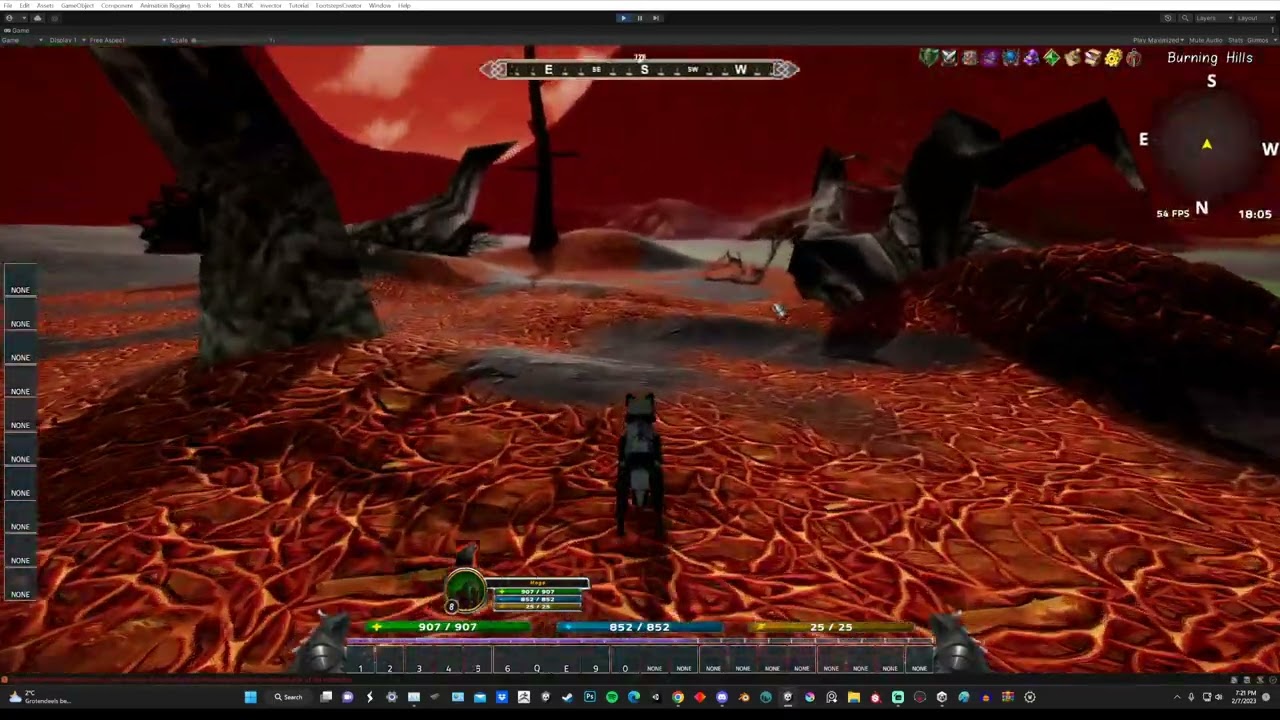
here a vid showing it
blissful mica
odd token
https://www.youtube.com/watch?v=6yf4WKSTeec&ab_channel=3PO
Good to see the camera does work nicely! This is one of the next and final core features I was gonna test and implement using John's controller. Hope it will work soon :).
blissful mica
Hey short question.
Is there any documentation about the MovingPlatform script. As in what it does exact and how to use it?
I can get some 'platform' to move by attaching it to an object. But I also falloff once it moves from underneath me. Should I 'stick' to the platform or should I fall off once it moves from underneath me?
This is ticked on, on the character prefab.

NVM I think I found it in 1 of the DEMO scenes. The John RPGB character also sticks to that one, once it moves away. 🙂
 blissful mica
For feature requests should I put those here or somewhere else?
Gonna type it here, and if I should move it plz let me know.
- Request for the moving platforms to have a more then a start and an end location. (that can be manually added, as many as you like. Or at least like 5 or 10).
midnight notch
blissful mica
For feature requests should I put those here or somewhere else?
Gonna type it h...
I assume that platform script provided just as an example on how to deal with platforms and controller. It's definitely out of the controller's scope to create an editable platform solution
midnight notch
blissful mica
For feature requests should I put those here or somewhere else?
Gonna type it h...
Just made your own platform and use ProcessPassengers(); part from that script
blissful mica
midnight notch
I assume that platform script provided just as an example on how to deal with pl...
okay cool. Works just fine for what it should do, so that's perfect and usable :).
blissful mica
If I trigger a shapeshifting effect I get this:


How to fix this?
I know shapeshifting is on the To Do list. But this seems to be something else. Also I saw 2 posts above about ppl at least getting a normal shapeshift without the character visible.
@wraith iron
Also something I just noticed (doesn't give an error, but might be related):
The first is John's premade character + his controller.
The second is RPGB character + controller.
Look at the leg position. Seems John's character looks a bit wobbly/unstable. Let's say he won't become an athlete 😛
midnight notch
blissful mica
<@146738990345748480>
Also something I just noticed (doesn't give an error, but...
You realize that you just looking on two different character animations, right? It has nothing to do with character or controller, it's animations that were assigned to the animator. 😄
blissful mica
midnight notch
You realize that you just looking on two **different** character **animations**,...
Ah lol dumb of me thanks!
I did not came to the animations yet. Busy with level creation haha. But still have the other question pending (about shape-shifting). Hope someone can give some pointers on that also.
unreal dune
blissful mica
I did not came to the animations yet. Busy with level creation haha. But still h...
cached body parent refers to this iirc
then for the parts you give body part script to each part (like neck chest arms etc), then make sure the renderer is the skinned mesh renderer and the part is set to the corresponding part so chest to chest. body parts are created in types > body parts and then ltr used in body culling (this is so rpgb knows when to turn off the body part when putting on armor)

oh sidenote, once each body part has its script attached you can just click "find body parts" in the appearance script (on the char parent) and it'll auto detect em all
can see me do it in adding bra culling for female vid
blissful mica
unreal dune
oh sidenote, once each body part has its script attached you can just click "fin...
Thanks a lot I will look in depth into this tomorrow! I was assuming it would/could work the same as it does in rpgb. When I use the rpgb character with controller and use the shape-shifting ability/effect it does work. Didn't expect it to work differently but makes sense now that I think more about it. 🙂
unreal dune
iirc for john's controller if you use that integration it creates a prefab with the needed scripts (i could be wrong here cuz i dont have the asset so thats just a guess on my part atm) which could explain that parent stuff (it needs that parent to disable everything underneath it in 1 go when shifting etc, and ofc enable when you change state back)
blissful mica
unreal dune
iirc for john's controller if you use that integration it creates a prefab with ...
I understand cool and thanks!
blissful mica
unreal dune
https://www.youtube.com/watch?v=loAeIPg3FO4&list=PLPXTPE0tRWD1VkYrSWBbh3EU1r1ncD...
I'm trying to figure this out, but can't get it to work. Also not 100% sure it's possible in my setup. Since you add a bra and I want to use an ability (shapeshifting). I won't put on a piece of gear that needs to be culled. Or doesn't that make a difference? If so I don't know how to set it up :).
unreal dune
blissful mica
I'm trying to figure this out, but can't get it to work. Also not 100% sure it's...
oh no no, i meant that was an example on how you define body parts
what your msg referred to (the error) was the parent as i circled in screenshot above, that is what you gotta worry about, the body parts bit i added to it in case not all your body parts were setup
so like go through your limbs and make sure the body part scripts all refer to the right one, for example for some reason the one on legs was set to feet for me so i had to set that back to legs
but main thing is that parent from screen above
blissful mica
unreal dune
what your msg referred to (the error) was the parent as i circled in screenshot ...
Ah okay cool. I added Meshes there and does show some progress 😄
blissful mica
unreal dune
what your msg referred to (the error) was the parent as i circled in screenshot ...
I can transform to a complete wolf now, but I do have 1 error.
And once the wolf transformation is over. I cannot transform into it again.

 blissful mica
unreal dune
blissful mica
unreal dune
Okay cool, added armor and armature also. But now the camera is inside the wolf. I would rather have the other option haha. Of course that won't work either since it gives an error but still.
unreal dune
ye that is a thing related to john's controller
shapeshift isnt working fully yet, like animator doesnt engage and crowsinger above had reported the camera thing
#1008698695656689788 message
#1008698695656689788 message
blissful mica
unreal dune
ye that is a thing related to john's controller
shapeshift isnt working fully ye...
yeah precisely. But still I'm glad that I came this far thanks to you!
Thanks :D.
Now I just need to wait until John manages a fix in his controller 😄
I am glad that it was this easy xD
unreal dune
dont jinx it haha
blissful mica
Haha
odd token
@wraith iron after the last update this starts to happen again, the patch before this was not the problem where we can get stuck in between stuff, and i have not changed anything same old prefab character that i hade before, when you find some time can you see if this is happening to you 2 again
and also now we have the problem where we cant move the player in the world anymore
witch was not the case in the last patch, and i think this is why we can get stuck the position on the player cant be moved in play mode witch last patch was not the problem
I have a other vid showing of that problem
as you can see in the video its the RPG Motor preventing me to move the player in play mode,,, witch was not the case in the privies' patch 😀
anyway hope this helps
blissful mica
If I jump into the air my movement speed while going up is the same as when I go down.
If I'm standing on something and I fall down it's way quicker.
How to adjust the 2nd fall speed?
Does this have to do with me using the falling damage script or is there an other reason?
I would love to have both speeds the same (where the first is already fine tuned and I would like to have the 2nd set to the same movement speed)
blissful mica
An example of what I mean.
blissful mica
glacial leaf
Thanks to <@146738990345748480> help, I now have a working test version of mobil...
Hey there,
How is the testing/tweaking going? I would love to test and use your setup in my game :).
odd token
blissful mica
An example of what I mean.
i don't know if this will help setting this values to slow the falling time,,, for me its works,,, try and see if this helps 😀
 blissful mica
odd token
i don't know if this will help setting this values to slow the falling time,,, f...
blissful mica
odd token
i don't know if this will help setting this values to slow the falling time,,, f...
Thanks I tried changing those values beforehand but that only changes the speed you fall after you pressed jump (not the falling from something unfortunately). Nothing I change in the motor make any difference when it's about the falling from something.
blissful mica
blissful mica
Thanks I tried changing those values beforehand but that only changes the speed ...
Hmm has to be the additional script. Just did a test on a character without the additional script and the falling is normal. I'll contact Min about this, he might be able to fix it.
EDIT: It's 'fixed' problem was a simple falling threshhold setting.
 blissful mica
@odd token
Do you also know about a 'magical' setting that can make sure that when I jump and hit my head onto something I immediately fall down and not stay floating until I would normally reach the jump height? (Could add a video to show what I mean, in an hour or so, after dinner). If that would help. If not then I'll ask John if he knows a fix.
odd token
blissful mica
<@417716391387332629>
Do you also know about a 'magical' setting that can make ...
I have no clue how do to that
never tryd it
wraith iron
blissful mica
<@417716391387332629>
Do you also know about a 'magical' setting that can make ...
Hey @blissful mica, will be part of v5.5 (enabled then by default)
wraith iron
odd token
as you can see in the video its the RPG Motor preventing me to move the player ...
Hey @odd token, will be possible again with v5.5 - accidentally left it off for the last release
wraith iron
odd token
<@146738990345748480> after the last update this starts to happen again, the pat...
Are you sure that something changed with the prefab on your end? Because I have not touched this logic in any way. From what I can see, the collider radius looks quite small for the used character model. With a larger collider radius, the area which is checked for ground automatically increases. Nevertheless, I am thinking about provided an offset which can be used for increasing the grounded check radius independent from the collider radius. Additionally, I am considering implementing something like an "anti-sliding-stuck" mechanism which should pop out the character from such pitfalls
odd token
wraith iron
Are you sure that something changed with the prefab on your end? Because I have ...
nope i have nothing changed on my character prefab just updated,,, worked before and after the update started to happen, i do remember this being a problem also 5 patches before and next patch fixed it
@midnight notch if m correct he had the same problem with this where the Rai cant find the ground and it gets stuck
wraith iron
there is no ray - that is why I was a bit confused in the first place ;)
odd token
O
wraith iron
there was in v4 or before
but doesn't matter. I will provide the two things above which should make it possible to prevent such cases
blissful mica
wraith iron
Hey <@401101099777392644>, will be part of v5.5 (enabled then by default)
Love your reply!
Just 1 question. Is there an estimate on when it will be released (not in a hurry or anything, just curious;))
midnight notch
@wraith iron it’s a minor detail, but probably it should be reported. Calculation of aiming are dependent on camera offset. If you setup your camera in a way we look “over the shoulder” when the character is not strictly on the screen center - the aim will miss exactly on that offset. It makes the crosshair a little bit useless 😅
(correct wording would be “aiming are not depending on offset” but I believe you get the point)
wraith iron
midnight notch
<@146738990345748480> it’s a minor detail, but probably it should be reported. C...
Hey @midnight notch, to be honest, I don't know what you mean. This is how at looks on my end:
even with a large offset, it hits the crosshair spot quite well
wraith iron
blissful mica
Love your reply!
Just 1 question. Is there an estimate on when it will be releas...
Hey @blissful mica, I wanted to submit the changes today and then it depends on Unity's QA. Usually they need 2-4 working days for approval. So I would say next week is feasible
midnight notch
wraith iron
Hey <@354331410150064129>, to be honest, I don't know what you mean. This is how...
Hm… what if you offset a “non aiming” position as well?
Right now character stands in center and jumps left on aiming. What if he will be offset left in both stances?
wraith iron
sorry, but I just don't understand what you mean. Do you have a screenshot or setup which shows the issue so that I can reproduce it?
I mean, the calculation isn't even on my end as it just uses RPGBuilder logic (PlayerCombatEntity.SetProjectileRotation()" which basically casts a ray via Camera.main.ViewportPointToRay
wraith iron
New version submitted for release:

Hope these changes fix the issues you are facing. At least my tests were covered. If not, I am here of course
midnight notch
wraith iron
sorry, but I just don't understand what you mean. Do you have a screenshot or se...
Here, I mean that offsets on RPGCameraMMO and RPGbuilderIntegration are the same. So charcter stay in the same place no matter if we aiming or not. And it's clearly missing 😄
blissful mica
wraith iron
Can't wait to test these fixes/updates! 😀
(Jump fix and shape-shifting, both huge and required for my game)
Thanks for them and keep up the good work!
wraith iron
midnight notch
Here, I mean that offsets on `RPGCameraMMO` and `RPGbuilderIntegration` are the ...
Thanks for the video. Now I understand what you meant. But what you are showing is rather a setup issue of the scene. You have to assign the cave walls to RPGBuilder's "ProjectileRaycastLayers". The projectiles you cast go through the wall and therefore it looks like they would be off the crosshair but in fact they hit their target on the spot - just somewhere behind the wall ^^
midnight notch
wraith iron
Thanks for the video. Now I understand what you meant. But what you are showing ...
Oh, I see! I was not aware of specified projectile layers (and expected all layers to act like this). Thanks a lot! ❤️
glacial leaf
wraith iron
Hi @wraith iron , is the last item on the update notes related to the issues I was facing with the camera not rotating when using onscreen controls (UI detected) when mapped to the cursor movement input?
If I update my project, will I need to return false the same section of the script we changed previously to allow for cursor rotation while an on-screen control is present?
blissful mica
glacial leaf
Thanks to <@146738990345748480> help, I now have a working test version of mobil...
Hey there,
How is the testing/tweaking going? I would love to see how you managed to get all the mobile buttons to work (camera + an action button like jump).
wraith iron
glacial leaf
Hi <@146738990345748480> , is the last item on the update notes related to the i...
Hey @glacial leaf, I am not 100% sure to be honest. But yes, potentially you have to switch back to returning false again. I would recommend extending the RPGBuilderIntegration class and overriding the method. Just to prevent the manual effort in the future
glacial leaf
blissful mica
Hey there,
How is the testing/tweaking going? I would love to see how you manage...
I've been off development for the last week or 2, so haven't refined or completed. It currently only works for player/camera movement through John's controller. Other actions built into RPGB and the old input system aren't supported in the method I was going with.
Looking to eventually use something like InControl or Rewired to handle all the old/new gen Unity inputs - unless RPGB gets ported to the new input system before I get there
blissful mica
glacial leaf
I've been off development for the last week or 2, so haven't refined or complete...
Okay.
All I need is walk (already works), camera and jump. Those 3 things you showcase in the video if I'm correct. I might not need anything else so if I would already have that I would be very happy 😃.
Feel free to let me know when you had some time to tweak please 😀.
blissful mica
@wraith iron (update issue is solved :))
Nice I just saw that the update is live!
Updated all the files and the jumping works perfect now! (Hit your head and fall down right after :D)
Am wondering what I should change in the setup to get the shapeshifting correct also. I'm still in the NPC. Is there some documentation on how to use it with your controller?
odd token
blissful mica
<@146738990345748480> (update issue is solved :))
Nice I just saw that the upda...
its not that hard just make shapeshift ability and ad the controllers


and just ad to the talent or spell book tree or where ever you have your ability's added

ez pize and it works
hope this helps, if you have more questions just ask
blissful mica
odd token
ez pize and it works
As you said it's so easy haha. I imported the updated files but didn't run the updated integration 🙂 So I couldn't find the correct controller haha. Just adding that and it works like a charm :D. I was to quick haha.
Thanks 😄
Just need to figure out now, if I want to use the latest character made by John (inc everything) or if I can just keep the John RPGB character from the previeus update
odd token
if m correct old characters work, when updating no need to redo any of that stuff
@blissful mica
i just updated and all works fine i dont have to remake any of the prefabs
blissful mica
odd token
if m correct old characters work, when updating no need to redo any of that stuf...
Seems to work true, but didn't test everything. So for now I'll keep the old and if I encounter problems I'll port all the settings to the latest character prefab
odd token
trust me no need just need to see what changed and add that but no need to redo the hole character i know for a fact
😀
blissful mica
odd token
trust me no need just need to see what changed and add that but no need to redo ...
okay cool. All I needed from this update was the jump hit head and fall down (rather then keep floating until you would normaly reach the jump height) and the shapeshifting. And both seem to work perfect so I'm happy :D. Simply 1 thing I can remove from the waiting/to do list! Great job @wraith iron !
pine onyx
The wolf shapeshifting looks fantastic now 🙂 🐺
odd token
right right i love it, did you try the shape shift stealth, if not see support, on how to do it its working, Ardyn made a tutorial
@pine onyx
odd token
well its amazing for a druid
pine onyx
Is it in his youtube channel, or in community-support?
pine onyx
okay thanks
odd token
we just made it work
odd token
#rpgb-chat message
pine onyx
That's very interesting, thanks
frank tapirBOT
@pine onyx just reached level 8!
midnight notch
Yay, new controller build just hit the store! Excited to try the fixes 🎉
odd token
@midnight notch where you bean its already 2 days out 😀
midnight notch
odd token
<@354331410150064129> where you bean its already 2 days out 😀
I waited until unity send me a letter "this assets was updated"! ☝🏻🤓
pine onyx
I couldn't wait 😆
midnight notch
Yay! I didn't stuck anymore even in the trickiest situations
odd token
@wraith iron hi sorry to bother, I see the problem with leap ability's is still here, don't know if you had anytime yet to look in to it, sorry for asking again just wandering hope this one dos not slide true the todo list 😅, i made a video showing what i mean
and also no rush i was just wondering maybe it got fixed with last patch and i am setting it up wrong
ether way pls do let me know
ty
💪
 amber moon
Can you tell me how to get the right stick to work on a mobile device ?
blissful mica
amber moon
Can you tell me how to get the right stick to work on a mobile device ?
@glacial leaf is working on this. He has it working but needs some adjustments and finetuning. If that's done he will share the settings with us. I'm also awaiting this so that I can rotate the camera using this controller.
glacial leaf
Hey @blissful mica I haven't been working on it due to excessive work commitments, but to make the onscreen right stick (camera movement) work you need to modify a line inside of the RPGBuilderIntegration.cs script (see screenshot)
The line that is indicated inside the screen shot, change to "return false;"
I assume this disables the temporary deactivation of mouse movement when a GUI/onscreen stick element is detected on the screen. Thus allowing the right stick to move the camera (via mouse input co-ordinates) while it is an onscreen gui element
 blissful mica
glacial leaf
Hey <@401101099777392644> I haven't been working on it due to excessive work com...
blissful mica
glacial leaf
Hey <@401101099777392644> I haven't been working on it due to excessive work com...
Okay thanks I'll try to get it working with this information. 😀
Not a coder, so I would need to find out where and how to type the return false exactly.
odd token
dos anybody else have a problem with mount idle turning animations not getting triggered, pls let me know
it looks like for shape shifting idle turnings works, but not for mounts
wraith iron
odd token
<@146738990345748480> hi sorry to bother, I see the problem with leap ability's ...
Hey @odd token, I thought that would have been fixed with the last patch. But maybe I have missed the leaping case - sorry! It is on my list now, thanks!
odd token
wraith iron
Hey <@417716391387332629>, I thought that would have been fixed with the last pa...
np and thanks for the responded i was not shore, that is why i was asking as you can see in the video showing the problems is still there, and can you pls also look in to this dont know if this is RPGB problem or on your end, here is the link
#1008698695656689788 message
 muted prism
Hi there. I just bought your asset and I would like to know how to avoid the jittering created by the NPC when colliding with the player
thank you 🙂
wraith iron
odd token
np and thanks for the responded i was not shore, that is why i was asking as you...
this works fine for me. Not sure if anyone else here has this issue as well. Have you checked if there is an animation assigned to "Ellen_Idle" in the corresponding mount animator override?
wraith iron
muted prism
Hi there. I just bought your asset and I would like to know how to avoid the jit...
Hello @muted prism, I recommend turning off collisions with NPCs in RPGBuilder. I have turned it off as well
muted prism
wraith iron
Hello <@429755793852596234>, I recommend turning off collisions with NPCs in RPG...
Hi, thank you for the reply. If I turn off collisions, will the npc not pads through other Npcs and the player? Maybe it's a dumb question
odd token
muted prism
Hi, thank you for the reply. If I turn off collisions, will the npc not pads thr...
not if you turn collision on in the editor
odd token
wraith iron
this works fine for me. Not sure if anyone else here has this issue as well. Hav...
i have assigned the animations and all,,,, it looks like its not triggering the parameter's at all for me, when i am mounted for all the others like character and shapeshift it works just not for the mount ?
muted prism
odd token
not if you turn collision on in the editor
Is not the contrary of what @wraith iron is saying?
odd token
muted prism
Is not the contrary of what <@146738990345748480> is saying?
i dont know did you try this


this is the way you can use Collison or not
odd token
muted prism
Hi there. I just bought your asset and I would like to know how to avoid the jit...
or do you mean jittering on the camera or the player him self
if m correct there are layers for that for ignore
muted prism
Well, The player get pushed by the NPC while they partroll. And the avoidance works only for othet NPCs, correct?
odd token
muted prism
Well, The player get pushed by the NPC while they partroll. And the avoidance wo...
well that is called collision 😅
so if you dont like that turn it off like i showed you in the2 images in the editor
that is why the are pushing you aside
also dont think this is Johns stairs thing its more RPGB related
midnight notch
It’s rather Unity’s physics/navmesh related, rather than RPGB as well. @muted prism on the first place npc should not push player. It means that your player must be marked as navmesh obstacle. Bit it could break the npc’s ability to find the player when they want to hit it. So, maybe “avoidance” could be the case.
Anyway, there’s a lot of options to setup Navmesh Agents and physics to work together.
Unity’s navmesh agent calculations is quite shitty, so good luck 👍🏻
muted prism
midnight notch
It’s rather Unity’s physics/navmesh related, rather than RPGB as well. <@4297557...
So If i understood correctly the player is included in the avoidance? How so? I was thinking that was only for the npc
midnight notch
It is not, but it should.
Here. The issue is that npc navmeshagent wants to be in certain point but that point is occupied by player, so npc collider didn’t allow npc agent to get there. And each frame agent and collider start fighting on what should be the actual npc position.
You have many options to solve it: disable player/npc collision, include player in navmesh avoidance calculations, tweak navmesh calculations (by default it’s “low” quality, turn on the highest and see if it behaves better, etc
muted prism
midnight notch
Here. The issue is that npc navmeshagent wants to be in certain point but that p...
Thank you for the explaination. How can I add the player in the avoidance?
midnight notch
Make it a navmesh agent as well, or make it navmesh obstacle
muted prism
midnight notch
Make it a navmesh agent as well, or make it navmesh obstacle
Thank you. I will try now
midnight notch
Folks, there is one strange behavior in mmo controller I can't explain and I'm not even sure it's not my personal issue. First jump will always breaking your running. For me it's always working like this:
- press forward + shift and start running
- press jump (while keep holding run keys) -> character do almost full stop and jump in place
- continue running
- press jump again -> character jump forward, as expected.
As soon as you release run buttons and press it again - next jump will also be in place, and all the next jumps will be properly inherit the speed of running. Could anyone confirm that behavior?
odd token
midnight notch
As soon as you release run buttons and press it again - next jump will also be i...
yes same happens for me
ebon willow
midnight notch
Folks, there is one strange behavior in mmo controller I can't explain and I'm n...
Out of curiosity, and assuming this is 'scientifically' repeatable, try augmenting the value of midair speed to something obviously recognisable. I suspect the asset applies it when it shouldn't (running jump) for some reason. Should we find out I'm right, John should have an easier time providing a solution. 🙂
Also hello everyone 🙂
ebon willow
btw I personally cannot replicate the issue
pine onyx
It seems to work fine for me
odd token
pine onyx
It seems to work fine for me
do you use IStep IK for feet placement
i think this mite be cussing it some time to miss jump
pine onyx
odd token
do you use IStep IK for feet placement
I do not use that, no
odd token
pine onyx
I do not use that, no
yep that is what i tooth, now i know for a fact what is doing it
when i disable it,,, it works perfect
so this is more 3party assets problem, and not Johns his controllers, its a conflict of some sort
but i can be wrong i just know if i disable it works fine for me
ebon willow
odd token
but i can be wrong i just know if i disable it works fine for me
Geez now I’m even more curious about what exactly generates the problem 😂👀
midnight notch
odd token
when i disable it,,, it works perfect
Oh, good find! I’ll check if disable iStep will change it for me as well
midnight notch
ebon willow
Geez now I’m even more curious about what *exactly* generates the problem 😂👀
So do I. I would take it as is if all the jumps were like this, but it’s just a first jump in a row and it drives me crazy 😵💫
ebon willow
midnight notch
So do I. I would take it as is if all the jumps were like this, but it’s just a ...
The only similar thing I experienced was when having mid air movement set to always possible, that gave me similar effects although in different circumstances. I really, really wonder what iStep has to do with that (even more so since from what I could tell the only thing in john's code that is expected to 'brake you in the air' is the mid air speed setting, and now I wonder what else I could have missed).
For reference this is something I came across when updating the fall damage script to take care of something similar, that's why I made this assumption. 🙂
Oh well, we'll see. 🙂
odd token
ebon willow
Geez now I’m even more curious about what *exactly* generates the problem 😂👀
me 2,,,but it looks like you are right about mid air movement cussing that problem 👀
languid jungle
I just installed iStep with RPGBuilder again. The demo scene of istep works as expected.
But I can't get it to work with RPGB + John Stairs Controller. I setup the foot IK script and the setting in the animator controller.
Changing "Compute Ik Hint Position Strategy" will change the walk, but footsteps (sfx+vfx) won't work. COllission Layer Mask is set to Everything. Any ideas?
 languid jungle
Solved. In case someone else having these problems: The footstep events did not carry over to the prefab when I copied the component from the demo.
 languid jungle
Yesterday I broke my Character Controller it seems. I can move the character by keyboard, but look around with mouse won't work. Also the interaction does not work anymore (the object is still on the correct layer). The raycasting seems somehow weird to me as well. The distance is way to far for interaction and only reacts unexpected.
To test my setup, I used the default prefab from John Stairs Controller which I get when I enable RPGB support. I did not change the prefab. So it must be something else I guess?
Any ideas? Maybe @wraith iron ?
languid jungle
Deleting Easy Build System solved the problem as well. Not sure how this relates.
 zealous pulsar
Is there anyway to change the animation when falling. Currently it keeps walking in the air. Also when falling, I'd there a fall damage option?
unreal dune
zealous pulsar
Is there anyway to change the animation when falling. Currently it keeps walkin...
 finite walrus
Can you tell me if the RPG Cameras & Controllers from John Stairs controller is much more polished than the one built into RPG Builder? Will it good work with a top view view?
Is there pad support built into this?
midnight notch
finite walrus
Can you tell me if the RPG Cameras & Controllers from John Stairs controller is ...
In my experience, JS controller is much more polished than built-in. But it was created for a classic 3rd person view in mind and I’m not sure if it will perform it’s best with a top view. It also works with both: “new input system” and legacy which probably made it easy to adapt for a pad
I would assume that top-down controller is not “just a 3rd person with top locked camera” so maybe it’s not as good as it might sound. But yet again, built in controller is barely usable anyway 👀
finite walrus
midnight notch
I would assume that top-down controller is not “just a 3rd person with top locke...
Ok thank you very much for your feedback.
 wanton hazel
Hey 🙂 Tried searching a bit in the discord, but couldn't find anything on this exact thing 😛 I'm implementing the option for using a PS5 controller with the John Stairs ARPG controller, and a lot of stuff works great out of the box! But the issue I'm having is that lot of other input handling is done a bunch of other places, and it's a bit hard to find the right places to edit certain stuff.
Like for using ground abilities I found the string in "PlayerCombatEntity" script, and just added a line for the joystick press for executing it. But I can't seem to find the right place to make JoystickButton1 or South Button trigger targeting, or anything else mouse0 would do. Has anyone done this or made a combined script or anyone using the new input system for all of it?
 wanton hazel
Hey 🙂 Tried searching a bit in the discord, but couldn't find anything on this ...
wanton hazel
wanton hazel
Hey 🙂 Tried searching a bit in the discord, but couldn't find anything on this ...
Or is there a way to just make joystick1 and alternate key for mouse0 for everything? Tried adding LeftMouse in the RPGinputActions and assign it to Button South, but that didn't work. It gets overridden somewhere I guess? Or do I just write it wrong?

Found this in the combatenitity script. This might be what handles setting the target on left click. Going out now, so can't test it yet, but I guess I just need to make the ButtonSouth or something to trigget "onMouseDown" ?
 wraith iron
Hey @wanton hazel, all input bindings which have to do with my asset can be found inside the RPGInputActions asset (which you have already found). But these only work if you enabled the use of Unity's "new" input system in the project settings. All other input handling, i.e. actions which are not related to camera or standard character motor controls (e.g. casting spells or world/UI interaction), is handled by RPGBuilder code. Hence, I cannot help you further here unfortunately. I just know that RPGBuilder is still using the legacy input system ("Input Manager").
wraith iron
wanton hazel
Or is there a way to just make joystick1 and alternate key for mouse0 for everyt...
there shouldn't be something overwritten. Maybe you have forgotten to press the "Save Asset" button at the top of the window after your changes?
wanton hazel
wraith iron
there shouldn't be something overwritten. Maybe you have forgotten to press the ...
Thanks for the reply 🙂 Yeah, was doing all the movement stuff in your input action asset, and I had to change some of the scripts and binds in RPGbuilders old input manager for the other stuff I needed 🙂 My hope was that I could use your input actions asset to override RPGBuilder inputs ^^
But I probably posted in the wrong chat ^^ Great controller overall though, The closest I've been to get the playability that I wanted
proven vortex
@wraith iron hey, I think there is a bug with the movement speed change event. i tested on a fresh project w/ only RPG Builder and the RPG Camera

this stuff here does not seem to do anything
(Stand Time works)
i put in Debug.Logs and saw that the MovementSpeedChange event wasnt getting hit
im not sure why
it changes the movement speed float, but the RPG Controller doesnt seem to pick up on it and adjust the movement speed
proven vortex

i fixed it btw by adding this line in the RPGCharacterControllerEssentials to forcibly call the Combat Event so it gets picked up by the integration
im not a coder so i dont know if this is proper tho
wraith iron
@proven vortex hey, this is interesting. Thanks for reporting, I will definitely have a look into it!
muted prism
Hi, quick question if I may. Is there a way to have multiple overrides (dynamic animator) with your controller?
And, is there a tutorial where is shown how to switch from a weapon to another, in particular short range and long range one?
Thank you in advance
midnight notch
muted prism
Hi, quick question if I may. Is there a way to have multiple overrides (dynamic ...
I'm not John, but controller has nothing to do with animator overrides, it's RPGB responsibility (and it's actually using native unity's override). Here is the video that explains how to do it https://www.youtube.com/watch?v=TdiLdvMGef8

Get RPG Builder: https://bit.ly/32X3fPz
RPG Builder is a tool for Unity that lets you develop your own RPG without programming skills. Focus on your game design and content and let RPG Builder do the hard work for you!
LINKS:
Join the Blink community on Discord:
https://discord.gg/fYzpuYwPwJ
If you want to support me on Patreon:
https://www.pat...
unreal dune
Doc page https://blink.developerhub.io/rpg-builder/economy
That vid is from 1.1 tho what he says still holds up. But weapon overrides are now in settings > economy

Inventory. Field NameFunctionBase SlotsThis field defines how many inventory slots a player has by default. Weapon > Weapon Animator Override.
muted prism
midnight notch
I'm not John, but controller has nothing to do with animator overrides, it's RPG...
Thank you for the reply. How do you handle the different mode short and long range with aiming? Just with one controller? Do you use custom code to make it switch the animations with the corrisponding weapons?
midnight notch
muted prism
Thank you for the reply. How do you handle the different mode short and long ran...
I did exactly as it shown in the video and written in the article we shared with you
RPGB do it automatically for you
muted prism
midnight notch
I did exactly as it shown in the video and written in the article we shared with...
Thank you! Just saw it!
Great!
And just to be annoying with another small question: can the abilities be selected by weapon? I mean, if I use an axe there is one or more abilities and they change when I use a sword. Is it possible?
I think this happen with shapeshifting
unreal dune
Weapon specific hotbars aren't a thing
You can however lock abilities behind a weapon templete, this template then you can then day "axe" meaning it only becomes active and gains exp when an axe weapon type is equipped but it will not automatically populate hotbar and once an ability is unlocked you can still use it in other stances like is you unlock axe skill then you can still use it with bow equipped.
Unless you add a use requirement inside the ability that states x weapon type is equipped
muted prism
unreal dune
Weapon specific hotbars aren't a thing
You can however lock abilities behind a w...
Thank you 🙂
odd token
@wraith iron hi i think the last patch broke RPGB not possible to use when mowing ability's mechanics, can you pls confirm if this is true, right now that button dos nothing, now i am able to use the ability's with out shooting of the projectile whiles mowing 🤔, but it dos trigger the cooldown, also not getting the text cant use whiles mowing
 odd token
Condition move and cast is broken
proven vortex
this works for me
odd token
proven vortex
this works for me
can you pls show how it works for you
becos it use to work for me and not afther the update
proven vortex
 odd token
so pls be carfull wen saying it work
odd token
proven vortex
i mean record it show that the functions is working
m going to record to show it is not working
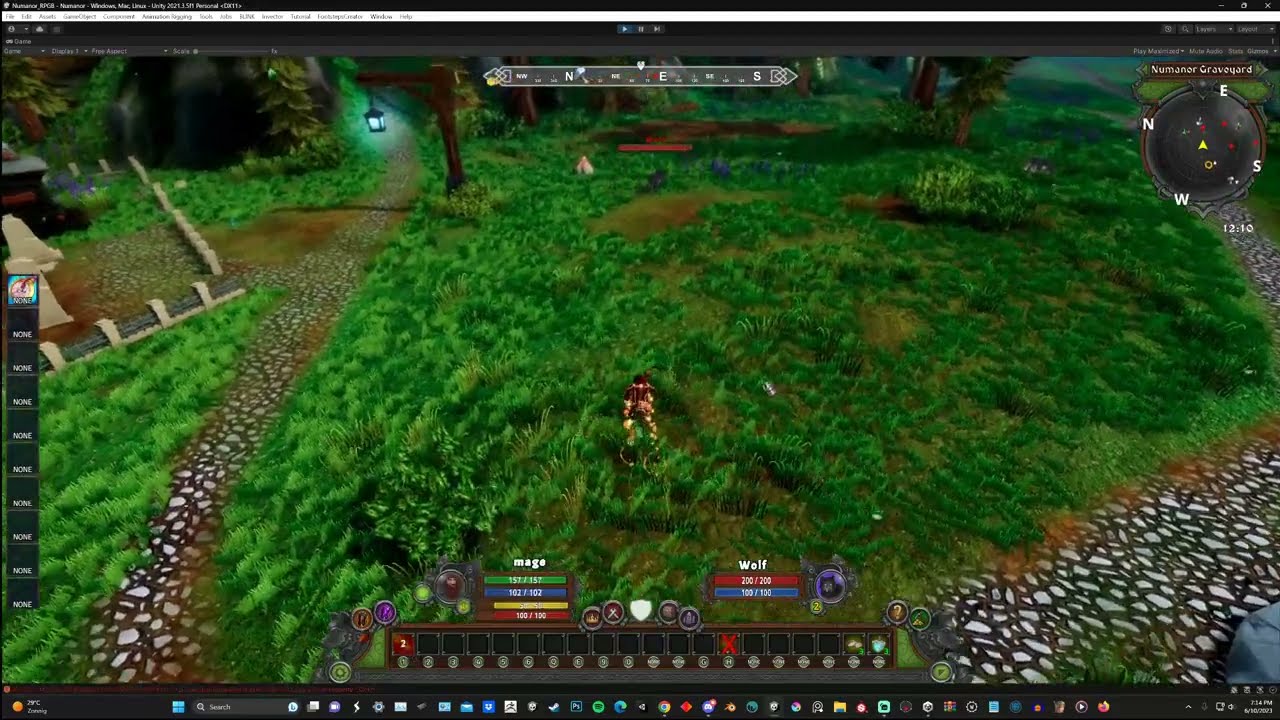
here a video showing is not working correct
proven vortex
test in a fresh project with only RPG Builder and the camera
odd token
proven vortex
test in a fresh project with only RPG Builder and the camera
is this with Johns controllers or RPGB controllers ?
proven vortex
john's controller latest patch. i fixed a movement speed bug above where it literally wasnt slowing me while moving and casting
i tested it before on a fresh project and it wasnt working there either
odd token
o did we alrady have a new patch
with the old patch the slowing did also not work for me
proven vortex
if you cant cast and move on a fresh project, then it is a problem with the integration
but i dont think it is, because it works for me
so for some reason, some other setting is off
odd token
did you test it like this, i am mage that wont to cast a ability only if i am standing still, but not be able if i am mowing it needs to say cant use ablity when mowing
it works for me if i set it to move and cant not if i set not cast while mowing
did you test it like that
also i dont see any new patch yet
@pine onyx can you pls also test this
proven vortex
odd token
it works for me if i set it to move and cant not if i set not cast while mowing
can you rephrase or show screenshot
proven vortex
are you using the code I put in?
odd token
i know for a fact it broken but okay, i will wait me time to show it to you
proven vortex
lol well i am not disagreeing that is broken for you
it clearly doesnt work as intended
you have to ask why
i am merely saying that it works for me on my end. so i am not sure if it is a problem with the integration itself
odd token
any way i wait for respond if he ever see it now 😆
@wraith iron pls can you confirm this is not working
proven vortex
easiest way to test that is to make a fresh project with only RPGB and Camera
odd token
proven vortex
easiest way to test that is to make a fresh project with only RPGB and Camera
dude pls stop
odd token
proven vortex
easiest way to test that is to make a fresh project with only RPGB and Camera
you are always acting like i am dumb or some shit, like i did not do that
wow
proven vortex
so you made a fresh project with onyl RPGB and Camera and it was broken there?
i am genuinely curious
odd token
k stop spamming it now did not ask your help, i have a strong fgealing with you are just sturing stuff up so pls i ask nice stop
proven vortex
ok so you didnt do it
i was trying to help you
sometimes you have to help yourself
GL
odd token
proven vortex
ok so you didnt do it
this guy
it dos not work trust me, when i say last patch broke it FACT
so why are you responding if i tag John
did i ask you no
pine onyx
@odd token It is working for me, though Im having trouble getting a video this morning. I really need to learn to use obs
odd token
pine onyx
<@417716391387332629> It is working for me, though Im having trouble getting a v...
so this works for you what m showing in the video, you get a massage saying you cant cast while mowing
pine onyx
Wait, so you're not able to cast if move and cast is not checked? I'm confused
odd token
pine onyx
Wait, so you're not able to cast if move and cast is *not* checked? I'm confuse...
what is so confusing about what m showing here, if you have a ability that cant be casted whiles mowing, its a grounded ability you can only cast if standing still correct so why can i cast when mowing if its not trund on correct
i am able to use a ability while mowing and i am not supposed to be able cos its unchecked see
proven vortex
because it works for us
proven vortex
pine onyx
Wait, so you're not able to cast if move and cast is *not* checked? I'm confuse...
what unity version are you on?
odd token
pine onyx
yes its also broken for you ty
see that is what i mean
so pls i will tag JOHN
and he will replay
and you @proven vortex you are a pace of work not even testing proper and interfering just to mess with me you always do this cut it out now i know 😀
i dont talk to you anymore
unreal dune
Guys just drop it here or im gonna start timing ppl out. I've read the convo back and he was just trying to help by asking what you did in steps
odd token

odd token
unreal dune
Guys just drop it here or im gonna start timing ppl out. I've read the convo bac...
did i tag him no he always dos this so pls tell him to not interfere any more with me, do i have that right Ardyn
unreal dune
I said to drop it, people are free to help others. Sometimes it even speeds things up as the creators arent here 24/7
proven vortex
i am still trying to reproduce it for me, because if it was broken i want to fix it
you first mentioned it a week ago
i thought id say that i wasnt having the problem
usually if something weird is broken for me, i test it on a fresh project
unreal dune
I read you said you fixed a speed bug in the controller for yourself, maybe thats where something lead to a misunderstanding but im not gonna repeat myself again, just drop it :p
odd token
@wraith iron any way i will tag again so you don't miss it John, can you confirm this is broken pls thanks
#1008698695656689788 message
also here is a other test that it dos not work 😀
proven vortex
man thats weird
i cant reproduce it
maybe something in the prefab settings for the character
unreal dune
I was also talking to you :p with the "guys" and my last msg haha. Its possible you fixed it when you did your speed fix
But ye lets have john take a look at it so he can say whether or not its a bug or something in the controller
proven vortex
if its a bug in the controller, then id like to reproduce it so it gets fixed. cant seem to reproduce in unity 2022 version in neither my project or fresh project. maybe John can find it
this is how you actually fix bugs btw
John knows his code best though
proven vortex
unreal dune
I was also talking to you :p with the "guys" and my last msg haha. Its possible ...
i thought maybe that was the case and i fixed it accidentally, but no. i tested it in a fresh project and it works for me. so maybe it is a issue with a specific unity version, or maybe something breaks if you modify the character prefab
unreal dune
Yeah crow and 3po arent on 2022 so maybe its that but this is my final warning, just leave it here cuz its just gonna continue to spark arguments and push up the stuff, making john's life harder xd I already saw 3po respond then quickly remove the msges.
Tbh im already being more lenient than normal here cuz it could be said you guys already went against rule 2
pine onyx
If I'm running while casting, the casting animations don't work right. Is that what the UpperBody layer in the Stairs controller is for?
pine onyx
Let me see if I can make a video
Bow animation when I'm not moving, and when I am
Same thing happens with dagger. If I'm moving, it uses a left-hand animation instead of what it's supposed to
unreal dune
hmm ye i think that maybe for his anim slots, i dont have the controller so cant say for sure there. thought maybe you had a setting in rpgb but that doesnt look like rpgb setting unless you'd have a one hand melee attack setup as anim for an interrupt or something
pine onyx
I don't think there is an interrupt animation defined or even in the animator
odd token
pine onyx
Same thing happens with dagger. If I'm moving, it uses a left-hand animation ins...
this happens cos you are using list or sequenced anims, what you need to do is for thos kind of ability's you just need to use single


not like this
this means you are triggering left anim and right anim
pine onyx
But both of these animations are single

 odd token
O wow i dont have that problem, only if i use list or sequenced anims, this is a thinker 🤔
why would it trigger second animations if its not asked
pine onyx
Yeah I don't know
Like in the animator, it goes straight to meleeattack1 and then exit
odd token
yep this is a strange one for sure
can you show me your animations tree when using bow overrides
i do have a custom overrides added if you just use the standard one from John, you probaley have not set it up correct
pine onyx
wait this is odd
They all come from Any State, but if I look at the line between Any State and Ranged Attack 1, it says it comes from Melee Attack 3

which is not what is animating
That's just a preview source state.
odd token
okay question do you use bow overrides, and do you have a strafe left strafe right animations with bow
like this


 pine onyx
Hmm, I'm not using an override controller with the Stairs controller. I have no overrides set up in RPGB
odd token
so what is happening for you is when you walk left and right he is using wrong strafe animations
odd token
pine onyx
Hmm, I'm not using an override controller with the Stairs controller. I have no ...
why not you can use it the same way RPGB dos to use overrides if you have more races the can have the own specially ability animations 🤔
pine onyx
For StrafeLeft and StrafeRight in the Base Layer, I'm using the strafe animations from the blink starter pack.
odd token
 pine onyx
odd token
why not you can use it the same way RPGB dos to use overrides if you have more r...
pine onyx
odd token
why not you can use it the same way RPGB dos to use overrides if you have more r...
You're right, I should really be doing that
odd token
☝️
see what m posting here this way you have more control
this way you can use overrides
pine onyx
Let me set up overrides and see if that changes anything
odd token
bocos now you are using RPGB animations system with Johns controllers and is vary limited, you dont get to use the overrides
pine onyx
I don't understand. You're saying I can't use overrides with the Stairs controller? Sorry, I don't understand
odd token
this way you can make unique animations for etch characters
odd token
pine onyx
I don't understand. You're saying I can't use overrides with the Stairs controll...
yep
pine onyx
But it looks like you're using an override controller with MMO2
odd token
yes i am
are you not using a mmo
are you on Arpg if yes then i cant help i never use that one
pine onyx
Yes I'm using the MMO controller
odd token
but it must be same principal
odd token
pine onyx
Yes I'm using the MMO controller
well there you go
you are not making a full of use of the system
@pine onyx see the way i did it is liek this

simple
now you have the ability to use override for its class or race
odd token
so in evry override you just add the mmo john controllers
pine onyx
Okay I'll give that a try
odd token
and then if you have the bow and you walk left or right you find a animations that is soothed for that and whola 😀
odd token
yes
😆
but it will be worth it
now you can have more verity in animations, make use of different races using different ruining or any animations so the dont all look the same its pretty cool stuff 😀
pine onyx
cool
odd token
if you still find your self in need of help m here
it can be bit tricky to understand but ones you do its so strait forward
pine onyx
Okay thank you
This is odd. In the override, the "Original" column is listing the animation clips instead of the node names. For example, instead of saying "Melee Attack 1" and "Melee Attack 2", which would be clear, it's using the names of the clips I have in there at the moment.
 unreal dune
thats normal
base rpgb the empty clips are named after the slots hence why it seems like they're the states
pine onyx
huh
unreal dune
normal not modified, standard anim clips in the states in the animator


now i modified the empty clip's name


the slot in the override takes the name from the anim clip inside the main animator's state
thats just how unity is
thats why thomas provides empty clips that have the same name as the states so it makes more sense in the override list
bit easier to see it here
pine onyx
I see. Okay, thanks! I should start renaming my animation clips, I think
unreal dune
if you apply em directly in the main animator then thats a good idea yeah
pine onyx
Okay thanks
unreal dune
best way would prolly be doing what thomas did with empty clips, just make empty clip and name it accordingly then assign it in the state. that way you dont get anim warnings/error about empty states nor accidentally triggering anims when you dont want it to
well if you wanna use the weapon overrides like 3po showed
pine onyx
Where did he do that? (Thomas) the empty clips
unreal dune
inside the animator
like what i showed in the video, all those clips in the animator states are empty clips
pine onyx
Oh I see, in the EmptyAnimationClips folder
odd token
unreal dune
bit easier to see it here
nah dont do this if you are using johns controllers and overrides just replace them with real animations this is what i did

dont use empty clips anymore
pine onyx
But I want the left column of the override named in a clear way
unreal dune
the one where you responded to was only me showing why the names in his override were different :p
unreal dune
pine onyx
But I want the left column of the override named in a clear way
ye thats just naming your anim clips that are set within the animator states
odd token
pine onyx
But I want the left column of the override named in a clear way
well that will be if you add the real animations in there
pine onyx
If I want to redo MeleeAttack3 for another class, then I want it to say "MeleeAttack3" in there, and not whatever animation I have assigned to it in the override
It helps me keep things clear in my head when I'm looking at stuff two months later
unreal dune
pine onyx
If I want to redo MeleeAttack3 for another class, then I want it to say "MeleeAt...
yes so like i am saying and showed you. then you have to name your anim clip MeleeAttack3 inside the melee attack 3 state that is in the main animator
odd token
pine onyx
But I want the left column of the override named in a clear way
but again i have not tryd with empty clips maybe it works i have no clue 😅
pine onyx
Using these named clips Ardyn is talking about would help me do that, then I can use the real clips I want for each class in the override controllers
It helps my poor brain 🙂
odd token
for me it works this way i just apply real animations so i know the real names and i dont get confused
unreal dune
in base rpgb that is all empty clips so you dont start getting errors or accidentally triggering other anims when you dont want em to trigger cuz rpgb default is using animator overrides everywhere
unreal dune
pine onyx
Using these named clips Ardyn is talking about would help me do that, then I can...
can also just rename your real anim to melee attack 3 but then you have to keep track of which anim is what. i personally dont rlly like renaming anims that i bought from publishers cuz then i lose track
pine onyx
yeah totally. I have a number of animation packs from here and there, and renaming stuff would lead to chaos and madness
odd token
better not to rename but just add the same anim with the same name
unreal dune
oh and if you do that you have to take into account that the main animator will always play if you dont have override assigned in gender or elsewhere so then the anims from inside those states would play (hence why thomas used empty ones cuz there be overrides everywhere haha)
pine onyx
yeah I've got so many overrides now.. I just haven't done it with the stairs controller yet
unreal dune
its the same idea but just using his controller as the main animator
odd token
pine onyx
yeah I've got so many overrides now.. I just haven't done it with the stairs con...
it works the same, now you have the ability to use overrides on Johns controllers
pine onyx
cooool
odd token
@wraith iron i found a other one that broke with the last patch, cant trigger animations if swimming
 eternal cave
I noticed I kept getting "Hash xxxxxxxxx does not exist" warnings when my player dies and I noticed 3 parameters that don't exist are attempted to set in the InitDeath and CancelDeath methods. I was wondering if they were there for a reason?
Just set up a new project with RPGB and John's controller.
 proven vortex
they exist in the RPGBCharacterControllerEssentials script, which is what the RPGBuilderIntegration camera script is overriding
but good question what they are for
they must be for the old RPGB built-in controller
eternal cave
Thanks, that is what I assumed because after I posted that I saw a screenshot from a while back that did have at least a couple of those parameters shown in the Animator.
zealous pulsar
Are we able to resize our characters? I just moved mine up to 1.2 in scale and then he looks like he is floating....
wraith iron
Hello everyone, I am finally back from a longer vacation and more or less read through all the conversations. If there is something urgent or you are 100% sure you have found a bug, please send me a mail. Otherwise it could take some days after reading it here and finding out which messages are urgent and which aren't, thanks :)
wraith iron
odd token
<@146738990345748480> any way i will tag again so you don't miss it John, can yo...
I will check it and provide a fix (hopefully) with the next release. I am currently working on a larger major release. Thanks for tagging me and making it stick out! :)
wraith iron
odd token
<@146738990345748480> i found a other one that broke with the last patch, cant t...
also noted down, thanks
wraith iron
eternal cave
I noticed I kept getting "Hash xxxxxxxxx does not exist" warnings when my player...
yes, as you already found out, these are artifacts from an earlier version. I already removed them for the next release 👍