#P5X Model Exporting
1 messages · Page 4 of 1
 restive basalt
 random hornet
check the geonodes setup in the latest blend file i sent
restive basalt
i don't think the latest was pinned
the one before it was
random hornet
this one
it uses the second material on the model but maybe it should be adjusted to not do that
and take the material as an input to geonodes


 restive basalt
looks like her shadow is broken too 💀
random hornet
i have fixed the unforeseen consequences of my actions
 spiral pendant
I think most typical method of doing outlines in blender is through the Solidify modifier
But that results in some janky looking areas with more complex meshes (most noticeable with faces and hair)
random hornet
yeah but idk if solidify can take width based on a vertex attr
thats why i did it manually in geo nodes
random hornet
seems like a bone hierarchy issue
restive basalt
well I can tell something is parented wrong
the issue is that I can't figure out what I need re-parent
the face bones seem fine but then we have the mysterious BoneXXX bones
the Blitz model seems better
but when i tilt her neck her arms and upper body go with her
random hornet
restive basalt
but when i tilt her neck her arms and upper body go with her
thats a problem with every rig in this game
restive basalt


RIP
well, that's at least tolerable in comparison to regular and shadow katayama's model
i'm just at a complete loss
restive basalt
restive basalt
@hollow blaze how did you re-parent it 💀 poor Katayama and her shadow are broken
spiral pendant
random hornet
yeah but idk if solidify can take width based on a vertex attr
oh yeah idk how to use vertex colors and what not
I just started going the route of duplicated mesh with flipped normals and merge by distance + displace modifier
restive basalt
i learned how to make an outline shapekey
pretty sick as hell
guarantees an outline you can adjust and turn on/off
you have to do a little adjusting on the outline mesh to make sure it doesn't bleed through the face or other areas
random hornet
my geo node setup looks like this
 restive basalt
is the geo node setup in a different material?
random hornet
geo nodes are a modifier
restive basalt
?
 random hornet
open the geometry nodes tab at the top
restive basalt
ohhh okay
odd
i couldn't find the named attribute, scale, or multiply node from the search

oh found it
thank you blender manual
 hollow blaze
restive basalt
<@117289857239220232> how did you re-parent it 💀 poor Katayama and her shadow a...
hollow blaze
restive basalt
<@117289857239220232> how did you re-parent it 💀 poor Katayama and her shadow a...
I don't think I did, I just noticed it was wonky.
restive basalt
💀
how am I to fix katayama then? 😔 I can't specifically pinpoint what i need to re-parent/fix
restive basalt
random hornet
open the geometry nodes tab at the top
hmmm....
 random hornet
fill in the name
on the named attribute
type attribute and click the recommended "Face Corner > Attribute"

 restive basalt
oh there isn't one there
random hornet
how did you import the model?
restive basalt
better fbx importer
spiral pendant
I did better fbx and I have something there
restive basalt
yes
spiral pendant
it's named Col though
restive basalt
i did the typical motions
random hornet
yeah Attribute is what blender's builtin FBX importer calls it
but it should have the same data
restive basalt
that's weird
i still have the unity project i believe

i just grabbed the bundles with her meshes and armature
i already have the textures on hand and all
random hornet
i just realized my 'fix normals' node was wrong
spiral pendant

random hornet
this is the correct mapping from the games normal maps to regular normals
 spiral pendant
if you feed textures through the AssetRipper -> Unity process, they seem to be converted into regular normal maps
random hornet
oh hm
oh also it seems the green channel is identical to the alpha channel on these weird maps
idk
so ig this is also a correct mapping just reversing the colors
 spiral pendant
like I took these from the ExportedProject that AssetRipper made

and they were just like that
random hornet
for me they're colored weird in the assetripper project
 random hornet
mhm
spiral pendant
weird
random hornet
 spiral pendant
I think Dniwe also has a batch script to fix them
idk if that's one of the ones that got broken by the imagemagick update tho
restive basalt
there's also a chainner project morty has
spiral pendant
yeah the UnityNormalMapFix.bat https://github.com/DniweTamp/cool-batches

GitHub
The batches I use for texture conversion (mainly dds) - DniweTamp/cool-batches
spiral pendant
spiral pendant
like I took these from the `ExportedProject` that AssetRipper made
also on this note, why tf does nearly every outfit for Kotone have a different hair texture with completely different UVs xd
found normal maps for her other 2 hair meshes but not the one that goes with her casual outfit
restive basalt
they're the same hairstyle between metaverse (regular) and irl, right?
 spiral pendant
dancer?
 spiral pendant
is this not just her normal_hair diffuse
random hornet
i dont think her normal hair has a normal map
restive basalt
on the left, thief hair. on the right, her normal hair


you have the diffuse of the thief hair plugged into the shader
either way, just unplug the thief hair
random hornet
for some reason im getting missing bones on frost_normal 🤔
 restive basalt
RIP Mont
random hornet
oh wait
restive basalt
RIP Katayama, who's bones I don't know how to re-parent
random hornet
i see why
spiral pendant
restive basalt
you have the diffuse of the thief hair plugged into the shader
yeah, that was because you said this lol
 restive basalt
i meant more mesh wise, but i guess i'm wrong
it's probably the same mesh but one is UVd differently
random hornet
random hornet
i see why
ok fixed that
its because the bones were marked as inactive
restive basalt
so Bone230 is attached to her boob like Ercar had mentioned before
it's parented to Spine2
i looked at the weights for Bone230 and it's absolutely a parent issue

its sister bone for the other breast is ALSO parented to Spine2
so this literally makes no sense
random hornet
also it seems like the normal outfit of kotone uses her ice dancer thief hair texture
restive basalt
oh c'mon 💀

i'm rotating the neck and now her head won't move with it
it's parented to Spine2
I tried parenting to the head but no change
spiral pendant
random hornet
also it seems like the normal outfit of kotone uses her ice dancer thief hair te...
you sure about that?
restive basalt
it'd make sense, tbh
when chapter 3 dropped, normal Katayama was using an outdated face model and texture
but her shadow's face model is the one she uses now
this often happens when stuff like a confidant gets make or something forces them to give them the glow up treatment
so it's possible that with ice dancer mont + her confidant that they decided to use the hair texture for her dancer outfit
spiral pendant
it sure doesn't look like it lol
 restive basalt
it does for the most part
just the ribbon part ofc
hell, you could separate the ribbon from the hair as a separate mesh, delete the material, make a new one, and use the old hair texture for the ribbon
also I fixed katayama
so now katayama is truly fixed......
spiral pendant
I'm getting the feeling that I do not understand shaders enough to decipher this lol
because none of this is making a bit of sense to me
random hornet
oh im not gonna lie this is one of the most spaghetti node groups i have ever made
spiral pendant
I really wanted to try and get the shadows on mine looking better and trying to figure out the face shadow thing
but uh
lmao
I guess I'm just gonna be stuck with flat central for the foreseeable future
restive basalt
now only one more trial to tackle before I can start on the render I wanna make - Shadow Katayama's head

and everything is parented correctly here, so that isn't an issue
it's just the head in this case
it looks like a weight issue, but i've already tried painting on the head vertex group
random hornet
do they have the armature modifer properly applied?
restive basalt
yeah
technically the face mesh uses BN_head
you know how there's the Head and head bones with dancing models
the face uses 'Head' to move and the body uses 'head' to move that area
it's similar here in some ways
the BN_head belongs to the face itself and I suspect that the Bip01 Head belongs to the body
the two are joined in one armature with some parts of the head parented to Bip01 Head and some parented to BN_head
spiral pendant
I think I had a similar issue trying to get one of the masks to work
had it parented and weighted to the right armature and everything but it just refused to move
restive basalt
yeah
the parent to BN_head is Bip01 Head
and the face bones are parented to BN_head. The ones for the mouth have some parented to BN_jaw
...oh
there's not BN_head vertex group on the body
but it has the BN_jaw
what a paiiinnnnnn
random hornet
im p sure BN_head controls just the head
like its the root bone of all the facial bones
restive basalt
almost
the bones on the lower lips are parented to BN_jaw
but BN_jaw is parented to BN_head in the end
there's also bones called roothead and rothead (was there a space between them? I forget)
random hornet
hm, on kotone the BN_head and BN_jaw are sibling bones under Bip01 Head
 restive basalt
yeah
in the end, they get parented to the head bone of the body
if you compared it to a Dancing model, BN_head would be 'Head' (the face) and the body would be Bip01 Head would be 'head' (the body)
the difference being that you don't delete one of the head bones and parent the head to the neck (or is it neck to head)
random hornet
actually kotones just seems much more normal in general

she has an actual neck bone that doesnt move the shoulders
restive basalt
lucky her 💀
i wonder what BN stands for
it's in the name of the bones for Katayama's coat for the Blitz model
hmmm...i've done everything I can to troubleshoot this neck issue
it only stems from when you move her head bone
and everything is parented correctly, from what I can see
restive basalt
can somebody doublecheck shadow katayama for me so I know i'm not going crazy
her rig is role_b18a68.bundle (sd_WuTian)
spiral pendant
restive basalt
can somebody doublecheck shadow katayama for me so I know i'm not going crazy
check what exactly? I don't have any of her other stuff
restive basalt
Check if i just exported her wrong or something for this to be happening when I move her head bone


Her neck all messed up
But it only messes up when you move Bip01 Head specifically
The neck moves fine
And everything - in comparison to other functional models - appears to be parented correctly
I tried looking at the weights too 
spiral pendant
I tried lol
restive basalt
restive basalt
can somebody doublecheck shadow katayama for me so I know i'm not going crazy
Could you please double check @random hornet? Idk if it's just a bad export on my end 
random hornet
at least in unity the eyes move with the head properly
i see the thing with her hair at least
yeah the eyes are rigged fine for me
yeah the hair is too small and animations try to fix it but it doesnt work in blender
the bones are all scaled by 94.4863
its odd cuz i dont see any weird scaling in the unity editor
it seems like assetstudio or something is doing it
well the mesh itself is really tiny for some reason so something must scale it up
restive basalt
random hornet
at least in unity the eyes move with the head properly
Yeah i don't care about the eyes and hair - that's easy to fix
It's just the Bip01 Head acting up
If you exported it better, can you send it my way?
 zinc dirge
I think my PC is falling apart

That black bar at the top should not be there and it flashes when I move my mouse up there
restive basalt
random hornet
yeah the eyes are rigged fine for me
I just want her head (Bip01 Head) to move normal
restive basalt
@random hornet appears to be bone placement
for some reason her head bone is in her chest

which is....a nuisance
i'd prefer if her head bone wasn't stuck in her chest
i can't even shrink it ever-so-slightly
i can't move even one single thing on this bone without breaking it
i can't move it forward, backward, up, down, or shrink it using those spheres at the top and bottom
any modification breaks it
spiral pendant
do you have any idea why I'm getting this error when following what you did?

 torn kindle
i have no clue tbh
if it helps i've done it on both 3.6 and 4.2.2
also there isn't a way to export the scenes with the meshes retaining their uv ofset from the lightmap data is there?
torn kindle
ik soul hackers 2 has it in the mesh renderer but scenes meshes just straight up do not have them from as far as i can tell
torn kindle
wow bf08 just does not like exporting
 restive basalt
Oh wow
torn kindle
loads fine in unity fbx export just kills it for some reason
restive basalt
Guess that means it's time to build it (the project)
 torn kindle
i didnt think you could export scenes in assetstudio
restive basalt
No animator or?
torn kindle
no
zinc dirge
I was gonna say the my Palace works in unity but in blender if it's all over the place
restive basalt
@zinc dirge did you port all of MyPalace as a map?


 fringe kite
if you want to replicate that you should look into this https://github.com/festivities/Blender-miHoYo-Shaders
GitHub
Shader for Blender attempting to replicate the shading of Genshin Impact. These are for datamined assets, not custom-made ones nor the MMD variants. - festivities/Blender-miHoYo-Shaders
genshin uses the same method for face lighting, so they probably have nodes for it
 random hornet
well it seems like they use multiple uv maps. p5x uses just the one but has an offset in the material
just in case the face isnt centered in the uv map
 zinc dirge
restive basalt
<@759977555977043988> did you port all of MyPalace as a map?
zinc dirge
restive basalt
<@759977555977043988> did you port all of MyPalace as a map?
Like into unity?
restive basalt
But yeah, i noticed in game that
Depending on where the light is will determine what side of the face she's on
restive basalt
zinc dirge
Like into unity?
In general
zinc dirge
restive basalt
In general
I have the full scene in unity when importing it gave me everything but when I export it and import it into unity it's all over the place
restive basalt
Ahhh
Damn
I was hoping to recreate an original interaction in MyPalace with Blitz amd my self-insert for some funnies
restive basalt
Maybe export one piece at a time? If the second mesh doesn't fit with the first, you can move it so it isn't a jumbled mess of pieces?
zinc dirge
Maybe it's just time consuming maybe at some point I will
zinc dirge
Do we have a list of what characters are called in the files?
restive basalt
I could've sworn i sent thst file already
Hasn't been pinned tho

Google Docs
Phantom Idols: Ange - changweiaizhu_thief Manaka Nagao (Casual Wear) - changweiaizhu_dress Manaka Nagao (Prologue) - changweiaizhu_normal Manaka Nagao (Wheelchair) - changeweaizhu_wheelchair Yui - bui_thief Yui (MMO) - bui_unreal Musubi Matsukata - songfangjie_normal Cherish - wuhexi_thief Masaki...
zinc dirge
I swear you did as well I just don't know where it is
random hornet
theres a bug in the face shader when the character faces directly at the light source thats fun
 zinc dirge
Do we know what the shop lady's name is in the files
random hornet
zinc dirge
Do we know what the shop lady's name is in the files
Maqimu
zinc dirge
How would I find her rig?
random hornet
n_Maqimu.prefab
zinc dirge
Okay
restive basalt
Personally i hate how they localized Marthym
zinc dirge
Is it possible to find textures? Cuz I'm looking for yui's hair I found the mesh but the part_port doesn't have the textures
random hornet
look at the bundles dependencies
restive basalt
In jp she talks in a very childish kind of way
No Kansai accent, which localizers use southern accents for
Now she just sounds like a stereotypical southerner 😭 like, REALLY stereotypical
random hornet
zinc dirge
Is it possible to find textures? Cuz I'm looking for yui's hair I found the mesh...
shared_1583e7ef.bundle
zinc dirge
It's weird trying to figure out which shared is "junk" and the others is not
random hornet
thats what my tool is for
 zinc dirge
I'm using it I just mean the shared bundles you never know
random hornet
i guess
i just extract them all
the textures are usually in the least indented ones though for the part
restive basalt
That's why I just dumped all of Taiwan from asset studio, even tho it was a pain
Here's an idea
Dump all of the shared bundles
restive basalt
Do we know if p5x still has no anti-cheat? I sort of have an idea
@random hornet @torn kindle if p5x (assuming it still does) has no anti-cheat, what do you think would happen if we used ninja ripper in a palace?
zinc dirge
random hornet
n_Maqimu.prefab
What's her mesh in it says it can't find it for me
zinc dirge
I can't find her mesh parts
random hornet
zinc dirge
What's her mesh in it says it can't find it for me
part_s_port_rigc58564f.bundle
@zinc dirge
i searched for n_Maqimu_body_wholeexport_rig.prefab
theyre usually <model>_<part>_wholeexport_rig.prefab for the fashion element, and <model>_<part>_wholeexport_rig_<model>_<part>.asset for mesh
usually in the same bundle unless its ann
and the other standout is faces with blendshape are <model>_face_wholeexport_rig_bs.prefab and <model>_face_wholeexport_rig_bs_<model>_face.asset
assets are case sensitive too
and masks are bs_<char>_mianju.prefab
restive basalt
restive basalt
<@185200691533447168> <@896460310746124288> if p5x (assuming it still does) has ...
Bump
random hornet
it could work
restive basalt
random hornet
it could work
Do you think you or morty would consider doing it to see the results? I don't know if ninjaripper rips with the original mesh + texture names, but maybe we can pinpoint more palace maps using this?
I have a copy of ninjaripper
Idk how to really use it, but i have the zip for it
random hornet
restive basalt
Do you think you or morty would consider doing it to see the results? I don't kn...
no it has no tex or mesh names
it dumps whatever data is visible to the gpu
restive basalt
Shit
At the very least, maybe it's good for retrieving map meshes?
Does 3dmigoto have texture names?
random hornet
no
spiral pendant
has anyone found Chihaya and/or Takemi in the files yet?
restive basalt
spiral pendant
has anyone found Chihaya and/or Takemi in the files yet?
Just look up doctor
Her internal id has doctor in it
Chihaya is likely her chinese name, like iwai is
random hornet
n_QianZao is chihaya
restive basalt
Idk why you'd want them
It's literally just re-skinned models from the main game
I think the only exception is that Takemi's hair model was redone
spiral pendant
curiosity
spiral pendant
yeye
restive basalt
Textures aren't that fantastic tho
They're in the style of the betas
And early game

 restive basalt
The old is on the right and unfortunately what global katayama uses 💔
Idk if i'm correct here, but I don't think Kiuchi's textures ever got updated beyond the beta
restive basalt
Tbh i don't know if the beta og PT were retextured
zinc dirge
random hornet
theyre usually `<model>_<part>_wholeexport_rig.prefab` for the fashion element, ...
I tried that it wasn't getting anything
zinc dirge
I'm losing my mind I swear I'm typing it right but I keeps saying it can't find anything
random hornet
what model are you looking for
and what are you typing
also this list might help
zinc dirge
It's okay I did something else and found everything I needed
Tho I now need to try and find the Mypalace music player
zinc dirge
You guys want a head scratcher?
why does her texture do this this is her normal BC texture this doesn't happen with her dark color texture


here it is
 random hornet
probably the alpha
being applied wrong
i think its in the texture import settings in unity
zinc dirge
correct when importing it myself in my vrchat project it works just fine
fringe kite
random hornet
well it seems like they use multiple uv maps. p5x uses just the one but has an o...
the multipe image textures are for the different body types
fringe kite
restive basalt
Does 3dmigoto have texture names?
no
its like

when you know what to search for you can narrow it down though (these are textures i swear)

 fringe kite
restive basalt
Idk why you'd want them
It's literally just re-skinned models from the main game...
fringe kite
restive basalt
Idk why you'd want them
It's literally just re-skinned models from the main game...
im pretty sure iwai is remodeled
restive basalt
it just sucks since I was hoping we could find clues for maps in the names
random hornet
why use the dedupe dir
if you look in the individual frameanalysis folder the textures are grouped by draw call
restive basalt
fringe kite
im pretty sure iwai is remodeled
that'd make 0 sense
fringe kite
well hes in the pull animation so it makes sense that they would want a model that looks nice
random hornet
isnt the pull anim prerendered
restive basalt
why remodel him? the only thing with Takemi that was different was her hair
and Lala looks exactly the same
restive basalt
fringe kite
well hes in the pull animation so it makes sense that they would want a model th...
that's why they're reskinned......
and also to fit in with the game's texture style
random hornet
u can tell when models are p5 ports because they just have default outline thickness everywhere
restive basalt
and they're always T-posed, if i'm correct
exceptions being the remodeled PT, a couple phantom idols, and NPC models


 restive basalt
they did that for the p3r collab models and for Takemi
fringe kite
the hands have almost 4x the verticies
 restive basalt
they usually increasse the vertice count.......
iirc they did that for the p3r collab models
restive basalt
the body is also separated the same way a royal model is
restive basalt
no
fringe kite
p5r is 6217 (5759 merged), p5x is 14890 (10240 merged)
restive basalt
the meshes
i used to have a royal meshmod and i poked around at the models multiple times
it's split up almost the same way, from what I can see
it feels like a reload situation
the model is p5r but they did a little retopology with new UVs and textures
random hornet
atlus gave them hq assets they just had (real)
restive basalt
Lmao
Hey aaron, if you spliced a character's face, how would you handle the _f texture? 🤔
Would it have to be atlas'd or baked?
Or are _f textures not all unique to each character?
random hornet
im p sure _f textures are per character
but the mapping between faces is usually p similar
restive basalt
🤔 hmmm...
Because I spliced Yumi and Miyu's face
I'm curious how much of a clash there'd be by assigning the two halves their respective _f textures
The pieces are joined as one mesh with each face being a material
I'm speaking mainly in regards to your shadetest setup
random hornet
if you have the og uvs i think the best would be to bake them to a new texture with a new uv map
thieves have so many props my god

ignore capitalization, its a little fuuked and thats partially my doing
restive basalt
random hornet
if you have the og uvs i think the best would be to bake them to a new texture w...
hmmm but the UV map would be split, wouldn't it?
because part of it is miyu's face and part of it is yumi's
so the UVS for Yumi would be on the lower half
and the UVs on Miyu would be on the upper
I can send you my girl's model to experiment
it'd be nice to know what motions i'd need to go through
i already know in some cases new darkcolor textures would have to be made
restive basalt

MediaFire
random hornet
actually since theres no overlap between the faces uvs it should be simple to merge the textures together
might need to adjust tongue uvs but otherwise yeah
random hornet
im writing a more robust p5x centered tool in c# but im really struggling with ui and features
i have a lot of the groundwork done at least
spiral pendant
did we figure out something to find environments easier btw?
random hornet
what kind of environments
spiral pendant
I was thinking overworld areas, but curious about either or
restive basalt
random hornet
might need to adjust tongue uvs but otherwise yeah
Why would i need to adjust the tongue UVs? It's spliced in a way that the mouth box explicity belongs to Yumi
None of Miyu's mouthbox remained when I separated the eyes from the rest of her face
restive basalt
random hornet
im writing a more robust p5x centered tool in c# but im really struggling with u...
What would be the obvious features? Ones you know for sure will be there
restive basalt
random hornet
actually since theres no overlap between the faces uvs it should be simple to me...
Via baking?
random hornet
restive basalt
Via baking?
nah like in an image editor
restive basalt
Well, they typically are laid out pretty consistently (face textures)
If I look at where the UVs lay I can determine what to erase and keep
restive basalt
P5X meshmodding gonna be tedious, texture wise, huh? Not difficult, but tedious
I have work to do for Viola then
random hornet
i mean it could be done with baking but i dunno that seemed like the harder path
but idk
difficult vs tedious is the choices i guess
restive basalt
It just seemed like the natural one
In regards to the _f texture
Since i'm talking the black and white face texture, not the diffuse
random hornet
yeah
random hornet
restive basalt
What would be the obvious features? Ones you know for sure will be there
mainly features that the python script has (finding assets, extracting bundles) + more
restive basalt
Reading from an extracted directory or from the actual vIndex file?
random hornet
it reads from the vindex file
random hornet
wym
restive basalt
There's the other index files
The ones outside of the one we extract
I'm just sorta curious what's inside those ones
random hornet
im not aware of any other index files(?)
ik _vFileIndex.fb in client/bin, and its matching _vFileContent files
random hornet
the filecontent files contain the actual file contents smushed together
like all the bundles and such
restive basalt
While the vfileindex is everything together in one package?
random hornet
the vfileindex is how it knows which files to look in
its kinda like a table of contents
restive basalt
That makes more sense
Truly a curious game
Now I wonder if the contents of the filecontent files are random or intentional
And by that, I mean how like a game organizes folders such as characters, maps, animations, etc
Is each one dedicated to a specific thing? Or is it truly random?
random hornet
i dont think theres a rhyme or reason to it
but i havent really checked
and the bundle directory (the 000 part) is based on the bundles name hash, so no real meaning there
restive basalt
I wouldn't be surprised if there was or rhyme or reason
This is an infuriating game, after all
random hornet
a part that irks me is what the numbers at the end of the bundle names mean, but i doubt theres an answer in the games files or code
oh has someone tried the gltfast plugin to export characters from unity instead of fbx exporter
it might give better results
prob not
restive basalt
I don't think anyone has 🤔
It's too late in the evening atm for me to bother
Idk what that plugin is or does, but I picked up some swimsuit shun bundles earlier
spiral pendant
I haven't tried, I only did FBX exporter once and it gave me completely screwed weights
So I've just been doing the build method since
torn kindle
random hornet
oh has someone tried the gltfast plugin to export characters from unity instead ...
just tried it kinda messes up the bones and the normals but it is a lot faster, I'll check to see what it's like on fields in abit


 spiral pendant
foamy sumi
restive basalt
random hornet
im writing a more robust p5x centered tool in c# but im really struggling with u...
Maybe look at other projects with ui? Somebody I know got permission from the creator of Switch Toolbox to make a version using the ui of Switch Toolbox but the program itself has none of the Switch stuff
restive basalt
I don't think full ones exist in the files
random hornet
they dont
restive basalt
Btw i sorta had an idea
If the ui program you're making is reading the FileIndex, maybe have a function where you type in the character ID and it lists out everything associated with it? I know you can do that with assetstudio, but you also have to wait for the bundles to actually all load
Or maybe have a drop down with a character list? You can click who you want and it'll display the asset list?
I don't know how feasible these are, just thoughts/ideas
spiral pendant
restive basalt
I don't think full ones exist in the files
I do wonder if you could still do something to fit them in P5. But then again, that'd probably just be all zoomed in and ugly
random hornet
i mean i assume you could make it fit perfectly such that the obscured areas match up
torn kindle
spiral pendant
I do wonder if you could still do something to fit them in P5. But then again, t...
i go through a lot of manual editing to do them for my mods, but it is possible to lay them out in a sprite sheet like dniwe did for the tactica cut in mod
random hornet
the hell is ||Twins||_thief? or is there something in CN idk abt
 restive basalt
huh
maybe the twins...?
restive basalt
random hornet
the hell is ||Twins||_thief? or is there something in CN idk abt
no there isn't
also why does this boy have a 6 pack when all he does is eat instant ramen every day at lunch
 restive basalt
huh
maybe the twins...?
restive basalt
restive basalt
huh
maybe the twins...?
you could always export the animator straight and see what the armature looks like
spiral pendant
I don't see anything about them in the confFashion thing
restive basalt
then when in doubt, export the animator
you may not see a mesh, but from the armature, you could get a vague idea
interesting
and animator with 'm_' called crazy_twins
m_ is usually used for monstrous forms for palace rulers and i think some fights with monstrous characters
ahhhh it's a tartarus shadow
random hornet
restive basalt
you could always export the animator straight and see what the armature looks li...
the model doesnt exist but this is from ConfCharacterResource
which references some models that arent in the game, like skull_test
 torn kindle
could be elizabeth and theo maybe considering it could kinda tie in w p3 collab
restive basalt
99.9% sure if it's actually a twin unit that it'll be female twins RIP
random hornet
 restive basalt
torn kindle
could be elizabeth and theo maybe considering it could kinda tie in w p3 collab
restive basalt
torn kindle
could be elizabeth and theo maybe considering it could kinda tie in w p3 collab
maybe? that'd be an odd choice tho
last i recall, they aren't twins
random hornet
well the npc models of caroline and justine
these are differently named
although no other data abt them
restive basalt
it'd be funny if it was justine and caroline tho
random hornet
 random hornet
well the npc models of caroline and justine
random hornet
random hornet
well the npc models of caroline and justine
also the npc models are named the chinese names like the other npcs
restive basalt
what're the names
restive basalt
the names were caroline and justine's chinese names?
random hornet
nah the models are just n_Caroline and n_Justine
restive basalt
under twins_thief?
random hornet
no
under Twins_thief it references models that currently dont exist, Caroline_thief and Justine_thief
random hornet
junpei probably next
restive basalt
the well ran dry (at least phantom idol wise) after Cherish
random hornet
or ken
restive basalt
i mean more original characters
random hornet
yeah
restive basalt
not existing ones
the well dried up with Cherish 💔
At least he was a pretty boy
random hornet
the last og char was blitz and before that was berry and before that,,,
holy shit it has only been women
restive basalt
well....yeah
spiral pendant
gacha game moment
restive basalt
waifus sell, don't you know?
that's why there's so little p5x original male units
the latest (of story and phantom idols) has been Luce
random hornet
wheres the shichi kun phantom idol
restive basalt
lmao
random hornet

restive basalt
Runa
random hornet
oh yeaa howler
restive basalt
my bad
the furry
sorry it's just funny calling her that
at least they make the boys handsome/pretty
sans my son Kiyoshi
spiral pendant
it's got the double whammy for not caring about it's male characters
gacha game + persona game
restive basalt
true....
it's unfortunate
if they made more pretty boys i'd be in heaven
go through a palace with nothing but handsome men -
/j
i'd think the reception to Kira would maybe give them a bit of incentive
i'm gonna pull for Masaki even though I heard he isn't the greatest unless you pair him with Yusuke
but once he hits standard
spiral pendant
I almost wish I would've just got into CN instead
because global still having no soft pity worth a damn is legit criminal
but I'm also not about to play the game running everything through google translate
restive basalt
didn't we get the 110 recently?
random hornet
yeah but 110 still doesnt have soft pity like cn does
well, technically we dont know that for sure, not enough data
but i feel like they'd say something about it because that would win them points with the community
spiral pendant
I'm almost positive the other banners still don't at least
although I've been told global does technically have soft pity, it's just the rates are so garbage that it's basically the same as it not being there
but idk if that's been confirmed or not
restive basalt
RIP Soy's leg bends funny

better look

i thought I broke something while merging vertices but nope, his legs just be like that
restive basalt
the leg bones were so wonky
tbh I only need his chest
but I don't know if I spliced it with Wonder's legs that it'd move any better
i'll look anyway though
worst case scenario: I make make legs from one of Soy's other models
I mean, i did it once when I edited Sati's pants into legs
restive basalt
restive basalt
i'll look anyway though
worst case scenario: I make make legs from one of Soy's ...
likely his tracksuit, seeing as those pants are pretty close to his legs
and I can just splice the feet
RIP life of a meshmodder
 random hornet
is there not like helper bones
restive basalt
i think it's better if you look directly to see what i mean
i also tried exporting straight from unity just for kicks
it was missing leg bones but the issue is that the leg still looked the same when I raised it
random hornet
yea ic
restive basalt
🗿 his legs are just...different in general
the tui bones are new to me
perhaps it's because Soy is an early character?
How will I ever make a male base...?

I could splice armatures with a different leg model, but the issue is body type
Such as the length of the waist, crotch lebel, etc
Splicing top and bottom halves is finicky
random hornet
how about wonder_uniform_paozao
restive basalt
Which one is paozao
Also, do the legs line up? Idk if Shun has longer legs than wonder
restive basalt
restive basalt
Which one is paozao
I know the big ones like Spring Festival/Chinese New Year, track suit, swimsuit, uniform, thief
But I haven't heard of paozao
I know his dress up outfits are numbered, but that's about it
checked my raw dump and ohhhh the bath model
maybe i'll pull a cray cray and do the old method with Wonder's armature
Since unfortunately Wonder's legs don't go up to crotch level
 spiral pendant
so I know I saw you guys loaded animations into Unity, is it possible to actually export those as well?
restive basalt
You can export them with the animator
To get Blitz's animations I imported all the associated assets I found for her
I inported it into Unity, put together the model, then built the project
When I opened the project in assetstudio I just highlighted the animator and all her animation clips and did export animator + selecter animationclips
spiral pendant
okay cool
restive basalt
You can also just do one animationclip at a time
I was scared I crashed Blender when I first imported Blitz to look at her attack pose lmao
spiral pendant
lmao
gonna try messing around with putting one of these characters into P5, so ig we'll see how that goes
restive basalt

 spiral pendant
hopefully I actually get that far and materials don't make me want to hurl myself off the nearest bridge
restive basalt
Hopefully
When in doubt, ask Morty ig
spiral pendant
I just dunno who to try with
I was thinking Riko because favoritism, but it'd have to be her Vast outfit and idk if her weapons also have anims or not
I don't remember actually seeing any random weapon anims strewn about in the files either
maybe Kotone then, idk
restive basalt
Hmmm....
Well, Wind may toss her parasol, but she still holds it idle, right?
iirc
It's possible the weapon animations are in the attack animations...?
Just a guess
spiral pendant
I haven't actually seen what her Vast animations look like lol
I know when she tosses it in her Wind animations, it like spins and what not
I would assume though that since the weapons have their own separate prefabs and animators, that they probably also have separate animations somewhere
but idk how this Unity stuff exactly works
restive basalt
Forget about the tint, it's just a blue light filter


It looks like she just swings the umbrella/parasol, it doesn't leave her hands unless she uses a persona skill
restive basalt
spiral pendant
but idk how this Unity stuff exactly works
Neither do i lol
Maybe look at a weapon mesh asset and look for dependencies
Also her ranged weapon are shurikens
Kickass
spiral pendant
okay I think I got the animation clips all imported and everything
can't figure out how to actually preview them though
spiral pendant
restive basalt
You can export them with the animator
To get Blitz's animations I imported all t...
also doing this doesn't put the animation clips into the exported project for me
spiral pendant
spiral pendant
can't figure out how to actually preview them though
figured this out. apparently the Animator controller was missing? idk how I even got it to show up lol
😭
 restive basalt
ignore that
just build the project like I said
and pick the export animator + selected animationclips option
in Blender you view animations in the dope sheet
well, the action editor to be specific
spiral pendant
does that work even if the animationclips don't actually show in AssetStudio?
because I built earlier but I don't see them there
restive basalt
the area i'm talking about in blender btw

 spiral pendant
yeah I know that
restive basalt
i don't know the extent of your knowledge lol
spiral pendant
just a bit lost on if I'm supposed to be seeing the animationclips in the asset list or not lol
that's why I started just looking at them in Unity

 restive basalt
select the animator and then a clip (or clips) and click on this
as long as the animations are in the assets area of the project, they typically export?
idk
iirc I either looked up the animator or one of the meshes with the script to find the dependencies
and i just grabbed every one

it looks like for Blitz specifically, her animations were in this single bundle
spiral pendant
okay idk why they didn't export the first time
just to make me look like a dummy ig
restive basalt
Eh, is what it is
What's important is that it works now
spiral pendant
okay I thought Blender died importing it
but I think it works
just have to figure out how to fix scale and all that nonsense now xd
restive basalt
spiral pendant
okay I thought Blender died importing it
That's what I thought for Blitz as well 😭
spiral pendant
💀
I couldn't get the anims to export properly no matter what
wacko ass scale be like

 zinc dirge
My mind just blew up
spiral pendant
spiral pendant
hopefully I actually get that far and materials don't make me want to hurl mysel...
okay, turns out my hard limit is animations lol
idk why but no matter what I tried, even with Mortyyy's help, the animations just refuse to work properly when exported
or maybe the problem is somewhere else, idk. I've run out of ideas as to what to try at this point because it feels like I've tried everything lol
 spiral pendant
I'm kinda wondering if the plug-in just doesn't like these animations for some reason
random hornet
what plugin
spiral pendant
Because exporting them even without changing or doing anything, it just fucking dies lol
The Blender plugin
spiral pendant
I can import them just fine
the problem is trying to export them into a .GAP, because no matter what I've tried, it just breaks
 random hornet
hm
spiral pendant
although, I don't know if it would be the GFS plug-in specifically. because even exporting the animation as an fbx and trying to place it into a GAP through GFD Studio, it still doesn't work
I'm really lost on this one
torn kindle
im doing berry rn so i can give it a look
something i have noticed is exporting the models from a unity project wont work with assetstudio exported animators bc for some reason there's underscores instead of spaces in the unity bone names
spiral pendant
does that cause problems somewhere?
torn kindle
a lot
spiral pendant
torn kindle
bc basically then the anims dont have bones to like go to
but thankfully simple renamer can fix it p easily
spiral pendant
maybe that's the problem I'm having then
I've been just doing the build project way of exporting the models because Unity's FBX exporter was super jank for me
random hornet
if the model and the anims are both from assetstudio you wont have an issue with anims in blender
there must be something the anim does that doesnt export from blender correctly
torn kindle
spiral pendant
I mean I figure it has to be something to do with trying to scale them up since the scales are mismatched so severely between the P5X models and P5R
torn kindle
full process of me porting berry plus anims (exlcuding all the bone name fixing) it took like 13 mins total
and my better fbx 6.06 settings for asset studio model scaling
 torn kindle
4.2
spiral pendant
weird
idk why but the GFS plug-in just like refuses to export models unless I go back to 3.6
torn kindle
yeah it can be really weird on 4.2
iirc they removed something used for setting up the normals in 4.2 so exporting models from it can be weird
spiral pendant
my mainstay has been 4.1, and it's been giving me some error about bounding spheres or something if I try exporting on 4.0+
but yeah I remember seeing the calc_normals_split one or something like that
random hornet
blender try not to break something in their scripting api every update challenge
spiral pendant
impossible
restive basalt
random hornet
well im getting at least somewhere in uiland
I did not expect you to take what I said seriously
 spiral pendant
idk what the hell happened to her eyes, but we have something
 random hornet
is the eye backwards
random hornet
well blender has backface culling off by default
in blender turn this on and if the eye is red then thats the problem

 random hornet
ah
random hornet
restive basalt
I did not expect you to take what I said seriously
wdym
restive basalt
restive basalt
Or maybe have a drop down with a character list? You can click who you want and ...
. @random hornet
restive basalt
spiral pendant
idk what the hell happened to her eyes, but we have something
Should spoil that next time you post that outfit
It doesn't show up until version 3.2
And is tied to the plot
spiral pendant
I think anyone looking in the thread about model exporting probably doesn't care too much about spoilers
but aight
restive basalt
Better safe than sorry
random hornet
worst code

the only other way would be to open the asset bundle and see what the mesh export info wants but
honestly peak ui

ofc panther also breaks naming convention just because

both panther_uniform and panther_thief in the same asset name 😭
spiral pendant
P5 Ann 🤝 P5X Ann
Being the test dummy for modeling conventions
restive basalt
random hornet
both panther_uniform and panther_thief in the same asset name 😭
Not surprising
They do that from time to time
restive basalt
random hornet
worst code
I don't understand since idk coding, but okay 😂
Mesh preview is probably beyond you, huh?
At least i guess
random hornet
yeah id have to have a unity bundle parser, and a unity asset parser
and also something to render 3d objects with
i think i could maybe use assetripper but i dunno
restive basalt
🤔
But names are just as sufficient
I think the only confusing case is Wonder's outfits 😭
Some are straightforward like panda hoodie or purple wonderland suit
restive basalt
random hornet
well im getting at least somewhere in uiland
Fun fact: that vr glasses asset will be used in the next (upcoming) story update
Well, if that model is what I think it is
spiral pendant
spiral pendant
uh I don't think that'd be it lol
oh I wonder if this happened because I forgot about the renaming thing lol
restive basalt
Maybe 🤔
spiral pendant
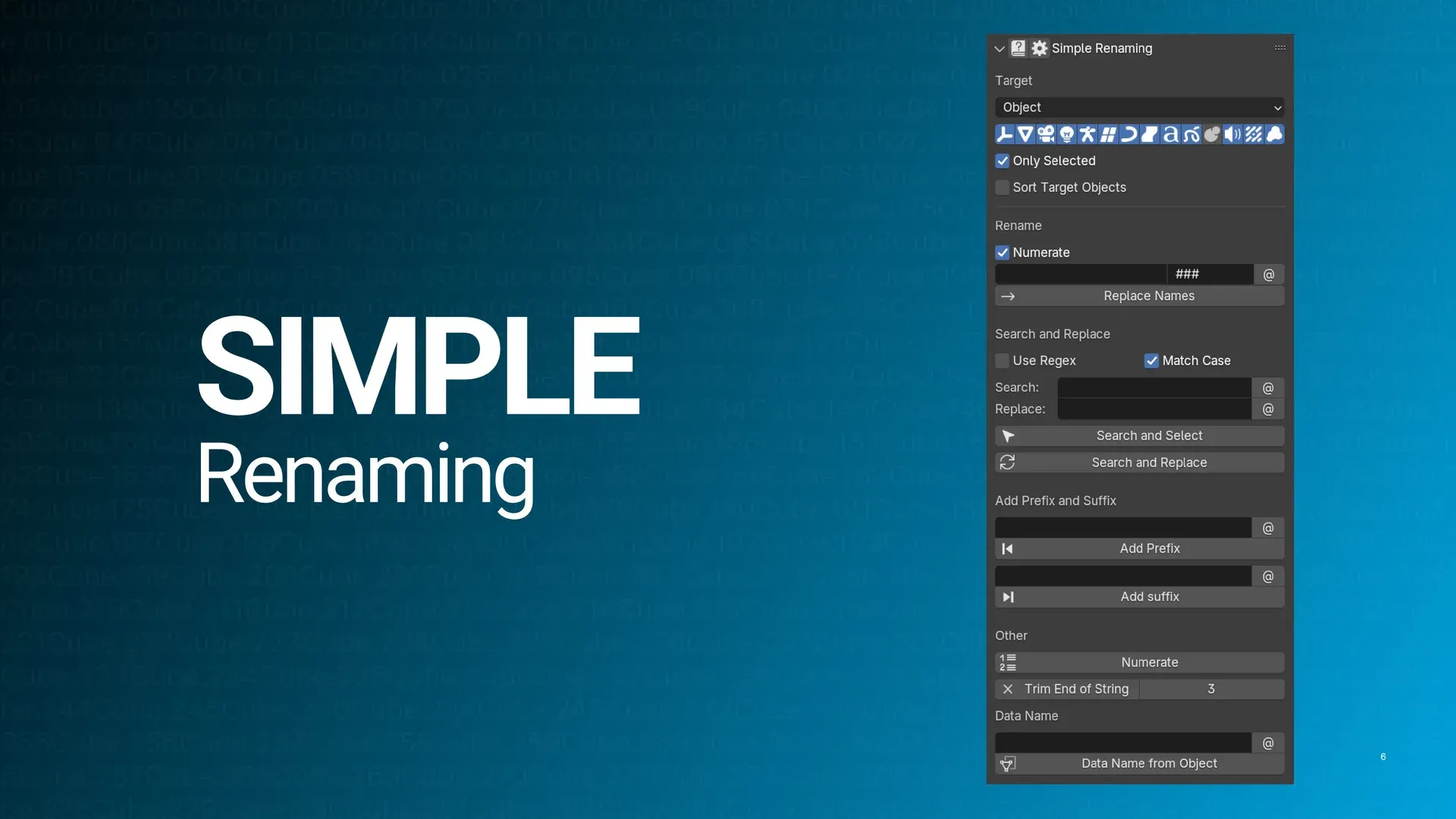
ig I need to figure out how to write the renaming script for that
I've not actually written anything like that for Blender before
nor do I have any experience writing stuff in python
 spiral pendant
okay bless up, I think that fixed it

definitely shouldn't have done all this stuff with the weapon and gun together though because now I have to figure out how to separate those lol
torn kindle
what're you doing this for jw
spiral pendant
funsies
and curiosity about how far I can get doing a full character replacement
I'm sure I'll hit a wall that I either don't have the skill and/or patience to get over at some point lol
torn kindle
jw has anyone tried getting a camera loaded/exported
random hornet
i think the camera is attached to a bone on the character
at least for timeline animations
spiral pendant
they do have bones named like t_camera I think
torn kindle
hmm okay jw bc i wouldn't mind getting my hands on wonders highlight one
random hornet
ah hm
torn kindle
or any tbh i tried before and could never get them working but doing it manually isn't fun either
torn kindle
wonder_thief@onemore
and then the cameras usually have cam somewhere
at the either the start or the end i cant remember
torn kindle
it's on his thief prefab but the camera anims aren't stored there
random hornet
hm
well idk anything atm but i can look later i guess. theres probably some info in the lua scripts
i know theres timeline prefabs for one mores too like TL_wonder_onemore.prefab
but idk how timelines work
or like a highlight would be TL_wonder_HighLight.prefab
i tried looking at some TL prefabs but i didnt see any anims
these timelines also can sometimes contain assets related to that animation
random hornet
random hornet
or like a highlight would be `TL_wonder_HighLight.prefab`
oh theres also TL_wonder_HighLight_simplified.prefab, which i think is the version that plays if you've seen the highlight at least once in the current game session
random hornet
random hornet
worst code
turns out most P5 phantom thieves have their body mesh in a seperate bundle
spiral pendant
What type of bundles would the battle UI stuff be in? (Specifically like the sprites, cutin, and AoA stuff)
would those just be like ui_or something like that?
random hornet
uitex_
like uitex_doutexie1011a509.bundle has some cutins
allout attacks are usually in uitex_alattack, or uitex_lattacks, or uitex_attack-*
and the icons for the first part of the AoA is in uitex_ongji-027ac0477a and uitex_s_ongji-027ac0477a

_s_ only has wonder and cattles
a lot of wonder and cattle assets get split out because the mobile version you can play the first bit of the story without downloading the full game
oh and some of joker's assets too, because prologue
spiral pendant
bet
spiral pendant
I just realized, when it comes to P5 character replacement, there's a lot of animations that are gonna be unaccounted for here
item cycle is different
ambush idle
hold up
tactics
showtimes
other random stuff like Protect, Harisen Recovery, follow up attacks and what not
torn kindle
yeah and the bones are different in such a way that you can’t even use gfd’s retarget so
torn kindle
naming iirc
spiral pendant
torn kindle
yeah and the bones are different in such a way that you can’t even use gfd’s ret...
I'm guessing that's why you were telling me to use rokoko to retarget the anims to a P5 rig lol
torn kindle
yeah
spiral pendant
rip
well I am interested to see if what I got does work. curious if the animation timings for stuff like baton pass and what not is actually gonna line up
but if nothing else, this was a fun little distraction
zinc dirge
What does wq mean? I'm looking for guns and some of them have wq at the beginning some don't
random hornet
wq seems to signify that it is not rigged like a normal part
restive basalt
random hornet
Goat seiji spotted
restive basalt
@random hornet yeah, I don't think this is gonna work 🗿
 random hornet
hm
restive basalt
i'll try seeing how Phoebe's will look though
i just have to edit Phoebe's darkcolor texture
restive basalt
random hornet
hm
Phoebe doesn't have a face shadow
Puppet does, but the shadow is for her hair, not any other part of her hair

overall it's not reacting to light at all
random hornet
if ur using the face shader i did thats normal
restive basalt
 restive basalt
0.690
random hornet
yeah try changing that
 random hornet
yeah it doesnt unless you make a driver
restive basalt
huh? When I used Blitz, it did it according to where the light shined
oh well
using the thing like you did seems to do the trick

thankfully it looks like Phoebe lays okay on Puppet
there's this little bump but it's almost unnoticeable unless you look for it
 random hornet
i think i could make it a little better if i use geonodes to get the sun
restive basalt
i guess by making new textures i'm inadvertently testing the shader
then again, as a whole I am treading into uncharted territories with this model
it looks like for darkcolor textures, it's roughly -50 or so
the only difference is the skin tone
that's something that has to manually be fixed
random hornet
i think i have another idea for applying face normal texture actually
restive basalt
oh?
random hornet
ill have to mess with it later i guess
restive basalt
it's unfortunate I can't make a shadow texture for her hair
or maybe I can
the UVS should be the same, so maybe...
restive basalt
....huh
vino's irl hair model doesn't have a normal texture
@random hornet what's going on with her hands

it's like the darkcolor texture overrode the diffuse
random hornet
whats the hand material look like
restive basalt
ah nvm 😭 the friggin lamp just wasn't bright enough
restive basalt
i was using an area light
my brain is probably fried from having to make some new maps
man BWS doing weird shit with Sepia
in the summer event he's wearing a different colored cardigan that's solid color, no design on it
but he shares the same shadow map as his normal outfit, soo....

idk where on the shadow map that stupid design is 🗿
💀
 restive basalt
no issues, just showing it off in action


 spiral pendant
the face shadow setup I was trying looked really weird until I tested it with a Point light instead of a Sun
restive basalt
 restive basalt
restive basalt
restive basalt
i just realized that it was the normal doing this, not the shadow  i should've noticed sooner
restive basalt
she looks likes she walked out of the game....
 restive basalt
40 textures.
restive basalt
@random hornet just saw this posted in datamine chat
 random hornet
a small difference between cn and global i noticed is maintenance, on CN the latest patch is only available after maintenance ends, but on global the patch is pretty much available to download right when maintenance starts
restive basalt
Interesting
random hornet
random hornet
honestly peak ui
tabs
 random hornet
ic what rigs the thieves alliance screen is using. noir_thief.prefab doesn't exist but noir_thief_nocontroller.prefab does exist (in global)
restive basalt
Interesting
Speaking of Noir
Remember when I was asking what her uniform prefab was? I only remembered last night, but viola don't even wear those shoes for her p5x outfit 😭 she wears boots
zinc dirge
Hey so is it possible to look for textures cuz I am exporting Okyanns persona but when I exported I'm pretty sure I'm missing some textures
NVM found it
I find that sometimes the P5Xutils exports blank bundles but when I get the bundles myself in the files it has stuff in them
random hornet
thats odd
random hornet
have you downloaded the latest version of the script?
zinc dirge
I think so?
But to be sure I'll download again
It would be cool if we could get the unity shaders they used I only got some weird UI shaders
random hornet
the shaders bundle has them but i dunno if theres a tool that can decompile them
asset ripper free fails at least
zinc dirge
Hope we find/do something to get them that would be hype
I'd also like to get efx as well at some point
restive basalt
random hornet
asset ripper free fails at least
how much does a paid version cost?
also aaron is there any possible way to decode the dotstroke textures
I know what they're used for but how the fuck do they choose the colors they do
random hornet
oh idk
some chars stroke textures is literally a very dark version of their normal tex


 random hornet
i assume they just pick a color for whatever looks best
i dont think there's a particular reason
torn kindle
i mean the stroke textures are just for outlines so they're not exactly that important iirc
restive basalt
true
i'm also just trying to figure some of this out idk
for making custom ones, that is
@random hornet check your DMs
i took one for the team
random hornet
ok nah premiums shader decompiler errors out as well unfortunately
random hornet
hm
well the rainbow ramp takes place of the normal gradient most chars use
on her body
 spiral pendant
Kotone's Figure Skater variant uses those as well
zinc dirge
Hm I'm just trying to figure out how to use that with the vrchat shader
random hornet
doesnt poiyomi have an option to use a texture ramp
altho idk if poiyomi has a dark/light texture thing to emulate how p5x does it
zinc dirge
Does it? I haven't looked at it I've been using the quest allowed shaders from VR chat
random hornet
that limits things quite a bit
idk why they dont allow custom shaders on quest/android
is silly
zinc dirge
I mean quest isn't all that powerful if you have like 30 avatars with high details and stuff it tends to leg hard
Here's been my setup for the most part

Stroke is for outline color yeah?
restive basalt
yup
random hornet
u cant rlly do outline on quest tho in this case
no custom shaders and too many verts
zinc dirge
Hm okay vrchat has a shader with outline but it only uses texture for width of the outline
zinc dirge
random hornet
u cant rlly do outline on quest tho in this case
No not for quest but I can do a separate PC VR avatars
restive basalt
although it looks like the outline isn't wanting to behave with the face grrr 
skill issue tho
random hornet
whatr you trying
restive basalt
duplicating the mesh, deleting the materials and making new ones so both models don't change textures when I mess with them
apply the dotstroke texture, flip the normals. use alt+s to shrink/fatten the mesh
grrr

body cooperated just fine

it's always the face
random hornet
have you looked at the geo node group i use
restive basalt
aaron i don't have the color attributes
random hornet
ah
restive basalt
i gotta do this the old fashioned way
body outlines aren't bad
it's always the face
spiral pendant
I'd say maybe you didn't merge by distance? but I've never seen a jacked up face outline like that

 torn kindle

Here's the simple way to make anime-shader style outlines in Blender -
If you'd like to see my videos without ads, consider supporting the show as a member!
https://www.youtube.com/@TheRoyalSkies/join
#blender3d #3dart #3dmodeling
restive basalt
i know how to make an outline, Morty....
but i'll look anyway
but I am positive i'm doing this right
the body does well
it's just the face 🗿
spiral pendant
face and hair are always janky when doing outlines
spiral pendant
restive basalt
i see outline...
but then I don't
probably dumb question, but do you have backface culling on?
restive basalt
yes
i learned this from ApricotHere:
- duplicate mesh
- make a basis and key 1 (outline mesh)
- alt + n to flip normal (outline mesh)
- merge by distance on outline for p5x models. the basis, not outline shape key
- alt + s to scale (outline mesh)
- enable backface culling
- anything broken, select and then go vertex > blend from shape. disable add checkbox
zinc dirge
I've noticed sometimes I'll get the color attributes and sometimes I don't
restive basalt
same
zinc dirge
Is it possible to make the color attributes yourself?
random hornet
you can
with vertex painting
its basically just paint the eyes and mouth black and everything else red
restive basalt
oh, it looks like Miyu and Yumi have it
random hornet
oh you could do a data transfer
restive basalt
the only issue is if it will match the body outline color
zinc dirge
I've looked through the shader and I don't understand how you called the color attributes in the nodes
 zinc dirge
What's geo node?
zinc dirge
In blender?
zinc dirge
- Something and like 2. Something I have both
spiral pendant
restive basalt
- duplicate mesh
- make a basis and key 1 (outline mesh)
- alt + n to flip norma...
oh if you're making shapekeys for it then it's probably not showing outside of edit mode because you don't have it enabled
although ngl, I don't really understand the purpose of making a shapekey for an outline like this
restive basalt
no no it's not that
restive basalt
spiral pendant
although ngl, I don't really understand the purpose of making a shapekey for an ...
you make a shapekey so that if you want to turn the outline on or off you can just use the key
that way you don't have to keep making a new one or whatever
i already resolved it
spiral pendant
you could also do that with any of the modifiers methods but alrighty then
random hornet
restive basalt
I don't understand since idk coding, but okay 😂
Mesh preview is probably beyond...
also the hardest part abt making a preview is the unity asset parsing
i hate how unity does its filesystem
restive basalt
outline helper, solidify, shape key...
none of them want to cooperate with the mouth
i tried those geo nodes but her face disappears
idk if it just shrunk or something because I tried scaling it up but saw nothing
and, of course, the eyes
maybe I need to separate the mouthbox from the face itself
spiral pendant
face outlines are almost always going to require you to do some manual fixing around the eyes and mouth, regardless of what method you use
zinc dirge
Is someone able to check if Okyann has a body mask texture?
zinc dirge
Yes please
restive basalt
okyann does not have a mask texture for her body
she has that rainbow ramp and one called 'body_noise'
zinc dirge
Interesting
restive basalt

 zinc dirge
I have those textures I'm wondering how they not have the rainbow texture on the skin part
You know sometimes I say things and maybe figure it out right away
Noise texture is a mask texture somewhat
And I think the rainbow texture is used with rim light
restive basalt
well, i meant more a texture withough mask in the name lol
zinc dirge
restive basalt
well, i meant more a texture withough mask in the name lol
Lmao ik I was hoping for one but I chucked the Noise texture where the mask texture would be and it worked
random hornet
spiral pendant
face outlines are almost always going to require you to do some manual fixing ar...
the vertex colors help alot tho
actually i did 0 fixing for wonder just his color attribute
spiral pendant
yeah they already did the work there
kinda just speaking in general because most of the time, when you're importing game models into Blender, you don't have the luxury of having stuff like that preserved
whether it be because of the export method or they mask those areas off some other way
zinc dirge
restive basalt
Does she have a stroke texture
restive basalt
i may have a better result this time
I asked ApricotHere to take a look and he pointed out some stuff
restive basalt
zinc dirge
Does she have a stroke texture
faces don't have stroke textures
but I made one for Yumi and Miyu
zinc dirge
restive basalt
faces don't have stroke textures
Sorry I meant Okyann
torn kindle
oh yeah jw could someone do me a huge favour and lob me the bundles for all the p3 cast currently in p5x
random hornet
face materials just use a solid color stroke texture
torn kindle
i would do it myself but uhh
 spiral pendant
🐈⬛
torn kindle

restive basalt
random hornet
face materials just use a solid color stroke texture
i never saw a dotstroke texture for the face tho
solid color or not
diffuse, normal, darkcolor, and sometimes shadow (or do they always have shadow?)
zinc dirge
So messing with poiyomi has led me to believe there isn't a spot to put the shadow texture
random hornet
is there not an ao map slot
zinc dirge
Yes but it doesn't seem to do anything
Unless I'm doing something wrong
Nvm figured it out
Now my issue are with the PK map
random hornet
whats up with it