1 messages · Page 5 of 1
 prime pumice
prime pumice
prime pumice
it came with android, i assume GAME MT game system
am i not able to boot linux off of tf1?
 wheat wagon
What game is that
 prisma moon
PSV Aomura Masao
 candid ridge
as more consoles are out there. I will upload my review video today
and later this week maybe next week how to install 64bit android, as the stock one is 32bit
wheat wagon
Yay waiting for android 😄
 proven python
bruh I was hoping to get this it's mah bday today :x
 steel falcon
proven python
bruh I was hoping to get this it's mah bday today :x
steel falcon
proven python
bruh I was hoping to get this it's mah bday today :x
oh, Happy Birthday!
 uncut ermine
Will the E6 system have any updates to the official system?
candid ridge
uncut ermine
Will the E6 system have any updates to the official system?
WDYM?
 mint ember
Ordered on sale E6Plus, seller already dispatched order, hope to get it asap
 fringe wren
prisma moon
Yes, I will test the operational efficiency of PSV
fringe wren
prisma moon
Yes, I will test the operational efficiency of PSV
How's the fps of Muramasa on E6P? I got 40-50fps when i tested it with x55 (emmc-installed android13 from notime2d8) has same RK3566.
candid ridge
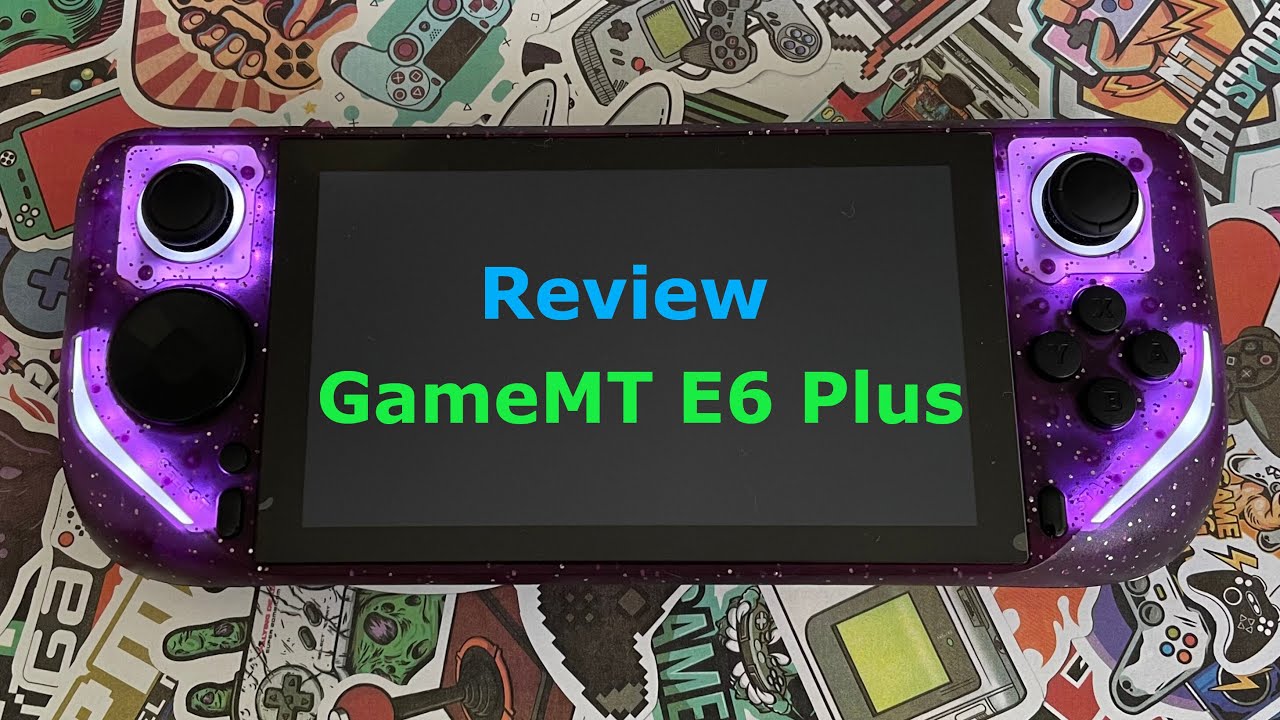
Subscribe for more:@hackaround
GameMT E6 PLUS unboxing and review
🛒 Aliexpress Click&Buy:
https://s.click.aliexpress.com/e/_DBO2HYX
▬ Contents of this video ▬▬▬▬▬▬▬▬▬
00:00 - Intro
00:10 - Unboxing & first impression
05:35 - Compare with E6/X55/Switch/SteamDeck
09:14 - N64 Mario Kart
11:30 - N64 Wave Race
12:53 - GC Luigi's Mansion
20:43 -...
 hard veldt
candid ridge
https://youtu.be/PIslcnKU4ak
hard veldt
candid ridge
https://youtu.be/PIslcnKU4ak
@candid ridge thx for the video 😉
 stuck wasp
e6 plus arrived


Looks like it has reasonable charging capabilities pulling over 2A

 eternal rose
stuck wasp
e6 plus arrived
eternal rose
stuck wasp
e6 plus arrived
Where did you order from?
stuck wasp
Whoever was hawking it cheapest on ALI
stuck wasp
I'm charging it at the moment
will dump the emmc when I get off this work VC
it's got a tf inserted too, but I haven't ejected it to find out what it is. I didn't order it with a tf just the base 32gb model, so that's a bonus even if it's a horrible 16gb card it's a freebie
eternal rose
@proven python 😂
stuck wasp
came with screen protect and earbuds too
eternal rose
That's awesome that you actually got it. I held off bc the seller said it wasn't ready. I could have gotten it for like $60 with coupons
stuck wasp
I'll check the charger capabilities in a sec, but it's already pulling more watts than any of the other rk3566 devices I have. So that's a good sign they at least put a bit better charge controller in it. Hopefully it does PD direction sense resistors at least
eternal rose
Do you mind sharing the seller?
stuck wasp
Iuno I've been to Shenzen and seen how these companies work. It makes 0 difference if you're ordering from A B or C or even the company name is on the Ali store or not.
FWIW it's called Yonghui 3C Store: https://www.aliexpress.com/store/5728115?spm=a2g0o.store_pc_home.pcShopHead_959923565.0
eternal rose
I'll wait to see if it came with both OS. That's something else he said these would not come with. Idk what to believe anymore 😕 lol
stuck wasp
not really that big of a deal. You can pull the BSP android kernel and DTB from the android image and plug into a BSP based userspace with minimal effort
Ok so I left it to charge for 30mins and now it's shorting my mulit-meter / not powering at all... not a great sign. The Powkiddy did this too the first day I had it, my theory it's something to do with calibration on the Battery charger.
Well I guess that means you get a tear down 😉
Odd - speakers are rear firing
wifi aerial is seperate using an IPEX and mounted to rear case
some sheilding over the battery to seperate it
several potential uart tx/rx pads. But not silk screened on the rear of the board... anoying
battery is double sided pad taped down, with something with the binding force of an atomic nuculeus ... grr


Both trigger are just microswitches, albeit with springs. I was hoping they would actuallyh be hall triggers NVM
oh interesting ... not just tape but plastic shims with eyelets into the pcb


gah still no uart silkscreen
no rumble ;-/

I think these are most likely tx/rx and GND - Given the other throughholes and pads don't appear to have circuit traces to them
 prime pumice
4 ram chips?! hahahhahahahha
proven python
eternal rose
<@225247208117633025> 😂
I just bought the cube :x e6 plus will be for next month.
stuck wasp
sticks, dpad/buttons are all nice easy to mod membranes btw
for people who care about such things
prime pumice
confirmed 512MB DDR3
stuck wasp
yup two on front and two on back under the battery foamies
The touch panel chip is on the flexPCB itself en-route

I see why there is screen creak too. There is a plastic moulding seperating the screen from the front of the PCB. Great for cooling/airflow... but the plastic will allow play in the screen beezel and that's the creakyness..
So... still DOA for me after battery plug unplug at this point
 hollow crag
 elfin nimbus
prime pumice
confirmed 512MB DDR3
elfin nimbus
prime pumice
confirmed 512MB DDR3
I'm assuming that it doesn't have the same mounting as the x55 ddr4 ram? 🤔
stuck wasp
more pcb photos:


 mint ember
stuck wasp
FWIW it's called Yonghui 3C Store: https://www.aliexpress.com/store/5728115?spm=...
mint ember
stuck wasp
FWIW it's called Yonghui 3C Store: https://www.aliexpress.com/store/5728115?spm=...
Ordered there as well👍
stuck wasp
i'll let you know how much of a fight they put up when I try and DOA/RMA it
that's generally the most Bullshit experience with anything Ali related
Despite the fact that it's the local Consumer Gurantees law's that apply
prime pumice
elfin nimbus
I'm assuming that it doesn't have the same mounting as the x55 ddr4 ram? 🤔
512MB x 4 by the way
stuck wasp
I doubt DDR3 vs DDR4 makes one iota of difference for arm8
We used to use ECC for hardened network appliances, but when DDR4 controllers on the arms became available we tested it and their is bottleneck in the Bus that means you don't really notice any difference between the two. IIRC it's probably easier to get DDR3 reference timings for the rockchips that work vs DDR4 so there is that
elfin nimbus
stuck wasp
We used to use ECC for hardened network appliances, but when DDR4 controllers on...
Yeah, rockchip also runs the ddr4 on rk3566 at ddr3 speeds. But full ddr4 speeds on rk3568.
stuck wasp
So am pretty sure the fuse is blown in this thing. Am trying to ID if their is an easy to bypass fuse near the USB-C port. This component looks likely (Red Lettered JL) but haven't been able to confirm by component lookup. I could also be an inductor, but before I go taking it apart again and probing is anyone familar/can say for sure if this is actually a fuse or not?

Possibly it's a type of Inudctor i'm not familar with, but looks more like a fuse based on the feet cutouts to me
My USB Multimeter shorts whenever the DC port is plugged with even minimal contact; so am pretty sure it's a short very close to the start of the circuit
stuck wasp
Item arrived, packed well. Unpacked; turned on once, noticed less than 10% battery. Plugged in to charge for a little under 1 hour. Returned to unit and it had turned itself off. Would not repower when I tried holding power for 30seconds or more. Tested with my USB Multimeter (FNB58) which I use for testing electronics. Using cable supplied or several other USB A-C charge only cables no power is being transmitted to the unit and the Multimeter shorts whenever the unit is plugged. I tried several further diagnostic steps, including disconnecting the internal battery. Unit will not power under any circumstance.
Continuity test over that component was OK. So it's something else. The battery voltage was reading 3.87V so it has charge enough that the board should power from battery even in the USB-C socket was shorting. So it's something deeper / maybe a cap somewhere. I've given up at this point and filed an DOA RMA with the vendor
candid ridge
@stuck wasp try to connect the usb cable on DC port, hold down vol + button and insert usb cable into PC and see if is recognised in loader mode
stuck wasp
Yeah tried that the first time around
There is no life whatsoever
The initial battery balance is something I am familar with; and I left the device alone for 3 hours trickle charging from a 'dumb' 1.5A Wall port. The fact I get no rkdevelop interface when plugged into a USB2 port over a known good data cable tells me something has gone pop
I left it overnight unplugged and will try one more time this morning to let it trickle charge
The RGB30 I received did something similar with battery balance ; but that always at least was able to enter rkdevelop mode and didn't go into completely dead mode for more than 1hr or so, disconning the battery always let it boot when battery was disconnected and power supplied over it's USB/DC port
The battery seems fine I measured Voltage via probes to it's +/- pins and it's sitting around 3.85V which should be fine to power the unit at that level if it's a 4.2V cell; which makes me think something else is the issue. Short somewhere/LDO/Resetable fuse that hasn't reset etc.
possibly just an errant solder blob/circuit trace that wasn't good and is bleeding into something it shouldn't
If I were designing these I would use a completely seperate USB-C PD daughter board to supply power given how iffy the PMIC's seem to be that get paired with the rockchips. This has been hacked as a hardware mod by several others to fix issues with the RGB30 and other rk3566 devices.
stuck wasp
Ok I unpacked it again this morning and gave it 5hrs plugged in; still no juice. Likewise still nothing when trying to access to the rockchip debug mode. Not seeing anything enumerating on the USB Bus at all.
proven python
It works on mine but I've never ever used it
steel falcon
it seems like a lot of message were deleted 😛
proven python
There was a post above mine that asked why his discount code is not working but the image also says it can only be used once.
 dense copperBOT
Vote Booster: Vote now for a 10% boost. https://arcane.bot/vote
 eternal rose
Still no discount codes?
candid ridge
eternal rose
Still no discount codes?
the code was posted, but it was banned and all the chats deleted. go to my review video from YT and try to use that code from there 😉
eternal rose
After all the waiting $4 don't seem worth it when I could've got it from another seller at $60 lol. I'll just wait till next month at this point.
prime pumice
ok, so @candid ridge was able to provide me with a linux os that boots from SD. This has seemingly also fixed the halo effect that would appear on my screen! The analogs and everything check out, the wifi seems stable. Everything works much better. Now my only two gripes with this handheld are the slightly mushy buttons and creaky screen!
 barren thistle
GameMT is unbanned again, the E6 Plus was getting posted around the marketplace and the mods removed
Got the confusion cleared up
steel falcon
eternal rose
After all the waiting $4 don't seem worth it when I could've got it from another...
Yeah, the huge coupon was in fact $4... Lower than default Choice day coupon 🤦🏻
proven python
it just released, don't these systems lower the price -after- some time? cuteliving store sells things really cheap sometimes, oh the monthly aliexpress discounts help but that's aliexpress
stuck wasp
Onto day 3 of trying to convince my seller that I indeed have a Faulty DOA arrival....
 river zenith
Our E6plus will not participate in any ALIEXPRESS activities, so it is best to buy it now with coupons. Our products will not be released to cuteliving store
The stores on ALIEXPRESS are all our sales stores. We plan to only participate in the ALIEXPRESS event on 828
proven python
stuck wasp
Onto day 3 of trying to convince my seller that I indeed have a Faulty DOA arriv...
Darn. Good luck, man
 limpid monolith
river zenith
Our E6plus will not participate in any ALIEXPRESS activities, so it is best to b...
limpid monolith
river zenith
Our E6plus will not participate in any ALIEXPRESS activities, so it is best to b...
"Clearly, since this is a great product, I understand that you don't want everyone to be able to afford it. Only the best can have the right to use the long-awaited E6 plus. To do so, pay our price, or suffer in silence."
As an E6 user and technology enthusiast, I expected at least a $10 discount.
proven python
i'm about to scrape for amberelec for the E6 - does anyone know the specs/options I need? Like I know many others would have an Imgs folder in the rom folder, i forgot how I did mine >.>
wheat wagon
using skraper or the built in scraper?
proven python
skraper xD basically I need to know where the images should go, if there's any size it should be in, etc
wheat wagon
They could basically go anywhere as long as it's set on the gamelist.xml
https://www.youtube.com/watch?v=RBQuFBbRsXs You can follow this for ArkOS, Chaos, Amberelec,Jelos, Rocnknix. NostixOS and KOLOS.

This quick guide will show you how to use the PC app called Skraper to download media (box art and videos) for your ROM collection. This process is specifically for EmulationStation-based systems like the RG351P/M, RG351V, ODROID Go Super, RGB10, and even the Super Console X.
Skraper app: https://www.skraper.net/
ScreenScraper.fr: https://scre...
proven python
Does anyone know why my E6 can't see my games D:
I put it in the micro sd but when I go to the in device explorer, I can't see it. This is with cHaos
mint ember
 torn nacelle
That frosted purple looks so good
torn nacelle
That frosted purple looks so good
I know that it looks good, but ordered myself classic black one
torn nacelle
my pocket s arrived at the same time so i have not dove deep into the e6 plus yet
steel falcon
mint ember
I know that it looks good, but ordered myself classic black one<:frog_stubbs:109...
I will not buy it by now... Too expensive for a RK3566
mint ember
steel falcon
I will not buy it by now... Too expensive for a RK3566
Got it on sale cheaper than x55 :))
steel falcon
mint ember
Got it on sale cheaper than x55 :))
I already have a RG353V and in Brazil we have a tax issue over 50$, so, I'm not buying by now, maybe later
mint ember
steel falcon
I already have a RG353V and in Brazil we have a tax issue over 50$, so, I'm not ...
Yes, I know that Brazilians prefer to buy consoles cheaper than 50$, because of crazy taxes.
steel falcon
mint ember
Yes, I know that Brazilians prefer to buy consoles cheaper than 50$, because of ...
steel falcon
mint ember
Yes, I know that Brazilians prefer to buy consoles cheaper than 50$, because of ...
The final price is like 2,5x TrimUI, and Allwinner processor with Vulkan runs PSP better 😛
stuck wasp
yes; but 5ghz wifi lacking on the trimui makes it a non-starter for at least a lot of people including me
mint ember
stuck wasp
yes; but 5ghz wifi lacking on the trimui makes it a non-starter for at least a l...
Lots of people confirmed that moonlight working fine on Trimui even without 5ghz wifi
steel falcon
stuck wasp
yes; but 5ghz wifi lacking on the trimui makes it a non-starter for at least a l...
Not a must have for me
stuck wasp
If you use moonlight it makes a huge different and IMNSHO the X55/this formfactor is ripe for sunshine/moonlight
does trimui support h265 decode in it's GPU IP block implementation?
mint ember
stuck wasp
does trimui support h265 decode in it's GPU IP block implementation?
Yes, it is H265 MP/L5.2 4k@30fps 100Mbps
stuck wasp
only 30fps boo
I can do 120fps on my rg353m (in fact it's the only way you're getting 120fps out of that thing )
Mind you if it doesn't do 60fps at 720p then something else is wrong
wheat wagon
steel falcon
The final price is like 2,5x TrimUI, and Allwinner processor with Vulkan runs PS...
Does vulkan on the trimui work properly now?
proven python
i just reflashed chaos woow this is way better than the early days
thanks so much @candid ridge
mint ember
stuck wasp
Mind you if it doesn't do 60fps at 720p then something else is wrong
H.264 BP/MP/HP Level5.1 1080p@60fps 60Mbps is not enough? 🤔
stuck wasp
h264 is terrible
h265 improves decode latency considerably and you don't get the washed out colours of h264 at low bitrates
you can only really do 15-20mbit reliably to the PCI bus on these soc's
why 5ghz is a must have with 2.4 being so crowded it's too prone to drop outs and interference 5ghz is generally better but it's also getting crowded
I use av1 for my deck but the rk3566 doesn't do av1 (the 3588 does, even with mainline/opensource graphics stack)
mint ember
But then how all streaming on 2.4ghz without any issues and washouts?
Is it on 264 or 265??
Or it's on something else? 🤔
mint ember
stuck wasp
I use av1 for my deck but the rk3566 doesn't do av1 (the 3588 does, even with ma...
For av it's
AVS/AVS+ 1080p@60fps 30Mbps
torn nacelle
Video yet?
mint ember
torn nacelle
No gaps/playstore? 
proven python
torn nacelle
video when 😄
eternal rose
With coupons it could possibly be around $55 or less if u got vip coupons 🤔

Obviously this is not from the original seller 🤣
torn nacelle

#anbernic #miyoo #retrogaming #ayaneo #controller #analogue #analoguepocket #gamecube #nintendo #retroid #gamemt #e6系 #e6plus
Check Out Hack Arounds Repository
https://github.com/tech4bot
Buy The E6 Plus On AliExpress Official Gamemt Store
Top On Sale Product Recommendations!;E6 Plus Handheld Rk3566 Dual System Game Console 5.0-Inch With Touch...
barren thistle
Preparing a video on the e6 plus, we should be seeing a price drop shortly by the way, we'll also have a discount code from the maker, there's some cool stuff to love with it, still has cheaper janky buttons like e6, but awesome to have android with a touchscreen on a 3566.
More info on the way.
prime pumice
barren thistle
Preparing a video on the e6 plus, we should be seeing a price drop shortly by th...
are you using Hack Around's Linux and android builds?
at least the linux one, it changes the whole experience
barren thistle
prime pumice
at least the linux one, it changes the whole experience
I'd be interested to find out! Are there downloads available? My android build came defaulted to Chinese, but otherwise it has been solid, Android 11
@river zenith which software is on my unit?
prime pumice
if it's android 11 then I think that's the 64-bit build
barren thistle
I also have the battery bug in Linux, so I have to keep charge above 10% to get into android I believe
river zenith
barren thistle
I'd be interested to find out! Are there downloads available? My android build c...
Android 11 64bit
river zenith
barren thistle
Preparing a video on the e6 plus, we should be seeing a price drop shortly by th...
we add a new version without game card now! who can add game by yourself can order that version .
barren thistle
river zenith
we add a new version without game card now! who can add game by yourself can or...

Saves some money, that's good
 serene bloom
@river zenith Is that your shopee shop? Can you add e6 plus on shopee?
 river zenith
Yes. It is my shop##
serene bloom
river zenith
Yes. It is my shop##
Can you add e6 plus on shopee? So we can buy it from vietnam without tax 😄
barren thistle
Here's our affiliate link for the official listing, @ember laurel and I will be sharing our hands-on thoughts on the podcast tomorrow
https://rh-go.link/E6_Plus ($65 after coupon code: GAMEMTRETRO)
barren thistle
barren thistle
Here's our affiliate link for the official listing, <@349040433869094914> and I ...
serene bloom
river zenith
Because they limit the price only 1000000
oh, i see anbernic store can sell items > 3.000.000 @@
barren thistle
I've been testing it for about 5 days, some cool things mixed with some jank
serene bloom
 barren thistle
Summer Sale starts on Ali tomorrow as well
prime pumice
summertime and the livin's easy.....
river zenith
serene bloom
oh, i see anbernic store can sell items > 3.000.000 @@
you cannot order it from aliexpress?
serene bloom
river zenith
you cannot order it from aliexpress?
yeah, i don't have visa card, and i heard that the tax is high, i just want to save some money 😄
river zenith
I don’t dare to sell products that are too expensive on SHOPEE because there are too many customers who choose to pay cash on delivery but are unwilling to pay after the package arrives.
 undone zealot
Can anyone help me in my E6 ?
My E6 files get corrupted again and again
If anyone knows the solution or is suffering from this problem Please DM me
river zenith
proven python
wow why you have this big coupon
proven python
river zenith
wow why you have this big coupon
It's the Aliexpress summer Sale coupon
river zenith
wow so good
 candid lynx
I must avoid Aliexpress during the sale or my wallet is going to kill me
torn nacelle


How about an update on this looks like somebody has a retail box or an early engineering box unit
 wheat wagon
Jellymini 😮
river zenith
E5
COMING SOON
but this is only support to ps1
not linux system
we plan to make E5 PLUS version with 3566 and dual system (Linux & ANDROID)
 old dome
i have so many questions whose obvious answers will contradict with each other
torn nacelle
sinyorksu what is screen resolution of e5 jelly mini?
steel falcon
candid lynx
I must avoid Aliexpress during the sale or my wallet is going to kill me
well, at least the crazy taxes here protect us from this
river zenith
torn nacelle
sinyorksu what is screen resolution of e5 jelly mini?
1280 750
torn nacelle
Oh that's nice a 5-in 720p screen yeah I think this is going to be pretty cool although the plus sounds even better. Would be nice if you could bump that up to a g99 instead of 3566 on the plus
 ancient hull

=== Summary ===
The GAMEMT E6 Plus has a lot more potential than the original E6. Unfortunately though, the controls are still its weakest link and the out of the box software experience will likely irritate those who aren't prepared to tinker. That said, at the right price and if the E6 Plus does manage to pick up some community support, there'...
wheat wagon
interesting. even the solid purple has glitters 😮
prime pumice
dense copperBOT
 stray crater
Enjoyed the live stream, I'm still looking forward to purchasing the device!
river zenith
it be default the OS is on power saver and and if you open the performance mode,. on performance will run a lot of games almost at full speed. dreamcast will run at full speed
This is why in the live stream game‘display has problems
Our new firmware will support the use of Google Play.
We also updated the Linux version, which will be more stable. And we also included a lot of games.
mint ember
stray crater
Enjoyed the live stream, I'm still looking forward to purchasing the device!
Link to mentioned stream?
stray crater
WOW GREAT TO HEAR! Getting more and more excited
stray crater
mint ember
Link to mentioned stream?

Join Stubbs, Rob, Aish, Ban and Tim from TeamPandory on another romp through this week's handheld news, including talking about the RG Cube's lightbleed, new...
candid ridge
if you talking about the LEDs, then no for both questions
proven python
On chaos how do you access the ppsspp menu
stray crater
river zenith
What color do you guys think is good and why?
proven python
I like the transparent purple only because I haven't seen that before. if I get another one, I'd probably get the white with red buttons.
Anyways, on PPSSPP it doesn't show the menu with the M button, or select start or L3+R3 idk what's up
wheat wagon
Doesn't matter everything is glittery 
candid ridge
proven python
I like the transparent purple only because I haven't seen that before. if I get ...
on witch OS?
stray crater
wheat wagon
Doesn't matter everything is glittery <:kek:993736782845845504>
True lolol
stray crater
proven python
I like the transparent purple only because I haven't seen that before. if I get ...
Is this on the plus version or the non plus version
river zenith
proven python
I like the transparent purple only because I haven't seen that before. if I get ...
on ppsspp you need press L3 L4
to go the menu
eternal rose
I appreciate you, thank you for the quick shipping 🙏🏼 @river zenith can't wait to get this!!
 river zenith
ok thank you
mint ember
proven python
I like the transparent purple only because I haven't seen that before. if I get ...

Personally choosed black 🤓 expecting to get it next week
proven python
stray crater
Is this on the plus version or the non plus version
for the plus. I pick black for the original e6 because it looks not cheap lol
ty it's in the original e6, chaos. Idk why the l3 r3 isn't working so I edited it on ppsspp for L2 >.>
stray crater
How does the stick and buttons feel? Does stick have stick drifting?
And how does the screen feel
river zenith
Our screens are probably the best among all the handheld game consoles. (Of course, only Chinese brands are allowed.) The problem of Linux power display in our game consoles is because our resolution is 1280*720, which is too high, making some Linux system software incompatible.
 amber coral
@river zenith, dear friend , is it possible to provide an update or rom or clean android image of the e6, so we can choose which emulators and app?🥹 🥹
stray crater

This Is the E6 Plus Retro handheld and t look like A Mini Steam DECK but runs a dual boot Operating system, Android and Linux " Emulation Station" Compared to the orgianl E6 this is a big upgrade but is it enough? Lets find out.
Buy The E6 Plus Here:https://s.click.aliexpress.com/e/_DEgEtH9
Follow Me On Twitter: https://twitter.com/theetaprime...
Love to see it! Happy to see it getting its recognition!
stuck wasp
Finally got my refund for my DOA ; now the question - do I bother to order another or not ...
proven python
Woow random article https://www.notebookcheck.net/GameMT-E6-Plus-New-retro-gaming-handheld-released-as-ASUS-ROG-Ally-lookalike-for-under-100.847876.0.html
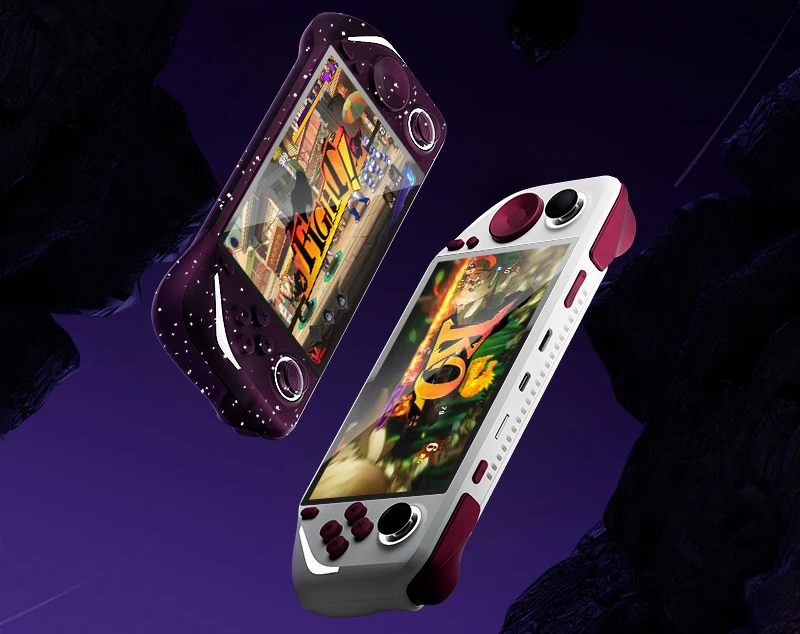
The GameMT E6 Plus is a new retro gaming handheld based around a 5-inch and 720p touchscreen display. While the GameMT E6 Plus looks like a Steam Deck or an ASUS ROG Ally, it is more of a target for cheaper gaming handhelds thanks to the presence of a Rockchip RK3566 chipset and 2 GB of RAM.
river zenith
wow
 wide sphinx
Anyone knows where to get the img file of the firmware for the e6 plus? I want to flash it in other SD card
candid ridge
wide sphinx
Anyone knows where to get the img file of the firmware for the e6 plus? I want t...
here keep in mind it has the issue with the battery so is showing 0% when this happens you cannot boot into android until you unplug the battery from the board
wide sphinx
Thank you @candid ridge and you did a great job with the OS
river zenith
YES THANKS FOR @candid ridge
candid ridge
stuck wasp
Finally got my refund for my DOA ; now the question - do I bother to order anoth...
if you still have the device, try to repair it
proven python
RetroSpecd just posted

The GameMT E6 Plus definitely is an upgrade from the E6 and still has the feel of a Mini Steam Deck. This is a comfortable handheld that really could be something great. Hopefully this gets more community support than the original E6 so it doesn’t get lost in the shuffle of more better known handhelds.
Do you have any interest in the E6 Plus? ...
Has anyone used Gamma Lite yet? The E6 Plus reminded me that that's a thing
torn nacelle
the Linux build im running now is awesome. like makes me not even remember android
wheat wagon
If the 353 image works for this then the gamma lite for 353 should also work
Oh but you need android
torn nacelle
yeah man dual boot will always be the best for these handhelds
stuck wasp
candid ridge
if you still have the device, try to repair it
Well it's not taking voltage from the battery or from the USB - whatever is blown without schematics is going to be a PITA to find
If I actually had free time and a will, I would be tempted to try and drill out the PCB and attach to an rk3588 CM board
But it would probably be easier to gut out a DS4 clone controller tbh
They used a couple of not particularily standard flex connectors, and I don't fancy having to microsolder in order to get i.e the MIPI screen attached
candid ridge
stuck wasp
Well it's not taking voltage from the battery or from the USB - whatever is blow...
If you have an adjustable buck converter, you can set 0.8v with 3A and inject on 5v dc and see what gets hot, maybe is an capacitor somewhere
stuck wasp
It's really just ewaste ; I might be able to salvage the battery for a project at some point
I did 4.2V directly from a bench power supply to the bat +/- as a test and still no luck
my guess... if I had one is that there is a ptt fuse in the PMU that got tripped when I first charged it and hasn't reset
candid ridge
The voltage is too high, if a short is somewhere it will enter in protection, low voltage high amperage will just “light” the blow component
stuck wasp
There are too many unlabbled SMU components that I couldn't find reference sheets on when I starting basic multimetre continuity trace
My USB-PD multimetre trips as soon as voltage is applied when it's inline
If it was something basic like a solder blob on the USB-C that coulld cause it... but the fact that a charged battery / directly powering via battery circuit also doesn't make with the working...
The only thing I can think of given the unit was working for the first 10 mins I had it, and did start taking a charge initially was that it was drawing 11W off the charger which is quite high compared to my other rk3566 units which use the same RK PMU
I left it for 1hr before checking it again after a work call, and it had turned itself off never to return.
battery was at 10% when I started charging it
no idea how long after I plugged it in that it owned itself
candid ridge
it was good to find a solution to fix it, because I am still waiting for someone else to help with the CFW for this
stray crater
proven python
RetroSpecd just posted
https://www.youtube.com/watch?v=O7CbpXJlxH8
Joy stick calibration doesn't work on Android?
stray crater
Did the play store bug get fixed from any update?
river zenith
not
we will remove this in the machine
Because Google Play and YouTube require authorization before use, we cannot obtain authorization, so we will delete this.
stray crater
So google store is going to get removed?
wheat wagon
yea just use aurora store
stray crater
:((
mint ember
river zenith
Because Google Play and YouTube require authorization before use, we cannot obta...
No problem, it's better to have debloated fw without Google services to save on memory, all apk's can be sideloaded anyway.
old dome
Some folks would rather they had the knowledge that Google services could be used on their Android things and THEN remove them on their own
Like
It's the same with certain PC bloatware. They would never use it and would use any means to remove it, but they would not allow it to be unavailable in new units because that would only mean shadier things.
stray crater
Wow this is so useful, anymore useful ones?
 dense idol
Found this on my local FB Marketplace.... 🤔
 river zenith
200 dollars?
wheat wagon
Steam deck 
proven python
There's a non zero chance the seller thinks this is really a Steam Deck 
dense idol
proven python
There's a non zero chance the seller thinks this is really a Steam Deck <:kek_le...
"My son passed away in an accident and I can't look at this anymore and just want it gone"
 acoustic gulch
 cursive star
On the e6 Plus
cursive star
On the e6 Plus
3566 should be better at n64, SP is better at PSP
cursive star
given it runs android, my kid wants to play roblox on one. is that gonna work well?
acoustic gulch
terraria doesn't run that well on 3566, & im pretty sure roblox is online & needs the google play cert.
mint ember
cursive star
given it runs android, my kid wants to play roblox on one. is that gonna work we...
For roblox better to buy android tablet+flexible controller, for example like on picture:


This one is IPEGA PG-9083S
cursive star
looking for a small all in one solution that doesnt break the bank. she doesnt like my old phone and gamesir its too big
steel falcon
mint ember
For roblox better to buy android tablet+flexible controller, for example like on...
I did something like this but with a Phone instead
cursive star
nice gamesir
i have the USB C version. its a shame they never released a updated firmware for the iphone 15 though
mint ember
cursive star
i have the USB C version. its a shame they never released a updated firmware for...
It's the same:
 cursive star
yeah except mines the D pad version. its a really decent controller
stray crater
Can anyshare share any game play on the E6 plus?
Want to see it more in action, I've watched all the YouTube videos
 cunning onyx
i have been quite happy with bsp-d8 and a tablet combo
stray crater
Any good website to download APK for emualtor?
mint ember
stray crater
Any good website to download APK for emualtor?
Google for aurora store, it's playstore replacement. And get emulators apk there
torn nacelle
Has anyone tried flashing any custom Android builds? Like I was able to put a custom build on my Game Force Ace. Just wondering if this is possible on this device
 frank minnow
I think @candid ridge is preparing a video to install android 64bit but I'm not sure
candid ridge
frank minnow
I think <@772806195408535613> is preparing a video to install android 64bit but...
yes. is on my list. I am working also on linux side as well to add more.
frank minnow
thank you, that’s good to know
candid ridge
also android 13 from x55 should work with some small changes. but here I think @elfin nimbus can help
stray crater
Omg this is amazing! Thank you very much
elfin nimbus
candid ridge
also android 13 from x55 should work with some small changes. but here I think <...
I'm waiting for a dev unit. I think @river zenith is supposed to be sending me one?
prime pumice
hope you get one soon Notime2d8, the android build could use some work still
wheat wagon
frank minnow
I think <@772806195408535613> is preparing a video to install android 64bit but...
That one's for the old e6 right?
cursive star
I missed out on the Ali sale so waiting for the next one fo get a e6 plus
Anyone know when the next sale is?
frank minnow
I don't know if it's for the old or new E6, you have to ask hackaround which model is concerned
candid ridge
wheat wagon
That one's for the old e6 right?
yes. for both
some early models of E6 Plus they have android 32 bit with the classic launcher
wheat wagon
proven python
for the plus. I pick black for the original e6 because it looks not cheap lol
How do you like yours against your rgb10max3?
proven python
wheat wagon
How do you like yours against your rgb10max3?
My E6 Plus isn't around yet but I like the rgb10max3 better than the E6 because the E6 feels cheap >.>
eternal rose
Is there a different version of chaos for e6+? I tried the 20240509 version with new screen and it just boots into android
candid ridge
That is only for normal E6. I have also the one for E6plus but wait few days to upload the new version with the battery fixed
eternal rose
Thank you!
 pure fossil
Does anyone know how to get into Android with the normal non plus version? I have the second non plus model with kaos. Thank you
wheat wagon
normal e6 android is 32bit not much you can do with it. they might be releasing 64bit soon though
river zenith

the new console 030S
both are RK3326
which one you will choosee
E6 is more cheaper
wheat wagon
ooooh so the O30S is from you?
wheat wagon
oh ok. you just got them to compare. What os does it come with?
river zenith
ARK0S2.0
wheat wagon
so it's an RG351 
wheat wagon
The plastic looks bad ngl haha
old dome
oh-thirty-ess?
 reef cedar
reef cedar
reef cedar
E6 plus new micro sd insert but its not mount new micro sd need some advice for fix
prime pumice
reef cedar
E6 plus new micro sd insert but its not mount new micro sd need some advice f...
did you format as Fat32?
reef cedar
prime pumice
did you format as Fat32?
yes
cursive star
wheat wagon
this or solid black/white
eternal rose
Can honestly say the e6 has my favorite design out of many handhelds. Just so big but lite weight. Def my new favorite!
 wheat wagon
How about the build of the three? I assume best build is still tsp?
steel falcon
eternal rose
Correct! Tsp still in the lead on that one!
But E6 has better analogs, way better
mint ember

 hushed mantle
mint ember
hushed mantle
mint ember
🔥🔥🔥🔥🔥🔥🔥🔥🔥🔥🔥🔥🔥🔥🔥🔥🔥🔥🔥🔥
mint ember


Can see there is updated version of Jelos for E6 Plus, with fixed battery:
If you used the previous version of cHAos on GameMT E6 Plus. After you upgrade you need to unplug and plug the battery from the board. After this the battery level will be show correctly and you do...
candid ridge
mint ember
Can see there is updated version of Jelos for E6 Plus, with fixed battery:
yes. I upload it today and I forgot to put a message here. the fix for battery came from engineers of GameMT
mint ember
candid ridge
yes. I upload it today and I forgot to put a message here. the fix for battery c...
No problem, thank you for release with battery fix! 
Is it jelos or rocknix, to make it clear?
candid ridge
jelos with BSP kernel 4.19
proven python
mint ember
Can see there is updated version of Jelos for E6 Plus, with fixed battery:
Pls pin tyy
mint ember
proven python
Pls pin tyy
Already pinned it:)
mint ember
candid ridge
jelos with BSP kernel 4.19
Why it was preference to choose jelos instead of rocknix for E6 Plus? Is it still possible to run on it rocknix with universal 3566 image? Thanks
candid ridge
mint ember
Why it was preference to choose jelos instead of rocknix for E6 Plus? Is it stil...
Because I used x55 image as I made one custom from mine.
mint ember
candid ridge
Because I used x55 image as I made one custom from mine.
Is it possible to do the same with custom android image for x55?
Looks like changing fingerprint of device, could bypass issue with not certified device to start Google playstore
candid ridge
mint ember
Is it possible to do the same with custom android image for x55?
If someone adds the panel to mainline then you should be able to use rocknix. But it will not work out of the box. It requires some changes to joystick driver
candid ridge
mint ember
Is it possible to do the same with custom android image for x55?
No, because of the analog buttons
mint ember
Thanks to make it clear 👌
candid ridge
But as soon as notime2d8 gets the dev unit, he can use the driver from jelos to make android 13
mint ember
candid ridge
yes. I upload it today and I forgot to put a message here. the fix for battery c...
Checking it now, unfortunately there is issue with file manager:
candid ridge
I know about it but I didn’t found any solution yet
proven python
woo just got mine 🙂 How do these Android/Linux handhelds work? How do you get to the Android?
it's a little bit heavier than the E6. I got mine from the GameMT store 👍
fringe wren
@candid ridge thanks for your update. now the battery gauge works perfectly. but shutdown won't work this time. after 2 failure message fade out, the device is still on.
 eternal rose
proven python
woo just got mine 🙂 How do these Android/Linux handhelds work? How do you get t...
eternal rose
proven python
woo just got mine 🙂 How do these Android/Linux handhelds work? How do you get t...
Just pull out the sd card and booot up, it should boot up to android
mint ember
fringe wren
<@772806195408535613> thanks for your update. now the battery gauge works perfec...
For me it shuts down without any of issues, but it was first install with this version with battery fix.
candid ridge
Same, I never encounter this issue. I suspect you have a bad SD card/s. @fringe wren are you using stock sd cards?
fringe wren
candid ridge
Same, I never encounter this issue. I suspect you have a bad SD card/s. <@701774...
new Sandisk Ultra 32GB flashed with USBIT. I'll try again with another sd and flashing app.
candid ridge
fringe wren
new Sandisk Ultra 32GB flashed with USBIT. I'll try again with another sd and fl...
and for ROMs you are using stock?
fringe wren
candid ridge
and for ROMs you are using stock?
Thank you. everything solved. now shutdown works very well. I am not sure but the battery cable reconnecting seems to be the main key.
candid ridge
if you device came with GameMT linux as well, then, yes it needs to be unplug when you switch to use cHAos
fringe wren
candid ridge
if you device came with GameMT linux as well, then, yes it needs to be unplug wh...
I've found the battery level showed the same as Androids correctly when I upgraded, so I thought there was no need to unplug the cable. 😢
candid ridge
fringe wren
I've found the battery level showed the same as Androids correctly when I upgrad...
if you only had Android, then no it was not necessary to unplug the battery
fringe wren
candid ridge
if you only had Android, then no it was not necessary to unplug the battery
yeah but i need both. the value of this device has been increased thanks to you 🙂

 barren thistle
Thanks for the first look @lunar atlas ! I'll keep this pin updated with E6 Plus content from RH.

Greetings friends and fellow enthusiasts! This is Mikhailov from Team Retrogue, where we like retro games and the devices that bring them to us. In the last article, we looked at the Ayaneo Flip DS, aka the "Hand Warmer." This week, it's time to take a first look at GameMT's E6 Plus. It looks like
river zenith
barren thistle
Thanks for the first look <@282646475979227137> ! I'll keep this pin updated wit...
thank you for your first look
about the google play issue we will try to solve it
 lunar atlas
river zenith
about the google play issue we will try to solve it
lunar atlas
river zenith
about the google play issue we will try to solve it
That’s good to hear.
river zenith
E6 and E6 PLUS
stray crater
Any eta for the next update?
cursive star
I know it doesn’t have analog triggers
But how’s xcloud and other cloud gaming on this?
Moonlight etc
mint ember
stray crater
Any eta for the next update?
For plus, we can expect for custom android from @elfin nimbus , but not sure for ETA
mint ember
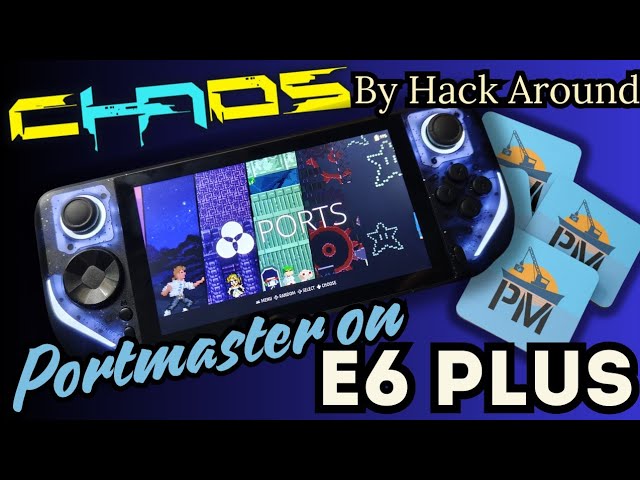
There is some of Portmaster ports gameplay on recently released GameMT E6 Plus console runninhg cHAoS CFW (unofficial fork of Jelos)
Thanks a lot for @hackaround for Jelos fork cHAos for E6 Plus and for everyone from #GameMT E6 & E6 Plus thread at Retro Handhelds Discord server!!!
For PortMaster community, please join to Discord server: http...
cursive star
its an assumption i already had, but are the LED's on the E6 handhelds only white?
ive not seen anyone actually confirm my suspicions lol
i ordered the purple and have an idea regarding adding color to them if so (not RGB but a different solid colour)
mint ember
cursive star
its an assumption i already had, but are the LED's on the E6 handhelds only whit...
Yes, leds on E6 are only in white
 rocky topaz
I know it’s NGE…but can’t help but think of oldschool Batman Joker.
mint ember

Thanks a lot for @hackaround for Jelos fork cHAos for E6 Plus and for everyone from #GameMT E6 & E6 Plus thread at Retro Handhelds Discord server!!!
For PortMaster community, please join to Discord server: https://discord.com/invite/jTxG7Tmt
List of supported ports:
https://portmaster.games/index.html
To support PortMaster:
https://opencoll...
river zenith
why not so many friend talk about E6 PLUS here
Why i feel that E6 is more popular than E6PLUS?
 humble panther
river zenith
Why i feel that E6 is more popular than E6PLUS?
humble panther
river zenith
Why i feel that E6 is more popular than E6PLUS?
In my opinion:
It's actually a very promising console, and for the price, it's a killer of affordable retro consoles.
As far as I can understand, people are showing cautious interest as it seems too good to be true, plus there are still some rough edges.
As soon as the console has a finalized Android, I can assure you people will rush to get the E6 Plus off the shelves of stores
river zenith
Now our Linux version of E6PLUS is very good, thanks to hackAround's work.
@Hack Around
We are working on some very minor issues. And we will release our latest version online soon.
Because I don't know much about Google Drive, and we can't even log in in China.
So what suggestions do you have so that we can release our updated versions online at any time?
If you have any suggestions, please let me know, our GAMEMT team will share our progress and updated versions at any time.
Now we have a lot of updates, but they are not released online because we don't know what is the best way. So we need your suggestions and help.
river zenith
humble panther
In my opinion:
It's actually a very promising console, and for the price, it's a...
yeah we are trying to do the best
cursive star
river zenith
Now our Linux version of E6PLUS is very good, thanks to hackAround's work.
@Hac...
GitHub?
Many other devices use GitHub to share firmware files for devices.
 sour sundial
now thats more what i expected, still no graphical issues tho thats pretty nice
river zenith
When entering different emulators, you may need to switch to different game kernels to achieve the best game performance.
Some video bloggers don’t seem to know how to switch the game core, so when they are showing the game, the game has serious delays and freezes.
mint ember
river zenith
Some video bloggers don’t seem to know how to switch the game core, so when they...
Actually prefer to use standalone emulators, instead of Retroarch cores, if standalone are available 🙂
cursive star
mint ember
wait this is ps2?
TAZ wanted?
I wonder how CD based ps2 games that are more basic will run like GT-R Touring. etc along with easier games to emulate
mint ember
cursive star
wait this is ps2?
Yes, it is
proven python
river zenith
Why i feel that E6 is more popular than E6PLUS?
I think we are waiting when the software is more mature. It is exciting to see @mint ember show what the device can do though.
mint ember
 fringe wren
There is a serious slowdown in 30fps games such as Crisis Core, Dracula X etc. It can be solved easily by 'render duplicate frames to 60Hz' off, but the default setting is on so that some guys might misunderstand it's the defect of device. but i still feel something strange because other 3566 devices (i've tested it with x55,rgb30,rgb10max3,353v) show same performance regardless of that option on/off. it's just only for ppsspp SA on linux. it works perfect under any option on Android.
cursive star

MAIN TUTORIAL for BOX/WINE: https://github.com/neofeo/BOX86-BOX64-WINEx86-TUTORIAL
RK3588/S Ubuntu image: https://github.com/Joshua-Riek/ubuntu-rockchip
Contact: [email protected]
Donations: https://paypal.me/microlinux?country.x=AR&locale.x=es_
Karl Casey @ White Bat Audio
Same SOC as e6 Plus
So theoretically it should be possible to run batocera with n the e6 plus right?
candid lynx
indeed they have builds for anbernic 353 line (3566 as well). I tried it only briefly, I gave up right away as I could not get wifi working on my 353vs
candid ridge
cursive star
So theoretically it should be possible to run batocera with n the e6 plus right?
without recompiling batocera, no. you need to add the panel and add a custom driver for the controls as you have some analog buttons
wheat wagon
the rg353 builds for batocera isn't that stable yet
steel falcon
cursive star
https://youtu.be/28PsT15XqJY?si=1_X4z09KLOgleljX
Oh I have this one, performance sucks
stray crater
What you do guys think about the heating issue, I think it gets pretty warm especially the right side of the screen
Also I got the device so if anyone has any questions, I'll do my best to answer them
 paper cloak
stray crater
Also I got the device so if anyone has any questions, I'll do my best to answer ...
paper cloak
stray crater
Also I got the device so if anyone has any questions, I'll do my best to answer ...
I have questions about Android:
What codecs are supported by hardware?
You can view it using APK codecinfo (https://apkpure.com/ru/codec-info/com.parseus.codecinfo/downloading)
How Doom3 APK works (https://play.google.com/store/apps/details?id=com.id.doom3bfg&hl=ru)
Test results for Geekbench 5.6, Antutu
Does HDMI work in Android, if so, is there an input lag?
Please test the operation of the sticks (https://hardwaretester.com/gamepad) or https://apkpure.com/ru/gamepad-tester/ru.elron.gamepadtester
When testing, check if there is any sticking on the axes with the stick in the middle position.
WiFi speed


DOOM 3: версия BFG – это полная коллекция игр, являющихся основоположниками FPS
Displays info about all gamepads connected to your computer. Check buttons, joystick axes, drift, and more. Works with all controllers and joysticks in a modern browser.

Example codec info for HEVC:
 paper cloak
river zenith
Some video bloggers don’t seem to know how to switch the game core, so when they...
paper cloak
river zenith
Some video bloggers don’t seem to know how to switch the game core, so when they...
Yes you are right. Many bloggers (like other people who buy your console) do not know how to switch cores correctly.
They mistakenly believe that they are purchasing a ready-to-use device with a set of proven games, where all games already have the necessary settings.
Modern consumer society is designed in such a way that people buy a car without having the skills to adjust the ignition timing. They just sit down, press a button and go about their business.
When they buy a phone, they start using it right away, but they are so stupid that they don’t know all the nuances of how LTE works and the OS that is installed on the phone.
I agree with you that your device is ideal, it’s just that stupid users don’t know how to use it.
I think in the description of the devices you need to indicate that you are not selling a ready-to-use product, but a semi-finished product for the use of which you need to have certain qualifications in computer science.
river zenith

LLega a una nueva consola a AliExpress que promete destronar a Anbernic, Powkiddy y TrimUI, será una rival para la TrimUI Smart Pro? Logrará mover bien PSP. En esta review en ESPAÑOL verás a detalle su rendimiento y todas sus posibilidades.
🔵🔵 Enlace de Compra: https://s.click.aliexpress.com/e/_Dlp7ZOR
🔥 Grupo de ofertas Telegram: https://t.me...
I don't think so.
I believe everyone is smart, but they just don't understand some operations.
So what we have to do later is to put different operation methods online and make some operation videos.
This is why I asked everyone where we can share our files or videos.
paper cloak
river zenith
Some video bloggers don’t seem to know how to switch the game core, so when they...
"know how to switch the game core"
Do I understand correctly that you know which games need which cores for better performance?
Could you share this information?
I bought this product and I am ashamed that I do not know such basic things. Probably this is public information that everyone knows? Apart from a couple of stupid bloggers who don't test your device properly?
river zenith
Maybe my translation software is not very good, so it may cause grammatical errors, making you feel that I am complaining or something. If this makes you feel angry, then I apologize for it.

I am here just to help all the friends understand the product better. I have watched too many videos and some people actually do not know how to switch the core, so I made such remarks.
paper cloak
river zenith
https://www.youtube.com/watch?v=pf4rkILs7uE
This is a very good video.
If the product worked like this out of the box it would be a better buy.
Please make instructions on how to get the same result as shown in the video on a new console.
mint ember
river zenith
I am here just to help all the friends understand the product better. I have wat...
Appreciate your help and support for community here, and for sharing firmware updates. It's really important for devices like this, to have feedback and communication from device representatives 🤝👍
rocky topaz
The new shell styles looking a bit gaudy…is there no plain black for plus model?
river zenith
cursive star
rocky topaz
The new shell styles looking a bit gaudy…is there no plain black for plus model?
yeah i have the same thought. plain opaque black, white with black buttons would be awesome. the red didn't look too bad either.
i mean i went for the purple transparent in the end because it looks the best with the LED's and on my trimui im not a fan of the dmg buttons
or white with Grey buttons would be awesome
paper cloak
river zenith
Android?
steel falcon
paper cloak
Yes you are right. Many bloggers (like other people who buy your console) do not...
if you want an emulation device "ready to use", maybe emulation is not for you
paper cloak
steel falcon
if you want an emulation device "ready to use", maybe emulation is not for you
I disagree, I have watched reviews of many devices R40S, TRIMUI Smart Pro, R36S, RG-35XX Plus.
Not one of them froze during unpacking and games did not slow down on them. And all menu items worked.
Watch these 2 videos:
https://www.youtube.com/watch?v=O7CbpXJlxH8
https://www.youtube.com/watch?v=I8kuzVOygSs
You can say that these bloggers are stupid since everything freezes so much for them, but no, the same blogger has a review of TRIMUI Smart Pro, RG-35XX Plus
https://www.youtube.com/watch?v=BUCufh7zak8
I agree that emulation is a complex topic.
But you will agree that quite a lot of devices in this price category do not have such problems, you can safely buy them and play games.
https://youtu.be/O7CbpXJlxH8?t=812
Here a person sees YouTube and Google Play shortcuts, tries to launch them and gets an error. Is this also a problem with emulators?
And here: https://youtu.be/O7CbpXJlxH8?t=834
it runs the built-in stick calibration program and that doesn't work either. You also say that it’s all about emulation?
Moreover, all the software that is there is completely on default settings. No one even tried to configure emulators for the console hardware before releasing the device.
I don’t think that this approach to the device’s output is worthy of you protecting it.
The GameMT E6 Plus definitely is an upgrade from the E6 and still has the feel of a Mini Steam Deck. This is a comfortable handheld that really could be something great. Hopefully this gets more community support than the original E6 so it doesn’t get lost in the shuffle of more better known handhelds.
Do you have any interest in the E6 Plus? ...
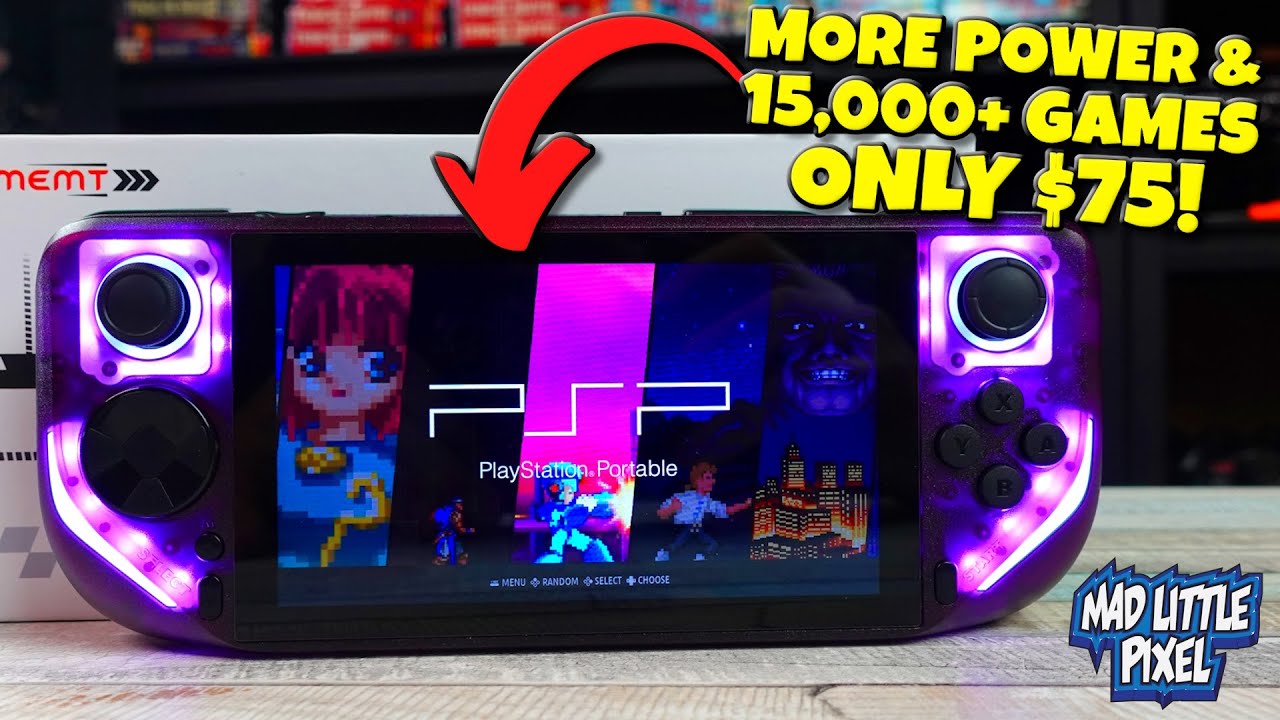
The E6 Plus from GameMT
E6Plus Handheld available here: https://bit.ly/3RRWt7T use code GAMEMTMAD for $4 off, valid until August 15th 2024.
My online shop is back https://madpixelshop.com/
New Game Preorders On Amazon: amzn.to/3sRKOMY
Become a channel member: https://bit.ly/2KeqCuN
Buy Asian Import Games Play-Asia: https://bit.ly/2m4xq5c
Shop ...

Trimui Smart Pro review.
Available here: https://bit.ly/3S78Vl8
My Online Shop is back! https://madpixelshop.com/
Checkout my Amazon Influencer page! Quick videos, deals & more! https://www.amazon.com/shop/madlittlepixel
Become a channel member: https://bit.ly/2KeqCuN
Buy Asian Import Games Play-Asia: https://bit.ly/2m4xq5c
Shop at Stone Age...
The GameMT E6 Plus definitely is an upgrade from the E6 and still has the feel of a Mini Steam Deck. This is a comfortable handheld that really could be something great. Hopefully this gets more community support than the original E6 so it doesn’t get lost in the shuffle of more better known handhelds.
Do you have any interest in the E6 Plus? ...
The GameMT E6 Plus definitely is an upgrade from the E6 and still has the feel of a Mini Steam Deck. This is a comfortable handheld that really could be something great. Hopefully this gets more community support than the original E6 so it doesn’t get lost in the shuffle of more better known handhelds.
Do you have any interest in the E6 Plus? ...
wheat wagon
river zenith
I don't think so.
I believe everyone is smart, but they just don't understand so...
Maybe pre-setup your devices then set to kiosk mode “power users” will know how to exit that if they want to. That way people who want to get a pick and play device wouldn’t worry on setting things up.
On the linux side Amberelec/Rocknix are both capable of preconfigurations so given a little bit of time it can be polished. TrimUI preconfigs on the smart pro is a nice guideline
So when red? 🤔🤣
steel falcon
paper cloak
I disagree, I have watched reviews of many devices R40S, TRIMUI Smart Pro, R36S,...
games not slow down on r36s? oh come on, it comes with a very outdated version of arkos and everyday a lot of people complaining it comes not even working with these new panels
my trimui smart pro came without SD card and I had to figure out all the config. Even the vulkan must be enabled manually inside PPSSPP
sour sundial
Yeah i think the price is currently too high to excuse those issues, the r36s is ok because its half the price and has good CFW.
Maybe once these "updates" have been released and the software is better, or maybe 10-15$ less and the issues become more excusable
steel falcon
I see more like a limitation of RK3566 than a real issue
paper cloak
Can someone share an image of the card that comes with the kit?
I ordered the device without a card, and while it is on its way I would like to prepare a card with games, but I don’t know what directory structure is used...
sour sundial
steel falcon
I see more like a limitation of RK3566 than a real issue
rk3566 is fine, no issues with it on my rgb30, sure theres more powerfull cpus but that increases the device cost
maybe for an e7 or something
paper cloak
sour sundial
rk3566 is fine, no issues with it on my rgb30, sure theres more powerfull cpus b...
I completely agree, I don’t know what other chip will be more powerful at the same (or comparable) cost of the device.
Taking into account the presence of 2GB RAM, good IPS, touchscreen support.
If you look at what we have in the <=$100 category, then this is SoC
Allwinner A133 Plus
Allwinner H700
MediaTek MT6580A
RockChip RK3326
RockChip RK3566
UNISOC Tiger T310
And from this list, only the T310 will be slightly more powerful than the 3566. At the same time, with this chip, I can only remember the old Retroid Pocket 2+, it is much simpler in other details, and at the same time costs more (if you can buy it at all).
All others are either weaker or equal (Allwinner H700).
Unfortunately, the next most powerful chip (UNISOC Tiger T618) practically doubles the cost of the console.
Moreover, I personally don’t understand why the cost of the device rises so much when changing the chip.
Take the same Mediatek G99. If you buy it as spare parts it costs $10. But at the same time, G99 consoles start at $140 (AYANEO Pocket Micro), while all other components are +/- the same as in the E6 Plus.
elfin nimbus
paper cloak
Moreover, I personally don’t understand why the cost of the device rises so much...
Supporting parts, ram, storage, WiFi chip, hardware engineer, software engineer, manufacturing cost, packaging, etc....
candid lynx
paper cloak
I completely agree, I don’t know what other chip will be more powerful at the sa...
under 100 there is the Odroid Go Ultra with s922x which blows 3566 out of water, if you can live with the odroid jank
paper cloak
elfin nimbus
Supporting parts, ram, storage, WiFi chip, hardware engineer, software engineer,...
Of course, this is all true, but all this is included in the price of the E6 Plus.
wheat wagon
OGU ftw been on sale forever
candid lynx
its not really sale anymore lol
candid lynx
yes, when you need it charged from zero/very low and it suddenly refuses to charge with just C connector and you need that shitty cable just for that
very smart
wheat wagon
“dual pmic”
mint ember
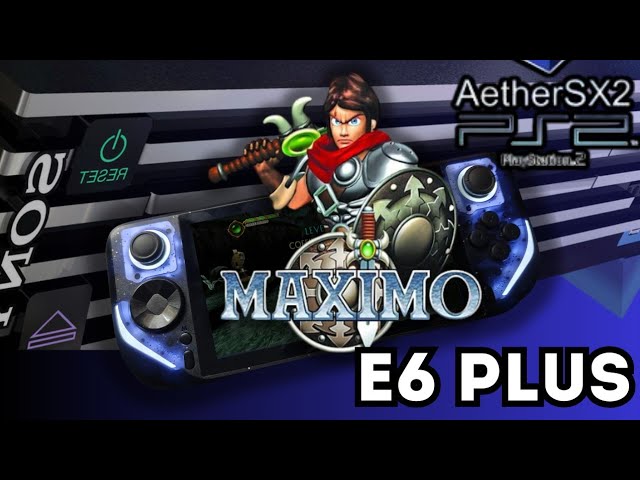
Special thanks to GameMT representative Sinyorksu for providing 64bit Android version for E6 Plus, for install to it AetherSX2 and play for you this amazing game! 😊
Thanks a lot for @hackaround for Jelos fork cHAos for E6 Plus and for everyone from #GameMT E6 & E6 Plus thread at Retro Handhelds Discord server!!!
For PortMaster community, plea...
paper cloak
mint ember
https://youtu.be/kQr_emKPk5c
Looks good enough.
This is exactly what I wrote so much about here (and not only). It's a matter of customization and not that "emulators are only available for geeks."
Just imagine if all this was configured initially out of the box and was available to any buyer immediately after unpacking the device without firmware and the need to configure emulators and frontend. (ES-DE + set of emulators).
Could you test Android in some popular Android games? Like Minecraft? Doom3?
mint ember
paper cloak
Looks good enough.
This is exactly what I wrote so much about here (and not only...
I'm setting up Vita3k, dolphin and Citra MMJ for next tests, and more familiar and focused on emulation stuff than on android gaming, maybe will test something from Android games/benchmarks someday, but it's not in my priority list, sorry.
steel falcon
paper cloak
Looks good enough.
This is exactly what I wrote so much about here (and not only...
well, I have a RG353V and on android side is almost the same, no frontend, some very outdated emulators, no google, so pointing it as a E6 Plus issue is not fair, on Linux side, I know @candid ridge is doing the better he can, "unfortunately" they didn't cloned another device with ready OS like R36S
proven python
i honestly think the retro gaming handheld industry right now is very experimental, there are so many manufacturers (kind of lol) that's why we have stuff that are not out of the box easy. Tbf, I would likely restrict myself to corpo handhelds if that's my expectation. I mean even the bigger ones still need some tweaking to be just right. That's probably why I'm not so hard on the E6 people idk
steel falcon
proven python
i honestly think the retro gaming handheld industry right now is very experiment...
yeah, the usual is not being optimized out of the box or at least with bad game list and scraping 😛
paper cloak
steel falcon
well, I have a RG353V and on android side is almost the same, no frontend, some ...
You didn't understand me correctly.
The problem with the E6 Plus is not that it doesn't have Google services. And the fact is that there are shortcuts to non-working Google services on the desktop. And also these services operate and consume resources.
This is careless and not neat on the part of the manufacturer. To remove these shortcuts and disable non-working services, investments and engineers are not needed. You just need a little respect for yourself and the buyer 🙂
As for the frontend, I really chalk this up as a negative for the E6 Plus. Installing it and preconfiguring 8 emulators also does not require investment, but in the end it will give the user a working product. And the fact that the RG353V comes with unconfigured Android does not justify the E6 Plus.
If you think about it, YOU are the one to blame for this situation, because instead of condemning this attitude, you are protecting the sellers.
paper cloak
proven python
i honestly think the retro gaming handheld industry right now is very experiment...
Yes, I understand what you are talking about. It's a pity that no one understands me :).
I'm not saying that a device with an emulator for $65 should be like Swith.
I'm just talking about some basic level.
Use the correct version of Android, install the ES-DE frontend, go through the emulator settings, and for some heavy, popular games, make the emulator settings.
For engineers responsible for product release, this is not difficult, right? Just a competent setup of the OS, emulators, a correct selection of games in which there will be no games that are poorly emulated on the device or in general.
How much money do you need for this?
And this will already cover 90% of all needs.
You argue as if there are only 2 options:
But that's not true, is it? Between these options there are still many others 🙂
But while buyers en masse approve the release of unfinished devices, and defend this with the phrases “what did you want for this money?” then yes, these devices will remain niche toys for geeks, because they are happy with everything 🙂
paper cloak
mint ember
Psp vulkan sh shattered memories, 1 x psp, no fps skip
It can be seen that the game runs closer to 40 FPS than 60, but unfortunately there are no CPU/GPU load indicators.
If the emphasis is on the CPU, then maybe you can install x2 render?
proven python
paper cloak
Yes, I understand what you are talking about. It's a pity that no one understand...
There aren't only two options, but the industry is so experimental that it can be in flux regarding quality control. Also, it's a very optimistic assumption that money will cover 90% of needs. There's too many variables, no single standard of how to go about releasing these retro handheld games. It's basically the wild west of retro gaming right now which means even when we get amazing Anbernic, Miyoo, Retroids, we also get companies dipping their toes in the game, coming from China who are okay with these "subpar" devices.
Anyways, I don't think there's an argument but many people in these space have a realistic expectation of these new devices. I'm all for griping about what can be done better but I'm also pretty laissez-faire about how I feel about these devices lol. I'm just happy they exist and continue to improve when possible.
paper cloak
proven python
There aren't only two options, but the industry is so experimental that it can b...
"Also, it's a very optimistic assumption that money will cover 90% of
You misunderstood my message at this point, read it carefully.
I mean:
"Use the correct version of Android, install the ES-DE frontend, go through the emulator settings, and for some heavy, popular games, make the emulator settings."
These are little things that cost nothing, but at the same time transfer the device from the “modify after unpacking” category to the “use after unpacking” category.
It doesn't cost money, it's not difficult, and it doesn't require special knowledge. All you need is just respect for users.
There is no need to justify this with “experiments” or the “wild west”.
This is the second day I've been talking in the retro portable console community, and I'm starting to understand why some manufacturers don't even try to make ready-to-use devices 🙂
proven python
Yeah but Idk if you've been reading, the parts the manufacturers use are kinda mish mash. Like they've been throwing things together experimentally, that's why using the correct version of Android, installing your preferred frontend, making things work right has been challenging.
Even Sinyorksu, as much as he tries, I don't think he understands all the parts that help things work seamlessly. That's why he's also working with Hack Around.
If you can provide the proper steps to make things work, that would be great. I don't think it's the lack of trying, it's likely the lack of knowledge or knowledge base. People are learning though.
I'm sorry you feel like you're being dismissed. I think everyone is in agreement that it would be nice if things are better but we do understand it takes time and effort.
elfin nimbus
proven python
Yeah but Idk if you've been reading, the parts the manufacturers use are kinda m...
Big emphasis on manufacturers. I think of my handhelds as SBC's and get surprised if they come with any software. 🤔 I would also be irritated if it came loaded with Atari, PC engine, colecoVision....
torn nacelle
Maybe someday somebody will have some sort of specialized fork of Android that is focused on handheld SBC gaming. Then these manufacturers can simply license that software package which can have front ends put on top of it. What we need is Google support for handheld gaming
steel falcon
paper cloak
You didn't understand me correctly.
The problem with the E6 Plus is not that it ...
I'm not protecting anyone, you are arriving now, I'm here discussing with these guys for months...
I understand what you are saying and maybe we come to this at some point in the future.
My point is that the flaws of E6 is kinda more general than specific of this device and that I rather have a "raw" Android experience and figure out by myself than a locked system "ready to use" like regular E6 or some SJGAM/Copreeme crap
On my experience, most part of time when chinese manufacturers make "ready to use" devices, they lock the config menus, so you can't change anything
mint ember
steel falcon
On my experience, most part of time when chinese manufacturers make "ready to us...
steel falcon
proven python
Yeah but Idk if you've been reading, the parts the manufacturers use are kinda m...
I really appreciate the effort of Sinyorksu being here and trying to listen what we say but I don't think he understand most part of what is being discussed
humble panther
paper cloak
"Also, it's a very optimistic assumption that money will cover 90% of
You misund...
Enough VVi3ard!
Cards on the table, you're busted.
It doesn't work to sh*t on the E6 Plus on 4pda, so you decided to go all out here?
The console is not perfect, but I repeat: "very promising", and already at the moment a worthy option for purchase, among similar ones, perhaps even the best.
I do not know what drives you, shortsightedness, or self-interest, it does not matter.
The console (E6 Plus) has already succeeded, polishing the rough edges is going on and you with your narrow-minded rhetoric can't prevent it or derail the optimism of the growing console community.
GameMT keep up the good work!
proven python
I'm surprised @mint ember is playing ps2 on it.
candid ridge
For os write the image to a blank SD card and the put it in console and it will expand. Portmaster is in tools and you install it from there
wheat wagon
steel falcon
I'm not protecting anyone, you are arriving now, I'm here discussing with these ...
I'm here when you tell them that the E6 is a POS
 finite harbor
I know this may be asking a bit much from this system but is it possible to run Diablo Immortal from it the E6 Plus that is with the default android OS?
paper cloak
Can someone share an image of a microSD with games, or a screenshot of the directory structure on the microSD?
old dome
steel falcon
if you want an emulation device "ready to use", maybe emulation is not for you
Some "ready to use" solutions only cause more headaches when I try to tweak for my usecase. Batocera, I'm talking about you.
But still, I still think the users shouldn't have to be tweak savvy from the outset to use a device like this
Include some manuals or useful emulation tweaking tips on the device's OS maybe?
mint ember
proven python
I'm surprised <@566218852036509706> is playing ps2 on it.
It's not only about ps2, Citra with 3ds works as well 🙂
candid ridge
paper cloak
Can someone share an image of a microSD with games, or a screenshot of the direc...
On linux when you boot it will create the folder structure automatically. The system is based on jelos so you can use rocknix website for documentation
mint ember
paper cloak
candid ridge
On linux when you boot it will create the folder structure automatically. The sy...
I ordered the product without a card, after receiving the product I will need to record a video of unpacking the product and checking its functionality in one take. And so I would like to prepare a card with games in advance, even before I have the device in my hands.
I looked at the Rocknix website and there is no directory structure information.
All I found: https://rocknix.org/play/add-games/#simple-storage
"To support our storage modes ROCKNIX nests games into a directory on your games card called "roms". All games found in this path will be available in the OS."
But it seems to me that this is not enough, you still need to create directories inside.
There is also no information about covers and so on.
More precisely, there is no structured information there; of course, I can spend a day studying all sections.
If I follow these instructions, will the stock E6 Plus OS see the games and covers?
https://wiki.retrobat.org/get-started/retrobat-folder-structure
I think that I’m not the only one ordering a console without a card, and it would be convenient to have at least an empty directory structure to prepare the card while the device is on its way to the buyer.
Having a device in hand, making an archive with an empty structure is not very difficult, it will literally take up 2kb and will save time
candid ridge
paper cloak
I ordered the product without a card, after receiving the product I will need to...
If you ordered without a card, you have android installed and you don’t need to worry about any structure because you install any emulators you want and then manually set the location of the roms.
paper cloak
candid ridge
If you ordered without a card, you have android installed and you don’t need to ...
An 8GB card with Linux is always included.
But you can additionally order a 32 GB or more card with games.
I don’t need a card with games, I have a good 256 GB card for emulators (I used to have RPi4+) so I didn’t order a card.
But to check the device immediately upon unpacking, it would be nice to have a map already prepared.
candid ridge
paper cloak
I don’t need a card with games, I have a good 256 GB card for emulators (I used ...
Go one by one thru systems and each emulator has the game path, e.g. https://rocknix.org/systems/amigacd32/
paper cloak
Yes, but can you imagine that you need to open each system and create directories manually...?
In any case, thanks for the help.
I would also like to know the list of N64 and PSP games that the manufacturer ships with the product so that I can test them on these games.
candid ridge
paper cloak
Yes, but can you imagine that you need to open each system and create directorie...
If you want to prepare the card before you have the console, then yes. Else wait for the console and it will create the folder structure automatically
Then that is simple. Under roms folder you create two folders psp and n64 and add roms there
paper cloak
candid ridge
If you want to prepare the card before you have the console, then yes. Else wait...
I just want to be able to check the console when I turn it on 🙂 But not spend half a day doing it 🙂
I understand you, thanks for your help.
paper cloak
candid ridge
Then that is simple. Under roms folder you create two folders psp and n64 and ad...
Yes, I will do that, this will be enough to check.
Now I would like to find out what ROMs are included in the kit 🙂 (n64/PSP)
candid ridge
Which kit?
paper cloak
On aliexpress this console is sold in 4 versions
8GB without game card: only comes with 8GB system card without games (my option)
8+32GB: Built-in 10,000 games;
8+64GB: Built-in 15000 games;
8+128GB: Built-in 20000 games
I would like to know which n64/PSP games come with option 2.
There are owners here who have already received the console and can share information about the games that were on the 32 GB card (N64/PSP). In principle, I think you can see this in reviews. But if anyone can share, I will be grateful.
river zenith
IF You ordered only the 8GB card. We have installed the LINUX system. The 8GB SD card is the system card. You only need to insert your empty SD card in the other card slot. The system card will create a folder for your other game card, and then you can add the ROM to the corresponding emulator folder.

Que tal chicuelos por fin pude traer al canal la nueva consola E6 Plus ya vimos la anterior y me gusto bastante esperemos que esta este mucho mejor y creo que les va a gustar recuerda como siempre les dejo el link de venta:
Aliexpress: https://es.aliexpress.com/item/1005007035852200.html
También les dejo el link del video que les puede ayudar ...
pure fossil
Is there any news for the standard e6 version? I would like to be able to access Android
frank minnow
If you are talking about the normal E6 with Android blocking even in safe mode, then you can reinstall Android. I had the blocked version but I managed to access Android and uninstall the application, you can see how to do it by watching this video who help me : https://youtu.be/OJIXvlniE1A?si=dneIkn2lnl4zUzxo

Aqui está um tutorial passo a passo para quem deseja personalizar seu E6 retirando o aplicativo frontend padrão para games, e não consegue mais acessar o safe mode com android puro.
Dispositivos comprados após março geralmente tem esse "problema".
Se o seu é desses, com certeza meu vídeo vai te ajudar.
FAÇA POR SUA CONTA E RISCO
Link para arqui...
candid ridge
Use exFAT not fat32
paper cloak
Have console owners already tested how sleep mode works?
How much battery does it consume in Android/Liniux sleep mode?
@solemn orbit @candid ridge
Thank you, I have already assembled a microSD to test the console. It turns out that it uses a standard structure like in RetroBat.
stray crater
I ordered the one with no card since I already have games on another SD card
If you need to know the performance since it's a RK3566 chip, looking up performance with the same chip might help for N64 or psp!
For sleep mode I found around 6-8% of battery dropping over night
paper cloak
stray crater
If you need to know the performance since it's a RK3566 chip, looking up perform...
Yes, I have already read the Powkiddy x55 tests and here above from
Sleepy has a lot of performance tests.
I have been working on the topic of emulation for several years now and understand the capabilities of SoC 🙂
There are certain risks associated with quality control and orders from Aliexpress, so it is better to perform a full test of the console with video recording immediately after unpacking 🙂
I've seen several reviews where the console didn't work correctly right out of the box, froze, showed errors, and had performance issues with the N64. Also on the forum there are already reviews from a person who encountered a defective console and was forced to send it back to the manufacturer.
Therefore, I took care of previously preparing the microSD for a full test.
paper cloak
mint ember
One of most beautiful games on ps2
Very nice, but nothing is clear 🙂
FPS is not visible and the video image is very compressed.
I can't play the last video at all 😦
I looked it up on YouTube, it's a really nice game.
Does it run at least 30 FPS? It seems there are no activities there, you can play for 30.
mint ember
paper cloak
Very nice, but nothing is clear 🙂
FPS is not visible and the video image is ver...
Video image is compressed for preview and for teaser 🙂
Will post full quality videos on my channel 🙂
elfin nimbus
Upside down....but I've only had it for some hours. 👀
Edit: So far only things working are the panel, sound, wifi, hdmi, and buttons,joysticks. Still need bluetooth, resume, and touchscreen.
 river zenith
elfin nimbus
Upside down....but I've only had it for some hours. 👀
Edit: So far only things...
river zenith
elfin nimbus
Upside down....but I've only had it for some hours. 👀
Edit: So far only things...
this is the andorid 13?
elfin nimbus
river zenith
this is the andorid 13?
yes
pure fossil
frank minnow
If you are talking about the normal E6 with Android blocking even in safe mode, ...
yes I was talking about the second version of e6 with Android blocked, interesting video even if I don't understand Portuguese. ty
frank minnow
pure fossil
yes I was talking about the second version of e6 with Android blocked, interesti...
did you manage to unlock the device and access android ?
prisma moon
wheat wagon
what game
prisma moon
icey
hushed mantle

The Ali-Express Mini Steam Deck has returned with the Plus version.
Touchscreen, RK3566 Chipset. More power only how is it with Emulation ?
Where to find ?
https://s.click.aliexpress.com/e/_DkhzlFh
Join The Wicked Support Family On Youtube ? 😳 .. From 1$ a month.
https://www.youtube.com/channel/UCW_sIU3MaWW5cXSjGqNIvbw/join
Great Ali-Express...
wheat wagon
prisma moon
icey
switch or android?
prisma moon
Android
candid ridge
Which version? Old or new?
mint ember
prisma moon
Looks like android apk 🙂
candid ridge
If your device came with linux then you need to unplug the battery from the board and replug it and with the latest chaos version you will have the correct battery level.
paper cloak
candid ridge
If your device came with linux then you need to unplug the battery from the boar...
Please tell me why you chose Chaos and not Rokinx?
As far as I understand, Rocknix was also launched. I've been keeping an eye on the Powkiddy X55, console owners have been very pleased with the performance boost when switching to Roknix.
e1000 wrote that you gave him an image for the E6 PLUS:
(#1075906301705601044 message).
And another question, I know that on some devices you can add RAM by replacing RAM chips, I heard that Powkiddy did this.
Perhaps there is someone here with sufficient knowledge on this issue? There is a link here to a Brazilian review where they run a lot of APK games, and if I understand correctly, he complained that there was not enough memory for some games.
I have equipment and experience in transplanting memory chips, but I don’t have enough competence to understand whether this is possible or not, and whether something needs to be changed in the firmware.
cursive star
@prime pumice is king of ram upgrades
prime pumice
IMO, no reason to need more than 2GB ram on rk3566 devices
steel falcon
prime pumice
IMO, no reason to need more than 2GB ram on rk3566 devices
Yes, I have a 8gb ram Orange Pi 3B and this memory helps nothing in poor performance of this device
wheat wagon
paper cloak
Please tell me why you chose Chaos and not Rokinx?
As far as I understand, Rockn...
Huh? They’re both jelos forks you know
candid ridge
paper cloak
Please tell me why you chose Chaos and not Rokinx?
As far as I understand, Rockn...
Rocknix will not work out of the box. It requires a lot of changes. cHAos is my own brand, I cannot use rocknix as is not officially supported by them. I am not planning to make changes to work with latest rocknix or something.
pure fossil
frank minnow
did you manage to unlock the device and access android ?
no, I haven't tried anything yet, it seems a bit too complicated
mint ember
paper cloak
Disassembling the device and working with a soldering iron is not a problem. Those. I know how to solder and rework BGA chips. But you also need to know which chips can (and whether?) be replaced with, and what to change in the Linux configs.
paper cloak
prime pumice
IMO, no reason to need more than 2GB ram on rk3566 devices
Does this apply to both Linux and Android?
There is no doubt that Linux does not need more than 2GB; all that 4GB will provide is increased battery consumption.
But for Android 11, in my opinion, 2 GB is not enough, there only the system + google services easily take up 800 MB. And Android games are sometimes very careless with memory.
Yes, maybe 3GB would be enough, but we have either 2 or 4.
Considering that the issue price is $3-5 for used RAM chips, it would be interesting to try in the future.
paper cloak
Knowing how to solder is not the same as understanding the features 🙂
There is a joke on this topic:
A machine broke down at the factory. The entire plant was repaired for a week, but nothing worked.
They called a specialist. The specialist came, looked, took a hammer, hit it once and the machine started working.
The plant director asks: “How much do we charge?”
“$100,” the worker answers.
So I can hit, but I don’t know where 🙂
candid ridge
you need to check the datasheet of the current ram chips (4 - 2 on front, 2 on back) to make sure you use similar
cursive star
does anyone have a picture of the inside of the E6 Plus?
candid ridge
cursive star
does anyone have a picture of the inside of the E6 Plus?
#1168386197605855313 message
prime pumice
paper cloak
Does this apply to both Linux and Android?
There is no doubt that Linux does not...
you're generally right about this, android does need a bit more memory than linux. The problem is, you'll also run out of CPU alongside memory, so almost everything that needs >2gb memory, will also begin chugging because of high CPU. Of course there may be an edge case out there where more memory keeps something running, but in my experience it's exceedingly rare. If you have the skills, it should be fairly straightforward, just need to replace the 4x DDR3 chips with 1G each instead of the 512MB ones that are on there.
humble panther
My console is coming to me any day now, and I think I can try to enable the swap file.
This "feature" is being shoved into Android devices by all manufacturers who can't be bothered.
Thus "sort of" expanding the RAM.
What do you think, is there any sense in it or is it not worth bothering with?
candid ridge
Maybe you will see 1% different in the best case scenario.
I have an rk3566 with 8gb of ram and is overkill for the ram
As e1000 pointed out, CPU/GPU is the bottleneck. This cpu with 2gb of ram run decent PSP. Everything else is okish for some titles.
But you can try it
humble panther
Okay, I hear you.
Basically, the level of performance we have now is quite adequate considering the price.
We need to be realistic, you want more, you pay more.
prime pumice
i would say use the handheld first and see what limitations you run into. You may never run into a ram issue with the games and apps that you run. If you do however, that's when I would start worrying about it
paper cloak
humble panther
My console is coming to me any day now, and I think I can try to enable the swap...
There is a possibility that they do not install the best EMMC memory chips and loading them with SWP recording is not the best option 🙂
And the cards there are usually quite slow and they are even less designed for recording.
proven python
humble panther
Okay, I hear you.
Basically, the level of performance we have now is quite adequ...
Yeah this is cheapie Android that's actually amazing as a start, at the price point.
cursive star
i couldnt see another android compatible console, with touch etc that has the same pricepoint
cursive star
can somone test better X Cloud on the E6 Plus?
mint ember
paper cloak
There is a possibility that they do not install the best EMMC memory chips and l...
Regarding to my tests, emmc here is not the worst, copying games from ssd to emmc to run it from internal memory of console for best performance, and speed is not too bad compared with previous budget consoles.
candid ridge
Also if you use an SD card with android, use it in the first slot and not the second.
fringe wren
cursive star
can somone test better X Cloud on the E6 Plus?
working smoothly without any lag.
 cursive star
thanks for checking for me
paper cloak
mint ember
Regarding to my tests, emmc here is not the worst, copying games from ssd to emm...
 paper cloak
 paper cloak
Android version
The controls don't work (this is a problem with the game itself, you need a gamepad emulator)
Performance is excellent.

It’s difficult with streaming, you need 5GHz, here only 2.4, I have a lot of neighbors and devices on 2.4, in the end it works but freezes from time to time. According to the test, it holds 35 Mbit, but in reality it does not hold higher than 10.
Steam Link says it uses a hardware decoder.
So far there are no problems with communication, the game is generally played normally, the delay of 50ms is of course a bit much, but tolerable. But due to constant connection jumps, it’s not pleasant to play. (The AX6S + OpenWRT router is quite good, at 5 GHz I use it for Quest3 at 350 Mbit stream).
I think that this is individual, for those who have fewer neighbors, it may be easier.
 elfin nimbus
Has anyone used or has uart connected to this? 🤔
prime pumice
haven’t tried, something wrong?
elfin nimbus
prime pumice
haven’t tried, something wrong?
I needed to debug sleep/resume and didn't feel like taking mines apart for the 5th time. 🥲 But I think I have it now. Got all hardware working with the 5.10 kernel and Android 13.
wheat wagon
paper cloak
It’s difficult with streaming, you need 5GHz, here only 2.4, I have a lot of nei...
get a 5ghz dongle then
candid ridge
elfin nimbus
Has anyone used or has uart connected to this? 🤔
Is near start button. You find there 3 holes
paper cloak
I don’t know if it’s appropriate to ask a question here, but I couldn’t find a better place 🙂
In Chaos OS, in the scraper section, only Arcade DB is available from available sources. How can I add other sources?
candid ridge
You cannot. I forgot to add my api keys when I made the build. I am working on a new image with updated emulators so it will be on the next release.
paper cloak
candid ridge
You cannot. I forgot to add my api keys when I made the build. I am working on a...
Thanks for the feedback, then there are a couple of other things I ran into:
candid ridge
paper cloak
Thanks for the feedback, then there are a couple of other things I ran into:
1. ...
Yes, I know about all of them but there were non functional bugs and they have a low priority for me. The fileman issue I know about it for some time, but I still don’t know where is the issue.
candid ridge
if I am not able to fix it, I will replace it with something else
candid ridge
paper cloak
Thanks for the feedback, then there are a couple of other things I ran into:
1. ...
all points are fixed. I will upload the new release as soon as I test it a bit
paper cloak
I don’t even know what else can be improved there, since everything works fine as it is.
The only thing missing is scraper, although this can be solved via ARRM on PC.
But Android with Root would be very useful. (root for virtual gamepad applications).
On stock Android there is a notification that "performance may be reduced because debugging mode is enabled."
#1132790671489630228 message
Only I wrote and @elfin nimbus posted Android13.
I'll test it now, it's just great.
@elfin nimbus
Can you please tell me how I can make a backup copy of my current Android?
If I understand correctly, do you need to indicate addresses here?
 candid ridge
I uploaded the new image, you can test it.
frank minnow
candid ridge
I uploaded the new image, you can test it.
does this work with the normal E6 ?
candid ridge
frank minnow
does this work with the normal E6 ?
no. is only for E6 Plus
paper cloak
candid ridge
I uploaded the new image, you can test it.
Please tell me if I can somehow save my settings (I configured shaders for different systems, screen settings for some games, and other settings).
candid ridge
paper cloak
Please tell me if I can somehow save my settings (I configured shaders for diffe...
if you upload tar image will do the upgrade and should keep your settings
take a look here
paper cloak
Yes, that's what need. Thank you!
@candid ridge Have you already disassembled the device?
Do you know if it is possible to change the WiFi module there?
candid ridge
paper cloak
<@772806195408535613> Have you already disassembled the device?
Do you know if i...
yes. is possible. the new revisions are coming with RTL8733BS which supports 5Ghz but is limited to 150mb. if you change it go with RTL8821CU. that I can add it to cHAos, but you will not have the driver on android
frank minnow
will there be a new version of android 64bit for the normal E6 (not plus)? Because the E6 is with android 32bit
paper cloak
candid ridge
yes. is possible. the new revisions are coming with RTL8733BS which supports 5Gh...
This is good news, i.e. Is there a BGA chip that can simply be replaced? Or is WiFi provided there as is sometimes the case as a separate board?
 candid ridge
yes. is QFN
candid ridge
frank minnow
will there be a new version of android 64bit for the normal E6 (not plus)? ...
is on my pipeline to test it on E6
you want to ask Notime2d8
frank minnow
candid ridge
is on my pipeline to test it on E6
Thanks, it will be very nice
mint ember
candid ridge
you want to ask Notime2d8
Sure, my bad😅
frank minnow
Is the problem with the controllers split into two different controllers (1 for all the buttons and 1 for all the analog and the directional cross) will be resolved ? and will it be merge into one fully functional controller ?
paper cloak
@candid ridge, @elfin nimbus
Is there a chance that in the future it will be possible to switch between OSs without removing the MicroSD?
If I understand correctly, when starting, the bootloader searches for a specific file on the card to transfer the load to it, would it be possible to add this file in Android during the reboot command and, on the contrary, to delete it in Linux if the boot option in Android is selected?
candid ridge
paper cloak
<@772806195408535613>, <@751602835082182682>
Is there a chance that in the futu...
I am exploring this, but I didn’t had time to test. I am planning to use M button to boot into android when you press it at startup and normally will boot into linux
elfin nimbus
paper cloak
I don’t even know what else can be improved there, since everything works fine a...
Here's a link to the x55 channel. It has instructions on how to root with Magisk and other tips in pins.
#1074899848509267998 message
 sturdy lava
Hello friends, I recently acquired an E6 plus, I would like to change the factory system, can you recommend me, thank you
torn nacelle
candid ridge
I uploaded the new image, you can test it.
New Android image? Where is list of uploads
 ember laurel
I’d love to check out the Android build as well
elfin nimbus
ember laurel
I’d love to check out the Android build as well
#developer-news message
ember laurel
elfin nimbus
https://discord.com/channels/741895796315914271/860935723662180362/1259720272593...
🙏 Amazing work!
 urban flare
Okay I am pretty sure I fucked up upgrading to 13 and soft bricked it (I have no idea what I am doing). I thought I had followed the instructions correctly, but I guess not lol.
And I did not make a backup 👉👉
candid ridge
urban flare
Okay I am pretty sure I fucked up upgrading to 13 and soft bricked it (I have no...
Is now going to maskrom only?
urban flare
candid ridge
Is now going to maskrom only?
Its stuck on a white background with the GameMT logo
candid ridge
Then is not that bad, you still can go into loader mode and try again
urban flare
candid ridge
Then is not that bad, you still can go into loader mode and try again
Ohh thats good news then! It doesn't seem to be showing up when connected over usb
urban flare
urban flare
Ohh thats good news then! It doesn't seem to be showing up when connected over u...
Oooh found your other post and was able to get it to boot into loader
Welp no now it might be bricked...

no longer showing up as connected and device doesnt seem to be responding
I have movement again! Attempting to flash again... 🤞
I saw it jump from I think 65% to 100 and seems to be stuck again on the white background with the logo
 candid ridge
Try a shorter cable
mint ember
elfin nimbus
https://discord.com/channels/741895796315914271/860935723662180362/1259720272593...
urban flare
candid ridge
Try a shorter cable
Hmm I tied a 6 inch cable and still no dice. I’ll try some more cables later today. I tried both gapps and non gapps.
humble panther
urban flare
Okay I am pretty sure I fucked up upgrading to 13 and soft bricked it (I have no...
As I understand, you are flashing through Rkdevtool.
You may have made a mistake at some point in the process, now we need to figure out where it is
paper cloak
Perhaps someone knows inexpensive or free software for emulating screen clicks on gamepad buttons?
I tried:
Mantis - It works but is very heavy (75 megabytes) plus it itself does not work conveniently through starting the service.
octopus - does not see the gamepad, asks to connect via Bluetooth.
Panda Gamepad Pro - there is no demo version, but there are difficulties with purchasing.
tincore keymapper - development has stopped, constantly complains about an unsupported OS version.
Game Controller 2 Touch, GKM Touch, Mobile Controller Helper, DroidMote are very old and not supported by the authors.
candid ridge
@paper cloak did you installed the new prerelease I made yesterday?
paper cloak
candid ridge
<@734135405833617550> did you installed the new prerelease I made yesterday?
Yes, everything works well as in the first version.
Added correct operation of PortMaster and Scraping.
But in general, the performance of emulators is extremely low compared to Android. Where I set it to 3x in Android (PS1), in Linux it’s barely 1x at 60 FPS. I tried different kernels, but still not the same. DuckStation SA generally launches upside down, I haven’t figured it out yet.
The same applies to PSP and DreamCast, i.e. This is not a question for you but for the retroarch cores.
While I switched to the Android setting, everything is much more convenient there and there are more games that are interesting to me.
candid ridge
I will check duckstation. I am asking because I think the battery issue with 0% is back. after the release from yesterday my battery is at 0% now
if you get the same think, then is a problem with this release
paper cloak
I want to say that everything works fine out of the box, incl. and heavy emulators, but on Android you can get better graphics and performance. Any of my attempts to change something in the retroarch kernels lead to worse results.
The kernels themselves are configured well by default and are usable.
paper cloak
candid ridge
if you get the same think, then is a problem with this release
No, I have never had a problem with 0%, the correct charge is always shown. Moreover, sleep works well, I did not test it on the latest version of Linux (the battery was dead and it was on charge) and the previous version lost 1% in 12 hours.
fringe wren
candid ridge
I will check duckstation. I am asking because I think the battery issue with 0% ...
I installed the latest release today afternoon, my battery is at 0% again.
candid ridge
fringe wren
I installed the latest release today afternoon, my battery is at 0% again.
ok. I will rebuild everything and delete the prerelease
paper cloak
@elfin nimbus
It seems to me that there is some problem with MicroSD in Android 13.
If I insert a card into the Ext slot, the system writes that the card needs to be configured and formatted, after formatting it even appears in the “Storage” settings, but when selecting a card it again offers to format.
If I insert it into the "Init" (OS) slot, then everything starts working fine, if I then move it back to Ext, it also works until a reboot.
Also a strange problem, perhaps this is a feature of Android, but I cannot select files in applications that are on the SD card.
For example, try in https://github.com/glKarin/com.n0n3m4.diii4a/releases/download/v1.1.0harmattan51/idTech4A++_1.1.0harmattan51.apk
Open the path selection form and select a directory on the card, I have EMMC mounted in my sdcard and I still haven’t found a MicroSD card.
wheat wagon
I don’t see a stuck pixel, looks like a permanent crosshair to me 🤣
cursive star
Pretty much
The screen seems more washed out than I’ve seen in other pictures too
The colour and contrast
Has stick drift in android too 🤦🏻♂️
Given the lack of play store what alt stores exist
prime pumice
aptoide? not sure if it's trustworthy or not
cursive star
Yeah I would have gone for that but I heard it’s got bad
Who has the android 13 image installed
Does it have this option

It doesn’t work on 11
Wait I thought these had stereo speakers
They do
I can see through shell
Mine only has left working at least in the test app.
cursive star
At this point
Avoid this store

Avoid this seller I guess
I have stuck pixel. One dead speaker and stick drift disappointed to say the least and now it’s not even reading it’s supplied SD Card
proven python
cursive star
I have stuck pixel. One dead speaker and stick drift disappointed to say the lea...
That's the store selling cheaper than GameMT I think, right?
cursive star
Yeah was in the sale
Found out why speaker wasn’t working

No haptic motor either or is that normal?
prime pumice
damn you got a lemon!
mint ember
cursive star
Avoid this store
It's already in my black list from last year
urban flare
mint ember
It's already in my black list from last year<:aaaaaaaaaaaaalolcry:90882388677325...
Eh thats where I got mine, shipped fast and arrived fine. Nothing wrong with that seller, seems like they just got unlucky.
candid ridge
cursive star
No haptic motor either or is that normal?
is normal. I asked the factory to add the connector for users who wants to add a rumble motor later. this is the new revision of the board
urban flare
Time to take another stab at flashing android 13
Hmmm. Both SD cards are removed, booted into loader mode by holding the volume + and pressing power. Then using RKDevTool to flash the android 13 img. Claims to be successful but jumps from 65% to 100% during the process. When the system tries to reboot itself I get stuck on a white background screen with the GameMT logo.
I have tried different cables and none seemed to make a difference.
cursive star
candid ridge
is normal. I asked the factory to add the connector for users who wants to add a...
yet it has such bad QC
😦
the stuck pixel i can forgive
actually, no
not when its in the middle of the screen
the SD reads in my PC
i love how it feels like a mini steamdeck though
in linux with saturation at 100
screen looks better so its a similar situation to the TSP
elfin nimbus
urban flare
Hmmm. Both SD cards are removed, booted into loader mode by holding the volume +...
That wasn't the recommended flashing. It has issues flashing from SD card and maskrom. I haven't found a reason for that. But you have to boot into Android, connect your USB, rkdevtools will say adb device found, and hit "Switch" to reboot into "loader mode" and flash from there.
urban flare
elfin nimbus
That wasn't the recommended flashing. It has issues flashing from SD card and ma...
That is exactly what I had done the first time and it rebooted to the white background with the logo. Now I can't boot into android to follow those steps again.
Does anyone happen to have a stock android image handy?
elfin nimbus
urban flare
That is exactly what I had done the first time and it rebooted to the white back...
I'll dm you the factory recovery in a second.
urban flare
elfin nimbus
I'll dm you the factory recovery in a second.
<3 thank you!
cursive star
cursive star
i cant get the RK software to even recognise the thing
device manager keeps showing it as an Acer device
Nope I get an IDB ERROR
why is mine all chinese too?
@urban flare I had the same issue
Are you using a laptop or PC
I had to flash with a PC ➡️ USB C hub ➡️ E6 Plus

ive had similar issues with other devices (i tinker with android stuff a lot)
been told its a Ryzen thing lol
urban flare
Hmmm
I do have a ryzen 7700...
I can try a laptop... if I have any that has an OS still.
urban flare
Yep! There are two versions, one with gapps the other without.
cursive star
 candid ridge
I found out why I have the issue with the battery. I have two E6 Plus. on one is working fine and in the other one the issue with the battery happens. it seems is related to the android from it. I will test also in conbination with new android 13
cursive star
Let’s goooo 🤣
elfin nimbus
I guess I'm going to try buying a new revision? With updated WiFi and rumble. 🤔 It might be my last rk3566 device unless they actually make a clamshell.
candid ridge
@elfin nimbus you don't have it with the new wifi?
the new chip is RTL8733BS
I have 2 one with old wifi and one with the new wifi. but I don't have the revision with rumble motor
elfin nimbus
candid ridge
<@751602835082182682> you don't have it with the new wifi?
No, the dev unit I got last week has the rtl8723. But it took 2 weeks to come.
candid ridge
yes. I think I got the second unit around the time you got yours. so probably they added the new revision later
cursive star
can i check wifi chip without opening again?
candid ridge
I only have one linux image currently on my release page, if wifi is not working then you have the new 5Ghz wifi chip, as the driver was added later but I deleted today the prerelease from yesterday
cursive star
ive not tried a different linux only android
elfin nimbus
cursive star
ive not tried a different linux only android
Does WiFi work in Android? 🤔
cursive star
yeah but i did have issues getting it to connect at first it stated connected but in setup it wasn't recognized. this was fixed with a reboot
candid ridge
cursive star
yeah but i did have issues getting it to connect at first it stated connected bu...
do you see 5Ghz networks?
cursive star
i have joint networks not seperate for different frequencies
elfin nimbus
cursive star
i have joint networks not seperate for different frequencies
Android 13 only has the wifi driver for the 8723ds. I just got the new driver's today. 🧐
cursive star
Ok nope no new WiFi chip
candid ridge
elfin nimbus
Android 13 only has the wifi driver for the 8723ds. I just got the new driver's...
yep. I just flash it on the one with new wifi and no network found
candid ridge
@elfin nimbus so any plans to add the new wifi driver? 😄
cursive star
Speaking of how I got a lemon. Does anyone else’s have backlight bleed into the shell as much?
candid ridge
because of the LEDs?
cursive star
Nope the LCD
 candid ridge
no. I don't have on the same color
cursive star
Damn. This one really slipped past QC man
urban flare
cursive star
Damn. This one really slipped past QC man
I can hopefully give you a comparison in a minute, I've got the same color.
cursive star
Would it be rude to ask sinyorksu how this slipped through QC
fringe wren
@elfin nimbus i am testing on new Android 13. i've found below compared to the stock android.
it seems everything better except the above matters. as a big fan of Android 13 for x55 which is super-stable, I appreciate your another work.
cursive star
candid ridge
fringe wren
<@751602835082182682> i am testing on new Android 13. i've found below compared ...
start/select/M/VOL+/VOL- are connected to the same GPIO and is using ADC which will never be possible to press them in the same time
elfin nimbus
fringe wren
<@751602835082182682> i am testing on new Android 13. i've found below compared ...
Thanks, yeah recent apps were disabled to save ram and background apps were limited to 5? I test vita3k on my side.
cursive star
elfin nimbus
Thanks, yeah recent apps were disabled to save ram and background apps were limi...
Ah ok it’s confusing not having the option to see what is open, switch between them and clear all together
elfin nimbus
I'll reverse that when ?I do the wifi driver.
mint ember
Flashed dev stock image a11 64bit with FactoryTool_v1.81, don't know if it makes difference to flash image with RKDevTool
 cursive star
Does the app switcher UI actually use that much RAM? I didn’t even think it would use any lol
elfin nimbus
Yeah, it does for the screenshots and actually loading them.
mint ember
fringe wren
<@751602835082182682> i am testing on new Android 13. i've found below compared ...
Thanks for testing a13, and for checking vita3k, will stay on my current fw for a while:)
fringe wren
candid ridge
start/select/M/VOL+/VOL- are connected to the same GPIO and is using ADC which w...
all buttons are detected as mt_keypad on stock android, but the controller is divided into two(singleadc_joypad/hdmi_cec_key) on new android, they are recognized as different controller and assigned as Port#1, Port#2 each in Retroarch.
fringe wren
elfin nimbus
Thanks, yeah recent apps were disabled to save ram and background apps were limi...
it might help to secure more memory if I limit background apps to 1 or 2 in developer menu? Thanks for checking 🙂
cursive star
 paper cloak
fringe wren
<@751602835082182682> i am testing on new Android 13. i've found below compared ...
paper cloak
elfin nimbus
Thanks, yeah recent apps were disabled to save ram and background apps were limi...
paper cloak
fringe wren
<@751602835082182682> i am testing on new Android 13. i've found below compared ...
paper cloak
elfin nimbus
Thanks, yeah recent apps were disabled to save ram and background apps were limi...
It seems to me that there is some problem with MicroSD in Android 13.
If I insert a card into the Ext slot, the system writes that the card needs to be configured and formatted, after formatting it even appears in the “Storage” settings, but when selecting a card it again offers to format.
If I insert it into the "Init" (OS) slot, then everything starts working fine, if I then move it back to Ext, it also works until a reboot.
Also a strange problem, perhaps this is a feature of Android, but I cannot select files in applications that are on the SD card.
For example, try in https://github.com/glKarin/com.n0n3m4.diii4a/releases/download/v1.1.0harmattan51/idTech4A++_1.1.0harmattan51.apk
Open the path selection form and select a directory on the card, I have EMMC mounted in my sdcard and I still haven’t found a MicroSD card.
Now I'm faced with the problem that 32 GB of EMMC in Android is very much missing.
Previously, it was possible to transfer applications to a memory card, but now this is no longer possible. On a regular phone this didn’t really matter.
Maybe there are some options using Root to make a Hardlink or somehow cleverly mount a memory card so that at least the Android\obb partition can be transferred to the memory card?
Literally 4 games are already minus 8 GB EMMC.
mint ember
paper cloak
Now I'm faced with the problem that 32 GB of EMMC in Android is very much missin...

Move apps to SD, Hide, Freeze and Manage apps easily and efficiently!
paper cloak
mint ember
https://play.google.com/store/apps/details?id=com.a0soft.gphone.app2sd
"You must format the SD card as internal(or phone) storage for moving apps"
This will break Chaos as it will then not be able to access the memory card.
mint ember
paper cloak
"You must format the SD card as *internal(or phone)* storage for moving apps"
...
Not all apps supported yet
paper cloak
I think using Root you can try to do this more cleverly through mount points. Unfortunately, I do not understand this issue very deeply.
cursive star
Good idea for the e6 plus?
anyone else got some?
@fringe wren is your touch issue more noticeable whilst charging?
fringe wren
cursive star
<@701774708168720404> is your touch issue more noticeable whilst charging?
the sensitive and slippery touch has been solved like a magic😛 it works good as before. the only difference was where I was, company or home.
acoustic gulch
mint ember
y'all got ps2 to run on this? how is the thermal management?
mint ember
acoustic gulch
y'all got ps2 to run on this? how is the thermal management?
It's better to install heatsink🔥
Right edge area of the screen is getting really hot, and it's not only with ps2, but with all performances demanding stuff
 prime pumice
mine refuses to complete booting on android 13
frank minnow
Is the problem with the controllers split into two different controllers (1 for all the buttons and 1 for all the analog and the directional cross) will be resolved in next release (for normal e6, not plus) ? and will it be merge into one fully functional controller ?
prisma moon
cursive star
mint ember
It's better to install heatsink🔥<:kek:993736782845845504>
Have you installed a heatsink on it?
If so would you be able to share what one?
candid ridge
frank minnow
Is the problem with the controllers split into two different controllers (1 for ...
on android?
frank minnow
Yes on android of normal e6 (32bits)
candid ridge
then I don't think so. on linux I made a special service to make sure the adc keys are part of the main controller as there were some problems with the ports
frank minnow
candid ridge
then I don't think so. on linux I made a special service to make sure the adc ke...
Is it possible to reuse the same special service but adapted for Android?
candid ridge
IDK. I made the service because if I include the buttons on the driver I will still have the issue not able to press 2 buttons in the same time, and in my service I assigned M button to emulate pressing start and select in the same time
frank minnow
But can you just separate button like volume up/down, M, start, select and all other button in one
candid ridge
on linux they are like this
but most of the emulators they expect start/select part of controller
frank minnow
But why did they split controller in two on stock android
candid ridge
yes. I know. they need a new driver for that
candid ridge
frank minnow
Is there a reason for doing this
yes. because of the type of the buttons. they are ADC so all start/select/M/vol+/vol- are connected to only 1 GPIO and they measure the voltage to determine which button was pressed
candid ridge
frank minnow
Are they working on a new driver ?
as far as I know, no
frank minnow
candid ridge
yes. because of the type of the buttons. they are ADC so all start/select/M/vol+...
But its weird because it is not start/select/vol-/vol+/M who are split, they are all include in one controller who contains all the button (a, b, x, y, start, select ... ). The other controller is just for analog and D pad
candid ridge
frank minnow
But its weird because it is not start/select/vol-/vol+/M who are split, they are...
yes. now that you said I think I remember something like this when I looked at the dtb file
frank minnow
Is this possible to solve this and have only 1 controller for button and analog ?
candid ridge
frank minnow
Is this possible to solve this and have only 1 controller for button and analog ...
without changing the driver I don't see how
I will try to discuss with them to se what can be done
frank minnow
candid ridge
I will try to discuss with them to se what can be done
Okay, thank you for your work
mint ember
cursive star
Have you installed a heatsink on it?
No, I'm not that good on hardware modding😅
cursive star
i thought you might have put a self adhesive one on or something haha
fringe wren
anyone tried nds drastic-SA on chaos 20240707? @candid ridge i am testing nds with various roms but every game freeze(needs forced shutdown) in 1-10min without exception
candid ridge
fringe wren
anyone tried nds drastic-SA on chaos 20240707? <@772806195408535613> i am testi...
I didn't test nds on it. I will check
cursive star
Weird. So start works as start button in GTA San Andreas but on other games it doesn’t recognise the key press at all (android 13)
candid ridge
fringe wren
anyone tried nds drastic-SA on chaos 20240707? <@772806195408535613> i am testi...
no issues I tested 4 different titles, works fine.
wheat wagon
elfin nimbus
No, the dev unit I got last week has the rtl8723. But it took 2 weeks to come.
Did you get the normal e6 as well? are you also making lineage for that one?
fringe wren
candid ridge
no issues I tested 4 different titles, works fine.
could you please test castlevania dawn of sorrow? because it freezes during intro scene faster than others. i have 2 devices and same result. thank you for testing.
 candid ridge
fringe wren
could you please test castlevania dawn of sorrow? because it freezes during intr...
candid ridge
fringe wren
could you please test castlevania dawn of sorrow? because it freezes during intr...
if the results is the same o both, then try the rom from diferent source
fringe wren
candid ridge
if the results is the same o both, then try the rom from diferent source
ofc i've tried roms from different sources even i tested every locale version as i'm afraid there's an error in a particular language. but now everything is perfect and never crash any more for 1 hour after reinstall 20240625 release. how strange. sorry for confusing.
candid ridge
fringe wren
ofc i've tried roms from different sources even i tested every locale version as...
that is strange because the nds emulator is the same one, no changes there
fringe wren
yes i think so. i found the ver is same r2.5.2.2
candid ridge
the version is the same across all linux OS available because no one has access to the code, so is the same version from very long time ago
paper cloak
https://www.youtube.com/watch?v=kFKHSr9EuNw
Maybe someone will be interested, I recorded a little video with Android games. Of course, the queue of games to install is huge, but there’s not enough space 😦
sturdy lava
paper cloak
https://www.youtube.com/watch?v=kFKHSr9EuNw
Maybe someone will be interested, ...
Where can I download this version of Android to test?
mint ember
sturdy lava
Where can I download this version of Android to test?
Please check pinned messages 🙂
sturdy lava
mint ember
Please check pinned messages 🙂
hello Sleepy, the on pinned messages links are disabled
@sturdy lava
 mint ember
sturdy lava
hello Sleepy, the on pinned messages links are disabled
mint ember
sturdy lava
hello Sleepy, the on pinned messages links are disabled
Really, uploader temporarily removed link🤷♂️
sturdy lava
Is it possible to install this on the e6 plus? https://github.com/TheGammaSqueeze/GammaOS-RK3566/releases/tag/GammaOS_v1.5.1_RG353_RGARC

Like my work and want to buy me a coffee? Feel free to buy one here: https://ko-fi.com/thegammasqueeze
Information
Use the FASTBOOT_ versions of the release if you want to flash via USB cable + fa...
mint ember
sturdy lava
Is it possible to install this on the e6 plus? https://github.com/TheGammaS...
No
sturdy lava
mint ember
No
thanks bro
cursive star
Does anyone have the dimensions for the E6 plus screen including bezel? Save me ordering a new set of callipers
I want to look for a tempered glass for it but hopefully I can find a Matte finish one
prime pumice
did a quick measure of 124x72mm
stray crater
Anyone else having the issue where the right side of the screen starts heating up pretty quickly once you turn it on
fringe wren
stray crater
Anyone else having the issue where the right side of the screen starts heating u...
same here
paper cloak
@elfin nimbus
I see that you have removed the link to download the image. Are there any hidden problems there? Or is this due to other reasons?
I've been using your image for several days now, and the only problem is that microSD only works in the init slot, i.e. you have to take out the microsd on which the OS is located, and in its place put the microsd with games.
Plus, in one game (A4IdTech+++) it is not possible to specify the path to the memory card, since it uses its own selection dialog and not the system one.
paper cloak
stray crater
Anyone else having the issue where the right side of the screen starts heating u...
Yes, there is heating, the pyrometer shows 47 degrees after several hours of play, I don’t think this is a problem...
mint ember
stray crater
Anyone else having the issue where the right side of the screen starts heating u...
Yes, looks all here have the same:))
cursive star
I don't know if this is a unpopular opinion but i feel like as the manufacturers for some of these devices should spend more time addressing thermals. it cant be that much more expensive and its not like we are using jz4770 SOC's anymore some of these chipsets get pretty toasty
my E6 Plus and TSP get hotter than id like under load
paper cloak
Please tell me that in stock Linux there were these frames ("bezels"). How to add them to CHAOS?
I looked at the structure but there is no directory named "bezels" anywhere.
Also in the system itself there is a choice of OVERLAY SET, but there are no selection options.
 wheat wagon
paper cloak
Please tell me that in stock Linux there were these frames ("bezels"). How to ad...
paper cloak
wheat wagon
https://amberelec.org/guides/getting-to-know-amberelec.html
wheat wagon
paper cloak
Please tell me that in stock Linux there were these frames ("bezels"). How to ad...
paper cloak
wheat wagon
https://amberelec.org/guides/getting-to-know-amberelec.html
Something does not work.
I uploaded the files to \cHAos-E6-Plus\games-external\roms\bezels\gb
I go into the game boy system settings, there are Overlay sets there, but the selection items do not appear. Also, when starting the game, the frame is missing.
The description has this section:
"Bezels are activated by choosing a folder for Decorations in Advanced System Options or Advanced Game Options. You can either use the pre-configured folder that come with the system (DEFAULT) or create your own folder in /roms/bezels/ - you can use the folders in /tmp/overlays/bezels/ as a blueprint."
But there is no such menu in Chaos; in the system menu there is only “Overlay Sets” and there are only 2 items “Default” and “No”
 wheat wagon
oof this was rocknix mb
wheat wagon
paper cloak
Something does not work.
I uploaded the files to \\cHAos-E6-Plus\games-external\...
https://rocknix.org/configure/overlays/ Chaos for E6 plus is Rocknix so this is the right documentation my bad
paper cloak
wheat wagon
https://rocknix.org/configure/overlays/ Chaos for E6 plus is Rocknix so this is ...
Yes, this is what I looked at first, and through the RetroArch menu I can install an overlay.
But I wanted to deal with the menu available from Chaos: "Overlay sets"
mint ember
wheat wagon
https://rocknix.org/configure/overlays/ Chaos for E6 plus is Rocknix so this is ...
Chaos for E6 Plus is Jelos 🙃
sturdy lava
Could someone re-upload the andriod image for the e6 plus, thank you
elfin nimbus
paper cloak
<@751602835082182682>
I see that you have removed the link to download the imag...
Hey, yes. They used ddr3 instead of the usual ddr4 that most rk3566 devices use. My Android builds had the ram overclocked and it caused stability issues or freezing. I'm also looking to fix the SD, recent apps, and new WiFi driver. I'll do another upload today with those fixes.
paper cloak
elfin nimbus
Hey, yes. They used ddr3 instead of the usual ddr4 that most rk3566 devices use....
This is strange, I used your Android for many hours, incl. I played Doom3 for 1.5 hours, MaxPayne for 2 hours. It also took more than 10 hours to set up emulators, install programs, incl. and extracting obb from archives directly on the device within a few hours.
During all this time, the device worked perfectly and stably.
Maybe different revisions of hardware are used?
I can somehow check without disassembling the device what type of RAM is used in my device?
There are two questions:
Will it be possible to somehow install a new version of the firmware while preserving all the data? Those. like an update.
... This is probably not really a question for the firmware, but rather for you as an Android expert... Is there a way to mount the Android/obb partition from EMMC to an SD Card. Games take up a lot of space, and literally 5-6 games fill up the entire EMCC memory, mostly of course obb takes up space.
I understand that if you format the memory card as “internal storage” then most likely there will be no problems mounting it, but then the contents of the card will not be accessible to Linux. Perhaps there are some options to solve this problem using Root access and /etc/fstab?
candid lynx
or perhaps you just won the silicon lottery and your chips can handle that setting
paper cloak
I tried lshw, dmidecode in Chaos but it’s probably some kind of non-Linux, I’m an “unsure user”, I tried apt, opkg doesn’t work 😦
candid ridge
paper cloak
I tried lshw, dmidecode in Chaos but it’s probably some kind of non-Linux, I’m a...
All packages are included at build. Anything after cannot be added unless you run the binary because the system is read-only
paper cloak
candid ridge
All packages are included at build. Anything after cannot be added unless you ru...
Is there any way to view the type and parameters of RAM via SSH?
candid ridge
paper cloak
Is there any way to view the type and parameters of RAM via SSH?
no because packages like dmidecode and lshw are not included
paper cloak
So it should be that ES loads the processor at 9% when the device is just lying on the table (background music is turned off, screen on)?
 candid ridge
ES si closed when you launch a game. but if you want better performance on linux make sure you set the console on performance, as by default is o balanced
elfin nimbus
paper cloak
This is strange, I used your Android for many hours, incl. I played Doom3 for 1....
Yeah, I tested mines and left it running games overnight and then tested sleeping and battery draining overnight with no issues. And I think me fixing apps to SD messed up the second SD card slot. You should be able to flash just the super.img and keep your data but I haven't tested that.
And yes that is possible with root and apps2sd. Instructions for root and installing magisk are pinned under the x55 channel.
paper cloak
elfin nimbus
Yeah, I tested mines and left it running games overnight and then tested sleepin...
I tried apps2sd and it didn't work.
Perhaps this has something to do with the current situation with the SD card, I'll try again later.
*Magisk installed and rooted and working
mint ember

Special thanks to GameMT representative Sinyorksu for providing 64bit Android version for E6 Plus, and to make it possible install and play for you this amazing game on E6 Plus! 😊
You can buy this game at Google Play Store :
https://play.google.com/store/apps/details?id=com.psychoseinteractive.forgottenmemories
Thanks a lot for @hackaround for...
cursive star
i had the android port of life Is Strage running on mine with the android 13 inc google rom
for the first chapter
elfin nimbus
candid ridge
ES si closed when you launch a game. but if you want better performance on linux...
Hmm... So the old rtl8723 driver works for both. The new rtl8733 works only on the new revision. If I include both, I think it'll either crash loading both or use the rtl8723 driver. 🥲
I guess I need to figure out why the old driver loads for rtl8733 or just use the old driver that works for both? 🤔
prime pumice
how big of a performance hit is it on the old driver for the rtl8733?
elfin nimbus
prime pumice
how big of a performance hit is it on the old driver for the rtl8733?
Lol, no 5ghz
candid ridge
elfin nimbus
I guess I need to figure out why the old driver loads for rtl8733 or just use th...
As far as I know at least on kernel 4.19, 8723 is included in the kernel. But for 8733 you need separate driver and I had problems with some drivers, but this seems to work good together with first driver.
prime pumice
elfin nimbus
candid ridge
As far as I know at least on kernel 4.19, 8723 is included in the kernel. But fo...
Did you include both drivers and test it on the new model? And had working 5ghz?
candid ridge
elfin nimbus
Did you include both drivers and test it on the new model? And had working 5ghz?
Yes
Works on both revisions
elfin nimbus
candid ridge
Yes
Cool, thanks
candid ridge
But only this driver. I tried 4 other sources and it didn’t worked or it was no longer working with the original one
elfin nimbus
candid ridge
But only this driver. I tried 4 other sources and it didn’t worked or it was no ...
Oh, thanks. I feel like you knew I only checked the driver version. 😂
candid ridge
No. Are two different revisions of E6 plus
elfin nimbus
Oh, this is a good question. We need one of the lucky ones to check.
 solemn orbit
 candid ridge
One antenna even for the one with 5Ghz
I already replaced the stock antenna with something better on both units I have
No. If you are on linux, if you use a version before 07.07 and wifi is not working then you have 8733 as the driver for 8733 was added on image from 07.07…or connect over ssh and see which chipset is on dmesg
Or if you are on 07.07 image then the if you don’t see 5Ghz networks then is the old one 😜
elfin nimbus
[    1.441925] mmc_host mmc1: Bus speed (slot 0) = 198000000Hz (slot req 200000000Hz, actual 198000000HZ div = 0)
[    1.541488] dwmmc_rockchip fe000000.dwmmc: Successfully tuned phase to 135
[    1.541988] mmc1: new ultra high speed SDR104 SDXC card at address 0001
[    1.543130] mmcblk1: mmc1:0001 SD 59.5 GiB
[    1.544198] mmcblk1: p1
So I've been trying to figure out the sd card issue. And I've found that it's coming from me having the slots set to sdr104 and the max supported speed. This works fine for my sandisk cards. But both of the cards that came with my E6 Plus do not work. Neither does any of my other generic cards. I get the prompt in android "there's an issue, please format" No issues if I I change the mmc to sdr50.
elfin nimbus
prime pumice
i doubt setting it to 50 would actually impact performance
yeah, it just makes me sad on the inside.
prime pumice
heh, i hear ya
elfin nimbus
Oh, I didn't even test them for that yet....
prime pumice
i wonder how fast it was going when i fingernail ejected mine right into the trash can
elfin nimbus
My 8gb at least had markings. My 64gb is just black.
candid ridge
In linux?
candid ridge
When is charging yes. But after you unplug it should go back to the correct value. Check also on Android.
paper cloak
elfin nimbus
```
[ 1.441925] mmc_host mmc1: Bus speed (slot 0) = 198000000Hz (slot req 200...
Do I understand correctly that this is set somewhere in the configuration? Can this configuration be changed after the firmware is updated?
Those. It is clear that for compatibility you must use SDR50.
But for example, it would be nice for those who have fast cards to be able to adjust the configuration to suit their needs.
Strange situation, they also sent me a 64 card although I only ordered 8. It is also black without identification.
But I can't say anything bad about her.
Reading (which is extremely important for ROM) is ~90 MB, Writing is ~20MB, which is within the standard: U3 (UHS Speed Class 3)
I completely rewrote it several times, including the hw2test test. Only at the end of the test, when there is less than 2 GB left, the speed begins to fluctuate. For reading, it consistently gives 90 MB.
There may be something wrong with your card reader. I recommend this model (6$):

I recently bought such a card (256GB - $19). It is also U3 and behaves similarly in both reading and writing.

UHS-I (104 MB/s), UHS-II (312 MB/s) are much more expensive (from $30) and, in my opinion, are redundant for ROM storage
elfin nimbus
Downloads links are back up. Fixed recent apps not showing, SD card issues, and compatibility. Those who weren't able to install before, it should work now. Ram speeds were lowered in the kernel and u-boot to match the ddr3 that was used. It also runs cooler. The WiFi driver for the rtl8733bs module was also added. If someone with that revision could tell me if WiFi and 5ghz networks work for them.
prime pumice
nice
elfin nimbus
prime pumice
nice
Ah, I forgot to mention a thank you to you for testing and logging ram speed from the stock image. 🙏
prime pumice
no worries! glad i could help. flashing gapps version right now!
thanks for the work on these firmwares!
booted right up!
candid ridge
elfin nimbus
Downloads links are back up. Fixed recent apps not showing, SD card issues, and ...
driver for 5Ghz dose not work. is not finding any network
elfin nimbus
candid ridge
driver for 5Ghz dose not work. is not finding any network
Can you tell if it's loading the old driver still? or is there no wifi at all?
candid ridge
elfin nimbus
Can you tell if it's loading the old driver still? or is there no wifi at all?
during the setup is not fining anything and after setup if I go to wifi I am not able to enable it, the button is toggled but if go out from there and come back the button is still off
prime pumice
wifi works on the old chip
candid ridge
also if I try to go to bluetooth, settings is crashing
elfin nimbus
candid ridge
during the setup is not fining anything and after setup if I go to wifi I am not...
So the old driver worked for both 2.4ghz. The new driver only let bluetooth work on the old model, both drivers added breaks bluetooth and wifi on the new revision. 🤔
candid ridge
elfin nimbus
So the old driver worked for both 2.4ghz. The new driver only let bluetooth work...
seems likely. I think without having the new revision it will be a bit harder to make it work.
prime pumice
thanks to both of you guys, the linux and android builds totally changes this handheld
now..... i may start to do my hacking on it!
candid ridge
on linux I didn't got too much feedback so I asume is not that used
I think I will move from jelos to batocera or something else
prime pumice
oh, my bad on that, i got a bit frustrated with the entire thing and put it away, but to me your linux build worked great. Even installed a few ports and seemed like both 32 and 64-bit support all worked great
candid ridge
I am saying in general. because I found some other issues with some emulators which are upsidedown. but from the point of view of performance is way better on android with vulkan
mint ember
candid ridge
I am saying in general. because I found some other issues with some emulators wh...
Yes, upside down issue happened for me as well here on Linux, and for Android actually very surprised how many ps2 games working very well, including 3d games and well known titles. Tested around 50 ps2 games on E6 Plus 🔥
candid ridge
mint ember
Yes, upside down issue happened for me as well here on Linux, and for Android ac...
did you tried simpsons hit and run?
mint ember
candid ridge
did you tried simpsons hit and run?
Tried it before on x55, and it was very playable there, supposed to be the same on E6PLUS as well:)
paper cloak
elfin nimbus
Yeah, I tested mines and left it running games overnight and then tested sleepin...
"You should be able to flash just the super.img and keep your data but I haven't tested that."
Can you tell us more about how to flash new firmware without completely resetting the device?
sturdy lava
mint ember
Yes, upside down issue happened for me as well here on Linux, and for Android ac...
This is very good news, my E6 Plus arrived with the old Android 11 system, could you explain to me how to perform a clean installation with this new system, thank you brother
paper cloak
sturdy lava
This is very good news, my E6 Plus arrived with the old Android 11 system, could...
The archive with image file contains detailed instructions for a clean installation and the necessary tools.
sturdy lava
Thanks
 paper cloak
sturdy lava
Thanks
paper cloak
sturdy lava
Thanks
Is your SD card working properly?
In which slot?
sturdy lava
paper cloak
Is your SD card working properly?
In which slot?
Both slots recognize the memories normally, but the system has frozen several times
elfin nimbus
paper cloak
"You should be able to flash just the super.img and keep your data but I haven't...
Are you running with or without gapps? But it can be flashed like a normal Android device
fastboot flash super super.img
fastboot flash boot boot.img
You'll just need to boot into recovery by holding the volume+ while powering on and select enter fastboot.
 muted moon
does linux support touchscreen on this?
elfin nimbus
muted moon
does linux support touchscreen on this?
No
paper cloak
elfin nimbus
Are you running with or without gapps? But it can be flashed like a normal Andro...
C gaps. I wrote that the card was damaged and suggested formatting it. I formatted it and the error went away, now the card is accepted normally.
paper cloak
elfin nimbus
Are you running with or without gapps? But it can be flashed like a normal Andro...
I decided to install with the information removed. But for the future I would like to know what Super.img is and where to get it.
elfin nimbus
paper cloak
I decided to install with the information removed. But for the future I would li...
I would have to upload it. When I build android it builds the separate partition images and a combined update.img. If I do another release I'll include the instructions to flash just the boot.img for kernel updates or the super.img for Android updates.
paper cloak
Yes, I understood that this requires additional work on your part, so I did not bother you. It was not difficult for me to make a copy and restore it later.
Rather, it was interesting for future releases.
So far the new version works just as good as the old one 🙂
But if I understand correctly, the performance of the new version should be slightly less due to the lack of memory overclocking?
elfin nimbus
paper cloak
Yes, I understood that this requires additional work on your part, so I did not ...
Correct less heat and more stable though. But yes 1056mhz down to 780mhz.
paper cloak
Can this be configured via Android? Or only at the stage of building the firmware?
muted moon
is the cpu facing the screen or the shell? if the shell, you might be able to get away with adding a vent and heatsink
 pulsar stream
just flashed A13 on my E6+ The Wi-Fi is not turning on.. is that a known issue?
paper cloak
pulsar stream
just flashed A13 on my E6+ The Wi-Fi is not turning on.. is that a known issue?
Yes, see above. There are 2 revisions of E6+ with different WiFi chips rtl8733(5Ghz)/rtl8723ds(2.4Ghz). The author of the assembly does not have WiFi5 on hand; he used a driver that should be suitable, but probably does not. You are the second person to complain about WiFi in the new version.
pulsar stream
Thanks!
paper cloak
(but this is not exact, as I understand the problem)
cursive star
mint ember
Tried it before on x55, and it was very playable there, supposed to be the same ...
what emu are you using for ps2?
mint ember
cursive star
what emu are you using for ps2?
There is only one emulator for ps2 - AetherSX2, but using mod of it - NetherSX:)


 sacred valve





 novel dust