
#📰・announcements
1 messages · Page 1 of 1 (latest)
 polar plinth
polar plinth
polar plinth

1/ The new Injective Explorer has launched 🚀
You will find a revamped interface with new sections that will begin to display @CosmWasm smart contract code deployments on Injective.
 Twitter
·
polar plinth
Twitter
·
polar plinth
Injective: July 2021 Update
Hey nINJas!
The Injective July update is here
In this issue: 17 new markets with negative maker fees, a focus on Injective's growing ecosystem (Frontrunner, Dexterium Exchange, Wavely Exchange), and of course, Injective's latest CosmWasm mainnet chain upgrade.
🪐Read More: https://lnkd.in/eqgDFxmX

Injective Blog
July was a big month for Injective. From the highly anticipated mainnet chain upgrade, to multiple spotlights on ecosystem growth, Injective is leading to a more vibrant DeFi ecosystem.
For a recap of July, check out this highlight reel 👇
- CosmWasm Chain Upgrade
Injective has undergone a mainnet chain upgrade
polar plinth
Set your alarms for 12:00 PM EST today⏰
@ericinjective will join our friend @bond_dog_51 from @umee_crosschain to discuss DeFi trends within @Cosmos, specifically why projects (like Injective) launch their own chains.
📺Tune in to join the discussion:https://t.co/e1deNQK2Oj
 Twitter
·
polar plinth
Twitter
·
polar plinth
@everyone https://twitter.com/GoogleCloud_SG/status/1555448548765962240?s=20&t=hR_tL81WujVxu8UuOk2cDA


📅 Industry experts at the forefront of #Web3 are gathering at the APAC Web3 Founders Exchange on 18 Aug.
Hear from our customers, @InjectiveLabs and @LootexIO, and network with experts at our hybrid event ➡️ https://t.co/AyCDpyJd4j
Twitter
·
polar plinth
Injective Raises $40,000,000 to Advance Web3 Finance
Injective has raised $40M to accelerate the adoption and growth of Web3 finance. The funding round consisted of Jump Crypto and BH Digital (the crypto arm of famed hedge fund manager Alan Howard).
This new capital will enable Injective to spur further development aimed at creating the industry leading blockchain optimized for financial applications. Injective will also continue to invest in its rapidly growing ecosystem in order to solidify its position as the premier destination for Web3 DeFi developers. The funding will also be utilized to further increase utility for the native INJ token, which powers Injective, while also creating new liquidity avenues for dApps built on Injective.
#WAGMI nINJas 🥷@everyone
🚀 Read More: https://injective.xyz/3zMd7f5

Injective Blog
Injective has raised $40M to accelerate the adoption and growth of Web3 finance. The funding round consisted of Jump Crypto and BH Digital (the crypto arm of famed hedge fund manager Alan Howard).
This new capital will enable Injective to spur further development aimed at creating the industry-leading blockchain optimized
polar plinth
 polar plinth
Lowest Trading Fees for USDC/USDT Spot Market Now Live On Injective Pro!
Injective Pro has listed $USDC with the lowest trading fees available for a stablecoin pair on any exchange!
You can now trade $USDC with only a 0.02% taker fee on Injective Pro, the premier exchange dApp built on Injective. Additionally, makers receive a 0.002% maker fee rebate as an incentive on every $USDC order!
Injective recently received a $40M funding led by Jump Crypto, to accelerate the Injective ecosystem growth, increase utility for $INJ, and provide liquidity to existing exchange dApps built on Injective. This is a new milestone for Injective to rapidly grow within institutional circles globally.
The Injective Bridge (https://hub.injective.network/bridge/) supports a wide array of other IBC-enabled chains such as Osmosis, CosmosHub, and EVMOS. You can seamlessly transfer your assets by choosing the network accordingly. In addition, the Injective Bridge natively connects to Ethereum, allowing users to bring any ERC20 token into the broader Injective and Cosmos ecosystems.
💥Start Trading: https://injective.xyz/3Qs8gHc
⭐️Read More: https://injective.xyz/3dvZqts
polar plinth
**Injective Mainnet Upgrade **
The Injective mainnet upgrade has started 💥
Validators are hard at work to release a number of major enhancements and updates across the board.
https://twitter.com/Injective_/status/1565358662087999490?s=20&t=oX0By3SM65Dux5cglH6pRw

The Injective mainnet upgrade has started 💥
Validators are hard at work to release a number of major enhancements and updates across the board.
Twitter
·
polar plinth
The Injective Mainnet Upgrade was successful ✅
All systems are operational and exciting developments are on the way!
polar plinth
Helix Launches on Injective @everyone
Helix is now live on Injective!
Injective Pro is rapidly expanding its overall vision and capabilities to become Helix: The Premier Decentralized Crypto Exchange.
Helix is also introducing a diverse array of new upgrades and advanced trading enhancements such as decentralized stop-limit orders. In addition, Helix is launching an intuitive convert interface that can allow new users to easily trade on a fully on-chain orderbook.
The new app will bring zero gas fees, best-in-class security, lightning fast speeds, cross-chain assets and market leading rebates. These features coupled with a number of major optimizations help to make Helix the optimal gateway to bring crypto trading to the masses.
Moving forward, Helix will be launching a number of new upgrades over the coming months to further enhance the trading experience for all users. With Helix’s evolution and new capabilities, Helix can create new gateways to reach both the everyday and institutional masses which is essential to the overall vision set forth by the community.
🚀Read More: https://injective.xyz/3KIdk8o
⚡️Helix Website: https://helixapp.com/
polar plinth
Decentralized ETH Merge Expiry Futures Listing on Helix @everyone
To celebrate the long awaited Ethereum Merge, Helix has listed the first ever ETH Merge Futures!
ETH Merge futures allow traders to essentially place bids on the future price of ETH. This enables users to place their beliefs on the future market in order to trade.
The Ethereum Merge is set to occur sometime before September 19, 2022. This will transform Ethereum from a Proof-of-Work (PoW) blockchain to a Proof-of-Stake (PoS) blockchain, bringing forth an entirely new paradigm in the world of crypto. As a result the expiration date of the futures contract will be set to approximately 4:00 PM UTC on September 19, 2022.
Helix is the only destination to trade entirely decentralized ETH Merge Futures. With a diverse array of upgrades and advanced enhancements, Helix brings a completely unmatched exchange, advanced order types, a brand new Convert interface, trading histories, and reward tracking to crypto users globally. Anyone can use Helix as a crypto cross-chain trading gateway with zero gas fees, best-in-class security, and lightning-fast speeds.
🎯Read More: https://helixapp.xyz/3qtQAiW
🚀Start Trading: https://helixapp.xyz/3U1NSyI

Helix
To celebrate the the long awaited Ethereum Merge, Helix has listed the first ever ETH Merge Futures!
The Ethereum Merge is set to occur sometime before September 19, 2022. This will transform Ether...
Helix | The Premier Decentralized Spot and Derivatives Exchange
Trade on Helix - the premier decentralized spot and derivatives exchange with low fees and gas free execution
 exotic girder
Hope everyone @here liked the presentation on Project X yesterday at Cosmoverse. Will get a recording up soon.
Project X is coming to bring a new era of crypto mass adoption 🚀
⚡️AMMs with 0 impermanent loss (IL)
⚡️Strategy vaults for market making and passive yield
⚡️A one click Launchpad to release new tokens (100X cheaper and 10X more capital efficient)
Much more news on the way 👀
exotic girder
Vote for Project X (Injective)
Vote for Project X by today @here!
https://docs.google.com/forms/d/e/1FAIpQLSfRwnWiGqBtx3NkzSkGGFmKuzuJFMuCM26zWCXepAhysGAdeA/viewform

Google Docs
Thank you for participating in our event!
On September 28th 5PM CST we will be hosting an Award Show to celebrate the progress of the Cosmos Ecosystem!
Please choose one answer for each! Happy Voting!
exotic girder
5 Injective takeaways from Cosmoverse ⚛️ @here
1️⃣ Injective is pioneering a new age of finance
2️⃣ Project X is the most promising launch in the Cosmos
3️⃣ Injective has the leading primitives for building DeFi apps (on-chain orderbook, binary options, derivatives, and more)
4️⃣ Injective makes up the most active IBC zone
5️⃣ Injective has the best institutional support and funding in the Cosmos ecosystem (backed by Binance, Jump, Pantera, Mark Cuban and over 150,000 ninjas worldwide)
The epic Injective story continues 🚀
https://twitter.com/Injective_/status/1575947898441043968?s=20&t=h1IMH0R68ZKhEDdgNjaB6Q
5 Injective takeaways from @CosmoverseHQ ⚛️
1⃣ Injective is pioneering a new age of finance
2⃣ Project X is the most promising launch in the
@cosmos
3⃣ Injective has the leading primitives for building DeFi apps (on-chain orderbook, binary options, derivatives, and more)
Twitter
·
polar plinth
September Update: Major Product launches with Helix and “Project X” @here
The jam packed Injective September update is here.
In this issue: The latest releases with Helix and "Project X", updates from Messari Mainnet and Cosmoverse, interchain accounts launch, the first ETH merge expiry futures on Helix and more.
Subscribe to the newsletter to stay updated on the latest news!
💥Read More: https://injective.xyz/3C5a3M9

Injective Blog
September was a massive month for the Injective community, with two major product announcements from the Injective Labs team.
Helix launched with new features for both novice and experienced traders, and the long-anticipated tease of “Project X” was unveiled at Cosmoverse 2022.
With the showcase of pioneering technology and products,
polar plinth
White Whale Launching on Injective
The best interchain arbitrage protocol dApp White Whale is going to launch on Injective!
🐳 Show your support: https://gov.injective.network/discussion/7141-proposal-to-launch-white-whale-on-injective
🥷Spread the Word: https://twitter.com/injective_/status/1576974065931538432?s=46&t=YLbgwy-O-r3SOxwJfDdNuw
 polar plinth
Injective Panel at Messari Mainnet
The full video of Eric’s panel on the Cosmos approach to app chains alongside major interchain players Messari #Mainnet is live!
Learn more about the future of Cosmos, mesh security, interoperability and composability.
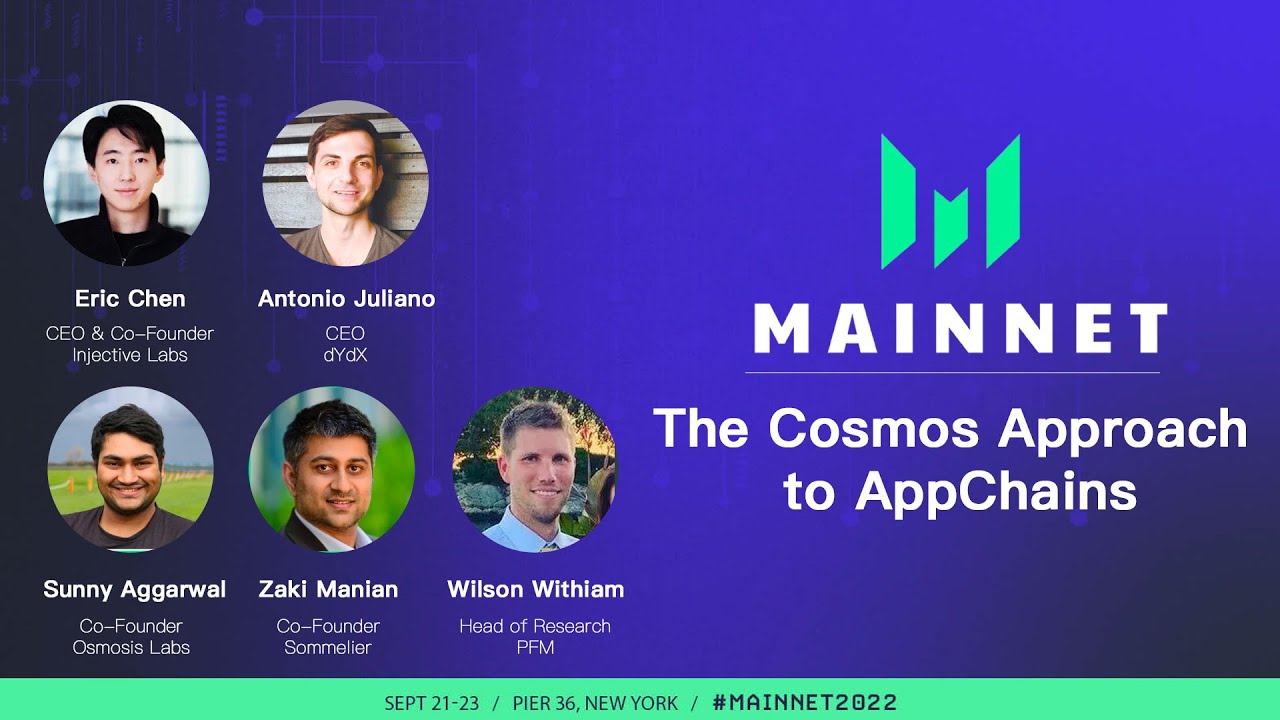
Panel Discussion: The Cosmos Approach to AppChains
Eric Chen, CEO and co-founder of Injective Labs, joins Antonio Juliano (dYdX), Sunny Aggarwal (Osmosis), and Zaki Manian (Sommelier) to discuss the Cosmos approach to appchains.
The panel discusses why building on Cosmos was crucial for each project, and the power of an IBC universe.
This p...
polar plinth
Decentralized STRD Spot Market Listing on Helix
Stride (STRD) spot markets are now on Helix! @here
You can now trade $STRD with market and limit orders on Helix, the premier on-chain order book derivatives exchange built on Injective. With a diverse array of upgrades and advanced enhancements, Helix brings a completely unmatched exchange, advanced order types, a brand new Convert interface, trading histories, and reward tracking to Injective users. Anyone can use Helix as a crypto cross-chain trading gateway with zero gas fees, best-in-class security, and lightning-fast speeds.
Stride recently had its much anticipated mainnet launch this week enabling users to liquid stake Cosmos focused assets such as ATOM. With its launch, Stride became the first official liquid staking focused blockchain within the Cosmos ecosystem. Stride's stATOM quickly has become the dominant liquid staked asset within the interchain ecosystem.
🔥 Read More: https://helixapp.xyz/3ry7Fcb
🚀 Get Started Here: https://helixapp.xyz/3V8iBdZ
 exotic girder
Introducing Project X @everyone
Injective is set to pioneer a new age of finance with the upcoming launch of Project X.
First unveiled last week during Cosmoverse 2022, Project X will revolutionize the way in which both developers and users can access finance to bring true mass adoption. Project X is a combination of strategy vaults for passive yield generation, AMMs with impermanent loss (IL) protection and a one click launchpad. This would in turn enable projects to launch with a unified solution that is 100X cheaper and 10X more efficient. In short, Project X will be the de facto hub for all of DeFi.
Project X will democratize the way both users and projects will interact with DeFi. Users will now gain access to strategies previously inaccessible for a general audience while developers will find the leading platform for launching new tokens. Project X will also help accelerate the growth of the overall Injective ecosystem as a diverse array of dApps become further interconnected with the ability to leverage the primitives of Project X to build exciting new innovations in decentralized finance.
Welcome to a new world of accessible finance. Welcome to Project X.
🚀Read More: https://injective.xyz/3CiOk3r

Injective Blog
Injective is set to pioneer a new age of finance with the upcoming launch of Project X.
First unveiled last week during Cosmoverse 2022, Project X will revolutionize the way in which both developers and users can access finance to bring true mass adoption. Project X is a combination of
polar plinth
The Community Call is Starting Shortly @here
https://twitter.com/injective_/status/1580554385804783616?s=46&t=myBTi14RTBL4oSrf_NuLkQ


The Community Call is starting shortly! 👀
Join to hear about the latest updates and upcoming launches.
Twitter
·
polar plinth
Injective Becomes One of the Fastest Blockchains
Injective has achieved one of the fastest block times, clocking in under 1.5 seconds ⚡️
Injective is now one of the fastest blockchains while also being the first L1 to eliminate all MEV, making it the best environment for next-generation DeFi apps to truly thrive. @everyone
https://twitter.com/injective_/status/1580921580326035461?s=46&t=3TeHV_HBD4kTkIMkUI74Cg
Injective has achieved one of the fastest block times, clocking in under 1.5 seconds ⚡️
@Injective_ is now one of the fastest blockchains while also being the first L1 to eliminate all MEV, making it the best environment for next-generation DeFi apps to truly thrive.
Likes
115
Twitter
·
exotic girder
The Injective ecosystem is growing faster than ever 💥
Injective has the most innovative dApps and the biggest names in crypto working working alongside us to build the future of Web3. @everyone
https://twitter.com/Injective_/status/1582749506168246274?s=20&t=KnsTuHOVXmHui78SV82evg
 exotic girder
Injective is already one of the fastest blockchains in the world⚡️
New optimizations are being worked on to make the blockchain faster than ever before. @everyone
https://twitter.com/Injective_/status/1583479710515834881?s=20&t=PfNlcMiAaFlDSFjn7UKLVA
Injective is already one of the fastest blockchains in the world⚡️
New optimizations are being worked on to make the blockchain faster than ever before.
 Twitter
·
exotic girder
Twitter
·
exotic girder
The upgrade is complete and all services are back in action! @here
polar plinth
Stride Airdrop Coming for INJ Stakers @here
https://twitter.com/stride_zone/status/1584891592967483393?s=46&t=tdc7o7lh2MC0YRlZ3H87sg

1/4 Stride liquid staking is coming to @Injective_! 🎉
$stINJ launches in November.
At launch, an stINJ / INJ trading pair will be available on @HelixApp_ (premier order book DEX built on Injective).
$STRD airdrop to $INJ stakers soon 👀
More details 🧵👇
Likes
105
Twitter
·
polar plinth
Injective Labs at xHack 2022 @here
The Injective Labs team made its way to xHack, an interoperability focused hackathon hosted by Wormhole, where teams from major blockchains came together to build, judge, and assist new developers within the space.
Check out the full recap on the Injective blog to view the highlighted projects and panels from the week!

Injective Blog
The Injective Labs team made its way to xHack, an interoperability-focused hackathon hosted by Wormhole, where teams from various major blockchains came together to build, judge, and assist new developers within the space.
The Injective Labs team attended to view all the new, upcoming projects and assist developers building on
polar plinth
Injective Explorer V2 Release@everyone
The Injective Explorer V2 is now live!
The major upgrades include the addition of a new assets section, a new markets section (funding rates, trading rules), asset details across the interchain ecosystem, smart contract code and much more! The deployments bring an unmatched level of usefulness and overall transparency for Web3 builders on Injective.
🛰️Read More: https://injective.xyz/3fdeWvt
👑Spread the Word: https://twitter.com/Injective_/status/1585995650419765248?s=20&t=AB4B9-PQFgbljaYWRD1Gyg

Injective Blog
The Injective Explorer V2 is now live!
The major upgrades include the addition of a new assets section, a new markets section, asset details across the interchain ecosystem, smart contract code and much more! The deployments bring an unmatched level of usefulness and overall transparency for Web3 builders on Injective.
1/ The Injective Explorer V2 is now live!
Major upgrades include interactive views of interchain assets, a markets section, smart contract code and much more!
The new explorer brings an unmatched experience for Web3 builders on Injective.
Twitter
·
polar plinth
Injective Becomes One of the Fastest Blockchains in History@everyone
Injective developers have optimized the blockchain a great deal over the past few weeks, allowing the chain to achieve just a 1 SECOND BLOCK TIME⚡️
Injective is quickly becoming one of the fastest blockchains in history.
https://twitter.com/injective_/status/1587106744550948868?s=46&t=MaFyHLyaqRI5C6ZCUt-SWA
Injective developers have optimized the blockchain a great deal over the past few weeks, allowing the chain to achieve just a 1 SECOND BLOCK TIME⚡️
@Injective_ is quickly becoming one of the fastest blockchains in history.
Twitter
·
polar plinth
**The October Injective Update is @here! **
With major ecosystem updates, new Injective milestones, and an upcoming Stride airdrop for INJ stakers, October shows no signs of slowing down for the Injective community.
Injective was also featured in multiple publications this month, including CoinDesk TV, The Generalist, MarketWatch, and more.
📕 Read More: https://injective.xyz/3zvMBHG

Injective Blog
October saw a lot of activity for Injective, with new milestones met, more partner integration, and an exciting airdrop available to INJ stakers!
In addition, Injective received more press this month, from both influencers and leading publications, pushing forth the message that Injective is the blockchain built for finance.
With
polar plinth
**Two major milestones in one week for Injective
**
120,000,000+ transactions ✅
600,000+ INJ burned forever ✅
https://twitter.com/Injective_/status/1587643480469389312?s=20&t=b7PojHYr1JB8R-K8I5qyJQ

Two major milestones in one week for @Injective_ 🚀
120,000,000+ on-chain transactions ✅
600,000+ $INJ burned forever ✅
Likes
223
Twitter
·
polar plinth
**Just how fast is Injective now?
** @here
Answer: It's fast af ⚡️
 polar plinth
Fiat Rails to Injective are now Complete@everyone
Any dApp built on Injective can now onboard users using fiat.
Thank you to our friends at Kado for getting this live! Expect to see a full public release shortly.
A new era of Web3 finance is being built on Injective 💥
https://twitter.com/Injective_/status/1588165098312433666?s=20&t=x10HIMKjJjw8ujx-CfuWug
polar plinth
Injective Mainnet Anniversary @everyone
1 year since mainnet, and we’re just getting started 🚀
Happy 1 year to Injective & its community! #InjectiveTurns1
https://twitter.com/Injective_/status/1590035273588838401?s=20&t=ex1R6LZolD947y3kykUKaA
polar plinth
The Injective Mainnet Turns 1 @everyone
One year ago today, the Injective Mainnet was released, marking the beginning of a new chapter for the entire Injective community. As the first blockchain optimized for building financial applications, Injective’s Mainnet ushered in a new era for all of Web3.
Since its launch, Injective has reached a number of significant milestones, helping to cement itself as the first sector-specific layer one built for finance. In just the past year alone, Injective launched an interchain smart contracts layer, processed over 120 million transactions, implemented an innovative token burn model and completed one of the largest capital raises in the industry from leading institutions. It also became one of the leading Cosmos IBC zones, integrated with prominent projects to increase interoperability, introduced some of the fastest growing dApps and much more.
Some quick stats:
⛓️ 120M+ on-chain transactions
🏎️ $7.5B+ in volume
🔥 600k+ INJ burned
⚒️ 1s block time
Injective could not have ascended to such great heights without the global community of contributors, validators, institutions and partners. As it looks towards its next year, here is a brief overview of the journey thus far and how the ecosystem will continue to work together to create the fastest layer one blockchain optimized for finance.
🚀Read More: https://injective.xyz/3zZKRXn

Injective Blog
On November 8th, 2021, the Injective Mainnet was released, marking the beginning of a new chapter for the entire Injective community. As the first blockchain optimized for building financial applications, Injective’s Mainnet ushered in a new era for all of Web3.
Since its launch, Injective has reached a number
polar plinth
Ninja Pass Early Access Launch @everyone
To kick off the one year mainnet anniversary, Injective is launching the Ninja Pass: the ultimate all-access passport to the Injective ecosystem!
The Ninja Pass will serve as a gateway into exclusive Injective products, events, giveaways and many more surprises. With only a limited quantity, the Ninja Pass can only be claimed via one-time special access codes that are scattered across the Injective ecosystem.
To celebrate the anniversary, different Injective ecosystem partners will hold a few Ninja Pass codes to give out to the larger Injective community with each Injective wallet can only claim one code.
So make sure to follow along this month for #InjectiveTurns1 as the initial Ninja Pass benefits are revealed.
Wishing everyone in the community a happy Injective mainnet anniversary as you seek out the Ninja Pass. May the odds ever be in your favor.
🥷 Read More: https://injective.xyz/3DNeUCw
🚀 Visit the Site: https://ninjapass.injective.com/

Injective Blog
To kick off the one year mainnet anniversary, Injective is launching the Ninja Pass: the ultimate all-access passport to the Injective ecosystem!
The Ninja Pass will serve as a gateway into exclusive Injective products, events, giveaways and many more surprises. With only a limited quantity, the Ninja Pass can only

Injective Ninja Pass 🎟️ Get Exclusive Access to Injective Products, Events, Giveaways, and more!
The Ninja Pass will serve as your gateway into exclusive Injective products, events, giveaways, and many more surprises. The Ninja Pass is limited in quantity and whitelist spots can only be claimed via one time special access codes that are scattered across the Injective ecosystem.
polar plinth
The First Ninja Passes Have Revealed Themselves @here
A fortune teller on a distant planet tells us that the first few passes are held by a trio of leaders in the Injective Discord server.
Best of luck to all who dare hunt for the galaxy's treasure: https://discord.com/invite/injective
https://twitter.com/Injective_/status/1590746351226478594?s=20&t=LXN3y9It0XzCQhm9UhZanw
polar plinth
Switch from a CEX to a DEX: New User Bonus! @everyone
Not all crypto is created equal. With CEXs prohibiting withdrawals and losing customers’ funds, centralized finance proves time and time again why decentralized finance is necessary. Now is the perfect time to switch to a decentralized exchange (DEX).
Unlike CEXs, real DEXs will never own your assets. This means that you can trade, hold, or withdraw your money at any time because only YOU will hold your keys, your wallet and your tokens.
If you are looking to protect your assets and trades, start using a DEX built on Injective (such as Helix, Wavely, Dexterium and more) to receive a new user bonus of 10 USDC for just getting started. The program will run only for a limited time (Nov 16-Nov 22), so hurry before it's too late!
🔥Read more: https://injective.xyz/3g815qy

Injective Blog
Tired of centralized exchanges constantly taking advantage of you and your hard-earned money?
Switch to a truly decentralized derivatives exchange today to start earning rewards!
To get you started, the Injective ecosystem will be providing a new user bonus for a limited time to all new users who try trading
polar plinth
Access Injective through Mobile
https://twitter.com/Injective_/status/1593681231169871873?s=20&t=0PVctBqsqBcOVMytIn5f7Q

.@Injective_ mobile support is live on @leap_cosmos IOS & Android 📲
🚨 Push Notifications
📈 Staking
💰 IBC transfers
📖 Governance
Access Injective dApps directly via your phone!
🐸 https://t.co/v5T84Tg7jf
🔥 Supported Wallets: https://t.co/ABHABYYBfE
Twitter
·
polar plinth
Injective and Alpha Venture DAO are Collaborating to Spearhead an Interconnected Web3 Builder Ecosystem @here
Binance Launchpad alumni Alpha Venture DAO and Injective are collaborating to onboard the best builders into Web3.
The community will work to mentor & develop new dApps building alongside Injective via the highly competitive Alpha Incubate program.
This latest collaboration will focus on developing the brightest builders in Web3 as they look to create new dApps alongside Injective. Alpha Venture DAO will run a highly competitive incubation program, Alpha Incubate, in which only a handful of projects are selected.
The program runs up to 12 months, and during this period, Alpha will work alongside Injective to provide the projects with essential mentorship and technical development support. In turn, this will introduce new builders to Injective’s unmatched infrastructure stack and Web3 modules.
🎯Read More: https://injective.xyz/3ADKkKS

Injective Blog
The Injective and Alpha Venture DAO are spearheading a vibrant Web3 builder ecosystem. The Injective community will work to both mentor and develop new projects that are selected to join the highly competitive Alpha Incubate, a bespoke DeFi incubation program by Alpha Venture DAO.
What is Alpha Venture DAO?
Alpha
polar plinth
Injective x Alpha Venture Dao Partnership AMA @everyone
Join the AMA tomorrow to learn more about how you can get involved!
The program is set to introduce new builders to Injective’s unmatched L1 infrastructure stack. Apply as soon as possible for a chance to join
https://twitter.com/Injective_/status/1595075102303031297?s=20&t=w0v63PPuUTU0VWeiaGAYjg
2/ Join the AMA tomorrow to learn more about how you can get involved!
The program is set to introduce new builders to Injective’s unmatched L1 infrastructure stack. Apply as soon as possible for a chance to join (more details in the blog above)!
Twitter
·
exotic girder
News Dropping in Exactly One Hour
@everyone
Many of you have been waiting for it. Well it’s happening today.
https://twitter.com/injective_/status/1595448218179014659?s=46&t=3mqAybc608lKmDeJEw4efw
exotic girder
Injective Publicly Launches Its Fiat-To-Crypto Solution with Kado!
@everyone
Injective has officially released its fiat on-ramp!
Injective users can now convert between fiat currency and digital assets in a single transaction with Kado, a leading fiat on-ramp solution. This allows new users to easily onboard to DeFi, eradicating the need for any centralized platform.
Kado enables users to access crypto with familiar finance options (i.e. credit card, ACH bank transfer or wire transfer). Users can send their assets directly to their Injective wallet to be used immediately across dApps built in the ecosystem.
For a limited time to celebrate #InjectiveTurns1, Injective will be covering gas fees AND network fees to help users get started. So now you can onboard onto Injective dApps with fiat for zero fees!
🚀 Read more: https://injective.xyz/3i9PqYQ
🥑 Kado: https://injective.xyz/3gpATbl
🤓 Tutorial: https://injective.xyz/3gn0bH6

Injective Blog
Injective has officially released its fiat on-ramp with Kado!
Injective users can now convert between fiat currency and digital assets in a single transaction. This is made possible because of Injective’s integration with Kado, a leading fiat on-ramp solution.
With this new integration, Injective continues to move forward in
Bridge between web2 and web3 with Kado’s easy to use solution for buying and selling cryptocurrency — directly from your web application, non-custodial wallet, DAO, NFT Marketplace, Web3 Game, and beyond.

How to use fiat currency to convert digital assets on Injective with Kado's fiat on-ramp solution.To convert fiat to crypto on Injective: 1. Sign up for a Ka...
exotic girder
Coin98 Integrates Injective to Bring Millions of Users into a New World of interconnected Finance
@everyone
The Coin98 Super App has integrated the Injective layer one blockchain to bring forth a new age of interconnected finance.
Anyone now can access novel dApps built on Injective entirely via the Coin98 wallet app or browser extension.
Following the integration, 6,000,000+ new users can create their own Injective wallet while exploring 100+ projects in the Injective ecosystem through the Coin98 dApp Browser in the near future. Users, for instance, can soon trade spot or perpetual markets on premier exchange dApps built on Injective such as Dexterium, Qwerty, Wavely or Helix directly through the Coin98 app. In addition, users can place bets on sporting events via prediction markets dApps built on Injective such as Frontrunner.
As Injective continues to grow its developer ecosystem, the Coin98 integration will create new avenues for developers to onboard mainstream users into the world of DeFi while providing a seamless experience for all.
💥Read More: https://injective.xyz/3XwKOwb
🏄♂️Spread the Word: https://twitter.com/injective_/status/1595780526694096896?s=46&t=EB6V0Q9hSgBJSJ1G4xdemQ

Injective Blog
The Coin98 Super App has integrated the Injective layer one blockchain to bring forth a new age of interconnected finance. Anyone now can access novel dApps built on Injective entirely via the Coin98 wallet app or browser extension. This means prominent DeFi applications such as Helix or Frontrunner can be
.@coin98_wallet has integrated the @Injective_ layer one blockchain to enable 6 Million+ new users to access the Injective ecosystem!
Users can begin to use dApps built on Injective directly via the Coin98 mobile app or browser extension💥
Twitter
·
polar plinth
Project X: Private Early Access Launch for Ninja Pass Holders @everyone
The Project X private beta is now here and early access is now open only to Ninja Pass holders.
Project X is the latest protocol to launch on Injective, revolutionizing the way in which both developers and users can access finance to bring true mass adoption. And starting Monday, November 28th, Project X will be launching a Beta Program available only to Ninja Pass holders who will test, engage and view the protocol before anyone else in the community.
The Beta Program will allow Ninja Pass holders to provide feedback and get direct access to the team through a private Discord channel on the Injective server. Beta testers will have an opportunity to win prizes, incentives and more!
Ninja Pass holders will need to fill out a Typeform (link below) to validate their wallet address that holds their Ninja Pass in order to get access to the private Discord channel.
🚀 Read More: https://injective.xyz/3EHfNNt
🎟️ Ninja Pass Holders Secure Your Early Access Spot Here: https://injective.xyz/3UcbUpB
Sign up to the Injective here to receive updates on when new Ninja Passes are released! https://injective.xyz/3VBBeGR
polar plinth
Binance Custody Integrates Injective to Enable Unmatched Institutional Access@everyone
Binance Custody has integrated Injective and the native INJ token in order to enable unprecedented institutional access for the Injective ecosystem. With this integration, Binance Custody also introduces its first ever staking feature by enabling staking support for the INJ token.
Binance Custody is a leading institutional-grade digital asset custody solution that features sophisticated cold and hot storage security alongside advanced liquidity solutions for institutions to manage digital assets seamlessly. This integration provides secure custody for the native Injective token (INJ) alongside the ability to support new CW20 tokens launched on the Injective L1. INJ is also the first asset that can be directly staked via Binance Custody, adding new opportunities for institutions to interact with the PoS Injective blockchain.
Binance Custody further solidifies the major leaps Injective is making within institutional circles as illustrated by Injective’s support from major crypto institutions such as Brevan Howard Digital, Jump Crypto, Cumberland and many more.
The Binance ecosystem has been a leading supporter of Injective since day one. Injective was originally incubated by Binance Labs and later went on to Binance Launchpad. The integration with Binance Custody only further expands Injective’s global presence by providing an unmatched gateway for institutional onboarding.
💥Read More: https://injective.xyz/3u7CDcv

Injective Blog
Binance Custody has integrated Injective and the native INJ token in order to enable unprecedented institutional access for the Injective ecosystem. With this integration, Binance Custody also introduces its first ever staking feature by enabling staking support for the INJ token.
Binance Custody is a leading institutional-grade digital asset c...
polar plinth
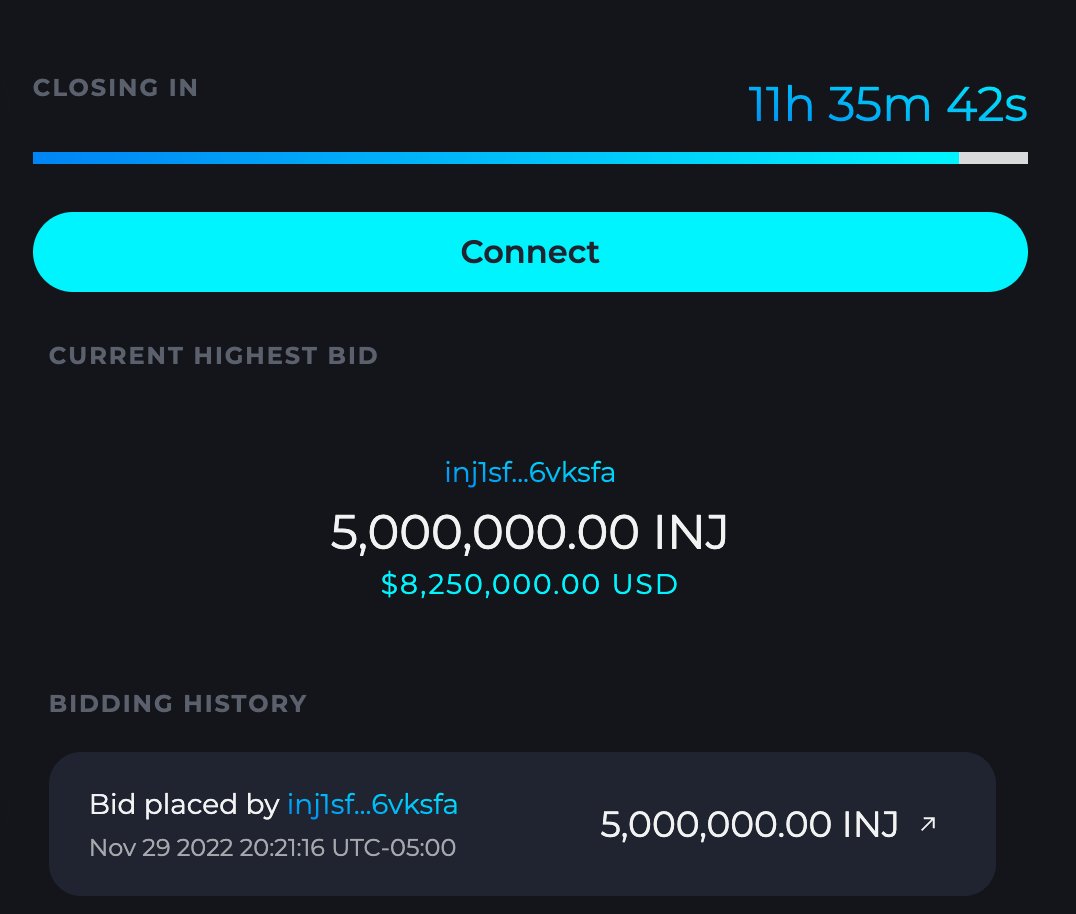
The Largest INJ Token Burn Ever is Happening in Less Than 12 Hours @everyone
5,000,000 INJ is being burned forever.
https://twitter.com/Injective_/status/1597763991706963968?s=20
The largest $INJ token burn in history is happening in less than 12 hours 🔥
5,000,000 INJ burned forever.
Track the burn auction live here: https://t.co/GpfC3ZIT2F
Likes
165
 Twitter
·
Twitter
·
 compact flax
The Largest Injective Token Burn @everyone
The largest $INJ token burn in history is now complete, enabling INJ to become truly ultrasound over time!
This is just the beginning of a beautiful journey as the Injective ecosystem continues to pioneer a new era of decentralization.
🚀Read More: https://injective.xyz/3F9aPJV

Injective Blog
The Injective mainnet is now 1, completing its first full year of building out its layer 1 blockchain and the fastest growing ecosystem in crypto.
To commemorate this momentous milestone, Injective initiated the largest token burn yet, burning 5 million INJ forever.
Celebrating the Injective Mainnet Anniversary
Injective Mainnet turned
polar plinth
Twitter Town Hall Now is Starting Now @everyone
The Town Hall Twitter Space is starting now!
Join to learn more about the new fiat on-ramp solution on Injective, a recap of the burn auction and new surprises as well 👀
polar plinth
The November Injective Update is here! @here
November was a memorable month for Injective, as it celebrated its one year anniversary of mainnet.
This Anniversary issue not only covers the growth of the network this past year, but also the numerous milestones achieved in this month alone.
As Injective heads into its second year, it’s clear that it’s mission to democratize finance through decentralization still rings true, and is stronger than ever.
In this issue: Ninja Pass release, Kado fiat on-ramp live on Injective, Binance Custody integration, Project X early access beta launch, and much more 💥
⚡️ Read More: https://injective.xyz/3Vmt7hj

Injective Blog
November was a memorable month for Injective as it celebrated its one year anniversary of mainnet. As the first sector-specific blockchain optimized for building DeFi applications, Injective has reached a number of significant milestones since the mainnet launch and ushered in a new era for all of Web3.
During the
polar plinth
New Airdrop Details for INJ Stakers & Ninja Pass Holders
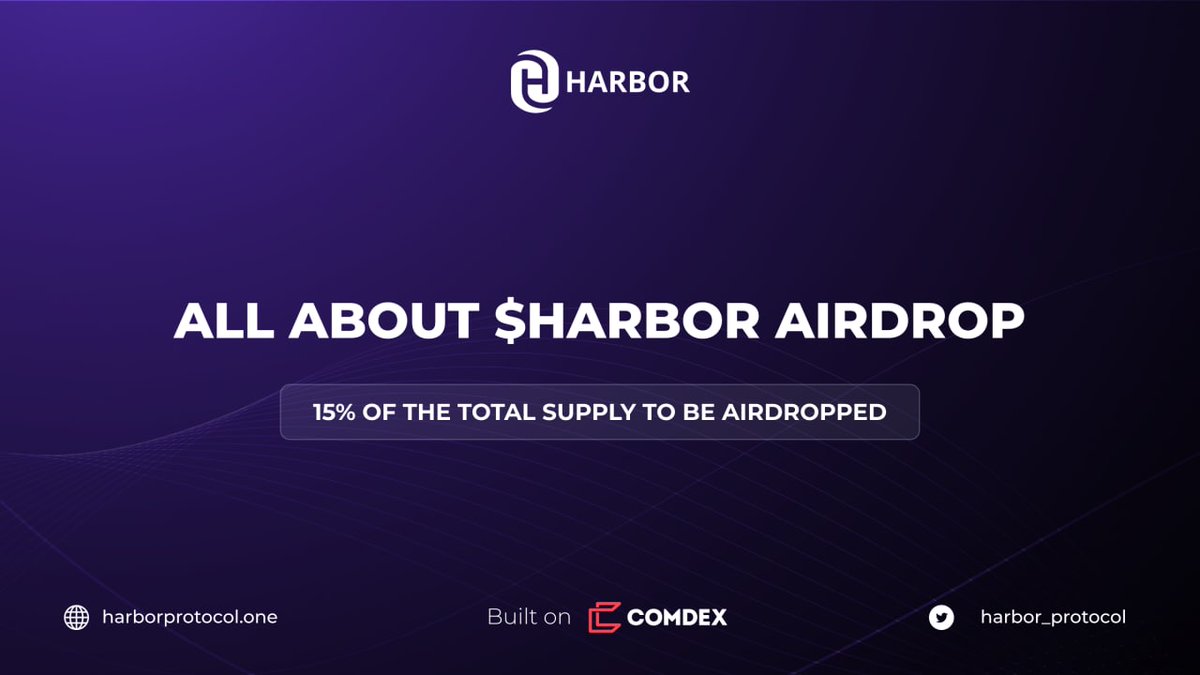
$HARBOR Airdrop for $INJ stakers - secured ✅
And as a special bonus for the @Injective_ community, all Ninja Pass holders will receive a bonus $HARBOR airdrop, distributed to holders within the next two weeks 🪂💥😎
 Twitter
·
polar plinth
Twitter
·
polar plinth
The Spotify Wrapped for Injective is looking extra juicy ⭐️
So many milestones in just the past year!
https://twitter.com/injective_/status/1598486406833258496?s=46&t=LWgSIzALOyo9eyQp-IS6PA
 polar plinth
**Injective Ecosystem Spotlight: Frontrunner **
As the Injective ecosystem continues to grow, we are excited to announce the “Injective Ecosystem Spotlight” series, where we focus on the new and innovative dApps built on top of Injective.
We’re kicking off this new series with Frontrunner, the first decentralized sports prediction app on Injective.
With the World Cup currently underway, now’s the perfect time to stand behind your team and test the best sports prediction app on the market.
Take a deep dive into the founding story of Frontrunner, how the product works, and why it’s a game changer for sports fans, betters and traders all around the world.
🌟Read More: https://injective.xyz/3B2sPEg

Injective Blog
The Injective ecosystem is growing exponentially. As a blockchain that provides lightning fast transaction times, smart contracts capabilities, and plug-and-play financial primitives, an onslaught of developers have come on board to build and deploy groundbreaking applications.
To take users through each and every dApp built on Injective, Injec...
polar plinth
The brand new Injective website is live 🚀 @everyone
Check it Out Here: https://injective.com/

Injective | The blockchain built for finance
Injective is an open interoperable smart contracts layer-one blockchain network optimized for decentralized finance applications.
polar plinth
Wormhole Is Now Live On Injective @everyone
The long-awaited integration with Wormhole is now complete, bringing the most prominent L1 and L2 blockchain networks to Injective!
With this integration, Injective will have one of the highest number of cross-chain connections in the entire industry. This also marks the first time that assets such as Solana, Klaytn, Algorand and Aptos can enter the Cosmos IBC ecosystem using Injective.
Injective will serve as a fundamental gateway for assets to travel into the broader IBC ecosystem, further bolstering Injective’s position as a core infrastructure layer optimized for interoperable finance.
You can begin transferring assets with Wormhole today via the Injective Hub or the Portal Bridge!
🚀Read More: https://injective.xyz/3V01sC3

Injective Blog
The long-awaited integration with Wormhole is now complete, bringing the most prominent L1 and L2 blockchain networks to Injective!
With this integration, Injective will have one of the highest number of cross-chain connections in the entire industry. This also marks the first time that assets such as Solana, Klaytn, Algorand
polar plinth
**Helix x Sommelier Finance Twitter Space **@here
Countdown to meet Cosmos OGs, staring in 30 minutes. Join the conversation with Eric and Zaki to learn more about Steady and Trend strategies.
polar plinth
Wormhole X Injective Town Hall Starting In An Hour @everyone
Join the highly anticipated conversation discussing the brand new Wormhole integration and how Injective is quickly becoming the most interoperable network in existence.
🗣Speakers: Wormhole Developer Advocate Fodé Diop, Jump Special Projects Lead Saeed, and Injective Labs CEO Eric
🕙Time: December 20, 10 AM EST (3 PM UTC)
🌪Join Here: https://twitter.com/i/spaces/1BdGYyknWrgGX?s=20
polar plinth
White Whale Deploys a Novel Flash Loan and Arbitrage Protocol on Injective @everyone
White Whale, the Cosmos interchain liquidity hub, is now live on Injective bringing Flash Loans to the ecosystem for the first time!
Injective users can now participate in arbitrage and flash loans without any barriers.
White Whale AMMs can work in tandem with Injective's on-chain CLOB primitive to create far more efficient markets. Arbitrage strategies can also be carried out more readily across other IBC-enabled chains which provides users with new avenues to interact with dApps built on Injective.
With the new arbitrage opportunities, dApps built on Injective can offer a more capital efficient environment that is further bolstered by Injective's unparalleled institutional support. This means, more applications and market making strategies can be created on Injective to grow the Injective ecosystem further.
🚀Use White Whale on Injective: https://app.whitewhale.money/swap
🐳Read More: https://injective.xyz/3YFdxj7

Injective Blog
White Whale, the Cosmos interchain liquidity hub, is now live on Injective bringing Flash Loans to the ecosystem for the first time!
Injective users can now participate in arbitrage and flash loans without any barriers. With this new integration, users can easily access a wide array of liquidity pools across
polar plinth
White x Whale Town Hall @here
The Cosmos interchain liquidity hub is live on Injective!
AMM pools 🤝 Injective’s on-chain CLOB
Join us this Friday for a Twitter Space with White Whale to discuss arbitrage opportunities, flash loans, and much more!
polar plinth
White Whale Town Hall Starts Now@here
polar plinth
The December Injective Update is here!@everyone
The last Injective Monthly Update for 2022 is here!
While there will be an official end-of-year recap to close out the year, we would be remiss to not highlight all that was achieved in this month alone. This month saw the completion of the long-awaited integration with Wormhole, the listing of Ethereum DeFi Strategy Tokens with Sommelier, and the deployment of White Whale, an interchain liquidity protocol.
Even at the end of the year, the community has remained diligent to deliver new upgrades and bring in new partners.
Check out the full December update, now live on the Injective Blog.
📖 Read More: https://injective.xyz/3G1dxBy

Injective Blog
2022 was a fruitful year for Injective and the community has remained diligent to deliver new upgrades and bring in new partners even in this final month.
While there will be an official end-of-year recap to close out the year, we would be remiss to not highlight all that was
polar plinth
Injective: A Review of 2022
To say that 2022 was a monumental year for Injective is an understatement. This year, Injective not only focused on continuing to expand its ecosystem while strengthening the layer one chain but it also accelerated its reach within the broader Web3 community, generating more news and buzz around its mission than ever before.
The focus for the community this year was to continue working towards its primary goal: to build the best blockchain for finance. With numerous new integrations, ranging from creating a more interoperable network to providing easier fiat onboarding solutions, multiple protocols were able to launch on Injective, enabling a wide array of new use cases that can cater to the next billion crypto users.
To the entire Injective community, thank you for the continuing support as we all work to break new boundaries in the industry. As we look to 2023, we cannot wait to achieve the seemingly impossible together.
🚀Read More: https://injective.xyz/3vqGvpt
💥Spread the Word: Link

Injective Blog
To say that 2022 was a monumental year for Injective is an understatement. This year, Injective not only focused on continuing to expand its ecosystem while strengthening the layer one chain but it also accelerated its reach within the broader Web3 community, generating more news and buzz around its mission
polar plinth
@everyone We have opened the private Discord chat for Ninja Pass holders.
If you are a Ninja Pass holder, please enter in your inj wallet address associated with your account, your Discord username, and an email address in this Typeform to gain access to not only the private channel, but also a new protocol that is only whitelisting 50 spots for Ninja Pass holders.
Deadline: Saturday, January 14 5 PM ET (22:00 UTC)
Typeform: https://injective.typeform.com/to/xT8Y6Srn
Note: This is not Project X. This is a new dApp that we have not yet posted about…
Once you have filled out the Typeform, please open up your privacy settings on Discord so you can be added into the Ninja Pass holders ONLY channel.
Thanks, and happy testing for the lucky few 🚀

Turn data collection into an experience with Typeform. Create beautiful online forms, surveys, quizzes, and so much more. Try it for FREE.
polar plinth
Important Poll on Twitter
Trying to priortize some asset bridging and listings on Injective exchange dApps.
Would be great to have all of you participate.
https://twitter.com/Injective_/status/1613976469813723148?s=20&t=F7LFVz62vJYuJQiXTenAQQ
polar plinth
Astroport Beta Launches on Injective @everyone
Astroport launches its highly anticipated beta on the Injective testnet today, bringing an advanced AMM to the Injective universe.
Astroport was one of the largest DeFi applications on the protocol, regularly facilitating hundreds of millions of dollars in trading volume shortly after its launch. Astroport has selected Injective to be its first deployment outpost, bringing one of the largest AMMs in history to the Injective ecosystem.
Astroport is a sophisticated AMM protocol that allows any user to swap crypto assets using multiple pool types, including Curve-style stableswap pools and Uniswap v2-style constant product pools. Now the Astroport AMM can work in tandem with Injective’s on-chain orderbook module which can create a far more capital efficient environment for traders everywhere.
Moving forward, Astroport plans to release new trading pairs every week of the testnet period, bringing never before seen assets to the Injective universe.
Read more below to learn more and to find out how you can get beta access!
🪐Read More: https://injective.xyz/3Dkwm2b

Injective Blog
Astroport launches its highly anticipated beta on the Injective testnet today, bringing an advanced AMM to the Injective universe.
Originally released on Terra, Astroport was one of the largest DeFi applications on the protocol, regularly facilitating hundreds of millions of dollars in trading volume shortly after its launch.
Astroport is
polar plinth
Hey @everyone!
There are a lot of new faces here in the last few days so if you are a new ninja in the community be sure to check out the #⚡︲about-injective channel. It'll have all of the resources and links you need to dive deeper into the Injective ecosystem 🥷
polar plinth
Best Layer One for DeFi: Largest Terra AMM Astroport Selects Injective as Its New Blockchain @here
Exclusive Video on Astroport launching on Injective is now on on YouTube 💥
Is Injective the new home for Terra dApps? Is this the end for CeFi? Find out why Injective is the best blockchain for DeFi applications and why Astroport selected Injective.
Astroport has recently launched its DEX on Injective (the only blockchain built for finance). Originally released on Terra, Astroport was one of the largest DeFi applications on the protocol, regularly facilitating hundreds of millions of dollars in trading volume shortly after its launch.
Please remember to smash that like button and subscribe for more exclusive content.
💥Watch Now: https://injective.xyz/3R67LU4

Is Injective the new home for Terra dApps? Is this the end for CeFi?Astroport has recently launched its DEX on Injective (the only blockchain built for finan...
polar plinth
**Introducing The Injective $150M Ecosystem Fund ** @everyone
Injective today announces the launch of its $150 million ecosystem initiative to further accelerate developer adoption of the only lightning fast blockchain optimized for financial applications.
This effort is joined by some of the largest institutions spanning across Web3 and traditional finance, including Pantera Capital, Kucoin Ventures, Jump Crypto, IDG Capital, Gate Labs, Delphi Labs, Flow Traders and Kraken Ventures. This venture consortium is also the largest assembled within the broader Cosmos community to date.
🚀Read More: https://injective.xyz/3XBqfyx
⚡️Ecosystem Fund Website: https://injective.com/ecosystemfund

Injective Blog
Injective today is announcing the launch of its $150 Million ecosystem initiative to further accelerate developer adoption of the only lightning fast blockchain optimized for financial applications.
The effort is joined by some of the largest institutions spanning across Web3 and traditional finance including Pantera Capital, Kucoin Ventures, J...
Injective | The blockchain built for finance
Injective is an open interoperable smart contracts layer-one blockchain network optimized for decentralized finance applications.
exotic girder
Introducing the Injective Global Virtual Hackathon @everyone
Today the ninja community is releasing the first ever Injective Global Hackathon with up to $1,000,000 in prizes and seed funding to further support the brightest Web3 builders.
This is the first season of the Injective Global Hackathon series with participation open to any and all! We will also be hosting technical workshops and developer sessions to help you along in your journey into the Injective universe.
The recent release of the Injective Venture Group highlights the rising demand to back the best builders on Injective. The Injective Hackathon will help to further jumpstart the rapidly growing developer ecosystem on Injective.
Register today to secure your spot. Participation is open to anyone looking to disrupt Web3 finance!
🛠Register Here: https://injective.com/hackathon/
💥Read More: https://injective.xyz/3wzyGyh
Injective | The blockchain built for finance
Injective is an open interoperable smart contracts layer-one blockchain network optimized for decentralized finance applications.

Injective Blog
Today the ninja community is releasing the first ever Injective Global Hackathon with up to $1,000,000 in prizes and seed funding to further support the brightest Web3 builders.
This is the first season of the Injective Global Hackathon series with participation open to any and all! We will
exotic girder
Happy Monday Ninjas! @everyone
Astroport has officially launched its public testnet on Injective ✦
Here are the instructions on how to get started with the beta:
**Step 1 **- Use Metamask on the Goerli tesnet (you can do this by changing your MetaMask network). If you want to use KEPLR, you need INJ on your mainnet address. NOTE: Since this is just a testnet no real funds need to be used (the INJ on mainnet will just allow you to use the testnet but the funds won't be used)
Step 2 - Get testnet funds on Injective: https://testnet.faucet.injective.network/
**Step 3 **- Connect to the Injective testnet on Astroport & interact (select Injective as the network on the top right): https://app.astroport.fi/
Step 4 - You can check ongoing on the Injective Explorer https://testnet.explorer.injective.network/
Step 5 - If you find any issues you can provide feedback at any time! https://astroport.typeform.com/injectiveastro
Step 6 - You can also share Feedback or get in touch with the Astroport team via their official Discord server
Step 7 - Uncover a link within the next 24 hrs on https://app.astroport.fi/ to get access to a special mint page and mint your NFT AstroBadge (only available for a limited time)
Detailed Instructions
1. Using Keplr
If you want to use Kepler for the Astroport testnet, you need INJ on mainnet. No worries, this INJ wont be used to pay fees on testnet but it just enables Keplr to sign transactions on the Injective testnet.
2. Getting Testnet Funds
First, you’ll need to get INJ on the Injective testnet. You can get some funds ($INJ, $APE, $USDT, $CRV, $CVX, $AAVE and $SHIB) via the Injective faucet on https://testnet.faucet.injective.network/.
Your Injective address is the same as your Mainnet address. Additionally you can follow these steps to see the testnet in KEPLR: Go to https://hub.injective.dev/ and click on “Connect” in the header, select Keplr wallet and approve the message to enable the Injective testnet in your Keplr wallet. Click on Keplr wallet and select “Injective Testnet” as network.
Please note: In case you face some issues with the display of your funds on Keplr, delete the Injective testnet and repeat the steps above.
3. Astroport Testing (Swap & LP Pool)
Time to test and interact with Astroport. Please go ahead and test all available Astroport features such as swaps of tokens and liquidity pools. Try every button on the front-end.
Access Astroport on https://app.astroport.fi/.
Once logged in, you will be able to connect your Metamask/Keplr wallet on the right upper corner of the screen and connect to the Injective testnet. Enjoy the ride!
4. Checking Transactions
Use the Injective testnet explorer if you want to track your transactions on the Injective testnet. https://testnet.explorer.injective.network/
5. Giving Feedback
Your feedback is essential for making Astroport on Injective even better! In case you find a bug or run into a scenario that causes an issue, please report it on the following form: https://astroport.typeform.com/injectiveastro The form will guide you through a process to describe the issue.
6. Join the Astroport Discord
You can chat directly with the Astroport team on the official Astroport discord server,
7. Getting AstroBadges
And as a memento for your amazing effort, you will be able get a link on https://app.astroport.fi/ to get access to a special mint page and mint your NFT AstroBadge. Once the Astroport mainnet launches, expect to get an NFT on the Injective Chain!
polar plinth
A Monumental Start to Injective's 2023 🚀 @here
If January is any indication for the rest of the year, Injective is proving that its mission and growth is just getting fired up.
Injective rang in the new year by announcing that Astroport, one of the largest AMM protocols, has chosen Injective as its new home, bringing its highly anticipated testnet to the Injective community. Ninja Pass users were able to receive early access to its private testnet before it was released to a larger audience later in the month.
Injective then announced a new $150 million Ecosystem Initiative, which brought together leaders across Web3 and traditional finance, including Pantera Capital, Kucoin Ventures, Jump Crypto, IDG Capital, Gate Labs, Delphi Labs, Flow Traders and Kraken Ventures. The ecosystem group aims to bring new developers and protocols to the Injective ecosystem, as it pushes forth a vision for a decentralized financial future.
To cap off the ecosystem initiative, Injective announced a Global Virtual Hackathon that will help builders from around the world not only learn how to build on Injective, but also get connected to the larger venture consortium.
To read more about the monumental start to Injective's 2023, check out the Injective blog now.
📚 Read more: https://injective.xyz/3RlYLKX
🌐** Injective Ecosystem Initiative:** https://injective.xyz/3jo0D9u
⚒ Injective Global Virtual Hackathon: https://injective.xyz/3RthDYw
exotic girder
Injective Integrates Solana Assets to Introduce a New Era of Composability
Hey ninjas! @everyone
Solana assets are now live on the Injective, bringing forth new forms of composability to the entire Web3 ecosystem! Injective will serve as the primary L1 gateway for Solana assets to enter the broader Cosmos ecosystem, unlocking a diverse array of new DeFi primitives and opportunities.
Advancing composability has long been one of the core ideals driving the Injective community, and Injective begins to create new rails to cross-chain composability between DeFi protocols on Solana and Injective. With composability and by getting different financial applications involved, it makes it easier for the Injective ecosystem to scale via the introduction of innovative new use cases. In addition, Injective can offer users a network that is able to achieve higher capital efficiency which in turn unlocks new financial opportunities for individual and institutional users alike.
Users can begin transferring Solana assets to Injective via the all new Injective Hub or the Portal Bridge.
🚀Read More: https://injective.xyz/3X17kMa

Injective Blog
Solana assets are now live on the Injective, bringing forth new forms of composability to the entire Web3 ecosystem! Injective will serve as the primary L1 gateway for Solana assets to enter the broader Cosmos ecosystem, unlocking a diverse array of new DeFi primitives and opportunities.
How can I bring
polar plinth
Skip is Integrating Injective to Create the Most MEV Resistant L1 @here
Skip is integrating the Injective network in order to further make Injective the only truly MEV resistant blockchain. In turn, this will also help enable higher potential staking rewards for delegators on the PoS L1 protocol.
Injective is already an MEV resistant blockchain with the first decentralized application of a Frequent Batch Auction (FBA) process for ordering transactions. The integration with Skip will bring the MEV resistance functionalities to new heights by ensuring that any form of MEV value is given back to users operating within the Injective network or utilizing its dApps.
Injective is now solidly positioned to be the most complete MEV resistant blockchain in existence.
🪐Read More: https://injective.xyz/3l7v7Nn

Injective Blog
Skip is integrating the Injective network in order to further make Injective the only truly MEV resistant blockchain. In turn, this will also help enable higher potential staking rewards for delegators on the PoS L1 protocol.
Injective is already an MEV resistant blockchain with the first decentralized application of a
polar plinth
**Injective Ecosystem Spotlight: Wavely **
The second edition of “Injective Ecosystem Spotlight” series is here, featuring Wavely, a decentralized perpetual exchange built on Injective. With a user-centric design and an easily accessible platform, Wavely allows users to trade anywhere, anytime!
While Injective hosts multiple exchange dApps within its ecosystem, each have their differentiating quality, and Wavely is no exception. Wavely consistently iterates and brings new developments to its community, ultimately creating an exciting trading environment for traders all over the world.
Take a deep dive into the founding story of Wavely, what’s unique about its features, and how to get started your crypto journey with Wavely.
🌟Read More: https://injective.xyz/3ll2Oep
🌊Trade on Wavely: https://www.wavely.app/
exotic girder
New Mobile App Launch on Injective
The first ever mobile app for decentralized prediction markets built on Injective goes live next week @everyone 💥
Now anyone can bet on sports 24/7 with one tap.
https://twitter.com/Injective_/status/1625940445489467401?s=20

The first ever mobile app for decentralized prediction markets built on @Injective_ goes live next week 💥
@frontrunnerxyz is unstoppable!
Likes
131
 Twitter
·
polar plinth
Twitter
·
polar plinth
Canto Integration Live on Injective
https://twitter.com/Injective_/status/1626243217510244358?s=20
Devs worked over time and integrated @CantoPublic with @Injective_ in record time! Injective is one of the first blockchains to integrate with Canto.
Get ready to see new use cases for $CANTO on Injective dApps.
Likes
331
 Twitter
·
polar plinth
Twitter
·
polar plinth
Decentralized Canto (CANTO) Spot Market Listing on Helix @everyone
Canto is now live for trading on Helix!
Users can place limit orders alongside advanced order types such as stop-loss in an entirely decentralized environment. Helix is also the first dex to bring Canto to the broader Cosmos ecosystem.
Read more below to find out more about Canto, the benefits of trading CANTO on Helix, and a step-by-step guide on getting started.
📚 Read More: https://injective.xyz/3Ie2WEy
🚀 Trade CANTO and earn rewards: https://injective.xyz/3EdpnIC
exotic girder
Chiliz Integrates with Injective
It’s another big day for interoperability.
Chiliz, the leading EVM chain for sports, is now integrated with Injective, the leading chain for Web3 finance. A wide range of synergies across the two ecosystems and communities can now begin to take shape!
https://twitter.com/injective_/status/1627682056120549376?s=46&t=IzdiRCqXcIvJvxm2D_pfag
@everyone
It’s another big day for interoperability.
@Chiliz, the leading EVM chain for sports, is now integrated with @Injective_, the leading chain for Web3 finance. A wide range of synergies across the two ecosystems and communities can now begin to take shape!
Likes
101
 Twitter
·
polar plinth
Twitter
·
polar plinth
Reminder: Live Chat with Injective Validator Danku @everyone
Join us tomorrow at 1:30 PM EST for a Twitter Space with Danku to learn more about Injective’s latest updates and upcoming developments!
⏰https://twitter.com/danku_r/status/1627690449296056321?s=20

How to achieve sustainable growth?
A deep dive into what’s coming on @Injective_ & @HelixApp_ with Injective Labs CEO and founder @ericinjective
Tomorrow, on #spaces 👇👇
https://t.co/Iq7z3RSa8Y
Twitter
·
exotic girder
The Ninja Masters Ambassador Program Launch
The Injective community is launching the brand new Ninja Masters Ambassador Program today! @everyone
The program will allow participants to engage with Injective like never before while also for the first time enabling participants to earn exclusive rewards, INJ tokens and perks not available to anyone else. As long as you are in this Discord server you will automatically earn the Ninja role (the first ambassador rank).
Be sure to visit the #⭐・ambassador-info channel to find the latest information on how you can get started and level up your #🔩・bot-cmds. You can find a list of initial tasks to complete in the #🏹︲tasks channel.
🥷Read More: https://injective.xyz/3EuIRsu

Injective Blog
The Injective community is launching the brand new Ninja Masters Ambassador Program today!
The program will allow participants to engage with Injective like never before while also for the first time enabling participants to earn exclusive rewards, INJ tokens and perks not available to anyone else. Join the official Injective
exotic girder
The largest next generation bank @RevolutApp with over 25 million users just integrated $INJ.
A new era of mass adoption is closer than ever.
Likes
359
 Twitter
·
exotic girder
Twitter
·
exotic girder
Join the Injective community call on Discord next week! We will be going over the Ninja Ambassador Program, new ecosystem launches and more 👀
@everyone
🥷Add the event on Discord: https://injective.xyz/3xORlGT

Discord
Discord is the easiest way to communicate over voice, video, and text. Chat, hang out, and stay close with your friends and communities.
exotic girder
The Injective takeover at ETH Denver is starting @everyone
https://twitter.com/injective_/status/1630357238987489280?s=46&t=0-XsIg5JnTRbGb22JAOVDg
GM Degens 🥷
Spotted the first @Injective_ billboard @EthereumDenver. More surprises and merch to come.
#PoweredByInjective
 Twitter
·
exotic girder
Twitter
·
exotic girder
The Injective Community Call starts in 5 minutes in the community call channel! @everyone
exotic girder
Only those who joined the community call will understand this message but The Deed Is Done. Have fun!
@here
polar plinth
The Injective Billboard Scavenger Hunt just started in @EthereumDenver 💥
Take a picture of any Injective billboard and share it on Twitter. Make sure to include #PoweredByInjective and @Injective_ in the post.
A few of the best posts will win an exclusive nINJa Pass!
 Twitter
·
Twitter
·
 west viper
The February Injective Update is here!
February continued to be a productive month for Injective with plenty of integrations and ecosystem updates. As the only lightning fast layer-1 optimized for DeFi applications, Injective proved the success of its adoption with a rising on-chain TVL and a surging trading volume across its exchange dApps.
During the past month, Injective community also grew at a rapid pace along with the launch of the brand new Ninja Masters Ambassador Program, which will only further help accelerate Injective’s community growth and adoption.
To read more about the monumental start to Injective's 2023, check out the Injective blog now.
📚 Read more: https://injective.xyz/3YqPUcT
🌐 Injective Ninja Masters Ambassador Program: https://injective.xyz/3T7w717

Injective Blog
Though February was a short month, there was no slowing down for the Injective ecosystem. With plenty of integrations and ecosystem updates, Injective continued on the rise, hitting new milestones with its on-chain TVL and trading volume.
Injective also saw a surge of growth within its community with the recently
Injective on Notion
Welcome to the Injective Ninja Masters Ambassador Program!
Injective has become the fastest blockchain built for finance with an ever growing ecosystem. These achievements were made possible not only because of its unmatched technology but also because of its rapidly growing community.
Now you can directly help create the future of finance b...
exotic girder
Double XP week on Discord has officially come to an end!
Last week, those who joined the community call were informed of the Double XP event where you earn 2X xp points on Discord. There are now over 22,000 ninjas on Discord and nearly 300 Warriors. Reminder: Reaching level 5 on Discord will automatically earn you the Warrior role on Discord 🔥
Be sure to join upcoming community calls so you don't miss out on new alpha @everyone
exotic girder
Tomorrow is the day.
A new world. A new beginning. A new age of ninjas ✦
 Twitter
·
polar plinth
Twitter
·
polar plinth
Astroport Mainnet Launches on Injective @everyone
The Astroport mainnet is now live on Injective, bringing the most powerful AMM to the Injective ecosystem!
Injective now has the most liquid on-chain orderbook infrastructure coupled with a sophisticated AMM application, creating a highly capital efficient environment for users everywhere. The Astroport and Injective communities are working together to provide new incentives and opportunities for early users.
As Astroport is built on Injective, users will be able to take advantage of Injective’s interoperable network, swapping assets from not only Cosmos or Ethereum, but also from chains such as Solana through Injective’s recent Wormhole integration.
🚀Read More: https://injective.xyz/3JpYkgi
⚡Visit Astroport: https://app.astroport.fi/swap

Injective Blog
The Astroport mainnet is now live on Injective, bringing the most powerful AMM to the Injective ecosystem! Injective now has the most liquid on-chain orderbook infrastructure coupled with a sophisticated AMM application, creating a highly capital efficient environment for users everywhere.
Astroport is a sophisticated AMM protocol that allows any
polar plinth
Injective Mainnet Upgrade @everyone
The proposal for the one of the largest Injective Mainnet Upgrades to date just went live ⚡️
There are over 10 new updates that bring new smart contract capabilities, a revamped user flow, automated transaction enhancements and much more.
💥Vote Now: https://injective.xyz/425xBNb
🪐Retweet: https://twitter.com/Injective_/status/1635315050717253633?s=20
 west viper
**Institutional Staking with Kiln is here!
**
https://twitter.com/Kiln_finance/status/1635991682251407360

🚀 Exciting news! Kiln has started collaborating with @Injective_, a @cosmos-based blockchain built for finance applications.
This collaboration enables offering INJ institutional staking to Kiln’s clients.
Stake INJ with Kiln today!
Learn more ➡️ https://t.co/P90tGu7PK5
Twitter
·
polar plinth
The Injective Turkish community is growing faster than ever before 🇹🇷
Injective Türkiye topluluğuna hemen katılın!
Join Here: https://t.me/InjectiveTurkish
Twitter https://twitter.com/Injective_/status/1636092518746976258?s=20
 polar plinth
Babylon Testnet Integrates Injective, Bringing Bitcoin Security to The Ecosystem @everyone
The Babylon testnet has integrated with Injective, paving a novel path towards bringing Bitcoin security into the rapidly expanding Injective ecosystem.
This heightens not only security but also cryptographic mechanism design as a whole. Spread the word on Twitter💥
 polar plinth
Mainnet Upgrade Launch @everyone
The latest Injective mainnet upgrade is now live 🚀
The new updates bring advanced smart contract capabilities, aggregated user accounts, automations and much more.
Get ready for an all new Injective experience and stay on the lookout for upcoming chain upgrades soon.
⚡Retweet: https://twitter.com/Injective_/status/1636767580550746113?s=20
 west viper
**Binance is Supporting the Injective Mainnet Upgrade
** @everyone
The world's largest crypto company has integrated the latest Injective mainnet upgrade.

#Binance will support the Injective $INJ Network Upgrade & Hard Fork. https://t.co/BUutXQQ1iz
Likes
190
Twitter
·
polar plinth
**Digital Asset and Blockchain Leader Galaxy Joins Injective as a Validator
** @everyone
Galaxy is officially joining Injective as its latest validator.
Galaxy is a digital asset and blockchain leader providing institutions, startups, and qualified individuals access to the crypto economy. Institutional validators such as Galaxy will further help to expand the rapidly growing institutional inflow into the broader Injective ecosystem.
“Injective is helping to lay the foundation for the institutional adoption of blockchain technology,” said Zane Glauber, head of Galaxy’s Strategic Opportunities group.
💪**Retweet: **https://twitter.com/Injective_/status/1638178688582729728?s=20
Digital asset and blockchain leader @galaxyhq has officially joined the PoS @Injective_ network as its latest validator 🪐
Galaxy will further help to accelerate institutional inflow growth for the Injective ecosystem.
Twitter
·
polar plinth
Babylon X Injective Town Hall @everyone
Join us tomorrow for a conversation between Injective Labs CEO Eric Chen and Babylon Chain CEO David Tse!
We will discuss the integration between Injective and Babylon, shared security and more.
exotic girder
The first month of the Ninja Masters Ambassador Program has been absolutely wild!
Over 10,000 ninjas have joined with members leveling up daily. If you’ve been with us for at least a month as a Warrior, you can now apply to become a Knight ⚔️
Head over to the #⭐・ambassador-info channel to find all the details @everyone
🥷Application Link: https://injective.typeform.com/ninjamasters
Turn data collection into an experience with Typeform. Create beautiful online forms, surveys, quizzes, and so much more. Try it for FREE.
polar plinth
Injective Integrates Pyth to Launch Institutional Grade Testnet Markets @everyone
The Injective testnet has integrated Pyth, allowing developers to build decentralized applications that can access robust market data for a wide range of assets (crypto, FX, commodities, etc.)
This also marks the first time that Pyth data has become available within the broader Cosmos ecosystem, making Injective the primary gateway for robust data to enter the world of IBC.
Now anyone can access not only crypto but also real world assets on-chain at the click of a button.
💥Retweet: https://twitter.com/Injective_/status/1638540509390970883?s=20
The @Injective_ testnet has integrated @PythNetwork, making Injective the first IBC chain to bring robust institutional data into the ecosystem 🔮
Now anyone can access not only crypto but also real world assets on-chain at the click of a button.
Twitter
·
west viper
$WHALE Airdrop - Activated! @everyone
$WHALE Airdrop now live for Injective stakers. Double the drop for White Whale stakers on Injective and double the drop for Ninja Pass holders 🥷
To claim, head to: https://airdrop.migaloo.zone/injective
https://twitter.com/WhiteWhaleDefi/status/1639286594502012928

1/4
It is finally here! Our last airdrop!!
Welcome @Injective_ stakers, to the @Migaloo_Zone ecosystem.
Rules :
⏱ 30 days claim period
🤑double the drop for WW stakers on Injective
🥷🏼Ninja pass holders will get double the airdrop
Want to know what to do with your tokens? 👇🏼
 Twitter
·
Twitter
·
 pliant oxide
Pick Your Role @everyone
Hey Ninjas, we’re enabling the reaction roles in Discord, to let you only see certain language channels that you would like to participate in.
Please go to the #🌎・select-language channel to react and unlock your language channel!
exotic girder
Injective has officially integrated FX pairs on-chain! @everyone
dApps built on Injective can now begin to seamlessly launch FX products and markets. Truly decentralized RWAs powered by Injective are starting to take shape.
💥Retweet: https://bit.ly/42K5PpT

Twitter
“Injective has officially integrated FX pairs on-chain💥
dApps built on Injective can now begin to seamlessly launch FX products and markets. Truly decentralized RWAs powered by Injective are starting to take shape.”
exotic girder
Stake INJ Today
Learn how to stake INJ in order to help secure the PoS Injective network and earn rewards! @everyone
✅ Secure Injective's PoS network
✅ Earn APY and new rewards
✅ Be eligible for exclusive airdrops
Join the fastest growing community built for finance!
🔥 Stake INJ: https://injective.xyz/40EZWZh

Injective Blog
Help secure Injective and start earning rewards by staking INJ in the Injective Hub.
Injective's consensus mechanism relies on proof-of-stake, providing an opportunity on an individual level to participate in securing its network through staking. By staking, you can earn passive income and receive INJ rewards for validating blockchain transact...
exotic girder
Over 200,000 ninjas have joined the Injective mission on Twitter @everyone 🥷
Follow us on Twitter to stay updated on the latest: https://twitter.com/Injective_
Let's build a new world of Web3 finance together.
 polar plinth
Hey @everyone
We have some major news today.
Injective today is releasing Cascade: the first ever Solana SVM rollup for the IBC ecosystem! Solana dApps can now be built and utilized on Injective, bringing Solana and Cosmos interoperability to new heights.
Cascade helps to unlock the $9 Billion+ Solana developer ecosystem for Injective. This new integration will not only attract a new audience to the Solana ecosystem but will also enable Cosmos users to utilize popular Solana dApps deployed on Injective, resulting in increased Web3 adoption across the board.
🚀Retweet: https://injective.xyz/3TVnOFS


Twitter
“1/ Injective with @EclipseFND has released Cascade: the first ever Solana SVM rollup for the IBC ecosystem 🚀
Cascade brings the $9 Billion+ @solana developer ecosystem to @Injective_, enabling a new age of hyper scalable multichain dApps.
polar plinth
The Injective Hackathon starts on April 10! @everyone
Be sure to signup to get the first look into Injective launches such as the brand new SVM rollup Cascade.
More surprises on the way 🛠️
Sign Up Here: https://injective.com/hackathon/
Tweet: https://twitter.com/Injective_/status/1641524913486934016?s=20
 polar plinth
Eclipse x Injective Town Hall @everyone
Join us next Tuesday for a conversation between Injective Labs CEO Eric Chen and Eclipse Labs CEO Neel!
We will discuss the exciting launch of Cascade, the first interchain Solana SVM rollup. Tune in to learn about how Injective and Eclipse will bring hyper scalable infrastructure to the world with Cascade.
April 5, 12:00 AM UTC
⏰Set a Reminder: https://twitter.com/i/spaces/1DXGyvEDgyWJM
exotic girder
Liquid Staking on the horizon 👀
@here
https://twitter.com/injective_/status/1642556970623201280?s=46&t=TZ1i1XyU98L7Fmh0MYZviw
Liquid staking is coming to $INJ for the first time sooner than you think 💪
Likes
127
Twitter
·
exotic girder
Injective Releases Liquid Staking with Stride
Injective has launched liquid staking for its native token INJ for the first time with Stride! @everyone
With liquid staked $INJ (stINJ), users can obtain staking rewards while also earning yield across DeFi (lending, trading etc.) which increases utility for INJ as a whole. In turn, liquid staking introduces far more use cases and utility for the native INJ token as well.
To celebrate this milestone, Injective stakers will receive an exclusive Stride (STRD) airdrop, enabling the community to take part in governing the Stride DAO that helped to create stINJ.
🔥Read More: https://injective.xyz/42YBSmb
💧Retweet: https://twitter.com/Injective_/status/1642876171439185922?s=20

Injective Blog
Injective has launched liquid staking for its native token INJ for the first time!
stINJ (the official liquid staked form of INJ) was made possible by Stride, a specialized app chain for liquid staking. With stINJ, users can unlock far more liquidity and yield generation opportunities across the Injective ecosystem.
Injective has launched liquid staking for the first time with @stride_zone💧
With liquid staked $INJ (stINJ), users can obtain staking rewards while also earning yield across DeFi (lending, trading etc.) which increases utility for INJ as a whole.
Twitter
·
exotic girder
Injective Ambassadors: Knights and Lords Promoted
It's been an exciting few weeks since the launch of the Injective Ninja Masters Ambassador Program. @everyone
We are excited to announce that 30+ Knights were promoted and received the <@&897597550121590814> role on Discord! In addition 7 Knights were promoted to the Lord position and received the <@&1075444373925404754> role!
We're thrilled to have you onboard as we build the Injective ecosystem together.
Want to become an Injective Ambassador to get cool perks? Visit the the #⭐・ambassador-info channel to start.
 polar plinth
Injective has officially integrated synthetic assets with Pyth🔥
Injective will be the primary gateway to access all on-chain assets in one unified L1 optimized for finance. @everyone
Retweet: https://twitter.com/injective_/status/1643274888298332162?s=46&t=TZ1i1XyU98L7Fmh0MYZviw
Injective has officially integrated synthetic assets with @PythNetwork 🔥
Injective will be the primary gateway to access all on-chain assets in one unified L1 optimized for finance.
Likes
331
 Twitter
·
exotic girder
Twitter
·
exotic girder
Twitter Space on Cascade live now @everyone
The first interchain SVM rollup!
https://twitter.com/injective_/status/1643402802872369154?s=46&t=TZ1i1XyU98L7Fmh0MYZviw
west viper
The March Monthly Update is here! @everyone
From the launch of Cascade, the first-ever interchain Solana SVM rollup, to the Astroport mainnet release, March proved that Injective's growth is continuing to skyrocket 😎 🚀 💯
Read More: https://injective.xyz/3Kyy3gj
polar plinth
Injective Hackathon: Judge and Speaker Reveal @everyone
We’re excited to reveal a world-class team of judges & speakers at the Injective Global Hackathon🔥
Join curated talks & workshops as you build next-gen Web3 apps.
Check out the full list on the Injective Hackathon site!
Injective | The blockchain built for finance
Injective is an open interoperable smart contracts layer-one blockchain network optimized for decentralized finance applications.
exotic girder
Notifi Integrates Injective To Bring User Notifications To Web3 Finance @everyone
Notifi has officially integrated with Injective, enabling dApps built on Injective to provide instant user notifications and alerts! Ecosystem dApps can now utilize Notifi to send product notifications to its users, expanding new avenues for building intuitive Web3 applications on Injective.
Injective is continuing to break barriers with its integrations and collaborations that can take the entire crypto industry to new heights. Notifi is the latest example of Injective’s efforts to launch integrations that provide a meaningful pathway for mass adoption.
💥 Retweet: https://twitter.com/Injective_/status/1643977976701399045?s=20
.@NotifiNetwork has officially integrated with @Injective_, enabling dApps built on Injective to provide instant user notifications and alerts.
This provides new avenues for creating intuitive Web3 applications on Injective built for mass adoption 💥
Twitter
·
west viper
@everyone Join us tomorrow at 3pm UTC for our monthly community call on the #860203604860993606 stage!
We'll discuss the latest integrations, upcoming Hackathon and the recent promotions in the Ambassador Program 😎
Also linked in Events - add it to your calendar! 💪
exotic girder
The Monthly Community Call starts in 20 minutes! @here
polar plinth
Kraken integrates Injective Mainnet @everyone
One of the largest exchanges in the world Kraken with over 10 million users just integrated the Injective mainnet.
Now you can seamlessly access native INJ to take part in governance, staking and much more!
⚡️Retweet: https://twitter.com/injective_/status/1644384096666124289?s=46&t=TZ1i1XyU98L7Fmh0MYZviw
 polar plinth
Injective Hackathon Opening Ceremony @everyone
The Injective Hackathon kicks off on Monday with an opening ceremony from Injective Labs founders.
Join us in building a truly free and inclusive financial system for all.
🚀Livestream: https://t.co/WwaxcFFREX
Enjoy the videos and music you love, upload original content, and share it all with friends, family, and the world on YouTube.
exotic girder
Cascade Twitter Space Recap
Check out a recap twitter space video on Cascade, the first interchain SVM rollup!
Hear about how Cascade will help bring a new avenue for Solana smart contracts and dApps to work on Injective. Be sure to subscribe to our YouTube channel to stay on top of the latest updates @here.
🕹Watch Here: https://injective.xyz/3nSxTY5

Introducing Cascade, the first interchain Solana SVM rollup. Injective launches Cascade, a Layer 2 network that will allow Solana applications to be built on...
pliant oxide
The Injective Global Hackathon kicks off today with an opening ceremony. @everyone
Tune into the livestream to get the scoop on the agenda, special bounty programs, judges, prizes and much more!
⚒️ Livestream: http://injective.xyz/3MldfKy

Register to join: https://injective.com/hackathonJoin us for the first-ever Injective global virtual hackathon where you’ll get the chance to build the next ...
exotic girder
Pyth Mainnet Integration
Pyth is migrating to the Injective mainnet! This will make Injective the only IBC-enabled L1 to have Pyth on-chain, enabling users to access both crypto and real world asset data seamlessly @everyone
The governance proposal is now live so make your voice heard by voting!
🗳Vote: https://hub.injective.network/proposal/219
🔮Retweet: https://twitter.com/Injective_/status/1645505204345872386?s=20
 exotic girder
Transak Integrates Injective to Expand Global Access for INJ
Transak has integrated Injective, enabling users to seamlessly onboard into the Injective ecosystem with over 150 fiat currencies @everyone
Transak is known to be the most popular fiat on-ramp solution globally, and now it allows for unprecedented access for INJ, the native asset powering the world of Injective.
💥Read More: https://injective.xyz/41juCj4
💪Retweet: https://twitter.com/Injective_/status/1646151111798079492?s=20
exotic girder
Tencent Cloud and Injective Join Forces to Support Builders in Injective Ecosystem
Tencent Cloud, the cloud business of global technology company Tencent , is joining forces with Injective to support builders on Injective. This collaboration aims to contribute to the growth of the Injective ecosystem, starting with builders in the Injective Global Virtual Hackathon @everyone
Having Tencent Cloud, one of the biggest technology companies to back Injective builders is a significant addition to the Injective ecosystem. Tencent Cloud sits under the umbrella of Tencent, a world-leading internet and technology company known for owning products such as QQ & WeChat, the most widely used communication and social services in China.
☁️Read More: https://injective.xyz/3mIr7Ek
 Retweet: https://twitter.com/Injective_/status/1647985024443072513?s=20

Injective Blog
Tencent Cloud, the cloud business of global technology company Tencent, is joining forces with Injective to support builders on Injective. This collaboration aims to contribute to the growth of the Injective ecosystem, starting with builders in the Injective Global Virtual Hackathon.
Tencent Cloud's support will provide winners in the Injective
1/ Tencent Cloud is joining forces with @Injective_ to support builders in the Injective ecosystem 💥
This collaboration aims to contribute to the growth of the Injective ecosystem, starting with developers in the Injective Global Virtual Hackathon.
Twitter
·
polar plinth
200 million transactions have been processed in record time with lightning fast speeds!@everyone
The growth of Injective is unstoppable
Spread the word: https://twitter.com/Injective_/status/1648438854939185157?s=20

200 million transactions have been processed in record time with lightning fast speeds!
The growth of @Injective_ is unstoppable 🚀
Twitter
·
polar plinth
Apollo Safe Deploys the First MultiSig Protocol on Injective @everyone
Apollo Safe has launched on the Injective mainnet, bringing an innovative smart contract-enabled multisig protocol into the ecosystem for the first time.
Builders and projects on Injective can now utilize Apollo Safe to create multisig wallets via a frontend to manage funds and transactions, improving the asset security and management for all. This, in turn, can allow both institutions and sophisticated users to bring more capital into the Injective ecosystem.
🏄♂️Read More: https://injective.xyz/3KOLpnu
💪Retweet: https://twitter.com/Injective_/status/1648754700504686612?s=20

Injective Blog
Apollo Safe has launched on the Injective mainnet, bringing an innovative smart contract enabled multisig protocol into the ecosystem for the first time.
Builders and projects on Injective can now utilize Apollo Safe to create multisig wallets on Injective via a frontend to manage funds and transactions, improving the asset
Apollo Safe is deployed on the @Injective_ mainnet!
Builders and dApps can leverage @ApolloDAO to create multisig wallets for improved asset management, allowing institutions and sophisticated users to bring more capital into the Injective ecosystem.
Twitter
·
exotic girder
Celer Integrates Injective to Enable Novel Cross-Chain Asset Transfers
Celer has integrated Injective, bringing novel assets from a wide range of L1 and L2 networks into the Injective ecosystem.
The collaboration with Celer will bring Injective’s cross-chain capabilities to new heights as it expands access into networks such as Astar and Polkadot. As a result, dApps built on Injective can support new assets that were previously inaccessible. This further bolsters Injective’s position as the primary gateway for assets to enter the broader IBC world @everyone!
🪐Read More: https://injective.xyz/41VsHBt
🏹 Retweet: https://twitter.com/Injective_/status/1650862406216843267?s=20

Injective Blog
Celer has integrated Injective, bringing novel assets from a wide range of L1 and L2 networks into the Injective ecosystem.
Celer will help to bring a number of assets into Injective for the first time such as Astar Network, a leading parachain on the Polkadot network. With this integration, Injective
.@CelerNetwork has integrated Injective, bringing novel assets from a wide range of L1 and L2 networks into the Injective ecosystem.
In fact, Injective will now provide one of the highest number of cross-chain connections in the entire industry.
Twitter
·
exotic girder
Proposal to deploy the first NFT marketplace on Injective 🚀
@everyone
https://twitter.com/protocoltalis/status/1651260021068513283?s=46&t=TZ1i1XyU98L7Fmh0MYZviw

Talis is excited to announce the proposal to deploy its set of smart contracts to Injective 🥷
The proposal will enable the deployment of Talis and its complete tool-suite to bring the first NFT marketplace on the fastest PoS L1.
Head to this link to learn more about it :…
Twitter
·
exotic girder
Injective Integrates Astar Network and Polkadot Assets to Expand IBC Interoperability
Injective has integrated Astar, bringing the leading Polkadot parachain into the broader IBC ecosystem for the first time. With this integration, Astar assets can now be accessed by the Injective community and the larger Cosmos community, integrating two of the largest networks within the broader Polkadot and IBC universe.
Injective has time and time again been at the forefront of integrating the leading protocols within the crypto space, making it the ultimate hotbed for DeFi to truly thrive.
Not only does this integration allow for naive Astar and Polkadot assets to integrate with Injective but it also further cements Injective’s position as the main gateway for cross-chain assets to enter the world of IBC. @everyone
🌟Read More: https://injective.xyz/3L4FBq8
💪Retweet: https://twitter.com/Injective_/status/1651611988194213888?s=20

Injective Blog
Injective has integrated Astar, bringing the leading Polkadot parachain into the broader IBC ecosystem for the first time. With this integration, Astar assets can now be accessed by the Injective ecosystem and the larger Cosmos community, integrating two of the largest networks within the broader Polkadot and IBC universe.
The
Injective has integrated @AstarNetwork 🌟
Not only does this integration allow for native @Polkadot assets to integrate with Injective but it also further cements Injective’s position as the main gateway for cross-chain assets to enter the world of IBC.
Twitter
·
exotic girder

Testing, testing. @Injective_ this looks alright, yeah?
Twitter
·
exotic girder
New Discord channel detected to discuss all things NFT on Injective.
Note: Please DYOR on projects and collections. Nothing on the channel is financial advice.
Check out #💎・trenches-chat @everyone
polar plinth
Pyth Mainnet Launches on Injective @everyone
Pyth is officially live on the Injective mainnet! Injective dApps can now access any of Pyth’s on-chain data for 200+ markets spanning equities, commodities, foreign exchange pairs and crypto.
This integration is a first for the Cosmos IBC ecosystem, as Injective will become the only IBC-enabled chain to aggregate Pyth data via Wormhole.
As a part of the launch, Pyth also released its INJ/USD price feed, which is now available across more than 20 blockchain networks.
🚀Read More: https://injective.xyz/3HEclpb
⚡Retweet: https://twitter.com/Injective_/status/1653844009540780033?s=20
exotic girder
polar plinth
The April Injective Update is here! @everyone
April was a major BUIDL month for Injective. With the Injective Hackathon in full force, it comes as no surprise that building out the ecosystem was on everyone’s minds.
This month, Injective completed many meaningful integrations. From liquid staking with Stride, dual rewards on Astroport, integrating Polkadot with the Cosmos ecosystem for the first time, Solana applications migrating to Injective, to a Tencent Cloud collaboration, the Injective ecosystem and chain continued to grow, pushing out its mission to provide the leading decentralized network built for finance.
⚡Read More: https://injective.xyz/3LZjMtK

Injective Blog
April was a major BUIDL month for Injective. With the Injective Hackathon in full force, it comes as no surprise that building out the ecosystem was on everyone’s minds.
This month, Injective completed many meaningful integrations. From liquid staking with Stride, dual rewards on Astroport, integrating Polkadot with the
exotic girder
Project X is near.
That’s it. That’s the tweet.
Likes
624
Retweets
120
Twitter
·
polar plinth
**Ninja Pass Alert ** @everyone
The #Injective Ninja Pass will be the only way to access some new launches this month.
One lucky person will win an exclusive Ninja Pass.
To Win:
✅Like & reply to this tweet
✅Tag 3 friends with #Injective
The winner will be announced on May 15. Let the games begin
👉Join Now: https://twitter.com/Injective_/status/1657072016870998029?s=20
The #Injective Ninja Pass will be the only way to access some new launches this month.
One lucky person will win an exclusive Ninja Pass.
To Win:
✅ Like & reply to this tweet
✅ Tag 3 friends with #Injective
The winner will be announced on May 15. Let the games begin 🥷
Likes
159
Twitter
·
exotic girder
Some weekend alpha @everyone
https://twitter.com/injective_/status/1657394070996615170?s=46&t=TZ1i1XyU98L7Fmh0MYZviw
It might be a good idea to interact with dApps built on Injective or the L1 chain itself.
Make a transfer, trade on a dex built on Injective, bridge assets, stake INJ, etc.
Who knows there might be an NFT related surprise in the works 😉
Twitter
·
polar plinth
Elixir is integrating with Injective to unlock unprecedented liquidity for the ecosystem, marking the first integration of its kind with a truly on-chain orderbook infrastructure 💥
@ElixirProtocol will also be presenting its integration at the Injective Hackathon Demo Day.
 Twitter
·
polar plinth
Twitter
·
polar plinth
Injective Hackathon Demo Day @everyone
https://twitter.com/Injective_/status/1658885993947070481?s=20
The @Injective_ Hackathon Demo Day is tomorrow!
Tune in to see some amazing projects building on Injective and get early alpha.
🛠 Mark your calendars for May 18th, 9 AM ET (1 PM UTC)
 Twitter
·
polar plinth
Twitter
·
polar plinth
Injective Hackathon Demo Day Starts in 10 mins
Join us: https://www.youtube.com/live/OERByp30OLY?feature=share @everyone
 polar plinth
Helix Bonus Giveaway Alert @everyone
https://twitter.com/HelixApp_/status/1660696636354379792?s=20

Hotbit is halting operations and wants users to withdraw funds immediately. Helix is hosting a special giveaway for Hotbit users to switch!
Get $50 today ⭐️
1⃣Withdraw funds from Hotbit
2⃣Trade at least $20 on Helix
3⃣Reply or submit the proof & Win
Helix never halts.
 Twitter
·
polar plinth
Twitter
·
polar plinth
Injective Hackathon Recap @everyone
The first Injective Hackathon recently concluded with resounding success.
Moving forward, Injective will continue launching exciting initiatives for developers to thrive within the fastest growing Web3 ecosystem as they push the boundaries of Web3.
🚀Read More: https://injective.xyz/3MyZKVY
🏄Retweet: https://twitter.com/Injective_/status/1661057783830134788?s=20

Injective Blog
The first Injective Hackathon recently concluded with resounding success. Bringing together brilliant minds in the space and attracting developers, entrepreneurs, and blockchain enthusiasts from all around the world, the four-week online event fostered new innovations across Web3.
Inspired by the ethos of development and collaboration, particip...
The first Injective Hackathon recently concluded with resounding success.
Moving forward, Injective will continue launching exciting initiatives for developers to thrive within the fastest growing Web3 ecosystem as they push the boundaries of Web3.
Twitter
·
polar plinth
**Community Choice Award Voting
**
Voting for the Community Choice Award has started.
Vote for your favorite project from the Injective Global Hackathon to see them take the next leap in their builder journey! Voting will end on May 25 at 17:00 UTC.
🏆Vote Here: https://injective.xyz/3Mtm4QV @everyone
🗳Retweet: https://twitter.com/Injective_/status/1661219270330576896?s=20
Turn data collection into an experience with Typeform. Create beautiful online forms, surveys, quizzes, and so much more. Try it for FREE.
Voting for the Community Choice Award has started 🏆
Vote for your favorite project from the Injective Global Hackathon to see them take the next leap in their builder journey! Voting will end on May 25 at 17:00 UTC.
Vote Here: https://t.co/xUraJIbmY8
 Twitter
·
exotic girder
Twitter
·
exotic girder
Major Development Alert@everyone
https://twitter.com/Injective_/status/1661366171067723780?s=20
Injective and @EclipseFND have launched IBC connectivity for Cascade, enabling @solana developers to seamlessly interact and build with Injective and the broader @cosmos universe for the first time ⚛️
 Twitter
·
polar plinth
Twitter
·
polar plinth
Injective Hackathon 2023: Community Award Winner @everyone
https://twitter.com/Injective_/status/1661779481495842843?s=20
A major congrats to @ElixirProtocol for winning the Community Award at the Injective Global Hackathon 🏆
Elixir is building a next-gen market making protocol with Injective.
Thank you to all ninjas for voting. More hackathon winners will be revealed in the coming days!
Likes
177
 Twitter
·
polar plinth
Twitter
·
polar plinth
Hummingbot Launches Historic On-Chain Integration with Injective @everyone
The world's leading open source trading software Hummingbot has released a novel on-chain integration with Injective, bringing next-gen trading infrastructure for arbitrage, perpetual hedging, directional strategies, and more into the ecosystem.
Specifically, Hummingbot is now directly connected to Injective’s shared orderbook module for all spot and perpetual markets. As a result, anyone can easily begin to trade with advanced algorithms across all exchanges built on Injective such as Helix.
🏹Read More: https://injective.xyz/3MFVjsv
💪Retweet: https://twitter.com/Injective_/status/1663258953415835654?s=20

Injective Blog
Hummingbot has released a novel on-chain integration with Injective to bring next-gen trading infrastructure into the ecosystem.
Hummingbot is the leading provider of high frequency trading bots that focuses on areas such as arbitrage, market making and advanced trading. Using Hummingbot, everyday users can take part in a range of
The world's leading open source trading software @_hummingbot has released a novel on-chain integration with Injective, bringing next-gen trading infrastructure for arbitrage, perpetual hedging, directional strategies, and more into the ecosystem.
Twitter
·
polar plinth
The Injective Hackathon has been a major success for the ecosystem, bringing in more builders than ever before into the community.
Congrats to all of the Injective Hackathon winners for showcasing projects that can redefine Web3 forever 🚀
Likes
294
 Twitter
·
polar plinth
Twitter
·
polar plinth
Injective Meetup at ETH Belgrade @everyone
https://twitter.com/Injective_/status/1663602792861245443?s=20
Join us for the first @Injective_ Europe meetup of the year during ETH Belgrade on June 5th!
This will be a special opportunity for the Web3 developer community to meet the Injective Labs team, network, and attend tech talks.
🔥Register Here: https://t.co/0kJAoVvKX3
 Twitter
·
polar plinth
Twitter
·
polar plinth
Injective Integrates Polygon to Accelerate Cross-Chain Composability@everyone
Injective today launches a groundbreaking integration with Polygon, enabling true DeFi composability. For the first time in history, native assets from Polygon and Injective can be utilized for a diverse array of cross-chain use cases within the two ecosystems.
Utilizing a new connection from Wormhole, assets such as MATIC and INJ can now be transferred. In turn, this integration paves the way for increased collaboration, liquidity and accessibility, benefiting both chains and their respective communities.
💥Read More: https://injective.xyz/3WWUlgt
⚡Retweet: https://twitter.com/Injective_/status/1663915303359729669?s=20

Injective Blog
Injective today launches a groundbreaking integration with Polygon, enabling true DeFi composability. For the first time in history, native assets from Polygon and Injective can be utilized for a diverse array of cross-chain use cases within the two ecosystems.
Utilizing a new connection from Wormhole, assets such as MATIC and
Injective launches a groundbreaking integration with @0xPolygonLabs to enable true DeFi composability 💥
For the first time, native assets from Polygon & @Injective_ can be utilized for a diverse array of cross-chain use cases within the two ecosystems.
Twitter
·
exotic girder
gm to all new members @everyone
Be sure to check out the #⭐・ambassador-info channel to get started with the Injective Ambassador program through which you can contribute to the ecosystem and earn rewards 💥
pliant oxide
Embark on an adventure with Injective and unlock exclusive access to missions available on Zealy. @everyone
🥷 Start your journey now: https://zealy.io/c/injectivemissions/questboard

A simple, fun & creative way to join trendy communities, make an impact and earn rewards.
polar plinth
The Open Liquidity Program (OLP) has launched, bringing unmatched liquidity and capital efficient DeFi to Injective💥
OLP is the first initiative enabling anyone to participate in on-chain liquidity provisioning while earning unmatched rewards in $INJ.
Twitter
·
polar plinth

Injective is now processing blocks in under a second!
The fastest L1 blockchain just got even faster on mainnet⚡️
Likes
279
Twitter
·
pliant oxide
NFTs on Injective @everyone
https://twitter.com/Injective_/status/1667172374121181186?s=20
Zen arrives tomorrow, marking the first Injective NFT launch powered by @ProtocolTalis.
🥷Exclusive limited time mint for ninjas
🥷Zero mint cost
🥷Commemorating the release of NFTs on Injective
Countdown to Zen: https://t.co/NYlusLmYxX
 Twitter
·
exotic girder
Twitter
·
exotic girder
We have officially hit 1,000 Warriors in the Injective Ambassador Program. Congrats to everyone who has leveled up 🚀
You can get started in the program by following the tips in the #⭐・ambassador-info channel.
The journey is only getting started and the Injective community is unstoppable @everyone
pliant oxide
The final phase of the Zen NFT mint just started! Mint now at https://injective.talis.art/ @everyone

Talis Protocol
The NFT marketplace that empowers artists and bridges physical & digital art on the Cosmos ecosystem.
The final phase for Zen has officially started ⛩️
Anyone who has participated in Injective campaigns is whitelisted and eligible for the mint!
Zen officially closes in just one day so hurry to make history on Injective.
 Twitter
·
polar plinth
Twitter
·
polar plinth
**Nois Launches on Injective to Expand Fair Cryptographic Systems ** @everyone
Nois is integrating with Injective to enable a more transparent and secure Web3 environment via bringing unbiased randomness on-chain.
INJ stakers will also be randomly selected to receive a Nois token airdrop to celebrate the milestone.
On-chain randomness can be utilized by builders on Injective to introduce fair selection processes for DeFi protocols, NFT mints, lotteries, airdrops and more. In short, the integration allows any dApp on Injective to take their capabilities to the next level.
🔉Read More: https://injective.xyz/3N5dMPv
🐤Retweet: https://twitter.com/Injective_/status/1669016487623786496?s=20

Injective Blog
Nois is launching a brand new integration with Injective to enable a more transparent and secure Web3 environment via bringing unpredictable and unbiased randomness on-chain. Any developer or dApp within the Injective ecosystem can now utilize the functionalities offered by Nois to create truly unique decentralized systems that are sustainably
1/ Nois is integrating with Injective to enable a more transparent and secure Web3 environment via bringing unbiased randomness on-chain 🔥
$INJ stakers will also be randomly selected soon to receive a @NoisRNG token airdrop to celebrate the milestone.
Likes
392
Retweets
109
Twitter
·
polar plinth
The First Injective Hackathon Winners @everyone
We’re excited to announce the winners of the first ever Injective Hackathon 2023. After weeks of intense evaluation by the esteemed panel of judges, we are thrilled to present the winners who emerged from this fierce battle of ideas and talent.
As we celebrate the triumph of the winning projects, we look forward to the impact winning projects bring to the Injective Ecosystem. Explore the next-generation of Web3 being built by Exotic Markets, iLend and Black Panther.
🚀Read More: https://injective.xyz/444RVyD
🏄Retweet: https://twitter.com/Injective_/status/1669357317727592448?s=20

Injective Blog
We’re excited to announce the winners of the first ever Injective Hackathon 2023.
The 4-week virtual event has brought together builders from all over the world to showcase their creativity and skills in the realm of Web3. We’ve witnessed an impressive array of submissions and numerous chances to
A spotlight on the amazing winners of the first @Injective_ hackathon 🏆
Explore the next-generation of Web3 being built by @exotic_markets_, @iLendorg and @BlackPanther_Fi.
Likes
267
Twitter
·
exotic girder
Check out the brand new NFT marketplace on Injective 🚀 @everyone
https://twitter.com/injective_/status/1670174359665737730?s=46&t=TZ1i1XyU98L7Fmh0MYZviw
The first NFT marketplace on Injective @ProtocolTalis is now live on mainnet!
A new generation of NFT builders are coming to the fastest L1 🔥
Likes
156
Twitter
·
exotic girder
Helix Crosses $10 Billion
Helix has just crossed the $10 Billion volume milestone, becoming one of the largest DeFi protocols ever built!
Helix's on-chain trading platform is powered entirely by Injective's revolutionary L1 infrastructure optimized for finance.
Stay tuned for upcoming surprises @everyone
🧬Retweet: https://twitter.com/HelixApp_/status/1670864555642109953?s=20
 polar plinth
Project X is now Mito: A groundbreaking protocol that revolutionizes automated trading and yield generation. @everyone
Early access launches this week. Prepare to witness a new world of on-chain finance
🔥 Retweet:https://twitter.com/MitoFinance/status/1671169507900141569?s=20
pliant oxide
We are absolutely blown away by the immense excitement for the upcoming Mito testnet launch!
To celebrate, we just launched a brand new campaign on Galxe to help you get started in the ecosystem @everyone

Join Mito Early Twitter Supporter campaigns created by Injective on Galxe. Built on Injective, Mito is a groundbreaking Web3
 valid tundra
Hey @everyone
The Mito Early Access Launch is here 🚀
Mito is one of the most anticipated Web3 projects, providing unmatched access to automated trading and yield generation. Really appreciate all of you in our rapidly growing ninja community. We also just hit over 300K followers on Twitter and over 100K on Discord.
The momentum and excitement is incredible. Ninja Pass holders have access starting today and you can start getting the exclusive Early Access role on Discord by completing a quick Mito campaign. This role will allow you to enter the private early access channel for special news and announcements.
Please read below to see how you can get exclusive early access!
🔥Read More: https://bit.ly/43OkkZU
⚡Retweet: https://twitter.com/MitoFinance/status/1671887823165865984?s=20
Medium
Injective Labs is unveiling Mito, a groundbreaking protocol that will revolutionize automated trading and yield generation. Starting…
polar plinth
June Community Call - Tomorrow!
Join us on Thursday, June 29th at 3 PM UTC for our June Community Call. We will chat through the latest milestones and developments within the ecosystem, and of course, the new Mito launch on testnet 💥
⏰ Mark the event on your calendar: https://injective.xyz/44j42Z0
 polar plinth

Mito Swaps are now live⚡️
Swap assets on Mito, utilizing the power of Injective’s powerful infrastructure.
Enjoy the fastest transaction speeds and lowest fees to swap any asset using a simplified interface.
Ninja Pass holders have priority access via https://t.co/pNHfpfTPim
 Twitter
·
polar plinth
Twitter
·
polar plinth
**The Injective June Newsletter is here! ** @everyone
Throughout the month of June, Injective has experienced remarkable and dynamic growth in terms of community members, on-chain activities, and the emergence of new ecosystem projects. We are thrilled to extend a warm welcome to a vibrant group of forward-thinking builders from the new generation, who are contributing to the development of the fastest layer-1 blockchain network.
Injective has been at the forefront of innovation in the realms of decentralized finance (DeFi) and non-fungible tokens (NFTs). We have witnessed a series of notable achievements, including a highly successful NFT launch on Injective, the monumental milestone of Helix surpassing $10 billion in trading volume, the introduction of the Open Liquidity Program, and the eagerly anticipated early access launch of Mito. With each advancement, Injective continues to push the boundaries of what is possible, driving innovation and shaping the future of DeFi and the NFT space.
📖 Read More: https://injective.xyz/46JYaKm

Injective Blog
Injective has experienced remarkable growth in terms of community members, on-chain activities, and the emergence of new ecosystem projects throughout the month of June. We are thrilled to extend a warm welcome to a vibrant group of forward-thinking creators and the exciting new ventures set to debut on the fastest
exotic girder
Major Milestone Alert
Injective has reached over 40 Million INJ staked and over a quarter billion on-chain transactions. These metrics undoubtedly make Injective one of the fastest growing L1s in history @everyone
Retweet: https://twitter.com/injective_/status/1677652722676387847?s=46&t=TZ1i1XyU98L7Fmh0MYZviw
Yesterday: Crossed 40,000,000 INJ staked
Today: Reached a quarter billion in total on-chain transactions
Both metrics make Injective one of the leading L1s built to date🔥
Twitter
·
polar plinth
Injective Trailer @everyone
The brand new Injective trailer is here 🥷
https://twitter.com/Injective_/status/1678406037093613570?s=20
 pliant oxide
📣 Injective x Masa Exclusive Badge @everyone
The Injective ecosystem is collaborating with Binance Labs accelerator winner Masa Finance to introduce the Soulbound Ninja Token!
This exclusive SBT badge is free to mint and is a testament that you’re a true elite-level Injective Ninja. Badge holders gain elite status and exclusive perks!
🥷 Mint here: https://app.masa.finance/rewards/injective
exotic girder
XRP coming to the Injective ecosystem 👀👀
@everyone
https://twitter.com/injective_/status/1680718633855594499?s=46&t=TZ1i1XyU98L7Fmh0MYZviw
New gov proposal spotted to bring $XRP into the Injective ecosystem 👀
Likes
1348
Retweets
192
Twitter
·
polar plinth
Helix is now a top 7 dex in the world by daily volume 🚀 @everyone
Onwards and upwards #PoweredByInjective
https://twitter.com/helixapp_/status/1681008966556327936?s=46&t=TZ1i1XyU98L7Fmh0MYZviw
Helix is now a top 7 dex in the world by daily volume 🚀
Onwards and upwards #PoweredByInjective
Twitter
·
polar plinth
.@HelixApp_ has listed the first @Ripple $XRP perpetual market in the Cosmos ecosystem!
Trade $XRP PERP entirely on-chain with leverage.
📚 Read More: https://t.co/zBCza7nhbB
⚡️ Trade XRP PERP: https://t.co/TttXWSdvYb
 Twitter
·
polar plinth
Twitter
·
polar plinth
Injective Community Call @everyone
Join us this Friday for the Injective community call. Evestake, one of the largest validators across the Injective ecosystem, will join the conversation to discuss new developments and the ambassador program updates.
📅 <t:1689958800:F>: #860203604860993606
 polar plinth
Injective Teams Up With Espresso Systems to Pioneer Decentralized Rollups @everyone
Injective is excited to announce its collaboration with Espresso Systems, a protocol helping to create decentralized rollup sequencers.
This collaboration marks a significant step towards bringing decentralization to rollups built within Injective’s ecosystem, most notably Cascade, the first-ever Solana SVM rollup for Injective and the broader IBC ecosystem.
💥Read More: https://injective.xyz/3NXnzrj
👉Retweet: https://twitter.com/Injective_/status/1682033679915433984?s=20

Injective Blog
Injective is excited to announce its collaboration with Espresso Systems, a protocol helping to create decentralized rollup sequencers.
This collaboration marks a significant step towards bringing decentralization to rollups built within Injective’s ecosystem, most notably Cascade, the first-ever Solana SVM rollup for Injective and the broader ...
Injective is joining forces with @EspressoSys to pioneer decentralized rollups!
This collaboration brings decentralization to rollups within Injective's ecosystem, including Cascade, the first @Solana SVM rollup for the Injective_ & the IBC ecosystem.
https://t.co/eIquMhEfQY
Twitter
·
polar plinth
Injective Community Call is Live Now @everyone
Join us #860203604860993606
exotic girder
Galxe Integrates Injective to Catapult Community and User Engagement
Galxe, the leading platform for building Web3 communities with over 11 million users, has officially integrated the Injective L1 to further push community engagement and growth.
Injective is the latest L1 to be integrated onto Galxe, joining the ranks of leading blockchains such as Polygon, Avalanche and BNB Chain @everyone
🚀Read More: https://injective.xyz/3Y3tsro
⚡Retweet: https://twitter.com/Injective_/status/1683487128112562178?s=20

Injective Blog
Galxe, the leading platform for building Web3 communities, has officially integrated the Injective L1 to further push community engagement and growth.
This integration empowers projects on Injective to launch reward-based loyalty programs, facilitating more immersive and enriching community campaigns. With Galxe's on-chain transaction tracking ...
.@Galxe, the leading platform for building Web3 communities with over 11 million users, has officially integrated @Injective_ to further accelerate ecosystem growth.
dApps on Injective can now quickly launch loyalty programs, reward initiatives & more 🪐
Twitter
·
west viper
**Share your feedback!
**
Participate in our DeFi Trader Survey by sharing your feedback, priorities and challenges. Your opinion is valuable to helping improve Injective and its ecosystem as a whole.
Log your feedback via the survey link below. All responses will be anonymous and it will only take 4 minutes. @everyone
✏️** Survey:** https://tally.so/r/wzNk9M

Made with Tally, the simplest way to create forms.
polar plinth
Congrats to @teal flume on leveling up to Master status in the Ambassador Program! @here
We are a better community because of contributors like you. Looking forward to scaling the ecosystem with you.
https://twitter.com/injective_/status/1683602639647305728?s=46&t=TZ1i1XyU98L7Fmh0MYZviw
Congrats to @HBKAY0 for becoming a Master in the Injective Ambassador Program, the highest rank in the ecosystem!
Kayo has been with the community for several years now, leading multiple initiatives and efforts to grow Injective through innovative grassroots efforts 🏆
Likes
184
 Twitter
·
polar plinth
Twitter
·
polar plinth
Introducing Helix Swap: Easily Swap Across Any Market 🔁
Today, Helix is releasing Helix Swap, enabling users to convert assets across any market at the click of a button. With this feature, users can effortlessly exchange assets involved in different trading pairs, all within a single, straightforward transaction.
By streamlining the entire process, Helix makes trading a breeze and ensures that no time is wasted between both transactions on the backend. All trades are executed on the on-chain orderbook module provided by Injective, meaning that all transactions are lightning fast, low cost and transparent. @everyone
📚 Read More: https://helixapp.xyz/3Ouw6Ds
🚀Retweet: https://twitter.com/HelixApp_/status/1684584342285160448?s=20
Helix
Today, Helix is releasing Helix Swap, enabling users to convert assets across any market at the click of a button.
To use Swap: https://helixapp.com/swap
Overview
Helix Swap represents the latest b...
polar plinth
Injective Twitter Space with Warp Protocol @everyone
Join us tomorrow for a chat with the Warp Protocol team to learn more about how Warp will empower developers to create user-friendly applications and how to create limit orders on Astroport.
📅 Mark on your calendar: <t:1690549200:F>
polar plinth
Native .inj domains coming soon to a dApp near you 🥷
Likes
627
Retweets
138
 Twitter
·
polar plinth
Twitter
·
polar plinth
Injective Ecosystem Spotlight @everyone
A spotlight into a few of the amazing DeFi protocols building on Injective.
Learn more about Mito, Elixir, Fusion, Black Panther, Hydro Finance and how they are pushing forward DeFi to new heights.
☀️Read More: https://injective.xyz/3Og69pV
👉Retweet: https://twitter.com/Injective_/status/1686103704099770368?s=20

Injective Blog
Welcome to an exciting installment of Injective Ecosystem Spotlights. We will dive into innovative Web3 applications that are pioneering the growth of the Injective ecosystem.
Mito Finance: Automated trading and launchpad protocol
- Twitter:@MitoFinance
- Website: https://mito.fi/
Mito Finance aims to revolutionize the landscape of Web3 fin...
A spotlight into a few of the amazing DeFi protocols building on Injective.
Learn more about @MitoFinance, @ElixirProtocol, @FusionTradeDEX, @BlackPanther_Fi and how they are pushing forward DeFi to new heights☀️
Twitter
·
polar plinth
The first ever Real World Asset (RWA) vault is now live on Mito 🚀
Earn passive yield on gold, stake to boost rewards and more!
#PoweredByInjective
 Twitter
·
polar plinth
Twitter
·
polar plinth
More than 150,000 members have joined the Injective community on Discord 💥 @here
Begin your ninja journey today!
https://twitter.com/Injective_/status/1686451072905138176?s=20
pliant oxide
The last chance to qualify for exclusive access to Mito! @everyone
✅ Get your early access role: https://bit.ly/3XD8hMG
👉 Retweet: https://twitter.com/MitoFinance/status/1686759568494202880?s=20

Join Mito Early Access Pass campaigns created by Injective on Galxe. ***Note: You will need this Early Access Pass to g
Due to immense popular demand and to celebrate the launch of the first RWA vaults on Mito, the early access claim period has reopened 👑
This will be your last chance to qualify for exclusive access.
Get your early access role: https://t.co/5Uhgtw6fzt
 Twitter
·
polar plinth
Twitter
·
polar plinth
Injective Community Call @everyone
Join us tomorrow for an Injective community call with new ecosystem dApps Black Panther and Hydro Protocol. Hear about their latest developments, growth and upcoming launches!
⏰ <t:1691076600:F>
Get a reminder for the event: https://discord.gg/xnxJcd7U?event=1135983692242747434
polar plinth
Injective July Conference Recap: A Month of Empowering Innovations @everyone
In July, the Injective Labs team embarked on a month-long journey to participate in numerous conferences in Europe. Their primary goals were to engage with the community, share insights with builders, and strengthen ties with industry partners.
Injective Labs’ CTO, Albert Chon, was also invited to speak at several events throughout this month, including AwesomWasm, ETHCC, Modular Summit and Nebular Summit.
🔥 More highlights from each event: https://injective.xyz/3Oe6r0y

Injective Blog
In July, the Injective Labs team embarked on a month-long journey to participate in numerous conferences in Europe. Their primary goals were to engage with the community, share insights with builders, and strengthen ties with industry partners.
Injective Labs’ CTO, Albert Chon, was also invited to speak at several events
pliant oxide
Join the first Helix Swap Trading Competition! @everyone
https://twitter.com/helixapp_/status/1687099365171863554?s=46&t=TZ1i1XyU98L7Fmh0MYZviw
The first Helix Swap Trading Competition is now live!
Join Helix today by completing the limited time campaign available on @Galxe, and secure your Helix Swap Trader #GalxeOAT 🫡
Get started with your Keplr Wallet: https://t.co/vrnZn4kQDc
 Twitter
·
polar plinth
Twitter
·
polar plinth
💪40 Million blocks produced
⚡️Sub-second block times
✅Monumental growth
https://twitter.com/injective_/status/1687205589838090246?s=46&t=TZ1i1XyU98L7Fmh0MYZviw @here
💪40 Million blocks produced
⚡️Sub-second block times
✅Monumental growth
Twitter
·
polar plinth
The Injective July Newsletter @everyone
Summer is just kicking off, but Injective is already heating up.
This month, numerous updates were implemented throughout the Injective Ecosystem, offering enhanced opportunities for users seeking to utilize protocols on Injective.
For a full list of all the accomplishments achieved during this month, check out the Injective Blog for more.
🔥 Read more: https://injective.xyz/45fDBDT
🙌🏻 **Retweet: **https://twitter.com/Injective_/status/1687512903031672839?s=20

Injective Blog
Summer is just kicking off, but Injective is already heating up.
This month, numerous updates were implemented throughout the Injective Ecosystem, offering enhanced opportunities for users seeking to utilize protocols on Injective. During this period, Helix Swaps were released, and Mito introduced additional strategy vaults for its early acce...
exotic girder
How to Create an Injective Wallet
Most major wallets including MetaMask and Keplr now support Injective.
Want to create an Injective wallet and a native INJ address? Check out this easy to follow guide to get started in just a few minutes! @here
Read More: https://injective.xyz/3OiosuG

Injective Blog
This article has been updated in July 2023.
Get started with Injective, the fastest layer 1 blockchain optimized for DeFi applications, by creating an Injective Wallet.
What Is An Injective Wallet?
An Injective Wallet serves as the essential tool for engaging with Injective and the applications built on top of
exotic girder
The Injective expansion can’t be stopped 💯
New launches, new dApps, new integrations, new institutions and more.
Likes
478
Retweets
123
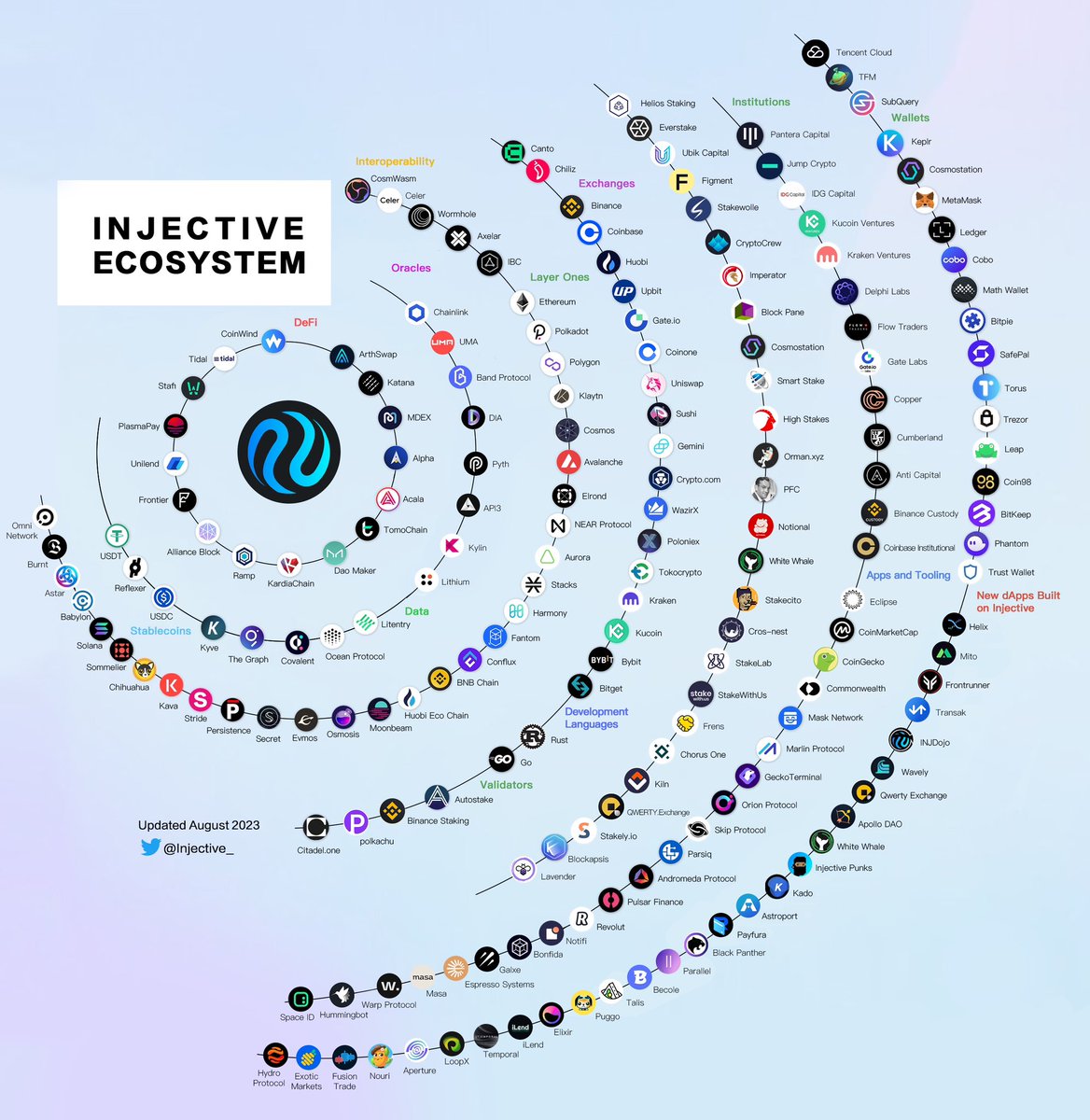 Twitter
·
polar plinth
Twitter
·
polar plinth
The Mito Early Access Claim Period Has Ended @everyone
Over 50,000 members have claimed early access passes for Mito 🔥
With the claim period officially over today, get ready as entry for early supporters begins soon.
https://twitter.com/mitofinance/status/1688533787091615744?s=46&t=TZ1i1XyU98L7Fmh0MYZviw
Over 50,000 members have claimed early access passes for Mito 🔥
With the claim period officially over today, get ready as entry for early supporters begins soon.
Likes
110
Twitter
·
pliant oxide
First Quest to Pre-Register Your .inj Domain @everyone
We are starting a series of quests in collaboration with Space ID that win you exclusive access to your personalized INJ name.
🚀Start Your Quest: https://injective.xyz/3s5dHED
💥Retweet: https://twitter.com/Injective_/status/1688914072681799682?s=20
Pre-register your very own .inj domain name 🚀
We are starting a series of quests in collaboration with @SpaceIDProtocol that win you exclusive access to your personalized $INJ name.
Join the first quest available exclusively on @Galxe: https://t.co/Kl7wJkXNj4
Likes
340
Retweets
213
 Twitter
·
exotic girder
Twitter
·
exotic girder
The countdown to Mito has started!
Starting Friday at 14:00 UTC, Mito early access NFT holders will have a chance to enter the world of Mito. You must hurry since initial whitelist spots are limited and are first come first serve.
More info is provided exclusively via the #🚧|early-access channel on Discord @everyone <@&1121459367900893244>
🚀Live Countdown: https://mito.fi/
⚡ Retweet: https://twitter.com/MitoFinance/status/1689638116003663872?s=20
 polar plinth
Injective Asia Night @everyone
We’re excited to host the largest Injective Asia event during Token 2049! Get ready for an unmatched experience with leading Web3 partners and institutions.
🔥 Reserve your spot: https://lu.ma/injectivetoken2049

Step into a realm of unparalleled networking opportunities at Injective Asia Night to redefine your Token2049 experience!
The event is hosted at one of the most exclusive locations in all...
exotic girder
Mito Early Access starts in less than 1 hour!
Get ready to enter on https://mito.fi/
Remember spots are first come first serve @here <@&1121459367900893244>
 exotic girder
Mito Early Access starts now 🚀
Hurry and enter before whitelist spots are full: https://mito.fi/
@everyone <@&1121459367900893244>
 polar plinth
The Mito early access spots are now full! Thank you for your amazing enthusiasm.
We plan on opening up entry every so often to let all early access NFT holders into Mito so be sure to follow us on Twitter to stay updated on the latest news.
https://twitter.com/MitoFinance/status/1690031685105070080?s=20
The Mito early access spots are now full! Thank you for your amazing enthusiasm.
We plan on opening up entry every so often to let all early access NFT holders into Mito so be sure to follow us on Twitter to stay updated on the latest news.
Twitter
·
polar plinth
Injective x Space ID Town Hall @everyone
Join us this Wednesday for a chat with Space ID to learn more about the Injective name service launch and how to get your personalized .inj domain alongside the exclusive opportunities tied to it.
⏰ <t:1692194400:F>: https://t.co/aP0jBqe7tI
 pliant oxide
Ninjas, let the INJ name service journey continue! @everyone
Your quest now is to enlighten others about what the .inj domain name is, and what .inj name you will choose! Completing this quest will reward you with a chance to get a whitelist spot for pre-registering your very own .inj domain name!
🚀 Get the OAT of INJ ID Quest 2: https://injective.xyz/3QFxCnR
💥 Retweet: https://twitter.com/Injective_/status/1691444375543218177?s=20

Join INJ ID Quest 2: Tweets campaigns created by Injective on Galxe. Ninjas, let the INJ name service journey continue!
1/ A thread on the first native .inj domains powered by @SpaceIDProtocol 3.0 infrastructure.
🥷 What is a .inj domain
🤔 The benefits
✅ How to join the pre-registration whitelist for Quest 2
Join the campaign available on @Galxe to secure your spot 👉https://t.co/B0u9uiS7sT
Twitter
·
polar plinth
 polar plinth
INJ 2.0 Launch @everyone
Injective today is releasing its largest tokenomics upgrade yet which can dramatically increase the amount of INJ burned weekly.
Now all dApps built on Injective can contribute to the INJ burn auction with no limit on how much they can burn.
In turn, this can lead to a far more robust on-chain economy powered by INJ as burn auctions can now capture value from all dApps across the rapidly growing Injective ecosystem.
The advent of the current crypto industry with the launch of Bitcoin introduced us to the idea of real sound digital money. The Injective ecosystem takes this one step further by creating an entirely new system that allows for the creation of true ulstrasound money: INJ.
🚀Read More: https://injective.xyz/3DZv1xC
🔥Retweet: https://twitter.com/Injective_/status/1691828250232696902?s=20

Injective Blog
Injective today is releasing its largest tokenomics upgrade yet which can dramatically increase the amount of INJ burned weekly.
Now all dApps built on Injective can contribute to the INJ burn auction with no limit to how much of their fees they wish to burn. In turn, this can lead
1/ Injective today is releasing its largest tokenomics upgrade yet which can dramatically increase the amount of INJ burned weekly.
Now all dApps built on Injective can contribute to the $INJ burn auction with no limit on how much they can burn.
Twitter
·
pliant oxide
Mito Early Access entry for whitelisted addresses from Galxe and Zealy campaign winners starts in less than 24 hours 💥 @everyone
https://twitter.com/mitofinance/status/1692037146415190259?s=46&t=TZ1i1XyU98L7Fmh0MYZviw
Mito Early Access entry for whitelisted addresses from Galxe and Zealy campaign winners starts in less than 24 hours 💥
On Mito, you will also now find Missions: a fun way to earn points on Mito with daily challenges to battle test the network.
 Twitter
·
polar plinth
Twitter
·
polar plinth
Trust Wallet with 60 Million+ Users Integrates the Injective Mainnet @everyone
Trust Wallet, one of the largest non-custodial wallets with over 60 million users, has integrated the Injective mainnet!
This integration empowers Trust Wallet users to seamlessly connect with with native dApps and products across the Injective ecosystem. In addition, Trust Wallet can now be used to directly store, transfer or stake INJ.
The Trust Wallet integration paves the way for millions of new users to easily access ecosystem dApps and products on Injective.
👉Read More: https://injective.xyz/3PapAlX
🏹Retweet: https://twitter.com/Injective_/status/1692176013403570309?s=20

Injective Blog
Trust Wallet, one of the largest non-custodial wallets with over 60 million users, has integrated the Injective mainnet!
This integration empowers Trust Wallet users to seamlessly connect with with native dApps and products across the Injective ecosystem. In addition, Trust Wallet can now be used to directly store, transfer or
Today @TrustWallet, one of the largest non-custodial wallets with over 60 million users, has integrated the Injective mainnet!
Now users can access dApps built on Injective with Trust Wallet while also being able to stake & transfer $INJ.
Likes
275
Twitter
·
west viper
**Mito re-opens for Early Access 🚀
**
Hurry and enter before whitelist spots are full: https://mito.fi/
@everyone<@&1121459367900893244>
 polar plinth
270 million on-chain transactions successfully processed on Injective with average sub second block times 🤯
We are just getting started. @everyone
https://x.com/injective_/status/1692545154601615395?s=46&t=TZ1i1XyU98L7Fmh0MYZviw
270 million on-chain transactions successfully processed on Injective with average sub second block times 🤯
We are just getting started.
Likes
1136
Retweets
245
Twitter
·
pliant oxide
CoinDesk featured Injective and the launch of $INJ 2.0 💥 @everyone
https://twitter.com/injective_/status/1693801257717076344?s=46&t=TZ1i1XyU98L7Fmh0MYZviw
CoinDesk just featured Injective and the launch of $INJ 2.0 💥
Likes
599
Retweets
124
 Twitter
·
polar plinth
Twitter
·
polar plinth
Injective Governance Upgrade @everyone
Injective has unveiled an entirely revamped governance page, ushering in a new era of robust and seamless coordination throughout the network.
Now, any ecosystem dApp or member can participate in governance with more ease than ever.
💥Read More: https://injective.xyz/47G0dzu
👉Retweet: https://twitter.com/Injective_/status/1693986120605049314?s=20

Injective Blog
Injective has unveiled an entirely revamped governance page, ushering in a new era of robust and seamless coordination throughout the network. Now, any ecosystem dApp or member can participate in governance with more ease than ever.
Since mainnet launch, all major updates and upgrades for Injective have been voted on
Injective has unveiled an entirely revamped governance page, ushering in a new era of robust and seamless coordination throughout the network.
Now, any dApp and user can participate in governance with more ease than ever.
Likes
344
Twitter
·
pliant oxide
The Third Quest to Pre-Register Your .inj Domain @everyone
SPACE ID is excited to continue the journey with the third quest “Web3 Domain OG” to find out the OG members among decentralized identity users.
Calling out for all the Web3 domain users to join the INJ ID pre-registration campaign on Galxe 👉 https://injective.xyz/47K32PT

Galxe is the leading Web3 credential data network in the world. A collaborative credential infrastructure enabling brands and developers to engage communities and build robust products in Web3.
pliant oxide
Mito re-opens for Early Access 🚀 @everyone<@&1121459367900893244>
Join Mito Missions, earn points and level up: https://mito.fi/
Mito early access has started!
Join Mito Missions, earn points and level up with the first ever automated DeFi platform.
 Twitter
·
exotic girder
Twitter
·
exotic girder
Side Protocol Integrates Injective to Unlock Mesh Liquidity Networks
Side Protocol has integrated Injective, bringing new DeFi primitives and atomic asset exchange into the ecosystem @everyone
The integration is currently live on the Side Protocol testnet, enabling seamless atomic asset swaps across a number of chains.
Leveraging the power of Injective’s automated smart contract layer, users can expect faster, more secure, and cost-effective cross-chain transactions.
Read More: https://injective.xyz/44nJspR
Retweet: https://twitter.com/Injective_/status/1694878569254805611?s=20

Injective Blog
Side Protocol has integrated Injective, bringing new DeFi primitives and atomic asset exchange into the ecosystem. The integration is currently live on the Side Protocol testnet, enabling seamless atomic asset swaps across a number of chains.
What is Side Protocol?
Side Protocol is developing a distributed inter-blockchain liquidity mesh network
.@SideProtocol has integrated @Injective_, bringing a novel cross-chain atomic asset exchange into the ecosystem.
The integration is currently live on the Injective testnet, enabling a seamless mesh liquidity network.
Twitter
·
pliant oxide
Helix Institutional Launch
Helix Institutional is officially launching today, marking the start of a brand new trading portal custom-built for financial organizations. @everyone
The new platform will enable the trading of derivatives, real-world assets (RWAs), FX, indices, and much more in a fully permissioned environment 🏦
Read More: https://injective.xyz/3Z2bRRh
Helix Institutional: https://helixapp.com/institutional
**Retweet: **https://twitter.com/Injective_/status/1696508002402988330?s=20

Injective Blog
Helix Institutional is officially launching today, marking the start of a brand new trading portal custom built for financial organizations.
The new platform will enable trading of derivatives, real world assets (RWAs), indices and much more in a fully permissioned environment. In turn, this can allow a diverse array of
Helix | The Premier Decentralized Spot and Derivatives Exchange
Trade on Helix - the premier decentralized spot and derivatives exchange with low fees and gas free execution
1/ Helix Institutional is officially launching today, providing a brand new trading portal custom built for financial organizations.
The new platform enables trading of derivatives, RWAs, FX, indices and more in a fully permissioned environment 🏦
Twitter
·
polar plinth
FX vaults are now live on Mito! @everyone
Get real on-chain yield on $EUR and $GBP at the click of a button. Early access users can start depositing right away.
Mito will open up for the next cohort of users on September 1 at 14:00 UTC. Get ready to discover a new world of finance.
https://twitter.com/MitoFinance/status/1696981162961285512?s=20
polar plinth
Mito Missions Walkthrough @everyone
Here is a guide to help you get started on Mito Missions: https://bit.ly/3PlRL1a
-
Make sure to grab your Early Access Pass: https://bit.ly/3XD8hMG
-
Join Mito to complete fun Missions: https://mito.fi
-
Grab your free limited edition NFT: http://bit.ly/3P03HUT
Medium
Mito, one of the most anticipated Web3 protocols in history is kicking off its early access testnet.
Galxe is the leading Web3 credential data network in the world. A collaborative credential infrastructure enabling brands and developers to engage communities and build robust products in Web3.

Join Mito Missions Launch Supporter campaigns created by Injective on Galxe. One of the largest Web3 protocols of all time has
pliant oxide
Injective Integrates Korea’s Leading Layer 1 Klaytn to Massively Scale Cross-Chain Interoperability @everyone
This integration will allow native assets from both Klaytn and Injective to be seamlessly utilized for various cross-chain initiatives, creating a far more composable ecosystem for these two communities.
With this new connection, assets such as KLAY and INJ can now be transferred and used across dApps built on either network. In turn, this can help to create more use cases and utility for both blockchains moving forward.
Read More: https://injective.xyz/3qVwXnV
Retweet: https://twitter.com/Injective_/status/1698705100359766442?s=20

Injective Blog
Injective has integrated Klaytn, marking a historic moment for the entire Web3 industry. This integration will allow native assets from both Klaytn and Injective to be seamlessly utilized for various cross-chain initiatives, creating a far more composable ecosystem for these two communities.
With this new connection, assets such as KLAY
1/ Injective has integrated Korea’s leading layer 1 @klaytn_official to massively scale interoperability.
Assets such as $KLAY and $INJ can now be transferred and used across dApps built on either network.
Twitter
·
polar plinth
1RPC Integrates Injective to Bring Enhanced Privacy Protection to Web3 @everyone
1RPC has now integrated Injective, bringing privacy-focused data infrastructure to Web3. This integration will add an extra layer of privacy protection to transactions on Injective while also increasing data capabilities for dApps on Injective.
By enabling the dedicated endpoints, 1RPC will be able to assist a wider group of users and builders in improving their privacy and data relay options.
🏹Read More: https://injective.xyz/45XTTS5
🐤**Retweet: **https://twitter.com/Injective_/status/1699424414729703851?s=20

Injective Blog
1RPC has now integrated Injective, bringing privacy-focused data infrastructure to Web3. This integration will add an extra layer of privacy protection to transactions on Injective while also increasing data capabilities for dApps on Injective.
What is 1RPC?
1RPC is a privacy-preserving Web3 endpoint relay by Automata Network. 1RPC eradicate...
.@1rpc_ has now integrated now @Injective_, bringing enhanced privacy data infrastructure to Web3.
This adds an additional layer of privacy protection to transactions and dApps in the Injective ecosystem.
Twitter
·
polar plinth
The first automated DeFi hub is here @everyone
Introducing the #MitoTestnet built on Injective.
Now open to all Early Access Pass NFT holders! Get exclusive access and complete Mito Missions today 👇
⁃ Get started now: http://bit.ly/3PlRL1a
⁃ Complete fun missions to battle test the network: http://mito.fi
https://twitter.com/MitoFinance/status/1699811100571689391?s=20

Medium
Mito, one of the most anticipated Web3 protocols in history is kicking off its early access testnet.

The first automated DeFi hub is here 🚀
Introducing the #MitoTestnet built on @Injective_
Now open to all Early Access Pass NFT holders! Get exclusive access and complete Mito Missions today 👇
Twitter
·
exotic girder
The long-awaited .inj domain name pre-registration will go live at 3 PM UTC on Sept 20!
We will host an auction night community call as the pre-registration begins. Join the INJ domain auction and chat with us exclusively on the Injective Discord server @here
Join the event here: https://discord.gg/mFPkXtXA?event=1153421448606654614
polar plinth
Injective Unveils inEVM, A Groundbreaking Ethereum Rollup for Hyperscaling Multi VM Development @everyone
Injective today is introducing the launch of inEVM, the first-ever Ethereum Virtual Machine capable to achieving true composability across Cosmos and Solana. The inEVM network was developed in collaboration with Caldera, a L2 rollup infrastructure platform backed by Sequoia.
Injective has long been pioneering groundbreaking technology in Web3, and its latest creation, inEVM, is poised to redefine the way Ethereum developers interact with the broader blockchain universe. With inEVM, Ethereum developers can harness the power of solidity to seamlessly deploy their applications into the Injective ecosystem.
🚀Read More: https://injective.xyz/3PgNkDC
⚡️Retweet: https://x.com/Injective_/status/1704120038339338335?s=20

Injective Blog
Injective today is introducing the launch of inEVM, the first-ever Ethereum Virtual Machine capable of achieving true composability across Cosmos and Solana. The inEVM network was developed in collaboration with Caldera, a L2 rollup infrastructure platform backed by Sequoia.
With inEVM, Ethereum developers gain unprecedented access to Injective...
1/ Injective today is introducing the launch of inEVM, the first-ever Ethereum Virtual Machine capable of achieving true composability across @cosmos and @solana.
Likes
1345
Retweets
366
Twitter
·
pliant oxide
**The pre-registration of INJ domain name is live! **
The .inj domain name pre-registration officially starts now! Get your very own INJ identity today.
Head on over to the official website and join us on the Discord call now as the event begins. @everyone
Join the auction: https://inj.space.id/
Retweet: https://twitter.com/Injective_/status/1704510930191556868

The .inj domain name pre-registration officially starts now! Get your very own INJ identity today.
Head on over to the official website and join us on the Discord call now as the event begins.
 Twitter
·
polar plinth
Twitter
·
polar plinth
Mito is now live for all @Injective_ Zen NFT holders!
Get early access to the first automated DeFi hub today to get experience Web3 like never before.
 Twitter
·
polar plinth
Twitter
·
polar plinth
The .inj domain name pre-registration is moving onto its final phase! @everyone
Any whitelisted user can directly purchase a domain name now on a first come first serve basis. Be sure to hurry to grab the names you want!

 exotic girder
Levana Protocol is secretly live on the Injective mainnet @everyone
Built on Injective, Levana is a fully-collateralized perpetual swaps protocol which allows you to trade with 30x leverage and low fees.
To help with the upcoming public launch, we created a quick form and invite ninjas to provide feedback. We will reward 10 users who provide valuable feedback with 50 USDT each. The reward will be sent to you Injective wallet address if you’re selected. This form is free to enter and ends on October 5th, 2023.
We have attached a quick tutorial video to get started.
Note: Your addresses must have used Levana in order to be considered for the prize. This means actually trying out the protocol. Feedback from users who have not used the protocol are not eligible to win.
Check out Levana: https://perp-2135-launch-injective-m.levana-perps-webapp.pages.dev/injective/earn
Fill out the form: https://injective.xyz/3ZzlhE2

Get up to 30x leverage with minimal risk. Perpetual swaps built on Cosmos.

Google Docs
Levana Protocol is live on the Injective mainnet! Built on Injective, Levana is a fully-collateralized perpetual swaps protocol which allows you to trade with 30x leverage and low fees.
Along with the launch, we created this form and invite ninjas to provide feedback. We will reward 10 users who provide valuable feedback with 50 USDT each.
Thi...
pliant oxide
**Injective and Google Cloud are teaming to launch the Injective Illuminate Hackathon! ** @everyone
Today Injective is excited to announce the launch of the Illuminate Hackathon supported by Google Cloud and co-hosted with DoraHacks. The Injective Illuminate Hackathon is the prime builder launchpad for Web3 finance applications with a US$100,000 prize pool.
During the four week online hackathon, you can kickstart your project from idea to launch with mentorship from industry leaders across crypto. Participants can create projects in areas such as DeFi, NFTs, SocialFi, gaming, tooling and more.
Register today: https://injective.xyz/3rBArMC
Read more: https://injective.xyz/459Yyzz
Retweet: https://twitter.com/Injective_/status/1708844806389084601

Introduction
We are excited to introduce the Injective X Google Cloud Illuminate Hackathon co-hosted with DoraHacks.
The Injective x Google Cloud Illuminate Hackathon is the prime builder launchpad for Web3 finance applications with a $100,000 prize pool. Developers globally are invited to join to build innovative Web3 projects that can rev...

Injective Blog
Today Injective is excited to announce the launch of the Illuminate Hackathon supported by Google Cloud and co-hosted with DoraHacks.
This Illuminate Hackathon is a unique opportunity for builders to continue showcasing their creativity and innovation within the Injective ecosystem. As we’ve witnessed applications across all sectors building on
.@Injective_ and #GoogleCloud are teaming to launch the Injective Illuminate Hackathon!
Create, scale, and access endless possibilities with infrastructure optimized to power the future of Web3.
Register today: https://t.co/a6FrR7dUbI
Twitter
·
pliant oxide
The September monthly newsletter is here! @everyone
From the groundbreaking inEVM launch with Caldera, to INJ domain name registrations, to new launches on mainnet (Black Panther & Levana Protocol), September proved to be another busy month for Injective.
Read more: https://injective.xyz/45kPDeO
Retweet: https://twitter.com/Injective_/status/1709218801223696527

Injective Blog
In September, Injective maintained its prominent position at the forefront of the Web3 finance landscape, spearheading growth and development through the introduction of several exciting initiatives.
While there were many milestones achieved during the month of September, one particularly noteworthy launch was the unveiling of inEVM, a groundbr...
The September monthly newsletter is here!
From the groundbreaking inEVM launch with @Calderaxyz, to INJ domain name registrations, to new launches on mainnet (@BlackPanther_Fi & @Levana_Protocol), September proved to be another busy month for Injective.
https://t.co/oTtm6f2R5u
Likes
361
Twitter
·
pliant oxide
.inj domains are now live for everyone! @everyone
- Get your own personalized Web3 identity
- Use human readable addresses across Injective dApps
- Join the future of finance
Retweet: https://twitter.com/Injective_/status/1709596796891074878
Get your .inj domain: https://inj.space.id/
.inj domains are now live for everyone!
💎Get your own personalized Web3 identity
🫧Use human readable addresses across Injective dApps
☄️Join the future of finance
Likes
468
 Twitter
·
pliant oxide
Twitter
·
pliant oxide
Community Call with Levana @everyone
Join the Injective community call this Thursday for a conversation with
Levana Protocol, a perpetuals exchange dApp that recently launched on Injective to bring real yield.
⏰ Mark on your calendar: Oct 19, 3PM UTC
👉 Retweet: https://twitter.com/Injective_/status/1714509427712421889
🥷 Tune in: https://discord.gg/RJ5gKSKX?event=1159536501537906738
pliant oxide
Helix: Pre-Launch Futures Launch @everyone
Helix, the premier exchange built on Injective, is introducing pre-launch futures with the release of the first Celestia ($TIA) token markets.
This marks a significant milestone, providing all traders with equal opportunity to access popular token markets before their official launch!
The news has already received major coverage from media such as The Block and CoinDesk.
Read More: https://helixapp.xyz/3FkLcpV
Retweet: https://x.com/helixapp_/status/1714628865400918333?s=46&t=TZ1i1XyU98L7Fmh0MYZviw
Helix
Helix is excited to announce its release of Pre-Launch Futures, the latest innovative product offering from the premier decentralized exchange built on Injective.
Pre-Launch Futures empowers trade...
exotic girder
Community call with the latest Injective mainnet dApp Levana is starting now! Levana is an innovative perpetuals exchange offering real yield @here
pliant oxide
Mito Testnet Open for all Injective Users @everyone
The Mito testnet is now open to anyone who has interacted with a dApp or product built on Injective!
Ninjas get early access to the most advanced DeFi protocol, exclusive and upcoming launches.
Join Here: http://mito.fi
Get Your Exclusive NFT: https://bit.ly/3P03HUT
Retweet: https://twitter.com/MitoFinance/status/1715201475704398012
Join Mito Missions Launch Supporter campaigns created by Injective on Galxe. One of the largest Web3 protocols of all time has
west viper
Ecosystem Spotlight: Helix Launches Pre-Launch Futures, listing Celestia (TIA) as its first market @everyone
Helix, the premier decentralized exchange built on Injective, announced its newest product offering, Pre-Launch Futures, listing Celestia (TIA) as its first market. TIA is expected to launch its mainnet on October 31.
Pre-Launch Futures is the latest product on Helix that allows traders to engage in futures trading for upcoming tokens that have yet to officially launch, democratizing access to high anticipated assets.
🧬Read More: Link (https://injective.xyz/45NoMbw)
🏄Retweet: Link (https://x.com/Injective_/status/1716505292026900871?s=20)
west viper
@everyone **Injective Integrates Web3 Finance Data into Google Cloud BigQuery
**
Injective today is announcing its blockchain data integration and availability on Google Cloud, one of the leading providers of cloud computing services.
Injective Nexus enables core chain data from Injective to be shared with the broader mainstream world. Starting now, core chain data from the Injective network will be accessible in BigQuery through the Analytics Hub, Google Cloud's exclusive data sharing platform.
Google Cloud to date has only offered BigQuery datasets for major blockchain networks like Bitcoin and Ethereum. Now, Injective will become part of this prominent group of Layer-1 chains.
🚀Read More: https://injective.xyz/3rViSYd
⚡️Retweet: https://x.com/Injective_/status/1716817125086765565?s=20
exotic girder
BitGo integrates Injective to Further Advance Institutional DeFi Adoption
BitGo, the leading institutional custody and digital asset finance provider, has officially integrated Injective @everyone
In this groundbreaking collaboration, BitGo will seamlessly integrate INJ into its platform, enabling some of the most influential institutional players to securely deploy and safeguard their INJ holdings while delving deeper into the world of Injective. This in turn also allows both BitGo and Injective to make significant strides in advancing institutional DeFi adoption.
🏛Read More: https://injective.xyz/46GoN2r
👉Retweet: https://x.com/Injective_/status/1717202678885827018?s=20

Injective Blog
BitGo, the leading institutional custody and digital asset finance provider, has officially integrated Injective.
In this groundbreaking collaboration, BitGo will seamlessly integrate INJ into its platform, enabling some of the most influential institutional players to securely deploy and safeguard their INJ holdings while delving deeper into t...
west viper
Join us for this month's Injective Community Call tomorrow! @everyone
There is a ton to cover and news to share on upcoming launches. See you at the #860203604860993606 at 3 PM UTC on October 27.
Add the Event: https://discord.gg/injective?event=1167158899233787994
west viper
**The Community Call begins in 10 min! ** @everyone
Join us at the #860203604860993606 stage.
polar plinth
Web3 Notifications Now Live on Injective @everyone
Injective has officially integrated Notifi, enabling support for Web3 notifications across the ecosystem!
Starting now, users can receive real-time notifications for their activities on exchange and trading related dApps built on Injective. These notifications will provide users with timely updates, including general announcements, Open Liquidity Program (OLP) updates, trader alerts and API notifications. Users can choose to receive notifications via telegram, email or Discord.
🔥Customize Your Notifications: https://injective.xyz/479s1el
🔔Get started Now: https://trading.injective.network/

Injective Blog
Injective has officially integrated Notifi, enabling support for Web3 notifications across the ecosystem!
Starting now, users can receive real-time notifications for their activities on exchange and trading related dApps built on Injective. These notifications will provide users with timely updates, including general announcements, Open Liquidi...
Open Liquidity Program
Injective is the first front-running resistant, layer-1 exchange protocol that unlocks the full potential of borderless finance by supporting margin trading, derivatives, and futures.
pliant oxide
Share 30,000 TIA in Celestia (TIA) Spot Trading Challenge! @everyone
Helix is giving away 30,000 $TIA tokens to traders worldwide for trading on Celestia (TIA) spot market!
📚 Competition details: https://helixapp.xyz/3QnbWLo
💧 Learn more about LP rewards: https://helixapp.xyz/3sdVpS5
⚡️ Trade TIA: https://helixapp.xyz/47cnBnb
pliant oxide
Injective Integrates Kava to Expand Stable Asset Interoperability @everyone
Injective has officially integrated Kava to expand access into stable asset interoperability for tokens such as USDt.
Now native Kava USDt can be utilized across the Injective ecosystem with KAVA rewards distributed to users!
This collaboration merges the strengths of both platforms to create a seamless experience for all while also further solidifying Injective’s position as leading L1 for cross-chain assets.
💧Read More: https://injective.xyz/49fT4GN
🏹Retweet: https://twitter.com/Injective_/status/1720025502814195833

Injective Blog
Injective has integrated Kava to expand access into stable assets such as USDt.
This collaboration arrives on the heels of Kava’s recent announcement that it will have the backing of the Tether foundation in order to natively issue USDt within the broader Cosmos ecosystem.
The collaboration will include direct
pliant oxide
**LP Rewards Live on Helix ** @everyone
Helix is unveiling its largest upgrade to date: LP Rewards!
With LP Rewards, liquidity providers now have the opportunity to earn rewards by supplying liquidity through Grid Trading Bots.
To kickstart LP Rewards, 10,000 TIA and 1,000 INJ are up for grabs. Simply lock in funds and start your journey into Helix.
💧LP Rewards: https://helixapp.xyz/3u25dPB
📚Learn more: https://helixapp.xyz/3sdVpS5
Helix | The Premier Decentralized Spot and Derivatives Exchange
Trade on Helix - the premier decentralized spot and derivatives exchange with low fees and gas free execution
Helix
Helix is thrilled to unveil its latest release, LP Rewards, a groundbreaking product that reaffirms its position as a pioneer in the industry. With LP Rewards, liquidity providers now have the o...
exotic girder
The October Community Update: Rapid Ecosystem Expansion
The October monthly newsletter is here! @everyone
From the ongoing Injective Illuminate Hackathon, the first Pre-Launch Futures on Helix, a major integraiton with Google Cloud, new dApp release, and much more. One thing is for certain, ninjas don’t stop building.
👉Read More: https://blog.injective.com/en/the-october-community-update-rapid-ecosystem-expansion/
🏹Retweet: https://x.com/injective_/status/1721262953905656285?s=46&t=TZ1i1XyU98L7Fmh0MYZviw

Injective Blog
In October, Injective experienced remarkable growth across its ecosystem dApps and chain statistics, garnering significant public attention due to its expanding influence and continuous stream of innovative offerings.
Several notable developments within the ecosystem throughout October included: Helix's introduction of Trading Bots and Pre-Laun...
polar plinth
Injective Turns 2 @everyone
Today, Injective reached its second year of mainnet and on this occasion, there is an immense sense of pride and gratitude as the ecosystem reflects on the remarkable journey undertaken together.
The past year has brought incredible growth, innovation, and progress. Now is a moment to celebrate the extraordinary achievements that defines the ninja community.
Please take a moment to read the letter to the community and the thread on Twitter. Get ready to also celebrate #InjectiveTurns2 as a number of exciting projects will introduce themselves for the first time today.
🎉**A Letter to the Ninja Community: https://injective.xyz/3FNRb6M
🧵A Tweet Thread on Injective: **https://x.com/Injective_/status/1722265709881991638?s=20

Injective Blog
A Letter to the Injective Community:
Today, Injective reached its second year of mainnet and on this occasion, there is an immense sense of pride and gratitude as the ecosystem reflects on the remarkable journey undertaken together.
The past year has brought incredible growth, innovation, and progress. Now is a
pliant oxide
Introducing Helix Guilds @everyone
Helix is thrilled to welcome Helix Guilds to its list of product offerings! Helix Guilds are trading groups that enable you to participate in trading competitions as a team.
Trading competitions will be set periodically under Helix Guilds. Traders can either lead as a Guild Master by creating a new Guild, or join a Guild as a Gulid Member in order to win from a prize pool.
Read more: http://helixapp.xyz/40CVWcP
Get started: https://helixapp.xyz/49BRVti
Join #🆚︲helix-guilds to participate!
polar plinth
Building Across a Multi VM Layer Twitter Space Starts in less than an hour @everyone
Injective will join Dorahacks to discuss inSVM and inEVM
🌟Guests:
Eric Chen from Injective
Matt Katz from Caldera
Neel Somani from Eclipse
west viper
Tokenized US Treasuries from Ondo Finance Now Available on Injective Blockchain to Accelerate RWA Adoption @everyone
For the first time ever, users on Injective, a lightning-fast blockchain for Web3 finance applications, can acquire tokenized US Treasuries in the form of the USD Yield token (“USDY”) from Ondo Finance.
The integration with Ondo cements Injective’s position as a leading L1 for both interoperability and Real World Assets (RWAs). Injective will serve as the primary hub across the IBC world for interacting with RWAs such as USDY.
🚀Read More: https://injective.xyz/49JSC3U
⚡️Retweet: https://x.com/Injective_/status/1726989284111270144?s=20

Injective Blog
For the first time ever, users on Injective, a lightning-fast blockchain for Web3 finance applications, can acquire tokenized US Treasuries in the form of the USD Yield token (“USDY”) from Ondo Finance. Ondo is the market leader in connecting traditional financial assets to blockchain networks, with over $200 million of
exotic girder
🌉 Injective has officially integrated SPL tokens @everyone
Now assets from Solana such as Pyth can seamlessly be accessed via the Injective Hub and Bridge.
https://x.com/injective_/status/1727366403760820227?s=46&t=TZ1i1XyU98L7Fmh0MYZviw

 turbid jetty
Injective Integrates the First Native Injective Wallet - Ninji Wallet @everyone
Injective has integrated the first native Injective wallet, Ninji Wallet, as another wallet solution for dApps within the Injective ecosystem.
Ninji Wallet is committed to being an Injective native from the beginning, with the objective of simplifying user experience for exploring the future of finance.
 turbid jetty
Injective Labs on Forbes @everyone
Injective Labs co-founders Eric and Albert were both featured on the latest Forbes 30 under 30 list!
📰Full Forbes Profile: https://injective.xyz/46zJVX2
🔥Retweet: https://x.com/Injective_/status/1729716364888133869?s=20
 turbid jetty
The largest mainnet upgrade in Injective history will be released in a few weeks. @everyone
The world is not ready.
 turbid jetty
The November Community Update: The Injective Anniversary Issue @everyone
This month, Injective celebrated 2 years since its mainnet launch, integrated SPL assets, tokenized US treasuries from Ondo Finance became available, Helix introduced LP Rewards and Helix Guilds, Mito launched its testnet-based launchpad, and a lot more happened during the month.
📰 Read the full recap: https://blog.injective.com/en/the-november-community-update-the-injective-anniversary-issue/
🔁 Retweet: https://x.com/Injective_/status/1730688801020809703?s=20
 turbid jetty
Injective Integrates Ledger Live! @everyone
Injective is now officially integrated on Ledger Live allowing users to hold, stake and interact with native INJ as well as the entire Injective ecosystem seamlessly.
☄️ Retweet: https://x.com/Injective_/status/1732069445911073011?s=20
 turbid jetty
Injective Volan Mainnet Upgrade - coming soon
👀 Tweet: https://x.com/Injective_/status/1732512866261979137?s=20
turbid jetty
Get Started on Injective @everyone
Injective is the fastest layer 1 blockchain for finance.
On Injective anyone can launch and use the best Web3 dApps across DeFi, NFT Fi, RWAs and more.
📄 Tweet: https://x.com/Injective_/status/1734431396431638591?s=20
turbid jetty
Injective's Community Call is Coming Up! @everyone
Join if you want to hear more about upcoming news and developments on Injective.
Tune in on Dec 22nd @ 4 PM UTC ⏰
https://discord.gg/9j9VMUxd?event=1187495851178852422
turbid jetty
Community Call starting in 15 minutes! @everyone
Details ☝️
turbid jetty
The Injective Ecosystem’s End of the Year Treasure Hunt Begins Now @everyone
12 secret words are hidden across Injective’s ecosystem dApps, find them to unlock the prize.
The 1st word is on the Injective Hub.
Hint:
Across the digital expanse it spans,
Linking blockchains with its magical hands.
From Cosmos to Solana, they're now entwined,
The bridge connecting all chains is enshrined.
🗺️ Read more: https://injective.xyz/3TM9bH3
🔥 Retweet: https://x.com/Injective_/status/1740387181619978255?s=20

Injective Blog
To commemorate the massive year of growth, Injective and its ecosystem dApps are hosting the first-ever joint treasure hunt for the entire ecosystem. Join this event for the opportunity to embark on an epic treasure hunt spanning twelve (12) of some of Injective’s most engaging dApps in its ecosystem.
turbid jetty
**Injective x Gryphon Community Call **@everyone
Join the conversation here on Discord to learn more about Gryphon, a liquid staking, leverage, and lending platform on Injective.
Jan 4th @ 3PM UTC
See you there 🤝
https://injective.xyz/3TTF8gi
💬 Retweet: https://x.com/Injective_/status/1742692213103186025?s=20
exotic girder
Injective Volan Mainnet Upgrade Proposal Live @everyone
Volan brings an unmatched L1 infrastructure stack with novel advancements including
✅The world's first ever RWA Module
✅ Enhanced Scalability
✅ New token burn capabilities
✅ And Much More
🗳️ Vote Here (IIP-314): https://injective.xyz/47rQPhJ
⚡️Retweet: https://x.com/Injective_/status/1743643011274207721?s=20
 turbid jetty
Injective Volan Mainnet Upgrade Proposal Passed @everyone
The Volan Mainnet upgrade proposal has passed with a 99.98% approval rate ✅
This makes it the governance proposal with the highest ever approval rate in history.
Volan Tomorrow.
🚀 Retweet: https://x.com/Injective_/status/1745117555214225609?s=20
 turbid jetty
Injective Volan Mainnet Upgrade Launch @everyone
Volan is officially here.
Injective has released its largest mainnet upgrade to date, Volan, ushering in a new age of RWAs, institutional adoption, scalability, and Web3 finance.
With the upgrade, the Injective ecosystem can begin to grow faster than ever before with dApps launching on-chain that would not be possible anywhere else.
A few highlights of Volan:
⚡️ The First Ever RWA Module
⚡️ Interoperability Expansion
⚡️ Enhanced Enterprise Grade Scalability
⚡️ New Exotic Oracle Feed Design
⚡️ Token Economics Optimizations
⚡️ Token Burn Enhancements
⚡️ Much more
The future of finance begins on Injective.
🚀Read More: https://injective.xyz/3vx2heu
🔥Retweet: https://x.com/Injective_/status/1745525117587705949?s=20
 turbid jetty
Voting is Live for the Illuminate Hackathon Community Choice Award
Ninjas, it is your time to vote for your favorite project!
🗳️ Vote: https://injective.xyz/3RTGq8z
🏆 Retweet: https://x.com/Injective_/status/1746159212390961246?s=20
 turbid jetty
**Injective x Hydro Protocol Community Call ** @everyone
Join the conversation here on Discord to learn more about Hydro, a LSD and LSDFi protocol on Injective.
Jan 18th @ 3PM UTC
Set your alarms ⏰
☎️ Community call: https://injective.xyz/3U7QEoz
🔄 Retweet: https://x.com/Injective_/status/1747690864044913108?s=20
 turbid jetty
Injective Launches Gas Compression: Lowest Transaction Costs in History @everyone
Injective today is introducing one of the largest technical breakthroughs to date with the release of gas compression, making transaction costs on Injective the lowest in all of crypto.
For instance, minting 1,000 NFTs on Injective will cost merely $0.30 which is over 100X lower than the cost Ethereum or 500% lower than the cost on a chain such as Polygon. High frequency traders or dApps requiring complex transactions can achieve sending hundreds or even thousands of transactions per second at a fraction of the cost relative to any other chain.
In essence, now any transaction whether that be for staking, trading on a dApp, lending, minting an NFT, voting on a gov proposal and more will incur effectively zero cost.
It is truly the beginning of a new age for Injective and Web3 as a whole.
🚀Read More: https://injective.xyz/3O6uKhG
⚡Retweet: https://x.com/Injective_/status/1748386447940264164?s=20
 turbid jetty
The First Ever Omnichain Domain Release for Injective and Solana @everyone
The first ever omnichain domain name service has officially launched on mainnet, vastly enhancing the user experience across Solana and Injective.
Anyone can now can use and build dApps across Solana and Injective using the same domain, further unifying the two ecosystems.
🤝 Read More: https://injective.xyz/49htSPK
🔥 Retweet: https://x.com/Injective_/status/1758147720911483034?s=20
 turbid jetty
Ethena Shards Expand Beyond Ethereum, Launching Exclusively on Injective @everyone
Ethena is integrating with Injective today, marking its first expansion outside of the Ethereum ecosystem.
Both the Injective and the broader IBC community now have access to USDe, enabling users to earn Ethena Shards beginning on March 11th.
📃 Read more: https://injective.xyz/433TLAu
🔥 Retweet: https://x.com/injective/status/1765400991849927080?s=20
 turbid jetty
Injective Launches inEVM on Mainnet: The First Rollup to Hyperscale Concurrent VM Development @everyone
inEVM enables Ethereum developers to build dApps that leverage blazing fast speeds & near zero fees while achieving composability across WASM and EVM
📘 Read more: https://injective.xyz/433qgih
🚀 Retweet: https://x.com/injective/status/1765755882216841264?s=20
 turbid jetty
Twitter Space with Ethena starting in 10 mins @everyone
Join to learn more about how Injective users can earn 7x Shards!
⏰ 5PM UTC
🔥 Injective x @ethena_labs Twitter Spaces
Join for a conversation between @MacroMate8 and @cooper_emmons on:
⚡️ How to earn 7x Ethena Shards on Injective
⚡️ Where to get $USDe with the lowest rates in crypto
⚡️ Much more
🗓️ March 14th at 5PM UTC
https://t.co/nizSIKnjHH
 Twitter
·
turbid jetty
Twitter
·
turbid jetty
**inEVM Twitter Space with Hyperlane and Caldera starting in under 2 hours ** @everyone
Learn about the launch of Injective inEVM, the 1st Ethereum-aligned rollup boosting VM development
⏱️ 2PM UTC
💬 Join Injective's #inEVM AMA
Learn about the launch of Injective inEVM, the 1st Ethereum-aligned rollup boosting VM development
@TheMirza_ from @InjectiveLabs
@thePalenimbus from @Hyperlane_xyz
@0xkatz from @Calderaxyz
🗓️ March 15 @ 2PM UTC
https://t.co/FNjV1y63iD
Twitter
·
turbid jetty
**Claim Injective Ambassador Badges @everyone **
Injective ambassadors, this is your chance to collect exclusive badges powered by Galxe 🥷
As an ambassador, you’re joining the future of finance while unlocking exclusive rewards 🤝
Mint your OAT on Injective: http://injective.xyz/3Vg0i9i
 turbid jetty
Clusters, the fastest growing cross-chain naming protocol, has officially integrated Injective address support.
Clusters, will now allow any Injective user and wallet to directly have one shared identity across Ethereum, Injective and Solana 🚀
@everyone
⚡️ Retweet: https://x.com/injective/status/1771268867542696116?s=46&t=ILQ4QIT3uhT6auegfUHGUg
 turbid jetty
Injective's Bridge Ionic Upgrade @everyone
Today, Injective is unveiling the Ionic upgrade to the Injective Bridge.
Advanced interoperability meets superior UX with near 0 fees.
Now users can take advantage of a one click bridging experience across chains like Solana, Cosmos and Ethereum.
🌁 Bridge: https://bridge.injective.network
📖 Blog: https://injective.xyz/3TRgw7y
🚀 Retweet: https://x.com/injective/status/1772627026182082784?s=20
 turbid jetty
**Injective's Bridge Ionic Upgrade** @everyone
Today, Injective is unveiling th...
turbid jetty
turbid jetty
turbid jetty
**Injective's Bridge Ionic Upgrade** @everyone
Today, Injective is unveiling th...
turbid jetty
SA World Launches on Injective @everyone
SA World is announcing a major move to migrate their gaming platform from Polygon and BNB Chain to exclusively launch on the Injective ecosystem.
SA World, one of the largest gaming platforms with over 500,000 users can now leverage Injective’s unmatched tech 🎮
📰 Blog: https://injective.xyz/3PEUZN9
🕹️ Retweet: https://x.com/injective/status/1773349410551857279?s=20
 turbid jetty
INJ 3.0 Governance Proposal @everyone
INJ 3.0 is coming to Injective to bring the ultimate upgrade to Injective tokenomics, making $INJ the most deflationary asset to date.
The new proposal would directly reduce the supply of INJ at a rapid rate.
The gov discussion is now live on the Injective forum: https://injective.xyz/3xzYaPP
 turbid jetty
Injective and Jambo Bring Mobile-Based DeFi to Millions in Emerging Markets @everyone
Injective is teaming up with Jambo to bring seamless Web3 access to users globally.
Starting now, a number of Injective dApps will be available on the JamboPhone, enabling millions of new users to access the Injective ecosystem.
📘 Blog: https://injective.xyz/3UnsmXy
🔁 Retweet: https://x.com/injective/status/1780961007893987627?s=46&t=ILQ4QIT3uhT6auegfUHGUg
 turbid jetty
INJ 3.0 Release @everyone
INJ 3.0 is officially live on mainnet, allowing $INJ to become one of the most deflationary assets in all of crypto.
Over the next two years, the supply of INJ will be decreased on an accelerated pace.
A new era of Injective begins now.
🔥 Retweet: https://x.com/injective/status/1782774203164344790
 turbid jetty
XION Integrates Injective as the First Blockchain for its Chain Abstraction Layer @everyone
Injective has integrated with XION, the first L1 built for mainstream adoption through generalized abstraction 🔥
This integration sets the stage for non-crypto natives to onboard onto Injective, advancing the mission to democratize finance through decentralization.
🔥 Blog: https://blog.injective.com/en/xion-integrates-injective-as-the-first-blockchain-for-its-chain-abstraction-layer/
🤝 Retweet: https://x.com/injective/status/1783496528490795174
 turbid jetty
The All New INJ Burn Standard Launch @everyone
Today, Injective is unveiling a major enhancement to the groundbreaking $INJ burn auction 🔥
Now, anyone, dApps, protocols and for the first time ever, individual community members are able to contribute to the weekly burn.
🚀 Blog: https://injective.xyz/44je7X5
🥷 Retweet: https://x.com/injective/status/1785309279664083007
 turbid jetty
Community Call @everyone
Tune in to Injective's community call on Discord for a recap on the multiple developments happening around the fastest L1 built for finance!
Agenda will include:
✅ INJ 3.0
✅ Revamped Ambassador Program
✅ much more
🗓️ May 3rd at 4PM UTC
📍https://discord.gg/GBFxPPKQ?event=1234673919450157066
turbid jetty
🔔 Community Call is starting in 5 minutes! @everyone
 rich fractal
#🎴︲get-roles-here 👀 @everyone
turbid jetty
Arbitrum and Injective are Together Pioneering Novel Interoperable EVM Infrastructure @everyone
inEVM is unveiling its integration with Arbitrum today!
By customizing Arbitrum’s unique Orbit stack, inEVM unlocks new frontiers for developers everywhere, empowering them with lightning fast speeds and robust interoperability.
📖 Blog: https://blog.injective.com/en/arbitrum-and-injective-are-together-pioneering-novel-interoperable-evm-infrastructure/
⚡️ Retweet: https://x.com/injective/status/1788215217316315592
 turbid jetty
**Fireblocks Integrates Injective to Expand Institutional Access ** @everyone
The worlds leading digital asset custodian, Fireblocks, has integrated Injective to accelerate institutional adoption.
Now some of the largest institutions can directly access $INJ and seamlessly onboard onto the Injective ecosystem.
📖 Blog: https://x.com/injective/status/1794018021045834220
🔥 Retweet: https://x.com/injective/status/1794018218576691360
 exotic girder
Binance Pay Integrates Injective to Expand Real World INJ Access
Binance Pay has officially integrated INJ, allowing 30 Million+ users globally to make payments and shop using INJ.
Flights, hotels and more can all be purchased using INJ, enabling mass real world access for the Injective ecosystem @everyone
🚀Read More: https://injective.xyz/3VjObaY
⚡️Retweet: https://injective.xyz/3R0mC3R
 exotic girder

The Ninja Masters Ambassador Program is getting a BIG update tomorrow @everyone
pliant oxide
Introducing the Brand New Ninja Masters Referral Program 🥷@everyone
Ambassadors can now earn rewards by inviting new members and earn more rewards when their referees invite others!
Share this with your friends today and start earning together.
📖Read more: https://injective.xyz/ambassador_referral
🔥Retweet: https://x.com/injective/status/1796554653330530567
 pliant oxide
Join the Ninja Revolution @everyone
Begin the ultimate Injective journey through the exclusive new quest available only on Galxe.
Earn the early adopter reward access to engage with the latest Injective dApps, new testnets, ninja community and more.
🥷Join the revolution: http://injective.xyz/4bLmiyc
🔥Retweet: https://x.com/injective/status/1797990688682119303
 exotic girder
.@binance Pay has officially integrated Injective, enabling millions of users to make payments and shop using INJ.
Here is a live look at a user paying with $INJ to purchase an Amazon gift card.
More and more real world use cases are being powered by Injective 🚀
 Twitter
·
pliant oxide
Twitter
·
pliant oxide
The May Community Update: New Releases, Helix 2.0 and More @everyone
May was a month of rapid growth for the Injective ecosystem. In the past month we saw:
- The release of Helix 2.0
- Major RWAs from on-chain FX to commodities launched on Injective
- Collaboration with Arbitrum to unlock new frontiers for Injective’s inEVM rollup
- Institutions such as Fireblocks continued to integrate Injective
- Token burn auctions continued to accelerate with the introduction of INJ 3.0
📖 Read more: https://injective.xyz/3VhRNZU
🚀 Retweet: https://x.com/injective/status/1798159614694899733
 exotic girder
Today, Injective is releasing the first ever comprehensive paper on the Injective Token: $INJ @everyone
The paper delves into the token's core utilities and mechanisms powering a programmable token economy for deflationary acceleration.
📘 Read More: https://injective.com/INJ_Tokenomics_Paper.pdf
👉 Share: https://x.com/injective/status/1798718346533261388
 pliant oxide
Injective is onboarding one of the largest gaming giants gumi as the latest validator! @everyone
gumi’s addition to the Injective ecosystem will not only expand its role in the world of GameFi but also drive further adoption across Japan, Asia and beyond 🌐
📖 Read More: https://injective.xyz/4bQk00J
🔥 Retweet: https://x.com/injective/status/1798958888743731589
 exotic girder
INJ Tokenomics Paper Highlights
Discover how INJ is transforming the crypto landscape with dynamic supply mechanisms and a revolutionary token burn system. Here are some key highlights from Injective’s comprehensive paper on INJ’s groundbreaking tokenomics. @everyone
The post here breaks down the paper's key points, providing a snapshot of how INJ stands out in the crypto landscape. Discover the highlights here, and delve into the full paper for an in-depth understanding of INJ's impact on the Injective ecosystem and decentralized finance.
 ** Share on Twitter**: https://x.com/injective/status/1800211213663576135
Discover how $INJ is transforming the crypto landscape with dynamic supply mechanisms and a revolutionary token burn system. Here are some key highlights from Injective’s comprehensive paper on INJ’s groundbreaking tokenomics.
1⃣Introduction
INJ, the native asset of Injective,
 Twitter
·
Twitter
·
 floral rapids
New Masters in the Ambassador Program
@elder sun & @sonic granite, who have both played important roles in growing Injective over the years and have contributed greatly to its success, achieved the <@&1075445020057931928> rank — the highest rank and the peak of the ambassador program.
A huge congratulations to these two legends for all their hard work and dedication to Injective. They've truly earned this epic achievement! @everyone
 polar plinth
We are only getting started.
Together, let's rewrite history. @everyone
🔥Retweet: https://x.com/injective/status/1800884943477932289
polar plinth
PayPal USD on Injective
Injective today is integrating PYUSD, becoming one of the first ever L1s to support the stablecoin released by PayPal & Paxos.
PYUSD can be onboarded from Ethereum & Solana using Wromhole onto Injective. dApps on Injective can utilize PYUSD for lightning fast payments, trading, DeFi and more. @everyone
🚀 Retweet: https://x.com/injective/status/1800938325747908652
⚡️ Live Video: https://x.com/injective/status/1801021978314240217
 rich fractal
Injective Integrates The Graph to Bring Open Data to Builders Globally
Injective is now available on The Graph’s decentralized network through a Firehose and Substreams integration, enabling millions of developers to scale their dApps using on-chain Injective data.
This collaboration marks a significant leap forward in the quest to enhance developer capabilities on Injective. As the first IBC-compatible chain to harness The Graph’s powerful indexing solutions, Substreams and Substreams-powered subgraphs, Injective is setting a new standard for data accessibility and application development. @everyone
rich fractal
Consensus by CoinDesk: The Future of Finance with Injective
Injective Labs co-founder and CEO Eric gave a keynote address at Consensus by CoinDesk on the future of finance.
Eric covers the top trends that will drive the mass adoption of Web3 finance. @everyone
rich fractal
Injective Builder House 2024
Brand new website just dropped for the Injective Builder House!
The event will bring together the best developers, institutions and companies in all of Web3 during ETH CC. @everyone
Injective | The blockchain built for finance
Injective is an open interoperable smart contracts layer-one blockchain network optimized for decentralized finance applications.
rich fractal
Injective Bridge Update
The Injective Bridge just received some upgrades.
☯️Dual Wallet Flow: Deposit with MetaMask into Keplr or Ninji (and vice versa!)
🎲1 Click Swap: Convert your $ETH to WETH before even bridging to Injective
Injective UX is getting better by the day!
🙌Try Out the Bridge: Link
@everyone
Injective Bridge: Seamlessly Transfer Assets to Injective
Effortlessly bridge various crypto assets from Ethereum, Solana, Polygon, Cosmos IBC, and more onto Injective with its reliable and efficient protocol bridge solution.
rich fractal
Injective x Bull&bear Markets Community Call
Make sure to join the conversation today with Bull&Bear Markets to learn more about the upcoming mainnet, Options and more! @everyone
📆 Jun 24th at 5PM UTC
📌 https://discord.com/invite/h9tbbAAy?event=1254771122369728593
polar plinth
Launch your very first dApp on Injective faster than ever!
The guide below will walk you through the entire technical deployment flow on Injective from creating your on-chain smart contract to releasing your dApp 🏹
Twitter
·
west viper
Check out Eric's latest podcast appearance on CryptoNews!
Eric recently joined Matt Zahab of CryptoNews to chat about all things Injective, and also some trends he's seeing in the industry.
They cover:
- Institutionalized DeFi
- The convergence of DeFi and TradFi
- Building the fastest L1 blockchain for DeFi
- High-yields in crypto
- Tokenized RWAs
- The need for consumer-based RWAs
- Burning $INJ tokens
- Micro vs. Macro environments
- The current state of crypto conferences
- H2 Outlook
- ETH ETF underscores legitimacy of the crypto industry
- Helix 2.0 upgrade
Listen here: https://loom.ly/59Y8BW0
@everyone
rich fractal
DePin Meets Injective
IoTeX is now integrated with Injective, enabling the seamless transfer of IoTeX assets to Injective.
This in turn allows for novel DePin applications, use cases and assets to enter the Injective ecosystem via a diverse array of dApps built on Injective.
🚀Retweet: Link
@everyone
rich fractal
gm Ninjas 🥷
June was a game-changer for both Injective and its ecosystem. From groundbreaking releases to major milestones, the month was filled with exciting developments. The community celebrated burning 6,000,000 INJ with billboards lighting up major cities across the globe. Injective also released its first paper detailing the economic design of INJ. Additionally, the announcement of The Builder House, set for EthCC on July 10th, has the community gearing up for an even bigger July.
Mito's introduction of Permissionless Vaults and the integration of The Graph and Bitoro into the Injective ecosystem exemplify the relentless innovation and growth within the community. These integrations empower users and developers alike, enhancing the overall functionality and accessibility of Injective’s decentralized environment.
📊 Key Metrics
Burn Auction
274% increase over the last 6 months
5.85% week-over-week average growth
48,316 INJ burned in June
Developer Activity
319.14% growth in the past two months
22,000 weekly downloads of Injective SDK
👉 Read the Full Update: Link
🚀 Retweet: Link
@everyone
rich fractal
Injective | The blockchain built for finance
Injective is an open interoperable smart contracts layer-one blockchain network optimized for decentralized finance applications.
rich fractal
Galaxy, one of the largest Web3 institutions, has officially joined Injective as a validator today.
Institutional network operators such as Galaxy will further help to expand the rapidly growing institutional inflow into the Injective ecosystem.
🚀Retweet: Link
@everyone
Galaxy, one of the largest Web3 institutions, has officially joined Injective as a validator today.
Leading financial organizations such as @galaxyhq will further help to expand the rapidly growing institutional inflow into the Injective ecosystem.
 Twitter
·
rich fractal
Twitter
·
rich fractal
Injective Builder House Keynote
The Injective Builder House kicked off with a keynote by Injective Labs co-founder and CEO Eric Chen.
⚡️Full Recap: Link
@everyone
 rich fractal
Recap: The First Ever Injective Builder House
The inaugural Injective Builder House was a resounding success, marking a significant milestone for the Injective community. Held in Brussels, during EthCC, this full-day event brought together industry leaders, developers, and community members from all corners of the Injective ecosystem.
💫 Full Recap: Link
👉Retweet: Link
@everyone
rich fractal
AINJ: The Injective Staking ETP
Introducing AINJ, the Injective Staking Exchange Traded Product (ETP) launched by 21Shares, a primary issuer of crypto ETPs.
AINJ is a groundbreaking new product offers exposure to INJ via major traditional finance exchange venues and brokerages while also capturing staking rewards. AINJ is already supported by some of the world’s leading traditional finance exchanges and brokerages such as Interactive Brokers, Saxo Bank, Swissquote, and eToro, among others.
21Shares has recently been one of the main institutions to spearhead efforts for the Bitcoin ETF alongside Cathie Wood’s Ark Invest with over $3 Billion of assets under management for this product offering alone. Their experience and reputation ensure that AINJ is backed by a reliable and established partner.
This product represents a pivotal step forward in Injective’s commitment to integrating with traditional markets and institutions.
🚀 Read More: Link
⚡️ Retweet: Link
@everyone
rich fractal
800 MILLION TRANSACTIONS ON INJECTIVE 🔥
https://x.com/injective/status/1815048429719924933?s=46&t=TZ1i1XyU98L7Fmh0MYZviw
@everyone
rich fractal
Ondo X Injective
Starting today, Ondo is officially integrated with Injective, bringing an innovative tokenized treasury instrument, USDY, into the Injective ecosystem while also enabling new institutional and RWA use cases for INJ
🧵Share the Thread: https://x.com/injective/status/1815381823007912347
@everyone
rich fractal
Injective Integrates Mountain Protocol to Power Tokenized T-Bills
Today, Mountain Protocol is launching on Injective to bring the first native yield-bearing stablecoin (USDM) into the Injective ecosystem.
This integration unlocks a number of novel use cases on Injective. A prime example of this is the ability for USDM to be utilized as margin for trading derivatives on DEXs built on Injective. Not only does this allow traders to earn yield while trading but it also marks the first time in history that USDM can be used as margin for trading derivatives.
The integration of Mountain Protocol and Injective, along with the introduction of USDM, heralds a new era of innovation and convergence in the financial world. As TradFi and DeFi continue to merge, Injective will continue to play a crucial role in shaping the future of finance.
@everyone
rich fractal
60 MILLION $INJ STAKED 🔥
Injective is now one of the largest PoS L1 chains in history.
@everyone
rich fractal
Altaris ⏳
https://x.com/injective/status/1816877818170470437?s=46&t=TZ1i1XyU98L7Fmh0MYZviw
@everyone
rich fractal
Injective Altaris: Mainnet Proposal
The Injective Altaris Mainnet proposal is here!
Vote today for the largest infrastuture overhaul with novel upgrades including:
✅ The fastest L1 to date
✅ The first RWA oracle
✅ WASM Smart Contracts 2.0
✅ An entirely revamped dev toolkit
✅ And Much More
@everyone
 rich fractal
Altaris Chain Upgrade: A Deep Dive
Want more details on the Injective mainnet upgrade this week?
@everyone
 rich fractal
Join the Injective Community Call this Friday on Discord 🎙️
The talk will cover the Altaris Mainnet upgrade, the first Injective ETP, new RWA products, recent integrations and more!
📆 Aug 2nd at 3PM UTC
📌https://discord.gg/cSBUFZ8P?event=1265679073494175785
🚀Share: Link
@everyone
rich fractal
IIP-420: The Altaris Mainnet Upgrade Proposal has officially passed with one of the highest rates of participation by INJ stakers.
The chain upgrade will begin in just a few hours 🔥
https://x.com/injective/status/1818996865162957242?s=46&t=TZ1i1XyU98L7Fmh0MYZviw
@everyone
rich fractal
Steady lads, deploying the Altaris Mainnet Upgrade 🫡
Note: Please do not send any transactions on-chain until the upgrade is completed as they will not be processed. Injective official social channels will notify everyone when operations resume later today.
https://x.com/injective/status/1819042543830540458?s=46&t=TZ1i1XyU98L7Fmh0MYZviw
@everyone
Steady lads, deploying the Altaris Mainnet Upgrade 🫡
Note: Please do not send any transactions on-chain until the upgrade is completed as they will not be processed. Injective official social channels will notify everyone when operations resume later today.
Twitter
·
rich fractal
A New Age of Injective: The Altaris Mainnet Release
Injective Altaris is live on mainnet, bringing the most powerful chain upgrade to date.
Altaris revolutionizes the layer one landscape, redefining Injective with a host of new capabilities from enhanced scalability to novel methods for asset tokenization.
Altaris serves a dual purpose: it not only enhances current functionalities but also lays a robust foundation for future growth and widespread adoption.
As the industry continues to progress, Injective remains dedicated to expanding the boundaries in this space. The future of finance is not a distant prospect—it's unfolding now, and Injective stands at the cutting edge of this transformation. As Injective moves forward, the potential for groundbreaking developments only grows.
Stay tuned, for this is just the beginning. The on-chain revolution is here, and Injective is leading the charge. Join the journey and join the future of finance with Injective.
🚀Read More: Link
⚡️Retweet: Link
@everyone
 rich fractal
Injective Builder House Videos
The videos for keynotes and panels from the Injective Builder House are now all live!
Catch some of the leading minds in crypto cover Web3 institutions, infrastructure, asset tokenization, VCs and more
📺 Watch Here: Link
@everyone

YouTube
The best highlights and sessions from Injective Builder House 2024. The Injective Builder House brought together industry leaders, developers, and community ...
 rich fractal
Injective Workshop
Join us on Thursday August 8th, 8 AM UTC / 5 PM KST where WELLDONE Studio engineer Minseok will give a presentation on developing Injective smart contracts with the new Remix web IDE, available now to help Injective developers build, test, and deploy smart contracts from the comfort of your browser.
https://x.com/WelldoneStudio_/status/1820380055736139879
https://docs.welldonestudio.io/code/deploy-and-run/injective/
rich fractal
INJ Burn Update
Injective just burned $344,478 worth of INJ this week, leading to one of the highest burn auction days to date.
🔥More Info: Click Here
@everyone
rich fractal
Injective: Gas Compression
Injective now offers the lowest L1 transaction fees in the entire industry.
With just $1, users on Injective can conduct over 3,000 transactions.
How does Injective achieve this? Gas Compression.
@everyone
rich fractal
Injective X TON Integration
Injective is officially integrated with the TON ecosystem, a historic moment for both communities.
Now, Injective assets such as INJ can be bridged & utilized across TON while TON is also leveraged across Injective dApps.
Open finance, reimagined.
🚀Click Here to Learn More and Share The Thread
@everyone
1/ Injective is officially integrated with the @ton_blockchain ecosystem, a historic moment for both communities.
Now, Injective assets such as $INJ can be bridged & utilized across TON while $TON is also leveraged across Injective dApps.
Open finance, reimagined 💎
 Twitter
·
rich fractal
Twitter
·
rich fractal
GM
 For people that want to learn more on how to become an Injective Ambassador, join us this Tuesday at 3PM UTC, where we are going to teach you how to grow your twitter account, make quality content and make people laugh with memes.
🧑🍳 We are going to be doing these calls more often so, make sure to get the <@&1242688924774826065> role on #1257472581796237312
rich fractal
Injective: Web3 Modules
Injective is built for finance. Finance is built for Injective.
A core offering underpinning Injective's status as the first and only blockchain built for finance is its set of advanced Web3 modules. This is one of Injective’s key differentiators.
What are Web3 modules? Why does this make Injective the best blockchain for finance?
 Click Here to Learn More
@everyone
 rich fractal
Moonhill Capital Twitter Space with Hydro and Injective
rich fractal
Binance Will Support the Injective (INJ) Network Upgrade & Hard Fork
https://www.binance.com/en/support/announcement/8ba6ca76c96146fea68fc9bfdfff25e2
 rich fractal
A New Era of Injective: Limitless Scale
Injective is continuing to redefine blockchain performance, consistently delivering faster and unmatched experiences for developers and users alike.
Recent performance upgrades have slashed block times down to just 0.65 seconds on average. Not only is this a monumental leap from the sub-second block times achieved a year ago, but it also makes Injective one of the fastest layer 1 blockchains ever created.
Read on to get a deep dive into the key enhancements that made Injective's unparalleled speeds possible, the significance of the improvement, and how it can drive the entire world of Web3 forward.
🚀Read More: Click Here
⚡️Retweet: Click Here
@everyone
 rich fractal
Bonusblock is BACK
For those that want to grind doing missions across the Injective ecosystem, time to sign up!
https://injective.bonusblock.io/
https://x.com/injective/status/1826621524406935764
<@&1078558501292490764>
 rich fractal
inj.fun
Summer break is over, memetember is starting.
Ninjas created a brand new site to quickly create memes on Injective.
Make memes. Manifest your dreams: https://inj.fun
@everyone
 rich fractal
https://app.galxe.com/quest/spaceid/GCJQ4txjFc
If you hold a .INJ domain, make sure to claim this OAT
 rich fractal
Injective Remix Web IDE Launch
Injective today is releasing its Remix Web IDE plugin, a new web-based integrated development environment (IDE).
This launch marks an important milestone for the Injective ecosystem, as it allows developers to write, test, and deploy smart contracts directly from their web browser.
⚙️Read More: Click Here
🧲Twitter Thread: Click Here
@everyone
rich fractal
900 MILLION TRANSACTIONS 💥
Now faster than ever before.
1 Billion up next. Only on Injective.
https://x.com/injective/status/1828458747737297269
@everyone
rich fractal
New INJ pools are live on Timeswap for inEVM
🚀 Read more and Retweet: Click Here
 rich fractal
A new Injective governance proposal is live to dynamically reduce $INJ supply
If the proposal passes, INJ will continue to become one of the most deflationary assets to date.
🗳 INJ stakers and validators have 4 days to vote for IIP-429
https://x.com/injective/status/1829536150404661313
@everyone
 rich fractal
__gm Ninjas  __
__
August was monumental, not only for the platform and ecosystem but also for the future of decentralized finance. From the Altaris Chain Upgrade to major integrations and events, the progress was significant.
Key highlights included the integration of the TON Blockchain, Elliptic’s analytics platform, and BalancedDAO, expanding Injective's reach and capabilities. The ecosystem saw the addition of Real World Asset tokenization with the RWA Oracle, further bridging the gap between traditional and digital finance.
📊 Key Metrics
Burn Auction
- 86,099 INJ burned in August
- 6.17 million INJ burned in total
- Ongoing burn auctions continue to drive deflationary momentum
Developer Activity
- 128,093 monthly downloads of Injective SDK
Staking and Delegation
- 59.6 million+ $INJ staked
- 223,000+ unique delegates
** Network Activity**
- 83 million blocks processed
- Over** 900 million** on-chain transactions
- $1.8 billion trading volume across Injective DEXs in August, peaking at $267M on August 5th
👉 Read the Full Update: Link
@everyone
 rich fractal
Injective Powers The First Ever Tokenized Index for BlackRock's BUIDL Fund
Injective is introducing the first ever tokenized index for BlackRock’s BUIDL Fund, a perpetual index product that tracks the supply of the $BUIDL fund itself.
Now users can access the fund with the lowest fees and fastest speeds in crypto.
BUIDL is BlackRock’s first tokenized fund issued on a public blockchain. The BUIDL Index is now exclusively available on Helix.
Previously, the BUIDL fund was only open to institutions that could invest at least $5 million. Now, with the power of Injective anyone around the world can access the BUIDL index perpetual future market with as little as $1.
@everyone
rich fractal
Fiat On-Ramp to Injective
Now, users can onramp fiat via Mercuryo to Injective in as little as a few clicks.
Mercuryo is a leading payment provider in Web3 which powers over 200+ applications with their fiat on-ramp.
With Mercuryo, the Injective Bridge becomes even more powerful by connecting not only to the decentralized world but now to the broader financial world.
Users can purchase $INJ using popular payment methods such as Visa, Mastercard, Apple Pay, Google Pay, and bank transfers. Additionally, the platform supports over 25 fiat currencies, including USD, EUR, GBP, and JPY, providing greater access to the Injective ecosystem of dApps.
🏦Read More
⚡️More Info on Twitter
@everyone
 rich fractal
Injective Web3 Hackathon with the Dubai Government 🧑🍳 🤝
Injective is co-hosting one of the biggest Web3 hackathons this year with the Government of Dubai and Bybit!
@everyone
 rich fractal
Introducing the first ever Injective Summit
An all day event designed to turbo charge the ninja community and take development on Injective to new heights.
Join the revolution 🚀

@everyone
rich fractal
Community Call - September 26th at 4p UTC
It's been a busy month! Tune in to Injective's community call on 9/26 at 4p UTC to recap September and how Q4 is shaping up to be big for Ninjas!
Agenda will include:
✅ Token2049 Recap
✅ Injective Summit
✅ BUIDL & Election Markets
✅ Possible Alfa 👁
https://discord.gg/6spamNpE?event=1288591299292958803
@everyone
rich fractal
Injective Joins The Tokenized Asset Coalition
Injective has officially been selected to join the Tokenized Asset Coalition, a group designed to accelerate the growth of RWAs and institutional DeFi.
Injective now enters an exclusive cohort to advance RWA adoption alongside the likes of Coinbase, Rwa.xyz, Circle and more.
@everyone
 rich fractal
Trade on Helix for a chance to win a G-Wagon!
Helix’s ‘Like a G’ trading competition has just begun! Over the next three weeks, traders have the chance to compete for two G-Wagons and a whole host of other prizes.
📖 Learn more
🏎 Start now
 Join Helix Discord
🌉 How to bridge from Ethereum
@everyone
 rich fractal
1 BILLION TOTAL TRANSACTIONS ON INJECTIVE 🚀
This is just the beginning. Nothing can stop the rise of ninjas.
https://x.com/injective/status/1841444174232801542?s=46&t=TZ1i1XyU98L7Fmh0MYZviw
@everyone
rich fractal
September was filled with landmark achievements for Injective. From the release of the first perpetual market tracking the supply of the tokenized BlackRock $BUIDL fund to joining the Tokenized Asset Coalition, Injective solidified its position as a top blockchain for tokenized RWAs.
The Injective ecosystem also made waves with Helix introducing the world’s first 2024 Election Perpetual Futures Market and catapulting into a new month with the launch of 'Like a G'.
📊 Key Metrics
🔥 Burn Auction
- 41,282 $INJ burned in September
- 6.23 million $INJ burned to date (one of the highest token burn totals in all of crypto)
💻 Developer Activity
- 128,093 monthly downloads of Injective SDK (one of the most active months for dev activity in Injective history)
☂️ Staking and Delegation
- 61.4 million $INJ staked (ATH in staked INJ)
- Over 224,000 unique delegates
⚙️ Network Activity
- 88 million blocks processed
- 992 million on-chain transactions
- $1.3 billion trading volume across Injective DEXs
@everyone
 rich fractal
Japan’s Largest Telco Company Joins Injective
Japan’s largest telco company NTT Digital has officially joined Injective as its latest validator!
NTT is one of the largest Fortune 500 companies worldwide and has selected Injective as its major blockchain partner to expand into Web3.
🚀 Retweet
@everyone
 rich fractal
Paxos Brings Yield-Bearing Stablecoin to Injective Network
Regulated financial services company Paxos has launched their yield-bearing stablecoin, Wrapped $USDL, on Injective.
Users can now engage in trading, lending, and more with wUSDL across Injective's suite of DeFi protocols.
🚀 Retweet
📖 Learn More
@everyone
 rich fractal
Upbit Integrates INJ
The largest exchange in Korea, Upbit has officially integrated INJ
Millions of new users can now access native INJ tokens using the Korean fiat pair KRW
🚀 Retweet
@everyone
 rich fractal
Community Call with Paradyze, new prediction market starts in 15 minutes!
https://discord.gg/WHKWV8Dz?event=1295532638127525888
@everyone
rich fractal
Injective x Fetch
The official on-chain governance proposal to integrate Fetch and Injective is now live 🔥
$ASI + $INJ incoming 👀
🚀 Retweet
@everyone
The official on-chain governance proposal to integrate Fetch and Injective is now live 🔥
100% of participants have voted Yes so far, marking one of the highest approval rates in history.
$ASI + $INJ incoming 👀
Twitter
·
rich fractal
Meme Monday with Injective
Tune in to the first Meme Monday space tomorrow with communities including, Quants, Kira, XII, Nonja and more!
https://discord.com/events/739552603322450092/1300178439160070267
@everyone
rich fractal
💡 The revenue-to-FDV ratio reveals how efficiently blockchains generate revenue relative to their market cap.
A higher ratio can indicate strong network utilization, growth and a sound token economy.
**Injective has the highest ratio relative to all major chains. **
@everyone
 rich fractal
A Sneak Peek into iAgent
Catch an exclusive sneak peek into iAgent: the first Injective AI agent based sdk. iAgent will allow anyone to send lightning fast payments, execute on-chain trades and more with AI powered commands with LLMs such as OpenAI.
The demo by Injective Labs CEO Eric is now live on Twitter.
@everyone
A sneak peek into iAgent, the first Injective AI agent based sdk. iAgent will allow anyone to send lightning fast payments, execute on-chain trades and more with AI powered commands with LLMs such as @OpenAI.
Demo by Injective Labs CEO @ericinjective.
Launching this week ⏳
 Twitter
·
rich fractal
Twitter
·
rich fractal
Agora to Launch US Dollar Stablecoin on Injective
Introducing the first native stablecoin on Injective: $AUSD
Backed by $100 Billion asset management firm VanEck and custodied by $4.1T firm State Street, AUSD by Agora bolsters liquidity between DeFi and TradFi markets while also providing a seamless on-ramp for Injective dApps globally.
AUSD gives users an easy way to acquire, trade, sell, and more without the need for any additional bridging.
🚀 Retweet: Click Here
📖 Learn More: Click Here
@everyone
 rich fractal
**The X Spaces with Nick van Eck of Agora Finance begins in 30 minutes! **
Tune in to learn more about AUSD, the first native stablecoin on Injective.
@everyone
Injective 🥷’s Space · Where live audio conversations happen
 Twitter
rich fractal
Twitter
rich fractal
October Recap
October was yet another record-breaking month for Injective, with milestones crossed that highlights the growth of on-chain metrics and new ecosystem integrations. Key developments included reaching 1 billion on-chain transactions and the launch of the first native stablecoin, AUSD, backed by VanEck and custodied by State Street.
Helix reached $40B in cumulative volume, marking a high point with the conclusion of the "Like a G". Injective also welcomed NTT Digital, Japan’s largest telco, as a new validator, strengthening network security and decentralization.
📊 Key Metrics
🔥 Burn Auction
- 51,520 INJ burned in October
- 6.28 million INJ burned in total
💻 Developer Activity
- 91,383 monthly downloads of Injective SDK
☂️ Staking and Delegation
- 60.8 million INJ staked
- Over 224,000 unique delegates
⚙️ Network Activity
- 93 million blocks processed
- 1.1 billion on-chain transactions
- $1.2 billion trading volume across Injective DEXs in October, peaking at $96M on October 2nd
@everyone
 rich fractal
The Injective Summit Trailer is Here 🚀
Bangkok. November 15.
#NinjaNovember is upon us 🥷
@everyone
rich fractal
Fetch and Injective Set to Power AI-Enabled Finance on Injective
AI Finance has arrived on Injective!
Injective and the Artificial Superintelligence Alliance (ASI) have officially activated interoperability rails, marking a new era of AI-enabled on-chain finance.
Developers can now create AI-driven strategies and enhance existing products and decentralized applications (dApps) with state-of-the-art artificial intelligence on Injective.
💡 Read More Here
🎉 Retweet Here
@everyone
 rich fractal
MoonPay x Injective 🤝
Now anyone can onboard to Injective via MoonPay’s fiat on-ramp. MoonPay supports native $INJ on Injective with more supported assets to come. Find out more how MoonPay has facilitated over $6B in crypto delivered to users.
MoonPay first started in 2019 with a goal to make it easy for anyone to onboard to crypto. Since then, MoonPay is available to use in 180 countries, supporting 50+ crypto assets like $INJ, with over 20M accounts created.
Looking forward, DeFi dApps, payment solutions and others can implement Moonpay natively into their app enabling users to go from card to $INJ in a matter of a few taps.
MoonPay is available across web, iOS, and Android.
@everyone
 rich fractal
INJ Added to New Coinbase Index
$INJ has been added to the Coinbase 50 Index (COIN50), a brand new index that lets users access the largest assets in all of crypto via one product. All assets selected must pass a strict selection process by Coinbase,
COIN50 aims to be rhe S&P 500 Index for crypto.
⭐️ Retweet
@everyone
$INJ has been added to the Coinbase 50 Index (COIN50), a brand new index that lets users access the largest assets in all of crypto via one product. All assets selected must pass a strict selection process by Coinbase,
COIN50 aims to be rhe S&P 500 Index for crypto.
Twitter
·
rich fractal
Hex Trust is expanding their institutional footprint on Injective.
Since becoming a validator this year, over 1.5 million $INJ has been delegated to their validator.. With this success, they now offer institutional focused products across custody, staking, and trading services.
Founded in 2018, Hex Trust specializes in regulated digital asset services, focusing on security and compliance. The platform allows institutional investors to seamlessly trade, store, and stake $INJ within a secure environment designed to meet institutional demands. Hex Trust is poised to drive institutional adoption of DeFi on Injective. Together, both ecosystems will continue to strive to bring the TradFi and DeFi worlds closer together.
@everyone
@Hex_Trust is expanding their institutional footprint on Injective!
Since becoming a validator this year, over 1.5 million $INJ has been staked to its node. With this success, they now offer institutional products for Injective across custody, staking, and trading services.
Twitter
·

Injective Blog
Hex Trust officially joined Injective as a validator this year and is now expanding its offering of products like custody, staking and trading services to institutional Injective users.
Since joining Injective, Hex Trust’s validator has experienced a rapid influx of delegation with over 1.5 million INJ tokens currently
rich fractal
Injective Summit 2024 - Live! https://t.co/mUFAP9GlfH
Twitter
·
rich fractal
iAgent Release: The First Injective AI Agent Creator
Injective has officially launched iAgent, a groundbreaking SDK that enables anyone to create their own on-chain AI agent.
This innovative software development kit (sdk) allows users to execute tasks like sending lighting fast payments on Injective, placing market or limit orders across Injective DEXs, and checking wallet balances through simple, AI-driven commands. By leveraging large language models (LLMs) such as OpenAI's ChatGPT, iAgent redefines AI finance, making it intuitive, fast, and efficient.
iAgent is Injective’s answer to the growing need for a AI-enabled finance.
As more users adopt iAgent, Injective is setting the stage for a new era of user-friendly, AI-driven blockchain transactions. Whether for payments or trading, iAgent offers an efficient, accessible solution for anyone looking to engage with Injective.
@everyone
rich fractal
The Injective Summit - Recap
The Injective Summit in Bangkok, Thailand, wasn’t just an event - it was a defining moment for the future of finance.
With nearly 1,000 attendees, 20,000+ livestream viewers, and over 30 industry-defining speakers and panelists, the Summit showcased the unmatched energy and innovation occurring within the Injective ecosystem.
Top projects, including Agora Finance, Monad, Binance, Keyrock, and Offchain Labs, took to the stage to lead dynamic debates and discussions that cut through the noise and delivered genuinely compelling insights into the future of crypto.
Injective also unveiled its revolutionary MultiVM initiative alongside the debut of iAgent, empowering anyone to build their own on-chain AI agent.
The Injective Summit highlighted the network’s relentless innovation and bold vision to reshape the financial blockchain landscape, driving adoption and setting new standards for the industry.
@everyone
 floral rapids
Meme Bridge Between Solana & Injective is now live! 
-#  Twitter/@Injective/Meme Bridge Between Solana and Injective
The meme bridge between Solana & Injective has officially been launched & is now live.
Now you can easily bridge your favorite meme tokens between two of the fastest blokchcains seamlessly in just few clicks.
Try out the Injective ∞ Solana Meme Bridge Now
-#  @everyone
floral rapids
Meme Monday is back baby! 
-#  Twitter/@Injective/MemeMonday
It's time, ninjas, we're back with another Meme Monday on Injective!
This time we'll be having @InjectiveQuants @kiraoninjective @xiiicoin [Agent](https://x.com/dennis_inj/status/1859582996556415135) @InjHobos @nonja_inj @PremierNinjas and many others as the guests for this space.
-#  Set a reminder!
-#  @everyone
We're looking forward to see all the ninjas attend the space tomorrow!
 floral rapids
November was epic? Let's find out! 
November was truly epic with everything which happened during this month, from the first ever Injective summit attended by thousands or the release of iAgent which started the AI szn on Injective, it has been nothing but an amazing month so far!
-#  Eric was right, November has indeed been epic!
-# Click here to read the complete recap!
Lots of cool stuff happened! 
 Injective celebrated its 3rd mainnet anniversary this year!
It's been over 3 years since Injective first released on mainnet (November 8, 2021), since then, it's has been such a epic journey so far with all the nINJas!
We achieved so many things during these 3 years, some major highlights are mentioned below.
-#
-#
-#
-#There is much more to come on Injective in the coming future, nINJas GMI!

The first ever Injective Summit!
The Injective Summit this year was truly one an amazing event where the community members and builders came together!
-#
-#Eric Chen, the co-founder & CEO of Injective labs also revealed details about some amazing things coming to Injective.
-#
-#
iAgent Release on Injective!
This month, Injective also launched iAgent — An AI powered SDK which allows anyone to create their own on-chain AI agent.
iAgent is capable of performing on-chain transactions instructed using simple language, few community members also seem to have used to launch tokens such as $AGENT & $SAI which are first ever AI Agent tokens on Injective!
Some on-chain metrics! 
We also achieved several amazing milestones during this month!
- Over 45,915 $INJ (≈$1.37 Million) burned this month & 6.28M INJ burned to date!
- Over 96 Million Blocks produced & 1.2 Billion on-chain transactions processed!
- $1.4 Billion+ trading volume across DEXes on Injective this month & more than $42 Billion in total!
This month has been truly a great month for Injective with so many amazing things happening during this month!
-# @everyone November was truly epic!
 rich fractal
The final Injective Community Call of 2024 is happening this week!
Take a trip down memory lane recapping the developments that happened this year, from INJ 3.0 to Summit.
@valid tundra and the Injective Labs team to discuss.
https://discord.gg/9KUjA2Z5?event=1315860872438222909
@everyone
exotic girder
Helix Points Release
Injective is thrilled to have Helix announce its official points program today @everyone
Helix is Injective’s premier exchange rivaling the experience found in even the most popular CEXs out there. What makes Helix special outside of the UI/UX, is the shared liquidity it has by utilizing Injective’s exchange module passing back 40% of collected fees to the burn auction, in turn reducing INJ supply each and every week.
Helix Points are based on a proprietary calculation of volume, products traded, and most importantly platform loyalty. The criteria to earn points is updated dynamically every week. Points will accrue every single day based on your usage of Helix. Genesis points for early users are coming soon, and continued loyalty will be rewarded. Helix has never and will never raise from VCs and investors so all rewards will go directly to the community. Users can track their points and category placement on The Helix Points Dashboard.
By the community, for the community. 🥷🤝🥷
floral rapids
Injective ∞ SonicSVM 
The new age of cross-chain AI is coming to Injective, soon.
-# Twitter・@Injective ( SonicSVM ∞ Injective )
-# @everyone
 floral rapids
Valour Funds Launches INJ ETP
Valour Funds has introduced Valour Injective SEK, a new exchange-traded product (ETP) listed on Sweden's Spotlight Stock Market, offering secure and compliant access to INJ.
This ETP provides a daily return that synthetically tracks the performance of INJ. Approved by the Swedish Financial Supervisory Authority (SFSA), it ensures security, transparency, and compliance with EU regulations.
Notably, this launch marks the second major INJ ETP, following 21Shares' AINJ launch earlier in 2024, which is supported by prominent financial institutions like Interactive Brokers, Saxo Bank, and Swissquote. These developments signify growing institutional interest in Injective and its increasing accessibility to mainstream audiences.
-# Twitter・@Injective ( Valout Injective ETP )
-#  @everyone
 floral rapids
Injective is one of the top chains ranked by revenue!
Injective is ranked as one of the top chains by 30 Day revenue/fees with a growth of +91.9%.
-# @everyone
-# Data by Token Terminal
 floral rapids
Threat monitoring and mitigation is now live on Injective thanks to Hypernative! 
Hypernative's real-time threat monitoring and automated response solution will now protect Injective's ecosystem, including key DeFi dApps like Helix and Mito.
This integration covers a wide range of attack surfaces and risk vectors, such as bridges, smart contracts, multisig wallets, and treasury allocations. Hypernative's platform utilizes advanced machine learning models, heuristics, and graph-based detections to identify threats with high accuracy, boasting a 99.5% detection rate for hacks with a minimal false positive rate.
This collaboration not only strengthens Injective's security but also extends the benefits to projects building on Injective, marking a significant step towards bringing TradFi-level security to the DeFi space.
-# Twitter・@Injective ( Injective & Hypernative Integration )
-# Read more about Injective & Hypernative Integration
-# @everyone
 floral rapids
Sonic and Injective are building the first cross-chain AI agent platform! 
This will integrate the Solana and Injective ecosystems through a new Smart Agent Hub. This innovative platform will leverage Sonic's HyperGrid technology and the Inter-Blockchain Communication Protocol (IBC) to seamlessly integrate AI Agents built on Solana Virtual Machine (SVM) into the Injective ecosystem.
The Smart Agent Hub will feature key innovations such as the Injective SVM Grid, cross-chain asset interoperability, and a unified developer experience. This development supports Injective's vision of a Multi-VM future.
With the AI agent vertical currently valued at an $11.2B market cap and showing significant growth potential, the Smart Agent Hub is expected to become a central hub of activity on Solana and Injective, integrating projects across gaming, entertainment, DeFi, and social platforms. The initial testnet deployment on Injective is anticipated in Q1 2025.
-# Twitter・@Injective ( Injective & Sonic SVM Integration )
-# @everyone
 floral rapids
Mercado Bitcoin, the largest Brazilian exchange integrates native $INJ! 
The largest Brazilian exchange with over 3 million users has officially integrated native $INJ.
Mercado Bitcoin enables anyone to on-ramp into the Injective ecosystem with fiat such as the Brazilian Real. Mercado Bitcoin is also the oldest crypto exchange in Latin America.
-# Twitter・@Injective ( Mercado Bitcoin, the largest Brazilian exchange integrates native $INJ! )
-# @everyone
 floral rapids
Injective and Aethir Join Forces to Pioneer Tokenized GPU Compute! 
Injective and Aethir have launched a groundbreaking initiative to tokenize GPU compute resources, aiming to bring AI and blockchain closer together.
This collaboration converts computing capacity into tradeable tokens on Injective, enabling more flexible and cost-effective access to computational resources by leveraging Injective's on-chain financial primitives.
The initiative addresses the current inefficiencies in GPU acquisition, crucial for AI development, by offering features such as fractional ownership, real-time resource trading, and global accessibility. Aethir's infrastructure includes over 43,000 high-quality GPUs and 3,000+ NVIDIA H100s, while Injective provides a purpose-built platform for seamless tokenization of real-world assets.
This collaboration aims to create new opportunities for market efficiency, enable innovative financial products, and support the growing demands of AI development and research, ultimately fostering a more competitive and cohesive artificial intelligence ecosystem.
-#  Twitter・@Injective ( Injective and Aethir Join Forces to Pioneer Tokenized GPU Compute! )
-# Read more about it!
-# @everyone
 floral rapids
The Injective Ecosystem’s End of the Year Treasure Hunt Begins Now! 
Find the 12 secret words that are spread across Injective’s ecosystem dApps to be entered for a chance to win one of three prizes.
The first secret word is hidden in plain sight on the Injective Hub. Bridge here, bridge there, bridge everywhere.
Good luck nINJas! 
-# Twitter・@Injective ( Injective Ecosystem Treasure Hunt! )
-# Read more about it!
-# @everyone
 rich fractal
What a year it’s been! As the calendar year winds down—a time when many reflect and slow their pace—Injective has done the opposite, driving forward with relentless momentum.
The past month saw major milestones: Injective’s AI sector grew, a new ETP debuted, and the Helix Points Program launched. The ecosystem also thrived with meme projects, the Neptune token launch, and a new Hydro Protocol product. This December, Injective proved that even at year’s end, there’s no slowing down.
📊 Key Metrics
🔥Burn Auction
- 43,933 $INJ burned in December
- 6.28 million $INJ burned to date
💻 Developer Activity
- 96,870 monthly downloads of Injective SDK
☂️ Staking and Delegation
- 57.1 million $INJ staked
- Over 222,000 unique delegates
⚙️ Network Activity
- Over 100 million blocks processed
- 1.3+ billion on-chain transactions
- $1.4 billion trading volume across Injective DEXs in December, peaking at $129M on December 19th
@everyone
 rich fractal
Injective is launching a brand new cross-chain AI Agent Hub with Sonic in 2025.
Seamlessly launch and access AI agents that are composable across Solana and Injective for the first time.
https://x.com/injective/status/1874675606253895897?s=46&t=TZ1i1XyU98L7Fmh0MYZviw
@everyone
 rich fractal
We are kicking off 2025 with a bang!
The official gov proposal is now live to initiate the first yearly phase of INJ 3.0 which aims to dramatically reduce the token supply of INJ
This sets the stage for INJ to become one of the most deflationary assets in all of crypto.
https://x.com/injective/status/1874849486591459833?s=46&t=TZ1i1XyU98L7Fmh0MYZviw
@everyone
rich fractal
The governance proposal to begin the next phase of INJ 3.0 has passed with 99.99% of community members voting YES.
The new chapter of INJ 3.0 is live now to dramatically reduce the token supply, enabling INJ to become one of the most deflationary assets over time.
https://x.com/injective/status/1875946586221715805?s=46&t=TZ1i1XyU98L7Fmh0MYZviw
@everyone
 floral rapids
Io.net integrates with Injective! 
Io.net, a decentralized GPU compute network has expanded to power the future of DeFAI for Injective builders.
The integration aims to support the growing trend of developers building AI Agents, DeFAI, and gaming initiatives in web3. io.net provides Web3 builders with tools to train, fine-tune, and deploy ML models using decentralized resources.
The collaboration combines Injective's iAgent framework with io.net’s extensive GPU network, setting the stage for more accessible and innovative development across use cases that require compute resources.
-# Twitter・@Injective ( Injective integrates with Io.net! )
-# Read more about it!
-# @everyone
floral rapids
AUSD is now live on Injective! 
Injective first native stable coin, AUSD, is now live on Injective with deep liquidity.
AUSD is backed by VanEck and custodied by State Street. Helix has recently listed several markets featuring AUSD, making it easier to get started.
-# Trade AUSD/USDT
-# Trade AUSD/USDC
-# Trade INJ/AUSD
-# Trade BTC/AUSD PERP
AUSD is Agora’s fully collateralized, institutional grade, US digital dollar that is backed by a basket of cash, US treasury bills, and overnight reverse repurchase agreements. The launch not only allows AUSD to be traded on Helix, but also allows AUSD to be used as margin for trading derivatives.
Read more below to find out more about the benefits of trading on Helix, and a step-by-step guide on how to start trading.
-# Learn more about it!
-# @everyone
 rich fractal
“Human-like” AI Agent Capabilities are coming to Injective?!? 🤖
Allora Network is integrating with Injective's iAgent SDK to create advanced on-chain AI agents with enhanced decision-making capabilities and continuous improvement.
This collaboration aims to revolutionize the AI Agent sector in crypto, which currently has a $14.5 billion market cap. The integration will provide improved user experience, sophisticated developer tools, and position Injective as a leader in AI-enabled finance.
Developers are encouraged to explore the enhanced iAgent SDK to build next-generation AI-powered agents on Injective, leveraging the combined strengths of Injective's blockchain infrastructure and Allora's AI capabilities.
📕Learn More Here
🧠Retweet Here
@everyone
 floral rapids
We are excited be attending the crypto ball in Washington DC today in honor of Trump's inauguration.
We look forward to working alongside the new administration to advance American leadership in digital asset innovation, particularly in RWAs and tokenized assets.
-# @everyone
-# Spread the Word!
 floral rapids
Agora USD on Injective 
Over $10 Million in AUSD has been minted on Injective since launch a few days ago.
AUSD is Agora's fully collateralized, Institutional grade, US digital dollar that is backed by a basket of cash, US treasury bills, and overnight reverse repurchase agreements. The assets backing AUSD are fully managed by the $100B asset management firm, VanEck, and custodied by the $4.1T assets under management (AUM) firm, State Street.
-# Twitter・@Injective ( Over $10 Million in AUSD has been minted on Injective! )
-# @everyone
 floral rapids
iAgent 2.0 Release! 
Injective is unveiling iAgent 2.0 today, a transformative upgrade to the first AI agent-based module.
The release integrates ElizaOS with Injective, giving birth to a new era of agentic infrastructure. How does this change DeFAI?
At its core, iAgent 2.0 unites the power of the Eliza’s multi-agent framework with Injective’s purpose-built infrastructure. This unique combination empowers developers to create intelligent agents capable of operating autonomously while leveraging Injective’s advanced features such as its on-chain orderbook and RWA module.
Builders can begin to explore novel agents such as DeFAI swarms for completely autonomous financial services, tokenization agents to automate the creation of RWAs and much more.
-# Read more about it!
-# Twitter・@Injective ( iAgent 2.0 Release! )
-# @everyone
 floral rapids
Injective's AI Agent Hackathon! 
Injective’s first AI Agent hackathon powered by iAgent 2.0 & Ai16z’s ElizaOS and co-hosted by DoraHacks is now open for registration!
Builders can compete for a chance at winning over $100,000 in prizes!
-# Register now!
-# Learn more
-# Twitter・@Injective ( Injective AI Agent Hackathon! )
-# @everyone
 rich fractal
🚨 Injective is Leading All L1s in Attracting Liquidity to the Chain Relative to Market Cap
Higher Ratio = stronger liquidity growth and network adoption
@everyone
 rich fractal
Unveiling Injective EVM: The Fastest Unified Developer Environment
Injective is introducing the most advanced EVM to date, scaling to be over 1200% faster than competing EVM chains.
With institutional-grade scalability, AI-ready infrastructure, and a multi-VM architecture, it sets a new standard for Layer-1 blockchains. Injective EVM is live in a beta testnet for developers as of today.
Injective's EVM is a paradigm shift for the entire industry. By optimizing performance and scale, Injective sets a new standard for development while paving the way for next-gen applications, institutional onboarding, and MultiVM expansion.
Learn more in the comprehensive blog below with full details. Also check out the full thread on Twitter for a complete summary!
Read More Here
 Twitter Thread Here
@everyone
rich fractal
Injective Releases Groundbreaking On-Chain Index that Combines Stocks and Crypto
Today, Injective once again demonstrated its commitment to bringing the world of traditional finance on-chain.
Launching first on Helix, AIX is a groundbreaking index product that combines the largest AI tokens and traditional equities into one on-chain asset!
$AIX includes a total of 10 AI tokens like $TAO, $FET, and AI16Z and 6 top AI stocks such as Nvidia $NVDA and Palantir $PLTR.
Learn more in the blog post below and share this amazing news on X. Also, be sure to check out AIX on Helix today!
🚀 Learn More Here
👉 Share on X Here
💡 Trade AIX Here
@everyone
 rich fractal
🚀 Injective CEO Interview with CoinDesk: Tokenized AI Index
Watch Eric's interview today with CoinDesk where he discusses the launch of Injective's AI Index AIX
AIX is the first tokenized index to enable access for AI stocks such as Nvidia alongside AI tokens via one on-chain asset.
https://x.com/injective/status/1885062924479111539
@everyone
Injective co-founder @ericinjective was just interviewed by @CoinDesk to discuss the launch of Injective's AI Index $AIX
AIX is the first tokenized index to enable access for AI stocks such as Nvidia $NVDA alongside AI tokens via one on-chain asset.
Watch Here 📺

 X
·
rich fractal
X
·
rich fractal
The Injective AI Agent Hackathon Opening Ceremony kicks off next Monday, February 3rd at 11am ET.
Hear from teams such as: Google Cloud, ElizaOS, Injective, and DoraHacks.
There’s only a few days left to sign up, register now: https://dorahacks.io/hackathon/injective-ai/detail
@everyone
 rich fractal
## The Injective AI Agent Hackathon Opening Ceremony kicks off next Monday, Febr...
rich fractal
rich fractal
## The Injective AI Agent Hackathon Opening Ceremony kicks off next Monday, Febr...
The Injective AI Agent Hackathon Opening Ceremony is now LIVE
Watch here:
https://x.com/i/broadcasts/1nAKEpEYDOvxL
@everyone
Opening Ceremony - Injective AI Agent Hackathon ft. ElizaOS, Google Cloud, and Dorahacks
 X
rich fractal
rich fractal
X
rich fractal
rich fractal
Korea's Leading Institutional Custodian Launches Injective Validator
KDAC is Korea's premier digital asset custody service, with shareholders including major Korean financial institutions such as NH Bank and Shinhan Bank.
KDAC joins the ranks of prominent companies and institutions that have joined Injective as validators, such as Japanese telco giant NTT Digital and Galaxy Digital which today is one of the largest Web3 asset mangers.
The Injective institutional expansion continues.
@everyone
 floral rapids
Introducing the New Injective! 
Today, we are releasing our major rebrand alongside entirely new core Injective products such as the Injective Hub and InjScan.
Dive in to learn how Injective is shaping a new world of truly on-chain finance.
Join the journey in building true financial freedom for all.
The future starts here.
-# [Read more about it](<https://blog.injective.com/en/the-future-starts-here-introducing-the-new-injective/)
-# Twitter・@Injective ( The new Injective )
-# @everyone
rich fractal
Soon™
On-Chain S&P
https://x.com/injective/status/1887234436934025726?s=46&t=TZ1i1XyU98L7Fmh0MYZviw
@everyone
The first tokenized on-chain S&P 500 index.
We are building this.
More info coming shortly.
X
·
rich fractal
The Injective Community Call starts in 25 minutes!
During the call we'll cover:
- The Injective Rebrand
- New Products
- RWA tokenization efforts (on-chain S&P launch and more)
Join in and get a chance to ask questions to the team.
https://discord.com/events/739552603322450092/1337209883954516030
@everyone
floral rapids
Injective Launches the TradFi Index to Bring the Largest Publicly Traded Stocks On-Chain!
Introducing the TradFi Stocks Index!
This revolutionary on-chain index tracks hundreds of the largest publicly traded equities via one integrated product for the first time in history.
Major companies in the TradFi index include
 Amazon $AMZN
Apple $APPL
Microsoft $MSFT
Goldman Sachs $GS
And many more!
By bringing traditional equities on-chain, Injective isn't just bridging TradFi and DeFi—it's redefining global finance.
-# Read more about it
-# Twitter・@Injective ( TradFi Index Perps )
-# Trade TRADFI/USDT
-# @everyone
rich fractal
Introducing Liquidity Availability
Liquidity is fundamentally broken.
For years, liquidity has been trapped, fragmented across apps, chains, & markets.
This is holding all of crypto back.
Today, we introduce Liquidity Availability—a paradigm shift that will redefine on-chain liquidity forever.
💧Research Paper Here
💡Share Here
@everyone
 floral rapids
Introducing the all new Injective Ambassador Program! 
Today, we're excited to announce the next evolution of our ambassador program, bringing new opportunities for growth while keeping the spirit that made our community strong. Building upon the success of our previous program that brought together thousands of Ninjas worldwide, we're introducing the next phase of community growth through focused ambassador groups and clear contribution paths that will bring all of Injective to new heights.
Head over to the #⭐・ambassador-info channel to get started with the Injective ambassador program.
-# Learn more about it
-# Twitter・@Injective ( New Injective Ambassador Program! )
-# @everyone
 rich fractal
A new socialFi platform, Nexus by Zentry, has arrived on Injective.
Nexus is a new platform that gamifies social interactions. This innovative platform allows users to showcase their creativity, expand their influence, and earn rewards while contributing to Injective's ecosystem.
Nexus is powering the new Injective Ambassador program, offering upgraded progression tiers and refreshed reward allocations.
Nexus combines Injective's cutting-edge financial infrastructure with AI-driven, multi-chain insights, empowering creators to level up their community building and content generation skills. Today, those creators, new and existing, get a level up by being a part of the next generation Injective Ambassador program.
The Play Economy is just getting started on Injective…. Will you be a part of it?
🏃 Get started: Here
🤔 Learn more: Here
🐥 Retweet: Here
@everyone
 rich fractal
Nivara Mainnet Upgrade Proposal
The Injective Nivara Mainnet proposal is live!
Vote today to bring unmatched tokenization infra to Injective including:
💡 An Enhanced RWA Module Architecture
💡 Institutional Compatibility
💡 A Next-Gen RWA Oracle
💡 And Much More
The upgrade is expected to occur this Monday.
@everyone
 rich fractal
The Injective Nivara Mainnet upgrade is complete!
The chain upgrade delivers the most performant version of Injective to date, with powerful architectural enhancements engineered to make Injective the leading L1 for asset tokenization and RWAs.
The future starts here.
@everyone
 rich fractal
Injective is hosting an exclusive Builder Day at ETH Denver!
Hear from Injective CTO, Albert Chon, as he shares insights about the future of Web3.
Sip & yap with top builders from the Injective ecosystem.
@everyone

Join us for an exclusive Injective Builder Day, an electrifying gathering designed for innovators, developers, and builders in the Injective ecosystem. This…
floral rapids
Injective co-founder and CEO Eric on CNBC!
One of the largest channels worldwide CNBC just hosted Eric to discuss how Injective is powering the convergence of TradFi and DeFi with the launch of new financial primitives that trade 24/7, allowing everyday users and institutions alike to access TradFi products on-chain.
-# Twitter・@Injective ( Injective co-founder and CEO Eric on CNBC! )
-# Watch on CNBC
-# @everyone

Injective co-founder @ericinjective went on @CNBC to discuss how Injective is enabling the world of traditional finance to move on-chain with its groundbreaking infrastructure and new financial primitives.
Injective's recent launches, such as its TradFi Stock index, combine hundreds of publicly traded indices into one on-chain product that ever...
floral rapids
Fortune 500 Giant, Deutsche Telekom, joins Injective as a Validator! 
Today, Deutsche Telekom, the world’s largest telecommunications company by market capitalization, joins Injective’s active validator set. The company operates several subsidiaries worldwide, including the mobile communications brand T-Mobile.
This collaboration marks a pivotal step in bridging traditional enterprise infrastructure with cutting-edge blockchain technology, further solidifying Injective’s position as the most performant, institutional-friendly Layer 1 network.
-# Twitter・@Injective ( Fortune 500 Giant, Deutsche Telekom, joins Injective as a Validator! )
-# Learn more about it
-# @everyone
 rich fractal
Injective: Made in America. For True Financial Freedom 🇺🇸
https://x.com/injective/status/1896286829466550499?s=46&t=TZ1i1XyU98L7Fmh0MYZviw
@everyone
✅ Made in the USA
✅ Part of the Coinbase 50 Index
✅ Multiple Institutional ETP Products Live
✅ The First Onchain Stocks
All on Injective with much more on the way.
Made in America. For True Financial Freedom 🇺🇸
X
·
rich fractal
Libre, in Collaboration with Banking Giant Nomura’s Laser Digital, Expands Access to Blackrock Institutional Funds with Onchain Utility on Injective
Libre leads the RWA space, partnering with top global asset managers.
Laser Digital Carry Fund is tokenized on Injective & available on Libre. Through this collaboration, Libre is facilitating access to top-tier funds from leading asset managers such as Brevan Howard, Hamilton Lane, and BlackRock. This eliminates legacy inefficiencies—lower fees, transparent settlements & 24/7 global access to previously illiquid markets.
Bringing access to this new tokenized institutional fund to Injective further bridges TradFi and DeFi. With more tokenization offerings coming to Injective, the path is set for trillions in institutional capital to flow onchain through the only chain built for finance.
@everyone
 rich fractal
The Injective Summit is coming to New York City
The true future of finance awaits and it’s going to be built right here in America. Are you in?
📍June 26th, 2025
Be the first to secure your spot today: Here
🇺🇸 Share: Here
@everyone
floral rapids
Introducing iAssets: Programmable Real World Assets
Today, we introduce an entirely new framework for bringing real-world assets onchain.
iAssets are a new primitive that enables any stock, bond, or ETF to be launched onchain — not as static tokens, but as programmable financial instruments with utility.
 24/7 global trading access
Liquidity that moves freely across financial apps
Risk hedging, yield strategies, algorithmic trading, + more
Full transparency
iAssets revolutionize finance by transforming RWAs into programmable, extensible primitives.
They fix the flaws of TradFi while adding new utility for tokenized assets.
Stay tuned for the first iAsset release & learn more in the iAssets whitepaper.
-# Read the iAssets Whitepaper
-# Twitter・@Injective ( Introducing iAssets: Programmable Real World Assets! )
-# @everyone

Today, we introduce an entirely new framework for bringing real-world assets onchain.
iAssets are a new primitive that enables any stock, bond, or ETF to be launched onchain—not as static tokens, but as programmable financial instruments with utility. 🧵👇
rich fractal
OnChain Robinhood Stocks. Only Possible on Injective
Today, Injective is releasing its latest iAssset: onchain Robinhood stocks.
Starting now, $HOOD can be traded 24/7 with unmatched liquidity and utility on the only blockchain built for finance. The market is already live on https://helixapp.com/
The future starts here.
@everyone
 rich fractal
Injective co-founder Eric at the New York Stock Exchange
Catch a clip below where Eric discusses the recent launch of iAssets, enabling Injective to be the first L1 capable of offering onchain stocks and bonds in a fully permissionless manner.
https://x.com/injective/status/1901729161993232664
@everyone
Injective co-founder @ericinjective at the @NYSE.
Catch a clip below where Eric discusses the recent launch of iAssets, enabling Injective to be the first L1 capable of offering onchain stocks and bonds in a fully permissionless manner.
 X
·
floral rapids
X
·
floral rapids
Injective Ambassador Program Update 
**Gm nINJas! **
We recently announced the Injective ambassador program 2.0 and the amount of applications we have received is simply amazing, it is great to see so many amazing people from the community members willing to come forward to become an ambassador.
So, what now?
After careful selection and review of each application, we have selected the community members who will be participating in the new ambassador program as an ambassador.
If you've been selected then you must have received an email from me about your selection sent through this email address: lahn.shen@injectivelabs.org
Please verify the email address which you have received the email from, once done, proceed as instructed in the email.
Also if you were not selected this time then do not give up, you can always try applying again through: #1327495657015218198
Thank you.
-# @everyone
rich fractal
Onchain Stocks X Injective
In just the past two weeks, we have witnessed the release of $NVDA, $HOOD, $MCD, and $TSLA perpetual futures.
Not only are these assets fully accessible 24/7 via major dApps such as Helix, but they also enable users to gain superior exposure to traditional financial assets.
@everyone
Injective this month has launched one of the largest financial initiatives in the history of crypto by beginning to bring major equities onchain.
In just the past two weeks, we have witnessed the release of $NVDA, $HOOD, $MCD, and $TSLA perpetual futures. Not only are these
 X
·
floral rapids
X
·
floral rapids
LIVE NOW: Join Deutsche Telekom's first Web3 Spaces featuring Injective.
We're now live with Deutsche Telekom on Twitter / X!
-# Join now
-# @everyone
 rich fractal
JUST IN: Swap into INJ in a few taps with @wallet!
Now, Telegram's 1B monthly active users will have access to buy, sell, and hold INJ in the Telegram app's native wallet.
Try it out today, all trades have no fees until March 31st.
Retweet: Here
 Get Started: Here
@everyone
Swap into $INJ in a few taps with @wallet_tg!
Now, @telegram's 1B monthly active users will have access to buy, sell, and hold INJ in the Telegram app's native wallet.
Try it out today, all trades have no fees until March 31st. 👇
 X
·
X
·

Telegram
Purchase cryptocurrency by bank card, exchange, and transfer to other wallets. Support: @wallet_supportbot
rich fractal
Injective is proud to announce its membership in The Blockchain Association, along with leading blockchain companies such as Coinbase & Circle to advance pro-crypto US national policy.
Injective is paving the way towards making the USA the crypto capital of the world.
By joining the Blockchain Association, Injective gains a stronger voice in shaping policy discussions that impact the blockchain industry. This includes influencing regulatory frameworks crucial for decentralized technology growth and adoption.
Injective's membership in the Blockchain Association underscores the commitment to advancing blockchain innovation and ensuring a supportive regulatory environment. This collaboration will foster a more secure, competitive, and consumer-friendly digital marketplace.
📰 Read more: Here
Retweet: Here
@everyone
 rich fractal
Google Cloud 🤝 Injective
Today, Google Cloud launched a validator and new Web3 developer tools on Injective.
The company powering Gmail and Youtube now powers the first blockchain built for finance.
This is one of the most comprehensive Google Cloud partnerships to date. Google Cloud brings high-quality, enterprise grade infrastructure to the Injective ecosystem, along with a rich suite of developer tools like an $INJ faucet and educational modules with the goal of allowing developers to build, launch, and grow applications on Injective.
Injective's blockchain data is also on Google Cloud’s BigQuery public data set via Injective Nexus. Now, the data sets are updated in real-time and include the entire state of the Injective blockchain.
Injective, with support from Google Cloud, now has institution-ready Web3 infrastructure for tokenization, enterprise use cases and finance as a whole.
Together, Injective’s mindshare will continue to increase as the place where developers turn to build, launch, and scale Web3 finance applications.
☁️ Learn More: Here
Share: Here
@everyone

Injective, the blockchain built for finance, announced today that Google Cloud is now a validator for the Injective network, enhancing the network’s security and reliability. Injective is now part of a select group of protocols that Google Cloud provides Web3 services for, which Injective will supplement by hosting its comprehensive Injective ...
Today, @GoogleCloud launched a validator and new Web3 developer tools on Injective.
The company powering @gmail and @youtube now powers the blockchain built for finance.
Read how Injective and Google Cloud are working together to accelerate developer adoption on Injective 🧵
 X
·
rich fractal
X
·
rich fractal
Institutional giant Republic, the company behind $3 Billion in funding, has launched an official validator on Injective.
Republic joins an elite lineup of other institutional validators like Google Cloud, Deutsche Telekom, and Galaxy Digital.
Republic is an investment platform offering private investment, tokenization initiatives, and global institutional-grade infrastructure. Republic currently is the market leader for crypto fundraising and tokenization, having secured a range of licenses to issue new onchain assets for institutional investors.
Tokenization and institutional interest is exploding on Injective and Republic Crypto aligns well as a close collaborator to expand these efforts. In fact, since the beginning of 2025, Injective has facilitated over $168M of volume across tokenized assets like stocks and ETFs.
Learn More: Here
🥷️ Retweet: Here
@everyone
 rich fractal
Today, becoming your very own quant just became easier than ever before.
b3x.ai has launched on Injective, allowing anyone to build AI-driven tokenized funds in seconds using natural language prompts.
The B3X AI-powered Fund Builder allows you to:
- Backtest strategies against benchmarks
- Optimize risk-reward ratios
- Launch funds instantly and even list them in a Fund Marketplace
Powered by Injective’s shared liquidity layer aka Injective’s built-in exchange module, B3X enables seamless trading of any on-chain asset, from crypto tokens to RWAs. B3X also offers pre-built strategies to optimize quickly. Customize these or create your own from scratch, then backtest and refine before going live.
B3X is here for anyone, including aspiring and professional fund managers to level up their fund strategies to new heights, found only here on Injective.
🤓 Learn More: Here
Retweet: Here
@everyone
 rich fractal
New Token Terminal Dashboard Unlocked!
This dashboard showcase Injective’s unmatched deflationary tokenomics design, engineered for sustainability and adoption 🔍
Blockchain tokenomics faces a fundamental design challenge: how can networks support long-term growth without sacrificing accessibility or economic sustainability?
Traditional models create a direct correlation between network activity and fees — as usage increases, users pay more. This leads to a paradox where success becomes a barrier to further growth.
$INJ is fundamentally different. The Injective Burn Auction collects revenue from applications built on the network and applies deflationary pressure that is tied to ecosystem success rather than user costs. This unlocks true horizontal scalability.
The data shows over 150% transaction growth over the past year, with consistently low fees and one of the highest onchain revenues in the industry — demonstrating how Injective supports long-term growth more effectively than any blockchain to date.
🧠Explore The Dashboard: Here
🥷️Retweet: Here
@everyone
 rich fractal
META Onchain Stocks Now Live on Injective
Today, Injective is bringing Meta stocks onchain for the first time.
Users globally can now access the company behind Facebook, Instagram and WhatsApp in one click via Injective’s groundbreaking iAsset tokenization framework.
$META joins $NVDA, $GOOGL, $TSLA and $MSTR as one of the first equities Injective has integrated. You can access META starting today via Helix.
Share: Here
@everyone
Today, Injective is bringing @Meta stocks onchain for the first time.
Users globally can now access the company behind Facebook, Instagram and WhatsApp in one click via Injective’s groundbreaking iAsset tokenization framework.
iAssets bring a novel platform to the world of
 X
·
rich fractal
X
·
rich fractal
Injective is growing like never before.
Join the true financial revolution 🏆
https://x.com/injective/status/1922378383972880889
@everyone
 rich fractal
Insitiutional DeFi on Injective just leveled up. 🔼
The largest institutional yield platform, Upshift, has just launched the first globally accessible USDT Vault for Injective users.
💡Why this matters:
✅ Institutional-grade strategies
✅ Globally accessible, no KYC needed
✅ 1-click DeFi yields
This is more than yield. It’s the bridge between advanced TradFi strategies and DeFi composability.
🏦 Deposit Now: Here
🥷 Learn More: Here
♻️ Retweet: Here
@everyone
 rich fractal
We’re live
Learn about the recent collaboration between Injective and Google Cloud and more!
https://x.com/i/broadcasts/1BRJjmyVMAwGw
@everyone
 rich fractal
Injective just reached 2 Billion onchain transactions!
Zero halts. Zero errors. Lightning fast speeds.
This monumental milestone makes Injective one of the most actively used chains in the history of crypto.
It’s time to accelerate with $INJ
https://x.com/injective/status/1927088444817215626?s=46&t=TZ1i1XyU98L7Fmh0MYZviw
@everyone
rich fractal
New Opportunity for INJ Delegators with idle or inactive stake 📝
The Injective Validator Rebate Campaign launches today! The campaign is a strategic initiative designed to incentivize delegators with idle or inactive $INJ to stake with validators who have consistently demonstrated their commitment to the Injective ecosystem.
Participating Validators:
For the next 2 months, (May 27–July 27), new delegations to the participating validators can expect commission rebates for new delegations made during the campaign period.
Minimum delegation: 1 INJ
Rebate eligibility: Applies to new stake and incremental additions to existing stake.
Retweet Here
🥷 Learn More Here
@everyone
 rich fractal
Onchain Forex Now Live on Injective
Today, Injective is expanding the horizons of DeFi by bringing the world's most liquid financial markets onchain.
Following its pioneering work in commodities tokenization which brought gold and silver onchain, Injective now provides seamless access to foreign exchange trading with EUR and GBP pairs.
The foreign exchange market stands as the world's largest and most liquid financial market, with daily trading volumes reaching an unprecedented $7.5 trillion. To put this into perspective, the forex market dwarfs all other financial markets combined, processing more transactions in a single day than most stock markets handle in months.
A new free and fair financial future starts on Injective
@everyone
 rich fractal
Injective is built different.
Here is an in depth look at how the Injective blockchain achieves near-instant transaction finality, MEV resistance, and seamless cross-chain transfers using accounts with cryptographically secured addresses.
Dive deep into the article to learn about transaction signing, self-executing smart contracts, frequent batch auctions, and more. All powering the lightning fast, developer friendly blockchain built for finance.
🥷️Learn More: Here
⚡️Retweet: Here
@everyone
rich fractal
Kaito Launches on Injective with a Brand New Yapper Reward Program
Kaito has launched on Injective!
Users can earn INJ every month by creating quality content and leveling up on the Kaito Yap leaderboard.
Thousands of $INJ are up for grabs every month. So hurry while rewards last.
It's time to yap ninjas 🥷
Yap Leaderboard: Here
💡Learn More: Here
⚡️Retweet: Here
@everyone
 rich fractal
Gemini & VanEck are Speakers at the Injective Summit 🚨
Some of the largest institutions in finance are speaking at the Injective Summit.
More speakers to be revealed soon.
https://x.com/injective/status/1930632011661648216?s=46&t=TZ1i1XyU98L7Fmh0MYZviw
@everyone
 rich fractal
The $100 Billion asset manager, BitGo has joined Injective as a validator, powered by Twinstake.
With over $2 Trillion in transaction volume, BitGo brings an unmatched track record with both retail and institutional users to the Injective ecosystem.
BitGo’s validator is live and has already accumulated over 1M $INJ in delegations with a 99.8% uptime. Stake to BitGo’s validator using the Injective Hub today!
🥷️Stake today: Here
💡Retweet: Here
🧠Learn More: Here
@everyone
 rich fractal
BREAKING: CANARY STAKED $INJ ETF REGISTERED IN DELAWARE 🚨
https://x.com/injective/status/1932137682559283589
@everyone
 rich fractal
Introducing The New Injective Ambassador Program
The wait is over!
Injective's new Ambassador Program launches today to accelerate the community and reward ninjas like never before. Whether you're a loyal ninja or getting started, this is your chance to level up with $INJ
Starting now, everyone worldwide can get started and join with 5,000 INJ up for grabs every month!
🥷️ Read More: Here
@everyone
 rich fractal
First onchain stocks 🏦 - now oil 🛢️
Today, a new iAsset launches on Injective - tokenized WTI.
The brent crude market cap is over $3.2 trillion, making oil one of the largest commodity markets in the world.
Now it can be traded via Helix with up to 25x leverage.
🛢Retweet: Here
@everyone
 rich fractal
Zellic Validator Spotlight
Zellic is a major contributor to Injective’s network security by operating a validator among other governance, education, and ecosystem development work.
Zellic is a security powerhouse doing security assessments for Fortune 500 companies to top DeFi protocols.
Find out why Zellic became a top validator on Injective and is actively participating in the first cohort of the Injective validator rebate campaign.
✍️Read more: Here
🥷️Retweet: Here
💫View Zellic’s Validator: Here
@everyone

Injective continues to strengthen its validator ecosystem with the addition of industry-leading partners who contribute both technical expertise and strategic value to the network.
Today, we spotlight Zellic, the blockchain security powerhouse that entered the active Injective validator set in 2024 and has since become an integral part of the e...
Injective Validator Spotlight 🔦
Today, we shine the spotlight on @zellic_io.
Zellic is a major contributor to Injective’s network security by operating a validator among other governance, education, and ecosystem development work.
Zellic is a security powerhouse doing
 X
·
rich fractal
X
·
rich fractal
21 Shares Publishes Institutional Report on Injective
One of the largest ETF managers, 21 Shares has published has published an in-depth research report on Injective titled: Infrastructure for Global Finance.
Learn everything about Injective from its unrivaled consensus mechanism & native financial modules, to its revolutionary iAssets and programmable tokenomics that are bridging TradFi and DeFi at institutional scale.
🥷️Read the Report: Here
💡Share: Here
@everyone
 rich fractal
Informal Systems Validator Spotlight 🔦
Founded by Cosmos co-creator Ethan Buchman, Informal Systems has been a core validator on Injective since November 2022.
As a member-driven worker's cooperative, Informal Systems specializes in building software that enables protocols and people to flourish through formal verification tools and validator services across 20+ blockchain ecosystems.
Find out how Informal’s validator has risen to the top of the validator leaderboard by aligning their focus to secure Injective and its ecosystem.
🗞Learn more: Here
🥷Retweet: Here
ℹ️View Informal System’s Validator: Here
@everyone
 rich fractal
Silicon Valley Star T.J. Miller at the Injective Summit
Erlich Bachman from the hit HBO show Silicon Valley is speaking at the Injective Summit this week 💥
Meet T.J. and more this Thursday exclusively at the Injective Summit.
https://x.com/injective/status/1937210378687070245
@everyone

T.J. Miller is coming to the Injective Summit 🗣️
@nottjmiller is a comedian and actor known for his quick wit and offbeat humor. He starred as Erlich Bachman on HBO’s Silicon Valley. Miller is also a major crypto advocate.
Meet T.J. and more at the Injective Summit!
 X
·
rich fractal
X
·
rich fractal
BREAKING: New York Mayor Speaking at the Injective Summit
We’re thrilled to announce that New York City Mayor Eric Adams will be speaking at the Injective Summit 🇺🇸
The Mayor has been a vocal advocate for crypto from the start and has made it clear that he wants to make NYC the crypto capital of the world. That vision is coming to life, and Injective is proud to be one of the largest crypto companies ever built right here in the heart of New York.
Join us this Thursday at the
Injective Summit to hear his vision for the future of crypto and NYC’s role on the global stage.
https://x.com/injective/status/1937520050589544475
@everyone
We’re thrilled to announce that New York City Mayor Eric Adams will be speaking at the Injective Summit 🇺🇸
@NYCMayor has been a vocal advocate for crypto from the start and has made it clear that he wants to make NYC the crypto capital of the world. That vision is coming to
 X
·
X
·
 dusky tangle
 rich fractal
XRP is now live on Injective!
Injective is the first major chain to integrate Peersyst’s XRPL's EVM mainnet, enabling a seamless gateway into one of the largest assets in all of crypto.
Welcome to a new future of onchain financial infrastructure. Welcome to Injective.
Retweet: Here
@everyone
 rich fractal
The Injective EVM Testnet is Now LIVE 🚨
Injective is proud to unveil its groundbreaking EVM Testnet, a major milestone in the evolution of onchain finance.
This release introduces a truly native EVM environment embedded directly into Injective’s blazing-fast Layer 1 blockchain. It offers developers and users alike a seamless gateway into a fully unified smart contract experience with unparalleled performance, composability, and usability.
The EVM Testnet portal is your gateway to access, use and build on Injective. Start trading, earning and leveling up like never before. Anyone can get started with one click. No wallets, no keys, no hassle.
There are no barriers. No limits. The future starts here. The future starts on Injective.
Test Drive the Future Today: Click Here
@everyone
 rich fractal
Injective Working with the SEC to Make America the Crypto Capital of the World
Injective is proudly American. Today, we are taking the first step in working directly with the SEC to shape the future of crypto regulation.
Our goal is to establish the US as the global capital of onchain finance with Injective at the forefront. This is a pivotal moment. With clarity and collaboration, America can lead the world into a new era of financial innovation.
Injective is here to help make that future a reality.
Read About Our Leading Engagement with the SEC: Here
@everyone
Injective is proudly American. Today, we are taking the first step in working directly with the SEC to shape the future of crypto regulation.
Our goal is to establish the US as the global capital of onchain finance with Injective at the forefront.
Here’s why it matters 🧵
 X
·
rich fractal
X
·
rich fractal
Introducing The Injective Council
Today, we are officially introducing the Injective Council.
This is a monumental group designed to accelerate Injective's next chapter with visionary leaders from Fortune 500 companies and pioneering Web2 organizations.
The Council made up of companies from Google Cloud to T-Mobile will play a critical role in guiding Injective’s evolution, driving forward real-world adoption through institutional integrations, breakthrough innovation, and the global tokenization of all assets.
Through this historic collaboration, we're building the onchain institution-driven framework on Injective that will redefine global finance for generations to come.
Learn More Here
💡Injective Council Website
@everyone
 rich fractal
Canary Capital Files for First U.S. Staked INJ ETF with the SEC
History in the making.
Canary Capital has officially filed with the SEC for the first-ever U.S. Staked $INJ ETF.
Canary Capital has been aggressive in the ETF space, filing for giants like XRP and Solana ETFs. Now they're bringing that same institutional expertise to Injective.
The ETF filing also coincides with Injective’s expanding engagement with the SEC to shape clear rules for onchain finance, demonstrating our commitment to responsible growth and our vision to make the US the global hub for crypto.
The future of finance is being written today. With the Canary Staked INJ ETF, Injective continues leading the charge toward a more open, accessible, and efficient financial system for everyone.
We're just getting started.
Share: Here
💡Read the Filing: Here
@everyone
 rich fractal
Record Breaking Growth on Injective
Injective usage is growing faster than ever in its entire history.
Over 100,000 active accounts every month now on the only blockchain built for finance.
The future starts here.
https://x.com/injective/status/1947038444330401956
@everyone
Injective usage is growing faster than ever in its entire history.
Over 100,000 active accounts every month now on the only blockchain built for finance.
The future starts here.
 X
·
rich fractal
X
·
rich fractal
Injective Summit Review
The Injective Summit in NYC was one for the history books!
Bringing together titans form the largest financial organizations, government, institutions, and crypto. New paradigms were revealed that stand to change the finance landscape forever.
Recap video in the link below. Ninjas are only getting started🥷
https://x.com/injective/status/1947340184694956080
@everyone
The Injective Summit in NYC was one for the history books!
Bringing together titans form the largest financial organizations, government, institutions, and crypto. New paradigms were revealed that stand to change the finance landscape forever.
Ninjas are only getting started🥷
 X
·
rich fractal
X
·
rich fractal
Injective Pioneers the First Onchain Digital Asset Treasury with SBET
Injective is redefining the future of global markets.
Today, Injective is releasing onchain SBET, marking the first onchain digital asset treasury (DAT). SBET is the largest DAT for ETH, holding over a billion dollars in the asset alone. This is introduces an entirely new asset class that can power programmable finance from day one.
Injective has consistently led categories before others even imagined them, from onchain equities to today’s digital asset treasuries that combine institutional scale with composable DeFi utility.
@everyone
🚨 Injective has launched the first ever onchain Digital Asset Treasury (DAT).
$SBET, the largest DAT for $ETH is live onchain, giving Injective users 24/7 access with leverage to one of the hottest financial products yet.
The future of global markets starts on $INJ
 X
·
X
·

Injective is redefining the future of global markets.
Today, Injective is releasing onchain SBET, marking the first onchain digital asset treasury (DAT). This is introduces an entirely new asset class that can power programmable finance from day one. SBET transforms a static corporate Ether reserve into a living, yield bearing onchain instrumen...
rich fractal
🚨BREAKING NEWS: The Injective EVM mainnet has been successfully achieved internally.
https://x.com/injective/status/1949486718077579477?s=46
@everyone
🚨BREAKING NEWS: The Injective EVM mainnet has been successfully achieved internally.
X
·
rich fractal
💥 Rarible is Live on Injective
The fastest growing NFT platform Rarible with over 1 Million users is now live on Injective!
Create, mint and access a new world of NFTs with the fastest speeds and lowest fees.
To celebrate Injective's upcoming mainnet launch, Rarible is offering a free commemorative NFT mint for a limited time.
@everyone
Rarible FUN
Built for advanced collectors, traders & creators. Powered by a high-performance, multichain-compatible.
The fastest growing NFT platform @rarible with over 1 Million users is now live on Injective!
Create, mint and access a new world of NFTs with the fastest speeds and lowest fees.
To celebrate Injective's upcoming mainnet launch, Rarible is offering a free commemorative NFT mint
 X
·
X
·
 acoustic talon
🎉 Injective v1.16 confirmed
Block number for Mainnet upgrade v1.16 has been confirmed:
https://x.com/bguiz/status/1950721947136139397
If you're running a validator node, please read these instructions: https://docs.injective.network/infra/validator-mainnet/canonical-chain-upgrade-1.16.0
it's locked in now: EVM coming to injective mainnet
start the countdown!⏱️
gNinja🥷
 X
·
X
·
 rich fractal
The Ethernia Mainnet Upgrade is Complete
The Ethernia Mainnet Upgrade is live to bring you the first real-time EVM blockchain.
All Injective products are now back online.
All developers can now begin migrating to the mainnet ahead of the full public release this year.
**The future starts here and it starts now on INJ **
https://x.com/injective/status/1951263072347144291?s=46
@everyone
The Ethernia Mainnet Upgrade is live to bring you the first real-time EVM blockchain.
All Injective products are now back online.
All developers can now begin migrating to the mainnet ahead of the full public release this year.
The future starts here and it starts now on $INJ
 X
·
rich fractal
X
·
rich fractal
The $10 Billion digital asset institution joins the Injective Council
Galaxy Digital has joined the Council as a Founding Member to expand the tokenization efforts on Injective. We look forward to building the future of finance together.
https://x.com/injective/status/1952395899331657732
@everyone
The $10 Billion digital asset institution joins the Injective Council.
@galaxyhq has joined the Council as a Founding Member to expand the tokenization efforts on Injective. We look forward to building the future of finance together.
 X
·
rich fractal
X
·
rich fractal
Over 1 Million NFTs Minted on Injective
Over 1 Million NFTs have been minted on Injective’s real-time EVM layer since Rarible launched a few days ago!
https://x.com/injective/status/1952756072948588668
🚀 Mint Yours Here While Supplies Last
@everyone
 rich fractal
📣 Injective Developers Assemble! 👀
Hey builders!
Join us tomorrow, Wednesday, August 7 at 10 AM EST in the Injective Developer Call and dive into the latest technical developments on Injective. Whether you're building, exploring, or just curious, this is your chance to get real-time answers to your technical questions and connect with fellow devs.
🧠 Got questions? Bring them.
⚙️ Want to showcase something? Let’s see it.
👨💻 Just want to learn? You’re more than welcome!
📅 Don’t miss it! Join the call here:
🔗 https://discord.gg/S3TUmsQkXe?event=1402758895927033856
@everyone
rich fractal
The largest Injective accelerator is now live!
Now, applications are open to anyone launching the next great DeFi dApp.
Teams will benefit from grants, mentorship, and media support as they level up through the 12 week program.
🥷️ Apply Now: Here
🧠 Learn more: Here
🦢 Retweet: Here
@everyone
 rich fractal
Ninjas. Assemble!
Join us for a live preview of some of the most exciting developments happening on Injective. There's a lot!
Topics:
✅ Injective EVM
✅ Alpha (maybe)
✅ Recent legislative wins
⏰ Tomorrow, Friday August 15th, 11am EST <t:1755270000:R>
https://discord.gg/eNK7ta2AdW?event=1404633268904661073
@everyone
rich fractal
Introducing the first-ever Nvidia GPU Derivative Market.
Allowing anyone, anywhere to trade the rental rates of H100 Nvidia GPU’s that power today’s most advanced AI technologies.
The AI compute market is set to reach over $280 billion in size in the next 5 years and is only going to accelerate. Bet on the future of AI compute today!
🥷 Learn more: Here
Retweet: Here
@everyone
 acoustic talon
ℹ️ Trading docs subdomain deprecation notice
Trading docs are moving!
From: docs.trading.injective.network
To: docs.injective.network
The former will continue to remain up for a while, before we eventually take it down completely.
If you have bookmarked or linked to any URLs to the former, please switch them to the latter (we'll set up redirects too, just in case!)
more details: https://x.com/bguiz/status/1958107977036230886
@everyone
ninjas: just dropped a HUGE tranche of new injective docs:
/defi/trading ... and
/defi/open-liquidity-program
it's not really new, instead migrated from tradings docs, which was not a separate subdomain - and we plan to retire that soon, deprecation notice is already up
... so
 X
·
rich fractal
X
·
rich fractal
Republic, the $3 billion institutional giant, launches wallet and launchpad support on Injective.
With $3B deployed and 3M+ users worldwide, Republic’s new collaboration unlocks seamless access to tokenized assets and bridges traditional finance with Injective’s high-performance Layer 1 blockchain, powering the next wave of institutional investment opportunities globally.
🧠Learn more: Here
🥷 Retweet: Here
@everyone
 rich fractal
Introducing The $100 Million Injective Digitial Asset Treasury
Today, the Injective ecosystem takes a historic step in bringing $INJ to Wall Street for the first time.
Fintech platform Pineapple Financial $PAPL has launched a $100 Million Digital Asset Treasury dedicated solely to accumulating INJ. Over the coming weeks and months this capital will be deployed to create the world’s largest publicly traded INJ treasury.
The transaction attracted leading investors across traditional finance and crypto, including FalconX, Monarq, Abraxas, Blockchain . com, Canary Capital, Kraken, the Injective Foundation, and many others.
$100 Million to Start. Infinite More Ahead.
🥷️Press Release: Here
📍Twitter: Here
@everyone
 rich fractal
Prediction Markets on Injective via Kalshi
Prediction markets are quickly becoming one of the hottest industries and now Injective is bringing them onchain like never before.
The Kalshi market for the Canelo v. Crawford fight tonight is live on the Injective Testnet via Helix.
Everything finance. 1 Chain.
https://x.com/injective/status/1966888068457119875?s=46
@everyone
 rich fractal
The world’s largest crypto prime brokerage, FalconX has launched an institutional validator on Injective.
This comes along with the recent news of the $100 million INJ digital asset treasury by Pineapple Financial, where FalconX participated as a significant investor in the fundraise.
Institutional adoption is here. It’s happening on the blockchain built for finance. Injective. 🥷
🥷Learn More: Here
🐦Retweet: Here
View the FalconX Validator: Here
@everyone
 dusky tangle
Pre-IPO Companies Now Live on Injective
For the first time ever, anyone can trade pre-ipo companies like OpenAI and SpaceX with up to 5x leverage.
We are starting off with access to Pre-IPO shares of OpenAI via major Injective apps such as Helix with many new private companies becoming available over the course of October.
The $2 trillion Pre-IPO market is now open to the masses fully onchain. Join the revolution on Injective today.
🥷Learn More: Here
🐦Retweet: Here
@everyone
rich fractal
Inaugural Injective Council Meeting
The newly unveiled Injective Council convened for its inaugural meeting last week, bringing together industry leaders to shape Injective’s Q4 strategic roadmap:
-> Native EVM
-> Digital Asset Treasury
-> INJ ETFs
-> Accelerator Programs
-> Pre-IPO Markets
Complete Meeting Notes on the Injective Council Website: Here
💡Share: Here
@everyone
 rich fractal
In 7 days, the entire Injective community becomes part of the all new INJ BuyBack Program.
Commit INJ, share ecosystem rewards and watch every token be burned onchain.
Built for the people. Powered by $INJ
https://x.com/injective/status/1981094048485245349
@everyone
In 7 days, the entire Injective community becomes part of the all new INJ BuyBack Program.
Commit INJ, share ecosystem rewards and watch every token be burned onchain.
Built for the people. Powered by $INJ
 X
·
rich fractal
X
·
rich fractal
Introducing the INJ Community BuyBack
It's Time.
Starting today, anyone can join Injective’s deflationary mechanism to earn a share of Injective’s revenue while helping burn more INJ each month.
Join the first-ever Community BuyBack now, only on the Injective Hub.
https://x.com/injective/status/1981360324138693013
@everyone
The $INJ Community BuyBack is here.
Starting today, anyone can join Injective’s deflationary mechanism to earn a share of Injective’s revenue while helping burn more INJ each month.
Join the first-ever Community BuyBack now, only on the Injective Hub.
 X
·
rich fractal
X
·
rich fractal
iBuild enables anyone to create live on-chain apps with simple text commands. No coding experience needed.
acoustic talon
Injective Docs Migration - Help Requested 🤝
Injective's docs are migrating from gitbook to mintlify!
However the syntax between these playfroms are slightly different, and therefore can render differently, and we would like to get your help in spotting those differences.
Pitch in here: https://x.com/bguiz/status/1983829990237204703
@everyone
@GitBookIO @mintlify @injective the wip site is now **published** via mintlify!
... ninjas i need **your help**!
help me to spot any issues: any differences between the the current live docs site and new wip docs site
i've already spotted a few of these, but am p sure that i'll miss many of them, so looking
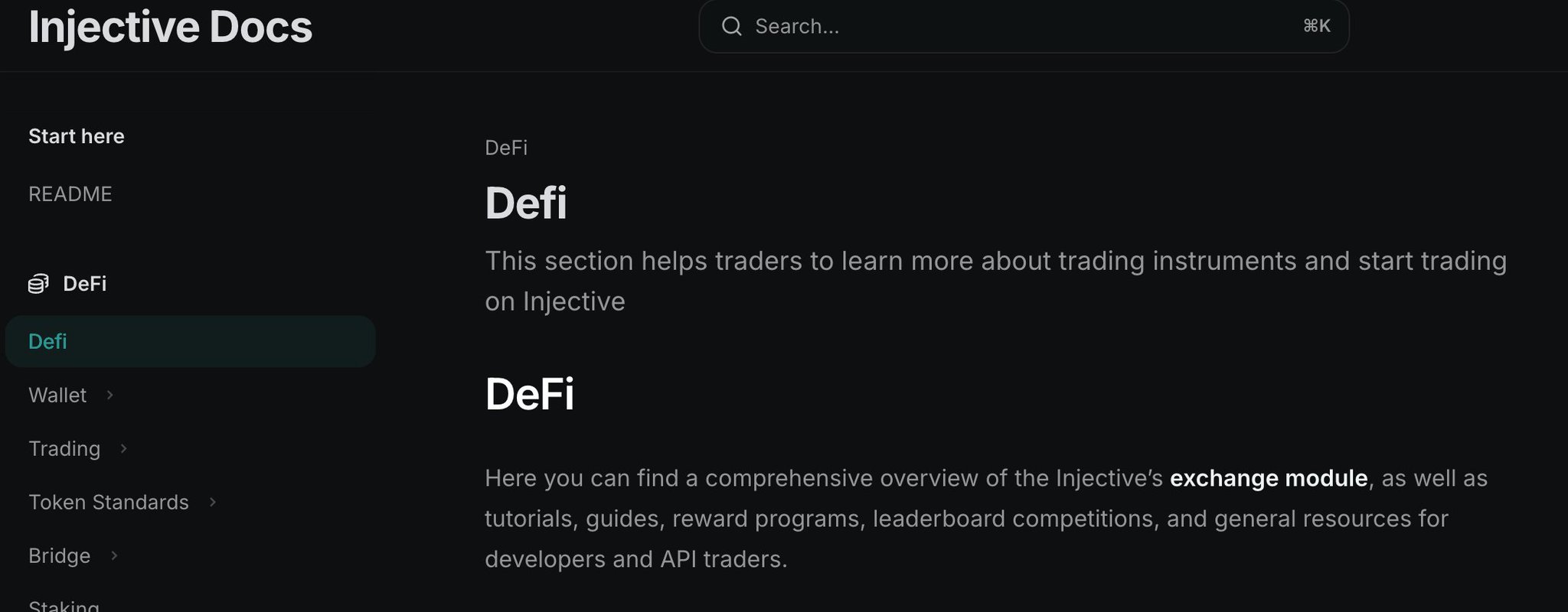 X
·
rich fractal
X
·
rich fractal
Kraken reinforces Injective’s validator network 🐙
Kraken, one of the world’s leading crypto exchanges with some of the most liquid order books in the asset-class, now serves as a major validator supporting Pineapple’s (NYSE: $PAPL) $100M $INJ Treasury.
Learn More: Here
🐦 Retweet: Here
@everyone

Kraken reinforces Injective’s validator network 🐙
@KrakenFX, one of the world’s leading crypto exchanges with some of the most liquid order books in the asset-class, now serves as a major validator supporting Pineapple’s (NYSE: $PAPL) $100M $INJ Treasury.
By leveraging
 X
·
rich fractal
X
·
rich fractal
Dex Screener Live on Injective
Dex Screener has officially integrated Injective.
View assets, analyze tokens and trade all from one unified interface that aggregates Injective’s CLOB and DEXs.
https://x.com/injective/status/1985522451401380333
@everyone
.@dexscreener has officially integrated Injective.
View assets, analyze tokens and trade all from one unified interface that aggregates Injective’s CLOB and DEXs.
 X
·
rich fractal
X
·
rich fractal
Everything changes forever in 5 days with the launch of the Injective mainnet.
A new era of Injective.
A new era of crypto.
A new era of finance.
https://x.com/injective/status/1986868781264871593?s=20
@everyone
Everything changes forever in 5 days with the launch of the Injective mainnet.
A new era of Injective.
A new era of crypto.
A new era of finance.
 X
·
rich fractal
X
·
rich fractal
Injective Altria Mainnet Upgrade Proposal Passed
INJ stakers overwhelmingly voted in favor to launch the most performant EVM layer yet, with real-time transaction speeds and instant finality.
The new era of Injective is upon us 🥷️
https://x.com/injective/status/1987218419653996990?s=20
@everyone
🔥BREAKING: The Injective Altria Mainnet Upgrade Proposal (IIP-583) has officially passed!
$INJ stakers overwhelmingly voted in favor to launch the most performant EVM layer yet, with real-time transaction speeds and instant finality.
The new era of Injective is upon us.
 X
·
rich fractal
X
·
rich fractal
Mainnet Anniversary Event with Injective
Injective Ambassadors are hosting a fun event in the Injective Discord to celebrate our Mainnet anniversary with the community.
Join us tomorrow, November 9th, at 10 AM ET on the Community Stage to chat about the journey and future of Injective.
Also make sure to join this form to be able to participate in prizes and raffles!
https://discord.gg/eNK7ta2AdW?event=1436430686805426390
@everyone
acoustic talon
Just 1 day to go!
EVM Mainnet is around the corner
https://x.com/bguiz/status/1987860844844343703
@everyone

nike: everyone is a runner
apple: everyone is a designer
amazon: everyone is a consumer
injective: everyone is an evm+cosmos user
what about your company?a
X
·
rich fractal

Today on @TakingStockLive 🎙️ Markets surge on hopes of a U.S. government shutdown deal
Stephen Schwarzman and Jon Gray of @Blackstone join @jd_durkin after the Closing Bell. Plus, @NYSE's @Eric_Criscuolo on market outlook and @ericinjective of @Injective. https://t.co/e0FtNbuTrV
X
·
rich fractal
The Injective EVM Mainnet is Now Live!
The Injective era has begun.
The Injective EVM Mainnet is now live, bringing builders, users and institutions worldwide a revolutionary blockchain capable of real-time transaction speeds within a truly MultiVM network.
Explore a new world of dApps, builders, partners and institutions on Injective for the first time.
A new future of onchain finance starts now.
🥷️ Share: Here
💥 Read More: Here
@everyone
 acoustic talon
Powerful new token type released
Injective has a Multi Token Standard which allows the same token to be used in both Cosmos and EVM transactions - first of a kind, AFAICT!
🥷️ Share: Here
💥 Read More: Here
@everyone
ohai ninjas, my 1st post for the injective blog
it's about tokens that are simultaneously erc20s on evm and denoms on cosmos
how's that even possible? read and find out.
spoiler: precompiles
 X
·
rich fractal
X
·
rich fractal
Introducing Injective Trader 🧠
A professional automation framework that gives traders a faster path from strategy design to live execution with an institutional-grade foundation for building, testing, and deploying automated strategies on Injective.
Learn more about how Injective Trader gives an edge to all who adopt this new battle-tested framework.
🐦 Retweet: Here
🏦 Learn More: Here
Get Started: Here
@everyone
 rich fractal
The global industry standard oracle platform, Chainlink, is now live on the Injective Mainnet.
Chainlink brings real time Data Streams with sub-second latency to the only blockchain purpose-built for finance. This now gives Injective developers full access to Chainlink’s battle-tested data stream markets across the Injective ecosystem.
Learn more about how Chainlink is powering the future of finance on Injective and providing low-latency Data Streams to Helix, the flagship DEX on Injective, across its suite of markets.
🫡 Retweet: Here
Learn More: Here
@everyone
 acoustic talon
How to wrap and unwrap wINJ (wrapped INJ)
wINJ is a MultiVM Token Standard token (i.e. both ERC20 on EVM and Denom on Cosmos)
Learn about how it works, and how to use it.
🫡 Retweet: Here
Learn More: Here
@everyone
psa: about INJ and wINJ
- INJ is a cryptocurrency on the injective blockchain
- wINJ is a fungible token on the injective blockchain
- wINJ is simultaneously both an ERC20 token on EVM and a Denom on Cosmos
- you can convert INJ to wINJ by wrapping
- you can convert wINJ to INJ
X
·

Wrapped INJ is similar to wrapped Ether, except that it can be used across all of Injective's VMs, thanks to the MultiVM Token Standard (MTS). Learn how this works under the hood!
rich fractal
The INJ Community BuyBack is now complete!
Only on Injective do buybacks reduce token supply and directly reward the community at the same time.
The next burn is coming in December 🔥
https://x.com/injective/status/1993693532947628262?s=20
@everyone
The $INJ Community BuyBack is now complete!
Only on Injective do buybacks reduce token supply and directly reward the community at the same time.
The next burn is coming in December 🔥
 X
·
acoustic talon
X
·
acoustic talon
Ask AI to write a poem about Injective for you! 👩🎤
Using OpenRouter + OpenWebUI + Injective Docs MCP.
(You don't need to be a developer to follow along)
https://x.com/bguiz/status/1996118206092902793
@everyone
floral rapids
We’re partnering with Bantr to launch the Injective MultiVM Ecosystem campaign with over $30,000 in rewards.
Details
Community members can participate by simply posting about & using the ecosystem apps & climb the leaderboard on Bantr based on their activity.
Head over to [Bantr]https://bantr.fun/project/injective) & connect your X Account & EVM Wallet to get started with the campaign.
If you need an invite code then head over to #1444058435623583938 to get one.
Resources
 rich fractal
BREAKING NEWS: Pineapple Financial has begun to migrate its entire $10 Billion mortgage portfolio onchain via Injective.
The company plans on bringing novel tokenized mortgage products to Injective while continuing its INJ first strategy in the public equity markets.
🧵 Read more: Here
🐦 Retweet: Here
@everyone
 rich fractal
JUST IN: Europe’s largest fintech, Revolut, has just listed INJ and introduced zero-fee staking support.
With over 60 million users and £30 billion in assets under management, Revolut is a global financial powerhouse delivering mainstream financial services at scale.
Now, retail and institutional users to buy, sell, trade, hold, and stake $INJ. And with Revolut’s commission-free staking setup, users keep 100% of their staking yields.
🧠 Learn more: Here
🥷 Retweet: Here
@everyone
 floral rapids
HackQuest x NinjaLabs Builder Break
This is a two-week community event where you build something small related to the Injective ecosystem, share it with others, and join a group of builders who enjoy creating simple projects during the holiday season.
The goal is to give newcomers an easy way to try building while getting to know the Ninja Labs Community.
You do not need deep coding skills.
You can join even if it is your first time building anything.
Learn more
-# - Information
-# - Tweet
-# - @everyone
 rich fractal
Injective CEO Eric Chen Featured on the homepage of INC Magazine
https://x.com/injective/status/2000609512584044609?s=20
@everyone
 floral rapids
Ninja Break Content Festival is here!
This content festival invites developers, builders, and technical creators to share how they would actually build on Injective EVM — whether through governance designs, product concepts, build logs, or engineering guides grounded in real use cases.
Details
- Information
- X/Twitter Post
- @everyone
 rich fractal
x402 Goes Live on Injective
Today, Injective is officially integrating the brand new x402 standard.
With x402 on Injective, anyone can power the fastest payments worldwide that works at Internet scale.
Agentic payments. Neo-banks. A new revolution in onchain finance.
What will you create?
https://x.com/injective/status/2004549165813219576?s=46
@everyone
Today, Injective is officially integrating the brand new x402 standard.
With x402 on Injective, anyone can power the fastest payments worldwide that works at Internet scale.
Agentic payments. Neo-banks. A new revolution in onchain finance.
What will you create?
 X
·
rich fractal
X
·
rich fractal
🚨 January's $INJ Community BuyBack is now live!
Active users and stakers have been prioritized for this month's event eligibility
Spots will fill up fast so don't wait! Head to the Injective Hub now 🥷
https://x.com/injective/status/2011452865387114925?s=46
@everyone
🚨 January's $INJ Community BuyBack is now live!
Active users and stakers have been prioritized for this month's event eligibility
Spots will fill up fast so don't wait! Head to the Injective Hub now 🥷
 X
·
rich fractal
X
·
rich fractal
Korea's #1 university just entered into a partnership with Injective to launch its first ever validator and institutional research program.
Injective is now the only chain to be secured directly by Korea University, paving the way for Injective to expand across the region 🇰🇷
🥷️ Learn more: Here
🐦 Retweet: Here
@everyone
 rich fractal
INJ Supply Squeeze
The $INJ Supply Squeeze governance proposal is now live!
If the proposal passes, the largest update to $INJ tokenomics will occur, doubling its deflation rate and making $INJ one of the most deflationary crypto assets in history.
All INJ stakers have 4 days to vote for IIP-617.
@everyone
The $INJ Supply Squeeze governance proposal is now live!
If the proposal passes, the largest update to $INJ tokenomics will occur, doubling its deflation rate and making $INJ one of the most deflationary crypto assets in history.
All INJ stakers have 4 days to vote for IIP-617.
 X
·
rich fractal
X
·
rich fractal
INJ Supply Squeeze Proposal Passed
🚨 BREAKING: The governance proposal to begin the next phase of $INJ has passed with 99.89% of community members voting YES.
The new chapter of INJ is live now to dramatically reduce the token supply, enabling INJ to become one of the most deflationary assets over time.
@everyone
🚨 BREAKING: The governance proposal to begin the next phase of $INJ has passed with 99.89% of community members voting YES.
The new chapter of INJ is live now to dramatically reduce the token supply, enabling INJ to become one of the most deflationary assets over time.
 X
·
rich fractal
X
·
rich fractal
INJ Supply Squeeze
A brand new revolution has arrived on Injective with the release of the $INJ Supply Squeeze.
An all new tokenomics model is now live to reduce the INJ supply moving forward, paving the way for it to become one of the most deflationary assets in the history of crypto.
How does the $INJ Supply Squeeze work? What does it mean for the future of Injective tokenomics?
Find out more in the post below!
@everyone
 rich fractal
INJ Staking Live on Nansen
INJ is kicking of a new chapter of global dominance.
Today, Nansen launched native INJ staking in the Nansen app alongside an Injective validator.
Already over $2 million is staked onchain by Nansen with rapidly rising usage.
The future starts here.
https://x.com/injective/status/2016155761613713467?s=46
@everyone
INJ is kicking of a new chapter of global dominance.
Today, @nansen_ai launched native $INJ staking in the Nansen app alongside an Injective validator.
Already over $2 million is staked onchain by Nansen with rapidly rising usage.
The future starts here.
 X
·
dusky tangle
X
·
dusky tangle
Publicly Traded Company Launches Exclusive Tokenization Suite on Injective
DigiShares, in collaboration with publicly listed company Valereum, is bringing its tokenization suite to Injective.
Built on the ERC-7943 interoperability standard and Injective’s finance-first architecture, DigiShares enables single-asset issuance of real estate, Pre-IPO equity and more directly on Injective.
Valereum’s institutional-grade secondary trading platform completes the stack, delivering a unified, end-to-end experience for institutions to diligence, invest, and trade digital securities.
Novel tokenized securities are moving onchain with Injective.
The future starts here.
https://x.com/injective/status/2016874426462060835?s=46&t=TZ1i1XyU98L7Fmh0MYZviw
@everyone
Digital securities are
❌ Fragmented
❌ Unstandardized
❌ Confusing for issuers and investors
That all changes today.
DigiShares, in collaboration with publicly listed company Valereum, is bringing its tokenization suite to Injective.
Built on the ERC-7943 interoperability
 X
·
rich fractal
X
·
rich fractal
Real-Time EVM Mainnet Upgrade
This week, Injective is expected to make a major upgrade to its Real-Time EVM Mainnet.
The upgrade vastly enhances the performance of Injective's MultiVM architecture, optimizes the RWA integration with Chainlink and expands the capabilities of a new shared liquidity layer.
🥷️Vote Here: https://injhub.com/proposal/619
@everyone
This week, Injective is expected to make a major upgrade to its Real-Time EVM Mainnet.
The upgrade vastly enhances the performance of Injective's MultiVM architecture, optimizes the RWA integration with @chainlink and expands the capabilities of a new shared liquidity layer.
 X
·
acoustic talon
X
·
acoustic talon
Happy Lunar New Year!
@everyone
rich fractal
The Injective Summit is headed to the US Capital!
July 16th, 2026
Just in time to celebrate America’s 250th Birthday 🇺🇸
🐦 Retweet: Here
@everyone
The Injective Summit is headed to the US Capital!
July 16th, 2026
Just in time to celebrate America’s 250th Birthday 🇺🇸
 X
·
dusky tangle
X
·
dusky tangle
Injective MCP Server Release
Today, we are introducing the Injective MCP
Create custom AI agents that can trade perpetuals, bridge across chains and launch onchain payments on Injective with natural language.
Automate your workflows with OpenClaw, Claude and more.
🥷️Get Started: Here
💥Share: Here
@everyone
 rich fractal
Join the first Injective Community Call of 2026!
We are fully underway with build season and want to share some of the latest developments and how we see it shaping this year's roadmap.
@everyone
rich fractal
Injective CLI Skill Release
Today, we are launching the all new Injective CLI Skill.
Build with an AI-agent extension that wraps the injectived CLI for seamless interaction with Injective right from your terminal.
Query chain data, send transactions, manage keys and more with auto-mapped subcommands, consistent wallet handling and zero-friction setup.
It's like giving your AI agent a blockchain terminal.
Get Started: Here
🤖 Share: Here
@everyone
Discover and install skills for AI agents.
1/ Today, we are launching the all new Injective CLI skill.
This directly enables an AI-agent extension that wraps the injectived CLI for seamless interaction with Injective right from your terminal.
Unlock a world of new opportunities with Injective 👇
 X
·
rich fractal
X
·
rich fractal
Stargate is now live on Injective.
Access 80+ chains in one click. With the Stargate Finance release, $wETH is now available to all users on Injective, unlocking new onchain markets and DeFi primitives.
Liquidity infrastructure just got upgraded 🏆
Learn more: Here
🐦 Retweet: Here
@everyone
 rich fractal
AI Trading Agents Live on Injective
Injective now officially supports AI trading agents. Any algo trader can run fully self-custodial strategies directly on Injective's onchain orderbook. No CEX required.
Your agent connects via gRPC with live orderbooks, trade fills, funding rates and oracle prices streaming in real time. Orders settle onchain as atomic transactions. You keep full custody the entire time.
The integration with Hummingbot gives your agent the same strategy framework used by thousands of traders across dozens of exchanges. Market making, cross-exchange arb or fully custom Python scripts all work out of the box.
Onchain, open source and proven at scale.
@everyone
 rich fractal
Dynamic Mainnet Release
The new Injective Mainnet Upgrade is officially live!
This upgrade will deliver optimizations across Injective's chain scalability, the proprietary MultiVM infrastructure and novel onchain agentic tools.
Get ready to experience an entirely new Injective.
@everyone
The new Injective Mainnet Upgrade is officially live!
This upgrade will deliver optimizations across Injective's chain scalability, the proprietary MultiVM infrastructure and novel onchain agentic tools.
Get ready to experience an entirely new Injective.
 X
·
acoustic talon
X
·
acoustic talon
Create dev tutorials --> Earn $INJ --> Get featured
@raven umbra just got featured on the main Injective website - https://x.com/bguiz/status/2032089607354061214
Ninjas pls congratulate him!
We've liked this process, and want to extend this to all of you too.
Any Injective developers in this chat who fancy sharing your skills/ knowledge: LMK!
We're keen to accept your code repos and written tutorials,
and will pay $INJ bounties to successful submissions.
You'll even stand a chance to get featured in the main Injective website!
@everyone
new tutorial drop from @zedonchain_ - build a pump-fun type of dapp, but from multivm token standard tokens
we've featured on the injective build page too!
https://t.co/A551x0Qm4g
 X
·
rich fractal
X
·
rich fractal
USDC and CCTP, powered by Circle, are officially coming to Injective.
The world's largest regulated stablecoin. Secure crosschain transfers. All natively integrated into the fastest blockchain built for finance.
USDC is the settlement layer for modern finance.
Together with Circle, Injective will bring that liquidity directly onchain for every trader, builder, and institution in the ecosystem.
Mainnet loading. ⏳
🧠 Learn More: Here
📱Retweet: Here
@everyone
 rich fractal
Real-Time USDC Mainnet Upgrade
Injective has officially released a new governance proposal for its next major mainnet upgrade.
IIP-628 establishes Injective as the definitive settlement layer for real-time stablecoin infrastructure and programmable payments at scale. The upgrade enforces strict ERC20 interoperability standards, scales Circle's native USDC issuance onchain and hardens derivative market resilience with refined liquidation logic.
🥷️Vote: Here
⚡Share: Here
@everyone

🔥NEW: Injective has officially released the Real-Time USDC Mainnet Upgrade proposal to establish $INJ as the definitive settlement layer for real-time stablecoin infrastructure and programmable payments at scale.
X
·
rich fractal
🥷️NOW LIVE: Injective's Real-Time USDC Mainnet Upgrade
Injective's latest mainnet upgrade is officially live.
IIP-628 establishes Injective as the definitive settlement layer for real-time stablecoin infrastructure and programmable payments at scale. The upgrade enforces strict ERC20 interoperability standards, scales Circle's native USDC issuance onchain and hardens derivative market resilience with refined liquidation logic.
$79 billion in regulated stablecoin liquidity. Officially coming to Injective.
⚡️Share: Here
@everyone
🚨 BREAKING: Injective's Real-Time USDC Mainnet Upgrade is now live, enabling Injective to become the settlement layer for next-gen stablecoin infrastructure and programmable payments at scale.
$79 billion in regulated stablecoin liquidity. Officially coming to Injective 🥷
 X
·
rich fractal
X
·
rich fractal
Risk-isolated credit markets are officially live on Injective.
Together with Silo Finance, Injective users can now lend and borrow through isolated markets where each pair has its own risk parameters, oracle, and liquidation engine.
The yINJ/wINJ market is live now with more pairs coming soon.
📝 Learn more: Here
🐦 Retweet: Here
🏦 Explore Silo: Here
@everyone
 rich fractal
Injective is expanding in Japan.
Next Finance Tech, a Goldman Sachs-founded blockchain infrastructure firm backed by NASDAQ-listed Coincheck Group, joins as the newest INJ validator.
One of Japan's largest web3 infrastructure providers now helps secure Injective. 🇯🇵
🥷 Learn more: Here
🐦 Retweet: Here
View NFT's Validator: Here
@everyone
 rich fractal
Injective Research Published in Mathematics (MDPI)
Injective researchers have been officially published in Mathematics (MDPI), one of the world's most prestigious academic journals.
The paper studies how Injective operates dynamic fee markets at sub-second timescales, exposing why Ethereum's EIP-1559 (built for 12-second blocks) breaks down on a chain running 25x faster at 600ms, and identifying the mathematically optimal parameters for a high-speed fee mechanism.
Key findings include a 31% cut in peak fees by doubling block gas capacity, economic spam barriers that kick in within 17–32 seconds (vs. 4–6 minutes on Ethereum), and a Pareto-optimal 5% per-block adjustment rate that reduces fee ratchet severity by 19x.
📘 Read the Paper: Here
🔍 Share: Here
@everyone
1/ Researchers at Injective are now officially published in Mathematics (MDPI), one of the world's most prestigious academic journals.
The paper delves into Injective's architecture and how the protocol operates dynamic fee markets at sub-second timescales 🔍️
 X
·
rich fractal
X
·
rich fractal
The first regulated INJ futures have officially launched in the United States.
1️⃣ INJ futures are available via Bitnomial, one of the only CFTC-regulated exchanges in the US today.
2️⃣ INJ officially joins BTC, ETH, SOL and XRP in the regulated U.S. futures market.
3️⃣ A fully U.S. regulated derivatives stack is forming around INJ to enable unprecedented institutional access.
🥷️ Learn more: Here
🐦 Retweet: Here
@everyone
Injective | The Blockchain Built for Finance & Web3 Innovation
Today, US-regulated INJ futures began trading on Bitnomial Exchange, a CFTC-regulated designated contract market. For the first time, institutional and retail traders in the United States have a regulated derivatives product for Injective.

The first regulated $INJ futures have officially launched in the United States.
INJ futures are available via @Bitnomial, one of the only CFTC-regulated exchanges in the US today.
$INJ officially joins $BTC, $ETH, $SOL and $XRP in the regulated U.S. futures market.
X
·
rich fractal
Alchemy, The Largest Blockchain Developer Platform Powering $4 Trillion in Onchain Transactions, Launches on Injective
Core JSON RPC for mainnet and testnet. 99.99% uptime. SOC 2 Type II certified. The infrastructure behind $4T+ in onchain transactions now supports the fastest blockchain built for finance.
Any developer already using Alchemy for Ethereum or Solana can now build on Injective with the same workflow. Native order book. MultiVM execution. Sub-second finality. Zero gas fees. All at the protocol level.
🧠 Learn more: Here
🐦 Retweet: Here
⚡ Alchemy RPC Info: Here
@everyone
 rich fractal
It's live. USDC and CCTP on Injective mainnet.
$77 billion in stablecoin liquidity. 20+ blockchains connected through CCTP. Natively integrated into the fastest blockchain built for finance.
Move and use USDC on Injective now.
💲 USDC Resources: Here
🐦 Retweet: Here
🧠 Learn More: Here
@everyone
 rich fractal
Injective USDC is coming to Cosmos and dYdX as the canonical stablecoin standard.
One of the largest blockchains and one of the largest perp DEXs in history. Every
USDC on both, will start with Injective USDC.
🌎Retweet: Here
@everyone

Injective USDC is coming to @cosmoshub and @dYdX as the canonical stablecoin standard.
One of the largest blockchains and one of the largest perp DEXs in history. Every @USDC on both, will start with Injective USDC.
Coming Soon. ⏳️
X
·
rich fractal
OFFICIAL ANNOUNCEMENT
Music IP is set to be a $200B asset class. None of it is onchain.
Today we're partnering with Musicow to change that with one of the largest tokenization efforts in crypto.
Stay tuned as we reveal some of the biggest global artists in the coming months.
🎵 Retweet: Here
@everyone

OFFICIAL ANNOUNCEMENT
Music IP is set to be a $200B asset class. None of it is onchain.
Today we're partnering with Musicow to change that with one of the largest tokenization efforts in crypto.
Stay tuned as we reveal some of the biggest global artists in the coming months.
X
·
rich fractal
Onchain Agents on Injective Can Now Use USDC
Onchain agents can now pay in USDC on Injective!
In the demo, an agent uses USDC to trade tokenized Tesla stock onchain.
Deploy onchain agents for RWA use cases with the simplest UX. The agentic and tokenization economy are coming together.
Only on $INJ
⚡️Check out the demo and retweet
https://x.com/injective/status/2057132949913403763?s=20
@everyone

BREAKING: Onchain agents can now pay in $USDC on Injective!
In the demo, an agent uses USDC to trade tokenized $TSLA stock onchain.
Deploy onchain agents for RWA use cases with the simplest UX. The agentic and tokenization economy are coming together.
Only on $INJ
X
·
rich fractal
Today, we are officially introducing The Injective Policy Institute (IPI).
The policy and research arm of Injective will work directly with regulators and lawmakers to advance onchain finance innovation in Washington, D.C. and throughout the United States 🇺🇸
🙌 Learn more: Here
📱 Retweet: Here
🏛 Visit the IPI: Here
@everyone
 polar plinth
🌍 Welcome to the official Injective Protocol Announcements Channel!
Injective is a secure, fully decentralized layer-2 derivatives exchange protocol powering cross-chain trading and borderless DeFi. The Protocol also includes unique liquidity mining programs to incentivize traders on the exchange. We are proud to be backed by some of the top funds in the blockchain space such as Binance Labs and Pantera Capital.
Please subscribe to our official channels to get stay updated!
Website: https://injectiveprotocol.com/
Twitter: https://twitter.com/injectivelabs
Telegram: https://t.me/joininjective
All Social Links: https://linktr.ee/injective
polar plinth
Injective Protocol to feature eGold-based derivatives on our decentralized exchange and explore further Elrond tech integration
We’re excited to announce that Injective Protocol will enable eGold-based derivative products to be created on our DEX and integrate Elrond technology to further innovation within DeFi. This will make us the first derivatives exchange to be adding Elrond derivatives moving forward.
Elrond is creating a highly scalable, fast and secure blockchain platform for distributed apps, enterprise use cases and the new internet economy.
This collaboration is an important step for Injective as our platform continues to bring new tokens, technology, and partners to its decentralized derivatives exchange. As the core visions of both Elrond and Injective align greatly, Elrond and Injective will bring forward a more secure, flexible, and user-friendly experience to the DeFi space.
"Elrond's economy stands out from other projects and has the potential of making eGold a coveted asset for trade. We look forward to exploring new ways of using Elrond's innovative smart contracts to give our traders an edge in the DeFi space," said Eric Chen, Injective Protocol co-founder and CEO.
👉🏻 Read more: https://bit.ly/3kyvPOb
polar plinth
DeFi Lending and Staking Platform Frontier Partners with Injective Protocol
We are thrilled to announce that Injective Protocol has strategically partnered with chain-agnostic DeFi aggregator Frontier to support token swaps and INJ staking via a user-friendly mobile interface.
Frontier is the leading mobile DeFi aggregator supporting token swaps and staking with the simplest but powerful interface for popular tokens such as Kava and Cosmos. All of this is done in a non-custodial manner, meaning that users retain complete control over their assets and keys at all times.
With this partnership, Frontier will bring its DeFi solution to Injective’s innovative layer-2 decentralized derivatives exchange, creating a partnership that will immensely help bring new features and functionality for users of both Frontier and Injective. In addition, users of Frontier will now be able to access innovative derivative markets built on Injective as well as trading liquidity for markets not found on other exchanges.
Frontier CEO and Co-Founder, Ravindra Kumar is excited to be able to access the derivative markets offered by Injective and had this to say: “We have been following Injective’s progress for quite some time and are immensely excited to bring our users access to unique derivative markets. This will enable a host of new opportunities for trading swaps across a multitude of new asset types.”
👉Read more: https://bit.ly/3mBUXpb
💪Spread the Word on Twitter: https://bit.ly/3kCvWIm
polar plinth
Announcing the Injective Derivative Markets Idea Competition Winners 🏆
We are excited to announce the winners of the derivative markets idea competition!
Thank you to everyone for contributing innovative and creative ideas to create a truly decentralized derivatives trading experience on Injective. We also want to thank our judges from top exchanges such as Binance, OKEx and Kraken for helping us to select the best ideas to integrate onto Injective.
Injective enables anyone to create and trade on a market using just a price feed. So, we look forward to enabling our community to introduce new markets of their choice onto Injective.
Check out the article below to learn more about the winning ideas and to see if you won.
May the odds ever be in your favor.
👉Read more: https://bit.ly/308zQRC
💪Spread the Word on Twitter: https://bit.ly/3kOZW44
polar plinth
Injective was just featured in Entrepreneur Magazine!
The blockchain sector is experiencing a global renaissance with the surging demand for DeFi products. Injective is tackling one of the largest markets with derivative products which has seen growing demand with crypto derivative trading volumes eclipsing** $710B in August of 2020**.****
🚀 Read more: https://bit.ly/3cCtkHI
polar plinth
We launched our new website!
🚀Check it out here: https://injectiveprotocol.com/
polar plinth
**Injective Launches its Decentralized E-Commerce Store with Origin Protocol
**
We are excited to launch our very own decentralized shop with our partner Origin Protocol. Now anyone can access unique Injective branded products with ease.
We chose Origin to be our partner on this due to their fee-less setup, censorship-resistance, data immutability, built-in crypto payments, and an open-source code base that allows for a high degree of flexibility and customization.
⚡️Check out our store here: https://bit.ly/3kSzab1
polar plinth
Injective Partners with Ramp DeFi to Bring Cross-Chain Stake Farming and Liquidity Solutions to DEXes
We are excited to announce our partnership with Ramp DeFi, a global decentralized finance solution that focuses on unlocking liquid capital from digital assets. Injective will be the first derivatives DEX to host Ramp's collateralized stablecoin (rUSD) while bringing Ramp's innovative stake farming solutions across a diverse array of blockchain networks through our cross-chain trading capabilities.
By integrating with Injective, Ramp will be able to enter multiple derivatives markets, creating new staking and yield farming opportunities for both Injective and Ramp users globally.
👉Read more: https://bit.ly/3lqHRJZ
🚀Spread the Word on Twitter: https://bit.ly/36JAXLA
polar plinth
We’re incredibly excited to introduce $INJ and the diverse array of use cases the token holds for the decentralized economy.
Read more in the article by our CTO Albert Chon.
🚀Read more here: https://bit.ly/34MUSGP
⚡️Spread the Word on Twitter: https://bit.ly/3jSxcHl
polar plinth
Injective Integrates with Polkadot to Expand its Decentralized Cross-Chain Derivatives Trading
We are excited to announce that we are integrating with Polkadot to expand Injective's decentralized cross-chain trading capabilities.
We plan to create a bridge that would enable assets from Injective and Polkadot to be transferred between one another. This opens up tremendous potential for various derivatives, such as staking derivatives, to be brought to Polkadot.
As Ethereum and Polkadot are two of the giants in the layer-1 space today, the opportunities for our cross-chain derivatives DEX are truly limitless.
Read more here: https://bit.ly/3jc3rAe
How to Participate in the Public Sale Hosted by Binance: https://bit.ly/3747gF6
Binance Research Report: https://bit.ly/3lGuwx9
⚠️ **NOTE: Our token has not been listed anywhere yet. Please report immediately if someone offers you tokens to purchase.PLEASE BE CAREFUL ABOUT FAKE SITES AND TELEGRAM ACCOUNTS. **⚠️
Please only join our official social channels here: https://linktr.ee/injective
polar plinth
We hosted a** DeFi talk** last week exploring yield farming, DEXes, and much more! Joining us were execs from Perpetual Protocol, Augur, UMA ,and Compound.
📺Watch Here: bit.ly/37w3WD0
⚡️The Injective Token Contract: https://bit.ly/3m2W1B9
👉Binance Research Report: https://bit.ly/3lGuwx9
polar plinth
Injective is on Blockfolio Signal! All the latest INJ updates will now directly be available on blockfolio. Make sure to enable notifications for Signal so you never miss out on exciting INJ news!
polar plinth
Injective Partners with Elrond for Staking Campaign
More Details: https://twitter.com/injectivelabs/status/1319342145388617730?s=21
⚡️The Injective Token Contract: https://bit.ly/3m2W1B9
👉Binance Research Report: https://bit.ly/3lGuwx9
polar plinth
Injective will Integrate Chainlink Price Feeds to Settle User-Created Decentralized Derivatives Markets
We are excited to announce that we are integrating six Chainlink price feeds to secure our decentralized derivatives exchange. These price feeds will enable our users to create their own decentralized derivatives markets with total assurance that they will be settled by highly reliable and securely delivered data feeds. In addition, Chainlink will now be able to reach new consumers and markets via our DEX.
🚀Read more: https://bit.ly/31LXowy

Medium
We are excited to announce that we are integrating six Chainlink price feeds to secure our decentralized derivatives exchange. The…
polar plinth
We are excited to announce that Injective is now supported across ten languages globally!
Since the inception of our project, we have witnessed a rapid growth in our community throughout the world. So over the past few weeks, we launched an initiative to work with highly-skilled technical translators to provide information on Injective in different languages that are accessible to our community members.
Currently, we support the following languages: English, Chinese, Korean, French, German, Japanese, Russian, Turkish, Indonesian, and Vietnamese.
🏆Read more here: https://bit.ly/3kAxl2L
Please head on over to https://Injectiveprotocol.com to learn about Injective in the language of your choice!
polar plinth
Injective Partners with DIA to Expand its Decentralized Oracle Ecosystem
We are excited to announce that Injective and DIA are entering into a strategic partnership to expand the oracle ecosystem for our DEX. With this collaboration, Injective will enable DIA to tap into a growing community of traders as we continue to introduce innovative cross-chain derivatives markets moving forward.
Michael Weber, CEO and Co-Founder of DIA, said the following, “Injective will be an invaluable partner as we look to grow the reach of our decentralized oracle solution. We at DIA are excited to work with a pioneer in decentralized cross-chain derivatives trading that can leverage the technology built by DIA.”
🏆Read more here: https://bit.ly/34Dc2rP

Medium
We are excited to announce that Injective and DIA are entering into a strategic partnership to expand the oracle ecosystem for our DEX…
polar plinth
Injective Hub Launch
We are pleased to announce the launch of Injective Hub, a community accelerator that enables Injective supporters to earn rewards for their contributions to the project.
In order to get started, all that's needed is to create an account on the Injective Hub. We have oppourtunities for content creators, deisgners, developers, liquidity providers, and all Injective enthusiasts!
📖 Read More: https://bit.ly/3oAr21D
👑 Join Injective Hub here: https://community.injectiveprotocol.com/

Medium
We are pleased to announce the launch of Injective Hub, a community accelerator that enables Injective supporters to earn rewards for…
polar plinth
We just successfully completed our staking campaign with ElrondNetwork! Catch a recap of the #Injective AMA that Elrond hosted with Eric: https://bit.ly/35NRagT

Medium
Thank you all for attending our AMA with Elrond. We are very excited to be partnering with Elrond and have successfully completed the…
polar plinth
Injective and Eric Chen were just featured on Forbes.
🚀 Read the full article: https://bit.ly/3la25YI

Forbes
For Eric Chen, founder of Injective Protocol, the desire to build a truly decentralized derivatives exchange led him on a journey from hedge funds to eventually being incubated by Binance, the world’s leading digital assets exchange.
polar plinth
Introducing The Injective Ecosystem
As we look to launch our testnet soon, we wanted to take some time to give the community an inside look into how they can participate in the Injective Ecosystem.
Whether you're a trader, staker, or developer, there are various ways through which you can engage with Injective.
🔍Find out more here: https://bit.ly/2Ih03Yf

Medium
Our team is hard at work to create a truly decentralized derivatives exchange. As we look to launch our testnet soon, we wanted to take…
polar plinth
Injective to Introduce Decentralized Derivatives as an Inaugural Broker on Orion Protocol
We are excited to announce a strategic partnership with Orion Protocol, a decentralized platform that aggregates the liquidity, order book depth, and trade pairs from every centralized and decentralized digital asset market.
As an inaugural broker, Injective plans to be the first liquidity provider of decentralized derivatives on Orion's aggregated book orders. In addition, we plan to explore innovative cross-chain and bridge solutions alongside the Orion team.
🌟 Read More: https://bit.ly/2GWDDuO

Medium
Injective is excited to announce a strategic partnership with Orion Protocol, a decentralized platform that aggregates the liquidity…
polar plinth
**Injective was invited to Korea Blockchain Week! **
📺Check out this talk on DEXes, derivatives, and DeFi: https://bit.ly/38FC0xc
 polar plinth
Injective Partners with Stafi to Enable New Staking and Yield Farming Opportunities using Substrate
We are thrilled to announce a new partnership with Stafi, a DeFi protocol built on Substrate for staking derivatives that unlocks the liquidity of staked assets. This partnership will create a number of new opportunities not only for Injective and Stafi but also for the DeFi community as a whole as we look to introduce new forms of staking derivatives on our DEX moving forward. This also helps to further expand our collaboration with Substrate and Polkadot.
“We are excited to be partnering with Injective and listing our native token FIS on their DEX. This collaboration will bring on a new wave of synergies for both Injective and StaFi as we will be able to grow and scale with each other. We are looking forward to exploring new opportunities with respect to staking, and the DeFi industry.” said Liam Young, CEO of Stafi.
⛳️ Read more here: https://bit.ly/3pC0xcr

Medium
We are thrilled to announce a new partnership with Stafi, a DeFi protocol built on Substrate for staking derivatives that unlocks the…
polar plinth
Injective hosted a talk this week exploring layer one protocols and DeFi!
Attending the talk were Emin Gun Sirer from Ava Labs, Dawn Song from Oasis Labs, Illia Polosukhin from Near Protocol, and Eric Chen from Injective.
📺 Watch Here: https://bit.ly/3memw77
Be sure to subscribe to the Injective YouTube channel for more exciting content like this!
⭐️Subscribe: https://bit.ly/3qbfi6y
Injective Protocol (Eric Chen) hosts a talk with major players in the layer one space such as Avalanche (Emin Gun Sirer), Oasis Labs (Dawn Song), and Near Pr...

YouTube
polar plinth
INJ is now on Math Wallet
polar plinth
We are thrilled to release a countdown to our Solstice Testnet Early Access Launch 💥
Check it out here: https://injectiveprotocol.com
Exciting news coming soon! 🏆 #SolsticeTestnet
polar plinth
Solstice Testnet Early Access Launch 🚀
The Solstice testnet release will enable individuals to have the first look at the Injective exchange that from day one has been built to be fully decentralized, fast, and free of any gas fees.
Solstice will consist of three discrete phases. The first phase will kick off with the Golden Ticket Early Access, which enables strong supporters of Injective to earn additional rewards before the public launch of Solstice. The second phase will be composed of a trading competition. The final phase of Solstice will be announced in the coming weeks.
We are so glad to have all of your support and enthusiasm as more than 10,000 users have already signed up. Details regarding how you can join Solstice will be released shortly.
We look forward to seeing all of you on Solstice!
⚡️ Read More: https://bit.ly/3ltOdYu
Medium
We’re extremely excited to launch early access to the Solstice testnet!
polar plinth
We are kicking off our exclusive Golden Ticket Early Access period for the #SolsticeTestnet ⚡️
Already over 10,000 users have joined our waitlist.
Find out how you can get early access to Solstice and start earning rewards today: https://bit.ly/3og2M3P
Medium
We want to thank the Injective family for playing an integral role in our journey thus far. We just launched early access to the Solstice…
polar plinth
Introducing the Initial Markets on Solstice
We are excited to announce the initial markets available on Solstice!
The initial markets will include the following: Injective, Bitcoin, Ethereum, Binance Coin, Polkadot, Elrond, ChainLink, Uniswap, and Yearn Finance.
These markets have been chosen primarily based on our community interests and our partner network. We have been analyzing sentiments and traction across channels in order to gauge which markets our supporters would be most interested in exploring.
If your favorite project was not listed in this initial batch, then don't worry! We will continue to add new assets as we prepare to release our mainnet in the coming months.
💥Read More: https://bit.ly/3oa3pfd
Medium
We are excited to announce the initial markets available on Solstice!
polar plinth
**Catch an exclusive livestream panel **with three recent Binance IEOs! AxieInfinity, AlphaFinanceLab, and of course InjectiveLabs. execs will chat about DeFi, yield farming, and NFTs ⚡️
📺 Watch here: https://bit.ly/2Vya46o
polar plinth
Injective: November 2020 Update
We are excited to share our November community update! We cover the early access Solstice Testnet release, major partnerships, technical development, exchange listings, community initiatives, and much more!
⭐️Read More: https://bit.ly/2Vs6Tgz
 zinc folio
Day 3 of the #SolsticeTestnet is going live in less than 20 Minutes! A Golden Ticket code will be dropped in this official Injective Discord group so be sure to join and tell your friends! ☀️
polar plinth
Injective and the Solstice Testnet on the front page of Techcrunch! 🚀
This is the most widely read tech publication in the world!
⚡️Read More: https://tcrn.ch/33IyH57

Decentralized exchange protocols that allow crypto traders and investors to trade across different blockсhains have been in development for a while. A significant new development now comes with the launch of the ‘Testnet’ from Injective Protocol. Injective has been backed by Binance, one of the big…
exotic girder
**Day 4 of the Solstice Testnet is going live in less than 20 minutes! **
We will drop a referral code on our official Reddit channel today so be sure to join our Reddit Channel: https://t.co/3hTtipIJLl

reddit
Injective is the first front-running resistant, layer-2 exchange protocol that unlocks the full potential of borderless finance by supporting...
polar plinth
Alpha Finance is being listed on the Solstice Testnet!
This means that users can now trade $ALPHA perpetual markets with up to 20x leverage ✨
Alpha will join a rapidly growing list of markets that have been added to Solstice which include Injective, Bitcoin, Ethereum, Binance Coin, Polkadot, Elrond, ChainLink, Uniswap, and Yearn Finance.
Injective's current focus is to deliver a product that offers fully decentralized cross-chain derivatives trading. We are aiming to bridge together components of the DeFi ecosystem with the DEX sector as a whole.
In pursuit of this goal, we aim to delve deeply into yield opportunities for our users through the introduction of new derivative products focused on yield.
🏆Read More: https://bit.ly/39EuNhd

Medium
Alpha Finance is being listed on the Solstice Testnet! This means that starting on Day 5 of Solstice, users can trade Alpha perpetual…
polar plinth
Injective Launches Synthetic Assets on its Solstice Testnet
Today we are launching the very first synthetic commodity market on Injective.
We are excited to tap into the rapidly growing synthetics market with the addition of gold on the Solstice testnet. Users can now trade gold perpetual markets with up to 20x leverage.
We are continuing to explore the addition of both new synthetic assets and new markets not available anywhere else. Our goal at Injective is to facilitate trading for every single available market globally. This will include digital assets, synthetics, and much more! We will also allow our community members to create and trade any market of their choice soon.
This means Injective will quite literally offer unlimited options for markets to trade on without any form of restriction.
See you on Solstice ☀️
💥Read More: https://bit.ly/36JzLHT

Medium
Today we are launching the very first synthetic commodity market on Injective.
polar plinth
Day 5 of the #SolsticeTestnet is launching in the next 2 hours! Get ready to trade new asset additions such as $ALPHA and gold synthetic perpetual swaps 💥
Join our official Discord server for a referral code: https://discord.gg/injective
polar plinth
**Day 6 of the Solstice Testnet is going live in 2 hours! **⭐️
Join our official discord server for a referral code to gain early access: https://discord.gg/injective
polar plinth
Injective’s recent synthetic asset launch was covered by CoinTelegraph!
🚀Read More: https://bit.ly/33R6R6y
Cointelegraph
Two new synthetic asset and derivatives platforms look to take a slice of Synthetix’s pie.
polar plinth
**Day 7 of the #SolsticeTestnet is going live in 4 hours! **
This will enable new community members to onboard as it is a better fit for European time zones.
Join our official discord server for a referral code to get early access golden tickets: https://discord.gg/injective
polar plinth
**Kava is Listing on Injective's Solstice Testnet! **
We are excited to be working with another amazing project from the Binance family and moving the DeFi sector forward.
💥Read More: https://bit.ly/2K1TwkK
Medium
We are pleased to announce that Injective will be listing Kava on the Solstice Testnet! Starting from Day 8 of the Solstice, all early…
polar plinth
Injective Solstice V2 Launch
After working on our initial public release for tireless months, we finally released the Solstice Testnet on November 30. This was immediately met with unbelievable community enthusiasm as well as universal acclaim. Our story was covered by major publications globally such as the likes of TechCrunch.
Over the past few days, we have seen our Testnet waitlist grow exponentially with users vying to gain early access on a daily basis. Perhaps, most surprisingly we managed to reach the daily testnet cap limits in under an hour every single day since the inception of Solstice. The interest to gain Solstice early access only seemed to rise further after the addition of gold synthetic commodities on Injective, which was recently covered by CoinTelegraph.
We have far exceeded all of our initial goals and are ecstatic to share with you Solstice V2, which provides an unparalleled trading experience for everyone. We have managed to surpass every exchange in the market today, seamlessly integrating the best features from centralized exchanges while retaining a dynamic decentralized backend.
🚀Solstice V2: https://bit.ly/33RC5e3

Medium
We are excited to announce the release of Injective Solstice V2.
polar plinth
**Keep3r will be Listed on Injective’s Solstice Testnet
**
We are pleased to announce that Injective will be listing Keep3r on the Solstice V2 Testnet! Starting from Day 9 of Solstice, all early access users will be able to trade KP3R perpetual markets with up to 20x leverage.
Keep3r was designed by technologist Andre Cronje, perhaps best known for having developed Yearn Finance (YFI), which has already been listed on Solstice as one of the Initial Markets. Adding KP3R to our Testnet enables our users to be able to further interact with popular DeFi markets available today.
💥Read More: https://bit.ly/2JCsi4H
Medium
We are pleased to announce that Injective will be listing Keep3r on the Solstice Testnet! Starting from Day 9 of Solstice, all early…
polar plinth
This is it! The second to last day of the #SolsticeTestnet phase 1 is here ⚡️
After phase 1, all early access will end.
Who is to try out Solstice V2 and trade $K3PR today?
Access Code will be dropped on Discord in less than 3 hours: https://discord.gg/injective
polar plinth
This is the final day of the Solstice Testnet phase 1 🚀
After today all early access will stop. So this is your last chance to enter Solstice early and to increase your odds of earning rewards.
As a special reward to our community, we will drop an access code on Discord that can be used an unlimited number of times: https://discord.gg/injective
polar plinth
Injective is now on Ledger Mobile! The desktop version will be released soon ⚡️
polar plinth
**An Overview of the Exchange Ecosystem **🚀
polar plinth
Injective Partners with Binance Smart Chain to Accelerate Derivatives Adoption on BSC
We are excited to announce our partnership with Binance Smart Chain (BSC) to further accelerate derivatives adoption on the BSC ecosystem.
Binance has long served as a valuable partner for Injective. We were first incubated by Binance Labs back in 2018 and later became the first-ever incubated project to host a successful IEO on Binance Launchpad. Binance's primary asset, BNB is already available on Injective's Solstice V2 Testnet. It is only natural that we deepen this relationship further with a BSC integration.
📍Read More: https://bit.ly/3ni0Wzl
Medium
We are excited to announce our partnership with Binance Smart Chain (BSC) to further accelerate derivatives adoption on the BSC ecosystem.
polar plinth
Injective Launches the World's First Yield Farming Derivative
We are thrilled to launch the world's first yield farming derivative. Now anyone can earn chain agnostic yield across popular layer-1 protocols such as Ethereum, BSC, and Polkadot with zero gas fees and a simple trading interface. Early access users of Solstice V2 will be able to take part in this starting later today.
✨Read More: http://bit.ly/3np9HHJ

Medium
We are thrilled to launch the world’s first yield farming derivative. Now anyone can earn chain agnostic yield with zero gas fees and a…
polar plinth
The #SolsticeTestnet public launch is coming soon 🚀
Share your testnet address for a chance to win 1 of 10 prizes worth $100 each!
✅Register for the testnet
✅Tweet your testnet wallet
✅Include #SolsticeTestnet
✅Retweet this tweet and tag 3 friends
💥 Read More: https://bit.ly/2KBt2Xy
Medium
Tweet #SolsticeTestnet for a chance to be one of the 10 winners of $100 USDT!
polar plinth
Injective Partners with Matic to Expand Layer-2 Derivatives Trading Globally
We are thrilled to announce a strategic partnership with Matic to expand layer-2 derivatives trading globally. This collaboration will focus on four distinct verticals that aid in heightening DeFi adoption globally.
“I’ve been a passionate supporter of Injective for quite some time. We are excited to see new Matic derivatives on Injective’s platform. As two pioneers in the layer-2 blockchain sector, I am certain that our teams can bring forward the burgeoning field of DeFi,” said Sandeep Nailwal, Matic COO.
💥Read More: http://bit.ly/2KDbU40
Medium
We are thrilled to announce a strategic partnership with Matic to expand layer-2 derivatives trading globally. This collaboration will…
polar plinth
The Graph is Listing on Injective's Solstice V2 Testnet
We are thrilled to announce that Injective will be listing The Graph (GRT) on the Solstice V2 Testnet! This means along with the upcoming public launch of our testnet, users will be able to trade GRT perpetual markets with up to 20x leverage.
The Graph team includes individuals from the Ethereum Foundation, OpenZeppelin, and Decentraland. Our technical team at Injective has used The Graph's products for quite some time, so we are excited to take this next step in introducing GRT asset derivatives. This asset addition also helps to further accelerate Injective's rapid market growth as we have to date introduced various popular assets along with synthetic commodity trading and the world's first yield farming derivative.
🏆 Read More: http://bit.ly/3mAOXvB

Medium
We are thrilled to announce that Injective will be listing The Graph (GRT) on the Solstice V2 Testnet! This means along with the upcoming…
polar plinth
**We are delighted to announce the public release of Solstice V2 **
This is a landmark milestone for Injective and we can't wait to show all of you what's in store!
🚀 Read More: http://bit.ly/3mHasL2

Medium
We are delighted to announce the public release of Solstice V2. This is a landmark milestone for Injective and we are excited to share…
polar plinth

Coinbase Custody now supports deposits and withdrawals for Injective ($INJ) https://t.co/y4NV8jgtUP
 Twitter
·
polar plinth
Twitter
·
polar plinth
Injective Launches the World's First Decentralized Stock Futures Trading
We are excited to launch decentralized stock futures trading on Injective. This means that starting today our users on the Solstice Testnet will be able to securely access the $90 Trillion stock market without any centralized control.
Stock trading on Injective is made possible by partnerships with cross-chain data oracle Band Protocol and Terra's Mirror Protocol.
Now Injective will be able to provide 24/7 access to stock futures trading. This means zero gas fee trading with uninterrupted access to global stocks from anywhere in the world.
⚡️Read More: http://bit.ly/3aG0Ii4

Medium
We are excited to launch decentralized stock futures trading on Injective. This means that our users on the Solstice Testnet will soon be…
polar plinth
Solstice Pro Launch
We are thrilled to launch Solstice Pro, which brings unrivaled institutional grade products to our DEX. Starting later today, we will provide access to a new institutional version of Solstice that is months ahead of our original schedule.
From its inception, Injective was built to offer a limitless trading experience. Solstice Pro offers the first truly decentralized trading experience for everyone, while simultaneously paving the way for real institutional adoption.
🚀Read More: http://bit.ly/38QizAm

Medium
We are thrilled to launch Solstice Pro, which brings unrivaled institutional grade products to our DEX. Starting later today, we will…
polar plinth
Injective Releases its First Ever Trading Competition
We are releasing our first ever trading competition on Injective with a total prize pool of $20,000 USDT up for grabs!
This competition is launching in collaboration with our partner Binance Smart Chain.
The competition will be held over the course of two weeks from December 30, 2020 at 11:00 PM EST, to January 13, 2021 at 11:00 PM EST. Entrants will also have a chance to win daily prizes!
Further details on the competition and rewards can be found in the article below.
🎁 Read More: http://bit.ly/2LbFVZ2
Medium
We are releasing our first ever trading competition on Injective with a total prize pool of $20,000 USDT up for grabs! This competition is…
polar plinth
Injective's Vision for a New Financial Paradigm
Injective has seen unprecedented growth over the past year. As we begin 2021, it is important for us to lay out an overall vision that will aim to serve as the path for Injective's exponential growth and mass adoption globally.
Ever since its inception, Injective was built to create a platform that is fully decentralized, entirely permissionless, and exceptionally performant. This piece will provide an overview of how Injective aims to rectify the salient issues that persist within crypto-native networks and our vision towards creating a truly innovative financial paradigm.
🚀Read More: http://bit.ly/383FetI

Medium
In this piece, I will provide an overview of how Injective aims to rectify the salient issues that persist within crypto-native networks…
polar plinth
Injective: December 2020 Update
Welcome to Injective's December update!
This month saw as astonishing pace of progress as we launched a brand new institutional exchange, processed over 1 million trades, released our first ever native trading competition alongside our partner Binance Smart Chain, and carried out a number of major listing such as on UpBit. From day one, we have maintained laser focus on the power of integrating the best features from centralized exchanges while retaining a dynamic decentralized backend, and it's thrilling to see our hard work bear fruit.
We also received a great degree of support as we were added to Coinbase Custody.
Our team has been working nonstop to carry out major product upgrades while our business team worked to cement new partnerships with industry titans. This led to a surge in community support as we continue to grow our global footprint.
⭐️ Read More: http://bit.ly/2JGQXF1
 polar plinth
Injective Partners with Fantom to Accelerate Synthetics Adoption
We are excited to announce a strategic partnership with Fantom to accelerate synthetic asset adoption. This collaboration will focus on a number of distinct avenues that will culminate in the creation of new derivative products while bridging over Fantom assets to our DEX.
"Injective is pioneering a new era in decentralized derivatives trading. We are excited to see synthetic assets on Fantom make their way into the Injective ecosystem. This will certainly lead to robust new use cases and accelerate synthetics adoption," said Fantom CEO, Michael Kong.
☀️ Read More: http://bit.ly/3rRjnO5
Medium
We are excited to announce a strategic partnership with Fantom to accelerate synthetic asset adoption. This collaboration will focus on a…
polar plinth
Injective Launches the First Ever Decentralized Forex Futures Trading
We are thrilled to launch the world's first ever decentralized forex futures trading.
Users participating in the current Injective Trading competition will be able to interact with these markets on Solstice Pro starting today with up to 50x leverage. This also means that traders can now take part in much more sophisticated forms of trading that enable them to hedge against potential risks across both crypto and traditional markets. This will undoubtedly bring forth a new era within DeFi as a whole.
💥Read More: http://bit.ly/3hPEdbU
Medium
We are thrilled to launch the world’s first ever decentralized forex futures trading. Now our users can begin to trade forex perpetuals…
polar plinth
**Check out an exclusive livestream panel **on January 12, 2021 at 8 AM EST as Injective looks to launch decentralized stock trading alongside our partners Band Protocol , Terra, and Mirror Protocol.
📺 https://bit.ly/3qbfi6y

YouTube
exotic girder
We are live!

YouTube
A talk on synthetic assets and decentralized stock trading. Participants include the CEOs of Injective, Band Protocol, and Terra.
polar plinth
Injective Releases Decentralized Expiry Futures
We are excited to launch decentralized expiry futures on Injective. This means that starting this week, our Solstice Pro Testnet will provide access to new trading opportunities.
This is a monumental step towards the creation of a fully decentralized derivatives exchange. Now we can create not only crypto native futures markets but also a plethora of others that are not available elsewhere. This includes synthetic assets such as stocks and forex along with prediction markets as well.
We look forward to introducing a number of new markets in the coming weeks that will aid in creating an ecosystem within DeFi that is truly decentralized with limitless potential.
⚡️Read More: http://bit.ly/3qjxCJT
Medium
We are excited to launch decentralized expiry futures on Injective. This means that starting this week, our Solstice Pro Testnet will…
polar plinth
Injective Launches the World's First Decentralized Tesla Stock Futures Trading
We are thrilled to launch Tesla futures trading on Injective's Solstice Pro Testnet! This marks the first time in history that Tesla futures can be traded in an entirely decentralized setting.
Over the coming weeks we plan to add a number of new stock futures on Injective so stay tuned!
🚀Read More: http://bit.ly/3nFBFhE

Medium
We are thrilled to launch Tesla futures trading on Injective’s Solstice Pro Testnet! This marks the first time in history that Tesla…
polar plinth
Pioneering Crypto Wallet Cobo Integrates INJ
We are delighted to announce that the pioneering crypto wallet Cobo has integrated INJ on its platform. Now millions of users will be able to hold INJ on a secure platform and have access to a number of unique features moving forward.
From a strategic perspective, the vast majority of Cobo's users come from China. So this integration will be instrumental in us gaining a larger market share in the nascent Chinese DeFi ecosystem. Cobo has also begun efforts to expand across Asia, especially to developing economies which would further aid in accelerating our adoption.
⛳Read More: http://bit.ly/3soOjW3

Medium
We are delighted to announce that the pioneering crypto wallet Cobo has integrated INJ on its platform. Now millions of users will be able…
polar plinth
The #SolsticeTestnet trading competition has officially ended!
A special congrats to all top 10 overall ROI winners 🏆
We would like to thank our community members and Binance Smart Chain for participating in our testnet as we prepare to launch Solstice Phase 3.
polar plinth
We are excited to launch a swap and stake campaign with our newest partner SafePal Wallet, the first hardware wallet to be backed by
Binance 💥
Previous participants include Binance Smart Chain and Aave.
🚀 Read More: https://bit.ly/2KmbC1G

A simple step by step guide on SWAP and Stake your INJ within the SafePal App to earn SFP Tokens
polar plinth
Injective has released the first ever Decentralized Twitter stock futures on our Solstice Pro Testnet ⚡️
Whether or not you agree with recent decisions from #Twitter and Jack Dorsey, you can now trade Twitter in an entirely decentralized manner
polar plinth
Stats from the #SolsticeTestnet Trading Competition ⚡️
Volume: $113,239,796,445.89
of Trades: 1,349,620
Highest Trade Volume: INJ with $35,971,306,393.62
polar plinth
**Injective was just accepted into the DeFi Alliance! **Past projects in the program include the likes of dYdX and Synthetix.
👉 Check it out: https://bit.ly/2LzX13j

“Excited to be a part of this amazing @defialliance cohort 🚀 https://t.co/AGDMOppADR”
polar plinth
Exciting livestream on lending protocols and DeFi!
📅 January 20, 2021 @ 11 AM EST
🌟 Alex Evans from Placeholder VC
🌟 Brad Burnham from USV
🌟 Stani Kulechov from Aave
🌟 Andre Cronje from Yearn Finance
🌟 Eric Chen from Injective Protocol
📺 https://bit.ly/3shW3ZP
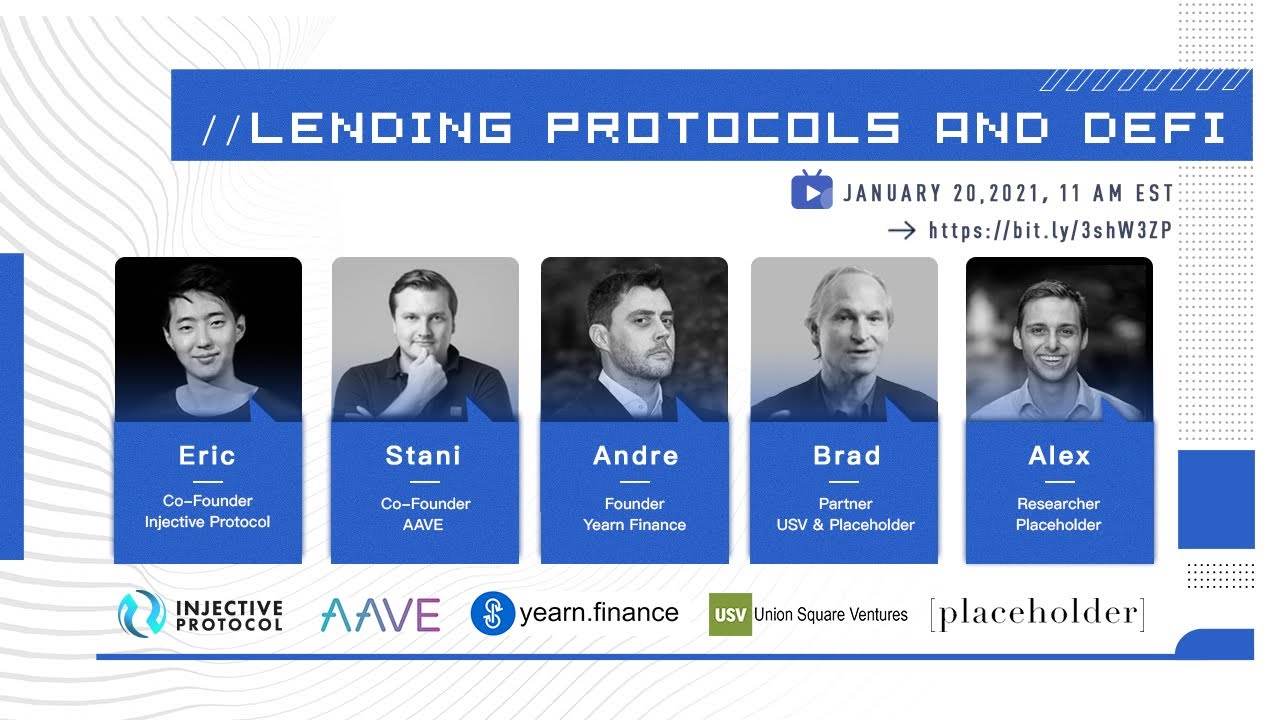
YouTube
An exciting talk on lending protocols and DeFi along with top minds from Injective, Yearn Finance (YFI), AAVE, Union Square Ventures (USV), and Placeholder.I...
polar plinth
Injective Set to Launch Cross-Chain Staking Derivatives with our Partners Ramp DeFi and TomoChain
We are excited to announce our development of cross-chain staking derivatives alongside our partners Ramp DeFi and TomoChain. In the coming months, users will be able to trade staking derivatives with leverage across multiple layer one protocols.
The teams at Ramp DeFi, TomoChain, and Injective share a common ethos to further democratize opportunities within the financial sector. The upcoming launch of cross-chain staking derivatives furthers this goal and marks the creation of entirely new markets that were thought to be unimaginable before.
⭐️Read More: http://bit.ly/2Y7bV3L
Medium
We are excited to announce our development of cross-chain staking derivatives alongside our partners Ramp DeFi and TomoChain. In the…
polar plinth
The livestream with Injective, Yearn Finance, AAVE, Placeholder and USV is LIVE!
YouTube
An exciting talk on lending protocols and DeFi along with top minds from Injective, Yearn Finance (YFI), AAVE, Union Square Ventures (USV), and Placeholder.I...
polar plinth
Injective is partnering with PlasmaPay to enable fiat on-ramps for INJ
This is a major development towards further adoption of Injective since now users can access INJ with accessible fiat gateways.
💥 Read More: https://bit.ly/3iz11Nh
Medium
PlasmaPay is strategically partnering with Injective to enable new fiat on-ramps for INJ. This is a major development towards further…
polar plinth
Introducing Injective Learn
We are pleased to announce the launch of Injective Learn, a brand new blockchain education platform that publishes in-depth tutorials for all experience levels. Injective Learn will serve as a guide for you throughout your crypto journey, from opening a crypto wallet to implementing successful trading strategies.
It is our aim to provide a comprehensive educational platform that equips everyone with the knowledge needed to partake in everything that Injective has to offer.
🚀 Read More: http://bit.ly/2Y3sPQE

Injective Protocol
Here you will find step-by-step guides, tutorials, and analysis for crypto beginners, experienced traders, and industry fanatics.
polar plinth

We are proud to partner with @InjectiveLabs $INJ to onboard student traders worldwide to test and refine trading strategies on a robust, fee-less L2 DEX.
We will also be directing students to the quality trading education offered through Injective Learn.
 Twitter
·
polar plinth
Twitter
·
polar plinth
**INJ was added to Delta Direct! **
Now you can get the latest updates on Injective directly through Delta Direct
polar plinth
We are releasing new decentralized FX futures markets on the #SolsticeTestnet 💥
For the first time ever, users will gain access to the British Pound (🇬🇧 £), the Swiss Franc (🇨🇭CHf), and the Russian Ruble (🇷🇺 ₽)
polar plinth
**We are releasing Amazon decentralized stock futures on the #SolsticeTestnet **

Now anyone can long or short $AMZN with leverage!
https://twitter.com/InjectiveLabs/status/1353813848961257473?s=20

We are releasing @amazon decentralized stock futures on the #SolsticeTestnet ✨
Now anyone can long or short $AMZN with leverage!
Likes
215
 Twitter
·
polar plinth
Twitter
·
polar plinth
Injective Partners with AllianceBlock to Launch Decentralized Oil and Gas Futures
In traditional finance, oil and gas futures encompass a multi-trillion dollar market but have thus far been out of reach within the DeFi ecosystem. In the coming months, users will be able to access these derivatives on our derivatives exchange with up to 20x leverage. This partnership signifies a major step forwards towards achieving the development of a comprehensive bridge between the worlds of traditional and decentralized finance.
🌟 Read More: http://bit.ly/3qSm1Sb

Injective Protocol
Injective is partnering with AllianceBlock to launch decentralized oil and gas futures.
polar plinth
We are launching GameStop stock futures trading on the #SolsticeTestnet!
Now you can long or short $GME 24/7. We wish our best to Melvin Capital.
Phase 3 coming soon 🚀
polar plinth
Injective will Collaborate with Acala to Integrate the aUSD Stablecoin into Polkadot-based Derivative Products
We are delighted to announce that we have entered into a technical collaboration with Acala in order to bring its novel multi-collateral stablecoin (Acala Dollar) to Injective’s Polkadot-based derivative products. This also expands opportunities for us to create new derivative products alongside Acala, further increasing the use cases for aUSD.
Acala and Injective are both Pantera portfolio companies that share a unique vision to fully decentralize the world of traditional finance.
⚡️Read More: http://bit.ly/2YoAiKk

Injective Protocol
We are delighted to announce that we have entered into a technical collaboration with Acala in order to bring its novel multi-collateral stablecoin (Acala Dollar) to Injective’s Polkadot-based derivative products.
polar plinth
Injective Partners with UniLend to Unlock New Yield Farming Opportunities
Injective is partnering with UniLend to unlock new yield farming opportunities for our users who will soon be able to utilize Injective's derivative products on the UniLend ecosystem for borrowing and lending. In addition, INJ will be added to the UniLend platform.
This opens up a great degree of flexibility for the DeFi markets as a whole. Injective helps in the creation and trading of any derivative market. UniLend can help to amplify the use cases of these derivative products further by allowing these assets to also be lent and borrowed in an innovative manner.
✨Read More: http://bit.ly/3cm0Xzv

Injective Protocol Blog
Injective is partnering with UniLend to unlock new yield farming opportunities for our users who will soon be able to utilize Injective’s derivative products on the UniLend ecosystem for borrowing and lending.
polar plinth
Exclusive CryptoBriefing Press Release: Decentralized exchange Injective Protocol has rolled out the first decentralized and commission-free futures trading of $GME stock.
🚀 Check it out: https://twitter.com/Crypto_Briefing/status/1355252916249124873?s=20

Decentralized exchange @InjectiveLabs has rolled out the first decentralized and commission-free futures trading of $GME stock.
 Twitter
·
polar plinth
Twitter
·
polar plinth
Exclusive livestream coming up with AllianceBlock and Injective Protocol!
We will discuss institutional adoption & the creation of derivative products with the London Stock Exchange alongside AllianceBlock 💥
📅 February 1, 2021 @ 2 PM UTC
polar plinth
**Injective is Partnering with Conflux to Expand Cross-Chain Derivatives Trading
**
Injective is partnering with Conflux to expand our cross-chain derivatives trading universe. This collaboration will be primarily focused on bridging over assets deployed on Conflux onto our exchange in order to aid in the creation and trading of new derivative products.
Conflux is a layer one blockchain protocol that delivers heightened scalability, security, and extensibility for the next generation of decentralized commerce. The project is led by Turing Award recipient Dr. Andrew Yao and is backed by the likes of Sequoia China and Baidu Ventures.
⚡️Read More: http://bit.ly/2NKDE8c

Injective Protocol Blog
Injective is partnering with Conflux to expand our cross-chain derivatives trading universe. This collaboration will be primarily focused on bridging over assets deployed on Conflux onto our exchange in order to aid in the creation and trading of new derivative products.
polar plinth
Onwards to Phase 3
After much anticipation, this week we will kickoff phase 3 of the testnet.
Phase 3 will include the introduction of brand new Injective features and incentive mechanisms. This will help highlight some of the major avenues that will attract both additional liquidity to our network and enable users to gain a firsthand look into some of the core functionalities of the INJ token itself.
This phase will also be by far the most exciting and eventful testnet phase. The end of phase 3 will culminate in the mainnet release. This means that phase 3 will actually refer to a number of new innovations that we have been working on for many months now.
🚀 Read More: http://bit.ly/39Irupb

Injective Protocol Blog
After much anticipation, this week we will kickoff phase 3 of the testnet. This is far ahead of our original schedule, and will mark the final testnet release before our mainnet launch.
polar plinth
Injective: January 2021 Update
We hit the ground running this month and met some of our New Year’s resolutions right off the bat. We launched the world’s first-ever decentralized stock and forex futures trading. This included the launch of assets such as Tesla, Amazon, GameStop, and Japanese Yen futures.
We also released our native e-learning platform, which will help to onboard new traders into our ecosystem moving forward. Along the way, we received a major listing on Huobi, while locking in major partnerships with top tier projects globally. This also culminated into our acceptance into the coveted DeFi Alliance.
In this piece, you’ll find some of our proudest moments from the past month, and where we’re headed next.
💥 Read More: http://bit.ly/3cAuw0u

Injective Protocol Blog
Welcome to Injective’s January update! We hit the ground running this month and met some of our New Year’s resolutions right off the bat. We launched the world’s first-ever decentralized stock and forex futures trading. This included the launch of assets such as Tesla, Amazon, GameStop, and
polar plinth
Equinox Staking Launch: The Final Injective Testnet
We are excited to introduce Equinox Staking, which will serve as the final phase of our testnet. This milestone is far ahead of our original schedule and is undoubtedly our most significant launch to date.
Equinox Staking will enable users to gain early access to Injective's staking features while also allowing them to earn rewards for helping to test the capabilities of the protocol itself.
🚀 Read More: http://bit.ly/36BcdEA

Injective Protocol Blog
We are excited to introduce Equinox Staking, which will serve as the final phase of our testnet. This milestone is far ahead of our original schedule and is undoubtedly our most significant launch to date.
polar plinth
Injective Partners with Ocean Protocol to Create Novel Data Derivative Products
We are thrilled to announce that we will be partnering with Ocean Protocol to create innovative data derivative products. Moving forward, this will enable our users to both create and trade on new derivative markets that utilize the data products deployed on Ocean.
We look forward to nurturing the DeFi ecosystem further with the introduction of tokenized data futures in the coming months. This will aid in both new forms of adoption for digital assets while also helping to signify the true flexibility of markets on Injective.
⭐️Read More: https://bit.ly/3tt64Ej

Injective Protocol Blog
We are thrilled to announce that we will be partnering with Ocean Protocol to create innovative data derivative products. Moving forward, this will enable our users to both create and trade on new derivative markets that utilize the data products deployed on Ocean.
polar plinth
Injective is Partnering with Covalent to Bolster Our On-Chain Data Analytics
We are delighted to announce a technical partnership with Covalent, a unified API that seeks to bring full transparency and visibility to assets across all blockchain networks.
Once live, Covalent will be indexing the Injective Chain. By enabling instant access to the data on the Injective Chain, we will be able to expand the capabilities of the platform through, for example, the release of optimized analytical dashboards and terminals.
🏆 Read More: http://bit.ly/3jhUxmw

Injective Protocol Blog
We are delighted to announce a technical partnership with Covalent, a unified API that seeks to bring full transparency and visibility to assets across all blockchain networks.
polar plinth
Injective Becomes the First Cross-Chain DEX to Integrate with Huobi ECO Chain
Injective is integrating with Huobi Eco Chain to accelerate cross-chain derivatives adoption. This collaboration will enable traders to seamlessly bridge over Heco assets onto Injective, enabling the creation of new derivative products. In addition, Injective will become the first project to introduce decentralized derivatives trading to the Heco ecosystem.
Our plan at Injective is to continue adding support for new assets, indices, ETFs, and other unique derivatives. Moving forward, our team will continue to pioneer new innovations as we introduce a paradigm within the world of trading.
⚡️Read More: http://bit.ly/2LwPDpi

Injective Protocol Blog
Injective is integrating with Huobi Eco Chain to accelerate cross-chain derivatives adoption. This collaboration will enable traders to seamlessly bridge over Heco assets onto Injective, enabling the creation of new derivative products. In addition, Injective will become the first project to introduce decentralized derivatives trading to the Hec...
polar plinth
**Catch an exclusive livestream on DeFi and lending **tomorrow at 9:30 AM EST/8 PM IST 🚀
Participants:
🌟 Chandrash from UniLend
🌟 Eric from Injective Protocol
YouTube
A talk on DeFi and lending with the Injective CEO and the UniLend CEO.About UnilendUniLend is a permissionless DeFi protocol that combines spot trading servi...
polar plinth
Equinox Staking: Public Validator Onboarding Begins
We are kicking off the first stage of Injective's Equinox Staking Testnet by beginning to publicly invite validators to onboard.
Internally, we have already been working for several weeks alongside some of the largest validators within the crypto ecosystem. We will be starting Equinox staking largely with these validators since they have past experience working extensively with Cosmos based networks. Soon these validators will play a key role as we release a truly unparalleled exchange.
Due to an unprecedented surge in demand we have decided to open up a form to allow our general community members to also indicate their interest in becoming validators on Injective.
⚡️Read More: http://bit.ly/3a4Skb4
💥Validator Interest Form: http://bit.ly/3jEeYdw

Injective Protocol Blog
We are kicking off the first stage of Injective's Equinox Staking Testnet by beginning to publicly invite validators to onboard.
Internally, we have already been working for several weeks alongside some of the largest validators within the crypto ecosystem.
polar plinth
Injective Partners with Marlin to Enable Unmatched Trading Speeds
We will soon bring an institutional grade high-frequency trading (HFT) experience to DeFi for the first time as users would be able to place or revise orders in a matter of milliseconds.
This collaboration also allows us to begin the integration process for Marlin’s native POND token to be added to Injective. Users will soon have access to new derivative products that interact with the POND token as an underlying, thereby helping to increase the overall utility of POND itself.
💥 Read More: https://bit.ly/373kjpv

Injective Protocol Blog
We are delighted to announce that we have entered into a strategic partnership with Marlin in order to enable truly unparalleled trading speeds on our derivatives DEX.
polar plinth
INJ is now available on the Ledger live desktop 🚀
Both desktop devices and ledger live mobile now support INJ.
polar plinth
Leading Validators Globally are Officially Joining Equinox Staking
We are pleased to announce that leading validators globally are officially joining Injective's Equinox Staking testnet as genesis validators. These validators currently help to stake billions in assets for top projects such as Cosmos, Band Protocol, Elrond, Terra, Solana, and many others.
Our genesis validators will be instrumental as we go on to test robust parameters of our network before our mainnet launch such as reward distribution and network security.
⚡️Read More: http://bit.ly/2ZpO3c3
polar plinth
Injective is hosting our first ever Reddit AMA with Kava Labs about DeFi, Cosmos, and IBC
🌟 Reddit Thread: http://bit.ly/3dkK2h9
📅 February 18 at 8:00 PM EST and 9:00 AM CST

Injective is Integrating with Avalanche to Launch a Diverse Array of Interoperable Derivatives
We are thrilled to announce that Injective is integrating with Avalanche to create a diverse array of interoperable derivative products.
With this integration, Injective will launch derivatives that utilize the native Avalanche token (AVAX) as well as other Avalanche assets. Injective will also explore the addition of entirely new derivative products, such as products related to Initial Litigation Offerings (ILOs), that can greatly aid in expanding the reach of DeFi and derivatives globally.
🚀 Read More: http://bit.ly/37qsSuM

Injective Protocol Blog
We are thrilled to announce that Injective is integrating with Avalanche to create a diverse array of interoperable derivative products.
polar plinth
Huobi Pool is Joining Injective as an Official Genesis Validator
Huobi Pool is officially joining Injective as an official genesis validator for our Equinox staking testnet.
This will be an invaluable addition to our leading list of global genesis validators.
Huobi Pool is part of Huobi Global which is currently a leading crypto exchange that manages billions of dollars in volume on a daily basis. Huobi only acts as a validator for leading projects in the space such as Aave and Polkadot, so Injective being selected is an incredible show of support for our project.
⚡️Read More: http://bit.ly/3punSf3

Injective Protocol Blog
Huobi Pool is officially joining Injective as an official genesis validator for our Equinox staking testnet. This will be an invaluable addition to our leading list of global genesis validators.
polar plinth
Exclusive Video on Injective is now on YouTube
Will DEXs destroy CEXs?
Blockchain 101: Trading advantages of Decentralized Exchange (DEX)
📺Watch here: https://bit.ly/3aBGzZU

YouTube
Will decentralized exchanges (DEXs) destroy centralized exchanges (CEXs)? Where does Injective Protocol and INJ fit into all this? Let's explore together!Tim...
polar plinth
Introducing the Injective Equinox Staking Rewards
Today, we are introducing the reward mechanisms that will govern Injective’s Equinox Staking testnet. This includes an overview of the reward design process as well as explanations behind the various ways to earn rewards.
Traditionally, incentivized staking programs are events that target only validators. However, we at Injective reject this notion and wish for our entire community to be able to participate within the staking program from day one.
Equinox Staking is introducing an entirely new model of incentivized staking in which both validators and delegators can participate. This provides unique avenues for us to test both the staking features and the governance processes that will be integral for Injective moving forward.
🚀 Read More: http://bit.ly/37yK2qj

Injective Protocol Blog
Today, we are introducing the reward mechanisms that will govern Injective’s Equinox Staking testnet. This includes an overview of the reward design process as well as explanations behind the various ways to earn rewards.
polar plinth
Singapore Government backed Validator Stakewithus Joins Injective as a Genesis Validator
Singapore government backed validator Stakewithus is joining Injective as a genesis validator.
“The current high gas fee environment has made on-chain trading hostile to smaller players. We believe Injective Protocol has the right team and resources to push forward the derivatives trading market,” said Michael Ng, Stakewithus co-founder.
💥 Read More: http://bit.ly/3aP4e9k

Injective Protocol Blog
Singapore government backed validator Stakewithus is joining Injective as a genesis validator.
polar plinth
Prominent European Validator Chorus One Joins Equinox Staking
Chrous One is one of the largest European validators today with more than $500M under management. The platform currently acts as a validator for leading projects in the space such as Solana, Polkadot, Near Protocol, The Graph, Chainlink, and many others. Chorus has also taken part in innovative tech solutions relating to interoperability, such as helping to facilitate a bridge between Cosmos SDK-based and Substrate-based blockchains.
⭐️Read More: http://bit.ly/37JDfKB

Injective Protocol Blog
Chrous One is one of the largest European validators today with more than $500M under management. The platform currently acts as a validator for leading projects in the space such as Solana, Polkadot, Near Protocol, The Graph, Chainlink, and many others.
polar plinth
Catch an exclusive talk on DeFi and Staking with CEOs from Ramp DeFi, TomoChain, and Injective ⛳

YouTube
An exclusive panel dedicated to discussing DeFi and staking withLong Vuong (CEO) from TomoChain,Lawrance Lim (CEO) from Ramp DeFi,Eric Chen (CEO) from Inject...
 odd wind
Equinox Staking Dashboard and Waitlist Release
We are thrilled to launch the first look at the Equinox Staking Dashboard along with our waitlist!
The dashboard provides users with an overview of Equinox, while also familiarizing them with the reward structure for staking. In addition, you will now be able to join the waitlist for Equinox.
💥Read More: http://bit.ly/3aSws2U
🚀Access the Staking Dashboard and Waitlist: https://staking.injective.network/

Injective Protocol Blog
We are thrilled to launch the first look at the Equinox Staking Dashboard along with our waitlist. This will allow users to gain an overview of Equinox, while familiarizing them with the reward structure for Equinox. You can also now join the waitlist for Equinox.

Injective Protocol Staking - Decentralized Derivatives Trading. Any Market. Anytime. Anywhere.
Injective is the first front-running resistant, layer-2 exchange protocol that unlocks the full potential of borderless finance by supporting margin trading, derivatives, and futures.
polar plinth
A sneak peek into Injective Staking!
 polar plinth
Injective: February 2021 Update
This month was packed with more milestones and as always, we’re in awe of the continued support we’ve received from our community across the globe.
To kick things off we launched Equinox Staking to serve as the highly anticipated final phase of our testnet prior to mainnet release. We welcomed a number of world-class genesis validators onto Equinox Staking, partnered with major DeFi players, and hosted panels with top projects in DeFi today.
⚡️Read More: http://bit.ly/3sCa4ks

Injective Protocol Blog
Welcome to Injective’s February update!
This month was packed with more milestones and as always, we’re in awe of the continued support we’ve received from our community across the globe.
polar plinth
**Catch an exciting panel tomorrow on DeFi, Layer-2, and Ethereum Scaling **💥
Livestream Link: https://bit.ly/2OewbyF
The panelists include
⭐️Sandeep Nailwal from 0xPolygon
⭐️Eric from Injective

YouTube
Execs from Polygon (formerly known as Matic) and Injective Protocol discuss DeFi, Layer-2, and Ethereum. Explore diverse topics from Ethereum scaling to the ...
polar plinth
Figment, One of the World’s Largest Blockchain Infrastructure Providers, is Partnering with Injective
Figment, one of the world’s largest blockchain infrastructure providers, is partnering with Injective to expand our staking capabilities.
The Figment team has 30+ years of experience providing secure data center, cloud, and software solutions. Customers of Figment include the world’s leading token investors, developers, protocol teams, exchanges, and custodians. Figment’s mission is to support the adoption, growth and long term success of the Web 3 ecosystem.
⭐️Read More: http://bit.ly/3qdfII7

Injective Protocol Blog
Figment, one of the world’s largest blockchain infrastructure providers, is partnering with Injective to expand our staking capabilities.
polar plinth
Catch the first ever Injective‘s Clubhouse talk with our partners at HECO Chain and HuobiGlobal!
🕗 March 4, 8 PM EST (March 5, 9 AM GMT + 8)
🎺 Clubhouse Room: http://bit.ly/3uXnhqe

 polar plinth
Largest Asian Staking Provider HashQuark Partners with Injective as a Genesis Validator
HashQuark is part of the HashKey group, a digital asset management company that works alongside Wanxiang Holdings, a multibillion dollar financial services conglomerate in China.
HashQuark acts as a major validator for projects such as Polkadot, Klaytn, and Kusama. HashQuark is backed by Qiming Venture Partners which is known as an early investor of Xiaomi and TikTok creator ByteDance.
"HashQuark's partnership with Injective demonstrates our long-term belief in the Injective team and vision. We are excited to work with this promising project to provide secure infrastructure services as always and pave the way for a more enabling public blockchain ecology," said Leo Chen, HashQuark CEO.
💥 Read More: http://bit.ly/3rj8xzD

Injective Protocol Blog
The largest Asian validator HashQuark is partnering with Injective to become a genesis validator. HashQuark is part of the HashKey group, a digital asset management company that works alongside Wanxiang Holdings, a multibillion dollar financial services conglomerate in China.
polar plinth
Injective Exchange Upgrade: A Novel Order Matching Mechanism
We have carried out a major upgrade to the Injective exchange mechanism this past month. This will make us the first DEX with fast transactions, higher liquidity, and tighter spreads.
Our goal at Injective has always been to create a market leading exchange that is able to surpass centralized exchanges with respect to both user numbers and trading volume. As a result we began to delve deeper into how we can retain the benefits of a layer-2 model while also creating an exchange that is usable by both retail traders and institutions.
In this piece, we delve into a close examination of market challenges that remain pervasive in the DEX sector. We then present our ideologies behind carrying out a major upgrade to our matching mechanism this past month that utilizes a frequent batch auction model. In the end, we have managed to create an entirely new exchange model that in addition to sustaining rapid transaction times is able to tighten spreads with higher liquidity closer to the market price.
⚡️Read More: http://bit.ly/3emXbqr

Injective Protocol Blog
In this piece, we delve into a close examination of market challenges that remain pervasive in the DEX sector. We then present our ideologies behind carrying out a major upgrade to our matching mechanism this past month that utilizes a frequent batch auction model.
polar plinth
Exclusive panel on the Polkadot Ecosystem!
📅 March 11, 2021, 7:00 PM EST
🌟 Derek Yoo from Moonbeam
🌟 Bette Chen from Acala
🌟 Eric Wang from Parity Technologies
🌟 Eric Chen from Injective Protocol
📺 Subscribe and watch here: https://bit.ly/2OivHrr

YouTube
An exclusive panel on the polkadot ecosystem with executives from Moonbeam, Acala, Parity, and Injective!
polar plinth
Injective was Chosen to be an Official Supporter of the 2021 Chainlink Hackathon
There will be an exclusive Injective prize given to the developers who build projects exploring decentralized derivatives trading on Injective.
🚀 Learn More: http://bit.ly/3cgd8wf

Chainlink Virtual Hackathon Spring 2021
Build the next generation of smart contracts with Chainlink Oracles
polar plinth
We are excited to announce that our CTO has received the Prestigious Tendermint Fellowship
This is an invaluable show of support as Injective continues to expand our work with the Cosmos ecosystem.
⚡️Read More: http://bit.ly/2NcTs3Q
 polar plinth
Injective Partners with PARSIQ to Enable Fully Automated Decentralized Trading
Injective is partnering with PARSIQ to enable fully automated decentralized trading. This will allow our users to set custom rules that automatically execute trades and other functions based on predefined parameters.
Injective’s integration with PARSIQ helps to unlock limitless trading possibilities. Users can also use a combination of tools to create truly unique solutions across different platforms. For instance, a user can send a message on Telegram which can trigger a buy order which in turn would execute a "success" message on Slack once the transaction is completed.
🚀 Read More: http://bit.ly/3thZ1gL

Injective Protocol Blog
Injective is partnering with PARSIQ to enable fully automated decentralized trading. This will allow our users to set custom rule sets which automatically execute trades and other functions based on predefined parameters.
polar plinth
Injective Partners with Tidal to Provide Insurance for Decentralized Derivatives
Injective will bring Tidal's insurance coverage to assets on the Injective Chain. Moving forward, this will bring in a new level of security and confidence to the derivatives trading platform as we continue to expand the Injective insurance marketplace.
In addition, we will also aim to create unique decentralized derivative products that utilize the native Tidal Finance token. This can include the creation of new index products such as a DeFi insurance index.
We will be introducing a number of new insurance protocols to the Injective insurance marketplace and are exploring the creation of our own internal Injective insurance pool.
💥 Read More: https://bit.ly/3vtD2oU

Injective Protocol Blog
We are delighted to announce that Injective has developed a strategic partnership with Tidal Finance to provide insurance for decentralized derivatives.
polar plinth
Injective Equinox Pre-Staking Launch
We are excited to launch Equinox pre-staking!
Starting right now, you can transfer your ERC-20 INJ tokens into Injective to start earning yield. To further reward our community’s patience, we have also raised the baseline APY to 15%.
We encourage everyone to read the following article which will cover a short intro of pre-staking and then jump right into a pre-staking walkthrough guide so you can get onboarded right away.
🚀Read More: http://bit.ly/38SzdjA
⚡️**Injective Staking Station: **https://staking.injective.network/

Injective Protocol Blog
We are excited to launch Equinox pre-staking! Starting right now, you can transfer your ERC-20 INJ tokens into Injective to start earning yield. To further reward our community’s patience, we have also raised the baseline APY to 15%.
Injective Protocol Staking - Decentralized Derivatives Trading. Any Market. Anytime. Anywhere.
Injective is the first front-running resistant, layer-2 exchange protocol that unlocks the full potential of borderless finance by supporting margin trading, derivatives, and futures.
polar plinth
Injective Partners with SuperFarm to Launch Exclusive Injective NFTs
We are thrilled to launch exclusive Injective NFTs through our partnership with SuperFarm. Users will be able to farm Injective NFTs which will provide them with unique benefits such as increased odds of receiving surprised token drops when staking on Equinox. We will also explore the creation and trading of NFTs on the Injective Chain to unlock fast and gas free NFTs.
💥 Read More: http://bit.ly/3saiH6d
🔸Our collaboration with Burnt Banksy received coverage on major global media channels such as Bloomberg, CoinDesk, GQ, CoinTelegraph, BBC, CBS, HYPEBEAST, and Art Net. We also received a shout out from the man, the myth, and the legend Chamath. Our NFTs recently reached top ranking positions on platforms such as OpenSea which beat out popular artists such as Beeple in terms of average sale price.
🔸Injective’s Partnership with SuperFarm: Alongside the launch of Injective NFTs, we will also create new NFT derivative products with SuperFarm. We can further our work within the world of NFTs while SuperFarm can utilize the versatility of the Injective Chain to launch NFTs with zero gas fees, fast transaction times and instant finality.
We will also be carrying out special NFT drops for our users on Equinox staking and will look to launch new work within the NFT world.

Injective Protocol Blog
We are thrilled to launch exclusive Injective NFTs through our partnership with SuperFarm.Internally Injective has been carrying out major NFT collaborations such as the widely reported Banksy burning which occurred earlier this month. We received coverage on media channels such as Bloomberg, CoinDesk, GQ, CoinTelegraph, BBC, CBS, HYPEBEAST, Art...
polar plinth
Injective Integrates with Cartesi to Enable Mainstream Developer Adoption
Injective is joining forces with Cartesi to enable mainstream developer adoption of the Injective Chain. Both companies will study together how to integrate Cartesi’s tools on the Injective ecosystem. The aim is to allow developers to utilize familiar programming tools from the world’s leading OS, unlocking tremendous smart contract capabilities offered by the highly interoperable and flexible Injective Chain.
We have consistently proven our limitless capabilities for the launch of new derivative products and our work with Cartesi only helps to solidify this goal.
🚀 Read More: http://bit.ly/3qZ9wnA

Injective Protocol Blog
Injective is joining forces with Cartesi to enable mainstream developer adoption of the Injective Chain. The aim is to allow developers to utilize familiar programming tools from the world’s leading OS, unlocking tremendous smart contract capabilities offered by the highly interoperable and flexible Injective Chain.
polar plinth
**Injective Discord Community Update
**
Hey everyone! Over the past couple of days we have been revamping our Discord server. In the long run we plan it to be the main space for our community to connect, exchange ideas, learn, discuss governance proposals, and stay up to date with Injective Ecosystem updates.
To accelerate our growth and engage the community more, we are introducing new channels, discussion categories, and even a meme focused group that are designed to help members navigate between topics with ease.
You will also find language specific channels for 🇳🇱 Dutch, 🇨🇳Chinese, 🇫🇷French, 🇩🇪German, 🇰🇷Korean, 🇷🇺Russian, and 🇹🇷Turkish!
The goal is to turn our Discord into a place for all things Injective!
🤖 Join Us on Discord: https://discord.gg/injective
 polar plinth
Over $15,000,000 have been locked into the Injective Equinox Pre-Staking Testnet in the first day!
 polar plinth
Over $20,000,000 Now on Injective ⚡️
 polar plinth
**Leading Staking Provider Citadel.One Integrates with Injective as a Genesis Validator
**
We are proud to join forces with Citadel.One, a next-generation non-custodial staking platform that will serve a core role in Equinox Staking.
"We are thrilled to work with Injective Protocol - the first protocol that resolves scalability issues and bottlenecks of decentralized exchanges. We are firm believers that it has full capability to enable unparalleled and unrestricted access to new decentralized derivatives markets. Citadel.One is fully committed to providing the best deployment of interoperable and censorship-resistant orderbook, thus contributing in a powerful, full-fledged decentralized exchange open-source front-end implementation," said Citadel CEO, Anton Pavlutsky.
💥 Read More: http://bit.ly/38U79MA

Injective Protocol Blog
We are proud to join forces with Citadel.One, a next-generation non-custodial staking platform that will serve a core role in Equinox Staking.
polar plinth
Voting for the Polkadot Decoded 2021 Conference is Now Open 🔥
Vote for Injective’s talk "Cross-Chain Derivatives Trading,” presented by Eric Chen, CEO of Injective Protocol.
This can be found under the "Tech Talk" section.
🚀Submit your vote here: https://decoded.polkadot.network/vote/

Polkadot Decoded is returning in May, and this time the community gets to help curate the program. Vote now for your favorite talks!
polar plinth
Injective Partners with KardiaChain to Expand our Cross-Chain Trading Universe
KardiaChain is a blockchain platform that aims to be fully interoperable and “non-invasive,” meaning that blockchains can connect to the network without needing to make technical modifications to their own protocols. The platform has been working with the likes of the Enterprise Ethereum Alliance, Theta, NEO, Ontology, LD, and our partner Polygon.
The native Injective Chain was created to support both interoperability and scalability. In this effort we have begun to integrate with leading layer one protocols such as Polkadot, BSC, and Avalanche.
Moving forward, KardiaChain can utilize Injective’s innovative layer-2 solution to meet high scalability demands within the DeFi ecosystem and enterprise solutions that require a scalable network. Some examples of these DApps can include KardiaChain’s new mobile payment gateway in collaboration with Vietnam’s largest telco that currently has millions of users.
⭐️Read More: http://bit.ly/3c3chjx

Injective Protocol Blog
Injective is partnering with KardiaChain to expand our cross-chain trading universe.
polar plinth
Join the @InjectiveLabs team along with industry leaders at the Korean DeFi Roadshow 2021 ⚡️
We will discuss synthetic assets, derivatives, project updates, and more.
Date : March 25, 2021
Time: 7:00 PM - 9:00 PM KST
Venue: Remote
Register: https://t.co/02RLKE0flb
 Twitter
·
polar plinth
Twitter
·
polar plinth
Anyone interested in listening one of our core team members talking about Derivatives, Cosmos SDK and some highlights about our Injective Protocol can head to this video => https://www.youtube.com/watch?v=2bjvC-wwGtc (its Live now)
Recommended listen for everyone that is interested in taking a glimpse of the tech we are building 🙂
 polar plinth
Join us at the @defialliance Liquidity Demo day on March 31st!
This event is the culmination of an 8 week program we had with great mentors from top funds/projects such as @AaveAave, @jumptrading, @synthetix_io, @compoundfinance, @MakerDAO, and many more. https://t.co/n6iRYq8F51
Twitter
·
polar plinth
Injective Weekly Update 👇
🌎 Injective Equinox Pre-Staking Launch
🖼 Exclusive Injective NFTs Launch with SuperFarm
💸 Over $20,000,000 Staked on Injective in 3 days
🧰 New Genesis Validator: Citadel.One
💬 Injective Discord Server Revamped
🤝 New Partners:
• Parsiq • Tidal • Cartesi
📰 Media highlights:
• Bloomberg • Fast Company
 polar plinth
Leading Cosmos Validator, Audit One Integrates with Injective
We are thrilled to announce that Audit One is joining our network of top-tier genesis validators.
Audit One is a prominent Proof-of-Stake infrastructure provider and validator that allows users to seamlessly stake their tokens. Audit One already supports some of the fastest growing networks in DeFi including Terra, Near Protocol, Polygon, Cosmos, Kava, SKALE, Celo, Marlin, and Band Protocol.
"Injective is playing a pivotal role in creating a platform to trade real-world and digital derivative assets keeping the best user experience in mind. We are glad to be working closely with the Injective team to secure the Injective chain and play our role in creating the most decentralized, user-friendly derivatives DEX," said Tushar Aggarwal, CEO of Audit One.
🏄♂️ Read More: http://bit.ly/31gjNkF

Injective Protocol Blog
We are thrilled to announce that Audit One is joining our network of top-tier genesis validators. Audit One already supports some of the fastest growing networks in DeFi including Terra, Near Protocol, Polygon, Cosmos, Kava, SKALE, Celo, Marlin, and Band Protocol.
polar plinth
Join us this Friday, March 26 at 10:00 AM EST for an Injective Protocol Youtube livestream with our partners Conflux Network and Fantom Foundation 🌟
📺 Save spot on your calendar and join through
https://lnkd.in/e9YU6CT
 polar plinth

Happy Friday! We're kicking off a new series called Founder Fireside Chats where we interview a new #DeFi founder each week.
Our first guest is Eric Chen (@ericinjective), Co-Founder of @InjectiveLabs who spoke with us about decentralized derivatives.
 Twitter
·
polar plinth
Twitter
·
polar plinth
Equinox Staking Public Launch
We are delighted to announce the public release of Equinox Staking. This is a landmark milestone for Injective and starting today anyone can delegate to top-tier validators in order to join the staking competition and earn rewards.
This is also the first time that users can interact with the native Injective Chain which offers limitless capabilities such as zero gas fees and rapid transaction times.
🚀 Read More: https://bit.ly/2PFjVrH
⚡️ Stake Your INJ: https://staking.injective.network/connect
polar plinth
Equinox Staking Public Launch 🎉
polar plinth
Injective Partners with Kylin Network to Integrate with the Polkadot Data Economy
Injective is partnering with Kylin Network to integrate with the Polkadot data economy. Moving forward, users will have seamless access to creating new derivative products that utilize Polkadot-based assets.
Injective is already integrating with some of the best data providers in the industry today such as Chainlink, Band Protocol, and DIA. Adding Kylin to the Injective Data Alliance will help to further expand the possibilities on our DEX.
💥 Read More: https://bit.ly/3uijoLp

Injective Protocol Blog
Injective is partnering with Kylin Network to integrate with the Polkadot data economy. Moving forward, users will have seamless access to creating new derivative products that utilize Polkadot-based assets.
polar plinth
1/ Staking on @InjectiveLabs can now be done using your @Ledger wallet ⚡️
In this thread, we will break down how we went about carrying out this upgrade in record time.
Twitter
·
polar plinth
Early Stakers on the Injective Equinox Staking Competition were given the first surprise APY boost!
For the past day all delegators received an APY of ~100% which represents a total of 1,000 INJ.
Start Staking for a Chance to Win the Next Boost: https://bit.ly/2OcEStG


Injective Protocol Blog
Welcome to Injective’s Equinox Staking!
Here is a quick guide for you to follow so that you can stake your INJ and start earning rewards.
polar plinth
Injective Partners with Razor Network to Expand our Oracle Ecosystem
We are excited to partner with Razor Network to further expand our oracle ecosystem. Our users will now have access to new price feeds for market creation, leading to limitless possibilities.
Razor Network is a decentralized oracle network that connects smart contracts with real-world, off-chain data in a quick, robust and secure manner. Razor already has started to collaborate with some of our partners such as Polygon and Conflux.
An integral component of market creation is the use of robust and secure oracle solutions. We already work with leading oracle providers in the space such Chainlink and Band Protocol. The partnership between Razor Network and Injective will enable the Injective DEX to access more assets in a secure and reliable manner given Razor's innovative oracle solution.
🌊 Read More: https://bit.ly/31xGZeD

Injective Protocol Blog
We are excited to partner with Razor Network to further expand our oracle ecosystem. Our users will now have access to new price feeds for market creation, leading to limitless possibilities.
polar plinth
We just launched a video walkthrough on how to stake your INJ for the Equinox Staking competition 📘
Special thanks to our amazing teammate Bojan for helping to create the video!
Start staking today for a chance to win some amazing rewards and surprise drops.
💥 Watch Here: https://bit.ly/3dm97GV

We are delighted to announce the public release of Equinox Staking. This video walkthrough will guide you through how to stake your INJ using Metamask.🚀 Wri...
polar plinth
Injective will Launch the First Ever Synthetic Stock Futures Lending alongside EasyFi
We are excited to introduce the first ever decentralized synthetic stock future lending products alongside our latest partner EasyFi.
Now, users of Injective can take part in innovative lending and yield farming opportunities with the use of exclusive Injective synthetics such as the first ever decentralized Tesla stock futures. So, not only will you be able to purchase stock futures on Injective but you can also lend it out in order to earn an additional yield and thus accelerate your earning potential further.
🏄♂️ Read More: https://bit.ly/3wkCx0Y

Injective Protocol Blog
We are excited to introduce the first ever decentralized synthetic stock future lending products alongside our latest partner EasyFi. Now, users of Injective can take part in innovative lending and yield farming opportunities with the use of exclusive Injective synthetics such as the first ever decentralized Tesla stock futures.
polar plinth
Injective is launching its own centralized exchange. CEX has a great ring to it and CEX is great 💦
polar plinth
Injective Partners with Big Data Protocol to Launch Innovative Structured Data Products
Injective Protocol is partnering with Big Data Protocol (BDP) to create and launch structured data token products. Injective and BDP users can soon create and trade data derivatives based on the BDP Data Market.
Earlier this year we also partnered with Ocean Protocol in order to introduce data derivative products. Our collaboration with BDP will further strengthen this product line with a truly unmatched selection of data focused derivative markets.
The partnership between BDP and Injective also strengthens the Injective oracle ecosystem which is comprised with leading products such as Chainlink, Band Protocol, and DIA.
💫 Read More: https://bit.ly/31E30Zh

Injective Protocol Blog
Injective Protocol is partnering with Big Data Protocol (BDP) to create and launch structured data token products. Injective and BDP users can soon create and trade data derivatives based on the BDP Data Market.
polar plinth
Check out our weekly tech update from Injective! Our devs have been hard at work to build out an amazing staking experience for everyone. 🥳
 polar plinth
Set a reminder for our upcoming livestream with the best DEXs
📅 April 6, 1:00 PM EST
🌟 Orion Protocol Co-Founder Alexey
🌟 1inchExchange Co-Founder Sergej
🌟 Injective Co-Founder Eric
📺 See you all on Youtube: https://bit.ly/3rLWA51


YouTube
An exclusive panel with co-founders from Orion, 1inch and injective.We will discuss recent developments, DeFi, and DEXs.Orion ProtocolBuilt on the most advan...
polar plinth
Injective: March 2021 Update
This month put a new spin on the term March Madness and we have more updates to bring you than ever before!
Early in the month, we gained notoriety by collaborating with Burnt Banksy on one of the most groundbreaking NFT initiatives in history. We then came full circle by launching NFTs exclusively on our platform. We made major moves in rolling out Equinox Staking, debuting a star-studded cast of genesis validators we could not be more proud of.
⚡️Read More: https://bit.ly/2PZFnI5

Injective Protocol Blog
Welcome to Injective's monthly update!
This month gave brand new meaning to the term March Madness, and we have more updates to bring you than ever before.
polar plinth
Injective and Persistence Join Forces to Unlock New Opportunities in DeFi
Injective and Persistence are joining forces to unlock new opportunities in DeFi.
We plan to not only support Persistence-native assets on our platform for perpetual futures trading, but we're also working together to launch liquid staked assets (facilitated by Persistence's pStake application) as a derivative product on Injective. This will enable stakers to unlock the ability to trade their staked assets on our high-performance layer-2 exchange.
Through our collaboration, we will not only be expanding trading opportunities for holders of Persistence-native assets, but we will also be unlocking new DeFi functionality for stakers on major PoS chains.
🚀 Read More: https://bit.ly/3wFdFkP

Injective Protocol Blog
Injective and Persistence are joining forces to unlock new opportunities in DeFi. Through our collaboration we will not only be expanding trading opportunities for holders of Persistence-native assets, but we will also be unlocking new DeFi functionality for stakers on major PoS chains.
polar plinth
Equinox Staking Surprise Token Drop: Ethereum
We are excited to announce our first official surprise token drop in the Equinox Staking competition.
This token drop consisted of a total of $10,000 in Ethereum (assuming an ETH price of $2,117.20). Approximately 149 eligible individuals were selected randomly for the drop.
The full excel sheet showing the winners can be found here.
Start staking on Injective for a chance to win the next drop while also getting up to a 29% APY here.
⚡️Read More: https://bit.ly/2Q2JCCs

Injective Protocol Blog
We are excited to announce our first official Injective surprise token drop as part of the Equinox Staking competition.
This token drop consisted of a total of $10,000 in Ethereum.
polar plinth
Injective Governance Launch: Spot Markets
We are thrilled to launch Injective governance for spot markets! Starting today, users participating in Equinox staking will be able to propose and vote on new spot market listings.
The governance process is a core components of our decentralized protocol and will serve an important role in our upcoming mainnet release. In addition, participating in market proposals via governance will enable you to earn additional APY boosts on Equinox Staking!
You can find a complete guide in the article below.
🚀 Read More: https://bit.ly/31SE6Fu
⭐️ Participate in Injective Governance: https://staking.injective.network/

Injective Protocol Blog
We are thrilled to launch Injective governance for spot markets! Starting today, users participating in Equinox staking will be able to propose and vote on new spot market listings.
Injective Protocol Staking - Access Limitless DeFi Markets with Zero Barriers.
Injective is the first front-running resistant, layer-2 exchange protocol that unlocks the full potential of borderless finance by supporting margin trading, derivatives, and futures.
 rich cloud
Injective Equinox Staking Surprise Drop: PARSIQ
We are excited to announce another Equinox Staking surprise drop. This time our friends at PARSIQ sponsored the event and dropped $10,000 worth of PARSIQ tokens (PRQ) to our users.
Injective partnered with PARSIQ this year to enable fully automated decentralized trading. This will allow our users to set custom rules that automatically execute trades and other functions based on predefined parameters.
The full excel sheet showing the winners can be found here: https://drive.google.com/file/d/17o0WVhLmiuCERIzP_H-OxMX5NcYUgmPR/view
Start staking on Injective for a chance to win the next drop while also getting up to a 29% APY here: https://staking.injective.network/
🏄♂️ Read More: https://bit.ly/2Ozr7FC
Google Docs
Injective Protocol Staking - Access Limitless DeFi Markets with Zero Barriers.
Injective is the first front-running resistant, layer-2 exchange protocol that unlocks the full potential of borderless finance by supporting margin trading, derivatives, and futures.

Injective Protocol Blog
We are excited to announce another Equinox Staking surrise drop. This time our friends at PARSIQ sponsored the event and dropped $10,000 worth of PARSIQ tokens (PRQ) to our users.
Litentry Integrates with Injective to Enable Optimized On-Chain Data Analytics
Litentry is integrating with Injective to unlock optimized on-chain data. The process will entail aggregating decentralized identity (DID) data sets across multiple networks.
The objective is to optimize services so that they can better reflect users’ characteristics and address salient on-chain governance issues in the DeFi space.
These data sets can help us to better understand characteristics of traders such as trading frequency, position size, and preferred trading assets that are not yet listed on Injective. By acquiring and conducting in-depth study of this information, we will be able to design more user centric features to optimize overall experience.
💥Read More: https://bit.ly/2PLaEOX

Injective Protocol Blog
Litentry is integrating with Injective to unlock optimized on-chain data. The process will entail aggregating decentralized identity (DID) data sets across multiple networks. The objective is to optimize services so that they can better reflect users’ characteristics and address salient on-chain governance issues in the DeFi space. Bringing Dece...
polar plinth
Injective Expands its Strategic Partnership with Band Protocol by Integrating Mutual Validator Services
As a major development in our strategic partnership with Band Protocol, we will now be operating validator nodes on one another’s networks. Moving forward, this dual validator arrangement will serve to align and strengthen long term goals for both parties. The Band Protocol team has already set up a node for Injective and has begun to participate in Equinox Staking.
Together with Band Protocol, Terra, and Mirror Protocol, Injective launched the world’s first decentralized stock futures trading. This accomplishment paved the way for unfettered access to stock futures trading in markets such as Tesla, GameStop, Twitter, and more.
With this new synergy, we look forward to supporting the Band ecosystem further while we continue to work towards building limitless access to DeFi markets.
⚡️Read More: https://bit.ly/3cY53xy

Injective Protocol Blog
As a major development in our strategic partnership with Band Protocol, we will now be operating validator nodes on one another’s networks.
polar plinth
Equinox Staking Update Collision symbol
Start Staking: https://staking.injective.network
We have upgraded a number of technical parameters to bring a heightened user experience for everyone.
🌟 Upgraded Rewards Calculator: You can now calculate all rewards with much more customizable projections
 polar plinth
Staked Partners with Injective to Bring New Institutional Adoption for INJ Staking
We are excited to welcome Staked to Injective’s staking network. Our collaboration with Staked dramatically helps to increase institutional adoption for INJ staking moving forward.
Staked is one of the most prominent authorities on cryptocurrency staking with a long history of working with premier funds, exchanges, and custodians to facilitate institutional-grade staking. Staked is backed by the likes of Pantera, Coinbase Ventures, and Winklevoss Capital.
Injective already has an industry leading cohort of genesis validators to help bootstrap our protocol moving forward. Adding Staked to this mix allows our institutional investors such as Pantera and CMS to properly stake their assets in a regulated manner moving forward.
⚡️Read More: https://bit.ly/3dNxNIE

Injective Protocol Blog
We are excited to welcome Staked to Injective’s staking network. Our collaboration with Staked dramatically helps to increase institutional adoption for INJ staking moving forward.
polar plinth
Our dev team has an exciting tech update!
We have continued to revamp Equinox staking while rolling out a number of major governance features.
 polar plinth
Injective is Integrating with Harmony to Create Innovative Cross-Chain Assets
We are delighted to announce that Injective is integrating with Harmony to launch a diverse array of interoperable derivatives.
Our vision at Injective has always been to create a fully decentralized cross-chain derivatives exchange that is able to work across all blockchains. Over the past few months, we have also started to delve deeper into integrating a number of other layer one blockchains such as Polkadot and Binance Smart Chain (BSC).
Injective’s immediate collaboration with the Harmony team will allow for Harmony-based assets, as well as the native Harmony token (ONE), to be brought over to Injective. This integration will help foster a robust and accessible transfer zone for traders to navigate freely across the Injective Chain and Harmony.
We could not be more thrilled to join forces with Harmony on our mission to develop a dynamic exchange for limitless decentralized assets. We believe that this unique collaboration will fundamentally raise the bar for interoperability within the DeFi sector and help pave the way towards a much more equitable future.
🚀 Read More: https://bit.ly/3dY6vPQ

Injective Protocol Blog
We are delighted to announce that Injective is integrating with Harmony to launch a diverse array of interoperable derivatives.
polar plinth
We are thrilled to announce the Ramp Defi drop for stakers on Injective!
$RAMP will be added to the Injective exchange, and Ramp DeFi shall support the INJ token as a staking asset in the near future within its collateralized stablecoin protocol.
🚀Read More: https://bit.ly/3mKiEvR

Injective Protocol Blog
We are excited to announce another Equinox Staking surprise drop. This time our friends at Ramp DeFi sponsored the event and dropped $10,000 worth of RAMP tokens (RAMP) to our users.
polar plinth
**Injective Governance Proposal Procedure
**
One of our primary goals at Injective has always been to create a new financial paradigm that is wholly owned, operated, and governed by the community. A critical component of achieving this vision is to enable robust decentralized governance so that our vibrant community can continue to spearhead new innovation for years to come.
This post describes the nature of on-chain governance on the Injective Chain and provides a detailed overview of the lifecycle of a governance proposal.
💥 Read More: https://bit.ly/3g9B3Ry

Injective Protocol Blog
This post describes the nature of on-chain governance on the Injective Chain and provides a detailed overview of the lifecycle of a governance proposal.
polar plinth
Injective's Novel Trezor Integration: Adding EIP-712 Support for all Ethereum Applications
We are proud to share a groundbreaking milestone for the space achieved by our engineers — Trezor support for the EIP-712 signature standard. This can allow a plethora of Ethereum based applications to be utilized by Trezor users.
Until now, all Trezor users were cut off from the opportunities presented by the blooming layer-2 (L2) ecosystem, including the ability to participate in the recent NFT craze on Ethereum and (more importantly) the Injective Staking Competition.
Today we can finally mark this issue as “resolved” as users globally can now participate in new forms of interoperation between Ethereum and Trezor. Basically, this allows us to sign Cosmos transactions using Ethereum wallets such as MetaMask and Trezor.
💻 Read More: https://bit.ly/3glFvwm

Injective Protocol Blog
Today we are proud to share a huge milestone for the space achieved by our engineers — Trezor’s support of EIP-712 signature standard.
polar plinth
API3 is Integrating with Injective to Unlock New DeFi Markets
We are expanding our oracle ecosystem further by partnering with API3.
Injective is already integrating with some of the best data providers in the industry today such as Chainlink, Band Protocol, and DIA. Adding API3 to the Injective Data Alliance will help to further expand the possibilities on our decentralized derivatives exchange. In addition, we expect our partnership with API3 to add value by providing external, real-world data feeds from their network of first-party oracles.
Our core mission is to provide unfettered access to limitless DeFi markets globally. Adding new oracle solutions into our rapidly growing ecosystem further helps as in allowing our users to trade new markets on Injective moving forward.
💥 Read More: https://bit.ly/2Q7ip21

Injective Protocol Blog
We are expanding our oracle ecosystem further by partnering with API3.
polar plinth
Join us for an exciting panel with our partner Harmony Protocol co-founder Stephen and Eric from Injective. We will discuss our recent partnership, cross-chain derivatives, and blockchain interoperability. 📢
🗓️Add to your calendar: April 20 at 2:00 PM EST
📺See you all on Youtube: youtu.be/teMv9PustQk
 polar plinth
**INJ is now available on Alpha Finance
**
Users can earn CAKE by leverage yield farming with INJ while also earning additional liquidity mining rewards.
💥 Read More: https://blog.alphafinance.io/alpha-homora-vbsc-adds-leveraged-bnb-dot-and-bnb-inj-pools/

Alpha Finance Lab
We’re excited to announce Alpha Homora vBSC now supports leveraged yield farming pools of BNB/DOT (2.5x) and BNB/INJ (2.5x) on PancakeSwap! How do users benefit from leveraged pools on Alpha Homora vBSC?As a quick reminder for anyone new to leveraged yield farming and/or
polar plinth

Injective Protocol raises $10 million from Mark Cuban and other investors
https://t.co/Uc94cb2tRP
Likes
235
 Twitter
·
polar plinth
Twitter
·
polar plinth

Injective Protocol raises $10M from Pantera Capital, Mark Cuban for its 'DeFi Robinhood' https://t.co/w8O9U9hCiv by @mikebutcher
Likes
140
 Twitter
·
polar plinth
Twitter
·
polar plinth
Injective Partners with Klaytn to bring Decentralized Trading to Millions of Users
We are thrilled to announce that Injective is partnering with Klaytn to bring decentralized trading to millions of users within the Klaytn ecosystem.
By integrating Injective’s decentralized derivatives protocol, Klaytn users will be able to access a diverse array of new financial markets not found elsewhere. In addition, users on Injective will be able to create new markets using assets built on the Klaytn blockchain.
In turn, millions of Klaytn wallet users will be able to place trades that are executed through Injective. Not only does this bring new derivative markets to Klaytn users, but it also helps bring new volume to Injective’s exchange.
💥 Read More: https://bit.ly/3dD5a28

Injective Protocol Blog
We are thrilled to announce that Injective is partnering with Klaytn to bring decentralized trading to millions of users within the Klaytn ecosystem.
polar plinth
Introducing our first Community Quiz: Know Your Protocol 🎉
Injective hoodies will be given to the top 5 winners.
📢Save the date: April 23, 12 PM EST
🎁Participate in the quiz: https://t.co/j5KahJMz5E
 Twitter
·
polar plinth
Twitter
·
polar plinth
Join our telegram AMA with Tascha from Alpha Finance Lab tomorrow. Learn more about the brand new leveraged BNB/INJ pool and how to make the most of your INJ!
✏️ April 27, 12 PM EST
☎️ https://t.me/joininjective
 polar plinth
Injective Partners with UMA to Launch New Synthetic Products
We are thrilled to announce our collaboration with UMA to launch innovative synthetic products.
By integrating with Injective’s decentralized derivatives exchange, synthetic assets on UMA can be made available to our users moving forward. Notable synthetics that we plan to introduce include uGas, a solution for hedging against Ethereum gas fees. In addition, we plan to integrate an ETH/BTC index which would provide an avenue for traders to attain a token that tracks the ETH/BTC price ratio.
A second key point of our collaboration with UMA will focus on an integration with UMA’s Optimistic Oracle which is custom built to support synthetic asset collateralization.
⚡️Read More: https://bit.ly/32YyABt

Injective Protocol Blog
We are thrilled to announce our collaboration with UMA to launch innovative synthetic products. By integrating with Injective’s decentralized derivatives exchange, synthetic assets on UMA can be made available to our users moving forward.
polar plinth
🎙️ Panel Discussion 🎙️
Join our livestream on DeFi and Oracles with co-founders from leading projects 💼
✏️ Eric from Injective Protocol
✏️ Soravis from Band Protocol
✏️ Sasa from API3
✏️ Paul from DIA
🗓️ April 30, 11:00 AM EST
📺 https://youtu.be/-JiLQBolWt8
 polar plinth
Over $50 Million have now been locked into Injective Protocol Equinox Staking 🚀🚀
Start Staking Today: https://bit.ly/2PFjVrH
 polar plinth
**Injective: April 2021 Update
**
It’s been another huge month for us, and we’re excited to give you the lowdown on what we’ve been up to here at Injective.
Thanks to a funding round from Pantera, Mark Cuban, and a number of other major investors, Injective was catapulted into unicorn status. We reached a great milestone soon afterwards with $50 million staked on Equinox.
We also listed INJ on Gemini, locked in eight new collaborations, and hosted panels with six of them. This is just a small sampling of our latest accomplishments, but here is an ever-expanding list of some of our biggest wins yet.
🏄 Read More: https://bit.ly/2Rqw7NW

Injective Protocol Blog
Welcome to Injective’s April update! It’s been another huge month for us, and we’re excited to give you the lowdown on what we’ve been up to here at Injective. Thanks to a funding round from Pantera, Mark Cuban, and a number of other major investors, Injective was rapidly catapulted into unicorn status.
polar plinth
Thrilled to unveil the first @InjectiveLabs incubated project: @BurntFinance 🚀
We have been working tirelessly behind the scenes with our good friend @BurntBanksy to launch a truly revolutionary auction protocol for synthetics and NFTs.
Stay tuned to see what's next! https://t.co/aSZVoc5fiM
Twitter
·
polar plinth
Excited to bring forth new use cases for farming INJ ⚡️
A big thank you to our partner @RampDefi and the entire RAMP team for getting this done. https://t.co/jxoIi4fbKy
Likes
142
Twitter
·
polar plinth
Could NFT auctions be moving away from Ethereum? One new group is betting they will https://t.co/ZFrBF5RcCH by @mikebutcher
 Twitter
·
polar plinth
Twitter
·
polar plinth
Injective's Road to Mainnet: Phase One
We are thrilled to announce the commencement of the first phase of the Injective mainnet launch.
Since day one, it has been our mission to create a more free and inclusive financial system through decentralization. With our mainnet launch, we will take our first step towards empowering individuals with novel, transformative abilities to express themselves freely.
We are incredibly excited for the journey ahead and look forward to together building a new financial paradigm that is more free and more decentralized.
The article below will outline all of the details associated with our mainnet release and its three phases.
🚀 Read More: https://bit.ly/33Df9P1

Injective Protocol Blog
We are thrilled to announce the commencement of the first phase of the Injective mainnet launch. The piece here will outline all of the details associated with our mainnet release and its three phases.
polar plinth
Reflexer will Integrate the RAI Stablecoin with Injective's Derivatives Protocol
Reflexer will be integrating the RAI stablecoin with Injective, making us the first decentralized derivatives exchange to support RAI.
RAI is the first stablecoin on Reflexer and operates in a similar fashion to DAI. However, unlike DAI, Reflexer is entirely administered by algorithms rather than manual forms of governance. In particular, RAI is a non-pegged, stable asset that is solely collateralized by ETH. The Reflexer team is backed by the likes of Pantera and Paradigm.
Our team at Injective is excited to work with Reflexer on the initial deployment of Rai on our derivatives exchange. This is a significant milestone for Injective as we further bolster our collaboration with stable assets in order to truly showcase the limitless capabilities on our protocol.
💥 Read More: https://bit.ly/3ojog12

Injective Protocol Blog
Reflexer will be integrating the RAI stablecoin with Injective, making us the first decentralized derivatives exchange to support RAI.
polar plinth
**The Injective Insurance Fund
**
We are thrilled to release the Injective Insurance Fund. All users will be able to interact with the Insurance Fund shortly, which will serve as a key step for launching decentralized derivatives on Equinox.
In this piece, we will delve into the conceptual background of the role of an insurance fund in derivatives exchange as well as the unique features of the Injective Insurance Fund.
Community-owned insurance funds are a critical part of creating a fully decentralized exchange protocol and we are excited to have you take part in it!
⚡️Read More: https://bit.ly/3fm9L8f

Injective Protocol Blog
We are thrilled to release the Injective Insurance Fund. All users will be able to interact with the Insurance Fund shortly, which will serve as a key step for launching decentralized derivatives on Equinox.
polar plinth
How to Use the Injective Insurance Fund
The Injective Insurance Fund is now live!
The current volatile market helps to illustrate the need for an insurance fund when trading.
Here is a quick guide for you to follow so that you can stake in an insurance fund on Equinox Staking and start earning rewards. The insurance fund will serve as a precursor to derivatives release on Equinox.
🔥 Read More: https://bit.ly/3v3CGot

Injective Protocol Blog
Welcome to Injective’s Equinox Insurance Fund Staking!
Here is a quick guide for you to follow so that you can stake in an insurance fund on Equinox Staking and start earning rewards.
polar plinth
Injective is Collaborating with Dvision to Launch NFTs in the Metaverse
We're excited to announce that Injective is collaborating with Dvision Network to explore the opportunity of launching NFT future contracts for items created in the metaverse.
The primary purpose of launching future contracts for NFTs is to enable users to capitalize on NFT sale prices, thereby allowing them to take part in NFT prediction markets. Moreover, we will provide a new way of interacting with our users through the gamified metaverse experience via the Injective Protocol Center in the Dvision Network.
💥 Read More: https://bit.ly/3u3jNAP
🎮 Injective Metaverse Demo: https://bit.ly/3v2XfkJ

Injective Protocol Blog
We’re excited to announce that Injective is collaborating with Dvision Network to explore the opportunity of launching NFT future contracts for items created in the metaverse.

This is the metaverse-based Injective Protocol Digital Center, that will be purported to use for the Injective team to communicate with their users and commu...
polar plinth
Derivatives Governance Launch
We are thrilled to launch Injective governance for derivatives markets! Starting today, users participating in Equinox staking will be able to propose new derivatives market listings for both perpetuals and futures contracts.
The governance process is a core component of our decentralized protocol and will serve an important role in our upcoming mainnet release. In addition, participating in market proposals via governance will enable you to earn additional APY boosts on Equinox Staking!
In this piece, we will walk over some of the core functionalities of Injective’s derivatives governance process and how you can get started.
⚡️Read More: https://bit.ly/3wj09Cj

Injective Protocol Blog
We are thrilled to launch Injective governance for derivatives markets! Starting today, users participating in Equinox staking will be able to propose new derivatives market listings for both perpetuals and futures contracts. The governance process is a core component of our decentralized protocol and will serve an important role in
polar plinth
Join our exclusive livestream with the first Injective incubated project Burnt Finance 🔥
We will chat about decentralized auctions, DeFi and Solana.
⚡️Eric from Injective Protocol
⚡️Burnt Bansky from Burnt Finance
⏳ May 28, 2:00 PM EST
📺 https://youtu.be/ynZtWjpK77Y
 polar plinth
Check out the Injective Equinox Governance Walkthrough!
We will guide you through proposing new spot, perpetual, and futures markets on Injective. Taking part in proposals will also give you a chance to earn additional staking APY boosts.
If you have any further questions please join us on our Discord channel to chat directly with the team.
💻 Watch Here: https://bit.ly/3wxYd94
🎧 Join Us on Discord: https://discord.gg/injective

We are thrilled to launch Injective governance for derivatives markets! Starting today, users participating in Equinox staking will be able to propose new de...
polar plinth
**Orderbook Model Exchanges versus AMM. **It's been a raging debate in the crypto sphere.
Find out the difference and why we are building a fully decentralized orderbook exchange: https://bit.ly/3c6RCKO

Injective Protocol Blog
The two most prominent models of exchange design often center around the order book model and the automated market maker (AMM).
polar plinth
Injective: May 2021 Update
Welcome to Injective’s May update!
It’s hard to believe that another month has flown by and we’re excited to bring you another dynamic roundup of accomplishments.
May has been abuzz with mainnet prep as we’re beginning the first phase on our road to deployment. Our developers have been working element by element to test our protocol performance, while simultaneously fine-tuning the parameters of Injective’s governance and insurance fund. Our business development team has been working around the clock, closing a number of strategic partnerships in the afterglow of our $10 million funding round.
Read below for a full breakdown of our most recent achievements.
⚡️Read More: https://bit.ly/2S1BgfU

Injective Protocol Blog
It’s hard to believe that another month has flown by and we’re excited to bring you another dynamic roundup of accomplishments.
polar plinth
Injective is Integrating Near Protocol to Expand our Multi-Chain Trading Ecosystem
We are thrilled to announce that Injective will be integrating with NEAR Protocol to expand our multi-chain trading universe.
Our mission at Injective is to create a more free and inclusive financial system through decentralization. We aim to deliver a novel decentralized multi-chain ecosystem that acts as a global and borderless network of market exposure. On Injective, users will be able to seamlessly trade assets stemming from discrete blockchain networks while retaining a vibrant Ethereum-native experience.
With our NEAR integration, Injective will be able to launch derivatives that are based on the NEAR token alongside native assets built on the NEAR blockchain. Bridging assets across Injective and Near will be accomplished via Aurora, which provides an Ethereum-compatible smart contract platform powered by Near.
⛳ Read More: https://bit.ly/3vMuA3I

Injective Protocol Blog
We are thrilled to announce that Injective will be integrating with NEAR Protocol to expand our multi-chain trading universe.
polar plinth
Injective Collaborates with MDEX to Enable Liquidity Mining for INJ
We are excited to announce a new strategic collaboration with MDEX. This will provide INJ holders with the opportunity to accelerate their earning potential through INJ staking and liquidity mining on MDEX. Currently, users can earn MDX by staking INJ-BUSD LP tokens on MDEX’s BSC network.
Moving forward, we will continue to grow our multi-chain universe across layer one protocols such as BSC and HECO.
🤖 Read More: https://bit.ly/3crPs8K

Injective Protocol Blog
We are excited to announce a new strategic collaboration with MDEX. This will provide INJ holders with the opportunity to accelerate their earning potential through INJ staking and liquidity mining on MDEX. Currently, users can earn MDX by staking INJ-BUSD LP tokens on MDEX’s BSC network.
polar plinth
🌟The first edition of the Injective Weekly Update 🌟
Volatile markets continue while Polygon gets added to BitWise
DeFi protocols generate over $370M in revenue while
Nayib Bukele helps to add $BTC to El Salvador's national reserves
Check out more: https://twitter.com/InjectiveLabs/status/1402498750166278146?s=20
The first edition of the @InjectiveLabs Weekly Update ⚡️
Volatile markets continue while @0xPolygon gets added to @BitwiseInvest.
Likes
160
 Twitter
·
Twitter
·
 polar plinth
Injective is Integrating with Stacks to Enable Fully Decentralized Bitcoin Derivatives
We’re integrating with the Stacks blockchain to bring fully decentralized Bitcoin derivatives to Injective.
Our goal is to create a vibrant multi-chain ecosystem that is entirely decentralized. On Injective, users have the ability to create and trade unlimited derivatives that originate from distinct blockchain networks. With our Stacks collaboration, Injective will be able to launch derivatives that are based on the Stacks token (STX) alongside native assets built on the Stacks blockchain.
In essence, we will deploy a bridge that is able to interact with the Stacks blockchain. Users will be able to lock-up and transfer Stacks-based tokens to the Injective Chain which will allow for both market creation and trading for STX as well as other tokens based on the Bitcoin network. DeFi enthusiasts can also take part in creating decentralized expiry futures and perpetuals across distinct networks such as BUSD/STX, which would tap into both Binance Smart Chain (BSC) and Stacks for instance.
⚡️Read More: https://bit.ly/2TfCgxk

Injective Protocol Blog
We’re integrating with the Stacks blockchain to bring fully decentralized Bitcoin derivatives to Injective.
polar plinth
The Injective Ecosystem is Rapidly Growing
 polar plinth
Some Highlights from the World of Crypto this Week
Nigeria 🇳🇬 is looking to adopt a Bitcoin standard while Jack Dorsey hints at plans to integrate the Lightning Network into Twitter.
El Salvador is looking to mine Bitcoin with the country's volcanoes. Coinbase is bringing crypto to retirement accounts.
https://twitter.com/InjectiveLabs/status/1404456097449189377?s=20
Some highlights from the world of crypto this week.
Nigeria 🇳🇬 is looking to adopt a #BTC standard while @jack hints at plans to integrate the Lightning Network into Twitter.
 Twitter
·
Twitter
·
 polar plinth
Why Injective?
We have some answers.
 polar plinth
Exclusive SuperFarm and Injective NFT Drop
We are excited to be the first SuperFarm partner to carry out an exclusive NFT drop on their platform.
INJ token holders will be able to get their hands on a limited number of Injective NFTs — each with impressive graphics and special utility.
Holders of Injective NFTs will be eligible for increased odds of receiving surprise token and NFT drops on Equinox staking.
Injective NFT Drop: June 18th, 7pm UTC
Injective NFT Farm Launch: June 20th, 7pm UTC
🚀 Start Farming NFTs: https://bit.ly/3zz9Izg
⭐️ Spread the Word: https://bit.ly/3q6rfdZ

Medium
SuperFarm is thrilled to announce a brand new NFT drop as well as the first partner farm going live on our platform! In collaboration with…

“SuperFarmers👨🌾 - get ready for the first partner NFT Drop & Farm @InjectiveLabs, exclusively on https://t.co/v6eRQ05VqO!
NFT Drop: June 18th, 7pm UTC
NFT Farm Launch: June 20th, 7pm UTC
polar plinth
Full Spot and Perpetuals Trading Release on Equinox + Epic Task
Today we are introducing an entirely revamped Injective exchange on Equinox. Users can test spots and perpetual contracts for a wide array of markets on Injective in preparation for our upcoming mainnet launch.
The Equinox trading release marks the culmination of a number of major improvements across the frontend user interface as well as core backend logic for our orderbook model.
Trading on the exchange will also be an Equinox epic task. Specifically, users must submit 50 separate trades across 5 different markets, and earn a net positive PNL. Completing the epic task will result in a 3% APY boost for Equinox Staking.
🚀 Read More: https://bit.ly/2SHZThS
📘 Walkthrough: https://bit.ly/2TIJzxM

Injective Protocol Blog
Users can test spots and perpetual contracts for a wide array of markets on Injective in preparation for our upcoming mainnet launch.

Injective Protocol Blog
Welcome to Injective’s Equinox Exchange walkthrough.
We aim to collect feedback from our community in a short period of time to ensure that the exchange’s functionality is working properly before we release our Mainnet. In the meantime, we are making preparations for the Genesis Ceremony and the deployment of our Peggy Bridge.
polar plinth
Injective is Collaborating with Formation Fi to Create Risk Optimized Yield Farming Derivatives
Injective will be collaborating with Formation Fi to create multi-chain risk optimized yield farming derivatives.
The integration will focus on creating risk-adjusted yield farming derivatives that will allow a greater number of users to access DeFi yield opportunities with ease.
From a user perspective, you can choose to create new derivatives markets based on the available indices on Formation's platform. Rather than interacting with a single yield farming pool, individuals can now take part in a basket of multi-chain assets that are generating yield on a risk adjusted basis. An added benefit of using Injective is being able to avoid any gas fees due to our layer-2 infrastructure.
💡 Read More: https://bit.ly/35DJQEU

Injective Protocol Blog
Injective will be collaborating with Formation Fi to create multi-chain risk optimized yield farming derivatives.
The integration will focus on creating risk-adjusted yield farming derivatives that will allow a greater number of users to access DeFi yield opportunities with ease.
polar plinth
**The Injective Weekly Crypto Update!
**VCs have invested a record-breaking $17 Billion into crypto. Goldman Sachs is working with Galaxy Digital on Bitcoin futures.
Bitcoin miners are quickly moving to Texas while green mining is rising in popularity 🍎
https://twitter.com/InjectiveLabs/status/1407094542734704642?s=20
Bitcoin miners are quickly moving to Texas while green mining is rising in popularity 🍏
 Twitter
·
Twitter
·
 polar plinth
Have you completed the Equinox Staking Epic Task yet?
Earn a staking APY boost by submitting 50 separate trades across 5 different markets, and earn a net positive PNL 🏇
Start Trading: https://testnet.injective.exchange

Injective Protocol - Decentralized Derivatives Trading. Any Market. Anytime. Anywhere.
Injective is the first front-running resistant, layer-2 exchange protocol that unlocks the full potential of borderless finance by supporting margin trading, derivatives, and futures.
polar plinth
**Equinox Staking Rewards and Mainnet Phase One Recap
**
Today, we are excited to announce the conclusion to Equinox Staking and the launch of the first phase of the Injective Mainnet!
We received tremendous support over the past few months from our community as we continued to revamp our protocol during the Equinox testnet. During this time we saw over $50M staked, released a robust decentralized governance process, and were able to carry out major upgrades with one of the most reputable validator cohorts within the crypto ecosystem. All in all, the Injective community far surpassed our wildest expectations and we were again blown away by the involvement of both our stakers and validators across the board.
Behind the scenes, we continued to prepare ourselves for the mainnet release process, ran multiple mainnet dry runs with external validators, and are now proud to share the successful launch of the first phase.
As we enter this momentous stage, we could not be more invigorated to finally launch our mainnet and have you join us in the journey together towards a new age of financial freedom and enlightenment. The best is yet to come.
🚀Read More: https://bit.ly/3xSJI0e

Injective Protocol Blog
Today, we are excited to announce the conclusion to Equinox Staking and the launch of the first phase of the Injective Mainnet!
exotic girder
The Venture Arm of One of the Largest Commercial Banks in Southeast Asia Becomes the Latest Injective Validator
We are thrilled to announce that SCB 10X, the tech investment arm of Siam Commercial Bank (SCB), is joining Injective as our latest validator. SCB is one of the largest commercial banks in Southeast Asia and will be an invaluable addition to our leading cohort of validators that have joined our mainnet with a track record of securing Proof-of-Stake blockchains.
While born out of different corners of the industry, both Injective and SCB 10X strive to use innovative technology to build community-driven platforms that aim to empower the underserved and overlooked in the world of finance. SCB 10X will undoubtedly play a significant role in paving the way towards Injective’s global expansion.
⚡️Read More: https://bit.ly/3heex8Z

Injective Protocol Blog
We are thrilled to announce that SCB 10X, the digital technology investment arm of Siam Commercial Bank (SCB), is joining Injective as our latest validator. SCB is one of the largest commercial banks in Southeast Asia and will be an invaluable addition to our leading cohort of validators that have joined our mainnet with a track record of secur...
polar plinth
Presenting the Official Equinox Staking Validator Awards 🏆
Our first award is for validators who had the greatest number of verified INJ delegators. Congrats to Ubik Capital, Helios Staking, and Citadel.One for gaining immense community support.

**Our second award is for the validators who had the greatest amount of INJ staked. **🏅️
Huge shoutout to Helios Staking, Ubik Capital, and Cosmostation for winning the top prizes

The next award is for validators who were proactively helpful to other validators and the community during Equinox Staking 👑
Congrats to Citadel One, Helios Staking, StakeWithUs, and Cosmostation for their help throughout our testnet process.

The final Equinox Staking award goes out to validators who helped create insightful and educational content for our community. 🔥
Thanks to Figment, Helios Staking, and Citadel.One for creating truly amazing content.
 exotic girder
The final mainnet canary chain genesis file has now been created
⚡️View the info here: https://bit.ly/3y4rNDS
 polar plinth
Injective Mainnet Phase Two: Canary Chain Launch
We are thrilled to launch the Injective Canary Chain which marks the official start of our mainnet phase two! The Canary Chain was officially deployed on June 30 at 1:00 PM UTC with the genesis state.
Starting today, users will be able to stake INJ with genesis validators on the Injective Chain. In addition, individuals can bridge over any ERC-20 token onto the Injective Chain using the Peggy Bridge. All governance functionalities have also been released on the Injective Chain, so users can begin to create and vote on new markets on the Injective exchange. Lastly, anyone will soon be able to create and underwrite insurance funds that are needed to trade derivatives markets.
In the following article, we describe in detail the functionality of the canary chain as well as the progressive roll out of each component integral to the launch of our fully decentralized exchange protocol. We recommend everyone to go through it in order to learn more about the launch process.
We could not be more excited for the final phase in our journey. Our users inspire us continually on a daily basis and we are truly grateful to have your support moving forward. The coming weeks will be monumental for our community as we showcase an unmatched decentralized exchange protocol to the world.
🚀 Read More: https://bit.ly/3hqI678

Injective Protocol Blog
We are thrilled to launch the Injective Canary Chain which marks the official start of our mainnet phase two! The Canary Chain was officially deployed on June 30 at 1:00 PM UTC with the genesis state found here.
polar plinth
The First Injective Discord Community Call
Mark your calendars for our first voice Discord Community Call on July 2, 1:00 PM UTC!
Our CEO Eric Chen will chat with all of you live and answer any questions about our Mainnet Canary Chain.
🤖 Join Us: https://discord.gg/g24HBXuW
 polar plinth
Injective: June 2021 Update
Welcome to Injective’s June update!
June was a groundbreaking month for us. We’re excited to share some of our biggest milestones.
We launched the first two phases of the Injective mainnet, revamped our Equinox exchange, locked in key collaborations with major projects, and much more.
We thank everyone in the Injective community for their continued support and encouragement throughout our journey thus far. We look forward to building a more free and fair financial ecosystem alongside all of you.
Read below for the full highlights and other interesting tidbits.
🪐Read More: https://bit.ly/2UowoC8

Injective Protocol Blog
June was a groundbreaking month for us, to say the least. We’re excited to share our biggest milestones as a company to date.
polar plinth
Injective Community Hub
Join the Injective Community Hub and earn monthly rewards in INJ 🎁
We can't wait to meet more members on the platform!
👥Hub Entrance: https://community.injectiveprotocol.com
*The hub may not be available in certain regions
polar plinth
Did you miss the Injective Youtube AMA series? Join us this July 7th, 9:00 AM EST
💡@LithiumFinance Co-Founder @DavidLighton
💡@ConvergenceFin Co-Founder @oscar_conv
💡@injectivelabs Co-Founder @ericinjective
📺 See you all on our channel: https://t.co/QeqZSTAnfg
 Twitter
·
polar plinth
Twitter
·
polar plinth
The Injective Weekly Crypto Recap Newspaper
Markets are beginning to trend upwards while Soros Fund is said to be trading Bitcoin.
Big Four firm EY is building its own enterprise L2 solution. SoftBank has entered into a hefty crypto investment in Latin America.
https://twitter.com/InjectiveLabs/status/1412454772951728130?s=20
The Injective Weekly Crypto Recap 📰
Markets are beginning to trend upwards while Soros Fund is said to be trading Bitcoin.
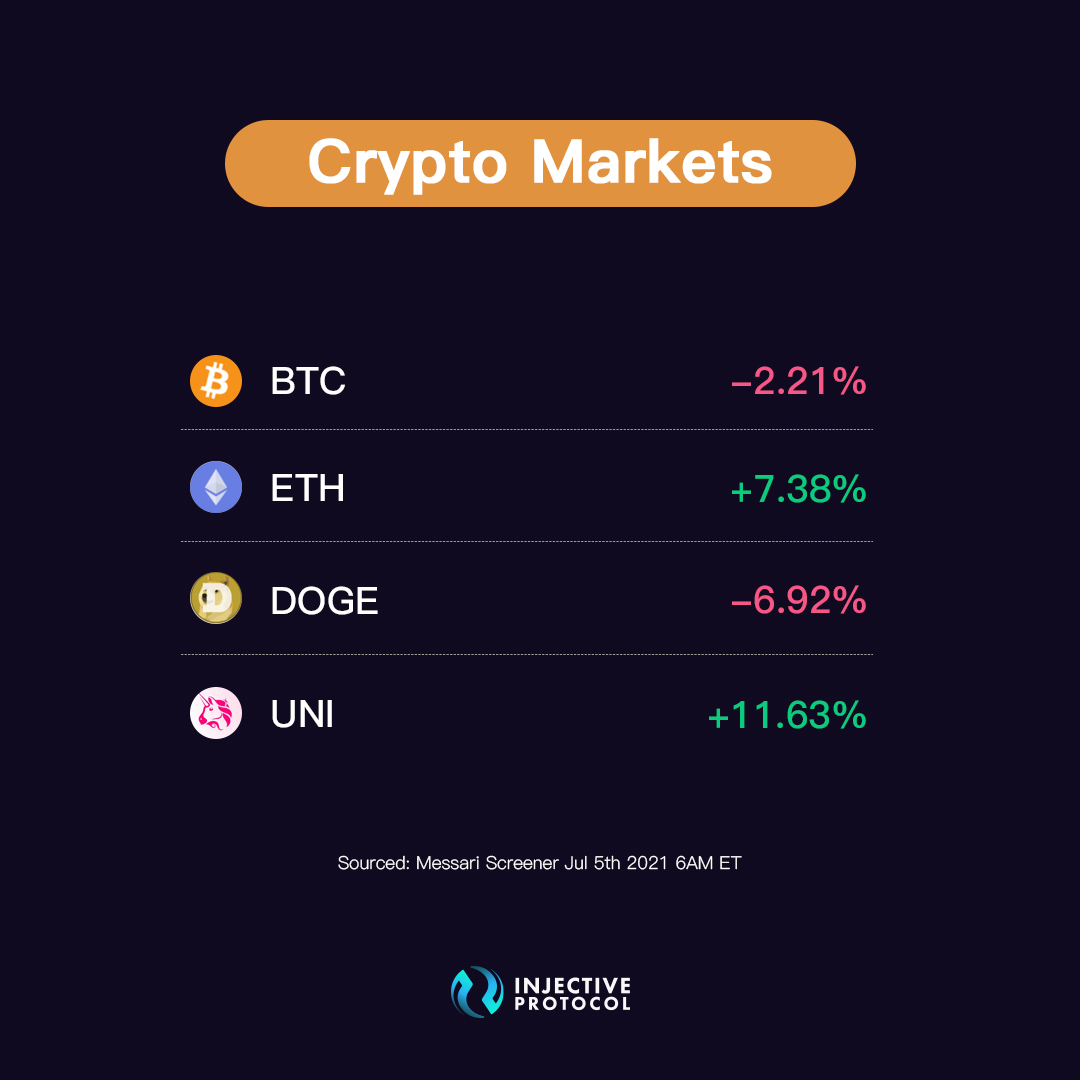 Twitter
·
Twitter
·
 polar plinth
Injective Canary Chain Walkthrough Video
Ready to start staking on the Injective mainnet canary chain?
Here is a handy video guide for everyone!
⚡️Staking Walkthrough: https://bit.ly/3yu2knz

Welcome to Injective’s Mainnet canary chain staking walkthrough!This guide will show you how to stake your INJ and start earning rewards. Injective’s user in...
polar plinth
Injective Governance Process
Have you taken part in Injective governance yet?
Community-driven governance can be used to list new markets on the exchange or to alter virtually any parameter of the protocol in the future.
🎮 Read More: https://bit.ly/3g9B3Ry
⚡️ Get started: https://staking.injective.network/
Injective Protocol Blog
This post describes the nature of on-chain governance on the Injective Chain and provides a detailed overview of the lifecycle of a governance proposal.
Injective Protocol Staking - Access Limitless DeFi Markets with Zero Barriers.
Injective is the first front-running resistant, layer-2 exchange protocol that unlocks the full potential of borderless finance by supporting margin trading, derivatives, and futures.
polar plinth
INJ Staking Info
APY: 5% (can be increased via governance)
Rewards: Distributed every block
Unbonding Time: 21 Days
Slashing: 5% for double signing and 0.01% for downtime
🏅Stake Now: https://staking.injective.network/
Injective Protocol Staking - Access Limitless DeFi Markets with Zero Barriers.
Injective is the first front-running resistant, layer-2 exchange protocol that unlocks the full potential of borderless finance by supporting margin trading, derivatives, and futures.
polar plinth
DEX Launch Governance Proposal Released
The governance proposal for launching the Injective DEX is now live!
🚀 Make your voice heard and vote here: https://staking.injective.network/proposals/43
 polar plinth
**Injective Governance proposal #43 for enabling spot market trading has just passed **
🚀 Get ready to trade on the Injective Canary Chain!
 polar plinth
Mainnet Canary Chain: Spot Trading Launch
Mainnet Canary Chain spot trading has launched! We’re extremely excited to see that the community voted to launch spot trading on the Injective Mainnet Canary Chain! This release will enable individuals to have the first look at the Injective exchange as well as various exchange frontend relayers.
Spot trading was enabled via a decentralized governance process with the community voting to release spot trading accompanied by 11 initial spot markets. From day one, the Injective protocol has been built to be fully decentralized. The community turned this vision into a reality over the past few weeks as both new market listings and the release of spot trading were launched by the global community.
Spot trading on the canary chain will launch with 17 initial spot markets. Liquidity for these markets is provided by a group of top-tier market makers, including Anti Capital (an affiliate of Injective Labs), as well as users on the exchange. To protect users, the Injective community’s frontends will initially restrict user deposits to $50 for a short period of time to ensure security and safety.
Lighting fast transactions with zero gas fees are enabled by our layer-2 structure that is also able to achieve instant finality due to our Tendermint-based PoS consensus mechanism. In addition, Injective revamps the traditional DEX model to create an easy to use protocol for both novice and sophisticated traders alike.
The article here will help provide some further details on Canary Chain and how you can start trading, so read on and get ready for a new era of decentralized trading!
🚀 Read More: https://bit.ly/3BiOEhk
💥 UpOnly Exchange: https://uponly.exchange/
⚡️ Start Trading: https://injectiveprotocol.com/
polar plinth
The UpOnly Exchange is Live
UpOnly exchange is one of the first Injective relayers to go public. UpOnly exchange is powered by Genesis Block Ventures (GBV), a prominent investment firm.
Injective was created with the intention of far surpassing the capabilities of every single DEX in the market today. The ability to deploy new frontend relayers enables unique possibilities while helping to showcase the customizability and decentralized nature of the protocol as a whole.
In the coming weeks and months, we plan to work alongside the Injective community to spawn a new era of decentralized trading. Anyone will be able to deploy a wide array of innovative solutions that are able to take advantage of Injective’s unique offerings.
Whether users want to build new orderbook exchanges, AMMs, simple swap interfaces, or advanced trading setups, it’s all made possible by Injective. We welcome everyone to take part in building the future of finance alongside us.
💥 Read More: https://bit.ly/3ezlyAv
⬆️ UpOnly Exchange: https://uponly.exchange/
polar plinth
**Introducing the Initial Spot Markets on Canary Chain
**
We are proud to announce the initial spot markets available on the Canary Chain.
The initial markets will include the following: Injective, Sushi, Graph, Polygon, Aave, USDC, Ethereum, USDT, Uniswap, and Chainlink. All markets were proposed and voted on by a decentralized community using the Injective governance module.
If your favorite project was not listed in this initial batch, then don't worry! You can continue to propose and vote on new assets to be added.
⭐️Read More: https://bit.ly/3xXZqHM
💥UnOnly Exchange: https://uponly.exchange/
⚡️Start Trading: https://injectiveprotocol.com/
exotic girder
Binance Validator and INJ Staking Campaign
Binance has been a leading supporter of Injective since day one. Did you know that Injective was incubated by Binance? Injective was also the first Binance incubated project to hold an IEO on Binance Launchpad.
Binance continues to support the Injective community as a validator.
Binance is now running a INJ staking campaign with up to 33.12% APY!
⭐ Stake INJ through Binance: https://bit.ly/3xYG05N
🚀 Stake through the Injective Staking Portal: https://staking.injective.network/
 polar plinth
**Injective Spot Trading Walkthrough
**
Need help trading on the Injective Canary Chain?
We got you covered! Check out this video guide and get up to speed in minutes.
The initial markets will include the following: Injective, Sushi, Graph, Polygon, Aave, USDC, Ethereum, USDT, Uniswap, and Chainlink.
🦜Watch Here: https://bit.ly/2UFwZQD
polar plinth
**Tune in to an exclusive talk on the future of derivatives DEXs **⚡️
🚀 Eric from Injective
🚀 Barney from Vega Protocol
🚀 Yenwen from Perpetual Protocol
🚀 Antonio from dYdX
📅 July 28, 11 AM EST (3 PM UTC)
📺 https://bit.ly/3iES05S
 exotic girder
An Injective Overview
Our friends at Ubik Capital wrote an overview of Injective. Ubik is one of Injective's genesis validators and helps secure some of the most prominent projects.
🗞 Article: https://bit.ly/3rxY1Fp
polar plinth
Injective is Audited by Informal Systems
Informal Systems has audited the Injective code base and the Injective chain.
Informal Systems is a major auditor for Cosmos based projects. The Informal team is composed of world-class researchers, engineers and operators, led by CEO Ethan Buchman, who co-founded the Cosmos and Tendermint projects.
Injective has performed rigorous internal testing to ensure that funds traded on our exchange are highly secure. Informal has overall found the Injective code to be of high quality. The focus of this audit was to review the codebase for both spot and derivative markets.
Moving forward, we will continue to perform rigorous testing on our codebase to ensure the stability of our exchange and we will always err on the side of caution with regards to security to ensure the safety of funds. We are closer now than ever to the release of the canonical chain and are grateful to have the support of our community in the home stretch of our journey. Injective has pledged to deliver a highly secure and performant protocol that will shape the future of finance, and we are thrilled to have achieved such a monumental step in this direction.
🌟 Read More: https://bit.ly/3i5DDIX

Injective Protocol Blog
We are excited to announce that Injective has passed our latest audit with flying colors. Informal Systems has audited the entire Injective code base, the Injective chain, and the peggy bridge contract.
polar plinth
Starting in 15 minutes!
https://twitter.com/injectivelabs/status/1418630717018447881?s=21
Tune in to an exclusive talk on the future of derivatives DEXs ⚡️
🚀 @ericinjective from @InjectiveLabs
🚀 @barnabee from @vegaprotocol
🚀 @tempofeng from @perpprotocol
🚀@AntonioMJuliano from @dydxprotocol
🗓️July 28, 11 AM EST (3 PM UTC)
📺https://t.co/iNHuQiLN05
Likes
198
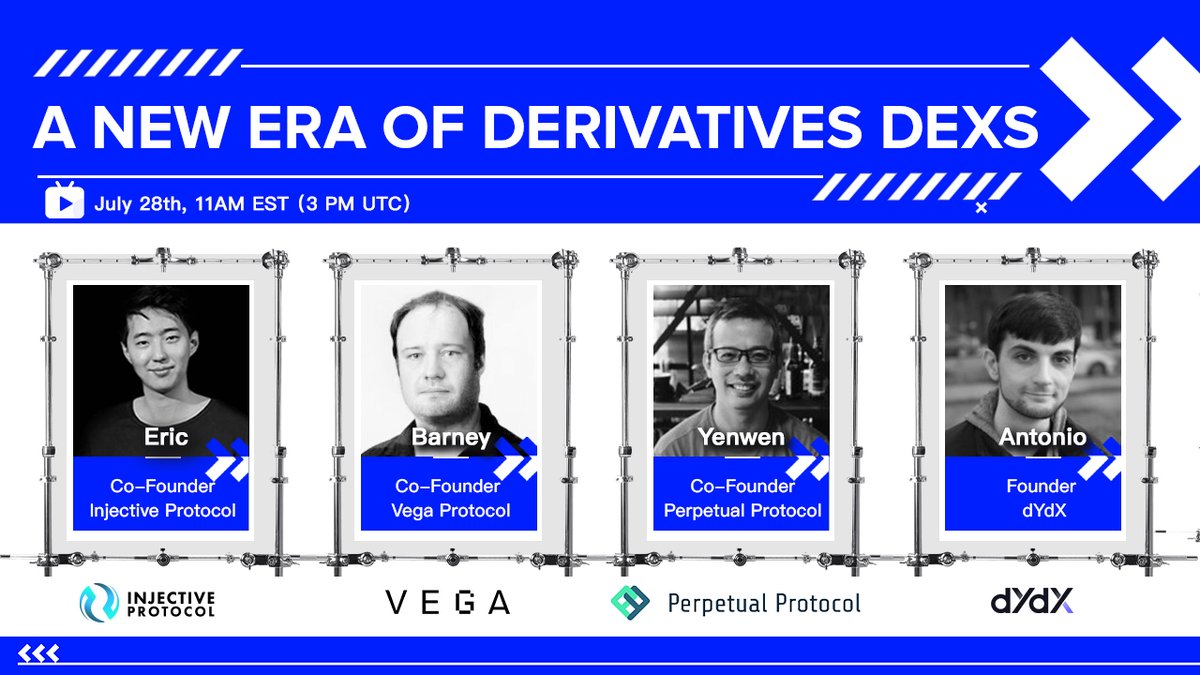 Twitter
·
polar plinth
Twitter
·
polar plinth
INJ Staking: Which Validator Should I Choose?
Dear Injective community,
We wanted to provide everyone with some insights on INJ staking and which validators you can delegate to going forward.
Injective is secured by a group of top-tier validators which have all helped to secure billions of dollars in aggregate assets for some leading cryptoassets today. We will quickly describe each validator so that you can be better prepared when attempting to stake your INJ holdings.
Remember: You can also delegate your INJ to more than one validator.
⚡️Read More: https://bit.ly/3lbc42S
🏅Stake INJ: https://staking.injective.network
Looking forward to the Chainlink #SmartCon conference!
Eric Chen will share our journey Injective on August 7!
Sign up today to save your spot with industry-leading projects across #DeFi, the #NFT economy & the larger crypto space🏌️https://bit.ly/3i3vK6B

Injective: July 2021 Update
Welcome to Injective’s monthly update!
Over the past few weeks, we have carried the momentum of our previous update to the completion of another record-breaking month.
Starting with our Canary Chain phase two launch, governance proposal procedure release, and finally the initial spot markets unveiling, this month has proven that no goal is too high to achieve. The Injective team has been on a roll this summer, so get ready for quite the highlight reel!
☄️Read More: https://bit.ly/3fnUF3g

Injective Protocol Blog
Over the past few weeks, we have carried the momentum of our previous update to the completion of another record-breaking month.
polar plinth
Introducing the New Injective: An Evolution of the Mission, Product, and Brand 🚀
We are thrilled to announce the Injective Protocol rebrand which marks a significant evolution in Injective’s mission, product, and brand. In connection with the rebrand, the visual identity and core message have been entirely revamped in order to better portray the community-driven vision for the future of DeFi.
Two community-driven goals currently underpin Injective Protocol. The first is enabling anyone to access, create, and trade unlimited DeFi markets. The second is to allow developers to create cross-chain Ethereum-compatible DApps using a protocol that is custom built for decentralized finance. The unity between these two goals will pave the way forward as Injective pioneers the DeFi economy of the future.
As the Injective ecosystem continues to expand, the INJ token will play an increasingly crucial role within the network as it helps to govern and secure new cross-chain DeFi applications built on Injective.
The Injective rebrand represents a culmination of tremendous progress while also beginning a new age of interoperability for the entire global crypto community.
Join us in building the DeFi hub of the new internet economy!
⚡️Read More: https://bit.ly/3A9irry

Injective Blog
We are thrilled to announce the Injective rebrand which marks a significant evolution in Injective’s mission, product, and brand. In addition, both the visual identity and core messaging have been entirely revamped in order to better portray the larger vision.
polar plinth
A huge congrats to Ethereum for launching EIP-1559! 🦇🔊
The Injective community is excited to be building a cross-chain DeFi exchange protocol that puts Ethereum-compatibility and scalability at its core and looks forward to growing the Ethereum ecosystem.
 polar plinth
The governance proposal for enabling the $BTC perpetual market on the canary chain has passed!
Get ready for the first #DeFi perpetual market on Injective ⚡️
 exotic girder
The Injective Equinox Epic Task is Now Live
You can now earn the final staking APY boost by placing 50 trades across 5 different spot or perpetual markets.
Start Trading: testnet.injective.exchange
 polar plinth
A few enthusiastic Injective supporters have created a Spanish channel for Injective.
Show them some love!
⛳** Unofficial Spanish Group**: https://t.me/InjectiveSpanish
 polar plinth

#InjectiveDay quiz!
We’ve put out plenty of content on our Spotlight @InjectiveLabs today, with more to come.
Who’s paying attention? Enter to win:
$1000 of $ORN
📅 TODAY | 8pm UTC
📍 https://t.co/vqosENLA7i
Some of the answers can be found here… 🤫
https://t.co/4G8ZSO2Yzw https://t.co/Ab4p7zlmF4
 Twitter
·
polar plinth
Twitter
·
polar plinth
Injective FAQs are Live ⚡️
The Injective FAQs provide resources for Injective as well as general information regarding governance, trading and staking.
You can also submit new requests!
💻 Get your questions answered here: https://bit.ly/2XPXssP
polar plinth
Injective is Live on the Orion Terminal
The Injective and Orion communities have taken a major step in extending their collaboration with one another with the integration of Injective with the newly released Orion Terminal.
As a chain-agnostic liquidity aggregator, the Orion Terminal will be able to offer decentralized derivatives for users to trade traditional digital assets, exotics, and other derivatives.
Functionally, a trader would be able to use Orion's sleek terminal in order to place a trade which would then get routed into Injective's shared orderbook. Another way to think about the user flow is to imagine the Orion Terminal to be part of the Injective relayer ecosystem.
Anyone can access Injective's orderbook depth and markets via different GUIs and interfaces. The Orion terminal would further bolster this decentralized trading approach by adding to the Injective relayer network.
💧Read More: https://bit.ly/3g1nvq6

Injective Blog
The Injective and Orion communities have taken a major step in extending their collaboration with one another with the integration of Injective with the newly released Orion Terminal.
polar plinth
Injective Fast Track to Crypto Learning Summer Challenge
Today, we are launching the Injective Fast Track to Crypto Summer Challenge.
In this program, you will gain access to new learning initiatives about Bitcoin, trading, and the crypto industry as a whole. As an added incentive, we are also creating a $10,000 USDT prize pool!
The article here will explain the three different learning tracks and provide more information about how to win prizes.
⚡️ Join the Injective Summer https://www.summer.injectiveprotocol.com
📚 Read More: https://bit.ly/3yWmWWb

Injective Blog
Today, we are launching the Injective Fast Track to Crypto Summer Challenge.
polar plinth
Join the Injective community call for a live chat with Eric and Injective enthusiasts!
We will share more details on the rebrand, the Injective summer campaign and canary chain progress.
📅 August 18, 14:00 UTC
🤖️ Save your spot: https://discord.gg/injective
 polar plinth
The Injective Summer Twitter Campaign is live!
🌟 20 lucky users will win $100 each
✅ Register for one summer track (https://bit.ly/37OgZi4)
✅ Follow @injectivelabs on Twitter
✅ Reply to this tweet: (https://bit.ly/3g78bsc)
✅Tag three friends with #InjectiveSummer
Injective Summer Twitter Campaign: https://bit.ly/3CR7TQ9
polar plinth
We just reached 80,000 Twitter followers in the Injective community! Join us for much more ahead 🚀
 polar plinth
Introducing the Injective Stargazers Ambassador Program
The Injective community has long asked for a formalized ambassador program. Today, we are introducing a DAO-governed vote to launch the Injective Stargazers Ambassador Program.
Designed to accelerate the Injective community on the path towards building a new financial system, the program will support active Injective evangelists for a wide array of initiatives such as running meetups, growing new community channels, organizing hackathons, creating educational content, and much more.
Injective Stargazers can come from various backgrounds such as technical development, graphic design, content writing, and trading. Below we explain the Ambassador Program in detail and the exclusive rewards you can earn by joining.
The launch of the Stargazers program will be governed by the Injective DAO. After the proposal passes, the Injective Labs team shall administer the program by onboarding the first set of Ambassadors. Community members interested in framing the Ambassador program are encouraged to engage with the Injective community through platforms such as the Injective governance forum here.
You can vote on launching the Stargazers Ambassador program here.
Detailed information on the program can be found below but if you want to skip ahead you can Apply Here.
Note: Interviews will only start after the DAO-governed vote is passed.
⚡️Vote Here: https://gov.injective.network/t/ambassadors-program/114
💥Read More: https://bit.ly/2XBMnhX
polar plinth
**Proposal #54 to launch the Injective Stargazers Ambassador Program is now live! **⭐️
The entire program will be community governed and will help to accelerate the growth of the Injective ecosystem.
🙋 Vote Now: https://bit.ly/3y4rSqW
 polar plinth
Injective Hub Release
The Injective Hub has just launched!
Injective Hub will provide a unified platform for all things DeFi on Injective such as staking, governance and wallets for the Injective community.
The entire user interface has been upgraded to reflect core ideas behind the Injective rebrand earlier this month while a number of new features have been implemented to ensure that the staking, governance, and on-chain DeFi processes are more seamless than ever before.
☂️Read More: https://bit.ly/3ycM8qb
🪐The Injective Hub: https://hub.injective.network/

Injective Blog
The Injective Hub has just launched! Injective Hub will provide a unified platform for all things DeFi on Injective such as staking, governance and wallets for the Injective community.

Injective Hub: Access Unlimited DeFi Markets
A unified interface for Injective staking, governance, insurance funds and wallets
polar plinth
**Injective Hub Light Mode
**
The Injective Hub now allows users to easily toggle between light and dark modes.
Give it a try: https://hub.injective.network
What feature would you like to see next?
💡**Spread the Word: **https://twitter.com/InjectiveLabs/status/1430537155785416713?s=20
polar plinth
Injective at the Chainlink Summit
Catch the keynote address from Injective Labs CEO Eric on derivatives and oracles at the first ever Chainlink Smart Contract Summit!
⛓️Full Video: https://bit.ly/3ymFAFs
 polar plinth
Injective Stargazers Ambassador Program Update
The Proposal to launch the Injective Stargazers Ambassador Program has passed!
Applications must be submitted today by 11:59 PM UTC.
Stargazers Application: bit.ly/3ymyctX
 polar plinth
The Proposal to launch decentralized derivatives trading on the Injective Canary Chain has just launched!
The first derivatives are scheduled to be released this week once the proposal passes ⚡️
Vote here: https://bit.ly/3kzcA8N
 compact flax
Impossible Finance is Joining the Injective Ecosystem to Launch a BSC-focused Launchpad on the Injective Chain
Impossible Finance is joining the Injective ecosystem to release a BSC-focused launchpad on the Injective Chain. Impossible Finance also plans to propose new BSC related derivatives for the Injective community.
The Injective community has long been a part of the larger BSC ecosystem. The native Injective INJ token is available on the BSC network and is utilized across a number of DeFi protocols across BSC.
🐧Read More: https://bit.ly/3yzmxIj

Injective Blog
Injective will be collaborating with Impossible Finance to bring forth new BSC focused derivatives. In the near future, Impossible Finance also plans to release its incubator platform on the Injective Chain.
polar plinth


Injective Governance Proposal #56 to enable derivatives trading has passed!
Get ready to start trading perpetuals 💥 https://t.co/DpQkgoxDfV
Likes
101
Twitter
·
compact flax
Injective August 2021 Update: Rebrand, Decentralized Derivatives and More
Welcome to Injective’s August monthly update!
This past month was abuzz with many exciting community initiatives, beginning with an extensive protocol rebrand that symbolized an evolution in mission, product and brand. In connection with the rebrand, the visual identity and core message were entirely revamped in order to better portray Injective's role in creating the DeFi Hub for the new internet economy.
Tremendous progress has been made on the Injective Mainnet Canary Chain while the Injective ecosystem continues to grow. Lastly, a number of new initiatives were released to further elevate the Injective community.
🏄♂️Read More: https://bit.ly/3mYO6bN

Injective Blog
Welcome to the Injective August update! This past month was abuzz with many exciting community initiatives. Check them out below.
polar plinth
Injective HUB Update
- We have made a lot of performance optimizations that will affect your experience while using our Hub. The Hub should be 10x faster on the initial page load and at least twice faster when browsing through the pages.
- We have added a requested community feature where we show some progress bars for the proposal's tally
- Some other minor features,
- Some minor fixes and improvements
Happy staking! 🎉
 polar plinth
Decentralized Perpetuals Trading is Now Live on the Injective Canary Chain
Perpetuals are now live on the Injective Canary Chain! Users can begin trading decentralized perpetuals with zero gas fees, lightning fast transaction times, and instant finality.
The trading infrastructure of Injective is supported entirely by a decentralized limit order book that integrates the user-friendly interface and speed of centralized exchanges with the transparency of decentralized exchanges. As an added benefit, Injective is compatible with Ethereum native tooling so wallets such as MetaMask can be seamlessly used with the Injective Chain.
Lastly, Injective has a unique Ethereum scaling solution that is custom made for derivatives trading while retaining robust interoperability across sovereign blockchains.
🚀Read More: https://bit.ly/38BMkoQ
polar plinth
Injective Labs Recruits Prominent General Counsel and Head of Trading
https://twitter.com/BrandonFerrick/status/1433844088240021539?s=20

 compact flax
Injective has received mainstream media coverage from some of the largest publications globally 🌍
https://twitter.com/injectivelabs/status/1434157551306698752?s=21
Injective has received mainstream media coverage from some of the largest publications globally 🌍
You can check out some highlights here: https://t.co/N20O25FigY
 Twitter
·
compact flax
Twitter
·
compact flax
Injective is ready for the IBC upgrade!
Over the next week, Injective validators will work to prepare for the Injective Chain upgrade with native IBC functionality.
We are now entering a era of cross-chain DeFi with @cosmos and the broader Cosmos ecosystem ⚛️
polar plinth

A huge thank you to @ericinjective and the team for arranging this interview on @InjectiveLabs $INJ
We discussed the Injective Exchange, Canonical Chain Launch, The injective Chain, Decentralized Exchanges and @cosmos #IBC integration.
Amazing stuff 👇
Twitter
·
compact flax
Participants who have completed one of the three Injective Learn Summer Challenge tracks can now claim a NFT ✈️
Thanks to our friends @ProjectGalaxyHQ for helping to organize this #NFT drop.
Anyone with a whitelisted ETH address can claim the NFT here: https://t.co/NZaOfiHn1p
Likes
105
 Twitter
·
polar plinth
Twitter
·
polar plinth
Injective Summer Challenge NFT
 polar plinth
Injective Hub Guide
Ready to stake your INJ? Interested in voting for new Injective governance proposals?
The Injective Hub Guide will walk you through all the major details you need to get started!
🪶**Guide: **https://bit.ly/3BQTDW0

Injective Blog
Ready to stake your INJ? Interested in voting for new Injective governance proposals? The Injective Hub Guide will walk you through all the major details you need to get started!
exotic girder
Insurance Funds are live on the Injective Hub!
☂️Please Read this Thread: https://twitter.com/InjectiveLabs/status/1435624279891226625?s=20

1/ Insurance Funds are live on the Injective Hub!☂️
Insurance funds protect margin traders during liquidations which is especially important in volatile crypto derivatives markets. Staking into insurance funds also earns you rewards and helps you hedge!
Twitter
·
polar plinth
Injective Ecosystem Page Release
Injective has one of the largest and fastest growing DeFi ecosystems in crypto!
Check out some of the best projects and businesses that are building alongside the Injective community on the new Injective Ecosystem Page!
💎The Injective Ecosystem: https://injectiveprotocol.com/ecosystem
polar plinth
Injective: Axie Infinity Listing
Axie Infinity $AXS is listing on the Injective exchange🐣
This makes Axie Infinity the #NFT project to be listed on Injective!
Also, get ready for some nifty trading rewards 👀
exotic girder
There is a very juicy governance proposal on the Injective Hub to upgrade the new @AxieInfinity spot market!
Get ready for the largest liquidity mining rewards every time you trade $AXS on Injective.
Vote Here to Enable Rewards: https://t.co/1i1ECvnM6b https://t.co/iRvltLyb3t
 Twitter
·
polar plinth
Twitter
·
polar plinth
**INJ-ETH Bridge Release: Seamless Cross-Chain Interoperability
**
The Injective Bridge is now live on the Injective Hub! You can now bridge any ERC20 token to the Injective Chain using the secure cross-chain Peggy Bridge.
1️⃣The Peggy bridge enables lightning fast transfers and is one of the cheapest solutions on the market today (average transaction cost of ~$0.02 when transacting on the Injective Chain).
2️⃣All transactions are confirmed instantly due to the Tendermint-based Proof-of-Stake (PoS) consensus utilized by the Injective network.
3️⃣The Peggy Bridge allows for the fastest withdrawals compared to any other Ethereum scaling solution. Popular solutions in the market today typically take several days for withdrawals, whereas on Injective it takes under five minutes!
4️⃣Unique benefits of the Peggy Bridge include lighning fast speeds, low costs, high security, Ethereum-compatability. Cosmos IBC will go live shortly as well.
5️⃣The Injective Bridge will serve as the gateway to innovative DeFi products being built on Injective such as the exchange, relayers, insurance funds, etc.
⚡️Read more and try out the Injective Bridge yourself: https://bit.ly/3lggUKq

Injective Blog
The Injective Bridge is now live on the Injective Hub! You can now bridge any ERC20 token to the Injective Chain using the secure cross-chain Peggy Bridge.
exotic girder

Deposit and trading limits have both been increased on the Injective Canary Chain!
You can now make transfers of up to $1,000 and trade $5,000 notional positions.
Limits will continue to be lifted as we approach canonical chain release ⭐️
Try It Out: https://t.co/iQSnmEu4rF https://t.co/345ENuvl2Q
Twitter
·
polar plinth
Trading Rebates are Live on Injective: Trade, Earn, Repeat
You can now start earning rewards for trading on Injective!
🏄This week, the Injective community voted to pass proposal #58 which introduced a maker fee rebates for the Axie Infinity spot market. Now, anyone who helps provide order liquidity for AXS on Injective will earn the highest maker fee rebates in the entire crypto industry.
💎Overall, this will help to heavily promote liquidity on Injective while also incentivizing market making, arbitrage and development activity on Injective.
💥Institutions and retail traders alike on Injective as they take advantage of new yield farming, arbitrage and market making opportunities. While doing so users will be helping to bring more liquidity to Injective while tightening spreads across market pairs.
💡Give it a go yourself and try trading Axie on Injective. Not only will you have near-zero fees but you will also earn for orders that you post for market making.
🚀Earn Maker Rebates: https://bit.ly/3lseBUH

Injective Blog
You can now start earning rewards for trading on Injective with the highest maker fee rebates in the entire crypto industry!
polar plinth
A few Injective community members have created a next-generation decentralized exchange relayer on top of Injective Protocol!
It's in stealth mode and will launch this week so stay tuned! More relayers means more activity on the Injective Chain, more adoption and more DeFi 🤯
 Twitter
·
polar plinth
Twitter
·
polar plinth

Picasso is the latest relayer to deploy on Injective!
@PicassoExchange is built by the Injective community and offers a sleek user interface alongside new tools to access decentralized spot and derivatives markets on Injective.
Signup for early access: https://t.co/vDJLrcClin https://t.co/rGvpdf8d06
Twitter
·
polar plinth
Get started with the brand new Injective Bridge using this handy guide from @ericinjective 😎
Experience for yourself lightning fast transactions, zero gas fees, an intuitive UI and easy cross-chain transfers from @ethereum 🦇🔊
 Twitter
·
compact flax
Twitter
·
compact flax
New Injective Hub Upgrades
🌉Bridge UI Revamp
🌏Language Selection (加入中文专属社群)
🇪🇺Currency Selection (€, CHf, £)
🔧Increased Tooltips Coverage
⚽️Performance Improvements
💎Check It Out: https://hub.injective.network/
Injective Hub: Access Unlimited DeFi Markets
A unified interface for Injective staking, governance, insurance funds and wallets
compact flax
Injective Governance Proposal #59 was passed yesterday 👑
Today, mint and distribution parameters were updated on-chain to set a stable minimum staking APY! The community can continue to change staking parameters via governance moving forward.
 Twitter
·
polar plinth
Twitter
·
polar plinth
Road to Canonical Chain Mainnet Release
An overview of the Mainnet Canonical Chain release is now ready!
Thanks to the larger Injective community for collaborating in this effort. It is recommended that everyone read the article to understand the next steps in the road to Canonical Mainnet.
Looking ahead, the main priorities before Canonical Chain release will be the following:
💡Completing decentralized oracle integration with Band Protocol and/or Chainlink OCR
💡Continuing to onboard institutional liquidity providers to the Injective Exchange
💡Improving the stability and performance of the Injective API
💡Upgrading the exchange (backend and frontend)
🧚Read More: https://bit.ly/3zp1EA4

Injective Blog
Over the past few months, the Injective community has worked non-stop to carry out a number of important upgrades and product releases.
polar plinth
Injective Public API Launch
The Injective Public API has now been released!
With the new Injective API, institutions, professional liquidity providers, algorithmic traders, and individuals alike can permissionlessly run all components of the backend infrastructure.
The API was created after many discussions with leading market makers and institutions to ensure that their every need was met. On Injective, stability, security and usability for traders is prioritized over all else.
Here you will find an overview of the API alongside helpful documentation and official Injective API support groups.
⚓️Read More: https://bit.ly/3zwLkxb

Injective Blog
The Injective Public API has now been released! With Injective’s architecture, everyone can permissionlessly engage in decentralized exchange.
compact flax
The Injective community's core mission is to create a more free and inclusive financial system through decentralization.
The protocol is entirely governed by the community-driven DAO and developers can build new relayers. This will be the new standard for DeFi exchanges 🪐
Twitter
·
polar plinth
Injective China Group
Just created a new Injective China group on telegram!
🇨🇳Join here: https://t.me/Injective_Chinese
 exotic girder
Introducing an upgraded Injective Hub!
⚡️Revamped wallet page
🪐View Injective relayers (more on the way!)
🎁A surprise bonus to view Equinox Staking Rewards (details will follow shortly)
 Twitter
·
polar plinth
Twitter
·
polar plinth
Equinox Staking Rewards Distribution
Over $1 Million worth of INJ will be distributed to Injective Equinox participants this week!
You can view your personalized Equinox staking rewards page directly through the Injective Hub.
Read the article here for helpful links.
🚀Read More: https://bit.ly/3ovmX19

Injective Blog
Thousands of Injective community members came together during the Equinox Staking Testnet phase to provide valuable feedback that helped to vastly improve the protocol itself.
polar plinth
**Injective Launches Unified Governance Interface with Commonwealth
**
Injective is collaborating with Commonwealth to launch an all-in-one governance interface for the Injective community. The newly upgraded governance platform will consolidate all governance activities such as proposals, voting, and discussions into one unified platform.
Using the new governance portal, you can take part in discussions similar to Discourse or Reddit while also voting on protocol level changes. Any user can access the governance portal with their MetaMask, email or GitHub account. This means users can set up personalized real profiles or remain entirely anonymous when participating in discussions. The choice is now yours!
🔥 Injective Governance: https://gov.injective.network/
🌟 Read More: https://bit.ly/3F7R44z

Injective Blog
Injective is collaborating with Commonwealth to launch an all-in-one governance interface for the Injective community.
polar plinth
The governance proposal for enabling IBC transfers on the Injective Chain is now live! Get ready to bridge @cosmos tokens to Injective seamlessly with the lowest fees ⚛️
Vote here: https://t.co/Qodc8fm0Xx https://t.co/IL1Gk6E6RP
 Twitter
·
compact flax
Twitter
·
compact flax
Equinox Staking rewards have been distributed!
Over $1.2 Million were sent to Injective Mainnet wallets 🏆
Thank you to everyone in the community who helped secure the Injective network. Get ready for much more as the Canonical Chain launches!
 Twitter
·
compact flax
Twitter
·
compact flax
Injective is governed entirely by a community led DAO.
Catch an exclusive livestream master talk tomorrow at 4 PM UTC on decentralized governance and DAOs to learn more🦉
⚽️ @dillchen from @hicommonwealth
⚽️ @ericinjective from @InjectiveLabs
 Twitter
·
polar plinth
Twitter
·
polar plinth
The Injective community has voted to enable @cosmos IBC!
The community will carry out a major chain upgrade that will allow any Cosmos IBC-based chain such as @BandProtocol and @terra_money to interact with the Injective exchange. The era of cross-chain derivatives is here 🪐
 Twitter
·
exotic girder
Twitter
·
exotic girder
Text proposals are live on the Injective Hub!
Now the community can not only launch new DeFi spot/derivatives markets but also govern new community-driven parameters such as the Stargazer ambassador program, liquidity mining initiatives, grants programs, and much more 🌟
Twitter
·
compact flax
polar plinth

👩🏻🚀 Cosmos AMA Alert 👨🏽🚀
Cosmonauts, join the community AMA with @ericinjective|Co-founder & CEO of @InjectiveLabs!
Ask Eric anything about
💎 Injective Tokenomics
📡 Upcoming #IBC connections
⚙️ What comes next?
Save the Date:
Oct 14th, 5PM UTC
🎟https://t.co/BXzDfeuoBn
 Twitter
·
polar plinth
Twitter
·
polar plinth
Looking forward to this podcast! Two @cosmos events tomorrow for the Injective community ⚛️ https://t.co/0DX0mV1fWi
Twitter
·
polar plinth
👩🏻🚀 Cosmos AMA Alert 👨🏽🚀
Cosmonauts, join the community AMA with @ericinjective|Co-founder & CEO of @InjectiveLabs!
Ask Eric anything about
💎 Injective Tokenomics
📡 Upcoming #IBC connections
⚙️ What comes next?
Save the Date:
Oct 14th, 5PM UTC
🎟https://t.co/BXzDfeuoBn
Likes
302
Twitter
·
polar plinth
Thanks for the great AMA session with Cosmos today and appreciate all of the insightful questions from the community. The second Cosmos event is coming up in the next hour!

.@ericinjective is discussing tmr how @InjectiveLabs is launching a @cosmossdk based derivatives DEX ⛓️
You'll learn how Injective will soon enable you to do on-chain perpetual swaps & how it changes the game for market makers ⤵️
📺 https://t.co/5a0VZPFUgV
Likes
139
 Twitter
·
polar plinth
Twitter
·
polar plinth
**We are Live!
**
https://twitter.com/chjango/status/1448725491624529929?s=20
Injective Protocol: Perpetual Swaps for Decentralized Derivatives for Cosmos & Eth https://t.co/bz6eV46tyx
Twitter
·
compact flax
Injective Hub Spanish
The Injective Hub is now available in Spanish!
Thank you to our friends @elfin ermine & @analog whale from the Injective Spanish community for leading this effort.
¡Vamos!
🇦🇷🇧🇴🇨🇱🇨🇴🇨🇷🇨🇺🇩🇴🇪🇨🇸🇻🇬🇶🇬🇹🇭🇳🇲🇽🇳🇮🇵🇦🇵🇾🇵🇷🇵🇪🇪🇸🇺🇾🇻🇪
Injective Hub: Access Unlimited DeFi Markets
A unified interface for Injective staking, governance, insurance funds and wallets
exotic girder
Injective Explorer Release
The new Injective Explorer has launched!
The Injective Explorer is an analytics platform that enables anyone to search addresses, trades, tokens, transactions, and other activities on the Injective Chain. Users can now view detailed information regarding every single action that occurs on-chain, enabling a higher degree of overall transparency for everyone.
The Injective Explorer goes far beyond global transaction search capabilities. Internally, there were a number of backend optimizations and refactoring that lead to a significant performance boost. On a frontend level, there is an upgraded user interface that follows the Injective rebrand guidelines and was designed with user experience in mind.
You can also view specific trades that occurred on any of Injective's relayers while in addition to viewing a complete breakdown of how the trade was passed through the network. The details provided are also quite granular. For instance, you can view what type of trade was created, how much the trade cost, and which asset was purchased.
🛸 Read More: https://bit.ly/3vnrS5k
🔭 Injective Explorer: https://explorer.injective.network/
polar plinth
Cosmos Signal Tomorrow
Major Cosmos event tomorrow!
Excited to see Injective in the trailer. You will also get a sneak peak into some new Injective and Cosmos related products.
See you at #CosmosSignal

Incoming Trasmission Detected: #CosmosSignalType: #InterchainExpected Launch: Oct 19th 4pm UTCNote from the Operator: The Signal is about to reach Earth, sta...
polar plinth
Injective Pro Launch
Today marks a watershed moment in the history of Injective as an entirely upgraded Injective Pro relayer is launched.
The release involves a diverse array of major UI and backend changes that lead to the most powerful trading experience in a truly decentralized environment.
You will find a revamped user interface, an enhanced homepage, intuitive markets pages, a modern portfolio page, and much more!
Injective Pro marks a new chapter for the community. All aspects of the exchange was upgraded after months of user testing and feedback.
The ultimate goal for everyone within the Injective community is to create a more free and inclusive financial system through decentralization. The Injective Pro relayer is a major step towards achieving this goal.
See you on Injective Pro.
🚀 **Read More: **https://bit.ly/3DX6ret
compact flax
Expanding the Injective Relayer Ecosystem
The Injective DEX is open source.
Now anyone can easily deploy next-generation DEXs such as Injective Pro. Get ready to see new relayers focused on different languages, regions, features, and user bases!
⚡️Build Now: https://github.com/InjectiveLabs/injective-dex
 compact flax
Injective Deep Dive Report
Read how Injective is creating a truly borderless trading platform and inclusive financial system with the potential to transform the industry as we know it today.
Created by Unpeeled.
🪐Read More: https://bit.ly/3B6yvdR
exotic girder
Hidden Markets and New Perpetual Market Listings
As the canonical chain release approaches, the community has asked to list new perpetual markets on Injective.
Injective Labs CEO Eric is proposing hidden markets and new listings.
⚡️Everyone is encouraged to participate here: https://bit.ly/3CkLvOb
 polar plinth
**Injective IBC Bridge Launch
**
1️⃣ The IBC Bridge is officially live on Injective 🚀
Now assets from the Cosmos ecosystem can seamlessly be transferred over to the Injective Chain for derivatives trading and new DeFi applications.
2️⃣ The IBC-enabled Injective Bridge will be the final addition to the Canary Chain.
The community will now begin prepping the protocol for the Canonical Chain upgrade that will truly unleash everything that is possible on Injective.
3️⃣ Injective governance proposal #60 allowed IBC to be integrated onto Injective.
IBC is groundbreaking technology that allows distinct blockchain networks to transfer assets and arbitrary messages across one another.
4️⃣ Ultimately the IBC upgrade brings Injective to new heights, allowing anyone to create innovative IBC-enabled markets.
Notably, users for the first time ever can create entirely decentralized ATOM perpetual markets ⚛️
5️⃣ The Injective Bridge will be a cornerstone of the interoperability and positive feedback loops being adopted by Injective.
As a bonus, Keplr Wallet support has been added which will be hugely beneficial for Cosmos and the rapidly growing projects within the IBC universe.
6️⃣ Over time, Injective will become a much more powerful ecosystem with the help of IBC.
As new Injective DeFi applications such as stablecoins and savings products are launched, the Injective Bridge will become the primary gateway for DeFi and cross-chain trading 🪐
🚀Read More: https://bit.ly/3ExNj7c

Injective Blog
The IBC (Inter-Blockchain Communication) Bridge is officially live on Injective! The Injective Bridge will be a cornerstone of the interoperability and positive feedback loops being adopted by Injective.
exotic girder
The #Cosmoverse Keynote Presentation by
@ericinjective is now live 🚀
Watch here for some exciting news regarding the canonical chain upgrade: https://t.co/jOEeyyVoJa
 Twitter
·
exotic girder
Twitter
·
exotic girder
Our team @InjectiveLabs is hosting a major Breakpoint Launch Party with our friends from @BurntFinance @hicommonwealth @Figment_io @PythNetwork @wormholecrypto @AudiusProject @LidoFinance 🎉
Tickets are going on a first come first serve basis. PW: WAGMI
Likes
102
 Twitter
·
compact flax
Twitter
·
compact flax
Injective Governance Proposal #65 for the Canonical Mainnet upgrade has passed!
The upgrade will occur at block 435200, during which time the chain will temporarily halt and the validators will upgrade their nodes. The Canonical Chain will be live in a few hours ⚡️
 Twitter
·
polar plinth
Twitter
·
polar plinth
Injective Canonical Chain Mainnet Release
The Injective Canonical Chain Mainnet is live!
The Canonical Chain brings unrestricted transfers and trading on the mainnet alongside robust token economics, seamless interoperability, novel products and the most powerful exchange in the world of DeFi.
This month, a number of governance proposals will be launched that will allow the community to implement new market listings, a fully on-chain VIP Fee Discount Program and a robust liquidity incentive program. In addition, the community can start participating in the largest buy back and burn program in the entire exchange industry.
Lastly, expect to see an entirely updated roadmap that will inform everyone about major upcoming products and events. The roadmap will include new launches such as an upcoming stablecoin, new DApps and more utility for INJ itself. There is so much more in store!
The Canonical Chain is the start of an extraordinary journey that will take Injective and the entire crypto industry to new heights.
The future is here.
🚀Read More: https://bit.ly/3EVX0wp

Injective Blog
The Injective Canonical Chain Mainnet is live! The mainnet upgrade marks the beginning of a new chapter for the entire Injective community as the Canonical Chain ushers in a new era of decentralized finance.
polar plinth
**Injective at Cosmoverse Conference **
Injective Labs CEO Eric gave a keynote at the Lisbon Cosmoverse Conference about Canonical Chain highlights and upcoming proposals for Canonical Chain.
Watch the full speech: https://youtu.be/u-L4hakTFVs

Injective Labs co-founder and CEO was invited to the Cosmoverse Conference in Lisbon and gave a keynote speech on cross-chain derivatives.
In this speech, Eric highlighted the features of Injective, recapped the Injective mainnet Canary Chain, and introduced Canonical Chain upgrade proposal. One of the primary updates for the Canonical Chain i...
compact flax
Calling all developers and builders 📢
@cosmos HackAtom starts today with $1,000,000 in prizes!
Come build a brand new Injective relayer with a simple swap interface to win a share of the prize pool. https://t.co/TRBPKt4xO4
Twitter
·
compact flax
Canonical Mainnet AMA
The Injective Canonical Mainnet AMA is happening tomorrow ⚡️
This will be the first ever Injective AMA on Twitter Spaces. Come with any and all questions for the Injective Labs team!
When: November 12, 3 PM UTC
Where: https://twitter.com/i/spaces/1YpKkZrDnqXxj
compact flax

The @InjectiveLabs Twitter is growing faster than ever!
90,000 followers strong 🔥
100K is up next. https://t.co/WzJSrWDtKR
Twitter
·
polar plinth
New Injective Hub Proposals: Band IBC Oracle and DMM Program
A number of new proposals went live on the Injective Hub today!
Proposal #67: Vote to enable the Band Protocol IBC oracle ⚛️
Proposal #68: Vote to launch the dedicated market making liquidity incentive program 👑
Injective Hub Governance: https://hub.injective.network/governance
 compact flax
Canonical Mainnet AMA
The Injective Canonical Mainnet AMA is happening in less than 15 minutes ⚡️
This will be the first ever Injective AMA on Twitter Spaces. Come with any and all questions for the Injective Labs team!
When: November 12, 3 PM UTC
Where: https://twitter.com/i/spaces/1YpKkZrDnqXxj
compact flax
Staking Rewards Overview of Injective
Our friends at Staking Rewards wrote a great overview of Injective, how it works and it’s upcoming plans. Please take a read!
🔥Injective Overview: https://www.stakingrewards.com/journal/injective-protocol/

Staking Rewards
Injective Protocol is a layer 2 sidechain that is built on the Cosmos SDK. It aims to enable permissionless trading. Read the full Injective Protocol guide here!
compact flax
Band IBC Enabled Oracles are Coming to Injective
Injective Proposals 67 and 68 related to enabling the Band IBC Oracle have passed!
Now you can create a number of new derivatives markets that are entirely decentralized for the first time ever in crypto.
Get ready to see new perpetual markets for $ETH, $INJ and $BNB 💥
compact flax
Injective VIP Fee Discount Program Launch
The VIP Fee Discount Program (https://bit.ly/30vvozC) is now live on the Injective mainnet. This will be the first fully decentralized VIP fee Discount Program in the entire crypto industry!
Governance Proposal #69 was voted on by the community in order to enact the fee program on chain. The program provides network participants with trading fee discounts based on their Tier which is determined by the trailing 30-day trading fee contribution as well as staked INJ amount.
View the Fees Page and your current tier here (https://injective.exchange/fee-discounts). You can also find the link to the page on the footer of the Injective Pro page here (https://injective.exchange/).
The initial idea of the program was inspired by our friends and backers at Binance. However, it was iterated upon further by the larger Injective community through both discussions in the governance forum and other channels such as Discord.
The fully on-chain VIP Fee Program brings Injective one step closer to building the most powerful exchange infrastructure in the industry today while also incentivizing volume growth and overall protocol adoption.
👑Read More: https://bit.ly/30vvozC

Injective Blog
The VIP Fee Discount Program is now live on the Injective mainnet. This will be the first fully decentralized VIP fee Discount Program in the entire crypto industry! View the Fess Page here. You can also find the link to the page on the footer of the Injective Pro page
polar plinth
Injective Launches Astro: A $120 Million Liquidity Incentive Program
The community has voted to launch Injective Astro: A $120 Million Incentive Program to bring liquidity and traders to Injective Protocol.
Injective Astro will be the most monumental chapter in the history of Injective as it is one of the largest incentive programs not only within the exchange industry but also in all of DeFi.
1️⃣Two sub-programs makeup Astro: Trade & Earn and DMM
2️⃣Dedicated Market Makers (DMM) Program: A total of 3,000,000 INJ is proportionally allocated to all qualified direct market making program participants, based on individual market making scores calculated every four weeks.
3️⃣Trade & Earn Program: A total of 7,000,000 INJ is proportionally allocated to all trading participants for their maker and taker orders every week. All users of Injective can benefit from this reward pool.
4️⃣Users can view and track rewards for Trade & Earn directly via the new Rewards Page __https://injective.exchange/trade-and-earn/__ on the Injective Exchange
Make your first trade and be the first to grab the 162,217 INJ tokens, which amounts to nearly $2,000,000 in rewards this month!
🚀Start Trading: https://injective.exchange/
⚡️Read More: https://bit.ly/3HwuSlx
polar plinth
The #InjectiveAstro incentives are in full swing 🔥
Earn up to 180% in rewards for the following boosted markets: $BTC, $ETH, $AXS and $LINK.
Trade Now: https://t.co/5XToYM7vsB
 Twitter
·
polar plinth
Twitter
·
polar plinth
**Injective Article on CoinMarketCap
**
Read an overview of Injective from the team at CoinMarketCap!
https://twitter.com/coinmarketcap/status/1461767229138259980?s=21

CoinMarketCap takes a deep dive into #InjectiveProtocol ( #INJ ), the first layer-2 #decentralized exchange protocol that plans to break the barriers of #DeFi trading.
Learn more! 👇
@InjectiveLabs
https://t.co/A0sUzhwj63
Likes
185
 Twitter
·
polar plinth
Twitter
·
polar plinth
Open Sourced Trading Bot
1/ The Trading Bot has now been open sourced so now anyone can automatically trade and earn.
https://github.com/InjectiveLabs/injective-api-demo.git
TLDR: Earn from the $120 Million #InjectiveAstro program while you sleep by customizing your own trading bot 💥
2/ Useful sample demo code has been added into the repo to reduce traders' time to market on Injective.
For educational purposes, we have provided some sample market making code to help you get started as you customize your own trading strategies on #Injective.
3/ The #Injective community will provide more sample code for the following areas so that users can customize their trading bots further:
⚡️Spot & perp market making
High voltage signCross exchange market making
⚡️Mean-reversion strategies
⚡️Trend analysis strategies
⚡️Pair trading strategies
 polar plinth
Injective Market Maker AMA: Asymmetries
Introducing the Injective Market Maker AMA Series where we chat with institutions trading on Injective!
First up is a talk with Asymmetries which is one of the largest digital asset managers in Asia today.
📅November 26, 3:00 PM UTC
🎮Watch: https://bit.ly/30WgRNM
 compact flax
Injective Astro Reward Drop
The first reward epoch for #InjectiveAstro has now ended! Users earned nearly $400,000 in INJ over the past 7 days 🚀
The second reward drop starts now with 28,000 INJ up for grabs. Trade on Injective to earn rewards with every trade. Yes, it’s really that simple.
🪐Trade to Earn: https://injective.exchange/

Injective Protocol - Decentralized Derivatives Trading. Any Market. Anytime. Anywhere.
Injective is the first front-running resistant, layer-2 exchange protocol that unlocks the full potential of borderless finance by supporting margin trading, derivatives, and futures.
polar plinth
The Injective collaboration with #Binance continues to grow stronger 💪
The Injective community has now listed decentralized #BNB perpetuals!
Trade $BNB Perps to earn #InjectiveAstro rewards: https://t.co/Esjd0Va47G
 Twitter
·
compact flax
Twitter
·
compact flax
INJ Perpetual Market Proposal
Just noticed that a few Injective community members proposed the INJ perpetual. Based on current voting trends the proposal will pass, making this the first ever INJ perpetual market in all of crypto!
Go nINJas 🥷
Injective Hub: Access Unlimited DeFi Markets
A unified interface for Injective staking, governance, insurance funds and wallets
exotic girder
Catch the first Injective Market Maker AMA in 10 Minutes

This is the first AMA in the Injective Market Making series that focuses on institutional market makers on Injective. We've invited Asymmetries founder Justi...
polar plinth

Injective has now soared past $100 Million in total trading volume in one week!
Are you guys ready for $1 Billion next? 🤔 https://t.co/qao879jTPl
Twitter
·
polar plinth
ATOM Listing on Injective
Cosmonauts wanted to list Cosmos and the Injective community answered!
1️⃣Bridge Cosmos tokens using the Injective Bridge for sub $1 fees!
2️⃣Trade ATOM to enter the $120 Million #InjectiveAstro reward program
Decentralized ATOM Perpetuals next? 👀
⚛️Trade ATOM: https://injective.exchange/
 compact flax

Planning to do a unique NFT drop to reward loyal Injective bridge & exchange users in collaboration with our friends from @ProjectGalaxyHQ, @BurntFinance and @0xPolygon!
Expect to see some utility for past NFTs too.
Stay tuned 🪐 https://t.co/nWfOXzEOik
Twitter
·
polar plinth
Injective Market Maker AMA: LedgerPrime
We’re excited to host our next Market Maker AMA Series with LedgerPrime.
LedgerPrime is one of the leading crypto derivatives market maker globally.
📅 December 2, 10:00 AM EST
🎮 Watch: https://youtu.be/DayWJUgUslI

We've invited Ledger Prime CIO Shiliang and Portfolio Manager Daqing along with Injective Head of Financial Markets Max to this episode of Trading with Injective.
This is part of the Injective Market Maker AMA Series where we chat with leading market makers trading on Injective.
Over the past two years, the market for crypto derivatives has ra...
polar plinth
The second reward drop for #InjectiveAstro has ended!
Rewards are doubling this week with more than $700,000 in INJ up for grabs.
Join the Trade and Earn Revolution: https://t.co/iQSnmEu4rF
 Twitter
·
polar plinth
Twitter
·
polar plinth
Introducing the Injective Stargazer Ambassadors! 🪐
It was a highly competitive selection process with nearly 700 applications submitted.
We're honored and grateful to have a cohort of incredible individuals helping to grow the Injective community 💕
 Twitter
·
polar plinth
Twitter
·
polar plinth
Catch the Injective Market Maker AMA with LedgerPrime in 5 Minutes
We've invited Ledger Prime CIO Shiliang and Portfolio Manager Daqing along with Injective Head of Financial Markets Max to this episode of Trading with Injective.
This is part of the Injective Market Maker AMA Series where we chat with leading market makers trading on Injective.
Over the past two years, the market for crypto derivatives has ra...
polar plinth
There is now a juicy proposal on Injective to enable @terra_money ecosystem price feeds.
#LUNAtics are you ready to launch $UST pairs on Injective for $LUNA, $MIR and $ANC perpetuals? 🌕
Likes
436
 Twitter
·
compact flax
Twitter
·
compact flax

Today on Chainlinked: @InjectiveLabs’ Co-founder @ericinjective chats with @andyboyan about how systems evolve toward decentralization and how Injective uses #Chainlink Price Feeds and Off-Chain Reporting (OCR) for decentralized and inexpensive updates. https://t.co/ssQtrU9PRD
 Twitter
·
polar plinth
Twitter
·
polar plinth
Injective November 2021: Mainnet and Astro Incentive Program Launch
Hey everyone!
We hope that November was a great month for you — it certainly has been for the Injective community.
First and foremost, the Injective Mainnet was released this month, an astounding feat that required all hands on deck across Injective’s ever-expanding ecosystem. At the same time, the Injective Labs team participated alongside the industry’s greatest minds at the Cosmoverse Conference in Lisbon, Portugal. Since the launch of the mainnet, trading volumes have soared to never before seen levels and an unprecedented number of users have joined the worldwide community. There’s a lot to cover, so let’s dive in!
⚡️The Injective Mainnet was released. In the following days total trading volume on Injective surpassed $100M.
⚡️The Injective Astro Liquidity Incentive Program debuted and $120 Million in incentives were subsequently launched.
⚡️The first batch listing proposal went live on the Injective Hub and several markets went live on Injective.
⚡️New Relayers: MarsX (a relayer focused on China) and Unlimited Exchange.
⚡️Band IBC Oracle launch equipped Injective to launch world’s first fully decentralized derivatives markets.
⚡️Keynote at the Cosmverse Conference and a series of events with Cosmos in Lisbon.
💥Read More: https://bit.ly/3omGccB

Injective Blog
Hey everyone! We hope that November was a great month for you — it certainly has been for the Injective community. First and foremost, the Injective Mainnet was released this month, an astounding feat that required all hands on deck across Injective’s ever-expanding ecosystem. At the same time, the Injective
compact flax

 compact flax

Proposal 83 on @InjectiveLabs to list native $LUNA/$UST spot + perp pairs and a $UST/$USDT pair on the DEX is now live for voting!
Get some $INJ and cast your votes :)
 Twitter
·
polar plinth
Twitter
·
polar plinth
Gas Free Deposit Program Launch
Injective is launching gas free deposits starting today!
All new users who transfer and trade on Injective can earn a rebate for any gas transfer fees that they may have paid when bridging assets from Ethereum using the Injective Bridge.
There are also $120 Million in incentives up for grabs so you can earn rewards with every trade.
💥 Read More: https://bit.ly/3rJRN7Q
💡Get started with your first free Injective Bridge deposit: https://injective.exchange/wallet/
polar plinth
The First Injective Premier Metaverse Listing: GuildFi
Injective is excited to announce its first premier metaverse listing of GuildFi ($GF).
On Injective, users will be able to trade GF with zero gas fees and boosted rewards from the $120 Million Injective Astro Program. Users can also deposit funds onto Injective for zero gas fees now!
Full trading for the GF/USDT spot market is expected to go live later this week in order to provide users with sufficient time to make deposits in preparation for trading.
The team from Picasso Exchange has carried out a ninja listing for GF earlier today. This is also the very first time a ninja listing was performed as 1000 INJ were contributed to the community spend pool in order to carry out the listing.
GuildFi is an interconnected Web3 ecosystem of games, NFTs and communities, with an aim to maximize players' benefits and enable interoperability across the metaverse.
GuildFi has recently raised a record breaking $140 Million through a fair launch decentralized auction and is backed by a leading cohort of investors such as DeFiance Capital, Hashed, Dapper Labs, Coinbase Ventures, and many more.
💎Read More: https://bit.ly/3owRTxy

Injective Blog
Injective is excited to announce its first premier metaverse listing of GuildFi ($GF). Starting now you can begin to deposit GF onto the Injective Chain for zero gas fees! Full trading for the GF/USDT spot market is expected to go live later this week in order to provide users
compact flax
Native Terra Transfers Enabled on the Injective Bridge
The first Injective Bridge IBC connection to @terra_money is live!
✅ Terra Station wallet integration
✅ Native $LUNA and $UST transfers to Injective
✅ Sub $0.40 transfer fees
Try It Out Yourself: https://hub.injective.network/bridge
polar plinth
Injective has crossed 100,000 @BandProtocol oracle price feed requests through IBC!
Injective is perhaps the the first chain to use IBC so extensively on mainnet, creating price feed requests every 10 seconds ⚡️
Twitter
·
exotic girder
Injective Burn Auction Launch
The Injective Burn Auction has launched!
Injective will now have one of the largest token burning ratios in the entire crypto industry, leading to a potentially ultrasound deflationary INJ token.
Injective Protocol will now automatically burn 60% of all exchange fees every week. A new auction interface has also been created for users to track fees collected on Injective.
Users can begin participating in the auction now using the new landing page! The first burn is automatically set to occur on Wednesday, December 15, 2021 at 1 PM UTC.
🔥 Read More: https://bit.ly/33iJqWz
🚒 Auction Page: https://hub.injective.network/auction

Injective Blog
The Injective Burn Auction has launched! Injective will now have one of the largest token burning ratios in the entire crypto industry, leading to a potentially ultrasound deflationary INJ token. TLDR: Injective Protocol will now automatically burn 60% of all exchange fees every week. A new auction interface has also
Injective Hub: Access Unlimited DeFi Markets
A unified interface for Injective staking, governance, insurance funds and wallets
compact flax
Dedicated Market Making (DMM) Program Release
The second major component of Injective Astro is live: the Designated Market Making (DMM) Program (https://bit.ly/3oNEukL).
The DMM program is designed to bring more market makers and concentrated liquidity to Injective. More liquidity means better trading for everyone.
A recurring theme in the Injective community is the desire to produce highly liquid decentralized markets. In the background, a number of institutional market markers have integrated with Injective to bring greater liquidity to the derivatives and spot markets currently on the protocol. The DMM Program was born from this theme of liquidity and aims to put in place a market structure through which professional market makers receive additional incentives in order to provide that liquidity.
An entirely upgraded DMM page has also been created within the Rewards tab on Injective Pro. Here, anyone can have a transparent view of DMM performance and reward multipliers over time.
🌊 DMM Dashboard: Link (https://injective.exchange/dedicated-market-making)
⚓️ Read More: https://bit.ly/3oNEukL

Injective Blog
The second major component of Injective Astro is live: the Designated Market Making (DMM) Program. DMM Dashboard: Link A recurring theme in the Injective community is the desire to produce highly liquid decentralized markets. In the background, a number of institutional market markers have integrated with Injective to bring greater
Injective Protocol - Decentralized Derivatives Trading. Any Market. Anytime. Anywhere.
Injective is the first front-running resistant, layer-2 exchange protocol that unlocks the full potential of borderless finance by supporting margin trading, derivatives, and futures.
Injective Blog
The second major component of Injective Astro is live: the Designated Market Making (DMM) Program. DMM Dashboard: Link A recurring theme in the Injective community is the desire to produce highly liquid decentralized markets. In the background, a number of institutional market markers have integrated with Injective to bring greater
compact flax
Sneak peek into the @PicassoExchange swap interface coming out this week!
Get ready for an entirely new way to trade on Injective 🎨
 Twitter
·
compact flax
Twitter
·
compact flax
First INJ Burn
The first ever $INJ burn is now complete 🔥
40,000 INJ were burned, meaning that INJ is now officially deflationary!
An acquaintance at best, Burnt Banksy burned $362,865 in fake fiat today to celebrate the auction.
Get ready for a burn every week. This is just the beginning.
polar plinth
Terra Ecosystem Markets Launch on Injective
Decentralized Terra ecosystem markets are now on Injective!
Users can begin to trade native Terra (LUNA) spot and derivatives markets using TerraUSD (UST). The Terra community is also launching campaigns to incentivize UST adoption on Injective, starting with a $200,000 trading competition this week.
The integration of the Terra with Injective marks a groundbreaking event for cross-chain IBC transactions. This article will provide background on the collaboration with Terra, integrating Terra assets, and the launch of new Terra focused markets on Injective.
Welcome to a new era of cross-chain derivatives trading on Injective.
🌖 Trade LUNA and UST: https://injective.exchange/
⚡️Read More: https://bit.ly/3GKflNU
Injective Exchange - DeFi DEX | Decentralized Derivatives Trading. Any Market. Anytime. Anywhere.
Injective is the first front-running resistant, layer-2 exchange protocol that unlocks the full potential of borderless finance by supporting margin trading, derivatives, and futures.

Injective Blog
Decentralized Terra ecosystem markets are now on Injective! Users can begin to trade native Terra (LUNA) spot and derivatives markets using TerraUSD (UST). The Terra community is also launching campaigns to incentivize UST adoption on Injective, starting with a $200,000 trading competition this week. The integration of the Terra
compact flax
Injective Auction V2
Introducing INJ Burn Auction V2!
You can now view:
🔥 Total INJ burned to date
🔥 Bid history
🔥 On-Chain bid details with Injective Explorer integration
Auction V2: https://hub.injective.network/auction
 polar plinth


Another successful $INJ burn is now in the books!
Around $500,000 have been burned in just the last two weeks.
INJ is currently on track to be one of the most deflationary tokens ever built. https://t.co/wTtsUhnbBI
Twitter
·
polar plinth

Introducing the Injective @PlayStation 5 Christmas Trading Party!
Two PS5s will be given to two randomly chosen users who trade a minimum of $500 on the Injective Exchange.
Trade and Win: https://t.co/5XToYM7vsB
 Twitter
·
exotic girder
Twitter
·
exotic girder
Ready Ninja One 🥷
The First Christmas Treasure Hunt Starts Now.
Three parts of a private key holding $5,000 are scattered across the Injective metaverse. Combine the 3 parts to win. Finding the first part will lead you to the next.
⏳Hint 1: Great traders are always patient
🐥Like and Retweet for More Hints: https://twitter.com/injectivelabs/status/1474479656183209985?s=21
 exotic girder
Injective has blasted past $100 Million in daily volume 🚀
For context, Injective Exchange is already a top 15 DEX by volume after being live for only a month!
Onwards and upwards #nINJas 🥷
Twitter
·
exotic girder

Injective Pro has crossed $1 Billion in total volume traded in less than a month 🪐
Injective Pro is now one of the fastest growing decentralized exchanges of all time and has reached the $1 Billion milestone in record pace. https://t.co/gVoUpJaXWp
Twitter
·
polar plinth
**IIP-93: Enhanced Tokenomics and INJ Burn
**
Injective Improvement Proposal #93 (IIP-93) to carry out a major mainnet enhancement is now available on the Injective Hub.
The upgrade will streamline the INJ burn process further while also improving INJ tokenomics and backend exchange logic.
🔥Vote Now: https://hub.injective.network/proposals/93
polar plinth
The Last INJ Burn of 2021
Get ready for the last INJ burn auction of 2021 in 12 hours!
Users can bid using only INJ on a basket with nearly $200,000 worth of USDT and UST. The winner gets the entire basket of assets and the INJ used to bid is automatically burned.
🧙♂️Bid Here: https://hub.injective.network/auction
 pliant oxide
2021 INJ Burn Recap
The final INJ burn of 2021 is now complete!
🔥82,373 INJ (~$717,316) have been burned forever
The #Injective community has shown that it is able to burn INJ through an entirely decentralized auction process. INJ continues to become more deflationary than ever before.
 exotic girder
Terra on Injective Update
Over $50 Million has been traded in the first ever decentralized LUNA/UST perpetual market in the last week alone Waning gibbous moon symbol
Injective is quickly becoming a hub for $UST derivatives and Terra markets!
Fun fact: Most $LUNA positions are highly long.
Twitter Squad: https://twitter.com/InjectiveLabs/status/1476315567174950913?s=20
Over $50 Million has been traded in the first ever decentralized LUNA/UST perpetual market in the last week alone 🌖
Injective is quickly becoming a hub for $UST derivatives and @terra_money markets!
Fun fact: Most $LUNA positions are highly long.
 Twitter
·
exotic girder
Twitter
·
exotic girder
Injective validator @Huobi_pool is building a dedicated Huobi relayer for @InjectiveLabs users!
This will enable Huobi Pool to provide a new avenue for $INJ staking while also enabling the Huobi community to seamlessly access Injective Protocol.
Twitter
·
exotic girder
IIP-93: Improved Token Economics, Increased INJ Burn and Chain Optimizations
Injective Improvement Proposal #93 (IIP-93) has passed, leading to major on-chain mainnet enhancements.
Overall the upgrade leads to improved token economics, revamped reward mechanics, new avenues to increase the INJ burn, and a number of backend optimizations that will make the Injective Chain more powerful than ever before.
The article below will shed some light into specific parameter changes brought on by IIP-93.
⚡️Read More: https://bit.ly/32OPSUJ

Injective Blog
Injective Improvement Proposal #93 (IIP-93) has passed, leading to major on-chain mainnet enhancements. Overall the upgrade leads to improved token economics, revamped reward mechanics, new avenues to increase the INJ burn, and a number of backend optimizations that will make the Injective Chain more powerful than ever before. The article
compact flax
The Injective Chain has already processed over 15 million transactions since going live last month!
All transactions are lightning fast and achieve instant finality. This is the power of the first custom interoperable blockchain built for decentralized trading & DeFi apps.
Likes
114
Twitter
·
exotic girder
Injective: 2021 Review and the Road Ahead
The past year was marked by rapid growth and adoption of Injective. During this time, Injective launched its state of the art mainnet and released Web3 products that would come to redefine the entire crypto industry.
Two community-driven goals currently underpin Injective. The first is enabling anyone to access, create, and trade unlimited DeFi markets. The second is to build a custom layer-1 protocol that can be utilized to build scalable cross-chain trading, derivatives, and Web3 applications. Ultimately, all of Injective’s achievements in 2021 enabled it to continue delivering upon its mission of creating a truly free and decentralized financial network for everyone.
The article here will first provide an overview of major milestones reached by the Injective community in 2021. The piece will then delve into the road ahead towards building the most powerful decentralized derivatives exchange, an interoperable smart contract layer, innovative Web3 applications and novel cross-chain integrations that will allow Injective to reach global adoption.
🚀 Read More: https://bit.ly/32RYtWJ
exotic girder

 polar plinth
polar plinth
polar plinth
Sneak peek at the latest Injective Bridge IBC integration 👀
@osmosiszone ⚛️ @InjectiveLabs
The @cosmos IBC ecosystem is growing stronger everyday!
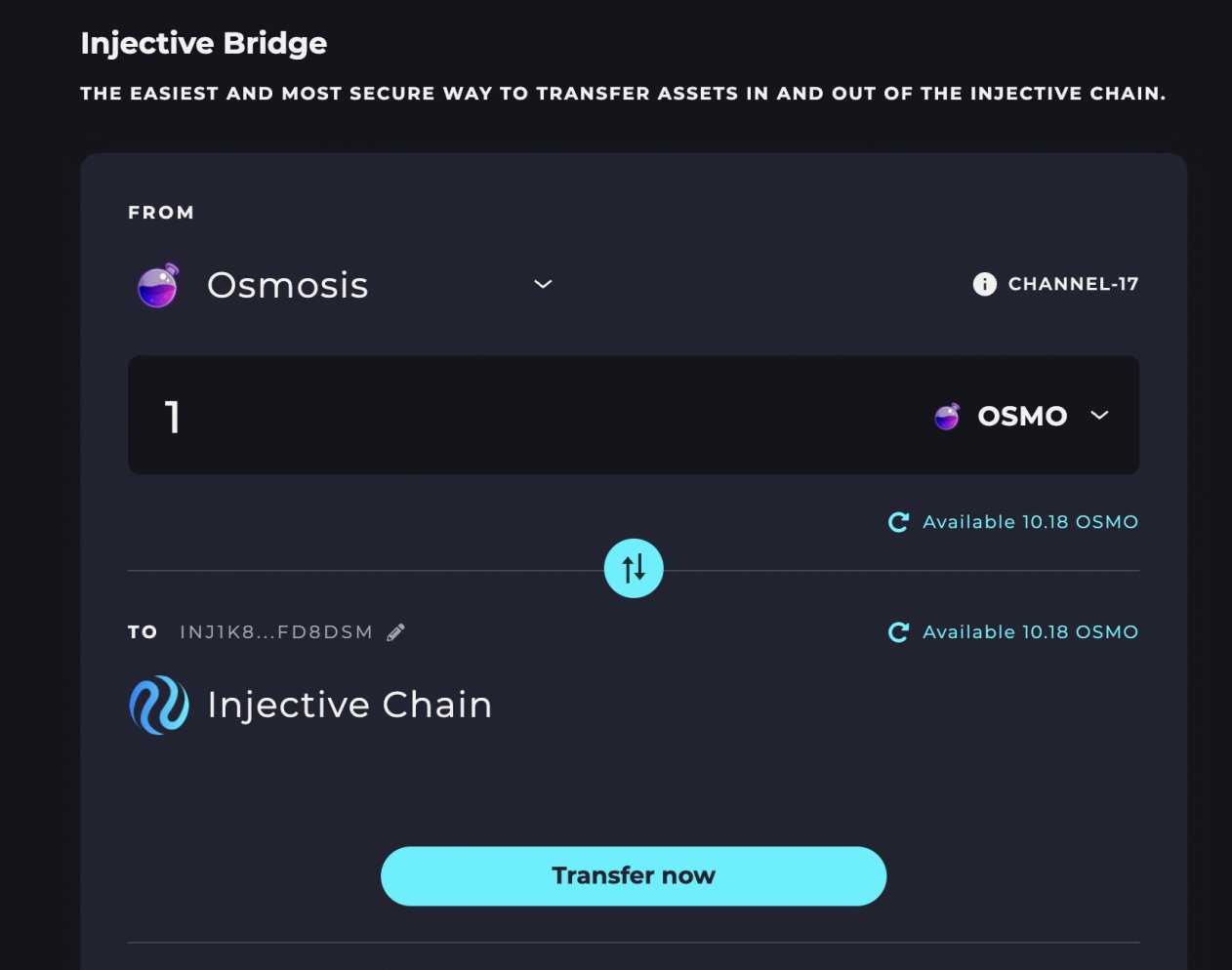 Twitter
·
compact flax
Twitter
·
compact flax
Over $1,000,000 worth of $INJ has been burned forever in the last month.
That’s it. That’s the tweet.
 Twitter
·
polar plinth
Twitter
·
polar plinth
**Injective December Update
**
Happy New Year Injective Family!
2021 was a landmark year for Injective and the community didn’t let the ball drop (pun intended) throughout the final month. December marked multiple milestones such as the start of INJ burn auctions, gas free deposits and Terra/UST perpetual markets alongside record-shattering trading volumes. Read below for a full digest of the community's latest achievements and goals as we kick off the new year.
💡Read More: https://bit.ly/3eS4CoX
compact flax
Injective Yield Farming on Solana
INJ is now available on the Solana blockchain. Users can begin to earn a projected 20% APY on their wINJ using a newly released wINJ Covered Call Vault on the rapidly growing Solana DeFi protocol, Katana.
Injective is an interoperable blockchain built using the Cosmos SDK that seeks to bring together the multichain world through innovative applications. This also marks one of the first times that a Cosmos SDK based chain has transferred tokens to Solana.
Read below to see how you can earn high yield on Solana using INJ.
💥Read More: https://bit.ly/3G5Mm7v
 compact flax
Terra Trading Competition: $200,000 in Rewards!
LUNA/UST spot and perpetual markets recently went live Injective.
Now the LUNAtic community is launching a trading competition for UST markets on Injective!
Here is how you can share $200,000 in prizes:
1️⃣ Deposit a minimum of $100 worth of UST to the Injective exchange
2️⃣ Trade a minimum of $500 worth of the LUNA spot or perpetual market
The competition starts on January 11, 2021 at 18:00 UTC and ends on January 25, 2022 at 18:00 UTC.
The article below will provide all the necessary details on reward calculations.
🚀Start Trading: https://hub.injective.network/trade/
🌖Read More: https://bit.ly/3JZysGc
 compact flax

An overview of some major Injective milestones 🚀
#nINJas are hard at work to make sure that 2022 is the best year yet.
 Twitter
·
compact flax
Twitter
·
compact flax
Injective Bridge V2 is nearly finished.
Get ready for the most powerful decentralized cross-chain bridging solution yet across #Ethereum, @cosmos and the IBC ecosystem ⚛️
Twitter
·
compact flax
INJ Perpetual Launch
The moment all of you #nINJas have been waiting for is here!
The first ever $INJ perpetual market is live.
🚀Trade on Injective Pro here: https://injective.exchange/derivatives/inj-usdt-perp
🥷You can also trade on a diverse group of next-gen exchange relayers built on Injective: https://hub.injective.network/trade/
 compact flax
Injective Swag Store
You guys asked for Injective merch so we built out a shop.
Introducing the brand new Injective Swag Store 😎
Get official Injective clothing, WAGMI hats and much more!
All sale proceeds will go back into supporting Injective community development.
🛍 Shop Here: https://shop.injectiveprotocol.com/
 polar plinth
Hey #nINJas 🥷!Welcome the Injective Intern trading competition, organized by amazing Injective ambassadors
https://twitter.com/injectiveintern/status/1483922235945590792?s=21

Hey #nINJas🥷! Want to win $1,000 in $ATOM? How to enter is outlined below👇
- Trade a minimum of $100 on Injective
- Tweet about your experience with any of the relayers using the hashtag #INJATOM. Every post is an entry!
Contest goes for 10 days, happy trading!🚀
 Twitter
·
polar plinth
Twitter
·
polar plinth

More than 20 Million transactions have been processed by the Injective Chain 😮
#Injective is already one of the fastest growing blockchains in history after going live at the end of 2021.
Shout to our phenomenal validator @QuineOrman for monitoring the stats! https://t.co/2Kv3x5mnC4
Likes
137
Twitter
·
compact flax
Things to look forward to this week:
- Mainnet Upgrade ⚡️
- Injective Bridge V2 🌁
- @osmosiszone Integration 🧪
It’s going to be a fun few days for #nINJas 🥷
Twitter
·
polar plinth
📡Join the @InjectiveLabs community call for a live chat with @ericinjective and #nJINas on Twitter.
We will share more details about recent developments, smart contracts, IBC connections and much more!
🗓️ January 25, 14:00 UTC
🔊Where to attend: https://t.co/8yPkynBOwd
 Twitter
·
polar plinth
Twitter
·
polar plinth
Injective Mainnet upgrade complete ✅
Injective Bridge V2 up next.
Likes
118
Twitter
·
compact flax
Institutional Staking: Copper Integrates INJ
Copper's infrastructure provides the underlying architecture for the largest crypto trading institutions. Copper is highly selective with its integrations and only supports staking for 13 popular assets such as Helium, Cardano, Polkadot and Algorand.
How does this integration benefit Injective?
1️⃣ Institutiions can directly stake with Injective validators from the Copper interface
2️⃣ INJ that is currently held as ERC20 tokens on Copper can be bridged over to the Injective mainnet, opening up new possibilities for more staking, delegations and decentralized governance
3️⃣ Direct deposit and withdrawal support on Copper is available for Injective assets so future tokens launched on the Injective Chain can enable institutional access for their tokens from day one
🏦 Read More: https://bit.ly/3KJnV2l
 polar plinth
Join The DexGuru Talk Show with Eric Tomorrow

Come join our next DexGuru Talk Show with @ericinjective - CEO and Co-Founder of @InjectiveLabs.
Click here to set a reminder:
https://t.co/tlKlD4A6kF
Twitter
·
compact flax
Have you staked your $INJ yet?
Current APY: 9.34%
Why stake?
-Secure the first custom blockchain optimized for DeFi
-Participate in governance
-Earn rewards
🥩 Stake Now: https://t.co/LFaI9stkVk
 Twitter
·
compact flax
Twitter
·
compact flax
Alpha Leak: The @Stacks community is looking to bring the first decentralized $STX perpetuals to Injective. The governance discussion is up: https://t.co/xb8NAARXcT
Stacks brings #DeFi to #Bitcoin
Twitter
·
polar plinth
Woof 🐶
@ChihuahuaChain is coming to Injective.
Get ready to trade the best @cosmos meme coin $HUAHUA!
Gov Discussion: https://t.co/fw3LZQimEe
#IBCgang
Twitter
·
polar plinth
Injective Bridge V2 Release: Cross-Chain Interoperability Across Cosmos and Ethereum
The new Injective Bridge is here!
Injective Bridge V2 brings a vastly superior user experience for all Ethereum and Cosmos users.
The new Injective Bridge will be able to support any ERC20 token from Ethereum alongside a number of Cosmos IBC-enabled chains such as Cosmos, Terra and Osmosis. In the coming weeks, a number of new IBC-based chains are set to be included as well in order to further support the rapidly growing Cosmos IBC ecosystem.
The bridge will serve as a perfect launchpad for new Web3 projects looking to deploy on Injective. Due to Injective’s robust infrastructure for DeFi, projects building within sectors such as trading, lending, savings, and insurance applications will find the bridge to be uniquely suited to fit their cross-chain use cases.
🌉 Read More: https://injective.xyz/3g8GsXE
🚀Get Started: https://hub.injective.network/bridge

Injective Hub - Access Unlimited DeFi Markets
A unified interface for Injective staking, governance, insurance funds and wallets
polar plinth

The Injective Twitter continues to break records 🚀
Thanks to the incredible @InjectiveLabs community for the support.
Follow us on Twitter to stay updated on new #nINJa events and Injective updates! https://t.co/zoY3rzCH3T
Twitter
·
compact flax
We’re proud to partner with one of the fastest growing record labels @88rising alongside @LVMH and @Lexus on making this global digital festival happen!
Let’s party in the metaverse 🎉 https://t.co/qAgEySQnHp
Twitter
·
polar plinth
Join the @injectivelabs Twitter Spaces for a live chat with @ChihuahuaChain and the #IBCgang.
We're excited to share more about the $HUAHUA integration and all things @cosmos ⚛️
🗓️February 8, 14:00 UTC
🎧https://t.co/gk5aN61mjO
 Twitter
·
polar plinth
Twitter
·
polar plinth
Injective January Update
Greetings nINJas!
The Injective community hit the ground running and kicked off the new year with a number of milestones.
From unveiling the Injective Bridge V2 to rolling out a complete mainnet upgrade, there’s a lot to cover — so read below for the full highlight reel.
💡Read More and Subscribe: https://injective.xyz/3B3TD5M
compact flax
Decentralized Chihuahua (HUAHUA) Spot Market Listing on Injective Pro with $100,000 in Prizes
Chihuahua (HUAHUA) Spot market is now on Injective Pro alongside $100,000 in HUAHUA token rewards!
You can now trade HUAHUA with market and limit orders all on an entirely decentralized orderbook powered by the Cosmos community.
To celebrate this listing the Chihuahua team is sponsoring a $100,000 HUAHUA deposit and trade campaign.
How to Win
⚡️Net deposit at least 100 USDT in HUAHUA to Injective Pro or any exchange built on Injective during the Promotion Period
⚡️Trade at least 100 USDT in the HUAHUA spot market on Injective Pro or any exchange built on Injective during the Promotion Period
⚡️The more you trade the more you earn
🚀Trade and Earn: https://injective.exchange/spot/huahua-usdt/
🐶Read More: https://blog.injectiveprotocol.com/decentralized-chihuahua-huahua-spot-market-listing-on-injective-pro-with-100-000-in-prizes/
 polar plinth
Decentralized Cosmos (ATOM) Perpetual Futures Listing on Injective Pro
It's the moment you Cosmonauts have been waiting for all along: ATOM Perpetual Futures are now listed on Injective Pro!
You can now trade ATOM with leverage on an entirely decentralized orderbook with zero gas fees. Enjoy all the functionalities of a CEX on the first fully decentralized derivatives trading platform.
If you have any questions please let us know on Discord.
Happy Trading nINJas!
💥Start Trading: https://injective.exchange/derivatives/atom-usdt-perp/
⭐️Read More: https://injective.xyz/34K3amL
polar plinth
**Juno on Injective Pro
**
Ok everyone wants to see JUNO listed on Injective Pro it seems.
Vote so we can make Juno official: https://gov.injective.network/discussion/3767-should-injective-pro-list-juno
WAGMI with JUNO 🚀
exotic girder
Injective Trading Guilds coming soon to a metaverse near you.
The first ever GameFi platform built on Injective 🚀
 Twitter
·
polar plinth
Twitter
·
polar plinth
CosmWasm Smart Contracts on Injective
The Injective testnet processed the first CW20 token transfer today using CosmWasm smart contracts.
Smart contracts on Injective will unlock unlimited possibilities as new tokens & DApps are released on the most powerful layer 1 optimized for DeFi.
💥Spread the Word: https://injective.xyz/3rOMH9Z
polar plinth
Introducing @frontrunnerxyz ⚽️
A zero-commission decentralized sports betting platform built on Injective.
Sign up on the Frontrunner website today to get early access.
 Twitter
·
polar plinth
Twitter
·
polar plinth
#ETHDenver party time with @injectivelabs 🎉
Is anyone attending @EthereumDenver today? Join @ericinjective’s keynote presentation.
If you can’t make it, be sure to check out the livestream at 3:40 PM EST (8:40 PM UTC)👇
 Twitter
·
Twitter
·
 compact flax
polar plinth
compact flax
polar plinth
Bored Ape Yacht Club (BAYC) NFT Price Feed Proposal
The nINJa community just launched a new governance proposal to bring BAYC price feeds to Injective.
The data will be derived from NFT Bank and the oracle will be hosted by Burnt Finance.
Get ready for novel NFT markets on Injective!
🐵 BAYC Proposal: https://injective.xyz/3pa5KK9
Injective Hub - Access Unlimited DeFi Markets
A unified interface for Injective staking, governance, insurance funds and wallets
polar plinth
Injective Update
In the last 2.5 months...
💥Over $4B Billion in volume on Injective exchange DApps
🔥Over 300,000 INJ burned
🌉Over $200M in assets bridged to Injective
Probably nothing.
polar plinth
Injective Pro V2 Early Access Beta
The Injective Pro V2 Early Access Beta has launched!
The release will bring a host new features to create the best cross-chain trading experience in the market today.
The first 100 users to join Discord and ask for an invite will gain entry: https://discord.gg/injective

 exotic girder
Injective nINJa Listing Launch
Instant nINJa Listings are here 🥷
Want to list new tokens? Now anyone can use $INJ to bring any new spot market to Injective.
You can find the instant listing feature directly on the Governance section of the Injective Hub here: https://injective.xyz/3IBHpV0
Spread the word: https://twitter.com/InjectiveLabs/status/1498744797603016714?s=20&t=BEZc2cvH8hLfCdQRqY4RUQ
Instant nINJa Listings are here 🥷
Want to list new tokens? Now anyone can use $INJ to bring any new spot market to Injective.
You can find the instant listing feature directly on the Governance section of the Injective Hub here: https://t.co/2yubqLEOWt https://t.co/vMM3Km7EBk
 Twitter
·
compact flax
Twitter
·
compact flax

🔥2000 UDST Free #Giveaway to 100 winners🔥
Thrilled to announce that Injective @InjectiveLabs is now listed on MathWallet and MATH dApp Store!
Now click on Gleam to complete the task and win the airdrop!
#mathwallet #Injective https://t.co/2oa9dsXPSb
 Twitter
·
polar plinth
Twitter
·
polar plinth

CoinMarketCap's Pick – Post of the Day
The @InjectiveLabs Pro V2 Early Access Beta has launched. The release will bring a host of new features to create the best cross-chain trading experience in the market today...
https://t.co/HDLAhjV0Jo
Likes
375
Retweets
162
Twitter
·
polar plinth
EVMOS 🤝 Injective
The EVMOS X Injective IBC Bridge is now live. Thanks to our devs for working at lightning fast speeds to get this up and running.
https://twitter.com/injectivelabs/status/1499437492210216971?s=21

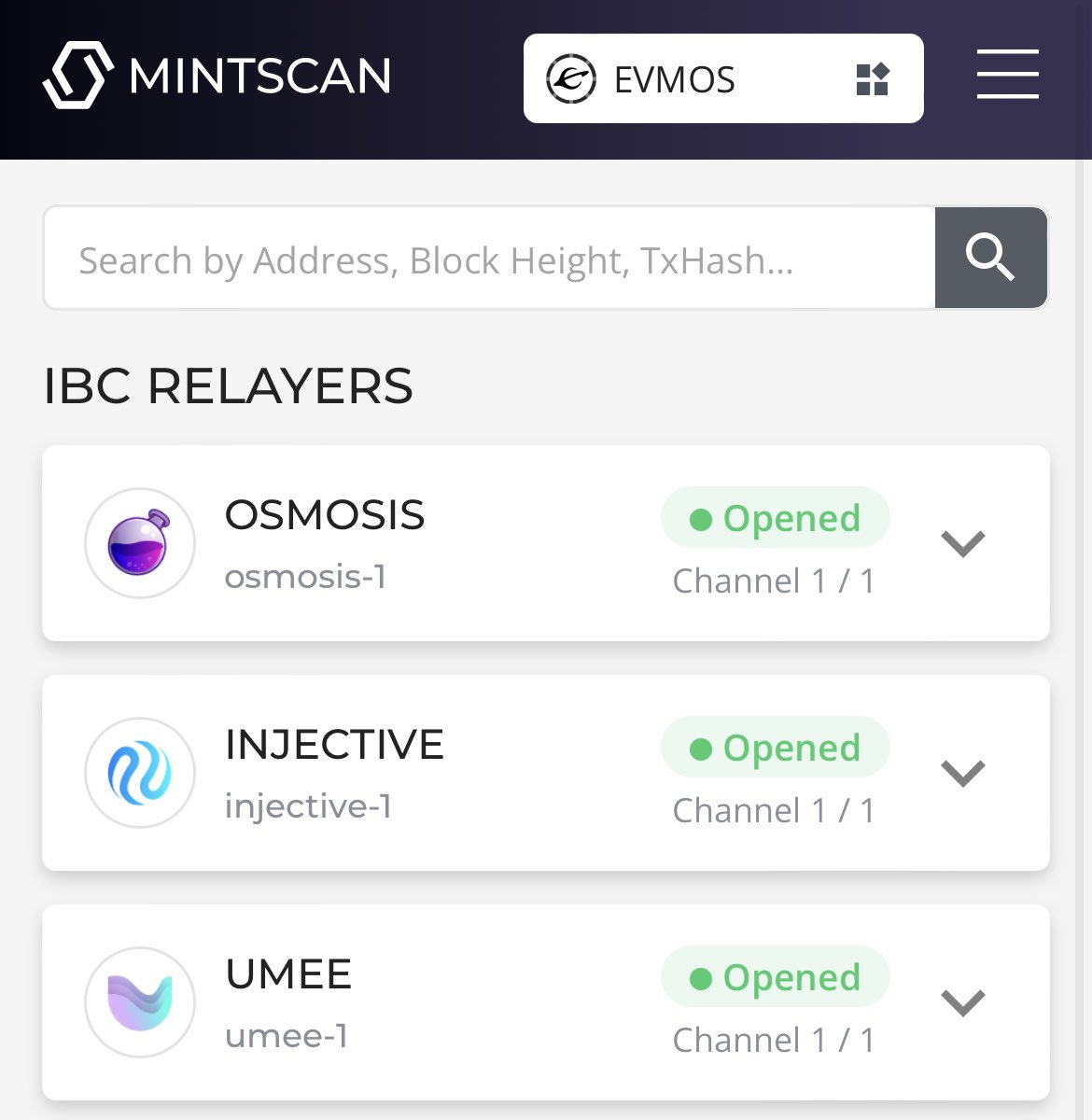 polar plinth
Injective February Update
Hey nINJas!
February may be the shortest month of the year but that doesn't mean a shortage of Injective updates to report. Here are just a few highlights:
⚡️To kick off the month Injective collaborated with one of the fastest growing record labels, 88rising, to put on a global digital music festival in the metaverse.
⚡️The Injective Pro V2 Early Access Beta was unveiled, combining brand new features to create the best cross-chain trading experience.
⚡️Injective Labs CEO Eric Chen addressed industry leaders from around the globe at ETH Denver.
⚡️The Injective community launched Frontrunner, a zero-commission decentralized sports betting platform built on Injective.
💡Read More and Subscribe: https://injective.xyz/3vFopRT
exotic girder

The first ever transaction on Injective signed using @keplrwallet!
Injective is set to be the first @cosmos SDK chain to support MetaMask and Keplr once the Keplr team deploys tech additions developed by the Injective community.
Easier adoption for Cosmonauts is here ⚛️ https://t.co/YemmG68fKy
Twitter
·
polar plinth
ETH Denver 2022: Injective Recap
From February 11th-20th, the Injective Labs team attended ETH Denver 2022 for a week-long conference to participate in meetings, hackathons, and social events with over 12,000 other blockchain enthusiasts.
In addition to learning what’s upcoming for Ethereum’s network and getting early previews for new projects, we were able to meet with the Injective community and collaborate closely with team members onsite. We were honored to participate and contribute to the development of Web3 technologies and the knowledge base of the DeFi sector through a handful of talks and panels.
Read more for a recap of our keynote presentations and ETH Denver events.
🔥ETH Denver: https://injective.xyz/3MrWUkN
polar plinth
The Injective Pro exchange has been added to @CoinMarketCap 😇
Starting today, anyone can track Injective Pro markets and stats through CMC! You can also find Injective Pro under the list of DEXS.
Twitter
·
exotic girder
Injective Pro Referral Program Beta
The Injective Pro Referral Program Beta is here!
40% of the trading fees paid by your friends will be given to you as commission, half of which will then be shared with your friends as kickback. That means both you and your friends will earn crypto every time they trade!
Apply to become a referrer on Injective Pro. Spots are limited.
🚀 Refer friends. Earn Crypto: https://referral.injective.exchange/

Injective Referral - Invite Friends. Earn Crypto.
40% of the trading fees paid by your friends will be given to you as commission, half of which will then be shared with your friends as kickback. That means both you and your friends will earn crypto every time they trade!
polar plinth
**Injective Report from Messari
**
A comprehensive report from Messari about Injective’s achievements and why it’s the best in class interoperable blockchain infrastructure optimized for building exchange and DeFi apps.
🚀Read More: https://bit.ly/3CsK8xS
⚡️Spread the Word: https://twitter.com/messaricrypto/status/1501581115261341703?s=21

1/ The @InjectiveLabs protocol provides the underlying fully decentralized order book exchange infrastructure for accessing cross-chain spot and derivative markets with zero gas fees, thanks to its unique technical architecture.
Twitter
·
polar plinth
Injective Pro V2 Launch
Injective Pro V2 is now live!
The upgrade includes a major user interface overhaul and backend optimizations that ultimately create the best fully decentralized trading experience in the market today. V2 aims to bring a familiar experience for crypto traders everywhere.
All aspects of the exchange were upgraded after months of user testing and feedback.
You will find a revamped homepage, an intuitive portfolio page, a new bridge interface, comprehensive account summaries, a detailed activity page, accessible wallets, interactive dashboards, and much more!
Everyone is encouraged to trade on Injective Pro V2 in order to truly experience all of the upgrades. There are also further additional already planned to be added in the coming weeks and months.
💥Read More: https://injective.xyz/3J0E9md
🚀Injective Pro: https://injective.exchange/
Injective Pro: Decentralized Cryptocurrency Derivatives, Ethereum and Altcoin Exchange
Injective is the first front-running resistant, layer-2 exchange protocol that unlocks the full potential of borderless finance by supporting margin trading, derivatives, and futures.
exotic girder
Injective AMA with Ecosystem Partner Rift Finance
Starting Now: https://twitter.com/riftfinance/status/1502132344781692933?s=21

The Future is DAO 🔮
Join @InjectiveLabs and @RiftFinance in just 12 hours to chat about what DAOs need to succeed for the long haul
https://t.co/XRqqAZDFDh
Twitter
·
polar plinth
**Injective will host a AMA session with Binance **
⌚️March 12, 22:00 (UTC+3)
https://twitter.com/BinanceTR/status/1502332836858183682?s=20&t=YThr9B7GTiy1EApYPyUmRA

🔊 @InjectiveLabs ile Ödüllü, Bana İstediğini Sor (#AMA) Etkinliği
📌 https://t.co/6nc0DNb464
📅 12 Mart ⏰ 22:00
🎁 4.000$ #BUSD
Ödül kazanabileceğiniz sorularınızı Instagram'dan https://t.co/1VFOzW9aBZ sormaya başlayabilirsiniz https://t.co/G9Qzmcv0wZ
 Twitter
·
polar plinth
Twitter
·
polar plinth
Injective Terra Bridge Integration
Injective is now integrated with the Terra bridge.
You can now seamlessly transfer $LUNA + $UST to Injective, enabling new forms of interoperability between the Terra and Injective blockchains.
🌖Try it out: https://bridge.terra.money

The Terra Bridge is a web frontend that allows users to easily send Terra assets across supported blockchains via their respective bridges.
polar plinth
**KYVE Integrates with Injective to Enable Access to Fully Decentralized On-Chain Injective Data
**
Within three months of mainnet launch,Injective produced over 8.5 million blocks and processed nearly 40 million transactions.
KYVE will not only index the wide assortment of data forInjective, but will also allow developers building on Injective Protocol to leverage KYVE’s data storage solution to access reliable, verified, and permanently-stored data. Thus, data storage on Injective Protocol and its DApps can truly be decentralized.
On-chain data streaming and storage will continue be an integral building block for the Injective ecosystem as the universe of DApps continues to expand.
⛱ **Read More: **
https://injective.xyz/3w8FfsA
polar plinth
**Injective is collaborating with Axelar to bring new EVM blockchains into the Injective ecosystem.
**
This partnership will involve the Inter Blockchain Communication (IBC) integration of the Axelar blockchain alongside a listing of AXL spot markets once the token goes live for trading.
In addition, the respective communities will explore connecting Injective Bridge to the Axelar network, in order to enable transfers of assets from EVM chains, such as Avalanche and Polygon.
⚡️Read More: https://injective.xyz/3wl2WhH
polar plinth
**Decentralized ApeCoin (APE) Spot Market Listing on Injective Pro with Original BAYC Kennel NFT to Win
**
Injective nINJas are excited to announce the listing of ApeCoin ($APE) spot markets alongside a deposit campaign that gives you a chance to win an original BAYC Kennel NFT!
Starting now, you can begin to deposit funds onto the Injective Chain with zero gas fees and soon trade $APE spot markets with market and limit orders.
🦍**Enter Here to Win: **https://injective.xyz/3KUddp4

Injective nINJas are excited to announce the listing of ApeCoin ($APE) spot markets alongside a deposit campaign that gives you a chance to win an original BAYC Kennel NFT! To celebrate the upcoming $APE listing on Injective Pro and Injective exchange DApps, we are launching a NFT deposit campaign. The Bored Ape Kennel Club is a limited drop col...
polar plinth
**Major BAYC NFT Giveaway Alert **
To celebrate the ApeCoin listing on Injective Pro, we are giving away an original BAYC Kennel NFT next week!
To win you must retweet this tweet and deposit at least 1 $APE token into Injective.
Bring your BAYC doggo home (currently worth over 8 $ETH)
Steps to Enter the Contest
1️⃣ Retweet this tweet: https://twitter.com/InjectiveLabs/status/1505210181940125696?s=20&t=wQkOnUNlmlV9zooFCXGfRQ
2️⃣ Transfer 1 $APE token into Injective: https://hub.injective.network/bridge
3️⃣ AT LEAST 500 wallets must participate in the competition so telling your friends to join can help increase your odds of winning
4️⃣ The final step is to comment below with the last 7 digits of your INJ wallet address which you can find on the Injective Hub
✅ **Complete Steps: **https://injective.xyz/3KUddp4
polar plinth
Injective Talk at Avalanche Summit
https://twitter.com/injectivelabs/status/1506247827009249280?s=21
We are at the @avalancheavax Summit 🔺
@InjectiveLabs CEO @ericinjective is giving a talk now on how Injective is building the premier the cross-chain DeFi hub for the entire crypto ecosystem.
Likes
112
 Twitter
·
polar plinth
Twitter
·
polar plinth
A few clicks and that's it ⚡️
Depositing $APE on the Injective chain is simple and blazing fast.
Deposit just 1 $APE token for a chance to win an original BAYC Kennel NFT
✅Complete all of the steps here to enter: https://injective.xyz/3KUddp4
polar plinth
Join our Twitter Spaces AMA with @RieweFabian from @KYVENetwork and @ericinjective tomorrow. Learn more about the recent integration to bring on-chain Injective data to the masses.
⏲️ March 24, 10:00 AM UTC
🎙️ https://t.co/sLPOVzOHhO
 Twitter
·
polar plinth
Twitter
·
polar plinth

📢Attention! We've got a great Spaces AMA planned for you tomorrow between @yorgosv_ & @ericinjective of @InjectiveLabs.
🗓️March 31 @ 3 PM ET - Don't miss it!
 Twitter
·
polar plinth
Twitter
·
polar plinth
Injective Twitter Space with Axelar Network
**
🎉 Starting in 10 minutes: **https://twitter.com/axelarcore/status/1509576371139485697?s=20&t=657uMQb0XQDRRPQItogj2Q
Heads up everyone!!📢📢
Today is our AMA between @yorgosv_ & @ericinjective of @InjectiveLabs at 3 PM ET. Mark it on your schedules, you can't miss it!
 Twitter
·
polar plinth
Twitter
·
polar plinth
**Binance will Support the Injective Mainnet Upgrade
**
The Injective community asked for this and we got it done.
Worked with the Binance team the last few months to make sure native INJ deposits and withdrawals are supported for all users. Injective is one of the only Cosmos SDK based chains to achieve this feat.
Much more on the way 🚀
https://twitter.com/injectivelabs/status/1509836144590176257?s=21&t=zfWNOgchCWzbXR8mHdhbGw
The Injective community asked for this and we got it done!
Worked with the Binance team the last few months to make sure native $INJ deposits and withdrawals are supported for all users. Much more on the way 🚀
Likes
153
Twitter
·
polar plinth
Over $100 Million in $INJ has now been staked!
Stake and Earn while securing the first PoS chain custom made for building DeFi apps🔥
Likes
113
Twitter
·
polar plinth
Injective Mainnet Upgraded
1️⃣ Optimized Authz Support
2️⃣ Enhanced order matching
3️⃣ Upgrade to Cosmos-sdk v0.45.2 and ibc-go v2.2.0
TLDR: Get ready for trading guilds 🥷
polar plinth
**A Thread on INJ Burn Auctions
**
405,219.11 $INJ burned to date 🔥
Every week, 60% of all fees collected from DApps built on Injective are burned through auctions. The INJ burn auction is unique in that it helps accrue value for the entire Injective ecosystem.
Learn more about how it all works here!
https://twitter.com/InjectiveLabs/status/1514296990049443847?s=20&t=WPoK-USZIgxszrG9ZS-lwQ
1/ 405,219.11 $INJ burned to date 🔥
Every week, 60% of all fees collected from DApps built on Injective are burned through auctions. The INJ burn auction is unique in that it helps accrue value for the entire Injective ecosystem.
A thread 🧵
Twitter
·
polar plinth
Injective has been selected as one of the TOP TEN projects in CoinMarketCap’s new feature CrypTown. Starting today, you can find us directly in the recommended feed to stay updated on the latest $INJ news.
Hit that + button to follow along 
Join in the conversation on CoinMarketCap’s crypto message boards today. See comments and alerts posted by leading projects and people in cryptocurrency.
polar plinth
Looks like Binance just enabled native $INJ withdrawals. The fee for withdrawals is set to just 0.01 INJ 🚀
https://twitter.com/injectivelabs/status/1516043393444548615?s=21&t=7oRmFEYKtkjOw1X_hrAuoQ
Looks like @binance just enabled native $INJ withdrawals.
The fee for withdrawals is set to just 0.01 INJ 🚀
Likes
142
Twitter
·
polar plinth
Injective Conferences Recap
It’s been a week of travel for the Injective Labs team, as we attended multiple conferences all over the globe to meet with the community and further connect with our partners within the industry.
Injective Labs CEO, Eric Chen, was also able to speak at different events, sharing the vision behind Injective and our plans to expand the Injective ecosystem.
🔥More highlights from each event: https://injective.xyz/3JXZIDM

Injective Blog
It’s been a week of travel for the Injective Labs team, as we attended multiple conferences all over the globe to meet with the community and further connect with our partners within the industry. Injective Labs CEO, Eric Chen, was also able to speak at different events, sharing the
polar plinth

LunarCrush Live! welcomes @InjectiveLabs
🗓️APRIL 20, 2022
🕚10 AM PST
Join our conversation with @ericinjective as we discuss Injective Labs, review community strategies, and answer your questions!
📺 Live on @LunarCrush + https://t.co/ozN8lmjwRz
 Twitter
·
polar plinth
Twitter
·
polar plinth
**Native INJ Deposit and Withdrawal Guide from Binance
**
Binance has integrated the Injective mainnet!
You can now withdraw natvie INJ from Binance directly!
⚡️Here is the step by step video guide: https://youtu.be/dW3rjTe7RXo

Binance has integrated the Injective mainnet!
You can now withdraw natvie INJ from Binance directly!
The fee for withdrawals is set to just 0.01 INJ. Follow the walkthrough here and try it out!
polar plinth
**LunarCrush Interview in Happening Now
**
https://twitter.com/LunarCrush/status/1516456440269004807?s=20&t=lrEHOT_cWLg68nSym3a8eg
LunarCrush Live! welcomes @InjectiveLabs
🗓️APRIL 20, 2022
🕚10 AM PST
Join our conversation with @ericinjective as we discuss Injective Labs, review community strategies, and answer your questions!
📺 Live on @LunarCrush + https://t.co/ozN8lmjwRz
Likes
112
Twitter
·
polar plinth
Injective Pro Launches the First-Ever Bored Ape NFT Floor Price Perpetuals
Injective Pro, the premier derivatives DEX built on Injective, is now the first-ever exchange to launch an NFT floor price perpetual market with the BAYC/WETH listing 🚀
Users can now trade the popular BAYC collection with as little as $1.
The BAYC collection has been catapulted to mainstream fame with the help of celebrity endorsements from the likes of Madonna and Tom Brady.
However, the $370,000 NFT price tag likely keeps out most users from the exclusive club.
BAYC floor price perpetuals on Injective Pro lower the barrier to entry by enabling users to trade based on the floor price of the collection without having to purchase the NFT itself.
On the Injective Pro exchange, users will be able to go long or short on the BAYC NFT collection for as little as $1, allowing more traders to gain exposure to high-value assets or hedge against NFT market volatility.
BAYC is perhaps one of the most vibrant communities in all of crypto.
The BAYC floor price perpetual market on Injective Pro further democratizes access to popular NFT collections while bringing more value to the entire ecosystem.
🚀Read More: https://injective.xyz/3xJKD6v

Injective Blog
Injective Pro, the premier fully-decentralized derivatives exchange built on Injective, is now the first-ever exchange to list an NFT floor price perpetual market with the BAYC/WETH listing. The Bored Ape Yacht Club (BAYC) collection debuted in 2021 with 10,000 unique NFTs. The NFTs have since been catapulted to
exotic girder
@everyone Just hit a new milestone of 10 Million blocks produced on the Injective mainnet 🚀
Injective is now one of the fastest growing chains.
Thank you to all of the amazing validators and the Injective community for making this happen!
https://twitter.com/InjectiveLabs/status/1518595423740571650?s=20&t=BXKV_JGkmDIYn6vp8rUXRw
Just hit a new milestone of 10 Million blocks produced on the Injective mainnet 🚀
Injective is now one of the fastest growing chains.
Thank you to all of the amazing validators and the Injective community for making this happen!
Twitter
·
polar plinth
BAYC's floor price currently stands at more than $371,000
@InjectiveLabs wants to make investing in expensive NFTs affordable through crypto perpetuals.
By @Sebsinclair1989
https://t.co/cEbzuQjBpf
Likes
216
Twitter
·
polar plinth
Check out the all-new Markets Page on Injective Pro! 🥷
Simple, sleek, and seamless 🔥
polar plinth
Decentralized EVMOS Spot Market Listing on Injective Pro
@everyone EVMOS spot markets are now on Injective Pro!
EVMOS had its much anticipated mainnet launch this week with its tokens going live today.. You can now trade $EVMOS with market and limit orders on Injective Pro, the premier derivatives exchange dApp built on Injective. Injective Pro provides users a fully decentralized orderbook with zero gas fees powered by the broader Cosmos community.
Injective Pro is now the first orderbook DEX to enable EVOMOS trading. You can transfer your EVMOS through the Injective Bridge or you can start trading EVMOS on Injective Pro using USDT. The Injective Bridge supports networks such as Ethereum and ComosHub.
💥Read More: https://injective.xyz/3vp7vXb
⚡️Get started here: https://injective.exchange/spot/evmos-usdt
polar plinth
Decentralized XPRT Spot Market Listing on Injective Pro
The Persistence (XPRT) Spot market is now on Injective Pro!
You can start trading $XPRT with market and limit orders on Injective Pro, the premier derivatives exchange DApp built on Injective. Injective Pro provides users a fully decentralized orderbook environment with zero gas fees.
In addition, the Injective Bridge is now integrated with Persistence via IBC. Any assets native to the Persistence Chain will be transferable to the Injective network. The first Persistence-based asset supported is the native XRPT token. If you hold XRPT on Persistence, you can directly transfer your assets through the Injective Bridge or you can trade XPRT on Injective Pro using USDT.
The Injective Bridge supports a wide array of other IBC-enabled chains such as CosmosHub and Terra. In addition, the Injective Bridge natively connects to Etheruem, allowing users to bring any ERC20 token into the broader Injective and Cosmos ecosystems.
📖 Read More: https://injective.xyz/383zK4U
⚡️ Get Started Here: https://injective.exchange/
polar plinth
Injective Community Call
We know @everyone has been waiting for this!
Join our community call for a live chat! We will share more details on Trading Guilds, marketing plans, the roadmap, and the growing Injective ecosystem.
⏰ May 6, 14:00 UTC (10:00 AM EST)
✅ Mark the event and join through Community Call channel: https://discord.gg/PEJrvEr3
polar plinth
@everyone Community Call is live now! You can look at our presentation through: https://injectivelabs.zoom.us/j/81272129337?pwd=cVdrcnVwY09RRWpqY285ZkJwSXhMdz09. Passcode: 512157
.If you have any questions, you can message in #971824118976630834 and we will answer at the end of the call!
Zoom Video
Zoom is the leader in modern enterprise video communications, with an easy, reliable cloud platform for video and audio conferencing, chat, and webinars across mobile, desktop, and room systems. Zoom Rooms is the original software-based conference room solution used around the world in board, conference, huddle, and training rooms, as well as ex...
exotic girder
Many Injective community members are interested in optimizing INJ tokenomics.
@ericinjective has created a proposal to promote ecosystem growth while making INJ more deflationary than ever before. Let us know what you think on the gov forum!
Twitter
·
polar plinth

@JayJaboneta I'm sure the @InjectiveLabs community is more than happy to welcome more Terra projects to launch alongside our upcoming Cosmwasm chain upgrade proposal :)
Twitter
·
polar plinth
@here "In light of recent events, the community is looking to support the Terra ecosystem builders who may have had to unwittingly pause development. This proposal aims to empower developers who may need assistance during this time. Given Injective’s compatible tooling and forthcoming CosmWasm smart contract layer, builders familiar with IBC, Terra and Ethereum will be able to quickly deploy applications to users. The new funds made available after the passage of this proposal will allow the community to further launch new developer focused initiatives that will be beneficial for the entire ecosystem."
https://twitter.com/InjectiveLabs/status/1524955935164116993?s=20&t=KKh1UuvAFklaah4S7EvKfg
"In light of recent events, the community is looking to support the Terra ecosystem builders who may have had to unwittingly pause development. This proposal aims to empower developers who may need assistance during this time."
Read More: https://t.co/YuOH2yIflG
 Twitter
·
exotic girder
Twitter
·
exotic girder
The Injective blockchain has seen a huge spike in user activity the past few days with dApps reaching nearly $7 Billion in cumulative volume.
A quick🧵on what that means for the Injective community.
https://twitter.com/InjectiveLabs/status/1525572458341965826?s=20&t=EJ2YL6a7UdqgQkvRCrGFUQ
1/ The Injective blockchain has seen a huge spike in user activity the past few days with dApps reaching nearly $7 Billion in cumulative volume.
A quick🧵on what that means for the Injective community.
Twitter
·
polar plinth
Decentralized STX Perp Market Listing on Injective Pro
The Stacks (STX) Perpetual Futures Market is now on Injective Pro!
You can start trading $STX with up to 5X leverage on Injective Pro, the premier derivatives exchange DApp built on Injective. Injective Pro provides users a fully decentralized order book environment with zero gas fees.
Stacks brings smart contracts to the Bitcoin network, making it possible for developers to build decentralized applications that benefit from Bitcoin’s security including DeFi, NFTs, DAOs, and other web3 applications.
📖 Read More: https://injective.xyz/3MkGUkb
⚡️ Get Started Here: https://injective.exchange/derivatives/stx-usdt-perp/
polar plinth
Injective is the first blockchain ecosystem to set up dedicated resources for new builders from the broader crypto and IBC ecosystem through an entirely decentralized governance process.
We are on a roll 🚀
Check out one of the stories here: https://t.co/YMfFebA0wq
 Twitter
·
polar plinth
Twitter
·
polar plinth
Fund your next #DeFi project 💰
If you're a former #Terra developer looking to rebuild, apply to receive grants and resources from the Injective community by filling out this form.
💪 Let's build the future of finance together: http://bit.ly/37YKeCu
🔍Follow Injective on CoinMarketCap: https://coinmarketcap.com/gravity/profile/InjectiveLabs
📢Spread the word: https://injective.xyz/3wDw6bD
 exotic girder
@everyone Injective is Integrating Wormhole to Enhance Cross-Chain Accessibility
Injective is partnering with Wormhole to bring 10 new blockchains to its already interoperable network. With this integration, Injective will have one of the highest number of cross chain connections out of any blockchain.
Injective is natively able to connect to Ethereum, Cosmos, and a number of other IBC-enabled chains. This new collaboration with Wormhole will position Injective into becoming the primary gateway for cross-chain native assets from Solana and other prominent Layer 1 chains to enter the Cosmos universe.
🚀 Read More: https://injective.xyz/38HxvVr

Injective Blog
Injective is partnering with Wormhole to bring 10 new blockchains to its already interoperable network. With this integration, Injective will have one of the highest number of cross chain connections out of any blockchain. Injective is natively able to connect to Ethereum, Cosmos, and a number of other IBC-enabled chains.
polar plinth
Injective’s Keplr Wallet Integration
You can now connect your Keplr wallet to Injective!
Connect your Keplr wallet to bridge over #Cosmos ecosystem assets, sign transactions, and have the trust of full ownership while interacting with dApps built on Injective.
 polar plinth
Join us at @coinmarketcap’s #metaverse conference #TheCapital2022.
@ericinjective will discuss the future of #DeFi and how DeFi can reach mainstream adoption in the panel “Keys of Crypto Adoption” at 1:30 PM EST.
📹Take a seat in Track 1 streaming room:
https://t.co/17vTUTeR96
Twitter
·
exotic girder
Let us know your thoughts on the governance forum!
https://twitter.com/cosmoversehq/status/1530281448804126723?s=21&t=MVwXkDVhByf2xVU-Dy11uw

Should we make @InjectiveLabs the co-lead sponsor of Cosmoverse? ⚛️
Let us know your thoughts! 👇
Twitter
·
exotic girder
**The EVMOS X Injective bridge is here!
**
Transfer assets seamlessly across EVMOS and Injective. You can also start trading EVMOS on exchange dApps built on Injective.
💥 Get started here: http://injective.xyz/3HcTgYW
Injective Hub - Access Unlimited DeFi Markets
A unified interface for Injective staking, governance, insurance funds and wallets
exotic girder
Trading Guild Consortium
Trading guilds are officially open sourced!
A cohort of Injective's partners and ecosystem collaborators will be adopting the open sourced trading guild repositories over the coming weeks to launch unique product offerings that were not previously possible within crypto for their communities. Trading Guilds is a showcase for one of the pioneering primitives on Injective with unlimited potential.
⚡️Read More: https://injective.xyz/3lVephx

Injective Blog
Trading Guilds are officially open-sourced! A cohort of Injective’s partners and ecosystem collaborators will be adopting the open-sourced trading guild repositories over the coming weeks to launch unique product offerings that were not previously possible within crypto for their communities. Trading Guilds is a showcase for one of the
polar plinth

We just reached 12,000 followers on @CoinMarketCap's Gravity page, which features recommended projects to the entire CMC community 😱
Thank you to the #nINJa community for the support 🚀🥷
To follow along, visit the @InjectiveLabs profile: https://t.co/23iiJykPOv
Twitter
·
polar plinth
**Injective Integrates Torus Wallet to Enable Social Logins for Mainstream Users
**
Injective has now integrated Torus Wallet (by Web3Auth) to enable social logins for everyday users. Anyone can now use their email address or social accounts from platforms such as Google, Facebook, Twitter and Discord to access the Injective ecosystem.
The integration with Torus Wallet is a monumental step in allowing mainstream users to onboard onto Injective. As Injective continues to grow its developer ecosystem, the Torus Wallet integration will create new avenues for developers to onboard new users into the burgeoning world of DeFi, while ensuring a seamless experience for all.
🚀Read More: https://injective.xyz/3xdYqkO

Injective Blog
Injective has now integrated Torus Wallet to enable social logins. Anyone can now use their email address or social accounts to access the Injective ecosystem.
polar plinth
Injective Integrates Polkadot Assets to Expand the Cross-Chain Cosmos Universe
The Injective ecosystem now officially supports Polkadot native assets, allowing Injective to be the primary gateway for cross-chain Polkadot assets to enter the Cosmos universe.
This integration will be made possible by Moonbeam, an EVM compatible smart contracts platform for Polkadot. In addition, Axelar will act as an interoperability network that facilities the bridging process behind the scenes.
You can begin transferring assets from Polkadot using the Injective Bridge. Simply connect your MetaMask or ledger wallet, select Moonbeam from the dropdown menu on the Bridge and press the "Transfer now" button.
New dApps building on Injective can enjoy the benefits of a truly interoperable network now that Injective supports major chains such as Cosmos, Ethereum, and Polkadot. Upcoming integrations with EVM compatible chains and Solana will continue to expand the possibilities for users on Injective.
🚀Read More: https://injective.xyz/38Qatf0

Injective Blog
The Injective ecosystem now officially supports Polkadot native assets, allowing Injective to be the primary gateway for cross-chain Polkadot assets to enter the Cosmos universe. This integration will be made possible by Moonbeam, an EVM compatible smart contracts platform for Polkadot. In addition, Axelar will act as an interoperability network
polar plinth
Injective Pro Becomes First Exchange Within the Cosmos Ecosystem to List Polkadot
The Polkadot (DOT) Spot Market is now on Injective Pro!
Start trading $DOT through market and limit orders on the first exchange within the Cosmos ecosystem to list Polkadot. Purchase or trade DOT through the premier orderbook exchange, with zero gas fees and full ownership of assets.
The recent Injective integration of Polkadot assets also allows users to bridge over DOT to Injective in just a few clicks.
Trade DOT/USDT on Injective Pro today!
⚡️Read More: Injective Pro Becomes First Exchange Within the Cosmos Ecosystem to List Polkadot
The Polkadot (DOT) Spot Market is now on Injective Pro!
Start trading $DOT through market and limit orders on the first exchange within the Cosmos ecosystem to list Polkadot. Purchase or trade DOT through the premier orderbook exchange, with zero gas fees and full ownership of assets.
The recent Injective integration of Polkadot assets also allows users to bridge over DOT to Injective in just a few clicks.
Trade DOT/USDT on Injective Pro today!
⚡️Read More: https://injective.xyz/3thpe1f
💥 Start Trading: https://injective.exchange/spot/dot-usdt
polar plinth
Injective May Update
Hey nINJas!
May has been a busy month with a number of major integration rollouts for Injective. The Injective ecosystem was also expanded in an effort to continue broadening the community.
In this issue: Wormhole integration announcement, new chain bridges with Evmos & Persistence, Keplr wallet connection, and more!
⚡️Read More: https://injective.xyz/3tg6xLq

Injective Blog
May has been a busy month with a number of major integration rollouts for Injective. The Injective ecosystem was also expanded in an effort to continue broadening the community. For a recap of May, check out this highlight reel. Injective Announces Partnership with WormholeInjective is partnering with Wormhole to bring
polar plinth
Injective Becomes First Cosmos Ecosystem Blockchain to Integrate Trezor 🎉
Injective furthers its hardware wallet support for users by integrating Trezor. In addition to the multiple software wallet authorizations (i.e. MetaMask, Keplr, etc.), Trezor is the second hardware wallet to be integrated into Injective, following Ledger.
With this new integration, any Trezor wallet user will be able to connect their wallet to Injective and approve transactions, bridge over supported assets, and have the safety of full ownership when utilizing any dApp built on Injective.
Injective is now the first and only blockchain within the Cosmos ecosystem to support Trezor. This enables a diverse array of new mainstream users to access Injective and help bridge the gap for users who are looking for further use cases for their assets.
📚 Learn More: https://injective.xyz/3ND68Ll

Injective Blog
Injective has now integrated Trezor to further allow hardware wallet support to its users! With this new integration, any Trezor wallet user will be able to connect their wallet to Injective and approve transactions, bridge over supported assets, and have the safety of full ownership when utilizing any dApp within
polar plinth
Injective Community Call
Calling all #nINJas! Join us for our June community call tomorrow, June 16th at 11 am ET. We'll share some updates on upcoming integrations, product roadmap, and CosmWasm.
🥷See you at the Community Call staging channel.
 polar plinth
@here Community Call is live now!
Join us on the “Community Call”
Stage Channel.
If you need a reference for the presentation, join zoom through https://injectivelabs.zoom.us/j/81790877662.
Note: Everyone will be muted in the zoom. Zoom is only for sharing a presentation with key details.
If you have any questions, you can message us through the #971824118976630834 and we will answer them at the end of the call!
Bonus: Private event invitation drop. Only given to those who join the call 😎
Zoom Video
Zoom is the leader in modern enterprise video communications, with an easy, reliable cloud platform for video and audio conferencing, chat, and webinars across mobile, desktop, and room systems. Zoom Rooms is the original software-based conference room solution used around the world in board, conference, huddle, and training rooms, as well as ex...
polar plinth
The First Osmosis (OSMO) Perpetual Futures Listing on Injective Pro
Injective Pro has listed the first ever perpetual futures for Osmosis (OSMO)!
You can now trade OSMO with up to 5X leverage on Injective Pro, the premier derivatives exchange DApp built on Injective.
The Injective Bridge supports a wide array of other IBC-enabled chains such as Osmosis, CosmosHub, and EVMOS. You can seamlessly transfer your assets by choosing the network accordingly. In addition, the Injective Bridge natively connects to Ethereum, allowing users to bring any ERC20 token into the broader Injective and Cosmos ecosystems.
Happy Trading Cosmonauts!
💥Start Trading: https://injective.exchange/derivatives/osmo-usdt-perp
⭐️Read More: https://injective.xyz/3NVxSea
exotic girder
Governance Discussion Alert: New dApp Deployment on Injective:
Apollo DAO is looking to launch Apollo Safe on Injective, bringing premier asset management dApps governed entirely by CosmWasm smart contracts to the Injective ecosystem.
Discussion Forum: https://injective.xyz/3OoMbbk
 polar plinth
New dApp Alert 💥
@ApertureFinance is going to build a novel basis trading protocol on Injective using the new CosmWasm smart contract layer.
 Twitter
·
polar plinth
Twitter
·
polar plinth
.@kado_money is bringing fiat on-ramps to the Injective ecosystem by integrating directly with the native Injective Bridge.
This will allow dApps built on Injective such as exchanges to on-ramp mainstream users with just one instant transaction 💥
 Twitter
·
polar plinth
Twitter
·
polar plinth
The Injective Chain upgrade is currently in progress
Devs are hard at work to release the CosmWasm smart contract layer, interchain accounts, binary options, and much more!
https://twitter.com/InjectiveLabs/status/1544339969505841153?s=20&t=4vFjUIsk9slDnlIgZX_0Fw

The Injective Chain upgrade is currently in progress 💪
Devs are hard at work to release the CosmWasm smart contract layer, interchain accounts, binary options, and much more!
Twitter
·
polar plinth
CosmWasm Smart Contracts Are Now Live On Injective
The highly anticipated Injective CosmWasm Mainnet upgrade is now LIVE!
On top of smart contract support with CosmWasm, this upgrade will include:
📈 Binary options markets support
💰 Negative maker fee support
⛓️ Interchain account support through IBC v3
💥AND MUCH MORE (read the blog post to learn about all features in detail)
The CosmWasm Mainnet upgrade was part of Injective Improvement Proposal 159 (IIP-159) which passed with 99.56% of participants voting “Yes".
These new chain implementations will allow Injective’s ecosystem and community to grow exponentially.
This new CosmWasm implementation will allow any developer to build a diverse set of applications on Injective while still utilizing the existing core modules that Injective provides. A core example is Injective’s order book module which allows builders to utilize the only decentralized order book out-of-the-box to create dApps such as exchanges, prediction markets, lending protocols, and much more.
Injective will now be the only blockchain that allows for self-executing smart contract logic. This will bring more builders, users, and community members, growing the Injective ecosystem as a whole.
Start building best-in-class applications with Injective, the blockchain built for finance.
🚀Read More @everyone: https://injective.xyz/3yiVOS7
polar plinth
Hosting a Twitter Spaces tomorrow at 10am EST with @ericinjective, @themirzauddin, and @chrischoitweets to deep dive into Injective's mainnet upgrade and how Injective's @CosmWasm implementation is singularly unique from others! Tune in 🗓️
https://t.co/nmSurUpRpz
Twitter
·
polar plinth
**Injective Mainnet Upgrade AMA is Happening! **
@everyone Join us: https://twitter.com/i/spaces/1dRKZllzORgJB
polar plinth
1/ 📢 nINJas, the team is aware of the recent change that @keplrwallet made, which is creating an issue for Injective users.
The @injectivelabs team has patched a quick fix for users, which can be done easily 👇
Twitter
·
polar plinth
Negative Maker Fees Now Live!
Negative maker fees are now in effect for 17 new markets across exchange dApps built on Injective!
With the passing of Injective Improvement Proposal 162 (IIP-162), maker and taker fees on Injective native exchange dApps will be updated to a -0.01% rate for makers and 0.1% takers for 17 markets.
In addition, Trade & Earn multipliers for both maker and takers will be updated, with a slightly higher rate for a select few markets.
With this new addition, and a Dedicated Market Maker program that can provide monetary rewards of up to $120,000 every four weeks based on trading volume and token price, market making institutions have multiple earning opportunities simply by trading with Injective's API.
Institutions can now receive a -0.01% maker rate for perp and spot markets such as $DOT, $EVMOS, $APE, $BTC, $ETH and more.
📚Read More: https://injective.xyz/3Pm6IgM
🏎 Start Trading: https://injective.exchange/markets
polar plinth
INJ on CoinMarketCap
Almost tripled our followers on CMC’s Gravity page within a month
If you haven't checked out CMC's Gravity page, make sure you do to get all the updates for Injective. Thank you to our #nINJa and #CMCCommunity for all your support!

Join in the conversation on CoinMarketCap’s crypto message boards today. See comments and alerts posted by leading projects and people in cryptocurrency.
polar plinth
Injective is quickly climbing up the Cosmos ecosystem ranks and now has processed the second highest total number of IBC transfers ⚛️
TLDR: Injective is building the future of interoperability
https://twitter.com/injectivelabs/status/1547934953609969667?s=21&t=1_8ESuj12oJe0MRgi_Wzcw
Injective is quickly climbing up the @cosmos ecosystem ranks and now has processed the second highest total number of IBC transfers ⚛️
TLDR: Injective is building the future of interoperability
Twitter
·
polar plinth
Frontrunner is now LIVE on the Injective testnet!
Frontrunner is a decentralized sports prediction market where users can buy shares of sports propositions and trade them like they would stocks.
Unlike traditional sports books where users place a bet and wait, Frontrunner gives users full control over their portfolios, allowing them to dynamically buy and sell positions as the odds change.
By leveraging the power of free markets and the blockchain, Frontrunner creates transparent markets and liquid positions to reduce counter-party risk and fundamentally change the way that people invest in their sports knowledge and beliefs.
Utilizing Injective's CosmWasm and binary options support, Frontrunner launches its beta on Injective's testnet with a Trading Competition Series. Beta testers can participate in Frontrunner's trading competition to get access to over $15,000 in total prizes.
🏎 Learn More: https://injective.xyz/3yXVYil
📢 https://twitter.com/frontrunnerxyz/status/1549789998156742657?s=20&t=ks00UckjzeUK1-PQ714RXQ

Frontrunner
Frontrunner is launching its first markets on Injective testnet July 20th at 1:30 PM EDT. These markets will kickoff the first-ever Trading Competition Series: a slate of 12 week-long Blitz trading competitions with over $15,000 in total prizes. The first 3 Blitzes will be closed access, and our


Preseason is here. Daily and weekly prize competitions have started 🏆 and it's time to step up to the plate and swing for the fences. Competition details here: https://t.co/pBNU2EA8rS
 Twitter
·
polar plinth
Twitter
·
polar plinth
**Join Us For Community Call **
https://twitter.com/InjectiveLabs/status/1549306766290214912?s=20&t=mbw91w9-S8_gBOX8HwfYPw
Set your reminders 🫡
 Twitter
·
Twitter
·