#Fail to enable Corne RGB underglow

1 messages · Page 1 of 1 (latest)

deep flume
#

Hello, I built my first split keyboard and so far have been able to get the OLED working right out of the box. But no success with enabling the RGB underglow LEDs so far. Not a single LED lighting up.
From other posts I have read there's no need to copy the nice_nano_v2.overlay file to a boards directory anymore. So I just uncommented the RGB related lines in corne.conf and added the &led_strip chain length definition to my .keymap file. Also I added &ext_power EP_ON and &rgb_ug RGB_TOG controls to my keymap with no effects regarding LED. But my OLEDs turn off and never go back on when pressing RGB_TOG twice. Is there anything else I could try?

I'm starting to think it is due to the nice_nano_v2 replicas that are used in my current build due to lack of availability of the originals. Here a link to the ones I'm using.
https://42keebs.eu/shop/parts/controllers/nrf-pro-micro-wireless-controller/#tab-description

Also my current config:
https://github.com/proBaller3000/zmk-config

GitHub

Contribute to proBaller3000/zmk-config development by creating an account on GitHub.

worthy forum
#

Which Corne variant?
Were the LEDs pre-soldered?

#

I'm not seeing anything obviously wrong with your config, and the power toggle is obviously working on your OLED. Just to make 100% sure, I would only put the RGB_ON behavior instead of the toggle for now.
Are you connected to USB while you troubleshoot?
Do you have some other dev board you can swap in to test, if you're concerned about the one you have?

deep flume
#

Thanks a lot for taking a look and your quick response. I soldered everything myself. for sure I did not mess up all of them, but of course can't really verify this right now 😅
According to the shop it's corne cherry hotswap version 3.1/3.2 modified by 42. Keebs to include a power switch and battery connector for native wireless operation.
Now that I tried with RGB_ON instead of RGB_TO G sitill nothing lighting up. But the OLED screens don't turn off anymore when hitting RGB_ON instead of RGB_TOG. This might be a hint? (They turned of with the RGB_TOG before not with EP_TOG).
I tried both now, with and without USB connection. It's the same result.
Unfortunately I currently have no other board to test at the moment. But thinking about getting my hands on some original nice_nanos

worthy forum
#

Soldering them is not necessarily trivial. If you have a multimeter, you can at least check the connections in the chain (...but that doesn't really tell you if the LED itself is damaged or defective)

#

If you don't have a multimeter, you're pretty much flying blind. If you want someone to check your soldering, you could post photos.

#

Data for the LEDs flows through them in series, like old fairy lights. So if there is a significant problem with the first LED in the chain, all the others are dead in the water.
The Corne's chain starts with one of the six larger LEDs on the back.

deep flume
#

Alright thanks again, I'll check the chain with a multimeter, take some photos and get back 👍

deep flume
#

Just finished measuring through all the bigger LEDs in the chain of the left half. First one in the picture. Data In of the first one is connected to where P0.06 is on the n!n, all the Data outs are connected to the Data Ins of the next one in the chain, all VDDs are connected to VCC of the board and all the VSS to the ground of the BOARD. Unless the LED got too hot or damaged I should be seeing lights right?

deep flume
#

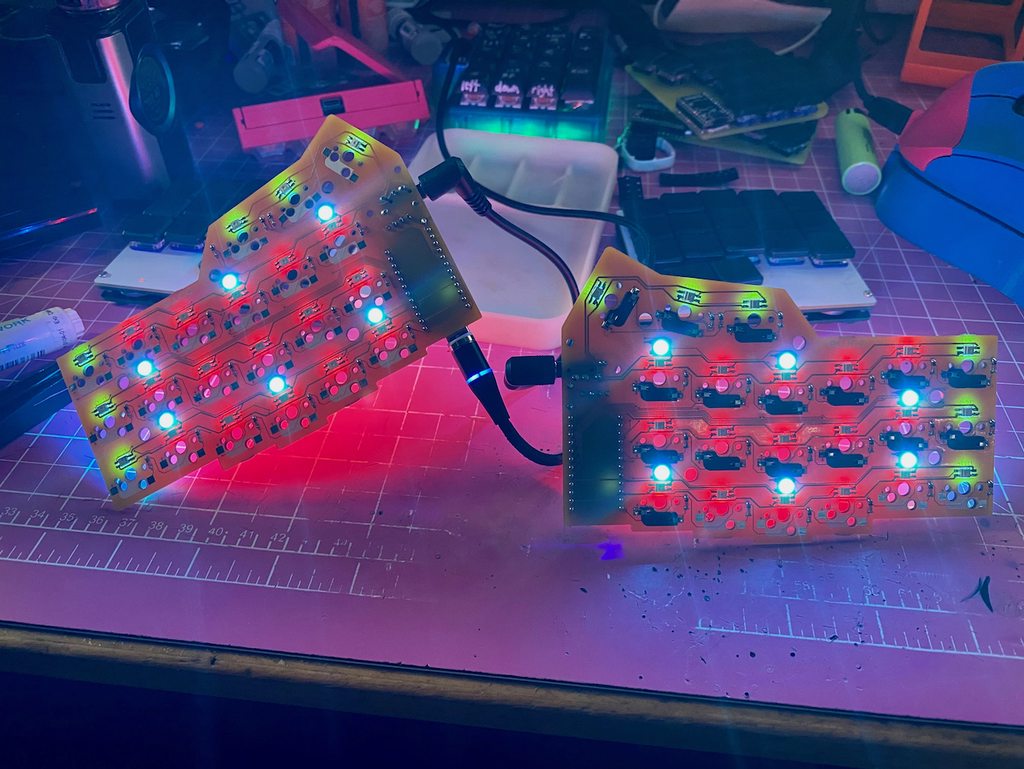
Alright, after one LED came off during measuring the second half, I was less confident about the whole soldering. I then switched on the board and applied some pressure on LED 1 towards the pcb - it finally lit up. I think most of them are not soldered good enough, although the multimeter suggests there's contact. I know what to do now, thanks a lot for pointing me in the right direction 👍

deep flume
#

I think I'll try to solder a wire from Data In of LED 1 to Data In of LED 7 for now since it will be hard for me to un - and resolder those bigger ones properly.