#container-use
1 messages · Page 2 of 1
 restive pumice
That does sound a lot like it might be best in a container image, yeah
 dawn veldt
Right, ok, so what would be the best approach to share an image? Ideally I would want to use a private registry, but that's also a bit clunky, which is why I wanted to initially avoid this.
I'm new to dagger, and didn't see the cu base images on my host docker. Can it pull / use an existing image I have on my host?
 cosmic birch
dawn veldt
Right, ok, so what would be the best approach to share an image? Ideally I would...
cosmic birch
dawn veldt
Right, ok, so what would be the best approach to share an image? Ideally I would...
using a private registry should work out of the box (assuming docker pull works for that same image). It will reuse the system's docker credentials
dawn veldt
Ok, thanks. I'll play around with this a bit.
Will this also work, if I pre-build a local image and reference it that way? Or does it always pull from the registry?
cosmic birch
It needs to be pulled from a registry, unfortunately
dawn veldt
Ack. However, that might be tricker to do inside editors. I can see it being easier to set and inherit the env with something like claude caude. I'm thinking of the SSO case for ephemerial credentials.
cosmic birch
@restive pumice https://github.com/dagger/container-use/pull/229
/cc @dawn veldt
dawn veldt
So setup-commands are pre workspace/worktree setup and install-commands are post? I wonder if renaming them might make sense? To me they sound like the same thing without knowing what I know.
This is starting to have me thinking about optimization of stuff like npm install etc. where maybe a persistent volume for dependency cache would also help. How much effort would it be to have an option to specificy a way to have a persistent volume for a configured directories be?
cosmic birch
dawn veldt
So `setup-commands` are pre workspace/worktree setup and `install-commands` are ...
Yeah exactly. Couldn't find any better naming scheme, any suggestions? I was hoping the docs would clear up the confusion
dawn veldt
I assume the setup-command is just after the container is created, but before the repo is setup?
cosmic birch
Regarding cache volumes -- not much effort
cosmic birch
dawn veldt
I assume the `setup-command` is just after the container is created, but before ...
Setup commands run when creating a new environment, after pulling the base image but before copying your code. Use these for system-level dependencies and tools.
Install commands run after copying your code to the environment. Use these for project dependencies and build steps.
restive pumice
Once we start thinking about cache volumes, I start thinking about real dagger module config support… like it’s not hard to cover the most popular toolchains, but arbitrary custom toolchains are gonna necessitate more programmability, no?
cosmic birch
I did some back and forth with claude and he agreed those names kinda make sense
cosmic birch
restive pumice
Once we start thinking about cache volumes, I start thinking about real dagger m...
yeah
cosmic birch
cosmic birch
I did some back and forth with claude and he agreed those names kinda make sense
But really open to suggestions
dawn veldt
setup definately conveys it comes before install, but I'm not sure it conveys where in the entire lifecycle so much.
restive pumice
dawn veldt
setup definately conveys it comes before install, but I'm not sure it conveys wh...
For your use case I totally agree the names don’t seem right, but we’re betting here that pip/npm install is actually the most common thing ppl will hit first
dawn veldt
But wait, don't you need the repo to do a pip on a requirements file etc? which would be install not setup?
cosmic birch
restive pumice
For your use case I totally agree the names don’t seem right, but we’re betting ...
Also took inspiration from Cursor ...
From their docs:
Install command runs before an agent starts and installs runtime dependencies. This might mean running npm install or bazel build.
cosmic birch
dawn veldt
But wait, don't you need the repo to do a `pip` on a requirements file etc? whic...
Yeah exactly, that's @restive pumice's point: pip install would go into install
restive pumice
dawn veldt
But wait, don't you need the repo to do a `pip` on a requirements file etc? whic...
Yes exactly, the install commands run after, the setup commands run before
cosmic birch
and npm install would go into install as well
dawn veldt
Right, so the previous usage of setup-command had these examples but now it's purpose has changed.
cosmic birch
@dawn veldt Yeah I updated the docs as well in that PR ... turns out those examples were broken (AI generated)
reviewed all the examples, now they make sense -- thanks for spotting!
restive pumice
Those docs are literally 2 days old btw lol, early adopter penalty here, we’re actively iterating
cosmic birch
@dawn veldt environment configuration is literally from yesterday 🙂 sorry for the brokeness
cosmic birch
restive pumice
Those docs are literally 2 days old btw lol, early adopter penalty here, we’re a...
2 days ago it was Sunday ... so really 1 day old actually 😄
dawn veldt
Np at all
cosmic birch
@restive pumice @dawn veldt no second thoughts about setup vs install? I'll go ahead and merge that if not
dawn veldt
Naming is hard. I can't think of anything better atm. I'm sure I will at some point though ...
cosmic birch
Same ... probably shortly after releasing those names
dawn veldt
I was going to say setup is kinda like a build step, if you think in terms of an image, but it's not.
Only think I've got is system-command maybe?
cosmic birch
yeah the separation between the two is really for caching purposes ...
in theory you could put EVERYTHING into install
the problem is, every time the source code changes, you invalidate the cache, and install would re-run
so like ...
apt-get update && apt-get install python <-- should be in setup
pip install -r requirements.txt <-- should be in install
they both could be in install, but then you're re-installing python any time you make code changes, which is slow and unnecessary
dawn veldt
Curious on this. We use mise to install deps mostly. There would be an advantage of caching the installs of mise, but what would invalidate it? For example the invalidation would need to be based on a mise.toml which has versions.
cosmic birch
cosmic birch
so like ...
`apt-get update && apt-get install python` <-- should be in setup
...
btw -- this is not as bad as it sounds
cache invalidation would only affect environment creation, whenever a new environment is created
once the agent is in its own environment and is iterating, it won't cache miss
 fathom parcel
cosmic birch
btw -- this is not as bad as it sounds
cache invalidation would only affect env...
fathom parcel
cosmic birch
btw -- this is not as bad as it sounds
cache invalidation would only affect env...
Can you once check your pm i just sent ?
 frank sundial
fathom parcel
Can you once check your pm i just sent ?
frank sundial
fathom parcel
Can you once check your pm i just sent ?
hi @fathom parcel ! 👋
Just a heads-up that our team doesn’t monitor DMs. Since we support a large and active community, we prioritize helping folks in public channels where others can also benefit from the answers.
If you have a question or comment that can’t be shared publicly, feel free to email us at solutions@dagger.io, and we’ll be happy to help there!
cosmic birch
@dawn veldt Just released v0.3.1 with the install commands if you want to give it a try
dawn veldt
@cosmic birch - Tried the install_commands and for some reason it doesn't seem to run the script. Not sure what I'm missing.
cosmic birch
dawn veldt
<@707661669819613324> - Tried the `install_commands` and for some reason it does...
Out for lunch — I’ll check in about 30-45 mins
Can you try from the script to do a “touch FOO” and check if you see a “FOO” file in cu diff?
That’s what I did to test it worked
Also I think those commands should show up in “cu log” of the environment
dawn veldt
Nothing. I also set the install command to an invalid path and I don't even get an error. Seems like a noop. 😕
cosmic birch
Back, trying now
@dawn veldt Weird:
$ cu config install-command add 'false'
$ claude 'create an environment'

  ⎿  Error: failed to create environment: install command failed: exit code 1.
     stdout:
     stderr:
     input: container.from.withWorkdir.withDirectory.withExec.exitCode process "sh -c false" did not complete successfully: exit code: 1
@dawn veldt Oh! Perhaps Zed still has the old container-use mcp server around? Maybe restarting it will upgrade to v0.3.1
which would be consistent with it completely ignoring the new install_commands field
dawn veldt
 that was it ...
 fierce rivet
hey dagger team & peeps here, i have to say, this project is fucking amazing! i've been thinking for the longest time to build something like this and thank the heavens that this already exists. appreciate it. hope to contribute how i cnan 🙂
 serene dirge
Jetbrains Junie MCP support has been announced today 🥳 https://youtrack.jetbrains.com/issue/JUNIE-26/Support-MCP-for-Junie#focus=Comments-27-12379308.0-0
Configuration for container-use is to be done like the attached screenshot (or in ~/.junie/mcp/mcp.json)
I haven't yet found a way to give guidelines, so it's not using container-use by default, but I'll have a deeper look.
edit: by adding some extra guidance in the ask to Junie like the block "ALWAYS use ONLY Environments..." junie is then using container-use as expected

 swift sierra
Apologies if this has been asked before.
When developing web applications that require database services, I understand that with Dagger, we can define services and establish dependencies using methods like with_service_binding() to build the execution environment. ( As shown in the Cookbook | Dagger )
Is it possible to achieve the same functionality with Container Use?
I am wondering if a combination of container-use config setup-command add etc. would not be enough to build a database service etc.
 opaque zephyr
swift sierra
Apologies if this has been asked before.
When developing web applications that ...
opaque zephyr
swift sierra
Apologies if this has been asked before.
When developing web applications that ...
Yes, you're correct, Dagger does support defining services and cross-service dependencies via its API.
container-use doesn't expose that part of the Dagger API to users (yet). In container-use, there is only one container per environment, and your mechanism for configuring it is setup-command like you already know. In the future we plan on exposing more of Dagger's API, but at the moment there is a gap.
serene dirge
serene dirge
Jetbrains Junie MCP support has been announced today 🥳 https://youtrack.jetbrai...
edit of the edit, guidelines have to be placed under .junie/guidelines.md and that works 🙂
restive pumice
swift sierra
Apologies if this has been asked before.
When developing web applications that ...
there is very basic, undocumented, experimental service support in container-use. we'd love your feedback on it but it's all pretty subject to change and has rough edges (eg container-use terminal <env> doesn't bring back your services iirc) but you can prompt engineer things like "attach me a postgres service and configure my tests to point at it", verify it all works, and then container-use config import <env> and it'll save the service configuration so that new envs for that repo will come with that postgres container (and the env vars to point things at it)
like solomon said, no cross-service dependencies yet, and no explicit access to things like service bindings or the rest of the programmability of the dagger api, but the bare minimum that we do have in there is designed to meet your use case provided you're just looking for attached, ephemeral db containers like you'd use in a local dev setup
frank sundial
@zenith agate here is where all the fun CU stuff happens 🙂
 zenith agate
yeah in the call today I expressed my desire to see CU evolved in to be a tool to "containerize" AI agents for security and privacy. I like how it's designed to boost productivity when multiple agent is involved in editing code, but I think there is a bigger opportunity for it to be a sandbox environment for executing arbitrary agent and tools.
swift sierra
restive pumice
there is very basic, undocumented, experimental service support in container-use...
Thank you! I'll give it a try.
( I was thinking it would be nice if the information you can specify and check with container-use config could be more detailed and explicit, like dagger module source code, but I understand there's a trade-off with usability... )
 silver abyss
I noticed that the allow list in Amazon Q Developer CLI is missing one entry. multiple tools in the docs
container_use___environment_checkpoint
container_use___environment_file_delete
container_use___environment_file_list
container_use___environment_file_read
container_use___environment_file_write
container_use___environment_open
container_use___environment_run_cmd
container_use___environment_update

container_use___environment_config <<< newer
I'll check to see if any others have changed.
Looks like there should be 11 tools with 0.3.1 (using Zed to peek)

Can also get this directly:
echo '{"jsonrpc":"2.0", "method":"tools/list","id":1}' | container-use stdio | jq -r '.result.tools[] | select(.name | startswith("environment_")) | .name'
Ideally we would update these docs with each release of container-use automatically or maybe it can be added to container-use config 🙂
For example for Amazon Q:
echo 'q chat --trust-tools='$(echo '{"jsonrpc":"2.0", "method":"tools/list","id":1}' | container-use stdio | jq -r '[.result.tools[] | select(.name | startswith("environment_")) | "container_use___"+.name] | join(",")')

q chat --trust-tools=container_use___environment_add_service,container_use___environment_checkpoint,container_use___environment_config,container_use___environment_create,container_use___environment_file_delete,container_use___environment_file_list,container_use___environment_file_read,container_use___environment_file_write,container_use___environment_open,container_use___environment_run_cmd,container_use___environment_update_metadata

 crimson plume
silver abyss
Ideally we would update these docs with each release of container-use automatica...
crimson plume
silver abyss
Ideally we would update these docs with each release of container-use automatica...
do you know if there's a way to write this to a config file? I remember last we checked the allow list we tried in the config json didn't work, but I think we copied the config structure from somewhere else. Anyway container-use config already does this for other agents (updates the allow list with new/changed tools), so if its possible I can add that easily
dawn veldt
I can't seem to figure out why I can't cu terminal when using secrets. Filed this GH issue https://github.com/dagger/container-use/issues/232. I took a stab at looking through the source, but don't have enough context on how dagger deals with secrets, etc. That said it's making it hard to use with this broken. Are secrets supposed to be working fully?
restive pumice
dawn veldt
I can't seem to figure out why I can't `cu terminal` when using secrets. Filed t...
thanks for the report, this does look like a bug to me. will investigate.
restive pumice
dawn veldt
I can't seem to figure out why I can't `cu terminal` when using secrets. Filed t...
also thanks for the unicode conversion issue, i have seen that before, too.
GitHub
Development environments for coding agents. Enable multiple agents to work safely and independently with your preferred stack. - dagger/container-use
dawn veldt
Question - It seems cu and probably dagger cache images. So, if I use a custom base image with a latest tag it doesn't seem to update when the image is updated. Is there an easy way to clear/reset this cache? Only solution I found was to delete the dagger engine / volumes.
Also if pulling or checking latest isn't possible what would be the suggested approach? Just use incrementing version numbers? I was thinking of re-using this base image across many repos so ideally they are just up to date with new changes to alias tags.
opaque zephyr
dawn veldt
Question - It seems `cu` and probably `dagger` cache images. So, if I use a cust...
Dagger automatically invalidates its cache when pulling an image from a tag, and the tag has a new value. This is the same behavior as docker build.
So normally, the behavior you want (always get the latest image for a tag, but never download anything twice) should be the default
dawn veldt
opaque zephyr
Dagger automatically invalidates its cache when pulling an image from a tag, and...
Thanks. I'm iterating quick so I only tagged with latest so probably also need to tag it with a semver and will work.
One the note of testing/iterating quickly. Is there a way I can have cu / dagger pull from a local registry? I tried setting docker insecure registry etc, but no luck. Searching forums, etc. gave me inconclusively results if this is possible.
opaque zephyr
dawn veldt
Thanks. I'm iterating quick so I only tagged with `latest` so probably also need...
Yes normally it should work seamlessly. Are you getting an error when pulling from a local registry?
For auth, normally dagger will automatically use your local docker credentials. eg. if you docker login, then dagger (and by extension, container-use) will automatically be logged in too
dawn veldt
Ok, I don't have the error atm, but will try and reproduce a little later. Good to know this should work as this should make things easier/quicker to test!
Thanks!
opaque zephyr
If the error is caused by custom certificates, you might need to customize your dagger engine config, I don't remember off the top of my head, but it's definitely possible
(Dagger is used heavily by large teams with complicated enterprise stacks, so private registries, custom authentication etc. are very common.)
dawn veldt
opaque zephyr
(Dagger is used heavily by large teams with complicated enterprise stacks, so pr...
Awesome. dagger has been on my radar to look at more deeply for a while, but cu might be the gateway to exploring it more deeply.
opaque zephyr
dawn veldt
Awesome. dagger has been on my radar to look at more deeply for a while, but `cu...
That's the idea 🙂 We're happy to help anytime
dawn veldt
I kind of figured. Thanks for the project!
opaque zephyr
(This discord is also the Dagger team's primary chat server, we don' thave a separate private slack. So we're always around)
restive pumice
@potent canopy @sharp otter https://github.com/dagger/container-use/pull/242 we should start a windows thread cuz i think y'all are both looking at it in parallel
GitHub
Address #159 [Feature]: Native windows support for VS Code and Visual Studio 2022 with GH Copilot #159 based on #91 ai generated windows build, untested #91
Major callouts:
All tests are passed vi...
 honest fog
Hi, I'm new to container-use , currently, I got 2 issues.
-
I cannot
cu terminal.
█ [0.16s] ERROR container-use terminal notable-martin
┃ Cannot query field "terminal" on type "Container". -
I Cannot connect The address giving from my agent.
⎿ Command started in the background in NEW container. Endpoints are {"5000":{"environment_internal":"tcp://19vv1t934f3fo:5000","host_external":"tcp://127.0.0.1:56032"}}
But when I access: 127.0.0.1:56032 its always give me CONNECTION REFUSED. And as I cannot use cu terminal I cannot debug any further.
My environment:
MacOS M1 15.5
container-use version v0.3.1
Orbstack (instead of Docker Desktop)
Does any got into similar problems?
 regal veldt
honest fog
Hi, I'm new to `container-use` , currently, I got 2 issues.
1. I cannot `cu ter...
regal veldt
honest fog
Hi, I'm new to `container-use` , currently, I got 2 issues.
1. I cannot `cu ter...
This part is very suspicious:
█ [0.16s] ERROR container-use terminal notable-martin
┃ Cannot query field "terminal" on type "Container".
That looks like a super old version of Dagger might be involved? Are you running this IN Dagger somehow? I recognize the old TUI: https://asciinema.org/a/53sUYTwvHwAhm9fDDZes7F4KM - it would also explain the API error
honest fog
regal veldt
This part is very suspicious:
```
█ [0.16s] ERROR container-use terminal notable...
Thanks, I can now cu terminal My machine has old dagger (v0.9.x) , I installed new version and its worked now.
regal veldt
honest fog
Thanks, I can now `cu terminal` My machine has old dagger (v0.9.x) , I installed...
Ah cool, glad ya got it working. FWIW you shouldn't need to dagger run container-use, if that's what you were doing before. container-use is a standalone tool; it'll start the appropriate version of Dagger internally
 placid comet
Ah cool, glad ya got it working. FWIW
opaque zephyr
Someone mentioned container-use in this HN thread, currently on front page 🙂 https://news.ycombinator.com/item?id=44594584
dawn veldt
Question - Does each container-use tool call result in a docker run command? If so, I assume this means that using a daemon (e.g. postres, etc.) really isn't practically possible atm?
NOTE: I did see the basic support for dagger services and it kind of works, but wondering specifically about the prior in the shorter term while official support for that is flushed out.
opaque zephyr
dawn veldt
Question - Does each `container-use` tool call result in a docker run command? I...
No, container-use is powered by Dagger, not Docker. So docker run is never called
@dawn veldt are you looking to run the daemon inside the agent's environment, or outside?
dawn veldt
opaque zephyr
No, `container-use` is powered by Dagger, not Docker. So `docker run` is never c...
Inside, I think. However the core is that I want the agent to be able to run tests that rely on a live postgres db. I noticed some differences in how it behaves when run through cu vs just docker run. In fact, some difference from using dagger container from | terminal as well (although the latter was permissions only I think but need to confirm).
placid comet
Has anyone managed to get a uv based Python project to work in container-use?
opaque zephyr
dawn veldt
Inside, I think. However the core is that I want the agent to be able to run tes...
is that "live postgres" running outside the agent env? ie. on your host machine?
dawn veldt
opaque zephyr
is that "live postgres" running outside the agent env? ie. on your host machine?
Atm, my attempt was a custom base image that has postgres setup and using an entrypoint to start it up. Even then, asking the agent to start it seems to work, but the following tool calls to use it fail. Which is why I suspect it's not running in the background on each new tool call. Does that make sense?
 silent zinc
Are there any issues or PRs for interop of other MCP servers with cu? I didn't see anything in the cu repo, but still wrapping my head around cu.
placid comet
placid comet
Has anyone managed to get a `uv` based Python project to work in `container-use`...
Ah, seems the limitation was just torch being difficult in the dagger container. It required more finicking than in a devcontainer but I think I have it working now.
 potent canopy
placid comet
Ah, seems the limitation was just torch being difficult in the dagger container....
potent canopy
placid comet
Ah, seems the limitation was just torch being difficult in the dagger container....
oouh, interesting 🙏 Would you mind sharing the details ? 👀
restive pumice
silent zinc
Are there any issues or PRs for interop of other MCP servers with cu? I didn't s...
generally you can assume that MCP servers that use your repo's local filesystem checkout will not work with container-use without some very clever configuration tricks, but MCP servers that work on remote resources or aside from your local repo checkout will "just work" without any fuss. what are you trying to do?
restive pumice
opaque zephyr
Someone mentioned container-use in this HN thread, currently on front page 🙂 ht...
https://news.ycombinator.com/item?id=44628409 also comments in this hn thread from people who don't like managing their own git worktrees, responded to this one that reads like a "I wish I had container-use"
zachrip
I tried out git worktrees recently and while they do what's on the tin, I really didn't like them as much as I thought I would. I actually like the way cursor does it despite the fact that it is a VM - I wish I could have their same UI/UX but with local worktrees.
 Hacker News
·
placid comet
potent canopy
oouh, interesting 🙏 Would you mind sharing the details ? 👀
Hacker News
·
placid comet
potent canopy
oouh, interesting 🙏 Would you mind sharing the details ? 👀
I had to set up a tag for transformers and torch so I could exclude them from uv sync then have a separate uv pip install for each of them, specifying the wheel directly for torch. I also have a bunch of environment variables at the moment that are probably not necessary. I'll ablate at some point but iterating through container after container was quite frustrating (once uv sync hangs, no tool calls work anymore). In devcontainers the tooling uv has for specifying sources works normally.
opaque zephyr
restive pumice
https://news.ycombinator.com/item?id=44628409 also comments in this hn thread fr...
If anyone is tempted to upvote on HN... Make sure to click around a bunch before upvoting anything!
restive pumice
opaque zephyr
If anyone is tempted to upvote on HN... Make sure to click around a bunch before...
tq for the tip, hn's brigade protection is deeply mysterious to most
 jovial nimbus
restive pumice
https://news.ycombinator.com/item?id=44628409 also comments in this hn thread fr...
jovial nimbus
restive pumice
https://news.ycombinator.com/item?id=44628409 also comments in this hn thread fr...
Can you reply to them? They may appreciate the pointer
restive pumice
jovial nimbus
Can you reply to them? They may appreciate the pointer
i did?
frank sundial
Thanks to Container Use (powered by @dagger_io) you can now run AI agents in Zed with full write access safely. Agents can write, test, and even run apps, all within their own containerized environments, on separate Git branches.
Check out the demo: https://t.co/Wn87pROtHt

 X
·
potent canopy
X
·
potent canopy
FYI, I'm almost done reviewing the windows PR / improving it. As part of the review, I'm adding a test pipeline on native Windows (as we're relying on the go sdk on native windows build) + deployment script + pipelines (deployment to Chocolatey + a ps1 install script too (like main dagger), for winget, it's gonna be a tangent PR)
I'm hitting a few bug regarding the registry auth: #maintainers message though, in order to fully test our test suite. But it's more dagger specific thing. However, we need to fix it too as part of this feature 👀
silver abyss
Wondering has anyone tried to get container-use to run dagger by maybe having a dind-type container as the base?
potent canopy
silver abyss
Wondering has anyone tried to get container-use to run `dagger` by maybe having ...
I think Connor did
restive pumice
silver abyss
Wondering has anyone tried to get container-use to run `dagger` by maybe having ...
No dind-style magic necessary, it works in basically any container
 pine jasper
Hello, I've been trying to use mods with container-use with claude, but so far I encountered:
…
mcp: required argument "base_image" not found
…
mcp: required argument "secrets" not found
in the middle of the session
(session with the load environment missing)
 hallow onyx
Hello Everyone, I just learned about container-use and tried to install the mcp server in warp by copying the config from the container-use documentation. However, I can't get it to work. In the MCP Servers section I see Failed to start client. In the logs I see that the initialize message is sent but not answered. Instead, the next thing in the logs is [warn] MCP CLI: server exited. I can run container-use from the command line and it displays the help message. But running container-use stdio exits with an error. Can anybody help?
 hexed warren
hallow onyx
Hello Everyone, I just learned about container-use and tried to install the mcp ...
hexed warren
hallow onyx
Hello Everyone, I just learned about container-use and tried to install the mcp ...
What's the error ?
hallow onyx
hexed warren
What's the error ?
There is no error message. The exit code is 1.
hexed warren
For the record, this was solved in the thread (docker was not installed, podman was not symlinked to docker)
silent zinc
restive pumice
generally you can assume that MCP servers that use your repo's local filesystem ...
just some basic tool calls to context7 (via Docker MCP toolkit) and linear for now. I might muck around with configs for mcp servers that relate to local filesystem later. But yes, seems like mcp tool access is is working as I'd expect
silver abyss
Playing with some mermaid diagrams for container-use
https://github.com/jpadams/cu-mermaid/tree/main
GitHub
Contribute to jpadams/cu-mermaid development by creating an account on GitHub.
restive pumice
silent zinc
just some basic tool calls to context7 (via Docker MCP toolkit) and linear for n...
yeah these are the kinds of mcps that "just work" - stateless and interacting with remote resources.
i haven't seen that context7 one before and I frequently manually solve the problem (pasting docs links) that it's trying to solve automatically where my agent can't find the code/docs of my library dependencies. do you find that llms is actually inclined to use it to find lib documentation and it gives good results?
silent zinc
restive pumice
yeah these are the kinds of mcps that "just work" - stateless and interacting wi...
I have to usually tell it to use context7 tool. if i have an instruction to use context7 for docs in my CLAUDE.md, sometimes it will listen 🙃 . There's a couple of new paid projects I've seen that are basically context7 MCP but with an LLM running on the docs to index them and process them, which is kind of bonkers imho VisionCraft and ref.tools
restive pumice
silent zinc
I have to usually tell it to use context7 tool. if i have an instruction to use ...
i like the thing the claude code web tools do where they convert html to markdown and call it good... the hard part is just the indexing/linking, and i honestly don't know how to data model that correctly
serene dirge
There's also a new Qwen Code app (forked from gemini code). I haven't check yet if that can work with container-use.
jovial nimbus
serene dirge
There's also a new Qwen Code app (forked from gemini code). I haven't check yet ...
Was just about to ask: who’ll be the first to make a mini demo of running 5x Qwen coders in parallel… just something to post to X
silver abyss
jovial nimbus
Was just about to ask: who’ll be the first to make a mini demo of running 5x Qwe...
The 480B will have to wait until I've got free access to a small pile of H100s. Anyone? 😆
But will def check out the Qwen Code app.
crimson plume
Haha yeah even once the smaller ones come out, running multiple agents in parallel against it probably won't be an option
 orchid trellis
nice, Zed uses Qwen for Zeta, their tab completion finetuned model
https://github.com/zed-industries/zed/blob/main/docs/src/ai/ai-improvement.md?plain=1#L100
https://zed.dev/blog/edit-prediction
not as powerful as Cursor's IMO, but it's open source
restive pumice
crimson plume
Haha yeah even once the smaller ones come out, running multiple agents in parall...
Unsloth has already started quantizing but even with the quanitization it’s still HUGE https://huggingface.co/unsloth/Qwen3-Coder-480B-A35B-Instruct-GGUF
 crimson plume
restive pumice
Unsloth has already started quantizing but even with the quanitization it’s stil...
crimson plume
restive pumice
Unsloth has already started quantizing but even with the quanitization it’s stil...
lol 1 bit at 150gb 🙃 very jealous of those able to actually run it
restive pumice
crimson plume
lol 1 bit at 150gb 🙃 very jealous of those able to actually run it
150Gs of zeroes and ones... that's like... 150Gs of zeroes and ones
(this is funny to me, but i cannot begin to explain why)
silver abyss
 magic crest
silver abyss
The 480B will have to wait until I've got free access to a small pile of H100s. ...
magic crest
silver abyss
The 480B will have to wait until I've got free access to a small pile of H100s. ...
Remind me about this on Wednesday
 shut oriole
I followed the getting started docs word-for-word but it looks like the mcp server is failing to load.
Is there anything that has changed?
 blissful mural
shut oriole
I followed the getting started docs word-for-word but it looks like the mcp serv...
blissful mural
shut oriole
I followed the getting started docs word-for-word but it looks like the mcp serv...
Hey! Can you share some more info?
- Which OS are you on?
- Which version of CU are you running?
- Which tool are you trying to get it to work with?
- Are you getting any error messages anywhere?
shut oriole
Mac M1, latest os
Latest version of CU. I just installed it with homebrew.
I'm trying to get it to work the exact same as in the "getting started".
I just see when I run /MCP when running Claude that the MCP server for CU failed to connect.
Do you have advice on how to get better error messages?
silver abyss
shut oriole
Mac M1, latest os
Latest version of CU. I just installed it with homebrew.
I'm t...
Do you have git installed and Docker Desktop installed and running?
frank sundial

From the Zed Blog: Run AI agents in parallel without interference using containerized environments and Git Worktrees.
frank sundial

How Agent Isolation Unlocked TDD, BDD, and XP Programming at AINative If you're building with AI, you already know the hype. But when you're building with AI agents—especially a full-stack swarm of six dev agents writing production-grade code—the real magic happens behind the scenes.
restive pumice
frank sundial
https://www.linkedin.com/pulse/last-night-dagger-saved-my-agents-toby-morning-k2...
interesting, i hadn't considered there might be a TDD angle to cu, but i certainly share that sense of aesthetics
silver abyss
frank sundial
https://www.linkedin.com/pulse/last-night-dagger-saved-my-agents-toby-morning-k2...
shut oriole
Thank you. I got it working. It was something weird with my Docker. @silver abyss @blissful mural
🚀 Last Night, Dagger Saved My Agents
 fathom topaz
Hi Ya'll! I'm new here, been using container-use since I found out about it a few weeks ago. Love the isolation aspect and how easy it is to throw away environments (and the LLM-generated garbage that is contained in it). It's a game-changer for security-conscious agent use.
I find the review workflow to be a bit clunky, so I was wondering if there is someone who can shed some light on it? So I let my agent run and when it is finished, I basically do container-use checkout <env-name> to checkout the state of the environment in my IDE. However, I find I cannot easily switch back to the old state of the env - e.g. git checkout main leaves a branch in my main worktree cu-<env-name>. Is there something similar, like container-use checkout main to use here? Or how are other people reviewing the changes without merging them yet?
 jaunty folio
fathom topaz
Hi Ya'll! I'm new here, been using container-use since I found out about it a fe...
jaunty folio
fathom topaz
Hi Ya'll! I'm new here, been using container-use since I found out about it a fe...
I've just begun checking container-use + zed out today so I can't help with what people actually use, but theres quite a good page on workflows here -> https://container-use.com/environment-workflow#quick-assessment-non-interactive

Container Use
Master the workflow of creating, observing, and managing containerized environments. Learn when to merge work, iterate on prompts, or start fresh.
silver abyss
 jaunty folio
I have to say, this write up of yours on Zed + Container-use has opened up a new world! Big ups @silver abyss
silver abyss
jaunty folio
I have to say, this write up of yours on Zed + Container-use has opened up a new...
Thank you @jaunty folio ! 😊
potent canopy
Hello i've seen the new bot on the windows PR. What's the status on this ?
crimson plume
potent canopy
Hello i've seen the new bot on the windows PR. What's the status on this ?
something @cosmic birch is experimenting with!
restive pumice

GitHub
Enhanced Developer Experience and Cross-Platform Support
Container Use v0.4.0 brings streamlined command workflows, native Windows support, and a powerful new
editing tool that reduces context rot ...
restive pumice
nix release
silver abyss
 silver abyss
restive pumice
[container-use v0.4.0 is out!](https://github.com/dagger/container-use/releases/...
silver abyss
restive pumice
[container-use v0.4.0 is out!](https://github.com/dagger/container-use/releases/...
with
New
environment_file_edittool
we'll look to update the docs to include that for agent setup that have allow lists
silver abyss
The fix for my issue opened with Crush is already up! 🙌 Have to test 🙂

GitHub
Fixes MCP clients
This closes #424
Screen.Recording.2025-08-01.at.08.21.43.mov
GitHub
Right now CRUSH will start the MCP stdio server, run the tool, then shut down the MCP server. In my case, the container-use MCP server is allowing me to tunnel to an app running in a containerized ...
restive pumice
just released v0.4.1 with some docs changes (notably crush configuration) and some improved locking logic for parallel claude code usage
and the nix flake is now updating with our release process, shoutout @night narwhal for the contribution 🙂
placid comet
restive pumice
just released v0.4.1 with some docs changes (notably crush configuration) and so...
What's the recommended upgrade process?
restive pumice
placid comet
What's the recommended upgrade process?
Use the same method you used to install, so either brew upgrade or rerun the curl | bash from the readme
hallow onyx
hexed warren
For the record, this was solved in the thread (docker was not installed, podman ...
OK, I'm sorry to ask again: so I updated container-use and removed the symlinks, but for me container-use stdio exits with error code 1.
silver abyss

Curious to hear how people are managing their longer running parallel Claude coding threads. There are a lot about managing parallel terminal session, but I'm looking at managing task completion and review. It seems to evolve towards a visual task manager Kanban board. Drop your suggestions and experiences in the comments. | 23 comments on LinkedIn
hallow onyx
hallow onyx
OK, I'm sorry to ask again: so I updated container-use and removed the symlinks,...
Ok, I still need to symlink docker to podman. The fix is not yet released, right?
silver abyss
hallow onyx
Ok, I still need to symlink docker to podman. The fix is not yet released, right...
Correct, though it will be in the next release 🙂
 elfin scaffold
Hello! Anyone got good prompting tips for optimal use of the MCP? Trying to figure out consistency stuff - like using the same base images that are already in the project. What's been working for y'all?
restive pumice
elfin scaffold
Hello! Anyone got good prompting tips for optimal use of the MCP? Trying to figu...
for the base images and stuff, you can set up an environment config -- this works well so long as you have just 1 image you want to use per-git-repo, but you can also break glass and prompt-engineer stuff like "if you're working on typescript code, use image XYZ instead of the default"

Container Use
Set up and manage your project's environment configurations.
placid comet
Is cu terminal container-name supposed to work without a separate dagger install? The only issue I can see suggests that there are problems if you have both installed... but with only container-use installed I get Dagger is not installed. Please install it from https://docs.dagger.io/install/. This has been true in the past 3 versions (0.41, 0.4, 0.3x) for me.
potent canopy
placid comet
Is `cu terminal container-name` supposed to work without a separate dagger insta...
Hi, no there is indeed a dependency just for cu terminal (solvable in the future, but requires quite a bit of engineering, so not prioritized)
placid comet
potent canopy
Hi, no there is indeed a dependency just for `cu terminal` (solvable in the futu...
Are there any other undocumented requirements for cu terminal? Having installed dagger, I'm now getting start container: secret {word2:hash redacted}: not found
restive pumice
placid comet
Are there any other undocumented requirements for `cu terminal`? Having installe...
that sounds like a bug to me, are you using secrets in your environment config? what kind?
placid comet
restive pumice
that sounds like a bug to me, are you using secrets in your environment config? ...
I am; from an environment variable
restive pumice
placid comet
I am; from an environment variable
submit a github issue and we'll look into it.
 jaunty barn
Is there a way to specify a local image in the base_image environment config?
restive pumice
jaunty barn
Is there a way to specify a local image in the base_image environment config?
iirc it has to be pulled from a registry, unfortunately
search "local image" in this discord for a bunch of other people with similar problems. generally the workaround is to run a local registry and there are lots of ways to do that depending on your preferred tooling (dagger, docker, k3s, etc)
jaunty barn
Gotcha. Sorry, I’m a discord newb
restive pumice
jaunty barn
Gotcha. Sorry, I’m a discord newb
no worries, it's a valid problem to be having and even if you were discord-experienced the search function is not great so a lot of ppl don't use it
 pastel shore
Hi, I'm having ssl issue while creating an environment. We use zscaler. I have added the cert using setup step but the tool call fails during base image pull. Wherease in my terminal I can pull the image without any issue. It is available in local registry. How can i resolve this
restive pumice
pastel shore
Hi, I'm having ssl issue while creating an environment. We use zscaler. I have a...
i'm assuming your image is something that's only accessible behind zscaler? does that cert function as a custom CA? there are some docs about how to configure root CAs for dagger , but i don't think anybody's yet tried to point container-use at a custom-provisioned dagger engine . @silver abyss @blissful mural searching discord showed me y'all have some exposure to zscaler in the field?

Dagger can be configured to use custom certificate authorities (CAs) when
A runner is the "backend" of Dagger where containers are actually executed.
silver abyss
Once you have a customized0.8.14 Dagger Engine running and working with zscaler, take note of its name via docker ps.
Then set EXPERIMENTAL_DAGGER_RUNNER_HOST": "docker-container://dagger-engine-custom (replace dagger-engine-custom with your engine's name)
as an en environment variable in your MCP config.
Then try to use container-use MCP with your agent. Should use your existing engine with the special certs.
Since you say the image is in a local registry, you should be able to also use:
EXPERIMENTAL_DAGGER_RUNNER_HOST": "docker-image://dagger-engine-custom-zscaler-image:latest
and if the image can be pulled, it will be used for the engine container.
Worked for me. That is Amazon Q developer agent

Once engine is down, MCP no longer runs since env var still pointing at old name

My JSON config. Yours might be similar
{
  "mcpServers": {
    "container-use": {
      "command": "container-use",
      "args": [
        "stdio"
      ],
      "env": {
        "_EXPERIMENTAL_DAGGER_RUNNER_HOST": "docker-container://dagger-engine-custom"
      },
      "timeout": 60000
    }
  }
}
I also run container-use with Zscaler in vs code.
In a terminal, I mount the caCert:
docker run --rm -v /var/lib/dagger -v $PWD/ca-certificates:/usr/Local/share/ca-certificates/ --name dagger-engine-custom --privileged registry.dagger.io/engine:ve.18.12
And the mcp.json
{
   "container-use":{
      "type":"stdio",     "command":"/opt/homebrew/bin/cu",
      "env":{       "_EXPERIMENTAL_DAGGER_CLI_BIN":"/usr/local/bin/dagger",
         "_EXPERIMENTAL DAGGER_ RUNNER_HOST":"docker-container://dagger-engine-custom"
      },
      "args":[
         "stdio"
      ]
   }
}
Thanks guys. Ill try this out today
jaunty folio
Is there some way that I can debug whats going on with my container-use mcp? sometimes I start getting "server shut down" errors in Zed. Either its the actual MCP extension, or it has to do with container use and I don't really know where to start
restive pumice
jaunty folio
Is there some way that I can debug whats going on with my container-use mcp? som...
command palette in zed has a "zed: open log" that'll have mcp client errors and might have the server's stderr. otherwise you can find server logs at $TMPDIR/container-use.debug.stderr.log
 covert atlas
My team made a YouTube short on container use with goose and a tutorial https://www.youtube.com/shorts/X3tf61_Tak0 https://block.github.io/goose/docs/mcp/container-use-mcp

Get started with Dagger's container-use MCP server: https://container-use.com/
▬▬▬▬▬▬ SOCIALS ▬▬▬▬▬▬
Engineering Blog: https://engineering.block.xyz/blog
Goose Blog: https://block.github.io/goose
Discord: https://discord.gg/block-opensource
GitHub: https://github.com/block/goose
Linkedin: https://www.linkedin.com/com...

Use Container-Use MCP as a Goose Extension
 polar fiber
hello, when working with LLMs I always instruct them to make atomic commits using conventional commits convention and to explain on the body what changed, how it was done and why it was done that way (the logic behind the change). Mainly to keep my sanity and have the history as a means of documentation. I've just started using container use and the commits inside the container don't seem to be managed by my coding LLM. Is there a way to configure how to write commits? because the commits written inside the container aren't very useful to me as they are. I've not been able to find any related info on the documentation.
 still robin
polar fiber
hello, when working with LLMs I always instruct them to make atomic commits usin...
still robin
polar fiber
hello, when working with LLMs I always instruct them to make atomic commits usin...
hey Rafael, the commit message comes from here: https://github.com/dagger/container-use/blob/57d84dea0ef65fbc3e44571e30a23eb485f1ccb6/mcpserver/args.go#L7. Basically, each time the LLM makes a tool call to interact with container use, it summarizes what changes to the tool are required and then uses that as part of the commit message.
GitHub
Development environments for coding agents. Enable multiple agents to work safely and independently with your preferred stack. - dagger/container-use
restive pumice
polar fiber
hello, when working with LLMs I always instruct them to make atomic commits usin...
I’ve generally found a lot of frustration with trying to get agents to create commits on their own, and that frustration is a big source of inspiration for how container use works- it handles the git in such a way where the agent essentially can’t forget to commit in tiny granular toolcall sized chunks. These commits definitely do not follow best practices or convention, but we found that we could not rely on LLMs to consistently call an explicit commit tool and id rather have weird tiny commits always than conventional commits 1/2 the time
restive pumice
polar fiber
hello, when working with LLMs I always instruct them to make atomic commits usin...
More practically, to rewrite commits, you should use ‘container-use apply env’
polar fiber
restive pumice
I’ve generally found a lot of frustration with trying to get agents to create co...
I love how the commits happen, I’d just like to be able to control how the messages are written and the information. I’ve been using apply env but that’s squashing the commits and I’d rather keep the history as I find it useful
restive pumice
polar fiber
I love how the commits happen, I’d just like to be able to control how the messa...
You can try to prompt engineer this to an extent, the commit bodies always come in on a tool parameter named “explanation”, but I believe the commit titles are more statically generated “edit file $path”
polar fiber
restive pumice
You can try to prompt engineer this to an extent, the commit bodies always come ...
Thanks, I’ll have a look at the code tomorrow
restive pumice
polar fiber
Thanks, I’ll have a look at the code tomorrow
I’m super not attached to how the commit messages are constructed right now so super open to ideas or PRs 🙂
restive pumice
polar fiber
Thanks, I’ll have a look at the code tomorrow
https://github.com/dagger/container-use/issues/100 fyi you're not the only person with gripes about the commit messages lol, but im not sure semantic commits are a good fit either given that the commits are generated per-file-write, not in proper logical blocks like a human would do

GitHub
I noticed that the cu merge has a bunch of commits that don't follow semantic commits. This would definitely help Here are semantic commit message best practices: Format Structure <type>(...
 drowsy locust
Thanks for the great tool! Can I ask if there's any plan for the workflow described here: https://github.com/dagger/container-use/issues/247 In this case, the claude code isn't aware of the environment and I think claude (or other llms) should be more comfortable with native cli commands.

GitHub
What feature would you like? Would it be possible to add a new command to container-use so I can create an environment by hand, the same way an agent can via the environment_create tool? Why would ...
restive pumice
drowsy locust
Thanks for the great tool! Can I ask if there's any plan for the workflow descri...
we've been working on several different approaches to put the agent itself "inside the container", yes. there are technical challenges around asynchronously committing file changes that have been holding us up, but we do want to support a workflow that's essentially container-use claude that drops you directly into a claude session that's confined to an environment
drowsy locust
looking forward to it!! I will be happy to try and test
shut oriole
can I attach a volume to the container? I would like to be able to run claude / opencode and be able to attach the cwd but also another directory on my computer where I store prompts and configurations.
polar fiber
Has anyone had issues with the container timing out? I'm trying Kiro, and it's working on a container, all looks good except the container starts throwing Error calling MCP tool: MCP error -32001: Request timed out and the LLM tries different approaches, like continuing work outside the container, or simply stopping
restive pumice
shut oriole
can I attach a volume to the container? I would like to be able to run claude / ...
not currently, no. submit a feature request 🙂
restive pumice
polar fiber
Has anyone had issues with the container timing out? I'm trying Kiro, and it's w...
i do get weird tool blocking behavior sometimes, but usually when i'm stress testing. sometimes it helps to restart the MCP server, idk if that's supported by kiro or not.
@polar fiber was this a single agent instance running for a long time? was there anything interesting about the repo it was working on? (large? lots of dependencies to download?) what tool call did it block on?
shut oriole
restive pumice
not currently, no. submit a feature request 🙂
GitHub
Summary Allow container use to mount one or more host directories (read-write or read-only) into the running container. Primary need: mount the current working directory and a second directory that...
 sinful epoch
I'm trying to use this in a private go project. The issue is that it depends on private modules, hosted on github, and the build inside the environment fails. Has anybody managed to get this working? Thanks!
sinful epoch
sinful epoch
I'm trying to use this in a private go project. The issue is that it depends on ...
The issue is that I can't seem to manage to configure go inside the env use my github credentials. I use ssh key to access the private repos.
polar fiber
restive pumice
<@702830920175976529> was this a single agent instance running for a long time? ...
Yes, a single agent instance, python codebase, small repo. I haven't configured an environment.json yet so the LLM is doing all the setup, maybe that's causing the issue? It tends to happen towards the end of the task after about 20 interactions with the container tools. First it blocked on run_cmd then file_list then create. Once the timeout starts it doesn't go away until after a fairly long while. I wonder if there's memory issue with docker or something. It's a M1 Pro MBP with 16gb
restive pumice
sinful epoch
The issue is that I can't seem to manage to configure go inside the env use my g...
I think you also need to configure an insteadOf replace directive in git that includes a PAT, typically, right?
restive pumice
polar fiber
Yes, a single agent instance, python codebase, small repo. I haven't configured ...
im gonna keep poking at these hangs at some point this week... the ones i get feel like trouble with the dagger engine, and i found failing healthchecks in docker logs dagger-engine-$version twice. i would recommend bumping your docker/colima/whatever resource allocations if you haven't already to rule that out, the engine getting oomkilled might cause hangs like this. that said, i have VERY large resource allocations (500gb disk, 16gb memory, 8 cores) and i sometimes get a hang (less often than you, it sounds like)
if i had to guess this is some edge case in dagger cache garbage collection, but that's purely speculative based on me running dagger core engine local-cache prune and having it take >25m one time
restive pumice
restive pumice
I think you also need to configure an insteadOf replace directive in git that in...
if you wanna open an issue with all the config injection you've tried, that'd be helpful -- needing the agent to use git and ssh inside the container likely has some rough edges we can polish out. part of this could be related to https://github.com/dagger/container-use/issues/256

GitHub
I have several git configurations, depending on the directory on my machine that I'm working on. However, when I run container-use checkout <id>, the commit author and email address attac...
sinful epoch
restive pumice
I think you also need to configure an insteadOf replace directive in git that in...
I hit another issue while trying to get this to work: “cu terminal” always fails if there is any secret configured. I think it’s trying to use a cached container but secrets are no longer there.
sinful epoch
sinful epoch
I hit another issue while trying to get this to work: “cu terminal” always fails...
very easy to reproduce: add secret, create env, cu terminal
restive pumice
sinful epoch
I hit another issue while trying to get this to work: “cu terminal” always fails...
🤨 not the first report but i thought we fixed this a while ago, what's your container-use version?
sinful epoch
restive pumice
🤨 not the first report but i thought we fixed this a while ago, what's your `co...
container-use version 0.4.1
commit: 71346865565c2a0d9dd92350ed30c86ed73e43b9
built: 2025-08-01T18:32:52Z
sinful epoch
sinful epoch
container-use version 0.4.1
commit: 71346865565c2a0d9dd92350ed30c86ed73e43b9
bui...
It's the one on macOs from homebrew
restive pumice
sinful epoch
container-use version 0.4.1
commit: 71346865565c2a0d9dd92350ed30c86ed73e43b9
bui...
weird, must've regressed, you mind submitting an issue? should be easy enough to fix but i also wanna shore up the testing around that
sinful epoch
restive pumice
weird, must've regressed, you mind submitting an issue? should be easy enough to...
GitHub
What happened? $ cu config secret set TEST "env://TEST" Ask agent to create a new env. $ cu list ID TITLE CREATED UPDATED humane-spider Setup environment for sa-go-creatives 19 seconds ag...
restive pumice
sinful epoch
https://github.com/dagger/container-use/issues/283
appreciate it!
potent canopy
Hey @restive pumice,
I finally managed to have the CI on windows green (and stable). I had the weirdest caching / races on Windows: https://github.com/dagger/container-use/pull/252.
I updated the PR description and rewrote the history to be as clear as possible. I'm changing a bit the flock and isolated some of the tests a bit more because I was hitting deep bugs on the gihtub windows runners.
I'm re-deploying / publishing on my fork to be ready for tomorrow, BUT, another pair of eyes might be again necessary, given the changes I made in the end 🙏
 zinc sierra
Hey! Great tool! One question. I’ve been working for a while and after a bit just about any container-use function (my invocation or Claude’s) takes forever. Even cu list will just hang. If I control C it I get a result (cu list will give me a list after I interrupt it but hang for 5 minutes before).
I’m not sure how to trouble shoot that or where to start.
Also, I notice that when I have commit hooks on, the terminal blows up with every invocation of container use run that gets triggered. Makes the Claude terminal completely unusable. I’m not sure if that chatter lead to the application beginning to hang or not, or if they’re unrelated.
Happy for any thoughts or suggestions…
restive pumice
potent canopy
Hey <@430802613848506380>,
I finally managed to have the CI on windows green (a...
re-reviewed
restive pumice
zinc sierra
Hey! Great tool! One question. I’ve been working for a while and after a bit jus...
One question. I’ve been working for a while and after a bit just about any container-use function (my invocation or Claude’s) takes forever. Even cu list will just hang.
cu list hanging should be fixed by https://github.com/dagger/container-use/commit/2c98c9d57114ebf610b8d601b6ab7c35baa72014 which we'll release soon... but there is definitely still a hang hiding somewhere between container-use and the dagger engine (look above for me and rafa discussing, also posted something in #maintainers yesterday)

GitHub
- avoid holding locks during Export
Signed-off-by: Connor Braa <connor@dagger.io>
- worktree rlock during import sync
Signed-off-by: Connor Braa <connor@dagger.io>
*...
restive pumice
zinc sierra
Hey! Great tool! One question. I’ve been working for a while and after a bit jus...
i was thinking about git hooks the other day, too, especially in relation to https://github.com/dagger/container-use/issues/256... i haven't played with them myself, but my assumption prior to your post was that the fact we create a bare repo and push to it would not enable hooks, but from your observation it sounds like pushing hook-enabled stuff to that repo can enable hooks?
unless you have host-system-global git hooks? that's not a thing, right? your git hooks are repo specific, and having them enabled for the repo breaks claude?
hooks definitely deserve a github issue with specifics -- they should be easy enough to fix with --no-verify but i wanna make sure i understand why that's needed

GitHub
Development environments for coding agents. Enable multiple agents to work safely and independently with your preferred stack. - dagger/container-use
restive pumice
container-use v0.4.2 is out!
This is a mostly a patch release, but a feature or two snuck in. Notably:
- Improved lock granularity around export -- fixes issues with
cu listand other commands hanging while an agent is running a tool. - Added
container-use stdio --single-tenant, an experimental mode intended for use with claude code or other CLI based agents. This mode locks each MCP server process to a single environment, reducing the tokens needed for each toolcall and SIGNIFICANTLY improving subtask performance and accuracy. To try this out, add the--single-tenantflag to your agent's MCP server configuration block. version --systemshows versions of our dependencies- Environment creation can now take a git ref, so you can prompt "starting from $branch_or_sha, do task" and expect the agent to no longer be concerned with what you've got in your local checkout
check out the release artifacts here and update with your chosen install method!

GitHub
container-use v0.4.2
This is a mostly a patch release, but a feature or 2 snuck in. Notably:
Improved lock granularity around export -- fixes issues with cu list and other commands hanging while a...
cc @zinc sierra v0.4.2 should fix some of the blocking issues you've been seeing. not all of them, but at least the non-dagger-y cli subcommands no longer block.
zinc sierra
restive pumice
i was thinking about git hooks the other day, too, especially in relation to htt...
Sweet! Thanks! Yeah I’ll update tomorrow and see if that helps. What I found was that after it hung, even if I killed Claude, it would stay hung until I rebooted. Not just while processes were firing (that I could see at least)
As to the hooks. I’m not as wise and learned as some. But good test suits are the only way I know how to let an LLM really build and extend an application without breaking it.
But hooks have different levels of where and how they can be implemented.
My perspective: Precommit hooks are ways to help an LLM catch false direction early by realizing it just broke a bunch of things, which probably will help it find a more conforming solution. Downside is I’m forcing conformity at the commit level rather than feature level. So I don’t always ask an LLM to set them up. That said, precommit hooks seem to really cause CU to blow up and hang. If I disable them I can have long coding sessions. If I enable them, it seizes. I’m new enough to CU to not know how to trace why yet.
Pre-push hooks shouldn’t really be a problem for CU since those wouldn’t fire (I don’t think, at least from my understanding of how you’ve built it) until after I merge the environment result and push that to GitHub.
But unless I also have a GitHub MCP to read the results of failed pushes, the LLM that builds the code in the container has limited ability to know what it just broke.
So I’ve mused about creating a wrapper function over ‘cu merge’ that grabs the commit before the merge for future reference, then lets the merge happen, then would run some more involved tests. and if that fails, do a Claude —resume with a custom prompt template that takes the failed test results and has Claude either amend the commit, revert to a previous commit and start over, or do more new commits to patch the issue.
But it might be that using a PR orchestration tool that farms out the implementation stages to ‘cu’ would do what I want by allowing more feature level controls?
zinc sierra
zinc sierra
Sweet! Thanks! Yeah I’ll update tomorrow and see if that helps. What I found was...
With any of these problems, it’s about picking the right point in the abstraction to solve the issue.
Having ‘cu’ be able to handle precommit hooks seems like a pretty good fit. Using it to do logic that’s more commonly associated with pre-push? I’m unsure if that should be something ‘cu’ is right for…. But again, I could encapsulate the pre-push logic inside an environment (a separate one). And if it passed the tests, I could push it to GitHub and know it’ll pass, while having the ability to reroute back to the executor environment to revise the work.
Which essentially is just agentic programming, for which there are many tools. But it seems like the two features I’d need from container use is ability to use precommit hooks well (if I need them) and a “hook” for the “I’m all done” event that I can map to git hooks or some other script/external event. With that I should be able to compose cu tool calling agents together without too much extraneous complexity.
sinful epoch
restive pumice
appreciate it!
Looks like this works fine now, with the new version
jaunty folio
Whats the recommended way to get a company internal SSL certificate into the container-use loop. Wither by config or "global" (i e it's always there by default)?
jaunty folio
silver abyss
Once you have a customized`0.8.14` Dagger Engine running and working with zsca...
oh, maybe this is the answer to get it running "globally"? (see my question above)
restive pumice
jaunty folio
Whats the recommended way to get a company internal SSL certificate into the con...
Yep, for CAs/root certs/etc I think you wanna inject into the dagger engine
restive pumice
sinful epoch
Looks like this works fine now, with the new version
thanks for the report anyways, now im spooked that there might be some bug in our pkg management, are you on brew, install.sh, or something else?
sinful epoch
restive pumice
thanks for the report anyways, now im spooked that there might be some bug in ou...
I’m using brew
restive pumice
zinc sierra
With any of these problems, it’s about picking the right point in the abstractio...
yeah i'm also very interested in agentic guardrails. talking about abstractions, i don't think that precommits are right for cu guardrails, specifically because at least today, the commit operations actually happen on the host, in ~/.config/container-use/repos/$repo_name. in a world where we can move that stuff inside the dagger engine, then maybe git's own hooks would make sense, but that's a ways off (we'd need dagger to have a way more expressive git-write-and-push API). in the mean time, it prolly wouldn't be too hard to add post_write (precommit) hooks to the env config. this has the added benefit of separate configs for agents and humans. i'd love to have this just for go fmt $path, it's incredibly annoying having to manually prompt "go fmt and fix the linter", or have to do that most-tedious operation myself on the host.
the other interesting thing is by --no-verify-ing the container-use git invocations, you could keep precommit hooks and they'd work ok with cu apply, and verify that the code keeps being valid on your host machine even if it was already determined valid inside the container.
GitHub
An open-source runtime for composable workflows. Great for AI agents and CI/CD. - dagger/dagger
 visual garnet
Apple container basic setup question. I validated dagger on its own was working with “container” rather than docker. Homebrew install. Then I stopped the dagger container and brew installed container-use but can’t get it working as MCP in Goose and I’m a little stuck on what to check. Do I really need docker directly from cu even if dagger is ok with apple container? Anyone point me how to troubleshoot?
restive pumice
visual garnet
Apple container basic setup question. I validated dagger on its own was working ...
i haven't tested the apple container support, and i suspect it won't work until we upgrade cu's dagger dep to. 18.16 (it's fixed at 18.14 atm) ... for now, you may be able to work around this by starting the dagger engine and then explicitly pointing cu at your 18.16 apple engine using _EXPERIMENTAL_DAGGER_RUNNER_HOST like this:
{
  "mcpServers": {
    "container-use": {
      "command": "container-use",
      "args": [
        "stdio"
      ],
      "env": {
        "_EXPERIMENTAL_DAGGER_RUNNER_HOST": "$however_you_url_the_apply_engine"
      },
      "timeout": 60000
    }
  }
}
(obviously needs to be adjusted for whatever your MCP client/agent is)
(fwiw as we speak, i've got a bajillion terminal splits open for stress testing cu with 18.16)
visual garnet
That’s super awesome to understand! I think I may pick up another thread and resume once that lands with a brew upgrade
silver abyss
yep, the reason being that 0.18.14 relied on shelling out to docker (which could be symlinked to nerdctl, podman, but Apple's container isn't completely CLI-compatible with docker: e.g. docker ps, container ls), but indeed the newer dagger version with drivers for all of those container runtime should make it possible.
zinc sierra
restive pumice
yeah i'm also very interested in agentic guardrails. talking about abstractions,...
Hmm…. The apply method with no-verify sounds like a viable patch.
But how could I make sure any commits the LLM does are passed “—no-verify”? I’m not sure how I’d implement that.
The issue I have is CU can’t handle repos with commit hooks on them. And if that’s true It’s an issue because many repos have commit hooks on them. And since CU leverages git, it’ll have all the same git stuff. In which case I need to find ways to allow a CU workflow to avoid the hooks, find ways to pipe any failures back to Claude to fix (in CU)
Is that a fair assessment?
The finding how to pass no-verify globally to CU environments would allow me to avoid the hooks causing the engine to crash. And at that point I’d just need to design an external method to pipe hook failure messages on the host/GitHub back to Claude. Maybe just have Claude call ‘cu apply && git add . && git commit -a -m … && git reset HEAD~1 && cu merge’
(Or some variant with a bash script) where if the commit on host succeeds and the hooks don’t fail it, then I CAN merge the results, and should do so to preserve the original commit history assuming that’s preferable.
It’s a little tricky because I’ve wanted to enforce that Claude can only use CU. But if I need workflows outside CU I’ll need to broaden those permissions a little.
restive pumice
But how could I make sure any commits the LLM does are passed “—no-verify”? I’m not sure how I’d implement that.
the server makes the commits on the host, the LLM doesn't do it directly, committing is a side effect of every other toolcall. if the LLM tries to make its own commits, it will find that it's not actually working in a git repository, just a normal directory full of files.
if the LLM is given normal non-cu host shell access, it can use precommit hooks provided that you can
 obsidian shell
Would container-use enable an agent to drop into a Container terminal?
restive pumice
obsidian shell
Would container-use enable an agent to drop into a Container terminal?
what are you trying to do?
obsidian shell
Have the LLM work in the container terminal where everything is set up, and execute whatever it needs to rather than writing a Function, waiting for its result. To speed things up, basically.
restive pumice
obsidian shell
Have the LLM work in the container terminal where everything is set up, and exec...
i assume you mean "rather than writing a tool call, waiting for its result" ?
obsidian shell
dagger.function, called from the CLI
restive pumice
with container-use, the LLM doesn't need to know anything about dagger -- dagger is an implementation detail
container-use exposes a bundle of tools to agents via MCP. one of those is environment_run_cmd, which allows the LLM to run shell commands inside of your built-up environment container
frank sundial
hi @cunning ferry ! Welcome to the CU channel in the Dagger community.
Thanks for your CU write-up! https://blog.techdecline.dev/container-use-in-dagger-projects/
@restive pumice , engineering lead had a few questions about your use case, so I wanted to kick off the discussion here.
I'll let y'all take it from here 🙂

Techdecline's Blog
By definition coding agents, or AI Agents in general are built from a combination of a large language model, a well-defined set of tools exposed using the...
restive pumice
frank sundial
hi <@636584912840818756> ! Welcome to the CU channel in the Dagger community.
...
i was specifically curious if you hit problems trying to get an agent to use dagger inside of an environment that pushed you towards the TCP dagger engine/DAGGER_RUNNER_HOST approach you detailed in the blog. by default container-use environments run commands with ExperimentalPrivilegedNesting: true, and so they should come with a preconfigured container-internal docker socket that the dagger cli can connect to inside of the container
 cunning ferry
Hi @restive pumice , I just remember hitting errors that pointed me towards issues with either docker not beeing detected or docker socket issues. Then I tested with some environments where I specified https://hub.docker.com/_/docker as image but couldn't get it to run either (didn't save the errors though). That's when I thought about using the TCP approach. You may want to share an environment.json that I can test on my setup without setting up the TCP socket?
Docker in Docker! (commonly known as "dind")
 cursive crow
Been using claude --dangerously-skip-permissions with container-use which has been awesome (thank you 🙏 ) ... until anything happens to docker on my machine and claude is unable to connect to the cu mcp and instead begins running rough shod over my local.
Any thoughts or patterns for how to mitigate this failure mode? Been experimenting with PreToolUse hook but not sure if that is the right safety system.
opaque zephyr
cursive crow
Been using `claude --dangerously-skip-permissions` with container-use which has ...
there's a discussion (and prototype) of running claude CLI itself inside the container , so the sandboxing is no longer optional
but it's a pretty big change
 woven nexus
Hi there. What is the best practice for having an agent (claude) test an app/service? i just did a simple test having claude configure an mkdocs site. It tries to use mkdocs serve and it goes haywire. Claude is launching my browser over and over, but the site isn't accessible anyway. I am running claude inside of a github codespace right now. do projects all need to be converted to dagger? a more pressing/real example would be making sure that the playwright mcp works with container-use. i haven't tried it yet, but after seeing what happens with just verifying that the mkdocs site launched, i'm concerned that will be a challenge.
restive pumice
cunning ferry
Hi <@430802613848506380> , I just remember hitting errors that pointed me toward...
i use container-use to build container-use almost daily via the enabled-by-default dagger-in-cu nesting functionality, the only env setup is installing the dagger cli
GitHub
Development environments for coding agents. Enable multiple agents to work safely and independently with your preferred stack. - dagger/container-use
restive pumice
woven nexus
Hi there. What is the best practice for having an agent (claude) test an app/ser...
What is the best practice for having an agent (claude) test an app/service?
install your test dependencies via environment configuration and include instructions in your CLAUDE.md to help claude know what to run (example that's used to have agents test container-use itself)
do projects all need to be converted to dagger?
converting to dagger is orthogonal to container-use, so I definitely wouldn't start there. using dagger within container-use can be super helpful for some things, like in container-use itself i only run the linter inside dagger so it's guaranteed to be consistent with our dagger-centric CI. using dagger within container-use is also crazy powerful for a lot of infra/release engineering tasks, but that's not what you're trying to do.
a more pressing/real example would be making sure that the playwright mcp
by "test" then, do you mean browser test? truthfully i don't build webapps, but theoretically the environment run_cmd tool with the "background" option should enable the agent to start a service. networking info will be returned to the agent that includes a host_external address that's accessible on the host machine. you should be able to point the playwright mcp at that. i'd coax the agent into doing that one time, and then write up instructions on how to do it consistently into CLAUDE.md
woven nexus
i'm going to do a similar test on my mac and compare behavior. then maybe i can provide some better detail as to what i'm seeing in codespace. thanks for the moment.
restive pumice
woven nexus
i'm going to do a similar test on my mac and compare behavior. then maybe i can ...
happy to help, lmk if you find any bugs! i would like to make sure cu works great for webdev
woven nexus
on my mac it worked well:
Command started in the background in NEW container. Endpoints are {"8080":{"environment_internal":"tcp://k1pk4fp2nlct6:8080","host_external":"tcp://127.0.0.1:51184"}}
Perfect! I've created a simple HTML page and it's now being served.
Your page is live at: http://127.0.0.1:51184
will retest in codespace sample simple prompt
woven nexus
on codespace the run_cmd times out:
● container-use - environment_run_cmd (MCP)(environment_source: "/workspaces/plugin-shared-kernel", environment_id: "brief-hare", command: "mkdocs serve --dev-addr
0.0.0.0:8000", background: true, ports: [8000], explanation: "Starting MkDocs development server on port 8000 for site preview")
⎿ Error: failed to run command: service failed to start within 30s timeout
part of figuring out container-use/dagger/depot etc is to move away form codespaces 🙂 so i'm not going to dig on this
that being said the replacement usecase might be depot claude or factory.io.
restive pumice
woven nexus
on codespace the run_cmd times out:
● container-use - environment_run_cmd (MCP)(...
interesting. in codespaces, i imagine there's some docker-in-docker going on here, and maybe you're not allowed to open ports on the "host" container, thus causing the timeout? i haven't used codespaces before so this is speculation at best
tbh that seems crazy, though, like it's a dev environment, it's gotta let you start services open high numbered ports there normally
but the dagger engine does need a lot of permissions, so idk
woven nexus
yeah. there's an official microsoft docker-in-docker. it's worked great compared to old days having to manually set it up. we have run all kinds of docker compose and minikube without issue
so if i were to look, it would be a dagger ENV for the docker socket maybe?
restive pumice
woven nexus
so if i were to look, it would be a dagger ENV for the docker socket maybe?
i dont understand this question lol
woven nexus
that's ok. thanks for the help
cunning ferry
restive pumice
i use container-use to build container-use almost daily via the enabled-by-defau...
Just tested again and using Dagger v.0.18.14 and CU v.0.4.2, it just works as described on my workstation. Will verify tomorrow on my working machine again. Is there documentation how the dagger-in-cu nesting is implemented as the docker socket is not exposed within the cu environment?
restive pumice
cunning ferry
Just tested again and using Dagger v.0.18.14 and CU v.0.4.2, it just works as de...
there is not. i think we may need to add a faq or something for this sort of thing?
im also not 100% on exactly how dagger's nesting works, like it may be exposing the docker socket in the environment.
cunning ferry
a faq is always useful in retrospect when feeling silly after solving an issue that hasn't been there eventually in the first place 😄
restive pumice
restive pumice
im also not 100% on exactly how dagger's nesting works, like it may be exposing ...
it indeed does not mount the docker socket, but tunnels the parent session's dagger api socket down into the container
so the env has access to dagger, but not to docker
implicitly, i think that means what you did does still have value in that you could use that technique to give the env docker development capabilities if you installed docker, compose, etc in the env
3. **Environment Variables Injection**
The system injects special environment variables into the executing container:

- `DAGGER_SESSION_PORT` - The port where the nested client can connect
- `DAGGER_SESSION_TOKEN` - Authentication token for the nested session
- `_DAGGER_NESTED_CLIENT_ID` - Unique identifier for this nested client
- `_DAGGER_SESSION_ID` - The parent session ID
Really interesting, so it is basically documented in https://docs.dagger.io/getting-started/api/http/. Will verify tomorrow on my other machine! Thanks for the insights!
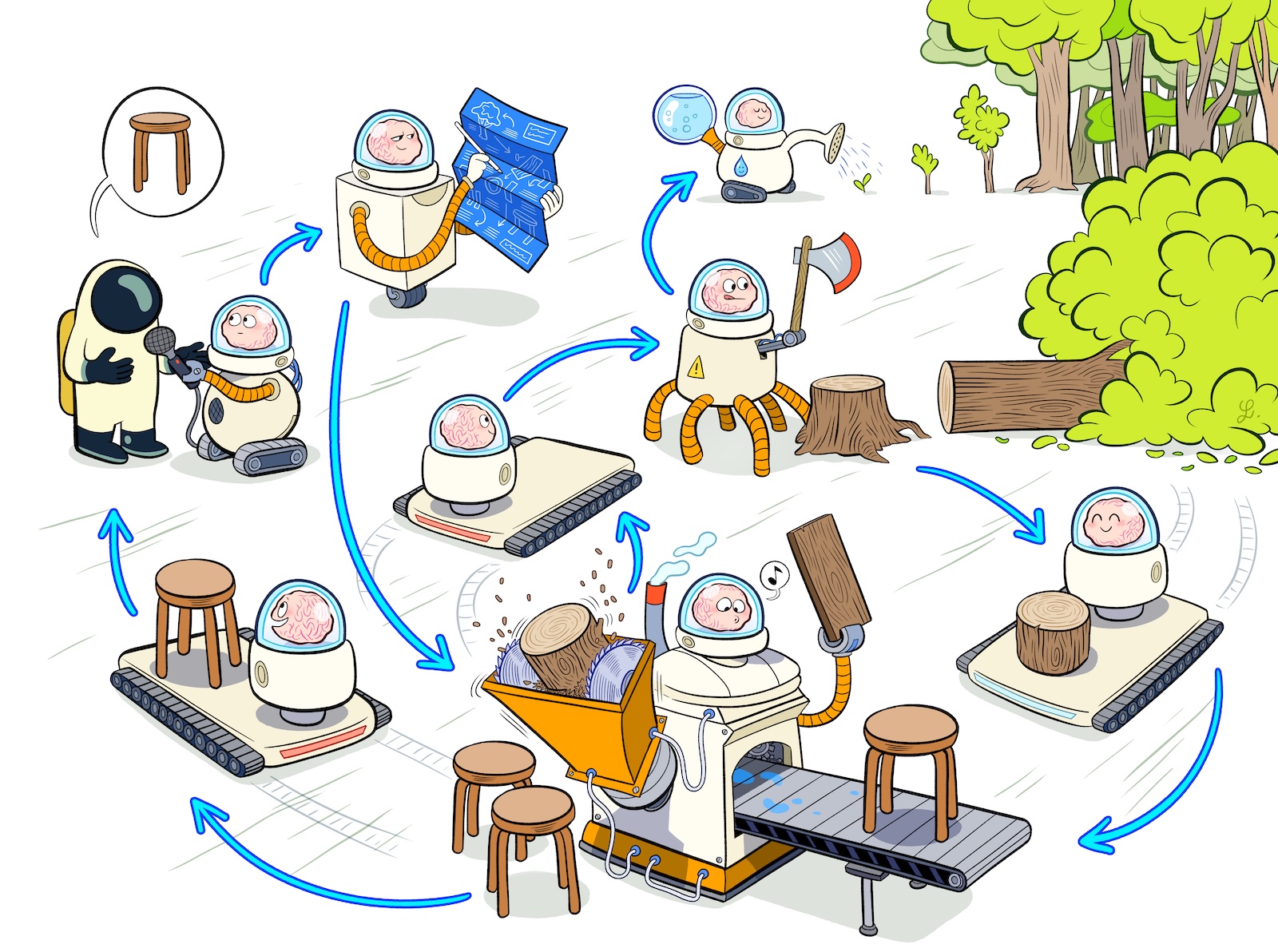
Learn how to use the Dagger API with raw HTTP queries, and how to create custom applications that use the Dagger API.
restive pumice
cunning ferry
Really interesting, so it is basically documented in https://docs.dagger.io/gett...
sorta, yeah. really both dagger's WithExec(ExperimentalPrivilegedNesting:true) and container-use's application of it are just not well-documented
like i wrote this and use it all the time and im still over here asking claude to explain how the dagger end of it works XD
this is one of those things, like ye olde docker-in-docker, that was originally built to facilitate the development of the thing itself, but just like docker-in-docker, it turns out this dev-facing feature has user-facing applications too 😅
cunning ferry
or, the distinction between user and dev is not exactly sharp in the age of AI
placid comet
cosmic birch
using a private registry should work out of the box (assuming `docker pull` work...
...and if it doesn't? I've tried setting up manifests for docker or OCI, docker login and many other variations but consistently get connection refused when it tries to get the manifest, although it works fine from the commandline and curl can retrieve the manifests without any problem, even from another container sitting next to dagger. I need to run a local registry because I have large dependencies (torch et al) and cu frequently falls apart when it takes a while to set up the container.
potent canopy
placid comet
...and if it doesn't? I've tried setting up manifests for docker or OCI, `docke...
Hi 👋 , can you please try directly with just dagger: docker login ... then dagger -c 'container | from your-private-image | terminal'. When you mention that it works with the command line, are you mentioning the dagger CLI ?
placid comet
potent canopy
Hi 👋 , can you please try directly with just dagger: `docker login ...` then `d...
Thanks for your suggestion @potent canopy I'm a CU user, not really familiar with using dagger so thanks for your patience. This is what I get...
dagger -c 'container | from registry.local:5001/libby-base:dev | terminal'
▶ connect 27.5s
▶ detect module: . 0.3s
● loading type definitions 0.3s
✘ terminal 0.0s ERROR
! failed to resolve image "registry.local:5001/libby-base:dev" (platform: "linux/amd64"): failed to resolve source
  metadata for registry.local:5001/libby-base:dev: failed to do request: Head "https://registry.local:5001/v2/libby-
  base/manifests/dev": dial tcp 10.2.1.150:5001: connect: connection refused

● container: Container! 0.0s
▼ .from(address: "registry.local:5001/libby-base:dev"): Container! 0.0s ERROR
! failed to resolve image "registry.local:5001/libby-base:dev" (platform: "linux/amd64"): failed to resolve source
  metadata for registry.local:5001/libby-base:dev: failed to do request: Head "https://registry.local:5001/v2/libby-
  base/manifests/dev": dial tcp 10.2.1.150:5001: connect: connection refused
╰─▼ resolving registry.local:5001/libby-base:dev 0.0s ERROR
  ! failed to do request: Head "https://registry.local:5001/v2/libby-base/manifests/dev": dial tcp 10.2.1.150:5001:
    connect: connection refused
  ╰─▼ remotes.docker.resolver.HTTPRequest 0.0s ERROR
    ! dial tcp 10.2.1.150:5001: connect: connection refused
    ╰─✘ HTTP HEAD 0.0s ERROR
      ! dial tcp 10.2.1.150:5001: connect: connection refused
# curl works tho:
curl https://registry.local:5001/v2/libby-base/manifests/dev
{
   "schemaVersion": 1,
   "name": "libby-base",
...
debug connection
 glacial fulcrum
👋 I'm using container-use with amazon q. I've had a recurring issue where the tool starts timing out (60s). It doesn't always resolve itself. If I connect to the cu terminal, I see that there is a 502 error. I've had to restart my system (mac os) to get the container into a clean state - restarting Docker does not work. Any advice on what might be happening and how I could resolve it?
➜ cu version
container-use version 0.4.2
commit: 89ebe7765ec067a07c51de104822056eb217c1b9
built: 2025-08-19T22:23:38Z

➜ dagger version
dagger v0.18.17 (image://registry.dagger.io/engine:v0.18.17) darwin/arm64/v8

➜ brew info docker
==> docker: stable 28.4.0 (bottled), HEAD

➜ brew info docker-desktop
==> docker-desktop: 4.45.0,203075 (auto_updates)
container-use timeout with Amazon Q
pastel shore
opaque zephyr
there's a discussion (and prototype) of running claude CLI itself inside the con...
Do you have any example for this yet ?
opaque zephyr
pastel shore
Do you have any example for this yet ?
cc @potent canopy @hexed warren
potent canopy
Do you have any example for this yet ?
 ocean wave
so container use integration with code terminal tools is "just" an mcp endpoint as of now, correct?
potent canopy
ocean wave
so container use integration with code terminal tools is "just" an mcp endpoint ...
yes, 100%
potent canopy
Need a ✅ on https://github.com/dagger/container-use/pull/301. cc @opaque zephyr
polar fiber
hi, I'd really appreciate it if you could help here. Claude Code is getting these errors when trying to create a new container.
     source directory: failed to get content hash: failed to get
     snapshot: failed to sync: failed to create new copy ref: failed
      to prepare  as vcbdthy9ykwwdfhcz2ww109v9: failed to create
     temp dir: mkdir
     /var/lib/dagger/worker/snapshots/snapshots/new-1183942730: no
     space left on device```
and
``` Error: failed to update repository: load: load: load base: load
      base: load base: load base: load base: load base: load base:
     load base: load base: load base: load base: load base: load
     base: load base: load base: load base: load base: load base:
     load base: load base: load base: load base: load base: load
     base: load base: load base: load base: load base: load base:
     load base: load base: load base: load base: load base: load
     base: load base: load base: load base: load base: load
     host.directory(path: "/path/to/repo", noCache:
     true).asGit.ref(name:
     "8bab2c7b0fa8e7d7f16bf0f46419b983376cbc34").tree(discardGitDir:
      true): Directory!: load: load base: load base: load base:
     failed to get content hash: failed to get snapshot: failed to
     sync: failed to create new copy ref: failed to prepare  as
     hzs4p701r7jo4qlnlp3zwq8j1: failed to create temp dir: mkdir
     /var/lib/dagger/worker/snapshots/snapshots/new-3570372337: no
     space left on device```
My mac has 435GB of free space, so I'm not sure what the error is about.
Thankshi, I'd really appreciate it if you
 woeful comet
Hello I try to (step 1 ) build an image and export it (step2) load the container image
step1 => container | from postgres:latest | export-image myimage
step2 => container | from myimage
but i keep getting this kins of error
! failed to resolve image "docker.io/library/myimage:latest" (platform: "linux/amd64"): failed to resolve source metadata for docker.io/library/myimage:latest: pull access denied,
repository does not exist or may require authorization: server message: insufficient_scope: authorization failed
Can you help ?
Thanks
opaque zephyr
woeful comet
Hello I try to (step 1 ) build an image and export it (step2) load the container...
you're looking for publish not export-image
woeful comet
opaque zephyr
you're looking for `publish` not `export-image`
I am just working on my computer. I want to build a process with two steps : create image, run container (using the just built image).
opaque zephyr
woeful comet
I am just working on my computer. I want to build a process with two steps : cre...
if you just want to run in dagger the image built in dagger (on the fly) then you don't need the round trip at all. how are you using the container in the end?
woeful comet
What you say is true. I am trying to explain step by step how to use the tool. step1 : create an image, step2 : start a service from the given image
crimson plume
woeful comet
What you say is true. I am trying to explain step by step how to use the tool. s...
how about
# step 1
myimage=$(container | from postgres:latest)

# step 2
$myimage | as-service | ...
Codex cli isn't using container-use mcp.
I feel like I'm missing something in the setup of codex cli. I have added the mcp config (https://container-use.com/agent-integrations#openai-codex) but when I run codex its not creating or using a container-use environment.
Do I need to create agent instructions similar to for the claude code installation? (https://container-use.com/agent-integrations#claude-code)
Do I need to guide the agent to use the mcp?
 opaque zephyr
cursive crow
Codex cli isn't using container-use mcp.
I feel like I'm missing something in t...
opaque zephyr
cursive crow
Codex cli isn't using container-use mcp.
I feel like I'm missing something in t...
Hello! Yes that's right, you probably need to prompt it to use it.
We should probably provide a standard AGENTS.md as a baseline
cursive crow
opaque zephyr
Hello! Yes that's right, you probably need to prompt it to use it.
We should pr...
Gave it a shot. Hopefully this helps: https://github.com/dagger/container-use/pull/317

GitHub
Some instruction to the codex agent for how to use the container-use mcp is needed for the agent to use it.
potent canopy
cursive crow
Gave it a shot. Hopefully this helps: https://github.com/dagger/container-use/pu...
hey, taking a look tomorrow, thanks for the contribution 🙏
potent canopy
cursive crow
Gave it a shot. Hopefully this helps: https://github.com/dagger/container-use/pu...
Aaand merged 🙏 Thanks for the contibution
 stable marsh
Hi, I find that for what I'm doing (working in claude code, manually confirming every step), container-use is useful.
Is anybody still using container-use?
However, I want to harden the container-use base-image to run podman-in-docker,
and it looks that I need to pass some "docker run" type of flags, so container-use uses them to start the container
Is there a workaround for this? https://github.com/dagger/container-use/issues/319
opaque zephyr
stable marsh
Hi, I find that for what I'm doing (working in claude code, manually confirming ...
Hello! For more fine-grained control you might need to call Dagger directly (it's what runs container-use).
If container-use is DUPLO, Dagger is lego technic 🙂
The dagger API does allow running privileged containers, and there's a mcp endpoint.
However there's definitely a learning curve, especially compared to CU which is pretty zero-conf.
stable marsh
opaque zephyr
Hello! For more fine-grained control you might need to call Dagger directly (it'...
Can you provide some hints how calling dagger instead of container-use would work in the case of claude code mcp server?
Currently I'm building the image, and pushing it to a private registry, I don't need to do anything more
container-use config base-image set docker.io/username/image-privileged:latest
Do you have any notes or examples of achieving this with dagger?
Would switching to dagger solve also my other issue, which is about using locally built images? https://github.com/dagger/container-use/issues/311
Apart from these two issues (1. privileged container, 2. locally built image) , and https://github.com/dagger/container-use/issues/304, container-use is feature complete for me, I only need a bit better security in terms of container isolation.
cursive crow
Been fully embracing CU, its great.
# .zshrc - yolo is my middle name
alias g="gemini --yolo"
alias c="claude --dangerously-skip-permissions"
alias codexxx="codex --dangerously-bypass-approvals-and-sandbox"
Some times the docker daemon is flaky (think docker desktop updates) then I have a loose cannon smashing around my terminal. Suggestions/best practices for having more safety around forcing sandbox usage?
opaque zephyr
stable marsh
Can you provide some hints how calling dagger instead of container-use would wor...
cc @regal veldt @crimson plume are we ready to bridge this UX gap? "build a custom container-use on dagger"?
cursive crow
opaque zephyr
cc <@108011715077091328> <@135620352201064448> are we ready to bridge this UX ga...
Would this mean CU could use a container that was built by dagger from some file in the same directory, which would rebuild if config was updated?
stable marsh
opaque zephyr
cc <@108011715077091328> <@135620352201064448> are we ready to bridge this UX ga...
For my use-case I'm interested in:
- having a possibility to start a container with container-use (or dagger) with --privileged (or other security related options, like -device /dev/fuse) https://github.com/dagger/container-use/issues/319
- Having a possibility to make a locally built image (currently I use devcontainer-cli to build the image, but other ways of building images may be needed, so not limited to dagger) importable into dagger, so container-use (or dagger) can start it, without the need to push/pull from cloud registries https://github.com/dagger/container-use/issues/311. If dagger can use the devcontainer-cli API somehow to build the image, that would also solve my problem.
opaque zephyr
cursive crow
Would this mean CU could use a container that was built by dagger from some file...
Probably not, CU would be replaced by your more custom dagger-powered mcp server
Alternatively, you could use Dagger to run the agent itself inside a container, removing the need for mcp altogether. One benefit of this approach is that the agent no longer has the option to escape the sandbox. So you don't need to prompt it to do so in AGENTS.md or whatever. It literally has no other choice.
opaque zephyr
stable marsh
For my use-case I'm interested in:
1. having a possibility to start a container ...
Dagger has a complete container runtime and build API, it doesn't need to call out to any external tool
The issue is not Dagger's capabilities, but finding a good way to integrate it into your workflow without too much work for you
stable marsh
opaque zephyr
Dagger has a complete container runtime and build API, it doesn't need to call o...
devcontainer-cli supports devcontainer.json. I'm not sure dagger/container-use can replace it https://github.com/dagger/container-use/issues/279
I'm building the image like this, and my goal is to have the podman-in-docker image usable from both container-use/dagger and vscode/devcontainer-cli
export USER_ID=$(id -u)
export GROUP_ID=$(id -g)
./node_modules/.bin/devcontainer build --image-name docker.io/username/image-privileged:latest --workspace-folder .
I'm getting volume out of space errors. Seems that container-use has filled 90% of the disk space I've allocated to docker desktop with snapshots in its volume: worker/snapshots/snapshots/${numbered_counter}
How do I prune those snapshots w/o breaking cu? (maybe this is a simple docker question but couldn't find any cli options or reference in the docs)
 unkempt tinsel
hello, haven't seen any new versions of container-use released though a couple of prs looked approved and not merged . What is the release cadence if any for container-use ?
opaque zephyr
cursive crow
I'm getting volume out of space errors. Seems that `container-use` has filled 90...
Hello! This is the underlying Dagger cache filling up, you can prune it with these instructions: https://docs.dagger.io/reference/configuration/cache/#manual-pruning
Learn how Dagger caches build layers and volumes to improve performance and efficiency in your workflows.
opaque zephyr
unkempt tinsel
hello, haven't seen any new versions of container-use released though a couple o...
We've been focused on improving the underlying dagger engine... Next week we will do a pass at merging PRs and cutting a release
unkempt tinsel
opaque zephyr
We've been focused on improving the underlying dagger engine... Next week we wil...
Thank you @opaque zephyr , I am presenting this project to my team and wanted to be prepared for any release related questions which is why I asked
 vernal elk
Any good resources to getting started with containers?
potent canopy
vernal elk
Any good resources to getting started with containers?
Mmh, I think this is very strong: https://iximiuz.com/en/
 bold rock
I'm constantly getting session timeout errors with container-use when using claude code. Anybody else?
bold rock
Now my dagger container is crashing and says it cannot restart...very unreliable
opaque zephyr
Sorry about that @bold rock. It definitely has rough edges.. I think this issue was reported before? @potent canopy does that ring a bell?
potent canopy
bold rock
I'm constantly getting session timeout errors with container-use when using clau...
Mmmh sorry I was away for the weekend, do you have a repro from scratch, will test today ? 🙏
 cursive jetty
hi friends! can someone please help me with my workflow with container-use; every time I try to instruct the agent to push upstream and create a PR, my local git checkout changes
I guess problem I am facing is that two agents running concurrently suddenly switch to modifying my single checkout together; is there something I am missing 🤔
potent canopy
cursive jetty
hi friends! can someone please help me with my workflow with `container-use`; ev...
Hi, thanks for the ping, do you have a standalone repro that I could try locally ? 😇 Especially in the form of: 1) what I expect 2) what i see
cursive jetty
potent canopy
Hi, thanks for the ping, do you have a standalone repro that I could try locally...
like a repo or something, or? I can try and see to package something up!
I wonder what I'm doing wrong, though; now that I had some time to think about it, I believe the model realizes I'm asking it to push a branch, but that Git isn't available, so it immediately drops back to my host and performs a checkout; but I've tried explaining now, among my other instructions whilst opening a PR, to resolve the container-use branch and use Git to open a PR upstream without checking out from the environment, and the model is 2/3 times still very eager to ignore my requests and checks out code locally 😓
potent canopy
cursive jetty
like a repo or something, or? I can try and see to package something up!
I won...
yes please. A todo that i can follow, from a repo you made, to be sure about the bug 😇
 shadow wadi
Is there a reason why container-use cant be used for simple dev containers, not agents?
potent canopy
shadow wadi
Is there a reason why container-use cant be used for simple dev containers, not ...
Hi, do you mean as a dev container ? It's primarily an MCP server that we expose
shadow wadi
potent canopy
Hi, do you mean as a dev container ? It's primarily an MCP server that we expose
As .. an isolated development environement, in which I can .. develop.
potent canopy
shadow wadi
As .. an isolated development environement, in which I can .. develop.
So you seem to be asking about usign Dagger as a dev environment then ? There was an experiment on live reloading, we're probably gonna resume it. Once this is in, your use-case will totally be possible (it is as of now, but you need to rerun the commands)
potent canopy
mmh, I think once https://github.com/dagger/dagger/pull/11332 is taken over and resumed, you should be able to. Until we have a nice DX for container <-> host interaction it's a bit complicated, doable (we do run test in isolation in Dagger atm)
 sharp abyss
flake
 pliant aurora
Hi,
I’m not sure if this is the right forum, but I’ll ask anyway.
Has anyone here used Dagger to manage Proxmox services? And would it be a good match?
I read about Dagger for the first time yesterday and I like the idea of infrastructure as code.
 slate tundra
hi,
I want to give a try to container-use (using devenv.sh to setup binaries) but I go a weird issue... when container-use stdio is trigger, my fresh dagger container is killed and restart with an older version 🤔 why ? sorry for this question but is the project still maintained?
❯ cat devenv.nix
{ pkgs, lib, config, inputs, ... }:
let
  pkgs-dagger = import inputs.pkgs-dagger { inherit pkgs; };
in
{
  packages = [
    pkgs-dagger.container-use
    pkgs-dagger.dagger
  ];
}
❯ cat devenv.yaml
inputs:
    nixpkgs:
        # ...
    pkgs-dagger:
        url: github:dagger/nix
❯ devenv shell

❯ dagger version
dagger v0.19.9 (image://registry.dagger.io/engine:v0.19.9) linux/amd64
❯ docker ps | grep -oh "dagger-engine.*"
dagger-engine-v0.19.9

❯ container-use stdio &
[1] 305899
❯ docker ps | grep -oh "dagger-engine.*"
dagger-engine-v0.18.14

❯ container-use version
container-use version 0.4.2
commit: 89ebe7765ec067a07c51de104822056eb217c1b9
built: 2025-08-19T22:23:38Z
or should I go full dagger to do mostly the same ?
opaque zephyr
slate tundra
or should I go full dagger to do mostly the same ?
It's not officially abandoned, but it's true we haven't been actively developing it. Yes it seems there is much more interest in using full Dagger directly. For more simple sandboxing, it seems that coding agent tools bundle enough features to give you the basics.
As for your immediate problem: I think you can avoid the "kill other dagger engine" behavior by setting the env var DAGGER_LEAVE_OLD_ENGINE=1
shut oriole
Does anyone use dagger with opencode?
Looking for example integrations or flows
Something inspiring
 raven notch
shut oriole
Does anyone use dagger with opencode?
raven notch
shut oriole
Does anyone use dagger with opencode?
I'm using dagger for agentic environments via Golang & ADK (lower level than opencode)
raven notch
shut oriole
Something inspiring
like "any point in time" diffs & terminals at the click of a button? Dagger allows you to do some super cool things
 fair river
shut oriole
Does anyone use dagger with opencode?
fair river
shut oriole
Does anyone use dagger with opencode?
I do but but I am having a bear of a time getting it to work right. Set it up as per the docs but OpenCode keeps facing issues making tool calls
 pearl ridge
Hi! I want to use container-use as fully as possible with Claude Code. I'm thinking about if I should disallow some tools in Claude Code to force it to use container-use. Following the quickstart guide, it looks like the recommendation is to allow the default set of Claude tools along with all the container-use tools.
What I wonder specifically is if the planning phase (including research with WebSearch) should happen in container-use or outside. What I can gather (e.g. here) the idea is to do planning in Claude Code and let it shift to container-use only for the actual implementation – writing and running code basically. Is this correct?
potent canopy
pearl ridge
Hi! I want to use container-use as fully as possible with Claude Code. I'm think...
Yes it's correct 👌
 plain comet
Hi, https://container-use.com/quickstart#1-install-container-use could mention https://github.com/dagger/nix including possibility of adding it to devbox with for example "github:dagger/nix#packages.x86_64-linux.container-use" 🚀

 surreal saffron
opaque zephyr
As for your immediate problem: I think you can avoid the "kill other dagger engi...
surreal saffron
opaque zephyr
As for your immediate problem: I think you can avoid the "kill other dagger engi...
this seems like a workaround to use container-use with newer dagger engines >= 0.15
as cu terminal is not working with latest minor version so we have to keep 0.14 in use.
luckily we can use mise to define in every folder/project which version of dagger we need so this helps in this case
opaque zephyr
surreal saffron
this seems like a workaround to use container-use with newer dagger engines >= 0...
you can wrap with dagger run fyi
surreal saffron
opaque zephyr
you can wrap with `dagger run` fyi
but only works if using older version of dagger (0.14), still doesnt work with terminal, so dagger run terminal is just exiting 1 if using 0.15 version
magic crest
No merges since 2025 🙁
plain comet
I'm using both dagger and container-use via devbox with https://github.com/dagger/nix
My setup uses OpenCode integration https://container-use.com/agent-integrations#opencode
I experience weird quirk, when i apply and delete env using container-use cli, then agent in open code can't create a new env. When I close and re-open opencode then from the same session it can create new env without any problem. I also start opencode in devbox shell that has both dagger and container-use. I have no idea which part of this setup is causing this glitch.
 opaque zephyr
magic crest
No merges since 2025 🙁
opaque zephyr
magic crest
No merges since 2025 🙁
Sorry about that. Yes at the moment we're not actively developing new features on container-use. We've been focusing on improving the underlying Dagger engine (which indirectly benefits container-use).
If anyone wants to invest time in maintenance, we are open to sharing maintainer privileges (after a quick sanity check to make sure you're not attempting a supply chain attack 🙂
magic crest
I'd be honored to be considered for that. Kyle, Lev, and Jeremy have met me before and Jeremy knows where I work at.
crimson plume
magic crest
I'd be honored to be considered for that. Kyle, Lev, and Jeremy have met me befo...
yes I can vouch for you 😄
opaque zephyr
crimson plume
yes I can vouch for you 😄
Let's do it! Very appreciated @magic crest
@magic crest what do you have in mind for the project? Specific features you want to add, or just KTLO?
opaque zephyr
@magic crest sent you an invite with maintainer access on the repo
magic crest
Omg wow. Awesome. I was analyzing the branches earlier and I liked the idea of reviewing the test-suite for inclusion into the next release along with other merges to main.
And from there all the low risk, small changes branches including docs, coding assistant changes, and git handling improvements.
 frosty bison
Hello
I am using container-use to vibecode on my dagger modules
That means that the agent needs to run some dagger commands inside the container-use Environment
I installed docker and dagger as setup-command of my container-use
But I need a way to start dockerd when we are starting the Environment
Do we have a way to override entrypoint ?
frosty bison
Is there a way to run a container-use Environment as privileged (aka docker run --privileged ...) ? I will need it to run docker-in-docker
 uneven sonnet
Hey there! N00b.
I have installed everything and everything is feeling ropey.
- I installed
container usewith brew ... and have been getting some ok results. - so i installed
daggerwith brew as rereading docs,
And container-use fails now because brew installeddagger:0.20as a docker image and I think0.18is expected - is this correct? should I uninstall dagger if iam using container-use!?
I uninstalled dagger ... obvs now i get
cu terminal some-env

   ERROR

  Dagger is not installed. Please install it from
  https://docs.dagger.io/install/.
but how do i install it so it doesnt break with container-use?
- Dagger image is running in Docker
- I installed with
brew install dagger/tap/container-use... whats gwan?
uneven sonnet
Ok - i force installed the 0.18.14 version, and it is happy again.
However, I am trying to use it with MCP and ZED.
✅ I have installed container-use-mcp extension
❌ I followed conatiner use docs for Zed, and added the following - which times out (see img)
"context_servers": {
    "container-use": {
      "command": "container use",
      "args": ["stdio"],
      "env": {},
    },

This works ... but im going blind here
"context_servers": {
    "container-use": {
      "command": "cu",
      "args": ["stdio"],
      "env": {},
    },
Can you recap what the current problem is?
 weary isle
hi everyone! yesterday i started testing container-use for my nix flake + devShells workflow, but hit the problem with timeouts
i configured cu to use nixos/nix as a base image, i tell my agent to start the app and give me a link, it creates environment, tries to start something like "nix develop -c just" (just is just a task runner kinda like make), but then after 30s it failed to run service
https://github.com/dagger/container-use/pull/127/changes
this is pr that introduced serviceStartTimeout which is 30s and it is not configurable, is it possible to change this behaviour?
i'm happy to make a contribution, but need some opinion first

i stumbled upon cu trying to find sandboxed shell solutions, and now i am testing this: i disabled all editing and terminal built-in agent tools and enabled all the cu tools, is that a valid approach or cu is better fit background agent work?
 candid raft
Is there a way to use custom images for container-use? So the agent doesnt waste time installing tools like bun, ...?
 dull wedge
candid raft
Is there a way to use custom images for container-use? So the agent doesnt waste...
dull wedge
candid raft
Is there a way to use custom images for container-use? So the agent doesnt waste...
I think you can provide base image with preinstalled deps in you environment.json
frosty bison
Hello
I have created a custom runner that is running dagger-engine 0.20.5 and is exposed through TCP on port 8678
I have defined _EXPERIMENTAL_DAGGER_RUNNER_HOST as tcp://127.0.0.1:8678
When running dagger, everything works fine. It detects the engine and connect to it.
When using container-use, AI agent (I tried with Claude Code/OpenCode/Zed) reports container-use does not work because it expect dagger-engine-0.18.4
Is it expected ?
If I force my custom runner to use dagger-engine 0.18.4 and force local dagger CLI to use 0.18.4, it works fine
 main inlet
@still robin @opaque zephyr container-use going to be deprecated or will be merged into dagger only?
opaque zephyr
main inlet
<@336241811179962368> <@488409085998530571> container-use going to be deprecated...
container-use is "community maintained" -> The core Dagger team no longer has the resources to maintain it, we are focused on core Dagger. @magic crest was interested in taking over maintenance - but I have a feeling he may be stretched thin too 🙂 Drew you still want to do this? Otherwise I should communicate more clearly on the repo that the project is not actively maintained