#Image Slider
1 messages · Page 1 of 1 (latest)
 celest trench
This sounds a bit like a 3D modeling for e-commerce. Is that sort of what you're going for but instead of modeling with like CAD software, you want to have images instead?
 soft pelican
Well its not really like a cauorsel of images
ITs more like a 2D simple image slidewr
celest trench
Do you have any mocks?
soft pelican
Yeah I do
Lemme get an recording
HEre is the recording
I don't really get why it just resets for no reason
if u need the code I will be able to provide the code
celest trench
Sure yeah, more details the better
soft pelican
How do I copy and paste code
or do I download a file?
I think thje message txt is fine
but I dont know what is wrong with teh CSS code
celest trench
Paste code between 2 sets of 3 backticks:
def foo(bar):
  return baz
.image-slider{

  position: relative;
}
/* IGNORE
 .horizontal-images {
  width: 200%;
  height: 100%;
  position: relative;
  margin: auto;

} */

.image {
  object-fit: cover;
  display: block;
  /* transition: ease-in-out 600ms; */
  overflow: hidden;
}

.image-next-offscreen {
  position: absolute;
  top: 0;
  right: -100%;
  /* animation: 20ms ease-out forwards zoomIn;
  animation-play-state: paused; */
}

.image-hidden {
  height: 100%;
  width: 100%;
  display: none;
}


.image {
  height:100%;
  width: 100%;
}
.image:hover {
  transition: transform 500ms ease-out;
  transform: scale(1.1);
}
/* doesnt work */
/* .image-slider:hover .image-next-offscreen{
  transform: scale(1.1);
  cursor: pointer;
} */

/* Next two blocks handle the image sliding right from offscreen */
@keyframes slideInFromRight {
  0% {
    transform: scale(1.1) translateX(0);
  }
  100% {
    transform: scale(1.1) translateX(-100%);
  }
}

.slide-in-right {

  animation: 1.5s ease-out 0s 1 forwards slideInFromRight;
  /* makes incoming slide on top of the current image */
  z-index: 1;
}

/* doesn't work */
/* @keyframes zoomIn {
  0% {
    transform: scale(1);
  }
  100% {
    transform: scale(1.1);
  }
}*/


/* Next two blocks handle the image sliding right to disappear */
@keyframes slideOutRight {
  0% {
    transform: scale(1) translateX(0);
  }
  100% {
    transform: scale(1.1) translateX(-100%);
  }
}
.slide-out-right {
  /* .5s delay for a smoother transition */
  animation: 4s ease-out 0s 1 forwards slideOutRight;
}
.slide-out-right:hover{
  transform: scale(1.1);
}
.slide-in-right:hover{
  transform: scale(0.5);
}
 const returnClassName = (index) => {
        var className = "";
        if(index === image){
            className = "image";
            /// If the animation is visible (active), then the image should slide in from the right
            if (animationVisible) {className += " slide-out-right";}
            if (isZoomedIn) {className += " zoomed-in";}
        }
        /// Supposed to load an image offscreen to the right if its the next in the array
        else if ((index === image+1) ||( image === IMAGES.length-1 && index === 0)) {
            className = "image image-next-offscreen";
            console.log(className)
            /// If the animation is visible (active), then the image should slide in from the right
            if (animationVisible) {className += " slide-in-right";
                if (isZoomedIn) {className += " zoomed-in";}    }
        }
        else {
            /// any images not next/current should be hidden
            className = "image image-hidden";
        }

        return className;
    }
I think it has something to do with the keyframes because every time I execute the sliding animation it immmediately reverts back to scale(1)
wait
I might have fixed it lemme see
it kinda is fixed lmao
celest trench
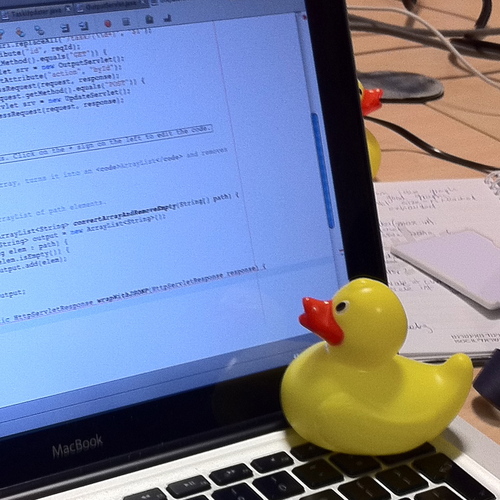
In software engineering, rubber duck debugging (or rubberducking) is a method of debugging code by articulating a problem in spoken or written natural language. The name is a reference to a story in the book The Pragmatic Programmer in which a programmer would carry around a rubber duck and debug their code by forcing themselves to explain it, l...
What was the issue?
soft pelican
There wasn't an error
its more of a design
Like the image scale down to 1 with no transition
even though my mouse was still hovered over it
its doing it to the next image
but I fixed it for the previous image
but yeah lmao I love rubber duck debugging
Thank you for the force