#Does bevy Tranform changes an object anchor point?

32 messages · Page 1 of 1 (latest)

frail kestrel
#

This is my camera code:

use crate::{player::Player, world::MyMainWorld};
use bevy::prelude::*;
use bevy_voxel_world::prelude::*;

const CAMERA_DISTANCE: f32 = 1.0;
const HORIZONTAL_ANGLE: f32 = 45.0_f32.to_radians();
const VERTICAL_ANGLE: f32 = 35.0_f32.to_radians();

pub fn spawn_isometric_camera(
    mut commands: Commands,
    player_query: Query<&Transform, With<Player>>,
) {
    let player_position = player_query.single().unwrap().translation;

    let offset_x = CAMERA_DISTANCE * HORIZONTAL_ANGLE.cos() * VERTICAL_ANGLE.cos();
    let offset_y = CAMERA_DISTANCE * VERTICAL_ANGLE.sin();
    let offset_z = CAMERA_DISTANCE * HORIZONTAL_ANGLE.sin() * VERTICAL_ANGLE.cos();

    let camera_position = player_position + Vec3::new(offset_x, offset_y, offset_z);

    // Create transform looking at the player
    let transform =
        Transform::from_translation(camera_position).looking_at(player_position, Vec3::Y);

    commands.spawn((
        Camera3d::default(),
        Projection::Orthographic(OrthographicProjection {
            scale: 0.05, // zoom level
            near: -35.0, // Increase this (more negative = see more behind)
            far: 50.0,
            ..OrthographicProjection::default_3d()
        }),
        transform,
        VoxelWorldCamera::<MyMainWorld>::default(),
    ));
}

pub fn move_camera_towards_player(
    player_query: Query<&Transform, With<Player>>,
    mut camera_query: Query<&mut Transform, (With<Camera3d>, Without<Player>)>,
) {
    let player_position = player_query.single().unwrap().translation;
    let mut camera = camera_query.single_mut().unwrap();

    camera.translation.x = player_position.x;
    camera.translation.z = player_position.z;
}
``` In my mind, this should not work, this should position the camera on top of my player (on the first movement key stroke) and face forward, I should not be able to see my player, but I see it. Does the Transform thing changes the camera anchor point or something like that?
#

This is my main.rs file. I just load stuff sync:

fn main() {
    App::new()
        .add_plugins(DefaultPlugins)
        .add_plugins(VoxelWorldPlugin::with_config(world::MyMainWorld))
        .add_systems(
            Startup,
            (
                player::spawn_player,
                camera::spawn_isometric_camera,
                world::setup,
                world::create_voxel_scene,
            )
                .chain(),
        )
        .add_systems(FixedUpdate, player::bind_controls)
        .add_systems(Update, camera::move_camera_towards_player)
        .run();
}
tawdry osprey
#

orthographic cameras are quite different than usual perspective cameras and can be unintuitive

#

orthographic cameras view an arbitrary volume and their "anchor point" is usually within that volume

#

it would be true that you couldn't see the player if you changed near to be zero or positive

frail kestrel
#

If I reconstructed my ortographic camera with a perpective + fov = 0, would I avoid this problem? I feel like I don't know how to control this camera and this frustrates me

tawdry osprey
#

what is the problem you are trying to solve?

#

so far I understand you to have said "this shouldn't work but actually it works. why?"

frail kestrel
#

The camera right now is perfect, it works as I aim, but I'm unable to understand completely why it works. I got the correct near and far values on trial and error, I don't understand it.

tawdry osprey
#

the near and far values need to be set so they enclose the area around the origin point that you want to be visible.

#

that's all.

#

the origin of the camera as moved by its Transform, that is

frail kestrel
#

But what does this values represent? a radius?

tawdry osprey
#

the volume visible to an orthographic camera is a box

#

it has six faces, left right top bottom near far

#

the near and far values position where the near and far faces of the box go

frail kestrel
#

OOoooo

tawdry osprey
#

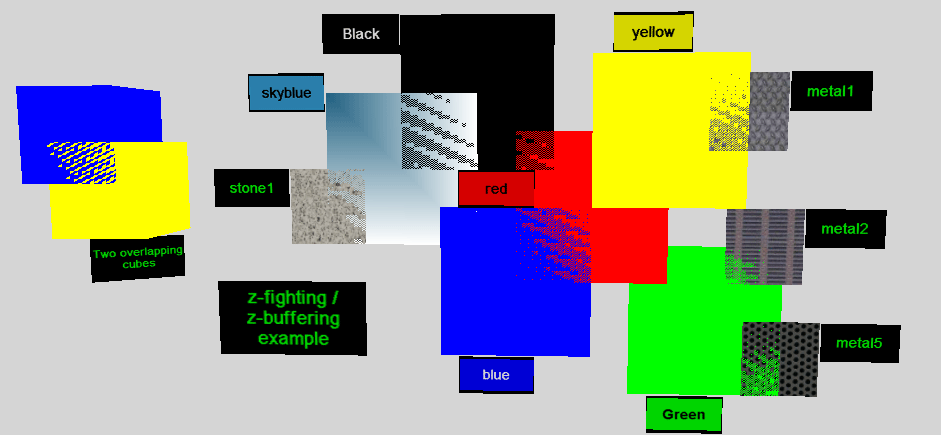
the main reason it is unintuitive to set them is that they make no visual difference until you make them too close (clipping the scene) or too distant (loss of depth buffer precision, Z-fighting)

frail kestrel
#

It's a pyramid like cube

tawdry osprey
#

no

#

a perspective camera has a frustum (truncated pyramid)

#

in an orthographic camera, instead of sloping sides making a pyramid, you have parallel sides making a box

frail kestrel
#

Awesome, I understand it now

#

you are pretty good at explaining it

#

This image on the docs would be convenient I think

tawdry osprey
#

you can sort of think of an orthographic camera as being like a perspective camera where the view point is infinitely far away, but we don't set them up that way because infinities make it harder to get the math right, so that's more of an abstract perspective than a practical one

frail kestrel
#

but we don't set them up that way because infinities make it harder to get the math right This is something I'm gonna need to understand later.

#

Those are two distances from the camera

#

loss of depth buffer precision
Do you have any link showing this problem?

tawdry osprey
#

Z-fighting, also called stitching or planefighting, is a phenomenon in 3D rendering that occurs when two or more primitives have very similar distances to the camera. This would cause them to have near-similar or identical values in the z-buffer, which keeps track of depth. This then means that when a specific pixel is being rendered, it is ambi...

frail kestrel
#

Thank you, appreciate it a lot. You spared me a good time of stress and research

#

Now even the translation makes sense. The "origin" being considered on these vectors and distances is the player center. As when I set near = 0 the player is cut in half: