#skein
1 messages · Page 2 of 1
 regal tapir
two questions:
- is there a plan for relations in skein
- is there a way to search a thread like this in discord. because I feel like an ass asking things that surely have been discussed to death
 snow heron
I've been experimenting with relationships for skein and its something I absolutely want to support.
the tldr on relationships is that we basically need to process the whole scene to set them up, and separately we need to be able to pick objects in blender
snow heron
regal tapir
2. is there a way to search a thread like this in discord. because I feel like a...
- you don't need to feel like an ass. I definitely don't see you as an ass.
- I don't actually think there is a way to search just a thread 😅
regal tapir
snow heron
I've been experimenting with relationships for skein and its something I absolut...
it's interesting because it's similar to the problem of replicating children of a scene.
snow heron
my current thought is that since Scenes are constructed with a World at import time, we can take advantage of the AssetEvent to dig into that World and set up the Relationships in that world before the Scene is instantiated
its either that or use SceneInstanceReady observers
regal tapir
do scenes handle relations atm at all?
snow heron
yes
they pre-define all entity ids
but the entity mapping traits don't seem to have a way to map from "fake entity to entity", only from entities that exist in the scene to other entities that exist in the scene
the entity ids are already defined, so can be referenced. But the gltf entities are created at import time, so they don't exist until the entities are spawned
regal tapir
what do you mean by fake entity
snow heron
the full path is something like:
- MyRelationshipOf(Entity)
- that information gets into blender and we construct some ui to pick other objects
- when inserting
MyRelationshipOf, what is the "Entity" value coming from Blender?
regal tapir
so a scene can have relations and it will fix the entity id's when copying the component to the spawned scene.
but no way to (current) way encode the relation in gltf?
snow heron
I've taken to calling that Entity value from blender a "fake entity" because the actual entity id doesn't exist until the gltf loader creates it
regal tapir
right. that makes sense.
what you really want is to have the gltf loader replace the fake_entities with real (scene) entitys the same way the scene spawner maps scene Entity to main-world Entity when spawning
snow heron
regal tapir
so a scene can have relations and it will fix the entity id's when copying the c...
yeah, the entity ids are right there, so when a relationship is defined inside of that ron file, it points to the pre-defined entity id.
Those entity ids actually get mapped into the new world when the scene is instantiated
snow heron
regal tapir
what you really want is to have the gltf loader replace the fake_entities with r...
yeah, and gltf doesn't have references or ids either, so we actually don't have a way to uniquely identify a specific object built-in
as a side note, I intend to try to support bsn through a blender exporter when we get the file format, which I think will fix these things. That's very far future though
regal tapir
snow heron
as a side note, I intend to try to support bsn through a blender exporter when w...
good to hear
hopefully bevy / blender can eventually have really nice interop, seeing as both are open source
it was always a surprising amount of pain in unity/unreal
snow heron
yeah it would be great to have that interop. I think there's a place for it even when Bevy gets an editor. The two will coexist more than compete
regal tapir
I mean, you have to make assets somewhere.
snow heron
regal tapir
what you really want is to have the gltf loader replace the fake_entities with r...
and to answer this, even if we relied on the gltf loader to create the entities, I think we still end up needing to do the same process we'd do in the asset-loader/sceneinstanceready approaches.
I am absolutely trying to not fork the gltf loader though
we might be able to upstream some changes but we need a working implementation or prototype of what is needed first I think
snow heron
@regal tapir this is the approach I'm going to suggest in the docs
#[derive(Component, Reflect, Debug)]
#[reflect(Component)]
#[type_path = "blender"]
#[type_name = "Something"]
struct Character {
    name: String,
}

you don't get to define multiple type_paths afaict, but you do get to define anything as accessible in Blender with an alternative type_path that isn't dependent on the module structure
regal tapir
using type_path = "<crate_name>" might be good
it keeps the relevant info, and stips the specific path.
snow heron
I think that's up to the user. people rename their crates as often as they rename/move their types
regal tapir
true
snow heron
I like the idea of the documentation pushing people towards a specific universal root by default. Anyone is free to change it but most people are going to copy/paste
idk that "blender" is the right root, but some root that makes sense
regal tapir
only issue is code collisions
snow heron
yeah that's always true though. You can make any crate name you want locally
regal tapir
so encouraging library devs to do this would be a bad idea
snow heron
and it doesn't actually collide unless the paths exact match
snow heron
regal tapir
so encouraging library devs to do this would be a bad idea
yes, library devs won't be doing this though
library devs will be using their own internal full paths or their own crate name
this is an end-user thing for the most part
it might make sense for crates to do it if they scoped to their own crate, but I don't think the ecosystem is at a point where many people are actually thinking about major version compatibility
so the real solution there is going to be the migration tools if you upgrade a crate version and they changed the paths
 dull lichen
Anyone else get an error when trying to add bevy_ecs::name::Name to an Object and importing to Blender?
2025-06-05T20:12:32.035634Z ERROR skein_processing: bevy_skein: failed to instantiate component data from glTF data err=Error("invalid type: map, expected bevy_ecs::name::Name", line: 0, column: 0) obj={"skein": Array [Object {"fresnel::usable::usable::Usable": Object {"do_raycast": Bool(true), "player_use_time": Number(0.0)}}, Object {"avian3d::dynamics::rigid_body::RigidBody": String("Static")}, Object {"avian3d::collision::collider::layers::CollisionLayers": Object {"filters": Number(2147483647), "memberships": Number(33)}}, Object {"avian3d::collision::collider::constructor::ColliderConstructor": Object {"Cuboid": Object {"x_length": Number(0.20000000298023224), "y_length": Number(0.4000000059604645), "z_length": Number(0.05000000074505806)}}}, Object {"bevy_ecs::name::Name": Object {"hash": Number(0), "name": String("Button")}}]}
I have to wonder if it's related to my linking workflow.
 austere canopy
I think skein takes the name of the model from blender already. For example, the default cube gets imported with it's name when I created just a basic example and looked with bevy_egui_inspector.
snow heron
Yeah that's correct, there's no need to put the Name component on an object because the blender name is already used by gltf/bevy/etc
 primal breach
Hello there,
I've been working with skein for the game jam - it is an absolutely heavy lifter.
I was now wondering - how would I connect two Models together with skein?
Usually I'd have a
struct LinkedTo {
  other: Entity,
}
component that I'd attach, but I can't do that in skein, can I?
Because I don't know which Entity will be spawned of the other object 🤔
snow heron
primal breach
Hello there,
I've been working with skein for the game jam - it is an absolutel...
Skein doesn't currently support Relationships (which is effectively the same as Fields with Entity types). I have some ideas for how to do so but you're correct in thinking that the entities don't exist until Bevy creates them in the gltf loader, which poses a problem because gltf doesn't have a slot for entities ids to enable EntityMapping. It seems solvable but it needs to be implemented.
You could workaround this by doing something like placing your own "id" Component on the target entity and using a different Component BlenderLinkedTo(String) instead of the LinkedTo. Then in an OnAdd observer or SceneInstanceReady you can query for all Id component entities and all BlenderLinkedTo component entities, and insert the correct LinkedTo on the correct entity
the workaround doesn't feel great, but it would work if you need the functionality. I really want first-class support for Relationships with a nice object picker UI in Blender but there's a couple of problems to solve before shipping it
primal breach
I assumed that it's not that trivial and I'm happy to use the workaround
 granite ginkgo
Ran into something silly; I have a Option<&'static str> in my component, and I can't set its value
Is that to do with it being static reference or something else?
The error that I'm seeing:

Versus the code:
#[derive(Component, Default, Reflect)]
#[require(
    TargetTransform(Transform::default()),
    SmoothingSettings { translation_decay_rate: 3.0, scale_decay_rate: 10.0, ..default() },
    Visibility::Hidden,
    Transform,
)]
#[component(on_insert = insert_menu_element)]
#[reflect(Component, Default)]
pub struct MenuElement {
    pub for_menu: MenuState,
    pub target: Option<Transform>,
    pub menu_action: Option<&'static str>,
    pub side: f32, // -1.0 or 1.0, probably
}
yeah its because its a &str and that's not being handled at the moment. A String works atm but it looks like a simple fix to support &str there too.
That said I'm not sure what that data would be referencing, since the Gltf could be dropped or the GltfExtras could be removed. GltfExtras holds the value as a String, so I think by doing this you're effectively referencing data in another Component. What's your reasoning for using a reference there?
 granite ginkgo
I was maining using a &'static str there because there was no reason to mutate it
And because it's more ergonomic to write menu_action: Some("credits") and match menu_action {} than menu_action: Some("credits".into()) and match menu_action.as_deref() {}
snow heron
well from the Blender side we can fix the ui representation easily I think. I'm just not sure what will happen once the asset data gets to Bevy and it tries to construct a Component from the reflection data.
granite ginkgo
The reference would probably just be a forgotten box; I don't know how serde handles it
I guess, I should say, I don't know how serde_json handles the equivalent situation, nor do I know how bevy_reflect::serde handles it 🙃
snow heron
granite ginkgo
The reference would probably just be a forgotten box; I don't know how serde han...
yeah, so every &str from an asset would be a memory leak at that point, right?
granite ginkgo
Lemme check the json case on playground to make sure I'm not an idiot
granite ginkgo
snow heron
yeah, so every &str from an asset would be a memory leak at that point, right?
Yeah; a slightly more ideal solution would be a symbol reference, but leaking a string is no different from retaining a String if the component is going to stick around forever anyway
... Ok serde does not handle it
I'll call this my bug and move on 🙃
snow heron
2025-06-27T00 59.820614Z ERROR skein_processing: bevy_skein: failed to instantiate component data from glTF data err=Error("type
 &str did not register the ReflectDeserialize type data. For certain types, this may need to be registered manually using register_type_data (stack: option_component_test::MenuElement -> core::option::Option<&str> -> &str)", line: 0, column: 0) obj={"skein": Array [Object {"option_component_test::MenuElement": Object {"for_menu": String("Three"), "menu_action": String("credits"), "side": Number(0.20999999344348907), "target": Null}}]}
Bevy also doesn't register ReflectDeserialize for &str
I thought I saw a PR that did something like that recently but I can't find it.
snow heron
granite ginkgo
I'll call this my bug and move on 🙃
Skein should at least warn about this in the UI, so I'll file an issue to do that
GitHub
Bevy doesn't register ReflectDeserialize for &str (and according to other testing, this wouldn't work in serde either). So trying to use a Component like this #[derive(Component, Defaul...
 ocean swallow
hmmm im struggling a bit to add components to an individual bone in blender instead of the entire object the bone is attached to. This is supposed to be possible right?
snow heron
ocean swallow
hmmm im struggling a bit to add components to an individual bone in blender inst...
we generally have to enable it for everything like this: https://github.com/rust-adventure/skein/blob/d2e06dcb0d3061a10ad63bd09d6f7e576752a2f0/extension/skein_panel.py#L13-L27
we probably just need to add another section like this

GitHub
Convert glTF extras to Bevy Components using reflection - rust-adventure/skein
I'll take a look at handling it later today
ocean swallow

snow heron
ocean swallow
<:pogey:622738892856229898>
was a bit more awkward than expected, but the export from blender is working. I haven't merged it yet because I'd like to create an example first but if you want to try it you can pull the PR and install the extension: https://github.com/rust-adventure/skein/pull/47

 split pagoda
snow heron
we generally have to enable it for everything like this: https://github.com/rust...
split pagoda
snow heron
we generally have to enable it for everything like this: https://github.com/rust...
thank you!!
if you have the time, could you tell me how i could build this from source? trying to get access to this change to take advantage of it and, i'm ngl i don't know enough rust to know what i'm doing, i'm just the 3d modeler and want to use this to progress in our project
snow heron
split pagoda
if you have the time, could you tell me how i could build this from source? tryi...
the Rust side hasn't changed here, so it would've just been building the zip for the python extension. There's a Justfile with common development commands like that, including build which executes this Blender command that builds the extension zip, which could then be installed directly.
Blender --command extension build --source-dir extension/
However, I've released 0.1.9 so you don't need to do that. Just update the extension from Blender
next example shows off rotating a bone, which in Blender is an armature with a bone as large as the cube. So a Rotation on the cube would've sent this rotating at the center of the cube. Rotating the bone instead rotates from the bone root.
On the Rust side after spawning a gltf scene that has a bone inside it with the ControlBone Component:
fn control_bones(
    mut query: Query<&mut Transform, With<ControlBone>>,
    time: Res<Time>,
) {
    for mut transform in &mut query {
        transform.rotate_x(PI * time.delta_secs());
    }
}
Components on Bones can't currently be added in Edit mode which we might be able to fix but I'm not actually sure. The UI only shows in the Bone tab for Object and Pose modes.
 split pagoda
snow heron
the Rust side hasn't changed here, so it would've just been building the zip for...
split pagoda
snow heron
the Rust side hasn't changed here, so it would've just been building the zip for...
Great! That makes my life a lot easier lol
 royal willow
hello, i wanted to ask how do i insert a component to an entity after its spawned? its very confusing since there are 3 different entities as i understand, and adding components to the entity with sceneroot will not work.
cmd.spawn((
  SceneRoot(server.load(GltfAssetLabel::Scene(0).from_asset("scenes/companion_cube.gltf"),)),
    Faction{
      name: "foos".to_string(),
      ..default()
      },
    formation.get_position(i),
  ));
``` Here is what i am trying to do if it helpsthe pattern is usually use an observer that listens to SceneInstanceReady and then look for the entities you want to that exist in the scene using Querys
Is this Faction supposed to be on the Root with the SceneRoot or on an entity inside the Scene?
snow heron
here's an image that shows what's going on in more detail. This is the default cube in the default scene with a few extra components added
ASceneMarkeris placed on the Blender SceneANodeMarkeris placed on theCubeNodeAMeshMarkeris placed on theCubeMeshAMaterialMarkeris placed on the Material used by theCube

so we end up with 4 entities.
- The Bevy
SceneRootentity, which is spawned in code. - The Blender Scene Entity, which is "The Blender Scene" container
- The Cube Node Entity
- The Cube Mesh and Material Entity
that is what is created from this hierarchy in Blender. Notice that the Collection is removed entirely and doesn't exist in the Entity hierarchy. It's an organization tool, not a "real node"
 royal willow
snow heron
Is this Faction supposed to be on the Root with the SceneRoot or on an entity in...
royal willow
snow heron
Is this Faction supposed to be on the Root with the SceneRoot or on an entity in...
an entity inside the scene (basically the scene is just one entity thats getting spawned a lot of times)
and thats good to know... i wonder if there is a way to only spawn the cube node or at least access it after spawning the scene, but i am assuming you are ment to use this addon to make the entire level and then just spawn that rather than using it to manually spawn a bunch of entities individually
snow heron
royal willow
an entity inside the scene (basically the scene is just one entity thats getting...
a "Scene" isn't a whole scene necessarily. its just a reusable piece of stuff. So think of "Scene" as the container abstraction for a bunch of entities. As many or as few as you'd need.
Also worth noting that this is the glTF behavior verbatim, Skein doesn't actually change this at all. Skein is only responsible for inserting component data, so you'd get this effect with any glTF data
You can reach into and grab the cube mesh and piece an entity together yourself. All of the primitives and such are available in the Gltf struct to do that, but its not necessarily maintainable to do that for everything.
you can definitely access the cube after spawning the scene. The way you'd do that is using the SceneInstanceReady observer, then something like iter_descendants and Query to find the node you're looking for
royal willow
snow heron
a "Scene" isn't a whole scene necessarily. its just a reusable piece of stuff. S...
i know its more like prefabs in unity. IMHO scenes is just a terrible name for it, i get that its inspired from godot but in both engines it kinda fails to communicate what it actually is
And yeah i understand, thanks for the help either way
ill take a look at sceneinstanceready then maybe
snow heron
yeah we could have a better name than Scene, but I'm not sure what we'd actually call it tbh. All of the generic container names are taken (Object, Node, Collection, etc)
snow heron
royal willow
ill take a look at sceneinstanceready then maybe
the skein template has an example of this: https://github.com/rust-adventure/skein/blob/da05cfc30e0c35912e9ff352dab8c2698343f63a/src/main.rs#L11-L27
iter_descendants on the scene to find the entity with a specific component on it. You could look for a specific Name or anything else instead
 fast raft
is there an example repo I can clone? I'm hoping to use bevy for my next project and the lack of an editor is the onl thing stopping me. would be cool to clone a repo and boot up blender and see how things feel.
 lethal rain
@ocean burrow may be able to show you how this works with the foxtrot example
snow heron
fast raft
is there an example repo I can clone? I'm hoping to use bevy for my next project...
is there something you're looking for that the quickstart project in the docs doesn't do?
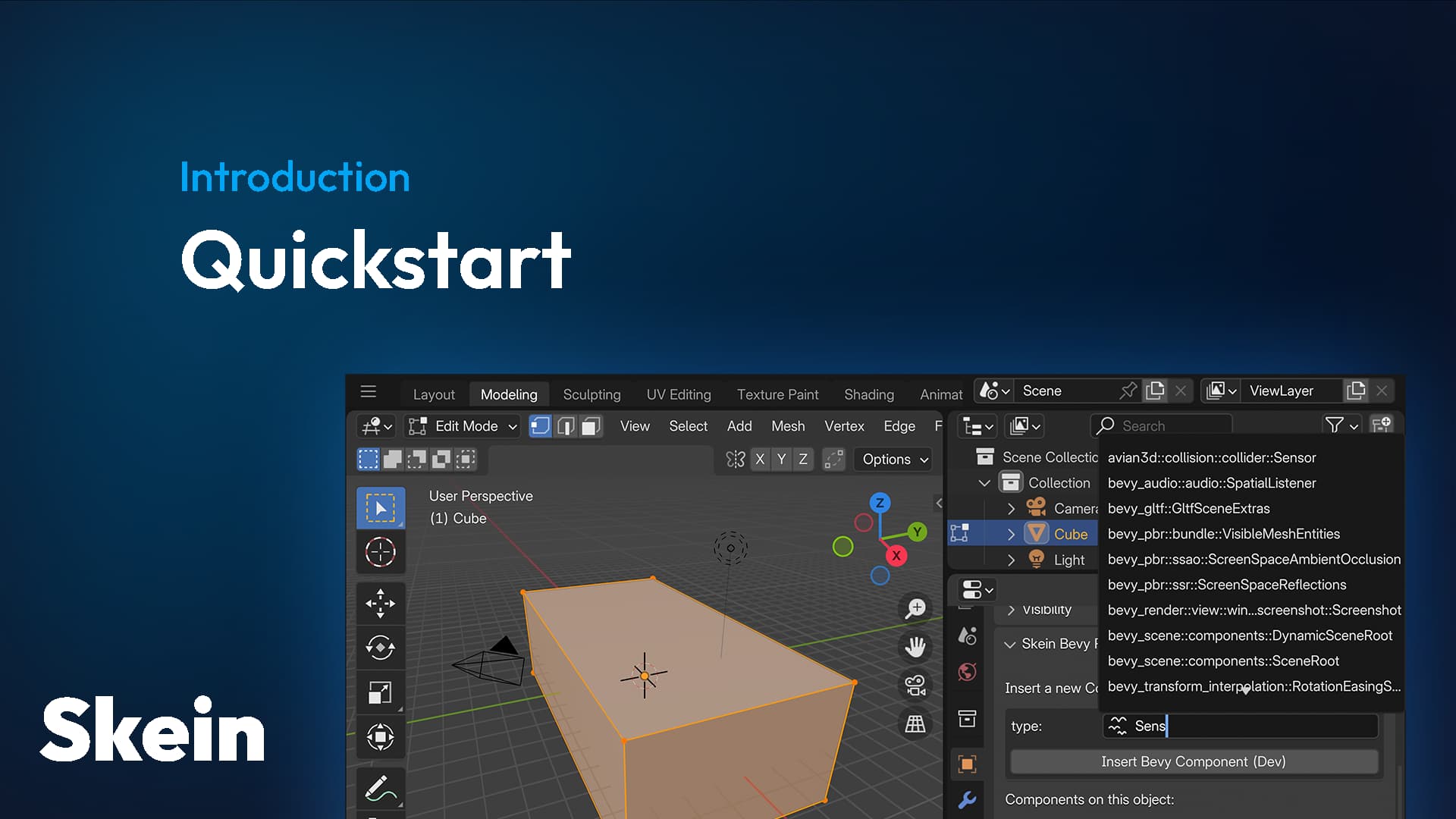
A starter template for a new Bevy + Skein application
fast raft
snow heron
is there something you're looking for that the quickstart project in the docs do...
looking for a small game with assets that I can open in blender and test out skein with. I may be missing something, but I don't see any assets or blender files in the cargo-generate template.
 ocean burrow
lethal rain
<@227474830470021130> may be able to show you how this works with the foxtrot ex...
ocean burrow
lethal rain
<@227474830470021130> may be able to show you how this works with the foxtrot ex...
Foxtrot nowadays uses TrenchBroom for level design instead of Blender 😉
snow heron
ocean burrow
Foxtrot nowadays uses TrenchBroom for level design instead of Blender 😉
that's what I thought had happened
snow heron
fast raft
looking for a small game with assets that I can open in blender and test out ske...
The gltf file in the assets folder is a gltf file produced by Blender, which is the same workflow you'd use for anything, even the default cube scene. The Blender-side workflow doesn't really change, skein just lets you place components on things (nodes, meshes, materials, etc).
I see how a larger demo would help though, I'll try to put something together.
ocean burrow
snow heron
The gltf file in the assets folder is a gltf file produced by Blender, which is ...
Btw, I see there was talk about placing components on bones. Did you end up implementing that? 🙂
snow heron
ocean burrow
Btw, I see there was talk about placing components on bones. Did you end up impl...
yeah that's published as of 0.1.9
ocean burrow
snow heron
yeah that's published as of 0.1.9
Cool, thx!
snow heron
blender extension is the only part that needs to update to access it
ocean burrow
Going to use that for hurtboxes 🙂
snow heron
nice, would love to see it when you get it working
 wind finch
hey there! has anyone gotten a simple integration with Rapier (or maybe Avian) in their models yet?
I'd like to add bevy_rapier3d Collider components to various objects across many maps with my Skein fork, but it seems that Collider and other components mostly use functions to denote their properties with internal storage types
this makes it pretty hard to add in Blender; I practically need to make a whole set of shapes that I'd want to convert into meshes. even then, they don't appear in Blender, so it's a tedious and manual process...
if you've come up with a solution, please lmk! a simple explainer should suffice; I've pretty much rewritten Skein in entirety for my project lol
(might be helpful in the future)
(this too! seems to be possible with Avian, though with difficulties..?)
(and this! contains a link to a video on colliders; it's using avian3d, though...)
snow heron
wind finch
hey there! has anyone gotten a simple integration with Rapier (or maybe Avian) i...
Avian uses the colliderconstructor type for reflection use cases (including skein). This has been implemented and working for about a year now
I don't know if anyone has done similar work for rapier, but it's basically the approach of making a separate enum that then does the configuration in a component hook to build the actual collider so would also work for rapier
wind finch
Thank you! I found a similar type in rapier3d: https://docs.rs/rapier3d/latest/rapier3d/geometry/struct.ColliderBuilder.html
Buuut... it doesn't implement Reflect. I'll take a look and update here if I do anything special. Thanks so much for the help :D
A structure responsible for building a new collider.
snow heron
This was the rotation issue that you linked in one of the above messages (sorry I'm at warped tour so hard to link stuff correctly)
ocean burrow
wind finch
Thank you! I found a similar type in `rapier3d`: https://docs.rs/rapier3d/latest...
FYI the ColliderConstructor in Avian has its roots in https://docs.rs/bevy_rapier3d/latest/bevy_rapier3d/geometry/struct.AsyncCollider.html
A component which will be replaced by the specified collider type after the referenced mesh become available.
It used to be a simple duplicate of that struct until I went and changed it to the ColliderConstructor and ColliderConstructorHierarchy we know today
If you want, you should be able to almost 1:1 recreate the PR for Rapier
Here's the PR in question: https://github.com/Jondolf/avian/pull/378

GitHub
Objective
As we all know, Collider is not Reflect. This is a bit of a problem for people wanting to load collider shapes from code-external sources. Notably, people using @kaosat-dev 's exc...
Here's an extension for compounds: https://github.com/Jondolf/avian/pull/758
And finally, here's a neat addition that caches colliders constructed from meshes: https://github.com/Jondolf/avian/pull/743
If you create lots of colliders from the same meshes, this is a huge performance boost
wind finch
that's... a really good idea
thank you for the selection of links! I'll take a look :)
ocean burrow
wind finch
thank you for the selection of links! I'll take a look :)
You're very welcome 🙂
ocean swallow
wind finch
hey there! has anyone gotten a simple integration with Rapier (or maybe Avian) i...
I have a wrapper for collider for my game yeah that shows up in blender
Not perfect, but it works well enough for use in my game
we just used empties with .5 as half-scale, and resize the empties to match what we want the collider to be.
works well enough for cubes, don't think it will work for more complex shapes though
wind finch
ocean swallow
I have a wrapper for collider for my game yeah that shows up in blender
Not perf...
that's a good idea! I'll probably go for something similar, so thank you for sharing! :D
ocean swallow
looks a bit insane if you edit in the output gltf but  works
works
 snow heron
ocean swallow
looks a *bit* insane if you edit in the output gltf but <:KEKW:80625637438757280...
snow heron
ocean swallow
looks a *bit* insane if you edit in the output gltf but <:KEKW:80625637438757280...
is there a reason your empties aren't cubes?
it looks like you're using the axes visualization instead
ocean swallow
snow heron
is there a reason your empties aren't cubes?
it's cubes when editing the blend, but I opened the output gltf where they seem to be converted to axes? dunno I don't do 3d modelling; I leave that for @split pagoda.
Tried to open the blend but looks kind of sad
 snow heron
ocean swallow
it's cubes when editing the blend, but I opened the output gltf where they seem ...
snow heron
ocean swallow
it's cubes when editing the blend, but I opened the output gltf where they seem ...
ah gotcha, yeah if you export to gltf and re-import or something like that the empty metadata doesn't stick around.
so they would appear as axes and not boxes
you can set the size of the cube empties without using the scale as well. There's a size config for the visualization. Which lets you keep the scale at 1

at the end of the day, empties are a Name and a Transform in the gltf output
ocean swallow
gotcha, good to know!
i'll hopefully be able to stick to coding for a good while more 
 inland sigil
im getting this after adding skein to my bevy 0.16.1 project:
  Compiling bevy_skein v0.2.1
error[E0658]: cannot cast `dyn Reflect` to `dyn PartialReflect`, trait upcasting coercion is experimental
  --> /home/catnip/.cargo/registry/src/index.crates.io-1949cf8c6b5b557f/bevy_skein-0.2.1/src/presets.rs:36:17
   |
36 |                 reflected.as_reflect(),
   |                 ^^^^^^^^^^^^^^^^^^^^^^
   |
   = note: see issue #65991 <https://github.com/rust-lang/rust/issues/65991> for more information
   = help: add `#![feature(trait_upcasting)]` to the crate attributes to enable
   = note: this compiler was built on 2025-01-17; consider upgrading it if it is out of date
   = note: required when coercing `&(dyn Reflect + 'static)` into `&(dyn PartialReflect + 'static)`

error[E0658]: cannot cast `dyn Reflect` to `dyn PartialReflect`, trait upcasting coercion is experimental
  --> /home/catnip/.cargo/registry/src/index.crates.io-1949cf8c6b5b557f/bevy_skein-0.2.1/src/presets.rs:63:17
   |
63 |                 reflected.as_reflect(),
   |                 ^^^^^^^^^^^^^^^^^^^^^^
   |
   = note: see issue #65991 <https://github.com/rust-lang/rust/issues/65991> for more information
   = help: add `#![feature(trait_upcasting)]` to the crate attributes to enable
   = note: this compiler was built on 2025-01-17; consider upgrading it if it is out of date
   = note: required when coercing `&(dyn Reflect + 'static)` into `&(dyn PartialReflect + 'static)`

For more information about this error, try `rustc --explain E0658`.
error: could not compile `bevy_skein` (lib) due to 2 previous errors
warning: build failed, waiting for other jobs to finish...
im confused
lethal rain
inland sigil
im getting this after adding skein to my bevy 0.16.1 project:
```
Compiling b...
Update your Rust version
Skein should set its msrv to improve that error message
regal tapir
is it expected that shadow's enabled setting on directional light (sun) in blender does not translate to bevy?
regal tapir
or IOR? shouldn't that translate to reflectence?
regal tapir
regal tapir
or IOR? shouldn't that translate to reflectence?
okay, this one seems to be that I have to set the subsurface IOR
 snow heron
regal tapir
is it expected that shadow's enabled setting on directional light (sun) in blend...
snow heron
regal tapir
is it expected that shadow's enabled setting on directional light (sun) in blend...
yes, the extension used to translate lights is KHR_lights_punctual, which does not include a shadows option (and even if it did, bevy supports multiple kinds of shadows anyway).
and the actual translation for directional lights in the gltf import happens here: https://github.com/bevyengine/bevy/blob/e98a14ec24cf362cca6564ac4868dc5b1bf24dc1/crates/bevy_gltf/src/loader/mod.rs#L1611-L1618
which really only takes the color and illuminance values from the exported data (and Name and GltfExtras)
snow heron
regal tapir
or IOR? shouldn't that translate to reflectence?
ior in a blender material translates to ior (index of refraction) in the StandardMaterial: https://github.com/bevyengine/bevy/blob/e98a14ec24cf362cca6564ac4868dc5b1bf24dc1/crates/bevy_gltf/src/loader/mod.rs#L1345
which in turn ends up being this function: https://docs.rs/gltf/latest/src/gltf/material.rs.html#144 which just grabs the ior value
if you want additional data on your lights you have to provide it via components and use hooks/etc to apply it
snow heron
(I'm forwarding some skein feedback-related messages that popped up today to the channel to dump some thoughts without losing them in general)
skein is a bit clunky when it comes to adding the component...click and drag mechanic
re: drag/drop. this comment made me think about investigating auto-populating the asset browser with something similar to the way materials can be drag/dropped onto objects. I don't know to what extent this is actually possible for arbitrary data, but there are some things that make me think its possible like the drag_operator option in template_asset_view: https://docs.blender.org/api/current/bpy.types.UILayout.html#bpy.types.UILayout.template_asset_view
re: the clunkyness that is needing to navigate to the side panels, there's the F3 menu which pops up like this screenshot. We don't currently support actually calling these operators like this (they'll error as of python extension v0.1.10), but we could put more effort into supporting it if people think this interaction pattern is helpful. I think modal operators could help here and we could create a special one for this

Every entity in a scene is necessarily a child of that scene which is annoying when making colliders and so on.
I think this is true no matter what? Not entirely sure about why its annoying for colliders specifically, but would like to hear more if anyone has thoughts.
Scale conversion is also annoying but that is surely a blender issue
Everyone that I've seen use Blender in almost every capacity applies the scale before doing anything with the objects (rigging, parenting, exporting, etc). Object -> apply -> scale is something that should be documented well for new users.

- We could build in some animation graph handling/building. Its unclear what the best option is for that. Most new users seem to want wholly separate animations playing independently, but Bevy's animation infrastructure supports quite complicated blendings, etc. The key for most things will be how to communicate that a given set of actions should be combined in a specific way. Then we would have to deal with that using some Rust code and maybe extra information exported in the gltf from blender.
Animation tools in Blender and Bevy both change over time, so I'd like to do something here that is reasonably resilient to that change or provides easy upgrade paths
Keyframe-based events are another aspect worth investigating if we're going to do any animation helpers. Blender has markers but its unclear how tangible that data is when working with it. also unclear if any data can be associated with them.
- This exists using the CLI commands provided by skein.
blender --background -b replace_material.blend -c dump_component_data -o test.json
We could investigate building some UI in the sidebar menu shown here, but I need use cases to know what to focus on. Presumably its desirable to take some actions based on the "search for all blender objects with a certain component" query. What actions should be prioritized?
In-blender migration might be achievable this way as well.
 snow heron
- almost any operator can be bound to key shortcuts in blender. this is not always obvious and setting it up to do what you want can still be cumbersome. Blender also changes focus on mouse hover for panels, so achieving certain goals can be awkward.
We might be able to provide operators for common use cases though. which would let them be directly keybound. "show me the components on the currently selected object" might be something we could ship as an operator

- Specifying the type_path and type_name is the current suggestion here. The following will permanently be
api::Somethingin the reflection data, including Blender's component list, no matter where it lives in your codebase.
#[derive(Component, Reflect, Debug)]
#[reflect(Component)]
#[type_path = "api"]
#[type_name = "Something"]
struct Character {
    name: String,
}
the problem that's being run into here is that the full type path is the identifier for the reflected component, so if the module path changes, it breaks that path. There's no really good way to automate this kind of breaking change, but we can offer migration tooling to rename type_paths in blend files.
- Collection Instances are literally-the-same-thing in Blender-world and tend to be the first thing people reach for to replicate "fixtures"/"prefabs" but the mental model for these two doesn't match. This topic gets confusing fast, especially if you start using multi-blend file asset workflows and I'm not sure there's a lot we can do about it. Blender's data model is blender's data model, but I'm open to suggestions/thoughts.
In any case, I'm looking at the docs and such as 0.17 comes up. If anyone has been having any pressing concerns feel free to drop a note.
snow heron
Couple new issues filed from the above thoughts. Feel free to comment.
 smoky marsh
Hello, do we have a reasonably sized open source example project? maybe something like foxtrot (dont need to be that complicated). I want to see it in use to understand the workflow, I keep trying to compare it to foxtrot w. trenchbroom in my head but I'm getting to the conclusion they are quite different.
example:
in trenchbroom you can export the Player entity (with its model) and put it on the map. Is there a way to achieve something similar on skein? maybe like utilizing multiple collections (like the picture I sent) on blender and referencing the player and enemy on the map collection.
 snow heron
smoky marsh
Hello, do we have a reasonably sized open source example project? maybe somethin...
snow heron
smoky marsh
Hello, do we have a reasonably sized open source example project? maybe somethin...
there's no demo at the moment. I'm making one since a couple people have asked for it though.
Even when one exists, it won't show all possible workflows though. (for example: single blend file vs multiple blend files; the project is either one or the other)
Generally speaking, I haven't seen anything Trenchbroom can do that Blender can't do. As far as I've seen the appeal of Trenchbroom is that is can't do what Blender can, so if you're unfamiliar with Blender then Trenchbroom can feel more approachable as a starting point, and people who use it like those restrictions.
snow heron
smoky marsh
example:
in trenchbroom you can export the Player entity (with its model) and pu...
Collection Exporters are supported. glTF doesn't have a spec for cross-file references though, if that's what you were looking for.
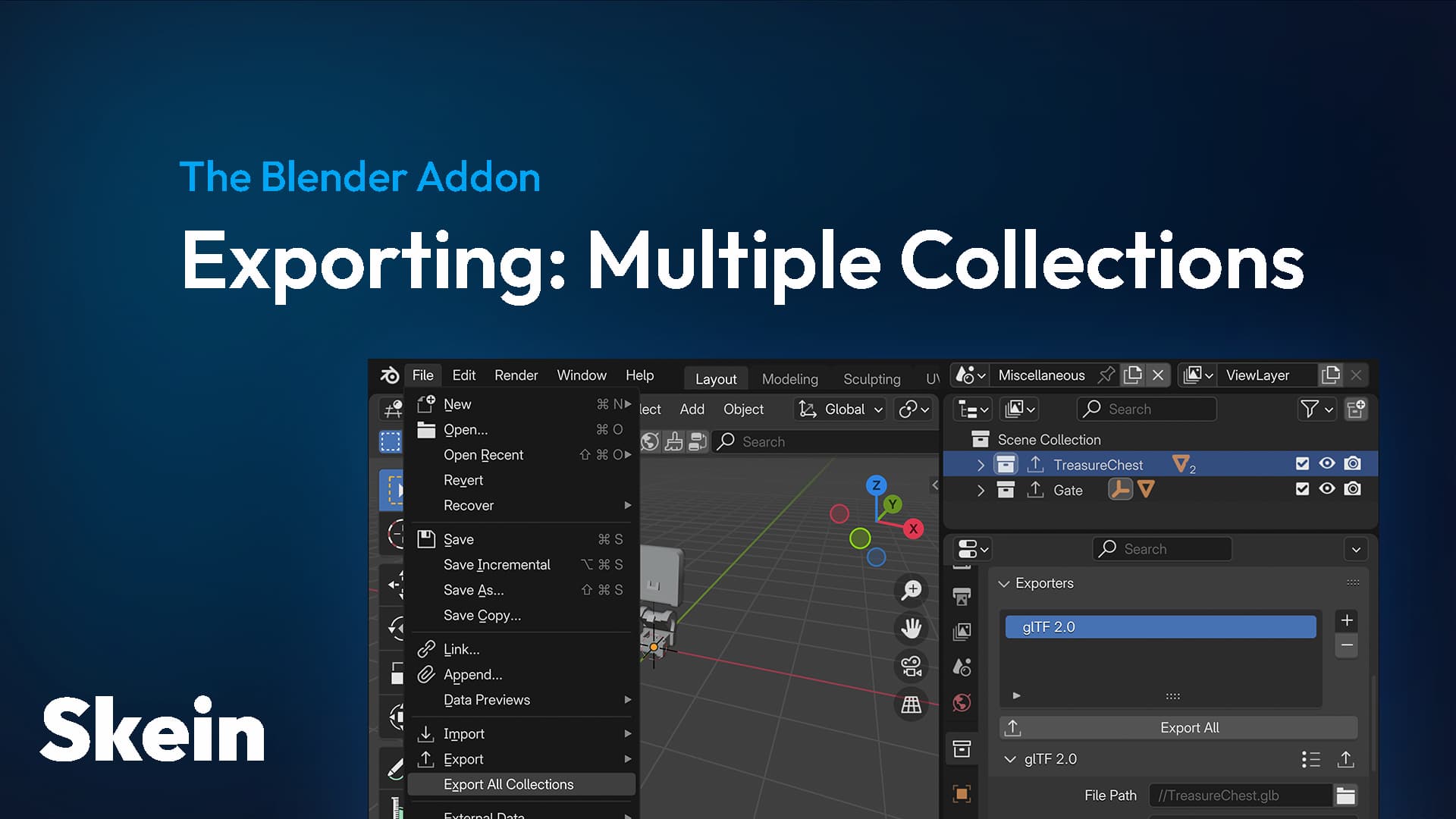
Collection Exporters can be used to export as many Blender Collections to separate .gltf files as you want
ocean burrow
snow heron
Collection Exporters are supported. glTF doesn't have a spec for cross-file refe...
glTF doesn't have a spec for cross-file references
Oh really? That's unfortunate
snow heron
smoky marsh
example:
in trenchbroom you can export the Player entity (with its model) and pu...
Its also worth noting that the suggested workflow, even in Trenchbroom, is not to place your player character in the level but rather to place a "player spawn location" in the level, and use that to spawn the player if the player isn't loaded. (Jan is here so they can agree/disagree with that lol)
snow heron
ocean burrow
> glTF doesn't have a spec for cross-file references
Oh really? That's unfortun...
yep, there's some attempts in extensions (like glxf: https://github.com/KhronosGroup/glTF-External-Reference ), but the glTF file format uses array indices as references, which are internal-to-the-gltf-file

GitHub
glTF Experience Format (glXF). Contribute to KhronosGroup/glTF-External-Reference development by creating an account on GitHub.
smoky marsh
So the recommended approach is to make a PlayerSpawn component, put it into a blender empty and spawn the player there once everything is loaded?
snow heron
smoky marsh
So the recommended approach is to make a PlayerSpawn component, put it into a bl...
yeah, something like that.
smoky marsh
Gotcha
ocean burrow
snow heron
Its also worth noting that the suggested workflow, even in Trenchbroom, is *not*...
yeah that's right, otherwise your hot-reloading would place you back at spawn, which is very annoying for iterating on the map 😄
smoky marsh
Thank you for the clarifications!
snow heron
smoky marsh
example:
in trenchbroom you can export the Player entity (with its model) and pu...
its worth noting, if you're less familiar with Blender/gltf, that you can have multiple scenes and don't need multiple files unless you want that.
smoky marsh
You mean saving all scenes in one .gltf?
snow heron
yeah, you can create multiple Scenes and the gltf file will just contain all of them by default. Then you can spawn whichever one you want
 smoky marsh
Ooh I didn't know, really cool
 rustic oriole
i'm realizing i've been experiencing really poor performance on the skein webpage when scrolling (while other tabs scroll just fine, and e.g. highlighting text on the page is just fine) running firefox 142 on ArchLinux under Niri+Wayland
is this a known-about thing that i shouldn't worry about? or should i try and extract some profiling info or something to pin down the problem more specifically and hopefully get it fixed?
snow heron
rustic oriole
i'm realizing i've been experiencing really poor performance on the skein *webpa...
I mean, the webpage isn't doing anything. its all static and there's no like, random bevy examples on the pages or anything. If you want to drop a profile I'd take a look, but I don't have an arch/niri/wayland configuration to test with
rustic oriole
o7 i'll see if i can figure out what's misbehaving
snow heron
I ran a quick profile on macos/chrome just to check if I missed something or whatnot, but I didn't see anything pop up (but I'm also not experiencing issues)
rustic oriole
poking at it in a private browsing window suggests that one of my addons is actually the culprit >_<
so i'll have to figure out why it's doing that specifically on the skein website and not everywhere else
snow heron
rustic oriole
so i'll have to figure out why it's doing that specifically on the skein website...
yeah if you think its the skein page for whatever reason let me know
rustic oriole
will do!
rustic oriole
looks like it's not my addons, but it is my profile? i think my firefox may be haunted lol
rustic oriole
seems to be the svg background image on .hero-gradient + the blur on .oversized-hero-gradient + whatever the hell i've done to my firefox settings, possibly also plus my fractionally scaled hidpi screen
never thought i'd get got by an svg gradient background image ngl
and it's apparently intermittent (or i accidentally flipped a setting somewhere). so i think you probably don't need to worry about it, since it seems like it's some weird perfect storm edge case trashing gradient performance for me specifically
snow heron
yeah honestly that sounds super strange 😅 An svg gradient shouldn't be thrashing performance
I'll leave firefox open for a bit to see if I can reproduce it
rustic oriole
don't worry too much about it
snow heron
leaving firefox on for a bit isn't much of a hassle; if it pops up on my machine that's the only way I'd be able to look into it anyway
rustic oriole
looks like it's specifically happening with hardware acceleration turned off, and then further exacerbated by a dpi scaling factor of 1.4 (but still noticeable on my 1:1 1080p monitor)
 signal ember
just got skein working with avian. pretty cool.
how do specify for something to be a dynamic rigid body vs a static in blender?
snow heron
signal ember
how do specify for something to be a dynamic rigid body vs a static in blender?
Avian has a RigidBody component: https://docs.rs/avian3d/latest/avian3d/dynamics/rigid_body/enum.RigidBody.html
A non-deformable body used for the simulation of most physics objects.
signal ember
yeah im using that in bevy but in blender...
ohh i see it has a dropdown select in the object level
sweet
snow heron
yeah, the core idea of skein is that you can apply components to types in blender, then those get instantiated on those entities in bevy
so if you want a RigidBody, just use the RigidBody component on whatever node you want it on. Object is a pretty typical choice, but its the same as in Bevy in that you can put it in many places
signal ember
pretty cool.
i got rigid bodies ,static and dynamic all with trimesh colliders working through skein
now im thinking maybe i will make a low poly child of the object and use that as a collision mesh.. and somehow not draw the child collision mesh.
snow heron
signal ember
now im thinking maybe i will make a low poly child of the object and use that as...
yep, having colliders that aren't the same as the visual meshes is pretty common. you might want: https://docs.rs/bevy/0.16.1/bevy/prelude/enum.Visibility.html
User indication of whether an entity is visible. Propagates down the entity hierarchy.
signal ember
boom. thats perfect.
this is pretty cool stuff. seams like it might get confusing at some point when the world gets larger in blender. is there a way to see a list off objects and what they have assigned? spreadsheet like...
snow heron
signal ember
this is pretty cool stuff. seams like it might get confusing at some point when ...
nothing in the blender ui yet, although its on the list to do. In the meantime the most accessible way to do that is to run the cli command which will dump everything: https://bevyskein.dev/docs/migration-tools#dump_component_data

Component data can change in various ways over time. Here are some tools to aid that process.
signal ember
cool.
So am i right thinking the general idea to setup objects with certain behavior you would make new components in bevy and then assign away in blender to assign new behavior to objects..
like if i wanted certain objects to go through a preprocess i could make a component for that..
snow heron
signal ember
cool.
So am i right thinking the general idea to setup objects with certain beh...
yeah, the components you create in Bevy get exposed to Blender. From that point there's a number of ways to work with them in Bevy.
- You could use component hooks or OnAdd/OnInsert observers to have an effect when the component is inserted, such as replacing a material.
- You could have systems already set up that look for the components you added to operate on those entities
- You could scan a scene using a SceneInstanceReady observer and process the whole scene at once
basically the API surface is the same as adding a component in regular Bevy code. Things like required components, etc all work
signal ember
wow. pretty rad.
signal ember
so i have a custom component that i have been using in bevy
#[derive(Component)]
pub struct Buoyant {
    pub float: f32,
    pub fall: f32,
}
im not seeing it when i search in blender.
i registered the types in blender and i can see the avian stuff and that is working...
snow heron
signal ember
so i have a custom component that i have been using in bevy
```
#[derive(Compone...
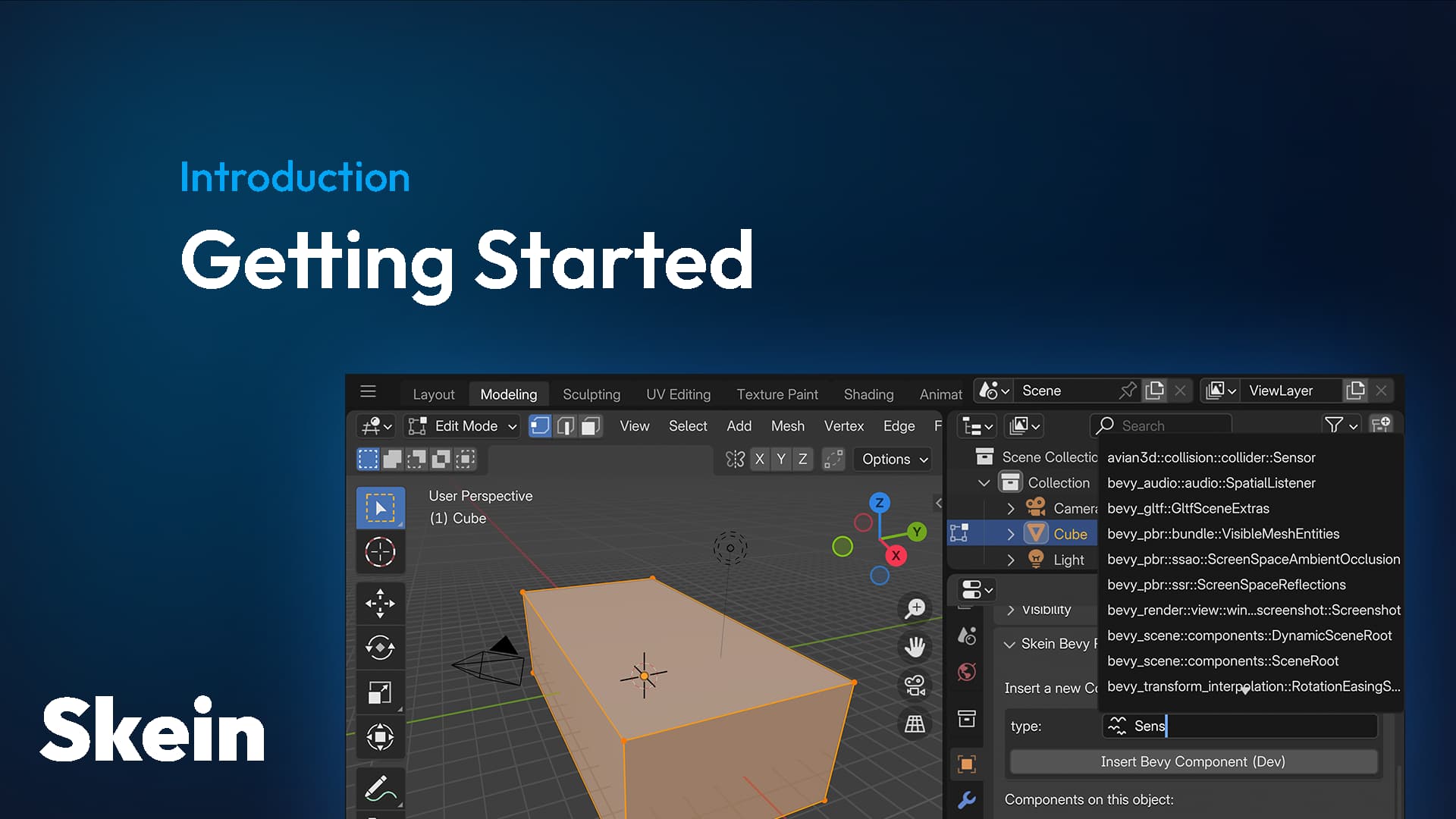
Your first steps with Skein, Bevy, and Blender
you're missing the Reflect and reflect(Component) pieces, and are probably also missing the register_type
signal ember
nice. that did it.
so im still having a strange issue where when i assign the components in bevy everything is hooked together and works. but when i assign the components in blender the physics body somehow disconnects with children of the entity and other systems of the spawned entity...
snow heron
signal ember
so im still having a strange issue where when i assign the components in bevy ev...
is the setup you're using in Bevy different than the one you set up in blender?
a common mistake is assuming the blender objects come into bevy as one entity. The object and the mesh/material will be two different entities
signal ember
i am just moving 3 components from bevy to blender. on my Player Entity
rigidbody dynamic,
colliderConstructor,
and my custom Bouyant.
in bevy there a bunch of other componets on my player entity and when i assign them in bevy it works. but when i assign those 3 in blender, the blender object disconnects with the other components an systems in the Player entity. it just falls and doesnt get effectd my movement and floating like it did when assigned in Bevy.
snow heron
It sounds like you made a change between applying the components in Bevy and applying them in Blender
if you show me what you're doing I can help debug
signal ember
ok so for my other objects it got them working first.
. i just moved the rigid body and the colliderconstructor over to blender and that works great.
these are not players they are things like large rolling rocks.
  RigidBody::Dynamic,
            ColliderConstructorHierarchy::new(ColliderConstructor::TrimeshFromMesh),
i removed that from bevy
and In blender.
and added in the
avian3d:💥:collider::constructor::ColliderConstructor
to the mesh data
and
RigidBody dynamic to the Object
those work
but when i do the same for my player character that has all kinds of other systems and children in the entity the blnder mesh with its rigid body just disconnects from the system...
here is my basic player system setup
discord made it an attachment...
so then i tried moving the Bouyant over to Blender but that of course was not the solution
snow heron
signal ember
so then i tried moving the Bouyant over to Blender but that of course was not th...
are you expecting Bouyant to be on the root entity like it is in Bevy there? That's not going to happen by definition (because you're spawning the scene as a child of the root entity, so any component in the scene would by definition be on a child entity)
So you're basically moving the components from the root entity into children here, which means they're in a different place than they were
signal ember
ahh ok so the blender Componets are children. so that explains why those children Pontoon components are still athe root instead of being children of the BlenderComponents...
ok so im not sure how i would add my components to the blender children
like the pontoons
snow heron
Right now you have a root entity that has the Player component on it, and 13 children, 12 of which are the pontoon spheres and 1 of which is the scene from blender (spawned using SceneRoot, which places it as a child)
snow heron
right, before moving the components off of the root entity and into children in the scene
signal ember
so the rigidybody and the collidoermesh became children
snow heron
yes, whatever object and mesh you put them on earlier are children of that scene
if you're not super clear on which entities exist, you might want to take advantage of bevy_inspector_egui which will let you inspect the hierarchy inside the game
itll pop up a little inspector window that will show you the entities that exist and the components that are on them
signal ember
ok i will check it out.
but i am getting that i will need to somehow attach my pontoons and the floating system to the children that are created by the blender right
snow heron
basically the reason your ship disconnected from the pontoons is that the rigidbody previously was on the root entity, which includes the pontoons as children, and now you've put it on a child entity, which does not contain the pontoons
so when you apply forces, its just moving the entity with the rigidbody on it
snow heron
signal ember
ok i will check it out.
but i am getting that i will need to somehow attach my p...
you might want the rigid body on the root entity in Bevy, that seems like the simplest fix here
signal ember
yeah
snow heron
you can absolutely move most everything into blender if you want to, but unless you have a reason to you already have quite a bit of components inserted in bevy, like Player and RigidBody in this case really wants to be on the same entity as Player
signal ember
yeah keeping it on the player root is best. the only reason i wanted to move these for the payer is that way i could have a collision mesh in the same gltf.
snow heron
the collision mesh is already going to be a child of the rigid body if its on the root
if you have the "visual" boat(?) mesh and the collider mesh in the blender scene, they will both be children of the Player entity
RigidBodys "adopt" the colliders that are beneath them in the hierarchy
signal ember
so if i create collisionTriMesh in Bevy i cannot pick only the lowpoly one, so i was trying to do it in blender
at least i dont know how to pick the low poly in bevy
snow heron
you can put the trimesh collider on the mesh in blender, there's no issue with that
signal ember
ohh its just the rigid body that turns to a child. ok imma try
snow heron
the RigidBody is a Component on the root Entity, any colliders in the child entities will belong to that root RigidBody
snow heron
- blender addon 0.1.11 is out with support for bevy 0.16 and 0.17
- rust crate 0.3.0-rc.0 is out with support for bevy 0.17
 normal onyx

There's 2 "compared to blenvy" links on the website btw (idk where else to say this)
snow heron
normal onyx
There's 2 "compared to blenvy" links on the website btw (idk where else to say t...
oh strange, looks like I messed up a markdown file, thanks!
normal onyx
snow heron
oh strange, looks like I messed up a markdown file, thanks!
Np :)
Btw nice work with skein.
snow heron
thanks 🙂
 tidal tartan
I'm trying to solve a race condition. Specifically with an entity who's only purpose is the hold a transform to designate where the player spawns. Problem being, the player spawns when the translation value still says (0.0, 0.0, 0.0), but afterward has the true value. What's the best way to check and ensure all entities and components have been fully loaded from the glb file before continuing?
snow heron
tidal tartan
I'm trying to solve a race condition. Specifically with an entity who's only pur...
System parameter for computing up-to-date GlobalTransforms.
which can "force" the scene's positions to update before the typical transform propagation runs
the problem being that you're likely doing this in an observer, which is running between scene spawn and the propagation running at the end of the frame
tidal tartan
That seems to have helped, thanks. Y position is still a little off though.
Actually, no. Seems like my colliders aren't initialized yet, so I just fall thought the floor, lmao.
snow heron
tidal tartan
Actually, no. Seems like my colliders aren't initialized yet, so I just fall tho...
classic 😆
tidal tartan
Weird though, need to figure out the timing on that now.
snow heron
yeah, assuming that's because you're using ColliderConstructor with Trimesh or similar which requires some time to generate
tidal tartan
yeah
snow heron
not sure avian has anything to determine the generation of them, but that would be something worth asking in #1124043933886976171 I think
tidal tartan
Which wasn't a problem before for some reason
tidal tartan
snow heron
yeah, assuming that's because you're using ColliderConstructor with Trimesh or s...
I'm using ConvexHullFromMesh, for what its worth.
I wonder if I can just put a pause somewhere just to see if I can manually wait it out, just to test.
That, or put my spawn waaaaaaaay up high to see if it loads before I hit it.
snow heron
#1124043933886976171 message
Creating colliders using convex decomposition is slow; the algorithm it uses, VHACD, can take several seconds or even minutes for complex meshes.
generally, as colliders get more complex, they take longer to generate
there was some talk of maybe making colliders assets, but I don't think anything has come of that yet
tidal tartan
Weird, pausing and waiting for a bit doesn't seem to do much. And complexity seems like a weird explanation, considering my floor is just a box.
snow heron
if your floor is just a box I might suggest using a simpler collider, even if its just for this player spawn area
"complexity" in this case is like the difference between "a radius" for a sphere collider, and a bunch of triangles, etc
and if your spawn the player fast enough, it could dip in on some low frame like frame 1, and once its in just falls completely through
tidal tartan
Ok, for some reason, having components translated from the file later actually works.
maybe a layermask thing
 spiral seal
is there a way to give objects in blender an entity Id before spawning them so I can create references between objects?
 frozen harbor
snow heron
> Creating colliders using convex decomposition is slow; the algorithm it uses, ...
frozen harbor
snow heron
> Creating colliders using convex decomposition is slow; the algorithm it uses, ...
just to clarify, computing the convex hull (which they seem to be doing) is quite fast
it's just convex decomposition that can be really slow
 hard rain
spiral seal
is there a way to give objects in blender an entity Id before spawning them so I...
hard rain
spiral seal
is there a way to give objects in blender an entity Id before spawning them so I...
I may not be the best person to reply to this. But I do deal with this in my project, so I will share with you how I approach it.
So first thing first, I don't think this can be done Just from Blender side without putting some extra work in.
As of what the extra work may involve:
Depending on how the scenes / objects get spawned in, one can have a component attached to the objects in blender that hold enough information for you to know what that entity / object is meant to connect to, for instance the name of the other object.
Than you can have an observer system listening; observers gets called immediately when a component is added to an Entity.
Of course the issue than is that the entity you want to connect to might not exists yet. Especially if both entities are coming from a single scene. If the relationship cannot be resolved in both directions, than another approach would be to store also an info if the relationship has not been established (MyRelationshipNotYetEstablished component for example, that can be removed when it's not true anymre), and basically just try to resolve the relationship in that system.
Notes: While in a single blender scene each name is guaranteed to be unique, relying on that might not be sufficient if you are importing multiple scenes, as bevy allows for multiple entities to have the same name. In case it's a single blender scene where these relationship need to be established; getting the root node and traversing that when looking for pairs could work. If that's not the case than a different perhaps more involved approach would be necessary.
spiral seal
Thank you, I'll try that 
snow heron
frozen harbor
just to clarify, computing the convex hull (which they seem to be doing) is quit...
thanks for the clarification 
snow heron
hard rain
I may not be the best person to reply to this. But I do deal with this in my pro...
While in a single blender scene each name is guaranteed to be unique
Its worth noting that names have additional restrictions, like being unique-per-type (not globally unique) and the uniqueness properties that Blender does try to hold, only apply to a single blend file. multiple blend files, or pulling assets in from other places, will invalidate that assumption.
otherwise this is generally a fine approach.
snow heron
From the perspective of Skein built-in Relationship support, I wrote about it in a bit more depth here: https://www.christopherbiscardi.com/bevy-components-and-gltf
but tldr; the core issues are:
- Blender doesn't have unique identifiers
- Bevy's gltf loading doesn't create Entity values until the data is already in the loader process
- Its unclear if we can make creating Entity ids in Blender obviously correspond 1-to-1 with Bevy's resulting entity structure. For example, mesh and material types from blender are combined into two components on a single entity, which means targeting a theoretical entity id for the mesh or material type in blender could need "postprocessing" to accurately target the right entity, etc.
- MapEntities requires pre-existing entity ids, and its unclear if the trait can be made to work straightforwardly with ids that are generated in the loader. So if we create Entitys for component data, we might need another trait or process to map them.
that said, if you restrict yourself to Scene objects only (and don't try to apply a Relationship to something nested, like the interior elements of a Collection Instance), then it should be a fairly straightforward process to apply some data in a SceneInstanceReady, scan the scene for the ids, then set up your relationship components. (assuming someone knows how to do that kind of processing).
For skein, we basically have two potential places to apply relationship components, assuming the data is available from gltf data:
- To the Scene World after the gltf data loads and scenes are created
- in a SceneInstanceReady observer
In the published skein crate I want to avoid forking the gltf loader, but when looking to upstreaming skein's data format as a potential bevy gltf extension, doing work in the loader process is more acceptable.
also, the way to do internal references in gltf is to take advantage of indices, likes meshes[2] or node[5], so we could potentially take advantage of that.
so if you're in your own project and are comfortable with the tradeoffs, using Names can work like @hard rain described. SceneInstanceReady + Name-as-id + A component that isn't the relationship component but is meant to convey the creation of the relationship component.
 slate void
@snow heron How feasible is to define a series of map colliders in skein (ones who are not defined by conve hull)? I was thinking of letting me artist define the collider bounds of my scenes
snow heron
slate void
<@103513724052082688> How feasible is to define a series of map colliders in ske...
what is a "map collider" in this context? like a level boundary?
you can use drivers on empties to track cuboid empty sizes to the cuboid avian collider, then let them use that everywhere, for example.
snow heron
re: level out of bounds areas, I'd actually love to see a "cuboid" that was actually a set of N half-spaces defining a valid area, possibly upstreamed into avian
its not terribly difficult to define 4 or 6 half spaces though (for 2d/3d)
hard rain
snow heron
> While in a single blender scene each name is guaranteed to be unique
Its wort...
Thank you for pointing this out.
In my project I am actually using an additional component to mark objects that can be a relationship target, so didn't face this issue.
slate void
snow heron
what is a "map collider" in this context? like a level boundary?
Yeah you could say so, is basically dont go into ground kinda of thing
slate void
@snow heron is there a handy way to mark 20 entities with the same component in skein, for example: 20 wall components according to selection?
snow heron
slate void
<@103513724052082688> is there a handy way to mark 20 entities with the same com...
Nothing for multi-selection at the moment, which will require some UX/workflow design, and copy/paste would require a new operator, which we already have the functions to implement I think. I might be able to do that today but it might be a little clunky UX wise (basically you'd have to click a component in the list, hit copy, then navigate to the other object's component list and paste)
The big weirdness around multi-selection and copy/paste and such is that there is no real concept of "the thing I have selected" that accounts for all of the types. for example, if you select the default cube, is that selecting the object, mesh, or material on that cube?
slate void
I see
@snow heron Another question does adding drivers to empties work? They dont see to change as normal cube (I would like to use empties to express my collider)
As you can see the dimension field does not update, if I point to object it does

 slate void
ah i need to use scale
snow heron
I've implemented a decent amount of multi-select-and-trigger-operator workflow. The information you get from the context of the selections is completely different from the information you get when rendering a panel, etc though, so I have to figure out what the "which piece of the object are you inserting on" part of the workflow
 snow heron
A working implementation: https://github.com/rust-adventure/skein/pull/67
Currently only allows active_material targets, but works for a selection of meshes
GitHub
An initial implementation of "select many objects, insert components"
The workflow as implemented requires that all components are going to accept the same component data. Any fur...
slate void
@snow heron When the trigger scene instance ready is emitted, should the colliders already be there? In the entity?
snow heron
slate void
<@103513724052082688> When the trigger scene instance ready is emitted, should t...
Depends on which colliders. Any colliders that require async processing could take multiple frames and aren't checked before SceneInstanceReady is fired. It's a feature request for avian to have some similar event when those colliders are ready.
snow heron
slate void
<@103513724052082688> When the trigger scene instance ready is emitted, should t...
It looks like there's a PR for some entity events in 0.17: https://github.com/Jondolf/avian/pull/830
Would that work for your use case?
GitHub
Objective
Currently it's a bit roundabout to see if a collider constructor is done. You need to check if it was removed and the entity now holds a Collider. This is not very intuitive, and ...
slate void
snow heron
It looks like there's a PR for some entity events in 0.17: https://github.com/Jo...
I guess so it would certainly avoid some states I would like to be triggers
snow heron
I think right now the only way to get a full scene-colliders-ready event would be to check in SceneInstanceReady for any colliderconstructors that still exist, if any do, store the scene event for another system that checks each frame, firing the SceneCollidersReady event when they were all done
slate void
fn handle_skein_components(
    scenes: Populated<Entity, (With<Phase<HouseSceneSpawned>>, Without<Phase<HouseSkeined>>)>,
    query: Query<&Children>,
    colliders: Query<Has<Collider>>,
    is_interactable: Query<Has<Interactable>>,
    mut commands: Commands,
    mut has_colliders: Local<bool>,
) {
    for scene in scenes.iter() {
        for child in query.iter_descendants(scene) {
            // Note the same child entity should contain interactable!
            if colliders.get(child).unwrap_or_default() {
                if is_interactable.get(child).unwrap() {


                }
                commands.entity(child).insert((
                    RigidBody::Static,
                    CollisionLayers::new(
                        GameLayer::Map,
                        [GameLayer::Player, GameLayer::Bullet, GameLayer::NPC],
                    ),
                ));
                if !*has_colliders {
                    trace!("Found collider making it into something collidable!");
                    *has_colliders = true;
                }
            }
        }
        if *has_colliders {
            commands.entity(scene).insert(Phase(HouseSkeined));
        }
    }
}
CUrrently i DO THIS
Unsure of how safe this is tho
snow heron
You can insert collision layers in a component hook if you want to
ocean burrow
snow heron
I think right now the only way to get a full scene-colliders-ready event would b...
Wonder if that should also be a builtin in Avian
snow heron
ocean burrow
Wonder if that should also be a builtin in Avian
Yeah that's what I was implying earlier
Not actually made it to a computer to type it out yet though haha
ocean burrow
snow heron
Yeah that's what I was implying earlier
what do you think about this:
- When a
ColliderConstructoris added, check if an ancestor is aSceneInstance - If so, initialize a (non-pub) marker, e.g.
ColliderConstructorScene(u32)that counts how many constructors there are - When a
ColliderConstructoris removed, wander up the hierarchy - If we encounter a
ColliderConstructorScene, stop and decrement it. - When it reaches 0, remove the marker and emit
SceneCollidersReady
Also ping @frozen harbor
If this sounds alright, I can add it to the PR with the other events 🙂
Note that this approach will also trigger SceneCollidersReady when you add a new ColliderConstructor into it at runtime, e.g. by spawning a new platform as a child of something in the scene
snow heron
ocean burrow
what do you think about this:
- When a `ColliderConstructor` is added, check if ...
Sounds like "on SceneInstanceReady, store ColliderConstructors that need to process in HashMap<Entity, Processed> component on scene instance. When Ready events for all entities in hashmap fire, fire SceneCollidersReady.
Then you don't have issues with other scenes-as-children spawning, etc either
ocean burrow
snow heron
Sounds like "on `SceneInstanceReady`, store `ColliderConstructor`s that need to ...
I try to avoid going down a hieararchy
snow heron
there is no hierarchy in that example
ocean burrow
as Avian has had quite some perf problems with that approach in the past
ocean burrow
snow heron
there is no hierarchy in that example
How do you know the ColliderConstructors of your Scene on SceneInstanceReady then?
snow heron
er, I guess for the first scene scan, but not when processing events
the other approach traverses when processing events
ocean burrow
snow heron
the other approach traverses when processing events
Yep, but traversing up is cheap
TBF traversing down is cheap when using the ancestor marker that Avian also uses for colliders
snow heron
I feel like pre-processing the Scene is what's really needed here.
ocean burrow
but I don't want to make the design any more complicated than it needs to be
ocean burrow
snow heron
I feel like pre-processing the Scene is what's really needed here.
Yeah, same for doing expensive convex decomposition
But ideally I want something that works now 😄
snow heron
ocean burrow
Yeah, same for doing expensive convex decomposition
well I was thinking later than that
The Scene has its own World, so if you're going to spawn it you could check the World for all ColliderConstructors
ocean burrow
snow heron
The Scene has its own World, so if you're going to spawn it you could check the ...
Oooooh I see
fair
yeah, that would absolutely work I believe
good idea
I don't have any experience with that part of the Scene API though
So uuuh
I'll punt that then
But if I ever come back to it, that's the approach I would also take, yeah
snow heron
okie. If you want to do whatever feel free to, otherwise I'll come back to it later today after I really wake up
still a bit fuzzy atm
I was thinking of doing Scene preprocessing for skein anyway, so I've got some thoughts there
I'm wary of the counting approach because it lets other spawns "interfere" with the count, and people like to spawn more stuff
ocean burrow
snow heron
I'm wary of the counting approach because it lets other spawns "interfere" with ...
yeah you convinced me
ocean burrow
snow heron
I was thinking of doing Scene preprocessing for skein anyway, so I've got some t...
I'll leave that to you then if that's alright 🙂
ocean burrow
snow heron
okie. If you want to do whatever feel free to, otherwise I'll come back to it la...
haha sorry for assaulting sleepy you then
slate void
snow heron
You can insert collision layers in a component hook if you want to
Hooks are for pirates and I aint one
(I dislike their api)
snow heron
slate void
(I dislike their api)
observer would work too On<Add, Interactable>
slate void
yes yes i just tought of making it a little more generic
thank you for your help
@ocean burrow he did not laugh at my pirate joke am I losing my comedical touch?
ocean burrow
slate void
<@227474830470021130> he did not laugh at my pirate joke am I losing my comedica...
oh it was pretty good 😉
Surely Chris had a hearty chuckle!
snow heron
ocean burrow
Surely Chris had a hearty chuckle!
chris swears he would've laughed if the stimulus had been making it to his brain consistently at that point in time
snow heron
ocean burrow
Oooooh I see
hmmm, I think this scene approach would work in theory but isn't a right-now solution. Bevy kind of needs better asset processing APIs. For example: everything I said works, except for it to work with skein, skein needs to process the scene before avian does.
and avian doesn't want to have to include other crates' events, so even if skein did that and fired an event it wouldn't matter because there needs to be an upstream "SceneAssetModificationsFinished" and "SceneAssetsProcessingFinished" kind of events before the instance spawns
and there's also no "this entity/component was part of that scene when it spawned" mechanism in Bevy
I'm not sure sticking an On<Add, ColliderConstructor> observer upstream makes much sense, since fetching the scene instance would still require traversal upward at best, and at worst won't actually reach the root with the instance id anyway
blegh
so for example the original
When a ColliderConstructor is added, check if an ancestor is a SceneInstance
is not something I think would even work. I just tried it to confirm and don't see anything worth traversing for, so it would have to happen in SceneInstanceReady anyway.
so SceneInstanceReady + Query<&ColliderConstructor> + either
- iter_ancestors (many loops up from collider constructors)
- iter_descendants (one loop down from scene instance)
and in the meantime, any observer could spawn an entirely new scene as a child (via SceneRoot) with more colliderconstructors, or SceneSpawner could sync or deferred spawn more child scenes as well. New ColliderConstructors could also be inserted arbitrarily into the hierarchy at any time as well
tldr; I think upstreaming the scene event is harder than it sounds, and there are application-level constraints that can make it easier for individual apps to implement how they see fit
I still think the scene processing approach is the right one. Take the scene world, query for existing components, store those and process them as events come in
ocean burrow
snow heron
so `SceneInstanceReady` + `Query<&ColliderConstructor>` + either
- iter_ancest...
hmm I see
bleh
snow heron
the good news is that we can get AssetEvents for Scenes as they're created, so we have the world access and such
I need to move skein's processing further back in the chain though
ocean burrow
snow heron
I need to move skein's processing further back in the chain though
Mind pinging me when you're done with the preprocessing? I'm curious how that will look, I'm sure I can learn a thing or two 🙂
 opaque flame
I have an observer:
fn example_observer(
    trigger: Trigger<OnAdd, MyComponent>,
    q_child_of: Query<&ChildOf>,
    q_parent_component: Query<(), With<SomeParentComponent>>,
) {
    if q_child_of
        .iter_ancestors(trigger.target())
        .any(|id| q_parent_component.get(id).is_ok())
    {
        // Is a child of SomeParentComponent
    }
}
The entity is spawned like this:
commands.spawn((
    SceneRoot(scene_handle), // Contains a GLTF with `MyComponent` on an object
    SomeParentComponent,
));
The observer never finds the ancestor.
I have tested this behavior without Skein and it works as expected so I assume it's something to do with how/when skein adds the components?
snow heron
because you're looking for an entity above the scene root before the scene is ready
snow heron
opaque flame
I have an observer:
```rust
fn example_observer(
trigger: Trigger<OnAdd, MyC...
This is not a skein behavior, its related to how scenes get spawned in. So I'm assuming that your test "without skein" wasn't using scenes, correct?
opaque flame
Yes that would make sense
snow heron
so the tldr on scene spawning lifecycle (and skein's relation to it) is that scenes have their own world and when spawned basically get copied into the main world, then attached to the root
opaque flame
I noticed it only goes up to one level below the scene root in the ancestor query
 desert bay
If the Scene spawns MyComponent, then how is it not ready/parented by that point?
opaque flame
snow heron
so the tldr on scene spawning lifecycle (and skein's relation to it) is that sce...
Ah that makes sense
snow heron
desert bay
If the Scene spawns MyComponent, then how is it not ready/parented by that point...
because the scene isn't attached to the scene root yet as a child
opaque flame
Strange but it explains the behavior I am seeing
snow heron
SceneInstanceReady is likely the event you're going to want
components get inserted between when the scene starts instantiating and before the scene is ready, so observers would get called in that in-between period too
desert bay
snow heron
because the scene isn't attached to the scene root yet as a child
Hmm I see, I wonder if its possible to do that first, then continue with the Scene building, its pretty useless to trigger hooks when the Scene isnt even ready yet, and the structure you place the Scene in isnt used until its ready.
opaque flame
It's almost like there needs to be a separate trigger for when it's added to the temporary world, and the usual trigger is fired when it's added to the actual world
desert bay
I suppose this is purely Scene talk now, so I will digress.
opaque flame
Because I can see occasions where you want behavior in either of those places
But this isn't really skein related anymore 😅
snow heron
desert bay
I suppose this is purely Scene talk now, so I will digress.
its related, so feel free to keep discussing here if you want. I'm not sure of the implications of parenting before copying/etc
I'm also kindof expecting a scene shakeup in 0.18 with bsn tbh
desert bay
Yeah, I am bothering cart now 😛
snow heron
hehe
opaque flame
In the meantime I will use SceneInstanceReady, it just makes my observer more cumbersome
Good to know how scene spawning is handled
snow heron
SceneRoot also isn't the only way to spawn a scene. The SceneSpawner can be used manually too
which has sync and deferred variations
opaque flame
Good to know there are a few approaches I could take
Actually one other thing, this seemed to work fine if I use a system query Query<Entity, Added<MyComponent>>
I assume these are only called in the main world?
snow heron
a system query runs at a different time in the schedule. You can think of it as
- entity spawns with components
- hooks are called immediately
- observers are called immediately
- systems are called at some point later when they're scheduled
so nothing can happen between the component being inserted and the hook running, for example
opaque flame
Do you know if there would be a chance it wouldn't be ready with this system approach?
snow heron
but a lot can happen between a component being inserted and a system running
desert bay
Systems are generally called every frame as well, so it will eventually detect them once the Scene is ready.
snow heron
opaque flame
Do you know if there would be a chance it wouldn't be ready with this system app...
hmmm, I'd have to check the code tbh. The SceneRoot spawning code starts here: https://github.com/bevyengine/bevy/blob/227c2222e5d5643929e4a09789491a7e4ef9952b/crates/bevy_scene/src/scene_spawner.rs#L672
So basically everything gets spawned using this function afaict: https://github.com/bevyengine/bevy/blob/227c2222e5d5643929e4a09789491a7e4ef9952b/crates/bevy_scene/src/dynamic_scene.rs#L75
which looks like it uses the "sync" variants to me
really the issue that you ran into is this bit: https://github.com/bevyengine/bevy/blob/227c2222e5d5643929e4a09789491a7e4ef9952b/crates/bevy_scene/src/scene_spawner.rs#L463-L466
where the parent is set after the processing
I believe that if your system triggers, then the scene is very likely to be ready because this function will have to had run to completion and it uses &mut World, which is an exclusive reference to the world
I doubt we'd get a "set parent earlier" flip in for 0.17, since its releasing tomorrow
opaque flame
Got it thanks for the links and insight
I will go with the system approach as it seems the most sound at this time
And I will continue looking at the SceneSpawner logic so I understand it better
snow heron
I will say that traversing up to the root does feel awkward in an observer. I suppose you're doing that for some configuration purpose?
desert bay
Off-Topic: but why does write_to_world_with have two for loops for scene entities, they could easily be merged and be more performant kek https://github.com/bevyengine/bevy/blob/227c2222e5d5643929e4a09789491a7e4ef9952b/crates/bevy_scene/src/dynamic_scene.rs#L85C9-L85C13
opaque flame
snow heron
I will say that traversing up to the root does feel awkward in an observer. I su...
Basically in my GLTF models I have a custom Surface component added using skein, when added I need to add Pickable component, but only if it's not a child of a Placeholder which should only be visual and not pickable
snow heron
desert bay
Off-Topic: but why does `write_to_world_with` have two for loops for scene entit...
maybe relationships, for example
opaque flame
Perhaps a way to spawn a scene and disable skein adding the components from the GLTF for just that entity would be something to consider
Since I just want the mesh for visuals
desert bay
snow heron
maybe relationships, for example
I just mean do this:
//Current
let entity = *entity_map
    .get(&scene_entity.entity)
    .expect("should have previously spawned an empty entity");
//Now
let entity = entity_map
    .entry(scene_entity.entity)
    .or_insert_with(|| world.spawn_empty().id());
Same code, one less for loop
snow heron
opaque flame
Perhaps a way to spawn a scene and disable skein adding the components from the ...
long-term I'm planning to move the components into the gltf loader via extension processing, so this wouldn't be a long-lived strategy (to disable the components from being added)
snow heron
desert bay
I just mean do this:
```rust
//Current
let entity = *entity_map
.get(&scene_...
I don't think that's true. If a Relationship is created before all of the other entities are filled in in your new code it could reference nothing
the point of that code is to have the full map filled out before starting processing, not to create-as-processed
MapEntities is something that needs the full mapping to exist before being used because, for example, Relationships can target arbitrary other entities in the map
desert bay
This is before any entities exist though, atleast in spawn_queued_scene it only ever passes in Empty or Default EntityHashmaps
snow heron
desert bay
This is before any entities exist though, atleast in `spawn_queued_scene` it onl...
your code only creates the entity if it doesn't exist at the time its being processed
not all future entities which could be referenced have been processed when that's happening
desert bay
The code I posted already exists in the code, I am just replacing the get() in the second loop, with the entry/insert from the first loop, which fills in an Empty Hashmap
opaque flame
snow heron
long-term I'm planning to move the components into the gltf loader via extension...
I don't quite get what you mean by this, but I think having a way to spawn the scene without the additional components would be a very valuable feature, for example you want to display a little preview of a character or item but you don't necessarily want all the behavior.
Currently the only way I can see to achieve this is exporting a separate model
snow heron
desert bay
The code I posted already exists in the code, I am just replacing the get() in t...
yes I am referring to that. the change fills in the loop as the items are processed, meaning there are gaps for any future entities that haven't been processed yet
the code directly below that needs the full map to exist because it instantiates components, which can refer to any entity, not "just entities that have already been processed"
desert bay
Ah I see, the empty slots have to exist before you iter, because it may point to one of those empty slots before you get to iter it in that loop. 👍
snow heron
opaque flame
I don't quite get what you mean by this, but I think having a way to spawn the s...
hmm I'll think about it. The kinds of use cases I can think of already require completely traversing the hierarchy (ex: replacing all materials with fresnel hologram materials) or having second copies with different behavior. The custom Disabled components can also serve similar purposes as they will take all entities out of regular system query access, at which point you can choose to query With<Preview> or whatnot to create the preview effect.
opaque flame
True I didn't consider things like custom material components and such, you'd definitely want them in previews
But yeah just a use case worth thinking about, so far skein has been great to work with, this has been my only hiccup and it's a bit of a weird scenario
The only problem with the With<Preview> filter is that in my case that component is on an ancestor entity
snow heron
opaque flame
The only problem with the With<Preview> filter is that in my case that component...
well if you were going to go the disabled component route, you'd still have to use SceneInstanceReady and insert_recursive because the disable components only disable the entities they're on
In today's Bevy, I do really think you want SceneInstanceReady here. It hands you everything you want, including the parent config, and indicates that all children are ready to go.
either that or have a second copy/instance that you use
opaque flame
Okay I will give this approach a go, thanks for the assistance!
slate void
@snow heron If i just add ColliderConstructo trimesh from mesh, will it just create collider based on the given mesh?
I need to make my chairs colldiable and so on
snow heron
slate void
<@103513724052082688> If i just add ColliderConstructo trimesh from mesh, will i...
Yeah collider constructor mesh variants use the mesh handle on the same entity
So put it on the mesh data, not the object, in blender and it'll work
 snow heron
Yup, avian will panic if it's not
hard rain
Not to rush or anything, but what's the plan regarding upgrading bevy-skein to be compatible with bevy 0.17? Seen that you were livestreaming some of the work on it, but I haven't sticked around for long to know the exact state of it.
snow heron
hard rain
Not to rush or anything, but what's the plan regarding upgrading bevy-skein to b...
its been compatible since before the release-candidate went out
there's an rc for the rust crate that's been up for a few weeks, and the blender addon works with both 0.16 and 0.17 if you update to the latest version
hard rain
snow heron
its been compatible since before the release-candidate went out
Ah great, my bad than 🙂
Thanks for your work 🙂
regal tapir
somehow I am getting incorrect backface culling after importing to bevy


in bevy Its visible from below only.
ocean burrow
regal tapir
Enable backface culling in Blender too to make sure it’s not your normals. You can also set Blender to show flipped normals in red.
regal tapir
I did, the backface culling is correct in blender
regal tapir
ocean burrow
Enable backface culling in Blender too to make sure it’s not your normals. You c...
what is a "flipped normal" in this context. The "backface" is defined by the normal, correct?
ocean burrow
regal tapir
what is a "flipped normal" in this context. The "backface" is defined by the nor...
Yep
regal tapir
yeah, this is really weird, the normals are definately right in blender
 polar trout
Hey, so with reflection taking care of registering types in 0.17 its not required to do anymore, correct?
regal tapir
the normals are actually correct in bevy also, the lighting is reacting correctly
it's just culling the wrong side
well, giving the object a material in blender fixes it (and I have backface culling enabled for the material and the backface gets correctly culled in bevy)
snow heron
regal tapir
well, giving the object a material in blender fixes it (and I have backface cull...
If it didn't have a material before how did you have the back face culling options set at all?
snow heron
polar trout
Hey, so with reflection taking care of registering types in 0.17 its not require...
Correct for most cases. Types with generics still require it
regal tapir
snow heron
If it didn't have a material before how did you have the back face culling optio...
whatever the default ended up being
not sure if thats part of the blender gltf export or bevy gltf import
moving onto the next weird issue... I keep having trouble getting pseudo-unlit materials in blender to be unlit in bevy
this is render view, the point light has no effect on the background (only the 3d characters)


in bevy ^^ light is causing glare
snow heron
regal tapir
not sure if thats part of the blender gltf export or bevy gltf import
if an object doesn't have a material, it won't have one in the gltf when you export, which mens Bevy's StandardMaterial will use the default settings which culls back faces
regal tapir
snow heron
if an object doesn't have a material, it won't have one in the gltf when you exp...
yes, but still odd that the backface culling ends up being wrong. having a hard time understanding how adding a material in blender is flipping the faces.
snow heron
regal tapir
yes, but still odd that the backface culling ends up being wrong. having a hard ...
not sure what you mean by "wrong" here, since the debug render view isn't an accurate representation of backface culling
regal tapir
regal tapir
I mean that if these are the normals
then bevy is culling the frontface, not the backface
and I think I found the issue, there's a variable in standard material to do with flipping Y.
regal tapir
actually flip_normal_map_y has no effect (I assume it's only for normal maps)
neither does double_sided !? (perhaps I have to trigger a recompute of something ?)
snow heron
changes values in bevy won't flip the vertex winding order
which is how the backface is defined
regal tapir
so what's the effect of the double_sided value in material?
snow heron
whether or not the lighting affects both sides
cull_mode is backface culling
double_sided is flipping the normals for lighting calculations
A material with “standard” properties used in PBR lighting. Standard property values with pictures here: https://google.github.io/filament/notes/material_properties.html.
snow heron
regal tapir
moving onto the next weird issue... I keep having trouble getting pseudo-unlit m...
idk what you mean by "pseudo-unlit", but there's documentation for how blender decides to set the unlit extension or not: https://docs.blender.org/manual/en/latest/addons/import_export/scene_gltf2.html#exporting-a-shadeless-unlit-material
regal tapir
hmm, cull_mode unfortionately is not reflect
snow heron
regal tapir
hmm, cull_mode unfortionately is not reflect
not reflect as in you're trying to insert the standardmaterial as a component in blender? you don't have to do that the material settings work
regal tapir
as in I'm trying figure out if the default material ends up with a different cull_mode, but I can't see it in my editor :/
but I'm content assuming that's the culprit
snow heron
not sure which thing you're investigating at the moment, but the default value for standardmaterial in bevy culls backfaces. If you set a material in blender, the default is for the gltf doubleSided field to be "true".
regal tapir
yeah, sorry I'm being unclear.
snow heron
no stress here
regal tapir
by pseudo unlit, I just mean i set the princ. bsdf node to not react to light
I might try what's mentioned in the docs you linked, though it seems more complicated than it ought to be.
regal tapir
regal tapir
by pseudo unlit, I just mean i set the princ. bsdf node to not react to light
There seem to be some differences between blenders bsdf and bevy's standard material that lead to inconsistency.
I should probably figure this out since it likely will crop up in other ways.
snow heron
if you discover differences it would likely be worth filing a repro/bug
the loader translates things (like light intensity): https://github.com/bevyengine/bevy/blob/859d9c41f854ea9f4af4631d8158b3c3d5246080/crates/bevy_gltf/src/loader/mod.rs#L1634
regal tapir
I believe it boils down to the main IOR value in blender not getting used for anything in bevy, you have to set the specular IOR, which get's mapped to reflectance
imply IOR is ignored if specular IOR is not set to a non-default value
if specular IOR is set to a non-default value, IOR is included and gets mapped onto standard_material's ior
but it does not have the same effect. In blender ior and specular ior appear to multiply, in bevy ior is used only for transmission (I think?) and has no effect on reflections (which are controlled by reflectance, ie. "specular ior" in blender)
regal tapir
Reading the bevy code. gltf IOR and specular/reflectance get imported.
Reading the filament docs. IOR and specular/reflectance are supposed to be separate to allow physically impossible materials.
leads me to conclude the error is in blender's export, but it isn't clear to me if IOR is supposed to effect specular reflections, or only transmission, based on gltf docs
granite ginkgo
snow heron
there's an rc for the rust crate that's been up for a few weeks, and the blender...
Does the rc for bevy-skein work with the release version of the Bevy crate, or would a new version of bevy-skein have to be released to be compatible?
lethal rain
granite ginkgo
Does the rc for bevy-skein work with the release version of the Bevy crate, or w...
Should work fine: the Bevy versions are semver compatible
granite ginkgo
Fair enough, I thought the rc wouldn't count as semver-compatible 😄
snow heron
granite ginkgo
Fair enough, I thought the rc wouldn't count as semver-compatible 😄
it definitely does, and I definitely let myself get lazy with the final reelase as a result 😅
the next release will only be a version bump though and will still be semver compatible, so big for fans of not seeing -rc in the version 😆
 opaque verge
I may be crazy bc I just cannot get the rpc server to take request I do have the SkeinPlugin::default() plugin installed but I still cant curl it and blender wont see it.
i should also add im pulling from source with cargo
snow heron
oh interesting, why are you using the source?
what does your Cargo.toml look like and what curl request are you sending
opaque verge
[dependencies]
bevy = { version = "0.17.1", features = ["bevy_dev_tools", "bevy_remote"] }
bevy_egui = { git = "https://github.com/pindash-io/bevy_egui.git", version = "0.37.0", branch = "bevy-0.17" }
bevy-inspector-egui = {git = "https://github.com/pindash-io/bevy-inspector-egui.git", branch = "bevy-0.17"}
bevy_skein = {git = "https://github.com/rust-adventure/skein.git"}
avian3d = {git = "https://github.com/Jondolf/avian.git", branch = "main"}
bevy-tnua = {git = "https://github.com/janhohenheim/bevy-tnua.git", branch = "bevy-0.17.0-dev"}
bevy-tnua-avian3d = {git = "https://github.com/janhohenheim/bevy-tnua.git", branch = "bevy-0.17.0-dev"}

egui_plot = "0.33.0"
indexmap = "2.11.0"
num-complex = "0.4.6"
num-traits = "0.2.19"
its a mess ik
curl -X POST http://127.0.0.1:15702 -H "Content-Type: application/json" -d '{"jsonrpc":"2.0","id":1,"method":"rpc.discover"}'
for the record i just swaped to 0.3.0-rc
opaque verge
no just the one
Is there any logging I can turn on to see if it is even trying to start the server
snow heron
it doesn't look like bevy_remote logs anything for server listening. it probably should though
I'm installing your Cargo.toml to check it out
it works for me with your dependency stack listed above at least
obviously different main.rs
what platform are you on?
opaque verge
There is also this sorry
egui_plot = "0.33.0"
indexmap = "2.11.0"
num-complex = "0.4.6"
num-traits = "0.2.19"


klu-rs = { git = "https://github.com/Sandvoxel/klu-rs.git", version = "0.5.0"}
no change, still works on my end
opaque verge
Im on windows
 curl -sS -X POST http://127.0.0.1:15702   -H 'Content-Type: application/json'   -d '{"jsonrpc":"2.0","id":1,"method":"rpc.discover"}'
curl: (7) Failed to connect to 127.0.0.1 port 15702 after 0 ms: Couldn't connect to server
running a basic test on my windows box
Did it work before at any time? or is this a new dependency problem?
opaque verge
I also had a simmlar issue on mac and at some point it just spontaneously started working tbh im not sure what I did to get it working
snow heron
hmmm that's weird, and not something I've seen before
opaque verge
impl Plugin for WorldPlugin {
    fn build(&self, app: &mut App) {
        app
            .add_plugins((
            SkeinPlugin::default(),
            // RemotePlugin::default(),
            // RemoteHttpPlugin::default(),
        ))
            .add_plugins(PlayerPlugin)
            .add_systems(Startup, spawn_world);
    }
}
does it work without skein and with the RemotePlugins there?
snow heron
ok cool, at least we've reduced the complexity a bit. That means its not something skein is doing, but rather something that exists with the base RemotePlugin behavior
opaque verge
hmmm i guess ill just fiddle around with it the only thing I can think is I do some strange stuff in RunFixedMainLoop with a custom time thing that runs at about 1khz
snow heron
I don't see any similar issues on the repo
I don't think there's anything related to the fixed timestep in brp
http server is an iotaskpool: https://github.com/bevyengine/bevy/blob/885dda724120a064075c3d8880b9e41987169b2f/crates/bevy_remote/src/http.rs#L198

GitHub
A refreshingly simple data-driven game engine built in Rust - bevyengine/bevy
opaque verge
I guess it must be something with my system bc i lowered my config to
    App::new()
        .add_plugins((
            RemotePlugin::default(),
            RemoteHttpPlugin::default(),
            DefaultPlugins,
            ))
        .run();
aand it still wont spawn the server
snow heron
try using DefaultPlugins first
opaque verge
Same thing Could not connect to server
snow heron
well that's probably good tbh. a plugin ordering problem would be annoying, although fixable
I think this needs to become an issue on the bevy repo
if you can distill it down to a minimal reproduction and it still happens, put that repro in an issue
opaque verge
Ill see if I can widdel down whats causing it
snow heron
yeah, even if you can't identify the cause, even having the issue will help. There's no similar issue on the repo right now afaict
opaque verge
I just did a clean with the min config to see what I can come up with
opaque verge
So awesome it just started working.
I have no clue at allllll
I was just digging though cmd to see if it was hosting a port and it was then it just started working
snow heron
That's so strange 🤔
opaque verge
Well anyway thanks for the help
snow heron
Yeah happy to help debug and such
opaque verge
I just had a question or maybe wanted some guidance on the best way to do this. With what I'm working on I have object tied to other objects as kinda a core part of my system and was wondering if there is any good way to implement the links other than just say an id system where all items are connected via some id list I keep in a spreadsheet. If that's what is best then so be it but it seems like it's prone to breakage if remove the producer of data associated with that ID.
snow heron
opaque verge
I just had a question or maybe wanted some guidance on the best way to do this. ...
really depends. If you have a many-to-many Relationship then you can't use the built-in relationships. if the objects are "tied to" each other by ChildOf then just nested them inside each other, etc. Could place marker components or ids like you said and do any processing you need based on that
slate void
@snow heron GltfMaterialExtras is inserted unto the entities that well are influenced by skein correct?
snow heron
slate void
<@103513724052082688> GltfMaterialExtras is inserted unto the entities that well...
all extras components are inserted by the gltf loader, yeah
(there has to be data in the extras for that to happen though)
opaque verge
Hey I had to do some more investigateing this morning and found thaat I need to do this to get the server to start as the plugin does not seem to start them
SkeinPlugin::default(),
RemoteHttpPlugin::default(),
RemotePlugin::default(),
snow heron
opaque verge
Hey I had to do some more investigateing this morning and found thaat I need to ...
do you have any other information about how to reproduce this?
opaque verge
snow heron
do you have any other information about how to reproduce this?
On windows I empty project with just skein installed without the http plugins it doesn't open a web server
snow heron
just skein installed? so you don't have bevy in the project?
opaque verge
Sorry bevy app with default plugins with the skein plugin installed
It seems like it's not setting up the http plugins itself because if I install the 2 other http plugins manually it will open the server
I would give more concrete examples but I had to step away from the pc for a migraine.
snow heron
opaque verge
I would give more concrete examples but I had to step away from the pc for a mig...
yeah, no worries. take care of yourself.
whenever you get a chance, please upload the offending project to github so I can take a look
opaque verge
snow heron
whenever you get a chance, please upload the offending project to github so I ca...
I'll make up a simple project when I get back.
snow heron
please also include how you're building the project and what platform you're targeting.
opaque verge
Here is my writeup on a testing env
[package]
name = "Profile"
version = "0.1.0"
edition = "2024"

[dependencies]
bevy = { version =  "0.17.1", features = ["bevy_remote"] }
bevy_skein = "0.3.0-rc.1"
use bevy::prelude::*;
use bevy::remote::http::RemoteHttpPlugin;
use bevy::remote::RemotePlugin;
use bevy_skein::SkeinPlugin;

fn main() {
    // This config wont start the hosting server
    // App::new()
    //     .add_plugins((
    //         DefaultPlugins,
    //         SkeinPlugin::default(),
    //     ))
    //     .run();

    //This will host the server
    App::new()
        .add_plugins((
            DefaultPlugins,
            SkeinPlugin::default(),
            RemoteHttpPlugin::default(),
            RemotePlugin::default(),
        ))
        .run();
}```
My windows test command
Get-Process -Id (Get-NetTCPConnection | Where-Object {$_.State -eq "Listen"}).OwningProcess
bevy Info
2025-10-04T02:01:41.894397Z INFO bevy_diagnostic::system_information_diagnostics_plugin::internal: SystemInfo { os: "Windows 11 Pro", kernel: "26100", cpu: "AMD Ryzen 9 7950X 16-Core Processor", core_count: "16", memory: "31.1 GiB" }
2025-10-04T02:01:42.187712Z INFO bevy_render::renderer: AdapterInfo { name: "NVIDIA GeForce RTX 3090", vendor: 4318, device: 8708, device_type: DiscreteGpu, driver: "NVIDIA", driver_info: "581.29", backend: Vulkan }
what command are you running to build the application
opaque verge
cargo run --release
that's why
you're enabling "release mode", with optimizations, etc
opaque verge
Oh does the plugin not do the plugins if its release
snow heron
yeah the default behavior is "enable in development" basically
you can override that using the skein plugin options if you want to
here are the flags if you're curious: https://github.com/rust-adventure/skein/blob/7389edba4498227b8ec7af5eb50743f3c070918c/src/lib.rs#L49-L81
opaque verge
Coolio ill give them a look at some point
snow heron
the "handle_brp" config is controlled by debug_assertions being on/off by default, BRP's server can't run on wasm so its permanently disabled for wasm, and there's an additional, optional flag you can set called "brp" if you want feature-flag level control over it
opaque verge
Might want to add a note in the docs because I was just confused. Most of my real work is embedded so I basicly run everything in release by default
snow heron
the ecosystem-wide suggestion for bevy is to not run in release by default, but I can add a section to the docs detailing the conditions
the general suggestion is this: https://github.com/TheBevyFlock/bevy_new_minimal/blob/main/Cargo.toml#L27-L33
which enables optimizations for dependencies, which keeping a lower level for your application code, but keeping debug symbols, etc around
signal ember
hi. updating to bevy 0.17 and skein is throwing and error
the trait bound `SkeinPlugin: Plugins<_>` is not satisfied
you can use `cargo tree` to explore your dependency tree
required for `SkeinPlugin` to implement `Plugins<_>`rustcClick for full compiler diagnostic
main.rs(103, 10): required by a bound introduced by this call
plugin.rs(136, 5): there are multiple different versions of crate `bevy_app` in the dependency graph
app.rs(615, 52): required by a bound in `bevy::prelude::App::add_plugins`
Did you also change the version number of bevy skein in the cargo.toml to 0.3.0-rc.1 ?
signal ember
ahh nope i didnt see that version anywhere. i just went straight to github repo main
hard rain
Well if it was alredy pulling the latest and greatest than I am not entirely certain my suggestion will help. But it surely does build for me with bevy 0.17.2 and skein on 0.3.0-rc.1
signal ember
its a great suggestion, i was saying i just solved it by using the main branch on github just before you posted
so its working but with the update it looks like something got unregistered?
2025-10-06T20:24:42.785090Z ERROR skein_processing: bevy_skein: failed to instantiate component data from glTF data err=Error("no registration found for `bevy_render::view::visibility::Visibility` (stack: )", line: 0, column: 0) obj={"skein": Array [Object {"bevy_render::view::visibility::Visibility": String("Hidden")}]}
A lot of the bevy_render components got moved around. From what I understand this components is assigned in your gltf file, so it cannot assign it in runtime as it's not there anymore.
signal ember
ahh ok makes sense why only one broke and not all the blender bindings
hard rain
signal ember
ahh ok makes sense why only one broke and not all the blender bindings
Perhaps those are still in place?
Visibility seems to be in bevy::camera::visibility
https://bevy.org/learn/migration-guides/0-16-to-0-17/#bevy-render-reorganization
Not really sure what's the best way to solve this. I am only using my own components in blender one of the reason being exactly to avoid this issue. But guess you can open the scene and fix the component in blender in worst case.
Bevy is a refreshingly simple data-driven game engine built in Rust. It is free and open-source forever!
signal ember
yeah gonna have to go in blender and redo those. thanks
so if you were doing this and you had to hide somethings would you use your own component
hard rain
signal ember
so if you were doing this and you had to hide somethings would you use your own ...
Well I will go with the assumption that there is a logic behind why it's hidden, so I'd rather tag with that custom component. Than have a system control the visibility on runtime. Not sure if this is suitable for your usecase. For me it works tho because I am also working with an artist and through many blender files, so trying to keep things stable.
signal ember
ahh yeah i see. thats perfect for us too. so this in in a collision mesh. so i could make a collisionmesh component is bevy and assign only 1 thing in blender that way.
so im not sure how i compose those features like visibility in the new bevy component
hard rain
signal ember
ahh yeah i see. thats perfect for us too. so this in in a collision mesh. so i c...
You can perhaps have a Trigger like On<Add, Collisionmesh> and than add Visibility::Hiden to the entity using entity commands.
There is also an OnSceneReady component if I remember correctly (adden when gltf is finished loading) you can listen to that with a trigger, and set it on batch on all child entities with Collisionmesh component.
signal ember
cool
hard rain
I am also doing it that way that I have an ArtistFacing part of the component, and one for me. Basically I listen to these components and based on option I am adding the more technical / related ones.
Trying to keep the noise low in blender.
With a bit of luck this is already an excelent modding support on it's own.
signal ember
so i updated skein and bevy now im trying to get the new type registry in blender and blender is failing. saying
Could not connect to any bevy appliation to fetch Registry Data from the Bevy Remote Protocol
Are you sure it's updated? Did you restart blender?
Also make sure that your game is running.
(With SkeinPlugin running)
signal ember
blender restarted using skein plugin 0.1.12
game is running.
i didnt change any skein code except to use the main repo branch
the game runs and show a skein error with that same skein processing error from before missing visiblitiy
so i guess its still running in bevy...
hard rain
signal ember
blender restarted using skein plugin 0.1.12
game is running.
i didnt change any...
Right well I am not sure in that case. Guess in that case you will have to wait for chrisbiscardi to respond or somebody more knowledgeable (than me). 🙂
snow heron
signal ember
blender restarted using skein plugin 0.1.12
game is running.
i didnt change any...
why are you using the main branch instead of the 0.3 release?
which errors are you still seeing? For 0.17 you will need to update the blender addon, and use the 0.3 crate release.
the blender addon works with both 0.16 and 0.17, but the crate support is 0.2 for 0.16 and 0.3 for 0.17
the game runs and show a skein error with that same skein processing error from before missing visiblitiy
The type_path of Visibility changed, like @hard rain said. So if you're using the old 0.16 paths, you'll need to re-apply the component in Blender and re-export the gltf files so that they have the new data.
In the future I'm hoping to write automated migration tools that can be used for when components move around like this, but I haven't gotten around to that yet.
signal ember
snow heron
which errors are you still seeing? For 0.17 you will need to update the blender ...
im using 0.12 in blender. was working with bevy 0.16
i changed to use bevy_skein = "0.3.0-rc.1"
and im getting the same error in blender
when my bevy app is running
Could not connect to any bevy appliation to fetch Registry Data from the Bevy Remote Protocol
are you running your application in release mode?
signal ember
yes
snow heron
that's why, a new configuration was added that turns off the server when debug_assertions are also turned off
out of curiosity, what's the reason you're running in release mode? (you're the second person who's run into this)
signal ember
for my game to run faster i guess
im used to it for other apps im working on that use the GPU they run super slow in debug mode. honestly havnt tested bevy in debug/release
snow heron
signal ember
im used to it for other apps im working on that use the GPU they run super slow...
This config handles enabling optimizations that would be relevant here:
https://github.com/TheBevyFlock/bevy_new_minimal/blob/a53843837e1e6160dfc47a98731503219d30d0b5/Cargo.toml#L27-L33
If you want to keep using release mode, you can set the handle_brp value in the SkeinPlugin to whatever you want it to be to enable the server
snow heron
sweet
signal ember
snow heron
This config handles enabling optimizations that would be relevant here:
https:/...
this stuff is in the bevy-cli right
snow heron
signal ember
this stuff is in the bevy-cli right
that's the community-run organization that also deals with the cli yeah
the template there is the default cli template, there's also the 2d template but that one's Cargo.toml is significantly more complicated and I don't think it has any actual improvements over this Cargo.toml
I'm still weighing the debug_assertions config change in my head. On one hand running in --release mode for development is "the wrong thing to do" and generally discouraged by the maintainers (for various reasons, including that error messages become worse), but on the other hand the way setting up the server fails is pretty confusing if you don't understand what's going on.
So really --release should be used when releasing the application, which would mean sending it to users, and thus is not a likely scenario for developers to want to have the server enabled, which is why the change was made in the first place.
signal ember
makes sense
signal ember
and everything is working great right now with 0.17.
snow heron
Great!
 ancient frost
How do you keep a hierarchy from blender to bevy? I have a few mesh and a collider object (using a skein with a ColliderConstuctor) that I'm trying to group together for despawning among other things
ancient frost
ah I guess it's an issue with how I'm using geometry nodes, it works as expected otherwise
snow heron
Yeah geometry nodes (similar to modifiers, etc) have to be realized/applied/etc to be exported successfully
ancient frost
It was applying correctly on export, but I think the empty object I was using as a parent was being excluded because it doesn't have geometry
I ended up just using it for positioning and adding them with an observer
snow heron
ancient frost
It was applying correctly on export, but I think the empty object I was using as...
empties should be exported generally speaking, unless the geometry nodes is deleting it or something else is happening
an empty is basically an entity with a transform and a name
ancient frost
It was geometry nodes, it seems to be an expected behacior
Skein handles it as expected from the base collection
snow heron
I know there's some capabilities to add geonodes via python, but I'm not familiar enough with it at the moment to say whether or not we could support a node to set components or their values and such
cool idea in theory though
ancient frost
Wasn't a big deal in my case, I was just confused for a while
snow heron
yeah glad you were able to figure it out
 crystal jolt
is there a minimum version of blender that skein requires?
snow heron
crystal jolt
is there a minimum version of blender that skein requires?
I haven't tested below 4 for sure, maybe 4.1 or 4.2 was the lowest I've tested I think.
5 is coming soon so I'm looking into that as well
crystal jolt
I'm having trouble installing it on 4.0.1.. it just doesn't show up in the list of addons. I'm trying with 4.5..
snow heron
LTS on the blender site for the v4 series seems to start at 4.2
crystal jolt
looks like it installed with 4.5.1 LTS
snow heron
Yeah 4.2 and 4.5 are the v4 cycle LTS releases
I think 4.0.1 is effectively unsupported
snow heron
crystal jolt
I'm having trouble installing it on 4.0.1.. it just doesn't show up in the list ...
Now that I think of it, 4.2 brought the extensions rework iirc
crystal jolt
ah, that makes sense
snow heron
And I was trying to make changes to be accepted to the extensions platform at one point
crystal jolt
well, I probably should be running on newer blender anyway
snow heron
The extensions platform didn't work out, but I conceivably could've broken support for lower than 4.2 doing what they were asking for
The reason the extensions platform didn't work out (which is why it's hosted on the docs site) is that the reviewer wouldn't accept an application that made an http request even though the terms specified it was allowed usage
crystal jolt
what is the request for?
snow heron
crystal jolt
what is the request for?
the bevy remote protocol
I made it so the extension worked with or without it (still does actually), but it wasn't enough
crystal jolt
ah, that's rough
crystal jolt
all I need to do is add the SkeinPlugin { handle_brp: true } to my app and run my game for the server, right? Blender is having trouble connecting to it 🤔
snow heron
crystal jolt
all I need to do is add the SkeinPlugin { handle_brp: true } to my app and run m...
are you running your application in release mode?
crystal jolt
no, in debug mode. But also, I have handle_brp: true
snow heron
ah explicitly yeah. That should be enough
crystal jolt
request for Bevy registry data returned an error, is the Bevy Remote Protocol Plugin added and is the Bevy app running? :: Method
bevy/registry/schemanot found
yeah, I'm just getting this
snow heron
only other condition is "not wasm"
snow heron
crystal jolt
> request for Bevy registry data returned an error, is the Bevy Remote Protocol ...
this endpoint is available in 0.16 and 0.17 so it should be accessible if the app is running
 snow heron
hmm, is there anything else interesting about your setup? anything else using BRP?
assuming this is a native build and not wasm
crystal jolt
not that I've explicitly added.. I've honestly not messed with it before. Yeah, it's a native build. I'm gonna look at my localhost and see if that shows anything weird
crystal jolt
I'm using the main branch of skein
snow heron
why?
crystal jolt
I cloned it and like to live dangerously. is the v.3.0-rc.1 a good tag to use instead?
snow heron
nah if you want to that's totally cool. Some people have been doing that and not realizing there's a release out
I don't think that should cause any real issues. You only have one version of bevy installed right?
snow heron
crystal jolt
would I have to handle adding bevy::remote::http::RemoteHttpPlugin myself?
no, that's what handle_brp should be doing for you
the code for that is very straightforward ^
crystal jolt
yeah.. hmm, so it would be port 15702
snow heron
yeah default port
crystal jolt
hmm yeah, when I run the bevy app I do see something is now on 15702. Interesting..
snow heron
can you curl it?
crystal jolt
{"jsonrpc":"2.0","id":null,"error":{"code":-32600,"message":"EOF while parsing a value at line 1 column 0"}}
I wonder if my blender is running in some sort of sandbox... going to try restarting the laptop and see if that does anything
I see this in my blender output
execute: FetchRemoteTypeRegistry
bevy request errored out {'code': -32601, 'message': 'Methodbevy/registry/schemanot found'}
snow heron
crystal jolt
I see this in my blender output
> execute: FetchRemoteTypeRegistry
> bevy reques...
hmm, that seems like its finding the server
snow heron
crystal jolt
I see this in my blender output
> execute: FetchRemoteTypeRegistry
> bevy reques...
this is a 0.16 request
so the rpc.discover endpoint is returning that you're using bevy 0.16
snow heron
crystal jolt
I wonder if my blender is running in some sort of sandbox... going to try restar...
did you check to make sure you had one version of bevy installed?
opaque verge
Im sure this is just with how bevy converts the data but It would be nice if something like this would work with skein
#[derive(Debug, Clone, Copy, PartialEq, Eq, Hash, Reflect)]
pub enum TelemetryPort {
    /// The catch-all/default channel – useful for single-port devices.
    Default,
    /// Named terminals such as "primary"/"secondary"/etc.
    Named(&'static str),
    /// Ordinal terminals for array-like devices.
    Index(u8),
}```
because right now there is just no option to add a string in blenderI'm gonna do a cargo tree in a bit. Hopefully I just missed it somewhere
snow heron
opaque verge
Im sure this is just with how bevy converts the data but It would be nice if som...
you mean the reference right? this is a serialization issue, not really skein specific afaik.
crystal jolt
snow heron
this is a 0.16 request
I'm gonna keep digging into the discover endpoint but, doing cargo tree | grep "bevy v0.16" gives me nothing. Really peculiar 🤔
crystal jolt
lol, I think I figured it out
https://bevy-skein.netlify.app/docs/installation#manual-installation
Download the zip file from the latest blender addon release on GitHub
I downloaded the latest release from there(v0.1.8), but I think what I need is v0.1.12
v0.1.12 works 🎉
opaque verge
            "extras":{
                "skein":[
                    {
                        "ship_grid::electrical::prefab::components::SynchroscopePrefab":{
                            "endpoint_a":{
                                "Generator":"gen_2"
                            },
                            "endpoint_b":{
                                "Bus":"bus_a"
                            },
                            "name":null
                        }
                    }
                ]
            },
            "extras":{
                "skein":[
                    {
                        "ship_grid::electrical::prefab::components::SynchroscopePrefab":{
                            "endpoint_a":{},
                            "endpoint_b":{},
                            "name":null
                        }
                    }
                ]
            },
Has this been an issue before where the underlying mesh under the root object does not get the data from the object applyed?
this is the object this is from but non of the other ones have this issue

syncscope has a object on it and ig it adds it to the sub cube but in this case it does not seem to copy the data as well
snow heron
crystal jolt
lol, I think I figured it out
https://bevy-skein.netlify.app/docs/installation#...
Hmm, that's also the wrong url

Skein is a Bevy Plugin and a Blender extension that integrates your Bevy App's Component data into Blender's UI
snow heron
opaque verge
```json
"extras":{
"skein":[
{
...
Did you put the components on the mesh? It sounds like you put them on the object. The code block had a bunch of information removed so I can't tell where you put the data from that
crystal jolt
snow heron
Hmm, that's also the wrong url
ah, I got that from google :\ good to know.
opaque verge
Sorry im kinda jumping around but I was wondering why there are no default or preset options here it looks like a visual glitch
 snow heron
opaque verge
Sorry im kinda jumping around but I was wondering why there are no default or pr...
snow heron
opaque verge
Sorry im kinda jumping around but I was wondering why there are no default or pr...
Probably because there are no default or preset options available for the component
opaque verge
snow heron
Probably because there are no default or preset options available for the compon...
Hmm I though I did register the preset
I'm sure I'm just doing something wrong.
Do I need to explicitly tell skein about a default default is implemented on the struct in question
snow heron
opaque verge
Do I need to explicitly tell skein about a default default is implemented on the...
You need to reflect the default data
opaque verge
Do I need that for the menu to show up?
snow heron
You can check to see if the data got fetched in the files tab. Should be called skein-presets.jsom
snow heron
opaque verge
Do I need that for the menu to show up?
I checked the code and the condition is that the JSON file exists and that it contains a type path for the component. That data could be an empty object though
opaque verge
    fn build(&self, app: &mut App) {
        app.add_plugins((SkeinPlugin::default(), ElectricalPrefabPlugin))
            .add_plugins(PlayerPlugin)
            .add_systems(Startup, spawn_world)
            .add_systems(Update, light::drive_light_fixtures)
            .insert_skein_preset(
                "ElectronicBallastLight",
                (
                    LightFixturePrefab {
                        name: Some("Electronic Ballast Light".to_string()),
                        lamp: base_light_fixture_lamp(),
                        ..Default::default()
                    },
                ),
            );
    }```
is there something im missing bc once I refeced default i can see that but my preset isnt there.Uhh, the extra parens feel a little weird but otherwise looks fine
I feel like the parens shouldn't make a difference, but you've added an extra comma so it might be interpreted as a tuple
opaque verge
snow heron
I feel like the parens shouldn't make a difference, but you've added an extra co...
Yea that did it ig force of habit with systems
Also i assume one more question is there any fansy way to get light to carry over without having to guess with a comp then check and come back i assume there is to much difference between blender lights and bevy lights for that to work but I thought I would ask.
snow heron
The luminance should be being converted if you're using blenders lights, since they export with the khr punctual extension.
snow heron
opaque verge
Yea that did it ig force of habit with systems
Yeah, the preset function infers the type you give it so that you don't have to write out the full type path manually and such
opaque verge
But I assume there are limit with something's because I really would like to use area lights but there does not really seem to be that in bevy.
snow heron
Directional, point, and spot are the ones in the punctual spec iirc
There's a calculation that bevy uses when importing lights in the gltf loader that might be relevant if you're doing something else like setting up a component on an empty, etc
opaque verge
snow heron
Directional, point, and spot are the ones in the punctual spec iirc
Dang kinda what I thought ig best bet if you want to do something like fluorescent tube you just have to do emissive and fake it with a spotlight or point light.
snow heron
opaque verge
Dang kinda what I thought ig best bet if you want to do something like fluoresce...
From a brief search through the discord history, area lights might require raytracing, so like solari would have support for emissive meshes
But there isn't an analytical area light implemented
Someone in #rendering might know more though
opaque verge
I'll reach out there again thanks for the help.
 fluid acorn
Yeah. If you want emissive meshes, you need to use solari.
The standard renderer doesn't support area meshes
(there is an algorithm for it, LTC, but no one's implemented it in bevy yet)
regal tapir
anyone know how the order of things is supposed to happen with scene spawning
I am trying to walk up the tree in an OnAdd observer for my BlenderMouse component. but it seems that neither the SceneRoot entity nor its direct child are attached yet. The entity with BlenderMouse has one parent which is a root level object in blender, and it doesn't have a parent yet when the observer runs
snow heron
regal tapir
I am trying to walk up the tree in an OnAdd observer for my BlenderMouse compone...
The scene being attached as a child to the SceneRoot is the last thing to happen, so you'll need to use SceneInstanceReady if you want to traverse up the hierarchy past the scene's root node
snow heron
finally remembered to put skein on the bevy assets page, woo

 mortal owl
im trying to get avian working with skein, shouldnt there be a TrimeshFromMesh option here? i saw that on the bevyskein page

nevermind, it was feature gated 
slate void
@snow heron A vec containing only strings is it possible to define in skein?
/// Defines the skeleton, default visuals, and available visuals for a body
#[derive(Component, Debug, Clone, Serialize, Deserialize, Asset, PartialEq, Reflect)]
#[reflect(Component, Asset)]
pub struct BodyInformation {
    /// String returning the asset path for that skeleton
    pub skeleton: String,
    /// String returning the asset paths that are acceptable for that skeleton head
    pub heads: Vec<String>,
    /// String returning the asset paths that are acceptable for that skeleton torso

}pub torso: Vec<String>,
    /// String returning the asset paths that are acceptable for that skeleton legs
    pub legs: Vec<String>,
}

impl Default for BodyInformation {
    fn default() -> Self {
        Self {
            skeleton: "skeletons/def_m.glb".into(),
            heads: vec![
                "visuals/def_m/def_m_head.glb".into(),
                "visuals/def_m/def_m2_head.glb".into(),
            ],
            torso: vec![
                "visuals/def_m/def_m_torso.glb".into(),
                "visuals/def_m/def_m2_torso.glb".into(),
            ],
            legs: vec![
                "visuals/def_m/def_m_leg.glb".into(),
                "visuals/def_m/def_m2_leg.glb".into(),
            ],
        }
}``` something like thisit can be made possible in the ui, I just haven't done it yet.
just need to fill out the implementation here: https://github.com/rust-adventure/skein/blob/d2e06dcb0d3061a10ad63bd09d6f7e576752a2f0/extension/property_groups.py#L85
which is a bit more involved than "just filling it out" since it requires some ui work too, but its entirely possible
actually sorry, I linked the wrong piece of the code. arrays are like tuple structs without names. lists are vecs: https://github.com/rust-adventure/skein/blob/d2e06dcb0d3061a10ad63bd09d6f7e576752a2f0/extension/property_groups.py#L178
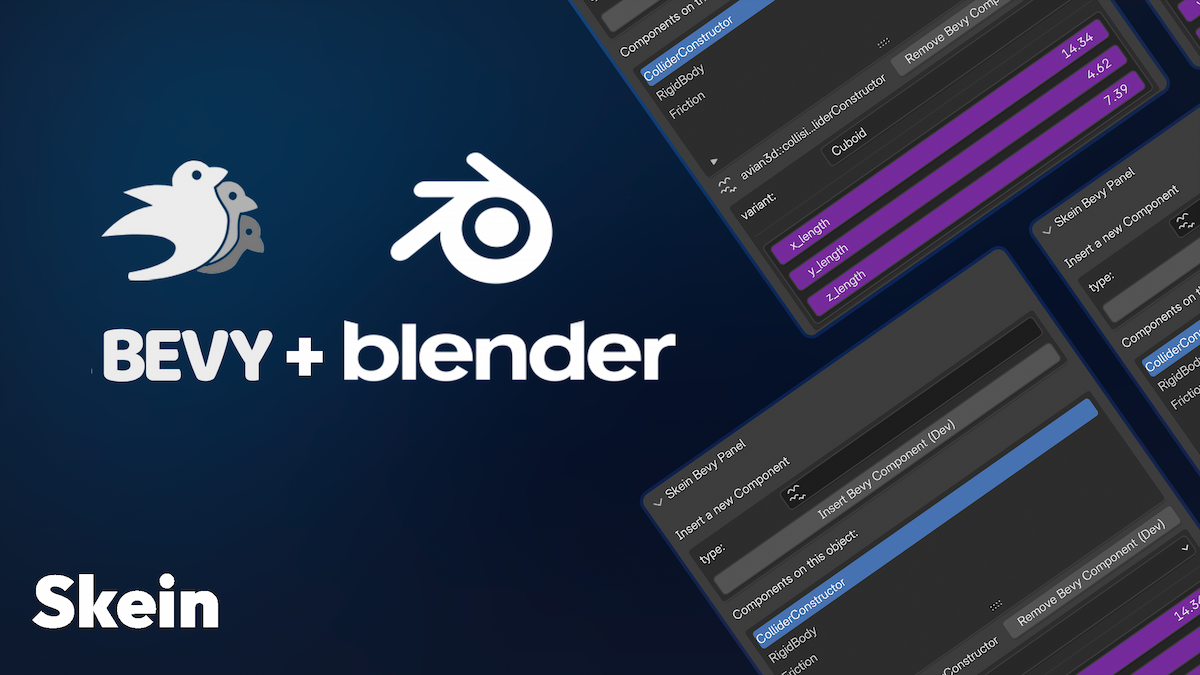
GitHub
Convert glTF extras to Bevy Components using reflection - rust-adventure/skein
right now we just force them to be empty vecs for ease of use, but we can expand that.
slate void
ah schnitzel
snow heron
let me take a quick look at it, I've got a bit of time
slate void
oh my lawd
snow heron
slate void
oh my lawd
made some progress. (supporting lists is not as easy as "just use a list type in python" unfortunately; we have to separately maintain an index and dynamically construct the item type)
I might hardcode Vec<String> support, since blender supports this via a bit of UI that is nice to work with.
Are there any other Vec<T>s that you're trying to use?
 slate void
snow heron
made some progress. (supporting lists is not as easy as "just use a list type in...
slate void
snow heron
made some progress. (supporting lists is not as easy as "just use a list type in...
Just that one
snow heron
progress on arrays is slow but progressing.


This is almost certainly going to ship initially as a Vec<String> hardcoded handling, and I'll improve the kinds of data it can handle over time after that
(the ui in that screenshot is borked, I know. I haven't done any real ui work on this yet. this is just the "its working" moment, from component definition to ui to gltf export.)
 jade prairie
Hey, thanks for your work on this cool little project! It's made my life a lot easier. After upgrading to 0.3 for Bevy 0.17, WASM builds fail with some pretty obscure errors (errno and polling crates not supported on platform unknown). Setting default-features = false on bevy_skein seems to solve the issue, I'm guessing due to the dependency on bevy_remote (which then depends on async_io, rustix and the lot). Would it be worth putting a note in the README? Don't think this was the case with 0.2/Bevy 0.16
snow heron
jade prairie
Hey, thanks for your work on this cool little project! It's made my life a lot e...
glad its making your life easier.
bevy_remote was always behind a feature flag, so if something changed it wasn't skein's Cargo.toml. We might be able to set up the feature flags so it automatically doesn't enable the feature on wasm though
snow heron
made a note to check in on this later: https://github.com/rust-adventure/skein/issues/69
slate void
@snow heron Sorry to bother but I have been running into a weird issue
on 0.3.0
{"skein":[{"psycho_overworld::shared:🏠:ExternalHouseMarker":{}}]}
In summary, element who contain skein components
Warn about not having inherited visibility
2025-10-21T16:26:51.612912Z WARN bevy_ecs::hierarchy: warning[B0004]: Entity 425v0 with the InheritedVisibility component has a parent (487v0) without InheritedVisibility.
This will cause inconsistent behaviors! See: https://bevy.org/learn/errors/b0004
Bevy is a refreshingly simple data-driven game engine built in Rust. It is free and open-source forever!
If I remove the skein option well, no warning
slate void
{"skein":[]} - Also they seen to be coming with no skein data
hmm it might have been a combination of migration + no update on the add on
polar trout
it's definitely a migration thing, I had some. install a newer blender addon, import your blend file and export again
snow heron
you definitely need to be using v0.3 of the skein crate with Bevy 0.17, and also update the Blender addon to some relatively recent version
I added support to the blender plugin to figure out which version of bevy you were using before 0.17 came out, so any update after that works
skein doesn't do anything that would affect the hierarchy, etc, so any issue like "inherited visibility" is related to the components that are being added and what the On<Add> etc handlers are doing in your project.
slate void
@snow heron Hmm, that doesnt seen to be it. I updated my addon. I also ensure my version was on 0.3
And I still get emptys and the inherited visiblity warnings
this is the latest version correct?
 snow heron
elements that contain skein components would not cause an InheritedVisibility warning, unless they would also do that without skein.
Having skein up to date is good, but skein isn't doing anything that could cause this
snow heron
slate void
this is the latest version correct?
yeah 0.1.12 is current
slate void
that is so weird maybe my artist opened the doc with the older version?
hmm, no
fudge it is like the data for the object is dirty
I could pass you the blender file if you want
ah that wont work
snow heron
sure I'd take a look for you
slate void
you dont have the components
snow heron
wdym? the registry data is stored in the blend file
I can't load the gltf export, but I can check out the blend file
slate void
well you cant load the scene
btw this is the code base
/// The child relationship gets automatically synced between the two on client one you enter that room!
fn spawn_overworld_room_and_scene(asset_server: Res<AssetServer>, mut commands: Commands) {
    let identifier = OverworldIdentifier::default();

    let gltf_handle = asset_server.load(GltfAssetLabel::Scene(0).from_asset(identifier.0.clone()));

    commands
        .spawn((
            OverworldRoomMarker,
            Replicate::to_clients(NetworkTarget::All),
            Room::default(),
            Name::new("Overworld room"),
            Transform::from_translation(Vec3::new(0.0, 0.0, 0.0)),
            InheritedVisibility::default(),
            // We dont need the scene garbase, we can recreate on client!
            DisableReplicateHierarchy,
            Phase(RoomSpawned),
        ))
        .with_child((
            OverworldSceneMarker,
            identifier,
            Name::new("Overworld scene"),
            SceneRoot(gltf_handle),
            Replicate::to_clients(NetworkTarget::All),
            NetworkVisibility::default(),
            // We dont need the scene garbase, we can recreate on client!
            DisableReplicateHierarchy,
        ));
}

fn marks_scene_spawned(
    query: Populated<
        (Entity, &Children),
        (With<OverworldRoomMarker>, Without<Phase<SceneSpawned>>),
    >,
    scene_roots: Query<&SceneRoot>,
    asset_server: Res<AssetServer>,
    mut commands: Commands,
) {
    for (entity, children) in query.iter() {
        let scene = children[0];
        let SceneRoot(handle) = scene_roots.get(scene).unwrap();
        let load_state = asset_server
            .get_recursive_dependency_load_state(handle)
            .unwrap();
        if load_state.is_loaded() {
            commands.entity(entity).insert(Phase(SceneSpawned));
            commands.trigger(RoomEvent {
                room: entity,
                target: RoomTarget::AddEntity(scene),
            });
        }
    }
}
The scene would be a skein scene
@snow heron nah it works 😖
I swear i am gonna cry
no wait
snow heron
The only thing I can think of, would be if you had some geometry nodes or similar that wasn't being rendered
slate void
ah i think i figured it out here
snow heron
I've also seen a similar issue when people are using skinned meshes
but neither of those are skein-related, just general blender export stuff
slate void
snow heron
but neither of those are skein-related, just general blender export stuff
So the issue goes as follows - My object data contained skein components, in the migration I deleted all of them. Whenever I add a skein component to one of those entities (that had skein components in the previous version) I get this crazy warning
but if I add them remove a component in the mesh data, it gets cleaned (FOREVAH)
here is the glb
ah it is too big
snow heron
have you used bevy-inspector-egui or something similar to check the entities in question?
slate void
@snow heron Would you kindly go in a quick chat room I can livestream it for you, how the issue gets triggered and so on. And yes I do use bevy_inspector_egui
snow heron
slate void
<@103513724052082688> Would you kindly go in a quick chat room I can livestream ...
sure I have a bit of time
slate void
@snow heron I am in general
polar trout
try adding InheritedVisibility::default() to a parent entity. It may just solve the symptom, I did not look into how exactly it should work, my guess is that it is not skein, but new release that is responsible for these
slate void
GitHub
A refreshingly simple data-driven game engine built in Rust - bevyengine/bevy
snow heron
for anyone following along, we think this is an archetype ordering issue that triggers the InheritedVisibility 's on_insert hook to warn that a child's parent doesn't also have InheritedVisibility, which is possible because of the way entities are created for scenes.
So the GltfExtras component being added to a child was enough to shift it into a different archetype, and therefore into a different insertion ordering relative to its parent.
specifically: https://github.com/bevyengine/bevy/blob/78d940cbfe177e3585fe19145e73c76172f4085e/crates/bevy_scene/src/scene.rs#L116
slate void
GitHub
Bevy version 0.16.0-rc.3 What you did Bevy 0.15 added observer bubbling/ auto-propagation. This is useful for being able to scope observers to certain branches of a scene hierarchy. Here's an e...
@snow heron that does not solve the fact that beforehand that issue did not occur, i mean on 0.16, perhaps archetypes are not to blame but this addition to observer logic
snow heron
slate void
<@103513724052082688> that does not solve the fact that beforehand that issue di...
your observers don't bubble though, afaik
the issue talks about the archetype issue in the first comment too
slate void
I mean the hierarchical component not mine but yes he mentions it
I am just tired and my phrasing is clunky
 reef shale
I mean, you're sorta correct @slate void, the problem is not really archetypes. The archetypes are why the problem happens to disappear by changing your scene slightly.
The problem is basically the scene system is under-defined. There's no notion of the order in which entities should be spawned, which results in problems when hooks/observers expect a certain order (like parents before children)
snow heron
I honestly can't decide if the fact that people try to do hierarchy traversal in hooks/lifecycle-observers is a good pattern at all. It occurred to me basically immediately that it would be fragile, but maybe it could be made not-fragile?
I guess since the InheritedVisibility component does it in a hook, that's as an "official stance" as any
I do wonder what impact bsn will have on this general topic
slate void
reef shale
I mean, you're sorta correct <@239493669034393600>, the problem is not really ar...
Do remind me to do a jam with you you seem to have a lot of brain juice
snow heron
andriy does indeed have the brain juice
reef shale
snow heron
I honestly can't decide if the fact that people try to do hierarchy traversal in...
The awkward part is that all relationships don't really work properly https://github.com/bevyengine/bevy/issues/18418
GitHub
Bevy version f353cc3 What you did let mut app = App::empty(); app.init_resource::<AppTypeRegistry>(); app.register_type::<Children>(); app.register_type::<ChildOf>(); let mut scen...
This InheritedVisibility problem would also not be an issue if we initialized all relationships after the regular components
snow heron
I've been trying to figure out a similar problem for skein, where the issue is "how do we have externally defined relationships"
to which my best answer so far is "let everything else spawn/insert, then modify the scene world"
snow heron
a relationship inserted on an object in blender that points to another object
tldr;
- identify objects in blender
- identify objects in gltf
- identify entity ids for previous steps when instantiating components on entities
you can't reflect Relationships if they point to Entitys that don't exist, so just sticking a temporary Entity-style value in them doesn't work
slate void
@snow heron Oh i tought of one simple fix for that issue, just make it so entities who have empty parse data not have the component gltf extras as them both parent and child will be same size. (If that is possible)
snow heron
slate void
<@103513724052082688> Oh i tought of one simple fix for that issue, just make it...
the size of the nodes isn't the issue in this case, but we can try to keep skein out of the extras if the list is empty as a cleanliness thing
as in: it won't reliably fix the issue related to the archetype iteration order
the parent and child in this case are in different archetypes already (one has a Mesh3d, the other doesn't, for example)
slate void
True...
snow heron
tried blender 5 yesterday, only requires one change for skein as far as I can tell
slate void
@snow heron I have unfortanate news
I have a new bug
2025-10-22T13:42:10.779670Z ERROR skein_processing: bevy_skein: failed to instantiate component data from glTF data err=Error("invalid value: map, expected map with a single key", line: 0, column: 0) obj={"skein": Array [Object {"avian3d:💥:collider::constructor::ColliderConstructor": Object {"VoxelizedTrimesh": Object {"fill_mode": Object {}, "indices": Object {}, "vertices": Object {}, "voxel_size": Number(0.0)}}}, Object {"psycho_overworld::shared::MapMarker": Object {}}]}
Whenever adding trimeshfrom mesh on mesh data well this happens
snow heron
slate void
2025-10-22T13:42:10.779670Z ERROR skein_processing: bevy_skein: failed to instan...
voxelized trimesh? that's the new collider type right?
snow heron
slate void
2025-10-22T13:42:10.779670Z ERROR skein_processing: bevy_skein: failed to instan...
are you saying that you added "TrimeshFromMesh" and got "VoxelizedTrimesh"?
or that you used "VoxelizedTrimesh" and it doesn't instantiate
slate void
trimesh from mesh
but
i don t know what i did i removed and added it again
and it fixed
what is up with that
snow heron
I think you just selected the wrong option without realizing it
slate void
might be perhaps
snow heron
The values are all explicit names here, so the only way you'd get a VoxelizedTrimesh is if you selected it
slate void
true
snow heron
got back on testing the idea of providing a key-bindable gltf export today. Have the operator working and such, just hoping I can figure out how to access the global settings from the exporter panel. Right now the settings all have to be provided separately.
hard rain
snow heron
got back on testing the idea of providing a key-bindable gltf export today. Have...
Not really sure I actually follow what this means? Like would that keybind skip the dialog box?
If no, than what benefit would it provide over binding the existing gltf expor to a hotkey?
If yes, than how would yo determine where to export the gltf?
snow heron
hard rain
Not really sure I actually follow what this means? Like would that keybind skip ...
Yes it would skip the dialog box
The options are stored in blender ways but fundamentally exist as options on the operator
The feature that typically gets asked for is "export on save", so skipping the dialog is the point
hard rain
Ah, I see, nice. Was actually planning on to implement this myself 🙂
Not really sure how you planned to do this, but I keep my workfiles and assets in separate directories but the structure is directly mirrored. Is that something that would be possible to do?
snow heron
hard rain
Ah, I see, nice. Was actually planning on to implement this myself 🙂
Not reall...
An ideal world is that it keeps the same configuration as the export dialog. If for some reason I can't work that out, it will be the same configuration options, but in a skein panel. So you'll be able to put things wherever you want
hard rain
snow heron
An ideal world is that it keeps the same configuration as the export dialog. If ...
Think what I was planning on doing is more opinionated, but including below a screenshot of my project structure for example.
So what I wanted to do is if I save a file in ./workfile/geo/my_geo.blend than it would get automatically recognized and exported to ./assets/geo/my_geo.glb
I mean, this is rather easy to do for my specific needs, so I can still just do it, but thought I share my usecase.
 snow heron
hard rain
Think what I was planning on doing is more opinionated, but including below a sc...
snow heron
hard rain
Think what I was planning on doing is more opinionated, but including below a sc...
mmhmm, so something that picks a file location for you rather than needing to configure the export options when you create the file
I think my biggest consideration when doing something more opinionated is when it comes to things like configuring data to be included/excluded. tangents, vertex colors, custom attributes, punctual lights, cameras, etc.
these are kind of gameplay-specific export features, which could conceivably differ even between blend files
I could see automatically turning on things like "apply modifiers" and realizing geometry nodes
snow heron
looked into maybe supporting lightmaps through skein today
 ocean burrow
snow heron
looked into maybe supporting lightmaps through skein today
ocean burrow
snow heron
looked into maybe supporting lightmaps through skein today
Wha? That would be amazing 👀
snow heron
ocean burrow
Wha? That would be amazing 👀
it seems entirely within reason to do. gotta make some decisions about workflow but there are a million baking plugins so all the relevant python APIs exist.
ocean burrow
snow heron
it seems entirely within reason to do. gotta make some decisions about workflow ...
I since I can export TrenchBroom's maps as .objs, that would be a way for me to get BSP-less lightmaps 😄
snow heron
ocean burrow
I since I can export TrenchBroom's maps as `.obj`s, that would be a way for me t...
are bsp-less lightmaps useful for you? haha
and if so, what kind of workflow would you be looking for?
ocean burrow
snow heron
are bsp-less lightmaps useful for you? haha
yes, since generating a BSP from the Q1 flavored .map would require me to only use 15 characters per texture 
I have experimented trimming the texture names automatically in a release workflow, but it get messy real quick
snow heron
right now I'm considering packing the lightmaps into the gltf file with an extension for some mapping data.
Would you be using a gltf export, or would you want the images separately?
ocean burrow
Well tbh reflection probes would be even more exciting to me
But I expect once you get lightmaps, you can get irradiance volumes and reflection probes similarly
I assum you know https://github.com/pcwalton/bevy-baked-gi
GitHub
A workflow for baked global illumination in the Bevy game engine - pcwalton/bevy-baked-gi
snow heron
ocean burrow
I assum you know https://github.com/pcwalton/bevy-baked-gi
yeah, but I haven't looked at it recently
ocean burrow
snow heron
right now I'm considering packing the lightmaps into the gltf file with an exten...
Images separately, so I can still load a .map ingame 🙂
snow heron
oh it hasn't changed since last year
snow heron
ocean burrow
Images separately, so I can still load a `.map` ingame 🙂
ok I'll keep that in mind. It'll probably be a manifest file + the images then
ocean burrow
snow heron
ok I'll keep that in mind. It'll probably be a manifest file + the images then
thanks! 
snow heron
will your meshes be imported with the right names?
ocean burrow
snow heron
will your meshes be imported with the right names?
yep
ocean burrow
snow heron
yeah, will be same workflow with different output then
awesome, thanks
snow heron
I already went through all the steps for the lightmaps and know what needs to happen, so its just a matter of sitting down to write the workflow code
ocean burrow
And if it's too much of a hassle I'm sure I can also extract it from the generated glTFs
snow heron
should be fine. I have to generate the images anyway, so they'll already be named against the mesh names. From there its just a "drop them to disk please" operation
really I imagine the issue is going to be "how do I make it not seem like blender froze while cycles is running" tbh 😅
snow heron
ocean burrow
Well tbh reflection probes would be even more exciting to me
do you know of any resources about reflection probes other than the bevy example. I'm not super familiar with them
I suppose that's what bevy-baked-gi is doing. I'll look closer at that. I used to use TheLightmapper too, which is part of why I'm looking at building an easy workflow with skein (TheLightmapper hasn't seen a commit in 10 months or so)
ocean burrow
snow heron
do you know of any resources about reflection probes other than the bevy example...
nope, but @dusk badger does 🙂
 dusk badger
hey what is the question about reflection probes? do they need a proper explanation of how they work? it's important to disambiguate terms here.
reflection probe is a type of light probe that only affects a local area in the scene, defined by the radius parameter. it has a local transform as opposed to affecting the entire scene like the environment light component does.
snow heron
dusk badger
hey what is the question about reflection probes? do they need a proper explanat...
I am looking at supporting easier lightmapping/etc workflows from blender to bevy and I don't have a good grasp of the probes or what I would need to do to support them, which jan has asked for.
so from what I gather its some sort of cubemap bake, but I really haven't used them before so was asking for some more context
dusk badger
yeah exactly. you capture the scene from the perspective of a camera in 360 degrees. can be parameterized either with equirectangular mapping, x is latitude and y is longitude on a spherical coordinate system in the 2d raster image. or - cube map projection with a 90 deg FOV perspective camera facing each face of a box. packaged as a 2d array texture.
in Bevy we added the GeneratedEnvironmentMap component to trigger a pipeline that then could filter this texture, in realtime and as it changes it generates the different roughness levels for it for the glossy and diffuse pbr reflections.
snow heron
ok so that's a baked image that's then processed and fed back into the scene?
is quick-reading the docs on it
dusk badger
and also an irradiance volume can be captured directly in blender, but it's only a 3d grid of diffuse radiance probes (also known as relfection probes), representing global illumination locally interpolated lattice. but it's only for diffuse, not for specular.
I think reflection probes can also be captured directly in blender, using the EEVEE engine
snow heron
ok cool, that makes it sound like irradiance volumes are going to be as easy as lightmaps
and I'll do some more digging on envmap/cube bakes
thank you for the additional context!
dusk badger
Note that there is also a pull request by pcwalton@ that introduces "omni directional cameras" that could render a bevy scene in engine with the rasterizer as a cubemap
and We have been talking about using Solari for light map baking
but it depends on whether you want to target realtime . because reflection probes are meant to be rendered realtime as opposed using baked lighting.
baked lighting is better suited for a pathtracker like Solari
snow heron
right now I'm just trying to get the ecosystem from "no lightmaps" to "using some baked lighting" because it can have such a big effect on scenes
I've got three things on my list now: lightmaps, envmap probes, and irradiance volumes probes.
solari light baking would be sweet, but I also don't want to put any undue pressure on that work
so I'll live with what can work today and try to spread that around a bit, which mostly means blender->bevy at the moment
ocean burrow
snow heron
right now I'm just trying to get the ecosystem from "no lightmaps" to "using som...
Your efforts are extremely appreciated
dusk badger
snow heron
solari light baking would be sweet, but I also don't want to put any undue press...
oh yeah good point actually haha. future ideas...
dusk badger
snow heron
so I'll live with what can work today and try to spread that around a bit, which...
we've been thinking about adding support for this in the bevy CLI maybe check in with those GH issues
snow heron
dusk badger
we've been thinking about adding support for this in the bevy CLI maybe check in...
will put it on my growing list lol
I have a very clear path to lightmaps as part of skein, so that's my first step.
 fair osprey
Great work on the crate @snow heron I had been unpacking the meshes mostly manually to rebuild heirarchies and this saves a stack of boiler plate. I'm curious if how people are managing parent/child heirarchies where a query needs to work with this relationship. My example is a tower that rotates a cannon so the cannon points at a target. I originally was creating a clear tower -> cannon relationship with children![] but using Scene now I notice there are additional entities spawned in between my blender objects. This broke my targeting animation systems (which I expected) which expected the direct child of tower to have a cannon component to rotate. Any tips on how to get back to this state with blender? Or Maybe I just need to rethink my sytems?
snow heron
fair osprey
Great work on the crate <@103513724052082688> I had been unpacking the meshes mo...
in general, the usage of visual level design programs comes alongside having extra entities and there's no really great ways around this without building a custom editor from the ground up, or reconstructing your objects, etc from all the pieces (neither of which are great suggestions).
The answer is "care less about the specific hierarchy in your code", which can be done with marker components, iter_descendants/ancestors, custom relationships, etc
also, glad you're finding skein useful!
fair osprey
Cool thanks, I will remodel my systems and see how it goes. I have definately sunk lots of time into management of GLTF assets, Skein is cleaning things up 😄
snow heron
fair osprey
Cool thanks, I will remodel my systems and see how it goes. I have definately su...
very happy to hear that. feel free to drop a message if you run into anything or are missing a feature or whatnot
reef shale
@snow heron any reason we don't just wrap the GLTF loader for skein? So you'd have SkeinGltfLoader which would run the GltfLoader and then mutate the scenes to do the "hydration" of the component data. Is there a blocker from assets, or are there some desirable features of "hydrating" at runtime?
snow heron
reef shale
<@103513724052082688> any reason we don't just wrap the GLTF loader for skein? S...
well, ideal scenario is gltf extension support actually. Then skein could run if the skein gltf extension was detected, and insert components in the loader
"wrapping the loader" is a crutch, and one that conflicts with loading gltf files and requires users to know what kind of gltf loader they need for which gltf files
I've tried very hard to avoid modifying the gltf loading behavior of bevy in any "forking" way
the gltf extras approach is just a short-term solution
it works, and it works fine, but the extension processing is the real goal. I want to submit a proposal for a bevy_component gltf extension at some point, and I'm doing the research for that
main blocker being relationship components 😅
so at some point before 0.18 I'm hoping to PR arbitrary extension support to the gltf loader
if I can uh, find the time.
reef shale
classic
snow heron
then skein moves to extension, and closer to a real "bevy_components" extension proposal
reef shale
feel free to send me a review request if you make it happen 😉
snow heron
will do, thanks 😄
reef shale
I just despise the "hydration" strategy for this scene stuff, it hurts my bones 😂 I saw a similar problem in #rust earlier about Avian's collider constructor 😢
But alas
snow heron
yeah, I'm with you. the observer/extras component approach is just a short-term solution in my mind
it works today, which helps prove out and get people using it
and honestly... I haven't seen anyone have issues with it as an approach 😅
but I'd love to have the scene be "ready to go" and pre-processed instead of post-processed
same thing for the lightmaps support. a skein_lightmaps extension plus insert the lightmap components with handles to images stored in the gltf in the loader
fluid acorn
dusk badger
yeah exactly. you capture the scene from the perspective of a camera in 360 degr...
Or octahedral 🙂 (octahedral has the lowest error)
ocean burrow
What’s the recommendation for how to organize and instantiate your prefabs? Separate scene and then use collection instances? Multi-blend-file and then import them as links? Blender's elusive asset system that I failed to understand last time I tried?
snow heron
ocean burrow
What’s the recommendation for how to organize and instantiate your prefabs? Sepa...
up to you really. Different needs for different games. The most straightforward solution is "if they truly, really are instances" then have them in collections and use collection instances.
ocean burrow
snow heron
up to you really. Different needs for different games. The most straightforward ...
What do you usually do as a go to?
snow heron
when you think of Collection Instance, think more of like "automatic instancing" in bevy. same data
ocean burrow
snow heron
when you think of Collection Instance, think more of like "automatic instancing"...
Yeah I usually do collection instances, but that’s basically because it’s what I learned and not because I deeply thought about it
snow heron
ocean burrow
What do *you* usually do as a go to?
depends on the "prefab". if they really, truly are the same, collection instances, otherwise I don't worry too much about duplicating things
I find myself using a second "library scene" in one project, then other things in others
it depends on how I'm going to use them in-game. If they're going to be programmatically spawned, they need to be their own scenes on some level
if they're going to be instances, they need to be a collection
ocean burrow
snow heron
depends on the "prefab". if they really, truly are the same, collection instance...
Alright, thanks 🙂 I was mainly wondering if the library scene approach was "outdated" or if you had some insight like "oh don’t do that, that’s what Blender assets are for", but your answer indicates that all is well then 😄
snow heron
you can "mark as asset" and use a second blend file, but I honestly think there's a level of overhead to doing that that most usage doesn't justify