#Avian Physics
1 messages · Page 19 of 1
 drifting marsh
if you'd like Jondolf, I'm trying to make a kinematic character controller again in my spare time if you want to collaborate
 vestal minnow
I need to make a patch release to fix a few things first, and ideally take a few days off so I don't burn out, but in a week or two I'd probably be interested
vestal minnow
If it's a collision thing then maybe
 royal helm
I've hit some really bad performance with shapecasting when 2 objects are ontop of eachother directly
will try to look into it more in the future
when I'm at my desktop and can profile it effectively lol
 shrewd wharf
so, any news about my code? @vestal minnow
shrewd wharf
btw i wanted to ask two things:
what is making this so hard to do?
and you said that it worked before because it did in substeps, but it doesnt do anymore. but substep of what? the physics used to step two times per frame and now it does only once per frame?
royal helm
controllers are just really hard in general to make fully correct
vestal minnow
shrewd wharf
so, any news about my code? <@545959292281552928>
Which part specifically? The changes I mentioned fix getting stuck in the ceiling and being able to jump on walls, I think the main remaining issue might be that jitter when pushing against walls
vestal minnow
Also FYI if all you need is collisions for axis-aligned boxes, then I feel like some fully custom physics and collision logic with something like swept AABB collisions could be more performant and robust. But I haven't implemented that myself, and you'd lose some other nice things provided by the engine if you went the route of custom physics
vestal minnow
shrewd wharf
this is what im talking about
didn't fix it properly yet, I keep getting pulled in a billion directions
shrewd wharf
ah yes
vestal minnow
shrewd wharf
btw i wanted to ask two things:
what is making this so hard to do?
and you said ...
So a very rough outline of the old simulation loop is like this, leaving out a bunch of details
loop {
    // Collect potential collision pairs
    broad_phase();

    let substep_dt = delta_time / substep_count;

    for _ in 0..substep_count {
        // Apply gravity, move bodies
        integrate_velocities_and_positions(substep_dt);

        // Compute contacts between broad phase collision pairs
        narrow_phase();

        // Solve contacts and joints
        solve_constraints(substep_dt);
    }
}
Substepping means that each frame is divided into several smaller steps, which makes solving contacts more accurate, and makes the simulation converge faster for more complex setups, meaning that it reaches the desired result more effectively. With very few substeps, things like cloth would stretch a lot, and stacks of objects wouldn't be stable.
As you can see, the narrow phase used to be in the substepping loop, which made sure the contact data was always up to date, but it was super expensive.
In Avian, the relevant parts look like this:
loop {
    // Collect potential collision pairs
    broad_phase();

    // Compute contacts between broad phase collision pairs
    narrow_phase();

    let substep_dt = delta_time / substep_count;

    for _ in 0..substep_count {
        // Apply gravity
        integrate_velocities(substep_dt);

        // Solve contacts and joints (with bias)
        solve_constraints_with_bias(substep_dt);

        // Move bodies
        integrate_positions(substep_dt);

        // Solve contacts and joints without bias to relax velocities
        solve_constraints_without_bias(substep_dt);
    }
}
Here the narrow phase is outside of the substepping loop (like in 99% of engines that have substepping), and the updated contact data must be approximated at each substep like I described. Note that the solver uses impulses instead of position corrections, unlike before.
If we're handling collisions outside the substepping loop, like the KCC collision logic now does, it means that the bodies can move into the wall at every substep without issue and it is only solved the next frame, which is the reason for the jitter. The velocity corrections in the collision logic aim to cancel out that velocity so the character doesn't go inside the blocks
shrewd wharf
vestal minnow
Also FYI if all you need is collisions for axis-aligned boxes, then I feel like ...
yeah, i mean, the reason why i chose to use a physics engine is because i really didnt wanted to write my own, and i would probably spend hours and days trying to do it and then ending up giving up on it. but also because i might want to add beach balls into my game lol
and btw
since its a 2d minecraft clone
perhaps the collision checks could be done on the blocks themselves rather than spawning collider entities for the blocks
i tried to do this once but failed
because i couldnt figure out how to do it.
but in theory, it is basically a AABB collision with a tilemap
vestal minnow
Yeah if you just know what tile the character is in, you could only check collisions against the tiles that its AABB intersects
shrewd wharf
in order to try to write anything collision related in this library, i need to understand everything and how it works
actually
i dont need it if im gonna write from scratch
the physics library will handle the LinearVelocity component, basically
 cinder summit
vestal minnow
Yeah if you just know what tile the character is in, you could only check collis...
cinder summit
vestal minnow
Yeah if you just know what tile the character is in, you could only check collis...
Clearly this calls for a customAabbCollider, the most disappointing alternative collider out of all of them 
vestal minnow
shrewd wharf
the physics library will handle the LinearVelocity component, basically
Well, all LinearVelocity really does is
position += linear_velocity * delta_seconds;
So that would be super easy to do even without the physics engine lol
shrewd wharf
actually
i need like uhh
i first need a way of calculating the penetration amount on a block
shrewd wharf
how can i get the corners or sides of a collider idk
vestal minnow
shrewd wharf
i first need a way of calculating the penetration amount on a block
if you need an AABB-AABB penetration depth and normal then I think this should work (probably not optimized)
fn aabb_aabb_collision(aabb1: Aabb2d, aabb2: Aabb2d) -> Option<(Dir2, f32)> {
    let normals = [Dir2::NEG_X, Dir2::X, Dir2::NEG_Y, Dir2::Y];

    let penetrations = [
        aabb2.max.x - aabb1.min.x,
        aabb1.max.x - aabb2.min.x,
        aabb2.max.y - aabb1.min.y,
        aabb1.max.y - aabb2.min.y,
    ];

    let (min_i, min_penetration) = penetrations
        .into_iter()
        .enumerate()
        .min_by(|(_, dist1), (_, dist2)| dist1.total_cmp(dist2))?;

    (min_penetration > 0.0).then_some((normals[min_i], min_penetration))
}
returns the normal and penetration, if penetrating
shrewd wharf
but what about the blocks on the chunk
vestal minnow
haven't tested much
vestal minnow
shrewd wharf
but what about the blocks on the chunk
wdym
vestal minnow
you can just get their AABBs and use that function
shrewd wharf
i guess
oh wait
i just remembered of something
i remember i used a technique where every frame the player would predict where it would be on the next frame based on the current velocity value
and then, if it detected that it would be inside a block
it would add to the position the velocity minus the penetration
vestal minnow
yeah that'd be closer to a swept AABB algo
shrewd wharf
so it snaps perfectly
but the problem is
to do that i would literally have to ditch the physics library
because it is already doing that
of adding the velocity to the position
vestal minnow
vestal minnow
yeah that'd be closer to a swept AABB algo
there's at least this article on it
https://www.gamedev.net/tutorials/programming/general-and-gameplay-programming/swept-aabb-collision-detection-and-response-r3084/
royal helm
got a basic collide & slide movement KCC working 🙂
vestal minnow
Ooh nice!
royal helm
isn't too complicated, but probably some simplifications that can be made here, you'd probably want to split out Y axis sliding from X/Z (since you might want to scale slopes at the same speed you walk on flat ground)
shrewd wharf
i guess i could get my player working if i knew how to implement collide and slide in bevy
royal helm
should work regardless, just have to change the types
although idk if 2d bevy has dot product for Vec2?
or no it should
shrewd wharf
there is
royal helm
i was thinking of cross product not usually being implemented in 2d
shrewd wharf
theres a tutorial for collide and slide but uhh
theres stuff like project on plane
which i dont think thats for 2D
in that case you would want to project on a vector
which is the dot product!
vestal minnow
yeah vector projection != dot product
royal helm
vector projection typically uses dot product to do so though
vestal minnow
yeah
royal helm
honestly is there even another method to do so...?
royal helm
ya but thats essentially dot product no?
I guess thats the problem with math, what really is "different" between two things lol
vestal minnow
I think it can be done like length(a) * cos(theta) * normalize(b) unless I'm misremembering
vestal minnow
but yea using dot(a, b) / dot(b, b) * b is of course more efficient
royal helm
since in normalize you'd be using length too I'm assuming
its just moving the division around a little
vestal minnow
yeah I mean you could write length as both sqrt(x^2 + y^2) or sqrt(dot(a, a))
but yeah anyways it's equivalent to using a dot product lol
royal helm
we gotta be fancy and start saying stuff like "This is isomorphic to the previous derivation"
vestal minnow
that can be left to #math-dev
royal helm
haha
shrewd wharf
yeah man i dont know if i have the patience for coding my own physics solution
you know what
i'm reverting back to xpbd
sorry
 hexed veldt
Need some help on a bug I encountered with bevy 0.13 and xpbd 0.4. To detect two meshes collision and then use the contact manifolds to determine the average points for both meshes. The issue I'm seeing is that the caculated average point1 and point2 are far from each other: One of them actually looks correct (align with the mesh), but the other one is far from the colliding mesh. I've attached a video file to show how far those average points are from the colliding point.
vestal minnow
hexed veldt
Need some help on a bug I encountered with bevy 0.13 and xpbd 0.4. To detect two...
If the objects have scaling applied, I think you should transform the points like transform.translation + transform.rotation * point instead of using transform.transform_point(point), because the contact data should already include the scale
Not sure if that's the issue, but it could be related
Btw is it possible to get reactions removed from these #1034543904478998539 topics? 🤔
The ❌ 🇵 🅱️ 🇩 might not be as relevant now 😂
 zinc talon
vestal minnow
The ❌ 🇵 🅱️ 🇩 might not be as relevant now 😂
zinc talon
vestal minnow
The ❌ 🇵 🅱️ 🇩 might not be as relevant now 😂
time to ping aNamee to correct this oversight /s
shrewd wharf
i had to go back to xpbd...
i wont go to avian until i figure out a player controller that actually works. i have other stuff to work on my game so i dont want to waste too much time with that
hexed veldt
vestal minnow
If the objects have scaling applied, I think you should transform the points lik...
Thank you @vestal minnow ! You are right. The objects have scale applied. I've tried your approach and now the issue is gone. I can understand why translation was not applied but scale was applied to the colliders; but it isn't obvious to me why rotation wasn't applied here?
vestal minnow
hexed veldt
Thank you <@545959292281552928> ! You are right. The objects have scale applied....
The contact data is in local space, because the contact solver needs them in that format, and it's also the output of the collision detection algorithms. We should probably rename the properties to local_point1 and local_point2 to make this clearer though
hexed veldt
Quick question: Does avian (and xpbd) skip colliders that are out of the camera view (off screen)? If not, is there a way to customize the engine to skip them?
vestal minnow
It doesn't skip them, that would generally cause a lot of weirdness and issues
Like time isn't meant to just stop behind you
I guess you could technically cull all the off-screen colliders and change their collision layers or something so that they don't collide
 glacial nebula
Thought the convo was happening in here, oops. #1260054020005953618 message
(Was responding to Jondolf there)
 glacial geyser
Does anyone have a good generic move_and_slide function for avian2d?
shrewd wharf
i also want the same thing lol
glacial geyser
Hmm I think I just need to take a look at the most recent kinematic controller example and adapt it.
Oh, I just needed to scroll up x.x
glacial nebula
FYI, just released the new avian bevy_mod_picking backend thanks to a community contribution https://github.com/aevyrie/bevy_mod_picking/pull/346
royal helm
glacial geyser
Oh, I just needed to scroll up x.x
just note that this might not be what you want exactly for 2d depending on what kind of game you are making
if its side view you probably dont want to scale at all with sliding/slopes
if its top down you probably do
might also be some bugs i havent teased out yet
but mainly if you are going to use it, mess around with the alignment_scaling variable calculation a bit to make it either not scale or only scale a certain axis
i also havent really tested ceilings but they should work?
glacial geyser
Yeah I've been playing with it a bit -- one question is what you do with your velocity
royal helm
how to turn your character velocity into the collide & slide stuff?
glacial geyser
No I mean -- after the collide and slide, you have the new position, but you'll want to update velocity based on the collisions as well right?
royal helm
oh yeah, i guess 2 options there that I'm not entirely sure about
probably just taking the last direction
glacial geyser
yeah that makes sense
I guess it's not to be confused with godot's move_and_slide which manages velocity for you -- though I always found myself steering clear of it anyways, too magical.
I'm also wondering how this approach compares to the kinematic controller example using collision manifolds instead of the shapecast.. I guess it's harder to get sliding over multiple bounces with that approach?
royal helm
The collision manifold stuff might tunnel if you go fast enough? but it does have some benefits I think
it'd technically hug walls slightly closer on a turn (at least at the same given timestep I believe), since what could happen with a move and slide is overshooting the sliding
royal helm
glacial geyser
I guess it's not to be confused with godot's `move_and_slide` which manages velo...
also note you need to put in a time.delta_seconds() for your velocity here
otherwise you'll be goin ultra fast
 dreamy raft
question, I have this player bundle which has a rigidbody
pub struct PlayerBundle
{
    player: Player,
    movement: components::Movement,
    stats: components::Stats,
    input_vector: components::InputVector,
    input_manager: InputManagerBundle<input::Action>,
    rigidbody: RigidBody,
    collider: Collider,
    mesh: PbrBundle
}```
but when I query for the linear velocity it returns the second statement here meaning the player doesn't have it, why is that, the examples imply that it's part of the rigidbody by default?
```fn player_move(time: Res<Time>, mut query: Query<(&components::InputVector , &components::Movement, &mut LinearVelocity),With<Player>>)
{
    if let Ok((input, movement, mut linear_velocity)) = query.get_single_mut()
    {

        let direction: Vec3 = input_to_isometric(Vec3{x: input.0.x, y:0.0, z: input.0.y});
        println!("we're in the if statement");
        linear_velocity.x += direction.x * movement.speed as f32 * time.delta_seconds();
        linear_velocity.z -= direction.z  * movement.speed as f32 * time.delta_seconds();

    }
    else
    {
        println!("we're out of the if statement")
}```and when I go into the code there's nothing for rigidbody implying that it is
so what am I doing wrong
 sleek thicket
dreamy raft
so what am I doing wrong
sleek thicket
dreamy raft
so what am I doing wrong
you need a LinearVelocity component on the player too
dreamy raft
Oh okay
 true hearth
glacial geyser
No I mean -- after the collide and slide, you have the new position, but you'll ...
true hearth
glacial geyser
No I mean -- after the collide and slide, you have the new position, but you'll ...
how it works in godot, and how I have also implemented it myself from time to time, is essentially this: (this is using godot-rust)
fn process_movement(&mut self, delta: f64) {
        let mut last_collision = None;
        let mut velocity = self.velocity;
        {
            let mut base = self.base_mut();
            let mut remainder = velocity * delta as f32;
            for _ in 0..16 {
                let Some(coll) = base.move_and_collide(remainder) else {
                    break;
                };

                let normal = coll.get_normal();
                let this_remainder = coll.get_remainder();
                remainder = this_remainder - normal * this_remainder.dot(normal);
                velocity = velocity - normal * velocity.dot(normal);
                last_collision = Some(coll);
            }
        }
        self.velocity = velocity;
        self.last_collision = last_collision;
    }
In avian, the move_and_collide part can probably be replaced by a shapecast + manual application of the partial movement, and the coll.get_remainder() is something like (cast_length - time_of_impact) * cast_direction
in this case, I'm allowing a max of 16 collisions per physics update (this is not substepping)
So what it does is, at each collision, the part of the velocity along the normal is removed
physically, this just assumes that each collision just absorbs all momentum that pushes the body into the collision
 little maple
I'm making this truck with a bed that can move independently and my first attempt was making the kinematic bed a child of the dynamic truck (which I asked about in help here: #1259697959793332305 message)
HOWEVER, I realized that's a flawed approach but am wondering what is the right way to handle something like this. I am experimenting with joints at the moment (spherical joint seems most like what I want?) but if the bed is kinematic then nothing moves.. and if it's dynamic then it starts affecting the truck. Is there a way to setup joints to behave the way I'm wanting? Or.. should I instead move the truck bed by changing its velocity so it looks attached to the truck at the end of each frame?
vestal minnow
little maple
I'm making this truck with a bed that can move independently and my first attemp...
Have you tried making the bed just a child collider attached to the dynamic truck, not its own kinematic body?
I think that way it would use the truck's actual velocity, and speculative collision might work too
also fixed another regression
https://github.com/Jondolf/avian/pull/409

GitHub
Objective
Fixes #407.
The solver rework caused a regression where contact normals didn't take the rotation of child colliders into account in the contact solver, leading to buggy collisions.
So...
then there's this one which I can't reproduce
https://github.com/Jondolf/avian/issues/408
I'm still trying to fix this as well https://discord.com/channels/691052431525675048/1259011159663579186
little maple
vestal minnow
Have you tried making the bed just a child collider attached to the dynamic truc...
duuuuuuude, this works perfectly
vestal minnow
Alright, nice 😄
Rigid bodies as children are generally kinda weird and might often have some issues like this
little maple
yeah, after making that example it clicked why that approach would have problems
vestal minnow
Thinking of reworking mass properties, can't decide if I should do this:
pub struct Mass {
    inverse: f32,
    effective_inverse: f32,
}

// Note: 2D versions left out for brevity
pub struct AngularInertia {
    inverse: Mat3,
    // Effective here means that it takes axis locking
    // into account and is in world-space.
    effective_inverse: Mat3,
}

pub struct CenterOfMass(pub Vec3);
Or
pub struct Mass {
    inverse: f32,
}
pub struct EffectiveMass {
    inverse: f32,
}

pub struct AngularInertia {
    inverse: Mat3,
}
pub struct EffectiveAngularInertia {
    inverse: Mat3,
}

pub struct CenterOfMass(pub Vec3);
Or
pub struct MassProperties {
    inverse_mass: f32,
    effective_inverse_mass: f32,
    inverse_angular_inertia: Mat3,
    effective_inverse_angular_inertia: Mat3,
    center_of_mass: Vec3,
}
They all have their pros and cons... It's kind of weird to have Mass but have it actually represent the inverse, but InverseMass wouldn't be as user-friendly
And then with MassProperties its not as composable and all the method names have to be longer
sleek thicket
is all of that actually always used?
vestal minnow
Yes?
the sim loop needs the inverse mass, angular inertia, and center of mass
both local and world space
world space should be cached, but right now it's not
recomputing it every time is expensive
Rapier and Bepu have it cached, for example
Rapier's setup is even more complicated
pub struct RigidBodyMassProps {
    /// Flags for locking rotation and translation.
    pub flags: LockedAxes,
    /// The local mass properties of the rigid-body.
    pub local_mprops: MassProperties,
    /// Mass-properties of this rigid-bodies, added to the contributions of its attached colliders.
    pub additional_local_mprops: Option<Box<RigidBodyAdditionalMassProps>>,
    /// The world-space center of mass of the rigid-body.
    pub world_com: Point<Real>,
    /// The inverse mass taking into account translation locking.
    pub effective_inv_mass: Vector<Real>,
    /// The square-root of the world-space inverse angular inertia tensor of the rigid-body,
    /// taking into account rotation locking.
    pub effective_world_inv_inertia_sqrt: AngularInertia<Real>,
}
and what does effective mass stand for? weight?
vestal minnow
Mass, taking into account locked translational axes
For angular inertia, you need the world-space version, and for that you need to compute a rotation matrix, do some matrix multiplication and a transpose
I guess technically we could do this, there would just need to be logic in place to automatically add angular inertia back when you unlock any of the rotational axes
And you need to compute it by traversing all the child colliders
sleek thicket
all i know is that memory is often a bottleneck and minimizing the bloat might be a huge optimization
vestal minnow
If e.g. AngularInertia doesn't exist, it should probably mean that rotation is completely locked. A static body shouldn't need mass properties, for example
If a body has any angular inertia, it requires the world-space version regardless of axis locking
*in 3D
the angular inertia tensor depends on the body orientation
sleek thicket
then you've ruled out 1 thing from the list of what you need to decide
vestal minnow
I think the minimum we need is
pub struct Mass {
    inverse: f32,
}

pub struct AngularInertia {
    inverse: Mat3,
    world_effective_inverse: Mat3,
}

pub struct CenterOfMass(pub Vec3);
and have all of them be technically optional
effective inverse mass is super cheap to compute so we probably don't need it cached
it's just Vec3::splat(inverse_mass)
and then set locked axes to 0
Well the solver logic would need to handle that case separately but technically it isn't needed
Hmm maybe we should use Mat3A instead of Mat3 as well
sleek thicket
either way i think the best decision for effective mass is to hide it from user, you can figure out the rest later
vestal minnow
vestal minnow
I think the minimum we need is
```rust
pub struct Mass {
inverse: f32,
}
pu...
The insertion logic will just become a bit confusing
- Add
Mass/AngularInertiaonly if the object is dynamic and it has at least one unlocked translational/rotational axis - Add
CenterOfMassonly if it wouldn't be the origin of the body - Update all of this as colliders or
LockedAxeschange
Presumably we shouldn't do automatic cleanup and remove the components automatically either since users might want them to exist, but idk
I mean you kinda need it if you have even a single collider that is off-center and has non-zero density
Would you prefer if you spawned a dynamic body with a collider computed from a mesh, and it behaved all wonky and unstable by default? You need the center of mass for these things to behave correctly. We could add a component for disabling auto-cómputation from attached colliders though
They probably don't need it
although the center of mass affects what point the object rotates around
so it will have an effect on kinematic objects too
No we can't do that lol, RigidBody is an enum and that would break all composability
we could do MassPropertyComputation::Auto/Manual or something though
Or CenterOfMass::Auto/CenterOfMass::Custom(Vector) like what Godot and Unity have GUI-wise
sleek thicket
auto/custom/origin
vestal minnow
Unity defaults to auto for center of mass and angular inertia fwiw
and every other engine I know
sleek thicket
i didn't have bugs because everything i have is either static or primitive, but i can easily imagine spending a week in frustration because of unexpected behaviour caused by auto 🥲
vestal minnow
In Godot, Inertia::ZERO means auto
(and is the default)
no, auto-compute angular inertia from attached colliders
sleek thicket
and i can only speak for unity, but you can often see that their physics are one of the main points of frustration
so at least that one is a bad reference to copy from
there are good parts that make sense too though
but it's easier to notice the sharp edges
 dark nexus
I updated bevy_xpbd_3d to avian3d and I'm getting jitter that I didn't get before with my third person camera following a moving target, am I correct to run the system that moves the camera in PostUpdate?
vestal minnow
dark nexus
I updated bevy_xpbd_3d to avian3d and I'm getting jitter that I didn't get befor...
Yeah, the same ordering as before should work... I can't think of anything that would've changed it 🤔
https://docs.rs/avian3d/latest/avian3d/#why-does-my-camera-following-jitter
Yeah I definitely wouldn't want to use bundles, especially considering they would likely be discouraged if/when required components land
And again center of mass is also used by kinematic, at least currently
dark nexus
vestal minnow
Yeah, the same ordering as before should work... I can't think of anything that ...
Thanks, I was missing the .after(PhysicsSet::Sync).before(TransformSystem::TransformPropagate) bits because I previously used bevy_xpbd_3d_interp with its in_set(InterpolationSet::PostInterpolation) and removed it with the update to avian and forgot to put this in there instead
vestal minnow
Ah, gotcha 🙂
dark nexus
btw I noticed that the author of bevy_xpbd_3d_interp already started working on interpolation for avian which is very cool: https://github.com/rubengrim/avian_smooth

GitHub
Contribute to rubengrim/avian_smooth development by creating an account on GitHub.
vestal minnow
Cool! Wasn't aware of that
sleek thicket
ok, i collected my thoughts for a bit, different genres just have different priorities
for a game with focus on physics it makes more sense to sacrifice performance for accuracy,
for a game with hordes of enemies it makes more sense to cut all corners to improve performance
i expected origin because of the latter, for the former auto makes more sense, but auto is less likely to break when expecting origin than the other way around
vestal minnow
Yeah I prefer correctness and stability over hyper-optimization by default, but to allow that optimization for those who need it
And a center of mass at the origin when the collider is offset just leads to highly unphysical behavior
sleek thicket
it's just that for an ecs engine performance appears much more important than for unity/godot
vestal minnow
The performance effect of having center of mass specified is very negligible
and again we could just not add it for bodies with no off-center colliders
although then we'll need Option spam everywhere
sleek thicket
it's still at least 3 wasted floats per enemy, but yeah at this point it's just premature optimization
but at least keeping everything in 1 struct can be ruled out
vestal minnow
It would have a few API benefits, but at least some of them can also be handled with MassPropertyBundle and MassPropertyQuery
dreamy raft
sleek thicket
you need a LinearVelocity component on the player too
I added that and it's still not moving
the component is being detected now though
sleek thicket
maybe something with input itself?
dreamy raft
no I know the input works since it was working no problem before I switched to using avian
yes when I was moving it on transform.translation I have made no modifications to the input and direction variables since
sleek thicket
input, direction, and speed are the only moving parts then
dreamy raft
direction is a rotated version of the input, the player movement system looks like this right now
{
    if let Ok((input, movement, mut linear_velocity)) = query.get_single_mut()
    {

        let direction: Vec3 = input_to_isometric(Vec3{x: input.0.x, y:0.0, z: input.0.y});
        linear_velocity.x += direction.x * movement.speed as f32 * time.delta_seconds();
        linear_velocity.z -= direction.z  * movement.speed as f32 * time.delta_seconds();

    }

}```what does it say if you print input and direction?
dreamy raft
(When pressing W) Input: [0, -1] Direction: [-0.7071068, 0, -0.7071067]
linearvelocity isn't 0 either so I don't know why it's not moving
sleek thicket
try turning up the speed?
vestal minnow
No
Maybe double-check that
- You have added
PhysicsPlugins(if you have any physics already then you probably have) - Your player's rigid body is dynamic or kinematic
- Your player has a
TransformandGlobalTransform(included in many bundles already) - You aren't resetting the velocity in some other system
And if it doesn't work, try to reduce it into the most minimal reproduction, and build up from there
Like try if just this moves
commands.spawn((
    RigidBody::Kinematic,
    Collider::sphere(1.0),
    LinearVelocity(Vec3::X),
    PbrBundle {
        mesh: meshes.add(Sphere::new(1.0)),
        ..default(),
    },
));
okay the issue was my dumbass forgot to add the physics plugin
vestal minnow
Yeah, I was suspecting that 😅 You shouldn't need to add LinearVelocity manually, it's inserted automatically for rigid bodies
dreamy raft
now I get to steal study the code from the kinematic player controller 3d example to make collisions work
vestal minnow
It's currently a bit scuffed and might have some edge cases, I'd like to implement a proper built-in collide-and-slide implementation soon-ish (similar to what Godot has)
sleek thicket
vestal minnow
Yeah, I was suspecting that 😅 You shouldn't need to add `LinearVelocity` manual...
is that new in avian?
vestal minnow
vestal minnow
It's currently a bit scuffed and might have some edge cases, I'd like to impleme...
but it should hopefully work alright for most cases
dreamy raft
vestal minnow
It's currently a bit scuffed and might have some edge cases, I'd like to impleme...
that would be nice, but for now, scuffed use case it is
vestal minnow
sleek thicket
is that new in avian?
No, it has always been like that. The physics engine can't simulate anything without velocity
Unlike Rapier, the ECS is the source of truth here
vestal minnow
vestal minnow
No, it has always been like that. The physics engine can't simulate anything wit...
(or static bodies don't need it, but I haven't handled that separately yet)
sleek thicket
vestal minnow
No, it has always been like that. The physics engine can't simulate anything wit...
query for LV component + player with single_mut results in error for me though
vestal minnow
That's because it's added at the start at the physics schedule in PostUpdate currently
dreamy raft
I'm guessing the hope is for avian to one day be merged into bevy as the main physics engine?
vestal minnow
vestal minnow
That's because it's added at the start at the physics schedule in `PostUpdate` c...
We could use lifecycle hooks now in 0.14 though
Or maybe required components if/when they land
sleek thicket
dreamy raft
I'm guessing the hope is for avian to one day be merged into bevy as the main ph...
even if it doesn't, they can upstream stable parts of it
vestal minnow
dreamy raft
I'm guessing the hope is for avian to one day be merged into bevy as the main ph...
That's my hope of course, but there's still a long road before that 🙂 And of course Rapier is still a valid option, although it has several things that would (in my personal opinion) be blockers for official adoption
dreamy raft
isn't bevy rapier just a wrapper of normal rapier but made to work with bevy?
vestal minnow
yep
dreamy raft
yeah I'm gonna stick with avian lol, at least I can get some idea of how it works outside of the physics and collision stuff I'm too smooth brained to understand
since it's made for bevy
right turns out clamping linearvelocity is a bad idea
at least clamping it like this is
linear_velocity.x = clamp(linear_velocity.x, -(movement.speed as f32), movement.speed as f32);
linear_velocity.z += direction.z * movement.speed as f32 * time.delta_seconds();
linear_velocity.z = clamp(linear_velocity.z, -(movement.speed as f32), movement.speed as f32);``` fair fractal
dreamy raft
yeah I'm gonna stick with avian lol, at least I can get some idea of how it work...
fair fractal
dreamy raft
yeah I'm gonna stick with avian lol, at least I can get some idea of how it work...
Yeah lol I took one look at the rapier create and I did not understand it at all lol.
Probably because I'm not very used to rust language but still
Every function and type comes with like 5 nested generic args
vestal minnow
I can say that a lot of Rapier's internals are very unreadable, especially the solver
the solver is black magic with like zero helpful comments
fair fractal
Well you managed to work with parry pretty well
vestal minnow
Parry's internals are generally a bit more understandable and there's less moving pieces... although from a user perspective it's still not exactly great, and the docs are pretty nonexistent
for learning how to do more advanced things with it, the best bet is often to look at how Rapier uses it lol
dreamy raft
the lack of documentation is why I started using bevy instead of using Godot's GDExtension + Flecs since I wanted performance (plus components are going to make a turn based RPG a lot easier)
anyways is there a good way to cap the speed of linearvelocity
vestal minnow
dreamy raft
anyways is there a good way to cap the speed of linearvelocity
Hmm... There isn't a good built-in way at the moment, but I think you could do it in a system in this very specific part of the schedule
app.add_systems(
    SubstepSchedule,
    clamp_velocities
        .after(SubstepSolverSet::SolveConstraints)
        .before(IntegrationSet::Position)
);
That way it clamps velocities right before updating positions with it. We could add a MaxLinearVelocity component for this though
(I haven't tried this so lmk if it has system order conflicts or other issues)
I'll open an issue about capping velocity
 visual sparrow
Completely off-topic: I recently contributed a fixed-timestep example to Bevy and that got me wondering how Avian does things. I know Avian uses fixed-timesteps as well, but not in the FixedTimestep schedule. The relevant issue says this is due to RemovedComponents, but now that could be handled with a lifecycle hook. Should Avian try to move to FixedTimestep? Furthermore, is Transform the for-real-for-real Transform according to the physics simulation? If so, I know that the visual representation should do some inter- or extrapolation instead of showing the real physics updates because those might have very heterogenous updates. Is there a best practice for this in Avian? I know I could cache the last Transform manually and then setup a visual object that "follows" the real physics object by lerping between the last Transform and the current one, but I'm wondering if there's anything built-in in Avian for that.
vestal minnow
Yeah I think nowadays we could probably switch to using FixedUpdate instead of PostUpdate by default. Historically it has had several usability issues, and IIRC there might still be some issues with input handling in FixedUpdate, but overall I believe it should be pretty usable now. Not entirely sure on the current state of things though
@cinder summit I recall you mentioning problems with Bevy's FixedUpdate a few times in the past, do you know if it still has many issues?
cinder summit
Compared to Update with variable deltas it still has some issues like the lack of first-party interpolation and of course inputs
I've seen some efforts to at least make LWIM behave as reasonable as possible in FixedUpdate, if that ends up working well it would probably be a lot better than using a custom loop for fixed rate physics at least 🤔
vestal minnow
Yeah, makes sense
Doesn't FixedUpdate run before Update? I'd imagine that input systems would currently need to run in PreUpdate or something to avoid a frame delay
(if you ran physics in FixedUpdate)
cinder summit
Yea, it's PreUpdate -> StateTransitions -> FixedUpdate -> Update
Realistically you should also do input stuff for FixedUpdate inside of it tho, generating inputs in PreUpdate has a lot of weird flaws
vestal minnow
mm yeah
so I think we could probably switch to FixedUpdate for physics at least once input handling there is better
cinder summit
We already run a fixed loop by default right? 🤔
vestal minnow
yea
cinder summit
We could probably already switch then. It should at least behave better than a custom loop
vestal minnow
Fair, it'd probably be better. And the old scheduling would probably be available still, since you can choose where you run physics
vestal minnow
visual sparrow
Completely off-topic: I recently contributed a [fixed-timestep example](https:/...
For the second question, the actual simulation doesn't use Transform or GlobalTransform at all and can function without them. Instead, it uses its own Position and Rotation components which are two-way synced with transforms by the SyncPlugin.
Transforms are used for hierarchies and as a user-facing way of moving and positioning objects, since that's what people are used to using in Bevy and other engines.
I believe we could technically handle Transform interpolation in the engine without touching the physics positions or requiring separate entities for the visual and physics representation, but I haven't tried that yet. The workaround so far has been to use something like bevy_xpbd_interp (now avian_smooth)
vestal minnow
vestal minnow
I'll open an issue about capping velocity
Issue for capping velocity 🧢
https://github.com/Jondolf/avian/issues/410

GitHub
It should be possible to set a cap on the maximum linear and angular velocities of bodies. This could be used to improve stability, prevent velocities from ever becoming infinite (although of cours...
 edgy nacelle
I think I might be having some nans (in the rotation I think) on avian 0.1 when a cylinder spinning really fast collides with a trimesh. I’m trying to narrow it down. Is it already a known issue though?
vestal minnow
edgy nacelle
I think I might be having some nans (in the rotation I think) on avian 0.1 when ...
Not sure. It could potentially be related to this https://discord.com/channels/691052431525675048/1259011159663579186
(associated issue)
A minimal reproducible example could be useful, at least that issue is being a bit annoying to debug
edgy nacelle
Okay, lemme open an issue once I find it 👍
Basically whenever my wheels lose grip and spin up they turn into nans haha
dreamy raft
vestal minnow
Issue for capping velocity 🧢
https://github.com/Jondolf/avian/issues/410
oh cool glad to know that this will be added as a feature of avian in the future then
dreamy raft
vestal minnow
Hmm... There isn't a good built-in way at the moment, but I *think* you could do...
I'm confused, whenever I do this it just says these two don't exist
IntegrationSet::Position```Make sure you add the system after you've added PhysicsPlugins, and that you're adding the system to SubstepSchedule
like my example
// After adding PhysicsPlugins
app.add_systems(
    SubstepSchedule,
    clamp_velocities
        .after(SubstepSolverSet::SolveConstraints)
        .before(IntegrationSet::Position)
);
I'm not sure this is a great idea though
Actually hmm nvm I was misundersfanding
vestal minnow
dreamy raft
I'm confused, whenever I do this it just says these two don't exist
```SubstepSo...
Or do you mean the types don't exist? They're in
use avian3d::dynamics::{integrator::IntegrationSet, solver::SubstepSolverSet}
tested myself and it seems to work fine
dreamy raft
vestal minnow
Or do you mean the types don't exist? They're in
```rust
use avian3d::dynamics::...
okay after implementing this all works, now I can add even more polish to my player controller as well as playing around with values
only issue now is movement can be a little glitchy and I think that's a hardware thing more than anything
little maple
what is meant by this? (from the Avian 0.1 blog post)
Another thing to note is that CCD does not prevent bodies from being pushed through other objects due to contact softness
vestal minnow
little maple
what is meant by this? (from the Avian 0.1 blog post)
> Another thing to note i...
If you push an object into a wall hard enough, it will overlap that wall, and with enough force you could push it through. Contacts aren't perfectly hard, and if they were, it would typically lead to instability and explosiveness, like with XPBD. This contact softness disclaimer is also in Box2D and Rapier, for example
It's often more important that bodies don't phase through static objects like walls than dynamic objects though, which is why static contacts currently have double the contact frequency (kinda like stiffness). It could further be improved by only solving dynamic-static contacts after all dynamic-dynamic contacts have been solved, but I haven't done that yet
 dusky brook
i'm migrating from rapier2d to avian2d, and wondering if there's an equivalent to rapier's DebugRenderContext::enabled flag to toggle debug rendering on the fly?
visual sparrow
Yes! You take ResMut<GizmoConfigStore>, then do the following
let config = config_store.config_mut::<PhysicsGizmos>().0;
config.enabled = true_or_false;
This is the general way in which gizmos in Bevy are enabled or disabled.
little maple
vestal minnow
If you push an object into a wall hard enough, it will overlap that wall, and wi...
that makes sense. That explains some of the behaviors I was seeing. I'm guessing that there isn't a current way to reduce those effects?
also, I asked chatgpt the same question and it referenced your avian 0.1 blog post which was kinda funny
vestal minnow
little maple
also, I asked chatgpt the same question and it referenced your avian 0.1 blog po...
Wait actually? That's pretty insane lol
vestal minnow
little maple
that makes sense. That explains some of the behaviors I was seeing. I'm guessing...
There's a SolverConfig resource that has configuration for contact behaviour, mainly contact_damping_ratio and contact_frequency_factor. Making them too high or low can cause other stability issues though
I asked ChatGPT what solver Avian uses and it could actually kinda answer
It said it uses sequential impulses, which is mostly accurate... although TGS Soft is of course substepped and uses soft constraints
little maple
I tend not to trust it for anything specific
cinder summit
Don't trust it at all ... The only good use I've seen for it is pointing you to things that you might not have found with a simple search because search ranking can be pretty biased 🤔
vestal minnow
Yeah I mean it's definitely getting a lot of details very wrong lol
At least it specifically said to refer to the implementation for more accurate details and that it can change
vestal minnow
edgy nacelle
I think I might be having some nans (in the rotation I think) on avian 0.1 when ...
I'm potentially able to reproduce by just dropping a fast spinning trimesh onto ground (see the rotation of the torus and the cylinder that touches it become invalid)
edgy nacelle
vestal minnow
I'm potentially able to reproduce by just dropping a fast spinning trimesh onto ...
Ah interesting! Although it's weird that the torus gets an invalid rotation only a little while after the ground collision
visual sparrow
vestal minnow
I'm potentially able to reproduce by just dropping a fast spinning trimesh onto ...
Beyblade game when 👀
 finite blaze
*Bevyblade
vestal minnow
visual sparrow
Beyblade game when 👀
I have made Bevyblades already lol
See later videos in the thread for more fast-paced versions
Would be interesting to try again with Avian
finite blaze
😄 this is amazing
vestal minnow
vestal minnow
See later videos in the thread for more fast-paced versions
this one in particular
#1152991839314513940 message
visual sparrow
vestal minnow
this one in particular
https://discord.com/channels/691052431525675048/115299183...
Oh my god I love this 😄
You could make something like that for the jam
I'm sure it will somehow fit the theme
vestal minnow
huh, that demo was apparently before we even had child colliders or async colliders... time flies
I distinctly remember making it, feels more recent than it is
although it's only like 10 months ago anyway lol
visual sparrow
Time flies like arrow, fruitflies like banana
vestal minnow
wise words
visual sparrow

vestal minnow
In Finnish, fruit flies are just banana flies (banaanikärpänen)
visual sparrow
vestal minnow
In Finnish, fruit flies are just banana flies (banaanikärpänen)
That’s kinda cute 🙂
 violet lava
vestal minnow
In Finnish, fruit flies are just banana flies (banaanikärpänen)
violet lava
vestal minnow
In Finnish, fruit flies are just banana flies (banaanikärpänen)
same in the scandinavian languages
dreamy raft
question, what would be a good way to add deceleration in a kinematic player controller, since I didn't see it in the 3D example for it
sleek thicket
dreamy raft
question, what would be a good way to add deceleration in a kinematic player con...
if you don't want to use LinearDamping component then you can multiply LV by anything less than 1
you can use LV length or dot to decide how strong deceleration should be, very very valet devs have a video on that but in context of car movement
 snow urchin
How do I check for collision via query?
 thin hare
snow urchin
How do I check for collision via query?
thin hare
snow urchin
How do I check for collision via query?
There is a Collisions resource that you can add as asystem param
vestal minnow
snow urchin
How do I check for collision via query?
- If you want to get a list of the entities currently colliding with an entity, there is a
CollidingEntitiescomponent - If you want to iterate over collision events, there is a
Collisionevent (alsoCollisionStartedandCollisionEnded) - If you want even more control, there is the
Collisionsresource
thin hare
snow urchin
How do I check for collision via query?
Here's a simplified example of a system I use to check collisions with the player
fn colisions_with_player(
    mut player_query: Query<(Entity, &mut Transform), With<Player>>,
    collisions: Res<Collisions>,
) {
    if let Ok((player_entity, mut player_transform)) = player_query.get_single_mut() {
        for collision in collisions.collisions_with_entity(player_entity) {
        // ... Collision logic here
        }
    }
}
What about for when a collision starts?
dreamy raft
sleek thicket
if you don't want to use LinearDamping component then you can multiply LV by any...
lineardamping feels like it's doing nothing
vestal minnow
I think it currently only affects dynamic bodies, but we could probably change it to also affect kinematic bodies 🤔
What it does is this
lin_vel.0 *= 1.0 / (1.0 + delta_secs * lin_damping.0);
So you could pretty easily implement it yourself too
(for those curious on the math, Box2D has a brief derivation)
vestal minnow
snow urchin
What about for when a collision starts?
I linked CollisionStarted earlier
snow urchin
vestal minnow
I linked [`CollisionStarted`](<https://docs.rs/avian3d/latest/avian3d/collision/...
I meant for his example
I'd like to do started_collisions_with_entity
if that exists
sleek thicket
so basically the classic OOP approach
it might actually be possible now that hooks and observers are here, right?
vestal minnow
snow urchin
I'd like to do started_collisions_with_entity
Hmm I haven't tested if this works, but you might be able to filter based on collision.during_previous_frame
fn colisions_with_player(
    mut player_query: Query<(Entity, &mut Transform), With<Player>>,
    collisions: Res<Collisions>,
) {
    if let Ok((player_entity, mut player_transform)) = player_query.get_single_mut() {
        for collision in collisions
            .collisions_with_entity(player_entity)
            .filter(|collision| !collision.during_previous_frame)
        {
            // ... Collision logic here
        }
    }
}
We should probably expose a dedicated API for this though
Otherwise you'd iterate through CollisionStarted events and find the one(s) that match your entity
snow urchin
vestal minnow
Otherwise you'd iterate through `CollisionStarted` events and find the one(s) th...
which is cumbersome
It would probably be way more performant in scenarios if there was just a started version of it
vestal minnow
sleek thicket
it might actually be possible now that hooks and observers are here, right?
Yes I'd like to do entity events, and in theory we could do that with observers already
sleek thicket
snow urchin
It would probably be way more performant in scenarios if there was just a starte...
OOP approach probably can't be performant either way
observers for rare events would be neat though
snow urchin
sleek thicket
OOP approach probably can't be performant either way
It's iterating over collisions vs seeing if an entity collided
indexing vs finding
sleek thicket
DOD shouldn't care about any specific entity in the first place
vestal minnow
sleek thicket
it might actually be possible now that hooks and observers are here, right?
I just need to figure out the details; I'm not sure if we can nicely reuse the existing event types since those have both entities participating in the collision and in no particular order, so you'd need to figure out which entity is the one you're targeting, which would be annoying. Ideally the type would store only one entity (since the trigger stores the target entity)
And we should also only trigger events if an observer is actually targeting the rigid body or collider to avoid lots of unnecessary data cloning
snow urchin
I think there should be an option for gravity for kinematic bodies
sleek thicket
i'm still a bit concerned that if you add it in, everyone coming over from unity/godot will immediately start using it even if it tanks the performance
sleek thicket
snow urchin
I think there should be an option for gravity for kinematic bodies
kinematic usually implies everything about it is DIY, but other rigidbodies can hit it
vestal minnow
sleek thicket
i'm still a bit concerned that if you add it in, everyone coming over from unity...
Observers would be much better for performance for the cases where you do want to target specific entities. For typical ECS systems the buffered events can be more efficient of course
that's more of a general observers vs. buffered events issue though, not necessarily specific to Avian
snow urchin
sleek thicket
kinematic usually implies everything about it is DIY, but other rigidbodies can ...
yeah, but really no reason to not make non-rotating gravity an option
vestal minnow
vestal minnow
Observers would be much better for performance for the cases where you do want t...
*Or at least currently, since many queries on Collisions are very unoptimal since it's not a contact graph yet
(I want to address that soon)
sleek thicket
snow urchin
yeah, but really no reason to not make non-rotating gravity an option
i use dynamic player controller and have it turned off 🤷♂️
snow urchin
ah, I didn't think about collision handling, nvm
either way I think started_collisions_with_entity should be implemented soon for performance concerns
sleek thicket
i just sort all collisions by tag into appropriate events for now, need to try more stuff to see if it breaks
snow urchin
sleek thicket
i just sort all collisions by tag into appropriate events for now, need to try m...
how do you do that
sleek thicket
snow urchin
how do you do that
#1124043933886976171 message
snow urchin
Don't understand your code, i'll figure it out later
for now the code jon sent is good enough
sleek thicket
tag is an enum, you just check how 2 entities interact based on that
so e.g. 1 is player, other is damage or player-only-trigger, etc and so on
sleek thicket
the only problem with it is if you want 2 things to happen at the same time
and damage can hit multiple targets at the same time, so it needs to be accounted for outside of collision sorting for projectiles
snow urchin
Is there a way to get the normal of the collision?
vestal minnow
snow urchin
Is there a way to get the normal of the collision?
Each collision between two objects can have multiple different contact surfaces, think a table on uneven ground. Each table leg could potentially have a different contact normal with the ground.
These contact surfaces are essentially what is stored in the manifolds list in the collision data. You can iterate that to get the normals of each contact surface. A lot of collisions might have just one contact surface/manifold, in which case the list will only have one element
(further, each manifold can have more than one contact point, like one for each corner of the bottom face of a table leg, but that's unrelated to the question)
snow urchin
vestal minnow
Each collision between two objects can have multiple different contact surfaces,...
so like collisions.manifolds?
or for each collision?
vestal minnow
Yeah, assuming you're using the method from earlier to get the collision, it should return a Contacts type that has a manifolds property
snow urchin
vestal minnow
Hmm I haven't tested if this works, but you might be able to filter based on `co...
this?
I'd like example code
vestal minnow
yes
for collision in collisions
    .collisions_with_entity(player_entity)
    .filter(|collision| !collision.during_previous_frame)
{
    for manifold in collision.manifolds.iter() {
        // ...
    }
}
A contact manifold between two colliders, containing a set of contact points. Each contact in a manifold shares the same contact normal.
snow urchin
How do I use it?
vestal minnow
Another important note is that manifold.normal1 (outward normal on first entity) and manifold.normal2 (outward normal on second entity) are in local space. This is for a bunch of physics engine reasons, and also the output of the collision detection library we're using. Although we could maybe change this now with the new solver in Avian.
For the global normal, you need to transform the normal using the rotation of the entity whose normal you want to compute
snow urchin
Just make another code example, I understand that best
vestal minnow
And yes I'm aware this is currently very cumbersome. I would like to make it nicer, but there are lots of performance and memory reasons for the current setup in terms of contact data. We can hopefully make it much nicer with the new solver and the planned contact graph though
vestal minnow
snow urchin
Just make another code example, I understand that best
okay wait a moment I'll make one
snow urchin
ty
vestal minnow
snow urchin
Just make another code example, I understand that best
I think it'd be something like this. (I also changed if-let to let-else to reduce indentation)
fn colisions_with_player(
    mut player_query: Query<(Entity, &mut Transform), With<Player>>,
    collisions: Res<Collisions>,
) {
    let Ok((player_entity, mut player_transform)) = player_query.get_single_mut() else {
        return;
    };

    for collision in collisions
        .collisions_with_entity(player_entity)
        .filter(|collision| !collision.during_previous_frame)
    {
        let is_player_first = player_entity == collision.entity1;
        for manifold in collision.manifolds.iter() {
            let local_normal = if is_player_first {
                manifold.normal1
            } else {
                manifold.normal2
            };
            // Compute global contact normal pointing away from the player
            let normal = player_transform.rotation * local_normal;
            // ...
        }
    }
}
There's no guarantee on which entity in the contact data is the player entity, so we have to check it annoyingly. But if you don't care whether the normal is pointing away from the player or towards it, you don't need that
thin hare
Was PhysicsSetupPlugin renamed in avian3d or was it deprecated in the re-architecture?
vestal minnow
thin hare
Was `PhysicsSetupPlugin` renamed in avian3d or was it deprecated in the re-arch...
It was split into PhysicsTypeRegistrationPlugin and PhysicsSchedulePlugin
PhysicsSchedulePlugin is effectively what PhysicsSetupPlugin was, I just extracted type registration (for inspectors etc.) out since it's a completely separate concern
and Bevy has a similar plugin setup
dreamy raft
vestal minnow
What it does is this
```rust
lin_vel.0 *= 1.0 / (1.0 + delta_secs * lin_damping....
well now the player can stop so I can play around with both damping and acceleration values so this actually feels good to control
snow urchin
vestal minnow
I think it'd be something like this. (I also changed if-let to let-else to reduc...
Y is up right?
In your engine
vestal minnow
Yes, in Bevy and in Avian
snow urchin
Alright.
Well in bevy it seems to be Z unless you specify in the lookat matrix function
vestal minnow
info on Bevy's coordinate system
https://github.com/bevyengine/bevy/discussions/10488
GitHub
Why is Bevy's coordinate system right-handed y-up?
snow urchin
Ah, nvm, mb, I guess z is up for only the camera?
Cause I just looked at my code and there is no lookat
vestal minnow
Not sure, I don't remember what the 3D camera defaults to
I would expect it to be looking in -Z by default
-Z being forward
snow urchin
I must have dementia cause you're right
snow urchin
vestal minnow
-Z being forward
Is this correct gravity code?
if let Ok((ent,mut vel)) = query.get_single_mut() {
        let mut colli:bool = false;
        for coll in col.collisions_with_entity(ent).filter(|colle|!colle.during_previous_frame) {
            let is_p_first = ent == coll.entity1;
            for man in coll.manifolds.iter() {
                let norm = if is_p_first {man.normal1} else {man.normal2};
                colli = norm.y > 0.84 && norm.y < 1.01;
            }
        }
        if !colli {
            vel.y -= 0.05;
        }
    } else {
        return;
    }
look_at/look_to are in transform
-Z forward is confusing as hell, so i switched to Z-up Y-forward and regret nothing so far
 severe urchin
i'm doing the 0.13->0.14 + xpbd->avian upgrade, and i get this panic now: Resource requested by avian2d::collision::collider::backend::init_collider_constructors does not exist: bevy_asset::assets::Assets<bevy_render::mesh::mesh::Mesh>
(i have bevy's default features enabled)
vestal minnow
If you're not using the collider-from-mesh feature and are using e.g. MinimalPlugins, that's probably this issue
https://github.com/Jondolf/avian/pull/405
should be fixed on main
severe urchin
ah, i was staring at the code wondering why it didn't work, but was looking at main on github. i'm using 0.1 locally... thanks! i'll switch to main
vestal minnow
I plan on releasing a 0.1.1 patch soon-ish to fix a few of these regressions
severe urchin
big upgrade, congrats on shipping it 🙂
vestal minnow
Thanks 😄
severe urchin
hm, i switched to using avian2d = { git = "https://github.com/Jondolf/avian.git", branch = "main", features = ["serialize", "default-collider"] } and i get compile_error!("either feature \"f32\" or \"f64\" must be enabled"); (and "2d"/"3d") shouldn't those features be enabled automatically?
vestal minnow
Yes, and they are 🤔
https://github.com/Jondolf/avian/blob/main/crates/avian2d/Cargo.toml
It's weird if you get that without default-features = false
cinder summit
default-collider should also be enabled by default 🤔
severe urchin
i also have lightyear as a dep, which includes avian2d with default-features=false, but my own dep should supercede that, so a bit stumped
cinder summit
It doesn't really work trough one crate superceding another, if default features are on anywhere it includes default features, and it just creates a sum of all features 🤔
severe urchin
yeah since i don't disable default features lightyear's avian2d should get ["2d", "f32", "parry-f32", "debug-plugin", "parallel", "bevy_scene"] too
cinder summit
Oh wait
Is that in your dependencies?
git = "https://github.com/Jondolf/avian.git" is a different version from version = "0.1" according to cargo's rules, so you'll get two different avian2ds if it's in dependencies instead of patch.crates-io
severe urchin
my top level cargo.toml contains this:
[workspace.dependencies]
avian2d   = { git = "https://github.com/Jondolf/avian.git", branch = "main", features = ["serialize", "default-collider"] }
lightyear = {git = "https://github.com/cBournhonesque/lightyear.git", branch = "main", features = ["webtransport", "leafwing", "avian2d"]}
and then my game server cargo toml contains:
[dependencies]
avian2d.workspace = true
ah so lightyear is asking for 0.1 of avian2d.. so i need to patch so that lightyear's avian2d matches my own?
cinder summit
Yea, both your crate and lightyear need to ask for the same version, and then in patch.crates-io you can change what it actually uses
severe urchin
thanks
switching my dep back to 0.1 to match lightyear then using patch to ask for main did the trick, thanks
cinder summit
Hey @vestal minnow did anything major change in bevy_xpbd 0.4 -> 0.5? I'm getting spammed with these warnings:
Dynamic rigid body Entity { index: 125, generation: 1 } has no mass or inertia. This can cause NaN values. Consider adding a `MassPropertiesBundle` or a `Collider` with mass.
and I assume that's related to my dynamic bodies not being affected by gravity
vestal minnow
Hmm... at least sensors don't contribute to mass properties now
and then some transform propagation changes but they shouldn't be breaking really
cinder summit
I don't even have transform propagation enabled I think 🤔
vestal minnow
Mm do you have ColliderHierarchyPlugin? It should be added by PhysicsPlugins though
It might be needed atm, although I'll probably make it optional in the Avian 0.1.1 patch
cinder summit
Ah yes, after adding ColliderHierarchyPlugin and the bevy::hierarchy::HierarchyPlugin it depends on it works
vestal minnow
ya that's currently because ColliderHierarchyPlugin is the plugin that adds ColliderParent for colliders, and it's needed even without hierarchies atm
I'll try to make it so it works even without ColliderHierarchyPlugin though
little maple
so, I have this truck bed and these cubes and the cubes only can interact with the bed (not each other). When the truck moves, the bed moves and the cubes stay in. But, when rotating the bed the cubes eventually get inside the truck walls and then fall through.
It doesn't happen as much if I increase the size of the cubes, but just wondering what other approaches should I try? I messed with SolverConfig a bit but it didn't seem to have an effect.
vestal minnow
little maple
so, I have this truck bed and these cubes and the cubes only can interact with t...
Is the truck using trimesh colliders somewhere?
sleek thicket
the bed itself seems to be a trimesh
little maple
vestal minnow
Is the truck using trimesh colliders somewhere?
the bed is trimesh collider. The truck is convex hull but it's layered to not interact with the cubes or the bed
vestal minnow
little maple
the bed is trimesh collider. The truck is convex hull but it's layered to not in...
Ideally the bed would probably either use convex decomposition or (more efficient) be a compound collider created from five cuboid colliders, one for each side and one for the bottom.
I think configuring TrimeshFlags::FIX_INTERNAL_EDGES might also help a bit in some cases, but that might mainly just be for trimesh-trimesh collisions, not sure
Then there is also CollisionMargin to make the trimesh collider "thicker", which can help, but then it might look like the cubes aren't visually touching it anymore unless you change the mesh again
The main issue here is that trimesh colliders are essentially hollow, and the triangles are infinitely thin by default
So it's easier to tunnel and get stuck in them
sleek thicket
it's kind of a useful shape, i think it might be a good idea to add function to generate it from primitives
i'm just not sure how to make it without ghost collisions
little maple
vestal minnow
Ideally the bed would probably either use convex decomposition or (more efficien...
ah, these are great suggestions. Thanks!
edgy nacelle
vestal minnow
The main issue here is that trimesh colliders are essentially hollow, and the tr...
Are all of the non trimesh shapes non-hollow for collisions? e.g. the standard convex geometric shapes, convex hulls, convex decompositions?
vestal minnow
All convex shapes and shapes formed from convex pieces (through convex decomposition) are non-hollow
Trimeshes, heightfields, polylines, and line segments are hollow and/or infinitely thin (and heightfields of course aren't closed anyway so they can't have an interior)
Basically every shape that can exist without being watertight/closed is treated as infinitely thin
 willow ice
...
let mut deepest_penetration: Scalar = Scalar::MIN;

// Solve each penetrating contact in the manifold.
for contact in manifold.contacts.iter() { // Empty sometimes
    if contact.penetration > 0.0 {
        position.0 += normal * contact.penetration;
    }
    deepest_penetration = deepest_penetration.max(contact.penetration);
}

...
Following the kinematic 3d character example is there any reason why this iterator might be empty?https://github.com/Jondolf/avian/blob/main/crates/avian3d/examples/kinematic_character_3d/plugin.rs#L362
It seems like this sometimes doesn't run then propagates the large magnitude deepest penetration and causes NaN and inf down the line
Context:
My character collider is a cuboid and the thing I am colliding with is a Collider::compound of many cuboids (like a minecraft chunk)
I can reproduce this when sliding from one block to another and when impacting a block on its top at high speed
dreamy raft
so for some reason my collisions aren't working, I copied it directly from the kinematicbody3d player controller example (only changing the character_controller component for my own player_components::player component), both the player and the floor but the player just goes right through the floor
these are the parts involved in all this
physis/mod.rs
impl Plugin for Physics
{
    fn build(&self, app: &mut bevy::prelude::App)
    {
        app
        .add_plugins(PhysicsPlugins::default())
        .add_systems(PostProcessCollisions, physics_collision::kinematic_controller_collisions)
        .add_systems(FixedUpdate, dampen_velocity)
        .add_systems(
            SubstepSchedule,
            clamp_velocities
                .after(SubstepSolverSet::SolveConstraints)
                .before(IntegrationSet::Position)
        )
                ;
    }
}```the physics_collision script
the player bundle spawn
{
    commands.spawn
    (
        PlayerBundle
    {
        movement: player_components::Acceleration(50),
        stats: battle_components::Stats
        {
            name: "Valeria".to_string(),
            health: 100,
            mana: 50,
            speed: 10,
            attack: 10,
            evasion: 10,

        },
        input_vector: player_components::InputVector(Vec2{x:0.0,y:0.0}),
        input_manager: InputManagerBundle::with_map(player_input::Action::mkb_input_map()),
        mesh:PbrBundle{
            mesh: meshes.add(Capsule3d{..Default::default()}
            ),
            material: materials.add(Color::WHITE),
            transform: Transform{ translation: Vec3{x:0.0, y:1.0, z:0.0}, ..Default::default()},
            ..Default::default()
         },
        rigidbody: RigidBody::Kinematic,
        collider: Collider::capsule(1.0, 2.0),
        player: player_components::Player,
        linear_damping: LinearDamping(2.5),
        max_linear_velocity: physics_components::MaxLinearVelocity(Vec3{x:4.0,y:0.0,z:4.0})
    }
);```and the floor spawn script
{
    let color = Color::srgb(0.0, 0.5, 0.0);
    let floor = PbrBundle
    {
        mesh: meshes.add(Plane3d{..Default::default()}),
        transform: Transform{scale: Vec3{x:100.0,y:100.0,z:100.0}, ..Default::default()},
        material: materials.add(color),
        ..default()
    };
commands.spawn(floor).insert(avian3d::collision::Collider::cuboid(100.0, 0.1, 100.0));```you probably need a RigidBody::Static for the floor
the collision system has
// Get the rigid body entities of the colliders
let Ok([collider_parent1, collider_parent2]) =
    collider_parents.get_many([contacts.entity1, contacts.entity2])
else {
    continue;
};
but if the other entity has no rigid body, this just returns early
dreamy raft
well that was the problem, now it sends the player extremely far away when I spawn the player, but collision works
oh and also the collision is a bit glitchy
true hearth
pretty happy with this so far:
https://www.youtube.com/watch?v=KC_tI8k1WF0
Still using xpbd 0.13, waiting for the blevy 0.14 update
 vestal minnow
Ooh, cool! That looks fun, although a bit motion sickness inducing in first person mode 😅
true hearth
ah yeah, definitely 😛 will need a lot of tweaking, that mode
do love that "gopro" vibe though, so in a game I would probably leave something similar as an option
dreamy raft
true hearth
pretty happy with this so far:
https://www.youtube.com/watch?v=KC_tI8k1WF0
Still...
looks cool, i'm jealous how non-jittery yours is lol
true hearth
there's a lot of springs involved 😛
dreamy raft
mine has no springs involved since I just need something that works lol
true hearth
if you're talking about camera jitter, that was fixed once I just set the camera position during the substepschedule (probably not the recommended solution though, but I'm doing lots of things during the substep schedule anyways)
dreamy raft
unfortunately it's not all Camera jitter, some of it is just collision jitter
true hearth
like this maybe? luckily this is absorbed by my spring, but yeah I'm noticing this jittery shape cast on some of the trimesh colliders in this level
severe urchin
will it cause issues if i spawn my level and some static colliders overlap?
walls, for example
vestal minnow
severe urchin
will it cause issues if i spawn my level and some static colliders overlap?
No, that's fine
sleek thicket
dreamy raft
mine has no springs involved since I just need something that works lol
basic spring is super simple though
#1124043933886976171 message
vestal minnow
For "something that works", there is also tnua which supports Avian
That is a floating character controller though, and uses a dynamic body instead of a kinematic one
sleek thicket
the one i sent is not that far off from kinematic though, just need to resolve velocity manually
dreamy raft
sleek thicket
basic spring is super simple though
I don't really need springs though, mine is meant to be a character controller for an RPG
sleek thicket
RPG doesn't say much 😅
dreamy raft
it's a turn based RPG lol, I'm already more concerned about movement than most turn based RPG devs (I blame SMTV)
sleek thicket
if you're working alone then it's better not to compare
severe urchin
is it ok to change a body from kinematic to dynamic? eg i have a moon in orbit (kinematic) and decide to let it deorbit by changing it from kinematic to dynamic on a certain trigger?
vestal minnow
That should be fine
severe urchin
cool
vestal minnow
(lmk if it's not lol)
sleek thicket
if it's not fine then it'd be a huge problem, turning kinematic chars into ragdolls is really common 😅
severe urchin
good to know. physics/gamedev noob so just making this up as i go 🙂
dreamy raft
sleek thicket
if you're working alone then it's better not to compare
okay, point is, I don't think a spring is going to fix my jittering problem
hexed veldt
Is it generally a good idea to do collision checks in PostUpdate schedule? I'm running into errors like
Could not insert a bundle (of type `game::collider::CollisionInfo`) for entity 360v138 because it doesn't exist in this World.
when running the collision checks in the Update schedule.
vestal minnow
hexed veldt
Is it generally a good idea to do collision checks in `PostUpdate` schedule? I'm...
Yeah physics currently runs in PostUpdate by default, so the contact data in Update is technically from the previous frame.
You could run your system in PostUpdate right after physics, or to just avoid the error you could also use try_insert instead of the panicking insert. try_insert only inserts the bundle if the entity exists.
hexed veldt
Thanks! How to do this "You could run your system in PostUpdate right after physics"? I mean how to specify it to run after physics?
edgy nacelle
true hearth
there's a lot of springs involved 😛
Ooh how do you implement springs? I tried applying ExternalImpulse (-k * x * dt), but it’s either too weak against gravity, or things get explodey
 gilded fox
I am following the docs here: https://docs.rs/avian3d/latest/avian3d/dynamics/rigid_body/enum.RigidBody.html#mass-properties and setting the ColliderDensity(0.0) and as soon as I do that on my dynamic rigidbody it stops colliding with the static ground. Am I doing something wrong? If I comment out the ColliderDensity then it works again.```
const GROUND_SIZE: f32 = 20.0;
commands.spawn((
PbrBundle {
mesh: meshes.add(Cuboid::new(GROUND_SIZE, 1.0, GROUND_SIZE)),
material: materials.add(Color::srgb(0.8, 0.2, 0.4)),
..default()
},
Collider::cuboid(GROUND_SIZE, 1.0, GROUND_SIZE),
RigidBody::Static,
));
commands.spawn((
    PbrBundle {
        mesh: meshes.add(Cuboid::new(1.0, 1.0, 2.0)),
        material: materials.add(Color::srgb(0.8, 0.7, 0.6)),
        transform: Transform::from_xyz(0.0, 5.0, 0.0),
        ..default()
    },
    RigidBody::Dynamic,
    Collider::cuboid(1.0, 1.0, 2.0),
    ColliderDensity(0.0),
    Mass(20.0),
    InverseMass(1.0/20.0),
    CenterOfMass(Vec3::ZERO),
));```
I made the dynamic object into Collider::sphere(1.0) and it works as expected.. I guess just a missing implementation for cuboid.
snow urchin
Am I stupid cause I genuinely don't know why this floor code won't work
let mut hitfloor = false;
        'a: for coll in col.collisions_with_entity(ent).filter(|colle|!colle.during_previous_frame) {
            let is_p_first = ent == coll.entity1;
            for man in coll.manifolds.iter() {
                let norm = if is_p_first {man.normal1} else {man.normal2}.y.abs();
                if norm > 0.84 && norm < 1.01 {
                    hitfloor = true;
                    break 'a
                }
            }
        }
        if !hitfloor {
            vel.y -= 0.05;
        }
Or rather I don't know what the solution would be
snow urchin
I tried adding the same amount to y when hitfloor isn't true and no change
But add too much and it just bounces up and down
Ik it's probably textbook physics but i'm afraid I don't know what that would look like
vestal minnow
gilded fox
I am following the docs here: https://docs.rs/avian3d/latest/avian3d/dynamics/ri...
My guess is that you need non-zero Inertia
The local moment of inertia of the body as a 3x3 tensor matrix. This represents the torque needed for a desired angular acceleration along different axes.
vestal minnow
snow urchin
Am I stupid cause I genuinely don't know why this floor code won't work
```rs
le...
Is the intention that this would apply gravity whenever the object is not in contact with ground? It looks like you're iterating through started collisions, not just active collisions, so hitfloor is only true for the frame where you first hit the floor
snow urchin
vestal minnow
Is the intention that this would apply gravity whenever the object is not in con...
tried that, still goes right through
whether it's started or continous
vestal minnow
What are you using for stopping the object's vertical velocity when it hits the ground? So it doesn't just keep going
snow urchin
vestal minnow
What are you using for stopping the object's vertical velocity when it hits the ...
A static cuboid
I tried println on everything and it works as intended
vestal minnow
Is the object you're moving kinematic?
snow urchin
by conclusion is that it's just adding more than it stops
snow urchin
snow urchin
by conclusion is that it's just adding more than it stops
It stops for a few frames and keeps going
vestal minnow
snow urchin
static
If it's moving with LinearVelocity then it can't be RigidBody::Static though because they by definition can't be moved, except teleported with position changes
snow urchin
vestal minnow
If it's moving with `LinearVelocity` then it can't be `RigidBody::Static` though...
The object that the player is colliding with is static
the floor is static
the player is kinematic
vestal minnow
Do you have collision logic for the kinematic body though? To actually prevent it from going through the static ground
snow urchin
vestal minnow
Do you have collision logic for the kinematic body though? To actually prevent i...
The code I sent is my current logic
it passes the print statements
vestal minnow
So the whole thing with kinematic bodies is that they're fully user-controlled, and can be moved with velocity, but they don't respond to collisions or forces. You need to manually handle all collision logic for kinematic bodies
A non-deformable body used for the simulation of most physics objects.
snow urchin
vestal minnow
So the whole thing with [kinematic bodies](https://docs.rs/avian3d/latest/avian3...
I did
let mut hitfloor = false;
        'a: for coll in col.collisions_with_entity(ent).filter(|colle|!colle.during_previous_frame) {
            let is_p_first = ent == coll.entity1;
            for man in coll.manifolds.iter() {
                let norm = if is_p_first {man.normal1} else {man.normal2}.y.abs();
                if norm > 0.84 && norm < 1.01 {
                    hitfloor = true;
                    break 'a
                }
            }
        }
        if !hitfloor {
            vel.y -= 0.05;
        }
You're moving the body downwards with gravity, but not reacting to the collision by actually stopping the player at the ground
true hearth
edgy nacelle
Ooh how do you implement springs? I tried applying ExternalImpulse (-k * x * dt)...
it needs to be a force, not an impulse. The ExternalForce component
and damping is also a game changer when using springs
so the force should be something like stiffness * (target - position) - damping * velocity
vestal minnow
vestal minnow
You're moving the body downwards with gravity, but not reacting to the collision...
Kinematic collisions are most commonly handled with collide-and-slide, which isn't currently built-in but likely will be in the future. There are also some simple implementations of it on this Discord
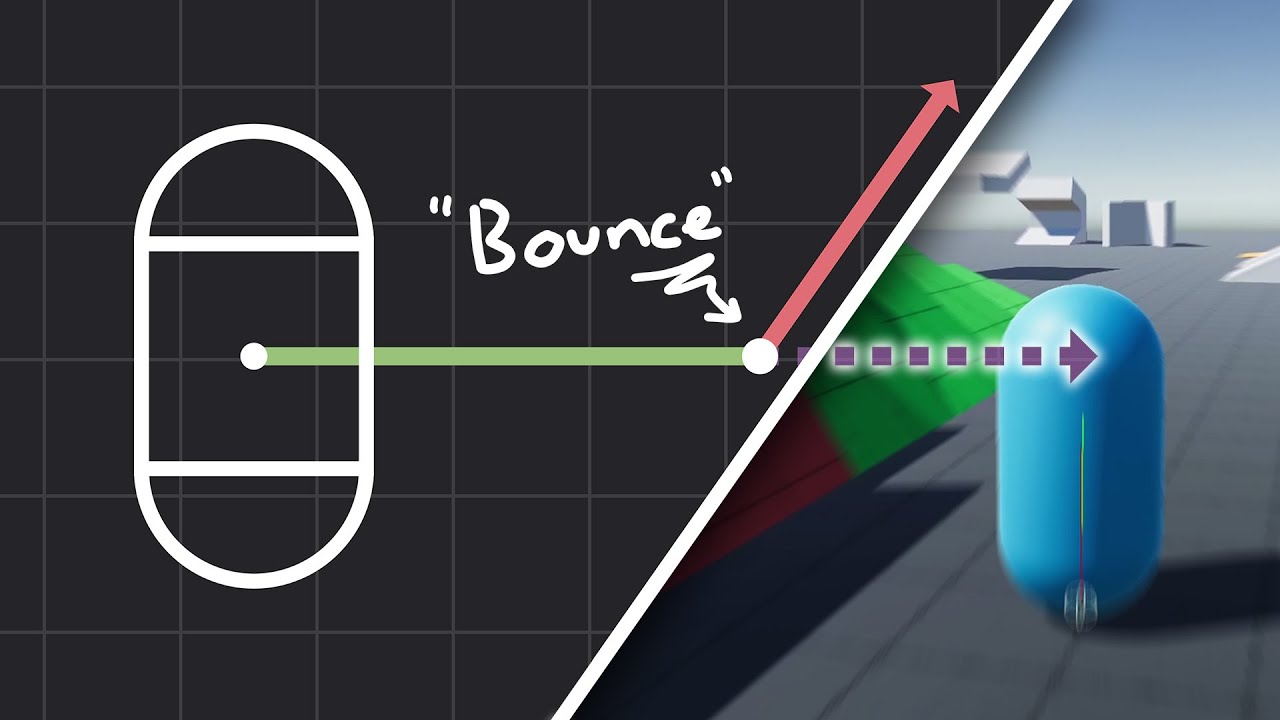
How to make actually decent collision for your custom character controller. Hopefully you find this helpful and people will finally stop saying "jUsT uSe DyNaMiC rIgIdBoDy!!!1!!11!!"
Chapters:
00:00 - Intro
01:09 - Algorithm
05:11 - Implementation
Improved Collision detection and Response (Fauerby Paper):
https://www.peroxide.dk/papers/collisi...
true hearth
edgy nacelle
Ooh how do you implement springs? I tried applying ExternalImpulse (-k * x * dt)...
oh, but you're transforming to an impulse via dt, so not sure why that doesn't work. Maybe you just need to add damping
snow urchin
vestal minnow
You're moving the body downwards with gravity, but not reacting to the collision...
how
vestal minnow
vestal minnow
Kinematic collisions are most commonly handled with [collide-and-slide](https://...
like this one (I haven't tested)
#math-and-physics message
and this one
#1124043933886976171 message
both for Avian
snow urchin
vestal minnow
like this one (I haven't tested)
https://discord.com/channels/691052431525675048...
Don't understand any of that currently
I'm aware of a gamemaker tutorial I followed though where the players position would incremently go backwards by half the position each time
Otherwise the player would get stuck inside the object
Forgot the code though
gilded fox
vestal minnow
My guess is that you need non-zero [`Inertia`](https://docs.rs/avian3d/latest/av...
Thank you, makes sense in retrospect! That fixed it.
royal helm
sometimes I wish I had a little vector sandbox lol
make it easier to visualize and understand the operations taking place
snow urchin
royal helm
sometimes I wish I had a little vector sandbox lol
The benefit to making an engine yourself isn't you don't have to learn the engine, at the cost of all your time
I chose bevy because it's like a scene editor in the form of code, the most efficient way of manufacturing a game.
royal helm
I mean I could make this inside of bevy, I just mean I'd like a little graph with a bunch of vectors based off some code
snow urchin
royal helm
I mean I could make this inside of bevy, I just mean I'd like a little graph wit...
wdym
royal helm
honestly just using the gizmos to make it would be fairly easy
I just want a visualization of certain operations, like I do:
let velocity = velocity - normal * velocity.dot(normal);`
I can make sense of it eventually in my head, but it just takes a bit longer
vestal minnow
snow urchin
how
Proper collisions for kinematic characters are just not a simple thing to implement, and require decent understanding of vector math (or just copy an existing solution I guess). There is a kinematic_character_2d example with an example collision system, but it also has some issues and is relatively complicated and unorthodox.
In general, I would really recommend that you either implement collide and slide (see the video I linked) or use a dynamic character controller like tnua (or a custom one). We had a long discussion on this a few days already, and this summarizes my recommendation pretty well #1124043933886976171 message
Unless you're going for something very simple for collisions or really want to implement them from scratch
snow urchin
I guess i'll just figure out then.
royal helm
FWIW I'm thinking of just using a dynamic controller even though I've implemented this basic KCC
snow urchin
I was in a thinking mode of efficient learning but if it's ineffiency for quality i'll take it.
royal helm
I'd say these are possibly the most important things to learn in terms of game feel, your character controller is going to be vital to 99% of games
gilded fox
I really appreciate being able to plug and play my own plugins! and bumping substep count seems essential for my simulation. It's nice being able to fully customize it... porting my own physics code in the next week, so hoping it fixes some of my hand-made issues 🙂
royal helm
(with the exception of things like rts's or floating camera games)
hexed veldt
@vestal minnow how do I specify a system to run after the collision events being sent out? https://docs.rs/bevy_xpbd_3d/latest/bevy_xpbd_3d/enum.PhysicsStepSet.html
System sets for the main steps in the physics simulation loop. These are typically run in the PhysicsSchedule.
vestal minnow
If you're running in PostUpdate, then I'd probably do .after(PhysicsSet::Sync)
https://docs.rs/bevy_xpbd_3d/latest/bevy_xpbd_3d/enum.PhysicsSet.html
High-level system sets for the main phases of the physics engine. You can use these to schedule your own systems before or after physics is run without having to worry about implementation details.
If running in PhysicsSchedule, then .after(PhysicsStepSet::SpatialQuery) would run after all physics in bevy_xpbd. In Avian there's also a PhysicsStepSet::Last to make it clearer though
snow urchin
royal helm
I'd say these are possibly the most important things to learn in terms of game f...
Ofc. Gameplay is the most important thing in a game.
royal helm
Ya, but I mean this in the way that this is why Celeste was so popular. The controller feels amazing to play around with even without interacting with anything else in the game
If it is fun to just move around in your game, it multiplies the fun of everything else
conversely if the controller is slow or clunky it makes everything else feel like shit even if those parts are well designed
snow urchin
royal helm
If it is fun to just move around in your game, it multiplies the fun of everythi...
Yeah. Everyone should try to achieve perfection in a certain regard in every aspect even if you fail to. Quality is an important separation from other games.
Speaking of such, @vestal minnow , if you can, you should implement a fix to a common problem I see in physics engines if possible, that when something collides with dynamic bodies, it bounces back like it has moon physics.
vestal minnow
I'm not sure if I understand exactly what issue you mean
Bounces back in what way?
snow urchin
Well, I guess what i'm trying to say is that in real life it bouncing back is more logorithmically and takes more force, then suddenly increases rapidly
Where as in common practice it feels like it's one way in one way out uniformly
royal helm
I don't think the physics engine should really be trying to solve that since there isn't really a single solution for it
like how do you tell which way is the "way out"?
snow urchin
royal helm
I don't think the physics engine should really be trying to solve that since the...
realism
snow urchin
royal helm
like how do you tell which way is the "way out"?
I mean that semantically, in terms of the way an object accels and decels
royal helm
Physics engines are realistic in that way, it's usually a problem of scale that the developer messed up
if you have your objects be 200 meters in diameter, it's going to look moon jumpy
snow urchin
I guess what i'm trying to say is in real life it takes more force to get something going, but once it's going it goes up a lot faster, same way the opposite for decel
Where as in normal ones it takes a little to push it, and it accels just as fast, same for decel
royal helm
what's the scenario you are thinking of here? because I'm confused as to whether this is objects grinding against eachother or if you are throwing something in the air
snow urchin
well I guess an analogy I could use is when pushing a leg press
It's hard to push at first but when you get past the threshold it's way easier
at the end I mean
Similar to how in martial arts breaking a board feels better on your limbs than hitting and not breaking it
royal helm
human muscles probably aren't the best analogy, they are really complex and tend to have zones of more or less strength
snow urchin
royal helm
human muscles probably aren't the best analogy, they are really complex and tend...
I'm aware, I was just using it for example
As a parable of sorts
vestal minnow
snow urchin
Well, I guess what i'm trying to say is that in real life it bouncing back is mo...
In real life objects have non-uniform material properties, objects are never perfectly rigid, there is air resistance, contact surfaces are uneven, different materials behave very differently against each other... Physics engines do approximately produce the correct results for the given coefficient of restitution, but that assumes the objects are perfectly rigid and the system has no imperfections, disturbances, etc. (outside of limitations imposed by simulation methods)
snow urchin
That's what I meant by it seems like floaty moon physics in a way
snow urchin
vestal minnow
In real life objects have non-uniform material properties, objects are never per...
I'm aware, but semantically speaking, they always follow that rule even at smaller weights in smaller scales.
Other physics components are of course always applied ontop of each other.
vestal minnow
snow urchin
I guess what i'm trying to say is in real life it takes more force to get someth...
I feel like you're basically describing momentum
if I'm understanding correctly
snow urchin
vestal minnow
I feel like you're basically describing momentum
Yes, but in the way I believe to be in real life
vestal minnow
like for example it's hard to push something heavy, but once it's already moving, it feels easier to keep it moving and even accelerate
snow urchin
Whenever I add mass to an object, it feels like it only decreases the bounce, and speeds up the interaction
That of course isn't how it is in real life
snow urchin
vestal minnow
like for example it's hard to push something heavy, but once it's already moving...
yeah
vestal minnow
Momentum is definitely handled by physics engines, but things like large mass ratios are something that most (dual) solvers struggle with, and restitution is also pretty challenging to handle accurately (especially with continuous collision detection)
(or with speculative collision at least)
snow urchin
Well, to put in perspective, let me draw a graph real quick
vestal minnow
(as a side note, I have a section on simulation accuracy in the docs here, inspired by Box2D)
snow urchin
Well as a rule of thumb, physics towards a static object should never be a thing when a heavier object is on top of a lighter one, but i'm just saying that just in case.
I believe this is what i'm trying to express.

the starting velocity of course increases faster with force
and end decreases faster with weight that it hits
snow urchin
Anyways, should an "about to collide" function group be added?
royal helm
narrow phase is fairly similar, but not guaranteed to collide
snow urchin
royal helm
narrow phase is fairly similar, but not guaranteed to collide
wdym
Depends on how you detect collision
dreamy raft
is there a plane collider(3d), because I can't find it if there is
 wanton forge
Hello, the game I'm working on has recently switched from rapier2d to avian2d, and it has been an overall smooth switch, aside from one thing. Is there a way to set the default resitution for all objects to 0? We've been encountering issues where the player character still bounces after doing certain actions, despite the collider being set to zero restitution and combine mode zero.
snow urchin
vestal minnow
(as a side note, I have a section on simulation accuracy in the docs [here](<htt...
@wanton forge
wanton forge
I see. So is there a recommended thing to do to reduce the bounciness of high speed collisions?
snow urchin
wanton forge
I see. So is there a recommended thing to do to reduce the bounciness of high sp...
idk
wanton forge
In my googling I’ve found damping, which seems not fun, increasing the iteration steps, which we will probably use till performance becomes an issue, and manually setting the linvel to 0 after the collision, which will probably be our go to method.
edgy nacelle
vestal minnow
Momentum is definitely handled by physics engines, but things like large mass ra...
What makes large mass ratios challenging (and what's a dual solver)? Trying to understand physics engines better
vestal minnow
edgy nacelle
What makes large mass ratios challenging (and what's a dual solver)? Trying to u...
Here's an explanation for one of the issues with large mass ratios, taken from Erin Catto's slides

I'm not too knowledgeable on the details of primal vs. dual methods, but primal methods correspond to Projective Dynamics, while dual methods AFAIK correspond to typical constraint-based dynamics, which are the standard for game physics.
Primal methods have issues with stiffness ratios, so mixing different constraint stiffnesses will behave poorly and lead to error and stretching, while dual methods have issues with mass ratios, like the above heavy ball on top of a lighter one, or a heavy object at the end of a chain.
There's a paper on primal vs. dual methods by Macklin et al.
https://mmacklin.com/primaldual.pdf
snow urchin
snow urchin
I believe this is what i'm trying to express.
Did you see this jondolf?
Also, for anyone here, how do you check if a position collides with something?
little maple
snow urchin
Also, for anyone here, how do you check if a position collides with something?
do you mean like.. aside from looking at EventReader<Collision>?
visual sparrow
snow urchin
Also, for anyone here, how do you check if a position collides with something?
You mean an arbitrary position? You can do a spatial query
snow urchin
visual sparrow
You mean an arbitrary position? You can do a spatial query
example?
little maple
snow urchin
example?
is this what you want?
https://docs.rs/avian3d/latest/avian3d/spatial_query/struct.SpatialQuery.html#method.point_intersections
A system parameter for performing spatial queries.
snow urchin
What function would I use? point_intersections?
visual sparrow
snow urchin
What function would I use? point_intersections?
Maybe you should first read through https://docs.rs/avian3d/latest/avian3d/spatial_query/index.html
Functionality for performing ray casts, shape casts, and other spatial queries.
It’s a very nice overview of what is possible
Then, you take a SpatialQuery in your system and do the operation you need
A system parameter for performing spatial queries.
edgy nacelle
@vestal minnow The slides are super helpful, thanks! That probably explains why my car suspension was so jiggly -- I suspect the constraint solver for joints (XPBD?) was having trouble transferring the weight of the car (200kg) via a prismatic joint's distance limit, through a tiny part (1kg), via a revolute joint, through the wheels, to the ground.
edgy nacelle
edgy nacelle
<@545959292281552928> The slides are super helpful, thanks! That probably explai...
From your experience with the prototypes you mentioned in your blog, does TGS handle chains of joints with high mass ratios better than XPBD?
vestal minnow
edgy nacelle
From your experience with the prototypes you mentioned in your blog, does TGS ha...
There are lots of implementation details that can affect things, but in general, XPBD can actually handle chains with less stretch than TGS Soft, but it has more high-frequency oscillation and is perhaps more prone to instability in more complex cases.
Erin's video on Solver2D results has a chain test around 28:00
https://youtu.be/sKHf_o_UCzI?si=DIZpbA3349k2Yf85&t=1677

In this video I go over Solver2D results in detail.
Find the blog post here: https://box2d.org/posts/
Github repo: https://github.com/erincatto/solver2d
00:00 - Intro
00:31 - Parabolic Arch
03:56 - Confined Circles
07:44 - Double Domino Effect
09:41 - Friction Ramp
13:13 - High Mass Ratio 1
17:34 - High Mass Ratio 2
20:18 - Overlap Recovery
24:...
For joints, there are also some direct solvers that could be used to get exact results, and articulated bodies (what Rapier calls multi-body joints) could even be handled with forward dynamics using something like Featherstone's algorithm, but those are typically more complex and expensive
edgy nacelle
Interesting, thanks! It's really hard to get an intuitive understanding of why a certain solver behaves a certain way in a certain case 🥲
vestal minnow
A rough guess for why XPBD and TGS NGS do well in that particular test is that they do position corrections instead of only doing velocity corrections like e.g. TGS Soft, so in a way, the error gets corrected quicker and overall convergence is better. But position updates have their own issues
I believe NGS also kinda does two separate solves, a velocity solve followed by a position solve, so I'm not entirely sure how comparable the test is since it could be more expensive. Depends on how the test was configured
And substepped solvers (all the TGS solvers and XPBD) do better than non-TGS solvers since substeps are more effective than iterations
edgy nacelle
I see. I'm trying to come up with a story that explains the jiggly car. For avian's joints is the solver the one described here? https://mmacklin.com/smallsteps.pdf (Algorithm 1: Substep XPBD simulation loop)
vestal minnow
this is mainly what was used
https://matthias-research.github.io/pages/publications/PBDBodies.pdf
Hmm fixing https://discord.com/channels/691052431525675048/1259011159663579186, I think we need an implicit gyroscopic torque solver 🤔 because the semi-implicit Euler version extrapolates velocity and blows up
either that or drop the term completely (done by e.g. Rapier and Bepu), but that makes some rolling and spinning behavior look worse
or we could do a hybrid, where we only use the implicit version when the semi-implicit one fails 🤔
not sure how reliable the condition for choosing which one to use would be
edgy nacelle
How about always solving for the gyroscopic term implicitly? (too expensive?)
Erin Catto talks about implicit for gyroscopic Δω (1 iteration of Newton-Raphson is apparently enough for a capsule) + explicit for torques, starting slide 71 of https://box2d.org/files/ErinCatto_NumericalMethods_GDC2015.pdf
vestal minnow
Yeah that's what I'm using as reference here
I was wondering if I could default to semi-implicit Euler, and only fall back to implicit Euler when the gyroscopic term computed with semi-implicit is too large (indicating that it probably blew up)
The semi-implicit approach works in general, but it fails for e.g. this quickly spinning torus #1124043933886976171 message and in some instances some of the small objects in https://discord.com/channels/691052431525675048/1259011159663579186
vestal minnow
edgy nacelle
I think I might be having some nans (in the rotation I think) on avian 0.1 when ...
It could also potentially be the reason why your cylinder collider blew up (unless that's a joint issue)
edgy nacelle
vestal minnow
It could also potentially be the reason why your cylinder collider blew up (unle...
I'll put some nan checks before and after the angular velocity integration -- maybe around dynamics/integrator/semi_implicit_euler.rs: integrate_velocity ?
vestal minnow
edgy nacelle
I'll put some nan checks before and after the angular velocity integration -- ma...
It doesn't produce NaNs at least directly, it mostly just makes angular velocity increase rapidly into infinity in some instances (which can potentially lead to NaN elsewhere).
If it is this issue, removing the gyroscopic term from angular_acceleration should fix it:
// Change this:
inv_inertia * (torque - ang_vel.cross(inv_inertia.inverse() * ang_vel))
// To this:
inv_inertia * torque
(at least it fixed the other two cases of explosiveness or other weirdness)
I'm trying to implement the implicit solver now
edgy nacelle
vestal minnow
It doesn't produce NaNs at least directly, it mostly just makes angular velocity...
Hah, that fixed it! (RIP Dzhanibekov)
and indeed at the last step before ang_vel became non-finite, it was
Vec3(-7.157498e20, 6.6739575e20, -1.1932445e21)
vestal minnow
edgy nacelle
Hah, that fixed it! (RIP Dzhanibekov)
Hmm, it'd be interesting to have an example of a literal tennis racket flip 🤔
https://en.wikipedia.org/wiki/Tennis_racket_theorem
and see if it's actually simulated correctly
visual sparrow
vestal minnow
Hmm, it'd be interesting to have an example of a literal tennis racket flip 🤔
<...
Woah that's cool, TIL!
vestal minnow
It's funny how I literally saw some YT short on this theorem earlier today, and it ended up being related to the stability issue I've been struggling with for the last week 😂
the universe wanted to give a subtle nudge in the right direction I guess
edgy nacelle
vestal minnow
and see if it's actually simulated correctly
hm sorta!
Could probably optimize the shape to maximize the effect
commands.spawn((
    RigidBody::Dynamic,
    Transform::IDENTITY,
    AngularVelocity(Vec3::new(0.1, 10.0, 0.0)),
    Collider::compound(vec![
        (Position(Vec3::new(0.0, 0.0, 0.0)), Rotation(Quat::IDENTITY), Collider::cylinder(2.5, 0.6)),
        (Position(Vec3::new(0.0, 0.0, 4.5)), Rotation(Quat::from_rotation_x(90.0_f32.to_radians())), Collider::cylinder(0.4, 5.0)),
    ]),
    ColliderDensity(100.0),
));
@vestal minnow Joint limits are not predictive currently right?
vestal minnow
Currently they're not
Hmm I assume this ^-2 is a mistake for the angular inertia in the first formula here 🤔 I'd think it's meant to be ^-1
 edgy nacelle
Units work out for ^-1: 1/s = s * 1/(kg m^2) * (kg m^2/s^2) = s / s^2
Is there anything we can do against ghost collisions on trimesh colliders currently? The wheels sink a tiny bit into the icosphere trimesh, so whenever it hits an edge it's like eating a road bump at high speed 🫨
vestal minnow
Does using TrimeshFlags::FIX_INTERNAL_EDGES help?
can be configured through ColliderConstructor::TrimeshFromMeshWithConfig or Collider::trimesh_from_mesh_with_config depending on what you're using for constructing the collider
sleek thicket
@vestal minnow #math-and-physics message
i think a step-by-step tutorial/explanation would be better after all, people just copy the examples without learning anything, so they can't even debug simple problems
vestal minnow
yeah, true
something on kinematic character collisions would probably be good too, I don't want to rehash the same conversations with people struggling with them a million times... although it wouldn't be nearly as bad if we just had built-in collide-and-slide
sleek thicket
but doing the work for them will just end up with questions about how to customize it instead
catlikecoding shows how he arrived to the end result, pointing out every problem before showing the workaround so there are no questions left by the end of each chapter.
each finished step could work as a standalone controller or plugin, but i think it'd be better to use an external crate for it to reduce the bloat
first chapter doesn't even use physics engine to teach about physics
visual sparrow
vestal minnow
something on kinematic character collisions would probably be good too, I don't ...
As an onlooker, I think you spent way more time than can be expected from anyone teaching people about KCCs
vestal minnow
Got stable gyroscopic motion working with the hybrid approach I was proposing; bodies with low angular momentum use the cheaper semi-implicit Euler approach, while bodies with high angular momentum use the much more accurate but slightly more expensive implicit Euler approach
Old behavior:
Haven't seen any other engines do this 🤔
Most seem to skip gyroscopic motion entirely
edgy nacelle
vestal minnow
Got stable gyroscopic motion working with the hybrid approach I was proposing; b...
That looks amaaazing
edgy nacelle
vestal minnow
Does using `TrimeshFlags::FIX_INTERNAL_EDGES` help?
Looks like FIX_INTERNAL_EDGES was added in parry 0.19 (avian is on 0.15)?
cinder summit
"slightly more expensive" how slightly are we talking here? Is it at least worth branching when it isn't necessary? 🤔
vestal minnow
edgy nacelle
Looks like FIX_INTERNAL_EDGES was added in parry 0.19 (avian is on 0.15)?
0.16 is the most recent version though
edgy nacelle
Oops... wait where tf did I read that?
Damn it I was reading rapier 0.19 changelog 😅
Hm so avian 0.1 redefines parry's TriMeshFlags as TrimeshFlags, but is missing FIX_INTERNAL_EDGES
sleek thicket
visual sparrow
As an onlooker, I think you spent way more time than can be expected from anyone...
not just about KCC though
vestal minnow
cinder summit
"slightly more expensive" how slightly are we talking here? Is it at least worth...
This
-delta_seconds * world_inv_inertia * ang_vel.cross(world_inertia * ang_vel)
vs.
// Convert angular velocity to body coordinates so that we can use the local angular inertia.
let local_ang_vel = rotation.inverse() * ang_vel;

// Residual vector
let f = delta_seconds * local_ang_vel.cross(local_inertia.0 * local_ang_vel);

// Compute Jacobian
let jacobian = local_inertia.0
    + delta_seconds
        * (skew_symmetric_mat3(local_ang_vel) * local_inertia.0
            - skew_symmetric_mat3(local_inertia.0 * local_ang_vel));

// Do one Newton-Raphson iteration
let delta_ang_vel = -jacobian.inverse() * f;

// Convert back to world coordinates
rotation * delta_ang_vel
Whoops, I think that was just missed when we added our own version of the type (for Reflect), I can put it in the 0.1.1 patch since adding it isn't a breaking change
It seems to be equivalent to 1 << 7 | ORIENTED.bits() | MERGE_DUPLICATE_VERTICES.bits() though
edgy nacelle
edgy nacelle
Hm so avian 0.1 redefines parry's TriMeshFlags as TrimeshFlags, but is missing F...
@vestal minnow Thanks, that did the trick 🙂 PR to add it to avian here: https://github.com/Jondolf/avian/pull/418
vestal minnow
edgy nacelle
<@545959292281552928> Thanks, that did the trick 🙂 PR to add it to avian here: ...
Thanks 😄
Tbh maybe we could enable that flag by default for trimesh colliders if it's not too expensive
(but not for this patch release probably)
royal helm
I just realized I had re-invented collide & slide in wanderlust a while ago lol
silly stuff
vestal minnow
vestal minnow
Got stable gyroscopic motion working with the hybrid approach I was proposing; b...
Eh, I'll just do implicit Euler regardless of angular velocity for now, it's not actually that expensive and it just gives better results (and it was Erin's recommendation)
we can benchmark later to see if the adaptive approach would actually have any benefits
(also this only affects 3D since 2D has no gyroscopic motion ofc)
making spinning tops out of things is satisfying
sleek thicket
vestal minnow
making spinning tops out of things is satisfying
try making spinning tops with curved gravity and you'll lose all productivity for the foreseeable future 👍
vestal minnow
GitHub
Objective
Fixes #400.
Gyroscopic motion is currently accounted for with a gyroscopic term computed using semi-implicit Euler. However, this sometimes leads to the torque just blowing up and making ...
cinder summit
vestal minnow
Eh, I'll just do implicit Euler regardless of angular velocity for now, it's not...
I think the expensive part there is probably the inverses, and maybe the skew functions (since I have no clue what they do). Might also be possible to optimize some of the inversions out, or share some more math across the frame
edgy nacelle
The skew symmetric matrices should be pretty cheap, it’s just like a swizzle that copies stuff from a vec3 into a 3x3 matrix
vestal minnow
yeah that and the quat inverse should be cheap, the matrix inverse is probably a bit more expensive but not too bad
cinder summit
For quats it just seems to flip some signs so that's pretty cheap yes. Matrix inversions are more expensive
Well unless they're pure rotation matrices, then you transpose them which is pretty cheap too
But it's probably one of the less expensive things ... I don't see dozens of normalizes for example
vestal minnow
the integration is also trivial to parallelize, although the overhead seemed to just regress things when I last tried... Could probably configure the batching strategy
cinder summit
Main thing for this kind of stuff is that you need big enough batches for dispatching tasks to be worth it
Which probably means a really big simulation
And to support simulations that big there's probably optimizations to be made elsewhere first 🤔
sleek thicket
dogfooding would be better, just to point out what devs actually need from the physics engines
 cinder summit
Must be from a trivial bug fix
 valid fog
vestal minnow
yay
https://github.com/Jondolf/avian/pull/420
valid fog
vestal minnow
yay
https://github.com/Jondolf/avian/pull/420
YOOO YOUFIXED IT
LETS GO


 fringe mango
has any done any performance comparisons between avian and rapier? would be curious to see how they stack up against each other now that avian uses the new solver
sleek thicket
fringe mango
has any done any performance comparisons between avian and rapier? would be curi...
i'd be surprised if it's faster even after that
vestal minnow
Most likely the final fix for 0.1.1 patch, fixing #1260582666617618442 message
https://github.com/Jondolf/avian/pull/425
GitHub
Objective
Currently, sleeping and waking is handled after physics. This leads to a one frame delay before bodies are woken up by things like velocity changes or applied external forces. It can even...
fringe mango
sleek thicket
i'd be surprised if it's faster even after that
damn really? i thought avian would have at least a small advantage given its directly built for bevy
also i heard somewhere that rapier keeps its own physics world and does applies it to the bevy world so that it is synced, which i thought would cause at least some overhead
sleek thicket
it might get better in future, but for now it's just more comfortable to use
fringe mango
sleek thicket
it might get better in future, but for now it's just more comfortable to use
i see
im currently upgrading to 0.14 and thought that i might as well switch to avian as well
sleek thicket
wait for the bugfix patch first
fringe mango
does that bug have a big impact on performance?
also I don't mind these little bugs currently because my game probably wont be affected by them
sleek thicket
@vestal minnow when is it coming btw
vestal minnow
Within an hour or two unless I find any critical issues
sleek thicket
then yeah better wait for it first 😄
@fringe mango just back up your code before switching and write an essay about what you think if you end up switching back to rapier
vestal minnow
fringe mango
also i heard somewhere that rapier keeps its own physics world and does applies ...
bevy_rapier does have extra overhead there, but there's a lot of optimizations we need to work on to beat Rapier. So far the focus has been more on features and usability, and we just haven't had as much time to optimize yet. Although the focus has shifted a bit more in that direction with the solver rework and plans to implement things like simulation islands and a better broad phase.
(For reference, Rapier has existed for 4 years and its predecessor NPhysics was released over 8 years ago. bevy_xpbd 0.1 was only released about 1 year ago and Avian 0.1 only 8 days ago, so there has been much less time for things to mature)
I listed some optimizations we should implement here
https://github.com/Jondolf/avian/issues/319#issuecomment-2108949253
My next things in that list would probably be simulation islands (most likely also involves some joint reworks), a better broad phase, and one-body constraints
and a contact graph
Proper SIMD constraints would require wide math types, which we don't have for Glam yet
Rapier can use Nalgebra and Simba for that
sleek thicket
shouldn't there just be a single page for all of that as a FaQ
i think i've even seen something like it
fringe mango
sleek thicket
<@718984329551806466> just back up your code before switching and write an essay...
probably dont need to back up cus I just have to switch some syntax (for example, Velocity to LinearVelocity, etc)
sleek thicket
it'll probably be more than that
fringe mango
vestal minnow
bevy_rapier does have extra overhead there, but there's a lot of optimizations w...
yeah that does makes sense 😅 , thanks for clarifying about the optimizations
snow urchin
What's the math avian3d uses to calculate what distance something goes in a frame based on the velocity?
fringe mango
sleek thicket
it'll probably be more than that
im basically only using collisions and velocity in my project right now, so it really isn't a lot (hence why I want to switch sooner than later)
sleek thicket
fringe mango
im basically only using collisions and velocity in my project right now, so it r...
ah, yeah, then it should be fine
vestal minnow
snow urchin
What's the math avian3d uses to calculate what distance something goes in a fram...
It uses semi-implicit Euler integration (the standard in game physics), there's an explanation and formulas in this module, see the docs at the top
https://github.com/Jondolf/avian/blob/main/src/dynamics/integrator/semi_implicit_euler.rs
or the docs.rs version, but the code has some more comments
https://docs.rs/avian3d/latest/avian3d/dynamics/integrator/semi_implicit_euler/index.html
The semi-implicit or symplectic Euler integration scheme.
snow urchin
vestal minnow
It uses semi-implicit Euler integration (the standard in game physics), there's ...
so vel + acc * dt, ty
vestal minnow
that's for computing the new velocity based on applied forces
snow urchin
I'm just making a kinematic body, so that's all I need
wanton forge
For us the upgrade to bevy 14 was a lot easier than from rapier to avian, just updating the path for the css colors. We switched to avian since we were having an impossible to track down bug with rapier, but now we also have one with avian :). It looks solver related, so I’m hoping this new update will solve it.
vestal minnow
the position change is just the standard delta_x = lin_vel * delta_time
snow urchin
yeah
vestal minnow
wanton forge
For us the upgrade to bevy 14 was a lot easier than from rapier to avian, just u...
What kind of bug is it?
snow urchin
Right now i'm going to try a raycasting solution that's distance is based on the distance the object travels in a frame, so I need that
To prevent it from sinking into the floor
wanton forge
vestal minnow
What kind of bug is it?
For some reason, our simulation slowly becomes more bouncy over time, even though every collider is restitution 0 combine min. I’ve been slowly digging into it, and my suspicion is that there is some instability when the player’s collider (dynamic) hits the walls (static), so the more collisions happen the more everything becomes less rigid, and thus bouncy. I can’t currently check anything, away from computer, and the repo we use is in massive disorder, but if the update doesn’t fix it and I can’t track it down I plan to make a minimal reproduction and open an issue.
vestal minnow
There was one issue related to static bodies and mass that was fixed, but I don't see how it would be related to bounciness... The simulation also shouldn't maintain state related to collisions after the collision ends, so I'm not sure why the behavior would change over time like that
Either way let's see if the patch changes anything, and if not, we can try to debug further
(currently doing final tests before releasing the patch)
wanton forge
Yep. We do plan on sticking with avian since the interface is so much nicer than rapier. It will be a few hours until I’ll be able to test the new update, I’ll report back once I’ve seen how it goes.
snow urchin
vestal minnow
Either way let's see if the patch changes anything, and if not, we can try to de...
I'm assuming it still bounces because the function still runs even if the restitution is 0.
Maybe your code has it to bounce, and it is assumed to not bounce at 0.
But infact, it bounces with the 0 input value.
Just a thought.
vestal minnow
it does not run when restitution is 0
if restitution == 0.0 {
    continue;
}
I see. I thought that would be the case.
This maybe stupid, but try using return instead
vestal minnow
small bounce is inevitable for solver reasons, but the strength of the bounce should not increase over time
vestal minnow
snow urchin
This maybe stupid, but try using return instead
Then it would stop applying bounce for any contact when even a single non-bouncy contact is encountered.
I also have this restitution test that works
#showcase message
snow urchin
vestal minnow
Then it would stop applying bounce for any contact when even a single non-bouncy...
I see. i'll think of a way this can be solved.
Although from retrospect, it would be hard not to make it bounce just to be safe.
Have you fixed the teleporting bug yet?
vestal minnow
What teleporting bug? This?
#math-and-physics message
snow urchin
yep
vestal minnow
yes
#math-and-physics message
snow urchin
Great to see 👍
Also, I appreciate your constant help with the community.
Thank you
I'm sure it takes a lot of time out of your day.
vestal minnow
Thanks <3 I like helping people, the project wouldn't be what it is without you all
It also helps identify what to improve on and what's actually important for users
dogfood indeed
sleek thicket
dogfooding is only when dev does it
a couple games i play had problems that people kept talking about for years until dev decided to play, immediately stumbled into the got completely burned by that problem and fixed it the next day
snow urchin
sleek thicket
a couple games i play had problems that people kept talking about for years unti...
Tarkov devs
sleek thicket
not that but yeah, dogfooding is great.
snow urchin
Idk what dogfooding is
sleek thicket
dev using their own creation
snow urchin
Hard to believe that it's uncommon but it is lol
vestal minnow
sleek thicket
dogfooding is only when dev does it
I guess it's not dogfooding in the traditional sense (like making a game with it), but I do often set up test scenes and so on to debug peoples' issues, or even debug their actual projects
(I do also try to randomly make small projects with the engine)
sleek thicket
vestal minnow
I guess it's not dogfooding in the traditional sense (like making a game with it...
no, it applies to everything as long as you're actually using it as intended
snow urchin
I think the issue with most game studios isn't the lack of dogfooding, but the perceived lack of dogfooding when in reality, megacorps are trying to push an agenda by keeping bad changes
example being tarkov pretending to not know how to fix their ai
bad enough to where ai programming difficulty isn't the issue
The only time where it was a genuine mishap was when the machine gun ai would shoot at you when you were hundreds of meters out of the zone where they should shoot you
in a specific area
Well scavs would increase their accuracy when you looked at them
No matter where or why
At that point, they would have a random chance of headshotting you even when you were in the middle of jumping midair
rogues won't aim primarily at the head but won't miss you unless you peak them at angles you haven't already peaked them at
And if you peak them at slightly canted angles (not full Q or E) then they most likely won't even notice you
These features all seem very unnaturally aligned
My completely unfounded opinion is that it's to stimulate the cheater market
Yeah lol, to have very functional gunplay and dogwater ai programming seems impossible
Oh sorry, you meant that the gameplay is too complicated to make good ai?
wdym
yeah
no
Oh...
That's bad
Yeah, but still makes the gameplay dishonest
Anyway,
It's more complicated than the average fps, so I don't understand
And there are fps games with functional-ish ai
I mean, you see people achieving movement feats in tarkov daily, but the difference is night and day between them and the ai
There are even SPT mods to make the ai standard quality
That's just my opinion, and why I think the ai is intentionally bad
snow urchin
snow urchin
There are even SPT mods to make the ai standard quality
Look up sain's ai mod and you'll see what I mean by this
Idk how that makes tarkov's ai good for it's gameplay
I was arguing that tarkov's gameplay is far more complicated than what ai will do
Can you tell me?
vestal minnow
Nice, we reached 19k messages
 vestal minnow
Nice, we reached 19k messages
vestal minnow
vestal minnow
Nice, we reached 19k messages
That link from the first message is outdated now though
Nah
snow urchin
Just get on topic when someone needs help, don't worry
So that's why I think the ai is intentionally bad
That's what I always think when some guy comes out with a mod fixing someone's game
That the lack of fixing was an industry plant
vestal minnow
No need to delete messages, but ideally try to stay roughly on topic here (i.e. physics or Avian) for longer convos
snow urchin
snow urchin
That's what I always think when some guy comes out with a mod fixing someone's g...
Cause if a few guys can do it in their free time, surely a company can do it if they want to
snow urchin
vestal minnow
No need to delete messages, but ideally try to stay roughly on topic here (i.e. ...
I understand
sleek thicket
vestal minnow
No need to delete messages, but ideally try to stay roughly on topic here (i.e. ...
well, i did it anyways >:3
how's 0.1.1 coming along?
vestal minnow
Released #crates message
snow urchin
Is big_space added yet?
sleek thicket
oh i completely missed it :0
snow urchin
sleek thicket
well, i did it anyways >:3
how's 0.1.1 coming along?
Good thing I have the git in the toml lol
Will rust recompile made DLLs if there's a version change, but not a small git change?
Cause I didn't notice any compile slow down
vestal minnow
If you have the version specified like 0.1, it'll update to patches like 0.1.1, 0.1.2 and so on when you run cargo update, or when it has to recompile the crate again for some other reason (like if you removed target)
snow urchin
So not on git changes?
vestal minnow
you need to run cargo update for that as well
snow urchin
oh, didn't know, ty
it won't update libraries that toml libraries require will it?
I doubt it, but just incase
vestal minnow
It updates all the crates in your Cargo.toml to whatever version you have specified, if new versions are available
snow urchin
I see
vestal minnow
So it'll pull git updates for dependencies that you depend on via a git path
and patch releases, unless you've specified a specific version
vestal minnow
Bevy does have spatial audio (see example) but idk how capable it is
that's off-topic here tho and I'm not the best person to ask about audio stuff :P
snow urchin
vestal minnow
that's off-topic here tho and I'm not the best person to ask about audio stuff :...
Not really, physics is usually required to make good audio
sleek thicket
snow urchin
Should I consider a library for 3d audio or does bevy already support that?
i keep seeing people use https://github.com/NiklasEi/bevy_kira_audio
there's also this #showcase message
snow urchin
sleek thicket
i keep seeing people use https://github.com/NiklasEi/bevy_kira_audio
there's als...
the asset_loader guy lol

 vestal minnow
This is fine 🙂
-# This is not in fact fine. Send help.
sleek thicket

 vapid monolith
sleek thicket
vapid monolith
sleek thicket
160 of those are unused imports i bet 😂
sleek thicket
direction3d -> dir3, xpbd -> avian, and color changes are the main chunk
sleek thicket
0 errors, the rest is just pointless warnings 🙂
wanton forge
I can’t wait for lint reasons to come to stable so I can finally silence dumb warnings without forgetting to enable them once I’m done
snow urchin
ermm, this variable isn't being used, you should label as dead code 🤓
wanton forge
#[expect(dead_code, reason = "TODO: shut up I’m still working on this part of the code >:(")]
btw, How should I go about making the distance of a shape cast just enough to catch an object before it sinks into the floor?
I'm using a cuboid to detect collisions below the player, and the distance should be just enough to stop the player at the right time based on the velocity
wanton forge
It sounds like you want ccd (continuous collision detection)
Otherwise, the size would be the distance the player will move, so just the velocity, maybe plus the player height depending on where you measure from.
You’d basically be checking the area of space from the player’s current position to the next position for any collision.
snow urchin
wanton forge
You’d basically be checking the area of space from the player’s current position...
this is what the distance should be?
also the velocity is 10.0, so that's a big no
thin hare
Hey all, I'm trying to check for grabable items in a radius only when a key is pressed, is doing a large sphere with 0.0 TOI via the system param SpatialQuery be the cleanest way to handle that?
snow urchin
thin hare
Hey all, I'm trying to check for grabable items in a radius only when a key is p...
Not really, more like Res<Collisions> as a resource, then using https://docs.rs/avian3d/latest/avian3d/collision/struct.Collisions.html#method.collisions_with_entity
A resource that stores all collision pairs.
As far as the sphere collider that's ok
Unless you prefer for things not to be picked up at a certain height
sleek thicket
@vestal minnow both entities are static, one is sensor ಠ_ಠ
 vestal minnow
thin hare
Hey all, I'm trying to check for grabable items in a radius only when a key is p...
vestal minnow
thin hare
Hey all, I'm trying to check for grabable items in a radius only when a key is p...
I'd probably use shape_intersections
thin hare
snow urchin
Not really, more like Res<Collisions> as a resource, then using https://docs.rs/...
I'm not actually going to be colliding with these items in this case though, it's more like: When the pickup key is pressed, check for items within a certain radius
snow urchin
thin hare
I'm not actually going to be colliding with these items in this case though, it'...
You could use it for that
thin hare
vestal minnow
I'd probably use `shape_intersections`
Perfect that's exactaly what I'm looking for, thanks!
snow urchin
thin hare
Perfect that's exactaly what I'm looking for, thanks!
Technically the one I sent is more explicit
But if you don't care about that it's ok
vestal minnow
it's much less convenient and very likely less efficient
thin hare
effeciency is my main concern here, That's why I'm looking for a solution that essentially just looks for items within a certain distance without having to do a bunch of sqrt operations based on transform.translation.distance(item_transform.translation) or adding an additional large sensor collider to the player
snow urchin
for 1 it's easier to track collisions with a pickup since you're only looking for 1 collider
So I guess that's more performant
sleek thicket
you'll probably want to add some kind of pick up/use indicator as soon as you're in range, so checking every frame is probably better
and the collider can just have a filter that only includes those things
snow urchin
they both check every frame
vestal minnow
With collisions you'd need to spawn an actual collider, have the simulation manage that and potentially run lots of unnecessary logic on it even when you don't need the collider active, and you have no control over when the collision checks are done. And Collisions::intersections_with_entity is currently very sub-optimal.
snow urchin
collisions_with_entity only loops through the total collisions with a single object
thin hare
snow urchin
they both check every frame
The spatial query will only be casting the shape on button press in this instance
snow urchin
thin hare
The spatial query will only be casting the shape on button press in this instanc...
You could use this function only if a button is pressed
thin hare
sleek thicket
you'll probably want to add some kind of pick up/use indicator as soon as you're...
I've though about that and may go back and take a check every frame approach, but atm I'm essentially creating a mechanical clone of SM64 to start with this prototype
snow urchin
snow urchin
You could use this function only if a button is pressed
so it's the same use case
vestal minnow
snow urchin
collisions_with_entity only loops through the total collisions with a single obj...
It's currently an O(n) iteration over all collisions because we don't have a contact graph yet.
snow urchin
vestal minnow
It's currently an O(n) iteration over all collisions because we don't have a con...
wait so you would be adding the same performance impact with this function?
thin hare
Yeah, but I would still have to worry about adding a new larger collider just for finding items
snow urchin
oooh that's what you mean
I get it, you just want to check if the distance between the pickup is low enough
well then that makes sense
You don't really need collision for that
thin hare
true, but doing one shape cast that only hit's the layer that objects are already on seems like it will be fine enough for the time being
sleek thicket
vestal minnow
It's currently an O(n) iteration over all collisions because we don't have a con...
is that same for ontriggerenter with filter?
vestal minnow
Wdym by ontriggerenter here?
snow urchin
thin hare
true, but doing one shape cast that only hit's the layer that objects are alread...
why? Just out of curiosity
snow urchin
sleek thicket
is that same for ontriggerenter with filter?
bro thinkin unreal
sleek thicket
i unitybrainfarted
 thin hare
snow urchin
why? Just out of curiosity
thin hare
snow urchin
why? Just out of curiosity
My thinking so far is that I already need the Entity for an observer I have handling item pickup events, and querying every item that can be picked up and doing a distance calculation seems a little messier than I need
wanton forge
Ooh shape_intersections looks so useful.
Me when it’s impossible to find info since the docs haven’t been indexed on google yet.
snow urchin
thin hare
My thinking so far is that I already need the Entity for an observer I have hand...
Then you could just do a capsule collider with a low height
vestal minnow
sleek thicket
is that same for ontriggerenter with filter?
Currently there's a system that iterates through all collisions once every frame and sends the appropriate collision events. So yes, but the other events are handled in the same loop
we could probably handle it in the narrow phase directly though
snow urchin
And yeah I agree shape_intersections is a lot less complicated than having to check which entity is the entity you want
Wait, you would still have to make sure the position is at the edge of the collider
vestal minnow
wanton forge
Ooh `shape_intersections` looks so useful.
Me when it’s impossible to find info...
These docs have an overview of all the spatial queries
https://docs.rs/avian3d/latest/avian3d/spatial_query/index.html
Functionality for performing ray casts, shape casts, and other spatial queries.
I want to add some visual diagrams and stuff too
wanton forge
For getting the things with colliders in an area that moves/is parented to another object, should I use something with shape_intersections, or a collider with Sensor?
sleek thicket
vestal minnow
Currently there's a system that iterates through all collisions once every frame...
no, the enter iter is fine, i mean does filtering happen before or after collisions? because unity optimized layers and you can gain performance by using them
vestal minnow
wanton forge
For getting the things with colliders in an area that moves/is parented to anoth...
If you want to detect things enter and exit the area every frame, probably a sensor, and if it's something you do on-demand (like when a button was pressed), probably shape_intersections
snow urchin
Yeah i'd rather use collisions_with_entity than having to code my own collider from scratch in terms of pickups unless you don't want your pickups to have colliders
vestal minnow
sleek thicket
no, the enter iter is fine, i mean does filtering happen before or after collisi...
Collisions are filtered based on things like layers in the broad phase, so before the expensive part
snow urchin
vestal minnow
Collisions are filtered based on things like layers in the broad phase, so befor...
what are "layers"?
vestal minnow
Defines the collision layers of a collider using memberships and filters.
vestal minnow
CollisionLayers is a component that defines the layers that a collider belongs to (and can interact with), and SpatialQueryFilter can have a LayerMask that determines which collision layers are included in the spatial query
snow urchin
I get that, I was just asking about masks in queryfilter
vestal minnow
vestal minnow
`CollisionLayers` is a component that defines the layers that a collider belongs...
So you could for example perform a ray cast against just colliders on the environment layer, skipping all enemies
snow urchin
oh, that's nice
vestal minnow
It's basically equivalent to layer masks in Unity
https://docs.unity3d.com/ScriptReference/Physics.Raycast.html
vestal minnow
Layer masks are bitmasks, like 0b0001 is the first layer, 0b0010 is the second layer, 0b0011 is the first and second layer, and so on
But you can also use an enum-based abstraction
A bitmask for layers.
or define your own constants
snow urchin
cool
wanton forge
Speaking of layers, I see there’s a method for checking if a layer mask includes a layer, but is there one for checking if it doesn’t contain a set?
wanton forge
On further thinking this was a silly question, it’s just !contains, brain no work.
 charred arch
 timber cape
is there a relatively simple way to get collision events between two entities with specified components? eg get only events between a ball and a brick entity
currently i need to check if entity1 has ball and entity2 has brick OR entity1 has brick and entity2 has ball
 peak timber
Hey I've been out for quite a while but want to chime in and say thanks for all the ongoing hard work on Avian
Is it still XPBD-based and just a new name or are you transitioning away from that design entirely?
peak timber
I'm running into a bug where if you set Friction & Restitution to zero on both the static ground and a dynamic object, they don't bounce but slide with no resistance (like you'd expect).
However with Friction at one and Restitution at zero for both, I would expect them to still not bounce at all. But they seem to bounce as if Restitution wasn't zero.
So for some reason Friction is affecting bounce and even at PERFECTLY_INELASTIC, things are bouncing off each other
wanton forge
0.1.1 seems to have fixed the inexplicable bounciness I was running into :)