#Avian Physics
1 messages · Page 18 of 1
 vestal minnow
Migration Guide
addhas been removed, making it impossible to perform addition in Rust. There is no replacement.
 valid fog


 edgy light
vestal minnow
## Migration Guide
- `add` has been removed, making it impossible to perform ad...
edgy light
vestal minnow
## Migration Guide
- `add` has been removed, making it impossible to perform ad...
removehas been added, making additions possible again by removing the negative number
vestal minnow
Wow, that was terrifying but I think I have done it
@carmine sluice Could we rename this thread to avian?
 carmine sluice
Avian Physics
carmine sluice
vestal minnow
<@159873981174906880> Could we rename this thread to `avian`?
Done!
vestal minnow
Thanks!
carmine sluice
I added physics to the title for clarity
vestal minnow
Yup that's good
vestal minnow
Gotta love how Reddit gives the transparent image a blinding white background though 

Should've added a background color
vestal minnow

Reddit
Explore this post and more from the rust community

Reddit
Posted by Jondolof - 1 vote and no comments
vestal minnow
heh 35 minute read
valid fog
Continuous Collision Detection (CCD): Speculative collision and sweep-based CCD are implemented to prevent tunneling.
LETS GO, I was getting quantum tunneling in bevy_vr_blocks with any cube that wasn't larger than half a meter
vestal minnow
It was kinda hard to find a balance between "I want to explain how this works in detail" and "users should understand what this is and how it affects them"
I ended up using a bunch of collapsible elements for some extra detail
 visual sparrow
vestal minnow
https://www.reddit.com/r/rust_gamedev/comments/1dwcqbj/introducing_avian_01_ecsd...
visual sparrow
vestal minnow
https://www.reddit.com/r/rust_gamedev/comments/1dwcqbj/introducing_avian_01_ecsd...
I've mod-approved it so the reddit anti-spam-bots stay at bay 👍
 sleek thicket
ahh the tilt is back D:
vestal minnow
I mean I could still change it, I just wasn't sure if it was actually better without it so I didn't touch it for now
it kinda adds depth and makes it more dynamic
but I can see why it could also be annoying
valid fog
the tilt?
vestal minnow
yeah, on the water ripple thing in the logo
it's tilted clockwise like 20 degrees or something
 vestal minnow
technical release notes 🤔
visual sparrow
@vestal minnow https://joonaa.dev/blog/06/avian-0-1#performance-improvements is the only section without an Author header, FYI

Joona Aalto
The next evolution of ECS-driven physics for Bevy
vestal minnow
That's because it's not referencing a specific PR, but the earlier sections
Or hmm the sub-headings kinda do reference specific PRs, I'll add author headers
 cloud jasper
Just to confirm: XPBD is officially dead, right?
I obviously want to add Avian support to Tnua. My original plan was to maintain support for bevy_xpbd 0.5 for the long as Bevy is at 0.14, so that late adopters of Avian will still be able to enjoy latest Tnua.
Just keeping bevy-tnua-xpbd2d and bevy-tnua-xpbd3d up-to-date is easy enough, but what I did not take into account is the demos. They are littered with #[cfg(feature = "...")] annotations for things like constructing the levels for both Rapier and XPBD, and I thought I'd add a third block for Avian - but this is going to be much more work than just a search-and-replace that changes xpbd to avian.
It's also a pain to support things like the PhysicsLayer trait, which I'll have to implement both XPBD and Avian versions (can the derive macro do it? Does it use full paths? Even if it does, it's still going to be a pain...)
So, is it okay to give up and just drop support for XPBD? It'll still be usable until Tnua will need something more from the physics engine (which environment actions (like climbing), which I hope to get to sometime soon, will require)
vestal minnow
Yes, bevy_xpbd is officially deprecated and won't get any more updates
Release went suspiciously well though, I was expecting a whole bunch of images and links to be broken or my website to not work or accidentally shipping a wrong version or something
I was hovering on that release command for a solid 30 minutes and always backing out to double-triple check things 😂
 quartz heart
Everything went smooth, now celebrate a little and enjoy yourself! You deserve it! (And also start to relax 😅)
vestal minnow
Yeah I'll definitely take some days off until I start working on anything big again 😅 I've been way too stressed and sleep deprived for a while now, so I'm excited to finally just chill and play games or something for once
Will still be responding to things tho
("sleep deprived" he says, at 4 AM... I should probably go to bed soon lol)
 cinder summit
vestal minnow
Yeah I'll definitely take some days off until I start working on anything big ag...
cinder summit
vestal minnow
Yeah I'll definitely take some days off until I start working on anything big ag...
At least you're stressed and sleep deprived because you're being productive ... Meanwhile I don't even have an excuse
cloud jasper
Have you tried building in f64 mode? I'm getting this error:
error[E0308]: mismatched types
   --> /home/idanarye/.cargo/registry/src/index.crates.io-6f17d22bba15001f/avian3d-0.1.0/src/debug_render/gizmos.rs:489:49
    |
489 |             self.sphere(point.f32(), default(), 0.1 * length_unit, point_color);
    |                  ------                         ^^^^^^^^^^^^^^^^^ expected `f32`, found `f64`
    |                  |
    |                  arguments to this method are incorrect
ahhh the length_unit is probably f64 here, it should get converted to f32
annoying that CI didn't catch that
cinder summit
f64 is always broken isn't it?
vestal minnow
welp, I'll release a 0.1.1 patch tomorrow and see if people notice other issues like this before then
It should work without the debug-plugin feature though
vestal minnow
 royal helm
is 0.1 out?
royal helm
is 0.1 out?
Yes! See #crates message
vestal minnow
Yeah it might be kinda confusing but I have avian also reserved in addition to avian2d and avian3d
in case I want to unify them some day
 thin hare
is there a new solution to avoid camera jitter? I'm seeing that avian3d::PhysicsSet::Sync is private now
royal helm
ya, might want to link to 2d and 3d in avian
vestal minnow
thin hare
is there a new solution to avoid camera jitter? I'm seeing that `avian3d::Physic...
It's in avian3d::schedule::PhysicsSet now
or access through prelude
vestal minnow
cloud jasper
Have you tried building in f64 mode? I'm getting this error:
```
error[E0308]: m...
Fixed, will release patch tomorrow
https://github.com/Jondolf/avian/pull/398

GitHub
Objective
The debug rendering is using some incorrect math types when the f64 feature is enabled, causing compilation to fail.
Solution
Fix the types and add debug-plugin to CI so it hopefully catc...
 edgy nacelle
@vestal minnow I like the look of your personal website a lot, which blog engine are you using?
vestal minnow
edgy nacelle
<@545959292281552928> I like the look of your personal website a lot, which blog...
I'm using Astro.js and its content collections. All the styling etc. is custom
I was primarily doing web development before bevy_xpbd :P
edgy nacelle
Thanks! I wish I was this productive in high school 😄
Is my understanding of speculative collisions correct?
- Compute Collision AABB, which includes both the ball's current & Unconstrained positions ( = position + velocity * delta_secs)
- Find colliders within Collision AABB & within Speculative Margin -> the green block
- Speculative Contact is the closest point on the green block to the ball
- (Not sure about this step:) Apply impulse opposite to the dashed line towards Speculative Contact, just enough to have the ball not tunnel through -> Constrained position

(edited step 4)
vestal minnow
Yes, that's pretty much correct. In step 2 you don't have to do anything special to account for speculative contacts to "find" the colliders, you just run the broad phase like normal with the expanded collision AABBs, and then the narrow phase iterates through the collected pairs and computes the closest points
I think Box2D V3 might have some way to avoid the AABB expansion for some of this but I'm not sure
Also shout-out to Bepu, these images were initially inspired by their docs
https://github.com/bepu/bepuphysics2/blob/master/Documentation%2FContinuousCollisionDetection.md
(their docs for speculative collision also largely apply to Avian conceptually)
edgy nacelle
@vestal minnow Quick note about a typo https://joonaa.dev/blog/06/avian-0-1 : look for NarrowPhaseConfi5g 🙂
Joona Aalto
The next evolution of ECS-driven physics for Bevy
vestal minnow
edgy nacelle
<@545959292281552928> Quick note about a typo https://joonaa.dev/blog/06/avian-0...
Oops! Fixed, thanks 🙂
Hmm, can others reproduce this or is it a Mac specific issue? 🤔
https://github.com/Jondolf/avian/issues/399
GitHub
Run an example like this: RUST_BACKTRACE=1 MTL_HUD_ENABLED=1 cargo run --example cubes Press cmd+q. See the stack trace: 2024-07-06T05:23:01.045525Z INFO bevy_render::renderer: AdapterInfo { name: ...
I'm not getting crashes on Windows
Also it does have bevy_winit because of the examples_common_3d crate. and the WindowPlugin is enabled through DefaultPlugins, so I don't get why it would crash
 full verge
I'm migrating from XPBD to Avian and I'm getting this issue: 1 pairs of systems with conflicting data access have indeterminate execution order. Consider adding before, after, or ambiguous_with relationships between these:
-- update_physics_change_ticks and move_player (in set (death_applier, damage_applier, player_damaged_handler, handle_collision, move_player))
conflict on: ["avian2d::dynamics::rigid_body::LinearVelocity"]
The problem is that when I search the docs there is no 'update_physics_change_ticks', so I don't know how to declare the needed relationship
vestal minnow
full verge
I'm migrating from XPBD to Avian and I'm getting this issue: 1 pairs of systems ...
Where are you putting your system in the schedule?
full verge
vestal minnow
Where are you putting your system in the schedule?
app.add_systems(PhysicsSchedule, move_character.before(PhysicsStepSet::BroadPhase).run_if(in_state(AppState::InBattle)));
vestal minnow
full verge
app.add_systems(PhysicsSchedule, move_character.before(PhysicsStepSet::BroadPhas...
You could instead try .in_set(PhysicsStepSet::First) or before that
full verge
vestal minnow
You could instead try `.in_set(PhysicsStepSet::First)` or before that
Thanks!
 vapid monolith
vestal minnow
only took 4-6 months
vapid monolith
vestal minnow
only took 4-6 months
But hey, its all worth it. avian might become bevys backbone for physics :)
visual sparrow
vestal minnow
Hmm, can others reproduce this or is it a Mac specific issue? 🤔
https://github....
I can check later 👍
@vestal minnow does SpatialQueryFilter really have to be passed by value to spatial queries? Can't we make it a reference? I'm asking because I'm cloning it a bunch of times now and it's holding a potentially hefty HashSet of excluded entities.
vestal minnow
A lot of the spatial queries create a QueryPipelineAsCompositeShape, which currently stores it by value, but I'll check if we could make that a reference
I think we can make it a reference everywhere, except shape_hits and shape_hits_callback need to clone it for now because of how they currently work
visual sparrow
vestal minnow
I think we can make it a reference everywhere, except `shape_hits` and `shape_hi...
Sorry for already suggesting a breaking change 😛
vestal minnow
Yeah this will have to be left for 0.2 so we don't break semver, but I'll make a PR in a bit
I might also do some bigger breaking changes to the raycasting and shapecasting for 0.2, like use a RayCastConfig and ShapeCastConfig instead of having the max time of impact, solid/ignore_origin_penetration, and query filter be their own separate arguments
Parry/Rapier did something similar recently
quartz heart
vestal minnow
Yeah this will have to be left for 0.2 so we don't break semver, but I'll make a...
I’m glad to see you are taking some time for yourself and relax 😅
vestal minnow
Indeed 😅 I'm just doing some light fixes so I can push out a quick 0.1.1 patch, nothing too big
(although this specifically isn't for the patch...)
also need to update Bevy Assets
vestal minnow
visual sparrow
Sorry for already suggesting a breaking change 😛

GitHub
Objective
Spatial queries currently take SpatialQueryFilter by value and clone it several times. This could sometimes be cloning a pretty hefty amount of data if the HashSet of excluded entities is...
Even made a tracking issue for a follow-up and added a link to it for once 😛
visual sparrow
vestal minnow
I might also do some bigger breaking changes to the raycasting and shapecasting ...
That'd be nice 😉
visual sparrow
vestal minnow
https://github.com/Jondolf/avian/pull/402
That was quick! I’ll check in a few mins
 shrewd wharf
am i supposed to replace bevy xpbd to avian now?
vestal minnow
You could stay in bevy_xpbd 0.5 for this release cycle if you want, but it won't get any more updates so I would recommend switching to Avian
vestal minnow
The announcement #crates message has some highlights, and my blog post has in-depth release notes
Joona Aalto
The next evolution of ECS-driven physics for Bevy
But TLDR, much better stability and performance, and there is CCD to prevent tunneling (small objects moving through other objects at high speeds)
Also some improvements to scene and editor workflows for colliders, and a whole bunch of bug fixes and polish
shrewd wharf
sounds great
visual sparrow
A rigid body's Mass automatically incorporates the mass of all colliders, right?
vestal minnow
yes
visual sparrow
Is it possible for a RigidBody to not have a Mass? Or is it always inserted for you?
In other words: is this something I should account for or can I just unwrap() when querying a rigid body's mass?
vestal minnow
It's always added atm, although the engine mostly uses InverseMass instead (they're kept in sync).
I might consider combining them and enforcing it a type level though, like
pub struct Mass {
    value: Scalar,
    inverse: Scalar,
}
I'm curious, how come you use the inverse? Is the math simpler that way?
vestal minnow
Also we might change it so that static bodies don't get mass properties added automatically since they're redundant for them, but I haven't done that yet
visual sparrow
vestal minnow
Also we *might* change it so that static bodies don't get mass properties added ...
Alright, I'll avoid .unwrap in that case 🙂
vestal minnow
visual sparrow
I'm curious, how come you use the inverse? Is the math simpler that way?
On most hardware, division is a lot more expensive than multiplication, so it's good to cache the reciprocal if you divide with the same value a lot. Many engines even cache the inverse of delta time
"a lot more expensive" being pretty small in absolute terms, but it can still have a meaningful difference for performance critical things
visual sparrow
vestal minnow
On most hardware, division is a lot more expensive than multiplication, so it's ...
Aaah I remember reading about that somewhere. Thanks!
valid fog

This is using avian now
each of the gizmos are colliders
@vestal minnow is this something where i should use that other kind of solver?
or like
collider thing
the broadphase sweep?
vestal minnow
valid fog
https://www.youtube.com/watch?v=KnpaqL1Kvqs
Hmmm what type of rigid body are the hand colliders attached to?
I'm wondering if this is a contact softness thing where the colliders have such little mass compared to the objects that they barely have an effect
But that's only if they're dynamic
valid fog
@vestal minnow
fn hand_collider(
    query: Query<(Entity, &HandBoneRadius), Without<Collider>>,
    mut commands: Commands,
) {
    for (entity, radius) in &query {
        commands
            .entity(entity)
            .insert((Collider::sphere(radius.0), RigidBody::Static));
    }
}
Should i increase some sort of timestep too to make it more accurate?
vestal minnow
hmmm
valid fog
I added SweptCcd::new_with_mode(SweepMode::NonLinear)
AND importantly
the hand positions aren't like
controlled by impulses
they are being constantly set to whatever position the irl hands are
Ig I could like, try to constantly update the position of the hands using physics to where they actually are, that would be complicated but worth it if it made this much better
valid fog
valid fog
I added `SweptCcd::new_with_mode(SweepMode::NonLinear)`
*AND* importantly
added this to the cubes not the hnads
*hands
valid fog
valid fog
they are being constantly set to whatever position the irl hands are
Is this something the physics engine could support actually?
Some method of saying ( this is where the hands want to be, try to get them there, and try n% hard )
vestal minnow
technically yes, with joint motors probably
vestal minnow
valid fog
I added `SweptCcd::new_with_mode(SweepMode::NonLinear)`
*AND* importantly
I don't think it's a CCD issue since this isn't really tunneling
valid fog
hmmm, how would i increase the timestep to be more accurate
it isn't tunneling? Because it looks like the fingers are just going through the objects
also
\
 vestal minnow
valid fog
it *isn't* tunneling? Because it looks like the fingers are just going through t...
vestal minnow
valid fog
it *isn't* tunneling? Because it looks like the fingers are just going through t...
Tunneling means that collisions get completely missed due to discrete timesteps, like a small object is moving at a thin wall at a high speed so it moves past it within a single frame. But here for example the hand is definitely overlapping the box
 valid fog
ahhhhh
vestal minnow
I'm trying to think of a test case I could use to debug this, I don't have a VR headset so I can't test that at least
I guess I could just put a small static sphere overlapping dynamic boxes :P
and move it around
valid fog

you can move it around with gizmos
from uh
the gizmo arrow thing that foresight made
vestal minnow
Not updated for 0.14 yet
vestal minnow
it is on main
valid fog
oh okay!
vestal minnow
yeah I can reproduce the contact softness
valid fog
! how fix?
vestal minnow
idk I'm testing
valid fog
oh yeah 😂 yeah sorry don't mean to rush you
Would you recommend we use kinematic instead of static for the hands?
vestal minnow
semantically yes, but it currently shouldn't have a big difference
HMM okay so the mass of the static body seems to affect its behavior for some reason
that should not be the case
valid fog
OPE
vestal minnow
Could you try just making the ColliderDensity larger for the colliders? Maybe 10.0 or something
valid fog
okie
.insert((Collider::sphere(radius.0), RigidBody::Static, ColliderDensity(10.0)));
like this?
vestal minnow
yea
valid fog
@quiet coral feel free to poast it here
vestal minnow
higher values should give higher contact stiffness
(or shouldn't if it was actually working correctly)
vestal minnow
valid fog
Would you recommend we use kinematic instead of static for the hands?
Oh just noticed another thing, static bodies don't wake up sleeping rigid bodies (because by definition, neither should move). This is why the hands were doing nothing to the box at one point
So you should definitely use kinematic, or just disable sleeping entirely
valid fog
OH
vestal minnow
fixed the mass issue, making a PR (edit: gotta go for 20 min, after that I will)
valid fog
yeah no rush
i'm waiting to update the repo till a new patch version of avian3d drops annyways
or like, i'll not link it to a git version
i wanna stay on crates.io crates
edgy nacelle
Is it a bad idea to chain a few joints together? My car is too jiggly when it should be rigid.
I'm making car wheel assemblies with 3 colliders: a wheel (6 kg), a connector piece (1 kg), and the car (200 kg), joined by:
- Wheel <> Connector piece: RevoluteJoint (acts like wheel axle)
- Connector piece <> Car body: PrismaticJoint, with min & max limits (vertical, so the car body can slide up and down on top of the connector; there is no spring here yet)
Joints have default settings + zero linear & angular damping. With 4 wheels + only gravity & ground contact, the whole thing jiggles.
 gritty estuary
Is that a rover? 👀
edgy nacelle
I noticed it is slightly better when I increase SubstepCount from 6 (default) to 30+, and much better when I attach Wheel -- Car body directly via a RevoluteJoint. Latest avian main + bevy 0.14 btw
edgy nacelle
gritty estuary
Is that a rover? 👀
There was an attempt 😅 but yes!
gritty estuary
nice :D
edgy nacelle
Rockets later, first ground stuff 😛
 valid fog
yay
that looks way better than bevy_xpbd did
I think if i do the thing where instead of teleporting the fingers i move them it should make it better too
but that's a lil complicated i wanna do that soon
once i get my quest and can test
I think another thing that should help is instead of doing these spheres as a collider doing a solid trimesh collider and a mesh hand that deforms when you move your fingers and such
Btw jondolf that's with the
                   new_cube.insert((
                        RigidBody::Dynamic,
                        LinearVelocity(Vec3::new(0.0, 0.0, 0.0)),
                        Collider::cuboid(transform.scale.x, transform.scale.y, transform.scale.z),
                        SweptCcd::new_with_mode(SweepMode::NonLinear),
                    ));
Yeah using velocity would be good. If you just change position and have velocity at zero, CCD doesn't work, and the movement isn't substepped
valid fog
Does the other one work if you just change position?
vestal minnow
Speculative collision? I don't think so
Speculative collision is only done if the bodies are expected to come into contact within the next frame, and without velocity, the prediction is that there is no motion and so the bodies can't collide
valid fog
Hmm wait, can i, if i know the position i want to target, can i set acceleration to negative, and velocity to some value, so i know that it will arrive at exactly this targeted position
is that what the joints you were talking about do?
vestal minnow
Joints would probably take things like mass into account and apply actual impulses
and solve it iteratively or with substeps
but yeah you could have a target position and then update velocity to give you some desired acceleration towards the target
valid fog
vestal minnow
Joints would probably take things like mass into account and apply actual impuls...
Would using a fixed joint, where one end is the physics collider, and the other end is the actual hand position ( which is still having the position updated ) work?
vestal minnow
or something like that
Hmm, maybe, but the rigid bodies holding the colliders would need to be dynamic for the joint to work
valid fog
HMM that doesn't seem to be quite right then 🤔
valid fog
vestal minnow
but yeah you could have a target position and then update velocity to give you s...
is this something that's not super common then?
it sounds like it isn't
valid fog
valid fog
HMM that doesn't seem to be quite right then 🤔
or would it, would that be fine? If i just set the joint strength to infinite
vestal minnow
Wouldn't something simple like this work? Just set the velocity so that the hand tries to go from the current position to the target position within the duration of the frame
let velocity = (target_pos - current_pos) / delta_time;
could apply some extra smoothing there maybe
valid fog
oo okay
vestal minnow
yeah my test scene is super scuffed but changing velocity seems much more well-behaved
valid fog
POG
turns out openxr gives us velocities
so i wanna expose those and try just manually setting both positions and velocities
because it should be able to use the predicted velocities to do it's physics calculations
vestal minnow
Don't set the position to the target position since it would just overshoot every time because it'd still move based on the velocity
valid fog
oh no like so like, how we had it originally, just a collider directly on the hand entity
and then we set the velocity too
and then when we loop again we re-set the position to the actual position and the predicted velocity
that should make the colliders more accurate anyways!
and also get the beinifit of having it actually be able to calculate iwth them
lmao
vestal minnow
Finally made the PR for the mass fix, I keep getting things to respond to
https://github.com/Jondolf/avian/pull/404
GitHub
Objective
Contacts currently have an issue where the mass properties of non-dynamic bodies affect collision behavior. Non-dynamic bodies should always behave like they have infinite mass.
Solution
...
Oh no, 404!
visual sparrow
valid fog
pulling entity? 👀
visual sparrow
Very small WIP of my plugin for implementing Half Life 2 style object picking
shrewd wharf
hey, is there a migration guide from xpbd to avian?
visual sparrow
visual sparrow
Very small WIP of my plugin for implementing Half Life 2 style object picking
it pulls stuff!
valid fog
!!!!!!!!!!!
visual sparrow
And sets the state correctly to Holding when it's close. Too bad that's not implemented yet 😄
shrewd wharf
where is SubstepSet::SolveUserConstraints in avian
visual sparrow
@valid fog is this something you could use in VR? I imagine not, as you would probably want something more realistic than the "object floats in front of your eyes" approach that HL2 uses
vestal minnow
shrewd wharf
where is ``SubstepSet::SolveUserConstraints`` in avian
Heh, you asked this a few days ago 😄 It's in SubstepSolverSet::SolveUserConstraints
 vestal minnow
shrewd wharf
hey, is there a migration guide from xpbd to avian?
vestal minnow
shrewd wharf
hey, is there a migration guide from xpbd to avian?
There's one here, but it might not have absolutely everything
https://github.com/Jondolf/avian/releases/tag/v0.1.0
valid fog
visual sparrow
<@305847762430328833> is this something you could use in VR? I imagine not, as y...
not quite, but if you've seen half life alyx they do something similar but to the hand
 quiet coral
visual sparrow
<@305847762430328833> is this something you could use in VR? I imagine not, as y...
quiet coral
visual sparrow
<@305847762430328833> is this something you could use in VR? I imagine not, as y...
not in front of the eyes, but in front of a controller could work
visual sparrow
quiet coral
not in front of the eyes, but in front of a controller could work
The plugin just places it in front of an entity you tag, so that would work
visual sparrow
valid fog
not quite, but if you've seen half life alyx they do something similar but to th...
Yeah it looks super impressive
Too bad that code is not open-sourced. At least the relevant parts of HL2 are 😄
shrewd wharf
huh

now my player is acting weird
this is the code for solving collisions for the player. what do i need to change for avian?
fn solve_collisions(
    collisions: Res<Collisions>,
    mut player_query: Query<(&mut Position, &mut LinearVelocity), With<Player>>,
) {
    for contacts in collisions.iter() {
        if !contacts.during_current_substep {
            continue;
        }

        let is_first: bool;
        let (mut position, mut linear_velocity) =
            if let Ok(player) = player_query.get_mut(contacts.entity1) {
                is_first = true;
                player
            } else if let Ok(player) = player_query.get_mut(contacts.entity2) {
                is_first = false;
                player
            } else {
                continue;
            };

        for manifold in contacts.manifolds.iter() {
            let normal = if is_first {
                -manifold.global_normal1(&Rotation::ZERO)
            } else {
                -manifold.global_normal2(&Rotation::ZERO)
            };

            for contact in manifold.contacts.iter().filter(|c| c.penetration > 0.0) {
                position.0 += normal * contact.penetration;
                if normal.y != 0.0 {
                    linear_velocity.y = 0.0;
                }
                if normal.x != 0.0 {
                    linear_velocity.x = 0.0;
                }
            }
        }
    }
}
I have a version of that for Avian here, but it has things like slope handling which you probably don't need. I'll try to make a quick simplified version with that removed
shrewd wharf
fine, thanks
vestal minnow
shrewd wharf
this is the code for solving collisions for the player. what do i need to change...
Does something like this work? You should now run it like this
app.add_system(
    PostProcessCollisions,
    kinematic_controller_collisions,
);
might still have some extra things depending on what you need
shrewd wharf
gonna try it
shrewd wharf
vestal minnow
Does something like this work? You should now run it like this
```rust
app.add_s...
its giving me some errors
 vestal minnow
oh whoops, remove max_slope_angle
(I removed slope handling since you don't have them I think?)
shrewd wharf
yep
well i guess its working except every time i jump it bounces on the ground a littl
hmm wait
i might remove the rotation as well
the player collider doesnt rotate
and it randomly gets stuck
idk i might try to figure that out later
vestal minnow
shrewd wharf
well i guess its working except every time i jump it bounces on the ground a lit...
Is it better if you replace the part at the end with this?
// Compute the impulse to apply.
let impulse_magnitude = normal_speed - (deepest_penetration / time.delta_seconds());
let mut impulse = impulse_magnitude * normal;

if normal.angle_between(Vec2::Y) < 0.01 {
    // Collision against the groumd.
    linear_velocity.y -= impulse.y.min(0.0);
} else {
    // Collision against a wall.
    impulse.y = impulse.y.max(0.0);
    linear_velocity.0 -= impulse;
}
should help with the bounce at least
shrewd wharf
it almost worked
the player cant move left when on the ground for some reason
but its almost there
quartz heart
valid fog
and then we set the velocity too
You could use a pdcontroller to set the force and torque to get to a stable position:
(Hint, can also be used to pull and hover objects in front of you like using the force…)
valid fog
owo
quartz heart
This is also a good source of info: https://www.ryanjuckett.com/damped-springs/
RyanJuckett.com
I've worked on third-person camera systems for numerous games and I often need a method for smoothing camera motion as the player moves through the world. The player’s motion may create sharp, discontinuous changes in direction, speed or even position. The camera, however, should:Avoid discontinuities in motion. Accelerate and decelerate as need...
visual sparrow
Thanks for the links!
shrewd wharf
how do i ignore these warns

and theyre not overlapping
theyre probably just like 0.000000000000001 into each other
and how do i check the collisions of a entity
uh i guess i cant get the collision normal
why did you erase
visual sparrow
I think I misread the question
A component that stores the entities that are colliding with an entity.
But you probably care about the actual collision data, right?
visual sparrow
Aren’t you already getting all information out of Res<Collisions>?
shrewd wharf
yeah but i tried to see if it was easier to just check the player collisions directly instead of having to guess which one of the two colliding entities is the player
valid fog
quartz heart
You could use a pdcontroller to set the force and torque to get to a stable posi...
would this you linked here result in a less explosive method than doing the apply velocity thing?
shrewd wharf
well i tried rewriting the collision system myself and i noticed that the player never stops
valid fog
vestal minnow
Wouldn't something simple like this work? Just set the velocity so that the hand...
so we tried to do that https://youtu.be/Yrpkn98dCyw
It works WAY better than before but is really explosive
Or lik
just really powerful
Schmarni is gonna record a better video without the debug physics gizmos
but even here u can sorta see it?
you can't just have an object rest on ur fingers while u move them slowly upwards because the slight jitter from tracking inaccuracies on the order of millimeters leads to velocities that shoot the objects upwards
royal helm
kinematic controller is pretty jank when using a cylinder collider
I'm gonna look at how collide & slide stuff is implemented
valid fog
here's a better video!
wow yeah that looks really good
i am not actually sure @quiet coral do u agree with this issue
valid fog
valid fog
you can't just have an object rest on ur fingers while u move them slowly upward...
is this still happening?
quiet coral
i can do that a little, but it's really for it to get out of control
as in moving blocks in my hand
valid fog
yeah
royal helm
I keep flip flopping on whether dynamic or kinematic is a good idea for a controller...
on one hand the amount of just instant interactions that you get by default with dynamic is amazing
kind of just an opt in vs opt out
shrewd wharf
how do i fix the player collision thing 😭
royal helm
whats the issue?
shrewd wharf
i'm trying to make the player collision system work in avian
it was working fine before in xpbd
royal helm
the bounciness issue or something else?
royal helm
ah yeah
shrewd wharf
i tried rewriting the collision system from scratch and it should work
royal helm
I think this is just where the kinematic collision response stuff breaks down more
shrewd wharf
the code:
royal helm
the benefit the example has is a single point of contact, or minimal points of contact
shrewd wharf
the problem is that the example has unecessary stuff mixed in
like slope detection
and i dont need it
 drifting marsh
the avian docs say you need to enable the debug-plugin feature but that doesn't seem to be the case
 vestal minnow
it's a default feature
vestal minnow
shrewd wharf
the code:
You're applying the correction twice here, because the box has two contact points (one at each corner) and you're using the original penetration depth for both instead of computing updated contact data.
In your case, you can probably just find the deepest penetration and apply it once. If the box had rotation though, you'd probably want to solve both contact points
let mut deepest_penetration: f32 = f32::MIN;

for contact in manifold.contacts.iter() {
    deepest_penetration = deepest_penetration.max(contact.penetration);
}

if deepest_penetration > 0.0 {
    position.0 += normal * deepest_penetration;
    if normal.y != 0.0 {
        linear_velocity.y = 0.0;
    }
    if normal.x != 0.0 {
        linear_velocity.x = 0.0;
    }
}
i thought the deepest penetration was for the slope thing
vestal minnow
It was to detect if any contact point is penetrating or if the bodies are separated and the contact is speculative. That code did handle slopes, but it also handled a thing similar to collide-and-slide, and also handled speculative collision to prevent jitter (because this doesn't run in the substepping loop) and stuff
But in your specific case you can also use the deepest penetration for this
royal helm
@vestal minnow is there any possibility of getting yeeted to oblivion with a dynamic controller in avian?
I know there was some changes to the way penetration is corrected so it doesn't shoot out as much
with the TGS soft stuff
vestal minnow
There is a maximum pushout velocity which is 4 m/s by default, so overlap should be handled gradually
royal helm
gotcha, just trying to weigh whether its a bad idea to use a dynamic controller for a competitive game (since getting shot out of the map would be a really really bad bug)
but all of the other benefits like just being able to use joints and such would make some really interesting mechanics
vestal minnow
There currently is this weird issue which I'm trying to debug though #math-and-physics message
But I haven't seen it for anything else
Like I can spawn a hundred cubes at the same spot, and it's handled pretty gracefully
vestal minnow
yeah
the impulse itself isn't NaN though, I've tested
if I don't apply the angular part of the impulse, it seems to work, but I'm also not getting non-finite values so I'm not sure what's going on
valid fog
OH 👀 wait is there a way to turn angular rotations off?
Or like, dampen them significantly
shrewd wharf
vestal minnow
You're applying the correction twice here, because the box has two contact point...
in what part of the code i'm supposed to put this though?
vestal minnow
valid fog
OH 👀 wait is there a way to turn angular rotations off?
LockedAxes::ROTATION_LOCKED is one way
valid fog
vestal minnow
`LockedAxes::ROTATION_LOCKED` is one way
oo, and for just, making them less powerful? Should I just go through and do a loop through every angular velocity and divide it by half every frame or something?
vestal minnow
there's AngularDamping
valid fog
I think if i dampened them it might make for a more stable vr game
OWO!
is that a component on individual things or is that a resource?
vestal minnow
component
shrewd wharf
vestal minnow
You're applying the correction twice here, because the box has two contact point...
well i guess it fixed the issue but theres still a bit of bouncing
when jumping
vestal minnow
that's because it doesn't have the speculative collision thing I had
something like
if deepest_penetration < 0.0 {
    // The character is not yet intersecting the other object,
    // but the narrow phase detected a speculative collision.
    //
    // We need to push back the part of the velocity
    // that would cause penetration within the next frame.

    let normal_speed = linear_velocity.dot(normal);

    // Don't apply an impulse if the character is moving away from the surface.
    if normal_speed > 0.0 {
        continue;
    }

    // Compute the impulse to apply.
    let impulse_magnitude = normal_speed - (deepest_penetration / time.delta_seconds());
    let mut impulse = impulse_magnitude * normal;

    // Apply the impulse differently depending on the slope angle.
    if normal.angle_between(Vec2::Y) < 0.01 {
        // Collision against the groumd.
        linear_velocity.y -= impulse.y.min(0.0);
    } else {
        // Collision against a wall.
        impulse.y = impulse.y.max(0.0);
        linear_velocity.0 -= impulse;
    }
}
hmm
vestal minnow
In xpbd, this was running in the substepping loop, so it was running more frequently and could handle the collision before there was as much overlap. But now this system is running outside of the substepping loop, so it resolves the collisions less often. This causes jittering, but the speculative velocity correction tries to reduce it by predicting the contact and slowing down the body so it doesn't end up in deep overlap
vestal minnow
The velocity correction so that the body doesn't end up in deep overlap
shrewd wharf
hmmm
vestal minnow
The slope angle thing is a bit weird but iirc I needed it to get things to behave better
the way the impulse_magnitude computation works is that it takes the speed at which the two contact surfaces are approaching each other (normal_speed) and subtracts the velocity required for the surfaces to touch for the first time within time.delta_seconds()
shrewd wharf
vestal minnow
something like
```rust
if deepest_penetration < 0.0 {
// The character is no...
so can i just plug that code in my player code? or do i need to adapt something
vestal minnow
you probably can just plug it in
just put it in an else block after the earlier if deepest_penetration > 0.0 { ... } or something
shrewd wharf
vestal minnow
something like
```rust
if deepest_penetration < 0.0 {
// The character is no...
where do i plug this code in though? inside the manifold for loop?
vestal minnow
yes
shrewd wharf
like this?
 vestal minnow
yes
shrewd wharf
well i guess it got fixed
now there is a very tiny bug
it seems like the player stops a little when walking left
like its constantly stumbling on something
try to spot the difference between walking right and walking left
(oh my god it captured the minecraft audio lmao)
vestal minnow
I'm not sure why the direction would matter here but it's probably hitting the sides of the blocks in some way
If it was added by this velocity thing then you could try removing the // Collision against a wall. stuff
and only keep the ground one
shrewd wharf
oh yeah btw when i collide on a wall the player jitters
vestal minnow
it might just have jitter again when pushing against walls yea
shrewd wharf
but it already had before...
well i removed the wall code and it no longer stumbles anymore
yay
now its jittering when you push yourself against a wall
 silk mauve
let is_grounded = ray_hits.iter().any(|hit| {
            !matches!(character_state.state, CharacterState::FreeMove(FreeMoveState::Jumping)) &&
            hit.time_of_impact <= ride_height.0 &&
            rotation.rotate(hit.normal).angle_between(Vector::Y).abs() <= max_slope_angle.0
        });
I guess the avian Rotation type doesn't have a rotate() method? How can I accomplish this?
shrewd wharf
shrewd wharf
now its jittering when you push yourself against a wall
what now?
sleek thicket
@shrewd wharf is that even a problem with physics engine? you'd probably get the same result anywhere else and that's why people avoid making their own KCCs
shrewd wharf
bro, kinematic bodies in xpbd/avian doesnt come with any collision checking by default
it has to be done manually
sleek thicket
that's what i'm talking about, KCC is a pain to deal with in any engine
shrewd wharf
not in godot lol
sleek thicket
don't they have a built-in one?
shrewd wharf
they do
it already comes with collision
all you have to do is manipulate the velocity
sleek thicket
that's why people avoid making their own KCCs
shrewd wharf
and it will stop when it collides
and i wont use a dynamic body as the player because its clunky and unprofessional
plus i like having more control over the player physics
sleek thicket
i'd argue about the professional part, and it's not like you have any control over it right now
shrewd wharf
whatever
just know that this code used to work in xpbd and i'm just trying to make it work again in avian
sleek thicket
it's actually easy to control dynamic for most of the stuff games need
KCC can also be hella clunky, it's just that platformers like SMB and celeste raised the bar so high that it's easy to ignore all the bad ones
shrewd wharf
vestal minnow
You're applying the correction twice here, because the box has two contact point...
what corners you mean? where these contact points are located
shrewd wharf
well i have no idea what is wrong here but here is the code if anyone can spot any error
sleek thicket
visual sparrow
<@545959292281552928> does `SpatialQueryFilter` really have to be passed by valu...
do you have any case where layermask actually needs to be in SQF? there was an old topic about breaking filter and excluded apart, maybe it's a good time to bring that up again
edgy nacelle
silk mauve
```rust
let is_grounded = ray_hits.iter().any(|hit| {
!matches!(char...
Rotation wraps a Quaternion (or the 2d equivalent), which implements Mul as a rotation, so you should be able to do something like (rotation.0 * hit.normal)
vestal minnow
silk mauve
```rust
let is_grounded = ray_hits.iter().any(|hit| {
!matches!(char...
Same as Bevy's Rot2 or Quat, do rotation * vec
See migration guide
Or the updated character controller examples
 lavish orbit
so, I want to make a proper third person camera that doesnt clip through physics objects and I was wondering if I could just give it a collder and some sort of joint to keep it at a distance from the player? what would be best for this?
cinder summit
lavish orbit
so, I want to make a proper third person camera that doesnt clip through physics...
Usually you'd do shapecasts rather than actually making it a physics object, since your physics are usually at a fixed rate, while your camera needs to match your FPS
lavish orbit
right, that makes sense. are there any examples I could take a look at?
cinder summit
The way I've set my camera up is to spherecast to the side, then to the back, then put the camera at the position it ended up at
With a few extra things like if the cast to the side hits something very close it goes to the other side instead
If your camera is centered on the character you only need to move it back tho. And if it's above the character you could do the same there, or make your level design so that nothing can ever be just above your character 🤔
 kind lava
After moving from bevy_xpbd to Avian but I'm getting a ton of "overlapping at spawn" warnings now. I don't think any of these entities should be overlapping; they're all half-spaces overlapping with non-half-spaces
visual sparrow
sleek thicket
do you have any case where layermask actually needs to be in SQF? there was an o...
I use it for my game, yeah. I've got quite a few layers:
#[derive(PhysicsLayer)]
pub(crate) enum CollisionLayer {
    /// The player
    Player,
    /// Character controllers
    Character,
    /// Terrain and static props
    Static,
    /// Physics-enabled props
    Dynamic,
    /// Interaction opportunities
    InteractionSensor,
    /// Hurtboxes
    HurtboxSensor,
    /// Hitboxes
    HitboxSensor,
    /// Sensors for detecting if a prop is at the right place
    PropSensor,
}
So it's nice to be able to filter them categorically on spatial queries. That said, I wouldn't be heartbroken if that was removed from the spatial query either, as I could emulate it by just excluding all entities I don't need.
sleek thicket
visual sparrow
I use it for my game, yeah. I've got quite a few layers:
```rust
#[derive(Physic...
no i don't mean using them at all, but actually having them as variables
visual sparrow
sleek thicket
no i don't mean using them at all, but actually having them as variables
Ah, you mean passing two params?
sleek thicket
yeah
in my case they could all just as well be static
filter could just be like unity and it'd only be easier to work with
visual sparrow
That would fit in well with @vestal minnow's idea from a few days ago of making the params a single struct anyways
sleek thicket
it was brought up months ago, i guess i missed the newer discussion
visual sparrow
vestal minnow
I might also do some bigger breaking changes to the raycasting and shapecasting ...
^
vestal minnow
It could just be something like
pub struct RayCastConfig {
    pub max_time_of_impact: Scalar,
    pub solid: bool,
    // We could split this I guess
    pub filter: SpatialQueryFilter,
}
and people wouldn't need to worry about configuring everything manually since it'd derive Default. In the ideal case, spatial queries can become more concise, like
spatial.cast_ray(origin, direction, default());
instead of
spatial.cast_ray(
    origin,
    direction,
    f32::MAX,
    true,
    default(),
);
and it helps with docs and making it more explicit what each property is
We could also use Bevy's Ray2d/Ray3d instead of origin and direction, which would also expose the ray.get_point(distance) API
visual sparrow
vestal minnow
We could also use Bevy's `Ray2d`/`Ray3d` instead of `origin` and `direction`, wh...
TIL Bevy has Ray3d
vestal minnow
The main thing there is that taking a ray for a shape cast might be a bit weird but idk
sleek thicket
i see 0 downsides to splitting SQF into layermask and excluded_entities
everything else i'd need to stretch my imagination
vestal minnow
sleek thicket
i see 0 downsides to splitting SQF into layermask and excluded_entities
An extra argument to every spatial query method, unless we use this struct-based grouping for all of them
sleek thicket
ray3d{origin, direction}.cast(mask, excluded, etc) could actually be interesting
vestal minnow
You'd need to pass a system param or &World to it
but we could technically do ray.cast(&spatial_query, ...)
I don't think that's necessarily better
sleek thicket
vestal minnow
An extra argument to *every* spatial query method, unless we use this struct-bas...
are extra arguments non-zero-cost?
or is that just a comfort thing?
sleek thicket
i don't think extra Exclude::None is that bad though
meanwhile keeping the layers inside SQF is a lot of duplication with actual impact
vestal minnow
future filter options like rigid body type flags would also be breaking changes if they had to be added as extra arguments
I don't want to need to do
spatial.cast_ray(
    origin,
    direction,
    f32::MAX,
    true,
    LayerMask::default(),
    HashSet::default(),
    QueryFilterFlags::default(),
    |_| true,
);
If we had optional arguments in Rust, then sure
visual sparrow
You could even make the config struct #[non_exhaustive]
visual sparrow
vestal minnow
Hmm, can others reproduce this or is it a Mac specific issue? 🤔
https://github....
Do you still need a reproduction on that? I could run it now on my mac if needed.
vestal minnow
Yeah, could be useful, thanks 🙂
I have no idea why it wouldn't have the resources the crash mentions
sleek thicket
vestal minnow
I don't want to need to do
```rust
spatial.cast_ray(
origin,
direction,
...
with struct you'd get even less ergonomics though
spatial.cast_ray(ray{
  origin: start,
  direction: player_forward,
  max_distance: player_range,
  collide_at_start: true,
  layer: layer::constLayer,
  excluded_entities: player.excluded
  flags?
  closure?}
);
I like this more tbh 😅
especially since you can leave out a bunch in favor of ..default()
sleek thicket
if it could be partial const then i wouldn't mind it
vestal minnow
It's more explicit and documented, and 99% of the time you don't need to configure everything manually
sleek thicket
origin, direction is used by everyone, i also use max range and layer for everything
visual sparrow
You can also shorten it by having the right variable names, so it becomes:
spatial.cast_ray(RayConfig {
  origin,
  direction,
  collide_at_start: true,
  ..default()
});
That would be this
spatial.cast_ray(
    ray,
    RayCastConfig {
        mask: layer::MyLayerMask,
        max_distance: 10.0,
        ..default()
    },
);
let ray = ray3d { origin: start, direction: dir };
spatial.cast_ray(
    ray,
    RayCastConfig {
        masks: layer::MyLayer,
        max_distance: 10.0,
        excluded_entities: ee,
        ..default()
    },
);
Or even use constructors like RayCastConfig::from_mask or something
sleek thicket
it's not even including the part where you get the component with excluded entities
i can imagine using template struct to skip layer+distance+default though
vestal minnow
sleek thicket
```rust
let ray = ray3d { origin: start, direction: dir };
spatial.cast_ray(
...
Is that worse than
spatial.cast_ray(
    origin,
    direction,
    f32::MAX,
    true,
    LayerMask::default(),
    HashSet::default(),
    QueryFilterFlags::default(),
    |_| true,
);
where every argument is unnamed in the code and docs are a pain? What does true mean here? Or f32::MAX?
sleek thicket
i prefer a one-time pain of learning than the constant pain of typing 2-3 times as much
vestal minnow
Worst case, that could even be written like this lol
spatial.cast_ray(
    default(),
    Dir3::X,
    f32::MAX,
    true,
    default(),
    default(),
    default(),
    |_| true,
);
not saying people should do that, but it's possible and hella unreadable
visual sparrow
vestal minnow
Is that worse than
```rust
spatial.cast_ray(
origin,
direction,
f32:...
yeah, the status quo is horrible 😅
visual sparrow
sleek thicket
i prefer a one-time pain of learning than the constant pain of typing 2-3 times ...
You can always wrap the construction of the config in an fn I suppose
fn ray(all, the, cool, params) -> RayConfig {
  RayConfig {
    ...
  }
}
That way you can still have terseness in your own project but Avian stays well-documented
sleek thicket
why stop at config, it could be the entire struct
visual sparrow
vestal minnow
Yeah, could be useful, thanks 🙂
Can reproduce
sleek thicket
custom raycast doesn't sound bad tbh
visual sparrow
visual sparrow
Can reproduce
Didn't check the Bevy examples, but I'd be surprised if this was Avian-specific
sleek thicket
myTemplateStruct.set(origin, dir, ee).cast()
vestal minnow
visual sparrow
Can reproduce
I don't get it with Alt+F4
visual sparrow
sleek thicket
myTemplateStruct.set(origin, dir, ee).cast()
That looks nice
sleek thicket
yeah
so you can use ray3d, and if somebody doesn't like it, they can abstract it away like that
where does spatial fit in though
spatial.raycast(myTemplateStruct.set(origin, dir).exclude(ee)) works too
vestal minnow
you could always write extension traits for SpatialQuery too
sleek thicket
using the struct to compress .shapecast and .raycast into just .cast would be really neat though
in any case, struct sounds like the right direction now
vestal minnow
sleek thicket
using the struct to compress .shapecast and .raycast into just .cast would be re...
That feels like a conceptual inversion though, like changing query.get(entity) to entity.get(query). I like to think of spatial queries as roughly analogous to Bevy's queries, just for spatial and geometric queries about the world
Or eh that was a bad example
sleek thicket
i just think of it as physics sim
unity had physics.raycast and it made sense
but i don't see the inversion as being that bad in this case
vestal minnow
sleek thicket
unity had physics.raycast and it made sense
that's spatial.cast_ray, it's pretty much the same exact thing
shrewd wharf
shrewd wharf
well i have no idea what is wrong here but here is the code if anyone can spot a...
can someone help...?
i tried tampering with the code but in the end i had no idea what i was doing
that speculative collision thing
wouldnt it be better to just set the position and zero the velocity instead of trying to slow it down?
shrewd wharf
hello?
vestal minnow
shrewd wharf
wouldnt it be better to just set the position and zero the velocity instead of t...
In your case maybe that would probably be fine too
Normally you want to try to conserve the momentum though and only cancel out part of the velocity along the normal
To avoid the jitter when pushing against walls, I think you might want something similar to collide and slide, and reject the extra velocity along the normal
The code in the repo's example has something kinda like that
shrewd wharf
hmm
well, what im trying to do is rewriting the collision code as minimal as possible
keeping only what is really needed
but at the same time i want a robust collision checking
with no jitter and perfectly snaps into the block
just like how it was before
im no perfeccionist but i wont accept a collision system that is behaving worse than before
vestal minnow
The old approach had the same issues (jitter, bounce after jumping, etc.) but it was just less visible because it was substepped so the time between individual system runs was smaller. You could see this by running the old collision logic with only one substep in bevy_xpbd.
You could maybe use a similar approach in the substepping loop now as well, but it'd be more complex because you'd have to compute the updated contact data with some vector math as described here since the narrow phase now only runs once per frame
In bevy_xpbd the narrow phase ran at every substep, which was horrible for performance, but it made the contact data more recent so the character controller collision logic didn't have to transform the contact points every time
In general, pretty much all kinematic character controllers I have seen use some form of collide and slide algorithm. And that should be able to handle all of the issues without running in the substepping loop.
visual sparrow
@shrewd wharf if I were you, I'd just use Tnua. Yeah, you don't need all features, but it's a really well made library, the author @cloud jasper is super active and friendly and the crate is updated very regularly. It will save you a ton of time in the long run.
vestal minnow
The main thing there is that Tnua is a dynamic character controller, not kinematic. But robust kinematic character collisions are just not trivial to implement, so I don't think you can get away with a minimal and simple approach
visual sparrow
vestal minnow
The main thing there is that Tnua is a dynamic character controller, not kinemat...
Yeah, as someone who has spent a lot of time tweaking their own kinematic character controllers, I can 100% agree. You end up doing way more physics engine work manually than you'd think.
vestal minnow
That being said, I do want to try to add a first-party collide-and-slide implementation and ground detection, since those tend to be the most important parts that almost all character controllers need, and can be a bit difficult to do robustly
Do people like Godot's KCC? At least as far as the move_and_slide approach is concerned
 zinc talon
shrewd wharf
im no perfeccionist but i wont accept a collision system that is behaving worse ...
zinc talon
shrewd wharf
im no perfeccionist but i wont accept a collision system that is behaving worse ...
You could always fork bevy_xpbd and update it to bevy 0.14 to recover the exact behavior you're missing
vestal minnow
vestal minnow
Do people like Godot's KCC? At least as far as the `move_and_slide` approach is ...
I don't like how bevy_rapier has this translation field on KinematicCharacterController and how it's an Option<Vector>, I'd prefer to use existing components like LinearVelocity if possible
shrewd wharf
zinc talon
You could always fork bevy_xpbd and update it to bevy 0.14 to recover the exact ...
theres already xpbd for 0.14, i just wanted to update to avian because its better
and i wont give up on it
just help me to make my system work again
vestal minnow
vestal minnow
I don't like how bevy_rapier has this `translation` field on `KinematicCharacter...
And then have have a system that automatically runs collide and slide, and/or another method to run it manually
shrewd wharf
so what can i do
zinc talon
shrewd wharf
so what can i do
I've seen several recommendations for how to change your existing system to work with avian. I don't want to misunderstand you, it sounds like you really want avian to change to recover existing behavior rather than changing your approach. That's why I suggested going back to xpbd because I doubt it's going to change enough for you to not have to significantly change your approach 🤷
visual sparrow
vestal minnow
Do people like Godot's KCC? At least as far as the `move_and_slide` approach is ...
I agree, those two would be kinda nice. Everything beyond that is the realm of third-party imo
zinc talon
shrewd wharf
but i didnt say i didnt want to change my approach?
Ah ok. I misunderstood 🙂
vestal minnow
shrewd wharf
so what can i do
Well I've mentioned trying the collide-and-slide approach in the example a few times. Have you tried that already? Here's code for it.
shrewd wharf
oh okay
thanks
i will try it
its because the example is too mixed with the slope thing and made me be lost
vestal minnow
I'll try in my test scene as well.
visual sparrow
shrewd wharf
but i didnt say i didnt want to change my approach?
In that case, I recommend you pick any of the following:
- Use collide and slide. There are good resources online for how to do this. The classic one is https://www.youtube.com/watch?v=YR6Q7dUz2uk
- Use the approach in the Avian examples that incorporates speculative collision detection. Basically just copy-paste the code
- Implement a dynamic character controller. There are also great resources on how to do that online, but I think by just applying forces intuitively you'll get pretty far pretty quickly on your own.
- Just use Tnua
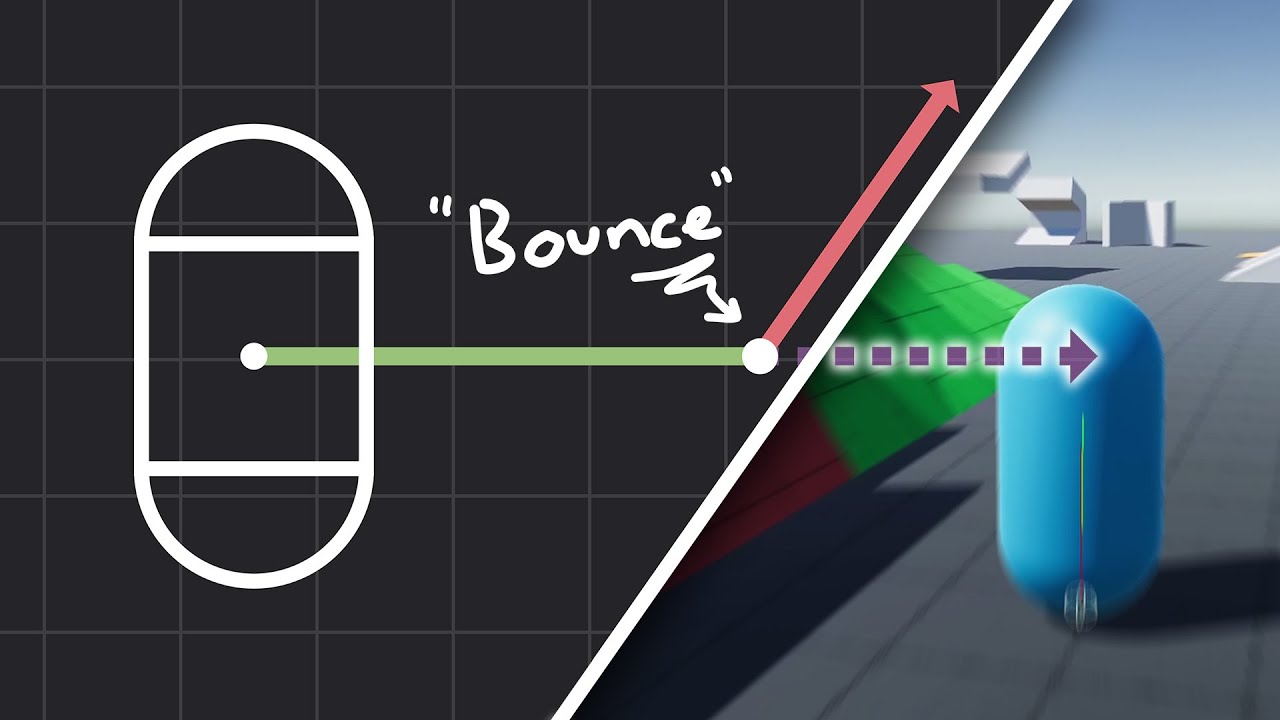
How to make actually decent collision for your custom character controller. Hopefully you find this helpful and people will finally stop saying "jUsT uSe DyNaMiC rIgIdBoDy!!!1!!11!!"
Chapters:
00:00 - Intro
01:09 - Algorithm
05:11 - Implementation
Improved Collision detection and Response (Fauerby Paper):
https://www.peroxide.dk/papers/collisi...
shrewd wharf
the funny thing is
i literally copied and pasted the character controller collision system example
and it still didnt work
the only exception was the max slope value thing
which my player didnt have
so i hardcoded it
and i dont think this should affect anything
but its weird that i literally copied and pasted the code from the example and it didnt work as expected
the player was stopping on the blocks
like its constantly stumbling on stairs
but in reality its all smooth
vestal minnow
Generally this is one of the reasons why character controllers have an offset, like the one in Rapier. Your box collider is hitting against the sides of the cubes either because of numerical issues or because the body can occasionally be slightly below the surface. Your situation is also probably the worst-case scenario for this, because it's a box trying to slide against ground made up entirely of other boxes. A capsule or rounded box would do better
vestal minnow
See the Rapier docs
just an added separation distance the controller maintains to the environment
so the character is slightly off the ground
the sprite could be enlarged to hide this
vestal minnow
yes
shrewd wharf
but it was implemented by default...
vestal minnow
Avian has it for all bodies in the form of CollisionMargin, but we're handling collisions manually here so the character collision logic would need to handle it.
shrewd wharf
anyways, heres the result of the code you sent me
NOTE: i have a mechanic that allows me to fly with noclip, which also disables the collision checking system
the collision works fine when its stepping in only one block
but when theres two
it starts to jitter like crazy
shrewd wharf
vestal minnow
Avian has it for all bodies in the form of [`CollisionMargin`](https://docs.rs/a...
yeah but i thought maybe perhaps the contact points should already consider the collision margin
vestal minnow
The contact points don't but the contact solver does
Or no, the contact points would be the closest points on the shapes, and that can't take the collision margin into account because of how collision detection algorithms work. The solver just adds the collision margin to the penetration depth, which helps maintain that additional separation depth
If the contact points did already consider the collision margin, then you would've needed to enlarge the actual colliders before the collision detection, and that loses all the benefit of the collision margin and is equivalent to just using larger colliders
shrewd wharf
ok... so what i do?
shrewd wharf
i setted a length unit, does that affect anything?
vestal minnow
can help with stability, primarily for dynamic objects
shrewd wharf
well it seems like it doesnt change anything in the behavior
anyways
i have two questions
when the deepest penetration is negative, its the value representing how far the player is to the collision its going to occur?
vestal minnow
It's the separation distance, so if it was for example -5.0, the two objects are 5.0 units apart
shrewd wharf
but that distance is the distance to the nearest border, or to the origin?
vestal minnow
The distance between the closest points between the two objects. With two axis-aligned boxes, I don't know if it's arbitrary where on the edge that point is
shrewd wharf
hmm
perhaps i can try to figure out myself the collision code if i understood it better
could you explain what exactly are the contacts and manifolds?
vestal minnow
shrewd wharf
when the deepest penetration is negative, its the value representing how far the...
rough sketch, but the closest points could be these for example, and the line is the separation distance
 shrewd wharf
ah yes
its what i imagined
so wait...
if i change the position based only on the distance
i noticed it didnt consider the player hitbox size
so it is constantly burying on the ground
maybe thats why it doesnt work
vestal minnow
shrewd wharf
could you explain what exactly are the contacts and manifolds?
A contact manifold is basically just a contact surface. If you had the two boxes colliding, the contact manifold would be the area where they touch, and it can have multiple contact points. For example something like this, where there are two points. The red line just indicates the contact surface where they touch

The normal is the same everywhere along the surface, so all contact points in a manifold share the same contact normal
shrewd wharf
hmm
vestal minnow
Two cubes colliding could have up to four contact points, one for each corner in the contact surface.
vestal minnow
shrewd wharf
so it is constantly burying on the ground
I think the code was missing an else block after the collide and slide thing to reset the Y velocity for ground contacts, so gravity is constantly pushing it into the ground
 shrewd wharf
where?
 vestal minnow
Add an else branch for if !is_ground
So if you're colliding with the ground, gravity doesn't just keep accumulating downwards velocity
shrewd wharf
so i just set the Y component of velocity to 0?
vestal minnow
Either that, or to player_velocity.y.max(0.0)so that you reset downwards velocity but don't prevent the character from going up (like if you're jumping)
shrewd wharf
well i guess it quite helped but its still jittering when i jump between two blocks
vestal minnow
You can probably make it a bit better by using Collider::round_rectangle for the collider to make it a bit rounded
vestal minnow
But it probably won't be perfect without a proper character controller with an offset / collision margin and stuff
shrewd wharf
its still doing the same behavior
vestal minnow
Mm I wonder if it's because it detects two separate collisions and solves the penetration for both
shrewd wharf
btw i also wanted to ask how do i disable these warnings, its annoying me and its nothing i should worry
 vestal minnow
Are those all static bodies colliding with each other?
vestal minnow
Because static bodies shouldn't be able to do that :P
And don't, last I checked
But I'll test again in a bit
shrewd wharf
vestal minnow
Mm I wonder if it's because it detects two separate collisions and solves the pe...
but there is this code so this shouldnt happen

btw if i want to do the collide and slide tutorial, it uses a shape caster inside the code, but how the heck i'm supposed to do a shapecaster in the middle of the code?
cinder summit
vestal minnow
Because static bodies shouldn't be able to do that :P
Static-static doesn't even get trough the broad phase, while this message is created in the narrow phase or even during collisions right? 🤔
vestal minnow
cinder summit
Static-static doesn't even get trough the broad phase, while this message is cre...
Yes, that's why I'm confused as well unless I changed something
shrewd wharf
the chunks arent even overlapping, theyre just like glued on each other, unless they are overlapping like in 0.0000000000001 of penetration
vestal minnow
shrewd wharf
btw if i want to do the collide and slide tutorial, it uses a shape caster insid...
Use cast_shape on the SpatialQuery system parameter
A system parameter for performing spatial queries.
vestal minnow
same for 2d
shrewd wharf
right
shrewd wharf
shrewd wharf
the chunks arent even overlapping, theyre just like glued on each other, unless ...
blame floating precision error for that
vestal minnow
I don't get the overlap error even if I spawn two static bodies at the same exact spot
cinder summit
shrewd wharf
the chunks arent even overlapping, theyre just like glued on each other, unless ...
I think as far as that warning goes, if they're touching it still considers them overlapping. That's not really the issue here tho, it's the fact that it even gets to the narrow phase that's a problem ... That makes for some really awful performance
When I switched to bevy_xpbd it didn't skip static-static in the broadphase (it was done in the narrow phase iirc?), and it made a huge performance difference when those got skipped, that was also back when I still had voxel chunks ... Calculating collisions with up to 26 chunks for each chunk sure isn't efficient 😂
vestal minnow
shrewd wharf
but there is this code so this shouldnt happen
That just checks that the character is kinematic. I meant that it could be colliding with two boxes at the same time when it walks over them, and with the current logic it's probably solving the penetration for both contacts without considering each other, so the correction is basically doubled
The way you would fix that is by computing the updated contact points for each contact and manually computing the penetration
In a similar way as I described in my blog post
https://joonaa.dev/blog/06/avian-0-1#approximating-contacts-for-substeps
Joona Aalto
The next evolution of ECS-driven physics for Bevy
shrewd wharf
uhh... could you adapt the previous code to do that?
shrewd wharf
yeah i had no idea how to adapt the slide and collide algorithm into bevy
vestal minnow
shrewd wharf
uhh... could you adapt the previous code to do that?
I'll try in a bit, I'm responding to other things atm
shrewd wharf
ah right
it seems like it doesnt matter the collider shape, it always gives the same behavior
royal helm
Struct arguments to methods are also usually better imo, the longer it gets the more confusing what argument is what
shrewd wharf
vestal minnow
I'll try in a bit, I'm responding to other things atm
ping me when you come up with a solution
vestal minnow
shrewd wharf
ping me when you come up with a solution
This is a pain to handle properly but does this work better at all?
Oops there's a comment I forgot to write out lol
shrewd wharf
Note: The
vestal minnow
Meant to say Note: The contact points assume that there is no rotation
vestal minnow
Probably has issues still, like for me it kinda sticks to walls
Somehow this makes collisions with dynamic bodies pretty well-behaved tho
like you can stand on a dynamic box without it getting pushed away or into the ground
visual sparrow
If you manage to write a nice KCC, you could use that as a new example 👀
vestal minnow
I could fix the wall sticking issue with the speculative collision thing but that makes it hit edges in the ground again
wait shoot, it hit the edge even without that 😂
it wasn't doing that before when I was testing
could round the corners slightly I guess
shrewd wharf
i'm compiling the game now
vestal minnow
A cheap hack to fix bumping into the edges in the ground would be to just ignore the collision if the contact point is right at the bottom of the character and the normal is pointing sideways :P
valid fog
Hmm
So i'm trying to get a specific effect, if anyone has any pointers
I want to make it so that i can push my fingers into both sides of an object, and lift it up using the static friction of my fingers on the object
is there a way to increase a, radius of friction, without it being the radius of movement collisions?
I think that might be able to achieve this? If anyone has any other ideas on how to achieve it please tell me too
Rn i can sorta lift objects up, but they try to explode out of my hands
here i'll get a video of exactly waht im looking for
vestal minnow
The hands use kinematic objects so they have basically infinite mass
valid fog
https://youtu.be/w-w7omxJuOk?si=xdyvmBXPWWlIDmNS from timestamp 3 seconds to 6 seconds

Hand Physics Lab is coming to the official Quest Store on April 1st!
Enjoy VR like never before by having full control of your hands and fingers to interact physically with your environment and many different objects and experiences!
Discover the unique universe of Hand Physics Lab where you will need to fulfill a variety of tasks and puzzles...
vestal minnow
If you squish an object with two objects with infinite mass, it gets forced out (better in Avian than xpbd tho)
vestal minnow
I don't know how these types of realistic VR hand interactions are usually done, but you probably need some way for the fingers to match the object's shape and have some resistance instead of just pushing through the object
There's that one guy who made this spiderman swinging VR demo and later some really nice looking physical interactions and hand stuff, IIRC it used dynamic objects and a whole bunch of IK and joint stuff for more complicated things
valid fog
ACTUALLY @quartz heart did you do anything special?
valid fog
vestal minnow
There's that one guy who made this spiderman swinging VR demo and later some rea...
oh yeah the nani or something studios
vestal minnow
yea
Also when grabbing, I think these systems usually snap the object to some extent
The difficult thing is making it seamless
shrewd wharf
vestal minnow
This is a pain to handle properly but does this work better at all?
bruh the player now doesnt collide at all
it just goes through
vestal minnow
For me it does
shrewd wharf
is it because of the player controller thing
i had to replace it with the Player component
which is just a marker
valid fog
vestal minnow
Also when grabbing, I think these systems usually snap the object to some extent
i see
shrewd wharf
and i see you did a position query for other rigidbodies that arent the player?
ah maybe thats why
i forgot to tell you something
the blocks are COLLIDERS, not rigidbodies
the only rigidbodies there is besides the players, are the chunks
were you expecting it would work with the blocks like that?
vestal minnow
Okay well you can probably remove With<RigidBody> from player_query
position_query sry
quartz heart
valid fog
ACTUALLY <@163405522257575936> did you do anything special?
Just so you know I didn’t implement the hand physics for HPL.
But it is made with dynamic rigid bodies with primitive colliders and loads of joints.
vestal minnow
shrewd wharf
the blocks are COLLIDERS, not rigidbodies
That would also explain why you get the overlap warnings :P you should either make them static rigid bodies or set up their CollisionLayers so that they don't collide against each other
shrewd wharf
eh, idk
probably because i thought it would be more efficient for blocks being colliders rather than separate bodies
anyways
your code is working now
and theres the issue you described
it gets stuck on walls
vestal minnow
Is it otherwise better?
shrewd wharf
yeah i would say so
vestal minnow
Might slightly hit the ground edges still, but now a rounded rectangle should probably help, or I could try that hack of filtering those "invalid" contacts
shrewd wharf
it no longer jitters when you jump
but its jittering when you run against a wall
i noticed a benefit from this code
the player no longer explodes like crazy when its inside a block, or buried underground
valid fog
quartz heart
Just so you know I didn’t implement the hand physics for HPL.
But it is made wi...
ah okay!
OH! If i just hook up each of the bones to eachother with a rotation joint, and then i have them try to reach their desired position, and have them be dynamic rigidbodies then they can push back properlyish 🤔
vestal minnow
shrewd wharf
but its jittering when you run against a wall
well I can't look at this more today since it's late but I can try tomorrow
vestal minnow
np 🙂
valid fog
hmm
for (entity, radius) in &query {
        let col = commands
            .spawn((
                RigidBody::Dynamic,
                SpatialBundle::default(),
                GravityScale(0.0),
            ))
            .id();
        let actual_col = commands.spawn(
            (
                Collider::sphere(radius.0),
                ColliderDensity(30.0),
                RigidBody::Dynamic,
                GravityScale(0.0),
                SpatialBundle::default(),
                Friction {
                    static_coefficient: 0.99,
                    ..default()
                }
                )
        ).id();
        commands.entity(entity).insert(HandBoneColider(col));
        commands.spawn(FixedJoint::new(col, actual_col).with_compliance(0.0));
    }
Previously col was working fine and it had the sphere and the collider density and such, and i switched it over to this method with the joints. Is there something i'm missing?
vestal minnow
col probably doesn't have any mass
vestal minnow
you could use MassPropertiesBundle::new_computed to compute it from a collider
valid fog
oo okay
vestal minnow
or add it manually (both Mass and Inertia)
vestal minnow
valid fog
hmm
```rust
for (entity, radius) in &query {
let col = commands
...
Mm I recommend setting dynamic friction instead of static friction for now
Static friction might not really work atm, it's not considered separately from dynamic friction (same in Rapier and Box2D). The API doesn't make this clear currently though
valid fog
vestal minnow
Mm I recommend setting dynamic friction instead of static friction for now
oo okay good to note
fn hand_collider(
    query: Query<(Entity, &HandBoneRadius), Without<HandBoneColider>>,
    mut commands: Commands,
) {
    for (entity, radius) in &query {
        let col = commands
            .spawn((
                MassPropertiesBundle::new_computed(&Collider::sphere(radius.0), 30.0),
                RigidBody::Dynamic,
                SpatialBundle::default(),
                GravityScale(0.0),
            ))
            .id();
        let actual_col = commands.spawn(
            (
                Collider::sphere(radius.0),
                ColliderDensity(30.0),
                RigidBody::Dynamic,
                GravityScale(0.0),
                SpatialBundle::default(),
                Friction {
                    static_coefficient: 0.99,
                    ..default()
                }
                )
        ).id();
        commands.entity(entity).insert(HandBoneColider(col));
        commands.spawn(FixedJoint::new(col, actual_col).with_compliance(0.0));
    }
}
anything else pop out to you as missing?
vestal minnow
The friction still uses static friction but not really otherwise
a compliance of 0.0 might potentially be too stiff depending on what you're doing
but probably fine
valid fog
rn it just isn't colliding at all anymore 🤔
like the actual_col isn't having it's position being constrained to the col
and if i do it this way it works fine
fn hand_collider(
    query: Query<(Entity, &HandBoneRadius), Without<HandBoneColider>>,
    mut commands: Commands,
) {
    for (entity, radius) in &query {
        let col = commands
            .spawn((
                Collider::sphere(radius.0),
                //MassPropertiesBundle::new_computed(&Collider::sphere(radius.0), 30.0),
                RigidBody::Dynamic,
                SpatialBundle::default(),
                GravityScale(0.0),
            ))
            .id();
        let actual_col = commands.spawn(
            (
                Collider::sphere(radius.0),
                ColliderDensity(30.0),
                RigidBody::Dynamic,
                GravityScale(0.0),
                SpatialBundle::default(),
                Friction {
                    static_coefficient: 0.99,
                    ..default()
                }
                )
        ).id();
        commands.entity(entity).insert(HandBoneColider(col));
        //commands.spawn(FixedJoint::new(col, actual_col).with_compliance(0.0));
    }
}
lemme enable the debug display
i see!
i think i see the other actual_col and they are all at 0 0
becaeuse i see lines pointing from each of my fingers down to them
down to 0,0
that's the joint right?
vestal minnow
pink or red line? yes
valid fog
red line
vestal minnow
at least you have SpatialBundle::default() for both of them
also HandBoneColider bothers me, can you change that to HandBoneCollider 😅
valid fog
😂 okay
shrewd wharf
oh my god, making each block a static ridigbody made the situation MUCH worse
and it lagged like hell
vestal minnow
This works fine at least
let anchor = commands
    .spawn((
        RigidBody::Kinematic,
        AngularVelocity(Vector::Z * 1.5),
        Collider::cuboid(1.0, 1.0, 1.0),
    ))
    .id();

let object = commands
    .spawn((
        TransformBundle::from_transform(Transform::from_xyz(1.5, 0.0, 0.0)),
        RigidBody::Dynamic,
        Collider::cuboid(1.0, 1.0, 1.0),
    ))
    .id();

commands.spawn(FixedJoint::new(anchor, object).with_local_anchor_1(Vector::X * 1.5));
Hmm what if you tried a closer reproductoin, the fixed joint anchor is default, and both are dynamic, and one is just computed
and then juts render them out with the debug plugin
and give one a different starting position
hmmm i wonder what i'm doing wrong
i'm gonna try make mine closer to urs as well
vestal minnow
works for me
let col = commands
    .spawn((
        MassPropertiesBundle::new_computed(&Collider::sphere(0.5), 30.0),
        RigidBody::Dynamic,
        PbrBundle {
            mesh,
            material,
            ..default()
        },
        GravityScale(0.0),
    ))
    .id();
let actual_col = commands
    .spawn((
        Collider::sphere(0.6),
        ColliderDensity(30.0),
        RigidBody::Dynamic,
        GravityScale(0.0),
        SpatialBundle::from_transform(Transform::from_xyz(2.0, 0.0, 0.0)),
        Friction {
            static_coefficient: 0.99,
            ..default()
        },
    ))
    .id();
commands.spawn(FixedJoint::new(col, actual_col).with_compliance(0.0));
added a mesh to the collider-less one so I can see it
valid fog
okie
hmm so i must jjust be doing something wrong
oh i see pink lines!
they are just connected to nothing tho
why is the collider not visible in the debug plugin
🤔
it's visible for the one i added inside my fingers ( but really small ) to make it more
huh
this is so weird
so it's the collider that appears to not work from the radius ???
if i set it up with a cube it works
i am very confused 😂
the sphere collider works fine if i have it on the original one
but if i switch it to the actual_col then it doesn't work
but if i use a manual cube collider that works
vestal minnow
yeah that sounds weird
I need to go catch some 💤 but I can look tomorrow if you still have issues
valid fog
👍
valid fog
for tmrw, why would my colliders be small,, but my contact points be huge?
I am, yeah wow i'm running into so many apparently unrealted issues very confusing 😂 i will try to figure out what exactly is going wrong
AH i need to be able to ignore collisions between certain colliders
glad there's a thing to do that
hmm okay, so i think the reason it's shooting things really fast is because the spheres colliders are SPINNING really fucking fast and then imparting that angular velocity to whatever they collider with
but they start spinning whenever they start colliding
i wish there was a joint that would fix rotations to 0 but would allow 6dof movment along axis
an inverse spherical joint
lmao
lets see what 100 angular damping oes tho
also i'm getting the nan issue
but that's somethign else ur working on, so some of my colliders will just decide to disappear lmao
i think that + other things wwas confusing me as to the issue
 dreamy viper
This code seems to be duplicated: https://github.com/Jondolf/avian/blob/v0.1.0/src/schedule/mod.rs#L75

GitHub
ECS-driven 2D and 3D physics engine for the Bevy game engine. - Jondolf/avian
dreamy viper
Is it possible that avian_physics is less deterministic than xpbd was?
In my tests, xpbd was basically deterministic, but that's not the case with avian. (maybe some missing system ordering?)
Especially something related to contacts. In my network library I get a rollback everytime there is a contact
sleek thicket
valid fog
So i'm trying to get a specific effect, if anyone has any pointers
not sure if this helps, boneworks had a devlog where they explained how their system only tries to match the body
valid fog
Ooo
sleek thicket
that's also how they managed to add the feeling of weight to heavy objects, the body disconnects from sim if you're too fast
quartz heart
valid fog
OH! If i just hook up each of the bones to eachother with a rotation joint, and ...
You basically need a dual rig, you have the data from the hand tracking and then you create a virtualized rig where you try to use forces to push the rigid body representation to the virtual one (from the data of the headset)
vestal minnow
dreamy viper
Is it possible that avian_physics is less deterministic than xpbd was?
In my tes...
With or without Bevy's multi_threaded feature? I might've added some more par_iter and forgotten to have it behind a feature flag
visual sparrow
vestal minnow
With or without Bevy's `multi_threaded` feature? I might've added some more `par...
Oh shoot, I didn't think of that while reviewing, but I'm sure I suggested adding it in a bunch of places 😅
vestal minnow
It shouldn't affect determinism in most places, mainly just those that affect the order in which contacts or other constraints are solved
vestal minnow
vestal minnow
With or without Bevy's `multi_threaded` feature? I might've added some more `par...
nvm I don't think there's more par_iter at the moment
shrewd wharf
so, could you get a solution to my code?
btw, i'm trying to do greedy meshing for the colliders, and i noticed the player just clips through the boxes instead of colliding. it would be good if you adapt the code to work with these, but if thats too hard its okay, i can keep the old code
vestal minnow
oh wait
vestal minnow
shrewd wharf
so, could you get a solution to my code?
there was this thing
let is_ground = normal.angle_between(Vec2::Y) < 0.01;
replace it with
let is_ground = normal.angle_between(Vec2::Y).abs() < 0.01;
I forgot angle_between can return negative values
vestal minnow
You could also just check that the Y coordinate is close enough to 1 I guess
shrewd wharf
do you really need that is_ground variable?
because the player has a shape caster for jumping
the player knows its in the ground when the shape caster returns a hit
vestal minnow
shrewd wharf
do you really need that is_ground variable?
okay well this doesn't have any of the special-casing for ground and wall contacts
shrewd wharf
hmm
vestal minnow
But it might have other issues again if you remove that
shrewd wharf
okay but why did you remove it? you want me to use the shapecaster instead?
vestal minnow
You mean Has<Grounded>? Yeah you could use that as well if you have that
shrewd wharf
yep
actually its the player component that has a grounded member variable
however the member variable is defined by a system that runs on the Update schedule, while the collision is on PostProccessCollisions. will that affect anything?
as long as it runs before the collision checking i guess
vestal minnow
But Has<Grounded> (or the variable you have) is actually different from what we're doing here, we care about whether the contact is a ground contact or wall contact, not about whether the character is grounded
shrewd wharf
ah
vestal minnow
Like you can be pushing against a wall while still grounded
shrewd wharf
makes sense
shrewd wharf
vestal minnow
there was this thing
```rust
let is_ground = normal.angle_between(Vec2::Y) < 0.0...
well i guess it made it a bit better
but its still jittering when going against a wall
oh theres a case i havent checked
when the player hits a ceiling
its clipping.
vestal minnow
neither of those things are happening in my test scene :p
shrewd wharf
its literally sticking to the ceiling block lol
vestal minnow
new game mechanic unlocked
shrewd wharf
vestal minnow
neither of those things are happening in my test scene :p
i suggest you could literally clone my project and try it yourself?
vestal minnow
not having those issues (ignore the ground being the wrong size)
vestal minnow
shrewd wharf
i suggest you could literally clone my project and try it yourself?
Yeah that would probably be the easiest
shrewd wharf
fine

GitHub
Yet another attempt at my stupid 2D Minecraft clone. This time using Rust/Bevy - pvini07BR/mijocraft-bevy
here it is, i updated it rn
the code is in src/player.rs, line 207
vestal minnow
Thanks, I'll try it out
shrewd wharf
as i said before, it would be good if you can try to make the code work with regular sized boxes instead of relying on their positions
because i was trying to do greedy meshing with the colliders
its not done yet though
sleek thicket
vestal minnow
not having those issues (ignore the ground being the wrong size)
that controller looks really satisfying, how come you're not making your own game? O_o
dreamy viper
vestal minnow
With or without Bevy's `multi_threaded` feature? I might've added some more `par...
with multi_threaded, let me try without
shrewd wharf
sleek thicket
that controller looks really satisfying, how come you're not making your own gam...
well, he's trying to do the player controller for my game so this video shows what it used to be before avian
cinder summit
sleek thicket
that controller looks really satisfying, how come you're not making your own gam...
Why make a game when you can make a physics engine that powers many games?
visual sparrow
vestal minnow
not having those issues (ignore the ground being the wrong size)
This looks pretty cool ngl
sleek thicket
shrewd wharf
well, he's trying to do the player controller for my game so this video shows wh...
it's harder to see it there, is that exactly the same one as in jondolf's video?
vestal minnow
it is
shrewd wharf
not exactly since hes using his own player controller, hes just coding the collision thing
ah nvm lol
vestal minnow
or the collision part is the same yea
visual sparrow
Could some of you peeps in this channel give me a review on https://github.com/bevyengine/bevy/pull/14223 ?
I think y'all probably know how to do this properly and I want to make sure I didn't do a mistake 🙂
GitHub
Objective
This example shows how to properly handle player input,
advance a physics simulation in a fixed timestep, and display the results.
The classic source for how and why this is done is Glenn...
sleek thicket
visual sparrow
Could some of you peeps in this channel give me a review on https://github.com/b...
you know what would be way better...
shrewd wharf
vestal minnow
or the collision part is the same yea
are you already working on it? not wanting to rush or anything, i just wanna know
visual sparrow
sleek thicket
you know what would be way better...
Oh no you changed your name, now I need to find a new phonetic representation for you in my head 😄
vestal minnow
shrewd wharf
are you already working on it? not wanting to rush or anything, i just wanna kno...
I'm looking into it yes
visual sparrow
sleek thicket
you know what would be way better...
Don't make me rewrite the entire thing 😅
sleek thicket
 sleek thicket
visual sparrow
Oh no you changed your name, now I need to find a new phonetic representation fo...
sleek thicket
visual sparrow
Oh no you changed your name, now I need to find a new phonetic representation fo...
you had a phonetic representation for .⧲.?
vestal minnow
I disabled all the velocity stuff and it's still getting stuck in ceiling blocks, which is... interesting
visual sparrow
sleek thicket
you had a phonetic representation for .⧲.?
Yeah, it sounded a bit like the Ancient Reptilian Brain from Disco Elysium going "Hrrmm"
vestal minnow
visual sparrow
Oh no you changed your name, now I need to find a new phonetic representation fo...
New phonetic representation: OwwO
visual sparrow
sleek thicket
https://gmtk.itch.io/platformer-toolkit
Oh that would be great example for the /games folder
But this one is just an example for that specific technique
sleek thicket
visual sparrow
Yeah, it sounded a bit like the Ancient Reptilian Brain from Disco Elysium going...
well, now you can replace it with chronically distracted noises
dreamy viper
vestal minnow
With or without Bevy's `multi_threaded` feature? I might've added some more `par...
Still happens in single_threaded mode
visual sparrow
sleek thicket
well, now you can replace it with chronically distracted noises
It's more like a happy yawn for me
sleek thicket
visual sparrow
It's more like a happy yawn for me
the lack of noise of someone silently staring at you with a smile while you're trying to concentrate that's more distracting than any noise you can think of
shrewd wharf
vestal minnow
I disabled all the velocity stuff and it's still getting stuck in ceiling blocks...
you mean the player input?
visual sparrow
sleek thicket
the lack of noise of someone silently staring at you with a smile while you're t...
Nooo I don't want to think of that :<
vestal minnow
shrewd wharf
you mean the player input?
no, I just removed all the changes to player velocity in the collision system and only left the player_position.0 += normal * penetration
shrewd wharf
ah yes
vestal minnow
(I need to go be afk for about 30 min)
dreamy viper
Also I was wondering if you had an idea about this:
if I run cargo rustdoc --open -p lightyear --features=metrics,webtransport,leafwing,websocket,steam,zstd,avian2d/2d,avian2d/f32,avian2d/parry-f32 -- --document-private-items -D warnings --cfg docsrc locally the docs are generated correctly, but the docs failed to build on docsrs because for some reason nalgebra (required by avian) failed was not found: https://docs.rs/crate/lightyear/0.16.2/builds/1284564
shrewd wharf
perhaps its still solving the collisions twice
vestal minnow
dreamy viper
Also I was wondering if you had an idea about this:
if I run ```cargo rustdoc --...
Hmm not sure, Avian's docs work fine at least
sleek thicket
visual sparrow
But this one is just an example for that specific technique
it should be possible to break it up into modules or plugins just like that demo did, and you can infinitely expand on that
it's way easier to learn when you have to fix something that immediately shows wrong way of doing it first, that's why i really liked catlikecoding approached movement tutorials
like for the correct delta you could make a slider for FPS cap and you'd immediately see the results, even if you limit it just to basic movement
visual sparrow
sleek thicket
it should be possible to break it up into modules or plugins just like that demo...
I agree for placing that in a game, but that is not how regular Bevy examples work right now.
For the full movement suite, I'd definitely want to split it into nice plugins in multiple files, which the example viewer on the website does not support.
visual sparrow
sleek thicket
like for the correct delta you could make a slider for FPS cap and you'd immedia...
That would be quite neat, but I think it would blow up the already fairly large example :/
sleek thicket
i think it's actually better to make a separate crate
would be easier to include anything you want without any bloat to engine itself
vestal minnow
sleek thicket
that controller looks really satisfying, how come you're not making your own gam...
Hmm maybe I could participate in the game jam, I've never done one before 🤔 I could use it to dogfood and build a character controller for Avian, or even make the whole game about unlocking different character controller features as you progress
sleek thicket
tnua already covers dynamic controller, kinematic space is cold and empty 🙂
unlocking different physics features would be fun too
slow-mo, grabbing items, explosion, gravity well
visual sparrow
sleek thicket
i think it's actually better to make a separate crate
That's a pretty good idea. Would be a nice learning resource!
visual sparrow
vestal minnow
Hmm maybe I could participate in the game jam, I've never done one before 🤔 I c...
Yeah, I heard there's a pretty cool template at https://github.com/TheBevyFlock/bevy-template that you could use 😛

GitHub
Contribute to TheBevyFlock/bevy-template development by creating an account on GitHub.
sleek thicket
that + you won't have to worry about including models/textures/etc
vestal minnow
Like you start out and you can't even jump, then as you progress, you unlock jump, better air control, wall jumps, double jump, dash, some grappling hook thing, sliding, slow-mo...
sleek thicket

Welcome to the Beginner edition of our Prototype Series, where we follow the same style of prototyping game mechanics but taking a look at more basic principles of not only game development but also game design! In this video, we show you how we created a prototype that allowed players to experiment with Unity’s physics system, which allows you ...
you wouldn't want to include this many assets in engine crate, but for a separate one it's not a problem
vestal minnow
Yeah a physics sandbox is another fun option
sleek thicket
vestal minnow
Like you start out and you can't even jump, then as you progress, you unlock jum...
that also reminded me, there was that 1 game where everything was "dlc"
sleek thicket
vestal minnow
Yeah a physics sandbox is another fun option
there's no reason you can't do both at the same time
sleek thicket
you don't have to stop after the jam is over
vestal minnow
Unless I start now ig
sleek thicket
pick whatever seems more fun or fitting the theme
vestal minnow
I'll just build the Bevy editor but for physics
How hard can it be
I could do a physics sandbox where you can edit things with an editor style camera controller, but also jump in with a KCC to test and edit things interactively
sleek thicket
that actually sounds perfect, you can just slap on the unlocking stuff later
you can keep the character and just detach camera to be editor style, then snap back when you're done
if you limit it to 2d then it shouldn't take too much time. hopefully.
vestal minnow
Make it a game where you can edit the levels yourself, but only specific objects, and you need to get to the end with your character
And as you progress, you unlock things for both the editor and character
Getting the difficulty right and having the right constraints in level design would probably be the hard part (or well, one of them)
sleek thicket
maybe just specific areas, rather than just specific objects?
e.g. you can only make a box in a really weird area, but enable gravity and it falls down
vestal minnow
Hmm, that could work
sleek thicket
could also make volume as a limited resource (per material) that you can collect
is working on controller ahead of time even allowed for the jam? for the rest of ideas it's better to wait until jam theme is decided
vestal minnow
I don't see why it wouldn't be, I could also just use an existing controller
(if I didn't want to make my own)
or hmm
sleek thicket
usually it's restricted to publicly available assets
visual sparrow
Reminds me a bit of Little Inferno. That's a game where you unlock more and more props to throw into a furnace 😄

First teaser for "Little Inferno", the next game from the designers of World of Goo and Henry Hatsworth.
More info: http://LittleInferno.com
Made by: http://TomorrowCorporation.com
Featuring Mr. Travis Hill as the "narrator".
vestal minnow
"Submissions must be made during the duration of the jam, explicitly for Bevy Jam. No submitting old work! "
But idk if a character controller counts as "old work" unless it's heavily specific to a game you've already worked on
I'll just make my KCC public so it is a publicly available asset :P
vestal minnow
@shrewd wharf you probably want to change your update_grounded at least
fn update_grounded(mut player_query: Query<(&ShapeHits, &mut Player)>) {
    for (hits, mut player) in player_query.iter_mut() {
        player.is_on_ground = hits.iter().any(|hit| hit.normal1.y > 0.0);
    }
}
You were checking if either normal (the one on the cast shape or the shape that was hit) had a positive Y coordinate, but that's always true when hitting the ceiling as well, so you could jump deep into the ceiling
It's not getting stuck for me with that fixed, at least not as easily
shrewd wharf
hmmm
vestal minnow
You might also want to make the shape caster slightly smaller than the collider
Because you can currently jump on walls
Because of numerical issues and/or just inevitable overlap with walls
you can still occasionally get stuck on walls though, hmm
nvm I had another change which was breaking things
shrewd wharf
ah right
valid fog
quartz heart
You basically need a dual rig, you have the data from the hand tracking and then...
That makes sense yeah
quartz heart
valid fog
That makes sense yeah
Best is to visualize both, also working with an PID might be easier to start with then all joints, as you have a lot more control
valid fog
@vestal minnow I can explain what was going wrong btw, I think.
Basically all these colliders were being fixed joint to positions too close to each other so they were hitting that but which makes them disappear with the NaNs
Which made it look like they just weren't working
Some of them still disappear from the nan, even though they aren't touching each other anymore ( because of collider layers )
So I'll have to wait until that bug is fixed before I can really continue here
But I'm glad we figured out the mysterious behavior
vestal minnow
valid fog
<@545959292281552928> I can explain what was going wrong btw, I think.
Basicall...
So the joints are making things NaN?
valid fog
Joints + forcing the thing the joints are attached to to be too close together
I think?
At the least, this doesn't happen when I don't use the joins
Joints
vestal minnow
Could try making the joint compliance a bit larger
valid fog
The colliders never disappeare
I'll try to make a reproducible PC version at some point
Also might be the joint + the thing it's attached too is too far away
Because the collider is at 0,0 and even with 0.1 compliance some of the colliders straight up disappear
Maybe it's a combination because some of the colliders get in the way of the others being able to reach their intended destination
vestal minnow
wdym event structs into impl new?