It's also a bit of a chicken and egg problem. Render modifiers are hard to write. Whether they can access the vertex and/or the fragment shader is under-defined. They can access attributes that don't exist in the particle buffer, only in the shader itself. There's currently no way to use textures and samplers from expressions (which when added mean that render modifiers influence the set of render resources bound, which is a mess to handle). Plenty of
quirks like this.
#bevy_hanabi
1 messages · Page 2 of 1
 native elbow
In comparison init and update modifiers are trivial because those passes are pure compute.
 junior glen
@native elbow is there anything I can do to help debug this? Should I try to create a slimmer reproduction?
native elbow
junior glen
<@699635624940142592> is there anything I can do to help debug this? Should I tr...
Can you please try the fix I pushed yesterday on the main branch? This should stop emitting the error while the pipeline is getting created. And it will display some pipeline creation error details if there's an actual error.
 odd grove
how do I spawn particles for say half a second then stop?
also is there a cleanup mechanism for used particle effects?
junior glen
native elbow
Can you please try the fix I pushed yesterday on the `main` branch? This should ...
Sure! I'll get back to you later or tomorrow
junior glen
native elbow
Can you please try the fix I pushed yesterday on the `main` branch? This should ...
Update: no errors anymore, everything works great! Thanks for the fix ❤️
 karmic widget
Hey, is there an easy way to track the position of the particles as theyre being simulated? I want to despawn them once they reach a target position, but cant figure out how to read Attributes. I noticed their transform does not get updated, so i imagine the position attribute is what changes
native elbow
karmic widget
Hey, is there an easy way to track the position of the particles as theyre being...
So, Hanabi is a GPU particle system, so reading particles back to CPU is not possible. You can however use the Expression API to read the Attribute::POSITION, and if needed set the alive flag to false to force the particle to die.
The alive flag is just called is_alive
https://github.com/djeedai/bevy_hanabi/blob/e4e5d25cfa08075f12c849dab5940a3f4d8fd1d8/src/render/vfx_update.wgsl#L64

GitHub
🎆 Hanabi — a GPU particle system plugin for the Bevy game engine. - djeedai/bevy_hanabi
Ah sorry I think there's not yet a way to write arbitrary code, I had that only on a custom branch 🥲
Can you please log an issue on GitHub about adding access to the alive flag from expressions? That should be easy enough to fix.
I can think of a hack where you dynamically move some KillAabbModifier to the place where you want the particle to die. You can use expressions and properties to control the position and size of the AABB
karmic widget
Ah yeah as soon as i asked that i realized it was gpu based so i would be out of luck.
For context, in case its relevant, all i want to do is implement some exp particles like in Minecraft or other games, to indicate to the player that an action (killing an enemy, etc) granted them some exp.
I wanted the particle orbs to float to the player, or float to the UI exp bar before disappearing. Perhaps there is an easier way to achieve this without any of that?.
I had it set up to adjust the velocity property based on a translation diff between the particle and the target transform, but since the particle never changes transform, the diff was always the exact same value. This sort of works, but it has limitations
 weary abyss
karmic widget
Ah yeah as soon as i asked that i realized it was gpu based so i would be out of...
weary abyss
karmic widget
Ah yeah as soon as i asked that i realized it was gpu based so i would be out of...
This isn't a very compelling reason to switch to CPU... it should be possible
karmic widget
weary abyss
This isn't a very compelling reason to switch to CPU... it should be possible
yeah i dont plan to switch to cpu just yet, i also think it should be posible.
perhapse instead of checking when the diff of the two transforms is 0 to check, i can instead keep a sum of the distance traveled, and check when that sum equals the initial diff (or current diff, since the transform never changes)
native elbow
Use a property to set the position of a KillAabbModifier located inside the player. Write an expression for particles to follow that. There's no way to tell from CPU when the particle hit the player though, so you need some separate system for the non-visual part
To be fair a Minecraft XP orb is probably less than 10 at a time spawned, so a GPU particle system is overkill. I'd just use entities.
junior glen
native elbow
To be fair a Minecraft XP orb is probably less than 10 at a time spawned, so a G...
flashbacks to enderman XP farm
native elbow
junior glen
*flashbacks to enderman XP farm*
Nothing the Bevy ECS can't handle
 vale drift
How can I have particle spawn randomly along a single axis (x in my case)? I found this which can be used for a circle, sphere and cone but I want a line.
Modifiers to set the position of particles.
I want to spawn randomly between (0.0, 1080.0, 0.0) and (1920.0, 1080.0, 0.0) (it's 2d). End goal is for snowfall from the top of the screen.
 remote ice
You can generate some random values yourself using expressions, and probably set the position directly to that. If you can't set the position directly you could set it via one of the modifiers
vale drift
Is there a method like uniform for ExprWriter but not like uniform? I want the randomness to have more of a normal distribution.
Intermediate expression from an ExprWriter.
remote ice
vale drift
Is there a method like [`uniform`](https://docs.rs/bevy_hanabi/latest/bevy_hanab...
I think you couldprobably do some curve math to map your uniform values to a normal distribution, adding multiple uniform random values together also changes the distribution iirc 🤔
native elbow
Not built-in no, the only Expression random source is uniformly distributed. It's probably a good thing to add though; feel free to open an issue on GitHub @vale drift, thanks! https://github.com/djeedai/bevy_hanabi/issues/new?assignees=&labels=enhancement&projects=&template=feature_request.md&title=
 north igloo
Is there any way to sample a texture in a hanabi expression?
native elbow
Unfortunately not yet. Managing those render resources is quite annoying so didn't find the time to add this feature. Please do feel free to log a feature request on GitHub though @north igloo
(unlike other expressions, sampling a texture means the pipeline needs to bind it first, so requires extra work)
north igloo
thanks for the reply! I posted an issue here: https://github.com/djeedai/bevy_hanabi/issues/355

GitHub
Describe the solution you'd like Add the ability to sample a texture in Hanabi expressions. Describe why you want that solution. Is this related to a problem? There are a variety of ways this c...
vale drift
Is there a way to have particles use a random texture from a list of image handles? Something like this but a list of textures.
A modifier modulating each particle’s color by sampling a texture.
native elbow
Not currently. But maybe you can workaround with flipbook if your textures are not too big and you can pack them into a single atlas?
 chilly notch
Just updated to Bevy 0.14.1, it seems there are some errors with bevy_hanabi (0.12.1). I think a namespace collision for size_of
Added an issue here @native elbow https://github.com/djeedai/bevy_hanabi/issues/360
native elbow
This needs a new release 😔
chilly notch
native elbow
This needs a new release 😔
no worries! Thank you so much for iterating on this so quickly.
native elbow
0.12.2 is out
 spare sluice
https://github.com/djeedai/bevy_hanabi/issues/363
what do you think of this idea?

GitHub
Describe the solution you'd like A clear and concise description of what you want to happen. As the title describes, naga oil has functionality to declare virtual functions. It'd be fantast...
native elbow
I think the virtual part of the proposal would be good if there was a default particle behavior. But particle effects by default do nothing, you have to define every bits of behavior, so there's not really anything to override. That being said as commented on GitHub, the escape hatch of writing shader code instead of expressions is probably useful.
spare sluice
native elbow
I think the virtual part of the proposal would be good if there was a default pa...
But do you not have different passes and so on? Like the init phase, update, etc?
remote ice
native elbow
I think the virtual part of the proposal would be good if there was a default pa...
Having an escape hatch would definitely be useful. In godot you can do plenty of things with the normal particle system properties, but plenty of people fall back to writing particle shaders for more unusual effects.
native elbow
spare sluice
But do you not have different passes and so on? Like the init phase, update, etc...
Yes but how is this related? The init pass runs only on new particles to initialize them, and will not e.g. do any motion integration. The update pass is the core one where most of the simulation occurs. Particles once initialized are never touched by the init pass again
spare sluice
These could all be virtual for example
    {{AGE_CODE}}
    {{UPDATE_CODE}}
    {{REAP_CODE}}
The only reason there's a separate init pass is because the amount of particles spawned per frame is one to several order of magnitude smaller than the number of particles updated, and the init code generally widely different from the update one. So this prevents decoherence between compute threads. Note however that they used to be merged, and I think Returnal uses a single pass, so it's not a clear cut on which is best.
native elbow
spare sluice
These could all be virtual for example
```wgsl
{{AGE_CODE}}
{{UPDATE_CO...
These all should be modifiers/expressions. There's no real good reason for them to be hard-coded like that, other than legacy.
spare sluice
native elbow
These all should be modifiers/expressions. There's no real good reason for them ...
Modifiers/experessions?
native elbow
Instead of {{AGE_CODE}} being a hard-coded placeholder which must be replaced, the actual aging of particles (the code which increments the age based on the delta time) could be injected dynamically during shader creation from some AgeModifier : Modifier.
Same for the 2 others.
And that way, if you have an effect where particles don't have an age, or that age is not linked to the simulation dt, you can just use a different modifier to set the age each frame.
Same for {{REAP_CODE}}; currently we only reap particles based on age/lifetime, but you could in theory just set is_alive = false; in the shader based on any other condition you can imagine.
For example, on collision
spare sluice
Cool! And the common behaviours like the aging could just be normal functions?
native elbow
Yes
The only argument for leaving it hard-coded is that if you forget to add age/reap, then your particles likely live forever so your effect breaks pretty quickly. But aside from that, aging and reaping are just functions like all other modifiers.
@spare sluice feel free to open a GitHub issue to propose that change by the way, so we keep a trace of it
 tall breach
is there any way to apply a random spin to each particle?
 tardy zenith
How can I spawn 2 particle emitters in the same entity separated by a distance of 16 horizontal pixels?
I'm trying to simulate a spaceship with 2 thrusters, but I only can spawn one single emitter because 'effect' value is used after move (compiler error).
commands.entity(ship_entity).with_children(|parent| {
    parent.spawn((
        ParticleEffectBundle {
            effect: ParticleEffect::new(effect).with_z_layer_2d(Some(10.)),
            transform: Transform::from_translation(Vec3::new(-8.0, -30.0, 0.0)),
            ..default()
        },
        ParticleEffectBundle {
            effect: ParticleEffect::new(effect).with_z_layer_2d(Some(10.)),
            transform: Transform::from_translation(Vec3::new(8.0, -30.0, 0.0)),
            ..default()
        },
        ExhaustEffect,
    ));
});
 wise plinth
Is there a way to choose texture for ParticleTextureModifier randomly ? I tried using groups, but as far as I understand Spawner can only spawn group zero, and there is no way to decide which group to spawn ?
remote ice
wise plinth
Is there a way to choose texture for `ParticleTextureModifier` randomly ? I trie...
I think the common approach here would be to abuse the animated version and set the index to a random value instead of animating the index over time
wise plinth
remote ice
I think the common approach here would be to abuse the animated version and set ...
It works, thanks ! 🙏
tardy zenith
is there an example about how to use bevy_hanabi::properties? what I'm trying to achieve is to modify height property value depending on which key has been pressed, if this is possible (of course)
let init_pos = SetPositionCone3dModifier { height: writer.lit(-10.0).expr(), base_radius: writer.lit(2.3).expr(), top_radius: writer.lit(1.0).expr(), dimension: ShapeDimension::Volume, };
 still oracle
If I want to evolve the color of particles over time with some element of randomness will I need to write my own custom impl of RenderModifier or is there a way to achieve this without doing that?
remote ice
still oracle
If I want to evolve the color of particles over time with some element of random...
I think you can write an expression in update to set the color attribute, or you could have the randomness be in some format where the color over lifetime modifier is still usable
still oracle
Color over lifetime just takes a gradient though which seems to be defined statically?
remote ice
Yep, but you might be able to mess with the lifetime to change where in the gradient things are
still oracle
ok, in terms of "write an expression in update to set the color attribute" how do I achieve that in terms of the API? Is there a pre-made modifier to use here?
Sorry I'm still new to Hanabi so trying to understand what's available where 🙂
 hasty pagoda
Has anyone seen this issue with RibbonModifier on bevy_hanabi 0.12.2? It's on the trail of the projectile, it draws sudden lines between the front of the trail and the back. I'm not sure it's the same issue as https://github.com/djeedai/bevy_hanabi/issues/376, since that one only happens for me on main.
hasty pagoda
Aha, I figured it out! I was spawning the particles with slight lifetime and age variation bc that looks good, and particles store the indices of the previous and next particles, so it must not be handling an edge case with the ribbon correctly when the particle at the end despawns late or something. Removing age and lifetime variation removes the symptom
weary abyss
hasty pagoda
Aha, I figured it out! I was spawning the particles with slight lifetime and age...
Glad to see folks getting good use out of ribbons!
hasty pagoda
It's a great feature, thanks for adding it! ❤️
weary abyss
I have mesh particles starting to work, by the way. Need to clean them up and add support for lit meshes
 ember pumice
Oh that'll be sweet!
hasty pagoda
Another issue, I added an effect where it leaves behind particles, and that's interfering with the trail effect somehow
Each projectile has three effects on it as separate entities (two trails and one particles)
And it gives me this error sometimes
2024-09-20T18:11:31.970661Z ERROR bevy_hanabi::render: Allocator didn't allocate sequential indices (expected 5, got 9). Expect trouble!
But the issue can occur without that error showing up
hasty pagoda
Worked around the issue by having one particle spawn the visible particles into a separate group, just like the trails
weary abyss
hasty pagoda
And it gives me this error sometimes
`2024-09-20T18:11:31.970661Z ERROR bevy_han...
if you can make a small repro filing it would be helpful
 shrewd isle
Hey 👋 Is it possible to give particles angular velocity? I'm looking to make each individual particle spin.
remote ice
I think there's rotation and you can update it, so using one of the custom attributes to track some angular velocity might work .... Tho the math might get kind of painful trough expressions 🤔
shrewd isle
Thanks for the pointer 🙏 I can see the billboard example is doing something along those lines. I'll have a play
shrewd isle
Got the particles to spin in the end with the code below. It's the ones from the cannon ball collision in the video.
let starting_rot = (writer.rand(ScalarType::Float) * writer.lit(std::f32::consts::TAU)).expr();
let init_starting_rot = SetAttributeModifier::new(Attribute::F32_0, starting_rot);

// Use the F32_1 attribute as a per-particle random rotation speed
let rot_speed = writer.lit(MIN_SPIN_SPEED).uniform(writer.lit(MAX_SPIN_SPEED)).expr();
let init_rot_speed = SetAttributeModifier::new(Attribute::F32_1, rot_speed);

// Rotate the particles over time
let age_rot = (writer.attr(Attribute::F32_0) + (writer.attr(Attribute::F32_1) * writer.attr(Attribute::AGE))).expr();

let effect = EffectAsset::new(...)
    .init(init_starting_rot)
    .init(init_rot_speed)
    .render(
        OrientModifier::new(OrientMode::ParallelCameraDepthPlane).with_rotation(age_rot),
    );
 prisma vine
Is thre simple way for bevy_hanabi to run custom shaders?
Examples:
- Particle color is defined by vertex world-space position, not just gradient;
- Particles, that distort vision, like hot gas from flame;
 timid storm
Anyonce else cant get Spawner::once to work?
Okay it works the second time I summon the effect but not the first
remote ice
Ah, I have the same problem. It also happens on non-once effects, it just only happens on the first frame iirc
native elbow
tall breach
is there any way to apply a random spin to each particle?
You need to store a random per-particle attribute, pick one like F32_0, then assign in Init pass to a random value. That's your per-particle rotation. In render, you set the AXIS_X (I think) attribute to oriente the particle. It's a bit manual.
native elbow
tardy zenith
How can I spawn 2 particle emitters in the same entity separated by a distance o...
effect is an asset handle. Clone it, like all other assets you want to use multiple times.
native elbow
wise plinth
Is there a way to choose texture for `ParticleTextureModifier` randomly ? I trie...
I don't think there's a way at the minute, no. ParticleTextureModifier should eventually disappear and be replaced with manual sampling of textures, at which point you can do what you want. Not yet available though.
native elbow
tardy zenith
is there an example about how to use `bevy_hanabi::properties`? what I'm trying...
Yes some examples use properties, like the spawn_on_command IIRC. Replace writer.lit() with writer.prop() and you'll get the value of the property.
native elbow
still oracle
ok, in terms of "write an expression in update to set the color attribute" how d...
You have to write expressions and use the SetAttributeModifier. There's no pre-made convenience modifier doing it for you.
native elbow
hasty pagoda
Aha, I figured it out! I was spawning the particles with slight lifetime and age...
Yes that's my understanding of the bug #376 too, avoid random lifetimes for now with ribbons until that's fixed
native elbow
hasty pagoda
And it gives me this error sometimes
`2024-09-20T18:11:31.970661Z ERROR bevy_han...
I think it's the same or a related bug on ribbons. I have an upcoming change to support hierarchical effects with GPU-spawned particles (one effect spawn into another, instead of Spawner). That hopefully will replace groups, and should flush out any remaining bug. The group API is quite confusing.
native elbow
prisma vine
Is thre simple way for bevy_hanabi to run custom shaders?
Examples:
1. Particl...
No. What exactly are you asking, some shading shader or some compute shader? I think shading? for 1. this is a matter of exposing more built-in variables, then you can do it with expressions. For 2., that sounds a bit more complex, I'm not sure on top of my head
native elbow
remote ice
Ah, I have the same problem. It also happens on non-once effects, it just only h...
Yeah AFAICT Bevy's first frame has a dt=0, which messes with a lot of things in Hanabi. I should add a minimum and maximum dt to prevent framerate-dependent issues from messing things too much (there's a similar issue with rendering lags, or with framerate suddenly increasing).
prisma vine
native elbow
No. What exactly are you asking, some shading shader or some compute shader? I t...
It wasn't hard, but unfortunately, particles don't write any data to the motion vector prepass or depth buffer (for soft particles). Any idea how this can be fixed ?
remote ice
native elbow
Yeah AFAICT Bevy's first frame has a dt=0, which messes with a lot of things in ...
I never spawn particles on bevy's first frame, tho it's definitely possible that hanabi instantiates something then and that broken state carries on until the first time it cleans anything up (after the first effect disappears or a second effect is created) 🤔
native elbow
prisma vine
It wasn't hard, but unfortunately, particles don't write any data to the motion ...
No, I've never looked into the motion vector prepass. For the depth buffer, it writes only if you use opaque particles (AlphaMask), but not transparent ones (default).
native elbow
remote ice
I never spawn particles on bevy's first frame, tho it's definitely possible that...
Interesting. I was basing my observations on the Hanabi examples, which do spawn on the first frame. Maybe that's a different bug then.
remote ice
Definitely possible that it is unrelated yea ... Hanabi bugs get a lot more complex when you don't get a panic with a stacktrace 😂
native elbow
Yeah, and at least you get RenderDoc / nSight on Desktop. Because that wasm bug for a year which blocked integration, I never found a way to debug on the browser 😦
native elbow
prisma vine
It wasn't hard, but unfortunately, particles don't write any data to the motion ...
I don't believe soft particles have anything to do with writing to the depth buffer. Soft particles are based on reading the depth buffer from other geometry than the particles AFAIK.
prisma vine
native elbow
I don't believe soft particles have anything to do with writing to the depth buf...
Soft particles also include smooth blending between particles. If two planes intersect, there will be a visible line.
native elbow
I don't know how that's supposed to work with transparent geometry though. You can only write to depth buffer if your transparent geometry is sorted back to front, otherwise you get artifacts. And currently sorting is not (yet) available.
 white siren
Is it possible to use billboard rendering with local space? Let's say I have a moving fireball, represented by a 2D texture, traveling from my character to an enemy. If I only use SimulationSpace::Local, the VFX moves perfectly but does not face the camera. If I only use FaceCameraPosition, it faces the camera but does not move toward the target. When I try to use both, it moves to the target but does not face the camera.
.render(OrientModifier {
mode: OrientMode::FaceCameraPosition,
rotation: Default::default(),
})
.with_simulation_space(SimulationSpace::Local)
native elbow
white siren
Is it possible to use billboard rendering with local space? Let's say I have a m...
It's probably a bad interaction between the two modifiers, like https://github.com/djeedai/bevy_hanabi/issues/339
GitHub
Crate versions bevy version: 0.13 bevy_hanabi version: 0.11.0 (reproduces on main branch as well) Describe the bug In short nothing renders after adding RibbonModifier. I might misunderstood how to...
weary abyss
has anyone else noticed that the first effect in the app doesn't seem to render?
haven't looked into it but I wonder if it's an asset loading issue
remote ice
weary abyss
has anyone else noticed that the first effect in the app doesn't seem to render?
You're the third so far
weary abyss
remote ice
You're the third so far
🙂
native elbow
It could also be something like the CompiledParticleEffect not detecting the change and so not compiling. In that case though making a change to the ParticleEffect should force a recompiling.
But again, as stated on the issue I can't repro, I've never seen that myself, so hard to debug.
(the examples don't seem to exhibit that issue)
 blissful field
native elbow
But again, as stated on the issue I can't repro, I've never seen that myself, so...
blissful field
native elbow
But again, as stated on the issue I can't repro, I've never seen that myself, so...
https://github.com/jakkos-net/bevy_hanabi_first_effect_issue this reproduces the "first effect not rendering" problem for me
weary abyss
btw, on 0.15 Hanabi now fills up all GPU memory and crashes your graphics driver when you spawn a particle effect
native elbow
It makes literal sparks on your physical GPU. Ship it!
weary abyss
native elbow
It makes literal sparks on your physical GPU. Ship it!
I fixed it and submitted a draft PR for upgrade to 0.15 so you can merge when 0.15 comes out
weary abyss
I'll address your review comments on mesh particles once I'm done bisecting this regression in upstream Bevy whereby lighting doesn't work anymore
 elfin robin
I'm trying to create a simple bullet tracer using the ribbon effect, but i cannot for the life of my figure out how to get ribbons to work the way i want.
I'm currently just trying to set the NEXT and PREV attribute to the particle index +1 and -1 respectively, but I am unsure how to get the particle's index.
let init_next = SetAttributeModifier::new(Attribute::NEXT, module.add(/* ?? */, module.lit(1)));
Any ideas?
elfin robin
or alternatively, is there a way to access the current location of the effect source in an expression
native elbow
You shouldn't manually modify PREV and NEXT, you have no way to know the particle internal index
You should use the CloneModifier to clone a particle and set up those automatically
There's currently no way to get an expression with the current emitter location, although the value is available in the shader so adding an expression for it should be easy. Please log a GitHub feature with an example use case for it if you need it.
The ribbon.rs example should demonstrate the use of ribbons and clone modifier. @elfin robin
 reef spire
I experimented with Hanabi, and when I added a texture with ParticleTextureModifier and Billboard using OrientModifier, it's upside down. Can someone help?
native elbow
@reef spire have you tried with a different texture format or on a different backend? Sounds like this could be one of those annoying DX vs. non-DX conventions for the vertical axis of textures 🙄
reef spire
I am currently using png. How do I change the backend in Bevy?
I am currently solving it by flipping the image on its head😅
native elbow
Look for WgpuSettings in the Bevy docs, there's a way on init to inject one, and it contains a field to select the wgpu backend
reef spire
Thank you
 still mirage
native elbow
There's currently no way to get an expression with the current emitter location,...
still mirage
native elbow
There's currently no way to get an expression with the current emitter location,...
i think i need this, and i think it would be amazing to have. i'm gonna take a look into implementing it
most of my effects using ribbons would be trails that follow moving objects ya know
alternatively i think it can be implemented using manually updated properties
native elbow
Yes, manually updated property works too, for sure. You're right though it would be a tiny bit simpler and more performant to just read the emitter position. It's available in the Spawner struct, so I guess we just need a built-in expression which evaluates to it, similar to the time and delta time.
weary abyss
@native elbow will you have a chance to look over https://github.com/djeedai/bevy_hanabi/pull/377 again soon?
GitHub
Allow particles to be arbitrary meshes.
Currently, Hanabi requires that particles be 2D quads. This is
sufficient for a good deal of VFX, but in many cases 3D objects are
required: smoke puffs, bul...
weary abyss
I think the hack to try to prevent cloning when there are no free particles is wrong
because of relaxed memory ordering
if the sub/add in the clone modifier gets reordered, then you can end up underflowing the dead_count counter
which would ultimately underflow alive_count once the ghost particles die and cause havoc
I think it needs to be a CAS
weary abyss
actually, never mind, it's correct AFAICT
@native elbow could you help me understand https://github.com/djeedai/bevy_hanabi/pull/330 ? I don't think there should be gaps in the array as we clear out and rebuild the array of particle groups every frame, no?
GitHub
Fix some effects not updating after one or more effects have been deleted. This was due to the indirect pass shader assuming a contiguous ParticleGroup array, but that array contains gaps where eff...
weary abyss
@native elbow I feel like the particle groups stuff is maybe too clever by half and I should just rip it out in favor of something more like Unity VFX Graph's ParticleStrip
the way particles can choose to clone themselves and stitch themselves atomically into a linked list is just too complex
I think ParticleStrips basically just clone the entire system every N frames and executes all modifiers on all particles, except that non-head particles can't move
this basically just does "the right thing" in most cases
there are so many bugs I'm scratching my head over and I don't know how to make the linked list stuff non-racy when particles can die at arbitrary times
actually wait, never mind, I think that Unity is quite simple: update modifiers do not fire on non-head particles, render modifiers do
this lets you continue to have things like color over lifetime
this would dramatically simplify things since we could just snapshot head particles into a render-only list and not have to worry about updating them anymore
native elbow
weary abyss
if the sub/add in the clone modifier gets reordered, then you can end up underfl...
Ping @hasty pagoda, this sounds a lot like that could be what you're hitting! 🙂
@weary abyss I have almost finished what I think will entirely replace the cloning and groups : hierarchical effects. Basically you can have 1 effect spawn particles (either always, or on die) into another effect, via "GPU events". This makes it a lot easier to do things like trails (1 particle for the head in 1 effect, which continuously spawns trail particles in a separate effect). This also opens the door to a bunch of other things, because the child effect has read access to the entire particle (all attributes) which spawned it.
Unity has that, and puts them into the same graph (same asset). For the sake of simplicity in v1 in my change those are separate effects/assets.
That doesn't however change the linked list and ribbon part. But I think that should simplify things a lot, remove some group-related bugs, and after that maybe the linked list is good enough? Not sure yet
Ok yeah hahaha the atomic sub is definitely wrong. In fact I had the exact same case in my upcoming change and avoided that error by using a signed int; it's very likely 2 GPU threads will decrement at the same time below 0 (unsigned underflow), but very unlikely that 2^31 threads will do so (so you can temporarily go negative and then back to zero, as long as the number of decrement/increment matches)
Ok even my code is wrong, indeed the WGSL spec says the atomic ops use a relaxed memory ordering, so the add/sub can get reordered as you said. We do need a CAS
native elbow
weary abyss
this would dramatically simplify things since we could just snapshot head partic...
Now that I've watched the Housemarque GDC talk, I'm very much inclined to get to a design where we can make "tentacles", that is, be able to add constraints between "adjacent" particles, and so I think the linked list or an equivalent generic access to the prev/next particle beyond what's strictly necessary for ribbon rendering is quite valuable.
Ok actually a piece of bad news: Metal doesn't support CAS
Internal error: MSL: FeatureNotImplemented("atomic CompareExchange")
Good news is that this was fixed last week: https://github.com/gfx-rs/wgpu/issues/5257
Bad news is that there's zero chance Bevy will upgrade wgpu so close from release 😦
GitHub
Doesn't seem like there's any tracking issue for this currently, I just encountered this while trying to use atomicCompareExchangeWeak [0216 14:17:07.454] [wgpu] [error] Device::create_rend...
weary abyss
native elbow
That doesn't however change the linked list and ribbon part. But I think that sh...
Thought: what if the CloneModifier wasn't an update modifier and was instead a separate stage that copies particles all in one go? That would clearly fix the races by ensuring that we know up front how many clones are to be made and separating out the stage where particles can die from the stage where particles can be cloned.
It'd go like init -> clone -> update -> render
native elbow
So I looked at the WGSL spec and we can't use any memory barrier type as a quick fix, because none reach multiple workgroups and we can't assume a single workgroup executes concurrently
So indeed we need a larger fix
weary abyss
You would never have to worry about underflow with a separate clone stage
native elbow
Indeed
weary abyss
because you know up front how many you need and can just have any workgroups that would underflow early out
native elbow
Also the fact that in the update pass we do an atomicAdd() at the end after the clone modifier, leaves us open to a second race condition (we do 3 ops in total on that same value)
weary abyss
Yep. By moving it to a separate stage all those races go away
Does that sound like a good enough plan to experiment with?
native elbow
What annoys me a bit is that my change for hierarchical effects will likely make that fix obsolete, so it might be throw away 😦 but otherwise yes that sounds like a good enough plan
weary abyss
It's fine, we can clean it up later
I want to get the complexity down incrementally, right now all the concurrency makes my head hurt
native elbow
yup
native elbow
weary abyss
<@699635624940142592> could you help me understand https://github.com/djeedai/be...
I have to re-check it, Nise definitely had a bug that this fixed. I can't recall the details
Ok after a quick read, it sounds like you're right the buffer should be contiguous. However I definitely remember repro-ing the issue. So now I wonder if the issue was not that we failed to destroy the bind group on buffer re-alloc and therefore we reused the wrong (old) buffer after deallocating, while the new one was allocated but unused. prepare_bind_groups() is caching the bind group in a hash map, but that hash map is not cleaned up when the buffer is reallocated at the end of prepare_effects().
native elbow
Oh my... I found 3 broken examples, likely with different bugs 😭 I think I can repro the lag, as well as #376, and the last one might be due to a local change so maybe not that bad.
https://github.com/djeedai/bevy_hanabi/issues/381 @weary abyss in case you run into something similar, as it seems to be related to groups again

GitHub
Crate versions bevy_hanabi version: 1ad6298 Describe the bug All worms move from bottom to top of screen. Expected behavior The example is supposed to spawn worms in random directions. To Reproduce...
Nevermind, it's a silly typo in last commit
weary abyss
actually I think most of our atomics are unnecessary? instead of atomically incrementing/decrementing alive and dead count in the init phase we could just have the first thread do it all at once because it knows how many particles are being spawned
well, probably best to do it right after the init phase
come to think of it I'm not sure why we have alive count and dead count in the first place, dead count can be computed as capacity - alive count
native elbow
There's a constant issue with compute shaders : you need to know the alive or dead count at the start of the dispatch so that you can discard the extra threads in the workgroup, but you also need to increment/decrement it so that you have a correct value when a particle dies. This is quite annoying to maintain.
I don't recall exactly why we have both alive and dead counts. I know it feels stupid, but it's not as trivial as it looks. I think it may have to do with the fact this saves having an extra compute pass somewhere, because one of the values cannot be updated in one of the passes so we need the other, and maybe conversely in another pass. It would be good (for me) to find the original rationale and document it though.
On the other hand there's also a non zero chance that this was needed when we used to do the init inside the update pass (before there was an explicit init pass), at which point we could both increment (to spawn) and decrement (on die) the alive count within the same pass, which is a disaster to work with due to the relaxed semantic and need to cull extra workgroup threads. So at that point we almost surely needed two separate variables to index the particle buffer and the index list for indexed rendering.
Also, the more I think about the atomics thing in clone, the less I understand how that would cause an issue. The add and sub cannot be reordered with each other I think ; the sub is inside a branch whose condition is based on the add. So the only race I see is multiple threads doing the sub before any do the add, which would underflow by a lot before coming back to zero. But it can never underflow by 2^31, so won't matter.
weary abyss
native elbow
Also, the more I think about the atomics thing in clone, the less I understand h...
Yes. This was the conclusion I came to last night as well. I don't know what the race is.
The linked lists are definitely busted though, because (1) a trail particle can kill itself at any time and (2) it doesn't unlink itself from linked lists when it does so.
Unfortunately the only way I can see to fix this without losing functionality would be for condemned particles to set a flag saying they're about to die and then have a second pass that iterates sequentially through each particle chain and fixes up the list. This seems really nasty.
My inclination is to make the update fixed-function instead of programmable for non-head particles to remove the possibility that particles can kill themselves in non-LIFO order. I believe this is what Unity does for ParticleStrips. The only modifiers that can run on non-head particles would be render modifiers. This reduces functionality if you aren't using a ribbon, but we could get it back with your Events proposal.
This would basically demote particle groups to just plumbing for ribbons, which I'm OK with as it sounds like you're going to obsolete them soon anyways.
weary abyss
In this scenario, once you have your Events stuff implemented, we can make groups exist only in vestigial form as an internal implementation detail for ribbons. (I think we need something like a minimal groups feature to make ribbons work, because of the problem with maintaining linked lists when particles can arbitrarily die above.)
weary abyss
Going back to fixing the clone modifier, my current strategy is to make clone very similar to init, but for groups. The trail group pulls from the head group, instead of pushing from the head group to the trail group.
This simplifies the logic because init and clone become very similar.
spare sluice
weary abyss
This simplifies the logic because init and clone become very similar.
Sounds vaguely similar to what returnal did for tentacles
weary abyss
I think I may have found a bug: max_spawn is initially set to total_capacity and not the capacity of group 0 as it should be
That could be the source of the race
Oh, also when particles die, they are incrementing max_spawn, but that should only happen for particles in group 0
This subtle brokenness may be behind a lot of the mysterious problems we've been seeing
weary abyss
Ok, I have pull-clone working. Need to get ribbons working under pull-clone and optimize it a bit.
native elbow
Ok so I made a project with Unity 6 and set a trail with particles with random age but constant lifetime. Here's what Unity renders. You can see that dead particles are basically rendered as transparent ones, and the ribbon blends between them. So they're not really deallocated. I think they remain allocated for the duration of the head particle maybe?

And to be honest I think there's even a bug, when you reduce the number of particles in the strip, there's some lines appearing randomly, similar to the bug we have in Hanabi

Anyway, I've been thinking about ribbons/trails, and I'm under the impression that the only reasonable way is indeed to keep the entire chain of particles allocated at once, because we can't manage a mutable linked list atomically on GPU.
native elbow
weary abyss
Going back to fixing the clone modifier, my current strategy is to make clone ve...
I'm not sure what distinction you make here between pull and push.
I'm really struggling with the idea of fixed-length trails. That's what Unity uses. This simplifies a lot of things, because you know in advance how many particles there are per trail, and can allocate them in batch as a contiguous block. However I'm really sad if we have to go down that route and give up the flexibility of having trails of widely different lengths. The fixed-length approach forces you to over-allocate quite a bit in that case.
Also I should use the proper terminology, the issue is not trails it's ribbons. If the particles are rendered in isolation then we don't care. The complexity is ribbons where we need to access the previous or next particle, and what happens if a particle in the middle of a ribbon gets killed.
blissful field
native elbow
I'm really struggling with the idea of fixed-length trails. That's what Unity us...
my diy gpu particle trails/ribbons are fixed-length at the moment, and I keep attempting to think of a nice way to make them variable-length but keep giving up half way through trying to implement lol, its a really annoying problem
native elbow
Yeah it's basically a variable-size memory allocator on GPU 😦
weary abyss
native elbow
I think my proposal allows for variable length trails.
native elbow
I don't see a solution to "a particle in the middle of the trail dies"
weary abyss
Oh, there's no solution for that
native elbow
Even Unity doesn't have a good solution for it.
native elbow
Yeah, it is bad 😄
weary abyss
I think "trail splits" are niche enough that we can punt on them
native elbow
No the alternative is what they do I think, is consider that the trail itself is one single entity, with a single lifetime
So individual particles inside a trail cannot really die. Or at least they're not deallocated if they do.
weary abyss
That was what I was thinking, essentially
native elbow
The issue is then to clean-up the entire trail of particles once it's dead
I'm slowly warming up to the idea of fixed-length trails, because I don't see any reasonable way to do variable-length allocations on GPU in a sane way.
Unless we can somehow make this chained list immutable?
weary abyss
That's what my fixed function update for trails proposal does
Or I guess update is fine as long as no kill modifiers are used
native elbow
Ok let's see what that looks like. I don't have a better proposal anyway.
Let me know if you need any help, or when you have something to review,
weary abyss
I have the hard parts done already
have a glitch free firework.rs with trails, but no ribbons yet
native elbow
The priority for now is getting that lag bug fixed or worked around, and getting in a somewhat stable and non-regressed state for the upcoming release once the next Bevy is out.
weary abyss
I'm guessing that the lag bug is that max_spawn thing
Which my upcoming PR will fix
I think what was happening is something like trail particles were dying, causing max_spawn for the head to be bumped incorrectly, causing more head particles to be spawned than capacity and underflowing the count, and causing all hell to break loose
native elbow
By the way I eventually figured out the numbers @hasty pagoda was getting, after an embarrassing amount of time : the 2^26 - K values are actually some u32 underflowing (2^32 - K), then going throw the workgroup calculation (x + 63) >> 6, which removes 6 bits and gets us in the 2^26 range 🙂
weary abyss
Yep, I figured that out a couple days ago 🙂
native elbow
Yeah I was looking at 26 or 6 bit patterns in the Rust code only, didn't think about the workgroup calculation.
weary abyss
If you look at the dead_count, it's very negative, but importantly, dead_count + alive_count remains in sync at the capacity of the group (256)
weary abyss
Fun thing: we can't run vfx_update on trail particles anyway because that overwrites the next and prev fields when the particle gets assigned and that races with any unlinks we want to do.
I'm going to just introduce a special update shader for trail particles that only pokes the fields we need to so that we can unlink properly.
weary abyss
Races fixed 🙂
weary abyss
Here's something fun: the update shader for trail particles must process time on a fixed increment, not a variable increment. Otherwise more than one particle per trail might die in a single cycle, which would be cause races when updating the linked lists.
native elbow
weary abyss
Here's something fun: the update shader for trail particles must process time on...
I don't understand how the time step can be related to one or more particles dying per frame? If I have a long trail with many particles, their age difference is very small, and that's what dictates how many particles per time step die, no?
The race on linked list update is unavoidable; the only thing we can do is prevent recycling particles not at extremities even if they die. That is, only recycle a particle if its PREV or NEXT is invalid
weary abyss
native elbow
I don't understand how the time step can be related to one or more particles dyi...
If the particles in a trail have ages like [0.0, 0.1, 0.2], and their lifetimes are 0.25, and then a lag frame happens and we end up with a time step of 0.2 then the particle ages will be [0.2, 0.3, 0.4]. Then the last 2 will be condemned and the linked list updates will race on each other
Here's the problematic ordering. Let's call the particles with post-step ages [0.2, 0.3, 0.4] particles 0, 1, and 2 respectively. Now suppose:
- Particle 1 sets the PREV of particle 0 to its NEXT, which is particle 2.
- Particle 2 sets the PREV of particle 1 to its NEXT, which is null.
- Particles 1 and 2 die in either order.
Now particle 0 has a dangling PREV pointer and this will cause rendering glitches.
native elbow
Oh wait no the missing part I forgot is that their age difference is also equal to a timestep, right? That's why a fixed timestep works?
weary abyss
Fixed timestep ensures that at most 1 particle in a chain dies and it must be the end of the chain
native elbow
I understand the race if 2+ particles die
Although, if all particles die at the end of the chain, we could make it work if the list was singly linked
weary abyss
We need doubly linked for the ribbons to work
weary abyss
We might not need it now but that was how I was going to do line joins
native elbow
Yeah but maybe line joins is too much of a detail to be worth it. The usual way to make things smooth is just add more particles
native elbow
I don't know of any other particle system doing line joins, have you ever seen any?
Ah ok
weary abyss
Unity does line joins by adding extra triangles
weary abyss
In legacy. Dunno about VFX graph but I would be surprised if they didn't do it there too
It looks really bad for ribbons otherwise
native elbow
Legacy is CPU based though 🙂
weary abyss
I know, but still, it looks bad
In any case, the doubly linked list works fine without any races
We just have to use a fixed timestep
There's always the option of running the shader twice if we need to catch up
native elbow
Yes but the fixed timestep on trails is very odd for users I thnik
weary abyss
I guess an alternative would be to add another phase
where update calculates the line join, and then you defer unlinking to a separate step
So like every particle would have a slot for "my predecessor's orientation"
and the update step pokes that in
native elbow
interesting
weary abyss
Then age + lifetime + kill + unlink happens in a separate stage
native elbow
that would be also needed for procedural geometry / tentacles, to calculate the tangent
weary abyss
But yes, originally I wanted it to be singly linked for exactly this reason, it's less racy
actually, wait, maybe we don't need the second step?
If it's singly linked there's no unlinking necessary at all
as long as particles die in LIFO order
native elbow
Yes, singly linked + LIFO guarantees no race
weary abyss
hmm. What if particles re-linked their follower to them during the update step?
native elbow
Actually Im not sure. If you have :
A <- B <- C
and B dies, then the A <- B link is removed.
But how does C tell that B is dead? Especially if B is reallocated in the same frame, it's bad
weary abyss
Actually wait this is simple, I think
native elbow
Ah well it's not LIFO
weary abyss
Just unlink by unconditionally setting next->prev to NULL
instead of setting it to "our next"
native elbow
yes
weary abyss
If it's LIFO then it's guaranteed that a condemned particle's next->prev should always be NULL
and none of the other links matter because the particles will die
native elbow
yes
weary abyss
OK, cool, that's simple then 🙂
native elbow
But.. the tentacles 😄
weary abyss
Really, we should probably have a set of "ribbon-safe" modifiers
Modifying age or lifetime, or any kill, is not ribbon-safe
Anything else is fine I think
native elbow
No I think the approach of Unity to treat the ribbon as a single entity, and allocate/deallocate as a group, is the right one
weary abyss
Also all render modifiers work obviously
I don't get how that works though, does that mean that you can't process ribbon points in parallel?
native elbow
No I think it's just that the spawning and despawning are a bit special
weary abyss
So I guess what you mean is that killing the head kills the tail too?
weary abyss
Well, we have to age in order for color over lifetime to work
native elbow
Yes we can age, but we don't reap
The ideal would be, if you kill a particle, all the following ones (older) are also killed automatically
With the singly linked list it's not racy, but I'm not sure how you actually process the deallocation of 2+ particles at once
Especially since you don't have the second link to walk in that direction
Like in the example above there's no B -> C link, only B <- C, so I can't easily tell that C should be marked dead too
One way would be to keep a pointer to the last element of the list so you can walk it
weary abyss
We could extend our current ping/pong thing I guess
and just store it as a flat fixed size list
This would be wasteful for variable length ribbons though
native elbow
Fixed-size would simplify things for sure, and I'm not sure in practice how often you have widely varying lengths of ribbons
weary abyss
native elbow
The ideal would be, if you kill a particle, all the following ones (older) are a...
Well if we maintain the invariant that a trail is only alive if its head is, then that simplifies a lot because then we can just have every trail have a pointer to its head
native elbow
But even without that, if we can store a pointer to the end of the trail somewhere, then each time a particle die inside a ribbon, we walk the list from the end back to the dead one, and mark all dead. This won't race because two particles would do the same work, just wasteful.
weary abyss
Then if the head is marked dead then all the trails can detect that and instantly die too
We process heads before tails so this isn't racy
native elbow
hum.. interesting
and that's not even worse memory wise than now, since we replace one pointer with another
weary abyss
This wouldn't solve the problem of wanting trails to have LIFO semantics though.
native elbow
since the code that deallocate when !alive is fixed, we can skip it if the particle isn't the HEAD
weary abyss
If trails have a fixed upper size limit (seems good) then when you overflow you want the oldest to be recycled
native elbow
Well.. a normal effect if it overflows... you just don't spawn new ones
That's the responsibility of the author to prevent overflow with a proper capacity
And if we want to handle cutting the ribbon for non-LIFO, then we can have the HEAD point to the TAIL, and walk the ribbon back to the particle which just died
I would prefer that than Unity drawing dead particles to be honest, if it's possible
weary abyss
Ok, thinking about it, the problem with a fixed partition is that if you have ragged arrays like [[3 particles], [7 particles], [4 particles]], etc., which can happen when particles spawn trails at different times, then it's going to get complicated to have each GPU thread translate from global invocation ID to the particle it's supposed to be working on
this is the advantage of linked lists in a big array, they make parallelizing over all the elements easy even when the lists have different sizes
native elbow
Yes I think the only two reasonable approaches are linked lists and fixed-size ring buffers like Unity
The latter being quite wasteful potentially
But simplifies a lot of calculations
weary abyss
so going back to the lifetime issue, I'm not sure how having the head's lifetime determine the tails' lifetime changes the problem of having certain modifiers be trail-safe and others not -- if the head's lifetime determines the tails' lifetimes, then you're basically still saying that Kill modifiers aren't safe for use in tail particles
or, at least, don't do anything when attached to tail particles
weary abyss
oh, ok, well you don't need the head's lifetime to determine the tails' lifetime for that. you can just ignore the is_alive bool in the tail variant of vfx_update and compute it yourself from lifetime and age
native elbow
you don't need the head's lifetime indeed in that case
weary abyss
oh, the other reason why I couldn't use update is that the way update is written, it overwrites the entire Particle struct -- which includes the next and prev pointers
native elbow
we could restore them manually, they're special
weary abyss
oh yeah, I guess we could just cache the values and then hammer them in before writing Particle to the buffer
a hack, but it'd work
native elbow
in singly linked list yes it would work I think
weary abyss
wait, no, that doesn't work, still racy
since you're overwriting them
well, if we do a singly linked list then either we have to propagate the orientation up the list, which would still be racy, or we have to use a fixed timestep, which isn't great
how about this, we don't struct assign the Particle to the buffer and instead just assign the fields
which we can do in the shader
native elbow
yes that works too
weary abyss
and just omit next/prev/age/lifetime
since those are the unsafe ones
that means we get Update back for trail particles, which is nice
and then we unconditionally set next->prev to null to get the variable timestep back
I think that solves all the problems?
native elbow
just to be clear, the next points toward older particles, and prev toward the head one, right?
native elbow
😄
weary abyss
the head of the list is the trail head
its prev is the first element in the trail
the tail of the trail has a prev of NULL
so prev is the older one
weary abyss
next->prev = NULL is what's needed to make sure the pointer isn't dangling
native elbow
yes
weary abyss
since if this particle is dead, this->prev is surely dead
only this->next might be alive
native elbow
Yes
I still want to have a look at ribbon splitting but I can do that after this current change, for now we can just avoid any dangerous operation on trail particles that would make them non-LIFO
weary abyss
yeah, that sounds good
native elbow
Amazing, sounds like a plan!
weary abyss
I have most of this code written already
just need:
- reintroduce Update on trails
- reintroduce multiple trails (note that although there can be N trails, there's only 1 ribbon supported, because there's only one prev pointer)
- fix next->prev to always be null
- reintroduce variable timestep
- cleanup
I've introduced two more shaders: (1) vfx_clone, which is just like vfx_init, but for trails instead of heads, and runs right after vfx_init for the main group; (2) vfx_update_clone, which is vfx_update for trail particles
I might combine vfx_update with vfx_update_clone, depends how ugly the ifdefs are
the big difference is that clone is treated more like init (because it spawns new particles), instead of being part of update. this seems a lot cleaner in retrospect
native elbow
yes, that's what my change with events does more or less : the update of the parent emits a GPU event, and the init of the child reads the event and runs init to spawn like any normal effect
but now I have the weirdest bug where wgpu doesn't write a buffer 😦 and everything breaks
blissful field
native elbow
In VFX graph?
I'm 90% sure VFXGraph was doing line joins when I used to use Unity, you could use it to make very smooth trails
blissful field
native elbow
But.. the tentacles 😄
also if you want tentacles, they look quite bad without joins (attached video is my non-hanabi diy tentacles, first half is without joins, second half with)
native elbow
Ah yes with meshes (thickness) there's no doubt that joins are needed. I was talking about 2D curves (billboards); you can get away without I think, by just increasing the particle count. But that breaks if things are moving too fast, because we don't have sub-frame emitters (we don't interpolate position at sub-frame time).
weary abyss
native elbow
Ah yes with meshes (thickness) there's no doubt that joins are needed. I was tal...
I was talking with a friend and he seemed to think that line joins were unnecessary because you can just use the cross product of the particle's orientation vector and the normal of the particle plane as the edge of the ribbon (i.e. the axis of the particle plane perpendicular to the orientation)
and then just draw quads connecting each particle
This seemed like it couldn't be right but... I can't actually find anything obviously wrong with that proposal
if this was right we could also move to a singly linked list I think
weary abyss
@native elbow Idea: What if each particle group had its own Spawner, and the clone modifier was just a type of spawner, Spawner::trail() or Spawner::ribbon()? This would be elegant and would avoid having to introduce a separate concept. It would also allow each group to have its own init modifier.
weary abyss
I unified vfx_update and vfx_update_clone, so now there's just one piece of code that works for both trails and heads. Yay
Now the real trick will be if I can unify vfx_init and vfx_clone
native elbow
weary abyss
<@699635624940142592> Idea: What if each particle group had its own Spawner, and...
This is more or less what my GPU event change does : on frame #N, the parent effect emits an "event" into a buffer, which is just the index of the parent particle. On frame #N+1 the child effect runs its init pass not based on a CPU Spawner, but based on the number of GPU events (indirect compute dispatch, all GPU driven). From there everything else is the same, so the init pass for that effect runs as normal, doing what it wants with a full stack of modifiers as usual, but with the added benefit that it has read-only access to the attributes of the parent particle which emitted the event. That means it can inherit its position, velocity, or any other attribute.
For trails that's all you need. You spawn your child particle exactly at the position of the parent, and move on. I had it working a few days ago (now pending some new bug due to refactor, almost fixed).
For ribbon with this feature (and removing groups) we'd still need some custom handling which I didn't think much about yet.
I realize now writing this that there's an edge case I didn't handle, which is that if the event is emitted on particle death, then the particle is recycled, so technically I can't read it as parent in the next frame. I'm going to have to find a way to delay that recycling in case the parent particle emitted GPU events.
The extra benefit of this approach is that a single parent event can have 2+ child events. For example I rewrote the firework example to have a rocket particle which 1) emits 5 spark particles per frame while it raises in the sky, and 2) emits 100 trail particles once its die (when the firework explodes). Each of the spark and explosion trails are separate effects. So 3 effects in total.
weary abyss
native elbow
The extra benefit of this approach is that a single parent event can have 2+ chi...
That sounds great!
So I'll go ahead and make a per-group Spawner. It's quite possible that once both of our changes land particle groups remain only in vestigial form to support ribbons. There would be either 1 group or 2 groups per particle in that case. We can mess with the API to hide groups as an implementation detail.
weary abyss
I'm quite close now. Just need to fix some bugs with init modifiers for clones and then clean up.
This should fix the lag issue.
native elbow
Sweet! Ping me for review once you're done. I'll try to find time.
weary abyss
@native elbow Here you go https://github.com/djeedai/bevy_hanabi/pull/387
GitHub
This large patch essentially makes particle trails and ribbons part of the spawner, which is processed during the init phase, rather than modifiers that execute during the update phase. Along the w...
weary abyss
@native elbow Also the conflicts in https://github.com/djeedai/bevy_hanabi/pull/377 are fixed, reminder about that one
GitHub
Allow particles to be arbitrary meshes.
Currently, Hanabi requires that particles be 2D quads. This is
sufficient for a good deal of VFX, but in many cases 3D objects are
required: smoke puffs, bul...
native elbow
weary abyss
<@699635624940142592> Here you go https://github.com/djeedai/bevy_hanabi/pull/38...
Thanks! I reviewed, only 37 comments 😂 but overall looks good, those are mostly minor things to make sure I understand how things work, or comments to clarify for future reference. I don't think there's any blocker.
native elbow
weary abyss
<@699635624940142592> Also the conflicts in https://github.com/djeedai/bevy_hana...
I'll try to find some time later this week but might get busy, and I want to prioritize the clone PR with whatever time I have.
weary abyss
native elbow
Thanks! I reviewed, only 37 comments 😂 but overall looks good, those are mostl...
Comments addressed
@native elbow I'm thinking about trying to go for a singly linked list for ribbons. I'm not totally sure I can do it though.
I'm going to wait until #387 lands before trying it though.
@native elbow Thought: if we used generational indices in our link then we could probably avoid ever unlinking particles, which would be nice for robustness. It would mean that ribbons could naturally split, etc.
weary abyss
@native elbow Ok, some interesting results. We should try grouping identical pipelines together in the compute phases and in the render phase. That way we reduce wgpu overhead from switching pipelines, which is high.
Also, we should consider moving to bindless where available, so that we aren't switching buffers as often. Or just start packing things into bigger buffers.
(My offset-allocator crate, which Bevy 0.15 uses, may come in handy here.)
native elbow
Here are a few thoughts about Hanabi that I think answer part of what you pointed:
- I've been maintaining Hanabi for 2+ years alone. It's quite a successful crate. Realistically we're nearing a state where I can't keep up alone. So I think upstreaming it to Bevy itself would improve things across the board.
- The priority so far has been on features, that is, getting to a state where common expected features are present. I purposefully ignored any optimization like bindless, because they make things potentially more complex, while the design is still not stable (we're seeing it with groups for example, they will likely disappear; but my change on hierarchical effects also raises the question of grouping multiple effects into a single asset, while the current mapping is 1:1).
- I've tried to balance in Hanabi two somewhat contradicting scenarios : stunning million-particle effects for e.g. a boss, where you expect probably a single instance with a large capacity, vs. many small instances of an effect (for example an area with 300 torches, each with some flame particle, but maybe only 256 particles per effect), which ideally would batch all of those into a single buffer (currently broken). This is a general guideline I try to remember when adding new features : will this new feature break any of those 2 scenarios?
- Singly linked list cuts 4 bytes per particle. I really want to try and go there, even beyond any other discussion on races etc. this saves a lot of memory.
- Generational index would potentially undo that saving. But we can think about it.
- There's a ton of low-ish hanging fruits for optimization I ignored on purpose so far : better pipeline management (although they depend on shaders, and those are generated and often unique per effect), better bind group management (that one's a mess), better buffer management (pack more stuffs, including bindless). But we should be careful about WASM (I don't know if bindless is available there).
In general the code is now too complex, and would benefit from some clean-up. Tracking bugs in bind group took me weeks, because of this mess. It's extremely difficult to touch render/mod.rs without a lot of knowledge about it. Not ideal by far for a collaborative open-source project.
native elbow
@hasty pagoda waiting for you to confirm the approved version of https://github.com/djeedai/bevy_hanabi/pull/387 fixes the lags before I merge the PR, as it was not very clear in the PR comments if the latest push from Patrick fixed it or not (CC: @ember pumice)
GitHub
This large patch essentially makes particle trails and ribbons part of the spawner, which is processed during the init phase, rather than modifiers that execute during the update phase. Along the w...
Thanks!
ember pumice
FWIW - I think in general bevy having a first party solution for particles would be a positive direction to go in - hanabi is a phenomenal crate and already being the de-facto particle crate makes me think it should be integrated into bevy directly.
This is of course coming from someone without the expertise to maintain it so big grain of salt
As far as the fix goes, the intermittent stuttering has improved from freezing for 30-60 second to around 1 second.
@hasty pagoda can confirm but I recall him mentioning general performance possibly getting worse outside of the freezing/ stuttering that only happens on my M3 machine
It seems that further optimizations are going to be a lot of work and require fairly major rewrites - I think the MR should be merged since it has some decent API improvements and addresses the near-crash-like freeze I was experiencing
hasty pagoda
Yeah, I think there's still lag, but the artifacts are supposed to be fixed now. I'll profile and check for artifacts later today.
weary abyss
Did you end up reducing the number of effect assets?
weary abyss
native elbow
Here are a few thoughts about Hanabi that I think answer part of what you pointe...
Re batching: Something surprising I learned while working on Bevy rendering is that per-drawcall (and presumably per-dispatch) overhead is actually rather low. It's changing state that's slow in wgpu. This implies that you get most of the benefits by reducing state changes; batching is just icing on the cake.
Re Hanabi in general and the lack of manpower: I do think that it's surprising how little attention gets paid to VFX in Bevy compared to general rendering.
I think this is a symptom of the fact that people in the project are mostly either engine developers or game developers. There aren't many people who are developing a game who can also develop the engine. When you actually try to develop a game in Bevy, the things you hit are very eye-opening and they're not what I think a lot of core Bevy developers expect. For instance, there's been a lot of digital ink spilled on things like details of screen space reflections when the number of games that need VFX >>>>> the number of games that care about SSR. (I intentionally picked something I worked on just to emphasize that we're all guilty of it) 🙂
I noticed this with animations too. Bevy animation has historically been way behind (it's significantly better in 0.15 due to mweatherley and my work). It's the same dynamic. For example, depth of field (another thing I worked on) is nice and leads to pretty screenshots, but if you can't put a weapon in a character's hand (which you couldn't before 0.15) game devs are going to hit that WAY before they care about depth of field.
BTW @native elbow if you want me to help out with reviews and so forth on the project I'm happy to help ease your workload a bit.
hasty pagoda
weary abyss
Did you end up reducing the number of effect assets?
No, I'm busy with some other tasks rn
native elbow
Merged! Thanks a lot everyone and especially @weary abyss !
native elbow
weary abyss
BTW <@699635624940142592> if you want me to help out with reviews and so forth o...
I'll start pinging you on reviews then, thanks! 😄
weary abyss
Ugh, retained render world nonsense broke Hanabi really bad again
weary abyss
Ok, fixed
native elbow
weary abyss
Ugh, retained render world nonsense broke Hanabi really bad again
yeah, it's also the other reason to upstream, so that the render team fix their stuffs when they break everything 😄
native elbow
@weary abyss I'm trying to fix but FYI there's a fundamental bug with the latest change : the array<RenderGroupIndirect> bound at (3,1) in the Update pass is always the entire array, and there's no offset anywhere. The bind group itself is also bonkers because it comes from a HashMap but all entries are the same (they don't depend on the key).
I'm guessing this is breaking a bunch of effect updates as soon as you have several different effects / instances
(note: at least some if not all of that code is my fault, not trying to assign blame here, just an FYI)
weary abyss
hmm
weary abyss
I'm working on updating the mesh particles PR
 mint star
weary abyss
Re Hanabi in general and the lack of manpower: I do think that it's surprising h...
mint star
weary abyss
Re Hanabi in general and the lack of manpower: I do think that it's surprising h...
A solid particle-system is a must have - and for me - another feature I would prioritize before an editor. In my case, I'm perfectly okay with using code to represent my scenes but I have no way to progress without particles vfx.
weary abyss
mint star
A solid particle-system is a must have - and for me - another feature I would pr...
Is Hanabi sufficient for your needs?
@native elbow Updated my mesh particles PR
mint star
Yes - for my current project. I mean - 3D mesh particles would be awesome and I'm sure others really need it too.
But for me, Hanabi as it is right now (if I can get it to work on 0.15 that is) is great!
weary abyss
Yeah, I need mesh particles, which is why I wrote the PR 🙂
native elbow
Just reviewd
@weary abyss depending on how busy you are we can either merge as is and fix after the fact, or if you can update the PR directly? I think the Bevy release is getting close, so I'd like to be ready before it comes. I'm also considering doing a Bevy 0.14 release with all feature changes, then another release just after with only the Bevy 0.15 upgrade, to make project upgrades easier.
native elbow
mint star
Yes - for my current project. I mean - 3D mesh particles would be awesome and I'...
Mesh particles will ship in the next release (unless there's a major issue, but I just tested the PR and I don't foresee any blocker)
native elbow
This is certainly interesting... though not exactly what I was hoping 😄
 remote ice
Is it another sprite bug again? 👀
weary abyss
native elbow
<@451476504879169546> depending on how busy you are we can either merge as is an...
updated the PR
Let me know if you want my 0.15 upgrade branch, though updating mesh particles to 0.15 will require some surgery because of the fact that Bevy 0.15 can have multiple meshes in the same buffer that I haven't done yet
native elbow
weary abyss
updated the PR
How did you find the formula for the inverse transpose?
native elbow
weary abyss
Let me know if you want my 0.15 upgrade branch, though updating mesh particles t...
I'll merge first, probably do a release with Bevy 0.14. We can see about 0.15 later
Ah, I think the answer is explained in https://www.terathon.com/gdc12_lengyel.pdf, although there's no explicit final result (but it seems it checks out with your code)
native elbow
Mesh particles merged!
native elbow
remote ice
Is it another sprite bug again? 👀
This is only a local change for the next feature (hierarchical effects)
native elbow
native elbow
<@451476504879169546> I'm trying to fix but FYI there's a fundamental bug with t...
This was actually a local change, the code on main does the correct thing by binding just the single metadata buffer, and one entry of render group indirect per group. It does create a bunch of bind groups, which we could avoid with dynamic offsets, but otherwise the behavior is correct. I got confused in the merge into my local branch where I do things differently.
weary abyss
native elbow
How did you find the formula for the inverse transpose?
I just looked at glam
it's unfortunate that it has to be done that way but I don't know of any other way without bloating some data structures
native elbow
Yeah that's fine it's actually a good formula, I just didn't know it. The PDF linked above explains how you get there. I found another resource confirming it.
@weary abyss is your 0.15 branch in a good state (modulo the missing rebase)? Is it a good starting point for looking at migrating to 0.15, or is it better to restart from scratch with latest RC release?
native elbow
Ok I've followed most of your changes, added a few more
But stuck with the GpuMesh/RenderMesh not exposing buffers anymore
weary abyss
native elbow
But stuck with the GpuMesh/RenderMesh not exposing buffers anymore
Yeah, that's the biggest thing
hasty pagoda
I'm running into a panic when spawning an effect, has anyone else run into this?
thread 'Compute Task Pool (0)' panicked at /home/seldom/.cargo/registry/src/index.crates.io-6f17d22bba15001f/bevy_hanabi-0.12.2/src/render/mod.rs:2107:59:
called `Option::unwrap()` on a `None` value
Which is this line in prepare_effects:
let id = effects_meta.entity_map.get(&entity).unwrap().cache_id;
(cc @ember pumice)
 misty aurora
how hard would it be to replicate this picture on the left, my first attempt is on the right

 remote ice
Replicating it perfectly would probably be hard, but you can certainly get a lot closer. Generally whenever I want to make something look fiery I add a texture with some noisy edges that get rotated randomly (selecting between one of a few sprites would be even better), some random outward velocity and random lifetimes, lowering alpha over time, and a gradient from yellow to red. Having bloom on it also helps a lot
misty aurora
Thank you do you have any learning resources, I definitely am not aiming for perfection, just want it to be better then a glowing yellow sphere.
As you might be able to gather I have never done particle physics before
remote ice
It's usually fairly hard to find any solid resources, but sometimes you can find something similar-ish to the effect your trying to make, even if it's in another engine or something like blender, just having some references for how effects are made up can be huge
native elbow
hasty pagoda
I'm running into a panic when spawning an effect, has anyone else run into this?...
Yes I think this one has been going on for ages, it's unclear why this happens. It's also apparently the same as https://github.com/djeedai/bevy_hanabi/issues/374
native elbow
misty aurora
Thank you do you have any learning resources, I definitely am not aiming for per...
As @remote ice pointed, VFX is unfortunately one of these areas where it's still largely based on craft experience and with little resources to learn. I myself have been struggling to try and make any decent example, for lacking this kind of real-world game experience. But the various tricks given sound like how I would have approached this too : lots of small variations / randomness, some noise texture, etc. Maybe you can take inspiration also from a few examples and combine them; I'm thinking portal.rs for the sparks, maybe spawn.rs (left effect) for spawning with velocity, etc. And an animated reference of that sun picture would help you a lot I think too, instead of a still image
native elbow
weary abyss
Yeah, that's the biggest thing
I've found how to read back the buffers, but what I'm very worried about now is that we have no influence on which mesh is packed with which in the GPU allocator of Bevy, so it's quite likely we'll end up with VFX meshes scattered all over different buffers, and won't be able to batch. Also, these use a base vertex and base index, which we have to somehow upload to GPU into our own structs.
misty aurora
native elbow
As <@409485472390316033> pointed, VFX is unfortunately one of these areas where ...
Yeah, I am going to try a simpler task first.
Something like below except in space
https://giphy.com/gifs/l41YvpiA9uMWw5AMU
problem is with the lots of the suggestions are beyond me like random sizes and rotations.
I have started with the example and have changed stuff like changing sizes over lifetime.
I also wondered why all the examples except the first used writer instead of module but figured out writer is preferred.
I am hoping to make an honest attempt at learning before asking too many questions

 native elbow
Writer is for convenience. It writes into a Module.
misty aurora
native elbow
Writer is for convenience. It writes into a Module.
Yeah I did figure it out via the docs
native elbow
Module is just a bit more verbose to use. You can't do a + b for example.
Writer was an attempt at making things a bit more user-friendly when authoring effect via code, which is unfortunately still the only way today.
Ideally we'd have a visual graph editor and you wouldn't need to touch a Module
The Writer docs have many tiny examples, e.g. for rand() : https://docs.rs/bevy_hanabi/latest/bevy_hanabi/graph/expr/struct.ExprWriter.html#method.rand
misty aurora
Doing particles via blender may be an option but I prefer programming over charts at least for learning
And I don’t know how to load into blender.
I think a goal of say two satellites with one shooting a laser like group of particles to another is my starting point
misty aurora
native elbow
Writer was an attempt at making things a bit more user-friendly when authoring e...
They both equally friendly when you only use literals atm😎
native elbow
Yeah I know writing shader code is better than visual graph if you know what you want to write. However, previewing in real-time what the effect of changing each parameter has on the result is invaluable in authoring a nice VFX, and that's not as fast and nice in code (even if we had hot reload).
misty aurora
Oh yeah when adjusting parameters that would be nice.
Also should say thanks for the library its giving me some ideas on how to improve the visuals that I would have never thought of without it!
spare sluice
native elbow
Yeah I know writing shader code is better than visual graph if you know what you...
Yeah. You're not wrong. The hard part though is having a complete enough library of functions to obviate needing to hand roll code.
A good stopgap would be being able to define a function as a part of the compilation unit
That is then represented as a custom node
remote ice
native elbow
Yeah I know writing shader code is better than visual graph if you know what you...
Ideally we could of course do both, a hot reloading shader or graph defined in some kind of editor, especially since the graph probably needs to create a shader anyway ... Ideally there'd also be some more layers to it so there isn't the "Now I need something complex, guess I'll have to write a particle shader" moment godot has, the custom nodes mentioned above would probably fit there 🤔
hasty pagoda
native elbow
Yes I think this one has been going on for ages, it's unclear why this happens. ...
Oh that may be it, thanks
weary abyss
native elbow
I've found how to read back the buffers, but what I'm very worried about now is ...
Shrug. There's no way to avoid that aside from bindless. I'm not too worried about batching myself
If users are seeing problems they can always bump up the buffer size so as to fit all the meshes in their scene into one buffer.
misty aurora
is there anyway to clump the particles closer togather?

I will increase resolution but its making a longer tail
oh spawn rate
misty aurora
how do you pause? I can set acc to 0 but that seems hacky because of lifetimes and stuff
figured it out ```rs
fn pause_particles(mut time: ResMut<Time<EffectSimulation>>) {
time.pause()
}
fn unpause_particles(mut time: ResMut<Time<EffectSimulation>>) {
time.unpause()
}
You can increase spawn rate and decrease lifetime, to some extent.
A real 'clump together', a.k.a. distance based constraint, is not implemented yet
native elbow
FYI @weary abyss I just pushed u/bevy15 which works with 0.15.0-rc.3, including the fix for the MeshAllocator grouping meshes together into a single buffer. Although I didn't stress test that part; I should probably add an example with multiple meshes just to be sure.
 azure forge
Having fun with the ParticleTextureModifier
 slim sorrel
Hehe oops, I was trying out the u/bevy15 and ran into issues with glam slice copy rules - this was exactly what was fixed in glam 0.29.2, (I was on 0.29.1 which has the regression issue) just posting it here in case anyone else runs into the same.
native elbow
Are you saying that you needed to make a change to the crate, or that just cargo update was enough, or... something else @slim sorrel ?
slim sorrel
No changes needed given that you use things that work together, e.g. bevy 0.15.rc-3, glam 0.29.2 and hanobi from u/bevy15.
So probably the issue was entirely a temporary regression in glam, but I hadn't noticed it before adding hanabi to my (quite large) project, I guess other bevy parts didn't use the same into/from Vec methods.
native elbow
🎆 Hanabi v0.13.0 is out! #crates message
slim sorrel
Does anyone have experience with, or have you as the maintainer considered, floating origin (big_space or any other solution) and large coordinate spaces together with bevy_hanabi or other particle effect libs?
For local (in the general sense of the word) e.g. explosions perhaps the local SimulationSpace setting could work decently. But in my project (flight sim/game) I also have e.g. rocket engine smoke trails that would need to span consistently across floating origin grid units. So in short we would want particles to be emitted from different places as the missile moves, but also, when the floating origin recenters, be able to move already spawned/cloned particles along with the floating origin change.
My first reaction from just glancing through the bevy_hanobi code is to want a third SimulationSpace variant that works like Global but also has the ability to send in another transform offset, perhaps as a property, that should move existing particles based on this additional offset. But of course this would add quite some complexity and I hope I've missed some simpler way to achieve what I need 
weary abyss
cc @ember pumice
So here's my idea: Have a bin key like Opaque3dBinKey. This key uniquely identifies each binding/shader set, so put the shader ID in the key (I'm not sure what else you need). Place all particle effects in the appropriate bin. Then iterate through the bins when you go to issue draw commands.
Check with RenderDoc for rebindings. What you want to avoid is vkCmdBindDescriptorSets calls as those are slow (actually the slowness is mostly in wgpu, not the driver). You should be able to get down to one vkCmdBindDescriptorSets per effect asset, not effect instance.
ember pumice
Ah ok
weary abyss
That should help some. There are many other things you could do to batch and get compute invocations down, but those are probably more work than the descriptor stuff. Finally, if you have a lot of effect assets and it's still too slow, then you would need to look into something like Doom Eternal's bytecode VM. But you need to do all of the above stuff first
native elbow
I have an issue with 0.15, RenderDoc shows extra dispatches injected I guess by wgpu, which add more sweet bind group calls
Looks like wgpu does some kind of just in time buffer copy
native elbow
slim sorrel
Does anyone have experience with, or have you as the maintainer considered, floa...
You can use a property as an offset and add it to all particles
slim sorrel
native elbow
You can use a property as an offset and add it to all particles
I started working on such a solution, but if I'm not mistaken, each particle must know which origin it was created for (we might have a trail spanning for example 4 different such boxes), since the player might cross a boundary causing re-centering at any time while the missile also travels. Will attempt to initialize particles with which origin they were spawned during, so that they can be adjusted just for the delta between that and the current.
 remote parrot
slim sorrel
Does anyone have experience with, or have you as the maintainer considered, floa...
remote parrot
slim sorrel
Does anyone have experience with, or have you as the maintainer considered, floa...
In the case of big_space, this would work if the particles were tied to a spatial entity, and used its GlobalTransform. This should work for basically any kind of floating origin system, and bevy.
So, that might mean that emitters tied to a moving object, like flames from a rocket, would be tied to the rocket itself. The smoke particles however, would be tied to an entity that is "motionless" (compared to the rocked), i.e. dropped behind the rocket like breadcrumbs. As the smoke entity is transformed by the floating origin system, the particles should move with it and render correctly.
The problem is there is no true "global" reference frame in big_space, so you need to tie the particles to an entity in the reference frame you care about
native elbow
Well, if you use SimulationSpace::Local then you have your reference entity. Just, it should be the entity of the cell, not the entity of the rocket. So it won't move unless the world shifts
remote parrot
Sounds like it should be possible without any changes then. The rocket just needs to drop a series of smoke breadcrumb entities behind it. 😄
native elbow
I don't understand. The only thing you need is a global offset for the world. So a single entity. All rockets can reuse the same origin, which is the offset of the world. No?
remote parrot
The offset is different depending on the cell the object is in
native elbow
No because all cells move with the same offset
remote parrot
Wait, what do you mean by cell
native elbow
I don't know, for large worlds don't you use some kind of grid?
Like Unreal's world partition
remote parrot
Yup. And the offset for computing the global transform is a function of the current reference frame and cell of the floating origin.
And the transform and cell of the object
native elbow
So, no. The actual transform is the delta of the world position minus the world's offset. And that's the same calculation for all cells
It's only relevant if you want the position inside a particular cell. But why would you want that?
All you want is the delta so you can render at the right location, and that shouldn't change per cell
remote parrot
I'm a bit confused. The position of an entity is the (GridCell, Transform). You need to know the cell it is in to compute the GlobalTransform. If an entity is in cell (1, 1, 1) and the floating origin is in (1, 1, 1), the entity does not have an offset. If the entity is in cell (2, 2, 2) it does have an offset relative to the floating origin. I'm not sure what you mean by "the world's offset".
So two entities in two cells have different offsets.
native elbow
The cells move all together
You're trying to calculate the relative position of the thing the cell is in. I'm telling you that it doesn't need to be that particular cell.
Your camera will be in 1 cell. Just use that one
remote parrot
I don't understand what you're saying, but I trust you're right. 😄
native elbow
Actually you still need a property
remote parrot
I'm tempted to play around with it right now. Tried out hanabi for the first time this week, it's super cool. Really well made.
native elbow
Because you need 2 transforms : the current rocket position for emission, and the world offset for rendering
The one thing to realize is that it doesn't matter which cell your particles are in. What matters is which cell your effect entity is in. All particles are relative to it.
remote parrot
Yeah, I think I understand that just fine. I might just be thinking about this differently. I figured the smoke trail should be static relative to the world, so the rocket would just spawn static emitters behind it as it moves, and those emitters would simulate smoke diffusing in local space.
You could do it with just one emitter, but as you move away from it, you would end up with precision issues
native elbow
Ah yeah no, you have a single emitter I think
remote parrot
From the large offset
native elbow
If you're so far away, the particles are probably not visible anymore
remote parrot
but what about the smoke particles the rocket just emitted? I thought they were talking about a long smoke trail or something
native elbow
I don't know. Unless the issue is really that you need the precision to render within a single effect particles in a huge space, where f32 is not enough. But in that case no amount of world shifting will solve that.
In all other cases, particles are around the camera. The only issue is if both the camera and the emitter are far from origin, you want to avoid losing precision by converting to world coordinates.
remote parrot
That's why I was saying you just drop a trail of emitters behind you. Then the floating origin system will handle the precision issues for you. 🙂
Each emitter might handle trails 500m long or something, long enough that you don't need a ton of them, but short enough to avoid precision issues.
native elbow
Yeah. I don't think you need multiple of them. But if you do, that probably doesn't change the problem anyway.
Hanabi only supports one emitter per entity.
So you will have one transform per emitter.
remote parrot
Yup, I was thinking you would have one emitter per entity.
The problem multiple emitters solves is that it keeps the transforms small, to prevent destructive float cancellation.
Because the plugin first computes offsets using the integer cells, which keeps the magnitude of transforms low when the camera is close.
I'll go play around with it. 🙂
weary abyss
Ok, after investigating, the problem @ember pumice is having is probably something more specific than just drawcall count. I modified portal to spawn 30 copies of 2 portals each interleaved for maximum bind group switching and minimum efficiency, and it was still only 1ms of CPU time
Now 1ms for 60 particle effects is bad, but it doesn't explain the lag they were seeing
remote parrot
@native elbow and @slim sorrel it looks like spawning the emitter in space with SimulationSpace::Local just works as expected.
Moving between cells, everything behaves the way I would expect.
I didn't have to do anything special, which is pretty cool. Only change I made to fireworks example was to set the simulation space to local. Each firework is 100,000 meters apart
slim sorrel
@remote parrot @native elbow thanks for the further discussion, I will experiment some more!
Dropping a set of emitters would work relatively easily as they could then just be transformed like all other visible objects. However I'm not sure how one would build a longer trail (e.g. 500 meters) for each emitter (based on the movement of the rocket), and not just be able to place e.g. a 1 meter smoke cloud around each emitter at a time?
And as for the local space + one major world offset discussion, perhaps I'm missing something; but if using local space right now I just get a small cloud around my missile that keeps moving with the missile, but no trail. Perhaps I haven't configured the trail setting correctly.
I might build a small top down 2d example to shorten the feedback loop and see if that helps.
remote parrot
slim sorrel
<@121356465226121216> <@699635624940142592> thanks for the further discussion, I...
and not just be able to place e.g. a 1 meter smoke cloud around each emitter at a time
You could definitely do that, and I suppose that would work better if the path is curved.
but if using local space right now I just get a small cloud around my missile that keeps moving with the missile, but no trail.
That's what I would expect, because it is inheriting the transform of the rocket. You want the smoke to be in the reference frame that it should be static in, so, a sibling to the rocket, not a child.
slim sorrel
remote parrot
> and not just be able to place e.g. a 1 meter smoke cloud around each emitter a...
Hehe I have now made "something that works" at least, with a combination of a property for the current offset, and attributes on each particle for which offset it was deployed during, and code in the update shader for adjusting for this delta when the property changes.
Will clean up the code and possibly post a snippet if it makes sense.
The video has 2 parts, a comparison between not adjusted and adjusted.
https://www.youtube.com/watch?v=2zi8SDsuPvs
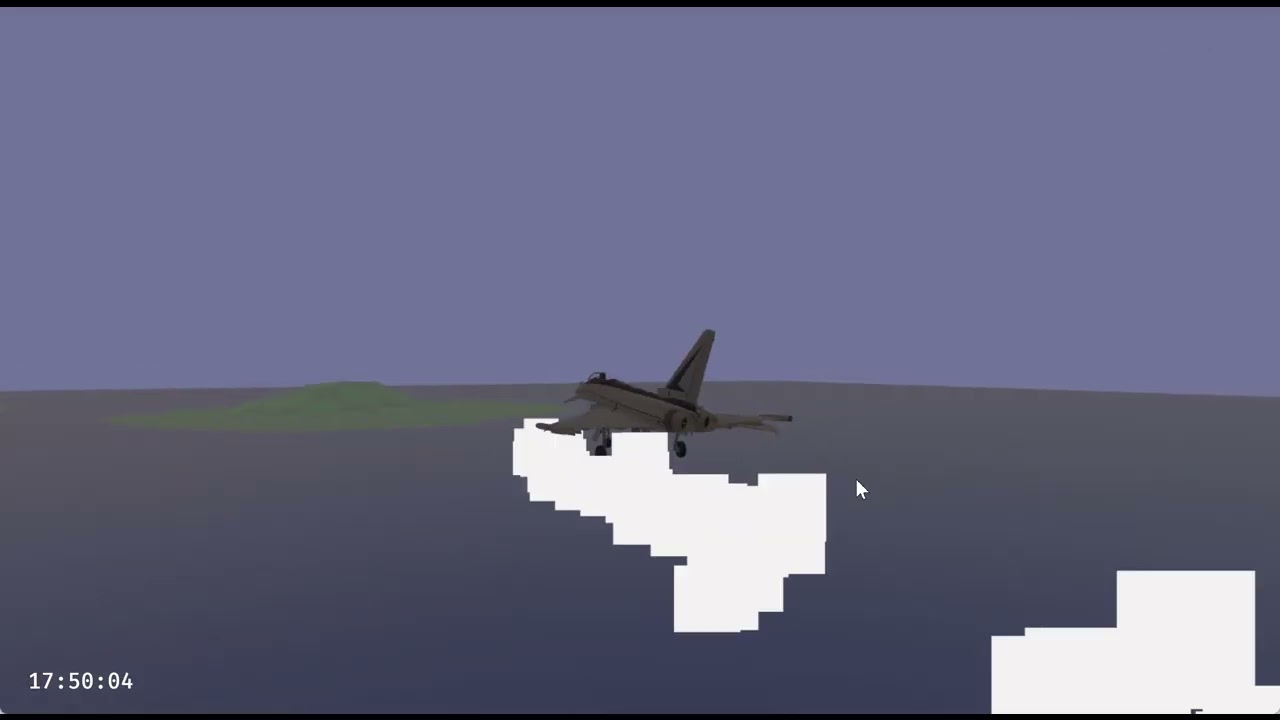
Licensing disclaimer: The Eurofighter model by bohmerang (https://sketchfab.com/bohmerang) is under CC-BY-NC-SA-4.0 license, not cleared for commercial usage. This is not a promotional video, it is unlisted.
This video outlines the challenges of a continuously re-centering world around a floating origin, combined with particle...
native elbow
I still don't understand why you need to know which offset to use. I assume that this kind of VFX is only relevant around the camera, it's a pure visual effect without any "gameplay" effect, so you can very well skip/disable it when too far away.
So imagine you have an infinite virtual world, cut into cells of 1km (1000 units) along the horizontal plane. I avoid vertical slicing to make it simpler and so we know 2D coordinates are cell ones and 3D are Bevy ones below, makes it easier to follow. The center cell at (0,0) spans from x=-500 to x=+500. We consider only the X axis for simplicity; this trivially extends to other directions.
The rocket flies alongside X. The camera is attached to the rocket. When it reaches x=500 you need to shift the world. Cell (1,0) becomes the "center" cell at (0,0,0) in Bevy's units, everything shifts by x=-1000 units.
Now enters VFX. You spawn an emitter at (0,0,0) originally. And you add a property defining the position of the rocket inside the cell. During spawning, you add to the emitter position (0,0,0) the rocket relative position, for example (345,0,0). I use a property for the init and not update to save computation; you only do the add once per spawn. And the effect simulates in LocalSpace, which so far does nothing because the emitter doesn't move and is located at the origin.
Now the rocket crosses x=+500. The world shifts. The existing emitter is now at x=-1000. Chances are most particles are too far to be visible (I would use a kill modifier as optimization here to ensure you don't waste time simulating particles smaller than 1 pixel, too far away. But I digress). You spawn a new effect instance, independent of the first one, at (0,0,0). This second instance is associated with cell (1,0), which is also located at (0,0,0) after the world shift. The new emitter instance property contains the relative position of the rocket inside this reference cell (1,0). And everything works the same.
Can you please give some approximate dimensions you're working with? What's the size of a cell? What's the world size (infinite? 500km? ...). How fast the rocket goes? Does your camera follow the rocket? How far away you expect to see the smoke trail? I'd like to get an idea of the various quantities, because maybe that's why I don't understand the issue.
slim sorrel
I'm working with 800 cubed meters as cell size. With a 3d model cockpit, anything being further away from origin than having at least 3-4 significant decimal digits would make the visual 3d model noticeably deform. I'd say 500km or something in that range is a realistic (per dim.) world size for my project, however anything that works well with representing real coordinates with f64 is manageable, just with the caveats of how far from the camera things are, etc.
Let's say a rocket smoke trail should be visible at up to 30km distance, and a rocket could travel that far. It would span ~38 cells if it travels in a fairly straight line. At this point, for me, the precision is not an issue/challenge but rather how to get the trail of already deployed particles to not all remain in the same cell near the camera, for example. And the initial/intuitive assumption would be to have one single emitter causing one single consecutive trail, if possible.
So my concerns with the suggestions are probably mostly or exclusively related to ergonomics and ease of use for the calling code.
Assuming I understand correctly that the original emitter would be stopped when the next one is created;
- At least from personal taste, it would be more intuitive to manage the transform of the emitter like all other visual model transforms, and send in the offset via a secondary channel, instead of the opposite. This in itself might be a negligible argument in case there are huge performance/footprint gains in the lib,
- Having to manage multiple emitters during the same actual trail, creates quite a large footprint for each specific case, whereas a solution that works for this and other similar cases would minimize the footprint of the using code. Granted, it is as you mention, more inefficient to update many existing particles at scale.
Anyway, I made it work with a specific SimulationSpace variant, will see if I can make a modifier instead to cause the same simple update.
And thanks for the examples and food for thought, these topics are brain gymnastics... 😂
remote parrot
native elbow
I still don't understand why you need to know which offset to use. I assume that...
We're basically saying the same thing. You're saying spawn an emitter at the center of each cell and update it with the position of the rockets while it is inside the same cell.
It's kinda hard to tell from the message, but one important detail is that even after the floating origin moves to the next cell, the emitter Transform is still 0,0,0. The GlobalTransform does end up with a large offset though.
slim sorrel
I'm the one saying a slightly different thing; I would argue it could be motivated in order to be able to reduce the footprint in the using code to
- Initializing one attribute and one property
- Having one such line in my code when recentering
props.set("floating_origin_translation", (floating_origin.get_offset()).into());
And being able to accept a performance penalty instead of managing a multitude of emitters, I would say something like this would be a nice feature. Anyway, realized when I wrote it that its possible to jack in from the using code (which is a good testiment to the modularity), so doesn't have to be a feature inside hanabi of course.
https://github.com/tville/bevy_hanabi/pull/2/files
slim sorrel
One thing still puzzles me though, about the setup with multiple emitters:
We can't use Visibility or despawning to start/stop the emission for each different emitter when crossing the cell borders, since that would hide/remove the already emitted particles that we still want lingering until their lifetime runs out.
Assuming we share the underlying effect asset, we have one main EffectInitializer that would affect all emitters at once (correct me if misunderstanding, emitter/instance = an entity with ParticleEffect and other necessities).
Would groups be useful for this purpose (would have to be pooled somehow) or is there some other mechanism I've missed?
remote parrot
slim sorrel
One thing still puzzles me though, about the setup with multiple emitters:
We c...
We can't use Visibility or despawning to start/stop the emission for each different emitter when crossing the cell borders
What are you trying to do - why does it matter if it crosses a cell border? If you add anAabband visibility components to the emitter entity, it should be automatically culled by the visibility system.
remote parrot
@slim sorrel I have a pretty simple solution, a modification of the trail example where the trail follows the camera. I spawn an emitter in the same reference frame as the camera - a sibling - and update its position with the delta between the emitter's GlobalTransform and the camera's GlobalTransform. This works fine across cell boundaries, the only issue is the precision breaks down if you get very far from the original emitter, as expected. At that point you stop updating the old one and drop a new emitter behind you (breadcrumb), and keep doing the same thing. Only modification to the trail effect is to again set the simulation space to local - you will probably need to do that for any effect with a floating origin
The thing is, you don't need to worry about cells at all. Just the relative distance between the two objects.
slim sorrel
remote parrot
<@1306338132253216909> I have a pretty simple solution, a modification of the tr...
Nice example, yes, that's a really good point and an easy-to-understand way of putting it.
In effect my modifier does the same, only updates for the delta of the change as the observer moves; but of course it has the overhead of carrying the information about the offset for each particle. I will still lean towards using this for my project where there are many different viewpoints possible, but of course if performance becomes an issue I can easily replace it with always drawing everything in relation to the current camera (which in practice is what happens anyway, just with an abstraction). Hehe my idealism here will be my demise. I'll let it sink in.
slim sorrel
remote parrot
> We can't use Visibility or despawning to start/stop the emission for each diff...
I'm wondering in general (also for the use case of sharing EffectAsset between different missiles if possible, where they need to start and stop spawning individually), but as you mentioned above "at that point you stop updating the old one and drop a new emitter behind you". That's an example of where we'd need to have it stop emitting new particles, but not stop the already deployed particles from being visible.
I will look into Aabb, but does it help in this case? Only in the case when we'd want to include/exclude a spatial area entirely? (ah, I guess I can temporarily move an emitter in or out of this Aabb to cull it - hmm - not sure if it would work in my particular case when using SimulationCondition::Always on the main effect - I "need" that since trails must be deployed even if no-one is looking at them at each given moment. Having an additional way to start or stop spawning for the specific emitter would be really convenient in this case, that's what I was hoping I had missed 👼 )
remote parrot
I think that's just up to the system updating the effect - that is already something you control.
azure forge
I've been experimenting with flipbook effects with alpha. It's possible to achieve a good effect with AlphaMode::Mask presumably because this uses the depth buffer but with full AlphaMode::Blend there is flickering. I see issue 183 - https://github.com/djeedai/bevy_hanabi/issues/183 - is there any progress on this? I can see how arbitrary z-sort would be very tricky. Would sorting only by particle age be simpler to implement?
slim sorrel
remote parrot
I think that's just up to the system updating the effect - that is already somet...
Hmm, I'm honestly puzzled by how, in practical terms. But I was hoping I had missed something and indeed had missed that properties are isolated per ParticleEffect, not by EffectAsset. If I understand correctly, that opens up for workarounds in the update pass based on age, or using the kill modifier. But still not sure how (or if it's possible) to just prevent particles from being spawned or cancelling their existence during init, for individual ParticleEffects using the same EffectAsset and Spawner (to repeat myself for context, again it is assuming that SimulationCondition needs to be set to Always due to other reasons).
Edit: I'm also playing around with initializers (overriding spawners), setting spawn count, etc but having trouble isolating the behavior for each ParticleEffect, and getting a consistent result. I have also tried moving my systems to before/after the tick systems etc. Will try to simplify ... I guess ... it should work...
Edit2: I finally got a consistent behavior after migrating from pre-initializing an effect instance for each rocket, to spawning it when needed i.e. when the rocket is used, has its engine on etc. Perhaps it had something to do with positioning, but it worked consistently also when I was using Visibility for toggling (which is not feasible for the use case but tested as an experiment), so not sure, but happy to have found a way forward for now. To summarize it works well with spawning separate ParticleEffectBundles and explicitly adding separate Spawners in them (wrapped in EffectSpawner, in turn wrapped in EffectInitializer, in turn wrapped in the EffectInitializers component).
weary abyss
azure forge
I've been experimenting with flipbook effects with alpha. It's possible to achie...
it's not that easy because particles can die at any time so the indices get scrambled
if you had a purely LIFO particle effect, maybe
sorting on GPU can be done but it's not fun
I would recommend using alpha masks for now
note that bevy 0.15 has some OIT support. I haven't looked at how it works but it might conceivably be possible to use in hanabi
native elbow
The proper fix is sorting all particles every frame with e.g. a radix sort. It's fairly complex and annoying to implement (needs multiple compute passes), and I've not found a good reference so far to help get started.
I also suspect it's reasonably expensive so a dumb sorting wouldn't cut it, you'd need a decently modern and optimized one
azure forge
would it be reasonable to relax the condition of the particles being sorted every frame to being sorted a bit better each frame and eventually sorted?
native elbow
I don't think this has any value; this will incur a sorting cost and not fix all visual artifacts
 wary bough
Hey, I'm looking to create an effect similar to https://www.windy.com/ or https://www.predictwind.com/ and I'm not sure where to start. I've taken a look at the ribbons example but I'm guessing I shouldn't be creating an effect for each individual trail. I've currently got a flow field type grid of various angles as separate entities that I'd like to get each particle to follow. Any points would be appreciated 🙏
native elbow
2D or 3D?
You can currently sample a 2D texture from a particle update via expressions so you can inject your flow field that way. For 3D there's no solution because 3D textures are not implemented.
wary bough
native elbow
You can currently sample a 2D texture from a particle update via expressions so ...
Thanks, looking to do 2d so that's perfect.
wary bough
I've had a bit of a look around and I'm guessing I'd need to implement my own Modifier? This might be above my paygrade haha. Could you please link me to any existing code that might be similar to what I'm going to need to implement? Sorry I'm pretty new to gamedev/particles etc. 😅 TIA
native elbow
No, no custom modifier. In fact I discovered recently that you can implement a custom modifier but that's very much not on purpose, this is not supposed to be a feature and won't work with serialization.
No, just use expressions. There's a texture sampling expression. To be honest I'm not 100% confident everything works. https://docs.rs/bevy_hanabi/latest/bevy_hanabi/graph/expr/struct.TextureSampleExpr.html
Expression to sample a texture from the effect’s material.
native elbow
But to be clear if the TextureSampleExpr has issues then please do open bugs, because that is intended to work
weary abyss
@native elbow Oh, I thought that was supposed to be a thing... I use custom modifiers all over the place in my project 😅
native elbow
Well the problem is serialization relies on typetag and I doubt this works across crates... or does it?
Anyway that's the wrong tool. Going forward I'd hope we can use Bevy's TypeRegistry-based deserialize, so we can ser/de trait objects
(essentially replicate what typetag is doing, without the ugly hidden global mapping, and with the TypeRegistry instead)
weary abyss
native elbow
Well the problem is serialization relies on `typetag` and I doubt this works acr...
I just hardcode my particle effects
which isn't great, I know
BTW, I was thinking batching might be fairly elegant if we use the Y axis of the invocation ID as the effect index.
To allocate inside buffers we could just use the offset allocator I wrote that Bevy now uses. Or we could go bindless.
wary bough
native elbow
No, no custom modifier. In fact I discovered recently that you can implement a c...
Oh interesting, ta. I thought that only handled colour modifications. Will look into it more 🙂
slim sorrel
Hehe +1 vote for keeping custom modifiers possible, it was really convenient to be able to insert a few lines into the shader like that.
native elbow
Oh let me be clear I would love to keep custom modifiers possible. I'm just saying currently it comes with serious limitations so I didn't test it and don't claim to support it. I do have good hopes though with recent changes to Bevy that we can switch to TypeRegistry. If so then we can serialize trait objects and keep custom modifiers as a supported feature.
native elbow
@wary bough thanks for highlighting that the docs are not very clear. I have a local change to update them, which I'll merge into the next release (upgrade to Bevy 0.15).
 floral frost
Hello therr!
I wanted to know if there is a way to make (or fake) particles bouncing off surfaces?
Nice crate btw
Closest thing i found is the force field ex but not exactly what i was looking for
native elbow
Not yet no. That's one of the features I'd like to add soon. Simple one would be a single plane, but more useful one would be based on the depth buffer. But that's in the bucket of features that need access to the per view depth buffer and I've not looked at how to get it from Bevy.
There's also a question of the depth buffer being calculated during the render pass, but currently Hanabi compute runs before it, so it would either have to use the previous frame's buffer (RAM cost) or interleave better with graphics passes of Bevy (more complex refector)
This blocks collisions, but also soft particles
floral frost
Hello is me again, i wanted to ask if it was possible to despawn an entity without removing the particles that have already spawned from it
hasty pagoda
floral frost
Hello is me again, i wanted to ask if it was possible to despawn an entity witho...
I'm not sure, but what I do is control the starting age of particles with a property, which lets me destroy any new particles immediately. I deparent the emitter, set the SHOW_PROP property to 0, and then despawn after a few seconds when the particles have all gone.
let spawner_age = SetAttributeModifier::new(
    Attribute::AGE,
    (writer.lit(100.)
        - writer.prop(writer.add_property(SHOW_PROP, 1f32.into())) * writer.lit(100.))
    .expr(),
);
If there's another solution to this problem, it's probably better than mine
weary abyss
Yeah, that's what I would recommend
When a particle system is done it's marked for destruction shortly
north igloo
My game abruptly hangs/freezes occasionally when I spawn too many particles at once. Is this a known problem, and if yes, is there a way to mitigate? I'd prefer not spawning any particles at all if it's about to crash
hasty pagoda
I updated to Bevy 0.15 and bevy_hanabi main, and I'm running into issues with particle trails rendering inconsistently again. Has anyone else run into this or have advice?
native elbow
There's a bug I think due to the new handling of meshes following Bevy's own change (so, can't revert it). It's hard to get a simple repro which can be investigated.
native elbow
floral frost
Hello is me again, i wanted to ask if it was possible to despawn an entity witho...
No, and it wouldn't make sense because the entity holds the effect, so you're asking to despawn the effect without despawning the effect. What are you trying to achieve?
native elbow
@hasty pagoda see fix in #404 I think this should be enough
hasty pagoda
Thank you, I'll try this out on monday
floral frost
native elbow
No, and it wouldn't make sense because the entity holds the effect, so you're as...
Fair enough, i just wanted to remove objects from the scene without the particles finishing abruptly, i ended up putting the particle effect in its own child entity
native elbow
floral frost
Fair enough, i just wanted to remove objects from the scene without the particle...
Note that you can stop the spawner (and so effectively stop the effect once all current particles died) without having to despawn its Entity. Just set the spawner to inactive. If you plan to re-enable it later, that may be a better solution than despawning and respawning (it will keep GPU resources, which may or may not be desirable depending on how long you wait between disabling and re-enabling).
floral frost
Yeah but id assume having a bunch of inactive spawners is bad isnt it?
Basically, i am spawning projectiles and despawn them when they hit something, if anyone was wondering what i was trying to do (wiith each pwojectile having its own effect)
native elbow
So Seldom is doing the same, and I think if you search the history there was a discussion about this. The best way in my opinion, especially if you have many projectiles, is to have a pool of effects that you reuse. That way you get the benefit of already allocated effects (no GPU allocations etc.) and also the benefit of not having too many inactive effects consuming GPU resources for nothing. The downside is the more complex management on the CPU side, you probably need to write some kind of manager or pool object that your game object interacts with to spawn the effect (instead of directly spawning the effect component itself).
The only constraint to remember is that you can't spawn multiple particles from the same spawner at different locations in the same frame. So you need a pool big enough for the maximum number of emitters you have active per frame.
floral frost
hasty pagoda
I updated to Bevy 0.15 and `bevy_hanabi` `main`, and I'm running into issues wit...
Btw how did you do those foating damage bubbles? Bevy ui or?..
hasty pagoda
native elbow
<@294294462937694208> see fix in #404 I think this should be enough
The fix worked, thanks!
hasty pagoda
floral frost
Btw how did you do those foating damage bubbles? Bevy ui or?..
Yeah, it's Bevy UI with calculated absolute positions
Originally implemented by @loud crane, I think
 loud crane
It has been tweaked since but I did I guess yeah x)
It's pretty hacky but not super complicated
native elbow
v0.14.0 with support for Bevy 0.15 is now published
Thanks @hasty pagoda for the QA 😄
north igloo
north igloo
My game abruptly hangs/freezes occasionally when I spawn too many particles at o...
fwiw this problem was some sort of interesting interaction between hanabi and vello. i guess if you spawn too many particles there's no compute left for vello, and thus it freezes
native elbow
Yes Hanabi is very much lacking yet on the optimization side, and although it's been successfully used in several projects, there's little guardrail at the minute to prevent you from blowing up any resource budget and shooting yourself in the foot. I hope in time we can add those, although in the short time I'd rather focus on filling the feature gaps. But do feel free to log any performance issue if you find any, and we can always investigate and try to improve things incrementally; we already did a few times in the past year.
spare sluice
Does hanabi support custom code blocks yet?
spare sluice
Asking because I'm building a rope sim system for Unity vfx graph and was wondering if anyone would be interested in a port
spare sluice
Here's some examples
native elbow
Not custom code blocks yet, but I was also interested to look at constraints like Housemarque does for The Returnal. But I don't think we can easily do that currently, I suspect reading other particles while updating one will cause race conditions. And making the entire particle update atomic might destroy perf. So not sure how to handle it.
https://m.youtube.com/watch?v=qbkb8ap7vts

In this 2022 Visual Effects Summit session, Housemarque & Playstation Studios’ Risto Jankkila and Sharman Jagadeesan discuss how Housemarque used their programmable particle system to create key vfx features in Returnal. Covering aspects such as volumetric fog driven by real-time fluid simulations and usage of particle hierarchies for character ...
Chances are we need a separate post update compute pass for this.
At the minute I have 2 major works in the pipe though:
- hierarchical effects and GPU spawning
- retained render world and reworking the internal effect caching
So I'm avoiding starting a third one 😂
spare sluice
I just used atomic adds on a position buffer. Seems to perform ok
hasty pagoda
I found this bug where the second effect I spawn (actually the third bc we have it spawn the effect and despawn it after a tick when the game starts to make it precompile the shader) usually doesn't have any particles until I spawn a bunch of other effects
native elbow
@hasty pagoda I don't understand what the video is supposed to show. What's the bug?
Also I think you can spawn an inactive effect to precompile it, without having to despawn it.
hasty pagoda
native elbow
<@294294462937694208> I don't understand what the video is supposed to show. Wha...
The first spell that I cast in the video has particles (the embers that rise up from the ground and then disappear), but the second doesn't
The second cast starts emitting particles a little after I cast the spell a few more times
hasty pagoda
native elbow
Which version/commit are you at?
I was on 168cdf9, which should be equivalent to 0.14, but I just updated to 0.14 to be sure, and the issue is still there
 somber nest
is there any eli5 tutorial for this thing? i cant make any sense from the examples or docs. my brain not wrinkly enough
native elbow
- create an
EffectAsset - spawn a
ParticleEffectreferencing that asset
Same as mesh rendering: create a Mesh asset then spawn an instance (mesh handle component)
What part is confusing you @somber nest ?
I appreciate the lack of visual editor makes effect asset authoring cumbersome. We can refine the docs if you can explain which part is not clear.
somber nest
i got particles to spawn but how do you customize it. how do i just spawn one instance of a particle effect? how do i spawn particles from a point outward but in custom angle? why theres no 2d version of setpositionconemodifier.
native elbow
how do i just spawn one instance of a particle effect?
I don't understand. One instance == oneParticleEffectcomponent. Or do you mean "spawn particles once as a burst"? If so, https://docs.rs/bevy_hanabi/latest/bevy_hanabi/struct.Spawner.html#method.burst
how do i spawn particles from a point outward but in custom angle?
https://docs.rs/bevy_hanabi/latest/bevy_hanabi/modifier/position/struct.SetPositionCone3dModifier.html and orient theTransformon the sameEntityas theParticleEffect; it will inherit itsGlobalTransform.
why theres no 2d version of setpositionconemodifier.
Nobody ever asked for it. In general you can get away with a 3D version. Bevy in general doesn't do "real" 2D, it only do projected 3D, and Hanabi does the same. You fake 2D by using an orthographic projection. There are some cases where that doesn't work, but here for a cone I don't see why not.
Have a look at the spawn.rs example, it has an oriented cone, and also has a burst effect.
somber nest
when i spawn a particle effect, it makes like a spot where particles spawn from. the way i been using it is spawning a particle effect each frame while something is shooting, but the thing that can shooting is moving, so it just make a trail of particle effect spawning particles. should it be a child entity? if so how do you toggle it so it make particle depending on entity state?
    query: Query<(&GlobalTransform, &ThrusterState, &Thrust)>,
    mut commands: Commands,
    effect_handle: Res<EffectAssets>,
) {
    for (global_transform, thruster_state, thrust) in query.iter() {
        if let ThrusterState::Active = *thruster_state {
            commands.spawn(ParticleEffectBundle {
                effect: ParticleEffect::new(effect_handle.thruster_gas.clone()),
                transform: Transform {
                    translation: global_transform.translation(),
                    rotation: global_transform.rotation(),
                    ..default()
                },
                ..default()
            });
        }
    }
}
``` ive been using it like thisYeah don't do that it's awful for performance, it's deallocating and reallocating all GPU buffers each frame.
You can control the spawn rate and deactivate it via the Spawner which is on the EffectInitializers component; see the activate.rs example.
If you use Spawner::rate() it will continuously spawn each frame while active, automatically, without having to do anything.
somber nest
oh man
 vast wedge
Hey community,
I chatted on #rendering with OP of this ticket: https://github.com/djeedai/bevy_hanabi/issues/319
It looks like I hit the very same issue. I am using Bevy 0.14.0 and Hanabi 0.13.1. Currently upgrade is not an option.
It seems to be related to the system using Spawner::once like in the ticket.
If I use other means, it works, but for me I need to be able to just spawn all particles once. SYmptom is the same. First spawn doesn't get rendered, everything after first one will render correctly. I am not changing anything in between.
Any idea if there's a way to make it work? (prewarm or such?)
Thank you!

GitHub
Crate versions bevy version: 0.13.2 bevy_hanabi version: 0.10.0 Describe the bug When spawning an entity with a particle effect that is configured with Spawner::once and starts_immediately set to t...
native elbow
Not that I know of. I'm working on cleaning up the internals of Hanabi because it has degraded over the past year, and there's a few bugs lurking around which are becoming harder and harder to diagnose. Hopefully things should get more stable from there, but for that specific issue I never got an actual repro nor identified what it was unfortunately.
vast wedge
@native elbow Thank you. Would you be interested to take a look if I would create a repo out of the issue?
native elbow
vast wedge
<@699635624940142592> Thank you. Would you be interested to take a look if I wou...
Yes of course, always! Thanks 🙂
 ocean carbon
native elbow
Not that I know of. I'm working on cleaning up the internals of Hanabi because i...
ocean carbon
native elbow
Not that I know of. I'm working on cleaning up the internals of Hanabi because i...
I did provide a repro, you thanked me for it.

i delete the repo as the issue was closed. A new one will need to be created.
native elbow
ocean carbon
I did provide a repro, you thanked me for it.
Yes thanks for that. As I recall I had tried it on main but couldn't repro there. So assumed it had been fixed by a previous change, and didn't dig further.
I think 🤔
still mirage
Just throwing this out there, I would love to see the ability to load a serialized buffer into a particle effect. In my game I would like to do grass/foliage, but imo it doesn't feel worth it to write a completely separate renderer when hanabi has been so awesome (thank you btw ❤️). Off the top of my head you could do all kinds of cool effects with "semi" static particles, like fields of grass, bushes, trees with leaves, clouds, etc etc
I see on the github readme it has "initialize > position over shape > generic mesh" so i figure i'm describing basically the same thing
and tyty for the recent ribbons work, makes a huge difference for my game
weary abyss
I was thinking, the real solution to the problem of "lots of small particle systems" will probably be ubershaders of some sort. Like where Hanabi can automatically group tiny particle systems together to minimize wasted threads
native elbow
@still mirage yes I very much want to start exploring fun stuffs like particle constraints for tentacles and grass blades. I'm not sure though what you mean by loading a serialized buffer. Do you mean consume as input an external GPU buffer not managed by Hanabi? Or do you mean that you want to serialize the effect to disk and reload it later? I don't see how it's related with grass blades simulation sorry 😅
native elbow
weary abyss
I was thinking, the real solution to the problem of "lots of small particle syst...
My expectation is that you will either have a single large effect (e.g. grass blades for the entire screen) or a lot of small instanced effects (e.g. a village with many torches, all using the same effect asset). Those two cases are reasonably easy to batch.
Beyond that, we're getting into some complex trade-off territory where one would have to balance the extra cost of the uber shader vs. the cost of multiple dispatches. Given the many optimizations we could do but are currently missing, I feel we shouldn't try investigating that road before the library is fully optimized, otherwise we risk wasting time developing a solution based on biased measurements.
For example, Unity shipped many VFX graph versions without any batching. They eventually added some as I understand, but I don't know what are the limitations, because obviously if the shaders are different you can't batch, so need uber shader as pointed, which could kill the performance on some large effects.
Also, please do log any feature request on GitHub. It's a great way to gauge interest and prioritize work. 🙂
still mirage
native elbow
<@364866053899288587> yes I very much want to start exploring fun stuffs like pa...
I just mean serializing the effect. For my grass example, in my head the process would be something like: I, as the developer, generate points on the ground for the grass, then serialize those to disk, and when the player loads the game it can deserialize the points instead of generating new ones every time. Idk if this would actually be more performant than using a texture or something to generate points at startup .
Since my ground plane isn’t perfectly flat, in my case I would use ray casts to generate points on the surface, which I imagine would be terribly slow
I could also see myself generating a set of vertices in blender (which is what I’m using to build my colliders) and then hanabi could use those points when i load the gltf file
Hanabi has position initializers for generic shapes, in my head it would be convenient as a developer to have an initializer that can uses a premade buffer or perhaps a bevy mesh to set the position of the particles
native elbow
Ok that makes sense. So, the way I envision this is that you can declare in your effect a "buffer" resource (possibly typed, e.g. a point buffer of vec3<f32>, so that it's not too insanely generic and complex to handle for Hanabi). And then when building the effect you'd have expressions to sample that buffer, which would return the vec3 point value, so that you can use it, in particular in SetAttribute(POSITION) to place your particle on init.
As for the position initializers for generic shapes, they're going to disappear in their current form, to be replaced with {sample shape} + SetAttribute(POSITION). That way you can build any number of init shapes, and we don't have to maintain one sphere position, one sphere velocity, one circle position, one circle velocity, one cube position, one cube velocity, etc. which is a pain.
We'd have just 1) some function to return a random point inside some shape, and 2) the SetAttribute modifier. And you can combine them. Or you can use just the sample shape for any other use.
That simplifies greatly maintenance, and offers a lot more flexibility for effect authors. win-win 🙂
still mirage
Love it, thanks!
native elbow
I just need to stop saying I'll do it, and actually do it 😂
still mirage
lol ikr, my game demo has been “one week away” for like a month now
 white wraith
hey, I'm very new to particle systems, I'm just playing around with things. I've added a texture slot and have the particles position themselves on the surface of a sphere. I see the texture appearing at random points on the sphere's surface which is nice, but they all face the same direction whereas I want them to stick to the surface of the sphere.
 weary abyss
Did we ever decide what we were going to do with multiple spawners in a single effect?
native elbow
white wraith
hey, I'm very new to particle systems, I'm just playing around with things. I'v...
You have to write some expression to set the AXIS_X (and y, z) such that the particle frame is tangent to the sphere. There's no built-in modifier to do that, just use SetAttributeModifier
The render shader code consuming those axes is here: https://github.com/djeedai/bevy_hanabi/blob/c7475601727de9260514857fdeabe9af56fbe178/src/render/vfx_render.wgsl#L188
GitHub
🎆 Hanabi — a GPU particle system plugin for the Bevy game engine. - djeedai/bevy_hanabi
I think if I remember correctly that quads are in the XY plane, so your Z axis must be pointing away from the sphere center
white wraith
hm ok I'll see where I get thanks for the info
native elbow
weary abyss
Did we ever decide what we were going to do with multiple spawners in a single e...
What are you asking? Multiple transforms/origins per effect, or the ability to have one spawner per group, or...? I'm working on replacing groups with an actual hierarchy (parent/child) of effects, so I don't expect we'd need more than one spawner/transform per effect.
native elbow
white wraith
hm ok I'll see where I get thanks for the info
z = normalize(POSITION - sphere.center)
x = something....
y = normalize(cross(z, x))
x = normalize(cross(y, z))
Only trick is to make sure x on second line is not aligned with z on first line.
white wraith
and do I do this in a hanabi .update( ) clause or in a proper bevy system?
native elbow
You build an Expression that you assign to a SetAttributeModifier, which you add to your effect asset. If the position on the sphere doesn't change, you can put that modifier in .init(), and the axes will be calculated based on the spawn position of the particle and saved inside it, and reused each frame during rendering. If the position on the sphere changes, and therefore you want the orientation to follow accordingly, then you put it in .update() and the calculation will be done each frame.
 river cobalt
native elbow
Ok that makes sense. So, the way I envision this is that you can declare in your...
river cobalt
native elbow
Ok that makes sense. So, the way I envision this is that you can declare in your...
I'm curious, wouldn't it be more straightforward to be able to define the complete ParticleBuffer on the CPU side during initialization to support this?
river cobalt
i guess that's specific to my use case of wanting to define the particles beforehand
instead of spawning them dynamically
working from a buffer resource works for both
weary abyss
native elbow
What are you asking? Multiple transforms/origins per effect, or the ability to h...
A hierarchy would be fine. Do you know when that might be available? I'm very happy to help review/etc if it helps!
My use case is chaining together effects like an explosion which spawns smaller plumes of smoke at a certain time
white wraith
native elbow
z = normalize(POSITION - sphere.center)
x = something....
y = normalize(cross(z,...
ok thanks I got it working I think!

for the z axis however I just had to take the POSITION and not subtract anything, I was initially subtracting (0,3,0) as that's the Transform.translation of the sphere
native elbow
weary abyss
My use case is chaining together effects like an explosion which spawns smaller ...
Yes that's exactly the use case. But it's quite involved; I've been hitting blocker after blocker, including stupid ones (limit of 4 dynamic offsets per shader, I didn't realize this was a thing)
I'm hoping though that it can replace entirely groups, by allowing the same kind of particle cloning but with a more versatile approach
But the switch to retained render world came in the middle, which is slowly making things a lot more readable, but of course requires a bunch of unplanned work
weary abyss
I see. Let me know if I can help in some way
native elbow
Thanks!
weary abyss
native elbow
Yes that's exactly the use case. But it's quite involved; I've been hitting bloc...
BTW you can replace these with push constants if you need to.
weary abyss
native elbow
Yes that's exactly the use case. But it's quite involved; I've been hitting bloc...
Do you have a WIP branch anywhere btw?
still mirage
I'm having a weird issue. I'm just trying to get some stuff to appear on screen so I'm copying code directly from the examples. The firework example works fine, but when I copy the ribbon example code over I'm not seeing anything. Am I missing something obvious?
I had working hanabi code when I was still on bevy 0.14, but now I feel like I'm missing something that's changed maybe
Sometimes the firework doesn't appear at all, even tho I'm not changing anything
weary abyss
This might be that bug whereby particle effects sometimes don't show up immediately
still mirage
By manually resetting the initializers I think it's working now
So spawn_immediately=true might not spawn immedaitely
still mirage
weary abyss
This might be that bug whereby particle effects sometimes don't show up immediat...
yes i think it's almost certainly the same issue as https://github.com/djeedai/bevy_hanabi/issues/319, the ribbon example code uses Spawner::once and the first instance doesn't spawn anything
GitHub
🎆 Hanabi — a GPU particle system plugin for the Bevy game engine. - Issues · djeedai/bevy_hanabi
native elbow
weary abyss
Do you have a WIP branch anywhere btw?
u/parent, but it's not working since 0.15 merge, I'm banging my head around bind group layouts and bind group management, and invalidation on buffer resize.
weary abyss
ok
native elbow
I did however greatly improve handling of properties, nice and clean with observer hooks to clean up resources, all neatly packaged into a self contained module. Hopefully the rest can follow on the same trend 😅
native elbow
still mirage
By manually resetting the initializers I think it's working now
Tell me more. You're saying that messing with the Spawner makes the thing work again? So it would be a bug in the spawner rather than some rendering or backend bug? Interesting, I didn't expect that
I've observed on a repro for a bug, where the instancing example was modified to spawn ribbons, that all ribbons stay in sync even though you spawn them manually with keyboard at random times. I wonder if that's the same thing 🤔
still mirage
native elbow
Tell me more. You're saying that messing with the `Spawner` makes the thing work...
I think I was wrong. It was hard to tell because sometimes it worked and other times not, my current hack is to just spawn the effect bundles twice. I have noticed that if I spawn multiple effects on the same frame either they all work or none of them work.
native elbow
Ok, that sounds like the same thing then, but no idea if that's linked to the bug about ribbons or not.
I can repro the ribbon one, and I have a general idea where things might go wrong, but I didn't really understand the bug yet.
If that one is a different one then I don't think I have a repro.
still mirage
Yeah I think my issue is just the part where Spawner::once isn't emitting the first particle, and since I'm using ribbons if there's no head then there's no tail.
weary abyss
I'm updating Hanabi to 0.16-dev now (should finish tomorrow). Want me to put that in a PR?
weary abyss
Actually, this is too much work for now
native elbow
I've ripped the band aid and completely removed groups from my u/parent branch. I'm nearly done fixing the build there, and then I need to figure out how to re-implement ribbons with parent-child relations. This is changing a lot of code. I'm afraid this is going to conflict hard with any 0.16 upgrade
weary abyss
native elbow
I've ripped the band aid and completely removed groups from my u/parent branch. ...
That's great news actually 🙂
Pulling out groups is a-ok with me
Congrats on the progress!
native elbow
🙂
weary abyss
At my studio I'm just pulling out the Hanabi dependency for now. I'll rebuild the particle effects once you finish
(We try to track upstream Bevy fairly closely)
 lucid temple
hi, just adding hanabi to my 2d game. i have a player character with a mesh2d on it, the player's translation has a z of 40.0. (confirmed in egui inspector) and i'm using ParticleEffect::new(effects.trail.clone()).with_z_layer_2d(Some(5.0)), i more or less copied the ribbon example to add a trail. but the trail is showing on top of the player mesh, and i'm not sure why.
the particle effect is a child entity of the player with the default transform
native elbow
Does Some(45) works?
are your particles transparent?
hum... that should still work though I think
lucid temple
Some(45) doesn't change it. yes particles are 0.5 alpha
but the player mesh isn't so i wouldn't expect to see them over the top
native elbow
Did you look at the 2d example? It does exactly that, moves the Z position of the effect such that it renders either front or back of another mesh
lucid temple
i'll have another look
native elbow
You're not setting the transform.z of the particle effect entity though, right? It stays 0?
lucid temple
oh maybe i am, i'm moving head_pos by using the global transform rather than querying for the parent and getting its transform
since the effect is a child, let me change that
native elbow
Oh I think I know, you're setting z_layer_2d=5 to the particle effect, and the parent has default =0 value, so when Bevy sorts it puts your particle effect in front. I think?
I'm not 100% sure how transform.z and Transparent2d.sort_key interact with each other to be honest
I'd try first by removing the z_layer_2d value and instead setting transform.z see if that works.
It's possible there's a bug also, and that Hanabi should add sort_key = z_layer_2d + transform.z, I'm not sure.
lucid temple
from egui inspector, the player has trans.z=40, and has a child which contains the particle effect. the child has trans = 0,0,0 and a z_layer_2d of 5.
native elbow
yeah... Bevy itself for sprites etc. passes the transform.z or equivalent, so that sprites are sorted. I think that's a bug.
Mesh2d does : sort_key: FloatOrd(mesh_z + material_2d.properties.depth_bias),
lucid temple
is this because the particle effect is a child?
native elbow
Sprite does : let sort_key = FloatOrd(extracted_sprite.transform.translation().z);
native elbow
lucid temple
is this because the particle effect is a child?
Ok indeed that doesn't really explain why the particles render in front. If Hanabi passes z=5 (from the layer) and the parent has z=40 (from Mesh2d or Sprite) then the Z buffer should ensure the particle is under (since Z is positive out of the screen)
lucid temple
weird, ok. i'll sleep on it.. and make a small example to demo if i can't figure it out. thanks!
native elbow
We can see clearly in the 2d example, if you disable the animation system update_plane(), then changing with the inspector z_layer_2d makes the particle move in front or behind the quad. But changing the transform.z of the effect doesn't do anything. That in itself is a bug.
Now, it seems that it behaves differently when the particle effect is parented (it's not in 2d.rs).
If you can repro that too in 2d please do open a GitHub bug. It's likely quite easy to fix.
Yeah that whole z_layer_2d is stupid in retrospect, Hanabi should just use the transform.z. And on top of that this extra layer value prevent batching. Really it's confusing and useless.

GitHub
Crate versions main Describe the bug z_layer_2d for 2D effects is used in place of the transform.z, which 1) makes things confusing for users, and 2) seems buggy with parenting. There's really ...
lucid temple
having trouble reproducing in an example, starting to think i must be doing something weird. will keep looking. i agree that the z_layer_2d is redundant though, should just be transform.z in 2d like you said.
lucid temple
this is with the particle effect as a child of the moving square, all seems fine with effects as children.
is there any way to tweak the effects and try them out with recompiling so much? i'm having fun tuning my particle effects but wish i could see changes a bit faster
without writing an egui/a resource/resource->effect thing myself
i'd like to have a spawn_color property for the COLOR attribute, and use a gradient to fade over time that initial color to 0.0 alpha, but ColorOverLifetimeModifier's gradient looks to be fixed to whatever i set when making the asset. is there a way to use modifiers to acheive that?
native elbow
lucid temple
without writing an egui/a resource/resource->effect thing myself
There's 2 main options:
- Temporarily use properties, and once tweaked remove them. This is a perf penalty, but for tweaking is fine.
- Pretty please to @weary abyss to release their GUI editor 😋
@weary abyss here's the GPU event change powering 3 effects : 1 base "rocket", which spawns 1 trail, and on die explode into 1... well... explosion 😄 Only the first one is CPU based, the two others use GPU events to spawn particles.
Now, ribbon and trails don't work anymore on that branch 😄
lucid temple
alright, thanks i'll use properties for now. it's amazing how much less of a prototype/mess my game looks with a few careful particle effects 🙂
weary abyss
native elbow
<@451476504879169546> here's the GPU event change powering 3 effects : 1 base "r...
Cool! Can you trigger multiple events per frame? e.g. 4 particles that turn into separate fireworks
native elbow
The first particle system triggers events for the 2 others. For the trail it triggers 5 events/frame to spawn 5 particles. For the final explosion on death it triggers 1000 events in a single frame (1000 particles to spawn). Each event is simply the index of the parent particle which emitted the event. The "child" systems during init can read back the parent's particle, for example to init their position.
...which reminds me, I forgot to add a system to keep that particle alive until it's read back. I should init children before their parents to avoid that.
There's an InheritAttributeModifier which copies any attribute from the parent particle which emitted the event (on the parent system) to the child particle which consumes it (on the child system).
All the code is on u/parent you can have a look
lucid temple
the capacity of an effect asset is the number of particles per instance of the effect right? (not globally across all instances)
so if my effect is just a Spawner::once for an explosion, then the capacity should match the spawner once count, since it can't need more than that
native elbow
Yes
But note that Spawner::once means that the system automatically spawns only once until reset. So it's possible to spawn more either by 1) manually modifying spawn_count or 2) doing a reset() before all particles are dead, which will spawn another once burst while the particles from the first one still exist.
capacity is the size of the GPU buffer allocation to store particles. There can never be more than capacity alive particles at once, no matter how nor when they were spawned. This is always per-instance of course.
And of course if a particle dies, it's deallocated and makes space in that buffer for a new one to spawn.
lucid temple
got it thanks, I'm spawning an entity that despawns with a timeout matching the effect duration for a single explosion, so I should be ok then
lucid temple
what happens if i spawn too many effects at once for the available gpu memory, does it crash or do the recently spawned effects just not happen?
i suppose things like number of particles could be determined by some graphics fidelity setting that either the user picks or is autodetected (high/med/low etc)
native elbow
@weary abyss I looked at Niagara (UE5), for ribbons it's just assigning a common ribbon ID for all particles of a same ribbon. Then it sorts particles by ribbon ID and age. That has the nice property of 1) not requiring any atomic in spawning, and therefore can spawn as much as you like without having to make a linked list, and 2) solves the issue of middle particles having shorter lifetimes and disappearing, breaking the ribbon. I think I'm going to go with that. Only issue is the time and complexity of writing a bitonic sorter in WGSL. 😅
The nice think is that this handles both ribbon cases I expect:
- a single ribbon for the entire effect instance (implicit unique ribbon ID), where you spawn at most 1 particle per frame at the position of the emitter.
- a multi-ribbon like the worms example with 2 instances, the "head" instance emitting GPU events, and the actual ribbon one having one ribbon per head, whose ribbon ID can be the index of the head particle (since it's unique per effect).
Niagara does something crazy, it has like 10+ different compute passes for ribbons (not counting e.g. sorting iterations; literally 10 different shaders). It has some to create the mesh strip from the sorted particle list, to allow e.g. tesselation between particles based on their distance, as well as nice curving (I guess some kind of cubic spline per 3 successive particles). But we don't need any of that for now; yet we can add it nicely on top with that sorting approach.
Last thing is, we will need sorting for transparency anyway. So at some point someone has to write a GPU sorter. Might as well do it now.
weary abyss
native elbow
<@451476504879169546> I looked at Niagara (UE5), for ribbons it's just assigning...
TBH I would be totally fine with a single threaded GPU insertion sort
For now anyway
native elbow
Makes sense
lucid temple
i have a basic Spawner::once(128, spawn_immediately: true) particle explosion effect. but if i spawn 1000 of them at once (by self-destructing 1000 ships at once), my game hangs. i'm making just one effect asset, storing in a resource, cloning it for each of the 1000 ParticleEffects. how many such effects should i expect to be able to spawn? spawning 100 at once works. is there some limit i need to raise somewhere
apple m1 max, i figured it would not be an issue below like 1M particles, but i don't really have good intuition for gpu stuff yet.
weary abyss
Oh I just realized, @native elbow you might look into https://gpuopen.com/fidelityfx-parallel-sort/

AMD GPUOpen
AMD FidelityFX Parallel Sort makes sorting data on the GPU quicker, and easier. Use our SM6.0 compute shaders to get your data in order.
We use a port of FidelityFX upstream for texture downsampling, it's high quality code
native elbow
Thanks. At this point the absolute total pain and time blocker is not writing the algorithm, it's managing all the buffers and bind groups and pipelines in wgpu. Any one additional resource becomes a chore. It's really painful.
weary abyss
native elbow
Thanks. At this point the absolute total pain and time blocker is not writing th...
Mood
native elbow
weary abyss
TBH I would be totally fine with a single threaded GPU insertion sort
GPU says "nope". 1081138us (1 second; 0.98 FPS) for < 256 particles 😅 (it may well be a bug but that's already hilarious)
weary abyss
Haha
native elbow
Oh yeah ok I forgot to cap the sort array, it's sorting the entire capacity, 262000 particles 😄
Ok we're down to some only awful 100+us for 50 particles. #goodenough
weary abyss
native elbow
Ok we're down to some _only_ awful 100+us for 50 particles. #goodenough
It's good enough for now 🙂 Big changes are best to land in chunks even if the intermediate results are kind of embarrassing
weary abyss
I'm really looking forward to your Hanabi revamp btw. At my studio for now I've just disabled Hanabi because it's not worth updating it for the latest Bevy until your changes land
native elbow
I'm working my way through it. I'm at the final copy after sorting. After that I need to figure out how to mesh ribbons, but that's not too hard. And there's a couple of buffer management that won't work outside examples so need to fix those.
It's unfortunate the change is so big. I don't like this kind of large change going dark for months then landing a giant PR, but unfortunately in that case it doesn't look like there's a practical alternative.
 raven sparrow
Is there a way to add a component to each spawned particle or is that not something I should be doing? I'm trying to add the particles to my 2.5d sorting system
raven sparrow
Err I suppose I could just child the particles to a given object if that is possible to achieve the same thing
native elbow
This is a GPU particle system. There's no concept of particle in the ECS, so the question makes no sense to me.
If you're talking about adding a component to each effect instance (which is made of many particles) then that's an ECS question. I guess something like an observer would do.
raven sparrow
native elbow
This is a GPU particle system. There's no concept of particle in the ECS, so the...
I just want to manipulate my particles' z values to sort them. How would you recommend I go about this if not that way?
native elbow
You can't. You don't have access to that. This requires adding depth sorting to Hanabi, which is planned (to fix transparency ordering) but not yet implemented.
Again, particles don't exist on CPU, only on GPU. And their depth on screen depends on the view, so e.g. if you have one main view and one shadow view the sorting is different for both.
raven sparrow
Well from what I'm reading it looks like they pick their z value based on the value of with_z_layer_2d, no?
native elbow
No, the effect instance picks that, which allows the entire effect to be stored relative to other Bevy objects
raven sparrow
On particle spawn would be sufficient for me, I don't need to update in real time
native elbow
There's no per-particle sorting. What you can do maybe depending on what you're trying to achieve is use SetAttributeModifier(POSITION) and assign a particular Z. But that won't influence the rendering order.
raven sparrow
I don't even need per-particle sorting, I just need to be able to change the z layer the particles spawn on if the parent object moves
native elbow
Currently particles within a single effect instance are rendered in an undefined order. See https://github.com/djeedai/bevy_hanabi/issues/183

GitHub
Bevy 0.10.1 bevy_hanabi - last version from git Hello, first of all I would like to express my gratitude for this amazing crate! I can't figure out why I have the flickering in my studying proj...
native elbow
raven sparrow
I don't even need per-particle sorting, I just need to be able to change the z l...
Then have a look at https://github.com/djeedai/bevy_hanabi/issues/423, there's some bug around the Z layer
GitHub
🎆 Hanabi — a GPU particle system plugin for the Bevy game engine. - Issues · djeedai/bevy_hanabi
raven sparrow
native elbow
Currently particles within a single effect instance are rendered in an undefined...
My particles shouldn't be affected much by an undefined order so this seems fine?
raven sparrow
native elbow
Then have a look at https://github.com/djeedai/bevy_hanabi/issues/423, there's s...
Yeah I saw this issue... I've no problem with it as long as I can dynamically update z_layer_2d, which seems like what I should be doing
native elbow
Ok, but if you do that, all particles even the ones already spawned will move together to a different layer. It's that what you want?
raven sparrow
Well assuming that's per-effect instance I have no problem with that
native elbow
Then try setting z_layer_2d on the ParticleEffect component directly. This will trigger a recompile so not ideal but should be good enough if not too frequent
Disclaimer, I don't remember anyone ever trying that
native elbow
Hierarchical effects and ribbons working on the same code 😋
(it's 2 demos, merged the screenshots)
 weary abyss
native elbow
Hierarchical effects and ribbons working on the same code 😋
(it's 2 demos, merg...
weary abyss
native elbow
Hierarchical effects and ribbons working on the same code 😋
(it's 2 demos, merg...
Awesome!
Hierarchical effects will make my VFX artists very happy
remote ice
I'm not a VFX artist yet it already makes me happy 👀
 gilded fox
native elbow
Hierarchical effects and ribbons working on the same code 😋
(it's 2 demos, merg...
gilded fox
native elbow
Hierarchical effects and ribbons working on the same code 😋
(it's 2 demos, merg...
Holly quack how did you make the ribbon
I just started using hanabi about twenty minutes ago, so far I'm impressed
Is there a way to set the particle size?
Could be that I looked for the wrong keyword
weary abyss
gilded fox
Holly quack how did you make the ribbon
It's one of the examples in the examples directory
native elbow
Multi-trail is working too now, head worm particle moves around GPU-spawning trail particles 🙂

There's still a bug on macOS, probably something with 256-byte align for storage instead of 32-byte on nvidia/vulkan.
There's a weird thing to investigate in instancing, but may be due to some upload reseting the effects.
Last one is some probably simple break in simulation condition (simulate while hidden), likely simple.
...and that should be it.
gilded fox
native elbow
Multi-trail is working too now, head worm particle moves around GPU-spawning tra...
It's achtung time
native elbow
@weary abyss and others, any chance you could try the hierarchical effect feature in u/parent before I merge it? There's a migration guide in docs/ to help transitioning code.
I think that all examples work now, I don't recall any issue.
weary abyss
native elbow
<@451476504879169546> and others, any chance you could try the hierarchical effe...
Sure thing!
native elbow
PR is up, tested on win11 and macOS, all examples run fine.
https://github.com/djeedai/bevy_hanabi/pull/424
weary abyss
native elbow
PR is up, tested on win11 and macOS, all examples run fine.
https://github.com/d...
Holy mackerel that's an epic PR
weary abyss
OK, I'm testing it now
Next thing would be 0.16 support, but I totally understand if you want a break 🙂
weary abyss
native elbow
PR is up, tested on win11 and macOS, all examples run fine.
https://github.com/d...
Examples run fine for me
native elbow
weary abyss
Next thing would be 0.16 support, but I totally understand if you want a break �...
Let me merge that PR first 🤣
Thanks for the checks and review
Did you already look at 0.16? Anything in particular to worry about?
weary abyss
native elbow
Did you already look at 0.16? Anything in particular to worry about?
I did, but I quickly abandoned my abortive efforts to get Hanabi working your hierarchical effects work was going to conflict so badly
 hidden scarab
I'm having a strange problem trying to get a 2d ribbon example working. I copied code from the 2d & ribbon examples and spliced them together and got the expected shape showing up in the camera. However without any changes, when I run cargo to open the app again nothing is displayed. https://pastebin.com/JZr33uuc here is the code in my project
Pastebin
Pastebin.com is the number one paste tool since 2002. Pastebin is a website where you can store text online for a set period of time.
native elbow
@hidden scarab is that on main or on the #424 PR?
Ok the code uses groups. The #424 PR is about to merge which will rework all ribbons
So it's very unlikely anyone is going to debug anything related to ribbons/trails at this stage
Would you mind retrying on main once #424 merged please?
(today hopefully)
hidden scarab
I just started a new project and added this as a dependency, so I assume this was from main?
`bevy_hanabi = { version = "0.14", default-features = false, features = ["2d"]}
ok I'll keep an eye on it and try later
native elbow
ah ok so it's 0.14 release
hopefully there should be some 0.15 very soon, before the next Bevy
but best to try directly on main if you can, that could catch some bug before the release 🙂 thanks!
I'll ping when #424 is merged
hidden scarab
I've started a new project & changed my cargo.toml to have this entry (alongside bevy 0.15);
`bevy_hanabi = { git = "https://github.com/djeedai/bevy_hanabi.git", default-features = false, features = ["2d"]}
I'm facing a similar issue where the particles will spawn, move & ribbon correctly the first time I run it, but every time after it now crashes moments after the window opens.
Here is code that I copied from ribbon.rs example; https://pastebin.com/dCK2J0PB
Here is the output in terminal; https://pastebin.com/8jcZpZbF
Thanks
Pastebin
Pastebin.com is the number one paste tool since 2002. Pastebin is a website where you can store text online for a set period of time.
Pastebin
Pastebin.com is the number one paste tool since 2002. Pastebin is a website where you can store text online for a set period of time.
hidden scarab
I removed these compile optimizations from cargo.toml as an act of desperation;
[profile.dev]
opt-level = 1
[profile.dev.package."*"]
opt-level = 3
After this I ran it a bunch of times as it seemed to randomly have one of 3 outcomes after that;
Crash as before with the same error message.
Worked the first 2 times & once again
Crash without displaying window with this new error; https://pastebin.com/LuHzZcu9
Pastebin
Pastebin.com is the number one paste tool since 2002. Pastebin is a website where you can store text online for a set period of time.
native elbow
I don't have the code in front of me but it looks a priori like some bind group is not being set at all, maybe skipped due to another error.
native elbow
I tried your example, it doesn't show anything but doesn't crash. I think because of the ortho camera
And reverting to the default 3D camera like the official ribbon.rs example, everything works fine on win11
I don't have a Linux to test unfortunately
Maybe it's worth trying again with Trace logs for Hanabi (RUST_LOG=bevy_hanabi=trace)?
The error with the bind group is very strange. It looks like the bind group from the previous compute pass is reused. That would mean the set_bind_group() call for the sort pass failed. But that call is unconditionally made by Hanabi, so it can only fail due to wgpu itself finding an error, which it doesn't seem to report.
hidden scarab
I changed Hanabi to 3d, as well as the Camera & removing the Projection. It still crashes, but ran with trace logs as you suggested got the following output; https://pastebin.com/RZgXmsAD
The extent of the code Im using is in the pastebins I attached prior, I can make a GitHub repository for it if you like though.
Pastebin
Pastebin.com is the number one paste tool since 2002. Pastebin is a website where you can store text online for a set period of time.
 low adder
with the new ribbons rework is there any chance on getting https://github.com/djeedai/bevy_hanabi/issues/332 resolved?
assuming the new solution is intended to be long lived might be a good time to revisit miter joints, its kind of a blocker for actually using the feature imo (the gaps are VERY noticable, not something easily ignored)
GitHub
Describe the solution you'd like Currently each particle in a ribbon creates it's own disconnected geometry, this leads to gaps in the ribbon. See below image from the "ribbon" ex...
native elbow
@low adder short answer is yes. Longer one is that I don't know yet if we can make a simple fix that hides those gaps most of the time, or if we need to go down the more heavyweight route that UE takes where they actually run a compute shader to generate the mesh (instead of having it implicit based on particle positions). The latter has the advantage that you can do other interesting things like dynamic mesh tesselation: spawn vertices every N distance, spawn vertices based on curvature, etc.
I have PTSD from managing bind groups for the last change so I'm not looking forward to adding yet another compute pass. 😬 But more seriously it needs to be balanced with the perf cost of yet another pass. Plus the time to actually write such a change, which is not trivial (if we go down that route).
I don't have a good understanding yet of whether that mesh compute pass could help e.g. replace the dedicated Hanabi render shader and just integrate it into the Bevy existing rendering, since once you have a mesh there's not much left that distinguish the particles from any other render object.
Not sure
low adder
Sounds like the kind of thing the proposed upstreaming could help with then
native elbow
The expertise of the rendering team would certainly help architect a solution yes
low adder
of the two immediate ideas though, mesh compute does sound like a better choice, mostly because it would also progress some other features like 3d meshes as "particles"
native elbow
3D meshes as particle is already implemented, unless I misunderstood what you meant

GitHub
🎆 Hanabi — a GPU particle system plugin for the Bevy game engine. - djeedai/bevy_hanabi
low adder
Oh when did that happen? must have missed that
native elbow
Another one of @weary abyss's cool changes 😊
low adder
Very neat 
well in that case, readmes out of date  still has 3d meshes under render unticked
 normal pike
how can I access the spawner of an effect instance to change spawn rate on the go?
native elbow
normal pike
how can I access the spawner of an effect instance to change spawn rate on the g...
Overwrite the EffectSpawer component with your new Spawner
That might reset the effect though not sure
normal pike
so there's no way to say, dynamically tweak the rate based on some world state?
native elbow
No, not something that was asked before, although it could make sense so you can open a GitHub feature request
I want to overhaul the whole spawner mechanism it's not great
remote ice
Hah, the on-the-fly version of the issue I ran into, I'm not sure how we didn't see this coming :')
native elbow
Yeah that makes so much sense I'm not sure how I never through about it 😬
In general though you can always, after the spawner ticked, overwrite the value of spawn count in CompiledParticleEffect before it's extracted into the render world
But you have to rewrite your own logic if you do that
I think the mechanism should be more open, with maybe just a trait or closure to generate the spawn count per frame, and you can put whatever logic you want
Instead of trying to have Spawner cover all possible use cases, which it can't
Also EffectSpawner::spawner could probably be pub
still mirage
native elbow
As for the position initializers for generic shapes, they're going to disappear ...
ik this is in the works, but in the meantime I wanted to try and see if I could get some simple grass working by adding an extra storage buffer that the init shader can read from. I think I roughly understand where the changes would need to happen:
- Create a storage buffer with data in EffectBuffer::new (for convenience)
- Update the bind group layouts to include the extra buffer (for vxf_init and vfx_update maybe?)
- Create a position modifier that indexes into the buffer using the particle counter so each particle gets a unique value from the buffer (unless there's a better way to do this).
Am I missing anything obvious?
native elbow
That's more of less it if you want to hack it. But putting the buffer in EffectBuffer will create one buffer per effect so if you have other non-grass effects you should make sure to skip that buffer creation.
still mirage
native elbow
The error with the bind group is very strange. It looks like the bind group from...
I'm getting this on Windows when my project's bevy dependency has the default features on, I've left a comment here: https://github.com/djeedai/bevy_hanabi/issues/428
GitHub
Dependencies are bevy 0.15 & most recent bevy_hanabi from git main. Running Linux (OpenSUSE Slowroll) using Wayland with NVidia GPU. Trying to copy examples to get working versions running on m...
normal pike
yeah IMO all effect values should be change-able per instance if possible (not sure how much heavier things would get) so you can do things like "engine trail intensity based on throttle" and other fairly common use cases
native elbow
Yes that makes sense. And it's not especially complicated, just the spawner is one of the oldest piece of code and would need a rewrite to be more flexible.
At the end of the day the only thing Hanabi cares about is: how many particles do I spawn this frame ?
And that's the value in CompiledParticleEffect::spawn_count
hidden scarab
I'm trying to create ribbons for bullet trails but I'm having trouble handling multiple ribbon ids. My approach stores the effect handle in a resource initialised in advance. When a projectile is added a new entity is spawned containing the cloned ribbon ParticleEffect & a reference to a projectile to follow. I've checked this works as expected by testing 1 projectile using a constant ribbon id. All the examples I can find for multiple ribbons take ParticleCounter attribute from a parent effect through a custom u32, but my approach has no parent effect. I've tried using ParticleCounter & ID attributes directly in the ribbon effect but the effect stops showing if I do that. Is having a parent effect required for multiple ribbons? Or since the ribbon id is set during effect initialisation (and then cloned when needed) is there a way to modify it per each new instance?
native elbow
I'm confused by the question because multi-ribbon means multiple different ribbons within a single instance, but it seems that you're spawning one ParticleEffect instance per ribbon, in which case it's not multi-ribbon it's single ribbon and you can use whatever constant value for RIBBON_ID
the ribbon id is set during effect initialisation (and then cloned when needed) is there a way to modify it per each new instance?
The ribbon ID is set when a modifier sets it, either during the init or update compute passes. Not when the effect is initialized (which I assume here means the ParticleEffect is spawned in the ECS world)
See the ribbon.rs example for a single ribbon per instance, and worms.rs for multiple ribbons per instance.
Both these examples have a single ParticleEffect.
The former just use RIBBON_ID=0 I think. Whatever constant value works.
The latter needs a different value per ribbon
The use of ParticleCounter from a parent effect is one way to have one ID per ribbon, as the parent particle is mapped 1:1 to a ribbon in the child.
For your use case, since the bullet itself is not part of the particle system, if you use a single ParticleEffect instance for all bullet trails then there's no way to determine when a particle spawns which ribbon it should be part of.
And in fact that would be impossible, if you need to spawn 3 particles for the ribbon of the first bullet et 2 for the ribbon of the second bullet, there's no way to tell Hanabi to spawn 5 particles in one frame with 2 different sets of characteristics like this.
hidden scarab
Oh ok I misunderstood what multi-ribbon meant, when multiple projectiles were present it panicked so I assumed I had it wrong. In my case each projectile spawns its own Entity w/ ParticleEffect so there are multiple instances. Here is the error I'm getting, which happens as soon as a 2nd projectile is spawned;
thread '<unnamed>' panicked at /home/jacob/.cargo/registry/src/index.crates.io-1949cf8c6b5b557f/wgpu-23.0.1/src/backend/wgpu_core.rs:2326:18:
wgpu error: Validation Error

Caused by:
  In ComputePass::end
    In a set_bind_group command
      Dynamic binding index 2 (targeting BindGroup with 'hanabi:bind_group:util_89_4' label 0, binding 2) with value 12, does not respect device's requested `min_storage_buffer_offset_alignment` limit: 32


note: run with `RUST_BACKTRACE=1` environment variable to display a backtrace
Encountered a panic in system `bevy_render::renderer::render_system`!

thread 'main' panicked at /home/jacob/.cargo/registry/src/index.crates.io-1949cf8c6b5b557f/wgpu-hal-23.0.1/src/vulkan/instance.rs:173:58:
Trying to destroy a SurfaceSemaphores that is still in use by a SurfaceTexture
warning: queue 0x559dc4323b20 destroyed while proxies still attached:
  wl_callback#63 still attached
  wp_linux_drm_syncobj_timeline_v1#62 still attached
  wl_buffer#61 still attached
  wp_linux_drm_syncobj_timeline_v1#59 still attached
  wl_buffer#58 still attached
  wp_linux_drm_syncobj_timeline_v1#56 still attached
  wl_buffer#55 still attached
  wl_surface#31 still attached
  wp_linux_drm_syncobj_surface_v1#54 still attached
  wp_linux_drm_syncobj_manager_v1#53 still attached
  wp_tearing_control_v1#52 still attached
More linux wgpu weirdness I guess? 🥲
native elbow
No that's squarely a bug. Can you please log it on GitHub and explain how to repro? I have an idea what it can be.
hidden scarab
Sure just opened an issue here with a small example where I was able to reproduce the error https://github.com/djeedai/bevy_hanabi/issues/438
GitHub
Bevy 0.15 Bevy Hanabi main branch Linux & NVidia GPU Spawning multiple entities each with their own ribbon ParticleEffect panics with following message; thread '<unnamed>' panicke...
weary abyss
Been thinking about the shortest-term path to a viable workflow that artists can use, because unfortunately at my studio the ideal workflow that we want would represent a lot of schedule risk. I was thinking perhaps a Blender particle system to Hanabi exporter would be useful. (TBH this could be useful even if we had the artist tools.)
weary abyss
Actually, looking at Blender, it's far too incompatible. Unity VFX Graph would probably be more feasible.
weary abyss
Or maybe even the legacy fixed function Unity Shuriken to Hanabi? That'd be quick and easy and would help to find any missing functionality in Hanabi. IME Shuriken is unreasonably effective for how seemingly-limited it is
native elbow
I'd imagine the VFX graph would be rather straightforward given it's very close conceptually, but would probably highlight annoying gaps like typecast and other stuffs which are mostly blocked on supporting function expressions (for which I have a partial branch but it's a pain to implement for various reasons)
Is the MaterialX editor too basic? Because writing a converter for mtlx files sounds like the least amount of work.
weary abyss
Prototyping the legacy fixed function particle system, it definitely seems like the least amount of work to get things done quickly
I don't like it any more than you do, but it is the fastest way from point A to point B
There's a built-in JSON export built into Unity and https://transform.tools/json-to-rust-serde instantly created Rust structures for it, so now all I have to do is write an asset loader that loads these JSON files into Hanabi and we're all set
An online REPL for converting JSON to Rust Serde Structs.
@native elbow sorry, but what's the status on 0.16 support?
no rush at all (and I might be able to help), just curious
native elbow
weary abyss
no rush at all (and I might be able to help), just curious
There's a new storage buffer alignment bug just opened, which blocks 0.15 release, which itself blocks moving main to 0.16
weary abyss
@native elbow Well, something came out of this: a finally-semi-reliable test case for one of those "particles don't show up" errors
2025-03-17T23:36:10.393110Z  WARN bevy_hanabi::render: Unknown render entity 5v1#4294967301 for extracted effect.
2025-03-17T23:36:10.393314Z  INFO bevy_hanabi::render: Render entity 5v1#4294967301 exists with main entity 7v1#4294967303, some component missing!
It's intermittent
weary abyss
Yeah, this exercise is identifying lots of little gaps in Hanabi. I may submit PRs for some of these when I get further along 🙂
weary abyss
Is it intentional that Hanabi is missing the feature whereby you can delay N seconds before particles are spawned? (Not delay in between bursts, delay before the first burst)
weary abyss
weary abyss
Yeah, this exercise is identifying lots of little gaps in Hanabi. I may submit P...
That being said, going from Unity legacy particles to Hanabi as an artist workflow is going extremely well, and I'm embarrassed I didn't come up with this earlier
It's very unprincipled, a dirty, dirty hack, and also unreasonably effective
river cobalt
i've also taken a look at the random particles not showing up for my case. Comparing tracing logs between runs, the ones not rendering consistently output "Compute pipeline not ready" a few times.
Eventually, it succeeds to retrieve the pipeline and set the commands, but it doesnt start rendering properly regardless. The traces of runs that successfully render never log 'Compute pipeline not ready' even once.
No idea what that means or if that helps anything, just wanted to share.
weary abyss
river cobalt
i've also taken a look at the random particles not showing up for my case. Compa...
Are your particles oneshot or continuous?
Because that might be a case of "shader compilation took too long and it wasn't built in time for the first spawner burst"
In fact, that would explain a lot
river cobalt
interesting, it is oneshot as soon as the game starts up, ill try delaying it. Any way to wait for that?
going by what you said there isnt a way i guess
weary abyss
Really there should be some sort of backpressure in Hanabi itself
Actually, this is kind of an interesting dilemma, because it's not clear what should happen
Hanabi's current behavior (if my guess as to what's happening is correct) is just the natural outcome of lazy + async shader compilation, which is generally a good thing
Generally the way Bevy works is that it would rather have something be invisible than block on shader compilation, which is the right thing in some cases, but clearly not this one
There are two possible solutions:
- Build the shader during a loading screen (I guess when
EffectAssetis being constructed? And don't mark it as loaded until the shader is built?) - Delay bursts until the shader is built
This might be something I should bring up in #rendering-dev actually
native elbow
weary abyss
Is it intentional that Hanabi is missing the feature whereby you can delay N sec...
No, but should be easier now with the explicit cycle count.
native elbow
weary abyss
Actually, this is kind of an interesting dilemma, because it's not clear what *s...
Yes this is exactly my analysis and why I'm not sure what to do here. I'm convinced a majority of bugs are due to this.
I think the user might need to handle readiness themselves, similar to other Bevy assets. Although in this case the readiness is for GPU resources and it's not clear what the Bevy pattern should be
weary abyss
native elbow
Yes this is exactly my analysis and why I'm not sure what to do here. I'm convin...
Jasmine suggested that we implement something ourselves, so here's my strawperson proposal: Add a system that can receive CompileEffect events, which the app can send to instruct Bevy to compile an EffectAsset immediately. This system will kick off an async compile operation. When the shader is done compiling, the system will send an EffectCompiled event, which an app system can listen for. This allows the app to fire off CompileEffect events during a loading screen, and block the loading screen from finishing until the EffectCompiled events come in.
BTW, my Unity exporter tool can now export an entire tree of objects that may have particle systems attached as a glXF prefab. It serializes every particle system it finds as JSON, which my new Bevy plugin can read and convert to Hanabi form. It also saves any textures that the particle system depends on. So it's a complete turnkey solution for editing particle effects (albeit reliant on Unity and restricted to what Shuriken can do), as well as allowing lots of particle systems from the Unity Asset Store to be imported straight into Bevy. It's still quite incomplete; I'll release it as OSS when it's complete enough to be useful.

GitHub
A simple loader for glXF content. Contribute to pcwalton/bevy-glxf-loader development by creating an account on GitHub.
weary abyss
@native elbow How do you feel about an Attribute::ORIGIN vec3 that allows the transform origin for the quad to be changed from the center? Unity has this and it's necessary for some effects. I could technically mess with POSITION but then I'd lose all built-in physics, so it's not really feasible.
weary abyss
Hanabi expressions are always such fun math puzzles because of how much is missing... for example, the x/y/z/w accessors are broken ATM so I have to dot with the X/Y/Z/W axes instead 🙂
Ternary if/then is missing so I have to multiply with the condition bool casted to float and then add the then and else branches
Boolean operators are missing so I have to pack into bvec2 and use all() or any()
Fun stuff 🙂
weary abyss
Here's a more complex "boost" particle effect exported from a Unity Asset Store asset into Hanabi. It's not quite right yet (couple of Hanabi bugs blocking it), but it's pretty close and looks cool. It's a good demo of more complex particle systems in Hanabi 🙂
This is 4 particle effects stacked on top of one another. (Actually there are 5 but one doesn't render because of a Hanabi bug that I need to fix.) The star sizes follow a complex wiggly curve that gets converted into an enormous piecewise Hanabi function.
native elbow
weary abyss
<@699635624940142592> How do you feel about an `Attribute::ORIGIN` vec3 that all...
Some kind of pivot/anchor for sprite you mean? Sounds good
native elbow
weary abyss
Fun stuff 🙂
Please log all of those. I don't have visibility on what's missing
One blocker to implementing a bunch of things is supporting actual functions as expressions. This is needed for example for a remap node.
 split rain
weary abyss
Here's a more complex "boost" particle effect exported from a Unity Asset Store ...
split rain
weary abyss
Here's a more complex "boost" particle effect exported from a Unity Asset Store ...
looking nice!, how did you change the particle shape to a star ? I only get flat circles .. I'm noob at it
weary abyss
split rain
looking nice!, how did you change the particle shape to a star ? I only get flat...
Use an EffectMaterial component
weary abyss
ok, this is a weird bug for sure -- Bevy scenes sometimes don't fire Added<T> for their components when they're spawned
and this causes Hanabi to miss adding effects to the render world
It only seems to happen when you use scenes. So we never see it in the examples because those add components programmatically
weary abyss
@native elbow Thoughts on how to implement stretching a single texture over the length of a ribbon? If we had a SetUvRectModifier you could implement it yourself, but I wonder if you have a different primitive in mind. Or just make a fixed-function modifier
Actually I guess to be correct if ribbons divide you might need this to be fixed function with a prefix sum so that each ribbon knows how long it is...
weary abyss
Almost the same as Unity now. This was exported in one click from the artist-friendly UI and is purely declarative: i.e. there is zero effect-specific Rust code. Can't do the ribbon though because of the lack of the above feature.
split rain
Awesome, I made a hoverboard effect as well, I’ll show it tomorrow
native elbow
weary abyss
Actually I guess to be correct if ribbons divide you might need this to be fixed...
Yes if we need the length to be the world space or screen space length we need to calculate it. Which makes it once again interesting to consider a "meshing" pass for ribbons, like UE does, where you could also stitch mitters and add more geometry based on curvature.
native elbow
weary abyss
ok, this is a weird bug for sure -- Bevy scenes sometimes don't fire `Added<T>` ...
Sounds like a Bevy bug rather than Hanabi, right?
weary abyss
native elbow
Sounds like a Bevy bug rather than Hanabi, right?
Yes but probably unlikely to be fixed in a 0.15 point release
so I'd argue that we should work around it. I have a workaround ready
I noticed a whole bunch of Unity VFX has dissolve masks and there's no built-in way to do it, so people just use shader graph or code HLSL. Not sure if that's just something we should provide as a fixed-function thing. In general, "how much should Hanabi materials be like regular Bevy mesh materials" is an interesting question
native elbow
One important note: the thing about notifying the user an effect is ready, and more generally any data passing from render world to main world, had no solution that I know of. There's the extract phase for main->render but I've hit several time and never heard of any reverse mechanism.
And I looked at the extract phase implementation, it's deeply engrained into the scheduler as I remember, so can't be replicated without modifying Bevy itself.
I think now that the render world is retained we should have a merge phase that does the reverse of extract
native elbow
I have a fix for the panic on multiple ribbons : https://github.com/djeedai/bevy_hanabi/pull/439
native elbow
weary abyss
I noticed a whole bunch of Unity VFX has dissolve masks and there's no built-in ...
See #437, I think with that there's everything to do dissolve, no? Or are we missing something for UV animation maybe?
 mild bluff
I'm brand new to hanabi, is there an asset file format?
Also is there a way to adjust particle parameters at runtime? Like if I want to adjust the particle spawn rate based on input
native elbow
There's no official asset format, although assets are serializable. But there's no stability guarantee yet across releases.
Adjusting spawn rate was mentioned recently, I think there's a bug preventing it working easily.
#1036006050526142514 message
You can however always overwrite manually the spawner particle count by writing directly in CompiledParticleEffecf::spawn_count. Not very user friendly but should work as escape hatch / fallback
mild bluff
Awesome, good enough for now. Thanks!
native elbow
Please feel free to open a feature request on GitHub to track this. I didn't find any, and I might forget or not prioritize if there's no written trace to show user interest (I do think that feature is useful, just I have limited resources)