#Sharp X68000
1 messages · Page 3 of 1
 icy shuttle
 grand mulch
very nice, if you can make it to a bonus stage to check the background scrolling i’d appreciate it
 eager yacht
this is awesome!! If you’re ok with it it, I will send you a message with some games that could be converted if you’re up for it! I know we have some disk games on our testing spreadsheet that work in the core but don’t have an HDF available
 thick kayak
grand mulch
very nice, if you can make it to a bonus stage to check the background scrolling...
thick kayak
grand mulch
very nice, if you can make it to a bonus stage to check the background scrolling...
Sure, I'll try to get that far! I did notice there was a bit of glitching on the screen when you can enter you name (after the game over screen) but didn't get a screenshot in time.
thick kayak
eager yacht
this is awesome!! If you’re ok with it it, I will send you a message with some g...
Yes of course, I'd love to! I may have already converted some of them.
 jovial basin
That’s fantastic news! Thank you. Final Fight with MIDI was the reason for me to buy a mt32pi.
thick kayak
grand mulch
very nice, if you can make it to a bonus stage to check the background scrolling...
Hm yea the background on the bonus stage is pretty messed up unfortunately. I tested it on the latest core posted here, I think (X68000_20260215.rbf). Included screenshots of a few more glitches as well.


 grand mulch
thanks dude! that looks like it’s become more broken than it used to
 thorny tree
Metal Orange EX on Windows
https://www.youtube.com/watch?v=g_Hl-OS3DXw

2026年5月29日に発売大決定!
1991年~1996年に活動していた美少女ゲームブランド「カスタム」。そのデビュー作であるブロック崩し「Metal Orange」の進化版が、遂にWindowsに登場! パワーアップアイテムを取って自機を強化しながら、さまざまなギミックが配...
 uncut mantle
New test version , fix some regresions in the last version ( etoile princesse, genocide scroll, atomic robokit) , improve the transparecies ( not perfect) , changes in 16c layer , fix keeper and sadlak 91, changes in the sprites priority ( alien syndrome and river city doors) .
thorny tree
It fixes also Title screen of Bomber Man 
also fixes color issues for Die Bahnwelt 🙂
Still sounds issues but graphics are fixed

Pacland is fixes
 thorny tree
For V-Ball, it seems an issue with the HDF.
It is quite better on floppy but has issue after "a point point is scored"
 eager yacht
thorny tree
For V-Ball, it seems an issue with the HDF.
It is quite better on floppy but has...
eager yacht
thorny tree
For V-Ball, it seems an issue with the HDF.
It is quite better on floppy but has...
I should have a fresh HDF for this one, so I can try it soon
thorny tree
eager yacht
I should have a fresh HDF for this one, so I can try it soon
Thanks 🙂
 rancid compass
uncut mantle
New test version , fix some regresions in the last version ( etoile princesse, g...
rancid compass
uncut mantle
New test version , fix some regresions in the last version ( etoile princesse, g...
Does that include the Chou Ren Sha audio fix(es)?
uncut mantle
if you are talking about the "pop" yes , Chou Ren Sha , still have some little problems in background .This version have my fixes and the ones in oficial mister repo at this point
rancid compass
Will check it out then 💖
thorny tree
access heat (1995)(fox factory) has text graphical issues
 thorny tree
Still sounds issues but graphics are fixed
thorny tree
thorny tree
Still sounds issues but graphics are fixed
For sound issues it is quite better on floppy I wonder if it is not a hdf issue also
uncut mantle
access heat have the exact same error in xm6g , full throttte works good in vhd in xm6g
thorny tree
so access heat needs to be tested on real hardware to confirm it is the real behavior if someone could do it !
for full throttte it could be my vhd ... so
uncut mantle
mine have the same error but works in xm6g so i think is the core
thorny tree
by the way great update some many fixes 🙂
uncut mantle
still a lot of work but , yes i think this version is good
thorny tree
A-jax continue screen has issue and correct behavior

 grand mulch
uncut mantle
still a lot of work but , yes i think this version is good
grand mulch
uncut mantle
still a lot of work but , yes i think this version is good
i really appreciate you getting into the weeds with this system. it could finally become one of the crown jewels of the MiSTer platform
uncut mantle
thorny tree
A-jax continue screen has issue and correct behavior
this is a regresion i remenber fix this previously , thanks
thorny tree
Arcus Odyssey - Wolf Team logo screen is not right and correct behavior

 uncut mantle
Hi , in the "debug" options there are a new option "transparency" based in mame code , in px68k code and in the original puu code , in this case the puu is correct ( this do not mean that is incorrect in mame code , there are other things that afect)
i put this option to find and test this cases ,without change the core
thorny tree
I see using Puu debug for transparency so I will tag transparency issue on my side 🙂 thanks for the information
thorny tree
Not a regression (same behavior with last unstable), argos no senshi (1994)(dempa) shows black screen during the loading of HDF or floppy.
eager yacht
eager yacht
I should have a fresh HDF for this one, so I can try it soon
Weird, I get to the title screen on d88 version and it seems to freeze...does it just take a pretty long time to boot into the game? (V'Ball)
thick kayak
eager yacht
Weird, I get to the title screen on d88 version and it seems to freeze...does it...
I made an .hdf for V'ball and added an autoexec.bat to run the game executable (VBL.X) and it boots fine in the latest core posted here, although still has the same glitch when the score is displayed.
It hung on the title screen for me once as well but seemed I just needed to restart the core.
thick kayak
Nice, this fighting game called Duel Fighter (with Genocide-looking mechs) is working in the new core - it had graphics and audio problems before.

 rotund parrot
I think those mechs are recolored from Mad Stalker! Cool stuff
thorny tree
eager yacht
Weird, I get to the title screen on d88 version and it seems to freeze...does it...
Yes
thorny tree
Cameltry issue on Graphical Layer - Maybe same issues as a-jax
 thorny tree
For Columns (floppy d88) I have this message on loading screen (it is not present on P68K emulator with d88 file and can go to game)
The message indicate the floppy is not formatted ... and it stays on this screen
 thorny tree
death bringer (1989)(telnet) - some screen during the intro are not good

 robust ore
Chou Ren Sha 68k seems to crash after 15-20 secs of gameplay.
I tried the JT and the IKAOPM soundchips, same result.
Akumajou Dracula - regression when taking down the first stairs (the mermaids pit) - quick flashing orange screen.
thorny tree
douke shisatsujin jiken (1988)(thinking rabbit) - part of title screen is shifted

 cobalt mulch
The issue in which the number “2” in the hit combo was being clipped at the top has been fixed.

The issue that caused the background to display incorrectly when changing Strider’s resolution has been fixed.
I am just not sure whether the slightly blue area at the top is normal, as it was already present in the previous version of the core.
 thorny tree
It misses star fields ?
cobalt mulch
Indeed, the stars are not present. I recall a similar issue that existed in Jotego’s CPS‑1 core; it would be necessary to check how it appears on a real X68000 system.
 verbal jolt
i believe the stars are missing in the X68000 version
i've not seen them in any gameplay footage. this video is very low-res, but you can't see them here either https://www.youtube.com/watch?v=4K0iKlePw6Y

撮影日 2011年4月1日
使用機種 X68000 EXPERT
使用モニター CZ-614D
uncut mantle
robust ore
Akumajou Dracula - regression when taking down the first stairs (the mermaids pi...
which version of Cho Ren Sha are you using , i test and have no problems with this there are various releases of this game .
cobalt mulch
I had noticed this in the previous core, but I ended up not reporting it. When switching to a higher resolution and 31 Hz, the city map in Final Fight displays issues, and based on what I observed, the problem appears to be in the text layer.
 robust ore
uncut mantle
which version of Cho Ren Sha are you using , i test and have no problems with th...
robust ore
uncut mantle
which version of Cho Ren Sha are you using , i test and have no problems with th...
The first version in HDF format, not the 1.10 version.
I will check once more tomorrow.
thorny tree
dynamite duke (1990)(hertz) - Gameover screen has some issues (like texts still present on the top)
 robust ore
uncut mantle
which version of Cho Ren Sha are you using , i test and have no problems with th...
robust ore
uncut mantle
which version of Cho Ren Sha are you using , i test and have no problems with th...
I completely rebooted my Mister system (OFF and ON) & the issue is gone.
It works once again, thank you for the verification.
thorny tree
Yes on each new game it is better to completely reload the core.
rotund parrot
My RetroTink 4k settings were a bit off so the top of the HUD is cropped off, but you can see here there's no stars in the X68000 version on the original system as well.
thorny tree
@rotund parrot if have time to make a video of Access Heat to verify this behavior. ? Thanks 🙂
#1351743248850227360 message
rotund parrot
Sure! One moment and I will look
Looks pretty weird on real hardware too
the sound is also not great haha
thorny tree
fruits fields (1989)(compaq) - has issue on title screen and in game (text layer and graphical layer are impacted)
 thorny tree
fz senki axis (1990)(wolf team) - Graphical issues on the opening
- It is graphical layer
- If sprite layer is set to OFF - more issues are visible
 thorny tree
garou densetsu 2 (1993)(magical company) - Some issues before title screen (text layer is also on the top) + Highscore screen bg screen is not OK

 thorny tree
On configuration of genpei toumaden (1988)(dempa) there is a menu configuration with BG TEST and CH TEST
We can see all sprites and change color it could be useful to check sprites andcolor are right or not
 uncut mantle
thorny tree
garou densetsu 2 (1993)(magical company) - Some issues before title screen (text...
uncut mantle
thorny tree
garou densetsu 2 (1993)(magical company) - Some issues before title screen (text...
the titte sceen have problems yes , but the highscore in xm6g and is the same , so we need a test in real hardware for this . I fix rigar , i was trying to fix akumajo dracula and super hang on but without success for now
thorny tree
What was the cause of the issue of Rygar ?
uncut mantle
Uses a non-standard screen mode: 256×256, 31kHz, double-scan, with vvbgn=10, vvend=554, vtotal=567 → 544 active visible lines (vertical overscan). The core not like this mode
thorny tree
I see.
After checking again, there is a pipitanTV YT video showing the highscore of garou 2 the same behavior. The video is captured with realhardware
https://youtu.be/--FMKOETPZ8?t=3359
rotund parrot
Yeah looks normal here too
 cobalt mulch
A line still appears on Terry’s stage in Garou Special. What is more unusual is that the same stage appears normal in Garou 2. I will continue testing Garou Special, as it previously presented more issues with stage graphics and audio.
thorny tree
marchen maze (1991)(sps) - On the atrac mode, time to time, line appeared (maybe like issue of terry"s stage)
 thorny tree
momotarou densetsu (1988)(hudson soft) - hangs after start a new game.
The behavior is different with HDF and floppy
Screenshot of the HDF

screenshot with floppy shows an error message code 10

 cunning sleet
Holy crap, this core has so many broken games lol
Tried booting Tiger Heli, didn’t work
Same with SSF2
cunning sleet
rotund parrot
My RetroTink 4k settings were a bit off so the top of the HUD is cropped off, bu...
What game is this?
robust ore
Strider.
cunning sleet
Is there a list of games that work in some way for the x68000 core?
icy shuttle
cunning sleet
Thanks!
thorny tree
cunning sleet
Tried booting Tiger Heli, didn’t work
what is your issue with Tiger Heli ? or you mean Twin cobra ?
and SSF2 ?
icy shuttle
make sure you're using the core that albconde is working on. the stable core is way behind
cunning sleet
Oh there’s another x68000 core? Didn’t know that
I’ve been using Puu’s with that screeching boot rom screen
cunning sleet
thorny tree
what is your issue with Tiger Heli ? or you mean Twin cobra ?
It’s not booting for me at all and yeah I meant twin cobra
 tawdry creek
cunning sleet
Oh there’s another x68000 core? Didn’t know that
tawdry creek
cunning sleet
Oh there’s another x68000 core? Didn’t know that
#1351743248850227360 message
cunning sleet
Dude 🙌🏽 @uncut mantle I hope you work on the FM TOWNS core someday!!
@thorny tree my controls seem to not work in Twin Cobra even though my stick is mapped in the menu core and in the x68000 core itself
thorny tree
cunning sleet
<@563099752821162026> my controls seem to not work in Twin Cobra even though my ...
It is a computer it doesn't coin/start with gamepad
robust ore
You can probably coin directly on the game with the first action button.
EDIT : Not with that game... So, you need a keyboard.
cunning sleet
You lost me, all I see is a “run button”
thorny tree
It is a computer so you will need a keyboard and strike the key XF3 to insert coin
Afterburner II you need a mouse or a special controller
gamepad will do nothing on Afterburner II
cunning sleet
What XF3 button are you talking about though? I’m really lost
I have a keyboard with me right now
You mean an X68000 keyboard? And not some generic PC keyboard?
thorny tree
GitHub
Sharp X68000 for MiSTer. Contribute to MiSTer-devel/X68000_MiSTer development by creating an account on GitHub.
we mapped some x68000 keyboard on standard pc keyboard
it is explain here
you need to find which layout you need to set and find XF3 on the layout you choose
and normally you could insert a coin
cunning sleet
yeah unfortunately I’m lost, even with looking at that PDF layout
uncut mantle
select the BKD layout : US Std , and push Alt GR
 uncut mantle
normaly is the alt in the right of space
uncut mantle
you select in the menu us std ?
cunning sleet
thanks good sir, sorry for being annoying about it.
verbal jolt
it would be cool if we could somehow map keyboard inputs to controller combos or something. i assume that sort of thing would have to be made by sorg and added to main, though
uncut mantle
you could map keyboards to buttons , but this in not the problem in this case
the problem is that the x68000 have more keys than a standard "modern" pc keyboard
so you need to change the keyboard layout to use some keys
cunning sleet
when did you exactly get to work on the x68000 core because this is quite fascinating not gonna lie @uncut mantle
To see an actual functioning computer core
 rugged geode
verbal jolt
it would be cool if we could somehow map keyboard inputs to controller combos or...
rugged geode
verbal jolt
it would be cool if we could somehow map keyboard inputs to controller combos or...
isn’t someone working on chording? Or is that only within the same controller?
verbal jolt
not sure? i've been seeing the updates but only read them in passing
verbal jolt
ooh 👀
 buoyant bay
If anybody's interested, I went through Neon68k from A-Z and created modelines for anything I could find. I only tested on Morph 4k but they all worked for me. Feel free to give them a try.
icy shuttle
Finally, Brain Worms to rival my own
 icy shuttle
I need to test some with a tink, but assuming they are good, I will add them to the neon68k docs. I already put an incomplete version up there
Seriously appreciate that, @buoyant bay ❤️
buoyant bay
Nice to give back. I'm new to this but it's been fun to learn how it all works and then execute on it.
thorny tree
The issue for Double Eagle i have reported is present on my hdf but not on floppies for information.
thorny tree
I don't know if it is normal but when we quit MMDSP before to return to LHES we have this behavior


 lilac meteor
nope, not normal imho, think at some point it did exited correctly (without artifacts)
but can't recall on which core version/author 🙁
 primal sandal
I'm back from vacation... nice to see work on this continue. Did the graphic issues on the DOS screen get fixed (it would lose some dots when scrolling previously) ?
I'm talking about "straight from boot"...
uncut mantle
i think i fixed but the last screen for wark91 makes me doubt if it is completely solved .
thorny tree
Tomorrow I will see without lhes if it is different.
uncut mantle
thorny tree
I don't know if it is normal but when we quit MMDSP before to return to LHES we ...
the garbage are sprites , no text layer , in xm6g is correct so core bug
 foggy pawn
Ok so, why is this computer named the X68000?
icy shuttle
because X679999 was taken
thorny tree
uncut mantle
the garbage are sprites , no text layer , in xm6g is correct so core bug
Ok thanks so text layer is good !
 ember musk
foggy pawn
Ok so, why is this computer named the X68000?
ember musk
foggy pawn
Ok so, why is this computer named the X68000?
It uses a 68000 processor, and the X is cool.
thorny tree
also previous computer named X1 from Sharp 🙂
thorny tree
zark legend (1990)(maxima) - missing part of graphical layer i suppose

 thorny tree
xevious (1987)(dempa) - Issue with the game pad - launch bomb is not working but it is working with the keyboard
The shoot is ok on game pad and keyboard
I tried same floppy on Px68K and both bomb and shoot are working on gamepad and keyboard
thorny tree
I found what it is the issue for xevious I have an extend x68000 input on config/inputs I remove it to fix my issue don't understand how it appeared
thorny tree
xak - the art of visual stage (1990)(microcabin) - Graphic layer issues during the intro, in game we still have intro graphics on graph G2 (set to off permits to mask them)


the player is text layer not sprite it is interesting all those debug options to see how it is composed 🙂
thorny tree
ultima v warriors of destiny (1989)(pony canyon) doesn't have any sound on title screen and in game
Check a YT video and it has sound. With ctrl+s we can set sound on or sound off in game but no difference.
https://www.youtube.com/watch?v=kCJt4MHaXuQ

Le test du jeu : https://retroarchives.fr/ultima-v-warriors-of-destiny/
Ultima V : Warriors of Destiny
Développeur : Infinity Co., Ltd.
Éditeur : Pony Canyon, Inc.
Année de sortie : 1990
Nombre de joueurs : 1
Plateforme : Sharp X68000
Résolution native : 768x512
Support : Disquette
Langue : Japonais
Découvrez mon premier roman, Les Tiss...
thorny tree
thunder force ii (1988)(technosoft) - missing spite layer we can't see the plane
thorny tree
sol-feace (1990)(wolf team) - part of the start screen has text layer like you could see on the screenshot
Also during the opening, the music end before the end of the opening
 eager yacht
oh interesting I think that Sol-Feace issue might be new (at least the text issue)
icy shuttle
it is
thorny tree
man i love, the (1989)(thinking rabbit) - I saw something that could be a bug with playing debug option meanwhile the game seems running ok
Graph G0 and G2 set to OFF + G1 and G3 set ON (screen without images)

Graph G0 to G3 set to ON (screen with all images)

Graph G0 set to OFF and others set to ON (one part of the image is black)

Graph G2 set to OFF and others set to ON (screen with all images) -> this behavior doesn't seem right and maybe link with the issue saw in Xak game
 cobalt mulch
The game Power League presents issues when transparency is set to MAME or PX68K; however, when it is set to PUU mode, it runs without errors
Mame/px68k

Puu
 cobalt mulch
The same occurs in the introduction of the game Dino Land; in the PUU, the developer’s logo is displayed correctly.
Mame/px68k

Puu

The game Deflektor has issues with the text layer
On

Off
 thorny tree
star mobile (1991)(mnm software) - after showing MNM logo, it shows this error
 rancid compass
Try rebooting the core a few times
I get messages like that regularily when booting up Chou Ren Sha
When rebooting it increases the chance to get in
eager yacht
Yeah, I get those too occasionally but it does seem like I get them a lot less when I launch hdf files via MGLs (i.e. Neon68K)
 brisk eagle
Thank you! I know what I’m trying tonight.
Been hoping forever that work resumes on this amazing puter
uncut mantle
new test version , fixed orange bug in text layer in akumajo dracula , argos no sensi works ( rygar ) , fix background in super hang on ( game can crash in hdf ( same in xm6g ), in d88 work without problems ) . Some adjust to fast clear , fix thunder force 2 ,fix some problems with sprites ( marchen maze , moon cresta ) . Some big changes internaly , so regresions are expected.
foggy pawn
uncut mantle
new test version , fixed orange bug in text layer in akumajo dracula , argos n...
 reef shadow
uncut mantle
new test version , fixed orange bug in text layer in akumajo dracula , argos n...
reef shadow
uncut mantle
new test version , fixed orange bug in text layer in akumajo dracula , argos n...
Wow, you are incredible!! 😮
I though this historically fundamental core was abandoned, and now you come and perfect it... I can't believe it!
 robust ore
EDIT : Only works with Transprency : PUU.
cobalt mulch
Fixed a graphical issue in stage 6 of Akumajo Dracula that occurred when the lion was destroyed and the area began to fill with water.
Now I believe it is perfect. 
icy shuttle
@uncut mantle would you like us to start putting these builds in the WIP repo so more folks can see them>
or keep them on the discord for now
cobalt mulch
Fixed a map distortion issue in Final Fight that occurred in 31 Hz mode at the beginning and end of stages.

 thorny tree

cunning sleet
The 🐐 @uncut mantle
thorny tree
heavy nova (1991)(micronet) works now with floppy and HDF !
thorny tree
Albconde do you have some crackling sounds with floppies during load (count down) of Super Hang On ? It is also present on previous build.
thorny tree
thorny tree
zark legend (1990)(maxima) - missing part of graphical layer i suppose
It is fixed
 thorny tree
xak - the art of visual stage (1990)(microcabin) - Graphic layer issues during t...
thorny tree
thorny tree
xak - the art of visual stage (1990)(microcabin) - Graphic layer issues during t...
Fixed also 🙂
thorny tree
A-jax continue screen and Cameltry start screen are good now !
thorny tree
thorny tree
fruits fields (1989)(compaq) - has issue on title screen and in game (text layer...
Fixed and the game is playable .
thorny tree
thorny tree
death bringer (1989)(telnet) - some screen during the intro are not good
Graphics on opening are fixed but music stops before end of opening
thorny tree
Fixed with last update
uncut mantle
icy shuttle
<@398125355505811467> would you like us to start putting these builds in the WIP...
you can put the build in wip if you want , i update the code in my repo yesterday , the next changes will be clean orphans files and signal , try to fix some bugs in text layer , try to fix some problems with the color palette , and try to consolidate the transparencies and priorities . Thanks for the testing . I think with this done i will upload code to oficial repo and made a "checkpoint"
robust ore
That is going to the right direction now.
Thank you so much albconde!
 lavish radish
So much, so much love for you, thank you albconde !!
thorny tree
inindou datou nobunaga (1991)(koei) - Graphic layer issues (not a regression)
 thorny tree
memtest68k is not black screen with the last update
 thorny tree
This one is fixed also
thorny tree
thorny tree
For V-Ball, it seems an issue with the HDF.
It is quite better on floppy but has...
V-Ball is fixed with the last update
primal sandal
Wow, sounds like a massive update with many fixes !
 silk token
Completely unexpected and out of nowhere! Thanks!
 twin blade
In this latest build, I am seeing some flickering in square areas in Star Wars Attack on the Death Star.
thorny tree
@uncut mantle I have a question, the mouse is connected to the port of the main unit of X68000 or is it using the side port on the keyboard ?
uncut mantle
I need to check , never touch this part , is conected in the side port of the keyboard
thorny tree
Thank you ! It could explain why I couldn't enter the dungeon of dungeon master. On manual, it is said if the mouse is connected to the side of the keyboard could implied issues. The manual recommends to connect mouse to the main unit of the X68000.
lilac meteor
thorny tree
Thank you ! It could explain why I couldn't enter the dungeon of dungeon master....
that is very interesting 👀 I tried at some point DM and failed but didn't check any more furter that issue
uncut mantle
twin blade
In this latest build, I am seeing some flickering in square areas in Star Wars A...
thanks ,this is a regresion in the previous version ( 20260227) good catch.
thorny tree
It is not a regression but on Bubble Bobble the "Push to start" P1 and P2 flickers.
And I would like to know if someone managed to activate this mode
https://bubblebobble.fandom.com/wiki/Sybubblun
I managed it after 10th tests 🙂
More steps
Once the title screen appears you must quickly hold the ‘Opt 1’ key and while holding it type ‘sybubblun’
If you’re successful a jingle will play.
You can then hit the space bar to get the menu screen, and move down to ‘configuration’
thorny tree
With the last update we see some hidden fixes for this game tacolis (1989)(t.a) but still needs fixes at least on menu
With all debug set ON the menu doesn't permit to see which option we can choose

with Graphic Layer set to OFF it is visible. The previous version it is not visible.

 amber hemlock
There seems an issue with Alien Syndrome with the latest test core. I get a black screen pretty early on ( i can see the title screen of a split-second). At least with Retrotink 4K. The game is still running in the background. Some flickering, but no stable image.
reef shadow
amber hemlock
There seems an issue with Alien Syndrome with the latest test core. I get a blac...
Try adding this to your MiSTer.ini:
[arcade]
video_mode=1920,1080,60
vsync_adjust=2
I think some Jotego cores have wonky video parameters calculation... so it has to be worked around. I reported it, but he didn't seem to want to fix it for some reason.
amber hemlock
It's the Sharp X68000 core. Not Arcade.
reef shadow
amber hemlock
It's the Sharp X68000 core. Not Arcade.
Ah! Sorry! I thought I was on the Arcade channel! 😄
thorny tree
On HDMI with MiSTer Scaler Alien Syndrome works good on my side
if you test on HDMI do you have also black screen on your side ?
amber hemlock
It works with an few days older test core.
uncut mantle
works for me too, i do not have the retrotink , you test with original video frecuency or 60 hz ? ( option in audio & video)
amber hemlock
I can't even enter the Mister menu anymore. Very strange. Have to check what's going on with this specific game. Maybe it saved some settings internally.
icy shuttle
yeah, seems ok here (going into a tink)
amber hemlock
I even deleted the X68K-Alien_Syndrome.CFG and .s2 files. I give up for now. This is too time consuming for a single game.
icy shuttle
which profile are you using on the tink?
I have found that one of my tvs doesn’t like the x68k one
amber hemlock
I don't use premade profiles. It's probably related to refresh rate stuff. Even though other games are fine. Will test later more.
twin blade
With the newer core, I was able to play a while but after high score entry there were white horizontal bars on the menu screens. Game was ok though still had glitch line (Thunder Blade)
amber hemlock
icy shuttle
which profile are you using on the tink?
I found the issue. The shimmer free scaling setting in mister.ini caused it.
I changed
[video=256x464]
vscale_mode=1
video_mode=256,464,60
to:
[video=256x464]
vscale_mode=1
video_mode=512,464,60
Now it's fine.
icy shuttle
I am testing new values that @buoyant bay put together. I think they posted them here. Is that from that?
amber hemlock
Do you mean me? No, i don't use newer values. Had them already.
buoyant bay
If you want, this combines modelines with scaler presets.
amber hemlock
Nice. I see you put exact refresh rates in the mister.ini. Will tinker with it later.
amber hemlock
I found a CRT mask (scanlines are useless in HDMI mode with higher resolutions) that actually looks nice for Sharp X68000 & Retrotink 4K. I use SLOT725TVL.
buoyant bay
You mean higher resolutions than 15khz/240p? Yeah I probably should put a little finesse into my presets to remove scanlines from the 31khz modeline morph presets.
amber hemlock
Yeah, most games are in 31KHz mode unfortunately. Some you can force in 15KHz, and some has an option menu. But not that many.
rotund parrot
Yup
Some games change resolution if you press the HELP key
Gradius 2 hides the 15khz mode behind pressing F6
I found that one by accident
cunning sleet
Mahou is having an issue booting completely (can’t think of the whole game’s title) but it’s one of the shmups
Very cool shmups I should say lol
rotund parrot
Mahou Daisakusen , I assume
cunning sleet
Yes that one!
amber hemlock
Yep, it holds at the "6MB" screen.
amber hemlock
icy shuttle
So far so good.
For the 4K Tink vscale_mode=1 is better though, vscale_mode=0 leads to scaling artifacts (weird horizontal steps).
icy shuttle
that's a good shout. that's gotta be better for the morph too @buoyant bay
amber hemlock
I really like how perfect some ports are. I love the PC Engine version of Dragon Spirit, but the Sharp version is better. Great one!
verbal jolt
X68000 ports are awesome, especially some of the capcom arcade stuff
the only port i've found disappointing so far is R-type. they kinda dropped the ball with the music and graphics
amber hemlock
Chase HQ is one of the really bad X68000 ports. Don't know why. Probably the wrong people.
thorny tree
amber hemlock
Yep, it holds at the "6MB" screen.
HDF or floppies ?
I have it on floppies but I think for HDF it is working
amber hemlock
HDF. I'm pretty sure it worked before.
thorny tree
Yes it was
I will check today with last unstable and last release
After checking it works with last unstable and stop working (hangs on 6MB screen) with this version (X68000_Albconde_TEST_20260215.rbf)
amber hemlock
Good detective work.
brisk eagle
uncut mantle
new test version , fixed orange bug in text layer in akumajo dracula , argos n...
Oh wow, I remember that Super Hang on hang from testing way back when, thank you!
cunning sleet
thorny tree
Yes it was
The best news! I’ll test it as well
thorny tree
Without Turbo set the game is slow if you want to play it better to activate turbo
uncut mantle
A question about Akumajou Dracula: in the core version, the MIDI start screen was black, but in emulators, it appears dark blue. I found the background error in Chorensha. This also causes the dark blue screen to appear, but on the start-game screen, the background isn't completely black, just like in XM6G or MAME. Is this correct in the original hardware?
 uncut mantle
This is the version with this change ( and some little fixes in text layer ) I think the efect is correct , but if someone can confirm in real hardware will be good
Next step try to fix regresions and then upload the code to mister repo
thorny tree
- naious (1990)(exact) had text layer issues on the opening maybe still remains only graphical layer issues with last update !
thorny tree
thorny tree
douke shisatsujin jiken (1988)(thinking rabbit) - part of title screen is shifte...
Fixed 🙂
 thorny tree
momotarou densetsu (1988)(hudson soft) - Hudson logo screen and title screen are fixed ^^
foggy pawn
uncut mantle
This is the version with this change ( and some little fixes in text layer ) ...
uncut mantle
thorny tree
momotarou densetsu (1988)(hudson soft) - Hudson logo screen and title screen are...
if you can test the layers problems detected , I change this too.
regresions found for now :
crystal tower
mahou
ilumination lasers ( weird if you disabe graphic layer the game avance)
star wars atack of the dead start
thorny tree
mahou still hangs on 6MB
star wars atack of the dead start still has flickers
rotund parrot
I’m away from home for a few days but will be happy to compare Akumajou Dracula when I get back, if someone else hasn’t covered it by then
thorny tree
will test other two
thorny tree
uncut mantle
if you can test the layers problems detected , I change this too.
regresions fou...
what is the issue with ilumination lasers ? If I disable graphic layer, the background becomes black on my side.
uncut mantle
the game lock in start screen if you disble layer graphics the game show the best scores and the atrac mode ( and you can play )
thorny tree
I couldn't reproduce I have just the rebuild version of this game. I tried with CPU turbo and none turbo
uncut mantle
the game works for you ? , in my case the game lock in start screen
thorny tree
yes it is working it plays normally
using HDF illumination laser rebuild (2000)(myo game)
there is two versions of the HDF
illumination laser rebuild [4mb, x68030] (2000)(myo game) -> this one i didn't test it
uncut mantle
weird , i will test later in my other mister in my mister pi with the game in usb the game lock , previously work i use and hdf
thorny tree
crystal tower -> it seems to hang with floppy and hdf
buoyant bay
icy shuttle
that's a good shout. that's gotta be better for the morph too <@1401591334615121...
I'll take a look. I was using vscale_mode=0 in my own Mister.ini, but that's not bundled with my presets (only vsync_adjust is defined in the X68000 lines). I was leaning on the Morph presets to ensure it's decimated and integer scaled back up. But admittedly, I am new to some of this so wouldn't be surprised if Vscale_mode=1 from MiSTer is more elegant.
I assumed with Custom modelines (that are already integers) that the vscale_mode was kind of pointless as it's already dictated. Especially when going to a scaler.
uncut mantle
thanks for the testing , i will center in the regresions next days . Most of the transparency problems in the option by default (mame) must be fixed too , and the lines in garou sp and strider too
thorny tree
Could someone else test illumination laser rebuild to check if it is working or not
icy shuttle
buoyant bay
I'll take a look. I was using vscale_mode=0 in my own Mister.ini, but that's not...
Its a good question. I don't know if the scaler is doing any work with those custom modelines.
@warped bay Would a custom modeline like [video=256x224] vscale_mode=0 video_mode=512,448,60 need to set vscale mode=1? Or will it output that res directly into the morph/tink with no scaling
icy shuttle
you're good dude. I'm actually curious if vscale mode matters since it's not going into a TV - it's going into a 4k scaler
buoyant bay
Yeah, I honestly tested a lot of the bugs I was seeing against a standard 1080p mister scale and didn't see any difference. But I can't imagine a scenario where the Vscale_mode=1 would cause an issue so might just be better safe than sorry.
 warped bay
vscale 1 doesn't change output resolution, the hdmi will output that video mode
brisk eagle
uncut mantle
This is the version with this change ( and some little fixes in text layer ) ...
First time I ever got Final Fight and Street fighter II to run properly with midi. Super Hang On made it into a race finally but before I finished this happened

Froze like that
uncut mantle
Do you use d88 or hdf ?
brisk eagle
uncut mantle
Do you use d88 or hdf ?
Hdf
First time I’ve ever gotten that far, used to hang before race started
uncut mantle
I think the hdf is corrupt , if you can test with the d88, they are very slow to toad ( 5min ) , but i think do not broke the game , in XM6G ( in my opinion the best emu ) the hdf have the same problem
brisk eagle
uncut mantle
I think the hdf is corrupt , if you can test with the d88, they are very slow t...
Ok, thanks, I’ll give that a try
Also on the positive side, first time I’ve gotten into Hellhound and Phalanx with midi working, thank you!
uncut mantle
thanks for testing , the midi fixes came form Wrak91 , Rebel40 and Yosinda .
brisk eagle
uncut mantle
thanks for testing , the midi fixes came form Wrak91 , Rebel40 and Yosinda .
I intend to do a more thorough midi test later and will report back, So Pumped that this core is seeing active development again, Thank YOu and the other contributors
thorny tree
thorny tree
dynamite duke (1990)(hertz) - Gameover screen has some issues (like texts still ...
It is fixed also
It is not a regression but it seems just text layer issue for star cruiser (1989)(arsys) on the loading screen (with the correct behavior from YT video)

 thorny tree
downtown nekketsu monogatari (1990)(sharp - sps) - title screen is good now
 uncut mantle
thanks tested ilumination laser in my other mister lock to but i found the diference if you set video frecuency : original work , if you select 60 hz lock
thorny tree
uncut mantle
thanks tested ilumination laser in my other mister lock to but i found the dife...
great find !
amber hemlock
buoyant bay
I'll take a look. I was using vscale_mode=0 in my own Mister.ini, but that's not...
You can easily see it in TATE mode games. The scrolling shows weird horizontal "steps", with vscale_mode=0, using the Tink.
buoyant bay
vsync_adjust or vscale_mode?
amber hemlock
Sorry vscale of course.
buoyant bay
Sounds good. My ini files originally assumed vscale_mode=0 but I just updated them when set to=1. I'll test both and probably revert.
uncut mantle
thorny tree
great find !
If you have cho ren sha 1.01 can you test if the backgrouns made the fade efect or some parts are black ?
thorny tree
It is not a regression for "ultima iv quest of the avatar (1988)(sharp - hudson)", two graphical layer are overlaid on start screen but if we can pass this screen there is great artwork during the opening !


 thorny tree
uncut mantle
If you have cho ren sha 1.01 can you test if the backgrouns made the fade efect...
thorny tree
uncut mantle
If you have cho ren sha 1.01 can you test if the backgrouns made the fade efect...
Ok will check
uncut mantle

 amber hemlock
Nice! Todays update also fixes the IGS booting logo in Cyber Core.
thorny tree
uncut mantle
I have this behavior


 uncut mantle
this is the correct behavior ,What resolution do youuse in Mister? , is weird too i think i fixed this but in one of my mister.ini is correct and in other no in 2560x1440 is correct but in 1920x1080 part is black
icy shuttle
buoyant bay
Sounds good. My ini files originally assumed vscale_mode=0 but I just updated th...
Based on what Zakk said, I don't think you need a vscale mode at all. I think your initial suspicion was corrent - the modeline outputs the resolution. then the display (or external scaler) deals with it
thorny tree
on this test I use ; 8 - 1920x1080@60
 stiff whale
Great that the X68000 core is getting worked on again 🙂 . There should be an option implemented in the core to switch between 15k / 24k / 31k resolutions since the key on the keyboard to switch resolution on a lot of games does not exist on an USB keyboard. And the ultimate game to test if the core is getting better is Phalanx - that game only starts with heavy graphic errors - is that fixed ?
amber hemlock
icy shuttle
Based on what Zakk said, I don't think you need a vscale mode at all. I think yo...
Right, just confirmed. But setting it to 1 didn't do harm, 0 did.
uncut mantle
thorny tree
on this test I use ; 8 - 1920x1080@60
i have the same and the fade efect not work , in akumajo dracula the midi screen is dark blue ?
icy shuttle
amber hemlock
Right, just confirmed. But setting it to 1 didn't do harm, 0 did.
that’s…odd….I wouldn’t expect either to do anything
amber hemlock
Ah no. I'm wrong. No vscale at all makes a scaling mismatch too. For me (on the Tink) vscale=1 is mandatory then. At least for TATE mode games. I have to test horizontal games later.
uncut mantle
stiff whale
Great that the X68000 core is getting worked on again 🙂 . There should be an op...
Phalanx work but if you select the music the game is slow . You can not change the resoluition in the core , you need to select the key in the core you can select diferent keyboards and some have the key that you need : https://github.com/MiSTer-devel/X68000_MiSTer/blob/master/Doc/keymap.pdf
GitHub
Sharp X68000 for MiSTer. Contribute to MiSTer-devel/X68000_MiSTer development by creating an account on GitHub.
thorny tree
uncut mantle
i have the same and the fade efect not work , in akumajo dracula the midi scre...
Here with same resolution 1980x1080
 icy shuttle
amber hemlock
Ah no. I'm wrong. No vscale at all makes a scaling mismatch too. For me (on the ...
icy shuttle
amber hemlock
Ah no. I'm wrong. No vscale at all makes a scaling mismatch too. For me (on the ...
it's probably because it's defaulting to 0. @warped bay I'm probably misunderstanding, but while 1 doesn't change the resolution, we are getting scaling artifacts in vertical games if we don't set it, so it must be affecting something?
amber hemlock
Isn't 1 = integer scaling and 0 scaled to fullscreen before it get out of the Mister?
This would be a scaling mismatch, right? I mean for external scalers then.
icy shuttle
yes, but if you're specifying a resolution, it shouldn't scale anything
or so I thought
it should say "ok, if this is what you want me to spit out, that's fine - your TV can deal with it"
that's why I'm confused. It shouldn't be doing any scaling because it's the resolution out of the core
amber hemlock
Maybe when you use "auto fill" on the Tink it works that way. edit: actually not.
uncut mantle
ok , this is the normal behavior , now try to undestand why some of my mister ini make this screen or chorensha black , if you see videos in you tube about chorensha in mistere you see the problem : https://www.youtube.com/watch?v=CPCh0EzDhlE but this seens to be a mister.ini configuration problem
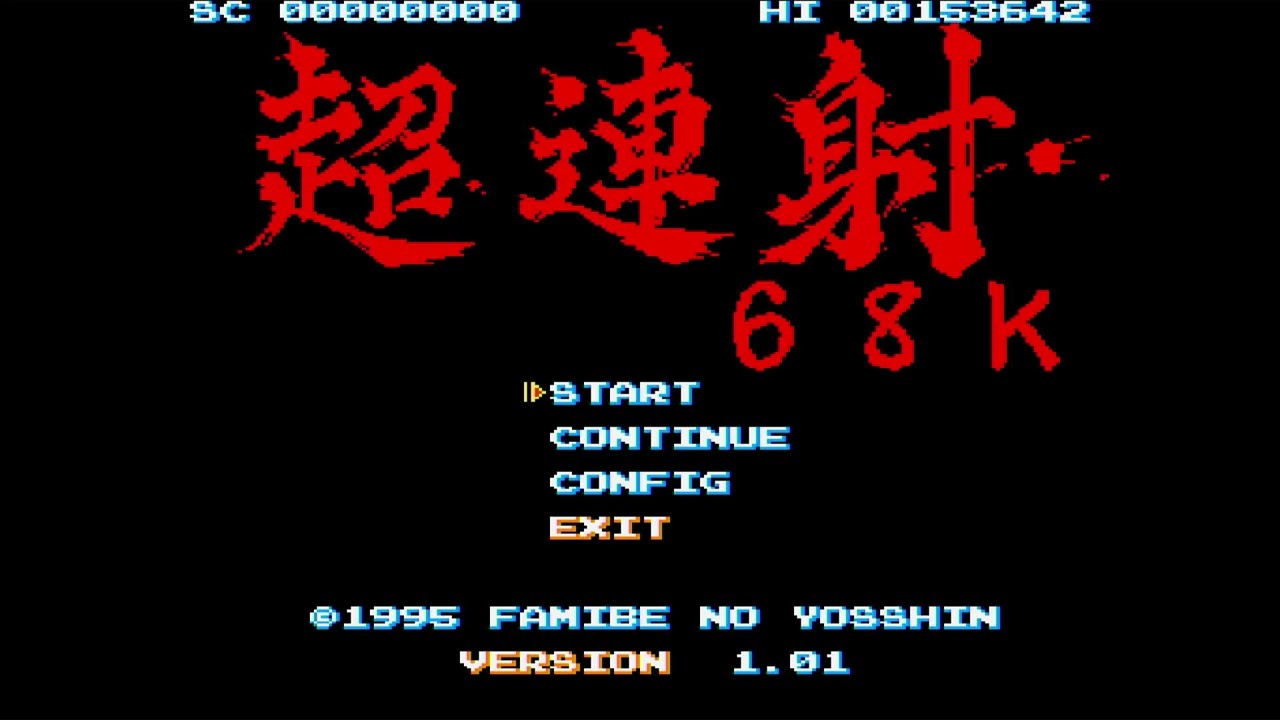
Great game!
RGM Console Playlists: https://kinworx.com/kwurls/4
RGM Videos: https://kinworx.com/kwurls/3
RGM GameDex: https://kinworx.com/kwurls/a
RGM GameDex Tor: (http) ualldf7jm4boi6ibmydrf7ya65rhn5fr23cbp2gywjfkvpr4z4do2jad.onion/gamedex/
My Hardware: https://kinworx.com/kwurls/hardware
intro created by: https://www.fiverr.com/s2/8f446f65...
stiff whale
uncut mantle
Phalanx work but if you select the music the game is slow . You can not change...
So how would I map the HELP and OPT1 (that are used most of the time for resolution switching) keys from the X68000 keyboard to any key on an USB keyboard with this ?
uncut mantle
stiff whale
So how would I map the HELP and OPT1 (that are used most of the time for resolut...
select in the core kbd layout : Us ALT , and check in the pdf the position of this keys
stiff whale
uncut mantle
select in the core kbd layout : Us ALT , and check in the pdf the position of...
So you select in the Core = kbd layout and with the Use ALT option you can switch an USB keyboard key to the function of the X68000 key ? I'm a noob on this LOL - I think I need instructions with pictures LOL. And is the kbd layout option on the Inputs ?
amber hemlock
Is there a chance to get the Sharp "Help" key on a different keyboard key? I mean my German layout from the Rii minikeyboard doesn't allow the "Help" key press.
uncut mantle
stiff whale
So you select in the Core = kbd layout and with the Use ALT option you can switc...
In the core you have an option "key layout" have 4 values : jp fund , jp post , us std and us alt
stiff whale
amber hemlock
Is there a chance to get the Sharp "Help" key on a different keyboard key? I mea...
Thats exactly what I mean - that HELP and OPT1 keys from the X68000 keyboard should be implemented in the menu or in the Input mapping that you can put them on a button on the controller.
uncut mantle
the position of the keys are in the pdf in each model , you not change the keyboard , you select a distint layout
amber hemlock
So i theory we would need a european or german layout too in the menu?
uncut mantle
if you select in the core us alt the position of the keys are asigne to values :
 stiff whale
uncut mantle
the position of the keys are in the pdf in each model , you not change the keybo...
stiff whale
uncut mantle
the position of the keys are in the pdf in each model , you not change the keybo...
Ah OK I got it now - sorry for being dumb. Thanks for the help. But it would be simpler / better if you could map the HELP / OPT1 keys to the controller on the input mappings.
uncut mantle
is not your "regional" keys (
amber hemlock
This doesn't work. Neither the Japan or US layouts allow the Help key to be pressed (at least on my German layout Rii).
stiff whale
amber hemlock
This doesn't work. Neither the Japan or US layouts allow the Help key to be pres...
☹️
amber hemlock
I tried all buttons, with all switch keys, never got it to work.
stiff whale
amber hemlock
This doesn't work. Neither the Japan or US layouts allow the Help key to be pres...
Thats not good 🙁 . Any ideas @uncut mantle ?
 thorny tree
The only way will be to add more layout ... i think
uncut mantle
ok you do not have a full keyboard
warped bay
icy shuttle
yes, but if you're specifying a resolution, it shouldn't scale anything
it scales input -> whatever output res you set
amber hemlock
So, only numPad keyboards would work? I mean the big standard keyboards.
uncut mantle
the problem is that the x68000 keyboard have more keybs than an normal keybord
warped bay
I honestly don't know 100% what happens if there's no integer scale that will work
brisk eagle
time to midi test all the games that used to give me trouble: Mahou Daisakusen hdf gets stuck on loading with 6MB in top left corner of the screen
icy shuttle
oh right, and since some of these are 2xed in order make it out of the HDMI port, the scaler is doing something - I forgot about that. It should be a clean integer scale, but maybe not
@buoyant bay @amber hemlock is correct. We do need vscale_mode=1 to force integer scaling in instances where the modeline and the internal resolution don't match
amber hemlock
warped bay
I honestly don't know 100% what happens if there's no integer scale that will wo...
Happy to hear that. I'm just a dumb user, you are the expert. But i guess you would figure it out, if you had an external scaler.
thorny tree
brisk eagle
time to midi test all the games that used to give me trouble: Mahou Daisakusen h...
issue known
brisk eagle
Geograph Seal and Nemesis Kai 90 now seem great with midi 🙂
amber hemlock
icy shuttle
oh right, and since some of these are 2xed in order make it out of the HDMI port...
Yeah, this is what i wondered a few minutes ago too. Probably makes sense.
uncut mantle
Need to think , i do not see a clear solution for all cases with no full keyboards , you need to change from one layout to other to have all keys
brisk eagle
Die Bahnwelt hdf, when I go to options, and select "only midi" (2nd one) the game freezes, no sound
amber hemlock
Aren't there some special keys unique to all country layouts?
uncut mantle
each game have his own keys in the end this is a computer and you need all
The idea of the layout is tkhe x68000 have more keys than an normal keyboard , y made two layout and have all
but if you use a not full keyboard you can miss keys
the ones maping in the key you do not have
stiff whale
uncut mantle
the problem is that the x68000 keyboard have more keybs than an normal keybord
That is exactly the problem - I have an USB keyboard and even if you select JP Pos. then there are not enough buttons on the standarad USB keyboard that HELP / OPT1 is mapped on a key.
amber hemlock
A proper working virtual keyboard maybe. I mean there is one in the core, but it doesn't work all the time.
stiff whale
uncut mantle
the ones maping in the key you do not have
Thats exactly why I mean that HELP / OPT1 should be implemented in the Input mapping of the core - that should be possible or not ?
uncut mantle
stiff whale
Thats exactly why I mean that HELP / OPT1 should be implemented in the Input map...
realy i do not know i never try to do this , you can remap keyb to joystick button , the problem is the game can use one of the >100 keyb there are no standars keys for a task this is a computer , the programer decide with keybs he use in his game
brisk eagle
oh wow, Garou Densetsy Specual and 2 now work with midi, I am SO LOVING THIS!
amber hemlock
Are there sound fonts for Sharp Midi? I mean is it supported?
stiff whale
uncut mantle
realy i do not know i never try to do this , you can remap keyb to joystick butt...
As you can see in this list https://gamesx.com/wiki/doku.php?id=x68000:game_notes HELP and OPT1 are used most of the time for resolution switching. In the rare cases that use other keys then keys like F2,F10 or SHIFT are used = those are on any standard USB keyboard. So HELP and OPT1 on the controller input mapping would help a lot.
brisk eagle
Last Tempest (d88) loads like this, then goes to black screen and never seems to do anything else
 icy shuttle
I wonder if we can use zakk's chording to bind those keys
thorny tree
brisk eagle
Last Tempest (d88) loads like this, then goes to black screen and never seems to...
yeah noticed it also
uncut mantle
icy shuttle
I wonder if we can use zakk's chording to bind those keys
I do not see a simple solution for this , let me think in this , and yes if someone with mister code knowleg maybe can give us a good solution
brisk eagle
Carat - Magical Block (hdf) loads and music sounds fine, but the graphics are a muddled unrecognizable mess
interesting, why high scores scroll in, the text is totally readable
uncut mantle
brisk eagle
Carat - Magical Block (hdf) loads and music sounds fine, but the graphics are a ...
if you pulse buton 2 repeatly you can get on game
thorny tree
dshadoff has working a bit on keyboard to add X6000 keyboard layout from X68000Z
uncut mantle
thorny tree
dshadoff has working a bit on keyboard to add X6000 keyboard layout from X68000Z
Yes maybe he can help us in this
brisk eagle
uncut mantle
if you pulse buton 2 repeatly you can get on game
ahhh, cool, will try, but don't think it's possible to choose midi that way
Be Rain runs (slow to boot), but prompts me to insert disc C, and I'm honestly not sure what the proper procedure is to do that...
thorny tree
The best way is to read manual if it is available
but time to time you need to put on drive 0 if drive 1 doesn't work
brisk eagle
I think drive0 was the solution, let's see...working!
midi automatically enabled, but there are a few small crackles/pops
After switching to midi, Overtake (hdf) freezes like this, Google Translate says it’s some kind of “address error”

out of the 15 midi-enabled games that used to give me trouble, NINE now work, incredible progress!
rotund parrot
amber hemlock
Nice! Todays update also fixes the IGS booting logo in Cyber Core.
Note that the IGS logo sometimes has issues on real hardware too. Like probably 40% of the time. It’s a weird issue
brisk eagle
oh and for the record, I wasn't able to test a d88 version of super hangon
thorny tree
normally it works what is the issue ?
brisk eagle
thorny tree
normally it works what is the issue ?
I don't have a .d88 version to test
Just tried the midi-enabled d88 version of Bosconian, and I can't seem to figure out how to select midi on boot, pressing "2" on my U.S. keyboard doesn't do anything, in previous core versions I think just pressing 2 on the keyboard worked, but it's been a while
thorny tree
With this program it is possible to convert floppies to d88
https://misterfpga.org/viewtopic.php?t=5786
thorny tree
brisk eagle
Just tried the midi-enabled d88 version of Bosconian, and I can't seem to figure...
I didn't know Bosconian has a midi option ... Try to change layout to US on the OSD option just in case
brisk eagle
thorny tree
I didn't know Bosconian has a midi option ... Try to change layout to US on the ...
Yeah, need to track down the special midi-enabled version of it. Doh! My fault, forgot I had my 2.4ghz dongle for keyboard plugged into my Batocera box. Works perfectly now. Highly recommend you check this midi version out if you get the chance. The mighty Yuzo Koshiro worked on it!
thorny tree
brisk eagle
Yeah, need to track down the special midi-enabled version of it. Doh! My fault...
I found it is an older version (maybe hack) and we could choose on shell between FM or MiDi but has issue with my I/O board doesn't work for the moment 🙁
brisk eagle
thorny tree
I found it is an older version (maybe hack) and we could choose on shell between...
Sound like the one, prompted for FM or Midi with 1 or 2 on boot, good luck, I just run MT-32 off mister with a Pi.
thorny tree
Ys I, II and III from BEEP also work great on the core. They propose a sound mode 🙂

 reef shadow
"The Newzealand Story" has in-game map problems and inter-phase map problems too.
Are these known?
(Conversion is arcade-perfect apparently! :O)
thorny tree
Falcom Early Collection (2022)(beep) - Romancia has transparency issue but selected XEiJ it is good


 gaunt sundial
Just wanted to say that it is very nice being able to play Akumajou Dracula on this core and have it be absolutely great to play through. The little text layering issue that used to exist is gone. Good god this game is hard, but now I anxiously await my pi-hat to arrive so I can hear even more audio greatness. Thanks for all the work on this core. (It really opened my eyes to how finicky HDMI and the weird resolutions of this core can be when trying to also incorporate a CRT in the mix. heh).
uncut mantle
Hi i have a proposal about the keyboard thinking in the yesterday conversation , y create a new layout named "mister" this layout is the same of Us STD except :
-- windows key is not assigned to any value
-- application key is not assigned to any value ( a lot of keyboards do not have this key)
-- F12 is not assigned to any value (mister menu)
The rest of the values without direct key are access with a combination of "Windows" key + other key with this model :
HELP --> WinL + H
OPT1 --> WinL + 1
OPT2 --> WinL + 2
XF1–XF5 --> WinL + F1…F5
全角 (Zenkaku) --> WinL + Z
半角 (Hankaku) --> WinL + X
カナ (Kana) WinL + K
記号入力 --> WinL + ;
登録 (Tōroku) --> WinL + T
ローマ字 (Romanji) --> WinL + R
¥ (Yen) --> WinL + Y
I upload a test core , you need to select in the menu the kbd layout "mister" and can test the combination, give me your opinion , but remember than x68000 is a computer you always need a keyboard to use all functions
thorny tree
With WinL + F3 I can coin on kyuukyoku tiger !
amber hemlock
What's WinL?
thorny tree
It is Windows key on the left of space key
amber hemlock
Arh, my Rii has only a Windows key on the right side. I hope Space key works then.
uncut mantle
Test with the win key in you keyboard if there are only one is normaly winl
in the worst case i can implement (winl or winr) + key
amber hemlock
Yeah, seems to work with the HELP key. Thanks!
uncut mantle
good if no one find a problem with this keyb disposition we can put this by default
amber hemlock
Sometimes the switch between the resolutions is a bit rough though.
I mean 15-31KHz
uncut mantle
Yes the switch is "software" base not a real option, for this i think i can not do anything , is the same en the original machine or in a mister change of resolution . but all things you see comment , in the end the solution of keyboard i think is not bad
amber hemlock
Yes, it's a great solution. Thanks for doing this.
cunning sleet
amber hemlock
HDF. I'm pretty sure it worked before.
I just checked for that Mahou shmup, doesn’t get past the 6MB >>>> screen
uncut mantle
Yes is a regresion , i will try to fix
brisk eagle
uncut mantle
Hi i have a proposal about the keyboard thinking in the yesterday conversation ...
Is one of those “graph”?
brisk eagle
uncut mantle
Hi i have a proposal about the keyboard thinking in the yesterday conversation ...
Awesome idea
uncut mantle
brisk eagle
Is one of those “graph”?
maybe i miss this , in this file who is the graph key ,is mapped in the us keyb ? :https://github.com/MiSTer-devel/X68000_MiSTer/blob/master/Doc/keymap.pdf
GitHub
Sharp X68000 for MiSTer. Contribute to MiSTer-devel/X68000_MiSTer development by creating an account on GitHub.
brisk eagle
uncut mantle
maybe i miss this , in this file who is the graph key ,is mapped in the us key...
I can check once I’m home, but I think you have to hold it to enable midi in some games if I recall
uncut mantle
no probem in add more keybs if are lost , the idea is have a layer with all the keys . Only help me to check if all keyb are mapped ,thanks
brisk eagle
uncut mantle
no probem in add more keybs if are lost , the idea is have a layer with all the...
Managed to grab this from some midi notes I had: While booting right-click on mouse and hold 登 key (to left of help key) on virtual keyboad. This is how I enabled midi with old core for stuff like Sol Feace. Wolf Team seemed to use this method often.
Ahhh: https://nfggames.com/forum2/index.php?topic=5613.0. I think you might have that covered already, but hard for me to read Japanese characters on my phone
nfg.forums
How to activate midi in Arcus Oddysee, Granada and Sol-feace
uncut mantle
i think is mapped in scroll lock key
stiff whale
uncut mantle
Hi i have a proposal about the keyboard thinking in the yesterday conversation ...
That's awesome ❤️ Tested this with a lot of games from the list I linked above on a RGB CRT and switching to 15K works perfectly with the OPT1 and HELP keys 🙂 . Thank you for making this.
thorny tree
madstalker80 on the OSD (button/key remap) you can map Win+something with a button on gamepad also
thorny tree
@amber hemlock do you have audio glitches on Cyber Core ?
rotund parrot
Audio glitches for Cybercore are actually normal if you have more than 8MB of ram mapped
I made a hack that fixes the game bug since it occurs on real hardware too
Here’s the hack if you’re interested
“This one is really weird. There's a PCM address table in the executable that seems to be all correct, but it gets overwritten at runtime by.. something(haven't figured out what yet) and the invalid value 0x00808080 ends up in the table. Later on this value gets used as a source address to copy memory to the PCM hardware via DMA. This happens no matter how much RAM you have... but if you have more than 8MB, the DMA ends up reading uninitialized data which comes out as harsh and unpleasant audio. If you have 8MB or less RAM, I think it just reads all 0s which is completely silent.”
rotund parrot
No problem! I’ve been out of town for the past few days but I’ll be back in about 2 hours and then I can do some original hardware testing if anything is needed to be tested
Not sure if Akumajou Dracula was compared yet
thorny tree
not for the moment I think for Akumajou Dracula
amber hemlock
The Marble Madness port is great too. I love the high resolution. And even with joypad control it's perfectly playable.
rotund parrot
Yeah the marble madness port is excellent! I bought a trackball just for it. One thing to note: if you use a trackball and notice the game feels insensitive, as in you have to really spin it to move, simply set the Input device to “mouse” and it should be much better
Idk if this applies to mister but it probably does
amber hemlock
I see that the Salamander issue was fixed too, works fine from disk image.
brisk eagle
rotund parrot
Yeah the marble madness port is excellent! I bought a trackball just for it. One...
Whoa! Gives me ideas for my no-joystick arcade cab 🙂
rugged geode
I thought the x68k mouse had a built in trackball
rotund parrot
One of them does yes, but there’s also a full on trackball mouse. And a mouse that can’t convert to a trackball
Here’s what the trackball I have looks like. This is the CZ-8NT1
 rotund parrot
I'm back home, and this is what the MIDI config screen looks like for Akumajou Dracula

also, I recorded a run a while back that has the full intro so you can compare that
https://youtu.be/mmqjuk-2lZ8

I've been working on this for months and finally got it today!
This is recorded from a real Sharp X68000 XVI Compact computer, with a Roland CM-64 for MIDI music.
oops sec
wrong link lol
ok fixed
uncut mantle
thanks , one question , to all people that can test this , in the core the midi is blue or black , I have a strange "bug" but not sure is it core related, configuration or mister framework related , in my case if use mister mode 8 , (1920x1080) the midi screen is black , but in mode 14 (2650x1440 ) the midi screen is dark blue , this is correct with the test from MP2E , Wark use the same mode 8 , send me his mister.ini and he have the blue screen , but i do not have it with the same ini ... so i am a little lost , maybe i need to clear my sd , reinstall all and test again .
thorny tree
Thinking have tried to rename your config directory just for the test
uncut mantle
fresh install with mister fusion + update all , and the same problem , no idea.
foggy pawn
uncut mantle
Hi i have a proposal about the keyboard thinking in the yesterday conversation ...
what STD?
uncut mantle
https://github.com/MiSTer-devel/X68000_MiSTer/blob/master/Doc/keymap.pdf US std in this document
GitHub
Sharp X68000 for MiSTer. Contribute to MiSTer-devel/X68000_MiSTer development by creating an account on GitHub.
rotund parrot
So back in 2019 BEEP re-released Cotton for the Sharp X68000. But this wasn't just a quick hack to the title screen and repost, Success seemingly used the original source code and added a new playable character, and a new selectable easy mode.
Back in July of last year I learned about this and spent literally days searching every corner of the web I could find for a public copy to try on my X68000. Eventually I found that if I wanted to have a copy, I needed to buy the physical version and copy it myself.
So I did! And I copied it and fully tested it. I can't share it here per the rules, but if you search the archives, you'll find it.


Would be happy to hear how well/not well it works on MiSTer!
oh also: if you want to try the new content, press left on your gamepad at the title screen. This will open the options menu where you can change all sorts of things, including which character you play as and the difficulty
thorny tree
rotund parrot
No problem! Also realized I posted the wrong picture, that’s just the manual.

Anyway I think it should work great on mister
thorny tree
The official release with floppies hangs on logo screen but HDF play well
rotund parrot
Aw.
This can be played off hard drives as well, just need to copy the contents of both disks with human68k or lhes
The manual actually even talks about how to copy to a hard drive
 amber hemlock
It seems to work fine on MiSTer. But the loading times are really high. What is the "pause key"? Usually ESC works, but not here.
rotund parrot
escape should work
Not sure why it wouldn’t
Yeah though, one thing I did notice is that if you hit a Game Over screen, it takes like 8 whole seconds to load the title screen again
ended up profiling the hot code paths and made a patch to optimize it
I cut it down to like 2-3 seconds
This doesn't contain the actual game data but if you copy the executable on this disk over the Cotton one, and then play it it'll reduce load times
amber hemlock
Are there more re-releases for the X68000?
rotund parrot
I know of a few more. There's Metal Orange EX by Cyberblock. I have no idea if there's any differences with that re-release
verbal jolt
wasn't the variant of chourensha 68k included on the X68000 Z an updated version? not technically a rerelease i guess, but worth mentioning
rotund parrot
also Ys I and II got a BEEP re-release and those are seemingly very faithful conversions of the PC-88 games
but those are already dumped and publicly available
ChoRenSha68k did get a v1.10 about a year ago but it's public on their website
it's possible the Z version has differences though, I'm not sure
verbal jolt
ahh
rotund parrot
There was a rumor going around that the X68000 Z version of Aquales that comes in the EXACT bundle had the copy protection removed
this is false, it was confirmed to just be the regular retail release
though I ended up cracking the copy protection for Aquales anyway
so it all ended well I guess
If anyone learns about beep editions that aren’t dumped yet and have original content, I would probably buy and dump them. Or any undumped media for X68000 in general
As long as it’s not like $1000 plus to buy at least
Can’t do anything about that lol
rotund parrot
Oh right, I forgot about that too
amber hemlock
A shame though that the Ys re-release is Japanese only.
rotund parrot
Yeah I agree! I would love to play it but have very poor Japanese skills right now
They even can detect if you have the rare Mercury Unit, and if you do, it uses the OPN Yamaha chips to play the original PC-88 songs
It’s not really essential but it’s cool
Ah crap. Well the link doesn’t work but I did make a video comparing the two quickly

Watch "Ys II - BEEP version for X68000 - Compare OPM and OPN via PilederX" on Streamable.
Had to re-record it, there's not a huge difference but I thought it was pretty cool
Maybe one day the core can get Mercury Unit v4 support? 🙏
verbal jolt
that would be nice
dumb question, but does analog video output work on this core identically to a real machine, or does it all get upscaled? i've just been using it over HDMI up until now, but would like to get a dedicated trisync monitor eventually
amber hemlock
With a decent PC CRT monitor i guess. Most don't support the 24KHz modes though. NEC had ones.
rotund parrot
you can get the original video output, but you need to add a bunch of stuff to your MiSTer ini, from what I read here. It sadly does not support direct_video right now. But if you set up a couple of custom modelines for the X68000 core it can output basically everything 1:1
not supporting direct_video meaning you can't just turn direct_video on and get the original picture. It does work with direct_video dacs and the like
amber hemlock
I got some 15KHz Capcom games even working on my Sony CRT TV.
verbal jolt
rotund parrot
you can get the original video output, but you need to add a bunch of stuff to y...
ah i see, thanks. i knew about the lack of direct video support, but was wondering about native resolutions. good to know
verbal jolt
amber hemlock
I got some 15KHz Capcom games even working on my Sony CRT TV.
yes, but i'm talking about using the core with an original monitor designed for the X68000 (assuming one was lucky enough to own such a display)
probably better to just use custom video modes for compatibilities' sake though
rotund parrot
Should work yup. Though I can't confirm for sure, a proper trisync monitor is probably the biggest missing thing from my X68000 collection
I'd be worried about sending it overseas, especially now with tariffs..
but one thing that does work is using an OSSC Pro and scandoubling 15khz and 24khz resolutions, and using passthrough mode for 31khz resolutions then hooking up to a PC CRT monitor via VGA
I did that for a while but the screen started "wobbling" up and down and it was driving me nuts
now I just use a retrotink 4k and an LG OLED, with my 15khz PVM for any game that supports 15khz
MiSTer can internally scandouble of course
I wonder if it works with 24khz resolutions, I would guess only 15khz
verbal jolt
yeah, those monitors are tough to find, and very expensive. i've shipped smaller tubes overseas before and they were... mostly fine, but that was years ago
OSSC/pro definitely seems like a good solution. i'm lucky enough to have a presentation monitor that supports both 15 and 31khz, but not 24, which is why i asked
amber hemlock
24KHz modes didn't work for me, via Mister+Retrotink 4K+LG OLED
rotund parrot
hmm I'll have to test that too. That's weird
24khz isn't super important thankfully. only a few games support it, and they usually have a 31khz mode too
though 24khz usually fills more of the screen which is nice
verbal jolt
that's true, i just try to avoid accidentally feeding my monitor(s) resolutions they aren't capable of
rotund parrot
yeah smart
verbal jolt
interested to know if 24khz can be linedoubled though. that would be very helpful
rotund parrot
I've accidentally turned on my PVM when the X68000 was outputting 31khz once or twice and immediately realized and shut it off
24khz can be line doubled with an OSSC Pro, maybe an original OSSC too paired with a DAC
I did that and it worked on my Dell PC CRT
I forget the exact model but there's like millions of them
verbal jolt
i do plan to integrate an OSSC pro into my setup eventually, but i like to run everything direct from the source if i can help it
rotund parrot
Yeah me too. I actually ended up phasing out using it
it's a good scaler but the issue with line doubling and passthrough is that then you need to get the optimal sampling for the picture to look proper. At least imo
the issue is that if it samples at the wrong samplerate, then it just ends up looking even softer and crappier
verbal jolt
ah yeah, it turns out kinda blurry otherwise no?
rotund parrot
yeah
verbal jolt
shame
rotund parrot
I quickly ran out of profiles too, so many games use different resolutions and each OSSC Pro profile can only realistically handle like maybe 2-3 if you are smart about it
the Tink4k seems almost necessary for X68000 in the modern day
probably the Morph would work too actually
I haven't tested it
verbal jolt
ah i see, i didn't know it was so limited in that regard. the tink 4K sounds better for the X68000, but a big reason for why i'm so invested into the OSSC pro is because of the downscaling and analog output capabilities
rotund parrot
The issue is that the OSSC is digitizing the signal I think. If it were an analog to analog line doubler I don't think any real configuration would be necessary
but the only device I know like that is the old xRGB line doublers from micomsoft
that would probably work well though
verbal jolt
shame there's no mode to skip the ADC
i owned an XRGB-1 many years ago. amazing picture from that thing despite it's simplicity
gaunt sundial
Hehe. I fried an old consumer model CRT not realizing that it didn't have safety features built in to handle bad signals. Kept trying to get Akumojo Dracula working on my CRT and while it would occasionally work, the slightest thing and it would start rolling like crazy. After a while of bad signals being fed, the TV would no longer accept any signal. Standard output from my Twin-Famicom would no longer sync. Must have fried the circuit.
Thankfully, my current CRT (A 2005 Memorex) simply will not show anything until it has locked onto a signal. If I accidentally forget to switch it off when messing with the Sharp X68000 core, it'll just go to a blue screen and say "no signal."
thorny tree
amber hemlock
It seems to work fine on MiSTer. But the loading times are really high. What is ...
Yes using floppies with current implementation took at least two times compared to real hardware
amber hemlock
I was probably around 7-8 minutes or longer.
rotund parrot
Wow. That’s pretty insane
It takes about 2 minutes on my X68000
Still a while but not that bad
amber hemlock
Well, maybe it was 5, but it felt much longer. LOL. I'm not used to this anymore.
rotund parrot
Yeah understandable! I try to avoid the load times any way possible too. Thankfully, most games can be installed to a virtual hard drive and the load times are way better there
I think cotton loads in like 15 seconds off hdd
Well on a X68000. Idk if the core is slower but I’d imagine it’s probably just as fast
amber hemlock
We need more HD installed games. Some HDF seems broken, other games are missing in the neon68k collection.
rotund parrot
There’s a really good set of SCSI disk images on the NFG games forum, but the core doesn’t support SCSI yet
Would love to see it implemented though, then we can use the same images people use on original hardware
amber hemlock
I like the XM6g collection in HDS format, even trainer versions are included.
rotund parrot
Nice, I’ll have to check it out
amber hemlock

SUPPORT THE CHANNEL : http://www.patreon.com/VideoGameEsoterica
Everyone is curious about the Sharp X68000 computer as it has some of the best retro games of all time and is considered a retro pc gaming powerhouse so it's time to do a series on the Sharp X68000, the Sharp X68000s best games and Sharp X68000 hidden gems! So let's talk about Shar...
thorny tree
On this video he uses SCSI disk images from NFG games forum
amber hemlock
I wonder if you could extract the game versions/folder from the HDS images.
Or a direct convert to HDF, i don't know if it's possible
amber hemlock
Which tool do we need for that?
thorny tree
This tool editd169e permits to edit HDF, HDS etc ...
One point for HDF it choose directly the correct mode but for HDS you need to select it on the list
amber hemlock
I can open the HDS with the "Human HDD SCSI" profile. Extraction of the files seems to work. But how do i convert it to a HDF image that works with the Mister core?
thorny tree
You could use a HDF working on MiSTer remove previous games, copy new files and adapt autoexec.bat to launch the new game or run LHES and browse to run the new game
lilac meteor
https://hp.vector.co.jp/authors/VA013937/editdisk/index_e.html - you can use this tool EditDisk to import files into a HDF (site is no longer online since a year or two, but it is archived along with files on Wayback machine)
lilac meteor
nice, forgot NFG archived it too 😄
it's a great tool, used it heavily for most of my X68k/MSX setups
amber hemlock
I wonder why some preinstalled HDFs are missing in the neon68K collection. Flying Shark i.e. is working fine for me (at least level 1 looks fine).
Salamander HDF seems fine too, after it was fixed back then.
thorny tree
amber hemlock
I wonder why some preinstalled HDFs are missing in the neon68K collection. Flyin...
Flying Shark has some issues the plane was shiffted on the right (present on last unstable) so you could go out the screen and not easy to play
amber hemlock
Plays good enough for me, should be at least in the "Major bugs" section then.
I can see any issue with the plane position. Starts centered and it doesn't leave the game area.
uncut mantle
flyinng shark have problems in "test" cores ? i think this is fixed
amber hemlock
Works greats Yeah, it's probably fixed
thorny tree
I mean it was fixed with last test updates but the current release or last unstable (on github) has plane center issue
amber hemlock
At that point the last github version seems very outdated.
uncut mantle
ok thanks , yes when i finish with the regresion i will uplod the code to the oficial repo
thorny tree
yes and neon68k is around mid-2025 ^^
amber hemlock
But got an update not so long ago. But yeah, just a translated game.
And a strange one: The New Zealand Story works fine via HDF, but the disk image version shows some error code at the boot.
lilac meteor
i know this would be a low prio, but i'm wondering if we also can have serial connection, as we have for the other computer cores (ao486/minimig/etc). Afaik, X68K had PPP client and as well serial terminal progs to connect to BBSes
uncut mantle
the plan if fixes first , then try to optimice and add other things if there are space in the core , the core is big
lilac meteor
well, if this get implemented, I have a PPP ready HDF , will add some more terminals too
thorny tree
some games use RS232 for multiplayer
lilac meteor
great news for multiple MiSTers owners 🙂
thorny tree
Shoot Range
 lilac meteor
I see rs232, i press like instantly 😄
thorny tree
amber hemlock
And a strange one: The New Zealand Story works fine via HDF, but the disk image ...
For me I think it is working with floppies need to test again.
What are the error codes you have ?
amber hemlock
Hah, and of course now it works. And i tried it many times yesterday. And no, Turbo was not enabled.
thorny tree
It is better to reload the core on the OSD between games if you don't do it yesterday during your test.
I think some states remains if we swich game to game without reload the core.
amber hemlock
Yeah, this happen especially with HDFs. Often a reset is enough, and the game loads properly.
 amber hemlock
This is actually a good hint for Mister cores generally. Sometimes they freeze the whole system.
lilac meteor
yup 🙂 happened to me as well, different (mostly the heavier like ao486) cores
amber hemlock
Arcade cores, oh boy
lilac meteor
not playing arcades much tbh, mostly computer cores and consoles
though i would love me some jamma setup and all in an arcade cabinet 😄
until then, will settle in the near future for a 2nd MiSTer, dual ram this time
2026 started quite nicely on the computer cores, a lot of them are getting attention and improvements ❤️
lilac meteor
uncut mantle
the plan if fixes first , then try to optimice and add other things if there are...
just curious, how much X68000 (in current state) occupy, as logic utilization ?
I was reading the #1466808873485598833 , very curious if that 68881 could fit on MiSTer
uncut mantle
my last beta : Logic utilization (in ALMs) : 35,774 / 41,910 ( 85 % )
Total registers : 41274
Total pins : 145 / 314 ( 46 % )
Total virtual pins : 0
Total block memory bits : 1,424,716 / 5,662,720 ( 25 % )
Total RAM Blocks : 292 / 553 ( 53 % )
Total DSP Blocks : 38 / 112 ( 34 % )
Total HSSI RX PCSs : 0
Total HSSI PMA RX Deserializers : 0
Total HSSI TX PCSs : 0
Total HSSI PMA TX Serializers : 0
Total PLLs : 3 / 6 ( 50 % )
Total DLLs : 0 / 4 ( 0 % )
the problen is not add the 68881 only you need to add the tg68 with 68030 for later modes ( when is ready ) , and do not think we have enough space for all, We are usgin the fx68 with only emule a pure 68000
thorny tree
It is not a regression - For Akumajou at this part when the whip strikes the green part a small glitch (white and yellow) appears time to time
I didn't see it on the capture shared by @rotund parrot
https://imgur.com/a/0fsFADM

also on the same stage the color water differ between the capture of MP2E and a screenshot from MiSTer
Capture of YT video

screenshot of the MiSTer

I tried different transparency but still the same
jovial basin
@uncut mantle thank you so much for your work on the core. ❤️ I love that you care for this wonderful computer.
One request (though I’m not sure if you can change that) the floppy disk emulation is way to slow.
Loading times are so much longer than on real hardware, it’s sometimes unbearable. 😕
And HDD versions not always exist.
Thank you again and have a nice weekend.
primal sandal
There was a ton of effort invested into neon68k some time ago. I think it would be very hard to try to keep up with the changes in the core lately, but is anybody keeping a spreadsheet with known games on one axis, core version on another axis, and test results ?
Having something like that available to everybody would be very helpful
(and might help somebody who may try to keep neon68k up to date)
icy shuttle
I think we are waiting for stuff to make it upstream. Don't want to do another big update for a core not everyone will have access to
primal sandal
Yeah, but tracking testing on a spreadsheet is always helpful
(even just to have a list of games would be helpful)
icy shuttle
yeah, that's a good shout. let me see if it's shareable
primal sandal
It should also help passersby to know whether "game x" is currently working, and what the most recent version of the core is (even if it's not official)
thorny tree
It is not a regression - Royal Blood (19xx) (Koei) has text layer issue on atratc mode
 foggy pawn
 lethal scroll
hello nice people
lethal scroll
hello nice people
hey, nice to have you back!
thorny tree
I found a regression between the version poc key (from yesterday) and the version 27/02/2026 it is link to graphical layer for Jesus II
Screenshot of the issue (last test version)

screenshot of 27/02/2026 (correct behavior)
 ember musk
What do you do when the incorrect behavior is cooler than the correct behavior?!
thorny tree
You can keep the RBF. In case of N64 I keep some showing Mario with weird faces 😅
verbal jolt
going to report some issues i found while testing games on the latest core from @uncut mantle. forgive me if any of this is user error, as i don't own real X68000 hardware to verify with. feel free to correct me if any of this is expected behavior
-ACTIVE SHOOT: missing sound effects, projectiles freeze when fired and eventually slow the game to a crawl
-GAROU DENSETSU SPECIAL: missing sound effects
-GENOCIDE 2: game freezes when opening core menu
-ILLUMINATION LASER: enemy explosion sound effects are rather grating/distorted (unsure if intentional, need comparison to real hardware)
-R-TYPE: game boots, but then quickly resets before returning to normal
-SUPER STAR SHOOTER: same as above; boots, quickly resets, then all is normal
-Y2: player ship does not appear once the game begins. stage and enemies all appear normal
all games were tested via .HDF using a mixture of different core settings. will update when/if i find anything else
uncut mantle
in R-type "the reset" is the r-type logo loading two times in the begining ? this is normal game loading , in disk is slow and you have music when the game load in hdf is fast and the loading take little time
verbal jolt
the logo comes in, the music begins, but then gets cut off and starts again. i will try a .d88 floppy image later, thank you albconde
uncut mantle
Yes , this is normal boot in hdf , thanks for testing
uncut mantle
hi the problem for mahou is the fix for super hang on and is midi related . I made a change that make the two games working , this can affect to the midi , try to test with a raspberry 3 but my usb a to usb a cable do not work ,so need some people with mt32 pi test the midi games in this build . I will revert this change if breaks anything . The transparency in the water in akumajo is changed too.
thorny tree
thorny tree
also on the same stage the color water differ between the capture of MP2E and a ...
Great fix

@verbal jolt Y2 using floppy the player ship is visible and the game seems playing great (an issue on the HDF or on the core ?)
thorny tree
mahou daisakusen goes in game but i don't have MT32 pi to test MiDi on my side. FM sound plays great. FM Sound for this game needs to be select on configuration menu because it activate MiDi automatically
cobalt mulch
I will test the MIDI functionality using the SC-55. I am redoing the cable, and afterwards I will test the MT32-pi.
foggy pawn
uncut mantle
hi the problem for mahou is the fix for super hang on and is midi related . I m...
cobalt mulch
Is the game titled Mahou Daisakusen?
MIDI does not work with it; only FM audio is supported.
Earlier, I tested SSF2 and Akumajo, and MIDI operated correctly with the SC-55.
uncut mantle
seen than Mahou Daisakusen support only SC-55mkII, SC-88
That i want test is in general games with midi support i touch the int in the midi module in the core to made the fix for mahoy and super hang on
foggy pawn
I just want you guys to know that y’all nerdy as hell but also we’re all in your debt for working so hard on helping improve this core. Y’all good people, thank you.
cobalt mulch
MIDI is functioning correctly in Super Hang-On
cobalt mulch
uncut mantle
seen than Mahou Daisakusen support only SC-55mkII, SC-88
There is no audio output from the SC-55 when running Mahou Daisakusen.
rotund parrot
Mahou should work with a regular SC-55 too. It might not be as good as a mk2 for the game, not sure, but the regular SC-55 should still sound ok
uncut mantle
cobalt mulch
There is no audio output from the SC-55 when running Mahou Daisakusen.
mahou work with midi in previows version ?
rotund parrot
Found this:
“On the other hand Mahou Daisakusen only supports the 55 MkII or 88, as it uses the extra polyphony that the original 55 doesn't have (meaning some notes are cut-off early). “
Makes sense, so some notes are cut off early. And some channels may be missing too
cobalt mulch
My SC-55 is a MkII, and I intend to test it with different core versions.
uncut mantle
for example with this version with the midi fixes and without my changes
cobalt mulch
uncut mantle
mahou work with midi in previows version ?
I do not know; I had never tested this game before.
uncut mantle
the key is test with the wark91 version without my changes if is in this version works is a regresion if in this version do not work ,never work previously and is not related to my changes
cobalt mulch
I have just tested it with the version that includes Wark91 MIDI modification, and it also does not work. Therefore, it is not related to your changes.
uncut mantle
thanks , if you have time test another games with midi support , my fear is my changes could break midi at some point
cobalt mulch
I believe that MIDI has never functioned correctly in this game; I will test it in the emulator using the HDF.
rotund parrot
You mentioned only FM sound being supported, does that mean the game is playing FM audio?
That could narrow down what is going on. Mahou Daisakusen detects if a midi card is available on start up, and automatically switches to midi output if it is there
So that would mean it’s not being detected properly, or failing some early test
cobalt mulch
It detects that a MIDI board is present and switches to MIDI mode; however, as soon as the game starts, there is no music. In the menu, if I switch to FM, it works
rotund parrot
Ah I see. Thanks for clarifying
cobalt mulch
The same behavior is observed in the floppy disk version as well
I will test it using an emulator on the computer.
thorny tree
yes MiDi is activated by default on the core and Mahou switch to midi at the startup need to go to configuration to set FM
cobalt mulch
It works correctly in XM6G; I will check the Java open-source version to see whether I can investigate the issue there.
cobalt mulch
I was unable to get MIDI to work in the Java version. 😅
cobalt mulch
thorny tree
yes MiDi is activated by default on the core and Mahou switch to midi at the sta...
When using FM, it works correctly; did it not work previously?
thorny tree
thorny tree
It is not a regression but it seems just text layer issue for star cruiser (1989...
This one is fixed !
thorny tree
Title screen of air management - oozora ni kakeru (1992)(koei) is fixed !

 thorny tree
brisk eagle
After switching to midi, Overtake (hdf) freezes like this, Google Translate says...
thorny tree
brisk eagle
After switching to midi, Overtake (hdf) freezes like this, Google Translate says...
For this one after changing Sound to MT-32 and exit configuration menu, the message changes,
The new message said "An unusual command was executed."
Before we have an address error.
 cobalt mulch
Could someone who has an MT32‑Pi check whether it appears in the control menu on the MiSTer OSD? I am not sure why it has disappeared on my system. I do not know whether a menu update caused it to stop appearing. I rebuilt the cable, but that did not help. It used to appear before, and I was able to control the MT32‑Pi from there.
 cobalt mulch
That is strange; I am not sure what the issue could be, as it was working before. Thank you for checking.
icy shuttle
its the cable - it's always the cable
cobalt mulch
I have just rebuilt the cable; I will try using a different USB cable. Mine is connected directly to the GPIO, and I do not have a HAT.
gaunt sundial
icy shuttle
its the cable - it's always the cable
When in doubt, yank that cable out. As I await my MT32-Pi kit to arrive from Mister Add-Ons, I hacked together a janky cable myself. Worked great for a bit, then some static started showing up then it got all garbage-like. Just from the cable moving a bit. So the connections for the MT32-Pi apparently need to be aboslutely spot on perfection.
icy shuttle
it’s very finicky
robust ore
Even the MT32-Pi Lite is very finnicky.
thorny tree
Hope with MiSTer 2 we could have MiDi (MT32) integrated along main mister ^^
gaunt sundial
Either way, the advancements made in this core over the past month alone have been incredible. Thanks to all those whose efforts have gotten us here. This is a system I had no idea even existed but wished I had access too back then. heh.
 fallen horizon
I was testing the Castlevania and i listen some pops when using FM
thorny tree
fallen horizon
I was testing the Castlevania and i listen some pops when using FM
Yes they are present on HDF but not if you using floppies
icy shuttle
Can someone check a regression on akumajou? On the title screen, while looking at the castle, before the title descends, there is a line of pixels that flashes...its below the 2nd bank of clouds. let me see if I can get a video.
(maybe this was already known)
thorny tree
icy shuttle
Can someone check a regression on akumajou? On the title screen, while looking a...
I don't see it on my side using floppies or hdf ... could someone else check it ?
icy shuttle
could be my image. I checked the latest stable core (from may) and it had the problem, but it was higher up
buoyant bay
icy shuttle
I've got the same issue on my MiSTer Pi. I only tried the 3/07 and 3/14. Looks like it happens regardless of my modeline settings. But that's not the only artifact in that scene on mine. There are others higher and lower in other cloud layers.
icy shuttle
buoyant bay
I've got the same issue on my MiSTer Pi. I only tried the 3/07 and 3/14. Looks l...
yeah, same. I wonder if it's the neon68k image
Maybe Wark rolled their own hdf
thorny tree
I tried not to use HDF for the moment because I knows some have issues or core issues (we can see with audio glitches with hdf and FM not present with floppies in Akumajou)
but if you test with floppies is it the same ?
buoyant bay
I'll try here in just a bit.
icy shuttle
to add insult to injury, I think this build has the 9.2 bug
audio bug I mean
@buoyant bay are you on an SD card or NAS?
buoyant bay
Okay, that was a fun diversion converting dims to d88s. Now how do I boot from floppy instead of hdf? Or do I need a system HDF to boot the floppy from?
@icy shuttle SD Card
icy shuttle
buoyant bay
Okay, that was a fun diversion converting dims to d88s. Now how do I boot from f...
just boot the core and then us the floppy disk option in the menu to load the d88s
buoyant bay
I think i need to reset my core settings as it's saved with an hdf
icy shuttle
buoyant bay
<@225003633668915201> SD Card
well that rules that out. I have used Wark's image, ini, and we are on the same unstable main, and I get glitches and he does not. I have tested on 2 mister pis and 2 de10s
thorny tree
@uncut mantle you have it on your side ?
buoyant bay
Weird. Something might have happened during conversion of my floppy files. Mine just keeps playing music and never goes to the intro after picking sound card.
uncut mantle
i was testing and i do not have , i think is a timming issue in the video is the last line of the group of clouds that move at incorrect speed ( at the velocity of the lower cloud )
i put the memory to 120 mhz to increase the bandwith of the sdram , maybe is too much is some cases
thorny tree
buoyant bay
Weird. Something might have happened during conversion of my floppy files. Mine ...
you need to wait a long time 🙂
6 to 9 minutes
buoyant bay
thorny tree
you need to wait a long time 🙂

Well, I've got nothing better to do I suppose
Wow, you weren't kidding! I thought for sure you were pulling my leg.
Regardless, I have the same artifacts so seems to support the timing issue diagnosis.
icy shuttle
i wonder if it's the grandia issue
amber hemlock
Finally ordered a MT32 Pi Hat & Raspi. Plug & Play ready. Super excited.
lilac meteor
best use for a PI, other than being ssl proxy for MiSTer
thorny tree
cobalt mulch
When using FM, it works correctly; did it not work previously?
Previously it is working with FM, but hangs at 6mb because of midi
cobalt mulch
The high-resolution 31 kHz map in Final Fight has been fixed. I will complete the entire game to verify the remaining aspects
I believe this is a random issue 🫠
 verbal jolt
@uncut mantle @lethal scroll @thorny tree thank you all for the advice and testing 🙂 i re-tested some games using .d88 instead of .hdf, and found that R-type and super star shooter are fine. however, the issues with active shoot (frozen projectiles), genocide 2 (crashing when opening menu), and Y2 (invisible player ship) still persist
unsure if any of this is expected behavior, user error or core bugs. can try any suggestions you may have, thanks
cobalt mulch
Does the XDF format actually load faster than D88? Would it not be ideal to change the core format to XDF instead of D88?
icy shuttle
that’s a good question
cobalt mulch
I wonder whether it would be possible to load a predefined list of floppy disks for a game, so that they would not need to be loaded one by one. I believe RetroArch has something similar.
icy shuttle
that’s basically what the HDFs are doing
cobalt mulch
When a game uses more than three floppy disks, it really becomes cumbersome to load them one by one. I am aware that some will say this is how it works on the original hardware. 😅
rotund parrot
Thing is, most people using original hardware nowadays don’t bother with floppies unless the game forces them to, most games are run off virtual hard drive
It’s way faster that way
Current SASI support is good enough to use some images, hopefully one day we get SCSI too
Then we can use incrediblehark’s hdd image which makes things very nice
But yeah for instance, Cotton takes about 2.5 minutes to load off Floppy on my X68K. But only about 13 seconds off hard drive
Or 40 seconds if you include boot up time to the image
It’s a stark contrast
verbal jolt
right now, using floppy disks seems to maybe be more stable, but .hdf is really convenient. it's very cumbersome to constantly switch discs; garou densetsu special has 9 of them!
rotund parrot
Also, not sure if this is known here but very recently a new tool for X68000 called Xdfboot was released
It allows booting pretty much any 2 floppy game straight from hard drive, with load times bypassed

GitHub
X68000 boot from XDF file. Contribute to yunkya2/xdfboot development by creating an account on GitHub.
There are already tools like this that exist but this one seems to have very high compatibility, it’s just limited to 2 disk games
cobalt mulch
So it seems that SCSI support is the best option, since there are hard disk images containing nearly all games, based on what I have seen
rotund parrot
Yup
verbal jolt
there are a few games that i can't even find in .d88 format
cobalt mulch
Is there any game that has never been dumped?
rotund parrot
There’s a few listed here
Also the beep version of Cotton wasn’t dumped publicly until I released it I think
I couldn’t find it anywhere at least
One thing I found is that all of the X68000 collections of disk images I could find had games with their copy protection disabled via hacked copies. This isn’t necessarily a problem because that’s more convenient for users
But it bothers me because the original may not be preserved in some cases
So I’ve been buying any game that interests me and making backups then comparing to public backups
It’s been interesting
For instance, a JP user released a patch for A-Jax that I would love to try
But it requires a copy of the main game executable that has not been modified
And all the copies of Ajax online I found are hacked
So the patch just refuses to apply
verbal jolt
why would they make a patch for a game that doesn't have a proper dump
perhaps it was made using a private copy, and they didn't realize an unmodified version hasn't been dumped?
rotund parrot
There may be dumps, just not public ones. I’ve heard that there’s a Japanese community that has better dumps than can be found online
Like with games we don’t have
Im hoping one day to see that archive, though i cant speak japanese so i think the chances are very low
This has been a theme though. Another user named HUYE made a script and some tools to copy Aquales to a hard drive and play it, but he explicitly left in the copy protection. Also of note is that if you use a publicly available Aquales disk image with his installer, it will always trigger the copy protection
He says in the readme to use your original Aquales disk
If you did and had disk1 in the drive, it would work
gaunt sundial
I know for a while the set of disks for Akumajou Dracula had an EZ mode hack applied to it which limited damage taken to 1 HP no matter what enemy/stage. Though it seems like now the most commonly archived sets contain the proper version.
verbal jolt
oh yeah, dumb question; is a keyboard required to skip to the title screen of certain games? i've just been using a controller thus far, but i noticed a lot of games have opening sequences that can't be skipped
thorny tree
cobalt mulch
Does the XDF format actually load faster than D88? Would it not be ideal to chan...
Normally both format will load around the same time.
Puu san has two version of x68000 xdf one and d88 one because both took too many logic elements.
The version xdf seems to took around the same time to load like the hardware but I didn't test actively if it good compatibility.
thorny tree
verbal jolt
<@398125355505811467> <@692126190487601162> <@563099752821162026> thank you all ...
For Y2 At the beginning, I have the player ship but after a bit of time the game seems to become broken ...

 verbal jolt
thorny tree
For Y2 At the beginning, I have the player ship but after a bit of time the game...
verbal jolt
thorny tree
For Y2 At the beginning, I have the player ship but after a bit of time the game...
interesting, thank you. odd that the ship doesn't appear at all for me
strangely, in my testing, the stage continues to scroll and even makes it all the way to the boss, but that's as far as it gets
lethal scroll
Great improvements to the core
A thing i noticed is
The real 10mhz speed matches more with the Turbo mode activated.
The normal mode speed is much slower than the real machine.
verbal jolt
i noticed that as well. many games slow down quite a bit at normal speed
how fast are the two speeds on a real machine? 10mhz and 12mhz?
rotund parrot
the XVI and XVI compact were created a few years later and yeah it's 10mhz or 16mhz, selectable by a switch on the top
verbal jolt
ahh 16mhz
rotund parrot
X68030 runs at 25mhz
lethal scroll
And x68030 works at 25 mhz
rotund parrot
there's also the rare XVI Compact RED ZONE that can overclock to 24mhz as well
lethal scroll
Yes, the Redzone is an overclocked version of x68000 xvi compact
verbal jolt
is there a reason to use a 24mhz red zone model over the X68030's 25mhz
rotund parrot
X68030 swaps out the Motorola 68000 CPU for a 68030 which adds a data cache and some things. And I don't think the clock speed can be set to 10mhz?
so there's some games that might break basically
thorny tree
The core is 10Mhz and turbo mode 20Mhz normally (if I check with Chorensha we have those informations with cpu power on the shell)

 rotund parrot
I bought the equivalent of an XVI Compact Red Zone thinking that it would be the most compatible, while still offering a pretty solid speed increase
I did read that you can hold certain buttons during start up of an X68030 to set compatibility modes, though idk how well they work
if they work well then I guess I should have bought an X68030 heh
so far 24mhz has mostly been enough to run everything at full speed. Though I do have some issues when I try to use the Mercury Unit PCM sound emulation via PilederX at higher sample rates
I can completely break the audio if I try 32khz for instance heh
I think an X68030 or CPU accelerator is needed for that
lethal scroll
yes, the X68030 has some issues with retail games. there are games that need patches to work on it.
another place where the CPU Power can be seen is in LHES file manager.
A friend of me has an X68030. There are key shortcuts for compatibility mode.
but these compatibility modes are not perfect and patches are required for run specific games.
rotund parrot
Ah I see. Makes sense
lethal scroll
It's nice to play Granada on X68030, because there are zero slowdowns and music plays correctly
but should be loaded in 10mhz compatibility mode
by the way. the dragon buster is working well in the new core. no more disaligment in sprites.
so, you have a REDZONE, @rotund parrot ?
then you can play Mahou Daisakusen in a decent way.
rotund parrot
Pretty much. I don’t have the cool Red Zone shell, and I think whoever modded it just swapped out one of the clocks for a higher spec one
But it works very well and stable
lethal scroll
so, you have a modified XVI compact
lethal scroll
I have the full size XVI. It can play Mahou, but some slowdows in certain places.
rotund parrot
Nice! Love the look of the full size XVI too
lethal scroll
it's preferable to set it in slow cpu in options, because the game suffers in high cpu option.
but you, with the 24mhz can get some power
And how is your performance with Geograph Seal?
rotund parrot
Very good, I’m not sure on the exact FPS but it feels very playable. I think it’s at least 20 fps and sometimes 30 I think
Just loading Mahou Daisakusen now, I have played it before but I think I completely overlooked the cpu setting
rotund parrot
wow, working really well! Thanks for the recommendation!

It does drop frames a bit sometimes when there's a lot going on but CPU High is definitely the way to go
cobalt mulch
That’s why I mentioned having speed levels to improve Turbo mode compatibility, with variations. Of course, I don’t know if it’s possible, but it would be nice to have.
robust ore
I tested Final Fight, Gradius II & Akumajou Dracula with the MT-32Pi Lite.
So far, so good.
cobalt mulch
I noticed something strange with the SF2 when running from the HDF: it’s getting a buzzing noise in the audio. When using the floppy, this noise doesn’t happen
thorny tree
Floppy wins again 😅
cobalt mulch
I saw on Puu’s blog that he implemented SCSI support in the FM Towns core he’s working on
Maybe there’s a way to add it to the X68000 core

8801 on FPGA
MiSTerにはSDカードソケットが2個、準備されており、1個はDE10-nanoに標準で搭載されている、そもそもシステムの起動時に読まれるARMに接続されたもの、もう一つは2ndTFで、FPGAに接続されています。何のために準備されているかというと、どうやらDE0-CV版X68000をM...
 buoyant bay
Well done! I'm still stuck on him. I think it's my least favorite checkpoint to get through in the game. That clocktower is a brutal run.
cobalt mulch
Well, if it only had Puu’s transparency, that would be a problem
Puu transparency

Other transparencies
 icy shuttle
So looking at the Neon68k testing sheet, I think it would actually be more work to adapt it into something you guys could use (because it's something from when we first started doing research to when we shipped the first release - it is layers and layers of crap). So here is what i propose: a fresh spreadsheet that folks here can use to document compatability and then, once albconde gets their changes upstreamed into a new stable, we can do a new neon68k release based on that new spreadsheet (and, of course, credit everyone here who wanted to be credited - that would be important to us).
- Should we go that route?
- If so, should we base the list off of d88s? Is there a big folder of converted HDFs folks are using?
uncut mantle
hi, i do not want to made any promises , but my plan is , first try to fix the remaining regression without made more fixes , then upload the core to mister repo and maybe and request an official version . Then start with the things than can cause more regressions , D88 , Sasi problems and study all alternatives ( xdf ) , the core is very big we can not have all options . So my opinion is for now, the more usable are de HDF , the D88 are very slow , and i do not know if i can improve this , i only touch the Amstrad cpc and pcw disk drive
primal sandal
icy shuttle
So looking at the Neon68k testing sheet, I think it would actually be more work ...
I agree. This feedback would be helpful to:
- albconde as he makes fixes,
- users trying to figure out what is working or not
- testers to check what needs to be tested next
Need to make sure that testing is done by version though, especially when versions are produced rapidly
icy shuttle
yes absolutely
cobalt mulch
Let me know when the spreadsheet is ready so we can add the tests
thorny tree
SFIII 3.3 😅
 gaunt sundial
I'm just really impressed with all the advancements in this core. As a huge fan of the Castlevania series of games, being able to play the X68k version basically perfectly is such a nice treat. Looking forward to my MT32-Pi Hat kit to arrive later this week to hear the great audio. Thanks to all for their efforts!
cobalt mulch
The latest core version fixed the horizon line issue in Terry’s stage in Garou Special.
 cobalt mulch
Could someone run a test? When opening the game Genocide 2 and the Zoom mascot appears, try entering the MiSTer OSD. In my case, every time I enter the OSD, the game freezes
verbal jolt
cobalt mulch
Could someone run a test? When opening the game Genocide 2 and the Zoom mascot a...
i've been running into this same issue on both .hdf and .d88
cobalt mulch
Unusual behavior, could this be an issue with the game dump?
verbal jolt
unsure. i'm leaning towards core bug due to the nature of it
cobalt mulch
8801 on FPGA
SCSIのコマンドは複数セクタまとめて読み書き可能です。SDカードも同様なのですが、簡略化のためSDカードの読み書きはセクタ単位で行っています。 セクタ単位でのSDカード読み書きの後、読み書きを終了する手続きがあり、その完了パルスをもってSCSI側は...
A new post by Puu-san specifically regarding the SDSCSI FPGA
cobalt mulch
The post was made in January 😅
Perhaps this is a way to add SCSI support to the X68000; the code was implemented in the FM Towns.
thorny tree
cobalt mulch
Perhaps this is a way to add SCSI support to the X68000; the code was implemente...
The last changed of fmtowns and scsi HDD required to use 2nd SD card on Io/board not easy but directly connected to the fpga
primal sandal
SCSI would need a portion on the MiSTer side and a portion on the core side, similar to how PC Engine/TurboGrafx's CDROM does it
You'd also need to know the full set of SCSI commands to be emulated
rugged geode
would it? I have been meaning to look into Grabulosaure's sparcstation implementation since it doesn't seem to hit mister main at all?
primal sandal
Well, you get to emulate a SCSI host, and also a SCSI target, and the SCSI bus as well. I don't know what he has implemented or what it supports/doesn't support
All the cnosoles with CD are hitting MiSTer main to do the file access
But basically, the core side needs to implement to electrical protocol, and the MiSTer process gets to access the *.HDF (or whatever file type) as though it was a raw device
Since those files have some additional header/formatting/housekeeping stuff going on, it makes sense to keep that away from the core and into the MiSTer process, especially if there is the possibility for units of various sizes or special SCSI commands
rugged geode
yeah, that would be the main downside: no chd support
primal sandal
(anyway, I've got to go get some sleep now)
warped bay
all that's required is the core asks for data at lba X and main can do whatever.
cdrom support has additional wrinkles like 'how do I support the play command sanely'
the way the srg320 derived cores do this is not the only way; Robert did it completely in-core on the psx
lethal scroll
I dont know if I said before
The ADPCM sounds higher in the real system.
It sounds in low volume in the core.
And... looking in lhes CPU power. It seems the 10mhz mode runs at 91%
uncut mantle
Is posible than the graphic pileline made cpu wait at this point in some circunstances in the core , i will change this part
lethal scroll
I dont remember the exact number of 16mhz in real system. I have the computer packed because I was moving this week. But it was arround 180% dont remember well
thorny tree
I will check after work I didn't know LHES has it.
primal sandal
warped bay
cdrom support has additional wrinkles like 'how do I support the play command sa...
The other thing about SCSI is that it's a multi-drop bus, and by the time the X68000 was available, it was no longer uncommon for people to have more than one unit on it - everybody would have (at least) one hard drive, but other devices like CDROM became more common.
You can draw the line at various different points between core and Main, but it doesn't really make sense to embed anything beyond the electrical signalling level inside the core (since data requests pass through main anyway). virtual hard drive formats, CHD, and CD audio-or-data-read state are good examples of things that make sense in Main
thorny tree
thorny tree
lethal scroll
I dont remember the exact number of 16mhz in real system. I have the computer pa...
So it is the MPU Power 93% for normal (10Mhz) and 180% for Turbo (20Mhz)

 lethal scroll
The real system 10mhz is 107%
primal sandal
What is this MPU power you are referring to - what does it represent ?
I'm also not clear which of the various X68000 machines puu was targeting originally
But there are many possibilities for discrepancy...
lethal scroll
The MPU power in a real x68000 is arround 105-107% shown in the LHES
primal sandal
MPU = microprocessor ?
lethal scroll
Yes
Then. It depends the computer model can have more ram speed, or video speed. Marginal differences
primal sandal
OK, so I wonder what goes into that calculation. Usually, if anything, FPGA implementations tend to overlook the penalty of RAM refresh, so FPGA usually turns out a couple of percentage points too high
Not sure what would make it low, unless there is an actual clock speed deviation
lethal scroll
The slowdown is very noticeable in the Genocide 2 intro
When using turbo, it matches better the original speed. A little fastet maybe, but not like a 16mhz machine.
primal sandal
Also, although I'm sure that this is using a cycle-accurate 68000 CPU implementation, the Hitachi
HD68HC000 might have made a minor change to one or two instructions to speed them up by a cycle.
uncut mantle
this version is only for test the speed i made changes in the video pipelines . Goemon is a good reference is one of the persons in spain with more know of this machines , so probably is right . Gracias Pep
primal sandal
lethal scroll
The MPU power in a real x68000 is arround 105-107% shown in the LHES
It's interesting to me that the reading on real hardware is not 100%
You would think that the author of the original program would have normalized the value to 100%
thorny tree
There is tool could help to get the right speed
https://modelrail.otenko.com/assets/x68000/spdcheck.zip


we have the time taken between the start and the end of the test
it could be great to pass it on real hardware
uncut mantle
in the last core the mpu give the same than previous 92%
puu core give 109%
last oficial core give me 91,4 so is not related to my changes
i was testing with phalanx vhd if will be good si someome confirm with this vhd in a real machine at 10 mhz the value but probably Goemon is right
primal sandal
Well, the speed could be so many differnet things. The important thing is to understand what exactly is being measured.
uncut mantle
in xm6g the value of mpu = 86.2 as 10 Mhz with phalans vhd . xm6g normaly is acurated , but best is to confirm with real machine at 10 mhz , the previous version can have slowdowns in some cases with a lot of graphs . I think i fix this with the last version by not completily texted
primal sandal
It could even be that the clock ticks aren't correct.
uncut mantle
the puu version is 109 but his 68000 core is not acurated
primal sandal
If the test is measuring number of executions of an instruction loop against a series of "realtime clock" ticks (or is it VSYNC interrupts ?), then it's important to know which of the measures it is, and what are the instructions in the loop (and do they access ports or memory ranges which might invoke wait states, etc)
Because any or all of them could be wrong
lethal scroll
10 mhz runs phalanx perfectly, no problem. the original phalanx.
there is an HDD image of phalanx that has a ADPCM fix, and it requires a faster machine to work well
the one I have in my mister is an HDD version that it's fixed
there are games that have slowdows but are perfectly playable in 10 mhz on a real x68000
Gradius II, Granada or Ghouls'n'Ghost ( the part of the trees and the rain )
I need to test these ones with normal speed in the core for test how they behave
I suppose they will have much heavy slowdown
the thing is... there are games like Granada or Genpei Toumaden that lose the sound in 16mhz mode in real X68000 XVI.
uncut mantle
in this video at 9:41 you can see the velocity 107.5 % who confirm the info form Goemon
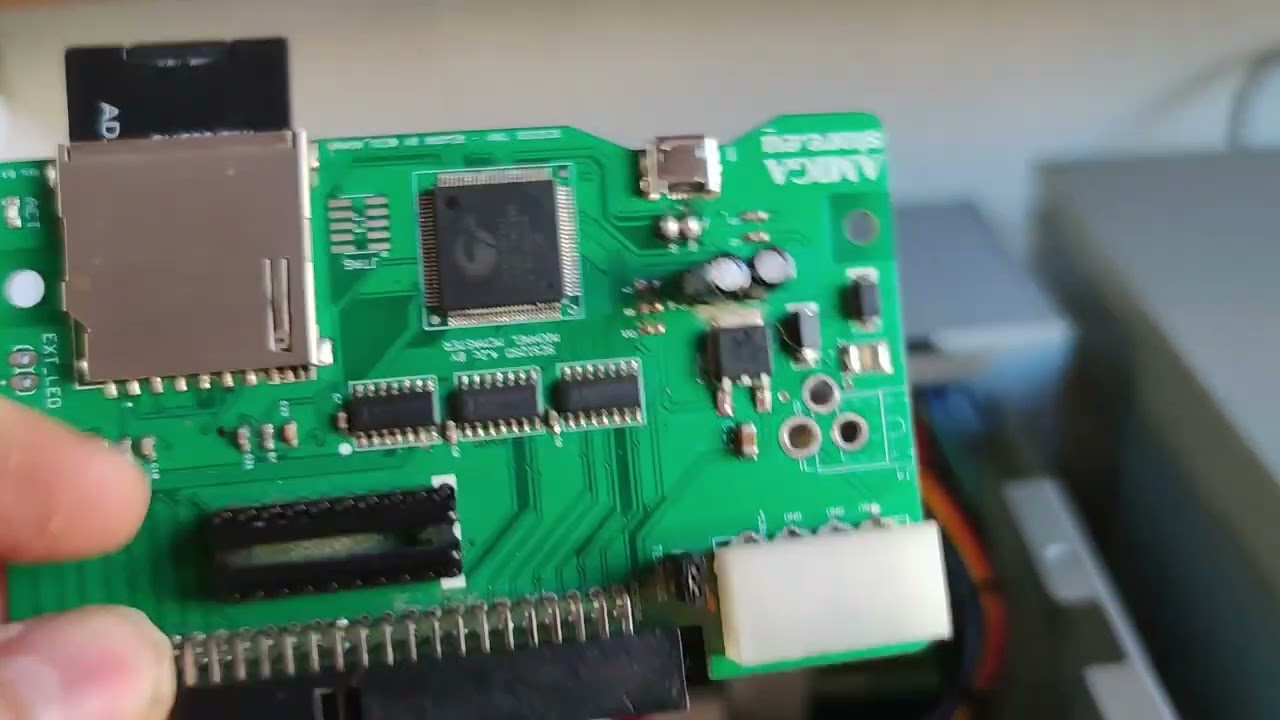
iNFORMACION PARA ARRANCAR DESDE PUERTO SASI QUE VIENE DE ORIGEN EN X68000.
ARRANCAR CON SOLO UNA DISQUETERA OPERATIVA HUMAN SYS.
IMPORTANTE: PARA SASI , EL SCSI2SD TIENE QUE ESTAR CONFIGURADO EN ID3 (CONECTANDO EL SCSI2SD A UN PC Y ABRIENDO SCSI2SD-UTIL.EXE Y CAMBIANDO EL VALOR QUE PREDETERMINADO VENDRA EN 0)
lethal scroll
This guy i know him he is from my region
But really, the only I can say is congratulations to you all that fixed all these things and made this core better than ever.
uncut mantle
the core still need a lot of work ...
lethal scroll
Yes, but it got a great improvement
lethal scroll
It 1000 time best option to play this core than play x68000z. The core works 1000 times better.
thorny tree
X68000版CELESTE
スーパーバイザモードも使わない素直なプログラムにしようかと思ってたが、X68000でBG面の取り扱いが面倒なのと、正方形表示するために結局IPL 1.6のLCD向け解像度設定を参考に256x256 正方形 BG16x16とかいう特殊画面モード作り出すという。
#X68000

 X
·
thorny tree
X
·
thorny tree
X1 Emulator running on X68000 core 🙂
 thorny tree
Dark Storm works less better plenty of missing graphics


 broken bridge
dang! thanks to albconde this core is shaping up nicely!
thorny tree
Playing 2P at the same time on Mahou
https://note.com/retoropc_etc/n/n1b4cffe92cfe

note(ノート)
X68000版の魔法大作戦は処理の重さとスプライトのちらつきが問題というのは有名な話ですが、多分それらが原因で2Pプレイがナーフされています。 が、電脳倶楽部81号にあるフレームスキップで処理を軽量化するパッチ、H_MAHOUと同梱のドキュメントのおまけ...
thorny tree
It is working 🙂


 rotund parrot
Wow, very nice!
thorny tree
F3 for player two and after F1 player one in selection player
amber hemlock
Got my MT32-pi today. Akumajou Dracula sounds amazing. Quick question. I assume saving with a preinstalled HDF still isn't possible?

GitHub
Hi there! I have been playing with the X68000 core and I find it awesome. Thanks for the great work. Now, I am struggling a bit with the saving mechanism. I understand that I have to use the blank ...
thorny tree
It depends how the hdf is made but I remember there is a version the save is not possible.
I think the HDF from Neon68k set could save
amber hemlock
Mmh, have to check. I assume the game saves automatically after completing a level boss?
My version doesn't work.
thorny tree
amber hemlock
Mmh, have to check. I assume the game saves automatically after completing a lev...
Yes the save is possible at certain points
lilac meteor
thorny tree
X1 Emulator running on X68000 core 🙂
SharpMZ emulator woud work fine too #1047332497492553799 message (GameBoy or MSX ones not so much on current core capabilities #1047332497492553799 message or #1056033525922537542 message )
or at least that was the situation 2 years ago
cobalt mulch
The game only saves after you lose all your lives, and the Continue screen provides an option to save. If you do not save at that moment, the game progress will not be recorded.
At least, this was the only way I was able to save the game. 😅
thorny tree
lilac meteor
SharpMZ emulator woud work fine too https://discord.com/channels/647909397477195...
There is also this emulator MSX but we have already a core for it
https://github.com/kunichiko/X68000_MSX_Simulator
X1 is for waiting a core 🙂
GitHub
Just my study of MSX Simulator working on the X68000 series computers. - kunichiko/X68000_MSX_Simulator