#Sega Dreamcast
1 messages · Page 7 of 1
 rain obsidian
rain obsidian
rain obsidian
Trying to get it to display with the full resolution has somehow been the hardest part of all. lol
It's back to skipping the odd pixels again, and I don't get it.
 _________    _________
|         |  |         |
|         |  |         |
| 2nd 4MB |  | 1st 4MB |
|         |  |         |
|         |  |         |
|_________|  |_________|
  [63:32]      [31:0]
When it loads an 8MB VRAM dump, it definitely loads the lower 4MB into bits [31:00] of the data.
Then obv the upper 4MB into bits [63:32].
download_be <= (!ioctl_addr[22]) ? 8'b00001111 : 8'b11110000;
BE = Byte Enable bits.
You can also see it load the framebuffer from reicast, with half the columns from the first 4MB, and half from the second 4MB.
(which is actually two separate frames from the game.)
Or maybe two pixels from one frame, two from the other. I honestly don't know any more. lol
I tried multiple times to write the tiles to VRAM in the same way, to get the full horiz resolution.
This is all compounded by the fact that I haven't been able to tweak ASCAL properly either.
Normally it would only display one frame at a time, of course.
From either the lower 4MB or upper 4MB, depending on the address from the FB_R_SOF1 reg, or whatever.
I think ASCAL is reading like this atm...
[63:48]  [47:32]  [31:16]  [15:0]
{ignore, ignore,  ignore,  pixel0}
Nope, I'm not even sure about that now.
I asked Grabulosaure about it, but I haven't heard from him in quite some time. I hope everything's OK.
In fact, looking on github and TwitterX just now, I don't see much about Grabulosaure since around 2021, which is worrying.
shift_opix function, from ASCAL...
            WHEN "0101" | "0110" =>  -- 24bpp / 32bpp
                    -- Testing. Interpret AsCAL FB as 16-bit when "o_fb_ena" is High, for direct display of the Dreamcast PVR2 VRAM FB.
            IF o_fb_ena = '1' THEN
                RETURN (b=>shift(8 TO 12) & shift(8 TO 10),
                       g=>shift(13 TO 15) & shift(0 TO 2) & shift(13 TO 14),
                       r=>shift(3 TO 7) & shift(3 TO 5) );
            ELSE
                RETURN (r=>shift(0 TO 7),    -- Interpret as 32-bit, for normal output from the core, via ASCAL's FB.
                       g=>shift(8 TO 15),
                       b=>shift(16 TO 23) );
            END IF;
So yep, looks like that would only be reading ONE 16-bit pixel from each 32-bit chunk.
Then I guess the second pixel from the other 32-bit, before incrementing to the next 64-bit Word.
Probably like this...
[63:48]  [47:32]  [31:16]  [15:0]
{ignore, ignore,  ignore,  pixel0}

[63:48]  [47:32]  [31:16]  [15:0]
{ignore, pixel1,  ignore,  ignore}
Yes, I realize the renders look bad atm. ^
Maybe I should have held the phone still, too.
But I was trying to zoom in on the lines.

So, that's the two separate frames pre-rendered by reicast.
But I guess it's skipping the second pixel from each frame, then displaying a pixel from the opposite frame, etc.
Yep, that makes sense now.
Even if the stuff in the image is staying still, it ends up looking like half the horizontal resolution.
1st pixel from Frame 1 (ignore 2nd).... 1st pixel from Frame 2 (ignore 2nd)...
Trying this next...
assign fb_addr = wb_word_addr[19:1];

wire [15:0] pix0 = {twopix_out[31:16];
wire [15:0] pix1 = {twopix_out[15:00];

assign fb_writedata = (!wb_word_addr[0]) ? {pix0, pix0, pix0, pix0} : {pix1, pix1, pix1, pix1};
assign fb_byteena   = (!wb_word_addr[0]) ? 8'b00001111  :  8'b11110000;
Each 32-bit WORD output from the tile Writeback logic, contains two 16BPP (565) pixels.
I have to increment fb_addr at half the normal rate, by ditching the LSB bit of wb_word_addr.
But then correct that elsewhere, 'cos it will likely repeat the image multiple times across the screen.
Quite hard to simulate some of this stuff, but I guess I could.
Or, fix the tweak to ASCAL, and have it display properly in the first place. lol
Aaand, I just realize why that won't work either...
I'm now using the new Tile ARGB buffer thing, which writes back TWO pixels to VRAM, on every clock cycle.
But it should work, to just duplicate the pixels above in a different way, to write both at once.
assign fb_addr = wb_word_addr;

wire [15:0] pix0 = {twopix_out[31:16];
wire [15:0] pix1 = {twopix_out[15:00];

assign fb_writedata = {pix1, pix1, pix0, pix0};
assign fb_byteena   = 8'b11111111;
And KEEP the LSB bit of the address.
This is near the end of a Tile writeback, where it now keeps DDRAM_WE (Write Enable) asserted, without gaps...

And the DDR3 controller only asserts DDRAM_BUSY once, in all that time.
So there is a ton of bandwidth available, even with ARM Linux sharing the DDR3.
It's just the initial latency is sucky.
The other waveforms on the right-hand side, is where the core is reading in the params for the next triangle/prim.
And the texels.
But still not using Burst reads, so you can see the sucky latency, for every... single... word.
 rain obsidian
I was so overconfident that would work. Nope.

Very confused now. I've been struggling with this for days.
I need to stop screwing around with it.
 stone plaza
that's a real abomination
 crude bloom
stone plaza
that's a real abomination
crude bloom
stone plaza
that's a real abomination
No thats a Mirror Basket
rain obsidian

In this tutorial you will learn how to implement Texturing and Lighting using a Pixel Shader in DirectX 11.
rain obsidian
Still trying to change the texture filtering to Point Sampling, in dx11 / ImGui.

The documentation online is TERRIBLE. lol
        ImGui::Begin("Tile ARGB Buffer");
        ImGui::GetBackgroundDrawList()->AddCallback(CustomImGuiCallback, nullptr);
        g_pd3dDeviceContext->PSSetSamplers(0, 1, &g_pTileSampler);
        ImGui::Image(tile_tex_id, ImVec2(tile_tex_width << 2, tile_tex_height << 2), ImVec2(0, 0), ImVec2(1, 1), ImColor(255, 255, 255, 255), ImColor(255, 255, 255, 128));
        ImGui::GetBackgroundDrawList()->AddCallback(ImDrawCallback_ResetRenderState, nullptr);
        ImGui::End();
Can't get it working.
This is why I'm not a software engineer. lol
The zoomed-in Tile on the sim, will just have to continue looking crappy.
I'll never understand why programs like MAME default to using Bilinear filtering either.
rain obsidian
 rain obsidian


Codebook burst transfers, y'all.
It wasn't obvious what the maximum Burst length was, but a PDF for the Avalon interface suggests it's 128.
The Burst Count input on the DDR controller has a width of 8 bits. [7:0].
The Avalon manual says, if it were 4 bits wide, the max Burst value would be "8".
(ie. with the MSB bit of Burst Count set.)

I also looked at code for cores like N64, and looked like it didn't go above that either.
I thought maybe setting it to 0x00 would transfer 256 Words, but it just locked up.
The Avalon manual confirmed that you must set it to a minimum of 1.
So, for Read bursts, you have to set the Burst Count value.
For Writes, you can just keep writing a contiguous block of Words into the DDR controller, unless the BUSY/Wait flag goes High.
Then you just hold the Write flag High, until Busy goes Low again, and you continue the Write burst until all Words have been written.
For many Years, there was a specific "Burst Start" input, but it looks like they figured out how to make Write bursts efficient, without needing that signal.
This next compile should get it rendering a frame again.
Next thing after that, is adding the Texture cache.
For that, I will probably have it read at least 16 Words (of Texels) per burst, else it wouldn't be giving much advantage over the initial latency of roughly 5-7 clocks.
And this is only with the core at 16 MHz still.
When it's (eventually) running faster, the initial DDR Read/Write latency will waste even more (core) clock cycles.
ie. if it's say a max of 8 clock cycles of latency at 16 MHz, it's going to be around 48 clock cycles at 96 MHz. 😮
It might be tricky to figure out the best strategy for the Texture cache, so it doesn't spend too long wasting cycles due to that initial latency.
This is why VQ texture compression helps on DC games, as it doesn't have to read in as many Words for the number of texels.
VQ compression fits about 32 Texels per each 64-bit Word.
One thing I don't think the DDR controller can do (by default) is a Burst abort.
And you can't easily predict how much of a texture each on-screen polygon will use either.
Since it does most of the UV interp calcs on-the-fly.


OK, rendering again.
I know it looks rough, but it looks exactly the same as the last time it was rendering, so that's fine. lol
Doing a git commit.
Now it's rendering the above frame in (very close to) one second.
I'll take 1 FPS at only 16 MHz, any day.
78% logic used atm.
26% Block RAM.
rain obsidian
In the sim, Kasumi renders fast enough to hit 14 FPS at 100 MHz, with only one cycle of DDR latency.
If I set it to have a constant 8 cycles of latency, it only hits 8 FPS.
Which is roughly in line with what we're seeing on the FPGA right now.
(but the sim is still about twice as fast in other areas, for some reason.)
 rich kindle
I would really consider a "just SD" core for Mister with just half of the resolution of the actual console. Wouldn't that help with the burst transfers if there is less data to transfer?
All other Mister cores are mostly just 320x240 with some outliers having interlaced scenes. I guess ASCAL might not be optimized at all for the DC resolution (I may imagine this completely wrong though)
crude bloom
There isnt a core. This is just rendering Vram dumps
rich kindle
A possible future core 😉
crude bloom
It wont be on a DE10, this is Ash experimenting for a future FPGA
rich kindle
Well, just dropping random thoughts about how it might possibly fit (half of the resolution + using the ARM side for some LE intense stuff)
(Some of my braincells inside know that it will not work even with that)
rain obsidian
Yes, it probably could be made to render at half res.
Which should roughly double the frame rate.
It might not look too terrible. Like, something in between Saturn and DC. lol
ASCAL itself doesn't care too much about displaying the framebuffer, whether it's 320x240 or 640x480.
There should be plenty of DDR bandwidth for most of this, the key is getting Burst transfers working for more stuff / caches in the "core".
Now I know what a combination of data delays, from both the Param Buffer and Z Buffer look like...

The delay of reading the current Z buffer row, means it does the Z-compare wrong, and writes back the wrong stuff to each row, causing the kind of horizontal bars on each Tile.
The delay from reading the Param Buffer is what causes most of the tiles with the wrong colours or textures.
Although it's strange how the tiles seem to have mostly OK textures, just the wrong colours. hmm
rain obsidian
rich kindle
I would really consider a "just SD" core for Mister with just half of the resolu...
There might be no way to reduce the logic very much for the GPU, especially for the maths stuff in the inTri and interp blocks.
If that's the case, then it for sure won't all fit onto the DE10.
But I won't know 100% for sure, unless I can get help with the maths stuff, to see what might be possible.
The SH4 has always been the biggest challenge, in terms of getting it all to fit.
It's not looking very likely right now, seeing that the GPU isn't even finished, doesn't have Gouraud shading nor texture filtering enabled, etc.
Then there's the whole rest of the logic in the HOLLY chip, which is more of a System Controller than just the GPU.
And ofc the AICA sound chip, which I think might be fairly logic-efficient, but I'm not sure either yet.
(just based on similar chips like the SCSP on Saturn, and some Wavetable synth projects I've done in the past.)
And there's still the possibility that the SH4 hat board will work.
I think that's going to be VERY hard to debug. lol
Better to run a software-emulated SH4 in sim, then start implementing more HOLLY/PVR registers, to try to get the BIOS to boot further.
Before all of that, it would need the TA to be finished anyway, so it can translate the raw display lists from the CPU, into the PVR display lists.
Could even run most of this as an emulator on the ARM side, including the sound.
And have most of the GPU on the FPGA.
I don't think anyone has really done a "proper" hybrid emulation core on MiSTer yet, but it's all possible.
(the ARM cores on the DE10 Cyc V don't really have a GPU as such. It can only display a basic framebuffer in DDR3, via ASCAL, or via RGB/VGA.)
So the DC GPU would kind of have to be on the FPGA anyway.
I doubt the ARM cores are powerful enough to do software rendering for DC.
Not bad.

I know it seems like it's often taking big backwards steps, but that's the only way I know how to do it.
The whole "iterative" approach. lol

Both of those frames render in roughly one second now.
The only thing that's going to make that much faster, is a proper Texture cache, with burst reads.
If this could run at say 64 MHz without timing issues (lol), it would already be hitting about 4 FPS.

That rendered in about 800ms.
I need to fix the broken pixel, in the corner of each tile. It's bugging me,
Simpler frames, like the BIOS menu, and Mem Card screen, render in around 500ms.
rain obsidian


Strange how the vertical lines are almost gone (or hidden better) on the BIOS screen, but not others.
Must still be some delay in the param fetch and texel look-up thing.
Anywho, it's looking a lot cleaner overall.
 edgy pilot
I also like your write ups. Even though I don't really understand that much what's going on.
It's great to read.
rain obsidian
If I could have figured out how to properly tweak ASCAL, it would look even better. lol
Thanks.
It's just good to know people are reading this. I know I ramble a LOT, but it helps me keep track as well.
I kind of have a renewed motivation, after seeing Srg320 has been working on 3DO.
So I don't have 3DO at the back of my mind any more. lol
(I got part of a 3DO "core" sort of booting to some title screen for small games and demos, but only in the sim.)
With a ton of help from Trapexit, fixel, krevanth, and others, ofc.
It makes sense that Sergiy would look at working on 3DO after Saturn.
It's almost a natural progression.
I wouldn't call it low-hanging fruit, but compared to Saturn, I think he will find 3DO relatively "easy". lol
It didn't want it to sound like 3DO is actually easy, btw.
Considering Sergiy is right next to a literal warzone, it's amazing the work he's done on Saturn and other cores.
Trying to think of what to tackle next on the core.
I guess testing the texture cache thing in the sim first.
Might borrow some code from an existing core.
 fossil flameBOT
ram_burst <= 128;
I added a new menu option, so I can disable Texel reads.
I'll be able to get a good idea of how fast the "core" can render, once the proper texture cache is added.
localparam CONF_STR = {
    "Dreamcast;UART115200:31250:19200:9600;",
    "-;",
    "FC2,BIN,Load PVR Regs;",
    "FC3,BIN,Load VRAM Dump;",
    "-;",
    "O[6],FB Format,RGB,BGR;",
    "O[7],FB BPP,16bpp,32bpp;",
    "O[9:8],FB Stride,640,1280,2560,5120;",
    "O[11:10],Addr Shift,0,1,2,3;",
    "O[12],Texel Reads,Off,On;",
For anyone wondering where the MiSTer process gets all of the menu options. 😉
The main MiSTer process (on the ARM Linux side) reads that entire CONF_STR (only part of it shown here).
Then it can send a command to toggle each of the bits in the "status" register.
You can then use those status bits in the core, to change various settings.
assign FB_STRIDE = 14'd640<<status[9:8];
So the "O" in the CONF_STR means "Output bit(s)", essentially.
I'll be using status[12], to Enable or Disable texture reads in the logic.
wire debug_ena_texel_reads = status[12];
                        if (debug_ena_texel_reads) begin
                            isp_vram_rd <= 1'b1;                // Read a Texel...
                            isp_state <= 8'd54;
                        end
                        else isp_state <= 8'd55;
isp_state 54 waits for DDRAM_DOUT_READY, after asserting isp_vram_rd (DDRAM_RD).
isp_state 55 skips that entirely, which is also what it does for non-textured polys.
rain obsidian
I still can't believe N64 on MiSTer exists.
You know what I mean? lol
Will always be one of my fav consoles.

It just looks SO clean on the core.
And no crazy "upscaling" crap.
(at least not in terms of rendering at a higher res, nor using a high-res texture pack.)
I just realized, I could just re-enable the SDRAM framebuffer on the DC thing.
To display it with the full horiz resolution.
This was an RBF from back in September...
 rain obsidian
Core running at 20 MHz now.
Daytona renders (with textures) in around 800ms.
With textures disabled, in about 630ms.
Just using the stopwatch, on the phone.


Also renders a bit nicer, as I bumped up FRAC_BITS, from 11 to 12.
Need to fix the code which lets it use a higher Z_FRAC_BITS value.
Then it will mostly fix the twisty textures.
Hell, I'd be happy to see it animating at only 1.5 FPS right now.

Foghorn ain't looking too happy.
Renders in around 800ms.
Yeah, I know.


Just try to "look through" the glitchiness. lol
rain obsidian
Core running at 30 MHz, and not too many extra glitches.

20 MHz...

Going for 50 MHz, as I'm doing some other work atm, so I can leave Quartus running.
I'm sure 50 MHz will cause all kinds of glitches and corruption, but it's interesting to test.
At 30 MHz, Daytona renders within about 650ms.
Roughly 1.5 FPS.
30 MHz. Around 400ms to render…

That's one of the first renders I tried, from the "in-game" part of the attract demo.
rain obsidian

 dense shard
rain obsidian
dense shard
rain obsidian
I guess I don’t have to wonder what it would look like on the Saturn anymore lol
rain obsidian
I just re-added the logic that allows for a higher Z_FRAC_BITS value (higher Z precision).
Before...

After…

The textures on the wall and the road are far less twisty now, and more of the decals are shown.
The missing Daytona logo is caused by some values in the interp logic needing to be made wider, but then it probably wouldn't fit the FPGA.
Just the mulipliers alone, use a LOT of logic.
It's already using 81% of the DE10 Cyc V now.
26% BRAM.

The textures of the walls look a lot different, vs the previous render.
The main reason for the darker triangles on the road, is the lack of Gouraud shading on the FPGA atm.
Which is very unlikely to fit atm, as it uses four entire interp blocks for Base Alpha, Red, Green Blue
Then another four for Offset Alpha, Red, Green Blue.
I don't know if there's a way to reduce the logic for Gouraud, but it's fairly extreme.
Not sure if you necessarily need to interpolate the Alpha in that way either?
Offset colour, is the Dreamcast's way of doing basic specular highlights.
Sim render is very close to the FPGA now...

Also no Gouraud in the sim atm.
The frame takes around 400ms to render on the FPGA, at 30 MHz.
rain obsidian

Fixed quite a serious bug, that was preventing it from accessing half of VRAM.
Which is mostly due to me trying to munge together two different sets of code.
wire [31:0] isp_vram_din = (!isp_vram_addr_out[22]) ? vram_din[31:0] : vram_din[63:32];
Also, only checking one bit of the address is a mistake.
Actually, that might have been OK.
The original issue was that it was only allowing it to read the lower 4MB of VRAM, by assign vram_din[31:0] to isp_vram_din.
It's like this now...
// Keep this as 32-bit for now... (textures are read as 64-bit, via tex_vram_din on the isp_parser).
wire [31:0] isp_vram_din = (isp_vram_addr_out>=24'h400000) ? vram_din[63:32] : vram_din[31:00];
All params (Region Array / OPB, and Vertex / shading / ISP/TSP/TCW) get read as 32-bit.
But the address can still be from either the lower or upper 4MB half of VRAM.
poly_addr <= (PARAM_BASE&24'hf00000)+{opb_word[20:0], 2'b00};
Some of the upper bits of PARAM_BASE denote which 1MB chunk things are in.
PARAM_BASE is a PVR register, which the CPU has to set before rendering a frame.
That stuff often gets changed on each frame, so it can swap the lower and upper 4MB of VRAM, to do the double-buffering thing.
So it's usually reading the params from one half (and displaying the previous frame from that half), whilst rendering into the framebuffer in the opposite half. Then it swaps.
That helps maximize VRAM bandwidth on the OG console.
Yep, I think that's correct now.
download_be <= (!ioctl_addr[22]) ? 8'b00001111 : 8'b11110000;
When MiSTer loads the 8MB VRAM dump, I mess with the Byte Enable bits.
That writes the first 4MB into the bits [31:0] of the data. And the second 4MB into bits [63:32].
As strange as this all is, it's the only logical way I can think of doing it, to (eventually) read in the Texels fast enough.
Texels always get read as 64-bit wide data.
From each 64-bit word, it selects a group of bits for each pixel, based on the current colour format.
So PAL4, PAL8 or VQ, 16BPP, etc.
PAL4 is 4BPP, so 16 texels per 64-bit word.
VQ compression is quite clever, as each BYTE relates to a group of four pixels/texels.
So VQ can fit 32 Texels into each 64-bit word.
(so even more efficient than PAL4)
        // Route 64-bit data from vram_ptr to the core...
        uint32_t vram_addr = top->rootp->simtop__DOT__pvr__DOT__vram_addr&0xffffff;    // Masked to 16MB now.

        uint8_t byte0 = vram_ptr[ (0x000000 + vram_addr +0) & 0xffffff ];
        uint8_t byte1 = vram_ptr[ (0x000000 + vram_addr +1) & 0xffffff ];
        uint8_t byte2 = vram_ptr[ (0x000000 + vram_addr +2) & 0xffffff ];
        uint8_t byte3 = vram_ptr[ (0x000000 + vram_addr +3) & 0xffffff ];

        uint8_t byte4 = vram_ptr[ (0x400000 + vram_addr +0) & 0xffffff ];
        uint8_t byte5 = vram_ptr[ (0x400000 + vram_addr +1) & 0xffffff ];
        uint8_t byte6 = vram_ptr[ (0x400000 + vram_addr +2) & 0xffffff ];
        uint8_t byte7 = vram_ptr[ (0x400000 + vram_addr +3) & 0xffffff ];

        uint32_t lower_word = byte0<<24 | byte1<<16 | byte2<<8 | byte3<<0;
        uint32_t upper_word = byte4<<24 | byte5<<16 | byte6<<8 | byte7<<0;

        // Route 64-bit WORD to simtop vram_din.
        top->vram_din = (static_cast<QData>(upper_word)<<32 | lower_word);
Kind of doing a similar thing in the sim C code.
It first loads the whole 8MB VRAM dump into the vram_ptr array, which is declared as uint8_t.
(supposedly "easier" overall, to just declare memory as 8-bit wide in emulator code, then figure out the details elsewhere.)
Also need to byteswap the data in each 32-bit word, because x86 / Windoze.
lol. The bicycle wheels.

"Mah face!"

Meanwhile, Sanic's face is back.

This one always looked crappy...

No idea which effects they used for the snow in that game.
rain obsidian
Something I should have added a very long time ago...

Checking for the minimum and maximum float values, for X,Y,Z.
So I can test that across many renders, and check the ranges.
Then I'll have a better idea of how much precision I need for each value, and the number of bits for the calcs.
Some of the largest values there, are above 1.3 million.
I probably need to check the magnitude, though, as it's not working correctly for negative numbers.
ChatGippity to the rescue.
if (fabs(x1) < fabs(x1_min)) x1_min = x1;
if (fabs(x1) > fabs(x1_max)) x1_max = x1;
That worked perfectly.

Apparently ImGui doesn't allow you to display leading zeros for the float values, to keep the alignment the same. sigh
 tired spire
Why is fabs used? And could you precalc fabs(x1) in another variable?
rain obsidian
This is so it only checks the magnitude / absolute value.
Otherwise, any negative numbers it will see as "less than" the minimum.
I also just realized I probably need to init the X and Y values to the mid-point of the screen.
tired spire
Okay. And min and max should be signed then?
rain obsidian
This isn't something that will be implemented in Verilog. This is just to check the typical range of values used in the renders.
So I know how many bits of fractional precision I'll need in the Verilog.
And the minimum number of integer bits I'll need, to represent the largest (typical) value.
The real PVR2 supposedly uses the float values in a more "direct" way, but that would make things WAY more complex for me, 'cos I suck at maths. lol
Even one of the designers of the original chip (Simon Finney) confirmed that they do use the float values quite deep into the logic of the real chip.
tired spire
Check 👍 If it is not going to be used in verilog then it doesn't matter, I was just wondering if the amount of fabs calls could be reduced
rain obsidian
I have to convert the floats to fixed-point right away. I do now think it's possible to get enough range to represent the values for all games.
I wasn't sure for a long time, as I was having so much trouble wrapping my brain around it all.
It's only using 32-bit values for the final Z-compare atm, too. So maybe 32-bits (fixed-point) will be enough for Z.
tired spire
I wonder if floats being non-linear in precision would cause any artefacts, compared to fixed-point values.
rain obsidian
The Z values are more often below 1.0 anyway, but I think some games do use massive Z values, for stuff that is close to the camera plane, or further beyond the camera.
rain obsidian
tired spire
I wonder if floats being non-linear in precision would cause any artefacts, comp...
AFAIK, as long as you have enough bits of precision in the fixed-point values, and do all of the calcs without ditching bits, the accuracy should be the same vs floats?
tired spire
That does indeed make things more complicated with your fixed point precision. I read for a float it is about seven decimal digits of precision. 23 bits for the mantissa, not sure if that would equate to 23 bits for fixed-point values below one.
 tired spire
Yes and then the really large values get very imprecise in floats
rain obsidian
module float_to_fixed (
    input wire /*signed*/ [31:0] float_in,
    input wire [7:0] FRAC_BITS,

    output wire signed [47:0] fixed
);

wire float_sign = float_in[31];
wire [7:0]  exp = float_in[30:23];         // Sign bit not included here.
wire [23:0] man = {1'b1, float_in[22:0]};  // Prepend the implied 1.

wire [63:0] float_shifted = (exp >= 8'd127) ? ((man<<FRAC_BITS) << (exp - 8'd127))  :    // Exponent is pos.
                                              ((man<<FRAC_BITS) >> (8'd127 - exp));    // Exponent is neg.

// Intermediate wire for the converted value
wire signed [47:0] fixed = float_sign ? $signed({1'b1, (~(float_shifted>>5'd23))+1'd1}) :
                                        $signed({1'b0, (  float_shifted>>5'd23)});
That's my crusty code so far.
I'm still not sure if I'm ditching fractional bits in float_shifterd, if the exponent is "negative". Probably?
I tried adding a shift of 8 or whatever before shifting right again, but it didn't seem to help.
I think I'm just cancelling stuff out, rather than actually preventing bits from being ditched.
I know the exponent isn't really "pos" and "neg" as such either.
More like a power-of-10 / standard-form thing.
I only just learned about IEEE floats about four years ago. lol
FRAC_BITS is quite often set to 11, btw.
And Z_FRAC_BITS set to 19.
Any lower than that, and it starts making the textures look crappy and warped, due to lack of fractional bits for Z.
And any larger on FRAC_BITS, then it starts to overflow some of the calcs in the inTri and interp blocks.
So I still have a lot of work to do there, to investigate the typical min and max ranges, and figure out exactly how many bits I need for each part of the calcs.
tired spire
Ah, yes overflowing is another problem to account for 😅
rain obsidian
oic, I am already shifting the mantissa by <<FRAC_BITS.
tired spire
I suppose you would lose some precision with a negative exponent
rain obsidian
But then shifting right again by 23. lol
Yeah.
Unless FRAC_BITS is set to at least 23, I'm probably always losing bits.
tired spire
Check
rain obsidian
I could just use values "wider" than 32-bit or 48-bit for all of the calcs, but then it uses a HUGE amount of logic on the FPGA.
Mainly because it uses a ton for multipliers with wide inputs and result output.
And even more so for dividers.
A divider uses a hideous amount of logic.
And can't really do the whole multi-clock cycle successive thing, as most of this needs to be calculated on-the-fly.
And preferablly within one clock cycle for the results.
tired spire
Man, no wonder this is so tricky to get right
rain obsidian
The interp logic is basically just doing the calcs from reicast.

Yeah. lol
You can see how often I've gone back in, and tested the width of each value, trying to optimize it.
But I just can't imagine (me) attempting this directly on the floats, in Verilog.
Like, almost writing part of an FPU, but I even tried that at one point.
The real PVR2 does have two FPU blocks, to pre-calc some of the triangle setup stuff.
Which takes quite a few clock cycles for some calcs, according to the Sega Bible.
Like, around 40 clocks for some. 😮
Which makes me think they might be converting some of it to fixed-point before the rendering stage anyway.
tired spire
Yeah, I wonder how fast floats would be on the FPGA. And it would probably take up lots of space.
Way too many bits to do tricks with tables as well, to speed up divides.
rain obsidian
Oh, and to make things worse - the floats used on PVR2 don't fully conform to all of the IEEE 754 specs.
Things like NaN and inf aren't represented the same way, or something like that.
tired spire
40 clocks doesn't seem strange for fpu calculations, back then anyway.
rain obsidian
Yeah.
The main place for divides during rendering of each pixel, is in the interp block, and for dividing the final UV values by Z.
wire signed [10:0] u_div_z = (IP_U_INTERP<<<FRAC_DIFF) / z_out;
wire signed [10:0] v_div_z = (IP_V_INTERP<<<FRAC_DIFF) / z_out;
Oh weird. Non-standard would make borrowing code (if there is any) a lot more unlikely
rain obsidian
(I have to shift the interpolated U and V values left, by the difference between FRAC_BITS, and Z_FRAC_BITS.
So I could have more bits assigned for Z than for the verts and UV. lol
Yes, it's been that painful.
parameter FRAC_BITS   = 8'd11;
parameter Z_FRAC_BITS = 8'd19;    // Z_FRAC_BITS needs to be >= FRAC_BITS.

parameter FRAC_DIFF = (Z_FRAC_BITS-FRAC_BITS);
Then I also have to shift the Vert values left by FRAC_BITS, before feeding into the interp blocks.
tired spire
I see
rain obsidian
So then the interp blocks are all working with the same precision as Z_FRAC_BITS, to keep as much precision as I can.
tired spire
What does the triple < do compared to the regular << ?
rain obsidian
signed shift, apparently.
tired spire
Ah, okay
rain obsidian
Which I only recently learned about, too.
Signed values I've always found super confusing, and even more so in Verilog.
tired spire
A large part of figuring out verilog code is what all the random symbols do 😄 a bit like C++
rain obsidian
'cos usually a register or bus (bunch of wires/nets) in Verilog is just that.
(*noprune*)reg signed [31:0] vert_a_x;
(*noprune*)reg signed [31:0] vert_a_y;
(*noprune*)reg signed [31:0] vert_a_z;    // Keep as signed !!
(*noprune*)reg [31:0] vert_a_u0;
But you can declare as signed, then it will interpret the MSB bit as the sign bit.
You have to do that for all operands in a calc, if you want it to "take notice" of the sign bits.
I think even requires all operands to be signed anyway, or it will ignore the sign bits from all of them. lol
tired spire
I always have to look up again how signed variables work 😅
rain obsidian
Tell me about it.
I've really struggled with that, for years.
I can't even remember how you can do "direct" maths on floats, and still get the correct results.
tired spire
Good to know about the signed keyword
rain obsidian
Here's the bulk of the interp calc. I don't expect anyone to read through it all, ofc.
But I'm open to any suggestions for how to improve / simplify stuff. lol
I had to split up the calcs in that way, to have a chance of comprehending some of it.
And to mess with the number of bits needed for each result.
Another thing I'm not sure about, is whether Verilog (or Quartus) will default to a 32-bit value, for anything that you don't implicitly declare?
ie. if you were to just combine more of the calcs into one statement.
The only two dividers in there are these...
    FDDX = (Aa<<<FRAC_BITS) / BIG_C;
    FDDY = (Ba<<<FRAC_BITS) / BIG_C;
And just that alone, uses some of the biggest CHONKS of logic in the entire core.
And there are three interp blocks atm, for Z, U, and V.
(have to calc Z "first", ofc, so it can be used to divide U and V later. Technically they are all running in parallel.)
And I still don't even know what the Big C value is, as such.
Aa = (FZ3 - FZ1) * (FY2 - FY1) - (FZ2 - FZ1) * (FY3 - FY1);
I think that is essentially a cross-product of the verts.
Or part of it.
tired spire
Does look like a cross product
rain obsidian
The "Z" inputs are actually the screen x_ps and y_ps coords, in the context of the U and V blocks.
I had to learn all about the edge equations.
The concept I understand quite well now, but not every part of the calc.
Oh, and I constantly get mixed up, between the inTri calc (edge equations), and the interp block. lol
tired spire
Yeah, I can understand that. I don't see anything in the code quickly that could be optimized. There would have to be some kind of clever trick to do it faster.
rain obsidian
This had to be changed to use successive addition, instead of tons of multipliers, else it would have never fit the FPGA...
genvar i;
generate
    for (i=0; i<32; i=i+1) begin : pixel_test
        // Simply add edge_y values - no subtractions needed per pixel
        assign edge_eval0_adj[i+1] = edge_eval0_adj[i] + edge0_y;
        assign edge_eval1_adj[i+1] = edge_eval1_adj[i] + edge1_y;
        assign edge_eval2_adj[i+1] = edge_eval2_adj[i] + edge2_y;

        // Direct comparison without subtractions
        assign inTri[i] = (edge_eval0_adj[i] >= 0) &&
                          (edge_eval1_adj[i] >= 0) &&
                          (edge_eval2_adj[i] >= 0);
    end
endgenerate
With a bit of help from Claude AI.
Probably causes some very long chains of adders, too, which is NOT good for timings.
Hence why the core doesn't like to run much above 30 MHz atm.
The eventual thing might need to be pipelined, but I've not really done a project in that way either.
tired spire
I wonder if Quartus compiles the FRAC_BITS shifts, into copying the right source bits into the right destination bits.
rain obsidian
I'm convinced some parts of these calcs can be "bypassed", as it's only looking for >= 0 at the end.
FRAC_BITS is set as a parameter.
tired spire
Ah, okay
 tired spire
So I guess that would get optimized well
rain obsidian
Just going by the Daytona render as an example, which has huge max X values of above 1.3 Million...

That would need 21 bits for the integer part.
Then say 23 bits for the "largest" fraction.

So maybe 48-bit is enough.
I'll start making notes of the min and max values, for all of the VRAM dumps I have.
Some of those might be erroneous values, tbh, from the version of reicast I was using.
Missing chonks of polys, even on the emulator, probably due to the renderer being used atm.
tired spire
Sounds like a plan, it might vary a lot between different (parts of) games
rain obsidian
Yeah. I should have checked this about a year ago. lol
Other renders have far more sensible min and max values...

(I forgot to add the abs thing to the max values earlier.)
Also resetting the min values to 10,000, and the max values to 0, before rendering the frame.
So those values should represent the min and max across the entire frame.
And they are for the actual triangle verts, X,Y,Z.
tired spire
Yeah, correctly initializing the min and max values is always an easy one to forget 😄
Maybe you chose the most difficult game to focus on first then
rain obsidian
I should probably assume the huge vert values from the reicast dump for games like Daytona are just broken.
So not necessarily the values the game itself would use.
tired spire
Yeah, that could also be the case
rain obsidian
Thanks for the replies, btw. It can be a bit lonely on here. 😉
I appreciate any input on this, as it's one of the trickiest projects I've ever attempted.
tired spire
I can totally imagine that. It is a complex project to understand the details of. But I'm really enjoying following your story here, even if I don't understand most of the details.
I'm used to working with shaders and Unity nowadays, have done a fair bit of low-level ASM on the Amiga back in the day and a bit on the Atari Lynx. Only did a tiny bit of verilog on MiSTer upto now. Still need to clean-up my Kitrinx paddle system port to the VIC-20 core so it could be merged some day 😅
rain obsidian
I'm guessing you've been to Revision before? lol
tired spire
Yes, three times 😄 Won a couple of demo party competitions (at the Outline demo party), with the Trepaan demo group I'm part of.
rain obsidian
I've probably seen you on the Twitch chat a few times in the past.
I've never been to ANY demoparty nor retro expo, sadly.
tired spire
That is very likely.
rain obsidian
Had tons of driving lessons over the years, never took the test. I was too nervous.
It seriously held me back, all these years.
tired spire
They are really fun, so many technically creative people. I've also attended local creative coding meetings and of course XR-related meetups (as that is my current job). And there's a bi-monthly Commodore club event nearby that is also fun.
I still don't have a license, as I can bike to work now, while before there was nowhere to park 😄 Only did a test lesson once, which was fun.
rain obsidian
I think I would fit in well at something like Revision - where we're all a bit weird, but in similar ways. lol
You might even see a very rare event of me attempting to "dance", given enough alcohol.
tired spire
Absolutely
Hahaha
I think you would fit in perfectly. Highly recommended, so much fun to talk to lots of randoms there about their cool projects
rain obsidian
About 4-5 years back, I used to catch the chat quite often.
But managed to miss it, the past few years.
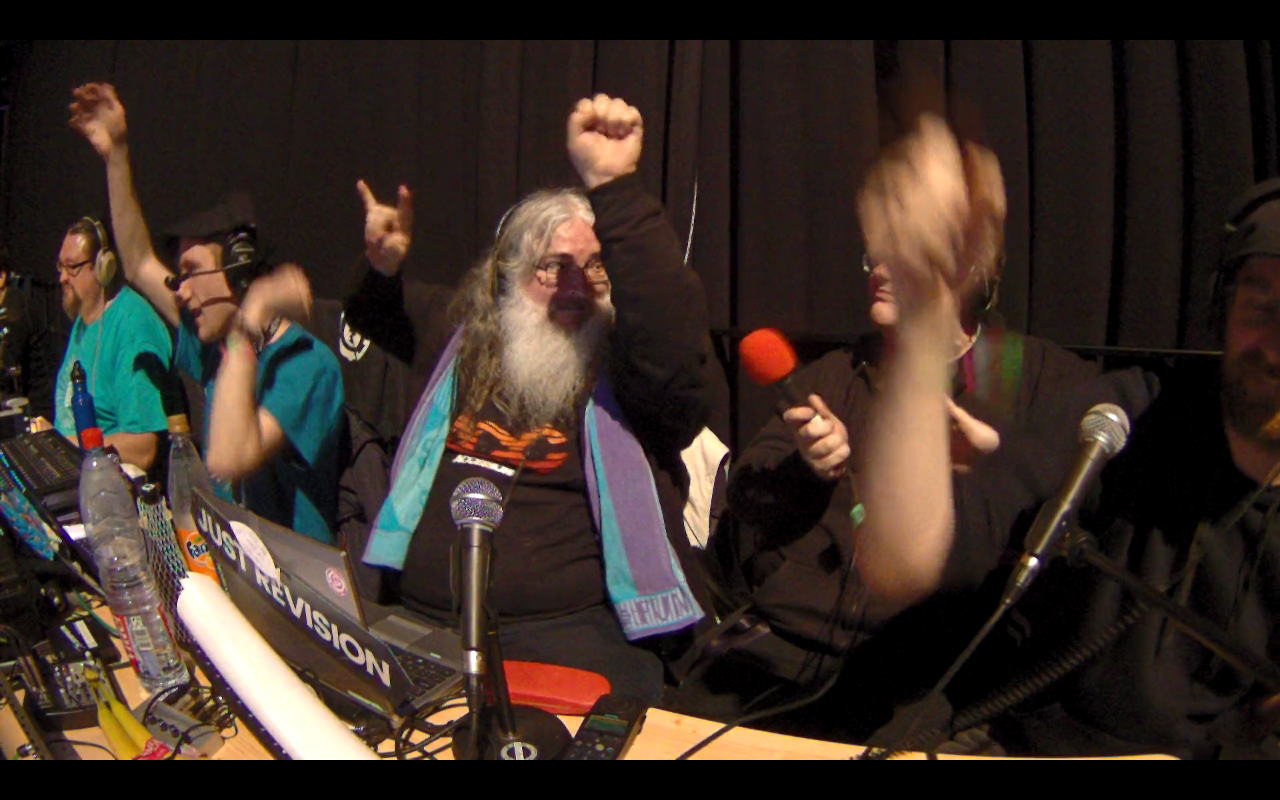 tired spire
Sofaworld was also fun, during the lock-downs
rain obsidian
I clipped that from one of them, and still have it on imgur.
tired spire
I missed the live commentary at the event itself, that is only on Twitch
Nice 😄 One of my favorite parts is the shader showdown
rain obsidian
Yeah.
I watched Ferris on that, a few times.
I only know him from brief chats on TwitterX, and from his livestreams, from when he was working on the VB emulator.
Seeing that demo from TBL a few years back. 😮
Still gives me goosebumps. I can't imagine what it was like in-person, on the big screen, and sound system.
(Eon. I always forget the name)
tired spire
Cool! I think my brain would stop working if I had to do a showdown. I did a private showdown, to see if I could do it from memory, did create a glass ray-marcher, but got stuck on a stupid mistake the first ten minutes 😄
rain obsidian
I was looking at shader code again the other day - still no idea how to write it.
tired spire
It is so much fun to experience the reaction of the crowd, especially when it is something you worked on yourself
rain obsidian
Must be amazing.
tired spire
Shaders are a bit of annoying boiler plate stuff and then all the fun is in the formulas. I made a numer of procedural textures for the Imagine ray-tracer on the Amiga, in the early nineties and that is really similar to shaders, just not real-time.
Yeah, the live audience reaction makes it a bit more fun, compared to posting about something online.
Especially when you can surprise them with something
tired spire
It mostly is learning lots of tricks to get all the aspects working and then some brain-wrecking puzzles for the other details, which are really satisfying to finally crack.
Not unlike FPGA coding it seems, hahaha
rain obsidian
I might get to a demoparty one day.
tired spire
You should if you get the chance
rain obsidian
We tried to organize one for nearby to me ("Mordor", UK)
Only three people showed interest, and one of them was me. lol
tired spire
If you can, visit Outline in the Netherlands. It is a really fun party, with international visitors as well.
rain obsidian
Yeah, I'd have to go the whole-hog, and hop on a plane.
tired spire

Impressions of the Outline Demo Party, May 2024, in Ommen, the Netherlands.
Live recording of our winning Trepaan 'Wondere Wereld' demo, as shown in the 'new school demo' competition and then the competition results.
This is our tribute to a Dutch television show from the eighties, 'Wondere Wereld', which was about the latest technological dev...
rain obsidian
@pseudo tinsel Quick question about PT and trans textures...

PowerVR Developer Community Forums
Hello world. I am developing on iphone using PowerVR MBX. I know alpha test can kill performance, but I encountered one weird result when running demo. I had test case 1 & 2, test case 2 is submitting fewer triangles than test case 1, all other states and number of draw calls and texture size are the same, but test case 2 is SLOWER than test ca...
Does PVR2 have to skip the usual HSR, and just render PT and transp stuff directly to the tile ARGB buffer?
Or does it look like the ISP and TSP have to kind of work in lock-step, for PT and transp?
I can't see how else it would be able to check the Alpha otherwise?
I think I'm still missing a part of the puzzle. lol
I mean, I realize it must have to do the UV interp and texel fetch, before it can determine the Alpha of each texel.
But does using PT and transparent stuff really slow down the render that much on real HW?
I'm also only just learning about the PT_ALPHA_REF reg.
I thought it only checked if the Alpha was 0x00 or not, for PT.
Apparently it uses that register value to compare against.
The Dreamcast hardware does have to do several passes to render transparency, which slows down the rendering process a little. However, during that process, the hardware sorts the transparent triangles automatically, so your game engine does not need to sort them. Because your game engine doesn't have to do the memory manipulations that come with sorting, it avoids disturbing (slowing down) your 3-D pipeline. Even if the polygons intersect, there won't be any artifacts because the translucency sorting is done for each pixel by the hardware.

Not all transparent modes need several passes. The 5551 (Punch Through) mode does not need to combine the most recently rendered pixel with the pixel previously rendered to the screen buffer because 1 bit of alpha channel does not allow any degree of translucency. Such triangles are rendered with the same speed as opaque triangles—in a single pass.
3.4.3 Punch Through Polygons

In drawing Punch Through polygons, the hardware automatically sorts the polygon at the
pixel level, and draws the pixels in order according to their Z value, starting from the front, regardless of the order in which they were input to the TA (registered in the display list). When drawing, the hardware reads the texture data and draws only the pixels for which (texel alpha value) >= (PT_ALPHA_REF
register value), and processing continues until all pixels within the Tile have been drawn. Normally, "0xFF
(=1.0)" should be specified for the PT_ALPHA_REF register value. Pixels are drawn with an alpha value
of 1.0. (Translucent processing is not performed.)

Depth Compare Mode specified in the ISP/TSP Instruction Word is invalid, and Z values are always
compared on a "Greater or Equal" basis. When the Z values of two pixels are identical, the one belonging
to the polygon that was input to the TA first is drawn behind the other.
Punch Through polygons are drawn in the same manner (as) if they (were) registered as Translucent
polygons, but normally drawing a polygon as a Punch Through polygon requires much less time than
drawing the same polygon as a Translucent polygon. However, if bi-linear filtering is performed in a
Punch Through polygon, some opaque texels might not be drawn, depending on the texel sampling
position. This is because, in Punch Through polygons, only those pixels with an alpha value (after
texture filtering) that is equal to or greater than the value in the PT_ALPHA_REF register (normally 10)
are drawn. (Refer to section 3.4.7.2.2.)
When a Translucent polygon that is completely identical to a Punch Through polygon has been
registered, those pixels with an alpha value of ten are drawn only through the Punch Through polygon;
when the Translucent polygon is drawn, those pixels are judged to have already been drawn and are not
drawn again. This feature can be used to improve the problem of the disappearance of opaque pixels
when using bilinear filtering with Punch Through polygons, without extending the translucent polygon
processing time very much.
Clear as mud.
But yes, logically, there's no possible way to determine the Alpha of a texel, without doing the whole Z,U,V interp, and texel fetch first.
I'm trying to figure out how that all ties in with the Tag buffer stuff.
I'm starting to wonder if I should just use a full Z-buffer in SDRAM. lol
Just when I thought I had a handle on most of it, I'm confused again now.
You'd think that rendering PT and translucent stuff would both be super slow.
As they can't really take advantage of the Hidden Surface Removal that's done on opaque stuff, and on 32 pixels at once.
Unless PT polys get rendered to a separate Tag buffer, then combined with the Opaque stuff after?
Or "Punch through" actually means all of the PT stuff gets written to the Tag buffer first.
Then any pixels with Alpha values > 0 (or greater than the value in the PT_ALPHA_REF reg) get shown "through" the Opaque stuff.
hmm
I need to read more.
I think I see now...

So it's a two-pass thing.
It does the HSR for all of the Opaque prims in the tile first.
Then renders the resulting Tags to pixels in the ARGB buffer.
Then it does the Tag buffer / Z-sorting stuff for all of the PT polys.
Then it can check the Alpha of the PT pixels whilst it is rendering those pixels to the ARGB buffer.
(doing the Alpha compare against the existing Alpha values from the Opaque stuff already in the tile buffer. Or comparing against the PT_ALPHA_REF reg.)
So then it only WRITES the PT pixels to the final buffer, after depth-compare, and after checking Alpha.
Translucent stuff will be very similar, at least with the way I'm doing it.
But it does mean I can still do the Z-compare on 32 pixels at once, for all prim types.
Oh yeah, I think I am already rendering each TYPE of prim to the buffer, in turn. lol
I just need to switch my brain into thinking about doing the Alpha compare next.

OK, yep. So I don't currently have readout FROM the ARGB tile buffer.
Not for the Alpha values, at least. Only for converting ARGB (32-bit) to 16BPP, for writing to the FB.
I have no idea why I made that seem so much more complex than it needed to be...

That was literally just this...
        // Write pixel to Tile ARGB buffer.
        55: if (!vram_wait) begin
            if (final_argb[31:24]>8'd10) wr_pix <= 1'b1;
            isp_state <= isp_state + 8'd1;
        end
It has already read the texel by that isp_state, and had time to do the texture processing.
So I just have to check the Alpha of final_argb, which comes from the texture address / blender calc module.
Or, I can test against the ARGB tile buffer, for translucent.
Erm, OK.

Not sure why it would do that. lol
Data delays, again.
rain obsidian
That weird duplication can be fixed, by checking the Alpha only for PT prim types.
But doing the texel Alpha check for all prim types, doesn't fix the decals on Daytona?
So I'll have to see which drawing mode the decals are using.
It worked before, when the whole Z-buffer and Alpha-buffer were in C.
For now, this is as good as it gets...

Checking Alpha also works for the HUD elements etc. in Sanic.

Oh yeah, the title logo on HOTD2 is drawn using Translucent, as it can fade out.
 pseudo tinsel
i think PTs are rendered on top of OP before the shading
rain obsidian
Yeah, my brain finally kicked in. lol
I just couldn't see at all earlier, how it would work.
Turns out I'm already rendering each prim type into the ARGB buffer.
I just wasn't doing the Alpha checks for PT and Transp.
I know I'll have to do proper Alpha compare against the ARGB buffer later, for translucent.
But I'm happier, now I can see how it works, and that it still has the benefit of the Tag buffer thing.
I kept seeing many games drawing into the tile in two-passes. It makes far more sense now.
Useless trivia - the icons on the BIOS menu are very slightly transparent.

Old C code, for crappo Alpha blending...
result[0] = (uint8_t)( ( (alpha+1) * rgb[0] + (256-alpha) * old_pix[0]) /256);
result[1] = (uint8_t)( ( (alpha+1) * rgb[1] + (256-alpha) * old_pix[1]) /256);
result[2] = (uint8_t)( ( (alpha+1) * rgb[2] + (256-alpha) * old_pix[2]) /256);
old_pix, is the RGB value read back from the (full) Framebuffer.
alpha is the value from the new texel / final_argb.
rgb contains the new pixel that the Verilog model is trying to write.
So I need to shove that into Verilog, but probably not tonight.
rain obsidian
I don't really need to store an Alpha value in the final framebuffer at all...
wire [7:0] new_alpha = texel_argb[31:24];
wire [7:0] old_red   = argb_buf_out[23:16];
wire [7:0] old_grn   = argb_buf_out[15:08];
wire [7:0] old_blu   = argb_buf_out[07:00];

assign tile_buf_argb_in[31:24] = 8'hff;
assign tile_buf_argb_in[23:16] = ( (new_alpha+1) * final_argb[23:16] + (256-new_alpha) * old_red) /256;
assign tile_buf_argb_in[15:08] = ( (new_alpha+1) * final_argb[15:08] + (256-new_alpha) * old_grn) /256;
assign tile_buf_argb_in[07:00] = ( (new_alpha+1) * final_argb[07:00] + (256-new_alpha) * old_blu) /256;

wire [31:0] tile_buf_argb_in;
//wire [31:0] tile_buf_argb_in = final_argb;

wire [31:0] argb_buf_out;
The Alpha value from the new texel is only needed to do the calc between the old and new RGB values.
Not sure I even need to store Alpha in the tile buffer, but maybe for multiple transparent passes? hmm
Karen got her face back...

Kasumi has turned into Avatar.

Or maybe a Smurf?
Transparency on the smoke and windows is working again.

Possibly causes some slight issues. lol

No more black borders around the bullets (rounds), bicycle wheels, nor aiming cursor now.

But in the game, I think there are two bicycles.
It can't yet layer two lots of transparent / PT prims.
I don't think I've ever had these lights render correctly. Not sure how that works?

Fixed that issue...

I know it's too dark, but that's just my rough Alpha calcs.
The repeated tiles thing, was because for Opaque prims, it should bypass the final Alpha blending, and always write the pixels to the tile buffer.
The is no logic for actually clearing the tile buffer pixels to zero atm. I'm not sure PVR2 even has/needs that?
I reckon it just relies on the Background poly and/or the Opaque pixels to overwrite the tile buffer pixels.
The lights in Rayman use shade_inst 3, which is this...
    r_tex_mult_base_div_256 = (texel_argb[23:16] * base_argb[23:16]) /256;
    g_tex_mult_base_div_256 = (texel_argb[15:08] * base_argb[15:08]) /256;
    b_tex_mult_base_div_256 = (texel_argb[07:00] * base_argb[07:00]) /256;

        3: begin                // Modulate Alpha.
            blend_argb[31:24] = (texel_argb[31:24] * base_argb[31:24]) /256;    // (Texel_ARGB * Base_ARGB) + Offset_RGB.
            blend_argb[23:16] = r_tex_mult_base_div_256;    // Red.
            blend_argb[15:08] = g_tex_mult_base_div_256;    // Green.
            blend_argb[07:00] = b_tex_mult_base_div_256;    // Blue.
        end
So I probably have something very wrong there.
base_argb is just the flat-shading colour.
When there's no Gouraud-shading logic in place, I'm just using the shading colour from Vertex C.
(which is apparently what you should use for flat-shading anyway?)
That modulate Alpha thing doesn't look right.
oic, the texture format is RGB 565 as well...
1: texel_argb = { 8'hff, pix16[15:11],pix16[15:13], pix16[10:05],pix16[10:09], pix16[04:00],pix16[04:02] }; // RGB 565
And Alpha is forced to 0xFF for that texture type.
Sooo, Modulate Alpha is supposed to use the flat-shading colour (base_argb) to modulate... the Alpha. hmm
Where Alpha for that 565 texture format would always be 0xFF.

reicast...
    switch (tcw.PixelFmt)
    {

    case Pixel1555:     //0     1555 value: 1 bit; RGB values: 5 bits each
    case PixelReserved: //7     Reserved        Regarded as 1555
    case Pixel565:         //1     565      R value: 5 bits; G value: 6 bits; B value: 5 bits
    case Pixel4444:     //2     4444 value: 4 bits; RGB values: 4 bits each
    case PixelYUV:        //3     YUV422 32 bits per 2 pixels; YUYV values: 8 bits each
    case PixelBumpMap:    //4        Bump Map     16 bits/pixel; S value: 8 bits; R value: 8 bits
    case PixelPal4:        //5     4 BPP Palette   Palette texture with 4 bits/pixel
    case PixelPal8:        //6     8 BPP Palette   Palette texture with 8 bits/pixel
All of the good stuff, for the shading...

Looks more-or-less the same as what I'm doing. But I don't know if it calculates an Alpha value for 565 format.
rain obsidian
Swirly thing starting to show again.

That likely depends a lot on getting the Background poly to display.
rain obsidian
Blendy stuff…

You can't have it all. lol...

At least not all at the same time.
hmm


I really need to stop now, and don't do any more work until the TA is finished.
This project has gone on way too long.
crude bloom
whats TA ?
rain obsidian
Tile Accelerator.
It's the part which translates the raw display lists from the CPU, into the display lists for the PVR2 "Core" itself.
Mainly has to do with tile binning, and keeping track of the VRAM addresses for each list.
rain obsidian
OK, I lied...

Trying to get the Background poly to render, but it's not as easy as I thought.
The BG poly params are not in the usual format
 rain obsidian

Background poly half working.
But only when it feels like it.
Something isn't being set up right, so it only draws the BG poly if I run the sim part-way, Reset, then start it again.
rain obsidian
Right, getting there...

The Background poly doesn't have an OPB entry word.
Because the Background stuff is specified directly via two registers.
One reg is the "Tag" above, which holds the VRAM address of the actual ISP/TSP/TCW and vertex data.
The other reg just holds the Depth of the BG poly. (even though so far, the depth for all four Verts seems to be in the vertex data anyway?
So I basically need to copy some of the values like cache_bypass, shadow, and skip, into the opb_word, before rendering the BG poly.
When the skip value is zero (at reset), it messes things up in the isp_parser.
opb_word[31:29] <= 3'b101;                    // Single Quad. (or Quad Array).
opb_word[24]    <= ISP_BACKGND_T[27];        // Shadow.
opb_word[23:21] <= ISP_BACKGND_T[26:24];    // Skip.
opb_word[28:25] <= 4'd1;                    // num_prims ?
Not sure why the ISP_BACKGND_T reg contains the cache_bypass flag either, as that should be in the ISP instruction word (the first param word it reads from VRAM, for the BG poly).
So much better.

I know the transparency calcs are wrong, and some textures still have an outline.
Also no Gouraud shading atm, which is why the background stuff is chonky.
(lack of Gouraud also causes the darker polys on the icons, as those triangles are only using the shading coloud from one of the three verts.)

For Daytona, the BG poly is just a black background.
Then it has it's own backdrop for the Sky texture, etc.
For Rayman, it's just an 8x8 texture (like the BIOS menu), but a weird colour.

Obv some other rendering issues atm, too. Mainly due to the fixed-point precision stuff.
rain obsidian
You can see the slightly darker background behind (and below) the Dreamcast text here...

That exists on the real console, too.
I only ever noticed it when I did the first ever tests of the HDMI mod, around 2015.
You can also see some weird dithering on the real console, but it's quite subtle.
Also, the white background on the sim is a bit brighter than it should be, and I think I know why.
The background on the logo has Gouraud shading enabled (but that isn't added to the logic atm).
Actually, no - I thought it was due to how I was decoding the colour...
case (pix_fmt)
0: texel_argb = { {8{pix16[15]}},    pix16[14:10],pix16[14:12], pix16[09:05],pix16[09:07], pix16[04:00],pix16[04:02] };    // ARGB 1555
But that would only get used if had the texture flag set.
When there are fewer than 8 bits per colour component (R,G,B), I'm duplicating some of the upper colour bits as the lower bits.
A similar thing is done for the final Framebuffer format, if it's set to use one of the 16BPP modes.

But those lower bits of each colour component can be set to a fixed value when the Framebuffer is being displayed.

I thought the slightly brighter background on the logo might have something to do with that.
Strange.
The RGB colour for the logo background is 0xC0C0C0.
But for the darker part below the Dreamcast text, it's 0xBFBFBF. lol
Comments are important...
            // The Background poly has no OPB word.
            // Copy some flags from the ISP_BACKGND_T reg...
            if (render_bg) begin
                opb_word[31:29] <= 3'b101;                        // Single Quad. (or Quad Array).
                opb_word[24]    <= ISP_BACKGND_T[27];        // Shadow.
                opb_word[23:21] <= ISP_BACKGND_T[26:24];    // Skip.
                opb_word[28:25] <= 4'd1;                        // num_prims ?
                poly_addr       <= (PARAM_BASE&24'hf00000)+{ISP_BACKGND_T[23:3],2'b00};
                render_poly     <= 1'b1;
                ra_state        <= 8'd100;        // Wait for BG Poly to be drawn.
            end
Mostly so that I remember what the hell I did. lol
rain obsidian

It’s a start.
I'm doing another thing I should have done months ago...
Getting the two projects (sim and core) in-sync.
Then the MSVC project will be in a folder in the code repo.
And any changes / improvements on the sim should just "work" on the core.
But I'll also have to add some code for proper DDR3 latency simulation.
And handle Burst reads/writes.
And tweak the sim, to closely reflect the data latency, after a VRAM address changes.
That's one of the big reasons stuff works differently on the sim vs core right now.
As the sim C code can update the VRAM data instantly, before it even does the next Verilator clock cycle.
The pvr, isp_parser, and ra_parser files are mostly in-sync now.
Aside from the FPGA version using burst reads for Codebook reading.

Horizontal resolution on the sim is halved now.
The FPGA version is writing two 16BPP pixels at once, to the VRAM framebuffer.
But the sim C code isn't handling that yet.
(and ASCAL isn't displaying that correctly on the FPGA either, 'cos I couldn't figure out how to properly tweak it)
FPGA render looks worse in some places, better in others…

 tired glacier
what is that PowerVR (?) pdf you are screengrabbing from?
rain obsidian
Big screen with lots of numbers, is the Verilator + ImGui sim.
Any photo of the LCD, is "running" on MiSTer.
But very slowly atm, until I can add Burst reads for params and textures.
tired glacier
cool, but I was thinking about these:

but ambitious project 🙂 good idea to feed the fpga with frame data from the simulator
rich kindle
Does the DC have a separate 2D mode? Or is everything "2D" just tucked onto some polygons/quads like on the PSX?
tired glacier
no 2D mode
rain obsidian
Games could write directly to the Framebuffer, to do software rendering.
But I doubt that was done too often.
Faster to just write the textures to VRAM, then use quads/sprites.
 late cargo
This thread continues to be a fascinating read every day. 
pseudo tinsel
rain obsidian
But I doubt that was done too often.
i only know of a few games like KoF that do this
 floral vale
 pseudo tinsel
i hooked up @rain obsidian's work to a dreamcast emulator 😛
sadly the verilated code is super slow
only gets 0.3fps
rain obsidian
skmp helped with so much more than that...
I was going to wait a bit, until it was looking somewhat better.
But might as well mention it now.
He made a version of reicast which had most of the renderer interface removed, and simplified the function calls.
He also made it easy to cross-compile for ARM, which meant it can run on ARM Linux on MiSTer.
Now, we know the ARM on MiSTer has no "GPU" as such.
It can only write to a framebuffer in DDR3, and have the FPGA side display that.
Usually on MiSTer, that gets displayed via ASCAL.
I was already using ASCAL to display the framebuffer from the Verilog renderer.
The intention was to get the emu (which skmp called "minicast") hooked up to the FPGA side, so the FPGA could do the actual rendering.
I thought it would take days to figure out. In the end, it wasn't too bad at all.
Now, this will be VERY slow right now, but it’s totally doable to get decent frame rates from the FPGA…
And that's with the emu not waiting for the FPGA to render a full frame, else it would be way slower.
Most of the slow-down is caused by the latency of both the DDR3, and of the logic that does the texture calcs.
It's also only displaying half the horizontal resolution atm, as I couldn't figure out how to hack ASCAL to display the full res.
Since the sync with the emu was disabled in the above vids, you get the bands of coloured tiles down the screen.
A bit like screen tearing, but where the emu is trying to update the tiles whilst ASCAL is still displaying them.
And no double-buffering yet, due to similar issues with hacking ASCAL.
And yes, lots of other graphical glitches. lol
But I had to take many steps back, in order to add the speed-up logic which will give the eventual BIG speed-up.
That might require adding an actual pipeline for the final pixel output.
So you then take the small latency hit of a few clock cycles, when a new tile starts rendering.
But it would then be able to keep writing a new pixel on every subsequent clock cycle.
There are about ten clock cycles (state) atm, which it has to run through, for each and every PIXEL drawn, hence the very slow frame rate.
The core also won't run much above 30-35 MHz atm, before more missing pixels and other problems start showing up.
But what it does mean, is we now have a new awesome way to test the FPGA renderer.
Because we can now write simple test programs on the emu.
 steady grail
 stone plaza
release it
rain obsidian
Oh, and skmp made it so I can just spam the ssh console, to use the player controls. lol
Which works surprisingly well, most of the time.
And I'm still learning about how the core should be structured.
ie. the fact that I don't even need to be storing the initial Z values for the verts, in the Param cache.
Because Z gets calcuated on 32 pixels at once, during the Tag registration stage.
After that point, the Z/Tag buffer already contains the Z values for each pixel.
And I also didn't need to be "loading" params from the cache into registers - I can just feed those directly to the texturing stage.
So that was wasting some clock cycles, right there.
Plus, it's nearing the time where I need to split the ISP and TSP.
The texturing stage only needs the Z value(s) from the Z buffer.
The Tag value determines which ISP/TSP/TCW and vert params are used for the UV interp.
Then that gets fed to the texture_address module, after some calcs for UV flip and clamp.
The texture_address spits out... the texture address. lol
Plus the offset, based on the UV inputs from the previous calcs.
The texture_address module also does the colour calcs, colour blending, and also contains the Palette regs.
(for PAL4 or PAL8 formats)
And it contains the Codebook cache, for VQ.
rich kindle
Omg, omg, my Mister can do Dreamcast!
rain obsidian
Not quite. lol
But it's already my favourite thing of the year, so far.
Also turns out, the ARM core(s) on the DE10 aren't quite as good as we thought.
Even after skmp re-added the JIT recompiler code thingy, and bypassing the FPGA rendering completely, the emu doesn't run at full-speed, IIRC.
So some optimization will be needed for that, too.
And the sound isn't enabled atm either.
omg, that's horiffic.

Getting better.
 rich kindle
I would keep the possibility of a half resolution SD "minicast" as a possibility in all your concepts from the beginning. I think people would love a full frame rate but low res minicast on MiSTer. At least more than no DC a all or a high-rez slideshow. And compromises will have to be made, we know that.
rain obsidian
I need to draw a simple diagram of how the blocks of logic connect, and the signal flow.
It's not so much the resolution that's the main issue, but it would help.
Personally, I'd hate to release something with half the res, though.
640x480 is one of the Dreamcast's biggest strengths.
rich kindle
On an old standard TV it was more of a theoretical advance.
But sure: if full is doable, I take that 😉
(even as a acanline vintage look Lover)
Great work in any way. I love reading your developer progress
Keep up with that 😉
rain obsidian
Thanks.
I seriously didn't think we'd get the emu hooked up this quickly, but skmp did all of the code tweaks necessary.
Ohhh, starting to see the structure now.

ie. why the TSP instruction word is separate from the TCW, etc.
Since the texture flip/clamp stuff is done before the texture module.
And the ISP instruction word really is mainly about the flags it needs just to read in the params from VRAM.
I need to completely change around all of the code, but it will be much better.

This is weird.
I reached another of those moments, where you realize why they structured the real PVR2 chip the way they did.
It's the actual flow of data between each stage, which mostly dictates how they separate the blocks of logic.
And the type of data each block needs.
The caches need to be kept separate, too.
So there's a Parameter (ISP) cache (a proper one, not the crusty thing I'm using), a Codebook cache, and texture cache.
The Codebook cache needs to be separate from the texture cache.
Because the VQ codebook (always?) starts at the texture BASE address.
But the texel word address changes, depending on the UV inputs, so that needs it's own cache.
And the texture cache will be pre-reading words from VRAM quite a lot more often.
The VQ Codebook thing only needs to do a Burst read if the BASE address changes.
The Param cache is needed for the initial triangle setup, and for doing the inTri, Z-interp, and depth compare, when writing to the Tag/Z buffer.
Those params are then used later on, so the TSP can very quickly "load" them, to do the UV interp and final texturing/blending.
floral vale
oh man I'm so stoked after seeing those clips! love this!
rain obsidian
Yeah, it's really neat, even with the glitches.
I couldn't believe it, when it first came to life. lol
I hadn't had a buzz like that, working on FPGA stuff, since dentnz and I first got a game to load for PCE CD, years ago.
(this was before Srg320 did his "beast mode" thing, and did the while PCE CD core himself.)


Background poly currently causes some weird issues, so I disabled it on the lower photo.
With the BG poly enabled, the BIOS screen looks closer to how it should...

But causes most of the weird darker tiles.
I think because I might be drawing the BG poly for every new prim type written to a tile.
Which is causing the blender calcs to overflow, and turn the tile darker.
It really helps, to add more options to the menu, so I can mess with the settings...

Super slow vid, which is in-sync with the emu...
And also showing BOTH framebuffers, on alternate pixels, because of the ASCAL thing.
(not ASCAL's fault - my fault, for not figuring out how to tweak ASCAL how I want. lol)
This vid is from when the textures were somewhat "better"...
Just try to imagine it doesn't have the double-image, but has the proper double-buffering / no screen-tearing, and is running at 60 FPS. 😛
I'm already worried about the inevitable YouTube vids on this. LOL
edgy pilot
rain obsidian
I'm already worried about the inevitable YouTube vids on this. LOL
Already in the process of making one
rain obsidian
This is still a proof-of-concept. There is no "core" without it running at decent frame rates, ofc.
 rain obsidian
skmp is super talented. One of the main devs behind reicast, dcaIII (GTA III thingy), and many others.
edgy pilot
Then I'm going to theorycraft on attaching 5 raspberry pi's to the mister. That should also be another 10 min video.
rain obsidian
He also helped me a LOT, with most of this stuff in the first place.
edgy pilot
(on a serious note, its still amazing to see all the above take place and you documenting everything)
rain obsidian
I just hope nobody sees my fat gut, on the reflection from the LCD. lol
Thanks.
For a very long time, I wasn't quite sure why the BIOS icons had the darker triangles, btw.
It's almost all due to lack of Gouraud shading in the core atm.
And when I say "core", I mean - just the last-last renderer part.
Everything else is running on the trimmed-down reicast (minicast) emu, on the ARM side atm.
With no Gouraud shading, it uses the Base colour from Vert C, to flat-shade stuff.
But, depending of the rotation of each triangle in a triangle strip, Vert C will be changed around, too.
With Gouraud enabled, it would be properly shading all triangles, based on the angle to the light.
Most of those calcs are done by software on the SH4, though.
This is also why the background wavey stuff looks rough atm.
The Gouraud shading alone, does a VERY nice job of making it look like there are far more triangle than there really are.
Sort of like Tessellation.
I just had a horrible thought then - catching my reflection in the LCD, and giving off SuperSPGA vibes. LOL
I seriously hope it doesn't bare any relation to that.
But, OK, it is sort of "cheating" using most of an emulator for this.
But still neat.
Could end up being one of the first "hybrid" emulation cores. Kinda pains me to say that.
 naive mesa
Are you using the second ARM core of the de10?
rain obsidian
tbh, I'm not sure.
I don't know if the toolchain and current emu code takes advantage of both cores yet.
skmp might know. He'll probably be back on later.
I also don't know if the ARM on the DE10 has anything similar to NEON instructions, which might help speed up some of the code.
Probably not, though.
They are similar architecture to the ARM on the Rasp Pi 2, but lack a lot of the extra bells and whistles.
So yeah, likely no NEON stuff either, as that's usually part of a GPU.
We did do a brief check, to see if the ARM core(s) are running at the full speed, and Linux reported them as running at 800 MHz.
From what I heard in the past, I don't think the cores respond too well to overclocking either, but I could be wrong.
(at the very least, it's essentially the same type of ARM toolchain you'd use to compile stuff for the older generation Rasp Pi's)
I'll be sorting out a MiSTer setup soon, so I can have one sent to skmp.
 flint oasis
There are scripts floating around that let you overclock. IIRC it's seemed safe and stable but not huge overclocks. It's in the forums. I'll try to find a link.
rain obsidian
Ooh, I'll try that later, thanks.
I admit, I hadn't had a look at the overclocking options yet.
flint oasis
I've never understood why it wasn't used more, there is a lot of good info and tests in that thread. I think most people were at least able to get up to 1000 MHz. Also helped with latency with RAM. But I'm not really a dev, just followed the thread.
rain obsidian
I just tried it at 1 GHz, and used the mem timings script as well.
It's hard to say if I can see any difference visually. We'd have to add proper timings stuff to the emu code.
On the BIOS menu, and the FPGA rendering untied from the emu, it's doing about 5 FPS.
And I think the second number here, is the percentage speed, vs the real console?...

I do always have a heatsink and fan on my MiSTer setups, so it should be safe enough to leave it at 1 GHz.
(even a slight speed-up will help with dev, over time.)
rain obsidian
Quite a lot of code changed, and it's rendering mostly OK.

So I did the same on the FPGA version, and compiling now.
I just have to keep chipping away at it, changing one part at a time.
If I do too much at once, it can become exponentially harder to debug.
rain obsidian
 rain obsidian
The RA Parser and ISP Parser are fairly small state machines.
That simply read in the Param words from VRAM, storing some of them into regs etc.
Those could probably be combined into one state machine, tbh. It would simplify VRAM access.
'cos right now, I have to switch VRAM access between the two, which has cause a few issues in the past.
reg isp_switch;
always @(posedge clock or negedge reset_n)
if (!reset_n) begin
    isp_switch <= 1'b0;
end
else begin
    if (render_poly || render_to_tile)  isp_switch <= 1'b1;
    if (poly_drawn  || tile_accum_done) isp_switch <= 1'b0;
end

// Limit the addresses to 4MB, as we have muxes for the lower and upper 4MB now.
assign vram_addr      = (isp_switch) ? isp_vram_addr[21:0] : ra_vram_addr[21:0];
assign vram_burst_cnt = (isp_switch) ? isp_vram_burst_cnt  : 8'd1;
assign vram_rd        = (isp_switch) ? isp_vram_rd         : ra_vram_rd;
assign vram_wr        = (isp_switch) ? isp_vram_wr         : ra_vram_wr;
assign vram_dout      = (isp_switch) ? isp_vram_dout       : ra_vram_dout;
Kind of pointless, when both modules do the same basic thing, reading Param words from VRAM.
But after I added the logic to render using the Tag buffer, the params (ISP/TSP/TCW/Verts) have to be stored in the Param Cache now.
That's mainly so, when it comes time to render the actual pixels into the ARGB buffer, it reads each Tag sequentially.
The Tag is technically the Triangle tag now. I should probably rename it from "prim_tag"
'cos it kind of has to store the Vertex params for every individual Triangle (within a tile) anyway.
(or the verts for the next Triangle segment, in a tri strip.)
The main speed of PVR2 comes from that initial Tag buffer, since it processes 32 pixels' worth at a time.
And also does the interpolation of Z values on 32 pixels at a time.
So it only takes ~32 clock cycles to process each Triangle into the Tag buffer.
That does the depth-compare at the same time, to compare against the Z values written by the previous triangle.
Once all triangles/segments are processed, the Tag buffer then contains ONLY the pixels which are visible to the camera/viewer.
So all of the Hidden Surface Removal is done at that point.
To get the texture/shading info for each pixel, it reads one Tag at a time, along each row.
If the Tag changes vs the previous one, the logic has to check to see if that pixel needs to be textured, whether the Codebook needs to be read (VQ), and whether the texture word address has changed.
So that it only accesses VRAM a minimal amount.
I haven't added the Texture cache yet, so that's on the todo list.
To do the texture UV calcs for each Tag/pixel, it still needs most of the params from the Param Cache, including the vertex info and the instruction words.
At the same time, it reads one Z value at a time, from the Z/Tag buffer, then uses that to divide the final U/V values.
(perspective correction)
The texture address module just needs some flags from a few of the ISP/TSP/TCW words, plus the final UV values.
It generates the texture (64-bit Word) look-up address, does the colour format and blending calcs (using the Palette, if needed), then spits out the final ARGB value.
That value gets written to the ARGB tile buffer, so it can later do Alpha blending etc.
Oh yeah, and it took me way too long to realize, that it only renders each Primitive (triangle) TYPE, one at a time, into the ARGB buffer.
So all of the Opaque stuff first, because those pixels will always have an Alpha value of 1.0, so no blending is necessary.
Then (I think), the Punch-Through stuff, which can have an Alpha of 0.0 or 1.0.
So kind of the cookie-cutter decals etc.
(although it turns out it's a bit more complex than that, as it compares the Alpha values from the texture, to a value in one of the PVR registers. The value in the reg is often 10, apparently. The result is either it writes the pixel to the ARGB buffer, or it doesn't. So it shouldn't need the full Alpha blending logic, hence should render faster.)
Then the transparent stuff gets rendered last. That uses the full Alpha blending calcs, reading the ARGB values from the tile buffer first, blending with the new "transparent" pixels (from the Tag buffer/texture module), then writing back again.
Once all prim TYPES are rendered to the ARGB buffer, it Burst writes that to the framebuffer in VRAM.
The framebuffer is only ever really in the lower or upper 32-bits / half of VRAM.
But the framebuffer format is usually 16BPP in most games, so it can actually write two pixels per clock cycle.
512 clocks to write the whole Tile ARGB buffer to VRAM.
Another thing on the todo list, will be adding a second Tile buffer, so it can do the ping-pong thing.
ie. Whilst writing the previous tile to VRAM, it can be writing new pixels to the second buffer.
That will also rely a lot on the texture cache, so it's not doing too many VRAM (texel) reads and (pixel) writes at the same time.
There should be more than enough DDR3 bandwidth for all of this, but will need the caches, to negate most of the DDR latency.
And that's it. lol
I just wish it were that simple.
When I had the sim hitting frame times fast enough for ~40-70 FPS, I didn't expect it to be quite THIS hard to get the same speeds on the FPGA.
I knew the latency would be the main hurdle, but it's so much more involved than that.
So this was where the real work was done on the original PVR/PVR2.
rain obsidian
I made the menu option skip way more states (in the isp parser), when textures are disabled.
So then it's only using the flat-shaded colour.
And you can see how much faster it is.
That's where most of the slow-down is atm.
Due to the latency time required for grabbing each texture word, and waiting for the texture address unit to do all of the colour calcs.
It's only around 5-7 clock cycles for the VRAM read, then another handful of clock cycles for the calcs.
But that has to be done for every single (textured) pixel, so you can see why it's so slow atm.
This is still out-of-sync with the emu right now, and minicast reports it's running at around 25% speed.
It needs a texture cache and pipeline registers added.
With the FPGA renders in-sync with the emu (emu waits for the FPGA to complete every frame), it's reporting about 5.6% speed.
With textures disabled, it reports about 13.5% speed.
(vs the speed of the original DC)
At the fastest there, it seems to be around 7 to 8 FPS.
Keeping in mind, the FPGA is only running at 30 MHz, that's not too bad.
Currently about 5.12ms being wasted, waiting for it to write the finished tile (EDIT: all tiles) into VRAM/DDR3.
512 clock cycles (33.3ns at 30MHz) * 300 tiles = 5,120,000ns
= 5.12ms
I mean, it will take it roughly that long to write the tiles to VRAM anyway, but the time can be reduced a lot, by double-buffering the Tile ARGB thing.
(ie. with a texture cache in place, it will be reading the texels from internal mem far more often than reading VRAM. That will free up time for it to be writing the finished tiles to VRAM, along with the double-buffered thing)
The highest (average) frame rate it's ever likely to get at only 30 MHz, is about 10 to 25 FPS.
(based on sim renders, which were doing frame times for roughly 30 to 80 FPS, at 100 MHz)
steady grail
Holy hell!! Looking great!
rain obsidian
Thanks.
I just realized how bland it looks, as most of the stuff with textures have the Base colour (shading colour) set to pure white.
0xFFFFFF.
So I just did a tweak, and now it displays the Z value for that instead.
I think the effect is quite neat...

It's very Vaporwave.
Looks a bit like a shit version of Tron.
But only 26 FPS (frame time) in the sim.
Which proves that it has to be the tile writeback wasting a lot of clock cycles.
'cos this is literally only ONE clock cycle rendering the polys atm.
        51: begin
            if (debug_ena_texel_reads) begin
                isp_state <= isp_state + 8'd1;
            end
            else begin
                wb_x_ps <= x_ps;
                wb_y_ps <= y_ps;
                wr_pix <= 1'b1;

                if (y_ps[4:0]==5'd31 && x_ps[4:0]==5'd31) begin    // Last pixel written, was the last (lower-right) pixel of the tile...
                    tile_wb <= 1'b1;                                        // Do the Tile ARGB buffer Writeback!
                    //tile_wb <= !ra_cont_flush_n;
                    isp_state <= 8'd110;                                    // Wait for the Writeback to finish.
                end
                else begin        // Not on the last Tile pixel yet...
                    x_ps[4:0] <= x_ps[4:0] + 5'd1;
                    if (x_ps[4:0]==5'd31) y_ps[4:0] <= y_ps[4:0] + 5'd1;
                    //isp_state <= 8'd51;    // Jump back.
                end
                //isp_state <= 8'd57;    // TESTING !!
            end
        end
As it iterates through the pixels of the Tag buffer, the params (ISP/TSP/TCW/Verts) get updated right away.
It only needs to grab the Base colour for Vert C, then just write that colour to the ARGB tile buffer.
Well, the Tag value is kind of used as the "address" for the Param Buffer look-up, which is what loads the params, each time the Tag value changes.
Those params give everything needed to know how to shade the pixels for the polygon.
But with no interpolation even for flat-shaded polys atm, so they don't "catch the light" properly.
the wb stuff is to do write the pixels to the final ARGB buffer.
Technically, there's probably one clock cycle of delay, between when the Tag value changes, and when it updates the params, but meh.
That means it's probably not updating things correctly for the first (top-left) pixel of each tile.
Or maybe it is, because it starts off with x_ps and y_ps set to zero, in the state before 51.
And I don't mean Canada. 😛


