#Mister Pi Users
1 messages · Page 9 of 1
 faint dune
 tardy hornet
how long would be a good time to test memtest?
 limpid jolt
usually about 20 mins or so
its an automatic process, it drops down to the stable values
tardy hornet
alright....ill let it go for 30 minutes then
limpid jolt
read the core docs on github for the results
tardy hornet
👍
limpid jolt
GitHub
Contribute to MiSTer-devel/MemTest_MiSTer development by creating an account on GitHub.
 upbeat gyro
If they’re games no one wants to play than it might as well be 0 lol (not saying that’s the case with all of them available)
 delicate hazel
Happened to me whenever I run like update_all. Just seems normal
tardy hornet
Yea I just got worried because it's the first time with this
 wary turret
upbeat gyro
If they’re games no one wants to play than it might as well be 0 lol (not saying...
wary turret
upbeat gyro
If they’re games no one wants to play than it might as well be 0 lol (not saying...
Fair but it is already most of the most popular arcade games of all time. Plenty more gaps that can be and will be filled for sure but it’s hard to complain about what’s there even if you cull the couple dozen maze games from the golden age no one plays 😉
tardy hornet
Just going through at this point and testing both mem sticks
upbeat gyro
Not complaining at all, just running alternate hardware lol
tardy hornet
So far first one 147, second one seems to hold strong at 150
 winged summit
wary turret
Fair but it is already most of the most popular arcade games of all time. Plent...
winged summit
wary turret
Fair but it is already most of the most popular arcade games of all time. Plent...
but The Outfoxies is missing , so this device is incomplete and meaningless
wary turret
Gaaaabage
Until metamorphic force is done or moo mesa I won’t feed it the DC 5V it craves
winged summit
Moo mesa is around the corner IIRC, furtek did a lot of work on Konami stuff lately
tardy hornet


 vital mica
tardy hornet
vital mica
tardy hornet
Tron Blue 😄
 faint imp
Any word on when mega packs will be available again?
 limber token
No, but Turbo pack seems to be there 😉
vital mica
What is the mt32pi?
 cursive crypt
vital mica
What is the mt32pi?
cursive crypt
vital mica
What is the mt32pi?
Emulates the 'ol Roland MT-32, gives better (different) sounds (Midi) in certain games: https://www.vogonswiki.com/index.php/List_of_MT-32-compatible_computer_games
faint imp
limber token
No, but Turbo pack seems to be there 😉
Turbo is too much for me. I need mega
Megas wen
limber token
I assume that you have to wait till March 2025 then.
vital mica
cursive crypt
Emulates the 'ol Roland MT-32, gives better (different) sounds (Midi) in certain...
I remember the old roland cards they were fancy pants at the time Sound Blaster and midi was much more in reasonable price range
limber token
The external Roland boxes were never cheap, iirc about 1200-1500 DM in the time of an Amiga.
cursive crypt
 vital mica
I remember games almost always seemed to support it. It was always an option. I am not sure I never mete a kid with a Roland sound card
 zinc spoke
My Pi-zero hat is in customs at the moment.
"The shipment is being managed by the Customs agent at the destination", it tells me. But that's better than the 9 days of total radio silence I'd had before that.
 crude kernel
I'm really surprised it hasn't sold out yet. A fourth run seems unlikely any time soon with the other projects he has going on.
I'm not pumped that it was the turbo pack, i don't need a case or really any accessories but I get it.
I wonder if these are RMAs from people that had sent in defective units
 untold kayak
zinc spoke
My Pi-zero hat is in customs at the moment.
untold kayak
zinc spoke
My Pi-zero hat is in customs at the moment.
I have a $2,500 eight package 3d printer kit going through customs and it's been a nightmare. I hate DHL now. Good luck
Dunno if it's the Christmas workload or what, everything like pulling teeth
limber token
crude kernel
I'm really surprised it hasn't sold out yet. A fourth run seems unlikely any tim...
He has reserved a small amount for the paypal payment but seems he has split this also to creditcard payer. I dont know why, but the quantitiy is low, so if you want one, better get it now.
 crude kernel
I already did, I'm just surprised it hasn't sold out yet. I suspect a 4th batch might not happen for a while
faint dune
I wonder if the 4th batch is going to go into one of the larger projects like the console
crude kernel
I love the idea of a handheld. The steam deck is massive, I doubt that a Mister would be any bigger. Hell, you might be able to integrate the cradle with the io board for those that still want the option
 cloud estuary
i wont lie, for a handheld im for the most part okay with taking a minor hit on the emulation exactness for the QOL stuff that comes with ... not being tied to a DE-10
I'm not going to be trying to play a hyper competitive fighting game or play super tight shmups or platformers on a handheld to where the extra emulation accuracy particularly matters.
So I'd rather have the smaller form factor/better battery life thats going to come with an anbernic or whatever flavor of the month SBC handheld is compared to the extra logistics of making it work with a MiSTer
faint dune
It will be interesting to see what taki figures out with the handheld
cloud estuary
I've been watching along with all the various handheld mister projects for a while and theres been some cool proof of concepts but nothing that really seemed like an end product i'd want
faint dune
Because the diy projects have power issues
faint dune
cloud estuary
I've been watching along with all the various handheld mister projects for a whi...
Yeah, but because taki controls his board’s features, I feel like if anyone can pull it off, he can
 dire merlin
I'm not even sure the cycloneV has any sort of power management for the arm side
it may just be full clock speed 24/7
cloud estuary
as someone who had the nomad rechargable battery pack in the 90s, it's not something i'm looking to re-visit
 faint dune
And even with that, Ken got, what 2-3 hours with a 4000kwh battery? He wanted to put a 10k one in there. I feel like having the same battery life as a switch is a good goal.
The probablem is the power switching stuff. Having the thing shut off when you plug or unplug it is no good. Thats something taki definitely has to solve for.
crude kernel
Here is my only argument for a handheld. I think that co/op or any online features need improvements when it comes to retro emulation. I would love for any device to make that happen.
What's cool about the Mister is that it can take that to a competitive market, where it's similar to a lan party.
But that's my own wishful thought
vital mica
cloud estuary
I'm not going to be trying to play a hyper competitive fighting game or play sup...
Fully agree that for handheld the standard software emu works just fine and agree getting battery life from ARM is also something I would rather have
cloud estuary
crude kernel
Here is my only argument for a handheld. I think that co/op or any online featur...
Have you ever played on Fightcade?
or Dolphin Netplay
Like i totally agree if you try to netplay through retroarch it's dookie, but Fightcade is amazing and has been for a very long time
vital mica
Fightcade is something I have heard about from all the vs youtube folks I watch from time to time. No idea what it is
cloud estuary
It's a client for matchmaking mostly fighting games, but it has most of MAME and early consoles supported now
crude kernel
Those that pretty beefy hardware don't they? Or is it easily done with something like the switch?
cloud estuary
and it has really good rollback netcode
vital mica
That would explain why the vs community loves it
cloud estuary
No, it needs like a $50 dell mini PC off facebook to run fightcade
crude kernel
Right, but I was trying about portability
cloud estuary
I mean, a regular MiSTer is plenty portable and easy to set up at events, I've done it at dozens now
a handheld doesn't help that aspect at all, probably is worse because it will have fewer IO
and a screen to worry about
vital mica
Mister is nuts portable. Smaller than most fight sticks
cloud estuary
You also mentioned you didn't think retro games had good online options and fightcade is an extremely good one thats worth checking out if you havents thats all
crude kernel
I agree, but I guess I meant for co-op play, and portable matchmaking. But again, not a huge market
vital mica
Yah for portable play the focus is pretty understandably single player games
cloud estuary
you tryin to tell me you want to play co-op on a screen smaller than your phones?
even stuff like local bt netplay or something would be completely out of realistic scope for a mister handheld
but is feasible on the anbernics and such
Sure that would be cool if it somehow made it in, but I dont think thats a reasonable expectation
crude kernel
I agree, it's kind of bogus. But the switch has something similar. You're right though, easier on emulated devices running retroarch.
 high umbra
faint dune
The probablem is the power switching stuff. Having the thing shut off when you p...
high umbra
faint dune
The probablem is the power switching stuff. Having the thing shut off when you p...
His handheld would power off when plugging in power?
faint dune
high umbra
His handheld would power off when plugging in power?
Ken’s did, yeah
vital mica
Is there a way to turn off the fan in the software? The thing runs hard but isn't actually venting any hot hair. Seems like the old arcade cores are not really stretching the system at all
 dense umbra
You can change the voltage of the fan to 3.3v with the jumper on the bottom of the IO board. This reduces fan speed
The FPGA never gets that hot no matter what
 dull gull
I have seen it said it would be perfectly fine to swap for a heatsink and have no noise at all
But I can't hear it over the game at 3.3 anyway
faint imp
Got a spam from RetroRemake saying mega packs are back but it was a lie 😔
 oblique drum
Same
faint dune
They were in stock briefly. But as soon as the emails went out I imagine they sold out quick
dense umbra
I only saw the Turbo packs in stock PayPal and normal card
faint dune
This is what they sent me
faint imp
Anyone using a MiSTer Pi with the Ironclad Lite here?
limpid jolt
faint dune
This is what they sent me
I think thats Birdy Boys core.
 shrewd dust
'scuse the mess, I'll be cleaning this up over the holiday break (or maybe closing it back up and forgetting about it)
 crude kernel
Can anybody recommend speakers that run off USB for power and accept 3.5?
I didn't know if anybody is using a crt monitor without audio and found a decent solution for the mister
@shrewd dust that's pretty cool, never knew that existed. Plenty of room for adding extras.
Off the top of my head, add as many snacs as you wish as well as tapto
What do you plan on doing with it?
shrewd dust
There's a USB hub (not in picture) and then need to put in a mt32pi lite. Tapto/zaparoo will be external
I'll be making a 3D printed holder to keep the usb hub & mt32pi in place and also need to make a backplate for the case.
crude kernel
@shrewd dust nice. I bought 4 of the USB c readers a few weeks ago, they are getting delivered tomorrow. I already have the cards, I just need to figure out how they will be inserted into the arcade cab I have.
Also need to find a deal on a decent printer, I haven't printed from home since like 2010 lol
faint dune
This is back in stock for folks who were waiting https://www.etsy.com/listing/1832675927/switched-usb-c-to-usb-c-for-mister-pi
 stark surge
Anyone know where U34/equivalent is on the Mister Pi board? Trying to fix the CEC issue

 solid stratus
stark surge
Anyone know where U34/equivalent is on the Mister Pi board? Trying to fix the CE...
solid stratus
stark surge
Anyone know where U34/equivalent is on the Mister Pi board? Trying to fix the CE...
The MisterPi board doesn't have a CEC issue
CEC is not a good standard though, so it's quite possible that even without a CEC circuit issue your TV/monitor still isn't reacting as you'd expect. I'd suggest disabling it at the screen side...
stark surge
solid stratus
The MisterPi board doesn't have a CEC issue
It is still causing me issues for some reason then. Even when the mister is off it kills the CEC function from the other devices on the splitter
solid stratus
That is odd. Well, as ever it's pin 13 on the HDMI - you can break the pin off on a cable easily enough with a sewing pin to lift the cable spring out
stark surge
I cut the trace on pin 13, going to see if that changes anything
That seems to have fixed it haha
 solid stratus
Funny. I was sure Taki and the QMtech boards had both fixed that circuit screwup from Terasic.
 gritty pumice
that's perfect for me now, thanks!
zinc spoke
gritty pumice
that's perfect for me now, thanks!
Woot! So glad it worked!
gritty pumice
SNAC adapter still works too after all the pushing shoving trying to force it into the case 😄
I dunno if I'll use it much though. I have SNES controllers, but also have some 8bitdo SNES style with usb dongles and I have one of those USB triple adapters with SNES, NES and DB9 ports
which is way more convenient because it works in the menus and any core
faint imp
solid stratus
Funny. I was sure Taki and the QMtech boards had both fixed that circuit screwup...
@strong falcon please fix this for the next Pi revision
gritty pumice
I've always used one of those hdmi cec blockers on my MiSTer
would have been nice if the Mister Pi eliminated the need for one
limber token
I would prefer a switching solution like the mms instead of cutting a trace.
tardy hornet
gritty pumice
I've always used one of those hdmi cec blockers on my MiSTer
Any suggestions on one?
Interesting

So pin 13 and 18
stark surge
just 13
limber token
That offers MMS
 tardy hornet
sadly cheapest i can find so far are those bluerigger cecless adapters
tardy hornet
@prisma fjord gotta ask you mention you can get the morph 4k for $200 or cheaper used.... please point me into the direction for that lol
 tardy hornet
ah
all good i just wanted to know where that price was lol
whats the used market looking like?
winged summit
 prisma fjord
I said the wrong price. I should have said $250
prisma fjord
I said the wrong price. I should have said $250
Someone please make a morph4k expansion card the outputs analog instead of input, so it takes direct video and do the hdmi things scalers do with direct video, and on the expansion card it feeds a ep94z1e and gives us analog out at the same time and both toslink and analog audio
winged summit
limber token
That offers MMS
Which device is this?
dense umbra
solid stratus
Funny. I was sure Taki and the QMtech boards had both fixed that circuit screwup...
It's fixed on the QMtech board as I have mine running with ARC to the soundbar etc
I don't have a Taki board to compare but someone the other day stated they still have to use a CEC blocker
dense umbra
limber token
That offers MMS
A CEC inline blocker is only about £10 on Amazon
limber token
winged summit
Which device is this?
It’s a 170x170 PCB for the de10. Was introduced in 2021 iirc.
limber token
dense umbra
A CEC inline blocker is only about £10 on Amazon
True, I showed the picture only for the abilities
dense umbra
It's just a byproduct of the DE10 being a dev board, it was never designed for home AV integration
Same reason why the HDMI on it is not electrically isolated, so the board can partially power up just from HDMI power if used with a HDMI switch or splitter
 sharp pulsar
Or powered hdmi to vga converter!
faint imp
Batch 3 pre-orders are on again 
dire merlin
I ordered 150
faint imp
Scalper
winged summit
sharp pulsar
Or powered hdmi to vga converter!
Ok, interesting, any recommended cec and power blocker for cheap?
sharp pulsar
I honestly still do not really know what CEC is or why I should block it, sorry 😢
solid stratus
sharp pulsar
I honestly still do not really know what CEC is or why I should block it, sorry ...
Best keep it that way.
It’s a mechanism for HDMI devices to order each other around, eg on an Xbox you can ask it to enable CEC then options to “power on the tv when Xbox powers on” and “switch to Xbox’s hdmi input”, power off sync too.
Which would be fine, but most setups with more than one CEC device active (plus the TV) it never ever works right and just makes things more annoying, not nicely automated and reactive.
And the DE10 has a defective HDMI circuit that floats the CEC pin at the wrong voltage, which can also fuck things up even more.
If it’s not troubling you, don’t mess with it.
If plugging in a DE10 or Taki board fucks up your working setup, grab a CEC-less adapter or cable to stop it doing that. They just cut pin 13 on the hdmi cable (which you can do yourself by removing the contact on the cable end)
sharp pulsar
Interesting. My switch can turn the tv on and change its input
solid stratus
If it suddenly stopped working like that when you plug in a MiSTer, now you know why and how to fix it
dire merlin
CEC also has a mechanism for remote sharing, but I bet that functionality is even more of a cross-vendor mess than simple power on/off already is
solid stratus
Surprised me hugely when I accidentally used my PS4 controller to drive an app running on the TV without thinking.
 sturdy orchid
winged summit
Someone please make a morph4k expansion card the outputs analog instead of input...
sturdy orchid
winged summit
Someone please make a morph4k expansion card the outputs analog instead of input...
We’re making an expansion card that does that, the “Analog Crosspoint”. It has dual video ADCs so it can take input from composite, svideo, component, scart, vga, in addition it has a high speed DAC
The idea being that you feed the morph 240p-ish hdmi input, from a mister or one of our RetroGEM mod kits and you get a good quality single analog output.
The Analog Bridge expansion card is the same thing except no dac. That goes up for pre-order this month. Crosspoint is next after that.
 winged summit
sturdy orchid
We’re making an expansion card that does that, the “Analog Crosspoint”. It has d...
winged summit
sturdy orchid
We’re making an expansion card that does that, the “Analog Crosspoint”. It has d...
Not sure if I’m understanding you correctly, you mean this card can act as both input and output for analog?
sturdy orchid
Yes. Analog input and output, hdmi input and output


There’s different input connectors that you can pair with it. Sorry not trying to spam, just trying to show how it works.
winged summit
Superinteresting, thanks for sharing! Reading the website I got the impression only analog input was being worked on
prisma fjord
sturdy orchid
Yes. Analog input and output, hdmi input and output
Not spam at all! Super explanatory and fun to see some more photos
Looking forward to checking them out and shooting them on cam when they are out
winged summit
Those audio outputs are dual analog/digital?
sturdy orchid
One of them is dual analog/digital input
winged summit
Lemme rephrase my question: any way to output toslink audio?
sturdy orchid
I don’t think so, you would need to route audio through an extractor
Could possibly mod it in but that’s very fine pitch soldering
high umbra
These look nice. Can it downscale?
sturdy orchid
Downscaling isn’t currently supported, and it’s not planned as a launch feature. It’s something I’m interested in working on though and on paper the hardware we’re using is capable of it.
high umbra
Have you figured out pricing yet?
 cinder crane
For a layman like me, is the analog bridge just a drop in installation for the morph4k?
sturdy orchid
The analog bridge will be $100, crosspoint will be more expensive since along with the extra hardware it will require quite a bit of software development
cinder crane
what’s cross point?
sturdy orchid
cinder crane
For a layman like me, is the analog bridge just a drop in installation for the m...
You just need a screwdriver and at least one hand
sturdy orchid
cinder crane
what’s cross point?
Analog input and output all in one
cinder crane
Awesome, I don’t know what I’ll do with my other hand though.
cursive crypt
cinder crane
Awesome, I don’t know what I’ll do with my other hand though.
Play some switch games
 dire merlin
hell yeah 'saucy scenes'
 tranquil whale
Guys, Is the 128MB SD Ram sold by Retro Remake compatible with other Mister build, example MisterAddons, QMTech etc?
faint dune
Yep
faint imp
tranquil whale
Guys, Is the 128MB SD Ram sold by Retro Remake compatible with other Mister buil...
Yes
tranquil whale
Thanks!
 cinder trout
anyone know offhand if anyone made a video for the assembly of the Batch 1 taki case?
 chilly shale
its pretty simple, start with the bottom screws and nuts, then build up
winged summit
cinder trout
anyone know offhand if anyone made a video for the assembly of the Batch 1 taki ...
Taki did 😂
The video linked in the RR website hace a section about that IIRC
cinder trout
ok cool, I'll take a look
Also, I'm new to SNAC and just plugged a SNES pad into the adapter with level shifter and I can't get it to work with the SNES core 🤔
I'll have to try it on my regular MiSTer
chilly shale
i think you have to enable snac in the core menus
cinder trout
@chilly shale oh yeah, I know about that and did it, but no dice
should’ve mentioned I did that
didn’t work on my DE-10 either, so I’m guessing it’s gotta be something with the SNAC board or the level shifter board
chilly shale
or the controller itself if you havent tested that
cinder trout
the B button on my controller was reacting as “Down” when I loaded up Gradius 3, but it wasn’t when I loaded up SMW
yeah, I should try another controller too
chilly shale
could be the socket on the adapter, those arent exactly original quality
cinder trout
yeah the fact that the B button worked briefly is interesting…I might reach out to Taki’s support and see…this MiSTer is going to a friend and fortunately I don’t think the SNAC was something they were too worried about
 slow skiff
Mine's been stuck at Canadian Customs for 6 days or so now with no clue when that'll get through, THANKS CANADA POST! lol...
No joy before January I guess
dense umbra
cinder trout
didn’t work on my DE-10 either, so I’m guessing it’s gotta be something with the...
The pins of the port on the adapter can cause issues.
They can have variations in the pin thickness
Cheap third party ports are the only option these days though
slow skiff
I have an odd feeling that the WIFI/BT combo (thanks @faint imp !) and the MT-32 Pi (both ordered nearly a month later) will arrive before the Mister Pi kit lol
crude kernel
Printing the commodore card reader, can't wait to get tapto set up
zinc spoke
One thing about that reader, the cards aren't super easy to pull out.
It's cool, though
 viral perch
Are Taki’s MiSTer A/V Pro v9.2 and 128MB SDRAM compatible with DE-10 nano?
faint imp
viral perch
Are Taki’s MiSTer A/V Pro v9.2 and 128MB SDRAM compatible with DE-10 nano?
Yes
Both are produced as per original designs from sorg
zinc spoke
I've been kinda wondering if the Blisster folks are gonna make one that works with the MiSTer Pi. Would be an interesting option.
I think the current one wouldn't work because of the assumption of how it's powered
Though I guess you can add a DC barrel jack to the MiSTer pi if you really wanted to
faint imp
slow skiff
I have an odd feeling that the WIFI/BT combo (thanks <@456582872082415628> !) an...
Just discovered today that that adapter doesn’t play nice with 5G WiFi networks (at least in my case). So make sure you configure it with a 2.4g network name or, if you have the same ssid for both frequencies, make sure to add the following option to your wpa_supplicant.conf file:

freq_list
faint imp
zinc spoke
I've been kinda wondering if the Blisster folks are gonna make one that works wi...
I hope Blisster folks don’t make MiSTer related hardware ever again! 🙏
zinc spoke
faint imp
I hope Blisster folks don’t make MiSTer related hardware ever again! 🙏
I feel like I missed something, what's wrong with it? The LLAPI thing doesn't sound like a terrible idea.
faint imp
zinc spoke
I feel like I missed something, what's wrong with it? The LLAPI thing doesn't s...
It is. Please believe me.
dense umbra
faint imp
I hope Blisster folks don’t make MiSTer related hardware ever again! 🙏
I believe only UltimateMiSTer produces the boards and updates the LLapi cores now
zinc spoke
faint imp
It is. Please believe me.
I mean, more details would be interesting at least, I'm a software engineer
dense umbra
LLapi relies on forked cores. Its not supported officially by the project
zinc spoke
Okay, fair enough, but that doesn't sound like the IDEA is bad, just that the support required can be fiddly if it doesn't get official support
dense umbra
There isnt much to gain over using USB adaptors though
zinc spoke
I mean, the USB protocol is going to have overhead...
I'm sure there's SOME overhead to the extra API layer, but I don't know if anybody's done the comparison.
dense umbra
and LLapi has a overhead. Its not like SNAC
zinc spoke
Especially if it's supported by the updated core itself.
Like, I get the frustration if the support isn't what it needs to be.
I'm just wondering if it was a conceptual flaw or just a followthrough/support problem
dense umbra
Daemonbite code is only 0.74ms on average using a cheap arduino and needs no special support
faint imp
There’s some drama attached to LLAPI and having forks is generally considered a bad idea in the MiSTer community
dense umbra
LLapi was closed source i believe was the big issue
zinc spoke
I mean, I'd agree that having forks long term isn't really sustainable, though if the idea was good enough, it could potentially be brought into the main core.
Oh, what the heck
Really?
Yeah, that'd kill it. 😛
Like, if you had an open-source API that could be tapped into by a variety of hardware, I could see it being beneficial, but if you're going to only make it work with that one piece of hardware they can go pound sand
dense umbra
The is a alternative version of SNAC too which adds two player support, more core support and uses a DB9 socket instead of USB 3 but that using forked cores too
faint imp
Yep! The FPGA side of it was always open, but the adapter side was closed. That changes after someone from the community implemented an open source adapter, but before that that person was threatened by Blissbox lawyer (allegedly ulao’s cat).
Sorg said LLAPI is crap and would never reach the main source code so everyone else just dropped it except for some vendors
zinc spoke
Adds two player support? Doesn't regular SNAC support two player adapters?
dense umbra
zinc spoke
Adds two player support? Doesn't regular SNAC support two player adapters?
Not on all cores
zinc spoke
Hmm. I guess for some of the newer hardware they might need more pins than USB3 can provide for direct signalling
dense umbra
There is not enough spare GPIO lines for the likes of Sega
faint imp
dense umbra
The is a alternative version of SNAC too which adds two player support, more cor...
That’s serial implementation just like the SNES controller IIRC?
It’s just shift registers
Not q 1:1 pins to FPGA ios
zinc spoke
dense umbra
There is not enough spare GPIO lines for the likes of Sega
Saturn, I assume?
dense umbra
faint imp
That’s serial implementation just like the SNES controller IIRC?
It uses a extra line and fast polling
dense umbra
zinc spoke
Saturn, I assume?
Megadrive, MS etc
zinc spoke
Seriously? That's interesting.
dense umbra
some cores have no SNAC controller support too especially on the computer side as the User port is used for other functionality like MT32-pi or serial interface
SNAC was never designed for standard controllers. It was for non standard stuff like light guns
dense umbra
zinc spoke
Seriously? That's interesting.
There is only something like 6 or 7 spare GPIO lines
slow skiff
faint imp
Just discovered today that that adapter doesn’t play nice with 5G WiFi networks ...
Oh no lol, at least there’s a config
zinc spoke
dense umbra
There is only something like 6 or 7 spare GPIO lines
I think the interesting thing is just that the way Sega implemented their controllers is just to throw a bunch of discrete inputs on them. 😛
dense umbra
Its similar to Atari standard wiring just more buttons
You can get adaptors like Timvilles USB 4daptor that supports N64, MD/MS/Atari, NES and SNES using a single arduino based on the Daemonbite code
The only caveat is you cant use NES and SNES at the same time as they share lines
crude kernel
Is there any benefit over PSX snac vs the snax alternative?
I'm talking strictly lightgun. I'm fine with using other controls for regular games
cloud estuary
crude kernel
I'm talking strictly lightgun. I'm fine with using other controls for regular ga...
for lightgun you strictly care about SNAC, the pico/gp2040 based USB boards are just very low latency and convenient ways to use regular controllers + still have menu optionality / use them globally across cores
the one caveat to that is you can use Guncon 1 with the Reflex Adapt over USB as an all-core gun that's a step up from GC2 over USB (but still a notable step down from Guncon1 on SNAC)
zinc spoke
You know... I don't think I actually care about lightgun stuff... because I'm not really a gun person per se. Though I grew up in Texas.
cloud estuary
then I would honestly suggest skipping SNAC in favor of good USB adapter(s)
zinc spoke
Yeah, I mean, I got the SNAC that came with it, and I've used it a bit.... but primarily I'm using an 8Bitdo SN30 Pro wired.
The SNAC has really been more of a novelty thing than anything.
I also have my 8bitdo arcade stick for arcade titles.
dull gull
I tried a 5V2A PSU when I first got my Pi, and it wasn't giving enough power so I returned it and am currently using a USB adapter. is there a compelling reason to spring for, say, the 5V5A PSU that mister addons sells? I know about the step-down thing, but not really what that implies long term
cinder crane
dull gull
I tried a 5V2A PSU when I first got my Pi, and it wasn't giving enough power so ...
More amps means you can handle more things connected to the MiSTer. 4a/5a is more than you’d need, really.
dull gull
is it better for the hardware in any way to use a "real" PSU?
cinder crane
dull gull
is it better for the hardware in any way to use a "real" PSU?
Nah, just whatever you’re using needs to be supplying the right voltage and amps.
I’ve used the plug the de10 comes with, another plug that did 5v3a, and a meanwell that’s 5v4a. No issues on all of them.
dull gull
the USB plug I'm using works perfectly fine, so I guess I'm good lol
cinder crane
dull gull
the USB plug I'm using works perfectly fine, so I guess I'm good lol
Yeah, awesome. 👍
dull gull
thank you for the answers!
cinder crane
My pleasure friend, please ask more questions if you have them. Makes me happy to see so many new friends join us here.
dull gull
once I got over the initial hair-pulling of figuring out what the hell I was doing, it's been a joy to use
of all things, the first game I finished on it was EVO Search for Eden 
 rich skiff
crude kernel
rich skiff
crude kernel
I hope the retro frog case with the NFC reader can be downloadable soon. It looks pretty slick
faint dune
Yes you do
high umbra
The Best Buy deal for $1500? Very tempting. Except, yes it is a gateway to the retrotink
upbeat gyro
high umbra
The Best Buy deal for $1500? Very tempting. Except, yes it is a gateway to the r...
Yes.
Couldn’t pass it up
I paid $2200 for my 65” C1 lol
Plus they’ll deliver it to my basement for free
And I took their 0% for 24mo. I figured I could spare $65/m
high umbra
Yeah it's a great deal. I think i would bite if I had space.
I have a 65" tv in the living room and I don't want to end up trying to move it to the bedroom. It's just too big of a screen for that room.
upbeat gyro
Yeah my living room has a 15 year old 50” Panasonic plasma. I couldn’t replace it with anything but an OLED due to viewing angles
So now my 65 C1 will move up here
upbeat gyro
The 50 plasma will go to my morning room where the previous owners left a shitty 42” lcd
And the lcd will go to the dump
This plasma still looks amazing
Just wanted bigger in my living room
So this seemed like the play
I wanted a G3/4 for that MRA or whatever it’s called but it’s just ungodly expensive
high umbra
Yeah. I just got a cheap 65" for my living room because oleds seemed too pricey in general a few years ago.
The 77" c3 is a deal for sure
zinc spoke
I still have a 46" Plasma in my living room that I bought at the end of 2008. It's going strong. Though when it dies, I'm totally going QD-OLED
 patent knoll
Nice thing about plasma TVs is that they're not too hard to work on and not nearly as dangerous as a CRT. Replacing a few caps on the PSU is usually all it takes.
 dire kindle
I have'nt used my 21" Trinitron for a few years now but the last time i used it i was not used to the flicker on the image, not sure if thats because of old caps or just how crts are
 verbal spire
cinder crane
Nah, just whatever you’re using needs to be supplying the right voltage and amps...
verbal spire
cinder crane
Nah, just whatever you’re using needs to be supplying the right voltage and amps...
Hi Robby and Kobiyashi, I am having a similar issue, I am able to plug only one controller with the apple charger(5v-2.4A), I have been trying a usb c to c as well it works fine but the mister pi's fan stars to turn and be noisy.

 cinder crane
verbal spire
Hi Robby and Kobiyashi, I am having a similar issue, I am able to plug only one ...
cinder crane
verbal spire
Hi Robby and Kobiyashi, I am having a similar issue, I am able to plug only one ...
Buy a 5v4a power supply.
verbal spire
cinder crane
Buy a 5v4a power supply.
thanks
cinder crane
verbal spire
thanks
Sorry, I don’t like giving the “buy more shit” as a solution but in the MiSTer’s case it’ll really eliminate a lot of accessory weirdness and it’s a really cheap investment.
verbal spire
cinder crane
Sorry, I don’t like giving the “buy more shit” as a solution but in the MiSTer’s...
I only can find 5V-3A usb-C charger though ...
cinder crane
verbal spire
I only can find 5V-3A usb-C charger though ...
That’s probably more than enough, go for that.
Just don’t expect to have multiple controllers plugged in along with a rotational hard drive at the same time lol.
verbal spire
cinder crane
That’s probably more than enough, go for that.
well then I guess this is what I was using (see the pink image), It was working fine with multiple controllers, the fan was just rotating a lot and a bit noisy but it is normal right ?
faint dune
raspberry pi 5 chargers are 5v5a (Robby, of all people, should know this) which will definitely keep you in good power
cinder crane
Dunno, I don’t have a MiSTer Pi.
faint dune
verbal spire
well then I guess this is what I was using (see the pink image), It was working ...
There is a jumper you can adjust for that
cinder crane
faint dune
raspberry pi 5 chargers are 5v5a (Robby, of all people, should know this) which ...
omg really
Damnit someone gave me the Pi role again lol
faint dune
Flip that jumper (to where it is in the picture)

reduces the fan voltage from 5v to 3.3
verbal spire
faint dune
Flip that jumper (to where it is in the picture)
sweet ! Do you mean it will stay at 5v but reduce the amp to 3.3 ?
faint dune
it reduces the power only to the fan
 faint dune
not the rest of the system
faint dune
cinder crane
I only know this because I plugged a rp4 power adapter into my 5 when I got it and it was like “nah, this ain’t cutting it”
verbal spire
faint dune
Flip that jumper (to where it is in the picture)
I guess mine is buried under the ram, I just have to pull it right ? my mister Pi came pre assembled, I am new to this. switching the fan to 3.3v will make the fan slower and generate a little bit more heat ?
 faint dune
not under the ram, but under that L shaped board (the one that says MiSTer on it). That pops right off and it's under there
verbal spire
faint dune
not under the ram, but under that L shaped board (the one that says MiSTer on it...
Indeed, I have found it, so the jumper needs to be pulled off and shifted to the left ?
oblique drum
Does the stock fan that comes with the pi support 3.3v?
 stray shore
Yes.
verbal spire
The fan got much more quieter now, thanks Jesus !
faint dune
 tardy hornet
Almost want to get a heatsink and set the fan to 3.3v
oblique drum
Wait. Does the pi come WITHOUT a heat sink?
faint dune
yeah, no heatsink
tardy hornet
https://www.caminventions.com/2020/01/terasic-de10-thermal-observations/ should honestly be fine with only the fan...
cinder crane
Should be fine without a fan or a heatsink but id rather pay the few bucks they cost for peace of mind
For those new to FPGAs these things were built to operate without any form of cooling in factory settings. But minimizing heat extends the life of the product and cooling elements cost so little you might as well.
faint dune
What heatsink are people using?
oblique drum
Porkchops amazing aluminum armor. 😎 but I'll stick my old heatsink on the pi then when it arrives.
dire kindle
oblique drum
Porkchops amazing aluminum armor. 😎 but I'll stick my old heatsink on the pi th...
Hopefully the aluminium armour will be available for the Mister Pi some day
faint dune
oblique drum
Porkchops amazing aluminum armor. 😎 but I'll stick my old heatsink on the pi th...
it is the best heatsink. but what size headsink should I buy for my pi?
Like do I want a 22 or 20mm one?
faint imp
faint dune
Like do I want a 22 or 20mm one?
You want the 20x20x6mm
oblique drum
My mister came with a 20x30x10mm heatsink. It was a real sketchy prebuild one and I exchanged everything but the ram and de10 by now. Guess I'll see whether it fit's the pi.
faint imp
oblique drum
My mister came with a 20x30x10mm heatsink. It was a real sketchy prebuild one an...
I think a 10mm height heatsink will clash with the fan screws on the MiSTer Pi. 6mm is just perfect and I didn’t have to deal with that.
oblique drum
Yeah I'll see. The pi is just a gift anyway, so it won't bother me much if the fan is a bit louder as I'll give it away.
cinder crane
I really need to get a MiSTer Pi
It’ll be my friend’s Christmas + Birthday present.
oblique drum
Don't forget to make a stupid wallpaper for him!
cinder crane
oblique drum
Don't forget to make a stupid wallpaper for him!
That is a really good idea. You also can’t change it without a keyboard + he’s never gonna SSH into it or take the SD card out so he’ll be stuck with it lmao.
When do Mister Pi units go up for sale usually?
zinc spoke
When they become available. 😛
oblique drum
I ordered one from batch 3 a month ago and hopefully it'll ship January/February.
cinder crane
Basically I just need to buy the base + acrylic case?
zinc spoke
Is the Batch 3 preorder sold out? I know Batch 3 was going to be quicker than Batch 2 because of all the delays with Batch 2.
cinder crane
Yeah it’s sold out - https://retroremake.co/products/mister-pi-retro-gaming-fpga-board-mega-pack-batch-3-preorder

Retro Remake
This is a preorder for a January/February shipment.MiSTER Pi is a fully compatible MiSTer FPGA development board. It is powered by an Altera Cyclone V FPGA with 1GB of DDR3, and it supports additional memory with an SDRAM add-on. With MiSTer FPGA software, this board is able to accurately create the circuitry for many
zinc spoke
I mean.... the acrylic case would not work well for just the base board
That's for the whole pack.
Like, the base board will do the essential stuff... If you don't mind limited USB ports... But you know, you can use your own USB hub there
As far as cases go... I don't know what's out there for just the base board.
Well... Base board + Fan hat I guess
cinder crane
I know Todd does a nice case, maybe I buy that.
zinc spoke
The case would work if you got the base board & the USB hub board
cinder crane
zinc spoke
I mean.... the acrylic case would not work well for just the base board
The link I posted is basically the whole shebang without a case, right?
zinc spoke
But it'd just have some empty ports and the buttons wouldn't work
Yeah.
Well, and you still need a power adapter.
cinder crane
Right
oblique drum
But it's usb c powered
zinc spoke
Yeah, as long as you have a decent USB power brick you're good. Like... what was it, 3 amp, or just 2 required?
oblique drum
Your friend very probably has a matching power adapter in a drawer.
zinc spoke
Yeah, you can use old USB power bricks, they work better than the new PD ones, actually
oblique drum
zinc spoke
Yeah, as long as you have a decent USB power brick you're good. Like... what wa...
2 is fine if you don't attach too much. 3 is beefy and 4 is all you could ever want.
cinder crane
oblique drum
Your friend very probably has a matching power adapter in a drawer.
Probably but he’s not very tech savvy, easier if I just give him everything in one go.
oblique drum
You know him best. I'll clone my sd card so my friend is all set up and I don't have to do everything ground up.
vital mica
faint dune
Flip that jumper (to where it is in the picture)
This will also then draw less power leaving more for plugged in peripherals right?
faint dune
vital mica
This will also then draw less power leaving more for plugged in peripherals righ...
i mean...........sure? I cannot imagine it will make a difference tho
vital mica
I'm very happy my dad left his reading glasses here
oblique drum
If that makes a difference you need a better psu anyway imo.
faint imp
Made 12 new TapTo/Zaparoo cards for my kids for Christmas 🎄
They love browsing the cards haha
 vital mica
faint imp
Made 12 new TapTo/Zaparoo cards for my kids for Christmas 🎄
vital mica
faint imp
Made 12 new TapTo/Zaparoo cards for my kids for Christmas 🎄
What are these?
faint imp
vital mica
What are these?
Daze before Christmas
James pond II
Sonic 3
Topgear
Columns
Mercs
Lion king
Tom and Jerry
Contra III
Adventure Island
Little Nemo
Little Samson
A mix of NES/SNES/Genesis games
In case you’re asking about TapTo: https://wiki.zaparoo.org/Main_Page
Welcome to the Zaparoo Wiki! Zaparoo is an open system for launching games and scripted actions using physical objects like NFC tags. It's a great way to make playing games more accessible, and add some tactile fun to your gaming setup!
See the Getting started page for everything you need to get up and running. Additional hardware may be necessa...
They have a folder with more than 70 cards/games already 😅
They love it!
vital mica
That is so cool... yah never heard of Zaparoo. What a fun idea!
vital mica
Yah your kids are having fun now but down the line when they get older they will realize how truly cool and special it is that you took this kind of personal time and effort to make such uniuque gifts
faint imp
vital mica
Yah your kids are having fun now but down the line when they get older they will...
Haha! I’m just so glad they have no idea about how to browse the Fullsets and stumble upon inappropriate games such as x-man from Atari 2600 🤣
Zaparoo is just a blessing! They love it
This is what their collection look like as of today
 civic badge
Super cool!!!
 faint dune
I bought these https://www.amazon.com/dp/B08HLX8ZKN

uxcell 6x20x20mm Black Aluminum Heatsink Thermal Adhesive Pad Cooler for Cooling 3D Printers 4Pcs
tardy hornet
Oh nice thanks
faint imp
tardy hornet
That should do it as well
cinder crane
Do we know when we can order the next batch or is it just random?
tardy hornet
Well... Batch 3 won't be done until Jan/Feb
faint imp
cinder crane
Do we know when we can order the next batch or is it just random?
I have a batch 2 sealed turbo pack with extra sdram. Can send you for the same price I paid + shipping
tardy hornet
So my guess is sometime after that
faint imp
Too many Pies here already 😅
cinder crane
faint imp
I have a batch 2 sealed turbo pack with extra sdram. Can send you for the same p...
Oh shit really
tardy hornet
In the US? Might be worth jumping on considering how USPS is offloading to third parties more
And how said third parties are becoming nightmares to deal with
Lol
faint imp
cinder crane
Oh shit really
Absolutely. I’m PA based. Lemme know if you are interested
cinder crane
faint imp
Absolutely. I’m PA based. Lemme know if you are interested
Hell yeah I’m interested! PA as in Pennsylvania?
cinder crane
I always thought you lived in Brazil lol
faint imp
cinder crane
I always thought you lived in Brazil lol
I did until 2022 🙃
 gentle remnant
what am i doing wrong. im playing rondo of blood. i have auto save on. I play for awhile got to level 3. save and end. press f12 for osd is says saving. and there is no save. Ive done this three times now
snes works. arcades work. I just cant get this one to save
 queen onyx
faint imp
Anyone using a MiSTer Pi with the Ironclad Lite here?
queen onyx
faint imp
Anyone using a MiSTer Pi with the Ironclad Lite here?
I haven't tried booting yet, trying to figure out the usb situation, but I now have my ironclad lite. What were you curious about?
faint imp
queen onyx
I haven't tried booting yet, trying to figure out the usb situation, but I now h...
Wondering if it powers just fine! Is the USB the only hurdle? How are you resolving it?
queen onyx
faint imp
Wondering if it powers just fine! Is the USB the only hurdle? How are you resolv...
I'll let you know regarding power when I get there, been fighting my case for a bit.
With USB, it's just a bit of an issue because although I got the compat kit, the mt32-pi pro hat addon conflicted height-wise due to the full size usb next to the network adapter. I'm shimming the hat higher with some washers I have, hoping it still is making good connection.
This didn't come with an instruction kit, and I'm new to Mister stuff (even more so to boards like this), I assume in theory I should just plug in a PSU barrel jack to the Ironclad Lite and it should power the mister through gpio or whatever?
faint imp
queen onyx
I'll let you know regarding power when I get there, been fighting my case for a ...
Oh you got the compatibility kit! When you have a chance, do you mind sending a picture of the USB adapter? Thanks! 🙏
queen onyx

 faint imp
queen onyx
faint imp
queen onyx
Thanks! So it connects to the regular connector that goes to the 3-pin header on the main PCB right?
queen onyx
It actually doesn’t, there’s a microusb on the bottom. It’s kind of weird.

So on the left there is a new micro USB. I assume it's the same but also the header bridge is in there and gets snapped off.
So there's now a USB Micro plug to socket cable. The plug end goes into the the adapter I linked above that has a Micro-B socket, and the socket end goes into the micro plug on the board on the left up there.
faint imp
queen onyx
Gotcha! This is a new revision of the Ironclad Lite which is compatible with both the MiSter Pi and the QMTech board!
Wondering if the first models are compatible with the MiSter Pi (I have a spare one that I wanted to use with the Pi)
queen onyx
Successful power on 🙂 I’ve still got a lot to do but pretty happy with the progress. Need to test the functionality…and figure out what to do with the remote control kit in this case.
 faint imp
I have asked @elfin pendant if the initial revisions of the Ironclad Lite would work with a MiSTer Pi and if there's a way to get the adapters somehow without having to order a new board but didn't get a response yet.
queen onyx
faint imp
Wondering if the first models are compatible with the MiSter Pi (I have a spare ...
I think the answer would be, "in theory, yes" you'd just need to make a custom cable to go from usb-a (or maybe the USB C next to it?) to the existing 4 pinout thing that the normal terasic board uses.
I don't think it'd be hard to try, but I'm lucky enough to not need to.
faint imp
queen onyx
I _think_ the answer would be, "in theory, yes" you'd just need to make a custom...
Yeah! I will probably make an USB-A to header pins cable for it
queen onyx
I don't think there's anything else the mister Pi needed here, though d3fmod is obviously the expert having made the darn thing and me having all of a couple of hours tinkering with them haha.
faint imp
Thanks for providing the pictures! Hope you enjoy your new setup! The Ironclad Lite is rad!
queen onyx
But yeah I'll test out more of the functionality tomorrow and let you know if there's anything obviously broken on my end (which would almost certainly be my fault)
faint imp
I think you got everything just right since you've already booted it successfully
queen onyx
Thanks, technically most of this setup is going to be a gift to a friend (I have two of these cases, and I'm getting the other one painted for a friend), so this will all be transplanted into that one when it's back from the shop.
But don't worry, I have my own Ironclad coming in another month or so, just ordered it last week.
queen onyx
faint imp
I think you got everything just right since you've already booted it successfull...
I hope so!
rich skiff
queen onyx
Successful power on 🙂 I’ve still got a lot to do but pretty happy with the prog...
Just curious guys.why u eve want to play on a flat new tv with hdmi ?im new to the mister scene and what i dont understand is when u want to play on a new flat tv then u have awful graphics or not?
And imput lag is much worse on it or not?
I play on crt but like i said im just curious
wary turret
rich skiff
I play on crt but like i said im just curious
I am also a tubeman and play games from this era almost exclusively on crt but I think it’s for convenience and screen size for most people
Not everyone has space or the will to put a CRT in their main living area. Personally I think there’s always space somewhere for a 14-20” on like a desk or something if that’s true but the smaller sets can be harder to find I suppose
Oh and there’s this weird group of people who like “sharp pixels” who probably came of age in the emulation era that I like to pretend don’t exist because it’s too horrifying to think about 😜
rich skiff
Lmao
Yeah
I mean its its just personal taste but i dont like sharp pixels 😂
Its nice to get a crt tv almost for free in my area haha
wary turret
Yeah if you’re patient and watch FBM near me you can still get good TVs for free or cheap. I think a lot of the whining about cost is legit regional scarcity but also some of it is just not being patient.
oblique drum
wary turret
Oh and there’s this weird group of people who like “sharp pixels” who probably c...
I don't mind sharp pixels if it fits the game but I grew up with only a gameboy which never had a crt look to it.
sharp pulsar
Flat screen graphics are cromulent
If you find it distracting, you’re not concentrating on the gameplay enough 😇
 oblique drum
faint imp
I can’t agree more! 👍
oblique drum
faint imp
I can’t agree more! 👍
Aren't mister gamers elitist and cultist?
winged summit
Only the ones with Sony PVMs
faint dune
can't even run dreamcast gmaes
cinder crane
oblique drum
Aren't mister gamers elitist and cultist?
Only us fortunately.
 winged summit
faint dune
can't even run dreamcast gmaes
winged summit
faint dune
can't even run dreamcast gmaes
nor The Outfoxies. Maybe Robby is right about the raspi… 🤔
oblique drum
cinder crane
Only us fortunately.

Then there is a video about just the two of us. ❤️
tardy hornet
Lol
dull gull
I got my mister specifically to play on my CRT. it's in a room with my PC in it so if I want to play on the big OLED, I'd rather just use an emulator
oblique drum
Just get a second mister for the oled if it comes to that.
dull gull
there are some really nice CRT filters these days
patent knoll
I prefer my CRTs too, but the MiSTer at 1080p with HDR looks pretty good on an OLED. Nice brightness boost if using scanlines. Just need a 240hz one for that motion clarity (just kidding - CRTs 4ever)
oblique drum
I like it even better with direct video through an rt4k. The scaling options and motion adaptive deinterlacing are impeccable. Not to mention the real crt effects.
dull gull
I should hope it's great for how much that damn thing costs lol
oblique drum
Once you've really gotten into mister and dropped all your worldly commitments like family and hobbies it's a small price to pay. 🙏
tranquil whale
faint dune
I bought these https://www.amazon.com/dp/B08HLX8ZKN
Can we use this size of heatsinks to replace the QMTech fan as well?
faint dune
tranquil whale
Can we use this size of heatsinks to replace the QMTech fan as well?
I believe so. But the QMTech fan just unscrews from the heatsink
so you don't need to replace the whole thing
you can just unscrew the fan
faint dune
oblique drum
https://youtu.be/gyKkc77UYxA?si=rqo0zAB-sL0iyA5y
Starting this now, but I'm excited for them to describe every community on the internet but pretend it's limited to us
Why does it start with 90 seconds of nature footage
oblique drum
I never watched it tbh. In my experience the community is very inclusive and data driven. Mister really just is that neat. And I get it that the price point was higher without the pi, but that's at least a factor everybody can judge for themself if it's worth it.
 oblique drum
faint dune
Nah, I can't watch 20 minutes of this dude
oblique drum
faint dune
Nah, I can't watch 20 minutes of this dude
Welcome to the club. 🤣 the vid gets posted sometimes just for the meme factor. Nobody should watch it.
faint dune
where is my dislike button
queen onyx
rich skiff
Just curious guys.why u eve want to play on a flat new tv with hdmi ?im new to t...
I have a retrotink and a C2 display so there shouldn’t be too much lag, and if I want I can make it look relatively close to a crt. As for owning a real CRT I’m not sure I’ll ever prioritize owning one again. They just take up too much space.
rich skiff
I got a extra room for a crt and retro stuff
Obly usr a tv with pc when i play more demanding stuff
faint dune
queen onyx
I have a retrotink and a C2 display so there shouldn’t be too much lag, and if I...
I use Kuro's JVC D profile on my CX with the tink4k. 8ms of lag at 4k
queen onyx
Yeah that’s pretty acceptable to me.
 digital estuary
Got my miniature domed jewels in for the @lyric gull designed case im having resin printed.


They arent the higest quality prints but it was like $3 shipped its TINY at 19mm wide.
gentle remnant
gentle remnant
what am i doing wrong. im playing rondo of blood. i have auto save on. I play fo...
bump
faint dune
gentle remnant
what am i doing wrong. im playing rondo of blood. i have auto save on. I play fo...
I found that for rondo you had to die until you get a gameover
and then you can save and quit
and then you can OSD save
 faint dune
tardy hornet
His response though...
faint dune
tardy hornet
His response though...
he’s not very canadian
feels like he needs a little……freedom
🇺🇸 🇺🇸 🇺🇸 🇺🇸 🇺🇸 🇺🇸 🇺🇸 🇺🇸 🇺🇸 🇺🇸
gentle remnant
faint dune
I found that for rondo you had to die until you get a gameover
oh i died plenty my friend
even if i dont exit the game and choose save after dying. it goes to konomi screen and no user.
if i go to OSD it says saving. I go play again till i die. repeat. same thing
patent knoll
I've got a working save file for Rondo. I can check it out later.
Only thing I can think of is your config file might need deleted and reset to default values, then turn on autosave again.
faint dune
Yeah, that’s the only thing I can think of. I finished rondo for the first time this year so I know the saving works
gentle remnant
patent knoll
I've got a working save file for Rondo. I can check it out later.
Only thing I ...
will do. delete the config file and any save data and try again. im going to get real good at the first 3 levels
does anyone know a game that saves really early i can test on rather than play for ano hour
faint dune
Just play the prologue of rondo and die
Fight death, die to first skeleton, choose save and quit
Then save via the osd
Reload and see if your save is there
dense umbra
faint imp
I can’t agree more! 👍
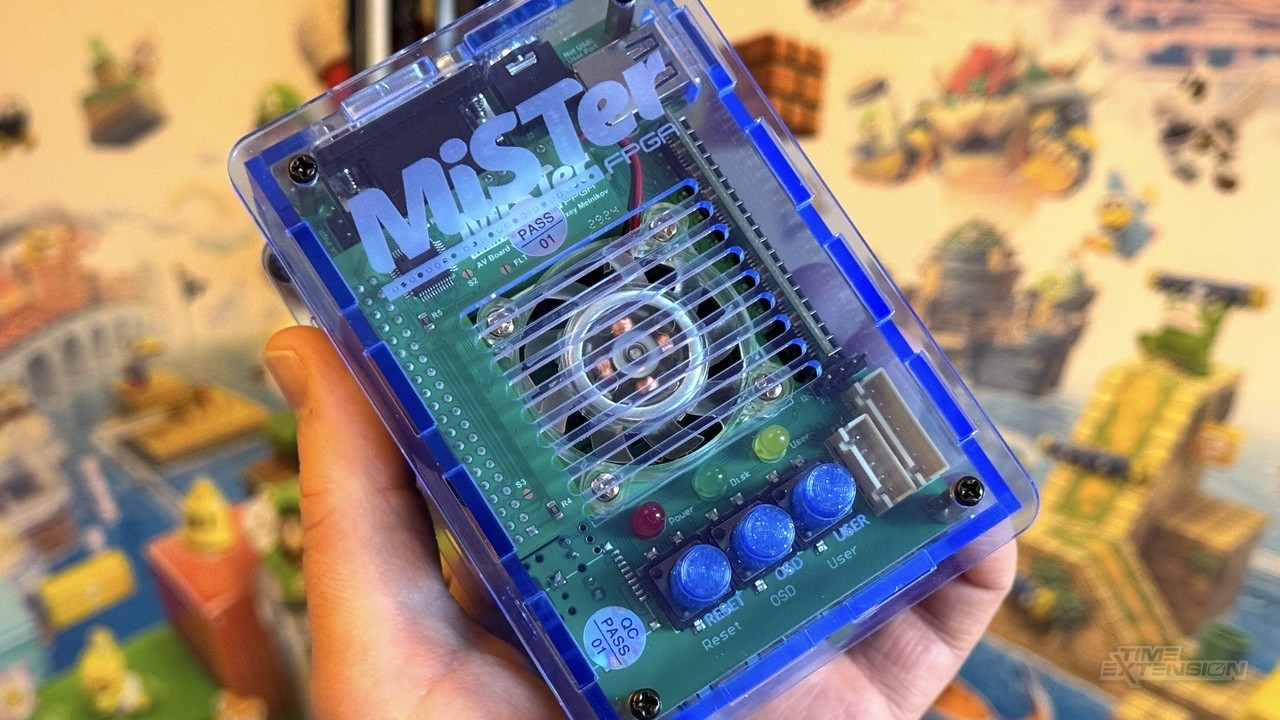
You can tell he got a review sample if you consider QMtechs board was first to market, similarly priced, first to add integrated SDram and is an open source design unlike Takis ...
Time extension on the ball as usual
slow skiff
dense umbra
You can tell he got a review sample if you consider QMtechs board was first to m...
I can't understand if it's a good or a bad thing, or what this comment was in support or not of Mister Pi lol... I'm probably too noob to get the nuances.
dense umbra
Don't worry Time Extension is just a repeater site with very little content and this article is just a feeler to make sure he gets review units of Takis other future products
Merry Christmas 🎁
slow skiff
dense umbra
Don't worry Time Extension is just a repeater site with very little content and ...
Oh I see... damn, I want free review units too hahaha (jk, I am sure I will be barely able to run my unit ONCE IT FREAKING GETS HERE)
I've followed Mister project for 4-5 years, so have general familiarity to the overall concept, but never made the jump until the cloners came out... but it's been stuck in delivery and then customs hell for almost 1.5 months now (Canada's Post Office was on strike, and I foolishly picked 4PX to save a few bucks)... SUPPOSEDLY it will get to me by the end of the week though... I'm sure I'll have plenty of questions once it gets here.
dense umbra
4PX is usually pretty good but it is silly season
slow skiff
dense umbra
4PX is usually pretty good but it is silly season
Compounded by the fact that our national postal went postal for a month... only went back to work since last Tuesday
dense umbra
The DE10 Nano was a much better price up until early 2021 around £95+vat
slow skiff
dense umbra
The DE10 Nano was a much better price up until early 2021 around £95+vat
MMhmm... I almost pulled the trigger a few times, but it's always been ONE or ANOTHER component that was in short supply... and when everything became more stable around 2022... DE-10 Nano went bananas price-wise
Mister Pi and other cloners’ draw, plus PSX and N64 cores being more mature was… strong enough for me to finally bite the bullet and do it
dense umbra
Yeah and it will only get better with Takis custom consoles and handheld
The flagship console is the interesting one as MiSTer is supposedly only 1/3 of the product
slow skiff
Yeah still can’t believe they were not overhyping, and actually fully delivered on all their promises and more… I had the “this is too good to be true” kind of reaction, which is why I’m on Batch 2 instead of jumping onboard immediately
 untold python
Have a problem with my MiSTer Pi. Have a DualSense (ps5 controller) and switch controller pro attached, both wired, via usb.
Seems that the Pi can only power one of the two. The DualSense loses connection as soon as I plug the Switch controller. Also, even if I only attach the DualSense, it disconnects sometimes. Even after replugging it won't anymore. Only after a hard reboot it works again. Any thoughts?
I use this power adapter:
https://www.amazon.nl/-/en/GeeekPi-Raspberry-5V-4A-Adapter/dp/B0CF44S2HG

Specifications: Input Maximum power: 100-240V 50/60Hz - Output: 5V 4A - Extended cable: 120cm - Connection size: Standard micro USB connector Technical specifications: with TÜV, RoHS, GS certification and CE certification For Raspberry Pi 4 Model B Package includes: 1 x 5 V 4 A EU Power Supply 1 ...
faint dune
I can test it later today. You’ve tried different port combos, I imagine.
untold python
Great thanks. Yes I have, but same result
faint imp
untold python
Have a problem with my MiSTer Pi. Have a DualSense (ps5 controller) and switch c...
Make sure you don’t use the USB-A from the Pi itself
untold python
Yeah am aware of that, I only use the 6 usb-A's on the long edge
faint dune
untold python
Have a problem with my MiSTer Pi. Have a DualSense (ps5 controller) and switch c...
Can confirm that there is something about those two controllers on the mister Pi. my dual sense is very tempermental, even without plugging the other controller in
I can't test on a real de10nano because i have a bunk retrocastle USB hub and my mister addons de10nano is buried in the av rack
But on my QMtech stack, both can be connected via USB without issue
annecdotally, when plugged into a usb hub on my retrocastle de10nano (which is the only way to get the usb hub board to recognize most USB devices), dual sense does the same thing as when plugged into a mister pi. Feels like a power issue.
thanks for coming to my ted talk
untold python
Cool thanks for testing. I have a de10 nano, so will run some tests soon and report. Also will try other controller combo's
cinder crane
dense umbra
Don't worry Time Extension is just a repeater site with very little content and ...
knowing what I know, you’re 100% on point lol
zinc spoke
*en pointe
slow skiff
zinc spoke
*en pointe
 slow skiff
zinc spoke
*en pointe
slow skiff
zinc spoke
*en pointe
He was actually using the correct term hahahaha
You confused me for... a minute, thinking I used it all wrong my entire life.

🤣
Enough that I had to run to search bwahaha
zinc spoke
Well, there's a fair bit of overlap, actually. I think people just default to "on point" because the meaning is a bit broader.
slow skiff
zinc spoke
Well, there's a fair bit of overlap, actually. I think people just default to "...
There's zero overlap, unless you're saying that a ballerina's "en pointe" is "on point" hehe
zinc spoke
The design of the room was en pointe. Every detail was perfectly harmonized.
This would be an example of overlap
slow skiff
zinc spoke
This would be an example of overlap
No, that means the room is on STILTS, the author used it wrong lol
zinc spoke
No, it's meant to convey grace/poise/precision
slow skiff
zinc spoke
No, it's meant to convey grace/poise/precision
Still not an overlap though, it means elegant.
While On Point is "well put together" not necessarily "elegant"
zinc spoke
Are you seriously trying to argue that language is that precise that there's no overlap? 'cause BS
slow skiff
But I'll concede that there are very slim overlap hah
slow skiff
zinc spoke
Are you seriously trying to argue that language is that precise that there's no ...
Dude, just typing a reply hah
Argument still stand though, the statement by Robby can't be used with "en pointe"
zinc spoke
One could make an argument, but it's certainly not appropriate for me to correct him
slow skiff
Though, I would love to see @cinder crane be en pointe hehe
zinc spoke
I thought there was also a fencing reference in there somewhere, and there may be one that's adjacent, but I"m not finding a reference, so... 🤷
slow skiff
zinc spoke
I thought there was also a fencing reference in there somewhere, and there may b...
That's true, but I can't remember if it's en point or en pointe and I can't search now since I'm about to drive to a (shudder) dinner at the in-laws
zinc spoke
Eh, beats being alone like I am today. Daughter with the ex
slow skiff
zinc spoke
Eh, beats being alone like I am today. Daughter with the ex
Honestly prefer to be alone than be at in-laws hah
Grass always greener on the other side obv
zinc spoke
slow skiff
Honestly prefer to be alone than be at in-laws hah
Would you prefer not to be married?
slow skiff
zinc spoke
Would you prefer not to be married?
Thought has occasionally crossed my mind, then I remembered that I then wouldn’t have my son… so that thought was fleeting haha
zinc spoke
slow skiff
Thought has occasionally crossed my mind, then I remembered that I then wouldn’t...
If you ever think that, figure out why and work on it or you'll end up either miserable or alone
slow skiff
zinc spoke
If you ever think that, figure out why and work on it or you'll end up either mi...
Naw, it’s mostly the in-laws hah, and I’m sure my wife thinks the same for my parents heh
vital mica
untold python
Have a problem with my MiSTer Pi. Have a DualSense (ps5 controller) and switch c...
I have a Kong 2 I got for Switch that seems to work OK even with what I guess is a weak supply. Old standard Samsung phone charger. I wonder what it is about the pro controller. I had some issues but it was fixed by changing what one of them thought it was.
Also thanks again to the folks who pointed out the fan speed fix. So much quieter and still seems to run pleanty cool
cinder crane
slow skiff
Though, I would love to see <@314946127487172609> be en pointe hehe
En garde! 🤺
slow skiff
cinder crane
En garde! 🤺
Can you put on some ballet hard shoes please? 
untold python
faint dune
Can confirm that there is something about those two controllers on the mister Pi...
Ok ran some tests on de10.
Plugged in two switch controller pro's, one dualsense (ps5) and dualshock 4 (PS4). Works perfectly fine when playing super Bomberman 2 on SNES core (with multitap).
Then tested on the Pi. Replaced GeekPi adapter with power switch for a normal Samsung power adapter that outputs 5v2a. And all works fine then as well with four controllers.
Lastly tested again with GeekPi adapter. The two Switch Pro controllers plus DS4 work fine together, but somehow the DualSense can't draw enough power it seems. As I said not even when it's the only controller attached. Then it works most of the time, but still turns off sometimes
Conclusion, problem probably stems from the GeekPi adapter. While in theory it should be sufficient looking at the specs
faint imp
The on/off switch of the GeekPi is probably the culprit
These tend to cause voltage drop for some reason
untold python
Ah right expected something like that. Do you reckon it is still safe to use with the Switch Pro controllers and DS4? Or rather stick to the Samsung adapter
faint imp
It should be safe to use it with works with it.
Have you considered using a BT adapter with it?
There are good cheap ones that work with several controllers simultaneously
untold python
Yeah I have used the BT adapter (BT/wifi combo) that came with the first batch. But noticed some connection drops at times to the point it gets annoying. Also I use the Pi at a flatscreen which has some lag of itself already.
But perhaps you know a good BT adapter that supports multiple controllers?
faint imp
I just found this on AliExpress: $3.53 | 600Mbps USB Bluetooth 5.0 Wifi Adapter Dual Band 2.4G 5G Wi-Fi Dongle Antenna USB Ethernet Network Card Receiver for PC
https://a.aliexpress.com/_mKTtppD
Get the one with the antenna
It’s super cheap and surprisingly good
untold python
Looks good, thanks!
dire kindle
I was just catching up on some retrorgb videos and thought bob was a little harsh here, just because Taki didn’t change the name 
 wary turret
Yeah I stopped watching Bobs content after a few weird biased things like this over the last couple years or so. It’s fine he isn’t the news and doesn’t have to be unbiased or avoid shilling but I don’t have to watch it either
dire kindle
wary turret
Yeah I stopped watching Bobs content after a few weird biased things like this o...
Agreed, I bought a Mister Pi because it’s a mister fpga device, who really cares about the name. I’m sure Taki is that busy he doesn’t always remember what he says…
wary turret
Oh my opinion is also the name is very dumb 😜 But I don’t think that means Taki can’t be trusted. I mean I wouldn’t go to him first for name ideas
dire kindle
wary turret
Oh my opinion is also the name is very dumb 😜 But I don’t think that means Taki...
Couldn’t have said it better myself, I don’t have my mister pi yet but outside of here it will be known as mister fpga 🤣
wary turret
Yeah we should normalize dropping the pi before people start calling all misters mister pi
The only reason to mention the pi part is for IO board questions really
Just like any mister hardware variant
dire merlin
I do like when he did a twitter poll for the new name and then didn't change the name. and I'm not even being sarcastic there
a masterclass in 'yall need to stfu' twitter engagement
dire kindle
dire merlin
I do like when he did a twitter poll for the new name and then didn't change the...
What was the name people preferred in that poll?
dire merlin
I don't remember
dire kindle
dire merlin
I don't remember
I prefer the mister pi name, “ I don’t remember “ seems too long
dire merlin
partial to SuperSPGA myself
wary turret
That name is up for grabs now that Sega is super cool with the project
faint imp
dire kindle
I was just catching up on some retrorgb videos and thought bob was a little hars...

Bob ☝️
winged summit
dire merlin
I do like when he did a twitter poll for the new name and then didn't change the...
Here in Spain we got a referendum to see if we wanted to be part of NATO, “no” won and goverment said “oh well, we are going to join NATO anyway” 😂
faint dune
untold python
Ok ran some tests on de10.
Plugged in two switch controller pro's, one dualsens...
ahh, yeah, I bet thats the problem on mine (the inline switch)
rich skiff
New mister pi user here. What do i have to do with the ini file when playin on a crt?
dire merlin
oh no, it got another one
faint dune
 rich skiff
New mister pi user here. What do i have to do with the ini file when playin on a...
rich skiff
rich skiff
New mister pi user here. What do i have to do with the ini file when playin on a...
 dire kindle
Make a backup because I might be totally wrong as I don’t have a mister pi yet ☺️ I just grabbed this from the ultimate mister vga cable product page
 patent knoll
rich skiff
New mister pi user here. What do i have to do with the ini file when playin on a...
patent knoll
rich skiff
New mister pi user here. What do i have to do with the ini file when playin on a...
Use one of these .ini files depending on your output
https://github.com/misteraddons/mister_ini/tree/main/Analog Video
Svideo or composite will need a special VGA to YC adapter
rich skiff
What ini file?my crt got scart output and i usr a vga to scart cable with the mister
I thought i have to set a 0 to 1 in the ini file and thats it u know
patent knoll
RGB? Then this one:
https://github.com/misteraddons/mister_ini/tree/main/Analog Video/RGB
rich skiff
Should i delete the old ini file on the sd card and replace it with the new one?
cinder crane
rich skiff
Should i delete the old ini file on the sd card and replace it with the new one?
That’s usually easiest but maybe make a back up first incase you lose any settings you forgot about wanting to keep.
Whenever the ini gets updated, you have to manually add it yourself. Which isn’t often but it’s something to be aware of.
rich skiff
Ok
cinder crane
As to why we don’t update it automatically, it’s because there’s no real way to append and merge changes. And replacing the ini for the user would be real bad since they’ll lose any custom changes.
dire merlin
to be clear there's no need to bother keeping track of ini changes
rich skiff
patent knoll
RGB? Then this one:
https://github.com/misteraddons/mister_ini/tree/main/Analog%...
 crude kernel
PS1 snac should be here soon, pretty excited to try it with tapto. I believe that should make it so that no controller will be required

for gun games
tardy hornet
I've been using the PS1 classic controller lol
Speaking of PS1.... Noticed that the image is slightly to the right? Anyone else have this issue?
cinder crane
I have a special announcement to make!
Thanks to @faint imp I am now part of the Mister Pi club!


Well, temporarily lol. Going to get this set up and ready for my friend’s Christmas + Birthday present!
Ok how do I install Rapsberry Pi OS on this thing?
crude kernel
tardy hornet
Speaking of PS1.... Noticed that the image is slightly to the right? Anyone else...
Yeah I noticed that too, more noticay than other cores
 tardy hornet
Nice
tardy hornet
crude kernel
Yeah I noticed that too, more noticay than other cores
wonder whats going on 🤔
its the only core so far ive run into this issue with
faint dune
like the image is shifted right and not centered on non 4:3 screens?
faint dune
HDMI? I can check it out when I'm back home
crude kernel
faint dune
like the image is shifted right and not centered on non 4:3 screens?
I noticed it on my CRT, so no HDMI here. Using analog and it's set to 4:3.
Definitely depends on the set, I have to constantly tweak the apple monitor I have.
But even on my JVC d series, the right side is cut, not much but it's noticable. Other cores are fine

 cinder crane
what's a good test for dual ram, I mean besides memtest? Is it loading up VF2 on the Saturn core?
faint dune
cinder crane
what's a good test for dual ram, I mean besides memtest? Is it loading up VF2 on...
Anything on the jaguar.
cinder crane
faint dune
Anything on the jaguar.
oh haha, of course. Good point.
faint dune
Get those inserts out
zinc spoke
Neat. I haven't been putting the console on my cards... but that's because the templates on the designer site don't have all of them and I've been too lazy to try to improve on that. 😛
cinder crane
faint dune
Get those inserts out
Ok you're my Mister Pi guy, now. Or maybe I said that already I don't know. You're the guy with the knowhow.
For testing analog out, just plug in headphones and that's it?
audio out
faint dune
Yeah. Try shadow of the beast 2 on mega cd and the parasite eve intro to test if you won the silicon lottery
cinder crane
weird, what happens with those games?
faint imp
Shitty audio for some setups. You'll notice right away.
Lots of cracklings and other distortions
cinder crane
ok cool, thank you!
dire merlin
is this a misterpi thing or a new i/o board thing?
crude kernel
sharp pulsar
Those look awesome. What printer are you using? Mine turned out just okay, I don't have a printer so I used my mom's lol
 cinder crane
The default build given to Mister Pi owners includes images from my wallpaper collection. That's pretty flattering.
I didn't make those images and I don't think the samurai shodown wallpaper is actually from samurai shodown LOL
I did AI upscale the images and cleaned them up as much as I could to remove jpeg crud though.
zinc spoke
Huh. Interesting.... The MiSTer Pi version of MiSTer.ini doesn't have vga_mode or ntsc_mode. Anybody here using S-video or Composite on their MiSTer?
civic badge
cinder crane
I did AI upscale the images and cleaned them up as much as I could to remove jpe...
How do you AI upscale??? Is that in Photoshop or something???
faint dune
he asks Siri
tardy hornet
faint dune
HDMI? I can check it out when I'm back home

no idea why its shifted right
cinder crane
civic badge
How do you AI upscale??? Is that in Photoshop or something???
I type in “free ai upscale” into google and go through a few sites until I find a good one. No, I’m not joking,

 dull gull
Yes this happened when I ran a pal wipeout with forced ntsc
faint dune
I'll test it on my tink4ked mister as soon as I am done with this documentation
gentle remnant
zinc spoke
Huh. Interesting.... The MiSTer Pi version of MiSTer.ini doesn't have vga_mode ...
add them if you need them. You can also get a fresh ini file from mister github. I just saw it recently. didnt bookmark it but i see this in my history
https://github.com/MiSTer-devel/Main_MiSTer/blob/master/MiSTer.ini
hope this is relevant
tardy hornet
Ah yes documentation my worst enemy
tardy hornet
If I'm not working on projects I'm documenting them and it feels like documentation takes up more time than the actual work lol
gentle remnant
zinc spoke
Yeah, I added them, it's just weird.
there are a few quirks on taki's settings but it was a great place to get going
zinc spoke
My best guess is that it's based on an earlier fork or something? My concern is that it was explicitly removed because of something weird, but... I guess I'll find out.
gentle remnant
maybe he figured less to mess up for us newbs
why the dialog file was corrupted and not fixed ? Busy person
faint dune
De10nano > retrotink4k.
So yeah, looks like it’s a thing

I mean a thing not limited to the mister pi
tardy hornet
faint dune
I mean a thing not limited to the mister pi
thanks... now its just how to fix it lol
faint imp
zinc spoke
My best guess is that it's based on an earlier fork or something? My concern is...
Generally there’s not a big of an issue if you don’t have a setting explicitly in the .ini as the defaults are generally good ones
faint dune
I dunno what I’m looking at :/. I drive a minivan
tardy hornet
faint dune
I dunno what I’m looking at :/. I drive a minivan
the video glitch when switching between vehicles
vital mica
I didn't notice until you pointed it out
faint dune
Oh the one when you flip to the golf r?
tardy hornet
yea
happens on the citroen too
It's not consistent either... It just happens randomly while cycling through vehicles
faint dune
what game? I will look right meow
faint dune
oh its gt2
I can't reproduce on the pal version (although this game is weirdly left justified?)
faint dune
i can't reproduce on either revs
although this is a different mister. are you doing direct video?
tardy hornet
nope
faint dune
ill try again
tardy hornet
restarted and cant reproduce now...
faint dune
computers.
faint dune
yeah, I dunno what's happening there. Maybe Zakk or Robert know why that's happening
faint dune
ahh
cinder crane
What’s the front usb for on the mister pi, the other one
zinc spoke
What, on the main board?
It's the regular peripheral port, unless you have the USB hub board mounted below it, in which case it's... decorative? 😛
cinder crane
zinc spoke
What, on the main board?
Sorry; this guy:
 zinc spoke
Yep, that's the one.
The pins that go into the hub board are essentially just hijacked from that port.
Takes it over.
cinder crane
Oh wow
zinc spoke
So, in your stack.... yeah, decorative. 😛
cinder crane
cinder crane
zinc spoke
So, in your stack.... yeah, decorative. 😛
Thank you for the answer
zinc spoke
I mean, on a regular MiSTer you'd just have an adapter plugged in there, so....
This is.... an improvement?
I printed a case that just covers that port over
zinc spoke
You mean the one that says "UART"?
zinc spoke
Oh, I think that's just to provide compatibility with the regular DE-10 Nano
cinder crane
zinc spoke
Oh, I think that's just to provide compatibility with the regular DE-10 Nano
Ok cool, thank you again!
zinc spoke
I feel like there should be a wiki page somewhere. Probably is. Somewhere.
The video overview goes over a lot of it, which is nice
tardy hornet
i think there should be a mini guide somewhere on case assembly so people stop asking.... Or at least so when asked we can give a relevant link...
zinc spoke
I think some people just do better with schematics. Might not have the patience to watch a video.
cinder crane
but what if I’m lazy
gentle remnant
tardy hornet
~~i think there should be a mini guide somewhere on case assembly so people stop...
heh, it took me longer to put the case on than it did to get up and running
i finally used stickers and layed it all out. somehow i kept getting things flipped
think it took 5 tries
sharp pulsar
crude kernel
Those look awesome. What printer are you using? Mine turned out just okay, I don...
Epson 16600, usually launchbox db has good images
vital mica
gentle remnant
heh, it took me longer to put the case on than it did to get up and running
This is the case for me 100% by Crom was the case a pain in the freaking ass where as the unit assembly a cakewalk
 whole tangle
My fan was super loud, I had to switch it over to 3V anyone else experiance Jet turbo fan noise with the arcylic case ?
faint dune
yeah, a bunch of folks. swapping the jumper should be in taki's quick start guide
 swift hazel
Nope, mine has been super quiet, no problems at all
Oh, if that was in the quick start guide then I probably did that from the start tho, oops, my bad
cloud estuary
whole tangle
My fan was super loud, I had to switch it over to 3V anyone else experiance Jet ...
Just got done swapping it, I was commenting how it reminded me of my old CPS2 fanwhine
gentle remnant
whole tangle
My fan was super loud, I had to switch it over to 3V anyone else experiance Jet ...
so quiet I dont even notive it running
whole tangle
@gentle remnant My buddies is silent at 5V too. Mine is louder than my Xbox series X playing Indy.
vital mica
My series X is completely silent but the 5V MiSTER Pi was anything but very glad I flipped it down
gentle remnant
whole tangle
<@690728252184068136> My buddies is silent at 5V too. Mine is louder than my Xb...
now thats loud
cursive crypt
cloud estuary
Just got done swapping it, I was commenting how it reminded me of my old CPS2 fa...
Swap it back and you can tell everyone that not only is your CPS2 core cycle accurate but it is also sound accurate right down to the fan
dull gull
I swapped it too
cinder crane
I placed a heatsink on the FPGA chip and lowered the fan speed.
crude kernel
I must deaf because it doesn't seem that bad
whole tangle
I was definitely thinking a heat sink is my next upgrade. Any recommended Amazon links?
cinder crane
Any garbo heatsink will do
vital mica
So far my MISTER Pi has never even pushed out warm air. No idea why it needs a fan but maybe that is because I am running older stuff
cinder crane
The FPGA is rated to run at high temps so cooling is more of a placebo and vendor CYA. But I still recommend people do a fan or heat sink or both because it’s so cheap.
Might as well
cloud estuary
While I had the case half apart to change the fan jumper I “fixed” my VGA port issue

Whittled it out a bit with a pocket knife and not my chonky cable fits
zinc spoke
I suppose that's one way to do it.
crude kernel
cloud estuary
Whittled it out a bit with a pocket knife and not my chonky cable fits
I'm not really a huge fan of this case at all, it feels pretty cheap compared to the 3d printed one from retro frog.
However, I'm probably just salty that only turbos were available for the PayPal sale. I would have preferred the mega pack instead!
 glossy dune
Same here, but I'm just happy to be running update_all again for the first time in ages.
crude kernel
I was debating cloning my other misters SD card but I'm not positive what I want to do with this one.
I have a cab that was set up for a vertical game (game was removed but the controls are crt and still in it). I might just keep it for vertical games
vital mica
cloud estuary
Whittled it out a bit with a pocket knife and not my chonky cable fits
This is what a dremel is for 😝
cloud estuary
Pocket knife was in reach : )
cinder crane
I wish I had a dremel
 runic pecan
just take the jug off a blender
 sacred flint
cinder crane
I wish I had a dremel
sacred flint
cinder crane
I wish I had a dremel
guess you'll have to wait till christmas next year
vital mica
They are pretty damned handy.
gentle remnant
patent knoll
I've got a working save file for Rondo. I can check it out later.
Only thing I ...
deleted all my save data that was related to that game and now it saves perfectly. thanks!
crude kernel
I have a little bit of screen tearing at the top after messing around with wallpapers.

Or should I use this classic 😅
 wary turret
crude kernel
I have a little bit of screen tearing at the top after messing around with wallp...
wary turret
crude kernel
I have a little bit of screen tearing at the top after messing around with wallp...
That looks more like vertical foldover or a sync issue
crude kernel
wary turret
That looks more like vertical foldover or a sync issue
My other mister doesn't have that issue. I could just copy the ini and see if anything changes
wary turret
crude kernel
My other mister doesn't have that issue. I could just copy the ini and see if an...
Maybe because of some video mode setting to show wallpapers got some weird sync/timing issue
What do you have it set to for [menu] assuming you did an override for wallpaper
crude kernel
Let me check quick
@wary turret I think this is what I used, I'm not home right now
[menu]
vga_scaler=1
fb_terminal=1
video_mode=320,8,32,24,240,4,3,16,6048
I need to look up how to get into the service menu too though, could just be the tv
crude kernel
"1280,32,128,96,240,4,3,16,24238"
That seemed to be the magical mode list
slow skiff
Didn’t realized that batch 2 turbo pack is fully assembled lol
 slow skiff
Took the tools and stuff out too, oh well lol
And here I thought “Finally, I have a chance to use these overpriced ifixit tools”
Just arrived this morning, but wife wants me to do cleaning now apparently… sigh
dull gull
Lol I did the exact same thing
wary turret
crude kernel
<@753205889053491230> I *think* this is what I used, I'm not home right now
I’d simply it with the new style video mode config:
[Menu]
video_mode=320,240,60
vga_scaler=1
chilly shale
slow skiff
Didn’t realized that batch 2 turbo pack is fully assembled lol
what? thats half the fun of getting a new mister, shame on him
keeping all the fun to himself
slow skiff
dull gull
Lol I did the exact same thing
Time to do the dreaded update_all bwahaha

So, I don’t need the snac level adjuster if I just want to plug a snes controller into mister, I can use the snes adapter directly into one of the usb ports on the bottom right?
 patent knoll
Top USB 3.0 only
slow skiff
Heh, 40million wallpapers
slow skiff
patent knoll
Top USB 3.0 only
Trying to be clear, I know if I want to use snac I have to use the user port, but can I plug the snes thing directly into the usb in the bottom and use it that way?
Without the snac level adjuster thing
Noob be full of noob questions sorry
patent knoll
Nope - SNAC is wired to serial only, not USB. It just uses the form factor
The SNES SNAC will only work on the SNAC port, and only with the SNES core
slow skiff
I see, so it HAS TO work this way?
 slow skiff
patent knoll
The SNES SNAC will only work on the SNAC port, and only with the SNES core
slow skiff
patent knoll
The SNES SNAC will only work on the SNAC port, and only with the SNES core
Oh it’s not a generic snac?
patent knoll
There is no generic SNAC. It's serial native and talks directly to the FPGA core, like a real controller
Each controller needs its own SNAC adapter
patent knoll
Correct - only the native core can talk to it
You can use any generic USB controller with any core though

 faint dune
Don't use the snac adapter without the level shifter
patent knoll
Does your TV have an aspect ratio setting for 'just scan'
slow skiff
faint dune
Don't use the snac adapter without the level shifter
Yeah understood, it’s just a form factor
faint dune
slow skiff
Yeah understood, it’s just a form factor
Sorry, discord hadn't scrolled for me
Save has you covered
slow skiff
patent knoll
Does your TV have an aspect ratio setting for 'just scan'
That’s why I had the 3:4 set on the second picture, the signal is cut off apparently
patent knoll
Try the latest default .ini
https://github.com/MiSTer-devel/Main_MiSTer/blob/master/MiSTer.ini
update_all does not update the .ini file
patent knoll
slow skiff
Hmm update_all is faster than i expected
Did you turn on the bios and arcade rom getter in the update_all settings?
zinc spoke
slow skiff
I see, so it HAS TO work this way?
The way those work is essentially a direct pin mapping of the controller ports to the USB port... Technically you don't HAVE to have the level shifter for the SNAC to work, but the voltages will be off and that can cause problems over time. You have to think of SNAC as just using the USB port as a convenient connector, sort of how some other SNAC adapters use HDMI.
slow skiff
patent knoll
update_all does not update the .ini file
I see thanks
slow skiff
patent knoll
Did you turn on the bios and arcade rom getter in the update_all settings?
I think so lol
slow skiff
zinc spoke
The way those work is essentially a direct pin mapping of the controller ports t...
Yeah I remembered, I’m just more confused on the ones included in Batch 2
zinc spoke
Why, though?
slow skiff
patent knoll
Did you turn on the bios and arcade rom getter in the update_all settings?
It only took, I think 20min? Maybe less? Wired ethernet tho
slow skiff
zinc spoke
Why, though?
I mean, it comes in 2 parts so I was confused, I got it now though haha
zinc spoke
Well, you can reuse the level shifter for NES and Genesis I think.
patent knoll
aw yeah - wired will blast through it
zinc spoke
Though I suppose there are some that just wire them together.
slow skiff
Side note, if I hard reboot, do I have to re-pair the dualsense on Bluetooth? It won’t control the menu OSD unless I do, or again, did I do something wrong?
 zinc spoke
Well, it's more... shifting the 3.3v up to the 5v the controller wants
patent knoll
PSX and N64 are already 3.3v
zinc spoke
Controller's not generating voltage. 😛
slow skiff
Also… is it supposed to always to be… this festive? lol
zinc spoke
MERRY CHRISTMAS
slow skiff
And, what’s the difference between the 3 PSX cores?
 patent knoll
no down - the MiSTer SNAC IN is 3.3v and the controllers get 5v from the DE-10 power pin.
slow skiff
zinc spoke
MERRY CHRISTMAS
It’s NOT just for Christmas… right? lol
patent knoll
Then that outputs to the SNAC port
faint dune
slow skiff
And, what’s the difference between the 3 PSX cores?
is that on the included card?
zinc spoke
Oh, that's interesting....
slow skiff
faint dune
is that on the included card?
Update_all victim lol
faint dune
slow skiff
Update_all victim lol
that shift core was never on update all
that smells like taki's test bench sd card
dire merlin
it's in the 'offline stock' repo
zinc spoke
I was wondering about that shift240 one myself
dire merlin
which is what he uses to build the sd card, I assume
zinc spoke
Guess there's no harm in nuking it, eh?
slow skiff
faint dune
that smells like taki's test bench sd card
Ok….
faint dune
slow skiff
Ok….
its fine, you can just delete the shift core and the one from april
slow skiff
I did built it from his instructions
slow skiff
No clue, because the card that comes with it was only 64gb, and I just freshed a 1T
zinc spoke
Do you just have to remove the rbf?
slow skiff
zinc spoke
Do you just have to remove the rbf?
Huh?
faint dune
yeah. just go into the /media/fat/_consoles folder and delete PSX_shift240.rbf and PSX_20240418.rbf (Im guessing on the names but they will be similar to that)
patent knoll
anything with an _ will show up the mister menu
cursive crypt
crude kernel
I have a little bit of screen tearing at the top after messing around with wallp...
What input are you using on the TV?
slow skiff
patent knoll
anything with an _ will show up the mister menu
I see, but too lazy to pop the card out RIGHT NOW anyways
dire merlin
and the reason update isn't deleting some of those cores is because the repo contains a downloader.json that doesn't match some of the cores
slow skiff
dire merlin
and the reason update isn't deleting some of those cores is because the repo con...
Makes sense
patent knoll
slow skiff
I see, but too lazy to pop the card out RIGHT NOW anyways
For the lazy I recommend turning on FTP and SSH
slow skiff
patent knoll
For the lazy I recommend turning on FTP and SSH
Yup that’s is the ultimate route, and put all the roms in a Nas or something… projects for another day
Side question for WIFE… that Bust-A-Move puzzle bubble game… she SWEARS she used to play that in arcades, but I can’t seem to find it in the arcade cores
patent knoll
cool - just turn them on via scripts (the FTP and SSH scripts should get pulled with update_all. can't remember if you toggle that)
slow skiff
patent knoll
cool - just turn them on via scripts (the FTP and SSH scripts should get pulled ...
I did, the arcade cores are very populated
patent knoll
slow skiff
Side question for WIFE… that Bust-A-Move puzzle bubble game… she SWEARS she used...
NEOGEO
slow skiff
patent knoll
NEOGEO
Arcade?
patent knoll
slow skiff
I did, the arcade cores are very populated
oh sorry - meant there are scripts to enable FTP and SSH (and SAMBA and CIFS)
neogeo is it's own core and you load roms like a console
slow skiff
patent knoll
oh sorry - meant there are scripts to enable FTP and SSH (and SAMBA and CIFS)
Ah yes, thanks lol
patent knoll
slow skiff
Ah yes, thanks lol
you should have them but just in case they are here:
https://github.com/MiSTer-devel/Scripts_MiSTer/tree/master
slow skiff
patent knoll
neogeo is it's own core and you load roms like a console
Hmm console are not loaded
slow skiff
patent knoll
you should have them but just in case they are here:
https://github.com/MiSTer-d...
Hmm that’s WAY MORE scripts than I have
patent knoll
slow skiff
Hmm console are not loaded
it should be just above NES
slow skiff
patent knoll
NEOGEO
So for NeoGeo, I have to “find them” somehow, and then um “load them” after cores, got it
slow skiff
patent knoll
it should be just above NES
I mean the GAMES are not grabbed lol
Which makes sense obv
patent knoll
you will need to download the neogeo roms elsewhere. They won't get pulled via update_all
slow skiff
patent knoll
you will need to download the neogeo roms elsewhere. They won't get pulled via u...
Yeah that’s what I gathered
Arcade itself is more about preservation
patent knoll
you should have the neogeo bios at least
people do have some problems sourcing a good neogeo rom set, so make sure you get one people have confirmed works with the MiSTer
crude kernel
@cursive crypt component, that's on an alt ini. The main us for a combined sync RGB monitor
slow skiff
patent knoll
you should have the neogeo bios at least
people do have some problems sourcing a...
Shrug, it's all good ultimately, just trying to satisfy wife lol

Spent the last 30min messing with 19XX with son, that was a blast
slow skiff
patent knoll
you should have the neogeo bios at least
people do have some problems sourcing a...
NEOGEO can be loaded in ZIP form or not?
Or do I have to unpack them
Oh well doesn't take long to test anyways
huh, inside the zips are c1 c2 etc... wow... they are by CHIPS?
cursive crypt
crude kernel
<@1022532040303849592> component, that's on an alt ini. The main us for a combi...
Awesome, I gotta get color wallpapers working
cinder crane
slow skiff
NEOGEO can be loaded in ZIP form or not?
Yeah it works with zips just fine
slow skiff
I’m so confused lol
patent knoll
slow skiff
I’m so confused lol
Check the core's github for some setup help
https://github.com/MiSTer-devel/NeoGeo_MiSTer
slow skiff
patent knoll
Check the core's github for some setup help
https://github.com/MiSTer-devel/NeoG...
the 2 "neo" files works, the others not so much, so contemplating with converting myself lol
crude kernel
Finally dialed in my printer for a half way decent print. Absolutely love the retro frog case

 faint dune
Todd makes good shit
 rigid eagle
I don't know why my USB Wifi/BT dongle and USB SSD don't work when plugged into these 2 ports on my MiSTer-Pi. Any ideas?
 faint dune
They are power only
The 6 on the side and the one below the Ethernet port are the data ones
crude kernel
Was the latest PayPal shipment supposed to come with a wifi/Bluetooth dongle?
I saw the snac but I forgot if the SD card was meant to subsidize the wifi option
faint dune
Dongle was the batch one exclusive iirc. You don’t really want that thing if you’re looking to use WiFi. It’s finicky
crude kernel
@faint dune I kind of guessed that. I haven't bought one because after initial setup, I don't really need to tweak it often enough to need wifi, I'll just hook it up direct
faint dune
If you decide to mess with WiFi, this dongle has been rock solid for me https://a.co/d/5g69kFb

TP-Link Nano AC600 USB Wifi Adapter(Archer T2U Nano)- 2.4G/5G Dual Band Wireless Network Transceiver for PC Desktop, Travel Size, Supports Windows (11,10, 8.1, 8, 7, XP / Mac OS X 10.9-10.14)
crude kernel
@faint dune just out of curiosity, is there any reason to go with the added Bluetooth if I don't intend on using it for controller pairing?
I'm just not sure if there is a Bluetooth addon that is a necessity other than controllers
faint dune
crude kernel
<@225003633668915201> just out of curiosity, is there any reason to go with the ...
Nah, just controllers. I’m not even sure if anything else pairs with Bluetooth. Could be wrong though.
dense umbra
BT is handy mouse and keyboard too
I share my PC mouse and keyboard with MiSTer
cinder crane
dense umbra
BT is handy mouse and keyboard too
I share my PC mouse and keyboard with MiSTe...
Sounds illegal 
dire merlin
yeah, I already notified the authorities
dire kindle
cinder crane
Sounds illegal <:eyes_squint:1142636656587980850>
I’ll tell you what’s illegal, no 3DO core 
dire merlin
3DO cores are banned by the geneva convention
zinc spoke

 unreal sonnet
Does anyone have a proper tutorial to assemble the acrylic case from Retro Remake?
faint dune
unreal sonnet
Does anyone have a proper tutorial to assemble the acrylic case from Retro Remak...
is the best we have
 cinder crane
I am having the greatest internal struggle to not make a deez joke right now.


 cinder crane
🙏😭 sorry!
unreal sonnet
its fine lol
unreal sonnet
it's complete!
 cinder crane
Very cool! Is that a HDD below?
faint dune
it's its chair
unreal sonnet
cinder crane
Very cool! Is that a HDD below?
no, it's a thunderbolt dock for my laptop
maybe one day though
cinder crane
That’s pretty cool
faint dune
Does the bios boot when you load the core?
tardy hornet
yea
AvP i get audio for a a moment and then nothing... then reset and i can hear the audio but no video
tried a variety of core builds
12 14 and 18
faint dune
Oh that’s…uh….normal. Try 13
I think that’s the one that works on my mister pi
The core is very temperamental because it’s still early in development
So two identical machines might need different versions of the core
Look for my post in the channel with the zip file. Unzip it to /media/fat/_jaguar and just try all of them until you find one that loads AVP
If it can load AVP, it almost assuredly will load anything else
tardy hornet
well trying 13
i got a line on the screen and then a freeze lol
so thats an improvement
faint dune
There are some in that zip that weren’t posted in the channel because kuba rolled a bunch to test with
tardy hornet
and same thing after reset
faint dune
Yeah, you’ll find one. I don’t think anyone has gone without finding one in that zip that boots AVP
faint dune
It’s just so sensitive to memory timings that you need to find one that lines up with your particular hardware
tardy hornet
i should find that dual ram test rbf just to make sure lol
though the dual ram saturn core works
so i can only guess my dual ram setup works
faint dune
If it boots the bios, your ram is fine
Don’t use the jaguar as a quality litmus test for your mister. It’s ridiculously temperamental
tardy hornet
oh no yea
i was hoping to mess with it but yea so far ever core i try has been the same
boots to audio only at best
faint dune
Yeah, audio means it’s real close
tardy hornet
uhoh
tardy hornet
faint dune
This is what they sent me
just curious if you use this what would cause regular memtest to fail
and now its fine? lol
well at least a game loads so at least im not crazy
 faint dune
no, you're definitely not crazy
most shit will probably load. Trevor McFur and AVP won't
but everything else will
slow skiff
Jaguar is pretty finicky even in physical hardware tbh, I still need to recap my old one eventually
Comparatively, the SNES was seemingly built like a tank (and looked like one too, at least with the NA version)
Side note, I plan to mess with Saturn a bit later this week. The one that comes with Turbo Kit in Batch 2 is a “two chip single ram” right? I’m slightly confused which it is, and mine came pre-assembled so I’m not inclined to open it up to see. Not that I really understand what I’m doing with that anyways. So if anyone has that answer ready on hand, it would be much appreciated.
dire merlin
it's single ram. just grab the latest saturn unstable single ram build and you're fine