#Mister Pi Users
1 messages · Page 8 of 1
 faint dune
in the actual menu core
so boot it up with the keyboard plugged in. hit esc. you should see the option to bind controller stuff in that menu
 manic fractal
Right on, Ill give that a go. Thanks!
faint dune
manic fractal
Right on, Ill give that a go. Thanks!

if you're using the 2.4g version of the m30, you want to make sure it's in xinput
 tardy hornet
faint dune
if you're using the 2.4g version of the m30, you want to make sure it's in xinpu...
tardy hornet
faint dune
if you're using the 2.4g version of the m30, you want to make sure it's in xinpu...
this is good to know
 dense umbra
Yeah I can see that causing issues tbh
We have already seen people plugging a SDram board into the Arduino header on the QMtech even though GPIO 1 is clearly labelled
And there will be people who will believe you can use dual SDram and a analogue IO board just because it has the header
 limber token
Depends all on what will happen if you do so. If there is no damage, it does not matter at all.
tardy hornet
Defo the season of shipping... Stuffs been sitting at the port for a while lol (not just the pi but some other mister related stuff I ordered)
Should still get it this week though.. hopefully
dense umbra
limber token
Depends all on what will happen if you do so. If there is no damage, it does not...
The other reason the header is pointless with onboard SDram, it will save a few pennies on the BOM
It would be interesting to see what happens with two SDrams on the same GPIO lines though
limber token
I am also waiting for mister related stuff. But i expect it near end of the year.
 delicate hazel
Hopefully the ram will be in stock next year, as I'd like to buy another ram module, maybe the mt32-pi and the Gameboy Link Snac adapter.
Then I think that's all for my Mister.
limber token
dense umbra
The other reason the header is pointless with onboard SDram, it will save a few ...
To leave the header on the pcb could increase the flexibility in the build process of the same pcb. Just decide to solder rams or not. This way you could produce 2 versions and got the option to produce for the demand.
dense umbra
limber token
To leave the header on the pcb could increase the flexibility in the build proce...
You just leave the header out on the pick and place machine.
The built on SDram version will be a better seller anyway, QMtech has already found this out
limber token
Qmtech's board without the ram was not really compatible enough to sell better i believe.
dense umbra
It was fine and worked just as well as the SDram board
The earlier cyclone V board wasn't any good though
The pricing will be interesting on the BGA board compared to the current offerings
In theory it could be cheaper depending on the price of the BGA chips
limber token
I think it could be produced cheaper, cause no extra QA, no extra PCB, no extra packaging, etc. But if it would be sold for less, we will see.
Only trouble is, if there a defects. The repair is much more complicated and more expensive to fix, cause it is bga and the pcb is equipped then.
dense umbra
There will always be a defect percentage though. I can't see adding a couple of BGA SDram chips making much difference
Even BGA parts are salvageable
limber token
True, but there is no fixing with the hand soldering we saw on the other pcb's. The defective rate seems low, but who knows what was found before shipping.
TBH, taki is the only one with a DE10 clone that act's 98% as a de10. If he offer only the new one with solderd rams, it will sell anyway.
tardy hornet
delicate hazel
Hopefully the ram will be in stock next year, as I'd like to buy another ram mod...
For me it was just the mt32pi and grabbed the RTC because why not... Might as well throw it on while I assemble it lol
delicate hazel
tardy hornet
For me it was just the mt32pi and grabbed the RTC because why not... Might as we...
Ooh, I didn't think of the RTC. Might get that too. But first I got server stuff to buy
limber token
I was thinking of the rtc too, but only to be able easier to do the small lcd screen. The pcb has the right solderpoints for it.
tardy hornet
Honestly it's kinda one of those situations where RTC is moot if you are always connected to wifi/ethernet
limber token
True, with internet you don't really need it.
tardy hornet
I thought about the screen too since like you mentioned it has the points right there for it lol
limber token
My problem was more where to mount the screen in the mms, i have no 3d printer yet.
tardy hornet
Yea kinda same here... I was going to have it sorta be on the side then realized I just want everything compact and contained as much... Don't want to turn it into the great octopus of wires
limber token
i would like to open my mms only one more time... 😂
delicate hazel
Oh and a Noctua fan, I forgot that. Il pick one of them up too. Then that's it I think. I got everything covered. I found out my 8Bitdo M30 via usb has pretty low input latency. So that's what il use for Mega drive etc stuff.
Just need to get an arcade stick
I was looking at the Mayflash F500 elite second hand. Sanwa parts, with a reported latency of less than 4ms I think?
8bitdo sell a wireless arcade stick but I think the reported latency was like 11ms
faint dune
it can work wired too I believe
delicate hazel
I wonder if the wired latency has been reported. Il have a gander
 faint dune
still the bluetooth champ
delicate hazel
 limpid jolt
https://rpubs.com/misteraddons/inputlatency
limpid jolt
https://rpubs.com/misteraddons/inputlatency
Thank you Tim, you was faster than me.
limpid jolt
you can rip out the encoder though and replace it with a Daemonbyte
delicate hazel
Yeah il probably stick with a second hand Mayflash F500 elite.
Then I think thats all the mister accessories id like to buy. (Maybe a GBA link port Snac if it ever exists)
tardy hornet
Always impressed with 2.4g considering the age and all lol
delicate hazel
tardy hornet
Always impressed with 2.4g considering the age and all lol
Yeah, if I remember correctly, the 2.4ghz mode on the 8bitdo Ultimate 2c is quite low.
tardy hornet
Yup
Probably gonna use my pro 2 wired though
I do have snes classic and PS1 classic controllers though... PS1 ones are USB but the SNES ones are that Wiimote port crap lol
delicate hazel
tardy hornet
Probably gonna use my pro 2 wired though
Wired has 5ms, 2.4ghz has 5.61ms
tardy hornet
delicate hazel
Wired has 5ms, 2.4ghz has 5.61ms
Pro 2 doesn't have 2.4
It's Bluetooth or wired sadly
Mmm that new brown colorway of the 2c is nice though
delicate hazel
tardy hornet
Pro 2 doesn't have 2.4
It does
Oh wait
I'm sorry
8bitdo naming has me confused
I was on about the 2C
 delicate hazel
Ooh translucent
limber token
I am ecited to test out the CRTLDock from Heber that will arrive soon. They proove about 0.7ms lag.
dense umbra
limber token
TBH, taki is the only one with a DE10 clone that act's 98% as a de10. If he off...
The QMtech works just as well and really has had less QC issues and was first to market
dense umbra
limber token
I am ecited to test out the CRTLDock from Heber that will arrive soon. They proo...
It's all Pi Pico based. The latency is the same as using Daemonbites which is around 0.74ms
Or GP2040 on a Pico
limber token
True, but the cool thing is that it has 4 ports and supports many types of input devices without to change the software or the cableing.
I have some smaller devices laying around here. They are fine for some single sticks, but often the software and the cable are used for only one kind of devices.
dense umbra
What Timville has done from a single Arduino is good with the 4daptor
You get three independent controllers off one USB.
The NES and SNES share lines though
limber token
Ok, don't know his project. But i have seen many forks for the Daemonbites.
dense umbra
I tend to only use old style joysticks for C64 and Amiga. It's odd trying to play them on a gamepad
limber token
I also concentrate on the 9 and 15 pin inputs first.
dense umbra
I want to try a Jaguar Daemonbite but the controllers are silly money these days sadly
limber token
True, some controllers are too expensive these days. And the age make them not even better.
 stray shore
Just received a fresh Mister Pi in my mailbox.
I will take a look today.
One day earlier than expected.
I try to test it like a new user which don't have any info/technical skills, just a simple user.
A brand new 8bitDo M30 2.4G pad have the directions detected but no buttons, I will need to remap it with a Bluetooth (+dongle) keyboard.
Maybe something to check with the SD card image and the configuration for future end-users.
Build seems solid, effective and just what the (non technical) end user could use after a first power on.
 dire kindle
Would this apple charger be ok for use with mister pi?

 cinder crane
dire kindle
Would this apple charger be ok for use with mister pi?
cinder crane
dire kindle
Would this apple charger be ok for use with mister pi?
Doesn’t the MiSTer Pi come with a power adapter?
genuine question, I just always assumed it did
stray shore
None.
That one point that I need to raise at a moment.
No HDMI, no power adapter.
So it needs some preparation beforehand to some end-users.
Otherwise, the release is solid.
dire kindle
I guess the problem with supplying a power supply is it would need adapters for different region wall outlets.
stray shore
Yes.
faint dune
dire kindle
Would this apple charger be ok for use with mister pi?
this should work, but I wouldn't plug in too many powered USB things
cinder crane
faint dune
this should work, but I wouldn't plug in too many powered USB things
Is the .1v over an issue?
faint dune
cinder crane
Is the .1v over an issue?
nah, I think most 5v things are actually 5.1
maybe>?
 winged summit
Isn’t the usbc port like autoadapting voltage, the problem being if you use a too high V charger more heat is dissipated? So 5.1v should be pretty Ok
 zinc spoke
There's always variance
Hopefully it doesn't get too crazy, but 5.1v should be fine I think
stray shore
I wasn't also completely satisfied with the original setup on the SD card, some nitpicks and filters not done correctly (thanks once again @cinder crane for the presets).
And decided to update it, like bleeding-edge style from my tastes + adding the SN30/M30 and other 8bitDo controllers already preconfigured.
If someone from my family or friends want the full experience out-of-the-box, they will have it.
faint dune
TIL that if you hold down the user button, you can map controllers without needing a keyboard
 untold kayak
Mister Pi setup video goes into the power supply requirements https://youtu.be/cbppuWmukw0?t=795 around 13:15

This video is a new user guide for the MiSTER Pi retro gaming FPGA board.
More Info: https://retroremake.co/
Socials
Twitter: https://twitter.com/TakiUdon_
My Discord: https://discord.com/invite/AX2XdFk
IG: https://www.instagram.com/takiudon/
Gear
Screen: https://www.peakdo.com/PeakDo-7-Inch-116-Inch-mm-Wave-Handheld-Gaming-Console-Screen-p53...
zinc spoke
I just got an old Anker USB-c power supply... Like, pre-PD
stray shore
faint dune
TIL that if you hold down the user button, you can map controllers without needi...
I always forgot that, even after 5 years using and helping the project.
 timber fern
winged summit
Isn’t the usbc port like autoadapting voltage, the problem being if you use a to...
timber fern
winged summit
Isn’t the usbc port like autoadapting voltage, the problem being if you use a to...
No, the usbc port support usb PD but that requires the charger to also support negotiating power level.
(5.1v isn’t a PD voltage)
zinc spoke
Well, I think the point is that, as it has a voltage regulator in it to manage the 12v, that should be able to handle 5.1v as well... but again, I'm pretty sure that'd be within expected variance.
 patent knoll
The MiSTer Pi has a buck converter on the board to turn everything down to 5v. That might get hot on higher voltages. Straight 5v will not create excess heat.
zinc spoke
That.
timber fern
Oh true, that would do the trick
dense umbra
The Raspberry pi 4 PSU is great for the price
High quality and 5.01v at 3 amps
tardy hornet
Iirc the process of including and going through certification process for the power supply would have been too costly vs the end user just buying one from a reputable source
At least I want to remember that being the reason...
winged summit
I have a box full of usb chargers for the last 20 years, I’m all in on not giving them for free , this is pure ewaste
dense umbra
tardy hornet
Iirc the process of including and going through certification process for the po...
QMtech supplies a PSU, it's just a standard 5V 2/3 amp but useable
tardy hornet
dense umbra
The Raspberry pi 4 PSU is great for the price
High quality and 5.01v at 3 amps
Been debating getting that with the switch on it
Though don't remember if it was the pi4 or pi5 one
It's whatever one includes the power switch adapter rather than built onto the cord
dense umbra
I use it on my DE10 build using a retrocastle IO board which has a power switch
Plenty of amps to power MT32pi etc which is good
tardy hornet
Right now just looking at using this for the time being since it's on hand and should be fine
 stray shore
After some more tests & I found some cables + a power charger from my junk pile.
A new SD image, redone as I want to be too.
I could say the Mister PI is really interesting to use, I will show it on some next retro conventions that I need to attend during the end of the year.
You have a new semi-regular user with it, but I will keep my Dual RAM DE-10 Nano build as primary source for my everyday gameplay (+ tests).
cinder crane
Hey everyone, if you ❤️  (#1046941029296779344) and play your MiSTer Pi on a CRT we'd really appreciate you testing out @undone hatch's latest test build:
#test-builds message
patent knoll
test out 480i games in particular (DOA, VF2, etc.)
 blissful hill
Is this Mister Pi 1.6 a board revision? What has changed, does anyone know?
tardy hornet
BGA ram
faint dune
blissful hill
Is this Mister Pi 1.6 a board revision? What has changed, does anyone know?
BGA (soldered on) ram
limber token
Qmtech use the normal sdram chip and solder them on the back. Mister pi seems to use BGA sdram chips an solder them on the top side.
BGA chips are a lot smaller
cinder crane
Y’all new to MiSTer know that you can change the name of how a core appears in your main menu, right?
You can do stuff like this:
 faint dune
which font is that? Mario?
cinder crane
faint dune
which font is that? Mario?
Yeah “Arcade_Super_Mario_Bros_3_(Nintendo)”
untold kayak
cinder crane
You can do stuff like this:
What did you add, BBC? 
 compact pine
cinder crane
Y’all new to MiSTer know that you can change the name of how a core appears in y...
compact pine
cinder crane
Y’all new to MiSTer know that you can change the name of how a core appears in y...
Cool, how?
cinder crane
Nunya
cinder crane
Nope!
faint dune
if he could marry an MGL, he would
cinder crane
compact pine
Cool, how?
The awesome @simple perch put together this resource which I recommend using - https://github.com/ThreepwoodLeBrush/Names_MiSTer
Basically you just need a names.txt file at the root //media/fat. In there you define the name of the core (without the timestamp), add a “:”, then input what name you want it show up as. For example:
PSX: Sony PlayStation
This is helpful if you want to give your cores their full name or have them sorted by company. Since it’s quite a bit of work to gather all the core names, just use an existing names.txt from the link above and modify to your heart’s content. Remember that any new cores added will require you to manually add them to your names.txt file too. Or even easier, you can just grab an updated one from the link above or have it automatically update since it’s an option within the update_all script.

GitHub
names.txt files that provide proper system names in the OSD of MiSTer FPGA - ThreepwoodLeBrush/Names_MiSTer
 crude kernel
I have an apple crt (15khz c sync) that I can't get working with my Mister pi.
So far in the .ini I have:
- kept source as RGB
- enabled composite synce
- enabled sync on green
In a video I watched, they mentioned setting a sync on green dip switch to auto, but I can't seem to find that dip switch on the Mister pi
faint dune
Is this it?

 wary turret
Oh sorry
crude kernel
I was curious if that was it. I have it set to 5v from the factory
wary turret
That’s the vga voltage pin
Pin voltage jumper rather
Weird thought someone was looking for that
But you’re asking about sog
That can be set in the ini now
So they might have left the sog switch off the mister pi
crude kernel
I was able to get this monitor working with a previous RBP setup. I might revert back to settings for HDMI just to make sure I have my Mister working correctly.
As of right now I have no image, not even a bad one!
Unless I'm missing something, I have RGB, composite sync on and SOG on
wary turret
Does sog matter? The Apple monitor doesn’t use separate sync?
Either csync on the hsync pin or separate v & h syncs I mean
 wary turret
Yeah so sog shouldn’t matter
faint dune
oh sorry, I know nothing about VGA. I am a simple HDMI boi
crude kernel
Ok my bad! I did try it with SOG off as well and had no luck
wary turret
So you have a cable that adapts the mister pinout to that custom Apple one?
Mister pi uses what for analog output? VGA or Saturn DIN?
crude kernel
Yeah it's a db15 adapter with 10 dip switches. I've tried different variations with the dip switches as well
wary turret
dip switches on the monitor?
crude kernel
@wary turret no sorry, the adapter
wary turret
Oh it’s not a fixed layout you can configure the pin mapping on the cable?
crude kernel
 wary turret
And you’ve got mister hsync going to pin3?
At least I think with composite sync enabled it combines onto hsync like most things
crude kernel
I believe so, hard to know for sure. But yes, composite sync is enabled
This shoes the different modes, but if the Mister is taking care of this I would image it would work with everything set to off

But I have tried different variations
wary turret
crude kernel
This shoes the different modes, but if the Mister is taking care of this I would...
What’s a/on versus b/on?
In the table
naively reading that the NTSC line makes me think you want 123 & 7 ON
But not sure what csync1 vs 2 is
crude kernel
It's just different methods, both for c sync. They describe it as "for best results"
wary turret
Or a/on vs b/on
Yeah dunno what this thing does. It should be a simple pin mapping, not sure why it has these diff switches for diff resolutions and such
crude kernel
I'll play around with it some more. I haven't tried it on my other crt's
dense umbra
tardy hornet
But without the messed up gpio headers
Only the Arduino headers were moved The GPIO is the same pinout
tardy hornet
Ah
 digital estuary
Has anyone done a Mister Pi with an Atlantis ITX mounting board yet? POST PICS!
Is it possible? I'm sure it is, but obvious changes like power plugs would need to be changed.
 digital estuary
and instead of using the rear power input, i would wire in a plug on the power header

 shrewd dust
@digital estuary yeah my MiSTer Pi is mounted on an Atlantis board. And yes, I've connected power to the DC pins on the MiSTer Pi
I don't have photos atm of the inside but I can take some photos later

 upbeat gyro
 cinder crane
upbeat gyro
cinder crane
upbeat gyro
That looks awesome! The Red Buttons really tie it together. 
I love two tone cases
untold kayak
NES themes always look good, as well as SNES
crude kernel
I'm going to search for that case. I haven't printed anything in a while and the case I printed is 6 pieces.
I can't get it to print decent enough to line up the grooved sides.
That looks great, it didn't need supports anywhere did it?
@upbeat gyro
upbeat gyro
crude kernel
I'm going to search for that case. I haven't printed anything in a while and the...
I used supports on the vga port
I also didn’t print the bottom I had already bought that fron Todd
zinc spoke
Hey... so, I'm having a heck of a time with the PCXT core (wanna hear that Tandy sound on Space Quest I) - I can't get it to get past the splash screen, and I saw a post where someone else was having some similar issues and reported having a MiSTer Pi... so if one of you has the patience to grab the appropriate roms and disk image to see if this is an overall issue or if I'm just bonkers or something.... That'd be appreciated
zinc spoke
I haven't had the time & energy to go delving into unstable cores yet. 😛
 civic badge
zinc spoke
Hey... so, I'm having a heck of a time with the PCXT core (wanna hear that Tandy...
civic badge
zinc spoke
Hey... so, I'm having a heck of a time with the PCXT core (wanna hear that Tandy...
Same. Not sure I ever got mine setup. Just quickly gave up and moved on to the next core. Definitely interested if you figure it out.
zinc spoke
civic badge
Same. Not sure I ever got mine setup. Just quickly gave up and moved on to the...
Did you ever get the bios files downloaded and set up?
civic badge
Not yet. This page on the MiSTer FPGA Forums has a lot of good info though: https://misterfpga.org/viewtopic.php?t=5368&sid=e842aeef0991a622ff3f6b4d7ec42e21&start=30
zinc spoke
I've tried so many bioses and a few different images without getting ANYTHING to happen
Like, if I was getting into the RAM check and something tripped, I'd at least have a clue.
I'm guessing there are some logs to dig up somewhere, I just haven't gotten that far down the rabbit hole yet.
 cursive crypt
zinc spoke
Did you ever get the bios files downloaded and set up?
cursive crypt
zinc spoke
Did you ever get the bios files downloaded and set up?
I did, didn't work on my Mister Pi but exact same SD card in my. Misteraddons worked straight away
zinc spoke
Well, now THAT is interesting.
delicate hazel
Uh oh. Not again
civic badge
zinc spoke
I've tried so many bioses and a few different images without getting ANYTHING to...
I downloaded the pack at the bottom of the thread and followed the directions and it seems to work fine for me.
faint dune
is the core even in active development?
zinc spoke
faint dune
super sensitive to timings
So does that mean you'd have this kind of variation from board to board?
faint dune
zinc spoke
So does that mean you'd have this kind of variation from board to board?
yeah. I have 3 dual ram misters. I have to use 3 different jaguar cores to get AVP to load on them.
civic badge
Try the bios’ in the link above
zinc spoke
That is bonkers. That feels like that's a bug with the core
faint dune
it is
the jaguar core is still very much in development
I have no idea if the PCXT core is still in development
zinc spoke
civic badge
Try the bios’ in the link above
Which one, now?
civic badge
civic badge
Not yet. This page on the MiSTer FPGA Forums has a lot of good info though: ht...
This one
zinc spoke
Yeah, I know which thread, I mean which link
civic badge
The SEPTandy post
zinc spoke
Are you talking about the link to the spark2k06 github? Because I found that github first. 😛
cursive crypt
This one?
 zinc spoke
I meant the rom at the bottom of that post. You're saying the mega-pack itself has a rom in it?
Oh, I guess that's just credits for stuff they put in the pack
cursive crypt
 civic badge
If you download that file it has several bios’ that you have to add
Anyway I followed the directions in that post and it seems to work great
cursive crypt
I'll have to try it in a bit, hope it works that'd be an easy fix
civic badge
Let me know how it goes
zinc spoke
Hmm. That 2nd HDD thing is interesting.
But it didn't change anything
Sadly
I literally never get past the splash screen
I feel like something is crashing before it even gets to the bios file
AO486 core works fine, I guess I can play DOS games, I was just hoping to hear the tandy sound for the earlier games that don't have MT-32 support
cursive crypt
civic badge
Let me know how it goes
 faint dune
looks perfect
cursive crypt
faint dune
looks perfect
Reminds me of the really old fruit salad bios screen
zinc spoke
I may just try the Amiga core, might work fine there with good sound. Not sure
cursive crypt
That works fine here
 civic badge
zinc spoke
But it didn't change anything
civic badge
zinc spoke
But it didn't change anything
Can you post your settings screens?
zinc spoke
Could. Not gonna, though. 😛 Have moved on.
The instability of the core between different machines is enough to make me believe it's not worth the effort.
I'm just gonna see if the Amiga version does what I want it to.
civic badge
In that MiSTer FPGA thread above they talk about instability caused by certain settings (EMS or UMS?) causing memory to be written into areas of the Tandy BIOS. If you do want to reattempt later, might be worth checking out.
that could certainly cause a crash like you posted above
zinc spoke
I didn't post the crash. 😛 I literally have never seen anything but the splash screen
civic badge
did you download the pack and copy over the specific bios files they provide?
zinc spoke
Yes
Though I suspect they're the same files I already had
Because they referenced the link I got them from in the credits
civic badge
probably worth just copying them over to make sure. or you can check the CRC
then you have to adjust the settings per the post:
Instructions:
Copy files from the PCXT folder to the games/PCXT folder on the MiSTer

PCXT Core Settings Press WIN + F12 after selecting the PC/XT Core

PCXT
====
IDE0-0 - tandy.vhd
IDE0-1 - tandy1k.vhd
CPU Speed - As required, noting the need to use 4.77Mhz in some instances.

System & BIOS
=============
Model - Tandy
Tandy BIOS - tandy.rom
EC00 BIOS - ide_xtl.rom

Reset & apply settings from the PCXT Page
Like I said, I did copy them over.
I just suspect they were the same thing I already had. I've tried multiple different combinations of settings based on various posts I've seen... never get past the splash screen
Have tried booting from floppy, using various hard drive images, used the 8088 rom without the extended part to see if that would help....
Nothing changes.
limber token
In some stages of a new core it seems better to wait a bit. 😁
zinc spoke
Definitely not a new core
I think development on it may have stagnated, though.
Looks like no updates in over a year.
Was added August of 2022, then no updates after September 2023.
crude kernel
I figured out my sync issue. I'm absolutely loving this thing. Anybody venture into tapto yet?
 faint dune
 cinder crane
crude kernel
I figured out my sync issue. I'm absolutely loving this thing. Anybody venture i...
cinder crane
crude kernel
I figured out my sync issue. I'm absolutely loving this thing. Anybody venture i...
TapTo is now called Zaparoo and @cobalt socket + @fast lagoon are the badasses behind it.
Here’s the site to get started: https://zaparoo.org
Here is Wizzo’s store where you can get an NFC Reader - https://shop.wizzo.dev/products/zaparoo-zap-pad
The open universal loading system! Launch media and scripted actions using physical objects. Create your collection how YOU want.

Wizzo Shop
Hello Zap Pad! A premium built plug & play NFC reader fully compatible with Zaparoo on MiSTer FPGA and Windows. This NFC reader is capable of reading and writing to all common NFC tags, which you can use to launch games and other custom actions. The Zap Pad comes with a sweet looking and super durable vinyl label o
cinder crane
So people are aware, @spiral sierra was very kind and shared his latest CDi core update - #1103404843512631357 message
zinc spoke
I'm just realizing.... the case I printed out for my MiSTer Pi has a slot in it above the HDMI port... is that just for ventilation, @untold kayak ?
 sharp pulsar
crude kernel
I figured out my sync issue. I'm absolutely loving this thing. Anybody venture i...
sharp pulsar
crude kernel
I figured out my sync issue. I'm absolutely loving this thing. Anybody venture i...


I may have gone a bit nuts with it
untold kayak
zinc spoke
I'm just realizing.... the case I printed out for my MiSTer Pi has a slot in it ...
Yep, once you assemble the case the fit is pretty tight around the perimeter and the only exit points would be around the memory or analog out adapter board. I put that there as an additional exit point.
I intentionally kept air output a bit constrained. The device doesn't really require active cooling, and keeping it positive pressure prevents it from sucking dust in the case joints. 👍
I don't have tapto, but based on what I see floating around I bet you could make a new bottom piece for the case specifically for that use case. The Printables/Thingiverse posts for the case have the Fusion 360 files if you'd like to try your hand at it.
cinder crane
sharp pulsar
Using Switch cases was pretty smart and looks real slick
zinc spoke
I'm not worried about the tapto thing, I was just gonna use a floppy drive looking piece. Maybe one day. 😛
 wary turret
crude kernel
I figured out my sync issue. I'm absolutely loving this thing. Anybody venture i...
wary turret
crude kernel
I figured out my sync issue. I'm absolutely loving this thing. Anybody venture i...

Little bit
I made category dividers in paint.net, just need my containers and I’ll be done with project “even a stupid baby can do it” game swapping
crude kernel
@wary turret I like it. My plan is to utilize them in a arcade cabinet. I think it's a pretty decent way to get around the lack of a frontend
A fine tuned front end is awesome but I'm honestly not a huge fan of having 5000 games to scroll through. In reality, there is maybe 50 that would get played regularly
wary turret
Yeah I made a spreadsheet of all the mister arcade cores and then ranked them all and made TapTo /zaparoo for anything higher than an 8. (With some exceptions for games I thought others might like even if I didn’t)
So even that pile is “curated”
There are a lot of arcade cores
That’s the horizontal games, I have tate cards too but it’s less, think it was under 60
crude kernel
Is there a way to send vertical games to one tv that may be fed with direct video and send horizontal to another? Or are they simply mirrored?
wary turret
So two CRTs one tate one not?
One off analog IO the other off direct video + dac?
Yes they would be mirrored but that’s what you’d want for the tate crt no?
crude kernel
Yeah, I guess it would be nice to automatically set the game to flip with the card but I'm sure that info can just be saved on a per game basis. So no settings would need to be changed within the NFC card
wary turret
crude kernel
Yeah, I guess it would be nice to automatically set the game to flip with the ca...
Still not following, the game will be tate on the CRT that’s been physically rotated, so no setting needed? I could see if the second display was an LCD and you needed it flipped maybe?
 faint imp
crude kernel
I figured out my sync issue. I'm absolutely loving this thing. Anybody venture i...
faint imp
crude kernel
I figured out my sync issue. I'm absolutely loving this thing. Anybody venture i...
That’s how my kids choose and play their games on MiSTer 🥳
 spiral cloud
I got my mister-pi and started it up, but I don't get any audio over HDMI. Am I missing something obvious?
I am just running the sdcard it came with, and ran the downloader script
nevermind... All I did was open the OSD and it started working
faint dune
there is an option in the osd to change the volume. it may have gotten stuck. but if it happens again, check in there to make sure you don't have the volume turned all the way down
spiral cloud
thanks jesus
faint dune

 cloud estuary
Off to an annoying start with my MisterPi, The case doesn't allow for decent VGA cables to actually sit flush in the plug
ill have to take it apart and hit the case with a dremel sometime
faint dune
cloud estuary
Off to an annoying start with my MisterPi, The case doesn't allow for decent VG...
interesting. can you send a pic?
 dire merlin
faint dune
dire merlin
faint dune
ahh the lip of the case
cloud estuary

 cloud estuary
Comparison shot. It’s a difference of like .5mm
And I do have other VGAs that do fit, but of course not the heavy duty one that’s wired into the extron to the 36” and would require crawling behind to change
faint dune
@strong falcon maybe in future revisions of the case, you can dremel out a little extra space around the VGA port for higher quality VGA cables. #1287682359658807317 message
 winged fable
Hey yall, sorry if this has been answered already but I personally couldn’t find a direct answer through reddit or searching on the discord. I have a batch 3 mister pi turbo pack on the way and im trying to figure out if a level shifter is needed for an original snes controller since I decided on going down the snac route. I’ve noticed that batch 2 came with a level shifter and a snes adapter, and from what I’ve seen so far it seems like the consensus is that all adapters (outside of n64 and psx) require a level shifter. I’ve also seen some comments saying that it’s not needed if it’s included in the adapter. Could someone help give me confirmation wether or not that a level shifter is needed (or heavily preferred) for snac on mister pi, and if there are any readily available adapters that include the level shifter inside the adapter outside of the snax ecosystem? Thank you!!
faint dune
winged fable
Hey yall, sorry if this has been answered already but I personally couldn’t find...
The mister pi snac adapter doesn't have the level shifter built in, so you do need it
winged fable
The mister pi snac adapter doesn’t come with batch 3 so should I be fine with any level shifter that I purchase?
faint dune
yep, should work with any snac adapter+level shifter.
winged fable
Dope I appreciate your advice!
faint imp
Batch 4 wen
winged summit
anyone knows if there is any problem warranty wise if I buy a Mister Pi from someone?
cinder crane
winged summit
anyone knows if there is any problem warranty wise if I buy a Mister Pi from som...

Retro Remake
We create gaming consoles, handhelds, and DIY solutions for gaming devices.
winged summit
it doesn't says anything about it? I suppose there is no problem if the original buyer gimme a copy of the invoice of their purchase in retroremake , but...
cinder crane
winged summit
it doesn't says anything about it? I suppose there is no problem if the original...
I’d email them then, they’d know their warranty best - https://retroremake.co/policies/contact-information

Retro Remake
We create gaming consoles, handhelds, and DIY solutions for gaming devices.
@winged summit Sorry, I know that’s not super helpful but I didn’t want you to be given incorrect information and be in a tough spot if something bad happens with a used MiSTer Pi.
winged summit
I appreciate it ☺️
faint imp
winged summit
anyone knows if there is any problem warranty wise if I buy a Mister Pi from som...
In this case la garantia soy yo I would think
winged summit
Why? Are you selling me your Mister Pi? 😂
cinder crane
I am a MiSTer and I am selling my Pi, it’s from the third release
sharp pulsar
Batch B?
cinder crane
sharp pulsar
Batch B?
The name is working. Every time I search for “Raspberry Pi” on Etsy MiSTer Pi stuff shows up.
delicate hazel
cinder crane
The name is working. Every time I search for “Raspberry Pi” on Etsy MiSTer Pi st...
In one way it's quite an interesting naming tactic.
civic badge
Anyone have any luck with the new reworked Jaguar cores???
I can get the Jaguar logo to appear and the box to spin, but so far no games load
faint dune
How many cores have you tried?
civic badge
I downloaded the zip and have been going down the list. Im also not certain if i have the right bios. Im running a Mister Pi with dual ram
If anyone has a working setup on MiSTer Pi can you tell me what bios version you have? Hash, file name, source, or whatever to help id it
Figured it out!!! It does not support roms in “.rom” format. Only “.j64” format works.
Im using the 11-18 core and the world bios
faint dune
Yeah, the cores need to be unzipped
Oh, they can’t be .7z, but I thought they could be zipped
Weird
civic badge
For me when I try to load a rom in “.rom” format, it shows the bios, changes video modes, and then hangs at a black screen. “.j64” works fine
faint dune
Weird
zinc spoke
Maybe it's a question of how compressed they are. If it has to work too hard to read the file it might cause issues.
civic badge
Whoa…even Alien VS Predator works
Jaguar_Rework_v8 is the one that works best for me
civic badge
Please disregard what I said about zip files. It would not load roms in “.rom” format but “.j64” seems to work file. Sorry for the confusion
 cinder crane
dense umbra
eBay always makes me laugh
cinder crane
dense umbra
eBay always makes me laugh
Dumb question but is it the price?
dense umbra
Well it is taking the Mickey a touch
cinder crane
I’m with ya but I can imagine someone who has no clue about that stuff seeing that listing and buying it because it includes everything and then some.
dense umbra
Yeah that is what sellers prey on
Same with preloaded MiSTer SDcards on there
 neon summit
they must prefer their raspberry pi
 oblique drum
At least they don't have to wait till next year.
sharp pulsar
The raspberry pi’s cromulence is unparalleled
cinder crane
I am still not a fan of the name but I think it’s going to do way more good than harm.
And by “harm” I mean confuse people, nothing big.
But I myself am seeing it seep more and more when looking up “Pi” because of the name and that’s building up interest.
 glacial monolith
cinder crane
The awesome <@698622627920609301> put together this resource which I recommend u...
glacial monolith
cinder crane
The awesome <@698622627920609301> put together this resource which I recommend u...
That's not the Threepwood you were looking for 😉
zinc spoke
Capitalism: If you can find a buyer, you're not overpricing.
cinder crane
glacial monolith
That's not the Threepwood you were looking for 😉
Oops! Sorry about that.
faint imp
dense umbra
Scalpers: gotta love them, right?
My batch 2 MiSTer Pi has just arrived! 
Looking forward to batch 4
Missed the batch 3 bandwagon 😔
oblique drum
Waiting for batch 3 pis is no joke either. 😟
crude kernel
Trying to resist buying more things for the Mister for right now, but dang I really want a set of 8bitdo sn30 pro controllers.
I didn't know they launched a new version with hall effect sticks
I absolutely love my older sn30 pro. Haven't had an issue with a single core, such a breath of fresh air. I had nothing but issues getting controllers to work correctly with RGB-PI
 high umbra
Never had an rgp pi, but had controller mapping issues with every version of retro arch.
cinder crane
crude kernel
I absolutely love my older sn30 pro. Haven't had an issue with a single core, su...
Yeah, the community has been amazing at keeping this updated so every controller “just works” - https://github.com/MiSTer-devel/Gamecontrollerdb_MiSTer

GitHub
Contribute to MiSTer-devel/Gamecontrollerdb_MiSTer development by creating an account on GitHub.
 dusky pewter
Retroarch itself is a controller mapping nightmare
high umbra
The ease of controller mapping on mister is worth the switch
neon summit
retroarch is awful lol
cinder crane
More power to people who love retroarch so I consider this a me problem but it’s a nightmare to use
crude kernel
I'm pretty sure RGB-pi was ran off retroarch. I only liked it because it allowed me to easily emulate on my crt's lol
I'm about to try my mad catz ultimate fight stick. I replaced the board with a Brook zero so there shouldn't be any issues
timber fern
cinder crane
More power to people who love retroarch so I consider this a me problem but it’s...
As somebody who used it for years and wrote their own private custom frontend for it… yeah it’s a nightmare to work with. It’s decent once you have settings dialed in and just use a frontend to launch games via it, but at that point you have to do so much fiddling it’s actually usually better to grab individual emulators.
Only real upside is runahead, which is only an upside in the context of emulating on a pc.
cinder crane
timber fern
As somebody who used it for years and wrote their own private custom frontend fo...
You made me feel a little better so thank you. Very cool you wrote your own custom front end! I don’t have the technical know how to do it but that sounds like a fun project.
timber fern
It was alright, mostly decoupled from it (it handled scanning and scraping rom info, ran a program that I wrote that would intercept a common controller combo and kill the subprocess when pressed so I could use dolphin and pcsx2 with the same kill combo) and wasn’t as integrated as RAs real front ends
patent knoll
I used and installed RA for years on multiple devices so I got pretty fast at setting it up, but it made me really appreciate the MiSTer not having to worry about the little lag reducing, bios setting, scaling, and filtering settings.
crude kernel
Home button opens up the Mister menu so I'd say it pretty much works out of the box!
cinder crane
crude kernel
Home button opens up the Mister menu so I'd say it pretty much works out of the ...
Awesome!
cloud estuary
Oh no not SVC chaos
sharp pulsar

 slow skiff
Waiting for Mister Pi to arrive, ordered on Black Friday, shouldn’t have saved a few bucks with 4PX… I’ll be lucky if I get it early Jan bwahaha
I’m just here to dry gawk at all the wonderful things I’ll be messing with
cloud estuary
My 4px one came 2-3 days ago
slow skiff
cloud estuary
My 4px one came 2-3 days ago
Nice... mine has been stuck at "distribution" somewhere in China I think, for a week now haha
 vital mica
Mine was there for a whole and once it cleared customs seemed to near beam here
As someone that had a master system I never thought I would see it's packaging aesthetics come back lol
slow skiff
vital mica
As someone that had a master system I never thought I would see it's packaging a...
mmmm... grids

Once it ships, it'll be relatively fast right? My question is... anyone's opinion on BT+Wifi combo USB dongle, or separate?
Once it ships I'm just gonna grab one (or 2, if separated) from Amazon so I am ready to setup
My goal is to use the Dual Sense before I mess with SNAC and MT32-Pi
faint imp
slow skiff
Once it ships, it'll be relatively fast right? My question is... anyone's opinio...
These (with the antenna) have been working wonderfully here (thanks to @oblique drum For suggesting these): I just found this on AliExpress: $3.54 | 600Mbps USB Bluetooth 5.0 Wifi Adapter Dual Band 2.4G 5G Wi-Fi Dongle Antenna USB Ethernet Network Card Receiver for PC
https://a.aliexpress.com/_m0dzcdd
slow skiff
faint imp
These (with the antenna) have been working wonderfully here (thanks to <@7740362...
Combo?
faint imp
slow skiff
Combo?
Yes
Super cheap and extremely reliable
They can take 4 controllers simultaneously just fine
faint imp
No issues and super fast
slow skiff
Good to know thanks… I was looking at the capped ones, antenna sounds like a better option
faint imp
Having bad experiences with the ones without antennas lately: dropped connections, not being able to handle 2+ controllers, etc
Antennas FTW
Make sure you enable usb fast polling with them
The input lag improvement is very perceivable, specially on Super Mario World
slow skiff
Mmhmm, I would prefer antennas, don’t know why it escaped my mind as an option… probably because every Mister shops offered just the capped nubs
slow skiff
Question, if I get the mt32-Pi mister hat, and use the user port… what happens to the normal sound like soundblaster sounds… say if I’m using SCUMMVM?
And I can’t use SNAC with MT32-Pi because there’s only one user port right?
Again I haven’t received my Mister Pi yet, but I’m thinking of things I am starting to think of ordering so I don’t wait forever for them
These are probably generic Mister questions but I figured since I’m on Mister Pi variant, I might as well ask here
cinder crane
slow skiff
Question, if I get the mt32-Pi mister hat, and use the user port… what happens t...
MT32-pi is optional so if you set your game to use it, it will. Otherwise it’ll be the normal sound.
You can just leave it plugged in.
Make sure the cable to your use your mt32-pi is super short
slow skiff
cinder crane
MT32-pi is optional so if you set your game to use it, it will. Otherwise it’ll ...
What I mean is, it'll just MIX the normal sound into it?
cinder crane
slow skiff
What I mean is, it'll just MIX the normal sound into it?
Whatever the game does it will do.
so however it originally performed
But I think I’ve only played games that replaced the music with mt-32 pi tracks
slow skiff
MT32, back in the REAL HARDWARE DOS days, you want to do a passthrough so that it would pump the music from the Roland BOX into the IN of the Soundblaster, and then Soundblaster will mix the digital sounds (voices etc) into the incoming Midi Music
slow skiff
cinder crane
But I think I’ve only played games that replaced the music with mt-32 pi tracks
That's what it should do, but I don't really know anything, so I'm assuming the Mister stack will just mix the General Midi music into the voices etc... "automagically" haha
cinder crane
slow skiff
That's what it should do, but I don't really know anything, so I'm assuming the ...
Yeah, the specifics I do not know but Monkey Island has an MT32 talkie version where it all works.
All mixed together
slow skiff
cinder crane
All mixed together
Perfect, just what I need to know
wary turret
slow skiff
MT32, back in the REAL HARDWARE DOS days, you want to do a passthrough so that i...
Yeah it gets mixed back. You can even hook up the real deal if you want to a mister

Ep 35 : Five methods to use MIDI on the MiSTer - from zero cost options that require no additional add-ons to using authentic gear, featuring side-by-side comparisons of the mt32-pi with real Roland MT-32 and SC-55 hardware!
Channel Membership: https://www.youtube.com/retrobitstv/join
Patreon: https://www.patreon.com/retrobits
Amazon: https://w...
slow skiff
wary turret
Yeah it gets mixed back. You can even hook up the real deal if you want to a mi...
neato, it looks like everywhere fast around me is selling Pi5, but the Github said only up to 4... do you know if 5 will work?
wary turret
I do not, it’s been quite a while since I messed with it. I want to say mine is a Pi3
cinder crane
The Pi Zero 2s also work
slow skiff
cinder crane
The Pi Zero 2s also work
saves some space and money too, looks like
 rotund parrot
Finally got my dual ram kit and am putting it together but had questions. 1) do both ram sticks face "outward"? 2) do I need to adjust any jumpers or other elements on Mister pi mainboard to enable 2nd ram module?
(I don't use vga-out in one room so I'm opting for dual ram even if it has diminishing returns)
wary turret
rotund parrot
Finally got my dual ram kit and am putting it together but had questions. 1) do ...
- Yes 2. No
rotund parrot
Sweet, thank you
wary turret
You have the remove the mezzanine of course
slow skiff
Batch 2 only comes with one RAM module right? do I NEED a second module?
wary turret
So the ram has somewhere to be
wary turret
slow skiff
Batch 2 only comes with one RAM module right? do I NEED a second module?
No
Only if your LOVE Jaguar like a sicko
Or want 3 games to run slightly better on Saturn
cinder crane
lol
slow skiff
wary turret
Or want 3 games to run slightly better on Saturn
I mean, which ones? heeheh...
I do have a saturn in a cardboard box downstairs lol
cinder crane
He’s not being sarcastic either
Like that’s really it
Also those three games run just as well by flipping an option in the single ram Saturn core
cinder crane
slow skiff
I mean, which ones? heeheh...
I do have a saturn in a cardboard box downstairs ...
Virtua Fighter 2, Dead or Alive, Fighters Megamix
Probably Fighting Vipers and Last Bronx too but I don’t recall those games having slowdown issues
slow skiff
cinder crane
Virtua Fighter 2, Dead or Alive, Fighters Megamix
Just SLIGHTLY better huh... but DoA is IMPORTANT for me haha... jiggle physics notwithstanding
I guess I don't need to mess with 2nd RAM... "for now"...
cloud estuary
i hadn't been keeping close tabs on saturn, thats a bummer its those 3 i kinda care bout those lol
cinder crane
cloud estuary
i hadn't been keeping close tabs on saturn, thats a bummer its those 3 i kinda c...
There’s a turbo option on the single core that really improves it
slow skiff
cloud estuary
i hadn't been keeping close tabs on saturn, thats a bummer its those 3 i kinda c...
Same, super iconic games
cinder crane
The dual ram doesn’t run it perfectly either
slow skiff
cinder crane
There’s a turbo option on the single core that really improves it
Nice... I have a feeling the questions will just MOUNT once I have the damned kit in head... damn you 4px
cinder crane
But you wouldn’t be able to tell the perf differences with the single ram running with the turbo option or dual ram.
slow skiff
cinder crane
But you wouldn’t be able to tell the perf differences with the single ram runnin...
Something like 0.5% or less performance increase or something like that? lol
cinder crane
No clue
Only reason I noticed I had the single ran build today when testing was because of the slowdown: I turned the turbo option on and it ran similarly to the dual ram.
slow skiff
cinder crane
No clue
That comment, was more sarcastic, sorry
cinder crane
Oh no problem haha
slow skiff
anyone remember what size micro-sd came with Batch 2?
nvm 64gb, found
It's hilarious that I'm trying to find the SMALLEST micro SD for the MT32-pi and the BIGGEST for Mister Pi at the same time
and this pi isn't that pi
bwahaha
wary turret
Worst name
I get why or the theories why that it will show up in more searches but its still dumb
faint dune
slow skiff
neato, it looks like everywhere fast around me is selling Pi5, but the Github sa...
probably best to stick with what's supported. if something goes wrong, and you're using a 5, we won't know if it's a cofiguration problem or a pi5 problem. I have a pi3a in mine and it's awesome
slow skiff
wary turret
I get why or the theories why that it will show up in more searches but its stil...
Was that the big reason?
wary turret
slow skiff
Was that the big reason?
Not officially
faint dune
it's a bad name.
slow skiff
faint dune
probably best to stick with what's supported. if something goes wrong, and you'r...
Thinking of going with Zero 2 WH (the H is apparently just pre-welded headers, which saves me a bit of time breaking out the soldering iron and try to weld with shaky hands)
slow skiff
wary turret
Not officially
Big THEORY then ehehe...
wary turret
I don’t think Taki has ever said anything other than it’s Pi like because they do the same things (which is objectively wrong but hey)
faint dune
EVERYTHING IS COMPUTERS
slow skiff
wary turret
I don’t think Taki has ever said anything other than it’s Pi like because they d...
They do the same... thing?
cinder crane
wary turret
I get why or the theories why that it will show up in more searches but its stil...
I am honestly seeing it pop up on Etsy whenever I search for raspberry pi
wary turret
So yeah more theory here that it’s a choice to get hits because the alternative is a smart person like Taki actually thinking it’s a good name 😉
slow skiff
Big question... hmm is 1TB micro-sd worth it if I will eventially just load roms off the nas... oy...
lol
faint dune
slow skiff
Thinking of going with Zero 2 WH (the H is apparently just pre-welded headers, w...
yup. if you're in the UK, you may want to consider just grabbing the mt32pi lite from ultimatemister.com. it's a good setup
cinder crane
slow skiff
Big question... hmm is 1TB micro-sd worth it if I will eventially just load roms...
Really depends. Do you want to have full sets or do you not want to compress your games?
slow skiff
faint dune
yup. if you're in the UK, you may want to consider just grabbing the mt32pi lite...
Canada, so UK isn't a bad option, somehow better than US a lot of times for some reasons
cinder crane
I have a 512GB sd card and I have like every game I could ever want and then some on there with 18GB of space left thanks to CHD compression
faint dune
slow skiff
Big question... hmm is 1TB micro-sd worth it if I will eventially just load roms...
 slow skiff
faint dune
slow skiff
faint dune
Right, so might as well just yeet everything onto the NAS
faint dune
slow skiff
Canada, so UK isn't a bad option, somehow better than US a lot of times for some...
It's nice because it just snaps right onto the side https://ultimatemister.com/product/mt32-pi-lite-for-mister/

MT32-pi lite for MiSTer FPGA that uses a Raspberry Pi Zero 2W. The new revision includes some new features like the SYNTH and ROM buttons (soft rubber) and it’s very compact. It sits firmly o…
wary turret
Oh yeah that one came long later but seems cooler overall
slow skiff
faint dune
It's nice because it just snaps right onto the side https://ultimatemister.com/p...
no moving graphics though lol... hmm that price is nice.
wary turret
You don’t need to see the little oled
faint dune
yeah
cinder crane
I do!
cinder crane
The little bars go up and down, wheeee
wary turret
You can turn on the osd thing
cinder crane
that’s for plebs
slow skiff
wary turret
You don’t need to see the little oled
You don't stare at boombox's EQs? them needles
slow skiff
cinder crane
The little bars go up and down, wheeee
Bliss
cinder crane
lol don’t agree with me, I’m an idiot
faint dune
but we keep him around because he has a good heart
wary turret
(in his freezer, he says it’s a cows heart but it’s too small)
slow skiff
I was born in the late 70s... I am triggered by moving sound "visualizations" bwahaha
wary turret
Oh yeah me too on both counts just not a deal breaker IMO for someone buying in today
slow skiff
https://ultimatemister.com/product/mt32-pi-mini-black/
THis looks nice

MT32-Pi mini BLACK Edition is a miniaturized version of MT32-pi board for MiSTer FPGA that uses a PiZero 2W. Build with PiZero2W; Retrofrog 3D case with stand; MicroSD 8GB with latest firmware (ROM…
wary turret
You can also make them very easily, it’s just a handful of components
slow skiff
wary turret
Oh yeah me too on both counts just not a deal breaker IMO for someone buying in ...
It's just basically an old(er) man buying shit he couldn't afford back when he was young... I swear retro gaming is my generations' mid-life crisis Sports Cars or Motorcycles lol
slow skiff
wary turret
You can also make them very easily, it’s just a handful of components
Point is, I end up having to order them too, and the cost comes out to about the same...
wary turret
Yeah fair back when I made mine no one was selling them yet
slow skiff
wary turret
Yeah fair back when I made mine no one was selling them yet
Really feels like the perfect time to dive into Mister... especially with PSX and N64 cores pretty much completed
slow skiff
wary turret
It just keeps delivering
There's NO way they will be able to fit much more into it though... I mean... DC is what, 30% more than the logics of the chipset?
slow skiff
True, people are still reversing boards
wary turret
CD-i is coming along heh
slow skiff
What's the difference between Daemon USB and SNAC? They both use the user port?
wary turret
No
slow skiff
So just SNAC
wary turret
Daemonbytes are just low latency usb encoders
There are bunch of other ones that are similar
slow skiff
So they go to the normal IO board USBs on the mister
wary turret
The advantage of SNAC over those is minimal
Really you want SNAC for weird stuff
Lightguns, multi-taps, train controllers
Whatever thing doesn’t have an easy path to usb encoding
slow skiff
oh I see, MORE lower level access
wary turret
Yeah exactly
But Reflex Adapt, daemonbytes and other fast usb encoders are way better just normal original controllers
Because you can still control the menu and whatnot
And it’s basically imperceptible latency added
slow skiff
Not really THAT much difference in latency, since no matter what we do, we are still looking at 16.6 miliseconds of "latency buffer" IF we are playing on 60fps
makes sense
wary turret
I use CRTs there’s no latency at the top of the screen 😜
I also use wireless controllers usually so I’m not a latency snob
slow skiff
wary turret
I also use wireless controllers usually so I’m not a latency snob
I mean, you're within 1 frame in most scenarios... 33ms for 30fps or 16.6ms for 60fps... hah
wary turret
A latency queen like robby
slow skiff
wary turret
A latency queen like robby
We can all go back to 1990s and enjoy things on original EVERYTHING and ZERO NOTHING... let me just fire up my Delorean
wary turret
Yeah there’s a good spreadsheet of controller latency maintained by misteraddons so you can at least be informed when you choose the crap controller 😉
wary turret
slow skiff
We can all go back to 1990s and enjoy things on original EVERYTHING and ZERO NOT...
Yeah I still have a bunch of stuff hooked up to my tubes that I almost never use if I want the original experience. Mister is just too convenient and accurate to bother
slow skiff
wary turret
Yeah there’s a good spreadsheet of controller latency maintained by misteraddons...
Oh I'm just going with my Dual Sense for now, I'll have to do an inventory of my storage boxes when I have the time (or more realistically, the energy to sort through 5 boxes of hardware)
slow skiff
wary turret
Yeah I still have a bunch of stuff hooked up to my tubes that I almost never use...
totally
slow skiff
wary turret
Yeah I still have a bunch of stuff hooked up to my tubes that I almost never use...
It just becomes a chore to get original hardware moving along... plus things like lasers dying... disc rot, blown caps, oxidized contacts etc etc...
That new Bubble Memory or something cores are like... nearly impossible to maintain in original hardware.
crude kernel
The .ini change on the fly is pretty slick. The JVC, apple and commodore monitors now can easily be hot swapped. Pretty nice feature so I don't need to keep removing the SD card or fiddle with FTP

If anybody is looking for a great flight stick, pick one of these up. If you get the Xbox variant it might work without needing to change the PCB. They aren't terribly expensive used and they have swanna buttons
oblique drum
faint imp
These (with the antenna) have been working wonderfully here (thanks to <@7740362...
Glad to see this dongle got so popular. 😅 at least I'm not the only one who had issues with the small nubs.
rotund parrot
Hmm running memtest on my new dual ram Mister pi build and run into this flickering black screen:
Saturn dual ram rbf seems to work, at least, but when I try to load Jaguar dual ram core, the Mister seizes up and wireless controller disconnects
Any idea what might be happening?
rotund parrot
Or am I pressing the wrong button once I load memtest? I see the OSD flicker on if I press reset on the mister
okay I think I figured out my issue - directvideo is on for the memory card I am using. I switched to a diff memory card and ran memtest just fine. still unsure what's going on with jaguar core, though, but that can wait for another day
dense umbra
slow skiff
https://ultimatemister.com/product/mt32-pi-mini-black/
THis looks nice
Yeah you could buy the hat for that design on Etsy and the case is on Printables designed by @gritty herald
It's in stock not now too

Tindie
Hat for rpi z2w to use mt32pi baremetal emulator with MiSTer fpga to play midi music in its compatible cores
slow skiff
dense umbra
Yeah you could buy the hat for that design on Etsy and the case is on Printables...
The crazy thing is, once I did all the prints myself, and the shipping for the Zero 2 WH, and the parts for the hat... it would've been more than that cost, so Imma just gonna get it off them
slow skiff
dense umbra
It's in stock not now too
Watch as the MT32-pi gets here before my Mister Pi kit bwahaha
dense umbra
I made one a while ago
 slow skiff
dense umbra
I made one a while ago
slow skiff
dense umbra
I made one a while ago
Looks real sweet
dense umbra
Doesn't get much use though .... Hahah
slow skiff
GOTTA have that moving LED, the MT32-Pi Lite just doesn't feel RIGHT
slow skiff
dense umbra
Doesn't get much use though .... Hahah
Yeah, I'm probably going to play some old DOS games and SCUMMVM stuff... they never remastered Sam and Max Hit The Road, and I never had the Roland GM deck
dense umbra
I had a lite and a full-size hat over the years. This zero 2 design is my favourite of them all
slow skiff
dense umbra
I had a lite and a full-size hat over the years. This zero 2 design is my favour...
Yeah, and I think you can actually use it on PC as well... just another thing I LUSTED after when I was a kid... I even got a Gravis Ultrasound and messed around, but it was never quite the same as MT32's iconic soundfonts
slow skiff
dense umbra
I had a lite and a full-size hat over the years. This zero 2 design is my favour...
Can't wait to replay this with son on the big tv https://www.youtube.com/watch?v=cBott6aV3fs

Recorded using Dxtory (2.0.119).
Played using DOSBox SVN Daum (2.5.2013) by Ykhwong in Direct3D mode, scaled to 1920x1080 fullscreen resolution.
Music: DOSBox Roland MT-32 emulation (Munt)
SFX: DOSBox Sound Blaster emulation
Munt produces surprisingly accurate MT-32 emulation these days compared to much older builds and because it's built-in t...
And BETTER than when I played it as a kid, because MT32
dense umbra
Yeah all the Lucasfilm games are great
There is support in Amiga, ST and Sharp X68000 cores too
slow skiff
I saw, yeah, I mean, always good to just load up DOS or Win3.1 and play some tracks in midi too
dense umbra
The 0mhz collection makes DOS gaming very easy
slow skiff
dense umbra
The 0mhz collection makes DOS gaming very easy
Adding to the list I'm going to need to experiment with when I finally get my Mister Pi kit lol... probably with loads of questions coming in whenever I do
 gritty herald
If anyone is interested, I’m releasing both the MiSTer Pi case and QMTech one on Printables later today
digital estuary
After several weeks, I'm fnally getting FWWWN's Mister Pi case resin printed by JLCPCB, including crytstal clear resin LED pipes. I'm not doing the 64DD bottom portion though or the gray accents. Having a custom Mister FPGA "bubble/dome" sticker I designed using the N64 mister logo made by a company on etsy (cost a whopping $4 shipped) so in the end, it will look just like the 3D render in this post. I cant wait for the stuff to come in and ill be sure to post assembled pictures!


 faint dune
I'm excited to see the finished result
gritty herald

2 new releases on Printables!
I have added the @takiudon.bsky.social MiSTer Pi Compact case as a free download.
Also joining it is the QMTech stack version.
MiSTer Pi: www.printables.com/model/111080...
QMTech: www.printables.com/model/111081...
Merry Christmas!
Like & repost!

 Bluesky
·
Bluesky
·

if interested
faint dune
Those chonky buttons ❤️
gritty herald
i like them too
vital mica
cinder crane
Virtua Fighter 2, Dead or Alive, Fighters Megamix
I think I still have my copies of all those
faint dune
Grandia as well. Don't let them forget Grandia :p
zinc spoke
dense umbra
It's in stock not now too
I'm waiting on one of these to come in. Actually was working on modifying the case that the guy links on his tindie page, didn't realize there were other options already out there
Been designing mostly blind, though for how the hat bits sit.
upbeat gyro
Of course after I bought the files to change up my case they go free 😵💫. You’re welcome everyone 😂
digital estuary
upbeat gyro
Of course after I bought the files to change up my case they go free 😵💫. You’...
Same LOL and i never ended up printing it either 🤣
faint dune
We have to fund Todd's Amiga problem
 gritty pumice
what are people doing about a power switch? Those in-line ones on the cable cause voltage drops in my experience
printing those cases for the snac level shifter and snes adapter. Thanks whoever did those!
upbeat gyro
gritty pumice
what are people doing about a power switch? Those in-line ones on the cable caus...
Zwave outlet
gritty pumice
so just a power button on the outlet kind of thing?
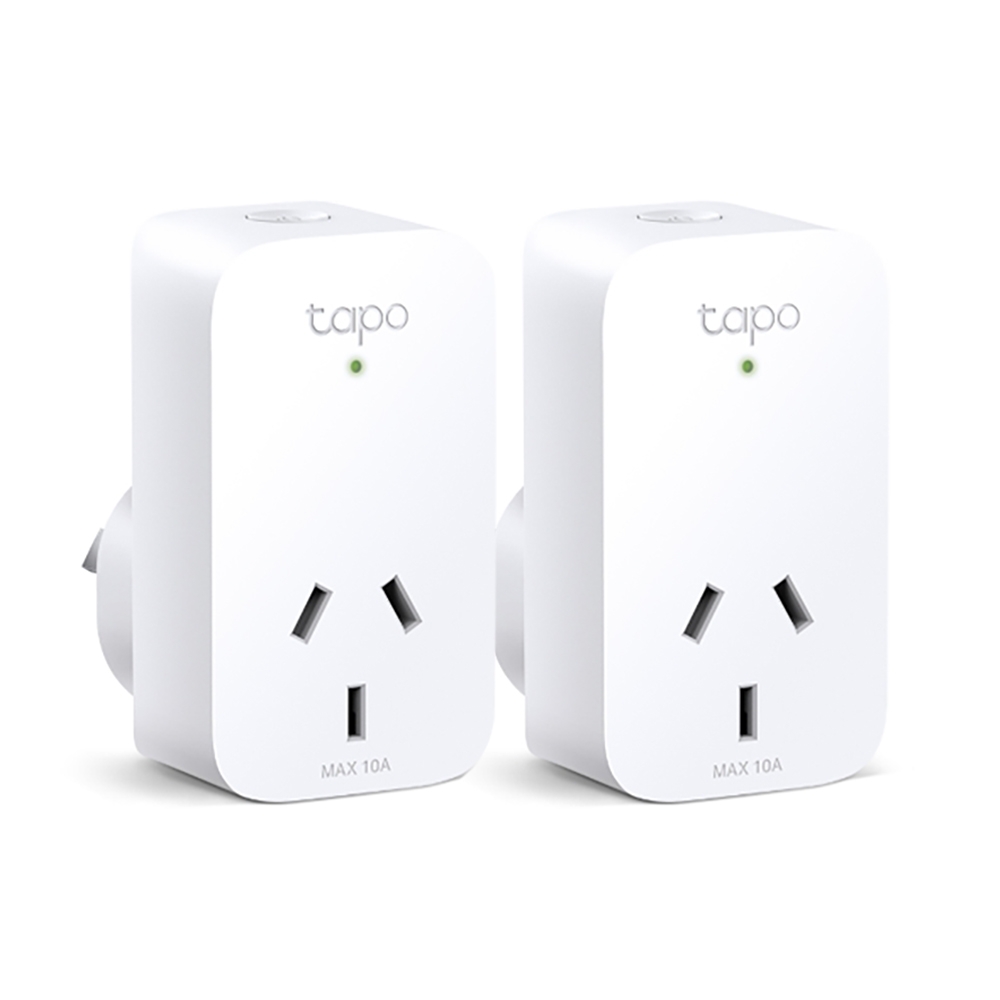
Control your home lighting or ceiling fans from anywhere, anytime with the Kasa Smart app. Set automatic schedules and pair with Alexa or Google Assistant for voice control.
I have a spare one of those floating around, I guess I'll use that
not as convenient as having something on or right next to the MiSTer. I'll have to use voice activation
vital mica
There should be no issue with this very ubiquitous Samsung adapter on the MiSTER Pi right?

 slow skiff
Not being a drag but…. this is a solution, from WAY back that I intend to use for the "on/off" issue
 slow skiff
digital estuary
After several weeks, I'm fnally getting FWWWN's Mister Pi case resin printed by ...
slow skiff
digital estuary
After several weeks, I'm fnally getting FWWWN's Mister Pi case resin printed by ...
The render looks SWEET AS HELL... I can't wait to see the final
faint dune
gritty pumice
what are people doing about a power switch? Those in-line ones on the cable caus...
I have never had a problem with either canakit raspberry pi switch (this one or this one). With that said, if you can wait, I am currently using another fine Todd product https://www.etsy.com/listing/1832675927/switched-usb-c-to-usb-c-for-mister-pi
gritty pumice
faint dune
I have never had a problem with either canakit raspberry pi switch ([this one](h...
Those ones look decent
I've only had something like https://core-electronics.com.au/micro-usb-c-in-line-power-switch-cable-for-raspberry-pi-4.html

This handy little guy is a female to male USB C cable with an inline switch which allows you to toggle the device ON or OFF on your Raspberry Pi 4.
faint dune
yeah, the canakit ones feel a lot sturdier for sure
gritty pumice
doesn't look like they're made for Australia, which is what I need
I'd have to import one and use a travel adapter or something
assuming they even handle 240v
patent knoll
vital mica
There should be no issue with this very ubiquitous Samsung adapter on the MiSTER...
should be OK, but if you experience buttons that don't work on your controller or plan to plug in some secondary storage you might want to go with 5v 3a
slow skiff
faint dune
yeah, the canakit ones feel a lot sturdier for sure
My full RETRO option (literally a light switch) is way more robust, but like... hilariously stupid hehehe
faint dune
I don’t kinkshame
slow skiff
faint dune
I don’t kinkshame
We in a retro game server, dedicated to a piece of gear that is as accurate as it can be with modern quality of life added... I'm sure we are LONG past kinkshaming at this point lol
gritty pumice
hmm, SNES snac adapter shell didn't seem to work as well, I don't think it's the right size
too small
zinc spoke
Yeah, they printed my level shifter case
gritty pumice

Printables.com
Enclosure for SNAC SNES board included with MiSTer Pi Batch #2 | Download free 3D printable STL models
I did the level shifter, it was perfect
but not really sure how to put the snes adapter into the shell
zinc spoke
Oh... You have to get it down in there on the ledge
gritty pumice
the hole for the USB connector is a REALLY right squeeze when I pushed it in from the other side, but not sure how I can get it in the correct way without breaking the adapter 😄
zinc spoke
Wasn't too bad I hope
gritty pumice
not too bad, I pushed the plug in from the other side to loosen the hole a bit 🙂
zinc spoke
Seriously, you have no idea how many iterations I went through. :p
zinc spoke
I actually had expanded that hole a bit after an earlier version that was even tighter. :p
Hmm. How'd you print it?
What nozzle size?
gritty pumice
i'm just using the default nozzle of an Ender 3 v3 SE. Can't even remember what it is 🙂
the level shifter snapped together great. I think the little grooves at the top aren't quite big enough for me here
gritty pumice
yeah
zinc spoke
So is it not staying together or not closing?
zinc spoke
Oh bummer.
gritty pumice
not quite sure what it stopping it
zinc spoke
I will say that Arachne walls help with the details
Might have better luck if you use that setting
gritty pumice
one side snaps in but the other side doesn't quite hold at the front. It's not bad though. Thanks for your work!

the corner near the snes port won't quite hold, but it' pretty good still
zinc spoke
Well, I hope the changed settings help
gritty pumice
much better than bare circuit boards 😄
slow skiff
gritty pumice
one side snaps in but the other side doesn't quite hold at the front. It's not b...
That's cuz you people are using FANCY 3D printing and stuff... just make them out of carboard and glue and the world would be fine (that was a joke, I'm in a weird mood today lol)
faint dune
gritty pumice
I had to carefully line up the tracks on the connector and the case
gritty pumice
yeah I had a few goes at it, that was best I could get
it's good enough
I'm surprised how well this cheap Ender 3 v3 SE prints, it's not that slow either
faint dune
I made some illegal modifications to mine
 gritty pumice
nice!
vital mica
patent knoll
should be OK, but if you experience buttons that don't work on your controller o...
What would you suggest?
digital estuary
slow skiff
The render looks SWEET AS HELL... I can't wait to see the final
I hope so too, i dont think anyone has printed this case in resin yet either. Regardless im sure it will end up looking better than my FDM printed case i have now
 slow skiff
digital estuary
I hope so too, i dont think anyone has printed this case in resin yet either. Re...
slow skiff
digital estuary
I hope so too, i dont think anyone has printed this case in resin yet either. Re...
looks like fake carbon fiber, 's cool
digital estuary
Its just a PET carbon fiber textured 3d printer build plate
digital estuary
faint dune
I have never had a problem with either canakit raspberry pi switch ([this one](h...
Canakit switch ftw. I love mine
gritty pumice
using a 5v 2A PSU and usb hdd doesn't work if I have my wifi/bluetooth dongle plugged in at the same time 😄
cinder crane
gritty pumice
using a 5v 2A PSU and usb hdd doesn't work if I have my wifi/bluetooth dongle pl...
Have a higher amperage 5V psu handy?
gritty pumice
I would have. This was the first thing I grabbed when looking for a PSU
I'll find a beefier one later
using a 4A Meanwell on my de10 nano
found a Pixel 5v 3A / 9v 2A
that should be ok right?
digital estuary
Yeah my canakit one is 3a 5v
gritty pumice
hmm, still can't power the wifi/bluetooth and usb hdd at the same time 😦
HDD spins up and then spins down again over and over
it's not clunking like it did with the 5v 2A, but still not enough juice to run it
seems even worse actually, controller keeps missing button presses as if USB stops working altogether. I used the included type c cable, maybe it's not a good idea
I found a combination of ports that seem to work. I'm not sure if my USB 1 is working at all
anyone know what the green lights are next to the USB ports? The one with the HDD connected is flashing
having some weird CRT issue with Athena as well, some sort of flickering double image. I don't recall that on my de10 nano with directvideo
cinder crane
Can you swap the rotational hdd for a ssd?
gritty pumice
cinder crane
Can you swap the rotational hdd for a ssd?
If I buy an SSD yes 😄
seems to be working now, I moved the wifi dongle to a different port
cinder crane
gritty pumice
seems to be working now, I moved the wifi dongle to a different port
Ah that’s good.
slow skiff
digital estuary
Its just a PET carbon fiber textured 3d printer build plate
hah, and you printed it upside down, awesome
neon summit
gritty pumice
seems to be working now, I moved the wifi dongle to a different port
if you were using one of these two they're for power only
 gritty pumice
neon summit
if you were using one of these two they're for power only
gritty pumice
neon summit
if you were using one of these two they're for power only
I already found that out yesterday 😀
neon summit
oop my bad
gritty pumice
The one was I trying then was marked USB 1 on the case
But I think it's on the main board
Not sure what that one is for
 quasi granite
That port is disabled if the hub board is installed, otherwise it’s the main board’s only USB port
 gentle remnant
when using the snes save state core. is it still necessary to get the nightly mister unstable version
gritty pumice
quasi granite
That port is disabled if the hub board is installed, otherwise it’s the main boa...
that makes sense. Interesting that it's exposed and labelled on the case
sharp pulsar
quasi granite
That port is disabled if the hub board is installed, otherwise it’s the main boa...
I think it’s working on mine. I’ll check in a bit
patent knoll
vital mica
What would you suggest?
Any charger rated at least 5v 3a should work fine. Steam Deck and Switch chargers will work too
sharp pulsar
quasi granite
That port is disabled if the hub board is installed, otherwise it’s the main boa...
“USB 1” is actually on the hub. There’s an unlabelled one on the main board just above it
 gritty pumice
hmm, ok. I'm a bit blind and it was dark in the area when i was fumbling around looking for the USB port 😄
I just checked again with a torch and yeah, USB 1 is the one that is working, the unlabelled one wasn't, which is expected
getting this weird issue where my 8bitdo Ultimate Bluetooth controller keeps going to sleep after a few seconds of inactivity. I'm using the 2.4 GHz dongle and have never noticed this on anything else I've used it on
it seems to happen when I start a new core. Core starts, controller turns off after a few seconds. I turn it back on and it says on until the next time I start a new core. Could be a power issue
is the mega pack fan known to be quite loud? Mine was noticeable, never noticed the fan on my de10 nano MiSTer, but that is a Noctua 🙂
faint dune
gritty pumice
is the mega pack fan known to be quite loud? Mine was noticeable, never noticed ...
it is, but there is a jumper right next to the fan that will swap it to 3v (which makes it much quieter)
stray shore
I've done it yesterday, much better now.
neon summit
Never noticed the noise with my batch 1
stray shore
I'm so much accustomed with my Noctua fans.
faint dune
neon summit
Never noticed the noise with my batch 1
That's good because there is no jumper on our batch 1s :p
neon summit
Huh, is it always 3.3V then?
neon summit
It's definitely louder than my old noctua but I can only hear it clearly if my ear is right beside it
faint imp
gritty pumice
getting this weird issue where my 8bitdo Ultimate Bluetooth controller keeps goi...
I have had all sorts of disconnection issues with a Bluetooth dongle without an antenna
Got a cheap one from Aliexpress with an antenna and no issues now
 pine ether
faint imp
Got a cheap one from Aliexpress with an antenna and no issues now
pine ether
faint imp
Got a cheap one from Aliexpress with an antenna and no issues now
can you give us the link, i need one too for the mister pi, when it arrives
 misty ether
I never used MiSTer before, I setup Mr Fusion on the SD card. It take less than a minute, then it leaves me in a "no files" menu. Is that normal? It's a fresh install but a puzzling message. The docs suggest the Mr Fusion should take longer, so I'm thinking there's an issue
Others reported this before but maybe they were newbies too, and the message is fine to ignore as it just needs the BIOS+ROMs? https://www.reddit.com/r/MiSTerFPGA/comments/133z478/no_files_after_fresh_mr_fusion_install/

Reddit
Explore this post and more from the MiSTerFPGA community
faint dune
misty ether
I never used MiSTer before, I setup Mr Fusion on the SD card. It take less than ...
Yeah, that's normal. It's because there is no core folder structure yet. Pop it out, grab update all from here, unzip and put the .sh in the Scripts directory. pop it back in your mister and run it
misty ether
faint dune
Yeah, that's normal. It's because there is no core folder structure yet. Pop it ...
oh wow, thanks! I thought Mr Fusion did that, sorry!
faint dune
misty ether
oh wow, thanks! I thought Mr Fusion did that, sorry!
nah. the mr fusion experience could use some work 🙂
Mr Fusion has to be careful about what it includes
zinc spoke
Hmm. So... I think I'm gonna update the SNES SNAC case a bit... I realized that the snap is only 1.5mm tall and even the Level Shifter's is 1.7, so.... Yeah, gonna fix that up.
misty ether
faint dune
Mr Fusion has to be careful about what it includes
you mean there are copyright or other legal concerns?
faint dune
misty ether
you mean there are copyright or other legal concerns?
update all allows you to download Arcade roms and Bios files. if that was included in mr fusion, then you could say that the mister project is a piracy project and Nintendo loves that shit
misty ether
faint dune
update all allows you to download Arcade roms and Bios files. if that was includ...
makes sense, I didn't know it pulled roms and bios. I'm a dev, just trying out this space but might get into the code and help. I suppose even a different message ("error no files", but something more actionable and newbie friendly, to suggest some actions) might be handy. thank you!
faint imp
pine ether
can you give us the link, i need one too for the mister pi, when it arrives
I just found this on AliExpress: $3.53 | 600Mbps USB Bluetooth 5.0 Wifi Adapter Dual Band 2.4G 5G Wi-Fi Dongle Antenna USB Ethernet Network Card Receiver for PC
https://a.aliexpress.com/_mNpSbrH
pine ether
faint imp
I just found this on AliExpress: $3.53 | 600Mbps USB Bluetooth 5.0 Wifi Adapter ...
thanks man, ill look after it, so far i just need my mister pi, and that dongle to start the joy right?
zinc spoke
@gritty pumice FYI, I updated my model so the snap connector will HOPEFULLY be more reliable... Trying it out myself now just to verify.
pine ether
i already have usb controllers to test it, i think thats all i would need right? to start.
zinc spoke
@gritty pumice Yeah, the updated design holds together quite a bit better, and I made a note on assembly to clarify the angle on assembly.
gritty pumice
faint imp
Got a cheap one from Aliexpress with an antenna and no issues now
I'm using the 2.4GHz dongle that came with the controller
gritty pumice
zinc spoke
<@322724009688956930> Yeah, the updated design holds together quite a bit better...
great, I'll check it out later
faint imp
gritty pumice
I'm using the 2.4GHz dongle that came with the controller
Those are not Bluetooth and generally tend to work ok yeah
gritty pumice
Yes, I think it's a power issue like the dongle is losing power when I load a new core
Even though I'm using a 5V 3A Pixel phone charger
I have a mechanical disc drive connected as well
I had the same setup on my de10 nano without issue, but that has a 4A PSU
gentle remnant
gentle remnant
when using the snes save state core. is it still necessary to get the nightly mi...
bump
faint dune
gentle remnant
bump
yes
patent knoll
gentle remnant
bump
Edit - newest save state core was pinned the SNES thread
faint dune
has it not been merged with the latest unstable?
patent knoll
Unsure - just tried it last week setting the lastest unstable as main. I ended making an entry in my .ini for it
I just updated my main to unstable again for the CDi core, so I can give it another try
gentle remnant
patent knoll
Edit - newest save state core was pinned the SNES thread
ok the october ? the ss core i have is from 20241109
and dont just ue the latest?
for now it just locks up
on another note I also did the sd card migration. figure out you need to add a drive letter to the sd card afterwards to make it accessable from a a windows machine but other than that worked great
patent knoll
@gentle remnant Oh i didn't know there was a November build. I got mine from here
https://misterfpga.org/viewtopic.php?t=8459
faint dune
According to this, you just need unstable main https://misterfpga.org/viewtopic.php?p=92504#p92504
gentle remnant
awesome thanks ill try then till one works
hey, is it simple t o change change back and forth for the mister builds?
well i guess what im asking as well as for the unstable builds as both posts say use the builds from "today" being the day that file wa released. Does thatn mean it maybe removed from the next version
i need a new keyboard..
patent knoll
Arrgh should have checked the pins!!
#1096636309679919136 message
faint dune
You can swap between mains by naming the unstable mister main file something different (like MiSTer_SNES) and the add [SNES] main=MiSTer_SNES to your mister.ini. That will load the unstable main whenever you load the snes core
gentle remnant
so any mister unstable from that point on should work? or does it have to be that version?
i think the post said grab it from the bottom
patent knoll
Hopefully the latest unstable main will work. Going to try with that 11/25 core
gentle remnant
got my crt out of the shop last night. screwed my arm up bringing it inside so next is cables
things must weigh 100 pounds
patent knoll
#unstable-nightlies message @gentle remnant
faint dune
if the latest unstable doesn’t work, we should report it
because it shouldn’t break now
patent knoll
I lost a completed Super Metroid save fiddling around with the first save state core! 
Guess I'll just have to play through it again! 🎉
gentle remnant
patent knoll
I lost a completed Super Metroid save fiddling around with the first save state ...
a legit ram save?
ooof ill make sure to back mine up
fighting through lttp randomizer tough as nails run
patent knoll
@gentle remnant Yeah it somehow set the first save slot to empty. Maybe since I had auto save on and the save state function messed with the contents of ram. Not a big deal since I've beaten it like 10 times in the past and can finish it in 4 hours.
This is my bad though since I was not using the latest core with the latest unstable main.
gentle remnant
patent knoll
<@690728252184068136> Yeah it somehow set the first save slot to empty. Maybe si...
gives you an excuse to try the super metroid randomizer
ive herd tale of it i havent tried it. the lttp one can be tough
i thought i was good at lttp but nope
could run through it on 1 life
patent knoll
At least Super Metroid is shorter so you can hold all the locations in your head a little easier. Lttp randomizer seems daunting (but I do want to try it)
gentle remnant
theres a final fantasy one that scares me hhahaa
zinc spoke
I love aLttP randomizer.
But I also know that game incredibly well
And even so, it's better if you have a tracker. :p
gentle remnant
zinc spoke
But I also know that game incredibly well
im running through with random items, random enemies, random bosses. 1/2 damage
as princess zelda
zinc spoke
Did you set it up so it can definitely be finished without glitches at least?
gentle remnant
yes
zinc spoke
The ones that start in the dark world are fun
gentle remnant
still softlocked myself once so far
zinc spoke
Didn't unlock the right door with a key?
gentle remnant
went through a warp with no return that led to the boss. and had no big key
 rich skiff
Hey guys is there a specific channel for mister pi here? Or maybe u can help me. What do u have to do when u flashed the image on the sd?what settings/step is next?thank you
shrewd dust
You're in the MiSTer Pi channel
rich skiff
shrewd dust
You're in the MiSTer Pi channel
I copied this sorry lol
gentle remnant
@faint dune@patent knoll The latest unstable worked
rich skiff
@gentle remnant thank you mr.pillow
dense umbra
winged summit
do we know if Taki is aware of this and have plans to fix it in a future batch?
He must be using the same HDMI setup as the DE10 Nano
That has broken CEC and the HDMI is not electrically isolated so the board can partially power up from just HDMI power if using a HDMI switch
The CEC is fixed on the QMtech board
delicate hazel
What issues happen with the CEC?
winged summit
all of them, for what I have heard 🙂
dense umbra
On the DE10 I believe the CEC is grounded so doesn't work properly but the DE10 was never really designed to be used with AV setups or ARC, it's just a dev board
A CEC blocker or just removing a pin on the HDMI cable solves it
Looks like MiSTer Pi does the same
sharp pulsar
I don’t know what CEC is or does 🤠
dense umbra
It's designed to control multiple devices via one remote via the HDMI cable
sharp pulsar
I see
 shut warren
Recently got my mister pi free case and noticed the fan sounds a lot louder in it. Do the grills add that much more noise? Also, if they do can I mod the shell to remove the grills part so that it’s just open and would that help?
I recently put in the noctua fan and it was super quiet
winged summit
You changed the jumper to lower the fan speed?
faint dune
winged summit
You changed the jumper to lower the fan speed?
Batch 1 boards don't have the jumper :/
Well, I don't think. Retroremake said there is a restister you can move...but (without looking at it) that sounds like it involves a soldering iron? #help message
winged summit
faint dune
Batch 1 boards don't have the jumper :/
Ouch
shut warren
Interesting, what about modding the case?
winged summit
Can you put a resistor in line or something? No idea about case mods. No idea about electronics either 😂
rich skiff
guys is there only a turbo pack launch in a few hours?no meg apack?
faint dune
the paypal ones? yeah I think so

Retro Remake
MiSTER Pi is a fully compatible MiSTer FPGA development board. It is powered by an Altera Cyclone V FPGA with 1GB of DDR3, and it supports additional memory with an SDRAM add-on. With MiSTer FPGA software, this board is able to accurately create the circuitry for many retro consoles, handhelds, and arcade machines. Th
stray shore
4H.
faint dune
I'm waiting for those sweet sweet BGA stacks
faint imp
Those will be my 6th
faint dune
you catch thems all
zinc spoke
Cool, hope people who have been waiting can get theirs.
rich skiff
for what do u need so many misters
slow skiff
zinc spoke
Cool, hope people who have been waiting can get theirs.
Mine is still 4PX’d in the middle of a warehouse south of china lol
rich skiff
why not letting people a chance to get the mister experience
why u have to buy so many
pc emulation sucks so bad . its such a hassle to configure everything and u got thousands of cables
slow skiff
If they have the cash, why not though? Probably would be good as an arcade
rich skiff
up to n64 dreamcast n stuff i would always recommend a pi or a mister
pc only for ps2 stuff etc
zinc spoke
I don't think I've ever really had issues with PC emulation? But the MiSTer is definitely cooler. 😛
digital estuary
As an owner of 14 arcade & pinball machines, I will say the Mister FPGA for subsuitute of arcade PCB's for retro 2D based arcade games is pretty on par with a jamma adapter. Not my use case for my Mister, but i would choose it over a raspberry pi for sure
 rich skiff
zinc spoke
I don't think I've ever really had issues with PC emulation? But the MiSTer is ...
rich skiff
zinc spoke
I don't think I've ever really had issues with PC emulation? But the MiSTer is ...
i wanted to connect the pc on my crt tv but it was so awful
geoemtry issues
sometimes u dont get a picture
how did you your pc emulation?
zinc spoke
I mean, the boring normal way without trying to use a CRT. 😛
slow skiff
rich skiff
pc emulation sucks so bad . its such a hassle to configure everything and u got ...
PC emu isn’t that bad… REAL mess of cables is getting ORIGINAL hardware running hahaha
slow skiff
rich skiff
i wanted to connect the pc on my crt tv but it was so awful
Get an old Ati tv output or AIO card I assume is the easiest way to get to CRTs, that’s what I used to do in the early 2000s, but I don’t know the driver availability now
tardy hornet
faint dune
I'm waiting for those sweet sweet BGA stacks
I'm waiting on batch 2 still flagship... Would love to hear more
faint dune
tardy hornet
I'm waiting on ~~batch 2 still~~ flagship... Would love to hear more
It’s just ram soldered on. I also just buy one of each of his batches
upbeat gyro
digital estuary
As an owner of 14 arcade & pinball machines, I will say the Mister FPGA for subs...
Have a rpi5 in my cabinet and have considered replacing with a mister but the lack of Golden Tee kills it for me
We play a lot of golden tee 2k
My SD card just died. Considering replacing my rpi5 with an Orange Pi 5b though
high umbra
Yeah the ati cards were great for plugging into a crt. I think you need a newer, more powerful cpu to use the newer emulators.
wary turret
That and groovy_mister and you can use your tube with anything emulation
gritty pumice
I have a Radeon 7850 in my Blast City using CRT_emudriver
tardy hornet
faint dune
It’s just ram soldered on. I also just buy one of each of his batches
lol dont have that kind of disposable income....
faint dune
You don’t have to if you make poor financial decisions! 
tardy hornet
really the only one that interests me is the flagship and i think thatll be far enough out at this point that i can recoup and buy it when it comes out
batch 2 will get me into the ecosystem though
digital estuary
upbeat gyro
Have a rpi5 in my cabinet and have considered replacing with a mister but the la...
Yeah i wish mister had more arcade cores / titles. Thats the one downfall. I love love love golden tee 95-2k
wary turret
Yes it only has 735 arcade titles, WTH 😉
digital estuary
Well, part of that is alot of international titles we never got here stateside so dont have a clue about quite a bit
gritty pumice
faint dune
It’s just ram soldered on. I also just buy one of each of his batches
lucky you, I tried in both batch 1 allocations and missed out. Managed to get on in batch 2. That was easy though, there was still stock hours later
I had address issues in batch one, wouldn't accept by address, even though I'd entered and saved it the day before
high umbra
wary turret
Yes it only has 735 arcade titles, WTH 😉
Is that including neo geo (which i consider arcade)?
wary turret
No, good point
digital estuary
Are those 735 the update_all arcade repository?
wary turret
Yeah it’s actually 726, double-checked my spreadsheet
faint dune
gritty pumice
lucky you, I tried in both batch 1 allocations and missed out. Managed to get on...
it's not luck, its just old fashiond bad decision making
wary turret
Wait 727, JT just did fairyland story
digital estuary
Cool! Wanted to make sure i wasnt missing out on any titles. Im on JTs patreon
wary turret
Yeah there’s some revisions in there so not all unique, the the main set of mras not the alternatives. Still it’s a lot
Golden tee will come someday
Not sure which ones
digital estuary
Ill have to find a good trackball setup for when it does come lol
patent knoll
PSX, N64, and Saturn cores really helped with home ports some of arcade games that don't have native cores. Sega Ages and Namco Museums come to mind. 3D fighters and Midway games too
wary turret
We’ve got CD-i so someone will do golden tee. That’s just logic
wary turret
digital estuary
Ill have to find a good trackball setup for when it does come lol
There’s always neo turf masters
But yeah there are some other silly trackball bar games would be good
Like Capcom bowling
digital estuary
Hell yeah Neo Turf Masters lives in my 6 slot cabinet!
 zinc spoke
Woo, looks like it's still on sale.... so hopefully everyone who was really looking forward to this batch got one.
crude kernel
I noticed that Retro frog released his case for free. Easiest one to print by far, I didn't have any luck with the others I've tried
 zinc spoke
The one I found worked pretty well for me, though the walls are a bit thicker, which can interfere with some things that are supposed to be practically mounted on the sides.

Printables.com
This is a case for the Taki Udon MiSTER Pi Mega Pack. It is not compatible with traditional MiSTER FPGA kits. | Download free 3D printable STL models
crude kernel
My ender 3v2 isn't really the workhorse it once was. It needs a tune up, I think my z offset needs dialed in
zinc spoke
Ah, well, I suppose I am printing with a P1S, but I don't think any of the parts are hard to print
crude kernel
I had issues with the one you listed, the top and bottom were ace but the interlocking sides just weren't printing right for me
faint imp
rich skiff
why u have to buy so many
I have friends and relatives and I like to have spare ones to sell/give to them. I also like to have one MiSTer on several places/TVs at home, specially the kids TV
I usually get one per batch. Not a scalper here. You should be able to get one just fine 😌
winged summit
What is this sudden stock?
faint imp
PayPal special batch
winged summit
Only packs 😭
faint imp
I will probably skip this one to help our friends so they can get one
winged summit
Tempted, but the pack is not at all the setup I want
crude kernel
I agree, although I still bought another. Batch 3 already sold out and if tariffs are enacted right away us US folks might be spending more regardless.
... That was my reasoning anyways 😅
winged summit
knowing my luck, the second they run out of stock, a version of the Saturn core where everything works perfect with single ram will be released 😂
winged summit
People in UK that ordered mister pi with 4px, which company did the final delivery?
I will be in London on January, thinking about shipping directly to my brother's flat but I want to know the delivery company in case it arrives while he is not here, some companies have to deliver to the person, others can leave the parcel to the building guy that is on the front door doing stuff (can't recall the english word for that XD )
Ah, I already found on Search that they usually do Royal Mail
ordered, if I ever want to change to dual ram + digital io + another case it will be in some months and I suppose availabilty will improve and I can gift this one to a friend
dense umbra
4PX is pretty quick to the UK usually around a week
dense umbra
winged summit
ordered, if I ever want to change to dual ram + digital io + another case it wil...
The 9.2 IO board acts as analogue or digital. You just remove the mezzanine board
winged summit
yeah, I know, but if I do that I have a VGA port exposed that is non functional and that rubs me the wrong way. I'm broken inside 😂
also each time people talk about the mezzanine board I have an urge to listen to Massive Attack
dense umbra
Hahah
I have not used a 9.2 board yet
I like the retrocastle boards for my DE10 build. Swapped out the analogue for digital recently as I have a QMtech with analogue output so don't need two
And tbh I prefer the HDMI output its easier and nicer
winged summit
I'm going to use the analog mostly
with a CRT TV and hoepfully soon with a CRT VGA monitor too
dense umbra
Yeah I had a dual setup CRT and HDMI for years but in the end the CRT sat there gathering dust
delicate hazel
Yeah, hdmi is great. For my ini settings I use: 1920x1080, integer resolution scaling, low lag vsync, hdmi game mode (don't think this has an effect on my TV as my TV has the mister set to pc) and HDR.
(I have vrr off)
The integer scaling is amazing, I'm getting resolutions like 1304x956 (for the PSX core), which kinda displays the game full screen to a degree without the stretching.
oblique drum
I the gameboy core you can see the the difference between integer and noninteger scaling best imo. In pokemon red one eye is way bigget than the other with noninteger scaling.
sharp pulsar
patent knoll
PSX, N64, and Saturn cores really helped with home ports some of arcade games th...
I discovered a few days ago that Land Maker was ported to psx!
Sick 2p game
rich skiff
Turbo pack still available?lol
limber token
Curios, before there was sold out. So if someone needs one, should buy one fast.
Iirc there was a small amount reserved for paypal checkout (200-300 units).
winged summit
He released those as Paypal exclusive for several hours, then available for card purchase too
sharp pulsar
Turbo pack is best pack
limber token
You better take what you can get.
zinc spoke
So, the noise of the fan on my MiSTer is getting to me... I guess it's time for that Noctua upgrade. 😛
sharp pulsar
Batch 2 boards have a jumper for reducing the fan speed and iirc batch 1 boards can do the same with a quick solder job
Made a big difference for me
zinc spoke
Eh, if it's still loud after the Noctua I'll look into that
dense umbra
Just change the jumper saves the cost of a noctura fan which isn't really needed anyway
tardy hornet
Man this 4px shipment was quite different from my usual experience...
faint dune
did it finally make it?
tardy hornet
Supposedly
faint dune
🤞
tardy hornet
Usually it would have gotten handed off to our local mail after clearing customs but they had a third party handle delivery
Which every time I've had a third party delivery it's always been something stupid like they leave it outside the business and it ends up getting stolen
sharp pulsar
Dang porch pirates
tardy hornet
Let's gooo

 dull gull
sharp pulsar
Made a big difference for me
dull gull
sharp pulsar
Made a big difference for me
I did the jumper swap and it worked a treat. Just had to not lose my mind from nerves as I disassembled it lol
limber token
My batch1 fan is noiseless, the question is how long? My 40mm fan from the mms was only quite for about 6-8 months 😁
sharp pulsar
If you can pull that L board off and reinsert it without snapping anything, you now have an idea of what removing EPROMs from arcade boards is like 🤠
limber token
Good old screwdriver trick does the work... 😁
tardy hornet
so just to be clear.... for dual ram
 digital estuary
tardy hornet
so just to be clear.... for dual ram
digital estuary
tardy hornet
so just to be clear.... for dual ram
Yes that is correct
tardy hornet
thanks
faint dune
wait
you're using the mister pi yeah?
If you're using the io board (without the L-Shaped mezzanine) you don't need to flip anything
You only need to flip if you're using an older digital IO board OR no IO board
(it also won't hurt to flip it - you just don't need to)
winged summit
@faint dune you are a living FAQ answer
 oblique drum
faint dune
If you're using the io board (without the L-Shaped mezzanine) you don't need to ...
oblique drum
faint dune
If you're using the io board (without the L-Shaped mezzanine) you don't need to ...
Oh really? I'll get a pi with the 3rd batch and I'll install dualram on it. Good to know!
faint dune
oblique drum
Oh really? I'll get a pi with the 3rd batch and I'll install dualram on it. Good...
yeah dude, it's confusing as hell because it's only with the new 9.2 board.
but i have a batch 2 mister pi running dual ram with nothing switched next to me right now
oblique drum
👍
tardy hornet
ah
alright time to take the top board off again
also is there a dual ram memtest? or is it just swap modules around
faint dune
apparently there is?
But I have never seen it. taki's support team has one...i guess?
I haven't emailed them
I'll do that now
limpid jolt
Therre is no dual ram test
mem test tests only one bank
a dual one would be dangerous as it would be sending signals to a set of IO lines that may not be connected to a ram chip but to an AV board
the only effective ram test is to see if the Jag core works
if it does you are dual ram
crude kernel
Dual ram would be nice, but analog io is my preference. Mostly for the ease of random crt's that I use. I like having simple av plug options
limpid jolt
you can use analog CRT with dual ram
you just need to use a dongle to take the HDMI and converts it to an analog signal
all you lose is the ability to simulatanously use a CRT and HDMI display
faint dune
limpid jolt
Therre is no dual ram test

sotwe
2 likes, 0 retweets. @hiulit There is a 2nd slot memtest that you can use to test the card on the other header. If you email support, they can send it to you. From my experience, the gap would fix that module + board pairing.
i'll let you know what support says
limpid jolt
well BirdyBoy did write one
but never released it
because of potential misuse
I am guessing they got hold of that
faint dune


 faint dune
but you don't understand. I need to make sure it holds at 150mhz!
oblique drum
I had grandia flicker consistently before installing dual ram and it stopped the moment I installed dualram. So that was my test.
tardy hornet
hmm once this is done ill have to check the mister out cause while running update i noticed it doing a lot of video flicker
and artifacting
tardy hornet
faint dune
but you don't understand. I need to make sure it holds at 150mhz!
its fine if it doesnt hold at 150 right?
as long as its between 140-150
limpid jolt
tardy hornet
hmm once this is done ill have to check the mister out cause while running updat...
Thats normal
tardy hornet
limpid jolt
Thats normal
ah good to know
limpid jolt
when the weak ARM is busy it fails to update the screen properly
faint dune
tardy hornet
its fine if it doesnt hold at 150 right?
yep, anything over 140 is considered excellent
tardy hornet
i started getting worried seeing random bits on the right side and splitting
or i guess tearing?
limpid jolt
no thats perfectly common when running update all and doing a lot of io
tardy hornet
but good to know its fine