#Computer Cores
1 messages · Page 18 of 1
 void belfry
 abstract condor
Yep
486 was the age of framebuffers getting slightly faster
And into the pentium era
void belfry
I wonder how many people from this (small) community can get into an "Linux/Unix on ao486" testing/troubleshooting 😄
I intend to publish (probably on archive) these Linux VHDs [a base one (ppp+ several tools like mc/ssh/archivers) , a DevNet one (base image + compilers/more network/tools/utils) and a Xorg one (DevNet + basic xorg) ] at some point when they are fully working with minimal user interaction. If anyone wanna help out (not just "hey, I wanna see it boot") , PM me or mention on this channel as well, I can use all the help as I'm not a Unix/Linux guru, just a network guy with enough mileage
Not that I don't like to share it with everyone right now, but they are just not fully ready, neither the VHDs nor my notes (which I try to be as much verbose as I can) on the whole process. And most important, there are bugs to be troubleshoot/documented regarding FDD/IDE (just to begin with) so that devs might work on.
void belfry
Setting up fvwm (2.5.18-3) ... - works quite nice

 copper slate
Every time I check in on this channel I go

I’m convinced @void belfry is converting all MiSTers to be his bot army and wage war on the world.
void belfry
copper slate
I’m convinced <@794151308620857395> is converting all MiSTers to be his bot army...
Welll.... truth be told, after having quite a nice success presenting De10-Nano and (some) MiSter computer cores and their (mostly) networking related stuff to my team, I am actually preparing another presentation, focused on mid-90's - early 2k security issues/hacks/etc hopefully featuring again our beloved fpga
 copper slate
Damn that’s awesome! You rock @void belfry !
void belfry
haha, it was fun doing it, and also more fun the after presentation discussions with lots of curious colleagues 😄
 spice hound
wait
You are saying this is an x86 Amiga?
How did you have access to the source code of the operating system and what benefit is there to convert it to an x86 Amiga?
There will be not one single application or game for the Amiga will run on an x86 Amiga. It will literally be just the OS with no software.
One last question....why?!
void belfry
lol. NO
it is "just" Debian 4 (Etch) linux with AmiWM (window manager, interface, GUI, whatever you wanna call it)
spice hound
but that looks 100% Amiga
void belfry
ofc it does 😄
Moment of truth:
Get:6 http://archive.debian.org etch/main afterstep 2.2.2-2 [3238kB] 51% [6 afterstep 275674/3238kB 8%] 10.1kB/s 4m54s
 abstract condor
void belfry
Moment of truth:
`Get:6 http://archive.debian.org etch/main afterstep 2.2.2-2 [3...
abstract condor
void belfry
Moment of truth:
`Get:6 http://archive.debian.org etch/main afterstep 2.2.2-2 [3...
That is almost completely unreadable
void belfry
still loading, plus the scaling from capture card 😄
going somewhere, just needs patience


tons of it
~15 mins later 😄
 abstract condor
Wow it looks like the "nextstep we have at home"
I do appreciate that time in history, every DE didn't look like a flat cellphone ui
Unique ideas were had
void belfry
yeah, mid 90's early 2k is my jam 🙂 a lot of things we get today for granted started/refined then
void belfry
Setting up jwm (1.5-1) ... --- this (joe's window manager) should work faster, will see
works ok, about 3-4 mins loading time

 gloomy bolt
Don't be jealous, but I've finally made my MiSTer as useless as my first PC. Oh yeah. That's the stuffn't.

 hollow ice
I really hope kitune gets the pcjr stuff done. That was my first pc and it was really useless.
gloomy bolt
I found mine on eBay and am reeeeeally tempted.
UPDATE: As I was looking for the link to the ebay listing to share here, I got a notice that the seller wanted to offer it for 30% off of the original price. So I am no longer tempted. I'm done been tumpt.
 surreal marsh
My first PC is my current PC via Ship of Theseus.
abstract condor
Was it that slow to arrive
hollow ice
What did you get?
gloomy bolt
A Leading Technologies PC Partner - exact same model down to the after market sound card they put in it. But it has EVERYTHING from the bundle we got when I was a kid. Same printer, mouse, bundled software, etc, all complete. I'm pretty stoked even though it's essentially just a security blanket that is too sharp to nap on.
hollow ice
haha, yeah, one day I will probably just get a pcjr, even though there really isn’t a point
gloomy bolt
I'm kinda ridiculously excited. Over something very stupid. I'll take my dopamine where I can get it, I guess.
 granite umbra
GitHub
Change PCM RAM access sequence to start with WR_n, RD_n
Fix processing of status flags added from OPNA
Improve to ignore incorrect register access caused by software bugs
Add menu to select t...
granite umbra

 tulip atlas
I prepared two games in the style of the 0MHz collection:
Bolo for MiSTer FPGA - an awesome breakout style game with great mechanics
NetHack for MiSTer FPGA - a rogue like RPG
You can find them on Archive.org. Bolo has been released as Freeware by the author and was previously bundled with Dosbox on Kultmags.com. NetHack is also freeware.
I found many more games bundled in 0MHz style packages on archive.org. I think the method of 0MHz is taking hold, which is pretty cool. The only thing I dislike is the bundling of AO486.cfg, because it could overwrite an important configuration of the user.
spice hound
Have there ever been a Linux hardware exclusive that can only run Linux and cannot run any other os?
gloomy bolt
"Can" or "Did?" because those are two very different questions. Plenty of hardware only runs Linux, but not because it HAS to... just that nobody has made anything else because there's no reason. Windows has never run on 99.999% of ARM chips because nobody wanted it on either side of the commerce chain.
Or are you specifically meaning a piece of software/game/etc? Because again, there are plenty, but not necessarily because they require it.
As a filmmaker, I interact with a lot of stuff that runs only on Mac. Some even claims it's because of software requirements - but it's not. Sorry, Arri...you're lying. It's because they don't want to spend the money required to get it on Windows (which is totally understandable for a company that's tiny, but c'mon...they are doing it because Arri and Apple share tons of board members...we all know).
The metal doesn't care. <queue Tenacious D riff>
 brisk rampart
Got some stuff from the 0mhz collection, it's great but the performance in some of the 3d stuff is a little lacking for me
I'm really not complaining, I'd just like to know if there are some settings to change for better framerates in duke 3d or tekwars
Or if dual ram helps?
hollow ice
So, the core is simulating a 486sx. Most of those games are going to recommend a dx2 which is significantly more performant. Unless someone goes back and does some major optimizations like they did for doom, I don’t think you are going to see major framerate improvements.
brisk rampart
Mm obviously the solution is to emulate a better cpu 
Okay I got it, just making sure I'm not missing anything and it's running buttery smooth for everyone else. Which old cpu would be the luxury option back then?
hollow ice
Well, duke 3d was 96, so you already had pentiums. I think my friend had a 133 that summer and then immediately upgraded to a 200 in the fall.
brisk rampart
And yes, doom worked much better to be fair
hollow ice
Pentiums are a significant leap in technology compared to the 486
brisk rampart
Guess it's no way that's getting emulated. Is it beyond fpga or does it just require a more advanced fpga board?
hollow ice
Hard to answer. Mister wise it probably wouldn’t make sense to try to fit a pentium scale processor, both in size and in clock (although early pentiums did run below 100mhz)
Developer wise, the early ones would be hard but once you start talking pentium pro, you would need someone who could really put some time into the project (or a team)
Complexity is really starting to ramp up during that time frame
brisk rampart
I haven't looked into one of those ideal mid/upper range builds for old pc games but it would be cool if that environment could be captured in emulation somehow. Yea it sounds like a team effort, happy about the scummvm games tho, the computer cores are very impressive
hollow ice
Emulation it has- pcem does a pretty good job covering that time frame
But the ao486 core really is good for the timeframe it simulates. Single biggest improvement would probably be an fpu to help with some of those 3d games, but because of the development process of the core, that’s not an easy add
 opal void
hollow ice
Emulation it has- pcem does a pretty good job covering that time frame
opal void
hollow ice
Emulation it has- pcem does a pretty good job covering that time frame
86box is better, pcem is dead 😉
brisk rampart
That's cool, my specific usecase for this would just be for childhood games but having those voodoo specific settings I never got to see
These retro solutions are enabling some weirdly specific fantasies, like, enjoying classic point and click pc games on the living room tv with a controller
 worthy zealot
opal void
86box is better, pcem is dead 😉
worthy zealot
opal void
86box is better, pcem is dead 😉
Really though? PCem had stopped development, but then they started working on it. 86box does not seem to have added anything of relevance since it began development over what PCem already had and that is despite them having a Patreon and such. Or maybe I have missed something, have they added something relevant?
void belfry
what I don't understand is why PCem produces a bootable (on ao486) Debian 4 raw image, while 86Box doesn't. And yes, using same machine emulated, a P120 (for speed and booting off CD mostly, a 486SX would do the same via floppy dance, but much slower lol as I did try 😄 ) ¯_(ツ)_/¯
I failed at other Unix/Linux variants I tried with both emulators (I mean to have them boot afterwards on ao486, otherwise I had fun with SCO/BSD/Unix V/a plenty more under each emulators. )
sure, most would be due to IDE (I chose non-FPU variants always)
opal void
worthy zealot
Really though? PCem had stopped development, but then they started working on it...
bug fixes get released in the nightly releases almost every day
with new features and newly emulated hardware every other month or so
their latest big feature stable update was a couple of weeks ago

for me using 86box is infinitely a more enjoyable experience than AO486, sorry :/
opal void
void belfry
what I don't understand is why PCem produces a bootable (on ao486) Debian 4 raw ...
did you report this to the devs of 86box?
they are pretty active on discord and github and they patch bugs rather quickly when you report them
copper slate
tulip atlas
I prepared two games in the style of the 0MHz collection:
Bolo for MiSTer FPGA...
That’s awesome of you, thank you!
opal void
tulip atlas
I prepared two games in the style of the 0MHz collection:
Bolo for MiSTer FPGA...
is there a guide somewhere to do that for games that are not already in the collection?
tulip atlas
No. I don't think so.
I had to
- create a .vhd with the right size using Windows 11 via disk management
- create an MBR partition using disk management
- format the mounted vhd to FAT32 (or FAT) using guiformat.
- copy all needed files over and prepare the autoexec.bat and config.sys (could be copied from some existing 0Mhz game and adjusted for the game at hand, make sure there is a SYSCTL command to set desired CPU speed and Cache config for AO486, see my BOlO autoexec)
- mount the .vhd in AO486 as IDE0-0
- boot ao486 from a Win95 (or MS-DOS 6) boot floppy .img file
- execute SYS C: at the command prompt to copy dos files and bootblock over
- execute fdisk at the command prompt and make the C: drive active, to make it bootable.
- edit and rename existing 0Mhz .mgl file so it will mount the correct .vhd and .iso/.chd as needed
opal void
tulip atlas
I had to
- create a .vhd with the right size using Windows 11 via disk managemen...
would be nice if someone creates a template
template img*
esp. if it included all the basic drivers etc
 strong yoke
opal void
esp. if it included all the basic drivers etc
strong yoke
opal void
esp. if it included all the basic drivers etc
Just grab any of the existing 0mhz images and pop your own game into it instead.
opal void
strong yoke
Just grab any of the existing 0mhz images and pop your own game into it instead.
 tulip atlas
strong yoke
Just grab any of the existing 0mhz images and pop your own game into it instead.
tulip atlas
strong yoke
Just grab any of the existing 0mhz images and pop your own game into it instead.
This is the easiest way, if you can find an existing game with a .vhd that is close to the size you need. That's what I did for Nethack.
abstract condor
opal void
https://tenor.com/view/lil-yachty-drake-oprahs-bank-account-meme-laptop-gif-2080...
Can't for the life of me tell what logo that is... Fake apple?
opal void
abstract condor
Can't for the life of me tell what logo that is... Fake apple?
it is a peach with hands on it
abstract condor
Oh, so it is, I see it now
opal void
😁
copper slate
strong yoke
Just grab any of the existing 0mhz images and pop your own game into it instead.
What seriously? That easy? 🤯
strong yoke
More or less. Obv you need ye olde DOS skillz to do it
But each is a fully booting C: drive and game, so swapping the game out isn't a major difficulty to anyone who lived through the era
abstract condor
I grew up in 16 bits, doing what I could to scrounge together memory... nobody reached 640k, but we all knew that we had to aim that high to survive
strong yoke
With DRDOS6 you could actually hit 640k free even with mouse and cd drivers
worthy zealot
opal void
their latest big feature stable update was a couple of weeks ago
hmm, I guess I have to look into this some more
 summer dragon
@opal void @copper slate I actually posted a tool I made on the forum that makes you a 0MHz style VHD - https://misterfpga.org/viewtopic.php?p=85737#p85737
Simply specify the size VHD you need and it spits out a MiSTer ready one with DOS and all the needed files already there. You just have to add your game files and make a few edits to your batch files and then create your MGL. I have a readme in there that goes over the steps needed
strong yoke
Nice! Thanks for doing that, that's splendid
strong yoke
summer dragon
<@404114742823616514> <@314946127487172609> I actually posted a tool I made on t...
summer dragon
no problem, it was fun to do! I actually wanted to make a better one that does everything for you where you supply the game files specify a few settings and it just spits out a full 0MHz style game pack, but I kinda lost steam on it 😅
I got a fair amount of work done on it, though…maybe I’ll revisit it again and finish it up sometime
strong yoke
Yeah, hits the 'ok it's all going to be edge cases now' thing quite quickly I bet.
summer dragon
right
hollow ice
So, just a heads up, don’t try to get too close to minimum vhd size if you are using a legitimate vhd creation tool. The current mister ide code does not respect the 511/512 byte footer.
Bas mentioned his tool properly handled it, and I have plans to add parsing if I can ever get the stupid read working.
summer dragon
hollow ice
So, just a heads up, don’t try to get too close to minimum vhd size if you are u...
I guess I’m such a layman I don’t really understand what you mean 😅 I know that minimum VHD windows size is 3MB, but what exactly happens if you use one that size? Just that it won’t work?
My tool uses a combination of Windows diskpart and dosbox-x to create them
 keen root
Is there a way to map a controller as a mouse in ao486?
hollow ice
Nah, it’s not that it won’t work, but technically you are going to potentially trash the footer, so if proper support is implemented then you may wind up with some vhds that have corrupt footers and may break.
Right now the code just takes the file size divided by 512 to get total sectors.
But the vhd footer is an extra 512 bytes at the end of the file, so the current code just treats it as one extra sector.
The benefit is that the hard drive “configuration” (cylinders, heads, spt) are encoded in the footer, so if you have a need to specify them, supporting the footer is the most straightforward way.
For example, the default sector-per-track value is 256, but openstep only allows for it to be up to 63, and thus fails immediately when trying to read the spt value. Right now in my experiments I have to hack the default value to 63 to even get past initial hard drive load.
So all that to say— if I ever manage to get my read problem solved, and then I get sorg to approve the PR, and you have a 3mb vhd that was generated with a footer, and whatever program you ran overwrites a few bytes at the very end of the vhd, it could cause a problem 😆
brisk rampart
opal void
86box is better, pcem is dead 😉
I tried it now actually, it's very cool but my laptop probably ruined stuff for me. A bunch of installers froze but at least I got to play some laggy win 95 solitaire 🧐
That's probably why I was interested in the mister solution, something that's optimized for specific hardware. Fpga 86box would be a dream but I have no idea how viable that is
brisk rampart
keen root
Is there a way to map a controller as a mouse in ao486?
Yea, you do it in the main mister menu when setting up the controls. I assume you have an analog stick you want to use. Then in the ao486 core, before loading any game, press the mouse emu button and menu button simultaneously to activate mouse controls
Otherwise you have to hold the mouse emu button and analog stick to move the mouse
summer dragon
hollow ice
So all that to say— if I ever manage to get my read problem solved, and then I g...
Ahh ok, I think I understand! Thanks for the explanation!
keen root
@brisk rampart just to confirm you mean the map joystick in main mister? I've tried that but for some reason I can't map all controls to a controller. Like the analog stick can only be mapped as move mouse right and move mouse down, move mouse up and left won't register. Also after I map abyx buttons I can no longer use the controller to navigate menus. I had to ssh into my mister and delete the config just to get that back. The controller is 8bitdo pro 2 in x-input mode if it matters.
void belfry
Slackware 12 (2.6.21.5 kernel) running fine on ao486 (+ppp, ssh, usual networking stuff)


Blackbox wm is also quite fast
 void belfry
Dunno really why I chose this, think I read smth about it a while ago and now decided to test on a whim. Like in Debian 4 case, I installed in on PCem (this time a 6.5GB vhd as of now 2.3GB used and for a "faster" process used some Pentium 120 machine, also because it can boot right off CD), skipped most things related to what ao486 cannot support (paralel, printer, usb, acpi, apdm etc) but for sure forgot a lot to uncheck, selected blackbox as wm (though I have more installed), put lilo in MBR and that was it. A final touch by adding 8.8.8.8 nameserver in /etc/resolv.conf then just pppd /dev/ttyS0 115200 defaultroute & to get connected

probably will stick to blackbox, from what I read it is the fastest
abstract condor
Very cool stuff
void belfry
Thanks, mate 🙂
wanted to change the default hostname to ao486, but darkstar is actually quite cool 😄
Now I reached to 7 the number of working Unix/Linux-based OSes on ao486
ELKS/Minix - works as well on XT core, supports serial and SLIP connectivity
QNX 4.25 - works fine, supports PPP. Also its famous demo floppy disk works
**Gentoo Linux **- (5.15.11-gentoo kernel) not my work, still need to install at some point net-dialup so it would have PPP. Most modern Linux on ao486 I know to work
Basic Linux 3.5 - Slackware 4 distro (2.2.26 kernel), still working to get a fully bootable bigger vhd. PPP/other (and better desktop manager) installed.
PicoBSD floppy - some old BSD crammed into a floppy image, more like a novelty, iirc it doesn't see/work with hdd images
Debian 4 Etch - (2.6.18-6-486 kernel) working !!!! Also PPP. And frigging install/update over Internet due to Debian archive repo mirror !!! yeah !
Slackware 12 (2.6.21.5 kernel) - works fine, booting time and loading BlackBox WM are quite fast, ppp, usable ssh (ssl still bit too old), but still YEAH !!!
hollow ice
@void belfry do you mind running a test of netbsd 10 using pcem?
void belfry
sounds good, will try it soon
hollow ice
I am beginning to wonder if my problem is the garbage data at the beginning of my vhd is ruining my day somehow 😄
void belfry
worth checking :D)))
meanwhile, BitchX FTW !!! Having again another nice convo on ##MiSTerFPGA IRC channel 😄
 brisk rampart
keen root
<@1132006679093977108> just to confirm you mean the map joystick in main mister?...
brisk rampart
keen root
<@1132006679093977108> just to confirm you mean the map joystick in main mister?...

A quick introduction to input mapping on the MiSTer (FPGA). More details can be found on the official MiSTer wiki https://github.com/MiSTer-devel/Main_MiSTer/wiki/Main-Joystick-Mapping
Can you follow this video with no issues?
void belfry
@hollow ice interesting, on Slackware 12, those pesky IDE errors are no longer present (so far), no matter how many sshots I did (didn't try to also load the ARM side with some crap file copying)
yet to try the FDC as well at some point
void belfry
also no PPP connection drops as I experimented on Debian 4 (yet, after almost 2hrs of running)
hollow ice
thats great!
although, to be honest, it could be better fs caching….since you have several gigs to play with, I would cat /dev/random to a file or something, and just start spamming screenshots 😄
my current guess is that there are some timing constraints that aren’t being met with the IDE registers that older systems are less forgiving of? If you overflow the OS disk cache and force it to start flushing, it is a good chance you’ll run into your timing issue when screenshotting?
and by older systems, I mean anything based off of BSD code 😄
void belfry
hollow ice
although, to be honest, it could be better fs caching….since you have several gi...
yeah, might spoke too soon. While at previous reboots/halts i didn't encounter it, it still is present (at that time I copied some ISOs on ARM side in parallel plus some sshoting, maybe some other crap from ssh to ARM). But otherwise, it seems more robust to this, will have a look on some more stress tests like you suggested
 void belfry
anyway, Slackware 12 boot time is about 5 mins, but for sure it can be much more reduced by removing lot of things I didn't spot at the beginning (maybe also ldconfig, fc-cache, udevtrigger and much else are not actually needed at all and those take quite a while to load) Not an expert, educating myself as well lol

and yeah, fortune is active because reasons 😄
LOL 😄 nice one, hats off to who wrote fortune and its quotes 🤣


this alone will keep me entertained for quite a while 😄
will mostly have fun on CLI. On GUI, couldn't (yet) start Firefox (maybe it won't work at all, didn't check yet any logs) and even if I get some graphical browser (not text based like lynx) to work, openssl and everything TLS related is bit too old to really function for modern websites. Not taking in account anything else

but for giggles and fun, will also try to compile and run FSV (and on more serious note also syncterm, probably best modern terminal for BBSes)
void belfry
hollow ice
<@794151308620857395> do you mind running a test of netbsd 10 using pcem?
both 86box and pcem (versions I have, most probably not the very latest, so that might be taken in account) failed so far fully booting netbsd 10. Maybe qemu might give better results ?

on ao486 I presume you got these ?

 hollow ice
yes
I need to download the source and see what recall error implies, my google fu failed me
as far as the sense request, I think I have that fixed in my code…there are a few things that can be implemented pretty easily
netbsd also expects a raw toc from the cd, so I need to figure that out as well
yeah, 0x46 is get configuration, I have an implementation of that done
void belfry
awesome finds 🙂
hollow ice
I just hope I can fix the primary thing I started digging into 😆
void belfry
after that, is FPU instructions, right ? 😄
hollow ice
haha, I wish
I need to start playing around with verilog first….I think I’d like to fix the PET core to support things like the 8032 and SuperPET…should be a relatively “straight forward” learning project
void belfry
 hollow ice
xeyes…..is the cpu strong enough to run xdaliclock?
void belfry
don't have that
void belfry
now transferring with ftp (from shared ao486 folder on ARM side via ppp actually) some media (jpg/gif/fli/wav/mod/xm/s3m,ra,rm and so on, less mp3 or mpeg related as it doesn't really play nice) and some "productivity" (pdf,doc,csv,xls etc ) files, it will take some time. And yeah, I could have mounted the vhd directly on ARM and copied much faster, sure.
in theory I have xine, audacious, amp, and lot more players (kinda whatever was available on CD regarding that). Now if they all would work... heavily doubt
abstract condor
How do you find performance?
void belfry
heck yeah !!!! took about 1-2 mins to load the Sony HitBit F1XD PDF manual (about 3 megs) and while also d/l-ing stuff from ARM side on another console
 abstract condor
Haha
void belfry
for sure not a productivity machine, but still
void belfry
maybe at the point of cleaning up whatever ao486 doesn't have/use, but I doubt I will do than on the core itself. Just don't think it will handle it throughout the whole process
or if it does, would take too much time than I really want to keep MiSTerFPGA online
abstract condor
You'll publish the image then?
keen root
@brisk rampart exactly what I needed thank you for your help
void belfry
abstract condor
You'll publish the image then?
Yes, as I said earlier, I will (except QNX on which I have no definitive clue on legal status, but published DIY how-to on the forum) put those VHDs online at some point
if anyone wanna help to test/troubleshoot (again, not just "can I run it, gimme a VHD ?"), give me a shout/DM and we can share infos/data
abstract condor
I would if I had the time.
void belfry
I know how it is, I have same problem 😄 Squeezing as much as retro passion time I have in so limited time due to real life
so yeah, sorry if sometimes I sound bit acid
abstract condor
No worries


 void belfry
one step further, will see how it goes, fingers crossed

immediate next version (Slackware 13.37 kernel 2.6.37.6) gives some clocksource tsc unstable error (at least on PCem for now, didn't try other emulators yet) and dies there, same thing continues on 14 as well
but this Slackware 13.1 kernel 2.6.33.4 for now it installs happily
void belfry
in theory and if my understanding is correct, it should still work (i486 i mean) until Slackware 14.1 or so
void belfry
still installing :D)) and didn't yet reached X and related lol
void belfry
As very quick notes if anyone else wanna have fun, get bootable iso(s) whatever Slackware version from here http://slackware.cs.utah.edu/pub/slackware/slackware-iso/ or any other mirror
Slackware 12 for sure works on ao486, checking for newer versions now
With PCem create a simple Pentium machine(I used Socket7 Asus P/I-P55T2P4 with a Pentium CPU at 120MHz, 128 megs of ram, ISA Soundblaster 16 PnP, some ISA Tseng videocard)
Create a raw img (I use 6.5 GB, more than enough for now with enough space left).
Boot the machine, enter BIOS to detect HDD (usually option 1 NORMAL, matching the number of sectors when it was created) and change boot sequence to CD-ROM first
Boot the install CD, use huge.s kernel at boot prompt NOT the default hugesmp.s one which is for Pentium III !!!
Once booted and logged as root:
fdisk /dev/sda (or /hda), create a root partition type Linux 83 active 6GB
plus a swap type Linux swap 82 for the rest 500MB (dunno if really needed, I never saw it being used on ao486 tbh)
mkswap /dev/sda2 (or /hda2) swapon /dev/sda2 (or /hda2) setup
From now on it's pretty much menu driven standard Slackware install, deselect unwanted kernels/packages/libraries/whatever else which would not work on ao486 (USB, wifi, acpi, apdm, scsi, parallel port etc), select whatever X packages, which to be default window manager, swap CDs and so on. Be sure to select ppp !
Skip network setup. When asked, select modem to be the /dev/ttyS0.
Put LILO in MBR, use first option (standard smth) to boot in CLI (you can always startx later).
Reboot from HDD, check/modify /etc/fstab to reflect CD-ROM (/dev/sdc or /dev/hdc). Also add in /etc/resolv.conf a line with nameserver 8.8.8.8 (nano is a good text editor) and it can be transferred to MiSTer
PPP connection should start (takes about half a minute to establish) with pppd /dev/ttyS0 115200 defaultroute &
P.S. Patience is really a virtue 😛
I'd be especially curious for more comparative tests on other emulators like 86box or qemu, so if anyone wants to have it a go, lemme know your results and as always, if I can help too 🙂
void belfry
hmmm... will see if I can upgrade it (along probably with other packages).
 void belfry
doubt I will really ever use it on ao486 (not the only one as well lol) but oh well... ¯_(ツ)_/¯

IF this works, it would be the 2nd most modern (except FreeDOS ofc) OS to run on ao486, crown is still on Gentoo (5.15.11-gentoo kernel), but needs some ppp/net-dial-up love
hollow ice
heh, yeah, netbsd should run, and it would be a pretty modern system all told
but, gotta figure out the problems…once I finally get over this crud I’ll have some time to dedicate to it again
void belfry
yeah, think this is the last Unix-based OS still supporting i486 (or Motorola 68000 smth -based).
ELKS/Minix is great too, but not really usable (especially needing SLIP instead of PPP lol) tbh
hollow ice
michaelmjd recently did a video on some random os….I wonder if it would work: skyos
hollow ice
thats a shame….looks like the developer was using some bsd code, so….
void belfry
maybe at some point will get back to it, I have it noted, images downloaded etc for a long time
atm I'm trying to push Slackware to the limit it supports this architecture
hollow ice
I don’t remember slackware having a package manager when I used it….what does it use now?
void belfry
pkgtool afaik for S12, not really having much clues as I last used Slackware in late 90's lol
hollow ice
haha, yeah
void belfry
re-learning stuff myself
hollow ice
did gcc drop support for 32bit x86?
void belfry
wish Debian would have keep i486 as well for much longer
void belfry
hollow ice
did gcc drop support for 32bit x86?
¯_(ツ)_/¯
remember, I am still a noob when it comes to Unix/Linux lol. Or how I like to lie on CV "advanced user" under Misc skills
still willing to learn, even with Crap GPT 😄
strong yoke
Given gcc still supports Motorola 68000 and MIPS and vax, I'd be absolutely astonished if it didn't still support i386 and i486
hollow ice
I don’t think it still supports those in mainline? Pretty sure they were removed a while back?
wow, you are right, at least as recent as 13
void belfry
😴
 hollow ice
https://gcc.gnu.org/onlinedocs/gcc/Submodel-Options.html
That is a surprising list, I was under the impression they were much more aggressive in pruning archs
Submodel Options (Using the GNU Compiler Collection (GCC))
hollow ice
void belfry
😴
are you having to simulate ppp when doing the work through pcem?
void belfry
no, that pleasure is reserved for ao486
I don't want to even emulate that, not even the NE2000 or whatever eth solution to bridge host to real network through pcem
In PCem I just prepare the base img, rename to vhd , transfer to MiSTer and hope it works
and the only related to ppp thing I do with PCem before testing on ao486 is installing that package, making sure the "modem" will be served by /dev/ttyS0 (a.k.a. COM1) during setup and adding Google DNS in /etc/resolv.conf
I also somehow doubt PCem would support the kind of PPP over emulated/simulated serial we have on MiSTer.
On a side note, I still need to build a Linux machine with openMSX to test out slip/ppp on Uzix. But totally different story, even if it shares similar points to the above.
And on totally different note, I do frigging love Debian for maintaining archive repo for most of old versions. This makes things much easier on getting a base image and then just installing afterwards online (with patience) whatever you need. Though my love stops when dropping the i486 support 😦
while having it's charm especially when using old IRC/BBS clients and terminals, the two most important packages (for me) are way outdated and rendering other online apps' usefulness to a minimum: openssh and openssl. Still talking about Debian 4.
Slackware 12 comes with bit better openssh and cyphers, but still weak SSL. It allows me though to SSH from fpga to arm (and back) without issues, diff (better) openssh. Also from LAN ofc
hollow ice
I wonder if anyone has released backports for older debians
void belfry
that would be rad
for sure ao486 won't do great on X and related apps, but at least I want it to have as much secured connections as possible 😄 still doubt a Discord connection is possible, but who knows ? 😄
hollow ice
I’ve seen irc bridges, too bad that discord just doesn’t have an api
void belfry
this one, others have it (openMSX I use most at times, just to see if the client works)
but I have no clue what it needs to be done for this one as well to link it with ##MisterFPGA on irc.libera.chat
 tall grotto
void belfry
it doesn't
tall grotto
void belfry
it doesn't
I guess things weren't looking up for that one
void belfry
I have to re-visit it some day, don't really remember if it was an FPU or IDE issue
If anyone wonders, Slackware 13.1 install still going, now dealing with X and related crap (minus ofc packages/drivers/etc I saw at first glance useless for the core, but for sure a lot "escaped"). Would have for sure shortened the whole process with a more strict selection (plus some time I was afk and didn't pay attention to emulator lol)
brisk rampart
Anyone getting gta to work on ao486?
 thick pendant
Minimum system requirements:
CPU:
75 MHz Pentium
RAM:
16 MB of RAM
GPU:
1 MB VESA-compatible SVGA graphics card
OS:
DOS 6.0 or Win95/98
STO:
80 MB hard disk space
Sound:
Sound card
Recommended system requirements:
CPU:
166 MHz Pentium
RAM:
32 MB of RAM
GPU:
2 MB VESA-compatible SVGA graphics card
OS:
Win 95/98
STO:
80 MB hard disk space
Sound:
Soundblaster-compatible sound card
Recommended peripheral: Keyboard, Joystick or gamepad```It seems like it should work no? I saw it in the 0mhz collection but maybe it was removed due to bad performance
void belfry
abstract condor
Wow, that's daring
yeah.. first attempt failed to fully boot on ao486. Doing another attempt with 13.0
 void belfry
abstract condor
When is 13.1 from?
void belfry
abstract condor
When is 13.1 from?
according to Wiki 2010-05-24 and EOL-ed in 2018
abstract condor
Well it's significantly newer at least
 crimson fulcrum
ah a slackware 2010, a fine vintage of linux
abstract condor
sssip (takes 30 mins to get a mouthful)
void belfry
abstract condor
Well it's significantly newer at least
yeah, but still have old openssl (though acceptable openssh) 😦
The real star is Gentoo (5.15 kernel, think it was around 2021 released), but I still have to get it working with ppp for my taste
crimson fulcrum
did... did you compile the kernel on AO486?
make sure to -funroll-loops for ultimate rice
void belfry
iirc just to add net-dialup, yes but I didn't yet figured out how to "emerge" the ppp package from CD (hopefully) or from internet with some emulator/vm. The whole installing was done by @mint mesa, I just played a bit with the VHD 😄
have to revisit this, I remember I saw some segmentation error, don't really recall if everything went 100% ok
 void belfry
anyway, if Slackware 13.0 won't work (it should but will see after some more tinkering), will get back to 12 versions and try to get the latest of it
void belfry
😴

is it weird I consider this simple and elegant design of installers the best ? 😄 (menu/dialog/ncurses/etc ftw !)
abstract condor
Yes!
Wow I miss those disk sets
I remember so well deciding which ones to write out to floppy
From a CD-ROM
 lunar trellis
thick pendant
```Grand Theft Auto System Requirements
Minimum system requirements:
CPU:
75 MHz...
lunar trellis
thick pendant
```Grand Theft Auto System Requirements
Minimum system requirements:
CPU:
75 MHz...
I am sure I read a few years ago that GTA ran but with a framrate so low it wasn't playable at all, but I may be misremembering.
What is the CPU spec of the 486 core, and how much ram does it have?
thick pendant
lunar trellis
I am sure I read a few years ago that GTA ran but with a framrate so low it wasn...
It has 256mb RAM, so definitely no issue there, however the CPU is probably about 1/3 the speed of the P75 listed as "Minimum" and without FPU.
lunar trellis
Yeah, that makes sense. It will be interesting to see how much faster the CPU will be able to go on MiSTer 2 and hopefully someone will look at making an FPU for is, as there should be plenty space
 fast kraken
if you want to play gta the psx version is good
brisk rampart
Yea it's pretty neat to be fair
I have a bee in my bonnet about playing the best port, just wanted to see if I could make it work. Sadly I have trouble creating .vhd files, it's really a mess
copper slate
👀
 brisk rampart
lunar trellis
Yeah, that makes sense. It will be interesting to see how much faster the CPU w...
brisk rampart
lunar trellis
Yeah, that makes sense. It will be interesting to see how much faster the CPU w...
What would the mister 2 even do? Sixth generation consoles seems like too big of a jump and the cores would be much more difficult to develop no? Some handheld consoles? Better computer cores?
abstract condor
It's known that the 486 core isn't a very efficient implementation, at least that's what I read from the original author. It has been improved since, but I thought that was mainly in the way of TLB and other tricks to make it go faster
Or am I misinformed?
It was my impression that someone COULD make a faster core with a much shorter pipeline, for instance
fast kraken
probably a clean sheet design could do a bit better
its hard to guess how much better, a full pentium might be a bridge too far
hollow ice
It’s only a 4 stage pipeline, pretty sure that is as short as it gets.
fast kraken
there's several instructions on the core that take like 2-3 clocks where a real 486 would do it in one iirc
i think someone once called it a 386 with a 486s clockspeed and a pentium pros memory controller/caches
hollow ice
Yeah, it is pretty basic.
fast kraken
possibly it would be easier to identify those and try to speed them up than to start over but the code for the cpu is very hard to read
hollow ice
It is autogenerated, so not exactly a great core to work on, especially since the last person who posted on the forum said they can’t even generate the code that is in the repo.
New fpga would let us overclock it a bit more as well as bolt on other features given more space.
Would be nice to add dma support for the hard drive and ne2000 support.
Accelerated video would be nice too. All things that need more space.
surreal marsh
brisk rampart
What would the mister 2 even do? Sixth generation consoles seems like too big of...
Things that need combinations. MD+32x+CD, Gameboy+SNES, I'm sure there were others. Less compromised N64 (and some other sysyems).
I think a lot of better computer cores would mostly just need people who can do them.
brisk rampart
surreal marsh
Things that need combinations. MD+32x+CD, Gameboy+SNES, I'm sure there were oth...
For the sake of less clutter? Are there actual talks about mister 2 and possible cores?
I'm all for better computer cores tho mostly for 90s pc gaming, would love having a neat solution for that
copper slate
brisk rampart
For the sake of less clutter? Are there actual talks about mister 2 and possible...
MiSTer 2 is coming, a lot has been figured out and planned. As for cores, no idea. Once specs are finalized and dev boards start making their way out we’ll know. First order of business is likely bringing everything over.
brisk rampart
That's exciting, I guess more arcade boards will be on the table with better specs, those are always cool to me because they're completely new
In lieu of those elusive sixth gen cores I'll take the ability to snac it up with one of those sonic blast man punching bags 🧐
Tho honestly a perfect scummvm machine is really appealing to me, being able to have the more demanding ones as well as the old ones
Would it be emulating one good processor or is the point of a good computer core being able to switch between hardware?
copper slate
I can’t answer with any authority but recreating a CPU on an FPGA is quite a hurdle and would take up most of the device’s resources. So being able to switch within a core may likely not be feasible or reasonable given the limitations that would impose.
So I’d say recreating a processor as accurately as possible is the true hallmark of a good computer core.
crimson fulcrum
if we just somehow got a regular og Pentium, could build a good PC98 core around it
granite umbra
Regarding PC98 Rusty is kind of playable on ao486 with dosv I have just issue with gamepad (ao486 is weird sometimes for certain games with GamePad)
copper slate
@ruby bramble figured out that running it via windows 3.1 in the ao486 core makes it playable.
brisk rampart
Pc98 would be cool, all those visual novel games
 tropic latch
I meant the archive itself. What's wrong with the 0mhz collection?
opal void
tropic latch
I meant the archive itself. What's wrong with the 0mhz collection?
I preferred Flynn's top 300 because all these games were contained within on VHD
just like AmigaVision
@vestal ginkgo bring it back please 🥺
summer dragon
Last I heard, Flynn was planning to bring it back in a new and improved version at some point, but not sure if he’s still planning that or not
copper slate
Yeah, they’re both awesome in their own way and doesn’t supplant each other. I actually have both running.
copper slate
The world’s best console coming to AmigaVision in 3 days. Console to the power of 32! Get outta here with your PC Engine CD-ROM², we have 𝑨𝑴𝑰𝑮𝑨 CD³² 😄

 Twitter
·
Twitter
·
 rare birch
Worshiping the higher power
keen root
I'm doing a windows 3.1 install of Civil War Generals 2 and I'm wanting it to be "0mhz style" auto launching. I've got everything working using @ruby bramble windows 3.1 game as base install. As soon as I launch the core the game launches just as expected. The problem is it always says it can't find the wave driver and the game has no sound. If I close the game and relaunch from startup folder it starts fine. Also if I don't put the exe in the startup folder and launch it manually after startup it works fine. I'm thinking the launching of the exe is just outrunning the wave driver loading. So is there a way to either pre load the wave driver using autoexec or add a delay to auto launching exe? Obviously it's a nitpick but having it auto launch is just kinda nice.
 stiff fern
Try removing the Windows startup sound, I've seen it causes a conflict when auto-launching a game.
keen root
@stiff fern sure enough that fixed it thank you!
void belfry
My Slackware 13 installs don't fully boot on ao486 (some swapper process error for now, which I need to investigate at some point). So gonna stick to Slack 12 , trying to get working also 12.1/12.2. On Debian field, still working/reading on Deb 5. Meanwhile, if anyone is interested in some form of "readable" quick/raw notes about these two Linux distros (Slackware 12 and Debian 4 Etch) : https://misterfpga.org/viewtopic.php?p=89322#p89322
void belfry
while messing with some SuSe, I am more and more convinced chatgpt is going to be a nice secretary 😄

 brisk rampart
Oddly specific question perhaps, but can I get speech for the vga version of leisure suit larry 6?
From the 0mhz collection. Lsl7 is also vga and has speech but it's missing from lsl6. There's a youtube video of someone playing the vga version with speech on youtube so it should be possible
Right now it's actually unplayable since it speeds through all the text since there's no audiofile to pause it for a moment, so not so minor issue really
100% certain the sound files are there because of folder size, about 500mb
summer dragon
could this new util have potential use on ao486? https://github.com/BrightSky-OSSDO/DSB

GitHub
An open-source lightweight driver that adds USB compatibility to DOS. USB 1, 2, and 3 are all supported. - BrightSky-OSSDO/DSB
 sterile ether
it is a joke ?
fast kraken
neat but we don't really support usb passthrough or anything from the arm side so not really useful for anything
plus you could of always done that using windows98se anyway
 fleet cave
lmao read the source
fast kraken
lol was this released on april4th or something
 light hound
sterile ether
it is a joke ?
light hound
sterile ether
it is a joke ?
Seems
summer dragon
haha yeah I didn’t inspect it closely enough 
fast kraken
shame cos that would be really useful for some people
tulip atlas
I made a little gameplay video here a while ago: https://youtu.be/6ej_2c_ktlU

Bolo is a MS-DOS and Macintosh game by Dongleware, released on CD-ROM in 1994 in Germany. It is a highly innovative brick-breaking game in which the player can move the paddle quite freely around on the screen. The paddle movement is limited only because it cannot move through bricks. In later levels, there are also deadly bricks that destroy th...
Some highlights:
- Each level exists in two slight variations, which are randomly selected when you start a new game.
- You can save the game, but the save game is deleted when you load it. So save-spamming is prohibited.
- Your bat is freely movable with the mouse, but you can't move through bricks. Some bricks are deadly.
- Later levels include a lot of physics like rubberbands, magnets, bumpers like in a pinball game, switches, friction, etc.
- The game has relaxing new age music in 16 bit stereo
If you rather play on Dosbox, the game was released as freeware, pre-configured and bundled with Dosbox here: http://www.kultmags.com/games.php?folder=Qm9sbw==
 chilly rain
that's a very interesting looking game
 waxen brook
Looks interesting but all the 16 bit new age stereo music in the world couldnt make me dedicate 600mb on my SD card for it. just seems like so much bloat for such a simple game
looks fun tho 🙂
 ruby bramble
Trying to make an incredible toon machine vhd (windows 3.1)
And at first I had an ‘undetectable driver error’ but the game would start without cd audio
I then found the source of the error, installing a driver for mci cd audio from the windows 3.1 discs. And that did the trick EXCEPT…
Now it loads the game like normal, but freezes when it gets in game whereas it didn’t before, if I hot swap the cd to a different copy of the same disc then suddenly it starts working cd music and all, otherwise it just sits there forever.
Anybody have any idea what’s going on?
 stoic swan
Hey, is there a discord/support channel for AmigaVision specifically?
summer dragon
@stoic swan not as far as I know, but you can ask here
stoic swan
Thanks it was just a minor thing, I figured it out myself. If anyone from there reads it - the game Mad TV doesn't load in English by default, but if you set it to French then it loads in English
brisk rampart
brisk rampart
Oddly specific question perhaps, but can I get speech for the vga version of lei...
Any other leisure suit larry heads in here? I think you should be able to edit a config file for it
gloomy bolt
Town With No Name boots on MiSTer through the CD32 emulator from Amiga Vision...but with no voice and some signal issues. This is truly a dark day for all of us.
 rare plume
Played a little 2 player Worms in 0mhz DOS and the game kept crashing
gloomy bolt
This game is silly. https://i.giphy.com/media/v1.Y2lkPTc5MGI3NjExMTA4M2FlejZrNXh6MG4xazZhbXBjcnVkeXNmeDNibjQwYTJ5ajk3dSZlcD12MV9pbnRlcm5hbF9naWZfYnlfaWQmY3Q9Zw/1h4gbReiOWChE4VwHF/giphy.gif
 summer dragon
gloomy bolt
Town With No Name boots on MiSTer through the CD32 emulator from Amiga Vision......
summer dragon
gloomy bolt
Town With No Name boots on MiSTer through the CD32 emulator from Amiga Vision......
is that how the cd32 support works? like, the amiga.vision setup is emulating the support and it isn’t technically supported at the core level?
gloomy bolt
Yeah
It throws up a launcher to tweak system settings. But that's like... 99.99% of Amiga HDD collection games anyway. Most of them run through a loader.
Unless you go the 500 + disk route.
summer dragon
Ahh that makes sense. I just tried it with one game so far and I did see the launcher
ruby bramble
gloomy bolt
Town With No Name boots on MiSTer through the CD32 emulator from Amiga Vision......
Town with no name is still up and running through my 0mhz pack!
gloomy bolt
Yeah. DOS has been up for a while (and is better, frankly).
Thanks you YOU, I believe!
It's not as bad as I'd thought. I really expected it to be an absolutely NOTHING game, but there's a little thought in there and some goofy early 90s humor. Rise of the Robots is worse. Brutal is worse. Lots of worse games, so it was kind of an interesting play.
Also the music kinda bops.
ruby bramble
Their other game psycho killer is way way wayyyy worse
gloomy bolt
Qu'est-ce que c'est
ruby bramble
Not to bash cd32 but is there anything exclusive (other than town with no name or litil divil) for the system? Or any great enhancements on existing games?
thick pendant
stoic swan
Hey, is there a discord/support channel for AmigaVision specifically?
I think its only for developers and testers
gloomy bolt
ruby bramble
Not to bash cd32 but is there anything exclusive (other than town with no name o...
Jetstrike is claimed to be.
Looks like Defender of the Crown II might be.
ruby bramble
I might wait till I upgrade my storage to get a full set of these
gloomy bolt
I would absolutely not be doing any of this if I didn't have a NAS. I love testing stuff out, but the CD32 never interested me really and if I was space limited, yeah...probably wouldn't be looking at it at all.
As it is, it'll be a fun thing to poke at (yes, yes, basic joke) for a week or so.
ruby bramble
I’m more interested in that dumb controller, I want one
gloomy bolt
I have the one that came with the Mini, but I haven't even tried it on MiSTer.
I think I heard that it didn't work at some point, and I've got about fifty other options.... I should try it though.
ruby bramble
I want the mouse that came with the mini really bad
gloomy bolt
OK, so THAT'S awesome. I love it and use it all the time for computer cores. It feels perfect, but with the convenience of an optical sensor.
ruby bramble
Oh man, that and a good snes mouse solution are on my radar
I can live without the ps1 mouse and other stuff of that era. They just feel like regular ps/2 mice
thick pendant
gloomy bolt
I have the one that came with the Mini, but I haven't even tried it on MiSTer.
The CD32-like controller that came with my mini does not work with the mini anymore but does work with MiSTer still.
gloomy bolt
thick pendant
The CD32-like controller that came with my mini does not work with the mini anym...
HAH! Perfect. Did they do an update to the mini? I don't use it - it's a set prop.
thick pendant
I don't think so, i think my controller is somewhat defective because the mini still works with the 8bitdo brick thing with PS4 controller
gloomy bolt
Huh. Yeah, sounds like. That sucks.
Though it's not exactly the pinnacle of controller tech, so not much is being missed. Hehe.
thick pendant
it works for a few button presses then goes dead, so maybe its drawing too much power or something
I tried to get a replacement but those Amiga Mini people don't respond.
tempted to get another amiga mini and returning it with my controller
gloomy bolt
I look forward to a YouTuber getting it in a returns lot.
thick pendant
ruby bramble
Not to bash cd32 but is there anything exclusive (other than town with no name o...
Flink, The Bix Six (Dizzy compilation), Defender Of The Crown II, The Final Gate, The Labyrinth of Time, Microcosm, Pirates! Gold, Prey: An Alien Encounter, Sharks!
thick pendant
gloomy bolt
Though it's not exactly the pinnacle of controller tech, so not much is being mi...
The mini controller is a "CD32 Inspired" and a little smaller and slightly different than the real one.
ruby bramble
Ah yeh another version of microcosm lmao
Legit curious about flink tho, played that on sega cd
gloomy bolt
Pirates! AND Sharks!?
We have to get these two together....
ruby bramble
Got you

 final zephyr
Has anyone tried to adapt the N64 core into being an SGi Indy?
Looking a the transistor counts etc The VR4300 MIPS in the N64 has more than most of the R4000 line of CPUs.
ruby bramble
https://youtu.be/ja6K-PxhSrw?si=D0R4EUlD--6MzDAK
Busta Rhymes rapping over some windows 3.1 midi

Busta Rhymes - TINGS (Official Music Video)
"BLOCKBUSTA" available at: https://BustaRhymes.lnk.to/BLOCKBUSTA
Follow Busta Rhymes:
https://www.instagram.com/bustarhymes/
https://twitter.com/bustarhymes
https://www.facebook.com/bustarhymesworldwide/
(C) 2023 Conglomerate Ent. under exclusive license to Epic Records, a division of Sony Music Ent...
opal void
noob question, how do I run Amiga Vision on a 4:3 screen?
ruby bramble
Oh for anybody still into 0mhz stuff I put out the first three entries of the incredible machine all running, enhanced and expanded through windows 3.1
 karmic fog
on a certain archive organization website, there's a new release candidate of my MacPack uploaded
cheers~
opal void
karmic fog
on a certain archive organization website, there's a new release candidate of my...
what has changed?
brisk rampart
brisk rampart
Oddly specific question perhaps, but can I get speech for the vga version of lei...
Anyone? Or anyone who knows someone on the 0mhz team that I could ask?
karmic fog
opal void
what has changed?
a dozen or so new games, two new supplemental vhds (for a) the electronic whole earth catalog and b) a massive infocom collection), tons (20-30) of new applications, more problematic titles moved from main drive to supplement, additional organization and deduplication
opal void
karmic fog
a dozen or so new games, two new supplemental vhds (for a) the electronic whole ...
@severe hull can you include this update in your weekly video please? ^ 🙂
lunar trellis
If Lu reads the discord he may want to keep an eye on this channel as well...
#1273783036533670020 message
opal void
opal void
noob question, how do I run Amiga Vision on a 4:3 screen?
I figured that out
but does it matter where should I put CD32 images?
 shadow tinsel
How is the Atari 800 core doing? Any work left to be done?
summer dragon
opal void
but does it matter where should I put CD32 images?
I just stuck them in games/amiga/cd32….I don’t think it really matter though since you’re just mounting them from the OSD
shadow tinsel
I'm actually working on my CHD collection right now. I saw VGE's video where he had them in the root of his games/Amiga folder. I'm putting them in a 'chd' folder in the same directory and will see if it works.
 short finch
I have a 'CD32' folder inside the 'Amiga' one.
No problem at all.
shadow tinsel
Actually- when updating to the latest AmigaVision, for me now the core boots but I have a black screen. I have to figure out the menu options again. I went back and updated my mister.ini with the latest settings from the website and still boots to black. Can any Amiga experts help me save time with the proper menu setup? (DF0, DF1, Drives Pri, Sec Master and Slave) MegaAGS.hdf goes where?
shadow tinsel
**Also, have to say - regardless of opinions long repeated of the console's library or 'failure' for Commodore, I'd put the aesthetics of the CD32 shell design up there with the Megadrive as the best looking console of all time. I know nothing about the Amstrad GX4000, but those are my personal top 3. I was also very sad to see AVGN destroy a CD32 on camera - the only time I was truly disappointed in his show.
 pallid raven
Is there a way to edit the 0mhz .CFG files? Some games are not displaying an image in 1440p that work in 1080p and I was trying to see if there's something in the config that is preventing this.
shadow tinsel
Another CD32 AmigaVision question- VGE's video suggests that the CHDs on archive are the best to use. Are these the entire library? Wikipedia lists 147 games where mobygames lists 173. I'm sure other sites have different numbers.
pallid raven
also do you need dual ram for the ao486?
granite umbra
pallid raven
also do you need dual ram for the ao486?
Ao486 uses just DDR3
pallid raven
ok so the one 128mb ram stick is enough then. thank you
granite umbra
it doesn't need any SDRAM it is not on the list below but some cores don't required any SDRAM
https://github.com/MiSTer-devel/Wiki_MiSTer/wiki/Cores-that-use-SDRAM

GitHub
Contribute to MiSTer-devel/Wiki_MiSTer development by creating an account on GitHub.
short finch
shadow tinsel
Another CD32 AmigaVision question- VGE's video suggests that the CHDs on archive...
The whole library isn't necessary as some games can't be booted with the current core.
surreal marsh
shadow tinsel
How is the Atari 800 core doing? Any work left to be done?
I believe it lacks artifacting.
shadow tinsel
For dummies like me, what is 'artifacting' in this sense? It sounds like a word you normally would think you DON'T want. 🙂
hollow ice
Composite artifact colors is a designation commonly used to address several graphic modes of some 1970s and 1980s home computers. With some machines, when connected to an NTSC TV or monitor over composite video outputs, the video signal encoding allowed for extra colors to be displayed, by manipulating the pixel position on screen, not being li...
surreal marsh

Vintage computers and retro gaming
 woven lava
The Apple IIe core has a module to produce artifact color
it's missing one feature (comb filter to blend colors vertically) but since that filter was not available in all displays, it can already be considered accurate

Vintage computers and retro gaming
check the three Karateka screenshots in this link to see what I mean ^
surreal marsh
Hmm, there is an issue open for artifacting. It seems to partially work but not for everything and the issue isn't closed yet.
ruby bramble
Here’s a present for apple 2 people. These are mgls for total replay 1 and 2 so that you don’t have to mount the image and then cold reset the core. This makes the process all one click.

 cedar isle
ruby bramble
Here’s a present for apple 2 people. These are mgls for total replay 1 and 2 so ...
cedar isle
ruby bramble
Here’s a present for apple 2 people. These are mgls for total replay 1 and 2 so ...
Nice. Thank you
copper slate
ruby bramble
Here’s a present for apple 2 people. These are mgls for total replay 1 and 2 so ...
Appreciate you not directly linking it.
ruby bramble
I’m experimenting with mgls for other computer cores, I’ve made some nifty shortcuts for myself. But does anyone have any ideas for something useful?
Maybe something in the vein of total replay
hollow ice
@karmic fog has done some great work on the mac core…it isn’t necessarily that hard to set it up though
ruby bramble
Apple is my one true love. And I’m looking at c64 and msx right now
Not sure if there’s any way to streamline these more than they already have been
hollow ice
might be able to start a 0mhz like collection for x68k, although the core itself probably isn’t stable enough yet to warrant
ruby bramble
I did make a 2 disk castlevania mgl earlier
If you load it from disk I found its not as prone to the graphical glitches that make it unplayable
hollow ice
interesting, I guess that means there might be issues with the asci implementation?
short finch
I'm using HDF versions of the games, more handy.
hollow ice
or just the hard drive install is borked 😆
ruby bramble
I love the hdfs, but the castlevania one is corrupt or something
Or it’s the way the core loads it
You get 4 or 5 stages in and the load/save screen is overlayed over the whole screen for the whole game
ruby bramble
Hold on maybe I can find it on my end I’ll show you

When I played it mounting the actual disks I didn’t encounter this bug
But it’s possible that its chance to begin with
short finch
That should call a test with a fresh HDF file created.
ruby bramble
Anytime I get motivated to try something with it I just end up playing castlevania chronicles instead
ruby bramble
I also was just holding out for a new core version, but that was like… 2 years ago?
Well I guess there’s been new versions but they haven’t fixed this
hollow ice
have you tried the new core on the forum? It doesn’t have all the framework improvements, but it does have some computer improvements
I think it was 6 months ago or so?
hollow ice
or 3…wow, time is crazy
ruby bramble
Dude I worked nights for a year just a bit ago and I can’t even recall events, times or places
It all feels like one long month
Where the sun never rises lol
At that time I went to restaurant that opened near me and I was making chatter with the owner asking how his first few weeks were going… and he’s like we’ve been open for eight months lmao
hollow ice
haha
ruby bramble
I made mgls for oneload c64 carts, but that doesn’t seem useful.
And I was going to make some auto booting vhds for msx snatcher and sd snatcher, but I tried them for the first time in a couple years today and the process is so much easier now…
I remember having to jump through some hoops to get disks up and going
hollow ice
based on username, I expect a mgl for bayou billy 😆
ruby bramble
The adventures of baroo birry
hollow ice
hey, speech on the cart impressed the hell out of me back then
ruby bramble
He had a great captain n episode lol
I still have all these pezz82 images and installs for the majority of my computer cores. Shoutout to pezz82
He had a wicked sense of humor lol
Has rather lol
short finch
Shoutout to pezz82
I need to undertand one day how to use OneLoad64 with the MiSTer core.
hollow ice
 ruby bramble
All it is as far as I’m aware is crt files that load like roms
It’s not hard in the core to get going at all
The directory structure they use is a bit confusing. I’d just dump it all in one big folder myself
But that’s up to you
short finch
Okay, I was confused too.
ruby bramble
I wasn’t finding a lot of games that they said they had, but they were all hiding in subdirectories
short finch
Between the CRT and the MultiLoad64
ruby bramble
I’ll look and refresh my memory on it
Yeah just extract that oneload file and find all the .crt files
And then dump them into your game directory. Unless you want it to be more organized, but their organization is confusing to me
short finch
Transferring now, thanks.
ruby bramble
Actually I’m gonna do that myself right now
short finch
I will be at a convention next month and will bring my systems.
And I know that some C64 lovers will try to test too.
If I could not disappoint them with some quality libraries.
ruby bramble
Oh there’s also .prg files that boot like crt too
You can largely ignore or set aside the tap files. Those are the ones with the 10 minute load times lol
I also don’t know if it’s needed to copy both prg and crt over
short finch
If I could take away the tapes, yeah.
ruby bramble
There seems to be a lot of redundancy
short finch
Okay, during that time, I tried a fresh install of Akumajou Dracula X68000, same bugs on Stage 1 and Stage 4.
ruby bramble
That stage 1 bug is persistent across every install and recording I’ve ever seen. It’s there to stay
But the other one seems preventable at least
I have 2809 crt games in my root c64 directory. Which is nowhere close to complete, but every game I can think up is there so it’s good enough for me.
short finch
Fair enough.
ruby bramble
The beauty is you can tuck the complete library away for when you need it
 silent bough
I learned FPGA design by building a C64 emulator. It was my first computer. The greatest challenge was getting it to play Maniac Mansion from an external RPi-1541.
ruby bramble
That’s really cool man, I would have no clue
silent bough
Neither did I, when I started. Discovered I really enjoy learning how chips work at the transistor level. Such fascinating machines.
ruby bramble
The simplicity of that era is really charming too
Even as a rube I can see how many multitudes of complexity are added with every gen of hardware
woven lava
ruby bramble
Here’s a present for apple 2 people. These are mgls for total replay 1 and 2 so ...
I love these collections... but don't forget there is much more on the platform too! .dsk files work fine for most games
woven lava
woven lava
I love these collections... but don't forget there is much more on the platform ...
like Robot Oddissey - it's a game where you have to design circuits to program robots
ruby bramble
I used to mess with Garfield cartoon suite or whatever. A much less intelligent affair lol
 woven lava
I played a lot with The Newsroom and some kind of business animation program (which name I forgot)
ruby bramble
What’s the turtle game that everybody plays in school?
woven lava
Logo?
ruby bramble
I always forget the name?
woven lava
Terrapin Logo I think is the most popular
ruby bramble
Yes that’s it
Our early computers in elementary were built into wood cabinets with trackballs and metal chicklet keyboards,
Then at some point they switched to ibm
But I played that logo game on those trackball builds
We also had an apple at home with like a couple hundred copies floppies but I never found that game back in the day
woven lava
there was an Apple Logo as well - but I think it was an early verison of Terrapin
opal void
P1 core when 😁
 tawny egret
how’s the performance of the dos core? has 3dfx support been added?
void belfry
tawny egret
how’s the performance of the dos core? has 3dfx support been added?
Depends of your criteria of expected performance really. And no , no 3dfx (no FPU as well, plus some other issues) unless some FPGA wizards step in. As a DOS gaming machine, it's quite nice, I ran most of my childhood games without issues (mid-to end 90's , even frigging Fallout 1). It can also support some other OSes than DOS/Windoze including NT (with different quirks, but still amazing) like OS/2, QNX, several Linux distros, so really depends on what do you want to use it for
opal void
I installed Windows 95 on AO486 but found it quite sluggish in perf.
surreal marsh
My ao486 gave me problems within a few minutes, though I had gotten really unlucky. There is some problem that prevents some dos extenders from working, including things made with djgpp.
opal void
surreal marsh
My ao486 gave me problems within a few minutes, though I had gotten really unluc...
things like what
surreal marsh
opal void
surreal marsh
<https://misterfpga.org/viewtopic.php?t=2833>
damn, that was 3 years ago and it still hasn't been fixed yet 😦
I guess I'll stick with 86box for now until one of the core devs decides to care enough about the AO486
surreal marsh
I don't actually know if it's been fixed, have not tried it recently. But ao486 doesn't seem to get fixes often.
Some of it was automatically generated so it's not clear if it can even be fixed.
opal void
surreal marsh
I don't actually know if it's been fixed, have not tried it recently. But ao486...
the focus has been always consoles and arcades, not computer cores 😦
no surprises here
opal void
opal void
I installed Windows 95 on AO486 but found it quite sluggish in perf.
I was really bummed about this because I remember win95 working okay on my 486DX4
but then I remembered that AO486 is an oddly specced 486SX
tawny egret
i woudn't use it for windows thats kinda silly
tawny egret
opal void
but then I remembered that AO486 is an oddly specced 486SX
from what ive read its kind of its own thing
opal void
tawny egret
from what ive read its kind of its own thing
true
strong yoke
opal void
but then I remembered that AO486 is an oddly specced 486SX
More a 386 with occasional bursts of 486 speeds.
It’s a hard core to work on, very very full.
void belfry
@strong yoke speaking of X68000 and MSX, maybe it would be useful to re-post #computer-core-testing message and pin it here as well ? I have the feeling a lot of us (myself included many times lol) forget about the archived section 😄
strong yoke
void belfry
<@346380095235031050> speaking of X68000 and MSX, maybe it would be useful to re...
Sure! Could you do the repost? I’m stuck on a phone at the moment
void belfry
MSX and **X68000 **useful links to get your own setups going:
https://hp.vector.co.jp/authors/VA013937/editdisk/index_e.html - Disk Explorer - for manipulating files on MSX/X68000/DOS/etc VHDs without mounting/use of extra emulators
https://www.vector.co.jp/soft/dl/win95/util/se151106.html - Virtual Floppy Image Converter - for converting floppy images (eg. PC88/X68000/etc various types)
https://nfggames.com/X68000/index.php/Emulators/ - XM6 TypeG - excellent X68000 emulator, you need to get IPLROM.DAT and CGROM.DAT and copy them in same folder as the emulator
https://msxhub.com/categories - Software for MSXDOS, including MSX DOS ver 2 and many utils
http://www.msx.fi/nyyrikki/ - small but nice collection of utils for MSX (like TED - very good text editor for MSXDOS)
https://www.msx.org/forum/msx-talk/hardware/emulating-msx-on-the-mister-fpga?page=2 -- Easy technique for creating MSX VHDs by our forum colleague pgimeno (dunno if he's in Discord too) plus on that forum you'll also find out other infos/links/easy-to-use bash script for VHD creation, written by our Discord colleague @hybrid flame (Many thanks, mate !)
http://www.symbos.org/ --- Homepage of SymbOS, a GUI OS for Z80 based machines (MSX, Enterprise, CPC, PCW)
https://nfggames.com/X68000/index.php - A LOT of software for X68000 (including OSes like Human68K, SX-Windows,OS9 etc)
https://gamesx.com/wiki/doku.php?id=x68000:installing_games_to_hard_drive - How-to install games on X68000 VHDs
https://gamesx.com/wiki/doku.php?id=x68000:lhes_tutorial - useful mini how-to on LHES file manipulation tool for Human68K OS (X68000 core)
strong yoke
void belfry
**MSX** and **X68000 **useful links to get your own setups going:
https://hp.ve...
strong yoke
void belfry
**MSX** and **X68000 **useful links to get your own setups going:
https://hp.ve...
Thanks 🙂
void belfry
soon (probably over weekend as I need to make more sshots reproducing the process, as well to generate/check/upload the base VHD images) :
 void belfry

base_ppp contains just the very basic install plus ppp support (and ofc sources.list to point to Debian Archive repo)
dev_net_xorg_base is base_ppp + a lot of networking/development packages and xorg basics
dev_net_xorg_fwm/jwm/amiwm is all the above plus respective window manager
I tried to keep an eye of all packages installed (for sure i skipped several lol) :
Base Debian Etch VHD added packages/libraries/docs list: ppp 2.4.4 mc 4.6.1-6 ~libglib2.0-data 2.12.4-2+etch1 arj 3.10.22-2 rar 3.7b1-2 unrar 3.5.4-1.1 zip 2.32-1 unzip 5.52-9etch1 bzip2 1.0.3-6 ncftp 3.2.0-1 ntp 4.2.2.p4+dfsg-2etch4 ~ntp-doc 4.2.2.p4+dfsg-2etch4 ntpdate 4.2.2.p4+dfsg-2etch4 ssh 4.3p2-9etch3 +openssh-server 4.3p2-9etch3 +openssh-blacklist 0.1.1 *openssh-client 4.3p2-9etch3
DevNet Debian Etch VHD added packages/libraries/docs list (Base ones included): make 3.81-2 autoconf 2.61-4 cpp-4.1 4.1.1-21 cpp 4.1.1-15 gcc-doc-base 4.1.1.nf3-1 cpp-4.1-doc 4.1.1.nf3-1 cpp-doc 4.1.1.nf3 libssp0 4.1.1-21 gcc-4.1 4.1.1-21 gcc 4.1.1-15 gcc-4.1-locales 4.1.1-21 ~gcc-4.1-doc 4.1.1.nf3-1 ~gcc-doc 4.1.1.nf3 automake1.9 1.9.6+nogfdl-3 +autotools-dev 20060702.1 ~automake1.9-doc 1.9.6-1 linux-kernel-headers 2.6.18-7 libc6-dev 2.3.6.ds1-13etch10+b1 ~glibc-doc 2.3.6.ds1-13etch10 ~glibc-doc-reference 2.3.6-1 ~doc-base 0.7.21 naim 0.11.8-1 screen 4.0.3-0.3+b1 binutils 2.17-3+etch1 ~binutils-doc 2.17-3+etch1 ~manpages-dev 2.39-1 m4 1.4.8-2 libtool 1.5.22-4+etch1 ~libtool-doc 1.5.22-4+etch1 ^libltdl3-dev 1.5.22-4+etch1 ^libltdl3 1.5.22-4+etch1 nmap 4.11-1 bison 2.3.dfsg-4 ~bison-doc 2.3-2 flex 2.5.33-11 perl 5.8.8-7etch6 perl-modules 5.8.8-7etch6 ~libcompress-zlib-perl 1.42-2 ~zlib1g-dev 1.2.3-13 libdb4.3-dev 4.3.29-8 ~db4.3-doc 4.3.29-8 *wget 1.10.2-2+etch1 lynx 2.8.5-2sarge2.2 *libpcre3 6.7+7.4-4 *mtr 0.71-2etch1 libncurses5-dev 5.5-5 openssl 0.9.8c-4etch9 ~ca-certificates 20070303 g++ 4.1.1-15 +g++-4.1 4.1.1-21 +libstdc++6-4.1-dev 4.1.1-21 ~libstdc++6-4.1-doc 4.1.1-21 (55 megs lol) ~libmudflap0 4.1.1-21 ~libmudflap0-dev 4.1.1-21 bitchx 1.1-4 *x11-common 7.1.0-19 *libfontenc1 1.0.2-2 *libfreetype6 2.2.1-5+etch4 *libxfont1 1.2.2-2.etch1 *xfonts-encodings 1.0.0-6 *xfonts-utils 1.0.1-1 ~libfreetype6-dev 2.2.1-5+etch4 gdb 6.4.90.dfsg-1 ~gdb-doc 6.5-1 dosemu 1.2.2-8 +libx11-6 1.0.3-7 +libx11-data 1.0.3-7 +libxau6 1.0.1-2 +libxdmcp6 1.0.1-2 +libxext6 1.0.1-2 +libxxf86vm1 1.0.1-2 ~xfonts-dosemu 1.2.2-8 ^dosemu-freedos 0.0.b9r5a+etch.1-0etch1 htop 0.6.3-1 ipcalc 0.41-1
as you can see, a lot of packets are way too old to have a real life use nowadays (openssh/ssl come first in my mind), but still a lot of fun to be had with it on ao486, especially if you dig into text based IRC clients or any other Linux stuff 😄
Slackware 12 has a bit of improvement on openssh, but still same old openssl. Might worth a try to compile from source these packages, but I am not an expert and still have to give it a try/read some more on these
Debian 5 *should * also be possible, but it seems that some more work on kernel recompiling is necessary. Couldn't do it on ao486, so I guess I will have another looksie with PCem or whatever else
anyway, speaking of SSL and modern sites access from Debian/Slackware, I am thinking more and more to use the http-to-https proxy from the ARM side, as I did for ChatGPT under DOS 🤨 https://misterfpga.org/viewtopic.php?p=80660#p80660
hollow ice
You are making me feel bad for not making progress lately 😆
void belfry
I was slowed down as well, in my case for re-making my lab/test setup/network, still not finished lol. Didn't touch MiSTerFPGA for 2 weeks at least :D))
tulip atlas
How to Play Virocop AGA on Amiga as a true Twin Stick Shooter (this is even suggested in the manual):
- Press F1 in title screen until GAME MODE: TEAM is selected
- Press F3 until P2 CONTROL: K (Keyboard)
- F12 for MiSTer menu, go right, select Button/Key Remap
- Press in sequence:
Right stick up, then Q key
Right stick down, then A key
Right stick left, then , key
Right stick right, then . key
R shoulder button, then left CTRL key
Enter key
Now you can aim with right stick while moving, and keep R button pressed to shoot while moving. Keep in mind you also have to control the weapon loadout menu using right stick and R button.
To remove the key mapping, which persists:
- Open MiSTer menu with F12, go right, select Button/Key Remap
- Press any button on that controller for which you want to remove the key mapping
- Press ESC twice to clear all key mappings for this controller
 summer dragon
If I remember right, doesn’t Virocop also have some anti-piracy code you need to enter in? Could have possibly gotten fixed in a more recent version of Amigavision
 fresh stream
Hey, if you are a Unix/Linux user like me and want to consolidate all of the contents of the 0MHz DOS Collection zip files into one directory structure, you might find this script useful.
usage:
./repack.sh <path-to-dir-with-zip-files> <output-dir>
Output file structure will look something like this:
$ find ./ROMS
./ROMS
./ROMS/config
./ROMS/config/AO486.CFG
./ROMS/_DOS Games
./ROMS/_DOS Games/Prince of Persia.mgl
...
./ROMS/_DOS Games/Crazy Cars III.mgl
./ROMS/games
./ROMS/games/ao486
./ROMS/games/ao486/media
./ROMS/games/ao486/media/heart of china
...
./ROMS/games/ao486/media/mortal kombat 1/mortal kombat 1.vhd
The script is a little rough, but I just found doing this merge by hand tedious and error prone.
Hope this helps someone else.
tulip atlas
summer dragon
If I remember right, doesn’t Virocop also have some anti-piracy code you need to...
It is fixed in AmigaVision, you can just press enter.
summer dragon
@tulip atlas that’s cool! I wonder if it was fixed before and I just didn’t realize I remember I had a text file with codes for that
waxen brook
tulip atlas
How to Play **Virocop AGA** on Amiga as a true Twin Stick Shooter (this is even ...
very cool! thanks for sharing. is the game any good? never heard of it before now
tulip atlas
waxen brook
very cool! thanks for sharing. is the game any good? never heard of it before n...
I find the game to be super fun! It got a score of 8.24 out of ten on lemonamiga 🙂 I am in world four now and really enjoying it.
waxen brook
tulip atlas
I find the game to be super fun! It got a score of 8.24 out of ten on lemonamiga...
nice. always welcome to have another decent twin stick shooter choice. appreciate the thorough guide
ruby bramble
Is there any good twin sticks anybody would recommend?
Preferably a good wireless option like the 8bitdo, but it’s not mandatory
 wheat folio
Can you map the Linux serial ports to the ao486 core or do snac to use an external serial device?
 round carbon
what's this amiga collection by the 0mhz team
and is it significantly different to the.. I forget what it's called, but I essentially have something similar to that already
like an amiga top 500 thing that runs on the core and has curated games lists from each genre
rare plume
AmigaVision. It's a big hdd image with a game picker interface in the Amiga itself you can use a controller with. It's got lists and collections, or you can pick the games alphabetically

It comes with a configuration file and a couple mgls, so you just pick the mgls and it launches into the interface. No need to load things from workbench or the virtual disk drives
You can always quit out to workbench too
round carbon
does it include games that aren't included in the other one, I'm pretty sure someone here knows what I'm talking about by that one
it's like a curated list kinda like that but more flashy and you can sort by like single player, multiplayer, action, rpg, adventure and so on
rare plume
It has those types of lists, but it has everything else too, including demo scene stuff
round carbon
okay yeah I found what I have
it's MEGA AGS 202X
so basically I should get amigavision to replace mega ags 202x?
or.. maybe I can boot it from an mgl?
round carbon
does it have all the old features like I'm feeling lucky/curated content and so on?
it just has more games?
 hazy tree
I’d be surprised if they took anything out, I think they just rebranded
round carbon
is there anything NEW or it's just a rebrand?
hazy tree
They add new stuff each update I think. It can do cd32 now
 jolly kraken
They have several updates posted on their news page, so it depends how old your version is as to what the differences are
round carbon
right okay. I moved the files over and ini settings and booted into the core but it's still mega ags 202x for me
hazy tree
I think there are .mgl files for the newer versions, there’s a full install guide on their website
Maybe you’re still trying to run minimig?
round carbon
I'm just running Amiga from the cores menu
hazy tree
That’s weird, I would think Amiga should use the new files
jolly kraken
Are you sure you copied over all the files and into the right place?
round carbon
lemme check I didn't mess something up
jolly kraken
Like you don’t have a duplicate directory structure or something?
round carbon
checking now
the good news is this 1.5tb sd card is working haha
the extras.zip stuff is just fonts right, nothing important?
jolly kraken
round carbon
the extras.zip stuff is just fonts right, nothing important?
From memory
 rare geyser
yeah amigavision is just renamed mega ags
you should just be able to grab the latest version on archive and drop it in
 steep saffron
Does the Amiga core/CD32 support 240p output?
steep saffron
Cool thanks. Does it require mouse/keyboard?
abstract condor
Depends on the software
steep saffron
Just wanna play games
abstract condor
Most should be ok. Some ask you to press return or something
rare plume
You need to press delete to back out of a game on the Amiga, so I think having a keyboard attached is necessary
tall grotto
fresh stream
Hey, if you are a Unix/Linux user like me and want to consolidate all of the con...
Nice! Doesn't there already exist a script that does this though? or does yours add some features?

GitHub
A curated collection of configurations for individually bootable DOS games for the ao486 core on MiSTer - 0mhz-net/0mhz-collection
Your script does look a little more involved now that I look closer
Nice
thick pendant
wheat folio
Can you map the Linux serial ports to the ao486 core or do snac to use an extern...
you can map a ft232 USB serial adapter to ao486. you could also use snac, but you'd need something a max232 to do voltage conversion...
for USB just plug in the adapter and under UART menu select modem and then if the adapter is recognized then you'll have a sub-option for "serial"
chipsets other than ft232 can be used, however you'll have to make kernel modules or recompile kernel with support.
as far as snac, I can't be of much help
thick pendant
you are probably better off just getting a ft232 if not unless you like tinkering.
wheat folio
That sounds like a challenge.
thick pendant
I had some old usb to serial adapters and got them working with kernel modules, but it turned to be laggy compared to the ft232 which cost like $5
wheat folio
Ooh laggy damn
thick pendant
one was laggy anyway, can't remember if it was both. they both used different drivers
wheat folio
I’ll see what I can get going.
thick pendant
but one was radio shack brand so yoiu know that was old...
wheat folio
Haha. Mine is a random one off Amazon
thick pendant
i think the ft232 is the most common now days
fresh stream
tall grotto
Nice
Actually the github script is probably a better option. I didn't realize it existed because I didn't check the github, only the IA download.
It is much more efficient than mine; my implementation wastes time by working in a temporary directory then copying the processed output to the output directory. Bash is not my favourite language.
 rotund dawn
Hi! Does anyone know how to get the Atari ST/STE core working and running? Any guides or quick links to FDD files and the TOS files? I’m not great when it comes to the installation of computer cores… console cores no problem, but not computer. I am trying to get Cubase 3 running.
woven lava
it worked last I tried, but it's been a while
maybe search MiSTer forums for Cubase, I think some people posted that they used it
One of the most exciting developments for the Mister/MiST FPGA core is Dongle support for Cubase 3.1. This video demonstrates that feature as well as the User I/O Midi interface available for the Mister FPGA.
it is confirmed to work at least ^
rotund dawn
I’ve tried looking everywhere unfortunately that’s why I thought this place may have anyone who knows. People obviously know how to set this up and as I read in forums, many people have done it like it’s no big problem. I just want to know if it’s possible before I buy a $400 vintage MIDI sampler, because otherwise it would be useless for me hahah. I guess there was a video tutorial up in 2021 but it got taken down. Basically the only guide
I just don’t know how exactly I get the VHD made or whatever I need to get the actual core running. I spent literally a whole year learning the DOS setup and I still don’t understand it. Makes absolutely no sense to me
rotund dawn
I think I was able to find the TOS file for the 1040st. Not sure if that’ll work until I can figure out how to have the VHD or Whatever else it is I need. I have windows 7 pro
chilly rain
pezz82 used to have some useful videos up for these cores, but he's taken them down for some reason
copper slate
chilly rain
pezz82 used to have some useful videos up for these cores, but he's taken them d...
would you say that pezz dispensed of these videos 
fleet cave
is it possible for you to diet and lose so much weight you just cease to exist?
rotund dawn
chilly rain
pezz82 used to have some useful videos up for these cores, but he's taken them d...
Yeah, that’s what I see on a bunch of forums and any time I try to do a detailed Google search. Literally no other guides or instructions around, it’s kind of frustrating 😦 I’ve tried learning this stuff over the past 3 almost four years and it’s just draining. Not even an option for me to pay out someone who could get it integrated in my MiSTer
Is there anyway to contact Pezz82?
fleet cave
they've been out of the mister scene for years, so I doubt it
tawny egret
for 0mhz i notice all of the games in the directory are zipped. do i need to unzip them? or does the mister handle that?
rare plume
tawny egret
for 0mhz i notice all of the games in the directory are zipped. do i need to unz...
you need to unzip them
tawny egret
oh
short finch
rotund dawn
Is there anyway to contact Pezz82?
Last time I saw him was on X during last month.
opal void
so how can we reach out to 0mhz team to suggest adding more games?
most of my favourites aren't there and I am too lazy to add them myself 😛
jolly kraken
GitHub, or the MiSTer forum?
opal void
jolly kraken
GitHub, or the MiSTer forum?
 copper slate
I love that gif lmao
opal void
jolly kraken
GitHub, or the MiSTer forum?
looking at their GitHub and Archive profiles... looks like they stopped updating things months ago...
opal void
jolly kraken
Or moved on 😅
yeah that's what I fear...
copper slate
The person maintaining it is on here but I forgot his name
@summer dragon would know
opal void
I wonder what was their criteria to choose games... of course they have to be functional 100% on AO486
jolly kraken
I feel like it started as a curated list
copper slate
Also @ruby bramble has provided a pretty legendary amount of additional games using the same format as 0Mhz
jolly kraken
And morphed to something bigger
opal void
copper slate
Also <@597274087785758762> has provided a pretty legendary amount of additional ...
where do I find it
😮
jolly kraken
Personally I valued the curated list approach, but I wasn’t a DOS gamer back in the day
copper slate
opal void
where do I find it
Search the archives
opal void
jolly kraken
Personally I valued the curated list approach, but I wasn’t a DOS gamer back in ...
it was all I had back then + MSX
short finch
The only missing DOS game for me that I care is Commander Blood.
Sequel of a strange game, known as Captain Blood internationally.
copper slate
short finch
The only missing DOS game for me that I care is Commander Blood.
I miss French games
The artistic creativity was brilliant
jolly kraken
Personally I’ve been enjoying the Amiga core, and I would be over the moon if the X68K core got more love, also with a 0mhz type thing.
Maybe one day I’ll move over to the ao486 core 😄
opal void
copper slate
Search the archives
I searched for bitmapbilly but nothing...
short finch
Philippe Ulrich is a master.
copper slate
opal void
I searched for bitmapbilly but nothing...
“0Mhz Collection”
opal void
copper slate
“0Mhz Collection”
thanks
short finch
copper slate
I miss French games
Me too.
I have fond memories with Cocktel, Infogames, Cryo and Adeline/Delphine software games.
Luckily, some of them are playable on SCUMMVM now, so I can share them with younger generations.
opal void
looks like they won't be adding any games any time soon
 ruby bramble
copper slate
Also <@597274087785758762> has provided a pretty legendary amount of additional ...
ruby bramble
copper slate
Also <@597274087785758762> has provided a pretty legendary amount of additional ...
Yeah I “devalued” the 0mhz collection pretty hard lol
Nobody would be able to play plumbers don’t wear ties on their mister if I didn’t exist. So you’re welcome…
Also I think the 0mhz guy is just busy with other projects of the sort, amigavision being one of them.
opal void
yeah AmigaVision gets more frequent updates, it seems
lunar trellis
I can't help but feel it would be better to have an "official" curated set and then drive to convert everything over time so people can add what they want
opal void
maybe it has to do with how buggy AO486 is? :/
lunar trellis
Have it a community effort to get everything else done and stored in a single place
ruby bramble
A lot of my vhds aren’t as clean as I’d like because of how ao486 works. Certain games only working through windows etc
Or not at all. Tried mystic midway just the other day and fmvs don’t play right for example. I’m not even sure how to troubleshoot that on the core.
opal void
we need a Jotego but for computer cores
ruby bramble
Japanese computers
lunar trellis
We definitely don't need someone making a load of unofficial computer cores not using the MiSTer framework
opal void
lunar trellis
We definitely don't need someone making a load of unofficial computer cores not ...
yes, par that
ruby bramble
I’m making cores but there all coming out on mars. Sorry guys
opal void
ruby bramble
Japanese computers
and AO486
ruby bramble
Also making a ps2 core
jolly kraken
Does anyone mess around with the Mac core much these days? I’d like to give that a try at some point
ruby bramble
Yeah just anything that plays a game at all. I’m making a mars core for it. I’ll post trailers for them twitter
summer dragon
copper slate
<@370774264997085184> would know
Emubastard
that was who was maintaining 0MHz, but I haven’t seen them around or heard from them in months
 short finch
The major problem with the Japanese computers and core development, all the documentations are in 80/90s tech specific Japanese.
Not something you learn or AI translate easily, even for Japanese natives.
opal void
short finch
The major problem with the Japanese computers and core development, all the docu...
true, and their apparent aversion to emulation :/
short finch
I tried to help on the Saturn retranslation some years ago, I was getting mad just with that.
I don't even touch NEC or SHARP computers ones.
lunar trellis
Someone did a load of welcome updates to this PC-88 core recently, not sure if that dev is doing more or interested in any other systems, but was great to see someone pop up able to work on a Japanese PC core
ruby bramble
How well does that core actually work?
I’ve never messed with it I was waiting for it to mature a bit
opal void
I thought that honour belonged to the X86k
jolly kraken
X68K is basically an arcade machine, right?
copper slate
I forgot I asked that question earlier today lol
short finch
jolly kraken
X68K is basically an arcade machine, right?
Misconception
Some games were ported from the arcades, but it's a real computer machine
lunar trellis
PC-88 was ropey before, I haven't got round to digging into it since it was updated, but should do since updates seem to have paused/ended, but the updated read like the core would be more easily usable now
I would say give it a go and let us know
jolly kraken
short finch
Some games were ported from the arcades, but it's a real computer machine
Oh, I just meant that I think it had some hardware in common, and it was relatively performant/expensive for the time
ruby bramble
Would it be a good candidate for a 0mhz treatment I wonder?
jolly kraken
Rather than being a literal arcade machine with a keyboard
short finch
At the moment I'm using the Zuiki X68000z machine for retro conventions, but it lacks the MT32 option.
My X68000 XVI Compact machine is in 'retirement' after some long decades of service and only shows up for pictures or for documentaries.
jolly kraken
ruby bramble
Would it be a good candidate for a 0mhz treatment I wonder?
That would be amazing!
I seem to recall that there were a load of games dumped in one specific format, but it wasn’t the format that the core worked with…
You could convert them, but there was either a windows program on some random Japanese website, or some python script that someone posted on the MiSTer forum
lunar trellis
That is an interesting point though, what other systems could benefit from a 0mhz style collection?
jolly kraken
MSX?
short finch
ruby bramble
Would it be a good candidate for a 0mhz treatment I wonder?
For PC-88 ? Or for X68000 ?
ruby bramble
I was planning on making some msx mgls for the multi disc games, but the loader does all that for you now
lunar trellis
Hopefully with MSX we will see the new core worked to work with MSX2 and beyond and you can just load games/software from the OSD menu
ruby bramble
I was talking about pc88 but would people want x68000 because I was messing with that one
short finch
There was some HDF set redone recently with proper dumps.
ruby bramble
I have those too. Castlevania loads funny with it in my experience. But solid otherwise
lunar trellis
PC-88 you can load some file types from the menu, that one hopefully will get tape support one day and you can just load all the games/software from the menu
jolly kraken
short finch
There was some HDF set redone recently with proper dumps.
Atrac’s set?
short finch
Yeah, I remember now, we talked about that @ruby bramble.
ruby bramble
I’ll mess with the pc88 sometime and see if it’s something worth making mgls for
See how complicated it is
Or maybe it’s stupid easy idk
I’m too busy playing Neo geo pocket atm
short finch
jolly kraken
Atrac’s set?
Nope, a newer one, redone from the research of X68000 from NFG, Artemio and some others.
jolly kraken
short finch
Nope, a newer one, redone from the research of X68000 from NFG, Artemio and some...
Good to know. Thanks
ruby bramble
I bought the 8bitdo neogeo controllers for this moment
jolly kraken
That is a nice controller!
short finch
HDF files redone from XDF files catalogued with a DAT (Jouyou X68000) [+ manual install].
And I needed XDF files for my X68000z too.
HDS and HDM formats can't be used with the Zuiki repro machine.
short finch
ruby bramble
I bought the 8bitdo neogeo controllers for this moment
Same.
There was a sale some months ago in my country and they were like ~$18.
No brainer.
woven lava
rotund dawn
I’ve tried looking everywhere unfortunately that’s why I thought this place may ...
Im traveling and not with my MiSTer, but I can have a look at my setup once I get back
summer dragon
short finch
HDF files redone from XDF files catalogued with a DAT (Jouyou X68000) [+ manual ...
oooh, I’m gonna have to go look for these
tawny egret
for ao486 the bios do i need to pick one for boot1? theres a boot1 and boot1 open source
i tried to boot the system and got a bios error i didn't have the dos images but that shouldn't cause a bios problem
opal void
tawny egret
i tried to boot the system and got a bios error i didn't have the dos images but...
what BIOS error?
tawny egret
i got it working
the file update_all put in must of been corrupted
redownloading it fixed it
so once i’m in dos how do i exit? shutdown doesn’t seem to work
do i just unplug the mister?
that seems a bit extreme
tawny egret
is there a way to access files from the sdcard in dos?
tawny egret
anyone familiar with misterfs?
i copy the oakcdrom driver to it from my computer but dos isnt seeing it
then i renamed the file thinking its hiding .sys files and i can now see it but dos refuses to copy it to the c drive
rare plume
I followed this guide a while ago but i assume it should still work
https://www.jamesfmackenzie.com/2021/02/14/mister-ao486-core-part-2-transferring-files-with-misterfs/
Sharing files with MiSTerFS ...
opal void
misterfs is a hit and miss for me
opal void
tawny egret
i copy the oakcdrom driver to it from my computer but dos isnt seeing it
it would be better following one of 86box YouTube guides to prepare an image
tawny egret
i got there in the end ill mess with it more tomorrow
will i actually be able to play a game? hopefully someday!
need to order the ram board so i can play some consoles. that will be much easier to set up!
tawny egret
where can i find a wiki or some kind of explanation of how 0mhz is running a game?
i am trying to run alone in the dark 1 of if i use just a regular disc it freezes right at start
but if i load a 0mhz version it does run but looks like shit
i did find the batch script it’s running but i have no idea what those switches are doing
copper slate
What’s wrong with the 0mhz version?
opal void
@ruby bramble how do I download your entire 0mhz library? 😅
opal void
 tawny egret
copper slate
What’s wrong with the 0mhz version?
tawny egret
copper slate
What’s wrong with the 0mhz version?
the video is really crap
very low res
tawny egret
figure a 486dx should run fine
copper slate
It’s more like a 386 haha
tawny egret
looks like i need to do some more research
copper slate
Maybe you can try changing the resolution in the settings and see how it holds up?
tawny egret
i know nothing about dos other then what my brother showed. i was a wee lad
well the game i’m playing alone in the dark doesn’t seem to be very configurable
copper slate
Games were usually 320x240 I think
tawny egret
it was mcga
i am using scaling in dos
i mean from the mister
i’ll try messing with it more tomorrow
this took so long to get working i didn’t really feel like doing much besides just testing
copper slate
Makes sense
tawny egret
i would like to figure out why it crashes if i just run it from a cd not the 0 mhz version
doom 0mhz looked awful
i mean i guess it runs maybe that’s the point then having a great experience?
copper slate
I mean it’s pretty authentic to the original experience
these games ran at low resolutions
copper slate
You are, here it is running on a 386 - https://youtu.be/L6U8fyEgRH4

Thank you for watching this video! Hope you found it interesting, please leave a comment and subscribe to the channel!
Disclosure: Some links in this description are affiliate links. I receive a small commission when you make a purchase. There are no additional costs to you.
Support PhilsComputerLab:
Amazon.com: https://amzn.to/3fvz8sg
Al...
Here it is on a 486 - https://youtu.be/2_Zie9mjhY8

These were super demanding games at the time.
This core is pretty accurate to the original experience. Not perfectly accurate but close.
copper slate
I don’t know
I’d strongly recommend getting a 128mb board though when you get the chance.
tawny egret
but 256mb should be plenty for doom
i will
i need it for consoles
i’m assuming it’s using the ram on the de10?
copper slate
Yeah
tawny egret
so not ideal but it should work
i’ll try monkey island tomorrow i’m super familiar with that game so that will be a good test
play a lot of monkey island 😁
copper slate
Game is awesome!
There’s an addon called the MT32-pi. It uses a pi to emulate the Roland MY32 sound hardware.
Playing Monkey Island with it is pretty awesome.
copper slate
Yeah same
tawny egret
i’ll stick with fm
what would be cool is if they added gus support
there’s a similar project that emulates a gus
with a pi
that j would do
copper slate
What’s gus?
tawny egret
gravis ultra sound
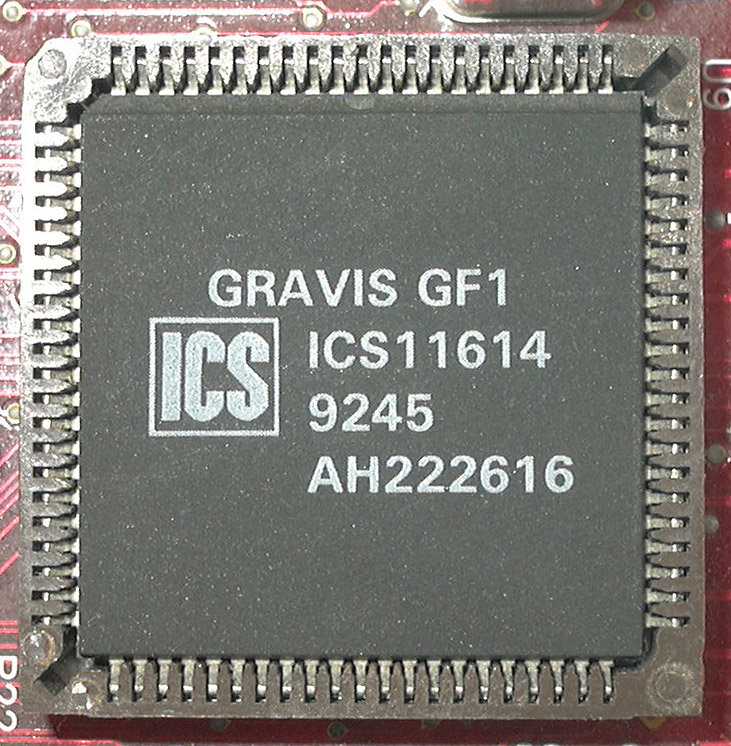
The Gravis UltraSound or GUS is a sound card for the IBM PC compatible system platform, made by Canada-based Advanced Gravis Computer Technology Ltd. It was very popular in the demoscene during the 1990s.
The Gravis UltraSound was notable at the time of its 1992 launch for providing the IBM PC platform with sample-based music synthesis technolog...
copper slate
Ohhh right my bad
tawny egret
basically only bill gates could afford one
more so for music then for gaming but some games had gus support
i think lucasarts was one of the companies that added it
i seem to remember both monkey island and dott having it
or was that sierra?
summer dragon
tawny egret
doom 0mhz looked awful
hm, yeah, sounds like something else is wrong on your end because anything I’ve played using the 0MHz packs on MiSTer look pretty much identical to how I remember it back in the day
copper slate
We’re over here always talking about DOS games but I’m wondering where the TRES games are
final zephyr
Has anyone ever looked at dumping the audio from the 486 core and just making a physical soundcard instead?
There are heaps of reproduction sound cards now, surely that would free up room for an FPU.
rotund dawn
woven lava
Im traveling and not with my MiSTer, but I can have a look at my setup once I ge...
Seriously I would appreciate that more than you can know. If you have any boot files or anything that you could send or email to me, IMGs, whatever the case, I would appreciate it highly! This has by no joke made me lose hair on my head, I’m 26 and starting to look 40 lol
woven lava
rotund dawn
Seriously I would appreciate that more than you can know. If you have any boot f...
are you able to boot the core at all?
chilly rain
tawny egret
also i’m not using the ram board if that makes a difference
ao486 doesn't use sdram so it doesn't make a difference.
https://github.com/MiSTer-devel/ao486_MiSTer/blob/master/ao486.sv#L180
 patent templeBOT
assign {SDRAM_A, SDRAM_BA, SDRAM_DQ, SDRAM_CLK, SDRAM_CKE, SDRAM_DQML, SDRAM_DQMH, SDRAM_nWE, SDRAM_nCAS, SDRAM_nRAS, SDRAM_nCS} = 'Z;
well once i’m able to run a game without their modifications i’ll see how it works
i’ll test out doom since alone in the dark seems to have issues. it must be to fast but i switched to the at 25 mhz and it still freezes
i need to look at the config file and see how it’s setting up the core
if i knew what l1+ and l2+ >nul did id be set
that’s what in the batch file to run the game
patent templeBOT
"H5D2P2OF,L1 Cache,On,Off;",
"H5D2P2OG,L2 Cache,On,Off;",
As I have tried mentioning, I don’t even know how to begin setting up this core and there is nothing online guiding that. It took me forever to learn DOS set up on ao486, but that even had guides
chilly rain
wait is it true that cubase was never cracked?
that's kinda mind blowing
apparently on MiST people could use the official dongle for Cubase 3 and get it working licensed
wtf
opal void
chilly rain
wait is it true that cubase was never cracked?
what's cubase?
chilly rain
@modest skiff you've got the Atari ST core up and running before right? care to share your hard earned tips with @rotund dawn ?
chilly rain
opal void
what's cubase?
it's a DAW, been around since the 80's
digital audio workstation
still around today
opal void
oh nice
chilly rain
This is a demonstration of Cubase 3.1 running on both Atari STe and Mister FPGA Atari ST Core. This is showcasing the abilities of both machines in how they handle midi playback.
0:00 Atari ST
3:29 Mister FPGA
Equipment Used:
Atari STe 4MB Ram with UltraSatan HDD
Mister FPGA Running Atari ST Core (User I/O Midi).
Akai S3200XL for sample playb...
opal void
I wonder if the MS-DOS versions of STAAD are available anywhere...
chilly rain
you wanna do some structural analysis on the mister?
opal void
chilly rain
you wanna do some structural analysis on the mister?
my dad might
he is a civil engineer
chilly rain
haha nice
fleet cave
chilly rain
apparently on MiST people could use the official dongle for Cubase 3 and get it ...
mister just implements the dongle in the core
there's another bit of software (composer?) that also has a dongle that maybe could be implemented. the dongle equations are out there
rotund dawn
chilly rain
https://www.youtube.com/watch?v=DP3FtNpEfBI
Yeah I wish this guy had a tutorial set up. I really appreciate his videos of even testing some of the old gear and using old MIDI music equipment. That’s what got me going with hope to begin with. I don’t really own much of an actual computer. My two desktops were found on the road and I fixed them from parts I got free and found, projects basically. Got them up to Win 7 Pro (one 32bit the other 64bit) and they are reliable for regular outdated use


 south stirrup
tawny egret
basically only bill gates could afford one
south stirrup
tawny egret
basically only bill gates could afford one
My dad had a Gravis Ultrasound bought it when it was new
I threw it in the trash around 2005 😮
along with a lot of other hardware that I now regret, like the original soundblaster
fleet cave
I feel like you should just find one of the existing atariST images and just start with that. if you google 'Atari3gb.vhd' you should find one
abstract condor
south stirrup
along with a lot of other hardware that I now regret, like the original soundbla...
I did the same
 formal whale
abstract condor
I did the same
formal whale
abstract condor
I did the same
same... we had a beige box PC with SSDN as the brand sticker... from a mom & pop store who thought "same shit, different name" would be funny (and it was) 😄
granite umbra
GitHub
Altair8800_Mister. Contribute to MiSTer-devel/Altair8800_Mister development by creating an account on GitHub.
rotund dawn
fleet cave
I feel like you should just find one of the existing atariST images and just sta...
I will try this, is there any specific folders or layouts I need to make in my SD? I’ll try this this week when I can, thank you
chilly rain
check ur dms
 elder basin
chilly rain
ao486 doesn't use sdram so it doesn't make a difference.
<https://github.com/Mi...
elder basin
chilly rain
ao486 doesn't use sdram so it doesn't make a difference.
<https://github.com/Mi...
whoa any idea why it's using DDR3 over SDRAM?
no space for SDRAM controller maybe?
 tidal epoch
SDRAM is slower than DDR3?
abstract condor
SDRAM is used for latency afaik. Where DDR3 is shared with the ARM core and can't guarantee access in time
 orchid atlas
anyone know how to stop the annoying beeping when loading up Atari 800 games? I just managed to load Who Dares Wins and it beeps like a modern day stuck key beep for ages before it loads. At least the game loads, but it's bizarre
I think mute is the easiest. Someone must have thought it was ok for it to beep like a maniac on every other game. It's doing it with Lemmings too!
chilly rain
elder basin
whoa any idea why it's using DDR3 over SDRAM?
The core is very full and I know it has multiple CPU caches. It's possible it just doesn't need to use sdram over ddr3. The sdram is usually used for systems where like a game cartridge was plugged in and the rom is loaded to it to simulate that since the random reads of sdram have predictably low latency.
 inland sinew
Can anyone suggest which versions of Wizardry and Ultima are best to play? Interested in trying out RPG history.
chilly rain
I usually hear wizardry 7 is the best in the series but I haven't played it. As far as ultima goes I'm partial to Ultima IV
But again I only played most of 1-4 for that series so take it with a grain of salt
orchid atlas
I had wizardy on the commodore 64
wizardry, but was too young to really get into it. If I was going to start it would be that one at least until I hit upon a tape loading issue. Might be easy to get to load with MiSTer though !
or try a cart version or prg version both c64 formats
or d64
Oh who knew there was a different wizardry series altogether?! Oh well. From what I just looked at wizardry 8 looks and sounds fun. On the video I watched 7 looked quite decent too
Wizardry 7 looks good on ao486 core!
rare plume
Good article for the first 3 Wizardry games:
http://www.hardcoregaming101.net/wizardry-llylgamyn-trilogy-version-comparison/
Looks like the SNES version might be the best
https://m.youtube.com/watch?time_continue=338&v=cQm635Th17A&embeds_referring_euri=https%3A%2F%2Fwww.reddit.com%2F

☕ Donation/Support ☕
Ko-fi (Worldwide): https://ko-fi.com/Gamerhenky
Saweria (For Indonesia only): https://saweria.co/Gamerhenky
Description:
Wizardry I-II-III: Story of Llylgamyn is a Super Famicom remake based upon the original Famicom version of mainline Wizardry trilogy and it was released June 1st, 1999 only in Japan for Nintendo Power bas...
woven lava
I like the PC Engine version a lot for the music
but I think the SNES ones are the consensus on the ones to play to get into it
Wizardry 1 was a rough game but it was so influential
orchid atlas
Well it seems I had it for c64 and it has then become a completely different game
There were no little japanese boys in the c64 version
The new ones look totally different entirely
formal whale
orchid atlas
anyone know how to stop the annoying beeping when loading up Atari 800 games? I ...
Is it this sound? If so, that's normal. https://www.youtube.com/watch?v=tzIksmZNjME

Pretty loud, isn't it?! Annoying... is that normal? Or faulty Atari?
formal whale
inland sinew
Can anyone suggest which versions of Wizardry and Ultima are best to play? Inter...
These days, the Wizardry remaster is probably good (it runs the original Apple II in the background), but if you want to play on AO486 I'd say 6 or 7. Ultima, 4 is the most important one, but 5 gained some QoL (doesn't matter which system you choose here, they're basically equal). 6 and 7 in that series are also interesting to see the development (and those can also be played via ScummVM with even more QoL).
 spring lodge
please tell me is it possible to play alien breed 3d with normal fps?
On Amiga core
orchid atlas
formal whale
Is it this sound? If so, that's normal. https://www.youtube.com/watch?v=tzIksmZN...
Yes it's that sound. Ahh so it's normal, oh well, that's a pity. Thankfully/Mercifully the games seem to load quite fast on the MiSTer!
 lament raft
Does ao486 support dynamically expanding VHDs? I tried searching but only found a thread from a few years ago that seemed to say it should be possible in the future.
fleet cave
it does not
lunar trellis
#unstable-nightlies message
What is this update that Sorg has done on the Mac core?
copper slate
lunar trellis
What is this update that Sorg has done on the Mac core?
I assume he updated that? First I've heard of a keyboard scan code, haha.
granite umbra
There is also this issue related to keyboard (fixe from MiST)
https://github.com/MiSTer-devel/MacPlus_MiSTer/issues/13
lament raft
How do I eject a floppy in ao486? As in set drive A to empty.
granite umbra
lament raft
How do I eject a floppy in ao486? As in set drive A to empty.
"backspace" key of the keyboard on the floppy A in the OSD
lament raft
Thanks!
inland sinew
Is there a guide to the PC-88 core anywhere? Would like to try experiencing JRPG history.
sterile ether
Hi !!! Is it a way to empty a hdd on ao486 core in a MLG ? Thanks
granite umbra
inland sinew
Is there a guide to the PC-88 core anywhere? Would like to try experiencing JRPG...
Generally you need to set 1st floppy on drive 1 and 2nd floppy on drive 2 (for games with multiple floppy) and reset on the core
For better experiences, it is better to use last unstable here : #unstable-nightlies message
Also it is important to refer to manual of the game you wants to play
woven lava
rotund dawn
As I have tried mentioning, I don’t even know how to begin setting up this core ...
this is my setup for the Atari ST core:
TOS: tos206.img
Chipset: MegaSTE

Viking: Off
Mono 60Hz: Off (you may need it on for Cubase, but start with this off)
Video Crop: Visible

Dongle: None
YM-Audio: Stereo
this should be able to run disk-based games at least, I just tried running Vroom successfully from floppy disk image
rotund dawn
woven lava
this is my setup for the Atari ST core:
```Memory: 4gb
TOS: tos206.img
Chipset:...
Alright, I finally am at my computer (if you can call it that) and I am going to try and download the few things I was informed to check out. Hopefully end result will be similar to yours. I have no Chipset nor Tos206.img
 mighty barn
@rotund dawn in case it helps I've just booted a Cubase 3.1 floppy with this setup for the Atari ST core:
TOS: Tos102uk.img
Chipset: ST

Blitter: On
Viking: Off
Screen: Mono

Dongle: Cubase
YM-Audio: Stereo
I don't have any MIDI adapter hardware to hand to test functionality I'm afraid.
 steep saffron
How well does ao486 core work? A buddy of mine got a MiSTer-Pi and says Hexen runs slow
abstract condor
The cpu core itself was a rather slow proof of concept (paraphrased) by the original author but has been optimized by contributors.
It can probably be rewritten, but nobody has done that particular hard work yet.
PC gaming is, generally, still best done on a PC so far.
copper slate
steep saffron
How well does ao486 core work? A buddy of mine got a MiSTer-Pi and says Hexen ru...
Yeah, it’s not like a souped up 486, it’s on the lower end so it’s pretty faithful which is awesome.
steep saffron
@copper slate can it run at 240p
copper slate
Uhhh I think so
rotund dawn
mighty barn
I don't have any MIDI adapter hardware to hand to test functionality I'm afraid.
That looks EXACTLY where I am trying to be. I did order the $40 MIDI dongle and I have many MIDI instruments of use to test.
@mighty barn Additional question; did you download an image of Cubase or is it the archive game pack? I may have downloaded Cubase 3.1, I am unsure if it is legit or works though. Still downloading these files to transfer to my MiSTer card
mighty barn
rotund dawn
<@277783132705390594> Additional question; did you download an image of Cubase o...
I haven't looked for a version in any of the packs - for this test I :
- Had a zip with the original loose Cubase 3.1 files in it
- Created a .st floppy disk image using "HxC Floppy Emulator"
- Transferred the loose cubase files to that image
- Transferred that .st file to the MiSTer and set that as Floppy A
Steps to create that image and add files are here
https://forums.atariage.com/topic/165944-moving-st-programs-into-disk-images-easiest-way/#comment-2050203
rotund dawn
mighty barn
I haven't looked for a version in any of the packs - for this test I :
* Had a z...
Now, is there a special way to do that? Any additional programs or software I have to download to create a .st Floppy Disk Image? Or simple as renaming the file?
Nvm I see more to the answer, thanks!
mighty barn
Sorry I pressed Enter too soon 🙂
@rotund dawn These are the loose files I added to the .st disk
 rotund dawn
mighty barn
<@854583600811999292> These are the loose files I added to the .st disk
rotund dawn
mighty barn
<@854583600811999292> These are the loose files I added to the .st disk
Awesome, it appears I have those exact files, and apparently also an .st file already for 3.0, so that should be fiine! Where in the MiSTer SD card would I transfer all these Atari ST files and Tos files, etc?
mighty barn
rotund dawn
Awesome, it appears I have those exact files, and apparently also an .st file al...
There should be a folder named AtariST in your games folder on the SD card (/media/fat/games/AtariST/
Pop them there
rotund dawn
mighty barn
There should be a folder named AtariST in your games folder on the SD card (/med...
Okay! So I at least got the Atari ST core up and running now, big advancement! I might have to try and make a new .st image for the Cubase file though because this one is coming up on my main menu, as Floppy A when I loaded it as that, but there is no way for me to execute any Cubase Program or get it running. Just all of its file assets and a file that is Cubase3.pgm (prg, whatever stands for program)
Now for some odd reason the HXC software will not allow me to drag and drop or load any files into the program to convert? Not sure how to fix that or if I need to find an older version of the software
mighty barn
This is the version I just used - disk browser is what you press to get the window to drop files on

 rotund dawn
Yeah, for some odd reason I cannot drag drop anything over to that
mighty barn
rotund dawn
Okay! So I at least got the Atari ST core up and running now, big advancement! I...
If you double click the Floppy A icon on the ST desktop you should get a window with CUBASE.PRG listed - double click that file
rotund dawn
mighty barn
If you double click the Floppy A icon on the ST desktop you should get a window ...
Okay, so I have that aside this whole fiasco. It doesn't load, is the problem. Just shows the little loading bee cursor for endless amount of time. But within the Floppy A, that is correct one of the many files within.
mighty barn
It did take a while to load for me too...
rotund dawn
Hm, sorry about that! Maybe I am a bit impatient. Est. 5-10 load up time maybe? Just tried again so I will wait and time it. It is in the other room on another Tv so I can spare looking back and forth lol. Again, I appreciate this help greatly, thanks for taking out the time to help
Look at that! I believe it is loading now! Incredible! Thank you @mighty barn, and @chilly rain you guys have saved me a lot of stress. Cannot express my gratitude as much as I wish
mighty barn
No problem, glad to help
rotund dawn
Okay final question: Should I stay on 4mb or lower? It seems as if it jumbled a lot of sprites and characters together. Is it maybe that I am running HDMI instead of into an actual monitor VGA, or perhaps a bad version of Cubase?
chilly rain
Thos ekinds of settings you may have to change depending on the software yeah
rotund dawn
It doesn't look correct display wise so Im unsure if that has anything to do with it not liking HD output but aside that I have also heard people say 3.0 and up has had problems/also some people having no problems... so I am also downloading 2 and 2.01 in case they display better. All I know is that it keeps overlapping Options and selections basically making it an unusable mess. Progress though!
 ruby cave
Hello community. Need your help. Does anyone have VHD ExoDos Top 300 pack left? Really need it. Can someone post it online. Thanks
copper slate
ruby cave
Hello community. Need your help. Does anyone have VHD ExoDos Top 300 pack left? ...
Sorry, friend. Can’t share links to copyright material on this Discord. I hope you understand and thank you.
worthy zealot
Any news about storage space on the headset? Pretty sure I have only seen people making guesses. I worry it might just get 64gb or 128gb because its meant to only be used with a PC and in standalone it would just be for webbrowsing. But I am pretty sure I saw somewhere that it would get 12gb RAM, so more than the Quest 3, I think its the same as the Quest Pro, so that would be strange if there will be only limited focus on standalone use.
But I guess it might not be a problem if its 64GB if it is made to support external storage.
woven lava
steep saffron
How well does ao486 core work? A buddy of mine got a MiSTer-Pi and says Hexen ru...
It runs like a powerful 386 or slow 486, varies per game
 undone anvil
steep saffron
How well does ao486 core work? A buddy of mine got a MiSTer-Pi and says Hexen ru...
undone anvil
steep saffron
How well does ao486 core work? A buddy of mine got a MiSTer-Pi and says Hexen ru...
definitely gonna want to reduce the screen size a notch or two
copper slate
People forget but PC games didn’t run great unless you had high end hardware. Even a game like DOOM was pretty demanding for a low end 486. Check out this gameplay of it running on a 486DX clocked at 33Mhz. The game even struggles running smoothly and it’s not even full screen.
Core is pretty accurate in that regard.

The Ultimate DOOM
IBM PS/1
PC 486 DX 33 MHz
Memoria: 8 Mb
Gráficos: VGA 256 colores
Sonido: Sound Blaster 32
El gran clásico de los juegos FPS de los años 90
steep saffron
@copper slate good to know. I do hope it will run GODS and Blackthorn
thick pendant
steep saffron
<@314946127487172609> good to know. I do hope it will run GODS and Blackthorn
GODs is no problem
 idle thunder
3 questions if i may does the trs-80 core work I just get a screen full of question marks.Secondly how do you get over the dos error on the oric and finally how to you update the firmware on zxnext I want to play atic attack but it says needs later firmware.