#Computer Cores
1 messages · Page 8 of 1
 hollow fog
Yeeahhh ♥️♥️♥️♥️♥️
 granite umbra
Sideline with cdda working so great 🙂
 tulip atlas
CD AUdio in 486 wut?!?!
 lunar trellis
Which games in top 300 get a benefit with CD audio added?
hollow fog
me happy , me cry 

tulip atlas
False alarm? where is it?
lunar trellis
Check news section
 burnt timber
lunar trellis
Damn, now CD audio in 486
burnt timber
lunar trellis
Damn, now CD audio in 486
Lovely, Ill have to try that with FX Fighter and Sideline today.
tulip atlas
Would AMiga CD32 already work if I load that CD32 bios I wonder.
burnt timber
granite umbra
Sideline with cdda working so great 🙂
Awesome.
tulip atlas
lunar trellis
Which games in top 300 get a benefit with CD audio added?
You can check the .cue files in the cd folder to see which have cd audio tracks. For example screamer seems to have cdda.
granite umbra
burnt timber
Awesome.
until the first boss cd audio works great and no more cd music
burnt timber
Oh well, maybe it can be corrected with future updates
granite umbra
stage 2 cd audio music is back maybe it is like that
burnt timber
Im guessing the joystick/gamepad input issues have not been corrected yet so you are using keyboard?
granite umbra
yes keyboard
other game I have using multi tracks is Rema the truth but I didn't configure sound on Win31 I need to check that part
burnt timber
Im not familiar with that game
granite umbra
It is an adventure game
 hollow ice
lunar trellis
Which games in top 300 get a benefit with CD audio added?
hollow ice
lunar trellis
Which games in top 300 get a benefit with CD audio added?
Super Street Fighter 2 Turbo, amazing arranged soundtrack imo
 fast kraken
lunar trellis
Which games in top 300 get a benefit with CD audio added?
fast kraken
lunar trellis
Which games in top 300 get a benefit with CD audio added?
i think simon the sorcerer is one?
its like, really shockingly few though overall
there's like, a big chunk of games that had cd-audio versions but are actually just meh recordings of the MT32 or General Midi version, a big chunk of games use cd-audio but can't run on the core (quake, tombraider etc) and then finally there's a tiny number in the sweet spot of actually running on the core and not having a superior mt32 or gm version
its literally like 5-10 games
iirc me and flynn left the cd-audio options all in top300 incase this ever happened
should just work but obviously we had no way to test
maybe it was LOOM actually not simon the sorcerer
 visual nacelle
warcraft 2 I think has it
hollow fog
7th guest , Quarantine, Warcraft 2, Need for Speed, the horde, Virtuoso
hollow ice
are you sure you aren’t talking about 3do?
hollow fog
nope 🙂
bug! , betrayal at kondor, carmaggedon, hexen, mechwarrior 2, powerslave, return to zork,
 undone anvil
I think LOTR for DOS required redbook audio
 vestal ginkgo
We did, no clue if they need love to actually work though. Here is the list https://github.com/search?q=repo%3Aflynnsbit%2FTop300_updates+"cd+audio"+path%3A%2F^games\%2F%2F&type=code

GitHub
GitHub is where people build software. More than 100 million people use GitHub to discover, fork, and contribute to over 330 million projects.

 mighty barn
hollow ice
Super Street Fighter 2 Turbo, amazing arranged soundtrack imo
mighty barn
hollow ice
Super Street Fighter 2 Turbo, amazing arranged soundtrack imo
Works great, haven’t heard that in years
hollow ice
mighty barn
Works great, haven’t heard that in years
Good to know, I planned to test after work!
 thick pendant
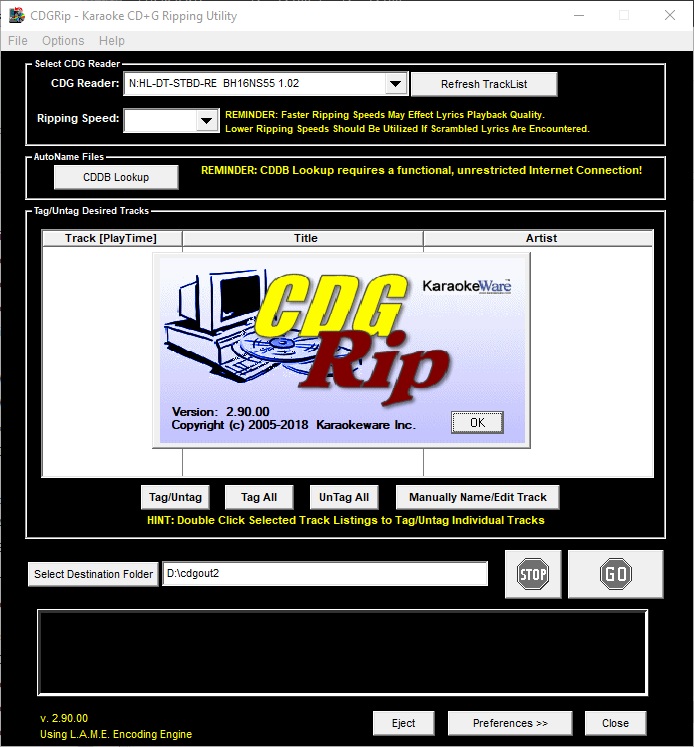
I need to find some software to play CD+G
thick pendant
I have 3 of the like 12 CDs that support it...
Fleetwood Mac - behind the mask, CS&N - Live it up and Information Society
oh, maybe 4
mighty barn
Back when I had a Win98 PC I think this was the player that was around https://cavsusa.com/playscdg/
thick pendant
I know CD32 supports it
 low plank
just tried Monkey Island 1, CD version, and while it works, isn't it much slower? it feels like it's playing at 1/2x speed
 fleet cave
I'm trying to get sjgplay to work in the 486 core but the gui aspect of it is broken. I can't tell if that's due to the ide/cdrom implementation not being correct or if there are other issues in the core that break it
low plank
tested Wipeout and it's the same, low pitch and low speed, just compared with the same Wipeout running in Dosbox in a modern machine and it's clearly slower in ao486
fleet cave
'wipeout 1995'?
low plank
the only DOS Wipeout, yes, from 1995
hollow fog
I tried few games with cd music , works fine
low plank
after messing with it a bit and rebooting it several times now it seems to be playing at normal speed, strange, maybe I have an issue at HW level
I've also noticed it fails a lot mounting ATA devices and ISOs, so maybe it's me
granite umbra
it seems with the last release of main mister / ao486 core
ISO file are not readable
vestal ginkgo
low plank
just tried Monkey Island 1, CD version, and while it works, isn't it much slower...
my guess is the CD version shouldn't slow down the core, its currently set to drop to like 30Mhz with the caches off
low plank
no no, there was no slowdown in the core, it was just the audio playing at slower speed/pitch
vestal ginkgo
oh not from the top 300 then?
low plank
also I get the image in flames when mounting some isos with imgtry, and I've noticed that if I mount and unmount the iso from the OSD a few times it ends up detecting it
hollow fog
granite umbra
ISO file are not readable
Yes , i converted my all isos to bin/cue 🙂
low plank
vestal ginkgo
oh not from the top 300 then?
I'm using your Top 300, yes (thanks btw)
low plank
hollow fog
Yes , i converted my all isos to bin/cue 🙂
yeah, that's true, cue/bin like MI1 never fails
vestal ginkgo
then I think it is scripted to slow down the core for monkey island, we fought with it for freakin years
granite umbra
hollow fog
Yes , i converted my all isos to bin/cue 🙂
ok thank you for the confirmation
is there a tool for it ?
vestal ginkgo
low plank
I'm using your Top 300, yes (thanks btw)
you can see it on the first Jchoice pause. "Call sysctl sys 30mhz l1-"
low plank
vestal ginkgo
you can see it on the first Jchoice pause. "Call sysctl sys 30mhz l1-"
so you think the issue is related to the core speed? maybe I should get a new DE-10 nano and RAM...
hollow fog
granite umbra
ok thank you for the confirmation
is there a tool for it ?
I just use anyburn program to convert files
vestal ginkgo
nothing wrong with your mister, its just a config setting. I'll try to make it where if you pick the CD version it keeps the AO486 core at full speed. If easy change I can do it, if its longer than that it is going to have to wait
yeah that fixes it
you have to REM out the sysctl line in the AUTORUN.BAT so the AO486 core runs at full speed when using the CD-AUDIO option
I can move it to only run if you are using the talkie version.
hollow ice
For some reason I remember ssf2t running better but maybe not.
granite umbra
fleet cave
I'm trying to get sjgplay to work in the 486 core but the gui aspect of it is br...
I tried it and it hangs but the program shows disc duration and the led is green (not blinking)
low plank
vestal ginkgo
yeah that fixes it
ok, so if I start with 486SX I get half speed for CD-A, then I go to the OSD and set it to 486DX and it sounds correct (sysctl is REM'ed), I wonder why it doesn't get the correct speed from the beginning
granite umbra
hollow fog
I just use anyburn program to convert files
thank you !
vestal ginkgo
hard to explain but the slow down for Monkey Island was intentional. There was a game breaking hang bug where you could just get stuck in the game if you didn't slow down the FPGA core. It will still be needed for sound blaster/MT-32 audio (and I think there is still situations where the game can hang, but way less often at 30Mhz and one of the caches turned off) I have no idea if those hang bugs will happen with CD-Audio.
low plank
vestal ginkgo
hard to explain but the slow down for Monkey Island was intentional. There was a...
yup, I'm familiar with that bug, I had lots of issues in the past trying to run it in a Pentium machine back in the day, so the speed config you set should definitely stay there
vestal ginkgo
yeah for the talkie version, no clue on the cd-audio version yet, I am currently playing the game with it running. 😄
hollow ice
@fleet cave thanks for the ide work. How familiar are you with the spec? I had attempted to fix a bug with openstep a while back where the SPT value was getting reset to 0, but didn’t have any luck.
thick pendant
vestal ginkgo
hard to explain but the slow down for Monkey Island was intentional. There was a...
The Dig has the same issue and it only uses SB
fleet cave
hmm, this sjgplay thing may not even be cdrom/ide related. it works fine without the GUI. you can start tracks playing, you can query the full TOC and you can even start a track and then use the 'wait' command and it properly exits when the current track is over
 median carbon
does anyone happen to know any ao486 modelines for a 1600x1200 75hz computer monitor?
 void belfry
CD Audio in Heroes of Might and Magic 2 stutters at certain actions (like opening Mage guild , Thieves' Guild, building construction menu in castles, opening chests and some in-game functions like save/exit). Otherwise seems fine
void belfry
FX Fighter has a nice soundtrack too 🙂
hollow fog
i tried Qurantine, Warcraft II, Virtuoso, 7th Guest , all good
void belfry
quite a list and a lot ofc would not work but still.., next on my tests would be Goblins 3 and Betrayal at Krondor
void belfry
that list is missing Sideline :)) nice tracks on this one too
 waxen brook
It's so exciting that CD audio support is here for AO486 & Amiga! Thanks everyone for testing different stuff and reporting back findings, and @fleet cave, paulb-nl & Sorg for the work on this great addition 🙂
fast kraken
it is a really nice bit of polish for that core now its pretty much exactly like my real 486 back in the day
low plank
anybody knows if there is an easy way to edit the autorun.bat file from MyMenu in the Top 300 pack? is there like a key combination or something?
sometimes if a game crashes it shows the autorun.bat and the readme, and from there I can edit it, but I don't know how to get there
or maybe there is some documentation available?
thick pendant
you can always type alt-c then "edit autorun.bat"
low plank
I'll try that, but I guess what I'm asking is how to "enter" a folder instead of running the game
thick pendant
you can press f7(full screen) then f2
low plank
thick pendant
you can press f7(full screen) then f2
thanks!
(btw, I think you developed MyMenu, @thick pendant, so thank you!)
thick pendant
Oh, i think what you want is alt-f9
low plank
thanks, I will give it a try later, just making a backup of my microSD at the moment
thick pendant
alt-f9 to toggle auto-run then probably f7 and f2 to edit
 worthy zealot
Ahh, amazing 🙂 With CD audio support for the Amiga and AO486 core that sure covers a lot of games I wanted to try with this feature on those systems and we should be close to seeing fully floppy support for the Amiga core since it has been tested, support that means reading even copy protected Amiga floppy disks on the MiSTer.
And so many other cores have gotten major improvements and been added to the MiSTer as well. I have not had my MiSTer hooked up for maybe a year now, but its certainly time to test much of the new stuff. I will start out with CD audio on the Amiga and AO486 core.
burnt timber
Very happy to see CD Audio in both of these cores, and grateful. I guess the next thing Id like to see is some better implementation of joystick/gamepad controls in ao486.
worthy zealot
burnt timber
Very happy to see CD Audio in both of these cores, and grateful. I guess the nex...
I thought that was already possible in AO486? But I have not tried it, I always use keyboard controls and such, and then they can be mapped to a gamepad or something I guess.
burnt timber
Myself and others have run into a lot of trouble with various games. Sideline is an example off the top of my head
void belfry
Betrayal at Krondor CD version is not recognized on AO486 (it seems ok in PCEmu) 😦
void belfry
Never had the CD version, I use the back-ed up version from my original 486 HDD. And that was a floppy version, copied from a friend back then :))
void belfry
Under Win NT 4.0, if you're closing the integrated CD Player, music will still play on. When re-opening CD Player, it will just function as normal, resuming from current track
Under W95, closing the CD Player while playing, music will stop. When re-opening the CD Player, it won't recognize anymore the CD, unless restarting the OS.
I know, different CD drivers used as well in this equation 🙂
Took as benchmark the FX Fighter Gold CD, because of the soundtracks lol
CD Player's functions (stop/next/pause/etc) function as intended as far as i can see
worthy zealot
Nice 🙂
burnt timber
So FX Fighter CDDA music is working now I imagine?
void belfry
burnt timber
So FX Fighter CDDA music is working now I imagine?
yup 😄 love it
burnt timber
Someone said Sideline was working, earlier. Exciting stuff, just need some controller fixes
void belfry
also winning "speeches" for characters work now, as they are also as tracks
Under DOS, closing Dos Navigator's integrated CD player while playing the music, it won't stop it, and when relaunched it will function normally
hollow fog
Alien Trilogy works ok with music
low plank
thick pendant
alt-f9 to toggle auto-run then probably f7 and f2 to edit
Alt+F9 doesn't seem to do anything on my side, maybe I need to enable something in the mymenu.ini?
thick pendant
what version?
low plank
good question, is the one bundled with the Top 300 pack from @vestal ginkgo, updated to v2.0.2, let me check the MyMenu version
low plank
thick pendant
what version?
$09CC
thick pendant
low plank
good question, is the one bundled with the Top 300 pack from <@30905265352081408...
we probably should update that
low plank
I see you upgraded to HexadecimalBond with the versioning numbers
thick pendant
I was running out of #'s
so, if you want the auto on by default DOAUTOSELECT=Y else N or T or F
but ALT-F9 should toggle
worthy zealot
I guess I will have to update my full CD collection. I used to prefer having them in ISO format, also helps make it easy to tell whether the game has CD tracks or not. Maybe I could figure out a way to add support for ISO again, but it can be a bit complicated, I already tried a bit with the PS1 core
Does MyMenu support playing CD music? Or do I have to find DOS Navigator or some other CD player for DOS?
low plank
worthy zealot
I guess I will have to update my full CD collection. I used to prefer having the...
they recommended yesterday in this chat to convert to cue/bin with anyburn, I was working on it right now (editing the batch files)
 copper slate
what about chd
low plank
worthy zealot
Does MyMenu support playing CD music? Or do I have to find DOS Navigator or some...
haven't tried it myself, but there are DOS tools to play CD-audio
http://www.fysnet.net/cdp.htm
worthy zealot
low plank
they recommended yesterday in this chat to convert to cue/bin with anyburn, I wa...
I do have tools for autoconverting CD images. I would just prefer not to have to, and to generally be able to use any CD format. But if its done like it is for PS1 and such, then that means having to make extra code that tells MiSTer main what tracks ISO files have. Which is not as simple as it might seem like it should be, because its needed in more than one place, at least last time I tried.
worthy zealot
copper slate
what about chd
good question. I will test that
worthy zealot
low plank
haven't tried it myself, but there are DOS tools to play CD-audio
http://www.fys...
Nice, I will try a few of these 🙂
Hmm, there are several bin cue image types. Some of them store the music in MP3 format... would that work with this? I am guessing it wouldnt
Oh, right, there is also cue / iso. That should work, shouldnt it?
fleet cave
probably, assuming the cue reference the file correctly
also if you have an 'iso' that has audio tracks that's a raw dump pretending to be an iso
worthy zealot
Stone Keep, Little Big Adventure, HOMM2 and Heimdall2 all have CD audio. Pretty sure at least LBA should be able to run on AO486, and I think HOMM2 was DOS based?
thick pendant
worthy zealot
Does MyMenu support playing CD music? Or do I have to find DOS Navigator or some...
Not currently, but something I may look into adding
worthy zealot
Oh, Settlers 2 Gold Edition has CD audio. Did not think it did, pretty sure it had music last time I tried it, but I might remember it wrong, and I guess it might also just have two versions. Maybe it was not the gold version I played
Destruction Derby... hmm, pretty sure if it runs, it does not run well, but since it has audio tracks I think I will try that again as well
void belfry
HOMM2 has issues with CD audio 😦
worthy zealot
I do think CHD should work right? I got this simple command that converts any ISO to CHD and the same works for cue bin I think:
for /r %%i in (*.iso) do chdman createcd -i "%%i" -o "%%~ni.chd"
By replacing iso with cue
It should make a CHD version of any ISO or CUE file in the same folder as the file in all subfolders of the folder it is run in
Oh... actually seems like all the CHD images will be made in the folder you run this, even if the image file is in a subfolder
Btw, on the Amiga core, has the driver maybe changed or do you still need to use scsi.device for CDs? The git readme has not been updated, but the little I tested so far I suspect maybe it did change? But it might also just have been the one CD image I tried was not one that could be seen as mounted when mounted
Does Magic Carpet run on AO486?
thick pendant
if i remember right, yes and no
hollow fog
I will check
thick pendant
like yes it runs, no its not enjoyable if I remember right
worthy zealot
Yeah, probably a bit like Syndicate Wars. It runs, but its just a bit below enjoyable framerates, but you can if you really want to
Oh, this might even be Magic Carpet 2. The first one did not have CD audio I think
thick pendant
"Intel 486DX 100 MHz Intel Pentium 75 MHz recommended"
worthy zealot
Is that Magic Carpet 1 or 2?
hollow fog
Nice cd music
 fleet cave
nothing was fundamentally changed with the amiga driver. all that was added was the bits in main required for sending cdda data to the core, and the core was changed to mix that data into the audio stream
that's it
worthy zealot
fleet cave
nothing was fundamentally changed with the amiga driver. all that was added was ...
Nice, good to know. I do think it might be a problem though when it comes to getting CD32 and CDTV games to run on the Amiga because they expect the CD.Device driver. The emulators and such that is. I will try to see how well I can work around it though.
fleet cave
I ran CD32 games with the utility included with IDEFix97
worthy zealot
But can it be used as a bootdisk and such?
fleet cave
no idea
worthy zealot
I do not think I got very far testing the IDEFix CD32 emulator. I will give that another go
fleet cave
I think when I initially installed idefix, I used the atapi device it detected
thick pendant
Ideally I think we want to get the CD32 bios to work, however I don't think the CD32 uses the Gayle interface for CDROM
worthy zealot
Oh yeah, I think I did something with that. Do not remember if I got it to work, but I tried a few things at least to get around that atapi driver
fleet cave
it uses akiko for cdrom
worthy zealot
I think maybe I actually got the atapi to work the same way scsi.device does, by just changing the CD device to what the scsi.device is given as the drive number
thick pendant
I suppose you could make a custom bios with remus
worthy zealot
I have tried that
I guess it might be possible if someone can customize drivers or something
but I could not find a way to do so
Oh wait, bios? Not kickrom?
fleet cave
because you're a dirty PC lover
thick pendant
next I'll be calling Workbench "Windows"
worthy zealot
But yeah, making a custom rom I have had no luck with. Have been looking into it for a while, but I am a software developer, so bios stuff and such is on a much lower level of code than I am used to
thick pendant
I know I made a custom kickstart for 1.3 that supports HD, and a 3.14 one with 4 drive support with atapimagic
worthy zealot
Yeah, its very useful to have a 1.3 rom with IDE support 🙂
thick pendant
I mostly did it to get the Newtek demos to run somewhat correctly
those Newtek demos sold me on Amiga back in the day 🙂
worthy zealot
I needed it for gold box AD&D games
Their WHDLoad versions do not work very well. You can load the games fine, but when you have to save it will take ages and sometimes crash
So they are best run with the 1.3 ROM and WB 1.3
hollow fog
worthy zealot
Does Magic Carpet run on AO486?
so far it works great! it is fast enough to play comfortably
worthy zealot
hollow fog
so far it works great! it is fast enough to play comfortably
Nice 🙂
hollow fog
hollow fog
i love 486 era 🙂
 vestal goblet
Gobliiins 3 might be better to play in scummvm. The pathfinding was made a bit more sane in the reimplementation
worthy zealot
vestal goblet
Gobliiins 3 might be better to play in scummvm. The pathfinding was made a bit m...
Yeah, but that probably goes for pretty much all adventure games I think
vestal goblet
in Sierra games you can use arrow keys and not rely on pathfinding at all, which is a nice fallback. but in Goblins games the primary interaction requires pathfinding and you end up pixel-hunting just to get the Goblin with the pitchfork out onto the tree branch
I set up my daughter's Kano PC with Gobliiins CD from GOG, which uses scummvm, after trying it in DOSbox. There were several times she was on the right track with the puzzle solution, but the pathfinding wonkiness made it seem like the game was disallowing the approach.
anyway, just a suggestion from someone who went through that specific set of games recently 😄
thick pendant
hollow fog
that does look better than I remember
I wonder if I tried it before the L2 cache was added...
worthy zealot
I have trouble getting AO486 to use drive D as the CD drive. Is there something about it having to be the second controller that is used for CDs?
Goblins 3 with CD audio 🙂

 rough edge
If someone makes a PnP 1MB Kick for CD32 that would be great haha
The official one doesn't work
worthy zealot
I have tried, best I could do was to make a bootfloppy that would part of the Kickrom using... romfloppy or whatever the tool is called
But that was using a SquirrelCD32 I think, and it needed access to the CD images on the shared folder and I could not get it to mount the shared folder
rough edge
The CD... Images?
worthy zealot
Yes, for mounting. So I would have iso files in the shared folder that I could mount with squirrelCD32 with a special bootdisk I made for it
But those do not support CD audio of course, but that was not an option at the time anyway
I did do some attempts at using emulators that load CDs in the drive, but the compatibility was not as good as with SquirrelCD32 with what I tried
Problem with getting the emulators to work with the special CD setup that the MiSTer Minimig core uses
I am pretty sure its mainly about configuring those emulators better
void belfry
Fantasy General also has nice CD tracks 🙂
fleet cave
is there some special config needed for warcraft 2 in the core? it crashes for me
worthy zealot
yeah, generally if the game uses DOS4GW assume you will need to use DOS32A with it. In 99% of the cases it will make it run better I think. Very few games run worse with it.
worthy zealot
Cannot get AO486 to assign D as the CD drive drive letter. I guess it might reserve that drive letter for the second IDE drive on the primary controller even if no disk is assigned to it?
low plank
thick pendant
I finally tested it and it works great, it's much easier now to edit the autorun.bat files, Alt+F9 and for each game I need to edit F7 -> F2, make the changes and Alt+X
void belfry
worthy zealot
Cannot get AO486 to assign D as the CD drive drive letter. I guess it might rese...
using the /L:D option works for me. I usually keep it as letter F, just quick tested for D
 worthy zealot
void belfry
using the /L:D option works for me. I usually keep it as letter F, just quick te...
worthy zealot
void belfry
using the /L:D option works for me. I usually keep it as letter F, just quick te...
I guess I will have to not use XCDROM then. I will try this, thanks 🙂
Ahh yes, playing CD audio on the Minimig core 🙂

Robocod 2
hollow fog
coffin 😄
worthy zealot
I mean, James Pond 2: Codename Robocod
Yeah 🙂
Takes a long time to boot, but changed it to use the RTG drivers for the MiSTer instead of Vampire
And changed its CD device to the MiSTer settings as well
void belfry
worthy zealot
I guess I will have to not use XCDROM then. I will try this, thanks 🙂
I use XCDROM driver as well. (it is loaded in config.sys). SHSUCDX is just a replacement for MSCDEX (as you see, this is loaded in autoexec.bat)
burnt timber
What games benefit from CDDA in the minimig core? CD32 Im guessing?
thick pendant
there is also a device driver called UDVD2.SYS that might be worth trying...
hollow fog
worthy zealot
Takes a long time to boot, but changed it to use the RTG drivers for the MiSTer ...
I tested a lot of Vampires , fun times 🙂
worthy zealot
void belfry
I use XCDROM driver as well. (it is loaded in config.sys). SHSUCDX is just a rep...
I do think I have SHSUCDX in my autoexec somewhere, just not in the conf I mostly use. I will try to move it. Testing Amiga now though and have some N64 to test as well 🙂
void belfry
It's smaller than mscdex, one of reasons i use it. But I suppose the same "/L:[letter]" option can be used also with MSCDEX.
worthy zealot
burnt timber
What games benefit from CDDA in the minimig core? CD32 Im guessing?
yeah... and if somehow possible to get it to work then there is Defender of the Crown CDTV, with voices and more 🙂
burnt timber
I guess Ill have to try and investigate what CD32 games are worth playing and have CDDA
worthy zealot
I must say the games on CD32 are mainly existing games that got a CD32 port, but often with worse music I think. But Chuck Rock 2 is pretty good I think with its CD32 music. Same style as the original I think, but taking advantage of the CD quality audio
 sudden ice
If I get General failure reading drive F in AO486, what do I do?
This is trying to launch top 300
burnt timber
Dark Seed/Pirates! Gold/Universe/Labyrinth of Time look like they might be worth spinning up to try
I think they are already in Amiga Vision. I assume CDDA just works now with the existing image
worthy zealot
Arrg... IdeFix CD32 emulator was playing the Chuck Rock 2 intro perfectly, but then something crashed with Coffin 😦
I will try another OS I think
 cedar isle
I've been looking forward to college flashbacks running cthugha in ao486 with cd support. https://en.m.wikipedia.org/wiki/Cthugha_(software)

Cthugha is a music visualization computer program. It was written in the mid-1990s by Kevin "Zaph" Burfitt, originally for the PC, and was later ported to other platforms. It was freely distributed.
worthy zealot
Ohh, nice 🙂 I will have to try that as well
thick pendant
low plank
I finally tested it and it works great, it's much easier now to edit the autorun...
You can also mouse click in the popup instead of f7
void belfry
Hmm... I actually like that DOS Navigator's CD player continues playing the CD audio after closing it. I can listen to music and do other stuff in DOS at the same time
 void belfry
Shadow Warrior CD audio also works (and rocks 😄 )
 void belfry
works ok-ish, I'd say, maybe with some marginal improvements with VESA https://misterfpga.org/viewtopic.php?p=46620#p46620
worthy zealot
hollow fog
ao486:
- Fix: CD audio rate was depending on CPU clock.
Nice 🙂
void belfry
time to update 😄 thanks @hollow fog
granite umbra
void belfry
Shadow Warrior CD audio also works (and rocks 😄 )
I remenber this game ! Is it working well ?
void belfry
granite umbra
I remenber this game ! Is it working well ?
Didn't play much, just the first map, but I'd say it's ok-ish to play (kinda same as Duke Nukem 3D i would guess ?)
I dunno how to measure the FPS on this one 😄
granite umbra
Thank you !
worthy zealot
hollow fog
maybe HOMM2 works better now ?
Pretty sure this game is just a bit slow on the MiSTer overall? I think it runs in SVGA
hollow fog
i think there were problems with music when the game slowed down
worthy zealot
I tested HOMM2 yesterday, with the CPU set to 90hz, and the music ran quite well I think, but the game was slow
granite umbra
For SideLine I didn't find the way to decrease cd music volume so difficult to hear some SFX sound even set to maximum volume
worthy zealot
Hmm, I guess I was only in the menu of HOMM2, so I guess it might be more noticeable when going in game
void belfry
Descent 2 skips tracks when playing, jumping from one to another after few seconds
but from this demanding game I didn't had much hopes anyway
 mortal hazel
Tempest 2000 finally has music! Kind of... it seems to play the correct track, but only plays the first 2 seconds or so before repeating it over and over. This is for the DOS version.
void belfry
Lol, not a great game (and no, it doesn't have CD audio), but fun name and "story" still :D)) Controls are kinda janky tbh


has nice music though, and characters have digital speech as well
 burnt timber
I've heard of this one actually
void belfry
from what i gathered, you need 2 wins to advance with every girl, each advancement gets you some picture on that calendar on the pole
thick pendant
what is that on her leg?
void belfry
mouse cursor. it shapes like a mic when on characters, like a hand on floor/interactive objects and arrow for upstairs
the interface is pretty much mouse driven, only the fights uses 2,4,6,8 for movement, Z,X for punch/kick
thick pendant
Ah, thought it was her lightsaber
void belfry
yeah, i was pleasantly surprised by it. Well, the fighting itself as i said is far from ideal but not a bad idea for this kind of games
void belfry
burnt timber
I've heard of this one actually
This was first released for PC-98 and FM-Towns , then ported to MS-DOS
burnt timber
That explains the PC-98 graphics
void belfry
has some easter eggs as well, or semi-cheats
burnt timber

Game: Metal & Lace
Track: E2
System: NEC PC-98
Developer & Publisher: Forest
Composers: Yoshifumi Doiichi, Bananapple
Release Date: 29/05/1992 (JP)
#VideoGameMusic #VGM #RetroVGM #TheBestofRetroVGM
PC98 OPN seems to have better renditions
void belfry
ok, seems you can customize the controls, the envelope button, between "!" and the bar chick
void belfry
StarGunner has also CD audio tracks. They are not used in game however, it seems to be intended for audio CD use only. Otherwise, nice shooter game for DOS, good music background also.


Good ol' Apogee 🙂 ❤️
 void belfry
Star General has also CD audio tracks. Never played this before, but from what I can tell, the CD audio works fine 🙂
It would require QEMM for the install program, but it would run on a HIRAM/Extended/EMM386 options (NOT QEMM, as it would crash to DOS)


 junior hemlock
https://www.youtube.com/watch?v=USQxZc9nmtE Does the Mister need pizza key emulation?
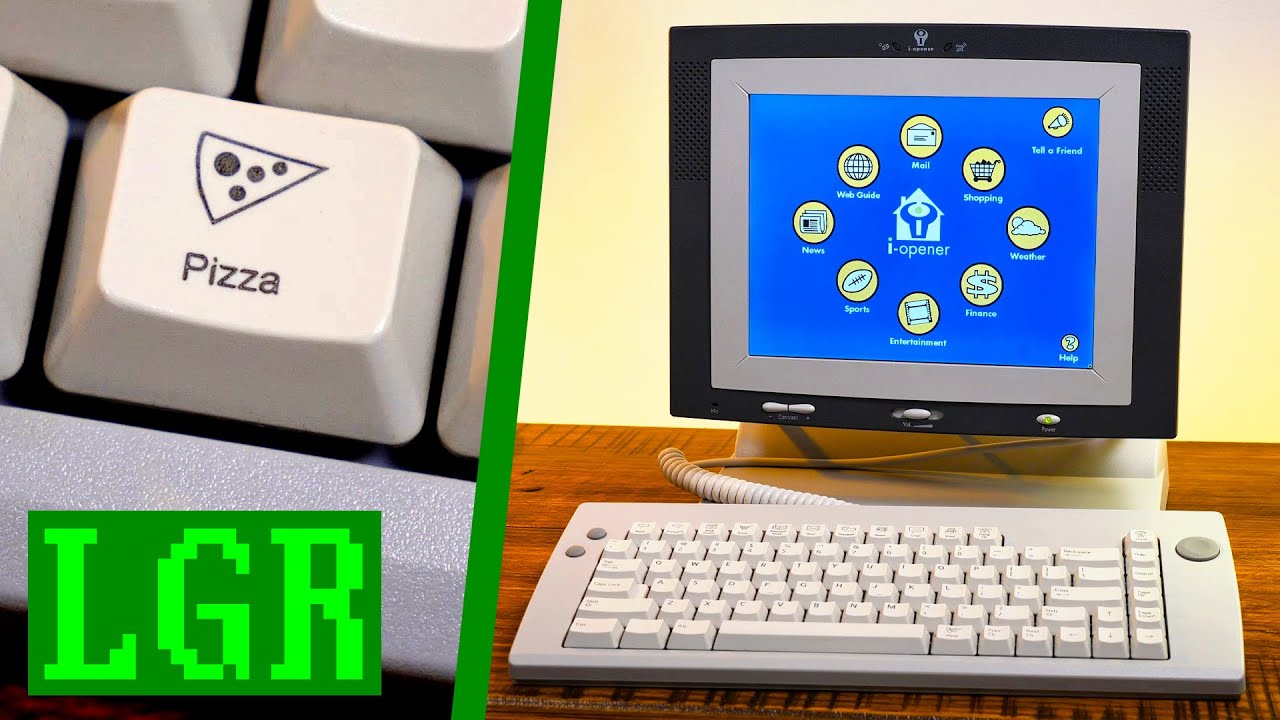
Ever wanted a PC with a dedicated pizza button? 🍕 Well the Netpliance i-opener from 1999 has you covered, press it anytime to order pizza online! At least back when it was still an active Internet Appliance that connected to the web via dialup. But that won't stop us diving into this oddity on LGR!
● LGR links:
https://www.patreon.com/LazyGameR...
thick pendant
junior hemlock
https://www.youtube.com/watch?v=USQxZc9nmtE Does the Mister need pizza key emul...
I have one of these, I put a faster CPU in it and a HD...
junior hemlock
Heh, nice!
thick pendant
the screen is really pretty horrible. you'd be much better off with almost any used laptop
junior hemlock
I bet!
thick pendant
but for $100 or whatever it sold for, you could not beat it
junior hemlock
Agreed
void belfry
crazy first large Internet use years 😄 Though most of those ideas are implemented today (back then the tech couldn't cope with the desired functionality), like ordering a pizza from smartphone/smart TV/probably even consoles if not already lol
same principle after all. Minimalistic app on an Internet connected device for whatever online stuff. And ofc, the device would require as little user's intervention as possible
Hmm... now that I think more on pizza (well, not for now as I just ate)... I bet that there are pizza websites that would be even accessible from a MiSTer core to place an order (not the online payment stuff, I wouldn't go that far).
My bet would be for Amiga's IBrowse, as it would also allow an external RasPi or whatever linux box as proxy/SSL offloader or AmiSSL (albeit much slower)
junior hemlock
Haha, that would be interesting
void belfry
Problem seems to be finding such site lol :)) A lot of them just moved the ordering to online platforms/services like Glovo or whatnot. I knew such a site (actually good restaurant in my area) who had a very minimalistic site, but it closed the website and moved.
 deft estuary
Hi there all! On Ao486 last version, with fixed CDDA support, I've tried to run Rayman on Dos 6.22 but it doesn't boot, anyone has got to boot it, even with prev versions of the core?
void belfry
Rayman doesn't work. No matter the core version
deft estuary
ok thank you @void belfry
void belfry
i tried lol 🙂 each possible mem manager/UNIVBE/FPU software emulator to no avail
deft estuary
@void belfry in your opinion, what is it the feature the Rayman uses and the core doesn't implement correctly?
void belfry
I've no clue 🙂
for some games, the clue is kinda obvious from the error messages, be it for memory or missing FPU or missing whatever else. For Rayman, not that obvious as it doesn't boot. So probably more troubleshoot has to be done
hollow fog
Rayman is a very interesting case
void belfry
For example, some programs (this case is the VICE emulator for DOS) plainly asks for an FPU. Others would just throw some other errors. As I remember Rayman, I don't think it's the lack of FPU though, it's simple enough not to need that

In 99% of the cases of DOS software needing FPU, I could at least get it run with Q87 FPU emulator. Only one case (some german game if I recall didn't accept it, though it recognized it as a software FPU)
for games/DOS emulators "run" translates into "crawls" except FX Fighter :))
not sure if I've tried the other (Trident) bios with Rayman though I doubt there would be much difference
deft estuary
these are the specs from manual:
PC CD-ROM - Windows 95/98 compatible
IBM & 100% compatibles
486 33 minimum - Pentium recommended
DOS version 5.0 or higher
Double speed CD-ROM drive - Keyboard or Joypad
4 MB RAM minimum - 8 MB recommanded
Graphic card VLB card - 256 colours
Sound card: Sound Blaster & compatibles
maybe the problem is the Graphic card VLB card, @void belfry ?
void belfry
back then, I indeed had a VLB card with 1 meg vram (can't recall exactly what) on my DX/4 and for sure I got Rayman working. Now, if the issue is the implementation of the graphic card for ao486.. again, no clue 🙂
 vestal ginkgo
throwing it out there, Rayman in my specific pack could just be broken, from the conversion of eXoDOS, so maybe just try a fresh install. eXo can sometimes do patches that might be more focused on dosbox.
I do remember the Letters screen lockup and never figured it out
void belfry
I always install them fresh
vestal ginkgo
oh and it did the same thing?
void belfry
yeah
vestal ginkgo
VLB does for sure work after that one person did all that work getting UNIVBE functioning. I am going to blame the DPMI bug as that is a fun one to blame with no real data to back it up
hollow fog
I'm using my dos installation and unfortunately I couldn't get Rayman to run
psx version is good too 😄
void belfry
admittedly, I only used DOS 7.1, but I doubt this would be the issue
hollow fog
i use 6.22
hollow fog
 void belfry
With QEMM, it would show something different than the letters/other chars as in other mem managers. But won't budge over that
 void belfry
yes. using dos32a also produces some beeps at beginning
we can rule out the other VGA bios (didn't had much hope anyway)
tested, same result
and for the sake of my mind, also tried another CD version
I can however confirm that the audio tracks are there and playable (here with Cubic player) 😄


which apparently freezes after a track is played...
not that the spectrum analyzer is actually reflecting the reality 😄
 dire solstice
Qq will doom ever be able to run full speed?
hollow fog
in my opinion doom works very well
void belfry
void belfry
which apparently freezes after a track is played...
and that freeze is only on Rayman image, testeed with DN's cd player and it does the same. Cubic player actually works ok (it would loop the track, not play the next as DN, but still it won't freeze the entire system)
maybe a double check with PCEm would throw some light, as I don't wanna rule out bad image(s) as well
vestal ginkgo
dire solstice
Qq will doom ever be able to run full speed?
especially FastDoom, which I am not sure why you wouldn't use FastDoom at this point on the core. It is exponentially better
speaking of, didn't the FastDoom Dev add CD-Audio?
I forgot about that
copper slate
Is there a list of all computer cores that support mt32-pi? I tried looking and found these:
- ao486
- AtariST
- Minimig
- MSX1
- PC88
- X68000
burnt timber
Didnt know PC88 and MSX supported it
copper slate
ehhhh, I'll double check
burnt timber
Amiga did.. I thought
fleet cave
it does
burnt timber
X68000 for sure, my mt32pi has gotten the most use in that core
thick pendant
fleet cave
it does
I assume that means USB MIDI too?
fleet cave
I dont' know, actually
thick pendant
for the MSX1 and PC88 i mean
I know I've used MIDI with ao486, AtariST, Minimig and X68000, but I'm not even aware of the PC88 and MSX supporting MIDI
I don't know whats up with my MiSTers but they are changing IP addesses like crazy lately...
vestal ginkgo
Mine still does the whole double ip thing, it gets a dhcp address and then less than 60 seconds it gets the sequential address. Like from .123 to .124 I have just lived with it. Hard wired only. Though it has been a good long while since I upgraded and just did yesterday. *shrug
void belfry
Found another app needing FPU, Flview (some image viewer, mouse driven etc, most probably got it from Flynnsbit's VHDs lol) it would "run" (slowly) with Q87 FPU emulator. While it looks nice for a DOS program, I'll stick to QuickView 🙂

 hollow fog
I have never checked the fpu q87 emulator , I will play with it soon
I only tested the soft. fpu under minimig core
hollow fog
thanks!
waxen brook
Saw this comment on my YT from one of the folks who worked on the Monkey Island expansion stuff for Sea of Thieves on Xbox/PC recently. Cool to hear they're a MiSTer fan/user 🙂
 deft estuary
excuse me @void belfry , how can we change video card bios in Ao486 MiSTer core?
low plank
deft estuary
excuse me <@794151308620857395> , how can we change video card bios in Ao486 MiS...
I believe it's the "boot1.rom" file under /media/fat/games/AO486
deft estuary
thanks @low plank !
low plank
latest versions of the ao486 bios should be here:
https://github.com/MiSTer-devel/ao486_MiSTer/tree/master/releases
(at the bottom)
deft estuary
perfect! But how can I find alternative boot.rom ?
low plank
I don't know, I remember long ago we had a very crappy VGA card, and at a certain point it was replaced by a better one that supported the bios of a real world graphics card, but I'm not aware of any other, I'd love to know more about these alternative bioses
I wonder if the suggestion is to go back to the previous one
deft estuary
shure, thanks @low plank , maybe @void belfry can say more on this when he'll we be online...
low plank
I believe the new VGA replicates a Tseng Labs ET4000, and that's the "good" bios we should all be using, unless something changed and I didn't notice it because the update script took care of it
the ET4000 allows for more than 16 colours at 640x480 (=SVGA), before it was a pure VGA 320x240 256 colours, also being compatible with the ET4000 means some VESA support is there
deft estuary
it would be useful to know if we can use VGA bios downloaded from the web as for example S3 Virge Bios
low plank
deft estuary
it would be useful to know if we can use VGA bios downloaded from the web as for...
the second post here points to another VGA bios, from Trident:
https://misterfpga.org/viewtopic.php?t=2780
"There are other general graphics issues with scrolling or black screens which the Trident VGA Bios solves for but breaks other things."
I wonder if anybody has any information about this Trident bios
deft estuary
interesting, thanks a lot!
low plank
deft estuary
interesting, thanks a lot!
deft estuary
very interesting! so the boot1.rom is the vga bios...
void belfry
low plank
latest versions of the ao486 bios should be here:
https://github.com/MiSTer-deve...
boot1_opensource.rom from the bottom of the page is that one I was referring. Rename it as boot1.rom and it will present as Trident
But honestly, I didn't use it much, for comparison tests mostly
vestal ginkgo
yeah, the trident one is really only for a couple of games, there is a video mode that it can do that the ET4000 cannot so games like the incredible machines will wok with the trident one
burnt timber
Im curious as to what specal video modes it has
I've heard of mode X in standard VGA which is more or less MCGA I think
tulip atlas
Kid Chaos CD32 has more colors than on Amiga 1200, and it has CD Audio as well
CD32:

Amiga 1200:

The game rocks.
tulip atlas
I used the Idefix97 CD32 Emulator boot disc to boot the CD32 .chd on MiSTer
deft estuary
vestal ginkgo
yeah, the trident one is really only for a couple of games, there is a video mod...
isn't possible to use other Video cards Bios simply downloading them from the Web?
vestal ginkgo
no, I only found 2 that worked out of all the bios files in PCem. The core is too customized
worthy zealot
I have been trying out CD32 games using the IDEFix CD32 bootdisk using the atapi.device driver and primary drive set to the CD drive. Microcosm runs very well, James Pond 2 has some toruble with fast audio that I could not get to work, Speedball 2 CD32 seems to work fully, Chaos Engine CD32 runs and has audio, but for me the screen was black, not sure why.
But more surprising to me is that it seems to support CDTV games quite well. I tried Lemmings CD32 and Defender of the Crown CD32 runs also, but for some reason without audio. CD or otherwise. I hope there is a way to fix that.
vestal ginkgo
just so I don't have to find it later. Redbook: https://www.pcgamingwiki.com/wiki/List_of_games_that_use_Red_Book_CD_audio
tulip atlas
worthy zealot
I have been trying out CD32 games using the IDEFix CD32 bootdisk using the atapi...
To fix Chaos Engine CD32, just set a checkmark for „No Fast Mem“ in the CD32 Emu window.
fast kraken
just noticed fastdoom supports audio cds now
burnt timber
vestal ginkgo
just so I don't have to find it later. Redbook: https://www.pcgamingwiki.com/wi...
Mario Teaches Typing? Sign me up
 earnest lynx
Hey, it was the debut of Charles Martinet, so there's that...
burnt timber
Fastdoom seems to use PCM files for arranged music options. I found a rather good AST I think would be fun to try with it.

My Artist Spotify:
https://open.spotify.com/artist/7wjvo55aw6958lhNBlodwt
This is a complete modern and professional remake of the music of Doom.
This album is 100% free but if you feel the need, Donations are appreciated. Send via Paypal to: [email protected]
Download link:
http://www.moddb.com/mods/brutal-doom/addons/idkfa-doom-sou...
vestal ginkgo
burnt timber
Mario Teaches Typing? Sign me up
That one stood out to me too! 😄
burnt timber
X-Wing, Tie Fighter, MK3, SSF2T, Powerslave, Earthworm Jim Games, FX Fighter Turbo, Alien Trilogy seem like good ones for CDDA on ao486
copper slate
Shadow Warrior and Quarantine!
burnt timber
Really need to find a FAT formatted bootable DOS vhd for ao486 around the 512mb size, Im having a lot of trouble trying to create one that works with ao486 even after watching a tutorial
 surreal marsh
For minimig, are the emulated hard drives ide or scsi? The fact that trurning ide off disables them makes it seem like ide. However, HDToolBox shows them as scsi.
Also, is a standard 1.3 workbench and kickstart rom able to support ide, scsi, or neither?
 lyric breach
I've been having some issues with the AO486 Top 300 set. I started with a fresh install from archive.org and then ran the updater. So the CD images are non-CHD. Getting a disc swapping error with certain titles post selection from the menu (not all). Is that expected?
low plank
lyric breach
I've been having some issues with the AO486 Top 300 set. I started with a fresh ...
I think I have the same issue, it happens with ISO images, not with cue/bin
what I did is convert all ISOs to cue/bin and edit the launch scripts replacing the extension
void belfry
burnt timber
Really need to find a FAT formatted bootable DOS vhd for ao486 around the 512mb ...
- First create the VHD file directly on MiSTer (either by F9 or SSHed on it)
cd /media/fat/games/ao486/
dd if=/dev/zero of=512M-DOS.vhd status=progress bs=1M count=512
- You need to partition and format the new VHD.
Either run the DOS setup from disks, it would ask for fdisk/format it.
Either:
Mount an already functioning VHD (my example DOS 7.1) as IDE 0-0
Mount the newly created VHD as IDE 0-1 and reset
- Run FDISK. First change the drive by pressing 5 then 2 (see sshot)


Then create a primary DOS partition (press 1, then Y to use all space)


- Issue an "format D: /s" and you'll have the 512 megs DOS formatted (and bootable) VHD
Next ofc you should copy the DOS/apps/whatever else folders etc
 low plank
void belfry
1. First create the VHD file directly on MiSTer (either by F9 or SSHed on it)
cd...
low plank
void belfry
1. First create the VHD file directly on MiSTer (either by F9 or SSHed on it)
cd...
an alternative to this is to just create the VHD in Windows with "Disk Management" (might require a Pro version of Windows, I'm not sure)


then copy to the microSD and continue on @void belfry's step #2
also if you initialize the disk Rufus seems to be able to format it as FAT16

it seems to support preloading MS-DOS (I guess this is just the basics to boot)

these are the contents from Rufus

haven't tested it
lyric breach
low plank
what I did is convert all ISOs to cue/bin and edit the launch scripts replacing ...
Would using CHD files also fix the issues?
low plank
lyric breach
Would using CHD files also fix the issues?
haven't tried, sorry
void belfry
Hmm, there is an issue and a step 5. after all :)) If the VHD is partitioned/formatted when it is mounted as secondary, you cannot set the active partition for it. So an extra step would be to boot from a floppy, run FDISK and use the second option "Set Active Partition". Then it would be fully bootable
lyric breach
low plank
haven't tried, sorry
Out of interest how did you edit the launcher script? From DOS I presume.
low plank
lyric breach
Out of interest how did you edit the launcher script? From DOS I presume.
not sure if it's really worth the hassle, but @thick pendant pointed me to the latest version of MyMenu (you have to replace the .exe) that allows to disable autorun (with Alt-F9) and enter each game as a folder, then with F7 you make the BAT file show in full screen and with F2 you can edit it, make the changes and close with Alt+X
#1047332497492553799 message
sometimes the autorun.bat just calls another bat file like 1_Start.bat or run.bat, so from the main view you can browse the folders pressing F2 and then same as above
for converting ISO to CUE/BIN I followed @hollow fog's advice and I used Anyburn
#1047332497492553799 message
 coral coral
surreal marsh
For minimig, are the emulated hard drives ide or scsi? The fact that trurning i...
coral coral
surreal marsh
For minimig, are the emulated hard drives ide or scsi? The fact that trurning i...
Minimig implements the A600/1200 IDE controller
But AmigaOS normally accesses any HDD controller through scsi.device
earnest lynx
Am I missing something with cd audio in ao486? I've installed the drivers, changed my autoexec.bat and config.sys using the oak tech driver. No audio at all. Will the oak driver work?
thick pendant
mine seemed to just work with the udvd2.sys driver
earnest lynx
May the oak driver just doesn't work.
thick pendant
that is the driver included with freedos 1.3
earnest lynx
I'll have to give that one a try.
thick pendant
its freedos so i can put the bin here
i've not tried many games yet, just audio CDs
vestal ginkgo
low plank
I think I have the same issue, it happens with ISO images, not with cue/bin
Yea it seems the core broke ISO at some point
thick pendant
It would be really cool if i could build a HPS script that could rip CDs
fast kraken
from a usb cd drive?
thick pendant
because I can get external USB CD drives all day at the thrift stores for like $2 (if I don't already have a working one)
earnest lynx
thick pendant
Thank you! I was already one the road to throwing a CD on my mister and grabbing it manually XD
fast kraken
is iso mounting generally broken on ao486 or only the automatic mounting in top300?
thick pendant
fast kraken
from a usb cd drive?
Exactly, but I think it would need to be one of the big chonky ones with PSU and not the USB powered ones...
fast kraken
i have one that like uses two usb plugs, that might help
thick pendant
my experience the full size ones work better anyway
thick pendant
earnest lynx
Thank you! I was already one the road to throwing a CD on my mister and grabbing...
UDVD2 fix your issue with no sound?
thick pendant
one of these?
 earnest lynx
I have one of those, but no

And udvd2 won't load. I'm using DOS 6, and mscdex. A different CD extension may be in order
Ugh,  . I cannot get mscdex to recognize the driver. I give up for now 😆.
DOS is just a son of a gun...
vestal ginkgo
fast kraken
is iso mounting generally broken on ao486 or only the automatic mounting in top3...
Looks like reading broke, I don’t think it’s anything specify to the top 300. Mount an iso, go try to DIR the iso and it gets the first line and hangs
No clue when it stopped working though, I’ve been out for like a year
For audio cds I had to make a mixed mode bin cue. First track was data, just a dir or something, then all the cd tracks. At least for my fastdoom test that worked . If I did a pure audio cd then fastdoom wouldn’t recognize
Then using the same cd drivers setup in the core for f: or D. I thought my issues were due to the fact that I forgot how to make an audio cd and not sure if I did it right with Nero
thick pendant
earnest lynx
And udvd2 won't load. I'm using DOS 6, and mscdex. A different CD extension may ...
did you use a param like this? "/D:FDCD001" and the same one with mscdex?
earnest lynx
Yep.
thick pendant
i dunno, maybe udvd2 only works with freedos
earnest lynx
I used all sorts of different, matching names
earnest lynx
thick pendant
i dunno, maybe udvd2 only works with freedos
That's very possible.
Imma gather myself up, and try out freedos next time.
Looks neat.
earnest lynx
It could be any number of things 😆. It's DOS.
thick pendant
I know FXFighter (CCD/IMG) works for me
hollow ice
Iso handling in mister has always been a bit wonky. The openstep install media, for example, has never worked. I had to convert it to chd 2 years ago.
fleet cave
the real reason is that the extension '.iso' is abused and those file are either true ISO-9660 format, or sometimes they are basically bin files etc
waxen brook

Discover Incredible PC Action Games and Shoot Em Ups that you've never played! Japanese Computers like the Sharp X68000, FM Towns, PC-98 and MSX. And systems like the Commodore 64, Amiga, and good ol' MS-DOS on PC. From Castlevania and Bionic Commando clones to modern indie releases and endless doujin shmups, this video has you covered. Some of ...
some good msx, amiga and x68000 recommendations in there. folks here probably know most of them by now though
burnt timber
I think Lionheart might be a little overhyped here lol. Curse of Issyos looks pretty interesting though.
Im pretty sure there is no Undeadline version on FM Towns, maybe he meant the X68000?
fleet cave
oh hmm, ISO being broken may be something I did, let me check
waxen brook
burnt timber
I think Lionheart might be a little overhyped here lol. Curse of Issyos looks pr...
good catch. i think he was referring to the x68000 version
burnt timber
The hdf i have of that one is not working too great with the core, file loading issues trying to start levels. At least the floppy images work fine
granite umbra
The order of floppies on the hdf is not right for undeadline
burnt timber
Most of those just have the disk images being loaded from the image with a program. Maybe the image names could be fixed to be in correct order inside it
granite umbra
Yes it is not difficult to fix
low plank
fleet cave
oh hmm, ISO being broken may be something I did, let me check
I knew this couldn't be fixed until I've converted all my iso images to cue/bin and updated all the launch scripts 😁
fleet cave
your sacrifice is noted
 jolly kraken
Probably a stupid question: I’m really wanting to get into some of the old dos games - most notably some of the old point and click games. For the accuracy, ease of use, and generally more authentic feel, I like using the MiSTer for my console gaming, but is there any advantage of using the ao486 core over e.g: a pi 4 with dosbox (or similar)? Looking into ao486 over the last day or so, it seems like a bit of a minefield in terms of what works well vs doesn’t
 fallow topaz
jolly kraken
Probably a stupid question: I’m really wanting to get into some of the old dos g...
fallow topaz
jolly kraken
Probably a stupid question: I’m really wanting to get into some of the old dos g...
In my opinion, for DOS gaming you are better off with any ultra small form factor PC, Win10 and the ExoDOS collection
vestal ginkgo
Thanks Zakk, KQ 7 ISO working again
fallow topaz
it is fun to run stuff on the MiSTer as well, but the 486 core has its own limitations
DOSBox allows for fine-tuning the speed and hardware setup, and the ExoDOS collection has done this for all its contents
for me personally, I enjoy running the games in fullscreen on a SVGA CRT. I created a 640x400 video mode with 70Hz, which results in the ultra-fine scanlines I remember from my DOS pc setup 30 years ago
Win10 cannot use the mode to show the interface, but Dosbox can switch into it for fullscreen
(another reason for me is that I can use all my midi synths with this setup and also easily emulate other pc architectures like X68000, PC88 and PC98)
hollow ice
That’s the beauty of the ao486 core, though…it is more like a real pc of the era… I still remember the frustration of getting a new game and praying it would run fine on my computer.
And then spending the first day playing with config sys, autoexec settings, and in the worst case bios settings to try to get it to work
hollow fog
I'm having a great time with ao486
I have already finished many games
After seeing videos from @waxen brook , I decided to buy a joystick , Thanks! 😆
It's definitely better to play with a joystick in xwing, tie fighter and wing commander
waxen brook
hollow fog
After seeing videos from <@194330209875394561> , I decided to buy a joystick , T...
Nice! which one did you end up getting?
hollow fog
Logitech extreme 3d 🙂
waxen brook
hollow fog
Logitech extreme 3d 🙂
sweet. same one I used then. I just unearthed a box from storage with a few older joysticks including its pedecessor
thick pendant
I have the old belt-driven sidewinder, but I think it uses a combo of gameport and serial for force-feedback
low plank
jolly kraken
Probably a stupid question: I’m really wanting to get into some of the old dos g...
if you just want to play the games, DosBox, if you want the experience, messing with the OS install, drivers, tweaking the config.sys/autoexec.bat, I would go for something like 86box or PCem, ao486 is going to give you a lot of headaches, especially if you don't have experience with the PCs of that time, and the core is less compatible/accurate than software emulators
a good FPGA core would be great, having a balance between the ease of mounting ISOs and VHDs and the accurate VGA output to a real CRT monitor... but ao486 is not there, it cannot use a real BIOS, the memory mapping in the upper memory area is a mess, lacks joystick compatibility, lots of issues with protected mode and it's not very stable, causing corruption in the filesystem, if the IDE controller itself is not doing it already
jolly kraken
Thanks for the suggestions. I don’t mind doing the configuration etc (I have some familiarity with computers of that era, but not a huge amount), and I don’t mind installing one game at a time and doing it the “old fashioned way”, rather than having a console-ized launcher experience with thousands of games I’ll never play. I guess my main concern is around distinguishing between emulation bugs vs issues caused by bad configuration. I don’t have a windows computer at the moment, so that slightly limits my options, but I’ll take a look at dosbox, PCem/86box as they probably sound a bit more polished. Maybe a NUC is a good call here
low plank
jolly kraken
Thanks for the suggestions. I don’t mind doing the configuration etc (I have som...
I have a Pentium 3 1.4Ghz machine where I run DOS games with DosBox, under Windows 98 (yeah, it works), so anything modern with an x86 CPU will do great, for PCem you need much more power, especially if you want to emulate a Pentium MMX+ with a 3Dfx card
 umbral oar
low plank
I have a Pentium 3 1.4Ghz machine where I run DOS games with DosBox, under Windo...
umbral oar
low plank
I have a Pentium 3 1.4Ghz machine where I run DOS games with DosBox, under Windo...
What’s the benefit of that over just running the games directly in DOS mode, or even just yeah running actual MS DOS on the machine? Is it mostly just for speed sensitive games?
Because yeah I have a 1ghz Coppermine machine and yeah I just boot MS DOS 6.22 from an SD when I want to play DOS games, although yeah speed sensitive games can be a headache
low plank
umbral oar
What’s the benefit of that over just running the games directly in DOS mode, or ...
I used it for the most speed sensitive games, although I got a second machine for early 90s games and this Pentium 3 is for Win9X and early 3D-accelerated games, I tried to do all in one and I failed 😭
also Dosbox makes it very easy to handle optical media, Daemon Tools is nice but sometimes one needs to boot into real DOS mode and DOS CD emulators don't support CD-Audio
thick pendant
worthy zealot
Does MyMenu support playing CD music? Or do I have to find DOS Navigator or some...

WIP
worthy zealot
low plank
also Dosbox makes it very easy to handle optical media, Daemon Tools is nice but...
I can highly recommend PCem. I you want all in one, then that is the way to go. It can emulate a full PC, from 8088 up to Pentium 2 with MMX, 3Dfx and so on and does so very well I would say. The games that require low latency input were generally from before Windows 9x I think, pretty sure how input were done changed since then? When it comes to point and click games, well, I would argue ScummVM has become the best way to play those if the focus is on playing them rather than some more authentic retro machine experience, because when it comes to the game itself it can run those games with as authentic audio and graphics as you want, by changing the settings a bit. DOSBox is great when it comes to setting up emulation in a pretty easy way, but PCem gives a fully experience and much more accuracy. F.ex. when testing the PCXT core we often use PCem for testing. It does also mean that PCem can take 30+ minutes to setup because it needs to have Windows installed, disks setup, ROM files found for motherboards, GPUs and so on.
But the MiSTer is nice and portable while supporting more than 100 systems at this point, which makes it very nice that a 486 and PCXT is two of the systems it supports quite well. Many talk about more advanced FPGAs to run even more advanced systems like the PS2, Pentium level PCs, Dreamcast, Gamecube and so on... but from what I understand the input latency is a different thing on such systems, and using FPGAs for those seem less relevant, and the number of people willing to invest in such a system would probably be a fraction of the MiSTer community.
worthy zealot
thick pendant
Very nice 🙂 I have not managed to find a working CD player for DOS yet, so I will have to try this out.
low plank
worthy zealot
I can highly recommend PCem. I you want all in one, then that is the way to go. ...
the thing I miss the most using PCem/86box is a real VGA output for my CRT monitor, but this is apparently very hard to overcome due to Windows
worthy zealot
low plank
the thing I miss the most using PCem/86box is a real VGA output for my CRT monit...
true... not sure if maybe there would be some way to install a VGA GPU in a modern PC.
low plank
the problem is not the VGA output, it's to get the original resolutions, like 640x400, and the original refresh rates
hollow fog
I am aware that not everything works perfectly an ao486, but I am very satisfied , I feel like in the 90s 🙂
worthy zealot
low plank
the problem is not the VGA output, it's to get the original resolutions, like 64...
seems this guy managed to get it to work? Mainly 70hz on a modern machine I think:
https://www.reddit.com/r/emulation/comments/lky9w4/the_quest_for_pixel_perfect_dos_emulation/
Reddit
Explore this post and more from the emulation community
worthy zealot
hollow fog
I am aware that not everything works perfectly an ao486, but I am very satisfied...
also one of the benefits of the MiSTer is that you get more of a original DOS experience without having to go through the more complicated setup of PCem.
thick pendant
worthy zealot
I can highly recommend PCem. I you want all in one, then that is the way to go. ...
I've found PCem does not work correctly for redbook audio.
like it gets the correct # of CD tracks, but reports the low track as 170
so under PCem I can't get it to play an audio CD using MyMenu or DOS Navigator...
worthy zealot
thick pendant
so under PCem I can't get it to play an audio CD using MyMenu or DOS Navigator.....
interesting. I have not tried experimenting with it much. I figured it would be something that just worked.
low plank
thick pendant
I've found PCem does not work correctly for redbook audio.
have you tried 86box? it's a fork of PCem
thick pendant
low plank
have you tried 86box? it's a fork of PCem
I have it set up but have not tried it yet... I was able to code the UI portion of the MyMenu CD Player on PCem, just had to do the final debugging on the MiSTer...
hollow fog

We’re excited to announce Star Wars™: Dark Forces Remaster! 🚨
Created in collaboration with Lucasfilm Games and fully remastered through our KEX engine, Star Wars: Dark Forces Remaster supports up to 4K at 120FPS and features advanced 3D rendering, modern gamepad support, trophies and achievements, and more!
Star Wars: Dark Forces Remaster is ...
waxen brook
Wonder how it will compare to the community works at https://df-21.net/ and https://theforceengine.github.io/

DF-21.NET
The ultimate collection of news, mods, and levels for Star Wars: Dark Forces. Download maps, tools, and more.
 uncut void
Can anyone enlighten me about the zx spectrum core? Never had one. It boots only to a black screen, I am able to load snaps, but shouldn't there be a basic shell? I DL boot.rom from github and put it in games/Spectrum but that did not help.
 tawny egret
on the 486 core, does anyone have issues with duke nukem 3d freezing? and does anyone know if the unofficial builds fix that?
worthy zealot
tawny egret
on the 486 core, does anyone have issues with duke nukem 3d freezing? and does a...
Are you using DOS32A as a DOS4GW replacement? If not that will probably cause problems for Duke3D. Otherwise it should run with some lag now and then, at least as long as you run it at 320x240... or maybe its 320x200, but 640x480 at least will be a problem for this core.
 fleet shale
@vestal ginkgo havin some issues running with the larger image you have up on archive.org. the boot disk doesn't mount the second vhd. i don't know if it's because of my files living on a NAS or what
the 300 game vhd is fine, so i may just stick with that
fleet shale
yeah i'm just gonna do that
void belfry
worthy zealot
Very nice 🙂 I have not managed to find a working CD player for DOS yet, so I wi...
https://www.cubic.org/player/download.html (if DN embedded one is not enough ) 🙂
apparently it is the only thing it can do correctly (ofc spectrum analyzer is bogus). It will crap out at mod/s3m/whatever else audio files but would work decent for CD audio
 tacit loom
hollow fog
https://www.youtube.com/watch?v=4b9TTurkH4c
tacit loom
hollow fog
https://www.youtube.com/watch?v=4b9TTurkH4c
A little disappointed in seeing the footage.. looks like actual gameplay looks the exact same as the original. They only remastered the cut scenes. No RTX from the looks of it either like the doom rtx remix.
thick pendant
worthy zealot
Very nice 🙂 I have not managed to find a working CD player for DOS yet, so I wi...
ALT-P brings up the CD Player (for now anyway)
Let me know how it works for you...
worthy zealot
Ohh, thanks 🙂 Will be testing some MiSTer stuff this weekend
deft estuary
thick pendant
ALT-P brings up the CD Player (for now anyway)
tested with rayman.chd, it doesn't work
thick pendant
does it come up at all?
deft estuary
yes but when I click "play" it doesn't play and the program hangs
thick pendant
i guess i'll have to try that chd when i have access to my MiSTer
deft estuary
@thick pendant meanwhile, THANKS for my menu, is the best games/files manager that we we could hope to have!
thick pendant
I'll get it working for sure, eventually 🙂
The problem I seem to have with it now is that it won't work unless a cd is mounted before boot.
this is a little strange
 torn arch
do we have a new cd driver now that is better?
since the other one doesn't read certain files on discs in windows
vestal ginkgo
What happens if you mount the CD into BOTH IDE 1-0 and 1-1
I am seeing weird things where the OS thinks that drive G is the primary and F is secondary, and it seems to be a behavior change sometime in the last year
some games look at G, when they never did before (note, the G and F are going to be specific to the Top 300 setup because of all the drive shanagans I did, so if you have your own image, the letters could be different, point is IDE 1-0 and IDE 1-1. Test and see if using the other mount point makes a difference
note also, I haven't tested mymenu above, at work
void belfry
deft estuary
tested with rayman.chd, it doesn't work
Rayman CD has issues on playing the tracks (let alone the game), no matter the CD player used (tested with DN, Cubicplayer)
thick pendant
Interesting read on CD+G --> https://goughlui.com/2019/03/31/tech-flashback-the-cdgraphics-format-cdg/
I think by now, everyone knows I like to go on a salvage. This includes going regularly into thrift shops to see what’s new (or old) and what could be had for a reasonable price. This week ha…
worthy zealot
thick pendant
I got it to work. The timer is... strange. Every second seems to be shown as some arbitrary amount of seconds. Every minute ends up being more than an hour. Seconds are... somewhere between 20 seconds and 1 minutes I think.
Hmm, guess it crashed in some strange way. But probably in a MiSTer problem way rather than a MyMenu problem way. This reminds me I probably did not grab the AO486 update yet that should fix some timing issues when changing CPU speed. But the problem here is I cannot even open the mister menu, but I can see the clock keeps going and some of the menu colors keep blinking.
To get the menu to run I made an empty ini file for it, and then it said no files found. I guess next boot I should give it a path to my games folder.
But I got it to play track 2 on the Monkey Island CD. After track 2 it did this strange crash. Since I cannot open the menu and the core is still active in some way, I guess this might be an issue with MiSTer main. Its not the first time I have had my AO486 core crash from using audio CDs. Oh yeah, using ISO files directly can cause this as well. I should probably try to debug this and see if I can make some update suggestion to MiSTer Main.
The CD it plays for me is from drive 1-0. I tried running MyMenu from the shared folder, but that did not work, probably because it tries to access other files on the drive and such, so that caused the core to crash. But it ran fine when I copied it to my C drive.
The drivers I use for CD is XCDROM.SYS in config.sys and in autoexec.bat I load shsucdx.com and set the CD drive as drive D. I think maybe it could be a problem if I mount something in 0-1 that would then possibly conflict with drive D. When I got this to work I had mounted goblins 3 CD in CHD format in 0-1 and the Monkey Island CD is also in CHD format. Every track starts at 2:00 and it also tries to play the first track, which just results in no sound, but it keeps trying to play it, or at least the timer keeps going uo
Track 2 on the Monkey Island CD:

I will try updating the AO486 core
Yeah, it froze again when trying to go from track 2 to 3 after playing through track 2. Just skipping tracks works fine, and so does stopping tracks.
Hmm, updated AO486 and MiSTer Main to the latest nightly releases but still freezes in this strange way. I will try some other CDs. With CHD you cannot much tell what is inside, I think I will test some cue ones so I can see what type of audio it is and such. But I suspect it might be a general issue, but one with MiSTer Main I suspect. I will try to see if the same thing happens with the Minimig core when playing CDs
Tried Heimdall 2 and it does not crash. I suspect it might be something to do with whether the CD has gaps or not between tracks. Tried a cue version of the Monkey Island CD and it still crashes. But its the same version of the game, a dump I made myself, and then converted the cue to CHD.
The CD Player app for DOS seems to be able to see the tracks and get the correct timing of playing them and such. This is again Heimdall 2 I test with:

I am not sure what the error number means, maybe it has some documentation
Yeah, pregaps. I think those are causing the issue.
I will report this in MiSTer debug and see if someone might help with it
thick pendant
worthy zealot
I got it to work. The timer is... strange. Every second seems to be shown as som...
You need to set LFN=F in the MyMenu.INI or load DOSLFN. Here is an example INI, but you'll need to edit it to your specific purpose
worthy zealot
nice, thanks 🙂
thick pendant
I figured you had an INI from newer 300 or Shareware pack
worthy zealot
Yeah, somewhere. Was trying to do some quick tests. The 300 and shareware versions I have are pretty old by now and not sure if I even have them on the MiSTer
torn arch
vestal ginkgo
What happens if you mount the CD into BOTH IDE 1-0 and 1-1
Not sure I will have to try that, but with the current cd driver it seems fine with DOS, but in Windows like 50% or more of the games won't install. I think its because of long filenames, it will just say File Not Found during installation.
but maybe mounting it in both drives will help
i spent weeks testing alot of windows games and less than half would even install in windows
tulip atlas
On Amiga, is the PWM sound setting more accurate than Normal?
I noticed mine is still set to Normal, probably from before PWM was a thing.
coral coral
tulip atlas
On Amiga, is the PWM sound setting more accurate than Normal?
Yes, in theory.. it models the PWM DAC of a real Amiga. I believe the A1200 PWM option runs at a higher frequency, which in theory should result in a more transparent audio quality, but on MiSTer it sounds really harsh. Maybe the frequency interferes with the main audio sampler.
The A500 PWM options sounds quite nice though. Adds some character to the sound…
tulip atlas
Good to know, thanks.
 blazing axle
Can anyone help me with my settings so I can display X6800 to my PVM 
I cant get it to work
fleet cave
huh, looks like that 'reported error: 3' thing in that cdplayer is actually a driver issue
goes away if you use oakcdrom.sys
still no idea why sjgplay refuses to work
umbral oar
blazing axle
Can anyone help me with my settings so I can display X6800 to my PVM <:Pweese:98...
There was some discussion about this yesterday here: #dev-talk message
It almost definitely won’t be possible on your PVM though, I’m going to assume like most it only does 15khz sync
maybe could use a regular VGA PC monitor with some kind of scaler shenanigans, otherwise need a multi-sync monitor capable of 15, 24 and 31khz
thick pendant
torn arch
Not sure I will have to try that, but with the current cd driver it seems fine w...
I think that is because in Windows you should not load a 16bit CD ROM driver (config.sys) (and corresponding MSCDEX). Windows should load its own (32bit) driver which supports the "Joliet" file system which has more sane filename restrictions... Anyway, that is my recollection...
fleet cave
I put a main mister binary in test builds. if people could test cd audio on ao486/amiga with it that would be appreciated. should fix some observed weirdness
#test-builds message
hollow fog
Thanks Zakk!
torn arch
thick pendant
I think that is because in Windows you should not load a 16bit CD ROM driver (co...
is there a driver we can install to fix that?
you are right though, that is the problem.
void belfry
ahem... 🙂 unfortunately NT is not quite ok with most games, for other reasons

and no, the driver NT uses cannot be used on W95/98 platforms
 slate maple
fleet cave
I put a main mister binary in test builds. if people could test cd audio on ao48...
slate maple
fleet cave
I put a main mister binary in test builds. if people could test cd audio on ao48...
Nice, does this mean we can play CD32 games now?
void belfry
Apparently Rayman CD audio tracks play well now, tested with DN's cd player and Cubic Player
 vestal goblet
omfgz Cubic player. That takes me wayyyyy back
 wheat folio
void belfry
wheat folio
void belfry
I can’t get Cubic Player to work on my real machine 😦
thick pendant
deft estuary
yes but when I click "play" it doesn't play and the program hangs
RAYMAN (mine is BIN/CUE) CD audio seems to work now with MyMenu using the MiSTer BIN form Zakk. The time seem crazy, which I'll look at and try and fix. Did not have any time this weekend because I got some new/used PC stuff that needed testing...
thick pendant
worthy zealot
I got it to work. The timer is... strange. Every second seems to be shown as som...
Yeah, the time is pretty screwed up... i'll see what I did to mess that up...
probably something like big endian vs little
void belfry
wheat folio
I can’t get Cubic Player to work on my real machine 😦
any relevant error ? I don't have anymore a real machine to test it 😦
 opal void
GitHub
Linux on a Commodore C64. Contribute to onnokort/semu-c64 development by creating an account on GitHub.
I remember having a discussion about trying to get UNIX running on MSX
this popped up today on /. 🙂
burnt timber
What, you Linux people are too good for Basic? huff, huff
thick pendant
Oh that is just Linux running on an emulator. nothing to see here
opal void
thick pendant
Oh that is just Linux running on an emulator. nothing to see here
yeah they haven't tested it on real C64 yet
honestly trying to run UNIX on real MSX hardware was so infuriating
but that's because I need to find a way to get my Carnivore2's firmware updated to behave better
burnt timber
You can run nix on it. But can you run Doom on it?
opal void
Have you always wanted to play DOOM on MSX with SCREEN 12 graphics?
Well, now you can! If you want to take a peek, click here.
lol
burnt timber
Gross! :D
thick pendant
I mean that RISC-V emulator running on a emulator. I was not even criticizing the fact that its running on an emulator.... well. hard to explain - like that dumb ass movie inception.
So taken alone. There is a RISC-V emulator running on commodore 64. neat
that emulator can run some sort of Linux - also neat
burnt timber
A matryoshka doll of nested uselessness
opal void
 wheat folio
void belfry
any relevant error ? I don't have anymore a real machine to test it 😦
wheat folio
void belfry
any relevant error ? I don't have anymore a real machine to test it 😦
It just hard locks. Haven’t spent a he time to troubleshoot.
void belfry
opal void
https://github.com/onnokort/semu-c64
LUnix rulez 😛


 void belfry
burnt timber
You can run *nix* on it. But can you run *Doom* on it?
void belfry
burnt timber
You can run *nix* on it. But can you run *Doom* on it?
in two flavors 🙂 one mentioned by @opal void and a port for SymbOS as well

 void belfry
Also tested the latest version 0.22 (https://github.com/ytmytm/c64-lng/releases/tag/rel_0.22) , works fine on C64 core except the serial connectivity 😦


GitHub
Binaries built from current version (look into .github/workflows for recipe)
For C64/128 these are self-extracting archives. Copy them to a disk, load and run. Then load LUnix using LOAD "load...
void belfry
Small how-to for making/running a D64 image for latest LUnix
- Get the corresponding platform zip from the github release page and unzip them to a convenient location.
- Copy them to a D64 file:
--my method:
-get VICE C64 emulator (bonus point for being portable as well)
-create and format an empty D64 image using c1541 utility form VICE:
c1541.exe -format LUNIX,01 d64 Lunix_v022_C64.d64
-copy over each of the extracted files from point 1:
c1541.exe -attach Lunix_v022_C64.d64 -write core.c64
c1541.exe -attach Lunix_v022_C64.d64 -write apps.c64
and so on - Copy them to your MiSTer
- Start C64 core, mount the D64 image you created and issue a LOAD"name",8/RUN for EACH of the .C64 files we copied earlier
Those .C64/.C128 files are self extracting archives, hence the need for this one-time operation. - Load LUnix using LOAD "loader",8,1 program.


 thick pendant
worthy zealot
I got it to work. The timer is... strange. Every second seems to be shown as som...
thick pendant
worthy zealot
I got it to work. The timer is... strange. Every second seems to be shown as som...
Fixed the time and a few more things....
 opal void
thick pendant
Fixed the time and a few more things....
opal void
thick pendant
Fixed the time and a few more things....
how did you stream the screen output to OBS?
thick pendant
My A1200 MiSTer has a analog IO board, so I drive a 23" Dell LCD monitor (an its a real gem as it does 15Khz) with the VGA. The HDMI goes into an Elgato HD50pro
The Elgato has a pass-through HDMI out, so you could also go that route
thick pendant
OBS runs on a e5-2697v2 with titan x pascal GPU
 waxen brook
can anyone share methods to access the unique keys on x68000 to enable SC-55/MT-33 MIDÍ and other display output modes?
some folks have said they use virtual keyboard for this, but if I'm using a self-loading standalone HDF, how would that work?
burnt timber
The remapped key I found worked for most of them was scroll lock
I didnt have to run a virtual keyboard
thick pendant
opal void
https://tenor.com/view/cold-yoshi-abandoned-yoshi-gif-22803951
The CPU fan does not normally even turn on 😛
copper slate
opal void
https://tenor.com/view/cold-yoshi-abandoned-yoshi-gif-22803951
That’s adorable
thick pendant
I have a fake fireplace heater like that.
waxen brook
burnt timber
The remapped key I found worked for most of them was scroll lock
I'll give that a try, thanks!
fleet cave
@thick pendant was the cd timer thing in mymenu a you bug or is the cdrom controller sending crap that looks weird?
worthy zealot
thick pendant
Fixed the time and a few more things....
Nice 🙂
worthy zealot
fleet cave
<@497900067311845407> was the cd timer thing in mymenu a you bug or is the cdrom...
Pretty sure it was the app, because I used another CD Player app and it seemed to have the correct timings.
thick pendant
fleet cave
<@497900067311845407> was the cd timer thing in mymenu a you bug or is the cdrom...
I am using this CDAudio unit from SWAG (SourceWare Archive Group). Anyway it had this function Function Time(M, S, F: Byte): String; { Redbook > 'mm:ss:ff' } which I figured did what I wanted, but it seems like was either not using it properly or its just plain broken, but after looking at the code I'm not sure what the intention was, so I rewrote it.
the stuff coming back from int 0x2fh, 0x1510h looks fine...
void belfry


if you have an Atari 8bit, then it might be worth checking out the latest updated release of ADoom for the Atari XL/XE
lol, to be expected glitches, but quite nice it even something like this runs


music is awesome though
those glitches were for having CPU speed higher than normal 1x, at normal speed it runs perfect 😄


latest test ATR image here : https://forums.atariage.com/topic/352886-doom-alert/?do=findComment&comment=5305734

AtariAge Forums
fleet cave
I see some stuff on the forum about having to reboot ao486 to see cdrom drives, or having to reboot to get cd audio working? Can someone actually reproduce this and tell me what steps you are using and which game/image?
fleet shale
stupid question but how do you unmount a image in ao486
wheat folio
I think you press delete or backspace on it in the menu?
Disclaimer: I’ve not used ao486 in over a year.
thick pendant
fleet cave
I see some stuff on the forum about having to reboot ao486 to see cdrom drives, ...
fleet cave
unrelated but that mister font is killing me
is that using the main I posted a few days ago?
fast kraken
is it just a matter of waiting longer? i remember it takes a second or two to mount one when its called from imgmnt
we had to code in a delay before we tried to do anything with the cd
thick pendant
perhaps
fleet cave
I think he waited long enough there. although there is some stuff that's been in that ide code forever that tries to simulated drive open->empty->drive close->ready
and the only way that can be 'simulated' with cdrom drives is to return proper statuses when they do commands
fast kraken
that did look like a plenty long wait yeah
fleet cave
so if you don't do 'enough' commands it doesn't transition correctly
fast kraken
heh
fleet cave
eject from the menu or eject from the OS/app?
thick pendant
from the OSD
fast kraken
btw Zakk have i mentioned recently how awesome it is to have this stuff in AO486 now? thanks for all you've done
thick pendant
you'd think it might possibly crash the app or whatever, but keeping playing normally is a head scratcher
oh, i put in the CD a few minutes ago... should i try now?
I'm using UDVD2.SYS and SHSUCDX.EXE, so maybe that has something to do with it
ok, still nothing... and that was over 5 minutes
fleet cave
probably not, but I'll check. I'm on oak+real mscdex but I'll check other drivers
thick pendant
can't believe you don't like my font 😛
fleet cave
had to pause to read anything!
thick pendant
it was at first hard for me to read, but now a year or more later, hardly even notice 🙂
part of the issue is youtube is not done converting the video and its in 360p
fast kraken
is that the descent font?
thick pendant
I wrote a program a while back to convert TTF fonts to MiSTer. its good at making really unreadable fonts. maybe its one of those. let me check
nope called "MilkyTracker_DX-FUTUR.pf"
@fleet cave Also, I've only tried with a a few disk images, but always the same result.
fleet cave
I think it has something to do with how main flags an ide drive as a 'cdrom'. I can only reproduce it if I mount cds into the IDE1-1
well, I didn't try 0-1, but it always worked on 1-0 for me
thick pendant
yeah, 1-1 works for me first try with DN and MyMenu
I guess I could post that in the thread
so maybe that help out kathleen too
fleet cave
let me figure out why that is tho. be nice if it wasn't weird like that
did this break with the cd audio update or is this more a case of 'no one noticed until now'?
thick pendant
I'd bet 'no one noticed until now' 🙂
I do remember real DOS CD-ROM drives would sometimes work (and sometimes not) with connected to secondary with no primary attached...
but in this case, I had a 1-0 mounted
 chilly rain
thick pendant
I do remember real DOS CD-ROM drives would sometimes work (and sometimes not) wi...
chilly rain
thick pendant
I do remember real DOS CD-ROM drives would sometimes work (and sometimes not) wi...
oh god i remember this now...
the first hardware fix i had to do in a computer lol, we bought it from a store that didn't connect em up right
can't remember which game it was though
thick pendant
I laugh when people are like "ao486 is so unstable and flaky it does X,Y,Z...".
fleet cave
they don't remember hating their 386, that's why they say that
thick pendant
or their Packard Bell 486sx with M-Wave modem/soundcard
thick pendant
fleet cave
they don't remember hating their 386, that's why they say that
Or they are to young to have experienced a 386/486...
thick pendant
fleet cave
core menu: hardware -> ide 1-1 cd hot-swap: yes
Anyway, thanks for that. I was either never aware of that setting or I simply forgot it existed. But I should have figured that one out.
umbral oar
my first PC was a Pentium MMX with win95 - playing around with ao486 is pretty fun though
chilly rain
fleet cave
they don't remember hating their 386, that's why they say that
i never had a 386, jokes on you, it says 486 in the title, so there!
fleet cave
I didn’t even remember that hotswap setting existed and had to read code before I was like ‘ohhhh yeah’
 silver hamlet
486 Core is pure fun, especially with an rtr image with every thing installed. Shame that the core is already so big. Same core with an voodoo card will run some games smoother.
thick pendant
I'd think most game that support Voodoo are also going to want a FPU, I don't believe 3DFX voodoo on a 486sx was ever a thing,,,
Voodoo was late 96 and 486sx was late 91
rough edge
To be fair the 486SX took a while to penetrate the market
thick pendant
I only remember using Voodoo with pentium CPUs
 teal flower
1080p P96 smooth as butter, all the bells n whistlels running very nicely.... I'll putting midi software through its paces soon and may be looking for beta testers, those with MT32 and outboard gear etc..

Amiga, if you couldn't tell, os minimig core 🙂
A quick question, (I may need top take a poll on FB) do most of you run 16:9 monitors/tvs or are you 4:3 pople?#
As I can make multiple configs iof there's a demand or evenm a need.
copper slate
teal flower
Amiga, if you couldn't tell, os minimig core 🙂
Why does it look so cool
 maiden sigil
has there been any attempt to port 486ao core to analogue pocket?
 woven lava
teal flower
A quick question, (I may need top take a poll on FB) do most of you run 16:9 mon...
woven lava
teal flower
A quick question, (I may need top take a poll on FB) do most of you run 16:9 mon...
both for me - but 16:9 is more common in my experience
woven lava
maiden sigil
has there been any attempt to port 486ao core to analogue pocket?
won't fit... the core barely fits the 110K LE of the DE10
maiden sigil
ah
teal flower
copper slate
Why does it look so cool
Because I have both skills, and style 😄
copper slate
Amen, brother!
woven lava
maiden sigil
ah
now if anybody wants to port the Apple II core, there's plenty of room for that!
burnt timber
Free Apple IIGS to any dev making a core. Just putting that out there.
woven lava
check with Alan if he wants another one
maiden sigil
tandy?
teal flower
woven lava
won't fit... the core barely fits the 110K LE of the DE10
Thanks for the feedback 👍
At some point 4:3 might be an configuration option too, as I've seen others butcher my setupa us if Jason and his Chainsaw came over and had it.
gotta cover all bases
teal flower
720 icon work, mostly complete yay 🙂


 sleek escarp
Anyone have any luck with ys 1 and/or 2 on x68k? I converted some dims to d88 and the first time I booted it up it was prefect, but subsequently getting more and more graphical corruption. Hard powering off the mister seems to make no improvement

Googling around it seems like 1 and 2 might have some sever copy protection so wonder if that’s what’s going on
I’m so confused about the different versions of ys on the x68000. There seems to be a version that looks like the original, and then there’s the 1991 remake that takes advantage of what the x68k can do. But the files I have have the remake labeled as Ys 2? No idea what’s going on here
I’m… not sue how this fits in. I’m guessing the one that looks older is the remake that just came out, and the one that looks significantly different is the one that came out in 1991? https://www.dualshockers.com/ys-1-2-port-x68000-2021-falcom-40th-anniversary/
DualShockers
Together with Falcom, retro shop Beep Akihabara, who is most notably developing Cotton Reboot, will release a new port of Ys I&II on X68000.
vestal goblet
teal flower
1080p P96 smooth as butter, all the bells n whistlels running very nicely.... I'...
Gorgeous!
teal flower
thick pendant
love the Icons
No a ton at all, but a handy few, it makes no odds to chipram really and is stable.
 timid harbor
I've been trying to get the AO486 core set up so I can play star trek - a final unity ( along with a lot of other dos games), but have been running into some...issues. One of which is when installing it it complains that there is no math coprocessor is there a specific CPU to select that would resolve this or is there a better way to setup the core so this is emulated?
I've install dos 6.22 and the RTC module if that makes any difference
The other issue I've been having are when I try to use the top 300 premade VHD, but I think that's correlated the iso issues that are known about and being worked on currently
thick pendant
ao486 has no FPU, so You can try and run a FPU emulator TSR but chances are that the experience is going to be compromised if it works at all.
thick pendant
teal flower
No a ton at all, but a handy few, it makes no odds to chipram really and is stab...
some of the hax like FBlit/FText can reduce chipram usage...
burnt timber

A look at the games of System SACOM, starting with the games of Mark Flint, taking a deep look at all of the titles in the NovelWare Series, going into detail over Märchen Veil and other RPGS, and finishing up by looking at their return to adventure games from the Sega CD to the PlayStation.
PATREON: https://patreon.com/user?u=97540811
0:00 P...
thick pendant
burnt timber
https://www.youtube.com/watch?v=tE6HJSuvCTw&t=39s
My uncle had a NEC-APC3 he used for his business.
He asked me to install a ISA modem card, and I opened it up and I'm like WTF, why are there 2 8086 CPU's and this is not a ISA bus...
burnt timber
Interesting, I've never seen one of those
thick pendant
I'm like well... guess you'll need to go with external modem...
void belfry
timid harbor
I've been trying to get the AO486 core set up so I can play star trek - a final ...
I can confirm Star Trek - A final Unity works on ao486. It would need ofc the Q87 FPU emulator and DOS32A. The main executable is just a wrapper, the real main executable that needs to be patched with DOS32a is sttng.ovl


https://misterfpga.org/viewtopic.php?t=6639 - updated my list of working stuff with Q87

 teal flower
thick pendant
some of the hax like FBlit/FText can reduce chipram usage...
teal flower
thick pendant
some of the hax like FBlit/FText can reduce chipram usage...
Yes they are active and installed, they do a great job of both speeding up frawing as well as saving chipram
drawing*
timid harbor
void belfry
I can confirm Star Trek - A final Unity works on ao486. It would need ofc the Q8...
What is dos 32a?
hollow fog
DOS/32 is an advanced 32-bit DOS extender created for replacing DOS/4GW extender and compatibles. This extender can be used in various environments, from embedded systems to DOS emulators, by both developers and end users alike. Unlike DOS/4GW, DOS/32 is free, open-source and can be extended to create a unique executable file that incorporates t...
tawny egret
does anyone know was there another dos games list besides the 300 dos games?
timid harbor
hollow fog
https://en.wikipedia.org/wiki/DOS/32
fascinating, is there a guide for manually adding games to the top 300 vhd and troubleshooting tricks? There's a lot I clearly don't know
hollow fog
timid harbor
fascinating, is there a guide for manually adding games to the top 300 vhd and t...
Unfortunately I never used top 300
I preferred to install the system myself
timid harbor
Hmm... been trying to figure out that Q87 FPU emulator, there's a couple of links to it in the misterfpga thread linked above, one of which is in russian and not making much sense when translated. After unpacking the zip my Q87 file is supposed to be 159,137 bytes but my file is nowhere near that large 🤔
burnt timber
The trick is finding a version that is cracked/registered and doesnt time out after 30 mins or so
In terms of running it, you just add it to autoexec.bat
timid harbor
okay, I wasn't sure how coy I needed to be when discussing that here, lol
burnt timber
As long as you dont link to anything thats "shady" you shouldnt get in trouble
void belfry
or patch it yourself, those russian instructions reffers to exactly which bytes needs to be changed , you need an packer/unpacker and a hex editor
burnt timber
void belfry
I can confirm Star Trek - A final Unity works on ao486. It would need ofc the Q8...
I can whip up a bootable VHD of this if anyone is interested.
timid harbor
yes, I'm trying to follow the instructions to edit the file myself. I have a couple different hex editors but the part that is getting me is he's showing two bytes to change at each address, but each address is only one byte
void belfry
burnt timber
I can whip up a bootable VHD of this if anyone is interested.
or that :))
timid harbor
burnt timber
I can whip up a bootable VHD of this if anyone is interested.
well there is that, I'm trying to use this to learn more about dos emulation as a trial by fire sort of thing, lol
burnt timber
Works for me. If anyone else expresses interest Ill make it, since you are just learning I wont for now
timid harbor
I have my own dos 6.22 setup I did, it's fussing about not seeing my CD-ROM drive after I updated to the latest MiSTer file to fix the iso issues going on
void belfry
timid harbor
yes, I'm trying to follow the instructions to edit the file myself. I have a co...
first you need to unpack the exe. then patch the first 4 bytes from that list. Pack it back (pklite was used iirc) and that's it. (Packing back is optional to reduce size)
timid harbor
the Top 300 vhd is equally on the fritz, but one step at a time 🙂
burnt timber
At this point I've decided to just create small individual autobooting VHDs for the games I want, since there are maybe about 20 of them total I want to play in 2023. The menus for the multigame VHDs require keyboard generally and the joy2key style solutions are more trouble than they are worth
timid harbor
an interesting solution. Do you have to manually mounting them or do you set it up through individual AO486 cores?
burnt timber
The VHDs I make just have the OS and the game, and are set with the correct memory manager and Q87 if needed, then autoboot the game from the autoexec.bat file
So I load the game I want in the OSD in the primary slot and reset
Saves a lot of space, the top 300 and year by year images are very large
 burnt timber
 void belfry
I used top 300 as inspiration, now I am using my own 2 GB (don't need more than that, as I only select what I wanna play). Ofc, my setup can seem messy at first time, but I know each and every game I install what it needs and just boot on that particular scheme:
 timid harbor
I was considering setting up my computer cores kind of like the arcade. One AO486 named after the game I want to play with all the settings correctly done so it just boots straight into the game
or at least group similar games together (like some edutainment games from back in the day)
void belfry
For most games you can go for the max settings (CPU , mem, L1/L2 cache and so on). A very few (don't really remember now) would need to slow the CPU, disable some L1/L2. The best example (admittedly not a game lol) is OS/2 , which needs L1 off
burnt timber
Probably good to mention some games dont work well, or stably with any settings
void belfry
yeah, most of those needing FPU would not work reliable even with Q87, except FX Fighter and now STTNG
timid harbor
when you unpacked the Q87 file did you do it on a modern PC or from within your 486 core?
burnt timber
One Must Fall 2097 crashes often. It's impossible to calibrate or use a gamepad/joystick correctly with Sideline. Etc etc
timid harbor
oh man I used to love One Must Fall
void belfry
timid harbor
when you unpacked the Q87 file did you do it on a modern PC or from within your ...
all done in pure MSDOS unde ao486. Check DM in a few 🙂
timid harbor
thanks 🙂
burnt timber
timid harbor
oh man I used to love One Must Fall
It's an excellent game, really. Probably the best PC fighting game of that time
void belfry
burnt timber
One Must Fall 2097 crashes often. It's impossible to calibrate or use a gamepad/...
any error messages ? for OMF
burnt timber
The crashes seem to happen in the regular mode rather than tournament mode mostly. I dont recall the exact error
void belfry
like this ?

try replacing dos4gw with dos32a (rename the dos32a, as the OMF doesn't have it embedded and it use it externally)
burnt timber
Okay, I will do so. Thank you
void belfry
seems to work so far, played (mostly lost lol) few rounds, no issues
burnt timber

In this episode of PC-88 Paradise I play one of the best loved games on the PC-88, "The Scheme"! Programmed by Onion Soft and featuring a soundtrack by none other than Yuzo Koshiro.
Japanese walkthrough of the game:
https://pc88mad.zouri.jp/scmmenu.htm
...and the map that goes with it:
https://pc88mad.zouri.jp/scm/map.zip
Easier to read map th...
This one actually does run on the PC88 core on MiSTer
sleek escarp
burnt timber
This one actually does run on the PC88 core on MiSTer
Isn’t that a pc-98 game?
burnt timber
It is not
sleek escarp
My bad, my brain conflated that with Rusty for some weird reason
 formal whale
I just found out that the PC-88 and PC-98 were released only a year apart and co-existed for many years after... 🤯
timid harbor
When creating a VHD for Dos, has anyone found a way to partition it in windows other than using the AOMEI program? Something about that just fills me with "We're filling your computer with behind the scenes crap" vibe
I want to say I tried to format it in Dos on the mister, but when I mounted it in windows afterwards I wasn't able to browse it 🤔 and was told I needed to format it
thick pendant
You need to create the VHD with "Disk management" format it with fdisk/format on MiSTer, then it will be able to be read with both.
timid harbor
I swear I tried that, but my mind is in a fog with this sinus infection, lol
waxen brook
"Why the Japanese PC Failed", video by Asianometry:
#share-media message
 modern urchin
sleek escarp
Anyone have any luck with ys 1 and/or 2 on x68k? I converted some dims to d88 an...
modern urchin
sleek escarp
Anyone have any luck with ys 1 and/or 2 on x68k? I converted some dims to d88 an...
huh i need to figure out how to read the disks for x68k Ys. IIRC it did have copy protection but I don't think I ever learned any details beyond that


 burnt timber
Are these undumped?
timid harbor
I tried to find a 5.25" floppy to USB solution for modern PC, lots of research later, you're a LOT better off finding something working on ebay or going to a retro PC convention (or sending them to someone who has everything already)
I found a couple of devices but they've been "out of stock" for a couple years now so...
and they worked by having og hardware and lots of dip switches to select what type of 5.25 drive you had
 novel sail
You can just use kryoflux no?
Like $100, usually in stock
Or there’s the open source one, greaseweazle
timid harbor
oh neat, the last time I tried to get the kyroflux one it was always out of stock. I guess it's been... huh... 5 years. Well there's a number for me to think about
anyways
with the latest mister unstable core and the 486 test build, is anyone else having the issue where your core doesn't detect the hard drives when you do a reset and apply hard drives? That instead you have to save the config and load the core fresh?
sleek escarp
modern urchin
huh i need to figure out how to read the disks for x68k Ys. IIRC it did have cop...
fwiw, the 2021 version of Ys 1 that I converted is the only one that has obvious issues at boot. The 1991 version of Ys 1 and the 2021 version of Ys 2 seem fine at least in the opening. Hard to tell if it's the dump or the core.
modern urchin
burnt timber
Are these undumped?
I have no idea. Still trying to cobble together a floppy-imaging solution for my x68k disks
(the Beep ones are all recent releases, the others are from the previous century AFAIK )
lunar trellis
@long tinsel may be able to help, I think he has dumped x68000 before
granite umbra
@fleet cave with this commit https://github.com/MiSTer-devel/Main_MiSTer/commit/2d67bfcb88043b0b846f925b333954208bf06594
The cd is not recognized with the driver SHSUCDX 3.07 on DOS
granite umbra
screenshot

If I rollback to last release of mister main it is ok and CD driver is installed correctly
fleet cave
is this on initial core load or on 'reset and apply hdd'?
granite umbra
initial core load if I reset the vhd is not reconised
 fleet cave
what cdrom driver are you using?
granite umbra
On autoexec.bat I have :
LOADHIGH C:\Drivers\SHCDX307\SHSUCDX.com /D:MSCD000
On config.sys I have:
DEVICEHIGH=C:\DRIVERS\VIDE-CDD.SYS /D:MSCD000
deft estuary
granite umbra
initial core load if I reset the vhd is not reconised
same here
(I had latest unstable to test N64)
timid harbor
deft estuary
same here
I see the same behavior
 storm maple
same here with the not recognized on reset and apply, this is with the current stable ao486 and the latest mister unstable
 long tinsel
lunar trellis
<@189439393398915072> may be able to help, I think he has dumped x68000 before
long tinsel
lunar trellis
<@189439393398915072> may be able to help, I think he has dumped x68000 before
I work on a dumping effort. We create flux dumps for archive, and for analysis.
If floppies have protection, the cores or emulators would need to emulate the flux dumps to run protected images.
Or what is done in emulation in xm6 is have smaller images that address the weak bits or raw sectors so that the emulator can respond as a floppy controller would with unformatted sectors or weak bits
 sterile ether
same here at reset boot failed
void belfry
OS/5 (found of it from https://www.youtube.com/watch?v=xaTelXsXNRU) on XT core 🙂 Works fine afaik, I begin to like it lol


OS/5 is a Shareware PC operating system based on a Microsoft programming language that itself was rarely used. Intended to be an inexpensive, lightweight alternative to Windows, OS/2, and other graphical user interfaces, OS/5's Desktop runs in text mode while retaining many GUI features. Created by John Poole and released in 1996, two versions o...
worthy zealot
I tested the pregab update, and it seems to work 🙂 No crashing of MiSTer Main anymore
deft estuary
worthy zealot
I tested the pregab update, and it seems to work 🙂 No crashing of MiSTer Main a...
what update?
worthy zealot
from two days ago in unstable builds
hollow fog
granite umbra
initial core load if I reset the vhd is not reconised
same here , latest unstable mister main 20230904
 granite umbra
Thanks I will test tomorrow 🙂
burnt timber
What a nice dev, fixing the things
timid harbor
And yet so cruel, releasing it when I won't be home for hours!
thick pendant
void belfry
OS/5 (found of it from https://www.youtube.com/watch?v=xaTelXsXNRU) on XT core �...
I've always thought the VB for DOS product (specifically the UI) was pretty neat. Would have been even better if had did M$FT did a 32bit version...
granite umbra
@fleet cave The mister on #test-builds fixed both issues on my side. Thank you 🙂
timid harbor
The only issue I'm noticing at this point is that .cue files appear to have issues
when I was testing the top 300 games vhd, it could mount the cue file but failed reading it
my isos I mounted worked without issue
worthy zealot
void belfry
OS/5 (found of it from https://www.youtube.com/watch?v=xaTelXsXNRU) on XT core �...
wow, that is an impressive OS. Reminds me of the rather new C64OS. Except this looks better, C64OS is still being developed though.
thick pendant
worthy zealot
wow, that is an impressive OS. Reminds me of the rather new C64OS. Except this l...
its a visual basic for DOS program, not an OS 🙂
fleet cave
timid harbor
when I was testing the top 300 games vhd, it could mount the cue file but failed...
more details please. like names of a few games that don't work
timid harbor
fleet cave
more details please. like names of a few games that don't work
sure, Indiana and the Fate of Atlantis is one
descent works, but it's an ISO, not a .cue
Alone in the Dark is another one that uses a .cue file and it doesn't work
specifically it gives me an "Error: CD Not Found"
it automounts the .cue file to the IDE 1-0 slot but going to the appropriate drive in the dos prompt returns a "General failure reading drive F" message
hollow fog
hmm .cue works fine here
timid harbor
I have hot swap enabled for ide 1-0 and 1-1
I'm running yesterday's test-build for MiSTER
and the latest AO486 unstable
my autoexec.bat is using shsucdx.com for the cd rom drive with the options /D:IDE-CD /L:F /V /C (The default for Flynn's boot drive)
looks like updating to today's unstable nightly build brings back the issue where swapping hard drives results in no boot drives being detected
fleet cave
yeah, those changes aren't merged into main yet
fleet cave
I'm using xcdrom and shsucdx and indiana and the fate of atlantis works for me
timid harbor
that is extremely frustrating 🤣
All I've done at this point is download zip of the top 300, extracted it and put it on my mister
fleet cave
hmm, let me look at the top 300 cd images ,maybe they are different than what I have
timid harbor
There's an AO486 update top 300 pack update script flynn wrote that I'm gonna run as well to make sure I'm not working off some buggy archive version
fleet cave
any chance you can post the contents of the indiana jones cue file here?
timid harbor
I can try 🙂
actually one oddity, I went to the fodler it should have been in and instead of a .cue file I see a .ba1 file
fleet cave
aren't all the cd images in a special 'cd' directory?
timid harbor
oh. I clearly wasn't paying enough attention. I was reading that as change directory
but yes the command it executes is CALL imgtry ide10 D "/cd/indy4/atalantis.chd" "/cd/indy4/atlantis.cue"
wait does that mean it's trying to mount a .cue file that it expects to find in my AO486 cd directory?
i.e. a directory outside the actual vhd?
timid harbor

and since I have not put ANY of those .cues it mounts, let me check my notes here, nothing and then predictably fails
oh my goodness, I just looked at the zip and noticed how full the CD directory is.
I P.E.B.C.A.K.ed that problem HARD
thanks for setting me straight
fleet cave
lol. glad we sorted that bug out!
timid harbor
so in an hour I'll be done doing a mass copy, to test it but I have no reason to think it will fail now
Second question I've been wondering the past couple of days, is it possible to have multiple AO486 cores with different configurations?
I tried copying my AO486.rbf file and renaming it, but I've noticed that if I make a change in one of the .rbfs it is also made in the other. Which to me says I don't understand what the rbf file is actually doing here
fleet cave
the configs are based on an internal 'core name' in the actual core.
you probably want to use something like mgl files if you want separate configs
MiSTer FPGA is an open source project that aims to recreate various classic computers, game consoles, and arcade machines, using modern hardware.
specifically, the 'setname' field which makes it save all the config files with that name instead of the internal one
timid harbor
thanks
void belfry
worthy zealot
wow, that is an impressive OS. Reminds me of the rather new C64OS. Except this l...
yeah, as @thick pendant mentioned, it's not a standalone OS, it's a pre-Win 3.11 GUI for DOS made in VB for DOS (quite amazing what you can do with it). Ofc, on ao486 it flies, but it's quite nice to see it running on XT. Seems like a good match 🙂
worthy zealot
void belfry
yeah, as <@497900067311845407> mentioned, it's not a standalone OS, it's a pre-...
How is it capable of running on XT when its said to require a 286? Or does it really just require the 512kb of RAM?
void belfry
Think it's more of the RAM requirements...
Anyway, XT core has more than enough for it 🙂
 timid harbor
well I am both relieved and so pissed at myself that the only issue I was having with the ao486 top 300 game pack was I hadn't copied any of the cds into the cd directory 🤦♂️🤣
worthy zealot
thick pendant
its a visual basic for DOS program, not an OS 🙂
well, technically the C64OS is probably also more of a GUI... not sure. But I would still call it an OS the same way Win 3.11 is called an OS, although I do guess it would have more right to be called an OS since it has so many more features.
thick pendant
Windows 3.11 has an API for writing applications. Also Windows 3.11 has 32bit network and disk access...
I don't know about C64OS, but OS/5 seems more like just a app to me
void belfry
OS/5 runs on top of DOS 5.0+, so yeah, it is an app. But for sure I could see its appeal on a low x86 PC. It is way more snappy than Windoz 1.x-3.11 for sure. Limited, ofc, as it is. Imho, it for sure could be expanded in a even nicer GUI for DOS systems
Also a nice alternative was back then DR-DOS + ViewMAX 🙂 here the JP version because why not 😛


or GeoWorks, also nicey

I distinctly remember when I got this demo OS on a real floppy 25+smth years ago (downloaded at school as I didn't had modem at home, and ofc had two or 3 copies actually) and being amazed while it booted on my DX/4 😄

 thick pendant
I remember when PC GeoWorks came out... definitely thought it was cool back then on my 286. I had a "beefy" 286 25mhz with 8MB RAM....
QNX was also pretty neat
that looks like QNX to me
thick pendant
I think the I-OPENER I bought originally had a locked-down version of QNX on it.
void belfry
nicey 🙂
 thick pendant
means that it thinks your drive F: is not formatted or something
thick pendant
do you have the secondard drive mounted?
sudden ice
0-1 Top 300 DOS
thick pendant
and you can read E:?
thick pendant
type E:
thick pendant
type DIR
thick pendant
its it has the games directory?
 thick pendant
type DIR GAMES
sudden ice
Yup they are there
thick pendant
what arre you doing when you get this error?
sudden ice
Just resetting and apply hdd
I see the hour glass and that
But then shows error message
I guess I need to redownload top 300 pack again
thick pendant
I'm not sure... I don't have my MiSTer (or 300 pack) available but I thought E: was for the games and C: was boot and D: was for the CDROM...
It seems like others were reporting a similar issue that the MiSTer bin that Zakk posted above addressed... maybe try that first
"fix for ao486 disks not found on core reset. fix for some (one?) cdrom driver not workin"
probably not it, but worth a shot
 final zephyr
Has anyone looked at feasibility of an SGI Indy core?
umbral oar
you're thinking because it's a bigger n64 essentially?
but that's probably the problem, the n64 core is going to barely fit with less memory, and a reduced CPU clock speed with data cache to try and make up the difference
final zephyr
SGI indy is older than the N64