#Pro Micro not showing up
1 messages · Page 1 of 1 (latest)
 old quest
 cobalt coral
I had a similar situation where the pro micro was found but couldn't write any firmware to it, so I have been struggeling for days and tried everything. It turned out my nzxt firmware was using the same ports. I found out using some port listener, once I disabled the nzxt program to start up with windows (don't need it anyway) everything works fine.
old quest
my Pro Micro does not even show up. And i do not known what/which ports you are talking about. but glad you got it working.:)
cobalt coral
Have you checked if it is showing on your device manager. You do this by right clicking windows start button then open device manager. Once opened, plug the pro micro into usb and see if it is recognized.
old quest
do you know in witch category it will show up. and witch name?
 formal breach
@old questin Ports (COM & LPT) category
old quest
can't find the category. Can you send a picture @formal breach
Found it and the Arduino shows up. What now?
formal breach
can you take a screenshot?
old quest
My pc is in Danish.

 vagrant juniper
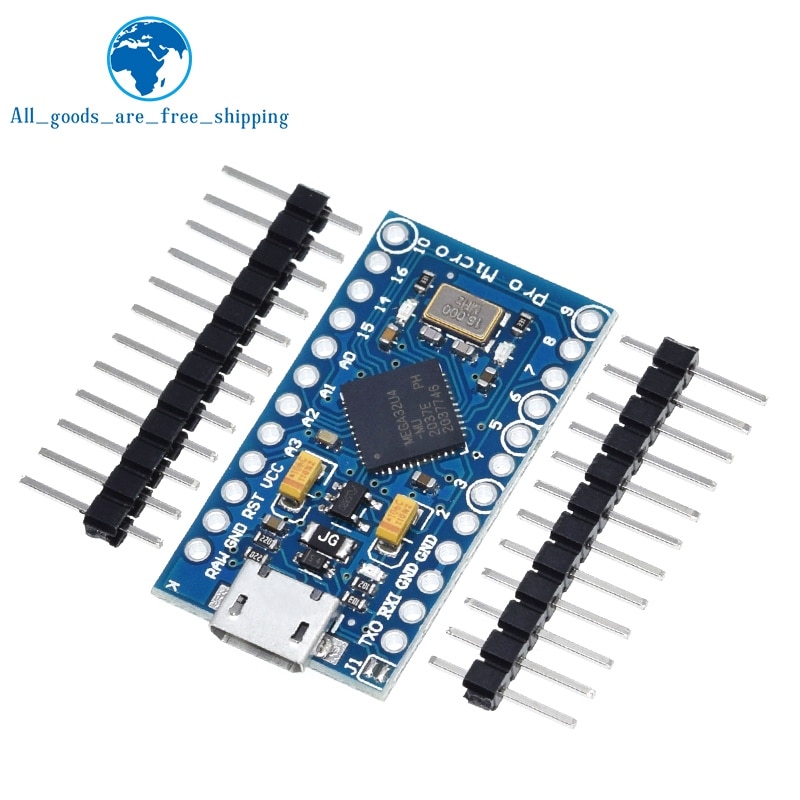
Are you sure it is a pro micro?
Post photos of the front and back of the board so we can see the chips on it
old quest

 vagrant juniper
can you right click on it in Device Manager, select properties, go to the details tab, select hardware IDs then send a screenshot? Should look something like this:
 old quest

 steady obsidian
Arduino Lilipad?
vagrant juniper
That vid/pid isn't one we know about which is why it isn't showing up
You can try editing the boards/arduino_micro.board.json file in your Mobiflight folder to add that VID/PID and see if it works, but no guarantees.
old quest
how do i do that?
vagrant juniper
you edit it in notepad or something and change this section:
  "HardwareIds": [
    "^VID_1B4F&PID_9206",
    "^VID_2341&PID_8036",
    "^VID_2341&PID_8037"
  ],
to this:
  "HardwareIds": [
    "^VID_1B4F&PID_9208",
    "^VID_1B4F&PID_9206",
    "^VID_2341&PID_8036",
    "^VID_2341&PID_8037"
  ],
make a backup copy of the file first
formal breach
https://forum.arduino.cc/t/solved-problem-to-upload-to-pro-micro/696986
It seems that they used LilyPad name for this board
Arduino Forum
Hello, I connected a ProMicro 3.3V board on my PC. Windows recognized the material then the Arduino IDE detected it as "Arduino Leonardo/LilyPad USB". I uploaded the blink code to test the connexion but it ended by an error. Now each time I try to connect it to the computer, Windows alerts "unkonwn device", and the IDE doesn't see the board an...
steady obsidian
Looking at the Lilipad specs says it uses an AT138 microcontroller which is totally different to a Pro Micro, so I am confused.
The Pro Micro uses a AT32U4 processor, which handles USB serial by itself.
vagrant juniper
the photo of the board sent above shows a 32u4 on the board, at least by label

 karmic cave

 vagrant juniper
AlbEagle's board is reporting a different VID/PID than yours
karmic cave
It was a while back, I think I have connected to PC, and burned the bootloader of Micro with Arduino software
vagrant juniper
#1324081097394487296 message

 steady obsidian
Reading some more, the Lilipad was updated to use the AT32U4 at 8Mhz.
 steady obsidian
I wonder if a chip running 8Mhz would require different avrdude parameters than the rest running 16Mhz.
old quest
I feel stupid with everybody in this chat being genius.
vagrant juniper
Guys, it is a vid/pid we don't recognize. It won't show in mobiflight unless the vid/pid is known. Try editing the board.json file like I suggested twice and see if that makes it show up and usable
#1324081097394487296 message
steady obsidian
Should we add this vid/pid to the official list?
vagrant juniper
not until someone tries it and see if it makes it show up and the firmware can flash it
which nobody has done yet. @old quest you need to try what I suggested.
old quest
i can't find mobiflight on my pc. where is the standart file?
vagrant juniper
It should be in %localappdata%\Mobiflight
karmic cave

 vagrant juniper
You are in the wrong folder. Send a screenshot that shows the path you are looking at, you've cut it off at the top of your screenshot
old quest
think i found it!
 vagrant juniper
Yes. Make a copy of it before editing in case you make a mistake, then make the change I sent and restart mobiflight
old quest
it got recognized!

I updated firmware and now it doesn't recognize 😦
Maybe that's the 16Mhz 8Mhz problem?
vagrant juniper
Try restarting mobiflight
vagrant juniper
Ok we confirmed this board will not work with mobiflight. We expect 16mhz not 8mhz
The firmware is not built for 8mhz
 strong cloud
Lilypad is the wearable microcontroller board that can be used with conductive thread to make cyberpunk clothing etc other cool stuff, maybe they used the 8MHz variant since it likely is less power hungry which is good for wearable projects - and for some reason (cost, I bet) someone assembled the same cpu to a pro micro and called it Lilypad to make Arduino Ide work easier without having to invent their own version or something?
though the lilypad used Atmega 328, same processor as nano and uno, so I dunno what is going on with this board
oh I know
the original had just pins for programming, there is also a usb variant, and it uses 8MHz Atmega 32U4 since that has built in usb which is great for a tiny board, less components neded.
as someone who enjoys pcb design also as a visual form
I think the original lilypad looks amazing by the way
 steady obsidian
Now we know saying pro micro is not enough. It has to be 32u4 running 16mhz.
strong cloud
well, pro micro 16MHz
there is a less common 8MHz pro micro that is not supported
the board identifies as lilypad only because pro micro is not an official arduino
it is a SparkFun board and SparkFun has their own boards definition you can install via arduino boards manager for the IDE
oh!
it is the 3.3V pro micro
that is 8MHz
steady obsidian
I always thought the 8mhz pro micro would run Mobiflight.
I guess it would just need a recompile to be able to run.
strong cloud
perhaps yeah
its quite telling we see one for the first time now
it would be interesting to try a build of course but it might be easier to just get a new board, as they are not expensive
steady obsidian
Agree.