#Why doesnt work my Origin Rules
47 messages · Page 1 of 1 (latest)
 kind spruce
What error are you getting?
means you don't have a record created at that hostname
or you do, and your local dns is caching it not existing if you tried visiting it before
If you see it on https://dnschecker.org/ (look for a), it's local dns cache.
If you don't check your dns records for "webinterface"
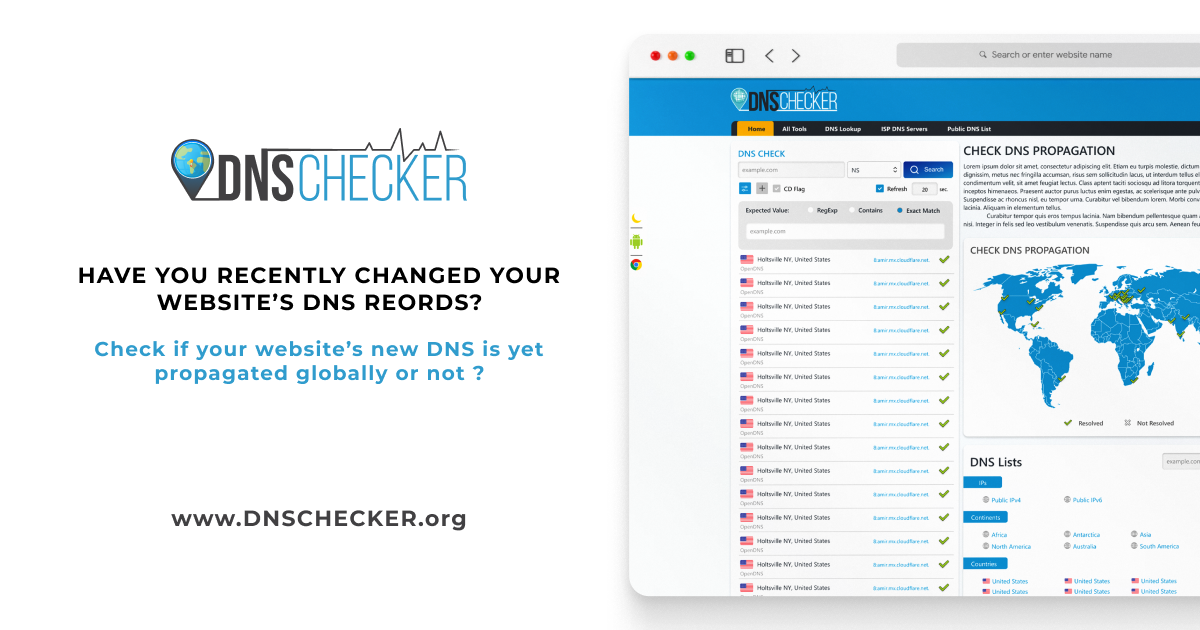
DNS Checker
Check DNS Propagation worldwide. DNS Checker provides name server propagation check instantly. Changed nameservers so do a DNS lookup and check if DNS and nameservers have propagated.
I don't know what you mean by that, are you saying you don't have a record called webinterface?
then that origin rule would never work
Just like normally, you need to create a record (a/aaaa/cname) pointing to your web server/hosting. All the origin rule does is override the port Cloudflare connects to your web server on
if 134. is the web server you want to connect to port 8804 on, yea
yes, proxy is needed for the origin rule to work
keep in mind when you have this setup, you will still connect to your website over normal ports, ex: https://webinterface.example.com, don't specify a port when you connect. Cloudflare simply uses the port you specify to connect to the port on its end, and proxies the response back to you like normal
An origin rule wouldn't serve a redirect
If you're seeing an actual redirect to something else, it's either from a Redirect Rule/Page Rule/Bulk Direct Rule you created in Cloudflare, or by the origin
I would check the headers on the response, if it's got CF-Cache-Status on it, it's from origin
what's the record for test2? a cname?
you made one for test2 as well as webinterface?
origin 1016 is usually:
Common causes for Error 1016 are:
A missing DNS A record that mentions origin IP address.
A CNAME record in the Cloudflare DNS points to an unresolvable external domain.
do you have any other records created for test2? a cname or something? Do you have any other overrides for test2, like an origin rule for it?
kind spruce
What do you mean with "website with 3000 port"?
The error you showed doesn't appear to have any port on it
kind spruce
hmm yea for kuma it should be that straight forward
the origin dns error is weird, something else is interfering on test
What error do you get on webinterface?
interesting, what other origin rules or redirects do you have, if any?
If your web server isn't filtering for just Cloudflare IPs, can you try visting https://web-server-ip:3000 remotely and see what you get?
If you are port forwarding or something, it's possible it's a config error with that
hmm I assume mydomain.de isn't proxed by Cloudflare then, and I assume when you try mydomain.de:8804, it shows the mc interface fine?
So the question I would have is, if you create an origin rule for hostname eq uptime.mydomain.de port overwrite 3000, and then a DNS record for uptime.mydomain.de numeric-ip proxied, does it properly work for uptime kuma?
If your Web Server IP is an IPv4 (xxx.xxx.xxx.xxx), then yea you'd want an A record
I thought you said uptime was 3000, not 3001
Ah ok, well, does it work?
ah ok, you leaked your domain btw. I can see the 3000 port site wouldn't work with origin rules anyway because the assets are all hardcoded to use port 3000
Looks like you'd want to change the base url in the configuration:
https://gethomepage.dev/en/configs/settings/#base-url

Homepage
You don't have SSL/TLS configured on any of these either?
If you don't want to/don't know how to configure ssl/tls on these, I would go the route of a Cloudflare Tunnel:
https://developers.cloudflare.com/cloudflare-one/connections/connect-networks/install-and-setup/tunnel-guide/remote/
Runs on local machine and connects securely to Cloudflare, and proxies requests locally. Generally it's a better idea to use for simple sites which use a lot of alt. ports, it makes stuff easier.
You could keep trying origin rules, I would wager though you have some origin rule matching everything, or your ssl/tls mode is messing with the fact you don't have ssl/tls on any of these
You can configure the ssl/tls setting Cloudflare uses to connect to your website in your cloudflare website => ssl/tls => overview. If you wanted to put certificates on your web servers, you'd need to configure that all locally, depending on the web servers you are using
yea, it looks like the key issue is just that it's all built to be running on port 3000/3001/etc and accessed on those ports. You'd have to override it. I would use a tunnel to solve the issue of needing ssl, but you'd still need to configure the base url and have it understand kuma/etc are on subdomains and not just alt. ports
kind spruce
no, you still wouldn't have an ssl cert. In Cloudflare under SSL/TLS -> overview, you can turn off SSL/TLS, and then under SSL/TLS -> Edge Certificates you can turn off Always use https (https redirects, scroll down a bit).
You should really have ssl/tls though, but it would mean either using Cloudflare Tunnel (linked above) or configuring an ssl/tls cert on your webservers
kind spruce
yes, and the ssl/tls encryption mode setting is under the overview tab of that same submenu
kind spruce
nice, you got a cert for it? Just repeat the process for the other ones. Did you setup nginx in front or anything like that?
kind spruce
homepage is on the homepage subdomain?
If you open up console (ctrl+shift+i) => console, do you see any errors?
hmm mixed content, is your base url http instead of https://? Cloudflare has a setting to try to help with these as well, under ssl/tls -> Edge Certificates -> Automatic HTTPS Rewrites -> turn it on if not on
hmm that does look fine. Modern browsers should also upgrade those requests automagically to https. The other issue I notice with your setup is that it looks like it's not passing the path, or something else is wrong with the config. Every request returns the base html on /
interrreessting. I think that config is fine, although you could try removing the trailing slash there (and make proxy pass just http://localhost:3000
It's some interaction with nginx and the actual app. Maybe don't proxy_set_header Host?
does the homepage app you are using have logs so that you could see what requests its recieving?