#cth-history
1 messages · Page 43 of 1
 cunning latch
 rare forge
good evening how i can download the update for 4k capture utility?
cunning latch
@rare forge You can always grab the latest version off: http://e.lga.to/download and install it overtop.

 prisma vortex
Hi - i am having trouble connecting my stream deck ipad app to the software so i can control it from there - it effectively wont read the qr code i have cone through all the trouble shoot on the website and sent an email in - no avail yet - any one got any ideas
 river minnow
Hello peeps
I have a bit of an issue
I'm planning on buying a capture card
I'm a small time streamer
But I use a single pc set up
I was wondering if I can actually use a capture card
I stream pc games but the capture card would be for console
Can I buy the ones that go into your pci ports or should I get a USB one?
My set up already has an rtx 2060 super connected and my motherboard is the ASRock H310CM-HDV/M. 2
 tender quartz
as long as you have usb 3 you should be fine with external, thats what i use. but really i guess it depends what console you are streaming.
river minnow
So the USB one should be the one I get then?
I plan on streaming PS5/4 and Switch
Right now I only stream PC
 pliant warren
@steep briar its a 2 pc setup
 dapper tundra
hello guys, i just connected my Ring light to my computer. can i leave the ring light on, and turn it off in control center. or do i manually turn it off ?
tender quartz
@river minnowit depends on what resolution you are playing and streaming in.
cunning latch
@dapper tundra You can do either. But with the light switched on, but off in the software it uses a very small amount of power. I think it's less than 1 watt for running the electronics.
dapper tundra
Oh that should be fine. Thank you crest!
cunning latch
@cold radish For MSI installers, this can sometimes be caused by permissions problems on the user account since it's installing to a temp directory first.
You can try this batch file to repair certain windows services needed for MSI installers. http://files.elgato.com/thcdownloads/egc_test/msirepair.bat
 cold radish
even still. i get the same installer is no longer responding
cold radish
finally it decides to actually install. great
 wicked wasp
Hey everyone! I updated my Xsplit but my stream deck can't seem to realize that it's open (ie. can't use scene shortcuts on stream deck). Is anyone else having the same issue?
 wintry leaf
so i've connected my hd60s to all 3 of my usb3.0 ports but it still is telling me it needs to be connected to a usb 3.0. anybody have any ideas as to why this isn't working? please ping me for response.
cunning latch
@wintry leaf Try out some of the other suggestions here: https://help.elgato.com/hc/en-us/articles/360041082531-Elgato-4K-Capture-Utility-A-USB-communication-issue-has-been-detected
If it continues, we'd probably need more information over an email ticket.

Elgato
This article can help troubleshoot issues with USB connectivity and Elgato Game Capture devices.
Double check the port
Ensure that the port the device is plugged into is a USB 3.0 port. These...
wintry leaf
thank you. i'll check it out
cunning latch
@opal valley I'd also try the suggestions above. Could be USB or HDMI related.
But if it doesn't help we can always collect more info in a ticket to investigate if the device is the problem.
wintry leaf
i don't suppose you offer a 12' version of that cord sold separately?
tender quartz
did you really mean 12 ft?
ill tell you right now you do nnot want a 12ft usb for a capture card
 vivid harbor
3 meters is the max length on a USB3 cable without having something to boost the power
I had to buy a USB2 action extension to go over 10' for an astro mixamp at one point
 sinful geyser
Hey i have a question
Can i use the elgato hd60 pro capture card to capture video from my camera
i dont have an cam link but i have an hd60 pro in my computer
vivid harbor
@sinful geyser yes you can as long as your camera does clean HDMI out
sinful geyser
thanks good you help me find out
i have the panasonicx v180?
does it have clean hdmi?
vivid harbor
you'd have to look that up, sorry
sinful geyser
oki thanks for the help
vivid harbor
np
 silk turret
bit of a weird question, if i purely need to live view the output from another comp in 4k do i need a 4k60 or a hd60s+?
 quartz night
my Elgato Software plays my audio out of tune, (a few cents sharp) I would like to be able to fix this
 toxic sail
Not sure if this is the place to ask but does anyone have any ideas when the multi mount will be available again. I would like to use it in my classroom.
 floral jetty
@toxic sail we dont know until they drop. when we do know we try to post in #announcements when in stock
vivid harbor
I was able to get a jump on my multi-mount because it emailed me when it was in stock
I signed up to be notified
 dawn marsh
Hey guys! I got a problem with my Elgato 4k60Pro Mk2
Sometimes when i tab out of fullscreen this happens:
https://www.twitch.tv/videos/757398518?t=4h27m16s
Caputred image goes full green with Pink stripes and stuff and the screen is cut in half and wrongly adjusted
 cunning latch
@silk turret Just viewing the output of another PC in a window? Not doing any capturing?
HD60 S+ can accept a 4K signal, but if it's 4K60, 1080p60 is sent into the PC. 2160p30 is sent right on through.
If you want 4K60 in the software, that'll be 4K60 Pro or 4K60 S+. 4K60 Pro for lowest latency.
@dawn marsh I have some instructions I can send you over DM about solving this.
silk turret
@cunning latch Yup, just viewing, no capture needed at all. Thanks for the advice, super helpful! 🙂
 languid imp
Would a multi mount with two Solid Arms be able to hold two Key lights (one on each solid arm, in opposite directions) ? I see that the max payload for each is 2 kg, which is more then the key light, but just wanting to make sure
 frozen vortex
Question about the Wave 3...can someone help me out?
 glad apex
hi
frozen vortex
do you need to use wave link software to enable low cut filter and clipguard @glad apex
tender quartz
@frozen vortex youll need to use the wavelink software to do most anything.
 mellow hinge
hey yall Im at a loss ive been trying to fix this for hours since I received my card at 12. I plug in the elgato to a 3.1 usb (this prob doesnt matter whatever 3.0) and then it connects, it shows that its connected to a 3.0 usb for a SPLIT second in devices settings, then it disconnects. after like 10 seconds it says that the device is not recognized. "Device descriptor request failed"
sorry if this question has been asked 100 times a day
 frail burrow
Yesterday Xsplit updated for me and now Stream Deck will not work with xsplit anymore. I tried uninstalling both and reinstalling them. But every time I try to put a new scene up it says "please launch xsplit broadcaster" even though it's already launched. Is there an update that needs pushed through for stream deck?
 brisk lion
 devout pumice
So, I'm having this issue with my Elgato Capture Card but it's kinda weird and when I try to look it up I can't find anything on it
Basically, I like to have my elgato hooked up to any console I use so I can hear the audio come out of my computer (So I can listen to the game and watch videos or hear notification sounds from discord). The problem is, when I have the capture card hooked up and hook up the output to my second monitor, after a while, I can't switch my second monitor back to my computer screen without unplugging the elgato. It doesn't happen when the console is just directly hooked up to the monitor and the only way to fix it is unplugging the elgato from my computer which leads me to believe that's where the problem is. Does anyone know of this issue and a possible fix for it?
tender quartz
@frail burrow there have been a few people reporting that xsplit issue lately.
 half falcon
Hello I probably asked this a while ago but how do I stop input lag
 zenith totem
Hi I have 2 buttons on my streamdeck that I wanna use with a pedal, so my question is, is there a way to bind my pedals (that press on a keybind that i Choose) to trigger the key on the streamdeck? The 2 keys on the streamdeck trigger multiple things in one click but i wanna press that with my pedals.
 lean finch
my hd60 is stuck saying One Moment Please...
 dull tinsel
Hi everybody. I have the Elgato wave 3 mic and I am having some trouble with my mic feedback. My voice sounds doubled when I talk and it's quite distracting. Does anybody know what I may have done wrong to cause this?
 wanton orchid
Hi, when I import my footage into Adobe Premier Pro There is some flickering in the beginning or cut out parts of the video, Can anyone help me?? Thanks in Advance
vivid harbor
@dull tinsel disable the monitoring side of the wave:3 mic input
 solid saddle
I don't wan't to right it again 😁
dull tinsel
thanks guys. I worked it out with your suggestions. I'm just a bit of a noob when it comes to this stuff as it's new to me.
 steep briar
hey just hooked up my xbox one to my Elgato 60 pro. i seem to be getting sound to obs but im not getting it through Voice meter to my headsets any recomendation?
 wooden perch
Hello, I just got a new HD60S and the passthru works perfectly, but it is not capturing. The game capture software can identify the 1080p signal, but the screen is blank and black. It does not say no signal.
 graceful magnet
Hi, I am blind and use the elgato hd60S to play switch games, but the elgato software isn't accessible with my text to speech program. Is there any config files I can use to change the settings?
 south bronze
hey!. somebody knows how i can create a button that change my mic for another one? bc i actually have the mic of the headsets and one hyperx quadcast
 quasi tinsel
recently everytime i start up my PC streamdeck asks me to sign into Streamlabs. It's never done this before and i have had Streamdecks since the first one was released
graceful magnet
@wooden perch Did you connect it right?
 warm wasp
Hi guys, would it be possible to use my Stream Deck to switch macros in Logitech G Hub?
 edgy oracle
Hello, I had my audio go out midgame while streaming tonight and have had no luck getting it to come back. I have restarted my Xbox and PC multiple times. I have an Xbox one S and HD60 S. My software is up to date and it was working fine until about 2 hours in. I have also removed the elgato as a source in OBS a few times and im having no luck. I would really appreciate if anyone out there could help because i mainly stream from my console so i need my game audio to come in.
graceful magnet
@edgy oracle go to the audio properties for your elgato in OBS, select advanced audio properties and under monitering, select moniter and output
 silver wigeon
Does anyone know if it is possible to make a keybind on the Elgato Stream Deck on your keyboard in order to trigger a button?
I tried to install Keyboard Maestro Plugin but it says it's not available for my OS (Windows 10 Pro)
steep briar
hey just hooked up my xbox one to my Elgato 60 pro. i seem to be getting sound to obs but im not getting it through Voicemeter to my headsets any recomendation?
 dusk escarp
If anyone can help me, I truly appreciate it because I been having this problem since July 2020. I have bought the Elgato HD60 S+ and Chat Link Cable. I am trying to figure out how do you set up the Chat Link Cable through OBS because I can not find the option to do so. I looked through many YouTube videos and none of those help because most people have the Elgato HD60 or HD60 S. I will like to know because whenever I like streaming multiplayer game streams and I would like the viewers to hear me and the PS4 Party I’m in when streaming multiplayer games
 shrewd blade
 red rose
Hey any one know how to make my console's audio come through my PC ? I have a HD60 Pro
 neat valve
I have a question with the HD60 Pro do you not get the delay like you would get with reg obs without the capture card ?
 dapper juniper
hey just hooked up my xbox one to my Elgato 60 pro. i seem to be getting sound to obs but im not getting it through Voicemeter to my headsets any recomendation?
@steep briar Make sure it's set to WDM: Digital Audio Interface (Game Capture HD60 S+) and if that doesn't work, try KS or MME in that order.
If anyone can help me, I truly appreciate it because I been having this problem since July 2020. I have bought the Elgato HD60 S+ and Chat Link Cable. I am trying to figure out how do you set up the Chat Link Cable through OBS because I can not find the option to do so. I looked through many YouTube videos and none of those help because most people have the Elgato HD60 or HD60 S. I will like to know because whenever I like streaming multiplayer game streams and I would like the viewers to hear me and the PS4 Party I’m in when streaming multiplayer games
@dusk escarp In OBS go into the Properties for the HD60 S+, at the bottom click "use custom audio device", then click "Line (Elgato Capture Device)". There's also a Digital Audio Interface listed there, but that should be the HDMI audio. On your xbox or PS4 you'll want to make sure it's set to send the game audio and chat out that headset port.
edgy oracle
I tried changing the settings and I still cant hear game on stream. i
I can hear in my headset but not on video
@graceful magnet
 quiet saffron
Hi, I'm having an issue with random action: it works fine if I use play audio for each action,selecting a different one each time. However, I've tried using BAR Raider's "image settings" actions, to allow me to randomly pick an image to be displayed (each action is set to a different image). However, with this, only the first one in the list is ever selected. I'm not sure if this is a stream deck issue or a 3rd party plugin issue - is there a log that will help me please?
 proven agate
I got a question a couple days ago I moved my wave 3 when I touched it in the back I accidentally shocked it because I think I had electric shock on my finger will that shock mess up the mic or no I'm only asking because idk if a small shock from your finger will mess up the mic or not
 remote river
If I just want to play PlayStation games and stream them on PC with elgato and OBS. Should I buy a powerful CPU? GPU isn't needed as much?
 rich torrent
I dont think you need too much if doing just console
remote river
My cousin wants to get a powerful GPU but I was saying CPU is what matters for console streamer. Need confirmation for you elgato PC pros
rich torrent
I mean you should be fine with Ryzen. If you go intel then gpu
remote river
This what he wants to get. I said why not a i9 better CPU to do things while streaming.
rich torrent
For the record, ryzen does multitasking better than intel
remote river
He wants a MAC trying to help with these details. The main topic is if he should max his CPU than get a decent GPU.
rich torrent
which cpu he got in mind?
cunning latch
If they're getting a Mac, please have them go with an HD60 S+ if they're looking at capture cards. It has the best mac support of any of our cards currently.
Needs no special drivers or software to be used.
graceful magnet
@edgy oracle that\s weerd, did you select monitor only mute output_ If you did change that. Other then that check if the audio device is muted or not.
@edgy oracle wait. Add a nother desktop audio source, set it to elgato 01.
remote river
@rich torrent I posted pic in here of the PC. Thank you @cunning latch he will be playing ps5 is the HD60 A+ good enough for that?
 naive spear
Hello! My Elgato HD60s works fine up until 2 hours in and then the sounds distort. The game audio becomes choppy and has static. I’ve trouble shooted everything possible and I’m unsure why this is randomly happening now. I did add a Cam Link and a DSLR to my setup as well as improved settings to my streamlabs but that was days ago and this issue started today. Any advice is much appreciated!!
cunning latch
@urban heath Make sure you're on the latest Stream Deck release. There's been some fixes on this in the last couple versions. Double check you're on 4.8.2
 brittle hamlet
is there a way i can have the stream deck app closed and still use the stream deck?
pls ping me so i can see it faster
cunning latch
@brittle hamlet Stream Deck's window doesn't need to be open. It runs in the background.
 urban heath
@cunning latch thank you up to date
 real island
So recently, I've been streaming with the Elgato HD60s and whenever it's active, the elgato tends to stop working, meaning it'll blackout and I would have to reconfigure it every time it happens. Any clues on why this is happening?
south bronze
So I got the 4k60pro installed it. But it wont show up under video capture devices in Streamlabs and says its in use by other software in the 4k capture utlity. Also wont work as a passthrough
capture utility recognizes it as a capture device
 primal forge
i just installed my 4k60 pro and it just says 'no signal'
 cedar carbon
I have the HD 60S and using the HDMI output, I don't get surround sound anymore on my Receiver. Does the Elgato HD60S not pass through surround sound?
south bronze
I fixed my problem. Updated the bios
 deep pilot
hey i need help. does anyone use an elgato with streamlabs and astro a40 headset
 hybrid shale
for users of chat link cables. when you stream and use a chat link cable is it picking up your voice in stream or do you still need a 2nd mic to get it to stream
edgy oracle
@graceful magnet I don’t have the option to set it as a desktop audio source
edgy oracle
Nvm i fixed it. Thanks for your hlep.
 timber current
hi
i need help
the program 4K CAPTURE UTILITY is ejecuting in second plan
and is not showing in my screen
i want use the cam link usb
help me please
i think that the memory asigned in the program for default is very low, i don't know change the memory
thanks for help
 tiny scroll
Hello, so I recently just bought the Samsung Odyssey G9 ULTRAWIDE (5120x1440), I have an HD60 S+, and I noticed that HDR + the 5120x1440p resolution are not available when I play my games. I started looking into the 4kPRO, but I wasn't able to get an understanding rather or not if that supports this resolution passthrough or not. Currently i'm forced to play my games at 3840x1080 i'd rather, play at my full resolution when i'm streaming. Any and all help regarding the proper elgato etc. would be welcome thanks.
south bronze
can someone help me i'm getting crackling audio on my elgato hd60 s
 cosmic vine
What are you using? Mac or PC? Are you using OBS? What are you trying to capture?
 spice sky
Any reason why my Stream Deck keeps saying to launch Streamlabs OBS even though it is launched?
south bronze
@cosmic vine pc and using elgato game capture hd
cosmic vine
Are you using OBS and what are you trying to capture with your capture card?
south bronze
my wii u and i'm not using obs
cosmic vine
what are you using?
cosmic vine

This was a problem I was facing with my audio through AUX setup not HDMI. This is the solution that worked for me after trying everything below!
Some other troubleshooting you can try:
Switching all cables connected to Elgato , both HDMI cables, USB mini b 2.0 cables and the...
Any reason why my Stream Deck keeps saying to launch Streamlabs OBS even though it is launched?
@spice sky Uninstall and reinstall the Streamdeck software. Usually this happens when the installer doesn't install the Elgato OBS plugin properly. As their plugin handles all of the interface with OBS (as far as I'm aware) if it isn't installed right/working then the SD software won't see OBS as running.
Similarly, if you installed OBS to an alternate location, it'd be possible that their installer may not be 'smart' enough to go find where it's installed; you'd have to check if the plugin exists in the default OBS install location, and copy it over if that is the case.
spice sky
@cosmic vine Ok uninstalled and reinstalled stream deck and it's still not working. It's set up in preferences and is listed under account. When I click open streamlabs it takes me to a streamlabs page to donate to myself , and I'm logged in at the top right, Should I uninstall and reinstall slobs? It refuses to work and I can't set up anything to do with streamlabs.
cosmic vine
If you prefer obs yes. I currently use the twitch software.
 lament slate
Hello guys! I'm new here. I am using the Elgato 4k60 Pro Mk2 for my streaming pc. Yesterday I updated to the Firmware and Drivers to enable the RGB 4:4:4 output. Since then, my capture card (XRGB) will be laggy in OBS with the new profile and i set it back to default. After setting it back to default, it will be laggy after around 1 hr of usage and I have to deactivate and activate it to be smooth again. Any ideas?
spice sky
SSSSoooooo @cosmic vine Uninstalled and reinstalled slobs and stream deck and it is still giving me the same error. They are both installed on the C: so that's not it. I'm confused as to what is going on
 violet temple
Hey there I am new here
Is anyone awake?
I have a question
Please and thank you
❤️
Anyone know what you can’t stream certain games and get black screen? Please and thank you!
violet temple
Hey there anyone know why there is black screen of death on hellblade, CoD, doom eternal and Tony Hawk? Thanks
Sorry copied my text
Streaming windowed mode of these games on PC supposedly then allows you to stream them without issue
Problem is I’m not playing on PC I’m playing on Xbox One X
Also not streaming on PC software, I’m streaming on MacOS for software wise as well
 stuck bridge
wait so it does the black screen when your streaming on xbox
violet temple
In slobs yes
It’s on my monitor
But slobs goes black
It’s like anti cheat/anti steam software or something
silk turret
total noob question, if all i wanna do is passthrough 4k60, do i just use the capture utility, or is there something else I should use?
(i dont need to capture anything)
oh it seems you must enable cam/mic to get an image, even if you dont wish to capture
 fickle jewel
Wondered if anyone else has gotten the same issue before, I tried recording content from my Switch into OBS, but every now and again the game capture software will just cut out and leave me with a black screen. It's sort of as if I had unplugged the power USB to the actual HD60. Not sure if this could be just faulty equipment, or something a little deeper.
 sharp vector
What cable does the HD60 capture card use to connect to your PC? I can't seem to find an answer as to what that cable is anywhere on elgato's website
vivid harbor
HD60 S, HD60 S+, or HD60 Pro?
If you're talking about the HD60 S versions it is a USB3 C to A cable
sharp vector
Awesome. I need a longer one, which is why I'm asking
sharp vector
Gotcha. I probably only need like 10 feet at most
I don't need it to go too far, but I need a longer one than what it came with
vivid harbor
Makes perfect sense
vivid harbor
It looks like it
but, that's the beauty of Amazon
if it doesn't work, return it
just look at the connection on your HD60 (non-S)
sharp vector
Okay, thanks
 safe cedar
So I I've had this HD60 Pro for a bit, but recently its doesn't receive any signal. I've reinstalled drivers and software multiple times and even the card itself. For some reason, audio seems to pass through but never video. To get it to work fully again I usually have to fully power down my PC and after some reboots, it eventually works again, but then the next time I open my PC its back to not receiving a signal. Any ideas?
oh and its not cables, ive tries multiple ones
wanton orchid
Dang, maybe try reformating cables, possibly using a HDMI splitter?
safe cedar
I do own a splitter, I was hoping to just be able to use the HDMI Out of the Elgato to go to my TV... :/
just tried disabling and reenabling it from device manager and no luck
south bronze
Hi everyone, recently I ran into an issue on elgato 4k60 pro mk2 where it says no signal and the source is stuck on 1080p 100hz but I'm using a 60hz.
The passthrough works fine but still no signal. Does anyone know how to fix it?
@safe cedar did it happen after the update?
 worldly junco
Still getting issues with the camlink where it needs to be unplugged and plugged in after any restart before its identified. I have tried many different USB ports
safe cedar
I'm unsure when it started so I can't say for sure it was the update
dusk escarp
@dusk escarp In OBS go into the Properties for the HD60 S+, at the bottom click "use custom audio device", then click "Line (Elgato Capture Device)". There's also a Digital Audio Interface listed there, but that should be the HDMI audio. On your xbox or PS4 you'll want to make sure it's set to send the game audio and chat out that headset port.
@dapper juniper I have sent you a DM, please respond
 woeful sigil
help, wasn't recording and need to cut a clip from the playback but no idea how?
 golden meteor
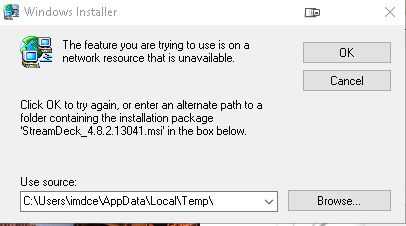
I apparently ran into an issue where my system cleanup deleted a .dll file used by elgato streamdeck. I get the following error when trying to run the repair, install, and uninstall commands.
https://i.gyazo.com/81d0ddfd554c4bf0fa2deb44ad48e99d.png
 prisma geode
Hi there, does anyone use Elgato 4K 60 Pro MK.2 on a Samsung Tablet? If so, how can I output my gameplay higher than 15-30 FPS when the tablet is capable of 120? The adapter I am using is the same one for Apple USB-C devices
I am using a Samsung Galaxy Tab S7+
 burnt trellis
Hello maybe someone might have experience with this. I have this weird zoom in effect on my monitor for some reason my set up is console hdmi to elgato then that hdmi to a monitor. I use a Mac for the streaming portion. The stream itself is fine it’s just my end when it comes to my monitor zooming in. I have overscan off on my Xbox and my monitor does not have overscan. I’ve tried this on a tv as well and the same problem occurs.
All my drivers are up to date I have and elgato hd60s and obs link so I can use streamlabs
I’ve tried changing aspect radios on my games and it still remains the same my monitor doesn’t have a aspect ratio option so
 bright lark
can anyone confirm elgato 4k 60 pro mk2 working with 144hz 1440p?
prisma geode
can anyone confirm elgato 4k 60 pro mk2 working with 144hz 1440p?
@bright lark Have not tried that, I wish OBS supported it, I don't use their in house app 4k capture utility
bright lark
@prisma geode I'm a bit confused with your reply about obs. Does the frame rate cap at 120 in obs?
south bronze
Is it possible to turn of instant gameview on elgato hd60s?
 feral gate
When I first set up wave 3 and wave link, I was able to hear my alerts from Streamlabs OBS, now I can't. I just followed the article on elgato's site, and it still is not playing the sounds.
cunning latch
@south bronze Can you explain further what you're looking to do? Instant Gameview means the latency is low from the capture card.
@bright lark 1440p144 and 1080p240.
Are you experiencing issues doing this?
south bronze
I understand that, but the USB 3.0 makes that possible, I dont have a USB 3.0 port on my pc, i was wondering if i turned that off would i be able to use the capture card?
cunning latch
That would not be possible, unfortunately. The way we provide low latency is by not encoding the video. We're sending uncompressed video which is huge. USB 3.0 is required simply due to the bandwidth needed for the video to enter the computer.
HD and HD60 had big delays since they encode the video before sending it to the PC.
Also if your PC doesn't have USB 3.0, it very likely is too old to meet our system requirements.
south bronze
I see
cunning latch
@burnt trellis If it's fine in the software, it would still lead me to believe it's something with the monitor. does it have per-input settings?
Do you have another monitor to test?
 lucid marten
I'm running Mac OS Catalina 10.15.6. Streaming through Game Capture HD was working for weeks, up until last Saturday.
I've tried using custom RTMP, Twitch Direct, etc. When I log in it just flashes & then prompts me to log in again.
I've reinstalled Game Capture HD 2x. I also tested on another Mac OS version & the issue persists.
cunning latch
Have you verified you have Two Factor Authentication enabled on your Twitch Account?
lucid marten
Yes I have. It was working before.
cunning latch
So what does RTMP do when you try it? Just doesn't begin the stream? Provides in error?
south bronze
would it be better to buy another elgato but instead a hd60?
cunning latch
What are your current system's specifications? CPU, RAM, video card, etc
lucid marten
It allows me to "start" streaming, but just spins for a long time. It eventually crashes.
3.2 Ghz 6 Core Intel i7
8 GB 2667MHz DDR4
Intel UHD 630 1,536 MB
The only thing that changed between one of my streams was that I installed the Stream Deck desktop app. After that I noticed the issue. I've since removed the software, but it still won't let me stream.
cunning latch
Sorry I meant specifications for @south bronze But that also is helpful :p
south bronze
cunning latch
6cores though, good.
@south bronze That system I think should have USB 3.0 given its age. But our recommendation would be to upgrade. The HD and HD60 were discontinued years ago.
HD60 S is our current entry level card.
And the i3-2100 is nearing 10 years old at this point. I wouldn't be able to recommend the HD or HD60 either for that level of system, even if you found some on the market still.
@lucid marten Which specific GCHD version do you have installed. Is this 2.11.11 ?
lucid marten
@cunning latch Yes, 2.11.11.
south bronze
gotcha 👍
lucid marten
Downloading an older version now.
When re-downloading though, it keeps the stream profiles/keys intact. I can't seem to find the file to delete. I've searched in ~/Library &/Library.
Tried versions 2.11.11, 2.11.10, 2.11.9, & 2.11.8. No luck with any of them.
cunning latch
Hmm. ok Mac isn't my area of expertise, but I'm asking about these symptoms in a support chat.
lucid marten
& I fixed it. I use Restream as my platform. For some reason I needed to sign into my Twitch via the Stream Command section. Using my 2FA app wasn't working either. I needed to request an SMS for some reason. After that, it seems to be working. Will report back after I re-install the newest version.
lucid marten
So I re-downloaded the latest version of Game Capture HD 2.11.11 & the stream button is greyed out, until I select Twitch & then select Restream. After "going" live I get an "Could not log in to the streaming service.
(Error 500), Please make sure your username and password are correct.". I'm 100% putting these in correctly. I re-logged on to Restream & unlinked & linked both my Twitch & YT accounts for good measure. I then removed Restream from Game Capture & re-logged in as well. Still getting the error. 😦
I'm just streaming to Twitch now. Sad I can't use Restream. Hopefully someone can figure this out.
cunning latch
@lucid marten I was told that the preferences you were looking for were in ~Library/Preferences/com.elgato.gamecapturehd.plist
 next osprey
so i’m in need of some desperate help. i have an elgato hd60 pro mk.2. i have my TV connected to my PC graphics card. Monitor is connected to Elgato OUT. PS4 is connected to Elgato In. I’m not getting any game audio from PS4, help.
lucid marten
Thanks, @cunning latch. I'll do a fresh install within 24 hours & see from there.
south bronze
so I boughta Magewell Captshure Kard and It doesn't work I stuck it into the plug socket and It sparked and popped and fizzed followed by blak smoke what happened how to fix
floral jetty
@south bronze that may be best to contact them?
floral jetty
🙄 ok
cunning latch
So Magewell directed you to Elgato? Neat.
south bronze
yeah
weird things going on, I didn't trust it? I think maybe elgato needs to investigate this issue
 limber basin
Hey guys, got a bit of an issue with my 4k60 S+ that arrived today.
Trying to hook it up from my PS4 Pro to my PC and I get a signal on my monitor but I can't get a signal on the TV when the PS4 Pro's resolution is set to 2160p - YUV420.
If I drop it to 1080p then it gives me the signal on my tv too but obviously it's not the quality i'm looking for.
 gilded jackal
I tried to stream but this happens and idk how to solved it
Because this is the first it happend to me
cosmic vine
@limber basin try this https://help.elgato.com/hc/en-us/articles/360041852811-Troubleshooting-No-Game-Sound-Is-Being-Captured
Elgato
This guide will walk through steps to take when your Elgato Capture Device is not capturing sound from a source as expected.
All Elgato Capture Devices capture sound in the Stereo (2.0) format. Th...
What service are you using @gilded jackal ?
gilded jackal
idk where can i see it?
cosmic vine
weird things going on, I didn't trust it? I think maybe elgato needs to investigate this issue
@south bronze If it started to spark then I would talk to Magewell about a warranty if you have one. Elgato doesn't make Magewell products, they make Elgato products.
limber basin
@cosmic vine Thanks for replying, unfortunately my issue is display related, not audio.
cosmic vine
idk where can i see it?
@gilded jackal what were you using when you had the error?
need to read evidentally. one moment
@cosmic vine Thanks for replying, unfortunately my issue is display related, not audio.
@limber basin are you talking about on the passthrough or the computer?
gilded jackal
i used game capture hd software
and i used the elgato
all is working well but
the proplem is it won't stream my gameplay
limber basin
It's on the passthrough. It displays fine on my PC/monitor, it just gives me no signal on the tv.
cosmic vine
It's on the passthrough. It displays fine on my PC/monitor, it just gives me no signal on the tv.
@limber basin Ok, try this and see if it helps https://help.elgato.com/hc/en-us/articles/360039197651-Elgato-Game-Capture-4K60-S-Standalone-Mode-No-Signal-Troubleshooting
Elgato
These recommendations may help when Elgato Game Capture 4K60 S+ is used in standalone mode, and there is no signal on the passthrough TV or Monitor.
Check all Cable Connections
Check that each...
limber basin
Will do, thanks. I have another cable coming tomorrow that is HDMI 2.0+ as i'm not 100% sure if one of these is or not. The one that came in the box is however running from the tv to the elgato.
cosmic vine
i used game capture hd software
and i used the elgato
all is working well but
the proplem is it won't stream my gameplay
@gilded jackal what software are you trying to use to stream? What platform are you trying to stream to?
gilded jackal
elgato Game Capture HD
And i trying to stream it on youtube
cosmic vine
From the look of your screen, it shows that the password is incorrect. I would start there. I haven't used Game Capture to stream.
gilded jackal
yes i tried that
I tried to remove the account from there and i tried to sign in it again
didn't work
is there something esle?
cosmic vine
you can use other software like OBS
cosmic vine
This may not be the exact capture card, but the instructions are pretty similar https://help.elgato.com/hc/en-us/articles/360035843491-Elgato-Game-Capture-HD60-S-OBS-Studio-Setup
Elgato
- What is OBS Studio?
- Getting Started with OBS Studio
- Configuring your Game Capture HD60 S
- Chat Link Setup
- Adjusting The Scene
- Troubleshooting
In this guide we’ll show you how to ...
gilded jackal
Thanks
cosmic vine
any time!
gilded jackal
I will try and see
gilded jackal
it seems it shows black screens
prisma geode
@prisma geode I'm a bit confused with your reply about obs. Does the frame rate cap at 120 in obs?
@bright lark No, I'm 95% sure it's 60 FPS
burnt trellis
@cunning latch I don’t however I tested it on my tv and the same thing happened
So it’s the same problem
On multiple platforms
cosmic vine
it seems it shows black screens
@gilded jackal try running it as administrator. All you have to do is right click and then click run as administrator in the menu.
gilded jackal
ok
 long tree
So I see this preset overlay and I was wondering how I could make the game screen small like in that overlay
bright lark
@prisma geode oh nah man, I do 120 fps in obs all the time. I just haven't purchased the 4k 60 mk2 and need to confirm if anyone is using the card for 144hz 1440p successfully. @cunning latch
next osprey
so i’m in need of some desperate help. i have an elgato hd60 pro mk.2. i have my TV connected to my PC graphics card. Monitor is connected to Elgato OUT. PS4 is connected to Elgato In. I’m not getting any game audio from PS4, help.
silk turret
also, 4k 60fps just showing a random coloured line at the top? Cant see anything else. Anyone had this?
silk turret
hrmm, it appears as if DP-> hdmi adapter is causing the issue.
cunning latch
@bright lark When you mention 144hz do you mean playing in 144hz or actually recording a 144hz file?
 grim hedge
Hi - I have a Wave 2 and everytime I use one of the online meeting apps (Teams, Google Meet etc.) it takes control of gain in Wave Link and reduces the volume of my voice. I don't have a projecting voice and find it disconcerting to hear myself get quieter! The moment I increase gain I literally watch it being reduced in real time. Is there anyway to prevent this from happening so that whatever gain I set stays put?
tender quartz
@grim hedge you need to disable the auto gain or autovolume control in those applications
grim hedge
Hi @tender quartz I would but I've scoured their settings and that doesn't exist
grim hedge
OK. I tend to use Google Meet to be honest and haven't seen it there - but I appreciate if it's at the client end it's not for this space so I'll toddle off and Google it 🙂 Thanks for your help
tender quartz
you are right, it doesnt exist in teams
so what i did in teams is put the stream out as the input to teams
because the stream out doesnt have a gain control
grim hedge
Yeah, I know there is a lot of control in Discord, but in the meeting apps it seems to be automatic. If I use a standard mic though it doesn't happen.
Oh - that sounds like a great solution!
tender quartz
its worked for me so far
grim hedge
Brill - I'll definitely give that a go. Thanks for your help 🙂
tender quartz
no problem
@grim hedge just remember to mute everything but mic from the stream output during calls.
grim hedge
Yes - good advice!
vivid harbor
that way they can't hear you sneak a game in 😉
bright lark
@cunning latch cloning the 1440p 144hz and recording at 120hz will be my plan.
 boreal kernel
Guys, with the HD60 Pro, what honestly is the latency? I have the buffering set to disabled but I can't seem to figure out the latency, 150-166 is all I seem to get it around but sometimes it looks synced, other times it looks off?
cunning latch
@bright lark You'd get some stutter since you can't evenly divide 144 by 120. Running the game at 120 would be smoother.
If you want to natively record 120fps, you'll be using third party software like OBS. You'll need to set the 4K60 Pro to 'Highest FPS' for OBS to input it.
bright lark
@cunning latch does this also work if I were to use 144fps instead of 120?
cunning latch
When using a capture card, the key thing is the refreshrate. The capture card only sees the refreshrate, not the underlying framerate. Since each refresh is a new image sent from the GPU, source, etc
So doesn't necessarily matter the fps of the game. But the game or clone setup ideally should be set to 120Hz for the smoothest capture for 60fps streaming or 60fps recording.
limber basin
So after ordering new 2.1 cables for my 4K60S+ and trying them out, i'm still getting no signal on the TV (I get a picture on the monitor when using the 4K Capture Utility). HDCP is turned off and i've tried playing around with the settings but it will only display on both if i change it down to 1080p.
Admittedly my TV is a bit older, it's an LG 4K TV from about 7 years ago which has no HDR but still outputs 2160p - YUV420 just fine.
It's a shame, because I was hoping that this device would make life a lot easier for recording but it looks like i'm going to have to return it.
 dreamy crane
Hi guys,
I found problem when trying to stream a game using Elgato. My device is HD60S+ and Samsung Galaxy S20+. I found some of my stream scene was missing. And then I change my phone screen resolution from UHD to FHD and it works. The question is, is there any other tricks because I realize that my stream quality isn't really good ( I mean, I can't stream in higher resolution than 1080). Second questions is, when is Elgato HD 60S+ support Game Capture outside the 4k Utility?
cunning latch
@limber basin Have you yet opened a ticket with our team about this issue? http://e.lga.to/help
limber basin
Not yet, in the process of doing it now. Was hoping that someone here might have had some advice before I did.
cunning latch
It's possible this requires a firmware update. But I'd leave that to once the team collect more system information and information about the card to see if anything points to what the issue might be.
limber basin
Ah ok
tender quartz
@dreamy crane streaming in 1080 takes a lot of processing power, what are you using to stream
dreamy crane
@tender quartz I use PC sir, but capture my phone screen
tender quartz
yes, what are your pc specs
dreamy crane
i7 9th generation
GTX 1080 ti
16 GB of RAM
SDD and more
tender quartz
ooo nice
dreamy crane
ssd I mean
tender quartz
what software are you using to stream?
dreamy crane
OBS Streamlabs, sir
tender quartz
have you set up your bitrate?
dreamy crane
Yes, I got no problem when I streaming from my pc. The problem is when I streaming using my phone, I captured the screen and then output to my PC. Some scenes was missing, and then I change my phone resolution and it never happen again. But now my stream quality doesn't look really good.. I wish I can stream with my phone native resolution
tender quartz
ahhh i see
dreamy crane
I use 2 PCs when I streaming a PC games.
tender quartz
well UHD should still be over 1080p
dreamy crane
The pc streaming looks good, I can record in 4k and stream in 2600 pixel
tender quartz
nice
dreamy crane
I googling, I saw people can use Game Capture with HD60S+ on Mac but not with windows
tender quartz
well i think i missunderstood the problem and dont think i can help. i dont have much experience with streaming a phone screen
dreamy crane
It's ok sir, for now my problem is solved, but like I said before, my stream quality doesn't look good enough
 dense moon
ok - setup question if that's ok. Once it's setup do I just plug my headset (for when I do some gaming) in the normal headset out on the motherboard? Hope that makes sense
stuck bridge
yah thats fine
 molten rampart
my 4k capture utility app says no signal but my elgato is working because it is being picked up by obs
tender quartz
@molten rampart capture card can only be picked up by one program at a time. close obs
 stable kestrel
um guys
In the rules channel how do you make it so only if someone reacts to the rules message then they can see the whole server
I will try sending screenshots
look
but then
when I do react
I get all the channels
tender quartz
you use a bot
tender quartz
its called a reaction role
tender quartz
many bots can do it
tender quartz
i use dyno myself,
tender quartz
also carlbot
stable kestrel
thx
tender quartz
but you set all of your channels so that only people with that role can view them
stable kestrel
ok
tender quartz
then you have the reaction role to apply that role to users
@woeful latch i think they understand how to do it now
stable kestrel
ok
 woeful latch

tender quartz
i just didnt want to answer in the feature channel
stable kestrel
@tender quartz can you help set up the reaction role please
i dont get it
can anyone help set up a reaction role
????
woeful latch
We can't help you set up bots on other servers.
stable kestrel
i know 😦
stuck bridge
@stable kestrel for your question about the discord server in #live-now you can't its only live content
 livid summit
when i record with the hd 60pro the gameplay on my screen isnt synchrong with the sound of obs and the visualss in obs
 ivory dirge
Hello, i got a new elgato 4k60 pro mk2, and i got a problem with The software, it tells me "device is in use by another software" does anybody know how to fix this?
Solved this, i didin t had any headset on streaming pc, i pluged one and its working now
lucid marten
@cunning latch After deleting all related files, the issue still persists. I've now uninstalled & reinstalled after rebooting my computer. I'm not sure if this is an issue on your end or Restream's. I'm able to stream directly to Twitch though.
 iron wave
does the hd60 come with the hd60 pro capture card
iron wave
???
tender quartz
I'm sorry what?
floral jetty
no, they are separate devices
iron wave
k thx
south bronze
Hello, so I have a elgato HD60s and for some reason after like an hour, it turns off and if I try and plug it back in, my computer crashes. I've tried everything I can think of, the USB's aren't on power saving mode and I have the original USB. It just keeps turning off for no reason
 grave hazel
Hey, so I'm using a HD60s+ and PS4 Pro and the image ends up too green in the capture whenever there's anything green on screen, we've tried using different cables, every setting we can think of in the 4K capture utility software thing (the green appears both in that and in OBS)
I tried turning HDR off on my PS4 but then I still get the same issue in YUV and if I set it to RGB or automatic the picture cuts out every 4 seconds or so
limber basin
Hey guys, don't know if you can help me here. I've been capturing HDR videos on PS4 Pro using the 4K60S+ but what is a good program to use to be able to grab screenshots from? Simply putting it in VLC and taking snapshots degrade the quality. Due to my work, capturing as high quality screenshots as possible is paramount.
 bronze vector
I wanna buy an HD60 PRO but my motherboards second pci e slot can't be accesed cause my gpu is too big, what should i do, buy the box/usb version of elgato?
and the first pci e slot is used by my wifi card
 lavish heath
Having some issues with wave link detecting in game chat with five m for gta
Any suggestions? Experienced something similar for cod war one couldn’t find a fix
feral gate
I am having an issue where I can't hear game sound at all. It was working before, but all of a sudden when I went to play this afternoon, I don't get any sound. I have the output for that game set to default, which would be wave link system. I appreciate any help I can get.
I fixed it. Apparently my system volume got muted. lol
 warped lantern
Hey guys! So I'm using the 4k60 pro mk.2 and when I'm capturing my monitor from my gaming PC. After about 3 minutes the screen shifts to the right and a section of the right side of the screen appears on the left 🤣
I change settings and it fixes it for only a few minutes as well.
This include settings on capture utility and also on the game. Mind you I am capturing modern warefare which is also a bit of a joke at the moment. Does someone has a remedy for this???
bright lark
Does the 4k 60 pro mk2 support 240hz 1080p over hdmi? Trying to decide on my monitor purchase. Also can the 4k capture utility record 1080p 240fps?
floral jetty
@bright lark From what i can see at https://www.elgato.com/en/gaming/game-capture-4k60pro it does support 1080/240 passthrough. Though I'm not positive on the recording aspect.

elgato.com
A state of the art capture solution that takes production quality to the extreme, 4K60 Pro supports crystal clear 4K resolution at 60 fps, and vibrant HDR10 imaging.
bright lark
yeah I'm trying to get that figured out since it will determine if I change from my avermedia device. I'm aiming to record in the 4k capture utility while streaming in obs. I imagine this has been tested many times at this point. Any idea on where to look for answers?
floral jetty


Not only does 4K60 Pro do 4K at 60fps, it also captures high refresh rate content, up to 1080p at 240hz and 1440p at 144hz.
Likes
433
 Twitter
Looks like it does based off the tweet
bright lark
hmm ok thanks, I'll make the purchase and test it out.
bright lark
one other question. If I have two elgato 4k 60 pros and want to record my gameplay in one 4k capture utility and my camera in another capture utility, is this possible? if not is there a workaround for this?
 obsidian ingot
Hey guys, I'm trying to stream Elgato output through VLC, and for some reason Game Capture isn't showing up as a directshow device. I don't think it's a VLC issue as I've listed devices with ffmpeg and it's not showing up there either.
I know the Elgato's working cause I can see it fine in OBS.
Any advice?
south bronze
Hello, I have a Elgato 4k 60 pro and can't get it to work due to screen tearing in OBS. I have tried elgato's software and have the same issue. I'm recording from a wii on a benq rl2455 using an hdmi converter. I'm using hdmi 2.0 cables. Any ideas?
bright lark
@floral jetty so I purchased the 4k 60 pro mk2 and when changing the settings for the monitor (capture card) at 1080p I'm only able to select up to 120hz
floral jetty
@bright lark I'm not sure how the settings work on that. I don't personally have experience with it. Was going based off of what I was reading on the website. I would say try giving support a quick call on the number listed at http://e.lga.to/help
bright lark
I'll give them a ring, thanks
south bronze
hello, i have an elgato 4k 60p mk2. i often have a crack when i play. if I restart everything it's gone. but it comes back after 1.5 hours. (soundproblems)
 calm heart
Wave Link / Wave:3 Monitor Mix Issue
I am having an issue where after a certain period of time it sounds like audio is trying to catch up with itself (unsuccessfully i might add) causing small jumps and cracks in the audio.
The fix I have found is to switch it from the headset to another source then back again, however as you can appreciate this is cumbersome and shouldn't really be the case.
I have tried running wave link as admin, or even giving it a higher priority on task manager to no avail.
Any other troubleshooting steps or tips would be greatly appreciated.
@quartz wolf I'm having the same issue. Did you find a solution?
lucid marten
Just re-read the rules & realized I shouldn't have pinged Crest. I feel like it was okay, as it was in context, but I'm sorry if it wasn't!
If you end up seeing this or someone else from Elgato, there's something broken with Restream & the last 4x versions of Game Capture HD with Mac OS. It will not allow me to stream. The icon is greyed out. I'll be emailing Restream as well. I hope one of you guys have the answer here.
woeful latch
Emote limitations make it smol. 
lucid marten
Lol. 🙂
 night mirage
hi
i am still looking for a hdmi2.1 solution. is there any capture card which can handle hdmi 2.1 ? i think a hdmi 2.1 splitter would also fit but i can not find one ^^ does anyone know if some manuaforer has one in the pipeline?
zenith totem
Hi I have 2 buttons on my streamdeck that I wanna use with a pedal, so my question is, is there a way to bind my pedals (that press on a keybind that i Choose) to trigger the key on the streamdeck? The 2 keys on the streamdeck trigger multiple things in one click but i wanna press that with my pedals.
tender quartz
as far as i am aware you can not trigger streamdeck keypresses externally @zenith totem
zenith totem
awww
calm heart
Wave Link / Wave:3 Monitor Mix Issue
I am having an issue where after a certain period of time it sounds like audio is trying to catch up with itself (unsuccessfully i might add) causing small jumps and cracks in the audio.
The fix I have found is to switch it from the headset to another source then back again, however as you can appreciate this is cumbersome and shouldn't really be the case.
I have tried running wave link as admin, or even giving it a higher priority on task manager to no avail.
Any other troubleshooting steps or tips would be greatly appreciated.
I'm also having this issue. Does anyone else have any ideas why this may be happening?
south bronze
thnks for the help Kappa!!!!!!! bye
 left ingot
guys, currently trying to connect my a6400 to my new camlink 4k, but I keep getting "no signal" in elgato's capture utility. I've already ran through the basic trouble shoot methods
any help?
got the signal, but it's just a black screen. video is not projecting from camera
 desert nova
for the love of God can someone with a capture card please help me
I've been watching countless YT videos for the past 2 hours...had to completely postpone my stream bc of this weird issue. plz helpz
i'll venmo you if you can solve my issue
desert nova
5 hours later, still need help - someone who consistently streams from both PC + Console via HD60 Pro, please DM me. I will venmo if you can fix this.
 terse stirrup
 flint silo
can someone explain the payout system of twitch to me?
stuck bridge
I'm not sure myself but I do believe you need at least $100 then you can have them PayPal you the money, but again I'm not 100% sure
flint silo
yeah, I guess im just confused because I think there estimate of what I made was really off, where can I see my progress?
 mild pier
says, '' couldn't log in to the streaming service''
Control your username and the password so they are correct.
Pls help @tepid cosmos
I wanted to stream on saturday with that feature but it didnt work
on the elgato game capture desktop app
 limber quail
Hello! My streamdeck doesn't want to update anymore because it can't find a certain file(don't know it from the top of my head because i am at work) and I was wondering if I could uninstall and reinstall the whole thing without losing anything so I don't have to redo everything :p cheers
south bronze
can someone help me properly install my dual pc setup with elgato sound capture?
 last gorge
Hi, how do i prevent this. it gets annoying when i have to keep unpluging it so this will work correctly
mild pier
go 720 instead
last gorge
I cant. Its a wii
mild pier
oh ok
obsidian ingot
Posted before but it got buried; Any advice for Game Capture not showing up as a DirectShow device in VLC? Ty in advance 🙏
 lone trail
Hello there. I want to use Elgato to capture my nintendo Wii. I wanna play a gamecube game and i use Wii2Hdmi to plug it into Elgato. But when i open it. This happens
However. When i capture the Wii menu. It is totally fine
Also i should probably say that i have used Elgato for a while now to capture my Nintendo Switch and i have had no problems
bright lark
anyone know what could be preventing my stream deck from launching when I startup windows? it's in the startup processes and it used to work but hasn't for months now and I can't remedy it.
 dry briar
helo guys i need help any win 7 utimate
(im my laptop i don't have a origanal copy of win 7 ultimate but i have a copy of it on my laptop and i did somethings wit the files and now it's messed up i can't open some files help me restroing them plzzz)
 hidden jolt
The latest version of Streamdeck software BROKE my OBS Studio integration. It worked perfectly fine then when I updated it to 4.9.0.13177 yesterday (XL), it stopped working and still isn't letting me use the SD to change scenes.
 mortal dirge
https://clips.twitch.tv/ElegantCarefulCrocodileBatChest ive been having a problem which is evident in this clip. There is a buzzing sound. I have been trying to get rid of it for a few days now no luck. I tried streaming on obs + game capture HD and I get the same issue
 cunning latch
See if I keep Discord muted, system wide. Pinging me doesn't work 
@obsidian ingot Depends which model. HD60 S, HD60 Pro, 4K60 Pro, 4K60 Pro MK.2, 4K60 S+ are directshow.
@mild pier YouTube's been having some issues right now that we're looking into. I'd send us an email about it: http://e.lga.to/help
@desert nova We have people over the phone who can walk you through an issue if you need one on one help: http://e.lga.to/phone
@zenith totem Unfortunately that's not possible right now. Closest I could think of is to use our SDK to develop a plugin with Stream Deck.
@south bronze Are you capturing a PC or something like a console?
@bright lark I've said it supports 1080p240 1440p144 passthrough and capture like three times for you. 4K Capture Utility only supports capturing at 60fps. Even if the input is 240hz.
For over 60fps video capture you'll need some third party software like OBS Studio. You'll need to set your canvas FPS to that higher FPS though. And the in the properties of the 4K60 Pro layer, set the Resolution/FPS mode to Custom. Choose the input resolution. And set FPS to "Highest FPS"
So 4KCU will do 720p60, 1080p60, 1440p60, 2160p60 regardless of the input framerate.
You can use 4K Capture Utility for one card and OBS or something else for the 2nd 4K60 Pro. But only one instance of 4K Capture Utility can be open at once.
@warped lantern I can send your some firmware instructions for this over DM.
@grave hazel Could you post a screenshot of this?
obsidian ingot
Mine's a regular HD60, will that not be possible then?
cunning latch
HD and HD60 operate fundamentally differently, which is why in OBS Studio we have that little helper software which runs a small version of Game Capture essentially to feed video into OBS.
So unfortunately here, the HD or HD60 can't be used with VLC directly.
bright lark
Do you happen to know why the 4k capture utility puts the hard limit on 60fps recording? I've tried to understand the reason behind it but it seems odd to restrict your own hardware with a software limitation.
 grave grail
Hey guys
I just installed the 4k60 pro on my streaming pc. Would it be smart to run my GPU as the primary encoder in the 4k utility software as opposed to the CPU? Asking bc I run 4K utility when I’m streaming, (not necessarily recording) and I believe it uses responders from the cpu while streamlabs is trying to encode with the cpu.
south bronze
@cunning latch sorry, I wasn't clear. I'm capturing from a console using my pc. Considering the wii was never designed to be recorded in HD, could that be the issue?
cunning latch
@bright lark That's just what was developed. Don't believe it's any specific limitation, but it will take more development time to open up that limit.
But other software that captures from Directshow devices can do higher fps recordings right now.
But keep in mind that much of the software is with console capture in mind. We have an open feature request for high FPS capture though.
Maybe with Xbox Series X coming out it will be moved forward.
lone trail
I don't mean to be rude. But i was just wondering if i could get a little help?
bright lark
hopeful for that, thanks @cunning latch
cunning latch
Just ask your question if you have one @lone trail Or you can always call our team if you need some 1on1 help: http://e.lga.to/phone
Elgato
Telephone Numbers
Below are the telephone numbers for Elgato Support:
United States
☎ 1-888-726-8134
Toll Free Monday-Sunday – 8:00 AM to 8:00 PM PST (Pacific Standard Time, United States)...
lone trail
If you scroll a little bit up then you will find it. Or i can retype it if you want.
Hello there. I want to use Elgato to capture my nintendo Wii. I wanna play a gamecube game and i use Wii2Hdmi to plug it into Elgato. But when i open it. This happens
But when i try on the Wii menu. It is totally fine
Also i should probably say that i have used Elgato for a while now to capture my Nintendo Switch and i have had no problems
lone trail
Hello?
If you are busy let me know and i will wait. I just kinda want an answer so i know i am not doing something wrong or being ignored :D
grave hazel
@cunning latch it's hard to see exactly what I mean unless you know the games quite well, but basically everything is either too dark, washed out, or slightly green, or a combination of the three. We've tried messing with every setting we can find in 4k Capture Utility but it seems to do something random every time we change a setting
cunning latch
@lone trail Sorry, I'm switching in between various tickets right now. That particular adapter has had a spotty history if my memory serves. Notably audio problems.
But looks like it's sending an interlaced signal to the capture card. Does it provide any other modes?
@grave hazel And you said this happens even with HDR disabled?
Any issues with the TV/Passthrough?
lone trail
Oh that is fine. Please take the time you need to respond. I just had to make sure ,:D. But may i ask what you mean by other modes?
If you mean the settings then they are here.
cunning latch
Does the Wii2HDMI adapter have any buttons on it? Or you just plug it in and then that's it.
lone trail
There are no buttons but the only things are these. I don't use the audio thing tho so maybe that can be the problem?
grave grail
I feel like all of my questions are getting skipped over.
Not a single person here has answered my questions in the last 3 hours
grave hazel
@cunning latch no problems with passthrough at all, and yes it happens with HDR disabled
it's much worse with HDR though
but I don't really want to have HDR off when I'm playing
south bronze
hlw
cunning latch
@grave grail Almost always better to use GPU encoding than CPU. Which is why we have 4K Capture Utility defaulting to GPU encoding.
For streaming, CPU makes more sense unless you're using a much newer RTX card.
@lone trail I'd try connecting a 3.5mm analog cable from that audio port into the analog port on the HD60 S you're using.
I think I've suggested that workaround in the past. Unsure how good the audio from that converter is though.
@grave hazel I still think I'd need an image. But if you think the device is faulty, go ahead and email us here: http://e.lga.to/help
Run this utility: http://e.lga.to/reporter It will make a zip file called SupportInfo on your desktop. Attach that to the email form. Hopefully we can then see what the issue is in some tracelogs.
Elgato
The Elgato Windows Reporter is a free utility that collects selected information from users of Elgato products.It works with Windows 7, Windows 8 and Windows 10.Please Note: Elgato Windows Reporte...
lone trail
Oh dude that might be it actually. I plugged my earbuds on there and the sound was perfect. I sadly don't have a analog cable here that i can use but if it worked with my earbuds then i bet that is the problem. Thank you very much :D.
cunning latch
My guess is that the converter doesn't handle converting the analog sound from the Wii to digital very well when that game is running for whatever reason. Those Wii2HDMI converters are pretty generic I think.
if the issue is only audio and the audio coming out of the port is good. Shouldn't be too tough to make it work with a couple extra cables.
lone trail
Yeah that makes sense. I will try it out when i get an analog cable and if you don't hear any of me again. It most likely worked :DD
warped lantern
@cunning latch yes please mate! Any help right now is appreciated I'm desperate!!!!
(Replying to your earlier message saying you'll send some firmware instructions over DM)
grave hazel
@cunning latch this is what it looks like at the moment, with HDR on, it's incredibly dark, to the point where some things in the game aren't even readable.
cunning latch
@warped lantern just sent em
warped lantern
@cunning latch thank you kind sir! 🙏🏼
 odd edge

 tight spire
I need help
cunning latch
@grave hazel Hmmm. I'm not sure what may be causing this. If you've reset all of your other settings in the Picture Options in 4K Capture Utility settings then this may be an issue with the device. HD60 S+ doesn't use a driver provided for us so there is nothing for me to have you reinstall.
Still would suggest the email and supportinfo log file. Agents should then be able to find something.
@tight spire HD60 S isn't able to be directly used in OBS on Mac. They'll need to use Game Capture HD or use a tool from us called OBS Link: https://help.elgato.com/hc/en-us/articles/360031363132-OBS-Link-Setup
HD60 S+ works directly in OBS on macOS without any special software.
Elgato
OBS Link is a small program that lives in the menu bar of your Mac. It grabs the incoming video from your Elgato Game Capture HD60 S and converts it to NDI. The NDI signal can then be captured in O...
hidden jolt
Anyone? I asked about 6 hrs ago with no response.
My streamdeck, with the most recent 4.9 update, completely broke the connection to OBS Studio 26.0.2. It won't pick up my OBS software and so like half my main stream scene is broken now lol.
 static wigeon
hey I'm having trouble setting up my camera (Nikon D5500) to my mac with the elgato cam link. It's showing that its reading the cam link capture card but its showing error message when its trying to show an image (or shows nothing at all). I really need and would appreciate any help!!
@half sphinx
@bold ember i need help
pleaseee
 bold ember
Please stop tagging people - This is not an official support channel. If a community person responds, thats great. If not, I would suggest contacting our support team by going to http://e.lga.to/help. Now im going to eat my dinner 🙂
static wigeon
lol thanks!! i appreciate it
 hybrid void
i had a random action set up with multiple sounds (for random play)...it used to fade out (as set up) when I'd press again, but now it just starts (overlaps) another random track
quiet saffron
Has anyone tried to setup a new "play audio" since the update and tried to add a folder? I fund that I couldn't drag a folder from explorer over to the "File:" location any more - but I could paste in the path to the directory and it works
hybrid void
i tried remaking the entire random action, but it always overlaps....pre-update a few days ago it'd fade out the current track, then play another
hidden jolt
Ok... I've tried reinstalling Stream Deck with OBS closed... still isn't picking up the Elgato SD plugin for OBS (on v 26.0.2).
I'm getting really ticked off right now . . . It seems half the time when I get SD software updates, it completely uninstalls the plugin off OBS and doesn't work even after reinstalling SD software. If I can get it working again I may just NEVER update the software ever again.
Ok I even tried uninstalling, Restarting my PC, and then installing fresh, still no go. "Elgato Remote Control plugin is missing." -- If only someone had the .dll available that'd fix my issue I think...
 rapid narwhal
Hi, i have elgato hd60 pro. The 4k capture utility used to work flawlessly. I noticed recently that my recordings looks choppy and there is frame skipping. Is the hd60 pro no longer compatible with the 4k utility? 🙂
lone trail
Hello there again. I just plugged the cable from my Wii2Hdmi to the Elgato capture card. And the audio is still bugging out
cunning latch
@lone trail Do you have OBS installed? Does it do it there? I'm not sure what may be happening here now.
lone trail
I have OBS but it happens there too
 balmy osprey
Hi, after the update for the stream deck, it won't open. No windows appears when I open it. Also nothing in the tray menu. It shows up in the task manager tho. Any ideas? Thanks a lot
 strange ginkgo
hey, is it possible to use the mic of a headset connected to an xbox via caputre card?
 night sundial
Hey there, can anyone help me with the Elgato 4K Capture Utility Software?
night sundial
I have more input delay in that software than in Streaming apps like SLOBS or OBS. Why?
lone trail
Yeah there has to be something wrong with my elgato. I plugged an audio splitter into the Wii2hdmi. Then i plugged one half into my headset and one half into the elgato. I recorded the Elgato sound through Streamlabs OBS and the sound in my headset was fine. But the sound on the recording was not.
grave grail
Have an audio question. Is this the right channel to ask in?
tender quartz
Yes @grave grail
lone trail
Even tried to reinstall Elgato completely now. Did nothing...
May i ask how i change the video input?
night sundial
I also have reinstalled the drivers...
grave grail
@tender quartz on my dual pc setup, im using the 4k60pro on my streaming PC. The audio will play through the stream when I stream apex legends, (game audio) but which I switch to rogue company I have to start the elgato sound capture app in order to hear it. Is that an issue that you guys have heard of or is it uncommon
tender quartz
I'm not personally sure but someone else may have the answer
lone trail
I just tried another game for my wii and that capture worked flawlessly. Smash bros Melee works but Mario Sunshine doesn't? Weird. I will try out other copies of Sunshine to see if it is just my copy being stupid
No luck. Tried another copy of Sunshine. I guess Sunshine is the game it bugs on and i was just unlucky
desert nova
The 4k60 Pro - is that HDMI 2.1?
Can’t find specs online anywhere - website only says “hdmi port”
@grave grail when you use capture card - do you HAVE to have OBS or Elgato Capture software open to hear the game or does it play through regardless?
For me, I have my Xbox hooked up to my HD60 Pro and if I close OBS and Elgato Capture SW - I have no audio
 frosty oasis
Hi, I am using the video capture system (rca to usb) with my minidv camcorder, I've noticed for my PAL tapes it does not pickup the video, but the audio comes through.. seems there are no options for PAL in the program's settings... am I just SOL?
grave grail
When I play a certain games, (rogue company) I HAVE to have the elgato sound capture open in order for it to be heard on stream.It doesn’t play through to the streaming pc unless the sound capture software is open. But when I play other games, the streaming pc will play the audio to the stream
@desert nova
I can hear the game just fine. But the stream can’t hear it
 short tartan
Hello I have a a new HD60 pro I got from amazon 2 days ago, I am having a small issue with the recording lagging. not sure if its my core i5 9400f being clocked at 3.0ghz.
or if it maybe my dated gtx 1050 ti super clock evga
lone trail
It seems i have to put my game on Progressive scan mode and make sunshine run in 60 fps for it to work. Which is not allowed in the speedrun so i am all out of luck. Maybe Elgato just has a problem running 30 fps games
south bronze
Can someone from elgato help me, its been a month now but still no fix
quiet saffron
@south bronze have you tried raising a ticket via https://help.elgato.com/hc/en-us/requests/new ?
tender quartz
this will yield the best results ^
cunning latch
@short tartan 1050 Ti is still an excellent encoding GPU, even for our 4K60 Pro. What software are you using? Does it lag in Game Capture HD, 4K Capture Utility and third party software like OBS Studio?
short tartan
I tried obs and its stuttering or being chippy, both in video and audio out, I did try gamecapture hd and it got better but its still choppy at times.
Given my specs I should have zero issues, looked at task manager and it seems not take up much memory. so I just don't know.
I have a new gpu coming in tomorrow, which is zotac gtx 2060 Ti.
 brittle bronze
i just purchased and installed an HD60 pro
i seem to have a big issue with the colors of the capture, theyre extremely different and im not sure how to fix t hem
would somebody be able to assist?
short tartan
see if this might help, also you may need a new codec pack, I use klite mega codec pack.
OBS Forums
https://www.youtube.com/watch?v=7kjZZNT5js4
A subject of understandable confusion when it comes to streaming and content creation - especially with game consoles - is RGB Color Range settings. This is one of those things that you may have...
grave grail
Anyone ever seen a blue screen on 4K software
 sand nexus
Is anyone available to help me with an issue
tender quartz
Just ask the question @sand nexus
south bronze
so i just got a new pc today and i reinstalled all my stuff for elgato it works fine for the most part
except for one thing
my HD60 refuses to work in Streamlabs OBS
it works in the elgato game capture HD software tho
and ive tried everything and im just baffled and lost at this point
short tartan
might be a long shot, but the hdmi cable elgato provides for the capture cards, could be that be the main issue for it to lag with choppy audio ?
south bronze
anyone know why my wavelink would work when my mics disconnected but it doesnt work when it is connected?
 cosmic nymph
When it's connected is it your primary input audio?
south bronze
umm yes but i may have the wrong one. i have it a mic in
cosmic nymph
Are you having issues with it on obs or on a game or just in general
 tacit timber
anyone know if the stream decks are working smooth in OBS v26?
south bronze
just in general
cosmic nymph
So your wavelink works when it's not plugged in but when you plug it in, it doesn't work?
south bronze
it was all working fine until i had to factory reset my pc and had to reinstall everything.
the software was working when it wasnt plugged in but now it saying connect wave
cosmic nymph
Have you tried reinstalling your software?
south bronze
yeah i think ive deleted in 4 times hoping that reinstalling it would work
cosmic nymph
I'm not too sure, someone else will be able to help better
south bronze
alright, thanks for attempting to help
tender quartz
@south bronze its difficult to understand the description of your problem, but wavelink does not open with the wave mic is not plugged in
south bronze
@tender quartz so mic works but my software isnt deceting my mic any more
south bronze
okay thank you
 flat crater
Is there anyone here that uses a Stream Deck to play World of Warcraft? I have a question.
tender quartz
@flat crater i don't but go ahead and post your your question
flat crater
I am aware of the fact that WoW really frowns on automation, I want to use my Stream Deck to post some text on screen in a conversation. If I select the press enter after message option, would that be considered bannable automation?
tender quartz
That's a good question. It's pretty late now but someone may be able to answer tomorrow. And since this isn't a tech issue, you may try #game-chat but know someone may tell you to post here lol
flat crater
Okay, I am really loving my Stream Deck, I will keep an eye on this.
 cinder solstice
some one there
pls help with
pls help me with 4k60pro
When I was broadcasting csgo, the screen was black when loading the game, and 4k60pro showed no signal
some one there?
 plain trout
So I was using my Key Light for a while a couple nights ago, and it randomly shut off and won’t turn back on.
Is there anything I can do to fix this? Any help would be GREATLY appreciated!
cinder solstice
When I was broadcasting csgo, the screen was black when loading the game, and 4k60pro showed no signal, There will be a brief display of no signal, OBS no sound, to switch to the desktop and then switch to the game, the sound can return to normal。
plain trout
Nevermind my question! Apparently the plug accidentally got pulled out. All good! 😁👍
 mossy wolf
My buttons for playing ads on Twitch stopped working. I have one for 1 min and one for 3 min. All I'm getting is the yellow warning sign on the button itself.
Anyone got any idea? My DM's are open.
 idle flicker
Anyone have a fix for black lines with Elgato HD60S and Nintendo Switch 1080p?
720 works fine, but I just find it strange that my capture card only has this issue on 1080p
If it cant be fixed thats fine, but I would like a reason at least to why this happens
 rapid haven
My buttons won't appear on Stream Deck now that 4.9 is installed. I only get the Elgato logo.
 distant zinc
Is it possible to stream console games to discord using a capture card or can I do something funky with OBS?
tender quartz
@mossy wolf ive been having the same issue since the new streamdeck update. I'm glad it's not just me
@distant zinc I believe the new obs version has a built in virtual camera option but if not there is also a virtual camera plugin that you can install that allows OBS to be selected as a camera input in discord.
 stone silo
As far as I know OBS has a virtual camera plugin
Getting discord to stream a specific screen can get a bit complicated
 rustic echo
Hey, does anyone here with an elgato ring light know how to connect to it so that you can change the settings with streamdeck?
I searched on my ipad and found the control center app, installed it, and then tried the thing where you hold down reset on the light until it blinks, but the ring light wifi isn't showing up when I look in the wifi options in settings
I found it! It's under the section "Set Up New Device" not the list of wifi networks
 agile prawn
soooo....for some crazy reason my video is choppy...my vocals no longer match my lips....it was working find for MONTHS now all sudden its doin this and no amount of adding, rreadding, restarting, etc is helping....does anyone have ANY idea whats goin on?????im so irritated and it makes me not even want to stream....im using the camlink with a sony A7S.
windows 10
working fine* for
agile prawn
Darn
 west path
so I downloaded the elgato game capture hd software, but I wanted to know if it works with other capture cards besides those made by elgato. Does anyone here know?
west path
I ask because I would really like to be able to connect my gaming console to my computer, and I really like elgato's software, but the actual products are way out of my price range
stuck bridge
no the software only works with elgato products
 main imp
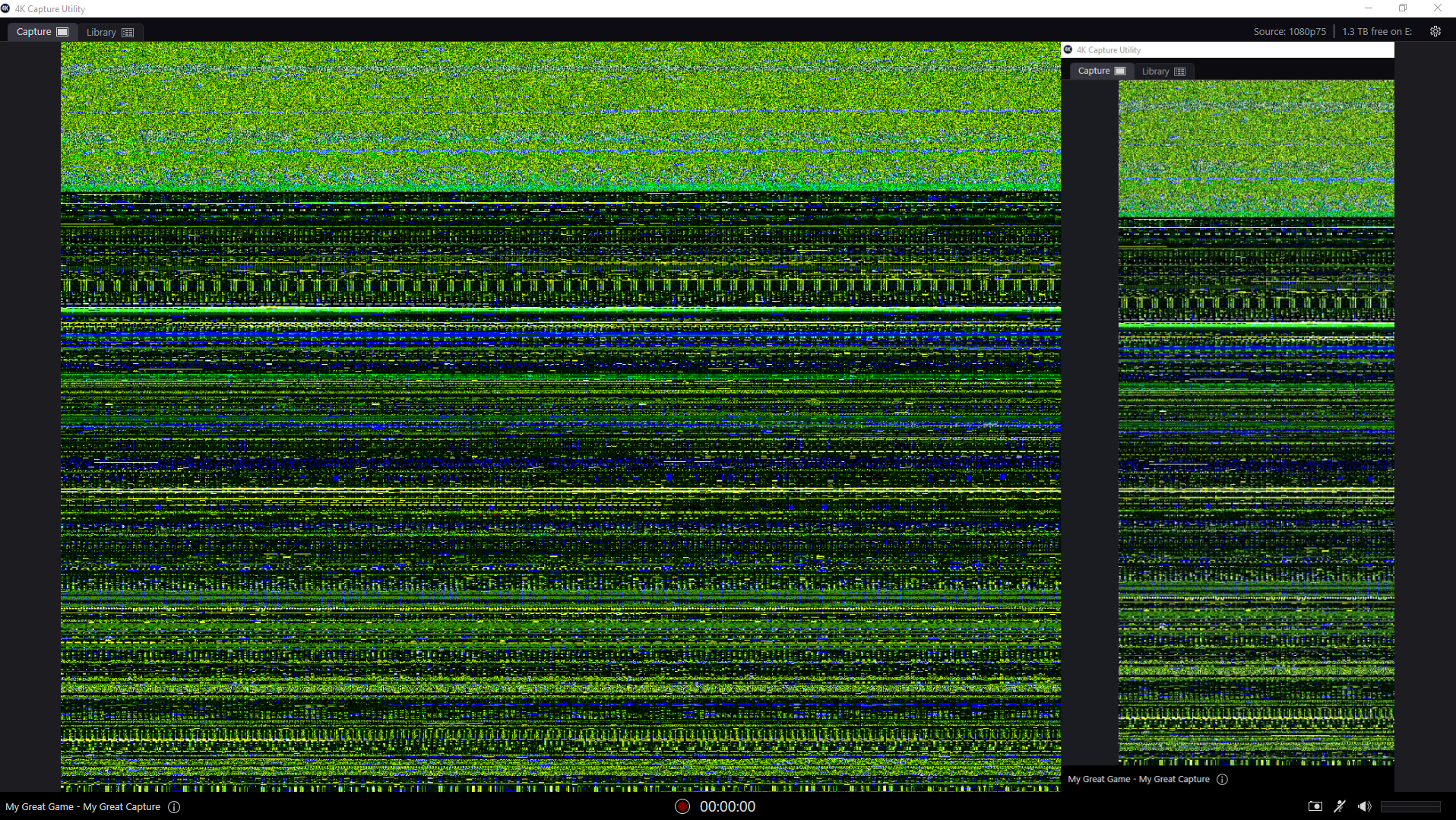 west path
ok so what software should I use instead then?
I'm mainly looking for a way to use my laptop as a screen for my console, but I would like to be able to stream as well
any suggestions?
@stuck bridge @main imp
specifically free software is preferable
tender quartz
Anything you use to play one your laptop screen is going to cause an unejoyable delay @west path
Thats not what the capture card does
west path
so what is it I should get then?
I would like to be able to both use my laptop as a screen and stream from my console
west path
alright, how bad is the delay with a capture card?
west path
ok...what about the OBS software? Does that work for using a laptop as a screen or does it only record?
tender quartz
@stuck bridge they are trying to play the game on their laptop screen. Using a capture card. It is bad lol
You
Will
Not
Be
Able
To
Play
Using
Laptop
Screen
They aren't designed to do that.
west path
ok. thx for the help
stuck bridge
better going for a monitor
tender quartz
@west path im sorry, I'm not trying to be mean. I'll explain.
When using a TV the console is doing the graphics processing. The TV is just showing the picture. Using a computer is the same way. The gpu is sending the picture to the monitor.
Now when you use a capture card. You take the picture info from the console. Convert it to data to send over USB, then the laptop takes that data and the gpu turns it back into something the screen can display.
All of these conversions take processing and all the processing takes time. And even though it's a little bit of time, it adds up. And if your laptop gpu isn't very good it becomes pretty large.
This Is fine for streaming because the viewer isnt interacting with the game. But trying to play with that delay is terrible if not impossible.
west path
yeah I understand, and my GPU is junk, so it definitely wouldn't work very well lol
you've probably just saved me 40 or so dollers
thanks for the help guys. I'm gonna head out now, as I really won't be using this server after the info I got
agile prawn
soooo....for some crazy reason my video is choppy...my vocals no longer match my lips....it was working find for MONTHS now all sudden its doin this and no amount of adding, rreadding, restarting, etc is helping....does anyone have ANY idea whats goin on?????im so irritated and it makes me not even want to stream....im using the camlink with a sony A7S. Windows 10.....any suggestions???
 tulip solar
So I'm trying to hook my astro mixamp up so I can use discord and have game audio obviously. I have voicemeeter potato also and the chat link. I was curious if anyone could help me in setting it up so I can use discord and use party chst if I want to. Thanks!
dense moon
I REALLY need some help here folks. I'm trying to setup OBS so I can record some PC gameplay - it's picking up my mic fine but there's no desktop/game audio being recorded. I've been trying to fin this all night (it's now 5:22am here in the UK) and I'm totally stuck!
agile prawn
@dense moon aint it just settings/audio...then choose default under the desktop audio tab?
agile prawn
did you try what i just suggested? lol
dense moon
if I set to the wave link browser you can see it hearing the audio but it doesn't record it
will try again
dense moon
nope - not working
this is really bugging me now
I'll take a fresh look at it tomorrow - it's probably just me not used to dealing with the Wave 3 and setting up correctly for streaming/recording
 raw ridge
im havin trouble with the mobile app
is there anyone who could help me
???
@tender quartz can u help?
tender quartz
You haven't stated the problem yet
raw ridge
well ok when i try to use the stream deck mobile app nothing shows up on the app but everything is conected like what???
soo can u help @tender quartz
 burnt pier
Can anyone help me with something?
May I ask on how can I not have any DELAYS using the 4k capture utility
tender quartz
I've seen someone post about his before but I don't have a solution sorry
raw ridge
cuz it sometimes works sometiemes doesnt
tender quartz
@burnt pier not possible
burnt pier
oof rip
tender quartz
Just by design there is processing that occurs and that processing takes time. Are you referring to delay in your stream or are you trying to play the game by looking at the capture utility
@burnt pier
raw ridge
yay got it to work
quiet saffron
@raw ridge what did you do to make it work? It might help somebody else in the future...
dense moon
managed to get the sound recorded via OBS and the wave3 setup 🙂
tender quartz
nice
dense moon
I had to set the Audio Input Capture to Wave Link Stream in the properties. You'd could have thought (and I know I tried it at first) that just setting it to default would work, but this seemed to do it
tender quartz
nope, its has to be set to stream, and only the things that output to stream in wavelink will be recorded
dense moon
took me a wee while to figure that out - but thanks anyway 🙂
 warm musk
I exedently resetted my sound options. Now my obs sounds do not want to be picked up on any of the wave link channels.
In the sounds settings of windows 10 the volume bar of obs is grayed out.
 raven dagger
hey, so will the Elgato HD60 S Work with the newest MacBook Pro?
 floral plaza
Hello, I am wondering if it is possible to make the streamdeck pro notify when if i get a message from say Fb or whatsapp. It would be great if i could make it so the full screen triggers with a notification.
 bleak portal
Hey guys. I'm currently having a problem where a game isn't being picked up by the wavelink software. Anyone know of any trouble shooting for this?
tender quartz
@bleak portal some games audio doesnt allow to be routed(it should show up under what ever is set as your default audio out in windows) this is usually system sounds in wavelink. i would make sure that you have followed the set up guide on the elgato site. then you can try earrtrumpet as suggested by the elgato FAQ .
bleak portal
It does show up in the list within windows audio settings and I can assign it to an input in wave link, it just doesn't come through that input
tender quartz
yes, so as i said , some games audio cant be routed.
you can try to route it using ear trumpet.
or
you can set the default output in windows to be a wavelink channel (i use system sounds) and then set the game output to default in the windows settings. this will force it into the wavelink channel
bleak portal
For system sounds, it doesn't allow me to change the output to anything, it's just stuck on default
tender quartz
you need to change the default windows output, to a wavelink channel. it will be the very first thing, near the top left of the window that allows you to change the games output
@bleak portal
all the sounds on the computer will be sent through what ever is set on the top line.
tender quartz
so if you have that set to a wavelink channel you can force games into wavelink that cant normally be routed
yes
so your game should show up in the system channel in wavelink now.
you may need to restart the game for this to take effect
tender quartz
just so you know, you may wat to disable windows system sounds and notification sounds as they will also play through that channel @bleak portal
small price to pay
for working game audio
or just turn that system sound slider all the way down while streaming
bleak portal
Will do. Again, thank you
 bleak portal
One last question. I guess it's best to route all my games through the system channel correct?
tender quartz
thats up to you. i try to route all my games through games, but sometimes a few wont work so im forced to use system.
anything set to "default" on that windows setting page will go through what ever is set in that first line at the top
 autumn vortex
My spotify integration has been acting weird now for 3-4 days. Sometimes my play/pause works and sometimes it don't, not sure whats wrong. I tried reinstalling and downgrading to an older version of stream deck but nothing seems to work. I also have tried revoke approval and and reconnect my spotify but still no fix.
raw ridge
@raw ridge what did you do to make it work? It might help somebody else in the future...
@quiet saffron litteraly restarted the pc and stream deck opens in background right i normaly closed it cuz i didnt need it but dont close it open it
 patent pasture
Hey guys, my elgato hd60 pro goes fully no signal after I alt tab from game like 2 times. Only restarting streaming pc helps. It’s not “no signal” for a sec
Anyone knows a fix for that?
 worldly aurora
so i run 2xmonitors and all of a sudden some apps open really large with large text. any ideas would be great. i have checked all my display settings
tender quartz
@worldly aurora did this start after playing a game in full screen?
 slender harness
Is there anyway to use the Credits from StreamLabs command on Stream Deck for a moderator or administrator? I have a Twitch account and we have multiple people stream to the channel from all over Illinois. It is not feasible to share the account and password with them but I would love for there to be a way for them to use their Stream Decks to run the credits like I do. Right now its like 7 or 8 clicks to get to that page and requires so much more extra work instead of just adding it to a Multi Action on the SD.
worldly aurora
@tender quartz no. it seems since a windows update but ive checked everywhere i can think of
cunning latch
@drifting radish Unfortunately not. But it's the CPU. AMD APU's (A6, A7, A9, etc) from before Ryzen are all below spec for our products.
 drifting radish
Thanks for the feedback. My laptop is also Windows 8, but I should have other machines with the reqs
cunning latch
Feel free to post those and we can take a look at them.
4th Gen Intel i5 (Quad Core) is what we tell people to look for. So this would be like an i5-4670 or about that. Or modern Ryzen is excellent.
@worldly aurora Check your DPI Scaling options.
@autumn vortex The Spotify plugin is developed by BarRaider. I'd suggest heading over to his Discord to discuss it. http://discord.BarRaider.com

Discord
Discord is the easiest way to communicate over voice, video, and text. Chat, hang out, and stay close with your friends and communities.
 uncut elbow
So when I plug the hdmi into the Xbox going into the Elgato then I plug the usb into my computer it says usb 3.0 ports required any help? Or is there a work around
 buoyant mauve
anyone know how to fix a wave 3? not appearing on any inputs anywhere after being asked to install something by elgato support
tender quartz
well if elgato support asked you to install it you should ask them
buoyant mauve
😄 I'm trying
buoyant mauve
I have tried emailing them straight after i did what they told me to do
which was about 30 mins ago
so still waiting
but no rush yet
tender quartz
@uncut elbow is the usb port usb 3? if so do you have anything else plugged into the other usb 3 ports. sometimes if they share a controller it can cause issue
uncut elbow
The thing is my pc doesn’t have usb 3.0 ports
tender quartz
well is part of the spec for the capture card is usb 3.0
tender quartz
you need the bandwidth of 3.0 for the data
uncut elbow
So there’s no work around?
tender quartz
you might be able to buy a usb 3.0 pcie expansion to plug into
but you need usb 3.0
uncut elbow
How much are they
tender quartz
or buy a new motherboard lol
idk youll have to look that up
and make sure you have room for one on your motherboard
and case
uncut elbow
Ok so my windows 10 regular computer runs the game capture
And the hdmi is plugged in but isn’t working
tender quartz
Define not working
tender quartz
no. the hdmi out is for a monitor or tv
the data is going over usb to stream capture
 vapid falcon
Does anyone know if the 4K60 Pro would work with a Ryzen 3 3100 and a GTX 1050-Ti?
south bronze
hello im trying to record my n64 with my elgato HD
its showing up on my elgato software but not on my tv
its not the hdmi cord because the same hdmi cord works with my switch
its playing the sound but nothing else
uncut elbow
Ok I’m buying 3.0 slots does it matter if it’s pci e or pci?
 acoustic talon
hi guys
I'm having a problem starting ads with streamdeck as of 1-2 months
my twitch profile is connected fine and it would work after restarting the streamdeck program, but, today, I tried that, and even after restarting, it didn't work, had to use the default /commercial xx command from the chat
anyone having the same issue?
limber quail
Hello! Here is something I need help with, so I have my main game open wich obviously produces sound that gets picked up and I have this scene that I switch to from time to time ( a minigame for viewers ) that produces sound aswell. I wanted to go to that scene while the sound of my main game gets blocked. I heard this is possible with a streamdeck?
 opaque mist
Should there be a quality difference between the screens of a StreamDeck XL and a regular Stream Deck? Moving buttons over to the XL, and the colours are... Different.
opaque mist
The XL feels like the screen just isn't as colour correct as the regular Stream Deck, grey isn't grey it's more, orangey/grey, and whites aren't white... Is that normal?
tender quartz
@opaque mist I think the xl may have higher res screens, I can't remember currently but the colors should not be how you describe
opaque mist
@tender quartz Hang on, I have a pic... The XL feels like it's using a lower quality panel or the colours are off, it feels too orange/warm
tender quartz
@acoustic talon ive had that issue since the software update last week
opaque mist
So here. On the XL you can see the grey is... not grey @tender quartz
Apologies for the not so great quality picture, but it thankfully still clearly shows the difference.
tender quartz
Interesting. I'm not at mine right now but that doesn't seem right
opaque mist
@tender quartz That at least makes me feel a bit better, I was sat here thinking I was going crazy, and trying to explain the issue is tricky, as they would surely use the same kind of panel/screen, so the contrast should be the same and colour temp is a weird subject. I'll stay here and see if anyone else can help but I'll go ahead and throw a support ticket in just in case.
Thank you 🙂
acoustic talon
I've seen other people saying the same, that the colors are washed.
@acoustic talon ive had that issue since the software update last week
@tender quartz was driving me nuts already, I would restart it before every stream and it wouldn't work, now even after the restart? 😔
tender quartz
same
i havent found a solution yet
though since there is a chat command for it you may be able to use the post chat message button as a temporary solution
quiet saffron
@tender quartz I've only got an XL and mobile, so I can't compare, but I wondered if it might be a brightness setting for the XL? Tell me to shut up if I'm talking nonsense 🙂
tender quartz
yeah idk with his problem is, i dont feel like my XL is washed out like that at all
 pulsar marsh
MacOS: how do I stop the streamdeck software starting on login? It's not showing up in 'login items' under user and group settings
oh, found it: sudo rm /Library/LaunchAgents/com.elgato.StreamDeck.plist
 feral hawk
I'm having trouble with audio capture. I'm running a two pc setup for the first time. Gaming PC is not muted (headphones make noise) but my HD60 is not getting audio into OBS
 rich peak
Hey i just bought the stream deck but when i plug it in it says usb malfunction and it doesn't show up in the software
 light bronze
Would any kind soul help me properly set up my Wave 3? Everything sounds off (echo-y) and doesn't seem to pick up my voice enough
tender quartz
@light bronze there is a set up guide on the elgato site
 blazing spindle
Can someone please help me figure out how to fix this: https://www.youtube.com/watch?v=cRPJHXkYkzs

The 4K60 S+ constantly boot cycles after having enabled Streamlink. Sometimes it happens in 3 minutes. It can take up to 15 minutes. This does not occur if Streamlink is disabled.
 vernal flax
@feral hawk i'm having the exact same issue today, has been fine up until today
 runic moat
Has anyone had issues with the HD60s & Nintendo Switch when trying to capture at 1080p60? Specifically the pass-through to my monitor is flickering every few seconds. The OBS capture preview and output is perfect. I have tried replacing all of the HDMI cables, switching USB 3.x ports and restarting but no luck. If I set the output on my Switch to 720p, everything works fine. Does anyone have advice on something I could have missed?
 wheat fractal
Hello, I currently use the HD60 Pro Capture Card and it does 1080p 60fps.
With the 4K60 Pro can I get 1080p 144fps in obs? Or it's just 1080p 144fps pass-through and in obs I will still get 60fps.
Thank you
bleak portal
Hey everyone. I'm currently having a problem where when I pass the mic audio through RTX Voice for noise suppression, I'm getting this high pitch static noise from the new input. Could the last update have anything to do with this?
 tough trellis
Hi guys
im having issues on full screen with the Elgato 4k60pro. when i turn my call of duty to fullscreen 240hz the screen does a weird green flickering.
 south bronze
is there a reason i have to adjust my source on my wave link everytime i load a game on my pc
lucid marten
Alright. I heard back from ReStream support & we confirmed it wasn't a a connection issue on my end. Support said it's an issue with the Elgato Game Capture HD software. The "Go live" button is still greyed out. RTMP & the ReStream account options provide the same result. Separately streaming to other individual accounts works fine.
More info:
I've reinstalled Game Capture HD multiple times. I've tried the 5 latest versions as well. I unlinked & relinked all accounts with GCHD & ReStream. I've deleted all Elgato files from my ~Library. Lastly I've used MacOS 10.15 & MacOs 11.
Really hope someone at Elgato can figure this out. I really wish I could multi-stream again.
tender quartz
@lucid marten if you have not you should put an official support ticket in with elgato since this seems like a complex problem
lucid marten
Alright @tender quartz. Thanks for the heads up.
 dire plaza
hello! I plan to buy the HD60s+. Will this work on my laptop? My laptop is trekstor primebook p14b https://www.trekstor.de/products/notebook/detail-notebook/product/primebook-P14B-Notebook-with-Intel-Pentium-N4200-Processor-Windows-10-Home-14.1-Full-HD-IPS-display-64-GB-fingerprint-sensor-Office-365-Personal-One-year-License-incl.-M.2-SSD-MODULE-128-GB.html
 tulip valley
My 4K60 Pro is dropping signal, it started this today. The only thing I changed on my computer was disabled MCE (I re-enabled it to see if it fixed the issue and it didn't).
I've tried every possible fix. I've tried different cables. I've hard reset my PS4. I've tried doing the cold boot fix. I've tried uninstalling and reinstalling drivers and applications. I've tried all kind of settings, and nothing works, this problem seems to persist.
I did get it from Amazon, on Prime Day, I got a Like New warehouse deal. It did work for a few days perfect, now I have nothing but issues with it. It does seem to be software related as this problem is not carried over to my TV, my TV doesn't blink out a No Signal warning at random. This seems to be just software. It happens in both the 4K Capture Utility and OBS (more so here).
I've also came down to the conclusion that it could be my graphics card, it is a GTX 960, not a 10 series card, but my CPU is the i7 10700k, I have tried running it both off my CPU and Graphics Card, both result in the same. I have even tried the inbuilt software which also brings up the issue, I'm at a lost here what to do.
Here is a video of the issue, captured from the 4K Capture Utility software.

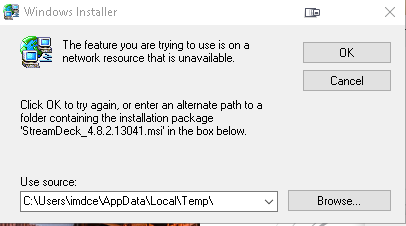

it is also MK.II card. In the last slot of my PCIe, x4.0.
tender quartz
I don't think 960 meets minimum spec
tulip valley
that's what i been thinking, the only issue is that it did work flawlessly for the first few days i have had it
i didn't change any settings at all between then and now, besides disabling MCE on my board, but that really shouldn't have caused this
i am getting a 3070 soon hopefully, but im unsure if it will fix the issue ive been having
this issue only popped up today
ok
from what i can see
i have been having the exact same issue as what someone else had on one of the subreddits
whereas it recorded ok at 1080p setting on ps4 (this is not preferred by myself as i use a 4k tv), but struggles when the ps4 is set to 4k, the issue is that i have had 4k set for last few days, and it worked
 whole hearth
Is instant game view better than the hardware incoder and what does hardware do and if this isn’t the it you did I am very sorry xC my uncle might know but I’m scared to tell him cause I might loose my motivation 😔 I wanna stream ps3 ps2 wii Xbox 360 and Xbox one switch lite and 3ds and 2dsxl and psvita is encoder reccomded for the items I wanna play and what does it do and is it better than instant game view instead?
vernal flax
is there something wrong with Elgato sound capture? All of a sudden it has just stopped sending my gaming PC audio to my streaming PC... It makes no sense. My streams have been fine up until yesterday and then my chat informed me I had no game sound
tulip valley
i seemed to have fixed it by stripping the elgato software completely off my computer
both the updated driver and 4k software
using streamlabs and it doesn't seem to be cutting out, will let know later if it remains like that
nvm discovered its only showing my ps4 in 1080p
reinstalled the 4k software, seems to be working, but that could differ later
seems to be good, working after a restart, will update if the problem comes back
tulip valley
issue came back, im done trying with it, going to send it back to amazon, and maybe go with an external one in the future
whole hearth
Still needing help
tender quartz
@whole hearth sorry I meant to reply earlier but fell alseep(I am sick)
The encoder on that card is for recording to an SD card I believe
You probably don't need it
If you don't know what it does
whole hearth
Oh ok and do u think I should get 4K for the 140 or is 60 ok
tender quartz
I do not know
cunning latch
@whole hearth The hardware encoder in this specific instance isn't something you need to seek out. Mostly just for information here letting you know there is a hardware encoder. But the hardware encoder here is why it doesn't have instant gameview. There is a small delay between what comes in from the console and what shows up in the video preview in the software.
The hardware encoder is needed in order for standalone SD-Card recording to work. If you're never going to use standalone recording, then the HD60 S+ is probably better for laptop users who aren't doing 4K recording.
@tulip valley If you're never doing HDR, then a 960 is more than adequate. It can do 4K 60fps encoding just fine. 10 series is needed if you're doing HDR recording.
Does running the PS4 in 1080p mode result in better stability? Does it cut out more at 4K?
@tough trellis If you haven't yet, please try reinstalling the MK.2 driver and rebooting: https://gc-updates.elgato.com/windows/drivers/4k60-pro-mk2/download.php
@wheat fractal 4K60 Pro can passthrough and capture 1080p up to 240fps. Keep in mind though that our 4K Capture Utility software is only setup to capture to a 60fps file. So you'll need third party software to make a 120, 144, or 240fps recording.
If you're using OBS, you cans end 120, 144, 240 into OBS. But you'll need to setup OBS to actually record that to a file.
cunning latch
cunning latch
@whole hearth It's mostly a USB bandwidth issue there. Maybe when USB 10Gbps becomes common or USB 4.0 comes out it could happen.
 onyx spruce
Restock the damn master mounts
tulip valley
@cunning latch it cuts out in 4k and it’s weird as i can get it working but say i turn my pc off and come back later, it’s back to doing that bug
 lone quiver
Still no audio, it's not being picked up in either game capture or obs streamlabs
vapid falcon
Does anyone know if I’d be able to use a 4K60 Pro with a Ryzen 3 3100 and a GTX 1050-Ti. I only want to stream at 1080p 60Hz. I just need the 4K60 Pro for the 1440p 144hz passthrough as that’s what my monitor and the Xbox Series X will output. Please @ me or PM me if you know. Thanks
 worldly tundra
Hello I got an Elgato HD 60 S yesterday and after 5 minutes of using it, it gets very hot, how can I cool it down?
 unique heart
Hey gang, so I got a new computer about a week ago and have had an Elgato HD60S for about a year now. With my old computer, it worked absolutely fine. When I’m trying to make it work with my new computer, I get constant disconnects within 15-20 seconds, sometimes followed by a “the usb device malfunctioned & windows can’t recognize it”. I’ve tried literally everything, watched every troubleshooting YouTube video, and nothing.
I thought it was the cable at one point to so connected the usb to usb-c to my surface laptop and it works fine, video and everything.
I noticed that when I connect it to the laptop, I get the white status lights that flash to let you know it connected. But when I connect it to my PC, I get pink(?) lights.
 tame valley
hey, obs is having trouble getting my elgato set up. When I set up elgato on obs, it runs fine. However the screen on my monitor is glitching. I am currently using an Elgato HD60
unique heart
I don’t think the wire is the problem. The device is capable of showing solid white lights and solid red lights so seeing this pink light has me very confused.
dense moon
Folks - need some help - when I unmute the Wave 3 I'm getting mega feedback through my headphones now
any thoughts?>
tender quartz
@dense moon input gain is likely to high. Also you should have the mic muted in the headphone mix In wavelink
dense moon
thanks @tender quartz
tender quartz
No problem
dense moon
still so new to this whole Elgato thang
 rain thorn
Good afternoon everyone! I have the control center app on my phone, I use it to control a ring light and key light air, but its always only connecting to one or the other, sometimes none at all. Very rarely am I ever able to detect both at one time. Its super annoying. Anyone else have this issue?
uncut elbow
It keeps popping up that the hdmi isn’t connected or my Xbox isn’t turned on
When everything is connected properly
 civic creek
good evening guys, I was wondering if anyone could help me relay the sound setup from my discord over to my el gato.
tender quartz
You'll have to be more specific
civic creek
im trying to set my el gato to also pick up my friends' voices but as of right now its only catching mine. im not sure if its picking up my voice through discord or if its picking it up straight from my mic
do i need to record discord through another software or can I go straight through the el gato
tender quartz
So elgato makes a lot of products. What product are you using
tender quartz
Are you running a dual pc setup?
civic creek
i am not, just one monitor
tender quartz
I'm not sure I can help sorry
civic creek
is it easier or should i say better to run off a dual setup?
uncut elbow
Hey I need help
 vivid tundra
I bought an Elgato Ring Light and I'm 99% sure it came with a bad power adapter. Plugged into several outlets and no matter what, no light. Tried the 10 second reset button and I don't ever get the 3 blinking lights.
Has this happened to anyone else?
tender quartz
No one has posted about it here since it came out as far as I know
And I see most of the posts
 final spruce
hi guys, i just bought elgato wave 3 and i wanna ask how to hear media source / audio monitoring in obs using wave link? btw pardon my broken english
 dawn flame
Hi, how to open the "change system audio" settings panel with Streamdeck? I know you can use "ms-settings:sound" but not how to open "change system sound" with it.
btw looks like this
quiet saffron
I use the "Audio output" plugin from Fred Emmott which I found in "More Actions"
you can see it here https://help.elgato.com/hc/en-us/articles/360028232451-Elgato-Stream-Deck-Plugins
Elgato
With the advent of version 4.0 of our Stream Deck software, we released the Stream Deck SDK. This allows the community to create their own functionality and integrations with the Stream Deck.More i...
half falcon
How do I stop input lag
 vestal anchor
hi guys just bought an hd60s+ with no capture device showing, I need help.
pm"s are welcome
 polar apex
Thursday I got my HD60 S+, and I'm having trouble as well. Just submitted the ticket for it.
vestal anchor
@polar apex same issue?
polar apex
I don't think it's quite the same; I can pick the HD60 S+ from the video menus of several applications (including Discord), but I get a black screen and a dead audio channel.
 frosty jay
Hey. Ive had this problem for a while now, Whenever i alt+tab out of any full screen application(Game etc) my elgato ''source'' turns into this green flickering mess, As you can see in the picture. This occurs both in the 4K capture utility and im Streamlabs OBS. Im using a elgato capture card 4k60pro mk2. The fastest way to fix this is to tab in and out a couple of times until the screen returns to normal. Also as you can see, the windows search bar is in the middle of the screen, this also happens sometimes with games. Wich means the game gets split up into 2-4 different borderless windows. Cant really find anything on the internet about my problem 😦 please help!
Btw, im running a dual pc streaming setup with duplicated screen from the gaming pc!
vapid falcon
Does anyone know if I’d be able to use a 4K60 Pro with a Ryzen 3 3100 and a GTX 1050-Ti. I only want to stream at 1080p 60Hz. I just need the 4K60 Pro for the 1440p 144hz passthrough as that’s what my monitor and the Xbox Series X will output. Please @ me or PM me if you know. Thanks
 proud pike
I’m having a little trouble here. Whenever I open up SLOBS, I lose the signal of my Xbox on my monitor. SLOBS picks it up and my elgato reads it but my main monitor just doesn’t receive the output. It works on my other 2 monitors just fine.
Monitor is a MSI G27C4
 runic sentinel
Hey im having trouble picking up audio on my devices using the game capture hd, can anyone help?
you can pm if you can help
runic sentinel
or @ me pls
silk turret
anyone have 4k@60fps not really work? Image displays , then goes off, then comes back.
tried a few different cables (including the one in the box of 4k60 pro)
polar apex
The good news is that the cabling was the problem with my S+ hookup. I almost literally got two wires crossed, and the whole thing just wouldn't work. The bad news is that now I'm on the hook for an opening credits thing for "Spoiler Warning Theater."
silk turret
Glad you got it goin! 🙂
you would hope elgato includes a cable capable of 4k60 in the box! 🙂
4k30 is fine, guess i need to buy a few more adapters/cables and test 😦
 winged adder
Quick question - I want to upgrade my webcam (a lot!) and have a PC, so want to get a DSLR and an Elgato product - would the 4K60Pro be a better buy than the Cam Link 4K if I have a spare PCIe slot? Thanks a lot
 red marten
I have an elgato cam link but when I move glitchy bars come up any help?
i use a sony a6400 btw
polar apex
@silk turret Elgato did include such a cord, but the Switch’s Pro Controller comes with a very similar cable that does charging only...
I called Support, and he told me about the different cable types, and not! Was my face red!
Here’s a new workflow challenge: Is there a way to composite game audio and video with camera audio (and maybe video) in Discord?
 sudden thicket
Hello. I need help setting up my elgato cam link 4k with my sony ax33. The output is only 1080i29 and I'm just wondering why its not letting more nor when I get it in 2160p29 it still doesn't look like 4k at all. I would rather have 1080p60 but it seems like it wont let me
If anyone would message me with any help that would be awesome
vivid harbor
You could try the OBS Studio Virtual camera @polar apex and just do a video call
sudden thicket
@tepid cosmos I have some questions for you if you would shoot me a message!! Thanks in advance!
 stark shell
Hello, what settings can I just for an elgato HD60S on a single Pc for streaming on streamlabs obs. DM me or tag me. Thanks
south bronze
Hello,
i stream PS4 games and to get my game sound in my headset i use elgato chat link cable.
now when i play i reposion myself in my chair. that way i move the controller and then i get small noice in my headset.
most of the time i rest my arms and hands on my legs. and i still get the bad static/feedback sound for a few seconds.
The sound does not come on stream.
i try to give the cable some room and my legs so it does not get stuck or bend.
i bought already 4 new ones. and my first new one is starting afther a week with the same problems.
has someone else had this or can help me a bit.
it is irritating me a bit. and i can't believe its just a bad made cable.
I do not have my controllers charged while i play/stream. maybe casual but then i am not useing the chat link cable.
so that can not be the problem.
Sorry for my bad english.
 green gyro
Hey. The last couple days my HD60S+ has been dropping my game audio at different parts during the stream. I'll be playing and everything will be going smooth and then I'll glance at OBS and notice theirs no audio being detected from my HD60S+. It only recently started happening and is seemingly random. Any common causes of this I should be aware of? I'm pretty new to all of this, so my current fix is to remove and re-add the source, at which point it goes back to working correctly.
runic sentinel
I just got an elgato game capture HD with some of the cables including the chat link cable. My monitor doesn't have a headphone port so what I want to do is stream gameplay from my PS4 and Switch where I can plug my headphones into the chat link cable to hear the audio, and for the viewers to be able to hear the audio as well. I looked online and saw that I had to put the audio input to Analog Audio in order for the software to hear it and to hear it through my headphones, but that does not work at all for me. I did all that on my ps4 and I can't hear audio through either the software or my headphones connected to the chat link. I want to stream using the elgato software itself since there is a 2 or 3 second delay for the game capture HD and the webcam delay is the same. I attached a photo showing my elgato game capture HD with the audio cables connected all the way through my ps4 controller. Any help would be appreciated thank you.
 worthy timber
need some help if anyone has a sec, first time using a dual gaming / streaming pc setup. my main ( gaming) monitor wont let me select 144 hz from nvidia control panel, its greyed / locked out. ive tried it from both, cloned and non-cloned.
 opal kernel
My video is just blurry in the recording. Could someone tell me what the problem could be.
How this suppose to be a help thing and no one even helps @everyone
red marten
I have an elgato cam link but when I move glitchy bars come up any help?
i use a sony a6400 btw
red marten
please help
 terse pecan
How do I get HD Capture to do 60fps when having an interlaced input?
 torpid cove
Hello, I'm having issues with my Wave Link software. When I output directly to my Headset, I get distortion that slowly gets worse until it doubles and sounds like it's trying to get caught up with each other. If I change to any other output, it's fine. Please help
 lilac condor
Good Morning Everyone! My 4K60P looks like this when I start OBS. Anyone know what is going on?
It also happens in the 4K Capture Util as well
 umbral root
My wave link is on version 1.1.3 and wont update to 1.1.4 through the program do i have to redownload the new version and if i do that will i lose all my settings on wave link?
tender quartz
@umbral root just run the new installer from the site without uninstalling , it will update, thats what i had to do as well
umbral root
Gotcha thank you
 spark spire
is there any way i can be able to listen to my my switch audio without it coming out through my desktop audio?
because it comes out from both the video capture device and my desktop audio, making it display the audio twice at the same time when i stream/record
sudden thicket
Can anyone here help me setup my elgato cam link 4k with my sony ax33?? Really looking for some help to get this thing up and running right.
sudden thicket
Why doesn't anyone on here actually help out with problems??
tender quartz
i help out everyday with what i can, your specific problem i cant help with
if you are unsatisfied with this you can always submitt an OFFICIAL support ticket on the elgato help site
this is not an official support channel @sudden thicket
 iron gust
i had to do some reinstalls last night and now when i open wave link all i get is this. even tho my mic is connected and i can use it for chat in discord and other programs
i have also tried different usb ports on my pc as well, and have power cycled a few times
 rapid ocean
Does the wave work with an Xbox?
 river cosmos
Hey I'm having some trouble with my camlink
I plug it into my PC and it lights up, blinks 3 times and turns off
 spiral scroll
Might just be me, but it seems NVIDIA Broadcast Mic Noise Removal doesn't work too well with Elgatos 4k Capture Utility
 leaden basin
how do i get the control center to link up to my stream deck i downloaded it on my phone and it still doesnt see it
 rain oriole
can someone help me with somthing with my stream deck
tender quartz
@rain oriole what is the issue lol
rain oriole
lol every thing is working fine with my stream deck but anything involving twitch and twitch studio wont work it gives me a weird hazard thing
tender quartz
Oh yeah
I've been having that issue since the update. Havent found a solution yet. Might want to put in an official support ticket, or if it's an BarRaider plugin, you can join his discord and as there
rain oriole
you have found a solution?
do they get back to the tickets fast or will it be like a few days?
tender quartz
Haven't sorry. And the tickets can take a few days, they seem to be pretty busy right now with all the updates they've been pushing out
rain oriole
ok were can i submit a ticket
tender quartz
PSA: To file a support ticket please visit http://e.lga.to/help
helveticat
@rain oriole
 pastel trout
Hello.
I'm in need of help.
I'm using Elgato Game Capture HD 60 S to capture the Nintendo Switch game screen.
The screen appears on software, but not on passthrough screen.
I've checked the wires and everything is working fine.
I tried changing the resolution from 1080p to 720p but that didn't work.
The weird thing is that if I have my desktop computer off and then turn on my Nintendo Switch, the passthrough monitor turns on and the game screen shows up without any problem.
So I tried to turn on my computer from there but as soon as the computer boots up, the passthrough monitor turns red and doesn't show the game screen.
So from there, I tried opening up the software on computer and it shows the game screen on it but not on the passthrough monitor.
vapid falcon
Does anyone know if I’d be able to use a 4K60 Pro with a Ryzen 3 3100 and a GTX 1050-Ti. I only want to stream at 1080p 60Hz. I just need the 4K60 Pro for the 1440p 144hz passthrough as that’s what my monitor and the Xbox Series X will output. Please @ me or PM me if you know. Thanks
 chrome olive
Hello, I'm having some issues, I have a Stream Deck XL and I was having issues installing the update so I uninstalled the software and I went to reinstall it and I keep getting an error saying I can't install it.
 opal badge
hay all...
how do i create a profile?
 silver agate
(this isn't that important, but i was just wondering)
If I get a USB mic such as an Elgato Wave, is there an easy way to convert it to XLR for an audio interface?
 earnest axle
getting no signal detected with elgato and OBS Live.. tried rebooting/disable/renable in device manager.. any other things to try?
quiet saffron
@opal badge Click on the Gear icon, click on the Profiles tab, then click the Plus button
opal badge
@quiet saffron i don't see it
tender quartz
@silver agate absolutely not. I mean. Technically you could push the audio from your pc audio out then get a 3.5mm to XLR adapter and plug your pc into the the mixer or XLR input. But make sure it doesn't have phantom power or you're going to ruin your pc.
The key to remember is the mic doesnt work without wavelink and wavelink doesn't work without the mic. They are one.
@opal badge it doesn't look like your streamdeck is plugged in/being detected by the software
quiet saffron
@opal badge I've not seen that message, but if it was me, I'd think that the stream deck wasn't attached?
 lament mortar
anyone have the el gato 4k60 and is it good but it allows 240hz correct
 paper gorge
hey, i just got a capture card today and i want to start streaming, but it keeps saying "Game Capture HD60S needs to be connected to a USB 3.0 port to function properly." can anyone help me with this please?
paper gorge
i rly want to stream but this problem is being annoying
 lucid needle
is it definitely plugged into a usb 3.0 port? worth checking
paper gorge
it's plugged into my laptop...
i'm not that good with tech stuff but the port is blue inside, so i think it's usb 3
tender quartz
blue port should be good but is not always a correct indicator, you should look up your laptop model and verify you have usb 3 ports
lucid needle
@paper gorge what laptop do you have, i can check for you if you are not sure how
 violet ibex
Hi
I wanna get 4k60 pro mk2
Will it fit in my gaming pc?
I only have 1 gpu it will fit no problems?
paper gorge
@lucid needle it's a samsung notebook, does that help? or do i need to be more specific?
lucid needle
yeah, which one?
paper gorge
on the bottom it says "NP940X5N