#cth-history
1 messages · Page 42 of 1
 floral jetty
 daring eagle
what you mean
floral jetty
obs, streamlabs, gamecapture, 4k capture?
daring eagle
idk
floral jetty
ok, what are you looking to do? Just record? Stream?
floral jetty

Streamlabs
The purpose of an Elgato Capture Card is to allow you to record or stream your gameplay from a console (such as a Playstation 4 or Xbox One) to your...
give this a look over.
 coarse night
@dusk nest go to your sound control panel and select recording devices, right click on the mic in and go to properties, the far right tab will allow you to change that, just so you know at 96000khz your mic won’t work in discord or in game
 dusk nest
OK thank you very much
 strange wren
Hi, I am having trouble getting my stream back up and running. I was previously duplicating my display from my gaming PC to my Elgato Game Capture 4K60 Pro MK.2 but then I found out I was limiting myself with 60fps. Other tutorials I have recently found say to extend the display, not duplicate. So I did that to try and be able to play games at 1440p 165hz on my gaming pc and send it over to streamlabs OBS on my streaming PC as an elgato source at 1080p 60fps. I use OBS on my gaming PC as well to send the feed over. It shows my desktop fine with display capture, but when I launch a game in either display or game capture, even with my only monitor set as primary, it launches or later moves my game over to my streaming PC in Streamlabs OBS and all I see on my gaming PC is my desktop with the game downsized. I can't seem to figure out why this is happening. Thank you for your time. I greatly appreciate it.
 tawdry ruin
but does wave link have support for midi control?
@tender quartz
As far as I know, it dosen't have "Midi" control. What device are you trying to incorporate? I have an AKAI MKII Midi Keyboard that plugs in with USB and has knobs that can be remapped. So you may have to have use a keymapping app/software. I did however get the Stream Deck which works with the Wave Link software and you can use the Wave Link Profile that is available. I use that combo myself but I also have a Scarlet 2i2 interface that I have as a Hardware input in Wave Link that I have a mixer attached to that I run my console sound in so I can control it that way too. Hope this is helpful in some small way. Good Luck!
 tender quartz
ill find out soon enough i guess as i ordered two 3s yesterday
tawdry ruin
I hit send too soon before, so check back on my reply. Good luck! @tender quartz
tender quartz
@tawdry ruin thanks for the infor, im using an easycontrol.9 that im using just for streaming /headphone mix right now with voicemeter. idk why they would make a virtual audio mixer and not have built in midi control of some kind. i guess ill figure it out when it comes in as the easycontrol is about 98% remappable.
im trying to avoid using my streamdeck as i prefer the physical feedback of my controller.
 undone spruce
Has anyone had issues with trying to open up elgato's properties in OBS/SLOBS. It deactivates itself (webcam included) whenever I access the settings... and I would need to disable and reenable the devices
I am starting to think it might be a power issue but I wanted to ask before I turn off the cpu and open it up
Btw, I have a c922 pro logitech webcam and an elgato 60 pro
dusk nest
So my keyboard k95 has the ability to do stream deck plug in or extension and I'm using my g keys. I notice upon installing stream deck and their plug in list there was a wave link extension that I can download. Once I downloaded the wave link extension I don't see a way to mute the mic. Is there a way to do that?
 sullen kettle
Idk where to post this but when I press the Create new icon inside of streamdeck it goes to https://www.elgato.com/gaming/keycreator which does not work, but https://www.elgato.com/en/gaming/keycreator does.

elgato.com
Welcome to Key Creator, the only tool you'll ever need to customize Stream Deck keys.
elgato.com
Welcome to Key Creator, the only tool you'll ever need to customize Stream Deck keys.
 spice sky
Is there anyone that could possibly help me out with some audio issues? I'm doing a dual pc setup with an ElGato HD60 Pro. Everything on the gaming pc is good to go but my mic will not work in streamlabs on the streaming pc. ANY help would be great, I've been stressing over it for like 4 days now and am out of ideas
 dapper juniper
@spice sky is the Mic connected to the streaming PC? What kind of mic? Did you check the usuals like volume levels? Or is it just not showing up at all?
spice sky
@dapper juniper Ya I have, On the gaming pc everything checks out. The game audio and discord show up fine on the streaming pc but the mic is not showing up at all, and it's set up through ElGato NVIDIA High Definition Audio on the gaming pc but elgato isn't showing up on the streaming pc as an option for audio at all. It's a Thornmax M Drill One Pro (usb mic)
dapper juniper
@spice sky you’d set the mic up as an input source, it shouldn’t be the hi def audio, as that’s an audio output device. If I’m misunderstanding forgive me. Are there any other apps on the streaming pc, like discord, that you can use to verify the mic is installed correctly?
spice sky
That's where it gets sketchy, the mic is on my gaming pc not the streaming pc. (My streaming pc doesn't have enough usb slots open to switch everything over, it's older) In the past 3 days I've had 5 streams of trying to fix it. It will work fine if I have it set to listen to this device and play it back through my headset but then I have to hear me and it's on like a .5 second delay in my head phones. I did have it fixed for a few hours but the next day when I went to stream again it wasn't working...again. It's a mess. I've reached out to Streamlabs since ElGato isn't even showing up as an audio source and have heard nothing. I'm just trying to stream and game and it's just not working
 flat elm
does anyone know how to uninstall the GOxlr plugin to the stream deck app?
dapper juniper
@spice sky I am trying to wrap my head around the complexities without actually being there, but I think the most reliable solution would be on the gaming pc install VoiceMeeter, then on A1 pick your mic (MDM ideally), and on output for A1 pick your HDMI audio out. That way you can adjust volumes of the mic that get sent to your 4k60 Pro and also get all your audio sent over the HDMI like you have it now.
spice sky
@dapper juniper If I could I would happily show you, I know it's more than confusing. The frustrating thing is that ElGato doesn't even show up in streamlabs for audio, on top of that I had it working for like 3 hours then the next time I went to stream it was back to not working again. It's irritating and I don't understand why the mic isn't being transferred through ElGato like all the other sounds. Thank you for your time, I appreciate it and sorry if I've bothered or confused you with this mess
dapper juniper
@spice sky The mic is an input device only, it needs something to “play” it out your output. You can use an app like VoiceMeeter to do that, or in win 10, device settings and enable mic monitoring, etc. either way, you need something that can take the input and relay it to an output, which then gets sent to your streaming pc.
spice sky
I'm aware the mic is an input device...and yes I know. What I'm saying is that it was working 2 days ago without any additional software and solely using the 2 computers, an HDMI and a 3.5 cable, and the Elgato software. The issue is trying to get it to work again, except now ElGato isn't showing up in the Streamlabs software
floral jetty
@spice sky have you taken a look at https://help.elgato.com/hc/en-us/articles/360044557892-Elgato-Wave-3-Dual-PC-Streaming-Setup

Elgato
Wave:3 can be used in a two PC setup, where the gaming PC is only gaming, and a streaming PC is dedicated to streaming. This way, Wave:3 is used as the microphone for streaming/recording, and as th...
 shrewd moat
Hello everyone. i'm new here, and i have an elgato that is giving me this weird problem. i don't know how to explain it but my screen starts to overlap itself. Can someone help me with this. i can show pictures to show you what i mean.
floral jetty
@flat elm you can go to more actions on bottom right and uninstall it from there
spice sky
First time seeing that @floral jetty and that is all done but still no mic sound on the streaming pc.
flat elm
@flat elm you can go to more actions on bottom right and uninstall it from there
@floral jetty did not work by doing that some how the file got locked and wouldn't let me do the uninstall threw the app. had to download 3 rd party software to unlock the file and delete the plugin itself but it worked. had a really rough day with the stream deck hopfully I get a update soon on why i keep crashing...

 rancid widget
Am I able to create custom scene transitions in Game Capture HD?
shrewd moat
Can somebody help me please?
spice sky
I'm here for my own issues @shrewd moat but it looks like that screen is what you are streaming which is echoing on itself. I've done this on my stream the past like 4 days so people can see what I see and try to help me
shrewd moat
@spice sky oh so do you know what to do to fix this? If so please tell me.
spice sky
@shrewd moat You need to change where you're capturing your video. Is that the right screen/computer? If it's not then see if at the top of that window in sources says display capture. If so that's the issue, just delete it and make a new source that is video capture device
shrewd moat
I only see 'show device settings' and 'game capture HD preferences' do I go there instead because I don't see sources.
spice sky
It would be much easier to show you LOL one sec
shrewd moat
Sorry I suck at this. It's my first time
 cunning latch
@shrewd moat The software is previewing what you're capturing. You're capturing the window.
It's like connecting a camera to a TV and pointing the camera at the TV. Minimize the software or move the window to a different monitor.
@south bronze Please email us about this issue: http://e.lga.to/help
@wispy fern That's flashback recording. It records in the background to let you rewind and capture moments that just happened. It's normal. You can go into Game Capture HD preferences > Capture tab and uncheck 'Flashback Recording' and hit OK to disable this feature.
@south bronze If you're still experiencing lag, then try going into Game Capture HD preferences on the top right, then go to the advanced tab and make sure the Encoder and Decoder are set to your GTX 1060.
Do you have any lag or delay on your TV when it's connected to the HDMI out on the HD60 S
 inner rose
Does anyone have any idea of what keeps causing the HD60 Pro to gradually desync my game audio?? It's really been a distraction during my stream to have to deactivate and reactivate the device.. and tonight it shut down my capture card and pretty much forced me to end my stream.. I am having so many problems with this capture card
cunning latch
@dusk nest You'd use 'Mute Input' to decide where to mute the mic. Stream Mix or Monitor Mix. Aka, what others hear or what you hear.
@umbral root Make sure that the iCue SDK is enabled in iCue. the SDK is how Stream Deck talks to iCue to enable those functions.
 wispy fern
@cunning latch thank you so much
cunning latch
@inner rose be sure you're on the latest driver: https://gc-updates.elgato.com/windows/drivers/hd60-pro/download.php
Are you streaming through Game Capture or third party software like OBS?
inner rose
@cunning latch I'm sorry, I forgot to specify. I'm streaming on OBS
 ivory patrol
Hello! I'm new to streaming, been at it on Twitch for about 2 weeks now and I want to start streaming games I have on my consoles now (PS3, PS4 Pro and Switch). I don't have the best upload speed, so I mostly stream in 720p 30fps.
What capture card is recommended for this would you say?
I'm thinking about getting the Elgato Game Capture HD since it supports a wide variety of consoles, however, I can't see if it supports PS4 Pro, since the HD60 one lists both PS4 and PS4 Pro as supported consoles.
 pale veldt
I recently lost my original type c cable for my capture card and have tried many others but for some reason, the picture on any like OBS or similar seems to just be blurry however, on the monitor it is from the picture is perfectly fine. has anyone else had this problem?
 south bronze
lmao
ivory patrol
Ah, human activity! Do any of you know the answers for my questions up there?
dusk nest
So, @cunning latch it wont mute the physical mic so that it turns red?
cunning latch
@inner rose If you're on the latest driver, then inside of OBS make sure you're trying the 'Game Capture HD60 Pro (Video) #01' listing. This should result in lower delay and lower system overhead.
@south bronze If you're seeing this as well as was having low fps in the preview or lag, this makes me think the issue may be with your USB ports.
I'd definitely try other ports on the system, front and back. We also have some other ideas here: https://help.elgato.com/hc/en-us/articles/360041082531-Elgato-4K-Capture-Utility-A-USB-communication-issue-has-been-detected
Elgato
This article can help troubleshoot issues with USB connectivity and Elgato Game Capture devices.
Double check the port
Ensure that the port the device is plugged into is a USB 3.0 port. These...
@ivory patrol all of our cards can be used with the PS4 or PS4 Pro. You'll just need to make sure the PS4 is set to 1080p or lower.
Game Capture HD and HD60 are end of life/discontinued. The HD60 S is the current entry level card. Also HD60 S would have much lower latency.
cunning latch
@pale veldt I'd need to see what it looks like. Check it inside of 4K Capture Utility, or if you're on Mac then Game Capture HD.
inner rose
@cunning latch I think that was meant for me.. lol. I do have it set to that setting... it still gradually desyncs the audio over time. Is there any way to make the HD60 Pro function at 44.1khz instead of 48khz?
ivory patrol
@cunning latch Ok but can I use HD60 S/S+ to stream PS3? That's mostly my biggest concern about the new one
cunning latch
@ivory patrol PS3 has HDCP/Copy Protection on the HDMI output. So it not be possible to directly capture it with an HDMI-only capture device.
PS4 pro isn't an issue since you can just disable HDCP. But for PS3, with an HD60 S, HD60 S+, etc you would need to use the component cables from the PS3 and then some sort of Component to HDMI Converter to use it.
If PS3 is the priority, then finding a Game Capture HD would be the route to go.
@inner rose ... yes, oops.
Our cards natively function at 48Khz in the hardware. Are you able to run OBS in 48Khz mode?
inner rose
I've tried running it in 48khz, and I get no audio at all.. even though my interface is set for 48khz. I"m also over at the OBS discord, trying to figure out why that may be
 glossy plank
Hi, I have purchased Elgato HD60S. Can anyone help me to fix non-stop Buzzing sound when connected through OnePlus 7t smartphone..
ivory patrol
@cunning latch Ok thanks. So, to get things straight, HD60 S = Modern consoles (Xbox One, PS4 and Switch) and Game Capture HD = All consoles I mentioned and then some, right? And the resolution and fps limits are only for recordings and streaming, it doesn't affect the resolution I play at?
 elfin valve
Hello, I got my 4K60 S+ yesterday and I'm having sounds issues. I get most of the time no sound, when I do get sounds it's a loud static one. But I do get normal sound for 2 sec before losing the signal when I touch the HDMI input, and then it's a hassle to get the signal back. (I play on Switch)
 cosmic vine
@elfin valve @glossy plank have you tried to use a different hdmi cable?
cosmic vine
Then I would contact support, it sounds like the input is loose somehow
elfin valve
I did that yesterday, just waiting for an answer
 umbral root
Has anyone tried using the wave 3 with nvidia broadcast yet? Not sure how to get it working to put the noise removal effect on
and nm i figure it out
elfin valve
Here's an example of what I'm talking about (It's loud) https://streamable.com/c4yazg
 pale veldt
@cunning latch
pale veldt
On other software it looks like this but on 4K Capture Utility it seems fine 
spice sky
Well I got my mic to route to my streaming pc, from the gaming pc, through the Capture Card but it's now combined with the rest of the audio from the gaming pc. I know there has to be a way to have my voice/discord and the game audio separate. There has to be, I just don't know what it is. I found a video that makes it work with just the stream card and an hdmi cord but it's not working for the mic issue. Any ideas?
inner rose
@cunning latch here's avideo of what I"m talking about. as you can see the audio is almost a whole second behind of the gameplay. I just took this after getting everything to run at 48khz... it never used to do this... and the Cap. card isn't even 3 months old
 rain mist
so, for some reason the moment i installed the 4k utility app since I got the hd60s+, my wavelink stopped working (none of the audio channels work outside of system)
umbral root
I have just lost all game audio on my wave 3 and have no idea how to get it back
rain mist
weird. Any ideas why it may have happened? @umbral root
umbral root
Might have something to do with nvidia broadcast i was messing around with there and i might have screwed something up
rain mist
I am trying to uninstall and reinstall wave link see if that fixes my issue
cunning latch
@ivory patrol HD60 S can capture anything which is HDMI and doesn't have HDCP. Doesn't have to be modern. It'll capture an Xbox 360 or a WiiU or a camera.
And if you want to play in HDR, 4K, or both you would need a 4K60 Pro, 4K60 S+, or HD60 S+. Other cards are limited to 1080p 60hz SDR.
@pale veldt Ok then it sounds like the card is working fine so far. Is your OBS Canvas set to the right size? Like 1080p?
umbral root
Ok i opened another game and it seems to be working now i guess its just the one game i was playing my audio seems busted for
rain mist
so I reinstalled wave link and that fixed my issue lol
cunning latch
@inner rose Does this happen with other inputs? Guessing you're using some sort of upscaler to connect up the SNES?
 noble kettle
hey guys I've been streaming for a long time now with hd60 pro from the xbox one to my pc and I've always had the audio be a bit bugged, kind of sounds almost like it's dubbed twice at times or it's just choppy at parts, like it's about 92% good but the odd time I notice it. Through my gaming headset plugged into controller audio is perfect from game but when I listen to recording it's muffled at times or like I said above.
dapper juniper
Well I got my mic to route to my streaming pc, from the gaming pc, through the Capture Card but it's now combined with the rest of the audio from the gaming pc. I know there has to be a way to have my voice/discord and the game audio separate. There has to be, I just don't know what it is. I found a video that makes it work with just the stream card and an hdmi cord but it's not working for the mic issue. Any ideas?
@spice sky if you have sound cards on both computers, and the game pc has a line out, and the stream pc has a line in, you could use a 3.5mm male to male TRS cable between the two computers and do it that way.
hey guys I've been streaming for a long time now with hd60 pro from the xbox one to my pc and I've always had the audio be a bit bugged, kind of sounds almost like it's dubbed twice at times or it's just choppy at parts, like it's about 92% good but the odd time I notice it. Through my gaming headset plugged into controller audio is perfect from game but when I listen to recording it's muffled at times or like I said above.
@noble kettle make sure you Xbox is sending stereo out of the hdmi and not surround sound. It might help to open an app like Spotify or YouTube on the Xbox and have it running for the testing—I found it to help me personally when debugging some stuff like that.
noble kettle
thank you @dapper juniper I'm at the point to try anything
spice sky
@dapper juniper Already have it connected and it's still coming through with the rest of the desktop audio not separate
dapper juniper
@spice sky what method did you use to get the mic audio to go out the hdmi? VoiceMeeter or monitoring from win 10 device settings, etc?
noble kettle
@dapper juniper yeah it was already on stereo
spice sky
@dapper juniper Under the mic properties I selected listen to this device and chose Elgato Sound capture as the speakers and it works so I can be hard BUT I hear myself in my headset with a .5 - 1 second delay which is beyond irritating. I found a video that shows how to do it for the mic through Windows settings and Elgato settings but it's not working for my mic like it should. The video is 2 years old so not sure if something has changed so it won't work now.
dapper juniper
@spice sky do you have a 3.5mm cable you can use? If so, change that setting to go out your line out. You won’t hear yourself, and the game pc will be able to listen to the line in on OBS. You can reduce latency of a mic by changing the buffers or the kHz of the mic, but that’s getting complicated and will never fully get rid of it. Only way to truly have 0 latency monitoring would be to use a mic like the Wave:1 or Wave:3 and monitor directly from the mic.
@noble kettle when was the last time you did a full restart of the Xbox? I’ve made changes to the audio where it didn’t take until I rebooted it fully. If that’s not it, you might need to reach out to Elgato support since what you’ve shown me and what I know of that card, it should be working and crystal clear.
@noble kettle also, if you have other hdmi cables, try them as well. Cheap ones could possibly cause this too.
spice sky
@dapper juniper already have the 3.5 connected and it is still doing lumping it together with the rest of the audio. And there is no line out available in the mic properties for playback just "Elgato (NVIDIA High definition Audio", "Speakers (Elgato Sound capture", and "Speakers (High Definition Audio Device). The last one is my headset.
dapper juniper
In my case I have a ton of choices, but the "Realtek Audio" is the one that would be a line out for me. To be clear, I am speaking of your gaming pc where you'd make this change, based on your options and the presence of Elgato, it sounds like you may be pulling that list from your streaming pc.
spice sky
@dapper juniper No it's my gaming PC. Elgato doesn't even show up for audio on the streaming pc at all.
noble kettle
@dapper juniper funny you mention that because I literally hard restarted xbox twice tonight and then later on tried to actually record the issue I was having and could not hear it!
it's almost just like the slightest bit of static in the sound at times in the recordings
but audio thru xbox headset plugged into controller is mint
dapper juniper
@spice sky As much as I want to help, I can't seem to wrap my head around how you have everything configured. HOWEVER, I just noticed something in the Elgato Sound capture app that MAY affect you... Have you played with the Elgato Sound Capture app? In particular, look at what I've circled... options for where to send audio...
spice sky
@dapper juniper It's actually not that terribly complicated really, just using what is there with the ElGato software mostly. I'm using ElGato Software, Windows Sound Settings, an HDMI cable and a 3.5 cable. That's it. I had it working so that my voice was a separate audio source but the next day when I went to stream it wasn't working again. So now I'm struggling to get the mic back as a separate source from the rest of the audio. And yes I know about that, I have 2 options there in mine. (Elgato NVIDIA High Definition Audio) and (Speakers High Definition Audio) The last one being my headset
pale veldt
@cunning latch It seems to be
cunning latch
x1001...?
 maiden shadow
I recently got a Streamdeck. I've set up a multiaction key where it will queue up a song, switch to my ending screen on stream, before automatically ending the stream after a set period of time. Though I noticed in my vod that when I ended the stream, it played this picture on my channel for another 2 minutes. Any ideas as to why this has happened?
Almost as if twitch hasn't released that Ive actually ended my stream. I use Streamlabs OBS to stream.
pale veldt
@cunning latch I'm not sure why it is x1001 but I can't seem to change it?
cunning latch
You may be currently recording or streaming. You'd need to stop that to set it back to 1080p.
maiden shadow
@cunning latch any potential help for my question above?
cunning latch
If you manually trigger end stream outside of multi-action this doesn't happen?
maiden shadow
Correct. By either using the Streamdeck or manually clicking end stream in Streamlabs OBS this does not happen.
Only through the multiaction i have set up has this happened
cunning latch
Well I've not heard of this sort of issue before. Just as a test you could maybe see if using a hotkey in the multiaction instead of the streaming button would perform any different.
Besides that I'd need to double check if the Streamlabs OBS support is directly by us and see if we can reproduce it.
maiden shadow
Hmm, ill give it a try and test it out tomorrow night when im streaming next and let you know how I get on
The elgato software came preinstalled with the Streamlabs OBS integration, not sure if that answers your question?
Let me know if there are any developments 🙂
Mind you, on the hotkey front, this wouldnt be super helpful as I would need to be "tabbed in" to streamlabs OBS for it to register the hotkey action correct?
cunning latch
Not normally. Should work regardless of where you are in different windows. Though Streamlabs OBS and/or Stream Deck may need to be running in Admin mode.
maiden shadow
okay, will give it a go
 unkempt grail
I have FOUND a CURE for the @elgato + PS4 + OBS sound problem!! No equipment needed!! YOUTUBE VIDEO COMING SOON! #breakthru #finally #wirelessheadsetnoproblem #streamdoc #ontimegaming #elgato #pcgaming #ps4 #ps5 #elgatosoundproblem #fixed
cunning latch
🤷
pale veldt
@cunning latch I'm not recording or streaming?
cunning latch
That's usually what it means by "Video Output is currently Active. Please turn off any outputs to change video settings"
Are you using a running a fullscreen preview on another monitor maybe?
pale veldt
No @cunning latch
 upper canopy
Hi, I am having problems with my Elgato HD60 S
It disconnects every 10 to 15 minutes
I need to stream later and it keeps happening
 honest egret
Okay, so anyone that knows PC builds at all... I've been playing with this for over a week now, and I think I'm done? If anyone would like to critique, suggest or change anything. Maybe send it back to me in a DM that would be much appreciated! Trying to keep the cost around the what it is now.
Side notes: the graphics card is being re-used from my current build for now, and I have other SSDs and fans I plan to re-use as well, the SSD listed is for Windows OS. https://pcpartpicker.com/user/Zarolina/saved/Rztht6
inner rose
@cunning latch, so am I correct in assuming that the HD60 Pro doesn't play nice with a device that upscales older consoles to HDMI?
Because at the Game Capture HD EOL announcement https://help.elgato.com/hc/en-us/articles/360027964012-Elgato-Game-Capture-HD-End-Of-Life-Announcement, we were given this solution:
"How do I record retro game systems now that Game Capture HD is EOL?
While our current line of capture cards feature HDMI input only, you can easily connect retro consoles to them using RCA to HDMI converters that can be had for around $20, such as this one."
 spring flame
Recently picked up the Wave:3. Running a 2 PC setup with the Wave mic on the streaming rig. What is the best way to have the gaming PC's audio captured on Wave Link software? I currently have it set up in a weird way. In the app volume/device preferences I set OBS to output Game PC
 gritty dragon
Is there a trick to getting the Key Light Air to setup correctly with an iOS device?
 unique whale
Hey guys, I am trying to install the game capture software and keep getting this. Any idea on how to fix it?
gritty dragon
are you installing it with elevated permissions?
unique whale
Not to sound like an idiot, but what does that mean?
unique whale
Umm I believe so
gritty dragon
click ok on that box. it should close the install.
then right click on the install file and click "run as administrator"
unique whale
When I right click it, it give me install, repair and uninstall, no run as admin is there
Ya it doesn't give me that option
So when I click it this is what I see. If I uninstall or repair it says I have to install it first, but when I install it does that thing above
gritty dragon
when you right click the setup file?
unique whale
Yes
unique whale
No, just me
gritty dragon
right click another setup file, anything that you have, does it say "run as administrator?
unique whale
Ya I do
I have that on all my other el gato things as well. Its just this that will not let me
Available resolutions to uninstall Elgato Game Capture HD, and remove all of associated files and data completely.
Is this potentially what I have to do?
gritty dragon
whoa that's weird. that's the only app i've ever seen an install for that doesnt let you pick run as administrator
I mean, you dont have to uninstall it lol
you want to install it,
that's higher than me, I was hoping I would have the answer but... I dont
😦
unique whale
Is there anyone that you might be able to direct me to?
I was going to try and ask some admin or mods, but I dont want to bother them
gritty dragon
I honestly dont know.
unique whale
Dang. Ok
gritty dragon
Elgato
Some users installing Elgato Game Capture HD software will see an "Object Already Exists" error, causing the installation to fail.Microsoft released an Windows Installer Service update on...
there is that though.
unique whale
Ya I dont even have that kb29 in my options to uninstall
@hexed rampart @tepid cosmos I dont want to bug you guys, but I have tried everything. I have no idea how to fix this issue. Any chance you guys might know what to do?
 hexed rampart
Hey there! Try contacting support @ http://e.lga.to/help
spice sky
Does anyone have any idea on how to fix my mic issues?
 hoary prism
So if I buy an hd60 can that also function as a cam link?
I want to use a camera as a webcam and record footage from a game console but I do not need to do them at the same time.
Pease tell me if this would work because it would save me a lot of money
 vivid harbor
I've tested my camera through an HD60S and it works
you just have to remember to mute the HD60S
 sweet escarp
Hello. 🙂 im using a HD60 Pro in a single PC stream setup. Ive noticed that when i have my monitor ran through my HD60 Pro and my computer sleeps i have to unplug my cables in the back and plug it back in for it to reconnect. Anyone know of a solution? Routing is this. “ Graphics card->HDMI Cable->HD60 Pro-> HDMI Cable-> Monitor.
 tender sable
lol what?not enough 11gb videomemory? wtf Stream deck crash obs and generate this
My Specs:
Intel Core i7-8700K "Coffee Lake" 6 core (Hexa Core) CPU with 3.70 GHz
-
Corsair Vengeance LPX Schwarz 16GB DDR4 Kit 3600 C18 (2x8GB) K2
-
ASUS ROG STRIX Z370-F GAMING
-
SSD
-
Noctua NH-D15
-
ASUS GeForce GTX 1080 Ti ROG-STRIX-GTX1080TI-11G-GAMING 11 GB OC Enthusiast
hoary prism
I've tested my camera through an HD60S and it works
@vivid harbor thanks!!!
vivid harbor
np
I played with it that way while I waited for the Cam Link to show up
I needed two devices because I stream with my kids when we do couch co-op games @hoary prism
cunning latch
@inner rose It certainly can play nice. I've used the Framemeister and OSSC with some of our cards. Some upscalers just output different HDMI signals vs others.
I personally try to pick some up occasionally to test them out, but it's been a while since I looked at getting some.
south bronze
Can anyone help me with my problem, when I record my gameplay of fortnite when I’m not recording I get 30 ping and when I do record I get 200 ping. Why does it add ping though?
 stuck bridge
what are u using to record
inner rose
@cunning latch That makes sense. I'm thinking that it must be something with the 640x480 Aspect Ratio coming from the converter. The one I"m using is the Bitfunx 2x Retro Scaler. The card won't even read the native 240p passthrough from the Scaler.
Dang shame.. those framemeisters are ridiculously expensive if you can find them. I have no experience with the OSSC devices, they look pretty neat though!
At least for my NES streaming, I just picked up a RetroUSB AVS
cunning latch
@tender sable Which software are you using with this?
@inner rose Indeed, I got mine the moment Micomsoft announced they're done. Our cards don't natively support 640x480, only 720x480 for 480i or 480p. That... could be it but my guess is it's 720x480 still.
Did it work any better with your Xbox One?
inner rose
It seemed to. It was getting late and I didn't have a ton of time to let it desync, but after about 15 minutes I didn't notice anything @cunning latch
 tranquil granite
Does anyone else use Stream Deck Mobile on FireOS 7?
 keen pilot
Anyone able to help me with getting my mic audio and my sound audio from my gaming pc to my streaming pc.
spice sky
That's kind of my issue too @keen pilot, except my game audio and my mic are coming through as the same source and I can't fix it. if you find anything out please let me know
 naive robin
Good evening ElGato! so the new consoles are going to use HDMI 2.1. Are your capture cards like the HD 60S going to support HDMI 2.1 or will we be forced to buy a new capture card?
 topaz lotus
i have a ps4 pro through an HDMI switch that outputs to my elgato and an xbox in the same configuration.
the xbox displays through the game capture software but my PS4 Pro does not show up at all just says no signal
i unplugged my ps4 pro and powerd it on it showed up for a second as a black screen and at a 640 by xxx resolution then back to no signal
cunning latch
@keen pilot There's a couple options for capturing audio from the gaming PC and send it to the capture PC. One option would be to use our Sound Capture tool. This is included with Game Capture.
You can install Game Capture HD: https://gc-updates.elgato.com/windows/egcw-update/3.70/final/download_x64.php on the gaming PC. You can leave Game Capture HD closed. Open Sound Capture, set it to the PC Gaming mode and then select the appropriate inputs and outputs.
On the Advanced Mode, you'll have the ability to include mic audio but that can be a bit complicated. But it's a start to experiment.
Audio is probably the toughest part of dual PC setups.
@spice sky Did you post about your issue in more detail in here before?
@naive robin You can use an HD60 S on a PS5 undoubtedly. You don't need an HDMI 2.1 capture card unless you're taking advantage of HDMI 2.1 features like 8K60, 4K120, VRR, etc.
Of course we can't say for sure until we physically have a PS5 to use.
spice sky
Yes I have @cunning latch several times, would you like me to repost?
cunning latch
@spice sky Sure, that works.
@topaz lotus Does anything show up on your TV with the PS4 Pro connected through the Switch and Capture Card?
topaz lotus
i havent used my capture card in a whiiile and i dont have an output for my capture card since i just play through the game capture program lol
cunning latch
@inner rose Hmmm. Alright. Then I may need to pick up the particular scaler you're using to see for myself. Though I don't have a original SNES.
One thing with those older consoles is they don't run at 60 or 59.94hz. But some other value which was fine on CRT. Depending if the upscaler is using a framebuffer, it may be directly sending an off-sync refresh to the capture card and this could perhaps be causing a problem.
topaz lotus
no display from the PS4 -> hdmi 4 port switch -> caputre card on my one monitor
iv had this issue before wth a 2 pc setup in hte past so i had to use an HDMI splitter and before i got this switch
cunning latch
@spice sky Ok I did a search.
So you're sending audio from the game and from your mic over to the capture card. And you want to be able to control those feeds separately from the capture/streaming system.
There is definitely a way, just depends either on what you wish to spend in terms of time or money setting it up.
One option is quickly with Software:
If you had a spare 3.5mm cable, you could connect it to some sort of Line Out port on the Gaming PC. Then go into Windows Sound Control Panel > Recording. Find the microphone and set it to 'Listen' on that Line Out port. Windows will then loop audio coming from the mic to that output as if you were listening to it.
Connect the 3.5mm cable to a Line In or Mic in on the Streaming/Capture PC and then add this as an audio input to your streaming software. This will make your mic a separate audio feed which can be adjusted.
Another option is hardware. This could be a mixer like GoXLR which some people use for two PC setups. I don't have much experience there though.
But another may be VoiceMeeter and VBAN. Which can send separate audio streams over your network.
spice sky
@cunning latch I was just pasting it all for you LOL
Yes, I had it set before and it was working but it stopped and I'm back to just having one source for audio and it's lumped together. I've done that and it's setup right on the gaming pc but for some reason isn't transferring that way to the streaming pc. 3.5 Is connected to line out on gaming pc and line in on streaming pc. Side note: if it's not connected then no audio crosses over which makes me think it is related to the ElGato some how. And it doesn't show up in sound as a device at all
cunning latch
@spice sky Oh sorry, I didn't see you typing so I went just do a search.
Side note: if it's not connected then no audio crosses over which makes me think it is related to the ElGato some how. And it doesn't show up in sound as a device at all
Can you expand on this?
The Elgato device doesn't appear as an audio output? It should only appear as one on the Gaming PC since it's "outputting" to it. However if you have a monitor connected to the HDMI OUT of the Elgato card, the card will make itself named after the monitor. So you may not see "Elgato HD60 S" but may instead see 'LG 4K" or something instead.
spice sky
@cunning latch If the 3.5 cable isn't connected not even game audio appears in SLOBS even though it's set up in sound capture. I have to have the cable connected for sound from the gaming pc to appear in SLOBS on the streaming PC. Yes I've reached out to them but have received no help.
In windows settings I have the playback routing through the Elgato sound capture and the graph works responding to sound in windows but not in the sound capture program, as in the bar showing the sound volume doesn't move with any sound
 lofty shoal
It would be amazing is someone is able to help me get my 120 Hz on my xbox one x. Everything I have is capable of doing it. So Currently I have the Elgato HD60 Pro in my PC. I play games on xbox one x. So to connect them, I run 2 HDMI Cables. Both HDMI 2.1. So 1 HDMI is going from Monitor to Elgato HDMI port on PC. The other cable is from Elgato HDMI port on PC to my xbox one x. I have the option on xbox one x to put 120 Hz, but when i do, Monitor flickers through other inputs (DP, HDMI) then just goes back to the 60 Hz default. It's almost like, xbox one x allows it but monitor doesn't set it that way. I believe It has something to do with my Elgato. Reason I say this is because when i go directly from monitor to xbox one x, it runs 120 Hz no problem. Please help ..
sweet escarp
Has anyone ever have trouble with the HD 60 Pro causing your PC to Shut down by itself? Ive been having trouble with my PC shutting down about 10-20 min into streaming, and i think i narrowed it down to my Capture card. When i take the card out and stream my PC stays on. But when i have it in my PC shuts down.
topaz lotus
any update on my game capture saying no signal for my ps4 pro xD
edit i have tried going straight from ps4 to capture card and no fix lol
south bronze
i need help
how come the software is different from the ones i see on the tutorials and stuff
im trying to record smash content
i jsut need help to pick up discord audio
 wispy root
Just curious, but has anyone measured the end-to-end total latency of the Elgato HD 60 Pro in milliseconds?
 cosmic nymph
Did you figure it out @south bronze
south bronze
Nah
cosmic nymph
What exactly are you having issues with
 cloud glade
Hey Guys, I've attempted to get help officially to no avail, so I though this would be a good place to try to work through the issue's i'm having:
I'm having issues with my Cam Link 4K, my issue is that most of the time, my camera is not detected by the camlink (Which is not to say the camlink isn't showing up, the drivers seem to work fine and tells me that Cam Link 4k is available) and only by plugging out and/or moving the cables around does it fix it. Sometimes, moving the cables around does things like show green bars (see image below) or other weird technical issues. This continues to happen when both cables are switched, and when plugged in directly into the PC.
I have used all usb ports on my pc, all 3.1, i have plugged out them all and let the camera be the only thing plugged into the front and back USB buses
I have also turned off Windows USB sleeping
Does anyone have any ideas what this could be? - (I've had this since the beginning of the year and only started having these issues this month, and the camlink had not been moved at all in the time since i got it to now there's issues, so no physical damage has been done to it)
elfin valve
Hello, I got my 4K60 S+ yesterday and I'm having sounds issues. I get most of the time no sound, when I do get sounds it's a loud static one. But I do get normal sound for 2 sec before losing the signal when I touch the HDMI input, and then it's a hassle to get the signal back. (I play on Switch)
Little update, when I do get sounds once in a full moon, it cuts off around 3 minutes later on the 4k utility software and on my TV as well
 wheat pulsar
Hello hoping for some tech help with the HD60 range,
Currently trying to get specific settings with the Elgato game capture HD60S+ but it does not look like it comes with the 4K Capture Utility software and is a watered-down version/streamlined that does not have the settings needed for a specific issue, would it be possible to use the Game Capture software with the HD60S+ just to edited some settings and after use OSB to confirm those settings? or any other way this would be possible.
(Been trying to setup and allow party chat voice audio on PS4 to get captured by the elgato and this is one of the last steps needed)
For reference,
 shadow onyx
I need some help with my HD60 S+. The issue is that i have no sound being recorded. I have clear video, but there is no audio coming through my desktop. When i connect a monitor to the HDMI out, it does play sound through its speakers. Ive been troubleshooting for a good few hours now and im honestly at a loss.
south bronze
hi, im getting a Format not supported... error on my Game Capture HD with a GoPro Hero3+ Silver
it claims that 1280x720 is not supported despite it being on the website
 primal basalt
Would it possible to get 240hz output to my monitor through nvidia control panel, while sending signal to a 4k60mk2 via hmdi that came with? Currently it does not allow me to adjust the resolution or framerate, in nvidia c panel, for the monitor while the 4k60 is plugged in and on. It does allow me to change the elgato refresh rate and resolution.
could the issue be the hdmi having no support for 240 hz?
 sinful crane
Hey can someone help me with my HD60s? Whenever I launch the app and I hook up my switch to capture it, I get a message saying "No capture Devices found"
everything Is plugged in properly it just does not display. Aswell in device manager there is no Video capture option under Sound, Video and Game Controllers
south bronze
have you tried a different usb port
sinful crane
Yes I have tried 3 different
south bronze
i'm not sure, sorry
sinful crane
Aight
 polar jungle
You might wanna try making sure the HDMI ports are connected correctly. Sometimes getting them swapped from in to out messes it up
Also from what I've seen it works best with 3.0 USB port
sinful crane
uh
So im trying to connect my switch to the elgato, the switch dock is connected to the elgato in port and the out is connected to my monitor
polar jungle
OOOOOOOOOh I've had this problem make sure you have the switch off of sleep mode and fully on the screen. I had a problem where it would not pick up my switch like at all until I had made sure that it was on the dock and out of the sleep mode it does that sometimes to me anyways not sure if its the same problem for you
sinful crane
the switch is turned on on the dock
polar jungle
I gotcha, I have a friend who has done it on PC if she wakes up before someone finds an answer for you I can ask her. I did mine through a TV rather than a monitor
sinful crane
idk
this is just very painful
cuz Ive been trying solutions for like 2 hours now

polar jungle
I understand homie 😭 my friend had a lot of problems getting it on the monitor the best I can do is ask her on that sorry it's taking a while for that.
 remote mural
How do I check the MAC address for the Key Light? 🤔
 frail iron
Does anyone know why when I try to connect my ipad pro by the USB-C apple digital av adaptor, it keeps saying no signal
south bronze
Okay so, I'm trying to use my discord chat in my Elgato Game Capture recording. However, on both discord and Game Capture, I don't have the option for Elgato Sound Capture (Speakers). Instead, I only have Elgato Sound Capture (Line). Any fixes/help with this would be much appreciated. Thanks 🙂
polar jungle
For me I always had Line for discord. It records my chat while doing so. I haven't used it in a while though because using Streamlabs still captures their audio for me. Have you tested if the audio works with line instead of speaker?
south bronze
It's just then I won't be able to hear them
polar jungle
That's weird, whenever I used it months ago it still let me hear the discord chat. I don't know if I know the full on solution for it though 😭 I'm sorry
south bronze
No, your advice worked perfectly. It's taken me months to find that solution. Tysm! 🙂
polar jungle
I'll still look for you and if I find anything I'll let you know, but no problem!
south bronze
Thanks!
polar jungle
@south bronze people have been recommending to use VoiceMeter to hear audio and chat
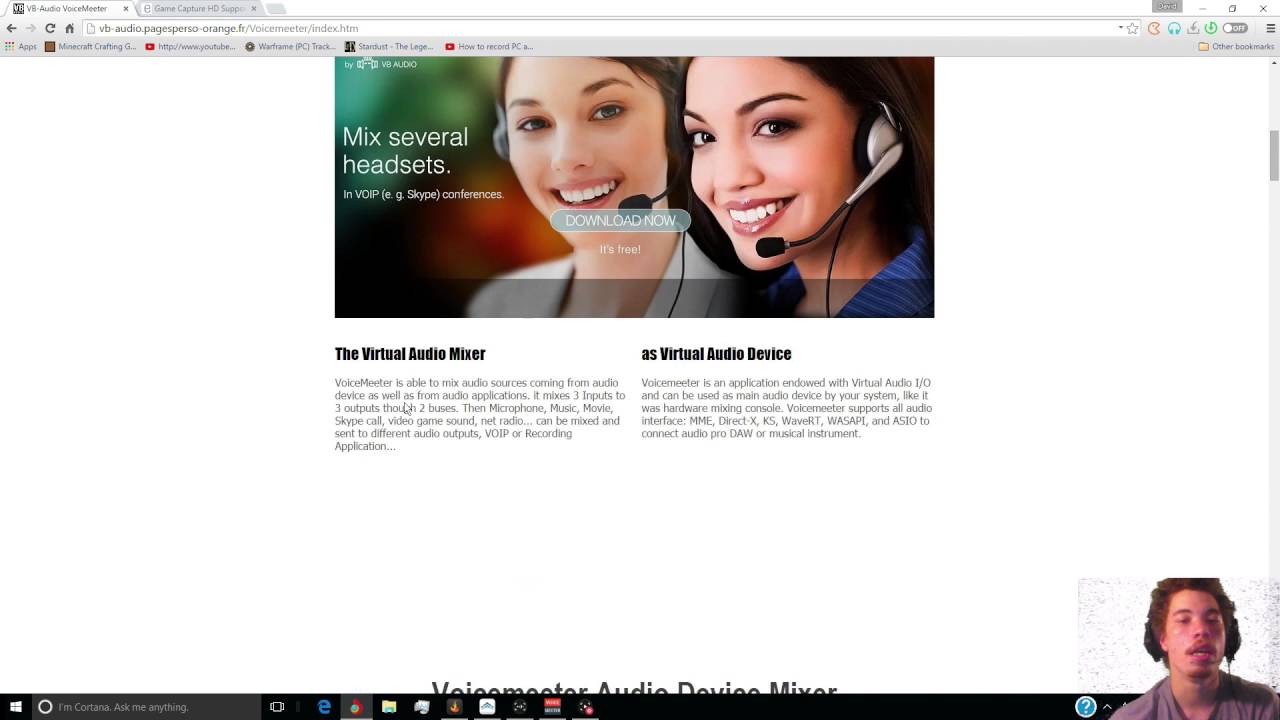
Hey guys and gals and welcome back to another tutorial on how to record your voice chat from Skype, curse, or any other voice chat while you record your PC games with the Elgato HD.
Using your Elgato Capture device you can record game audio by using VoiceMeeter which is a FRE...
He uses curse though
Wait okay I found line as well sorry for the spam lol Are you looking into your input device instead of your output device? For me Line shows up on input instead of output. Output shows the speakers
If that isn't the problem I recommend looking at the Soun Capture software and editing it there that may help, but that's all I know I hope that helps in any way
 half falcon
how do i stop input lag on elgato HD60 S
 hallow moon
Hey guys, wondering if someone may have seen this before. My PC is for some reason being detected as sending a Limited signal to the 4K60 Pro Mk 2 despite being set to Full
I am using the HDMI cable that came with the Capture Card directly from the GPU in my Gaming PC to the 4K60 Pro in my Streaming PC
My PS4 however does get detected as Full
hallow moon
I actually have 2x 4K60 Pro Mk. 2s in my Streaming PC, and both exhibit this issue
 native elbow
yo could anyone help me with getting discord to show on my stream with the hd60s?
spice sky
For some reason all the audio from my Elgato Sound Capture (under recording) is playing back through my headset. Any idea how to fix it?
 tired igloo
help
native elbow
@spice sky all audio or just your voice ?
tired igloo
i cant figure out how to record gameplay, i just bought the elgato hd60 s 2 hours ago
spice sky
@native elbow All audio including my voice
tired igloo
i have connected the hdmi and usb 3.0 but it is only showing my home page of my computer screen
native elbow
@spice sky I dont know how to help then sorry
spice sky
@native elbow do you know how to fix the voice part?
spice sky
Got chu
 waxen lagoon
Question to any owners of an HD60 S who use it for the Switch; what settings do I click to enable mic while streaming my setup on Discord?
I've had a problem where I can stream, but people can't hear my voice.
south bronze
Okay community. I need help resetting my OBS. I found out the processor is a Ryzen 3 2200G and the GPU is a Radeon RX Vega 8. I have a lot of my community telling me my stream is laggy and I thought it was my internet but it might be the PC itself. This is an HP desktop and I have no funds to upgrade anything right now. I do not have NVEC encoder as an option for OBS so I need to figure out what to do.
 fallen merlin
The latest version of Stream Deck software appears to have stopped working on the latest MacOS Big Sur Developer Beta. Has anyone got a work around?
tender quartz
@south bronze what are your stream settings. What is your output resolution, what is your bitrate. Those are likely your issue
If you are trying to push out 1080p with that I don't think it's going to happen. Set your video output to 1280 x 720 and your bit rate to 4000
I'd take a guess that will fix your issue
 idle moat
I was getting audio delay for using elgato 60s. I fixed it somehow for stream but the thing is I play on iPhone and headphone is connected from pc so audio is delayed for me compared to gameplay. Which is very tilting
Is there any way to fix this?
 pure summit
So i need some help with something, I just got my Elgato HD60 S caputre card so i can play my switch on my PC and stream. But both of my monitors are connected to my PC by the only HDMI port on the monitors so i cannot plug the HD60 S to my monitor. Idk what i am supposed to do and can't seem to find any help elsewhere. Would i need to get a HDMI to VGA adapter so that my HDMI port is free on my monitor?
tender quartz
Make sure you have your card set hooked up correctly. Switch > input hdmi port // elgato output port > input on monitor
I do the same thing. I unplug one of my monitors from my pc to play games through the capture card while using the other monitor to control my streaming software on my pc
Just going to put this here from general in case someone else has any ideas
idle moat
Can anyone answer my problem
 open spruce
Hi there, so ive been troubleshooting this issue quite a bit, i recently went from a 980ti lightning gpu to a titanx pascal, beforehand my 2 pc setup was recognized on my elgato 4k60 mk 2 and could capture the gaming pc's screen but after getting the new card installed in the gaming pc its not being recognized in the 4k capture utility and the capture card isnt allowing me to clone it or even notice that it is there. i have tested the hdmi port and it displays a monitor image just fine, i thought it might be that i needed a hdmi 2.0 cable which i just got today but no luck and ive run out of options of things to try, also i tested my xbox 1 and the elgato 4k60 captures that its jus having a hiccup recognizing the titan xp in the display properties or nvidias display setup and not getting a "no signal" on my stream pc, if you guys have any ideas im open to try them
pure summit
@tender quartz okay let me try that out!
tender quartz
Good luck
pure summit
Hey @tender quartz I got it working! thank you for the help! i am new to the capture card world so i was confused at first 
tender quartz
No worries, everyone has to start at zero and learn along the way. Glad I could help
sullen kettle
Hi, been trying to get Don't Starve Together and connect it to the Game audio input in Wave Link but it doesn't really work. I can still hear the game after muting Game inside of Wave Link
 waxen hinge
Having some problems with the SD app
PC: all buttons are full, other than 3
My phone: Nothing showing up?
sullen kettle
Here is an image of what it looks like for me.
Edit: Looks like it is in System and can't be changed. Probably have to change other stuff in order to get the settings I like.
tender quartz
@sullen kettle are you using the headphone out on the mic? And is it set to the default playback device on your pc?
I'm just taking a guess at this as my mic hasn't come in yet but I have some experience with a similar issue with a different mic
 plain wing
ok
_ _
sullen kettle
My headphones are connected to my mic, it is set to default I think. I think I have it pretty much fixed now. According to a link some games can not be set to "game" in wave link. Can give you link tomorrow if you want it.
tender quartz
Yeah some games don't like having audio routed. Fall guys is like that
sweet escarp
Hellloooo. Hope everyone is well. Ive been having issues with my streaming PC (dual pc setup). Looooong story short. When i stream with my elgato 4k60 pro i stay live for about 10-20 min before my PC completely shuts off. No blue screen or anything. I restart my PC and unplug the 4k60 pro and notice my PC doesnt crash. Ive ran this test back and forth several times now, on a fresh windows install. Has anyone ever had trouble where their capture card crashes a PC?
 elder dawn
Im having screen tearing with my eglato hd60pro dual pc setup any ideas on how to fix this?
 pulsar hazel
Do I need 2 screens for this elgato hd60s to work? I get video no problem but I can't get it to record my chat through my headset to save my life
I've tried plugging my headset into my xbox controller with and without the controller adapter and nothing. I've even tried plugging it into the elgato itself and still nothing
I've been trying to figure this out for a few days and I'm about to just give up and take it back. So frustrating.
 steel nexus
hey my wave link is picking up game sound audio but its not picking up game chat audio
so my stream cant hear my game voice chat
waxen lagoon
If anyone could help out, I'd like help on this ASAP.
What settings do I turn on/off to ensure I can be heard in Discord voice chat while my Elagto is running a Nintendo Switch game?
 sullen lava
Hi guys
could anyone help me
I'm using Rog 3
I have 3 different HDMI cables
All cables doesn't show any display when connected to Elgato, but 2 cables showing display when Asus Rog Phone 3 is connected to TV
Any idea?
 vernal delta
@pulsar hazel in your Xbox settings, go to audio settings, and change the ‘party chat output’ to ‘headset&speakers’.
 wooden remnant
All cables doesn't show any display when connected to Elgato, but 2 cables showing display when Asus Rog Phone 3 is connected to TV
@sullen lava what if you have phone -> elgato -> tv?
sullen lava
im connecting my Elgato to my laptop
for streaming
haven't tried connecting elgato to tv
if connected to tv, where should i connect the usb coming from elgato?
@wooden remnant
wooden remnant
usb to laptop
sullen lava
so i still need to connect to laptop and then out to tv?
i will try if theres a display
pulsar hazel
@vernal delta I’ve done that and still nothing
 west hound
guys got an issue with my Wave link witch is mixed with my stream deck the person on the other end of a call hears it glitching out any suggestions or if any one can help with the set up and i keep having issues with it
 hybrid shale
im going to try to explain my issue im having lol. i stream using dual pc streaming. from my gaming pc i use elgato sound capture to send it to my gaming headset and my streaming pc. i would also like to send it out of my speakers sometimes so im not using my headset for games where they arent needed. everything i have tried doesnt allow the audio out of the speakers. any idea on how to fix this issue?
@west hound what do you mean by glitching out? what are they hearing exactly
inner rose
@cunning latch after hours of pulling my non-existent hair out... Xbox one seems to work flawlessly with the HD60pro, but any audio that comes out of the Bitfunx Scaler 2x gets desynched... I solved it by only using the Video from the Retro Scaler and running the audio straight into the PC, via 1/8" jack.. it's a bit jank, but it works.
 copper linden
Does anybody know something about the master mount in Germany, about the Availability of it. Are we speaking days, weeks or months?
 tame slate
Hey pls just help me
I have the Elgato hd60s capture card
On my dads pc ist working and in mine Not und whyyyyy
vernal delta
@pulsar hazel I know there’s a ‘chat link cable’ from elgato that may work, to capture party chat. Unless you’re not getting ANY audio.
pulsar hazel
@vernal delta I’m only getting game audio. For whatever reason chat isn’t captured. I’ll have to see about getting that chat link cable I guess. I have a splitter that came with my headset that had one female that I plug my headset into and two male, one for mic and one for audio. That still doesn’t work though.
 brazen wigeon
@tame slate Just unplug the USB C cable and plug it back into the Elgato and just keep doing that till you see something in the software
I've had that issue before its a bit annoying
tame slate
Hmm ok ill try it ty
brazen wigeon
Yeah no problem, hope it helps
I was wondering if anyone here can help me with a issue I'm having with my 4K60pro MK.2
Basically when trying to record 480p off a OSSC the Elgato will freak out and think its being sent 625 lines when really its 525 lines. It will just keep switching between this until I change the Res. Issue being I don't want to record in anything other then 480p
 hushed crest
my macros wont work
tender quartz
anymore details ? thats extremely vague
tender quartz
oh man, so i feel like wave link is missing SO much. how is there no EQ for the mic. how is there no vst plugin or midi control options.
rant aside. any one have advice for adding gate, eq, or noise suppression? i usually use equalizer apo but it doesnt seem to affect the wave 3.
tender quartz
i havent been this disappointed with an elgato purchase ever. at this point i feel like im going to have to get a refund
 broken zenith
vst will be added in the future, product is still new and elgato has said this is in the works but did not say when
im sure the rest is being worked on too.
best thing to do is catch one on their live streams on twitch and ask the staff
tender quartz
i understand. but if i sold you a car. but then you got in and tried to drive you realized there is no brake pedal and the engine only runs on carrot juice. you would think this is a terrible car why would someone sell this.
new product or not its not really a complete product.
btw, it also triggers the security system on my work computer and locks it down. which no other mic has EVER done
broken zenith
that analogy is cringe. when buy a car, you ask what kind of features it has. why would you assume that there would be an EQ or vst plugins?
tender quartz
whats cringe is you assuming i didnt do that.
i have been asking all sorts of things in here and on twitter thank you very much.
im sorry im not an apologist for poor craftsmanship.
broken zenith

tender quartz
why are you even responding in the tech channel, you arent even offering help or a solution, youre really just being rude
broken zenith
i did say they are working on it
tender quartz
oh yes, thats big help
broken zenith
its information i watched from an elgato live stream. im sorry my help did not satisfy you.
tender quartz
your attitude is what is not satisfying.
 boreal acorn
Hi there
Can ya not? Last time I checked this wasn’t the “let’s have a big fat public fight” channel
spice sky
Please tell me that channel is called "Springer Show"
boreal acorn
😂 oh man. Afraid the channel doesn’t exist, but boy if it did lol
spice sky
Think about it, just @people and call them out on all their $hit. Then walk away when it's done...I may have a new channel for my own discord now...thanks @boreal acorn
boreal acorn
😂 glad I could help?
spice sky
Ya you did!
broken zenith
i stopped replying so it would not escalate any further, im sorry if i was out of line
primal basalt
is it possible to set my monitor at 240hz while using the 4k60mk2? I got a 240hz dp from pc to monitor. Using the hdmi that came with the card but got a 240hz otw for testing..
 brazen wigeon
I wouldn't see why it wouldn't pass it through, it'd only record 144hz though. I can't remember HDMI specs off the top of my head or if HDMI 2.0 support 240hz
 storm grail
@sullen kettle The only advice I can give is to set the default sound on your PC to "Game" if run a lot of different games. Now if you're using a few apps that require sound monitoring you could route them to "System". That's how I run it and it works with every game with no problem. Hope it helps. 😄
sullen kettle
@storm grail Thanks, but I think it works now the way I have it. Might accidently btrak sound again if I change it again.
 north badge
Hi All, looking for some help with the Elgato Stream Deck XL. A friend just purchased one, followed the instructions, and installed the software and connected the device to his PC. He added some simple buttons to get going, but these would not display on his deck at all. Any ideas on next steps or has this happened to anyone else?
 ancient wigeon
Anyone got any tips on setting up a "censor bleep" button, so it beeps while I hold it, but stops once I release it?
sullen kettle
@ancient wigeon If you use soundpad you can use soundpad plugin. It might also be possible to do it with Super Macro. There might also be another plugin. Can help when I get home(~2 hours)
ancient wigeon
Cheers, figured it out within OBS itself. 🙂
 tame sail
I could use some help. I a just got in the Wave 3 mic. Since setting it up I have to keep refreshing it, I keep losing the Systems sounds and today I am not getting any sound into my headphones.
ok, I have figured it out
So here is the issue I seem to be having. My computer keeps changing the main output from Wave Link System to Speakers Elgato Sound Capture. How can I fix this?
tame sail
Turns out you need to uncheck these two boxes that are checked by default in Th eSound Capture Software.
 buoyant mauve
hi 🙂
hybrid shale
whats going on with your wave 3?
buoyant mauve
sometimes it doesnt connect to wave link
and even when it does, wave link doesnt show any audio inputs
hybrid shale
do you have a screen shot?
buoyant mauve
buoyant mauve
i have tried that
hybrid shale
windows or mac?
buoyant mauve
windows
hybrid shale
click the settings icon in the top right corner. the one on the left of the 2 and send a ss
buoyant mauve
hybrid shale
other one
hybrid shale
yup
change tour master output to the elgato wave 3 systems or somehting of that nature
your*
hybrid shale
no go back to add a input
buoyant mauve
still just Browser
hybrid shale
even if you click the plus sign?
buoyant mauve
yes
hybrid shale
did you follow this guide?https://help.elgato.com/hc/en-us/articles/360044566172-Wave-Link-First-Time-Setup-for-Windows-10
Elgato
This guide will walk through a basic first time setup of Wave Link on Windows 10.
Sections:
Installing Wave Link
Configuring Wave
Configuring game and system sound
Configuring music
Configuring ...
hybrid shale
hmmmm sad thing to say but did you try unplugging it and re plugging it back in?
buoyant mauve
yes 😄
hybrid shale
are you using a usb 2.0 or 3.0?
hybrid shale
dual pc set up or stream and game off the same one?
buoyant mauve
game and stream off of the same one
hybrid shale
hmm i just go back to trying to reinstall it again
hybrid shale
same 😦 i hate having to work for a living lol
hybrid shale
can anyone help me with elgato sound capture?
 quartz night
the sound monitoring on my Elgato Game Capture software is slightly higher pitched than it should be, making it sound out of tune. I work with music and have perfect pitch so hearing, what should be a well put together software do this makes me wonder if there's any way to adjust the pitch of the audio playback
half falcon
How do I stop input lag on Elgate HD60 S
tender quartz
are you trying to watch whats coming through to the computer or watch using the hdmi output. there shouldnt be noticeable lag on the passthrough
half falcon
Well I was going to record a rhythm game but there’s like a 3 second input lag
south bronze
for recording, why does it matter?
assuming you're playing on the passthrough
you can just shift the audio to match the delayed video if thats the issue
south bronze
what are you recording with?
half falcon
The elgato recording software
south bronze
i think if you use elgato sound capture with it, the audio will automatically shift to be in time with the video
personally i use OBS and add like 3s delay to my mic
it works while streaming also
half falcon
Ok
primal basalt
https://streamable.com/4ri1pm
how do I adjust my monitor refresh rate when using 4k602?
 hybrid shale
@primal basalt what monitor are you using?
primal basalt
Alienware AW2518Hf
Only when using duplicate display mode it locks the monitors options.
tender quartz
typically in duplicate display you will be limited by the slower monitor
primal basalt
thanks
tender quartz
this goes with resolution as well
tender quartz
np
 silver agate
About the new ring lights: do they also give you the circle-shaped light reflection in your eyes, or is this light more diffused than others?
Like this
tender quartz
the ol vampire eye
 quaint atlas
Good afternoon. I am trying to compress the video's recorded from the 4K capture utility and I am having a hard time copying the metadata so that the clips will show that a video is in HDR or not in 4K capture utility. Is this possible because I am running out of storage space.
I am using Adobe Media Encoder to compress the video's.
 radiant orbit
Is it possible to mount the wave 3 to the flex arm without using the shock mount?
tender quartz
one sec let me check i cant remember off the top of my head
i believe you could use the included tread adapter to attach it to anything with standard threads @radiant orbit can you link me to the flex arm
they Y mount is removable from the stand
and can be attached to w/e
 strange girder
Hi, all. Anyone know why I might have a problem with using ElGato with my Switch? Just tried it with PS4, and it's fine. Not sure why Switch is being finicky.
tender quartz
which product? i yse the hd60s+ with switch all the time
strange girder
Yes, I have that one.
tender quartz
whats your issue?
strange girder
Trying to stream with OBS. I connected everything fine. Tried different cords. Updated firmware. Still getting nothing.
tender quartz
no image in obs?
radiant orbit
@tender quartz https://www.elgato.com/en/flex-arm

elgato.com
Top-down, side-on, over your shoulder. With four columns and connecting ball joints for sweeping three-dimensional adjustability, the articulated Flex Arm makes any shot possible.
strange girder
Nope. Not even on my TV
tender quartz
AND the tv... hmm
@radiant orbit i dont think the flex arm comes with the threaded portion on the end that you would need to mount the mic, i beleive you would also need to purchace the master mount as well
strange girder
Yeah, man. I tried changing cords. Updated all the firmware. Turned off the sleep mode lock. Nothing. Yet it works fine with my PS4.
radiant orbit
I have the master mount
tender quartz
perfect then, yeah the Y section of the microphone base detaches and has standard threading inside. i dont see why you couldnt do what you are trying to do. @radiant orbit
@strange girder im sorry but im not sure i can help with this one. as long as your hdmi in and out are correct i dont understand why it would work with one and not the other.
strange girder
Yeah, I know. It's really bizarre. Appreciate the help, though.
radiant orbit
I tried I can’t get it off it’s extremely difficult because they put it on too tight
tender quartz
it threads together in the center of the bar
not at the base
i lied, its at the base of the Y @radiant orbit
@radiant orbit
wispy fern
Hey was wondering if someone can help me if so can you please dm me thanks in advance
tender quartz
@wispy fern help you with what.
wispy fern
The overlays you get before you start to record
buoyant mauve
@hybrid shale im still getting the problem sadly
and at the moment it isnt connecting to wave link
 molten valve
my friend and i were able to set up his previous rig that had i3-4130/amd hd 7770 to stream his elgato hd60s...well that rig died and he got an i7 3930k with GA-X79-UD3 mobo for free. now could it be the entire x79 chipset because its 1 gen below the recommended or could it be the mobo and i just need like asus x79 rampage extreme with better usb3 ports because now it seem it runs out of bandwidth or something because will be running fine then eventually go to a black screen. passthrough still works and all the other components are the same
 hearty wadi
Hey, anybody else experience their key lights not connecting to the Control Center after today's update?
Not working on devices either, lights not found
primal basalt

Streaming to Twitch is awesome, but being stuck at 60fps honestly sucks. In this video I'll go over how you can leverage your capture card as a display device and maintain a higher FPS in game, while simultaneously streaming at a buttery smooth 60fps. This will work on both du...
Found how to get monitor settings accessible while using 4k60 dual pc, through this video. Issue was that the elgato was set to be what the monitor would duplicate rather than the other way around.
south bronze
Hello, does anyone know why Multi app support isn’t working anymore for the 4k60pro pro MK2?
I used to use it with the utility app and OBS, now it doesn’t let me use both at the same time.
wispy fern
Looking to see if someone can help before I start recording I have one of the scenes set up with a background and text (it being custardwizard) and I have it on my screen throughout recording but as soon as I stop recording and go to edit it the text is no longer there and is really annoying me as I have just done a 1 hour long video and the text isn’t there below I will have files of what it looks like when recording and what it looks like after it. Any help would be really appreciated. Thank you
hybrid shale
can someone help me with elgato sound capture?
 undone tulip
Hello, for some reason my Key Light Air will NOT update it's firmware no matter what I do. Can someone please help with this?
hybrid shale
@undone tulip whats it saying?
undone tulip
Elgato Key Light Air failed to update Firmware. Please restart device and try to update again
hybrid shale
@undone tulip isnt there a reset button on them? on the back like a little depressed push button?
undone tulip
yeah and I've pressed them
hybrid shale
pressed it when its on? and held it to reset it?
hybrid shale
To reset Key Light follow these steps:
-
Press and hold the power button in the ‘II’ position for 10 seconds, until the light blinks 3 times.
-
Release the power button and wait 5 seconds.
-
Now turn on Key Light by setting the power button to ‘I’.
@undone tulip did that help? and is there a new firmware?
undone tulip
it's trying to update now
hybrid shale
copy
undone tulip
update failed lol
hybrid shale
hmmm are you sure theres a new firmware?
undone tulip
yes
hybrid shale
when did it come out?
undone tulip
my computer keeps giving me the notification for it and my other key light air was able to update to the new firmware
hybrid shale
hmmm interesting i would try disconnecting it all and reseting in then reinstalling it all
undone tulip
which is what i'm doing now
hybrid shale
@undone tulip let me know how it goes
undone tulip
Will do
And it still didn't work lol
So the latest firmware is 1.0.3 (199) and my second KLA is on 1.0.3 (195)
hybrid shale
well wtf
undone tulip
FINALLY!!!!!!!!!!!!!!!!!
hybrid shale
@undone tulip what did you do?
undone tulip
literally just kept hitting the update firmware button
hybrid shale
hahaha yay!
ivory patrol
Quick question. The SS followed by a USB icon stands for USB 3.0, right?
vivid harbor
Yes, super speed
ivory patrol
Ok, my Elgato software says that my HD60 S I have to connect it to a USB 3.0 port to work properly, but I already have it connected to one
vivid harbor
I'd check the connection on the HD60 S
I've had to unplug and re-plug it in at times
They're also very sensitive to too many USB3 devices drawing power from the same USB3 controller
Elgato
If you want to use two Elgato USB 3.0 Devices on one computer at the same time, your computer will need to have two separate USB 3.0 Root Hubs or Host Controllers.
Elgato USB 3.0 Devices include:
E...
ivory patrol
Why can't things be simple -_-
vivid harbor
Heh, I know what you mean
I used a tool linked on that page to discover I had 3 distinct USB3 root hubs and it fixed an issue I had with a cam link, wave 3, and stream deck
it'll also help identify USB2 devices plugged into USB3 root hubs so that you can move those if you choose to
ivory patrol
That link you gave me mentions 2 Elgato devices, I just have 1,so 1 USb 3 hub should be all I need
 upper path
Hey, trying to help some fellow steamers out with an issue a few are having. It involves using an iPad pro, Apple USBc to HDMI adapter, and an HD60s.
They are not getting correct video in any capture software. Audio is fine, video is a mess (green vertical bars).
Is there an issue with the HD60s interpreting the 1668 x 2388 output resolution?
Or, is this an HDCP issue?
ivory patrol
I have unplugged every USB device from my PC except for the mouse and Elgato keeps telling me that it needs a USB 3.0 port to work properly. However, for a split second I saw something else before the error message.
Do I really have to get a new PC to use this thing?
upper path
@ivory patrol are you using a PC or a laptop?
ivory patrol
Stationary PC
upper path
and you are connecting the HD60s to a USB3 on the BACK of the PC?
ivory patrol
No, the front. I only have USB 3.0 on the front it seems
Or no wait, I think I have on the back too
upper path
That is ... unlikely....
What Mother Board?
upper path
you have USB 3 on the back... Look at the top 4 USB ports
ivory patrol
Ya I have a total of 8 USB ports and I've tried every single one of them. Same error
The weirdest thing is that I get visual on my monitor, so my Elgato is sending at least the video feed to my monitor through the USB, I have no sound though
upper path
That is probably a totally different issue.
When you say you have no sound, do you mean that there is no activity in the OBS mixer, or that you can not hear game audio through your headphones?
ivory patrol
I don't even have OBS up and running atm. And no sound I mean none from the game through my headphones, neither from having them plugged into my PC or in the Elgato card
ivory patrol
Since the box had a image guide I didn't think it would be so difficult
upper path
You NEED OBS (or other capture software) open on your PC in order to hear the audio - You also need the audio properties and monitoring setup correctly
ivory patrol
I have the Game Capture HD up and running, it's that one that gives me the error messages
upper path
The Elgato box?
That does not tell you anything about setting up OBS though....
What are you plugging into the elgato? A console?
ivory patrol
My Switch
upper path
Wait, you said the issue was that you had video and no audio, right?
what error message are you getting?
Have you tried OBS Studio by chance?
ivory patrol
Trying now and the Audio mixer shows audio but I have no visual. It's just black
upper path
Are you in Elgato Software or OBS?
ivory patrol
OBS now
upper path
ok, and you added the HD60s as a video capture source to a scene?
ivory patrol
Video Capture Device, yes.
But I still think it's because the device can't detect it's plugged into a USB 3.0 port, like what the Game Capture HD software said
upper path
but it is, plugged into a 3.0 port on the BACK of the computer?
ivory patrol
Yes, now it is
My monitor picks up visual, the OBS Studio's Audio Mixer picks up sound of some kind, but no visual there
I have dual monitors if it helps, but right now one of them are not connected directly to the PC
upper path
ohhh, your SECOND monitor is getting the signal from the HDMI passthrough...?
Ok, that is not what I was understanding before.
ivory patrol
Weird... All of a sudden I get sound from my monitor...
Game sound
My tiny walnut brain not understand
upper path
That is normal. The second monitor, plugged into the pass through, should work exactly as if it were plugged directly into the Switch.
ivory patrol
Ok so how do I get visual in OBS?
upper path
In your sources (in OBS), you have the device added?
double click it to open its properties and, in the drop down, make sure you have the actual card selected (not the Elgato Game Capture option, select the one that lists the model of your card).
upper path
Strange that it is not recognizing that it is plugged in via USB3.0
Maybe check to see if there are any updates from ASUS that you need to install...
https://www.asus.com/us/Tower-PCs/ROG-G20CB/HelpDesk_Download/

ASUS USA
ASUS ROG G20 is powered by the 6th-generation Intel® Core™ i7 processor and NVIDIA® GeForce® GTX graphics. Its compact 9.5-liter case has customizable 8-million color LED effects and exceptional heat management.
upper path
Hey, trying to help some fellow steamers out with an issue a few are having. It involves using an iPad pro, Apple USBc to HDMI adapter, and an HD60s.
They are not getting correct video in any capture software. Audio is fine, video is a mess (green vertical bars).
Is there an issue with the HD60s interpreting the 1668 x 2388 output resolution?
Or, is this an HDCP issue?
Here is the issue. 2018 iPad worked fine with the HD60s. 2020 iPad does not.
the 2018 iPad is 2048×1536 and the 2020 is 2388x1668...
I personally have an HD60Pro, which has the same listed, 1080p, max input res, but I can use it at WQHD+ (2960x1440) with not problems...
wispy fern
When using game capture ha every time I add text and then hit record the text isn't in the recording
ivory patrol
@upper path Shoot me... I. Was. Using. The. Wrong. USB. Cable.
ivory patrol
But I must say, thank you all who tried to help me. You're all golden and I wish you the best in life!
vivid harbor
Glad it was just the cable 🙂
ivory patrol
I accidentally used my Switch USB cable instead of the one that came with the capture card. lmao
It's the small things that'll annoy you the most
tender quartz
@fossil kite what is your question?
 fossil kite
if you have a computer do you need a hdmi cable from the output to. my computer or not do you just need the software
fossil kite
im gonna get the hd60s capture card and im using a macbook pro with the usb c ports on the side i only have two but im getting a adapter
also will everything still work with an adapter
to get more usb ports
tender quartz
im dont have any experience with a mac but i do know that some usb hubs may cause issue with some elgato products, you may want to wait until someone else can answer.
but the capture card will connect from console > capture card > monitor or tv
and also the capture card > usb on computer
fossil kite
i also need a good adapter that can support elagato and enough space for my usb mic and charging place
tender quartz
yeah you may have issues, thats a lot of data and power from the usb hub
fossil kite
yeah right
 zenith totem
Hi need some help here, My hotkeys on my Streamdeck dont work on the OBS program unless i press on the desktop or anything other than the OBS program and trigger
so basically the streamdeck hotkey buttons dont work, like If i would go to obs settings to hotkey stuff, it wouldnt let me hotkey them with the streamdeck
This has happened before sometimes, and some periods it works fine even in OBS
fossil kite
can i use a usb c to usb c cable to the elgato hd60s because i have a mac pro and it only uses usb c and if i use a adapter there will be problems so can i use on or not
upper path
I accidentally used my Switch USB cable instead of the one that came with the capture card. lmao
@ivory patrol bruh.... LUL - Happy you got it working!
can i use a usb c to usb c cable to the elgato hd60s because i have a mac pro and it only uses usb c and if i use a adapter there will be problems so can i use on or not
@fossil kite In my experience most USBc to USBc cables are not capable of transmitting HDMI video. That might not be an issue for your application (between the HD60s and MacBook)... I have found a specific Anker Cable that works for HDMI Video though. I can link you to it on Amazon, if that does not violate any rules here...?
upper path
Anker Powerline II USB-C to USB-C 3.1 Gen 2 https://amzn.to/2HsE2oQ
This is the only USB Type C cable I found that will transmit video from a phone or tablet to a AV adapter.
I believe a ThunderBolt cable would too, but those are a bit more expensive.
Amazon.com: Anker Powerline II USB-C to USB-C 3.1 Gen 2 Cable (3ft) with Power Delivery, for Apple MacBook, Huawei Matebook, iPad Pro 2020, Chromebook, Pixel, Switch, and More Type-C Devices/Laptops: Electronics
upper path
Like I said, your specific need is a bit different than mine, but I know for sure that the Anker I posted has the correct pin out for HDMI over USB.
https://www.amazon.com/gp/product/B07PF5N21B/ref=ox_sc_act_title_2?smid=A10RPYKDNYXX2Y&psc=1
@fossil kite I have no idea... It does say it can run monitors, so it sounds like it carries video and audio...
fossil kite
yeah someone called midnight man he does alot of gaming tech videos he uses this cord for his hd60s +
 lost mauve
ok so my hd60s wont connect anymore because its not plugged into a usb 3.0 port but it wasn't plugged into one ever because i don't have any on my pc it was fine a few days ago but now it just doesn't want to work anymore. idk what to do
fossil kite
ok so my hd60s wont connect anymore because its not plugged into a usb 3.0 port but it wasn't plugged into one ever because i don't have any on my pc it was fine a few days ago but now it just doesn't want to work anymore. idk what to do
@lost mauve
are you using a adapter
lost mauve
nope
hearty wadi
Trying to update Control Center but the update screen is too big to click the bottom buttons. No way to resize the update box or maximize the window. Any work around? thank you
 rose haven
Hello everyone, I have the Elgato Wave 3, and i've been getting this issue and I can't seem to find an answer anywhere on the internet.
So while im using it, sometimes my voice becomes all robotic like or when i switch from one discord Voice com to another and then it triggers.
I've found a video on youtube with someone else with this problem and the only known solution at the moment is just to restart the computer.
https://www.youtube.com/watch?v=aKKd7eumgn4&ab_channel=Macbang
If anyone has a solution for this please let me know. Thanks
Every time i start up my computer with the elgato wave microphone, it´s sounds like this in the clip. And the only solution is too restart the whole computer then its fine.
spice sky
Is there a way to mute a souce in slobs through the stream deck?
vivid harbor
Yep @spice sky
There are source mute functions for slobs
spice sky
I thought it did but it's saying it not connected, and I'm actively streaming. Is that why I have the error?
 quartz sinew
what are you trying to mute? i dont see anything under collection, scene, or source
spice sky
It's saying it's not connected to Streamlabs and gives me no options to mute anything
quartz sinew
i think it should let you open while you are live. not sure what is causing the error
vivid harbor
Are you signed into slobs in stream deck (shouldn’t matter)
Something I don’t recall is if you have to install a plugin within streamlabs to make it work
spice sky
Ya I am, double checked and it takes me to the slobs page to donate to myself and shows me logged in, in the upper right hand corner
spice sky
It keeps saying Please launch Streamlabs OBS, but it's launched and it's open in a web page too. Am I doing something wrong?
 tidal perch
can someone explain to me how you set the wallpaper on the stream deck?
vivid harbor
very odd
I just opened slobs to test it and it just worked for me
try removing and re-adding the slobs plugin from streamdeck
 drowsy axle
Hey Community, did somebody already have the problem with the Cam Link, where some programs show such horizontal lines and others not?
I have a Canon EOS 750D (Rebel T6i) and tried it using PhotoBooth and MS Teams (problem), whereby.com in safari and QuickTime (working).
When using a Canon EOS M50 it works in every program. Thanks in advance for any leads
fossil kite
i dont have my capture card yet but i have the software can i still test my mic to see if it works or will it not work
drowsy axle
Ok, I should have searched a bit further before posting here: it seems like the EOS 750D records in progressive frames, but the HDMI output is only available in interlaced frames. As the cam link doesn’t transform interlaced frames into progressive frames, the programs have to do it (and some are better in doing that then others).
One Reddit post also shows, that Elgato game capture does this automatically, in OBS you have to enable deinterlacing.
tender quartz
good info
drowsy axle
Maybe some <@&581565551495741448> can relay that info to the website people, so when checking if the T6i is supported buyers are aware of this issue. Sorry if I ping the wrong person 😅
cunning latch
@drowsy axle Yea our software does auto deinterlace. And I can maybe check to see where this was confirmed for 1080p on our end. I don't know the menu though. Some more modern cameras let you choose the output format over HDMI. Like 720p, 1080i, 1080p. You didn't find an HDMI menu?
vivid harbor
I keep seeing newer wave link screenshots showing firmware version 1.0.4, but my wave:3 is sitting at 1.0.2
cunning latch
@rose haven Is this when using it through Wave Link or directly using the Wave Mic input on your software?
vivid harbor
anyway to get it updated?
I've had mine since launch direct from elgato
cunning latch
Are you having problems with your Wave:3? If not, I wouldn't update the firmware. Firmware updates are generally for fixing things.
vivid harbor
no, so I'll leave it alone
it was just weird
I tend to just update stuff as it becomes available
cunning latch
As time goes on some mics ship with newer firmware to solve edge cases on some systems. But that issue may never come up for you on your setup.
Like a device may have a newer firmware to solve an issue on a specific type of USB controller. That kind of thing. But unless you have the issue, the new firmware doesn't add performance or features generally.
And if it did we'd absolutely promote that.
vivid harbor
thanks for the clarification
drowsy axle
@cunning latch there is only a Recording menu on my camera, no HDMI Output menu
rose haven
@cunning latch Wave mic input
cunning latch
@rose haven Does this happen when connecting to different USB ports as well?
rose haven
yes
 worn wyvern
I want to buy an Elgato Game Capture 4K60 Pro MK.2. But i only got 4 PCI -E 1 and 4 PCI-E 16 slot Gen3 slots. Can i still use it?
cunning latch
@worn wyvern Can you post your motherboard model?
You can use a 4K60 Pro in a x16 slot though.
tender quartz
crest active today
fossil kite
i dont have my capture card yet but i have the software can i still test my mic to see if it works or will it not work
because i tried it already but it wont take in audio
when will the wave 3 come back out
cunning latch
@tender quartz kinda.
tender quartz
lol
cunning latch
Tickets are my #1 priority, I come in here as a distraction usually.
tender quartz
i also come in here as a distraction from work. i get it
cunning latch
@rose haven
Disconnect the Wave:3.
Uninstall Wave Link.
Go into Device Manager, go to View > Show Hidden Devices
Go to Sound, Video, and Game Controllers. Find any mentions of Wave, right click, Uninstall.
Reboot.
Reinstall Wave Link: https://edge.elgato.com/egc/windows/wavelink/1.1.2/WaveLink_1.1.2.2037_x64.msi
Reconnect Wave:3
rose haven
Thanks, ill give that a shot and let you know if it fixes the issue or not.
cunning latch
If it doesn't, I'd probably defer this to an email ticket if you don't have one yet. We can then collect system logs and have it looked at closer.
@fossil kite Depends where you are. We have regional stock, so it's not just one number. Wave:3 just went out of stock yesterday on our store in the US.
Are you on Windows or Mac? Game Capture and 4K Capture Utility need a card or signal to have any sort of preview working. OBS would probably be a good option.
fossil kite
oof
 pulsar pivot
I think this is the right place to ask this but is there a way to use 2560x1080 on the 4k60 pro?
 runic iron
I have an HD60s and want to use the 4K Capture Utility, but every time I go to open the program, it does not load. When checking task manager, it appears in Background processes but goes away after 1-2 seconds. I've tried reinstalling with several different builds and I still get the same problem. Any suggestions? This is for a work computer, so a fresh install of Windows is not an option.
tender quartz
sounds like work IT might be preventing something maybe
runic iron
I can ping them to see if there is any admin restrictions. I've been able to use the software on my home comp with no problem, so that might be the issue.
runic iron
They can’t seem to find the problem. I forgot to mention that it did run once at the beginning but hasn’t been able to load up since then.
fossil kite
i dont have my capture card yet but i have the software can i still test my mic to see if it works or will it not work.also i tried it already but it wont take in audio
just asking to see if my mic works with it or not
tender quartz
just try?
fossil kite
ill try again
tender quartz
if it doesnt work youll just have to wait for the card to test.
fossil kite
yeah wont work ill wait for it
 prisma bluff
Sorry to post again, but I really need some help 
Has any one had an issue with the Stream Deck software “more actions” button? It just says downloading... it’s always been like that, it’s never bothered me but now that I have the wave 3, I need it to work  I’ve tried uninstalling and reinstalling. Allow through firewall and even tried with firewall completely turned off
cunning latch
@pulsar pivot It works. Up to 144hz I believe. Is it, not working?
@prisma bluff I don't know off hand. If reinstalling the Stream Deck software doesn't help, I'd probably email or call us about this: http://e.lga.to/help
prisma bluff
Will do  thanks for the link
cunning latch
@fossil kite As mentioned our software needs a signal coming in for any of the features to begin lighting up. So OBS would be my recommendation for just testing out hardware.
@runic iron Not sure about this specifically. Our software does rely on some specific Windows functions which your IT department might have shut off for security reasons. (I used to work in IT, I know how it goes)
Does other software like OBS Studio work for you?
runic iron
@cunning latch Other programs would be fine for me, but because I am developing a protocol for colleagues, a light weight and simple software like the 4K Capture Utility is preferable.
 fiery vortex
How do I connect my PS4 audio to my wave link?
upper path
this right?/
@fossil kite No, OBS and Streamlabs are not the same software.
Streamlabs is a fork of OBS. OBS Studio is the core Program straight from the devs.
cunning latch
OBS (Open Broadcaster Software) is free and open source software for video recording and live streaming. Stream to Twitch, YouTube and many other providers or record your own videos with high quality H264 / AAC encoding.
Free, Open Source, rather light weight
@runic iron Then I'd probably email us here: http://e.lga.to/help We'd probably need to learn more about the Windows environment to see whats causing the issue.
runic iron
@cunning latch will do, thank you!
cunning latch
I'm just assuming it's something due to it being a work PC. Could also be some corrupted file. But for either case email is best for longer form Troubleshooting
fossil kite
ok thanks
 lucid pagoda
Hey all! So, I've been using an Elgato HD60 S for a while and I've had no problem streaming my Nintendo Switch gameplay. But, two days ago, just outta nowhere, OBS starts chewing through my CPU Usage anytime that I plug the capture card in. I didn't change any of my settings prior to the problem starting, nothing like that. I just tried to stream one day and suddenly, it's all stuttery. What's going on?
fossil kite
maybe it has to update
cunning latch
@lucid pagoda Try reinstalling the drivers: https://gc-updates.elgato.com/windows/drivers/hd60-s/download.php
Then inside of OBS, delete the HD60 S layer and then re-add it. Be sure that the device used is 'Game Capture HD60 S (Video) #01' and not 'Elgato Game Capture HD'
This option is lower overhead.
lucid pagoda
Okay, I'll see what I can do!
fossil kite
how do you connect the elgato to obs
fiery vortex
Does anybody know how to connect my PS4 audio to the wave link?
tender quartz
@fossil kite you add it as a video capture device source
fossil kite
ok thx
cunning latch
We have some guides on our help site for your device. https://help.elgato.com/hc/en-us/articles/360035843491-Elgato-Game-Capture-HD60-S-OBS-Studio-Setup
I wrote them :)
Elgato
- What is OBS Studio?
- Getting Started with OBS Studio
- Configuring your Game Capture HD60 S
- Chat Link Setup
- Adjusting The Scene
- Troubleshooting
In this guide we’ll show you how to ...
fossil kite
ok thx
 frozen vortex
Would someone mind helping me setup streaming settings please? Really could use the help finalizing my encoding settings and most importantly, the graphics settings of a few games. Please and Thanks
tender quartz
@frozen vortex what resolution are you trying to output
lucid pagoda
It worked! Now I'm at 5-15 % usage consistently! Thanks a ton! @cunning latch
worn wyvern
@cunning latch MSI Gaming 6 Motherboard
hearty wadi
[10:18 PM] PLATINUM: Trying to update Control Center but the update screen is too big to click the bottom buttons. No way to resize the update box or maximize the window. Any work around? thank you
My desktop Control Center also won't connect to the already paired lights. Works through the phone app but desktop app won't find the lighs post update. Any help would be great.
Please @ me so I can work through the issue, appreciate it.
fiery vortex
Does anybody know how to connect my PS4 audio to the wave link?
pulsar pivot
@cunning latch it will display picture but smash it down to 1920 x1080 and if I use the pass through the same thing will display the whole picture but smashed down to 1920x1080 and go out of range
fossil kite
i only know the chat audio
Amazon.com: Elgato Chat Link - Party Chat Adapter for Xbox One and Playstation 4: Computers & Accessories
 wraith jacinth
Anyone know why this defaults to the elgato and I cant change to headphones
When I restart pc this goes away
But keeps coming back 50/50 few times a week
 dapper tundra
hallo :) i have the ring light and set up everything. and only problem is that when i tried to set up the ring light to the wifi via iphone, it shows and i clicked on it to my wifi but error has ocurred during it
 wispy plinth
I'm not getting any audio after installing the latest update to WaveLink. I hear audio, but the mic isn't transmitting to the Stream channel (Discord isn't picking it up, WaveLink is, however). I can monitor the mic and it sounds fine through WaveLink. I've checked the Windows audio settings, too.
sullen lava
Hi guys
maybe someone could help me with my problem
I'm using Asus Rog 3 with Elgato HD60 s+
How come no display to me? I tried connecting the output of the elgato to a tv and I have display to my StreamLabsOBS, but when without the TV only Elgato and Rog 3, no display on StreamLabs at all
rose haven
@cunning latch Hi Crest, just a follow up on yesterdays issue. I just got it again, so doing everything you told me to do has not solved the issue.
 boreal crane
Hello, I have a slight "problem" if I can say it like that on my Streamdeck bought a few days ago, I have configured everything for my streams but when I run a sound example: "just do it" I have a 2/3 second delay between me pressing and the time the sound starts, do you know how to fix this?
Materials : StreamDeck : 15 Touch + Port USB 3.1
Thank you in advance 🙂
sullen lava
@cunning latch Hi
maybe someone could help me with my problem
I'm using Asus Rog 3 with Elgato HD60 s+
How come no display to me? I tried connecting the output of the elgato to a tv and I have display to my StreamLabsOBS, but when without the TV only Elgato and Rog 3, no display on StreamLabs at all
 acoustic talon
Hello,
the same way there's an empty jar button in the stream labs integration, is there a way to have a reset goal one? to reset the donation and/or sub goal each stream
runic iron
@cunning latch @tender quartz Found a fix, I ran it in compatibility mode and that seems to consistently let it fully load.
runic iron
thank you!
 lyric elbow
Hi guys so my elgato control center app on PC is not working at all. It launches and disappears from my system tray once I hover over it.
Anybody have an idea what’s going on? I’ve reinstalled 4 times
 bitter trellis
hello, I was in the stream deck thread with this post and was encouraged to post it here for some help! Happy Friday afternoon everyone! I have a question that I cannot find an answer to on google, hoping maybe someone here might be able to help me. My stream deck will basically take one command and then any subsequent buttons I press do not work. I use alot of soundbytes and I can fire off 1, then others act like they work but no sound is ever played, if they are 5 secs long for example, they count down the 5 secs but never leave 0. I have to kill it in task mgr and start software over. I have tried USB 3.0 ports, 2.0 ports, I have updated it as well....any ideas? hopefully.....
The thing used to run like a dream and then bam
 floral reef
hey guys I used two computers to stream and I notice whenever i connect the hdmi from my elgato into my main pc (the one playing the games) i get some weird lag the game feels like 30hz although my fps stays constant high
been looking for a fix and have found none
dapper tundra
hallo :) i have the ring light and set up everything. and only problem is that when i tried to set up the ring light to the wifi via iphone, it shows and i clicked on it to my wifi but error has ocurred during it
bump :)
 meager sentinel
Hello there, im thinking about buying the "Elgato game capture 4k60 pro mk.2", BUT do i need a dual pc or can i just hook it up to my pc and record/stream in 144hz
cunning latch
@meager sentinel The 4K60 Pro supports 1440p144 and 1080p240 input and capture. However our own 4K Capture Utility is setup for capturing 60fps. So to actually capture a 144fps or 240fps file you'll need to use OBS Studio or something. You can of course play in 144hz and stream at 60fps regardless though.
@dapper tundra Does it mention any sort of error message or just that one happened? Do you have another way to pair the light like a laptop with Wifi?
@floral reef Which Elgato model are you using? Are you connecting your monitor to the HDMI output of the card or using a separate monitor?
@lyric elbow Is the process running still on Task Manager?
@runic iron Oh that's great to hear. Wouldnt have considered that.
@sullen lava So when the TV is connected, does it look proper on the TV?
dapper tundra
i tried with ios, and laptop. it says unable to connect ring light to wifi. i have the router on steering mode so it mixing 2.4 ghz and 5.0 ghz and which ever is stronger connects at the moment
 brittle hamlet
hi im having problems with my stream deck the application wont open
dapper tundra
so i tried singling out 2.4 and 5.0. it doesnt work
cunning latch
@dapper tundra Try resetting the light if you haven't yet. You can do this by holding the power switch in the II position for about 5-10seconds until it begins flashing. But as it's a new model I may have to defer to others on the team for this.
dapper tundra
yes i did this as well whenever it fails. it was connecting and it says it may take up to 60 seconds to connect and boom failed.
alrighty then :)
cunning latch
@bitter trellis The functionality of Stream Deck is within the software, so this sounds like something with the App. I'd back up your profiles: https://help.elgato.com/hc/en-us/articles/360048424432-Elgato-Stream-Deck-How-to-Back-Up-Profiles
And then uninstall Stream Deck. Then install the latest again: http://e.lga.to/download
Sounds like something may be corrupted.
Elgato
The Stream Deck software can back up all profiles that have been created. It is suggested that this be done regularly, especially after making major changes so that in the event that profiles shoul...

@pulsar pivot Did you change any of the EDID functions in 4K Capture Utility or is that on default?
brittle hamlet
wait were u talking to me
cunning latch
@brittle hamlet No to someone above. I'd try a quick reinstall: https://gc-updates.elgato.com/windows/sd-update/final/download-website.php
brittle hamlet
but if i delete it all my stuff wont be saved
cunning latch
A reinstall shouldn't make any changes.
But you can also backup your profiles using the instructions posted above: https://help.elgato.com/hc/en-us/articles/360048424432-Elgato-Stream-Deck-How-to-Back-Up-Profiles
Elgato
The Stream Deck software can back up all profiles that have been created. It is suggested that this be done regularly, especially after making major changes so that in the event that profiles shoul...
 whole coral
Cam link camera freezing ? Anyone have any ideas
 nova salmon
I installed a 4k60 Pro mk2 into my pc, I have a 1080p 240hz monitor, will i still be able to capture the 4k gaming from the lets say PS5?
lyric elbow
@lyric elbow Is the process running still on Task Manager?
@cunning latch No, it disappears as well really weird. it shows up under details, and it disappears just as it does of the system tray
south bronze
Hi All, hope everyone is alright
I'm having issues with my Elgato HD60 sound popping up in streamlabs OBS
they directed me here
HD60 pro-
Or if i can hop in a call with someone, because the hd60 pro isn't picking up any audio at all
south bronze
I'm struggling bad 😦
tender quartz
It's pretty late and this is out of my area of knowledge, you'll likely have to wait until tomorrow
south bronze
😦
tender quartz
Sorry
frozen vortex
Will someone please help me with voluime for the Wave 3
I have a specific question and please help out. I have spent the last month trying to get my stream settings ok for streaming and I just cant. I have a high end PC and just struggle getting it right. Please will someone help me. I will pay. Please
 turbid tangle
Hey there, mayby someone can Help me. When I start my Computer and then Autostarts Wavelink, wavelink forgot all my Settings, which I select bevore. This happend now 2 times. Can anyone Helps me?
~GeoClimbing 
 harsh seal
REALLY NEED SOME HELP!
i've been at it for hours now.. i have an elgato HD60S+ and a mac book pro (i do have a dual-core)
i know thats not the recommended specs, but im hoping it isnt the reason why my elgato isnt working..
basically i cant get OBS Links to work.. i downloaded it and connected my Elgato, but when going into Obs links > preferences ... it says "no capture device found"
 eager fern
Having an issue adding Wave 3 Wave Link to Stream Deck. Wave 3 mic and wave link work great on their own and stream deck works great by itself. However when i install the wave link app on stream deck and install profiles (or don't) none of the new Wave Link integration buttons work on the deck. There's no input for any of my audio sources and none of the toggles work, I just get the warning yellow triangle when I click a button. I've tried uninstalling both and reinstalling and running in administrator. Thoughts?
 iron wyvern
why do i have black bars in the 4k capture utility streaming with my ipad?
i got the hd60s+
this is driving me crazy :S
tender quartz
@eager fern you have to configure each button in the streamdeck application. Open the profile, click a button and select the channel you want it to control from the drop down
@frozen vortex as I asked before. What is the output resolution you are trying to achieve.
iron wyvern
Pigeon can you help me ?
eager fern
@tender quartz see the thing is i dont get any drop downs
tender quartz
I can not sorry I do not have access to any apple devices @iron wyvern im sorry.
iron wyvern
well i dont think its an apple problem
tender quartz
@eager fern can you pull up the actually streamdeck wavelink profile
tender quartz
@iron wyvern even so I can't test it from my end. It sounds like a resolution issue but I can't say for sure. I try not to get into things I donh have experience in or cant test
eager fern
@tender quartz sure have it pulled up
tender quartz
No drop downs on any of those keys either?
eager fern
no sadly not
tender quartz
It almost seems like its not recognizing wavelink
eager fern
i even just did another full uninstall and refresh
It almost seems like its not recognizing wavelink
@tender quartz yeah thats what it seems like =/
tender quartz
Is your streamdeck plugged into a USB hub?
That's like my only guess at this point
And it wouldn't make any sense lol
tender quartz
Hmm... I'm on my phone right now, I just woke up. Let me get to my pc and take a look. Give me like 20 min. Though I'm not sure I'll have an answer. I'm just out of ideas and want to have my hands on the device before shooting in the dark
eager fern
Sure, appreciate the help!
tender quartz
@eager fern yeah it really seems like streamdeck isnt seeing wavelink. im not sure i have a solution besides what you have already done, uninstalling, reinstalling etc. maybe someone else with a better idea will come along . you can also put in a ticket on elgatos support page
eager fern
@tender quartz No worries, appreciate the time. Yeah I already submitted one of those so hopefully that'll be helpful
turbid tangle
Hey there, mayby someone can Help me. When I start my Computer and then Autostarts Wavelink, wavelink forgot all my Settings, which I select bevore. This happend now 2 times. Can anyone Helps me?
~GeoClimbing
 arctic bane
hey is there any one that could help me with a stream deck/discord question?
tender quartz
Ask the question lol
arctic bane
how do i get my discord to hear my sound from my stream deck
arctic bane
yes
tender quartz
You'll have to add the stream output as your discord input
arctic bane
can you explain a little more on how to do that
tender quartz
I skipped a step.
If you aren't using a wave mic and wavelink you'll have to do something different. Do you have a wave mic?
arctic bane
no i do not i have a audio technica xlr mic
tender quartz
Alright. I'm going to pm you then
arctic bane
ok
south bronze
Can a member of staff of elgato help me?
I'm strugglign with getting sound to work on my elgato hd60 pro
It's been 24 hours of me trying to trouble shoot this and it's still not working
frozen vortex
Will someone please help me out with my stream. Please help me try and get the volume right. PLEASE
I will Pay! I cant find anyone to help me out. Please. Just need help with AUDIO
 woeful latch
@south bronze please check the pins in here for the contact info for official support. 

Keep in mind it is the weekend so most staff are on their days off.
south bronze
@woeful latch I managed to get through to phone support 🥲
woeful latch
Awesome! Good to hear. 
 dense skiff
Is there anyone here that can help me?
I am having issues with getting good quality recordings with the capture card
Tried about 20 different ways and so far nothing
 vestal pine
Hey guys, having a issue with my recently purchased Elgato 4k60 pro mk2 for dual pc streaming, whenever i tab into a game the screen on obs will randomly shuffle its position. This doesnt happen on my end only obs. I understand this sounds strange so here is a clip of it occurring: https://clips.twitch.tv/ImportantHelplessShallotBatChest Before the 'No Signal' at around 4 seconds the game is fine and then it shuffles and moves. To fix this i have to either tab in and out until its fixed or deactivate and reactivate the capture card in OBS, i was wondering if there is a more permanent fix or if i have a faulty card and should send it back?

 willow hinge
Hi guys: Streamdeck XL / Multi Action Query
I have a button defined on my Streamdeck XL with a multi-action script to open up a puTTY window and then send a key sequence of login details and initial menu selection keys.
What I am finding is that a lot of the time the puTTY window will open fine, but it doesn't become the active window in Windows and what happens is that the following sequence of login keys and menu selections are getting sent to whatever the currently active window is - which is often my work chat window (Slack or Skype or Teams or something) and that gets a little embarrassing !!!! I'm sure there is something basic I am missing (I am new to the Streamdeck world, but I really see value in it and am very keen to get this little thing working!!)
 exotic berry
Hi pals! Is there anyone out there to help with an hd60 s, Nintendo switch, and audio issue?
brittle hamlet
Does anyone know how to fix this?
 rain bluff
I just duplicated my scene collection in OBS, and I'd like to transfer all my Streamdeck multi action settings to the new scene collection; however, if I switch the scene collection, it resets the scene and source of my selections, even if the same scenes and sources exist in the other collection. Any way to prevent this? I really don't want to go through over a hundred multi actions
 azure mirage
How to make a stinger with the stream deck.
I simply want my intro to come in and then to have the stinger transition back into my gameplay. i cannot figure it out
 analog barn
@willow hinge i think one of @snow sluice's plugins (either WinTools or Advanced Launcher) has a bring-to-front option
 cold tartan
Ok, so about 3 days ago i had to move my pc,which meant switching my cords around. Now Streamlabs isnt picking up my game sound (im using an external Elgato HD60 S+). Anyone have any ideas?Just to be clear it picks up the video but no sound. i Have not been able to stream because of it.
I've posted both on here and on streamlabs because i dont know where the problem would stem from
 zealous vigil
So I got my elgato hd60s+ yesterday and had lots of trouble getting it to work, I did manage to get the video to work but my audio doesnt come through, the console is a switch, it has no headphone or speakers attached, anyone have an idea how i fix this?
 lethal flax
Hello, I just got my Elgato HD60S+ today, I'm able to use it well with Streamlabs OBS with no problems, but I cannot use it with the suggested application: 4K Capture Utility. It doesn't detect my PS4 Pro, it says 2160p138 not supported. I tried changing the resolution from the PS4 Pro but the application says all of them aren't supported.
umbral root
Been having this problem for a while im trying to set up my G keys on my corsair rgb platinum keyboard and have icue open but it doesnt register that icue is open so it wont let me assign the keys anyone now what im doing wrong?
And the icue sdk is enabled so thats not what the issue is
fiery vortex
hey guys i just bought the elgato hd60+ and i cant for the life of me get my audio to work correctly. its on but its extremely distorted ive spent 3 day trying to figure it out
 analog trellis
hey can anyone help me. im trying to get my webcam working on elgato, every time i clikc webcam nothing happens ???
 velvet light
Hello all! I have been using my Sony A6000 for a while now, connected to my stream PC through an Elgato HD60 Pro. About an hour into the stream my voice and picture desync pretty bad and I have to restart my camera and the elgato source in OBS to fix it. Any ideas what could be causing this?
willow hinge
@willow hinge i think one of @snow sluice's plugins (either WinTools or Advanced Launcher) has a bring-to-front option
@analog barn Brilliant, thanks for that. I actually discovered a couple of his things yesterday that looked like they might do the trick. Started looking into them and then got distracted ! I'll have a good look now - Thanks, appreciate the pointer.
spice sky
Is there a reason that my stream deck software is telling me to launch slobs, to add a function to mute an audio source, even though It's already launched and open?
 stark shell
Hello everyone, I just bought and elgato HD60s to stream on my pc. But when I set it up I only get 60fps while playing instead of getting 160+fps like I usually do. Is there a way to use the elgato and still be able to use my 240hz while playing?
wooden remnant
Is the HD60S connected to the computer? Their may be some performance hit
tender quartz
the pass through should work the same . .
stark shell
I connected the hd60s to my gaming computer and monitor, but when i game instead of getting 160+fps or being able to use my 240hz, it only displays 60hz. I cant even change it in settings is cap at 60
floral jetty
is this a single machine or dual setup?
stark shell
I tried it both ways and dual I wasnt getting any gameplay to show up
I was using a laptop for the streaming, my gaming is a desktop
vivid harbor
Doesn't the HD60S only pass through 60 FPS?
floral jetty
Okay, so when connecting the hdmi are you using the pass through or doing two separate cables
stark shell
when i tried it single I plug both hdmi one to my gpu the other to the monitor and the usb to the desktop. When i did dual I only plug from my gpu to the elgato and the usb to the streaming pc/laptop
floral jetty
So from your graphics card hdmi out to elgato in, are you using the elgato out to go to a monitor?
floral jetty
thats probably your issue. the hd60s is a 1080p/60 card. I dont know if it can pass through at higher frames.
stark shell
ik that, but people who use dual pc play with a higher fps
floral jetty
what you would want to do is have one cable from gpu to monitor, and one cable from gpu to card.
you will mirror the outputs
stark shell
okay
floral jetty

Welcome to the first guide on my website! In this guide, I will show you how you can use a 144Hz, 120Hz or Nvidia G-sync monitor together with an Elgato Game Capture HD60 Pro, to play games at the …
you can use this is basically same setup
stark shell
ok thank you
stark shell
do u know if it works with 240hz?
tender quartz
i dont really know of much that does right now.
floral jetty
yes the setup is basically the same as the output on the elgato hdmi is what is being changed
floral jetty
np
stark shell
last question do u have a link for the settings for streamlabs obs while using elgato?
 pulsar flume
Elgato
Elgato Stream Deck is easy to setup and use.This article goes over the Actions that are available for use with Streamlabs.This article is for general Streamlabs functionality, and not for Streamlab...
This?
stark shell
no but ill check the page to see if i could find it. thnaks tho
pulsar flume

stark shell
I could not find any
 steep briar
Hey guys just a quick question I grabbed a 60pro. Can I run my graphics card to my pro to record my game play while my graphics card handles the encoding?
For streaming*
tender quartz
i mean technically yes... but depends on your set up
steep briar
I think this is the exact issue just asked lol
Lol basically from what I see above I just need to run the elgato to my hdmi monitor and leave my 144 alone and I should be good
floral jetty
is it just 1 pc?
cunning latch
For 144hz, we'd have suggested the 4K60 Pro MK.2. But you can in some situations use an HD60 Pro in a 144hz setup. But the HD60 Pro will only ever receive 60hz, so it's all about getting Windows to output two signal types.
tender quartz
neat
zealous vigil
So I got my elgato hd60s+ yesterday and had lots of trouble getting it to work, I did manage to get the video to work but my audio doesnt come through, the console is a switch, it has no headphone or speakers attached, anyone have an idea how i fix this?
 true compass
Hello everyone! 
So I've been dealing with this issue for a while now where the audio is not synced on my game.
At first once I opened Streamlabs it would be out of sync right from the start.
Now I have got to the point where once I open stream labs it sounds perfect. game play is in sync, it's beautiful. Although after about half an hour it slowly start to become out of sync.
Today I was streaming for 3 or 4 hours. At the start of the stream, like I said, perfect. Half hour mark I started to notice a bit of delay. By the end of the stream it was way out of sync.
I have been in contact with the Streamlabs team and they have tried to help me but the issue is not only with Streamlabs but with OBS Studio as well.
I hope you can help me out! Thank you in advance.
If you would like a link to my recent stream to skim through please let me know 
 austere locust
Hey guys :)
So I have everything I need to stream original Xbox games on Twitch... I have an original Elgato Game Cap HD for the composite abilities, and second monitor to act as the display to avoid the software lag.... The game audio currently plays through the monitor's speakers itself...
How can I play my monitor's HDMI output speakers through my pc to get to my headphones along with desktop audio? Is the only way to put a jack into the 2nd monitor and connect it to the PC's mic port?
 glad compass
My Elgato HD60S is not detecting small sounds
almost as if it has a noisegate activated
tender quartz
It's possible there is a noise gate on the audio input in obs
That was an issue someone else had the other day. Check to make sure no filters were accedentally applied
south bronze
Hey guys so everyone is seeming to have audio issues so same here Haha
But basically on obs it shows there is audio playing but then when I stream, nobody can hear anything
Maybe a obs issue just thought I would try here as well
 boreal blade
Just set up my HD60S+ but I'm on PS4 with a wireless (USB) headset. I've seen a few videos about how to get the sound set up correctly but they seem to vary wildly in their approach. So I'm asking, which is the most correct-est? 😂
ivory patrol
Hi! So I was just wondering, would a Wii to HDMI adapter work with Elgato?
I would like to stream GameCube games in the future using my Wii.
 thorn iron
Quick question when the Xbox Series X comes out will I be able to stream it the day it comes out or will it not be compatible to the console yet
 fathom flax
Hello, I have been having issues with my Elgato stream deck. I have had it for over a year and never an issue until now. It is saying "The Elgato Remote Control plugin is missing." I have done all the uninstall, reinstall, quitting everything and what not, but it doesnt work still. I have tried this SEVERAL times and still with no avail, nothing has worked. May i please get help with this?
 river minnow
Hello peeps
I have a bit of an issue
I'm planning on buying a capture card
I'm a small time streamer
But I use a single pc set up
I was wondering if I can actually use a capture card
I stream pc games but the capture card would be for console
Can I buy the ones that go into your pci ports or should I get a USB one?
My set up already has an rtx 2060 super connected and my motherboard is the ASRock H310CM-HDV/M. 2
 fathom thorn
Hi i am really having trouble setting up the wave 3 on a dual pc setup, is this the right place to ask for help? Would really appreciate any guidance, thanks.
floral reef
Every time I plug my Elgato in (hdmi to the gaming pc) and the usb to the streaming pc, I can get the video to pull up on streamlabs but my gaming pc feels like it’s locked at 60hz
And it’s feel like crap
steep briar
hey quick question could i set up a multi monitor display where 2 are extended but the 1 is a copy of my main monitor essentially
A1-B1
A2
is that do able?
 bronze vector
Hello ! sorry i'm just going to go and ask but, to record old and new consoles alike on my PC (or just to play any consoles on my PC) should i get the elgato USB box Or the PCin One that installs in the PC? i'm worried about the box having delay, but even then i plan on using HDMI Splitters And RGB Splitters before even connecting it to the elgato,
(like a rgb splitter -> rgb to hdmi adapter -> hdmi 3 in to 1 adapter -> Elgato)
 opal jewel
I'm thinking about getting the 4K60 s+. Is the 200MS lag just the encoder to stream or would that also be a 200MS input lag for my competitive gaming?
Like does it have a passthrough for that 200MS lag so it only impacts the stream?
nvm. I found out lol. Just ordered it. So excited.
 eager canyon
does anyone have an Elgato Capture HD 60 S+? I ordered one, it came in the mail. The system requirements on the back of the box don't match the system requirements on Elgato's website (which is what I built my broadcasting comptuer around). Which specs are the real specs?
cunning latch
@eager canyon They were updated on the box. Both are right, but we're wanting customers to work with newer hardware in general.
But what do you mean you built the computer around those specs? Original HD60 S+ CPU requirement was a 4th gen i5, those are 6-7 years old.
eager canyon
I ordered parts to build a separate computer just to handle the broadcasting. My main computer gets encoding overloads on OBS when I play in 4k (stream in 1080p) which caused the streams to drop to ~30fps and I'd like to play in 4k but still have my streams be 60fps. It was cheaper than upgrading my 2080 Super to build a separate computer just to handle the broadcasting. So I ordered parts to build a sperate broadcasting PC and I based the specs of that PC off the specs on the website for the HD60 S+. The HD60 S+ came in the mail and now the back of the box says I need a 6th gen i5 or a Ryzen 7, I bought a AMD Ryzen 3 3200G.
If I'm not streaming in 4k will that be enough to stream in 1080p @ 60fps?
 daring fjord
hey guys, i keep having an issue with my Wave 3 on warzone, I have to keep switching my sound settings between System and Game for Call of Duty Warzone
it happens randomly while im playing/streaming. it happened 3 times during an 8 hour stream where I made 0 changes in between, people in my chat every once in a while would say there's no game audio and i'd switch between the 2
wondering if anybody has had the same/similar issue or if anybody knows a fix. all my other sound inputs/outputs are fine and have had no issue. love the mic just getting frustrated with this one issue
 pliant warren
Hello I have a 4k 60 pro mk2 for dual pc setup and i got it so i can play competitively and play on 240 hz I was wondering if i i will be able to get a 360 hz monitor and hopefully it can capture it
I was wondering if I get it would I have any issues with it capturing my screen?
 surreal lantern
I am wondering if someone can help. I got my Elgato Camlink 4k working with OBS and a Sony A7r III. In OBS under the video capture device settings it works if I leave it to device default. If I try and select a custom resolution or fps it goes black and I loose the image.
 wide totem
hi guys! since the new update I can't get my elgato-Audio linked to the desktop-audio even with the right audio settings. The weird thing is, that I get the audio on my headphones when I am using the 4K Utility of Elgato. Does anyone have an idea to fix this problem?
steep briar
I ordered parts to build a separate computer just to handle the broadcasting. My main computer gets encoding overloads on OBS when I play in 4k (stream in 1080p) which caused the streams to drop to ~30fps and I'd like to play in 4k but still have my streams be 60fps. It was cheaper than upgrading my 2080 Super to build a separate computer just to handle the broadcasting. So I ordered parts to build a sperate broadcasting PC and I based the specs of that PC off the specs on the website for the HD60 S+. The HD60 S+ came in the mail and now the back of the box says I need a 6th gen i5 or a Ryzen 7, I bought a AMD Ryzen 3 3200G.
@eager canyon i dont stream at 4k but i stream at 720 60 with a Ryzen 5 3600 and a 5600xt. i do gpu encoding though so thats a big help. What i would recomend is buying at 1650 or 1660 to take over the encoding so that you can use the Nvenc and then that should be more than enough
I was wondering if I get it would I have any issues with it capturing my screen?
@pliant warren from my understanding the capture card will only put out a set fps. the question would be is it a 1 or 2 pc set up if its 1 my recomendation would be run 1 cable to the monitor and run another to the card but dont output the card your PC should recognize that it is a 2 or 3rd monitor and you should be able to set that one as a copy of your main screen. it will capture in 4k60 or whatever youre using while you play at the higher resolution and frame rate and you should be good
but the card will not capture above 60 fps your monitor should have little to no consequence to it
woeful latch
I would contact official support for that one ^ I don't have that issue with my camlink + a6400.
The link to contact official support is in the pins.
I'd double check the hdmi settings on the a6400 first before contacting official support.
cunning latch
@eager canyon 3200G should work fine. But what GPU is in the streaming PC?