#cth-history
1 messages · Page 40 of 1
 sharp agate
 sage socket
@sharp agate my friend found a really good cam for only $30. But my laptop has a cam and I can set it up as one in obs. Would I just use that or have a webcam that’s more flexible with positioning etc. As long as the stream can hear my voice and game and others ppl in Xbox party I’m fine. But apparently I gotta find a somewhat good mic. Maybe a yeti thing @sharp agate
I’m making money and putting it into my stream. I just can’t collect twitch money until I’m at $100 which sucks
Or else I’d be able to buy some of this quicker
sharp agate
It will be very hard to position a laptop camera.
But you can try it out and buy a webcam later if it doesn't work out.
sage socket
Yea. But u think with a Bluetooth headset, el gato and a mic for my laptop my stream audio wise should be pretty good for now yea? @sharp agate also would a webcam have to be plugged into the computer vs the Xbox
That should cost about $320 for me
 tacit niche
Hello guys! My stream deck is not working properly with twitch, in some streams when I click the command chat, a warn triangle appear on the key. For example I have a key that displays on my chat a message, but sometimes it doesnt work. Need help thanks ^^ TAG ME PLEASE
 south bronze
Heyo! Just picked up an HD60S. Now the games I plan on streaming will only hit 420p at max....should I still download the 4k streaming tool?
 cosmic vine
I wouldn't worry about it
Most internet services only offer upload speeds fast enough to stream at 720 even on the fastest service they offer... I'm looking at you comcast
south bronze
@cosmic vine so should i jus use the game capture program...or the 4k one...or does it even matter
cosmic vine
Don't get the 4k one unless you plan on doing 4k. The other one will be just fine
sharp agate
@south bronze What's being plugged into the HD60S? I'm guessing an N64 and an upscaler?
sharp agate
@south bronze Another user had a similar issue with a similar setup with their Wii. They fixed it by just changing settings around in the Game Capture HD software, but the fact that it's fine in SLOBS is very weird. Since The EON Super 64 only upscales to 480p, having it set to something similar to this may help:
 fathom hound
 wide roost
@cosmic vine remember when we talked about the random lag I receive after an hour or so of streaming? I did the update and I still have the issue. This time it took 2 hours for I to kick in and everything got slightly delayed
Does anyone know why this is happening for that matter
 quick geyser
Can i use the capture card to connect my switch to an imac?
 dull epoch
Anyone know the fix? I have tried to reinstall everything but no luck...... STREAMLABS obs controls work fine. Set up individuals keys for mean time but want it to work as designed
 unique stratus
Can somebody help me out ive been struggling for the past hour trying to figure out why my left monitor keeps going black every second. It’s flickering between on and off except the monitor is still on cuz the light is there so it’s more like there’s an issue with the hdmi
I have brand new cables and tested them out and they’re fine. My monitor works as it should whenever the hdmi is connected straight to my switch, but when I connect it via my elgatohd60 pro, it flickers black repeatedly even though the signal is there, as shown on my right monitor
south bronze
Ive been up for the past 3 hours trying to get my Elgato HD60 S working, but I've hit a roadblock involving usb 3.0 being required. I've tried 3 different usb c cords, every usb 3.0 port on my tower, turning the device on and off in driver settings, and countless driver reinstalls. Looking online has yielded no result or the op stating "found the problem thanks guys" with no solution posted. If anyone has run into the issue and fixed it please let me know. Thanks in advance!
cosmic vine
@wide roost that does seem to be a common problem. I recommend opening a support ticket. 😁
tacit niche
Hello guys! My stream deck is not working properly with twitch, in some streams when I click the command chat, a warn triangle appear on the key. For example I have a key that displays on my chat a message, but sometimes it doesnt work. Need help thanks ^^ TAG ME PLEASE
 nova blade
Ive tried now my best to re-install, change USB-positions on the computer etc, but it does not work. The Wave Link software is not recognizing the Wave:3, and I can see it did not install a Wave:3 Driver (which was installed before I uninstalled everything) - as it is now, the software is unusable. The Mic works fine and is detected by all programs on its own.
wide roost
@cosmic vine how does one do that
cosmic vine
PSA: To file a support ticket please visit http://e.lga.to/help
Sorry, didn't know it would tag.
 tardy cobaltBOT
If you are having technical problems, please head over to .
PLEASE NOTE: Customer Service does not monitor this channel. If you are unable to solve your issue, please file a ticket at http://e.lga.to/help.
We also have staff available by phone 12hours a day. 8AM to 8PM Pacific every day of the year if you have quick questions and there isn't someone here to help you. http://e.lga.to/phone

Elgato
Telephone Numbers
Below are the telephone numbers for Elgato Support:
United States
☎ 1-888-726-8134
Toll Free Monday-Sunday – 8:00 AM to 8:00 PM PST (Pacific Standard Time, United States)...
 coarse solstice
How can i input elgato logos ( turning png) to mt streams .?
 tidal hearth
Would 2 key light airs light 2 people and a green screen properly or should I want until the full size key light is in stock? I already have 1 key light air.
cosmic vine
For those that have been having wave link issues. This may help on some, but not all games. This is directly from support. I tested it out and yes, it does work, but not for everything.
It may help to erase the Settings.json file in C:\Users<username>\AppData\Roaming\Elgato\WaveLink. To do this, quit Wave Link if it's running, then:
-
Click on the Windows start button, write %appdata% and press the Enter or Return key.
-
Open the Elgato folder and then the Wave Link folder.
-
Delete the "Settings.json" file and retest it.
make sure wave link is closed
nova blade
ANd if you dont have that file?
cosmic vine
Idk, I had the file
nova blade
Well the Wave:3 works, Wave Link Software does not work at all, so Ill just have to wait for the ticket
 rotund rampart
How do i get rid of the white corners on the screen with my Cam Link 4K in OBS?
 cunning latch
@rotund rampart They're from your camera. The Cam Link 4K doesn't apply any overlays to the image.
@unique stratus Try turning Match TV power state to off. Have you tried a reboot of the computer? Do you have any other consoles or HDMI devices to test with it?
unique stratus
turning that off didnt change anything. i restarted my computer many times. havent tested my ps4 yet tho
 cunning crystal
hey, i'm trying to send a message to my chat to trigger a command but the message isn't going to chat. am i doing something wrong? all i did was use what was in stream deck, the message action
unique stratus
okay so i tried my ps4 and it works perfectly so im not sure why my switch just wont work without constant flickering. i have my switch connected to my elgato and then to my monitor. same way its wired rn for my ps4 except with my switch it constantly flickers on and off
(edit) it seems the flickering has stopped when i set the video settings to 720p instead of 1080p for my switch. not sure why i cant capture at 1080p. i know switch games dont go to that quality but capturing-wise i figured itd be different, especially since other videos showed recording at 1080p
nova blade
Seems the Elgato Costumer Service is abit slow/has a lot to do - so Im trying abit more here. This is what it looks like when I finally get past the "please plug in your microphone" problem with Wave Link. If I re-install, with the mic not plugged in, plug it in after installing, then restart the computer with the mic plugged in, I get to this. However, I cannot choose any inputs, nor monitor mix, nothing.
 pale kite
Is there any way to hide the curser in games while using the elgato stream software?
 fallow sapphire
whenever i play a game with my friend
my friend hear them self talking
using wave 3
nova blade
Check if he has toggled on "hearing" his mic
fallow sapphire
@nova blade
i have the wave 3
whenever he talk he hear his sound
from my mic
idk how is that possible
nova blade
Cool - I have no idea, sounds really funky
 quasi violet
for the elgato stream deck. Is there a basic way to activate a source for ALL my scenes within OBS?
Or do I need to manually put "Scene Name" -> "Activate Source Name" every single time.
I am trying to enable a filter for my scenes and was curious if this was a feature.
 round tartan
Okay, so it turns out my computer can't power the Elgato by itself. I have to run it through a USB hub. This computer's ENTIRE purpose is for streaming. As such it has enough USB ports for the few things I have, I really don't need a hub.
Is there ANY way to inject power into a USB system through either having a secondary usb a plug (like old portable hard drives used to have), or through a separate wall adapter?
I don't want to 1) run it through a hug, and 2) waste the space and everything necessary for one.
round tartan
huh, something like this https://www.ebay.com/itm/CableCC-USB-3-1-Type-C-USB-C-to-Dual-A-MaleData-Y-Cable-with-Extra-Power-60cm/132789146923?hash=item1eead9952b:g:08YAAOSw8yxcuZq6 but preferably in the US as that will take forever to get here, and something that's definitely usb 3.1 as the end isn't blue I can't be sure.

eBay
Length: 60cm. Two USB male connector, One is for USB power and data, another one for USB power only. Our Sync USB Power Adapter Y cable for your is the solution. Our cable allows for power to be taken from 2 USB ports, like a PC and External hard drive.
round tartan
The alternative would be like a one port USB Hub (I know, one port?). I just want to power one device, so... dunno how to inject power into the line.
https://www.amazon.com/Black-Female-Extension-Mobile-CableCC/dp/B00ZUE6PVE this might otherwise work. but I'd be using another cable connected to it :\
tacit niche
Hello guys! My stream deck is not working properly with twitch, in some streams when I click the command chat, a warn triangle appear on the key. For example I have a key that displays on my chat a message, but sometimes it doesnt work. Need help thanks ^^ TAG ME PLEASE
 simple sparrow
i've been scouring the internet for hours trying to find a solution to this: is there any way to listen to game audio through speakers while my ps4 is connected to a capture card? how do streamers do this x.x
round tartan
this I might be able to help you with. first things first. what's your setup?
 dense pasture
I have a similar problem, where the 4k60 pro is working up until the moment I launch a video game, as soon as I do... the monitor goes black then displays "No Signal" and if I alt-tab into another application/go back to desktop it works perfectly fine, it records normally. Just when I launch a video game to play, it displays "No signal" and I can't record or play games, I have to unplug the 4k60 pro.
tardy cobaltBOT
Sorry to see you're experiencing issues. Have you tried this yet? https://help.elgato.com/hc/en-us/articles/360041857951-Troubleshooting-No-Signal
If you're still experiencing issues, please file a ticket at http://e.lga.to/help.
Elgato
This guide will walk you through steps to take if your capture card has a source plugged in but it not detecting the signal correctly and is displaying No Signal or there is no video on the pass-th...
round tartan
mostly software I mean... if you're using Elgato, or OBS or another alternative
dense pasture
I don't understand the setup I have currently is a benQ monitor 1080p 60hz for console gaming, an xbox one X running with a hdmi cable running to my 4k pro. Everything is fine until I start up a game that's when it turns black
round tartan
sorry, I was talking to futurewjetpacks
dense pasture
I copy and pasted that first paragraph from someone else on reddit to relate with my problem that I'm currently facing.
round tartan
I'm not familiar with your problem personally
dense pasture
sucks hopefully someone is
round tartan
yeah, sorry... I have to run my Elgato through a damn USB hub because my computer's USB ports are underpowered
and I don't want to run it through a hub.
but I have a lot of experience running sound virtually through a system, so I might be able to help out @simple sparrow
except he's now offline
he or she
or they
 digital pawn
Is there no way you can move some other USB connections so you can have a dedicated port for the capture card? @round tartan
round tartan
I literally only have the Elgato HD60s on the USB 3.0 side.
I have only the adapter for my keyboard on the USB 2 side.
that's all I have plugged in
this computer is not designed to provide enough power to things like external hard drives on USB 3.0 and I have no clue why.
 shy viper
Anyone know why/how this happens? I've got a 4k60 Pro and a dual PC setup. I see it in both SLOBS and OBS. Main monitor looks just fine.
https://clips.twitch.tv/DullCautiousNarwhalShazBotstix

I'm not even sure what to call it when googling
round tartan
wait... did it just split your screen in half and show the right side on the left and the left side on the right??
shy viper
Yes
It seems to do it randomly
The 'fix' is to set the source to something else, then back to the 4k60 Pro
digital pawn
LOL I have never seen that before @shy viper. I feel like it would be something like flipped split output?
round tartan
Dang... I have officially seen... well not everything, but one more thing than I'd ever seen before.
 quartz night
How can I get rid of, or at least turn off Elgato Sound Capture?
digital pawn
I'm not an expert, but couldn't you just mute the source in your OBS software?
digital pawn
I was talking to you @quartz night
if you are trying to turn off the sound from your elgato capture?
quartz night
I was trying to make it not be an audio device on my computer
because everytime I tried to select any other device
it wouldn't let me
it kept forcing itself to be an audio device
I've fixed it temporarily by ending it in tasking manage though
round tartan
You'll have to stop it entirely as a service, and stop it from booting up with Windows
I finally managed to do the same on my system
It was a PITA, because Elgato kept booting with Windows
@quartz night still there? I can walk you through the process if you like
quartz night
I think I'll just taskmgr it every boot
I don't restart that often anyway
but you can send me instructions anyway, I'll read them, and maybe try
round tartan
it's not actually all that difficult. it's just a matter of hitting it from both angles
ahh, crud... have to do a quick update. I'll probably have to redo this anyway
Elgato really wants those sound drivers running
quartz night
man it sucks that thing just gets in the way
round tartan
oh I know.
I'm still not sure why it even exists
as a note - it did ask if I wanted to install the sound driver... I opted to do so so I could walk through the steps for you
quartz night
okay something really bad just happened to my obs
round tartan
what?
quartz night
I have my capture card output to desktop audio
but I restarted my computer today
and now there's a massive delay in the sound
and it's in a different key signature
round tartan
okay, delay in sound is occuring in OBS?
round tartan
the key? i.e. it sounds like it's in a different pitch?
round tartan
I'm not familiar with that off the top of my head.
quartz night
the pitch is changed
round tartan
only happening in OBS, right?
quartz night
yea
round tartan
i.e. things you're doing play fine, but when you're trying to stream, the sound is all fubar
quartz night
I'm not trying to stream
round tartan
do you have audio specific streams? or are you just having OBS record audio in your video streams?
or trying to record, or whatever.
quartz night
I'd actually much prefer
to be able to hear it through game capture itself
but I can't find out to enable audio monitoring anywhere
round tartan
in the Elgato Game capture app?
quartz night
yes
round tartan
that's what you need the Elgato Sound Capture driver for, I suspect.
though I don't know as I never use the bloody thing.
quartz night
but even when I have that on I can't hear anything
I think I'd need to enable audio monitoring
round tartan
I'm not the person to help you troubleshoot that... I... don't like Game Capture HD
quartz night
I don't either
but I need it in order to actually see my game without any delay
I need my instant game view
round tartan
what Elgato device do you have?
quartz night
HD60S
round tartan
same as mine, okay.
is there a problem with using the HDMI output to another input on your tv/monitor?
or do you need to be able to see the entire scene in OBS?
round tartan
o...k...
so let me back up a moment here.
What are you using Game Capture for?
are you trying to stream your gameplay?
round tartan
so... you have an HD60s just to be able to play games from some other system on your computer?
round tartan
I get that, but I'm trying to determine how everything is working out.
round tartan
Once you get stuff recording though, do you have any need to continue seeing it on the computer?
i.e. could you switch over to the actual console to be able to play, or do you need to still monitor GameCapture HD?
quartz night
well lately I've been liking to be able to just minimizse my consol window
instead of waiting 10 seconds for the monitor to switch
and also
round tartan
ok
quartz night
just now actually
my switch stopped outputting to my monitor entirely
like literally
round tartan
that's.... odd
quartz night
this exact second pretty much
round tartan
I don't use Game Capture HD at all... the only feature I might have liked was the instant preview, but even that isn't "instant" there's a notable lag around 100ms, or so, and it kills my gameplay.
round tartan
and I get about that in OBS..
quartz night
actually they did update it like yesertday
round tartan
but either way, I switch over to the console itself once I start recording/streaming
quartz night
and I swear I don't feel like any lag now
it used to be not playable
obs is very laggy, it does not have instant gameview
round tartan
it works decently well on my system, but either way, with that lag, it's unplayable to me.
especially when I'm playing Kaizo levels on SMM2
quartz night
oh you play switch too?
round tartan
at any rate, I would say that your problem would be eliminated if you got the sound driver working in Game Capture HD instead of using OBS
yeah, among others
quartz night
ohhh
you're right!!
the sound started acting weird right after I stopped the process
through tskmgr
round tartan
I would say get rid of OBS in this mix.
quartz night
then how can I hear my audio?
round tartan
with the sound driver inside of Game Capture HD
round tartan
well, I THINK that can be remedied
I'm not sure it can, BUT that is a better solution if it does work, than having OBS be your sound source
give me a minute here.
quartz night
yes
but last night in this very channel in fact
we tried to do it and couldn't figure it out
so they just suggested me to use obs
round tartan
and in the end that may be the method, but it makes no sense to not do it this way
besides, I've got some years in sound setup
quartz night
oh hold on the sound went back to normal
for now
oh you work with audio?
I actually produce music myself
but I don't really know much about the actual audios scources and inputs and all that
round tartan
I am not a musician sadly
quartz night
that's okay
round tartan
my father's a fantastic musician... I just fixed his audio issues... a LOT
quartz night
non of my friends are either
well things are back to normal for now
but what was that thing that you were going to suggest regarding Game Capture
round tartan
getting the sound driver working inside it so that game capture actually outputs audio
quartz night
how come obs can output audio jut fine
round tartan
OBS uses windows drivers and deals directly with sound sources
Elgato is.. being finicky and creating a virtual driver that handles the sound sources inside the driver
well the good news is, it works!
I'll still never use this cludgy mess compared to OBS
but I got audio monitoring working in Game Capture HD
ready to work with me on this?
quartz night
yea it's like it's making it's own audio interface that isn't even there
I guess sure let's try this
round tartan
semantics aside, that's pretty much exactly what it's doing
okay, you have Game Capture open?
quartz night
I do in fact
round tartan
I'm assuming you're on Capture mode... at the bottom right of the screen, it should have the Elgato Sound Capture module
click on the settings(gear) icon to open the Sound Capture window
There are probably several options to get this to work. I don't really care - we're going straight to advanced.
you can muck with them afterwards 🙂
quartz night
oh
round tartan
click the Advanced button at the top right, and under Settings, make sure both "Default device for playback" and "Default Communication Device for playback" are checked
round tartan
yes you will
quartz night
it came back on
round tartan
it does so automatically
quartz night
I actually can't deal with this
round tartan
why not?
round tartan
simple fix
we'll get to that in a moment.
for now, do you have the Sound Capture window open?
quartz night
yes
round tartan
okay, click Advanced, then look under settings
quartz night
alright
round tartan
make sure both Default Device and Default Communication Device are both checked
What's your audio input doesn't matter, so skip that
for now the option under that, "Where do you want to hear your audio"
quartz night
alright all those are that way already
round tartan
that needs to be your default sound output device.
In my case, it says my TV because my computer is connected via HDMI to my TV
quartz night
I have "Speakers" selected
round tartan
to the left of that is a tiny speaker icon.
make sure that speaker icon does not have a slash through it, if it does, click it.
round tartan
okay, hit the X at the top right
close Game Capture and reopen it
cludgy mess, like I said
round tartan
turned on and opened the Sound Capture program/driver
quartz night
and I just restarted Game Capture
round tartan
good
it messes with my stream when I do that, so I'm making sure that you don't have that problem
round tartan
okay, make sure some kind of audio is playing on your console
something that will be obvious when this works.
round tartan
on the right hand side of the Game Capture screen should be several modules - Game Audio is the one we need
not really sure WHY it's not Elgato Sound Capture, since that would be what matters,
round tartan
but Game Audio has a volume gauge/meter thing
quartz night
yea the one that's moving up and down right now right?
or left and right I guess
in this case
round tartan
okay, yeah
when you click and drag on that gauge, you'll move the mouse up or down and up will fill the gauge,
underneath it is a TINY triangle
quartz night
oh that half circle
round tartan
yeah, click and drag it fully up
round tartan
that should have done it... verifying something
quartz night
all I see is the audio is clipping now
not good
I'm putting it back to 0
so far I've literally changed
pretty much nothing at all
how is this supposed to do anything exactly?
round tartan
you turned the sound capture driver on
round tartan
which I was under the impression was required
this... is aggravating me now, because I just turned OFF the sound capture driver, and audio is still playing like normal
quartz night
yep
round tartan
bottom of the window beside the timer and display that shows you how much free hard drive space you have on your hard drive
there are two tiny icons to the right, one is a monitor, the other a speaker.
does the speaker icon have a slash through it?
quartz night
oh bottom middle?
round tartan
yeah
round tartan
yes?
round tartan
well I feel like a fool
quartz night
I swear it wasn't like that before
round tartan
at least it works for you now
quartz night
also there's still the volume thing being quiet
round tartan
I was assuming it was the sound capture driver
round tartan
yeah... I went thorugh all that with the sound driver
round tartan
on the right hand side of the Game Capture window - where it says Game Audio
click and drag on the gauge, and drag it up, until the gauge is full
quartz night
oh I meant
my entire PC's audio
it lowers my entire PC, when it runs the audio through the fake audio interface
round tartan
oh...
quartz night
I'm not really a fan of that
quartz night
yea that's...
round tartan
click on the little gear then click OFF
quartz night
that would've been nice to know from the start
round tartan
Task Manager has a section that will let you stop it from booting with Windows too
quartz night
well thank you for helping me up to this point
round tartan
oh you're welcome
quartz night
oh that sounds helpful
round tartan
in Task Manager, click on Startup, then scroll down till you see Elgato Sound Capture Tray
click on it, then click Disable in the bottom right corner
then close Task Manager
quartz night
ohh
round tartan
yep, that's the easiest way to stop things from booting with Windows...
the best way is to tell the program not to do that, but Elgato doesn't give you that @#$%ing option
quartz night
I've actually been looking for program startup menu thing for a while now
pretty sure that's why my computer kinda freezes on the desktop for 10 minutes when I first turn it on
round tartan
as far as the audio on your PC being low while that's on - you can probably easily fix that by rightclicking on the speaker icon in the tray and clicking Open Volume Mixer, then maxing out all the things that pop up, starting with the left most option (stop when sound works properly)
quartz night
oh
round tartan
but that's only if you have Sound Capture turned on
quartz night
well of course all the issues aren't solved yet
round tartan
what else?
round tartan
huh... that I'm not getting... that's bizarre
quartz night
it wasn't happening when I first unmuted it earlier
round tartan
turn it off then back on - we've been messing with the sound while it's running
quartz night
but now it is
round tartan
I meant turn Game Capture off then back on
unless you just did that.
it's late for me and my brain is a bit sludgy
round tartan
ok
quartz night
okay that
pretty much fixed it
2 restarts I guess
all this stuff is weird and makes me question my knowlage
round tartan
hehe... again - Game Capture is not my friend
quartz night
definetly makes me not feel smart anymore
yea I see why
also another thing I'm planning on doing is using my capture card to host sessions on Parsec
round tartan
don't feel bad. When software is poorly written, it can cause major headaches
what's Parsec?
quartz night
that's another reason I've been working on setting this up
it's yet another gAmuHr software
round tartan
a what now?
quartz night
another gAmEr software
round tartan
like... game capture software?
quartz night
nono
diffferent
it's like a lagless livestream you can interact with
I'm not sure how they do it but it's surprisingly very suspiciously good quality
and there seriously is no lag, my mind is blown as to how they've done this
round tartan
oh dang.. thanks! my brother's been having serious problems with his, something like a minute and a half lag
quartz night
it's meant for sharing games that are normaly local multiplayer
oh wdym?
he uses Parsec too?
round tartan
oh... totally different
no, he hosts kind of an online show, he has video streams and the like
and when he starts the stream and when it starts playing on his chosen site, something like Jotor, then about a minute to a minute and a half later, it starts playing on the site.
at any rate, I'm about to pass out, so I'll see you later
glad we got something worked out
 warped mirage
I have a question about Stream Deck. Recently I've noticed that my default profile is not loading with first boot. It only displays the Stream Deck logo. I have to reconnect the usb or restart the system, and after that all my buttons are working. Anyone had the same issue? Maybe it's related to windows update, which also causing issues with discord + voicemod?
 torn night
Hi Guys, i need help with my audio delay problem...
I am using a 2019 MacBook Pro - Intel i5 2,4 ghz - 16 GB DDR3 Ram - Intel Iris Plus Graphics 655
I use the Elgato HD60S and a PS4. I needed to set a Render Delay 500ms for the Elgato Video, cause i have a little Sound/Video Delay. But the problem is, if i stream 1 h, i need to set another Render Delay, and after couple of time another delay, etc. so today i streamed about 9 Hours and i needed to put like 9 Render Delays on the Elgato/PS4 Video, because of this i also needed to Delay my Webcam and my Mic. Why is the PS4 sound delaying more and more, audio is the HDMI Audio from the PS4 trough the elgato so the source is OBS Link, Video and Audio
 restive vigil
Hello,
I want to use **Two HD60S **in the same PC -> it doesn't work.
Config 1 : Tablet A -> HD60 device 1 -> OBS
**Config 2 : **Tablet B -> HD60 device 2 -> OBS
If I connect Only one HD60S device with HDMI, all is ok and OBS display my Tablet A.
But if I connect the HDMI of the second HD60S device to my Tablet B, the screen of Tablet A freeze on OBS and no image is displyed from tablet A and/or Tablet 2 is displayed on OBS. If I disconnect one HDMI, the image is displyed on OBS.
So....it seems that it is impossible to use Two HD60S dvices on the same PC ? it it righ ?
Is there any solution please ?
thank you.
EDIT : SOLUTION
__Info 1 __Yes, we can use 2 HD60S in the same PC
More info for other Elgato devices :
https://obsproject.com/forum/threads/2-elgato-one-pc-with-obs-stream.47937/post-214093
__Info 2 Important __
Do not use two adjacent USB ports, as they will share bandwidth. Try your différent USB ports to find the ones that make it functionnal.
Source Elgato : https://www.reddit.com/r/ElgatoGaming/comments/7jk0t5/official_multidevice_support_for_hd60_s_hd60_pro/
restive vigil
The Final :
**It Works !! **
For those interested, do not use two adjacent USB ports, as they will share bandwidth. Try your différent USB ports to find the ones that make it functionnal.
round tartan
okay, what I'm looking for is like https://images-na.ssl-images-amazon.com/images/I/81BbA1GWwVL._AC_SL1500_.jpg that, but WAY shorter, and instead of having a female USB-A end, it has a male USB-C end... does that exist??

 unique salmon
I have my switch connected to my elgato but when i plug the elgato into the TV theres no sound. Anyone know a fix?
wide roost
When I use the audio normally without my tv it’s fine, but when I plug it into my Elgato and my laptop the audio is cracking like crazy
 still sluice
Is there anyone who might have some time later to help me get my wave set up finished i am for whatever reason having things not work
torn night
i am here since 3 days, 0 Help to anyone...
 gusty lodge
Hey guys, I could really use some help
I've had some issues with OBS game recording, so I got myself Elgato HD60 S external - thought I might use it both for PC and PS4 streaming and recording, bur primarily PC
I got two monitors hooked up to my PC, the main one via display port, secondary one via HDMI
The tutorials show that I should connect Elgato to the PC (in) and from Elgato to Monitor (out) but I am concerned about the quality loss - this doesn't seem like the best idea
What do I do? Disconnect the display port and get my gameplay through HDMI, which should enable Elgato to work properly? Any suggestions?
Any help would be highly appreciated! Googling the issue just keeps throwing out same generic nonsense over and over again...
south bronze
I just got my 2nd switch and elgato hd60 pro and both are in my pc, according to my mobo's manual my pc can support up to tripple vga, with x16, x8 and x4 so with this that just requires 1 shouldnt be a problem right? (28 lane cpu) But it does not shop up in SLOBS yet, what have i forgotten? Do i need another program? I was told elgato capture program doesnt do multiple sources
 gritty dragon
hello everyone. If anyone can answer this, it'd be appreciated. I have an HD60 Pro that I have installed in an Aorus motherboard and whenever it's properly seated in the PCI-E slot, it doesnt sit flush with the side of the case to screw it in. Is that a normal issue or is there something with my case?
digital pawn
Got any pics @gritty dragon id make sure it clicks when you install it onto the motherboard and isn’t partly in.
gritty dragon
it doesnt click. there's no connectors to do that
I dont think there is anyways. i'll have to look at that when I get home
yeah there isnt anyting on those ports to keep it attached.
 urban zinc
is this the place where we can get support? My stream deck is unresponsive. Did most of the default stuff, rebooting pc, reconnecting etc. It is showing the buttons, but even like folder buttons just don't respond...
gritty dragon
have you tried to remove and resetup the profile?
urban zinc
like redo all the buttons?
that seems a bit contraproductive
i do have 2 profiles on it and none of them respond
gritty dragon
only other thign would be to completely remove the SD from your computer
urban zinc
always fun when you want to be productive and need to fix stuff before you can even start doing anything... i tried the repair function of the install file, so i doubt it will do anything
i like how the adjustment for the brightness still works
But is this the place for support or do i need to mail Elgato?
@gritty dragon removing the SD did'nt do the trick
this is super frustrating especially with the price elgato products go for
sharp agate
@torn night It would be best to contact Elgato support for the issue you're having. You can do so over here: http://e.lga.to/help
@gusty lodge The HD60 S isn't going to give you any benefit to your PC gameplay recordings compared to just doing game capture in a program like Twitch Studio, OBS Studio, Streamlabs OBS, or Xsplit. I'd only use the HD60 S when capturing gameplay from your PS4.
Because it sounds like you have a single PC setup.
@south bronze You're correct in that the Game Capture HD and 4K Capture Utility software from Elgato cannot use more than one capture card at a time. That said, you'll still want either software installed so you have the drivers for your capture cards that enable multi-device support. Here's a post from Phil that may help you troubleshoot further: https://www.reddit.com/r/ElgatoGaming/comments/7jk0t5/official_multidevice_support_for_hd60_s_hd60_pro/

reddit
7 votes and 16 comments so far on Reddit
urban zinc
ahaaaa alright, so in case anybody wants to know... when you RDP into your stream pc... the streamdeck doesn't work. (this is because the actual session there is locked) i am the big dumb
gritty dragon
This is what happens when my hd60 is in the slot all the way. There’s a noticeable gap there and I can’t screw it in
gusty lodge
@gusty lodge The HD60 S isn't going to give you any benefit to your PC gameplay recordings compared to just doing game capture in a program like Twitch Studio, OBS Studio, Streamlabs OBS, or Xsplit. I'd only use the HD60 S when capturing gameplay from your PS4.
@sharp agate thanks for elaborating, I thought it might do just that. However, I can go with a dual PC setup, and designate a streaming PC to my gaming PC. Eventually it will be PS4 gameplay as well. Thank you!
south bronze
Hi my brother just give me hes elgato 60s and he doesn’t have a chat link sadly but I have a mic for my pc how do I get the audio from my ps4 to the pc headset and so when I stream you can hear me from the headset somone help me please
tardy cobaltBOT
Sorry to see you're experiencing issues. Have you tried this yet? https://help.elgato.com/hc/en-us/articles/360041857951-Troubleshooting-No-Signal
If you're still experiencing issues, please file a ticket at http://e.lga.to/help.
Elgato
This guide will walk you through steps to take if your capture card has a source plugged in but it not detecting the signal correctly and is displaying No Signal or there is no video on the pass-th...
 autumn vortex
Hello, I own a elgato 4k60 pro mk2 with a dual pc setup. I have problems vertical tearing problems since installing the newer nvidia driver 451.48 or newer. Only the old nvidia drivers that are version 446.14 or below doesn't introduce screen tearing. I wonder if anyone else either than me have the same problem and if there's a fix for this.
ps. the drivers are installed on my gaming pc not my streaming pc where the capture card is installed.
 astral coyote
I keep losing signal between xbox and streamlabs obs one minute streaming fine then xbox goes black then slobs live window goes black xbox returns slobs does not i then have to re add another capture window mid stream .... any clues on how to fix this would be great thanks
All i get is elgato lost signal
 subtle locust
Hey all, I'm having some issues with Obs and Elgato. I have two computers, one for streaming and one for gaming. The streaming computer is an Inspiron One 2330 and the Elgato is the Game Capture HD. When I start the stream with the elgato source in a scene, it breaks entirely. the video and audio get chopped up hard, and as soon as I delete the Elgato source from the scene, it fixes itself. I have a short clip of this happening, so if you want to see it, shoot me a DM. I've been trying to search through forums for fixes but have found none. Can anyone lend a hand?
 cloud berry
Hi, I'm running into an issue with my Elgato HD60S+ and not receiving sound from my capture card from my PS4. I called support on Sunday and was unable to solve, so I filed a ticket. While they're working on it (1-3+ days) I figure I'd ask the community here for any other tips or tricks. I've done everything in the trouble shooting list, and using the 4K capture utility, there are no sound bars appearing. This works fine on my Mac, but I need it to work on my PC. Any thoughts?
 novel fossil
Hello people, I am trying to setup my Elgato HD60 S+ but the Game Capture software says device not supported! I am using it on my laptop, I don`t wanna use it my ps4! what should I do ? Thanks
 noble prairie
Hey, I'm trying to record mobile footage with the 4K60 Pro, however, when the game comes through to OBS, although resolution select is 1920x1080, it still has black bars (even when horizontal).
Is this normal?
cunning latch
@novel fossil The message says to use 4K Capture Utility: https://gc-updates.elgato.com/windows/spotlight-update/1.0.0/final/download-x64.php
Or you can use third party software like OBS Studio or Xsplit.
@noble prairie What device specifically is the source? Phones often are not 16:9
@autumn vortex Can you post an example image of what this looks like?
@gritty dragon Can you show the area without the HD60 Pro installed? Perhaps something is blocking it
gritty dragon
nope. it's completely blank
I'm starting to think it's the case though, 'cause the pin that goes down into the case goes into a little slot. and that slot is weirdly shaped.
cunning latch
Some cases have a special mounting mechanism. But yours looks normal. I was just hoping to spot anything out of the ordinary.
gritty dragon
Here’s the picture though.
only thing I could think of that was blocking it was the little spot up there by the slot, but it does the same thing if i put it in the bottom
the only thing I can think of is that the slot up there at the top where the pin goes into, is too small
cunning latch
So it looks like in the original image it's showing that it's fully inserted into the PCIe slot but the metal bracket isn't flush up against the case. Does pushing it into place to insert a screw feel like you're putting too much pressure on it?
Could be that the case is slightly out of alignment with the motherboard since you mentioned it happens on the bottom PCIe 1x as well.
gritty dragon
correct to the first question. if I "push" it down any more it will just break. and if I seat it correctly in the case where it will mount the pins in the slot dont connect and it doenst show up in the OS.
up at the top where the outputs go, there are little slots where the bottoms of the cards go, it's almost like it's too small. 'cuz when it's in there it goes all the way down, but no farther.
I may just need a different case, it's obvious now that this one is having some issues lol
that's a brand new motherboard and cpu and hd60
cunning latch
This is quite odd. I don't particularly see anything wrong. I've had instances where a case has a custom 'tooless' design which gets in the way, but everything looks normal.
Sounds like you mentioned that there is a way of fully inserting it properly, but it just is not detected in Windows?
gritty dragon
if I fully insert it is where you see it in the original picture where it doesnt connect to the case. when I do that I can use it in windows.
it just... doesnt get secure in the case.
it's an older case (NZXT Phantom 410) so that could be the issue.
cunning latch
PCI brackets have been standard since the 90s or so, so I wouldn't blame the case quite yet. I noticed you don't have a separate GPU in there. Do you have any problems with other PCIe cards by any chance?
Since it looks like it connects just barely. It might be that the motherboard needs to be shifted over towards the back of the case slightly.
gritty dragon
nope, before I got a new case and all that for a gaming/streaming pc setup it worked fine. granted that was with a GTX 1070
cunning latch
There is usually some wiggle room on those standoff mounts. I know I've had to adjust things for PCIe cards before with some motherboards.
gritty dragon
it's almost like the standoff's for the motherboard are too short.
because when it's connected to the case with the screws it goes into the ppcie slot perfect, it just doesnt go down all the way
cunning latch
And when it's screwed in and in the slot 'perfect' that's when it's not detected in Windows?
gritty dragon
yep
you know how when you have a card seated in the slot the pins open up, it doesnt do that when it's connected to the case.
cunning latch
Yea then maybe there is something to your idea of short standoffs. Does the IOShield from the back look all properly lined up?
gritty dragon
it's probably not an elgato issue, my case is probably just messed up and doesn't have high enough stand off's for the motherboard.
I havent even looked at that at all
I didnt even think that until I just said it
noble prairie
@cunning latch IPhone 8 Plus. I’ve read online the phone resolution is 1920x1080 which is 16x9
gritty dragon
I can get a "kit" of them on amazon to make it higher, I may have to try that.
cunning latch
Hmm. Yea I see the same online. Can you post a screenshow of what your preview looks like? You can leave the Resolution on default in OBS generally.
@gritty dragon I don't know if the board is too low or maybe just out of alignment. I'd try loosening all the motherboard screws and try shifting the board closer to the back of the case if possible then re-tightening and try again.
But to the best of my PC building knowledge, I always assumed standoffs were standard. So this is quite odd
So that's why I was thinking of just trying to shift the board over
gritty dragon
I agree. it is. i've never had that issue before.
cunning latch
Sometimes there is maybe 1mm of play
noble prairie
@cunning latch It happens with any app, even in the home page, just an example, so it's not app related.
cunning latch
@noble prairie Do you have a TV or monitor connected to the HDMI output of the 4K60 Pro? If so, does the border show up on there?
noble prairie
Actually, I don't use the passthrough right now, so not sure. Let me get an HDMI and try, never tried.
 onyx spruce
hey guys sorry if this has been asked already but im having problems connecting my 4K60 Pro M2 to my dual PC setup. the card is in my streaming PC, HDMI from my gaming PCs GPU to the in slot of the capture card in the streaming PC. I have 2 monitors one for each. gaming monitor alienware 27 inch 240 hz 1080 and my second monitor is a asus 165 hz 1080p. I connected the second HDMI to the HDMI slot in my AW monitor and im not getting a signal on my asus monitor where the 4k capture utility software is installed.................................................................................................... am i doing something wrong ive been going at this for like 3 hours already lol
 bitter osprey
Hi, having some trouble getting Elgato to capture audio from my switch. I looked around, and don't have any audio plugged into my switch itself. My current set up is :
HDMI 1 : Switch to Elgato Input.
HDMI 2 : Elgato Output to Monitor.
USB 3.0 : Laptop to Elgato Input.
Audio : Monitor to speakers.
I can hear the audio from my speakers, but when opening up OBS, Elgato isn't giving me any audio. Do I need to connect something to the Elgato Input audio jack?
noble prairie
@cunning latch I just checked, it's the same in the passthrough, still the exact same black bars.
cunning latch
That would imply that the border is on the source signal from the Phone. 4K60 Pro doesn't do any scaling on the passthrough.
noble prairie
What could be the cause for that then? As looking on the phone, I don't see the bars obviously.
@cunning latch I just tried with a different phone, IPhone 11, still same black bars, might be even 'bigger'.
So where does the issue lays? If it's not 'source' related and it's not capture card related?
bitter osprey
If I just have a switch and a computer (no monitor), can I just pass the HDMI from switch to the HD60 S+ input, and then connect the USB3.0 input to the computer? Or does Elgato require a HDMI output in order to run, in which case I would need to get a headless dongle.
gritty dragon
@cunning latch well, that would explain the issue with standoffs
because they arent there. the motherboard is screwed directly into the case
I was a terrible pc builder back 4 years ago XD
 rare orbit
Anyone know how I can play a steam game on a 2k monitor & stream in 1080p with hd60 s? If the elgato downscales my resolution.
still sluice
Anyone know why the wave link wont add the soud form anythiung other than the mic or my broswer those are the only two that work
 raw tiger
Hi guys, I have a problem with displaying the capture as my webcam in Streamlabs OBS. Please take a look. I'd appreciate any help.

I'd appreciate any help with this guys. I've tried almost every settings with the fps, none seems to help.
For those who need to know the PC setup it's RTX 2080 Ti, i9 10k 12 cores, 64 GB ram
noble prairie
@raw tiger I'd recommend following this guide: https://help.elgato.com/hc/en-us/articles/360037206051-Elgato-Game-Capture-4K60-Pro-MK-2-OBS-Studio-Setup
Just as an example, buffering should be set to disable.
raw tiger
@noble prairie thanks for your reply. Yeah by default I have it set as disabled, just changed for the video. It doesn't help, I have set everything as on the guide, still having troubles in the Streamlabs OBS and OBS.
 worldly skiff
can anyone help with this?
 bronze needle
My Game Capture will either be all black, or it flashes on-black screen-on-black screen.
I’m capturing PS4, using HD60S. I have HDCP turned off. I’ve disabled and enabled USB3.0 drivers many times. Ive uninstalled/reinstalled 3.0 drivers and I’ve changed power settings so USB ports don’t shut off.
The strange thing is, it occasionally works perfectly fine. But 9/10 it doesn’t work and it’s very frustrating!
Does anyone have anymore ideas?
 bold mirage
I am also having the same issue however, my capture card itself will flash white twice and then flash red. Anything will help, thank you.
pale kite
If I close the sound capture program on my gaming computer, the elgato option disappears from it the next time I open it, so I can no longer stream sound over to my streaming computer. Anyone ever experience that?
 wooden nest
Does anyone know if there is a way to force 4:3 aspect ratio with Elgato HD60 S?
Today I got an rca to hdmi converter so that I could record older consoles with the HD60 S, however the converter seems to stretch the input to 16:9.
I've tried using the "Convert standard definition to 640x480" checkbox, but it does not appear to make a difference
pale kite
If you're using OBS or streamlabs, you should be able to resize your canvas and stretch it to the aspect you want
 bright lark
Is there a way to get the 4k 60 pro mk2 working with 3440x1440 @120hz? I remember this wasn't working out for me originally and I had to return it. I believe the 4k capture utility forced that into a 16:9 image.
 flat elm
hello i need big help with my elgato stream deck it wont read the plug in, ive uninstall stream deck, reset the PC. idk what to do that this point...
raw tiger
@flat elm just set it again, no collection and no scene is set
south bronze
I need help, my Elgato HD60S isn't detecting that it's in a USB 3.0 slot
 dense peak
So I recently switched some cables around trying a new setup. I didn't like the setup and switched everything back but I can't get my ElGato PCI Card to show up on SLOBS but it shows up in the ElGato GameCapture software perfectly fine.
I'm greeted by this screen in SLOBS: https://i.imgur.com/ijS8bXu.png
 gritty dragon
if you have the game capture softwre open it wont show in OBS @dense peak
dense peak
It's not open.
gritty dragon
well, stupid question, is the game your trying to capture... on?
lol
and is the "in" plugged into the "in" port?
dense peak
Yeah, it shows up fine in GameCapture HD
gritty dragon
in my obs it sometimes shows up as two different sources.
hey @cunning latch I dont know if you saw it or not, but the issue with the standoff's being too short is real. because they dont even exist.
dense peak
Oh, I'm dumb I think I found my problem.
gritty dragon
I was a terrible PC builder 4 years ago lol
my motherboard is screwed directly into the case...
cunning latch
What mostly surprises me is that it didn't short out. That's usually what standoffs are for
gritty dragon

I even found the manual for the caseI have. and it talks about putting the standoff's between the motherboard and case...
thankfully my Phanteks case came with them built-in lol
dense peak
That screen shot isn't even an ElGato screen shot. It's some weird screen shot from SLOBS because a game I was playing earlier wasn't hidden and I guess SLOBS couldn't find a game like that running on my PC at the time so it shoved that screen shot on my source monitor. After turning that games Eyeball icon off the El Gato was being displayed lol...
gritty dragon
I think I win the stupid prize for this week... but that's pretty funy
dense peak
I had to delete my old instance of ElGato to understand that it wasn't ElGatos fault...
I forget what settings my El Gato had before I deleted it. Anyone wanna give me a quick primer on it?
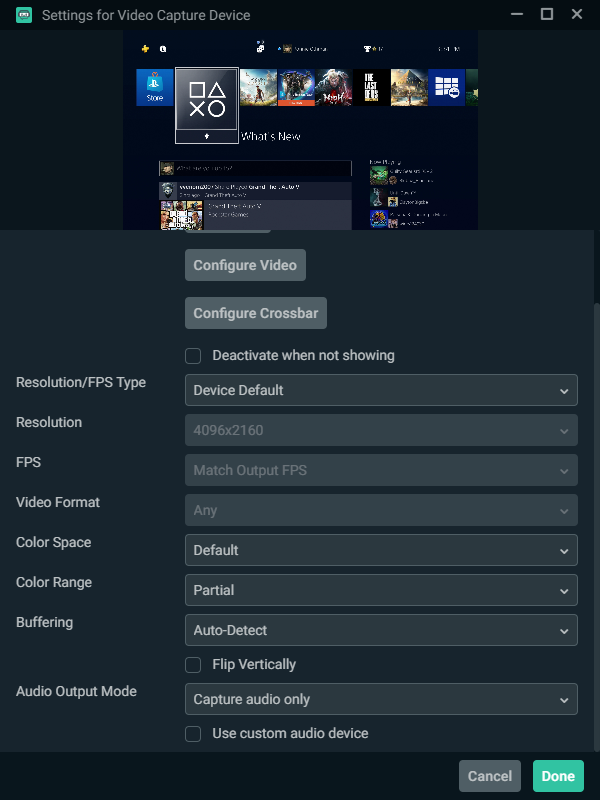
Color space and Color range should be set to what for best results?
gritty dragon
most usually just say the default
apparently I just need to go back to PC building school
cunning latch
You can leave essentially all those on defaults, really.
Color range only needs to be changed if you're seeing too low or too high of contrast, generally.
gritty dragon
thanks for helping me to discover that by your recommendation yesterday to unscrew it and move it @cunning latch
I would have never figured that out
cunning latch

gritty dragon
that's a weird emoji lol
 iron birch
anyone know how to fix frame rate drops?
 worldly otter
easy and free way to make your own twitch emotes ?
 summer parcel
If anybody can help me I have a problem with my Stream Deck. For some reason my hotkeys will not work while I’m playing call of duty warzone
 fickle tartan
Hi I'm glad to join this server. However I have been having problems regrading Team Chat. I'm using Elgato HD60 S and I have my volume on sound capture on 80 but it almost sounds like my friends on discord are muffling and the output volume on my discord is around 100%. My headset is from Onikuma (more specifically Gaming Headset K5). I also set the analog audio but to no avail. The Screenshot below shows the output and input that I used. Is there anyone that can fix Team Chat to where it doesn't sound like muffling when I'm using a discord call for my friends?
 tribal compass
hey guys my problem is that my elgato game capture hd 60 s can not get a signal from my ps4 to my pc and tv. i tried some things like device manager or hdcp but i never can get a signal. pkease can anybody help me? and please excuse me if mx english is not the best XD
 obtuse finch
I cant seem to have destiny 2 display on my OBS, my elgato is acting as a 3rd monitor and is only streaming my desktop
tribal compass

 rose flower
I'm having some trouble with my elgato hd60s+. The screen goes black as soon as the game starts. It remains black after I leave the game also.
I'm capturing from my gaming PC using the HDMI to the elgato, then a usb c cable to my streaming laptop. Using strictly stremalabs OBS.
Nothing on the Elgato's output hdmi
summer parcel
Is anybody running a one pc setup with multiple monitors using a stream deck
sharp agate
@rose flower Do you have HDCP disabled on your console?
https://help.elgato.com/hc/en-us/articles/360040482032-HDCP-and-Elgato-Game-Capture-devices
Elgato
High-bandwidth Digital Content Protection (HDCP) is a digital copy protection system commonly associated with DisplayPort, DVI or HDMI connections. HDCP prevents the recording and piracy of commerc...
@summer parcel I am. What's up?
Wait, sorry, I misread your post, bbqfloss.
summer parcel
Oh okay thanks
rose flower
It's on PC , I don't believe that's the issue here.
summer parcel
My stream deck hotkeys won’t work while I’m playing warzone for some reason
sharp agate
Are you running Warzone in administrator mode?
summer parcel
Yes I think
sharp agate
Running a program as administrator prevents the use of hotkeys for other programs while the privileged program is in focus. You'll either want to run Warzone without admin privileges (which is preferable) or run the Stream Deck software with admin privileges.
@rose flower Are you using multiple monitors on your gaming PC?
Because it might be that game is assigned to the wrong display and thus isn't being captured by the card.
summer parcel
How do I not run warzone as administrator
It has the shield would I have to delete it and reinstall it
sharp agate
@summer parcel You shouldn't have to uninstall the game. You can right click the shortcut, click properties, and in the shortcut tab you'll click the Advanced Properties button. From there you can just uncheck "Run as Administrator" if it's selected.
If the game still runs with admin privileges, then you can find the game's executable file in your game's install location, right click and click properties, then go to the Compatibility tab and uncheck the "Run this program as an administrator" box.
rose flower
@sharp agate no, but the elgato is being recognized as a monitor, and I've got duplicate displays selected in my display settings
summer parcel
@sharp agate it didn’t work 😩😩😩
sharp agate
@summer parcel Then I would just go through the steps above again and change things back to the way they were. You can do the same thing for the Stream Deck software and see if that works, but the program won't run on system startup and you'll have to manually boot it up after you've turned on your PC to start using your Stream Deck.
sharp agate
@rose flower I'm at a loss (partly because I still need to go to bed  ) because it's weird that the issue only occurs when you launch a game. If there are duplicate displays I would just make sure they're sorted out and that your primary display is chosen correctly as that may be part of the problem, though I am not sure if it's the source.
@fickle tartan Disabling the 7.1 surround sound (if it's enabled) may help, but have you also tried cranking up the volume in the Team Chat to 100? How does that sound.
summer parcel
@sharp agate I think I have to run it as full screen borderless
It works that way it wouldn’t for me on full screen
 dire nymph
Hey guys, looking for a little assistance with my Elgato 4K60 Pro MK.2 capture card. I'm attempting to record on a second PC with the setup below but running into small blurriness/general clarity issues before recording anything (see attached image, left is from game capture on full screen on streaming PC and right is from streaming PC directly) - maybe this is normal but I don't feel like it is.
Gaming PC (Primary Display 1440p144hz) -> HDMI 2.0 Cable into IN port on capture card installed in Streaming PC on PCI v3.0 x16 slot.
Streaming PC -> DVI cable from GPU to secondary 1080p monitor. Currently using OBS and the 4K Capture Utility to preview the video.
Capture Utility Settings installed on Streaming PC:
Device: Game Capture 4K60 MK.2
HDMI Color Range: Bypass
Input EDID: Mode: Internal
EDID (Internal) 1440p
Source shows 1440p144hz and video signal on the card matches up.
Nvidia Settings on gaming PC:
Output from primary 1440p display mirrored to capture card. All resolutions set to 1440p, no scaling, gpu used for scaling.
Gaming PC:
Monitor: Dell 1440p144hz S2417DG hooked up to GPU with Displayport
CPU: Intel i7-7700k 4.2Ghz
GPU: Nvidia RTX 2080
RAM: 16gb DDR4
Streaming PC:
Monitor: Asus 1080p144hz
CPU: Intel i7-7700k 4.2Ghz
GPU: Nvidia GTX 1070
RAM: 16gb DDR4
 blissful bridge
second time having this issue, no idea why. last time this happened was first few days of getting the mic and then it fixed itself somehow. its plugged in. software has been uninstalled and reinstalled so many goddamn times. 3 days waiting on elgato tech support, both via email and twitter
 real island
I'm having issues trying to capture Nintendo Switch footage, but I'm starting to get a black screen. Last Night it was working perfectly with no issues.
I'd even updated my GPU which I have a feeling its causing the issue
Oh nevermind!
got it to work now
apologies!
or...not
 south panther
Hi is anyone able to help
cosmic vine
state your problem and if anyone knows how to help they will do so when they can 🙂
south panther
I can’t Send video as it says it’s too powerful
cosmic vine
can you elaborate? What product? What video are you sending and where? whats the resolution?
south panther
It’s doing this when I’m trying to record
cosmic vine
I have no idea what I'm looking at
south panther
The sound
cosmic vine
That would be the sound of a mic too close to a speaker
at least from my experience.
south panther
It only dose it when I open elgato recording software then go on a game
cosmic vine
do you use headphones or speakers when you game?
south panther
Tv speakers
cosmic vine
how close is the mic?
south panther
cosmic vine
do the headphones sit there when you game?
south panther
Sometimes
cosmic vine
move them somewhere else. The magnets in your headphones are destroying your mic
south panther
Is that what’s making elgato to make that sound?
cosmic vine
most likely. Microphones are extremely sensitive to magnets
south panther
Still doing it
cosmic vine
try turning down the gain
cosmic vine
sounds like interference
south panther
I moved the mic
cosmic vine
try muting the game sound and record only the mic so we can nock out one or the other
south panther
Muting the game sound on the elgato recording software
cosmic vine
if it's still making a sound, then its your mic, otherwise it's your capture card or software
south panther
Should I try reinstating the software
south panther
It made the sound with the mic
cosmic vine
Ok, so turn off or mute your speakers and remove any magnets around your mic and see if that works
you could also join a call with a friend and see if your mic works with other applications
south panther
I’ll jump in my mates discord and see if it makes it
cosmic vine
ok, if it works then it's a software issue, if it doesn't, your mic died
 stoic ether
Why I want to check an item on store it says “sorry it’s under maintenance”
 dusky dawn
I can't get my PC to recognize the HD 60 Pro. Properly slotted best I can tell.
Screw it, I'm returning it. This is supposed to be simple and I've wasted my entire afternoon on it.
 near plaza
So my cam link only works sometimes in StreamLabsOBS i have to finagle making it work by activating and deactivating the source, turning on and off the camera several times etc. Can anyone troubleshoot with me
Sony Alpha 6100 It will work on and off discord it works fine if i pull up the cam link software application it will recognize but for it to work on obs i have to continuously finagle
 paper torrent
Hey. I’m having issues relaying my game chat into my stream. I’m using the Elgato HD60 S with my Xbox One @tepid cosmos
 vestal remnant
Hey guys, I've got an El Gato HD60 s and I keep getting popping/crackling sounds and I can't figure out how to get rid of them. Does anyone know a fix for this?
 blazing spindle
4K60 S+, is it possible to access the videos from the SD card on PC without having to remove it from the 4K60 S+?
 coarse ice
so i have not had any problems yet but i just moved my whole setup and connected everything back and my pc is not finding the stream deck but the stream deck is getting power and yes i have tryed restarting my pc
 rancid pendant
Hi so I am in need of help my stream audio doesnt seem to be working or it is but my chat says thegameplay audio is very low and ideas of how to fix this Stream set up XBOX to ELGATO -ELGATO to PC
rancid pendant
I had the Elgato chat link BUT it broke so I made a make shift Chat Link using 1 4 pole headphone splitter (3.5mm)
1 Y splitter (3.5mm)
1 4 pole Audio cable (3.5mm)
So what this is, is pretty the same as the Elgato Chat Link BUT ever since I did this my stream audio seems to be very low.
 plucky plover
Hey, Im having an issue where my streamdeck isnt work with OBS when Im using a hot key. I cant go into OBS and assign a hotkey I created as an assignable key.
plucky plover
How do you confirm your streamdeck is connected to OBS?
 vivid harbor
Anyone have ideas why the cam link would randomly cause video from an a6000 to freeze
The only fix I have right now is to unplug and re-plug the cam link.
cosmic vine
Is there an update available?
vivid harbor
are you asking me @cosmic vine ?
cosmic vine
yes
vivid harbor
it was a fresh install of the 4K capture utility
but, I changed my USB transfer mode to "Isochronus" from auto per their troubleshooting page
I'm going to also make sure I segregate USB3 devices the best I can
I have a Wave:3, HD60 S, and Cam Link 4K all hooked up
cosmic vine
so with the troubleshooting page it's still freezing?
vivid harbor
I need to try it again tonight to see if the Isochronus setting makes a difference
cosmic vine
it'll probably help. but if it doesn't i would open a support ticket
vivid harbor
I had an issue where my HD60 S was dropping frames in OBS, but turned off buffering in OBS and that seemed to clear it up
 gray hare
Using a HD60S , is there a way I can direct link incoming audio to an OBS in the same way you can video?
to clarify, is there a way to do this via usb? or does it need to be the aux
 edgy sand
i dont think it can be done through straight usb
 tender lava
@vivid harbor Since you already tried changing USB transfer modes to isochronous, please try connecting Cam Link 4K to its own USB 3.0 controller on you PC (if available).
vivid harbor
@tender lava
I just tried Isochronous mode for the first time today. I haven’t used it while streaming yet. Depending on the results I’ll try re-routing USB 3 devices
tender lava
Good luck!
@blazing spindle You'll need to remove the SD card from the Game Capture 4K60 S+ and use an SD card reader to access your recordings on Windows. For more info: https://help.elgato.com/hc/en-us/articles/360038696331-Elgato-Game-Capture-4K60-S-All-About-SD-Card-Use
Elgato
Elgato Game Capture 4K60 S+ can be used as a stand alone product, recording to SD Cards.
When using Elgato Game Capture 4K60 S+ for standalone SD Card recording, DO NOT connect it to a PC via USB. ...
@plucky plover Are you able to change scenes, record, or stream in OBS using Stream Deck?
@uhhhhh#4753 Have you tried other USB ports on your PC? Since you confirmed your Stream Deck still gets power, what is displayed on the Stream Deck itself?
@uhhhhh#4753 You could also try removing all other non-essential USB devices and only connect the Stream Deck as a test to see if you PC and Stream Deck software sees it.
 mighty tinsel
how do i go about recording retro games with an hd60s
round tartan
Why would my Elgato HD60s not actually record 1080p at 60 frames per second? It always shows my gaming laptop's video as 1080i 60, or 1080p 30. i can get 60 if I switch it down to 720p, but I'm trying to record VR games through it.
Arctic: that would depend entirely on the source
if your source is the original hardware, then you'll need some sort of converter to HDMI as HDMI is the only input on the HD60s
if your source is a modified console with HDMI out (such as the N64 with HDMI mod) then you just need to record like you'd record any source on the HD60s
round tartan
unfortunately there's no way to record with the HD60s that isn't an HDMI source
and the mod I'm talking about for the N64 IS expensive, but it's worth every penny as the quality is downright amazing.
round tartan
pricewise, I can understand.
round tartan
then just an upconverter would work
mighty tinsel
a what
round tartan
something that upconverters from whatever source you have to HDMI
what console are you looking to record?
round tartan
I make NO suggestions of quality, but that should work
all of those support standard composite video and audio, so converting to HDMI would work through that device.
mighty tinsel
As long as it stays the same quality as the source. I’m not looking to upscale at all
round tartan
that's... not possible really.
the problem is resolutions of the source. I also don't know if that will take the 4:3 (ish) source and turn it into 16:9
or if it gives you a letterbox display
mighty tinsel
Should I just buy an older elgato card
round tartan
that's entirely up to you. the problem remains the same, if your source is not good then your output quality is not going to be very good
round tartan
it's very difficult to get good composite signals on a non-crt... crt has its limitations, but those limitations actually end up enhancing the end product.
that's also a problem, because the source on these is going to be "720x480" which is an interlaced Standard Definition resolution, BUT, those sources aren't even accurate.
mighty tinsel
I’m confused
round tartan
the N64 signal, for instance, is anywhere between 256 x 224 to 640 x 480
depending upon the game, the output signal is different. CRT handles this magnificently, LCD and digital signals, not so much
mighty tinsel
Is it really this complicated?
round tartan
any time you convert composite to digital, you're going to get a 720x480 image, unless there's something inherently... odd, about the recording device. that in no way shape or form matches the actual resolution of ANY game console. these consoles were designed so that a CRT would dynamically deal with the resolution
it's EXCEPTIONALLY complicated to get good quality signal in Digital. that's why emulation has so many different scalers to make games look good.
mighty tinsel
I appreciate all this help but I’m not following here/understanding at all
round tartan
and when I say CRT and resolution, even THEN I'm not really saying the right thing, as CRT's don't deal with dots, they deal with lines of resolution
I got you... and you may be asking the wrong person here because I HATE upscalers... if you can't take a native signal and turn it properly into something else, you have serious scalintg issues.
mighty tinsel
I don’t care whether it’s a converter or a new card, I just want to record my games
round tartan
even just plugging your gaming console into a new TV does upscaling. LCD doesn't handle video like CR$T
what I sent you will work
mighty tinsel
I’m not looking to upscale like I said
round tartan
upscaling is happening regardless
it's kind of the same thing as taking a crappy 240p video on youtube and making it full screen - looks like crap, but it's "technically" upscaled
round tartan
I'm not really familiar with older Elgato solutions, so maybe someone else can suggest an idea there, if the converter (elgato capture card) is good quality, then it may do the job MUCH better than an HD60s and that odd converter I showed you a link to.
the problem with resizing, again, is that the resolution is off.
If you could record the source video at its original resolution, you'd have a perfect image, and you could, on the computer, do whatever you wanted with it, making it look MUCH better than a converter like that amazon device is.
but there's almost no real way to do that.
round tartan
that's not what I mean.
yes you could resize it... but the original video you record is the problem.
I may be way too nitpicky for you here. You might be perfectly happy with the HD60s and the converter on amazon. I don't know.
I absolutely loathe the result that I get from things like that.
mighty tinsel
I’m really just getting footage, maybe screen sharing through discord here and there
not anything major
round tartan
get that thing from Amazon - that's about the cheapest solution you're going to find, and Amazon has no questions asked returns if it doesn't work out for you.
mighty tinsel
alright
 tranquil granite
Does anyone happen to know if any of the game capture devices can deal with a 3440 x 1440 ?
 obtuse gate
Does anyone happen to know if any of the game capture devices can deal with a 3440 x 1440 ?
@tranquil granite Would the 4k60 pro not do it for you?
 wise field
is their a way to add a counter onto streamlabs with the deck
for example i made a text Number and when i get a certain drop i add to it
obtuse gate
Yes, there is a plugin by BarRaider that allows you to do it. You essentially use the stream deck to edit a text document, and then you can just add the text document to your stream.
wise field
thanks
obtuse gate
No problem!
tranquil granite
@tranquil granite Would the 4k60 pro not do it for you?
@obtuse gate I checked the supported resolutions of the 4K options and none of them listed 3440x1440. So I wasn’t sure.
obtuse gate
I think the listed resolution is the verticle pixels. Which, if that's the case, it should handle your resolution just fine. But I'm not 100% sure.
south bronze
could someone help me?
im trying to stream using obs but with obs my gpu load goes to 100% and messes with my gaming performance so i was thinking of getting a game capture card to capture my game and stream it to obs without having to use my cpu/gpu
could this work?
obtuse gate
@south bronze That could work. Any time you are off loading anything from one chip to another, you're going to be doing that chip a favor. If you GPU is getting cranked to 100 with just OBS though, you might want to consider seeing what the problem is with that. What kind of GPU do you have? What settings are you using in OBS for your Video Output?
These are the settings i'm using for OBS
 worldly aurora
im in desperate need of help please..... windows update now im not getting audio to my streaming pc
obtuse gate
Also, you might consider using the X264 encoder instead of NVENC since that would take a load off of your GPU as well
@worldly aurora here is a good trouble shooting article that I followed a while ago that helped me.https://www.digitaltrends.com/computing/how-to-fix-sound-problems-in-windows-10/#:~:text=Your driver may just need,right-click on the icon.&text=Restart your computer%2C and Windows,your sound is back on.

Digital Trends
Audio problems are a common complaint for Windows 10 users, but how do you fix them? We're going over the biggest issues and what you can do to solve them.
worldly aurora
thanks
obtuse gate
But let me ask you this, is it that your gaming PC isn't putting out ANY sound at all? Or is your streaming PC just not picking up the sound?
Because those are two very different issues
And which PC was updated?
obtuse gate
Gotcha, so your gaming PC is putting out the sound, your Capture Card just isn't picking it up, is that right?
obtuse gate
And voicemeeter is on your Streaming PC or Gaming PC?
worldly aurora
gaming
obtuse gate
Gotcha.
worldly aurora
i clicked on an output to send the audio to the capture card and its no longer there
obtuse gate
I would then take a look at your audio settings and how your sound is being routed in Voicemeeter.
obtuse gate
You might also need to update your audio drivers. In which case, the guide that I linked would be helpful.
worldly aurora
ive done that
obtuse gate
The next thing I would do then is try uninstalling voicemeeter and reinstalling it. There might be something going on with voicemeeter and it needs to update.
obtuse gate
No problem man! If that doesn't work, try sacrificing a virgin mother board to the PC gods. That almost always works.
worldly aurora
its driving me nuts
south bronze
@obtuse gate i have a 5700, my game runs fine but when i have obs opens it feels like im playing on 30 fps while im having 100+ fps ive tried both x264 and h264/AVC encoder but none of it seems to work
since my game runs fine without obs i was considering using a game capture device for $150-$200 to capture my gameplay without using any gpu but im not sure if it'll work cuz i was searching it up and i saw some people saying its pointless if im using it on a single pc
otherwised id have to spend $500-$600 for a new gpu
worldly aurora
still no joy
 hybrid void
heya - maybe someone can answer a question for me...why do I have to re-add twitch as an account to stream deck every other day?
more like...delete it, then re-add in order for SD to execute simple chat commands in tiwtch
 white hill
does anyone know how to record audio from the hdmi and analog at the same time on diferent channels on the elgato hd60s
 wooden remnant
I don't think it's possible
Record the analogue channel on a separate device, your computer might have a mic in?
@white hill
white hill
it doesnt thats why i am asking if its possible to do it this way... im wondering if its possible to run another program to grab the audio from the elgato
white hill
recording
wooden remnant
do you have a phone?
white hill
yeah but i dont see how thats going to help
wooden remnant
you may be able to record using that and painstakenly sync in post
white hill
im not worried about my audio
im trying to record my friends on the ps4 chat through the controller to the analog and my gameplay audio through the hdmi
youre giving me a solution for my own audio
wooden remnant
have your friends record their end
white hill
i could do that but im playing with randoms... and i know how to record the audio seperatly but i dont wanna buy a bunch of extra stuff for this to work maybe someone who works at elgato can answer the question i feel like its a do able thing but they just havent thought of it yet..
wooden remnant
Welp in that case
make sure you have everyone's consent before recording their voice
wooden remnant
?
 gilded jackal
I want to ask someone for help with the elgato HD60 S?
wooden remnant
Just ask your q
gilded jackal
you see I use nintnedo switch and I have connected everything,
also I have downloaded a program called Game Capture HD
But when I turn it on It will not show
wooden remnant
What is "everything"
tell us every single device in your chain
And which cables you use to connect them
gilded jackal
i connected on Switch Dock with hdmi cable
to Elgato
on hdmi in
and connected hdmi cable on tv to elgato
and then i connected usb port thing from elgato to my pc
wooden remnant
which PC do you have?
wooden remnant
There's a device manager thing for windows, where you can see if the elgato is properly plugged in
gilded jackal
ok i'll look
gilded jackal
Still finding it
wooden remnant
Device Manager?
gilded jackal
yes
gilded jackal
i will find a setting to change to english
wooden remnant
on some OEM's you can't
gilded jackal
USB Connector managers?
wooden remnant
I suppose?
gilded jackal
its USM-UCSI ACPI device
wooden remnant
Do you see other USB devices?
gilded jackal
No
 gilded jackal
On laptop its 3
gilded jackal
yes
wooden remnant
Can you connect that to the computer?
gilded jackal
yes its on pc
wooden remnant
do you see your mouse in device manager?
gilded jackal
No but its connected
wooden remnant
Oy that's interesting
 wooden remnant
If it's a USB mouse, and it's connected, it should show in Device Manager regardless of age
wooden remnant
it doesn't even find your mouse?
gilded jackal
no but its connected
wooden remnant
and you sure you have device manager open?
wooden remnant
Looks roughly like this
gilded jackal
Yes i,m at that 👍
 smoky pond
I need help,i have a HD60 S+ and a AMD Radeon Vega 3 grapics card in my laptop.When im recording and look at my preview screen,everything looks alright but then i end the recording and look at the video and it looks like this,how can i make this stop.
My audio is perfectly fine but my video is horrible
gilded jackal
Noice it found my device
wooden remnant
your elgato?
gilded jackal
yes
wooden remnant
so it wurks now?
gilded jackal
It shows
wooden remnant
but the image doesn't?
round tartan
do you have a powered USB 3 hub you can plug it in through?
I have the same error, and it's because my USB 3 port is underpowered
gilded jackal
I use Elgato USB 3.0 idk if its powered
wooden remnant
Is the Elgato connected directly to your computer?
gilded jackal
yes
wooden remnant
is the usb on the computer USB 2.0 or 3.0?
gilded jackal
Ok i need to have one part for 3.0 USB to make it work
My PC don't have USB 3.0 at all Lol
 arctic jasper
Hello there. So im having an issue with my GOXLR Mine and Elgato HD60. I have connected the optical and set it up correctly in the GOXLR as i can use the fader to adjust the volume etc The problem I am having is that my PS4 even with OBS closed plays audio though my pc so I get double sounds coming through my PC. Its definitely coming from elgato as I disabled the Capture card and it stopped but obviously i need it running. I have tried a different audio setting in the ps4 but nothing has stopped it and nothing in my sound devices helps. Kind of outta ideas here so any suggestions are welcome thank you
south bronze
I have an issue with the streamdeck and I'm pretty sure it's a bug. When I make a button to open a certain folder it only works if the folder does not have a space in its name. Is there any way around this problem?
 lapis forum
i just re installed Wave Link and now its not detecting my Wave:3, but my wave:3 is able to be used by other programs like discord, etc. ive reinstalled it, is there any known fix?
 dusky zealot
hey I need some help with my hd60s and streamlabs. I have everything set up and I'm able to stream, but my game audio is super quiet for me, but if i turn it up any, it's super loud to my viewers
 frosty thorn
So my elgato game capture isn't working with my streamelements it doesn't work it looks glitchy anyone have any fixes ideas
 steady horizon
I have a question about the Capture card because I wanna stream games like 2k from my console via a streaming Pc how would I go about doing that?
 knotty lotus
I need a bit of help here. Open to DMs as well
I wanna stream my Switch gameplay from OBS to Discord. The gameplay and the preview of my stream is perfectly, OBS as fine too, but when others want to watch my stream the framerate is horrible, just the framerate, the audio is fine too, I just need help fixing that, but when I stream to Twitch and YouTube it's perfectly fine there too. Can someone help me? Please?
 delicate sun
All of a sudden, I can't hear audio from my HD60S in OBS. I have the elgato set to Monitor and Output. Nothing else has changed. It feeds the audio to stream, but I can't hear anything
rancid pendant
So im still having sound issues with my elgato is anyone able to help or have knowledge with the HD60 S Elgato sound ?
@delicate sun I literally have the same problem bro I have tried everyhting putting sound gains and nothing seems to work
delicate sun
@rancid pendant I fixed mine. Try this:
- Close OBS.
- Open Elgato Game Capture software (install if you don’t have it).
- Go to settings and see if there’s an update (there was for me).
- Download the update and install it.
- Open Elgato Game Capture again. This will initialise any new drivers.
- Close the software.
- Open OBS and see if Elgato audio is working.
This is what fixed it for me. Something to do with the drivers that come with the Elgato software. Even though I don’t use that particular driver (I use the Windows one in OBS), sometimes it needs to be initialised for OBS to pick up the sound.
At least, that’s what I’m led to believe. Hope this fixes it for you.
rancid pendant
@delicate sun thank you I will do this ASAP thank you for sharing 🙏🏾
 toxic talon
hi i need help here every time i try to connect my new stream deck with goxlr its does not add those plugs in to the app of stream deck
 woeful latch
Is it an issue with the goxlr plugin? If it is you would have to contact TC-HELICON for support.
 short shale
Hello, I have an issue where if I put a Hotkey on Elgato and use it for replay buffer, it doesnt work UNLESS I have that folder where it saves the replay open
Also elgato hotkey doesnt work on OBS if I want to set it with a press on an elgato hotkey instead of keyboard press
 half falcon
hello so for some reason when i put my hd60 s capure on discord it gets flipped
hoe do i fix that
rancid pendant
@delicate sun DUDE THANK YOU It worked for me also I ended up downloading the 4K Capture Utility and my o my does the quality look amazing
delicate sun
@rancid pendant Awesome. Glad I could help
rancid pendant
thank you my dude! whats ur stream Ill drop a folllow man
delicate sun
@rancid pendant Just search Oodlemeister on twitch. Profile pic is the same as the one on here. Thanks mate 🙏
rancid pendant
I got you followed bro
vivid harbor
@tender lava the camera worked flawlessly alongside the HD60 S and Wave:3
Now I have to troubleshoot audio issues from using the chat link to attempt to capture xbox party chat
rose flower
Hello everyone!
So my PC input is only being displayed on stremalabs OBS through an hd60s+ while the game is in windowed mode.
Also, if I start the Elgato's software it gives me an error message saying 1080p105 not supported, even when my video settings are capped at 60fps.
I feel like I may have something hooked up or configured incorrectly.
half falcon
hello so for some reason when i put my hd60 s capure on discord it gets flipped
how do i fix that
rose flower
Discord flips everything for some reason. It's the correct orientation for viewers though. Hopefully that gets fixed soon.
half falcon
yea i hope so too
obtuse finch
I need help capturing my game on my capture card.
 upper stirrup
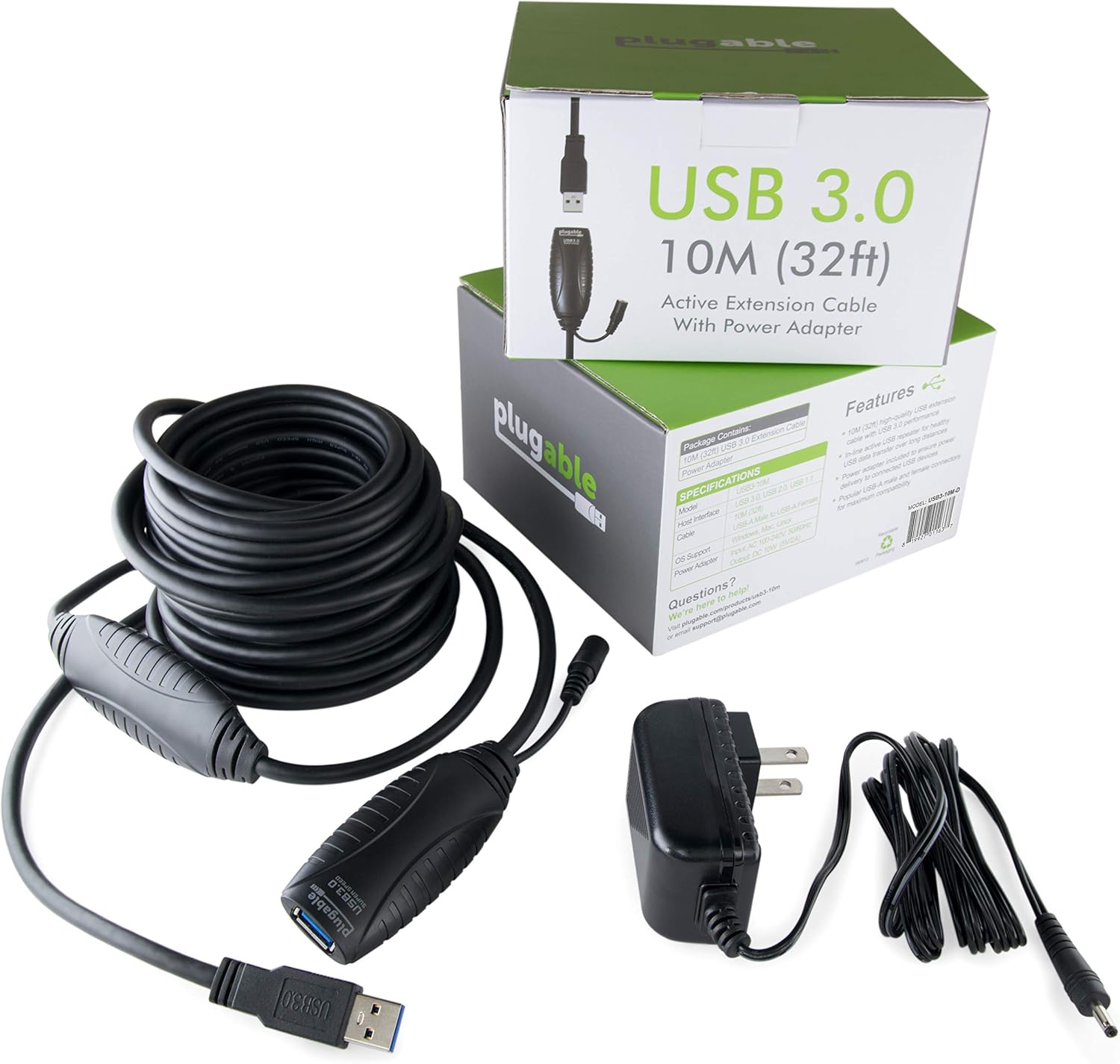

 rose flower
That's the same issue I'm trying to figure out
The Elgato's don't support higher frame rates (neither do other cards) but you would think the capture card would cut the signal down to size, but no.
You have to play in 60fps so the capture card will work. Kinda lame.
 civic river
is there a way to separate gameplay sounds and discord audio using the 4k capture utility? i'm using a 2pc set up, goxlr with xlr mic, stream deck, and a 4k60 pro mk2. just trying to figure out if i can separate the two sounds so if i'm playing with someone that is cussing and i want to mute those words i can without muting the gameplay.
 leaden kraken
how do i set up the 4k60 pro mk2 with the ps4 for SLOBS?
 hidden jolt
I got my USB drive and 4k60 today to use in a 2 pc stream setup, would the software run on Linux like Ubuntu or would I need Win 10 to run my stream on the second PC?
south bronze
okay hey can i get some help pls when i got done recording my video it did this
when i open it the video dont show up
 opaque rose
Is it possible to change the picture of multiple buttons at once?
hidden jolt
Can I get some assistance on setting up the 4k60 between my dual pc setup? I can't seem to get it to pick up my gaming PC's signal. . .
I have the supplied HDMI cable in the "IN" port on the cap card, and onto the GPU of my PC. I have another HDMI cable plugged into the GPU on my streaming rig and plugged into my TV so I can see the OS, but it's saying "No Signal" or "One moment please" on the 4k cap util??
tardy cobaltBOT
Sorry to see you're experiencing issues. Have you tried this yet? https://help.elgato.com/hc/en-us/articles/360041857951-Troubleshooting-No-Signal
If you're still experiencing issues, please file a ticket at http://e.lga.to/help.
Elgato
This guide will walk you through steps to take if your capture card has a source plugged in but it not detecting the signal correctly and is displaying No Signal or there is no video on the pass-th...
hidden jolt
and yes, I've looked at that
 rare tide
Hey so my i have two elgato hd 60s so i dont think its something wrong with the hardware other than possibly the usb. But every so often my recording will either freeze up or glitch.
Like ill experience pixelated screen and distorted audio. And it will eventually just tske over the whole thing.
 willow isle
Wassup fellas
 versed dagger
I have the stream deck on my phone, when I click one of the buttons it shows a triangle alert type sign. But my phone and pc are connected. anyone know what it is?
bronze needle
Please watch my video of the issue I’m having. Please help!

My HD60S does not work 90% of the time, and this is what happens when I turn it on. Occasionally it works perfectly fine, but 9/10 it does this.
If anyone can help, I would appreciate it!
 fallow tree
Anyone know the best way to refresh the stream desk connection from Xsplits? It happens like everyday... specially from the chat. It wont send any chat messages THX
 rose wind
Hey, so I just got my Elgato HD60 S+ and there's one thing I'm trying to figure out, how do you make it to where OBS doesn't makes echo sounds from your ingame audio?
Trying to capture both ingame and Discord voice chat audio. but I end up hearing "two" things at once for the ingame audio.
 livid summit
is it normal that monitored sound of the hd 60 pro in obs get asynschorn after time?
 lost phoenix
i got a elgato hd60s, when i connect iphone 10xmax or 11promax, when i open game capture, it cant find the phone, it just says no signal
tardy cobaltBOT
Sorry to see you're experiencing issues. Have you tried this yet? https://help.elgato.com/hc/en-us/articles/360041857951-Troubleshooting-No-Signal
If you're still experiencing issues, please file a ticket at http://e.lga.to/help.
Elgato
This guide will walk you through steps to take if your capture card has a source plugged in but it not detecting the signal correctly and is displaying No Signal or there is no video on the pass-th...
lost phoenix
ive done everything in this troubleshooting guide and still shows same error
 jaunty shale
So I'm using an HD 60 S and whenever I try to play a game without streaming or anything I get a little bit of input delay and stuttering in the OBS preview, which is what I use. Does using the HDMI Out (Which I currently don't use) fix that? If so where do I plug it into?
probably a really dumb question, sorry
 steep briar
Hey so quick question theoretically if I were to get an HD60 pcie can run an hdmi from the GPU in the same computer to the capture card will the card capture and offload some of the stress of my GPU’s encoding?
sharp agate
@steep briar You can use the H.264 encoder on the HD60 Pro to record footage without additional CPU or GPU usage through Elgato's capture software only. It's mostly to facilitate the Master Copy feature where you can stream with overlays in different software like OBS Studio while recording in Elgato's capture software without those overlays so you can have a clean master copy of your gameplay. As far as I know you can only use the encoder for recording.
So the answer is kind of, but probably not in the way you're hoping for or in a way that would be very useful for you.
cosmic vine
@jaunty shale there will be a little bit of a delay when connecting to the computer because it's processing the image. You should use the hdmi out to connect to another stream which is nearly lag free.
 primal trout
I have the HD60 S+ and stream with OBS. The audio continuously goes out of sync. It does it gradually with the audio being a bit behind the video then the delay gets longer. My mic. audio, cams, overlays are all on time no audio or video issues. This audio issue is constant and makes streams unwatchable. I can't seem to find any helpful literature on my particular model or situation. Any guidance or suggestions would be greatly appreciated.