#cth-history
1 messages · Page 39 of 1
 fossil hemlock
 south bronze
So my wave:3 mic is amazing sounds great and im also using RTX Voice but the stream audio for the Browser, Music, Games, Voice chat, and everything that outputs from my pc is all distorted and low quality. Id love to get this fixed fast bc i stream monday. Help is much appreciated.
 royal arrow
been asked a few times probably from time to time my stream deck does not come up properly with windows booting
it works after plugging it in and out tho
 round gyro
So I recently installed the game capture 4k60 pro mk.2 into my PC and I have to 4k capture utility installed and everything seems to be working. But the card seems to only be capturing the home page. Idk if its my PC settings or my elgato settings. I have one monitor. Any solutions will be great :)
UPDATE: I figured it out, had to go into my nvidia graphics setting and merge the two screens
 tardy cobaltBOT
PLEASE NOTE: Customer Service does not monitor this channel. If you are unable to solve your issue, please file a ticket at http://e.lga.to/help.
We also have staff available by phone 12hours a day. 8AM to 8PM Pacific every day of the year if you have quick questions and there isn't someone here to help you. http://e.lga.to/phone
 lusty python
I'm having a sound issue with my hd60pro. After playing for a while on my ps4 I get a crackling sound and the only way to fix it is to reload the software. I can also change the audio frame buffer size which removes it. Any way to remove this permanently?
 light ridge
Hey everyone, is there a particular reason as to why the Cam Link 4K might not be detecting my camera every time I boot it up, via the Capture software or even on OBS/StreamLabs? I've restarted my computer multiple times, and even tried to plug in the Cam Link into a different USB slot, but it's always hit or miss - sometimes it would say "No devices found", other times it's just a black screen on the software, even though my camera is displaying picture on its end.
 supple whale
trying to update game capture hd but idk what this means
retry and ignore dont do anything
idk what geforce overlay is either
 dapper scroll
 olive anvil
guys I have a dual pc streaming setup with the elgato 4k 60 pro mk.2. I stream on my nintendo switch xbox one and pc. I decided to buy a hdmi switch to stop from the constant crawling under the desk. I use voice meter to send audio to the streaming pc. When I switch to another input the switch for example and switch back to stream the pc, it completely removes elgato from my voice meter software essentially making it where I can't transfer the audio any advice?
 stray elbow
Hi, I having trouble having Game audio on my stream AND in my headphones. I have a HD60Pro, Astro A40s and PS4.
 tacit niche
StreamDeck Twitch message not working sometimes, a triangle with an exclamation mark appear instead. Any idea? Tag me plase, thanks!
 naive mulch
anyone know a work around for a video delay with the Elgato HD60
 crisp flame
Heyo, so I got a problem. I streamed Pokemon Shield these last days and noticed that my Elgato HD60S randomly just... refreshes or something like that? Like it just turns off and then on again, and I need to manually add the Elgato in again in Streamlabs OBS. (There are also like two different "Projections" of the Elgato, like one labeled "Elgato HD60S" and one "Elgato HD60S #1 Video". You can also see that in a stream of mine. Anyone know why it is like that?
light ridge
is there a way to get rid of the black bars that appear on the cam link? I can't seem to get rid of it no matter how much i tinker on obs
 opal fulcrum
Hi, I’m having trouble using my elgato HD60 S, it keeps telling me to plug it into a 3.0 USB port in order for it to function properly but it is already plugged into my 3.0 USB port on my computer, can someone help I don’t know what to do at this point.
 dire river
Hello, i am trying to stream with my elgatoHD60 s, on a original xbox. i have an adapter for the original xbox so it could use a hdmi, instead of av cables. i plug it in and the picture looks fine but the audio keeps crackling and sounds like distorted chipmunks. i tried looking up solutions for it and if you wanna see footage on how it sounds. message me and i will provide the footage.
i would gladly hear what you guys could have to say.
thank you for your time, and contact me soon.
 flat elm
I NEED HUGE HELP MY 4K60PRO is not working. did new driver update and now its not capturing nothing!
 lament cove
Hellloooo, after downloading the recent update for the Elgato HD 60s (3.40.46), I’ve come across a slight issue. My capture card no longer detects input no matter what methods i try !!
Is there anyway i can troubleshoot this and find out why?
 left eagle
Anyone found a fix for when the streamdeck just loses twitch connection (Everything else still works, just any chat message / instruction to twitch stops) until the streamdeck is restarted.
 brisk lion
Can someone help me search for a good Samsung galaxy note phone
 serene niche
When i open up streamlabs, i get a popup for game capture software update (elgato pop up, not streamlabs)
when i press "install update" this pops up in the corner of my screen and nothing else happens when i press ok
opal fulcrum
Hi, I’m having trouble using my elgato HD60 S, it keeps telling me to plug it into a 3.0 USB port in order for it to function properly but it is already plugged into my 3.0 USB port on my computer, can someone help I don’t know what to do at this point.
 tawny kite
Does anyone have any idea why I get better quality with my screenrecorder on my ipad than with elgato?
Even got every settings turned up in capture hd
south bronze
hello could anyone please help me with my elgato sound capture ive been working on it for a while and its very frustrating. I can hear my voice and game volume but not game chat.
south bronze
One pc @olive anvil
I have two but its for a different purpose
Could u go on a screen share w me??
 broken zenith
I can't get Spotify to play music using wave link music. Every time I switch Spotify to wave link music in Windows 10 in app volume and device preferences, I hit play and the playlist skips song after song. When I switch back to wireless headset, it plays fine.
Anyone else have the same issue?
 violet haven
my app wont open on desktop, ive tried multiple times and even ran as an administrator.
south bronze
@nimble pier i rlly need help lmao my game chat isnt working
in the video i recorded
 elfin briar
Hey guys. Is there Razer Synapse support?
I have the speakers, wanting an easier way than "system tray>expand>razer>hover speakers>then change" to swap the EQ
 pulsar marsh
MacOS: how do I stop the streamdeck software starting on boot? It's not listed in the standard 'login items' list
elfin briar
start>type run and open that window up
type msconfig in
open the startup tab and disable the software there
violet haven
my app wont open on desktop, ive tried multiple times and even ran as an administrator.
@cunning latch @pulsar marsh can some1 help!?
 cunning latch
@violet haven Which app?
violet haven
@cunning latch
ive tried everything to open
it wont open
unless i need my mobile app open to open it
cunning latch
Does the icon show on your task bar/system tray?
cunning latch
@opal fulcrum Have you checked out some of the steps here: https://help.elgato.com/hc/en-us/articles/360041082531-Elgato-4K-Capture-Utility-A-USB-communication-issue-has-been-detected ?

Elgato
This article can help troubleshoot issues with USB connectivity and Elgato Game Capture devices.
Double check the port
Ensure that the port the device is plugged into is a USB 3.0 port. These...
@violet haven I mean where the system clock is on the other side from the start button, sorry.
cunning latch
And when you click once on that, nothing comes up?
violet haven
wth
ok so
i used the shortcut
this dont work when doulbe clicked
double*
but this does like wth
cunning latch
@left eagle Is your Stream Deck software fully updated? If so already, try this version: https://edge.elgato.com/egc/windows/sd/Stream_Deck_4.8.2.13038.msi
So the window is now showing? @violet haven
opal fulcrum
@cunning latch I have and none of them worked, i believe it may be because i dont quite fit the requirements the hd60s is asking for.
cunning latch
@flat elm Is this the original big 4K60 Pro or the newer MK.2?
Does the computer show the 4K60 Pro still listed in 4K Capture Utility? Have you rebooted your computer yet?
 civic nova
how can i get xbox party chat through to obs? with giving people an option to include their audio. I use the HDS60
 bright stone
interesting gamecapture software question.. does anyone else find it annoying to have to force kill it via taskmgr after exiting. cuz sometimes it lingers in memory as if it doesnt shut down properly.. then of course when loading it up again cant see video. Anyone have any interesting workarounds ?
south bronze
@cunning latch do u think u can help me with audio with my elgato its been very frustrating
 knotty dirge
@cunning latch im wanting to have game and party chat going through my obs software but its only party chat and now i get no game audio at all
 covert tangle
I'm having this weird audio crackling noice from my game capture. It's only heard on stream. I don't hear it through my headset. So I know its a Capture Card issue. I have restarted my PC and its fixed it but I'm wondering if there is a simpler fix without having to restart.
 soft hawk
@covert tangle maybe do a few test streams
covert tangle
I'm live right now and its happening. It doesnt happen every stream. only once in a blue moon.
soft hawk
i will join your stream
my twitch user is thevardaman_fan
@covert tangle
<@&581565551495741448> or admins can you help @covert tangle
tardy cobaltBOT
PLEASE NOTE: Customer Service does not monitor this channel. If you are unable to solve your issue, please file a ticket at http://e.lga.to/help.
We also have staff available by phone 12hours a day. 8AM to 8PM Pacific every day of the year if you have quick questions and there isn't someone here to help you. http://e.lga.to/phone
Elgato
Telephone Numbers
Below are the telephone numbers for Elgato Support:
United States
☎ 1-888-726-8134
Toll Free Monday-Sunday – 8:00 AM to 8:00 PM PST (Pacific Standard Time, United States)...
 floral jetty
This is a community tech help spot. While Staff does help it is not an official support location. If it is an urgent matter I would recommend they call Elgato support in the above post.
soft hawk
ok
 meager vapor
Hey guys, I just got my Elgato Hd60 S and downloaded the software. My question is why is my game audio (theres nothing playing) reacting when I talk into my mic? Its picking up more sound than my actual mic is and I cannot figure out why. Any help would be great. Thank you
 pure gazelle
Hello, when trying to update Game Capture HD the update fails and I'm left with a blank error message
 cosmic vine
That is weird. Try restarting your pc and doing it again (fully power off).
pure gazelle
I have already tried that
is there a place where I can directly download the latest version?
cosmic vine
Try the support website
Otherwise I would contact support
They'll probably have you download something so they can dig deeper.
broken zenith
@pure gazelle try using a different usb port
pure gazelle
manually uninstalling and redownloading the latest version worked
via support website
cosmic vine
Sweet
pure gazelle
thx squirel
broken zenith
awesome stuff!
cosmic vine
Any time! And now we can add that to the list of things
pure gazelle
they'll probably need to nail down why the blank message happened, but again thx squirel
 abstract sorrel
Any help on why I get audio studder after a while capturing with the hd60s and the wave 3?
Updated to newest capture software and it started doing it. Video is fine just the commentary is studdering
broken zenith
Do you know what the sample rate of the mic is set to?
 blazing gull
I'm trying to use the Game Capture HD to digitise my VHS collection, however it often cuts out when trying to rip the tapes (I'm in Australia, where the PAL system was used). Is there any extra equipment I need?
I've heard that getting one of those cheap Chinese composite-to-HDMI adaptors and running it through the GCHD's HDMI input will work.
broken zenith
what happens when you play your VHS on a tv, not hooked up to the GCHD
it might be due to degradation of the tape inside the VHS
blazing gull
VHS plays just fine on the TV
 night mango
Hi y'all, looking for some help here. Just upgraded to the 4K60 Pro capture card, and I can't seem to get it to run problem free. I'm running a 2 PC setup, and gaming on a 1440p 144hz monitor. If I run the HDMI from my Gaming PC to the 4K60 pro on my Streaming PC, and clone my monitor, I get bad screen tearing. If instead I use the HDMI Passthrough, and run an HDMI from my Gaming PC to the capture card, and then another HDMI from the capture card to my gaming monitor, it seems to make the screen kind of blurry. It's especially noticeable with text. I don't have a preference for which method I use (cloning or HDMI passthrough), but I can't seem to figure out how to fix it in either case.
abstract sorrel
@broken zenith whatever the default is set too. Made a few videos before today and never had a problem. Think it’s 480000 and 24 bit?
blazing gull
@broken zenith I'll get a cheap RCA-to-HDMI cable, rip one of my tapes and see how it goes.
 bitter sand
Is there an issue with the scenes with stream labs OBS?
left eagle
@left eagle Is your Stream Deck software fully updated? If so already, try this version: https://edge.elgato.com/egc/windows/sd/Stream_Deck_4.8.2.13038.msi
@cunning latch I do indeed have the latest version, I'll give this version a shot and let you know. Thanks muchly matey.
tardy cobaltBOT
If you are having technical problems, please head over to .
PLEASE NOTE: Customer Service does not monitor this channel. If you are unable to solve your issue, please file a ticket at http://e.lga.to/help.
We also have staff available by phone 12hours a day. 8AM to 8PM Pacific every day of the year if you have quick questions and there isn't someone here to help you. http://e.lga.to/phone
Elgato
Telephone Numbers
Below are the telephone numbers for Elgato Support:
United States
☎ 1-888-726-8134
Toll Free Monday-Sunday – 8:00 AM to 8:00 PM PST (Pacific Standard Time, United States)...
south bronze
I'm not sure if it falls under here, but when clicking "Install Update" for the newest Elgato Game Capture (HD60) version, this blank error message seems to appear, and nothing happens when I close it; any reasons as to why this could happen?
floral jetty
Try downloading the newest version from the website
 vital robin
Whats up everyone! I need help with my elgato at first I'd plug it into my laptop and it would still say 'no capture devices found' one day I plugged it into a different usb port then a different message popped up it says 'Game Capture HD60 S needs to be connected to a USB 3.0 port to function properly' i did sum research and found out the port that's blue is usb 3.0 so I plugged it into that port instead but im still getting the same message if anyone could give me suggestions on what to do that'd be greatly appreciated! Thanks
cosmic vine
Try this article. https://help.elgato.com/hc/en-us/articles/360042141431-Troubleshooting-USB-3-is-required-for-this-device-Windows-10-
Elgato
The following article covers some troubleshooting steps for when you receive an error message that says "USB 3 is required for this device".
Some Elgato Capture Devices that use USB 3.0 a...
vital robin
I've looked at this article before and still can't seem to figure out the problem
cosmic vine
I would recommend contacting support so they are aware of the issue.
 loud depot
Hey! Ive just got my Key Light Air and I want to control it using the Elgato Control Center, it says it need to pair with a WiFi device. I dont have any WiFi in my PC so I paired it with my Android-phone using the same internet as the PC. According to the instuctions, just pair it once and you can control it from your computer thats on the same internet.
But I still cant add it or see in the Control Center? Help please?
 swift skiff
Hey guys. I’ve already done a lot of research regarding the Pac-Man stream name bug. Is there anyone who has fixed this?? I’m still having problems today. Every time I go live, even changing every single option for a category. It’s still results to me streaming pac-man.
 still shard
I there everyone! I have an issue, I'm running win7 and managed to get the Elgato drivers to work and I have video on OBS, but no audio. I don't have audio con my TV either... if I connect my Nintendo Switch directly with HDMI, audio works fine, if I connect it through my elgato hd60s, I have no audio, neither on my TV, nor on my OBS
Anyone knows a workaround for this?
Thanks in advance
broken zenith
@swift skiff not sure if this still holds true... Under the "account" in "Live Streaming" it has a "status" box you can put the game in. If that is blank (and I remember right) that defaults it to Pac-Man on the stream.
swift skiff
@broken zenith yep! I changed it to several games and it still defaults it to pac man!
May try a reinstall???
broken zenith
I don't use the software so I can't help you any further. But give that a shot!
@still shard According to the website, the HD60 S has Windows 10 listed as a requirement. You are running Win7
There might be an HDCP handshake issue that is not allowing the audio passthrough in win 7
still shard
Yes, I'm aware of win10 as a requirement, but I was trying to see if there was a workaround without upgrading my OS....
Guess I'll have to take the leap after all :P
Does it make sense that my not having win10 affects the audio on my TV though?
broken zenith
Is the mute button enabled in the software?
still shard
I don't have the software, just the drivers
the software doesn't seem to install on win7
broken zenith
Pretty sure you still can upgrade for free granted your win 7 license is valid
still shard
Yeah, I'll check that out
broken zenith
Before you go upgrading, I'd install Win10 on a separate drive without a key and install the elgato software to make sure it works
No sense in upgrading fully if there is some issue with your device
Or do you have another computer you can try it on?
still shard
Yeah I have another pc I can try that on first
I'm not sure if I'll be able to install elgato software on it tho since it's my work PC and it's locked to installing new software
 coarse solstice
hi everyone,
i'm using that pc for streaming. Actually i've a PS4 too, When i decided to stream FIFA20 , i'll connect my ps4 with pc (via 4k60 pro ) , but if i play games on my pc during stream, my FPS goes down, ( by the way ) i do not use my capture card when i playing pc games, i'm setting OBS via game capture or window capture. So i watched a youtube video about 4k60 pro review and setup, i saw the man connecting his capture card to GPU .
pls give me a hand, how can i use my capture card with best way
broken zenith
You need to connect the capture card to a different computer from your gaming pc
broken zenith
No that will actually harm performance if on same PC
coarse solstice
thanx;)
ok. so, using capture card is useless if i using single pc ( game & stream same time same pc )
there is no effect on performance
right?
broken zenith
You could use the capture card as a webcam if you hook a camera with hdmi
still shard
hey there in case anyone has my issue with windows 7
Upgrading to windows 10 and installing the game capture software immediatly solved all my problems
left eagle
Crest, unfortunately that version you posted didn't solve my issue, still disconnects from twitch chats until restarted, randomly. Very frustrating. Atleast everything else seems to work still though.
 finite frigate
so im having issues with my HD60 s as i have everything set up correctly but im getting no audio on Streamlabs when trying to stream my PC
finite frigate
@delicate cloak you need to go into your settings and turn off hdscp or whatever its called
 toxic isle
I am having trouble setting up my key light air. I set the first one up without any trouble, the 2nd was found by the control center but would not connect to the network. So I turned the 1st one off thinking it might interfere now I cant get either of the to connect I have reset them several times, unplugged them for a while tried on my phone anyone have any other suggestions?
 raw stratus
why tf wont my elgato flashback record?
this is so goddamn infuriating
does anybody know why elgato's flashback recording doesnt function
ping with answers
cunning latch
@left eagle Well this is something the team is looking into. That version was one which was being tested out. I'd email us about it: http://e.lga.to/help and your issue can be tracked with the others.
south bronze
so i just got my elgato hd60 pro. is there a way to make it capture specific sources or windows only just like obs?
raw stratus
why doesnt my flashback recording for BOTW on the Switch work?
 urban lava
hello guys I want to start streaming off my ps3 and playstation tv I know that I need a splitter is there such thing as a hdmi switch that also works as a splitter. I want to get a 4k hdr compatible one
 jaunty flame
so im 110% new to using the streamdeck, mind if I ask for help setting it up? I'm currently trying to add the Neon custom to it recently posted in #streamdeck-profiles de
 tender lava
@raw stratus Is it working for other games? Which capture card are you using?
 marsh kelp
hey guys i was wondering if you could help me out. for some reason whenever i try and connect the 4k capture utility as a source in streamlabs obs it works for about 1-2 seconds and then freezes. I am using a 4k60 pro and am trying to input it as an NDI source as I did before in a previous scene but i Accidentally deleted that scene and now nothing is working. any help would be appreciated.
@tepid cosmos any chance you could help me out?
 static whale
Hey guys. I just received my Cam Link 4k 🙂 The Problem I have now is that i just get a black screen in OBS and if I get the Video Screen of my Cam my Elgato 60HD isn't working anymore. Seems like I can't use both at the same time & in the same scene. I don't even know why i get black screen with the Cam Link.. Can someone help ?
loud depot
Hey! Ive just got my Key Light Air and I want to control it using the Elgato Control Center, it says it need to pair with a WiFi device. I dont have any WiFi in my PC so I paired it with my Android-phone using the same internet as the PC. According to the instuctions, just pair it once and you can control it from your computer thats on the same internet.
But I still cant add it or see in the Control Center? Help please?
 tiny scroll
Hey, I have an issue with my streaming PC with Elgato. When I stream off of my PS4 to my PC, i'm hitting CPU usage of 40% plus causing some stream lag. However, when I stream off of my Gaming PC to my Stream PC I'm barely hitting 15% The difference between the two PS4 requires for me to have the 4k Utility app opened, PC doesn't. Both are using the same profile so settings are the same.
 mint dune
I was wondering if someone could help me, but really Elgato product related. I’ve searched and searched google for answers and I’m not really understanding. I just bought a second monitor for when i stream to read chat and it is just for chat. Started stream up like normal and everyone was saying that the game was laggy. Stream wasn’t lagging just in game Cod but I wasn’t experiencing any lag in game. When I unplug the monitor from the pc there is no lag. I have NVIDIA GeForce RTX 2060 and the second monitor is plugged in through HDMI
 restive sonnet
My stream deck won't detect streamlabs obs being open, and all my SL OBS buttons are non-functional. I've tried everything...reinstalling SL OBS and Streamdeck software, creating a new profile, disconnecting and reconnecting all linked accounts, and re-doing the button configs from scratch. Still having the same issue. In the streamdeck software each SL OBS button configuration says "please open streamlabs obs" when it's already open. All my twitch, voicemod, soundboard, etc. buttons are working fine. And, apparently elgato support has shut off it's phone lines and Corsair support isn't taking calls. 😑 Help?
 oblique galleon
hi my elgato stream deck keeps popping up with an Update every 20 minutes when i click update a little window pops up with nothing on it and the process repeats itself.
oblique galleon
and it keeps happening, im just going to delete the entire thing
 fathom gate
So i just got my mates PS4 Pro and i have it plugged into my HD60 Pro. I have HDCP disabled, the res set to 1080p in the PS itself. When i restart my computer for the first 30~ seconds i get capture then it just stops and wont capture again untill i restart my computer
i have gamecapture HD set to PS4 as the input
tried 3 different HDMi cables
in different direction and its capturing other devices fine
just seeing this in game capture HD
tardy cobaltBOT
If you are having technical problems, please head over to .
PLEASE NOTE: Customer Service does not monitor this channel. If you are unable to solve your issue, please file a ticket at http://e.lga.to/help.
We also have staff available by phone 12hours a day. 8AM to 8PM Pacific every day of the year if you have quick questions and there isn't someone here to help you. http://e.lga.to/phone
Elgato
Telephone Numbers
Below are the telephone numbers for Elgato Support:
United States
☎ 1-888-726-8134
Toll Free Monday-Sunday – 8:00 AM to 8:00 PM PST (Pacific Standard Time, United States)...
tender lava
@fathom gate Sounds like you've done a fair amount of troubleshooting. If you haven't already, please try updating your software here: https://www.elgato.com/en/gaming/downloads

You could also check to make sure you have the latest Game Capture HD60 Pro driver here: https://help.elgato.com/hc/en-us/articles/360027961152-Elgato-Gaming-Hardware-Drivers
Elgato
Elgato Gaming Hardware Drivers - Windows 10
When you install Elgato Game Capture HD software for Windows 10, or Elgato 4K Capture Utility, the necessary drivers should automatically be instal...
night mango
Hey y'all, anyone know if a GTX 1660 would be superior to a 1060 for the purpose of using the 4k60 Pro Mk II at 1440p60fps?
 quartz wolf
Wave Link / Wave:3 Monitor Mix Issue
I am having an issue where after a certain period of time it sounds like audio is trying to catch up with itself (unsuccessfully i might add) causing small jumps and cracks in the audio.
The fix I have found is to switch it from the headset to another source then back again, however as you can appreciate this is cumbersome and shouldn't really be the case.
I have tried running wave link as admin, or even giving it a higher priority on task manager to no avail.
Any other troubleshooting steps or tips would be greatly appreciated.
south bronze
Can someone help with my stream deck mobile connection
I am trying to connect my ipad with stream deck mobile. It works on one pc but i tried to disconnect and connect it to my main pc but it doesnt work
 misty sonnet
Are they on the same network?
 gaunt oasis
i understand my issue may even just be a lack of equip, but im trying to pass a laptop through my hd60s, to OBS and then to discord/zoom. So far i have got an image via the virtualcam plugin through to discord, but it doesn't pass audio.
I can of course pass a 3.5mm cable as line in and mix it with together with Voicemeeter, so I can speak over the content, but ideally i would like to see the HDMI audio as a device on its own in my sound control panel in Windows so i can mix that
It seems safe to assume im best off remaining running a separate cable so i can mix the audio how i please?
 signal drift
guys plz help my software of the wave 1 is giving me robotic noises so i can't lower the volume via the mic and can't activate clipguard and lowercut
please help
elfin briar
iv reinstalled the streamdeck software...
got the streamelements pluging
still saying that its not there?
 gaunt oasis
im actually noticing a bit of a difference in quality in audio over 3.5mm vs hdmi. its not a concern of mine while recording locally only but while streaming it seems like ill be limited in audio quality in my setup as-it
 dark tulip
I bought the Stream deck mini and downloaded the right program for the Stream deck. Then I connected the Stream deck and that's all that came:
signal drift
guys plz help my software of the wave 1 is giving me robotic noises so i can't lower the volume via the mic and can't activate clipguard and lowercut
please help
tender lava
@dark tulip Please try another USB port. Also, what does the Stream Deck software show when this happens?
dark tulip
what does the Stream Deck software show when this happens?
@tender lava Nothing...
tender lava
@dark tulip Then I would definitely try different USB ports as a start.
dark tulip
I already have...
tender lava
Are you using it with a USB hub or directly to your computer?
If you have another computer to test, that would be helpful.
dark tulip
Directly to my computer.
south bronze
Hey I was wondering if someone could help me? I am trying to connect my ipad with stream deck mobile. It works on one pc but i tried to disconnect and connect it to my main pc but it doesnt work
 proper vector
Good day, all! I've been experiencing a peculiar issue with my Stream Deck XL and OBS and I've officially run out of ideas on how to fix it. Hoping someone can help.
ISSUE: Stream Deck application will eventually lag out OBS to a halt. The issue immediately clears up after closing the Stream Deck application.
DETAILS: This can sometimes happen within minutes of use and will inevitably make OBS completely unresponsive over the course of about 30 minutes. Buttons are not complex in nature and this happens whether I'm streaming or not. When streaming, my frames are not impacted and the viewer notices no issue despite the fact that OBS is crawling. Just built a brand new dedicated stream PC, so specs are a non-issue.
Here's what I've tried doing beyond just rebooting:
- Uninstall and reinstall Stream Deck application and OBS plug-in
- Plugged Stream Deck XL directly to PC instead of powered USB hub
- Tried different and brand new profiles within the program
None of the troubleshooting I've done so far has made any difference. Not sure what other information is needed, but hopefully someone can help! Thanks!
 night sundial
my elgato HD60 is completely messed up. it has black & glitchy screens all the time and it isnt getting any better, it's plugged directly into my pc and i've tried reinstalling everything, deleting drivers, disabling it, im out of ideas. It seems to work fine on the lowest quality, but if I go above it it looks like this
 obtuse obsidian
Hi my elgato keeps disconnecting from my tv and cant fix the issue can anyone help?
 rain mist
hullo. So, I recently decided to factory reset my PC due to some issues. But, for some reason my PC detects the Wave:1, but WaveLink doesn't. If anybody has had the same issue and could help, that would be greatly appreciated
tardy cobaltBOT
PLEASE NOTE: Customer Service does not monitor this channel. If you are unable to solve your issue, please file a ticket at http://e.lga.to/help.
We also have staff available by phone 12hours a day. 8AM to 8PM Pacific every day of the year if you have quick questions and there isn't someone here to help you. http://e.lga.to/phone
Elgato
Telephone Numbers
Below are the telephone numbers for Elgato Support:
United States
☎ 1-888-726-8134
Toll Free Monday-Sunday – 8:00 AM to 8:00 PM PST (Pacific Standard Time, United States)...
 rustic vale
has anyone had issues with game capture recognizing your capture card after the latest update?
rustic vale
at first I kept getting the "Elgato Sound Capture - Error: Could not open Elgato Sound Capture driver. Verify that driver is installed" message, i couldn't fix it so i went back to the previous update, and now it won't recognize my capture card
when i go back to the latest update i just get the sound capture driver error
 feral gate
Hey y'all, I have been having recent issues with my Wave 3 mic. I have the Voice Chat input volume maxed out, and any program I have set to the Voice Chat input, is super quiet, to the point where it sounds like whispering. But if I change the programs output to let's say the Browser input, It sounds loud like is should. I don't know why it's doing this. Besides setting my discord or other Voice chat app to a different input, what can I try to get this fixed?
 trail vigil
I need help my wavbe 3 was working yesterday, and when i formatted my pc now the software won't detect it
I have tried everything and I'm going crazy+
tardy cobaltBOT
PLEASE NOTE: Customer Service does not monitor this channel. If you are unable to solve your issue, please file a ticket at http://e.lga.to/help.
We also have staff available by phone 12hours a day. 8AM to 8PM Pacific every day of the year if you have quick questions and there isn't someone here to help you. http://e.lga.to/phone
Elgato
Telephone Numbers
Below are the telephone numbers for Elgato Support:
United States
☎ 1-888-726-8134
Toll Free Monday-Sunday – 8:00 AM to 8:00 PM PST (Pacific Standard Time, United States)...
 mossy smelt
Is your sound muted?
mossy smelt
How are you plugged into the CC?
mossy smelt
Capture card
 gaunt latch
yes
mossy smelt
That isnt a yes or no question
mossy smelt
Then a setting has changed
Were you tinkering with anything?
Can you hear game audio on the TV?
mossy smelt
Theres really no need to ping me. I'm clearly reading your responses
gaunt latch
okay
mossy smelt
Do you have the audio inputs set up properly?
mossy smelt
Why would you say "yes" then immediately follow up with "let me check"?
gaunt latch
well it says that its hearing game audio i just cant hear it
mossy smelt
Where cant you hear it? On your PC?
gaunt latch
yes
mossy smelt
Can you hear anything else on your PC?
gaunt latch
yes
mossy smelt
Like if you go to YT can you hear that?
gaunt latch
i can hear youtube
gaunt oasis
can you try some other software to make sure that isn't the issue?
mossy smelt
Check and see if the playback audio is muted
gaunt oasis
Such as elgato's 4k capture program as opposed to the game capture software
gaunt latch
thank you\
mossy smelt
I know other CCs have the ability to mute the audio in the cc software so you arent hearing the audio twice
mossy smelt
gg
gaunt latch
thanks!
mossy smelt
That'll be $135
misty sonnet

mossy smelt
I'm kidding
gaunt latch
i can give u a $20
gaunt latch
lol i was also joking
cosmic vine
Since your offering... Jk
 fiery hamlet
I need help with my elgato chat link
tardy cobaltBOT
If you are having technical problems, please head over to .
PLEASE NOTE: Customer Service does not monitor this channel. If you are unable to solve your issue, please file a ticket at http://e.lga.to/help.
We also have staff available by phone 12hours a day. 8AM to 8PM Pacific every day of the year if you have quick questions and there isn't someone here to help you. http://e.lga.to/phone
Elgato
Telephone Numbers
Below are the telephone numbers for Elgato Support:
United States
☎ 1-888-726-8134
Toll Free Monday-Sunday – 8:00 AM to 8:00 PM PST (Pacific Standard Time, United States)...
 woeful latch
@fiery hamlet ^
rain mist
@fiery hamlet yo, by chat Link do you mean the Wave Link?
fiery hamlet
So I don't use external mic I use the mic monitoring system to hear myself. I setup everything on my Xbox for the chat link. I click on analog audio and I can hear my friends and myself in party chat in the elgato software but everything but party chat was dead silent. And do yawl make the party chat and the game recording in separate files.
 sand nexus
alright ive run into a weird issue.
i updated my 4k capture utility and now it just says no signal
tardy cobaltBOT
Sorry to see you're experiencing issues. Have you tried this yet? https://help.elgato.com/hc/en-us/articles/360041857951-Troubleshooting-No-Signal
If you're still experiencing issues, please file a ticket at http://e.lga.to/help.
Elgato
This guide will walk you through steps to take if your capture card has a source plugged in but it not detecting the signal correctly and is displaying No Signal or there is no video on the pass-th...
sand nexus
someone it uncloned itself to my gaming pc. so fixed that and i can get an image in obs. but as soon as i open a game it changes my main monitor resolution to 7209
720p
south bronze
I've dusted off my old Elgato Game Capture HD for use with my Switch. Trying to record at 720p60 by setting the Switch's resolution to 720p. Whether through OBS or Elgato, I get pretty bad stuttering on my output. I'll try and upload a sample.
It's worth noting that only the video is stuttering - audio is absolutely fine.
Gonna try whacking it down to 720p30 to see if that changes anything, but I'll want to capture at 60 regardless.
Nope, that doesn't seem to fix the issue...
 hushed kindle
How can I Add iTunes to Stream Deck? now that its a "Windows Store App"??
 lethal axle
Ok so you have probably all heard this from someone before but right now I am having issues with increasing audio delay from my HD60 pro... When I start streamlabs everything is fine... until 5 or 6 minutes later when audio delay is noticeable... I have tested this on SLOBS and OBS both with noticeable delay over time which is causing me to disable and re-enable my HD60 pro in the software to have my audio and game capture in sync. Please don't ask me about my resolutions or power options within the PC as this has all just started recently...
How can I fix this
lethal axle
Here is a video to show my issue... use headphones so you can hear the shots and hear that there is a delay in audio until I disable and re-enable the source... I need help fixing this
 icy drift
i need help gettin my hd60s+ on my stream labs so if anyone could dm me that'd be great. ive tired for hours
 warped swallow
My HD60 S keeps needing to be unplugged and plugged back in to be recognize if I turn my system or close out of the El Gato program between sessions
or else it doesn't recognize that my system is connected and on or doesn't recognize that the capture card is plugged in
And now it doesn't recognize my system even after I've tried un- and replugging all of the components in
It works again after restarting the El Gato program
is there a better way, though?
It gets a bit annoying messing around with hardware and software after each use
south bronze
So a while ago I got an Elgato HD60S so I could stream PS3 PS4 and Switch games to Discord. The problem is that it's always choppy and laggy when I stream it. It comes out fine through the Elgato, but once I decide to stream it to Discord, it gets really slow. How do I fix this?
 umbral cloak
Hey all, do any of you guys have a recommendation of a HDMI Splitter that works well with a capture card, specifically a 4k60 Mk 2
 vapid imp
I need help with my Elgato HD60 S.
I have a few Nintendo systems I am trying to record with it... (N64, GameCube, Wii & Switch)
I've tried, quite literally almost 3 years to get it working properly.
It does connect fine, but the framerate is very low and the audio keeps spiking every few seconds.
multiple times have I messed with the settings, re-installed/updated the software or simply restarted the pc.
The program has worked 2 times before, but it only works for one day.
Without changing settings, it stops working the next day.
Elgato Costumer service has never answered an email or picked up a call, so that's no help either.
I've also watched alot of youtube video's on fixing problems with the elgato, but none helped me with this specific problem.
If anyone has experience with successfully setting up an Elgato HD60 S for Nintendo devices, plz DM me.
 wraith inlet
I can try my Wii @vapid imp if you want to
I use a Wii2HDMI converter
also I do have an HD60S and I am pretty happy with it but there is one problem. After some time using the instant game view the delay becomes bigger and bigger is there any fix?
vapid imp
@wraith inlet If you could, that be great.
As long as the recording itself keeps good quality, I don't mind losing insta-view.
I think I have a Wii2HDMI converter aswell.
Not sure if it's the exact same converter, but it works.
tardy cobaltBOT
If you are having technical problems, please head over to .
PLEASE NOTE: Customer Service does not monitor this channel. If you are unable to solve your issue, please file a ticket at http://e.lga.to/help.
We also have staff available by phone 12hours a day. 8AM to 8PM Pacific every day of the year if you have quick questions and there isn't someone here to help you. http://e.lga.to/phone
Elgato
Telephone Numbers
Below are the telephone numbers for Elgato Support:
United States
☎ 1-888-726-8134
Toll Free Monday-Sunday – 8:00 AM to 8:00 PM PST (Pacific Standard Time, United States)...
 eager sand
does anyone know why my stream deck keeps disconnecting from twitch during my streams? it keeps giving me an error when I hit the buttons to type a command in my twitch chat
 keen oracle
Hello this might be a easy fix but im stumped.
I have a hd60s+ and im using it for facecam on obs stream labs
The issue is its not displaying onto obs (photo 1)
I tried see if i had the wrong properties but it was the only one (photo 2)
I can see the camera thru the 4k capture utility app but not thru obs
I tried to connect my switch thru the capture card and same thing its not showing up just black
Any help would be nice 🙂
Side note I use to use a hd60s and it worked fine and easy
 mild forge
@keen oracle im having the exact same issue, the elgato is on, my computer is detecting it, but it wont show anything on slobs.
 iron gust
has anyone had any issues with the wave 3 and not being able to monitor the audio with the headphones? it was working just fine for me yesterday and now its not working
so i can hear myself when i change the mic/pc mix but i cant hear anything else like my music or any other audio
light ridge
anyone know how to get rid of these black borders around me? i dont know how to remove them on the cam link software, or on OBS/StreamElements
blazing gull
I was able to digitise a VHS tape on my GCHD a few hrs ago
it didn't drop any frames
floral jetty
@light ridge in obs you can add a Crop/Pad filer to the camera source. And adjust the left/right number to remove the bars
 bronze kite
Anyone else have issues with their StreamDeck XL? I've got the GForce buttons to control flashback recording, photographs and to turn instant replay on and off, but they only work when I the El Gato Streamdeck software front and center on my screen. The minute I minimize it and play in game and try to utilize the commands nothing works.
keen oracle
@mild forge im going to try to find a fix today cause id rather use my camera instead of buying a webcam
keen oracle
oh @mild forge i think i fixed it ]\
let me get some screen shots on my method
Honestly i changed the property settings in obs SL while 4k cap util was closed and when i turned my camera on it was working
i was also looking at this https://help.elgato.com/hc/en-us/articles/360036243851-Elgato-Game-Capture-HD60-S-OBS-Studio-Setup#Configuring your Elgato Game Capture HD60 S+
Elgato
- What is OBS Studio?
- Getting Started with OBS Studio
- Configuring your Game Capture HD60 S+
- Chat Link Setup
- Adjusting The Scene
- Troubleshooting
In this guide we’ll show you how to...
If this doesnt work lmk so i can keep trying to help out
mild forge
@keen oracle what am I supposed to be looking at here lmao
even when I turn my switch on, the elgato detects it
keen oracle
Are you using 4k capture utility?
mild forge
no?
mild forge
it was working just fine before I unplugged it
 bright lark
is there any way to create a custom resolution for the cam link 4k? I use a dslr with a wide angle lens and I'm trying to have it as a true 2.38:1 aspect ratio. The resolution I'd use it as would be 1720x720 at 60fps so it's within the supported range, but not one of the resolutions listed of course.
bronze kite
anyone else have issues with the Geforce plugin not working unless the Streamdeck software is up and not minimized?
 vapid stone
Hi guys, I've started using Wave Link with Wave:1 and right now it is not working as advertised, so I'm here hoping to get some help. I use OBS studio and I stream to twitch. Here are my current issues with it:
- My mic gain levels reset every day to 0. I put my PC in standbymode every night.
- I can’t get gamesound to go through it, I’ve tried different games and it just wont react to them. Games I’ve tried is World of warcraft and starcraft.
- I am trying to play Spotify through it, but the music lags and keeps cutting in and out. It seems like when I speak into the mic it’s trying to fight my voice over the spotlight. Like the program can only output one of them at a time.
- The stream mix output does not equal what my stream is hearing – its different from my Monitor mix – but not what my stream is hearing.
- My discord sound is also not going through Wave Link. (I have managed to add spotify and browser even tho they are not working properly, I can at least see the green bar moving).
- Music through browser is also lagging and cutting out like Spotify is.
- The sound levels are also very sensitive. When I turn down spotify/browser sound in wave link it goes from ok volume to practically muted in just a couple of points.
Should I disable desktop audio when using the wave link? Should the mic go through its own audio channel in obs audio mixer? I appreciate all the help I can get.
(I posted in wave-chat, I think this is the correct place perhaps)
 wicked cobalt
anyone know how to get rid of these black borders around me? i dont know how to remove them on the cam link software, or on OBS/StreamElements
@light ridge You can also transform and crop left right top and bottom that’s what I did to get the black bars off my cam.
 tight flax
I need help. I have an elgato hd60 Pro pcie and I have been using just fine the past few days, and today when I opened the sound capture software, the elgato audio output is gone. It does not appear under where do you want to hear your audio, so now I can't hear my audio on my streaming pc. Please help
 lusty heart
@vapid stone I just have one audio source going into OBS Studio, and that's Wavelink Stream.
& I just control the mix with soundlink
 uneven current
anyone else having problems downloading the new stream deck update?
lusty heart
@uneven current what version, I have 4.8.1.13027 and when I check it doesn't say there's a new one.
 fallow dagger
Does anyone here running a 4K60 Pro Mk2 in a dual PC setup have an issue where if their gaming monitor goes to sleep, the sound will not go over the HDMI unless you restart your gaming PC?
 wide roost
Hey guys, I’m trying to stream using an AV converter with my Elgato on OBS. But there’s significant Audio delay. Is there a way to fix that or know why it’s happening?
can anyone help
tardy cobaltBOT
If you are having technical problems, please head over to .
PLEASE NOTE: Customer Service does not monitor this channel. If you are unable to solve your issue, please file a ticket at http://e.lga.to/help.
We also have staff available by phone 12hours a day. 8AM to 8PM Pacific every day of the year if you have quick questions and there isn't someone here to help you. http://e.lga.to/phone
Elgato
Telephone Numbers
Below are the telephone numbers for Elgato Support:
United States
☎ 1-888-726-8134
Toll Free Monday-Sunday – 8:00 AM to 8:00 PM PST (Pacific Standard Time, United States)...
south bronze
By any chance can someone tell me why my Elgato HD60S says on the Game Capture software that "It needs to be connected to a USB 3.0 port to function properly" when, I have it plugged into a 3.0 USB
i just got this thing today
and need help if possible
Please
I need help
DM me
floral jetty
Elgato
The following article covers some troubleshooting steps for when you receive an error message that says "USB 3 is required for this device".
Some Elgato Capture Devices that use USB 3.0 a...
Have you checked this guide out yet? @south bronze
south bronze
Not yet
Weird
Idk
Everything is good and working but the Elgato
This just makes no sense
Idk, I just cant get it to work
floral jetty
Do you have a second machine to test it on? Or a second cable to try swapping to?
south bronze
None
floral jetty
I would contact support. There is a number in the post right before you.
south bronze
I see. Well damn, I kinda wanted this to just work like its suppose to but of course, I always get bad luck
I'm just gonna continue asking around
Thanks none the less
Are these things suppose to happen?
 sharp oasis
I have my HD60S+ connected to a usb 3.0 port but the 4k capture utility still tells me to change to a 3.0
I've switched to other ports but still the same thing
it was the cable
-.-"
k
I was using the nintendo switch USB to USB C cable
and it ws messing up
switched to the original one from elgato and the image is back to 60 FPS, however, I have no audio from it
sharp oasis
k, apparently the audio from it was disabled on windows for some reason?!?!
anyway, it's fixed now
 slim grotto
Hey I wanted to ask does anyone know how to make it that the stream deck Tweet button changes it text depending on what game I am streaming? Do I just need to set up multiple different Tweet options or is there like a placeholder I can use?
 vivid harbor
I'm pasting this here as it was something I put together around the launch of the wave:3 as a tutorial for getting the wave mic to work with the streamdeck and voicemod
https://www.youtube.com/watch?v=DPHn1eM7VeE

I wanted to create a video that helped show how to create an Elgato Streamdeck Multi-Action function that would swap stream mix sources for the Elgato Wave:3 mic, toggle voicemod on to test, swap audible sources for the stream mix, enable OBS sources, start a timer, and then d...
If it is an issue, please feel free to delete moderators
 golden rune
ok so everytime i launch obs i get this message https://gyazo.com/65288a8b0736f824641d7bcf7ac3cfb5

but when i try to update it get this https://gyazo.com/844069d56a88477730fe3515002ded3a

😂 any ideas?
 amber rock
I'd just download the latest from the website
golden rune
hmmm i thought that might be the answer just thought i would throw it here incase anyone had a quick fix 👍
tardy cobaltBOT
If you are having technical problems, please head over to .
PLEASE NOTE: Customer Service does not monitor this channel. If you are unable to solve your issue, please file a ticket at http://e.lga.to/help.
We also have staff available by phone 12hours a day. 8AM to 8PM Pacific every day of the year if you have quick questions and there isn't someone here to help you. http://e.lga.to/phone
Elgato
Telephone Numbers
Below are the telephone numbers for Elgato Support:
United States
☎ 1-888-726-8134
Toll Free Monday-Sunday – 8:00 AM to 8:00 PM PST (Pacific Standard Time, United States)...
 clear raptor
Hi! Can I use my s+ to capture GameCube gameplay? If so, what do I need? Thanks!
 spiral brook
Hey everyone! I know Steggy had mentioned at one point how he uses Stream Deck to clip and format Twitch stuff for Instagram or Twitter with a button - I'm really just curious about what kind of software works best for making a square video with the blur on the top and the bottom 🤔 Any help or recommendations would be great. Thanks!
coarse solstice
hi everyone,
i just buy elgato 4k60 pro ( version 1), i 've 1 pc , 2 monitor for streaming, i usually playing game on PS4 , i'm using OBS Studio, first of all which application i have to use? 4K CAPTURE UTILITY is enough or do i have to install GAME CAPTURE, by the way i 've 4 generation i7 cpu, so 1920x1080 is enough for me
 nova rain
if my monitor doesnt have an hdmi port for whatever reason (its a relatively new asus ROG monitor) what is the easiest solution to plug an elgato into my monitor? should i get an adapter, or am i literally just blind and there IS an hdmi port that im just not seeing <@&581565551495741448>
 pulsar flume
Please do not ping moderators for these questions/issues. We are not customer service.
amber rock
any thoughts on why my 4k60 S+ doesn't let my monitor go have 30fps?
it was a cable, fun times
tardy cobaltBOT
If you are having technical problems, please head over to .
PLEASE NOTE: Customer Service does not monitor this channel. If you are unable to solve your issue, please file a ticket at http://e.lga.to/help.
We also have staff available by phone 12hours a day. 8AM to 8PM Pacific every day of the year if you have quick questions and there isn't someone here to help you. http://e.lga.to/phone
Elgato
Telephone Numbers
Below are the telephone numbers for Elgato Support:
United States
☎ 1-888-726-8134
Toll Free Monday-Sunday – 8:00 AM to 8:00 PM PST (Pacific Standard Time, United States)...
woeful latch
@nova rain ^
nova rain
is it possible to play my game at 2560x1440 but display the elgato at 1920x1080?
because my elgato only goes to 1920x1080
 jade ice
Hello! I am in need of some major help! I just recently got the new 4K60S+ and it is giving me issues with the stream quality and audio. Last night when I plugged it in and started streaming, there were major audio stutters and video stutters. The visuals are very laggy making the character move at a slower speed then they should. I am not sure why this is happening but I need some assistance on this! The last model I had was the 2015 model Elgato Game Capture HD
I switched back to my old elgato for a second and it works just fine, but the new one is very choppy and there is no audio often times. I'm very confused and a bit upset since I only just got the new hardware last night and spend quite a bit of time trying to get it to work with no success. 😦 Any advice or help is greatly appreciated or if anyone can get me in contact with someone who could help me out.
(full example of what I mean!) https://www.twitch.tv/videos/700804366

Twitch
Ashley_Yume went live on Twitch. Catch up on their Final Fantasy VII Remake VOD now.
 sinful yew
Hi,
so I need help too !
I just bought Elgato HD60S to stream with my iPad and Nintendo Switch.
I have an issue with HD60S connect to iPad, when I plug in the computer with iPad, it good for 1 minute or 5 minutes max before it disconnect and show " No Signal ". I have an MSI laptop and 3 USB port I already tried and it all worked, but still result is 5 minutes after, it have no signal.
So I tried with my Nintendo Switch to see if there is something wrong with my cable, or with my computer. Surprised that with Switch I had no problem, it was going smooth and perfectly.
Please help me to fix with connect to my iPad device ^^
Thank you !
 pseudo pecan
Why is my screen so dark??? If I unplug the Elgato it is fine
 serene compass
hello i just plugged in my newly bought hd60s+ and the game is lagging, source at 1080p56 capture 1080p55 25.4 mbps and also why is there a timer at the bottom i havent recorded anything yet any ideas?
cunning latch
@coarse solstice You just need 4K Capture Utility installed. But 4KCU doesn't need to run if you're streaming with OBS Studio
@serene compass Timer counting up means Flashback recording is running. It records in the background and lets you rewind the progress bar to record things that already happened.
What device are you capturing? Console/PC?
@pseudo pecan Which capture card is this?
@jade ice If you open up 4K Capture Utility and record there, is it laggy as well?
@nova rain You can connect the capture card directly to your GPU and leave your ROG monitor connected to the GPU via DisplayPort.
your capture card will then be seen as a 2nd display. Just go into Windows Display Settings and set up both monitors as clone/duplicate.
@clear raptor You will need some sort of Composite to HDMI converter, or Component to HDMI Converter. Just be sure it's converting in the right direction. Composite/S-Video/Component from the source, and outputting to an HDMI port.
@vapid stone I'd definitively email in about this if you haven't had any luck. Wave Link is new so we'd like to get more info from the logs about this.
south bronze
I need help with my stream deck how do i put a wallpaper on my stream deck
nova rain
@cunning latch when i clone it, it will automatically set my main display as 1920x1080, i can then change it but it locks my game settings at 1920x1080 at 60hz.
the settings of the el gato overun my main monitor settings.
forcing me to play at 1920x1080 +60hz pretty much
i also only have a 1 pc setup ^
cunning latch
@nova rain You may want to try the new Windows 10 2004 update which improves different refreshrates in multimonitor setups. It seems to have improved this behavior.
You may not get 2560x1440 on you main display, but 144/165hz should work better
nova rain
so its impossible for me to stream through the el gato at 1920x1080, while still getting 2560x1440 on my main monitor?
@cunning latch
cunning latch
It's not impossible. Just at the mercy of how Windows 10 and/or GPU drivers handle cloning different resolutions.
nova rain
i mean how can i try? im sure many streamers play on a 1440p monitor right?
cunning latch
Also depends on the game. Some handle it better than others.
If the game doesn't let you select 1440p anymore, then there isn't much I can say. Streamers on 1440p monitors are either not using capture cards, or using something like a 4K60 Pro which supports 1440p144/1080p240.
But this is an example of why we don't really suggest using a capture card for a single PC. If you're streaming, the PC is doing all of the work anyways. There are other workarounds like this: http://ltroyalshrimp.com/streaming-with-a-dual-pc-setup-the-obs-method/ which is something Phil from our teamwrote up, but it's again really intended for dual PC since OBS is running on the gamingPC

This guide will walk you through how to setup a dual-PC stream with a capture card using OBS Studio on the gaming PC. Note that this only covers Video at this time. The idea behind this…
In my own experience, I usually am able to just select 1440p anyways and the game allows it. But I also haven't tried every gameout there. Just the ones I play like CSGO, Overwatch, Battlefield, etc.
nova rain
ok, its weird its almost like the el gato is locking my game at 1920x1080, to be fair i only tried 2 games, those 2 games being fortnite and fall guys
cunning latch
I'd still suggest trying the new Windows update. I think it's called the May Feature Update. It makes big changes to the Desktop Window Manager/DWM which is really helps with multiple displays and different refreshrates.
nova rain
ok, so just install the most recent windows update?
serene compass
I solved all my issues by unplugging the usb-c and plugging it back in. The video and sound arent skipping anymore. I still wonder if lights on hd60s+ should be on or off when using it because the only time i would see lights is when i turn on the ps4 (flash red then white) then its off
 sturdy remnant
Hello all I need some help if anyone would mind helping
south bronze
Is it possible to put 2 internal capture cards in the same pc and capture for exampe 2 switches at the same time?
 sharp agate
@south bronze It is. Just make sure you have the necessary PCIe expansion slots and lanes for both cards.
south bronze
How do i go on it in the capture program?
sharp agate
@south bronze You won't be able to do it through Elgato's capture software, but you can set it up in OBS Studio, Streamlabs OBS, and Xsplit. You just pick the capture cards themselves when creating the video capture sources rather than the output from Elgato's software.
They'll appear as something similar to "Game Capture HD60 Pro (Video)(#01)."
The multi-device driver is more barebones, so some additional configuration is needed. Here are the recommended settings for using Elgato capture devices in OBS Studio. These settings also apply to other software.
Resolution/FPS: Custom
Resolution: Match input
FPS: Match device input
Video format:
Cam Link: YUY2
HD60 S: YUY2
HD60 Pro: YV12
4K60 Pro: YV12
YUV Color Range: Leave on default
YUV Color Space: Leave on default
Buffering: Disable
Audio output mode: Set as needed, default is Stream Only
Use Custom Audio Device: Check this box
Audio Device: Match the video device and numberThat's it for settings. When using other software, try to match these settings as close as possible.
 modern kite
good morning guys my control centre for windows 10 is not loading up for some reason?
modern kite
im uninstalling control centre and then installing again 
 tropic shuttle
Hi
I’m using an HD60S to stream/record my PS4 PRO gameplay. And when I’m in a party, I can’t hear myself on the stream through my gaming headset. Now I’ve tried using the Chat Link cable but that doesn’t seem to work either??
sinful yew
Seems like my question can’t be answer
serene compass
how do i hide the ui when streaming without going full screen?
tardy cobaltBOT
If you are having technical problems, please head over to .
PLEASE NOTE: Customer Service does not monitor this channel. If you are unable to solve your issue, please file a ticket at http://e.lga.to/help.
We also have staff available by phone 12hours a day. 8AM to 8PM Pacific every day of the year if you have quick questions and there isn't someone here to help you. http://e.lga.to/phone
Elgato
Telephone Numbers
Below are the telephone numbers for Elgato Support:
United States
☎ 1-888-726-8134
Toll Free Monday-Sunday – 8:00 AM to 8:00 PM PST (Pacific Standard Time, United States)...
 worldly junco
Anyone have any insight as to why my camlink needs to be unplugged and replugged every time i turn my PC on to identify the camera? I have tried every port and it persists. I doubt every USB3 port on my motherboard is going bad.
 minor hawk
So the HD60S I have have been acting weird. Like I'll plug it in and it'll flash white twice and then red. Anyone know what could be causing it?
wraith inlet
@vapid imp so I setup my wii now have been a while and it works just fine with my hd60s
 nova breach
Hey, for some reason the recent update for my hd60 won’t actually update. Just gives me an X after I update it.
 jolly rover
Will the new 27" iMac or the 16" Macbook Pro work well with the Elgato HD60S for console streaming/gameplay recording through stream labs OBS?
 opal lantern
Hi everyone! I just got my HD60 S and running it to my MacBook Pro from my PS4, I get the line of white lights when I plug in the power but a line of red lights when I plug in the PS4 HDMI. I read that this is an HDCP issue. How do I got my new capture card to work?
 polar bloom
I have an HD60 S+ and it just keeps saying no signal. The elgato itself blinks twice then shuts off. Any suggestions?
cosmic vine
Elgato
This guide will walk you through steps to take if your capture card has a source plugged in but it not detecting the signal correctly and is displaying No Signal or there is no video on the pass-th...
 woeful steppe
is there any one out there with the Cannon M200 and cam link (is there hot key for zoom in out for the Stream Deck for it?)
 stray galleon
hi all i keep having a issue with my camera freezing using cam link with a sony A6500 and have any ideas
 analog finch
hi my hd60s being used to stream animal crossing on switch is extremely laggy? its connected fine to my computer
opal lantern
All troubleshooting measures have not worked, Still no capture device found when plugged into my MacBook Pro. Submitted a ticket on the website.
floral jetty
@blissful trail i believe if you download directly from Elgato it works.
Sorry just woke up thought i was in general 
 blissful trail
But won't I have to delete and reinstall the whole thing to do that?
tardy cobaltBOT
If you are having technical problems, please head over to .
PLEASE NOTE: Customer Service does not monitor this channel. If you are unable to solve your issue, please file a ticket at http://e.lga.to/help.
We also have staff available by phone 12hours a day. 8AM to 8PM Pacific every day of the year if you have quick questions and there isn't someone here to help you. http://e.lga.to/phone
Elgato
Telephone Numbers
Below are the telephone numbers for Elgato Support:
United States
☎ 1-888-726-8134
Toll Free Monday-Sunday – 8:00 AM to 8:00 PM PST (Pacific Standard Time, United States)...
floral jetty
@blissful trail I dont think so you should be able to do in place.
blissful trail
It looks like it's installing it all over again
floral jetty
that should just be the install process.
blissful trail
But if I don't install it in the exact same place won't it just make multiple copies of the software on my computer?
floral jetty
ah it didn't auto detect? what version do you currentl;y have? ill have to see if i can dl and test
blissful trail
3.70.43
This is what it said automatically but I think that's trying to create a place to install it, because there's no way it would've been on the C drive before
In fact there's folders on the D drive for Elgato, I think that's where all that stuff is, that's where I would've put it, but I don't know like how deep to go into those folders to install this stuff
floral jetty
kk let me see if i can get the dl and test
ok on your D drive, is it the same path as listed there? @blissful trail
blissful trail
It doesn't list a path for the D drive
floral jetty
ok, do you have a shortcut for gamecapture on your desktop?
blissful trail
No, but it's in my start menu or whatever you call it
Like when you press the windows key, that thing
Normally I use OBS to record, so I have a desktop shortcut for that
floral jetty
ah ok
so on the start menu, if you right click game capture you should be able to go more open location
blissful trail
Yes
floral jetty
that should bring you to the shortcut, right click that and go to properties
what is the start in
floral jetty
blissful trail
That should be under properties?
floral jetty
yeah if you right click the shortcut and go to properties that should show up in the window that opens
blissful trail
This is all I see
floral jetty
thats the folder properties, you should see a game capture shortcut there that you can right click on and get its properties
blissful trail
Oh woops
Well also I just checked storage and apparently it says Elgato is on the C drive
For some reason
So maybe it did default to the correct path
floral jetty
ahh ok than you can just reinstall there.
Nah i put mine on d when testing it didnt default to it when manually installing
blissful trail
Oh, it didn't?
I just clicked install since it said it was on the C drive, so I assumed it was in the right place
Hopefully I didn't make a duplicate
floral jetty
yeah it most likley was if it said c for the shortcut
blissful trail
Okay it seems right, the elgato applications under the start menu folder say "new" now when they didn't before
Hopefully with this update I won't have problems capturing my PS1 now
I mean I don't imagine there was anything that specifically fixed anything relating to that, but that was my last hope to get it to work, was updating the software
...Nope, it's still black
I don't know what the problem is, it should all be configured correctly.
But only the sound comes through.
floral jetty
what device are you using
worldly junco
Anyone have any insight as to why my camlink needs to be unplugged and replugged every time i turn my PC on to identify the camera? I have tried every port and it persists. I doubt every USB3 port on my motherboard is going bad.
floral jetty
Im guessing you are using a converter to get hdmi? @blissful trail
blissful trail
Yeah, it's plugged in and set to 1080p
And the AV ports are hooked up to the right place
floral jetty
I'm not really sure on how to trouble shoot that, does the adapter work correctly if you plug in to an hdmi port on a tv?
blissful trail
Well one end is hooked up to the hdmi on a TV, yeah
Hang on let me draw out how it's hooked up to be more clear
Keep in mind this is how I have it when I'm recording from the Switch
It seemed more complicated to me before I drew this up, but now that I have I feel like I probably didn't need to draw these up
blissful trail
Yes, the sound and picture come through the TV and the sound comes through the computer
And it doesn't say there's no connection to the elgato, it's just black
floral jetty
using obs right?
blissful trail
Yeah
blissful trail
Deactivate how?
floral jetty
right click the elgato source go to properties
and under the device should be deactivate
blissful trail
Okay it's still black
Seemed to do about the same as when I reconfigure the video and save
I have the Input Device set to Other
floral jetty
try another hdmi cable? if not i would recommend reaching out to support. at the pinned link
blissful trail
I don't think it's the HDMI cable because it works when I'm hooking the blu-ray up to the TV
Oh wait wait no sorry HDMI, not AV
No yeah the HDMI cable works for the Switch so it should be good
Should I say the problem is with hardware or software?
floral jetty
ahh either idk
south bronze
Anyone know if it is possible to change the default image displayed when signal is lost?
 supple fog
hey all! just got my wave3, plugged it in, it worked great. now on the same settings it sounds garbled. im plugging it into my macbook via thunderbolt adapter. any thoughts?
 lavish heath
Is anyone else having issues where the spotify buttons on the streamdeck just seem to "sometimes" not work...basically like it can't find the app?
jolly rover
Will the new 27" iMac or the 16" Macbook Pro work well with the Elgato HD60S for console streaming/gameplay recording through stream labs OBS?
 sullen lava
sinful yew
sullen lava
sinful yew
Hello !
This is for people who have the problem on iPad Pro New Generation with USB-C.
So, I contacted to Elgato Support website, also I bought 2 adapters for one iPad Pro New Generation USB-C and one for iPhone cable Lightning. First of all I only bought adapter for my iPad but it seems like not working, it only show up for 1 to 5 minutes max and then there is " No signal " error. So I tested with my Nintendo Switch and it was going good. Second day, I buy an adapter for my iPhone which using Cable Lightning, when I plug-in and try for 1 hour, it was going good too !
That mean only iPad Pro with the USB-C having this problem. I searched on google and yeah, not only me who have this, everyone got it too.
I hope it will help for someone want to buy adapter for new iPad Pro because seems like I can't using it with Elgato right now 😄 Kind of waste. Hope in the future it will fix ^^
 blissful maple
Hey I need help with deciding what capture card to get, So I want to have a dual pc setup but the other computer is a laptop so what do I get to be able to stream and play at 240 fps but idk what to get because i know the HD60 S+ doesn't support 240hz passthrough, if you can help thanks
floral jetty
which machine is the capture machine
floral jetty
ok, I dont think any of the usb cards have 240 pass through. You could still use them but you would need to do a mirrored HDMI port to the card and adjust the refresh rate to what the card supports.
pc is doing 1080?
blissful maple
yea only 1080
so you say to mirror off the capture card to my laptop then use that to stream
floral jetty
no so you would have two cables coming out of graphics card, one going to monitor and playing at 240hz, the other going to capture card and set to 60hz
basically following this article.
http://ltroyalshrimp.com/how-to-use-a-144hz-monitor-and-the-elgato-hd60-pro-at-the-same-time/
Welcome to the first guide on my website! In this guide, I will show you how you can use a 144Hz, 120Hz or Nvidia G-sync monitor together with an Elgato Game Capture HD60 Pro, to play games at the …
So if you are only doing 1080p the HD60s is good enough.
blissful maple
ok and that works at 240hz correct
floral jetty
no
blissful maple
is that to 144
floral jetty
no its a 1080/60 card. You would have to have a second cable coming off your graphics card that is set to 60hz. the above link explains how.
cosmic vine
Are we talking hz or fps? There's a difference
blissful maple
nah it's all good i think i got it, thanks for the help.
floral jetty
Marine brings up a good point. Missed the fps part... is your monitors 240hz?
blissful maple
yes
ok so i saw this way of doing it https://www.youtube.com/watch?v=1ChBo65TMz0 but it's expensive so i thought to come here to see if there was a cheaper way you know
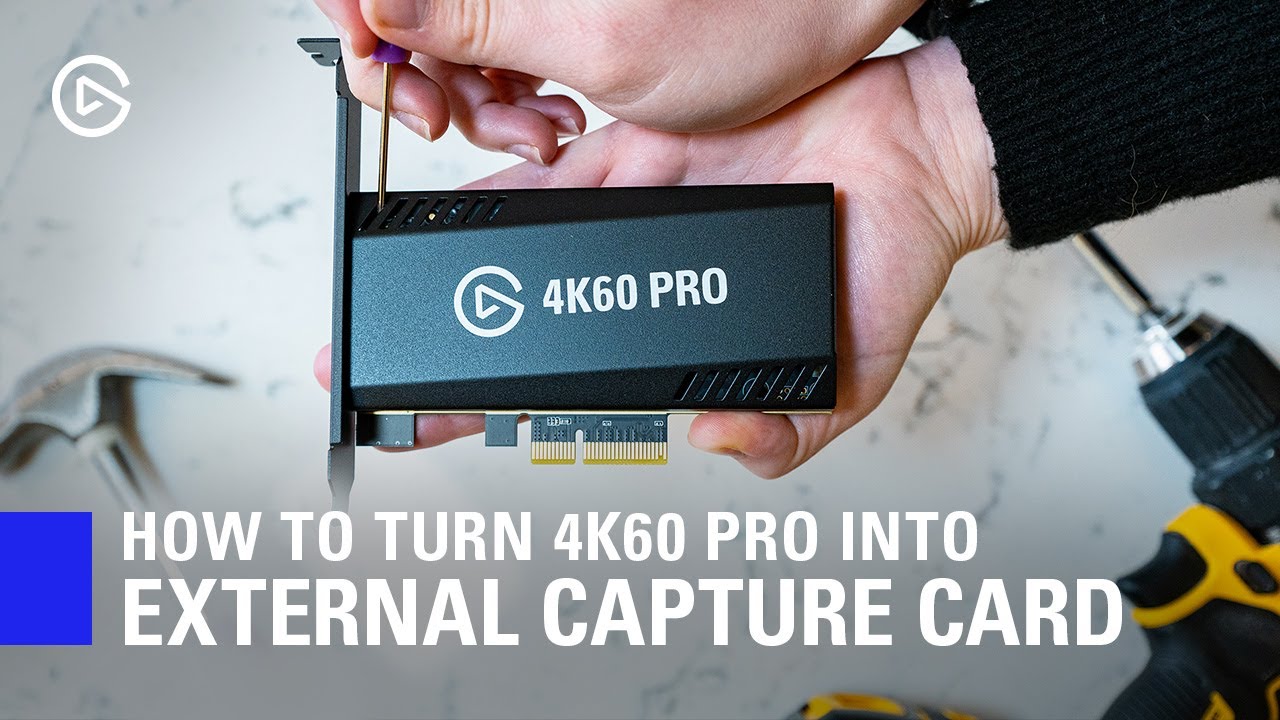
In this video, we show you how you can easily turn your 4K60 Pro MK.2 into an external Thunderbolt 3 capture device.
► Elgato 4K60 Pro MK.2: http://e.lga.to/4K60proMK2
► HighPoint RocketStor https://www.bhphotovideo.com/c/product/1413496-REG/highpoint_rs6661a_rocketstor_6661...
^ this way would work fine but idk about spending another $199
floral jetty
yeah, If you are looking for passthrough I think thats the only card that supports 240hz.
blissful maple
i see
i'm surprised elgato haven't come out with a more portable way of doing it yet
with higher passthrough that is
thanks for the help anyways guys i appreciate it
floral jetty
np
 molten rampart
is it possible to add a webcam to my 4k capture utility app for when I record
 rain imp
Hi, I recently used my HD60 S to stream my switch games using streamlabs obs. Whenever I connect the capture card, there is an audio echo in streamlabs as the audio comes through both my regular audio input capture and also my new one that the capture card created. How can I stop the echo?
 rotund rampart
@rain imp make sure you don't have the box ticked for "listen to this device" for the capture card on the Digital Audio Interface properties > Listen tab
rain imp
@rotund rampart sorry but where is digital audio interface properties?
obtuse obsidian
hello everyone im having issues with my elgato hd60 causing my tv to go black and i need help
it works fine on my laptop but my tv just starts to flicker
rotund rampart
@rain imp control panel > sound
rain imp
@rotund rampartit is already not ticked. Is there any other way to fix this?
 narrow gull
yo
so i decided to hook my elgato back up for xbox, im wanting all my audio to play through my pc headset.. only problem is i cant hear game audio
i fixed it
rotund rampart
@rain imp are you doing it via OBS?
Because I have my audio out via direct sound and then on audio properties in obs I have to monitor out so I hear sound
I used to get audio issues and when i had those set and fully restarted my pc it was all good
beyond this I have no idea, cause it should be working, unless you have selected the incorrect sound device in your control panel > sound properties
 hasty holly
Hi, i am in the need of help trying to figure out how to get game chat working on the nintendo switch with obs.
i got it to work once but the headset audio when i spoke didnt sound great had a static noise and made my headset sound terrible but when I switched it with bluetooth it sounds fine. with that being said I just want game chat and game play audio to be heard on stream from what i hear in my headset
EDIT i ended up taking the switch off the dock and the static/rumbling noise was removed but now how do i capture my gameplay and audio etc lol
 frail mountain
Is anyone else having issues where the spotify buttons on the streamdeck just seem to "sometimes" not work...basically like it can't find the app?
@lavish heath Yes, recently this also happened to me, ex. start/stop a song - sometimes it works, but then suddenly not? I have to manually switch to the Spotify player and start a song, then on my stream deck the button work again - only to stop working after some times, really strange as I never had this issue before?
wide roost
How come when I stream it works for about an hour and then all of a sudden it starts getting delayed out of no where?
worldly junco
does anyone know if wavelink can be used withou the wave mic?
 main fog
Hey there! Yesterday everything worked fine with my HD60, now I'm at my GF's house and took my Elgato with me.
Her PC gets the signal and I can see the Nintendo Switch BUT I don't get a signal on the TV.
Both HDMI cables work just fine when I put the Switch dock in the TV without my HD60.
i also tested the Elgato with the SNES Mini & I get a TV Signal.
Does anyone know what is wrong and can help?
 iron crest
keep getting this message no matter what I do which causes the game capture program to open in a beta mode then my HD60 s appears on devices but is always in initializing and never changes
here's the beta window
I cannot click on the cog wheel for devices it will only let me interact with anything that isn't the devices tab
obtuse obsidian
@main fog i get the same problem with my tv and dont know how to fix it
main fog
@main fog i get the same problem with my tv and dont know how to fix it
@obtuse obsidian alright.. try to set the resolution on ur switch from automatic to 1080p or 720p
idk how my GF did this but now it works
thats some devils work there
obtuse obsidian
Hmm alright what about the rgb range?
main fog
still automatic
obtuse obsidian
Ok
 heady lava
Hello I've got some questions on how to get the 1080p240hz working on a 4k60pro mk2. If you've got any ideas I'd love to hear em.
 next crypt
Hi, I'm having issues with linking certain games with the Wave software. I can't seem to get the game sounds to come through any input I try to route it through. Any advice or tips?
 runic magnet
can someone help me figure out how to deafen and mute my mic on the stream deck?
 rapid knot
can i use two el gatos on same PC?
cosmic vine
Elgato has over 21 products plus multimounts. Can you please be more specific?
sharp agate
@rapid knot The HD60S, HD60S+, HD60 Pro, 4K60 Pro, and 4K60 Pro MK. 2 through DIrectshow capture software like OBS Studio. To use multiple Cam Links, they'll need to be connected to different USB root hubs.
rapid knot
so i’m running streamlabs obs. i have multiple 3.0 USB ports they’re both connected into them. yet on screen shows up but the other comes out black. also in the game capture software it’s saying how it has to be connected to a 3.0 port but it is plus it reads both ... so i don’t know.
sharp agate
You may still need to connect them to different USB root hubs as handling two USB capture devices could be too much bandwidth for one controller to handle.
Also you will not be able to use both within the Game Capture Software.
@rapid knot This link may help you troubleshoot even if your two devices aren't Cam Links: https://help.elgato.com/hc/en-us/articles/360028238651-Two-Cam-Link-4K-units-on-one-Computer-Two-USB-3-0-Root-Hubs-Needed
Elgato
If you want to use two Cam Link 4K units on one computer at the same time, your computer will need to have two separate USB 3.0 Root Hubs or Host Controllers.Not every Desktop computer has two sepa...
 lusty coyote
anyone know why it let me download the obs live plug in on stream deck
 fathom hound
So a recording I did has some pretty noticeable delay. I'm using an HD60S
OBS Studio with OBS.Live plugin
Anyway to fix this?
 quiet wave
Hey guys, is there a way to control the windows audio mixer with the streamdeck?
 lilac wing
does anybody know how i can get sound on my elgato 4k capture utility. i cant get any audio.
 sturdy delta
This is what the audio sounds like- any ideas on how to fix it?
 echo totem
I need some help, I've got my PS4 hooked up to my second monitor via an elgato game capture HD and the sound only works when the elgato software is running, however on my first monitor the sound works if the software isn't running. Why is this?
 drifting sky
alright, so, hey. i have my gamecube hooked up to the elgato hd60 s using an av to hdmi converter, but the image is pretty... uhh. well, it's not crisp? any advice?
and there's my settings, too
echo totem
You'd be better off using a component to hdmi converter and enabling progressive scan
 floral vault
When I install my HD60 pro and go to device manager I only see “Elgato sound capture” and not the game capture. Does anyone know this issue or is anyone able to tell me how I can tell if I’m installing something incorrectly or if my card could be damaged?
drifting sky
gonna be real with ya chief... i got no idea what that means, @echo totem. i'm having to work with what i got, so if it means purchasing something else then i'm not going to be able to
 spring cliff
HI I'm new to elgato, how do I record discord voice chat with my friends along with my gameplay? I just got the Elgato HD60s+
 ebon canyon
I just bought the Elgato Hd60s and have an I3 processer is this going to be a big problem?
wide roost
How come when I stream it works for about an hour and then all of a sudden it starts getting delayed out of no where?
cosmic vine
@ebon canyon you may experience a bit of lag. Here are the system requirements : https://help.elgato.com/hc/en-us/articles/360028243351-Elgato-Game-Capture-HD60-S-System-Requirements-
Elgato
Here are the general Elgato Game Capture HD60 S System Requirements. Windows:
• Windows 10 (64-bit) • 4th generation quad‑core Intel Core i5 CPU (i5-4xxx or comparable) • Intel HD, NVIDIA GeFor...
@wide roost have you updated your software recently? Also, a bit more info on the product and issue greatly helps. Thanks
wide roost
I have a Elgato hd60s, I haven’t updated. It’s just odd bc it works for like an hour. Then all of a sudden it gets out of whack
cosmic vine
Try updating your software. I believe the last patch addresses that issue.
cosmic vine
Officially no, but you can try to lower quality by having the output give a lower resolution, but not sure how that works
What model number is your processor?
If it's a newer i3 and a quad core then you should be fine
wide roost
@cosmic vine is that actually a legit issue that was addressed? I didn’t know
cosmic vine
If I remember correctly, I'm looking for the fix list now
ebon canyon
I have the I3.4
cosmic vine
@wide roost alternatively you can try these steps. https://help.elgato.com/hc/en-us/articles/360027953872-Elgato-Game-Capture-HD60-Adjusting-audio-delay-for-XSplit-and-OBS
Elgato
You can stream Elgato Game Capture HD video by using a 3rd party applications called XSplit and OBS (Open Broadcaster Software). Elgato Game Capture HD supports these streaming applications for Win...
wide roost
@cosmic vine it’s more my game audio gets delayed not anything else. And it’s like mid stream. Out of no where my Elgato will like freeze for such a miniscule amount of time and then it lags the rest of the way
cosmic vine
@ebon canyon that doesn't look quite right. It should look like 4330 or 4330T or something similar
I would try following the article for the software your using. If that doesn't fix it the contact support. 🙃
wide roost
Well I should probably update my software right? @cosmic vine
wide roost
Do you know how to manually do an update or rather look for it @cosmic vine
cosmic vine
I don't have the software, but there should be an option in one of the menus up top usually to the right. "Check for updates" should be there.
If you run into problems you can always Uninstall, restart, and reinstall. You can find the software on the elgato site under software
Make sure to restart your computer completely after the update.
wide roost
Okay thank you
cosmic vine
Any time
Arcade gamers, I'm not saying it won't work, it will probably do just fine. But it may not work as intended to maintain quality of the device. You may experience some lag and system issues while running it.
 mortal dirge
Aight so I have an interesting problem. Im streaming I can hear the game audio through my headset. but the stream can only hear my voice and the game audio is not being heard on the stream. Capture Device = elgato HD60S Trying to capture on switch using OBS
cosmic vine
Elgato
This guide will walk through steps to take when your Elgato Capture Device is not capturing sound from a source as expected.
All Elgato Capture Devices capture sound in the Stereo (2.0) format. Th...
 lone bronze
Hi, I’ve never used streamlabs before but I heard it can work with elgato, all I really need it to do is show the stream chat and play music
Uhhh
How do I do that? Lol
vital robin
can someone tell me if the acer aspire 5 with AMD Ryzen 3200u will work with the elgato hd60s?
cosmic vine
technically it will work. But the system requirements can be found here https://help.elgato.com/hc/en-us/articles/360028243351-Elgato-Game-Capture-HD60-S-System-Requirements-
Elgato
Here are the general Elgato Game Capture HD60 S System Requirements. Windows:
• Windows 10 (64-bit) • 4th generation quad‑core Intel Core i5 CPU (i5-4xxx or comparable) • Intel HD, NVIDIA GeFor...
According to this you will need at least a quad core cpu.
You will need a processor that is 4 cores and will run at 2.80 GHz or faster
So I believe any 4 core Ryzen 3 and above, any 4 core 4th gen i5 and above. Most i3's do not meet these requirements. Anything below the requirements may lag your system or otherwise not work as intended by Elgato.
 gentle rock
Hey - I am struggling Elgato hd60s keeps telling me to change the output on my xbox because 1080p69 is not supported. When I change it to allow 50hz I can see the game capture for a spit second before it goes back to the cannot support 1080p69 message?
 unkempt surge
hey everyone, i got a 4k60 pro mk.2 on a single pc and when i try and record it only pics up my mic. ive been struggling with this all day and ive tried doing my own research on it to try and solve the issue with no results. i read that i would need the el gato sound capture software to do this but still had no results after tinkering with the sound software. is this possible at all on a single pc or do i need a dual pc setup for this? thanks ahead of time for any suggestions.
 dawn tiger
Trying to do the new elgato update and it keeps telling me GeForce overlay is in the way of completing it, any help?
Someone help
cosmic vine
Click the gear on the GeForce experience panel and turn the overlay option to off. Or close the application running that has it on. Usually a game.
 cedar mica
I notice a delay in my audio from what I’m seeing on my tv. Using an external capture card. I add the source to OBS, press the start button and the tv goes into my menu. About a second or two later I hear it in my headphones. Headphones are plugged directly into my computer.
It only on my end that I’m hearing this. During a stream or recording I have it synced up properly.
Any suggestions on how to fix this issue?
cosmic vine
Try these steps: https://help.elgato.com/hc/en-us/articles/360027953872-Elgato-Game-Capture-HD60-Adjusting-audio-delay-for-XSplit-and-OBS
Elgato
You can stream Elgato Game Capture HD video by using a 3rd party applications called XSplit and OBS (Open Broadcaster Software). Elgato Game Capture HD supports these streaming applications for Win...
 lean crow
basically when i plugged my game capture hd to my ps3 its fine
everything is fine
i can record through the application
but i cant record through it on obs
when i open it on obs
my other monitor is just black screen
and my obs has black screen and it isnt displaying it
cosmic vine
I noticed that happening on some pc games too. I'm wondering if it's a windows update issue
 desert shuttle
Hey I have a question, sorry if this isn't the place sorry. Does the HD60 pro do all the work instead of the PC or does it just capture? I'm thinking of getting for streaming
 cobalt sphinx
just capture
desert shuttle
Ah ok thanks
rapid knot
thank you.
 keen narwhal
Hey, I was wondering if I was the only one having the problem, but streaming Destiny 2 with the Wave 3 has proven impossible. Perhaps there's someone in the community who knows of the appropriate settings or workaround?
Basically, booting up Destiny 2 causes the audio to cut out in my headset
 split brook
hey guys im having trouble with my stream deck any idea who can help? i hope this is the appropriate chat to ask.
woeful latch
Have you opened up a ticket for that? I would open a ticket so the team knows this is an issue and can look for a solution. @keen narwhal
tardy cobaltBOT
If you are having technical problems, please head over to .
PLEASE NOTE: Customer Service does not monitor this channel. If you are unable to solve your issue, please file a ticket at http://e.lga.to/help.
We also have staff available by phone 12hours a day. 8AM to 8PM Pacific every day of the year if you have quick questions and there isn't someone here to help you. http://e.lga.to/phone
Elgato
Telephone Numbers
Below are the telephone numbers for Elgato Support:
United States
☎ 1-888-726-8134
Toll Free Monday-Sunday – 8:00 AM to 8:00 PM PST (Pacific Standard Time, United States)...
keen narwhal
@woeful latch I will do, thank you
 sturdy crown
Hello 👋
Does anyone know what the weight limit of the Multi Mount is?
I am looking to get one but it needs to hold this
It weights 2.2kg
cosmic vine
The max weight is 2 kg
Elgato
Shown in the above photo is the Elgato Multi Mount and other Elgato accessories, like Elgato Multi Mount Flex Arm Kit and Elgato Key Light, each sold separately.
Elgato Multi Mount
He...
split brook
hey guys i updated my stream deck and now i cant download any ther programs to it. any idea how to fix it?
 compact garnet
No idea, sorry...
I seem to be having a trouble of my own, I have the HD60 Pro; my Nintendo Switch works fine directly into the TV, but when I run it through the capture card with the output to my TV, it's picking up No Signal.
Tried reinstalling, updated drivers, nothing, my PC does tell me that the capture card is there.
But I'm not sure how to fix that, does anyone have ideas?
tardy cobaltBOT
Sorry to see you're experiencing issues. Have you tried this yet? https://help.elgato.com/hc/en-us/articles/360041857951-Troubleshooting-No-Signal
If you're still experiencing issues, please file a ticket at http://e.lga.to/help.
Elgato
This guide will walk you through steps to take if your capture card has a source plugged in but it not detecting the signal correctly and is displaying No Signal or there is no video on the pass-th...
 worldly skiff
i'm trying to use my elgato hd60s to record ps2 gameplay using a component cable and component to hdmi adapter. the picture is on screen properly but the audio is glitchy and sounds higher pitched than it should be
i've unplugged to cord from the ps2 to component, component to converter hdmi connected to converter on both ends and the splitter going into the capture card. this setup works fine on ps4, switch, wii u and xbox one but not ps2
do i need a specific update?
and now the screen went black. i had already used this in the past to record the final boss of persona 3 but now it just won't work
the screen's back after checking the 60fps box but the audio is still bugged on the ps2 main menu
cosmic vine
@split brook try restarting your system. It's good practice after updates. @compact garnet are you plugged in a USB 3.0? Have you tried changing your usb?
 hybrid void
anybody else having the issue where they have to basically reconnect their SD to twitch every time they use it in order to allow text buttons to work (amongst other things)
i have a simple button set up to type out a command in chat...it won't work, so i have to go into "account", delete twitch, then re-add it
compact garnet
@cosmic vine Sorry mate, it's the internal one, the one that plugs directly into the motherboard
cosmic vine
my bad, should have read the "pro". It also looks like you did a bit of troubleshooting. I would recomend contacting customer service to trouble shoot further.
 pliant warren
Hello i try capture with my new elgato 4k60 pro my ps4 pro screen but i get this in 4k, cable is this from elgato.
On 1080p is all good but on 4k ist this 😦
cosmic vine
are you using the Elgato 4K Capture Utility software?
Elgato
Elgato Game Capture HD software supports Elgato Game Capture 4K60 Pro, but only up to 1080p60 capture.If you want to capture 4K resolution, or other formats, you will need to use the Elgato 4K Capt...
pliant warren
Yup this screen is from elgato 4k capture utility software
cosmic vine
ok, try this article, if it still doesn't work you may have to contact support. https://help.elgato.com/hc/en-us/articles/360027959012-Elgato-Game-Capture-4K60-Pro-Troubleshooting-4K-Video-Issues-
Elgato
Elgato Game Capture 4K60 Pro can capture video at many different resolutions and frame rates, up to 2160p60 (4K).That said, if there are any issues with the video quality, use these steps to help r...
pliant warren
i try it and not working
cosmic vine
It could be the hdmi cable, maybe try to replace it. Otherwise I would open a support ticket http://e.lga.to/help
 keen edge
Hello everybody! I bought an Elgato HD60S and wanted to connect it to my PC to record or stream. My question is now that I only have one PC, is it possible to connect the Elgato to it in order to record or stream something properly?
coarse solstice
Hello i try capture with my new elgato 4k60 pro my ps4 pro screen but i get this in 4k, cable is this from elgato.
@pliant warren uninstall all programs and re install , i fix it that way
lethal axle
Can I get some help... emails back and forth with elgato is getting me nowhere
refresh rates are 60hz... output is 1080p on everything... (video quality is low because I compressed it) everything has been the same for the last year I have not changed a thing... now the capture card is giving me problems and elgato are no help
Wow... great help... thanks
and before anyone says anything I have posted this issue in here before and guess what... I GET NO HELP
I'm happy to say that I will definitely not be recommending any of these products to anyone... nor will I continue to use them 😄
 worn flint
@lethal axle Do you have buffering enabled in the source properties. That can cause audio sync issues
 earnest tulip
Can someone help me with my situation?
I am having trouble getting my mic as well as my game sound on my PS4 to carry over into my recording in streamlabs when using the ElGato 4k60 Pro
Can someone help me with this?
split brook
@cosmic vine i tried that didnt work
 silk stag
Hi, I recently bought a Elgato HD60 s+ and the main issue I am having is whenever I open up the 4k Capture Utility, I get the message "No capture devices found". I have tried updating my graphics card drivers, restarting my pc, unplugging/plugging back in numerous times, reinstalling 4k capture utility, and still nothing works. Does anyone know how to fix this? Thanks 🙂
cosmic vine
@split brook are you getting an error?
@silk stag try this. Otherwise you'll need to contact support. https://help.elgato.com/hc/en-us/articles/360041857951-Troubleshooting-No-Signal
Elgato
This guide will walk you through steps to take if your capture card has a source plugged in but it not detecting the signal correctly and is displaying No Signal or there is no video on the pass-th...
 blazing spindle
4K 60 S+, 4K Capture Utility often reboots after about 7 minutes - 14 minutes. Continuous. Anyone else having this issue?
and before anyone says anything I have posted this issue in here before and guess what... I GET NO HELP
@lethal axle I have been asking for help about the 4K 60 S+ over a month now with no help. I totally get your frustration.
tender lava
@split brook Have you tried creating a New Profile? Also, try using a different user account.
rotund rampart
I have a PS4.
Does anyone know how to stop HD60 S+ from losing sound? Because the only way I can fix it for a short time is by restarting my OBS to get the sound back. But doing this several times is not at all ideal.
tender lava
@silk stag Does the Game Capture HD60 S+ show up in Windows Device Manager? If not, try this USB troubleshooting article: https://help.elgato.com/hc/en-us/articles/360042141431-Troubleshooting-USB-3-is-required-for-this-device-Windows-10
Elgato
The following article covers some troubleshooting steps for when you receive an error message that says "USB 3 is required for this device".
Some Elgato Capture Devices that use USB 3.0 a...
silk stag
Ah ok, thank you @tender lava and @cosmic vine , now my problem is the audio that is coming through the elgato into my streaming pc sounds like its stacked / or is echoed.
lethal axle
@blazing spindle it's ridiculous.. I'm actually getting tired of the "support team" not supporting me
blazing spindle
Well, I discovered flashback recording is my issue.
cosmic vine
@silk stag That is weird. Lets make sure your settings are proper. Try following these steps https://help.elgato.com/hc/en-us/articles/360028238831-Troubleshooting-No-audio-from-Elgato-Game-Capture-HD
Elgato
If your Elgato Gaming hardware does not play any audio on your computer, or passthrough TV, then some aspect of your Settings or Setup are probably incorrect.Please try the following steps to see i...
south bronze
@lethal axle have you tried twitter for their help? I usually get a response within 24-48 hrs
cosmic vine
Hi @lethal axle! For your issue, Please try to update your software and completely restart your system. If you are still experiencing issues, please follow these steps to make sure your settings in OBS are correct. if that still doesn't work unfortionately you will have to wait for a response from tech support. https://help.elgato.com/hc/en-us/articles/360027953872-Elgato-Game-Capture-HD60-Adjusting-audio-delay-for-XSplit-and-OBS
Elgato
You can stream Elgato Game Capture HD video by using a 3rd party applications called XSplit and OBS (Open Broadcaster Software). Elgato Game Capture HD supports these streaming applications for Win...
 tropic storm
I really hope this community can help me because I can't seem to find anything specific online. I'm brand new to the elgato and streaming in general. I'm attempting to stream from my switch to my macbook pro using just the elgato. When I am viewing the stream in the capture section, the colors are vibrant and beautiful and exactly what I see on the screen of my switch. However, when I finish recording, and go to edit the stream, the colors are significantly faded and muted and just, not pretty. I've tried everything I can think of any nothing works.
worldly skiff
i'm trying to use my elgato hd60s to record ps2 gameplay using a component cable and component to hdmi adapter. the picture is on screen properly but the audio is glitchy and sounds higher pitched than it should be
 wise field
can someone help me? everytime i turn my PC on my deck doesnt work and i have to unplug it and plug it back in.
 scenic ginkgo
Guys is there any way to fix the 1-2 second audio delay when using elgato hd?
Press a button, game is immediately responsive but the audio comes in late
Headphones connected to pc
 dire pond
ok im using the sound capture when im in advance and uncheck the headset im using you cant hear no audio but when i switch the audio output on music which is my go lxr u could here pc audio also when i close the sound capture program and set my audio to my headset i could here audio why cant i hear it on the sound capture program
tardy cobaltBOT
If you are having technical problems, please head over to .
PLEASE NOTE: Customer Service does not monitor this channel. If you are unable to solve your issue, please file a ticket at http://e.lga.to/help.
We also have staff available by phone 12hours a day. 8AM to 8PM Pacific every day of the year if you have quick questions and there isn't someone here to help you. http://e.lga.to/phone
Elgato
Telephone Numbers
Below are the telephone numbers for Elgato Support:
United States
☎ 1-888-726-8134
Toll Free Monday-Sunday – 8:00 AM to 8:00 PM PST (Pacific Standard Time, United States)...
 trim cloak
Hey everyone, ive started doing some more sophisticated stuff in OBS studio, using custom plugins (example given in video). It's being triggered by hot keys and source activations/deactivations combined in multi action toggle keys on my Stream Deck. Since working with this stuff, for whatever reason, if a hot key is involved or any activation of this custom plug in stuff, even if i'm triggering it manually on the keyboard, when I go to use another stream deck button, say a regular scene source visibility toggle as a simple example, it will activate, but then the stream deck seizes up and takes a good 15-20 seconds to be responsive and work fluidly again, then all is fine, until i trigger something like the example video again. Even if I wait a minute before trying this, it's like as soon as it gets another input after the fact, it's choking hard on something.
I don't think it's PC related, i've just built a new ryzen 9 rig and it's chewing this stuff up fine on the OBS/PC side. Anyone have any idea what might be causing this? Is there perhaps a custom stream deck plug in for optimization relating to this sort of issue? Thanks in advance and sorry about the long winded message, it's very hard to articulate this stuff concisely strictly through text. Just hoping someone has encountered this or I'm overlooking something simple.
 cosmic mountain
Hi Elgato community. Anyone here with experience resetting an Elgato Key Light Air? Had one unplugged for half a year or so. Now it does not connect to the paired network. I've tried holding the reset button for 10sec. Even longer, however the light does not reset. Any suggestions? I've used the light like 10 times. :/
worn flint
Anyone know how to recover a Wave:3 from a Failed Firmware update? I have contacted Support, but thought i would try here as well.
cosmic vine
Hi @worn flint! I recommend not updating the firmware without elgato support. https://help.elgato.com/hc/en-us/articles/360027955132-Firmware-updates-and-Elgato-Gaming-hardware
Elgato
Elgato Game Capture software has a Settings section, which allows users to adjust how the hardware behaves. There is also a hidden, Advanced Settings mode that can help you Update Firmware. The f...
worn flint
Ok, I was able to repair it by installing wave link on my mac and plugging in the wave. Not sure why it didn't do the same on windows.
lethal axle
@cosmic vine thanks for giving advice that has absolutely nothing to do with my issue...
cosmic vine
So you are not experiencing a delay in your audio? https://gyazo.com/10482b1bc92e0702e2fe7cd2871d15e0


You've asked for help multiple times without giving an issue. I had to search for an actual issue that you said you had.
My recommendation is to just talk to support.
@worn flint that is strange, but I'm glad you were able to get it fixed!
lethal axle
@cosmic vine Yes I am getting a delay in my audio... But that solution you are giving is nothing to do with my issue... had you read my issue correctly you would understand... my audio is not delayed from the start... my audio delay increases over time... I will start obs and the audio will be perfectly fine... after 20 minutes the audio has de-synced... after 40 minutes the audio is delayed by at least 3 seconds... by one hour it is delayed by 5 seconds... now if you can magically find a fix for that I am all ears... I have not change ANYTHING on my system for the last year... all of a sudden elgato's device has started causing increasing delay over time... there is absolutely NO fix for it... I have went through so many settings... so many refreshes... so many re-installs of their software... re-installed obs... made sure no files were corrupted... made sure all inputs and outputs were on same resolutions and Hertz... I have done absolutely EVERYTHING and still getting no results... Now... Elgato should be replacing my device as Clearly it is faulty
cosmic vine
Now that I know what trouble shooting steps that you have done, I recommend that you contact support to help you further. This is a community tech help. The most we can do is give advice for what we have done or what's on the support site.
lethal axle
And as stated before... I am here because I am getting NO HELP from their support... countless amounts of emails back and forth for 3 weeks now with no help of fixing my issue... They have told me to troubleshoot and do all the other I have ALREADY done
So why would I want to waste my time talking to them again
cosmic vine
You can also call them. But they are the only ones who can get it replaced for you
worn flint
@lethal axle have you made sure that buffering is disabled in the video capture properties of your source?
lethal axle
buffering was disabled the first day I used the thing
worn flint
ok, that's the only thing that i have known to cause an eventual audio desync. sorry i couldn't be more help
lethal axle
Honestly it's fine.. as I stated before if the problem is not fixed by the "support" team I am more than happy to go and buy a different device or just go back to my old method of using NDI
getting on to them again
11 minutes in to the call and guess what... No one has even bothered answering
cosmic vine
I mean they're probably busy assisting other customers
lethal axle
Start of call their dumb bot states 2 minute waiting time... I didn't realise that 11 minutes was actually 2 😄
cosmic vine
It's an estimate based on how long it usually takes
lethal axle
So why not just have the bot say "you're screwed and will be made to wait as long as we want"
cosmic vine
Because that's not there goal.
lethal axle
Oh yeah I forgot their goal was to screw everyone over and not help anyone at all
cosmic vine
I understand that your upset. But there's no reason to be rude please. We are all just trying to help each other.
lethal axle
Ok define help... Because from what I see their "support" team has offered no help over the last 3 weeks... and by that I mean LITERALLY no help from the 20 or so emails sent and received by them... or the 30+ calls I have made to them complaining about this... or the however many messages I have sent to them via facebook... Now.. you tell me that there is no reason to be rude to a company that are happy to take my money for a product that is clearly faulty and they are doing nothing about it
cosmic vine
Yes but your also not realizing the situation. Most of the employees here are either pr or marketing. That's why they ask that you contact support. The mods are all volunteer, and the people trying to help on this server are just customers like you and I. I understand what you are going through, but telling me this is not going to solve the problem. When you do talk to them, give them the ticket number on the email you received. This way your not doing the same steps over again. They have to verify that the device is malfunctioning before they can send a replacement.
lethal axle
And with you saying that I can correct you in saying that they already have all the evidence to show that the device is malfunctioning.. I used there software report program to collect all of the information needed and sent them file... and guess what.. that was 4 emails ago... they have contacted me since with "troubleshooting" guides.. to which I replied and showed that I had already done all steps that were suggested
Their support team is a joke
broken zenith
What are your PC specs?
 zealous maple
If im trying to capture gameplay off a 1440p monitor, will i have issues with an hd60pro s?
im streaming in 1600x900p
im currently streaming on a single pc setup going into a dual pc setup (streaming from a gaming laptop)
lethal axle
@broken zenith mine?
Mine are
Gaming rig
Case - NXZT H710i
CPU - Ryzen 7 3700x
Motherboard - Aourus Elite X570 Gaming Board
GPU - Radeon RX Vega 64 8Gb Water cooled
RAM - Corsair Vengeance Pro 16Gb 3200MHz
Cooling - Corsair H115i RGB - 5 RGB fans
Keyboard - Corsair K55 RGB
Mouse - Logitech G502 Hero
Storage 1 - 1Tb Crucial P1 nVME M.2
Storage 2 - 256Gb Sabrent nVME M.2
Storage 3 - 256Gb SSD
Storage 4 - 1Tb Hard drive
PSU - Evga Supernova 750W Gold 80
Stream PC
Case - Corsair SPEC-DELTA RGB
CPU - Ryzen 5 2600
MotherBoard - ASUS Prime B450M-A Micro ATX
RAM - 16Gb DDR4 Corsair Vengeance 2400MHz
GPU - ASUS RX 580 8Gb OC Edition
Capture Card - Elgato HD60 Pro
M.2 - Sabrent Rocket NVMe 256Gb
SSD - 256Gb Sandisk
HDD - 1Tb WD
PSU - EVGA 750w 80+ Modular
broken zenith
How are you routing the audio to the stream pc?
lethal axle
Via the HD60 pro
it's never had a problem until the last few weeks... I have not changed a thing
broken zenith
tbh i think there are new bugs within obs, i am having similar issues as well as two of my friends. even happens with my avermedia card as well as elgato
lethal axle
Fun fact... it's not OBS 😄
I just ran a test with NDI and ran a test with a cheap capture card... Guess what happened??? That's right... no audio issues
broken zenith
NDI is software not hardware and like I said I am having audio issues with my avermedia card too
There are so many variables that can cause this issue. Windows 10, the drivers, obs, etc.
lethal axle
It got that bad that I done a fresh install of windows and fresh install of all software... nothing... nothing was my result
broken zenith
i just did a clean install to last night and same probs here
im just trying to pinpoint the problem
wise field
can someone help me? everytime i turn my PC on my deck doesnt work and i have to unplug it and plug it back in.
cosmic vine
This may help @wise field. It honestly could be a million things. https://www.reddit.com/r/ElgatoGaming/comments/8aibje/stream_deck_workaround_for_failing_to_autostart/?utm_source=share&utm_medium=ios_app&utm_name=iossmf
reddit
2 votes and 0 comments so far on Reddit
 storm token
Anyone have issues with hotkeys not working? I have to focus the application I want to have the hotkey in to work correctly. Example. I click on discord then press button to mute by hotkey. If obs was focused and I press the button discord does not mute. This seems counterintuitive... Any ideas?
south bronze
Hey everyone! I was attempting to stream with Streamlabs OBS and record with Elgato Game Capture HD at the same time, but something weird happened. Could somebody more experienced explain to me how this happened and how I can fix this?
cunning latch
@lethal axle What is your ticket number? You can always just request the replacement as well.
 potent hatch
Hi, Is anyone having issues with adding accounts like twitch to Stream Deck? My window pops up but then gets stuck with "Not Responding" white screen...
cosmic vine
You are the second person to say that if I remember. Not sure if it was the exact same...
 sage socket
Might get a el gato, how would it worth with a Bluetooth headset on Xbox
 fossil gazelle
Alright guys, so I have an interesting situation that needs solving.
I need to run 2 streams off a single computer. Which means I'm kinda using a sketchy way to open 2 instances of OBS Studio. Each obs has its own scene collections and settings etc. I tried using the elgado stream deck to control both of these obs's, but the scene button on stream deck only works for 1 obs. I'm not surprised since obs isn't made to be used in multiple instances, so stream deck has no reason to support that. But is there any plugin, or anyway I could control 2 seperate obs's from a single stream deck? Thanks for any help you can give me!
 hearty wolf
My specs are: (below)
CPU: Ryzen 5 3600 by AMD
GPU: GTX 1050ti by EVGA
RAM: 16GB (DDR4) 3200MHz by  Corsair
What do I require besides the micro PCIE slot to be able to use the Elgato HD60? I'll be using it to record my PC gameplay.
 digital pawn
Alright guys, so I have an interesting situation that needs solving.
I need to run 2 streams off a single computer. Which means I'm kinda using a sketchy way to open 2 instances of OBS Studio. Each obs has its own scene collections and settings etc. I tried using the elgado stream deck to control both of these obs's, but the scene button on stream deck only works for 1 obs. I'm not surprised since obs isn't made to be used in multiple instances, so stream deck has no reason to support that. But is there any plugin, or anyway I could control 2 seperate obs's from a single stream deck? Thanks for any help you can give me!
@fossil gazelle only thing I can think of is within OBS studio is to configure your own hot keys to control one stream with a streamdeck and the other with custom hotkeys. Realistically you might want to get a second stream pc since running two streams at once is kinda a unique situation
sharp agate
@sage socket You can have your Xbox play audio through both your speakers and headset. That allows you to hear things in your headphones while also allowing sound to be captured by a capture card. That said, game voice chat won't capture with that method alone. You'll need a wired headset (or a cable for your current wireless headset if it supports it) and you'll need to follow these directions to capture voice chat in game: https://help.elgato.com/hc/en-us/articles/360027958712-Xbox-One-Game-and-Chat-Audio-with-Elgato-Game-Capture-HD-
Elgato
When using Elgato Game Capture HD, you can record Game Audio and Chat Audio from the Xbox One if you purchase a few inexpensive cables.
The Best Way - Elgato Chat Link
Starting November 4, 2015,...
@fossil gazelle Why do you need to run two streams at once? If you're streaming to multiple platforms, you can use a service like Restream and just only deal with one instance of OBS.
fossil gazelle
Well let me explain:
I'm not using this to stream gaming or anything. With Covid-19 and all, an event I was part of could not happen. But with certain laws changing, we can now meet again at the location, but a handful of people would still rather stay at home and watch through zoom. So I am in charge of making this Zoom/Meeting connection happen. Here is how I set it up:
I split it up into 2 streams. 1 of the streams will be streamed to zoom. The other one will be projected to a screen in the event. Each stream contains 4 slides:
Zoom Stream:
- Camera angle 1 (Speaker)
- Camera angle 2 (audience)
- Camera angle 3 (audience)
- Visuals (Slides, videos, etc..)
Event Stream:
- Off (nothing is showing)
- Zoom Participants
- Visuals (Slides, videos, etc..)
- Visuals + Zoom Participants
If there is anyway I can run those "2 streams" from a single obs, that would be awesome, but the way I see it is that I need to run the "Zoom" Stream and the "Event" Stream seperately.
@digital pawn As for the hotkeys, I have done that, and as long as I do them from my keyboard, everything works like a charm. When I put these hotkeys in stream deck it only works if obs is actively open, so if I am in a different application obs will not recognise hotkeys from my stream deck. If this could be solved, that would be good as well.
Super sorry for the long text, just wanted to give some explanation as to what is happening 🙂 again, thank you for any help you can give me!
sharp agate
Have you tried running two different streaming programs? Like having OBS for one scene collection and Xsplit for another?
fossil gazelle
I have not actually, would Xsplit give the same functionality as obs?
I actually did try using SLOBS for the "event" stream, but for some reason it would crash whenever I tried to project it to the projector in the event
sharp agate
More or less. You can also try OBS Studio and Streamlabs OBS which will be more similar in layout and functionality.
Ah.
digital pawn
If you want a similar one SLOBS aka stream labs OBS was derived from OBS and you may be able to run two streams that way
fossil gazelle
OBS Studio has given me the neatest and most effective setup. Like I said I am not using this for gaming or anything, so the simpler the layout, the better. SLOBS had a ton of extra stuff that just didn't need to get used, but for some reason couldn't be hidden. Obs has a lot more control when it comes to what you hide/show
I will look into Xsplit, does it also have functionality with Stream Deck, and can it give the same result as OBS Studio?
sharp agate
It does.
fossil gazelle
Sounds good, I will look into that, thanks!
Ah. It seems it is only for windows, I am actually using mac, so that won't work it seems.
In the end, running 2 regular OBS Studios is working just fine for me, the only problem is that stream deck can only control 1 of them. I saw that stream deck can also control SLOBS so maybe if there was like a way for the SLOBS controler to control the second OBS. Or maybe if there was just an additional plugin that could do the exact same thing.
Or if the hotkey's worked from the stream deck that would work amazing. But like I said for some reason obs will not detect hotkeys from stream deck unless I am actively in obs.
sharp agate
When you say hotkeys, do you mean keyboard hotkeys or hotkeys made with the OBS plugin for Stream Deck?
fossil gazelle
Right now I have it set up that the "Zoom" scenes use 1-4 on the numpad of my keyboard as hotkeys, and the "Event" scenes use 5-8 on the numpad. Then I just put a hotkey in streamdeck to press 1 (numpad) for example.
What do you mean by hotkeys made with the obs plugin?
sharp agate
I'm just referring to the commands that are OBS specific within the Stream Deck software. Doing some hotkey tests myself, I'm not able to replicate the issue with normal hotkeys, but I am also on Windows 10.
fossil gazelle
Yeah, it may very well be an issue with mac
Although it works perfectly if I press the numpad on my keyboard
but not if its through a macro (not just stream deck, but any macro software)
sharp agate
In truth what you're trying to do is a bit outside the scope of most free streaming programs. This is when you'd want to look at professional software which can be very expensive.
sage socket
@sharp agate Would a micro b to 3.5mm make it wired because that’s how it’s charged
fossil gazelle
Yeah, this is a very small event, and we have a very small budget. Hence why are trying to run this all off a single mac. It is also really important that it can easily be run by a single person and requires little setup.
sage socket
And when you say voice do you mean my voice or others
fossil gazelle
Out of curiosity what would one of these "professional softwares" be?
sharp agate
@sage socket What's your headset? You'll also need a separate microphone to record your own voice connected to your PC or laptop.
sage socket
My headset is a SteelSeries arctic 9x. So ur saying I can’t use my headset for a microphone? But it’ll pick up others ppl voice etc.
broken zenith
but i think that is for windows, im sorry
fossil gazelle
Yeah we are limited to mac right now, sorry 🤷♂️
sage socket
@sharp agate
sharp agate
@fossil gazelle There's a lot of options and I don't want to recommend anything because I have no experience with the software. That said, you can look at something like Wirecast which has Mac support. There's also a free trial.
sage socket
I saw some dude on YouTube
Connect a 3.5 mm to another Xbox controller then to the computer
So it would pick up voice etc
fossil gazelle
@fossil gazelle There's a lot of options and I don't want to recommend anything because I have no experience with the software. That said, you can look at something like Wirecast which has Mac support. There's also a free trial.
@sharp agate Thanks so much. Would it be possible with WireCast to stream to 2 streams essentially?
sharp agate
@sage socket Your headset has a 3.5mm jack on it so just use that instead of an adapter. I know the headset doesn't come with a 4-pole 3.5mm cable, but they're fairly inexpensive to buy separately. You can use your headset as a microphone to chat with people in game, but it can't be used to record your voice for your stream/recordings at the same time. You'll need a separate microphone for that if you still want to talk in voice chat.
sage socket
Well My headset doesn’t have a 3.5mm it just has a micro b so I was wondering if a micro b thing to 3.5 would work. Also the dude told me plugging in a 3.5 mm to another controller into the pc will pick up voice if you have the right setting on Xbox and obs. That true?
@sharp agate
I can send the video for u to see what I’m talking about
sharp agate
@fossil gazelle From what I'm reading it should work. My recommendation is to keep the OBS stuff in tact and keep using that while you experiment with a Wirecast free trial to see how easy it is to use and set up (same for any other software, for that matter).
@sage socket If this is your headset, then this would be where the 3.5mm audio jack will be:
But if it's not there, an adapter will most likely not work as the USB connection is for charging only.
fossil gazelle
@sharp agate Thanks so much for all the help you've given me. I'm sure I will find some solution with all your helpful advice. I'm going to go do some experimenting, have a good one dude 😉
sharp agate
@sage socket And the controller trick could work with a wired headset, but it can only be used for either recording your voice for your stream/recordings on PC or for your in-game voice chat. It can't be used for both.
 crimson crystal
Hello Friends!
I'm having an issue with my Elgato Key Light.
I see It continuously transferring data on my network even while turned off.
(Soft Off)
sharp agate
@hearty wolf Your specs are fine but if you're just gaming and recording from one PC, you don't need a capture card and will be better off just capturing your gameplay directly in something like OBS Studio.
hearty wolf
Ok thanks
crimson crystal
I Cant seem to find any configuration in the control center that could relate to something that would cause this.
 quartz night
I am wondering how to enable Live Audio Monitoring in Game Capture HD, if not, then some other way to hear my games audio live, no delay straight from my PC
crimson crystal
Could anyone shed some light about It?
sage socket
@sharp agate https://youtu.be/nXA_fcpgTVk

Like and sub
Twitter: https://twitter.com/ninjabrox
Mixer: Ninja_Bro_x
instagram: https://www.instagram.com/ninja_bro_x/
That’s the video I’m talking about
Confirm?
Because if that’s true I don’t gotta spend money on a whole new mic
sharp agate
@sage socket In this video, they use a separate microphone to record their voice to Streamlabs OBS. You are going to need two microphones if you wish to talk in both in-game chat and to capture your voice in stream or in your recording.
sage socket
So I just need a basic mic is what ur saying
How much would that cost
If I’m spending $200 on a el gato
 pale kite
Using OBS to capture the 4k stream capture window, is there a way to hide the menu on top of the window and the "record" timer at the bottom?
sage socket
@sharp agate
sharp agate
@sage socket Just do a quick search and find a microphone in your budget. A word of warning is that you will get what you pay for at the very low end and it's not something you really want to cheap out on as microphone quality is pretty important when it comes to streaming and keeping viewers engaged.
I'm going to link this again if you need the rundown for capturing your Xbox One chat audio with your capture card: https://help.elgato.com/hc/en-us/articles/360027958712-Xbox-One-Game-and-Chat-Audio-with-Elgato-Game-Capture-HD-
If your Xbox headset has a 3.5mm jack on it, then it's highly recommended that you just purchase the Elgato Chat Link cable (~$10 USD) and a 4-pole 3.5mm cable for your headset as well. If your headset is wireless only, you'll be able to capture chat audio if it's in the Xbox party chat, but you won't be able to capture in-game chat without a wired headset.
Elgato
When using Elgato Game Capture HD, you can record Game Audio and Chat Audio from the Xbox One if you purchase a few inexpensive cables.
The Best Way - Elgato Chat Link
Starting November 4, 2015,...
sage socket
So even with a el gato I can’t capture in game chat at all?
@sharp agate
The only plug in my headset is a micro b for charging lol
sharp agate
@pale kite You can right click the capture preview in the 4K Capture Utility software and click "Toggle full screen mode." If you don't want the 4K Capture Utility to be in full screen, you'll need to crop the window capture source in OBS to hide the menus/overlays.
sage socket
But would that controller hack work in place for my non wireless headset?
There’s no good Xbox wired headsets
They all are trash. Every headset in general
sharp agate
@sage socket I wouldn't rely on the trick working for what you need it to do.
sage socket
So how do I do this with a wireless headset
And the only plug being micro b
There has to be a way
@sharp agate
Because I don’t wanna spend all this money for a few things
Including a new headset
sharp agate
@quartz night The software should just play back the audio by default. Are you seeing any activity on the audio meter in the software?
@sage socket The short answer is no, it's not really possible to have it as you want it. In theory the controller workaround would capture audio that would normally output to through the controller's output but the video you linked didn't explain anything involving that process. With a wired headset you could split the microphone signal in multiple ways to use with both a PC and your Xbox, but it's not possible to do that with a wireless headset.
sage socket
So ur saying I gotta spend $200 on el gato then $150 or so on a mic then I gotta buy a new headset that’s a lot of money. There has to be a way
@sharp agate I think the process is literally only plugging it into the pc and that’s it. U still didn’t tell me if a microb to 3.5mm would make it wired since that the way to charge it
sharp agate
I did tell you and it wouldn't work.
Because the USB connection is only for charging.
sage socket
Oh ok I’m dumb
Well billy What would you do in my situation
All I want is for my voice to be heard. The game voice to be heard, apparently a mic and a wireless headset wouldn’t work
quartz night
@sharp agate Yes. I am seeing the audio meter moving. I can enable Audio Monitor on OBS and hear my game just fine, but I want to use Game Capture for the Latency. There is audio in recordimgs, I just don't hear it through the software live.
sage socket
I’m not rich @sharp agate I can’t just buy a wireless headset like that lol
sharp agate
@quartz night I would disable audio monitoring within the advanced audio mixer in OBS and instead switch the audio output mode in your video capture device source options to "Output desktop audio." You can use either option between DirectSound and WaveOut so use whichever one works/sounds best for you.
quartz night
which one will give me the least latency?
sage socket
So I need a el gato a mic and somehow a new wired headset
What will I loose from keeping the Bluetooth and trying to controller method
sharp agate
@quartz night It varies on setup so just try them out and see which one works best for you.
sage socket
@sharp agate
I’m just still confused why I need a mic for my pc and a I have my Bluetooth mic but it still won’t pick up game audio
quartz night
@sharp agate How do I get to that menu you got to? And what do I do once I'm there? Is there not a way to just enable audio monitoring directly onto Game Capture?
quartz night
Oh never mind, I just did the "Output to Desktop" setting. But I'd still like to be able to hear it directly through game capture instead
sage socket
Good job platinum
quartz night
the obs capture is a bit choppy and laggy
sage socket
Ah yes
The choppy
Atleast u got a set up I’m debating if I should spend $400 on stuff
quartz night
I bet the Elgato one would fix
sharp agate
@sage socket I do not know if plugging in a 4-pole 3.5mm cable from your Xbox controller into your PC's mic jack will also allow you to use your wireless headset to hear the game and talk to people. Your headset has a simultaneous Bluetooth and Xbox wireless connection which will work for hearing audio from both your PC and Xbox if your PC has a Bluetooth adapter, but I do not know if it will work the same way with the microphone. I'd probably start with a Bluetooth adapter and seeing if it works with both your PC and Xbox at the same time before pulling the trigger on a capture card or a new microphone.
sage socket
Well I need a capture card either way, I wanna have some cool notifications, a face cam and I wanna stream music which I can’t on console. I kinda get what your saying with a Bluetooth adapter, but I just thought it would be as simple as setting up a adapter to my console then it would just auto pick up my stuff from my headset @sharp agate
I just don’t know what to do. I have a few options. Buy a mic, buy a Bluetooth thing, buy a new headset.
I’m just very overwhelmed with why the hell I can’t just use my Bluetooth headset normally
And how I gotta spend $200 on el gato, probably $150 or so on a mic and that still doesn’t give my in game Audio after all that money spent
So then I gotta spent more on a wired headset it’s just very confusing for me, maybe I’m stupid idk
quartz night
All I want to do is make it so I can live audio monitor my Capture Card in Game Capture like I am supposed to. I'd assume this wouldn't be too hard, considering I am supposed to hear it already.
sage socket
Apparently it cost $600 to get music on your streams, Voice chat to work and overlays etc
Billy you’re the only person I trust to help me decide my fate
sharp agate
@quartz night Sadly it's one of those things where it should just work and there aren't a lot of settings to tweak in the software when it doesn't. The monitoring will use the default playback device you've set in Windows, so be sure that's configured correctly and unmuted.
Other than that the software may need to be updated or uninstalled/reinstalled.
quartz night
I did that today actually
I've never heard live monitoring in Game Capture in the past
and my new update hasn't changed anything
sharp agate
You can also try Elgato's 4K Capture Utility software and see if that works. It's very similar to Game Capture HD.
sharp agate
To see if audio monitoring works in that software.
sage socket
Ok ok
quartz night
do I just search online for this?
sage socket
@sharp agate if u wanna dm me so u don’t loose what u say u can if not then okay
I just need help deciding what to buy overall and how to set it up etc
sharp agate
@quartz night If you set your device to the HD60S or newer, it the download link should come up: https://www.elgato.com/en/gaming/downloads
sage socket
Nice
Also @sharp agate should I buy a face cam or use the cam I have on my laptop
Because I need the mic for my chat to hear me so I’ll probably find a good one on eBay for cheap
sharp agate
@sage socket What you want is complicated setup. You're talking about mixing the audio outputs of two different devices to go to one headset and having an audio input go from that single device to two different sources (your Xbox and your PC). Normally a wireless headset is not going to give you that flexibility unless it's a wireless headset that's comes with a mixamp. The setup isn't inherently cheap either. What I would recommend is outlining your budget on what you're able or willing to spend for your streaming setup and seeing what's available to you in that price range. You don't need to spend $150 for a microphone and you can honestly spend half of that and be well off.
sage socket
Well for equipment I need a el gato which would cost me about $180. A mic I would have to research. It’s just deciding whether I need to spend more on a wired headset to or something else to get game voice to run thorough the stream
Also I need to decided it I buy a face cam or use my laptop. If My stream can hear my audio and I can hear my audio with Bluetooth I might just not worry about hearing other ppl in game chat unless I get the money or find a way. I have a mix amp for a Astro’s a40s that has a 3.5 mm at the end but the headset itself is not that good
So I guess $300 is the budget I’m looking for. Like I said I might have to sacrifice my stream hearing others in game chat because of my Bluetooth headset
Unless that controller trick works
I just do a lot of squad fills on certain games so hearing others not in my Xbox party is somewhat important
sharp agate
@crimson crystal To answer your question about the Key Light, it uses a wifi connection to be controlled by the Control Center app. Even when it's off it's still on the network and uses a tiny amount of bandwidth to just stay connected and to see if you are using the Control Center app to turn it back on again. It's pretty common with most network-connected devices even if they're not using the internet.
sage socket
You know what I mean @sharp agate I got somewhat a budget
sharp agate
@sage socket Look around on Google and Youtube and see how other broadcasters have their streams setup where they can interact with chat on console while still doing all of the things you can do with a PC streaming setup. See which pieces of hardware you need to buy and what pieces of hardware you already have that you can use. Also, just to make it clear, don't go into a person's stream while they're live and ask them to explain their setup to you. You probably won't get much of a response anyway.
sage socket
@sage socket Look around on Google and Youtube and see how other broadcasters have their streams setup where they can interact with chat on console while still doing all of the things you can do with a PC streaming setup. See which pieces of hardware you need to buy and what pieces of hardware you already have that you can use. Also, just to make it clear, don't go into a person's stream while they're live and ask them to explain their setup to you. You probably won't get much of a response anyway.
@sharp agate
I know what you mean. Like I said I’ll use stream labs, get the el gato, fine a $80 mic? Maybe a face cam that should be good for someone who is starting out. I’ll look around YouTube and such etc. Thoughts?