#cth-history
1 messages · Page 37 of 1
 floral jetty
 tardy cobaltBOT
Sorry to see you're experiencing issues. Have you tried this yet? https://help.elgato.com/hc/en-us/articles/360041857951-Troubleshooting-No-Signal
If you're still experiencing issues, please file a ticket at http://e.lga.to/help.

Elgato
This guide will walk you through steps to take if your capture card has a source plugged in but it not detecting the signal correctly and is displaying No Signal or there is no video on the pass-th...
 twilit musk
All i'm getting in SLOBS is a black screen. Not even a One moment please!
floral jetty
oh close the 4k utility
twilit musk
It is
floral jetty
hmm ok was it closed when slobs launched?
twilit musk
Yes
floral jetty
ok if you go to the properties of your video input can you send a screen shot of the devices available for it?
twilit musk
in slobs?
floral jetty
yeah
twilit musk
Yep. just give me a min
floral jetty
thansk
twilit musk
are you talking about when I'm actually trying to select the capture device a source?
floral jetty
yeah
right click the source and go to properties, in there should be a device pull down. expand and screenshot please
floral jetty
ok cool.
twilit musk
just a thought
floral jetty
not that i can think of. Go ahead and plug your hdmi back in to the in port
twilit musk
alright
floral jetty
does slobs still just show a black screen?
also is your hdmi mirrored from another port?
twilit musk
My Elgato is Cloned with my Gaming Monitor is that what ya mean?
floral jetty
yep
twilit musk
yep
floral jetty
whats the resolution and refresh rate
twilit musk
1080P 240HZ
floral jetty
did you adjust the hdmi to be at 60?
twilit musk
ohhh I did not. How do I do that
floral jetty

Welcome to the first guide on my website! In this guide, I will show you how you can use a 144Hz, 120Hz or Nvidia G-sync monitor together with an Elgato Game Capture HD60 Pro, to play games at the …
give that a look.
 south bronze
Can someone help with with Streamlabs? I'm able to connect the elgato to it but then it stutters and then freezes after a little while. I don't get this issue when using the Game Capture software
floral jetty
give me a bit doing a application upgrade at work. Have you contacted support yet? @twilit musk
twilit musk
Thats fine!! Well now it goes straight to No Signal after i restarted my Gaming PC
tardy cobaltBOT
Sorry to see you're experiencing issues. Have you tried this yet? https://help.elgato.com/hc/en-us/articles/360041857951-Troubleshooting-No-Signal
If you're still experiencing issues, please file a ticket at http://e.lga.to/help.
Elgato
This guide will walk you through steps to take if your capture card has a source plugged in but it not detecting the signal correctly and is displaying No Signal or there is no video on the pass-th...
twilit musk
But I did get this. It keeps bringing up! system boot required to finalize driver installation. I've been getting this everytime i start up the Capture Device Software
floral jetty
is that on game pc or stream?
twilit musk
Stream PC
I do the reboot, but then it comes back up again after the reboot. Ive unistalled and reinstalled many times
floral jetty
ummm thats strange. I would say give support a call and see what they have to say
twilit musk
Alright thanks!
floral jetty
np
south bronze
Can anyone help me with my issue? I said it earlier and don't want to spam it
 cunning latch
@south bronze Need more information. What capture card? Does it work in normal OBS Studio?
south bronze
It's a HD60S, I don't know if it works normal in OBS Studio as I don't use that. It works fine in the Game Capture when streaming
cunning latch
Does it show this problem when Streamlabs OBS is idle? As in, not recording or streaming actively.
Try reinstalling the HD60 S driver: https://gc-updates.elgato.com/windows/drivers/hd60-s/download.php and then reboot to see if the issue is the same.
south bronze
I've only tried it while it was idle since I don't want the issue to occur when live
south bronze
I've done that and it seems to be working fine so far but now the sound is just static and it's on the right setting for it
Nevermind, fixed it
 kind sluice
can anyone help me out with elgato 4k capture card?
 misty moat
this tech help channel is just for them to tell you to contact customer service through phone. this discord is useless.
kind sluice
good to know @misty moat
 rare kraken
there's phone support?
I thought it was just email
but in any case, @kind sluice why don't you just type out your question. if someone here knows the answer or can help out, they usually do
(we're all just community members helping each other out. Corsair/Elgato customer support doesn't do help here (well, Crest sometimes does)).
kind sluice
i am unable to get my card to work for my game consoles
cunning latch
That bot is so that people don't get frustrated that this is a dead end. Every staff member in this discord has primary responsibilities outside of this channel. Without dedicated staff that continuously monitor it, we need to make it 100% clear that there is a support team available dedicated to solving problems.
I come in here when I can since I am Support, but I also have three other social media platforms that I'm responsible for.
Unless it's a basic setup question or just asking about good tips, it's almost always worth calling or emailing us. I appreciate all the time that people volunteer to help in here, but sometimes just need more information and to be handled by Tier 2 or 3.
kind sluice
good to know
cunning latch
@misty moat So when you say downscaled, you're running the game at 1728x1080@165 and then this is sent to the monitor? Or you're running the game at 1440p and scaling to 1728x1080 and sending that to the display which will upscale it to its native 1440p?
Are you running a special game which requires this resolution config? That's 16:10 I believe.
For the highest native refreshrate support, I'd first go into 4K Capture Utility, settings, device. Then set the EDID to Internal. Then set the Internal EDID to 1080p. This will force the 4K60 Pro to behave like a 1080p 240hz monitor. At that point you may be fine to duplicate it as is since that resolution still will fit in a 1080p frame.
Or if you want to use it in Extended, you can use this OBS Method which has become another alternative: http://ltroyalshrimp.com/streaming-with-a-dual-pc-setup-the-obs-method/
This guide will walk you through how to setup a dual-PC stream with a capture card using OBS Studio on the gaming PC. Note that this only covers Video at this time. The idea behind this…
cunning latch
Oh they left. Alright.
@kind sluice Do you see video on your TV when it's connected to the output of the 4K60 Pro?
Same thing happens in 4K Capture Utility?
 dusky spire
So, i was checking out Elgato Capture Cards, because i'm wanting to capture console gameplay in 60fps, but i see that you need an i5 or better to use it. My laptop has an 8th gen i3. Will i not be able to use it at all? If i can, are there some disadvantages to using it? TIA
kind sluice
I am using 2 monitors , no I dont see video @cunning latch
cunning latch
@kind sluice So you have a monitor connected to the output of the 4K60 Pro. If you install 4K Capture Utility and try it with that, does it also show no signal? https://gc-updates.elgato.com/windows/spotlight-update/1.0.0/final/download-x64.php
As always I'd suggest a reboot for any sudden issues as well
 agile island
Hey everyone, question. My sound settings for the Sound Board plugin on my streamdeck always reverts back to standard when I restart my computer. But I want it to keep the settings that I want it to go to the samples channel of my GoXLR. Anyone else have this issue and have a fix for it?
kind sluice
yes i have a monitor that is connected to the output of 4k60 pro @cunning latch
kind sluice
ps4 or xbox hdmi is going into elgato 4k 60 pro input
 proud solar
Facing audio delay while In HD60s + Model
 timber creek
HD60 Pro audio capture with OBS on capture pc. How do I set it up please
@dusky spire As long as the cpu has the same cores as the required it should be fine to use any cpu. I'm using an I3 7100(4k60 pro will need better) and I don't have any problems that I know off. Apart from setting up the audio.
timber creek
Got my audio problem sorted to a degree but I am now getting some crackling and static noise. Right now I feel like smashing the poxy capture card.
 gray cloud
Im using an Elgato HD60 pro and was wondering if i can change the Game Audios default playback device ?
This thing
 sharp pier
@kind sluice double click the source - deacativate and reactivate
@gray cloud try with elgato sound capture, i do it that way
kind sluice
@sharp pier i click on the eye on and off?
sharp pier
no no

then this ^
and then activate from same button
make sure the thing you are trying to capture is on and plugged to the capture device
@kind sluice
kind sluice
i have a 4k 60 elgato card that is in the pc
i deactvate and then activate , its still showing a green box
 hallow moon
Hey all, is there any way to add the Camlink 4K twice to SLOBS like the 4K60 Pro Mk.2?
 twin cedar
Cheers,
I'm streaming on Twitch and I have an Elgato Green screen and Elgato Key Light and I don't know how to put the light to illuminate the green screen enough to stream green spots, I fully understand that it's a shadow from a chair, but I'm interested in the most ideal position for use, I would just like to point out that I have KeyLight about 1.5 meters from GreenScreen. Any recommendations?
twin cedar
Any help? https://prnt.sc/sz49nw
 timber creek
i have static and crackling sounds. how to fix it please. Hd60 pro in a capture pc
 quaint atlas
What color primaries does the 4K60 pro MK.II record?
 versed pagoda
Question: StreamDeck (both XL and normal) on two different PCs do lose the connection to twitch / twitch chat after a few days. PCs are remembered at twitch for 30 days freshly but the only solution is to delete and create a new connection in the streamdeck software. This is since the last update. Any known issue and maybe a solution?
cunning latch
@kind sluice Reboot twice in a row. Twice is important.
Or install this driver: https://edge.elgato.com/egc/windows/drivers/4k60-pro/Game_Capture_4K60_Pro_1.1.0.182.exe
@twin cedar since that plugin is made by Barraider, you'll want to contact him discord.barraider.com
@hallow moon Cam Link 4K doesn't support multi-app like our other cards do. Are you talking about it being in multiple places in the same SLOBS instance or in different windows?
You should be able to just make a new 'reference' type layer to the Cam Link.
hallow moon
@cunning latch I see, i just dont want to apply the same filters on all scenes
cunning latch
I bet there is a way using scene sources. Like making the Cam Link its own scene and making multiples of those scenes and applying the filter to the scene itself.
Scene nesting is a really powerful function
hallow moon
Okay, i’ll give that a go! Thank you @cunning latch
 valid sapphire
Hey. Is there any way to mute a specific program on my PC via a toggle on the stream deck
south bronze
Here’s a very weird but specific question. I prefer to use my HD60 pro and use some kind of projector software (in this case OBS) to output my games to my 2nd monitor/TV to ease in alt tabbing as opposed to switching sources whenever I want to access something else on my Computer. However this leads to my games looking grainy as OBS doesn’t do a great job with the full screen projector up scaling from the native resolution to 4K. Is there an alternative full screen projector that does as close to real time upscaling that works with the HD60 Pro?
Also my sources tend to be in native 1080p so getting the 4K version of the capture card isn’t really a solution
 glad moat
Hey guys, ive used the hd60 s and every time the recording has been pretty low res. What setting do I need to adjust for higher quality? It’s been low res for streaming as well as for capturing to my hard drive.
 teal wing
My HD60 S was working 3 months ago, but ive stopped using it, today i wanted to play on my PC. Ive got this error before but i fixed it, it wont fix anymore. It keeps telling me to put it into a 3.0 port, which it is... ive tried reinstalling 5 times today, unplugging everything.
nothing works
kind sluice
my 4k 60 pro capture card stopped working as well today @teal wing
teal wing
Elgato always has problems smh
 weak spindle
I'm not getting a signal from my Elgato to my TV! Someone please help!
 gloomy pendant
I have just got my Elgato HD60 S+ working with my Playstation VR but I have left and right black borders that I cannot get rid of. Can anyone advise me please?
 versed pagoda
Question: StreamDeck (both XL and normal) on two different PCs do lose the connection to twitch / twitch chat after a few days. PCs are remembered at twitch for 30 days freshly but the only solution is to delete and create a new connection in the streamdeck software. This is since the last update. Any known issue and maybe a solution?
 zenith totem
Hi I need some help with my Elgato 4k camlink
Im not gettin audio through the cam link to OBS
i got some audio one time then it started to do weird noises then it stopped worked completely
zenith totem
Also my cam link does not show up under devices in the capture program...
south bronze
My Elgato HD60S is making crackling noises in the elgato software whenever I listen to the gameplay audio
How do I fix that?
I just recently bought it. If there is no fix then Imma have to refund it.
 onyx holly
ok, so here is my issue. I have the Elgato HD60 Pro resolution set to 1080 from my gaming PC to my streaming PC. My gaming PC runs a 2k monitor. If I try and play with both outputs my gaming PC sometimes it drops to ~30fps. Making the game unplayable. Any ideas?
 tawdry ferry
My stream deck plugins are not working
when i click install nothing happens...
oh dw, i restarted and now it works
 cobalt depot
I just installed the elgato stream deck software and I want to install additional plugins but the more actions screen is stuck on downloading...
Has been for 30mins
 crimson trellis
I too am also experiencing issues with my cam link showing up as a device on my game capture 😞
And I’m having to go in and re add my camera after troubleshooting for hours on streamlabs eveytime I’m going to stream 😞
 unreal haven
In OBS using the StreamDeck, I want to use Multi Action to turn off Source 1 & turn on Source 2 at the EXACT same time, absolutely no delay or it destroys the effect I'm working on.
The delay with the Multi Action command is too long, how do I decrease it? Thanks!
Please @ me if you have an answer, thanks in advance!
floral jetty
@south bronze This is a community support area. For official Elgato support you would need to reach out to them through one of the supported methods at http://e.lga.to/help
glad moat
@south bronze This is a community support area. For official Elgato support you would need to reach out to them through one of the supported methods at http://e.lga.to/help
@floral jetty was gonna say, I thought this was an official server. But I see now. This is community driven. No official support.
 simple juniper
Yeah. I tried to have a complaint and waited almost 2 now 3 days and nothing so... Yeah.
timber creek
can i send my card back to elgato for repair or replacment as i am 99% sure my card is defective
simple juniper
can i send my card bacl to elgato for repair or replacment as i am 99% sure my card is defective
@timber creek I'm wondering the same. Mine won't work when it is enter into a 2.0 or a 3.0 USB port.
 plush flame
have you tried a different usb cable make sure its not being plugged into a adapter then into a usb port
because it wont get enough power to the the device
timber creek
hd60 pro, Im getting static and crackling sounds and have no bass either
timber creek
thats is so bloody dumb. i have fixed it i think. I turned off the flashback recording within elgato catpure software its self, even thuo its not open/active it still effects obs "SO DUMB" how can a closed program effect another.
rare kraken
@glad moat the Discord is run by Elgato employees, but official tech support isn't done here (and not sure why you would want to have official tech support done in Discord). It's done via email.
The tech support that's offered here is just community based.
glad moat
“and not sure why you would want to have official tech support done in Discord” because it would be much faster and being able to have a discussion in real time is much easier.
rare kraken
Discord has no threading or tracking system. Sure, you could do DMs, but DM conversations can be deleted at will. Email Support Systems are typically a very good way to handle CRM contacts, albeit, it can be slower since it's not necessarily "real time" conversations via typing.
in emails and ticket systems, you can also put tickets back into a pool or assign things to other people, while in Discord, it would be a lot harder to do something like that.
gray cloud
I have made a gif for my stream deck but it lags on the streamdeck where as on the PC it doesnt, any ideas ?
cunning latch
@glad moat Faster/Realtime support requires people who are available to provide that real time conversation. It's not as efficient staff-wise, email allows us to leverage more systems to get to more questions faster. In the future we'd like to have more official help here though. Right now our "Official" support channels are Email, Phone, Twitter, and Facebook where we have a ticketing system that is actively monitored to get to people as much as we can.
Any other platform is just when we have the spare time.
@timber creek So Game Capture was closed, but was still causing this audio stutter? It's not supposed to be affecting it, so that's not normal behavior. There may have been an issue that was resolved by initializing the card inside of Game Capture HD. Perhaps a side-effect.
@unreal haven Could you describe your scene layout? Would switching scenes work for this? Multi-Actions by their nature cannot be instant, it has to go through the list. This may be something where Scene Nesting could work or some sort of OBS Plugin or AutoHotKey Script.
@cobalt depot Are you still seeing this More Actions downloading issue?
@versed pagoda I'd email us about it if you've already been removing and re-adding the account. We'd need more information from the logs to know more.
@zenith totem Are you on Windows or Mac? What is the device you're capturing? Is there another HDMI Device with audio output you could test with it to see if the audio still is missing?
@gloomy pendant This is likely just due to the resolution layout of the PSVR. Each eye is 1080x960. This is why we have a specific crop preset in our Game Capture HD software for PSVR to help avoid these blackbars. If you're using OBS, Xsplit, etc, you'll probably want to scale up the video to cut them off or stretch it horizontally.
@gray cloud Which Stream Deck model is this? Depending on the model smoothness can vary somewhat due to the performance of the device.
gray cloud
Its the XL version, all my other GIFs look fine
cunning latch
@kind sluice Did you try the suggestions I sent to you?
@south bronze Instead of are you using preview projector or source projector? Source should send the signal that OBS is receiving from the card without the OBS Canvas affecting it.
@teal wing Is this with the original Elgato USB cable or are you using a third party one?
@glad moat Sounds like you may be using Game Capture HD. If you are, make sure you go into to the Device Settings and ensure that the profile is set to HD 1080.
@gray cloud What is the FPS of the GIF? It doesn't look super high on my PC to begin with. Maybe 15fps? The XL will update GIFs at up to 30fps. It may be down to that specific GIF
gray cloud
its 60FPS
versed pagoda
@cunning latch First, thx for the reply. What do you need in the email and what email should i send it to?
cunning latch
@versed pagoda http://e.lga.to/help
Just describe the issue in the message box. If you could also, run this utility: http://e.lga.to/reporter and attach the zip file it makes to the email form.
Elgato
The Elgato Windows Reporter is a free utility that collects selected information from users of Elgato products.It works with Windows 7, Windows 8 and Windows 10.Please Note: Elgato Windows Reporte...
kind sluice
the card stopped working for me. @cunning latch i called support and they told to send a supportfile to their email, and i send a email to them about a warrtry about getting another one or a diffent one
 autumn spindle
I'm having a space problem in my tower PC, it's a bit large, should i put here too the problem?
cobalt depot
@cunning latch yes and stream deck is crashing whenever I try to hit "more actions..." on my game pc that already has some extensions installed
and the issue is still happening on the stream pc as well
teal wing
@cunning latch it wouldn't even connect with the original so I used my Nintendo switch pro controller charger
versed pagoda
Thx will do!
gloomy pendant
@cunning latch There is no crop preset for HD60 S+ as it uses 4K Capture Utility and not Game Capture HD! 😥
cunning latch
Oh, sorry thought this was the S. We you aren't using 4KCU for streaming. So whatever your streaming app is, you'd set it in there.
I just mentioned OBS or Xsplit since they're popular options.
 thin hatch
Anyone have any idea how to debug a DSLR -> HD60S issue? I'm getting little stutters and i'm not sure if it's the camera or the card or what.
I'm guessing it's an issue with the camera but I don't know where to start.
glad moat
@tough shadow Did you try the suggestions I sent to you?
@carmine sequoia Instead of are you using preview projector or source projector? Source should send the signal that OBS is receiving from the card without the OBS Canvas affecting it.
@ripe oak Is this with the original Elgato USB cable or are you using a third party one?
@glad moat Sounds like you may be using Game Capture HD. If you are, make sure you go into to the Device Settings and ensure that the profile is set to HD 1080.
@cunning latch thanks. I’ll take a look. And yeah. The game capture hd. Nothin fancy. Ive seen clearer video of Bigfoot than some of my streams.
cunning latch
Yea if it's on 'Mobile' or 'Standard' it can look quite blurry
autumn spindle
Can I use the HD60 Pro in a x16 slot??
my motherboard only has x1 slot but two x16 slots, which is bad because it partly covers some of the gpu fan (they're too near each other)
rare kraken
@autumn spindle yes, you can use the HD60 Pro in a x16
the HD60 Pro is just a x1 slot size, so it'll fit in any PCI-E slot. You wouldn't be able to use say the 4K60 Pro in a x1 slot though, as it's a x4 card, and only fits into x4, x8, or x16.
autumn spindle
Thanks a lot!!
 shell heart
Does anyone else's streamdeck have super mushy buttons that sometimes don't register presses unless you press firmly in the absolute dead centre of the key?
zenith totem
@cunning latch its windows, Sony a7ii, no, the cam link isn't even showing up under devices in the Elgato capture program just my capture card hd60s
 tender lava
@thin hatch Does this happen in the preview as well as stream? A few things to try are different USB cable, isolating the USB cable and removing other USB devices from the same USB controller, try a different HDMI cable, make sure you're running the latest drivers for your USB controller and latest software version
 normal timber
whats the recommended specs to stream 720p 60fps?
will a A8-5500 and a 750ti be fine? for just having obs open and streaming?
(quad core 3.2ghz) and the 750ti is comparable to a 1050ti
tardy cobaltBOT
If you are having technical problems, please head over to #cth-history.
PLEASE NOTE: Customer Service does not monitor this channel. If you are unable to solve your issue, please file a ticket at http://e.lga.to/help.
We also have staff available by phone 12hours a day. 8AM to 8PM Pacific every day of the year if you have quick questions and there isn't someone here to help you. http://e.lga.to/phone
Elgato
Telephone Numbers
Below are the telephone numbers for Elgato Support:
United States
☎ 1-888-726-8134
Toll Free Monday-Sunday – 8:00 AM to 8:00 PM PST (Pacific Standard Time, United States)...
 vernal bough
Hey you big brains, is there a way to use my PC mic and headset through the HD60Pro to the PS4? Or do I have to have two mics?
 bright harness
Hi guys, im having trouble with my new elgato 4k60 pro mk2. I installed it into my pc correctly, but my pc keeps crashing on startup
i have already installed the utility software for the capture card.
the capture card is the problem because the pc runs normally without it
the error that the pc displays is WHEA uncorrectable error
 dawn tiger
I am getting no game audio through SLOBS when attempting to stream my nintendo switch while using HD60S, can someone help me here>
 autumn wing
Hey Guys, i saw in the last few days an ad for the Stream Deck where a guy puts his marcro on a keyboard. Is it only possible with Corsair Keyboards or with all?
floral jetty
yes it works with Specific Corsair keyboards
zenith totem
@floral jetty hi could you look at my case above, do you know anything about this or no?
floral jetty
@zenith totem I can try. What OS?
floral jetty
Is device manager in windows see the device?
cunning latch
@bright harness For bluescreens, first thing is to reinstall the driver: https://edge.elgato.com/egc/windows/drivers/4k60-pro-mk2/Game_Capture_4K60_Pro_MK2_1.1.0.189.6.exe try this one.
Otherwise, this something we'd want more information over an email ticket for: http://e.lga.to/help
 clever shale
My streamdeck's twitch account keeps disconnecting.. I mean, its still showing there, but twitch chat functions dont work until I logout-login again
 loud mirage
While using elgato sound capture with my dual stream pc setup everything works except for an audio delay in game that I can hear that may or may not appear in the recording
 frail ingot
has anyone had issues with the streamdeck not sending out tweets or chat commands?
It seems as though removing the twitch account and then putting it back in worked for chat commands but it doing the same thing for twitter did not fix anything
cunning latch
@loud mirage You're listening to the audio on the Gaming PC, or on the Capture PC?
There will be a very slight delay inside of Sound Capture as it internally routes audio to your headphones or normal output, but if it's anything noticeable then there may be something else doing on.
If you're listening to the audio on the system with the 4K60 Pro, then that delay will be much more noticeable since it's coming through the capture card and into the audio preview.
@frail ingot Not sure what may be happening here. I'd also try a reinstall of the software as well. Outside of that, I may suggest emailing us in order for us to collect more information: http://e.lga.to/help
frail ingot
I assume i can backup all my stuff before doing a reinstall?
cunning latch
Your profiles and all that should be unaffected, but you can make sure by going into Settings > Profiles and either right click on a profile and go to 'Export'. Or on the bottom of this window click on the down arrow and go to "Backup All"
zenith totem
@floral jetty @cunning latch yeah its in device manager, but not on the program elgato
 tribal pewter
a basic question, how much power draw does the elgato HD60 pro require? I have it in a gaming 550w pc and idk if thats enough power
frail ingot
is there a limit to the number of hashtags you can use within a tweet command on stream deck?
 thorn iron
Why when I upload a video it picks up no audio, but in my file I can hear my voice fine?
 wintry mortar
Hey, question - my game capture recently started making audio sound incredibly bass boosted & I'm unsure why - would this possibly have to do with what hdmi cables you use?
Like the sound sounds fine coming out of my tv but on the recordings it's jank
cunning latch
@zenith totem Double check that Windows privacy settings aren't blocking it: https://help.elgato.com/hc/en-us/articles/360027958672
Elgato
The Windows 10 April 2018 Update (1803) introduced new privacy settings that may interfere with certain capture cards.Affected products:Cam LinkGame Capture HD60 SGame Capture HD60 ProGame Capture ...
Besides that, I'd maybe give us a call or email us: http://e.lga.to/help
@tribal pewter Only a few watts at most. Pretty much not an issue.
south bronze
Yo okay this is my 100th time asking
I just got My elgato hd60s
And it's making crackling noises
How do I fix that?
If i can't fix it so can I just exchange it? i have a 1 year warranty for it.
I need help asap
Please
floral jetty
@south bronze Have you contacted support when it was recommended?
south bronze
I just emailed them through their website
I don't understand why I'm having issues with my new Elgato HD60S
It's literally brand new
cunning latch
@south bronze Audio issues like that may be due to performance or your USB controller. What are your specs? Does this happen on every USB 3.0 port?
If you bought it new through a major retailer, you have a 2 year warranty, fyi.
 slim fiber
how do i get my device to show up in the game capture i tried to go to the device manager but it says the hd60s is only and audio device
south bronze
@cunning latch im getting the game capture hd60 s needs to be connected to a usb 3.0 port to function properly
twilit musk
Trying to setup a Dual PC setup with my HD60 Pro. I downloaded the Game Capture Software and it keeps coming up telling me "In order to finalize the driver installation a system reboot is required" After I do that, I'll get the same prompt when I reboot the system. I've tried to uninstall and reinstall the software and get the same results
south bronze
@cunning latch so these are my pc specs, Intel core i7 9th gen, GTX 1650, 16 gb ram
and I bought it through Best Buy
Day 1 of purchase, I didn't experience this issue, it was more like day 3 of use
 cobalt sphinx
That's one weird config
south bronze
do you think If I switch up the HDMI cables it might fix the issue? im about to try that
cunning latch
What software are you using it with? Still happens with 4K Capture Utility or OBS Studio? http://e.lga.to/download

I don't think HDMI cables would affect this, but if you have a spare cable to try...
south bronze
Game Capture HD
thats what im using
for my HD60S
so you're telling me that I can use my Elgato HD60S with the 4K Capture Utility?
cunning latch
Yes, just wondering if it will show a similar behavior.
south bronze
ok yea I'll try this
and yes the issue happened on every USB 3.0 Port
if it ever doesn't resolve the issue, I can just exchange for a new one right?
I mean it hasn't even been 30 days that I have it purchased
its only been 2 weeks now
cunning latch
If it runs fine, then it may be down to a problem with Game Capture HD itself. In which case, maybe a reinstall of it or some other changes we could suggest.
You could certainly replace it at the store if needed. If nothing else works I'd also suggest calling us or emailing in and our team will go through some troubleshooting and if it's not resolved they can look into replacing it. But that process can take time with all of the support tickets that our team has going onr ight now.
If you think the device is at fault, I'd suggest you look into exchanging it directly with the store.
south bronze
@cunning latch ok man thanks for the help! You really came in clutch! 😄
Ive been searching for a solution for daysssss lol
yea i dont hear it anymore
THANK YOU MAN!
I would kiss you if you were here no homo
XD
 proper spear
@cunning latch Hey. About 2 months ago in early April, there was some 4KCU update that also updated a driver for the 4K60 Pro MK2 that caused problems and I think even you suggested to roll back the driver to .187 (instead of the new .189) to fix it. For me it was causing no signal to show up randomly. After rolling back that fixed it and I'm still on .187 and haven't updated
Just wanted to know if the latest drivers for the Mk2 have been fixed and are good now. This all happened when FF7R came out so I rolled back to really not have the content get messed up and its been good ever since, but I figure I'd ask cause I searched up driver and have seen you recommend the .189 again. All good now?
cunning latch
I'll take a raincheck on that. But it does seem to imply the problem is Game Capture HD. If you need the features of Game Capture HD, try some of the suggestions here: https://help.elgato.com/hc/en-us/articles/360028239871
But 4K Capture Utility does the basics if all you're doing is capturing gameplay at 1080p60, recording your voice, etc.
Elgato
Elgato Game Capture HD software works well if your computer exceeds the basic System Requirements.Those requirements vary depending on what hardware unit you're using. To find out more, please see...
proper spear
wat
lol
I'm assuming this was an automated response
I'm assuming this was an automated response
cunning latch
 I cannot confirm or deny
 kindred wolf
I am facing an issue with screenlink where it is showing black screen. can anyone help me?
 wanton saddle
Does the wave link and wave 3 work with duel PC? Also does obs have a plug-in for wave link or does it have to be separate
 wispy wharf
Anyone know how I can link the windows email app to the stream deck. I cant find the path to it
zenith totem
@crest I did, not blocked :/
 rough magnet
can someone help me? my elgato is only showing on half the screen for some reason, i can provide a screenshot if needed
 forest notch
Elgato Camlink not working with OBS, working with Elgato software. Any ideas? I struggle with this every time
 dawn oracle
looking around for if its possible or been done , but does anyone know if there bean a driver/ software port to get the stream deck working in linux
rough magnet
anyone know why this is happening?
cunning latch
Which capture card model is this? @rough magnet
rough magnet
4k 60
rare kraken
On my 4K60 Pro and Xbox One X, it sometimes drops the signal when launching a game or going into different apps like the Microsoft Store. I can typically resolve this by unplugging the HDMI input on the 4K60, then replugging it in, but is there a reason this happens?
 unique bay
The new maj on elgato 4k capture utility a problem on the sound you have a solution?
 wheat pier
Hey, every time my pc loads with the hd60 pro installed my pc freezes after load up.
Upon testing my second capture card the issue did not occur. I also tried both capture cards in 2 seperate pc's and the new one seems to be DOA
 vapid granite
I need help again .. having to ask to why Im getting a no signal issue with my elgato hd60 pro .... I heard something about the drivers and windows 10.. ?? Reverting back wasnt anoption so Id love to know how to fix it or if you're sorting w/e issue the new updates had with w/e version of windows 10 messed thing up? and ivE TRIED EVERYTHING .. please dont give me the smooth brianed 1 by 1 try this and that
tardy cobaltBOT
Sorry to see you're experiencing issues. Have you tried this yet? https://help.elgato.com/hc/en-us/articles/360041857951-Troubleshooting-No-Signal
If you're still experiencing issues, please file a ticket at http://e.lga.to/help.
Elgato
This guide will walk you through steps to take if your capture card has a source plugged in but it not detecting the signal correctly and is displaying No Signal or there is no video on the pass-th...
vapid granite
Edit: After tying to fix again I remembered the actual issue ... Im not on a reboot loop . It's always wanting me to reboot to finalize the driver installations. Some help please
 verbal knot
I have a little confusion about how to get my audio and party onto my stream. Currently, I am using Streamlabs with an El Gato Capture Card, USB Mic, and Astro A40 Headset with optical mixamp. If I include audio from the capture card I get a terrible echo because it is hearing my voice from my headset and from my microphone. Is there a setting to mute my headset audio in streamlabs but still enable my party to hear me speak?
loud mirage
@everyone can anyone help me setup my dual pc out of the kindness of their heart? I have it all working except for audio I downloaded voicemeeter and elgato sound but there is a delay of audio on my end when in game. Thanks!
cunning latch
@loud mirage So when playing the game your headphones are connected to the gaming PC, correct? Or are you listening through the capture/stream PC?
cunning latch
No I was just checking to make sure you were listening from the PC you're playing on. So at this moment you're using Voicemeeter or just Sound Capture. You'd only want to be using one or the other.
How bad is the delay you're experiencing
like over a second?
And just to be completely sure is the audio is being picked up properly on the capture PC? Is the issue just delay right now?
loud mirage
yes just delay it is bad I think less than a second but I tried only using sound capture but the delay is still there. @cunning latch
the reason i use two programs is because the streaming pc won't capture my yeti mic sound without voicemeeter.
cunning latch
Ok, so you're just using Voicemeeter to move the audio from your Yeti over to. I think we can setup Voicemeeter to do all of this
loud mirage
ok, is there a video or something to show me how? @cunning latch
cunning latch
I can walk you through it, I'm just setting mine up to screenshot
loud mirage
ok thank you so much! @cunning latch
cunning latch
You're using the base level voicemeeter, right? Not VBAN or Banana @loud mirage
Actually this might not be possible with base level Voicemeeter.
Essentially we want a few things.
- Hardware Input - Your mic
- Virtual Input - Collecting the audio on the PC to send it to the 2nd PC and for you to listen to it.
- be able to have two different output tracks.
I may need to try the next version up.
cunning latch
Might be banana, but I'm making sure it can do what we want first
OK I think Banana is what we want.
You noticed on the top right where it says "A1 A2" Those are different mixes. Banana can output different mixes to different hardware which is important.
So make sure you completely disable Sound Capture
loud mirage
ok how
cunning latch
Just open it up and and it should have a mode on the left called Disabled or Off
When you have Banana installed here's we gotta do.
On Hardware Input 1. Set this to your microphone. You'll have two listings for it. One with WDM and one with MME. WDM is less latency, but MME might be more reliable.
Set Hardware Input 1 so that A2 is highlighted and all the others are greyed out.
Skip over to the middle where it shows Virtual Inputs. Set these so that A1 and A2 are highlighted and everything else off.
Then on the right at the top, set A1 to your normal headphones you listen through. Set A2 to your Elgato output. Same thing applies with WDM would be lower latency, but may have some stutter in some cases. MME is more reliable. So you'll have to experiment.
Now you just need to make sure Windows is set to use the VoiceMeeter Aux Input as the default output device.
This way all audio goes into Voicemeeter, Voicemeeter will then send a copy to your headphones and out to your capture card.
One thing else you'll probably want to do is go to the Menu on the top right, go to System Settings, and change the Preferred Main SampleRate to 48000hz. 48Khz is the default rate for our capture cards.
In this place you can also tune the Buffering/Latency balance. Lower numbers will have less latency but may cause crackling or stuttering under more system load
loud mirage
I don't see A1 and A2 in the hardware inputs I only see the
A1 and A2 in the top right for output
@cunning latch
cunning latch
You see this layout?
loud mirage
oh i guess i installed the wrong one
OH it says they install both banana and normal when you install the banana version that's why
i kept trying to install it
restarting my pc a bunch of times
cunning latch
Yea that was a bit confusing at first.
loud mirage
what should my sound input be set to. As of right now i did all the other settings but my mic isn't being sent to the streaming pc
cunning latch
So hardware input one is set to your mic, correct?
Which output is your capture card set to? A1, A2, A3?
loud mirage
yes and A2
cunning latch
Your capture card just needs to be on one of those. Just A1, or just A2, etc
 cunning latch
Ok. Well you have your A2 mix set to -60Db. Just double click on that to set it back to 0
Thatmight be why
Double click resets sliders and other options back to default
Also go to hardware Input 2, click on the title, and set to remove device. Voice Meeter is completely replacing Sound Capture here, so we don't need that added.
loud mirage
wow im really dumb
cunning latch
something wrong?
loud mirage
it seems like everything works but my sound is still delayed by about a second
could the latency settings you mentioned fix that?
cunning latch
So it's delayed in your headphones? Yes you can try that. Default for each one is 512, lowering to 256 may help.
Could vary from system to system. I just finished hooking up a capture card to my GPU to test my latency.
tardy cobaltBOT
Sorry to see you're experiencing issues. Have you tried this yet? https://help.elgato.com/hc/en-us/articles/360041857951-Troubleshooting-No-Signal
If you're still experiencing issues, please file a ticket at http://e.lga.to/help.
Elgato
This guide will walk you through steps to take if your capture card has a source plugged in but it not detecting the signal correctly and is displaying No Signal or there is no video on the pass-th...
south bronze
hey so i'm having a problem with the 4k60 pro mk.2 rn. I opened OBS and when i did nothing was coming from my video capture source and i tried restarting my commputer, reopening obs after fully closing it, and removing and re-adding the source again. After re-adding the surce all I get is the "one moment please" placeholder and when I click on "configure video" it shows that it is detecting the capture card as a device but there's no signal. When I open the 4k Utility the utility is properly working on there so I'm not sure if there's a problem with OBS or if something is wrong with the capture card/drivers making it so it won't work with OBS
loud mirage
so it looks like my game setting was set default to my headphones so i changed that to voicemeeter so that works better now and I changed the latency to 256 but i still have a delay
cunning latch
can you screenshot your System Settings panel from Voicemeeter
@south bronze What is the device you're capturing? This a console?
Do you have a monitor or something connected to the output of the card?
loud mirage
 cunning latch
Not sure, that looks fine to me. My only guess is something is going on with your system in this case
loud mirage
so there should be 0 delay if the rest of my settings in my pc in general were good?
cunning latch
I'm going to try a game but it feels instant to me on my system. I have the voicemeeter virtual device as my system's default, and... that control board window is looping that through back to my headphones
south bronze
@cunning latch sorry for the late response, I'm using a laptop as the source, it isn't connected to any other monitor or device
cunning latch
@loud mirage Couple other things to try. In the middle where it says, virtual inputs. Where it says "48000HZ -7168" Right click on this number and try 2048.
Then go back into system settings and on the bottom right where it says Engine mode, try setting this to Swift.
I got a big latency reduction using this.
@south bronze Then that wouuld make me think the monitor isn't outputting anything to the capture card.
On the Windows Display Settings, does it show two monitors? (Built in display + 4K60 Pro MK.2)
south bronze
i'll check but the thing is the 4k utility is capturing the laptop screen
cunning latch
Oh I'm sorry. I misread what you said before. I thought you were saying 4KCU wasn't working either.
south bronze
I just checked the monitor setup on my laptop and it's showing that the monitor and the capture card are mirrored
cunning latch
Does OBS's configure video screen mention what driver is installed?
south bronze
ah all good i kind of just made my initial question a long ramply one lol
i'll check that out
ah sorry i'm not sure where the conigure video screen is
ahwait nvm
lol i'm being dumb
so it jus says "no signal" right bellow the name of the device
cunning latch
Can you screenshot this
cunning latch

Ok, so for the device listing inside of the OBS window. Instead of choosing 'Elgato Game Capture HD', choose the one labeled 'Game Capture 4K60 Pro MK.2' directly. There should be on in the list
This screen is confusing and that's something we should change
south bronze
ah I see
yeah that fixed it
thank you for the help, I didn't even notice the 4k option cause i have so many video devices lol
it got blended in with the rest, thanks for all the help!
cunning latch
That window you were seeing is sort of a miniature version of our older Game Capture HD software specifically for feeding video into OBS Studio and similar software.
It's required for the old HD or HD60, but is unneeded for all the others.
The thing is the full program actually tells you "The MK.2 is not supported in Game Capture HD. Use 4K Capture Utility"
But this small mini-version doesn't tell you this so I can see why you were stuck there. I'll mention this to our team to see if we can make a change
south bronze
awesome! glad to see how much elgato helps it's community 😄
cunning latch
Of course, happy to hear you got it working now.
Also if you click on Configure Video now, you'll see how much more info is shown.
 livid pasture
i need help with my streamdeck, for some reason when i start my computer for the first time in the day it acts like first plug in and only displays the big elgato logo across the 15 keys.
i manually set the stream deck program to start with windows, which did not fix the issue. i currently have to unplug the stream deck then plug it back in for it to register my keys. any ideas?
cunning latch
@livid pasture try turning off this function. https://www.windowscentral.com/how-disable-windows-10-fast-startup This seems to cause this on bootup.
The issue is that in Windows 10, shutting down puts the computer into a sort of hibernate and it messes with some software.

Windows Central
Windows 10 has a fast startup feature that, while convenient when booting a PC, might be getting in the way of some other features. Here's what you need to know and ultimately how to disable it.
livid pasture
thank you @cunning latch
 sturdy owl
My brand new Elgato HD60S is not showing up as a source in OBS for Mac even though Elgato Game Capture shows me the live preview. Any ideas on how to troubleshoot?
rare kraken
@sturdy owl that's because Mac OS doesn't support direct game capture in OBS. You have to use the OBS Link software which enables a sort of internal NDI signal. https://help.elgato.com/hc/en-us/articles/360031363132-OBS-Link-Setup
Elgato
OBS Link is a small program that lives in the menu bar of your Mac. It grabs the incoming video from your Elgato Game Capture HD60 S and converts it to NDI. The NDI signal can then be captured in O...
sturdy owl
When I try to download the NDI plug in the installation fails every time? @rare kraken
rare kraken
sturdy owl
@rare kraken for some reason - that worked. i also restarted the mac so who knows. I'll try it now!
kindred wolf
I am facing an issue with screenlink where it is showing black screen. can anyone help me?
 sharp oasis
I thought the store was under maintenance since yesterday
Couldn't buy the wave microphone
tried again today and same thing
decided to try on another browser instead of brave
and got this:
like, really?
Brave browser shows as maintenance:
tardy cobaltBOT
PLEASE NOTE: Customer Service does not monitor this channel. If you are unable to solve your issue, please file a ticket at http://e.lga.to/help.
We also have staff available by phone 12hours a day. 8AM to 8PM Pacific every day of the year if you have quick questions and there isn't someone here to help you. http://e.lga.to/phone
Elgato
Telephone Numbers
Below are the telephone numbers for Elgato Support:
United States
☎ 1-888-726-8134
Toll Free Monday-Sunday – 8:00 AM to 8:00 PM PST (Pacific Standard Time, United States)...
floral jetty
@empty mango you can contact elgato at the above
 timber ferry
It looks like you don't have the cable plugged into a USB 3.0 port on your PC
@empty mango
 spare owl
So does anyone know if the void pro are going to work with the wave?
south bronze
Hi all, I need help. Everytime I restart my computer i have to relog into my mixer account. I removed the accounts and readded them but it didnt fix the issue. Stream deck BTW
 sharp agate
@south bronze Are you running the Stream Deck software as administrator?
south bronze
um no idea, it just starts when my pc starts lol
@sharp agate that worked, thank you lol
sharp agate
Uhh, usually running the program in admin mode causes the issue you described.
south bronze
hmm, i ran it as admin and it worked
sharp agate
Be careful in admin mode. Any applications launched from the Stream Deck while the software is in admin mode will also have launch in admin mode. This can cause issues with hotkeys (like push to talk in Discord) or allow some applications to have elevated access to your system when it wouldn't be safe to do so.
I was going to suggest that you make sure you have the "Keep me signed in" box checked when entering your password. If you use two factor authentication, also click the check box for "Don't ask me again on this device, " when entering your code.
 wooden tartan
hi, im having a problem with my elgato HD60 PRO, the HDMI audio will not work im doing duel pc setup and its not picking up audio on my game PC. Someone HELP!

sharp agate
@wooden tartan Are you using the Sound Capture software to route your audio from your gaming PC to your streaming PC?
sharp agate
You will. I'm just trying to refresh on the order of things because audio routing can get confusing pretty quickly.
wooden tartan
yes i dno how to use it
sharp agate
You'll want the software installed on your gaming PC. Once installed you'll want to click on the "PC Gaming" tab and set things up there to use the correct audio devices:
sharp agate
The software takes the audio stream from the device you selected as your gameplay device in the top drop down menu and plays it through the bottom device so the audio can be carried over HDMI to your capture card and to your streaming PC. From there it should be picked up in your capture software of choice on your streaming PC.
wooden tartan
wat about sound capture on the stream pc
sharp agate
It doesn't go both ways, unfortunately.
wooden tartan
what u mean
sharp agate
Maybe I'm confused. I thought you were asking if you could hear your streaming PC on your gaming PC too. You won't need the sound capture software on your streaming PC for this purpose, though you may want it for another. Just check in your capture software of choice (installed on your streaming PC) that you're seeing activity from the capture card source within that program's audio mixer.
wooden tartan
no activity on the elgato software sound on stream PC
sharp agate
You'll want to run through the audio setup on your gaming PC to make sure everything is configured correctly. Windows automatically sets any newly installed audio drivers as the system's default playback/recording device, which most likely happened with the Sound Capture drivers too. You'll want to make sure VoiceMeeter is still set up correctly too.
wooden tartan
okay so wat do i have to do
 errant light
Hello,
I'm having a strange issue where my audio is not crossing to my second PC, but if I restart my gaming PC, it usually starts working and works until I shut down again.
Some details. I use a two PC setup, Gaming PC > HDMI > Elgato - Stream PC, then I use OBS to stream/record.
I use sound capture on my gaming PC to output the audio from my game/discord to the stream PC, everything works, half the time. It seems like when I first boot up every day there's no audio getting to my stream PC through the Elgato. If I reboot the gaming PC, it will usually start working, though I've had to reboot twice a couple times. Any thoughts?
kindred wolf
I am facing an issue with screenlink where it is showing black screen. can anyone help me?
cunning latch
@kindred wolf I'd give us a call or send us an email: http://e.lga.to/help
sharp agate
@errant light I think that's an issue with how Windows initializes audio devices and drivers at startup. Sometimes it doesn't happen correctly. Have you tried changing the settings within the Sound Capture software and then changing them back after start up?
proper spear
Sorry for the 2nd ping on this, just wanted to follow up from days ago
@cunning latch Hey. About 2 months ago in early April, there was some 4KCU update that also updated a driver for the 4K60 Pro MK2 that caused problems and I think even you suggested to roll back the driver to .187 (instead of the new .189) to fix it. For me it was causing no signal to show up randomly. After rolling back that fixed it and I'm still on .187 and haven't updated
Just wanted to know if the latest drivers for the Mk2 have been fixed and are good now. This all happened when FF7R came out so I rolled back to really not have the content get messed up and its been good ever since, but I figure I'd ask cause I searched up driver and have seen you recommend the .189 again. All good now?
tardy cobaltBOT
Sorry to see you're experiencing issues. Have you tried this yet? https://help.elgato.com/hc/en-us/articles/360041857951-Troubleshooting-No-Signal
If you're still experiencing issues, please file a ticket at http://e.lga.to/help.
Elgato
This guide will walk you through steps to take if your capture card has a source plugged in but it not detecting the signal correctly and is displaying No Signal or there is no video on the pass-th...
proper spear
Just cause Last of Us is out so want to make sure drivers are all good
 dapper scroll
if it is still working for you, you dont have to update.
if you're having an issue, you can check the update notes to see if it fixes that issue
proper spear
Yeah it is still working perfectly. I just know that for other cap cards, someitmes new updates have really cool changes like faster latency so i didnt wanna miss out on that
dapper scroll

We released a new driver for the 4K60 Pro MK.2 today which does two things:
✅Improves audio/video sync in 3rd party applications
✅Fixes an audio capture issue with Windows 10 May 2020 update (ver.2004) when the signal has a high refresh rate
 Twitter
dapper scroll
Twitter
dapper scroll
if you want to try it, go for it. and roll back to one that works if you run into issues. also be sure to let us know about any issues. pull a ticket, etc
proper spear
Will do, thanks a lot!
cunning latch
Yea we don't push driver updates by themselves. If something works, just don't update 4KCU either.
 jaunty goblet
I'm new to streaming and wanted a green screen and was looking at the Elgato Green Screen Collapsible but i cant find anywhere to buy one?? So wondering when will they be sold agen or are they not for sale any more?
and sorry if this is the wrong chat
errant light
I've tried closing/starting like every app involved in the stream on both PCs. I've also tried changing around audio devices and setting them back, also tried uninstalling and reinstalling sound capture, then setting it back up. Only thing I've seen help at all is just rebooting, so I could definitely see it being windows being finicky.
Also, separate question, is the 4k Capture Utility updates the same as getting the driver updates?
loud mirage
@cunning latch btw it worked you are literally the greatest person ever to exist holy shit im so happy i got it to work thank you so much
cunning latch

 sleek maple
quick but kinda dumb question but how do I remove my computer performance log on Game Capture HD? i accidently pressed some keys and now it wont go away
on Windows 10 btw
 plucky pivot
can someone explain to me why my keylight unlinks on my streamdeck?
lik ei wont be able to turn it on/off or any features'
 fathom valley
Hi there, I had my 4k60 pro from elgato for a while and was able to stream switch games with it. But I wanted to stream ps4 now that LOU2 is out. But When I tried to simply plug in my ps4 I noticed it didn't work. I googled everywhere and it all they say is to disable "enable HDCP". I have disabled that, but it still has no signal to the 4k utility capture or to the monitor. I tried just plugging my ps4 directly into the monitor and that works. I tried restarting ps4 and computer. I have no idea what to do, please help!
tardy cobaltBOT
Sorry to see you're experiencing issues. Have you tried this yet? https://help.elgato.com/hc/en-us/articles/360041857951-Troubleshooting-No-Signal
If you're still experiencing issues, please file a ticket at http://e.lga.to/help.
Elgato
This guide will walk you through steps to take if your capture card has a source plugged in but it not detecting the signal correctly and is displaying No Signal or there is no video on the pass-th...
fathom valley
yes i have tried that and the ps4 with elgato help start page
cunning latch
@sleek maple Hit CTRL + SHIFT + ALT +D
@plucky pivot Do the lights work fine directly in Control Center?
sleek maple
thank you very much!
cunning latch
@fathom valley Try reinstalling the 4K60 Pro drivers from here: https://e.lga.to/drivers
Reboot your system twice afterwards.
Elgato
Elgato Gaming Hardware Drivers - Windows 10
When you install Elgato Game Capture HD software for Windows 10, or Elgato 4K Capture Utility, the necessary drivers should automatically be instal...
 shy viper
Why is my 4k60 Pro MK.2 no longer pulling audio after I start Steam VR? All audio is set to go through Voicemeter Potato to a second PC. It has worked flawlessly until attempting today. After a fresh reboot of the origin machine everything works correctly. Starting up Steam VR kills the audio transfer. When I look in audio devices to try and output directly to the 4k60 Pro, it's no longer listed as an audio device.
plucky pivot
@cunning latch yea i have to know use my phone to turn it on, was working fine with stream deck and now it's not, this has happened before but then all of a sudden the keylight will recgnoize the network and streamdeck buttons will work
 sweet brook
Just switched to dual pc and with my 1650 super encoding the stream with an hd 60s my stream quality looks worse than when the 1650 super encoded on the single pc. I’m so confused
 tough plinth
🙂
tough plinth
?
 nimble ridge
Voicemod plugin crashes my voicemod app, how can i fix it ?
 bleak gull
@tepid cosmos @boreal acorn @pearl eagle sorry for ping
tardy cobaltBOT
PLEASE NOTE: Customer Service does not monitor this channel. If you are unable to solve your issue, please file a ticket at http://e.lga.to/help.
We also have staff available by phone 12hours a day. 8AM to 8PM Pacific every day of the year if you have quick questions and there isn't someone here to help you. http://e.lga.to/phone
Elgato
Telephone Numbers
Below are the telephone numbers for Elgato Support:
United States
☎ 1-888-726-8134
Toll Free Monday-Sunday – 8:00 AM to 8:00 PM PST (Pacific Standard Time, United States)...
floral jetty
@bleak gull you can reach out at the above for Customer service.
shy viper
What could cause Windows to lose the capture cards audio device?
The 4k60 pro disappears from my audio devices when Steam VR is started.
south bronze
Doesn't someone else let you record at 720p 60fps on your pc?
 spiral scroll
@shy viper I've never had my 4K60 Pro Mk2 as an audio device, I've been trying to find a way to actually get it set up as one...
shy viper
@spiral scroll I've had it setup that way through Voicemeter for well over a year. Maybe 2 years without issues. This started recently.
plucky pivot
wondering if anyone can help me resolve this issue on my streamdeck and keylight. I can no longer turn on my keylight using my streamdeck, all buttons look like this:
 oak cove
Anyone know the better picture settings for Steamlabs OBS, PS4 Pro, & Elgato HD60s+? By default, the picture is way too dark, looks like garbage.
sharp agate
@oak cove Try setting all of your color space options to limited instead of full or full range.
 molten pollen
Hey guys I've got a problem with a streamdeck mini I just received. Plugged it in and downloaded software but it isnt reading the device. Any help?
oak cove
I've tried that as well. No luck :(
sharp agate
Did you also make sure you set it that way in your PS4 settings too?
oak cove
Yes. PS4 is set to same resolution as OBS, 1080p and color set to limited
sharp agate
And the capture card is configured the same way too?
 visual stream
Hey all, I'm playing with the HD60 S and Game Capture HD as well as OBS
I think I have misunderstanding with how the capture card and software interact with one another
I get that OBS can stream and record stuff running on the same PC
And you need the capture card to record and stream console or outside sources
In the past I've streamed and recorded games at the same time using OBS, but my PC would take a massive performance hit
In order to leverage my capture card, is there a configuration in which I can stream/record using the HD60 S with a single PC + a monitor?
I think I'm able to record using Game Capture HD
And stream using OBS
So to achieve this do I need both programs running at the same time?
Sorry if this was worded in a weird way
 low crescent
So, while using a stream deck, does anyone know how to have their sound buttons be heard in Discord calls?
ex. I press a button that plays the sound of an airhorn, and the people I'm in a discord call with will hear the sound
oak cove
And the capture card is configured the same way too?
@sharp agate yes but arnt I supposed to be able to play in 4k and stream in 1080p with this device?
tough plinth
Hey i just bought a 4K60 Pro MK2 for my Dual PC setup Its in my Streaming pc and i have a HDMI From the out port into my monitor and a HDMI cord from the input into my gaming pc graphics card and it shows 1080p 240hz on my streaming pc on the 4k utility software but when i move around in game there's screen tearing from what the elgato is capturing but on my gaming pc i don't see any screen tearing and i don't even have G-SYNC on? Please help
Its only showing screen tearing on the Elgato software but not on my main PC *
sharp agate
@oak cove I'm not talking about the resolution. Just the color range options. They need to be the same in four locations: The PS4 settings, the capture card settings, the video capture source settings in SLOBS, and in the SLOBs advanced settings. It should be set to any variation of standard/limited/partial range.
And the reason why it's not best to set it to full range is because most browsers play video content in partial range by default. Having it set to full in this case will clip your color details in the darker and brighter parts of the scene, causing things to either look too dark and/or too bright in playback.
oak cove
Gotcha. Let me double check that real quick.
oak cove
Okay I did that with the same results
oak cove
PS4 Pro: Limited
SLOBS: Partial
Elgato 4k Capture: Shrink
Elgato In SLOBS: Partial
south bronze
hey, my ps4 audio wont go to my usb headset and elgato at the same time, ive got all the cords plugged in properly, ive looked at youtube videos trying to fix my problem, i just cant seem to fix it. Is there a way to fix it?
 languid socket
anyone offer some assistance as to why i keep having to delete my twitch account every 24hrs or so within the streamdeack app so twitch keybinds work, ie i set them up, they work and post to twitch, then 24hrs later i have to remove my account and re add it for them to work again, happens on both my streamdeck and streamdeck xl on two separate machines. Cheers and thanks. Michael
 drowsy meteor
Hello, can i use my elgato hd60s+ as a sort of camlink for my gopro hero 3? also does it come out as a video capture device? haven't tried it yet since i just ordered cables for it. thanks 🙂
 civic nova
i cant connect my spotify account to my stream deck anymore, it used to be linked but i think the update changed something. If you look at the 2 pictures theres an error after a certain step
 unique island
I'm not getting audio on my 4k Capture Utility and there is no option to select an audio source in Device settings. Am I doing something wrong?
Shouldn't there be an audio input drop down menu here?
 ancient zephyr
my HD60S+ isn't for some reason capturing audio from my switch to obs
ancient zephyr
it seems I will have to go back to the regular HD60S due to the S+ not taking any audio to OBS
 fossil hemlock
my stream deck keeps having issue with twitch connection lately, i need to remove my twitch account and add it back in for it to work
languid socket
@fossil hemlock mine does the same thing
 worldly junco
Hey guys! My 4k60PRO stopped being able to identify my sony a6400 after the update. Any idea on how to fix this?
 normal spoke
hey can somone help me with stream deck i can't prees any buttons !!!
 nimble prism
wdym you can't press any buttons
cunning latch
@unique island Unfortunately at this time 4K Capture Utility doesn't support analog audio port override for PCIe cards.
Do you hear audio on your TV?
@civic nova Barraider, the dev of this plugin, is the one to ask about this. He has a discord here that he asks that we direct people there: https://discord.com/invite/6NNPFvu
worldly junco
@cunning latch any help with the above?
cunning latch
@worldly junco Which 4K60 Pro? original or MK.2?
And is your capture software finding the 4K60 Pro and just showing no signal, or is the 4K60 Pro missing?
worldly junco
Not sure how to tell what generation, but the software shows no signal:
https://i.gyazo.com/0628c365317329b60599bcc7fd7ab12b.png
https://i.gyazo.com/e11387ac6c495b69093b7670ced4d7cc.png

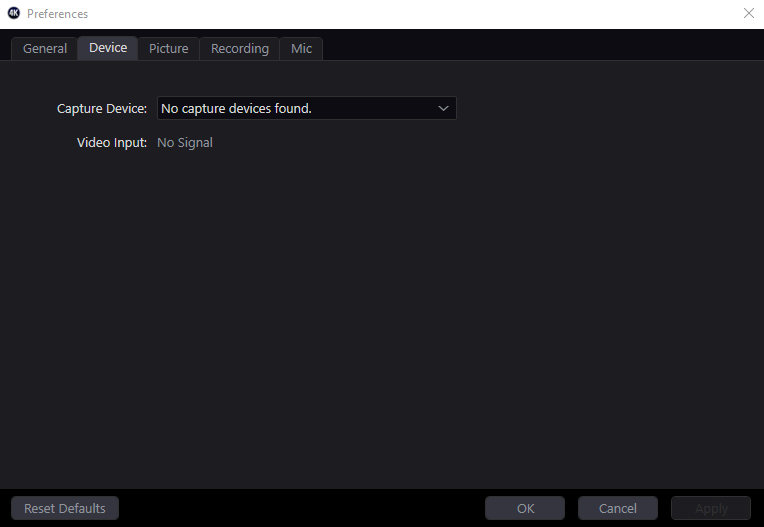
normally the drop down has the A6400
ancient zephyr
My hd60s+ is still not giving obs any audio
cunning latch
@worldly junco This is a different problem. This isn't really no signal, it's no capture device.
Does your 4K60 Pro have a light on it, or no?
worldly junco
@cunning latch yes it does
cunning latch
@ancient zephyr Any audio on your TV?
@worldly junco Ok then it's the original. Try installing this driver here: https://gc-updates.elgato.com/windows/drivers/4k_hd60-pro/download.php
Importantly, you need to reboot twice in a row once you install it.
worldly junco
got it thanks for the info. This is new since the previous update?
cunning latch
It's possible something didn't fully initialize after the update. Driver reinstall + rebootx2 should fix any issue like this that comes up
 pulsar reef
i need help setup dual pc i have anything connected but when i open streamlabs obs on the streaming pc i dont see elgato as webcam but i do see it in the main pc as a webcva any fix?
ancient zephyr
@cunning latch yes my TV is getting audio just fine
The audio works fine in OBS with everything being the exact same if I just switch in my regular HD60S and not the S+
pulsar reef
in my main gaming pc in the obs i can see in the webcam game capture hd60pro 01 but in my streaming pc i only see there elgato game capture and the one that i need in the streaming is game capture hd60 pro 01 any fix?
 distant nimbus
i just got a hd 60 pro and was wondering how i could plug my mic into my controller while not changing the state of how the sounds work with slobs
worldly junco
back to no signal for me
tardy cobaltBOT
Sorry to see you're experiencing issues. Have you tried this yet? https://help.elgato.com/hc/en-us/articles/360041857951-Troubleshooting-No-Signal
If you're still experiencing issues, please file a ticket at http://e.lga.to/help.
Elgato
This guide will walk you through steps to take if your capture card has a source plugged in but it not detecting the signal correctly and is displaying No Signal or there is no video on the pass-th...
cunning latch
@ancient zephyr Hmm. Try other USB 3.0 ports. That's been mentioned previously where no sound on some USB 3.0 ports, even when the S worked.
If you are still having problems then I might say email in to collect more information.
@worldly junco Did you reboot twice after installing the driver
cunning latch
I'd try swapping around the HDMI cable, or connect a monitor to the HDMI output to see if it's losing signal there too
ancient zephyr
Alright, I'll try another 3.0 port late, hopefully it works
cunning latch
@pulsar reef ?
Sounds like you have the HD60 Pro installed in the gaming PC?
distant nimbus
so i have a hd60pro i have everything set up fine except the fact that if im in a party chat with my friends i cannot talk to them what is the fix for this?
in other words how can i get my voice to my friends
distant nimbus
because from what im reading it looks like a chat link is the only option and alot of people do not recommend because its faulty and after a bit of regular use you have static and other interference
cunning latch
@distant nimbus Where is your headset connected? Chat Link is essentially for connecting your headset to the controller for you console and then splitting the audio coming out of the controller and capturing a copy of this.
You can make your own Chat Link adapter as well. we just made the Chat Link to fill a niche at the time for PS4 owners.
distant nimbus
I have a blue yeti mic that's plugged up to my pc via USB
 river cosmos
cunning latch
river cosmos
cunning latch
@distant nimbus Right. Well we don't really have a native solution for sending your voice out of that mic into the console. You'd still need a headset in the mix connected to the console to provide a microphone signal to the console.
There maybe some option in using the headphone output of the Yeti into the PS4 via some sort of USB sound card, but that's not really on our side of things.
distant nimbus
i have a 3.5mm headphone jack headset also
 tender temple
hi, im having an issues with my capture card audio and video dropping out at random intervals with my HD 60 s
unique island
@cunning latch Thanks for the reply. I'm going from my gaming PC to my recording PC. I thought the audio would come over HDMI... or that I could choose another port on the recording PC. Are neither of those things options?
cunning latch
@kind sluice I know you were having some issues previously with your 4K60 Pro MK.1
Do you recall which driver you're using right now? Were you sure to reboot twice after installing that driver
 lyric pebble
hii guys
I decided to use my old elgato
but I cant get it to stream
Twitch gives that error
And youtube stream keeps spinning
I already read all the FAQ and info so I am a bit lost on what to do
 warm umbra
Question; I’ve heard rumblings amongst streamers with a lot of experience that Elgato’s device support when using multiple capture devices from them is troublesome and problematic. Anyone able to weigh in on this? I currently have a 4K60 Pro mk2 and I want to get a CamLink when the scalpers are done being jerks.
rare kraken
@warm umbra I run one Ryzen PC with 3 elgato cap cards. All three running at once with no issue. (4K60 Pro with an Xbox One X, HD60S with a mirrorless camera, and a HD60 Pro with my Nintendo Switch)
pulsar reef
@pulsar reef ?
Sounds like you have the HD60 Pro installed in the gaming PC?
@cunning latch already realize that thx lol
But I thought I can use my laptop as streaming pc I had other pc I wanted to use but I gave to my brother and nephews instead
warm umbra
@rare kraken Sweet, thanks! Had me worried a bit, good to know I should be fine. I have the PCIe card and a Razer Ripsaw HD as well (it’s really not that great tbh, it sometimes needs to be deactivated and reactivated to work). Trying to just go with whatever is most reliable.
 solemn flicker
Hi, I have this problem that happens everytime i start up my Elgato and PS4. Once i hear sound, it gets all distorted and the voices are deepened. I can just turn it off and turn it back on and my sound is fixed, but i don't want to do this song and dance every single time i play, is there a fix?
 west glade
is anyone available to assist me with an audio issue that is really hurting my streaming
 steep grove
Just wondering, if my computer does not exactly meet the technical specidications, would turning off instant gameview and lowering the quality down (possibly to 720p60fps) help increase the performance and 'quality' of a recording?
lyric pebble
so anyone knows how to help me?
sharp pier
@lyric pebble what does "old elgato" means 😄 more info would be appreciated
kind sluice
I am using the latest driver i got from elgato website @cunning latch
 lyric minnow
Hey I have a box in the top left corner of game capture hd that shows cpu, memory, dropped frames, etc, how do I get rid of this
 light palm
Hi, I've been trying to get my PlayStation 3 to work with the capture card via a hdmi splitter and it doesn't doesn't work for me. I've watched multiple videos that all give the same exact instructions I'm following and it will not work. Any ideas on what I might be missing? please tag me if so
@lyric pebble did you try disconnecting from twitch and reconnecting
lyric pebble
@lyric pebble yeah but elgato does not even try to connect to twitch and fails to connect to youtube
light palm
what do you mean doesn't try to connect?
lyric pebble
so whenever I login, after adding my credentials and everything goes smooth directly from elgato
I get this error
and whenever I try to stream with youtube the stream icon just spins
 loud python
reposting here:
Hello, is it possible to launch a Streamlabs poll directly on Twitch through the Stream Deck? If not, why not adding this option? (or telling me if it's not possible idk). If something similar already exists, may I know how? Thanks in advance ^^
light palm
hm not sure Nighthawk, maybe the app/program is just outdated. hopefully someone else knows better
cunning latch
@kind sluice Well then I'm not sure what may be going on. I'd proceed to open a ticket, since you've been experiencing some repeat issues: http://e.lga.to/help
lyric pebble
I'll wait to see if someone has an answer or if my ticket gets an answer, thanks tho @light palm
lyric minnow
@cunning latch I asked earlier, but I have a box in the top left corner of game capture hd that shows cpu, memory, dropped frames, etc, how do I get rid of this
cunning latch
@lyric minnow CTRL + ALT + SHIFT + D
lyric minnow
Thank you I couldn't remember how I turned it on and it was driving insane
wait now there's a red line down the center and I don't see it in the keyboard shortcuts
nvm
 river cipher
my capture hard (HD60 S) is flashing and ive tried everything on the support document: https://help.elgato.com/hc/en-us/articles/360028237031-Elgato-Game-Capture-4K60-Pro-Resolving-Flickering-or-Incorrect-Color-Issues-
Elgato
An Elgato Game Capture 4K60 Pro video signal that is flickering, or has incorrect colors, is usually the result of a HDMI cable issue.• The HDMI cable may be defective in some way• The HDMI cable m...
its really annoying and i cant even use the capture card
 solemn birch
 crisp salmon
Hey 👋 guys I’m using stream labs obs on Mac with a elgato hd60s and and downloaded a ndi pack and for some reason the option to use NDI isn’t showing up on Streamlabs and when I press the capture device it doesn’t show up
Please help I want to start streaming in the summer
rare kraken
I'm not sure if OBS Link for Mac works with StreamLabs OBS.
If it does work, it's just also ensuring that your SLOBS has the NDI plugin installed and that OBS Link is running.
 umbral orbit
Hi, I'm new to this Discord. Trying to see if I can find some help with a capture card.
Thank you.
 dark brook
Hey guys! I run double pc set up with 4k60 pro mk2 and blacks blackscreen everytime I switch out of a game. Is there something I could do besides running windowed full screen to fix this?
south bronze
Hi, I need help setting up Steam Deck Mobile. Please dm me as I will be away from my computer
 teal zenith
hey my HD60S keeps freezing and I have to disconnect it and reconnect it, is there anyone able to help me with this when possible 🙂
 muted light
When I try to us the 4k capture utility to record gameplay there is no game audio being captured despite it capturing my mic audio. How do I fix this?
tardy cobaltBOT
PLEASE NOTE: Customer Service does not monitor this channel. If you are unable to solve your issue, please file a ticket at http://e.lga.to/help.
We also have staff available by phone 12hours a day. 8AM to 8PM Pacific every day of the year if you have quick questions and there isn't someone here to help you. http://e.lga.to/phone
Elgato
Telephone Numbers
Below are the telephone numbers for Elgato Support:
United States
☎ 1-888-726-8134
Toll Free Monday-Sunday – 8:00 AM to 8:00 PM PST (Pacific Standard Time, United States)...
 sleek stump
hi i have a question:
so i've been thinking of getting a getting a capture card so i can stream my ps4 (and future ps5) from my pc while using say a streamlab obs overlay
however i'm a bit confused first off this is the card i'm looking at https://www.pccasegear.com/products/47432/elgato-game-capture-4k60-pro-mk-2
second: i'm going to get a second monitor and i'm confused on how to connect them all
what i want is to
- display my console on one monitor.
- also display the footage on my second monitor via streamlabs obs, so monitor 1 = console and monitor 2 = pc but can see the monitor 1 so i can do streamlab stuff and look at chat
but i also want to be able to switch monitor 1 from seeing the console to being a normal second pc monitor without changing cables
hope this makes sense here's a crude drawing of what i will have/will have
gold box = HDMI port
red box = display port
"Card" = PCI capture card

PC Case Gear
Elgato Game Capture 4K60 Pro MK.2 available to buy online from PC Case Gear – Australia’s Premier Online PC Store.
sleek stump
anyone?
sharp agate
@sleek stump You'll be able to do all of that. The capture card has HDMI passthrough so you can view your console on your monitor. You can also swap between DisplayPort and HDMI input on your monitor by changing the source either via a button on your monitor or in your monitor's menu.
sleek stump
Cheers mate
 twilit aspen
Hello, I have just gotten the hd60 s+ and currently using it on my switch but I can't help but notice that the audio keeps on crackling, the only fixes I've seen is with the use of the game capture app and that isn't an option for the s+
river cipher
my hd60 has been just a black screen with flashes of gameplay for 4 days
ive followed every support document
river cipher
anybody know whats happening here? ive tried switching out both hdmi cords. the only solution is closing the programs using it as a source, then unplugging the card and waiting a minute. but, that only works for about 2 minutes, and then this happens again
(hd60 s btw)
 tawny estuary
Hopefully I can ask about this here, but does anyone know how to fix the No Signal issue for the HD 60 Pro? I've tried a lot of different things and I don't know what to try at this point
tardy cobaltBOT
Sorry to see you're experiencing issues. Have you tried this yet? https://help.elgato.com/hc/en-us/articles/360041857951-Troubleshooting-No-Signal
If you're still experiencing issues, please file a ticket at http://e.lga.to/help.
Elgato
This guide will walk you through steps to take if your capture card has a source plugged in but it not detecting the signal correctly and is displaying No Signal or there is no video on the pass-th...
 tidal vapor
anyone else having issues with the twitch authentication on the stream deck? None of my twitch buttons work. i removed my twitch account from the streamdeck and tried to readd it and it says the site can not be reached
 white crest
who can help me my grabber doesn't work
is to stream from xbox
it detects the grabber, but it doesn't give me a signal
 distant crest
Anyone able to assist me in getting RTXVoice to work with Wave Link on my new Wave 3? The video's I've found I have followed but I'm getting undesired results.
 bold ember
@distant crest What results are you getting? Can you post details about your setup and a clip of the audio?
 sleek gulch
@tepid cosmos why is my elgato stream deck version 4.8.0 "not responding" every time i open it
distant crest
Apologies. I think I got it. Did a couple tests and it seems good. Not sure what it was. Thanks for the retort. Appreciate it!
nimble prism
yo does anyone know if this is safe: https://obsproject.com/forum/resources/obs-virtualcam.949/
OBS Forums
NOTE: The horizontal flip option is bugged and will likely cause crashes. Please do not use it. If you need to flip your video, either flip the sources in OBS itself, or flip on the receiving end (i.e. in Zoom, Skype, etc.)
This plugin provides...
rare kraken
I've used it
 lofty spoke
my Stream Deck is slow sometimes and react a bit later then it should be, what could be the reason?
Do I need better hardware for my pc?
 blissful trail
I followed instructions and got all the proper equipment to set up the elgato to record my PS1, but it's only sharing the sounds of the PS1 to the computer and not the image. What can I do?
cunning latch
@white crest Anything show up on your TV?
@lofty spoke Try a reinstall of the Stream Deck software. If it's still happening, I'd email in about it: http://e.lga.to/help
white crest
@cunning latch neither on TV nor on PC
cunning latch
@white crest Sounds like perhaps HDCP is turned on. With the Xbox turned on, hold down the power button on the console for about 10 seconds until the xbox makes a chime sound. Then try turning it back on.
This power cycle should clear it
white crest
@cunning latch I already tried that, just like reinstalling the software, the HDMI cables work by connecting them directly to the TV, but with the Capturer it doesn't work anymore
detects the grabber, but says no signal
lofty spoke
@cunning latch Thanks for your response. But I guess it won't be solved by reinstalling it. For me it works fine, but at some point, when I try to match an animation it gets slower so it doesn't match like showing Scene element xy and after it was played put it on off. Something like this. I just want to know how to make sure that it doesn't get slowed down.
south bronze
Hello! I have just purchased the HD60 S, but when I plug it in to use it, a message comes up and tells me that it needs "to be connected to a USB 3.0 port to function properly." Any help on how I can fix this would be greatly appreciated.
hallow moon
Hey guys, just opened a Ticket for this with support but maybe someone knows. My Twitch actions break every day on my Stream Deck, requiring a restart of the software maybe even more than once a day. Is this a known issue? My friends also experience the same thing.
 ripe geode
@south bronze you need a USB 3.0 port
Hi . I just bought a HD60S+ recently . I tried to stream on OBS but i keep getting audio delay . Is there any way to fix this ?
south bronze
I have a USB 3.0 port though... that's the issue.
ripe geode
thats weird . it only pops up for me when i accidently use an USB 2.0 port
its gone when i use USB 3.0
south bronze
It just refuses to work even though I have all my drivers up to date and things like that
Maybe it's defective???
I really have no idea
river cipher
thats very weird
usually unplugging it and plugging it back in works to fix that issue for me
spiral scroll
I'm unable to add Wave Link to my stream deck, anyone know how to fix this?
 worldly sigil
From what I've read, it's not on the Elgato Store
spiral scroll
Video about it is misleading then 😄
worldly sigil
Well I could be wrong, I don't have a Wave to test myself (I use a GoXLR, and the lack of an XLR Wave means it's a bit of a no-go for me lol)
spiral scroll
I got the Wave 3 because I don't have space to set up a GoXLR 😄
 errant siren
@spiral scroll Did you manually update the stream deck to 4.8? After that the wave link should show up in more actions. Im not sure if this would be an issue, but from your picture it says recently updated. It might be considered a new install. But the last part im not 100% sure. The other stuff works even if you do not have the wave yet. You just cant run the wavelink software
spiral scroll
@errant siren I didn't, I just went to the elgato site and downloaded 4.8, thanks.
That worked, thanks.
errant siren
Good to hear 😍
 jolly rover
16in Macbook Pro + Elgato HD60S
Hello everyone reading this! I hope your day/night is going well. 😁
I’m in the market of buying a new macbook pro. Specifically the 16” Macbook Pro. I currently have a 2012 15” i7 Macbook Pro that I use for Final Cut Pro video editing, photoshop editing, & also console recording gameplay/live streaming off the Elgato HD60S. Sadly, my macbook is slowing down on me and experiencing lag with all those things... especially for live streaming off the Elgato. Last time I tried to stream on youtube, i was experiencing long loading time on the elgato software to the point where it just wouldn’t even load at all. I also tried lowering down the settings to 720p 30fps and 60fps and still nothing. I would like to buy the new macbook pro in hopes of having no issues at all with the switch. I know a PC would be a better route for the Elgato side of things but I really don’t want to make the complete switch from Mac to PC especially for video editing.
My questions for you guys is:
- Has anyone here experienced something similar to what I’ve experienced and found a solution?
- Would a 16” i7 Macbook Pro be a good route or should I get the i9?
- RAM; 16GB or 32GB?
- Graphics: AMD Radeon Pro 5500M with 8GB GFDR6 Memory (+$180) or AMD Radeon Pro 5600M with 8GB of HBM2 memory (+$720)?
- Should I just say “f**k it” and buy a separate PC for the elgato side of things and transfer files from PC to Mac for the editing?
Thank you guys for your time reading this and hope to receive some feedback/help! 😊
 worldly aurora
so i use voicemeeter and have all my audio running through different cables. so my game volume goes into cable C. when i load the game it doesnt work. i have to set app volume for that game back to default and then select cable C for it to work again
is there a button for this
to tell a certain app to use a certain cable?
rare kraken
@jolly rover I currently use a 2018 15" MBP (6-Core) with my HD60 S and OBS (using OBS Link, an NDI-type solution by elgato). It runs okay. Handles 720p30 no problem. Recording 1080p60 is fine as well.
I too love FCPX, and would recommend sticking with Mac if FCPX is your editor of choice. If you're just using the MBP for recording game play and not necessarily streaming, I'd say it's perfect. If you're looking to do streaming specifically, I'd suggest either running bootcamp to boot into Windows or a separate streaming PC.
south bronze
Has anyone gotten their Stream Deck to work after updating Windows 10 to the latest release? I've updated the StreamDeck software to current, firmware for my deck is current... Software can talk to the deck... I can set up button actions... but when buttons are pressed on the deck, nothing happens. Starting to lose sanity here 😦
ripe geode
So any answer to my question regarding audio delay when HD60S+ pls ?
 bright stone
@south bronze i dont know about windows releases but when i updated.. i had to remove/re-install plugins for certain things to work.. a little annoying but gives me opportunity to re-do some stuff
south bronze
Yeah 😕 I did the whole reformat / reinstall of windows also. It's frustrating
bright stone
OOF :/
spare owl
can someone help me getting the my stream deck to work with stream elements
 vivid harbor
what kind of help do you need @spare owl ?
like within OBS studio or something else?
spare owl
stream elements obs
vivid harbor
as to not assume, did you install the OBS Studio plugin?
spare owl
i have the streamelements obs.live
spare owl
so i have to use the obs studio for stream elements?
vivid harbor
I didn't even have stream elements obs.live installed :)
but I'm installing it now
spare owl
if i use obs studio its says elgato remote control plugin is missing
vivid harbor
I can't even install the streamelements one, weird
spare owl
lol
vivid harbor
I don't want to uninstall obs studio as I don't want to break it
but yeah I installed streamelements obs live studio and just used the obs studio plugins
spare owl
so are you talking the obs studio? thats what its called on mine
spare owl
so when i put a scene button on mine....it says elgato remote control plugin is missing
vivid harbor
ok, then you'll need to snag that
spare owl
how do i do that?
vivid harbor
Elgato
Elgato Stream Deck is easy to setup and use.This article goes over the proper installation to use Elgato Stream Deck with OBS Studio, and the Actions that are available for use with OBS Studio soft...
spare owl
so if i need to reinstall my stream deck am i going to lose everything?
vivid harbor
no
it should retain everything
but you can always export
settings, profiiles, right-click, export
spare owl
so i unistalled and did a restart...should it just pop up to install the software again?
nvm found it
vivid harbor
🙂
 mint forge
Why my sounds delaying on other device when i plug in elgato capture card?
lofty spoke
https://discordapp.com/channels/581549424518365226/581551435074764810/725507860535967774 Pls can you answer this, I need to know
south bronze
downgraded from windows 10 ver. 2004 and the stream deck works again. grrr.
 regal stump
I don't see the https://m0fs.pictures/☀️🤔🚎.png output in my Streamlabs OBS

 snow creek
please help me
my audio wobt work
i wanna stream my xbox game on elgato h60 s+
but i dont know how at all
lyric pebble
so what do I do if elgato support team does not reply to me?
 left orchid
@regal stump -- did you add it as a "audio input"?
regal stump
I did
left orchid
tried restarting/re-adding the mic in a different usb port and all that?
 zinc orbit
I am having nothing but issues with my HD60 S Losing connection non stop to my PC no matter what I do...
Trying to go live after mixer shutdown and cant get OBS to sync essentially?
worldly sigil
@zinc orbit do you have it connected to a USB3 port on the motherboard itself? I have issues if it's not a port on the motherboard itself.
 fair lake
Elgato 4k pro, dual PC setup. Input from the monitor and output to the streaming PC?
Didn't get the panflit.
 abstract heath
everything i look up says stream deck supports SLOBS but i cant find it in the menu or on the more actions download does anyone know anything about this?
sharp agate
@abstract heath Click this button and the options for SLOBS to appear on the menu should appear:
south bronze
can someone help me with streaming my elgato game capture hd to discord?
I have my switch and elgato correctly set up, because if i try streaming it to youtube it works, I just don't know how to do it to a discord voice channel.
nevermind i found a fix on reddit
south bronze
welp, the "fix" didn't work so
 versed nebula
I'm having issues connecting my hd60s el gato and Nintendo switch with their game capture app on pc its not reading the hd60s for some reason idk what I'm doing wrong any ideas?cuz it used to work before
worldly sigil
@versed nebula is it plugged into a USB3 port on the motherboard itself?
The HD60S seems to be really finicky about ports not directly on the motherboard.
versed nebula
Yes, it worked before and I had to reboot my pc a week ago and now it doesn't work
So I should try not the motherboard? @worldly sigil
worldly sigil
I had move from not on the motherboard to the motherboard
Try a different USB3 port
versed nebula
Oh ok
worldly sigil
I suggest trying every single USB3 port on the machine
versed nebula
I'll try and let ya know if that works
@worldly sigil still not doing anything even after changing to a diff port
worldly sigil
I've no idea then, sorry.
versed nebula
Dang thanks tho
 jaunty rain
hello struggling to get virtual dj to link with wave link under music input, spotify works but cant get virtual dj to work
versed nebula
@worldly sigil i just tried hooking it up to my tv and the hd60s lit up and then it showed a red light but still didnt work any idea what thats about?
worldly sigil
nope
versed nebula
ok i pluged my usbc cord to the motherboard and game captrue read the hd60 now but it says it needs a usb3.0?
 half sphinx
@topaz wedge from your question in general chat. A splitter will only work with the lowest resolution that its connected to generally. For 1440p the best thing I found was to have the capture card on my gaming PC, then have OBS project the game/screen of the 1440 monitor to the capture card "monitor".
 topaz wedge
@half sphinx y i did that alrdy But its eating the same gpu Power i guess ist would if i stream with one pc and nvenc
 west kite
can someone help me with the elgato hd60 pro its not capturing from my stream labs
topaz wedge
ok i did it with an insane guide. so what i did was setting the elgato as primary monitor and activating Dsr after that ive cloned the elgato and now i can play in 1440p /144 hz and my elgato captures at 1080p!
fair lake
@Everyone
Hey!
Could someone please assist me with setting up this damn card. 4K60 Pro mk2 with a dual PC-setup. I can't get it to work*
 signal olive
Hi all I am loosing the plot and considering selling all my stream setup, pc included. I have an elgato 60s and I’m getting a black screen on obs when streaming my PS4 pro. I have checked drivers cables hdcp is disabled on the PS4. I have reset moved usb hubs the lot. Sometimes I randomly open obs again and it works but it’s 1 out of 100 times. I have everything configured right to my knowledge but even when it is working I’m loosing frames no matter what bit rate I use. I tried recommended setup and had the same lost frames. I can’t get my head round the issue. Why does it work sometimes and mostly never. I had a different capture card and had the same issue and a different pc and the same issue. Also a different console and the same issue so is this common or am I doing something wrong. Only thing that remained the same is one of two hdmi cables and the monitor everything else i have changed or checked or replaced
 grand vine
@signal olive try Elgato Game Capture HD if OBS is broken
I also suggest joining their discord server where they can help, it’s on their website
signal olive
Same with game capture sorry forgot to add that it recognises the device and says instant view but I have a black screen
 paper forge
Hello, im having two pc set up and using hd 60s, my question how can i capture the bois from my gaming pc and view it in my streaming PC
tardy cobaltBOT
PLEASE NOTE: Customer Service does not monitor this channel. If you are unable to solve your issue, please file a ticket at http://e.lga.to/help.
We also have staff available by phone 12hours a day. 8AM to 8PM Pacific every day of the year if you have quick questions and there isn't someone here to help you. http://e.lga.to/phone
Elgato
Telephone Numbers
Below are the telephone numbers for Elgato Support:
United States
☎ 1-888-726-8134
Toll Free Monday-Sunday – 8:00 AM to 8:00 PM PST (Pacific Standard Time, United States)...
 slim sun
Any ideas why Audio sources disappear or stop working once routed in wave link?
I have audio from a program (touch portal) that has been perfect for month, then installed wave link, audio worked twice...stopped. Then restored default routing, tested worked tice, routed it to seperate aux 1 , STOPPEd working. Now restore defaults. and CANT get it back AT ALL
 desert nova
Wave3, Astro A40 TR Mixamp (Gen 4), and Elgato Capture card for when I stream xbox games...recommended setup? I'm beyond late starting stream and I have been googling and reading forums all evening. Anyone available to help?
 unborn haven
I can’t open obs link on Mac PLS HELP
warm umbra
Updated the 4K Capture Utility app and now my capture card isn't working. And I see a triangle alert on the device in Device Manager...
cunning latch
@warm umbra Try rebooting twice in a row.
Driver might not have installed quite right.
warm umbra
Does the driver get updated when the app is updated?
cunning latch
Depending on the version, yes.
We don't do it too often though
@unborn haven Are you seeing an error?
warm umbra
I see. I had to install the driver seperately when I first got the card, which I wasn't aware of. Is there a plan to bundle the drivers with the apps?
cunning latch
@zealous needle drivers are always bundled with the installer. Something might have blocked the install first time perhaps. But the installer will always attempt to install a driver for them same time as the program.
 potent saddle
so i'm trying to get my audio fixed, i have the chatlink, audio is on analog, i can hear the noise through my headphones, but there is barely/no sound in the software
warm umbra
I see. Okay then. Rebooting now
cunning latch
@potent saddle Which software specifically?
potent saddle
streamlabs
cunning latch
Which capture card model?
potent saddle
hd60s+
unborn haven
@cunning latch no, the icon is there but the apps just not popping up
warm umbra
Okay good a reboot fixed it,t hanks!
cunning latch
@potent saddle Just to double check do you have 4K Capture Utility installed? Where did you change the audio input setting?
potent saddle
i changed them in the 4k capture utility, but no sound there either
cunning latch
Alright, thanks for confirming. Just to make sure, were you getting audio before when it was set to HDMI audio?
potent saddle
i was getting it yeah, but after switching, the sound got so silent, turned volume up to 100 and can barely hear a word
cunning latch
Ok, but you do hear something? Just trying to figure out if it was something with the card/software or the cable.
potent saddle
yeah, i just realised i hear a thing, but not even understandable
all outputs are on max as well
cunning latch
Ok. The issue could be the Chat Link cable in that case. Do you have a phone with a headphone port and a regular 3.5mm aux cable to connect into that port? Would be a way to confirm if the HD60 S+ is behaving right or if it's the cable.
potent saddle
the sound also gets lowered through the chatlink cable, but with a normal aux, the sound is perfectly fine in volume
is there any way i can add a analog audio gain on the +?
cunning latch
You could add gain inside of SLOBS to that audio input, but I'm checking with our team to see if there is an internal control for it on the card.
If the audio is that low through the Chat Link, then I'd probably say a replacement is worthy.
potent saddle
i have read multiple times the cable lowers audio coming through in some way, the fix on the hd60s was turning up the audio gain, but the + software doesn't have that option.
cunning latch
It's a passive splitter so the power level is cut in half when passing through. But the apparent drop in volume should not be to the point where you can't hear it.
potent saddle
HDMI audio is fine but then i can't use party chat/game sounds through my heaedset
@cunning latch i will look out for a new cable then, thanks!
cunning latch
I'm still looking to see if we have a control for this. Might be something hidden and not included in the menus.
cunning latch
@potent saddle sent you a DM with a possible solution.
 barren storm
My Elgato's passthrough only works when obs is on and the video is selected to be displayed in obs.
Surely it should work regardless if OBS is open or not?
ripe geode
 can i get help on audio problem with HD60S+ ?
the audio recorded from my Nintendo switch is delayed
like around 1s
 rare owl
Just want to double check before I post, is it alright to post a video explaining a problem? I don't want to break any self promo rules or anything.. 🙂
unborn haven
Hello, I can finally open my OBS link on mac now, I’m trying to stream my phone’s screen through my elgato HD60S, but it only shows a QR code and a bunch of numbers on the screen
cunning latch
@unborn haven Connect your phone up to your TV using that same HDMI Adapter. I bet it still comes up.
Your HDMI Adapter is displaying this image.
From my research that HDMI adapter isn't a genuine Apple one and it's wanting its firmware updated using the app linked by the QR Code.
unborn haven
So I should get an Apple HDMI adapter ? Or should I download the app in the QR code
south bronze
So I have been using the 4k60 pro MK.2 for a year now, and I have noticed when using this in my streaming pc. that my monitor is not feeling as it is supposed to be. the image gets a little less bright, less sharp, etc etc. I am using a dual setup with my Alienware 240hz monitor connected.
I really feel that it is holding back my competitive skills. including response time and all the other issues that I stated. If anyone can help me or tell me that this is normal/give me a solution, I would really appreciate it!
 white star
Do i need a chat link just to have game audio because i dont care about party chat and voice chat audio only game audio and i dont have any 😦
Inside obs
tardy cobaltBOT
If you are having technical problems, please head over to #cth-history.
PLEASE NOTE: Customer Service does not monitor this channel. If you are unable to solve your issue, please file a ticket at http://e.lga.to/help.
We also have staff available by phone 12hours a day. 8AM to 8PM Pacific every day of the year if you have quick questions and there isn't someone here to help you. http://e.lga.to/phone
Elgato
Telephone Numbers
Below are the telephone numbers for Elgato Support:
United States
☎ 1-888-726-8134
Toll Free Monday-Sunday – 8:00 AM to 8:00 PM PST (Pacific Standard Time, United States)...
south bronze
I really think this is something very important to look at https://discordapp.com/channels/581549424518365226/581551435074764810/726457494708289606
 digital herald
 proud lake
Could someone here help me shut off the sound capture on my HD60 pro? I've disabled it in device manager and it still has sound coming through my headset and my stream
I should say I disabled sound capture in my device manager
i had it muted before but i messed with some settings to turn it back on and now I can't disable the sound again
 blazing spindle
4K60 S+ reset (blackscreened) and refuses to let me use it now. Says "Device is in use by other software"
Restarting my PC is generally the fix, however it should not be necessary every single time.
I closed Streamlabs, 4k Capture Utility and turned off my Xbox. Turned it back on, activated 4k Capture Utilitiy and my screen is 480p@60.
????
cobalt depot
Is there a way to trigger an action on another stream deck from a different computer with corsair g-keys?
I have a stream pc and a game pc
I'd like the g-key on the game pc to control actions on the game pc(has a stream deck)
blazing spindle
4K60 S+ refuses to pick up a signal from my PS4, but with Xbox One X works nearly just fine. Is there a compatibility conflict?
 signal musk
@blazing spindle did you disable HDCP?
blazing spindle
Enabled and disabled it, tried both.
signal musk
I'd recommend filing a ticket at http://e.lga.to/help since its the weekend @blazing spindle
 rugged hare
Has anyone setup the wave link for multi track recording? I followed Elgato's step by step for OBS. Adding an audio output capture creates a new mixer which doubles the audio on stream and in the recording. I'm not sure if I've set this up right or if this is for recording only and not for live streaming plus recording
 opal charm
so I upgraded from an elgato hd60 pro to the 4k 60 pro mk.2 for my game capture card. Its nice that i'm capturing far less screen tearing with this card but my elgato 4k60 pro mk.2 source in slobs keeps showing the screen split after a few hours of streaming. I have to right click the 4k60 source click properties, then i reselect the resoluttion sieze to refresh/fix the window source. Isthis a known bug with the capture card and what's the fix? I never had this problem with my hd60 pro.
This is what my source looks like for the capture card.
example of the split video coming in that happens on the 4k50pro mk.2 after a few hours
 vital oak
hey guys and girls, so I upgraded to a 4K60 Pro from a HD60 S and I can't seem to find a solution to getting my xbox party chat to OBS, I have a astro mixamp and a40 headset. The solution of changing the xbox settings to headset and speakers is horrid, all it does is make the chat echo in my headset. I'd really like a solution to use my stream port
 last salmon
Why do the icons in my streamdeck flicker when I press a button.
 quiet palm
the stream deck software is not letting me use my g-keys on my k95 platinum.
floral jetty
are you on the latest icue and stream deck?
 upper loom
I am trying to use 4K60 Pro MK.2 to record an Xbox One S and it keeps outputting at 480 so I connected just to TV then changed to 4K. Plugged bag into cap card and it displays so low res
rare kraken
@vital oak just send the Xbox live party to the stream port and attach the 3.5mm to your PC as a line-in. Set that in OBS as another sound source
quiet palm
are you on the latest icue and stream deck?
@floral jetty yes
floral jetty
@quiet palm in icue have you enabled the SDK?
quiet palm
yes
floral jetty
on the streamdeck software can you click that? And does it show Corsair G keys?
floral jetty
ah ok
floral jetty
if you close out icue and streamdeck software completely. including on the taskbar and open back up does it still not work
quiet palm
thx!
floral jetty
np
upper loom
Anyone who can help, I'd greatly appreciate it
floral jetty
Have you restarted ?
upper loom
I've restarted Elgato, SLOBS, PC, Xbox, Swapped HDMI
Xbox is stuck at 640x480
But if I just got straight to monitor it goes to 4k
floral jetty
ah ok, if you plug the xbox in to the 4k60 but dont have the out connected to the monitor what resolutions does it see?
upper loom
So
Xbox -> Monitor = 4K
Xbox -> Cap Card -> TV = 480p
floral jetty
just do xbox>cap card
worldly sigil
What about Xbox -> Cap Card?
upper loom
Will try, just restarting pc
It worked yesterday but today no, for some odd reason
Magically working after second PC restart
floral jetty
👍
 hidden shuttle
Can you use stream deck with Mac
south bronze
For some reason my key light isn’t showing up in my Elgato control center and my Elgato control center isn’t working anymore on my stream deck
Idk how to fix it
 strange urchin
Keep getting this message. I originally had no problems and the nothing was showing in the volume tabs of the sources. Restarted the app and this happened. I've tried ubinstalling. Reinstalling. Trying different usb ports and cables. At a loss. Any ideas.
 zenith rover
would anyone be able to tell me why my stream deck is being super weird since switching from mixer to twitch? 😅
 next crypt
Hey yawl. I got my wave 3 today and have been working on getting it set up, however I am having a problem with getting my other sounds coming through. Browser is working just fine but I can't get discord chat or google music to work. help this noob! thank you.
 chilly whale
@zenith rover I'm going to out on a limb here, but I would venture a guess that it's "Operator Error"...🤣
zenith rover
@chilly whale I mean while that’s likely the case that doesn’t really help me resolve the problem.
 scenic crater
hi
 past robin
Hello, I have an elgato hd60s+ and every 45 minutes it will freeze and I have to unplug the elgato and plug it back in for it to unfreeze. Any suggestions?
vital oak
thanks @rare kraken i worked it out like 5 minutes after i posted, i was very tired haha
quaint atlas
Help! I installed the latest version of 4KCU and now it ain't detecting my 4K60 Pro MK.II in 4KCU or OBS Studio. Device manager says "This device cannot start. (Code 10)
Insufficient system resources exist to complete the API."
 crude spruce
I guys, I bought a Wave 3
To manage my sound I use Voice Meeter but I wanted to try Wave Link just in case.
I found it really greater and so much more user friendly than Voice Meeter.
But there is one point that I don't understand... I have like 200ms audio delay when I use my SteelSeries Arctis Pro Wireless with WaveLink whereas I have absolutly no delay using it with Voice Meeter
Does someone has the same issue or ?....
scenic crater
I neeed help i cant get the game sound to wave link via HD60 capture card
Also Windows game bar chat i can get it to stream chat audio but not so its seprate from all other audio to control volum and such
 neat valve
Hey i am getting 0 audio throw to my streaming pc please help
 lime cipher
Hey, I downloaded the stream deck app on my phone I’m trying to connect it and it’s saying connection failed host not found please help
Anyone got some tips please
south bronze
Is it possible to have live gameplay via the game capture app?
I currently have a 2 second delay or so
 worn flint
I have like 200ms audio delay when I use my SteelSeries Arctis Pro Wireless with WaveLink whereas I have absolutly no delay using it with Voice Meeter
@crude spruce I think they mentioned this in the videos. I think currently the only way to get a Zero Latency monitor is to use the 3.5mm jack on the back of the mic.
crude spruce
Thx @worn flint for the answer
I forgot to say that if I set my monitor speakers as output in WaveLink there is no delay so I don't really undertand all of this...
I hope it will be fixed soon, and I will still use Voice Meeter until there is no pb
Maybe HDMI is faster than USB...
worn flint
yeah that is weird...
I should be getting my Wave:3 today. I am also looking forward to replacing voicemeeter
bright stone
congrats @worn flint
crude spruce
In fact VoiceMeeter is OK, but with WaveLink it is so much easier to change the sound for you/for the stream (Even if it is possible with VoiceMeeter)
The '+' of VoiceMeeter still is the noise gate and the possibility to add more than one microphone
And the delay is just huge problem with WaveLink so I can't use it 😦 😦 😦
With Wired headphone you can go with WaveLink without any hesitation :p
last salmon
How can I reduce the power consumption of the Stream Deck software?
 shut minnow
i'm looking for help with the wave 3 and getting game sound through SLOBS? I cannot seem to get in game audio from my HD60s capture card. I am using an Xbox One X that links up to my Streaming PC
bright stone
i like that acronym... SLOBS.. took me awhile to figure what that meant..
shut minnow
ha i was the same first time round
shut minnow
I’m trying to get it through wave link
I just got the wave 3 and everything is set up in wave link except in game sound
bright stone
yeah ive been trying to figure that one out myself.. so far.. w/ a SLOBS
like program
lime cipher
Anyone able to help? Please
 outer iris
i have my ps4 pluged into my hd60. but when the HDMI to the tv is plugged in the hd60 output, i get this static buzz from my speakers. my tv is connected to my speakers via rca. my speakers are also connected to my pc via usb. when i unplug the usb to pc, the buzzing stops.
is there a solution to stop the buzzing without losing audio for my pc
 thin nova
Question guys, I asked Elgato but they said 7 business days before an actual response. So my question is as follows; I am upgrading from an Xbox to a PC, I’m building it. I currently have an Elgato HD60S and I stream game chat using “elgato chat link” but clearly I won’t be using a controller when I upgrade to PC so I don’t really know if the elgato will pick up game chat on my PC when I’m playing Cod, Apex, or any FPS where chat is needed. And I don’t want my stream to only be able to hear me talking through my external Mic. I will be using a Dac (Sound Blaster G6). Will I have to buy anything or plug anything extra up for my Chat on Twitch to be able to hear Game Chat? Or will I even have to use the chat link at all, and if I do, how will I need to plug it in? I’ve searched literally all over google and YouTube and no one has an answer. I’m hoping someone with a little more expertise than me will be able to answer these question, as always, thank you for your help!
 stable falcon
Any general idaes on when the camera mount will be restocked? ❤️
 tawny raven
Hey! im using the HD60S with my ps4 I have everything but when I stream using streamlabs my sound from my elgato isnt working or coming through. It does work when I havent my chat link or headset plugged into my controller... its honestly making me think im wasting my time as its driving me nuts
any help would be appreciated
scenic crater
@shut minnow if you find a solution could you please share it with me
south bronze
Hello, the Stream Deck software crashes when it attempts to load the Twitter log-in window, when I somehow avoid the crash, if I scroll down even a little, it crashes. I don't know if the log would be of any use, but if someone could assist me in making it not crash, that would be of great help 🙂
ripe geode
Can someone help me with delayed audio transfered from Nintendo Switch to OBS ?
idk how to fix it
its delayed for like 1-2sec
shut minnow
@scenic crater No solution yet but still trying
tardy cobaltBOT
PLEASE NOTE: Customer Service does not monitor this channel. If you are unable to solve your issue, please file a ticket at http://e.lga.to/help.
We also have staff available by phone 12hours a day. 8AM to 8PM Pacific every day of the year if you have quick questions and there isn't someone here to help you. http://e.lga.to/phone
Elgato
Telephone Numbers
Below are the telephone numbers for Elgato Support:
United States
☎ 1-888-726-8134
Toll Free Monday-Sunday – 8:00 AM to 8:00 PM PST (Pacific Standard Time, United States)...
scenic crater
I saw on reddit they dont have a detect for the older capture cards @shut minnow but are working on it
shut minnow
I saw on reddit they dont have a detect for the older capture cards @shut minnow but are working on it
@scenic crater weird, mine isnt old its just an external one
scenic crater
Same
Hds+ does according to the reddit
Wich my community just gifted me one will be here by friday score
@shut minnow ill find the post and screen shot exactly what they said and i dm it to you
shut minnow
i have seen multiple people put in here about no game sound
scenic crater
K well now i cant find it lol maybe he was wrong
lime cipher
guys, im trying to connect my phone stream deck app to my laptop / pc and it says connection failed host not found? i looked on google have checked everything that elgato website and still cant connect ? any tips please?
 ancient lotus
@lime cipher Have you tried using the number there for Elgato Support to talk with them about the issue you're having? I'm not familiar with the Stream Deck products, so I apologize for not being able to help.
south bronze
is there a way to record yours or someone else’s voice and play it back as a soundboard effect? I’ve seen callmecarson and spimesickle do it. Idk if this is a stream deck thing or not
 sharp valley
Hey guys I was wondering if I could get some help setting up my wave link input for my game capture
 torpid cobalt
hello guys. im having audio delay with my el gato hd 60 on stream elements obs
tardy cobaltBOT
PLEASE NOTE: Customer Service does not monitor this channel. If you are unable to solve your issue, please file a ticket at http://e.lga.to/help.
We also have staff available by phone 12hours a day. 8AM to 8PM Pacific every day of the year if you have quick questions and there isn't someone here to help you. http://e.lga.to/phone
Elgato
Phones Will Temporarily Be Off From July 1 Through July 5
Elgato employees in the US will be celebrating Independence Day in the US (the Fourth of July), with some extended time off.
Most of ...
 fast olive
I bought a 4k 60 pro and for some reason i cant get the source resolution on the app to change to 1440p ... i have xbox one x and monitor is a 3440x1440 120hz ultra wide ...can anyone help ?
 foggy grail
Anyone have any ideas on how to sync up PS4 and pc audio in one headset and have it shared on the stream?
 ruby sinew
Elgato indicates sound activity, but it is not playing any of the captured sound. When I monitor it in OBS or SLOBS, it is just crunching noise, regardless of captured activity. Recently move my comp setup to another room, so unsure what the problem would be. Fiddled with the wires with not much difference.
 granite vault
My Camlink disconnects after 5 minutes and then doesn’t reconnect. Help, how do I fix this
lime cipher
@lime cipher Have you tried using the number there for Elgato Support to talk with them about the issue you're having? I'm not familiar with the Stream Deck products, so I apologize for not being able to help.
I have tried but no response:( thanks tho
 cyan shoal
One message removed from a suspended account.
 tiny schooner
hello can we put the micro elgato wave 3 on the multimont arm?
 stray thicket
hello! occasionally my streamdeck is finicky and when i click any button it has this icon ->. to fix it -- i have to go into the streamdeck app and click into each button configuration before the physical button will start working again. Does anyone know why this is or if there is an easier way to solve the problem? Its getting really inconvenient to do it multiple times/week.
 mossy flicker
Hello, when I connect a monitor/tv to my hd60s+, my game capture software says no signal. If I don’t connect the tv, game capture works just fine, but I’m trying to stream smash, so I can’t play with the delay. (I’m working with a nintendo switch and a 6-core mac)
tardy cobaltBOT
Sorry to see you're experiencing issues. Have you tried this yet? https://help.elgato.com/hc/en-us/articles/360041857951-Troubleshooting-No-Signal
If you're still experiencing issues, please file a ticket at http://e.lga.to/help.
Elgato
This guide will walk you through steps to take if your capture card has a source plugged in but it not detecting the signal correctly and is displaying No Signal or there is no video on the pass-th...
cunning latch
@tiny schooner yes.
fossil hemlock
my stream deck keeps disconnecting from twitch
cyan shoal
One message removed from a suspended account.
cyan shoal
One message removed from a suspended account.
south bronze
Buen día. Si escribo una pregunta técnica en español, ¿alguien de su Staf estará listo para asesorarme? Gracias!
 prisma moat
@fossil hemlock Me too. I seem to need to delete my twitch account at least once a day since the last update before 4.8.0 (just updated today). Hoping maybe they fixed it. It worked great for a long time, with all my chat commands, but all of them broke. Deleted the account and re-made it. Fixed for that day, then it died again the next.
 drifting cypress
So i gotta hd60s+ and I’m trying to stream my ps2 games. But my issue is the audio i don’t have a place for my chat link to plug into. Unless i need to buy an extra piece of equipment
Is there anything i can do hmdi wise or do i need to buy something new?
Also how do i download the update for@the 4K capture utility? I’m getting a screen with patch notes but no download button
prisma moat
Update: I tried again after the update to 4.8 and my Stream Deck now connects with twitch w/o recreating the account.
bright stone
@drifting cypress how are u streaming ps2.. im curious... also for downloads.. i notice that sometimes the update button says its the latest but thats a lie. i just go to the downloads https://www.elgato.com/en/gaming/downloads .. hover over the version and it shows the downlink link. i look at that version and compare to what i have to see if its more updated or not
 vivid bobcat
Hello, I'm currently experiencing an issue with my elgato software. I've reinstalled it a few times and can't figure out why it's having issues on a clean install. Anyone here available to help?
I've just set up my friend's PS4 to my elgato. I have it properly hooked up, I can see the game on my TV, and audio comes through on the Game Capture program, albeit it is pretty spotty/glitchy.
I don't see the PS4 in the preview, just changes from "Is your device set up/turned on?" to a black screen. At the same time, my PS4 changes to a black screen on my TV and the audio starts acting glitchy. So technically the elgato is picking up what the PS4 is putting down when the program is running. However, when I close the Game Capture program, the PS4's video comes back on my TV and the audio is no longer glitchy.
I've swapped out HDMIs, I've uninstalled and reinstalled the Game Capture program several times, I've gone through the settings to make sure I had PS4 and HDMI selected in device inputs. I'm not sure what else to try here.
I've never encountered an issue like this with my Nintendo Switch and Xbox 360 so I'm not sure what's unique to the PS4 that could be causing the issue.
I FIGURED IT OUT! There was a weird HDCP icon lit up red with an x. I went into the ps4 settings, disabled HDCP and it works.
tardy cobaltBOT
PLEASE NOTE: Customer Service does not monitor this channel. If you are unable to solve your issue, please file a ticket at http://e.lga.to/help.
We also have staff available by phone 12hours a day. 8AM to 8PM Pacific every day of the year if you have quick questions and there isn't someone here to help you. http://e.lga.to/phone
Elgato
Phones Will Temporarily Be Off From July 1 Through July 5
Elgato employees in the US will be celebrating Independence Day in the US (the Fourth of July), with some extended time off.
Most of ...
 royal badger
Hey everyone why is there no option for 1080p240 on the 4k cature utillity?
stray thicket
hello! occasionally my streamdeck is finicky and when i click any button it has this icon ->. to fix it -- i have to go into the streamdeck app and click into each button configuration before the physical button will start working again. Does anyone know why this is or if there is an easier way to solve the problem? Its getting really inconvenient to do it multiple times/week.
NEW
fossil hemlock
@prisma moat Maybe I would have to file a ticket
prisma moat
@fossil hemlock Don't know if you saw my update, but so far (we'll see if it holds) the 4.8 update I applied today seems to have cleared it up for me so far. I should have tagged you on the update. Are you running 4.8?
 misty fox
I have Elgato HD60S, I was streaming last night and could hear my friends voice on the stream, but when I recorded the video, all I got was my voice and not his. Any ideas on what the issue would be?
 open crater
Need help, Setup Panasonic G7 with CAM LINK and Streamlabs OBS...so it capture the image for a bit but then the device shuts down and disappear of streamlabs and then i can't connect the camera anymore. (running the CAM link on USB 3)
 rare tide
So I have lost footage many times before with elgato products, causing gltiched audio and pixelized footage to the point of unsuability. Is there a way that I can solve this issue? I'm not sure what the problem is to cause this.
 round tartan
I have a general tech question regarding the HD60s
the minspecs show a core i5 4th gen quad core. Will it simply not function on less than that, or is there anything I can do with it on a core i5 6200u? (6th gen dual core hyperthreading processor)
also, I have a system with a core i3 m370, is there anything I can do with an HD60s on it?
also, would a core i7-3770 be up to snuff?
 sudden lily
U fortunately, the i7-3770 is likely to experience issues. Intel changed micro-architecture between 3rd and 4th gen, so while the CPU may seem powerful enough it won't have the tech that the HD60 S relies on.
Same goes for dual-core processors I'm afraid
So I have lost footage many times before with elgato products
@rare tide ,are you savimg to your C: Drive? A multitude of issue can arise if trying to write directly to external drives
round tartan
So the HD60 s won't work for even basic recording on a dual core processor?
rare tide
@sudden lily ive been saving to my D: drive. I have an SSD C: drive and a D: drive.
sudden lily
@rare tide
Any local drive should be fine, but it might be worth testing to the C: drive to see if that's the cause.
If it's not then my next guess would be a basic encoding issue. Make sure your graphics drivers are up to date and make sure your GPU is set as your encoder, check that your bitrate isn't too high
@round tartan
The HD60 S isn't intended to work with dual core processors, which means if you were to get it worming it would likely always present performance issues. I've heard of a few working on such systems, but never without performance issues.
@royal badger. Which Elgato product so you have?
tardy cobaltBOT
If you are having technical problems, please head over to #cth-history.
PLEASE NOTE: Customer Service does not monitor this channel. If you are unable to solve your issue, please file a ticket at http://e.lga.to/help.
We also have staff available by phone 12hours a day. 8AM to 8PM Pacific every day of the year if you have quick questions and there isn't someone here to help you. http://e.lga.to/phone
Elgato
Phones Will Temporarily Be Off From July 1 Through July 5
Elgato employees in the US will be celebrating Independence Day in the US (the Fourth of July), with some extended time off.
Most of ...
 whole raven
Anyone possibly able to help? My 4k60 Pro Mk2 seems to have delay on the 4k capture utility and I feel like it isn't meant to have it?
I dno if I've done something wrong or 🤷🏻♂️
whole raven
Not the 4k capture utility, streamlabs obs sorry* I'm kinda tired
sudden lily
Thanks, just replied
frail ingot
I am having some issues with my stream deck. I just reinstalled the software and everytime i try to add a button to configure the button it locks up
 ancient plover
hi does someone play with a ps4 controller on pc with ds4?
 open glacier


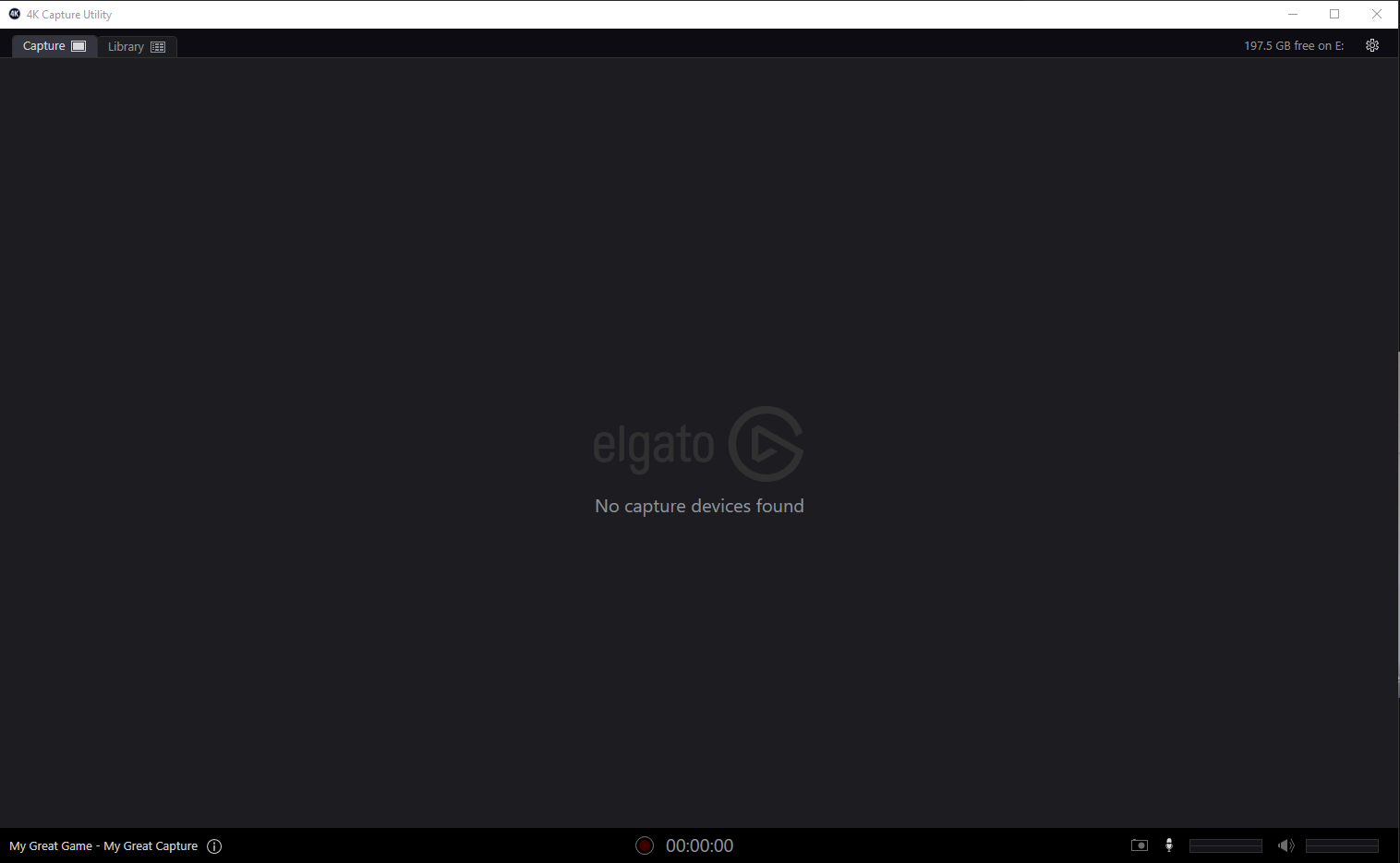
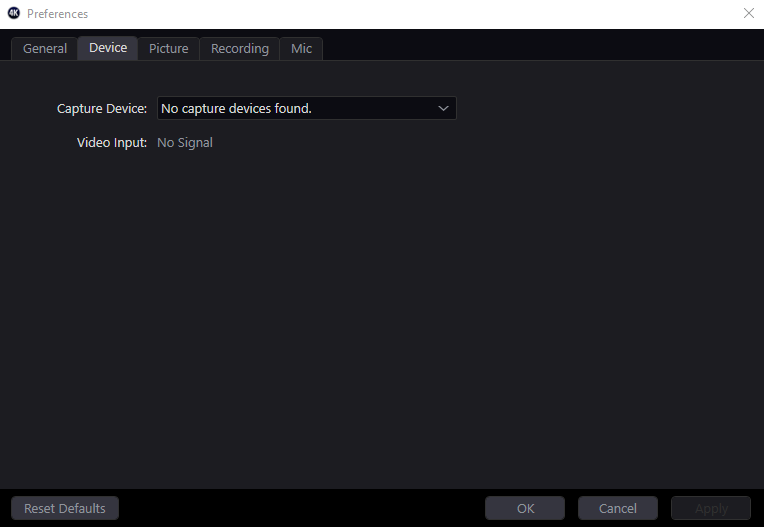
 surreal reef
Hello, I have an Elgato Cam Link 4k and I have it plugged into the back of my PC in the USB 3.0 slot. I have NO other high bandwidth devices (Microphone, Mouse, Keyboard), however my video freezes either immediately or after 1 minute in OBS. I'm running a Sony A6000 with 1080p HDMI Output. Can anyone help me?
 sharp rapids
can anybody help me? got 4k60 pro for capture card, i have 4k utility and sound capture downloaded on both rigs but i cannot choose my capture card as an option in sound capture on either rigs! i have everything set up except the audio!!!!!!
 oblique ledge
Hey all, has anyone had an issue with audio coming through when plugged through an HD60S? When I plug the HDMI directly through my monitor - audio works just fine...
open crater
@surreal reef i have the same issue if you figure it out let me and i'll do the same
south bronze
I'm having some issue with the 4k60 mk2. whenever i go in and out of fullscreen apps i start getting green artifacts
either i get multiple tiled screens of my recorded screen with green lines or just a lot of green lines
 hidden jolt
I just got a Switch from a family member recently, is there a cheaper end (1080p or so at most) capture card that has StreamDeck integration?
Only console I have, don't need anything higher.