#cth-history
1 messages · Page 33 of 1
 thorn raven
wdym?
 wide quest
What Application
thorn raven
game capture?
thorn raven
um Im gonna be honest I think I uninstalled it bc I thought it was irrelevant LOL
trying to find download link but where can it be found
dont see it on the main page
 worldly sigil
I don't think you need to use Elgato Sound Capture
thorn raven
oh
worldly sigil
Are you using Elgato Game Capture to record your streams, or something like OBS?
worldly sigil
Ah, you'll want to use OBS for that
thorn raven
yeah im using obs
wide quest
Ok
worldly sigil
Alright, so no audio in OBS, alright that's easy enough to fix
Lemme grab a screenshot
wide quest
Im Sure you have to just change the Audio in obs to The Capture Card
thorn raven
I think more like theres no audio like in general..? like the game audio bar doesn't even light up
wide quest
Youll Have to chnage the audio to The elgato Capture card Audio
worldly sigil
What's that set to, in properties for the Elgato source?
worldly sigil
Ok, change that setting
There's likely going to be 2 DirectShow output options in the dropdown
wide quest
After you Do that there should be audio.
thorn raven
OH! I can hear it now!
worldly sigil
I think you'll want to use DirectSound
thorn raven
thanks lots!
wide quest
Your Welcome!
thorn raven
another really quick question though; am I going to be playing the game off the application?
because it doesn't show on the monitor I plugged it into
worldly sigil
You'll want to try to get passthrough working
As while there's a minimal delay over USB3 (like 200ms I'd say), there's still a delay
And in games like Smash where every frame counts, that's bad, you need straight passthrough over the HDMI
thorn raven
errr whats passthrough? And how do I try to get it to work
 shadow plank
What's the best way to set up an action that you have to confirm? I made a hotkey for shutting down my PC but I've accidentally shut it down on a couple of occasions by misclicking. I want to see what multi action i need to do in order to set this up
worldly sigil
I don't think there is one you can use for bringing up a prompt. I'd suggest putting the action in a separate folder.
 polar pollen
You can add a delay @shadow plank so you can cancel it before it shuts down
Or like @worldly sigil said and nest it in folders to make you need to press the button multiple times
 south bronze
Hi everyone. I just received a brand new HD60 S, I was having real problems getting it to connect so I got a replacement on amazon. The new one works fine but only for a few minutes, then it acts like it was disconnected and reconnected again. Anyone had this issue before? When it works it works perfectly at full 60fps, but every few minutes the video just restarts.
south bronze
@cyan robin Ive the same issue!! 😫😫😫
@green timber Same. You guys fixed it yet?
 dawn oracle
Any chance it could be the USB port u plugging it into ?
 green timber
Nope
Definitely not, tried all my usb 3.0 ports.
I've also tried uninstalling game capture and reinstalling and still nothing
And I've tried all other fixes I could find online so I really need like someone at elgato now to help
 pine kayak
my capture card ausio isnt working and the only audio is a on fnd off noise that resembles blowing into a mic
south bronze
Once again another device requires usb 3.0 error when it is plugged into one.... I’ve tried many things help would very much be appreciated!
south bronze
I think I’m at the point where I’m giving up on Elgato. Their products seem to suck no matter how much money you throw at it and there is literally no customer support. Can anyone recommend another product to replace my pile of faulty Elgato cards?
south bronze
Have made a more detailed post about my issue here: https://www.reddit.com/r/ElgatoGaming/comments/g3jgom/hd60_s_disconnects_every_few_minutes/
reddit
0 votes and 0 comments so far on Reddit
 hollow nebula
hi! I have a problem with the streamdeck, when i try to change any of the scenes, obs crashes, and streamdeck is in getting the scenes... i tried to uninstall streamdeck and it still crashing...
south bronze
I solved my problem myself. This should be a STRONG warning to anyone buying Elgato products right now. I had to buy THREE units at my own cost to find one that works. It's because of the cables! The third unit I bought has a totally different cable, and it works! I had to buy THREE units at my own cost and spend a week troubleshooting to find this out. Just wanna say thanks a lot Elgato!!
^ The first two cables are so cheap and brittle they don't even work and if you bend them the bend becomes permanent! The third cable is gold plated, rubberised and works. please note the different barcode number too!
I hope this information saves at least one person from the week of struggle I have had because of this.
green timber
I solved my problem myself. This should be a STRONG warning to anyone buying Elgato products right now. I had to buy THREE units at my own cost to find one that works. It's because of the cables! The third unit I bought has a totally different cable, and it works! I had to buy THREE units at my own cost and spend a week troubleshooting to find this out. Just wanna say thanks a lot Elgato!!
@south bronze Was it the same problem I'm having here
 tardy cobaltBOT
PLEASE NOTE: Customer Service does not monitor this channel. If you are unable to solve your issue, please file a ticket at http://e.lga.to/help.
We also have staff available by phone 12hours a day. 8AM to 8PM Pacific every day of the year if you have quick questions and there isn't someone here to help you. http://e.lga.to/phone

Elgato
Below are the telephone numbers for Elgato Support:
United States☎ 1-888-726-8134
Toll FreeMonday-Sunday – 8:00 AM to 8:00 PM PST (Pacific Standard Time, United States)United Kingdom☎ 0330 808 44 9...
 covert pendant
Hi, I've got a 4k60 Pro that I'm having some trouble with. I'm using it to capture game footage from another PC. Whenever I launch a game in fullscreen mode the mouse pointer becomes very large (about 5 or 6 times bigger than the usual mouse pointer at 4K with 125% scaling). The only way I can stop this is to unplug the HDMI cable from the 4K60 Pro when loading a game and only reconnecting the cable when the game has loaded. Running a game in windowed mode doesn't cause this issue.
south bronze
@green timber It certainly sounds like it. Could you take a pic of the barcode for your product box and the USB cable that was enclosed with it?
 tiny lodge
The grey port is the PCIe x8
south bronze
Nobody can guarantee if it's gonna affect your temps at all until you try it really, but PLEASE dust your power supply 😉
covert pendant
Does anyone answer the Elgato phone support line that's shown here?
tiny lodge
Nobody can guarantee if it's gonna affect your temps at all until you try it really, but PLEASE dust your power supply 😉
@south bronze I have cleanee my pc this day
But can the elgato hd 60 pro in a PCIe x8 slot or only PCIe x1
 unborn valley
Hey all, I’m having an issue with the HD60. I stream from an Xbox with the elgato hd60s but the capture card will not pick up party/game chat. Anyone have a fix?
covert pendant
so running Exclusive Fullscreen in game with the 4K60 Pro MK.2 is causing my mouse pointer/cursor on the source PC to become massive (like VGA sized) - only windowed mode or unplugging the HDMI cable before loading a game works. Windowed or Borderless is not an acceptable option due to performance loss. Where is Elgato support???
EDIT: If I set the EDID (Internal) setting to 1080p or 1440p in the 4K Capture Utility the mouse pointer issue doesn't happen
 rare kraken
@tiny lodge it can go in to a pcie x4, x8, or x16 just fine
 quartz prairie
when I plug something into my elgato it lights up red one time what does this mean?
my PC also isn't I taking it at all
south bronze
when I plug something into my elgato it lights up red one time what does this mean?
@quartz prairie Usually that means it's getting no signal from the HDMI input.
 cyan coyote
Sorry if this has been asked a million times, but how do I stream to Twitch from my 4k60 pro mk.2? On the original Elgato I would simply stream through the Game Capture HD program, but this Elgato doesn't work with the same program and I don't see an option to stream directly to Twitch on the 4k utility.
worldly sigil
@cyan coyote you'd use something like OBS
https://obsproject.com/
OBS: Open Broadcaster Software
OBS (Open Broadcaster Software) is free and open source software for video recording and live streaming. Stream to Twitch, YouTube and many other providers or record your own videos with high quality H264 / AAC encoding.
cyan coyote
So I wouldn't even use the 4k utility program?
Should I look into using the 'stream link' option?
worldly sigil
Nope.
cyan coyote
Not even sure what that implies.
worldly sigil
If you want something simpler then you can use XSplit Gamecaster
https://www.xsplit.com/gamecaster

XSplit Gamecaster is a free and easy to use game recording software. Download now and start streaming to Twitch, YouTube, Mixer and Facebook in 1080p60fps.
cyan coyote
For what exactly?
worldly sigil
For streaming, instead of OBS
worldly sigil
XSplit Gamecaster is about as simple as the Elgato Game Capture software I'd say.
Yes
Both OBS and XSplit Gamecaster will provide as good quality for streaming as Game Capture would (if it worked with your capture card). You can't use the 4KCU for streaming though.
You don't want to stream in 4K though. Your internet won't be able to handle it
worldly sigil
I can do about 6000kbps upload (which I do to Facebook) with 128kbps audio on top. And the quality looks solid at 720p60fps
Use that as a reference
cyan coyote
Maybe I'll tone it down to 720 then. I'm guessing I can't play at a higher resolution and record at a lower?
worldly sigil
You sure can!
At least with passthrough you can, which I think the internal capture cards have.
south bronze
I stream at 1080p 60FPS to youtube at 6000kbps. You will find if you try to go much higher streaming services won't like it. I think the default for youtube is about 5000.
cyan coyote
Got it. Something I had a problem with was when I use to play on 4k, my 4k utility program would stutter in recordings.
It'd get really bad sometimes.
worldly sigil
Yeah Twitch YouTube and Facebook are just yeet a decent bitrate and it works out fine. Mixer FTL is the awkward one.
south bronze
I have about 20mb upload speed on my internet so using 6000 isn't a problem either. As long as you have a good upload speed I say 6000 is what to use.
worldly sigil
Yeah I have the same upload.
Facebook recommends about 6'500kbps maximum as to what my internet can handle.
south bronze
Bear in mind if you tick the box in OBS that says something like "enforce streaming service settings" it will lower your output to whatever the service recommends. For example when you tick that box it will force youtube to use about 5000kbps and a keyframe interval of 2.
worldly sigil
He's gonna be using XSplit Gamecaster
south bronze
Ah cool.
worldly sigil
He wants something about as simple as Elgato Game Capture and that's not OBS (I've used OBS, Elgato Game Capture, XSplit Broadcaster, and XSplit Gamecaster)
OBS is more in league with XSplit Broadcaster.
south bronze
Ah okay. I have no experience with XSplit. If you just want to broadcast the video you capture and not much else these things are fine. But if you want cool overlays and widgets and stuff OBS is really the way to go.
worldly sigil
Yeah that's what he was going for. Although you can put widgets and fancy stuff like that on XSplit Gamecaster too.
Even walks you through setting up tipping via Player.me so you can accept tips.
It really is a bit of a one stop shop at this point.
south bronze
That's pretty cool I may look into it. I use Streamlabs OBS right now because I use streamlabs for tips so it all works nicely for me.
south bronze
What kind is it?
worldly sigil
Internal or external?
quartz prairie
external
worldly sigil
Sounds like a dodgy USB port. Try another.
quartz prairie
alright
cyan coyote
All I want to do is just record my console gameplay for friends, nothing big, so it looks like gamecaster is a good start.
I really appreciate all the help.
south bronze
Try different USB ports. Also download and install the latest driver for your product right here: https://help.elgato.com/hc/en-us/articles/360027961152-Elgato-Gaming-Hardware-Drivers
Elgato
Elgato Gaming Hardware Drivers - Windows 10
When you install Elgato Game Capture HD software for Windows 10, or Elgato 4K Capture Utility, the necessary drivers should automatically be instal...
 gaunt lion
Any updates on restocking the cam link?
worldly sigil
Yeah Gamecaster will be great for that Soldier I'd say.
@gaunt lion I believe it's in #announcements
quartz prairie
are there drivers for a 32x device?
gaunt lion
Kk
cyan coyote
So if I play in 4k I can expect my stream to stutter even though it isn't streaming in 4k?
Because that's what it looked like in recordings.
worldly sigil
Nevermind it isn't, but I believe they're saying either end of April or end of May.
south bronze
I don't think it specifies anything about 32 bit
If you're using a HD60 S you have to have windows 10 though
worldly sigil
Yeah you'll need 64bit
south bronze
I think you might need 64 bit
worldly sigil
What processor is it?
south bronze
I don't know if 32 bit windows could even handle USB 3 using that much data at 60fps
worldly sigil
Or CPU as it's otherwise known
south bronze
Either way you need this driver: https://gc-updates.elgato.com/windows/drivers/hd60-s/download.php
quartz prairie
intel core i3 2120
south bronze
If you have 32 bit windows it's really easy to download windows 10 64 bit to a USB stick and do a clean install of it
south bronze
You just need at least an 8GB USB stick and download the tool mentioned here: https://www.microsoft.com/en-gb/software-download/windows10
worldly sigil
Get a newer CPU, motherboard, and RAM.
south bronze
lol aka a new computer
quartz prairie
yeah
worldly sigil
Ron, he's using a 2nd gen i3, it ain't gonna cut it.
quartz prairie
alright :/
south bronze
Ah I see
quartz prairie
thanks guys
south bronze
Yeah that won't work
worldly sigil
It's DDR3 and we're on DDR4 now
south bronze
Try and get yourself a good priced i5 system with 8gb+ an SSD and some kind of graphics card and USB 3 and you'll be grand.
worldly sigil
A new CPU (such as Ryzen or Core 8th gen) will require DDR4 and also a new motherboard to seat the CPU
south bronze
Yeah you're basically talking a new system, unless you particularly love your current case and PSU
worldly sigil
Alternatively you could try and get an i7-3770K CPU which would fit in, and can pull it off.
How do I know... It's the same processor I use.
quartz prairie
how much does that usually run for?
worldly sigil
But it's getting old and I really don't recommend it.
But as a last resort option, it's there.
worldly sigil
To put it into perspective, I'll be going for an i9
south bronze
You can spend any amount you want on a PC these days
The more you spend the nicer it will be and the longer it will last
You have to consider if you're gonna stream PC games or just capture console games really.
worldly sigil
I'll be going for a dual PC setup.
south bronze
If you're streaming PC games you need a beefy system with a good graphics card. If you're only capturing console games you just need a good spec PC preferably with a top of the range internal capture card in it.
worldly sigil
The case I'm going for won't allow me to do internal capture card. It's a dual PC case
And streaming rig is going in the smaller ITX part of the case.
south bronze
Sounds fancy. I understand internal cards are WAY better though. You eliminate all the delay caused by USB and some of the Elgato ones have a built in hardware decoder too which means your system has to do WAY less work.
worldly sigil
And I still need a GPU in my ITX for DaVinci Resolve
south bronze
Watch some Linus Tech Tips on Youtube. That dude is always trying to stuff super powerful systems into small spaces.
worldly sigil
The Ryzen doesn't have a good enough one for it unfortunately. 😭
Yeah I've see LTT, but I already have my case.
So I need to go for an external capture card as a result.
But I reckon a Ryzen 7 won't have a problem with it.
My cameras will also have a delay of about a similar amount as the HD60S so it'll work out fine (gonna be using a HDMI switcher for cameras with a cinema camera as my camera, instead of a CamLink and camera or webcam)
south bronze
This would be these beast that you really want then: https://www.elgato.com/en/gaming/game-capture-4k60-s-plus

elgato.com
4K60 S+ sports 4K60 HDR10 capture and zero-lag passthrough, an SD card slot for standalone recording, and compatibility with leading PC broadcasting software.
worldly sigil
Not doing 4K so...
And that PC free recording will also be covered by the switcher I'm getting for cameras (as it also works as a capture card)
Which is what I'll be using to stream until I get my stream PC sorted
But once the stream PC is sorted I'll be moving back to the HD60S (for game footage)
rare kraken
hrm, wonder if my upload can do 4K. 😛
worldly sigil
Streaming sites won't allow the bitrate required
rare kraken
pretty sure Mixer allows for it
worldly sigil
It caps at 10k, not enough
rare kraken
ah, right. Looks like YT is the only one to allow for that.
worldly sigil
Don't think even YouTube allows it for live streaming as I think it caps at the same
Prerecorded video is another matter entirely though
rare kraken
hrm, not according to restream.io
their blog states that YT can do 4K60 with a recommended bitrate range of 20,000 to 51,000 kbps. 😛
(so between 24.2 to 61.5 Mbps)
worldly sigil
Yeah, just checked. They used to cap though.
Mixer, Facebook, and Twitch still do.
 bronze quest
Hello elgato, i need a bit of help, as this is starting to be annoying, no, it hasn’t been abused, no water damage, all the updates are current and i have tried all the USBs possible
worldly sigil
Seems like a hardware failure somewhere
bronze quest
It has been doing it a lot lately and i’m having issues switching scenes
The middle button has no action as it would constantly get pressed
worldly sigil
Hardware failure.
bronze quest
So what do i do?
worldly sigil
Likely need to file an RMA if it's still in warranty.
If it's out of warranty then you're out of luck, sorry 😦
bronze quest
Hmm
worldly sigil
But did you try another PC perhaps?
south bronze
If it's out of warranty and you might have to just buy a new one anyway there's probably no harm in opening that thing up and checking for any loose wires or soldering issues. I am no expert at this and would probably make it much worse if I had a go at it myself, but I'm the type who hates the throw things like this away lol.
 fossil light
Don't know if this is the appropriate channel, but I've started having a problem with my Stream Deck - specifically a button registering a push when I push neighboring buttons...
bronze quest
well, "You purchased this item on 17 Nov 2018."
rare kraken
So for the 4K60 Pro, it doesn't have a Hardware Encoder, while the HD60 Pro does (h.264). What does this mean realistically?
south bronze
It's so annoying when stuff fails just out of warranty though. I would 100% email Elgato about it.
 upbeat pelican
 rain pagoda
https://cdn.discordapp.com/attachments/650754023418232867/701179640190074988/20200411_211610.jpg
I just got a new elgato 4k60 pro mk2, and i am running a 2 pc setup. But if i am going to my second screen/display to write in discord, og any other task. The elgato losing connection for a few seconds and shows the elgato name in the stream. And after a few secons it shows the main display again. And when i go back to the game again, it again losing connection for a few seconds before the game is shown again in the 4k software and the streamlabs.
I did use to run it with the older version of the 4k60 pro, and when i use that card, this is not happening.
How can i get this fixed so it do not loose connection when ever i go to the second display to call or answear a call in discord?

 ashen oyster
Anyone else have their stream deck making copies of scenes from OBS across multiple folders on its own?
cyan coyote
Hey, I was wondering, I can get my capture card to work through Discord's camera feature, but no audio comes out.
Is there anyway to fix that?
 uncut flame
I'm having weird issues with my signal and preview display. I know everything is hooked up correctly because it WAS working but part way through my recording I noticed my preview was paused. I stopped the recording to check and it didn't seem to effect the footage, but now I can't seem to keep the display up. If I can't get the display to stop showing me a black screen it's not putting through a signal at all. The only thing that seems to refresh the process is closing the entire program down (Which I seem to only be able to do through the task manager) and restarting it.
At some point I moved the window around and it started showing what was BEHIND the preview display started showing me what was BEHIND the window like a mirror. It seems to be fickle more than broken. Futzing with the wrong setting or moving the capture around seems to jostle something.
 frozen igloo
1 hour and 48 minutes of 1080p ps4 capture took 30gb of space......
 steel lotus
Hey is anyone available for a stupid question?
 slender heart
Hey guys I have the old elgato HD60 I would like to know does the passthrough only affect resolution or does it cap fps output to 60fps? I am trying to stream with two PCs using one as the gaming and another for the stream.
south bronze
Does anyone know how to stop the streamdeck/voicemod playing through your mic and OBS because its making the sounds duplicate and sound bad on stream.
 pliant frost
So i just put in a new gpu and psu. When i turn it on nothing.... no signal
south bronze
Hey Elgato fans. Anyone need any random help?
So i just put in a new gpu and psu. When i turn it on nothing.... no signal
@pliant frost Have you connected the power button to your mobo correctly?
pliant frost
@south bronze yeah. my old gpu works but my new gpu isn't posting
south bronze
Does your new GPU have different power connectors?
pliant frost
the old one had 6 pins the new one has 2x 8 pins and i have the 8 pins
south bronze
welp my elgat0 HD60s stopped working again on steamlabs OBS
Can I listen to the PS3/PS4 audio with a HD60S via the elgato software on my pc?
Please could someone help me with this doubt?
south bronze
Hey I need some help friends?
well actually this is more for streamlabs rather than my elgato
So nevermind
 hollow yew
Hey Peeps, first time hitting this discord channel up so if im in the wrong area please let me know. I ended up getting the 4k60S+ but I am not pleased with it. Does not work well with OBS/SLOBS, when I do try to use the 4K Capture Util. its super choppy.
Before I decide to return this bad boy, anyone know what the proper way to set this up ?
tardy cobaltBOT
PLEASE NOTE: Customer Service does not monitor this channel. If you are unable to solve your issue, please file a ticket at http://e.lga.to/help.
We also have staff available by phone 12hours a day. 8AM to 8PM Pacific every day of the year if you have quick questions and there isn't someone here to help you. http://e.lga.to/phone
Elgato
Below are the telephone numbers for Elgato Support:
United States☎ 1-888-726-8134
Toll FreeMonday-Sunday – 8:00 AM to 8:00 PM PST (Pacific Standard Time, United States)United Kingdom☎ 0330 808 44 9...
 loud ice
i am planning on getting a newer Elgato capture card. I am choosing either the HD60 S+ or the 4k60Pro but i have a 1 question. With the HD60 S+ would it be fine if i kept the HDMI passthrough connected even when im not streaming or recording so i dont have to unplug the cord from my monitor or would an internal card be better for that
 rustic mountain
i use an elgato for dual pc streaming and recording and i have successfully had audio transfer from my gaming to streaming pc. all of a sudden, there is just static instead of my actual audio going through. someone please help, I have tried uninstalling and reinstalling
added
 rocky ingot
Hi i am trying to install Streamelements OBS.Live plugin for Stream Deck it goes through with install animation but it doesn't install. Any ideas?
 steep grove
I have one question regarding the Elgato Capture cards, specifically the HD60 S, but others are able to apply.
I'm looking for a capture card so I can record gameplay from my consoles, with a significantly less priority regarding streaming. However, my computer has lower technical specifications than what's specified. Will this be fine for recording or is an upgrade in computers necessary?
 fierce rose
Hello from Japan!
I was wondering if someone could help me with the problem I got...
Im trying to connect wii to elgato hd60s using wii2hdmi for steam, but it gets weird audio like choppy broken audio. When wii is connected to just the monitor using wii1hdmi, the audio is totally fine. I also use my elgato hd60s with other consoles (Retron5, Switch, PS4, etc) and have no problem. Does anyone know how to solve this? I appreciate your help!
 maiden kayak
Anyone have experience using a Cam link and an external Elgato capture card for a console simultaneously? Using OBS, I don't think they're compatible to use at the same time. Looking for an offical source to confirm this. Also, does anyone know if I'll have the same trouble with an internal card?
Was able to find this, I think it answers my question?:
https://help.elgato.com/hc/en-us/articles/360028239211-Cam-Link-4K-Elgato-Game-Capture-HD-Software-Supporthttps://help.elgato.com/hc/en-us/articles/360028239211-Cam-Link-4K-Elgato-Game-Capture-HD-Software-Support
 queen blaze
Mine won't show my anything but a black screen or no signal i didn't get mine that lobng ago
 agile scaffold
So I rock a two pc set up, game and stream pc. I have a 4k60pro mrk 2. In stream pc for the game play. Just recently I found out that my game play audio is off sync with actual game video. I have updated all elgato software, even re installed all of it. All graphics up to date. And computer updates as well. On both PCs. Found out that after I restart game pc audio is in sync but through time it worsens. I even tried to replaced the cable from game gpu to 4k60pro as well and no fix. Obs is up to date as well, and even tried to offset audio, it just makes it worse and then have to restart game pc again. Any suggestions?
 ornate violet
*^^^^^
@agile scaffold I have the same issue and I’ve resorted to eveything
I called elgato today and they basically couldn’t figure it out either
agile scaffold
@tepid cosmos I hate to @ you or even bug you bud but it seems I’m not the only one with audio issues. Could you point us in the right direction please?
 signal musk
Hey @agile scaffold @ornate violet we're aware of the issue and working to fix it. Can you file a ticket at http://e.lga.to/help - if you already created a ticket can you send me the ticket number?
agile scaffold
I just tweeted it out as well and they said the same thing, I will create a ticket when I get home and I will make sure to send it to you!
ornate violet
Want me to dm the ticket or post it here
signal musk
Yes, I'm the person that posted that - sorry to double up. You can post your ticket here
signal musk
I passed that along to the team to add to tracking the issue.
ornate violet
Thank you
agile scaffold
Okay cool no worries, I can create a ticket when I get home. Should be with in 2hours. Would you like my ticket here and @ you or do you just want me to message you.?
signal musk
Either works 🙂
agile scaffold
Sounds hood thank you
 tidal sand
@cunning latch Just a heads up, Elgato is pushing a broken driver out with Windows updates. I did a Windows update two days ago and my capture card started doing 'max audio buffering reached' and losing audio again. Reinstalled the Nov 2019 driver and all is well. I don't know if you guys control what driver goes out in Windows updates, but I would remove the most recent one. It's very broken.
I hope you're well! Stay safe!
 final terrace
Is anyone else experiencing OBS issues specifically when you open it you get scenes automatically duplicated and duplicated scenes in another Scene Collection? Plus No video visual or audio coming out through the elgato capture card?
 cunning latch
@tidal sand I'll bring this up with others.
 rain drum
Could someone be able to help out with a elgato issue I am having
The issue I am having is, sometime my elgato capture card won't show in Streamlabs or OBS. "No signal" but will show in Game Capture software. Also note, I use a two pc setup, and also use two elgato cam links. Which by the way, when it doesn't find video signal it try to steal from Cam Link input.
south bronze
Hey, this question seems pretty easy to figure out, but I'm just continually getting lost. If I'm streaming from a 2 PC setup, how can I get my audio to come out of my headset & my streaming PC (through the Elgato)? I've done the stereo mix thing, but that only allows me to run my realtek speakers with my headeset OR Elgato.
Appreciate anyone taking the time to read my question and/or help!
 tight badge
So i wanna buy a elgato hd60s+ but idk if my laptop will be powerfull enough to handle it since its a lenovo ideapad l340 with a amd ryzen 3 3200U with radeon vega mobile graphics card.
steep grove
I have a similar case as @tight badge, as I want to purchase an Elgato HD 60 S to record Nintendo Switch and other console footage, but I am not sure if my computer is able to handle it. However, I specifically want to record, with little-to-no intentions on streaming. My laptop is a MacBook Air with a Dual-Core 1.6GHz Intel Core i% with a Intel HD Graphics 6000 (1536 MB) Graphics Card
Thank you!
 languid imp
Maybe this is not the right channel, but I have a question regarding the Ball/socket size on the multi mount, which size is that? Will for instance fit?
I'm looking at a GoPro mount, which looks similar, and it would be great if I could mount it to my multimount
languid imp
measured on my own, and didnt look like it ^^
 molten barn
Hi, I wonder if anyone could help me. My friend has the Lumix G7 paired with the 4K elgato camlink. Quality on the camera body looks great but output to Twitch via OBS looks grainy and not as good. Could anyone point me in the right direction with any tips please? Not sure where the problem is
 rapid shadow
Hello, just got my Elgato 4k60fps PRO MK2 today. Installed and everything with the drivers, all that. But I can't seem to find it in Device Manager, and when I open up the 4K Capture Utility it tells me that "no capture device found". Can anyone help me?
covert pendant
@rapid shadow it should appear in Device Manager under 'Sound, video and game controllers'. Has the card seated properly in the PCIe slot on your motherboard?
rapid shadow
@covert pendant Yes, but I watched a video recently and apparently I have to put it on the other PCIe slot, and no it does not appear in the Device Manager
Yup nothing works
covert pendant
@rapid shadow sorry to hear that. I used the PCIe x4 slot for my 4K60 Pro MK2 and it was ok
rapid shadow
@covert pendant I used both PCIe x4 and x16, I guess just bad luck
 livid crown
Hey there! I've been having Issues with my Elgato HD60S, more specificly with sound while using it with my Nintendo Switch. I use it to stream Switch games on Twitch via OBS and I've consistently noticed that the switch games are incredibly loud. The switch does not allow for manual lowering of the audio while docked via an HDMI cable (which is ridiculous in itself). Thereofre I tried lowering the gameplay audio in the game-capture app, which comes with the Capture Card. However, the game volume does not display in the app or appear to be affected by the changes. I am using the HDMI audio option in the settings.
I've for now gone with lowering my Desktop Audio volume in OBS, where I output the Audio for the stream to hear. While this works, this comes with the downside that all other sounds that are output through the same channel are barely audible, as they are normally "loud enough" but when turned down, they of course become quiet. This includes on-stream alerts, sound effects requested by viewers and sound effects played through my streamdeck.
I've not been able to find any information on this in the FAQ and would appreciate help.
My settings on the HD60S
 worthy hearth
Hey y'all. I have a quick question. I am using a CamLink 4K, and my feed into OBS is shaky. Does that make sense? Is there anything I can do to fix this? Thanks in advance
south bronze
Hey folks. Has anyone ever had an issue with either Elgato products or Streamlabs OBS causing their entire computer to freeze? My computer is pretty old and I suspect I'm gonna have to buy a new one now, but I just wondered if this was any kind of known issue? I was streaming last night on OBS and the entire computer froze. I could still see everything on the screen but the mouse pointer wouldn't even move and it was frozen. I had to do a hard reset and now OBS takes about 3 minutes to open literally. I am about 90% certain I just need a new PC at this point but I was curious to see if this ever happened to anyone here ?
Oh and there was no overheating going on, NOTHING in windows event viewer and it happened on a totally fresh windows 10 install.
covert pendant
do Elgato provide additional EDID files? I'm looking for a 4K EDID file if possible
south bronze
Is there a 24hr period before you can repost a question?
 deft berry
@steep grove maybe just nearly, I have an early 2015 dual core i5 MacBook Pro and I can either record 720p60 w/ preview or 1080p60 w/o preview smoothly
.
 queen lake
So, i have it conected up, it goes through perfectly to the tv, but does not go to streamlabs obs or game capture
it says detecting signal..., and does the same when i un plug it
 floral jetty
@south bronze you can post a question when ever, if no response I would say reach out to tech support at the below
tardy cobaltBOT
PLEASE NOTE: Customer Service does not monitor this channel. If you are unable to solve your issue, please file a ticket at http://e.lga.to/help.
We also have staff available by phone 12hours a day. 8AM to 8PM Pacific every day of the year if you have quick questions and there isn't someone here to help you. http://e.lga.to/phone
Elgato
Below are the telephone numbers for Elgato Support:
United States☎ 1-888-726-8134
Toll FreeMonday-Sunday – 8:00 AM to 8:00 PM PST (Pacific Standard Time, United States)United Kingdom☎ 0330 808 44 9...
south bronze
@floral jetty Thanks man.
queen lake
@floral jetty do you know what's going on with me?
floral jetty
which device are you using in obs/streamlabs
queen lake
Elgato game capture Hd
I don't plan on going live for 5 hours though
just getting set up now cuz, this
floral jetty
Is that the actual model you have as well?
queen lake
oh god, new problem, it's flickering
rain drum
I have a question that did not get answered yesterday, thought i would try again. I think my issue is due to multiple elgatos fighting for usb3.0 power. So I bought a 3.0 hub, and also read that it might not be that. It could be cause I am using two cam links and basic hd60 (not the s). The issue I am having is sometimes I don't get audio but video and other times I get no video signal, using a dual pc on both cases. I know it's not a getting a signal because when I just have device by it self, it says no signal. I properly am cloning my device to capture card as second screen so game can be captured. Weird part is the elgato shows fine in the game capture software but not on streamlabs or obs
The main issue is since it can't find a video feed, it try to pull from cam link. Also when it does try to pull a signal, it makes my other cams skip then freezes main face cam while trying to search. Like I said I have been able to have this all work together, it just sometimes does not work. Usually it just works after tinkering with it by unplugging devices, redo scenes, rebooting pc, etc

 elder iris
I am trying to achieve a smooth 60fps on my 144hz monitor single pc setup with an Elgato 4k60 Pro Mk2.
I originally had it setup as PS4 into Elgato In and HDMI from Elgato Out to my main monitor which is also plugged into my GPU by Displayport. Everything worked that way, but when I would play my PS4 because the monitor going through HDMI and my monitor doesn't support HDMI 2.0, I would notice gameplay wasn't smooth.
So I heard about cloning the Elgato via HDMI through a GPU and I followed step by step of LtRoyalShrimp's guide and I can't get it to work. I don't know if it only works with a 2 pc setup as I am only using one pc. There might be a problem when the guide says in Nvidia control panel to set the Elgato to perform scaling on GPU, but when I do that it always reverts back to Display. Is the only solution to buy a new monitor that supports HDMI 2.0? Any help would be appreciated.
south bronze
@rain drum , The screenshot indicates that your camera is being utilized by another application. You are unable to use the same video source in 2 different applications. IE. You cannot use a singular capture card in OBS and Elgato Capture HD application at the same time. 1 camlink send uncompressed video feed at around 2gbps according to elgato's webpage. USB 3.0 has a theoretical throughput of 5gbps so if you're using 2 camlinks AND 1 hd60, it is a good possibility that you are exceeding the bandwidth limitation by the USB controller. There is an application called USBView (windows) that I was using to determine which controller hub my cam link was on when I was testing for USB bandwidth issues that might be worth a look so you can visualize what's connected where. You can try lowering the resolution of each of the devices to take us less bandwidth to see if that helps as well.
Not sure if links are allows but here's a couple articles on elgato:
https://help.elgato.com/hc/en-us/articles/360028238651-Two-Cam-Link-4K-units-on-one-Computer-Two-USB-3-0-Root-Hubs-Needed
https://help.elgato.com/hc/en-us/articles/360041899471-Cam-Link-4K-Troubleshooting-Frozen-Video
Elgato
If you want to use two Cam Link 4K units on one computer at the same time, your computer will need to have two separate USB 3.0 Root Hubs or Host Controllers.Not every Desktop computer has two sepa...
Elgato
These steps can be tried when Elgato Cam Link 4K video freezes in Elgato 4K Capture Utility, OBS Studio or other software.
Double Check The Port
Ensure that the port the Elgato Cam Link 4K i...
rain drum
@south bronze I think it's in regards to the usb power/bandwidth. As far as two devices using same source, that is the issue, when nothing is connected except the hd60 it say no video signal. But at the same point, you can go into the "Game Capture HD" and it shows it works, and when you plug in all camera's it shows they all work individually. Also when I do go back to check Streamlabs or Obs, I make sure the process is closed for game capture hd. When camera are plugged in, it try to use the cam even tho it's already set up with one of the camlinks.
Would getting a 4k60pro help? that was the other option i was considering
rain drum
Also specs for stream pc which it would go is: https://us.msi.com/Motherboard/X99S-SLI-PLUS.html with EVGA 980ti and I7-5820k processor, gaming pc is B450max tomahawk with 2080 super and 3700 x
 south bronze
Given you're using 3 USB capture cards, it sounds like it would saturate the bandwidth. I think any of the PCIe capture cards will alleviate the issue you are seeing because it's using the PCIe lanes. As long as those lanes aren't saturated either. IE Other Capture Cards, Video Cards, Network Cards, etc taking up the lanes. The only other thing about that the PCIe capture card it's only good for one video source so you will still be utilizing 2 of the USB capture cards which may come close to saturating the USB controller still.
Checking out the mobo and processor specs quick. So for your streaming PC you only have the 1 video card occupying a slot right? How about NVME SSD's? They take up PCI lanes as well.

 south bronze
Do you have a PCI card with USB ports on them? Curious what the PCI to USB controllers are. Also are the Cam Link's plugged in? Didn't see them on there unless they're on the PCI controller view.
 humble stump
i don't know if this is the spot, but i want to be able to activate/deactivate my cam/cam overlay with a button on my stream deck for different scenes. is that possible?
rain drum
@south bronze Could I possibly interest you in vc to show you all you need? I think it would help make situation quicker
 finite hazel
normal that  doesn't let Anynet+/HDMI CEC through? (+ if pc is in standby, capture card only give me video, no audio on hdmi output)
south bronze
@rain drum , what's vc?
south bronze
@finite hazel , I'm guessing if you're referring to a roku, amazon fire, etc. Than no it doesn't allow through because of DRM content to prevent people from recording movies and such. I've heard of some HDMI splitters that allow that to work though because the splitter needs to decrypt the data in order to split the signal
finite hazel
no i mean if my pc is off and i play nintendo switch or something i only get video, and after i replug everything i also get audio
 fallen sequoia
Hey Guys, is it possible to capture my Sony Camera with the HD60S+ and use it as webcam for services like Skype / Zoom / Discord or will it not get recognized as a Webcam if the Live-Video gets put through on HDMI? 🙂
rain drum
you can you use a hd60s for cameras, but it is recommended that you cam link
@fallen sequoia https://help.elgato.com/hc/en-us/articles/360028234731-Video-cameras-and-Elgato-Game-Capture-HD60-S
Elgato
You can use many different types of video cameras with Elgato Game Capture HD60 S.For example, many DSLRs (Digital single-lens reflex cameras) not only take pictures, but can also capture HD video ...
fallen sequoia
I know, i haven't gotten a chance to buy it anywhere, and since i do not have a webcam for my zoomclasses i wanted to use my A7 for it 😄
rain drum
more info for you
south bronze
@finite hazel I'm surprised the capture card works when the PC is off. Not sure though. Sorry :/
rain drum
@south bronze Did you see my private message or message in here about voice chat?
south bronze
@rain drum , at work right now. What time zone are you in?
south bronze
Sounds good @rain drum, keep us posted.
Apparently my message is too big for chat but I have a stumping situation, calling out to the Elgato gods for support.
worthy hearth
Hey y'all. I have a quick question. I am using a CamLink 4K, and my feed into OBS is shaky. Does that make sense? Is there anything I can do to fix this? Thanks in advance
rare kraken
@worthy hearth what do you mean by shaky? do you have any video you can share?
worthy hearth
I actually am using it for church, so I don’t have any videos saved (only streams). The video shifts up and down really fast, like an offset. I’m sorry I don’t have any other ways to explain that 😂
rare kraken
link to the stream? Not sure exactly what's happening, but sounds interesting. (On a side note, I actually use my gear for church too. 1080p60 feed from my Canon EOS RP into a HD60S into OBS)
worthy hearth
check DMs
 zealous maple
Just bought a key light and I’m not getting any power to it. What am I doing wrong?
Also, this is the NA connecter for the power supply, is it supposed to be part plastic?
Maybe that’s why it won’t power on?
cunning latch
@tidal sand Got a new driver http://files.elgato.com/thcdownloads/exchange/Game_Capture_4K60_Pro_MK2_1.1.0.189.6.exe specific to help with your issue
zealous maple
Here’s the back side of the NA adapter, plastic on one side
Did I purchase a defective product?
steep grove
@deft berry can you send me your specs? (Just the stuff on About this Mac without Serial)
deft berry
MacBook Pro (Retina, 13-inch, Early 2015
2.7 GHz Dual-Core Intel Core i5
8 GB 1867 MHz DDR3
Intel Iris Graphics 6100 1536 MB
@steep grove
I plan to get the 2020 macbook pro 13inch once it's released hopefully in late May or earlier for school/entertainment/gaming use, hopefully it'll work with dolphin at 1080p60 but idk
and btw guys I usually record switch footage and wanted to try it on my wii, This HDCP protection, is it an easy fix?
tidal sand
@cunning latch Very nice! Is this a special release? Or is this the newest driver for the card which fixes the issue in the previous?
cunning latch
@zealous maple Are you able to return it to the retailer you purchased it from? That should have two metal prongs, yes.
@tidal sand That driver is not currently included. Right now just a direct link to have people test it.
deft berry
Ah
I think that's the only difference yea?
I think you can record 720p60 if you turn off preview and flashback recording
deft berry
ah
I can record 1080p60 w/o preview and flashback just so you have an idea
w/ the specs i have
steep grove
I want to try get some external confirmation since I also am trying to record from Switch and even Wii (once I get Wii2HDMI) an I am just needing to make sure that my capture card just doesn't deny me
deft berry
I have issues trying to connect my elgato hd60s with the wii
see the pic above, you know what can help?
steep grove
Sadly I don't know
 balmy crater
My HD60S works fine with the Wii and Wii2HDMI.
Have you tried changing cables?
@deft berry
steep grove
I've never used Elgato cards before, since I previously used AVM C875, but maybe search something about how the Wii2HDMI signal is processed within the card?
Possibly through the HDCP?
But I really shouldn't throw suggestions like that
balmy crater
It's really the only thing I can think of. Using another HDMI cable.
Or validating that the Wii to HDMI adapter of your choice is actually functioning properly on its own.
south bronze
is the hd60s+ supposed to be use with the game capture or the 4k?
cunning latch
4K Capture Utility
south bronze
thanks
steep grove
I'm also investigating the use of a secondary computer for recording footage with an Elgato HD 60S. Would these specs (W10) be alright?
- Intel Core i5-4460T Quad-Core CPU @ 1.9GHz (Max Turbo @ 2.7GHz) with preinstalled video card supported by HD60S **according to Elgato **, evidenced through Intel tables.
- 12GB RAM
cunning latch
@zealous maple Actually looks like this isn't original from us. Looks 3D printed. Either replace the powersupply with the retailer, or please email our team here: http://e.lga.to/help and we should be able to replace it for you.
cunning latch
Make sure the icue SDK is enabled in the icue settings. Besides that I'm not well versed in iCue and I'd probably email in about it.
 vapid shuttle
Any idea how to fix?
 wet cave
I encounter freezes of my streamed/recorded media whenever I start playing Call of Duty: Modern Warfare. I'm running a dual pc setup with a HD60 S+ connected to my streaming pc. My gaming pc is connected to it via HDMI and connected to the display seperate by DP. Whenever I run other games (Ark, Rocket League, Ori and the will of the wisps) it doesn't freeze. When I restart the application or just change settings of the source (SLOBS, OBS) it continues to work. When I quit CoD:MW it freezes again. If I keep the game open it runs smooth for the whole time I'm streaming/recording. It even breaks using 4k Capture Utility. Does anyone of you have any advice what I can do to fix this? Already tried several drivers, several setting, several YT tutorials on how to setup dual pc streaming with to outputs (HDMI & DP) and I tried several configurations. I also tried outputting only to HDMI and connected my HD60S+ to my display. On driver change I always used Display Driver Uninstaller running in safe mode. I would appreciate any advice what I can try. It's very annoying to always have to reset my input source on game change.
south bronze
Have to start up my gaming pc twice in order to get signal with the 4k60pro MK.2 in my streaming pc
 elder dragon
Hi, so recently my mic will not work when i bring it into my editing software (was using premiere pro 2019, but switched to sony vegas 17 to see if premiere pro was the issue), and my mic is not being picked up by the editing software. Any help would greatly be appreciated, Thank you
elder dragon
nevermind lol i figured out the issue
deft berry
@steep grove At least a (4th gen I think) quad core i5 is the minimum requirement for 1080p60 and I can record that with my dual core i5
It’s enough and should work
 sweet escarp
Can i get some help please. 😦 my elgato 4kpro mk2 is saying my EDID isnt working reboot your pc. But rebooting the PC doesnt work. 😦
 bleak pagoda
Someone who can help me?
I bought the stream deck app but it always says failed to connect, but I have bonjour service on.
south bronze
i cant log into twitch on the elgato app on my mac i log in and it loads and reloads the page and i logged in so many times and still dosent work
 shut summit
OK no pb
south bronze
the hussle
 jovial moss
Is their a way to connect my elgato game capture to my oculus quest?
rare kraken
@vapid shuttle is your iCue up to date as well?
rocky ingot
Hi i am trying to install Streamelements OBS.Live plugin for Stream Deck it goes through with install animation but it doesn't install. Any ideas?
 storm token
I bought the stream deck XL and I have a concern. The stream deck only works if the application has focus. If I'm in OBS and click a button on the stream deck to use a hot key like CTRL + F1 to hide my camera it doesn't work. I have to first click the stream deck XL application then click the button to hide my camera and that works. This is counter intuitive. Why would the application need focus? If I have to use my mouse to click the application to take focus this is a bad product. There has to be something wrong or something I can do to fix this issue. Can someone help?
shut summit
Hello, I can't get my game capture hd on Twich! It redirects me to the Elgato site, what should I do? Urgent
rare kraken
@storm token So it sounds like you're using the Stream Deck button as a hotkey. You can instead use the OBS > Source button to enable/disable the visibility of a source like your Camera.
 pulsar flume
@shut summit I see you posted in #elgato-partnership as well as here, if you're looking for help faster I'd recommend calling or filing a ticket, you can find the information you're looking for in the pins 🙂
vapid shuttle
@rare kraken Yes it is.
 vapid granite
Hi. Im having a problem with my elgato hd60 . I guess a software / driver problem? Basically everytime I open game capture hd It say reboot pc to finalize the driver update but doing so does nothing so IM in a constant asking to reboot cylce . ive unistalled eveything and reinstalled . ive disabled and re engable and ive even taken it out and reinstalled the card . not exactly in that order aha but does anyone know a fix?
cunning latch
@shut summit Try holding CTRL when adding the Twitch account. Should switch to a different login system as a workaround. If still not working I'd call or email about it.
storm token
@rare kraken Are hotkeys supported then? How about Discord when you need to deafen / mute / etc. There's no plugin for discord that I'm aware of so I still have to click over to discord. Then click the button. Same issue...
Also OBS Source just allows switching sources or scenes. I should not need to build a scene with different sources. There's no toggle on off support on OBS Studio / Stream elements live on the stream deck that I see.
Switching scenes and sources isn't what I bought this for. I bought it for the advertised ease of use of muting the mic, hiding the cam, etc. I really don't want to rebuild scenes and overlays for each of my scenes to have a "disabled mic, cam" scene or source swap. That seems a bit extreme and not easy to use if that's the case. Any ideas on why a hotkey doesn't just work in general?
Thanks in advance
rare kraken
@storm token I don't recall if there's a Discord plugin either (yet), but @snow sluice is always working on new things. Not sure if the hotkeys will work for Discord without it being in focus. Since I run audio things via VoiceMeeter Potato, I use BarRaider's VoiceMeeter plugin to mute channels or outputs for channels.
For turning sources on/off that are used in multiple scenes, I use the "Multi Action Switch". This is pretty much a toggle-able on/off state.
Lastly, you'll want to go into your OBS settings and go down to Advanced > Hotkeys, and set it up to "Never disable hotkeys"
storm token
I will try the multi action switch. Maybe there's some weird "switch focus to app then hit keystroke then switch back to obs" that I can wire up that will meet my needs. I knew about the "never disable hotkeys". I appreciate the quick answer!
sweet escarp
Can i get some help please. 😦 my elgato 4kpro mk2 is saying my EDID isnt working reboot your pc. But rebooting the PC doesnt work. 😦
elder iris
Question - does cloning an Elgato capture card only work with a 2 pc setup?
rare kraken
@elder iris cloning an Elgato capture card? What are you trying to do?
elder iris
I am trying to achieve a smooth 60fps on my 144hz monitor single pc setup with an Elgato 4k60 Pro Mk2.
I originally had it setup as PS4 into Elgato In and HDMI from Elgato Out to my main monitor which is also plugged into my GPU by Displayport. Everything worked that way, but when I would use the Elgato capture program the gameplay wasn't smooth because my 144hz monitor doesn't support HDMI 2.0
So I heard about cloning the Elgato via HDMI through a GPU and I followed step by step of LtRoyalShrimp's guide and I can't get it to work. I don't know if it only works with a 2 pc setup as I am only using one pc. There might be a problem when the guide says in Nvidia control panel to set the Elgato to perform scaling on GPU, but when I do that it always reverts back to Display. Is the only solution to buy a new monitor that supports HDMI 2.0? Any help would be appreciated.
shut summit
@cunning latch It describes me: impossible to establish the connection with the broadcast service
 onyx elk
Hi! Is there a way to use the HD60 S in OBS on Mac without using the OBS Link? For reference, I'm connecting a BMD Pockect Cinema 4k and I'm getting a lot of latency between it and my mic.
cunning latch
Do you have Two Factor Authentication enabled on your Twitch account?
And be sure you're on the latest build of Game Capture HD: https://gc-updates.elgato.com/windows/egcw-update/3.70/final/download_x64.php As there have been various authentication fixes over time to GCHD for Twitch.
@elder iris Scaling set to Display isn't really an issue.
What specifically is the issue you're seeing when cloning? Is a signal not coming through? It works the same on 1PC or 2. Your PC doesn't know the difference.
south bronze
Hey, this question seems pretty easy to figure out, but I'm just continually getting lost. If I'm streaming from a 2 PC setup, how can I get my audio to come out of my headset & my streaming PC (through the Elgato)? I've done the stereo mix thing, but that only allows me to run my realtek speakers with my headeset OR Elgato.
Appreciate anyone taking the time to read my question and/or help!
rare kraken
@onyx elk There's no MacOS native drivers for the HD60 S, which is why they made the OBS Link app. I've been using it week after week with a mirrorless DSLR and a separate USB Audio interface. I too had to find out what the exact audio delay I needed to use was (it was 575ms for me).
@south bronze check out VoiceMeeter (Banana or Potato). It allows you to output things like the desktop to multiple physical or software outputs.
south bronze
Ok cool I'll give it a shot. MANY thanks man, I can't find anything anywhere :p @rare kraken
rare kraken
@onyx elk (I used this video in particular to help figure out exactly what my audio delay needed to be in OBS: https://www.youtube.com/watch?v=LXY69tuBfV4)
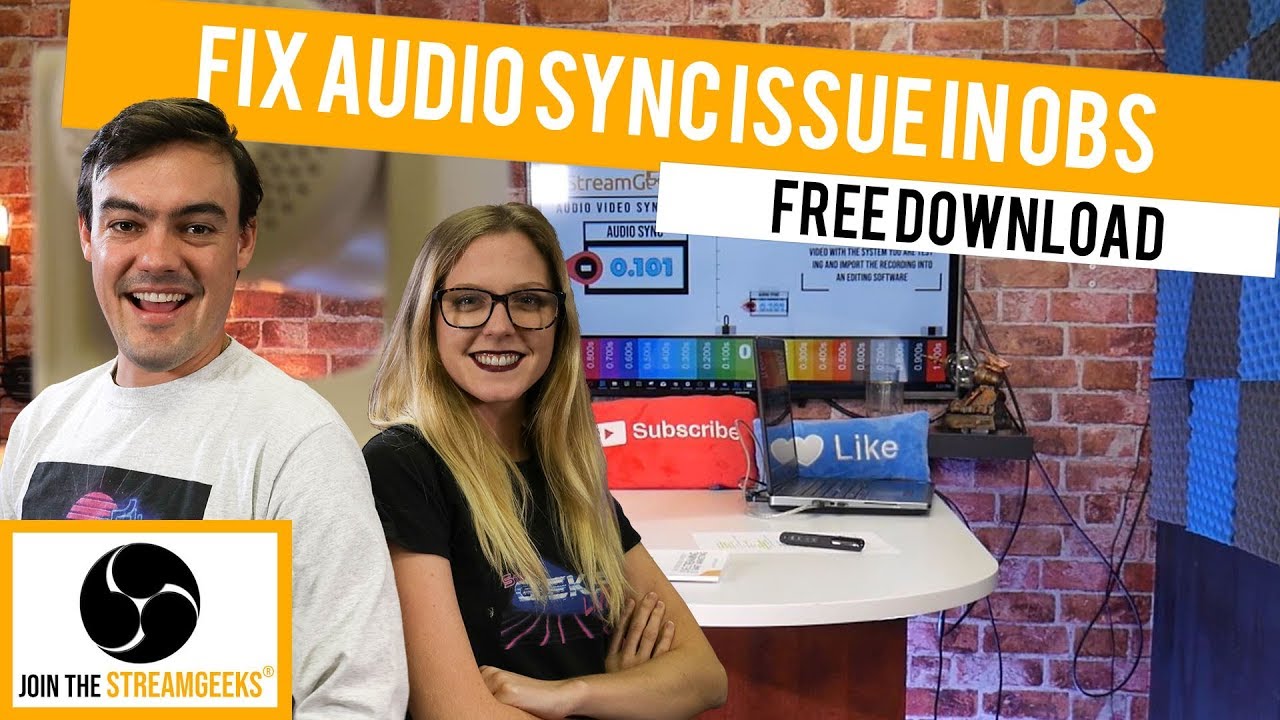
Download here - http://obsaudiosync.com
The OBS Audio and Video Sync Tool has been designed to answer the important question of how much audio delay an Open Broadcaster Software user should apply in their live streaming system. The tool is a video that combines a visual scal...
tight badge
Idk if i should get the hd60 or the hd60+
Cause im more worried it will cause problems with the laptop but its a amd ryzen 3 graphics card
loud ice
so for some reason when i use my Elgato HD60 in OBS the output res is maybe 480p but in elgato capture software its 1080p. is this a problem that happens with every capture card or is it because my capture card is old hardware and probably wasnt made for full OBS support
 strong robin
hello i am having issues in hd60s
it shows it is sucessfully connected but i in screen it is howing black screen
 whole orchid
Astro A50 4th Gen: does the aux port on the back also double as a Mic out?
Reason I ask is could I essentially plug an elgato capture card into the aux port to capture my in game microphone? Have been racking my brain on how to capture both game and chat audio, as well as my voice in chat, without having to use a thousand adapters or buy a separate external mic for my PC
 gentle bramble
Moin Wanted to ask if you can help me I can download on my stream deck XL No Voismod I have denstalized it 3 times and it still does not work Please help and repayment Just mention me Mfg
rare kraken
@whole orchid The Stream Port of the A50 can also do a mic out, yes. I don't think you can use it to solely capture the mic and still get game sound via your capture card though. You'd want to have it plug into your PC as a separate audio-in.
whole orchid
Thx, I’ll do some troubleshooting tomorrow
gentle bramble
pls
Help me
Moin Wanted to ask if you can help me I can download on my stream deck XL No Voismod I have denstalized it 3 times and it still does not work Please help and repayment Just mention me Mfg
steel lotus
is anyone available to answer a probably simple question for me?
 placid elk
hey guys i have an ongoing issue with my HD 60 Pro, that i bought today, so I'm at the Game Capture HD application, and under "live streaming" i want to stream from twitch and when i click it, it's just a blank page that opens up. I've tried using the CTRL method and try to log in, but whenever i put my correct user name and password, it's still saying incorrect name and password. is there any other methods to this at all? i would appreciate a response please and thank you :)
this is the screen i get when i choose twitch as my stream option
 velvet crag
same help please
vapid granite
mines jsut on the asking me to reboot cycle for drivers that nevr works ... for my hds60 i need help too
 wooden remnant
My HD60S+ doesn't work with the Nomad C-C cable
Does it only work with the provided cable?
Also tested with the cable included in my mac
shut summit
@cunning latch Thank you this refunction n I will try this live in 1 hour again thank you!
 ember canyon
I have this problem
but my elgato HD 60s is already connected into a 3.0 usb port
I don't unterstand
onyx elk
Are you using the cable that came with it in the box? @ember canyon
ember canyon
Yes
onyx elk
Are you on PC or Mac? If PC, is it a custom build?
onyx elk
Check and see if your motherboard drivers and BIOS are up to date in the software the manufacturer provides
onyx elk
I had a similar issue, but with a PCIe card. (Not Elgato) everything worked one day, the next not. I updated everything and it worked.
onyx elk
Have you updated Windows?
ember canyon
Yes
I've installed back the software
But it still does it
Nothing changed in my computer I don't understand
Ok It worked after unpluggin/pluggin every cable from the Elgato
If anyone knows why this happend
wet cave
@ember canyon I came across a freezing issue starting CoD:MW using an elgato HD60 S+. My research lead me to a few post regarding older USB 3.0 not providing enough power for HD60S oder HD60S+ to function properly. I will try fixing it using an PCIe USB 3.0 Card connected to SATA Power, but didn't manage to order one right now. Maybe something like this could be your problem, too.
sweet escarp
Can i get some help please. 😦 my elgato 4kpro mk2 is saying my EDID is invalid reboot your pc. But rebooting the PC doesnt work. 😦 and ive done a lot of different trouble shooting tips to fix the issue. But the internet and other places have yet to even reach out and help. 😦 im truly at a lose as to why this is happening
 exotic talon
Question
I have a 4K60 Pro capture card.
I have my input device connected to the IN of the CC, OBS pick it up perfect.
My issue is that, I plug in my monitor to the Output of the CC, but my monitor get No Signal.
Can someone help
rare kraken
@exotic talon hrm, interesting. what pc or console are you connecting into your 4K60? if it's a 4K signal going in, are you also connecting a 4K monitor to the output?
exotic talon
@rare kraken, thanks for answering. I am connecting my Samsung S9 to my 4k60
its def. not a 4k device.
Like, in OBS, i do get ouput, sound etc etc etc. The only issue I have right now, is that the Out isnt going to my monitior
rare kraken
the output monitor/tv is not 4K?
exotic talon
2K
exotic talon
yes
rare kraken
just wanted to make sure that it wasn't trying to send a 4K signal via a connected 1080p monitor something
exotic talon
i understand, and good thought as well sir
rare kraken
and you can verify that plugging in the S9 straight into the monitor also functions?
exotic talon
hoooo
rare kraken
There have been a number of people talking about getting the wrong/invalid EDID recently
so not sure if it has something to do with that
exotic talon
EDID is?
rare kraken
EDID is kind of an identifier that devices use to check what resolution it can send to/receive a signal from
it's probably best to reach out to Elgato's customer support
(Customer Service does not monitor this channel) To file a support ticket visit http://e.lga.to/help
shut summit
Hello, do you have if it is possible to move the image of the games? Because I would like to put it on a side because it is my ipad.
 hot swan
Anyone have dual PC setup audio working with HD60S+. I got the video capture set up for 144hz on my main monitor and 1080p 60hz on my streaming monitor. I’ve been driving myself crazy over the past few days trying to get the audio to work again (Yes, again. I’m not sure what I did but it won’t pick up audio on the streaming PC anymore).
rare kraken
@shut summit that's in OBS? Can you just click that source and move it over?
shut summit
@rare kraken When I use OBS the video of the games loses quality and my HP has problems to follow. so I do all with Elgato.
rare kraken
In Elgato's Game Capture, there's not a way to move the capture screen
shut summit
thank you
wooden remnant
Does anyone know how to use third party USB-C cables with the HD60S+?
 zinc knot
Hi, i'm using the HD60S capture card to run a dual PC setup. I switched to OBS Studio last night and set everything up with new scenes. When I set it up, I was getting visual and audio coming from the elgato and onto the streaming rig. Now i'm only getting visuals, but no audio. I changed no settings. I've had issues with this from time to time, but restarting the PC always fixed it
 ember nest
anyone have any suggestions for sound mixers
i font have a stream setup or anything and have no clue what works and what is good
but i was wondering if anyone had some suggestions as to what i can get to start with
wooden remnant
What do you need in a mixer?
If it's just a mic input to use with the computer, then I'm very happy with my Native Instruments Komplete Audio 2
ember nest
i have no clue
i was just wondering what some of the things yall use and reccomend for any thing yall use it for
im just curious in the range of it all
zinc knot
I use a Xenyx Q802USB board for my XLR mic
wooden remnant
So the KA2 has an input gain per input, and two inputs
it also has a monitor output, which I don't use because I use the Elgato Pro Dock for audio
zinc knot
the GOXLRmini is the way to go
ember nest
what might be some reasons to invest into a mixer
ive had someone tell me that its not even necessary
wooden remnant
GOXLR Mini has also gained popularity, even has Streamdeck support
That really depends on the meaning of "mixer"
You can easily get a Blue Yeti
But if you want some more control, going with an audio card (also known as audio interface) is not a bad idea
zinc knot
anyone able to assist me in getting my audio from my gaming rig to streaming rig using the HD60pro
last night it was working fine, turn on my rigs today... not so much
rare kraken
I've gotten by with using VoiceMeeter Potato as a software mixer.
I do have a USB audio interface which I plug my XLR condenser mic into
@zinc knot I had some audio issues like what you were describing with my old HD60S. ```So my HD60 S appears to have some connection issue. It worked well for a few months, but in maybe the last 3-4 months, I've noticed that the signal doesn't pick up in OBS. In order for the video to show, I'd have to unplug the USB C cable (power), plug it back in, then go into the properties for the Game Capture HD source, deactivate, then activate it. The screen would go blank for a second, then come back and show up. This worked for awhile, but then the audio started not going through after unplugging/replugging/deactivating/activating. For PC, I was able to change the audio source to something else, then switch back to HDMI/Elgato HD60 S, and it would display then in OBS on my streaming PC.
Then now in the last two months or so, the sound wouldn't show up with the video.
Phil advised the steps to unplug all cables, wait 30 seconds, then replug. This worked for my laptop connection, and it immediately picked up the signal WITH sound in OBS. I then tried plugging it back into my streaming PC (an Intel Skull Canyon NUC, similar to the units you guys use at events like PAX and TwitchCon for the streaming booths), but while I was able to get video just fine (without unplugging/replugging/deactivate/reactivate), no audio would display. I attempted the whole unplug/replug/deactivate/reactivate, with no change. I also tried switching USB C cables and switching to another USB 3.0 port.```
wooden remnant
I've begun playing around with Loopback as software mixer
rare kraken
My suggestion is reach out to the Elgato support team
they ended up replacing my HD60 S
zinc knot
i was afraid of that lol. Thanks @rare kraken Figured it was just starting to go out
 quiet garden
heyo i'm using my elgato with a ps4 and also chatting with friends in discord on pc how can i use my pc mic and talk in game at the same time
cunning latch
@wooden remnant You definitely can, just hit or miss sometimes. AmazonBasics makes a good cable that I use myself for it. https://www.amazon.com/gp/product/B01GGKYS6E/ref=ppx_yo_dt_b_search_asin_title?ie=UTF8&psc=1
@shut summit I may have forgotten, but what specific Elgato device do you have? Most of our current cards send an uncompressed video feed to OBS So the image quality should essentially be untouched.
@ember canyon cable or port could be not be making a good connection. If it continues, try changing ports or a different USB 3.0 Type C cable like I linked earlier.
@steel lotus did you ever ask your question?
@strong robin Double check your windows 10 privacy settings: https://help.elgato.com/hc/en-us/articles/360027958672
Do you see any video on your TV?
Elgato
The Windows 10 April 2018 Update (1803) introduced new privacy settings that may interfere with certain capture cards.Affected products:Cam LinkGame Capture HD60 SGame Capture HD60 ProGame Capture ...
ember canyon
Okey thank you everyone !
 main zenith
I just got a HD60 s, and I've been testing it with my ps4, sometimes in the middle of the video, the audio for the game stops. I can only tell when I review the video.
 velvet spindle
hey in obs my elgato game audio is playing through my desktop audio. this gives a looping/echo effect, how can i stop this?
 elfin cloak
Hiyo everyone🤘 Just was testing out my roommates elgato HD60s with my computer to see if I wanted to buy one but I can't seem to get it to work. The issue I'm getting is that every time I try to connect everything together it stops displaying my ps4 on my main TV and on my computer it never ends up displaying the PS4. Halp!
uncut flame
Every time I try to close the game capture software down it doesn't close down all the way and won't let me reopen it until I go into task manager and end it there. It's not in my system tray, is there some other method of closing this program down I'm not aware of?
wooden remnant
@cunning latch it's weird that the Apple cable doesn't work 👀
 ripe plover
Anyone know how to fix the mobile stream deck connection to host error?
wooden remnant
@tired flint On Windows, the OBS category works just fine with SLOBS
 tired flint
btw @wooden remnant false.
 dusty vault
@elfin cloak you need to turn off the HDCP in your PS4 settings before doing anything with a capture card
wooden remnant
@tired flint the obs category doesn't work for alobs in macOS
that's a known issue
 wooden remnant
there is a category for slobs on mac yes
But to switch between scenes, you'd in theory use the OBS ones
But those doesn't work with the first SLOBS for macOS beta
 runic schooner
I can't get my stream deck mobile to link to my stream deck app on my windows 10 pc. Both are up to date and I have tried everything in the list of help ideas and bonjour is running. No idea what to do now
 limber jewel
Can someone here help me with my USB configuration?
I got a lot of USB devices and not sure where to plug them into.
I got a 3.0 Hub and a 2.0 Hub, and the following devices;
- 1080p Webcam
- Keyboard with RGB
- Logitech G mouse
- Streamdeck
- Microphone
- Charging cable for headset
- Charging cable for phone
- Charging cable for smartwatch
So not sure how Im going to efficiently spread those things acros the two hubs.
The 3.0 hub only has space for 4 things though.
ember canyon
@cunning latch sorry for the mention but I've tried others port and cable
And after restrating my computer
It still does it
 vale apex
wel i have a keyboard that supports g-keys from corsair icue is running and the stream deck application to and my sdk is on on icue but it says thats its not connected
and its supported
my keyboard is the k55
tag me if you know the answer
elfin cloak
@dusty vault I did turn of hdcp
runic schooner
I can't get my stream deck mobile to link to my stream deck app on my windows 10 pc. Both are up to date and I have tried everything in the list of help ideas and bonjour is running. No idea what to do now
?
ember canyon
The 3.0 usb problem is annoying. It happened suddenly and I have to praticly re-do the cable management of my computer every time I start him
wooden remnant
@runic schooner has it connected before?
runic schooner
@wooden remnant only on the mobile device, nothing shows on pc. The buttons on my pc aren't on my phone either
wooden remnant
so they never connected?
south bronze
can an Elgato HD60S capture my Sony A5100? if so, can it also work if I am already using a 4k60 Pro MK.2 in my streaming pc connected to my gaming pc?
Since a lot of elgato products are out of stock I am trying to find a way to connect the Sony A5100 to my pc without the Cam Link, is this possible actually?
wooden remnant
I believe that's how Steggy does it
south bronze
hello guys
is there any problem by using standard speed hdmi cables with the HD60S+?
@wooden remnant are you really sure? I am in a need of a camera, and I hope to know the answer by tonight so I can buy one asap.
runic schooner
so they never connected?
@wooden remnant
Nope
wooden remnant
is the android phone on wifi?
south bronze
how can I talk to Steggy without tagging him?
 worldly goblet
Hello everyone, can i use the Game Capture HD60 with this
specifications? (Are in Spanish) i have a MacBook Pro Retina with the same specifications
south bronze
is there any problem by using standard speed hdmi cables with the HD60S+?
is it ok to use it?
 echo mortar
hello! im trying to connect my ps4 pro to my elgato program but it keeps on doing this https://gyazo.com/92607b4045ddeef78df2299e11060e5c
 worldly goblet
Did you disable the HDCP on PS4?
 random merlin
@echo mortar can you explain your problem to me
echo mortar
as seen in the screen shot @random merlin it captures my desktop and not my ps4
everythings plugged in correctly
random merlin
so i saw that you turned off your HDCP before you plugged it in,
can you show me your capture settings?
@echo mortar
Has anyone had problems with their Elgato hd60 pro not picking up audio? Mine picks up video but fails to get audio for some reason.
 rocky adder
Hey can you help me out ?
Do you know where to put the stream key for youtube in the elgato software for mac
because i cant find any videos or articles about it
Just like dm me the ansers
answers
 jaunty grail
@random merlin I'm having the same issue with my 4k60 pro and it's only recently. I've had it for about a year working perfectly.
It still picks up video in my 4k capture utility but no audio
tardy cobaltBOT
PLEASE NOTE: Customer Service does not monitor this channel. If you are unable to solve your issue, please file a ticket at http://e.lga.to/help.
We also have staff available by phone 12hours a day. 8AM to 8PM Pacific every day of the year if you have quick questions and there isn't someone here to help you. http://e.lga.to/phone
Elgato
Below are the telephone numbers for Elgato Support:
United States☎ 1-888-726-8134
Toll FreeMonday-Sunday – 8:00 AM to 8:00 PM PST (Pacific Standard Time, United States)United Kingdom☎ 0330 808 44 9...
 lofty spoke
Just have a question, can I also open data paths like C://Foto_folder with streamdeck?
rare kraken
@rocky adder Chill and read the description of the channel (Customer Service doesn't monitor this channel). You'd have to do the RTMP function and input the stream key there.
lofty spoke
I tried some things, but all of them didn't work
south bronze
Anyone know of any issues with Camlink and AMD Radeon graphics drivers? Or more specifically Radeon 5700 XT cards. My Camlink freezes randomly and it stopped when I uninstalled my graphics drivers and started when I reinstalled them. No effect on hd60 pro capture card though. Freezes on all software applications. Camlink works on my laptop and buddies computer just fine
jaunty grail
I'm hoping someone who fixed the same issue people are having with no audio being recognized see this
jaunty grail
@hot swan @zinc knot Hey I'm experiencing the same issues with audio not getting picked up with my 4k60 pro (been working great for about a year and all of a sudden it's not working). Did either of you find a solution?
zinc knot
anyone familiar with setting up a Lumix G7 through the cam link and using it as a web cam?
@jaunty grail i disconnected and reconnected after a half hour and it worked. Then I went to restart my gaming rig and when I did that, the streaming rig lost the audio. So i'm convinced the cable or capture device is shot
jaunty grail
ah interesting, most info im getting is pointing towards a possible driver issue
but yeah could just be my card is deadzo
i mean the video works fine
but it just wont detect audio
zinc knot
same thing
I uninstalled and reinstalled the sound capture, nothing.
If me disconnecting the cables, reconnecting them gets it working, it appears hardware
jaunty grail
did you try installing a previous driver for the capture card?
jaunty grail
for sure, ive tried reconnecting cables but nothing helps
ill post here when i install older drivers
zinc knot
you wouldn't use a cam link by chance would ya?
jaunty grail
i dont think so
jaunty grail
@zinc knot so i uninstalled the gamecapture driver and reinstalled it, now my sound works but im getting a black screen
lol....
 frail ingot
i have been having an issue with my streamdeck. it wont send out my going live tweets but will send my ending stream tweets
 pastel granite
I'm not sure if this is the correct place to ask, but can anyone give me help with my Elgato capture card?
 cunning crystal
I also need help with my capture card
I plugged everything in but still have no signal
 dawn tiger
I want to change my case to a Lian Li 011 Dynamic. I want to run either 9 LL120 or QL120 fans. My motherboard only has 6 Sys_Fan headers on it. I still want to be able to control the speed in the bios and the RGB in icue. Can someone tell me what I need?
finite hazel
I got some connection issues with stream deck mobile, my device always give me a timeout error... Done everything from the help article but doesn't help
tardy cobaltBOT
PLEASE NOTE: Customer Service does not monitor this channel. If you are unable to solve your issue, please file a ticket at http://e.lga.to/help.
We also have staff available by phone 12hours a day. 8AM to 8PM Pacific every day of the year if you have quick questions and there isn't someone here to help you. http://e.lga.to/phone
Elgato
Below are the telephone numbers for Elgato Support:
United States☎ 1-888-726-8134
Toll FreeMonday-Sunday – 8:00 AM to 8:00 PM PST (Pacific Standard Time, United States)United Kingdom☎ 0330 808 44 9...
hot swan
@jaunty grail in device manager would I just remove all the elgato drivers? Then just reinstall the software?
south bronze
can an Elgato HD60S capture my Sony A5100? if so, can it also work if I am already using a 4k60 Pro MK.2 in my streaming pc connected to my gaming pc?
Since a lot of elgato products are out of stock I am trying to find a way to connect the Sony A5100 to my pc without the Cam Link, is this possible actually?
Asking this again because I don’t have an answer yet
south bronze
Does anyone know how to stop voicemod playing through mic and desktop audio on OBS? The duplicated noise doesn't sound great.
 wooden galleon
Anyone else experiencing long answer time on their tickets? i filed a ticket 16 April, and still no answer 🤔
 rotund gust
So I got an Elgato Capture Card HD60s+ today, I spent almost 3 hours trying to set this thing up (PC to PC) but still can’t get it to work. Anyone have a step by step for me or can offer any help? I have my gaming MSI desktop PC and a Omen desktop PC that will be used for streaming.
south bronze
Does stream deck mobile have all the same feautures as a stream deck?
 hearty night
Looking for some help regarding my Elgato connected to my IPad, audio is synced but the auido from my headset isn't synced, can anyone help me out thanks
south bronze
Has anyone setup a nintendo switch with their elgato HD60? Would love some help if you could DM me, having issues with OBS picking up the audio
 echo mason
which elgato stream deck is the most worth it?
mini, standard or XL
like my budget isnt super high, so i thouhgt the standard would be good, but any opinions?
 drowsy flicker
I have all 3 but use the XL the most having said that to keep cost down you could get the normal one and then the app if you have a comparable smart phone
 tardy juniper
I want with the XL cuz I knew I was going to need all the keys, also big selling point for me was the detachable cable
Got it on sale too though 
 pure trench
Can someone help me fix an issue I have having with my capture device
hearty night
What issue are you having Prismhunter?
pure trench
I play on console. Whenever I open up streamlabs obs my video capture does not display. On my screen where I play it goes black. By the looks of it, it looks like its trying to display but does not show up
@hearty night
I can send video in dm
hearty night
I had the simular issue with mine but i am on mobile what solved it for me disconnect it from your pc and see if it shows then
pure trench
best thing to do is to unplug everything then replug it to see if it works right?
hearty night
Pretty much, i had the same issue but now i have an audio delay but only on my headphones, if i record and play it back its all perfect, cannot fix it tried everything
pure trench
thanks
rare kraken
@wanton spire there's no native driver for the HD60S to show up in OBS on Mac. They developed OBS Link for that, which uses an internal NDI signal to go into OBS, but there's some inherent lag with the NDI signal.
 wanton spire
Ok
hearty night
Anyone know how to fix the audio delay in obs? when doing a test record its perfect everything is synced up but there's a 1-2 second sound delay in my headset
hearty night
^^ same issue with me, seems like no one knows the fix unless they are doing something else.
rotund gust
I don’t know how active anyone is with this
hearty night
me neither buddy, i came here looking for some help, been trying to sort this problem out for passed 9 hours now
 uneven bone
Hey I need some help. I'm trying to record My Discord voice call but every time I go and look back at it my own audio is doubled, so it echos. I'm not sure what im doing wrong.
south bronze
Does stream deck mobile have all the same feautures as a stream deck?
 inner plank
I have an issue with my game capture HD on my desktop computer : On slobs or game capture HD software, after a small time (less than 10 minutes) it loses signal. I don't have the issue on my laptop so I think there's a problem on my computer, but I can't find it !
If anybody has any idea to fix the issue...
 tender wagon
floral jetty
tender wagon
floral jetty
@tender wagon We don't manage what happens in the corsair discord.
 vestal topaz
Question: to capture and edit videos in 4k do i need a 4k HDR monitor? (I bought elgato HD60 S+ and im having some difficulties to render and export videos in YT)
loud ice
so for some reason when i use my Elgato HD60 in OBS the output res is maybe 480p but in elgato capture software its 1080p. is this a problem that happens with every capture card or is it because my capture card is old hardware and probably wasnt made for full OBS support
 proud tinsel
I've got an HD60S and whenever I try to play back audio via the channel, I get static noise on the card host and playback errors on the captured device. Advice?
Just now reinstalled the driver, and oddly enough it worked till I followed through with the prompted restart. Since then only noise again.
Okay, when I switch outputs to analog and back to hdmi it works. Odd, but good to know.
 upbeat stirrup
hi im not sure whats causing it probably my settings but when i go to record with elgato capture im getting some visual delay or some lag during recordings where footage looks a bit jumpy.
 obsidian prism
I've got an issue. With HD60s my frame rate on my cloned monitor caps at 60 despite Nvidia settings having it set to 144hz.
When I unplug the elgato, the frame rate shoots back up to normal.
drowsy flicker
Not 💯 sure but is t the 60s only capable of 60fps pass through? If so that will be why
wooden remnant
It's only 60FPS passthrough to the best of my knowledge
obsidian prism
Yes, i'm not going passthrough. GPU DP-> 144 monitor. (Cloned) GPU HDMI-> Elgato
They're two separate connections.
wooden remnant
I think it caps out at the lowest one
obsidian prism
wack
 gleaming trail
Got the iPad Pro 2020, I have elgato HD60S. I need to order a usb c to hdmi connected, will this record teammates and my microphone or just game audio?
I want to record the teammates mic and my mic also
south bronze
mystique if you are still on here can you just check that pic i posted quick?
And just tell me if the colors look slightly different on the video to live screen, (like the red boarder) or if they look identical on yours?
south bronze
Okay thanks, thats really odd though. I don't get why both wouldn't be the same
wooden remnant
But it's something to preserve cpu resources?
south bronze
No idea. I asked OBS people and they said my monitor should be showing exactly the same thing from live footage to the recorded product, but at least to my eye in the picture, the reds are totally different (right is darker).
wooden remnant
I don't think it's an Elgato thing, but an OBS thing
As Elgato don't know your "state"
gleaming trail
mystique if you are still on here can you just check that pic i posted quick?
@south bronze maybe a tiny tiny tiny bit more vibrant but honestly I can’t really tell a difference
south bronze
Oh cool thanks Mystique, so on the left it still looks decent then? (the video)
Thats with the CRT filter on the SNES Classic
wooden remnant
Looks okay my man
south bronze
Thanks Bastian
wooden remnant
I don't think many people will even notice honestly
south bronze
Originally I was actually using the Elgato software as that was working great for most of my video games
But for some really weird reason, when i recorded Mario RPG (snes classic HDMI) on it, it would tear or have small glitches
No clue why, thats why I switched to OBS
south bronze
Yeah. I'm just not sure why that game in particular it had those little lags in it or glitches, when it recorded Switch games like Animal Crossing fine. I'm just stupid with this stuff, still trying to learn lol. Thanks again
gleaming trail
Do you know anything about recording mobile gaming or just Nintendo switch? 😅
@south bronze
south bronze
Sorry Mystique I'm super new to this (I just started a couple weeks ago). I've only recorded the SNES Classic, NES Classic and Nintendo Switch which are all HDMI connections
south bronze
I just know the Elgato game capture HD (2012) model has been working great for me, I got it used. The software for Windows 10 was working decent, but I started having the hiccups with Mario RPG, then switched to OBS and it took care of it.
sorry again 😦 I'm not smart with this tech stuff
gleaming trail
I spent so much money on elgato
But I haven’t used it because I can’t figure it out
wooden remnant
@gleaming trail there's a few things you can do, what do you need to know?
gleaming trail
I’m literally willing to pay
wooden remnant
Also iOS or Android
And if iOS, mac or pc?
wooden remnant
Plug that bad boy into your mac, open quick time and bam
gleaming trail
LOL
I want to know a) how to capture teammates mic and my mic
and not just the game audio
which is what my usb c to hdmi connector did with my old iPad
wooden remnant
I don't understand the team mates thing
Can you draw a diagram of your setup?
Filled with all platforms
gleaming trail
Okay well currently I don’t have a set up because I just upgraded my iPad
I was using old iPad 2018 which had lightning
This new iPad has usb c
 hidden jolt
Anyone know why lately the SD software doesn't auto start with my PC? I'm on Win 10, it's configured in 'startup apps' to be toggled ON for startup, but it seems to load and crash every boot up (when PC is off for 6+ hours each time), and have to manually start it each time.
wooden remnant
@gleaming trail can you then draw out a diagram of how you did it?
But for the most part, if you had something equalivant to the dongle you linked to, it should work mostly the same
south bronze
Receiving the following error on my new PC. OBS and other software has not been installed - Checked to ensure nothing else would be using this software
Not sure what Else to check
south bronze
Question mark opens to a support page that doesn’t have the error
4K 60 Pro internal card
All drivers and software up to date
wooden remnant
have you tried restarting the computer?
south bronze
Got No HDMI signal on my monitor
gleaming trail
@gleaming trail can you then draw out a diagram of how you did it?
@wooden remnant
I had this
wooden remnant
in the case, QuickTime and a usb cable from the iPad to the Mac should be enough

Tech Junkie
Want to share something cool from your iPhone or iPad screen? Don't use a camera to record the screen, just upgrade to OS X Yosemite and iOS 8 and use QuickTime to capture a high quality video of your iDevice output, great for demoing apps, creating tutorials, or showing off s...
but if you really want the capture card, the linked dongle should be fine
 shy pumice
Hey guys, I've got a Elgato HD S+, everything works well, but I'm trying to figure out if I can stream a console game into Discord without hearing the video capture program. So, I have:
- Installed 4K capture utility
- Utility is displaying video and audio. I don't want to hear this audio because it is delayed, but my viewers want to hear this audio because it is synced with what they are seeing.
Any suggestions?
wooden remnant
@shy pumice this is the only way Inknow of: https://obsproject.com/forum/resources/obs-virtualcam.539/
OBS Forums
This plugin provides a directshow Output as a virtual webcam .
How to use:
Output:
- Selecting Tools -> VirtualCam
- Press start button and close diailog
- Open your 3rd party program and choose "OBS-Camera" as a Video input
Filter:
1.Add a...
shy pumice
It seems to me that there should be a simple option to not hear the volume of what you're recording on your desktop, but still have it in the program?
What is you've linked me?
wooden remnant
makes obs a webcam source
shy pumice
I don't think I need a webcam source.
wooden remnant
Welp, that's all the help I can give 🤷♂️
shy pumice
Thanks, but I'm not sure how this helps me to be honest. : )
wooden remnant
You can in OBS change everything to the point you want, and pass that on to Discord
shy pumice
OK
I'll try.
Not sure what this is doing for me. I installed it but what does it do, exactly? @wooden remnant
wooden remnant
it makes obs act like a source
shy pumice
OK
south bronze
can an Elgato HD60S capture my Sony A5100? if so, can it also work if I am already using a 4k60 Pro MK.2 in my streaming pc connected to my gaming pc?
Since a lot of elgato products are out of stock I am trying to find a way to connect the Sony A5100 to my pc without the Cam Link, is this possible actually?
Asking this again because I don’t have an answer yet
 fathom gate
so i've found a bug in the streamdeck where if you have a toggle source key setup and theres more than 50~ sources in that scene that entire screen on your streamdeck will lag on all inputs whether its communicating to obs or not.
 frail wolf
Does Ram frequency really increase ram speed when its highert
south bronze
I appear to be having some type of issue with the 4k Capture Utility Software being buggy and constantly dropping signal. HDMI passthrough isn't working either. Un-installed and re-installed software several times with no results.
rare kraken
@south bronze you can use the HD60S with your Sony A5100 in programs like OBS. It won't work as a "webcam source" in Zoom or other applications, but in OBS, it acts just like a video source. You'll want to make sure that you're only outputting 1080p from the A5100 though.
 tiny scroll
Hello, i'm having an issue with my Elgato not capturing VULKAN games (Tom Clancy Ghost Recon Breakpoint). When I run the game in Vulkan mode elgato refuses to capture the game is this something that is being worked on in the next update?
south bronze
@rare kraken so then optimal solution is just to wait until the cam link will be available again?
wooden remnant
@south bronze there are program which allow you to use OBS as a webcam source, so you can use your a5100 as webcam through HD60S and OBS
this is the only way Inknow of: https://obsproject.com/forum/resources/obs-virtualcam.539/
@south bronze here's the link
OBS Forums
This plugin provides a directshow Output as a virtual webcam .
How to use:
Output:
- Selecting Tools -> VirtualCam
- Press start button and close diailog
- Open your 3rd party program and choose "OBS-Camera" as a Video input
Filter:
1.Add a...
south bronze
@wooden remnant just making sure so I don't buy the HD60 on accident, since the cam link is out of stock now, but I now know that I have a second solution, i'll still wait for the cam link tho because I know that 100% works without any other programs
south bronze
I appear to be having some type of issue with the 4k Capture Utility Software being buggy and constantly dropping signal. HDMI passthrough isn't working either. Un-installed and re-installed software several times with no results.
^^ Anyone got any ideas about this?
 prisma ocean
Hi there. I have encountered a problem with HDR recording on the 4k60 mk2. Basically its recording 8bit color not 10 bit and the recording is totally broken. If anyone has any knowledge of how to fix this that would be great
 obsidian fossil
I just got the HD60S+ to replace my old HD60 and I notice it seems like the HD60S+ uses a generic Microsoft driver and shows up as a webcam instead of using Elgato drivers the way the HD60 did. Is this normal?
 pallid basin
the hd60s+ supports UVC - so it is basically like a webcam
and works on every os without special software
obsidian fossil
Also, it can't seem to capture from my Galaxy S20 Ultra due to the aspect ratio. Is there a way to get the HD60S+ to capture this? There's no way on the phone to force the resolution to something the HD60S+ is expecting.
pallid basin
Elgato
This article goes over using Elgato Cam Link 4K with Video Conferencing applications such as Zoom, Microsoft Teams, Discord and many others.
Elgato Cam Link 4K and Video Conferencing Software
...
Elgato
Elgato Game Capture HD60 S+ has a few differences between it, and the original Elgato Game Capture HD60 S.
Differences Between The Two Models
For Elgato Game Capture HD60 S+:
• It can reco...
how did you connect your samsung to the game capture?
usb-c to hdmi adapter?
obsidian fossil
I have a Type-C to HDMI adapter designed to replicate the DeX dock. According to the 4K Capture program, the phone is trying to output at native resolution at 24 and 30 hz.
strange... I tried it again and it detected it as a 1440p60hz display and was able to capture...
Thanks for pointing out that it was UVC... it actually worked when I plugged it in to my phone. Just needed a UVC app and I was able to see my Nintendo Switch on my phone screen.
south bronze
Hey guys I think my elgato is distorting the audio really badly. Any fixes or troubleshooting steps I could take? https://www.twitch.tv/uncle_stache/clip/GoldenFunnyRadicchioLitty That's a clip of the audio.

 quiet wave
Hello everyone, I got 2 nanoleaf panels now. I'm able to pair it with the streamdeck
But when I try to use the new ip for the second set of panels it just controls the first panels
I don't know what else to try to fix it
 dapper monolith
I am having issues with audio and video, on the Dashboard the video is fine with bad audio. But I get into a game, then the video is messed up but the audio is fine http://www.youtube.com/watch?v=--gV2r4UA2Y

 barren kernel
Hello everyone, I am having issues trying to get my new Sony a5100 camera connected to my mixer stream. I have the elgato hd60 s+ and I stream from my Xbox to my pc. I did have a Logitech webcam before and that easily popped in OBS when plugging into pc and adding source. But the Sony camera does not. Can I use an hdmi splitter with 3 inputs and 1 output to connect my camera to my HD60 S+? Or Will a hdmi switch with 3inputs and 1 output work? @spiral stag
 misty sonnet
@tall moon It's just not active
Posting a question is a better way to get an answer
misty sonnet
Define "just went red"
 tall moon
Like I plugged it all in like the video said and it turned on and the little line went from white to red
I have the hd60 btw
misty sonnet
Elgato
Elgato Game Capture HD60 has a strip of LED lights that have various meanings, depending on their color, duration, and what direction they are traveling in. Device ConnectedWhen Elgato Game Captur...
tall moon
I followed the tutorial how to plug it all in and it still don’t work
south bronze
Hey is there any reason my Elgato would be incompatible with Voicemeeter? I'm doing everything I can to fix the audio, but it's awful (staticy & robot sounding). I'd seriously appreciate some help on this.
 ripe portal
How do I stream 2005 and lower video game consoles since they are all AV? Is it elgato to TV and TV puts everything on laptop?
fathom gate
If you have over 50 sources in a single scene in OBS it causes any streamdeck pages that have a source toggle on them to be super laggy
quiet wave
Does the nanoleaf streamdeck integration work with Nanoleaf Canvas panels?
I'm having so much trouble trying to set them up, some help would be great
 trail dawn
hello not sure if this is the right place, but does anyone know how I can update the software for the 4k capture utility (1.7.1)?
I noticed there were something all the way at the bottom, but i can't get to it given that I can't resize the software app nor scroll down so it prevents me to even actually updating the thing. Anyone mind lend a hand?
trail dawn
nvm figured it out thx
pallid basin
@south bronze is this checked?
you'll find it in iCUE.
- open up the app
- pick "settings" from the top menu
- on the lower part, of the window, you'll see "ICUE SETTINGS"
- on the "general" tab, there is the checkbox "Enable SDK" which needs to be enabled
hidden jolt
Never got an answer to this (or at least no mention, I literally have @ me in my name for a reason):
Anyone know why lately the SD software doesn't auto start with my PC? I'm on Win 10, it's configured in 'startup apps' to be toggled ON for startup, but it seems to load and crash every boot up (when PC is off for 6+ hours each time), and have to manually start it each time.
Any idea why this is happening?
 naive palm
Hey - so, I've got a Laptop with a i7-3xxx 16GB Ram and Nvidia 660. I'm using a Elgato HD60S and it's telling me that I need to use a 3.0 port for proper functionality, even though I am using a 3.0 port.
I already tried everything on the Elgato Website. Can't fix it.
It's working with 2 of my PCs and an old surface, but that specific Laptop is supposed to be the hardware for my next streams and drives me crazy that it won't work with it.
south bronze
@naive palm try a different port if not maybe delete the capture app and download it again
naive palm
Tried both already.


 rocky adder
Does anyone know why my Elgato game capture hd 60 s is not showing up in OBS
???
Because it’s hella annoying
How long should a wait for a answer
rare kraken
@rocky adder what kinda computer are you hooking it up to? is it by a USB 3.0 cable and USB 3.0 port?
does it show up in Game Capture HD?
rare kraken
well, that's it right there
rocky adder
It shows up in the Elgato software
rare kraken
There's no native drivers for MacOS
for it to appear as a video capture device in OBS
you'll have to use OBS Link, which works to send the signal as an NDI source to OBS on Mac
rocky adder
Ok
rare kraken

Elgato
OBS Link is a small program that lives in the menu bar of your Mac. It grabs the incoming video from your Elgato Game Capture HD60 S and converts it to NDI. The NDI signal can then be captured in O...
rocky adder
So do I just download it or ?
rare kraken
This channel also isn't monitored by customer support, so we're all just elgato users/fans helping each other out.
 sturdy ember
Hey i just joined. i got an Elgato hd60 s+ so i can stream from my ps4. i got everything hooked up right and downloaded the 4k capture utility and i downloaded streamlabs OBS. obs seems to be picking it up but on the 4k utility took it only picked up sound for a few seconds before it would cut out and repeat. only did it once, all the other times there is no picture on tv or on screen. any advice?
loud ice
so for some reason when i use my Elgato HD60 in OBS the output res is maybe 480p but in elgato capture software its 1080p. is this a problem that happens with every capture card or is it because my capture card is old hardware and probably wasnt made for full OBS support
rare kraken
@loud ice try double clicking on the elgato hd60 video capture device in OBS and setting the resolution there
loud ice
first thing i tried still does the same thing
rare kraken
what shows up in the resolution section?
loud ice
1920x1080
1280x720
640x480
it is always set on 1920x1080
sturdy ember
anything advice on what i can try?
sturdy ember
@cunning latch It keeps pulling up the video proc amp settings. It looks like it changes how the video looks. I see options like brightness, contrast and hue
loud ice
so above i did state my problem but now i will state with a picture of the Capture Card settings. In Elgato capture software i can stream/record at 720 60fps no problem, but in OBS it always seems to output 480 60fps for some reason
 gritty rover
Hello there, I just bought a 4k60 pro Mk. 2 to record from a ps4 pro and was wondering if anyone's ever had this green screen error when capturing at 2160p. At 1080p, the passthrough and capture work perfectly, but when changing to 2160p, the passthrough plays perfectly while the capture card records the very top of the screen with either a green box or distorted frozen images below the bar.
 static bramble
So I have a friend of mine trying to setup his stream through elgato and he is trying to get his game sound to come through but he is using the same channel for his mic and cant seem to get it to work..... Any tips? (Hes using MAC)
sturdy ember
I dont use that one, it says i have to use the 4k utility tool which looks different than that
I have the HD60 S+
cunning latch
oh man, I'm so sorry. I kept tagging you since your avatar looked like Banter's.
sturdy ember
Its cool
cunning latch
Ok. So audio cuts out shortly after signal is picked up and then video seems to go out as well.
Does this happen on all your USB 3.0 ports? Is this with the PS4 set to 4K or just 1080p? Did you make sure HDCP was disabled on the PS4?
@loud ice For the HD60, you don't set the resolution there. You need to leave all of those settings default, click on Configure Video, then set the profile to HD 1080
loud ice
aight thx for the help
sturdy ember
@cunning latch i followed a youtube vid and set it up the same. I did configure it on ps4 in its settings. I did try a 2nd usb port and it didnt help
Im kinda new to all this
rare kraken
@loud ice also, is it appearing in OBS as 480p? or outputting to the stream site at 480p? there's a big difference there.
south bronze
hi there, i have a problem when it comes to switching between the Elgato HD60 and the "old" elgato Game Capture. OBS don´t recognize the capture device when im switching the USB Cable from one device to another, i have to restart my computer everytime. Is there a solution? 🙂
gritty rover
This is the output I'm getting from my ps4 pro in 2160p. Any settings I should change, or did I get a bad card? Every other resolution setting works so far, except 2160p. TV passthrough works regardless.
 peak reef
Hello, I want to record a PS4 game. Have all cables connected and also a picture on the TV. The Steam software also displays an input signal. However, the recording window remains black.
The HDCP is deactivated on the PS4.
Cable: PS4 to Elgato IN, Elgato OUT to TV.
Got the Elgato 4kPro
Does anyone have a solution to this?
@south bronze I think it's because of the simultaneous connection. Try to end the unused process (Elgato or OBS) in the TaskManager. As far as I know, the HD60 cannot supply 2 connections to the same second.
south bronze
@south bronze I think it's because of the simultaneous connection. Try to end the unused process (Elgato or OBS) in the TaskManager. As far as I know, the HD60 cannot supply 2 connections to the same second.
@peak reef i don´t use two hd60 at the same time. I stream sometimes with Retro Consoles and sometimes with HD Consoles, so i have two Elgatos, HD60 and Capture HD with the AV chinch connection. One USB Cable goes to the PC, when i change the USB Cable from one to another Elgato, i got the Screen on my monitor but there is no signal to OBS
EDIT: After the second read of your response i get it! sorry, you mean the "capture" process not the OBS process... i try that later! thanks for the tip 🙂
cunning latch
@gritty rover Which card model is this?
cunning latch
Try installing this driver here: https://edge.elgato.com/egc/windows/drivers/4k60-pro-mk2/Game_Capture_4K60_Pro_MK2_1.1.0.189.6.exe then reboot your system.
gritty rover
Thank you, will try that when I get home
south bronze
Got a 4k 60 pro mk 2 that wont pass through HDMI. Tried different HDMI cables and PS4’s to no avail. Everything is up to date
Any suggestions?
cunning latch
@south bronze Any error messages in the software? Have you ensured that 'Enable HDCP' is unchecked in the PS4 System settings. It might have been turned back on after an update to the console.
 molten kindle
@cunning latch still havent figured it out why my capture card (elgato 4k60pro is making my fps in every game go locked on 144fps!
any suggestions? i have tried resettting my pc and everything!
south bronze
The vast Majority of the time the 4k software just reports no signal
south bronze
Seems like so many people are having issues with the 4k60pro.
I just picked up a Mk2 and mine keeps losing signal no matter how many cables I try and has artifacts on the app or obs after it reconnects and loses audio.
Anyone know if this card is just faulty or has a software issue? I tried reinstalling drivers many times too. This didn’t happen when I had the MK1 4k60pro
It likely is an issue tbh
like the card may be faulty right?
I opened a ticket but that'll probably take like 300 years.
rocky ingot
Hey has anyone else had the issue where Streamelements plugin for Stream Deck wont install it just goes through the install animation?
 fresh perch
Anyone know why the "change twitter name" only gives me an error triangle?
i tried reconnecting my twitter to streamdeck
gritty rover
Sadly, the driver did not solve my issue. Will try reseating the card and cables and see if that changes anything
 drowsy basin
Good evening folks. I am having an issue with my 15-key Stream Deck not updating my Twitch Stream/Game Title.
A little background. I have just recently "come out the other side" of a rather nasty driver issue that eventually resulted in my using a System Restore to get out of a "Blue Screen of Death" Loop.
Since then, when streaming, hotkeying the Stream/Game Title does not work. I have tried adding a new hotkey but the results are the same (the Yellow Triangle Exclamation Mark).
Scene changes still work so it's not every hotkey that's "broken". Thanks in advance for any help.
 worldly tinsel
Hi there All. I'm having an issue regarding the capture software/ my HD60.
I'm getting sound to my TV and in the software, but when I'm in streamlabs, the audio Gain detects sound from the card, but I don't hear anything in streamlabs. should I ask them?
Edit: fixed my original issue myself.
gritty rover
Fixed the green screen in 2160p mode while being able to use lower resolutions: I had the card in my x1 slot instead of x16. Switched it, working fine now in 2160p
 ivory flint
I'm not sure what I need to do to get my 4k 60 PRO working in OBS with my DSLR. I just bought it used locally (would've bought the camlink but it's obviously impossible to get right now). I have my HDMI out on my DSLR going into my 4k60 pro, but when I add a video capture device in OBS, this pops up. Not sure what to do or what I need software or firmware-wise...


 gleaming light
can someone help me ?
ivory flint
ok so I'm trying in elgato's 4k capture software and still no dice @rare kraken
rare kraken
@gritty rover this is for the 4K60 Pro Mk.2?? how they heck did you fit a x4 PCIe card into a x1 PCIe slot??
@ivory flint hmm, but the passthrough is working to your monitor... Have you tried installing this driver that Crest listed above? https://edge.elgato.com/egc/windows/drivers/4k60-pro-mk2/Game_Capture_4K60_Pro_MK2_1.1.0.189.6.exe
gritty rover
rare kraken
that's not a bad price at all
rare kraken
think that's still the chunky one