#cth-history
1 messages · Page 27 of 1
 unborn marlin
 worldly sigil
I use a GoXLR so like 4 USB inputs and 4 analogue inputs
unborn marlin
@worldly sigil before I had my issues I had the input as Line 2 and it was fine the Line 2 only recorded my voice and my desktop which has my friends voice as well as my desktop
I dont use any Mixers for my use
worldly sigil
in which case, someone else is probably better able to help you as I don't know
unborn marlin
omfggggg
I think I just fixed it lmfaoo
it was my Astro Command Center all along smhhh
@worldly sigil Thank you for your help I really appreciate it! Sorry to bother!
@cunning latch Thank you crest for your advice it was my Astro Command Center all along thank you and sorry for being a bother
 cunning latch
@unborn marlin Oh awesome, glad to hear that worked out.
 pliant warren
hey can i get help for my elgato 4k60 pro mk2 for dual pc setup
cunning latch
Are you stuck on a specific step?
pliant warren
i just have 1 problem
i put the card in my streaming pc and when i downloaded 4k capture utility this happens
I have icons on my gaming pc and my curser is not show and let’s say if I open up google on my gaming pc this happens
cunning latch
Then it looks like you have the 4K60 Pro just setup as an extended display and not clone/duplicated.
pliant warren
My first 4k60 pro mk2 I thought it was broken so I got a new one and same issue
But if I cloned it I would have to play on 60 hZ
Im a comp player and needs that 240 hZ
cunning latch
Not necessarily. To ensure 240hz support, go into 4KCU settings. Then Device tab. Then change the EDID mode to internal. Then Internal EDID to 1080p.
cunning latch
On the PC with the 4K60 Pro installed.
pliant warren
Oh ok hold on
cunning latch
This forces the 4K60 Pro to tell your GPU it's a 1080p 240hz monitor.
cunning latch
Sorry, 4KCU is just short for 4K Capture Utility.
pliant warren
Ohhh LoL
cunning latch
Would look like this
cunning latch
Clone it with your main monitor and it should.
As long as you hit OK or Apply, of course.
pliant warren
YOU ARE THE BEST
lol
Caps intended
I have been trying to fix this for awhile
Thank you so much
cunning latch
 Of course. happy it worked.
pliant warren
There is just a bit of delay when I swipe my curser right to left on the 4K CU
cunning latch
There will be some, but you're not intended to really play off the preview. Video and Audio will still be in-sync.
If you're streaming and have other audio inputs or overlays you could apply a small delay to them. Like 100-150ms.
pliant warren
ok ty
cunning latch
yea 50-100ms is normal.
worldly sigil
It's enough to be a problem in Smash Ultimate though haha
cunning latch
But you're playing by watching the preview?
worldly sigil
If I was then yeah it'd be a problem. Thankfully I just swap my monitor from DisplayPort (PC) to HDMI 2 (console)
cunning latch
🤔
pliant warren
XD
worldly sigil
That's a brilliant glitch.
cunning latch
Try reinstalling this driver: https://gc-updates.elgato.com/windows/drivers/4k60-pro-mk2/download.php on the computer with the 4K60 Pro Mk2 then reboot that system.
pliant warren
Ok
cunning latch
Has like a 98% successrate with that.
pliant warren
XD
I’m good it just happened when I opened up a game but I should be good now
I just thought it was funny
cunning latch
It's a pretty rare glitch that comes up. But the driver reinstall + reboot has almost always solved it.
pliant warren
Ok noted
 bright flume
Hi
quick question
I am trying to setup a camlink
and the cable I have which is hdmi to mini hdmi is glitching and doesn't send footage to the cam link
is there a cable brand or type that works for anyone else?
 hollow tusk
idk if support abandoned me or not, last time I got an email from the was like 5 days ago
 earnest crest
It's a pretty rare glitch that comes up. But the driver reinstall + reboot has almost always solved it.
any time a driver is installed you should reboot Windows. It's not like a program where windows doesn't mind it too much but drivers are completely different/
 umbral reef
hi all...was hoping someone could help me..i have a dual pc setup with a elgato 4k capture card. I cant seem to get OBS to receive any audio. Any help would be appreciated as ive tried everything i can think of short of installing 3rd party sound apps (ie voicemeter banana)
 rare kraken
@umbral reef are you sending desktop sound via HDMI from your gaming PC to the capture card?
 crude ridge
@cunning latch Sorry for the repost. For my problem with the video glitchin. I got the 4kpro60 mk2 and my driver is the 1.1.0.187
umbral reef
yes @rare kraken
cunning latch
@crude ridge I forget if I mentioned, but if you're seeing this even with that driver then we'd ask you email in: http://e.lga.to/help
Also run this utility: http://e.lga.to/reporter It will generate a SupportInfo Zip file on your desktop. It contains logs and diagnostics to help find the problem. Please attach this to the email form.
The team will need to dig deeper into some logs.

Elgato Gaming
The Elgato Windows Reporter is a free utility that collects selected information from users of Elgato products.It works with Windows 7, Windows 8 and Windows 10.Please Note: Elgato Windows Reporte...
@hollow tusk Can you provide a case number? They may be waiting on you to reply.
 lost wadi
Hey guys I’m having some difficulties getting my HD60 to put audio through to my streaming PC. Can anyone help with this?
Im just running it from my gtx 1080 hdmi out to my streaming pc hdmi in
cunning latch
@lost wadi There are a few solutions to this. Our usual suggestion would be to actually install Game Capture on your Gaming PC. This installed a small tool called Sound Capture.
If you set Sound Capture to 'PC Gaming' and choose the selections according to the app. You essentially choose the connection that the HD60 Pro is connected to. This is usually HDMI.
Then the other is where you'd normally listen to it. Headphones, Speakers, etc.
 solid vapor
I finally knows why some of my shortcuts in the Stream Deck didn't work!
aparently we can't use shortcuts with 3 keys (like ctrl+alt+supr)
no... wailt... I have one «ctrl+alt+6» and that works... but «ctrl+alt+supr» or «ctrl+alt+m» don't

this is really weird..
 gaunt lion
anyone know what this means in stream deck on websites?
 marsh mist
can i get in this channel help for cam link or only for stream deck?
marsh mist
ouhh nvm hahaha thanks 😄
 lofty basin
Np
 cobalt depot
OBS Preview Audio monitoring over HDMI => no audio
OBS -> Settings -> Audio -> Audio monitoring device => NVidia High Definition Audio(Elgato 4k60 pro mk2)
OBS -> Audio -> Mic Audio => TC-Helicon Broadcast Mix
OBS -> Audio -> Mic Audio => TC->Helicon Chat
OBS -> Advanced Audio Properties -> Monitoring -> Monitor only
and I still get no audio in the capture from the HDMI signal
 floral jetty
does obs see the source sound in general? like you can see the audio bars moving?
cobalt depot
yup
and I know it's working because it's a goXLR and those vu meters on the physical board are moving too
it's just the 4k capture utility and OBS on the stream pc aren't receiving audio over the HDMI line
picture is great
cobalt depot
what setting do you mean? there's a lot of sound settings
floral jetty
the windows audio settings, what is your default setting?
floral jetty
ok, so thats prob why obs isnt seeing it on the hdmi line.
windows will only send to 1 playback device
floral jetty
yes but if go xlr is getting the audio the hdmi wont
cobalt depot
also, the vu meters on the OBS in the game pc are fine
it matches what I'm doing
it's literally the audio monitoring device
or rather, OBS not sending the signal to the monitoring device
floral jetty
dm me see if we cant get this fixed
 north field
i have spotify set up on my stream deck but when i hit that action it wont play the music i have selected, everything is set up right, not sure what to do next
cobalt depot
@mint gazelle sure thing
I'm at work so I'm working off of what I remember from last night
sorry for the delay
 signal musk
@solid vapor are you trying to 'record' the shortcuts in Stream Deck App? Or triggering them has no effect? And what app are you trying to use it for?
solid vapor
The sorcuts are recorded correctly, but, when I push the button, nothing happens
but is weird, I have one working...
signal musk
is it just under hotkey?
signal musk
Where are you trying to trigger the action?
solid vapor
the one that works is a shortcut switch
principaly on Corel, Audition and Filmora
for example, export multitrack in auditio (Ctrl+Alt+M) that don't work
Yesterday I tried a Ctrl+Alt+Supr and it didn't work
I'll try to make a shortcut switch with that actions to check
signal musk
Is Crtl+Alt+M a standard shortcut in Audition that works from your keyboard?
solid vapor
yes
solid vapor
I make the test already @signal musk
I make a shortcut switch with (Ctrl+Alt+M) and it work without problems
 viscid fractal
so i just got a elgato hd60s and pluged it into my xbox and then ran the cord to my tv but i am streaming on twitch but i cant get music to play in my stream
signal musk
Did you find the issue? I want to make sure we resolve the issue of hot key not registering your actions before
solid vapor
Yes, I found the issue, but, I think it maybe is a bug, let me send you a couple of screenshots
This don't work
but, if I capture the exact same shortcut here, it works every time without probnlems
is for that I think is a bug
don't know if only in my SD or is general
yo can try it with something global like «ctrl+alt+supr»
at this time we can say that I have a workaround for my specific problem, but, I think this is not intented to work in this way

Ok... I think maybe something here can be cursed...
This one works...
and this one...
only ctrl+alt+m didn't work...
ok... maybe i dont have actual evidence for a buig report...
mark this as solved xD and thank you for your time
signal musk
lol i sent these to our dev regardless
 prisma egret
How does the AD button work for twitch with the stream deck? I see sometimes it sends a tick other times it gives an error icon
 exotic tiger
there was a semi hidden advanced menu for elgato capture cards that lets you enable 422 mode
i found a reddit post for it but i cant find it again
i want to share it with a friend
you ahd to hold like shift control or something and click on a stats button?
 icy dove
Hey ElGato team, just a quick question regarding functionality of your Stream Deck XL.
I've been using it for a long time and I could never stream without it.
My question is, can I control my El Gato XL deck from both the deck AND a mobile device at the same time?
IE when I travel into another room or want to change a scene "remotely" ?
cunning latch
@exotic tiger https://www.reddit.com/r/Twitch/comments/cao5ev/elgato_4k60_vs_avermedia_4k_chroma_subsampling/
Comment is from me.

reddit
Hi everyone, Been doing a little research into capture cards. I currently have a 1700x and GTX 970 system with an Elgato HD60 Pro as a dedicated...
exotic tiger
thats it
thanks @cunning latch
that should be pinned here and in the reddit IMO 🙂
i searched hard for it
cunning latch
Btw this was for the original. I believe it works on the MK2, but it's not something I tested. Much of that information is from @bold ember
icy dove
@cunning latch Mind taking a look at my question above when you get some free time please?
cunning latch
Yea that should work. Stream Deck Mobile essentially emulates a physical device. So you can have it with a profile switch button which switches the profile on the XL.
Now if you mean have access to the same buttons as the XL and use it seemlessly... not really. You'll need its own set of buttons.
 ionic blade
Hello can i have help plz? @cunning latch @signal musk @tepid cosmos
cunning latch
Do you have a question?
ionic blade
yes sir. im having a problem with my hd60 s+ with the 4k capture utility. For some reason there just a black screen for the app. However if i use my elgato via streamlabs obs it seems to be working. Any idea how to get it working @cunning latch
i will send pictures for refrence
cunning latch
Are both programs trying to access the card at the same time?
ionic blade
No. The 4k capture app is black all the time even without the streamlabs being open
like this
The elgato is also set up correctly as well @cunning latch
cunning latch
Well if video comes through in SLOBS, I'd assume so as well.
Hmm, same thing after a reboot?
ionic blade
Like it cant be the elgato because its capturing. Is there like a drive problem?
cunning latch
Could be GPU driver related as that's used for the preview. Have you tried a full reinstall of 4K Capture Utility?
I'd uninstall 4K Capture Utility fully, then install the latest here: https://gc-updates.elgato.com/windows/spotlight-update/1.0.0/final/download-x64.php
 bold ember
@cunning latch 422 mode does not work on the MK2
cunning latch
@exotic tiger Well there you go
bold ember
I believe its always 420. We have a firmware in the works that will enable 422 and even 444 mode. When that is coming out I don't know unfortunately
ionic blade
@cunning latch so yeah mate it hasnt worked.
cunning latch
@ionic blade If you actually record, does anything show up in the file?
ionic blade
just the black screen
cunning latch
So the video is blank too?
cunning latch
@ionic blade No audio comes through even in the mixer? Doesn't light up at all? Any audio on your TV/Passthrough?
As for the 4KCU issue, I'm not sure. I'd send us an email: http://e.lga.to/help and we can take a closer look.
ionic blade
would it be possible if i can return the product? My Mother got it for me a couple of weeks ago?
cunning latch
Depends where you bought it from, but I suppose. But this may be a simple issue I'm just not able to figure out here.
You can also call us. Our phone team is open for another 3 hours or so. http://e.lga.to/phone
ionic blade
i think she got it from amazon would you know how to return it to elgato
cunning latch
You have 30 days to begin the return process. Are you up for talking with our full support team about the issue?
ionic blade
Yeah well its 00:37 here and im gonna dicuss it with my mum in the morning. So that link u sent above is the link to the phone call yes?
cunning latch
Yep, it has various phone numbers for different regions.
Our call center is on the West coast of the US. So it's 8 to 8 Pacific. Right now it's 4:39Pm there.
ionic blade
im gonna give them a call in the morning after ive spoke to my mother. If the issue isnt fixed ill just send it back and maybe replace it with another elgato device.
cunning latch
Ok, understood. It could be something simple that I can't figure out here so I just wanted to make sure you tried our full team before going through the return process.
 sacred grail
hey everybody. usually I am able to stream through OBS ==> Video Capture Display and its smooth... but lately its got a consistent (every 10 seconds there is a 1 second delayyyyy) then when I choose the alternative.... Window Mode ==> full screen elgato then its not seemless on my end but is for viewers. help please?
 ashen minnow
i know this is a discord for elgato but could anyone help me with a streamlabs obs echo problem
earnest crest
what would be echoing? your voice? everything?
icy dove
Hi there, still a bit confused how I control my Stream Deck XL using my phone. I looked on google play store and the only El Gato app was called control center. It didn't appear to have or offer functionality for the stream deck. I installed it and gave it permissions but it said no accessory attached. My stream deck XL is attached to my PC via USB, and my PC doesn't not have any wireless access.
cunning latch
Control Center is for our Key Lights
And Stream Deck Mobile currently only on iOS. It's not on Android yet. We're working on it.
 whole flame
Hi. Happy Friday. I just recently got an elgato HD 60 S. I plugged up everything and downloaded the software and whatnot but I am not getting any audio output from my elgato. It is connected through an HDMI to my monitor. None of my mixer volumes on streamlabs move. Not even game sound nor my microphone. I use a headset for my PS4 that is connected to my controller. When I move around on my ps4, the gameplay is there and I can hear the ps4 through my headset, but no game volume or anything on streamlabs. Wondering If i can get some help.
In other words, when I plug up everything, I can see the gameplay on streamlabs and hear the game through my headset connected to my ps4 controller, but streamlabs is not detecting any sound from anywhere.
rare kraken
@whole flame on your PS4, did you set the audio output to go through hdmi?
floral jetty
@whole flame PS4 can only output to hdmi or controller headset. Not both. You would need the chat link cable from elgato
whole flame
Thanks for the info @floral jetty Okay, so I get the cable.. then I could still use my ps4 headset for game sound and a microphone? @floral jetty
Oops didn’t mean to tag twice.
ashen minnow
@earnest crest there is a echo of my mic coming out of my headphones
cunning latch
As long as it is indeed a wired 3.5mm headset into the controller, Chat Link should do it. Some more info here in our article. https://help.elgato.com/hc/en-us/articles/360027964412-Elgato-Chat-Link-Manual-and-User-s-Guide @whole flame
Elgato Gaming
The Elgato Chat Link is a simple adapter that allows you to capture all audio from your Nintendo Switch, Xbox One or PlayStation 4 (PS4). Without Chat Link, you normally need to make compromi...
cobalt depot
voicemodplugin.exe is crashing my audio system and causing my GPU drivers to restart
Fault bucket , type 0
Event Name: BEX64
Response: Not available
Cab Id: 0

Problem signature:
P1: voicemodplugin.exe
P2: 0.0.0.0
P3: 5d83923b
P4: voicemodplugin.exe
P5: 0.0.0.0
P6: 5d83923b
P7: 00000000000a5c91
P8: c0000409
P9: 0000000000000007
P10:
The plugin has been uninstalled from the streamdeck application but if I restart my pc, it still acts like it's there
cunning latch
@cobalt depot Did you already happen to have a ticket open about this?
cobalt depot
no
I just know it's causing OBS to crash whenever games are launched, audio and display drivers keep crashing


@cunning latch
cobalt depot
Same issues are occurring on the stream pc too
earnest crest
Have you checked the appdata folder in the elgato folder specifically. It may have deleted it but maybe it's still in the folder.
whole flame
@cunning latch Gotcha. So with the chat link, could I use the my headset as my microphone also? or would I have to get an actual streaming microphone so stream could hear me?
cunning latch
The microphone audio from the headset goes straight through the Chat Link into the controller. It's not sent to be captured. That can only happen if the controller can loop your mic audio back out to your headset.
Then it's split like other audio and sent to be captured. Xbox One can do this via Microphone monitoring. There is a section in that Chat Link article on how that works.
@cobalt depot I don't have any experience with Voicemod or troubleshooting it. I think emailing us is what I'd do especially since the plugin still seems to be doing something. Not sure if that's VoiceMod itself.
 vernal siren
anyone here have experience setting up 4k60pro mk2's with OBS?
 slow notch
hello, i am trying to capture video with my hd60s on my pc, so a pc game, and was wondering if there was a way to get just the game specifically instead of my whole pc? Thanks
 dim tendon
Hi, I wanna be able to stream using my HD60S on my pc, but I wanna use my tv monitor as a screen, how would I go about doing that, would I need to purchase a HDMI splitter?
cobalt depot
@earnest crest yea it's not in the appdata folder
@cunning latch I kind of can't wait for email unless it's Monday through Sunday and has a 24hr response time as the audio on these PC's is really getting messed up to the point I need to do a clean windows install
cunning latch
@vernal siren you having a problem doing that so far?
cobalt depot
@cunning latch I managed to solve the problem by using DDU and uninstalling the GPU driver and re-installing the GPU driver
cobalt depot
not sure why I had to uninstall the GPU driver for this to work
also had driver conflicts
 frozen vortex
I have Stadia that I play on my LG B9 OLED TV. IF I run a HDMI splitter with HDCP bypass, can I connect my Elgato Capture Card (HD60S+) to the splitter on one end, then the chromecast on the other end.... I am confused a little bit, but basically I want to stream google stadia on my Elgato Capture Card. I attempted to watch a Youtube video on how to do it and it wasn't exactly clear. Please and Thank You
 deep summit
Is it possible to program an alt symbol string into the Stream Deck? ie. Alt+0150
earnest crest
Ahh sorry haha yeah you have to type the macro in though so {{ALT}{NUMPAD1}{NUMPAD2}} for ♀️
it's all in the plugin github/manualk\
deep summit
Yup, got it!
vernal siren
@cunning latch I think i figured it all out
 faint trout
I bought HD60 Pro card, inserted it into PCI-e, turned off HDCP on PS4, installed Game Capture, additional drivers and it's not working - "no capture device found". Tried to switch card to that bigger slot but without success. Also tried to swap HDMI cables but nothing change. Anyone had similar issue and found solution?
and theres only elgato sound capture in device manager
 icy thunder
P hello! I was looking for some advice in terms of what my best options for audio capture would be for my scenario. I am currently building a streaming PC that is running with three capture cards. One from my computer, one for my boyfriend's computer, and one from our console for additional games. We are setting up a duo stream. Looking for advice on audio for this situation. Would it work to capture our audio using the elgato capture cards. Or should we consider using a different audio source that we hook up to the streaming PC itself. Not sure if I explained the scenario well enough. My concern is being able to capture our voice as well as game audio from both computers at the same time. But we also need to be able to communicate to other people potentially in a discord call.
 hot locust
@cunning latch i was setting up my elgato to my nintendo switch and when i do , i get no game audio even when i disconnect my headphones from my switch
 south bronze
when i try to connect my elgato hd60 s to steamlabs obs it will just say one moment please...
hot locust
i need help
@dapper scroll can you help me
@signal musk @tepid cosmos can you help me with switch , elgato
floral jetty
@hot locust please calm down with tagging people. Some one will respond to your issue when they have time.
hot locust
okay im sorry
 tardy cobaltBOT
PLEASE NOTE: Customer Service does not monitor this channel. If you are unable to solve your issue, please file a ticket at http://e.lga.to/help.
We also have staff available by phone 12hours a day. 8AM to 8PM Pacific every day of the year if you have quick questions and there isn't someone here to help you. http://e.lga.to/phone
hot locust
ok
cunning latch
Also it's the weekend we don't work today generally.
 drifting flower
question, trying to install a new version of stream deck but it is asking for an MSI file it cannot find that I don't have
how do you resolve this so the installation can complete
 quaint atlas
It happened again. Recorded my Xbox One X in 2160p30 and I record for around 25 minutes but now it is saying that it is 52 minutes long and playing back at 50% speed
worldly sigil
@wise rover as it stands the StreamDeck integration for GoXLR has not launched. I believe they've said 2 weeks ETA for open beta. But don't quote me on that. This is handled separately from Elgato as they're just using Elgato's SDK, so this is all TC Helicon working on this, so in future you'd want to reach out to them for this.
 wise rover
👍
quaint atlas
And another problem. My xbox one x doesn't want to do 4K 60Hz when plugged into the 4K60 Pro MK.2
1440p60 SDR just fine
Never mind somehow it fixed itself
 upbeat moat
Hey everyone. I just installed my 4k60 Pro Mk.2. for my 2 PC streaming set up. For some reason my Radeon 5700xt is not seeing it as a display. Before the 4k60, i have the HD60 Pro and it worked just fine. After the 4k60 not being recognized, i decided to reinstall my HD60... and now my GPU wont recognize it. Before they stopped working they were also trying to run as if my display were something like 3660 x1440 or something strange like that.
upbeat moat
This is what I see on my main monitor. A stretched screen and the resolution set to 6400x1440. It isn't detecting a second display. It is instead just using this as one giant display.
Then this is what I see in OBS.
And when I change the resolution to 2560 x 1440p, nothing shows on the 4k60 and I still can't detect it as another display
cunning latch
Looks like you're using Eyefinity or something. Are you using the 4K60 Pro MK.2 in a passthrough?
wise rover
Dual PC setup, encoding pc with both HD60 PRO and 4k 60 PRO MK.2, can't seem to get them both into OBS Studio at the same time, works in 4k capture utility and Game Capture HD simultaniously, any pointers?
upbeat moat
@cunning latch yes, just trying to use pass through and capture in OBS.
 granite dirge
Hi there, I've been seeing this on my StreamDeck for the last week or so. Any ideas?
Specifically, the Spotify buttons that have Threshold and the meter in red. It seems to happen after my PC has been on for a few hours.
hot locust
hi
granite dirge
Hey there traits.
After restarting my StreamDeck app (and moving a few things around) this is what it should look like. I am not able to get the Tribe Called Quest playlist to ever work though.... Elgato must not like East Coast Hip Hop!
hot locust
im not sure im having trouble with my elgato on my switch it doesnt put out any audio into the elgato software
 river rampart
Been in contact with Elgato support for a couple of weeks but still haven't found a solution. so hoping someone here might have an idea - When I use analog audio to record party chat from my PS4 to my Imac, the audio channels become reversed. HDMI works with no issues, but something is causing the analog channels to swap. Anyone have any ideas what might causing this and how to fix it?
granite dirge
@hot locust Take a look here if you haven't already. https://help.elgato.com/hc/en-us/articles/360027962352-Nintendo-Switch-and-Elgato-Game-Capture-HD60-S-Setup Take a close look at the "Troubleshooting - No Audio" portion and see if that helps.
Elgato Gaming
This article will guide you on connecting the Nintendo Switch Dock to Elgato Game Capture HD60 S. Items Needed for Setup• Nintendo Switch• Nintendo Switch Dock with attached power adapter and HD...
 ruby talon
Hi, i want to use the Elgato Game Capture HD 60S on my friends laptop tomorrow. Can i just plug it in and use it with OBS, or do i need any drivers or the Elgato software in adittion to use the capture card in OBS?
 upper charm
need help connecting nintendo switch to HD60 pro plz help
 wintry crane
Hey all. Can someone help me my elgato is just doing black screen and sometimes it flickers
i'm just looking for some help i'm super confused
granite dirge
Do you have an HDCP mismatch?
cunning latch
@wise rover What exactly isn't working when you add them both? Only one seems to show a video feed? Black video?
@ruby talon Probably just drivers: https://gc-updates.elgato.com/windows/drivers/hd60-s/download.php
@upbeat moat Given you have one giant resolution, I think you need to turn off Eyefinity. That's what combines all your monitors into one.
Or setup the 4K60 Pro MK2 without the passthrough display. Just as a 4th connection to the GPU.
upbeat moat
@cunning latch I checked and Eyefinity was not on. I have literally checked every configuration I can. The card works with my Switch. The card works if I install it in my gaming rig and run from my streaming rig (basically switching their roles). My GPU HDMI port works when I connect it to my monitor. The issue is connecting my GPU to my Capture card. That is the only time it doesn't work. It is, sadly, very frustrating. 😦
cunning latch
Well Eyefinity or Nvidia Surround that's how you'd get a single monolithic 6400x1440 resolution. Otherwise your displays will be separate. https://www.amd.com/en/support/kb/faq/dh2-014 perhaps a driver reinstall would help if Eyefinity can't be turned off. https://www.amd.com/en/support/kb/faq/dh2-009
With a display connected to the output of the 4K60 Pro, your system sees the monitor, and the 4K60 Pro is just in the middle capturing whatever is sent to it.
 rustic ginkgo
@cunning latch pls help me ive been trouble shooting for hours
everytime i open 4k utility it crashes with no error just straight up closes
sending video
 mighty drift
on the elgato website it says zero lag on the 4k60 S+ on the "true passthrough" and they have two monitors. on the right side it shows obs with zero lag. is this supposed to be an update to it? i cant seem to get zero lag on OBS
 cunning latch
@rustic ginkgo If any software crashes, generally we suggest a reinstall first.
Otherwise some tracelogs might explain what the problem is and the email team can look through those.
@mighty drift You sure you have the 4K60 S+? That's not available for a couple months.
mighty drift
yes
mighty drift
4k60 s+
cunning latch
@rustic ginkgo Send us an email here: http://e.lga.to/help
Also run this utility: http://e.lga.to/reporter It will generate a SupportInfo Zip file on your desktop. It contains logs and diagnostics to help find the problem. Please attach this to the email form.
Elgato Gaming
The Elgato Windows Reporter is a free utility that collects selected information from users of Elgato products.It works with Windows 7, Windows 8 and Windows 10.Please Note: Elgato Windows Reporte...
mighty drift
also will there be mac os x support?
i love it but i use a mac and have to use bootcamp
upbeat moat
@cunning latch Thank you! Finally figured it out. When It was first detecting the capture card, it was doing Eyefinity. I was adjusting the resolution instead of going into the Radeon app and fixing it. So far, as of now it works. Thank you for all your help!
upper charm
need help connecting nintendo switch to HD60 pro plz help
rustic ginkgo
whats the eta that i can expect
 exotic holly
Hello, i've got a problem, I've setup the 2 stream pc and with the elgato audio software i hear like air flowing, any way to fix that problem?
I've got hd60s capture card
Also, i've got a bit of delay on the audio from the gaming pc to the streaming pc, does someone know how to fix this problem?
mighty drift
??
exotic holly
Figured out, it was the loudness equalization from windows option
mighty drift
guess i have to wait till its officially out to get some support?? @cunning latch
cunning latch
@mighty drift No macOS support is planned. For anything else, email in. http://e.lga.to/help Because I've never used one, so I can't help.
upper charm
need help connecting nintendo switch to HD60 pro plz help
 atomic iron
Help it says you need USB 3.0 ports but my computer says it has 3.0 ports is there something wrong with my cord?
cunning latch
Do you have the original cable available to use?
atomic iron
No just bought this one
wise rover
@cunning latch i added the mk2 first, shows my desktop just fine and the hd60 pro is just a red dot in the corner even tho my switch is on and i had the card for months and its working fine
same scene for both sources
tried separate scenes too
cunning latch
@atomic iron Looks like it could be 2.0 given the white plastic in the USB-A end. Something like this works with the HD60 S. https://www.amazon.com/gp/product/B01GGKYS6E/ref=ppx_yo_dt_b_search_asin_title?ie=UTF8&psc=1
wise rover
usb 3.0 is usually blue at the large end of the cable
just as the ports are usually color coded blue
atomic iron
Is this 2.0?
wise rover
picks up the audio from the HD60 Pro but not the video, tired changing the encoder on the HD60 PRO too but didn't help.
and yes i closed both elgato programs before opening OBS
wise rover
NVM got it to work, had to remove all scenes and sources from OBS and re-add them ¯¯_(ツ)_/¯¯
 blazing tangle
Hey, I have a question about dual-PC streaming setups. So I have two PCs: A desktop for gaming, and a laptop for streaming. I capture HDMI output from the desktop with an Elgato HD60S, which is connected to the laptop. I also have a USB headset + microphone that I use for commentary. Is there a way to output audio to both my headset and the elgato, so that I can hear audio from the desktop instead of the laptop? Additionally, is there a way to capture my microphone with the elgato as well?
blazing tangle
My desktop is running Windows 7, if that helps.
mighty drift
are you using OBS? i would have my headset plugged into the laptop and microphone to the laptop as well. and have the audio from the PC going into the HD60S via HDMI (desktop audio on the PC)
then on OBS control all audio thru the mixer
anyone correct me if im wrong but thats the way i would go
rare kraken
^ or the more complicated way is using VoiceMeeter and VBAN (which is like ndi for audio)
The benefit of VoiceMeeter and VBAN is you could still have your USB headset/mic plugged into your laptop/stream for a stream mic, but also send the mic the other direction to your desktop/gaming PC for a game mic (just utilize a push to talk in game, or they'll hear you talking to your stream)
mighty drift
Never heard about these apps gotta check them out
cunning latch
@rustic ginkgo Probably today.
rustic ginkgo
tyyu
pliant warren
hello i have a question
im using the 240 hz passthrough with the elgato 4k60 pro mk2 and i was wondering if i buy the new 360 hz monitor can i have 360 hz passthrough?
south bronze
hey @tepid cosmos how do i fix the dlay
 pulsar flume
?help
tardy cobaltBOT
PLEASE NOTE: Customer Service does not monitor this channel. If you are unable to solve your issue, please file a ticket at http://e.lga.to/help.
We also have staff available by phone 12hours a day. 8AM to 8PM Pacific every day of the year if you have quick questions and there isn't someone here to help you. http://e.lga.to/phone
cunning latch
@pliant warren 240hz at 1080p is literally the bandwidth limit of HDMI 2.0. So passthrough is 100% not possible just on a technical level. Doing a clone may possibly work. Just like how 120 or 240hz monitors with 60hz cards work.
pliant warren
so nooo 360 hz?
cunning latch
Until I have a 360hz monitor to mess with, I wouldn't be able to tell you. 😦
But I know passthrough support wouldn't work. You'd be limited to 240hz
pliant warren
wait but what if i cloned them like what u showed me
or is that whats called passthrough
cunning latch
Oh sorry, when we mean passthrough. We mean using the HDMI output port on the 4K60 Pro. We call that the HDMI Passthrough port.
pliant warren
ohh
 molten apex
Someone tried using a 4k m.2 cc with a USB-c to HDMI cable? Does it work fine or any Strange site effects or los kn quality or something?
Got a little which makes it difficult to Use the HDMI of my graphics card so if that works that would be good for me
 dull magnet
has anyone experience an annoying thing that stream deck does where it 'forgets' how to connect with OBS sources?
such as.........my microphone source
Actually what it is, it loses the ability to see sources
 opal quest
I had a quick question. I use an hd60 pro on my computer capture and every time I try to tab out of a full screen application, my screen turns black for like 10 seconds before being able to do anything. the game is on my 1st monitor: 144hz msi and 3rd monitor: 60hz elgato
 warm pike
can someone tell me how to fix audio?
I'm trying to get the live audio from my mic
cunning latch
@warm pike Are you trying to hear yourself, or others aren't hearing you?
Where is this mic connected? To your console? To the PC?
WHat software are you using?
@molten apex Are you using an RTX video card?
Are you using the DisplayPort connections on the card? I'd probably start with using a DisplayPort to HDMI adapter for one of your main displays and use the direct HDMI for the 4K60 Pro.
 quiet garden
hello i'm trying to run my ps4 on my pc through the hd60 pro card, i got it set up through OBS but when i turned on the console it looks like its trying to show something but it just says no signal
molten apex
Yes the 2080ti
Yes im using displayport for the main connection
Problem is that there is not really space to plug in the hdmi
cunning latch
That shouldn't really be a problem for HDMI or the other ports. That's a pretty common tight fit on cases.
 oblique bear
Not hearing the my Switch game audio in my OBS Studio through my Elgato HD60 S capture card. The feed is working as I can see the line peaking, but I can't hear anything. Any advice?
 plush mesa
 karmic umbra
i just open my hd60s and i only get a hd60s, 1 hdmi, 1 usb c type to a usb port?
in the video where Steggy shows how to install it he says there will be 2 hdmi cables and 1 usb c type to a regular usb?
south bronze
okay so, i have a set up on my laptop i know works
then my laptop died due to low battery, charge it back up and now elgato just does one moment please
never mind idid the classic turn off obs and back on again
exotic tiger
@wise rover a little late to the party at this point, but your conflict issues are caused by OBS keeping a video device open even when not selected unless you have the checkbox checked of 'close video device when not active' or something of that sort
south bronze
oksy im having issues where audio coming out of my sream sounds like crap why is tht?
i have elgato HD S, the audio is all muffled like
karmic umbra
audio Settings?
 regal hound
Hey Team,
Having issues with the Stream Deck and Streamlabs OBS... For some reason the program does not recognize the Hotkey function of the stream deck... is this a known issue or is there a work around?
 vocal wasp
it did that for me too. I re-did all the hotkeys and run the programs as admin, and since then they've been working
cunning latch
@Dep#7540 try going into device settings on the right and adjusting the crop.
You're seeing black bars because the iPad is sending black bars.
mighty drift
Yea dep , ipad will only show full screen playing a movie sometimes but never on main screen
cunning latch
I think they might have left the server actually
south bronze
So i'm a switch user.
When connecting my elgato to the switch, it only displays to my tv when I have the software running.
Any help with this? Thank you
sacred grail
I don't know exactly where this question goes for trouble shooting. None of my PC games lag at all, let alone every 5 seconds. But apex legends does. I don't know what settings to tweak first, in which order. (PC? Game? OBS? Elgato Capture?) Please help?
regal hound
anyone else having issues with their streamdeck Hotkey function not working with Streamlabs OBS?
 lone bronze
Hello I need help
For some reason it’s not displaying audio anymore
I didn’t have this problem a few days ago and I don’t really know the cause of it
lone bronze
Wth not even reinstalling worked...
 grave ledge
I experience a slight boost in my sensitivity when my main PC is connected to my secondary PC (4K60). Is this placebo or does the capture card actually mess with something, because my PC thinks it's a third monitor and slightly makes my mouse faster to help move around the extra screen real estate?
It's so slightly, but it makes my mouse movement inaccurate
 grizzled vigil
I am using a dual PC streaming setup. Just purchased a 4k60 Pro MK2 yesterday, upgrading from an HD60 Pro
Gaming PC has dual monitors that run 1080p 144hz. The only game that I stream is World of Warcraft. When I am playing World of Warcraft in DirectX12, the game caps at 48FPS. When I play in DirectX11, framerate is uncapped. Is this a World of Warcraft issue, a DirectX12 issue or a 4k60 Pro MK2 issue? Are there any fixes to this issue or am I just forced to play in DirectX11?
 charred lake
does anyone know how to fix me hearing myself double on party chat and in my stream?
i bought a yeti mic for my stream but i also have the astro a40 with the mixamp and i keep hearing myself in party and on stream
im playing on xbox as well
i just have no idea on how to fix it
vocal wasp
go to your astro command center and lower the mic audio all the way down @charred lake
vocal wasp
ah so you're not using your pc to stream?
charred lake
no im using my xbox to stream
vocal wasp
ah gotcha, sorry im not familiar with xbox
charred lake
but i have my yeti mic pluged into my pc
for the stream chat
the game audio is picking my voice up as well
vocal wasp
im confused.. do you use your pc for streaming from xbox?
charred lake
im using the elgato program on my pc to stream to my xbox
vocal wasp
yea try that astro command center, lower the mic vol all the way down
charred lake
if i do that will the people in my party still be able to hear me cause im still using this mic to talk to them in game
vocal wasp
yes
charred lake
ill try it
vocal wasp
the one in the "stream port" section
mighty drift
this is where i get stuck adding streamlabs to streamdeck...dunno what to do from here but it doesnt let me add the account😢
 opaque rose
Is there a feature where opening a specific program makes the stream deck open a specific stream deck folder? For example If I open Photoshop my stream deck will automatically open the stream deck folder where I have all my photoshop shortcuts?
solid vapor
You need to work with profiles not with folders in order to do this
create a new profile for your Program and you can link it to the profile
opaque rose
ahh thanks
That is actually really really helpful 😄 When tabbing out of the program it goes to my default stream deck profile. God I love this software
cunning latch
@south bronze What console are you capturing? Are you using a headset?
south bronze
I use a pc to run streamlabs and I use my Astro a40s for the mic
I fired everything up but have no audio
cunning latch
But you're capturing a computer, or a console like a PS4/Xbox?
 stoic valve
Is the elgato software muted?
cunning latch
If you close Streamlabs and open something like our Game Capture HD or 4K Capture Utility software, do those show audio coming in?
south bronze
I get an error that says could not initialize elgato spins capture
stoic valve
Sounds like the software is bugged or something. Uninstall it and reinstall and see if you get the same error
As Crest said, get it working in the Elgato software first before streamlabs
south bronze
Yeah I have no sound in the Game Capture HD
cunning latch
It's more so just checking it's a config problem. Streamlabs and OBS could hide the problem behind many settings.
I'd also check to see if any audio comes through on the TV. This would confirm if audio is actually getting to the capture card.
Head into your Xbox One Settings, General, Volume & Audio Output. And make sure HDMI Audio is set to Stereo Uncompressed.
south bronze
Yes sir it is on stereo uncompressed
cunning latch
Ok, inside of Game Capture HD, go to Device Settings. For Audio Input is it set to HDMI Audio or Analog Audio?
south bronze
HDMI audio
cunning latch
And no activity on the right side of the software. Even if you hear nothing?
south bronze
Yes there is game audio no live commentary though
stoic valve
Do you get no game audio in streamlabs? or just no commentary audio?
cunning latch
Sorry, let's back up. The issue was your voice wasn't being sent to the stream?
You have you microphone connected to the PC, or to the Xbox?
south bronze
My voice was not going through to my stream. The mics mixed amp is through the Xbox to the capture card to my pc
I apologize I am not tech savvy at all so if I confused anyone
cunning latch
It's ok. You can disregard most of what we went over before.
So your microphone. Are you talking about the A40 microphone? You have a Mixamp with it?
Does this Mixamp have a Stream Port on it, by chance?
south bronze
Yes and yes but I have never used the stream port before
 hollow hornet
So, I am trying to stream to my FB page, but I keep getting the error code 500, but when I stream to my timeline I have no problem.
and I streamed to that page earlier today so idk what is going on
cunning latch
@south bronze Well the Stream Port is really handy, because it's like a second output. You can make a unique audio mix to send over that port to be captured by your PC. You can configure the audio mix sent to that port using the Astro Command Center software.
I think this is your best bet for the setup. You could configure that port to only include your voice. Then use a 3.5mm aux cable to connect your Mixamp to your computer's Line In port. This is usually blue colored. Then inside of Streamlabs OBS, go into settings, audio, and add the Line In port as another audio input for your stream. You can the adjust all the levels in Streamlabs.
south bronze
@cunning latch thank you so much I am going to save that chat and see if I can work it out. Thank you so much for taking the time to walk me through this
cunning latch
@hollow hornet Anything change when you remove the Facebook Account and re-add it?
Are you on the latest version of Game Capture HD? 2.11.8 for MacOS. 3.70.42 for Windows.
Facebook has had some API changes over time which have to be accounted for with software updates.
cunning latch
And error 500 was only happening when streaming to a page, right?
 lone siren
Hey there My stream deck wont recognize that stream lab or voice mod is running
karmic umbra
I cant setup my hd60s to my stearming pc its wont register?
 low light
Does anyone have recommendations for monitors that can run at 144hz and 4k? Pls
 loud ice
ive been running a 2PC setup for streaming, everything has worked fine the signal is going through, but there is one problem i havent seen happen to anyone else, so im using an Elgato HD60 and on OBS the video quality is 480P 30FPS even though i went into the configuration on the device settings and set it to 1080P 60FPS, i also tried custom resolution, meanwhile, if i use the Elgato software, its an amazing 1080P 60FPS. Im not sure what is causing this if anyone could help, i provided pictures of the recording on OBS then on Elgatos, although i dont know if it will be easy to notice the difference with discords picture compensation
Top one is OBS, bottom on is Elgato
rare kraken
@low light there's very few montiors that can do 4k and 144hz right now. they start at around $1K
low light
Do you have any links for them pls @rare kraken?
rare kraken
low light
Ty
cobalt depot
ASUS ROG PG27UQ ftw
 tender hamlet
I have an issue with Game Capture on Mac. I cannot seem to update the software becuase EVERYTIME I open the software, it asks me if I want to move it to the Applications folder. I move it to the Applications folder but when I open it again it does it again, asking me if I want to move it to the Applications folder. With it NOT being in the aApplications folder, I am unable to update the software. I was having some issues with the encoding and wanted to make sure my version was up to date. I'm sure it is, but I am having issues. Anyon else with this problem?
vernal siren
hey guys I created a support ticket on the website if anyone can take a second to look at that at some point?
floral jetty
@vernal siren this channel isn't monitored by Elgato support. The techs will respond to your web ticket directly.
vernal siren
oooh ok
@floral jetty im having issues with my mk2 card not being able to show up in multiple sources
south bronze
I cannot access the sound capture I keep getting an error that says elgato sound capture will not initialize
south bronze
Anyone know how to access the sound capture shortcut or program?
 atomic depot
anyway to use stream deck on windows lock screen? none of the buttons work until i log into windows.
cunning latch
@loud ice So inside of OBS Studio, you go to Properties of the HD60. Then you click on configure video. The profile is on HD 1080?
loud ice
Yes
molten apex
From time to time i have some Image noises when using the elgato 4k capture card to stream from one PC to the Other. Is that something that is known to happen under some circumstances?
 civic nova
for some reason i cant edit my buttons when obs is open. tells me the remote control plugin isnt their but i havent changed anything
cunning latch
@molten apex This is the 4K60 Pro MK.2? Make sure the latest 1.1.0.187.2 driver is installed: https://gc-updates.elgato.com/windows/drivers/4k60-pro-mk2/download.php then reboot your system to ensure it installed properly. If the issue returns, please email our team: http://e.lga.to/help
@civic nova I see you were installing an update. Did that do anything for you?
Just to be sure, are you trying to use OBS Studio or Streamlabs OBS?
grave ledge
In a dual PC setup, what is the difference between cloning the image vs passthrough? I don't get it
civic nova
@cunning latch i installed the update and it didnt change anything. i was trying to setup buttons for OBS Studios. It was working fine for me yesterday im not sure what caused this issue. I usually just open the app so the buttons show up on my streamdeck
 amber spindle
Anybody think they can help me with my HD60 Pro?
exotic tiger
Probably, it helps if you state your problem
amber spindle
So basically anytime if I stream, on streamlabs obs the quality is pretty bad whenever I move the camera on my game
The frames is 60 but the quality is horrible
 exotic tiger
your bitrate is too low
what speed internet do you have
you need to be uploading at least 6000 which is the most guaranteed to affiliates to get transcoding by twitch
you can go high with some tweaks but there is some risk of getting some of that excess over 6000 dropped and also you will probably not get transcoding at all
amber spindle
Bitrate?
@exotic tiger
Yeah, even at 6000 its legit the same
I have it at 3500 rn
exotic tiger
your internet needs to support
*the speed
can you screenshot the screen where oyu have your bitrate
you want it to look something like that, but with your bitrate at 6000 and the enforce streaming service encoder settings checked
amber spindle
@exotic tiger
and the speed is only like 6-7 upload speed .-. i tried 6000 and it was too laggy
 last harness
I love my stream deck, why can't I set the clip to 60 seconds?, and why does it fail part of the time to clip?
exotic tiger
@amber spindle do you have an nvidia GPU? use hardware accelerated encoding
that will look better than veryfast x264 and not be laggy
nvenc is practically free encoding
amber spindle
Yeah oof I only have amd
dull magnet
I have tracked my issue down to, sometimes if not most of the time keystrokes do not fire unless stream deck is focused in Windows. This is not ideal. Is there a fix for this?
I even think that sources arent being muted
loud ice
running a 2 pc setup, for some odd reason using elgato sound capture om the pc gaming option, it gives me outputs for sound devices on my main pc instead of my streaming one even though its connected to my streaming PC
slow notch
On a mac how do i catpture desktop sounds like discord and music
cunning latch
@amber spindle For 1080p, you honestly should shoot for 6Mbps immediately for fast paced games like Fortnite.
What do you mean it was laggy? What are your system's specs?
@dull magnet Sometimes the problem is that the software that uses those hotkeys needs to be running in Admin.
amber spindle
ah
@cunning latch here is a clip i can like show https://www.twitch.tv/realnyxxyt/clip/SnappyGleamingSpiderUnSane?filter=clips&range=7d&sort=time
 acoustic talon
greetings, I was drag and dropping files from files explorer to the button on my stream deck, and for some reason that stopped working, have to right click, set icon, navigate all around to get to the icon folder and then select
anyone knows how to fix this?
loud ice
@amber spindle im getting the same thing with my 2PC setup when i use OBS instead of Elgato game capture
amber spindle
Yeah idek
rustic ginkgo
4k utility has been crashing every time i open it
anyone else have this problem
tried contacting through email over the past week
still cant find out the reason
worked for like a month straight then out of no where stopped
acoustic talon
hmm, answering my own question, I might have found a bug
opening stream deck without administrator, makes it so that the chatbot doesn't recognize my keys, but lets me drag and drop icon images to the buttons
doing it with admin, the chatbot hotkeys work, but the drag and drop stops working
molten apex
@cunning latch Thanks for the help :) the driver update seems to have solved the issue
grave ledge
I have a problem with my 2 pc setup which I can't find anything about on google. My mouse sens is increased as soon as my secondary pc connects to my main 😦
 jovial moss
I recently got an HD60S and every time I try to connect it to my gaming systems, the elgato program keeps saying No connection...
It connects, then disconnects... It repeats that process until I unplug it from the system.
 dim maple
Hey so I just bought a headset and it’s not being picked up on game capture software despite me testing it on discord and it working?
Can anyone help me with this?
 jade lava
Is there any easy way to stream Elgato stuff through Discord's Go Live Feature? Using Game Capture HD shows a black screen and streaming via OBS causes the image to flicker
 tough vigil
Hi
Need some help 🙂
I have 1 PC streaming setup. I connected PS4 into Elgato 4k Pro and out goes to my monitor and Im streaming with Streamlabs OBS. Now, is there a away to stream and record at the same time?
exotic tiger
OBS has options to run a stream and record session at once
I’m not sure how to do it in slobs as I prefer classic OBS
 devout basin
You can view the ping on the stream deck ?
 frail ingot
i had an issue earlier where i tried to send out a tweet from my streamdeck and i got the exclamation point
I dont really get it because i sent a second tweet out with no problem
 stark elk
i need help getting my thing to work
stark elk
how do i fix this?
earnest crest
dont record your screen with the recording software open.
stark elk
Wdym?
earnest crest
the capture card is capturing your desktop and you have the recording software on your desktop. so it records itself.
 atomic canopy
How do you uninstall plugins that were added from an external source?
I have an updated version of a plugin, but cannot install because the previous version is still there
earnest crest
should still be in More Actions
atomic canopy
it is, thank you!
quaint atlas
AND a new problem. Capturing Forza Horizon 4 from my xbox one X in certain parts of the game it starts lagging on the recording/software side. The game side is a smooth gaming experience but only the capture is lagging in some area's. I know it aint my Drives that are slow as the drives i tested is a sata 3 SSD and a NVME PCIe m.2 ssd.
south bronze
Can Elgato Game Capture 4K60 Pro be used to stream on Xbox
quaint atlas
The 4K60 pro must be installed into a PC. but can be used to record/stream your Xbox.
south bronze
Yer that’s what I meant
quaint atlas
then yes.
south bronze
Ok thanks
quaint atlas
I use it to stream my xbox.
south bronze
Cool I’m getting a new setup and I want to start streaming
quaint atlas
Nice.
 random crag
Hello there
just got a brand new elgato hd60 s+ and im having audio crackling issues even while not streaming / recording (just live preview) any tip?
audio issues are there in both obs and 4k capture utility
loud ice
i have a 2PC setup, for some odd reason, OBS is giving really bad video quality and not what i set it to 1080P, but if i use Elgato Game Capture, it does end up being 1080P. @amber spindle has the same problem as i am having
amber spindle
I have got pinged
exotic tiger
@loud ice post a clip of your issues and a screenshot of your OBS settings
You need to make sure you have a high enough bitrate going to twitch/etc and an encoder that can handle it
And bandwidth
loud ice
well its happening with everything including the recordings which is set to high quality, when it comes to the clip Prodigy has the same problem so you can use https://www.twitch.tv/realnyxxyt/clip/SnappyGleamingSpiderUnSane?filter=clips&range=7d&sort=time as reference
 scenic acorn
Sorry, I'm a noob to all of this...A question: I used to have sound effects that I activated with my stream deck that my viewers on twitch could hear because I had all my sounds coming from my PC into stream on one channel in OBS. Now I am trying to control each audio source on its own channel in the mixer. So I guess my question is, how do I create a channel just for sound effects? Where would they "live" so I can connect them with my stream deck? Does that even make sense? Thanks!
exotic tiger
@loud ice other peoples clips are not your content
You’ll need to create your own
Your OBS settings look ok
If you have an nvidia card you’ll probably want to enable NVENC
Change to advanced mode, simple mode hides too much important stuff
Blockiness is caused by having insufficient bitrate or low quality encoding settings
Or a scene that has such high rate of change the bitrate cannot encode the data to make it look smooth
loud ice
im making the clip rn, but its that low quality on the preview and all recordings no matter what quality they are set to
exotic tiger
And I just told you the cause of that stuff
What GPU do you have and internet speed?
amber spindle
Oof
 molten rampart
I hooked up the 4k60 pro mk2 and connected it to my xbox but when I go to the 4k capture utility app and it says this
exotic tiger
Do you have OBS open?
molten rampart
no
 obsidian beacon
If I uninstall streamdeck and reinstall it, will it delete all of the keys?
obsidian beacon
Oh, ok
 slender cloud
Is it possible to use a HDMI in cable for a laptop instead of a elgato?
 wide roost
Hello, I just got a rca-hdmi converter and tested it out and noticed significant game lag on stream. Is there a way to fix that?
 hidden jolt
I think something is broken with my OG streamdeck (had it pre-ordered), and I go live in just a few mins. It keeps disconnecting/reconnecting to the back of my mobo USB. Its the only device doing it, no other USB devices are.
earnest crest
@hidden jolt tried a different port?
 wheat girder
I have restarted my computer atleast 5 times and my elgato still says "No Capture devices found" Kind of lost on this
This is the light
 tulip saffron
I have a really weird and specific question. How much power does the regular Stream Deck need? While I'm at it, how much does the XL need?
My computer is effectively 5 metres away but I'm trying to run them off a single usb hub and I don't know if the 900mA of USB 3.0 can power them all.
tulip saffron
I've looked on the websites and there's no technical spec listed for the power requirement, just usb 2.0 and 3.0 respectively
vocal wasp
maybe someone can help me, i have few general problems with streamdeck:
- Sometimes the keys won't work, and it shows the yellow exclamation mark. It does this with SLOBS and keys are meant to trigger a scene. But when I open the StreamDeck app, and click on the button within app, and then try again on streamdeck, that key starts working. it seems it doesn't matter if i run the programs in admin mode or not. Am I missing something here?
- I cant get Twitch 'Create Clip' or 'Create Stream Marker' to working. It just says 'Only works when you're live', even though I'm live.
 drowsy ocean
Can someone help me with the Stream Deck clip button, I always press it after doing an outplay in a game but it seems to clip the 30 seconds really prematurely even after I got done doing the outplay live on stream, why is that?
Do I have to wait like 10 seconds before hitting the clip button?
drowsy ocean
If someone has the answer please @ me
grave ledge
I haven't played with settings on my cam at all, but is it possible to remove most of the "noise" in the picture?
 vital forge
Hi! So I just got the regular game capture HD an it works in OBS but I have audio clipping and frame buffering like the video keeps skipping. I trie everything I have a powerful pc I just don’t know what the issue is
 quasi tinsel
@drowsy ocean so make buffer 60 seconds
drowsy ocean
@quasi tinsel Thanks I will try that and see if it goes better
Hard getting good clips yourself
wide roost
Hi so I’m using Rca-HDMI converter and when I had tested it, my game had been a tad delayed. How do I fix it?
south bronze
hey everyone, so i started streaming today after ive been testing all week, and it was all fine for about 20 mins. now i get this loud background noise, Ive muted my mic, unplugged everything and plugged back in thinking it was a loose connection. reset laptop and playstation. I muted the elagto and the sound completely stopped, obviously this is not a fix as i now get no game sound. can someone help? does anyone know why this is happening?
really frustrating as i felt i finally got all my settings right, and was ready to start streaming
 shell tangle
Hi, I am trying to record footage in Destiny 2 on PC with an Elgato HD card and am running into several issues. My performance tanks in any setting other than fullscreen, so recording in fullscreen is a must for my own sanity and for video quality. However, switching to fullscreen just display Not Supported on my monitor when tabbed into Destiny 2. I've tried googling and consulting some in the Destiny community to no avail. I get recommended OBS, which explicitly isn't supported in Fullscreen mode. I've been trying to figure this out on and off for a week now, and am just getting really demotivated for making videos. I am on a single monitor, single PC set up.
south bronze
anyone?
vital forge
?????
 coral rain
I've been having an issue where my camlink 4k capture feed of my camera (Sony a6000) will freeze after anywhere from 5-30 minutes and I'll have to reactivate it in OBS. Has anyone had this issue and know how to fix? Thanks!
vocal wasp
i think there can be multiple issues with that, i suggest to open a support ticket directly to elgato @coral rain
coral rain
@vocal wasp Will do! Thanks!
 regal meadow
Hey there! Basically I have a camlink yet it doesn't seem to be working, I connect it to my computer (I have mac and PC) and although Game Capture HD does detect it, the 'live gameview' section is completely blank, and the same is the case with OBS. This happens on both Mac and PC, I am trying to connect my Nintendo Switch, I would greatly appreciate any help you might be able to offer, thank you!
 clear bane
Hello, I currently own an Elgato HD60, and I started to experience in-game audio desync with my video, on stream and recording whenever I stream/record in Switch. I'd like to know if there's any way to fix this issue (using the device through OBS)
 smoky panther
I have the 4k60 pro and it isnt showing up on my gaming pc to have the sound go to my capture PC. Any solutions?
wide roost
Hi so I’m using Rca-HDMI converter and when I had tested it, my game had been a tad delayed. How do I fix it?
cunning latch
@smoky panther Are you using the 4K60 Pro in Passthrough with a monitor connected to the HDMI output?
If so, the system will only see the monitor, not the Elgato device. So you'd select the monitor.
@grave ledge This is using a Cam Link? Cam Link sends uncompressed video into the system, so any quality drop wouldn't be from the Cam Link. Probably directly from the camera.
If the camera has manual controls, make the Fstop as wide as you can, shutter speed slow, and drop ISO as much as you can.
icy thunder
is anyone available for some help with capturing audio for a co-stream set up with 3 pcs/ 2 capture cards
smoky panther
@cunning latch no, my gaming pc is connected to the input through an hdmi, it just stopped showing the cap card in the sounds out of nowhere, i had to switch hdmi ports on the gaming pc for it to finally show up
tulip saffron
@clear bane if the desync remains consistent then you could add an audio offset in OBS. If the audio is behind the video you can add a negative offset to the audio
tulip saffron
I'm not seeming to get 60fps out of my cam link. I've found that I'm getting what looks like 60fps from my a6400 in the 4k capture utility (doesn't look smooth - looks more like 40-50 with dropped frames), but OBS is definitely looks 30fps even though it tells me 59.94
 honest scaffold
Hi i've been trying to fix elgato hd60s last week and can't seem to make it work. I have tried following guides from youtube and still none of it works
It keeps on saying i should use a 3.0 port
I've also tried using it on different port, different cable and different unit.
 rugged blaze
how do i disable my webcam in elgato game capture HD
 rugged bolt
How on earth do I remove this Elgato macro key thing on my screen, its annoying
Looked in stream deck can't find anything to turn it off only see how to use it
pulsar flume
I think you have to have the stream deck application open on your computer.
In the try on the right side, you should be able to right click the icon for the app.
You'll see a pop up and there should be an option to "Hide Sidebar"
Something along those lines. I'm not on my personal PC so I don't remember 100% if it's not there try doing the same for the iCue app.
floral jetty
yeah its hide sidebar maybe on icue
pulsar flume
^ I couldn't remember thanks
floral jetty
50/50 its either icue or streamdeck lol
signal musk
@rugged bolt have you updated your stream deck software? there should be an update now that adds a close button to that g key action bar
It's implemented in Stream Deck 4.5.1
exotic tiger
@tulip saffron I’ve used the Sony a6400
Make sure you aren’t using 4k30
That’s the max output of the Sony
Change your video capture format to avhcd 1080p60
And then go set the hdmi output to 1080p60
Change the shutter speed to 125
Should be good to go after that
YUY2/709/Full on device
Also i recommend the HLG3 profile
With a LUT with mild tweaks you can get a lot out of that
Note that the 1080p output of the 6400 looks like butt and is why I returned the camera
You can do in camera 4k30 -> 1080p60 output but since you have a good card I would do 4k30 input
The 4k30 downscale looks pretty good
The 4k30 native should look great, in that case set shutter speed to 60
That’s 2 months of work and tuning for ya
I’ve got a Panasonic GH5 on the way, the one true video camera for live stuff that’s under 4k
rugged bolt
@signal musk What I get is
Which is strange because Icue Is literally running besides, I've restarted and made sure streamdeck is running with ICUE open too
One thing I didn't do was update Icue which I've found out there's an update for
cunning latch
@rugged bolt Maybe this was asked before, but do you have the iCue SDK enabled in the iCue settings?
south bronze
so i'm using an elgato hd60s
and i'm using the streaming software on my gaming laptop then gaming on my gaming pc.
I have a 144hz monitor gsync. I have problems with lag in game while playing.
molten rampart
I need help im using the 4k60pro mk2 I have it hooked up correctly and its connected to my xbox and my xbox turns on and it shows my xbox on my monitor but the app cant recognize my capture card
cunning latch
@south bronze Can you describe the lag? Is it stuttering or is it like a delay?
Also are you running the game in borderless fullscreen or exclusive fullscreen?
@molten rampart Hasn't the 4K60 Pro MK.2 been working for you before? Did you make a change to your setup with the PC?
south bronze
I have to do borderless because the capture card puts it to 60fps
cunning latch
60Hz?
south bronze
Well i get 60fps in game when i go into fullscreen
i tried doing everything i could.
exotic tiger
borderless adds additional rendering overhead
cunning latch
Borderless Fullscreen has that problem where your main monitor says it's running at 144hz, but Windows is updating the entire desktop composite at the lowest refresh of 60.
This was a reason I never suggested it. Try forcing 144hz in your Windows Display settings or... you can use OBS to capture the game, and send a feed to the card. Instead of a clone/duplicate, set up the HD60 S as an extended desktop.
Have OBS Studio run, have it capture the game. Then right click on the Game Source layer and go to Source Projector (Preview) and pick that monitor.
Minimize OBS. It will now send a fullscreen preview of the game to the HD60 S to be captured. with no tearing or FPS/hz issues
There is some overhead, but it's not too bad.
@exotic tiger Oh you got the GH5 now? How you liking it?
molten rampart
@cunning latch no I just got it And hooked it up and it didnt work
cunning latch
Oh ok maybe I was mis-remembering. Double check to make sure that Windows is allowing webcams: https://help.elgato.com/hc/en-us/articles/360027958672
Then try reinstalling the 4K60 Pro MK2 driver: https://gc-updates.elgato.com/windows/drivers/4k60-pro-mk2/download.php and then rebooting.
Elgato Gaming
The Windows 10 April 2018 Update (1803) introduced new privacy settings that may interfere with certain capture cards.Affected products:Cam LinkGame Capture HD60 SGame Capture HD60 ProGame Capture ...
Also go into Device Manager, then Sound, Video, and Game Controllers and see if the card shows up there.
molten rampart
Ive watched videos because I was having problems with it yesterday and I have already done all of that stuff could it be that my mother board doesnt work with it
@cunning latch
vital forge
@cunning latch Hi! So I just got the regular game capture HD an it works in OBS but I have audio clipping and frame buffering like the video keeps skipping. I trie everything I have a powerful pc I just don’t know what the issue is
 vivid bobcat
Hello, is there anyone online at this late hour to help me with HD60s setup issues?
@here
cobalt depot
What do I do to fix the 4k60 pro mk2 when the video acts like it gets satellite interference?
tulip saffron
@exotic tiger Thanks for the advice on the a6400. I had it set to 1080p60 on both hdmi output and in the camera itself. Just tried setting the shutter speed and it didn't help. I'm getting about 40fps with frame stutter when previewing the cam link in the 4k capture utility program, and about 20-30fps in OBS, despite the device registering a 1080p 59.94fps input. There's also about a second of delay between what the camera sends and what the cam link shows. Not sure if I got a dodgy unit or if anyone else has had this problem?
I could probably deal with the framerate being 30 even though it looks a bit off for live content, but the frame stutter and delay I get is just a massive pain.
 gray scarab
Hi , I am a pubg mobile streamer, using an iphone to stream via elgato, HDMI audio settings. Everything was fine, no settings changed, suddenly, now when I turn IN GAME MIC to communicate, there are frams drops, and sound is constantly robitc. I have tried reintsalling both C++, and reinstalled obs as well
tulip saffron
Good lord. I'm an idiot sandwich.
If anyone has framerate issues with a DLSR plugged into a cam link, just make sure that OBS has its framerate set to 60 and not 30...
 unkempt depot
Hey, after a stream today. My HD60S+ has developed a weird issue. Green vertical lines, a green hue and audio distortions.
I've reinstalled the device. Replaced cables. Tried on a different PC. nothing seems to fix it
Anyone got any ideas?
stark elk
it keeps saying i need to plug this in even though it's already plugged in
 pearl turret
everytime i open the Streamdeck app, it always ask me to sign in into Mixer, once i do it, it stays on the Allow window, as in, i click allow and it does nothing after that, is it a problem with the deck or Mixer? i deleted my Mixer account from the deck and re-linked and it works, but then after a while it asks me to sign in again and
that's when the problem shows up.
exotic tiger
@tulip saffron that ain’t right. I would wager your cam link has an issue or your USB is overloaded (more likely cause)
Do you have another USB port you can try?
south bronze
will a s-video to hdmi input work on elgato?
And will Rca audio to 3.5mm and plug that into the elgato work?
and input only?
 gusty hare
@pearl turret this happens to me too, every time i open up the stream deck. but i don't even stream on mixer so i have no idea what that is about
@stark elk try a different usb port, and then check your video input selection in obs
stark elk
Ok
exotic tiger
@south bronze i dont know why rca audio to 3.5mm wouldnt work, its analog audio so that should be fine
svideo to hdmi though, im not so sure about that one
i think you'll need to get a converter bridge to do that one
i see some on amazon for like 30 bucks
exotic tiger
i dont follow
the converters im seeing will do audio and video into hdmi out
so then you would hdmi out to the capture card hdmi in, then hdmi out from the capture card to your monitor/tv
cunning latch
@molten rampart If the steps I sent don't help, I'd email us: http://e.lga.to/help
@cobalt depot Try reinstalling the 4K60 Pro MK.2 driver: https://gc-updates.elgato.com/windows/drivers/4k60-pro-mk2/download.php and then reboot your system. New driver would fix this.
But if this doesn't email, email time: http://e.lga.to/help
@pearl turret @gusty hare Do either of you have your mixer account linked to a Microsoft account? This used to be a problem with Stream Deck and Game Capture. Unlinking them on the Mixer account settings seemed to help login problems with Mixer.
gusty hare
i do have my mixer linked to my microsoft account
 harsh socket
Hello, good afternoon, I've followed all the steps to connect my keylight but it doesn't connect via Wi-Fi on my PC
Restart keylight, pc, modem and wifi fault connection and cannot connect
cunning latch
It never shows up in Control Center?
harsh socket
@cunning latch I will show you the image of the error that I get
@cunning latch I sent you the image by direct message
cunning latch
Do you have an ios or Android mobile device to try pairing with it?
harsh socket
on my android device if it works and on pc there are errors in the application for windows
cunning latch
So you were able to pair it to the network on your Android phone and it works there?
Forgetting the windows app for now.
harsh socket
on my android phone if it works
cunning latch
That sounds like a yes. Then I would try reinstalling the control center app.
If the light is working and controllable with the phone then the light and the network is working correctly and the probably just an issue with the desktop software.
harsh socket
already reinstall control center and mark the same error
tardy cobaltBOT
PLEASE NOTE: Customer Service does not monitor this channel. If you are unable to solve your issue, please file a ticket at http://e.lga.to/help.
We also have staff available by phone 12hours a day. 8AM to 8PM Pacific every day of the year if you have quick questions and there isn't someone here to help you. http://e.lga.to/phone
 raw lodge
Yesterday afternoon my 2019 MacBook Pro updated to 10.15.3. Since then it recognizes that my Camlink and my Game Capture HD 60 S are plugged in. But it is putting them in USB 2.0 instead of 3.1. So when I try to connect to OBS and stream, I get the “USB 3 is required” message.
Pics for reference:
https://imgur.com/a/E7t9UnW
https://imgur.com/a/quTA3Ju
https://imgur.com/a/OXsz1yn
Everything worked just fine yesterday before the update.
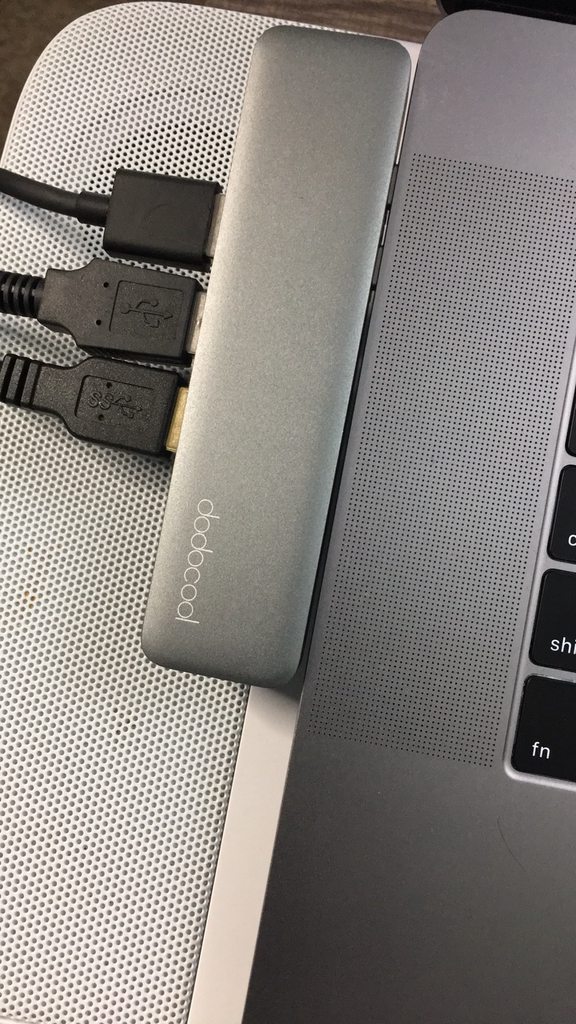
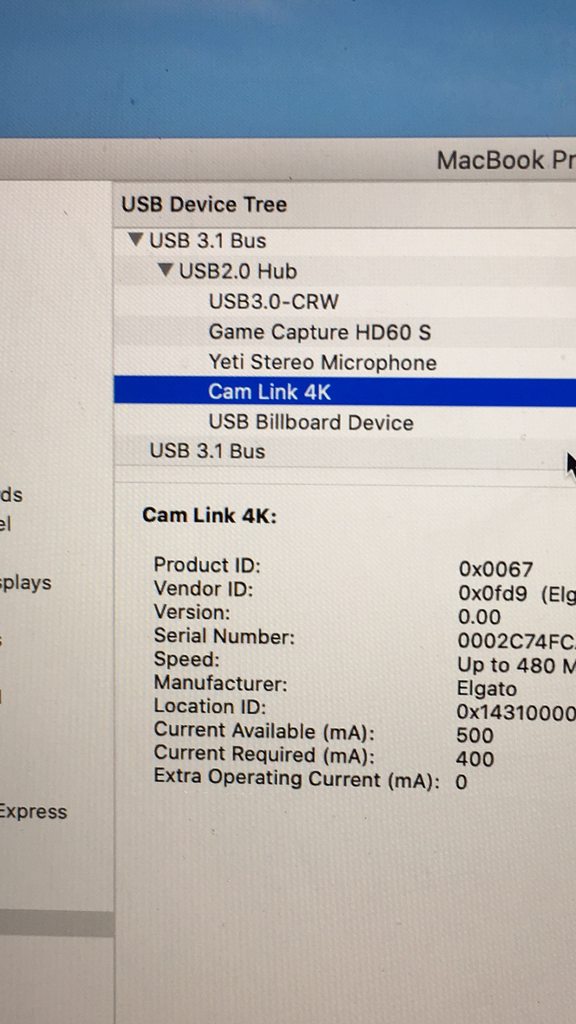
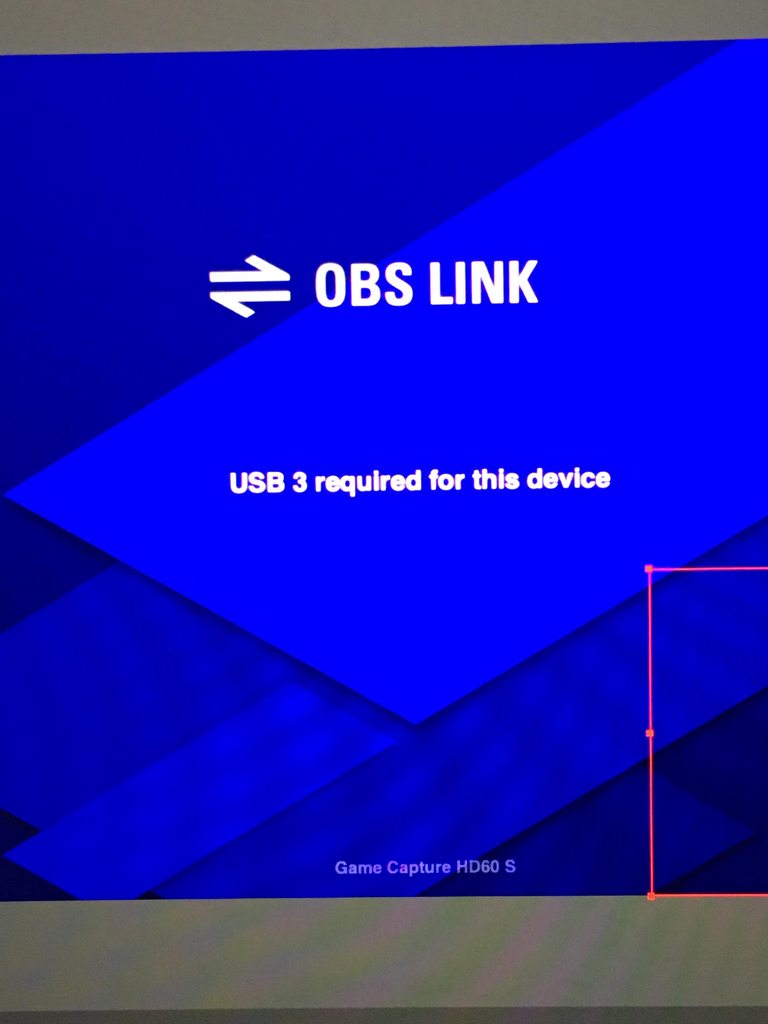 quaint atlas
Hello. I am playing games in HDR but can't seem to get tonemapping to work. I tried turning off HDR in 4KCU but still looks washed out in OBS.
 tawdry granite
I plugged in my stream deck mini and installed the software, but no matter what I do the elgato logo won't change off the deck's screen and no matter what I map the buttons to do, all that happens is the screen turns off then back on again. Help please :(
Edit: the app detects the currently active scenes in Streamlabs OBS, but the stream deck won't do anything, the buttons won't change and the screen remains on the elgato logo
 steady sparrow
Hi There! I'v noticed I'm having an issue with my cam link. Since I updated windows and OBS It keeps freezing. I'v switch ports and also solo linked into straight motherborad ports as well. I'v tried other cams like the c920 and the brio with no issue but the cam link won't operate as normal. Any ideas? Any help would be appreciated. I'v been googling all day to no avail. I like the cam-link/gopro look better hence my not switching to a different cam.
 shut crest
any tech available to talk?
shut crest
trying to figure out why my ps4 chat audio wont work,, it used to work before until i unplugged everything
grave ledge
Isn't Elgato sound capture able to transfer the mic connected to the main PC over to the streaming PC (4K60 Pro). Also, isn't it possible to exclude music from Spotify and include Discord calls into the sound transferring?
 steel salmon
HI all, I am confusded about the quick replay/recored funciton on the 4K capture card. I can't find anywhere to set the shortkeys for it.
 obsidian raptor
@quaint atlas make sure you are using Color Space 709 and Color Range Full (On Advanced -> Video)
pearl turret
@cunning latch @gusty hare thanks for the replies. will take a look at it
gusty hare
👍
You might need a sound board for that @grave ledge
@raw lodge is your adapter a 3.0 usb?
 astral lagoon
Hey what’s up, I’ve had some problems trying to record Xbox party chat, I’ve probably watched 50 vids on it but nothing works, can I pls have some help
steel salmon
Hi I am trying to use blur scenes for game streams, however it seems to only allow me to setup 3 scenes using the same capture card is this as intended? (4kpro capture card)
grave ledge
Rip. Thought the software could do it all. Another thing: Anybody know if it's possible to have 4K Capture Utility name every recordings something new? I have to rename them manually when I try to transfer them
quaint atlas
@obsidian raptor while 4KCU and OBS is open because every time 4KCU is open it doesnt want to tonemap it to SDR for OBS.
exotic tiger
isnt there an option you set inside the card video settings to assign tonemapping? (i need to know this too, i think im about to buy a 4k60 mk2)
quaint atlas
I got it working. You have to use the NDI feature instead of just selecting a video capture device.
 twilit musk
Curious on streaming on PS4 with the elgato chat link. Is there a way I can remove my game chat audio from my stream?
regal meadow
Hey guys, would I be able to use a camlink with a Nintendo switch as though it were a camera?
slender cloud
Does a Elgato HD60 work on switch or do you need a Elgati HD60s
pls dm me or pm me
a answer
 upper path
HD 60 (not S) is only showing as "game capture hd" in OBS and there is no audio. My other Elgato has the "game capture hd" option, but I have it set as "game capture hd60pro" (or similar) and the audio works fine.
How can I get OBS/slobs to recognize the hd60 correctly?
upper path
Can HDCP be causing this?
 eternal kettle
can anyone help me resolve this issue, so when i loaded up the game capture hd program, under device it says, no capture device found
cunning latch
@upper path
HD and HD60 are only usable via "Elgato Game Capture HD" device in OBS/SLOBS. All other cards will have the option of directly being used like you noticed with the pro.
For the HD60, try going to Configure Video and then making sure that the audio is on the right selection.
@eternal kettle Which capture device? Does it show inside of Device Manager?
upper path
@cunning latch thanks for that info. I can stop beating my head into the wall trying to figure that out... So, I am getting video in SLOBS with the HD60 but no audio. I am thinking it might be HDCP related and I am going to try a different thunderbolt/USBc to HDMI adapter.
 quasi moth
Anyone else having issues with their streamdeck just not responding to button presses? going into the app freezes the app as well. Only started happening after the latest update
cunning latch
@upper path Do you hear audio on your TV?
That would mean audio is working and coming through HDMI and may just be a configuration problem.
HDCP generally would stop video, or anything from coming through.
eternal kettle
@cunning latch where do I find the device manager?
Srry I’m kind of a noob when it comes to pc stuff
@cunning latch I have the HD 60 S
upper path
@cunning latch got a different USBc to HDMI adapter and now it is working fine. Thanks
 harsh stratus
I have a 4k60 Pro which I have been using for some time now with non 4k monitors. I just got a new monitor (ASUS ROG SWIFT PG279Q 27" 2560x1440 IPS 165Hz) and now I cannot see my console on the monitor. I can still see it on the 4k utility screen but not on the monitor itself, it says there is no hdmi connection just black screen.
have spent the last couple of hours trying to see if we can figure out a fix and no luck so far.
Any suggestions?
cunning latch
@eternal kettle Right Click on your Start Menu button. Go to Device Manager. Then you'll see a new window with a bunch of different device types.
Look inside of Sound, Video, and Game Controllers.
 sick moon
Hello! I have a question
I'm getting a second pc for streaming and I've had the elgato hd60 pro for a year now. With passthrough, would it handle 144hz gameplay?
I game at 1080p 144hz.
I don't want to experience stutters or screen tearing so I'm just making sure. I'm aware the 4k version can handle 1440p 144hz but that's nearly 300.
eternal kettle
@cunning latch i figured out the issue of why it wasn’t showing, I needed to update the driver lol
thx for your help
quaint atlas
@sick moon the hd60 pro cannot do 1080p 144hz pass through. You will need the 4K60 pro.
steel salmon
Can someone please answer thank you. How do I capture instant replay/record with streamdeck for 4K capture? Streamdeck software only seems to recognize Capture HD and not the 4k capture software
 honest crescent
Can anyone help me figure out why my stream marker button has stopped working?
Removed it & created a new one, disconnected & reconnected the stream deck, reset the laptop
 stable cedar
ok so my stream deck is not working, works with any of the normal apps but the add on apps like the spotify app it just locks the program, i have tried uninstalling and reinstall but it seem everything stays, tried uninstalling the custom apps and reinstalling but same thing. as soon as i click on them the app just locks and crashes.
 lavish heath
Then turns solid red.
 spring orbit
hi there i am trying to use my hd60 pro cap card to use between my two computers. ive plugged the gaming pc hdmi into the in slot of the hd60 pro and have plugged the gaming monitor into the out slot for the hd60 pro. when i go to use the software it says it doesnt recognize any input but the weird thing is that the gaming pc monitor is actually showing the intended screen. also when i use it for nintendo switch, same setup as before with switch going into the in port it says it does not have an input on the software and also the switches screen is actually playing on the intended monitor as well.. just doesnt get picked up by the software
 foggy berry
So everything is plugged up and ready to go. Though I am getting this error. Anyone @here know how to fix this?
stable cedar
does anyone know how to fully uninstall the stream deck so when i install it it is like new?
harsh socket
@cunning latch thanks, I already solved my problem with my keylight
sick moon
@quaint atlas thank you!
quaint atlas
You're welcome!
this is the second time this happened. I turned on my Xbox One X and it wants to display 640x480p even though it is plugged directly into my 4K60 pro which is passthrough to my 4K 60Hz monitor. Last time I just restarted it multiple times. Is there a fix to this?
tawdry granite
I have a button that is supposed to say something in twitch chat, and it works only sometimes. It worked all day and then just recently(like 10 minutes ago) it gave me a yellow triangle with an exclamation point. It only started working again if I focus on the stream deck application
and it works again now, even with the application not focused. Any idea why I would have to refocus just for it to work?
should I be running the streamdeck app as an admin?
quaint atlas
Did you use the NDI link?
quaint atlas
You dont have the 4K60 Pro MK.2 selected. you have the Game Capture HD selected.
rare kraken
@plush roost It should work within OBS. It won't work within Game Capture, but the elgato software that works with the 4K60 is the 4K Capture Utility.
Try downloading and running the 4K Capture Utility first, then if it works in there, quit out of that and try it within OBS
you can also turn on the NDI settings within the 4KCU to stream NDI to OBS

reddit
15 votes and 22 comments so far on Reddit
I unfortunately don't own any of the 4K capture cards, so I don't know if there's a certain driver you need installed
but I do use the 4KCU with my HD60 Pro and use the NDI/Stream Link into OBS
did you try these instructions? https://obsproject.com/forum/resources/using-elgato-4k60-pro-in-obs-studio.579/
OBS Forums
Recommended settings for the Elgato 4K60 Pro
Source properties (Right click on source in scene -> Properties)
Resolution/FPS type: Custom
Resolution: Match the resolution of the input into the 4K60 Pro
FPS: Match the fps of the input into the...
did you try it?
From your screenshot, it looks like you're not detecting any resolution
so inputting the resolution under Custom and adding in the resolution might work
I'm looking at your screenshot here: https://cdn.discordapp.com/attachments/581551435074764810/673399453348265994/unknown.png which doesn't have any of it done


Look, I'm trying to help ya,b ut if you don't even want to try, then go for it
have a good night bro
spring orbit
hi there i am trying to use my hd60 pro cap card to use between my two computers. ive plugged the gaming pc hdmi into the in slot of the hd60 pro and have plugged the gaming monitor into the out slot for the hd60 pro. when i go to use the software it says it doesnt recognize any input but the weird thing is that the gaming pc monitor is actually showing the intended screen. also when i use it for nintendo switch, same setup as before with switch going into the in port it says it does not have an input on the software and also the switches screen is actually playing on the intended monitor as well.. just doesnt get picked up by the software
 plush roost
I used the Ndi link and downloaded the software. Still the same Green screen. Custom resolution did not change it. I removed my earlier posts as I felt Its just better to forget the problem and were received with frustration.
I appreciate the help and have a good night.
exotic tiger
uh
if i feed my elgato 4k60 mk2 a 10bit 4:2:2 4k60 stream and set a custom res of 3840x2160 the window it puts into OBS is 1920x1080
v confused rn
im also confused regarding gamma bit depth, it says its 8bit but im pretty positive my gh5 is outputting 10bit
i can set wether im sending 0-255, 16-255 or 16-235
when its in 10bit mode the luminence level is 0-1023 but it still says limited 16~235
exotic tiger
gah, have to figure out so many gamma mappings and settings
plush roost
The mk.2 can only output up to 1920x1080 @exotic tiger
It doesn't support anything higher
spring orbit
still no help from support... is this standard
vocal wasp
?help
tardy cobaltBOT
PLEASE NOTE: Customer Service does not monitor this channel. If you are unable to solve your issue, please file a ticket at http://e.lga.to/help.
We also have staff available by phone 12hours a day. 8AM to 8PM Pacific every day of the year if you have quick questions and there isn't someone here to help you. http://e.lga.to/phone
vocal wasp
@spring orbit
exotic tiger
@plush roost you are kidding me, it can capture 4k but only as downscaling to 1080p?
exotic tiger
What’s the point if you can’t capture 4k as 4k
 turbid garden
So i plugged in everything into my elgato and it will show on my second monitor but won’t show anything on the elgato app or screen. Everything is picking up just fine (even my camera works fine) but for some reason it’s black for my game capture. Every now and then it will flash on and work but only for about 3 seconds and go back to black. Any fixes please??
 zenith totem
is there a Stream deck Mobile for Android coming any time soon?
plush roost
@exotic tiger https://help.elgato.com/hc/en-us/articles/360033795231-Elgato-Game-Capture-4K60-Pro-MK-2-Supported-Resolutions-and-Frame-Rates
Elgato Gaming
Elgato Game Capture 4K60 Pro MK.2 supports many different resolutions and frame rates between 1080p and 2160p (4K). We have tested the common resolutions, but not every possible resolution and fra...
That should help
exotic tiger
ive seen that and it doesnt
it doesnt say 'it only allows for capturing 4k at 1080p'
 desert oak
Does anyone know if hp omen 15 has any usb 3.0 ports.where?
earnest crest
@stable cedar if you uninstall the program, it should remove most the software, to delete the settings if it doesn't do it by itself they will be in your AppData/Roaming folder which is a hidden one. You can get to it by typing %appdata% into the file directory address bar.
stable cedar
@earnest crest thanks man I will give that a try.
rare kraken
@south bronze check out OBS Link for Mac, which is for the HD60 S. https://help.elgato.com/hc/en-us/articles/360031363132-OBS-Link-Setup
Elgato Gaming
OBS Link is a small program that lives in the menu bar of your Mac. It grabs the incoming video from your Elgato Game Capture HD60 S and converts it to NDI. The NDI signal can then be captured in O...
It pretty much is a ndi program that sends an ndi signal to be used in OBS.
south bronze
Ooh thanks
 shadow nimbus
I need help with the elgato
I have a lag on it
And was wondering if anyone could help me out
I play on Nintendo switch
exotic tiger
can you describe your setup and your issue in a bit more detail? @shadow nimbus
 still gorge
Hey guys
My game capture HD wasn't working
wasn't even being recognised by the software
and i opened it up and the arm encoder has literally come off the board

Idk how this happened, is there anything i can do?
I already ordered another one because i stream retro games and need one, But can i salvage this somehow?
tardy cobaltBOT
PLEASE NOTE: Customer Service does not monitor this channel. If you are unable to solve your issue, please file a ticket at http://e.lga.to/help.
We also have staff available by phone 12hours a day. 8AM to 8PM Pacific every day of the year if you have quick questions and there isn't someone here to help you. http://e.lga.to/phone
 blissful shard
I am on a 2 PC Now, and I have installed a HD60 Pro on my Streaming PC, now when I clone my Gaming Monitor with my Streaming PC Monitor, my FPS in games are now limited to 60 FPS, when I have a 144 MHz Monitor, is this supposed to do this ???
exotic tiger
im pretty sure the hd60pro doesnt support 144hz passthrough
but provided you have another port free you can probably clone the video source
found this, worth a read
http://ltroyalshrimp.com/guides/how-to-use-a-144hz-monitor-and-the-elgato-hd60-pro-at-the-same-time/

Welcome to the first guide on my website! In this guide, I will show you how you can use a 144Hz, 120Hz or Nvidia G-sync monitor together with an Elgato Game Capture HD60 Pro, to play games at the …
shadow nimbus
@exotic tiger I play fortnite on Nintendo switch. I hooked it up to the elgato hd60 S and and it has a second delay in response to my switch controls. I hooked it up only to my MacOS. Is there any way I can fix this?
exotic tiger
do you have a monitor hooked into the hd60S?
or are you trying to play it in a capture window on the mac
exotic tiger
so the monitor is a second delayed?
HD60s are supposed to be quite fast, just a few frames
shadow nimbus
Yea,it’s a second delayed
I know it doesn’t sound much but it actually affects your gameplay
@exotic tiger
exotic tiger
a second is a long time
shadow nimbus
Do u know how to fix it?
exotic tiger
i do VR stuff, i know that anyhting more than 15 ms is a long time 🙂
shadow nimbus
Thanks
exotic tiger
no, it shouldnt be behaving that way
exotic tiger
maybe try a different USB port?
all usb controllers are pretty poor and easy to overload
there could be somee switch specific settings
shadow nimbus
I’m gonna check later
cunning latch
@shadow nimbus If it's giving you such a big delay, email us: http://e.lga.to/help We can collect some logs to find out whats going on.
cunning latch
@exotic tiger What was the problem you had with the MK.2 and 1080p?
exotic tiger
i opened a ticket
when i selected 4k from my panasonic gh5 outputting 4k
linked up in the elgato fine, but the video capture source in OBS was a 1080p window
inspecting it with edit transform says its 1080p
i dont have a monitor attached to it since its a camera
maybe something EDID related is going on?
cunning latch
But the 'Configure Video' showed a 4K input signal?
exotic tiger
yep, if i didnt have it selected i got a no signal
4k capture utility confirms its 4k as well
cunning latch
Was 4KCU set to record in 4K or 1080p?
exotic tiger
theres a whole other issue related to gamma that im confused on too, but the results look right
im not recording in 4kcu
ive only opened it to confirm
streamlink unchecked
everything checks out as saying its 4k
its just giving me a 1080p source window in OBS
stretching it out looks like a stretched out window
cunning latch
Streamlink is unrelated. Did you upload an OBS log to your ticket
exotic tiger
not yet, i'll do that when i get home and can hook it all back up
its in 1080p mode right now
the other issue is the bit depth
my camera does 10bit 422
with the luminence level of vlogl profile being 0-1023
the elgato always says its 16-235
ive been setting it to bypass and obs to full and that seems to be right
footage matches very closely to clips recorded to sdcard
theres a little more noise on the HDMI, but not much
i know the 4k60 is tone mapping, and maybe i should just ignore the part where the elgato says its 16-235
but it seems like this would be something nice to have correct yeah?
oh and if i switch the hdmi output to 420 8bit, where the lum level shows 0-255, it still says 16-235
 languid cobalt
Hi el gato, is there ways to reduce screen tearing when using a dual PC setup: playing at 165 hz, capturing and broadcasting on 2nd PC with OBS at 60 fps (hd60pro)
exotic tiger
@cunning latch I didn’t see a 4k edid option on the card configuration, do I need to throw a 4k monitor on to get it to work right?
cunning latch
You're looking inside of 4KCU? Default is a 4K 60hz EDID.
Just leave it on Internal.
exotic tiger
Yeah I looked in there
I don’t have a monitor hooked up to it
Since it’s a camera
cunning latch
You don't need a monitor connected. I don't know why your card is downscaling it to 1080p. If you had 4KCU open and the recording options were set to 1080p, I do think this affects other apps open at the same time trying to access it though.
It's why I asked about it earlier.
exotic tiger
Even if 4kCU is closed?
cunning latch
If OBS was opened when 4KCU was opened.
exotic tiger
@cunning latch could it be firmware or driver related?
shadow nimbus
@cunning latch I did fill out the form
I’m gonna try something this weekend to see if I could fix it
Thanks anyways
 opaque ivy
has anyone had issues connecting two Key Lights? I have one connected perfectly fine and works even after a pc restart or wake up. The other one though will not stay connected. It connects just fine, then it will go off and on like it wants to connect but doesnt actually. I have no idea what would be causing that. I have wifi on my pc as well. Any fixes to this?
exotic tiger
@cunning latch did an OBS log and one of their support guys pointed out the high test resolution the direct show driver lists is 1080p
So the driver can’t do 4k
cunning latch
Whats your ticket number
 errant light
Hello! I'm having an issue with audio and I'm not sure if it's because I'm doing something wrong or if something is wrong with my elgato.
I'm using the HD60 Pro for a dual PC setup. I have the HDMI going from Gaming PC -> Elgato IN port in the streaming PC. Video loads fine, but I have no audio. I've followed a few guides and from my undertstanding, the Elgato should show as an audio device in windows on the streaming PC? But it isn't?
exotic tiger
@cunning latch 2001015634
happens in slobs too
slobs says the video window is 1080p
i take that back, i got slobs to catch it, but sometimes it likes to drop it
something funny is going on indeed
errant light
Actually dug a little more and what's happening is that my computer can't output audio to the elgato and my typical audio at the same time (usb device). If I set my gaming PC's default device to the Elgato, that seems to work, but then I don't have audio on my headset
rare kraken
@errant light use VoiceMeeter and you can send your audio output to two (really 5) different devices, all at once
errant light
I was just testing that, but there's definitely some lag in the audio, which would be problematic for gaming.
Ah wait, you mean send it over to the stream from my gaming PC.
I was originally just using voicemeeter to send the twitch alerts from the stream PC to the gaming PC so I could hear them.