#cth-history
1 messages · Page 22 of 1
 high python
 worldly sigil
See Bahamut's response
and didn't Crest ask you previously to file a ticket @high python if you were able to verify the delay?
high python
I was saying 1 second, but it was less than that, so i just want to know if the delay i have now is normal or not.
worldly sigil
Given he was saying it is meant to be 100ms it didn't look normal so...
high python
100ms is about 2-3 frames, i think i have more than this so..
worldly sigil
that's what I was noticing too
 last blaze
lmaooooooo
 terse yacht
Could someone send me windows 10 64 bit drivers for the HD60 s? For some reason they aren't installing automatically when I plug it in, and I cant find the drivers anywhere online
 pulsar flume
@terse yacht
https://www.elgato.com/en/gaming/downloads
terse yacht
Thanks, but I need the actual drivers if anyone has them. I'm getting "no capture devices found" in Game Capture HD, and my device manager shows the HD60S as missing its drivers
pulsar flume
I would recommend filing a ticket for those, I'm not sure where to locate them myself, sorry.
http://e.lga.to/help
terse yacht
Thanks!
 soft bobcat
Hey guys I am still having trouble with my sound coming from my capture card being choppy. I get perfect audio from my mic directly plugged into the computer. I have messed with the sound setting disabling unneeded sources, making sure my HZ was good.
Does anyone have any other options?
I am running it through PS4.
 north obsidian
@signal musk will that fit ok, i think the ball joints on the arms are a little smaller then that?
 glossy ivy
hey guys i’m having difficulty capturing my game. I have downloaded the right software, unplugged the cables, reset my lap stop, reinstalled the app and reset my xbox.
I just purchased a hd60 s and i literally just used the cables that came with it
 gray scarab
I have a go pro 7 black. There is delay on my output monito which I use on OBS. What could be the reason ?
 half sphinx
How much of a delay?
 floral jetty
@glossy ivy please submit a ticket to http://e.lga.to/help
 fallen bobcat
I am having troubles using any of the integrated Twitch buttons on stream deck software. I will be live streaming on Twitch and the clip or marker buttons will not work. Thoughts?
 cunning latch
@gray scarab Make sure Image Stabalization is off
 south bronze
I don’t have the elgato yet but i am gonna get it does anyone know how to use it and does a Bluetooth headsets work if you stream on ps4?
cunning latch
@south bronze If you connect a headset to the PS4, audio is sent to the headset and not output to the capture card. So unless the headset has some wired option that you can use with a splitter. You wouldn't be able to capture audio.
There are some unique exceptions, but that is generally the way it goes with PS4: https://help.elgato.com/hc/en-us/articles/360028243811-How-to-Record-PlayStation-4-PS4-Audio-When-Using-Headsets

Elgato Gaming
This video will help you connect the PlayStation 4 (PS4) to Elgato Gaming hardware, and various types of headsets.
The PS4 has a software limitation where it disables HDMI audio when a headset...
 lethal latch
anyone available to help me setup dual pc audio?
 upbeat pulsar
hello.. i am trying to connect my elgato capture card hd60 s... it connects but then proceeds to tell me that my 3.0 usb port is not working properly.. i'd like to believe that, but it works perfectly fine with everything else.. is there something i'm possibly doing wrong? can anyone provide some help?
pulsar flume
Front panels or back panels @upbeat pulsar ?
pulsar flume
hmmm, have you checked your drivers are up-to-date?
upbeat pulsar
they are.
pulsar flume
Do you have another 3.0 mouse, keyboard, or webcam you can test?
upbeat pulsar
it works with every other device but my capture card.
pulsar flume
huh, dang, well all the generic trouble shooting I can think of, at this point I would suggest filing a support ticket with Elgato. Sorry I couldn't help you with the issue tonight :(
http://e.lga.to/help
 astral socket
Having a frustrating issue (8 hours into trying to get it figured out)
Dual PC Setup - HD60 Pro
My Elgato Sound Capture software is on the Gaming PC...
Sound is not outputted to the software even though the default device is ELgato Sound Capture...
This problem makes it impossible to split the sound to a set of headphones and the capture card itself
 bold ivy
Hey guys, I just took my HD60 Pro out of my pc, and plugged in the 4K60 Pro into the PCIe slot. When i open OBS/StreamLabs OBS/4K Capture Utility (one at a time), i'm getting a black screen. I'm receiving the audio, and the PS4 is passing through, i just can't seem to get the feed to show up on any of my stream programs.
 icy topaz
When I plug my phone, it turns black
Started after the new iOS update
How do I get it to register my device again?
 quasi zodiac
Hi everyone. So I have a problem uploading clips to Twitter using El Gato recordings. No matter how i condense or size the file, it won't let me upload to Twitter, yet i can easily do so in Instagram and Facebook. Any advice?
pulsar flume
@bold ivy did you turn off HDCP on the PS4?
 ornate ridge
HD60S+ Doesn't display gameplay on 4k Capture utility but does display on OBS
any solutions?
 brittle orchid
Anyone have a potential fix for the 15 key stream deck only showing the main logo? i've tried different ports, rebooting the pc, and even uninstalling and downloading the stream deck app again. Nothing seems to work.
Also the app on my screen shows my customized layout, it's just not relaying to the device.
floral jetty
@brittle orchid I haven't seen that issue before, maybe some one here has. But for best option submit a ticket at http://e.lga.to/help
cunning latch
Remember everyone that we do have staff available by phone 12hours a day. 8AM to 8PM Pacific every day of the year if you have quick questions and there isn't someone here to help you. http://e.lga.to/phone
worldly sigil
Any chance you could get a European friendly phone line support centre?
Well, European time friendly.
 signal musk
 nocturne scarab
Hello, I'm trying to stream my Playstation 3 through the Game Capture HD in OBS but I'm not able to get my gameplay to display in the OBS software
 woeful latch
What elgato are you talking about @south bronze
bold ivy
@pulsar flume yes, hdcp is turned off. the card is capturing audio, and the ps4 is passing through the card with no problems. there just isn't a video feed on the software. i just bought new hdmi cables to see if it was the cables. it wasn't. i reseated the card, still didn't work. even power cycled my pc.
cunning latch
@south bronze Any new Elgato product will work with a Ryzen system. Only exception was the HD60 Pro, but that was an issue two years ago. It's resolved now with updated firmware.
 tranquil wolf
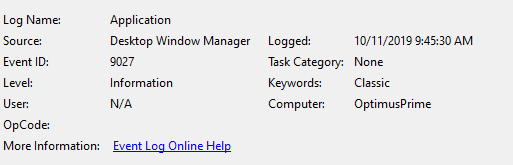
Throughout the day, my StreamDeck will just crash. My screens flicker for a 1/2 second and then invariably the deck goes back to the Elgato logo.... I have to close the software and reopen it. This can last 5 mins or 5 hours. The ONLY commonality is:
https://i.imgur.com/QfcJsna.png
That's odd. My PC is managed via a RMM (I work for one :P), completely up to date on patching and has been stripped back from security software and it still occurs
 floral jetty
some of the 9th gen intels dropped the intergrated graphics i believe. So if the cpu doesnt have intergrated you will need a dedicated graphics card.
pulsar flume
Hmm I would consider filing a ticket @bold ivy
http://e.lga.to/help
 desert socket
Hi! I'm interested in purchasing a Elgato capture card and have a few questions. Firstly, I have a triple monitor display but only game on one of my monitors which is a 1440p 144hz g-sync monitor. Now I'm wanting to stream using Streamlabs OBS and utilize my 2019 Macbook Pro 13in as a streaming PC with this capture card. Will this be possible to do without losing any of my monitor features such as the refresh rate, resolutions, and g-sync?
I intend to have my stream settings at 1080p 60fps, but still want to game on my desktop at 1440p 144hz with g-sync. Will I run into any issues if I purchase a HD 60 s+?
 unkempt grail
Has anybody found a work around for elgato hd60s with wireless headphones?
i have macbook pro / el gato hd60s / logitech g933 (wireless) / ps4
can somebody help me get gameplay audio on my stream
 frail ingot
Is anyone on that can help?
 elfin briar
https://i.imgur.com/bgCa3Bo.png
Not sure where else to post this, but im mapping out in photoshop with rulers.. notice 1 icon in the software is wrong size to all others
 frail ingot
I had an issue last night and wonder if anyone can help me
worldly sigil
Don't ask if you can ask for help, just ask your question
frail ingot
I set up a multi action to end my stream and for whatever reason when I tested it last night I just got an exclamation triangle
The action is to switch to my end scene wait 5 minutes then stop stream
worldly sigil
Did other scene actions work (not part of the multi action)?
frail ingot
Not sure haven't look at it yet today
worldly sigil
If it doesn't work again today, we'll need to look into it
worldly sigil
Sounds like a good build
worldly sigil
Yep, that SHOULD be stream ready
south bronze
Ok
I need to buy some good monitors
Original price was 700 I talked him down and got it for 438
bold ivy
@pulsar flume yea i tried. it's just taking way to long to resolve. so, ive been asking around n doing my own research while working with them to fix it. i've tried everything n did everything they asked of me so far. and no dice.
 wild tulip
hey people justr thought id share my problem and resolution just in case it can help someone else.
was having an issue with my cam links freezing while in OBS. I tried many different solutions including rez settings on camera and in OBS. Nothing was working. Was working through solutions with Elgato support and one of their suggestions was to change the power plan on the computer from power saving to performance. which made me explore in the device manager where i found the "Universal Serial Bus Port" drop down tab which has all your USB 3.0 Ports in it. right click on the ports your using then go to the power management tab and UNCHECK the box which says " allow computer to power off device to save power. This instantly fixed my issue hope it helps someone else.
 unique fox
I hope I'm in the right section. I just bought a stream deck and the light on the device is working, I can see the logo. But when I change my profile on the app it doesn't show on my device. What can I do ? Do I have to return it?
it says device not found
forget it guys, I was able to fix it. But just in case if anyone else has the same problem just use a different UBS port. Use 2.0 instead of 3.1. Apparently at least in my case, the stream-deck it is not recognized by windows if it is connected on a 3.1 USB port. And if that comes in the instructions ... well my bad.
Thanks though
worldly sigil
Yeah I can't use a USB 2 port for mine. The StreamDeck XL requires the power provided by 3.0 though 3.1 is still janky
 mystic atlas
Hello. I'm currently using 2 elgato capture cards, one of which is my Elgato HD 60 S. This is used to capture my camera over HDMI. How do I stop this hdmi input from feeding the audio to SLOBS?
worldly sigil
Is there an audio mixer in SLOBS? There may also be an option in the source settings to not capture audio from that source.
I aren't 100% sure though as I use OBS Studio over SLOBS. And more recently I've moved back to XSplit.
south bronze
i wanna screenshare elgato to discord, recording both video and audio
but for some reason it only connects video, you cant hear anything
frail ingot
Is there a reason why the streamdeck buttons reset when OBS isnt open?
frail ingot
Is there a way to make a button to activate the interact feature on OBS?
 lean finch
every time i activate my regular HD60 it changes my color into this weird green color scheme and the audio from the headphones plugged into it dont output any audio
this monitor has worked fine with the elgato in the past, including the monitor. None of the settings have been changed
it also does this with the game capture
 shy python
hey i dug up my old elgato hd capture and i was trying to find a way to see my xbox screen on pc, so i downloaded the elgato software and theres one huuuggee delay, no way to fix that?
high python
have you plug the Hd capture in a USB 3.0 port ?
shy python
i did actually
shy python
3-4 seconds
 hollow eagle
Hello all maybe you can help. i have a hd60s cap card and its all plugged in and everything works. as soon as i put my head set into the ps4 or the pad the audio dont capture any more
i have a aux splitter but if i use that i wont be able to use party chat 😦
that about sums up the issue, any ideas?
 gaunt bane
Hi, I have an HD60 Pro. Is there a way to use the Discord Go Live feature with the video capture? It usually just shows up as a black screen when I try to stream my switch
 sick moon
Hello, I need some help
I'm resetting my pc very soon and I've transferred most of my d drive into dropbox/flashdrive
I have the streamdeck folder backed up
When I reinstall it, will my settings stay intact?
once I copy it and paste it into my pc?
high python
If your Dropbox folder is in the exact same place than before (Like D:/Dropbox), it should relink by itself.
Don't forget to save you Profile.
sick moon
@high python Yeah I have appdata saved in my flashdrive, not my dropbox bc it was too much space
It's not linked, I only copied and pasted
high python
I mean for all the icon/file opened by button of the streamdeck (like soundboard)
If it's not on the same Path, it's not gonna relink by itself.
But for the profile, i think it shoud be fine.
sick moon
It'll be in the same drive as it was before.
worldly sigil
Yes, you do need to do the input @wet ivy as how else can the capture card know what to capture?
 wet ivy
alright but the output yes or no? @worldly sigil
worldly sigil
Output will take it to the monitor as a passthrough so not required
wet ivy
sounds good thanks & the input goes from monitor to the capture card?
wet ivy
k ty
also @worldly sigil do i leave one hdmi going from monitor to graphics card then another from monitor to capture card im rlly confused
worldly sigil
Are you trying to stream on a 2 PC setup or from console to PC?
worldly sigil
Then you can't use a capture card.
If you had a console or a second PC you could but it doesn't work for 1 PC setups (without any consoles)
wet ivy
the built in one the hd60 pro
worldly sigil
See above point. It won't work.
Because if I'm understanding you correctly. You're wanting to connect the HDMI from the graphics card to the capture card that's on the same PC
wet ivy
so there is no way to use the capture card then? its the hd60 pro so i think its supposed to work
worldly sigil
Yes, it works if you're using it to either connect a console to a PC, or a PC to a different PC. It does not work connecting it to itself.
wet ivy
ok
worldly sigil
If you're worried about your PC being overworked encoding, look into Intel QuickSync, AMD VCE, or more preferably Nvidia NVENC.
worldly sigil
It used a dedicated encoding chip on your graphics card. Encode your streams using that instead.
wet ivy
yea i do use it
worldly sigil
A capture card won't fix your issues then I'm afraid.
What are your PC specs? Specifically your CPU, RAM, GPU, and upload speed.
For reference, here are my specs:
i7-3770K, 16GB RAM (I believe at 1333MHz), Nvidia GeForce GTX 1080, and just under 20mbps
wet ivy
intel i7-8700 nvidia 1070 8gb ram upload 11.3
and then i stream at 3000 bitrate and 720p res
wet ivy
60
worldly sigil
Try 30fps. 3000 bitrate for 60fps isn't very good at 720p
wet ivy
ok
worldly sigil
For reference, when I stream at 720p60fps, I'll be streaming at like 8k bitrate
So 8000kbps
wet ivy
twitch
worldly sigil
Ah ok, so I can rule out that issue then.
Mixer has a problem on FTL where there is frequent microstutter
worldly sigil
Erm, in what? SLOBS?
I'm not at my PC ATM so I can't see what I used in OBS Studio
wet ivy
like its video settings called downscale filter in streamlabs
its alwasy been a thing i think
worldly sigil
I'm not at my PC so I don't know what I use.
wet ivy
ok
 minor zodiac
Hey friends! I'm noticing an issue with my audio capture using the Elgato Sound Capture app since yesterdays Windows update. Anyone else experienced this before or now and know what to do? Audio sounds fine in my ears but sounds bassier to my stream.
glossy ivy
Hello, i have set up my elgato hd60s it works and everything allows me to record etc. However i cannot figure out how to stream. I’ve linked my twitch account and everything.
It says error 404 every time i try
 formal dawn
Hey guys, just had a friend send me his Game capture HD in the mail. I have my nintendo switch plugged into it and my computer isnt recognizing the el gato. It displays the video on the monitor I want to play on, but isnt getting picked up by the software and isnt showing up in devices. I have downloaded different versions of game capture software. Downloaded the drivers and restarted my computer several times and now I am running out of possible solutions. Hoping you can help.
Ive also tried different USB ports but to no avail
 quasi tinsel
So the new weighted base mount for the. For 39.99 im assuming thats just the base? I have key kights already so im i able to take the pole from thos off the C clamp to use the pole in the weighted base?
worldly sigil
@glossy ivy do you have two factor authentication on your Twitch account? If not, set it up as this as required to stream.
 placid ruin
I've set alt + numpad * as my record key for a 15 sec replay buffer. It works when i map it to my streamdeck as long as obs is NOT in focus. A few months ago, it was the opposite, where the hotkey on my streamdeck would not function UNLESS obs was in focus. Anyone have an idea why this could be happening?
 smoky panther
I need help guys 😦
worldly sigil
Just say what you need help with.
smoky panther
I cant get my sound to go through my headset and capture card for my dual pc setup. I have tried for hours. When I open the sound capture, it does one or the other but wont do both
 frail ibex
hey guys. my stream deck does not send commands to twitch chat. how can i fix this problem?
worldly sigil
try reaunthetication Twitch in the Streamdeck software
frail ibex
ok try it later. thanks
 rare kraken
@smoky panther have you tried utilizing a program like VoiceMeeter Banana?
it essentially works like a virtual audio mixer (mixing board)
 plucky sequoia
Okay, can I have some help with something? I just bought it but I'm a little confused.
 knotty radish
hey guys, i'm having tech problems and i need help
i've plugged everything in, i have all of my settings correct, i turn on and dock my switch, then on the software, nothing comes up
i've looked at 5+ tutorials, and none of them are helping
can somebody dm me then call me so i can get personalized help?
signal musk
Hey @knotty radish there is a number in the pinned posts for you to contact support. This channel is not monitored by our support team - there is also a pinned post for creating a ticket if your issue can not be resolved via messaging.
knotty radish
ok, but still, is there just a ready solution to my problem?
signal musk
Have you updated to the latest firmware? Unfortunately I am not support staff, so I won't have as much expertise as them on this. Your best bet would be to call them if you're looking for immediate assistance.
signal musk
https://www.elgato.com/en/gaming/downloads all of our software is located here. If this does not solve your problem, you'll have to reach out to support.
 knotty radish
i downloaded the windows version today
the game capture
do i also need stream deck?
 dark sable
Good evening. I haven't streamed in awhile and the last time that I did, I didn't have any issues with audio from the El Gato to OBS. However, now there is no audio coming through. When I run it in the El Gato Game Capture program, everything works fine. Is there an update for the El Gato? If so, how do I go about downloading it?
I have a HD60 S.
glossy ivy
@worldly sigil thanks man that was the issue
 glad moat
Is tech help only for elgato related questions? Or could I ask about say an encoding/aspect ratio issue I’m having with my yt uploads?
worldly sigil
It seems to be for tech help in general.
glad moat
Ok. In that case...
worldly sigil
Just fair warning I only said it seems to be and I'm not 100% sure. That being said, if this is the wrong place for it, one of the moderators will let you know.
glad moat
I do a lot of screen recording on my iPads. Using iOS’ built in screen recorder... now when I record this way, the aspect ratio remains the same as what the iPad screen is. Which as we know, is closer to 4:3 than it is to 16:9.
And this is what i want to preserve.
But when i import this video in to an editor, and save it out from there, all of a sudden the video is converted to a 16:9 and black bars occur on the sides.
How do i do it so that i maintain the original aspect ratio and not make it so that i have black bars?
Ive struggled with this issue for a really long time.
Hope that made cents
worldly sigil
Check the resolution of the video editor. It's likely outputting to a 16:9 ratio. I know more professional video editors will let you choose different aspect ratios to keep it all neat and tidy.
Or rather, the output resolution/project resolution
glad moat
Yeah, that is what happens. They output to 16:9. In iMovie for iPad, there is no option to maintain that ratio. It defaults to 16:9
worldly sigil
Then that means you'll need a PC video editor most likely.
Unless there are ones on iOS that can do it.
glad moat
So the iPad as[etc ratio isn’t exactly 4:3. Close but not axactly. Are there editors that can maintain that original aspect ratio? Does premier pro do this?
Or do they round it out?
worldly sigil
I think Premiere Pro allows you to select the exact resolution you want.
Meaning you can make it whatever aspect ratio you want. (Including say 209:45 if you wanted to get crazy)
glad moat
Ok. I’ll take a look at it. Cuz this is what it looks like when they add bars on the sides:
smoky panther
@rare kraken I figured it out, uninstalled and redownloaded it and it worked
 weary nymph
is there any difference between HD60S and HD60 pro if I wanna stream games from the Nintendo Switch?
glad moat
Naw. You wouldn’t notice any difference.
 digital herald
Why does the stream deck not work in streamlabs OBS after the new update?
cunning latch
@glad moat Looks like you may wanna crop that down to get rid of the black bars and make it larger.
@digital herald Sometimes Streamlabs updates will have some issues with StreamDeck integration, but we'd just suggest running a reinstall of the Stream Deck software ontop: http://e.lga.to/download
Be sure SLOBS is closed though
cunning latch
Shouldn't be affected.
Though you can always backup your profiles by going into Stream Deck settings, Profiles. Then right click on the profile and go to Export to save it to a file.
digital herald
ok! 🙂
 light thorn
yo guys, is there any benefit or point in switching from my hd60 to a hd60 Pro for streaming console games?
I currently have the hd60 (not the S) and found a hd60 Pro that I could put into my PC to stream my xbox gameplay, but is
it worth it, quality wise? Will it use less power for my pc?
anything different or am I better off keeping the hd60?
worldly sigil
Less delay compared to the HD60 (not S/S+)
rare kraken
@light thorn I find if you're using a lot of other USB devices, switching to the HD60 Pro could help alleviate issues around USB BUS crowding (having too many devices using the same USB BUS).
worldly sigil
I'm tempted to get an internal one too
Replace one of my USB expansion slots with it
light thorn
I think the USB thing is the only benefit
I think I'll pass then tbh because I have plenty of USB slots unused
and can just buy a multi USB port if ever needed/fills up
I was hoping it would maybe make gameplay a lot more clearer
but doesn't seem to be the case
rare kraken
I mean, the delay/no latency thing is really one of the key factors.
but even the HD60 didn't have that bad of a delay (the original Game Capture HD had something like a 1450ms delay, so that was noticable when streaming)
ah, it appears the HD60 still had the 650ms delay. https://help.elgato.com/hc/en-us/articles/360027953872-Elgato-Game-Capture-HD60-Adjusting-audio-delay-for-XSplit-and-OBS
Elgato Gaming
You can stream Elgato Game Capture HD video by using a 3rd party applications called XSplit and OBS (Open Broadcaster Software). Elgato Game Capture HD supports these streaming applications for Win...
So if you're using it for streaming and have a mic or camera, what comes via the mic or camera would happen 650ms before the gameplay
so if that's an important thing to you, I'd go with the HD60 Pro
worldly sigil
The delay is significant enough yeah to warrant upgrading
And I believe because of the extra bandwidth, the gameplay is clearer too
signal musk
Much like what was said the latency will be lower since HD60 Pro has instant gameview, and the video quality will be higher since the HD60 Pro sends raw video to the PC, whereas the HD60 always encodes the video beforehand.
cunning latch
Looks like we need to update that article for OBS Studio too
south bronze
Hiya Friends! i am streaming with a elgato HD60S and also using a chat link cable, everything goes smooth until i plug my headset (PS4 turtle beach chat recon) and and my obs picks up the audio from game/party and i can hear it in my headset, but the people in my party cant hear my voice. any solutions?
 final terrace
So I'm now upgraded to a Duel PC's set-up and wondering if theres a way to take all my Stream Deck settings from my previous computer to my new computer without starting from scratch?
Also is there a way to use Stream Deck with Duel PC's or do I need 1 stream deck for each computer?
rare kraken
@final terrace if you save your stream deck profile, then load that on the other PC, you should be good to go
As far as using one streamdeck for both PCs... don't think that'll work. Have you explored utilizing the iOS version?
final terrace
@rare kraken How would one save the profile? Is it located in a specific folder?
If you mean if I have the latest update of stream deck then yes?
rare kraken
@final terrace
final terrace
Thank you, I'll do that now!
 misty talon
 half mango
Hi. I have an issue with the HD60S where when I turn on my computer the sound from my tv goes out. It’s not the tv or the Switch I’ve already confirmed that.
 olive viper
Hey, My stream deck XL is randomly pressing buttons on it's own. Any idea?
@tepid cosmos help me plz dad
worldly sigil
First of all, let's not tag Elgato Staff out of the blue (they don't monitor this channel, there's a ticketing system on their website if you must contact Elgato staff)
Secondly, have you tried a different USB port?
worldly sigil
tried uninstalling StreamDeck software, restarting PC, reinstalling, then restarting once more?
 tepid cosmos
@olive viper try unplugging USB devices from your computer - if you have all your USB ports filled up there it could be a power bandwidth issue. Also try plugging it into a different computer to see if the same issues happen as that can indicate more whehter it's a software issue vs. hardware
worldly sigil
alright Steggy I'll leave it in your hands 🙂
olive viper
hi steggy miss u
tepid cosmos
Thanks for your help @worldly sigil
olive viper
I plugged it into my Sata 3 USB thing i added to my desktop
tepid cosmos
Is that a PCI-E expansion card?
olive viper
yeah
tepid cosmos
Try just plugging into a normal USB port maybe it's a USB driver issue on that product
Like some USB ports on a motherboard are intel then some are asmedia etc. and can sometimes behave differently with devices
olive viper
i went from a normal one to the PCI one and nothing fixed. trying a full uninstall and re install
tepid cosmos
oh gotcha. yea a uninstall/reinstall would eb a good thing to test as well as trying Stream Deck plugged into a laptop or anything else yo uhave available
just to eliminate possibilities
half mango
Have any ideas about my issue?
olive viper
Yeah i think theres just dead buttons on my stream deck that randomly activate on their own
tepid cosmos
@half mango no I haven't come across that. You'd be best off emailing our support for that
olive viper
Cause I can't click them, they just click themselves
half mango
Ok thanks
tepid cosmos
Yea @olive viper hit up our support on email they're your best bet for troubleshooting
Or Phil
DM Phil
olive viper
i did hes not answering 😦
frail ingot
Is there a reason why streamdeck doesnt save settings for buttons set up for obs?
 boreal gazelle
Hello! My HD60 S won’t record, the gameplay shows up fine but when I hit start recording the timer doesn’t go up
south bronze
Hello, would I be able to capture laptop gaming to a macbook? More specifically, Capturing gaming from the built in monitor.
sick moon
I have a question. My streamdeck is acting weird
when I click on the dropdown menu to choose what audio I need deactivated, there's no drop down menu
I can't even uninstall as it doesn't show up on the programs list.
south bronze
Hey all, still getting freezes, streaming laptop with capture card connected to my gaming pc, mirroring my display so I can still play on 144hz, elgato HD60S https://www.twitch.tv/darkur/clip/TallProductiveBeaverPermaSmug check this freeze

 ornate sonnet
Alright throwing this out there I’m using a hd60s I have a non USB mixer. I’m using a HDMI Audio extractor to better control the game audio with the mixer rather than the obs sliders. How ever after about 10 or so minutes the hd60s drops off and I have to reset the hd60s to get it to work again. I have changed out all the HDMI cables. Oh and it’s connect to an Xbox one as the source. It all works with out the HDMI splitter but I want that control of the audio
 proud tinsel
Uhh, my HD60S is getting recognized by now, but it only outputs a black screen. I'm connecting it to my main PC and using Windows' "Duplicate Screen" feature. Is there anything I need to do to get it to output video?
Maybe should mention that the PC I'm using to record is quite old, but should still do it as he manages to do the rest just fine.
ornate sonnet
ok so i fixed the HD0s issue i changed the way it sees it i have the xbox one into the hd60 then the splitter / HDMI audio extractor. That seems to have solved the problem for now unless someone has a better way
south bronze
No just for future reference so I don't use money on the wrong thing
Also just regular OBS. Would I need it on both the streaming macbook and the gaming windows lapotp?
worldly sigil
No. You would only need it on the streaming MacBook. Does your gaming laptop have a HDMI out port?
 cobalt sphinx
If you are planning to use your MacBook as the streaming pc in a dual system setup
You'll need a USB capture card that has an hdmi cable running into it from your gaming laptop
worldly sigil
That's why I'm asking if his laptop has a HDMI out port. As without it, he isn't gonna be able to use a capture card.
cobalt sphinx
It most likely does I haven't seen a laptop without an hdmi out
worldly sigil
Erm, I'm next to one without a HDMI port right now.
Since although it's not a Windows laptop, it still technically is a laptop (but with a 360 hinge so maybe it counts as a 2-in-1)
 thin meteor
Hello everyone,
I want to stream with my ps4 to pc but with the capture card a strange picture is displayed on the tv. It is slightly pixelated and very bright. On the pc everything looks normal. Also if my hdmi kavel is directly connected from tv to ps. In the capture card settings, i’ve tried anything without success.
And the advanced settings doesn‘t Show the "tv compatibility" button.
I hope someone can help me with this problem 😄
frail ingot
Is there a reason why my streamdeck doesnt save settings?
south bronze
repost: Hey all, still getting freezes, streaming laptop with capture card connected to my gaming pc, mirroring my display so I can still play on 144hz, elgato HD60S https://www.twitch.tv/darkur/clip/TallProductiveBeaverPermaSmug check this freeze
south bronze
hey all, i have probs with recording. It doesnt record the game audio. last week it worked all fine
south bronze
I need some help. How do I setup my elgato hd 60s on ps3?
worldly sigil
Legally, you cannot.
south bronze
@worldly sigil Do I need a HMDI Splitter?
worldly sigil
I'm not sure I'm allowed to provide support as it involves things that aren't legal.
 pearl eagle
@south bronze Here you go
https://www.youtube.com/watch?v=ejr_uc8TCeQ


You need to use a HDMI Splitter, as you can not turn off the HDCP on the PS3.
south bronze
Ah okay
 formal cradle
Hey trying to stream with elgato and having trouble with sound catpure
Trying to use a usb mic, that has a headseat attached, and get that into a hdmi which will get sound to my obs, but its only picking up my mic
south bronze
@worldly sigil Yes the laptop does have an hdmi port. Also would it be possible for the HDMI to record the built in monitor? At home since i have an Xbox i would use an external monitor. But on the go Id use the built in monitor.
 autumn vortex
Hi, I own a elgato 4k60 pro mk2 with a dual pc streaming setup - passthrough. In my gaming PC whenever I play a fullscreen game and press alt-tab, my gaming PC freezes and it says elgato signal lost for about 3-5 seconds on my streaming PC. Is there a fix for this issue?
formal cradle
dank help btw
 molten apex
Got the same Problem @autumn vortex (without paththrough)
Using borderless window helps. If thats an Option for you. But would be thankful for a better Solution too :D
I dont really understand what your problen is BBDrake :D neither what you try to archieve or what you try to do so
autumn vortex
@molten apex yes borderless windows fixes this problem for me too but in some games it caps my fps 😦 looking for better solution as well haha
cunning latch
@boreal gazelle Go into Game Capture Preferences, Advanced. Change your Encoder and Decoder to Software and see if it has any difference.
worldly sigil
@south bronze no, it wouldn't be able to use the built in monitor BUT if you tell Windows to mirror the displays then you'll be able to essentially record the built in monitor because the external monitor would display the exact same thing.
cunning latch
@formal cradle This headset is connected to your console or to the PC?
 tropic shuttle
Anyone else having problems with connecting their Game Capture app to YouTube?
Mine keeps saying to check my credentials, but they are correct.
 quaint shuttle
I need help using my SNES with my game capture hd
i got it all plugged in n stuff, but no picture
i lost the s video cable years ago so im using a third party one
should it be converting the video to hdmi?
i have it all going into my elgato laptop and it says no signal
worldly sigil
I have a Late 2011 MacBook Pro which doesn't have any USB 3 ports. Is there any way to use a StreamDeck XL with it, possibly via the Thunderbolt port?
worldly sigil
Ah, I'm hearing about the Elgato Thunderbolt Docks
 pine locust
can anyone help me? 😄 I have OBS.Studio 24.0.3 and streamdeck 4.3.3.11845. i wanted to start my stream but the streamdeck told me that the elgato remote control is missing. I've reinstalled both programs but still the same problem - any solutions? :/
the problem is only with obs. spotify & photoshop, google chrome works fine with the streamdeck
pulsar flume
What version is your stream deck @pine locust
pine locust
4.3.3.11845
pulsar flume
Mac or PC?
pine locust
it's win10 64 bit
pulsar flume
Does OBS have the plug-in in the dropdown for plugs? I wonder if the new install didn't get that?
(I can't remember what dropdown (in obs) it is to show your plug-ins)
pine locust
it's not under the "tool" dropdown :/
pulsar flume
hmm, I wonder if the new install didn't grab that? That's the only thing off the top of my head
pine locust
i'll try it again
pulsar flume
I'd try this, and if it doesn't work, then I'd file a support ticket, hope it works friend!
https://help.elgato.com/hc/en-us/articles/360028243531-Elgato-Stream-Deck-Version-4-2-requires-OBS-23-1-or-higher
Elgato Gaming
Please Note: On Windows, Elgato Stream Deck 4.2 will display that the plugin is not installed when using OBS 21.x or earlier. In Windows 10, you may see a message that "Elgato Remote Control ...
pine locust
reinstalled obs again & streamdeck and i re-connected the usb port but it's still not working with obs studio
formal cradle
got it solved, ty though, had to fiddle with elgato sound instead of trying work arounds 🙂
pulsar flume
Sorry @pine locust I am not sure what else I could recommend outside of submitting a ticket, hopefully they will have the resolution for you.
http://e.lga.to/help
pine locust
thank you 🙂 hope it will be fixed soon. 😒 i love my streamdeck but this problem is...ugh
rare kraken
@worldly sigil I'm honestly surprised your 2011 MBP still works. Both my 2012 MBP and my wife's 2011 MBP got battery issues or logic board issues and we ended up upgrading.
worldly sigil
I have had the battery replaced
But I'm waiting on the Surface Monitor, assuming it supports on-screen Surface Dial interactions and isn't only the 27" model. Rumoured to be coming with the Spring 2020 refresh
rare kraken
@worldly sigil ahh, I always loved that Surface Studio, but the screen ratio of it is a bit awkward.
pine locust
i reinstalled streamdeck again & now it works fine again 🙂 thank you @pulsar flume for helping me. 🙂
 forest token
Any clue why every time I reboot my pc, toggle audio device and mute mic break and just show a yellow triangle until I remove and add them again?
south bronze
@worldly sigil Ok. I got the idea that if I just don't connect the second HDMI cable to an external monitor, it could just capture, but now that doesn't make sense. Thanks!
 rotund aurora
hey guys, i've got a question about fortnite game/party voice chat not being able to be picked up by the elgato. does anyone know how to fix this?
 rare terrace
Keep having an issue where my cam link source keeps freezing on me. All drivers are up today. The cap card doesn’t have any issues but for whatever reason my cam will randomly freeze and I have to deactivate the source and then reactivate it for it to work again, happens a couple times while streaming. Using SLOBS.
 prime quiver
Anyone how to get game sound through obs for the hd60 s plus
cunning latch
@quaint shuttle what do you mean third party?
south bronze
@worldly sigil Also, is the HD60s like an HDMI cable but while data is sent to the monitor its also captured?
 slate lintel
Hey everyone! I'm currently having an issue with media files and my Stream Deck. I've set them to play on a specific scene by toggle via Stream Deck. But when I head to another scene and come back to the one where the media files are at, they all suddenly play at once. Is there a fix to this?
cunning latch
@south bronze sort of, yea.
 rich ether
@rare terrace I'm having the same issue. Just purchased the cam link two days ago, and haven't gotten it to work without freezing.
south bronze
@slate lintel @rich ether I recommend if you like, getting a 4k webcam. But cameras are great too!
rich ether
These are my specs. I have the camlink in the USB 3.1 slot, by itself, nothing else connected into a 3.1. Not even in the 3.0's. Connected a micro HDMI to HDMI, straight into a Panasonic G7 with a constant power source.
@south bronze ? I have a 4k mirrorless camera
south bronze
@rich ether Yes that would works. I just to most people who have a budget recommend a webcam.
rich ether
Think you got me confused, I'm not looking to buy a webcam. I'm looking for troubleshooting advice in regards to the Camlink 4k I have hooked into my Panasonic g7, which is a bit better than a regular webcam.
cunning latch
@rare terrace @rich ether
This is the Cam Link or Original?
Try going into Device Manager. Go to Sound, Video, and Game Controllers. Select the Cam Link 4K.
Then at the top go to view > Devices By Connection. The Cam Link should now show up in the list under some USB hubs or controllers.
Try right clicking on these hubs, go to properties, then Power Management tab, and unchecking "Allow the computer to turn off this device to save power".
The Cam Link might be getting shut off by the system causing this.
rich ether
@cunning latch Ok, I've done it. I'm going to reboot, and take a test stream run. Thanks.
rare terrace
Ah ok I’ll try that @cunning latch
rich ether
@cunning latch No, unfortunately still occurring.
This is the 4k version of Cam link by the way.
Are there any other drivers besides the default Microsoft drivers available?
Or should I have anything else installed other than going straight to my broadcaster?
What it looks like when it times out. This is using the xsplit vcam software, but the error is occurring with a direct cam link source.
rich ether
I'm going to buy another micro HDMI tomorrow's and see if it's the cable, otherwise I'm out of ideas.
cunning latch
All I'd suggest from here is emailing in or calling: http://e.lga.to/help Phone team is still open right now.
rich ether
@cunning latch thanks. I'll do it tomorrow. Getting late here in NY and I gotta get up at 4:30am for work. Appreciate the help
cunning latch
Sorry that the suggestion didn't help, but it was a recent solution that came up. Worth a shot. Sometimes the USB controller might not keep up, but interesting that Xsplit just loses an image.
glad moat
I’m using an hd60 s with earbuds for mic. Is there a way to adjust the gaming audio separately from the mic audio in the game capture software, after the recording has been done?
south bronze
are the turtle beach chat recons mics compatible with the elgato chat link cable?
cunning latch
@quaint shuttle What I mean is is this adapter one which plugs directly into the HD's port, like the adapter which ships with it? The wiring is unique.
 sturdy wave
hey guys, is it right that the elgato mk2 only does up to 120hz at 1440p? No way to get this to 144hz?
 lavish stag
can anyone helpp with CSS please
worldly sigil
What is it specifically with CSS you need help with?
Please keep it in here.
Then I would advise to not offer any further support. Especially since he has been rude about it.
If he needs help, he can ask here and we can collectively help him in this channel.
(or in #off-topic if it turns out I've got the wrong channel!)
lavish stag
Hello, i have custom alerts made but appartently i need CSS to change the text duration?
@worldly sigil
worldly sigil
Where are the alerts on? StreamLabs?
lavish stag
yeah
worldly sigil
And what broadcast software do you use? OBS? SLOBS? XSplit?
lavish stag
SLOBS
worldly sigil
Alright, can't say I'm familiar with SLOBS I'm afraid. I use XSplit. So not sure how to adjust the custom CSS.
https://www.w3schools.com/w3css/w3css_animate.asp
W3.CSS Animations
but maybe this can help
lavish stag
ah ok rip, ok thanks
worldly sigil
That might help you figure out how to do the fade, then it's just working out how to customise CSS in SLOBS/StreamLabs dependent on where it needs to be edited.
lavish stag
ok thanks
lavish stag
doesn't seem to work unfortunately
 soft estuary
doesn anyone know why elgato works better than obs for quality?
 civic jolt
Hello everyone, I have two KeyLights that I picked up a couple months ago. They worked for about a week and since then, I have to reset them every day. They connect to the Wifi for about 5 seconds (on PC, StreamDeck, and IOS App) before they disconnect again and I get the 'No Accessories Found' message. Any tips? Full disclosure: I have a support ticket in already but we are going on close to a month at this point with no resolution.
proud tinsel
Is there a way to permanently disable Game Capture's Sound Capture? It keeps setting itself as default device on boot and it keeps breaking my setup.
cunning latch
@proud tinsel open it and set it to disabled.
Or uninstall it.
rich ether
Spoke to tech support today. Nothing they've said has worked yet. Sent them a diagnosis report and they said could take 3 days to decipher. May be a wash for me and I may return to Amazon for something else. Now that I'm reading reviews a lot of people have a similar situation
 patent seal
Hey all, I've raised a ticket with you guys via email for a replacement product and had no response for a couple of days now, could someone help with this? I've been emailing back and forth for nearly over a month now
south bronze
repost: Hey all, still getting freezes, streaming laptop with capture card connected to my gaming pc, mirroring my display so I can still play on 144hz, elgato HD60S https://www.twitch.tv/darkur/clip/TallProductiveBeaverPermaSmug check this freeze
 shell rose
Is anyone aware of a way to have a multi action on a timer? ie: activate every 15 minutes automatically?
glad moat
Whole lotta questions being asked with no answers here.
cunning latch
@glad moat This channel isn't monitored by support staff. As in, some of us come in here but it's not a primary support queue. We always will point to official support portals like our phone http://e.lga.to/phone or email forms http://e.lga.to/help
Call Center team is available 8AM to 8PM Pacific every day of the year.
This area is intended for anyone to ask questions and anyone to help.
@patent seal got a ticket number?
@south bronze Have you tried this with other USB 3.0 ports? Try setting the Laptop to High Performance power profile.
Do you have a ticket open for this currently?
south bronze
Yes, have tried with different ports, also the laptop is on high performance power profile, and I dont have a ticket, how does that work? On elgato website?
cunning latch
Yea, it sounds like some logs would help from the laptop. Can open a ticket here: http://e.lga.to/help
glad moat
Using the game capture hd software, and recording from an iPad, setting profile to iPad.... why does the software make the resulting video widescreen, and not closer to 4:3 like the iPad’s aspect ratio? Any way to adjust this?
 fresh crypt
Hey guys!!
So working on starting my stream again after a 10 year break from twitch and my wife has entertained the idea of joining me every now and again on stream. (Possibly a couple times a month)
I’ve got no experience with capture cards so was hoping someone could point me in the right direction.
Was going to get two Elgato HD 60s’ to plug into a pretty beefy laptop to stream from when both of us are playing, and using the laptop as the stream computer.
But when my wife isn’t streaming with me was going to use her computer for rendering as the stream computer and a 4K 60 Pro to also be able to pull stream footage and clips from to make other content ...
just curious if anyone would know if this would work or if there’s a smarter way to do it before I drop $500 on capture cards
Thanks in advance for any help
cunning latch
@glad moat If you change the input to Other and profile to HD 1080, does this have any effect?
If you're on Windows, also try using 4K Capture Utility: http://e.lga.to/download
@fresh crypt Two HD60 S cards into one laptop? Have specs for that Laptop?
fresh crypt
8700k 1080 32gb ram 3000 1tb SSD ... I think that’s generally the specs
May be better than 3000 MHz ram may be 3200
cunning latch
That's in the laptop? Damn, that's nice.
The specs are definitely there. Only concern with a laptop is how USB devices are split up. If you can find out if you have multiple roothubs, then you should be good. An HD60 S at 1080p 60fps is delivering almost 2Gbps of video data. Two will get to the theorhetical max of USB 3.0
So moving them to separate controllers or roothubs is key to distributing that bandwidth.
You should be able to open up Device Manager on the Laptop and look under Universal Serial Bus Controllers
fresh crypt
Thanks @cunning latch ... yeah it’s also 4K at like 120 hz if I remember correctly too ... it’s a great laptop but wanted to upgrade and get back into having something like this ❤️
... the laptop originally was a $4,200 but got it refurbished for like $3,500... started having issues with the power and had to send it in for repairs that’s when I said screw it lol
fresh crypt
So would this design work, or is there a better way to accomplish this ?
 green bison
trying get approval code for the spotify and it keeps saying validation failed wont give me chance to get the code
cunning latch
@green bison I believe @snow sluice made that plugin. He may have an idea.
green bison
Ifound the discord thank you
cunning latch
@fresh crypt That looks ok to me right now. But I'd keep in mind that the HD60 S can only accept up to 1080p 60hz. So you'll be cloning your displays to get anything higher in terms of resolution or refresh rate.
If the HD60 S is setup as an extended desktop you can use OBS to capture the game, and then send a fullscreen preview to the HD60 S. Bit confusing, but it's become another option for avoiding tearing and resolution/refresh rate issues.
fresh crypt
Thats good to know since both streaming computers are running 2k displays at 144hz ... hmmm are there any hardware workarounds at the moment?
fresh crypt
Just looked it up and seems like cloning is fairly simple via nvidia control panel is this still a valid solution?
cunning latch
@civic jolt Can you provide the ticket number?
@sturdy wave 1440p up to 144hz. 1080p up to 240hz. Limit of HDMI 2.0
You're using one right now?
sturdy wave
I'm using a 1440p144hz monitor with the HDMI cable that came with the elgato 4k60 pro mk2. That should work right?
cunning latch
And it's only showing 120hz for you? your monitor supports 144hz over its HDMI connection?
south bronze
@cunning latch If I want to stream with a dual pc setup and want to game on 144hz+ do I need the 4k60 Pro?
worldly sigil
I believe so
rich ether
@drifting sky if you're using the elgato software, you may want to change to https://obsproject.com/
OBS (Open Broadcaster Software) is free and open source software for video recording and live streaming. Stream to Twitch, YouTube and many other providers or record your own videos with high quality H264 / AAC encoding.
south bronze
Is there anyone i can dm about my laptop
civic jolt
@cunning latch thanks for the effort! I actually just got a response yesterday. The logs showed consistent KeyLight 'timeout' messages so it was suggested that I re-install Bonjour, which did not work unfortunately. I'll be processing a warranty repair/exchange. Still a big fan of your products, so I'm considering this an anomaly!
worldly sigil
Another option is XSplit Gamecaster btw.
(for the aspect ratio adjustment and such)
cunning latch
@drifting sky Yes, I'd suggest OBS Studio here, or Xsplit as mentioned. Both are free and would allow you to adjust the size of the capture card feed.
And it is pretty easy to setup your card. If you have questions about that though, feel free to post in here.
 bright lark
I'm curious if I have two of the 4k pro v2 elgato capture cards would I be able to use two instances of the 4k capture software simultaneously? And if so does the stream deck recognize each card so that the flashback record shortcuts I'd make would differentiate which one I'm selecting?
bright lark
Also does the 4k60 mk2 support 3440x1440 @120hz or is it still @100hz like the previous generation?
sick moon
My streamdeck doesn't work when i use it for obs. Settings for sounds are wrong as well
I can't even uninstall. Restarting my pc sometimes helps.
What can i do?
cunning latch
@bright lark 1) Only one instance of 4KCU can be open. But you can run multiple instances of OBS Studio with each card.
- The 3440x1440 100hz limit is that of HDMI 2.0.
Can enter the first part as a feature request, as others might be interested in it.
@sick moon You can't uninstall Stream Deck, are you seeing an error?
bright lark
ok, is the 4k60 mk2 the only card that allows local recording while it also feeds to obs? I'm trying to record my pc and dlsr on individual files if the use case helps you better understand.
@cunning latch
sick moon
@cunning latch no error
it just doesn't show up on my uninstall list
it eventually worked when I opened streamdeck and then OBS.
fresh crypt
@cunning latch Looked like I lucked out - there literally two USB Root Hubs on that beefy laptop ... lol Now I can successfully run that 3 way PC setup 🙂
Looking forward to pushing everyhting to the limits
 restive imp
Heya. I'm having an issue with a HD60 pro saying that it is already in use by another application. I have disabled shadow play, and am almost certain nothing else is using it. Any idea what may be going on?
restive imp
@cunning latch You seem to be the go to guy. Are you familiar with this problem?
cunning latch
@restive imp If you're positive nothing else is going on, then maybe try a reinstall of the drivers: https://e.lga.to/drivers and a reboot. Maybe even shutting down the system and moving the card to another slot if possible. This message could be a false positive.
Elgato Gaming
Elgato Gaming Hardware Drivers - Windows 10
When you install Elgato Game Capture HD software for Windows 10, or Elgato 4K Capture Utility, the necessary drivers should automatically be instal...
@fresh crypt Glad to hear it. Two Roothubs give you the best chance for handling those two cards.
@bright lark Currently the MK2 is the only card from us which allows multiple programs to access it at once, but there are other work arounds for your use-case.
You have two 4K60 Pro MK2s in your system?
@sick moon So it's working right now?
restive imp
@restive imp reinstalling the drivers did the trick. Thank you for the help.
bright lark
@cunning latch no I dont at the moment. I'm considering replacing the avermedia cards if I can get that situated. I currently own 2 elgato camlink 4k, 1 4k60 pro mk1 and 1 hd60 pro
 grave ledge
Would I run into issues using a 4k60 pro mk2 in a pc with an i7 2600k and a gtx 670 for 1080p60 recording?
 glad mist
Hey!
So i havent been streaming many console games and using primarily my PC for gaming, so today I decided to switch my setup with my elgato to strictly PC. Last night I was streaming and had 0 problems, today when I switched it solely to PC, any time I open up the Elgato software or OBS studios, it keeps coming up "game capture HD60s needs to be connected to usb 3.0 to function properly" thing is.... it is and has been connected to 3.0 and its in the same port as its always been. I did try my other 3 usb 3.0 ports as well as my USB 3.0 hub... nothing. I've searched online and haven't found much. Is anyone able to help out? Thanks in advance
ornate sonnet
whoops wrong place
 plain cliff
can some one pm me whoever knows how to use the super macro correctly, help me, help you
 dawn tiger
Can someone teach me some cool things I can do with the streamdeck and SLOBS?
 indigo stump
hey! just bought the HD60S for my switch but i’m getting the message that it needs to be plugged into a USB 3.0 port when it already is. this port usually works with my other devices. i’m on a laptop, my drivers are updated and i’ve tried reinstalling the software, redocking, etc with no luck. any suggestions?
 copper atlas
Ok i just recently hooked my elgato hd60 s back up since i built a pc that can handle it and i ran in some difficulty and idk how fix i get mouse dragging across the screen and ends up begin like 20 mice instead of 1 and the display disspears like for exsample lets say playing spyro and u r watching the game thr the elgato it turn white and slows the frame gets smaller until its noth if its full screen
So when im live ppl dont see whats happening
 high skiff
A row of buttons suddenly stopped working on my streamdeck, any help?
Solution: Moved the cable around a bit and they started working like they are supposed to
high skiff
Update it died again
floral jetty
@high skiff what size?
high skiff
Standard, I belive its something to do with my trackir
I shut down my trackir sofware and it works again
 pure wharf
Can I PLEASE get some help with the Elgato HD60 S+?
There is absolutely no support or help for it on the internet.
worldly sigil
Well what's wrong for a start?
worldly sigil
Are you using the 4K Capture Utility?
worldly sigil
Tried different USB ports? It almost certainly needs a USB3 port on the motherboard.
So no USB expansions or anything, a USB 3 port directly on the motherboard
worldly sigil
Try contacting Elgato Support then by opening a ticket at http://e.lga.to/help
Elgato Staff don't actively monitor this channel. The ticketing system is the official way to get support from Elgato
high skiff
My streamdeck keeps on dying on me
floral jetty
Is the stream deck disconnecting from your PC? Like hearing the disconnect sound?
high skiff
No, and its only one row of buttons laterally
floral jetty
And you aren't using the xl right?
high skiff
no
I have a 3x15
connected directly to my pc
Is there anything related for how long it has been on for?
floral jetty
Not that I'm aware of. If you swap the commands on that last row does it still fail?
high skiff
It still fails
floral jetty
Ok, I would contact support to submit a ticket might need a RMA.
high skiff
Is an RMA still possible without a receipt
worldly sigil
Try contacting Elgato Support then by opening a ticket at http://e.lga.to/help
There's the link
high skiff
since I am not the one who bought it
worldly sigil
And you'll probably need the receipt unfortunately. :(
high skiff
Yeah
I am propably going to open it up and see, any manual/documentation for doing that?
worldly sigil
No there is not. It is not meant to be opened up.
floral jetty
Also have you tried uninstalling software?
high skiff
About 4 times
floral jetty
Ok, yeah I'd say contact support. I'd see if the person who bought it could get the receipt as well
high skiff
I wonder if its software or hardware?
I am betting software since it gets no physical contact when it fails
Any ways to hardware reset the deck?
floral jetty
Not that I'm aware of.
Also you can try in windows safe mode see if any other app is affecting it.
floral jetty
Yeah it's a selective start mode only needed apps and services run at start
high skiff
Is there a way to update the firmware?
floral jetty
Should prompt in the software if it's needed
high skiff
aight
bright lark
Does anyone know how I can record my game and facecam as individual files? I was going to use two 4k mk2 cards but can't have two instances of the 4k capture utility open simultaneously.
 graceful plume
@half sphinx hey i have a delay issue on my elgato i need some help here
@woeful latch @floral jetty @pulsar flume @pearl eagle
woeful latch

pulsar flume
Hello, I'm Bahamut, I am a Mod not Tech Support @graceful plume
woeful latch
This channel is not monitored by customer support. This channel is for community members to provide support to each other.
woeful latch
Unfortunately, I am primarily familiar with the streamdecks. If you would like quicker assistance, I would recommend opening up a ticket or calling their customer support number. Both are in the pins.
Otherwise, any community member that is familiar with the issue here will happily respond to your issue when they are free to do so.
graceful plume
Okay, thank you
 shrewd kindle
Guys lets say I want to use 4k60 pro for a strreaming pc and have gaming pc run 240hz. For the streaming pc, would gtx 1660 be good or no?
 digital sierra
For a single streaming pc, would a 4k60 mk2 be good? or would it just be better to get a gtx 2080
tropic shuttle
Anyone else having problems with connecting to youtube? Error 500..
frail ingot
How does the twitch create clip command work?
 pale sleet
I just want to look at prices for the HD60 S, but the Shop Now button doesn't work?
worldly sigil
https://www.idealo.co.uk/compare/5695679/elgato-game-capture-hd-60-s.html if you're in the UK, use that @pale sleet
pale sleet
US
One button is greyed out, the other doesn't work.
Do I just look up Elgato HD60 S on Amazon?
worldly sigil
Yeah, you can Amazon it
pale sleet
Is this one legit? https://www.amazon.com/Elgato-Game-Capture-HD60-PlayStation/dp/B01DRWCOGA/ref=sr_1_3?crid=26C443GF35WJL&keywords=elgato+hd60s&qid=1572210739&sprefix=elgato+hd%2Caps%2C236&sr=8-3 It says it is owned by Corsair
pale sleet
nice
south bronze
I've owned 3 HD60ss, 1 completely broke, and the other 2 suddenly don't detect any of my cameras directly, only via passthrough.
It is not user error. I don't think there's a solution, and I don't consider elgato to be reliable anymore :/
 quiet wave
Hello @here if I use an HDMI splitter with an 4K60 Pro MK.2 will the quality remain the same?
half sphinx
Depends on the the splitter most likely. As long as it supports 4k 60fps, it will work with the Mk.2, lower resolutions with higher fps rates i wouldnt know about though
grave ledge
Folks with Dual pc setups using programs like Synergy to share kbm. Is it buggy in any way, like the cursor would go onto the other monitor while gaming? And if I’m used to using 2 monitors for productivity, will it be way too different in terms of workflow when the second monitor now is dedicated to the other pc, but connected with the sharing software
Cuz I’m just used to throw windows out of my way to the next monitor when I have many things open. I imagine this isn’t possible with the software
 jolly geode
hi! I need help with my Windows 10 32-bit. It cannot capture the game from Elgato HD60S. I am using OBS studio as the streaming software since I cannot find a 32-bit streaming software for Elgato anymore.
jolly geode
can someone help me please? 🙂
 burnt heath
How would I make it so my Elgato HD60PRO will only record game audio and not discord and spotify
floral jetty
what software are you using?
burnt heath
Game capture HD @floral jetty
floral jetty
Not super familiar with the setup in GCHD but found a post that explains it. Give this a shot.
In GCHD settings (the gear at the top right corner, above the device being used) there should be options to separate audio/webcam/sound capture (Sound capture is what you're going to need to get if you don't have it already. that's what is going to let you hear your friends on discord and let that track be recorded separate) Once you have sound capture, make sure to go to 'Team Chat', make sure output is at 100, make your microphone for chat whatever mic you use to talk to your friends on discord. Next the device to where you wanna hear your friends at on discord (in my case, mine is my headset.) Next and final step, is to make sure that your settings for your audio in discord (found in User settings > Voice & Video > Input Device/Output Device) Match what you set in Sound Capture. That is all!
molten apex
is there a known bug with ending a twitch stream (obs) via streamdeck? I have a multiaction that ends the stream. But after it ends the stream i always get a video oon twitch of 1 minute that is broken and notifications are sent out again
 molten rampart
is there a way I can run obs and the elgato software at the same time I wanna stream but I wanna record my clips I hit on cod with elgato software
cunning latch
@quiet wave Got a link to the splitter? some splitters may chroma subsample or limit resolutions perhaps.
@south bronze Ticket time: http://e.lga.to/help
@bright lark You can record one in 4KCU and one in OBS Studio.
 west spear
So hopefully this is an easy fix but for some reason when I stream (on Mac) after about an hour and a half or two my game audio isn’t synced with my video anymore is there a setting to prevent this or is that just what happens?
bright lark
Ok thanks @cunning latch
cunning latch
@west spear This is with Game Capture? Which Elgato device are you using?
Does this issue happen when recording?
west spear
I haven’t recorded for that long to know for sure. But I am using the HD60s and when I start the stream everything is synced.
And also I should mention this issue is with OBS
And OBS Link
quiet wave
Haven't got a link of a specific one, @cunning latch could you recommend one? It is not easy for me to get behind my PC everytime I want to switch from PS4 to Xbox so idk if this is the right solution
 frail iron
Anyone know how to record discord party chat when recording Nintendo switch gameplay?
south bronze
I use to have the standard stream deck, but downgraded to the mini. Unfortunately the software does not update for me and I cant figure how to make it work. any suggestions?
west spear
@frail iron you record discord audio by capturing desktop audio
frail iron
So you dont put it in team chat, you just leave the discord audio in the background
 upbeat furnace
Can anyone walk me through setting up a duel pc set up with elgato capture card?
I have all the equipment getting voice repeats and looking for the best set up to have for duel pc. Thanks
south bronze
my elgato is connected to a usb 3.0 port but it keep saying it is not wtf?
 civic nova
where can i cancel the streamdeck mobile? going to be getting the regular so the mobile isnt needed anymore
floral jetty
Maybe here https://apple.co/2Th4vqI
molten apex
hey,
Im using a elgato streamdeck multiaction to end my streams. But since 3 days after the stream ends it kinda starts a new stream with broken video. Is that maybe a streamdeck error or more of a obs / twitch problem?
https://www.twitch.tv/videos/501202997
half sphinx
What's the multiaction do exactly?
I'd say end stream manually and see if it happens, then start with the stream deck ending stream to see if that works. Could be Twitch/OBS or how the multiaction is set up
molten apex
thats the multiaction. But okay. I will try ending it manually tomorrow then
south bronze
I use to have the standard stream deck, but downgraded to the mini. Unfortunately the software does not update for me and I cant figure how to make it work. any suggestions?
floral jetty
have you tried uninstalling the software and doing a reinstall?
south bronze
@floral jetty Yeah, but my old profile is there.
so it still recognizes the other stream deck instead
cunning latch
@civic nova @floral jetty [https://support.apple.com/en-us/HT204084] [https://support.apple.com/en-us/HT202039]
But followup if you're still having issues.
Ugh, link previews go away.
worldly sigil
@cunning latch try <http://http.cat> or whatever URL you're gonna use, the square brackets should hide the link preview
cunning latch
 thanks @worldly sigil
@south bronze Which Elgato model are you using? Can you try it with other USB 3.0 ports on your system?
jolly geode
Has anyone used the elgato game capture software in Mac? If yes, is there a fix on video delays on my logitech brio while streaming? Thanks in advance!
 uneven knoll
Sorry if it's already been asked, but I am trying to install the OBS-Streamdeck remote (So I can use my streamdeck to control OBS) but my OBS isn't installed on my C: cause that's just for windows...
Is there a way to manually install this so I don't have to reinstall OBS?
 dull ridge
Hi there. I am new to the server and don't know if this is the place to put this, but I am looking to purchase the HD60 Pro for upcoming streams that I will be doing. I've been looking into this product over the last couple of days and it looks like the best option for my current setup.
I have looked into reviews and have read Elgato's own support articles on the product already and apart from their articles many say to use a PCIe x4 slot or above to fit the card. I have already looked into the installation of the product.
Due to the fact that I own a large card (MSI RTX 2070 ARMOR), I only have two PCIe x1 slots available at the bottom of my motherboard (GIGABYTE Z390 GAMING X).
I want to make sure that even though I will have to put it into either of the PCIe x1 slots it won't stick out the back of my PC, due to how close the slots are to back of the case. I am only checking this, as the card is still expensive; regardless of it being one of the cheapest on the market for professional standards.
floral jetty
A x1 slot should be fine. I have mine in one.
dull ridge
Ah thanks
molten apex
@half sphinx Hope the ping is okay.
i checked and without using the multiaction (ending stream via obs) the stream ended normal and there was no broken stream afterwards
half sphinx
Well that's good that obs works at least. I'd try seeing if just end stream on multi action works or causes an issue. If it does then you can contact support to make sure they are aware of the issue
south bronze
how do i get the software to recognize that i have the stream deck mini now and not the regular?
floral jetty
Did you try making a new profile in the software?
south bronze
Yeah, but I keep getting the 15 slot instead of the 6 slot @floral jetty
shrewd kindle
guys is it possible to play at 240hz and send game to capture card HD60 Pro to streaming pc?
I heard you need 4k60 pro for 240hz
floral jetty
@south bronze I would say search the pins we have elgato number pinned and give support a call. Support staff do not monitor this location. And calling might be the best spot.
south bronze
Great, thank you.
floral jetty
@shrewd kindle you can mirror the display and send the 60hz to the hd60pro but depending on how windows and display drivers want to behave it can be wonky.
shrewd kindle
Alright, I've seen that too @floral jetty just wanted to make sure, thank you.
cunning latch
@dull ridge Can you link to the material where it says x4 slot? I'd want to fix that info.
HD60 Pro is 1x 2.0.
dull ridge
Yes of course. https://youtu.be/rbFIiwi7ILw

In this video Rage darling takes a look at how to set up the Elgato HD60 Pro with a Nintendo Switch console The Elgato HD60 Pro Internal PCIe Card provides s...
Thank you @cunning latch for the information.
I believe I have two of those slots available which is perfect
cunning latch
Nevermind, I misread your original post. I thought our articles were saying 4x. Yea you should be good to go.
dull ridge
Thank you
 copper mesa
quick questio with a stream deck. can you make a button thats a folder also a multiaction ? like i have a folder for display cap scene but i also iwant that folder button to change to the scene so i dont have to click another button to actually switch
worldly sigil
No @copper mesa I do not believe this is possible. You MAY however be able to get it to change to a separate profile instead.
(as part of the multiaction that is)
But that would mean creating whole new profiles for all the scenes you want it to work with. But I have not seen the ability to navigate to folder in the StreamDeck. I shall have a quick look now.
I've just checked @copper mesa - when you go to create a multi action the folder action becomes hidden. Thus it is NOT possible to have the folder run a multi-action automatically. Your only option as I said previously is to create a new profile for that scene (you could also then create a button next to the multi-action that runs the OBS scene command, that only takes you to that profile)
copper mesa
thank you it makes sense. i didnt think it would work but i want sure if there was soemthing i didnt know
 strange moat
Hi all! Thanks in advance for any help...
I keep getting this visual glitch and it's persisting even though I've tweek the settings and disabling preview
I am recording with the Elgato software closed, and recording in OBS; I've had an Elgato HD60 before and this was never an issue
cunning latch
Could be performance related. Looks like it's not an encoding issue from OBS since your webcam is fine. But since the HD60 has an encoder there may be a problem decoding it.
Try reinstalling Game Capture: [https://help.elgato.com/hc/en-us/articles/360027964072] And rebooting the system. Game Capture is used to import video from the HD60 into OBS Studio. @strange moat
Elgato Gaming
Below is a comprehensive list of Elgato Game Capture HD software releases. Still using Windows 7? Download Game Capture 3.2 here. Please Note: Elgato Game Capture HD60 S and Elgato Game Capture 4...
 main musk
@strange moat Hi, This problem occurs when your PC has too little power, maybe even see if C disk is full, or set the priority of Elgato or OBS on high. Always had the problem with my laptop, because the laptop did not have the desired performance.
 lavish lintel
Hi, I have problem with my camlink 4K and GoPro Hereo5. Streaming with OBS.live and after some time the picture from gopro stops and i need to restart OBS. Camera settings are 1080P/60Fps any idea how to solve the problem?
 lyric stump
ke so why does my audio sound like crap in obs
i work with elgato hd 60
op ps4
can someone help
@cunning latch
 ruby talon
Hey there. I just bought the Elgato Game Capture 4K Pro MK.2 - But it won't show up in my software. Are there any drivers i need to install?
cunning latch
@ruby talon Make sure you install our 4K Capture Utility. It's used for configuring the MK.2 in some cases, and it includes drivers: [http://e.lga.to/download]
You can also download the drivers separately: [https://e.lga.to/drivers]
@lyric stump Can you share an example of what it sounds like? Are you capturing audio from the HDMI source or using something like a Chat Link?
Does it sound fine on your TV?
ruby talon
I've installed the 4K Capture Utility software, but it still can't find my capture card...
But i can see the gameplay on my TV. So the output is working
cunning latch
Does it show up under Device Manager, under the Sound, Video and Game Controller category?
cunning latch
Try reinstalling the driver and rebooting the system: [https://gc-updates.elgato.com/windows/drivers/4k60-pro-mk2/download.php]
ruby talon
Will try now, thanks
cunning latch
Maybe something happened during the 4KCU install.
ruby talon
It works! Just had to reboot the system. Thanks for your help <3
cunning latch
Oh well. Always nice when it's a simple one 
ruby talon
:D
strange moat
@cunning latch Thank you, I will try that
@main musk Power shouldn’t be an issue, I have a 2080Ti, C disk is empty, it’s a new computer and the priority for Elgato is Above Normal
cunning latch
Have you been doing any streaming? Or you could also post a sample recording to YouTube and posting a link here.
ruby talon
Nevermind, i've got another problem
I've used the Elgato 60S before. Now i'm using the 4K Pro MK2 and my sound is delayed a bit
It's really annoying to play games like that, if the sound is delayed a few milliseconds
It's not much, but definitely noticeable and more than i had with the 60S
Is there something i could try? @cunning latch
cunning latch
Audio is delayed behind the video in the preview?
ruby talon
Exactly. I haven't tried recording yet, but i noticed it in the live preview
Plus: Is there any way to adjust the audio volume in the 4K Capture Utility?
cunning latch
@ruby talon Not clear what could be causing that delay. If you do a recording is it also delayed there in the file?
As for audio volume, don't believe so. But you can right click on the speaker icon on your task bar and go to Volume Mixer and drop the volume of 4K Capture Utility via that method.
ruby talon
Thank you. I'll check real quick if it's also in a recording
ruby talon
@cunning latch The recording is perfectly in sync. But the live preview is a bit off
It's not just the audio. The video also has some latency
cunning latch
Well if the audio and video is in sync with each other then this may be normal. There will be some delay. Usually a few frames like 4-5. Which would be about 40-100ms depending on the system and source.
It's why we still wouldn't suggest playing directly in the preview. There is processing and buffering that has to happen for the image to get from the input to being displayed in a window in the software.
If the audio and video were behaving out of sync with each other then that would be something to investigate as they should be equal.
ruby talon
Okay. Audio and video is in sync with each other. That's fine. And i don't want to play using the preview. I'm using the output HDMI of course. But how do i get the audio from the software in sync with the real time HDMI output? That's my problem right now
It's really annoying with about 20 frames delay in the preview to listen to the audio
That's really weird because the 60S hat much less delay for me
strange moat
Very, very interesting... so I kept getting the visual glitch while watching the quality of the video back in Windows Media Player
The top left is a YT upload, bottom right is the WMP... it seems to be a media player glitch - the quality is great when uploaded to YT
I haven't tried importing in Adobe Premier yet
@cunning latch
cunning latch
@strange moat that's the exact same file? 
strange moat
Same exact one
 pine hedge
Hey guys. I have the ElGato HD60 and I have watched a few videos on how to resolve the Audio Sync Issue in OBS, but the window when you go to the El Gato Source Properties looks different on mine. In their videos they change the Buffering to 1 millisecond.
In my settings that "Use Buffering" seems to be replaced with a "Buffering" drop down menu that has 3 options: Auto-Detect, Enable and Disable.
What is the proper way to fix the audio delay issue with my version of OBS? (Version 24.0.3)
Their menu
My Menu
strange moat
@cunning latch WMP probably has an outdated codec for decoding the video
@pine hedge Looks like you’re in Properties, go to the cog wheel for the settings
cunning latch
@pine hedge And that's because the first image is from OBS Classic from many years ago. For buffering on your current device, you can leave it on Disabled or Auto.
If you need to delay audio, you can do that in your Advanced Audio Properties. if you need to delay video, that is a video filter.
@strange moat What about VLC?
strange moat
Same
cunning latch
@ruby talon What is the source you're capturing? Are you not able to listen to the source directly with headphones directly?
 olive geyser
hello, i have a problem with my stream deck. i want to set up my obs stream elements scenes on the streamdeck, but it says that the Elgato Remote Control plugin is missing. already reinstalled both applications
ruby talon
I am playing on the Nintendo Switch. And my headset is connected to the PC
pine hedge
@strange moat The cog and the properties bring me to the same window.
@cunning latch Auto or disabled usually doesn't cause any delay in the current version of OBS with the HD60? Also, I looked in Settings>Audio and I don't see anything about setting a delay. Is that not the advanced audio properties?
cunning latch
@pine hedge Buffering meant something else in the older version basically. Find your Audio Mixer, and then right click inside of there and go to Advanced Audio Properties. Or you can find it under the Edit menu
ruby talon
@cunning latch What can i do in order to fix this issue?
cunning latch
@ruby talon Does your Monitor/TV have a headphone port or some other audio output? One option I've occasionally suggested is connecting that headphone jack or audio output into the computer's Line In 3.5mm port. You can then import this as an audio source into software like OBS Studio and have it replace the audio from the card. Integrated Audio often has almost no latency. Right in sync with your monitor.
Takes some setup but it also lets you mix audio from the PC and hear it too.
ruby talon
Thank you! I'll try that now
ruby talon
Yay! It worked i think
But now, the audio has no latency. The video does. So audio and video are not in sync on stream i guess
cunning latch
So from here, you have some options. If you're using the Monitoring function in OBS Studio, then you should be able to go into Advanced Audio Properties and adjust the sync function to push audio later until it's in sync with the video. I think you said 20 frames, so 1/3rd of a second. Try 350ms. But this shouldn't affect what you hear, last time I checked.
If consoles had much more flexible options for audio, this sort of stuff wouldn't be needed.
ruby talon
Gonna try that. Thank you so much for your support!
I've got it working with OBS. That's great. But can i also use it with the Elgato 4K Capture Utility?
 vocal elbow
Hello, I've ordered a HD60s to start streaming from my Samsung s10e, I'm wondering if I need a hdmi splitter or just a hdmi adapter?
worldly sigil
You may need a display link adapter.
https://www.displaylink.com/products/usb-adapters
USB Adapters - DisplayLink
 glacial pulsar
Hello having a few issues with stream deck when I power down the PC and come back online the elgato stream deck is flashing a logo once im back online. I then have to reinstall the software and all functions are back online
I'm running current software version 4.3 and firmware 3.00
wet ivy
so is it possible to start recording with streamlabs then switch hdmi's and still be recording? (pc) im trying to stream nintendo switch i also have an hd60 pro..
frail ingot
Is there like a cache on stream decks?
I deleted my profiles and started over and now i feel like it takes a bit for buttons to activate now
frail ingot
n/m i figured it out. The animated icons i am using is bogging it down
 deft elk
hey so i have dual pc streaming setup like dedicated streaming pc and a gaming pc
my monitor is 144hz and obv HD60 PRO doesn't support anything beyond 60hz but you know where you can leave the "OUT" port empty for the elgato and just connect "IN" then duplicate your display bla bla....
So i did all that but my games keep getting capped at 60 and then i have to go in window mode then change the game back to fullscreen to unlock the fps and after a while the game gets capped again at 60
 arctic karma
I have a question, I've got a high performance gaming laptop an elgato hd60 capture card and a regular laptop. when i try to record something I have a hdmi cable running from elgato hdmi in to my gaming laptop and then I have a mini usb going from the elgato to the recording laptop. The preview works fine but every time I play a game I get insane input lag for example destiny 2 which runs really smooth without the hdmi plugged in
cunning latch
@wet ivy Yep. Streamlabs and OBS work differently so they record what is inside of the canvas. You'll just get a no signal in between this point.
@south bronze Looks like interlacing. What console are you recording, which software, and which capture card?
I did also see some smearing, but that may be indirectly related to the interlacing lines.
Your console may be running at 1080i.
@arctic karma So the preview begins to have a big delay, or you're playing with delay?
cunning latch
@frail ingot Nothing is stored on the Stream Deck itself if you were curious. So any caching would be on the PC or Mac. Did you have GIFs on every key or something?
Certainly normal for the HD60. Sometimes up to a second.
Are you playing Destiny 2 on that laptop, or is it just being used to capture?
cunning latch
@glacial pulsar Try to turn off Windows 10's Fast Startup feature. This can cause the problem since Windows 10 by default is actually in hibernate when you use Shut Down. You can also just unplug and plug back in the cable.
@south bronze Try other USB ports on your system and reinstall the drivers here: [https://e.lga.to/drivers]
If still nothing, go ahead and send us an email here: http://e.lga.to/help and we can look closer into it.
arctic karma
Its weird because when I dont have the game open but am recording there is no input lag but as soon as I open the game the mouse movement is delayed and keys also
cunning latch
@arctic karma Is your gaming laptop a high refresh rate model?
arctic karma
the display has a 120hz limit
cunning latch
@wet ivy I'm saying they will do what you want.
wet ivy
k
arctic karma
Is there anything I can do in for example nvidia control panel to resolve the issue?
 uncut plank
I just setup a Elgator capture HD 60 S , but i also have a Camlink 4K plaugged into my computer. The software is only picking up the camlink... Can you not have the camlink and HD60 S running at the same time ????
is the usb side meant to go into the gaming pc or the streaming pc
cant believe theres no good youtube videos on this simple task 😦
uncut plank
oh wow i pulled the camlink 4K out and the capture hd60 worked.... thats a bit of an issue if you cant use both at the same time....
glacial pulsar
@cunning latch @south bronze thank you both for the help powered down and everything came back up after again thank you!!!
 pulsar crest
Hi there, I'm trying to stream using an Elgato HD60 with Streamlabs OBS and when I try to add the source it gives me a blank screen, when I click configure video the elgato software says no input device found. Can anyone help?
pulsar crest
got it working, had to close down slobs and re open
 potent bone
Hello, any idea why when I run my streamdeck software in admin mode it makes me relog into all linked accounts?
happens after each reboot
 wide loom
Hey I have connected my elgato with my ps4 and everything is working except I am not getting any audio from the ps4 to come up in my obs, any ideas?
 viscid birch
hey, im new around her, and relatively new to streaming, i have had a good friend of my help me with most of my setup and i rund the hd60s from my xbox. I also have a chat link but i cannot figure out how to get chat ( either game chat or party chat to come through the stream, just my voice from an external mic.... anyone know how to help me out?
Also, i use streamlbas
high skiff
Hi, anyone know of any datasheets for what does what on the stream deck board, trying to find anything thats related to the middle row of myttons since they stopped working
west spear
My elgato hd60s has audio stuttering issues only while streaming. I recorded a video before just to make sure it was working. Any idea how to fix this?
 crude lake
@west spear what is your bit rate and resolution set at? as well as Upload speed?
west spear
It is set to 6000 and my resolution is 1080p. Upload speed is 200 mbps
crude lake
Do you use Streamlabs or Stream Elements?
 rare wraith
my elgato hd60 video quality is bad
without recording. and it gets worse when i take it to OBS (streamlabs, streamelements, etc...
i tried reinstalling, updating drivers, etc... i dont know what to do
rare wraith
dull ridge
Hi there just bought a HD60 Pro and just plugged it in and it can't find the card. I have your software installed but I still get no connection. Using Nintendo switch with it. (FIXED ISSUE)
south bronze
hi there! I play COD MW on an xbox and cannot get game chat to go through to my Steamelements. Can anyone heplpwith settings?
oof english - help with*
cunning latch
@south bronze This video will explain this scenario in more detail: [https://www.youtube.com/watch?v=d4rB0TIsu7E]

In this video, we discuss whether you still need the Chat Link since the Xbox One March update. ▼ More information: Chat Link makes it simple and fast to add...
@high skiff Email time: http://e.lga.to/help
@viscid birch We have a pretty extensive article about the Chat Link and its setup: [https://help.elgato.com/hc/en-us/articles/360027964412-Elgato-Chat-Link-Manual-and-User-s-Guide]
if you have questions afterwards though, let me know.
Elgato Gaming
The Elgato Chat Link is a simple adapter that allows you to capture all audio from your Xbox One or PlayStation 4 (PS4). Without Chat Link, you normally need to make compromises on what audio i...
@uncut plank You can use a Cam Link 4K and HD60 S together. There is no software limitation on our end. It's possible your USB ports or USB controller doesn't have enough power to supply it to both devices. Can you try another combination of USB ports?
@potent bone Not sure on this, but I'd probably make a ticket if you have to run it in Admin mode. http://e.lga.to/help
south bronze
thank you @cunning latch !!
south bronze
So how do people have a dual pc setup but with a 4k60pro? I thought its only possible with an hd60s(+)
worldly sigil
If you have a laptop as your stream PC then yes you have to use the HD60S(+) but stream PCs are usually desktops and thus have PCI-e slots, allowing you to use a 4K60Pro
Since the main difference between the S(+) and the Pro is that the S(+) connects via USB and the Pro connects via PCI-e
west spear
@crude lake sorry for the late response but I use Streamlabs
 radiant plover
Whenever I try to stream on twitch through the elgato software, It keeps saying unable to stream, please make sure your username and password are correct. My password and username are both correct though. Does anyone know how to fix this?
radiant plover
Disregard, I solved the problem
 simple portal
are there any drivers for hd60s for windows 8.1 o-o
 broken kiln
Is there any reason why I wouldn't be able to install the "Elgato Control Center" in wine on a raspberry pi 4?
high skiff
@cunning latch I found my issue already, but thanks, issue with my streamdeck was with a flex connector not being properly plugged in....
 tulip saffron
I had a question about the internal capture cards
I've got a 2-PC setup and I was wondering why the PC requirements list an NVIDIA graphics card?
I have a friend who also has a 2 PC setup and has found that he can actually get the elgato to work without a dedicated graphics card at all.
floral jetty
@tulip saffron I'd say the graphics is the minimum if you wanted to use the Nvidia encoder.
tulip saffron
So the other option would be to use the CPU, I assume? And I assume the problem with using the CPU to handle decoding of the 4k60 is that it will impact stream encode perf?
Or would, for example, a 9700k (or perhaps a 3900X) be adequate to both handle 4k60 decode and stream encode?
Does anyone have real numbers on the impact of CPU decoding with the 4k60?
prime quiver
so i have the hd60s + and i got a sound delay about 1-2 seconds any clue how i can fix this
 torn spade
Hope someone can help me with that. I have a HD60S and use OBS Link on my Mac to be able to get the captured video in OBS with the NDI Plugin. I am often told by chat that after a certain time video and audio is not in sync anymore. First I blamed OBS but after using a simple NDI Monitor I got the exact same problem after some time. Any ideas how to fix that?
The search function only got me others with the same symptoms but with no solution mentioned afterwards.
 zenith totem
Hi @floral jetty I got a Sony A7 II, and I want to set it up with Cam link, question is whats the best settings to set it up with and lenses, I got no clue, i got 3 different lenses and not sure what settings on the actual camera to use when setting it up, is there a way to get this info?
floral jetty
Hey @zenith totem i havent used either of those items but was able to find this video. it might be able to help you out a bit.

In This video I show how to fix the over heating of your Sony a7iii when Stream with the Elgato Cam Link, and much more. Gonine NP-FZ100 AC Power Adapter Kit...
cunning latch
@simple portal HD60 S was released for Windows 10. So no official support for older version of Windows.
cunning latch
@simple portal Did you also post on our Subreddit, or am I just having Deja Vu?
cunning latch
Someone was also asking about Windows 8.1 with the HD60 S there last night. Thought it might be the same.
simple portal
ah
i guess people buy the hd60s because it's cheaper
and don't check their os
which was my casse
 coarse summit
What FPS will a 3600x and 2060super get in fortnite low settings ?
cunning latch
Probably a lot
coarse summit
240????
molten apex
would guess above 10
coarse summit
?
cunning latch
Atleast 120. Don't know if 240 would be doable, but I don't know Fortnite too much. But that's a good system.
coarse summit
On low settings at 1080p I said
plain cliff
Share X? i have it downloaded both on my pc and also on my stream deck store. I cant seem to get it working to take a screen shot. the only error i get is my stream deck icon "!"
coarse summit
That’s old
molten apex
its german
and they used the ryzen 5
but yeah
so you should hve with a ryzen 7 atleast the same i guess
molten apex
dont know if you are trolling 🤔
cunning latch
Given it's free to download, do you not have the ability to just try it?
coarse summit
I don’t have my pc yet
molten apex
well was here before i had a question myself :D
some time ago i had a problem with my multiaction. its there to end my stream. but it started another "broken" stream at the end... yet it worked fine the last couple of streams after i redid it.
But today it started a broken stream again 🤔
doing this at the end
coarse summit
What is that ?
molten apex
twitch inspector. the bitrate curve
cunning latch
So the multiaction was starting and stopping it?
molten apex
this is the action
and after the stream ends it again seems to start a stream for about a minuten (notifications are coming through and i got abroken vid in the videoeditor of twitch)
 wet compass
I have an HD60S and a macbook air 2019 and when just trying to record gameplay it lags a ton, audio and video. This is weird because I've seen videos of people getting 1080p60 on macbook air 2015's
Any ideas?
 stoic vessel
So, I am very much on a budget for a capture card, but I think I want to get the HD60S. I play on xbox atm, but will be converting to pc soon. Does that capture card work for both so I dont have to buy 2 different cards?
coarse summit
Yes it does but it’s not needed on pc
worldly sigil
You won't need the capture card for a 1 PC setup
stoic vessel
Oh, capture cards arent needed for PC's?
coarse summit
Yeah they’re not just use something like obs or shadowplay
stoic vessel
Oh, ok thank you. I have never owned a computer so I dont really know much about them.
coarse summit
I can said u a video so you can watch it when u get ur pc
cunning latch
You can definitely use a capture card for a PC, but they are best used in a Dual PC setup where you can dedicate a system to all of the recording and/or streaming work.
coarse summit
^^^
 astral pelican
evening everyone, just wondering if anyone has a fix forsomething I am experiencing tonight, just downloaded the champion streamdeck icons, all gis, it causes my deck to lag, anyone know of a possible way to correct this
plain cliff
Any examples of when it would be beneficial to have an Elgato hd60 pro (pcie not 4K) installed on your 1 pc setup?
Or did I get a little trigger happy when doing my pc pcie slot shopping
 analog barn
i think somethings not right with the Twitch plugin (or parts of it) i have a multi action that is supposed to change the stream title. but it doesn't.
south bronze
My step uncle just built me a PC strictly for streaming, but I know nothing about PCs... lol. I've got everything hooked up and just need a capture card and I was wondering what would be the best external capture card for my stream based on my spec. ( If there's a relevancy? )
Specs:
i7 Processor - 2700k CPU @ 3.50 GHZ
Installed Ram - 16 GB
System Type - 64 bit operating system x64 based processor.
Not sure if there's more but that's pretty much what I found
worldly sigil
Do you have a graphics card?
Since you'll probably want to use NVENC over software encoding. But to use NVENC you'll need an Nvidia graphics card (600 series or newer)
south bronze
I've got a graphics card, but I was told it wouldn't help me with streaming. Is that incorrect? @worldly sigil I've got an Nvidia Quadro 6000
worldly sigil
With such an old i7 you'll probably get more mileage out of using NVENC over x264.
As for capture card, it depends, do you want one that goes in the back of your PC (internal), or one that connects via USB (external)?
south bronze
Preferably external
worldly sigil
Do you have USB 3 ports?
south bronze
3 exactly.
worldly sigil
And they're USB 3 and not the older USB 2 standard?
south bronze
Correct
worldly sigil
Then look at the Elgato HD60S+
south bronze
That's what someone else had recommended to me but just the S, what's the difference with the +?
Just googled it 😂 I appreciate the help though, seriously means a lot.
 solid vapor
@analog barn yesterday I had the same problem, joust need to re-login to twitch, go to accounts, delete twitch and add it again
quiet wave
Hey everyone @here I have a question; I use an Elgato HD60 for streaming and game capture, I tried having Game Capture HD and Streamlabs OBS opened at the same time but the capture card only works on one software at a time.
Is there a way to make this work? The newer capture devices support this?
I want to use streamlabs for streaming and game capture to take screenshots and capturing gameplay without the stream layout
If the HD60 S+ allows me to do that I'll upgrade right now lol
I basically want to use Game Capture and Streamlabs OBS at the same time. Please let me know if that is possible.
floral jetty
You could do selective recording in streamlabs. It will allow a stream and record just raw footage.
and i believe only the 4k60 m2 supports multi app
half sphinx
@molten apex I saw you had issues with mutli action again? Maybe try and add another Delay between the audio actions and obs scene, or increase the delay of that is there already.
 muted bloom
Uhm... I have a weird problem.
Whenever my Switch is on the TV at the same time as the Eglato software, my PC speakers make this insane, nightmarish static version of the TV's audio.
Except when the speakers are turned off.
Is this the channel for this kind of problem?
quiet wave
@half sphinx where did you see that the 4k60 m2 supports multiapp?
Sorry it was @floral jetty
half sphinx
its available on the product page for the 4k60 pro
quiet wave
Nice thanks. I guess I have to get an upgrade then
Any recommwndations for a 4K HDMI splitter?
half sphinx
I don't have any so can't really give a real one. But as long as it supports 4k60 you should be good, maybe with HDR compatibility as well?
quiet wave
Yes I currently use a 5x1 1080p one for my HD60 and it works perfectly
I guess it's time to upgrade
wide loom
Hey I have connected my elgato with my 2 pcs to stream, but the elgato doesnt seem to come up as an option when trying to capture the gaming pcs screen
quiet wave
Ok those system requirements are too much
Jeez..
I have a GTX 970 and an i7 4790K
No chance of it working on my system right?
worldly sigil
I don't think it will unfortunately 😦
quiet wave
Damn... alright
floral jetty
@quiet wave look in to streamlabs obs feature called selective recording. you can stream a full overlay and record just the game
quiet wave
I'll look into it. Does it support screenshots as well?
I guess if I stream with gamecapture but I'll miss a lot of features..
 bold ember
@worldly sigil Whats the source? Did you change anything inside Xsplit?
worldly sigil
It was the Game Capture HD60S. I've got it working in Elgato Game Capture now, gonna retest XSplit PTR
YES! Seems it was breaking because the Xbox had decided to set its resolution to 640x480
coarse summit
What’s a good keyboard that’s not too expensive (max £65) ping me when answered please
bold ember
@worldly sigil I would suggest deleting the "Game Capture HD" source you're using in Xsplit and instead add the "Elgato Game Capture HD60 S(Video)(#01)" device
itll work better 🙂
worldly sigil
I think that's what I use
I swapped to it...
but the "Game Capture HD" souce actually works
oh... so when the Xbox is off it says "Device is not available"... 🤔
south bronze
I use Studio Mode, and I have to use hotkeys to select a scene, since selecting them with the built-in feature will switch to it right away. I need to select a scene, wait, then transition so the overlay can load first. Is there a way to do this without hotkeys? Select a scene with the Scene option for OBS Studio without transitioning to it right away?
molten apex
@half sphinx
actually i just removed the "end stream" and added it again and it worked fine today
half sphinx
was also going to suggest remaking, hope it keeps working as intended now :D
quiet wave
Would the 4K60 Pro mk2 work with my system if the output is 1080p?
For example, if I have the xbox one x hooked up to a 1080p monitor?
@here
Please let me know guys
 pliant wadi
For some reason hotkeys triggered via the Stream Deck for OBS only work when the Stream Deck window is open and in focus. If it's not in focus, it will not work. Fixed this issue by running it as an administrator. Every time I press a button that is for a hotkey, the windows notification sound plays as if something happened.
 hardy tulip
So, I had a windows laptop with OBS and a HD60s to stream my PS4. I output the PS4 sound to my headphones connected to the laptop. So I can listen to the PS4 sound without the need of a chat link.
Can this be done on a Mac using Game Capture HD?
 faint quiver
hola, i'm having some trouble getting the 1080p 144hz pass through to work on the 4k60 pro mk2, any tips or tricks?
molten apex
Yeah hoping it will stay working longer this time :D
 merry bough
Anyone here know how well the elgato hd60 s would work with a macbook air?
it has the combatible operating system and CPU but the GPU is intel hd graphics 5000
really would appreciate if anyone knew it its gonna work
tulip saffron
It can work. I can't guarantee it will work well... You'll need to use x264 encoding, and depending on the CPU, it might struggle. What CPU is it?
@merry bough
merry bough
4x Intel(R) Core(TM) i5-4260U CPU @ 1.406GHz
tulip saffron
ooooof. That clock speed is very low, and it's a much older CPU
merry bough
yea the mac is around 5 years old
tulip saffron
If it was running at like 3.5-4 GHz I would say sure
As-is, I'm gonna say it's going to struggle pretty hard at the very least.
Running the elgato won't be a problem necessarily, but encoding for a stream is going to hurt
merry bough
Especially when its to be used to stream
tulip saffron
It may in fact be possible to stream on that, but I wouldn't get my hopes up.
If you can't afford new hardware, I would dabble and tweak as much as possible. You might be able to get 720p30 stream if you're lucky. IMO 480p might be a more realistic target.
merry bough
I also have an extern monitor, but dont think it would help
tulip saffron
Nope. Definitely wouldn't help
merry bough
My desktops specs I know for sure arent going to be enough so I had hoped my mac could
tulip saffron
😬
merry bough
Intel(R) Core (TM) i3-4160 CPU @ 3.60 GHz with 8 GB ram & NVIDIA GeForce GTX 750 Ti - this pc wouldnt be able to run the hd60 either, right? @tulip saffron
tulip saffron
I was going to bed at 2am, but if you want to take to DM I could give some more specific advice?
merry bough
sure
tulip saffron
Yeeeaaaahhhhh
Could we get a second opinion from an Elgato tech on this one?
Can an i3-4160 technically speaking run the HD60S?
If it can we can offload the workload onto the NVENC chip, but would just like a second opinion from a hardware specialist? I'm a bit out of my depth on older tech like this
floral jetty
Elgato staff doesn't monitor this room. Since its under the system specs its not truly supported but may work if you are offloading to gpu. You can contact support and get a more definitive answer at http://e.lga.to/phone They should open in about 1 hour.
 dull magnet
Is there a way to fire a macro key from the UI?
 upbeat zenith
Ok I know you heard this before but I could use some assistance on the no signal problem with elgato hd60s
cunning latch
@upbeat zenith what are you capturing? Anything on your TV?
upbeat zenith
I tried capturing my switch and ps4 and still no signal. With my xbox I get this weird aspect ratio I cant change
molten apex
@half sphinx
well got the problem again 
well kinda. this time it didnt started a new stream, the stream is just broken at the end :D and appeared as running even after obs already showed it as ended
half sphinx
So what showed it as running? Twitchs end?
cunning latch
@upbeat zenith Do you see any video on your TV with the PS4 or Switch?
upbeat zenith
No
cunning latch
For your PS4, is HDCP currently disabled? And for your switch, are you using the original Dock and Powersuppply?
molten apex
at the end of the stream it shows this for the time when the stream was already over in obs:
seems like it wasnt my bitrate either which caused the problem cause i lowered it for this stream... but also hadnt the jumping bitrate stuff in the inspector this time
 cyan smelt
i could use some help. i am trying to stream xbox game play on my pc. and my elgato only registers if it is plugged into the hdmi 'out' port. but my xbox won't show on screen on alternate monitor unless it is, also, plugged into the 'out' port on my xbox. does anyone have any suggestions as to how to fix that?
cunning latch
@cyan smelt Wait can you walk me through the wiring here?
Xbox HDMI output > HDMI IN on Elgato. Then Elgato HDMI OUT > Monitor. Is this correct? When this happens, nothing in software and/or nothing on the monitor?
cyan smelt
@cunning latch No i mean nothing comes up on my monitor that my xbox uses to display
 cunning light
Hey there friends! Hopefully, someone can help me out. My elgato just arrived today and I seem to be having trouble with the drivers
The ones that automatically installed didn't work. When trying to update them, I get a configuration database corrupted error.
I also tried to install the drivers from the support link on the website and that gives me error 115
south bronze
mic not working with ipad 11 elgato 60s i play pubg
when i tern on mic the normal game sound not working
 light palm
is the Elgatao Sound Capture required or is that a separate app thing?
cunning latch
@cunning light I'd maybe open a ticket for this: http://e.lga.to/help
But which Elgato device are you using? And are you on Windows 10?
@light palm Not required for devices to work. It's installed at the same time as Game Capture HD for Windows.
@south bronze You're connecting a headset to the iPad, and when you do the audio stops?
cunning light
@cunning latch Okay! I can try opening a ticket c:
I am using the elgato hd60s and I am on windows 10
cunning latch
Alright. Had a recent question about error 115 and they were on an older unsupported version of Windows, so was just double checking.
We can collect some logs and info over email to see what is causing that.
molten apex
I guess i will just stop using the multiaction for my streamend 
south bronze
@cunning latch i use elgato and apple adapter 2 hdmi .. but when i use the mic in game . sound game stop and i speak . when i tern the mic off the sound game come back . cuz we dont have aux 3.5mm jack in ipad 11 just type-c .. so what i have to do to work the mic and game sound together