#cth-history
1 messages · Page 18 of 1
 floral jetty
What's your cpu?
 south bronze
AMD Ryzen 7 2700
floral jetty
Ok. Are the amd chipset drivers up to date? Also what power plan is the system on(stream pc)
south bronze
performance and amd chipset drivers, I recently updated my motherboard and all that crap
oh wait
yeah they are
floral jetty
And what's your stream output
south bronze
1080p60
floral jetty
K that should be fine I had a 1700 doing that with out issue. What antivirus software, and do you have all the game DVR and game mode stuff turned off on your streaming pc
 serene niche
not meaning to cut in, so just looking for help when someone has a free moment* just having an issue where my mic is being picked up in streamlabs scenes in the game capture, while also being picked up in the mic scene
no rush, and can provide additional details when someone has the time to help me figure it out
floral jetty
What mic? How's it plugged in?
serene niche
astro a50 gen 3 (with base station)
optical from xbox one connected to base station
USB from base station into PC
floral jetty
If you don't have the mic source does it still pick up in elgato source
serene niche
will check, give me a couple mins and i'll get back to you to let you know on that issue*
aside from that, when i add the elgato to scene (such as when i add a theme)
it will say "one moment please"
but it wont say this for every theme. restarting pc doesn't solve the issue. and i don't have elgato open in any other area/application. even opened up task manager and sorted through all the background process to ensure it's not open.
floral jetty
when you add it to a them are you making a new source or using the same source over again?
south bronze
@floral jetty I don't use an antivirus and what do you mean by all the games DVR?
floral jetty
windows 10 by default has game dvr and game mode on in the settings. id disable those.
south bronze
oh yeah, both turned off
 sly fractal
Dumb question but, can a laptop + extra monitor perform a laptop screen record with elgato 60s?
serene niche
I’m making a new source
floral jetty
Try just copying the source
 wanton shuttle
Has anyone figured out a way to avoid that weird gamma effect the elgato does
That was always one of my other concerns
 steady bane
So I got my Cam Link & GoPro Hero 3+ in the mail and I hooked it up but I'm getting no signal. The GoPro is powered on but it just keeps saying "No SD" on the display. Do I really need an SD card to get a picture on the Cam Link
 pulsar flume
I haven't used one of the new GoPros but I know my old one was like that.
The GoPro does not have built-in memory recording capabilities. Without an SD card, there's no place for the GoPro to put the data.
I know you're just streaming from the GoPro, but it might not function without it :/
I swear I had an old DSLR much like that.
steady bane
@pulsar flume That's what I'm thinking. Might need an SD card just to get a picture
Technically MicroSD
pulsar flume
At least they are super cheap, but annoying to potentially have to leave to get one.
steady bane
@pulsar flume All good. No rush for me, just want to make sure it works properly
pulsar flume
😄
steady bane
Also is it normal for cameras to get warm to the touch after being on for some time
 hushed kindle
yes
steady bane
Not necessarily an Elgato question but just curious since this is really my first own camera and it's only for streaming purposes
@hushed kindle Ok, thank you. I'm debating on just keeping it charging 24/7 while streaming since I don't want battery to die mid stream
hushed kindle
i have a canon dslr and gets warm but no too hot
steady bane
@hushed kindle I imagine as long as it's turned off when not being used and properly charged it causes no damage to the machine
hushed kindle
i pull the battery out and use a dummy A/C adapter and after i finish my stream turn off everything
steady bane
@hushed kindle What purpose does the dummy AC adapter serve? Couldn't you achieve the same efficiency by simply removing the battery
steady bane
@hushed kindle Oh, so the battery is never in the camera
It's always using the dummy AC adapter
hushed kindle
yes
steady bane
Ahh, I thought you meant after every stream
 stuck tinsel
So, I've just got my HD60 and audio splitter in the mail and I've followed tutorials on how to record I and my party chat's audio, I've just done some recordings and it's only picking up the game and party chat audio. Anyone know what I'm doing wrong?
 topaz fog
Got my ac adapter coming in mail today
first day of streaming with my a6000
HYPE HYPE
Wouldnt have gotten it working if it wasnt forthis amazing community here appreciate yallll
 signal musk
❤ glad we could help 😄
hushed kindle
@stuck tinsel and whats missing?
hushed kindle
OBS or GameCapture?
 quasi canyon
@signal musk Im not sure if Im supposed to @ you but sorry if Im not supposed to. I need help with my capture card. Im trying to run a dual pc setup but my elgato won't pick up audio from my gaminng pc. What do I do? Its an hd60s btw
floral jetty
On your gaming machine you need to set your audio as the elgato hdmi @quasi canyon
hushed kindle
@stuck tinsel OBS or game capture??
stuck tinsel
Recording
I have commentary on.
When the video is done rendering and I go to edit it, my audio isn't there.
wanton shuttle
Have u messed with the elgato audio settings?
Like the advanced settings
When I mess around with those my audio would start to work
stuck tinsel
No, I haven't yet.
hushed kindle
maybe is that
stuck tinsel
True
 south garden
Hello I'm having trouble running elgato on a windows 10 1709 build elgato ver. 3.70.34.3034 64 bit
hushed kindle
@south garden whats your issue?
south garden
When I double click to open I notice in the task manager elgato appears then application closes immediately after
I had installed uninstalled. I tried compatibility to run on 8. I do have admin rights. My CPU is an i7 7700hq. With 16gb of ram
Does it require the equipment to be plugged in in order to open the app?
wanton shuttle
Hmmm
Usually it doesn’t when I first tried it
But maybe plugging in the elgato first should help check
 patent yew
is anyone else having issues posting chat messages to Twitch from their deck?
floral jetty
Twitch was having a chat issue in general
patent yew
Alright, so basically just a waiting game from their end?
floral jetty
Yeah I think they fixed it but still some lingering effects
patent yew
Okay, I will check again this evening. It hasn't worked for a couple weeks though
patent yew
Alright, I will give that a shot. I just assumed it currently wasn't working but figured I would ask. Now that I know it should be, that gives me something to work with
thank you @floral jetty
south garden
@wanton shuttle thanks I was on call with support. Suggested to update to 1903 build for windows 10. I'm using the hd60s or something something my co-worker said. Anyways, he also suggested to try OBS. Will try it out and hope for the best.
wanton shuttle
Oh well yeah let’s try that
wanton shuttle
If I use an elgato on a quad hd monitor would it bottle neck the monitor?
Or just the video quality?
 cunning latch
Unless you're using a 4K60 Pro, the monitor would receive up to a 1080p 60hz signal. So the monitor would function, but that is the maximum signal quality you'd be seeing.
quasi canyon
@floral jetty do I select it as a playback device?
floral jetty
Yep
quasi canyon
I have line (elgato sound capture) and elgato (nvidia high definition). Which one?
floral jetty
Think it's the Nvidia one
quasi canyon
ok and what do i do next on my stream pc?
cunning latch
Shouldn't need to do anything for the capture/streamPC, on the Gaming PC you're sending your audio over HDMI to the capture card.
So you'd set it up like you would for capturing console games. If you're listening to audio on the Gaming PC, then nothing should need to be changed. The stream or recording will pick up the audio.
 ivory willow
Hey folk. Looking for some assistance if anyone is able to help out. I have a Elgato Stream Deck 15 Keys and would like to play audio files through it to play on Discord. I know it can be done with Audiomeeter Banana but this doesn't seem to want to work for me even though I have tried using virtual cables. Is anyone doing this just now or able to give some assistance or guidance?
 untold stone
@cunning latch @sharp agate @half sphinx update on my situation from last night - I popped the battery out of the motherboard, stuck it back in and rebooted and everything was fine. 😂
untold stone
oh i guess i spoke too soon - started up OBS and the chatbot and got a blue screen
system exception with wolf.sys I think?
cunning latch

 half sphinx

untold stone
and now a kernel security check error 😢
"An operating system wasn't found"? hoo boy....
i guess i jinxed it
 sharp agate
Okay, so since you reset your CMOS, you also reset your drive settings.
It most likely default back to IDE, so make sure it's set to whatever you had it set when you installed Windows.
Either AHCI or RAID.
Though if you never changed it at all before, I am not sure what could cause your OS install to not be detected.
sharp agate
Make sure the CMOS battery was installed correctly.
A common mistake is not setting the battery back in the right orientation. Make sure the positive polarity side is in the right place.
untold stone
so admittedly, I did put the battery in backwards, but after flipping it around nothing has changed
sharp agate
You might need to try this step too, which involves shorting the two pins detailed in the diagram.
untold stone
shorting pins? that's a new one for me
sharp agate
You can either take a paperclip and connect both ends to the two pins on the header or you can use a screwdriver and have the head make contact with both pins at the same time.
You'll want to do this with the computer off, unplugged from power, and with the battery removed.
 indigo aurora
Can anyone help me out? I recently brought a new laptop (dell G3 15 gaming laptop) they said it was good for using the elgato capture card to record. So when I was trying to record my Nintendo switch yesterday and it was recording really laggy. I had set it on 60fps and turned up all the way into the best quality but idk if that worked out well. I’m gonna plan on doing it agin tomorrow but I would love as much help as I can get.
sharp agate
Are you using the HD60 or HD60 S?
indigo aurora
HD60S
 dim sand
Oh hi. I have an Elgato HD60 connected to my iMac 27" 2019 and I really love the simplicity of Game Capture HD but I am having an issue with commentary issues after the application has been running for over an hour. I would be glad to provide all the specs and logs needed if this is the appropriate place to start.
sharp agate
@indigo aurora If you click on the gear icon at the top right of the Game Capture HD software, you can change the decoder (the device used to decode the data sent from your Switch to the capture card) and encoder (the device used to take that video and record it to a file on your PC). the Software option will utilize your CPU and the other options will utilize your GPU. There is also a performance impact between 60 and 30 fps recording.
indigo aurora
Ok I’ll try thank you
sly fractal
@.@ is it true that no one here is playing on a laptop and use elgato? i have been searching but i only find PC set up and use laptop to render. I only have a laptop + elgato HD60S. Is it not possible after all?
sharp agate
There's no benefit to using a single PC with the HD60S.
Whether it's a laptop or desktop.
sly fractal
how about if i have an extra monitor?
tbh i have 2 laptops, but only one of them has a usb3.0
sharp agate
No. The purpose of a capture card is to take the video output of one device and capture it on another device.
So you can have a console, a camera, a phone, another PC, or any other HDMI device connected to the "In" slot if your card with the USB connection going to your laptop so you can capture the video feed for recording or streaming on that PC. It won't do anything other than that though.
The "Out" slot is just for passthrough, so you can see what the input device is outputting on a monitor or TV.
sly fractal
oh kay i think i get the idea
so basically, it should work if i use 2 laptops
output one to the other
sharp agate
Yeah. You can game on one laptop and stream on the other.
sly fractal
thank you
sharp agate
The streaming laptop will have to be the one with the USB 3.
sly fractal
ouch.
:D. and poof goes my dream
i thought the 3.0 is just meant for electric power
sharp agate
No. It's a bandwidth thing. 3.0 allows faster data transfer speeds than 2.0 which is important for video capture without any delay.
And it's okay. I made a similar mistake when I first started out. I thought that my desktop could just be the gaming PC and use an HD60 to stream on my underpowered ultrabook could be used to stream. I was very wrong, but I learned.
sly fractal
should have bought 60 after all then...
sharp agate
Maybe? It may be better for compatibility for what you want to do, but if your desired streaming laptop doesn't have USB 3.0, it might be a older or underpowered machine too and be unable to encode cleanly for recording or live streams. There is also a capture delay with the HD60 and, because it's an older piece of hardware, they're harder to find and can be expensive.
sly fractal
yeah, i did some research and saw that hd60 is pretty much outstocked, plus delays and false marketting regarding their encoding doesnt really work except with elgato native program, i picked the 60s so that i can stream switch in the future too
sharp agate
With the HD60, the encoder works differently. It encoded the footage on the device itself so that the data stream could go through a USB 2 connection. This is why there is also a delay too. It takes time to encode the data to compress it into a h.264 stream to send over USB 2.0. Your CPU would then need to work to decode this footage too.
sly fractal
oh...
sharp agate
And then re-encode it when you encode your live stream and/or recording.
sly fractal
i understand why they said it pack and unpack again
hm
no capture device found
i guess 2 laptops dont work after all
sharp agate
The software should at least detect the device as long as it's plugged into a USB 3 port.
sly fractal
the white light indeed blinked 2 times
sharp agate
That's it turning on.
sly fractal
but the program said nothing :D.
i dont know how to check if my laptop knows elgato is plugged in or not.
as far as i know, it should say sth
cunning latch
@sly fractal You're on Windows? be sure that windows privacy settings will allow it: https://help.elgato.com/hc/en-us/articles/360027958672-Capture-Card-not-working-after-Windows-10-April-2018-Update-1803-

Elgato Gaming
The Windows 10 April 2018 Update (1803) introduced new privacy settings that may interfere with certain capture cards.Affected products:Cam LinkGame Capture HD60 SGame Capture HD60 ProGame Capture ...
sly fractal
even if you put it into 2.0
ooooooooooooooooooh
is there anything else new that i have to be worried about similar to this
sharp agate
Always take it one step at a time.
cunning latch
Does anything appear in Device Manager under Sound, Video, and Game Controllers.
sharp agate
You can get to the Device Manager by holding the Windows Key and pressing X. It will be an option listed in the menu.
sly fractal
only elgato sound capture
erm.. should the elgato glows more than just flashing white light and then nothing happens, right?
sharp agate
If it flashes white twice and then fades upon plugging it in, that's normal. Do you have any other USB devices connected to your system?
You can also see what the status lights on the device mean over here: https://help.elgato.com/hc/en-us/articles/360027954492-Status-lights-on-Elgato-Game-Capture-HD60
Elgato Gaming
Elgato Game Capture HD60 has a strip of LED lights that have various meanings, depending on their color, duration, and what direction they are traveling in. Device ConnectedWhen Elgato Game Captur...
sly fractal
"Do you have any other USB devices connected to your system?"
usb mouse and keyboard :D. And thank you for the link, been googling for it
sharp agate
Disconnect all devices and just connect one at a time, starting with the HD60 S.
sly fractal
light said it connects, but program still cant
just elgato connected
oh.
video capture drivers.
i had not... installed it
😦
only program
sharp agate
The software should have come with the drivers, or so I thought.
sharp agate
Have you rebooted your system since installing the software?
sly fractal
Does anyone have elgato driver inside device manager? beside the Elgato Sound driver?
sharp agate
Yeah
sly fractal
i tried installing the driver. Its not showing up
only the sound
must be the reason why its not getting my device
sharp agate
Are there any unknown devices marked with an exclamation point in your device manager window?
south bronze
managed to find a work around for fullscreen alt+tabbing, just use the windows key, but every once in an hour my pc just freezes for 3 seconds... making every game unplayable at that point
 amber fog
Hello, I have a question, I bought a Elgato Game Capture HD my question is now. i have a Picture on my TV. but on The PC is said not found recording
No recording devices found did i something wrong?
 tough nexus
is there a way for a command in twitch like !headshot in my chat to activate a multi action?
floral jetty
@tough nexus dont think their is a way currently
tough nexus
@floral jetty hmm ok, i have been in streams where it works, but they wouldnt share the info. Must be some coding going on in the bot
floral jetty
Yea that might be something with autohotkey or something
 woeful latch
@amber fog Did you make sure all the cables are correct and have you tried different ones?
amber fog
Yes @woeful latch i get my Connect to my tv. And See that the Input and Output work. But Windows wont Show drivers and if i start the Program its says no recording device
Sry for my Bad English
woeful latch
It is okay. Did you try reinstalling the elgato software?
amber fog
yeah deinstall and install
cunning latch
@amber fog which Elgato model is this? This happens in all of your USB ports?
amber fog
Ah now its showing. Okay. It was the USB-Cable. it was to cheap i think. 😮
thanks for awnsering me
 noble latch
I just purchased my elgato streamdeck and whenever I would open the file location to add a hotkey it would crash
same for adding icons in photoshop
amber fog
Okay sorry. but last Question why is it saying the device is in Use by another application what does that mean? 😮
 humble dawn
My elgato game capture hd60 keeps screen tearing even when making my preview disabled it glitches and freezes up I have tried switching all the cables and it has changed nothin can someone please help.
 odd zinc
hello. I want to know if it's possible to split the audio track of my mic that runs from my mixamp to the elgato AUX port from the gameplay audio.
I tried running my mixmap into my laptop to do live commentary but it wont detect the line-in as an input. it detects it as an output headphone 😔 so i had to do the above option of running the mixmap into the elgato AUX port which is less preferable to me
please @ me
sharp agate
@amber fog It means that the capture device is currently being used by another piece of software. Windows has a limitation where a video capture device can only be used by one program at a time. You'll want to close all capture programs (OBS, Game Capture HD software, etc) and then start up the one you want to use with your device.
Otherwise if you plan to use the signal between multiple programs, it is generally best to let the Game Capture HD software take control of the device and to then change your settings in other programs to capture from the Game Capture HD software.
@noble latch Can you go into a little more detail as to what actions you're trying to assign to your Stream Deck's keys? Also, are you using any additional plugins with the software?
@humble dawn Are you capturing a gaming console, a camera, or another PC?
humble dawn
@sharp agate I'm capturing my Xbox one
sharp agate
@odd zinc What mixamp model are you using and what device are you trying to capture?
@humble dawn Is there any screen tearing when you plug the Xbox One directly into a monitor or TV?
sharp agate
Have you tried any other troubleshooting steps beside swapping the cables?
humble dawn
I looked at a few video's on youtube and changed my settings a bit but that's it
sharp agate
Before getting further into this, was this a sudden change? Like, was your capture card and console working fine before or is this a whole new setup that you are encountering issues with?
humble dawn
The first time I connected the Capture card it started doing it
odd zinc
@sharp agate HD60 and mixamp is Astro A40 TR
with a macbook dual core processor integrated graphics
sharp agate
@humble dawn There are some settings you can try to adjust with your Xbox One. I would make sure that "allow auto low-latency mode" and "allow variable refresh rate" are disabled. I would set the resolution to 720p on both the Xbox and the HD60 just to see if that makes a difference. You can also play around with some other settings, like "Allow YCC 4:2:2" to see if that makes a difference. You can find out how to access these settings and a little bit more as to what each setting does over here: https://support.xbox.com/en-US/xbox-one/console/adjust-display-settings

Learn how to adjust the display settings on your Xbox One.
@odd zinc And what device are you trying to capture? A console? Another PC?
sharp agate
The troubleshooting step was for Wolfez.
odd zinc
oh lol mb
im currently troublehsooting another problem on reddit regarding my stream and local capture so i got mixed up
sharp agate
@odd zinc, you can have a connection between the stream jack on your Mixamp and the analog audio in jack on your HD60 and that should capture everything (your Xbox One game audio, Xbox One chat audio, and your headset's microphone), but it will all be one single input. Within the Game Capture HD settings, you'll want to switch the Audio Input option to "Analog Audio (Game Capture HD60)."
If you want to tweak the volume of each of the audio sources received by your mixamp, you can plug the mixamp into your Mac via USB and launch the Astro Command Center Software. The volume sliders will be in the "Stream Port" tab. Once you have it set how you want, save your settings (if you have to) and then plug the USB connector back into your Xbox One.
Also, @humble dawn What's your PC's hardware configuration like in terms of specs (CPU, GPU, etc)?
cunning latch
If your system is detecting an input incorrectly, it may be detecting it incorrectly. Some integrated audio tries to auto detect the connection type. Realtek will usually have a control panel to override this.
If the port is multi-function this may be the reason.
Though that doesn't solve the issue of importing audio separately. But definitely suggest experimenting with the Stream Port like BillyMFMays mentioned. You could import audio via HDMI for Gameplay and Party Chat, then Live Commentary would be audio from the Mixamp.
Also check out our new OBS Link Beta: https://www.reddit.com/r/ElgatoGaming/comments/ckqn2g/obs_link_for_macos_public_beta/
 hushed kindle
i know USB 3.0 has a 5gbps transfer rate but how much of it takes the elgato hd60 s? I have a friend who has a old server with 2 xeon procesors 32 gb ram and only has 1.0 PCI and the USB 3.0 PCI card its says that 1.0 reduce the data transfer rate to 2.5 gbps
sharp agate
I mean, it will probably be fine even if the practical speed was halved. The HD60 S just needs to be able to send a raw video feed of up to 40 Mbps along with audio data over USB 3.0 in order to work without issue.
cunning latch
HD60 S sends uncompressed video into the system. 40Mbps is the max bitrate that Game Capture HD will provide. 1080p 60fps at 4:2:2 is approximately 1900Mbps. So USB bandwidth is very important.
This is PCI, or PCIe?
sharp agate
Ah, understood.
cunning latch
Doesn't mean it won't work, but the headroom is a lot less then usual. Same applies to the Cam Link btw.
humble dawn
@sharp agate I tried that and it still does the same problem
I can try and send a video if that would help
sharp agate
Before you do, what's your computer's hardware like in terms of CPU and GPU?
humble dawn
i7 8700k and a 1070ti
My Xbox is a xbox I bought back in 2014 not sure if that could change anything
Sorry it's a short clip I didn't wanna upload something that would take a while https://www.youtube.com/watch?v=PEONVNclc8M&feature=youtu.be
 sharp agate
It shouldn't. I just wanted to make sure it wasn't a problem with your PC's hardware not being powerful enough.
humble dawn
Ok
sharp agate
Is the software glitchy overall or is it just the capture?
Like, is navigation fine. Can you open up settings windows without issue?
sharp agate
Yeah as in the software is glitchy too?
humble dawn
The preview is if that's what you mean
sharp agate
I mean the software overall. Is it chugging or are mouse clicks delayed when you open up settings windows?
humble dawn
No
sharp agate
It would probably be a good idea to put in a support ticket if you haven't already. I think the issue is with the capture card given that you've tried a new set of cables, your Xbox One is operating just fine, and your PC hardware wouldn't create a bottleneck that would make decoding the data from the card too much of a challenge: https://help.elgato.com/hc/en-us/requests/new
humble dawn
Ok
sharp agate
@indigo aurora How well does it perform recording/streaming at 30 fps?
indigo aurora
Laggy
sharp agate
Even at 720p resolution?
indigo aurora
It’s in 1080p
sharp agate
Try changing the resolution to 720p.
sharp agate
You can also lower the quality slider too to see if that makes a difference:
And for your laptop, make sure it's powered by an outlet and that your power options are set to "high performance." You can access the option via Windows Settings > System> Power & Sleep. There should be an option on the right side that says "Additional power settings."
indigo aurora
Is a dell G3 15 a good laptop?
sharp agate
It's average, though I am not sure what configuration you bough.
indigo aurora
I didn’t really get anything added on.
I heard the stuff I needed was already pre installed so I thought I didn’t need to worry
sharp agate
While the i5 9300h is a 4 core with hyperthreading, the base clock speeds are low which could be the main bottleneck. You can hope for it to boost higher, and it might help, but power management restrictions and thermals in a laptop can often prevent that from happening.
indigo aurora
So what should I do?
sharp agate
Just to be sure about the config, let me know what's under the Processors tab and the Display adapters tab in your device manager. You can access it by holding the windows key and pressing X. Then you can select Device Manager from the menu that pops up.
Oh, and let me know your disk drives too.
sharp agate
Yeah, that's what I thought. I was looking at Dell's newer models.
sharp agate
And have you been testing by recording or by streaming?
sharp agate
Test streaming instead without recording.
sharp agate
I would just set both to the GTX 1050.
indigo aurora
Ok
sharp agate
And set the slider down to "Best Performance"
indigo aurora
Anything to change on here?
sharp agate
Change HDMI Color Range to "Standard," uncheck "Allow 60fps," move the quality slider all the way to the left, and uncheck "Allow 60 fps video preview."
You can always scale up your settings later, but you want to make sure the absolute baseline settings can work with your system.
indigo aurora
Ok
sharp agate
What I am thinking is that your hard drive is your bottleneck for recording, which is why I want you to try streaming instead to see if you encounter similar performance issues or not as the hard drive won't be utilized in the streaming process.
hushed kindle
@cunning latch its PCIe 1x
sharp agate
@indigo aurora I think it's your hard drive that is the main bottle neck. 5400 RPM just isn't really fast enough to handle your operating system tasks, run the recording program, and write the video file from said recording program. You do have some options, though.
For now, you can stream to Twitch or Youtube or Mixer and download the saved recording of your stream afterward to work with in any way you want. It's not really ideal as there is going to be quality loss and it can be time consuming, but it's free and something you can do starting now.
Another option would be to upgrade the storage of your laptop with an SSD on your own or with assistance. There are a number of ways you can do this, but it's something that's going to require research. You can also try to contact Dell to see if they would be able to facilitate a storage upgrade.
It's also important to know that getting an external hard drive and connecting it to your system via USB will not fix the issue. The data transfer speeds are not fast enough to prevent the performance issues.
indigo aurora
So what would be the top tier solution @sharp agate
sharp agate
Upgrading your storage.
indigo aurora
Upgrading my storage should make it better?
sharp agate
If performance is better while streaming compared to recording, it should.
indigo aurora
Alright
sharp agate
Be sure to research the upgrade options for the exact G3 model you have and don't be too hasty with it.
 uncut marsh
Hi guys i have been using my HD60 to stream from xbox one with no issues......i have decided i wanted to stream from my ps4 and the HD60/OBS is not finding any game or mic sound? any ideas? i have changed the HD60 settting to PS4 and also unchecked the HDCP option on the PS4
uncut marsh
anyone able to help please guys
south bronze
When I plug in my camera to the cam link it does not pick up a signal in game capture app. Then when I go to streamlabs obs this is what shows. 128x1125 resolution. Never seen that in my life. I returned camera to geek squad and they said nothing was wrong with my camera. I have a Sony alpha 5100 and I’ve used it to stream for about a year and out of no where it started doing this. I even bought a new cam link and connections for the camera to connect to the cam link and cpu and still doesn’t work
I’ve reset the camera. I’ve uninstalled and installed it back. And it still does this
 karmic umbra
I need to uppdate lol
noble latch
I am using the open file plugin that comes with the stream deck software, and I am not using any addition plugins just what I downloaded from the website which was the lastest verison at the time
noble latch
Also whenever I try to change one of the premade icons to something I made on my pc the application crashes
 vagrant forge
game capture is laggy need help with setting up setting so its smooth and looks decent for stream
ivory willow
Anyone able to assist me with streaming audio to discord through stream deck?
woeful latch
@ivory willow I don't believe there are any plugins out for Discord yet. People are making them but are in alpha stages.
hushed kindle
@vagrant forge and the settings of the capture card?
 gleaming stream
i have a problem with my plugin
i installed the spotify pluigns for my stremingdeck buteverytime i will click on the button (in the software) the program crashes
does somebody have a solution?
steady bane
Alright so I came in here the other day saying my GoPro Hero 3+ & Cam Link combo wasn't working but I would buy the Micro SD card for the GoPro to see if that was the issue. I'm still getting no image through the Cam Link, even after replugging/rebooting the app.
Unsure if it's because I have the older Cam Link at this point but I know I saw a video where @tepid cosmos was using the Hero 3 so it should work, no?
uncut marsh
Hi guys i have been using my HD60 to stream from xbox one with no issues......i have decided i wanted to stream from my ps4 and the HD60/OBS is not finding any game or mic sound? any ideas? i have changed the HD60 settting to PS4 and also unchecked the HDCP option on the PS4
 cunning nymph
Hey guys, my elgato hd60s is suddenly lagging after a reset, any idea what to do?
steady bane
I should clarify that I have the GoPro Hero 3+ Black, not Silver as in Steggys video
Unsure if I have something wrong in the settings on the cam or what. I just know I’ve poured a lot of cash into this new cam setup and I’m getting a black screen
 coral ferry
Software Version: 4.3.1.11285
No update is needed but it still shows these icons on my Spotify???
ivory willow
@woeful latch Thanks for getting back to me. I know it can be done as I have seen it done before with Voicemeeter Banana but have no idea how to do it.
vagrant forge
150mbps @hushed kindle
hushed kindle
@vagrant forge super weird, you should try re installing drivers
vagrant forge
What drivers?
hushed kindle
the elgato HD 60 pro drivers
@vagrant forge https://help.elgato.com/hc/en-us/articles/360027961152-Elgato-Gaming-Hardware-Drivers
Elgato Gaming
Elgato Gaming Hardware Drivers - Windows 10
When you install Elgato Game Capture HD software for Windows 10, or Elgato 4K Capture Utility, the necessary drivers should automatically be instal...
 elder goblet
Hello. I'm having an issue with text overlays. I have the text on my scenes but when I go to the edit page of the video the borders are there but not the text. i have tried bringing my text to the front but that doesn't solve the issue. i couldn't find anything helpful through google searches. only information on what I already know.
hushed kindle
@elder goblet are you using game capture?
elder goblet
because i can't even get the text overlays to show up on my elgato recorded videos 😩
hushed kindle
if its a fix position why dont you add the text in the Edition proces?
using premier, Sony vegas or final cut
elder goblet
because i can easly add it on the front end according to all of the tutorials i've watched.
i don't remember OBS having premade overlays either. i like the ones pre-installed on the elgato software
hushed kindle
are you Windows or Mac User?
elder goblet
windows
elder goblet
i just want the text overlay to work. the border is there. i made sure to bring the text to the front.
hushed kindle
ill try later and let you know
elder goblet
thanks in advance
 dusk inlet
Hi, I got my Elgato HD60S today, I have the output from my PC Motherboard running into the capture card, the USB-C connects to the streaming laptop, and the HDMI runs from the Elgato into the streaming laptop. On my gaming PC it says it can't find a device, however when I plug the USB-C into my Gaming PC it says device connected however it still can't find the display, all the YouTube videos don't go in depth enough and I really need help getting this thing on and working. My laptop has USB 3.0 eXtensible Host Controller Drivers inside of it so it meets the USB 3.0 qualifications. However I am not sure why it isn't broadcasting, I won't be home for another 6 hours but help, a discord link, anything and something would be awesome as I really hope to stream soon and this is the final step to get to that point
Edit: The USB-C to USB is the one that came in the box, I might try plugging it into my USB-C port on the side of my laptop, instead of directly into the standard USB hub with an adapter I have from my Samsung
reddit
0 votes and 0 comments so far on Reddit
feel free to @dusk inlet or respond to the reddit post ❤
coral ferry
If anyone knows the answer :] no rush :]https://discordapp.com/channels/581549424518365226/581551435074764810/606902863356100630
sharp agate
Seems to be that the plugin can't get API access to Spotify. The plugin also requires you to have a premium account.
coral ferry
I do have premium
sharp agate
You can go to your Spotify account page on their website and go to the apps menu and revoke access to the Stream Deck plugin. If you look at any of your Spotify icons, you can scroll down when one is selected and click the "Revoke Access" button.
And then try to reconnect your account.
sharp agate
Spotify is updating all the time so maybe there was just a weird API change that make the connection invalid. 🤷
coral ferry
beats me but I apprecite the help
sharp agate
Does it work now?
sharp agate
Nice!
@dusk inlet You'll want the HDMI out from your gaming PC connected to the HDMI in on your HD60s and the USB connection going from your capture card to your streaming laptop. Having the HDMI out going into your laptop or any other PC doesn't work as you're connecting an output to an output.
Since it's a passthrough, have the HDMI Out on the capture card connected to your gaming PC's monitor so you can use your gaming PC as normal. In order to see the capture feed on your laptop, you'll want to install the Game Capture HD software on your laptop as that contains the driver package for the device. You can either see the capture preview in Game Capture HD or in your streaming program of choice when you create a Video Capture Device source and set the device either to your HD60 S or to the Game Capture HD software.
dusk inlet
I think I did it like that, I cant remember, the input side has the usb c port as well correct
sharp agate
Or if you don't want to use the HD60S's passthrough, you can connect the HDMI cable going to the capture card into a different HDMI port on your gaming PC and clone the display within Windows Display settings
dusk inlet
Cause if so then my card is hooked up correctly
sharp agate
And just connect your gaming PC directly to your monitor as you normally would.
The input is on the USB side and it's also labeled.
dusk inlet
I need like a visual step to step :(
sharp agate
Steggy to the rescue: https://www.youtube.com/watch?v=e6h3j6I60Vg
Some things to add is that the USB connection needs to be on your streaming device (which will be your laptop). Also note that nothing will really change about how your gaming PC operates. There's no device to detect. It's all going to be on your laptop.

How to set up PC Recording with the Elgato Game Capture HD60 S ▼ HD60 S Highlights: - Stream and record your Xbox, PlayStation, or Wii U gameplay - Stunning ...
sharp agate
Let us know when you get home. It will probably be easier to troubleshoot from there.
dusk inlet
That's in 5 hours
sharp agate
That's fine.
dusk inlet
HOLY F I UNDERSTAND, GPU -> HDMI -> INPUT SECTION FOR EGCARD -> OUTPUT HDMI TO MY MONITOR, THEN USBC TO LAPTOP @sharp agate
dusk inlet
♥️♥️♥️♥️
cunning latch
@elder goblet Text overlays are not recorded to file, but are included in streams.
dusk inlet
Thank you! Every other video was wrong, thanks so much!
Ill let ya know when I get home how it goes
elder goblet
@cunning latch thanks for clearing that up for me.
cunning latch
OBS would give you much more control for overlays though
 weary dagger
floral jetty
weary dagger
floral jetty
sup @WldFyre#1078
dusk inlet
@sharp agate I am home and I did that however it still wont detect the capture card on my gaming pc
the software says no card detected
sharp agate
Your gaming PC is not going to detect the capture card as the capture card isn't plugged into your gaming PC.
coral ferry
Lol he must not want help
dusk inlet
which system do I run the software on, Gaming PC or streaming PC
sharp agate
Streaming PC
sharp agate

dusk inlet
and I do sound management on this end as well?
sharp agate
Yes.
sharp agate
You'll need to change your capture device's settings within the Game Capture HD software.
dusk inlet
so my streaming PC gets all my gaming pc audio and discord
sharp agate
You'll need to change your gaming's PC audio device to the HDMI playback device within your windows sound settings on your gaming PC.
In order for it to be transmitted to the capture card.
dusk inlet
that definetly is a walk through, can we solve the laggy bit first though please?
sharp agate
You'll want to click this gear icon to open up your device settings and set it to the correct resolution and check the "allow 60 fps" box and "allow 60 fps for video preview."
And you'll want to set your input device to "PC"
dusk inlet
alright that is all done
sharp agate
Is it still laggy?
 devout gazelle
@sharp agate can i have some help good sir
sharp agate
What's up @devout gazelle?
dusk inlet
still is kinda laggy
devout gazelle
@sharp agate i have streamlabs on both of my computers (my streaming computer and my gaming one) i hear my alerts 2 times, but i have the audio muted on my streaming pc. but it still seems to play my alert sounds 2 times 😦 i dont know where to mute the audio on my streaming computer. it worked before and now it doesnt. the reason i have my streamlabs opened on my gaming computer is so I CAN HEAR THE ALERTS. in all the videos it says mute the streaming pc because im pulling all the audio from my gaming pc. its still playing though and i cant seem to find where to mute it
sharp agate
@dusk inlet You can open the software settings and switch the decoding and encoding devices. The software will set it to use your CPU, but ideally you'll want to switch it to a GPU. Keep the decoder and encoder to the same device for now. Also let me know what devices show up in the drop down menus too.
But also be sure your laptop has good enough hardware as well. You'll want at least a quad core processor, a decent GPU, and an SSD drive if you plan to record.
dusk inlet
So for encoder: sofrware built in, Nvida NVENC Quadro P5200, INTEL UHD Graphics, which it is trying to use
Decoder: Quadro P5200, Software. and DXVA QuadroP5200
I just want to stream not record really
sharp agate
Set Encoder to NVENC Qudro P5200 and the Decoder to DXVA Quadro P5200.
And yeah, if you're packing a Quadro in a laptop your system is probably just fine.
sharp agate
@devout gazelle The sound from your browser alerts come from your default audio playback device from within Windows. A way around it would be to right click your speaker icon on your task bar on your streaming PC and select "Open Volume Mixer." From there, you can specifically mute obs64.exe and it shouldn't play the sound from the alerts. You will have to do this every time you launch Streamlabs OBS, though. This will also mute all audio that OBS makes.
@dusk inlet You'll also want to make sure your laptop is plugged in and your power management profile is set to "High Performance."
dusk inlet
Thats what I just did
Made my own plan
now its solid now allm we need is the audio
also do I stream through game capture software or stream labs OBS
sharp agate
You can stream on either. For now I'm going to keep things specific to Game Capture HD as this is the Elgato server and a walkthrough on setting up Streamlabs OBS can be rather lengthy. There are a lot of good guides out there, though. For now, we'll get you set up with audio.
dusk inlet
alright
sharp agate
What GPU do you have in your gaming PC?
dusk inlet
NVIDIA 1050ti
sharp agate
Okay, so on your gaming PC, you'll want to right click the speaker icon in your task bar and click "Open sound settings." From there, you'll want to chosoe your output device at the very top. You'll want to set that to "Nvidia Output."
sharp agate
From there, you should be able to see if sound is transmitting from your gaming PC to your streaming PC. There's another Elgato software you'll have to install and setup on your Gaming PC to make sure we can get all of the appropriate audio sources from the gaming PC to transmit over while also still allowing you to hear everything.
devout gazelle
i think i just muted all my audio on my stream @sharp agate im live right now and now they cant hear me LOL
dusk inlet
I have the sound capture software installed, thing is I want to hear my discord and game through my gaming PC, and the card captures that and it plays on second pc
sharp agate
@devout gazelle I would just undo that change then. There is another thing you can try. In SLOBS, you can go to the "Live" tab and click the speaker icon to mute alerts. What I am not sure is if it will also mute alters on your gaming PC since it's all web based:
And do that on your streaming PC.
@dusk inlet Does the audio capture on your streaming PC? You'll want to play a video or song on your gaming PC as a test. There are audio sliders on the right side of the Game Capture HD software. See if there is any activity with those on your streaming PC.
dusk inlet
yes I can hear everything on stream pc
also why is it killing my space slowly, i dont want anything to record at all
and now it just told me that that the card is in use by another application, restarting laptop
sharp agate
If you click on the gear icon at the top right (the same one you clicked on to get to the encoding/decoding settings) and go to the Capture tab, you'll want to uncheck "Enable Flashback Recording."
dusk inlet
alright
sharp agate
And you also want to make sure you don't click the big red record button at the bottom.
dusk inlet
sorry i have so many in between questions
sharp agate
It's 
dusk inlet
back to the audio 😄
devout gazelle
@sharp agate still doesnt work 😦 i muted the audio on my streaming pc and it still plays 2 times 😦 even when i muted obs on sound and when i muted streamlabs the last way you told me to do it
sharp agate
@devout gazelle Have you tried muting the audio source for your desktop audio in Streamlabs OBS on your streaming PC?
It will be in the audio mixer.
dusk inlet
in sound capture software there is no Nvidia option or capture card option
devout gazelle
everything is muted on my streaming pc, i mean everything lol @sharp agate elgato speakers are muted, system sounds are muted, obs64 is muted, my monitor is muted as well
sharp agate
@dusk inlet I might need to get back to you on audio in a moment because I realize it's going to be pretty complicated to get the functionality that you want with being able to hear and capture the gaming PC audio (game and voice chat) while also using your microphone on both devices.
dusk inlet
I mean, do I just move my mic and headphones and plug them into the laptop
if I have to leave gaming pc silent and use laptop that is fine
just seemed like people are plugged into gaming pc for discord and and game, and all that audio is then ported in streaming pc and uploaded
sharp agate
@dusk inlet Yeah, and if you want to run a program like Discord on your laptop, you can have voice that there and capture it there instead, but if you play a game with built in voice chat, you won't be able to interact with it if everything is plugged into your laptop.
sharp agate
That's where it gets complicated.
dusk inlet
welp I am ready when you are as long as it can be done
sharp agate
@devout gazelle What I am not sure about Streamlabs is if it will play the alert audio no matter what in the capture since it's built in.
dusk inlet
cant I just send an aux cord from my Gaming PC to streaming pc
or will that cause audio conflict and electrical issues
sharp agate
@dusk inlet What connector does your microphone have?
dusk inlet
USB, it's a blue snowball
sharp agate
Okay, I might have a solution. If you go back a few steps where I told you to change the audio device in Windows, you'll want to change that to whatever device controls your speakers and/or headphones in your Gaming PC. You'll also want to plug in your microphone to your gaming PC.
sharp agate
From there, you'll want to boot up the Sound Capture software and go to the "PC Gaming" tab and se the first drop down to the Realtek device and the second box to the Nvidia Output option.
dusk inlet
ok so I can hear all the audio on my gaming PC, however nothing on stream PC
I dont have realtek option
sharp agate
Try setting the default playback device in the windows sound settings to the Elgato Sound Capture. That might work.
dusk inlet
I hear nothing on gaming pc and nothing on stream pc
sharp agate
Okay, then set the device back to Realtek.
dusk inlet
done
dusk inlet
bottom box?
sharp agate
Or is it set to another Nvidia output?
Yeah. The one labeled "Which output is your Elgato Capture Capture device connected to."
dusk inlet
None
Automatic None
and the laptop Speakers, no Elgato option
sharp agate
You'll want to configure the Elgato Sound Capture software on your gaming PC.
sharp agate
By launching the app on your gaming PC and configuring it there.
sharp agate
Okay, now on your laptop, turn off the sound capture software by swapping over there and hitting the "Off" tab.
And that should work if there are no other issues.
dusk inlet
ok I hear it in both places
sharp agate
Great.
dusk inlet
now how do I not hear it on my laptop but keep it so stream hears it
also how do I know if it pics up my microphone
sharp agate
Let's do your microphone first as you're going to need the monitoring on anyway to see if it works properly. Your microphone is plugged into your gaming PC, right?
dusk inlet
yep
sharp agate
In the Windows Sound Settings, you're going to click "Sound Control Panel" over to the right. From there, you'll open the recording tab and right click on your Snowball and click "Properties." Then in that window, you'll go over to the Listen tab and check "Listen to this Device" and then chance the "Playback through this device" option to the HD60S (I'm hoping it shows up).
dusk inlet
welp that worked, and the feedback has killed me
 dusk inlet
well how do we get rid of the feed back
sharp agate
For now, just mute your whole laptop.
sharp agate
That worked to mute the feedback, right?
dusk inlet
yeah I can't hear anything on the laptop now thow
sharp agate
So this might make your decision easier when it comes to deciding on what software to use for streaming. You can't mute the Game Capture HD playback to my knowledge without also muting it for the stream or recording. If you close the Capture software on your laptop and unmute your laptop, you should be good to go to get OBS Studio or Streamlabs OBS set up.
dusk inlet
I plan to use SLOBS
sharp agate
You can definitely set things up in SLOBS and have all of the audio capture just fine without hearing it playback through your laptop, which will prevent a feedback loop.
dusk inlet
im looking at it now
sharp agate
From there, you'll want to download Streamlabs OBS on your laptop and follow a guide on how to set it up. There's a lot to unpack. A lot. I'll post some guides to get you started from Streamlabs themselves:
Getting Started with Streamlabs OBS: https://howto.streamlabs.com/streamlabs-obs-19/getting-started-with-streamlabs-obs-28
Elgato Capture Card Setup in Streamlabs OBS: https://howto.streamlabs.com/streamlabs-obs-19/elgato-capture-card-setup-in-streamlabs-obs-23
You already have the initial configuration done for your capture card, so for the second link, you can skip that section.
dusk inlet
im still getting feedback this makes no sense 😦
i turned the desktop audio down but now its quiet and so is my mic
sharp agate
You may also want to skip the audio step in that second link too.
So when you configure the capture card in Streamlabs properties, the Audio Output mode should be set to "Capture audio only."
sharp agate
When you said that's what it is, did it fix the feedback or were you saying that it was already set that way?
dusk inlet
it was already set that way, the only way I could counter feedback loop was to turn down the capture device audio in slobs
i need to be able to bring that audio across
so i hopped into discord, and I couldn't hear them on stream pc
sharp agate
In the edit tab of SLOBS, you'll want to click on the gear icon by the mixer tab, which should be toward the bottom. A menu will pop up and whichever source is the capture card, you're going to want to make sure that the "Monitor off" option is selected under Audio Monitoring.
sharp agate
You don't want to copy my settings exactly. That's all for my setup.
dusk inlet
I hopped into discord though and it was really really echoed from my stream pc audio to my mic and back
and yeah I know 😄
sharp agate
The feedback should just not be happening with a default setup with SLOBS.
dusk inlet
it is and its really bad
sharp agate
I would mute the laptop for now just so that you don't have to deal with the feedback.
dusk inlet
but I need to be able to hear audio if I need to check it
cause my gaming PC audio is so loud compared to my mic
like I can't hear myself at all
its too quiet
and I am all the way up in mic volume on my Gaming PC
sharp agate
With your setup, that won't be possible to do in real time, but you can test it in recordings. You do a recording on your streaming PC and see how balanced it is.
dusk inlet
I see
sharp agate
You can even do the recording on your gaming PC too as it's all the same audio sources. It will all have to be done with either the windows volume sliders or the menu options within your games or voice chat software.
dusk inlet
???
I am way too quiet
my mic is too quiet and the only way to fix that is to turn up OBS capture, then mute and test
correct?
also which encoder do I use in SLOBS?
if I unmute after recording I have to turn stuff all the way down, I just don't get how any of this is supposed to work
like it seems so broken
all because of some feedback
sharp agate
All you're doing is taking your Realtek audio device and your microphone and transmitting it through to your laptop. Any changes you make to those audio devices on your gaming PC will be reflected in any stream or recording you do on your laptop. However, for those volume changes to work (like you increasing your mic volume or decreasing your headphone volume) will have to be done through the windows sound settings on your gaming PC for them effect your recording or stream.
When it comes to testing and tweaking, you will not be able to test in real time as the audio will just have massive amounts of feedback. You can either do a test stream or a test recording to see where your audio levels are and where you need to make adjustments. It's not an easy process, but once it's done, it's pretty much done.
As for which encoder, you'll pretty much want to try either x264 or the NVENC one. See which one works best.
The main takeaway is this: You do not want to hear any real time playback yourself at all on your laptop from your capture card.
dusk inlet
alright, and sounds good
sharp agate
Ideally, you won't hear anything from the capture card from your laptop, but it will still record/stream the audio so that it's picked up in your video or stream for other people to hear.
dusk inlet
is there no way to get my mic on a seperate track on SLOBS from game pc, there is a Line (Elgato) option
sharp agate
Unfortunately not as it's all being sent in one data stream and through one channel from your PC to your laptop. With a non-USB microphone you would be able to split the output through a few means depending on the needs of the microphone to both PCs, but it's not something that can be done via USB. That said, a dual streaming PC setup usually does require a more advanced audio setup in order to have full audio functionality on both PCs.
And it usually involves a physical mixer or audio interface and an XLR microphone.
dusk inlet
Welp later down the road I'll get there, anyways thx so much, I feel like I'll be all set by my start date!
sharp agate
You're welcome. If you have any other questions, just let us know. In case you have any issues with Streamlabs OBS, I would also recommend joining the Streamlabs server on Discord as well. They'll be better suited to walk you through some of the nuances with their software. Unfortunately, I can't link it here, but it shouldn't be too hard to find.
 wild spade
Is there a simple way yet to make stream deck soundboard to play through discord?
Or is it still the voice meter and complicated VAC way
woeful latch
Pretty sure it is still #2.
wild spade
F. Guess I'll have to mess with VM later on. I'm used to the virtual audio cables but only tested VM once
 magic cradle
can someone help me? the Game capture software says "No Signal Is the Nintendo Switch connected to the HDMI input and turned on?" even though it is
floral jetty
what cap device are you using?
magic cradle
Elgato game capture HD
floral jetty
do you have a game running?
magic cradle
yes
floral jetty
try unplugging the hdmi for 30 seconds or so
floral jetty
either side is fine
magic cradle
ok
floral jetty
go ahead and plug it back in and see if it shows. If still not showing remove the switch from the dock for 30 seconds and reinsert it
magic cradle
it didnt do anything
floral jetty
are you outputting from elgato to a monitor or just using the game capture to view?
magic cradle
im outputting from elgato to my monitor, but it doesnt show up
the monitor says no signal detected
south bronze
Check under System/Devices if your capture card is connected, I had a similar problem today because I couldn't download the driver over tacted connection( via the hotspot of my phone) but after I ticked a checkbox it was able to download it and I was able to use it in the game capture software
and without the driver it told me there was no device even if it was connected
woeful latch
Also, make sure you are using the original dock and not a third party.
magic cradle
cant find it under devices and in the top left of game capture it says no signal
floral jetty
in device manager on your pc if you go to sound, video, game controllers you dont see elgato?
magic cradle
oh there it is
floral jetty
as TBBit asked, is the dock the original or third party?
magic cradle
original
floral jetty
have you tried a different hdmi cable?
magic cradle
ok im back, and tried a different HDMI cable, but that didnt work
 snow zenith
Alright I’ve put in a good 18 hours of research and trial and error....I can get game audio and game chat/party chat audio from teammates (Ghost Recon Wildlands) but I cannot hear myself speak on stream. Using PS4 with chatlink cable
Using Elgato HD 60S
Galacta are you running windows 10 64 bit and using a usb 3.0 port?
magic cradle
windows 10, 64 bit, and how do i know if its a usb 3.0 port?
magic cradle
its just the USB symbol
wait
in the device manager i can see somethnig with USB 3.0 but i dont know which one it is
snow zenith
Mine has two usb 3.0 and one 2.0
magic cradle
i see it
snow zenith
If its not blue and doesn’t have ss in front of the usb symbol it’s trial and error lol
magic cradle
its blue but has no ss
doesnt work :/
update I found one that has SS but isnt blue
now it cant find the game capture
ah theres another SS that is red
no signal
floral jetty
Yea if it says no signal it sees the device.
And the HDMI from the switch is going to the in side of the game capture?
magic cradle
yes
 vestal mango
Anyone around for some assistance?
 wind bobcat
Does anybody have a forum or reddit post help me with trying to include my xbox party chat audio and my mic in my twitch stream? Using an hd60s
south bronze
hey fam, had a little question, Who has been using HD60s with below recommended specs and gets it to work? i can use my 360 no problem on it but struggle to get my ps4 pro to run on it. Run a 3770k and dual 6870
hushed kindle
@wind bobcat I think Xbox block the party chat audio. Console streamers struggle with the same issue. I have the chat link cable but i haven’t try yet
 dense peak
So for some reason on my streamdeck has trouble posting Twitch chat messages. Not sure why it won't let me.
wind bobcat
Chat link cable? 🤔😳
uncut marsh
i was under the understanding the HD60 was compatable with PS4 for streaming? its capturing video but no audio???
 elfin sorrel
[not an elgato problem but im desperate and amd and gigabyte are taking their sweet ass time to respond to support tickets]
When I powered up the system this morning it wouldn't post.
MB Debug LED sequence:
CPU solid: ~3.5s
CPU off + DRAM: on ~.5s
Repeat...
Things I've tried:
Power off & on (and bleeding all system power)
Moving ram ( all occupied, slots 1&2, 3&4,)
Resetting CMOS
Re-seating CPU
I would try a new CPU but don't have one lying around.
System will not post, no splash screen, nothing.
Is this a CPU, RAM, GPU, or MB issue?
😓
any thoughts or suggestions would be appreciated
woeful latch
What motherboard is it?
 lyric stump
hey
i got an problem
i have an elgato and a chat link cable
i want to talk thru my ears in my chat link
but the ps4 wont detect a mic
and without the chat link it does
how di i fix this guys...
floral jetty
Which elgato are you using?
floral jetty
On the chat link is it the short side or long side of the cable plugged in to controller
lyric stump
What
Ooo
The long cable goes to the hs60
And then there are 2 shorts
One in the controller and one is the ears in
Elgato detects the sounds
floral jetty
Ok just checking.
lyric stump
What now
floral jetty
I believe to capture your own voice you need a separate mic. I'm double checking as I haven't used one of those.
floral jetty
Don't think you can use earbuds mic with it.
floral jetty
Yeah from what I'm reading it doesn't capture your voice.
floral jetty
Yea you need a separate mic
 coral vortex
Excuse me, I've been having trouble getting my HD60 Pro to output to my monitor properly. I've had seemingly random success over the past few days but I haven't been able to get it to work at all today. The HD60 is definitely getting a signal since it shows up fine in OBS but my monitor isn't getting any sort of display signal via output. Any suggestions?
It seems like swapping HDMIs helped, but like I said I've had it work spontaneously before so if anyone has encountered anything like this before I'd appreciate any suggestions in case it wasn't just a simple matter of a bad cord.
half sphinx
Usually for me if something was fixed by a new cord that was usually the only fault. There has been a couple here with issues that was fixed by a new cable, as the one they had probably want up to standard.
If it pops up again though there's people here to help when we can 
wind bobcat
Yo for some reason today my streamlabs obs isn’t picking up my game audio, it was working fine yesterday, today it’s not
Have no clue why
I’ve tried restarting the program and unadding my elgato and readding it to my list of sources
 unique whale
Hey, so when I am streaming, my stream deck works for changing screens, but it keeps giving me this yellow/green triangle when i got to place markers and make clips. Any ideas what to do? I have tried unplugging it and putting it back in and that doesn't seem to help
 leaden nova
hello I am trying to record I just got my elgato hd60s, and it says "live" but i dont wanna be live 24/7 and the timer is still going, how do i stop it? plus its not recording my mic audio
and i can see the gb going down bit by bit so its eitehr recording or live
how do i stop it?
how do i stop streaming wtf
floral jetty
what program?
leaden nova
game capture
pulsar flume
@leaden nova can you post a screen shot of the application?
cunning latch
@lyric stump @floral jetty our chat link user's guide has a little diagram showing the wiring and why microphone audio isn't captured: https://help.elgato.com/hc/en-us/articles/360027964412-Elgato-Chat-Link-Manual-and-User-s-Guide
Elgato Gaming
The Elgato Chat Link is a simple adapter that allows you to capture all audio from your Xbox One or PlayStation 4 (PS4). Without Chat Link, you normally need to make compromises on what audio i...
@leaden nova This is Flashback recording, you're not streaming.
You can disable it by going into Game Capture Preferences, and on the first tab uncheck 'Enable Flashback Recording'
lyric stump
@cunning latch so it just can't
floral jetty
@cunning latch TY!
cunning latch
@lyric stump the signal level of your microphone is extremely low and can't be mixed in passively with other audio. We'd need to have some sort of active, powered cable which could amplify your voice and mix it separately to make this work.
For a passive cable, it's simply not possible. Only works with the Xbox because it's able to loop your voice back out of the controller into your headset. And even then, the quality isn't great. Separate microphone is the best option.
lyric stump
no just want it like this
usb mic in the pc
so the watchers can hear me
earbuds mic in the chatlink so i can talk with my friends
and then delay on my usb mic
is this possible?
cunning latch
Sure, that works. If the earbuds use a standard 4-Pole 3.5mm connector. Like you'd use with a phone, would work just like a normal headset.
lyric stump
yes
like a headset yes
but when i plug them in the chat link it wont detect a mic
and without chat link it will
@cunning latch
cunning latch
So the only difference here is your earbuds connecting through the Chat Link into the controller. Is the long male connector in your capture card at the time this happens?
Do you hear any distortion through the earbuds?
It could be a problem with the cable.
lyric stump
no
 scarlet crag
So, I want to see my game screen on my laptop. Not through Streamlabs OBS or OBS in general, but just to play on my screen. There a way I can enable this through USB without using Streamlabs OBS?
woeful latch
I'm pretty sure that isn't something it can do, unfortunately. Because the original purpose of the capture is for streaming and recording, it isn't meant to convert a computer into a monitor.
someone correct me if I'm wrong.
scarlet crag
I understand that. I wanted to make sure because I did connect my Switch HDMI to the TV, so because that helps project the game into OBS, I was hoping I can just play the game screen through the Laptop without the need of OBS
woeful latch
The only way would be with obs or xsplit.
cunning latch
@lyric stump If it's not working right when just going directly through the Chat Link and all connections seem secure, go ahead and email us: http://e.lga.to/help
 exotic ginkgo
Anyone here know a lot about streamlabs obs? Since I need help and their discord isn't the most helpful lol
 reef lake
hey i was just wondering, i have a laptop with an intel i3 8th gen and i was wondering if i would be able to use the elgato hd60 s before i buy it
pulsar flume
From everything I've found @reef lake CPU: Intel Core i5-4xxx quad core or better
floral jetty
@exotic ginkgo Whats up?
I dont think the mobile i3 cuts it except maybe the 8100H or 8100B. Also Crest or John might have a better response.
exotic ginkgo
When I go from my starting soon screen to my live screen the stream always crashes
floral jetty
what about starting soon to a new blank scene?
exotic ginkgo
Not sure, I know if I go from my live to starting soon it works tho
reef lake
@floral jetty i have the 8130u.... is that ok?
 fallen bronze
floral jetty
fallen bronze
floral jetty
@reef lake nope that's a duo core.
cunning latch
8130U is a dual core CPU. Can't promise it will run the HD60 S as expected.
unique whale
Hey, so when I am streaming, my stream deck works for changing screens, but it keeps giving me this yellow/green triangle when i got to place markers and make clips. Any ideas what to do? I have tried unplugging it and putting it back in and that doesn't seem to help
 pliant solstice
i need help
cunning latch
Do you have a question?
cunning latch
@unique whale that sort of issue is something relating to software, rather than the device itself. Are you live when you're hitting these buttons? Try logging out of Twitch in the settings and back in.
Any other functions have problems? Like sending chat messages?
pliant solstice
What's up with elgato chatlink why cant I hear my party chat and my voice in game?
lyric stump
@cunning latch i rlly got no time for an email
can you mayby help me like this
i should use the mic of the earphones
 analog bronze
guys
i need help pls
how do i make a by a press of a button to mute and shut down my camera ?
@me if u know, thnx
reef lake
@cunning latch will it work for just recording on the duel core?
unique whale
@cunning latch it won’t send chat messages either I can try going and logging back into twitch
floral jetty
@analog bronze for stream deck? What software
@unique whale yea I would recommend logging out in the software and back in.
@lyric stump if you have just the controller and headphones connected does that issue still show?
lyric stump
No
Then I have a mic
But with the chat link I can only hear not talk thru the mic of the headphones
floral jetty
Do you have a different headset and mic to test with or just the one?
pliant solstice
So anyone know why chatlink not working
floral jetty
whats the issue?
south bronze
hi
south bronze
Does omeone have a video about how to install an elgato hd60 S with a macbook
someone*
floral jetty
@south bronze here is the user guide
Elgato Gaming
Elgato Game Capture HD60 S is designed to be easy to use, but it has many features to discover. There are many instructive articles that cover these features, which can be found in a searchable da...
But should basically be install software, connect USB port, connect HDMI from source.
Also there is a beta for the newest software for mac OS at :
south bronze
thank you
floral jetty
np
south bronze
Has anyone experienced that the stream deck IOS app is just stuck on the buffering screen sayin "Purchasing..."
 hidden jolt
Still having issues where StreamDeck crashes OBS Studio (but doesn't crash SLOBS) -- I prefer Studio.
I even made a much simpler multi-action and it was still doing it.
Please @ me or I won't see.
cunning latch
@hidden jolt I can't remember, did you have a ticket for this? I think I had asked before but don't recall.
hidden jolt
I didn't make a ticket cause I'm used to tickets from most companies taking like 2 weeks or more to respond lol
cunning latch
@unique whale Have you tried reinstalling or doing a repair of the software yet? If re-adding your account hasn't helped that may.
@reef lake The HD60 S doesn't use an encoder, so the load is the same for recording or streaming. Reducing your capture resolution may help, but that's only a small solutions.
@pliant solstice what issue are you seeing with the Chat Link?
@hidden jolt That doesn't happen unless there is a problem, but you can always tag me here or on our Subreddit if you're seeing weird delays and I can check into it. But lately initial response is about 12 hours.
Or you can always call in, wait times are like 3-4 minutes depending on the time of day.
hidden jolt
I might prefer the call. I wouldn't be able to send the deck in though since I stream every other day and I've come to rely on it, if I had to send it in, I'd have to cancel my streams till its fixed.
cunning latch
The functionality with Stream Deck integration is software side, so it's unlikely to be device related.
hidden jolt
I mean, I did live with it 100ft from the ocean for 3 years.
Could corrosion cause it?
cunning latch
Cause it to crash one program but not another? I wouldn't see why.
hidden jolt
True, just trying to consider all options
cunning latch
Even if the device was in a tub of water I wouldn't see why it should crash a program.
cunning latch
Especially one that isn't tied to it, like the Stream Deck SW itself
@analog bronze Are you talking about showing and hiding your camera in an overlay?
analog bronze
no i mean when iam ina a call with some1 can i program a button that can mute the mice and turn off the camera ?
 blazing girder
@analog bronze Right click an empty spot and make a multiaction button, then you can add a toggle for the camera source and for the mic on that multiaction! That way the one button will do both for you 😃
analog bronze
@blazing girder yes but how do i make the toggle camera on and off ?
can u like call me and help me ? i will screen share with u @hushed kindle u 2 can
hushed kindle
sorry im at work
analog bronze
oh man
k take a look at this
look i cant find the button that mutes my mice neither the camera one
@hushed kindle
hushed kindle
are you using obs o SL OBS?
hushed kindle
yes....
analog bronze
yers
blazing girder
Oh so this isn’t for streaming, this is toggling it on the PC?
analog bronze
yes
floral jetty
... yes for the call what software.. discord Skype
analog bronze
discord
floral jetty
Ok, Im not at a desktop client. If you go to discord under settings you should see hotkeys. Add a new one and see if there is options for hiding camera
The mic one you will need to add a toggle mute hotkey
analog bronze
thats what i did already
i can do it 4 the mic but i cant seem to find 1 4 the cam
hushed kindle
Discord dont have an option to hide the camera
analog bronze
oh man
floral jetty
Thanks Aletz
hushed kindle
No problem
analog bronze
so there is no way i can turn off my discord camera using elgato
hushed kindle
I dont think so man
cunning latch
If software doesn't have direct integration with our Stream Deck utility, then it must have a hotkey for it.
hushed kindle
DIscord dont have a option for that
analog bronze
looks like i got a suggestion for the discord developers but i hope they see it
cunning latch
We can't control something that has no toggle.
hushed kindle
@analog bronze that's a suggestion for Discord
cunning latch
@analog bronze There isn't a way to help here. If Discord doesn't provide a keyboard shortcut for hiding the camera, we can't make a hotkey button to control that.
analog bronze
Hey, Hope u having a good day. I have an important suggestion for, why dont u make a hotkey for discord for toggling camera on and off on discordo instead of having to be running a streaming softwear.
what iam trying 2 say that i want to be able to mute my mice and turn off my camera during a call using a micro key on my Elgato Stream Deck. Thank u. have a good day.
amma send this for the discord devs
cunning latch
But it would be a good addition to discord, certainly.
analog bronze
yep thats why amma send them this msg rn
tho will it work if i use a streaming softwear ?
hidden jolt
This should work to open a Steam software right?
(manually rebuilding my start sequence, Crest)
 quasi tinsel
Ok so i have a stream deck and stream deck XL. Is there a way to copy a bunch of keys from the XL over the regular without having to copy and paste each one?
woeful latch
Will it let you copy and paste the whole profile? If that is not an option then I'm afraid you'll have to do them individually.
 signal axle
Hi there! 😃
I've got some... exotic technical question about the 4K60Pro:
Does it support (or will support in a future update) any other chroma subsampling than 4:2:0 (at lower resolutions, maybe 4:4:4 up to 1080p)?
These low resolutions would benefit from better subsampling when upscaling the lossless footage externally. The given PCIe 2.0 x4 bandwith could even handle 2160p60FPS at RGB24 without a hassle.
I'm interested in buying one, but this uncertainty holds me off currently.
If there's a better place to get this question answered, feel free to redirect me! 😃
cunning latch
@quasi tinsel Copying multiple keys isn't possible yet, but it's a FR on our end.
You may want to reimport the profile for that XL, might be faster.
@signal axle
Look over this information I have here: https://www.reddit.com/r/Twitch/comments/cao5ev/elgato_4k60_vs_avermedia_4k_chroma_subsampling/ete1g5z/?context=3
reddit
2 votes and 1 comment so far on Reddit
4:2:2 is the maximum regardless of resolution based on the information I have right now. But that does require the settings changed as mentioned in the reddit post.
signal axle
Thanks for the info! 😃
hushed kindle
what are THE BEST... Settings on OBS???
pliant solstice
The issue is I cant her my party through my stream
@cunning latch
I have it hooked correctly but it's not coming out through streamlabs
cunning latch
@hushed kindle Since you're using 'Elgato Game Capture HD', you wouldn't change much of anything in OBS directly.
If you were using the native DirectShow driver for your device, then you'd choose options directly on that page. So we'd suggest Buffering be disabled. But unless something isn't working you wouldn't need to change them.
Color Range is subjective and depends on your setup. Partial is fine as more consoles default to this as well.
@pliant solstice Double check here: https://help.elgato.com/hc/en-us/articles/360027964412-Elgato-Chat-Link-Manual-and-User-s-Guide
Do you get audio in Game Capture HD?
Elgato Gaming
The Elgato Chat Link is a simple adapter that allows you to capture all audio from your Xbox One or PlayStation 4 (PS4). Without Chat Link, you normally need to make compromises on what audio i...
We have setup instructions for OBS/SLOBS in there.
pliant solstice
Ok
unique whale
So I signed in and signed off of my stream deck. I reinstalled the software and I still am not able to send my twitch messages over from my stream deck. I will let me change scenes, but that is it
woeful latch
I would file a support ticket if it isn't messaging in chat for you and you've already tried troubleshooting, the link is in the  .
.
wind bobcat
QUICK QUESTION: does anyone know what your recording format is supposed to be set to when capturing gameplay to upload to Youtube? The setting auto defaults to flv but should I change it to mp4 or mov? I’m using S.L.O.B.S.
 ripe lantern
So, I had a problem when I was streaming earlier today. My stream was cut off, because I was forced to log out of my Restream .io Service. I tried to log back in to contunue, the ReCaptcha just blank screened on me, and I was no longer able to stream via Restream .io. I then tried to just stream on YouTube. but instead, I had to give my elgato access to use y account again. once I hit Allow, it crashed. I repoened it, and crashed again. I tried Redownloading it, still the same problem. I'm no longer able to stream. If it's my computer, then I can't fix that. if it's something wrong with the app, then please fix this. I am a streamer, and a lousy editor. If you have answers, please ping me.
sharp agate
@wind bobcat If you want to take that recording and immediately upload it to Youtube, then mp4 will be best. Keep in mind that if SLOBS crashes before the the recording is finalized, the recording will become corrupted and unusable.
wind bobcat
oof. Does it crash a lot when uploading? Like is there any measures I should take to prevent that
sharp agate
That depends on your system. Also it's not a crash while uploading that you need to worry about, but while recording. The file will only be corrupted if OBS can't finalize the recording.
And the only real precaution you can do is to make sure your system is stable while recording.
Or to use a different file format and remux the recordings within Streamlabs OBS.
wind bobcat
Thanks so much Billy Mays I knew I could count on u
 boreal night
Elgato HD60s doesn't work on Ubuntu right?
hushed kindle
Just Windows 10 and MAC
boreal night
ok thx
 rare kraken
No way to do a toggle for a multi-action right?
woeful latch
Not that I know of.
devout gazelle
@sharp agate are you on?
sharp agate
Yup
devout gazelle
can you come to my stream and help me? @sharp agate
sharp agate
Sure.
 astral osprey
hi I am using the HD60S and I feel like it keeps frying my computer
my graphics card keeps bugging out and i have gotten encoder errors on stream, but also the sound is very wonky
I dont know how to optimize the settings
is there somewhere I can enter a ticket or put my name in a line? I am really desperate at this point
devout gazelle
@sharp agate can you msg me the details? im going to get off stream
sharp agate
Sure thing.
@astral osprey You can submit a ticket here: https://help.elgato.com/hc/en-us/requests/new
south bronze
So I either get sound from discord or game audio rn but when I try and play a song it switches back to elgato sound every time the song ends and I can no longer hear it but if I want game audio to be in I can’t hear people in discord and vice versa I’m on PS4
cunning latch
I don't own the camera, so I don't know for sure. Does it have a movie mode?
hushed kindle
Yes
cunning latch
And are you in that mode right now?
hushed kindle
Yes
cunning latch
This is for the 6500, but perhaps the settings are the same: https://helpguide.sony.net/ilc/1640/v1/en/contents/TP0001273877.html
Menu, Setup, HDMI Settings, HDMI Info Display
 spice river
has anyone gotten a no signal but audio before and the number has changed of the device
 outer ore
I just bought a capture card but the download links for the software on the website don't seem to be working? 
Is there another link or way to find the downloads of the software besides the main site?
spice river
@outer ore https://www.elgato.com/en/gaming/downloads the capture drives should install automatic when plugged in
 cunning latch
@outer ore our site was under some maintenance at the time you posted that.
Links should be back online now. But you can grab download links from our release notes page as well: https://help.elgato.com/hc/en-us/articles/360027964072-Elgato-Game-Capture-HD-Software-Release-Notes-Windows-
Elgato Gaming
Below is a comprehensive list of Elgato Game Capture HD software releases. Still using Windows 7? Download Game Capture 3.2 here. Please Note: Elgato Game Capture HD60 S and Elgato Game Capture 4...
Elgato Gaming
Elgato Gaming Hardware Drivers - Windows 10
When you install Elgato Game Capture HD software for Windows 10, or Elgato 4K Capture Utility, the necessary drivers should automatically be instal...
outer ore
Thank you!
 tardy kraken
hi fellas i got a little problem with my Hd60 Pro, I'm streaming on OBS with a dual pc Setup and my elgato is dropping frames every now and then , already did my homework and checked all the drivers and my specs are good enough to handle everything. Googled everything tried everything nothing worked out ples help ❤
 shut sonnet
Hello everyone. I'm having issues with camlink not seeing my Canon SL2 I have turned off auto focus and when I plug the hdmi in it doesn't display anything in obs
@tardy kraken I might be able to help you with this I have the same setup and do not have any issues
tardy kraken
i dmd u @shut sonnet 😃
 molten rampart
does anyone know how long the delay is with the elgato video so I can sync up my audio
floral jetty
which capture device
molten rampart
elgato hd60
and im using streamlabs obs idk if that makes a difference or not @floral jetty
floral jetty
I believe it is close to 1 second.
Elgato Gaming
Elgato Game Capture HD60 is designed to record video games on your computer using an USB 2.0 connection, while you play them live on your TV or other HDMI connected display.The image in the Elgato ...
wind bobcat
What’s some free software that y’all use to edit videos?
signal musk
Before I had the luxury of creative suite, I honestly used windows movie maker. If you're streaming, Twitch has editing I believe as well but I've never used it. Davinci resolve is really nice too I hear
astral osprey
hi everyone, im using an elgato hd60s to stream xbox games and im worried its cause my stream to over encode and freak out? does anyone know how to optimize it for your current hardware?
astral osprey
i feel like my computer has plenty of power
floral jetty
If you can learn it I've heard davinci resolve is amazing
@astral ospreywhat are your PC specs?
 lethal cave
Hello i have a probleme with my stream deck. Its stuck on the logo and in the app its says no device found. I tried to restart my computer, reinstall the app, i tried it on every usb port on my computer and its still doesnt work 😦
astral osprey
CORSAIR SF600 600 watt power
MSI Pro series Intel Coffee Lake H310 Mini ITX Motherboard
EVGA GEFORCE RTX 2060
Intel i7-8700 CPU
floral jetty
What is your stream setup? Output, bitrate, fps, encoder GPU or CPU?
astral osprey
ive tried so many different things, im honestly up for whatever can optimize
ive tried encoding from the nvenc
the hardware
bringing down the bitratte
ive streamed 60 fps for a long time no issue
but now my computer is blowing up for some reason
its only a month old
everytime i try to auto configure, im pretty sure obs crashes and forgets it
floral jetty
@lethal cave it might be worth contacting elgato at http://e.lga.to/help
floral jetty
Are you playing in 4k?
astral osprey
on my xbox? maybe. i havent changed it since i switched back to my monitor, but i never thought of that
floral jetty
Is your monitor 1080 or 1440?
floral jetty
What elgato do you have
astral osprey
HD60S
floral jetty
Ok
I think it's just the canvas is doing it
I would set the base canvas to 1080p first
astral osprey
got it
floral jetty
Once the canvas is changed resize your game cap to fit
That might be all your need tbh. See how that behaves and let me know.
astral osprey
ok i will do that! thank you so much
floral jetty
Np let me know how it's behaving. And we can make some more adjustments
astral osprey
ugh it might not be my capture card... im having troubles with encoding on OBS. but thanks for helping me optimize it
astral osprey
yes ive been getting non stop encoder overload errors
and everything i look up online basically says "youre streaming at too high of settings" but then whats the point of obs autoconfigure? its setting me up for failure? Idk
i feel like my CPU is working way too hard. I was streaming hearthstone, and i opened youtube and it crashed haha idk what the issue is
floral jetty
Are you on nvenc?
astral osprey
yes
floral jetty
Ok give me a bit and I'll be at my PC we can go over more settings
astral osprey
I actually have to leave my computer in 30 minutes, will you be available later tonight, or tomorrow evening?
I can just stop back in here
floral jetty
Tomorrow evening works.
astral osprey
great! thank you so much
floral jetty
Np
astral osprey
make this guy a mod!
floral jetty
😂
 pulsar thunder
How do I get my voice input from my Gaming rig, through my Elgato HD60s to my Broadcast rig into my SLOBS... It took me a few goes to get Video then sound over but the last thing I need is my actual voice input. I have discord chat but not my own voice.
dense peak
I was wondering what the best settings are on my el gato capture device while streaming?
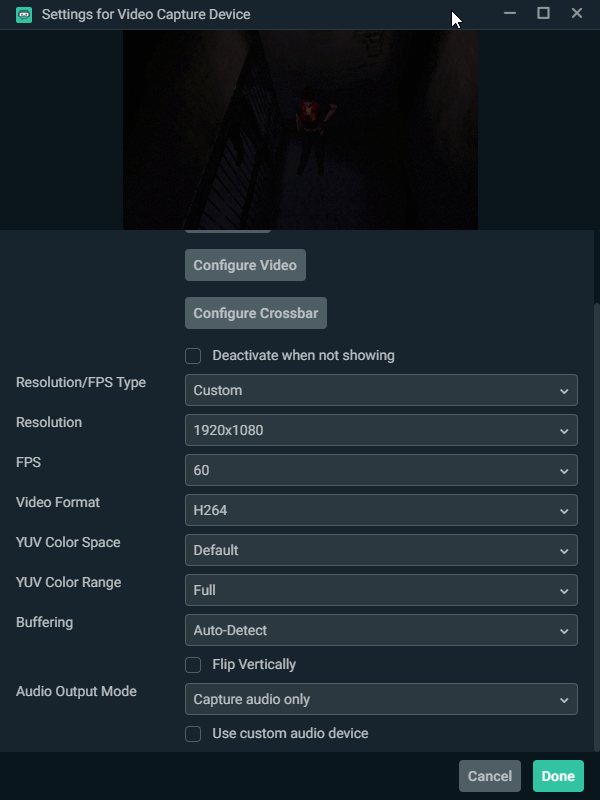
 sharp agate
Hey @dense peak!  This is a bit of a lengthy read, but what may help is this post from EposVox who went into detail about every capture card to primarily compare latency, but also to compare everything as well. The information you'll want to look at is specifically in the "Decode Mode Support" and "Notes on RGB Color Space" section toward the beginning for an explanation of what I am about to suggest:
https://obsproject.com/forum/resources/capture-card-documentation-latency-decode-modes-formats-more.777/
You don't want to use H264 with your capture card. If you can, see how YUY2 works. It is supposed to give you the best possible quality but it needs a lot of bandwidth over USB/PCIe. If that's not working out for you, you can try YV12 or NV12. You'll also want to set the YUV color space to 709 (which is the standard for HD video) and the range to Partial. You'll also want to make sure the HDMI color range in the capture card setting is set to expanded, which you should be able to access by clicking the "Configure Video" button. However, you also want to make sure the setting matches the setting on the device you're capturing from. This usually is listed as "Full RGB" in the RGB range settings.
Now setting the YUV color range to Partial may make the picture look washed out, but what often happens when you set it to Full and use non RGB settings is that you lose a color information in your brightest and darkest parts of the scene, which is far worse than having it look a little washed out. You can also change the brightness/contrast/saturation/hue in your capture card settings when you click "Configure Video." if you want to correct it just a little bit.
Lastly, for buffering, just leave it on auto detect unless you are encountering issues. If the playback is too choppy, you may want to enable it. If playback is too delayed, you may want to disable it.
OBS Forums
TABLE OF CONTENTS
Intro/Overview
Decode Mode Support
Notes on RGB Color Space
Format Support
Notes on Scaler Support
Input Latency Testing
Notes on “Bitrate” support
Testing Methodology
Limitations & Future Improvement
How to submit capture...
dense peak
thanks @sharp agate 🙏
sharp agate
And be sure to make sure that your color format in your OBS advance settings is set to NV12 and that the color range is set to partial and the space is set to 709 as well.
hushed kindle
Thanks for the info
 teal echo
Hello, I have my elgato working on OBS. My stream can hear the audio, but I can't. Is there a fix for this?
hushed kindle
yes
https://cdn.discordapp.com/attachments/581551435074764810/602358790687424512/unknown.png

https://cdn.discordapp.com/attachments/581551435074764810/602358840993906698/unknown.png


@teal echo
In the 2 pic select the last one that has both options
i used my mic but you use your Elgato Source