#cth-history
1 messages · Page 16 of 1
 elfin sorrel
 floral jetty
1080 is not 4k...
he needs to adjust his resolution if he wants 1080p/60
his card is sending 4k to it
sorry also didnt look at first picture.. multitasking brain fart...
once you mirror up @elfin sorrel can you go to the gear on cam link and set back to 1080p?
elfin sorrel
it doesnt change my profile from the 1080 60 profile that ive set...
floral jetty
ok, if you go to display settings...
select the mirrored displays and see if you can set the res
elfin sorrel
floral jetty
hmm strange. maybe go in to the nvidia software and see if you can change it there. if you scroll up a bit there is an article about using a 144hz with the hd60pro. might work the same.
elfin sorrel
i cant get the cam link to go 1080 60 in this step
floral jetty
if you set it to 1080p/30 see if it displays atleast?
elfin sorrel
that would be a negative
floral jetty
might be how they prevent people from using it this way. not really sure. Don't think its a supported use
 cunning latch
@elfin sorrel @floral jetty Not only does Cam Link 4K only go up to 4K 30Hz. Game Capture only goes up to 1080p60.
You need to use OBS or 4K Capture Utility. The message is from the software.
If you physically can't get a 1080p signal, then you'll likely need to change the resolutions your choosing. Nvidia has two lists for what it thinks are TVs. PC and then an HDTV list. I forget which, but the GPU will render say a 720p frame, but send it in a 1080p frame.
It might be trying to still send a 4K Signal, even if windows is set to 1080p. Because the Cam Link shows up as a 4K screen. In the end a Custom Resolution should work. Same thing happens with the 4K60 Pro when people try to do 1080p240 or 1440p144. Windows sees a 4K monitor and freaks out.
cunning latch
I can test it with my Cam Link 4K with a custom res for you in about an hour.
 upper yarrow
hi guys i have a problem, maybe you can help me
i just got the streamdeck from primedays
but it does not work with obs or streamlabs obs
in obs just says elgato remote control missing, try reinstalling streamdeck
floral jetty
was obs closed when you did the install?
upper yarrow
and at slobs just says "open slobs"
yeah was closed
i tryed reinstalling both
tryed other versions from both
and keeps the same
this is from streamlabs obs
i mean with it
floral jetty
in sl/obs if you go to tools > Elgato Stream Deck Plugin
does it show as installed or a version number
also try running streamdeck and obs as administrator
upper yarrow
they are as admin both
floral jetty
you did right click run as admin?
upper yarrow
yeah
 hushed kindle
@upper yarrow Si llegas a necesitar ayuda en español igual puedo tratar de ayudarte
upper yarrow
ah pues tambien me vale en español jajajaja
supongo que te diste cuenta por las fotos 😄
upper yarrow
este es el plugin en el obs
hushed kindle
let me open the OBS and Stream Deck
hushed kindle
I have the same plug in
hushed kindle
running 23.2.1 64 bit
hushed kindle
ok if your using OBS you need use just the number 1 option
and if your using SL OBS you need the number 2
upper yarrow
yeah
i will use obs
but have the 2 of them just trying to work with one but doesnt with any 😦
hushed kindle
i can send you dm and chat in spanish if you like and share your screen
upper yarrow
yeah sure
hushed kindle
ok
elfin sorrel
i was getting some spanish practice in reading that :v
cunning latch
@elfin sorrel So your main display is 1080p60?
NVCP does have a true 1080p 60Hz resolution listed. Which does send 1080p60.
upper yarrow
@elfin sorrel hahahah
he was trying to help me but dosnt work 😦
im still stuck with this
the stream deck seems to work with everything but obs and slobs
keeps saying that "The Elgato Remote Control plugin is missing"
tryed i think everything
 rustic eagle
Is OBS running?
upper yarrow
yeah
i can put all the info in 1 image give me a sec
will show version of all
there we go, both programs, the plugin seems to exists and both on latest version reinstalled all from scratch
rustic eagle
what did you all do?
upper yarrow
tryed combining diferent obs versions with diferent streamdeck versions
like 23.1 with the 4.1 and 4.2
rustic eagle
did you reinstall the stream deck application?
upper yarrow
of course
every time i try with a new version i first uninstall the previous one
at the end, tryed again with last version wich is 4.3
with latest of obs wich is 23.2.1 and keeps saying that
the thing is, that the deck works with everything, twitter, spotify,etc
but with obs and slobs just says what you see in the image
is like he cant comunicate with them
rustic eagle
Normaly the tool for OBS studio is being installed when you install the elgato software
But... I see that mine dont work aswell for OBS Studio
But it works with OBS and SLOBS
:|
floral jetty
obs studio should work no issue.
upper yarrow
thats what i see, i mean i have friends with it on all of them working perfectly fine
i have windows 10 by the way
rustic eagle
I installed the streamdeck software today, and obs studio, also doesnt work for me
floral jetty
strange
rustic eagle
Yee
floral jetty
try running streamdeck as admin, right click run as
upper yarrow
i have both as admin
with right click run as
in fact, i always run my obs studio like that 😄
upper yarrow
ok let me try
hushed kindle
try the OBS Server o SL OBS and see if they can give you a hand too
upper yarrow
@floral jetty tryed both ways you said above, none works
😦
@hushed kindle i can try but the obs works fine
floral jetty
hm strange. have you done an unistall of obs and streamdeck?
floral jetty
did you reboot between reinstalls?
upper yarrow
yeah
floral jetty
strange
upper yarrow
i know
floral jetty
well if you want to work on it, i should be done helping some one else shortly
upper yarrow
no problem
im always on this till i solved it
if i can find a soution i will then share it with you guys
floral jetty
ok, so lets see if we cant get you fixed up. can we start with both studio and stream deck uninstalled?
upper yarrow
sure
want me to unistall them right now?
ok
i found the problem
after trying 100 things
floral jetty
oh what was it?
floral jetty
oof
hushed kindle
no way? really?
upper yarrow
and now it works
hushed kindle
where?
rustic eagle
srs...
upper yarrow
then pc config
then admin templates
then windows elements
and then windows defender antivirus
once there double click on the on deactivate windows defender antivirus and check the enable box and reboot your sistem
and thats all
it will work perfectly
rustic eagle
..
upper yarrow
do you want a pic? the thing is that mine is in spanish but will guide you
hushed kindle
yes
 upper yarrow
hushed kindle
upper yarrow
hushed kindle
ok, but should be a way to make it work without having to deactivate windows defender right?
upper yarrow
yeap
floral jetty
correct. i dont have mine disabled and it works
floral jetty
did defender have any action items?
upper yarrow
nope
elfin sorrel
@cunning latch sorry i was afk for a while... my main display is 1080p144 :v ... and i already tried using a custom resolution of 1080p 60 but was only able to do so when the virtual monitor wasnt cloning my main monitor.
as soon as i cloned the main monitor onto the virtual one it all went to 💩
im probably going to return this unless if i find a good use for it and wait till i can either get a hd60pro or something like that or get a better gpu than my 1070 and just brute force obs.
the whole reason i got the cam link 4k was to see if i could take some of the load off of my gpu while playing my main game destiny 2 which takes more resources than other games to stream as you cant game capture (done as an anti cheat precaution) it in obs so you have to display capture which is more taxing
floral jetty
what cpu do you have
elfin sorrel
amd 2700x
floral jetty
you are doing cpu encoding right?
elfin sorrel
yep
floral jetty
screen cap shouldn't be an issue
elfin sorrel
its just that d2 by itself pins my gpu to the max
floral jetty
i run a 1700 and 1070 and play most things at max and stream 1080p/60 5k bitrate
newer games close to max
elfin sorrel
do you play d2?
floral jetty
i played it for about 10 minutes... not a fan of the game
but i did play it ive also done anthem. I play siege at max a lot of the times
elfin sorrel
wait you have an amd 1700 and a gtx 1070?
floral jetty
yea
elfin sorrel
.-.
floral jetty
thats what im saying. you should be able to do that stuff no issue
elfin sorrel
imean i can stream it no problem but id have to give up getting ~144fps
floral jetty
yea i dont think the camlink will help your gpu resource tho
floral jetty
never hurts to try.
elfin sorrel
i had seen other videos on youtube where they used the cam link (cant remember if it was the original or the 4k) as a rudimentary capture card doing as i did but i did some digging and it seems that between windows updates or some software change idk it mustve broken that
cunning latch
@elfin sorrel well that's a shame. Wish Windows had more control over those details.
elfin sorrel
ikr
 prisma egret
got a stream deck today and it was working fine but now after restarting my pc is doesn't work in my game but it did before
cunning latch
Does the software still see the Stream Deck? Do other functions still work?
prisma egret
yeah other functions work but there has been no update so im really confused, I got a new version of barraider and downloaded voicemod which made me restart my pc and now its stuffed
my phone profile has messed up too like half the buttons are gone
It's down to perms or something because the binds work anywhere else just not the game but how can it work one hour and not the next
 south bronze
I'm having an Issue with my Elgato not working currently when the Nintendo switch is set to 1080p
I am able to record my PS4 Pro at full 1080 60fps, however if my Switch is set to 1080 there is no display on my TV and the video preview in Game capture program is full of flickering horizontal lines as well has 45-50 frames, eventually preview goes black and wont come back unless I restart the program
if my switch isn't connected to the Elgato then I can go to full 1080 on my tv no problem, this only happens when its connected to the elgato
My pc is well over the minimum requirements and like I said I have no issues with my ps4 pro and other consoles at 1080
floral jetty
Think the most common fixes with the switch are disconnect the docks hdmi and reconnect.
hushed kindle
The same happened to @SeVeR#7868 i don’t know if he found a solution
@bright mango
south bronze
ya, just saw his post, same exact issue!
south bronze
Where can I find the firmware updates for elgato stuff? o.o
nvm
Big thanks to @floral jetty I updated my firmware and stuff seems to be working now. Super hyped 😄
south bronze
I have the most current firmware
Everyone quick. Check firmware
wtf, now its saying HDCP!
floral jetty
That usually happens if you had Hulu or Netflix open
south bronze
I never used Netflix or Hulu on switch
floral jetty
Pull the HDMI cable and plug back in
hushed kindle
Elgato remove the website where you can download the drivers
 vestal mango
@floral jetty you around?
 stoic ermine
Anyone able to help me out. Just bought the 4k60 Pro, installed it and works great. That’s only until my computer goes into sleep mode as I’m away. Once I return and wake it up, the capture card is no longer recognized until I restart the pc.
 hexed yarrow
so i made a vid on elgato and i dont know how to upload the edited version
 fathom gate
So I'm thinking of getting a keylight to use for stream but also for filming stuff for work cause the lights so compact. Just wondering if you can connect to the light and change settings without a wi-fi network, just direct connect to the light from a mobile for brightness and colour temp
Just cause sometimes I'm out on shoots and there's no wifi access
floral jetty
@vestal mango supppp
vestal mango
streaming on twitch with SLOBS and the HD60 Pro... any settings that I should enable on the capture card/video side of things to make the stream look better and have less skipped frames?
floral jetty
not really. you can decrease the quality i guess on the elgato in game capture click the gear on the right of it move the slider down a tad... whats your cpu/gfx
vestal mango
CPU on which machine?
I'm dual pc
let me make it easy LOL
Game PC - Ryzen 5 1400 3.20GHz
GPU - AMD R9 390x
Stream PC - AMD FX-8320 3.50GHz
GPU - Nvidia GeFroce GT-1030
floral jetty
and for the stream pc are you doing nvenc or 264?
vestal mango
That would be in SLOBS correct?
vestal mango
I'm using software x264 at the moment
floral jetty
does slobs say the encoder is over loading at all? what resolution and bitrate?
@hexed yarrow its also late for a lot of people in the discord. What do you mean upload the edited video? to youtube?
vestal mango
bitrate is 2500
output resolution is 2292x960 (my base canvas is 3440x1440)
Yes, I have an ultrawide monitor
floral jetty
ahh... im not sure twitch plays well with that tbh
vestal mango
I mean... it's been ok so far 😹
floral jetty
lol
 mild flume
hi so i just got a hd60 s capture card and i did everything i was supposed to, to set it up and the software still isn't detecting it. any ideas?
hushed kindle
PC specs?
mild flume
amd fx-6300 6 core cpu, nvidia gtx 1050ti, 24gb of ram
hushed kindle
running windows 10 and pluged to USB 3.0'??
mild flume
yes
hushed kindle
re install drivers and restart pc
hushed kindle
unpluge and plug everything
mild flume
okay nevermind it just didn't install the drivers for it but it works now
 hallow sun
It doesn't work
hushed kindle
does for me
hallow sun
If I have Streamlabs OBS in the background and fortnite open, it just goes directly to the main profile
I want it to sit on the profile while a specific program is open AT ALL
hushed kindle
set fornite as a default
hallow sun
Whether its in the background or foreground
hallow sun
I don't have a Fortnite profile
hushed kindle
course not
hallow sun
I have a profile for Streamlabs
hallow sun
And I want the streamlabs obs profile to be open when Streamlabs OBS is open. No matter what other program is open, and even if Streamlabs OBS is in the background. I only have 2 profiles, Main and Stream
And my goal is to have it sit on my Stream profile while im streaming, because I will be in Fortnite and Streamlabs OBS will be in the background, which will cause the Stream Deck to go into the Main profile which is useless
hallow sun
No. So like on the Streamdeck I have HWiNFO, Discord control, Spotify control and a quick access to open specific frequent websites. However, when im streaming I would like a different profile to show up that is a control for my stream, like scenes and mic mute/sound mute. Stuff like that. I can just switch manually but it would be great for Elgato to implement a feature that, when streamlabs obs is open, even if its in the background (which is not available now), to switch to my streaming profile. Because that would make the Stream Deck usable for all situations, especially the Mini where there is limited space.
So I want my streaming profile to be open while streaming, and my main profile to be open when im just playing without streaming. So there should be a feature where I can set a specific profile to be open while a program is running in the background or foreground, which right now only works in the foreground which is good for photoshop and stuff but not streaming profiles.
And there should only be one of those, just like a default profile, because if there is multiple, there would be an issue such as: If one profile named "Fortnite" is setup to allow you to change weapons or something and you set the stream deck to switch to the Fortnite profile while fortnite is running, and you also set another profile to be the auto while streamlabs obs is running. Now they would be fighting for priority. So like I said, there should only be one profile that has that option, so that this issue doesn't happen. Or maybe a priority settings aswell.
So all in all, one profile should be able to bet set as an always open while a specific program is running. So if my streamlabs obs is open, it will only show my stream profile while the application is open, no exceptions. And then when the program isn't running, it will default to the foreground profile settings or just Main if there is none.
 wind bobcat
Yo does anyone know if I buy a 3.0 usb express card for my laptop will it actually be able to run my elgato?
I have the right specs and everything but my card won’t run on a 2.0 usb port
cunning latch
@wind bobcat share the rest of your specs. I'd be curious what system has the right specs but not USB 3.0.
floral jetty
@hallow sun the issue with that is creatives who stream Photoshop or something. If I set a smart profile for Photoshop but OBS is in the background they will fight. I find the best is to have my OBS stuff as the default or second page down.
@wind bobcat I'm pretty sure you are still going to have issues. While the hub is 3.0 but goes to a 2.0 port will choke the bandwidth
 fleet cobalt
So I got an HD60S a few days ago, and it works great most of the time, but every couple hours the audio on the capture starts crackling.
It's plugged directly into a USB 3 port on my motherboard, and I'm using Streamlabs OBS.
Any ideas?
floral jetty
Is the crackling on the outputted video or just in your headset?
hushed kindle
im having issues with my stream deck everytime a restart my pc ask me to login again in every single account ... Twitch/twitter Streamlabs, Youtube
I had deleted the accounts and re loging but nothing seems to work
i will try uninstalling the stream deck software and restalling
 hidden jolt
something is wrong with my streamdeck, I can't even access the settings menu, it crashes then I have to reload it, trying to access again causes another crash? Win 10 home, 1903.
and right now its laggy as heck, it finally loaded settings and now I can't access "Accounts" or "Profiles" tab
I just did a reinstall of the software other day.
This is an original streamdeck from pre-order so its one of the originals.
Even tried installing an older build, 4.3.0 and not 4.3.1, still doing it :/
Gonna try 4.2.1 and see if that makes a difference
Edit: Nope, still doing it...
I can use the actual deck buttons, but I can't make changes to it.
(Please mention me or I will not see)
 left trail
okay so no sound is coming through my live playback thing in obs when using the HD60s capture card. If anyone has some tips please @ me
wind bobcat
@cunning latch intel hd 620 dedicated graphics and i5 8500k
 wispy seal
Hello ! I have a big issue with my Elgato Streamdeck XL . It send a lot of shortcut to my computer . So mutch that if i does not disconnect it , it make my PC crash (windows 10)
in fact i do not know if it's hardware or software.
cunning latch
Do you have a laptop model number? No way that has 2.0 but not 3.0. probably just a different color or maybe type C. @wind bobcat
wispy seal
yes it's an assus N551VW but i also have an other streamdeck and it still works great. My laptop have usb 3
the other is the one with 15 lcd
I bought the XL version on Thomann 1 month before. does have to send it as it is on garanty or is it software?
Thanks for your help guyz !
😉
floral jetty
Luc... hes talking to some one else
wispy seal
@floral jetty ? sorry , i didn't understand.
cunning latch

floral jetty
does the issue with your streamdeck happen in every usb port? and every command?
wispy seal
I tested on 2 different port and on 2 different laptop. same issue.
it sends so mutch time my shortkey that it make the pc crash after a few time if i does not disconnect it.
floral jetty
is it a custom command its sending?
wispy seal
In fact i made a shortcut with normal carracters for adobe premiere . It send principaly the "enter" shortkey and a "m" . but when i look at the streamdeak screens it's like it every icone became crazy
 distant radish
Quick question for you guys. Can I get the audio for the console I'm streaming through the HD60 via the usb?
wispy seal
i also use macro with 4 or less command. but normal key command with a "wait" ofter some of them
@floral jetty Thanks so mutch to help me !
floral jetty
@distant radish the pc will get the sound. in obs you can set it to wave out and hear it from headphones/speakers
@wispy seal do built in commands cause the same issue? or is it just custom made keys
distant radish
I don't want to hear it in my headphones and speakers I just want the stream to hear it only
floral jetty
what console
distant radish
PS4 or Switch.
floral jetty
they will send out to hdmi, on the ps4 it can do hdmi/optical OR controller headset port
distant radish
My current set up is, I have the hdmi from the console going to a switcher, then I have the out from the switcher going to an hdmi audio stripper. I have the rca from that going to my mixer so I can hear sound. This was the solution so I could play console games while using my PC for sound at the same time.
floral jetty
ok yea the audio stripper should still send the audio to the hdmi port
distant radish
I'm just worried I'm going to hear on my end the audio twice
distant radish
If I don't set wave out will the stream hear the console?
floral jetty
yea
wispy seal
I am not sure to understand your question , i use the streamdeck editor to make shortkey with normal "shortkey" or "macro" command with "custom" keys like...the key "ctrl+m" that is a shortkey in adobe for going to the next keyframe or "enter" like on the regular enter key or "shift" or "alt" with custom icon yes.
wind bobcat
@cunning latch the model code name is hp-15 da0xxx
distant radish
Whelp going to go grab one from gamestop and hopefully get this going then. Thanks for the advice. I'll probably be back in 45 minutes after I get everything set up for more questions HAHA 😄
wispy seal
in fact after using the streamdeck it beggin to be crazy after few minutes. it started today. before , everything worked great
floral jetty
@wispy seal are you doing hotkey or toggle?
wispy seal
hotkey
floral jetty
@distant radish sounds good
wispy seal
and macro (like 3 hotkeys one after the other). but it begin to work eraticaly whatever the key i touch after 4-5 minutes
sorry my streamdeck is in french and i hope that the name is "macro" in english . In french it is "multi-action"
floral jetty
yea its multi-action for us
wispy seal
perfect 😃
floral jetty
are you putting delays between actions?
wispy seal
yeah , i have delay between them. But clearly i use the same shortcut on the XL and on the normal streamdeck and it works perfectly with the normal streamdeck.
wispy seal
lol 😉 yeah ! i agree !
i already submited a ticket 😉
Do you know if could be hardware problem ?
floral jetty
its possible. if you move the shortcut to a different key on it does it still act up
wispy seal
I do not know. But it would that it is already on 2 keys. cause i have a simple shortkey with "enter" and another one with "ctrl+M" and when i openned the notepad to see what shortkey it was repeating it was M and it was pushing "enter" en M again...Etcetc infinitly . And i have a shortcut to change the display of my configuration on windows (i have 2 minitors) and it pushed this button to again and again (then 3 button finally) and when i look at my elgato i saw that the "counter" of the multiaction was appearing like if i pushed it... it already happened a lot of time today. it's really crazy.
then i disconnected it tried it on a different port and computer with last streamdeck editor version and the same thing happened.
I think it's hardware but i will have to wait the tech team to be shure then.
Thanks for helping me.
 cunning nymph
Hey, does the HMDI passthrough on an elgato 60hds create ANY input lag?
cunning latch
@cunning nymph under normal operation the HDMI passthrough should be completely lag free for you.
@wind bobcat I'm think I found some pictures of your laptop. The left USB ports will have an SS icon next to them which means Superspeed, which is USB 3.0.
Did you have an HD60 S already?
@cunning nymph Were you thinking of picking up an HD60 S or was yours showing some sort of lag?
cunning nymph
Hey, I do have one since two days. I'm not very sure
Im playing mm2, which has to be frame perfect and sometimes it feels like i have lag
Is there a way to check it?
cunning latch
@cunning nymph Just to be absolutely clear though, you're talking about your TV. Not the image on the software, right?
wind bobcat
I have 3 usb ports on my laptop, I’ve tried using every one and on the elgato software it says plug into a usb 3.0 port to function properly.
cunning latch
@wind bobcat Do you have any other USB 3.0 devices to test on those ports? Could be that the ports aren't performing at full speed and the software is assuming they're 2.0 as a result.
Try checking for any Windows 10 updates and you may be able to grab the USB 3.0 drivers for your laptop from HP's website.
@cunning nymph Again in normal operation it should be latency free. You can try resetting the card by disconnecting all the cables and letting it sit a few minutes. Then reconnecting and trying again.
Also try reinstalling the drivers: https://help.elgato.com/hc/en-us/articles/360027961152-Elgato-Gaming-Hardware-Drivers and then rebooting your system.

Elgato Gaming
Elgato Gaming Hardware Drivers - Windows 10
When you install Elgato Game Capture HD software for Windows 10, or Elgato 4K Capture Utility, the necessary drivers should automatically be instal...
wind bobcat
I’ll try that. It also may be just cuz my pc is slowed down as shit I need to use a clean up program or somethin
cunning latch
@wind bobcat But yea your specs are good and you definitely have the right ports. The software just is sensing something is wrong.
In some cases a powered USB 3.0 hub can help if the port can't provide enough current/amps to power the HD60 S.
wind bobcat
Well are there any adapters or anything I could buy to try and convert my shitty ports into a 3.0 usb port lol
im a complete pc noob btw lol
hushed kindle
i think thats not possible
cunning latch
Your ports are already 3.0 is what I'm saying.
But if there is a problem with the hardware powering them, the Game Capture software may be reporting them not being 3.0. Hence the message.
wind bobcat
I don’t see what I’m doing wrong with the hardware tho, I got everything plugged in where it should be
floral jetty
@wind bobcat go to: https://support.hp.com/us-en/drivers/laptops
Easily find and download latest HP software and drivers, firmware, diagnostics and utility tools for your HP Laptops from our Customer Support website.
run the identify your laptop
make sure all the drivers are up to date
wind bobcat
ok hol up
My driver download list is empty? That means everything should be up to date right
 final bobcat
i tried everything to get my HD60 S to work and it's not working, i need help
floral jetty
@wind bobcat probably ..if you right click on start and go to device manager go to unviersal serial bus controllers and expand that. take a screen shot and drop it here
@final bobcat whats up
cunning latch
@final bobcat are you seeing an error? Does anything show on your TV?
@wind bobcat if you still don't have luck, email the support team here: http://e.lga.to/help before you buy anything.
final bobcat
nothing is working, the Elgato software is not finding it and PC settings say's ''Driver is unavailable''
how can i get it to work
floral jetty
what is your OS?
final bobcat
how do i check my OS
floral jetty
well first is it apple OS or WIndows?
final bobcat
windows
floral jetty
click start and type system information
final bobcat
yeah
floral jetty
if you click on system information you should get a window and should list OS name
cunning latch
or "winver" works too for the start menu
final bobcat
my OS is Microsoft Windows 8.1
cunning latch
the HD60 S is supported on Windows 10. Did you check the requirements on the box?
floral jetty
game capture needs windows 10. The older versions may work but not sure
could try that
final bobcat
where could i get Windows 10?
floral jetty
nevermind that wont work for hd60s
cunning latch
It might actually be possible to still upgrade for free.
Worked for me a couple months ago
final bobcat
how can get it?
floral jetty

groovyPost
We already showed you how to upgrade your Windows 7 computer to Windows 10, now let's take a look at going through the upgrade on Windows 8.1.
cunning latch
But the rest of your computer specs are good? ignoring Windows 10 for now
floral jetty
^ important part
final bobcat
i need a Windows 10 CD 1st
cunning latch
You can get a bootable copy https://www.microsoft.com/en-us/software-download/windows10
direct from Microsoft. The Media Creation Tool
floral jetty
think we should get back to the specs first
cunning latch
Indeed. If the computer isn't fast enough now, Windows 10 won't magically make it run well.
floral jetty
@final bobcat id say DL this https://www.ccleaner.com/speccy
Speccy - find the details of your computer's specs. Great for spotting issues or finding compatible upgrades. Download the latest version free.
and post the specs here
wind bobcat
Tech support at elgato actually helped me out a LOT. Thank god. Everything is in working order now 🤔
thanks for the link pyro you lovely man
floral jetty
Think that was Crest lol but glad you got it sorted
cunning latch
What ended up working for you?
final bobcat
my GPU is: Intel Core i5 4570 @ 3.20GHz
i got 8GB of RAM
1023MB NVIDIA GeForce GTX 650 Ti (which i think it's crap)
the motherboard is: Gigabyte Technology Co. Ltd.
what can i say
floral jetty
thats about the minimum requirements. the machine is only for the capture part not playing right?
final bobcat
it's just Windows 10 i need and it's sorted then
floral jetty
yea
distant radish
Do I need to update the firmware of a El Gato HD60 S when I get it new out of the box? I'm getting a weird issue but I'm making sure all my drivers are up to date first
cunning latch
You shouldn't ever need to update the firmware unless Support says
distant radish
Pretty much I'm getting intermittent signal from the PS4
cunning latch
That could be the cable, the USB connection or a few other things. Try disconnecting all the cable and letting it sit to reset.
Maybe even power cycling the console. Sometimes that helps.
distant radish
I'll do all of the above and check back
cunning latch
But in general I encourage you or anyone to email or call the support team before updating the firmware. That's when things can go wrong in terms of hardware or things being bricked.
distant radish
I won't do that considering I literally just bought this brand new
floral jetty
Does game capture show a firmware update?
distant radish
i don't see one no
floral jetty
ok
distant radish
Ok so passthrough works fin with game capture HD closed
I made sure the PS4 is set to 1080p
same issue hrm
same issue if I add it to obs.
I have the ps4 connected to the elgato, the usb connected to the 3.0 on my system, and the output of the elgato plugged directly into a monitor.
cunning latch
Try reinstalling the HD60 S drivers: https://help.elgato.com/hc/en-us/articles/360027961152-Elgato-Gaming-Hardware-Drivers then rebooting the computer to ensure they were installed fully.
Elgato Gaming
Elgato Gaming Hardware Drivers - Windows 10
When you install Elgato Game Capture HD software for Windows 10, or Elgato 4K Capture Utility, the necessary drivers should automatically be instal...
 distant radish
If I tried the switch I would have been like OH THIS WORKS PERFECT
....wow

now to add back my switch and splitter to make sure this works with it
cunning latch
@distant radish when Game Capture was open, did it show the HDCP red error on the top right?
distant radish
maybe....
cunning latch

distant radish
Alright well I got it working with my splitter now I need to get rid of the double audio
cunning latch
If you have Live Commentary on, it might be due to it previewing your mic audio. That can cause echo. You can mute this via the speaker icon on the rightside.
distant radish
I don't hear it in stream labs
I need to fire the stream up though and give it a test now
hrm I'm seeing it drop frames on the el gato even before I start streaming
cunning latch
Do you see these drops in Game Capture?
distant radish
in stream labs
cunning latch
Does stream labs show a low framerate on the bottom right?
cunning latch
10% CPU? Hmm.
But does the HD60 S look fine in Game Capture? Is it only stream labs that it looks like it's dropping frames?
distant radish
let me check
cunning latch
If the device is dropping frames, Game Capture HD should be reporting this on the top right in a yellow box.
distant radish
just did the same thing in game capture, it drops frames and audio
but it's not showing my anything
I'm recording though is that an issue?
now it's just frozen all together
cunning latch
Try going into Game Capture preferences, and on the first tab uncheck Flashback Recording. Then go into Advanced and make sure the Encoder and Decoder is set to your Video Card/GPU
distant radish
the app isn't but the capture is
alright got the video back but it's still doing it
cunning latch
Still doing it after the preferences changes?
cunning latch
With flashback recording off then the computer should be doing nearly nothing, the preview will just be 'idle'. You have anything else running on the system. 1060, so I assume you have a pretty decent system otherwise.
Is the HD60 S connected directly into your PC or into a hub or similar?
distant radish
let me take my splitter out of the mix and see but I wouldn't see why that could be it since the monitor never stutters or drops the audio but it's worth a try
the only thing I'm running on my pc at the moment is discord, a chrome window with 2 tabs total, game capture, spotify, and like basic system tray stuff
Alright I directly connected the PS4 to the el gato and after a moment it started doing it again
I switched to 30fps and it's still happening :/
cunning latch
Try another USB 3.0 port on your system, if you're on the font, try the back. Should be a different USB 3.0 roothub
floral jetty
What's your cpu?
distant radish
trying a front one now since I was on the back 3.0
huh...says it's not in a 3.0 even though the front 2 are 3.0 and ar plugged into the right spot on my mobo for it...
cunning latch
If you're on an 8350, your USB 3.0 controller could very well be the problem. But support could verify this for you.
Could be that a new USB 3.0 driver could help: https://help.elgato.com/hc/en-us/articles/360027955372-Elgato-Game-Capture-HD60-S-and-Resolving-Performance-Issues-Windows- Some links down on the bottom of this article.
Elgato Gaming
Elgato Game Capture HD60 S captures raw HD video, and passes it on to your computer to be displayed, encoded, streamed and recorded. It connects to your computer using USB 3.0, and relies on both t...
distant radish
Ok got the front usb's working
testing it now. the only time it stuttered is when I clicked on that elgato link
I'm curious why there is no detection of it doing this in the game capture software
so far so good. with one of the front ones
cunning latch
It's possible that the USB controller in the back was overloaded with other devices.
cunning latch
Well the phone team is available right now if you wanted to see what they say. http://e.lga.to/help
distant radish
I'll call them now see what they say
thanks for the help
whelp support is having me run this tool on my pc and email it off to them. The only thing was my pc was on balanced power as opposed to high performance but that did nothing
Thanks for the support guys, I'm going to see what they say and hopefully I don't have to send this to them....brand new capture card...boy that would be a bummer.
cunning latch
Your motherboard probably came out when USB 3.0 was pretty new. My bet is on the controller. The solution may be to just get a cheap little USB 3.0 PCIe card to provide new full speed USB 3.0 ports. But the diagnostics you gave them will let them know for sure.
distant radish
Hrm wonder how much they go for
also I needed to update my windows 10 and my gpu
so doing that first
 sweet thorn
Hello I have what some videos in the 4k utility software you can pick the audio sources as either HDMI or analog I can’t seem to find that option any where
 pearl turret
is there a way to have several keys get updated once you update a specific key? lets say you use the same key on diferent profiles do i need to update evey one of them?
 coral ferry
Anyone good with OBS settings and stuff? Nothing is wrong just wondering cause I just want to record my games for fun. Just need a good guide on numbers. I worked with OBS when I had a laptop so I am familiar with the terms.
final bobcat
my OBS lags a lot when i start recording for PC
i don't use the elgato to record the PC just OBS
how can i sort that out
hushed kindle
What are your OBS settings?
final bobcat
let me check real quick
got my audio track on 4
the encoder is on x264
rate control is CBR
and bitrate is 5000 Kbps
what can i change
 opaque depot
Would anyone know why my 4K60 would be sending video but no audio from PC to PC using OBS
?
 lone bronze
Hi, so I’ve figured out how to record and stuff but the videos are choppy and laggy at certain times, is there any way I can DM one of you so you can help@me fix this problem?
cunning latch
@opaque depot The 4K60 Pro doesn't really send video or audio so much as it receives it. If you connect a monitor with speakers to the HDMI output of the card, does any audio come through?
How did you setup your audio right now for the Gaming PC?
opaque depot
So basically i have an HDMI out from my gaming PC to the HDMI in on the 4K60 Pro in my Streaming PC. I use OBS to detect the Video Capture Device and up until today, it was able to capture Video & Audio.
No audio is coming through
floral jetty
Is your gaming PC set to push audio to the "elgato speakers" in windows
opaque depot
Im not sure what you mean. Where woudl i find that?
opaque depot
Ah. mine is the same. I have the GoXLR also
floral jetty
well if its not set to elgato the hdmi wont carry sound
opaque depot
Not sure what you mean. there is no option to set it to Elgato. All i know is it has worked just fine for 11 months & now it doesn't I didnt change anything. I've done a lot of troubleshooting and im fairly certain its an issue with the card.
I think i see what you mean. On my streaming PC I have an option for CABLE Input (Elgato Sound Capture)
It is set to that but no cigar
distant radish
@cunning latch support told me to update my gpu and my windows 10. After battling with windows 10 and finally finding a way to update it the problem got worse
pass through worked but I would get nothing in game capture
Then I installed this
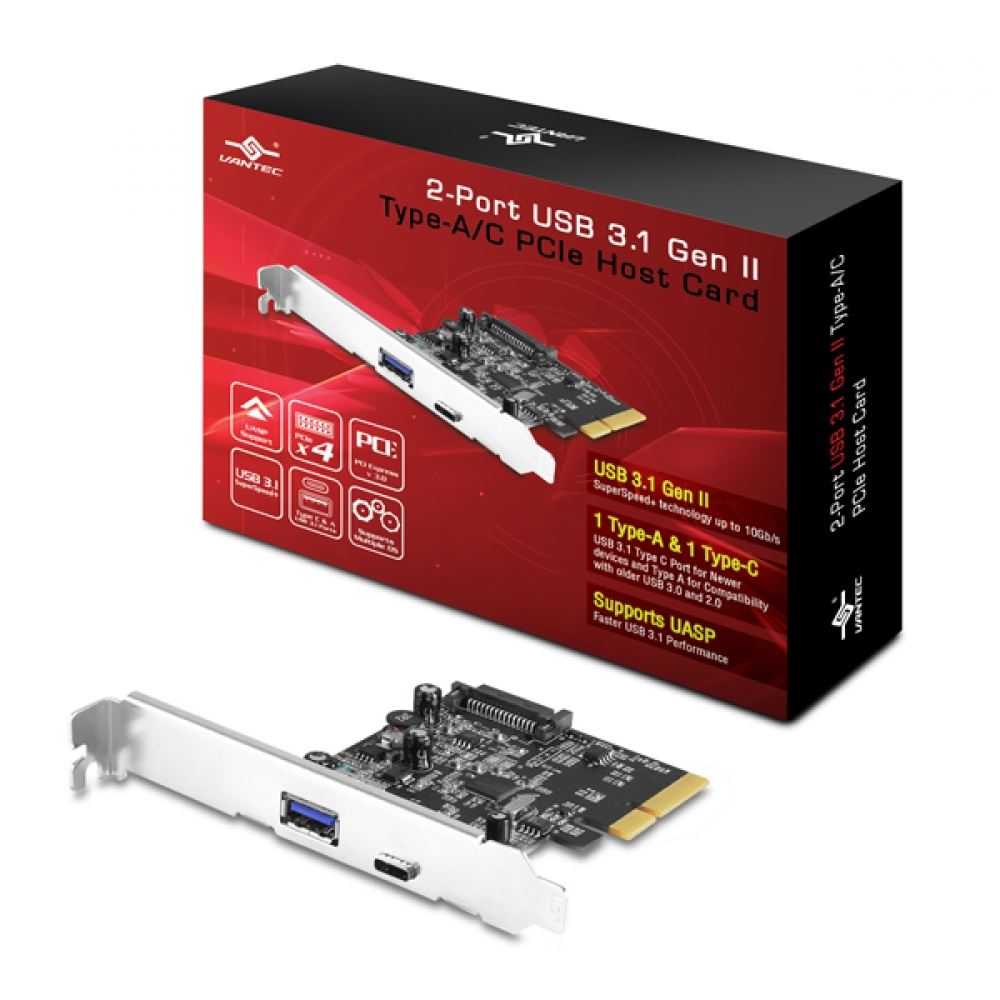
Vantec
2-Port USB 3.1 Gen II Type A/C PCIe Host Card
The Vantec 2-Port USB 3.1 Gen II Type A/C PCIe Host Card is design to offer the latest in USB 3.1 Technology. This Card provides clocking speed of up to 10Gbps, twice of USB 3.0 (5Gbps) and almost 20 times of USB 2.0(480Mbps). US...
and now it's working no problem. You were right. It was the 3.0 port
Now time to get the stream working with the audio figured out.
Thanks a ton!
lone bronze
Hi, so I’ve figured out how to record and stuff but the videos are choppy and laggy at certain times, is there any way I can DM one of you so you can help@me fix this problem?
cunning latch
@distant radish 
distant radish
WOAH!
cunning latch
Just email em back letting them know that that worked. Helps clear up open tickets. And nice for closure.
distant radish
Will do
hushed kindle
im starting to get a little audio delay with my HD60 pro that i didnt had it last week its like a 1/4 of a sec
lone bronze
Can any of you help@me with my frame skips and freezes please?
 viscid owl
I have an incredibly specific question that may not be able to be resolved, but I just got the Cam Link and set it up with the Nikon D3300 that I already owned. The issue that I'm running into is that the camera goes to sleep after about 30 minutes of no inputs and I'm not seeing any options to flat out turn it off in the settings. Does anyone know a possible solution that doesn't involve me pressing a button on my camera here and there?
floral jetty
@viscid owl look for auto off timers
lone bronze
I need help.
 karmic umbra
?? @lone bronze
lone bronze
Whenever I record with the elgato on the switch the video has frame drops and freezes
Any way I can fix this problem?
karmic umbra
Settings?
lone bronze
Does the elgato need to be plugged into the computer to change the settings because I went to settings to see if I can fix it after I finished recording and got no helpful settings
karmic umbra
yes!
karmic umbra
hey!
lone bronze
Can I send pictures here?
karmic umbra
you plugged in to a pc?
karmic umbra
wait
lone bronze
Kk
karmic umbra
you have this? Game Capture Software
lone bronze
Yes
hushed kindle
@lone bronze and your pc specs ?
lone bronze
Hold on it’s probably my crappy computer
I’m booting up an old one
Because for some reason this computer can’t run Minecraft and I didn’t think of that before
And I forgot my moms login...
And my mom doesn’t remember either GREAT
lone bronze
@hushed kindle @karmic umbra figured it out, just had to change a few things
 crude jewel
I'm a streamer from West Africa/ Ghana and Streaming isn't known in ma region and we are still creating the awareness for eSports, gaming and game streaming in West Africa.So when the environment is conducive I'd like to introduce Elgato Gaming to ma fellow streamers for them to purchase all their streaming gadgets.Thank you. GamersBlogGhana Facebook.
 worn quiver
Hey, quick question regarding cap cards in general with streaming. Is there any benefit at all in a configuration with a single PC streaming set up? As in you game, stream and have the cap card all in the same PC? Like does the hardware of the capture card assist in performance in any way?
I always figured it was pointless in such a configuration but I'm seeing people use capture cards this way and I'm like... completely unsure if that's beneficial or if they're just confused.
 honest crescent
This might be a stupid question, but does anyone know of a way I can control the camera properties of a Logitech C920 via my StreamDeck?
Basically I want to create 6 keys:
Pan left
Pan right
Tilt up
Tilt down
Zoom in
Zoom out
hushed kindle
If the software has a short cut you can do it
but i Dont think so
because Logitech software has like buttons for that options and you cand set up manually
honest crescent
That’s what I thought. The camera settings seem to reset every time I open Streamlabs & it’s more than a little annoying having to go into the settings to adjust them back!
Thanks for getting back to me
cunning latch
You'd probably want to just set it wide and then crop is in software. Rather than panning in the logitech utility.
@worn quiver Generally a capture card itself does not improve performance on its own. It's just a tool for, well... capturing something. So the performance benefit comes from moving that work load to another system. Hence 2PC.
Capture Card in a single PC setup does have some uses, but they aren't for performance. Games like Destiny 2 don't allow direct Game Source capturing and thus you need to use a slower Display Capture. Using a capture card can maintain the performance capturing a game like that.
The encoder on capture cards doesn't directly have any impact on streaming.
hushed kindle
@honest crescent if you want set it up once Install the Logitech G Hub
 astral osprey
hi everyone! is anyone available to help me troubleshoot my capture card? Ive been using it with OBS but recently its causing Encoder errors on my stream, and whenever i try to use it just to play xbox without streaming, it causes my CPU to explode
I am at my wit's end here
 prime pebble
can anyone help me with a little problem?
prime pebble
anyone know why my stream is not getting the audio of the PS4?
trying to fix it but dont know how
 wet ivy
For whatever reason the hd60 pro doesn't pickup my mic audio (blue snowball) I've looked up every fix and nothing works the mic works perfectly with anything else.
hushed kindle
@prime pebble ps4 don’t let you use headset and HDMI audio at the same time, that the most common problem with audio
@wet ivy are you using game capture or OBS?
wet ivy
game capture
prime pebble
@hushed kindle ok, so how do i fix it?
hushed kindle
@prime pebble buy the Elgato chat link cable
@wet ivy is the blue mic button activated ??
prime pebble
and until i get that what can i do?
wet ivy
no i dont think so where is it and what does it look like
hushed kindle
@prime pebble play with your tv sound without headphones
prime pebble
@hushed kindle yeah but the stream wont have any audio, so i need to get the chat link cable to make that work right?
hushed kindle
@wet ivy its a Blue button when it’s activated it’s light blue
@prime pebble if you okay using your TV you will get audio in your stream
wet ivy
in game capture?
wet ivy
prime pebble
@hushed kindle ill get audio if i use the elgato software, if i use streamlabs obs i still get audio?
@hushed kindle what if i use a monitor? it will be different?
hushed kindle
@wet ivy
wet ivy
i click and i can hear my audio and a lot of background noise which isnt normal
hushed kindle
@wet ivy you are using 100% use less
@prime pebble using SL OBS you need to open audio advance options it’s the COG above audio inputs and select monitor and output in the Elgato Source
wet ivy
@hushed kindle but how can i make it to wear i cant hear myself
wet ivy
i want to use it while streaming
or just use game capture to stream
idk what im really doing
hushed kindle
@wet ivy thats my game capture
look, the mic blue botton its light blue and the speaker in the mic section is DISABLE
wet ivy
ok
hushed kindle
Go to number 1 and the SHARE
if you want your comentary with the game audio check 2 and uncheck 3. If your want your voice in separadly in a diferent file check 3 and uncheck 2
For livestreaming doesnt matter
prime pebble
@hushed kindle by any chance do you have a image that show me that please_
hushed kindle
yep
hidden jolt
For the last week or so, I've been having issues with the streamdeck and it hasn't been fixed. A couple weeks ago, my multi-action would load OBS and change scenes fine, but now it loads OBS then crashes it. What's going on? [I checked earlier today and OBS is fully up to date]
 somber gate
so i got my audio from my gaming pc to run to my streaming pc through my HD 60 S but if i dont keep the sound capture program open on my gaming pc there will be no sound through obs on my streaming pc. Also do you need to have a separate mic hooked up to your streaming pc or is there a way to use the mic from your headset hooked up to your gaming pc
 steady bane
So I just bought the older, 1080p60fps Cam Link (not the 4K). I'm wondering if the GoPro Hero 3+ Black Edition works for it?
I have already checked https://www.elgato.com/en/gaming/cam-link/camera-check and I only see support for the Hero3+ Silver and Hero3 White. I doubt there's much of a difference but I want to make sure
cunning latch
Do you have that camera already?
steady bane
@cunning latch Nope, bought the Cam Link first so I wouldn't have to return the camera once it comes in
cunning latch
If the silver and white were confirmed, the black will probably work as well. This person on reddit says they got their Hero 3 Black working: https://www.reddit.com/r/Twitch/comments/alln0l/gopro_hero_3_black_as_full_time_webcam/
I don't know GoPros all that well. Is the 3 and 3+ notably different?
Comment at the bottom of the thread. Also the thread is less than 6 months old so you could reply to him
Ultimately, the Cam Link acts just like a TV. There isn't some inherent incompatibility. It's just does the camera stay on as long as you want, does it output a standard 720p or 1080p signal, and does it have overlays ontop of the video.
steady bane
@cunning latch Oh wow, never thought to look into reddit. Thank you.
Finally getting rid of the old reliable (C920) for a more robust option, can't wait to see the results after color correction, filters, etc.
I'm assuming you own a Cam LInk as well?
cunning latch
@steady bane Original and 4K currently
hidden jolt
Anyone? I'm fairly sure its related to the StreamDeck software. (Message today at midnight)
Msg:
For the last week or so, I've been having issues with the streamdeck and it hasn't been fixed. A couple weeks ago, my multi-action would load OBS and change scenes fine, but now it loads OBS then crashes it. What's going on? [I checked earlier today and OBS is fully up to date]
cunning latch
@hidden jolt was this similar to a problem you had before? or is this new?
hidden jolt
This issue is the same as the last couple days of posting. Hasn't gone away and I have to manually go through my startup sequence.
Don't have any other streaming software setup on my rig maybe I can try slobs since I can import my scenes/etc to it?
cunning latch
@hidden jolt Can you post your Multi-action list? If you do them individually does it work fine?
hidden jolt
will take 2 screenshots to list them all, one sec
#1
Haven't had issues with this multiaction till a week or so ago.
I can try duplicating it with SLOBS (but turn off the 'go live' bit since Sunday I take off)
okay, SLOBS doesn't have the freeze up issue, but I prefer Studio since it has updates more often.
cunning latch
I'm wondering where the issue might specifically be. This is on 23.2.1?
hidden jolt
I believe so, when I do "Check for Updates" on Studio, it says I'm up to date
cunning latch
check the top left of the window, should be in the title bar.
hidden jolt
gotta reopen studio one sec
cunning latch
And if you do the process step by step with manual keys I wonder if it would trigger the same problems
hidden jolt
that's 26 actions rofl
won't fit in a single folder (I don't think)
I'm on 23.2.1 yea
no plugins on studio except for streamdeck
cunning latch
Another idea is posting an OBS Crash log on the OBS discord to see if they can spot the trigger
hidden jolt
I posted the only crash log I had, but that was from a few days ago so I don't know if it was accurate. Ive been manually pressing the buttons (with a rough timing, not exact)
hidden jolt
But yea, they responded once and haven't responded to my most recent reply. :/
hushed kindle
Any idea why this could be happening, the old Camlink was replaced for the new 4K and the colors / picture looks like that
cunning latch
@hushed kindle Does it do this on other ports and in other applications?
hushed kindle
Yes
final bobcat
I finally got windows 10 what’s the next step to set up my HD60 S
final bobcat
Hello?
final bobcat
I’m getting no signal from it when everything is all hooked up
cunning latch
What is the source you're capturing?
cunning latch
@hushed kindle Can you check it with other sources like a console?
Try also going into Device Manager, then Video, Sound, Game Controllers and uninstall the Cam Link. Then reconnect it to have it reinstall the driver.
@final bobcat Do you see any video on the TV on the passthrough? Try it directly connected without the Switch
final bobcat
I don’t see anything coming on my tv
Even without the switcher
They sent me a broken Elgato I want a replacement
hushed kindle
@cunning latch I’ll try and let you know
final bobcat
Turns out my hdmi switcher is on the out port
Do I really need to swap it around
And this what happened when I switched it around
My tv screen keeps popping on and off
cunning latch
Just try a console directly into the HD60 S, not through the Switcher
final bobcat
Doesn’t make a difference, still does it
cunning latch
Signal still cutting in and out? Signal going in and out could be power related. Try connecting the USB cable from the HD60 S to a USB port on the console.
This will power the passthrough separate from the PC. if the signal is still cutting in an out then the issue could still lie with the connection between the console and card or the device itself. But from there I'd probably suggest emailing support for them to verify.
cunning latch
If the HD60 S is not connected to a PC, but just plugged into USB power. It will still turn on and send a signal to a TV.
Just checking to see if the software may be an issue
final bobcat
WTF is an HDCP
final bobcat
both Xbox one and PS4
cunning latch
Elgato Gaming
The PlayStation 4 was released on November 15, 2013.On day one, the HDMI output was encrypted using HDCP. That meant that video capture devices weren't able to receive gameplay video from it.As of...
For Xbox One, with the console on, hold down the power button on the console until it makes a chime sound and shuts off. Then power it back on. That should clear it.
Keep in mind that any time you load up a media app or view videos from Friends on Xbox, it will turn back on HDCP usually. Which will block capture cards.
final bobcat
i'm glad that my PS2 is working for it
i just have to sort out my next gen consoles
final bobcat
all done and i'm ready to game
 slim kite
HI All, I need help on my elgato. The HD60s has been going great for the past 4 months but last friday it started to automatically down scale my quality to 360p no matter if i pick other qualities.
I tried removing the game capture software and reseting to default
FYI I stream off a Macbook air and use Elgato Game Capture because OBS doesnt pick up the Elgato product
cunning latch
is this when recording or streaming
slim kite
Streaming
cunning latch
make sure your streaming bitrate is high enough. Streaming resolution adapts to the bitrate.
Under 2Mbps might be 360p 480p, I don't recall at the moment.
cunning latch
It's on the right side next to your streaming login info.
But you'll see the predicted resolution on the bottom. Where the stream now button is
slim kite
Also it recently popped up a Icon SW that said that the software is encrypted
slim kite
It says 0.70
cunning latch
Just as an example how bitrate will automatically adjust resolution
Yea you need to raise it. Try 2.5Mbps.
.7 is really really low. What is your normal upload speed
slim kite
Do you know how i can raise it?
Also is there a way that OBS works on MAc with Elgato HD60s
cunning latch
On the right side of the software next to your Streaming login, there is a circle with the bitrate inside of it. You can adjust it with that knob.
slim kite
@cunning latch , Do you know if there is a way using OBS on MAC with Elgato?
Alot of people says I need to sub divide my harddrive and install windows
cunning latch
You can indeed use Bootcamp to run windows on a Mac and the Game Capture device should work normally. But Game Capture devices are not supported in OBS when running MacOS
cunning latch
But like mentioned if you run bootcamp, should run just fine.
 cyan plover
Can anyone help me with my screen link device not shwoing up in the 4k capture utility?
 robust pilot
Anyone know how to get rid of the popping sound from a 4k60 capture card
I'm using hdmi 2.0 passthrough
And the audio is not getting to streamlabs obs properly
 subtle osprey
Can't seem to get my HD 60 Pro to do what I need it to do. Am I supposed to put it in the streaming PC? If that is the case, how do i set it up from there? I can't get my gaming PC monitor to show up in the software. I only keep seeing another monitor on the streaming PC. Feel free to PM me and we can talk about it more there.
Thanks to anyone, in advance, for any help.
 pearl eagle
@subtle osprey Hai hai hai hai hai 
I have a HD60 Pro I just got recently.
- You put it in the streaming PC
- Make sure you have the Elgato software installed first before installing (in case, ya know)
- Make sure you have the Gaming PC, connected to the HD60 Pro In
- Make sure you have your Monitor, connected to the HD60 Pro Out
hushed kindle
@cyan plover i was having issues the other day but i can figure it out maybe i can help you
cyan plover
Awesome! So I have had it working before, though I came back to it today and my iPad will start the screen recording on screen link. Though the 4K capture will not detect it.
I tried using my iPhone to see if it was just the iPad but it also wouldn’t show up in the 4 k capture utility
@hushed kindle
hushed kindle
and you make sure that your streaming to the screen link by pressing the screen recording and selecting screen link?
cyan plover
Yes 😁
cyan plover
Yes, except on the second screen it says no device found
final bobcat
i need help, when i'm youtube my audio stops working because i have Elgato Sound Capture and every time i'm trying to switch it, it still has the Elgato Sound Capture when i pause videos or watch a different video how do i fix that
and plus my audio is not working on OBS
hushed kindle
@cyan plover https://help.elgato.com/hc/en-us/articles/360028241631-Elgato-4K-Capture-Utility-How-to-use-Stream-Link
Elgato Gaming
Stream Link is a new feature added in 4K Capture Utility Update 1.1Stream Link can be enabled to record clean video and audio in 4K Capture Utility while utilizing the same video and audio in 3rd p...
sorry im busy RN so hope this help you i had to install the OBS NDI thing
final bobcat
never mind i sorted the problem out
cyan plover
I’m still having issues with mine @hushed kindle 😂
hushed kindle
@cyan plover try re installing the software
 signal musk
cyan plover
signal musk
cyan plover
I uninstalled it on the pc and the app and it’s still being dumb 😕
I’ll probably just call the support line
hushed kindle
Damn... hope you can solve it
hushed kindle
my issue was that, everytime i streamed to screen link the twitch app strated stream my phone
cyan plover
I can’t even get the capture to detect my iPad or phone
hushed kindle
i had to logg out
south bronze
hey was wondering if im the only one experiencing problems with my cam link getting no signal. I updated all my drivers, windows, obs, etc. I even bought a new cam link thinking my cam link was broken and for some reason it still doesn't work. It was working fine this morning and now it doesnt recognize my camera. It's plugged in to a 3.0 usb too
if anyone can help much appreciated
also my cam link doesnt even light up
 magic badger
have you tried another 3.0?
also might sound strange but if you have it connected to the back of the motherboard unplug any usb devices on the same rail
see if that works
also check the camera is on the correct settings
south bronze
yes i have tried another 3.0 it didnt work. imma try the second option and let you know if that works. my camera settings were good before so why wouldnt they work now :/
 compact trail
Is there any way to use the elgato 4k capture card to play in pc 4k hdr over displayport, retain g-sync functionality and HDR, and clone/capture 4k60 on the capture card ?
 half sphinx
Best way I know would be to mirror the monitor to the output and have that other output go to the 4k
compact trail
but would HDR and g-sync still work? (and would 4k120Hz work if cloned to 4k60 capture card?)
half sphinx
I believe they should still work on the main monitor. As for the card I think it would only take up to 4k60 regardless of the fps sent
compact trail
I just have a vague memory of cloning displays that they want to be the same refreshrate? only have 1 atm so cant try
(as in the capture card presenting itself as a 4k60 display would limit the main display to 60Hz as well?)
half sphinx
That I'm actually unsure of.
compact trail
seems it might work these days, can clone primary display with higher refresh to lower refresh secondary
half sphinx
Yeah just googled, seems it should be fine
compact trail
but the HDR will work and be captured properly? or captured as sdr?
half sphinx
SDR
compact trail
ok, thats ok i suppose, as long as hdr works for main display
half sphinx
It doesn't capture or pass through HDR
compact trail
aha so hdr cant be on at all?
half sphinx
It can be on, it just wont capture it
compact trail
but it will capture it, as sdr? or not at all? sorry, just want to make sure
half sphinx
It should. Let me check
compact trail
thanks
half sphinx
Actually you should have a setting in the 4k60 to enable HDR passthrough anyway, but yes it would pick up SDR
Settings>Device tab
compact trail
thanks, i guess it should all work then ,with the exception of hdr capture. almost odd that so few things support hdr capture when basically every new tv and quality monitor has it (shadowplay doesn't, obs doesn't)
 compact trail
well youtube allows hdr video and auto-plays it as sdr on sdr devices,. so
half sphinx
Ah wasnt aware, then just streaming
compact trail
yeah i guess... hopefully the major streaming sites will support hdr too though, and we can leave the CRT-limitations-based old color/luminace spaces behind
half sphinx
Well its only really available on 4k, and thats a lot of upload bandwidth and encoding for live services
compact trail
yes thats true, but it also looks so much better.. could be a competitive advantage for the first site to allow it. cost/demand question i guess 😃
thanks for the info!
half sphinx
No problem! Glad I could help 
 icy junco
I just got a Elgato Capture HD Pro installed in my wife's PC in order for me to do a 2 PC stream setup. For some reason, the capture card is getting a No signal or it will show my Gaming PC screen and extremely stutter.
half sphinx
Check to make sure your software and drivers are up to date.
Some I know have had success with going into device manager and disabling then enabling the capture card as well
icy junco
Found out the issue is with my wife's second PCI x16 slot. Moving it to her PCI x4 slot allows it to work perfectly.

 gusty ledge
can anyone help me with my HD60 s?
the instant gameshare is fps laggy while my recordings arent and i want to play through the instant gameshare
also my elgato detects sound coming out from my switch, yet i can't hear it through my pc.
hushed kindle
@gusty ledge pc specs?
hushed kindle
yes
gusty ledge
ryzen 3 1200
gtx 1050
16gb physical ram
the odd thing is that when i record the recording doesn't come out laggy
its only the instant gameshare
even when im not recording
gusty ledge
sound problem is fixed, i just muted it on the elgato software lol
still getting fps lag
hushed kindle
are you using your GPU?
hushed kindle
and you have max quality o Performance?
hushed kindle
take the bar to the lowest GOOD
 covert gazelle
So, I've already got a support case going but wanted to get opinions here as well if i could. Got the 4k60 Pro on Prime day, I cannot get it to display more than a black screen/no signal most likely due to it being detected as a pcie 1x card in my bios instead of a 4x. I'll list below my general specs and troubleshooting steps I've already tried:
CPU: i7 5930k
GPU: GTX 2080ti
Motherboard: MSI x99a Godlike Carbon
I've tried the following: updated BIOS, installed it in different PCIE slots (MSI recommends the 4th slot out of 5 due to how the PCIE lanes are wired in this particular motherboard), forced that PCIE slot to operate in gen2, installed it in a different system with an i7 2700k which also detected it at 1x
cunning latch
What other PCIe cards do you have installed?
covert gazelle
that's the only one in the system in a pcie slot. I do have an nvme drive in my m.2 slot which utilizes 4 of the 8 lanes in the 5th pcie slot available
gpu and the capture card are the only actual cards
gusty ledge
i think i found something out
when i preview in obs its not laggy
but when i preview in the elgato capture its fps lagging
so its probably something to do with the client
i would play through obs, but theres no audio 😦
floral jetty
you can play the audio out of obs under audio settings you can play to wave out
gusty ledge
cant find it 😦 @floral jetty
floral jetty
go to the properties of your elgato in obs
there should be audio output
select direct sound
gusty ledge
ah i see it, thanks
floral jetty
np
gusty ledge
is there a way where i can do that and have the stream hear audio too?
floral jetty
did it work before that setting?
gusty ledge
yes
floral jetty
ok, try waveout if still not working set back to normal.
 snow mulch
cunning latch
snow mulch
cunning latch
Or using Monitor in Advanced Audio Properties.
 gray yarrow
hello i have a small problem i have the elgato hd60 s and I have a port usb 3.0 on my computer but the software puts me "it takes a usb port 3.0 for it to work" and my port is fine
what a little help me, please.
gusty ledge
that happened to me too
i just tried plugging it into another 3.0 usb and restarting my pc
and it worked
 north lagoon
is there anyway to have my stream deck open up a website in a new window instead of just creating a new tab?
 woeful latch
I don't think there is.
However, if you make a button for opening the Google Chrome program, it will open a tab. Then you can hit the website button.
north lagoon
so you can't open two different sites in two different windows then?
woeful latch
Unless you do that work around, no. It only opens tabs.
north lagoon
alright, hopefully that'll be a feature in the future
woeful latch
The chrome button isn't too bad of a work around though. It just takes up an extra button. 
somber gate
is there anyone here that can help me with audio issues with a pc to pc setup using the HD 60 S
south bronze
so i have a problem and my monitor keeps going black and then coming back while i play through my elgato. ive switched every hdmi with new ones and it still does it. does anyone have any idea on how to fix this??
when i play with my hdmi connect from ps4 to monitor its fine but once i plug it in through elgato it has this problem
cunning latch
Is this a new problem for you?
cunning latch
Ok, so it was definitely working before.
Try leaving all the cables unplugged from the card, letting it sit a few minutes to reset. In this time, reinstall the drivers here: https://help.elgato.com/hc/en-us/articles/360027961152-Elgato-Gaming-Hardware-Drivers and then reboot the system. Reconnect all the cables and try again.
Elgato Gaming
Elgato Gaming Hardware Drivers - Windows 10
When you install Elgato Game Capture HD software for Windows 10, or Elgato 4K Capture Utility, the necessary drivers should automatically be instal...
Hard to know why that started though.
somber gate
what about my issue?
hushed kindle
@somber gate whats your Audio issue?
south bronze
Can you stream with an elgato hd60 s on a MacBook air?
half sphinx
How old is the macbook?
south bronze
A buyed it on new year
I*
But I have Windows on it with boot camp
I think its possible but dont know 4 sure
I'm buying a elgato hd60 s for my birthday (20 january)
half sphinx
Well the HD60S does support both mac and windows, but kinda unsure how it would perform on a MacBook Air to be honest
hushed kindle
yeah i dont think its a good idea...you need both procesor and ram for good perform, even some people with desktop pc have issues
half sphinx
It being an Air I would be hesitant. My laptop runs it, but it has an i7 and a gtx 1060 in it for encoding
cunning latch
Please don't try using a Macbook Air to stream.
 full siren
Greetings,
I bought today both camlink and go pro hero 7 black edition and I am having this issue:
I can't have 60 fps while using obs even though on this video where Go Pro Hero 3+ Silver Edition is getting a 60 fps resolution, is there something that I am missing?
https://www.youtube.com/watch?v=LHee_FxgzrU
Please help me out!
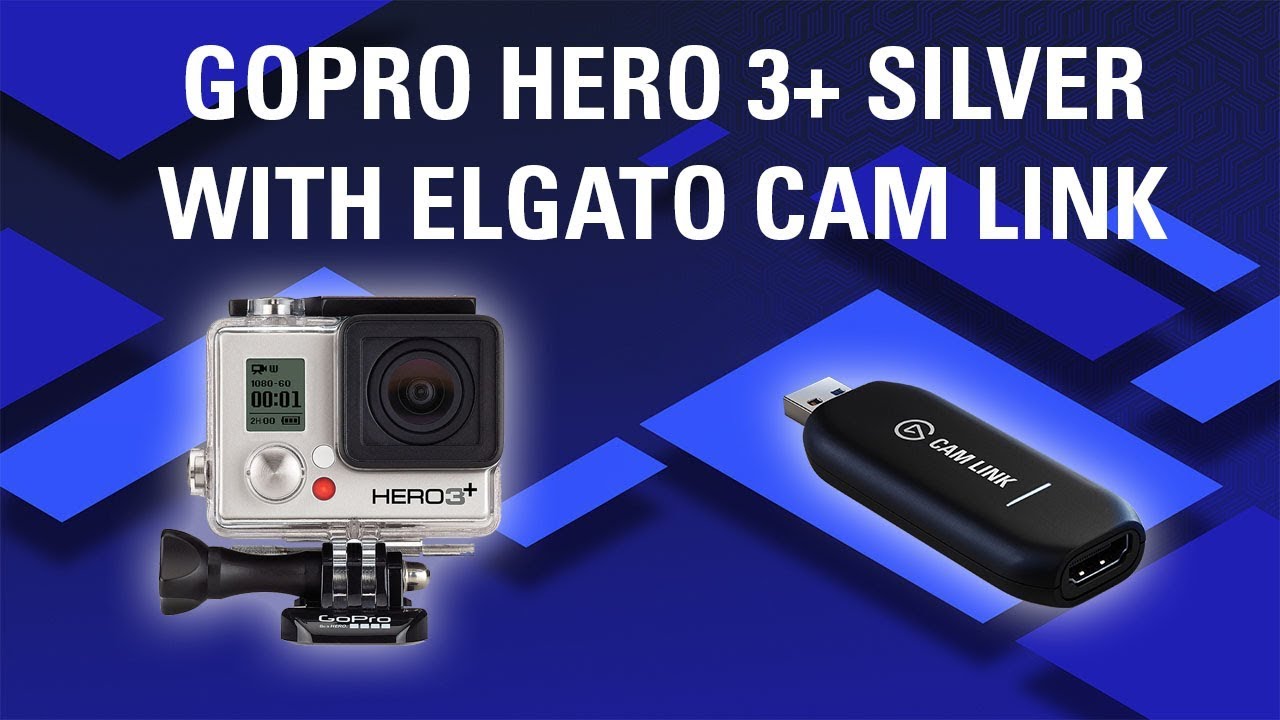
Use your GoPro as a webcam using Elgato Cam Link GoPro Hero 3+ Silver Product Page: https://www.amazon.com/gp/product/B00F3F0EIU/ref=as_li_tl?ie=UTF8&camp=17...
south bronze
How can I get the recording output from an iPad to be the dimensions I need for a YouTube video?
https://www.youtube.com/watch?v=cyaNZcDhpAY&feature=youtu.be see what i mean, there's a lot of empty space. - black bars

Follow Level Editors: Blog: https://leveleditors.net Twitter: http://twitter.com/editorslevel Twitch: http://twitch.tv/leveleditors
but looking elsewhere for iOS gameplay, it fits the screen - https://www.youtube.com/watch?v=3OTn_h5ZhEE

(Magia Record) Puella Magi Madoka Magica Side Story Android Gameplay APK: https://goo.gl/TPRw7P Game Data: 1.47 GB マギアレコード 魔法少女まどかマギカ外伝
i have no idea what i'm doing wrong. doesn't work on mirroring programs, doesn't work on this [I have Elgato HD60S - got it today. Works good with the Switch]. Most other iPad based gameplay uploaded to YouTube is fine - so how do I fix it?
 serene pilot
is anyone else having issues with getting a URL to be accessed in background?
cunning latch
@full siren make sure the camera is set to 1080p, not 4K. Cam Link 4K supports 30Fps at 4K.
serene pilot
I saw it was an issue back before 3.0 update and was wondering if it has cropped back up
there are no issues pulling URLs without the access in background option checked, but it does defeat the purpose mid stream
cunning latch
@south bronze Gonna take a guess. Your iPad's resolution is 4:3. Where as those playing on Android likely have a 16:9 device.
south bronze
yea that's it
All iPads have multi-touch IPS displays with a 4:3 aspect ratio.
hmmm
16:9 tablets pretty much no longer exist
reddit
3 votes and 4 comments so far on Reddit
really? hmm
the only thing i can think of is stretching the image when it's landscape via Streamlabs [tho that would look a bit ugly wouldn't it], and using a background when it's portrait...
cunning latch
If you're using editing software I'd move the gameplay over to one side and have information of some kind on the side. Common for streaming with a facecam.
full siren
@Crest you mean to manually change it to 1080p on the go pro?I actually did, I even put it in 720p 60 fps and still the hdmi out through the camlink shows 30 fps.
Although the recording directly from the go pro is indeed 60 fps
The display isn't
I happened to connect the hdmi into a monitor and at the same time record from the go pro
The fps from the monitor looked like 30 fps
While the capture was in 60 fps
Is there anything I Can do for the display to be in 60 fps?I am already considering of selling the go pro,please change my mind
I hope there is something that can solve this
cunning latch
If you open the Cam Link in Game Capture HD, or 4K Capture Utility does it show 60fps there?
Just want to see if it's maybe an OBS Setting or with the Cam Link signal
Oh wait, you said it looked like 30fps on a monitor, Nevermind
full siren
Yes it looks like 30fps on a monitor
And from that video that I've shown you
The official elgato channel
they used go pro hero 3+ silver
And they said the footage that was used was from obs using camlink with gopro
it wasn't a capture from go pro but from obs using the gopro
So there must be something that can set this up
Or isn't?
 velvet light
Hi all. Not 100% sure if this has been posted before, but I am using a Sony A7 connected via mini HDMI to HDMI into the HD60 Pro as a video source for OBS. I have noticed that when my CPU usage gets high (and even sometimes when it doesn’t) my video will start to desync by a couple of frames and I have to deactivate and reactivate the Elgato to fix the problem. Any idea what could be causing this?
 chilly musk
So, I've been able to stream my Switch gameplay through making the elgato capture software fullscreen and sharing my screen on discord.
Ever since a windows update or two ago, the elgato game capture HD application is taking like quadruple the amount of CPU usage and the capture lags a bit, I didn't change any driver settings or nothing, just a windows update
chilly musk
come to think of it, it uses quadruple CPU just from being open, even without receiving any signal
south bronze
Hey, I have the 32 button stream deck. The second row of buttons going down (4) won't work when I press them. They did work when I first got the deck, but now they won't. Any advice?
woeful latch
That reminds me, I'm having a weird glitch with my keys on the XL. I'll have to take a vid of it later.
 raw zealot
Hey! I can't hear my game sounds on my headphones, but OBS picks them up. I need to be able to hear them too though - How can I fix this issue?
I'm using Elgato HD60 S with PS4
hushed kindle
@raw zealot ps4 doesn’t send audio to both outputs at the same time, meaning that if you plug your headphones the HDMI Turns off and viceversa
You need the Elgato Chat Link in order to do that and you still won’t be able to hear audio alerts from your PC in your headphones
 umbral cedar
 dapper scroll
@south bronze and @umbral cedar please go to http://help.elgato.com and fill out a ticket so we can help you.
dapper scroll
Can you please describe in more detail what your issue is so others can help you?
 finite citrus
Quick question about setting my HD60 Pro (Capture Card) with Chat link on my PS4.
I am using Astro A50's, so in order for me to broadcast my voice to the party, will I need to buy a second mic?
I am able to hear the games sound through my PC, and I know I need the Chat link setup through my controller. But unsure about needing a 2nd mic.
 wind grotto
hey, i have a huge problem with my elgato hd 60s. i've contacted support multiple times but nobody was able to help me . this is my second replacement card and it's still not working. i told them it's probably not the card but they insisted. basically my card gets recognized on usb 2.0 and game capture tells me to connect to 3.0 but 3.0 doesnt get recognized whether it's front or back ports. i tried uninstalling usb drivers, the software, the elgato drivers, nothing helps. right now its connecting for a second (glowing white) and then disconnecting again immediately (glowing red)
cunning latch
Is your ticket still open?
wind grotto
no
chilly musk
Still got the CPU usage problem in the Game Capture software -- takes 13% CPU by doing nothing (no signal) and even more when receiving signal
serene pilot
Still having the issue of my Stream Deck not being able to open a website/url in the background. Anyone know of a fix?
south bronze
i recorded a 34 min video on Switch via Elgato and it took up uhhh...8GB
i recorded about the same time, same game, on PC via Streamlabs, and it took up 780MB
the only difference between the former and the latter is the former is 1080p while the latter is 720p
is this kind of difference normal regardless?
ah the quality slider was at "best"
cunning latch
The only thing that affects filesize is bitrate. Resolution is only indirectly related.
south bronze
is there a way i could compress it? D:
hushed kindle
@south bronze use Handbreak
south bronze
https://handbrake.fr/ is it this?
HandBrake is an open-source, GPL-licensed, multiplatform, multithreaded video transcoder.
 merry fog
Help: my final video doesn't capture my webcam but it shows up in the 'edit' section in elgato?
south bronze
yep it worked! it's 1.56GB now. Thanks @hushed kindle that helped
south bronze
no no
like i said the quality slider was at "best"
so i need to keep it lower from now on
merry fog
@south bronze my questions was, did you happen to use webcam as you record the game footage? if you did, did it show up in the final video?
hushed kindle
@merry fog try using OBS, it’s Easier