
- Device Type: intel core i5-10300H graphics NIVIDA GeForce GYX 1660 ti 16 gb ram
- OS Version: windows 11
- Platform: PC
- Sky Version (Build Number): 0.33.1.383129
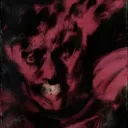
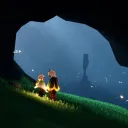
- Bug Description: when im logging in to sky the graphics are really bugged i uptated my graphics etc and its unplayable
- Additional Info: no its the first time i opened the game on my laptop and reseting or anyth else doesnt work
#š¦completed-bug-reports
1 messages Ā· Page 9 of 1
- Device Type: šŖ² Bug Report
Device type:
Tecno Spark Go 1
Android version:
Android 14
App type:
Mobile
Sky version:
0.33.0 (381476)
Sky ID:
[SKY ID REDACTED]
Whatās happening:
Every time I try to finish the friendship tree for the Season of Carnival Spirits, the game just crashes right at the moment I try to unlock the last part of the tree.
After it crashes, it says my game data is corrupted and tells me to reinstall, which is really confusing because it keeps happening every time I try again.
How to reproduce it:
-Open Sky normally
-Open the Season of Carnival Spirits friendship tree
-Progress through the spirit tree like usual
-Try to unlock the final four level of friendship tree (the one that was locked)
-Game instantly crashes and shows a ācorrupted data / reinstallā message
Extra info:
It happens every single time at the same point
I can play normally until I reach that final unlock
Nothing else in the game seems broken
Reopening the game doesnāt fix it, it just happens again - OS Version: Android 14
- Platform: Android
- Sky Version (Build Number): 0.33.0 (381476)
- Bug Description: Every time I try to finish the friendship tree for the Season of Carnival Spirits, the game just crashes right at the moment I try to unlock the last part of the tree.
After it crashes, it says my game data is corrupted and tells me to reinstall, which is really confusing because it keeps happening every time I try again.
How to reproduce it:
-Open Sky normally
-Open the Season of Carnival Spirits friendship tree
-Progress through the spirit tree like usual
-Try to unlock the final four level of friendship tree (the one that was locked)
-Game instantly crashes and shows a ācorrupted data / reinstallā message
Extra info:
It happens every single time at the same point
I can play normally until I reach that final unlock
Nothing else in the game seems broken
Reopening the game doesnāt fix it, it just happens again - Additional Info: Sadly no, it just happen
during the season
- Device Type: Nintendo Switch
- OS Version: 22.1.0
- Platform: Nintendo Switch
- Sky Version (Build Number): 0.33.0 (380921)
- Bug Description: Description of the issue:
In the Starlight Desert (The Little Prince area), the crescent moon is not visible on Nintendo Switch. Instead, only a faint glow/light spot appears in the sky where the moon should be.
On other platforms such as mobile and PlayStation, the crescent moon is clearly visible in that same location.
Steps to reproduce:
- Go to Starlight Desert (The Little Prince area)
- Look at the sky where the crescent moon is supposed to appear
- On Nintendo Switch, only a glow or bright spot is visible instead of the moon
- Compare with mobile or PlayStation, where the crescent moon is clearly rendered
Result:
Only a glow/light spot is visible instead of the crescent moon.
Expected Result:
A visible crescent moon should appear in the sky.
- Additional Info: The glow/light spot suggests that the moon is partially rendering, but the actual crescent shape is missing on Nintendo Switch.
This may indicate a rendering or visual asset issue specific to the Switch version.
- Device Type: Prozessor 12th Gen Intel(R) Core(TM) i7-12700KF 3.60 GHz
Installierter RAM 64,0 GB
Speicher 3.73 TB SSD KINGSTON SKC3000D4096G, 3.64 TB HDD ST4000DM004-2CV104
Grafikkarte AMD Radeon RX 7900 XTX (24 GB)
Systemtyp 64-Bit-Betriebssystem, x64-basierter Prozessor - OS Version: Edition Windows 10 Pro
Version 22H2
Installiert am ā08.ā06.ā2023
Betriebssystembuild 19045.7184 - Platform: PC
- Sky Version (Build Number): 0.33.1 (383129)
- Bug Description: little prince quest at sunset peaks softlocks. after playing the song it just keeps zooming in to the sun. i redid it 3 Times now. Video via Medal: https://medal.tv/games/sky-children-of-the-light/clips/mBQPbKNVL50gLPD9_?invite=cr-MSxqencsNTAyNjgzODA1
- Additional Info: No
- Device Type: iPad 11inch 4th generation
- OS Version: IOS 18.6.2
- Platform: iOS
- Sky Version (Build Number): 0.33.1 (383129)
- Bug Description: Friendship dance emotes not working
- have a friend with the newer dances unlocked with you
- use them
Result: spin into each other instead of with each other
- Additional Info: Not that I can think of
- Device Type: Iphone 14 pro max
- OS Version: 26.1
- Platform: iOS
- Sky Version (Build Number): 0.33.1 (383129)
- Bug Description: Constant server errors
- Additional Info: Nope
- Device Type: Sony Xperia 1 VII
- OS Version: Android 15
- Platform: Android
- Sky Version (Build Number): 0.33.2 (384474)
- Bug Description: Crash on opening spirit trees after Trust Moment
Reproduction
- Complete spirits trust moments in Wandering Carnival
- Open spirit tree either from the Carnival ship area, or the season constellation
Expected: spirit tree opens
Actual: data corruption error on juggler, dancer, and director spirits.
Side note: I have not yet completed quest 1, not sure yet if that affects these, or why Actor is ok
- Additional Info: https://youtu.be/JyK5zOU1AjA
- Device Type: Laptop AMD Ryzen 5
- OS Version: windows 11
- Platform: PC
- Sky Version (Build Number): 0.33.2.384474
- Bug Description: Recently both me and my friend faced a problem where we can't join or see any of our friends and each other even when we're both online and don't have any connection problems. I also can't meet any other players in any locations
- Additional Info: I don't know what this problem could be caused by but i stumbled upon it yesterday and today my friend has also faced the same issue. My friend plays on a console while i'm on pc.
- Device Type: ASUS TUF GAMING A15 Laptop, AMD Ryzen 7 7435HS (3.10 GHz), 16.0GB RAM, NVIDIA GeForce RTX 3050 Laptop GPU (4 GB)
- OS Version: Windows 11 version 25H2 OS build 26200.8246
- Platform: PC
- Sky Version (Build Number): 0.33.2 (22892885)
- Bug Description: The 'Airship' sheet music's background music is in the wrong key and clashes with the instrument's notes.
Steps to Reproduce:
- Equip an instrument
- Use the equipped instrument
- Select the sheet music 'Airship'
Result: The music is out of key of the notes
Expected result: For the music to match the key of the instrument
- Additional Info: This happens with several instruments of different types. So far I've tried to play it in the airship area and in my nest (to make sure the airship wasn't causing the problem). The issue appears to be that the music is in the wrong key or that the notes have been tabbed incorrectly. The problem is only happening with 'Airship' - other sheet music works as intended.
- Device Type: Nintendo Switch MOD. HAC-001(-01)
- OS Version: 22.1.0
- Platform: Nintendo Switch
- Sky Version (Build Number): 0.33.0 (380921)
- Bug Description: There is an animation error when playing any instrument that can hold notes, those with the fermata š symbol. The player character is meant to hold the pose when holding a note until its button is released. But the avatar will return to the resting pose if trying to hold a note after playing others rapidly.
- Additional Info: This issue happens on all platforms.
- Device Type: * Device Type: Apple iPad 10 gen
- OS Version: 26.3
- Platform: Apple
- Sky Version (Build Number): 0.33.2.
- Sky ID: [SKY ID REDACTED]
- Bug Description: Bug Report: Issues with Playing Music in Sky: Children of the Light
Summary:
Multiple visual and interaction bugs occur when using instruments, especially around pianos and the Aurora concert.
Issues:
- Piano bench positioning bug
- Character frequently falls off the bench or floats above it when attempting to sit and play.
- Incorrect instrument sound when seated at piano
- When another instrument is equipped, sitting at a piano causes the character to float above the bench.
- Audio plays as a piano, but input corresponds to the equipped instrument.
- Instrument stand visual mismatch
- When interacting with an instrument stand, the audio matches the stand instrument.
- However, the character model still shows the equipped instrument instead.
- Aurora concert interaction issues
- Spirits no longer disappear when music starts (improvement), but they do not participate in playing.
- Spirits remain idle instead of jamming.
- Occasionally, the player falls through the floor while attempting to play with them.
Expected Behavior:
- Character should sit properly on the piano bench.
- Audio and visuals should match the instrument being used.
- Instrument stands should override equipped instruments visually and functionally.
- Aurora concert spirits should actively participate in the jam session without causing clipping/falling issues.
⢠Additional Info: None
- OS Version: iOS 26.3
- Platform: iOS
- Sky Version (Build Number): 0.33.2 (384474)
- Bug Description: Summary:
Multiple visual and interaction bugs occur when using instruments, especially around pianos and the Aurora concert.
Issues:
- Piano bench positioning bug
- Character frequently falls off the bench or floats above it when attempting to sit and play.
- Incorrect
instrument sound when seated at piano
* When another instrument is equipped, sitting at a piano causes the character to float above the bench.
* Audio plays as a piano, but input corresponds to the equipped instrument.
3. Instrument stand visual mismatch
* When interacting with an instrument stand, the audio matches the stand instrument.
* However, the character model still shows the equipped instrument instead.
4. Aurora concert interaction issues
* Spirits no longer disappear when music starts (improvement), but they do not participate in playing.
* Spirits remain idle instead of jamming.
* Occasionally, the player falls through the floor while attempting to play with them.
Expected Behavior:
- Character should sit properly on the piano bench.
- Audio and visuals should match the instrument being used.
- Instrument stands should override equipped instruments visually and functionally.
- Aurora concert spirits should actively participate in the jam session without causing clipping/falling issues.
- Additional Info: No additional information
- Device Type: Nintendo Switch MOD. HAC-001(-01)
- OS Version: 22.1.0
- Platform: Nintendo Switch
- Sky Version (Build Number): 0.33.0 (380921)
- Bug Description: I entered a shared space containing a challenge, and the spell vanished entirely when I exited. I hadn't chosen to hide the space either. The spell should have stayed there when I left.
- Additional Info: None.
- Device Type: Nintendo Switch
- OS Version: 22.1.0
- Platform: Nintendo Switch
- Sky Version (Build Number): 0.33.0
- Bug Description: Me and my friendās dark plants arenāt syncing cross platform. Either one of ours wonāt burn at all, and one will, or they wonāt be the same plants, or neither of us can burn plants whatsoever.
Ways to repeat: inconsistent, it just happens at random and thereās nothing we figured out that can fix it.
My plant on switch is burnt but theirs isnāt: - Additional Info: I know it isnāt Internet based and, again itās inconsistent. But I have been told it was due to a recent hotfix
- Device Type: iPhone 13
- OS Version: 26.3.1.a
- Platform: iOS
- Sky Version (Build Number): 0.331.1 (383129)
- Bug Description: None of the dark plants are not burning at all. None of them.
- Additional Info: Iām not really sure sorry both me and my friend cannot burn the plants and she is on android
- Device Type: Nintendo Switch MOD. HAC-001(-01)
- OS Version: 22.1.0
- Platform: Nintendo Switch
- Sky Version (Build Number): 0.33.0 (380921)
- Bug Description: The current Radiance Event has caused cyan dye to appear in the Golden Wasteland. The event details in the patch notes and even the in-game inbox message specifies that yellow and black dye are supposed to be more common, and don't mention cyan.
- Additional Info: This is not the first time cyan has appeared in the Wasteland when it wasn't meant to during a Radiance Event.
- Device Type: Nintendo Switch MOD. HAC-001(-01)
- OS Version: 22.1.0
- Platform: Nintendo Switch
- Sky Version (Build Number): 0.33.0 (380921)
- Bug Description: When used for a Shared Space Challenge, the Days of Mischief cage is not animating when it's opened. When unlocked it looks like it's still sealed, but you can interact with props inside it like targets to hit. This applies whether taking on an existing challenge or testing a challenge in your own shared space. Without knowing this is a bug, players could wrongly assume a challenge can't be completed.
- Additional Info: None.
- Device Type: Nintendo Switch MOD. HAC-001(-01)
- OS Version: 22.1.0
- Platform: Nintendo Switch
- Sky Version (Build Number): 0.33.0 (380921)
- Bug Description: I was taking on a shared space challenge with some friends. At some point the indicator for the last target disappeared and wouldn't return when we called. The challenge activity meter filled on its own, but the banner to mark the challenge as complete didn't appear. We had to start a challenge in a different shared space, then switch to the first one in order to complete it properly.
- Additional Info: We also couldn't interact with the flag where you begin the challenge, so we couldn't try quitting to resolve the issue.
- Device Type: Nintendo Switch MOD. HAC-001(-01)
- OS Version: 22.1.0
- Platform: Nintendo Switch
- Sky Version (Build Number): 0.33.0 (380921)
- Bug Description: Using the meditation circle to return to Aviary Village from the Wandering Carnival places the player under the dock when they load in. It should load the player on the boat or atop the dock when they're back in Aviary Village.
- Additional Info: None.
- Device Type: Nintendo Switch MOD. HAC-001(-01)
- OS Version: 22.1.0
- Platform: Nintendo Switch
- Sky Version (Build Number): 0.33.0 (380921)
- Bug Description: I was gathering colored light in Treasure Reef when another player appeared. I put away my candle so I wouldn't light them on accident, and proceeded up the steps at the entrance to light the red candles there. I heard a juvenile manta call behind me, and saw that the player I hadn't lit was lit somehow. There was no interval when our candles could have overlapped; their candle was out several seconds after I'd put mine away. That player should have stayed unlit.
- Additional Info: None.
- Device Type: Nintendo Switch MOD. HAC-001(-01)
- OS Version: 22.1.0
- Platform: Nintendo Switch
- Sky Version (Build Number): 0.33.0 (380921)
- Bug Description: Sometimes when I'm swimming in the vegetated area of Treasure Reef, hint dialog appears to advise me to hold the B button to fly faster. This hint dialog shouldn't appear when I'm swimming.
- Additional Info: None.
- Device Type: Nintendo Switch MOD. HAC-001(-01)
- OS Version: 22.1.0
- Platform: Nintendo Switch
- Sky Version (Build Number): 0.33.0 (380921)
- Bug Description: I was collecting wax in Sanctuary Isles when I noticed dust clouds appear in midair. The dust appeared where the leaves of the darkness plant tree would be if not burnt away in the winding tunnel crawling with crabs. Dust clouds should only appear if a player has landed on a surface, and if that surface is still tangible.
- Additional Info: I've seen a similar thing happen with the clusters of red candles in Aviary Village, where dust clouds appear simultaneously but no players are there to cause it.
- Device Type: Nintendo Switch MOD. HAC-001(-01)
- OS Version: 22.1.0
- Platform: Nintendo Switch
- Sky Version (Build Number): 0.33.0 (380921)
- Bug Description: There's a chance of the prompt to use the butterfly charm expression disappearing after burning a colored darkness plant. The prompt should remain as long as there is still colored light to collect.
- Additional Info: This doesn't happen often, and I haven't seen anything specific that could make the prompt disappear. I pressed the Y button to interact with the prompt after burning the plant as usual, but the prompt went away too fast to register the input.
- Device Type: Nintendo Switch MOD. HAC-001(-01)
- OS Version: 22.1.0
- Platform: Nintendo Switch
- Sky Version (Build Number): 0.33.0 (380921)
- Bug Description: I saw a couple players using the Days of Love swingset in a shared space. From outside the space, they were swinging as high as you could with the prop. But entering the space seemed to reset their swinging as if they'd just sat down. It went back to the previous speed when you exited the space, and vice versa. The height and speed of their swinging should have been consistent whether or not I was inside the shared space.
- Additional Info: None.
- Device Type: āiPadĀ Pro ā
- OS Version: āĀ ā
18.6.2
- Platform: iOS
- Sky Version (Build Number): 0.33.2(384474)
- Bug Description: When I log in, the player moves. This is a continuous mistake that bothers me and moves away. This is really exhausting. Every time I log in, he moves or flys. He swims in the water for a very long distance. I want to solve this problem as soon as possible.
- Additional Info: More details I log in the result is running in the water or flying
- Device Type: Intel Core i5 13650hx, NVIDIA GeForce RTX 5050, 8GB GDDR7, 12GB 4800 MHz DDR5 RAM, SSD 256GB
- OS Version: Windows
- Platform: PC
- Sky Version (Build Number): 2325290 (22892885)
- Bug Description: Some plants don't burn at all, turtle's big clam doesn't appear.
⢠Steps to Reproduce:
Going for a candle run on Forest Brook and Sanctuary.
Flying and burning the dark plants.
The dark plants don't burn at all even after waiting for 3 minutes.
Going to turtle's event to burn turtle's back and pick up clams.
The big clam doesn't appear.
Going home to restart the server.
⢠Result: The plants still won't burn, the big clam still won't appear.
⢠Expected Result: The plants should burn normally, the big clam should appear after plants on turtle's back is burnt. - Additional Info: I honestly do not know. My wifi is doing great, i've asked othe players on the server and they are encountering the same problem as me. So it's not a device or connnection problem.
- Device Type: 7700 amd ryzen 8 core amd radeon 9060 xt 16gb ddr5 32gb ram
- OS Version: pc
- Platform: PC
- Sky Version (Build Number): 0.33.2
- Bug Description: Every time I click one of the seasonal spirits (the one with the dress after completing the quest to unlock the rest in the tree) it break saying data corrupted. Tried verifying integrity of files and no fix.
- Additional Info: No
- Device Type: Ps5
- OS Version: Latest
- Platform: PlayStation
- Sky Version (Build Number): 1.73
- Bug Description: On the carnival boat, before the barrels,I fell through the steps when walking up and was trapped.
-had to teleport home and go back - Additional Info: No
- Device Type: iPhone 13
- OS Version: iOS 26.1
- Platform: iOS
- Sky Version (Build Number): 0.33.1.3831129
- Bug Description: It takes to long to pick up the battlepass candle.
- purchase the battlepass
- do your dailies
- return to Home
- claim commission candles
- claim candle cluster candle
- attempt to claim battlepass candle, it may take up to three minutes.
- Additional Info: No
- Device Type: Nintendo Switch MOD. HAC-001(-01)
- OS Version: 22.1.0
- Platform: Nintendo Switch
- Sky Version (Build Number): 0.33.2 (384474)
- Bug Description: Following the Version 33.2 hotfix patch, I found there are still a couple unresolved issues at Harmony Hall.
- The Mellow Musician equips the same instrument as the player, but does not play along to the music sheet. They always played along before the initial bug from Version 33.0.
- Any player participating in the music sheet wax activity has the prompt to join in the music sheet above their head. This issue is completely new to Version 33.2. There should not be a prompt to join in since it is a solo session, akin to using the rehearsal room.
- Additional Info: None.
- Device Type: Lenovo IdeaPad1
AMD Ryzen 5 5500U, AMD Radeon Graphics, 8GB - OS Version: Windows 11 Home
- Platform: PC
- Sky Version (Build Number): 0.33.2 (384474)
- Bug Description: Plants can take 2+ minutes to burn
Steps to reproduce: - Approach any darkness plant and attempt to burn it
Result: I will literally be standing there for over two minutes, patiently waiting for my plant to burn
Expected result: Plant should burn immediately - Additional Info: This could be due to the server instability mentioned from the last dev letter report, but I've decided to report this anyway because this is happening with almost every plant I've encountered on my run today and I can see this being a major issue
- Device Type: iPad Pro (10.5ā)
- OS Version: iPad OS 17.7.10
- Platform: iOS
- Sky Version (Build Number): 0.33.2.384474
- Bug Description: >>> I canāt burn dark plants.
- Steps to Reproduce:
- Approaching a dark plant.
- Light the candle to burn it.
- Result: The dark plant illuminates but stays the same for some minutes.
- Expected Result: The dark plant should burn immediately.
- Additional Info: No
- Device Type: iPhone 16 Pro Max
- OS Version: iOS 26.4.2
- Platform: iOS
- Sky Version (Build Number): 0.33.2 (374474)
- Bug Description: Newer Friendship emotes from friendship menu are bugged out
- Additional Info: I donāt have big clues, but I found this bug out literally today and on second video, I was unable to move AT ALL after starting the friendship menu. My bf kept dancing on my side but he was normal on his screen but my sky kid was still frozen on both sides
- Device Type: Samsung Galaxy S22 Ultra
- OS Version: Android 16
- Platform: Android
- Sky Version (Build Number): 0.33.0 (381476)
- Bug Description: I went on an cr uber, there are 5 of us, during the cr only me and 1 other passenger that keep disappearing multiple times even when we tp back. Also for others, the dark plantd already burned but for me its not burn, I cant burn it and I cant received any wax.
Steps to reproduce: - login, went on candle run
Result:
Keep splitting with friends and receive no wax
Expected result: Not split and receiving wax - Additional Info: Happen in forest and sanctuary
- Device Type: iPhone 14 Pro
- OS Version: iOS 26.1
- Platform: iOS
- Sky Version (Build Number): 0.33.1 (383129)
- Bug Description: Plants are not burning and my friend and I have different plants on screen.
Step 1: do cr and dye run in forest / prairie peaks
step 2: plants will not burn
Step 3: friend is burning invisible plants that have already been burned for me or vise versa
Step 4: deep honk but nothing helps.
Expected result: plants burn and we receive wax / dye - Additional Info: Server issues. Game bugs. My friend and I reset multiple times but the same issues occurred. Very inconvenient
- Device Type: Iphone SE second generation
- OS Version: ios 18.5
- Platform: iOS
- Sky Version (Build Number): 0.33.1 (383129)
- Bug Description: the support thing stays āunreadā after reading it
steps to reproduce:
- get a notification from a support chat (red dot on the gear menu, with same red dot on the support option)
- open support to the chat last happening
- close
result: red dot doesnt go away
expected result: the red dot signifying an unread support message would disappear after closing the window - Additional Info: the screenshots are in order from start to finish, the dot goes away after closing and reopening the app
- Device Type: 12th Gen Intel(R) Core(TM) i3-1215U (1.20 GHz)
- OS Version: windows 11
- Platform: PC
- Sky Version (Build Number): 0.33.2.384474
- Bug Description: I CANNOT BURN DARKNESS WAX ALL OVER THE REALMS
walk up to nearest darkness and try to burn
RESULT: the darkness won't burn
EXPECTED RESULT: when burn the darkness wax should melt - Additional Info: i think the cause of this bug are the new hotfix released
- Device Type: 11th Gen Intel(R) Core(TM) i5-1135G7 @ 2.40GHz (2.42 GHz), 32,0 GB RAM, MPC-HC (x64)
- OS Version: PC
- Platform: PC
- Sky Version (Build Number): 33.2
- Bug Description: The seasonal Candle for Seasonal Pass at Home Shrine is not showing up for me to collect at all
- Additional Info: I havent been able to claim the Seasonal Candle for the Seasonal Pass that I own at Home shrine because the candle doesn't show up at all.
- Device Type: Device name DESKTOP-4D9NTF0
Processor AMD Ryzen 5 7535HS with Radeon Graphics (3.30 GHz)
Installed RAM 16.0 GB (15.2 GB usable)
Graphics card NVIDIA GeForce RTX 3050 Laptop GPU (4 GB)
AMD Radeon(TM) 660M (483 MB) - OS Version: Window 11
- Platform: PC
- Sky Version (Build Number): 0.33.2.384474
- Bug Description: I can't burn the darkness tree
Steps to Reproduce:
- Go to random map have darkness tree
- Burn the darkness tree
Result: Can't burn
Expected Result: Can burn
But some map still can burn but mostly can't
- Additional Info: I join my friend, in that server every darkness tree was burn and my friend view the darkness tree is gone but in my view it still there and and can't burn it. Same as my friend join me. i use pc, my friend use android
- Device Type: Ipad gen 9
- OS Version: iOS 26.3.1(a)
- Platform: iOS
- Sky Version (Build Number): 0.33.1 (383129)
- Bug Description: 1. Went to a short candle run
- Tries to collect candles
- Not able to receive candles
Result: no candles are ever collected
Expected result: get my candles
- Additional Info: -
- Device Type: ASUS TUF GAMING F16 FX608JMR
OPPO PAD 3
steam 33.2 version
google play 0.33.0
ęēØé»č ¦åå¹³ęæä¾ē©å é
č čę¤ē©äøåę„
å°č“č®ęå¾é£ēč čę¤ē©
ęå¹³ęæēéč¦éę°ēęč½ē²å¾ēē« - OS Version: win 11
andriod15 - Platform: Android
- Sky Version: 0.33.0 (381476)
- **Bug Description:**I play Sky: Children of the Light on both my computer and tablet.
The Corrupted Plants arenāt syncing,
which makes it really hard for me to burn them.
On my tablet, I have to burn them again to get the candle flame. - Additional Info: I have to call them a few times or hold up a white candle before I can occasionally burn a Corrupted Plant.
- Device Type: Phone: Nothing Phone (1)
Laptop:
CPU: i7-12700H
GPU: GeForce RTX 3070 (External via Thunderbolt 4)
RAM: SODIMM (32GB 4800MT/s)
SSD 1TB
- OS Version: Nothing Phone (1): Android 15
Laptop: Windows 11 - Platform: PC
- Sky Version (Build Number): 0.33.2 (384474)
- Bug Description: Experiencing insane desyncs between PC and Android. Plants seem to not like being burnt on one side? It's making playing with friends very frustrating rn...
- Additional Info: As mentioned seems to be desync between different platforms. Playing with friends the PC users see the same thing / can burn the same plants, where as android users see the same thing / can burn the same plants. But the desync between both platforms mean that PC users will be unable to burn plants while it is burnt on the android users side and vice versa.
- Device Type: Nintendo switch oled
- OS Version: It's a Nintendo device
- Platform: Nintendo Switch
- Sky Version (Build Number): 0.33.2.384474
- Bug Description: It won't let me burn darkness in maps like forest, wasteland, and sanctuary
- Additional Info: I tried restarting my console completely and changing Wi-Fi networks in case it was a connection problem, but nothing worked. It wouldn't let me burn any plants in any area, including For my friends the darkness had already burned away, while from my perspective it hadn't burned away.
- Device Type: HONOR X7b
- OS Version: android 14
- Platform: Android
- Sky Version (Build Number): 0.33.0 (381476)
- Bug Description: Me and my husband were currently Doing our Candle run till we stumble upon this bug the dark plants on my screen is gone and gave me wax but on my husband's screen it shows that on his screen the dark plants are still visible and not giving him any wax
- Additional Info: please fix this bug
- Device Type: AMD Ryzen 3 5300U
- OS Version: Windows 11
- Platform: PC
- Sky Version (Build Number): 0.32.7.375484
- Bug Description: 1. I can't burn the darkness while a friend can even when we're in the same area during geyser. I also experienced this in turtle timer where the branches wouldn't burn.
- I also experienced not finishing the hermit race.
- Steps to reproduce:
- Just do a candle run. It just happens.
- Result:
- Unburnt darkness and unfinished business
- Expected result:
- Experience the things I've experienced
- Steps to reproduce:
- Additional Info: I don't know the technical stuff and all I could do is explain what happened on my end.
- Device Type: iphone 16 pro
- OS Version: iOS 26.2.1
- Platform: iOS
- Sky Version (Build Number): 0.33.2 (384474)
- Bug Description: So I bought the premium pass. And you always get a event candle bonus. And when I try to collect it, I canāt. But this happened in some more seasons before, when I bought the premium pass. It takes a long time, to collect the candle, without slithering around.
- Additional Info: No
- Device Type: iPhone 13
- OS Version: iOS 26.3
- Platform: iOS
- Sky Version (Build Number): 0.33.2(384474)
- Bug Description: I cant fully burn the dark plants
its either only half burnt or not burned at all
⢠step to reproduce - go to sanctuary island
- try to burn the dark plants
⢠Results: its either half burnt or not burning at all. some also need longer time than usual to be burn
⢠Expected results : it burn fast and normal like usual - Additional Info: i think its happened in every realms with dark plants
- Device Type: Device type: Nintendo switch 1
Operating system and Verizon:Nintendo switch 1, codenamed Horizon
Sky app type:Sky cotl app from Nintendo shop
Verison of the sky app:0.33.2
Sky ID:
[SKY ID REDACTED]
Description:so for some reason , the carnival juggler tier 4 wouldn't unlock for me.
Additional information: plz fix this
- OS Version: codenamed Horizon
- Platform: Nintendo Switch
- Sky Version (Build Number): 0.33.2 (384474)
- Bug Description: When I log in everyday, I try to unlock tier 4 carnival juggler but it never lets me unlock.
Even if I try going to season of carnival area, it bugs and never lets me unlock tier 4 and it's stuck like that
- Additional Info: I unlocked tier 3 fine but afterwards it wouldn't let me unlock tier 4 at all for some reason.
- Device Type: PC/Steam:
- AMD Ryzen 7 5700X
- AMD Radeon RX6600
- 32gb RAM
- OS Version: Windows
- Platform: PC
- Sky Version (Build Number): 0.33.2 (384474)
- Bug Description: I can't see other Shared Spaces besides the same 3-5 that already spawned into the area all week long.
Steps to reproduce:
-Enter an area, the same 3-5 Shared Spaces appear that I've been seeing all week long.
-I enter one of them and press the next/previous buttons.
-They either push me out of the Shared Spaces entirely, or I see 3-5 other Shared Spaces (which are the same bonus ones I've been seeing all week long) until the last one pushes me out again after pressing next/previous.
-When I click 'Hide' on all of them, no new ones appear.
Result: I'm stuck with the same 3-5 to 10 Shared Spaces for an entire week.
Expected Result: I thought it was possible to just keep clicking 'next' and new Shared Spaces would keep spawning in. And I thought if I just hid all of them, new ones would also eventually appear. I've heard other people also have this problem. It's sad to now have this new minigame feature in Shared Spaces, but then only see the same 3-5 every single day for a week straight instead of being able to constantly see new ones. I'm pretty sure we were able to see more before, so I'm reporting it as a bug just in case.
- Additional Info: -
- Device Type: Samsung Galaxy S25
- OS Version: Android version 16 | One UI 8
- Platform: Android
- Sky Version (Build Number): 0.33.2 (384474)
- Bug Description: Whilst playing with friends who are using the steam platform, I am unable to see dark plants that have been burnt. Instead, it is more like an indestructible dark plant that typically gets seen during a server merge, it just doesn't go away, and will not be able to burn.
- To reproduce - be on mobile whilst playing with a friend who uses PC and try to burn a dark plant. The PC player may see it burnt, the mobile user may not.
- Additional Info: Overall this has made it infuriating to try and attain wax along with friends. The attached screenshot of the plant being gone was provided by my friend, as for what I saw was just the plant. Luckily, I can get the wax whilst being alone.
- Device Type: AMD Ryzen 5 3600 6-Core Processor 3.59Hz, NVIDIA GeForce RTX 3060 12GB, RAM 32.0GB 3200 MT/s, SSD 1TB
- OS Version: Windows 11 Home x64
- Platform: PC
- Sky Version: 0.33.2
- **Bug Description:**First of all, before I even get into the details of this bug, Iām not sure what gave you the confidence to not have a bug report form for issues occurring within the account itself, regardless of the platform. This is a bug Iām currently experiencing in real time, and according to some rumors on Instagram, I believe itās been exacerbated by the already fragile state of your serversāwhich constantly makes me doubt your maintenance capabilitiesādue to some data-collection account you deployed under the pretense of āfixing things.āI believe this bug is being exacerbated by a data collection account you deployed under the pretense of "fixing things," which has further strained your already fragile serversāa situation that constantly makes me doubt your maintenance capabilities.
The bug Iām currently experiencing is that the progress of the "Darkness" status and movement progress between specific accounts isnāt syncing properly within the server. Accounts affected by this bug canāt even burn the Darkness properly when playing alone. Thatās rightānot only is farming with friends nearly impossible, but solo farming has become virtually impossible as well.
At first, I thought this bug occurred because I only connected this account via PC, so I switched platforms midway through, but unfortunately, the same bug still occurs on Android.
The only real comedy here is that I canāt tell if you guys, with your baseless confidence, threw some real-time judgment and ban features into the bot and my account got unfairly caught in it, or if itās just because the server is so shitty that this is the result.
- Additional Info: How am I supposed to figure out if this is because you guys, as the Instagram rumors claim, acted recklessly based on unfounded
confidence in your tech and caused me harm, or if itās just your shitty servers acting up like usual?
- Device Type: Samsung A54 5G
- OS Version: Android 15
- Platform: Android
- Sky Version: 0.33.0.381476
- **Bug Description:**Sometimes, while playing, I canāt burn the shadow tree or collect wax. This causes me to take longer than usual to complete the candle run.
- Additional Info: None
- Device Type: Samsung Galaxy A16
- OS Version: Android 14
- Platform: Android
- Sky Version (Build Number): 0.33.0 (381476)
- Bug Description: I cant burn any darkness since yesterday, this completely affects my cr process and time.
whenever i try and burn darkness, weather its a few seconds or minutes it will never burn.
i expect it to burn again so j can complete my cr and possibly some compensation since i couldnt complete my cr since the bug was blocking me from getting a full cr
- Additional Info: in my friends screen the 'darkness' has already melted into wax yet in my screen its still in this condition
- Device Type: Vivo V70 FE
- OS Version: Android 16
- Platform: Android
- Sky Version: 0.33.2 (384474)
- **Bug Description:**The plant doesnāt burn, and the chat text isnāt visible either
- Steps to Reproduce:
- Log in during Geyser time and try to burn the dark plant
- It takes a long time and doesnāt burn
- Suddenly, you canāt send chat messages after Granny time
- Result: You donāt get wax and the dark plant doesnāt burn.
Chat text isnāt visible on the screen - Expected Result: Receive wax from the dark plant and the chat text is visible
- Additional Info: I donāt know
- Device Type: āiPadĀ Pro ā
- OS Version: āĀ ā
18.6.2
- Platform: iOS
- Sky Version (Build Number): 0.33.2(384474)
- Bug Description: I face several problems such as not burning plants, moving the player on his own and freezing the screen
- Additional Info: There are many critical mistakes such as freezing the screen. This spoils the fun of playing and the player's movement during the player or logging in. Other information, the translation within the game may often be incorrect and wrong.
- Device Type: iPad Pro
- OS Version: iPadOS 26.3.1
- Platform: iOS
- Sky Version (Build Number): 0.33.1 (383129)
- Bug Description: A subtle strobing effect gradually appears and grows more intense as I play. It is reset using the in-game camera, in-game recording feature, loading into a new area, closing the app, or pulling down the control center. This is not a permanent solution, and it reappears within only a few minutes.
Steps to reproduce: - Load into sky.
- wait in any area doing anything you want except using any in-game recording/screenshot features for 3-10 minutes.
Result: A subtle strobing effect.
Expected result: Normal gameplay visuals without strobing brightness. - Additional Info: Itās not very consistent. It shows up extremely often in sanctuary and I first noticed it during days of bloom, in the sunflower gardenā through this Iād have expected high-traffic areas to cause it, but as the video shows it also happens in old home, and doesnāt happen at the wandering carnival. Havenāt seen it there once.
- Device Type: I cannot burn darkness on my Samsung Note S22
- OS Version: Android 11
- Platform: Android
- Sky Version (Build Number): 0.33.0 (381476)
- Bug Description: I cannot burn any darkness when I should be able to
- Additional Info: No
- Device Type: ASUS_X00TD
- OS Version: Android 9
- Platform: Android
- Sky Version (Build Number): 0.33.2 (384474)
- Bug Description: The darkness plants are not burning when I went to Sanctuary Islands.
Steps to Reproduce :
- Go to Sanctuary Islands.
- Click on the fire icon to burn the darkness plants.
Result : The darkness plants are not burning.
Expected Result : The darkness plants should burn and give wax.
- Additional Info: no
- Device Type: Samsung S24
- OS Version: Android 16
- Platform: Android
- Sky Version: 0.33.2 (384474)
- **Bug Description:**Darkness cant burn, geyser water not go down
- Additional Info: No
- Device Type: Vivo Y20s
- OS Version: Android 8.18.2
- Platform: Android
- Sky Version (Build Number): 0.33.2
- Bug Description: I'm unable to burn plants and can't do my candle run properly. My friends say it's already burned, but in my POV, it isn't. I've tried going home and going back, turning my Wi-Fi on and off, and restarting the game completely. Still, none of it worked, and I just sort of gave up š I actually don't know how to reproduce the bug.
Steps to Reproduce:
⢠Burn plant
⢠Ask friend if their plant is burned
Results:
⢠Can't burn the plant.
Expected Results: Plants should be burnt and collect the wax.
- Additional Info: -
- Device Type: Redmi Note 11S
- OS Version: Android 13
- Platform: Android
- Sky Version (Build Number): 0.33.0 (381476)
- Bug Description: The turtle in Sanctuary Islands never emerged from the water and just stayed at the bottom.
⢠Steps to Reproduce: - Go to Sanctuary Islands around the time of the turtle activity.
- Check if the same thing happens in your case.
⢠Result: Turtle stays underwater until the activity ends.
⢠Expected Result: Turtle should surface above the water after some time after the activity started. - Additional Info: Before this bug happened, I also encountered one of the other bugs in these reports. The one where the darkness doesn't get burned. It was the darkness right along the entrance of Sanctuary Islands, the one near the cake and the first winged lightāmaybe they are related.
- Device Type: PC - HP All in one, RAM: 8.00 GB, Processor: 12th Gen Intel(R) Core (TM) 13-1215U (1.20 GHz). I am unaware on how to locate any other information on my PC, apologies.
- OS Version: Windows 11
- Platform: PC
- Sky Version (Build Number): 0.33.2 (384474)
- Bug Description: For about 3 days now, my friend and i have been completely inable to send or recieve hearts from eachother directly. The daily heart function where you send a heart to their constellation works perfectly fine, but we just cannot send hearts directly, which has hindered our gameplay and progress. We have attempted this in different realms and it is all the same. We just click on our friendship tree to send a heart, use 3 candles, the pop up to accept the heart comes up, one of us presses accept, and the candles are just returned and no heart is given, as well as no candle animation is played. This animation HAS played for us before 1 or 2 times, though, again, no heart was given or recieved.
This was a completely random event which she states that this has never happened before. If necessary, her account id is: [SKY ID REDACTED] - Additional Info: As i mentioned, she had never encountered this issue before, having gifted hearts before with no issues whatsoever. Whereas i have only been playing for almost a week, this being the first time i had been gifted a heart directly and it has not worked. I have another friend who gifted me a heart and it worked completely fine, i recieved the heart, the animation played, and candles were taken as normal.
- Device Type: PC/Steam, AMD Ryzen 5 2600, Radeon RX 570, 16GB GDDR4, SSD 500GB
- OS Version: Windows 11 Home
- Platform: PC
- Sky Version (Build Number): 0.33.2.384474
- Bug Description: The jam session and the song demonstration still don't work, daily challenge got fixed but the other musical challenges don't. It's been like this for two weeks now.
Steps to Reproduce:
- Go inside harmony hall, or the concert area and try to jam with the spirits.
Result:
- The spirits just stand there looking uninterested.
Expected Result:
- I should be able to play WITH the spirits, not just with the spirits looking at me.
- Additional Info: Each song take weeks to be played again with the spirits. Just think about that.
- Device Type: IPad A16
- OS Version: iOS 26.4.1
- Platform: iOS
- Sky Version (Build Number): 0.33.2
- Bug Description: I canāt burn dark plants. In my friends POV the plants are already burned but not for me at all. Restarting the game or changing server doesnāt work either. Iām missing my whole candle run because of this bug.
I donāt know how to reproduce the bug.
Iām expecting to be able to burn the dark plants and get my wax for my candle run.
- Additional Info: No
- Device Type: iPhone 13 pro
- OS Version: iOS 26.3.1
- Platform: iOS
- Sky Version (Build Number): 0.33.2(384474)
- Bug Description: I lost a wl, dont know how but im pretty sure i had 198 before and I have 197 now. Didnt get krilled last time it was 198. I also lost 15 AC when i entered the furniture shop (from 20 to 5) how to reproduce: enter aviary realm, head to the furniture shop and enter it. Leave and restart the game. Expected result: Even after restarting they don't come back. Additional info: My friend has lost 2 wls too.
- Additional Info: -
- Device Type: -PC
-AMD ryzen 5 2600 six-core processor 3.40 GHz
-NVVIDIA GeForce RTX 3060
-16.0 GB RAM - OS Version: PC
- Platform: PC
- Sky Version (Build Number): 0.33.2.384474
- Bug Description: I hear loud wind after dying at the end of eden, it wont leave me
-Steps to reproduce: - get kidnaped by a moth
- go through eden
- get through the eye of the storm
- die
- retrieve the light half of yourself
- fly up to the clouds with the stones you gave your wl to
- Result: loud wind in ears :{
- Expected Result: no loud wind in ears
- Additional Info: I dont have much, only that it continues even after you've left Eden, and doesn't stop. I have to restart the game to be rid of it
- Device Type: Moto G Stylus 5G
- OS Version: Android 13
- Platform: Android
- Sky Version (Build Number): 0.33.2 (384474)
- Bug Description: I can't send hearts to friends even though it says they sent
Steps to Reproduce
Find friend through constellation
Send a heart gift with 3 candles
Confirm gift
Result: Candles get refunded immediately, no heart gift sent
Expected result: candles consumed upon confirmation, sends a heart gift - Additional Info: Same friend from the video is also having this issue, they're on a different system, on iOS so it's not an android only issue
- Device Type: Iphone 14 plus
- OS Version: ios 26.4.2
- Platform: iOS
- Sky Version (Build Number): 0.33.2.384474
- Bug Description: while I was attending a candle run with my friends today, I noticed that I was unable to burn plants away in the sanctuary islands, yet the rest of my team was. Later on with a seperate partner, I was in the hidden forest and was able to melt the dye plants perfectly fine. However, I am currently back in the sanctuary islands, and yet again I am unable to burn away dark plants, despite it being clear that my fellow teammates have done so
- Additional Info: this glitch seems to occur mainly within the large darkness plant in the cave of the sanctuary island, as well as the naturally spawning plants around the geyser, however, the geyser darkness itsef is burnabl;e
- Device Type: iPhone 17
- OS Version: iOS 26.3.1
- Platform: iOS
- Sky Version (Build Number): 26.3.1
- Bug Description: Iām sending hearts to my friend Meadowlark and the candles are spent on the heart, and sometimes the constellation shuts down and sometimes not. The candles are spent, but the friend doesnāt receive the heart
- Additional Info: It happens any time I try to send a heart to any of the friends I exchange them with. Also when I log in it wonāt let collect the quests sometimes and I have to close the app and reopen a few times until it lets me gather the quests
- Device Type: Laptop katana a15 ai b8v
CPU - AMD Ryzen 9 8945HS
GPU - NVIDIA GeForce RTX 4070 - OS Version: Windows 10
- Platform: PC
- Sky Version (Build Number): 0.33.2.384474
- Bug Description: People seem to have not been lighted but when you click on them suddenly they are.
Steps to Reproduce:
- Open the new friends menu from the last update.
- Try to light any of the friends on the list.
Result: You can't, they "light" themselves but then moving to another menu removes their light again.
Expected Result: I should be able to light them.
- Additional Info: No. But I'd like this bug to get fixed pronto, as I've deleted many friends due to this bug thinking that they might have deleted me first...
- Device Type: Android 16
- OS Version: Android 16
- Platform: Android
- Sky Version (Build Number): version 0.33.2 (384474)
- Bug Description: I'm unsure when it started, but for a few weeks now I've been having a lighting issue with the constellation. Every time I light a friend's star and back out to light another one, the constellation starts out like it's going to be in "light mode" (day background) before flicking to "dark mode" (night background). It should not be doing this, it should be one or the other, preferably dark mode.
- Additional Info: I don't know what else it could be seeing as I seem to only experience it on Android. my Switch doesn't seem to do the same thing.
- Device Type: iPhone 14 Plus
- OS Version: iOS 26.3
- Platform: iOS
- Sky Version (Build Number): 0.33.1 (383129)
- Bug Description: My audio sounds weird and distorted.
- Additional Info: Whenever audio is being played (walking, music, background noises) there is a faint bubbling distortion sound that mixes up the audio causing it to sound completely distorted!
- Device Type: Iphone 13
- OS Version: ios 26.4
- Platform: iOS
- Sky Version (Build Number): 0.33.2.384474
- Bug Description: Hmm so the thing is if i try to play music on the instrument from the shared space, my skykid playing music with my prop instead of that shared spaceās instrument. š« i donāt know why is it happening. This happens from the starting of the season of carnival. I hope it will be resolved soon.
- Additional Info: Idk its i think commands of music instruments of shared space and props commands got merged.
- Device Type: āiPadĀ Pro ā
- OS Version: āĀ ā
18.6.2
- Platform: iOS
- Sky Version (Build Number): 0.33.2(384474)
- Bug Description: The player continues to move and the translation is strange
- Additional Info: The player is strange and a friend has noticed this error and the translation is wrong when I translate friends' conversations, it is incorrect and often misunderstood the expected result. A player does not move and is normal and his translation is better and correct.
- Device Type: Samsung Galaxy A54 5G
- OS Version: Android 16
- Platform: Android
- Sky Version (Build Number): 0.33.2 (384474)
- Bug Description: Sometimes I just can't burn any plants :v
- Additional Info: No
- Device Type: AMD Ryzen 5 3500 6core
- OS Version: PC windows 10(?
- Platform: PC
- Sky Version (Build Number): 0.33.2.384474
- Bug Description: In the new season of Carnival, the Camera will not show friends
It only shows myself - Additional Info: could be from the finishing the 2nd quest š¤
Since when the season was first out, the camera didn't have this issue
We've both finished the 2nd season
I've tried using my alt who has not done any of the quest, the camera works perfectly fine
- Device Type: Infinix note 40 pro+
- OS Version: Android 14
- Platform: Android
- Sky Version (Build Number): 0.33.2 (384474)
- Bug Description: I CAN'T CR IN SANCTUARY AND FOREST BROOK EXCEPT FOR CANDLES AND CLAMS (turtle) real 'candle' run eh?
The turtle stuck underwater and cant even get wax from big clam after burning plants above turtle. Some fishes also get stuck underwater
That's a worse bug after can't cr anything due to server down. This happened after an update to fix some bugs but it just got worse. Are you kidding me? :'
Sorry I'm just upset
- Additional Info: This happened after update. Please don't update your game yet if you don't wanna get this bugs
- Device Type: āiPadĀ Pro ā
- OS Version: āĀ ā
18.6.2
- Platform: iOS
- Sky Version (Build Number): 0.33.2(384474)
- Bug Description: A defect in the random movement of the character. It moves as it is in these attached clips. The most annoying thing is that during the registration, download the game data. Fix this failure and also move during the game.
- Additional Info: Do you see his movement? This took a long time. It's time to fix it.
- Device Type: Samsung Galaxy S24 FE
- OS Version: Android 16
- Platform: Android
- Sky Version (Build Number): 0.33.2.384474
- Bug Description: Friends falsely appear as unlit.
Steps:
- Open friends list (in list format)
- Friends appear to be unlit
- Click on unlit friend
- The game lags a bit and friend shows to be lit
- Go back to friends list
- Friend appears to be unlit again
Result: Several people in friends list falsely appear to be unlit
Expected result: Friends should appear to be lit
- Additional Info: This bug only started after the newest hotfix patch
- Device Type: ipad mini
- OS Version: most recent ios
- Platform: iOS
- Sky Version (Build Number): 0.33.2(384474)
- Bug Description: the sky slug level of vault is bugged, cut scene just endless stars
go to vault
attempt to light lanterns for the peak
sit
and waut for this to break - Additional Info: nope, the sky slug has always been dodgy
- Device Type: āiPadĀ Pro ā
- OS Version: āĀ ā
18.6.2
- Platform: iOS
- Sky Version (Build Number): 0.33.2(384474)
- Bug Description: The game just broke down while collecting wax
- Additional Info: I don't know why the game broke down and stopped playing
- Device Type: Samsung Galaxy A16
- OS Version: Android 14
- Platform: Android
- Sky Version (Build Number): 0.33.0 (381476)
- Bug Description: its still not fixed yet and sadly it has been three days for me š , im kinda bothered by it since this affects my time and cr route,
i wish to have this bug solved for everyone whos srill experiencing this issue
and i hope this bug will be patched for everyone š„¹
- Additional Info: in my friends screen its apparently already melted
- Device Type: iPhone 11 Pro max
- OS Version: iOS 26.2
- Platform: iOS
- Sky Version (Build Number): 0.33.1.383129
- Bug Description: Darkness all maps i try to burn . Is not working it stay as it is and now wax
- Additional Info: This happened yesterday too I thought just yesterday but today as well
- Device Type: Realme 8
- OS Version: Android 13
- Platform: Android
- Sky Version: 0.33.2 (384474)
- **Bug Description:**Shards not appearing in Realm: Daylight Prairie
Map: Prairie Cave - Additional Info: No
- Device Type: Honor x9a 5g
- OS Version: Android 13
- Platform: Android
- Sky Version (Build Number): 0.33.0 (381476)
- Bug Description: No red shard
Steps to Reproduce: - Log in and go to red shard location
Result: No red shard falling down
Expected Result: Clear the red shard, collect my wings and my ascended candles - Additional Info: idk i just want my ac
- Device Type: Processor 12th Gen Intel(R) Core(TM) i5-1235U (2.50 GHz)
Installed RAM 8.00 GB (7.83 GB usable)
Graphics card Intel(R) Iris(R) Xe Graphics (128 MB)
System type 64-bit operating system, x64-based processor - OS Version: Windows 11
- Platform: PC
- Sky Version (Build Number): 0.33.2 (384474)
- Bug Description: -Red shard that should have appeared in Prairie Cave at 09:48am CST did not appear.
-Attempted to exit and reload game.
-No red shard in Pairie Cave. - Additional Info: Others across platforms are having this same issue with the red shard never appearing.
The sky did turn red at 09:48amCST, but when the red shard should have landed the sky went back to blue and the game continued as if no shard were dropping today (05/01/2026).
- Device Type: iPhone 15
- OS Version: ios 26.4.1
- Platform: iOS
- Sky Version (Build Number): 0.33.2 (384474)
- Bug Description: I donāt see the red shards in Prairie
- Additional Info: No
- Device Type: Switch
- OS Version: Switch
- Platform: Nintendo Switch
- Sky Version (Build Number): 0.33.2.384474
- Bug Description: Red Shards are not showing in the prairie cave, like many other players.
- Additional Info: The red shards are not around, and many players are reporting the same issue
- Device Type: iPad Pro (m5)
- OS Version: iOS 26.3.1
- Platform: iOS
- Sky Version (Build Number): 0.33.1.383129
- Bug Description: Red shard doesnāt appear
Steps to reproduce: go to red shard area (prairie cave) via the butterfly fields
Result: the shard doesnāt appear
Expected result: shard is supposed to appear
Notes: the sky was red and ready pre shard but as soon as the time for the shard to drop came up it instantly cleared back to normal
- Additional Info: Seems like it was ready to go but the minute it was supposed to start there was a huge whooshing noise with the grass swaying like crazy then the sky cleared. No sign of red shard at all
- Device Type: OPPO A60 5G
- OS Version: Android 15
- Platform: Android
- Sky Version (Build Number): 0.33.2 (384474)
- Bug Description: Since the hotfix update, several serious bugs have appeared. It started today, even before the hotfix was installed, and it hasn't improved since. 1- The prairie is unplayable, especially in Prairie Village. Friends are immediately disconnected, leaving you standing alone. Any attempt to reunite, whether by teleporting together from home through the circle in front of the statue, teleporting individually (either by a friend or myself), or flying back through the level, is ineffective and results in another immediate disconnection. This disconnection occurs instantly in this area. 2- Plants, including butterfly plants, can no longer be burned in various locations: Prairie Village, Bird's Nest, and Geyser. 3- The Geyser no longer emits a start sound, and the sound is intermittently silent or delayed. Plants near the jug there also cannot be burned. Because of the missing sound, you don't get any indication of when new sea urchins are ejected from the geyser. The geyser's discharge is also no longer signaled by a sound. Sounds are missing at the start, during, and at the end. 4- After installing the hotfix, various messages from friends can no longer be read. Sometimes only: .......... .............. ....... is displayed. During a conversation, some messages are shown, and then suddenly, for no reason, most of them are displayed only as dots, making normal conversation difficult. You constantly have to tell your friend to repeat the message, and then it displays normally. Then suddenly, everything is just ......... ....... dots again. 5- The progress bar for Season Spirits isn't working correctly. I haven't seen any progress at all twice now. Today I bought the third emote from a Spirit, and the bar hasn't moved a millimeter. -6 constellation still flashing and given light still disappear. Hearts also not send
everytime.
- Additional Info: The hotfix cause it. Before today everything was great.
- Device Type: Samsung s24
- OS Version: Android 16
- Platform: Android
- Sky Version (Build Number): 0.33.2 (384474)
- Bug Description: There are no shards in the map
- Additional Info: There is supposed to be a shard in the cave region of praire but there isn't. Even the portal gate is not embedded by red shards
- Device Type: iPhone 13 Pro
- OS Version: IOS 26.3
- Platform: iOS
- Sky Version (Build Number): 0.33.2.384474
- Bug Description: The red shard is not there. I logged in as normal and there is no sign of the red shard on the portal or in prairie peaks.
- Additional Info: No
- Device Type: Operating System
Windows 11 Home 64-bit
CPU
Intel Processor
RAM
32.0GB
Motherboard
LENOVO LNVNB161216 (U3E1)
%1 Chipset
Graphics
Lenovo DisplayHDR (2560x1600@60Hz)
4089MB NVIDIA GeForce RTX 4080 Laptop GPU (Lenovo) - OS Version: Windows 11
- Platform: PC
- Sky Version (Build Number): 0.33.2 (384474)
- Bug Description: A shard was supposed to have crashed in the Prairie Caves but there are none in sight! I have even restarted my game and computer, nothing changes..
- Additional Info: I have no idea, sorry.
- Device Type: Samsung galaxy A35 5g
- OS Version: 16
- Platform: Android
- Sky Version: 0.33.2 (384474)
- Bug Description:>>>No redstone appears in the Cloud Wilds cave
- Steps to reproduce:
- Launch Sky: Children of the Light
- Enter Cloud Wilds
- Go to the cave
- Expected Result: Redstone should drop from the cave according to the game mechanics, and other players have reported seeing the drop animation, but no Redstone appears
- Additional Info: I donāt know whatās going on, but I believe Ascension Candles are important for all Children of Light
- Device Type: Android 11
- OS Version: 11
- Platform: Android
- Sky Version (Build Number): versionĀ 0.33.2 (384474)
- Bug Description: I am moving backwards in the new season's region, which makes my travels complicated as well as the completion of quests.
What I want: to be able to walk in the right direction. - Additional Info: This has been happening since the last update (the one that was put on April 30th).
- Device Type: iPhone 15 plus
- OS Version: iOS 26.5
- Platform: iOS
- Sky Version (Build Number): 0.33.2.384474
- Bug Description: Go to the prairie cave
See that there is no shards apprearing
Result : canāt have candles as a reward
Expected result : no shards at the expected location - Additional Info: No i have no clues on how we can solve this
- Device Type: Galaxy s10+
- OS Version: Android 12
- Platform: Android
- Sky Version (Build Number): 0.33.0 (381476)
- Bug Description: The character started walking and flying backward a bit similar to how it is when playing hide n seek but worst, happened right after i teleported to the carnival ship, first time happening so not sure what triggered it
- Additional Info: No
- Device Type: iPhone XS Max
- OS Version: iOS 18.6.2
- Platform: iOS
- Sky Version (Build Number): 0.33.2 (384474)
- Bug Description: I don't see the red shards in Prairie Cave at this hour, which is odd compared to the shard schedule
- Additional Info: Nope, but I guess it's because of the newest update 0.33.2 that caused shard glitch today. I'm just sad that the bug happened and I will have to miss the eden candles š
- Device Type: AMD Ryzen 7 5700g with Radeon Graphics, AMD Radeon Graphics 2GB, 16GB RAM 2300MHz
- OS Version: Windows 10
- Platform: PC
- Sky Version (Build Number): 0.33.2 (384474)
- Bug Description: Red shard is not showing up, today it was supposed to fall at Prairie Cave but it didn't.
- Additional Info: No
- Device Type: Nintendo Switch
- OS Version: 21.2.0
- Platform: Nintendo Switch
- Sky Version (Build Number): 0.33.2.384474
- Bug Description: Issue: no red shard showing up in prairie caves like many other users have reported
- Steps to Reproduce:
-log in
-Go to prairie caves
-no shards - Result: no shards
- Expected Result: there should be red shard falling now according to the schedule
- Additional Info: I would like my candles please š
-
Device Type: Nintendo Switch OLED
-
OS Version: Switch
-
Platform: Nintendo Switch
-
Sky Version (Build Number): 0.33.2.384474
-
Bug Description: I hung out with the Athletic Dancer spirit for the carnival season but there are no changes to the friendship tree.
Steps to Reproduce: -
Travel to wandering carnival and talk to athletic dancer
-
select the hang out option
-
hang out for the period of time it takes in vault of knowledge on the 3rd floor
-
say goodbye when the notification appears
-
travel back to the wandering carnival and talk to the athletic dancer
-
Result: nothing changed in the friendship tree
-
Expected result: the friendship tree should have leveled up allowing me to skip over purchasing spells with season candles
-
Additional Info: it could have something to do with the fact that today was the day the new quest became available that involved the Athletic Dancer.
- Device Type: Vivo Y28s 5G
- OS Version: 15
- Platform: Android
- Sky Version (Build Number): 0.33.2 (384474)
- Bug Description: ⢠Game is taking to much login time. This never happened before , and it been happening for 3 days straight
⢠it's taking like 30 to 45 minutes - Additional Info: No
- Device Type: PC, don't really need my specs bc its not a me issue
- OS Version: Windows 11
- Platform: PC
- Sky Version (Build Number): 33.2
- Bug Description: -Go to Carnival map area. -Start second quest. -Character no longer turns around in that area
- Additional Info: no
- Device Type: PC/Steam, AMD Ryzen 5 2600, Radeon RX 570, 16GB GDDR4, SSD 500GB
- OS Version: Windows 11 Home
- Platform: PC
- Sky Version (Build Number): 0.33.2.384474
- Bug Description: The jam session and the song demonstration still don't work, daily challenge got fixed but the other musical challenges don't. It's been like this for two weeks now.
Steps to Reproduce:
-Go inside harmony hall, or the concert area and try to jam with the spirits.
Result:
-The spirits just stand there looking uninterested.
Expected Result:
-I should be able to play WITH the spirits, not just with the spirits looking at me.
- Additional Info: I report this until it gets noticed. Hate me for it.
- Device Type: Redmi14C
- OS Version: Android 15
- Platform: Android
- Sky Version: 0.33.0 (381476)
- **Bug Description:**I can't burn the darkness plant.
⢠Steps to reproduce:
~Land on the darkness plant
~Burn the darkness plant
⢠Result: The plant doesn't burn
⢠Expected result: The darkness plant should burn and turn into wax - Additional Info: Nothing happensāthe Dark Plant just doesnāt burn. Oh, thereās a condition where a friend on the same server has already burned itāletās call him Aābut it doesnāt burn for me or my friend B
- Device Type: āiPadĀ Pro ā
- OS Version: āĀ ā
18.6.2
- Platform: iOS
- Sky Version (Build Number): 0.33.2(384474)
- Bug Description: While doing daily tasks in the barren lands, the game froze and forced me to close it. This is annoying.
- Additional Info: There was a freezing of this screen, it is never bearable
- Device Type: āiPadĀ Pro ā
- OS Version: āĀ ā
18.6.2
- Platform: iOS
- Sky Version (Build Number): 0.33.2(384474)
- Bug Description: While doing daily tasks in the barren lands, the game froze and forced me to close it. This is annoying.
- Additional Info: There was a freezing of this screen, it is never bearable
- Device Type: iPhone 16
- OS Version: IOS 26.2.1
- Platform: iOS
- Sky Version (Build Number): 0.33.2 ( 384474)
- Bug Description: I am unable to burn dark plants
Steps to Reproduce - Burn any dark plants
Expected Result : Able to burn dark plants - Additional Info: Nope
- Device Type: Nintendo Switch Lite
- OS Version: I don't know
- Platform: Nintendo Switch
- Sky Version (Build Number): 0.33.2.384474
- Bug Description: Twice now I have been playing normally and everything will go back, but the user interface is still there. I.E. I can see my wings, open menus, and see the light guide when I honk, but everything else is black.
- Additional Info: No I'm sorry
- Device Type: Device type: iPad Air
⢠Operating system version: Latest iPadOS version
⢠Sky app type: iOS
⢠Sky app version: 0.33.2 (384474)
⢠Sky ID: Verified in-game
⢠Issue description:
The burning of Darkness plants is not working. I am unable to burn the Darkness, and this issue has been happening for the past two days.
⢠Attachments: (add if available)
⢠Additional information: N/A
- OS Version: IOS14.5
- Platform: iOS
- Sky Version (Build Number): 0.33.2
- Bug Description: Description:
The burning of Darkness plants is not working. I am unable to burn the Darkness, and this issue has been happening for the past two days.
Steps to Reproduce:
⢠Go to any area with Darkness plants
⢠Try to burn the Darkness using the flame
⢠Wait and attempt multiple times
Result:
The Darkness plants do not burn and remain unchanged.
Expected Result:
The Darkness plants should burn normally when using the flame.
- Additional Info: The issue seems to be only affecting me. My friend was playing with me at the same time, and the Darkness was burning normally for him and he was able to collect wax, while I could not get anything. The problem still persists even after restarting and relogging.
- Device Type: Iphone SE second generation
- OS Version: ios 18.5
- Platform: iOS
- Sky Version (Build Number): 0.33.1 (383129)
- Bug Description: the red shards arent there (not even on the gates)
steps to reproduce: - check the sky shards website (or any other shard thing)
- see active red shards in prairie cave
- get on sky and go to prairie teleport gate
- no shards on the gate
- disregard and go to cave
result: find no shards, not even a red sky or remnants of a shard
expected result: that the shard would be there - Additional Info: the shard website does say the shards are there and active, and they evidently were visible for another player during second shard as they stood on a plant to burn it on their end and were lifted up on nothing on mine (hence how i know it was there on their end)
- Device Type: Redmi note 14
- OS Version: Android 15
- Platform: Android
- Sky Version (Build Number): 0.33.2 (384474)
- Bug Description: I can't burn the big/small dark plants.
Went to cr like normal.
Burn the plants
Results: plant doesn't burn down
Expected results: plants should give me wax after getting burn - Additional Info: -
- Device Type: Techno pova
- OS Version: Android 15
- Platform: Android
- Sky Version (Build Number): 0.33.2 (384474)
- Bug Description: I can't see the shards like the other players. I have tried going home and back to prairie, but the area is empty,
- Additional Info: The sky clock for shards also said that the shards are over for today, but there are people who still collects the shards at this time
- Device Type: Nintendo Switch MOD. HAC-001(-01)
- OS Version: 22.1.0
- Platform: Nintendo Switch
- Sky Version (Build Number): 0.33.2 (384474)
- Bug Description: The seam marking the beginning and end of the cloud rotoscoping in the Wandering Carnival is visible.
- Additional Info: None.
- Device Type: Samsung A54 5G
- OS Version: Android 15
- Platform: Android
- Sky Version: 0.33.2.384474
- **Bug Description:**I was running the Candle game on the Knowledge Map as usual. On the lower levels, I could still open the emotion menu, see the candle, the settings button, and the map button (in short, all the buttons in the top half of the screen). After reaching the top floor, I tried to open the Emote Menu to go home but suddenly realized it was no longer there. Furthermore, all the buttons in the top half of the screen had disappeared at some point. The buttons in the bottom half still worked, so I tapped the bottom corner to bring up all the buttons, but only the ones in the bottom half appeared.
- Additional Info: This forced me to exit the game and log back in. After logging back in, the buttons returned, but this issue is frustrating and diminishes my gaming experience, as well as wasting more time than usual if it happens repeatedly.
- Device Type: Nintendo Switch OLED
- OS Version: 22.1.0
- Platform: Nintendo Switch
- Sky Version (Build Number): 0.33.2.384474
- Bug Description: When I attempt to leave Orbit the game crashes. I get through the cutscene and collect my eden candles but when walking down the path and collecting my wing lights, the games crashes.
Steps:
- Enter orbit
- Walk forward attempting to collect wing light and exit
Results: game crashes
Expected results: getting my wing light and entering into the credits
- Additional Info: I attempted to escape orbit 5 times before recording the above video and faced the same crash in the same spot each time. I thought it may be due to the spirits not having enough time to load so in past attempts, I tried walking, or inching forward a few steps at a time and in the video attached, run-jumping. No matter the amount of time I took or method to do so, I continued to crash in the exact same spot. I hope you guys can figure it out so that my fellow switch players don't face the same fate š thanks for all your hard work, this is the best game ever and I love you all š«”š
- Device Type: iPad (9th Generation)
- OS Version: iOS 26.3.1
- Platform: iOS
- Sky Version (Build Number): 0.33.2
- Bug Description: I started the second Season of Carnival quest and was locked in one direction.
- Log in
- Meet up with Carnival guide and start second quest
- Sit in the teleport circle
- Result: Locked facing one direction
- Expected result: Free movement
- Additional Info: It didnāt go away even after finishing the quest, I needed to restart my game
- Device Type: Samsung Galaxy S22 Ultra
- OS Version: Android 14
- Platform: Android
- Sky Version (Build Number): 0.33.2 (384474)
- Bug Description: When I attempt to leave Orbit the game crashes. I get through the cutscene and collect my eden candles but when walking down the path and collecting my wing lights, the games crashes.
Steps:
- Enter orbit
- Walk forward attempting to collect wing light and exit
Results: game crashes
Expected results: getting my wing light and entering into the credits
- Additional Info: Ok, so, I'm sure you'll see that I just submitted a very similar report for this exact problem but on the Nintendo switch. I thought that maybe this was a switch exclusive problem (as switch has faced exclusive problems before) so I turned to mobile in order to escape orbit. Clearly, this did not work. I attempted to escape multiple times with various methods of walking and running to freedom but I continued to crash in the exact same spot each time. Since I've faced this problem on both switch and Android I came to the conclusion that it is a me problem. I have no clue how since I don't know how code works, but maybe something is just wrong with my account? Idk. Hope you guys can figure it out because I would love to escape orbit šµāš« Thanks so much for all your hard work, love this game and you all š«”š
- Device Type: An android, Xiaomi Poco X6
- OS Version: The OS version is: 2.0.209.0.VNLEUXM
- Platform: Android
- Sky Version (Build Number): 0.33.2 (384474)
- Bug Description: I tried to gift a friend the white journey pack but once I made the purchase, she didn't receive it. I still have the pack now "for free" but every time i try to give it to her, it won't work.
- Additional Info: No. I already paid for the item and it also tells me I did pay for it, which is why it is stated as FREE ITEM now but the gifting process doesn't work.
- Device Type: iphone11
- OS Version: 26.3.1
- Platform: iOS
- Sky Version: 0.33.2(384474)
- **Bug Description:**When you're in the same area with multiple friends or acquaintances, you may sometimes be unable to dissolve Dark Flowers
- Additional Info: When you can't dissolve them, your friends who are with you often can. Also, this issue occurs more frequently when there are more people in the same area.
- Device Type: iPhone 13 Pro Max
- OS Version: iOS 26.2
- Platform: iOS
- Sky Version (Build Number): 0.33.1 (383129)
- Bug Description: My friend is having issues with the music hall
Steps to reproduce
-Enter music hall
-Go to play the music sheet
-try to play
Result: the screen stays white, the music sheet disappears, and she doesn't get wax
Expected result: be able to play with no issues and get wax - Additional Info: Unfortunately I do not, I'm writing on behalf of my friend as she's too shy and English isn't her first language! But hopefully the issue is resolved soon!
- Device Type: Samsung Galaxy A53
- OS Version: Android 16
- Platform: Android
- Sky Version (Build Number): 0.33.0 (381476)
- Bug Description: The shard events appear to still be broken
- I logged in an hour ago, from around 2:20 to 3:10 (sky time)
- According to the calendar, the black shard was supposed to start at 2:18
- But there were no black shard anywhere in forest.
- It was the same yesterday with the prairie cave res shard
- Additional Info: -
- Device Type: Oppo Reno8
- OS Version: Android 11
- Platform: Android
- Sky Version: 313329
- **Bug Description:**35c1c959-3ced-4a0c-acc6-5e0aadc730c7
- Additional Info: Dark plants cannot be burned. Even when the turtle and black shard appear, thereās nothing I can do to get light wax. Thatās a waste of both time and effort.
- Device Type: iPhone 12
- OS Version: iOS 26.3.1
- Platform: iOS
- Sky Version (Build Number): 0.33.2 (384474)
- Bug Description: Season of duet's area is..very buggy to say the least-
Steps to reproduce:
Go to season of duels area
Start doing the quests
Result: some things are quiet broken
Expected result: not being so buggy..? - Additional Info: I have no clue what could be causing all of this, but it's kinda funny!
- Device Type: Samsung A15 galaxy
- OS Version: Android 14
- Platform: Android
- Sky Version (Build Number): 0.33.2 (384474)
- Bug Description: 1. Yesterday when I was at geyser and trying to burn the plants nearby ( including the dye plants ) I wasn't able to, the plant would light up but not burn at all and I tried multiple times.
Steps to reproduce: - Go to sanctuary islands and burn plants next to geyser during geyser time.
- Yesterday's result: plants wouldn't burn at all but I could still light candles
- Expected result: plants would burn, shrink and then give wax
-
While I was doing cr in forest the same issue occurred and I could not burn any plants, only loght up candles. I was with a friend and asked them if they were experiencing the issue and they said no and that the plants were already burnt on their screen and wax was visible / could be collected when on my screen it couldn't and I couldn't collect any wax. After going to the next area in forest (boneyard) the issue disappeared and I could burn plants again.
-
During red shard time yesterday me and my friend happened to be there but there was no red sky, no shards, and no shard landing noise playing however my friend could see the shards and their screen was red however mine looked normal as usual how the area would have been if there were no shards.
-
Small side bug, whenever i'm holding hands with a friend / or piggyback etc. and we enter the next area after butterfly fields 80% of the time we get split / randomly teleported away from each other to another area of the map.
- Additional Info: I forgot to add another small bug, but it does get pretty annoying at times. This happens a lot on my phone but when I play on my ipad theres no issue. Whenever i try to pull out the keyboard it won't show up sometimes or it will glitch and keep opening and closing. This is a very common issue on mobile for me and sometimes it means that i am unable to text at all it have to wait
about 2-5 minutes for the keyboard to stop bugging.
- Device Type: Xiaomi 17
- OS Version: Android 16
- Platform: PlayStation
- Sky Version (Build Number): 0.33.0.381476
- Bug Description: I just logged in on home and try to get dailies but that don't work same for the suplement candle of season impossible to pick and then I try to take the ligth from my friend and send some too and the server error appears
- Additional Info: No
- Device Type: steam, laptop, intel core i7 11800H, RTX 3060? 16gb,
- OS Version: window 11
- Platform: PC
- Sky Version (Build Number): 0.33.2 (384474)
- Bug Description: I flew to the turtle event.
I collected shells from the beach.
I surfaced and then teleported to my friend, who was already cleaning the turtle.
When I tried to burn the darkness, the flowers only turned yellow/glowed, but didn't burn.
Important! Meanwhile, my friend calmly took the shell from the darkness burn. The bushes were still on my turtle.
After finishing (without collecting the shell...), we flew around the island to check for wax.
And again, my friend no longer had the bush, but mine didn't burn.
I restarted the game and teleported to my friend. The bush still didn't burn.
After a while, I was transferred to another server, where everything had burned.
My friend teleported to me, and we collected the wax.
Afterward, when I went to the bells in the prairie, the plants stopped burning again.
Also, as I noticed from the players' behavior, I wasn't the only one having this problem. - Attachment URL: #screenshots-and-videos message
- Additional Info: I don't think so
- Device Type: PC/Steam, AMD Ryzen 5 2600, Radeon RX 570, 16GB GDDR4, SSD 500GB
- OS Version: Windows 11 Home
- Platform: PC
- Sky Version (Build Number): 0.33.2.384474
- Bug Description: The jam session and the song demonstration still don't work, daily challenge got fixed but the other musical challenges don't. It's been like this for two weeks now.
Steps to Reproduce:
-Go inside harmony hall, or the concert area and try to jam with the spirits.
Result:
-The spirits just stand there looking uninterested.
Expected Result:
-I should be able to play WITH the spirits, not just with the spirits looking at me.
- Additional Info: Day 03: I report this until it gets noticed. Hate me for it.

- Device Type: iPhone Xr
- OS Version: iOS 18.7.7
- Platform: iOS
- Sky Version (Build Number): 0.33.2
- Bug Description: The plants sometimes dont want to be burned, so they make sky kid looks very strange, the whole sky kidās body is breaking
- Additional Info: Not burnable plants kinda always were a problem for sky, but it never made something that strange before, i hope it will be fixed soon š¤
- Device Type: iPad Air 5th
- OS Version: iOS 18.7.7
- Platform: iOS
- Sky Version (Build Number): 0.33.2 (384474)
- Bug Description: You can't select props after selecting one while making shared space
steps:
-place shared space and get into build mode
-select one prop
-select other prop
result:
you can't pick or move that prop and no wheel to change angle - Additional Info: this bug revealed after hotfix, applies to everyone
- Device Type: Samsung A15 galaxy
- OS Version: Android 14
- Platform: Android
- Sky Version (Build Number): 0.33.2 (384474)
- Bug Description: After I had died in eden after the cutscene of my character falling my screen started to bug out out of frame and then I somehow ended up above the entire landscape / area in the clouds with the rocks?
- Additional Info: Nope
- Device Type: Switch 2
- OS Version: Nintendo Switch System Software
- Platform: Nintendo Switch
- Sky Version (Build Number): 0.33.2.384474
- Bug Description: I finished a seasonal spirit's tree, used 3 seasonal handles to acquire season heart, but didn't get the season heart.
- Additional Info: The only item i have not acquired is the dye for 12 candles. Could this beed to be purchased before I can get the heart?
- Device Type: PC, Asus Vivobook 15 Pro , Intel core ultra 9 185h, 24gb ram, 1.86TB storage
- OS Version: Windows 11
- Platform: PC
- Sky Version (Build Number): 0.33.2 (2289885)
- Bug Description: When I'm in the Dye Shop and about to leave, I see two red dots that look like eyes across the way.
steps to reproduce: - Go to the Dye Shop in Aviary Village
- turn towards the door upstairs, right where the dye seller is and look out
- Additional Info: no
- Device Type: Redmi Note 14 pro+
- OS Version: Android 15
- Platform: Android
- Sky Version (Build Number): 0.33.2
- Bug Description: The shop said I already buy white journey cape.
Steps to reproduce:
- go to that shop in aviary
- went to white journey cape
- only have restore symbol
Result:
I couldn't buy white journey cape because they said I already buy it although I'm not buying it yet
Expected result: Have option to buy
- Additional Info: No
- Device Type: iPad Pro 11 inch 1st gen
- OS Version: iPadOS 17.6.1
- Platform: iOS
- Sky Version: 0.33.1.383129
- Bug Description:>>>Flowers cannot be burned in Yunye (Mishima Map and Holy Island)
Steps to reproduce:
- Enter Yunye and go to the Mishima Map (or Holy Island)
- Attempt to burn a flower
Actual result: The flower does not burn, but others see it as having burned
Expected result: The flower burns - Additional Info: -
- Device Type: Redmi note 14
- OS Version: Android 15
- Platform: Android
- Sky Version (Build Number): 0.33.2 (384474)
- Bug Description: Dark plants cannot be burned down. I already made a report abt this issue yesterday but I want to add more information about it.
This usually happens during geyser time and every dark plant in the map cannot be burned down.
But after reset time on 2 may 2026, I also experienced the same problem in other maps. Especially prairie, hidden forest, wasteland and isle of dawn. My friend also experienced the same. But it's not just us two. Other players (not our friends) also got the same problem.
Results: We cr,burn the plants (didn't burn), left with nothing and waste of time.
Expected results: got wax from the dark plants - Additional Info: -
- Device Type: Samsung galaxy a07
- OS Version: Android 15
- Platform: Android
- Sky Version (Build Number): 0.33.0 (381476)
- Bug Description: Its been days since i cant burn several plant in some realm... at first it just several place like forest or somewhere but then it spread like a virus and now i cant even burn plant on turtle or even almost all my candle run.... this is so messed up, candle run is such a important essence in game and yet i havent seen any response from yall... i took me long to candle run now that this thing happen pls respectfully fix it immediately!!..
- Additional Info: No maybe it has something to do with candle light inside share space or new content who knows...
- Device Type: Iphone 11
- OS Version: IOS 18
- Platform: iOS
- Sky Version (Build Number): 0.33.2.384474
- Bug Description: I am unable to progress spirit trees with the Carnival juggler.
finish the first three levels
fourth one just says āThis spirit has something to show you aboard the Wandering Carnival.ā No matter where you interact with it, Carnival included.
- Additional Info: N/A
- Device Type: Iphone 14
- OS Version: iOS
- Platform: iOS
- Sky Version (Build Number): 0.33
- Bug Description: My Valley Elder mask appears broken on my friends constellation
- Additional Info: nope
- Device Type: Vivo Y28s 5G
- OS Version: 15
- Platform: Android
- Sky Version (Build Number): 0.33.2.384474
- Bug Description: I having login delay again for 30 to 40 minutes
I have my other apps and shows working perfectly fine
Steps to reproduce = login + login + login
Result= wouldn't get login
Expected result= i should get login under minute
Thank you
- Additional Info: Nope
- Device Type: samsung A16
- OS Version: android 16
- Platform: Android
- Sky Version: 0.33.2 (384474)
- **Bug Description:**Plants on maps 2 and maps 3 do not want to burn
- Additional Info: nothing, this has been happening for 3 days
- Device Type: Nintendo switch 1
- OS Version: Nintendo switch 1
- Platform: Nintendo Switch
- Sky Version (Build Number): 0.33.2.384474
- Bug Description: ((URGEN!!!!!!))
I can't remove friends and because of that I can't add new ones
-Step to Reproduce:
1 Have more then 3000k friends ( exceeded the limits far more )
2 open both (regular consultation) or (the prompt list that shows up after hving more then 2000k)
3 delete friends (I've deleted 1500k)
4 log out of sky
5 log back in
-results
Sometimes no one is deleted, other times a few were deleted (10) or less even if you deleted more then 100
-expected results
To have the exact number of removed friends to be deleted - Additional Info: I have done this process more then 3 times and thr pictures show the befire and after my last attempt which was removing 1.5k friends yet it only removed 11 and I still cant add anyone as per the 3rd pic
and I still get random results and random numbers being removed and it is taking a long time and I can't add anyone because of that please fix this as soon as possible
- Device Type: honor 200
- OS Version: Magic OS 10
- Platform: Android
- Sky Version: 0.33.2
- **Bug Description:**1. Some flowers fail to burn in the Sacred Island and Rainforest areas.
- My screen is out of sync with my friendās. My screen shows the flowers have burned, but my friendās screen still shows them intact.
- There are instances of frame drops.
- Additional Info: None
- Device Type: Samsung Galaxy A04
- OS Version: Android 14
- Platform: Android
- Sky Version: 0.33.0 (381476)
- **Bug Description:**I can't burn the darkness plants on either map2 or map3 (idk with map5, only checked it in the first area and the plants could burned normally). This has been happening for the past two days, I think. There are various glitches: burning halfway & not burning at all.
- Additional Info: I've tried several methods, including clearing the app cache, relogging, or going home and back to the map via Stone, but none of them have changed the outcome. Thank you,.
-
Device Type: Mobile(Nothing 2a)
Android 16 -
OS Version: Android 16
-
Platform: Android
-
Sky Version (Build Number): 0.33.0 (381476)
-
Bug Description: > I tried to burn the red shard with my friends but the dark plants weren't burning, and for them it seemed to infact be burning (not for me though) and I did try to redo it but it still wouldn't burn
-
steps to reproduce:
Spawn point: Old home
Go through valley portal
Go to village of dreams through the spirit gate
Result: Trying to burn dark plants but it doesn't work :(
Expected result: Dark plants should burn and then i would get my ascended candles -
Attachment URL: #screenshots-and-videos message
-
Additional Info: The plants were being burnt for my other friends with me
Also, none of the dark plants in hidden forest are being burnt either
- Device Type: I use iPhone 15 pro and nothing 3a pro
- OS Version: iOS 26.3.1 & andriod 16
- Platform: iOS
- Sky Version (Build Number): 0.33.2 (384474)
- Bug Description: I went to eye of eden yesterday
When I got back home and started collecting wing light at some parts of map I can't see the winglights all I see is wing light fragments I didn't even claim it - Additional Info: Well while I was at Eden my internet was disconnecting a bit but other than that I did complete eden with the working internet
- Device Type: Oppo Reno 5 pro
- OS Version: Android 13
- Platform: Android
- Sky Version: 0.33.2 (384474)
- **Bug Description:**When we were burning the flowers, he wouldn't let me burn any; he kept holding them back over there.
- Additional Info: None
- Device Type: Nintendo Switch MOD. HAC-001(-01)
- OS Version: 22.1.0
- Platform: Nintendo Switch
- Sky Version (Build Number): 0.33.2 (384474)
- Bug Description: I was idling in Aviary Village when the hint dialog to request a buddy to help find spirits appeared. There are no spirits anywhere in the village to be relived, and this is confirmed when looking at Map Anywhere -- the HUD elements for counting spirits and winged light does not appear when centering on Aviary Village.
- Additional Info: This may be related to a bug I reported for Version 30.7 via ThatSkyBot last September. The bug report was titled "Request Guide function can be used in Aviary Village", if that helps with reviewing the past report.
- Device Type: ipad 10 vs iphone 15
- OS Version: ios 26 for ipad and ios 18 for iphone
- Platform: iOS
- Sky Version (Build Number): 0.33.2
- Bug Description: i cant burn plants/collect wax only in forest
i log in
enter forest
head to main map
unable to burn plants
ask my friend if they can
they say the plants are already burnt and they collected the wax
expected result : to see wax as well - Additional Info: couldnt collect wax yesterday either
- Device Type: Vivo Y28s 5G
- OS Version: 15
- Platform: Android
- Sky Version (Build Number): 0.33.2.384474
- Bug Description: Game is not loading for very long time
Just yesterday it was fixed
It's happening again
I swear my other apps are working fine
At this rate my season pass is getting wasted
- Additional Info: No
- Device Type: iPhone 16
- OS Version: IOS 26.3.1
- Platform: iOS
- Sky Version (Build Number): 1.73
- Bug Description: I went to go do the spirit quest for the carnival, but every time I click on it it says, āThis spirit has something to show you aboard the Wandering Carnivalā even when I am on the carnival ship. It started when I tried to do the quest while the spirit was also folowing me to gain friendship
- Additional Info: Idk what happened, maybe bc there was 2 of the same spirit it could have glitched?
- Device Type: Samsung galaxy A31
- OS Version: Android 12
- Platform: Android
- Sky Version: 0.33.0 ( 381476)
- **Bug Description:**I'm having trouble burning the red stone to get the Eden candle
Steps to reproduce this issue:
At 10:28 PM, I entered the map where red stones were dropping
Burn the red stone
Experienced lag
Result: The darkness couldnāt be burned even after using both white and regular candles; sitting to collect the candles didnāt work either, and I had to burn it three times as well as sit to collect the candles more than three times, but I only received 2 Eden candles.
Expected result: It should light immediately from the start. - Additional Info: At 10:28 PM, I went to burn the red stone, and everything was normal until I lit the candleāthen I couldnāt light the Shadow. The screen started lagging, and even after it returned to normal, I still couldnāt burn the darkness, even though other players had already received Eden candles. I had to try more than three times before it started lagging again and I finally received them, but I only got two Eden candles, and Iām not happy about it.
- Device Type: iphone 13
- OS Version: ios 26.4.2
- Platform: iOS
- Sky Version (Build Number): 0.33.2
- Bug Description: grand pianos are broken.
steps to reproduce:
place one of the large grand pianos, such as from duets season
sit on / use the piano
IF holding another prop on the players back, (ie: place piano then fetch guitar/ocarina/flute/etc),
the sky kid will play the other propās animations when doing ārapid notesā (ie a chord of three or more notes Or playing quickly)
result: sky kid stands and can walk around
expected result: sky kid is stationary and seated at the piano until closing out
- Additional Info: this glitch seems effective on pc and android as well, from what i have heard. this glitch also shows not only to the player using the broken piano but also to people around them. pianos inside shared spaces are also broken, itās not specific to the player
- Device Type: PC/Steam, AMD Ryzen 5 2600, Radeon RX 570, 16GB GDDR4, SSD 500GB
- OS Version: Windows 11 Home
- Platform: PC
- Sky Version (Build Number): 0.33.2.384474
- Bug Description: The jam session and the song demonstration still don't work, daily challenge got fixed but the other musical challenges don't. It's been like this for two weeks now.
Steps to Reproduce:
-Go inside harmony hall, or the concert area and try to jam with the spirits.
Result:
-The spirits just stand there looking uninterested.
Expected Result:
-I should be able to play WITH the spirits, not just with the spirits looking at me.

- Additional Info: Day 04: I report this until it gets noticed. Hate me for it.

- Device Type: Huawei
- OS Version: android 15
- Platform: Android
- Sky Version (Build Number): 0.33.0.381476
- Bug Description: I can't burn the plants on few locations, sanctuary and forest (lockation with cave to granny). today while I was collecting shells from the turtle in sanctuary everything was OK but when I started burning plants on turtle it's not burning. I tried burning it for few minutes with other players but time was over and no wax. I was so disappointed.. and on my first account which is [SKY ID REDACTED] the same problem but plants won't go on the shards. okay I understand sanctuary and forest but valley? shard? so I went home and joined another server and everything was OK. but that problem is a big problem after the last update.
- Additional Info: no
- Device Type: Samsung Galaxy A34 5G
- OS Version: Android 15
- Platform: Android
- Sky Version (Build Number): 0.33.2 (384474)
- Bug Description: Incorrect performance of the side hug emote
Steps to Reproduce:
- Side-hugging with my friend.
- The position of the two of us were abnormal.
- Attachment URL: #screenshots-and-videos message
- Additional Info: When side-hugging, me and my friend's character merged together while the animation plays.
- Device Type: Samsung Galaxy Tab S10 FE
- OS Version: Android 16
- Platform: Android
- Sky Version (Build Number): 0.33.2 (384474)
- Bug Description: I can't dye the moth hair (I can dye other dyable hairs)
Steps to reproduce:
Wear the first basic hair
Go to the dye station and chose "new style"
Select the desired dyes (any dye should work)
Select "Unlock"
Check the hair changing station for dyed options
Close and reopen Sky
Result: The dye worked, but did not consume dye, and when i went to change my hair the dyed option did not appear. Additionally, the hair was undyed when I closed and reopened the game.
Expected result: The hair should have been dyed, stayed dyed, showed up as a dye option when changing hairs, and stayed dyed after closing and opening the game.
- Device Type: Huawei
- OS Version: android 15
- Platform: Android
- Sky Version (Build Number): 0.33.0.381476
- Bug Description: I noticed that some of items/clothes don't fit right on skykid
for example neck pendant and clown collar there's a gap between neck and item and it looks bad I don't even wanna wear it.. but items looks so good
I wear clown costume with Halloween cape and I can see the part of costume comes out from the cape (you can see it all on screenshots)
this bugs I noticed only with new season items - Additional Info: no
- Device Type: Pixel 9 Pro Fold
- OS Version: Android 14
- Platform: Android
- Sky Version (Build Number): 0.33.2 (384474)
- Bug Description: I am unable to see the tokens in the new carnival quest
- Additional Info: I restarted the app and updated it and that did not work
- Device Type: iPhone 14 Pro
- OS Version: iOS 23.3.1
- Platform: iOS
- Sky Version (Build Number): 0.33.2 (384474)
- Bug Description: Sometimes when Iām playing the shared space challenges, my light gets depleted
- Additional Info: Itās very random. Sometimes only a little light is lost, and sometimes it instantly wipes out all of my wedges
- Device Type: iphone 16 pro max
- OS Version: ios
- Platform: iOS
- Sky Version (Build Number): 0.33.2.384474
- Bug Description: many of my friends show up as unlit in list view but then when I click on them to light, it says that they have already been lit. I know that I have not been unfriended because they will appear online and I will receive daily light from them!!
steps:
- have more friends than constellation view can show
- light friends
- close friends menu
- come back some time later
- see that friends who you have already lit are unlit
-click to light them
result: no candle held out to light and when you exit the friend profile their star is lit, so you go to light another bugged friend and same result except this time the previous friend you clicked on is unlit again!!! - Additional Info: fix it theres so many bugs
- Device Type: 13ć¤ć³ć iPad Pro M4
- OS Version: iPadOS 26.3.1 (23D8133)
- Platform: iOS
- Sky Version: 0.33.1 (383129)
- **Bug Description:**When I used the grand piano inside my nest, I ended up standing while playing it
dSteps to reproduce:
Enter the nest from my old home.
Play the grand piano that was placed in the nestās shared space, not the one I placed behind me.
dResult: I sit down the moment I play a note, but if I donāt do anything, I default to standing on the chair.
dExpected Result: Should remain seated even when not playing a note
- Additional Info: I edited the orientation of the grand piano that had been placed in my nest beforehand.
- Device Type: PC/Steam, AMD Ryzen 5 2600, Radeon RX 570, 16GB GDDR4, SSD 500GB
- OS Version: Windows 11 Home
- Platform: PC
- Sky Version (Build Number): 0.33.2.384474
- Bug Description: The jam session and the song demonstration still don't work, daily challenge got fixed but the other musical challenges don't. It's been like this for two weeks now.
Steps to Reproduce:
-Go inside harmony hall, or the concert area and try to jam with the spirits.
Result:
-The spirits just stand there looking uninterested.
Expected Result:
-I should be able to play WITH the spirits, not just with the spirits looking at me.
- Additional Info: Day 05: I report this until it gets noticed. Hate me for it.

- Device Type: Redmi Note 13 Pro
- OS Version: Android 13
- Platform: Android
- Sky Version (Build Number): 0.33.0 (381476)
- Bug Description: i cant burn in some locations (forest, sanctuary), wandering lights are also stuck in one place.
steps to reproduce: - farming candles as usual.
- trying to burn plants for wax.
result: plants stuck and dont burn no matter how long I've been trying.
expected results: plants should burn as easily and fast as before. - Additional Info: also the harmony hall wax is not working as before, no spirits behind, no wax, nothing
- Device Type: Vivo
- OS Version: Android 12
- Platform: Android
- Sky Version (Build Number): 0.33.0 (381476)
- Bug Description: Dark plants cannot be burned in Forest Brook.
Steps to reproduce:
- Enter Hidden Forest.
- Proceed through the first two areas before entering Forest Brook.
Result: None of the dark plants at Forest Brook can be burned. However, candle wax can still be lit and collected.
Expected result: All dark plants should be able to react to the player's candle and burn accordingly.
- Additional Info: This bug only occurs in Forest Brook specifically. Other skykids in the same server who do not have the bug only see the affected skykid holding their candle against thin air/nothing. Upon entering the next area (whether Grandma's treehouse or boneyard(?), the bug disappears and the player can return to burning the dark plants there as per normal.
- Device Type: Vivo
- OS Version: Android 12
- Platform: Android
- Sky Version (Build Number): 0.33.0 (381476)
- Bug Description: Hearts cannot be gifted to friends via the constellation.
Steps to reproduce:
- Open the friendship constellation.
- Tap on a friend.
- Press on the gift icon.
Result: The pop-up to accept/refuse the gifting action disappears before the player can press either option.
Expected result: The pop-up should stay on the screen until the player selects an option.
- Additional Info: The action of gifting hearts to a friend in person via the skykid friendship menu is still possible.
- Device Type: OPPO A60 5G
- OS Version: Android 15
- Platform: Android
- Sky Version (Build Number): 0.33.2 (384474)
- Bug Description: Since today, for the past few hours, there's a new bug. You hold a friend's hand, and when you let go, the friend suddenly disappears into the clouds. Sometimes only the friend disappears, sometimes both of us, and sometimes only me. Once in the clouds, you can't do anything and are trapped. Teleporting home helps, but the next time you hold and let go of their hand, it happens again. It also seems to be independent of the environment; it happened in Island of Dawn, the Carnival Seasons area, and the Valley of Triumph. To fix it, you have to restart the game. It happens on both Android and iOS. Furthermore, you can no longer teleport to your friend. A message always appears saying that they are in a location you can't currently reach. This message appears even if the friend is standing alone at home. The bug also occurs when you're on a mount, holding someone's hand, and then letting go. The bug is reproducible sometimes and sometimes not, seemingly at random, when letting go of the hand. Even restarting doesn't change anything, it happens random again.
- Additional Info: No
- Device Type: Oppo A17
- OS Version: Android 12
- Platform: Android
- Sky Version (Build Number): 0.33.0(381476)
- Bug Description: I am unable to burn darkness in the sanctuary island
Steps to reproduce:
Login in sky and go to sanctuary islands try to burn darkness
Result:
Can't burn darkness , and won't be able to get wax
Expected results:
Should be able to burn darkness and receive wax
- Additional Info: This is happening for 3 days
- Device Type: Samsung Galaxy S23
- OS Version: Android 16
- Platform: Android
- Sky Version (Build Number): 0.33.0 (381476)
- Bug Description: Plants not working
- Additional Info: Im not the developer
- Device Type: Intel Core i9-14900KF, NVIDIA GeForce RTX 4080 Super, 11GB used of 32GB 4400MHz DDR5 RAM, SSD 2TB
- OS Version: Windows 11
- Platform: PC
- Sky Version (Build Number): 0.33.2 (384474)
- Bug Description: NPC and player avatar arms and capes animate incorrectly when holding many types of objects.
Steps to Reproduce:
- Hold one of these objects, among possible others: red candle, white candle, camera props, Moonlight Lantern
- Sit or run while holding a red or white candle
- Perform the Teamwork emote/free a spirit from a husk
- Hold a red or white candle while in Eden
Result: The avatar's arms jut upward and bend at the elbow where they wouldn't before when holding these objects. One arm will clip into the body while holding a candle. The arms are held too close to the head when holding a candle or performing Teamwork emote. The cape will warp and clip into itself severely while holding a candle, especially when running.
Expected Result: The avatar's arms should be straight out or appropriately bent when holding these objects. The cape shouldn't clip into itself while performing these actions.
- Additional Info: This issue has been ongoing since 0.31.0. It affects all player heights and NPCs using the player model, and every cape, as it's an issue with the model animation itself. You can see the issue in official promotional images and videos. Only the animation error for umbrellas was resolved in a previous update.
- Device Type: Intel Core i9-14900KF, NVIDIA GeForce RTX 4080 Super, 11GB used of 32GB 4400MHz DDR5 RAM, SSD 2TB
- OS Version: Windows 11
- Platform: PC
- Sky Version (Build Number): 0.33.2 (384474)
- Bug Description: All emotes and animations that can normally be performed while walking are canceled instantly when the player starts them in a stationary position, then begins to walk.
Steps to Reproduce:
- Use an emote or perform an animation that can normally be done while walking - this includes waving, confetti, shrug, blow kiss, redeem a candle/heart, changing clothes, etc.
- After the animation begins, start walking
Result: Animations that should be able to play while moving are canceled instantly after the player begins to move.
Expected Result: These animations should continue playing after moving the avatar.
- Additional Info: This issue has been ongoing since 0.28.0, or five seasons ago.
If you start the animation while moving, the animation will fully play. If your movement stops while it is playing, then move again, the emote is still instantly canceled.
Friends and spirits being led in hand cancel their copied emotes when you do. Other players' animation cancel may appear delayed due to latency.
There are several other related issues to this, like the inability to perform animations when a friend leading a hand hold is moving. All of these issues make nonverbal communication needlessly difficult.
- Device Type: Nintendo Switch
- OS Version: 22.1.0
- Platform: Nintendo Switch
- Sky Version (Build Number): 0.33.2.384474
- Bug Description: I can't complete my published Shared Space challenge.
Steps to reproduce:
Enter published, verified able to be complete shared space challenge. The challenge is token collecting.
Attempt to complete challenge.
You will cross through a blue barrier and a message will pop up saying "leaving shared space".
Result: Challenge will stop and is not able to be completed. - Additional Info: The challenge still says "New", so I'm guessing other players have also been unable to complete my challenge, but I haven't asked any friends, so I don't know for sure.
- Device Type: Intel Core i9-14900KF, NVIDIA GeForce RTX 4080 Super, 11GB used of 32GB 4400MHz DDR5 RAM, SSD 2TB
- OS Version: Windows 11
- Platform: PC
- Sky Version (Build Number): 0.33.2 (384474)
- Bug Description: Game hard freezes when transitioning maps then quickly unfocusing and reopening the game program from the taskbar.
Steps to Reproduce:
- Enter a new map by walking through a transition zone or interacting with a warp point
- Tab out of the game using the Windows Key or the taskbar
- Quickly reopen the game by clicking it in the taskbar
Result: The game may hard freeze with no "Application is not responding" pop-up or crash report.
Expected result: The game should not freeze when unfocusing and reopening the program.
- Additional Info: I am playing in Fullscreen mode exclusively. This has happened at least three times in 0.33.0+.
- Device Type: Intel Core i9-14900KF, NVIDIA GeForce RTX 4080 Super, 11GB used of 32GB 4400MHz DDR5 RAM, SSD 2TB
- OS Version: Windows 11
- Platform: PC
- Sky Version (Build Number): 0.33.2 (384474)
- Bug Description: Textures are z-fighting on one of the candle cake-carrying boats in the Wandering Carnival
Steps to Reproduce:
- Enter the Wandering Carnival map and fly to the leftmost boat with a candle cake
Result: The carpet texture is z-fighting with the flying boat's stone texture.
Expected result: The carpet texture should stay entirely on top of the stone.
- Additional Info: I have only completed Season of Carnival Quest 1.
- Device Type: Intel Core i9-14900KF, NVIDIA GeForce RTX 4080 Super, 11GB used of 32GB 4400MHz DDR5 RAM, SSD 2TB
- OS Version: Windows 11
- Platform: PC
- Sky Version (Build Number): 0.33.2 (384474)
- Bug Description: An incredibly loud wind sound emanates from the player avatar after they regain their cape in Eden and Orbit.
Steps to Reproduce:
- Lose all your winged light in Eden.
- Fall to the void and hug the child of light.
- A loud wind sound starts to play after your cape reappears.
- The sound ends when you reach Orbit and become capeless again.
- The sound begins again when your cape reappears by taking a spirit's winged light blessing. The noise persists until you restart the game.
Result: Loud, unstoppable wind sounds will play when regaining your cape in Eden and Orbit.
Expected result: Regaining your cape in Eden and Orbit shouldn't cause loud wind sounds.
- Additional Info: This issue has been ongoing since 0.31.0.
You can tell it comes from the player avatar, because the further the camera is zoomed out, the quieter the sound is.
- Device Type: samsung galaxy a50
- OS Version: android 11
- Platform: Android
- Sky Version (Build Number): 0.33.2 (384474)
- Bug Description: Single season candle bunch not giving seasonal light
Steps
- light the season candle bunches (5/4/2025)
Result:
- first candle bunch in forest social space does not give light
- other bunches give light but you can't make a full season candle with only 3
Expected result:
- light can be collected as normal
- Additional Info: -
- Device Type: iPad Pro 11-inch (M4)
- OS Version: iOS 18.6.2
- Platform: iOS
- Sky Version (Build Number): 0.33.2 (384474)
- Bug Description: Selection issue while building shared space.
if I have a placed prop selected and I select another one without first deselecting the current one, the second prop selected will appear red and Iām unable to rotate it or unselect(without selecting another prop, which would then suffer the same bug)
this issue was not present before the most recent hotfix. it makes building shared spaces more difficult.
1.) start a shared space and place at least 2 props
2.) select one prop and see that you can rotate and such.
3.) without letting go of the currently selected prop, select another prop. can you rotate it? can you move it? can you deselect it by tapping elsewhere on the screen? - Additional Info: as I said, this is a new bug introduced with the most recent hotfix.
it very annoying messing with my established ways of handling props while building
I hope it can be reverted to the intended behavior asap
- Device Type: PC specs, Processor Intel(R) Core(TM) Ultra 9 275HX, 2700 Mhz, 24 Core(s), 24 Logical Processor(s)
Nvidia 5090 laptop gpu, 64 gigs of ddr5 ram, its on a 2tb ssd drive - OS Version: steam
- Platform: PC
- Sky Version (Build Number): 0.33.2 (384474)
- Bug Description: I don't know how to replicate it, other than it just keeps happening. I get my quests from the quest stone in old home, go to do them, but then the quests just stay blue. usually a reset helps, sometimes.
However, the make an aquaintence quest hasn't worked at all in about 3-4 cycles. it simply stays gray - Additional Info: I think it started happening with the most recent big update, i can't interact with the home statue anymore after getting the quests. even swapping to my phone, it still doesn't work. might be something with my account?
- Device Type: Samsung Galaxy Tablet A9+
- OS Version: Android 16
- Platform: Android
- Sky Version (Build Number): 0.33.2 (384474)
- Bug Description: I couldn't complete the daily quest of interacting with the shivering traveler.
- Additional Info: I have no idea. I did try restarting my tablet and closing out of the game, but nothing worked. I will say the audio is terrible in the videos I just submitted so please watch with no sound!
- Device Type: Samsung A15 galaxy
- OS Version: Android 14
- Platform: Android
- Sky Version (Build Number): 0.33.2 (384474)
- Bug Description: When I was at carnival I realised shortly that my controls were acting weirdly whenever I tried to move. For example when I tried to move forward I would be swayed into another random direction.
- Additional Info: No
- Device Type: AMD Ryzen 5 PRO 4650G with Radeon Graphics (3.70 GHz)
- OS Version: Windows
- Platform: PC
- Sky Version (Build Number): 0.33.2.3
- Bug Description: I used up my candles for the 4th level of Carnival Athletic Dancer, but when i tried going to the carnival area to claim it, it would not let me
- Additional Info: none
- Device Type: iPhone 13 Mini
- OS Version: iOS 26.3.1
- Platform: iOS
- Sky Version (Build Number): 26.3.1
- Bug Description: Certain friendship emotes are broken. The animations donāt line up and they cause both players to be stuck in it without ability to stop.
Steps to reproduce:
- Find a friend with any of these friendship emotes unlocked: Whisper 1-5, Revolving Dance 1-3, Secret Handshake 1-4
- Preform the friendship emote with each other
Result: Animation is misaligned and both players are not able to stop by typical means
Expected result: Emote preforms and stops as usual.
- Additional Info: During revolving dance or whisper, the only way weāve found to ābreak outā of the animation is to tap on your friend and preform a lower level friendship emote (hug, bear hug, high five etc)
- Device Type: AMD Ryzen 5 5600 6-Core Processor (3.50 GHz)
- OS Version: Windows
- Platform: PC
- Sky Version (Build Number): 0.33.2 (384474)
- Bug Description: I don't see my friends emoting while in holding hands
- Additional Info: I don't know
- Device Type: Intel Core i9-14900KF, NVIDIA GeForce RTX 4080 Super, 11GB used of 32GB 4400MHz DDR5 RAM, SSD 2TB
- OS Version: Windows 11
- Platform: PC
- Sky Version (Build Number): 0.33.2 (384474)
- Bug Description: Some friends summoned from the friendship constellation have a broken stance.
Steps to Reproduce:
- In the friendship constellation, open the menu of a friend that is using the default stance.
Result: The player's stance is broken. The avatar is using an A-pose.
Expected result: The arms should be held against the torso.
- Additional Info: N/A
- Device Type: Intel Core i9-14900KF, NVIDIA GeForce RTX 4080 Super, 11GB used of 32GB 4400MHz DDR5 RAM, SSD 2TB
- OS Version: Windows 11
- Platform: PC
- Sky Version (Build Number): 0.33.2 (384474)
- Bug Description: The Crab Whisperer hairstyle has a polygon clipping issue when the avatar moves.
Steps to Reproduce:
- Equip the Crab Whisperer's hairstyle
- Start walking, fly, use an emote, etc.
Result: The edges of the hat have polygons that clip in and out, causing discolored splotches that flash repeatedly.
Expected Result: The hat should be modeled correctly so that it is a singular color and the polygons don't move out of place when the avatar moves.
- Additional Info: This issue began in 0.32.0.
- Device Type: Intel Core i9-14900KF, NVIDIA GeForce RTX 4080 Super, 11GB used of 32GB 4400MHz DDR5 RAM, SSD 2TB
- OS Version: Windows 11
- Platform: PC
- Sky Version (Build Number): 0.33.2 (384474)
- Bug Description: In the cutscene where the boat leaves Wasteland Rest, the animation is broken.
Steps to Reproduce:
- Sit at the meditation warp on the boat in Wasteland Rest to start the cutscene
Result: The boat and camera do not move correctly to show that the boat is taking you towards Treasure Reef.
Expected Result: The boat should fly towards Treasure Reef and the camera angle should follow you.
- Additional Info: This issue has been ongoing since 0.32.0.
- Device Type: iPhone 12
- OS Version: iOS 26.3.1
- Platform: iOS
- Sky Version (Build Number): 0.33.2 (384474)
- Bug Description: The moonin's from season of moomin are tweaking out bruhš
Steps to Reproduce:
-go do the season of Moomin quests
Result: the moomins look like they're having a seizure, and it kinda hurts my eyes
Expected result: they don't seize out
- Additional Info: Apologies as I have no clue what could be causing this issue. I hope it can be sorted soon as good lord it was hurting my eyes the closer I got to them
- Device Type: Intel Core i9-14900KF, NVIDIA GeForce RTX 4080 Super, 11GB used of 32GB 4400MHz DDR5 RAM, SSD 2TB
- OS Version: Windows 11
- Platform: PC
- Sky Version (Build Number): 0.33.2 (384474)
- Bug Description: Spirit music demonstrations and jam sessions are broken.
Steps to Reproduce:
- Begin a music demonstration or jam session in Harmony Hall with either the Mellow Musician or the Frantic Stagehand and Performance Guide, respectively
Result: The spirits do not play their instruments. This happens with the sheet that autoplays and any music sheet you select from your library.
Expected result: The spirits should play their instruments for every possible song that you can select.
- Additional Info: This issue has been ongoing since 0.33.0. It happens regardless of the music sheet that is playing. This issue was not resolved while some of the other instrument-related issues introduced in 0.33.0 were.
- Device Type: Switch
- OS Version: 21.2.0
- Platform: Nintendo Switch
- Sky Version (Build Number): 0.33.2.384474
- Bug Description: I cannot select unlit Friend Stars in List form if said friend hasn't lit mine first.
Steps to reproduce:
-Open up friends list
-Change to list view
-Find unlit friend star
-Select friend star
Result: cannot select friend.
Expected result: Being able to select friend. - Additional Info: I can select the friend when in Constellation mode.
- Device Type: Intel Core i9-14900KF, NVIDIA GeForce RTX 4080 Super, 11GB used of 32GB 4400MHz DDR5 RAM, SSD 2TB
- OS Version: Windows 11
- Platform: PC
- Sky Version (Build Number): 0.33.2 (384474)
- Bug Description: All Season of Performance spirits appear erroneously in Valley Village Theater.
Steps to Reproduce:
- Enter the Valley Village Theater
Result: All four Season of Performance spirits are visible in front of or on the stage. One of the spirits blocks the stage, and two of them are standing in the exact position as the audience spirits.
Expected Result: The Performance spirits should only be present when replaying Performance quests or cutscenes.
- Additional Info: This issue has been ongoing since 0.29.5.
- Device Type: Intel Core i9-14900KF, NVIDIA GeForce RTX 4080 Super, 11GB used of 32GB 4400MHz DDR5 RAM, SSD 2TB
- OS Version: Windows 11
- Platform: PC
- Sky Version (Build Number): 0.33.2 (384474)
- Bug Description: The Carnival Stunt Actor's cape has a reversed recharge animation.
Steps to Reproduce:
- Preview or equip the Carnival Stunt Actor's cape.
- Recharge your light while wearing it.
Result: The recharge animation goes in reverse (from the bottom to the top).
Expected result: The recharge animation should match all other capes by going downwards, from top to bottom.
- Additional Info: This has been ongoing since the item was introduced in 0.33.0.
- Device Type: Intel Core i9-14900KF, NVIDIA GeForce RTX 4080 Super, 11GB used of 32GB 4400MHz DDR5 RAM, SSD 2TB
- OS Version: Windows 11
- Platform: PC
- Sky Version (Build Number): 0.33.2 (384474)
- Bug Description: At the social space gravestones, the spirit that should be relived for the daily task is rendered as a default player model.
Steps to Reproduce:
- Enter the realm where daily tasks are.
- Walk up to the gravestone of a spirit whose memory should be relived for the daily task.
Result: A default sky kid player model appears and doesn't disappear when walking away.
Expected Result: There should only be question marks at the daily spirit's gravestone.
- Additional Info: This issue has been ongoing since 0.32.5. It happens in every realm to any spirit whose memory should be relived.
- Device Type: Xiaomi 15 T
- OS Version: Android 16
- Platform: Android
- Sky Version (Build Number): 0.33.2 (384474)
- Bug Description: After participating in grandma or geyser or even when I enter the hidden forest my chat stops and I can't communicate with my friends and everything I type dissappeare
- Additional Info: I tried many different ways but the only way to solve it is by reloading game but the problem can happen again
- Device Type: Motorola Edge 2022
- OS Version: Android 15
- Platform: Android
- Sky Version (Build Number): version 0.33.2 (384474)
- Bug Description: When equiped with an intrument, and I choose to play my grand piano in my nest, my Sky kid glitches by animating for playing my equiped instrument, and I can walk while playing my grand piano. If I stop playing notes, my Sky kid stands and the camera bounces up when my Sky kid dpes. When I opt out of playing the grans piano, the animation for putting away say, an ocarina, are done instead.
- Additional Info: No, I do not have more clues.
- Device Type: iPad Pro 11-inch (M4)
- OS Version: iOS 18.6.2
- Platform: iOS
- Sky Version (Build Number): 0.33.2 (384474)
- Bug Description: The ball target prop (often) doesnāt respond to a ball that isnāt thrown directly at it, but instead takes a more convoluted path to it (like bouncing from a jump pad.. or more than one)
1.) create a shared space with a specific configuration so the ball hits the target via a (series of) jump pad(s) (see video for example, good luck lol)
2.) release the ball and watch as it eventually hits the target but doesnāt trigger it..
I expect the ball to trigger a target even if it takes a convoluted path to eventually hit it. - Additional Info: as you can see from the video in prairie social, it doesnāt have to get as complicated as the other 2 videos (which are also to demonstrate that a very complex path can be reproducible.. cool right?!)
- Device Type: Intel Core i9-14900KF, NVIDIA GeForce RTX 4080 Super, 11GB used of 32GB 4400MHz DDR5 RAM, SSD 2TB
- OS Version: Windows 11
- Platform: PC
- Sky Version (Build Number): 0.33.2 (384474)
- Bug Description: Recently introduced rain particles and related sound effects don't behave properly.
Steps to Reproduce:
- Enter a place where rain falls from the sky, like in most Forest maps
- Step into the rain, then use an umbrella or step into a covered area.
Result: Rain particles that collided with your character will remain floating in the place where your character first entered shelter. Those rain particles disappear as soon as you enter the rain again. If you use an umbrella, the sound of rain hitting the umbrella will linger in the place where you last equipped it.
Expected Result: These rain particles should completely disappear when the player enters shelter. The sound of rain hitting the umbrella should disappear as soon as you unequip the umbrella.
- Additional Info: This issue has been ongoing since 0.32.5.
- Device Type: Intel Core i9-14900KF, NVIDIA GeForce RTX 4080 Super, 11GB used of 32GB 4400MHz DDR5 RAM, SSD 2TB
- OS Version: Windows 11
- Platform: PC
- Sky Version (Build Number): 0.33.2 (384474)
- Bug Description: It is no longer possible to jump while using any of the camera prop's modes.
Steps to Reproduce:
- Equip one of the Season of Moments camera props
- Enter any of the camera's modes: first-person, third-person, or tripod
- Attempt to jump by pressing the jump button
Result: It is impossible to jump while using the camera prop. The player can auto-jump onto small ledges by walking into them, but they are not able to jump by pressing the jump button.
Expected result: It should be possible to jump while using the camera prop.
- Additional Info: This issue began in 0.33.0. It happens when using keyboard or controller.
- Device Type: iPhone 15 plus
- OS Version: Ios 26.4
- Platform: iOS
- Sky Version (Build Number): 0.33.2 (384474)
- Bug Description: I went to the hopeful steward to complete my quest for the final quest and I entered the Music shop there was no cutscene
- Additional Info: No
- Device Type: PC/Steam, AMD Ryzen 5 2600, Radeon RX 570, 16GB GDDR4, SSD 500GB
- OS Version: Windows 11 Home
- Platform: PC
- Sky Version (Build Number): 0.33.2.384474
- Bug Description: The jam session and the song demonstration still don't work.
Daily challenge got fixed but the other musical challenges don't.
It's been like this for two weeks now.
Steps to Reproduce:
-Go inside harmony hall, or the concert area and try to jam with the spirits.
Result:
-The spirits just stand there looking uninterested.
Expected Result:
-I should be able to play WITH the spirits, not just with the spirits looking at me.
- Additional Info: Day 06: I report this until it gets noticed. Hate me for it.

- Device Type: iPhone XR
- OS Version: iOS 18.7.8
- Platform: iOS
- Sky Version (Build Number): 0.33.2 (384474)
- Bug Description: levels 1 and 2 of the side-hugging emote with friends cause the two players to merge into/clip into one another instead of hugging normally.
steps to reproduce:
- request to use the side hug emote with a friend (or the friend asks you)
- the friend accepts (or vice versa)
- watch the two skykids merge like phagocytosis
result: the skykids clip into one another
expected result: a cute side hug
- Attachment URL: #screenshots-and-videos message
- Additional Info: n/a
- Device Type: Intel Core i9-14900KF, NVIDIA GeForce RTX 4080 Super, 11GB used of 32GB 4400MHz DDR5 RAM, SSD 2TB
- OS Version: Windows 11
- Platform: PC
- Sky Version (Build Number): 0.33.2 (384474)
- Bug Description: Player arms may not be posed correctly when using any stance.
Steps to Reproduce:
- I am not sure how to reproduce this bug. It appears often when calling friends from the constellation in Aviary.
Result: Player arms are not in the correct position in any stance. They appear to be wider apart or higher up than normal.
Expected Result: Player arms should be held in the correct position when using any stance or emote.
- Additional Info: You can only see this happen to other players, not yourself. In the last picture, the left side is how it looks on my screen. The right side is how it looks like on my friend's screen.
This seems to be the same root issue that's in this report: #š¦completed-bug-reports message
- Device Type: Intel Core i9-14900KF, NVIDIA GeForce RTX 4080 Super, 11GB used of 32GB 4400MHz DDR5 RAM, SSD 2TB
- OS Version: Windows 11
- Platform: PC
- Sky Version (Build Number): 0.33.2 (384474)
- Bug Description: The Days of Love Amethyst-Tipped Tails do not render correctly in shared memories and other similar features.
Steps to Reproduce:
- See a player in a shared memory, interview, on the Duets Stage, etc. that is wearing the Amethyst-Tipped Tails hairstyle
Result: Large patches of the hair are not fully rendered, with rippling missing splotches that normally indicate the model is in the middle of disappearing.
Expected Result: The hairstyle should be fully rendered in.
- Additional Info: N/A
- Device Type: Intel Core i9-14900KF, NVIDIA GeForce RTX 4080 Super, 11GB used of 32GB 4400MHz DDR5 RAM, SSD 2TB
- OS Version: Windows 11
- Platform: PC
- Sky Version (Build Number): 0.33.2 (384474)
- Bug Description: Festival tech emotes repeat when the player honks/calls.
Steps to Reproduce:
- Go to an area with festival tech, like a TGC interview, nighttime Isle of Dawn, or the AURORA concert
- Use one of the four festival tech emotes
- Honk/call
Result: Every time you honk, the emote's image appears, but the player doesn't perform the associated motion.
Expected Result: The image should only appear when you intentionally perform the emote.
- Additional Info: You can see this happen to other players as well. You can stop the emote from repeating itself by performing a regular emote from your list of expressions.
- Device Type: Intel Core i9-14900KF, NVIDIA GeForce RTX 4080 Super, 11GB used of 32GB 4400MHz DDR5 RAM, SSD 2TB
- OS Version: Windows 11
- Platform: PC
- Sky Version (Build Number): 0.33.2 (384474)
- Bug Description: The Nine-Colored Deer that appears when using the Radiance of the Nine-Colored Deer Cape's ability shakes and jitters horrifically.
Steps to Reproduce:
- You or your friend uses the Radiance of the Nine-Colored Deer cape to teleport to the special area
- Wait for the Deer to appear
Result: Whenever the Deer is moving its position (not performing an idle animation), its model shakes up and down rapidly, making it difficult to look at.
Expected Result: The Deer should move normally when in motion.
- Additional Info: The capture rate of recordings don't do this justice. The deer shakes at an eye-straining rate. It only seems to happen when the deer is making contact with the ground while moving, as it does not shake when it flies through the air.
This has been ongoing since 0.32.0.
- Device Type: Oppo Reno 12
- OS Version: Android 14
- Platform: Android
- Sky Version: 0.33.2 (384474)
- **Bug Description:**Unable to generate a friend code or use a friend code
- Additional Info: I tried logging out and back into the game and switching to mobile data, but it still didn't work
- Device Type: windows11ļ¼rtx4060ļ¼ćiQOO Neo9s Pro+ćipad air5ļ¼ęęäŗ¤ēbugäøč®¾å¤å¹¶ę å ³čļ¼
- OS Version: Windows11 Android15
- Platform: PC
- Sky Version: 0.33.2.384474
- **Bug Description:**After a version update in mid-2025, the lights in the Cloud Nest Magic House could not be turned on.
Based on my extensive testing, the lights in the Magic House should turn on after completing Quest 3 of the "Patience Assistant (Cloud Nest Guide)"āthat is, after a new player completes their first sacrifice.
However, currently, none of the accounts that have just completed Quest 3 are able to turn on the lights in the Magic House.
I tested on iOS, Android, and PC, as well as on both the TGC international servers and the servers operated by NetEase in China, and this bug is present on all platforms.
There are also numerous user reports on Chinese domestic networks.
I submitted a bug report on September 1, 2025, but as it failed to garner attention, this bug persists to this day. - Additional Info: This bug likely occurred around the time of a version update during either the Colorful Season or the Bluebird Season.
After this update, all new characters that have completed the quest are unable to light up the Magic House, but characters that completed the quest prior to this update are unaffectedātheir lights are on and functioning normally.
I tested many characters, and based on my results, the lights should have been activated upon completing Season 3 of the Homecoming Season.
(Some online sources suggest that the Magic Season quests must be completed; I tried this as well, but even after finishing all Magic Season and Homecoming Season quests, I still couldnāt light up the Magic House.)
Although this is just a minor visual bug, I sincerely hope the TGC team can fix it. Iāve seen the new version of Cloud Nest thatās been unlocked on the beta server, and I really like it, but every time I see this unlit Magic House, it bothers me. I hope this issue will be resolved when the
new version of Cloud Nest launches on the live servers.
- Device Type: Vivo
- OS Version: Android 12
- Platform: Android
- Sky Version (Build Number): 0.33.2 (384474)
- Bug Description: Floating white flames appear above the friendship constellation at Aviary when the Presence mode is activated.
Steps to reproduce:
- Enter Aviary
- Activate Presence mode
Result: Glowing white flames emerge from the crowd standing on the friendship constellation stone
Expected result: No flames/unexpected visual bugs should appear besides the players moving around the homespace
- Additional Info: None
- Device Type: iPad 10,11
- OS Version: iPad OS 26.4.2
- Platform: iOS
- Sky Version (Build Number): 0.33.2 (384474)
- Bug Description: It is possible to be warped to Vault of Knowlege w/o having it unlocked.
Steps to Reproduce:
- Have a friend with thatskyshop manatee plushie
- Tell to use his STAR feature and hold his hand
Result: You can relive all spirits (in my case Pleading Child) and have Vault still inaccessible from Home.
Expected result: Plushie star refuses to warp for new players
- Additional Info: YouTube https://www.youtube.com/watch?v=NfQosp4PmQU
- Device Type: HMD Pro
- OS Version: 15
- Platform: Android
- Sky Version (Build Number): 0.33.2.384474
- Bug Description: Snoozing carpenter daily not completing
Steps:
Logged in
Went to goldenwastland
Went to forgotten ark
Flew over to snoozing carpenter
Tried to light to relive the spirit
Spirit disappears
Result: relive snoozing carpenter daily not earned
Expected results: snoozing carpenter daily to be completed and gained my season candle
- Additional Info: I would have no clue
- Device Type: Samsung tab s10+
- OS Version: Android 16
- Platform: Android
- Sky Version (Build Number): 0.33.2.384474
- Bug Description: The beginning cutscene played when I logged in. Thing is, I've been playing for over a year.
Is my account completely restarted? I kept the cosmetics i used on my last play but what is going on????
Steps to reproduce: just log in
Result: I have to restart the entire aviary scene
Expected result: just play like usual - Attachment URL: #screenshots-and-videos message
- Additional Info: No. TGC please do something this time because what is going on since the new update + the aviary change. This is actually horrible and very little seems to be taken care of since these things last for weeks
- Device Type: Samsung Galaxy s23 ultra
- OS Version: android 16
- Platform: Android
- Sky Version (Build Number): 0.33.2 (384474)
- Bug Description: When I log in, it makes me go through the entire player tutorial for new players
- Steps to Reproduce:
- Log in to Sky
- Result: I have to watch the new player intro
- Expected Result: I should be able to sign in as usual and start the game immediately where I left off
- Additional Info: No.
- Device Type: PC
- OS Version: IOS 26.4.2
- Platform: iOS
- Sky Version (Build Number): 0.33.2.384474
- Bug Description: log into the game and I got put through the tutorial and got stuck in a windwall and couldnt move. That was inside Aviary. Now I reloaded and all my portals except Isle of dawn are gone. Like I am a new player but I am not
- Additional Info: nope. I just started the game and the bug was already happening
- Device Type: Samsung Galaxy A56 5G
- OS Version: Android 16
- Platform: Android
- Sky Version (Build Number): 0.33.2 (384474)
- Bug Description: Game is broken beyond usage. Portals are missing and I experienced tutorial cutscene.
-steps to reproduce:
-open the game
-result: game is broken
expected result: working game - Attachment URL: #screenshots-and-videos message
- Additional Info: No
- Device Type: iphone 15 pro
- OS Version: ios 26
- Platform: iOS
- Sky Version (Build Number): 0.33.2.384474
- Bug Description: Game thinks Iām starting for the first time when Iām not
Log on to Sky with an account that has completed the tutorial and has completed Avairy village
Next log on to Sky with that account
It should start as it would as if u began with a new account
- Additional Info: In other words the game should load as if you are a new player despite the fact that you completed everything. As seen in the photos the portals arenāt there despite collecting every available emote and having 12 songs
- Device Type: Device type: laptop windows 11
Operating System Version: Windows 11 home
AMD Ryzen 5 7520U with Radeon Graphic - OS Version: Windows 11 home
- Platform: PC
- Sky Version (Build Number): 0.33.2 (384474)
- Bug Description: i logged in and it was like i never played before. the cinematic from when you start playing for the first time started playing and i appeared in the aviary village to do the quests of season of revival, and the portals arent there either
Steps to Reproduce:
i just logged in and that happened TT
Expected Result: to appear in the old home with all the portals - Additional Info: no
- Device Type: Poco m5
- OS Version: Android 14
- Platform: Android
- Sky Version (Build Number): 0.33.2
- Bug Description: Log in.
The game is showing lagged out aviary cutscenes, the realm portals are gone, the daily season pass candle is missing. - Additional Info: -
- Device Type: Nintendo Switch
- OS Version: Most up to date version
- Platform: Nintendo Switch
- Sky Version (Build Number): 0.33.2 (384474)
- Bug Description: Logged into game and it took me through the starting sequence in aviary again, except I can't lead stew anywhere. The most I could do was take his hand. I don't know why it's started the game as if I've never played before.
Recreate: log into the game? - Additional Info: No, I think it's just a bug related to whatever updates are happening but it's really annoying as it's blocking me from playing the rest of the game!
- Device Type: iPhone 13
- OS Version: iOS 26.4.2
- Platform: iOS
- Sky Version (Build Number): 0.33.2 (384474)
- Bug Description: When launching the game I was put in the new players Aviary cutscene even though I have been playing for close to 3 years now. After making it through the cutscene my character spent multiple minutes glitching in the map as though they were flying against a wind current and was unmovable. They then glitched through the map made their way to the correct spot for the begining of the quest but I was unable to move them.
I chose to leave the app and return and spawned in the original home spawn area just but have lost access to all of the portals except the first one and Aviary portal. Going through the Aviary portal brought me back to the first Aviary quest. - Additional Info: Not that I can think of I played normally yesterday did my dailies logged off and this happened right after I logged back on.
- Device Type: iPhone 13
- OS Version: 26.4.1
- Platform: iOS
- Sky Version (Build Number): 33.0
- Bug Description: The game thinks I am new, I know it sounds dumb but I have absolutely nothing to say about this bug.
- Additional Info: Again i donāt know anything or have anything to say about this bug.
- Device Type: Laptop, Windows 11
- OS Version: Windows 11
- Platform: PC
- Sky Version (Build Number): 0.33. 2
- Bug Description: Log into sky
Put into tutorial cutscene
Tutorial quests not loading
Stuck in windy aviary village
Expectation: To log in regularly, without any cutscenes
- Additional Info: Just before reloading the game, the scout at the scout Hall wouldn't function.
- Device Type: Samsung Galaxy A55 5g
- OS Version: Android 16
- Platform: Android
- Sky Version (Build Number): 0.33.2
- Bug Description: when i logged in the account I've been playing approximately 7 months, sky started me with a cinematic that new players start however i couldn't play at all, it kept bugging and trapping me in the lobby without any realm gates other than Isle of dawn. and even though i had all my original wing light count, the map showed nothing at all according to my gameplay progress. I'm getting worried about losing my progress and account. I'll attach videos that shows my experience towards this inconvenient and disturbing matter.
- Additional Info: i think maybe sky cotl reworking on aviary village led to this outcomeā forcing players to start from scratch thus leading to stuck there
- Device Type: Samsung A52
- OS Version: Android one UI 6.1
- Platform: Android
- Sky Version (Build Number): 0.33.2 ( 384474 )
- Bug Description: I logged in and my sky kid was blown away by the wind after the screening of when you start a new game but I was with my own sky kid
- Additional Info: No
- Device Type: Nintendo Switch 2
- OS Version: 22.1.0
- Platform: Nintendo Switch
- Sky Version (Build Number): 0.33.2 (384474)
- Bug Description: What happened:
I logged in, and immediately noticed that all of my portals were gone. Upon the game loading, I was brought through the beginning tutorial again as if I had just downloaded the game for the first time. At the end, the cutscenes left me in Aviary where I was RAPTURED by an invisible wind wall, completely dropped my FPS to nearly nothing.
Because of the FPS drop, I decided to completely close the game and reopen it. Once reopened, the portals were still gone and I have continued to be treated as if I had just downloaded the game. The only way for me to progress to my normal gameplay is to rerun all of the portals and revisit all the Elder Temples.
How to recreate:
Literally just open the game.
- Additional Info: No unfortunately, but it did delete all of my map locations that I had found so I'm not happy about that either. This is a game breaking bug that prevents me from doing hardly anything.
- Device Type: iPhone 11
- OS Version: 26.4.1
- Platform: iOS
- Sky Version (Build Number): 0.33.2
- Bug Description: I logged in to do my daily tasks. However, I was put into the aviary intro screen for moths even though I still had my original outfit on. I completed the intro and landed in aviary and then started glitching out. I close the app fully and then try to reopen the app. Iām then back in the original home (the one I had set as my home), but all the portals are gone except Isle of Dawn. I open my closet to check if everythingās there and it is. I then close and reopen the app again and then everything is back to normal. I know it fixed itself but Iād rather not have to reopen the app twice
- Additional Info: No
- Device Type: iPad Pro 13 inch m5
- OS Version: 26.4.2
- Platform: iOS
- Sky Version (Build Number): 0.33.2.384474
- Bug Description: Hard locked at aviary starter tutorial after game relaunches.
Steps to Reproduce:
- Audio started glitching out after disconnecting Bluetooth headphones.
- End up getting a server error right before I relaunch game, I think nothing of it.
- Relaunch game.
Result: Game thinks I am starting a new account and triggers the in game cutscene for the tutorial.
I go through the cutscenes and check my emotes and whatnot, and end up stuck with Stewy holding my hand while the wind pushes us back.
Expected result: Be able to play the game at my original home space, and have the game function as intended. - Additional Info: Around 2:53pm CST is when I encountered this issue. Server error happened around that time so I quickly relaunched the game and got this bug.
- Device Type: device type: iphone 17
- OS Version: ios vers: IOS 26.4.2
- Platform: iOS
- Sky Version (Build Number): 0.33.2. 384474
- Bug Description: it restarted the game as if i was a new player, and it was extremely glitchy. audio was bad. avatar was moving on its own, couldnāt control it couldnāt fly.
- Additional Info: no
- Device Type: Oppo A54
- OS Version: Android 10
- Platform: Android
- Sky Version (Build Number): 0.33.2
- Bug Description: I was starting the game as normal, when suddenly a new player cutscene started, as if I had just downloaded the game. The strange thing is that everything seemed normal except for He no longer had the kingdoms; they had vanished. The village and the old home appeared without the kingdoms.
- Additional Info: When I logged back into Sky the bug was fixed, but I still wanted to report it so others can be aware and take precautions.
- Device Type: Nintendo switch oled
- OS Version: It's a Nintendo device
- Platform: Nintendo Switch
- Sky Version (Build Number): 0.33.2.384474
- Bug Description: My account reset, the game started from scratch, and I'm stuck at home, unable to move; I can't go past the start.
- Additional Info: Nope
- Device Type: Samsung Galaxy S23
- OS Version: Android 16
- Platform: Android
- Sky Version (Build Number): 0.33.2 (384474)
- Bug Description: >>> When starting up sky, it boots up as if I've never played sky before, and it traps me in the starting tutorial.
- Steps to Reproduce:
- Set up the Nest as the loading point.
- Log in to Sky and wait for it to load.
- Result: The beginning tutorial in Aviary starts. Traps in a never ending walk that only stops because of a wind barrier.
- Expected Result: To log in and go through Aviary Village with no problem.
- Additional Info: Unistalling and reinstalling Sky does not fix this.
Closing and opening Sky only restarts the tutorial and once again traps us in the tutorial.
- Device Type: Xperia5 901SO
- OS Version: Android 10
- Platform: Android
- Sky Version: 0.33.2(384474)
- **Bug Description:**When I launch the game, a tutorial starts as if I were playing from the very beginning, and I canāt even progress through that tutorial because Iām blocked by strong winds.
ć»Conditions for occurrence
Launched the game from the app (around 5:00 AM JST; resolved as of 5:50 AM)
ć»Result: The gameās tutorial begins (starting at the entrance to Flower Bird Village, where you pick up a fallen candle to free the Guardian of Hope)
ć»Expected Result: Start the game from the nest (the launch point) and be able to move normally after leaving the nest.
- Additional Info: ć»This issue has now been resolved.
ć»A friend of mine played Sky on a Nintendo Switch 2 at the same time and encountered the same bug.
- Device Type: Processor - AMD Ryzen 7 7730U with Radeon Graphics (2.00 GHz)
Installed RAM - 16.0 GB (15.3 GB usable)
Graphics card - AMD Radeon (TM) Graphics (496 MB)
Storage - 906 GB of 954 GB used
System type - 64-bit operating system, x64-based processor
Pen and touch - Pen and touch support with 10 touch points
OS Version - Windows 11 Home, version 25H2
Platform - PC - OS Version: OS Version - Windows 11 Home, version 25H2
- Platform: PC
- Sky Version (Build Number): 0.33.2.38447 (22892885)
- Bug Description: During the Little Prince 3rd quest, when you meet him by Sanctuary Island's beachside after meeting him around various parts of the island, the player becomes and trapped under the floor. The player is requested to give the Little Prince a piggyback ride (they cannot move until it is accepted), and the player will remain trapped under the floor. If the player gets out of the floor by using emotes, the Little Prince will no longer prompt the player, meaning that the quest cannot be continued.
This has happened every time I have attempted to complete this quest, regardless of where I approach the Prince to start the cutscene, so this bug is consistent for me.
- Attachment URL: #screenshots-and-videos message
- Additional Info: https://youtu.be/UcitvqWXUD4
- Device Type: Steam- PortƔtil Lenovo Ideapad Slim Ryzen 5 8640hs Memoria Ram 24gb Disco Ssd
- OS Version: Windows 11
- Platform: PC
- Sky Version (Build Number): 0.33.2 (384474)
- Bug Description: Hello, I'd like to report a bug. I logged into Sky and it's like I've been reborn, as if my account were brand new even though I've been playing for over a year. I couldn't move, so I closed the game. When I logged back in, the constellations and passes I purchased were gone, and it seems the portals had closed.
I restarted the game several times, and while the portals are back, it looks like I've lost some seasonal candles. - Additional Info: No
- Device Type: Iphone 14 pro max
- OS Version: iOS
- Platform: iOS
- Sky Version (Build Number): 0..33.2
- Bug Description: The game reset with the introduction screen. Then I have every portal except isle and aviary close but it asks me to do tutorial. I also have lost all 75 winged light.
- Additional Info: I did eden and used the gondola after i arrived at the start
- Device Type: Switch
- OS Version: Nintendo
- Platform: Nintendo Switch
- Sky Version (Build Number): 0.33.2.384474
- Bug Description: When i go to the seasonal area my character starts walking backwards and my movement stats to go in different directions.
- Additional Info: i can walk forward like normal but my character just turns around when i walk forward and if i wanna go left or right it starts bugging and forces me to go in other directions
- Device Type: Vivo T1 5g
- OS Version: Android 14
- Platform: Android
- Sky Version (Build Number): 0.33.2.384474
- Bug Description: Whenever i want to use this Grandpiano prop, my sky kid is not sitting properly. It just keep standing, and only sit when the key is being play but when i stop playing the key, my sky kid just stand up back instead of sit down on the grandpiano's chair
- Additional Info: https://drive.google.com/file/d/1o2arLWdKjGlQb98-9H8362VN3v-VKVCi/view?usp=drivesdk
- Device Type: Nintendo switch
- OS Version: Switch version: 22.1.0
- Platform: Nintendo Switch
- Sky Version (Build Number): 0.33.2.384474
- Bug Description: The visuals are jittering and moving irraticating resulting in my character being unable to move without falling through the ground
- Additional Info: -
- Device Type: iphone XR
- OS Version: IOS 18.6.2
- Platform: iOS
- Sky Version (Build Number): 0.33.2.384474
- Bug Description: The game is in a continuous loop of the very first mission you do in aviary village, but itās already been complete. when logging on there is high winds and the skykid canāt walk at all, camera keeps panning back to the spirit but theyāre not where theyāre supposed to be. game is currently unplayable even after restarting app numerous, logging out and back in. Unsure how to recreate, it just happens when the game is booted up.
Expected results: game boots up normally - Additional Info: already completed the first realm, the village quests shouldnāt be replaying. donāt know what triggered it but nothing is resolving it and the game is currently unplayableāwas working before the game was closed like normal and then not even ten minutes later when it was booted back up it was a mess
- Device Type: A Samsung Galaxy
- OS Version: Android
- Platform: Android
- Sky Version (Build Number): 0.33.2
- Bug Description: I purchased a heart from the carnival puzzle director for 3 candles and I did not get the heart but the game took the candles anyway and said I purchased the heart
- Additional Info: Nothing else happened besides the portal bug that has been fixed already
- Device Type: PC - NVIDIA GeForce RTX 4060 (8 GB)
- OS Version: windows 11 pro
- Platform: PC
- Sky Version (Build Number): 0.33.2.384474
- Bug Description: When logging in to the game, immediately dropped into the original Aviary quest and left unable to progress it and access the rest of the game world.
- Attachment URL: #screenshots-and-videos message
- Additional Info: Submitting this on behalf of a friend who is running into repeated technical issues when trying to submit the bug report themselves.
- Device Type: iPad 10 2022
- OS Version: iPadOS 18.7.8 (22H352)
- Platform: iOS
- Sky Version (Build Number): 33.0
- Bug Description: I canāt unlock the last node on Carnival Jugglerās tree
Steps:
Go to the Carnival area
Find the Carnival Juggler
Click on the tree
Result: the last node is loading infinitely
Expected result: unlock the cosmetics on the node - Additional Info: No
- Device Type: Iām using iPhone 14
- OS Version: iOS 26.4.2
- Platform: iOS
- Sky Version (Build Number): 0.33.2
- Bug Description: In my friends constellation, I have seen some of my friends blocked me and unfriend me, which is weird how much there is
- Additional Info: When I light them, itās staying, usually when people arenāt my friends or blocked me it supposed to go away immediately but here I have to close the constellation and look again to see it didnāt work
- Device Type: Xiaomi note 15 5g
- OS Version: Android 16
- Platform: Android
- Sky Version (Build Number): 0.33.2 (384474)
- Bug Description: It got revert like I'm new to sky though my outfit stayed the same not like a moth, the aviary, and the realms and constellation are not accessible
Steps:
-I tried to go home and it got back home but the realm is inaccessible
- I log out and tried to log in but it's still the same
Result: I felt like I'm a new player but with my hard earned outfit. - exoected result: The realm, aviary, and constellation should ve accessable
- Attachment URL: #screenshots-and-videos message
- Additional Info: Some friends said maybe because a new aviary design is being made
- Device Type: Infinix smart 8
- OS Version: Android 13
- Platform: Android
- Sky Version (Build Number): 384474
- Bug Description: I can't send heart to a friend
- Log in and check constellation
- Accept heart from friend
- Check the heart number didn't increase
- Send friend heart
- Candle number didn't change
- Going to friend to send heart
Result: heart did not send and candle doesn't show up
Expected result: should be able to send heart to friend as I've been doing for a few days
- Additional Info: I don't know
- Device Type: Intel Core i9-14900KF, NVIDIA GeForce RTX 4080 Super, 11GB used of 32GB 4400MHz DDR5 RAM, SSD 2TB
- OS Version: Windows 11
- Platform: PC
- Sky Version (Build Number): 0.33.2 (384474)
- Bug Description: Some of the white candles that illuminate a mural in Path of Eden are not correctly on the ground.
Steps to Reproduce:
- Enter the very beginning of the Path of Eden (Eden's second room) and look to the right of the doorway
Result: Two of the white candles are not placed on the ground.
Expected result: All of the white candles should be on the ground.
- Additional Info: This has been ongoing since 0.33.0.
- Device Type: PC/Steam, AMD Ryzen 5 2600, Radeon RX 570, 16GB GDDR4, SSD 500GB
- OS Version: Windows 11 Home
- Platform: PC
- Sky Version (Build Number): 0.33.2.384474
- Bug Description: The jam session and the song demonstration still don't work.
Daily challenge got fixed but the other musical challenges don't.
It's been like this for three weeks now.
Steps to Reproduce:
-Go inside harmony hall, or the concert area and try to jam with the spirits.
Result:
-The spirits just stand there looking uninterested.
Expected Result:
-I should be able to play WITH the spirits, not just with the spirits looking at me.
- Additional Info: Day 07: I report this until it gets noticed. Hate me for it.

- Device Type: PS5
- OS Version: 26.03.-13.20.00.06-00.00.00.0.1
- Platform: PlayStation
- Sky Version (Build Number): 1.73
- Bug Description: was at geyser when i leveled up my friendship to the next level.
the next path of the tree got unlocked but stayed shaded out, i couldn't interact with it or see the candle prices as if i didn't unlock anything at all.
the spirit usually stays around for 5-10 seconds but after i backed out of the friendship tree the spirit quickly went away.
after geyser i went back to home to check on the tree to see if i could finally check out the items again. i still couldn't and noticed the friendship bar went back down to how it originally was.
i do not know how to reproduce this result, i wonder if it deals with the new shared spaces (i was in one) or the fact i was near geyser with multiple other people collecting light
- Additional Info: - new shared spaces/races interference possibilities
- geyser or timed event interference, grandma/turtle could even be a issue if geyser is one possibility
- players nearby interface possibility
- Device Type: Nintendo Switch 2
- OS Version: 22.1.0
- Platform: Nintendo Switch
- Sky Version (Build Number): 0.33.2.384474
- Bug Description: When I joined the live stage to watch the in-game interview, the host and guest players kept disappearing and much of their dialogue was lost.
Steps to reproduce:
⢠Log in to sky
⢠Interact with the guide in Aviary to join the interview stage watching.
Result: the crowd loads in, but the hosts and guests on stage disappear and reappear briefly, making it impossible to watch the interview.
- Additional Info: The interview displayed fine on my friendās Playstation.
-
Device Type: - realme 14 5G
-
RMX5070_16.0.5.701
-
0.33.0 (381476)
-
[SKY ID REDACTED]
-
game lags in the tired ship dock spirit area as well as the last area of dark forest, there's probably other places I don't remember but a few places I cannot go to then crashes and closes. Happened two days in a row
-
i could log back in and spawn in the same place. I can play normally however I want in other areas. It goes back to normal within seconds of changing areas. Movement also makes it crash faster. If I stay still and don't move it doesn't crash and kick me from the game. When I log back in it usually spawns me back
-
OS Version: Android 15/realme UI 6.0,
-
Platform: Android
-
Sky Version (Build Number): 0.33.2 (384474)
-
Bug Description: Certain parts of the map are super laggy like this area. ie:
-
game lags in the tired ship dock spirit area as well as the last area of dark forest, there's probably other places I don't remember but a few places I cannot go to then crashes and closes. Happened two days in a row
-
i could log back in and spawn in the same place. I can play normally however I want in other areas. It goes back to normal within seconds of changing areas. Movement also makes it crash faster. If I stay still and don't move it doesn't crash and kick me from the game. When I log back in it usually spawns me back
-
Additional Info: Flying seemed to make it worse but it would crash even when walking
- Device Type: Samsung Galaxy a14 5g
- OS Version: Android 15
- Platform: Android
- Sky Version (Build Number): 0.33.2 (384474)
- Bug Description: Game crashes continuously after i leave the game temporarily.
- Additional Info: The game remains stable once before i exit the game temporarily. After i relaunch the game again for the second time, it crashes. I have no idea why as it's never been an issue before. I restart my device and then reenter the game for a third time then it crashes again. It crashes multiple times after spending almost an hour trying to get the game to work. It takes about 5 or 6 tries for it to work.
- Device Type: samsung galaxy s25 ultra
- OS Version: Android 16
- Platform: Android
- Sky Version (Build Number): 0.33.2 (384474)
- Bug Description: When going from Archives area in Vault of Knowledge to the main hall of Vault of Knowledge, I was in the middle of reliving the memories of the Wise Grandparent spirit. When I loaded in in the main hall of Vault, instead of the progress circle on the side of the screen being gone, it was still there, with a spirit in that area (the thinking emote). It wasn't actually showing any progress because I hadn't actually engaged with that spirit at all, but it was stuck on my screen up until I went back to the home island.
- Additional Info: I think it's because we left the Archives area while in the middle of an active spirit relive.
- Device Type: Redmi Note 13
- OS Version: android
- Platform: Android
- Sky Version: 0.33.2
- **Bug Description:**I can't open the wing menu
- Additional Info: No
- Device Type: switch
- OS Version: nintendo switch
- Platform: Nintendo Switch
- Sky Version: 0.32.5
- **Bug Description:**When baking steamed buns at Grandmaās house, I couldnāt obtain a candle flame. After returning to Yujing, I found that I couldnāt see other playersā outfits (except for clothing magic), couldnāt see memory magic, and couldnāt send chat messagesāothers couldnāt see the messages I sent, but I could receive their messages, though I couldnāt translate them. When someone sent me a friend request, I couldnāt see the āAccept Candleā button, but I could become friends with them by clicking the āAdd Friendā button in the friend tree.
- Additional Info: No server or network error pop-ups appeared at any point during this entire process; it just happened for no apparent reason.
- Device Type: switch
- OS Version: nintendo switch
- Platform: Nintendo Switch
- Sky Version: 0.32.5
- **Bug Description:**The entire screen suddenly goes black.
Steps to reproduce:
- Fly normally (glide)
- Use a head-first landing (land with your head first)
Result: The screen goes black
Expected result: Everything on the screen should be visible as normal.
- Additional Info: none
- Device Type: Samsung Galaxy s25+
- OS Version: Android 16
- Platform: Android
- Sky Version (Build Number): 0.33.2 (384474)
- Bug Description: Funny the example is exactly what happened. My nest is empty since today, I tried reentering it, setting different starting location with no results. I can't also interact with decoration crystal in the nest.
I'd love to have that option to be visable again. - Additional Info: Bug like any other. Definitely fixable for you guys!
- Device Type: iPad Air 4th Gen
- OS Version: iOS 26.2
- Platform: iOS
- Sky Version (Build Number): 0.33.2 (384474)
- Bug Description: On the first day of the 2026 Days of Treasure event, digging up the chest only awarded 3 tickets instead of the expected 5 daily tickets
- Additional Info: Unable to upload screenshot, but all 15 bonus tickets were found, and I only have 18 tickets (still shows as white, not grey)
- Device Type: iPhone 16
- OS Version: iOS 26.4.2
- Platform: iOS
- Sky Version (Build Number): 0.33.2 (384474)
- Bug Description: The new boat bed from days of treasure cannot be placed in nest while decorating my nest
- Additional Info: -
- Device Type: Nintendo switch lite
- OS Version: Switch lite
- Platform: Nintendo Switch
- Sky Version: 0.33.2
- **Bug Description:**The ZR key is unresponsive
I can't click on the screen - Additional Info: The ZR key is unresponsive
- Device Type: iPad Air 11-inch (M2)
- OS Version: iPadOs 26.2
- Platform: iOS
- Sky Version: 0.33.2 (384474)
- **Bug Description:**I collected the Days of Treasure tickets earlier. Iāve collected 15 from the map and 5 from the event, but when I checked my tickets, I only had 18.
- Additional Info: None
- Device Type: iPhone SE
- OS Version: iOS 18.3.2
- Platform: iOS
- Sky Version (Build Number): 0.33.2 (384474)
- Bug Description: The Lightseekers Season wonāt let me finish the fist quest:
-Once done with fixing the latern donāt hit yes on āgo back to the Lightseeker Guideā
-Head home then go back
Result: Quest is still on-going and if you go up to the guide the intro for the quest will play again and put you back in the quest area to do again.
Expected Result: To turn in the quest to the Lightseeker guide - Additional Info: As much as I donāt understand why going home and back during a quest would effect itās ability to turn it in, especially after completing it. But I donāt code so
- Device Type: Realme 14 5G
- OS Version: android 16
- Platform: Android
- Sky Version: 0.33.2 (384474)
- Bug Description:>>> Unable to complete the Treasure Day quest
- Steps to reproduce:
- Teleport from the Encounter Zone to the Treasure Day event location
- On the Deep Sea Season (Treasure Day event location) map, teleport the Ancestor to that dayās quest location
- Result: The game freezes and crashes when clicking the Ancestor to start the quest
- Expected result: The quest starts when clicking the Ancestor
- Additional Info: -
- Device Type: I am on IPhone 16 Pro.
- OS Version: IOS 26.4.2
- Platform: iOS
- Sky Version (Build Number): 0.33.2.384474
- Bug Description: My audio mutes every 10-15 seconds for about one second. There is no special way to recreate this, it just happens when I open the game on my phone. I have no other apps open, my ringer is on, and my audio is up. I also play on PC, and this issue never occurs there.
- Additional Info: This issue has been happening for at least a couple of weeks.
- Device Type: Device type is Mobile Realme 14
Operating system is android
Sky Android app
Version is 0.33.2
My sky ID
[SKY ID REDACTED]
My game keeps on crashing on its own i tried multiple graphics and settings crashing started happening recently also my sky display is cut of from the corners it doesn't show me candles and settings icon properly - OS Version: Android 16
- Platform: Android
- Sky Version (Build Number): 0.33.2 (384474)
- Bug Description: Its crashes my game randomly all the time but in prarie peaks it crash after few seconds. I already tried different fps and graphics as well to try to fix it even redownloaded sky but it still didn't fix it also my sky icons does appear properly on the screen also light candles icons , season candles, settings icon etc etc
- Additional Info: I dont know why its happening the crashing started happening recently but the icons display bug is in my new phone ever since i downloaded sky on it i was hoping that it might get fixed soon so i didn't report it but now my sky is kinda unplayable because of constant crashing
- Device Type: AMD Ryzen 7 5700G with Radeon Graphics 3.80GHz, NVIDIA GeForce RTX 3060 12GB, RAM 48GB, 238 GB SSD, 932 HDD
- OS Version: Windows 10
- Platform: PC
- Sky Version: 0.33.2.384474 (22892885)
- **Bug Description:**Steps to Reproduce:
Launch the game
Play as usual
The game suddenly freezes
Must restart the game for it to return to normal
Result: Game Freeze
Expected Result: Game does not freeze
Additional Info: I have followed the instructions and advice from support previously, but it did not work; the game still freezes frequently. Itās really exhaustingāIāve already crashed 7 times today. Especially in areas where you have to wait, like the geyser and the old woman. It even happens when moving, even when being carried by a friend. - Additional Info: -
- Device Type: Samsung Galaxy A56 5G
- OS Version: Android 16
- Platform: Android
- Sky Version (Build Number): 0.33.2.384474
- Bug Description: After completing the treasure hunt for today (2026-05-09), the activity is successfully marked as completed after interacting with the spirit, but this does not grant the seasonal candle, yet when trying to interact with the Portal map's statue, the activity is marked as already retrieved, making it impossible to acquire the candle.
Steps to Reproduce:
- Have bought the seasonal pass (probably optional)
- Complete the other 3 activities and retrieve their candle along with the daily gift one
- Do the treasure activity with the spirit on the left (butterfly cape)
- Interact with the spirit once the treasure is found
- See the activity marked complete, but notice no candle is granted
- Go back to the Portals (Not Aviary village)
- Try to retrieve the last activity interacting with the statue
- Notice it is already marked as completed
Result: The activity is marked as retrieved, so no candle is granted and, thus, the seasonal candle is lost
Expected result: Activity should be marked as completed and let the player retrieve the candle or the previous interaction in the brook should have granted the candle.
- Additional Info: My best guess is that the interaction with the spirit is both interfering as some other spirit activities usually grant the seasonal candle, but usually the activity is marked completed before that. Maybe it was my timing in which I triggered one before the other one, so the interaction was marked completed before activity was marked as done (race condition). Otherwise, maybe having set interaction as activity completion messed it up
- Device Type: iPad Pro 11-inch (M4)
- OS Version: iOS 18.6.2
- Platform: iOS
- Sky Version (Build Number): 0.33.2 (384474)
- Bug Description: while making a challenge mode shared space the time limit and cape level limit can suddenly change due to activity by other players on the same map.
Iām not exactly sure when it triggers but taking the following actions should at some point reproduce the bug:
1.) youāll need 2 characters to test this
2.) both characters start creating a challenge mode shared space
3.) one of them will only be watching the tab with the time limit and cape level limit.
4.) the other will be changing these settings, previewing, verifying and playing their challenge mode space. (just add a single pickup to it for to meet the minimal requirements) - Additional Info: as you can see in my video the settings suddenly changed, I didnāt touch anything on this device!
- Device Type: iPad Pro 11-inch (M4)
- OS Version: iOS 18.6.2
- Platform: iOS
- Sky Version (Build Number): 0.33.2 (384474)
- Bug Description: the pirate hat is inconsistent in clipping the top parts of hair worn under it.
1.) wear the pirate hat
2.) wear a hair that would clearly poke through the pirate hat if the hat wouldnāt clip it to avoid that
3.) move through various maps and keep paying attention to whatās happening with the hat and hair. - Additional Info: I was traveling with a few friends and we attended the following areas:
⢠Treasure Reef
⢠Prairie Peaks
⢠Prairie Cave
⢠Home (old)
my friends also saw the inconsistencies.
- Device Type: iPad mini 5
- OS Version: iOS 26.4.2
- Platform: iOS
- Sky Version (Build Number): 0.33.2 (384474)
- Bug Description: I did a daily ā the one to go dig treasure in Forest. And I got my 5 event ticket light for it. But your system has decided I DIDNāT do it. So I canāt have my season candle. Oh, but your system also thinks I DID do it. Cause it wonāt let me do it AGAIN.
Iād like my season candle, please - Additional Info: Iād like my season candle, please
- Device Type: iPhone 14 Pro
- OS Version: iOS 26.3.1
- Platform: iOS
- Sky Version (Build Number): 0.33.2 (384474)
- Bug Description: A hairstyle has inconsistencies with its appearance in the dressing room
Expected result: the high ponytail doesnāt stick out
Result: the high ponytails clipped through the hat - Additional Info: The hairstyle changes from the original version to the bugged version a few moments after leaving the dressing room or teleporting
- Device Type: å¤ēåØ (CPU) AMD Ryzen 9 7945HX with Radeon Graphics
ę¾å” (GPU) NVIDIA GeForce RTX 4060 Laptop GPU 8GB
å å (RAM) Micron Technology DDR5 5200MHz - OS Version: Windows11 ęä½ēę¬:26200.6899
- Platform: PC
- Sky Version: 0.33.2.384474
- **Bug Description:**Recently, after logging into my account, I couldnāt see any Ancestors in any of the maps in Sky: Children of the Light.
Steps to reproduce: Recently returned to the game
I logged into the PC version of Sky: Children of the Light
Result: When I started my daily quests after returning, I couldnāt see any maps. I had to rely on others to help me revisit the Ancestors for my daily quests.
Expected result: Log into Sky: Children of the Light, accept daily quests, go to the quest maps to revisit the Ancestors, and complete the quests
- Additional Info: none
- Device Type: Samsung Galaxy S25
- OS Version: Android 16
- Platform: Android
- Sky Version: 0.33.2 (384474)
- **Bug Description:**ć ¤
- Steps to Reproduce:
- Record a shared memory in an area other than Home.
- Pick up and use a camera prop while recording the shared memory.
- Stop recording the shared memory and save it.
- Go to Home.
- Result: A diamond icon indicating that a shared memory is being recorded appears above the Days of Treasure Spiritās head.
- Expected Result: The diamond icon should not appear.
- Additional Info: None
- Device Type: Intel Core i9-14900KF, NVIDIA GeForce RTX 4080 Super, 11GB used of 32GB 4400MHz DDR5 RAM, SSD 2TB
- OS Version: Windows 11
- Platform: PC
- Sky Version (Build Number): 0.33.2 (384474)
- Bug Description: Every new, large "hat" cosmetic introduced since Season of Lightmending doesn't animate correctly and consistently.
Steps to Reproduce:
- Equip one of the following cosmetics: Lightmending Light Catcher hat, Days of Nature Ocean Veil, Days of Treasure Treasure Seeker's Hat
- Equip a hairstyle that would otherwise be taller than the top of the hat
- Enter a new map
Result: The effect that stops the hair above the hat from rendering may fail. Hair will start to clip through the hat.
Expected Result: The effect that stops hair from rendering above the hat should work consistently in all locations and after transitioning maps. The feature should be polished before releasing any new cosmetics that uses it.
- Additional Info: This has been ongoing since 0.32.0.
- Device Type: Intel Core i9-14900KF, NVIDIA GeForce RTX 4080 Super, 11GB used of 32GB 4400MHz DDR5 RAM, SSD 2TB
- OS Version: Windows 11
- Platform: PC
- Sky Version (Build Number): 0.33.2 (384474)
- Bug Description: The tooltip that appears when using the Stern Shepherd staff has a grammatical error. The button to use the staff and the tooltip that appears are visible even if you are not the one with it equipped.
Steps to Reproduce:
- Equip and use the Stern Shepherd staff to attempt to herd creatures in a map without them, or be in a server instance where a player is doing such
Result: The button to use the staff and the corresponding tooltip will appear even if you don't have the staff equipped. The text that appears has an error. It says "There are no light creatures to shepherd this area. Try another realm."
Expected Result: The button to use the staff and the tooltip should only appear for the player who has the staff equipped. The tooltip should read "There are no light creatures to shepherd in this area. Try another realm."
- Additional Info: This has been ongoing since the item was introduced in 0.30.0.
- Device Type: Vivo Y28s 5G
- OS Version: 15
- Platform: Android
- Sky Version (Build Number): 0.33.2.384474
- Bug Description: I can't login in game
It's gets stuck in loading screen forever
It's been happening for weeks
Today i didn't even get to play for once - Additional Info: Nope
- Device Type: iPhone 16 Pro
- OS Version: IOS 26.4.2
- Platform: iOS
- Sky Version (Build Number): 0.33.2
- Bug Description: I don't have an event heart that I was supposed to have earned. I spent all the candles to unlock the whole tree and reached the event heart but nothing is happening
Steps to reproduce:
Enter the wandering carnival
Speak to the carnival juggler
Look at friendship tree
Click on the heart at the very top of the tree
Result: everything unlocked, including event heart, but event heart doesn't get collected when clicked. It doesn't say anything when it is selected
Expected result: l earn an event heart when clicking on it.
- Additional Info: I was able to collect a heart from the carnival stunt actor, but the heart from the carnival juggler is stuck and wonāt go into my inventory
- Device Type: Intel Core i5-12400F
NVIDIA GeForce RTX 4060
32GB 4800MHz RAM
NVMe SSD - OS Version: Windows 11 Home 25H2
Intel Core i5-12400F
NVIDIA GeForce RTX 4060 8GB
32GB RAM 4800MHz
1TB NVMe SSD - Platform: PC
- Sky Version (Build Number): 0.33.2 (384474)
- Bug Description: Hi, Iām having an issue purchasing an item in game.
When I try to buy it, the game says I already own the item, but I do not actually own it.
Iāve already tried purchasing both through the in game shop and through the website, but I get the same issue on both platforms.
- Additional Info: no
- Device Type: iPhone SE
- OS Version: 26.4.1
- Platform: iOS
- Sky Version (Build Number): 0.33.2 (384474)
- Bug Description: concert hall piano sent player underwater, causing inability to play
Steps to reproduce
- Go to the concert hall
- Sit at the chair and listen to some performances (very few people were appearing to play)
- Join the line
- Wait for broadcast
Result
Once itās time to perform, the player was sent to the piano but it was underwater and no buttons to play the piano showed up since you canāt play underwater. Could not swim up or get out of the chair.
Expected result
Concert piano is above ground on stage so that the player can use the instrument
- Additional Info: It seems like other players may have been affected too since the line was pretty long but it cut in half without the players appearing and performing. Not all players were affected since some did still perform. I was also sitting in a table on the left of the room and had crying emote selected.
- Device Type: iPad mini 5
- OS Version: iOS 26.4.2
- Platform: iOS
- Sky Version (Build Number): 0.33.2 (384474)
- Bug Description: I am certain that I bought the 10-season-candle spell from Carnival Juggler. But when I checked just nowā it needs buying, but the 10 season candles I spent on it are gone
- Additional Info: Nope, thatās all I got.
- Device Type: PC, Intel Core i5 13gen, Nvidia GeForce RTX 3080, 64GB DDR5 ram
- OS Version: Windows 11
- Platform: PC
- Sky Version (Build Number): 0.33.2.384474
- Bug Description: I didn't got the event tickets from the treasure seeking quest of days of treasure.
Steps to Reproduce: - talk to the spirit to get the quest
- grab the shovel ang go to the flag
- dig until the chest come out of the ground
- get the spell in the chest
Result: Didn't got event tickets
Expected result: getting the daily 5 event tickets - Additional Info: -
- Device Type: Samsung Galaxy S20 FE
- OS Version: Android 13
- Platform: Android
- Sky Version (Build Number): 0.33.2.384474
- Bug Description: Upon logging into sky, I accidentally spawned into another skykid's house (stranger, unlit)
Steps to Reproduce: - Make sure you have the Nest as the loading point
- Log in to sky
- Boom, accidental breaking and entering
Result: Home invasion
Expected Result: I want to be in my own house
- Additional Info: Nope, unfortunately
- Device Type: AMD Ryzen 9 7945HX (2.50 GHz),
32,0 ŠŠ
NVIDIA GeForce RTX 4070 Laptop GPU (8 GB), AMD Radeon(TM) 610M (483 MB)
64-bit operating system, x64-based processor - OS Version: Windows 10
- Platform: PC
- Sky Version (Build Number): 0.33.2.384474
- Bug Description: I can't pick up the seasonal candle.
Steps to Reproduce:
launched the game.
Approached the stone.
I saw buttons for accepting the task and teleporting to the last location.
There is no button to collect the candle.
I restarted the game and tried to go to other islands, but the button didn't appear.
Result: I can't pick up the seasonal candle.
Expected Result: Pick up a seasonal candle. - Additional Info: no
- Device Type: iPhoneSE
- OS Version: iOS 26.4.2
- Platform: iOS
- Sky Version: 0.33.2(384474)
- **Bug Description:**When I dug the ground while on a treasure hunt, the speech bubble icon would sometimes change to a different one.
- Additional Info: The icon stopped changing when I dug multiple times.
- Device Type: iPhone 13 ććć³ Nintendo Switch 2 ć§ćć
- OS Version: iPhone 㯠iOS 26.4.2ćSwitch㯠22.1.0 ć§ćć
- Platform: iOS
- Sky Version: 0.33.2 (384474)
- **Bug Description:**When I check my friends' constellations, a specific friend (the player named "Manon" in the attached video) does not appear as online even when they are online. Also, when I try to send Light Shards or Hearts, the animation suggests that they were sent, but they actually weren't (if I restart the app immediately after sending, it shows that they weren't sent; please refer to the attached video).
Iām experiencing the same issue on both my iPhone and Nintendo Switch 2. Other players have also mentioned that this friend does not appear as online.
I have confirmed that I am not blocked by this friend. - Additional Info: This issue has been occurring since the end of April.
- Device Type: Poco F3
- OS Version: 1.0.3.0.TKHMIXM
- Platform: Android
- Sky Version (Build Number): 0.33.2 (384474)
- Bug Description: it happened to places where have a wind example like forest i cant fly properly in it doesnāt let me fly and turn me back to forest lobby
- Additional Info: -
- Device Type: Samsung Galaxy S25
- OS Version: Android 16
- Platform: Android
- Sky Version (Build Number): 0.33.2 (384474)
- Bug Description: I don't see the treasure hunt tally
- Steps to reproduce:
** Go to event area
** Check the tally board - Result: tally is not visible and UI elements look gray
- Expected result: seeing the tally, percentages for each team, and UI to look colorful
- Additional Info: I couldn't see the tally on my PC and Nintendo Switch accounts either
- Device Type: iPad mini 6th generation
- OS Version: 26.3.1 (a)
- Platform: iOS
- Sky Version (Build Number): 0.33.2 (384474)
- Bug Description: The spirit orbs we carry to relive some spirits unexpectedly ājumpā to other locations or uninvolved players.
I flew through the big cavern in Sanctuary to collect the wax from the big plant.
On the way, I flew over a player reliving Chill Sunbather for the traveling spirit. It added me to the quest.
I left to go to the polluted geyser. A few minutes later, the camera did a wild swing and the spirit orb appeared on me. This surely ruined it for the player trying to complete it, who was probably almost finished. I heard them chirping in frustration. - Additional Info: It would be handy if we could cancel our involvement in spirit quests the same way we cancel spells.
- Device Type: AMD Ryzen 5 5600 6-Core Processor (3.50 GHz), NVIDIA GeForce RTX 3060 12GB, 32 GB RAM, SSD 500GB
- OS Version: Windows 11 Pro
- Platform: PC
- Sky Version (Build Number): 0.33.2 (384474)
- Bug Description: Some of the friend interactions emotes are bugged. Characters go into each other and you can't get out of the animation unless you use different friend emote (for example a hug)
Steps:
- Click on the friend to open emote interaction constellation
- Click on the bugged emote (like a square dance)
- Start the emote
Result:
See the characters clip into each other and realize that both you and your friend can't cancel the emote.
Expected result:
Be able to do the friend interaction emotions, see them behave properly, be able to cancel them any time
- Additional Info: This is also affecting my friend at the same time who plays on IOS mobile devices, and I get that bug too when I play on my Android phone
- Device Type: Nintendo Switch
- OS Version: 22.1.0
- Platform: Nintendo Switch
- Sky Version (Build Number): 0.33.2 (384474)
- Bug Description: Yesterday, I did the shard, but when I was about to collect the memories the shards appeared again. And when I finished the server merged and the shards finally were gone but I couldn't enter the Shattered Void Space
Steps to reproduce:
-
Go to the red shard location
-
Burn all the darkness
-
Collect the spirit memories (shards reappear while you are doing it)
-
Do all the process again
-
Server merges
Result: you can't go to the Shattered Void space unless you go to home and do it again so you can actually enter, although you did the same things 2 times
Expected result: shards don't reapear while you collect the memories, and neither should the server merges happen. And you can enter the Shattered Void space
- Additional Info: No
- Device Type: Poco m6
- OS Version: Xiaomi hyperos android version 14
- Platform: Android
- Sky Version: 0.33.2 (384474)
- **Bug Description:**I play the music score every day in the music hall, but why doesnāt the spirit appear and why doesnāt the note indicator in the bottom left corner turn blue? When the music score ends, this happens until I finish playing the music, and I donāt get any wax
- Additional Info: When I play music daily, the spirit in the hall that usually accompanies me while playing music suddenly disappears, and the music never stopsāit just loops over and over. I even noticed the symbol in the bottom left corner isnāt filled, even though Iāve played the music several times. Even after playing the music repeatedly, the spirit remains missing, and I donāt get any wax from it. and even the instrument that usually changes according to the sheet music suddenly gets replaced by an item Iām carrying (which isnāt the instrument).
- Device Type: 12th Gen Intel(R) Core(TM) i7-12700 (2.10 GHz)
- OS Version: Windows 11
- Platform: PC
- Sky Version (Build Number): 0.33.2 (384474)
- Bug Description: Can't do 'Relive a spirit's memories' daily quest.
I've tried rejoining twice and even reliving other spirits within Village of Dreams within these tries, but nothing seemed to work. I even lit up the spirits despite already having the emote, and it remained bug.
- Additional Info: N/A
- Device Type: I am using a PC, playing via steam. My PC specs are as follows:
CPU: Intel(R) Core(TM) i7-14700F, 2100 Mhz, 20 Core(s), 28 Logical Processor(s)
GPU: NVIDIA RTX 4060 TI
Ram: 16GB
SSD 1tb
OS Version: Windows 11
Playing on the latest steam release version of Sky
Sky ID: [SKY ID REDACTED]
Problem: Whenever I interact with today's event spirits, I am consistently given server errors, which prevents me from completing the daily quest. No matter what I do it refuses to be marked as completed, so I will not get all of my seasonal candles for today. When I first entered the area, I didn't have a choice on which team to pick, the choice was already made, and I already had the treasure flag over my head also.
- OS Version: Windows 11
- Platform: PC
- Sky Version (Build Number): 33.2
- Bug Description: I'm having a server error every time I interact with the days of treasure spirits.
Steps to reproduce:
Interact with the spirit after you have dug up and opened the treasure
Result: The daily does not complete and you are met with server errors until restarting the game
Expected Result: The daily completes, and you are given 1 seasonal candle
- Additional Info: I had an issue a while ago during days of bloom where I was able to participate in days of treasure outside of the event time. I chose bumbling boatswain in the village of dreams but could not actually complete the activity (since the event wasn't on at the time) and I think this is what's caused this.
- Device Type: iPad
- OS Version: ios 18.6.2
- Platform: iOS
- Sky Version: 0.33.2.384474
- **Bug Description:**Interactions in the Friendship Tree still cause the two characters to merge together to perform the action; once the other character accepts, they remain unable to move.
- Additional Info: -
- Device Type: Nintendo oled
- OS Version: 22.1.0
- Platform: Nintendo Switch
- Sky Version (Build Number): 0.33.2
- Bug Description: My candles dont link on my Nintendo but do link on my phone
I log on my phone i have 50+ candlea i log into the same account on switch and i have only two even though i bought 30 candles today - Additional Info: I dont know why its like this im so confused please get me my candles back
- Device Type: Samsung Galaxy S25
- OS Version: Android 16
- Platform: Android
- Sky Version: 0.33.2 (384474)
- **Bug Description:**ć ¤
- How to Reproduce:
- Travel to the Coliseum area.
- Recall the memory of the Proud Victor spirit.
- Result: The Proud Victor spiritās posture or position looks awkward.
- Expected Result: The Proud Victor spirit should have its feet firmly planted on the ground.
- Additional Info: Because of this issue, the spirit appears to be in a fallen state.
- Device Type: Samsung Galaxy S25
- OS Version: Android 16
- Platform: Android
- Sky Version: 0.33.2 (384474)
- **Bug Description:**ć ¤
- Steps to reproduce:
- Exit the game while wearing the Treasure Seeker's Hat.
- Log back into the game.
- Result: Link's hair appears through the front of the Treasure Seeker's Hat. (Clipping issue)
- Expected Result: Link's bangs should be properly covered by the hat.
- Additional Info: This issue was resolved when I removed the hat from my closet and then put it back on.
- Device Type: iphone 13
- OS Version: iOS 26.4.2
- Platform: iOS
- Sky Version (Build Number): 0.33.2 (384474)
- Bug Description: Spirits do not play along to music sheet minigames.
-going to one of two minigames to play along with spirits.
result: only you are playing and spirits do not join along.
expected result: spirits should be joining along with you in the music. - Additional Info: I do remmeber the music hall being glitched for awhile, and that was fixed. Perhaps this could be related to it due to spirits not playing with music sheets?
- Device Type: CPU: AMD RYZEN 5 2600X
GPU: NVIDIA GeForce RTX 2060
RAM: 16.0GB
SOFTWARE: WINDOWS 11 - OS Version: WINDOWS 11
- Platform: PC
- Sky Version (Build Number): 22892885
- Bug Description: I can't play the game due to server Error popping up every 5 seconds (Not even exaggerating)
- Additional Info: I logged in and interacted with the friend constellation. The second I tried to light friend stars the error pops up
- Device Type: iphone 14 plus
- OS Version: iOS 26.4.2
- Platform: iOS
- Sky Version (Build Number): 0.33.2
- Bug Description: - I collected two spirits that I was missing in Hidden Forest, but Iām unable to access them at Home. They appear as visible in my constellation, but it says I need to relive their memories again in Hidden Forest. When I go back to the locations where they should be, they arenāt thereāhowever, it seems like the two spirits are following me around whenever I enter Hidden Forest. Could you please help me resolve this issue? Thank you.
- Attachment URL: #screenshots-and-videos message
- Additional Info: thats it
- Device Type: iPhone15
- OS Version: iOS 26.4.2 (23E261)
- Platform: iOS
- Sky Version: 0.33.2 384474
- **Bug Description:**When I played around with the "Whisper" emote with a friend, we ended up getting stuck inside each other's bodies.
We couldn't easily separate, but I realized we could do so by using a different emote. So, when I held my friend's hand, they shot up high into the sky and couldn't come down on their own. - Additional Info: The player who went up into the sky can come down by holding hands with the friend below, but if they let go, theyāll go back up again.
Using the friend emote finally returns them to their normal state.
- Device Type: IdeaPad Slim
Processor AMD Ryzen 5 7530U with Radeon Graphics (2.00 GHz)
RAM 16.0 GB (available 13.8 GB)
Graphic card AMD Radeon (TM) Graphics (2 GB)
Memory 370 GB - OS Version: Windows 11
- Platform: PC
- Sky Version (Build Number): 2325290 (22982885)
- Bug Description: The newest mission: "Seek out Bumbling Boatswain" cannot be completed, I suspect due to unfinished quest at the treasure reef
- Additional Info: The spirit is there until I step onto the boat, where the cutscene makes it dissapear. If I light up the spirit and follow it, the cutscene still interrupts the process in which case the quest doesn't get completed even after following the spirit's memories
- Device Type: Vivo Y18
- OS Version: Android 15
- Platform: Android
- Sky Version: 0.33.2 (384474)
- **Bug Description:**Lately, the server keeps disconnecting whenever I'm hunting for candles with my friends
- Additional Info: No
- Device Type: Huawei matepad 11'5
- OS Version: Harmony OS 3.1.0
- Platform: Android
- Sky Version: 0.33.2 (384474)
- **Bug Description:**On my Huawei MatePad 11.5" screen, I can't open the settings because the top part of the screen is cut off.
⢠Steps to reproduce: - Make the game compatible with a 3:2 screen resolution like this device so that the screen isn't cut off.
⢠Result: The top part of the screen is cut off.
⢠Expected result: The top part of the screen isn't cut off so that it's easier to open the map settings and other features. - Additional Info: Iāve already written that the game is compatible for play on other devices
- Device Type: Laptop MSI 11MB i3 11300G Intel UHD 16gb ddr4 ram
- OS Version: Windows 11
- Platform: PC
- Sky Version (Build Number): 0.33.2(384474)
- Bug Description: Unable to link steam account
Steps to reproduce:
- Press account
- Press link to steam
- User agreement window shows
- Press sign in
Result: Nothing happens takes you back to sky
- Additional Info: Was suggested to split window sky and a browser while signing in but...the sign in popup is within sky itself
- Device Type: Steamdeck
- OS Version: SteamOS 3.7.22
- Platform: PC
- Sky Version (Build Number): 0.33.2.384474
- Bug Description: Log into game, start daily quests, do daily quests, turn in daily quests
results: quests were not marked as finished and were all marked as blue, was unable to turn in quest
additional steps: reset game, accept quests again, do quests
results: unable to complete Help spirit or other spirit find treasure in treasure reef. it has already been completed previously. unable to complete or turn in that quests
expected results: completing the quests
- Additional Info: -
- Device Type: I have an android, realme 7, but i mostly play on my laptop, my laptop is, ASUS VIVOBOOK 15 R75825U 16GB DDR4 RAM + 512GB SSD integrated radeon vega 8 graphics if i remember correctly, might vary. but it's integrated.
- OS Version: Android 12 on my phone
Windows 11 on my laptop - Platform: Android
- Sky Version (Build Number): 0.33.2.384474
- Bug Description: I don't see MANY of my friends in my constellation view.
I only get to see them when i toggle to Grid View.
In the Grid view, my lit friends don't appear lit and the visual bug doesn't work, sometimes even lighting my daily buddies takes a long time, even though i don't have that many in game friends right now.
- Attachment URL: #screenshots-and-videos message
- Additional Info: I'll summarise the issue again, just so i can be as helpful as possible. i can't see many of my friends in the default constellation view even though I haven't removed them, when i turn it to grid view, many of my friends appear unlit despite me lighting them (the attachment doesn't show the lighting icon because i have already lit them for the day) but even then, half the friends appear unlit which makes lighting daily light buddies a lot more hectic. i really hope this bug gets resolved because i don't want anyone to think I'm ignoring them šš
- Device Type: Nintendo Switch OLED
- OS Version: 22.1.0
- Platform: Nintendo Switch
- Sky Version (Build Number): 0.33.2.384474
- Bug Description: I did my dailies but I can't claim them.
Steps to reproduce:
Do dailies
Try to claim
Close the game and open it again
Check quests
Try to do dailies again
Can't meditate
Result: no daily quest candles but no way to do dailies again.
Expected results: receive candles
- Additional Info: I simply turned my switch off instead of logging out today, so it loaded me back into sky where I left off (but the logo and everything played)
That might be a clue
- Device Type: Motorola edge+ 5G UW (2022)
- OS Version: Android 14
- Platform: Android
- Sky Version (Build Number): 0.33.2
- Bug Description: My sky kid doesn't hold the instrument they're when they have another prop equipped
- Additional Info: In other words, this glitch can basically be summarized as: ah yes, my favorite instrument: c a m e r a
- Device Type: Galaxy A22 5G
- OS Version: Android 16
- Platform: Android
- Sky Version (Build Number): 0.33.2 (384474)
- Bug Description: I tried gift a seasonal pass to a friend and It gave me a conection error
- Additional Info: I tried change devices from both my friend and mine so I know it's not a device issuw, it has to do with the game or the servers
- Device Type: PC, AMD Ryzen 3 3100, NVIDIA GeForce RTX 2060 SUPER, 8GB GDDR5, 16GB 5800MHz DDR4 RAM, SSD 1TB
- OS Version: Windows 11
- Platform: PC
- Sky Version (Build Number): 0.9.1
- Bug Description: The spirit carnival juggler told me that it have to show me something in the wandering carnival to unlock the next state but i do everything to unlock including stay in this zone but when I try to unlock the next stage i can't because it always spawn me this message what can i do?
- Additional Info: no
- Device Type: Galaxy A14
- OS Version: Android 15
- Platform: Android
- Sky Version (Build Number): 0.33.2(384474)
- Bug Description: Saturday I went to eden. Right as I ran out of light, I crashed. So i logged back in and was in aviary village, took the portal back to eden. I proceeded to finish everything and as I got the "you're about to be reborn" and post eden stuff, it sent me back to aviary village and I got the light calls you notification again.
- Additional Info: I do not
- Device Type: Nintendo Switch 1
- OS Version: 22.1.0
- Platform: Nintendo Switch
- Sky Version (Build Number): 0.33.2.384474
- Bug Description: Steps to reproduce:
-go to broken temple
-sit and wait at the meditation circle
-enter prompt for daily quest
Result:
-my answer to the prompt appears the at shrine amongst my friends, but the quest has not been completed; i cannot sit again to meditate and re-enter response
Expected result:
-I enter my answer and complete my daily quest - Additional Info: I was holding a friend's hand when I pressed the button to sit down is the only thing I can think of
- Device Type: iphone
- OS Version: ios
- Platform: iOS
- Sky Version (Build Number): 26.5
- Bug Description: When I give try to gift season pass my game says server error afterwards
- Additional Info: When they accept the gift it doesnāt work and says error but only for me
- Device Type: iPad Pro
- OS Version: Ipad OS 26.4.2
- Platform: iOS
- Sky Version (Build Number): 0.33.2.384474
- Bug Description: When sitting to go to the next quest area,The boat to teleport to forgotten isle for the season of migration quest does not do anything and if it does, it is extremely slow .
Steps to reproduce: start the golden wasteland quest in season of migration and watch the cutscene .
Take the quest guides hand and go to wasteland .
Free the trapped mantas for the quest.
Follow the mantas to the golden wasteland teleport boat.
Sit down in the teleport circle.
Result: nothing happens
Expected result: the teleport circle should work and the boat should move.
- Additional Info: Every other quest has worked fine and the boat works to go to the ark at any other time when the quest is not active.
- Device Type: Device type is Mobile Realme 14
Operating system is android
Sky Android app
Version is 0.33.2
My sky ID
[SKY ID REDACTED]
My game keeps on crashing on its own i tried multiple graphics and settings crashing started happening recently also my sky display is cut of from the corners it doesn't show me candles and settings icon properly - OS Version: Android 16
- Platform: Android
- Sky Version (Build Number): 0.33.2 (384474)
- Bug Description: I can not take out the shovel to dig treasure today... This treasure is so bugged sometimes i missed my dailies as well thanks to the constant crashing and now this shovel bug... Plz fix it
- Additional Info: No. I dont have any other clues plz optimize the game for Realme 14 5g i saw already so many realme 14 5g players reporting the bugs about sky but still no fixes yet plz fix it as soon as possible i am getting display bug (my icons in game doesn't appear properly) now constant crashing and now this shovel bug i cant even do dailies and losing my willingness to play sky
- Device Type: Device type: IPhone 14 Pro Max
System Version: IOS 26.4.2
Game Version: App Store Sky Game
Sky ID: [SKY ID REDACTED]
I tried gifting 60 + 15 candles to my friend but when they tried to accept it a āServer Errorā message popped up. I tried restoring my purchase from the in-game store and it let me redeem it for free but the same message popped up when trying to gift the candles. Though, it let me redeem them for myself for some reason.
- OS Version: IOS 26.4.2
- Platform: iOS
- Sky Version (Build Number): 0.33.2
- Bug Description: I canāt gift my friend candles.
I tried gifting 60 + 15 candles to my friend but when they tried to accept it a āServer Errorā message popped up.
I tried restoring my purchase from the in-game store and it let me redeem it for free but the same message popped up when trying to gift the candles. Though, it let me redeem them for myself for some reason.
Steps to reproduce:
Enter friendship tree
Gift candles and wait for them to accept.
Result: āServer Errorā Message shows up and friend doesnāt receive gift.
Expected Result: Friend should have received candles.
- Additional Info: Though the picture says the purchase is pending. When I tried to fix it and restored the in-game store, it let me redeem the candles I tried to gift, for myself but I couldnāt redeem them for my friend.
- Device Type: Macbook Pro 13" M2 2022, 16 GB. I run Sky via the app store even though it's kind of the version for the iPad.
- OS Version: macOS Tahoe 26.5
- Platform: iOS
- Sky Version (Build Number): 0.33.2 (384474)
- Bug Description: When I open the Sky app on my laptop, I am still encountering a pop-up that reads "Could not authenticate. Please retry or contact us if the issue persists." No matter how many times I press the "retry" button below, the window appears again and prevents me from playing the game. This has been happening on my computer now for at least the past two Sky version updates.
Steps to reproduce:
Open the macOS version of Sky downloaded from the app store.
Press the play button that pops up on the screen.
Result: window pops up with the authentication error message above and will not go away.
Expected result: to log into Sky and begin playing the game - Additional Info: I don't know why this keeps happening on my computer. It's super frustrating. However, I am able to login as normal on my iPhone (thankfully, so I won't be too behind in the season and special events). But it's definitely hindering my ability to play and enjoy the game!
- Device Type: Realme 8
- OS Version: Android 13
- Platform: Android
- Sky Version: 0.33.2 (384474)
- **Bug Description:**Subject: Account Mute Appeal - False Positive Chat Filter ("Ngeri")
Hello Sky Support Team,
Although my 1-hour mute has already expired, I am writing to appeal and request the complete removal of this false violation record from my account history. I strongly believe this was a false positive triggered by the automated chat filter.
At the time of the incident, I was chatting with a friend in Indonesian and used the phrase "ngeri banget" (which contains the word "ngeri"). The system seemingly flagged this as harassment or a severe violation. However, according to the official Indonesian Dictionary (KBBI) and in everyday context, the word "ngeri" simply means "scary," "terrifying," or "horrifying."
When we say "ngeri banget," it translates to "that's so scary" or "that's intense," which is a very common and harmless expression used to show shock or amazement. It is absolutely not a derogatory term, a slur, or any form of harassment towards anyone.
I highly appreciate TGC's efforts in keeping the Sky community safe and welcoming. However, I kindly request a human review of my chat logs. Because this was clearly a system misunderstanding regarding the Indonesian language, I politely ask that this violation record be cleared from my account history so it doesn't affect my account's standing in the future.
Thank you for your time and assistance.
- Additional Info: No
- Device Type: I have a Z390 AORUS ELITE PC with 24.0 installed RAM and an Intel(R) Core(TM) i7-9700k CPU @ 3.60GHz, as well as a Nividia GeForce GTX 1660 Ti 6 GB graphics card and 1.44 TB storage. I also use windows 10.
- OS Version: Windows 10
- Platform: PC
- Sky Version (Build Number): 0.33.2.384474
- Bug Description: I am unable to accept a Season pass gift
Steps to reproduce:
Interact with held gift candle from friend
Hit accept
Result: It does nothing and friend is left holding candle with no interaction
Expected result: Should have successfully gotten season pass - Additional Info: I do not, thisi s all!
- Device Type: iPhone16e
- OS Version: iOS 26.3
- Platform: iOS
- Sky Version: 0.33.2(384474)
- **Bug Description:**Ever since the "Treasure Hunt" event started, Sky has been crashing suddenly.
I wondered if it might be my setup, but some of my friends who play on Nintendo Switch have also experienced sudden crashes, and there have been several instances where we all crashed at the same time.
This never happened before the "Treasure Hunt" event, so Iām reporting it here. - Additional Info: This happened while I was in the "Treasure Hunt" daily area.
- Device Type: Honox x9c
- OS Version: Android 15
- Platform: Android
- Sky Version (Build Number): 0.33.2 (384474)
- Bug Description: I tried to gift a season pass to friend, it failed, and I have multiple aggresive server error
step to reproduce
- Give Friend season pass
- Friend tried to take
- Friend does not receive
- I see many server error, cannot even chat
Result:
server error until restart game. Repeat for same result.
- Additional Info: I tried gifting to another friend, on both data and wifi. Same server error result. So it maybe due to server issue. I buy the pass on Sky web shop too.
- Device Type: iPhone 16 pro
- OS Version: IOS 26.3.1
- Platform: iOS
- Sky Version (Build Number): 0.33.2
- Bug Description: I tried to give my friends the season pass ticket but it keep on pop out the server error, doesnāt work when I restart my phone and my game or log out of my account it keep on saying (server error)
- Additional Info: I donāt have any clue
- Device Type: iPhone 14
- OS Version: iOS 26.4
- Platform: iOS
- Sky Version (Build Number): 0.33.2.384474
- Bug Description: I accidentally did the meditation daily task yesterday before picking up the task itself, and was unable to finish it or get my candle
- Additional Info: No, sorry, it was a pretty simple bug.
- Device Type: Iphone 14
- OS Version: iOS 18
- Platform: iOS
- Sky Version: 0.33.2 384474
- **Bug Description:**Some items used to chat with foreign players who arenāt friends canāt be used on the Season of Ember map. I hope this gets fixed soon because I like chatting with new players on that map.
- Additional Info: None; I just discovered this bug. Some items canāt be used to chat with strangers.
- Device Type: 6th Generation iPad
- OS Version: iPadOS 17.7.10
- Platform: iOS
- Sky Version (Build Number): 0.33.2 (384474)
- Bug Description: New friends list doesn't show lit/unlit status correctly or consistently
When using the new friends list view, I often see friends that appear to be unlit but, when clicked on, aren't able to be lit. This sometimes happens to friends I know I've already given light to that day. Additionally, when I click on a friend's name to see their information and then press the x to go back to the list, sometimes their star or other stars on the same page will change status from lit to unlit or vice versa. Both of these only happen with the list view and not the original constellation view.
- Additional Info: I haven't seen it happen where a player displays as lit but is actually unlit, only the other way around
- Device Type: Motorola Moto G22,Android 12
- OS Version: Android 12
- Platform: Android
- Sky Version (Build Number): 0.33.2 (384474)
- Bug Description: Since yesterday, the game has been crashing and closing by itself repeatedly.
Steps to Reproduce:
- Open Sky: Children of the Light.
- Log into the game.
- Play normally for a few minutes.
- The game suddenly closes on its own.
Result:
The game crashes and returns to the home screen.
Expected Result:
The game should continue running normally without closing.
Additional Information:
I tried lowering the graphics settings and changing the FPS, but the issue still happens.
- Additional Info: I am the player wearing the witch hat in the video.
My friend recorded the video because my game was lagging and crashing so much that I couldn't even record it myself.
I have already cleared the game cache and tried changing the graphics quality and FPS settings, but the game continues to lag and crash.
- Device Type: Tecno Spark 30C
- OS Version: Android 14
- Platform: Android
- Sky Version: 0.33.2 (384474)
- **Bug Description:**I used the paper boat feature to write a message, and I know where I put it.
But when I tried to look at my message again, it was completely gone. Iāve tried everything, like switching servers or using another account to look for the paper boat in the same area.
- Additional Info: Before I sent the message, I had failed repeatedly
- Device Type: Poco m3
- OS Version: Miui global 14.0.2
- Platform: Android
- Sky Version: 0.33.2(384474)
- **Bug Description:**I want to unlock the Spirit, but Iām locked out by the Spiritās story, and this has been going on for three days now.
Steps to resolve this: - Log in to your Sky account
- Open Spirit and click the lock icon
- Then it says, āThis moment cannot be reactivated; please check back in 48 hoursā
Result: I canāt access the Spiritās heart because the Spiritās lock wonāt let me play the story
Desired result: I want to be able to access that Spirit story immediately so I can unlock the ultimate gift with the heart Iāve opened
- Additional Info: None, because Iāve already tried various methods, including asking other Sky players, and they suggested I file a report
-
Device Type: Samsung M53 5G
-
OS Version: Android 13
-
Platform: Android
-
Sky Version (Build Number): 0.33.2 (384474)
-
Bug Description: The invisible wall in the 2nd vault floor is still there even though i had opened the 4 players door
-
Steps:
- Got to 2nd floor
- Opening the door with 3 other players
- Access to the Spirit behind the table to relive it's memory
- Result: At the final memory, i can't walk out to collect it (since the invisible wall is on)
- Expected result: I should've gain access freely in the room instead of being blocked.
- Additional Info: No
- Device Type: iOS iphone 17
New
iOS app sky
Latest
Sky ID - [SKY ID REDACTED]
Problem -
daily mission bugged
-Even after doing the mission not recived the actual reward
-As show in the picture
-Even got the tresure but the yellow candle missing.
- OS Version: iOS version 26.4.2
- Platform: iOS
- Sky Version (Build Number): 0.33.2(384474)
- Bug Description: Problem -
daily mission bugged
-Even after doing the mission not recived the actual reward
-As show in the picture
-Even got the tresure but the yellow candle missing.
- Additional Info: I already did a mission like sitting there and collecting treasure but didn't receive a yellow candle
- Device Type: Samsung Active5 tablet
- OS Version: Android 16
- Platform: Android
- Sky Version (Build Number): 0.33.2 (384474)
- Bug Description: My warp star from the first anniversary box. Warp doesn't work anymore. What I mean is it is still connected to my account. I can scan it. I see the spell start at 10 minutes and do it's normal countdown in the third menu tab. So the spell is active.
However, if a friend in the same playing field, who I don't have 10ac paid warp activated on⦠If I honk, I'll get the round oval symbol, but if I click on it, it just disappears. There's no warp symbol. Then I had my friend fly close to me and I opened the friend tree... and if you look at the attached photos, you're able to see that warp should be enabled and you could see that below warp in the friend tree there's things that are not unlocked ...so you know the spell is working. However, she flew back away again and I honked and I saw the oval symbol. When I clicked it and I did not get a warp symbol.
Friends that I do have warp unlocked, by one of us paying 10 ascended candles, that warp works fine.
I don't know which update caused this. I am on multi platform. But my iPhone 15 and my Samsung active five tablet are both on the latest versions of android or iOS, and have the latest version of the game from their respective App stores.
The last time a star got Nerf is Aurora doll when players were able to wear things they didn't own in the aviary clothes shop. So they did blanket prevent of not being able to wear things you don't own. That somehow nerf the Aurora doll spell letting you wear the wings. So maybe hackers found a way to activate Warp ...so gamedev did a blanket block on any warp that doesn't have the 10 AC paid. But that knocks out our warp spell. Just trying to guess why this would happen.
- Additional Info: I just noticed it over the last week or two I think.
- Device Type: iPhone 13 Mini
- OS Version: iOS 18.7.1
- Platform: iOS
- Sky Version (Build Number): 0.33.2 (384474)
- Bug Description: Seasonal spirits 2nd to last node doesn't unlock after experiencing trust moment.
Steps to reproduce: - Experience trust moment from seasonal spirit.
- Find spirit in Carnival map or via home constellation for seasonal spirits.
Result: Unable to unlock 2nd to last node.
Expected result: Node should be unlocked upon interacting with it. - Additional Info: No
- Device Type: Samsung Galaxy S25
- OS Version: Android 16
- Platform: Android
- Sky Version: 0.33.2 (384474)
- **Bug Description:**ć ¤
- Steps to Reproduce:
- Enter the Nest.
- Edit the Nest.
- Revert the changes to the Nest without saving them.
- Result: The Presence button is enabled.
- Expected Result: The Presence button should be disabled or absent in the Nest.
- Additional Info: When I pressed the Presence button in the Nest to activate the feature, the wind continued to swirl around me and my avatar remained floating in the air. Therefore, it seems a bit odd that Presence is active specifically in the Nest rather than in other zones. It appears to be an unintended feature limited to the Nest.
- Device Type: Motorola g power -2025
- OS Version: Android 16
- Platform: Android
- Sky Version (Build Number): 0.33.2 (384474)
- Bug Description: When i try to press the login methods the game freezees
- Additional Info: No
- Device Type: Acer Aspire 14 AI Laptop Wuxga, intel(R) core(TM) ultra 9 288V
- OS Version: Windows 11
- Platform: PC
- Sky Version (Build Number): 0.33.2.384474
- Bug Description: My and 2 of my sky friends were flying out of the treasure hunt cave for today, when all 3 of our games crashed. We are in the same country but not the same pc. We failed to re-open the game a couple of times, but it worked after a minute or two. It did not repeat itself for the remainder of our run. This was around an hour ago
- Additional Info: no
- Device Type: Redmi A5
- OS Version: Android 15
- Platform: Android
- Sky Version (Build Number): 0.33.2 (384474)
- Bug Description: The shared space in shared space shrine is clipped into the wall.
Step to reproduce:
- Go to aviary village
- Go to the dye/clothes/ barber shop and head to the basement.
- Go to the shared space shrine in the basement.
Result: the other half of the Shared space in the shared space shrine is behind the wall.
Expected Result: all the shared space should be in front of the diamond.
- Additional Info: -
- Device Type: PC
AMD Ryzen 5 5600G
NVIDIA Geforce RTX 3060
16GB Ram
500GB SSD - OS Version: Windows 11
- Platform: PC
- Sky Version (Build Number): 22892885
- Bug Description: The portal in the aviary for the Valley is missing.
Steps to Reproduce:
Set up the Aviary as the loading point
Log in to Sky and go to the Portal Area
Result: There is no Portal to the Valley
Expected Result: There is a Portal to the Valley - Additional Info: Nope
- Device Type: - PC
CPU: 13th Gen Intel(R) Core(TM) i7-13700F (2.10 GHz)
GPU: NVIDIA GeForce RTX 4060 Ti (16 GB)
RAM: 32.0 GB - OS Version: Windows 11 Home
- Platform: PC
- Sky Version (Build Number): 0.33.2 (384474)
- Bug Description: Valley of Triumph Portal is gone.
-Steps to Recreate:
- Log into game
- Wait for it to load
- Game fully loads and goes through regular daily light refresh cutscene
- Result: Valley of Triumph portal loads as broken, with no frame and no portal, as if it was never unlocked.
- Expected Result: All portals are lit and functional.
- Additional Info: No
- Device Type: Motorola stylus
- OS Version: Android
- Platform: Android
- Sky Version (Build Number): 0.33.2 (384474)
- Bug Description: the valley portal is missing
- Additional Info: it's at both the village and the original home
-
Device Type: Galaxy tab S8+
-
OS Version: Idk how to check that
-
Platform: Android
-
Sky Version (Build Number): 0.33.2
-
Bug Description: The valley of triumph portal disappeared
-
set spawn place as "home"
-
see all portals except valley of triumph
-
Additional Info: No
- Device Type: Xiaomi redmi note 10s
- OS Version: Android 13
- Platform: Android
- Sky Version (Build Number): 0.33.2 (384474)
- Bug Description: The gate to the valley of triumph is not there.
° I started the game and the active portal didn't appear on the Home screen.
° I exited the game and re-entered in case it was a momentary error.
° I entered the game for the second time and the portal door still hadn't appeared.
ā¢Result: no puedo en I can't enter the portal of the valley of triumph, not even through the aviary.
⢠expected result: That I can enter through the portal as soon as I enter the game if I want and be able to farm comfortably. - Additional Info: It seems that because the portal is not open, the constellations are also glitched, and only the golden moor and the initial three can be seen.
- Device Type: Samsung Galaxy S20 Ultra
- OS Version: Android 13
- Platform: Android
- Sky Version (Build Number): 0.33.2
- Bug Description: Got something bug to share, seems like other skykids also happen to see this
update: I logged out to see if it's fix, nope it still there - Additional Info: -
- Device Type: Samsung galaxy fold 5
- OS Version: Android 16
- Platform: Android
- Sky Version (Build Number): 0.33.2
- Bug Description: Valley of triumph portal not working
Steps to reproduce:
Go through Valley of triumph portal and go to old home
Result: portal is not visible or working
Expected result: portal to be normal - Additional Info: No
- Device Type: PC
CPU: 13th Gen Intel(R) Core(TM) i5-13450HX (2.40 GHz)
GPU: NVIDIA GeForce RTX 3050 6GB Laptop GPU (6 GB)
Intel(R) UHD Graphics (128 MB)
RAM: 8.00 GB (7.69 GB usable) - OS Version: Windows 11
- Platform: PC
- Sky Version (Build Number): 0.33.2 (384474)
- Bug Description: The Valley of Triumph gate is gone
⢠Steps to Reproduce: - Log into Sky
- Walk through the Aviary village to get to the Portals
ā¢Result: All portals there except for the Valley of triumph
⢠Expected Result: See the Valley of Triumph portal alongside the other portals - Additional Info: N/A
- Device Type: iPhone 16 plus
- OS Version: IOS 26
- Platform: iOS
- Sky Version (Build Number): 0.33.2.384474
- Bug Description: >>>Portal to Valley of Triumph is not working, itās as if I never unlocked it in both old Home and Aviary when it should be unlocked
- Steps to Reproduce:
-Open the game.- Log in to Sky and wait until the game fully loads and your in control
- go to portal
- Result: valley portal is not there
- Expected Result: Valley portal is there and can be used
Expire: <t:1778728295:R>
- Additional Info: Maybe, just that there is a shard event in valley at this time
- Device Type: AMD Ryzen 9 7940HS w/ Radeon 780M Graphics, NVIDIA GeForce RTX /4050, 16,0 GB RAM
- OS Version: windows 11
- Platform: PC
- Sky Version (Build Number): 0.33.2 (384474)
- Bug Description: The portal to the valley of triumph in the aviary village disappeared
- Additional Info: The bug could occur because it's a portal with fragments, causing it to disappear suddenly
- Device Type: Samsung Galaxy S25
- OS Version: Android version 16 | One UI 8
- Platform: Android
- Sky Version (Build Number): 0.33.2 (384474)
- Bug Description: * Load into old home or aviary
- Just...look. Where is valley?
- Additional Info: Uh...please...put valley back?
- Device Type: Iphone 16e
- OS Version: IOS 26.4.2
- Platform: iOS
- Sky Version (Build Number): 0.33.2
- Bug Description: Steps to reproduce:
log into game
Fly to vally of triumph portal
Result
Portal is partially there and unable to be used
Expected result:
portal fully there and able to be used - Additional Info: Maybe it could be because of the shard event?
- Device Type: PC idk all the rest of that stuff š
- OS Version: Windows 11?
- Platform: PC
- Sky Version (Build Number): 0.33.2 (384474)
- Bug Description: the valley of triumph portal is missing
- Additional Info: nope
- Device Type: iPhone12
mini - OS Version: iOS18.7.8
- Platform: iOS
- Sky Version: 0.33.2(384474)
- **Bug Description:**When I logged into Sky, the gate to the canyon was gone.
I took a screenshot of it. - Additional Info: None
- Device Type: Samsung Galaxy S25
- OS Version: Android version 16 | One UI 8
- Platform: Android
- Sky Version (Build Number): 0.33.2 (384474)
- Bug Description: Wind paths affected by valley bug.
- go to wind paths
- attempt to go to hermit valley
- wind paths to hermit valley is also blocked, presumably due to valley being inaccessible.
- Additional Info: I am assuming that hermit valley through wind paths can't be accessed because valley itself is broken.
- Device Type: iPhone 14pro
- OS Version: iOS 26.3.1 (a)
- Platform: iOS
- Sky Version (Build Number): 0.33.2 (384474)
- Bug Description: Log in
Canāt see Valley of Triumph door or enter valley of triumph. - Additional Info: No
- Device Type: iPad (A16)
- OS Version: iOS 26.4.2
- Platform: iOS
- Sky Version (Build Number): 0.33.2 (384474)
- Bug Description: Valley of triumph is missing LOL
steps to reproduce:
-log into sky
Result; valley is gone
Expected result: itās meant to be there - Additional Info: I have no idea whatās causing this, sorry
- Device Type: PC, but affects all devices
- OS Version: windows 11
- Platform: PC
- Sky Version (Build Number): .
- Bug Description: valley portal is GONE
- Additional Info: everyone is affected
- Device Type: Motorola
- OS Version: Android
- Platform: Android
- Sky Version (Build Number): 0.33.2.384474
- Bug Description: The gate to Valley of Triumph is missing despite having unlocked it.
- Steps to reproduce:
- Log into Aviary Village
- Go to portals
- Result: The gate to Valley of Triumph is missing
- Expected Result: The gate to Valley of Triumph should be there
- Additional Info: No
- Device Type: iPhone 12 mini
- OS Version: iOS 18.7.3
- Platform: iOS
- Sky Version (Build Number): 0.33.2 (384474)
- Bug Description: 1. Portal Valley: The Valley Portal is missing and gone it has disappeared
- The Valley Constellation & Vault Constellation is missing as well they had disappeared
- Eden Map Shrine of Gate Portal in the Map is Disappeared as well
- Aurora Chat in Concert is very Bugged no one canāt chat in there
- Additional Info: I have no clue why things have disappeared or vanished but this issue need fixing from those four immediately please
- Device Type: pc cpu: 3.60GHz, gpu: P2000 ram: idk where to find this D:
- OS Version: pc
- Platform: PC
- Sky Version (Build Number): 0.33.2.3884474
- Bug Description: I loged in today and i cant see vally of tryamph gate at any home relm
- Additional Info: no but looks like others are seeing it as well
- Device Type: AMD Ryzen 9 7940HS w/ Radeon 780M Graphics, NVIDIA GeForce RTX /4050, 16,0 GB RAM
- OS Version: windows 11
- Platform: PC
- Sky Version (Build Number): 0.33.2 (384474)
- Bug Description: The entrance to the windways into the Triunfo Valley / Yeti Slope is blocked\
- Additional Info: Just as the portals of the valley of triumph disappeared in the home and avian village, this way of accessing it is also not possible
- Device Type: iPad Pro 11in 2nd Generation
- OS Version: iOS 17.6.1
- Platform: iOS
- Sky Version (Build Number): 0.33.2 (384474)
- Bug Description: The entire gate for the Valley of Triumph is completely missing and inaccessible. Which also contains the Red Shards for today (05/13-14/2026)
The Gate and the sound effects from the realm cannot be seen or heard. - Additional Info: That is all, I am unsure if restarting the game fixes it. Hope this helps!
- Device Type: iPhone 15
- OS Version: IOS 26.3
- Platform: iOS
- Sky Version (Build Number): 0.32.5 (370662)
- Bug Description: Upon entering sky (I log into the old home) I see that the whole portal for Valley of Triumph is broken/not working/as if I hadnāt completed the map.
Steps to reproduce:
- I go to the aviary, same thing.
- I try to enter through the wind path, blocked.
- Only way I can get through is from hidden forest end.
Result: Nothing is working to enter Valley map.
Expected result: - My protal is available like usual and all entry points are open. That my progress is shown in game.
- Additional Info: No not really. Just that my other friends/others players seem to have this issue too.
- Device Type: iPhone 12 Pro Max
- OS Version: iOS 26.0.1
- Platform: iOS
- Sky Version (Build Number): 0.33.1.383129
- Bug Description: Issue:
Valleyās gate is missing in old home
Completely in accessible
I literally just logged in to the whole gate being gone - Additional Info: Nope
- Device Type: Realme 11
- OS Version: Android15
- Platform: Android
- Sky Version: 0.33.2.384474
- **Bug Description:**I want to go to the Valley of Triumph map portal, but I can't enter it because it has a bug. I've already logged out and back in, but the map portal is still the same as before.
- Additional Info: None
- Device Type: Processor AMD Ryzen 7 4800H with Radeon Graphics 2.90 GHz
Installed RAM 16.0 GB (15.4 GB usable)
Storage 238 GB SSD BC501 NVMe SK hynix 256GB, 932 GB HDD ST1000LM035-1RK172
Graphics Card NVIDIA GeForce RTX 2060 (6 GB), AMD Radeon(TM) Graphics (496 MB) - OS Version: PC
- Platform: PC
- Sky Version (Build Number): 0.33.2
- Bug Description: The portal to The Valley Of Triumph is gone
Log into the game
Result: Broken Portal
The portal shouldn't be broken as if I just started the game from the begining. - Additional Info: No
- Device Type: PlayStation 5
- OS Version: PlayStation OS
- Platform: PlayStation
- Sky Version (Build Number): 1.73
- Bug Description: The Valley of Triumph realm doorway is missing, from both classic home and Aviary.
Log into Sky, and Valley doorway is not there. - Additional Info: No other details besides the info above
- Device Type: iPhone 14
- OS Version: iOS 26.4.2
- Platform: iOS
- Sky Version (Build Number): 0.33.2.384474
- Bug Description: I logged in and noticed that the Valleyās realm portal is gone. It canāt be accessed in Aviary Village nor the wind paths either. I expected it to be fixed in all home lobbies and wind path and be allowed to enter it with no bugs whatsoever.
- Additional Info: No
- Device Type: iphone 17 pro
- OS Version: ios 26.5
- Platform: iOS
- Sky Version (Build Number): 0.33.2
- Bug Description: I canāt login with facebook
- Additional Info: it started yesterday
- Device Type: ipad (A16)
- OS Version: ios 26.5
- Platform: iOS
- Sky Version (Build Number): 0.33.2
- Bug Description: I canāt login with facebook
- Additional Info: it started yesterday
- Device Type: iPhone 16
- OS Version: iOS 26.3.1
- Platform: iOS
- Sky Version (Build Number): 0.33.2 (384474)
- Bug Description: I can't enter Valley of Triumph, HELP
- Additional Info: The valley portal is just gone, it doesn't work
- Device Type: iPhone 14 pro max
- OS Version: IOS 16.8.2
- Platform: iOS
- Sky Version (Build Number): 0.33.2 (384474)
- Bug Description: The gate to valley is not showing.
- Log in to Sky, arrive at Aviary village
- The gate to the Valley is empty
Result: Many people realize that the gate disappeared and also couldnāt enter.
Expected result: the gate should come back normally - Additional Info: Maybe it will be back when the light reset Iām not sure but I want to show there is issues with the gate.
- Device Type: samsung
- OS Version: pixal 8a
- Platform: Android
- Sky Version (Build Number): version 0.33.2 (384474)
- Bug Description: my racing privileges are gone, the valley twins have cut us off five ever, i saw others were having this problem too, just thought it should go here. It was like this when i logged on, not sure why š«Ŗ
- Additional Info: i noticed the red shards floating over it for a bit before they disappeared (the shards not the door, the door has been gone), maybe it has something to do with that? š
- Device Type: Redmi14C
- OS Version: Android 15
- Platform: Android
- Sky Version: 0.33.2(384474)
- **Bug Description:**Steps to reproduce:
Log in to your Sky account
Go to Map 4 portal
Result: Map 4 portal cannot be entered
Expected result: Map 4 portal is present and can be entered. - Additional Info: None
- Device Type: iPad Air M3
- OS Version: iOS 18.7.8
- Platform: iOS
- Sky Version (Build Number): 0.33.2 (384474)
- Bug Description: When I do deep call in forest underground area, the butterflies do not bring me up.
Steps to reproduce: enter sky underground forest and head to the butterfly jars, and release the butterflies. Deep call when all the butterflies are released
Result: the butterflies lift you up, but they do not bring me to the top
Expected result: the butterflies should bring me to the top for me to enter the next area - Additional Info: Nope!
- Device Type: Device Name DESKTOP-3RFTRP3
Processor Intel(R) Core(TM) i3-6006U CPU @ 2.00GHz 2.00 GHz
Installed RAM 8.00 GB (7.87 GB usable)
Storage 238 GB SSD ESSENCORE SATA SSD
Graphics Card Intel(R) HD Graphics 520 (128 MB)
Device ID [SKY ID REDACTED]
Product ID 00331-10000-00001-AA471
System Type 64-bit operating system, x64-based processor
Pen and touch No pen or touch input is available for this display - OS Version: Edition Windows 10 Pro
Version 22H2
Installed on ā10/ā8/ā2023
OS Build 19045.6466 - Platform: PC
- Sky Version (Build Number): 33.2
- Bug Description: Like see i was trying to go in Vally of Triump for Candle Run but the portal to go in Home was not there
- Additional Info: nope
- Device Type: PC - Intel(R) Core(TM) i9-10885H @2.4 GHz, NVIDIA GeForce GTX 1650 Ti with Max-Q Design, 64GB RAM, SSD 1TB
- OS Version: Window 11 Pro
- Platform: PC
- Sky Version (Build Number): 22892885
- Bug Description: The Days of Treasure Tally did not show any data after collecting the treasure. It is grayed out in both the Treasure Reef location and the quest area. This year, it hasn't been displaying if you complete the quest, get the treasure, leave the area / exit the game, and then check the signboard again. I believe that my glitch today was because:
- I logged in right before reset to check the tally (was grey as expected)
- Returned home and waited for reset
- After reset, went to do the quest, collected the treasure
- Result: The signboard was grey still
- Expected Result: The signboard should have displayed the team data
- Additional Info: This is the video of it glitching out even after completing the quest: https://youtu.be/RqZIUijfp48
Before this video, I had logged in 2 mins before reset to check the tally for the day before, just to see if it would work on a whim. It did not. I went home. Waited for reset, got my new list of dailies, and then immediate began recording this video.
-
Device Type: Honor 400 smart 5G
-
OS Version: Android 16
-
Platform: Android
-
Sky Version (Build Number): 0.33.2 (384474)
-
Bug Description: I was about to do shard at 13.30 p.m and when i logged in, i saw the whole valley's realm portal had dispearred.
-
log in
-
saw the portal already gone
-
result: It's looked like i have not unlock Valley yet.
-
expected: To see the Valley's realm portal
-
Additional Info: If this continues, there's a way to access to Valley. That's by manually going to Sunny Forest (Forest Temple's end) and fly to the cloud that connected Forest and Valley.
- Device Type: Play station 5
- OS Version: Play station 5
- Platform: PlayStation
- Sky Version: 0.33.2 (384474)
- **Bug Description:**I created a challenge in a shared space, and even though I hadnāt set any wing-level restrictions, the cape suddenly disappeared during the public test. This happened repeatedly. A similar bug occurred when playing challenges created by others.
- Additional Info: I remember flapping my wings a lot in the shared space I created and in the challenges I played. The number of flaps might be related.
- Device Type: Vivo Y20i
- OS Version: Android 11
- Platform: Android
- Sky Version (Build Number): 0.33.2 (384474)
- Bug Description: There have been a server error once I logged in the game. I was litting up friends in constellation when it happened.
- Additional Info: My internet connection is stable. I kinda guess there have been in the litting up of constellation.
- Device Type: 11th Gen Intel(R) Core(TM) i7-1165G7 @ 2.80GHz (2.80 GHz)
RAM 16,0 GB (utilizƔvel: 15,7 GB)
NVIDIA GeForce MX350 (2 GB)
Intel(R) Iris(R) Xe Graphics (128 MB)
STORAGE 477 GB - OS Version: WINDOWS 11
- Platform: PC
- Sky Version (Build Number): 0.33.2
- Bug Description: I found a lit ink plant with dozens of butterflies, and without realizing it, I collected them. I was in a location that I don't know if it was normal or some kind of bug, and I collected them. Later, I started having some server problems in the traveling circus area.
And I don't know how to reproduce these two bugs.
- Additional Info: i just folling my canddle run and just happen... i even dont know if is a bug for sure so a want to relate this just in case
- Device Type: Intel(R) Core(TM) i5-10300H
NVIDIA GeForce GTX 1650 Ti
8 GB RAM - OS Version: Windows 10
- Platform: PC
- Sky Version (Build Number): 0.33.2.384474
- Bug Description: You CANNOT join the Scavengers in the treasure hunt and compete to win.
Steps to reproduce:
choose to help Bubbling Boatswain
get the treasure
return to the tally
you cannot see it no matter what, it acts as if you never even chose a spirit in the first place
I asked folk around and apparently people that chose Realm Spirits just see 0% scavengers and 100% realm spirits on the tally
Result: I'm sad because i cannot compete cause the game is physically not letting me, not even check and see how many people chose team scavenger because we all get kicked the second we join
Expected Result: I get to see the actual % of players on both teams, no matter which team i chose
- Additional Info: i misspelled Bumbling boatswain so ignore that, anyway i have no clue what happened here
- Device Type: Intel Core i9-14900KF, NVIDIA GeForce RTX 4080 Super, 11GB used of 32GB 4400MHz DDR5 RAM, SSD 2TB
- OS Version: Windows 11
- Platform: PC
- Sky Version (Build Number): 0.33.2 (384474)
- Bug Description: Developer on the interview stage did not have the correct name.
Steps to Reproduce:
- I was in Aviary when I believe the affected dev either logged in or merged with me
- We all went into the interview area at the same time, and then they appeared in their own instance on the stage
Result: One of the developers had an incorrect name when they appeared on stage. The name the game used was the name of the last person I opened in my friend constellation. The incorrect name appeared above their head and in their chat log.
Expected Result: Developers should always have their chosen name appear in all circumstances.
- Additional Info: This seems to be an issue that has been around for a long time.
- Device Type: Switch
- OS Version: MOD.HAC.-001
- Platform: Nintendo Switch
- Sky Version (Build Number): 0.33.2 (384474)
- Bug Description: I joined Bumbling Boatswain's side for days of treasure and I can't see any results when I go look at the Talley after finding the treasure
- Additional Info: Ive noticed for several days after logging off and back on I can't see the tallys, but this was directly after completing the hunt today.
- Device Type: Intel Core i9-14900KF, NVIDIA GeForce RTX 4080 Super, 11GB used of 32GB 4400MHz DDR5 RAM, SSD 2TB
- OS Version: Windows 11
- Platform: PC
- Sky Version (Build Number): 0.33.2 (384474)
- Bug Description: The Remembrance Ultimate Manta Projector seems to behave incorrectly, making the summoned mantas fly too high.
Steps to Reproduce:
- Equip the Remembrance Ultimate Manta Projector and place it anywhere, or find it in a shared space
- Light up the projector
Result: The mantas fly up high and out of the area of effect that makes the environment dark. It is not possible to be in the dark area and on the manta at the same time.
Expected Result: The mantas should be much lower to the ground, so that it's possible to ride any of the mantas with the environment darkened.
- Additional Info: A lot of archival footage showing how this prop used to behave is available on players' YouTube channels by just searching "sky manta projector". It's impossible to tell if this change is intentional or not. It seems to have been going on for a very long time.
- Device Type: iPhone 15 pro
- OS Version: iOS 18.7.7
- Platform: iOS
- Sky Version (Build Number): 0.33.2 (384474)
- Bug Description: My game crashes and closes out when I go through portals. This is affecting my candle run for the day.
- Additional Info: I would expect that the portals would be working fine, but unfortunately they cause my game to crash. I havenāt been able to go through the doors and complete my candle run.
- Device Type: iPad
- OS Version: ios 18.6.2
- Platform: iOS
- Sky Version: 0.33.2.384474
- **Bug Description:**When my little ray of sunshine walks backward, his body still faces forward, making him walk just like Michael Jackson.
- Additional Info: -
- Device Type: Motorola edge 40 neo
- OS Version: Android 15
- Platform: Android
- Sky Version (Build Number): 0.33.2 (384474)
- Bug Description: I was doing the newest quest from the season of carnival and when I had to make a shared space myself there was some weird black object glitching
- Additional Info: No sorry
- Device Type: OPPO A60 5G
- OS Version: Android 15
- Platform: Android
- Sky Version (Build Number): 0.33.2 (394474)
- Bug Description: The game doesn't start. It not load. Then after a while also comes the message communication error.
My network works well. Everything works with my internet.
This morning from reset to before one hour the game sky was normal playable. Now it not start.
- Additional Info: No
- Device Type: Oppo A5 pro 5g
- OS Version: Android 8.1
- Platform: Android
- Sky Version (Build Number): 0.33.2 (384474)
- Bug Description: I cannot see my own bubble chat and people chat also it doesn't appear in the chat log too. But my friend can see my chat idk why
- Additional Info: Mo
- Device Type: Redni note 8
- OS Version: Android
- Platform: Android
- Sky Version (Build Number): 384474
- Bug Description: A specific pair of pants that I colored with 8 white candles has reverted to a duplicate of a style I already had, and I lost the dye.
⢠Steps to reproduce
° color your pants with white dye
° go home
° make a purchase in the game (specifically the event pirate hat)
Result: 0 white dyes and a second pant style that is in a different color, duplicate of a different color style if you have one.
Expected result: The pants should be white since they have been colored with the white dye.
- Additional Info: The pants color had suddenly changed after putting the hat on and trying a different pair of pants briefly.
- Device Type: 13th Gen Intel Core i5-13600KF, NVIDIA RTX 4060, 32GB 3000MHz DDR4 RAM, SSD 2T.
- OS Version: Windows 10
- Platform: PC
- Sky Version (Build Number): 0.33.2.384474
- Bug Description: The hair of Tinkering Chimesmith clips with the new Treasure Seeker's Hat randomly. Also when the hair is working normally there is a small part floating behind the head
Steps to Reproduce:
- Set up the Old Home as the loading point
- Log in to Sky and wait until the Old Home loads.
- Equip the Tinkering Chimesmith hair and Treasure Seeker's Hat
- Watch for the back ponytail part and the forehead hair if it clips out of the hat after some time. (Teleport to any main island > teleport home)
Result: The forehead part + ponytail of the hair clip from the hat randomly.
Expected Result: The hat should keep the hair inside the model (Hide it)
- Attachment URL: #screenshots-and-videos message
- Additional Info: No, sadly.
- Device Type: Steam GTX 1650 İ5 10400F 200TBSSD 16GB 3200Mhz
- OS Version: WİNDOWS 11
- Platform: PC
- Sky Version (Build Number): 0.33.2.384474
- Bug Description: I completed the guide spirit's quest in the āSeason of Duetsā mission, but the door didn't open and the spirit isn't appearing at the door. I'd like this to be fixed.
- Additional Info: I completed my first mission. The door opened once, and I finished all the tasks, but when I tried to go back in, the spirit guide wasnāt there, and I couldnāt get back in at all.
- Device Type: Motorola Moto G22,Android 12
- OS Version: Android 12
- Platform: Android
- Sky Version (Build Number): 0.33.2
- Bug Description: I have been experiencing this issue for the past four days.
The game crashes very frequently. Sometimes, it closes by itself while it is still starting, right when the Sky logo appears on the screen. Other times, when I am able to enter the game, it works for only a few minutes before it starts freezing a lot and then crashes.
Before this issue started, the game was working normally. I was able to farm candles, play with my friends, and enjoy the game without any problems. Now, I can barely play.
I have already tried many troubleshooting steps, including:
- Uninstalling and reinstalling the game
- Restarting my phone
- Formatting (factory resetting) my phone
- Clearing the cache
- Clearing the app data
- Lowering the graphics quality
- Increasing the graphics quality to the maximum
None of these steps solved the problem.
I also tested the game on my brother's phone, which is more powerful than mine, and the same issue happened there as well.
My phone is a Moto G22, and the game has become very difficult to play.
I am very frustrated and I am no longer able to enjoy the game. Please help me resolve this issue.
- Additional Info: The issue started about four days ago after a recent update. Before that, the game was working normally. Since then, the game crashes during startup or after a few minutes of gameplay, making it very difficult to play.
- Device Type: iPhone 13
- OS Version: iOS 18.7.8
- Platform: iOS
- Sky Version (Build Number): 0.33.2(384474)
- Bug Description: When I light friends in my constellation they eventually unlight (within a few seconds) I know in particular that they donāt have me unadded or blocked
- Additional Info: No
- Device Type: CPU - Ryzen 5 5600GT
GPU - Radeon RX 6600
16GB of ram - OS Version: Windows 11
- Platform: PC
- Sky Version (Build Number): 0.33.2.384474
- Bug Description: I missed a clam from the turtle event because it was positioned in a way that rendered it impossible to ge opened.
- Additional Info: No, I don't
- Device Type: Realme C53
- OS Version: Android 11
- Platform: Android
- Sky Version (Build Number): 0.33.2
- Bug Description: When exiting Aviary village's character cosmetics shops, repetitive default honking noises appear even with no friends or players around, it can also happen when standing near said shop's doors and when entering them.
- Additional Info: No
- Device Type: Samsung M53 5G
- OS Version: Android 13
- Platform: Android
- Sky Version (Build Number): 0.33.2 (384474)
- Bug Description: The piano glitches
⢠Steps: - Setup or use a placeable piano prop
- Sit and use
⢠Results: The skykid glitches or it turned to use another instruments other than the piano
⢠Expected result: The bug has happened for a long time, i hope they could fix it
- Additional Info: No
- Device Type: Galaxy Tab S9 5G
- OS Version: Android
- Platform: Android
- Sky Version (Build Number): 0.33.2 (38447)
- Bug Description: Im still having to log on through Facebook when im logging on.
Has been a few months now - Additional Info: This was a previous issue with other players which you fixed. You asked if any if us still had issues to let you know. I advised you a month ago but its still not fixed for me
- Device Type: Android
- OS Version: Android 15
- Platform: Android
- Sky Version (Build Number): 0.33.2 (3884474)
- Bug Description: I couldn't reach directly to Valley of Triumph, and it was so random.
Steps: when the valley has darkness
Result: Valley portal is broken
Expected result: The portal should've been open
- Additional Info: Well, I can go to valley, by traversing through that music hall, then down to theatre and reach the village of dreams, which is exhausting (now the portal works fine, but when valley has darkness, it don't)
- Device Type: Infinix Hot 50 Pro Plus
- OS Version: Android 15
- Platform: Android
- Sky Version: 0.33.2 (384474)
- **Bug Description:**I accidentally entered the Little Prince's place without the Asteroid Cape, because it's a paid feature
Steps:
- Open Sky
- Go to Starlight Desert
- Tap "The Rose"
- Tap one of the memories (the one with the exclamation mark)
- Tap the top-right corner to open settings
- Tap the portal logo to go home
- Tap the checkmark logo
- And youāll teleport to the Little Princeās location without the Asteroid Cape
Expected result: Hopefully TGC fixes this soon; itās prone to bans...
- Additional Info: None
- Device Type: Infinix Hot 50 Pro Plus
- OS Version: Android 15
- Platform: Android
- Sky Version: 0.33.2 (384474)
- **Bug Description:**I accidentally entered the Little Prince's area without the Asteroid Cape, because it's a paid feature
Steps:
Open Sky,
Enter the Starlight Desert,
Tap "The Rose",
Tap one of its memories (the one with the exclamation mark),
Tap the top-right corner to open settings,
Tap the portal logo to go home,
Tap the checkmark logo,
And youāll teleport to the Little Princeās place without the Asteroid Cape,
Expected result: Hopefully TGC fixes this soon; itās prone to bans...
- Additional Info: None
- Device Type: Poco X 5G
- OS Version: Android 12
- Platform: Android
- Sky Version: 0.33.2.384474
- **Bug Description:**I can't use the chat feature, and after playing for a while, a server error suddenly appears
- Additional Info: I don't know why this is happeningāmy Wi-Fi connection is working fine, but I can't use the chat feature in the game. After playing for a few minutes, I also get a server error, and I haven't done anything wrong. Please fix this issue because it's really ruining my gaming experience
- Device Type: Ninte do switch
- OS Version: 22.1.0
- Platform: Nintendo Switch
- Sky Version (Build Number): 0.33.2.384474
- Bug Description: After activating current season quests my skykid remains in the same orientation while moving, i.e. always facing north, even when moving directly opposite
- Attachment URL: #screenshots-and-videos message
- Additional Info: Season quest 2 and three triggered this.
My skykid is wearing the chibi mask.
The orientation always resets upon restarting the game