#SDNext WebUI on Intel ARC
1 messages · Page 5 of 1
 proper cradle
It should work without it
Also are you using Fedora?
Because Fedora uses an ancient build of Intel Compute Runtime that is not compatible with IPEX
 green pagoda
proper cradle
Because Fedora uses an ancient build of Intel Compute Runtime that is not compat...
green pagoda
proper cradle
Because Fedora uses an ancient build of Intel Compute Runtime that is not compat...
I built my own from source.
A few days ago, so it should be fine.
proper cradle
There is a docker image too:
https://blog.nuullll.com/ipex-sd-docker-for-arc-gpu/#/getting-started
Description
proper cradle
proper cradle
There is a docker image too:
https://blog.nuullll.com/ipex-sd-docker-for-arc-gpu...
This should eleminate dependency issues
green pagoda
proper cradle
try removing intel-extension-for-tensorflow
Now tensorboard.compat throws an exception.
ImportError to be exact.
 keen marsh
Is this common? I get some distortion with some samplers although I honestly don't understand most of the new sampler settings in sd.next, seems like it's more for developers. For example DPM SDE with inpainting is just giving a mask atm, (just testing them out.) I think UniPC is working even with the error. Also, this could be a native windows thing.
 green pagoda
proper cradle
install it with;
```
pip install tensorflow==2.13.0
```
green pagoda
proper cradle
install it with;
```
pip install tensorflow==2.13.0
```
Yeah that happened with TensorFlow installed.
Let me nuke the install and try again.
green pagoda
Yeah, no dice, I guess I'll try Docker.
keen marsh
green pagoda
Yeah, no dice, I guess I'll try Docker.
My native linux install got broken as well when updating to pytorch 2.0, decided not to waste much time getting it to work though since WSL2 and Native windows work fine now for me.
green pagoda
keen marsh
My native linux install got broken as well when updating to pytorch 2.0, decided...
That is perfectly rational.
proper cradle
Wiki page for OpenVINO:
https://github.com/vladmandic/automatic/wiki/OpenVINO
 green pagoda
Docker just halts with ```ansi
fatal: destination path '.' already exists and is not an empty directory.
fatal: not in a git directory
/usr/bin/startup.sh: 4: ./webui.sh: not found
Directory you've passed to docker isn't empty
green pagoda
Which directory.
green pagoda
proper cradle
`-v ~/docker-mount/sd-webui:/sd-webui \`
It doesn't exist prior to running the command.
green pagoda
I don't get it, it literally doesn't exist prior to running the command.
Removing that line makes it start to work.
green pagoda
@proper cradle I actually followed this answer, and shockingly, this patch works.
https://stackoverflow.com/a/76560686

Stack Overflow
I have installed Tensorflow and Metal plugin by using pip on Mac Mini 2020 M1,
$ pip3 install tensorflow-macos tensorflow-metal
$ pip3 uninstall numpy # related to https://stackoverflow.com/q/66060...
proper cradle
Upscaler performance doubled with IPEX Optimize:
https://github.com/vladmandic/automatic/commit/0c70e6e595c2da92e7e567face3c44cc4ac27870
 onyx moth
Disty can you recommend some setting to use with hypertile? is 256x256 ok?
proper cradle
onyx moth
Disty can you recommend some setting to use with hypertile? is 256x256 ok?
256 is what i use
proper cradle
40 steps 512x768, ESRGAN 4X + Anime6B, 10 steps 1024x1536 hires, HyperTile 256, Diffusers:
Time: 11.76s
 proper cradle
Upscaler performance doubled with IPEX Optimize:
https://github.com/vladmandic/...
proper cradle
proper cradle
Upscaler performance doubled with IPEX Optimize:
https://github.com/vladmandic/...
This cut down 2 seconds from the Upscaler pass
proper cradle
onyx moth
have you played with FreeU?
Not really
proper cradle
proper cradle
40 steps 512x768, ESRGAN 4X + Anime6B, 10 steps 1024x1536 hires, HyperTile 256, ...
Same settings with 768x1024 -> 1536x2048 instead:
Time: 23.86s
 onyx moth
disty the issues I was having before with dpm ++2m karras seem to be gone mainly
not using SDE
onyx moth
Latent upscaling goes OOM
onyx moth
do the sd latent upscalers work with arc?
proper cradle
They work fine
They just use more VRAM compared to other upscalers
Nothing ARC specific
 fickle plume
anyone tried out if the latest driver still breaks things on native windows?
 chrome bone
isnt the latest 4900? if so, yes it doesnt work with ipex
fickle plume
welp, thanks for the info at least
keen marsh
I really hope they figure this out soon, with my luck the DX 11 fix will come and I can't update cause Ipex is broken lol.
onyx moth
proper cradle
They work fine
I had gotten this around when I asked that, OOM
onyx moth
I think I was trying to 2x 1024x1536
also, I have zero idea what Torch GC Threshold is im sorry
proper cradle
onyx moth
I think I was trying to 2x 1024x1536
also, I have zero idea what Torch GC Thresh...
It's in compute settings
onyx moth
seeing this 20:38:36-114778 WARNING upscaler is not loaded
 ember orchid
All I'm thinking of starting up a regular live steam for GenAI. Weekly. For this to work, it would involve all of you. Thoughts are as follows
I host with a cast of regulars who are interested in being on the stage with their mic or camera
Flow would be I introduce a segment, where I have something to share / show on it, then I turn it over to you all to do the same
Segments would be: "AI News", "Feature or Technique", "Show-N-Tell"
For those who want to participate regularly, we'd discuss separate, who wants to show or discuss what on these topics ahead of the show
Two questions.
👍 If you like the idea
🖐️ if you'd like to participate, be a regular or semi regular participant
Separate link to thread on this topic
https://discord.com/channels/554824368740630529/1167519361918042112
proper cradle
LCM works with OpenVINO on SDNext dev branch
4 steps LCM_DreamShaper on my R7 5800X3D: Time: 8.86s
(DDR4 3200 MHz CL18 RAM)

0.64 it/s
 proper cradle
LCM on a CPU with OpenVINO:
https://youtu.be/b90ESUTLsRo
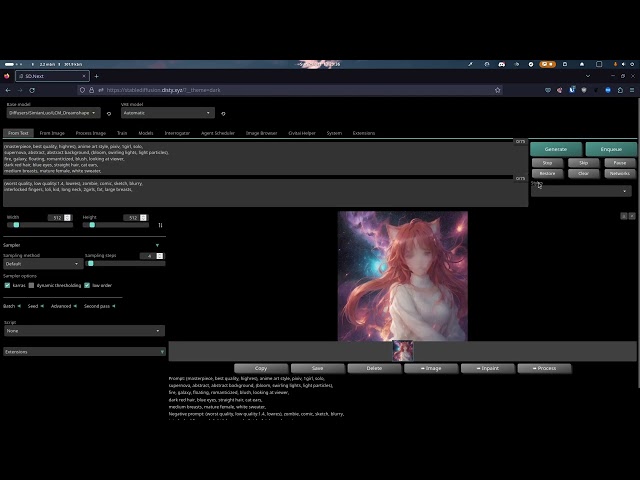
Using a Ryzen 7 5800 X3D with SDNext (OpenVINO backend) on Arch Linux.
LCM on an A770 with IPEX + HyperTile:
https://www.youtube.com/watch?v=odGyhnOtofE

Using an Intel ARC A770 with SDNext (Diffusers + HyperTile) on Arch Linux.
keen marsh
Does it also work in ipex?
keen marsh
also, just found this https://huggingface.co/segmind/SSD-1B looks pretty cool

 minor plank
Does the 3d Cache make a difference here?
proper cradle
keen marsh
Does it also work in ipex?
The second video
proper cradle
minor plank
Does the 3d Cache make a difference here?
AI is heavily memory bandwidth bottlenecked
Cache helps
minor plank
Raw Bandwidth I presume over latency
ember orchid
proper cradle
LCM on an A770 with IPEX + HyperTile:
https://www.youtube.com/watch?v=odGyhnOtof...
Woah! Thats fast
ember orchid
Is this what to follow to get LCM working? Just clone this to Extensions?
https://github.com/0xbitches/sd-webui-lcm
GitHub
Latent Consistency Model for AUTOMATIC1111 Stable Diffusion WebUI - GitHub - 0xbitches/sd-webui-lcm: Latent Consistency Model for AUTOMATIC1111 Stable Diffusion WebUI
Yes
If you want to use IPEX on Windows you need to use older drivers. Not sure how far you need to go back but before 4885 for sure
keen marsh
I am on 4676, that was the last working version for native ipex.
Wsl might still work, although I did have issues with it on newer drivers but that could have been issues with the dev branch of sd.next
proper cradle
ember orchid
Is this what to follow to get LCM working? Just clone this to Extensions?
https:...
No
Use SDNext dev branch and just use the built in model downloader
Models / Huggingface
And download this: SimianLuo/LCM_Dreamshaper_v7
SDNext has native Diffusers backend
No need for a standalone app as an extension
 ocean cipher
ember orchid
If you want to use IPEX on Windows you need to use older drivers. Not sure how ...
ocean cipher
ember orchid
If you want to use IPEX on Windows you need to use older drivers. Not sure how ...
If this includes wsl, which Linux distro do you recommend?
ember orchid
ocean cipher
If this includes wsl, which Linux distro do you recommend?
@proper cradle 's article reads:
Use Ubuntu 23.04 or newer because we will need Linux 6.2 kernel or newer.
Update your kernel to at least Linux 6.2 if you are on older Ubuntu builds.
Note: Updating kernel is not neccesary for WSL.
green pagoda
I use Fedora without issue.
 restive parcel
fedora uses latest kernel usually, so it works well
green pagoda
I OOM on system memory when I try to use SDXL. Any recommendations to reduce system memory usage?
fickle plume
32gb should be enough? You can disable live previews
 torn knot
pip install https://github.com/Nuullll/intel-extension-for-pytorch/releases/download/v2.0.110%2Bxpu-master%2Bdll-bundle/torch-2.0.0a0+gite9ebda2-cp310-cp310-win_amd64.whl
pip install https://github.com/Nuullll/intel-extension-for-pytorch/releases/download/v2.0.110%2Bxpu-master%2Bdll-bundle/intel_extension_for_pytorch-2.0.110+gitc6ea20b-cp310-cp310-win_amd64.whl
pip install diffusers transformers
set SYCL_PI_TRACE=2
python reproducer.py 1> trace.log 2>&1
green pagoda
fickle plume
32gb should be enough? You can disable live previews
I only have sixteen.
fickle plume
I think you'll want to get more. Even for regular gaming
DDR4 RAM now is fairly cheap
keen marsh
sdxl needs more system ram, I'd recommend as much as you can afford tbh. I have 32gb now but wish I had 64 tbh.
Also if you have any of the medvram, lowvram features turn them off, and turn off the load model on cpu when not in use stuff.
although if you have an a750 medvram is needed
green pagoda
fickle plume
I think you'll want to get more. Even for regular gaming
DDR4 RAM now is fairly ...
I suppose.
ember orchid
proper cradle
No
Cloned the dev repo to a new directory and installed.
Downloaded the model from the webui, then set backend to Diffusers. Restarted
But model is not loading. Any thoughts?
 proper cradle
ember orchid
Cloned the dev repo to a new directory and installed.
Downloaded the model from ...
proper cradle
ember orchid
Cloned the dev repo to a new directory and installed.
Downloaded the model from ...
Also needs the dev branch of diffusers (we are waiting for diffusers 0.22 release before merge to master)
Activate the venv SDNext uses. (source venv/bin/activate in Linux. Don't know how to do it in Windows.)
pip install git+https://github.com/huggingface/diffusers
And start the webui with --experimental so it won't downgrade diffusers
ember orchid
I may need to wait till it merges. FYI in the dev branch I noticed Sample Steps missing from the UI. I couldn't figure how to get that to show
 keen marsh
To activate venv in windows go to where the activate.bat file is and open it in the cmd prompt iirc
keen marsh
keen marsh
also, just found this https://huggingface.co/segmind/SSD-1B looks pretty cool
this model is giving me 2.78it/s at 1024x1024 in comfyui on an a750 in native windows, sdxl faster less resources and IMO great image quality. Couldn't get it to work in Sd.next so not sure it's compatible yet. probably get even faster in Linux/wsl2
proper cradle
keen marsh
this model is giving me 2.78it/s at 1024x1024 in comfyui on an a750 in native wi...
Should be compatible in dev branch
keen marsh
I will give it a shot then, I always get issues in Dev branch so I went back to master.
proper cradle
keen marsh
I will give it a shot then, I always get issues in Dev branch so I went back to ...
Dev branch has new repo system
clean install is recommended
fickle plume
Is it normal that diffusers needs internet to work? 🤔
green pagoda
wat
fickle plume
Had an internet outage and sdxl would not work, trying to connect to something but it couldn't
green pagoda
Sounds like a bug
keen marsh
I think there was some sort of issue with sdxl needing to be online, but it was fixed I thought?
proper cradle
fickle plume
Is it normal that diffusers needs internet to work? 🤔
That was the case like a month ago
fickle plume
Mm, am I missing some convenient way to update?
proper cradle
--upgrade
 paper horizon
good news. IPEX is working again with Driver 4952
Intel
This download installs Intel® Graphics Driver 31.0.101.4952 for Intel® Arc™ A-Series Graphics and Intel® Iris® Xe Graphics.
ember orchid
"Real-Time" Diffusion as you type. [Edit: see Disty's videos below running this LCM locally on Arc ]
https://huggingface.co/spaces/radames/Real-Time-Latent-Consistency-Model-Text-To-Image
 keen marsh
Finally can update my drivers!
keen marsh
ember orchid
"Real-Time" Diffusion as you type. [Edit: see Disty's videos below running this...
This sounds pretty amazing
restive parcel
oh sweet, I've been hanging back long enough on driver updates
proper cradle
ember orchid
"Real-Time" Diffusion as you type. [Edit: see Disty's videos below running this...
This is that running on an A770 with IPEX and HyperTile
RTX 4090 can get 24 FPS with TAESD VAE and batch size 24
A770 can get 5 FPS with TAESD VAE and batch size 5
proper cradle
proper cradle
This is that running on an A770 with IPEX and HyperTile
This video is with full VAE
proper cradle
paper horizon
good news. IPEX is working again with Driver 4952
Updated the guide and wiki as 4952 or newer.
proper cradle
proper cradle
This video is with full VAE
Unchecking "Full quality" option in advanced box in the text2img page will use TAESD VAE
proper cradle
proper cradle
This is that running on an A770 with IPEX and HyperTile
Copied the wrong link :/
https://youtu.be/odGyhnOtofE?si=NhwoK0iJpfOzWVo1
Using an Intel ARC A770 with SDNext (Diffusers + HyperTile) on Arch Linux.
fickle plume
Well, that is definitely very fast
Presumably above a batch size of 3 there isn't much improvement?
proper cradle
fickle plume
Presumably above a batch size of 3 there isn't much improvement?
There is but time took goes above 1 second
So i can't call it FPS
 spiral junco
LCM+TAESD on A770 can get to 100 images in about 40s batch size=1
ember orchid
Txt-2-3D is coming along
You can try Genie at Luma AI's Discord
https://discord.gg/lumaai
 restive parcel
local 3d gen?
paper horizon
3fps real time video generation on A770 (if you don't mind chinese content): https://www.bilibili.com/video/BV13w411s74c

GitHub
Arc A770 16G can render at ~3fps (fp16).
proper cradle
 proper cradle
https://github.com/vladmandic/automatic/commit/996344c6f7d0ffca3ea7360dba406a775...
proper cradle
proper cradle
https://github.com/vladmandic/automatic/commit/996344c6f7d0ffca3ea7360dba406a775...
OpenVINO can use ESRGAN Upscalers on the GPU now
ember orchid
restive parcel
local 3d gen?
Not yet.
restive parcel
ahh, I'll wait on it then. It's only fun when I can run the stuff on my own hardware 
spiral junco
@proper cradle for LCM on SD.NEXT have you looked into setting same seed for image generation?
the older pipeline doesn't have generator built in the pipe so image generations are always random

 fast scaffold
Value error while installing deforum extension in auto1111
how to solve this?

Anyone know???
How to get over this?????
ember orchid
LCM is nuts. This 512x1536 grid took 1 second to create, at 8 steps.


I'm liking 8 steps for LCM. 4 steps often results in cloudy results in eyes and details
fast scaffold
fast scaffold
???
keen marsh
Never tried it, check the deforum GitHub
proper cradle
keen marsh
I believe he is using sd.next judging by the folder name, I think he just confused the two.
proper cradle
Try the manual install here:
https://github.com/deforum-art/sd-webui-deforum#getting-started

GitHub
Deforum extension for AUTOMATIC1111's Stable Diffusion webui - GitHub - deforum-art/sd-webui-deforum: Deforum extension for AUTOMATIC1111's Stable Diffusion webui
Also aniamtediff:
https://github.com/vladmandic/automatic/discussions/2396
GitHub
Just sharing my notes... minimal supported version of sd.next is 10/17/2023 must use backend:original install animatediff extension as usual download animatediff models and loras as usual note: onl...
proper cradle
Dev branch merged to master
ember orchid
proper cradle
Dev branch merged to master
This include LCM?
 grave condor
according to the changelog, yes. and it's also been included in the newest diffusers release yesterday
ember orchid
proper cradle
Dev branch merged to master
Would a Git Pull get this going, or you recommend a new clone?
proper cradle
git pull should be fine but it won't delete the old unused codes
New install should clean up a gigabyte of unnecessary space
proper cradle
proper cradle
Dev branch has new repo system
It's because of this
proper cradle
SD 1.5 LoRas works fine with LCM
No Lora / LyCoris LoCon


No Lora / Standard LoRa

 proper cradle
spiral junco
<@323514682155466753> for LCM on SD.NEXT have you looked into setting same seed...
proper cradle
spiral junco
<@323514682155466753> for LCM on SD.NEXT have you looked into setting same seed...
This is fixed too
Overtrained character Lora i made is actually a decent Anime style lora

No Lora
 proper cradle
LCM released the model conversion code
Converted my anime model to LCM
6 steps text2img + 3 steps 2x hires
Time: 3.71s

 proper cradle
New LCM sampler added
LCM model + 4 steps LCM sampler
 spiral junco
@proper cradle https://huggingface.co/blog/lcm_lora

are you aware of this?
just came out today
4 step for SDXL, it's crazy
proper cradle
spiral junco
<@323514682155466753> https://huggingface.co/blog/lcm_lora

Coverted my SD 1.5 Anime model
spiral junco
woah.. this is game changer
proper cradle
Existing loras are still compatible
Script i wrote to convert the model:
https://github.com/vladmandic/automatic/blob/master/cli/lcm_convert.py
GitHub
SD.Next: Advanced Implementation of Stable Diffusion - vladmandic/automatic
spiral junco
at this point we can technically turn any ldms to lcms with the lcm lora fused
1.5 and SDXL
grave condor
how fast would these run on CPU?
proper cradle
grave condor
how fast would these run on CPU?
This is with the original LCM model and OpenVINO backend:
https://youtu.be/b90ESUTLsRo?si=Uve-RXVsu9Tgi5Z1

Using a Ryzen 7 5800 X3D with SDNext (OpenVINO backend) on Arch Linux.
Converted models has the same speed
Lora method is slower
grave condor
when I find the time, I might look into turning my control net space into all the new and fast stuff.
proper cradle
Using TAESD VAE (uncheck full quality under advanced drop-down) will decrease the quality but it will cut down another 2-3 seconds
spiral junco
4 step, LCM scheduler , + SD 1.5 LDM model, + LCM 1.5 Lora


 proper cradle
LCM SDXL is fast but there is too much quality degradation
Time: 18.53s
 proper cradle
LCM SDXL is fast but there is too much quality degradation
Time: 18.53s
proper cradle
proper cradle
LCM SDXL is fast but there is too much quality degradation
Time: 18.53s
Messing with the LCM weights can make it better
 spiral junco
I think 6 steps is a sweet spot
and guidance_scale=1
also with LCM, 1024x1024 curse issue seems to be disappeared lol
proper cradle
spiral junco
also with LCM, 1024x1024 curse issue seems to be disappeared lol
SDNext will use 1080x1080 with IPEX or OpenVINO if you select 1024x1024
ember orchid
My next video showing SDXL and LCM should publish next week
proper cradle
New wiki page:
https://github.com/vladmandic/automatic/wiki/Using-LCM
ember orchid
Very cool. My unpublished video is now already out of date, but cool
restive parcel
That does tend to happen quite rapidly in the AI space 
green pagoda
restive parcel
That does tend to happen quite rapidly in the AI space <:DinaKEK:902099030392324...
Can confirm, it does.
ember orchid
Well, means just more video content😊
 pastel geode
is there something wrong with using sdxl refiner because I started getting pixelated results just recently after upgrading it to the main branch. Using driver version 31.101.4887 btw.
The photo is without and with refiner respectively.

 pastel geode
alright. Thanks for the tip :>
will i have to reinstall automatic or will it work just fine after upgrading my driver version?
spiral junco
it should just work
pastel geode
updated the driver but the results are the same. Any ideas?
spiral junco
what’s the vae set to
spiral junco
the corruption looks like related to vae decode or attention
chrome bone
just use cpu vae to see if its vae related
keen marsh
pastel geode
is there something wrong with using sdxl refiner because I started getting pixel...
I haven't tried yet, but Disty recommends a complete reinstall on the latest branch
pastel geode
ok ill do those when i get to it
spiral junco
let's continue conversation here @proper cradle . my bad for sending the questions in the wrong channel
spiral junco
have you tried using regular base model + lcm lora + lcm scheduler and generate correct outputs?
proper cradle
spiral junco
have you tried using regular base model + lcm lora + lcm scheduler and generate ...
Built-in lora method needs way too much lora strenght to work
script method works fine
spiral junco
I can look into making a POC for sdnext, with diffusers lora loading method. when backend is set to diffusers then we use load_lora_weights() and fuse_lora() methods, it also supports multiple lora too https://huggingface.co/docs/diffusers/training/lora
 proper cradle
spiral junco
I can look into making a POC for sdnext, with diffusers lora loading method. whe...
proper cradle
spiral junco
I can look into making a POC for sdnext, with diffusers lora loading method. whe...
It was using these before but they did a complete rewrite for it
I don't know where is where anymore
green pagoda
What else would you expect from Hugging Face
proper cradle
spiral junco
I can look into making a POC for sdnext, with diffusers lora loading method. whe...
Forwarded this to Vlad and he re-added diffusers method with SD_LORA_DIFFUSERS debug key on dev branch
Diffusers method works fine
Something is borked with the built-in method
spiral junco
should be fixed now in dev branch 🙂
proper cradle
Also noticed that OpenVINO Lora loading is broken with Torch 2.1.0 (using openvino-nightly).
It Loads fine the first time and then it get's broken.
Caching is disabled
Using diffusers lora method
openvino-nightly==2023.3.0.dev20231114
@spiral junco does this happen on A1111 as well?
proper cradle
proper cradle
It Loads fine the first time and then it get's broken.
I can load the lora but i can't unload it, compile fails without the lora;
RuntimeError: Expected X.numel() == N * C * HxW to be true, but got false.  (Could this error message be improved?  If
so, please report an enhancement request to PyTorch.)
This is with unloading the entire model and loadig it again.
Downgraded PyTorch in SDNext
spiral junco
i’ll do a quick test
might need to unload lora and clear_cache() to gc the fused model that is already loaded in GPU
proper cradle
compiled_cache
partitioned_modules
Are tied to the model in SDNext with the last commit
They get removed with the model reload
Tied to CompiledModelState*
fickle plume
I wonder if the 1024^1024 issue might be something more concerning 🤔
Using the sdxl_vae, sdxl 1.0 and refiner, any prompt, any sampler, other settings default and this very specific seed 1279636787 it shows up in 920x1080, 928x1080, 936 and so on until 1000x1080 where it stops
Tested a very large chunk of those resolutions
What if this affects training or other things?


I have memory of encountering this same long horizontal line long ago when I was using A1111, with other lower resolutions around 800x600
I've been trying to get non-disfigured results on anime characters and changing the resolution off the typical 1080^2 helped a bit but then I randomly stumbled upon this
proper cradle
fickle plume
I wonder if the 1024^1024 issue might be something more concerning 🤔
Using the ...
It happens on 1024x1024 sized images too (2048x512 etc)
pastel geode
pastel geode
is there something wrong with using sdxl refiner because I started getting pixel...
So i did a complete reinstall of automatic and im still getting something similar to this when using refiner. SDXL without refiner works just fine.
fickle plume
pastel geode
So i did a complete reinstall of automatic and im still getting something simila...
Are you still using 4887? Show the pics
pastel geode
fickle plume
Are you still using 4887? Show the pics
4953
 fickle plume
pastel geode
4953
fickle plume
pastel geode
4953
Show the advanced settings
You have face restore on which for something like this should be off anyways
Also, generate 1080x1080
512x512 seems to fry it, sdxl's mainly intended for around 1024x1024 anyways (though, see above, that exactly won't work with arc for now)
proper cradle
512x512 on SDXL is like 256x256 on SD 1.5, not good.
Other than the resolution being too low, what is your secondary pass settings?
pastel geode
base: 1.42it/s
refiner:4.64s/it
at 1080x1080

Heres the diffuser settings as well in case you need.
 pastel geode
base: 1.42it/s
refiner:4.64s/it
at 1080x1080
pastel geode
pastel geode
base: 1.42it/s
refiner:4.64s/it
at 1080x1080
Ok it somewhat works now. Thank you very much.
Why is it “1 step” when it says “refiner steps 5” in the photo?
proper cradle
pastel geode
Ok it somewhat works now. Thank you very much.
Why is it “1 step” when it says ...
5 steps * (1 - 0.8 refiner start)
Refiner start 0.8 means start at the %80 of the refining process and do only the last %20
And %20 percent of 5 is 1
Matching steps to the base steps will be better
fickle plume
Trying it out now and the refiner settings seem broken
30 regular steps + 30 refiner steps at 0.8 refiner start results in 121 regular steps and 0 (?!) refiner steps and then an expected completely broken image
Neither 0 nor 1 refiner start actually has the refiner run afterwards
Setting to 0.5 has the correct number of regular steps, but only 7 refiner steps
Upping the refiner steps to 90 with 0.5 results in 22 refiner steps which is some very weird division
fickle plume
With 30 base steps, 0.67 refiner start -> 61 base steps, 0.75 -> 91, 0.8 -> 121, 0.9 -> 271
So, the resulting base steps are (1 / (1 - refiner start) - 1) * base steps + ~1
As expected, .99 results in 2971 base steps
 fickle plume
As for the refiner... With 90 steps, 0.9 -> 0, 0.85 -> 1, 0.8 -> 3, 0.75 -> 5, 0.67 -> 9, 0.6 -> 14, 0.5 -> 22, 0.34 -> 38, 0.25 -> 50, 0.2 -> 57, 0.1 -> 72... I can't come up with a formula for this one
After some graphing calculator action, refiner steps seem to be roughly refiner steps * refiner start^2 - refiner steps * refiner start * 2 + refiner steps
Interesting math
fickle plume
proper cradle
5 steps * (1 - 0.8 refiner start)
Seems someone didn't like this method of calculating it but instead borked things

However I'm unsure which of the 2 (30/5 with 0.8 -> 24/1 or 30/5 again) it should be
proper cradle
fickle plume
Seems someone didn't like this method of calculating it but instead borked thing...
Vlad replaced it
Forwardet this to him
He replaced my calculations and i don't know what he is trying to do
fickle plume
maybe sleepy math
I think the intent was to get the steps to remain the same regardless of refiner start
But I'm also very confused
keen marsh
fickle plume
I wonder if the 1024^1024 issue might be something more concerning 🤔
Using the ...
Are you running in native windows? I honestly have never seen it on my machine in sd.next or comfyui with ipex or openvino in native windows. Dont remember it when I used wsl2 either but that was a long time ago.
I know sd next now just bypasses that res btw
proper cradle
SD 1.5 can do 768x1280 base resolution really well:


 fickle plume
keen marsh
Are you running in native windows? I honestly have never seen it on my machine ...
fickle plume
keen marsh
Are you running in native windows? I honestly have never seen it on my machine ...
I've had the issue happen on native linux with A1111 at 800x600 or 600x800, don't remember, with SD 1.5 a year or less ago
ember orchid
1 step image generation with UFOgen
https://huggingface.co/papers/2311.09257
 fickle plume
Generating faster is nice, but I'll be honest, I want higher quality and am willing to wait longer for it
Good to see that at least it seems everyone values controlnet/controlnet-like features a lot though as that has them too
proper cradle
Tried Animatediff
 onyx moth
oh wow, thats great
1.5 works with animatediff right?
might have to try that soon. I pretty much went straight to SDXL after setting up sd next
keen marsh
onyx moth
might have to try that soon. I pretty much went straight to SDXL after setting u...

Reddit
Explore this post and more from the StableDiffusion community
proper cradle
onyx moth
1.5 works with animatediff right?
Only works on the original backend, so SD 1.5 only
spiral junco
proper cradle
<@412480499387465729> does this happen on A1111 as well?
just checked with the released openvino==2023.2.0 package. It looks like it's having issues with load_lora_weights() when we use backend="openvino", but in webui it still works because we use openvino_fx() which is a different backend than the code that is in openvino package
proper cradle
openvino_fx is now in OpenVINO package?
spiral junco
what's the method you used to unload lora?
proper cradle
Send the model to meta device, set it to none, load a new model, clear openvino caches, compile
Also new Diffuses could've broke it too
Dev branch PyTorch works but needs caching to be disabled completely
It wasn't doing this before
It caches 300 small files and produces garbage output if caching is enabled with a Lora
spiral junco
yeah caching has issues
testing with standalone scripts now and see if I can reproduce the issue
it seems to be working fine with standalone script. but lora loading and activating is a bit different. it needs cross_attention_kwargs={'scale': 1.0} to be passed as arg for pipe
used the lcm lora for testing, every other run is initialized with new DiffusionPipeline and load_lora_weights
 proper cradle
Can you try running without a lora after loading a lora in the first run?
That was the issue with the mainstream PyTorch 2.1
Old nightly PyTorch 2.1 works fine but caching has to be disabled
spiral junco
proper cradle
Can you try running without a lora after loading a lora in the first run?
like setting the scale to 0?
proper cradle
Do not load a lora at all
proper cradle
Load a lora in the first run, generate,
Unload / Reload the model and do not load a lora in the second run, generate
proper cradle
proper cradle
I can load the lora but i can't unload it, compile fails without the lora;
```
R...
It is throwing this error with mainstream PyTorch 2.1
proper cradle
I am on Linux
proper cradle
spiral junco
i'm on windows, not sure if that makes a difference
SDNext uses the old nightly PyTorch on the dev branch rn
Manually update to the mainstream one
Also tied OpenVINO cache to shared.compiled_model_state on dev branch
spiral junco
dev branch seems to uninstall openvino even tho I launched with --experimental
20231102 nightly package is no longer available . the released 2023.2.0 is available now so we don't need the nightly package anymore
nvm.. I was actually on master branch
proper cradle
Dev branch should uninstall nightly one
spiral junco
forgot to checkout lol
🤣 cloned a new repo for test, forgot about I was on master branch
yeah I'm getting the same error

I think I found the root cause
installing the old torch-dev package and see if that's the case
proper cradle
spiral junco
https://github.com/Disty0/automatic/releases/download/openvino_pre_release_pytor...
These works
But caching has to be disabled
spiral junco
yeah if we don't disable caching it will generate a lot of partitioned IR files
 spiral junco
@proper cradle it looks like it's related to the lora loading method in sdnext
some ops not supported in openvino, causing it to split graph into partitions (this is why we see 100+ garbage files generated when cache enabled)
spiral junco
spiral junco
yeah if we don't disable caching it will generate a lot of partitioned IR files
not sure where these two ops coming from
aten._assert_async.msg looks cuda specific
keen marsh
So whats up with this Microsoft olive stuff with arc? I just read 2x performance but compared to what exactly? Is this even used anywhere?
proper cradle
DirectML improved from basically unusable to somewhat usable.
DirectML is the worst case scenario.
grave condor
onnxruntime should be a better experience, but I believe the openvino execution provider doesn't support gpu yet.
onyx moth
keen marsh
https://www.reddit.com/r/StableDiffusion/comments/17stnug/sdxl_animatediff_motio...
that looks great except for needing more than 16gb vram! .. but it's still in beta anyway. gona be dope to see it work with sdxl though
fickle plume
keen marsh
So whats up with this Microsoft olive stuff with arc? I just read 2x performanc...
compared to ||a bit slower than CPU||
hence why all the comparisons gotta be relative :^)
or I'd say something like 4-8x slower than ipex IIRC
proper cradle
spiral junco
not sure where these two ops coming from
Did more digging and got SymInt related errors.
And SymInt is used everytime when a split in cache occurs.
Does SymInt supported with OpenVINO?
proper cradle
proper cradle
I can load the lora but i can't unload it, compile fails without the lora;
```
R...
And this error switched to this with verbose mode:
BackendCompilerFailed: backend='openvino_fx' raised:
RuntimeError: aten/src/ATen/RegisterCPU.cpp:12885: SymIntArrayRef expected to contain only concrete integers
I have no idea where this SymInt comes from
Only happens when we use a lora
And doesn't go away
proper cradle
Built-in lora method was hijacking the model even if we used the diffusers lora method
Disabled the hijacks and everything is working fine with stable Torch 2.1.1
proper cradle
SD WebUI running on a mid range Android phone 🙂

It is slow but it works
MTK Dimensity 1080 CPU + 8GB RAM

Tried OpenVINO but it OOMd
fickle plume
proper cradle
SD WebUI running on a mid range Android phone 🙂
nice
mm, took a while huh?
 proper cradle
Tooks 5-6 mins average
fickle plume
still nice
keen marsh
Wonder if openvino would work with 12gb ram phone? If so should be pretty fast
spiral junco
proper cradle
Did more digging and got SymInt related errors.
And SymInt is used everytime whe...
I think symint is related to dynamic shapes, currently it’s not supported
spiral junco
proper cradle
Built-in lora method was hijacking the model even if we used the diffusers lora ...
oh! what if we don’t hijack sdp attention when we use openvino backend
proper cradle
IPEX hijacks aren't applied for OpenVINO
I get garbled results if i apply attention hijacks with OpenVINO
Or use diffusers attention slicing
spiral junco
when we see multiple cache files generated it’s usually related to unsupported ops for torch compile openvino backend at the moment. if we can find where it is calling from then we can make a request to get it supported
fickle plume

Stability AI
Stable Video Diffusion is a proud addition to our diverse range of open-source models. Spanning across modalities including image, language, audio, 3D, and code, our portfolio is a testament to Stability AI’s dedication to amplifying human intelligence.
Their examples look way better than the various other video generators
IDK how related this is to sdnext but I feel this is our main AI thread
chrome bone
thats interesting.. i just hope they stop stealing models and rename them. give credit where its due
fickle plume
the only stolen model i've heard of is the leaked novelai model, which I don't think stability have touched or claimed or renamed or whatever
chrome bone
there is nothing "stable" about stable diffusion. researchers call this LDM
keen marsh
chrome bone
thats interesting.. i just hope they stop stealing models and rename them. give ...
Whats going on? Haven't heard anything about this?
chrome bone

Stability AI became a $1 billion company with the help of a viral AI text-to-image generator and — per interviews with more than 30 people — some misleading claims from founder Emad Mostaque.
In this video, reporter Kenrick Cai shares how a Forbes investigation was able to dive into these claims to separate fact from fiction, and how the compan...
green pagoda
chrome bone
https://www.youtube.com/watch?v=-1OfG6DaGF4
Oh look, it's the video I'm mentioned in by name.
fickle plume
I have no idea who the founder of stable diffusion is, or if he (or the company)'s claiming the denoise-noise-until-image approach as his own
I'll watch the video
fickle plume
oh boy
fickle plume
green pagoda
Oh look, it's the video I'm mentioned in by name.
Did they give you your salary after the expose or are you not comfortable answering this
green pagoda
fickle plume
Did they give you your salary after the expose or are you not comfortable answer...
They offered it to me, but I never took it, long before it was published. For other reasons I wasn't in the mental space to be able to handle the hoops I needed to jump through and I ultimately decided to take it out of my own ethical standards.
I had just finished going through the end of an abusive working relationship at the time, and their lack of documentation on the arrangement they seemed to have when I reached out to fix it gave me cold feet.
By the time they tried reaching out to me again, I had discovered that I was being represented to Series A investors as an employee before I was even began my work for the contract.
Which was enough for me to not want to interact with them again.
fickle plume
I see, this is pretty enlightening
I feel as bad for you as I can in an online chatroom without doing too much about it
:(
I had expected a bit better from that company given the open source-ness surrounding it
green pagoda
fickle plume
I feel as bad for you as I can in an online chatroom without doing too much abou...
It's mostly behind me now, as much as it still influences me.
green pagoda
fickle plume
I had expected a bit better from that company given the open source-ness surroun...
I have bones to pick with how they portray themselves and their ethical standards, but most who are adjacent to them are good people.
green pagoda
green pagoda
It's mostly behind me now, as much as it still influences me.
I turned down as much as my entire savings by sticking to my gut.
The abusive relationship sent me into a spiral, destroying my semester and pushed back my graduation date another year (if I ever finish).
I had a pretty rough start to the year, lol
But I've co-founded a company and we'll soon be launching our first product, so things aren't looking so drab for me looking forward.
fickle plume
Well, good luck with your product, feel free to post the launch around here if it's related I guess
Unless that's too much self-promotion 🤔 idk
green pagoda
fickle plume
Unless that's too much self-promotion 🤔 idk
Yeah probably would be self-promotion.
fickle plume
Well, good luck either way
keen marsh
green pagoda
But I've co-founded a company and we'll soon be launching our first product, so ...
glad you bounced back, seems like a real shitty situation.
 broken grail
I've had an install that's sat for a while. Is there anything I need to do for updating other than git pulling/submodules & deleting config.json to get fresh updated defaults?
fickle plume
It's probably better to make a new install; and on that note, I recommend having a dedicated folder for the models outside sdnext's folder and using --models-dir, or at least not deleting the models folder and then putting it back inside
keen marsh
broken grail
I've had an install that's sat for a while. Is there anything I need to do for u...
Latest commit is recommended to do a complete reinstall(depending on how far back you are anyway), also you can set the models directory (all directories) inside the webui no need for any commands when starting
broken grail
got it
onyx moth
I'm just wondering if I'm doing it wrong but every reinstall I start with wsl --unregister ubuntu and then go through the steps
there's a better way isn't there?
onyx moth
is it go cd, cd automatic, --reinstall? or ./webui.sh --reinstall?
or ./webui.sh --use-ipex --reinstall
fickle plume
Why are you reinstalling so often
keen marsh
I've never once did an --unregister ubuntu command, you can just reinstall normally. You can also just delete the folder and then do another git checkout if you want a fresh instal for the latest version. You can delete the folder in windows explorer like normal, or download the GUI nautilus in linux and use that if you prefer. https://learn.microsoft.com/en-us/windows/wsl/tutorials/gui-apps

Learn how WSL support running Linux GUI apps.
 keen marsh
onyx moth
When you say reinstall normally, that's what I thought was normal
keen marsh
onyx moth
When you say reinstall normally, that's what I thought was normal
Lol, its just --reinstall with sdnext, and that reinstalls the venv. If you want to clean install you have to delete the folder i think. Just make sure your models and everything are elsewhere
proper cradle
New HDR center feature on dev branch is really good with BGs.


This is with SD 1.5. Haven't tried SDXL yet.
proper cradle
Corrects the latents before VAE

 keen marsh
fickle plume
It is... different? Maybe a bit better?
keen marsh
fickle plume
It is... different? Maybe a bit better?
It added more rendering with shadows and details, although it also made the background a bit less coherent with random boxes and animal shapes. Probably have to play around with it
fickle plume
In general I'm kinda unsatisfied with how SDXL does art, let me try a photograph or something
keen marsh
Yeah its a bit static in my experience, even with the trained models. Photos are also a bit too static for me as well, it does adhere to prompt better but also lacks randomness so you can get the same face with the same prompt without a seed etc.
You have the add more prompt detail i think so less happy accidents
fickle plume
For me it's there being too much disfigured/incoherent stuff, like the background or the balls
It does seem to have a more sensible effect with this
idk what happened to my owl pics
fickle plume
owl pics again,
center
off
maximize


it does progressively become more 'phone hdr'
though i wonder if that's what the acronym is supposed to mean in the ui
keen marsh
Anybody tried out the new video diffusion model?
restive parcel
what hardware does it even run on?
fickle plume
Their HF repo makes no mention of VRAM or any specific Nvidia GPU... So that is indeed a mystery
oh god

hmm, probably still doable on arc
 ember orchid
Hey @proper cradle or @spiral junco is there an update to SDNext for LCM that uses the Lora method with any SD 1.5 or SDXL model, rather than the workaround for converting that model to LCM? I'm still on the work-around
proper cradle
ember orchid
Hey <@323514682155466753> or <@412480499387465729> is there an update to SDNext ...
It is working fine now
ember orchid
proper cradle
It is working fine now
Thanks!
Do you advise a simple Git Pull or fresh clone?
proper cradle
Simple git pull should be enough
keen marsh
restive parcel
what hardware does it even run on?
I thought I saw stuff about it running on under 16gb locally, but haven't really been keeping up with it.

Reddit
Explore this post and more from the StableDiffusion community
restive parcel
oh, might be manageable on arc at some point then
or does it already work with say ipex?
keen marsh
I believe it is working in comfyui but I am not 100%. I came to ask cause I don't know much about yet.
 tall grove

Stability AI
SDXL Turbo is a new text-to-image mode based on a novel distillation technique called Adversarial Diffusion Distillation (ADD), enabling the model to create image outputs in a single step and generate real-time text-to-image outputs while maintaining high sampling fidelity.
fickle plume
why are they getting so fast suddenly???
Next, an additional test was completed with the same method for image quality. In these blind tests, SDXL Turbo was able to beat a 4-step configuration of LCM-XL with a single step, as well as beating a 50-step configuration of SDXL with only 4 steps.
This is nice, not even sacrificing quality for it
tall grove
Additionally, SDXL Turbo provides major improvements to inference speed. On an A100, SDXL Turbo generates a 512x512 image in 207ms (prompt encoding + a single denoising step + decoding, fp16), where 67ms are accounted for by a single UNet forward evaluation.
oh its 512x512
if its a lot faster and generates similar quality to sdxl at that resolution it might get more popular, idk if the 512x512 limitation can be messed with but it seems cool
sdxl slow adoption mostly cus its hard to run anyway
fickle plume
hmm, 512^2 is a bit sad
 keen marsh
Non commercial license though
tall grove
tbh thats fine for us
they have to make money i guess and if they can still release it then whatever
keen marsh
Its fine to play with if your just having fun with it, maybe they will release a real open source version at some point.
keen marsh
Non commercial
tall grove
well its still open source right
tall grove
they all were stated as for research purposes anyway
tall grove
huggingfaces pgae says that
keen marsh
Sd2.x as well I believe. Never used that one
tall grove
i guess its they're business model to do this
keen marsh
This is the first non commercial release afaik. Maybe the video haven't looked into it much yet
tall grove
idk how one would make money off releasing models without this style
keen marsh
They license to corporations supposedly
tall grove
hopefully more of the industry adopts this method of ai development instead of closed source stuff
apparently they have 2 more models to release idk what
keen marsh
Video is non commercial as well
tall grove
have to see how easy this model is to tune and whatnot
keen marsh
I hope people read the new licenses cause I would have assumed it was the same as the other models.
keen marsh
tall grove
have to see how easy this model is to tune and whatnot
Will be cool to see, this stuff is really getting feasible for everyone to use.
Are people doing anyting with the video models yet?
tall grove
havent seen much idk if you can even mess with that but i guess people are trying]
keen marsh
Its out so they probably can, just probably requires pro hardware to train
tall grove
probably wont attract much stuff as it seems like a hard to run model
keen marsh
People also license their models out too(they were anyway), so the non commercial thing might slow things down some too
ember orchid
keen marsh
Video is non commercial as well
Which part is non-commercial? Distribution of model is non-commercial or output ie images are non commercial?
Currently US says any AI output is not copyrightable so the output is currently free and fair use regardless
keen marsh
It just says personal non-commercial use so I assume its everything. Also you can still use fair use commercially. Its kinda ridiculous, but I understand the apprehension they have about copyright.
ember orchid
keen marsh
It just says personal non-commercial use so I assume its everything. Also you c...
Got it.
Per models themselves maybe the non Commercial use of Turbo SDXL means, you can use it but you cant put it into a tool and sell access to that tool. You can't (yet) make money from their model
Per AI output, I cant remember where I heard this, but it appears Google Search may have set precedence on some of this per Google search, scraping copywritten material, making it available for another use. This has gone to court multiple times and seems Google practice is considered fair use, regardless of source material.
My understanding what is not allowed is to take the output of a google search and try to protect that as your own thing. The output is math based, with limited user control, thus cannot be copywritten. So it could be Google has set the stage for everyone to freely use AI to produce whatever they want, but what they produce is also freely reusable. This is why I think AI generative images need to be more like the watercolor brush in Photoshop or procedural water shader in Unreal... as tool and process part of a larger canvas but not the process itself.
green pagoda
keen marsh
Sdxl and sd1.5 are full commercial license
They have commercially permissive licences but they aren't OSI-approved, to be exact.
green pagoda
ember orchid
Which part is non-commercial? Distribution of model is non-commercial or output ...
It is bound by their acceptable use policy, and they can revoke your licence to use it at any time.
They are now starting to get scared of being sued, most likely because they know that they don't actually have a fully good-faith fair-use defense for most of their products.
Not to mention they want to commercialize it.
Pretty much “we will sue you if you use this in production”.
tall grove
tbh the idea of copyrighting ai models is a bit of a weird one
green pagoda
tall grove
tbh the idea of copyrighting ai models is a bit of a weird one
It is indeed very murky as statistical models aren't really defensible intellectual property.
http://blog.markus-breitenbach.com/2008/09/01/can-statistical-models-be-intellectual-property/
tall grove
tbh i see them more as tools, and mostly that the idea of AI models becoming a lawsuit hell seems like a rather unpleasant future
keen marsh
Might be why lamma leak didn't seem to spark any legal stuff afaik. Ai output is fairuse so you can sell it, you can copyright a collection for say a comic but you can't copyright the images themselves unless you prove it's mostly human, which is murky since you can use controlnet or image to image with sketches. To me teaching an ai with content available online is fair use, I fear that the debate may end up with corporations copyrighting an art style. We all learn from others and use copyrighted work to study art, I see it as the exact same thing. Its just ai is much much better. The real thing is in how its used by the artist imo.
I could just imagine getting sued for all the comic books i copied as a kid lol
green pagoda
keen marsh
Might be why lamma leak didn't seem to spark any legal stuff afaik. Ai output i...
LLaMA wasn't anything particularly new nor novel—I had directly worked on and adjacent to multiple comparable projects that were intentionally released with little consequence by the time that happened.
keen marsh
I don't really know the specifics but companies usually hit the lawsuit button on any code leak
keen marsh
They put out the license for free I think after the leak, iirc
tall grove
meta seems to be the most open out of the large companies rn
keen marsh
Yeah, surprisingly
I wonder what the legal area will be on models fully trained on ai output? Even if the original was trained on human output?
tall grove
tbh training is a weird concept to put any legal ramifications on
keen marsh
Thats what they are doing though lol
tall grove
has anything substantial been done yet i havent checked recently
with china existing its unlikely they will stifle it much
i do recall companies shamelessly lobbying for stuff like that tho
keen marsh
Afaik they are still having lawsuits and senate hearings etc. I do understand the fear, but I honestly cant see the legal claims tbh. Unless wr can copyright style, then we are all in trouble
tall grove
ye there exists lawsuits but i cant really see them working out
keen marsh
It all depends on the mood of the courts, I don't really have faith in the judicial system (in the US) atm
tall grove
depends on how the defense is done
keen marsh
Its kinda all opinion based
tall grove
but it can be quite easily spun to how it mimics human learning or whatever
keen marsh
They tried to sue ed Sheeran for using a comman chord progression, and it went to trial. (Not ai related exactly but this is what I am afraid of)
tall grove
they will have to copyright style to copyright ai models so its hard to see it happening
well idk i dont really have an opinion as its a hard thing to answer
keen marsh
The ones hurt the most will be artists it they do, and moat don't seem to realize this.
Yeah, but its all out of our hands. But this tech is the future regardless
I am still excited about it
tall grove
atleast in the UK they said they wont regulate this space for now lol
tho with AI models the fact that it can produce questionable stuff is also a whole other issue and it becomes complicated and blah
keen marsh
Yeah, I wish there was more self regulation in the community
fickle plume
keen marsh
It all depends on the mood of the courts, I don't really have faith in the judic...
Patenting and blocking imports of lifesaving medicine so a single company can charge 20x for it... Sounds like fun
And that's the lifesaving stuff, let alone anything lesser like AI
The way I see it, AI will keep improving more and more, more people will lose more jobs regardless of how ethically it's trained or not
Any attempts at stifling it, especially with copyrighting style or whatever else will just mean whoever implemented those laws gets left behind. People already buy a lot of their products from China and no one cares too much about the laws there, and the Fairphone remains niche, while Nike remains popular. I also have to wonder if people can come up with good laws that apply to AI but don't specifically refer to it, like copyrighting style in general.
IMO, AI development should be subsidized and AI use allowed and taxed as heavily as reasonable, to the extent that people don't just give up on using/developing AI or are not too discouraged. UBI seems inevitable, something will have to fund it.
chrome bone
its just lesser evil. having expensive new drug is better than having no new drug at all. and patent expires anyway
green pagoda
 fickle plume
What's that, an access token? Nice, I don't want to pay for Bloomberg anyways
keen marsh
I don't think he is anywhere near those people, but definitely has some 'questionable' actions. Say what you want though, stability ai seems to be the only real open source platform for images a sell could kill it
Don't want ai only in the hands of big corporations like they are trying to do
green pagoda
fickle plume
What's that, an access token? Nice, I don't want to pay for Bloomberg anyways
Yes
fickle plume
I'm already very annoyed at DALLE's censorship, I'd rather there be less closed source stuff
keen marsh
I don't mind some censorship, but its way overboard
fickle plume
Yeah... Nevermind other goodies like controlnet, training your own loras, or even just some basic negative prompts
keen marsh
Yeah, I also don't trust Microsoft
Probably all just tracking data to sell me ad's lol
tall grove
they are desparately trying to make it profitable so they'll do anything
keen marsh
tall grove
they are desparately trying to make it profitable so they'll do anything
yup https://www.reddit.com/r/StableDiffusion/comments/1864j4v/emad_introduce_stability_memberships_one/ sad

Reddit
Explore this post and more from the StableDiffusion community
Basically, I have no interest in SVD or Turbo anymore.
If I pay, I'd rather use midjourney, Gen 2 or something more capable off the bat.
tall grove
seems like a thing where if u make millions in profit from the model you need a license
ember orchid
keen marsh
If I pay, I'd rather use midjourney, Gen 2 or something more capable off the bat...
I hear you.
At the same time Stability does need to make money, and I wouldn't mind putting some dollars with Stability as a vote supporting localAI. If I had to choose who I'd rather "win", I'd rather it be Stability, than MidJourney
keen marsh
I mean, I have nothing against that it's just don't advertise free and open source and talk about democratizing AI. It's basically just SAAS, all the talking they did was just smoke until they could make money off us. And I am also weary about any future changes.
When people talked about AI displacing jobs, I would say we had free and open sourced models that anybody could use. But now that it's getting down to the point where you really can run this stuff off a phone, the open source and free to use is getting canned lol.
I wonder if a community platform like Blender could ever make it in the space?
ember orchid
Blender is a rare beast
Its an amazing business model an it would seem, at least over the last number of years, leading tech companies like Epic, Intel, Microsoft, NVidia are happy to fund the Blender Foundation
keen marsh
Yeah, I wonder how Blender convinced everybody it was a good idea. Usually everybody just wants to make as much money as possible for themselves.
ember orchid
My understanding it was this perfect storm of - expensive 3D tools for part of the game pipeline (Maya) vs accessible tools for the other (Unity, Unreal) where Blender was a good enough tool during the app economy to fuel interest in game devs, tech artists etc to try it, use it in part of the pipeline. It grew the user base to a massive amount, where tech companies saw a way to be relevant with an audience that valued an accessible pipeline
fickle plume
Blender recently had a meaningful amount of donors pull out, so things aren't super smooth
Though that could be just a post-covid slump
green pagoda
ember orchid
My understanding it was this perfect storm of - expensive 3D tools for part of t...
There is beginning to be a push to try to make something like that work for parametric CAD for similar reasons.
ember orchid
Since I started with Direct Modeling Ive always found it hard to go to CAD and BIM Models, but I do appreciate it. Revit is a nice tool. SketchUp seems to be a happy medium being Direct Modeling like but works with parametric CAD and BIM
grave condor
I got my start in Fusion 360 since Autodesk offered a really good free tier for students while I was doing my 3D printing stuff. but it's been degraded ever since.
Isn't there quite a bunch of stuff that's almost good but then really buggy? Like FreeCAD or OpenSCAD?
green pagoda
grave condor
I got my start in Fusion 360 since Autodesk offered a really good free tier for ...
Yep, there are some okay but not production-suited solutions out there.
tall grove
seems u can merge sdxl models with sdxl turbo? Im trying out a new release that runs in sd next without any changes and it seems to generate 4 steps in https://civitai.com/models/215418/turbovisionxl-super-fast-xl-based-on-new-sdxl-turbo-3-5-step-quality-output-at-high-resolutions about 2 seconds depending on the sampler used on an a770. It naturally lets you do 1024*1024 images which is cool

Wow guys, you have to try this for yourself! 😲😲 Super fast generations at "normal" XL resolutions with much better quality than the (freshly releas...
ember orchid
green pagoda
Yep, there are some okay but not production-suited solutions out there.
Have you tried any of the CAD add ons for Blender.
green pagoda
I have not, actually.
They do look pretty cool, but it obviously isn't good enough for doing production engineering with.
ember orchid
green pagoda
I have not, actually.
I was watching a video few weeks ago on this. Guy explains all the things you need to do to make Blender CAD friendly, from an addon that provides a more precise unit system, to BIM support, and operations that are more CAD friendly
green pagoda
ember orchid
I was watching a video few weeks ago on this. Guy explains all the things you n...
I don't doubt that, but it is still a substantial effort.
fickle plume
I do doubt how well it can do CAD
Blender doesn't support faces with holes and doesn't work well with concave faces, and I really wonder how any addon can work around that
Though funnily enough, there's a commented out toggle for the data structures to support face holes... I wonder how many errors or crashes uncommenting it would cause
fickle plume
Huh, sampler and samples makes way more of a difference for SDXL than it used to for SD1.5
In the past it was basically unipc all the way and everything looked almost the same except unipc and 1-2 others looking a pinch better and unipc resolving with less samples
20 samples

Mm, finally small enough to embed, and also horizontal enough to not take up much space either
99 samples
 proper cradle
I use Euler a or Euler most of the time
tall grove
SDXL turbo only seems to work with DPM SDE karras or whatever that one was, it produces quite high quality images for how long it takes so its probably likely that that model will become more popular to use
guess u'd need more steps on euler i havent checked that tho
 sterile hearth
Just a quick question as I do not have time to debug today, but: I got sdnext and comfyui to run under ubuntu 23.04 , but both are prone to crashing and start to produce black outputs after a few generations. Is this the status i should get used to with sd on arc or do I have to sacrifice a few more hours getting it right? Ty!
keen marsh
sterile hearth
Just a quick question as I do not have time to debug today, but: I got sdnext an...
You should not be getting black output, it was an issue on much older ipex.
sterile hearth
Ty for the heads-up, and the frequent crashing 🥺?
proper cradle
SDXL without FP16 Fixed VAE?
sterile hearth
No. 1.5 for now.
sterile hearth
Ok. I'll report back after. Prbly on the weekend.
sterile hearth
I did a fresh install of ubuntu 23.10.1, sudo apt update, sudo apt upgrade. Then I follwed Disty's guide on technopat. Everything went fine, but at the end I got this: "ImportError: libmkl_sycl.so.3: cannot open shared object file: No such file or directory" (I have the "Traceback (most recent call last) dump". but I'm not sure if I am not already cluttering the chat...)
fickle plume
sterile hearth
I did a fresh install of ubuntu 23.10.1, sudo apt update, sudo apt upgrade. Then...
What version of the basekit do you have
2023.2 or 2024
look in /opt/intel/oneapi (each of the subfolders there should have folders named after every version you have installed)
and activate the venv in automatic's folder and do a pip list | grep torch and show what it says
sterile hearth
Ok. I got 2024.
fickle plume
do you know how to activate a venv?
proper cradle
I don't see any new ipex release?
fickle plume
This website introduces Intel® Extension for PyTorch*
They made a new page and stuff
#1162821590153699438 message
Yes, the url says 110
fickle plume
🤷 either old basekit or new ipex
otherwise it errors out
@sterile hearth If you want to use the old basekit, you uninstall the current one you have installed (e.g. with synaptic? for easy searching) and get the old one
wget https://registrationcenter-download.intel.com/akdlm/IRC_NAS/992857b9-624c-45de-9701-f6445d845359/l_BaseKit_p_2023.2.0.49397_offline.sh
fickle plume
fickle plume
https://intel.github.io/intel-extension-for-pytorch/index.html#installation?plat...
Alternatively, you can poke around automatic's requirements and make sure it requires the up to date versions of ipex, 2.0.120, see pip install instructions here ^
sterile hearth
ok I'll see if I can manage that 😄 ty
proper cradle
export TORCH_COMMAND="torch==2.0.1a0 torchvision==0.15.2a0 intel-extension-for-pytorch==2.0.120+xpu --extra-index-url https://pytorch-extension.intel.com/release-whl-aitools/"
then run webui.sh
This will fail if you use PyThon 3.11
Python 3.10 is already at security only support status
sterile hearth
ok. so I get python 3.10 in the venv and run the above command?
proper cradle
AnimateDiff on Diffusers backend with LCM
Time: 6.29s
 fickle plume
That's pretty strong flickering
Gif issue?
proper cradle
LCM does that too
fickle plume
Otherwise looks surprisingly coherent
proper cradle
LCM tends to flicker with detailedish backgrounds
keen marsh
Is it something to do with vae and/or seed variables?
I still haven't messed around with any of the new stuff, lcm or animated diff
tall grove
has anyone tested sdxl turbo on this type of thing?
i think they also released an sd 2.1 thing
onyx moth
Do turbo models work with sdnext right now? Is that only on dev branch for now?
keen marsh
Only see one post about on the github, probably just download and see. You will likely have to manually adjust the cfg and steps
proper cradle
SD 1.5 at 768x1280 base + 2x hires to 1536x2560
No edits.
 spiral junco
@proper cradle have you tried StableVideoDiffusionPipeline?
proper cradle
spiral junco
<@323514682155466753> have you tried StableVideoDiffusionPipeline?
Hits 4GB Alloc Limit
And attention slicing garbles the outputs
spiral junco
proper cradle
Hits 4GB Alloc Limit
yes, I tried the ipex hijack from sdnext, it runs but produces corrupted output lol
 proper cradle
Battlemage should have 64 bit suupport, dropping 64 bit is really hurting Alchemist
onyx moth
So svd is a no go for a770 then.. what about animatediff?
spiral junco
got svd partially working

can't generate higher res videos tho.. had to play around with chunking
ember orchid
Woohoo
restive parcel
its crazy they didn't include 64 bit on arc, for some reason half my troubles are caused by it not being available, not just in ai 
fickle plume
I'm still of the opinion that fp64 emulation can get far, though I guess you can't reasonably emulate 64 bit pointers to get over 4GB... or is that actually possible with ok speed
Blender's Cycles is emulated 64, the performance seems ok
Sad how specific that is though, I wanted to try out Luxcore...
proper cradle
onyx moth
So svd is a no go for a770 then.. what about animatediff?
AnimateDiff works fine
broken grail
wait, does the 770 actually have a 32 bit address bus? how'd they hell do they make that work
green pagoda
broken grail
wait, does the 770 actually have a 32 bit address bus? how'd they hell do they m...
It's probably paged.
Saves on register sizes.
broken grail
ahh
green pagoda
Also would explain its inability to operate on 64-bit types.
It's actually a pretty decent idea if the card will be overwhelmingly used for graphics, since very large contiguous allocations are pretty unlikely in that case.
keen marsh
is there a good way to back up all my settings etc when doing a clean install of sdnext?
proper cradle
back up config.json and ui-config.json
keen marsh
Thanks, appreciate it.
 coral mulch
So I got SD.Next running proper once again, however there's one thing that is confusing me.
What is the hands down fastest configuration I can currently use?
I really want to learn to use the LCM sampler, but it causes blurry images on the FP16 base model. I need to figure out how to use it.
proper cradle
coral mulch
I really want to learn to use the LCM sampler, but it causes blurry images on th...
LCM sampler needs LCM Lora
Fastest:
Use IPEX with Diffusers backend
Use SD 1.5 with LCM Lora baked in
Use LCM Sampler with CFG Scale set to 0
Turn on HyperTile and turn off memory optimizations
coral mulch
Why SD 1.5 over something like SDXL Turbo?
proper cradle
SD 1.5 is 2x faster
proper cradle

GitHub
2.1.10+xpu
We are pleased to announce the release of Intel® Extension for PyTorch* v2.1.10+xpu. This is the new Intel® Extension for PyTorch* release supports both CPU platforms and GPU platforms (...
Can someone thest if this release has AoT for Windows?
We have torchauido now
Interesing:
ImportError: libmkl_sycl.so.3: cannot open shared object file: No such file or directory
I already have OneAPI Basekit 2024.0
Welp, i activated the wrong venv
keen marsh
I may try it out today, still need to update the entire install for sd.next
proper cradle
Linux support is in SDNext dev branch
needed a few small fixes
1024 curse is still here
 safe plume
How's the performance?
proper cradle
safe plume
How's the performance?
pretty similar or slightly faster
Startup times are really fast
ITEX needs to update for OneAPI 2024.0 too
safe plume
So how does that compare with openVINO backend?
proper cradle
IPEX and OpenVINO has the same generation speed
For startup, we are comparing a few seconds to a few minutes
safe plume
Few minutes for openVINO?
proper cradle
yes
safe plume
Hmmm, so IPEX good i guess
Kinda sad that the next version probably won't be out until like well into Q1 2024
grave condor
So the windows wheels got aot now?
I am slightly worried to update before seeing any other people with success or issues
proper cradle
grave condor
So the windows wheels got aot now?
That's what i want to know too
grave condor
patch notes say Arc on Windows is now officially supported. Any claims Intel makes tomorrow during the "ai everywhere" show have some value I'd say
But the whole zero level and base toolkit mess is still horrible
keen marsh
grave condor
But the whole zero level and base toolkit mess is still horrible
Is it not working on windows still? Even with latest Ipex?
grave condor
no idea, haven't tried it myself. And might not do so as I hope to have a new system in like a few weeks
fickle plume
I'm not risking my waifu generating setup
Maybe we can annoy the ipex team on their github if none of us want to check
keen marsh
Only issue I have is no access to older versions on windows of one api. I may check it out later today
proper cradle
keen marsh
Only issue I have is no access to older versions on windows of one api. I may c...
2.1 needs the new one
2024.0
spiral junco
I repacked the ipex packages with OneAPI 2024 dlls, no need to install oneAPI toolkits
spiral junco
proper cradle
That's what i want to know too
python -m pip install torch==2.1.0a0 torchvision==0.16.0a0 torchaudio==2.1.0a0 intel-extension-for-pytorch==2.1.10 --extra-index-url https://pytorch-extension.intel.com/release-whl/stable/xpu/us/ these wheels have aot for Arc
tested it on A770 🙂
proper cradle
spiral junco
python -m pip install torch==2.1.0a0 torchvision==0.16.0a0 torchaudio==2.1.0a0 i...
Does these ones have the oneapi dlls?
proper cradle
Welp, ipex doesn't see mkl if we install it with pip:
OSError: libmkl_intel_lp64.so.2: cannot open shared object file: No such file or directory
 proper cradle
Welp, ipex doesn't see mkl if we install it with pip:
```
OSError: libmkl_intel_...
proper cradle
proper cradle
Welp, ipex doesn't see mkl if we install it with pip:
```
OSError: libmkl_intel_...
Adding this to the webui.sh fixed it:
export LD_LIBRARY_PATH="${venv_dir}"/lib:$LD_LIBRARY_PATH
Does installing mkl with pip work on Windows?
pip install mkl==2024.0.0 mkl-dpcpp==2024.0.0
spiral junco
proper cradle
`pip install mkl==2024.0.0 mkl-dpcpp==2024.0.0`
yes
proper cradle
Is there a common file with Intel ARC GPUs?
detecting OneAPI won't work with this method
Current autodetect looks for sycl-ls or OneAPI root
proper cradle
Bundled MKL and DPCPP in:
https://github.com/vladmandic/automatic/commit/92baeae55dd58e96234eac02de506ca8171e6a7d
And updated Windows wheels too
spiral junco
not sure about linux, but I packed these into ipex/bin and repack wheel
spiral junco
proper cradle
Bundled MKL and DPCPP in:
https://github.com/vladmandic/automatic/commit/92baeae...

btw we can use torch.compile ov backend with the latest IPEX 2.1.10 packages
with cache disabled, gets nice perf gain too
green pagoda
I couldn't get torch.compile to work—it looked like it was only supported on Flex series?
spiral junco
green pagoda
I couldn't get torch.compile to work—it looked like it was only supported on Fle...
openvino torch compile supports more devices.. Arc, Flex, iGPU, CPU etc
green pagoda
ah, okay.
green pagoda
No this was on other raw PyTorch code.


 coral mulch
 proper cradle
SD 1.5
 proper cradle
green pagoda
I couldn't get torch.compile to work—it looked like it was only supported on Fle...
proper cradle
green pagoda
I couldn't get torch.compile to work—it looked like it was only supported on Fle...
I couldn't either. XPU support is in the triton-nightly builds but seems like it's still not ready.
proper cradle
spiral junco
openvino torch compile supports more devices.. Arc, Flex, iGPU, CPU etc
OpenVINO isn't limited to Intel hardware 🙂
There are a lot of AMD GPU + Windows users using OpenVINO with SDNext.
keen marsh
proper cradle
There are a lot of AMD GPU + Windows users using OpenVINO with SDNext.
I have actually been wondering about this but haven't seen anything about it, when I look it up it's always saying intel only.
proper cradle
Works on Intel, AMD and Nvidia
OpenVINO performance is on par with Olive / Shark WebUI on AMD
keen marsh
Oh wow, I will check the benchmarks on sd.next
multi-vendor support is kind of a big deal IMO.
still can't seem to find any data.
proper cradle
keen marsh
still can't seem to find any data.
Basically take DML results and 2x them
 proper cradle

GitHub
2.1.10+xpu
We are pleased to announce the release of Intel® Extension for PyTorch* v2.1.10+xpu. This is the new Intel® Extension for PyTorch* release supports both CPU platforms and GPU platforms (...
chrome bone
just curious if its possible to get MTL vpu and gpu working in tandem to increase inference speed lol
proper cradle
Probably possible with OpenVINO
proper cradle
proper cradle
Another one?
https://github.com/intel/intel-extension-for-pytorch/releases/tag/v...
I still get failed to create engine error with KoboldAI :/
  File "/home/disty/Apps/AI/KoboldAI/runtime/envs/koboldai-ipex/lib/python3.8/site-packages/torch/nn/modules/linear.py", line 114, in forward
    return F.linear(input, self.weight, self.bias)
RuntimeError: could not create an engin
Wait, i get this error with old IPEX too
something else is broken
MKL from pip was bad
Using the system OneAPI works fine
coral mulch
I have aliases set up in my WSL environment now
so I can type two things in and instantly get sdnext running
Same with ComfyUI
coral mulch
fickle plume
two?
One for activating Oneapi + IPEX Conda environment
One for ComfyUI and one for SD.next launching (so actually three)
Also, I suck at code.
fickle plume
i dunno about comfyui but sdnext has its own venv
coral mulch
fickle plume
i dunno about comfyui but sdnext has its own venv
Ye. The comfyUI repo I have uses the sd.next venv
my aliases are literally just a bunch of &&
Lol
alias comfyui="cd ~ && cd automatic && cd venv && cd bin && source ./activate && cd ~ && cd ComfyUI && python main.py --lowvram --use-pytorch-cross-attention"
alias sdnext="cd ~ && cd automatic && ./webui.sh"```I could've just set the proper directory LOL
But I made a bunch of &&s to go to that directory, which is incredibly inefficient
What I should've done is this
alias comfyui="cd ~/automatic/venv/bin && source ./activate && cd ~/ComfyUI && python main.py --lowvram --use-pytorch-cross-attention"
alias sdnext="cd ~/automatic && ./webui.sh"
I added these to my bashrc basically
fickle plume
coral mulch
```alias oneapi="source /opt/intel/oneapi/setvars.sh && conda activate IPEX"
ali...
&& will run the thing after if the thing before ran successfully, it's an AND operator, while it's not wrong I'd be using ;
chaining 5 cds to go down folder by folder is pointless, just do a single source ~/automatic/venv/bin/activate or whatever
activating a conda environment is completely pointless in your case as sdnext activates its own venv, and you activate a venv for comfyui, the conda environment will not be used
sdnext also activates the oneapi environment for you on linux
all you need for sdnext is just a single
alias sdnext="~/automatic/webui.sh --use-ipex"
and for comfyui, you probably need just
alias comfyui="source /opt/intel/oneapi/setvats.sh; source ~/automatic/venv/bin/activate; python ~/ComfyUI/main.py --lowvram --use-pytorch-cross-attention"
chrome bone
why is comfyui using sdnext venv though o.o
fickle plume
I'd also like to hear an answer to that
proper cradle
coral mulch
https://www.youtube.com/watch?v=kLw3otbjvTk
You don't need to install OneAPI with SDNext dev branch anymore
If you use the webui.sh*
It will fail if you are launching it with python launch.py
Trained SD 1.5 at 1024x1536 
 keen marsh
coral mulch
so I can type two things in and instantly get sdnext running
keen marsh
coral mulch
so I can type two things in and instantly get sdnext running
I just created a .bat file and then made a shortcut for my desktop, so I just double click and everything is up and running. Sometimes I have to go in and edit to reinstall or something though. Did the same thing in native linux, was a more involved process though especially since I had never used linux before.
keen marsh
proper cradle
If you use the webui.sh*
Linux only?
keen marsh
But still need to setup and install the oneapi environment right? in windows I mean
proper cradle
no
SDNext will install MKL and DPCPP
That should only take 0.5-1 GB instead of 20GB
keen marsh
awesome, thanks.
minor plank
@proper cradle Please stop posting these pictures, she's too pretty. I can't take it 🤖
broken grail
Fresh install. Any settings to change from defaults?
fickle plume
set the live preview display period to -1
that disables it
minor boost in speed and less vram
broken grail
generic sdnext question: How do I load model settings from .yaml files, or check that they're being loaded? If anyone knows where the model yaml config is Is like to take a look at it
proper cradle
Use Diffusers models
And model config in the repo will be used
Otherwise, it will be the default SD config file
proper cradle
Fixed Stable Video Diffusion
Apperantly i was slicing the wrong thing with 4gb workarounds
Has no idea about anime but it works

 ember orchid
proper cradle
proper cradle
Apperantly i was slicing the wrong thing with 4gb workarounds
ember orchid
proper cradle
proper cradle
Apperantly i was slicing the wrong thing with 4gb workarounds
Also fixed the image burning issues at very high resolutions
1024x1024 curse %95 fixed with SD 1.5
But still here with SDXL
Still here if you look close enough but not nearly as bad as before (SD 1.5)
 keen marsh
proper cradle
Fixed Stable Video Diffusion <:DoggoHype:996520865124597861>
keen marsh
proper cradle
Fixed Stable Video Diffusion <:DoggoHype:996520865124597861>
Awesome! Dev branch right?
proper cradle
keen marsh
Awesome! Dev branch right?
Yes
broken grail
proper cradle
Use Diffusers models
so if I have a safetensors, I need to convert it and its configuration to a diffusers model?
is there a way I can slide a line of code in somewhere to load a scheduler config instead?
broken grail
ah alright, I dug around and found the code
it looks like tbe original backend can load configs, but default can't
proper cradle
broken grail
so if I have a safetensors, I need to convert it and its configuration to a diff...
Convert it into Diffusers and edit the shceduler config of the model
I cahanged mine from SD 1.5's default PNDM to Euler a
broken grail
is there a way to do that without reupload on hf
proper cradle
Edit the model you've downloaded
or converted locally
Diffusers models are in models/Diffusers
broken grail
couldn't figure out how to convert it locally so set up some hacky code and got config loading working, worth pring?
proper cradle
OpenVINO on CPU under 8GB

PyTorch model was sitting in the system RAM doing nothing
Deleting it doesn't work so i downcasted them from fp32 to fp8
proper cradle
ARM CPU still needs 16 GB
chrome bone
i remember reading somewhere pytorch doesnt support cpu fp16 so it is inherently more memory intensive
green pagoda
chrome bone
i remember reading somewhere pytorch doesnt support cpu fp16 so it is inherently...
That's more a hardware limitation than a software one.
Most hardware can't do either binary16 or bfloat16
proper cradle
proper cradle
OpenVINO on CPU under 8GB <:DoggoHype:996520865124597861>
Also OpenVINO in SDNext supports 8 Bit with CPUs now
But my CPU supports bf16 so i didn't really see much improvenment over bf16
proper cradle
proper cradle
Also OpenVINO in SDNext supports 8 Bit with CPUs now
GPU "works" but it's missing the 8 bit kernels to run it properly
safe plume
I guess we have to wait for openVINO 2024 or IPEX 2.2+XPU
grave condor
safe plume
I guess we have to wait for openVINO 2024 or IPEX 2.2+XPU
https://github.com/openvinotoolkit/openvino/milestone/21 that's a while away

GitHub
OpenVINO™ is an open-source toolkit for optimizing and deploying AI inference - 2024.0 Milestone · openvinotoolkit/openvino
safe plume
grave condor
https://github.com/openvinotoolkit/openvino/milestone/21 that's a while away
Yes i know, it's usually done well into the year
proper cradle
INT8 is supported with IPEX on dev branch
But it's a autocast
Expect VRAM savings but it will be slower to run.
last 2 options

OpenVINO uses the Compress Model option too but it's CPU only on OpenVINO
600 MB savings with SD 1.5 and 2 GB savings with SDXL
safe plume
grave condor
https://github.com/openvinotoolkit/openvino/milestone/21 that's a while away
 grave condor
hm? The PR or the progress
safe plume
grave condor
hm? The PR or the progress
Progress
Jumped quite a bit in a couple of days
Was at 31% when you posted it originally
proper cradle
dev branch merged to master
onyx moth
If I were to --unregister ubuntu basically do a super clean install that would get me the latest versions of things like torch and ipex right? Yes I am basically a caveman with sticks, rocks, and a computer.
keen marsh
https://www.reddit.com/r/StableDiffusion/comments/18tot6o/sdnext_new_release_happy_holidays/ looks like controlnet has been added for sdxl? really need to go ahead and reinstall and update my ipex lol.

Reddit
Explore this post and more from the StableDiffusion community
proper cradle
These are the IPEX and OpenVINO changes:

IPEX 2.1 fixed torch.linalg_solve so performance in original backend isn't terrible anymore
Diffusers is still faster tho
proper cradle
OpenVINO is being used by AMD users more than ARC users.
And CPU too
1024 curse is still here
keen marsh
ah okay
keen marsh
Lol Its likely because we have ipex and rocm only works in native linux, we have wsl and native windows. Openvino requires more system resources than ipex
chrome bone
who needs openvino when you have ipex
though i can think of a time you will want to use it - multiple device support
keen marsh
Openvino is easier to setup, so there is that.
proper cradle
OpenVINO pretty much "just works" out of the box
grave condor
as a torch Dynamo backend?
or do you still have to use the OVIR model and convert them yourself? I stopped using ov because my ram and storage weren't happy with it
ember orchid
OpenVINO is faster and supports more hardware. The issue is added compile time at first run or change in sampler or resolution.
Also some features may not be supported. HiRes Fix, LCM LoRa were issue in the past. IPEX tends to be work on emerging features sooner
proper cradle
grave condor
as a torch Dynamo backend?
SDNext uses torch.compile backend with OpenVINO
Memory usage is much better after compile now
Also rewrote my IPEX library to ged rid of CondFunc in dev branch
proper cradle
proper cradle
Also rewrote my IPEX library to ged rid of CondFunc in dev branch
I could've missed something so testing will be appreciated
grave condor
I have to see if it's possible to use openvino through accelerate, as I believe there is dynamo backend support
proper cradle
Only thing that's a dealbreaker with OpenVINO for me is no HyperTile support
HyperTile doesn't play well with compile in general
But HyperTile is too OP with SD 1.5
proper cradle
proper cradle
But HyperTile is too OP with SD 1.5
2x speedup with way less memory usage
ember orchid
For those interested in trying Fooocus, I added instructions to this thread on the IPEX fork of the repo. It's a streamlined simpler webui, supporting SDXL and LCM fast LoRa. The outpainting feature is very nice and intuitive. Advanced features allow for a lot of customization and configurations to step outside the defaults. Props to @spiral junco for the heavy lifting
#1175245000322322483 message
 upper pine
proper cradle
These are the IPEX and OpenVINO changes:
upper pine
proper cradle
These are the IPEX and OpenVINO changes:
Does this mean the oneAPI packages can be uninstalled for linux users? I am having trouble with sdnext dying with a SIGSEGV: 11. If you need more info, I can post
proper cradle
upper pine
Does this mean the oneAPI packages can be uninstalled for linux users? I am havi...
You can uninstall oneapi completely
only intel-compute-runtime / level-zero-gpu is needed
upper pine
aight. Could that be the reason after a couple of generations sdnext would crash though?
proper cradle
Try disabling ipexun
Linux:
DISABLE_IPEXRUN=1 ./webui.sh
Windows doesn't use ipexrun
upper pine
after generating one image, this happens

that's why I am mentioning. I am figuring this is a skill issue on my end, I just wanna make sure I didn't miss anything
proper cradle
proper cradle
Linux:
`DISABLE_IPEXRUN=1 ./webui.sh`
Tried this?
upper pine
proper cradle
Tried this?
that was with the command specified
Gotta do some stuff, but if you need anything from me to situate this situation, do let me know. Once again, thank you for all you do
 steady gate
Hello I have installed SDNext in a virtual Ubuntu environment on my computer and it is running but when I try to generate an image (SD1.5 model) the shell crashed out right after what looks like the model loading. I could use some help troubleshooting.
tall grove
Jim if you are in windows please just run it natively. Just get sdnext and then specify ipex on run. Unless there's a reason you need openvino ipex is normally good to use
steady gate
tall grove
Jim if you are in windows please just run it natively. Just get sdnext and then ...
Very cool, got it running and generated a test image on default settings using SD1.5. Is there a guide for getting it running with SDXL? It won't even load the model.
tall grove
Sdxl should work, maybe try diffusers backend but it's been a while since I've used this
steady gate
StableDiffusionPipeline.init() got an unexpected keyword argument 'text_encoder_2'
fickle plume
steady gate
StableDiffusionPipeline.__init__() got an unexpected keyword argument 'text_enco...
GitHub
SD.Next: Advanced Implementation of Stable Diffusion and other Diffusion-based generative image models - vladmandic/automatic
Read the guide
Well, this guide specifically
steady gate
fickle plume
Well, this guide specifically
Thank you!
Do you happen to know from the Guide what this means? "Select the your VAE and simply Reload Checkpoint to reload the model or hit Restart server"
 fickle plume
steady gate
Thank you!
Do you happen to know from the Guide what this means? "Select the yo...
fickle plume
steady gate
Thank you!
Do you happen to know from the Guide what this means? "Select the yo...
Search for VAE in the settings, you will see the dropdown for picking the VAE which by default was either automaitc or none, choose the sdxl VAE
steady gate
VICTORY!
spiral junco
happy new year everyone!
proper cradle
4 Bit with OpenVINO on CPUs
https://github.com/vladmandic/automatic/commit/6522c036673a835d24ece10ba0c4702be869f3ce
 proper cradle
Found a way to delete unused weights without actually deleting them with OpenVINO
 proper cradle
 proper cradle
Added experimental support for Text Encoder training for OpenVINO:
https://github.com/vladmandic/automatic/commit/f3cebcb9ddd2a19f80cd594362ae5388968e6ea2
OpenVINO is faster than IPEX now.
LCM 4 steps: Time: 0.40s

Under 10 seconds on CPU
Time: 9.99s
 upper pine
after generating one image, this happens
upper pine
upper pine
after generating one image, this happens
additional info, here is the error with specifics given. This ONLY shows when the DISABLE_IPEXRUN=1 command is NOT used

if I try using --use-openvino, it will fail to load a model. A constant line I see coming up is NameError: name 'get_raw_openvino_device' is not defined
proper cradle
upper pine
if I try using --use-openvino, it will fail to load a model. A constant line I s...
You can't use OpenVINO with IPEX install
upper pine
I figured, no clue why I tried that
but the error screenshot provided is what happens after a few images are generated in sdnext
proper cradle
Is it working fine without ipexrun?
upper pine
same thing happens, but doesn't throw any specifics other than segmentation fault (core dumped)
this is after things are loaded
proper cradle
Probably the same issue as this: https://github.com/vladmandic/automatic/issues/2627

GitHub
Issue Description Running ./webui.sh --debug --use-ipex enables me to do a couple of successful runs, but then it crashes with a SIGSEGV. Being naive, I would say I'm running into some kind of ...
upper pine
exactly the same issue I am having
because this seems to be a recurring issue with other users, should I post anything that may help with development or should I just wait for the time being?
proper cradle
RUN apt-get update && \
    apt-get install -y --no-install-recommends --fix-missing \
    ca-certificates \
    wget \
    gpg \
    git

RUN wget -qO - https://repositories.intel.com/gpu/intel-graphics.key | \
    gpg --dearmor --output /usr/share/keyrings/intel-graphics.gpg
RUN echo "deb [arch=amd64,i386 signed-by=/usr/share/keyrings/intel-graphics.gpg] https://repositories.intel.com/gpu/ubuntu jammy client" | \
    tee /etc/apt/sources.list.d/intel-gpu-jammy.list
RUN apt-get update

RUN apt-get install -y --no-install-recommends --fix-missing \
    intel-opencl-icd=23.35.27191.42-775~22.04 \
    intel-level-zero-gpu=1.3.27191.42-775~22.04 \
    level-zero=1.14.0-744~22.04

RUN apt-get update && apt-get install -y --no-install-recommends --fix-missing \
    python3.10 \
    python3-pip \
    python3-venv

RUN pip --no-cache-dir install --upgrade \
    pip \
    setuptools

RUN apt-get install -y --no-install-recommends --fix-missing \
    libgl1 \
    libglib2.0-0 \
    libgomp1 \
    libjemalloc-dev

RUN apt-get clean && rm -rf /var/lib/apt/lists/*

RUN echo '#!/bin/bash\ngit status || git clone https://github.com/vladmandic/automatic.git .\n./webui.sh "$@"' | tee /bin/startup.sh
RUN chmod 755 /bin/startup.sh

VOLUME [ "/deps" ]
VOLUME [ "/sdnext" ]
VOLUME [ "/root/.cache/huggingface" ]

ENV venv_dir=/python/venv
WORKDIR /sdnext

ENTRYPOINT [ "startup.sh", "-f", "--use-ipex", "--listen" ]```Can you try this Dockerfile?
upper pine
I am on Arch Linux
proper cradle
Copy the texts, save it to a file named Dockerfile
Build the Dockerfile
docker build -t sdnext-ipex -f Dockerfile .
Run it
docker run -it --device /dev/dri -v ~/sdnext:/sdnext -v sdnext-venv:/python -v huggingface:/root/.cache/huggingface -p 7860:7860 --name sdnext sdnext-ipex
This should eliminate dependency issues
keen marsh
proper cradle
Under 10 seconds on CPU <:DoggoHype:996520865124597861>
Time: 9.99s
Wow, that is crazy. I remember first starting and it was 30secs on arc with directml, now cpu can do 10secs. Crazy
upper pine
proper cradle
Run it
```docker run -it --device /dev/dri -v ~/sdnext:/sdnext -v sdnext-venv:/p...
Unfortunately, I run into the same issue with it segfaulting on me. For now I'll take it as borked. This DOES give me an opportunity to test the openvino builds on Windows since I have a dual boot setup just in case there's firmware updates for my A750 (update: it didn't work right)
tall grove
upper pine
Unfortunately, I run into the same issue with it segfaulting on me. For now I'll...
You can use sd next on windows native
ember orchid
For clarity on options you can use
- SDNext Win Native or Linux/WSL with IPEX or OpenVIN0
- Fooocus Win Native IPEX
- ComfyUI Win Native IPEX or Linux IPEX
- A1111 Win Native or Linux/WSL OPEX or OpenVINO
You can also run Stable Diffusion directly inside of
- GIMP via OpenVINO plugin
- Blender via OpenVINO add-on
upper pine
tall grove
You can use sd next on windows native
Attempting to use it right now, but models aren't loading correctly. I try to use something like waifumix or whatever it was however it seems to keep trying to load something like dreamshaper
I primary linux so I need to get stuff straightened out for Windows
tall grove
i never had much issues, I just gfot the sdnext thing, ran it with use ipex, and it seemed to work fine after that
though only diffusers run at full speed
proper cradle
Original / A1111 backend is CPU bottlenecked, that's why it has even worse performance on Windows
SDNext fixed some of those bottlenecks on it's A1111 backend but A1111 backend is still horrible in general
Diffusers is bottlenecked to around 9-11 it/s
SDNext with Original / A1111 backend is bottlenecked to around 7-8 it/s
A1111 should be bottlenecked to around 5-6 it/s but current implementation gives 3-5 it/s for some reson.
upper pine
upper pine
Unfortunately, I run into the same issue with it segfaulting on me. For now I'll...
Let me be an example of what happens when you don't fully read the instructions. I was able to get IPEX working on Windows with sdnext. Disty, and any other devs not named that help with this sort of thing, THANK YOU for everything you do, and for putting up with people like me.
keen marsh
upper pine
Attempting to use it right now, but models aren't loading correctly. I try to us...
There is some kind of setting in sdnext that allows you to use a different model as default so seems like you may habe that toggled on and set to dreamshaper. I don't remember off hand exactly what that setting is called though
upper pine
keen marsh
There is some kind of setting in sdnext that allows you to use a different model...
It only happened on Windows with OpenVINO, but I got ipex working so it ain't much of a big deal now in my use case.
proper cradle
upper pine
It only happened on Windows with OpenVINO, but I got ipex working so it ain't mu...
That issue with OpenVINO is fixed in dev branch
upper pine
proper cradle
That issue with OpenVINO is fixed in dev branch
I'll checkout the dev branch later on, I'm content with the IPEX flag I have going since it's working well for me. I'm curious if OpenVINO will be faster overall
(disclosure:I am using Nuullll's IPEX wheels because official wheels try to call [and fail to find] IPEX DLLs)
proper cradle
Coredumps seems to be a IPEX 2.1 problem:
https://github.com/intel/intel-extension-for-pytorch/issues/505

GitHub
Describe the bug import torch import intel_extension_for_pytorch as ipex ipex.version() # probs = torch.ones((256,50272), dtype=torch.float32).to('cpu') # indice= torch.range(0, 255, dtype=...
I still can't reproduce them.
upper pine
proper cradle
Coredumps seems to be a IPEX 2.1 problem:
https://github.com/intel/intel-extensi...
Could this be related to the errors I and others were having on Linux?
upper pine
proper cradle
Probably the same issue as this: https://github.com/vladmandic/automatic/issues/...
Wouldn't make sense if this guy was having errors on 2.0.110+xpu
proper cradle
upper pine
Could this be related to the errors I and others were having on Linux?

GitHub
Issue Description Running ./webui.sh --debug --use-ipex enables me to do a couple of successful runs, but then it crashes with a SIGSEGV. Being naive, I would say I'm running into some kind of ...
proper cradle
Benchmark for A770
 spiral junco
proper cradle
Benchmark for A770
spiral junco
proper cradle
Benchmark for A770
wow, this perf is getting close to OpenVINO torch compile level
proper cradle
Filling this now

OpenVINO*
OpenVINO will easily surpass IPEX in terms of speed if HyperTile worked with compile
spiral junco
proper cradle
OpenVINO will easily surpass IPEX in terms of speed if HyperTile worked with com...
yes, but I was suprised to see that IPEX with bf16 is getting 8.54 it/s
I'm mostly getting around 6 it/s
I think IPEX 2.1 has torch.compile IPEX backend as well
proper cradle
spiral junco
I think IPEX 2.1 has torch.compile IPEX backend as well
I couldn't get this working
Triton release lacks support for XPU backend
I tried the Intel release but that also lacks support for XPU for some reason
spiral junco
let me check with them
green pagoda
proper cradle
I couldn't get this working
You are not alone.
safe plume
torch.compile is WIP ATM
green pagoda
afaict, torch.compile isn't ready
spiral junco
 spiral junco
proper cradle
A1111 should be bottlenecked to around 5-6 it/s but current implementation gives...
spiral junco
proper cradle
A1111 should be bottlenecked to around 5-6 it/s but current implementation gives...
I'm also seeing 3-5 it/s with the upstream A1111 repo. I have a fork that uses the ipex hijacks from your SDNEXT implementation and was getting about 6 it/s
proper cradle
A1111 is CPU bottlenecked
spiral junco
hm... CPU utilization is like 20%
proper cradle
Single core
proper cradle
proper cradle
Filling this now
 ember orchid
spiral junco
ember orchid
spiral junco
Evertime I see the Intel Core Ultra badge, in my head I hear the Intel bong and an animation that flips it around and says "Intel Arc Inside"😁
spiral junco
😂 lol
proper cradle
Trying Intel GPU Max 1100 in Intel Devcloud;
4GB limit issues and 1024x1024 curse doesn't exist with GPU MAX
A770 / MAX 1100


Also noticed that SDNext is significantly faster than Intel's reference notebook
fickle plume
may the discord cdn rest in peace
proper cradle
Seems like my attention slicer helps with VRAM usage really well.
Quickly ran out of VRAM without it
 proper cradle
Added IPEX_FORCE_ATTENTION_SLICE env variable
Had to use very low HyperTile sizes to not to run out of VRAM with 48GB VRAM
proper cradle
SDNext should be compatible with GPU MAX series out of the box in dev branch now
Attention slicing has heavy hit to the performance but memory usage is way way better
Attention Slice: GPU active 11388 MB
No Attention Slice: OOM with 49152 MB VRAM
proper cradle
Setting slice rate to 36-42 GB prevents OOMs while not sacrificing much performance
proper cradle
IPEX specific environment variables:
https://github.com/vladmandic/automatic/wiki/Environment-Variables-And-CLI-Arguments#ipex-environment-variables
GitHub
SD.Next: Advanced Implementation of Stable Diffusion and other Diffusion-based generative image models - vladmandic/automatic
grave condor
proper cradle
Trying Intel GPU Max 1100 in Intel Devcloud;
4GB limit issues and 1024x1024 curs...
is the pytroch-gpu env on IDC working for you?