#Graphics General
1 messages · Page 30 of 1
 tribal trail
 tropic rampart

 tribal trail
?
tropic rampart
tribal trail
?
1 is stable, 2 is preview
so, 1 is regular VV, 2 is static+point light
 pale urchin
Don't mind me. Didn't take a good look
tribal trail
tropic rampart
fall off before static lights was a little bit better but still bad
pale urchin
Wow the falloff really did get worse
tribal trail
yeah
tropic rampart
non VV for comparison

 pale urchin
tropic rampart
non VV for comparison
pale urchin
tropic rampart
non VV for comparison
Huh. Is it just me or does non - VV look the same as VV pre colors
tropic rampart
pale urchin
Huh. Is it just me or does non - VV look the same as VV pre colors
it looks very similar for sure.
tribal trail
pale urchin
Huh. Is it just me or does non - VV look the same as VV pre colors
similar but non vv is a bit more smooth and transition better
and it's brighter near the light source where in vv it's more same color everywhere
 wise hinge

 blazing whale

 thorn bison
that's some bright fire
blazing whale
thorn bison
that's some bright fire
Yes because bloom
wise hinge
holy bloom
 quasi trench
bloomer
 still zenith
Keyframe wishlist: ambient light color & illuminance, sky intensity, ??? What else. 🙂
thorn bison
still zenith
Keyframe wishlist: ambient light color & illuminance, sky intensity, ??? What e...
fog 🙏
still zenith
Volumetric fog parameters?
 silent zealot
still zenith
Keyframe wishlist: ambient light color & illuminance, sky intensity, ??? What e...
silent zealot
still zenith
Keyframe wishlist: ambient light color & illuminance, sky intensity, ??? What e...
Everything???
silent zealot
still zenith
Volumetric fog parameters?
Yerps, keyframes for volumetric fog has been a wishlist since the start!
still zenith
It feels weird to keyframe things like color grading parameters to me, for instance. I'm open to opinions though.
silent zealot
On the complete opposite of keyframes, since it seems the team is restarting the drive for coloured lighting, it would be nice to either:
- Decouple the light emission component from the actual spread
- Block state support
silent zealot
still zenith
It feels weird to keyframe things like color grading parameters to me, for insta...
I've had this concept of noir day and vibrant nights.
still zenith
Decouple the light emission component from the actual spread
Good to know this is desired. It was a topic internally that we weren't sure which way to go, and one of the reasons we wanted to put it out there and get feedback.
I imagine you would want that on a per-block-type (aka entry in the block_lighting.json) basis?
 white willow
It doesn't align with gameplay well but it would be cool to be able to apply point/static lighting to things like redstone for ex. Maybe if it has PBR emission or something. Don't have to, but just an idea
silent zealot
still zenith
I imagine you would want that on a per-block-type (aka entry in the block_lighti...
Yerps.
Baffles me that brown mushroom actually has a light level of 1
still zenith
Ok, thanks for the feedback. We'll definitely consider it.
 languid mirage
silent zealot
Baffles me that brown mushroom actually has a light level of 1
languid mirage
silent zealot
Baffles me that brown mushroom actually has a light level of 1
This has been bugging me lol.
Swamps look so weird
 long ruin
I never understood why mushrooms have a light level
languid mirage
Has this always been a thing?
Just not noticeable until coloured light?
white willow
I think it's been like that forever too
Maybe even well back into the notch era
They have a light level of 1 so it's never noticeable. Just VV brings it out a bunch
languid mirage
Actually insane.
I’ve absolutely never noticed it.
Until now…… it’s like an eyesore
white willow
Which to a degree I think is partially an issue with VV as all block emissions are way more intense than vanilla and look equal rather than light level having some impact to it
silent zealot
I still clamp all my emission channels from 0-15
white willow
I made a custom blocklight curve some time ago that did still preserve vanilla behaviors and intensities... mostly

Is not perfect as stuff like glow lichen are way too dull but yea
languid mirage
Honestly hate how even the Furnaces etc light up such a massive area.
It seems off.
Makes even less sense that a mushroom has any light level
 languid mirage
silent zealot
Directional light...
languid mirage
silent zealot
Directional light...
Would be really nice for things like furnaces.
tribal trail
still zenith
Keyframe wishlist: ambient light color & illuminance, sky intensity, ??? What e...
fog density
tribal trail
still zenith
Ok, thanks for the feedback. We'll definitely consider it.
what about rain customization? 🥹
silent zealot
What about rain?
tribal trail
also fxaa and ssao would make the game awesome. even fxaa alone would be good
tribal trail
silent zealot
What about rain?
this for pack creators to edit
 silent zealot
Ah the renderer folder.
tribal trail
tribal trail
also fxaa and ssao would make the game awesome. even fxaa alone would be good
but this is more important
i need anti aliasing

silent zealot
I'm surprised the renderer folder even existd.
tribal trail
still zenith
Keyframe wishlist: ambient light color & illuminance, sky intensity, ??? What e...
not Keyframe but auto exposure is too strong making everything much darker when you just look at light source
it's very bad
silent zealot
#1437846663082410016 message
Moment.
 sonic canopy
still zenith
Keyframe wishlist: ambient light color & illuminance, sky intensity, ??? What e...
sonic canopy
still zenith
Keyframe wishlist: ambient light color & illuminance, sky intensity, ??? What e...
By ambient color & illuminace do you mean ambient field in lighting json? If that's the case, I'd like to add that it would be nice to be able to keyframe skylight color as well (the color of ambient light from the sky; not the ambient color in complete darkness), instead of it being defined by sky_color field in the client biome file. Also it might be desirable to split sky intensity into reflections and ambient light components somehow (maybe just diffuse/specular split or something fancier that better avoids the issue of bright specular shine on rough blocks when diffuse intensity is low) as currently tweaking sky intensity also decreases the brightness of sky reflections on water and other blocks which is an unfortunate side effect
white willow
^
Please 🙏
Sky reflections especially on water look so bad when decreasing sky intensity
thorn bison
white willow
Please 🙏
quirky legit been wanting sky light keyframes for ages 🙏
sonic canopy
sonic canopy
By ambient color & illuminace do you mean `ambient` field in lighting json? If t...
Although ig if skylight color will be keyframed, it will only control diffuse light, leaving sky intensity to control specular so splitting sky intensity is not strictly necessary. But then you won't be able to make diffuse any brighter than #FFFFFF so maybe separate intensity controls is still useful if u need very bright diffuse in comparison to reflections
tropic rampart
still zenith
> Decouple the light emission component from the actual spread
Good to know this...
yeah would be useful
tribal trail
we also really need fix for auto exposure, it's too strong with light sources
tropic rampart
and a fix for MCPE-230030 (XSS reflections), for which i have left a step by step tutorial for how to fix it in the bug report :3 !
tribal trail
i know auto exposure should make everything a bit less bright but it's too much
tropic rampart
personally i hate the effect it has on the end flashes.
as it results in the bright light actually appearing dark
it's better than before now, but still bad if you look in the direction the flash is coming from
tribal trail
tropic rampart
personally i hate the effect it has on the end flashes.
i don't hate effect itself but how strong it is, it makes light sources and lit environments look bad
white willow
Honestly
I think VV could've gotten away without auto exposure
Especially since the lighting isn't realistic
quasi trench
add path tracing to VV
white willow
hey when trying to add local lighting i keep getting an error

nvm
i had to use 1.21.120
quasi trench
flashback to every biome fog needing updated to .90
white willow
ok so its just not working for me at all actually
ah fixed it
ik fire point lights arent ideal, esp since they cant cast shadows but its cool lookin

 pale urchin
white willow
ik fire point lights arent ideal, esp since they cant cast shadows but its cool ...
pale urchin
white willow
ik fire point lights arent ideal, esp since they cant cast shadows but its cool ...
What do they look like without again?
white willow
im tweaking some lighting stuff rq to make the colored lighting have better impact one sec
with and without


you lose the normals and specular highlighting
and volumetrics contribution
silent zealot
I guess.
white willow
without vs with

 silent zealot
Point light is just...so much better for things that aren't lava.
white willow
silent zealot
Point light is just...so much better for things that aren't lava.
look at the fps between both tho.
static lighting gives 60 more fps in this situation
i wish point lights performed better
silent zealot
I can only imagine for those with weaker gpus.
silent zealot
white willow
look at the fps between both tho.
I lowkey dgaf about perf right now.
white willow
i dont either. but im just saying for the sake of making a pack, perf would be considered for something like this
silent zealot
I'm focused on the visuals.
white willow
added point lighting to glowstone. the fog contribution is just huge
 pale urchin
white willow
without vs with
pale urchin
white willow
without vs with
Something else I notice that mobs don't get the color from static lights
I chop that up to an oversight, but I hope they look into that
wise hinge

languid mirage
white willow
if static lights can contribute to fog in the future, then ill be happy
This is all I want from static lights atm.
And what I’d seen mentioned before - some kind of method for large volumes of light blocks casting shadows - I.e Glowstone and lava.
languid mirage
tribal trail
we also really need fix for auto exposure, it's too strong with light sources
This is and Refraction are my two main focuses.
Expose auto exposure parameters to creators and bring us some basic refraction effects to start off with and build from.
wise hinge
tribal trail
i know auto exposure should make everything a bit less bright but it's too much
agree
silent zealot
What's the bug?
blazing whale
silent zealot
What's the bug?
Mushrooms have light
silent zealot
That's not a bug.
blazing whale
silent zealot
That's not a bug.
oh ok
 languid mirage
silent zealot
languid mirage
silent zealot
I honestly think this needs to be reconsidered
silent zealot
It would break some farms such as a slime farm.
languid mirage
silent zealot
It would break some farms such as a slime farm.
Rlly?
How so?
silent zealot
I've seen some slime farms use mushrooms to prevent other mobs from spawning.
languid mirage
Maybe it should be trialed.
If it’s not received well - revert it.
Idk, it just looks terrible with the static_light.
Especially since swamps are FULL of brown mushrooms
silent zealot
cough decouple it from the light emission component cough
languid mirage
silent zealot
*cough* decouple it from the light emission component *cough*
I’ve seen you mention this - what exactly would this allow for?
silent zealot
Right now the spread is 1:1 with non-VV since presumably they don't want vanilla VV to affect gameplay. This makes things like glow lichen atrocious and brown mushroom as well for example. Decoupling the actual light level with the spread of light could fix this.
Another example are candles, they're so bright.
languid mirage
silent zealot
Right now the spread is 1:1 with non-VV since presumably they don't want vanilla...
Right, but how would that fix it?
light intensity is currently tied to light spread? Meaning if something is light level 1 it will still be a fairly bright light?
But then if they change that - would creators then be able to adjust light spread and intensity via local_lighting.json?
That would be nice.
At the same time I feel like just making the mushroom no longer a light emitting block would be easier and more logical.
silent zealot
languid mirage
At the same time I feel like just making the mushroom no longer a light emitting...
For the sake of VV which Java doesn't even have is probably not worth it to break existing builds.
Oh... I did not know the blue water blends the light colour.
blazing whale
 silent zealot
@sonic canopy , you got any other maps to recommend besides le ultimate rtx?
sonic canopy
What are you looking for in a map?
silent zealot
Currently I think testing static light is my main focus. But if it serves as a general purpose VV testing that be great too.
sonic canopy
The maps I've used mainly focus on RTX, but elysium fire cyberpunk might look nice with static lights. Hermitcraft maps also often have various light sources and are overall nice for testing imo.
Also found these 2 just now, never tried them but looks like they have quite a few lights and an overall interesting look so they might look fun with static lights
https://www.planetminecraft.com/project/ihou-download/
https://www.planetminecraft.com/project/ihou-2-illegal-architecture-returns/
These ones are also nice, I've used one of them before (the second one)
https://mc-kenchiku-com.blog.jp/craftcollection2_world.html
https://mc-kenchiku-com.blog.jp/archives/1082386335.html

Planet Minecraft
Ihou Kenchiku means Illegal Architecture in Japanese language. We sometimes call this style of architecture such as Kowloon Walled City, Howl's...
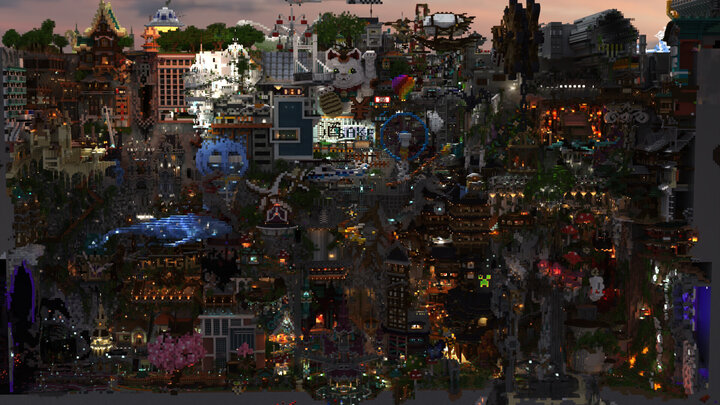
Planet Minecraft
We did Ihou Kenchiku ...again! It means Illegal Architecture in Japanese language. We sometimes call this style of architecture such as Kowloon Walled...

マインクラフト建築コミュニティ
◆イベントお疲れ様でした!!下記日程でマルチ建築イベントを行いました!建築期間:2023年12月9日(土) ~ 2023年12月16日(土)観光期間:2023年12月16日(土) ~ 2023年12月18日(月)配信のアーカイブ等はこちらから建築期間では計170名(運営含む)、...

マインクラフト建築コミュニティ
◆イベントお疲れ様でした!!下記日程でマルチ建築イベントを行いました!建築期間:2024年4月19日(金) ~ 2024年4月21日(日)追加期間:2024年5月3日(金) ~ 2024年5月5日(日)配信のアーカイブ等はこちらからご参加いただきましてありがとうござい...
silent zealot
sonic canopy
The maps I've used mainly focus on RTX, but elysium fire cyberpunk might look ni...
Oh yes Hermitcraft S9 map I've been using but it keeps crashing because I'm using it from the MP.
30fps
 pale urchin
The coloured lighting in this scene is coming from glass so that makes sense
thorn bison
since when have point lights interacted with volumetric fog
tribal trail
thorn bison
since when have point lights interacted with volumetric fog
it's a point light that interact
thorn bison
tribal trail
it's a point light that interact
whoops ty
tribal trail
is it normal that player/entities don't get colored light?
thorn bison
tribal trail
is it normal that player/entities don't get colored light?
or don't get affected at all
 thorn bison
or don't get affected at all
thorn bison
thorn bison
or don't get affected at all
(that's a point light but the same thing happens with static lights)
silent zealot
 iron moon
I mean looks vanilla
iron moon
I mean looks vanilla
If you ignore the purple sure.
tropic rampart
pale urchin
The coloured lighting in this scene is coming from glass so that makes sense
hopefully glass coloured lighting gets added
iron moon
silent zealot
If you ignore the purple sure.
I mean it looks just like stained glass I'd have to see a vanilla pic to see the difference
silent zealot
tropic rampart
hopefully glass coloured lighting gets added
I mean if water already does it, I'm sure the same tech can just be applied right?
tropic rampart
silent zealot
I mean if water already does it, I'm sure the same tech can just be applied righ...
wait does water already do it?
did i miss something
if so then yeah
well, depending on how water does it
silent zealot
I mean, my torch looks green.
tropic rampart
silent zealot
I mean, my torch looks green.
I don't really see it?
 pale urchin
silent zealot
I mean, my torch looks green.
pale urchin
silent zealot
I mean, my torch looks green.
It doesn't apply to static lights or point lights
tropic rampart
 silent zealot
pale urchin
It doesn't apply to static lights or point lights
silent zealot
pale urchin
It doesn't apply to static lights or point lights
Static lights dont change the colour, point does.
It mist be the water fog doing the work.
pale urchin
Yeah
silent zealot
Simply add glass fog.
tropic rampart
silent zealot
Static lights dont change the colour, point does.
even then, i don't know


like, yeah the water fog changes the appearance of the light source behind the fog
silent zealot
tropic rampart
even then, i don't know
Read like the past 5 messages from me and Sisilicon
pale urchin
the fog changes how everything appears
pale urchin
from both the player's and the sun/moon/end flash perspective.
tropic rampart
pale urchin
from both the player's and the sun/moon/end flash perspective.
does it affect the sun/moon/end flash in any way?
silent zealot
What I mean.
 silent zealot
iron moon
I mean it looks just like stained glass I'd have to see a vanilla pic to see the...
silent zealot
iron moon
I mean it looks just like stained glass I'd have to see a vanilla pic to see the...
 pale urchin
tropic rampart
does it affect the sun/moon/end flash in any way?
pale urchin
tropic rampart
does it affect the sun/moon/end flash in any way?
Make a tower of water and see
silent zealot
I cannot tell if it's this world or not, but switching from fancy to VV just glitches my UI
white willow
thorn bison
since when have point lights interacted with volumetric fog
For a long time
tropic rampart
pale urchin
Make a tower of water and see
It changes how you see things through, but idk how it affects how the sun/moon/end flash view things

this does look very funny
 thorn bison
tropic rampart
It changes how you see things through, but idk how it affects how the sun/moon/e...
thorn bison
tropic rampart
It changes how you see things through, but idk how it affects how the sun/moon/e...
that is the most trippy out of context image i've ever seen
pale urchin
tropic rampart
It changes how you see things through, but idk how it affects how the sun/moon/e...
Huh. I could've sworn they made shadows of their own. Must've been scrapped
tropic rampart
pale urchin
Huh. I could've sworn they made shadows of their own. Must've been scrapped
i don't think that was ever a thing? i tried it back when VV was first added to the same result.
maybe when it was deferred technical preview?
pale urchin
Yes
tropic rampart
ah
tropic rampart
thorn bison
that is the most trippy out of context image i've ever seen
yeah
pale urchin
If they scrapped that, then I have less hope for coloured shadows in general 😔
tropic rampart
 tropic rampart
pale urchin
If they scrapped that, then I have less hope for coloured shadows in general 😔
tropic rampart
pale urchin
If they scrapped that, then I have less hope for coloured shadows in general 😔
I hope we get them
colored shadows + stained glass changing static/point light colour and stained glass becomes just the most useful block in the game for builders
silent zealot
sonic canopy
The maps I've used mainly focus on RTX, but elysium fire cyberpunk might look ni...
Just realised I need Chunker.
tropic rampart
thorn bison
that is the most trippy out of context image i've ever seen
water is very good as clouds
 pale urchin
tropic rampart
water is very good as clouds
pale urchin
tropic rampart
water is very good as clouds
Reminds of that one Mario 64 level
Eerie
tropic rampart
even better at night
 pale urchin
tropic rampart
even better at night
pale urchin
tropic rampart
even better at night
Stop it Pout you're scaring me!
tropic rampart
Sadly, for survival this isn't an option because no barrier blocks, but this is a great way to do clouds for creative builds now.
silent zealot
Java->Bedrock conversions just keeps crashing worlds lol
iron moon
silent zealot
Just looks less saturated tbf
silent zealot
If you can't see the no purple tint, that's fine.
I can only assume that in RTX there would be a huge light beam.

This room is too orange for me lol.
tribal trail
pale urchin
Huh. I could've sworn they made shadows of their own. Must've been scrapped
that was a bug and i think fog was creating that "shadow", it was patched
silent zealot
Maybe I should switch to RTX...

 silent zealot
This map made for RTX is so ass for VV
pale urchin
tribal trail
that was a bug and **i think** fog was creating that "shadow", it was patched
It was a real shadow. I'm not talking about that ghosting artifact (which still happens under certain circumstances)
tribal trail
i know you are not talking about ghosting artifact
long ruin

long ruin
 thorn bison
is it a memory leak
silent zealot
Society if Editor Mode had point light support so I can toggle between point light and static light easily
I think also being able to dictate where a point light is coming from would be nice
Huh, glowstone isn't in local_lighting?
silent zealot
Hmmm....animated colours...
tropic rampart
silent zealot
Huh, glowstone isn't in local_lighting?
huh. odd. They probably forgot to add it.
same goes for all the copper lanterns besides the regular one
any of the waxed or oxidized ones don't have colored light
only the default copper lantern does
silent zealot
Stinky
Oh right...please don't have the piston machine move a light source back and forth.
tropic rampart
silent zealot
Stinky
pointy lights ?
point light render distance is far longer than point light shadows
which means point lights are visible through blocks.
i think now that we have static light, it might make sense to reduce point light render distance and then slightly increase point light shadow render distance, so that you'd only see point lights when they have shadows.
silent zealot
I mean...even static lights are visible through blocks.
tropic rampart
silent zealot
I mean...even static lights are visible through blocks.
yeah but it's more your usual light leaking issues, right?
not "depends on how far you are"
so, stuff i'd expect to get fixed
iron moon
 silent zealot
Shiny snow.
long ruin
silent zealot
Stinky
Y'know, I'm curious if it'd be possible to have the lights have a "circular pattern" instead of the diamond shape
silent zealot
long ruin
Y'know, I'm curious if it'd be possible to have the lights have a "circular patt...


I'm torn if sea lanterns should be white or green
white willow
i usually do a bluish green. but something different from soul torches/lanterns
or greenish blue?
one of the two idk
silent zealot
 long ruin
W
 hexed rover
One message removed from a suspended account.
One message removed from a suspended account.
One message removed from a suspended account.
tribal trail
silent zealot
I'm torn if sea lanterns should be white or green
slightly turquoise color

 silent zealot
😔 People are just inventing colours now.
tribal trail
tribal trail
well, not very turquoise bu it's good color for lanterns
it's more baby blue
tribal trail
silent zealot
😔 People are just inventing colours now.
wait till i invent prizma pink color
silent zealot
tribal trail
wait till i invent prizma pink color
Sorry, we have to put you back to the gulag.
silent zealot
tribal trail
None of these even says turqoise 😭
tribal trail
silent zealot
None of these even says turqoise 😭
I said it's more baby blue color
silent zealot
tribal trail
I said it's more baby blue color
😭 Idk what baby blue is, is there adult blue and teenage blue?
 silent zealot
 Im a guy, we dont know specific colour names, we just say red orange green.
tribal trail
 silent zealot
Oh cotton candy.
tropic rampart
static light with colored candles is so fun
 tropic rampart
simple (no smooth lighting), fancy (smooth lighting), VV (point lights)


 silent zealot
tropic rampart
simple (no smooth lighting), fancy (smooth lighting), VV (point lights)
silent zealot
tropic rampart
simple (no smooth lighting), fancy (smooth lighting), VV (point lights)
Are your planks shiny?
tropic rampart
silent zealot
Are your planks shiny?
i haven't edited that so thats just vanilla planks
this pack really just edits water (enables waves), and candle light colours
languid mirage
tropic rampart
i haven't edited that so thats just vanilla planks
Vanilla VV pbr kinda stinky
silent zealot
languid mirage
Vanilla VV pbr kinda stinky
*Vanilla kinda stinky
Fixed it for you
I do hope they work more on biome blending all VV features.
Hear me out though...height based configs.
languid mirage
silent zealot
I do hope they work more on biome blending all VV features.
I hope they work on the color banding in the sky or use a tone mapper that doesn’t do it as much.
Like Hable.
silent zealot
Color banding?
languid mirage
silent zealot
Color banding?
Vanilla VV sky is left

Not AS severe. But damn close
silent zealot
Ah so that's what it's called.
languid mirage
Hable tonemapper has almost 0.
Looks like right image. Maybe a little bit of banding but barely noticeable
silent zealot
Right, Vanilla uses their generic toner.
Sepia filter looks so much better in the nether tbh than cold biomes.

Which one?


 deft cradle
2nd pic
tropic rampart
As much as i like 3, i think 2 probably?
pale urchin
Yeah 2
long ruin
2
white willow
languid mirage
Hable tonemapper has almost 0.
Looks like right image. Maybe a little bit of ba...
Ik why banding happens actually. So VV uses much lower color precision than most things because of mobile performance or something. (Gonna get a lil technical). Your typical HDR buffer would RGB16F. VV uses a lower precision R11F_G11F_B10F buffer. This does help performance but causes banding. Now why is it less noticeable on other tonemaps? Well it's cuz generic fights against hue shifting and keeping colors true to form. The issue with this though is that it brings out the banding way more. The lower precision buffer is also why high contrast can cause deep frying sometimes
They main course of action to improve it would likely be a bayer dithering or raising buffer precision
Dithering is the best option tho for sure
But yea other tonemaps show it less because they don't do extra stuff to prevent hue shifting so everything kinda gets hidden better
long ruin
white willow
Ik why banding happens actually. So VV uses much lower color precision than most...
Is it possible to have a higher color precision enabled for higher end devices while keeping the original for lower ones?
white willow
Probably
Ik in the reflection json there's a color precision thing you can change
Idk what it would do as I haven't messed with it
But that would only affect the IBL iirc
languid mirage
white willow
They main course of action to improve it would likely be a bayer dithering or ra...
They’ll probably just add dithering.
Idc though - I just refuse to use the generic tonemapper.
Hable looks great.
white willow
I don't like generic either
I think hable is probably the best. ACES is good but it requires a lot of specific and intensive care to make truly amazing
Reinhard_luminance is straight butt. Reinhard_luma is very close to hable, and regular Reinhard isn't too bad either
languid mirage
Aces I find always looks too bright/washed out.
Like when I use Prizma - I realllllly notice the change on the main menu.
It doesn’t look bad in-game though. Good contrast between dark and bright.
white willow
Yep aces is very blown out
tropic rampart
Java Just Colored Lighting shader / Bedrock VV (with colored candles RP)


 languid mirage


 ornate hollow
i wish point light shadow will be like this

the object near light source shadow will sharp and far a bit shadow will soft
 wintry nimbus
What value do i change to make darkness "darker"
thorn bison
wintry nimbus
What value do i change to make darkness "darker"
gain & gamma
wintry nimbus
of shadow's correct?
thorn bison
yep
wintry nimbus
so low gamma would be darker and gain does what exactly?
thorn bison
wintry nimbus
so low gamma would be darker and gain does what exactly?
gain is basically the same as gamma but gamma is kind of like the overall brightness base as i understand
wintry nimbus
already ty!
wintry nimbus
wintry nimbus
already ty!
alright *
thorn bison
wintry nimbus
so low gamma would be darker and gain does what exactly?
you can find more info here

Color Grading and Tone Mapping with Vibrant Visuals in Minecraft: Bedrock Edition.
thorn bison
np
languid mirage
Why is it that my “orbital_offset_degrees”
Isn’t working at-all?
I get no errors etc with creators toggle and the error log.
I have my lighting.jsons defined in my Client_biome.json files.
All of my lighting files have the same values for orbital offset.
On top of this - it worked fine when I only had 2 client_biome.jsons.
Now that I’ve covered every biome - orbital offset isn’t working.
Kinda irritated
languid mirage
Got it.
Dumb as hell ngl. Must have every obj defined in the .json for it to work?
Thought you didn’t need end flash defined in every biome.json
white willow
languid mirage
Got it.
Dumb as hell ngl. Must have every obj defined in the .json for it to wo...
You don't need flash as long as you don't have the uh... I think it's 1.21.80 version number
It's been a while tho. I forget
languid mirage
I do.
Maybe it was changing my default lighting.json name from default lighting to global.json?
It’s the only 2 things I did.
white willow
Idk
languid mirage
🤷♂️ works now. So idc lol
white willow
I remember reading somewhere that having a global.json didn't work anymore but it's been fine for me
Very weird
And that all biomes need an atmosphere/lighting file defined but I also don't do that and it's fine
tribal trail
white willow
I remember reading somewhere that having a global.json didn't work anymore but i...
What do you mean?
Since when
Default configs should always work
white willow
one sec
 silent zealot
BAO vs Reading.
white willow
unfortunately
hexed rover
One message removed from a suspended account.
silent zealot
hexed rover
One message removed from a suspended account.
For everything not water and per biome right now.
I have a 20 minute video of me using Editor Mode https://discord.com/channels/523663022053392405/1437220081359655014
hexed rover
One message removed from a suspended account.
One message removed from a suspended account.
sonic canopy
Yk what would be cool, if someone made a script that'd apply deferred configs in real-time in-game as you're editing the files, by using websockets and new deferred graphics scripting apis. Could be a good alternative to the editor mode, for those who prefer editing text instead of dealing with editor UI
silent zealot
sonic canopy
We still need a bunch of other APIs for this to be possible tho
hexed rover
One message removed from a suspended account.
One message removed from a suspended account.
One message removed from a suspended account.
One message removed from a suspended account.
silent zealot
May need to reload the world?
hexed rover
One message removed from a suspended account.
One message removed from a suspended account.
hexed rover
One message removed from a suspended account.
One message removed from a suspended account.
One message removed from a suspended account.
languid mirage
  "format_version": "1.21.80",
  "minecraft:lighting_settings": {
    "description": {
      "identifier": "mypack:default_lighting"
    },
    "directional_lights": {
      "orbital": {
        "sun": {
          "illuminance": {
            "0.000000": 120000.0,
            "0.250000": 20000.0,
            "0.350000": 400.0,
            "0.500000": 1.0,
            "0.650000": 400.0,
            "0.750000": 20000.0,
            "1.000000": 120000.0
          },
          "color": {
            "0.000000": "#FFFFFF",
            "0.250000": "#FFFFFF",
            "0.350000": "#FFFFFF",
            "0.500000": "#FFFFFF",
            "0.650000": "#FFFFFF",
            "0.750000": "#FFFFFF",
            "1.000000": "#FFFFFF"
          }
        },
        "moon": {
          "illuminance": {
            "0.000000": 0.0,
            "0.250000": 0.0,
            "0.350000": 0.0,
            "0.500000": 0.15,
            "0.650000": 0.0,
            "0.750000": 0.0,
            "1.000000": 0.0
          },
          "color": {
            "0.000000": "#EEEEFF",
            "0.250000": "#EEEEFF",
            "0.350000": "#EEEEFF",
            "0.500000": "#EEEEFF",
            "0.650000": "#EEEEFF",
            "0.750000": "#EEEEFF",
            "1.000000": "#EEEEFF"
          }
        },
        "orbital_offset_degrees": 30.0
      },
      "flash": {
        "illuminance": 6.0,
        "color": "#E45DFF"
      }
    },
    "emissive": {
      "desaturation": 0.0
    },
    "ambient": {
      "illuminance": 0.02,
      "color": "#FFFFFF"
    },
    "sky": {
      "intensity": 1.0
    }
  }
}```"expected keyframes" is blowing my brains out. Using docs example. Gave keyframe error - added keyframes to moon & no change. my nether keyframes are just 0.0 & 0.1 but i get no issues?
(on xbx - cant upload file)
wise hinge
i don't any issue...
thorn bison
languid mirage
"expected keyframes" is blowing my brains out. Using docs example. Gave keyframe...
usually means one of your values is out of range
thorn bison
sonic canopy
Yk what would be cool, if someone made a script that'd apply deferred configs in...
we NEED this 🙏
wise hinge
waiting for color

 graceful iron
wise hinge
waiting for ``color``
graceful iron
wise hinge
waiting for ``color``
Isn’t sky color per biome?
wise hinge
i forgot to add a word
I mean sky color keyframe
hexed rover
hexed rover
One message removed from a suspended account.
One message removed from a suspended account.
One message removed from a suspended account.
One message removed from a suspended account.
wintry nimbus
how do you get rid of that godawful auto exposure effect
i don't know how it even made it into the game it makes me feel blind
thorn bison
wintry nimbus
how do you get rid of that godawful auto exposure effect
you can do it by modifying the "tone_mapping.json" file in the renderer folder
thorn bison
wintry nimbus
i dont know where the renderer folder is
C:\XboxGames\Minecraft for Windows\Content\data\renderer
wintry nimbus
i might not be able to
thorn bison
wintry nimbus
im on mobile btw so
ah
wintry nimbus
yeah
languid mirage
thorn bison
you can do it by modifying the "tone_mapping.json" file in the renderer folder
No, you cant?
languid mirage
thorn bison
usually means one of your values is out of range
thats a different error code? Or are error logs really that Un-reliable I cant trust what it says???
thorn bison
languid mirage
No, you cant?
i thought these settings controlled auto exposure?
 languid mirage
thorn bison
i thought these settings controlled auto exposure?
languid mirage
thorn bison
i thought these settings controlled auto exposure?
ohh. My b didn't see renderer folder get mentioned
silent zealot
DATA DRIVE THE ENTIRE RENDERER FOLDER
thorn bison
languid mirage
thats a different error code? Or are error logs really that Un-reliable I cant t...
usually the input goes out of range, therefore the keyframe is un-useable, so it technically doesn't exist
(as i understand it)
languid mirage
silent zealot
DATA DRIVE THE ENTIRE RENDERER FOLDER
honestly though
languid mirage
thorn bison
usually the input goes out of range, therefore the keyframe is un-useable, so it...
ok but the inputs are hex color values. Or lux values which docs say are accepted AND those values are in Docs example.....
so wtf
this makes 0 sense
anyone else got any ideas?
silent zealot
languid mirage
```{
"format_version": "1.21.80",
"minecraft:lighting_settings": {
"desc...
Change format version from 1.21.80 to 1.21.90?
That content log is single handedly the most useless error in my entire MC development lifetime.
languid mirage
silent zealot
Change format version from 1.21.80 to 1.21.90?
i'll check
thorn bison
languid mirage
ok but the inputs are hex color values. Or lux values which docs say are accepte...
yeah that's really weird
languid mirage
silent zealot
Change format version from 1.21.80 to 1.21.90?
no parser available for 1.21.90
silent zealot
Are you sure it's that file?
languid mirage
silent zealot
Are you sure it's that file?
1000%.
error says lighting & i had 0 errors before adding it to biome.json
silent zealot
Ah, then it could be your other per biome configs then no?
languid mirage
i have 2 biomes defined - only grading, fog, & water in them.. Everything worked. No errors. added lighting - it threw errors
languid mirage
silent zealot
Ah, then it could be your other per biome configs then no?
doesnt seem possible considering ^
we need better documentation. Theres no reason why I shouldn't KNOW exactly what the issue is.
silent zealot
No, we need better logs.
languid mirage
a DOCS EXAMPLE. Doesn't even work. how are people meant to even learn from broken examples 🤣
silent zealot
languid mirage
a DOCS EXAMPLE. Doesn't even work. how are people meant to even learn from bro...
Except it works for me.

thorn bison
languid mirage
a DOCS EXAMPLE. Doesn't even work. how are people meant to even learn from bro...
the local_lighting.json example file doesn't work either lmao
languid mirage
thorn bison
the local_lighting.json example file doesn't work either lmao
literally. Wrong format version
thorn bison
languid mirage
literally. Wrong format version
off by 1 character 😭
languid mirage
silent zealot
Except it works for me.
right - are we sure? I literally C&P docs example....
silent zealot
Last I checked.
Not for the local lighting
The atmospherics and lighting worked for me.
languid mirage
so if yours is also 1:1 of docs, we're missing something
languid mirage
silent zealot
Last I checked.
double check if you can? If I somehow missed something - cool. But if documentation is this f** idk what to do
silent zealot
Oh I think I never did per biome.
languid mirage
silent zealot
Oh I think I never did per biome.
My lighting only works when defined in a biome.json. How does yours work?
silent zealot
If your pack has only one of each you don't need to define it per biome.
Wait, per biome coloured lighting when?
languid mirage
silent zealot
If your pack has only one of each you don't need to define it per biome.
even if I have lighting.json for end? bc not for me. No lighting.json works without defining inside biome.json
or only if I have just 1 lighting.json?
silent zealot
Do you have more than 1?
languid mirage
nether & end. Both included in their respective biome.json
languid mirage
but I want the darker end lighting. If removing those works - cool but then i cant do custom lighting in them
silent zealot
languid mirage
but I want the darker end lighting. If removing those works - cool but then i ca...
If that works...then it proves it's your other lighting files that is broken.
languid mirage
silent zealot
If that works...then it proves it's your other lighting files that is broken.
how so though? They currently work without issues. I can make changes and see them in game. If they are the issue why do they work - not my overworld lighting
silent zealot
languid mirage
how so though? They currently work without issues. I can make changes and see ...

Can you copy paste your other dimensions into the OW
languid mirage
silent zealot
Can you copy paste your other dimensions into the OW
OW?
silent zealot
Over
World
languid mirage
i'll try
languid mirage
silent zealot
Over
World
nether lighting for birch forest? Lol
silent zealot
languid mirage
nether lighting for birch forest? Lol
This is just to test that your original OW lighting is broken
Please people learn what tests are to debug things.
languid mirage
silent zealot
Please people learn what tests are to debug things.
works fine.... As I figured .... Yk i spent 3 years programming & know how to use my god given brain. This documentation is sr8 a** though so i'm basically guessing everything.
back to the docs (lighting) global.json being the issue or is there something else we can try?
the only difference between my nether lighting (works) & Overworld lighting (doesn't work). Is my keyframes are just 0.0 & 1.0. my Orbitals illuminance is 100.0 and I do not have orbital offset defined.
those shouldn't be even causing that issue
keyframes are everything between 0.0 and 1.0 no? Orbital intensity is measured in Lux. So 0.0-120,000 or more??? And orbital offset only needs to be defined in 1 lighting.json
Am i smoking something ??? Like wth
languid mirage
languid mirage
keyframes are everything between 0.0 and 1.0 no? Orbital intensity is measur...
i dont NEED certain keyframes defined either - otherwise just 0.0 & 1.0 wouldn't work. So that's not the problem
languid mirage
silent zealot
*This is just to test that your original OW lighting is broken*
illuminance is the issue
docs CLAIM and SHOW lux values work. But it actually only accepts float values of 0.0-100.0
actually dumb
languid mirage
thorn bison
usually the input goes out of range, therefore the keyframe is un-useable, so it...
you were correct yet should be wrong according to docs.
documentation update - ASAP...
languid mirage
silent zealot
Please people learn what tests are to debug things.
shouldnt have to debug example documentation. Example docs should provide clear and accurate examples and descriptions.
silent zealot
languid mirage
shouldnt have to debug example documentation. Example docs should provide clear ...
I agree, but thats besides the point.
tribal trail
silent zealot
DATA DRIVE THE ENTIRE RENDERER FOLDER
most things that are there should be data driven
silent zealot
tribal trail
most things that are there should be data driven
Most?
What shouldn't?
tribal trail
point_light_configs, point_light_shadow_configs, upscaling_configs
i don't think they should make data driven things that could impact performance
but all things not impacting performance should be data driven
silent zealot
Truly hate the performance argument.
 quick nymph
silent zealot
Truly hate the performance argument.
quick nymph
silent zealot
Truly hate the performance argument.
Same
white willow
silent zealot
Truly hate the performance argument.
Majority of players do care about performance. They complain if their fps is even slightly less than their refresh rate. Or mobile players complain about performance all the time. Performance is a huge thing players care about
Why there's alot of hate towards unreal 5
Most unreal 5 games look amazing but run like absolute crap
silent zealot
then choose the Packs that cater to you
Non MP Creators should not be restricted by performance
white willow
While I agree, the amount of demand for a "lite" version of these packs is insane
But we can't do that nor can we make a higher quality one
silent zealot
I don't see how that is an argument against data driving those things tbh. If anything, it's an argument to data drive them.
white willow
Well yea I'm not saying they shouldn't be
I want control over shadow PCF width
I'm not necessarily arguing against you here. Sorry I'm not the best socially
With what we have though, we really can't get much higher quality than we have now tbh.
We can get worse tho
silent zealot
The convo was:
"most things that are there should be data driven" and Alexis replied with what she thinks shouldn't be with the reasoning: Performance.
And to that I replied, I hate this reasoning for creators so much.
Allow non MP to break them whilst placing guidelines on MP
white willow
Ok yea no I didn't intend to argue against you
I'm just saying demand for higher performance is there rather than lower. I want all those things defined regardless
languid mirage
silent zealot
Allow non MP to break them whilst placing guidelines on MP
This.
It makes sense to have MP packs have a certain level of performance for all devices that have access. Or even restrict certain features because of ratings.
However 3rd party packs should not also be restricted. You’re just hindering creativity aswell.
tropic rampart
tribal trail
point_light_configs, point_light_shadow_configs, upscaling_configs
Datadriven reflection configs so i can bring the series S reflection issue to all platforms
:3
languid mirage
tropic rampart
Datadriven reflection configs so i can bring the series S reflection issue to al...
She was mentioning things that should NOT be data-driven.
But honestly everything should be done. Allow creators to actually be creative…
hexed rover
One message removed from a suspended account.
One message removed from a suspended account.
 mossy verge
white willow
Last I knew players don't accept PBR textures
mossy verge
white willow
Last I knew players don't accept PBR textures
I might be wrong but I think you can do on steve texture and it works for player
tribal trail
white willow
Last I knew players don't accept PBR textures
They do
tribal trail
mossy verge
I might be wrong but I think you can do on steve texture and it works for player
You are correct
languid mirage
Wth is up with this black dark circle lol.


 cobalt tundra
white willow
ah fixed it
cobalt tundra
white willow
ah fixed it
I'm getting the same parser error. How did you fix it?
white willow
cobalt tundra
I'm getting the same parser error. How did you fix it?
It needs to be 1.21.120. The docs are wrong
 slate geyser
i have VV enabled in the settings yet when i enter a world it has it set to fancy and i cant change graphic settings inside a world
tropic rampart
slate geyser
i have VV enabled in the settings yet when i enter a world it has it set to fanc...
1- are you entering a marketplace world
2- are you using a texture pack
slate geyser
I'm using my own texture pack in my own normal world
My texture pack also has the pbr string in the capability array in its manifest
tropic rampart
slate geyser
I'm using my own texture pack in my own normal world
hm. Odd, then.
Do you have "enable in-game graphics mode switching" enabled?
if so, there's supposed to be an icon next to the graphics modes telling you why you can't use VV
does the world work without the pack/does the pack work outside that world?
silent zealot
slate geyser
i have VV enabled in the settings yet when i enter a world it has it set to fanc...
What's your RP manifest?
slate geyser
silent zealot
What's your RP manifest?
this one. I found contrasting info on the wiki on this. manifest section mentions "raytracing" instead of pbr

also it didnt even say if capabilities was an object or an array
silent zealot
What's your min engine version.
slate geyser
tropic rampart
hm. Odd, then.
Do you have "enable in-game graphics mode switching" enabled?
I'll check
"min_engine_version": [1, 21, 122],
silent zealot
You need 1 21 120
slate geyser
hmm why would increasing it make it not work tho thats very odd
slate geyser
silent zealot
You need 1 21 120
i set it to that or even 1 21 0 and it didnt work 💀
slate geyser
tropic rampart
if so, there's supposed to be an icon next to the graphics modes telling you why...
thats the error
 tropic rampart
slate geyser
thats the error
tropic rampart
slate geyser
thats the error
odd.
slate geyser
device supports it btw as with another world they work fine
graceful iron
silent zealot
graceful iron
That last line lowkey me.
graceful iron
silent zealot
That last line lowkey me.
Real
This update has been in development for like 3-4 months now I think 
silent zealot
graceful iron
This update has been in development for like 3-4 months now I think <:cat_depres...
Amateur.
graceful iron
silent zealot
Amateur.
…Amateur?
silent zealot
🥱 https://smokeystack.dev/projects/smokey-pbr
Since 1.21.50
graceful iron
I think this is my most up to date project ngl
graceful iron
silent zealot
🥱 https://smokeystack.dev/projects/smokey-pbr
Since 1.21.50
You’ve been working on the same update for over a year now?
graceful iron
graceful iron
wise hinge
tribal trail
silent zealot
Yes lol
How
languid mirage
Caves are so much better 😫
We just need fog and if we could get Static_lights to interact w volumetric fog too - caves would literally be perfect

 viscid moth
cool ass dragon egg with static light
 iron moon
Cool
languid mirage
Enhanced Vanilla fog/atmospherics for the Nether.


One colour for horizon/zenith is Much better than the custom 2 tone stuff I see so much. Makes fog look a lot better.

 pale urchin
languid mirage
One colour for horizon/zenith is Much better than the custom 2 tone stuff I see ...
pale urchin
languid mirage
One colour for horizon/zenith is Much better than the custom 2 tone stuff I see ...
did I start that trend? 🧐
silent zealot
pale urchin
did I start that trend? 🧐
 What's the trend?
pale urchin
silent zealot
<:think:1405350665877848094> What's the trend?
Gradient fog in the nether
silent zealot
I'm lowkey blind I don't see the gradient.
pale urchin
silent zealot
I'm lowkey blind I don't see the gradient.
There aren't any in his.
He's saying he likes one colour more
languid mirage
pale urchin
did I start that trend? 🧐
Not very cool of you.
silent zealot
Ah so what does a gradient fog look like?
languid mirage
silent zealot
Ah so what does a gradient fog look like?
I’ll show an In-game SS.
In some scenarios - like on lava ocean level - it doesn’t look as bad

My biggest issue with it is that the horizon line is obviously noticeable infront of anything you see.
So the higher or lower you are - the higher or lower the colour split. Looks dumb.
languid mirage
silent zealot
Ah so what does a gradient fog look like?
Level with Lava lakes vs High up above.


Almost every major pack does this 🥴
silent zealot
I quite like it.
languid mirage
silent zealot
I quite like it.
Prizma for example - I don’t mind.
It has a very dark orange horizon with an almost black Zenith.
So the colour difference isn’t huge. And the horizon line isn’t as noticeable. I just realllly don’t like that the horizon line is so obvious at-all.
Ex. If you’re near the Nether roof - the colour gradings are SUPER noticeable over top of the blocks directly in your face.
white willow
pale urchin
did I start that trend? 🧐
I think Al3xis did it first. Idk
I do think VVs nether tho is beyond underwhelming
tribal trail
white willow
I think Al3xis did it first. Idk
i also think i did it first
I made it subtle so it doesn't look too weird
languid mirage
white willow
I do think VVs nether tho is beyond underwhelming
honestly it just needs more dense Volumetric fog. My pictures above are Vanilla nether + 0.04 density fog. Fog end distance is also higher. 320 blocks.
pale urchin
Without a light source, volumetric fog will hardly be visible if at all. Block light affecting fog when
graceful iron
languid mirage
Level with Lava lakes vs High up above.
How tf do you even do that
languid mirage
graceful iron
How tf do you even do that
zenith/horizon colors

 wise hinge
tile
wise hinge
 deft cradle
i need this out of preview
tropic rampart
deft cradle
i need this out of preview
same. I NEED static light in stable.
I know it's still probably a while away (it sometimes doesn't update properly, it doesn't currently feel dark enough at low light levels such as from 1 or 2 candles, the vanilla VV colours need to be corrected, and hopefully they might want to make it work through stained glass)
but like
it's so good
wise hinge
 languid mirage
tropic rampart
same. I NEED static light in stable.
I know it's still probably a while away (it...
languid mirage
tropic rampart
same. I NEED static light in stable.
I know it's still probably a while away (it...
Probably will take some time. Like you said, there’s a few obvious issues - albeit not huge. It works pretty damn good as-is.
I just hope they make some more improvements.
Like for example maybe volumetric fog interaction. Circular light spread rather than the diamond shaped spread. And maybe allow Intensity or the range of light spread adjustable per-block.
I’d like to see Furnaces etc. not light up a whole 15 block radius.
tropic rampart
languid mirage
Probably will take some time. Like you said, there’s a few obvious issues - albe...
i doubt static light will get things not related to the colours, that regular non-VV block light doesn't have
so, things like furnace light level or it being a diamond shape will stay
but anything specifically VV related may get improved.
hexed rover
tribal trail
They do
One message removed from a suspended account.
One message removed from a suspended account.
One message removed from a suspended account.
One message removed from a suspended account.
languid mirage
tropic rampart
i doubt static light will get things not related to the colours, that regular no...
Although it’s possible they don’t - I think it’s pretty likely that they do allow 1-2 of those things.
Although the static_lights as they are, are decent. They’re extremely basic and still don’t compare to the quality of most decent Java shaders, block lights.
It is quite literally still Vanilla.
Just with colour channels.
tropic rampart
languid mirage
It is quite literally still Vanilla.
Just with colour channels.
which they're meant to be, no?
the point of static light is this is the thing they can apply as block light for VV.
it can be applied to any light source block with no performance impact
so lava can glow orange
languid mirage
tropic rampart
which they're meant to be, no?
For their first iteration, yes - obviously. But who knows what they have planned for improvements.
And those next points you’ve made are the same for a lot of Java shaders. Solace has almost 0 performance impact with its coloured light alone.
languid mirage
tropic rampart
so lava can glow orange
Lava only glows because of bloom.
Coloured light didn’t change that. But most Java shaders, block lights DO.
Also changing light spread shape wouldn’t impact performance.
Although it could impact gameplay if the light spread was reduced in size.
deft cradle
tropic rampart
same. I NEED static light in stable.
I know it's still probably a while away (it...
True it’s a bit too powerful
tropic rampart
languid mirage
Also changing light spread shape wouldn’t impact performance.
Although it could...
yeah, that's one where it's a gameplay choice.
current light shape is important for light level visibility
you change it, you may not cover the blocks in a way that makes it as clear.
languid mirage
tropic rampart
you change it, you may not cover the blocks in a way that makes it as clear.
not necessarily. A circle fits around a square with slight gaps at the faces of the square. And i believe vanilla spread is a 45 degree rotated square. There will be a slight difference - but if light fall-off is well adjusted it would barely be noticeable. This 1 thing would significantly improve the visual quality of both static & point lights.
again - there would still be a difference. But can be extremely minimized
tropic rampart
languid mirage
not necessarily. A circle fits around a square with slight gaps at the faces of...
so like hm.

this
the circle is what i assume it'd be with this
the diamond shape inside the circle is current light system
the circle covers areas that are normally not covered
if you make it smaller, you reduce that, but don't cover areas that should be covered
long ruin
I definitely would like a circular pattern over the diamond one tbh
Maybe we should make a feedback post about it
languid mirage
tropic rampart
if you make it smaller, you reduce that, but don't cover areas that should be co...
as I said - radius and fall-off adjustments can fix some of this issue. imagine a slightly larger circle. But its edges fade out significantly. This way light spread end roughly the same.
silent zealot
 More configs.
languid mirage
tropic rampart
if you make it smaller, you reduce that, but don't cover areas that should be co...
This would still happen but it would not be drastic
languid mirage
silent zealot
<:sunglassesHQ:864424794543226880> More configs.
better visuals
 languid mirage
didnt we have circular point lights in 1.21.7/8?
pale urchin
I think they changed it to better fit the block light shape, but I would greatly appreciate it an option to change that
languid mirage
pale urchin
I think they changed it to better fit the block light shape, but I would greatly...
Same.
Being able to change light spread shape via resource pack would be great. Keeps VV nice and close to Vanilla but allows more realism for creator packs.
I still think light spread/intensity needs adjustments for VV overall though.
Java shaders light spread - complementary, Solace etc have very soft looking light spread compared to VV.
It’s like Smooth lighting x10


 long ruin
aura
silent zealot
Eugh, the torch interacting with the fog is not a good colour.
white willow
I mean yellow torch with fog that absorbs a lot of red and green will do that
 woven mauve
silent zealot
Directional light...
woven mauve
silent zealot
Directional light...
This was actually experimented with in Java snapshot 12w39a, unfortunately it got reverted in 12w40a for performance reasons.
tropic rampart
woven mauve
This was actually experimented with in Java snapshot 12w39a, unfortunately it go...
wait howd 12w39a do it
woven mauve
tropic rampart
wait howd 12w39a do it
Entirely rewriting the lighting system for two snapshots before being reverted
tropic rampart
woven mauve
Entirely rewriting the lighting system for two snapshots before being reverted
but like what was different with it
woven mauve
tropic rampart
but like what was different with it
A furnace for example would only produce light from the front when on
tropic rampart
o
neat
i mean it makes sense for furnaces
but tbh the game doesn't have many light sources like that
where they only light on one side
so i can see why it isn't a big focus
languid mirage
tropic rampart
but tbh the game doesn't have many light sources like that
There’s enough that it would make sense to implement though.
I wonder why they reverted the changes
wise hinge

 fading kindle
wise hinge
fading kindle
wise hinge
absolute peak
 wise hinge
 willow needle
wise hinge
willow needle
wise hinge
pointlights.
tropic rampart
mmmmm, pointy lights :3
wise hinge

sonic canopy
Turns out colored lighting from vibrant visuals can somewhat be used in custom RD shaders, with VV disabled

 long ruin
W
silent zealot
https://vxtwitter.com/SmokeyStack_/status/1730371705602732245?t=TY6U2s0XiTaBlgEmmcYnAA&s=19
Was looking for an old tweet and stumbled across this.

Hoping Mojang can fix the bug where light leaks into caves while using #Minecraft Deferred Rendering. It looks cool and all, but it isn't intended

 vxTwitter / fixvx
·
deft cradle
vxTwitter / fixvx
·
deft cradle
Still isn’t fixed 🤦♂️
wise hinge


 deft cradle
That hand tripping me
wise hinge


 sour cloud
languid mirage
😫
sour cloud
languid mirage
😫
what's this rp?
quasi trench
languid mirage
😫
that water looks sick
lemme steal that water and implant it in a different one

languid mirage
sour cloud
what's this rp?
Just a pack I’ve been messing with to get a better understanding of everything.
The water looks pretty great but has some issues. Could be cause of the game - not the wave settings. Although Idk.
I didn’t change much from default values for example water.json.
Just more depth, samples and 1 other thing
 zenith stone
Is this mer texture gonna make every thing have metalness of just the brighter red areas? The microsoft docs are useless to me for mer textures

 thorn bison
zenith stone
Is this mer texture gonna make every thing have metalness of just the brighter r...
thorn bison
zenith stone
Is this mer texture gonna make every thing have metalness of just the brighter r...
the higher the r, g and b channel values are on a pixel, the more the associated effect will affect the pixel
so this means that, yes, the more red value on a pixel, the shinier it'll be
white willow
zenith stone
Is this mer texture gonna make every thing have metalness of just the brighter r...
Well looking at this. The entire character is going to reflect like a mirror
What is your goal here?
I made a YouTube video that covers all the workings of PBR texturing. I highly recommend checking it out as it's more helpful than the MS docs
zenith stone
white willow
What is your goal here?
Well I was trying to get just the golden parts to reflect it that’s what blockbench made and I wasn’t sure how to edit a mer file in blockbench to make the skin of the guy metallic
zenith stone
white willow
I made a YouTube video that covers all the workings of PBR texturing. I highly r...
Ty I’ll check that out
white willow
The video is posted here in this server under its own post
My video focuses on Photoshop-like programs but the idea should be the same
white willow
zenith stone
Well I was trying to get just the golden parts to reflect it that’s what blockbe...
Just to give a quick brief. If you're looking to make something reflective, it's not metalness that does that
Roughness controls reflection. And it's "reversed" from what you think. Black in the blue channel is 100% smooth meaning it'll be fully reflective. Where as white in the blue channel means it's 100% rough and not reflective.
My video explains it better tho
zenith stone
Yeah, the roughness seems to be what I want. I just need to figure out how to do that in blockbench because it only lets me create materials and texture sets for entities not for blocks it seems.
zenith stone
white willow
Roughness controls reflection. And it's "reversed" from what you think. Black in...
so this guy would be mostly reflective because its mostly black? I would want to paint everything in this texture black that should be reflective and everything that shouldn't white?

Thats my understanding of the blue one so I'll try that in my pack atm
white willow
Kinda. I personally don't like using 0 roughness especially for something like this. It'd look too shiny
If that makes sense
zenith stone
yeah
white willow
One sec lemme boot up my pc and give an example
Also for the sake of specular highlights I do recommend "varying roughness"
A flat roughness value is usually pretty boring to look at
buit thats something that will come with time
 white willow
diamond with 0 roughness 0 metalness

diamond 0 roughness 255 metalness

diamond with metal ranging from 0-40 and roughness ranging from 40-110

The only issue here with VV is that no matter the roughness, the reflection will always be a mirror outside of specular
 white willow
gold with metal from 235-255 and roughness from 40-120

gold with same metal but flat 0 roughness
 white willow
zenith stone
I did something
white willow
zenith stone
I did something
so this would be caused by the green channel having some color to it
zenith stone
yeah this is the texture
 white willow
yea that would do it
zenith stone
the gray seems to be emitting like the sun
white willow
wow 0 roughness and high metal is absurdly shiny
 zenith stone
I actually need that for another mob but to a less bright extent
white willow
creating pbr in blockbench is perfectly fine but it is way harder to get results your looking for iirc
could i see the base texture of the mob youre making? like the texture file for it?
 white willow
lemme make something for you to use as a reference
are the gold bits like actually gold?
white willow
idk what your file is named but try this one out
 zenith stone
white willow
idk what your file is named but try this one out
zenith stone
white willow
idk what your file is named but try this one out
ty ill try that
white willow
this could serve as a reference piece for future things
zenith stone
seems to have just broken the texture
 white willow
do your texture names align with your texture set file
do you also have error logging on? it would tell you why

 white willow
i dont see why the texture owould be broken then
zenith stone
ill try reloading the pack
white willow
i mean i dont think this would make a difference but using the new format version for pbr files might help
"format_version": "1.21.30"
this format version would also allow you to utilize subsurface scattering if you wanted to
zenith stone
white willow
"format_version": "1.21.30"
Ill try that
still broken

this one still works so its just a problem with that guy
 white willow
idk why its broken. i didnt do anything differently from how i normally do things
zenith stone
ill try it with the old bright white one rq
nvm it got deleted when I overwrote it
im gonna see how this looks

thats cool

not what i was looking for but fire despite that
he appears shiny now

well i got him to work properly
 white willow
zenith stone
he appears shiny now
white willow
zenith stone
he appears shiny now
nice!
zenith stone
got luminous grass to glow on the first go and glowing obsidian is working


yipeeeeeee
 white willow
me when i trace rays


 deft cradle

zenith stone
In order for a pack to allow VV to be enabled in the same world it’s in, can it have just texture sets for its files or do all the textures have to have MERs as well? I want make my pack compatible with VV immediately but roll out MERs slower as I fine tune them.
white willow
zenith stone
In order for a pack to allow VV to be enabled in the same world it’s in, can it ...
you only need one VV compatible file
oh wait bad answer from me
one sec
for a pack to be VV compatible all it needs is this in the manifest of the resource pack
"capabilities": [
        "pbr"
    ]
you can add whatever you want whenever you want
zenith stone
white willow
for a pack to be VV compatible all it needs is this in the manifest of the resou...
I ddi add that but it didnt work
In tge rp manifest
VV still disabled when opening the world i used to test the pack
white willow
idk then im sorry
zenith stone
is the yellow underlined part supposed to be a entry in terrain_texture.json like the "color" field is?

 white willow
languid mirage
So when did Point Lights get removed?
white willow
languid mirage
So when did Point Lights get removed?
i still have the options

 thorn bison
zenith stone
is the yellow underlined part supposed to be a entry in terrain_texture.json lik...
thorn bison
zenith stone
is the yellow underlined part supposed to be a entry in terrain_texture.json lik...
you don't need to define mer maps in terrain textures as far as i'm aware
 analog totem
white willow
wow 0 roughness and high metal is absurdly shiny
analog totem
white willow
wow 0 roughness and high metal is absurdly shiny
that looks heck cool than absurd... i like shiny stuf
zenith stone
thorn bison
you don't need to define mer maps in terrain textures as far as i'm aware
Alr Ty
languid mirage
white willow
i still have the options
Bro wtf.
What did they do to Xbox 😭
zenith stone
in order to make a texture very metallic I just have to paint the metallic area bright red right?
seems to be it, the helmets I applied it to are shiny/reflective now
 wise hinge
nice
wise hinge
 wise hinge
deft cradle
wise hinge
wise hinge
deft cradle
wise hinge
Release 
wise hinge


languid mirage
BSL v10.
Lenovo flex 11.
30fps. Kinda crazy this runs so well. (Hell, VV Isn’t even supported on this device)
Minimum preset
white willow
i just found what im going to assume is a bug
having soft shadows enabled and looking through glass tanks performance

with pixelated shadows for comparison
 long ruin
Weird
white willow
can anyone else check and see if they also have this issue
long ruin
Ill check rq
white willow
also the texel size makes no difference

im gonna test a diff rp that i have on me as well just to make sure, although i dont see why the texture pack would affect this
long ruin
Yep

 white willow
can confirm that its also consistent here as well


also dang do the pixel shadows not light high res normals here
languid mirage
Just looking in the direction of large bodies of water destroys FPS too.
long ruin
white willow
also the texel size makes no difference
What resolution of shadows is that? I like it a lot tbh
Is it just pixelated shadows at 1024x?
white willow
Yea
long ruin
Reminds me of the old sildurs shaders ngl
Just sharp shadows
I do wish in the future that MC will support resolutions higher than 1024 for higher-end devices like 2048
I might make a feedback post about it tbh
 humble steeple
long ruin
I might make a feedback post about it tbh
humble steeple
long ruin
I might make a feedback post about it tbh
Do it
long ruin
Bet
white willow
long ruin
I do wish in the future that MC will support resolutions higher than 1024 for hi...
the shadows are 2048
long ruin

white willow
the shadowmap resolution is 2048 but it can be snapped to a pixel grid of 1024
im explaining this bad
long ruin
So wait, in the texel_size is it 2048?
white willow
 long ruin
Or am I just 
white willow
no 1024 is the max but thats not the actual resolution of the shadowmap
like the 16x shadows are not rendered at a 16x resolution
the shadowmap itself is 2048x.
i am all for having larger texel size tho
long ruin
Ooooh I see
 wise hinge
it'd be cool if there were a slider to configure the shadow distance
wise hinge
wise hinge
like
shadow distance (chunks) 4 - 6 - 8 - 10 - 12 - 14- 16
wise hinge
https://discord.com/channels/1138536747932864532/1385854591492558899
This got 50 votes

 quasi trench
languid mirage
Just looking in the direction of large bodies of water destroys FPS too.
quasi trench
languid mirage
Just looking in the direction of large bodies of water destroys FPS too.
yeah for a time that didnt happen
but now it’s back

 zenith stone
why are these blocks not working? These are the files for one of them, the other 3 are very similar except for the one off to the side which has a fully black mer texture. The other 3 grouped together use the same MER file but different texture sets and normal textures.


it seems that the only blocks I've been able to get correct VV stuff with is emmisive textures
is the color supposed to be the name of the file in the same folder as the texture set because the color field is a path to the terrain_texture file
that appeared to be the issue, bridge autofill is wrong
languid mirage
wise hinge
Ouu.
Are colours actually going to be visible now - rather than washed out?
long ruin
languid mirage
Ouu.
Are colours actually going to be visible now - rather than washed out?

Much better
wise hinge
languid mirage
Ouu.
Are colours actually going to be visible now - rather than washed out?
should be
long ruin
Theres a weird artifact lol
wise hinge
wise hinge
 white willow
water and fog seem to... somewhat interact better? im not entirely sure how that fix for water extinction rendering over fog worked

omg wait
the render distance fog has been fixed
well "fixed"
one sec
render distance fog used to be affected by the sky lightmap to some extent. lemme test this preview vs latest release
oh it seems this has been fixed for a bit now
silent zealot
So whats that biome coloir water thingy?
white willow
yea its been resolved in 1.21.120 as well
white willow
silent zealot
So whats that biome coloir water thingy?
i got no idea
wise hinge
it doesn't work
willow needle
 tropic rampart
wise hinge
it doesn't work
tropic rampart
wise hinge
it doesn't work
Does it work if you turn vv off and on again?
As then normally you get the non-VV water colours
wise hinge
thanks for info, i'll try
wise hinge
well it doesn't work still
humble steeple
wise hinge
What does this mean
wise hinge
humble steeple
What does this mean
- water can be colored by the color defined in biome client jsons
- colored lighting is much better now
 humble steeple
wise hinge
- water can be colored by the color defined in biome client jsons
- colored lig...
humble steeple
wise hinge
- water can be colored by the color defined in biome client jsons
- colored lig...
Does that mean swamp water and stuff is green now like in fancy?
white willow
not really sure how it works tbh
cuz that water color as far as i know, never had an effect on VV before
wise hinge
i thought it would affect the color of the vv water surface
it seems not to be working tho
white willow
my best guess is maybe it has an effect on the lighting when underwater?
previously that was handled by the fog color you assigned in your fog json (not the water scattering parameters)
like your vanilla water fog color handled the actual lighting color underwater
so maybe that has just been transfered or at the very least, is now affected by the water color chosen in the client biome?
idk its not very specific
i mean its possible it is working
we just dont know what it actually does
pale urchin
white willow
my best guess is maybe it has an effect on the lighting when underwater?
That's what I'm thinking too
 proven hemlock
We're working on getting docs updated for the water color. Sorry for the delay here!
silent zealot
proven hemlock
We're working on getting docs updated for the water color. Sorry for the delay h...
Team was too busy water colouring with Bob Ross.
proven hemlock
Water effects with Vibrant visuals in Minecraft: Bedrock Edition.
white willow
ok this makes more sense now. i was actually kinda right on what it did yay
silent zealot
white willow
ok this makes more sense now. i was actually kinda right on what it did yay
I dont get it.
Explain it to me like im 5
white willow
silent zealot
I dont get it.
basically the color you pick for water is now mixed with the particle concentrations
so vanilla color + VV color = total water color
i see this as a huge positive because a big problem with per biome water configs is just... how insane the fog underwater is. now assuming i have this right, i can have greener water without having to completely destroy visibility with more dense water particle concentrations
silent zealot
Cool.
languid mirage
That is pretty cool
pale urchin
white willow
ok this makes more sense now. i was actually kinda right on what it did yay
Wait I'm confused. Where in the link does it mention this new feature?
silent zealot
pale urchin
Wait I'm confused. Where in the link does it mention this new feature?
The link leads you to that section.
pale urchin
silent zealot
The link leads you to that section.
How convenient
 silent zealot
Unfortunate. Must be a region issue.
pale urchin
Probably. GitHub and the Minecraft Launcher refuse to work too
sonic canopy
Does it also affect fog color?
wise hinge
ah i was using 1.21.120
that's why it didn't work
 analog totem
wise hinge
ah i was using 1.21.120
that's why it didn't work
analog totem
wise hinge
ah i was using 1.21.120
that's why it didn't work
What the hel is this version
thorn bison
analog totem
What the hel is this version
analog totem
Oh bruh I see now
but why .26 then
If it depends on year, Isn't the current going year '25?
analog totem
Ohk
wise hinge
analog totem
What the hel is this version
format version in water config
wise hinge
 fading kindle
quick question to u guys, is it worth spending a month of effort for a footage which just a few seconds?
-# though it doesn't matter anymore, I've already done that, I just wanted to call myself a masochist, nvm
-# u can ignore these two ramblings; I'm just trying to do something that might be cool in RTX and VV 
 hearty seal
fading kindle
quick question to u guys, is it worth spending a month of effort for a footage w...
hearty seal
fading kindle
quick question to u guys, is it worth spending a month of effort for a footage w...
Like how
fading kindle
hearty seal
Like how
let me keep this as a secret here for now. 50% done i guess
 hearty seal
A month of work is a lot
But for s few seconds of a video
Ay still looks good though

 quasi trench
delicious
tropic rampart
as you can see, the light acts like a particle when it goes through tinted glass

however, once you remove the tinted glass, it acts like a wave
 silent zealot
Im here to shitpost not learn about science.
 raven verge
fr
tribal trail
silent zealot
Im here to shitpost not learn about science.
what about shitpost without post
silent zealot
tribal trail
what about shitpost without post
Would be a banger fishbuild quote.
tribal trail
it would be
 hollow timber
tribal trail
what about shitpost without post
hollow timber
tribal trail
what about shitpost without post
type shit
 rancid seal
Default RTX clouds look insane when they are not getting broken. That's sad that Minecraft doesn't let us to change it's material by a resource pack.


The clouds starts bugging out after a while, but they look insane tho.
Using custom sky with Minecraft RTX.

Minecraft RTX with custom sky looks good imo
 ornate hollow
better RTX has custom skies now?
white willow
ornate hollow
better RTX has custom skies now?
No
Default RTX relies on a png texture to render its sky
So you can edit that png texture and change how it looks
ornate hollow
ohhhh
white willow

So you can use the default MCRTX sky with betterRTX and do this yourself like the person above did
ornate hollow
G👍

 zenith stone
What are cubemaps? The changelog mentioned them.
pale urchin
zenith stone
What are cubemaps? The changelog mentioned them.
Custom texture for the overworked sky
 old spoke
why does my water look like this in VV? My resource pack doesn't overwrite water
 old spoke
nvmnd, was in the wrong com.mojang
zenith stone
pale urchin
Custom texture for the overworked sky
Oh


 wise hinge
any idea why some textures glow when i changed num_mip_levels to 2?
Am I doing something wrong in terrain texture json?


and no content log.
wise hinge
wise hinge
 sonic canopy
padding should ideally be at least (2^mip_levels)-1 to avoid such issues. So if you have 2 mip levels, use padding of 3 and if you have 4, use 15, which is a lot of wasted pixels so probably not a good idea
As to what could be causing it, my guess is that it's strange resolutions of some textures. If you have textures with odd resolution for example, or resolution that's not a power of 2 or smaller than 16 or not a multiple of 16 etc.
It could be forcing some textures into a sub-optimal alignment
wise hinge
changed padding to 3 but still there 
 sonic canopy
Check your mers texture, if it's transparent where there should be empty space, maybe your image editor saved transparent pixels as white, making them emissive
 wise hinge
 sonic canopy
Yup, transparent pixels are white

 white willow
 white willow
ok so some feedback i have regarding the generic tonemap. Im starting to come around to it actually. upon working with it for a bit, i dont mind it, but theres some problems that would be nice to see adressed
blocks that are red or have subsurface to them have some really odd environment blending. the tonemapper straight up overrides the fog on these objects that have SSS on them

 robust roost
Someone know why my tools are white? (this includes every tool except wooden and stone ones)
 white willow
blocks that are red or have subsurface to them have some really odd environment ...
white willow
white willow
blocks that are red or have subsurface to them have some really odd environment ...
it gets real weird because its fine on blocks that have SSS that arent like super warm in colorit just seems like red-yellow just dont get handled very well. even worse with SSS

 white willow
it gets real weird because its fine on blocks that have SSS that arent like supe...
white willow
white willow
it gets real weird because its fine on blocks that have SSS that arent like supe...
for comparison, the same block colors on base reinhard

the anti hue shifting stuff in generic is quite nice but the issues seen here would be nice to have adressed
super painfully obvious here

im using 1.0 contrast and default saturation too
wise hinge
sonic canopy
Yup, transparent pixels are white
I've found a cause why transparent pixels were saved as white
I was quick exporting instead of exporting (export as...)

 viscid moth
still can't believe full light block still has point lights
white willow

messing around with generic tonemapping

im working with default PBR but im editing alot of it to be less scuffed as well
languid mirage
viscid moth
still can't believe full light block still has point lights
Do they cast shadow?
languid mirage
white willow
im working with default PBR but im editing alot of it to be less scuffed as well
I don’t understand why the PBR is so sub-par for VV.
Intentional? Accidental?
Lack of knowledge?
white willow
I dunno
majority of stuff is way too shiny
looking at alot of the pbr files, they dont use 255 roughness much at all. it makes leaves look so bad imo


 wise hinge
willow needle
door

 quick nymph
willow needle
door
quick nymph
willow needle
door
Grass too smooth in my opinion
willow needle
quick nymph
Grass too smooth in my opinion
Yes
wise hinge
 viscid moth
languid mirage
Do they cast shadow?
viscid moth
languid mirage
Do they cast shadow?
nope
 rancid seal
 rancid seal
rancid seal
rancid seal
This is RTX.
rancid seal
viscid moth
nope
I though it was nether for a sec
languid mirage
viscid moth
nope
gawd... colored lighting needs work. Java shaders do so much better. bsl, bliss, solas 😫
rancid seal
languid mirage
gawd... colored lighting needs work. Java shaders do so much better. bsl, bliss,...
Rtx is better then vv
 white willow


 mint plover
rancid seal
mint plover
rancid seal
What happens if you try to use normal map and heightmap on the same block at the same time? (In Minecraft RTX)
rancid seal
languid mirage
Would be insane if VV allowed for Volumetric clouds though.
Would be insane if RTX allowed for volumetric clouds too. Ray tracing also allows you to change sky, but unfortunately, doesn't let you change clouds.
I don't like the fact Mojang doesn't update RTX really often. It's just... forgotten.
sonic canopy
rancid seal
What happens if you try to use normal map and heightmap on the same block at th...
It wouldn't work, they mutually exclusive
languid mirage
rancid seal
Would be insane if RTX allowed for volumetric clouds too. Ray tracing also allow...
Massive Bedrock L.
Nothing more beautiful than Flying an Elytra through some thick Volumetric cumulus type clouds
languid mirage
rancid seal
I don't like the fact Mojang doesn't update RTX really often. It's just... forg...
I find it interesting. Sure - RTX was primarily a marketing tool. But that doesn’t mean - the absolute best graphics setting for Minecraft, shouldn’t receive at-least some basic updates that are needed to make it perfect.
(RTX is the best - But obviously not perfect) cough BetterRTX cough
rancid seal
languid mirage
I find it interesting. Sure - RTX was primarily a marketing tool. But that doesn...
Bedrock RTX is really cool, but Mojang need to work with it. That's the only way to make it perfect.
willow needle


 rancid seal
willow needle
rancid seal
willow needle
Looks awful imo
willow needle
rancid seal
Looks awful imo
it doesn't matter, everyone has their own taste
rancid seal
willow needle
it doesn't matter, everyone has their own taste
Yeah, textures just look like a Roblox game for me...