#Graphics General
1 messages · Page 23 of 1
 pale urchin


 white willow
 ornate hollow
when emissive fixed?
white willow
ornate hollow
when emissive fixed?
It was fixed this update
ornate hollow
enderman

 daring jewel
i wanna know how Alexis fixed the exposure
 tribal trail
they finally changed emissivity
 wise hinge
yay cute emissice bow

 sonic canopy
Yes, most VV settings now should affect the look of panorama
As it is actually rendered with all VV post processing
ornate hollow
W
white willow
It's very cool they've done this
 bitter cargo
sonic canopy
As it is actually rendered with all VV post processing
bitter cargo
sonic canopy
As it is actually rendered with all VV post processing
intentionally?
sonic canopy
I would assume so
ornate hollow
and it less crash when load into the world
sonic canopy
Panorama is in HDR format, so tonemapping, color grading and bloom can properly apply to it
 vague shoal
Luminous dreams nether and end is broken
wise hinge
holy my ipad is cooked
 quick beacon
vague shoal
Luminous dreams nether and end is broken
quick beacon
vague shoal
Luminous dreams nether and end is broken
It's broken for everyone this preview
vague shoal
That’s not good


 sonic canopy
I don't feel excited about updates anymore. It just feels like they create more problems than they solve, specifically around vfx and shader dev. Removal of shader code, graphics mode hotkey, latest versions breaking consistency in rendering order of things in marketplace vfx (100% of the coolest vxf you see rely on this!). It's demotivating.
white willow
vague shoal
Luminous dreams nether and end is broken
End and nether are broken in general
vague shoal
☹️
quick beacon
Water
 daring jewel
wait new sky for rain
 white willow
Yep rain got updates

 daring jewel
white willow
Yep rain got updates
daring jewel
white willow
Yep rain got updates
btw did you figure out how to fix exposure
white willow
daring jewel
btw did you figure out how to fix exposure
Haven't been on pc yet
daring jewel
white willow
Haven't been on pc yet
if you can let me know when you do
 rocky halo
Wow


 white willow
ornate hollow
white willow
ornate hollow
just when i thought the shadows were done with highschool, the acne returns

 ornate hollow
real
white willow
 long ruin
new cloud texture easter egg
long ruin
new cloud texture easter egg
yo thats fire
daring jewel
if i am not wrong this is also parity in java aswell
white willow
underwater in vv just got better too. when viewed from above its not perfectly see through anymroe


 faint frigate
How are the caustics? The changelog said they made them more smooth but I haven't seen a comparison yet
white willow
they look way better
im weary to roll back tho
but heres how they look rn

rather subtle now
faint frigate
That's much better 👌
white willow
oh yea and VL fog is far more present in default vv

also contrast between lit area and shadow is far better too


AND the pixelated shadows look WAYYYYYYYYYYYY better than before
 quick nymph
I wouldn't usually use 75% res for screenshots but those weren't intended to be good ones...
Thank you!
tribal trail
white willow
AND the pixelated shadows look WAYYYYYYYYYYYY better than before
why? what changed in shadows
white willow
tribal trail
why? what changed in shadows
they have softening
 proud pike
:o
white willow
it looks eerily similar to madlad's gilded graphics
proud pike

white willow
yea... yea....


the only difference is that the shadow penumbras in rtx are variable whereas vv is just PCF
sonic canopy
Is there actually any softness in VV? I'm not seeing it, just looks like a boolean 0 or 1, in shadow or in sunlight
white willow
tbh im not sure. i thought there was but what it looks like to me is the method of doing the pixelation got improved
fine ill roll back and test lol
 tribal trail


 white willow
auto exposure is really putting in work lmao. idk what you guys changed but it handles the brightness quite well
rocky halo
white willow
auto exposure is really putting in work lmao. idk what you guys changed but it h...
It's natural VV ?
white willow
rocky halo
It's natural VV ?
yea didnt change anything
 blazing whale
white willow
auto exposure is really putting in work lmao. idk what you guys changed but it h...
blazing whale
white willow
auto exposure is really putting in work lmao. idk what you guys changed but it h...
Very dark
blazing whale
ornate hollow
now can change the color of the sky when it rains but there is no puddle effect on terrain
pale urchin
white willow
auto exposure is really putting in work lmao. idk what you guys changed but it h...
my lava isn't glowing :/
 quasi trench
maybe they set their console resolution to that number? although i think it should be unavailable to enable for them so idk what they’re doing
white willow
pale urchin
my lava isn't glowing :/
Are you using default vv?
white willow
Ah yea that's why
pale urchin
white willow
yea didnt change anything
what did this mean then?
white willow
I thought they meant like config changes
Then let me correct
No it's not vanilla VV
My bad for misunderstanding
pale urchin
white willow
I thought they meant like config changes
they probably did
tribal trail

 toxic swallow
Wow night looks really good now
quick nymph
Apologies in advance if I have asked this question before but is there any plans to add refraction/caustics through translucent materials, for example caustics cast through a glass pbr material?
white willow
quick nymph
Apologies in advance if I have asked this question before but is there any plans...
no it wont be
thats super expensive
its only really doable in path tracers
quick nymph
Thanks
sonic canopy
Screen space refraction is a thing
white willow
I don't think I've seen any shader (in Minecraft) use screen space refraction to do that
It would be cool but considering it seems we may not even get that in VV it's unlikely
quick nymph
sonic canopy
Screen space refraction is a thing
But not in VV atm (or ever probably)
sonic canopy
white willow
I don't think I've seen any shader (in Minecraft) use screen space refraction to...
I thought it was quite common
white willow
sonic canopy
I thought it was quite common
The refraction is common but I haven't seen many do it with caustics
ornate hollow
is end flash ambient sound support custom sound?
quick beacon
It should, since it's inside of sound_definitions.json
sonic canopy
does anyone else have broken pbr in rtx on latest preview? None of the pbr textures are loading
 silent zealot
sonic canopy
does anyone else have broken pbr in rtx on latest preview? None of the pbr textu...
silent zealot
sonic canopy
does anyone else have broken pbr in rtx on latest preview? None of the pbr textu...
You need the "Allow ingame graphics mode" enable.
#1374416086455292005 message
sonic canopy
I have that enabled
Yeah idk, seems completely broken, nothing I do works
Can't work on my rtx shaders anymore 
K, all I had to do was disable and enable the graphics mode switching toggle (it's on by default when I open the game).
It's like an entire quest just to enable a different graphics mode
silent zealot
https://discord.com/channels/523663022053392405/1300114354129338408
Does pbr work for this amyone test lately?
ornate hollow
and what about cubemap for end sky?
daring jewel
ornate hollow
and what about cubemap for end sky?
That’s broken in vv as it’s pure black now
Don’t know what’s it with vv and the end, something has to break with it every update
 glossy torrent
Where would i place these if i were to maker a pack that has them custom, because i have tried both inside and outside the textures folder but they do not appear in game

 iron moon
sonic canopy
K, all I had to do was disable and enable the graphics mode switching toggle (it...
iron moon
sonic canopy
K, all I had to do was disable and enable the graphics mode switching toggle (it...
#704786175872991322 message


 true otter


 tribal trail
 rizma power
long ruin
rizzma


 ornate hollow
tribal trail
ornate hollow
tribal trail
is it just me or per biome atmospherics don't work anymore?
blazing whale
tribal trail
is it just me or per biome atmospherics don't work anymore?
yes, i tried it too and it didn't work, but on rayleigh it works normally
tribal trail
also color grading is not working for me in deepdark
tbh none configs work there
@still zenith sorry for ping but per biome atmospherics is broken
rocky halo


mojang curse pbr moment
Lava and lightning_bolt aren't glowing and mace isn't consistent
also the beam isn't glowing
white willow
We can't make lighting emissive regardless
There's no texture for it. It's hardcoded
rocky halo
white willow
There's no texture for it. It's hardcoded
well it doesn't look good
white willow
Well yea it looks bad, I'm just saying there's no way for us to do it and they probably should change it shader side

 still zenith
tribal trail
<@1067925350635548814> sorry for ping but per biome atmospherics is broken
still zenith
tribal trail
<@1067925350635548814> sorry for ping but per biome atmospherics is broken
Oh no. Can you send me your pack, please? Just the JSONs, no textures. 🙏
tribal trail
sure
ornate hollow
pixelate shadow is broken on low shadow setting

this is medium shadow setting

low

medium

soft have issue too
acne shadow
in low setting
it fixed on medium setting
ah yes
low

medium
 ornate hollow
no ping


 fading kindle
fading kindle
fading kindle
do anyone knows how to make the rain looks better in RTX?
 remote tree
It is possible to change the texture of the particle with a resource pack


 remote tree
fading kindle
do u have any suggest pack?
remote tree
fading kindle
do u have any suggest pack?
I think there are a few on curseforge, can't really recommend a specific one though as I haven't tried them
daring jewel
Hmmm, a bit tooooo dark for a shadow

 fading kindle
remote tree
I think there are a few on curseforge, can't really recommend a specific one tho...
fading kindle
remote tree
I think there are a few on curseforge, can't really recommend a specific one tho...
got it, thx :>
white willow
tribal trail
Welcome back stripe lands
quasi trench
this preview is very strange for playstation, but good eye candy moments


pointlights now eat performance again whereas before on low pointlight shadow + low fog settings, they had zero impact on the performance
ssr at least doesnt tank as much fps but now it has weird black visual bugs all over it on most angles
framerate is once again uncapped but not when i first loaded in
i dont think it’s displaying more than 60 properly however since a bunch of screen tearing happens when i exceed 60
my 4k 144hz monitor still says it’s on 60hz mode
i hope all this leads to some sort of improvement
especially for a way for minecraft to run 120Hz on a console
one last thing: deferred render distance can now be turned up to 28 instead of 24
i kept it at 24 for now so there could be a comparison
also a bonus extremely rare minecraft screenshot:
 long ruin
quasi trench
ssr at least doesnt tank as much fps but now it has weird black visual bugs all ...
long ruin
quasi trench
ssr at least doesnt tank as much fps but now it has weird black visual bugs all ...
same
ornate hollow
HMMMM
 wise hinge
?
ornate hollow
why i see the block look like it have normalmaps in underwater?
wise hinge
at least to me, it doesn't looks like that it has normalmap

 ornate hollow
wise hinge
at least to me, it doesn't looks like that it has normalmap
ornate hollow
wise hinge
at least to me, it doesn't looks like that it has normalmap
no any normalmaps in the pack
full heightmaps

 ornate hollow
tribal trail
ornate hollow
tribal trail
AAAAAAAAAAAAAAAAAAAAAAAAAAAAAAAAAAAAAAAAAAAAAA

quartz has SSS
I'm crying

why
emerald too

it hurts
WHY BONES HAVE SSS, THEY SHOULDN'T PASS LIGHT THROUGH
 wise hinge
quasi trench
wise hinge
quasi trench
very funni
blazing whale
 wise hinge
good contrast between sky and terrain
tribal trail
 quick beacon
That's pretty
quasi trench
pink
wise hinge
pink
 tribal trail
quasi trench
pink
tribal trail
quasi trench
pink
Both words, pink and prizma starts on a same letter, coincidence?
 graceful iron
 humble drift
tribal trail
humble drift
tribal trail
 long ruin

 civic radish
graceful iron
civic radish
graceful iron
Good holes, how long it took to model them?
graceful iron
civic radish
Good holes, how long it took to model them?
Model?
They use normal maps
but for the most part it took me maybe 10-15 minutes?

ornate hollow
how did you learn how normalmaps work in RGB ?
white willow
ornate hollow
how did you learn how normalmaps work in RGB ?
It's set up in kinda like a 3D modeling software. Red is the X axis, green is the Y axis and blue is the Z axis
Although blue mostly goes unused in games
In previews on average I'm around 90-130 in VV. Disabling point lights brings it up to around 150-180 but that's still not amazing performance
 jagged badge
tribal trail
quartz has SSS
jagged badge
tribal trail
quartz has SSS
Emerald and quartz are crystalline, not opaque.
But bones having subsurface scattering is a bit weird IMO
 leaden stump
What does LessEqual in depth function do? And should i use it for entities?
 dusky lagoon
Is screen space global illumination is possible to come in vibrant visual
quick nymph
dusky lagoon
Is screen space global illumination is possible to come in vibrant visual
I doubt it
tribal trail
dusky lagoon
Is screen space global illumination is possible to come in vibrant visual
Possible but it would look very bad
It's better to have no GI than Screen space GI
long ruin

iron moon
tribal trail
This happened to me when you're really far away from 0 0 0
 gentle grotto
tribal trail
It's better to have no GI than Screen space GI
gentle grotto
tribal trail
It's better to have no GI than Screen space GI
SSGI can look good
Nostalgia and kappa does it pretty good, that is Java though so idk if it would have to be done differently
white willow
What they do wouldn't be possible for VV as they do SSPT rather than SSGI.
gentle grotto
white willow
What they do wouldn't be possible for VV as they do SSPT rather than SSGI.
What exactly is the difference? Isn’t SSGI still kinda like path tracing or whatever
white willow
gentle grotto
What exactly is the difference? Isn’t SSGI still kinda like path tracing or what...
SSPT does every bit of indirect lighting
SSGI is only global illumination
its a bit heavier tho too
SSPT not ssgi
gentle grotto
Ohhhh
gentle grotto
white willow
SSPT does every bit of indirect lighting
Wait what else does it do?
white willow
skylight, blocklight, direct, indirect
whatever
SSGI is a bit mroe limited but cheaper
SSPT also doesnt have the same leakage issues that SSGI has
tribal trail
gentle grotto
SSGI can look good
It can look good, can be denoised very well but will still be screen space
gentle grotto
Doesn’t mean it’s bad though
gentle grotto
white willow
skylight, blocklight, direct, indirect
Ohhhh
white willow
i mean same can be said about SSR as well
it can look good, be pretty accurate but still screenspace
tribal trail
gentle grotto
Doesn’t mean it’s bad though
but it does, it is not good when your lighting can disappear when you look away
tribal trail
white willow
i mean same can be said about SSR as well
no it can't, SSR is paird with IBL
and reflections disappearing is not as visible as lighting disappearing
gentle grotto
It’s just world space lighting is expensive
And vv is gonna most be used on slower hardware
Soooooooo
tribal trail
gentle grotto
It’s just world space lighting is expensive
true, thats why i say no GI is better than screen space GI
because lightning being screen space and disappear all the time is BAD
gentle grotto
Screen space gi imo is pretty good though
Especially like hbil
It’s just preference I guess
blazing whale
Improve godrays
 gentle grotto
Is this done shader side or are you just using super low contrast?
Or are you using high absorption values?
blazing whale
gentle grotto
Or are you using high absorption values?
High absorption on fogs plains
proud pike
blazing whale
Improve godrays
Gotta say, this looks quite nice
blazing whale
gentle grotto
Was wondering how it was so dark
it is influenced by auto exposure too
gentle grotto
blazing whale
it is influenced by auto exposure too
Is new auto exposure and stuff that good?
I haven’t used vv in a few previews
tribal trail
gentle grotto
Is new auto exposure and stuff that good?
yes and no
it works great with items
it's VERY FAST
and i love it
tribal trail
and it doesn't make your whole screen very dark when you look at the sun
but it makes your screen brighter when you look at the sun (and night time looks very bright to me now)
but i'll take it over old auto exposure
its nearly perfect
ornate hollow
LPV for sun is better than ssgi
 stark harness
I'm wonder if pointl light shadows will be in the release version of vibrant visuals
sonic canopy
Point lights themselves most likely won't
sonic canopy

Here I was experimenting with black-body radiation (objects that glow due to high temperature). Sword and trident at 1000 and 2000 C degrees respectively, with a realistic emission spectra and intensity


Black-body radiation is the thermal electromagnetic radiation within, or surrounding, a body in thermodynamic equilibrium with its environment, emitted by a black body (an idealized opaque, non-reflective body). It has a specific continuous spectrum that depends only on the body's temperature.
A perfectly-insulated enclosure which is in thermal ...
 jagged badge
That armor stand must have some serious burns
ornate hollow
LPV is better technique than SSGI for VV
we just need indirect lighing for sun
light sources we have point light as direct lighthing and floodfill as indirect
only sun is lack of indirect lighting
leaden stump
@ how do i make armor trims glow in deferred?
ornate hollow
leaden stump
@ how do i make armor trims glow in deferred?
create mer texture for it
ay
that's good idea
white willow
ornate hollow
create mer texture for it
It doesn't work
It's an overlay texture. Currently overlay textures don't accept PBR materials
ornate hollow

white willow
Dang reflections extend out quite far now (on ultra)

Seems to be on mobile too, although the fade is far harsher
 quasi trench
so i wasn’t going crazy about that
humble drift
gentle grotto
It’s just world space lighting is expensive
Bla bla bla boykisser
bitter cargo
do entities randomly flicker for anyone else?
sonic canopy
1.21.82 moment
There is a bug that renders RCs in inconsistent order, so if the appearance of your entities depends on RC render order, it can change or flash across frames
This is fixed in previews and should hopefully be fixed in release in a week or two, since it really messes up material based VFX
bitter cargo
specifically when VV is on
 safe urchin
is it possible to use dlss with VV
proud pike
safe urchin
is it possible to use dlss with VV
No
white willow
safe urchin
is it possible to use dlss with VV
oh i wish. Mojang give us DLSS 4 support and my life is yours
pale urchin
So what does everyone think of the beacon beam?
 white willow
its emissive now?
pale urchin
white willow
its emissive now?
it's very noticeable at night at least
pale urchin
white willow
its emissive now?
How long did this exist?
 white willow
pale urchin
How long did this exist?
white willow
pale urchin
How long did this exist?
not sure. ive had a beacon bean texture in my pack since like 1.21.20 and it never worked
so must be recent
pale urchin
white willow
so must be recent
are you able to check if it works?
white willow
in a few. i have to write a paper for class
sonic canopy
pale urchin
So what does everyone think of the beacon beam?
Meanwhile, RTX:

(pbr still broken in general, beacon beam is still PBRless)
silent zealot
pale urchin
How long did this exist?
1.21.90.23
pale urchin
sonic canopy
(pbr still broken in general, beacon beam is still PBRless)
yes unfortunate
wise hinge

tribal trail
 tribal trail
 white willow
 blazing whale
I hope the bug on VL Fog that cannot follow the moon direction can be fixed later for the next update (this I use the default from the Minecraft)
 white willow
blazing whale
I hope the bug on VL Fog that cannot follow the moon direction can be fixed late...
white willow
blazing whale
I hope the bug on VL Fog that cannot follow the moon direction can be fixed late...
im not seeing this on my end
but very strange bug
long ruin
Reminds me of when RTX had that issue a long time ago
I think it was only when it was underwater where the fog flipped to the opposite side of where the moon was
white willow
i made the moon brighter to show it im not really seeing this

 bitter cargo
the end sky is too bright now
wise hinge
blazing whale
I hope the bug on VL Fog that cannot follow the moon direction can be fixed late...
I see it too
white willow
bitter cargo
the end sky is too bright now
Really? I don't think it's that bright
bitter cargo
i feel like it lessens the effect of the end storms
white willow
I think it's alright tbh


 white willow
The end sky in vanilla has always been a kinda bright ish purple. It was only black before because of a bug
bitter cargo
white willow
I think it's alright tbh
okay its not too bad
but it needs more than just a gradient
iron moon
sonic canopy
Here I was experimenting with [black-body radiation](https://en.wikipedia.org/wi...
This is your custom shader right?
sonic canopy
Yes
safe urchin
why does rtx hide nametags
ornate hollow
bug
white willow
uhhhhhhhh blocks cant render SSR in the nether
 pale urchin
white willow
uhhhhhhhh blocks cant render SSR in the nether
pale urchin
white willow
uhhhhhhhh blocks cant render SSR in the nether
I think it's an issue with "block light" over powering the reflection. it happens in the overworld too
white willow
pale urchin
I think it's an issue with "block light" over powering the reflection. it happen...
doesnt seem to be the case


current iteration of SSR is so much better than a few previews ago

before the reflections here would literally just not render
looks ridiculous

there had to have been something up with how they calculated fresnel before

 ornate hollow
😢


 quasi trench
interesting
white willow
whaaaaat
ornate hollow
G

 white willow
SSR looks so good in this version

let me go back a few previews because im curious now
quasi trench
lettuce sea how it improved
white willow
so
even just a few previews back its the same as it is now
but
it looks like vanilla block light no longer influences the color
or idek
quasi trench
hmmm
white willow
.23

.27

ok materials definitely look better
the more i sit here in the nether the more i realize how overtuned the auto exposure is
this level of adjustment is a little insane

@still zenith sorry for the ping. i think theres some issues with auto exposure, especially in locations that are just block lighting. regular non emissive diamond blocks are triggering aggressive light adaptation.
also it looks like it heavily over corrects for emissive sources in areas with poor lighting (like the nether)
 wintry sigil
this is a really metal auto exposure vid
white willow
real
also another side note, ive been playing alot with native recently but reenabled upscaling for a bit, there is a lot of image instability
the TAAU is a little funky and could use a bit of improvement. It's really hard to explain what is wrong with it though
the image feels overly blurry compared to how it used to be many versions ago, i think the overly blurred TAAU popped up around 1.21.70, someone feel free to correct me if im wrong here. The actual final image itself is very like... shimmery? idk how to describe it. I think this is what would be called temporal instability
im on 1440p using 75% res and the image looks 720p. thats the best way to describe how blurred the image is
white willow
here is 1.21.70.25 with upscaling on at 1440p 75%

here is latest with upscaling on 1440p 75%

heres a side by side too


current vv upscaling is so blurry
tribal trail
white willow
current vv upscaling is so blurry
THAT'S WHAT I'M SAYING
tho i see that in 2 pervious ago they imrpoved artefacts and ghosting a lot
i hope they will improve and fix sharpness again
white willow
the image quality needs to be restored because this is awful
tribal trail
FR!!
tribal trail
before it was not blurry even on 1080p
white willow
however its nice to see how much better theyve made VV since then. they even mostly fixed the crappy ibl applications
and SSS seems to apply better too
along with the improvements to SSR too
1.21.90 versions of VV feel way more like a finished product than a beta. but theres these small things like the auto exposure being really goofy and TAAU looking like straight garbage
quasi trench
i knew it i wasnt crazy with the TAAU
looks worse than before
even 75% upscale off 4k
it’s overly blurry
if mojang devs were insane they’d drop fsr and pssr and dlss and xess 
jagged badge
And SNES too
tribal trail
quasi trench
if mojang devs were insane they’d drop fsr and pssr and dlss and xess <:bao_ext_...
what is pssr?
and snes?
too many upscalers 0.o
long ruin
tribal trail
what is pssr?
PlayStation Spectral Super Resolution :)
white willow
tribal trail
I wonder what's next? Apple make its own upscaler?
It has one
It's called MetalFX Upscaling or something I forgot
Yea that's the name
quasi trench
Bilinear, TAAU, DLSS, PSSR, FSR, XeSS, MetalFX for vibrant visuals when mojang
MSAA if you want to be funny
Checkerboarding if you want to be crazy
white willow
quasi trench
MSAA if you want to be funny
Default mc has MSAA
LOL
would be cool to let us use it on native
tribal trail
white willow
It has one
💀


 white willow
wise hinge
no idea if fsr3 or 4 is better than taau
white willow
wise hinge
no idea if fsr3 or 4 is better than taau
FSR 4 is roughly DLSS 3.1 level quality. FSR 3 might be slightly better that TAAU? Idk I think mojang can get away with TAAU if they just fix the awful image quality of the current version
I'm using native until then at this point
Even if the awful aliasing sucks a lot
Heck I'll take FXAA at native at this point. I've done an FXAA implementation and it doesn't look bad.
tribal trail
white willow
FSR 4 is roughly DLSS 3.1 level quality. FSR 3 *might* be slightly better that T...
fsr 3 has more ghosting than mojang TAAU, they just need to make it sharper again and it will be better than FSR
wise hinge

quasi trench
white willow
FSR 4 is roughly DLSS 3.1 level quality. FSR 3 *might* be slightly better that T...
i’ve seen it compared to be on par with dlss 4 cnn model
though i think it costs more is the thing
quasi trench
white willow
Even if the awful aliasing sucks a lot
this is also an issue
even at 4k all the aliasing is just a nono
quick nymph
white willow
I think I prefer colder temperature in that scene
 brave star
warm looks good
iron moon
white willow
updated the AgX tonemapper I added to RTX with color temperature control
If only we could have per biome tonemapping same as vv 😔
 gaunt sparrow
yeah
bitter cargo
bilinear is supposedly worse but taau is so blurry
like i might as well put vaseline on my screen

 ornate hollow
white willow
<@1067925350635548814> sorry for the ping. i think theres some issues with auto ...
ornate hollow
white willow
<@1067925350635548814> sorry for the ping. i think theres some issues with auto ...
?


 white willow
ornate hollow
?
white willow
ornate hollow
?
idk you can see it happening in the video 🤷♂️
also that magma block is influencing auto exposure hard
white willow
ornate hollow
i just downloaded vanilla pbr to test and i can replicate this issue
white willow
with blocklight in the scene, the diamond block causes auto exposure to freak out
i have no idea why
 white willow
dont be outside
go in a cave or something
its fine outside i tested
nvm
it happens outside too
white willow
ornate hollow

 white willow
happens even with a soul torch which emits softer blocklight
white willow
 safe urchin
why do shadows look low quality even on ultra

and shadow isn't properly aligned with the grass
iron moon
That's something i hate so much in vv
ornate hollow
shadow bias
quick beacon
safe urchin
why do shadows look low quality even on ultra
I kind of like that
toxic swallow
safe urchin
why do shadows look low quality even on ultra
What pack is this
Looks like complementary
safe urchin
toxic swallow
What pack is this
prizma visuals
safe urchin
tribal trail
they are soft and kinda cute
they flicker as the sun is moving
toxic swallow
safe urchin
prizma visuals
Isn't prizma pink
white willow
 quasi trench
safe urchin
and shadow isn't properly aligned with the grass
quasi trench
safe urchin
and shadow isn't properly aligned with the grass
thats one of my gripes about it
if it was fixed id be fine with it
also i think the weird z fighting issue came back to the grass
tribal trail
toxic swallow
Isn't prizma pink
do you expect grass texture to be pink?
besides latest 1.3.7 changed shadows color and fog color
and 1.3.6 already made horizon less pink
tribal trail
toxic swallow
Looks like complementary
toxic swallow
tribal trail
do you expect grass texture to be pink?
It is whenever I play
Usually I just edit the screenshot
to make it more yellow
tribal trail
toxic swallow
It is whenever I play
texture was never pink (old screenshot)
 jagged badge
tribal trail
and snes?
jagged badge
tribal trail
and snes?
Super Nintendo Entertainment System. Not an upscaler, I'm just being silly
It sure sounds like it could be one though, does it not
jagged badge
I'm not sure if I should find it funny or sad, that I namedropped something that old and nobody recognized it. It made the joke work, but at what cost 😔
white willow
idk. i mean i laughed when i first saw it, just didnt say anything
the SNES is goated tho
wish we never sold the one we had
quasi trench
i have an old NES still working, just needs a new power adapter
blazing whale
 white willow
tribal trail
jagged badge
It sure sounds like it could be one though, does it not <:bao_ext_toldyouso:1016...
white willow
tribal trail
jagged badge
It sure sounds like it could be one though, does it not <:bao_ext_toldyouso:1016...
it does 😭
white willow
Ported all my recent PBR textures over to VV, the results were fairly consistent with RTX
dusky lagoon
Initial but awesome buggy
ornate hollow
firstly how did you activate/deactivate resource pack????
dusky lagoon
ornate hollow
firstly how did you activate/deactivate resource pack????
In world
Without leaving it
ornate hollow
that impossible
dusky lagoon
That's possible bro
dusky lagoon
ornate hollow
that impossible
Nothing is impossible
Also suprise work in multiplayer
Now buggy because initial
pale urchin
dusky lagoon
Without leaving it
how?
you modified the settings JSON UI to enable the activate/deacticate buttons?
dusky lagoon
No
pale urchin
then what?
dusky lagoon
It's by using Levi lanccher
pale urchin
So you modded it?
dusky lagoon
And bedrock resources pack manger .so
pale urchin
Didn't know levi worked on Android
ornate hollow
it bugged is very common
dusky lagoon
Yes for now
 dusky lagoon
It supported version is 1.21.70 and 1.21.80
dusky lagoon
BetterResourcePackManager v1.0.3
✅ Supports: 1.21.70 – 1.21.80 (Test Version)
⚠️ *Note: This is a test build—expect potential bug
Features
- Support switching resource packs in-game.
- Support loading RenderDragon shaders and OreUi from resource packs.
- Compatible with versions 1.21.70 ~ 1.21.80 (Tested).
Notes
- This is a test build and may contain bugs or incomplete features.
- Please report any issues you encounter.
pale urchin
Shouldn't this be in like, #1072983602821861426
dusky lagoon
You are right
ornate hollow
it be another tropic since you post that video

 sonic canopy
pale urchin
Shouldn't this be in like, <#1072983602821861426>
sonic canopy
pale urchin
Shouldn't this be in like, <#1072983602821861426>
Discussing the shader loader functionality here is fine tho
glossy torrent
how are the 3 little orb textures called so i can customize them
 blazing whale
 sonic canopy
Bacon beam
 quasi trench
im glad mojang buffed bacon beams recently
pale urchin
quasi trench
im glad mojang buffed bacon beams recently
you know what would be interesting? If beacon beams were able to load chunks
Just a random thought
quasi trench
would be insane for mob farms
you could just run every mob farm all the time
just when you thought mc players were rich, there’s always a way to be richer
sonic canopy
HDRI in VV


 proud pike
:O
white willow
HDRI???????? thats dope
sonic canopy
- download hdri from https://polyhaven.com/hdris
- convert to .hdr cubemap here https://matheowis.github.io/HDRI-to-CubeMap/
- include .hdr cubemap in resource pack, by copying all cubemap face textures into
textures/environment/overworld_cubemapwith the namescubemap_0.hdrtocubemap_5.hdr
Issues:
- top and bottom cubemap faces are mirrored (can be fixed in image editor like gimp)
- cubemap itself is rendered with an offset https://bugs.mojang.com/browse/MCPE/issues/MCPE-183454
 crisp mangoBOT
sonic canopy
1. download hdri from <https://polyhaven.com/hdris>
2. convert to .hdr cubemap h...
crisp mangoBOT
sonic canopy
1. download hdri from <https://polyhaven.com/hdris>
2. convert to .hdr cubemap h...
Status
Done (Resolved)
Resolution
Duplicate
white willow
sonic canopy
1. download hdri from <https://polyhaven.com/hdris>
2. convert to .hdr cubemap h...
wait so this is just natively supported?????????
sonic canopy
Yep
white willow
thats insane
proud pike
real
sonic canopy
This might've been a thing for a long time, HDRI cubemap material bin was added a long time ago
It's also possible to add support for HDRI in RP via RTX shader modding
Very unfortunate that they still haven't fixed that bug with a cubemap offset tho, it's very noticeable and breaks the illusion. Would need to make a custom script that can compensate for the offset, by generating cubemap faces with the inverse offset already baked-in
 proud pike
sonic canopy
Very unfortunate that they still haven't fixed that bug with a cubemap offset th...
proud pike
sonic canopy
Very unfortunate that they still haven't fixed that bug with a cubemap offset th...
would the legacy cubemap shader made by furzide fix this issue in VV?
GitHub
a custom shader for the MCBE RenderDragon engine that fixes the cubemap position for parity with optifine cubemaps on java edition - Furzide/RenderDragonCubemapFix
sonic canopy
Probably not, I think there is a different material for VVs cubemap. But it should be simple enough to modify it as well
proud pike
i see
sonic canopy
Tbh there is no reason why mojang can't fix it. It's probably just a 1 line of code edit + maybe a bit of extra code for versioning this behaviour
proud pike
its been a thing for so long too
white willow
sonic canopy
HDRI in VV
do you still have this one, id like to test it. idk if im doing something wrong or what but it looks super wrong no matter what
sonic canopy
Yeah it's very bright
 sonic canopy
This is the one I used on that first message https://polyhaven.com/a/qwantani_dusk_2

Ig we probably need a proper software for authoring HDR cubemaps (altering the brightness). Or even better, editor integration


 sonic canopy
Added HDRI support in my RTX renderer
 wise hinge
that's sick


 quick nymph
That is so cool!
wise hinge
wow.
iron moon
?
wise hinge
graceful iron
sonic canopy
This looks almost real
 lethal goblet
is point light available on stable ?
daring jewel
lethal goblet
is point light available on stable ?
No
lethal goblet
daring jewel
No
ok thanks
lethal goblet
daring jewel
No
Are there any other things related to defered that are not stable with vibrant visual?
daring jewel
lethal goblet
Are there any other things related to defered that are not stable with vibrant v...
As of right now some features that were added during the 1.21.90.x preview cycle is not out obviously as the release version is 1.21.80. These include stuff like per biome lighting,color grading and atmospherics. Also some bug fixes and improvements which will all be in full release 1.21.90
 true tree
sonic canopy
1. download hdri from <https://polyhaven.com/hdris>
2. convert to .hdr cubemap h...
true tree
sonic canopy
1. download hdri from <https://polyhaven.com/hdris>
2. convert to .hdr cubemap h...
how do i know whic one should i set to cubemap_0-5
sonic canopy
 true tree
thx
true tree
sonic canopy
Very unfortunate that they still haven't fixed that bug with a cubemap offset th...
kloppenheim 06?
the cubemap pic*
sonic canopy
 white willow
sonic canopy
white willow
sonic canopy
Ok so I did name them correctly just the skybox didn't wanna align correctly lol. Got it
sonic canopy
Yeah it's offset vertically (MC bug) and top and bottom faces are flipped afaik
white willow
Probably
You'd think this would've been fixed by now
(Talking the offset issue)
Especially with VV becoming the new look of the game (even though running cubemaps is not common)
sonic canopy
Yeah XD. Maybe it will be fixed shortly, now that VV is getting official HDRIs. If I'll have time for it next week, I'll try to write a script that can generate cubemap with baked-in counter-offset, so that it looks correct in-game
I think one of the more important fundamental issues with HDRI in VV is that it's only used for specular. Indirect diffuse and direct sunlight are still using your current graphics' pack's values which may be very different from the ones that would make sense with HDRI. So there can be some tuning needed to make sure all the values match and work together
white willow
white willow
Which lead to images like this
Where the specular is beyond cooked from it 😂
white willow
sonic canopy
I think one of the more important fundamental issues with HDRI in VV is that it'...
HDRI support just feels like something they messed with internally for fun and forgot to turn off cuz it feels really unfinished
sonic canopy
Actually it's quite possible that they didn't intend to support it in VV. What might've happened is that they allowed to use .hdr textures everywhere in the game, just like regular textures. But when used as a cubemap, HDRIs must be treated in a special way from regular textures. I'll investigate it some time next week, HDRI textures might need some additional processing before they can look right
white willow
sonic canopy
Actually it's quite possible that they didn't intend to support it in VV. What m...
also possible
 unborn moss
white willow
unborn moss
white willow
wait, does minecraft rely more on cpu rather than gpu?
white willow
unborn moss
wait, does minecraft rely more on cpu rather than gpu?
in vanilla yes. raytracing no
unborn moss
sonic canopy
blender ain,t it?
unborn moss
white willow
in vanilla yes. raytracing no
it seemed in that specific shot that the games relied more on cpu
sonic canopy
unborn moss
blender ain,t it?
No, those are all in-game screenshots of my BRTX offline renderer shaderpack
unborn moss
sonic canopy
No, those are all in-game screenshots of my BRTX offline renderer shaderpack
fr?
like REAL REAL?
unborn moss
sonic canopy
this ones are in game too?
sonic canopy
It's an HDRI, basically a texture for the sky that is able to illuminate everything in the world in a realistic manner
unborn moss
sonic canopy
It's an HDRI, basically a texture for the sky that is able to illuminate everyth...
WHAT?
i,m not gonna ask how it works cause i would understand shit ngl
impresive
dos it rely on brtx?
sonic canopy
Yes, it's based on BRTX but it replaces all of its shader logic with custom code
So it's a heavily modified version of BRTX basically, and you need an RTX capable GPU to run it
unborn moss
sonic canopy
So it's a heavily modified version of BRTX basically, and you need an RTX capabl...
i know that
lmao, an mod for a mod
how would that aply to other pressets?
sonic canopy
This is not BetterRTX but my own separate shaderpack. BetterRTX modified vanilla RTX, while what I have completely rewrites it from scratch.
unborn moss
sonic canopy
This is not BetterRTX but my own separate shaderpack. BetterRTX modified vanilla...
so urs is pretty much a separate mod?
unborn moss
holy shit this is owesome
iron moon
I love when veka shares something
wise hinge
real
sonic canopy
 unborn moss
sonic canopy
More HDRIs
unborn moss
sonic canopy
More HDRIs
need more screenshots of this fr fr


 earnest sierra
Veka, you're insane
quick nymph
sonic canopy
That brick building fooled me for a second, it all looks so realistic!
quasi trench
man we can play minecraft irl in minecraft
humble drift
sonic canopy
Gtx on
 analog totem

I want to make a flashlight, which glows light on hand, straight to player's view. I have no idea, How can i do this? Please can someone help me? I want to make it glow straight (on hand), just like in the image.
daring jewel
analog totem
I want to make a flashlight, which glows light on hand, straight to player's vie...
You could just make that light beam part of the model and give it a translucent texture. I am not expert at this stuff but yeah.
unborn moss
sonic canopy
god daaaamn
 glass swift
are there any vibrant visual packs with similar lighting as this? ik this is rtx but a lot of the vv packs have really harsh white lighting

 white willow
glass swift
are there any vibrant visual packs with similar lighting as this? ik this is rtx...
white willow
glass swift
are there any vibrant visual packs with similar lighting as this? ik this is rtx...
its kind ahard due to how sunlight in vv works. the colors unless extremely warm or extremely cool dont really do much
iron moon
sonic canopy
Mcrtx if it had good denoiser and working AO
tribal trail
glass swift
are there any vibrant visual packs with similar lighting as this? ik this is rtx...
prizma a little bit(i think?)

 quick nymph
glass swift
are there any vibrant visual packs with similar lighting as this? ik this is rtx...
quick nymph
glass swift
are there any vibrant visual packs with similar lighting as this? ik this is rtx...
Try vanilla reforged
wise hinge

 ornate hollow
real life morning
leaden stump
fullbright mod for 1.21.73-1.21.90 Ios, andorid, pc
iron moon
Colored light with custom blocks https://vxTwitter.com/Faramir05/status/1930318011342225700?t=uhq46YNPsBnlqQPCtFumcA&s=19


It's a video but i have no nitro 😔
proud pike
bitter cargo
you can use vxtwitter.com instead of twitter.com/x.com to embed videos
iron moon
Didn't know that! Thanks
iron moon
 white willow
tribal trail
quasi trench
expertly executed self plug
white willow
white willow
tribal trail
quasi trench
expertly executed self plug


 white willow
graceful iron
tribal trail
wise hinge
white willow
graceful iron
tribal trail
wise hinge

tribal trail
graceful iron
 sonic canopy

Rendering 3D meshes, 3D graphs, and marching cubes in Minecraft without resource packs.
All my links:
https://heledron.com/links/
Source Code:
https://github.com/TheCymaera/minecraft-hologram
World Download:
Static meshes (No plugin required): https://www.planetminecraft.com/project/static-3d-meshes/
Ambertry Forest: https://www.planetminecra...
Cool video
proud pike


 quasi trench
ornate hollow
quasi trench
ornate hollow
im outside and cant see it clearly even with full brightness, are the shadows not all pixely anymore?
ornate hollow
quasi trench
im outside and cant see it clearly even with full brightness, are the shadows no...
it not pixel since 1.21.80.XX
sonic canopy
Just curious, is there anyone here who owns or actively plays on a PSP?
leaden stump
simple shadows and gamma correction shader
 ornate hollow
 ornate hollow

 fast elk
vibrant visuals are so cool
 quasi trench
ornate hollow
it not pixel since 1.21.80.XX
quasi trench
ornate hollow
it not pixel since 1.21.80.XX
no im pretty sure it was like that afterwards
whether it still is or not i havent checked
quick beacon
I can do BRTX now
 long ruin
wise hinge
🔥
proud pike

tribal trail
quick beacon
I can do BRTX now
what gpu?
quick beacon
tribal trail
what gpu?
I got a 4060 not so long ago. I could've gotten a 3080 but I am still happy with what I got ^^"
white willow
ornate hollow
are particle emissive emit light?
nope. particles never got added into the raytracer so they are completely ignored within rtx
white willow
I'm so glad emissives got improved before release. This looks great

(Ik this was changed a few previews ago but still)
humble drift
sonic canopy
https://m.youtube.com/watch?v=RnLWLQsh9mw
Bedrock when
iron moon
mirrors
 graceful iron
iron moon
mirrors
graceful iron
iron moon
mirrors
Cool


 quick nymph
iron moon
all rotations
quick nymph
iron moon
all rotations
Coming to VV when?
iron moon
quick nymph
Coming to VV when?
sadly mirrors are not possible in VV because of SSR
quick nymph
iron moon
sadly mirrors are not possible in VV because of SSR
Yeah ik just said it as a joke lol


 unborn moss
quick beacon
I can do BRTX now
unborn moss
quick beacon
I can do BRTX now
W upgrade
quick beacon
BRTX DoF preset
 toxic swallow
Is anybody making a complementary deferred or visuals thing for bedrock

 quick nymph
toxic swallow
Is anybody making a complementary deferred or visuals thing for bedrock
quick nymph
toxic swallow
Is anybody making a complementary deferred or visuals thing for bedrock
Lots of people are making vibrant visuals/deferred packs, myself included. Also why did you say for bedrock because bedrock is the only version of minecraft with VV?
toxic swallow
quick nymph
Lots of people are making vibrant visuals/deferred packs, myself included. Also ...
Im talking about a port of complementary reimagined in bedrock
quick nymph
toxic swallow
Im talking about a port of complementary reimagined in bedrock
I think that Ale might be making a complementary deferred pack, if not just use revolution deferred it kinda looks like complementary or make one yourself.
toxic swallow
quick nymph
I think that Ale might be making a complementary deferred pack, if not just use ...
idk how to make deferred packs neither do I have the time to make and learn one
toxic swallow
quick nymph
I think that Ale might be making a complementary deferred pack, if not just use ...
theres warm shsders which are pretty close
but not enoufh
toxic swallow
quick nymph
I think that Ale might be making a complementary deferred pack, if not just use ...
Who's Ale
quick nymph
toxic swallow
idk how to make deferred packs neither do I have the time to make and learn one
It is rather easy lol
toxic swallow
still
quasi trench
toxic swallow
Who's Ale
mcpedl spammer
toxic swallow
oh
quick nymph
toxic swallow
still
Ale is a creator of newb variants mainly but is also making a deferred pack. Join bedrock graphics server for more information
toxic swallow
quick nymph
Ale is a creator of newb variants mainly but is also making a deferred pack. Joi...
Do you have the link
I left it on accident
toxic swallow
quick nymph
Ale is a creator of newb variants mainly but is also making a deferred pack. Joi...
Is it the one that says BG in the icon because im in it
white willow
Yes
quick nymph
toxic swallow
Is it the one that says BG in the icon because im in it
Check #media for ale's screenshots
daring jewel
 wise hinge
nice fixes
wise hinge

 quasi trench
i think the leaves have animated textured in vibrant visuals now
also worlds now crash when i use a vibrant visuals resource pack
also playstation 5 pro preview still retains an unlocked framerate with no way to change it
screen tearing still occurs when the game attempts to refresh above 60
likely regardless of display since i’m utilizing a 3840x2160 144Hz monitor
daring jewel
quasi trench
i think the leaves have animated textured in vibrant visuals now
wait what
quasi trench
yes, i think the leaves have animated textures in the default vibrant visuals experience now
long ruin
Idk about it
ornate hollow
long ruin
Idk about it
shadow
ornate hollow
💀 ofc
daring jewel
cant seem to open any deferred packs in the new preview, just instant crash
wintry sigil
that was happening a bit to me too idk how i got around it
ornate hollow
point light shadow (pixelate) changed
 daring jewel
ornate hollow
point light shadow (pixelate) changed
daring jewel
ornate hollow
point light shadow (pixelate) changed
is that just normal vv or soemthing else
ornate hollow
normal VV
i activated VV pack in global resource
it's still use default
no crash
let's try again
 daring jewel
Hmm interesting. So its something specific in the packs causing the issues.
ornate hollow
it's global re
BRUh it's worked


NEW WAVE FEATURE!!!!
HAHA
some snell's window issue also fixed
🔥
pale urchin
ornate hollow
NEW WAVE FEATURE!!!!
what's different?
safe urchin
the game crashes when i use prisma visuals
in the loading screen
even poggy's luminous dreams crashes
so basically vv packs are broken for whatever reason
quasi trench
yeah there’s no way to get it working it seems
i wanted to do some cooking with some of the packs but i guess the release version will have to do
lacks new stuff but at least ill see if it all works
wise hinge
cannot confirm the crash on my ipad, but if the crashes happens on pc I will roll back to 90.28
graceful iron
wise hinge
niceeee
ornate hollow
safe urchin
i noticed too
wintry sigil
safe urchin
i thought i was going crazy about that
 ||
safe urchin
||
safe urchin
awesome sauce
true tree
ornate hollow
NEW WAVE FEATURE!!!!
no
wise hinge

tribal trail
wise hinge
<:joe_alright:1172185951473254522>

ornate hollow
true tree
no
i meant new feature for water wave
true tree
no
humble drift
safe urchin
 gaunt sparrow
i have to stop talking about it on minecraft ray tracing on console
sorry i have autism
gaunt sparrow
@ornate hollow sorry i have autism
ornate hollow
huh?
gaunt sparrow
@ornate hollow i have to stop talking about it on minecraft ray tracing on console
ornate hollow
i see
humble drift
😀 🍆
leaden stump
humble drift
😀 🍆
💀😊🍆🍆
long ruin

graceful iron

ornate hollow
someone got issue on android Redmi Note 12 Pro 5G


 slow patrol
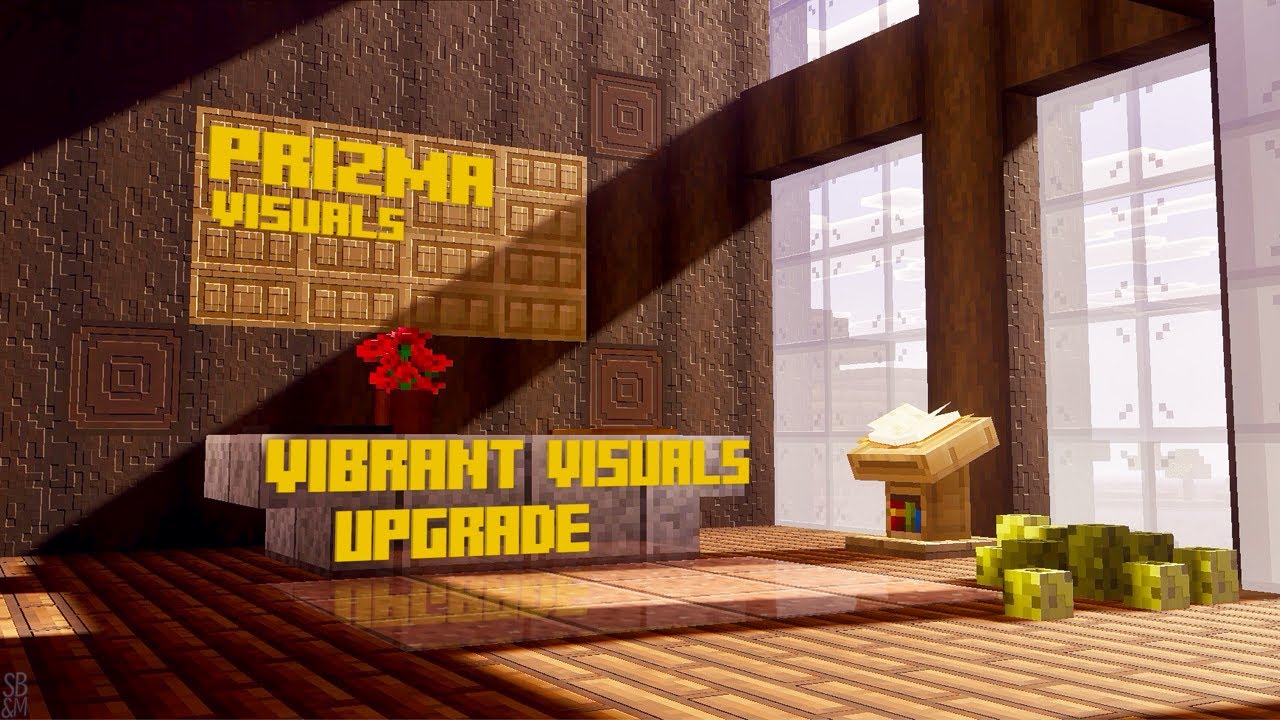
Vibrant Visuals has allowed Shader Pack Creators to take advantage of the amazing technology behind it, today I’m on Minecraft Preview using Vibrant Visuals with Prizma Visuals! Safe to say, we’ve got a lot to be looking forward too!
Prizma Visuals - https://mcpedl.com/prizma-pbr-deferred-pack/
Community Discord - https://discord.gg/3MMuAC...
quick nymph
slow patrol
https://youtu.be/CkqddsyhQ5E?si=UyMufTPBGTz7j9qL
The first sentence is not true: vibrant visuals has in laid the groundwork for some incredible shader packs
slow patrol
🤷♀️
quick nymph
Also it sounds like the person doesn't have any knowledge of graphics (in mc bedrock) because they keep repeating the same stuff. "Like I don't know how they did that, making the blocks look so 3d" It is called pbr. They also keep using the words "shader pack" 😡. Pretty much the entire video is just commenting on the ssr and pbr...
long ruin
quick nymph
Also it sounds like the person doesn't have any knowledge of graphics (in mc bed...
Al3xis responded in the comments about it
gentle grotto
slow patrol
https://youtu.be/CkqddsyhQ5E?si=UyMufTPBGTz7j9qL
That entire video is triggering
quick nymph
gentle grotto
That entire video is triggering
fr
 white willow
It honestly sounded like bro found one thing then decided to glaze the hell out of it just because
No offense to prizma as mentioned it deserves it but still
Bro says it looks so 3D when it's a heightmap 😭
proud pike
white willow
Bro says it looks so 3D when it's a heightmap 😭
the person making the video simply doesn't have any real in-depth knowledge about graphics, to them it just seems a prettier version of regular VV lol
tribal trail
white willow
Bro says it looks so 3D when it's a heightmap 😭
I mean, for someone who doesn't know shit about graphics they will be amazed by pbr
Most players don't know anything about graphics and expecting that is not realistic
proud pike
true...
quick beacon
If your deferred pack is crashing in the most recent preview (or any other resource pack), I suggest you update your biomes folder's format version to 1.21.70 to resolve the crash.
wise hinge
ohh that's why my pack didn't crash
But im also curious about why some packs are laggy in the nether..
 white willow
wise hinge
But im also curious about why some packs are laggy in the nether..
white willow
wise hinge
But im also curious about why some packs are laggy in the nether..
I don't know because I get better performance in the nether
wise hinge

analog totem
quick beacon
If your deferred pack is crashing in the most recent preview (or any other resou...
can't mods pin📌 this message
quick beacon
quick beacon
If your deferred pack is crashing in the most recent preview (or any other resou...
Anyway, here's a cool screenshot I took with BRTX
 analog totem
fire 🔥
quasi trench
 quick nymph
quick beacon
If your deferred pack is crashing in the most recent preview (or any other resou...
quick nymph
quick beacon
If your deferred pack is crashing in the most recent preview (or any other resou...
Is there any easy way to do this or do I have to go through each one manually?
Yikes! That was a lot of replacing!
white willow
quick nymph
Is there any easy way to do this or do I have to go through each one manually?
If you do development on windows and use visual studio code, it has the option to do a batch search and replace
white willow
quick nymph
Yikes! That was a lot of replacing!
Oh...
quick nymph
Yeah I just did it manually...
quasi trench
despite the biome files being all brokey in this preview, it has been pretty exciting for vibrant visuals performance
unless the issue has improved performance at least
but anyways max settings in 4k performance has improved even more
in the overworld its almost playable in barren biomes such as the desert or mesa
in the nether… its nearly entirely playable, just dont get to close to glowstone or your own nether portal for too long
turning upscaling to 75% is when things become undoubtedly playable


the biggest issue comes down to.. you guessed it: pointlight shadows
unfortunately setting it to low seems to barely improve the performance whereas before(for a couple previews) you got the best of both worlds
setting that setting to off is the only real way to preserve performance around torches still
but instead of 1/2 my performance, it seems to have tanked only 1/3?
so even though its a large issue it’s being handled
ssr once again might have had performance improved
only tanking i really notice is in 4k, but it maintains around mid 30s vs completely bottoming out at 26
and the input delay is not as abysmal due to performance stress
overall very good stuff to see, with only one more day of waiting for next time
safe urchin
quick beacon
If your deferred pack is crashing in the most recent preview (or any other resou...
so do i change all of these ?

ok i saw the messages above about it
thanks for letting us know
quasi trench
if the mesa bryce biome folder has 1.21.90 change it to .70
gave me an error within the in-game logs & i haven’t bothered to go look
oh wait thats prizma instead
safe urchin
rtx experience


 tribal trail
safe urchin
so do i change all of these ?
tribal trail
safe urchin
so do i change all of these ?
I will release update soon
safe urchin
safe urchin
rtx experience
just a bug happens with me whenever i change to ray tracing inside a world (leaving and joining the world fixes it)

 wise hinge


ornate hollow
😢 yes
shadow medium quality performance between low
it's not playable
5-6 fps drops
in 30 fps
 fluid holly
luminous dreams in base game with biomes and beyond


a lot of features r missing like sss i think but i thought it still looked nice
white willow
fluid holly
luminous dreams in base game with biomes and beyond
Both base game and LS have SSS. Not sure why it wouldn't be showing up
Unless you're using some ancient LD version but it has normalmaps so I'm inclined to believe it's latest
fluid holly
white willow
Both base game and LS have SSS. Not sure why it wouldn't be showing up
probably because of other custom texture packs that are above ld
white willow
Ah

 quick beacon
The holy chest minecart
daring jewel
Fr

 ornate hollow
 remote tree
For anyone who's looking to turn on Ray Tracing after the new 1.21.90 update, here's what you need to know:
Make sure Allow In-Game Graphics Mode Switching is turned on, then you can enter a world and change the graphics mode to Ray Traced. It doesn't work in the main menu due to this bug:
Ray Tracing can only be enabled while loaded in a world
https://bugs.mojang.com/browse/MCPE/issues/MCPE-191513
Also keep in mind that you'll need to toggle the Allow In-Game Graphics Mode Switching option off and on again every time you reopen the game to make sure PBR textures still load. Bug report for that here:
"Allow In-game Graphics Mode Switching" must be toggled on for PBR textures to load with Ray Tracing
https://bugs.mojang.com/browse/MCPE/issues/MCPE-220313
crisp mangoBOT
remote tree
For anyone who's looking to turn on Ray Tracing after the new 1.21.90 update, he...
Status
To Do (Reopened)
Resolution
Unresolved


 hearty seal
tribal trail
hearty seal
tribal trail
What did ur new update change
 white willow
long ruin
random picture of vv while im away from the pc
white willow
long ruin
random picture of vv while im away from the pc
In some cases they absolutely nailed default VV
I love this
long ruin
Same