#Graphics General
1 messages · Page 15 of 1
 quasi trench
weird
quasi trench
mojang fixy
 white willow
this issue also causes every villager outfit to be 100% smooth so they reflect like crazy
This also extends to the cracks on iron golems except those don't become shiny they just don't do anything
white willow
allow me to introduce, the most realistic sky im ever going to create within deferred


 white willow
 vague shoal
Animated cubemaps when
vague shoal
Animated cubemaps when
to be honest, not very necessary along with the fact that they would just eat up pack storage size. tbh its not super worth. and the deferred sky when configured correctly is REALLY good. i dont see a point for it
 faint snow
white willow
allow me to introduce, the most realistic sky im ever going to create within def...
faint snow
white willow
allow me to introduce, the most realistic sky im ever going to create within def...
Is there anyway to make clouds more transparent?
vague shoal
white willow
to be honest, not very necessary along with the fact that they would just eat up...
But I need better clouds
☹️
faint snow
Another question are you able to apply reflections to clouds?
vague shoal
Deferred sky needs to be better too
faint snow
faint snow
Another question are you able to apply reflections to clouds?
I feel like the slightest amount of reflections on it would make it look better
Idk
white willow
faint snow
Is there anyway to make clouds more transparent?
no clouds are completely vanilla and unmodifiable by anything
white willow
ive tested messing with cloud fog settings and those dont do anything in deferred
which was how you made them more or less transparent in rtx
 graceful iron
white willow
no clouds are completely vanilla and unmodifiable by anything
graceful iron
white willow
no clouds are completely vanilla and unmodifiable by anything
I mean, there’s always BetterRD right?
white willow
yes but in normal deferred its not possible
graceful iron
oh yeah
white willow
of course you can write a shader to fix that
 sonic canopy
Just found out that, on ultra settings, 75% of the frame is dedicated to vol fog rendering
white willow
oh neat
 pale urchin
sonic canopy
Just found out that, on ultra settings, 75% of the frame is dedicated to vol fog...
pale urchin
sonic canopy
Just found out that, on ultra settings, 75% of the frame is dedicated to vol fog...
Welp, that explains it
graceful iron
sonic canopy
Just found out that, on ultra settings, 75% of the frame is dedicated to vol fog...
out of curiosity, what’s the performance difference between Ultra and High Vol Fog
 tribal trail
vague shoal
But I need better clouds
tribal trail
vague shoal
But I need better clouds
Just wait?
tribal trail
vague shoal
Deferred sky needs to be better too
Sky is fine and everything depends on what you set in the pack
white willow
vague shoal
Deferred sky needs to be better too
its literally not bad at all. it uses a fairly advanced and accurate sky scattering model. as i said, when you actually finally figure out how it works, its actually really good and has some incredible fine details you wont ever see normally
look here for example. the sky by the sun is much lighter than the sky away from it. ive never noticed this till i figured out the formula to the sky
 tribal trail
Sky is fine and everything depends on what you set in the pack
tribal trail
tribal trail
Sky is fine and everything depends on what you set in the pack
Fine = i like it, don't know if deferred sky is near accurate, but it's cute and it's giving
white willow
tribal trail
Fine = i like it, don't know if deferred sky is near accurate, but it's cute and...
from what ive heard from madlad its near identical to the custom rayleigh sky in betterRTX
sonic canopy
graceful iron
out of curiosity, what’s the performance difference between Ultra and High Vol F...
75% vs 24%; overall framerate improved by a factor of 3.4
white willow
yessir

i was a deferred sky hater for a good amount of time
until yesterday
when i got VERY experimental with some settings and actually decided to play around with them
like ngl, i feel ive made deferred look fairly solid without fog. tbh i kinda prefer my new pack version without fog at times
 tribal trail
white willow
i was a deferred sky hater for a good amount of time
tribal trail
white willow
i was a deferred sky hater for a good amount of time
I told you it's fine from the beginning 🙄
white willow
tribal trail
I told you it's fine from the beginning 🙄
yes an i completely retract every statement ive ever made in negativitey about it
sonic canopy
white willow
like ngl, i feel ive made deferred look fairly solid without fog. tbh i kinda pr...
Clouds do need some shading tho, even just getting lit by sunlight on one of the sides would go a long way
tribal trail
white willow
like ngl, i feel ive made deferred look fairly solid without fog. tbh i kinda pr...
Who's that diva
white willow
sonic canopy
Clouds do need some shading tho, even just getting lit by sunlight on one of the...
yes i agree. cloud shading would be good
tribal trail
white willow
yes an i completely retract every statement ive ever made in negativitey about i...
I'm always right 🙄
sonic canopy
You can probably make a custom entity with semitransparent model to simulate how that would look
white willow
probably yea
but i feel like ive got the actual look of the sky down pretty damn good
tribal trail
white willow
like ngl, i feel ive made deferred look fairly solid without fog. tbh i kinda pr...
Won't it look bad with vol. fog?
white willow
tribal trail
Won't it look bad with vol. fog?
yes and no. the sky shines throught the fog very well because its bright. its jsut the horizon gets muted a little
i need to rework my fogs for this new sky
cuz they dont work very well
vague shoal
white willow
when i got VERY experimental with some settings and actually decided to play aro...
Gimme the sky pack plz
white willow
not ready to release it yet
vague shoal
☹️
white willow
theres some horrible bugs atm
vague shoal
Still need better/custom clouds tho
tribal trail
vague shoal
Still need better/custom clouds tho
Just wait for Mojang to add them
vague shoal
I do like night sky tho
tribal trail
They are cooking
vague shoal
tribal trail
Just wait for Mojang to add them
What if they don’t add them 💀
tribal trail
🤷♀️
vague shoal
Yay
white willow
not sure where in my keyframes the sky turnes white or why
 vague shoal
white willow
not sure where in my keyframes the sky turnes white or why
vague shoal
white willow
not sure where in my keyframes the sky turnes white or why
Alr that’s good
tribal trail
white willow
not sure where in my keyframes the sky turnes white or why
That looks kinda cute
vague shoal
Imagine what marketplace creators will do
white willow
tribal trail
That looks kinda cute
i mean i could leave it
vague shoal
With deferred sky
white willow
i just cant seem to figure out where it happens
oh after noon the sky clips to my old sky 💀
oops
cleaned up the sky transition for sunset to ngiht
although the horizon doesnt do what i wnat it to be doing right now
but its P R O G R E S S
I also think the sky could be more blue during the day but the reason it is the way it is right now is to keep the ibl reflections lower
and the way i have it set up as well, ibl reflections apply much more strongly to things pointed away from the sun
 remote tree
white willow
from what ive heard from madlad its near identical to the custom rayleigh sky in...
remote tree
white willow
from what ive heard from madlad its near identical to the custom rayleigh sky in...
Definitely not identical, just similar
white willow
ah my bad
 mossy verge
vague shoal
Custom clouds when
mossy verge
vague shoal
Custom clouds when
~~After shader support ~~
white willow

dual colored horizon 👀

i think ive finally cracked the code on how to make the sky look good 
 blazing whale
white willow
blazing whale
white willow
Amazing, I haven't found a way to use the Atmospherics JSON Schema for two colors on the sky horizon
 white willow
blazing whale
Amazing, I haven't found a way to use the Atmospherics JSON Schema for two color...
white willow
blazing whale
Amazing, I haven't found a way to use the Atmospherics JSON Schema for two color...
it requires very precise timings, along with very specific times of day
i might be able to replicate it under other circumstances but im not entirely sure how i got it
blazing whale
Thank for information
white willow
ive done it again, at an even earlier time of day
 white willow
quasi trench
at this point im just wanting cloud buffs
white willow
quasi trench
at this point im just wanting cloud buffs
For sure. Even if it's just proper shading. I feel like I have them fitting in really well with my current sky they just need shading
quasi trench
yeah it would give it that rtx feel
white willow
Just please no cloud Z fighting and chunk unloading problems 😭
Of course these wouldn't happen but the horror of watching chunks unload and clouds bugging horribly 😅
 slate shuttle
Does anyone has something like default template pack for deffered? I have one that is like 4 months old and it doesn't works anymore
just some basic deffered settings no special textures or other things just default deffered pack
or if someone could tell me what is wrong here
 white willow
slate shuttle
Does anyone has something like default template pack for deffered? I have one th...
white willow
slate shuttle
Does anyone has something like default template pack for deffered? I have one th...
I do have one but it'll need some formatting fixes
Which I can set up for you when I'm done with class. I just have to move the format version to the correct location
slate shuttle
ohh got it thank so much
white willow
It's contains everything you'll need. And all the new client biometrics files too. (You'll have ti rename the fog identifiers of course)
slate shuttle
don't rush, focus on school rn
white willow
@slate shuttle here you go! This sample pack contains comments that would also help to understand what the different settings do as well
all the formatting should also be correct
 silent zealot
slate shuttle
We should create page with templates for Wiki
silent zealot
slate shuttle
We should create page with templates for Wiki
MS Docs have the schemas and everything.
slate shuttle
silent zealot
MS Docs have the schemas and everything.
Well ya but its splited across the pages and i got the errors above anyways
silent zealot
slate shuttle
Well ya but its splited across the pages and i got the errors above anyways
I kind of like it being split. Also the erros is just a mistake is all. 🤷
slate shuttle
silent zealot
I kind of like it being split. Also the erros is just a mistake is all. 🤷
well i didn't manage to success and all i did was just coping all from the docs
thats why templates that are well tested are foolproof
silent zealot
There's really no point in just mirroring the MS Docs.
Templates 👎
Guides and proper docs 👍
slate shuttle
not saying anything about dosc jsut pages dedicated to templates across the all kinds, like scripting api emplate, editor extension template, and more
just for fast project setup
slate shuttle
silent zealot
Templates 👎
Guides and proper docs 👍
well sometimes you got errors that are hard to fix and templates would help better than docs
silent zealot
slate shuttle
well sometimes you got errors that are hard to fix and templates would help bett...
Both templates and docs can have errors.
slate shuttle
templates are posted after testing so it should work for specific version
but docs are harder and not foolproof just changing folder name by incident could cause problems
but template is just ready
silent zealot
We can agree to disagree. I much rather have docs and guide.
slate shuttle
of course you can not just have template, but template helps you with first setup, then use docs anf guide to learn from it
docs are guides are the main point for everything but templates just speeds up the setup and helps you with barebone example
if you know what i mean
i agree with you, i just think that templates are also part of the learning for begginers and helps the newbies
editor team also thinks and provides templates 🤓
just sayin
remote tree
Currently working on getting emission working for the enchantment glint

 long ruin
Oh nice
white willow
working on an aces "emission fix"

ive identified why emissives get completely overblown and near pure white while using aces
its the white clip value. we unfortunately do not have control over this at this time but if you darken the texture you can completely avoid this issue
and you get to keep the fantastic colors of aces as well
this is very much a bandaid fix while we wait for a more advanced tonemapping solution to come out
tribal trail
white willow
working on an aces "emission fix"
It still looks very white to me 🤷♀️
white willow
tribal trail
It still looks very white to me 🤷♀️
the before was way worse. plus i have emissive desaturation on as well
also having emissive desaturation off made no difference
before

after

 wise hinge
woww that is absolutely "fixed"!!
Looks like Complementary unbound
 earnest sierra
It looks great
white willow
I had more examples of my fixing this but I went to sleep 💀
Before

After

This one I killed too much and have adjusted
But
This "fix" does come with issues like things without deferred on and in the inventory look a bit funky
Since I have to darken the texture to reduce its white point essentially
Does this sound like a lot of work? Yes. Could I just use hable and avoid this? Also yes but I haven't been able to get the same deep reds and whitish yellows with hable
ACES has given me far better colors and I'm willing to put in this work for it
graceful iron
remote tree
Currently working on getting emission working for the enchantment glint
That’s sick!
Is that BetterRTX’s doing or a resource pack?
remote tree
graceful iron
Is that BetterRTX’s doing or a resource pack?
BetterRTX. It's a new feature coming go the mod in the next experimental preset release
 rocky halo
Folks - @ me replies to the worse possible screenshots you've seen using Deferred lately!
Because on #1182095383015456829 there aren't things like me 😔
 jagged badge
This looks like bait for making a video titled "Look at how UGLY Bedrock's SHADERS are!"
tribal trail
rocky halo
Folks - @ me replies to the worse possible screenshots you've seen using Deferre...
Sure

(my noon before my pack update)
tribal trail
rocky halo
that's good
After update it's good
 rocky halo
jagged badge
This looks like bait for making a video titled "Look at how UGLY Bedrock's SHADE...
rocky halo
jagged badge
This looks like bait for making a video titled "Look at how UGLY Bedrock's SHADE...
go #1182095383015456829
rocky halo
tribal trail
After update it's good
yes maybe
pale urchin
tribal trail
Sure
Sit down. You can't provide
tribal trail
rocky halo
Because on <#1182095383015456829> there aren't things like me 😔
Do you have everything on ultra?
rocky halo
tribal trail
Do you have everything on ultra?
me on ultra I get average 11 fps so I don't test it with ultra
pale urchin
Everything except fog
 wicked current
I cant wait for the deferred technical preview to be done already 😭
I'm tired of having to play these beautiful shaders on the beta version of Minecraft
faint snow
Hope you can wait a year!
Most likely there’s still features to be added, bugs to be fixed, and of course, optimizations!
tribal trail
wicked current
I'm tired of having to play these beautiful shaders on the beta version of Minec...
There is no shaders for preview
What you use are deferred packs
-_-
wicked current
tribal trail
What you use are deferred packs
No shit sherlock
wicked current
faint snow
Most likely there’s still features to be added, bugs to be fixed, and of course,...
It will be worth the wait for sure
tribal trail
wicked current
No shit sherlock
It's not shaders 🙄
wicked current
tribal trail
It's not shaders 🙄
Read the message again
"No shit, sherlock", do you get it?
graceful iron

 harsh blaze
Hello!
quasi trench
they were talking about YSS SE or something probably
but then that means they’re not actually playing beta version
they’re wrong in some way but which way is the question
quasi trench
mojang has been doing some big optimization in my experience
changing the settings doesn’t influence my fps much anymore
sometimes to the point where it seems that theres no difference
difference between ultra fog and no fog is now a whopping 4-5 fps for me
beforehand that setting tanked down anything
although it still looks way more stuttery with it on but idk if its because every frame matters at such a range
regardless it’s still going big
faint snow
How much fps do you get in deferred?
Cause 4-5 could be a lot if your on mobile and get like 30

 quick beacon
quasi trench
difference between ultra fog and no fog is now a whopping 4-5 fps for me
quick beacon
quasi trench
difference between ultra fog and no fog is now a whopping 4-5 fps for me
I remember ultra fog on ultra shadows would lock the game to 30FPS
I never checked if that has been improved.
white willow
quick beacon
I remember ultra fog on ultra shadows would lock the game to 30FPS
I was never able to see 60fps with ultra settings on 1440p. I have hit 60 recently on all ultra
sonic canopy
Personally, I found the game to be much slower in recent updates. There are some serious fps drops that happen when first entering the world (vanilla graphics)
 rich yoke
How can you make a block texture glow, stable if possible?
silent zealot
rich yoke
How can you make a block texture glow, stable if possible?
Nope.
Deferred isn't stable.
rich yoke
What about in exp? How you do it?
 proud pike
PBR
basically this, but for deferred
https://www.nvidia.com/en-in/geforce/guides/minecraft-rtx-texturing-guide/
NVIDIAGeForce
Learn how to create new PBR textures for Minecraft with RTX that work with its immersive path-traced ray tracing, by following our step-by-step texture and resource pack guide.
both RTX and Deferred use the same PBR system
though deferred has its own nuances at certain things
silent zealot
rich yoke
What about in exp? How you do it?
proud pike

rich yoke
Okay, I'll check those out later, thanks
sonic canopy
rich yoke
How can you make a block texture glow, stable if possible?
Only stable way without deferred or RTX is by rendering block or just the emissive pixels as particle or by making it a light source
Or shaders, but I don't suppose it counts as stable
rich yoke
sonic canopy
Only stable way without deferred or RTX is by rendering block or just the emissi...
They fixed the light source thing 😔

I think having it as particle is quite complicated for something like this sadly
slate shuttle
TF I am still getting this error 😭

@white willow Sorry for ping but i am using your default file but it still errors
{
    "format_version": "1.21.40",
    "minecraft:lighting_settings": {
        "description": {
            "identifier": "Sample:Global"
        },
    "directional_lights": {
        "sun": {
            "illuminance": { //how bright the sun/moon is
                //TIME OF DAY KEYFRAMES: determines the illuminance of the sun at different times of day
                "0.0": 109880.0, //noon
                "0.25": 20000.0, //sunset
                "0.35": 400.0, //night
                "0.5": 1.0, //midnight
                "0.65": 400.0, //early sunrise
                "0.75": 20000.0, //sunrise
                "1.0": 109880.0 //day
            },
            "color": [ 255.0, 255.0, 255.0, 255.0 ] //determines color of the sun. this can also be keyframed
        },
        "moon": {
            "illuminance": 0.27,
            "color": "#ffffffff"
        },
        "orbital_offset_degrees": 3.0 //determines the rotation path of the sun and moon. this value can be keyframed
    }
    },
    "emissive": { //determines qualities for emissive textures
        "desaturation": 0.1 //determines how much emissive textures will be desaturated
        }
}
The content log is for the fog file. Additionally, don't use capital letters in ids or namespaces.
slate shuttle
silent zealot
The content log is for the fog file. Additionally, don't use capital letters in ...
its copy pasted i forgot to change it, i thought the [Lightning][Error] is related to lighning folder only
silent zealot
slate shuttle
<@575765209785040908> Sorry for ping but i am using your default file but it sti...
Additionally, your JSON is incorrect.
This is why it's wise to use a JSON linter and read the docs. Your emissive is outside the lighting_settings.
slate shuttle
maybe i should told to @white willow, check lightning/global.json it could be wrong
silent zealot
That's why use docs.
white willow
slate shuttle
maybe i should told to <@575765209785040908>, check `lightning/global.json` it c...
Everything worked when I sent it over
But clearly there is something wrong now
And I'll check and review it when I have time
slate shuttle
silent zealot
That's why use docs.
Docs doesn't works as well
thats what i tried in the first place
silent zealot
slate shuttle
Docs doesn't works as well
🤷 Works for me. I immediately knew what was wrong as soon as I linted your JSON because of the docs.
slate shuttle
then whats wrong with this one
{
    "format_version": "1.21.40",
    "minecraft:lighting_settings": {
        "description": {
            "identifier": "my_pack:default_lighting_"
        },
        "directional_lights": {
            "sun": {
                "illuminance": {
                    "0.0": 109880.0,
                    "0.25": 20000.0,
                    "0.35": 400.0,
                    "0.5": 1.0,
                    "0.65": 400.0,
                    "0.75": 20000.0,
                    "1.0": 109880.0
                },
                "color": [ 255.0, 255.0, 255.0, 255.0 ]
            },
            "moon": {
                "illuminance": 0.27,
                "color": "#ffffffff"
            },
            "orbital_offset_degrees": 3.0
        },
        "emissive": {
            "desaturation": 0.1
        },
        "ambient": {
            "illuminance": 0.02,
            "color": "#ffffffff"
        }
    }
}
1:1 with docs

same error
silent zealot
The issue with the content log is now it doesn't specify the files. Are you sure you don't have any other files that can cause this issue? Because your JSON does NOT match the docs.
 silent zealot
i was referring to your first one.
Again, the issue:
The issue with the content log is now it doesn't specify the files. Are you sure you don't have any other files that can cause this issue?
slate shuttle
silent zealot
i was referring to your first one.
first one was docs, then i tried to use sample by Quircky and now i am trying docs as well
slate shuttle
silent zealot
Again, the issue:
> The issue with the content log is now it doesn't specify the...
I do have
let me delete everything then
looks like it was different file then i have to found out which one
silent zealot
✨ Docs.
@still zenith , could the graphics team please have a more verbose error logs? If you can, read up on the past few messages. It's hard to know "Lighting error" when y'all split up the lighting file a few previews back.
white willow
The amount of times I've been asked to diagnose "Lighting error" is crazy. I have no idea which file to even look in
slate shuttle
Looks like part of the error is PBR/global.json does anyone knows where the docs are for this part?
silent zealot
slate shuttle
Looks like part of the error is PBR/global.json does anyone knows where the docs...
slate shuttle
silent zealot
https://discord.com/channels/523663022053392405/1270171053561217214
https://learn.microsoft.com/en-us/minecraft/creator/documents/deferredlighting/pbrresourcepacks?view=minecraft-bedrock-stable
Does really says anything related to bpr/global.json

PBR Resource Packs section of Deferred Lighting in Minecraft: Bedrock Edition.
i am looking for docs for this file
{
  "format_version": "1.21.40",
  "minecraft:pbr_fallback_settings": {
    "blocks": {
      "global_metalness_emissive_roughness_subsurface": [
        0,
        0,
        255,
        100
      ] //RGBA format. red = metalness, green = emissiveness, blue = rougness, alpha = subsurface scattering
    },
    "actors": {
      "global_metalness_emissive_roughness_subsurface": [
        0,
        0,
        255,
        0
      ]
    },
    "particles": {
      "global_metalness_emissive_roughness_subsurface": [
        0,
        0,
        255,
        0
      ]
    },
    "items": {
      "global_metalness_emissive_roughness_subsurface": [
        0,
        0,
        255,
        0
      ]
    }
  }
}
Lighting Customization section of Deferred Lighting in Minecraft: Bedrock Edition.
 slate shuttle
silent zealot
Wrong one:
https://learn.microsoft.com/en-us/minecraft/creator/documents/deferre...
slate shuttle
silent zealot
Wrong one:
https://learn.microsoft.com/en-us/minecraft/creator/documents/deferre...
Well i still can't found the documentation for that file
only what it says its
The "pbr" object is meant to complement the larger Texture Set functionality by acting as a default or fallback value when texture set detail isn't provided for particular blocks, entities, particles, or items. For example, if you provide texture sets for pigs and creepers, but no other entities, then, when a cow is rendered in game, the "global_metalness_emissive_roughness_subsurface" value defined in pbr/global.json will be applied uniformly across the entire surface of the cow. This allows you to quickly provide a general art direction without having to author textures for every single game object initially, and iteratively add more detail to the blocks/entities as you see fit.
Values can be described either as an array of 4 numerical values from the range 0-255, or as a 4 hexadecimal digit string.
silent zealot
slate shuttle
Well i still can't found the documentation for that file
Did you...scroll down?
slate shuttle
Damn how did i miss it 💀
slate shuttle
silent zealot
Did you...scroll down?
Well so i used the docs default but it throws even more errors then before
i am sorry that i am asking that stupid questions here but i have absolutely no idea what is happening

This is waht i have and boths files are 1:1 with docs
and thats errors what i am getting

If anyone has any ideas then let me know
silent zealot
Maybe upload your configs here?
It's hard to help if we don't know what you have done.
slate shuttle
silent zealot
Maybe upload your configs here?
like manifest? or just all files
?
Here are both files that i use
silent zealot
slate shuttle
and thats errors what i am getting
Well...this clearly says it's expecting RGBA or a Hex value of 8, so is there a file that doesn't have this? Or alternatively, is there a file that has RGBA?
slate shuttle
silent zealot
Well...this clearly says it's expecting RGBA or a Hex value of 8, so is there a ...
idk
these two files is all what i have
and they have both HEX and array of RGBA 0 - 255 values
silent zealot
@still zenith
Oh wow, another feedback I have, almost all instances of actors have been renamed to entities in almost all other APIs. Could we see a similar change for Deferred? Example:
Actor properties -> entity properties
Editor: Pause actors -> pause entities
slate shuttle
i will try develop deferred addon in next two month maybe the experience for beginners would be better next time
@silent zealot Not sure if you have some time, but do you think you could also try to create deferred pack from scretch only using the docs examples? I wonder if its problem in the examples it self
silent zealot
I havne't touched deferred since the winter drop first preview.
wise hinge
slate shuttle
and thats errors what i am getting
I had the exact same issue 1month ago but couldn't find out problems with my Lighting/global.json
Even json validator couldn't fix. And tried to repair Preview, restart Graphics driver...was meanless
So I reinstalled the preview, then got fixed
slate shuttle
Hmmm, i don't want to do that 😭
wise hinge
copy and paste your Development resource pack folder to another location
harsh blaze
Hello guys, do you know why I have this issue with pots? I have color, mer and heightmap

only in hand when im on first person
still glitched?
 wild jay
Hello! I don't know if this is the right channel, but I have a problem with Deferred Rendering, it won't let me activate it! And as far as I've seen, I have the right system requirements to let me enable it, but it doesn't (I'm probably wrong)
Does anyone know what's happening? And how I can fix it if possible?


 mossy verge
wild jay
Hello! I don't know if this is the right channel, but I have a problem with Defe...
mossy verge
wild jay
Hello! I don't know if this is the right channel, but I have a problem with Defe...
DirectX 12 support is required to enable deferred rendering in windows but the game is clearly showing its running directX 11
 mossy verge
Idk but I have seen people using a software named better renderdragon to force minecraft to use dx 12 if it's supported on pc
wild jay
Could it be that I have outdated drivers?
mossy verge
Perhaps
wild jay
mmm, thanks, I'll see if I can fix it!
wild jay
mossy verge
Idk but I have seen people using a software named better renderdragon to force m...
Better RD works xD

ty!

 viscid moth
harsh blaze
still glitched?
viscid moth
harsh blaze
still glitched?
In hand yes
blazing whale
wild jay
Better RD works xD
What version better rd?
wild jay
blazing whale
What version better rd?
the last posted in github

GitHub
支持1.21.2.2正式版和1.21.30.22预览版
Support 1.21.2.2 Release and 1.21.30.22 preview
blazing whale
Ok
 dusty whale
Will the Android version of Minecraft Bedrock Edition switch to the Vulkan graphics API in the future?🤔🤔🤔
wise hinge
-# i want to code clouds
white willow
SSS affected by point lights is great
And the cubemap appearing in reflections being fixed 🙏
before

after

this looks soo good
before

after

idk if you can even tell 😭
either way the ibl on blocks does look better
or at least it feels better
white willow
idk
it looks better without seeing those gaps in the cubemap though
but ive also adjusted my sky so its not too bright but also not too dark
 real berry
white willow
after
real berry
white willow
after
This looks so great!
white willow
for sure
i love it
also, idk if any optimizations got through but im seeing... 90fps at 1440p at 75% resolution on near all ultra settings. i usually get around 70
or this new nvidia driver is just good lol


 faint snow
white willow
faint snow
white willow
First screenshot is just
So good
Hopefully light leaking is fixed within the next 3 months
I really don’t like it
white willow
faint snow
First screenshot is just
i think my favorite one here is the quartz one. its so subtle but looks so clean
 tribal trail
proud pike
Seems about the same
tribal trail
proud pike
Seems about the same
literally
 tribal trail

 white willow
uhhhhhhhhhhhh is this uhhhhhhhhhhhhhhhhh
white willow
white willow
uhhhhhhhhhhhh is this uhhhhhhhhhhhhhhhhh
even my sky colors are messed up
what
it was fine just a minute ago

oh i see
hm it looks like the vanilla sky color affects clouds far more now than it did before
pale urchin
white willow
hm it looks like the vanilla sky color affects clouds far more now than it did b...
Well I guess that's good?
Although now it's just dark
white willow
yeah idk. i switched to vanilla visuals and had the same issue persist
so it definitely seems that way
nvm its just not happeing now
it seems like a bug
i changed biomes and everything and now they look normal again. so does my sky
 vague shoal
white willow
hm it looks like the vanilla sky color affects clouds far more now than it did b...
vague shoal
white willow
hm it looks like the vanilla sky color affects clouds far more now than it did b...
👀

white willow
vague shoal
👀
found out this looks to be some random bug
because its not doing it now and i havent changed anything
vague shoal
☹️
white willow
yep it was just a random bug
tribal trail
 vague shoal
Is there anything new in the renderer folder?
silent zealot
vague shoal
Is there anything new in the renderer folder?
New? No.
vague shoal
☹️
tribal trail
does anyone know where the barrier block texture is stored?
quick beacon
items texture folder I would assume
tribal trail
can't find it
quick beacon
3 possible places are items, blocks and maybe entities.
Yep, it's in the blocks folder
harsh blaze
guys do you know why between Midnight and sunrise my illumination looks like this?
 harsh blaze
fixed xD
wise hinge
harsh blaze
guys do you know why between Midnight and sunrise my illumination looks like thi...
i have this issue😭 how did you fixed
harsh blaze
wise hinge
i have this issue😭 how did you fixed
ambient": {
"illuminance": 0.02, <------ This value
"color": "#ffffffff"
}
"The "ambient" object allows for some control over how surfaces are lit when there are no other sensible light sources available. For instance, imagine a scene with no direct or indirect light sources, like a dark cavern with no torches or lava."..........."The "illuminance" value corresponds to the strength, in lux (lx), of the ambient light, and should be kept quite low in general. The allowed range for this value is 0.0 - 5.0."
Lighting Customization section of Deferred Lighting in Minecraft: Bedrock Edition.
Hope this helps 🙂
Am I the only one who doesn't see the moon?
 white willow
wise hinge
crying
white willow
wise hinge
crying
what is the exact time of day used here. i wanna see if i have the same issue
13000, 13100, 13200, 13300 (in game times)


there may be a config issue somewhere
quasi trench
tribal trail
WOLFERS PBR
quasi trench
tribal trail
SHEEP PBR
quasi trench
optimizations are getting somewhere
on all settings maxed out with 33% resolution im getting around 30fps in a normal throttled situation
phone eventually throttled even more and hovered around 25fps thereafter
with resolution maxed out i get this

around 11-13fps
quasi trench
quasi trench
on all settings maxed out with 33% resolution im getting around 30fps in a norma...
turning it down to medium fog at this setting granted me middle 30s
33-37fps
in my experience the other settings dont affect my fps much so those are my tests worth doing
wise hinge
white willow
13000, 13100, 13200, 13300 (in game times)
13600-13800

and 13500

color grading operator is hable
harsh blaze
harsh blaze
ambient": {
"illuminance": 0.02, <------ This value
"col...
didnt work for you?
tribal trail

 wise hinge
harsh blaze
didnt work for you?
wise hinge
harsh blaze
didnt work for you?
ye, didnt work
tribal trail

 harsh blaze
wise hinge
ye, didnt work
harsh blaze
wise hinge
ye, didnt work
mmm I think its a bug, because if I use /time set night and then /time add 500, my illumination breaks... I dont know whats happening
quick beacon
It only happened in Editor for me.
sonic canopy
Time can also be negative, if you use time add -XYZ a lot, which can break some stuff
Afaik you can query current time with time get command
harsh blaze
sonic canopy
Time can also be negative, if you use time add -XYZ a lot, which can break some ...
I think that must be it because if I use a repeating command block with /time add 20 to create a timelapse, everything looks fine.
I will keep testing
sonic canopy
You can just check current day or time with a command in the affected world with a command and see what it returns
wise hinge
okay thanks for info! i'll,check
 crisp mangoBOT

Reported by
xiaolongMC6746
Votes
0
Project
Created
<t:1727454609:R>
Updated
<t:1732114931:R>
Status
To Do (Open)
Since version
1.21.40.23 Preview
Resolution
Unresolved
Fix version
Unset
 wise hinge
it's already been reported in Mojira
and I could see this problem when using documents’ values
harsh blaze
You should ask creators like @quick beacon , who probably use more precise values. Poggy's luminous dreams, in particular, looks really nice.
wise hinge
 wise hinge
k
white willow
wise hinge
13600-13800
This issue did not appear for me at that time either


It's a problem with the config somewhere
harsh blaze
white willow
It's a problem with the config somewhere
I think the problem is with the moon, which never appears in my texture pack despite being configured
harsh blaze
I think the Minions stole my moon.
 wise hinge
played zenith and horizon color for a long time,
When the sky zenith is completely black (rgb; 0, 0, 0 ) , it never happens
white willow
Hm
I don't have an answer for this unfortunately
There is a period of time, probably around like 12900 and 13100 where the sun and moon lighting completely flips
And the only thing I can think of is it doesn't turn the lighting back on
Which is weird and likely not common
This is also just a very rough assumption
You can see that happen here actually
Where the sky darkens then lightens again
Actually more that I look at it, that may not be the case
wise hinge
Omg so beautiful
wise hinge
I think that's because my moon's color somehow doesn't contribute to the surface
"moon": {
"illuminance": 100,
"color": "#005ffb"
}, and the sun color config doesn't contribute to surface too
 white willow
Try using RGB for the moon color
wise hinge
k oh i shutted down pc
gn i'll try 10hours later
white willow
harsh blaze
Ah now that there's this I see what's up
Reduce your sky scattering values
Like a lot
Turn down Rayleigh scattering coefficient as well
The sky is incredibly bright compared to everything else
white willow
harsh blaze
I think the default values are wrong
I don't think they are wrong. Just set really high. Default from my understanding isn't really meant to be used. Just a baseline
Something to "get it working"
wise hinge
-# i think i heard solution
white willow
My nighttime sky uses values in the really low double digits
Don't copy these but my zenith is something like [25 , 4, 45] with a Rayleigh scattering coefficient on 0.6 and sun illuminance on like 200
white willow
harsh blaze
OMG thank you!
Glad I could help!
wise hinge
white willow
Reduce your sky scattering values
is that Rayleigh strength, sun mie strength, sun glare shape?
white willow
wise hinge
is that Rayleigh strength, sun mie strength, sun glare shape?
that is your zenith and horizon color as well as rayleigh scattering
wise hinge
oh okay
wise hinge
Didn't work tho i set the zenith and horizon darker and Rayleigh's strength is around 0.1 at night
white willow
reduce sun brightness too
wise hinge
tried, but still

 wise hinge
default
white willow
wise hinge
tried, but still
How low did you set horizon and zenith values
wise hinge
white willow
How low did you set horizon and zenith values
"sky_zenith_color": {
"0.0": [52, 94, 200],
"0.25": [241, 202, 185],
"0.275": [58, 54, 171],
"0.28": [21, 24, 39],
"0.3": [0, 0, 67],
"0.5": [0, 0, 67],
"0.75": [50, 88, 170]
},
"sky_horizon_color": {
"0.0": [255, 255, 254],
"0.171875": [196, 133, 102],
"0.25": [255, 85, 85],
"0.28": [15, 1, 33],
"0.3": [15, 1, 33],
"0.35": [15, 1, 33],
"0.4": [130, 99, 169],
"0.45": [66, 98, 238],
"0.6030000448226929": [66, 98, 238],
"0.6474999785423279": [168, 99, 162],
"0.75": [238, 144, 124],
"0.84": [242, 168, 152]
}
protect eyes
wise hinge
white willow
How low did you set horizon and zenith values
Dark purple
white willow
I'm not exactly seeing anything wrong in that video aside from the sky keyframes being wonky
wise hinge
wise hinge
I have to add more keyframe
harsh blaze
yes!
white willow
you don't wanna know how many I used to use
wise hinge

im struggling with lighting config cuz they seem to be not working for me
Atmospherics is fine
Although I’ve changed the color of the directional light, sun/moon lx, nothing changes
tribal trail
wise hinge
im struggling with lighting config cuz they seem to be not working for me
Atmosp...
Check content log
wise hinge
Okay
wise hinge
Fixed when I changed the format version to 1.21.60. But wondering why this cannot be fixed unless I change the format version
wise hinge
oh point light color finally worked correctly 
 silent zealot
FYI
 white willow
interesting
remote tree
Makes a lot of sense, I'm not sure if the alpha field even had an effect
white willow
from testing no it didnt
i assumed it wouldve been used to control like texture brightness or color intensity
but no
quick beacon
silent zealot
FYI
Is that the only change this preview?
silent zealot
quick beacon
Is that the only change this preview?
Graphics wise? Yes.
harsh blaze
interesting..
wise hinge

harsh blaze
wise hinge
<:POG:1236234228904103946>
is ur pack fixed bro? xD
wise hinge
Yeah!
harsh blaze
nice!! 😉
wise hinge
I thought it is amd gpu issue
harsh blaze
Does the texture pack work for you with these file names? I think it's a mistake, right?"
https://learn.microsoft.com/en-us/minecraft/creator/documents/deferredlighting/pbrresourcepacks?view=minecraft-bedrock-stable


PBR Resource Packs section of Deferred Lighting in Minecraft: Bedrock Edition.
wise hinge
Oh
im placing atmospherics.json on the atmospherics directory
i think im not wrong
The documents mistake
harsh blaze
i think so
wise hinge
[Lighting][error]-malformed input
this error appeared (there's was no error since the lighting issue fixed, and i couldn't find out problem with my json)
white willow
Can't find it either. There's no explanation
wise hinge
wise hinge
but it just only shows up in the content log
There’s no effect on how light configs work in the world
white willow
I wish we had more descriptive errors 😭
wise hinge
real
harsh blaze
Guys, how do you get this super precise values?
 silent zealot
harsh blaze
Guys, how do you get this super precise values?
silent zealot
harsh blaze
Guys, how do you get this super precise values?
Editor mode.
harsh blaze
Oh, I didn’t know that, thank you so much! Although, is it really necessary to be that precise?
silent zealot
harsh blaze
Oh, I didn’t know that, thank you so much! Although, is it really necessary to b...
Editor mode generates the keyframes so its expected to be that precise.
harsh blaze
I'll have to watch a tutorial to figure out how to do it, thank you so much 🙂
white willow
harsh blaze
Oh, I didn’t know that, thank you so much! Although, is it really necessary to b...
No.
Most of mine are like for example 0.123. No real reason to go farther into decimal places
Thousandsths place is perfectly fine
white willow
No.... uhhhh
I'm crazy
And do it manually
But I know what the results will look like so I don't entirely need editor
When I was figuring out how the horizon blend values actually worked, editor was really broken with deferred (it still might be idk) I painfully tested everything till it looked right. Wonderful 2 and a half hours lol
harsh blaze
xD
Im trying to figure out how the entire horizon_blend_stops works, yesterday I was like 2 hours changing values and nothing changes lmao
white willow
Oh trust me it's a process lol
Getting this took so long (tweaking it is easy now though)

Very smooth horizon blending and it's got a few color tones too. Pretty cool
harsh blaze
I love it
harsh blaze
Guys, in the atmospherics.json file, under horizon_blend_stops, I only notice differences when changing min and start. When I change something in max, I don't see any difference. What about you?
wise hinge
struggling with making water better
How to make the water look drinkable? Which water_ texture should I add PBR support?
The default water is mostly invisible
graceful iron
wise hinge
struggling with making water better
How to make the water look drinkable? Which ...
The gray textures should be the ones that use PBR
I don’t know if the blue water texture is ever actually used tho tbh
tribal trail
wise hinge
struggling with making water better
How to make the water look drinkable? Which ...
water in deferred is always almost invisible
and changing it's textures do nothing
wise hinge
graceful iron
The gray textures should be the ones that use PBR
Ohh thanks! Im gonna try
-# waiting for caustics for 100 years
wise hinge
managed to make it drinkable little, (it needs lots of changes but), thanks
 white willow
wise hinge
managed to make it drinkable little, (it needs lots of changes but), thanks
white willow
wise hinge
managed to make it drinkable little, (it needs lots of changes but), thanks
Tbh id recommend using a low shape value because as you increase the shape the water texture just tiles in a square pattern and looks funky. Although I wonder if this issue is caused by the base normal that's being sampled into the new normal or if it's something else entirely
wise hinge
Im using around 2.5 value
but yeah it needs to be decreased
Thanks
tribal trail
white willow
Tbh id recommend using a low shape value because as you increase the shape the w...
tbh high shape values allow me to achieve a less repetitive wave pattern
white willow
my problem with high shape was my water pattern was too repetitive
wise hinge
wise hinge
managed to make it drinkable little, (it needs lots of changes but), thanks
this is how these waves look
and changed just a little bit
 wintry sigil
wise hinge
and changed just a little bit
wintry sigil
wise hinge
and changed just a little bit
these ones look amazing
wise hinge
vague shoal
Motion blur in deferred when
Better clouds in deferred when
PlayStation deferred when
Ao in deferred when
Caustics when
Refractions when
earnest sierra
Deferred getting deprecated when /s
white willow

vague shoal
earnest sierra
Deferred getting deprecated when /s
 tribal trail
earnest sierra
Deferred getting deprecated when /s
tribal trail
earnest sierra
Deferred getting deprecated when /s
hopefully in the next preview
earnest sierra
Rest in pepperoni
 crude flare
earnest sierra
Deferred getting deprecated when /s
crude flare
earnest sierra
Deferred getting deprecated when /s
i also heard hcf is coming back too
quasi trench
it is the holidays after all
 hearty seal
Question
Why does my deferred shaders have more render distance than my normal game?
white willow
hearty seal
Why does my deferred shaders have more render distance than my normal game?
It doesn't actually load more render distance. You can set it to 24, but the game will still only load whatever your devices max vanilla render distance is
I tested this a few months back
My phones max vanilla render distance is 16. So I compared deferred at 24 and vanilla at 16 and it was exactly the same
 tribal trail
quasi trench
now it is at least <:doggysmurkW:975669020374216734>
tribal trail
quasi trench
now it is at least <:doggysmurkW:975669020374216734>
Looks really good 😎
quasi trench
thanks to you miss queen of prizma
now i can truly experience maxed out settings
at 9-13fps but dont look at that
maybe if i could keep my phone from throttling it could be significantly better
but would i have to set it on a bag of ice or something?
tribal trail
quasi trench
at 9-13fps but dont look at that <:bao_ext_toldyouso:1016392386433257553>
I was playing cyberpunk at 5 fps
quasi trench
wait what how did you play that
white willow
white willow
My phones max vanilla render distance is 16. So I compared deferred at 24 and va...
Vanilla


Deferred


Oh and the sky being grey is not a bug it's intentional. Will probably fix that
Other than the distance fog being stronger in deferred, there's no render distance increase from being on 24
I don't necessarily think this is a bad thing
It definitely would keep low end devices from total vram overflow and hard crashing
What would solve this misconception would be to
A. Show the displayed RD as the devices vanilla max (would be fun to go above 24 as well but I'm sure there's a reason for the cap)
B. Just fix it so all devices can use 24 (this may be horribly problematic and probably time consuming as I have no idea how complex of an issue this is)
I had a third option but I lost it inbetween typing A and B
wise hinge
How does the .tga files impact blocks' looking?
white willow
wise hinge
How does the .tga files impact blocks' looking?
This is typically used on some transparent blocks like leaves. You can get this same effect with png files but TGAs are a little cleaner to edit. This is also why dirt on grass looks normal. If you didn't make the dirt part transparent, it would be green due to the way mc colors grass
TGA files are also typically larger in file size
quasi trench
white willow
I had a third option but I lost it inbetween typing A and B
third option is to do what i did and just manually change it in the files

wise hinge
white willow
This is typically used on some transparent blocks like leaves. You can get this ...
Ohh i see!
How about on water textures?
white willow
wise hinge
Ohh i see!
How about on water textures?
It would just allow you to edit the transparency of water in a different way. It's not entirely necessary on water
 grim shale
wise hinge
How does the .tga files impact blocks' looking?
grim shale
wise hinge
How does the .tga files impact blocks' looking?
For opaque and semi-transparent blocks it should look the same as PNG so use whichever
For blocks with 100% transparent sections like leaves, TGA is recommended as many photo editors don't save colors for 100% transparent pixels when saving as PNG (e.x. Photoshop). When that happens, blocks in the distance with mip-mapping will look like this (PNG left, TGA right):

You can get photoshop and other programs to save color for 100% transparent pixels with png, but it sometimes requires a plugin (photoshop) or isn't on by default (IIRC gimp, I think?)
white willow
grim shale
For opaque and semi-transparent blocks it should look the same as PNG so use whi...
I didn't know there was a difference. I've been doing upscaled textures to use 128x normals instead of 16x heightmaps and been using adobe substance which has been converting the TGAs into PNGs instead
Interesting to know
grim shale
It only really matters when you want to have color values in fully-transparent pixels. Most editors assume you don't need the color info if the pixel is invisible so they discard that info which is fine for web assets and such.
For game assets though, you probably do want color even for transparent pixels so things like mip-mapping, MSAA, or other filtering tricks don't read empty/black color data. That's what's happening in the screenshot above: the left is darker because mip-mapping read from pixels with no color data, so it tends towards black.
This isn't an issue with semi-transparent pixels though 😅
white willow
Interesting
Haven't noticed this but it may be because I disabled mipmapping in my pack. But very interesting
grim shale
There isn't really anything special about TGA though. I think Tommo chose it back in the day because it's a popular format for game assets 😛
white willow
Fair enough 🤣
wise hinge
grim shale
For opaque and semi-transparent blocks it should look the same as PNG so use whi...
Thanks for many info!!
-# I have to test tga on some textures to fully understand
sonic canopy
grim shale
You can get photoshop and other programs to save color for 100% transparent pixe...
Would you happen to know which plugin is needed for Photoshop to enable that?
I use gimp and it just has a checkbox during export that enables that, but some of my colleagues use Photoshop and there isn't any obvious native way to do that, which is a bit annoying as fully transparent textures is a common use case for various effects
vague shoal
deferred updates when
wise hinge
100 years later
tribal trail
vague shoal
deferred updates when
hopefully they remove deferred in the next preview
vague shoal
tribal trail
hopefully they remove deferred in the next preview
How dare you
tribal trail
🤷♀️
vague shoal
quasi trench
and then put it in release version instead
Now that’s something I can agree with
quasi trench
tribal trail
quasi trench
and then put it in release version instead
oh yeah, i wish they would add shaders to the realse version, then i could play with my shader


 tribal trail
quasi trench
you made a shader too?
tribal trail
quasi trench
you made a shader too?
what are you talking about? you don't know prizma shader? /j
proud pike
tribal trail
what are you talking about? you don't know prizma shader? /j
Lumen Shader is better tho
tribal trail
i hate you
hearty seal
tribal trail
what are you talking about? you don't know prizma shader? /j
Peak shader
quasi trench
i love lumen

look at her custom shader code go
whats that? veka’s path tracing shader is better?
you must’ve fallen for his photoshop propaganda!
you wouldnt know a real shader if it hit you in the face
😭😭
right? @vague shoal
cant wait until they add super duper graphics pack and blow everything out of the water
proud pike

tribal trail
quasi trench
i love lumen
NO
hearty seal
What’s the beef between lumen and Prizma
white willow
And it is funny
proud pike
hearty seal
What’s the beef between lumen and Prizma
Prizma is Lumen and Lumen is Prizma.
 hearty seal
If Prizma is lumen and lumen is Prizma does that mean that lumen doesn’t exist?
white willow
hearty seal
If Prizma is lumen and lumen is Prizma does that mean that lumen doesn’t exist?
Lumen existed at one point. And then got rebranded into prizma (the arguably better name imo more original)
hearty seal
Hm I see
tribal trail
white willow
And it is funny
It's not 😓
white willow
vague shoal
Now that editor is in stable
Editor is "stable"
vague shoal
white willow
Editor is "stable"
Editor (beta) is in stable
white willow
Does not mean deferred is around the corner
We've still had no formal talks about it
I mean a stealth drop would be neat ig
Don't necessarily think that would be smart
Did editor coming out get any talks? I don't believe so
So its possible they could just drop deferred but it's such a large thing that not announcing it would be a strange move
tribal trail
hearty seal
If Prizma is lumen and lumen is Prizma does that mean that lumen doesn’t exist?
No no
😭
I mean yes yes
It doesn't exist
and never existed
 tribal trail
I'm going to cry.. 😓
grim shale
sonic canopy
Would you happen to know which plugin is needed for Photoshop to enable that?
IIRC SuperPNG, though I've never used it and am not endorsing it 😅
Can search around online for terms like "photoshop png preserve fully transparent color"
I also just use GIMP and call it a day 😛
quick beacon
GIMP for the win.
white willow
white willow
Substance designer my beloved
...until I have to do flipbook textures...
There's probably some non power of 2 plugin or something
 bitter cargo
silent zealot
Paint.net
bitter cargo
silent zealot
Paint.net
based based based
 paper barn
Does someone know here a lot about camera presets
 rotund widget
@silent zealot, why did we disallow Members to create new posts here? This general channel is a mess.
I genuinely can't remember what our reasoning was.
rotund widget
Alright, alright, let's open this channel up to post creation.
rotund widget
@silent zealot already set up the linked resources in the starting post, so we should be good.
white willow
rotund widget
Alright, alright, let's open this channel up to post creation.
Oh would this mean like if we create any development aids etc we can share them now
quick beacon
In posts I'd assume, yea.
rotund widget
Alright, I've opened this channel up in full. Anyone can create their own new posts.
rotund widget
rotund widget
Alright, I've opened this channel up in full. Anyone can create their own new po...
white willow
Cuz I've worked on a deferred sample pack that would be great to share here as I've given detailed explanations for stuff
quick beacon
People would really love it if you provide proper info on how the sky works and how people can utilize it.
white willow
Yep. My sample pack basically has that in comments
But I might just make a whole resource post
quick beacon
I'll probably post something else soon.
white willow
I'll need to test my sample pack and make sure it works properly this time
tribal trail
rotund widget
Alright, I've opened this channel up in full. Anyone can create their own new po...
that was a bad idea 💀
 white willow
I can 100% set up some useful resources for new creators though
I have a lot of information that can definitely be shared
vague shoal
tribal trail
that was a bad idea 💀
what’s wrong with it?
tribal trail
rubbish post with no real purpose 🤷♀️
vague shoal
tribal trail
rubbish post with no real purpose 🤷♀️
buh
tribal trail
buh
white willow
quick beacon
People would really love it if you provide proper info on how the sky works and ...
It's really hard to explain without having direct access to the editor to see my changes in proper real time. Most of this is an assumption of how I believe it all works from the testing I've done. But this would be great information for people to at least understand. The whole "horizon_blend_stops" section is quite hard to understand
vague shoal
so it have purpose
quick beacon
white willow
It's really hard to explain without having direct access to the editor to see my...
Working with editor is a pain right now
white willow
Yep
vague shoal
quick beacon
Working with editor is a pain right now
so why was it released into stable??
white willow
vague shoal
so why was it released into stable??
It's broken with deferred
That's it
quick beacon
using editor for deferred
vague shoal
oh
quick beacon
Once the fix the issues, editor should be used by anyone who makes Deferred packs.
white willow
Agreed
I made a sinulation of mars without editor 😭
Pain
We could now use this as a bug deferred bug report too
We should make a bug reports thread
quick beacon
I think using the bugtracker is better
white willow
So we can condense them all in one place
Fair enough
But we could also use that as an information section as there are numerous PBR related bugs
silent zealot
Unlike Editor which has a dedicated github, status quo is to report it on Mojira.
quick beacon
I'm working on my guide post, heh.
white willow
Just posted it
So what's the difference between the standard upscaling and the new bilinear option
pale urchin
white willow
So what's the difference between the standard upscaling and the new bilinear opt...
Basically like TAA but doesn't use previous frames
pale urchin
Don't think so. But you can see for yourself
white willow
Ah
Waiting for the update to actually come out
It's not in iOS yet
Strangely
I lied
tribal trail
you lied
white willow
Oh wow
Ok
Bilinear is definitely the low end upscaler lmao
It's cool it's there though
tribal trail
white willow
So higher quality
why would you think not using previous frames would make things look better
white willow
Oh man the video res
 vague shoal
better clouds when
vague shoal
does it improve performance tho?
white willow
vague shoal
does it improve performance tho?
On this device not really. But on slower hardware, a non temporal option definitely will
Both of these are using 66%res btw
white willow
Yea. It’s not as noticeable in still shots
To be honest idk which is which lmao


I think right is bilinear from the way it looks
quasi trench
ima say left is taau yeah
long ruin
💀
 white willow
long ruin
💀
white willow
long ruin
💀
Bruhhhh
Homie does NOT know what he's talking about
Deferred ≠ Raytracing
long ruin
Ong
proud pike
long ruin
💀
Absolute clownery 
quick beacon
long ruin
💀
He mentioned that he said Raytracing because people may not know what Deferred is, but might call it shaders next time.
Pretty sure everyone is aware what Deferred is. Been out for more than a year now.
proud pike
quick beacon
Pretty sure everyone is aware what Deferred is. Been out for more than a year no...
They'll still continue to call it Ray Tracing or "shaders" for clickbait and engagement

quick beacon
mhm
proud pike
Still a lose lose situation until mojang decides to give deferred an actual name
Or who knows, it might just be called deferred forver
quick beacon
Even if, people will still call it shaders.
proud pike
quick beacon
Even if, people will still call it shaders.
True but something simple would stick in people's minds better
quick beacon
I hope they get to that point.
It'd be valid to call it a shader if the packs uses shader code like a Java shader.
proud pike
Yep
white willow
The thing that makes deferred even work is a collection of shaders, but the packs aren’t
But we all know people gonna call the packs shaders even if they technically aren’t
There’s no avoiding it
quick beacon
This is the same thing as calling Add-Ons "mods".
vague shoal
quick beacon
Pretty sure everyone is aware what Deferred is. Been out for more than a year no...
Not everyone.
Ive seen it
Mojang need to come up with a proper name for deferred soon
white willow
It’s better when less people know about it
Especially right now where it’s still heavily work in progress
But such a large part of the community don't even know what Minecraft preview is or are aware of its existence
 sage dagger
Is there any material that inverts colors?
vague shoal
white willow
But such a large part of the community don't even know what Minecraft preview is...
Cough cough Java players cough cough
white willow
sage dagger
Is there any material that inverts colors?
Like block materials? Dont think so
white willow
I wanna make a sky guide but I'm unsure how to word it
Will try to get one up for people though
It wouldn't even really be a guide because quite honestly, I'm not even sure how I got good looking values
Was just a lot of trial and error
And going outside
sonic canopy
sage dagger
Is there any material that inverts colors?
There is an entity and particle material that does that, see https://discord.com/channels/523663022053392405/1074387208418635776
sage dagger
sonic canopy
There is an entity and particle material that does that, see https://discord.com...
ty
sage dagger
white willow
Like block materials? Dont think so
some like this
 white willow
disregard what i said haha. i was wrong
sage dagger
white willow
disregard what i said haha. i was wrong
np bro 🫂 haha
white willow
https://discord.com/channels/523663022053392405/1313947713385009173
https://discord.com/channels/523663022053392405/1313909746079629442
Posted a few guides for anyone interested. also anyone can also add onto these too
graceful iron
long ruin
💀
Who’s gonna tell him
 fluid holly
long ruin
💀
fluid holly
long ruin
💀
how would u get a pbr resource pack for preview on a ps5 tho?
silent zealot
fluid holly
how would u get a pbr resource pack for preview on a ps5 tho?
Realms.
fluid holly
anyone got a realm available i could join to try it out? i dont have preview on my iphone 🫠 😞
vague shoal
fluid holly
anyone got a realm available i could join to try it out? i dont have preview on ...
@true otter is starting one tonight
grim shale
white willow
So what's the difference between the standard upscaling and the new bilinear opt...
TAAU is both an anti-aliasing method and upscaler in one; bilinear is just upscaling with no anti-alias. The bilinear method is cheaper and should at least be as-fast or faster depending on the scene and device/hardware.
white willow
ah that would be why image stability is a bit worse
white willow
white willow
anyways enjoy some deferred docs
i will try to create an in depth documentation on exactly how the sky customizations work. It will take a bit of time though
 true otter
@vague shoal YOOOOOOOO
vague shoal
Yo
tribal trail
wow, thats a lot of grass
 pale urchin
tribal trail
wow, thats a lot of grass
pale urchin
tribal trail
wow, thats a lot of grass
The funny thing is that it now looks a lot closer to Java shader screenshot just because of the grass
proud pike
What changed with the grass, am I missing something here?
pale urchin
proud pike
What changed with the grass, am I missing something here?
They made the generation closer to Java, so they are more frequent
quick beacon
pale urchin
The funny thing is that it now looks a lot closer to Java shader screenshot _jus...
Yea. I am just so in love with the world gen parity.
graceful iron
tribal trail
wow, thats a lot of grass
More grass variants?
quick beacon
No no, tall grass and other world-gen features generate more common to match Java.
graceful iron
Ah
wise hinge
tribal trail
wow, thats a lot of grass
I thought it was a complementary shader screenshot
sooo beautiful
rocky halo
Please mojang fix the biggest graphical issues of bedrock before the deferred rendering arrival
A.k.a the popping and the animations
quick beacon
That's how the game has always rendered those blocks.
rocky halo
quick beacon
That's how the game has always rendered those blocks.
it's ugly
quick beacon
I don't think that's a bug, but a behavior.
rocky halo
and extremly visible
if it is for optimization, at least make it like leaves or kelp
wtf in my memories sugar canes didn't despawn but were opaque

it's like the clouds, yes it's from java the close limit of clouds but bedrock shouldn't have this because you can have 96 chunks of render distance (also this bug happens all the time)
pale urchin
rocky halo
wtf in my memories sugar canes didn't despawn but were opaque
the opaque is a consequence of mipmapping, but it gets culled after a distance anyway
rocky halo
pale urchin
the opaque is a consequence of mipmapping, but it gets culled after a distance a...
yes I see that
rocky halo
pale urchin
the opaque is a consequence of mipmapping, but it gets culled after a distance a...
about that, the lava looks really weird

it doesn't look natural
pale urchin
What? Is it the mipmapping you have a problem with here?
rocky halo
pale urchin
What? Is it the mipmapping you have a problem with here?
don't you see that the lava is too different ?
pale urchin
So the mipmapping
rocky halo
it's the only mipmapping where it's shockingly visible
pale urchin
I believe the problem there is that mipmap levels aren't animated. You can see that if you move away from fire
rocky halo
pale urchin
I believe the problem there is that mipmap levels aren't animated. You can see t...
ah ok I see

that's why I don't have the effect on java of something broken
rocky halo
rocky halo
Please mojang fix the biggest graphical issues of bedrock before the deferred re...
anyway it's minor compared with that
proud pike
rocky halo
don't you see that the lava is too different ?
that’s basically how mipmapping works, regularly people dont pay too much attention to things that are farther away from the player’s view, so by rendering the textures at a lower resolution mipmapping saves some performance. It is rather noticeable in some scenarios like the lava screenshot ya sent but its mostly impercivable unless you’re looking for it
the falloff for the mipmapping could have been better for sure
rocky halo
proud pike
the falloff for the mipmapping could have been better for sure
yes, java doesn't have this issue
rocky halo
ah so it's the reason why jungles look ugly
proud pike
i remember
Can’t say why it’s so perceivable in bedrock
Java doesn’t look this harsh
rocky halo
I think sisilicon is right
proud pike
rocky halo
I think sisilicon is right
yeah, he’s right
quasi trench
my phone now runs 27-33fps with completely maxed out settings minus 33% resolution
 true otter
guys
quasi trench
what
true otter
what do you think is the best pack for deferred rn
true otter
am just trying different packs in my ps4
true otter
quasi trench
its either prizma or the new pack quirky is making
who's quirky ?
quasi trench
quirkyplague
quasi trench
true otter
am just trying different packs in my ps4
through a realm or LAN
true otter
a realm
and from my current personal experience the old gen consoles are not made for deferred at all (:
quasi trench
yeah that’s what i kinda figured
true otter
like in a ps4 pro am getting an average of 30 - 35 fps for medium setting's and 50% resolution
quasi trench
not too great
true otter
quasi trench
not too great
fr
and playing in low settings it's just like playing in the normal vanilla Minecraft
quasi trench
meanwhile on ps5 pro i run all max settings around 24-26fps
quasi trench
true otter
and playing in low settings it's just like playing in the normal vanilla Minecra...
eh not quite
quasi trench
quasi trench
meanwhile on ps5 pro i run all max settings around 24-26fps
if i switch to medium fog i get 55 or more fps
true otter
quasi trench
meanwhile on ps5 pro i run all max settings around 24-26fps
didn't the sony say the ps5 pro is having good performance with ray tracing and stuff
quasi trench
but this is over LAN so maybe playing a realm could be better? not sure
yes but deferred is not raytracing
true otter
quasi trench
eh not quite
well yes there is some interesting change's
quasi trench
i think the problem is fog because turning it to medium doubles my fps
true otter
quasi trench
yes but deferred is not raytracing
so they don't work the same?
quasi trench
nope
true otter
quasi trench
but this is over LAN so maybe playing a realm could be better? not sure
YEP IT DOES
my friend is playing on ps5
he put all settings on ultra with 75% resolution
he got like 40-50 fps
so i think it
give a better result in realm
quasi trench
hmm thats weird
joining my phone over LAN got me like 26fps
and it just stayed put there
might have to try it on a realm instead
true otter
wanna join my realm and taste it ?
quasi trench
yeahhhh
true otter
I'll download it
quick beacon
Alright, I'll put this here. Anyone here who has tried Luminous Dreams, I ask you to give me your honest opinion and feedback about the deferred pack. I don't care how brutal you are. Looking for ways to improve the back, thanks.
quasi trench
well they disappeared on me so ill look at luminous dreams
white willow
good hard feedback would be great here
quasi trench
ok well here’s my surface layer thoughts
the daylight feels a bit flatter than others but i dont feel like it’s bad
feels a bit more natural
torchlight to me looks comparatively vibrant
portal is okay
i do enjoy the mob eyes pbr
SSS feels a bit too soft for me but i won’t fault it for seeming more natural
i do really like your nether
dark and dreary looking
but not too dark
but uhm.. are nether trees supposed to be reflective?
vague shoal
quick beacon
Alright, I'll put this here. Anyone here who has tried Luminous Dreams, I ask yo...
The sun is broken when it gets to noon
quick beacon
How exactly?
quick beacon
Idk, but the feedback feels vague to me and doesn't tell me much what to improve.
vague shoal
quick beacon
How exactly?
See for yourself
quasi trench
what does automatic resolution do
for some reason the numbers look better when i switch from 33% to automatic
like before it goes from 40-55fps
now its like 50-60fps
also i see no real difference between LAN and realm
heck it floats right around 60 if im not near water
its even raining
quasi trench
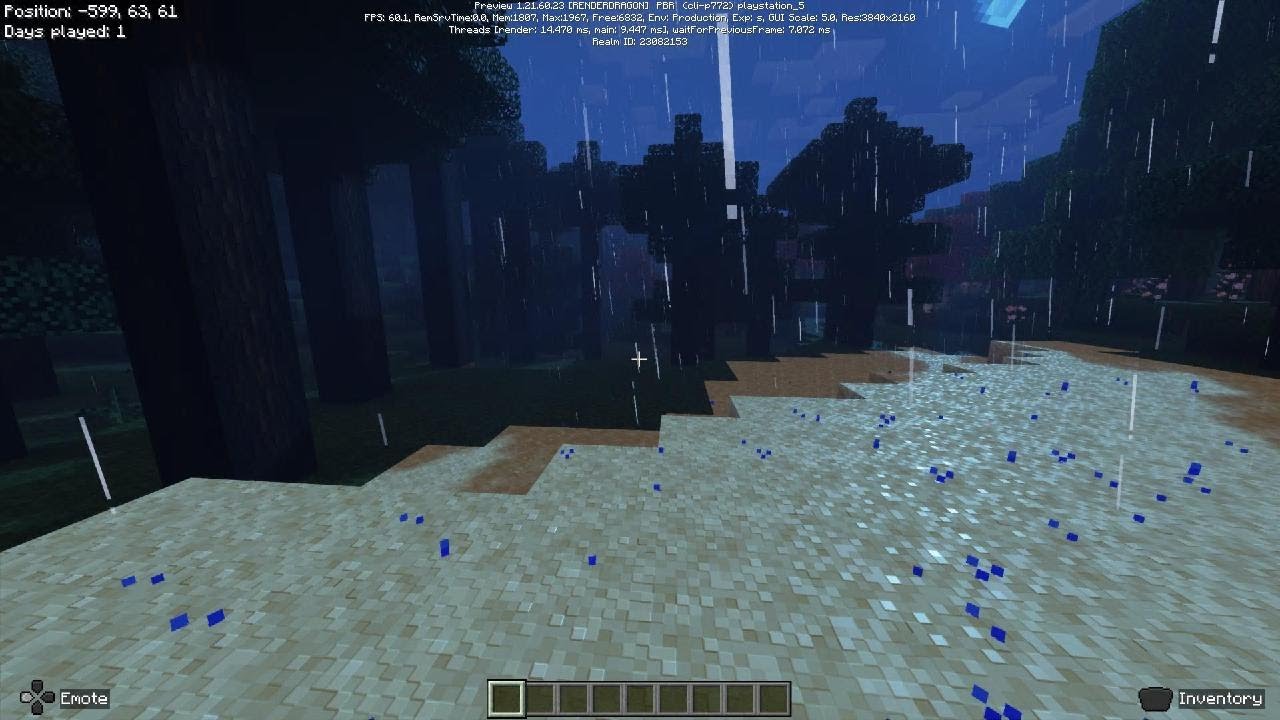

trying to get the 4k video from my playstation onto my phone directly is so convoluted
every setting is maxed out except the fog is medium and resolution at automatic using TAAU
it’s the best way to play imo, degrading anything at this point barely gives anything in return
true otter
quick beacon
Alright, I'll put this here. Anyone here who has tried Luminous Dreams, I ask yo...
well i just tried both ur pack and prizma pack i think that each of you has special things in his packs like i love the details of the block's in prizma but i prefer the shadows and the fog in ur pack it just gives a batter vibe and doesn't burn the shit out of your eyes (: , though you really need to fix the nether in ur pack am like getting 15-23 fps with medium setting's and 50% resolution
@quick beacon
 crude delta
can someone suggest my a up to date deffered pack
tribal trail
crude delta
can someone suggest my a up to date deffered pack
prizma deferred
quick beacon
true otter
well i just tried both ur pack and prizma pack i think that each of you has spe...
Thanks!!! And the earth kept spinning too!!
sonic canopy
In case anyone's curious, this is how bilinear upscaling mode works. Seems like it does exactly what the name implies - renders the enlarged image with bilinear filtering (interpolates transitions between pixels)

 true otter
sonic canopy
In case anyone's curious, this is how bilinear upscaling mode works. Seems like ...
true otter
sonic canopy
In case anyone's curious, this is how bilinear upscaling mode works. Seems like ...
so which one is batter ?
TAAU or Bilinear ?
sonic canopy
Idk, depends on what qualities you value more. TAAU gives you an image with more details but it suffers from temporal instability (jitter). Bilinear is cheaper to render and it has no jitter, but it also doesn't do upscaling very well, it just outputs a low res result, but smoothed out to hide pixel transitions.