#Blocks General
1 messages · Page 2 of 1
 winter elk
 karmic sierra
how can I make a custom block transperent?
 white bobcat
alpha_test render method
karmic sierra
white bobcat
`alpha_test` render method
I did but its not working
            "minecraft:material_instances": {
                "*": {
                    "texture": "water",
                    "render_method": "alpha_test"
                }
            },
its wrong it was blend
white bobcat
pretty sure alpha test is also transparent
karmic sierra
nope didn't work
white bobcat
Yeah it is also transparent.
Here, if you still have doubts 

But yeah blend is also transparent (:
 frozen fulcrum
It's possible animate à block with animation like entity ?
white bobcat
Yes but is not as easy as animating an entity
frozen fulcrum
with bones ?
 woven novaBOT
Flipbook Textures
 wanton horizon
Hello, im trying to make it so when a player breaks my block it runs a command. It seems not to run the command at all, could someone help me?
{
  "format_version": "1.16.0",
  "minecraft:block": {
    "description": {
      "identifier": "spooky:coal_ore"
    },
    "components": {
      "minecraft:on_player_destroyed": {
        "target": "other",
        "event": "player_broke"
      },
      "minecraft:destroy_time": 1,
      "tag:diamond_pick_diggable": {}
    },
    "events": {
      "player_broke": {
        "run_command": {
          "target": "other",
          "command": [
            "/say @s broke coal"
          ]
        }
      }
    }
  }
}```Try setting target to self
wanton horizon
didnt work
\
white bobcat
Don’t include the / before the say command
And you don’t really need the target on the run_command
wanton horizon
okay ill try that
and okay
it does the command but doesnt say the players name
nvm i just had to change it
thank you
sm
white bobcat
No problem
 cinder wadi
Can I change the direction that the block gets spawned using the /setblock command?
 vestal marsh
cinder wadi
Can I change the direction that the block gets spawned using the /setblock comma...
vestal marsh
cinder wadi
Can I change the direction that the block gets spawned using the /setblock comma...
Yes
Using blockstates
 novel hedge
Does anyone know if there's a way to change the loot table of suspicious sands and gravel
vestal marsh
novel hedge
Does anyone know if there's a way to change the loot table of suspicious sands a...
Just edit their loot table file 👍
novel hedge
vestal marsh
Just edit their loot table file 👍
Thanks
 wind hedge
Is there a component to make it so that when you place a block on a custom block that block gets replaced?
Like grass
vestal marsh
wind hedge
Is there a component to make it so that when you place a block on a custom block...
There isn't as far as i know
wind hedge
too bad, will redo it with Scripting
white bobcat
You can do it with minecraft:on_interact, but you’ll have to read every possible block
wind hedge
white bobcat
You can do it with `minecraft:on_interact`, but you’ll have to read every possib...
not really, my block has no aim collision
white bobcat
If you block could be interacted with, that’s the only way to go.
 vernal coral
hi guys. i'm trying to use scriptevent command to trigger some js function on player.
"on_interact": {
        "run_command": {
          "command": "scriptevent test:test",
          "target": "player"
        }
      }
This is what I have, and in API it returns that source that executes this command is a player. Is there a way to also grab the block it executes from? Like block executes a command that refences a player
vestal marsh
vernal coral
hi guys. i'm trying to use scriptevent command to trigger some js function on pl...
target self 👍
vernal coral
vestal marsh
target self 👍
hmm. I may have to be a bit creative. Not sure if adding a tag on player, then use /execute command to trigger a scriptevent command would references the block object in script api
Edit: it doesn't work lol
 jagged gale
what is up with the menu category component,it's so broken I literally have to use creative_category from 1.17 for my blocks to appear in the creative menu
white bobcat
Latest format versions do it like this
jagged gale
ty, now I'm regretting changing the my entire projects format value to 1.17
 primal roost
vernal coral
hi guys. i'm trying to use scriptevent command to trigger some js function on pl...
primal roost
vernal coral
hi guys. i'm trying to use scriptevent command to trigger some js function on pl...
"run_command": {
  "command": [
    //commands
  ]
}
 cursive pebble
I know how to make a block but how do make the block model? and have it ing
Some1 please help
vestal marsh
Check the wiki, use the geometry component
cursive pebble
vestal marsh
Check the wiki, use the geometry component
okay
cursive pebble
vestal marsh
Check the wiki, use the geometry component
{
  "format_version": "1.19.30",
  "minecraft:block": {
    "description": {
      "identifier": "zid:iron_gen"
    },
    "components": {
      "minecraft:geometry": "geometry.iron_gen"
    },
      "minecraft:material_instances": {
        "*": {
          "texture": "zid:iron_gen"
        }
      }
    }
  }

Uh
vestal marsh
Your json is wrong
 vestal marsh
Consider opening a post and others will help
cursive pebble
okay
 oak totem
how can I place two hitboxes in a block?
vestal marsh
oak totem
how can I place two hitboxes in a block?
You cant
white bobcat
You can’t with selection box nor collision box
 brave salmon
does anyone have a custom block template with face directions
woven novaBOT
Rotatable Blocks
vestal marsh
@brave salmon
brave salmon
thanks
brave salmon
if a player placed my block, will "minecraft:on_player_placing" and "minecraft:on_placed" both execute? or just the on_player_placing one
 oak ledge
Is there a way to make falling block and it using geometry model too?
 edgy ledge
brave salmon
if a player placed my block, will `"minecraft:on_player_placing"` and `"minecraf...
edgy ledge
brave salmon
if a player placed my block, will `"minecraft:on_player_placing"` and `"minecraf...
what are you hoping to achieve?
brave salmon
edgy ledge
what are you hoping to achieve?
i just want to know if it will both execute if a player will place the block
edgy ledge
I recommend that you run an experience.
- Create 2 events
- Each event runs a different say command
- Have each event triggered by the components
Place the block and see what happens
@brave salmon
brave salmon
that's why i ask so i wont have to test it myself 💀
edgy ledge
🤣 you would have known by if you did
brave salmon
my minecraft loads so slow af, it takes 5-10 minutes just to load a flat world, that's why i code for a day then test at the end then debug what's wrong
so thats why i also asked instead of testing by myself
brave salmon
brave salmon
if a player placed my block, will `"minecraft:on_player_placing"` and `"minecraf...
the answer is just "yes" or "no" tho 💀
edgy ledge
I am working on something right now. When I am done, If will check it out for you if someone hasn't already
white bobcat
brave salmon
if a player placed my block, will `"minecraft:on_player_placing"` and `"minecraf...
I’m assuming both, but have not really tried it yet. minecraft:on_player_placed strictly triggers if a player placed the block, unlike minecraft:on_placed which triggers if a player or command places the command.
white bobcat
oak ledge
Is there a way to make falling block and it using geometry model too?
Falling blocks are entities, not blocks
edgy ledge
Is there a filter for block states?
edgy ledge
brave salmon
the answer is just "yes" or "no" tho 💀
it runs minecraft:on_placed
white bobcat
edgy ledge
Is there a filter for block states?
As in?
edgy ledge
I want the block sensor to only trigger when fully grown crops for broken
white bobcat
You can use permutations to read the block properties and execute something from that
edgy ledge
white bobcat
You can use permutations to read the block properties and execute something from...
This is vanilla crops
Carrots, wheat, potatoes
edgy ledge
"minecraft:block_sensor": {
          "sensor_radius": 16,
          "on_break": [
            {
              "block_list": ["minecraft:carrots:7"],
              "on_block_broken": "crop_broken"
            }
          ]
        }
I did that but I get an error

growth:7 represents a fully grown carrot
white bobcat
Is that the correct state? Look it on the page I sent
 edgy ledge
"minecraft:carrots['growth':7]" like that?
white bobcat
Literally just what I told you
"minecraft:block_sensor": {
          "sensor_radius": 16,
          "on_break": [
            {
              "block_list": ["growth": 7],
              "on_block_broken": "crop_broken"
            }
          ]
        }
didn't parse
white bobcat
I haven’t used that component nor know it’s syntax at all as far as I remember so unless your syntax is wrong, nothing else should be wrong
edgy ledge
"minecraft:behavior.move_to_block": {
                    "priority": 10,
                    "tick_interval": 1,
                    "start_chance": 0.5,
                    "search_range": 6,
                    "search_height": 4,
                    "goal_radius": 1.0,
                    "stay_duration": 20.0,
                    "target_selection_method": "random",
                    "target_offset": [0, 0.25, 0],
                    "target_block_filters": { "test": "is_waterlogged", "subject": "block", "operator": "==", "value": false },
                    "target_blocks": [
                        "minecraft:red_flower",     // All small flowers except Dandelion
                        "minecraft:yellow_flower",  // Dandelion
                        "minecraft:wither_rose",
                        "minecraft:double_plant:8", // Sunflower top
                        "minecraft:double_plant:9", // Lilac top
                        "minecraft:double_plant:12", // Rose Bush top
                        "minecraft:double_plant:13",  // Peony top
                        "minecraft:flowering_azalea", //Flowering azalea
                        "minecraft:azalea_leaves_flowered", //Flowering Azalea leaves
                              "minecraft:mangrove_propagule"
                    ],
                    "on_stay_completed": [
                        {
                            "event": "collected_nectar",
                            "target": "self"
                        }
                    ]
                }
this is the closest reference I have found and its from the bee
see how it handles the sunflower
carrots:7 also work when I tested it there so I assumed it would consistent
edgy ledge
white bobcat
I haven’t used that component nor know it’s syntax at all as far as I remember s...
"growth": 7 was the syntax error
white bobcat
I guess you fixed it, my apologies and glad you fixed it
 winter yarrow
Hi, im kinda new to coding and i have a question. Can you make a block spawn from sculk charge similar to sculk sensors and sculk shriekers?
 tardy fox
say i want to make a custom pressureplate model and i have the texturing of it done, where do i go from there to add these custom pressure plates
white bobcat
?intro to blocks
woven novaBOT
Beta Blocks
1.16.100.56 beta blocks come with many new components. Even events and permutations.
Intro:
https://wiki.bedrock.dev/blocks/blocks-intro.html
tardy fox
where exactly would i look on that
because i don't think it mentions anything about pressure plates
vestal marsh
tardy fox
because i don't think it mentions anything about pressure plates
It does however mention how to add custom geos and block events 🙂
tardy fox
vestal marsh
It does however mention how to add custom geos and block events 🙂
ive looked it over and im still confused, able to help more in depth?
vestal marsh
tardy fox
ive looked it over and im still confused, able to help more in depth?
Consider opening a post so we can go in depth
tardy fox
vestal marsh
Consider opening a post so we can go in depth
still free to?
 strange spruce

it was for my block to generate a villager when it is generated in the world, but it is not working, does anyone know why?
vestal marsh
strange spruce
it was for my block to generate a villager when it is generated in the world, bu...
Blocks generated via world gen dont use queued ticking
strange spruce
vestal marsh
Blocks generated via world gen dont use queued ticking
is there a way for the event to fire when the block generates in the world?
vestal marsh
strange spruce
is there a way for the event to fire when the block generates in the world?
Use command blocks to setblock your block
 prime smelt
vestal marsh
Blocks generated via world gen dont use queued ticking
prime smelt
vestal marsh
Blocks generated via world gen dont use queued ticking
What about random ticking? Will it do that one, or is it all ticking components that are turned off?
vestal marsh
prime smelt
What about random ticking? Will it do that one, or is it all ticking components...
Iirc random ticking works
 rugged niche
Any ideas on this? geometry.empty is literally an empty geometry.
 vestal marsh
rugged niche
Any ideas on this? geometry.empty is literally an empty geometry.
vestal marsh
rugged niche
Any ideas on this? geometry.empty is literally an empty geometry.
It's not allowed
rugged niche
vestal marsh
It's not allowed
It's been working up until 1.20. I use it to allow a placeable block with the HCF block components, for example, placement filters. That upon placing summons an entity, if conditions are met.
 final geyser
how can i distinguish different types of blocks with data values, "minecraft:leaves2" for example?
vestal marsh
final geyser
how can i distinguish different types of blocks with data values, "minecraft:lea...
In what sense?
final geyser
vestal marsh
In what sense?
Commands / Scripting API
vestal marsh
final geyser
Commands / Scripting API
Using blockstates
final geyser
vestal marsh
Using blockstates
Could you please tell me the commands? Thanks a lot
vestal marsh
final geyser
Could you please tell me the commands? Thanks a lot
Again depends what youre trying to do
final geyser
vestal marsh
Again depends what youre trying to do
Just take /testforblocks command as an example
vestal marsh
final geyser
Just take /testforblocks command as an example
Seems more like a #1067869288859447416 question but it's basically [block] [blockstates] which you can use https://auxval-to-blockstates.netlify.app/ to convert datavalues to block states
final geyser
vestal marsh
Seems more like a <#1067869288859447416> question but it's basically [block] [bl...
okay.Tysm
prime smelt
This works now for the app and the list on ms.learn ?block-states but needs the s else does geo ... and there is ?aux and ?data-values
 red sky
rugged niche
Any ideas on this? geometry.empty is literally an empty geometry.
red sky
rugged niche
Any ideas on this? geometry.empty is literally an empty geometry.
They fixed that?? F...
 sterile eagle
Mojang changed something in minecraft:material_instances?
"minecraft:material_instances": {
  "up": {
    "texture":"dirt"
  },
  "down": {
    "texture":"bedrock"
  },
  "sides": {
    "texture":"obsidian"
  }
}

or they changed something in minecraft:unit_cube?
vestal marsh
sterile eagle
Mojang changed something in `minecraft:material_instances`?
```json
"minecraft:m...
Are u defining it in blocks.json
sterile eagle
vestal marsh
Are u defining it in blocks.json
"test:block": {
  "sound": "wood"
 }
i thought we don't need to use blocks.json for textures anymore if we use minecraft:material_instances
vestal marsh
sterile eagle
```json
"test:block": {
"sound": "wood"
}
```
i thought we don't need to use ...
U dont just checking if u did
What format ver?
sterile eagle
1.20.0
vestal marsh
Change sides to *
sterile eagle
vestal marsh
Change sides to *
Thank you!
vestal marsh
Ive seen ends
sterile eagle
 neat summit
Never in my lifetime have I seen "sides" being used in that
neat summit
Never in my lifetime have I seen "sides" being used in that
I haven't used blocks in ages
white bobcat
Instead you use north, south, east, west or *
vestal marsh
Also "ends"
 tender dirge
Can i change material for existing vanilla block?
prime smelt
tender dirge
Can i change material for existing vanilla block?
That would be the texture and yes, either place your texture file with same name in the same path or update the terrain_texture.json to point to your texture file
 woven robin
hi there, I saw a video of a building in java, and was curious if it is possible to make it on bedrock and how it would be possible? Can you see on the photo, that the brick stone interact with the side cobblestone to give a more relistic feel?
 white bobcat
Yeah is possible, however one of the blocks need to be custom, either the stone bricks or the cobblestone. You would check for neighbor blocks and change the texture of the cobblestone accordingly
It would probably be better for the sake of being specific to make both blocks custom, since there are many blocks under the stone tag, but is good to know you’ll only need one for certain circumstances
woven robin
humn... I think I got the idea, will try that, thx
 neat shell
how can i make the game ignore a custom block when respawning the player
i made a custom block that when the player go through it the player get spawnpoint but when he die the he can't spwan in it saw the game chose another spawnpoint
the block already have collision_box
white bobcat
I don’t think I understand your issue, and to fix it understand it is crucial. May you please elaborate?
neat shell
white bobcat
I don’t think I understand your issue, and to fix it understand it is crucial. M...
prime smelt
neat shell
That is because the spawnpoint did not give space for the head, so the person will sufficate, it will natually put you to where you are safe.... have the spawnpoint be one space down from that star thingy, that is wher the feet would be... for a player.... but that is a ball... and I am not sure you have 2 blocks there anyway
neat shell
prime smelt
That is because the spawnpoint did not give space for the head, so the person wi...
already tried that
the game treat the custom block as solid block
is there is a way to make custom block like plants or other blocks that the player can respawn in
prime smelt
I think it may be the rendering.... see what they use for crops... could be alpha_test or blend.... one or both of them make breathable blocks.... or you can make the player breathe solids...
neat shell
Isn't that just for appearance
prime smelt
is the diamond share a custom block? so that is a full blck, was not sure cause there is no perspective
prime smelt
neat shell
Isn't that just for appearance
I think that is also a side effect
neat shell
prime smelt
is the diamond share a custom block? so that is a full blck, was not sure cause...
yeah
prime smelt
a few others would know
neat shell
i will try changing the rendering
or just putting the block to the left and add an offset to the model from the center
 granite vale
Does anyone know how bee nest and bee hive entity data works?
The wiki has block data for which way its facing and how much honey is in it, but is it possible for me to use the number of bees in it somehow?
I would like to be able to break bee nest or hive blocks, but only while the bees aren't in them
 somber cosmos
What experiment are block traits under? Is it upcoming creator features?
vestal marsh
somber cosmos
What experiment are block traits under? Is it upcoming creator features?
Yes
woven robin
hi there, so I m trying to make a grass block that uses the grass top texture on all the sides and bellow, but I wanted it to use the colors of the grass like the vanila grass that changes based on the biome.
how can I make it?
wanton horizon
Hello, I made a custom block geo in blockbench but I was wondering how would i add it in game?

It also has multiple textures which is a bit confusing for me, I am new to custom blocks.
 prime smelt
wanton horizon
Hello, I made a custom block geo in blockbench but I was wondering how would i a...
prime smelt
wanton horizon
Hello, I made a custom block geo in blockbench but I was wondering how would i a...
On the file menu go down to export and then choose export to bedrock, select the folder to put this geometry file in which is usually the models folder and that should work
prime smelt
wanton horizon
It also has multiple textures which is a bit confusing for me, I am new to custo...
Looks like you did some of this per_face uv... So you will need to assign a material alias name to those cubes so that you can use it in the material instances of the block.

 prime smelt
wanton horizon
It also has multiple textures which is a bit confusing for me, I am new to custo...
prime smelt
wanton horizon
It also has multiple textures which is a bit confusing for me, I am new to custo...
This is what it adds inside the geo, which you can also add yourselfjson "north": {"uv": [0, 0], "uv_size": [3, 1], "material_instance": "light"}, "east": {"uv": [0, 0], "uv_size": [3, 1], "material_instance": "light"},This is how you use it inside the blockjson "minecraft:material_instances": { "frame": {"texture":"color_powder_black","render_method":"blend"}, "light": {"texture":"color_glassy_silver","render_method":"blend"}, "wick": {"texture":"color_powder_silver","render_method":"blend"} }So instead of the default names, use your alias names.
If that does not work, consider putting all the texture elements into the one bigger file. Just make it 64x64 for the space and move the textures inside and point to the positions in there, that way it will map correctly. Also, make sure exporting geo is done last so that it gets all of this information.
neat shell
why this event wont work?
            "mba:placed": {
                "target": "self",
                "command": [
                        "execute if block ~ ~ ~ mba:ring_big ["mba:rotation":5] if block ~~1~ air run setblock ~~1~ mba:ring_big ["mba:rotation":4]",
                        "execute if block ~ ~ ~ mba:ring_big ["mba:rotation":4] if block ~~-1~ air run setblock ~~-1~ mba:ring_big ["mba:rotation":5]",
                        "execute if block ~ ~ ~ mba:ring_big ["mba:rotation":2] if block ~~~1 air run setblock ~~~1 mba:ring_big ["mba:rotation":3]",
                        "execute if block ~ ~ ~ mba:ring_big ["mba:rotation":3] if block ~~~-1 air run setblock ~~~-1 mba:ring_big ["mba:rotation":2]"
                ]
            }
Because it is not the correct syntax
"run_command: {
   "command":[
      "say This is the correct format",
      "say You were missing the run_command part",
      "say taget self is not needed - use target when not self"
   ]
}```isn't that the same format?
prime smelt
unless you have an invisible run_command in yours, then NO
prime smelt
you are welcome woman
neat shell
oh sorry
prime smelt
np... LOL.. thought we were playing a gender switching game...🤣 happens all the time, avatar is a girl, name is a girl's... and most are on auto-pilot with how they speak... which makes me wonder at people's attention to detail sometimes...
prime smelt
open a post and put the whole file
prime smelt
I gotta go... someone will help... maybe
 indigo kiln
does someone have the 1.20 block template
wanton horizon
prime smelt
On the file menu go down to export and then choose export to bedrock, select the...
should I put that in my RP or BP?
how would I make the block have the geo?
neat shell
wanton horizon
how would I make the block have the geo?
put your geometry here
your_resource_packs\models\blocks
and create json file here
your_behavior_packs\blocks
in the file write something like this
{
    "format_version": "1.19.50",
    "minecraft:block": {
        "description": {
            "identifier": "mba:exomple",
            "menu_category": {
                "category": "construction"
            }
        },
        "components": {
            "minecraft:collision_box": false,
            "minecraft:destructible_by_mining": false,
            "minecraft:destructible_by_explosion": false,
            "minecraft:geometry": "geometry.exomple", //your geometry identifier here
            "minecraft:material_instances": {
                "*": {
                    "texture": "exomple",
                    "render_method": "blend"
                }
            },
            "minecraft:light_dampening": 0,
            "minecraft:map_color": "#0079ff"
        }
    }
}
I recommend using Block Wizard plugin until you becomes familiar with blocks files format
wanton horizon
alright thank u sm
 lofty wave
I heard that blocks are out of experimental now? Is there any tutorial to show me how to create blocks?
I've been waiting to add a block with custom geo, material, and, no collision, but all my addon knowledge is purely entity related.
woven robin
hi there, I have a question, I noticed that the dirt path block type when is sorrounded by other blocks it create some kind of shadow in the corners... so I wanted to create a custom block with same effect, how can I add it?
lofty wave
I think that's due to path blocks being slightly shorter than normal blocks
 frozen moat
i am officially joining the anti-bone_visibility group because updating my walls to reflect the new format is becoming unfathomably tedious
woven robin
hi there, what can be the cause of a block being rendered as a item in my hand but not as a block when it is placed? like so:
 woven novaBOT
Troubleshooting
Main Article:
https://wiki.bedrock.dev/guide/troubleshooting.html
Troubleshooting Blocks:
https://wiki.bedrock.dev/blocks/troubleshooting-blocks.html
Troubleshooting Items:
https://wiki.bedrock.dev/items/troubleshooting-items.html
Troubleshooting Entities:
https://wiki.bedrock.dev/entities/troubleshooting-entities.html
woven robin
the block is defined on the behavior, right? it is the same as the attachable
bh:json "components": { "minecraft:geometry": "geometry.prize_chest", "minecraft:map_color": "#ffffff", "minecraft:material_instances": { "*": { "render_method": "alpha_test", "texture": "prize_chest" } },
attachables:json "textures": { "default": "textures/blocks/abestados/prize_chest", "enchanted": "textures/misc/enchanted_item_glint" }, "geometry": { "default": "geometry.prize_chest" },
and prize_chest is already defined in terrains:
"prize_chest": {"textures": "textures/blocks/abestados/prize_chest"},
white bobcat
That is not usual… it should work. Try reloading your game
woven robin
already did it, is there any limit on the size of the texture?
right now it is 256x256
white bobcat
That should be alright
You have no errors, unless there is a permutation that changes the texture that could be overwriting the material instances on your components
woven robin
no errors, the permutation I have is for rotation only
woven robin
my bad, forgot to upload the terrain file 🙂
btw is it possible to play an animation on the block when we interact with it?
white bobcat
Depends on what you mean with an animation
woven robin
I want to this chest open the lid when interact with it, not like the normal chest that keep the lid open while it is active, I just want the animation to play once when you click on the block/chest
this animation, so when a player interact with it it will be played once
 white bobcat
Is possible, yes, but is not like entities, you’ll have to animate it frame by frame
So no, is not a RP animation, is a behavior animation
I have animated blocks in the past with complex animations (for behavior animations at least) like this https://discord.com/channels/523663022053392405/1103295128782766142, and I would recommend you waiting till molang comes back into bone visibility before you try this
Discord
Discord is the easiest way to communicate over voice, video, and text. Chat, hang out, and stay close with your friends and communities.
The simple way, well, use entities instead
woven robin
I saw that one you have made, but in your case it is looping the animation, in my case I wanted it to only play when interacted and just play once then stops, but I guess it is not possible without converting the block into an entity, right?
prime smelt
Since it is a chest, doesn't it have to be an entity anyway, can't you make it for that to do that part
white bobcat
woven robin
I saw that one you have made, but in your case it is looping the animation, in m...
It can be without looping as well and on interact
It will be a tedious process without molang though
It is still a little complicated with molang but once you make one you’ll be fine
Here I was explaining how to do the properties part in order to have a smooth entity-like animation https://discord.com/channels/523663022053392405/1081356741180137542
 uneven pecan
what is the block id of an iron block?
frozen moat
uneven pecan
what is the block id of an iron block?
"iron_block"
the minecraft wiki has ids for most vanilla items and blocks
if i have a block using bone_visibility and permutations to alter the shape of the block, do i need to list every bone in each instance of the bone_visibility component? or can i just set all bones to false by default and then specify the true ones in permutations?
woven robin
white bobcat
It can be without looping as well and on interact
so do you think right now the easieast way to do it is like creating a fake block(an entity)?
white bobcat
Definitely. That’s the easiest way but is not really good for performance. You may want to spawn it and quickly despawn it when the chest is closed.
white bobcat
Fair enough
woven robin
btw let me ask you something, I always have problem with the first person attachable, I never was able to make custom items movement like the vanilla, I think the main reason is where I position the pivot, what is the best practice to set the pivot when you want to make it sweing like the vanilla?
white bobcat
I do not try anything with attachables in a really long time, I recommend you asking at #1067869136606220288
 glossy depot
What happened to minecraft:ticking component?
I upgraded my pack to 1.19.70 and it no longer worked
rugged niche
Is there a way to do some sort of "minecraft:on_placed" on blocks, without experimental currently?
rugged niche
glossy depot
I upgraded my pack to 1.19.70 and it no longer worked
should still work it's now called queued_ticking/random_ticking
try go to 1.20.0 or something
glossy depot
rugged niche
should still work it's now called queued_ticking/random_ticking
Do you have a template? I copy pasted the one in the documentation and it generated a bunch of errors 😵💫
white bobcat
"minecraft:queued_ticking":{
    "condition": 1,
    "range": [5,10],
    "target": "self"
}
This is the one in the documentation and is correct.
rugged niche
white bobcat
rugged niche
Is there a way to do some sort of "minecraft:on_placed" on blocks, without exper...
I do not think so
rugged niche
I was thinking with permutations it could be possible
white bobcat
With permutations you cannot detect when you place a block unless you use that component there
glossy depot
white bobcat
```
"minecraft:queued_ticking":{
"condition": 1,
"range": [5,10],
"t...
Sweet thank you. I was using the random one.
Wait, can this call events?
white bobcat
white bobcat
With permutations you cannot detect when you place a block unless you use that c...
I guess you could use queued_ticking to change a property… it would trigger when the block is placed but iirc that’s experimental too
white bobcat
glossy depot
Wait, can this call events?
Correct
glossy depot
Thanks again 👍
glossy depot
Is this correct?
"minecraft:queued_ticking": {
"condition": 1,
"range": [12, 16],
"on_tick": {
"event": "shatter",
"target": "self"
}
},
white bobcat
Should be
You can also have it like this;
"minecraft:queued_ticking": {
                        "looping": true,
                        "interval_range": [12, 16],
                        "on_tick": {
                            "event": "shatter",
                            "target": "self"
                        }
}```Just tested it, it did not break at all 🤔
glossy depot
Ah I got it to work now. It was a command issue.
 gaunt steeple
How is the component that set´s rhe mining time of a block called now?
red sky
gaunt steeple
How is the component that set´s rhe mining time of a block called now?
minecraft:destructible_by_mining
 zealous ivy
Hey ! I wanted to use the "blend" material for my custom block, but there's a catch

When I use the blend material, I can see entity's that use blending too through the block
Does anyone know why ?
Actually I find this pretty intersting, do you think I could replicate but to see certains blocks through it ?
red sky
zealous ivy
Hey ! I wanted to use the "blend" material for my custom block, but there's a ca...
Is your block using a transparent textures? If not you don't need blend.
zealous ivy
red sky
Is your block using a transparent textures? If not you don't need blend.
Its texture is an animation in the flipbook, and I want one stage to contain invisible parts
Actually, even with blend it doesn't work
frozen moat
got my wall template mostly updated, still need to work out a few kinks but it's getting there
before bone_visibility my wall files were like 2000 lines, now they're just over 4000
does every bone in the relevant model need to be listed in every instance of bone_visibility in the block file?
vestal marsh
frozen moat
does every bone in the relevant model need to be listed in every instance of bon...
No? Dont think so if its not listed it will by default be true
frozen moat
okay
what I'm thinking is that I could maybe simplify my files by setting all bones to false under components and then only changing the relevant bones under each permutation
vestal marsh
Why not use molang
frozen moat
I was under the impression that bone_visibility doesn't accept molang
vestal marsh
frozen moat
I was under the impression that bone_visibility doesn't accept molang
1.20.10 added support
red sky
Yha
somber cosmos
Unit_cube is still under the HCF toggle right?
vestal marsh
somber cosmos
Unit_cube is still under the HCF toggle right?
Yes
red sky
Where's the list for that at?
vestal marsh
red sky
Where's the list for that at?
All HCF components should be in the wiki
red sky
Actually meant ones that are stable
vestal marsh
red sky
Actually meant ones that are stable
Yes there should be a stable blocks page as well 🙂
red sky
thx
frozen moat
can someone please help me figure out what's wrong with this code?
            "minecraft:geometry": {
                "identifier": "geometry.generalized_wall",
                "bone_visibility": {
                    "post0": "query.block_property('test:post') == 0",
                    "post1": "query.block_property('test:post') == 1",
                    "post2": "query.block_property('test:post') == 2",
                    "post3": "query.block_property('test:post') == 3",
                    "post4": "query.block_property('test:post') == 4",
                    "north_semi": "query.block_property('test:north') == 1",
                    "north_full": "query.block_property('test:north') == 2",
                    "south_semi": "query.block_property('test:south') == 1",
                    "south_full": "query.block_property('test:south') == 2",
                    "east_semi": "query.block_property('test:east') == 1",
                    "east_full": "query.block_property('test:east') == 2",
                    "west_semi": "query.block_property('test:west') == 1",
                    "west_full": "query.block_property('test:west') == 2"
                }
},```i've linted it a few times and there are no apparent errors
currently the block simply doesn't exist in my game
 desert vector
are you in the 1.20.10+ previews?
otherwise bone_visibility doesn't support molang
frozen moat
nope that would explain a lot
fellow i spoke to yesterday about it mentioned that and i missed that it was a preview
frozen moat
is there any chance i could get someone to help me figure out what i'm doing wrong? i'm trying to update my wall template still and instead of the bones appearing and disappearing as they should, they're all visible at all times
i know the filesize is a bit excessive. i think the problem lies in either the way i have my bone_visibilities set up or in the way the direction tags are arranged
desert vector
Components do not combine, each minecraft:geometry component resets all bones' visibility to true
(This means that setting a bone's visibility to true will never do anything, as it's the default)
frozen moat
desert vector
Components do not combine, each `minecraft:geometry` component resets all bones'...
darn, I think that means I'm gonna have to wait until 1.20.10 comes out of previews to finish this. thank you
 green anvil
Is it possible to change the model of the vanilla blocks?
 nocturne kindle
They are hardcoded
You can have a custom block with the model you want to have, and then have a function that replaces them from inventories, and if it generates on the world
A single block feature that only replaces that block
 gaunt ocean
Hi
Can anyone help me?
I want to edit the loot table of a block
Can anyone tell me what is the directory and id of the leaves?
desert vector
gaunt ocean
I want to edit the loot table of a block
loot tables of vanilla blocks cannot be changed
nocturne kindle
gaunt ocean
I want to edit the loot table of a block
How so? When it's dropped after mining it?
gaunt ocean
Yes
nocturne kindle
You could do /replaceitem I guess
gaunt ocean
I want to change what the block drops, make leaves drop new fruits
nocturne kindle
That might be in the vanilla packs, though It might be hardcoded as Quaz has mentioned
 stone hedge
how can i make it so that redstone can pass trough the block
cinder wadi
Hey, I am trying to execute a event when a play left clicks on a block. I only found this "minecraft:on_interact", but sadly its only for left clicks. Can someone help?
 rotund badge
Whats going on with the testforblocks command?
two spawners of same type will only compare if they are cloned version of itself even if same egg.
 mint frost
Any reason why we can't have selection boxes with origins of -1 when we can place blocks on farmland with an origin of -1 on the geo?
 junior flame
What?
junior flame
rotund badge
Whats going on with the testforblocks command?
two spawners of same type will o...
Testforblocks compares block nbt / data. But spawners store a lot of data so they're always unique, even if they have the same egg inside
See the section for monster spawner here: https://minecraft.fandom.com/wiki/Bedrock_Edition_level_format/Block_entity_format

Minecraft Wiki
This page lists NBT structures of block entities in Bedrock Edition. A block entity is used by Minecraft to store information about a block that can't be stored in the block's block states.
junior flame
mint frost
Any reason why we can't have selection boxes with origins of -1 when we can plac...
Like why can't we have a selection box for a block that intrudes on another block?
rotund badge
junior flame
Testforblocks compares block nbt / data. But spawners store a lot of data so the...
TY
mint frost
junior flame
Like why can't we have a selection box for a block that intrudes on another bloc...
yeah
 solid brook
._.
Gouys ._.
._. can i make gravity between 2 blocks ?
Like what systemzee does?
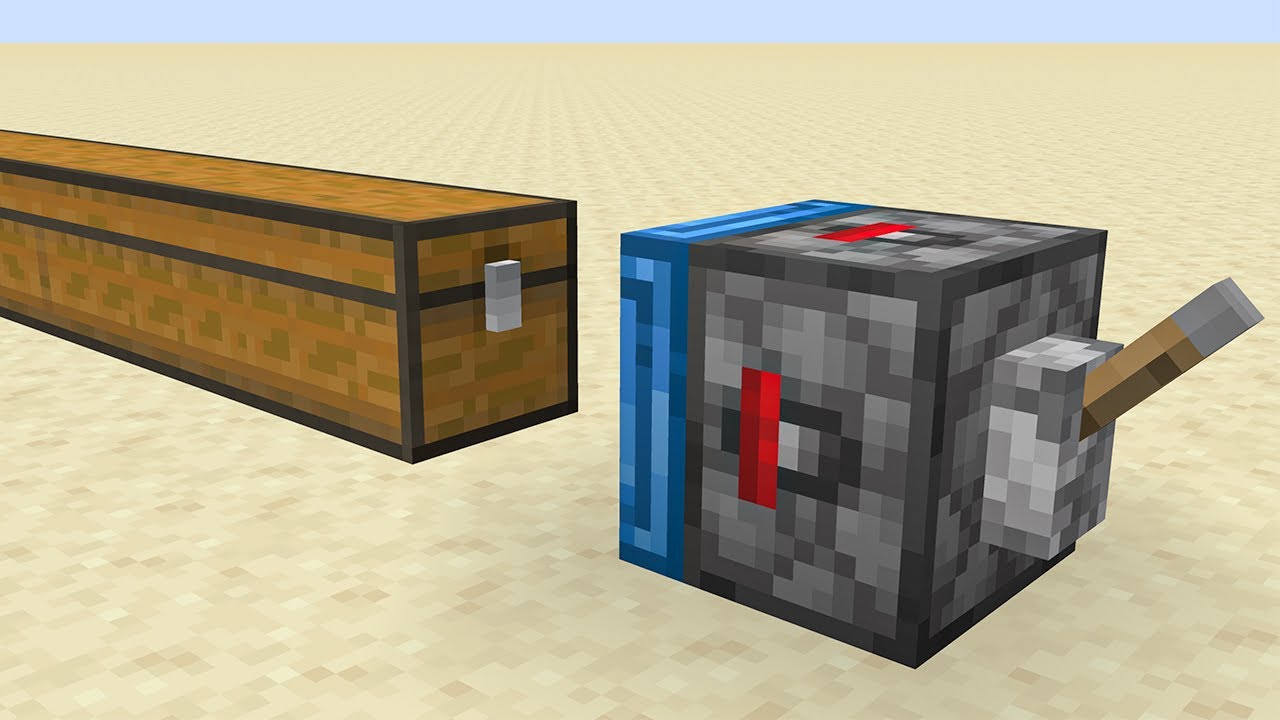
So, we added functional magnets to Minecraft and experimented with all of the possibilities. This is perfect for the caves & cliffs Minecraft 1.17 update!
Team Workshop:
- Bagel (Mod Development)
►Twitter: http://twitter.com/systemzee
► Instagram: http://instagram.com/syszee
► Discord: http://discord.gg/syszee
Minecraft, but we added Magnets...
 somber wraith
how can blocks that exceed one block height limit (like doors) show the combined and clean selection box for the upper + lower part?
white bobcat
You can’t
somber wraith
Are the things like doors hardcoded then?
 tacit star
I get this and i don’t know what wrong in the code can anybody help me ?
[Molang][error]-Error: query.block_property is making use of non-registered block state.
{
"format_version": "1.20.0",
"minecraft:block": {
"description": {
"identifier": "test1:o_flag",
"menu_category": {
"category": "construction"
},
"traits": {
"minecraft:placement_direction": {
"enabled_states": ["minecraft:cardinal_direction"],
"y_rotation_offset": 90.0
}
}
},
"components": {
"minecraft:geometry": "geometry.o_flag",
"minecraft:collision_box": false,
"minecraft:material_instances": {
"*": {
"texture": "kuwait_flag",
"render_method": "alpha_test"
}
}
},
"permutations": [
{
"condition": "query.block_property('cardinal_direction')== 'north'",
"components": {
"minecraft:transformation": { "rotation": [0, 0, 0] }
}
},
{
"condition": "query.block_property('cardinal_direction')== 'west'",
"components": {
"minecraft:transformation": { "rotation": [0, 90, 0] }
}
},
{
"condition": "query.block_property('cardinal_direction')== 'south'",
"components": {
"minecraft:transformation": { "rotation": [0, 180, 0] }
}
},
{
"condition": "query.block_property('cardinal_direction')== 'east'",
"components": {
"minecraft:transformation": { "rotation": [0, -90, 0] }
}
}
]
}
}
prime smelt
somber wraith
Are the things like doors hardcoded then?
Well yes it is but doors are doable by us mere mortals. Doors are 2 blocks that work together via custom tags and permutations. Each part of the door has to be reading the other parts tags. You can pass info back and forth this way and each can change or mimic the other ( but best to have one as master).
red sky
Does anyone have the list of block stuff that's out of experimental?
solid brook
Anybody know how to get hopper behaviour pack ?
 west rover
can i only fit 16 conditions in a sequence?
cinder wadi
Hey there, I have a problem with my custom blocks. They are all facing in the same direction, even when I place them from a diffrent angle. Can someone help?
desert vector
red sky
Does anyone have the list of block stuff that's out of experimental?

Bedrock Wiki
This wiki is a knowledge-sharing website for Technical Bedrock, containing documentation, tutorials, and general how-to information.
red sky
Oh thank you
prime smelt
cinder wadi
Hey there, I have a problem with my custom blocks. They are all facing in the sa...
Did you add permutations based on which way the player was facing?
If you did, is the block in blocks.json with the sides defined? If so, take the texture part out and only use it in the block with your permutations
prime smelt
Anyone up on translation in transformations? Not sure why I have to use this to mimic a 16x1x16 geo..json "minecraft:transformation": { "scale": [1, 0.0625, 1], "translation": [0.0, -0.46875, 0.0] },because the difference to -5 is half of the scale, 1/32 of a block. So not sure if fully understand how translation works... I thought I should be able to use -0.5 to mean, place at the bottom of the block, but that generates non-breaking errors
cinder wadi
prime smelt
If you did, is the block in blocks.json with the sides defined? If so, take the...
Yes, they are definded inside blocks.json. Could you explain the use of permutations in that case a little bit more? I checked the documentation but it did not help me.
I plann was to just copy the vanilla files but I can't find them anymore in the sample-packs 
 prime smelt
cinder wadi
Yes, they are definded inside blocks.json. Could you explain the use of permutat...
prime smelt
cinder wadi
Yes, they are definded inside blocks.json. Could you explain the use of permutat...
Whatever is in blocks.json is like setting something in stone., That is the way it will be and you cannot change it in the behavior file. So take the texture part out of blocks.json, leave the sound only.
In your block, add (for example, since you did not copy/paste the real code in here for me to use, so will use what I am working on),:json "minecraft:material_instances": { "*":{"texture": "bedrock","render_method": "opaque"}, "up":{"texture": "letter_a","render_method": "opaque"}, "south":{"texture": "letter_b","render_method": "opaque"}, "east":{"texture": "letter_c","render_method": "opaque"}, "west":{"texture": "letter_d","render_method": "opaque"}, "north":{"texture": "letter_e","render_method": "opaque"}, "down":{"texture": "letter_f","render_method": "opaque"} },
So I want this, when I place it down, to always have the top one where the letter a is facing me, with the letter B in front of me, no matter what way I am facing, even though it says south up there. How that can happen?
In the description section of the block, putjson "traits": { "minecraft:placement_direction": { "enabled_states": [ "minecraft:cardinal_direction" ] } }This will allow me to access the information about which way they are facing when they place the block down. There are 3 other traits that have information, but this is the only one I need for what I am doing. You can learn about the other 3 -> https://learn.microsoft.com/en-us/minecraft/creator/reference/content/blockreference/examples/blocktraits
Use the information stored in minecraft:cardinal_direction directly in permutations as a block_property. This is new as of 1.19.80 I believe, but best to make the version of your block 1.20.0 to be safe.json "permutations": [ { "condition": "q.block_property('minecraft:cardinal_direction') == 'north' ", "components": { "minecraft:transformation": { "rotation": [0,0,0] } } }, { "condition": "q.block_property('minecraft:cardinal_direction') == 'south' ", "components": { "minecraft:transformation": { "rotation": [0,180,0] } } }, { "condition": "q.block_property('minecraft:cardinal_direction') == 'east' ", "components": { "minecraft:transformation": { "rotation": [0,270,0] //or -90 } } }, { "condition": "q.block_property('minecraft:cardinal_direction') == 'west' ", "components": { "minecraft:transformation": { "rotation": [0,90,0] } } } ]There are a few other things "minecraft:transformation" can do, read about those in -> https://learn.microsoft.com/en-us/minecraft/creator/reference/content/blockreference/examples/blockcomponents/minecraftblock_transformation Note: This also requires the block to have an updated format version, because it is a new component and replaces the old rotation component, so again, make sure your format version is 1.20.0 to avoid content log errors about this.
Another way you can do it, instead of rotation, is to change out the "minecraft:material_instances" component instead, to have the texture in a different slot. Because let's face it, degrees still confuse me sometimes.  But I have done enough with them to know the above ones work. In fact, the block I am working on now, will loop an abcdef block through all of the combinations. When done I will release it in #1072983602821861426
I suggest for practice, that you make the block both ways, rotation and material, so that you have a better understanding of permutations. With permutations, you can switch out any component, add components, etc.. depending on what you need. It all depends on the condition. More complicated conditions, will most likely require you to create block properties and assign values to them based on conditions in events.
For example, what if you wanted the player to be able to tap the block and it face him, so like if he placed it facing south, but moved to the west side and tapped (interact) it would turn to face him? The permutation above would not work because that is based on a one-time event, block placement. You would need an property to hold the information instead, so that you can change it.... that is a 3rd exercise.... but one that will build upon foundation that you need....
cinder wadi
prime smelt
Whatever is in blocks.json is like setting something in stone., That is the way ...
Thank you so much. That will surely help me 😻
prime smelt
You are welcome. This wiki page will help too... never too much information -> https://wiki.bedrock.dev/blocks/rotatable-blocks.html#top
This website actually has the simpler rotation degrees... (btw, -90 is same as 270) So maybe grab those instead.

Bedrock Wiki
This wiki is a knowledge-sharing website for Technical Bedrock, containing documentation, tutorials, and general how-to information.
Note: in the upper right hand corner of the wiki page is a search bar... you can find most things via there and they are updating and adding stuff all the time. For the Microsoft Learn site, the left hand bar, scroll up and down for the different sections. Make sure Reference Documentation is open. I live in there. And the stuff above it, read in your spare time, cause you can learn a lot... and practice, practice practice.. try stuff out, not just wait to make a block you need, but for the sake of seeing how it works...
prime smelt
cinder wadi
Thank you so much. That will surely help me 😻
I updated the rotation degrees in the code above to the ones in the wiki, as mine were way off... yeah, I don't know my left from my right... 😁
desert vector
cinder wadi
Thank you so much. That will surely help me 😻
opaque is the default render method so you don't have to include it in your material instances
prime smelt
I know... I like to have it there, so when I want to change it out to something else, it is already there I do not have to add that part. Miau, hopefully you understand the differences, if not https://learn.microsoft.com/en-us/minecraft/creator/reference/content/blockreference/examples/blockcomponents/minecraftblock_material_instances
I do a lot of copy/paste and it is annoying to have to add a part in. I do not always know it by heart...
woven novaBOT
Incompatible Multiplayer Queries
Some of the queries are incompatible in multiplayer. Known ones:
query.is_item_name_anyUsequery.get_equipped_item_nameinstead.
If you found any others, ping a person with faq-management role.
west rover
are the events correct or the block itself? the block doesnt detect the block tags nor change states. no errors in content logs
 glossy dagger
How i can make custom water
tacit star
glossy dagger
How i can make custom water

Bedrock Wiki
This wiki is a knowledge-sharing website for Technical Bedrock, containing documentation, tutorials, and general how-to information.
woven robin
hi, how can I make a block that is like soul soil? that when burn it flames is blue?
 cold dew
can molang be used in bone_visibility?
white bobcat
Yes, with the 1.20.10 format version in your block behavior
white bobcat
woven robin
hi, how can I make a block that is like soul soil? that when burn it flames is b...
For that you’ll have to first have your custom fire created. Then in your soul soul-like block you detect if the block upside it is fire to replace that fire with your custom one. Easier way to make this detection would be running /fill with replace mode in your main block from minecraft:queued_ticking.
cold dew
Is it possible to get the property of a neighbor block?
cold dew
cold dew
Is it possible to get the property of a neighbor block?
I tried using tags instead, but I got an error
lmc:spruce_log_pillar | components | -> components -> bone_visibility[top]: expression contained disallowed queries
Here is the code:
"minecraft:geometry": {
"identifier": "geometry.wood_pillar",
"bone_visibility": {
"root": true,
"top": "q.block_neighbor_has_any_tag(0, 0, 1, 'lmc:north_vertical')",
"bottom": "q.block_neighbor_has_any_tag(0, 0, 1, 'lmc:north_vertical')"
}
},
desert vector
cold dew
I tried using tags instead, but I got an error
you need to query the tags in an event which runs every tick. This event would set block states which could be used in the bone visibility.
cold dew
So it should be > events > conditions > query tag > set property > bone_visibility > query properties
cold dew
desert vector
you need to query the tags in an event which runs every tick. This event would s...
Can I use on_placed to run the event?
Or it has to be ticking
desert vector
you could set the property to the returned value of the expression e.g.
"set_block_property": {
   "example:boolean_property": "q.blocknei..."
}
do blocks have this thing to runtime_identifier like entities do?
white bobcat
No they don’t
desert vector
no
desert vector
cold dew
Or it has to be ticking
do you want the bone visibility to change when surrounding blocks do?
cold dew
Ah, so it has to be ticking for that
desert vector
yes, it doesn't have to be every tick but it's faster if it is
 gusty salmon
can someone explain what is wrong with this command: /setblock ~~~ lever ["lever_direction":"west"]
it doesnt work
can someone help?
cold dew
desert vector
yes, it doesn't have to be *every* tick but it's faster if it is
K, thanks
prime smelt
gusty salmon
can someone explain what is wrong with this command: /setblock ~~~ lever ["lever...
It is = now.. change the :
west rover
so itried my old addons and dear god, it replaced all the vanilla blocks' geometries and even collision/selection boxes.


 mellow carbon
west rover
so itried my old addons and dear god, it replaced all the vanilla blocks' geomet...
mellow carbon
west rover
so itried my old addons and dear god, it replaced all the vanilla blocks' geomet...
can you share your addon that does this
 remote island
is it possible to render the texture alpha when using the path?
this is what it looks like when i put the default glass as the texure

its gone opaque
cold dew
Can blocks have multiple collision boxes?
When you rotate a block using transformation, does the collision box also rotate?
 magic umbra
west rover
so itried my old addons and dear god, it replaced all the vanilla blocks' geomet...
magic umbra
west rover
so itried my old addons and dear god, it replaced all the vanilla blocks' geomet...
S l a b s
 dire wolf
I haven't seen documentation for the "trigger" event response anywhere but here, does this still work?
{
"wiki:sequence_event": {
"sequence": [
{
"set_block_property": {
"wiki:my_prop": true
}
},
{
"condition": "q.block_property('wiki:my_prop')", // Optional
"trigger": {
"event": "wiki:my_entity_event",
"target": "other"
}
}
]
}
}
desert vector
dire wolf
I haven't seen documentation for the "trigger" event response anywhere but here,...
It should still work!
Looks like i forgot to add its own section to the wiki 😳
dire wolf
sweet, thank you so much
white bobcat
west rover
so itried my old addons and dear god, it replaced all the vanilla blocks' geomet...
That's cursed but it should not happen... That's an interesting bug, since you are unable to modify vanilla block geometries or behavior components.
I guess we don't have any control over it, sadly
red sky
They just change blockshape in blocks.json
west rover
red sky
They just change blockshape in blocks.json
i didnt change the blockshapes
mellow carbon
west rover
thank you very much
red sky
west rover
i didnt change the blockshapes
Thought it was some addon from 2017
neat shell
cold dew
When you rotate a block using transformation, does the collision box also rotate...
yes
 sudden quailBOT
What would be better for Thin Alphabet Slab?
🇦 A-Z and changable colors
🇧 Colors and changable letters
Poll by @prime smelt
white bobcat
Im kinda confused
prime smelt
hmm... thinking of the logistics and the limitation... maybe A
white bobcat
What is the difference between A & B?
prime smelt
Do I make a Letter that can change colors or the Solid color that can change Letters
Interact can either change the color or the Letter....
Same number of textures to make either way
white bobcat
Probably do the letter that can change colors
prime smelt
yeah, thinking that.. cause of the limitation of the number properties
wish I could maybe do all in one
white bobcat
You can use combinations and that limit is gone
white bobcat
No, but you can have one property with 7 values and other with 4 for example
0 & 0 = A
0 & 1 = B
0 & 2 = C
1 & 0 = Red
1 & 1 = Blue
1 & 2 = Yellow
prime smelt
Well yeah... I was thinking for simplicity... only 16 colors, so no issues there. I use MS color-ids 0-15
but maybe I will use 1 block and 3 ways to interact, one for color, one for letter, (later, one for upper.lower)
If we could make our own categories, or if they at least had a category for custom blocks, I'd just make all the letters separately
white bobcat
Yeah… wish we could add custom categories in a simple way
prime smelt
As it is, they do not have categories for some of their things that should be grouped in a ➕
I'm trying not to litter the screen, but an appropriate and logical place to put things is hard to come by
I can hide letters under banners
white bobcat
Yeah, that would be a good place to put them at
mellow carbon
white bobcat
No, but you can have one property with 7 values and other with 4 for example
isn't it's 16 values per properly?
white bobcat
Yeah
prime smelt
I think they are trying to limit the number of block permutations, this the property limit. I remember when I was working on my lockable block, using 3 or 4 properties to store the player's id, when I went over, maybe 9 for each and had another one that was 16, I got some sort of warning about permutation limits even though I only had about 3-4 permutations for locking/unlocking/transparent...
magic umbra
The limit can be easily bypassed, but it’s a good practice to keep them down regardless
Letters with changeable colors is probably the way to go, though I’m not sure how you’ll do crafting recipes for all of them
Maybe just make them all stonecutter recipes?
white bobcat
My https://discord.com/channels/523663022053392405/1103295128782766142 had to use more than 64 properties, which is the limit. I just made use of 20 and I made what I wanted. I used this combinations method, which I’ll explain today in a #1072983602821861426 post.
red sky
Cool
white bobcat
white bobcat
oak ledge
@white bobcat I made post for my question
 void berry
does using minecraft:transformation for rotation work for blocks whose textures are defined by blocks.json?
because ive been trying to get my custom block to rotate w no success so far
desert vector
void berry
does using `minecraft:transformation` for rotation work for blocks whose texture...
no
 tardy sedge
I'm trying to make the model of a block animated, i search in the google but i only find it with mobs, can someone help me?
white bobcat
You cannot animate block models, but you can however create the animation frame by frame in your behavior file.
tardy sedge
Thanks
oak ledge
white bobcat
You cannot animate block models, but you can however create the animation frame ...
How I do that?
white bobcat
Creating one bone per frame and activating it according to your animation. Use bone_visibility and minecraft:queued_ticking
oak ledge
ah, so I made two parts in geometry and also I use the queued_ticking for animation?
@white bobcat This is my understand ↑
white bobcat
You do as many bones as you wish, and queued_ticking for animation, yes
west rover
what was the code to make blocks not show up in commands?
desert vector
west rover
what was the code to make blocks not show up in commands?
{
  "description": {
    "menu_category": {
      "is_hidden_in_commands": true
    }
  }
}
thanks!
woven robin
hi there, do someone know if it is possible to create a custom lgiht block that lights up a higher raiuds than the vanilla one?
white bobcat
Im pretty much sure that it is hardcoded to 15, but I guess you could place light blocks around it to get a similar result to extending it
woven robin
thx, was just trying to avoid to place too many blocks in some areas, but it is what it is 🙂
cold dew
Is it possible to detect if a block has air/water around it? I thought about using q.block_neighbor_has_any_tag, but I couldn’t find a tag for air 
white bobcat
Use execute if block
red sky
cold dew
Is it possible to detect if a block has air/water around it? I thought about usi...
tag for air
Hmm
Air block tag
Anyone want me to write a essay right now?
white bobcat
red sky
Anyone want me to write a essay right now?
Yes, but I have another petition for you
Write it; without any AI 🤓
oak ledge
Is there a way get coordinates in vanilla stair blocks like open space (half block like ¼ piece part) 1st coordinate and whole is 2nd coordinate which in back of the block
 jagged lily
anyone know how i can disable the inside faces from being displayed
 desert vector
jagged lily
anyone know how i can disable the inside faces from being displayed
desert vector
jagged lily
anyone know how i can disable the inside faces from being displayed
if your blocks are 16x16x16 and don't need to change appearance based on permutation, you could put the textures in RP/blocks.json and remove the texture from your material instances
jagged lily
don't you need material instances for it to be translucent tho
oh or do you mean not remove the component just the texture
desert vector
just remove the "texture": "moo" bit
west rover
[Blocks][warning]-Collision in hashed Block Network ID. One of the blocks' hash has been adjusted. Block being added: TAG_Compound: 3 entries
{
// name
TAG_String: tg:darkstone_doric_block
// states
TAG_Compound: 5 entries
{
// tao:shape
TAG_Int: 0
// tao:states1
TAG_Int: 1
// tao:states2
TAG_Int: 9
// tao:states3
TAG_Int: 7
// tao:states4
TAG_Int: 5
}
// version
TAG_Int: 18090528
}
, block collided with: TAG_Compound: 3 entries
{
// name
TAG_String: minecraft:birch_hanging_sign
// states
TAG_Compound: 4 entries
{
// attached_bit
TAG_Byte:
// facing_direction
TAG_Int: 3
// ground_sign_direction
TAG_Int: 15
// hanging
TAG_Byte:
}
// version
TAG_Int: 18090528
}
[Blocks][warning]-World with over 65536 block permutations may degrade performance. Current world has 112488 permutations.
these limits on permutations make me sad
but it did show some small bits of vanilla signs' properties
mellow carbon
@west rover can i get the addon pack that modified vanilla blocks?
west rover
based from wha i know, vanilla or custom blocks get changed or bugged when the number of permutations in a world is high enough
west rover
west rover
it was this
west rover
west rover
based from wha i know, vanilla or custom blocks get changed or bugged when the n...
though i think it only happens on slow devices
mellow carbon
west rover
it was this
i didn't got the mention 😅
But now i see thanks
primal roost
that's valid?
 mellow carbon
guess so if your format version is 1.20.0+

 mellow carbon
? content log
woven novaBOT
What is Content Log?
The content log gives you live feedback for most errors that could occur while developing your add-on.
https://wiki.bedrock.dev/guide/troubleshooting.html#content-log
primal roost
 white bobcat
Now you see what the issue is
primal roost
if i put the format 1.20.0, it doesn't give errors but it doesn't work, but if i put 1.20.10, nothing works
so none work for me
white bobcat
1.20.0 does not have molang in bone_visibility, that is why it doesn’t works. And as you can see in the content log error, q.block_neighbor_has_any_tag is not allowed in bone_visibility.
That is why your block is an update block, your json is invalid.
primal roost
yes but, there must be ways to enable and disable bone visibility with q.block_neighbor_has_any_tag
right?
white bobcat
Well, you cannot just make that query work when it says it won’t work on bone_visibility 😅
You can probably use that query in permutations instead, and from here enable or disable the bones you want.
primal roost
white bobcat
You can probably use that query in permutations instead, and from here enable or...
maybe that?


 prime smelt
primal roost
maybe that?
prime smelt
primal roost
maybe that?
for the permutaion, since all light_dampening is 0 when that property is > 0 than you only need that check
primal roost
prime smelt
for the permutaion, since all light_dampening is 0 when that property is `> 0` ...
and if i don't put anything?
only condition
prime smelt
primal roost
and if i don't put anything?
what do you mean don't put anything?
primal roost
prime smelt
what do you mean don't put anything?
Sorry if I'm not clear when explaining, but all I want is that when the condition of q.block_neighbor_has_any_tag is met, the bones disappear.

 prime smelt
primal roost
Sorry if I'm not clear when explaining, but all I want is that when the conditio...
prime smelt
primal roost
Sorry if I'm not clear when explaining, but all I want is that when the conditio...
That part is fine... it is the permutaions on the component for light dampening that you did not need all of those for.... just one check for if > 0 or >= 100
primal roost
prime smelt
That part is fine... it is the permutaions on the component for light dampening ...
but now all the bones are invisible
From what I'm seeing, it's not possible to activate more than one property, is it?
prime smelt
primal roost
From what I'm seeing, it's not possible to activate more than one property, is i...
okay.. I think I see something... change to q.blah != 100 or !(q.blah == 100) instead of !q.blah == 100
do you understand the difference?
for the bone visibility part
primal roost
I finally fixed it, thanks anyway
 oblique birch
Is there a list of removed/deprecated block components?
prime smelt
Well if you go to the MS learn site, if it is not in the block component list... then.... it is removed... but the wiki may have something so do a search there. Today I added to the FAQ the Released and Renamed ones as far back as I felt like searching.... so use those key words for the faq bot to see that list
white bobcat
Shouln't this permutation;
{
                "condition": "query.block_property('minecraft:vertical_half') == 'bottom'",
                "components": {
                    "minecraft:collision_box": {
                        "origin": [ -8, 0, -8 ],
                        "size": [ 16, 8, 16 ]
                    },
                    "minecraft:selection_box": {
                        "origin": [ -8, 0, -8 ],
                        "size": [ 16, 8, 16 ]
                    },
                    "minecraft:geometry": {
                        "identifier": "geometry.slab",
                        "bone_visibility": {
                            "bottom_slab": true,
                            "top_slab": false
                        }
                    }
                }
            }
With
"traits": {
                "minecraft:placement_direction": {
                    "enabled_states": ["minecraft:vertical_half"]
                }
            }
Work? I do not understand why it is not working...
Setting the state via commands is also invalid, but im pretty sure it should be working already
Upcoming Creator Features toggle is on... really curious about what I am doing wrong
 bright mesa
How do you change the collision box for a custom block?
white bobcat
Use minecraft:collision_box
bright mesa
I’m using the geo file that blockbench made, where is that value?
white bobcat
Is a component that you use in your behaviour block file. Keep in mind that you can't use multiple collision boxes.
bright mesa
Thank you!
bright mesa
Is there a way to change the selection box size?
white bobcat
white bobcat
white bobcat
Shouln't this permutation;
```
{
"condition": "query.block_prope...
havent found out why yet
vestal marsh
white bobcat
Shouln't this permutation;
```
{
"condition": "query.block_prope...
Its placement_position not placement_direction
prime smelt
Yeah, that tripped me up once... then I realized that is why ther are two sections in the documentation... easy to miss that
bright mesa
On the candle, how do you get wicks to be diagonal, and how do you make the particles for the flames for the lit candles?
If someone can tell me where I can find the information, that’d be great
white bobcat
prime smelt
Yeah, that tripped me up once... then I realized that is why ther are two sectio...
Yeah it is kinda confusing
red sky
Idk how you guys missed that lol
prime smelt
I think because it was not released at the same time, right?
and if you were using half of it and you go back, an assumption could be made
... and its Kai's fault... bling leading the blind
white bobcat
hey! they explained both sections like examples rather than actual concepts! that got me confused 😔
red sky
I understand
 half hemlock
How can I use the minecraft sounds in blockbench animation? I am trying to put the chestclosed sound in my animation, but it's an fsb file and blockbench wants wav, mp4, or ogg and I can't find how to convert or use the fsb
vestal marsh
half hemlock
How can I use the minecraft sounds in blockbench animation? I am trying to put t...
Just download em from ghe mc wiki
half hemlock
so I have to put the sounds into the pack of the block I'm making, even if they're vanilla sounds?
vestal marsh
half hemlock
so I have to put the sounds into the pack of the block I'm making, even if they'...
You shouldt need to. You can always edit the actual json files of the animation
 jagged lily
anyone know what the error Unexpected version for the loaded data is
 white bobcat
What is the translation thing on transformation component?
white bobcat
getting up with the 1.20 stuff lol, updating more than 60 files from 1.16.100 🙃
vestal marsh
white bobcat
What is the translation thing on transformation component?
Translate, its a math thing that moves across the axis
white bobcat
I see, thank you!
red sky
It's nice when you use scale cause that moves the model ofc
white bobcat
yeah, good fences now it seems
glossy depot
Hello, how do I make a block breathable, like vanilla ice?
white bobcat
Anyone knows how can I make my model appear on X position in the inventory, but on Y position upon placement?

I want to make my trapdoor-like blocks look like vanilla trapdoors on invo
red sky
white bobcat
Anyone knows how can I make my model appear on X position in the inventory, but ...
Try adding a trapdoor cube thats that further down and is not visible when it's placed using bone_visibility
red sky
white bobcat
Is `play_sound` broken?
The event response? It only works for sound_events but it's kind of a pain in the ass.
white bobcat
yah I rather use run command
red sky
That's what everyone does
white bobcat
red sky
Try adding a trapdoor cube thats that further down and is not visible when it's ...
What are your thoughts on that
white bobcat
I want to have the most accurate templates for everything vanilla but I am unsure if adding an extra unused bone for the sake of inventory visibility should be the way to go
red sky
Attachable then?
red sky
white bobcat
I want to have the most accurate templates for everything vanilla but I am unsur...
Seems the way to me. What your model look like anyway? You using three different ones?
white bobcat
white bobcat
Anyone knows how can I make my model appear on X position in the inventory, but ...
Nope just one model, it looks like this
red sky
Oh I just realized I can use translation to eliminate a cube on my trapdoor
In blockbench
I can't seem the Invisible stuff dum dum
white bobcat
lol
red sky
Unless you wrote the model by hand lol?
white bobcat
No ofc not
red sky
Pls hurry my break is almost over : )
white bobcat
I wrote the model on paper
red sky
Wow I'm not the only one?
white bobcat
Nope!
white bobcat
What’s the question
white bobcat
Check it out here #1081573872853336115 message
white bobcat
I didn’t used translation on bb
white bobcat
oh right that’s the slab lol
lmao I got myself confused, working on the slab right now
one sec
this
red sky
white bobcat
lmao I got myself confused, working on the slab right now
Your taking advantage of translation and rotation aren't you?
the transformation component wasn't a thing when I first made my trapdoor so I just used 3 parts and part visibility
Actually you dint even need translation. With some more specific rotations you could do everything with that.
Thanks for the idea
white bobcat
yup just rotation
white bobcat
it was very much simple to do
I have it working 100%, but I want the model in the same place of the vanilla one, the only missing thing
glossy depot
glossy depot
Hello, how do I make a block breathable, like vanilla ice?
bump
white bobcat
Why does
"wiki:full_slab": {
                "set_block_property": {
                    "wiki:double": "true"
                }
Gives an error?
prime smelt
is it preview with the name change?
white bobcat
stable
vestal marsh
Whats the error
prime smelt
is it under events.... take the " off of true
unless you defined it with "true" as enum
if true/false... use with out
white bobcat
already did, nothing
prime smelt
show the definition
white bobcat
vestal marsh
Whats the error
failed to find block state
look whole file
the same thing without "true" for events, and the same error
prime smelt
Then you have to use "true" and "false" like it was "dog" and "cat"
should use true false as boolean
prime smelt
Oh and it looiks like it is outside of the description
prime smelt
oh, I guess that extra one was for traits, nm
white bobcat
both are on the description
boolean works just fine
still wondering why string doesn't
prime smelt
maybe key word confusion
vestal marsh
white bobcat
still wondering why string doesn't
Needs to be "'string'"
white bobcat
glossy depot
Hello, how do I make a block breathable, like vanilla ice?
I do not think that there are any components to accomplish that
white bobcat
@red sky got the template ready
just using one bone (:
bad thing: I want to re-do my custom doors with just one bone too.
I enjoy pain it seems
glossy depot

red sky
white bobcat
<@607747748799709184> got the template ready
Has wrong placement sound
Also how you do the correct hotbat position?
Random guess of translation or something idk
white bobcat
red sky
Has wrong placement sound
lol true, have not added the sounds yet
white bobcat
red sky
Also how you do the correct hotbat position?
oh I did not, the one in the middle is the custom one
to do it I deffo need the extra bone, wont do it
white bobcat
I will soon make a template for it
probably after re-doing it with just one bone as well lol
neat summit
Let me do it, please.
 zinc trout
so i need to setblock a block that is hidden but when i set the menu_category to none it doesn't appear, i tried setting it to construction and adding the is_hidden_in_commands but it showed up in the creative menu
what should i set it to then?
vestal marsh
zinc trout
so i need to setblock a block that is hidden but when i set the `menu_category` ...
Set it to commands for menu category iirc
zinc trout
it says the value is invalid
or do i have to remove the is_hidden_in_commands?
oh, it works, it just shows an error for some reason


 zinc wyvern
Could someone help me with this block code, because for some reason, when I click on it with my hand it releases the loot but also the block itself.
I would greatly appreciate your help on this.
white bobcat
neat summit
Let me do it, please.
sure
Do you have fences?
My fences work just like vanilla fences, but there is a content log bug that makes them show a content log error for no issue 😔
I’m wondering if there are any fences out there without that issue
white bobcat
zinc wyvern
Could someone help me with this block code, because for some reason, when I clic...
That is not a valid file
zinc wyvern
white bobcat
That is not a valid file
Forget it I solved it, I added mechanics that the original creator can't add, it literally took me like 3 days to make it work hahaha, but I did it in the end.
white bobcat
glad to hear!
 main pond
.
 white bobcat
I don’t think so, no
 wooden whale
no - none of the block events are out of experimental
zinc wyvern
Anyone know how to make a custom chest? As far as I can tell only entities can have inventory. Do I need to spawn an entity when the chest is placed? This is what I am trying to do, but because of collision this approach is not working. The entity gets moved on summon in order not to collide with the block
glossy depot
Is making a breathable but solid block like vanilla ice impossible?
west rover
does this code work as a block event? "setblock ~~~ example:custom_block [\"ex:rotation\"=\"2\"]?
and does it only work 1.20+?
main pond
white bobcat
I don’t think so, no
😭
main pond
wooden whale
no - none of the block events are out of experimental
Also, on_player_destroyed doesn't seem to trigger if player are in gamemode 1
white bobcat
Why in the world does vanilla trapdoors uses two geometries
North and South trapdoors use X geometry while East and West trapdoors uses Y
That makes no sense.
 celest grail
why did they cut the geometry of the block 😐😢 I just can’t make the sleepers into 1 block, because they are 34 cubes wide 🤯

sleepers be like😢
glossy depot
white bobcat
The answer have not changed.
This. . . is the answer? #1067876948858118185 message
😐
But its fine. I conclude that the answer is no.
white bobcat
white bobcat
I do not think that there are any components to accomplish that
This is the answer #1067876948858118185 message
and as ihategravel added, they removed the only component that made that
red sky
white bobcat
Why in the world does vanilla trapdoors uses two geometries
You looking at the Java files? It basically liek that for all those blocks.
white bobcat
All by eye haha, not looking at the Java files
red sky
I've used Java vanilla block models and converted them to bedrock before
For more complicated stuff like campfire
white bobcat
That sounds like a good practice! For now I have just recreated the models in BB though
white bobcat
after retexturing the snow layer, it seems to be totally random

I first thought it was based on player facing location, but nope
white bobcat
any ideas on making the rotation faster?
 balmy moss
If you're just trying to get the textures to randomly rotate you can set their isotropic property to true in blocks.json
balmy moss
 shut pebble
How to fix it?
shut pebble
How to fix it?
Set render method to alpha_test
With blend the ray tracing renderer automatically assumes any transparent pixels are solid geometry and transmits light through them according to the pixel colour
white bobcat
balmy moss
If you're just trying to get the textures to randomly rotate you can set their i...
oop true, forgot about that
Thanks!
celest grail
 celest grail
celest grail
celest grail
he made a block that is 5 by 5 and is version independent. there used to be a bug on 1.16.100+ like . later this bug was fixed
celest grail
celest grail
I need this feature for my mod too
 fickle escarp
hello, is it possible to make block appear or be invisible when a player or entity nearby is holding something? like barrier blocks or structure void?
white bobcat
That question is the same you asked in your post. Please be patient and wait for an answer, avoid crossposting since that is not allowed. Thanks!
fickle escarp
anyways, i got it, sorry for reposting it again. Will update the question post.
 solid matrix
hi
is use_on broken or why does my item trigger the event for any type of block?
"minecraft:use_on": {
  "blocks": [
    "jukebox"
  ],
  "on_use": {
    "event": "play",
    "target": "self"
  }
}
 white bobcat
Any workarounds for "brightness_gamma"?
white bobcat
And why is isotropic not working on blocks.json?
"wiki:snow_layer_template": {
        "brightness_gamma": 0.450,
        "isotropic": true,
        "sound": "snow",
        "textures": "*"
}
oop nevermind, forgot to get rid of the material instances
huh... geometry is no longer working
jagged lily
white bobcat
And why is isotropic not working on `blocks.json`?
```json
"wiki:snow_layer_temp...
what does isotropic mean
also, i not sure if block.json allows custom geo
white bobcat
jagged lily
what does isotropic mean
it makes the texture rotate randomly
white bobcat
jagged lily
also, i not sure if block.json allows custom geo
Doesn't seems like it does yeah... it's a shame, trying to recreate snow layers which use isotropic and custom geo.
 tawny hemlock
Does anyone know how I would replicate the behavior of glow berry vines? I want to make a hanging vine that grows every once in a while that you don't necessarily have to climb on

These are the vines I am trying to bring over to Bedrock
white bobcat
minecraft:random_ticking and execute if block to detect if the block is an air block in random periods of time, if true place the same block below.
The climbing behavior cannot be recreated. People tend to give the levitation effect when a player is inside them to somewhat replicate it.
white bobcat
That too 👆
Use minecraft:on_interact to include the berries in the block. Custom material instances in your berries bones in the geometry
Include q.is_item_name_any to detect the item in player's mainhand.
tawny hemlock
Ah these don't have any berries! I'll use that knowledge to let you place vines though, thank you!
 novel kindle
how to check if the block is powered with the redstone with the molang (Queries)

 sturdy parcel
hm
sturdy parcel
shut pebble
Download texture pack geometry fix
is it non experimental
shut pebble
No
sturdy parcel
shut pebble
3d Block?
it didnt work
white bobcat
Your texture size in geomtry is wrong
Anyway to have isotropic texture with custom geo?
jagged lily
white bobcat
Anyway to have isotropic texture with custom geo?
i think you can make texture randomise in terrain texture file, maybe make it pick from 4 randomly rotated textures?
white bobcat
That doesn’t seems too efficient, nor faster than rotating the block on placed
white bobcat
white bobcat
any ideas on making the rotation faster?
This was what I did before but is too slow
desert vector
can't you use on_player_placing?
white bobcat
Is there a difference in speed between that and on_placed?
desert vector
on_player_placing is run before the block is visible
white bobcat
Perfect then, it’s a shame the texture won’t rotate if placed with commands
Thank you!
sturdy parcel
white bobcat
Your texture size in geomtry is wrong
How is it wrong when it looks perfect in block bench


it does not work
It does not recognize that its a texture that should be applied to the model itself, not all faces
white bobcat
First of all, notice how you are setting X texture in blockblench which works properly, while in-game you are setting Y texture. You do not need to upscale the texture since you made it be 16x16 in the model, by making your texture bigger that type of issues will happen.
If you want to set a different texture for each face, which by looking that next to the ‘broken block’ you have the same model with the texture properly set I assume is what you want to do, use minecraft:material_instance to do so.
white bobcat
How can I make my block use the texture from the one below it in an automatical way?
Many permutations will be painful...
sterile eagle
custom blocks with flipbook textures are weird

 white bobcat
They have got that render issue for a while now
sterile eagle
:<
desert vector
sterile eagle
custom blocks with flipbook textures are weird
did you also define the texture in terrain texture.json?
sterile eagle
desert vector
did you also define the texture in terrain texture.json?
Nope because why would i lol
desert vector
textures don't animate when viewed from a distance or indirectly. the terrain textures entry is used instead
sterile eagle
desert vector
textures don't animate when viewed from a distance or indirectly. the terrain te...
but wouldn’t it use the whole texture as a block texture when viewed from far away?
desert vector
it only displays the first frame
sturdy parcel
white bobcat
First of all, notice how you are setting X texture in blockblench which works pr...
the thing is. I did not even upscale the texture. It was created directly from blockbench
I will definitely have to set each face differently in material instances, but that will take so long when I have 100+ blocks to do
white bobcat
Blockblench will create a texture in which you can change the texture of each face of your geometry just in the texture png
I am assuming that your geometry is trying to use a 16x16 texture, but you are providing a 64x64 texture
white bobcat
See, you are asking your geometry to do more than what you allowed it to do
is your texture 64x64?
white bobcat
sturdy parcel
The one here is definitely not 16x16
 white bobcat
No. It's 64x64.
desert vector
you shouldn't use box UV for that block
 white bobcat
You should use per-face UV
What about you try this
With this texture

I do not recommend doing that tho... I would just change the textures for every face directly on the material instances
Bigger textures take more space and can't be easily re-used if needed, like the same oak planks texture are used for slabs, fences, stairs etc
sturdy parcel
okkok

i tried it
did not work
it could be a 1.20+ issue though
since im working non experimental
 desert vector
that's better imo
sturdy parcel
white bobcat
are you setting your texture with blocks.json?
i set my textures with blocks.json anyway but it doesnt do anything
 white bobcat
the texture size is 32x32 in my model since I provided you a 32x32 texture.
sterile eagle
sturdy parcel
illegal

 white bobcat
Use your 64x64 texture, not my 32x32
white bobcat
sturdy parcel
if you want to apply a 16x16 texture like you're doing here
white bobcat
sturdy parcel
keep this as 16x16
 white bobcat
You can rotate the top of the texture by yourself if that is what you want
sturdy parcel
?
well i mean i would like the texture to match the model perfectly
which it wont
two faces are fighting over the same texture on the top
sturdy parcel
64x64
white bobcat
sturdy parcel
and this is set to 64x64?

 white bobcat
Send me your texture and your model please
 white bobcat
Use this.
sturdy parcel
what did you change
white bobcat
I simply moved the UV's position, so it took the texture from the correct parts of your texture file.
sturdy parcel
wait how would i do that
it worked
like it shows it as the correct positition in blockbench
white bobcat
Here you can see all the faces of your geometry. Select the one you want to edit, and move it around in that panel.
 sturdy parcel
okk
so i guess i would have to open the texture from the file into blockbench
show it shows where its actually going in game
sturdy parcel
okk
whatever
i will figure it out with the other models

I dont like how this lines up
white bobcat
I really don’t understand why you have to make a 64x64 texture for that
tawny hemlock
white bobcat
`minecraft:random_ticking` and `execute if block` to detect if the block is an a...
Is it possible to make random ticking be deffered by a few ticks every tick or so? The vines work but they grow a bit fast
white bobcat
You will want to increase your range
sturdy parcel
white bobcat
I really don’t understand why you have to make a 64x64 texture for that

if i try to use a 16x16 texture for all faces then this happens
the top face breaks
 ?
white bobcat
?
white bobcat
Your model is the problem
west rover
is there a workaround for this? "command": "setblock ~~~ tg:darkstone_base_large_circular_block [\"tao:rotation\"=2]"
the = gives an unexpected error
white bobcat
probably because of your manifest min engine version being too low
try : instead of =
west rover
white bobcat
probably because of your manifest min engine version being too low
thankss!
white bobcat
No problem
white bobcat
Anyway to run relative position based commands upon on_player_placing?
sturdy parcel

still dont understand why blockbench will not create a texture for it
I dont even know how to change the uv
it wont let me
white bobcat
white bobcat
Here you can see all the faces of your geometry. Select the one you want to edit...
.
sturdy parcel
i cant do that

when i make the texture it looks like this
but when saved to minecraft it breaks
and re-open the model and texture and its broken

aznd its all glitched around
it moved the texture with it
white bobcat
Use per-face UV
sturdy parcel
im literally doing that
its set as per-face UV
i tried both
they both do not work
 white bobcat
and your texture size is 64x64
white bobcat
If it's supposed to be 16x16 set it to 16x16
and give it a 16x16 texture like dirt from vanilla packs
?vp
woven novaBOT
Vanilla Packs
Downloadable from: https://github.com/Mojang/bedrock-samples/releases
bedrock.dev archive: https://bedrock.dev/packs
GitHub (RP & BP) : https://github.com/bedrock-dot-dev/packs
Example particles: https://aka.ms/MCParticlesPack

 white bobcat
Here you can see all the faces of your geometry. Select the one you want to edit...
white bobcat
white bobcat
Here you can see all the faces of your geometry. Select the one you want to edit...
.
sturdy parcel
that panel doesnt exist anymore when i use a 16x16 texture
o i see its like very zoomed in
white bobcat
sturdy parcel
You are using a 16x16 texture right here, and the panel is also here(?)
 sturdy parcel

 sturdy parcel
no clue how u were able to move it all
white bobcat
per face uv and using the panel I told you to use
sturdy parcel
i think i have to uninstall blockbench and reinstall it
white bobcat
How can I remove default block placing/destroying sounds?
It defaults itself to use stone. If I set it to null it somehow persist being stone
 novel nova
Is it possible to make a block like shulker box?
white bobcat
You can make everything except the container part
primal roost
placement filter can detect block properties?
desert vector
primal roost
placement filter can detect block properties?
no, but it can detect tags applied by permutations:
"permutations": [
  {
    "condition": "q.block_property('example:property') == 2",
    "components": {
      "tag:is_cooking": {}
    }
  }
]
"minecraft:placement_filter": {
  "conditions": [
    {
      "block_filter": [
        { "tags": "q.any_tag('is_cooking')" }
      ]
    }
  ]
}
thx bro
sturdy parcel

anyone know why the sides texture wont work
up and down works but the sides do not

i copied it exactly from the documentation idk why it wont work
ah i got it to work nevermind
removed north, south, east and west section
i dont know why they have wrong documentation there
 digital crystal
anyone know how to generate nether ores?? nothing spawns in when i try and i get no error

maybe its the pass? i tried underground pass initially but that didnt work either
there is nothing anywhere on generating things in other dimensions
novel hedge
it is possible to make a q block when the player is within a radius the block summons entities
white bobcat
minecraft:queued_ticiking > event > run_command
 coarse thicket
Can permutations alter bone visibility?
white bobcat
You can put the geometry component with bone visibility inside a permutation, yeah. You can also just read Molang in bone_visibility.
coarse thicket
Ok, thanks
 light geyser
tawny hemlock
light geyser
tawny hemlock
https://bedrock.dev/docs/1.20.0.0/1.20.0.20/Features#minecraft%3Agrowing_plant_feature
minecraft:growing_plant_feature

Minecraft Bedrock Features Documentation Version 1.20.0.20
tawny hemlock
light geyser
https://bedrock.dev/docs/1.20.0.0/1.20.0.20/Features#minecraft%3Agrowing_plant_f...
Oh we figured it out actually, thank you though!
light geyser
🙂
tawny hemlock
This is what it looks like now all put together :D
 light geyser
Stunning 👀
 white bobcat
that looks scary
 thick stratus
white bobcat
thick stratus
white bobcat
Entity spawned on_interact with rideable component, /ride to sit the player on it