#JSON-UI General
1 messages · Page 44 of 1
 hexed briar
yeah, people actually bug reported this but turned out was flagged as WAI and they mentioned about settings adjustments on their changelog.
 broken trail
hexed briar
yeah, people actually bug reported this but turned out was flagged as WAI and th...
broken trail
hexed briar
yeah, people actually bug reported this but turned out was flagged as WAI and th...
wai?
hexed briar
broken trail
wai?
"Works as intended"
hexed briar
basically it's intentional.
been like that since i think couple of .100 previews, they left a feedback page that does absolutely has nothing on it so people can't post a feedback
it's still here in latest preview.
I doubt that they're gonna fix this though tbh, i mean look at sounds settings.
it's been like that for years now.
broken trail
they added it to make people angry so they have now reason to change it to new design because current sucks
change my mind
 chilly yacht
they added it because the json UI team needed a way to somehow milk mojang before it switches to ore ui
 safe wing
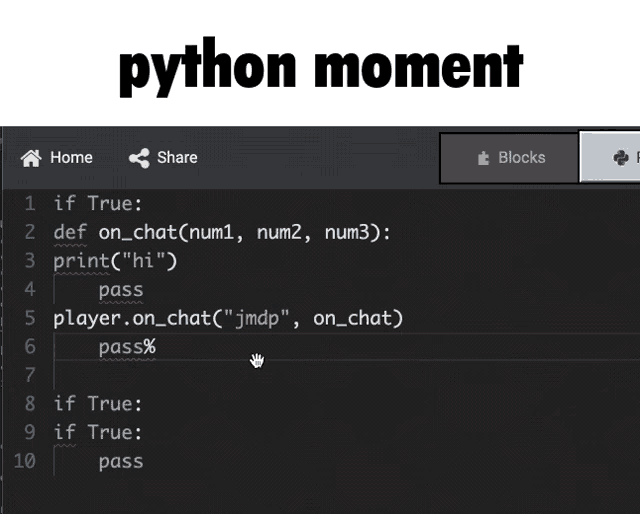
i code json ui in one line
 torpid whale
Whats the ninesplice to the inventory?
 rocky quail
funnily enough, if you manage to open the chat screen and do /ride. You can move around while still in death screen
just in a boat or horse tho
broken trail
rocky quail
funnily enough, if you manage to open the chat screen and do /ride. You can move...
interesting
broken trail
 opal aurora
ore ui introduces even more bugs than json ui
opal aurora
ore ui introduces even more bugs than json ui
yeah indeed
opal aurora
the bug where players can get stuck in death screen after pressing respawn, that was once fixed when the screen was still json ui, now came back because of ore ui
 whole jasper
can use other entity renderer?
for example armorstand in smithing table, i want to take anim time only
 empty tendon
How do you display multiple titles?
 wintry crater
whole jasper
can use other entity renderer?
for example armorstand in smithing table, i want ...
wintry crater
whole jasper
can use other entity renderer?
for example armorstand in smithing table, i want ...
uhh idk
wintry crater
empty tendon
How do you display multiple titles?
preserve title text https://wiki.bedrock.dev/json-ui/preserve-title-texts

Bedrock Wiki
Learn how to create reusable UI elements that preserve binding data, updating only when a specific keyword is detected in the data.
 real panther
Could anyone help me with adding ui to forms pls?
 grave jasper
I'm pretty sure that i placed the load order correctly because the optional addon has an alternate texture too and it displays properly.
 unreal ravine
Emmm.. This channel is for User Interface (UI), not for blocks
grave jasper
sorry it's because i was messing with json that i thought it was the right place. my apologies
unreal ravine
Np
unreal ravine
hey, someone can tell me why my button is not showing the pressed texture? 🤔
 unreal ravine
And theres some way to prevent button closing the form?
wintry crater
idk but what im doing is calling the form again after clicking a button
unreal ravine
Yeh, ik, but it should be another way than that
 jaunty smelt
unreal ravine
And theres some way to prevent button closing the form?
jaunty smelt
unreal ravine
And theres some way to prevent button closing the form?
just have it open another form
like the same form
nvm someone ready told u
unreal ravine
Welp, no other ways than that then.
 river flower
I have a complicated but geometrical animations (resizing, moving, rotating animations)
My designer was gonna do the animation and send it to me but the issue is that the animation would take 60 frames
If I convert that into a flipbook animation (which is the closest thing to an animation in minecraft), 60 frames is HUGE and will take so much space in the texture pack
But since this is geometrical, would it be possible to use json ui's animations? As I said, the animation is geometrical, so I just need translation, rotation etc
Another thing I'm worried about is that I am bad at making animations myself- I'd only be good replicating existing animations
In that case, is it reasonable to let the designer make the animation anyway and I'd start trying to mimic every frame of that animation into json ui animations?
I don't know what to do and all of this is because json ui doesn't support GIFs which have MUCH less size than 60 separate frames..
chilly yacht
river flower
I have a complicated but geometrical animations (resizing, moving, rotating anim...
nope rotations arent a thing
youd just have to use flipbook
or some entity thing and display it
river flower
chilly yacht
or some entity thing and display it
Ohhh smart
safe wing
hmmm flipbook vs asprite
jaunty smelt
What would the binding be if i wanted to get the first 10 characters of the title for a label ?
wintry crater
something like this
('%.10s' * #title_text)
https://wiki.bedrock.dev/json-ui/json-ui-intro#format-specifiers
jaunty smelt
no. that part ik
jaunty smelt
wintry crater
something like this
```
('%.10s' * #title_text)
```
https://wiki.bedrock.dev/jso...
i mean the full binding
wintry crater
btw, you mean server form title?
jaunty smelt
... noooooo hud title
wintry crater
"bindings": [
    {
        "binding_name": "#hud_title_text_string"
    },
    {
        "binding_type": "view",
        "source_control_name": "#hud_title_text_string",
        "source_property_name": "('%.10s' * #hud_title_text_string)",
        "target_property_name": "#text"
    }
]
try this
jaunty smelt
wintry crater
```json
"bindings": [
{
"binding_name": "#hud_title_text_string"
...
doesnt work
idk whats wrong with dis
wintry crater
jaunty smelt
doesnt work
oh wait try that again, i forgot the binding_name
btw, are you using preserve title text?
jaunty smelt
wintry crater
oh wait try that again, i forgot the binding_name
still dont work
wintry crater
wintry crater
btw, are you using preserve title text?
.
wintry crater
if so can you send your current code?
jaunty smelt
wintry crater
if so can you send your current code?
uh its kinda kinda to long i show u a short snippet which is just repeated
{
"bar_0@health_bar": {
"size": [
0,
9
],
"uv_size": [
0,
9
],
"$condition": "§h§0§0",
"bindings": [
{
"binding_name": "#hud_title_text_string"
},
{
"binding_type": "view",
"source_property_name": "(not((#hud_title_text_string - $condition) = #hud_title_text_string))",
"target_property_name": "#visible"
}
]
}
},
{
"bar_1@health_bar": {
"size": [
5.5,
9
],
"uv_size": [
5.5,
9
],
"$condition": "§h§0§1",
"bindings": [
{
"binding_name": "#hud_title_text_string"
},
{
"binding_type": "view",
"source_property_name": "(not((#hud_title_text_string - $condition) = #hud_title_text_string))",
"target_property_name": "#visible"
}
]
}
},
thats just reapted to make it longer
wintry crater
hmmm idk but you can use this as your guide
{
    "mana_text": {
        "$update_string": "mana:",
        "type": "label",
        "text": "#text",
        "layer": 1,
        //"shadow": true,
        "controls": [
            {
                "data_control": {
                    "type": "panel",
                    "size": [
                        0,
                        0
                    ],
                    "bindings": [
                        {
                            "binding_name": "#hud_title_text_string"
                        },
                        {
                            "binding_name": "#hud_title_text_string",
                            "binding_name_override": "#preserved_text",
                            "binding_condition": "visibility_changed"
                        },
                        {
                            "binding_type": "view",
                            "source_property_name": "(not (#hud_title_text_string = #preserved_text) and not ((#hud_title_text_string - $update_string) = #hud_title_text_string))",
                            "target_property_name": "#visible"
                        }
                    ]
                }
            }
        ],
        "bindings": [
            {
                "binding_type": "view",
                "source_control_name": "data_control",
                "source_property_name": "('%.25s' * #preserved_text - $update_string)",
                "target_property_name": "#text"
            }
        ]
    }
}
this shows the first 25 characters of the title text
jaunty smelt
wintry crater
hmmm idk but you can use this as your guide
```json
{
"mana_text": {
...
that dont work for me 😭
safe wing
i wonder what will happen to server-ui after oreui
wintry crater
jaunty smelt
that dont work for me 😭
🤷
how to fix this?

//button image layer = 10
{
    "image": {
        "type": "image",
        "layer": 10,
        "size": "$icon_size",
        "bindings": [
            {
                "binding_name": "#form_button_texture",
                "binding_name_override": "#texture",
                "binding_type": "collection",
                "binding_collection_name": "form_buttons"
            },
            {
                "binding_name": "#form_button_texture_file_system",
                "binding_name_override": "#texture_file_system",
                "binding_type": "collection",
                "binding_collection_name": "form_buttons"
            },
            {
                "binding_type": "view",
                "source_property_name": "(not ((#texture = '') or (#texture = 'loading')))",
                "target_property_name": "#visible"
            }
        ]
    }
}

//hover layer = 100
"[email protected]_text": {
    "layer": 100,
    "ignored": "$default_state",
    "property_bag": {
        "#hover_text": ""
    },
    "bindings": [
        {
            "binding_name": "#form_button_text",
            "binding_type": "collection",
            "binding_collection_name": "form_buttons"
        },
        {
            "binding_type": "view",
            "source_property_name": "#form_button_text",
            "target_property_name": "#hover_text"
        }
    ]
}
 clever maple
idk I have this and it works
opal aurora
wintry crater
how to fix this?
increase hover_text "layer" even more
wintry crater
opal aurora
increase hover_text "layer" even more
i tried 2000, still the same result
opal aurora
wintry crater
i tried 2000, still the same result
so it's probably because of how you put hover_text and image, since i didn't get where you put it
wintry crater
ill send it later, im not at home atm
wintry crater
 oak verge
layers order need to be in your second controls:[]

-# inside it, not like how the comments show
 frigid drift
does MessageFormData uses long form
oak verge
frigid drift
does MessageFormData uses long form
modal_dialog_popup from popup_dialog.json
frigid drift
thank you
clever maple
What do I need to add again to make a button return it index value?
in ActionFormData
clever maple
nvm I got it
 verbal remnant
Hello, I created a button in JSON UI in the chat_screen. Is it possible to run a command without clicking on it?
 scenic forge
If I had 20 labels, each with 20 binds, would making one common label that they all call from improve performance?
 tidal vector
I see Hex colors chat message in a server someone know how to reproduce something like this ?
 broken trail
tidal vector
I see Hex colors chat message in a server someone know how to reproduce somethin...
broken trail
tidal vector
I see Hex colors chat message in a server someone know how to reproduce somethin...
many, many custom glyphs
or each letter has vec4 for r,g,b,a value to set it through UI - I dont think so
it would look
t(0.5,0.2,0.1,1)h(0.2,0.6,0.5,1)i(0.5,0.2,0.1,1) and so on...
chilly yacht
broken trail
many, many custom glyphs
or entities
broken trail
chilly yacht
or *entities*
how entries in chat screen
or wait is it even chat screen?!
chilly yacht
broken trail
how entries in chat screen
wym just split up chat text, apply it to entity in message and display entity
hexed briar
broken trail
many, many custom glyphs
Feel like this is an entity ngl
it certainly does not look like bedrock's text renderer to me.
It has java's italic font, Uses java's item stats.
it's likely that a custom entity that summons behind the player (pretty much the same technic where you put a chest behind the player and make them open)
rendered by the UI which is something you can do. (commonly used on server forms, but work with other screens too.)
opal aurora
tidal vector
I see Hex colors chat message in a server someone know how to reproduce somethin...
"gradient" while the first "a" is ironically off
frigid drift
is there any sample code of a personal sidebar that can be updated every second without a use of titleraw?
 vernal storm
How to run right click with only RP
 hasty hamlet
hi there, do someone know if is possible to make the common.close_button selectable by console? I play on PS and it doesnt allow me to select it, but on PC it works fine to close the window
 brisk dock
is there a way to change the color of text shadows?
river flower
Is there any way to completely disable third person perspective?
river flower
broken trail
use camers
Uh how?
broken trail
idk tho, but it locks third person perspective 😂
wintry crater
river flower
Is there any way to completely disable third person perspective?
/camera @s set minecraft:first_person

like this??
river flower
wintry crater
Exactlyy
river flower
wintry crater
/camera @s set minecraft:first_person
So this permanently set the player's perspective to first_person?
wintry crater
yes
river flower
awesome
frigid drift
[UI][error]-----------------------------------------------------
Unknown properties found in def[hud_title_text] from namespace[hud]
- Unknown property [orientation]
----------------------------------------------------


[UI][error]-----------------------------------------------------
Unknown properties found in def[hud_actionbar_text] from namespace[hud]
- Unknown property [texture]
----------------------------------------------------
after modifying hud_title_text and hud_actionbar_text, how can i ignore this error?
whole jasper
frigid drift
```
[UI][error]-----------------------------------------------------
Unknown pro...
turn off debug
 turbid nimbus
frigid drift
```
[UI][error]-----------------------------------------------------
Unknown pro...
turbid nimbus
frigid drift
```
[UI][error]-----------------------------------------------------
Unknown pro...
Then you're trying to override Minecraft's Json-UI objects, you sometimes can have a merge effect, that is, annotations and unoverrided properties of the initial object are still there. To fix that, override both orientation and texture properties with default values (empty string should be enough)
 novel garden
Does anyone knows how to make this button opens the how to play section only when doubl_pressed {
"namespace": "general_section",
"how_to_play_button@settings_common.section_toggle_base": {
"$toggle_view_binding_name": "how_to_play_button_toggle",
"$glyph_texture": "textures/ui/how_to_play_button_default_light",
"$glyph_color_texture": "textures/ui/how_to_play_button_default",
"$glyph_size": [ 15, 15 ],
"$button_text": "menu.howToPlay",
"$toggle_property_bag": {
"#panel_title": "menu.howToPlay"
}
}
}
 hardy lily
unreal ravine
hey, someone can tell me why my button is not showing the pressed texture? 🤔
hardy lily
unreal ravine
hey, someone can tell me why my button is not showing the pressed texture? 🤔
I thought it was normal if you're on pc
because pressed button texture only appear if you using touch control and hold the button
unreal ravine
hardy lily
I thought it was normal if you're on pc
I dont think so ,im on pc and it doesnt show
hardy lily
unreal ravine
I dont think so ,im on pc and it doesnt show
have you tried it on touch mode?
unreal ravine
Nope
hardy lily
then, you should try it
as I know, keyboard & mouse control doesn't show the pressed button texture (except Ore UI)
except a few button does show a pressed button texture like dropdown
unreal ravine
Oh i see
 manic dragon
unreal ravine
Oh i see
manic dragon
unreal ravine
Oh i see
It's just that button actions get executed on mouse down event (mouse up for OreUI)
So the form in this case closes before the button can show it's pressed texture
If you make a button that does nothing, you can actually see the button's pressed texture
unreal ravine
Oh , ok thanks
 crimson fox
tidal vector
I see Hex colors chat message in a server someone know how to reproduce somethin...
crimson fox
tidal vector
I see Hex colors chat message in a server someone know how to reproduce somethin...
oh hey thats me
tidal vector
crimson fox
oh hey thats me
ahah hi
 lean estuary
how do i remove the "an error has occurred."

i had to move my text above, because if i dont, they get overlapped
safe wing
man offset is so confusing
safe wing
is there a way to modify start_screen buttons
unreal ravine
Someone can tell me what is the toggle_hover referenced as binding in toggle???

 muted spire
Hi all. How to get item name color like §f or someting, want to change the texture depending on the color of the item name
 weak cape
is there a way to render an entity with a fixed x rotation?
 left yew
weak cape
is there a way to render an entity with a fixed x rotation?
left yew
weak cape
is there a way to render an entity with a fixed x rotation?
What type of renderer are you using?
Paperdoll, live, etc.
Because im pretty sure you can choose a starting rotation for some of them
weak cape
left yew
Paperdoll, live, etc.
Because im pretty sure you can choose a starting rotation...
Well, I want a static image of an entity. I have tried to use the live horse renderer but I couldnt get it to following the cursor, and when I tried the paperdoll I couldnt get it to display the entity.
left yew
Ah yeah. Im not too sure about horse renderer stuff, I haven't used it before, and I doubt stuff like "rotation_x" and that would work
weak cape
left yew
Ah yeah. Im not too sure about horse renderer stuff, I haven't used it before, a...
yeah i tried the rotation x but it wouldnt budge
the rotation of camera did...
but i need it to face the right side.
weak cape
left yew
Idk if it'd work there tho
if it would work, can you display paperdoll as an entity?
i dont really know how to display paperdoll as an entity
river flower
I have a tpack that has /ui and /textures
Is it possible to put /ui in its own texture pack and /textures in another texture pack?
left yew
weak cape
i dont really know how to display paperdoll as an entity
I'd say sorta?
If you were to use/generate a player then apply a custom geometry to the player.
Then you'd use the player id to render it in the ui
left yew
river flower
I have a tpack that has /ui and /textures
Is it possible to put /ui in its own ...
Imma say yeah? I can't really see why it wouldn't allow that
unreal ravine
guys, how can I divide the text of the button?


cuz using "\n" set the text to standart one
left yew
unreal ravine
cuz using "\n" set the text to standart one
If you set the max size to like ["90%" , 20 ] (or some sort of size) itll wrap iirc
weak cape
river flower
I have a tpack that has /ui and /textures
Is it possible to put /ui in its own ...
I dont think so. You type in the texture path like textures/...
and the root is always the same resource pack so possibly not. Unless you can change the root
unreal ravine
left yew
If you set the max size to like ["90%" , 20 ] (or some sort of size) itll wrap i...
Theres no size on the text
river flower
I see. thanks!
left yew
unreal ravine
Theres no size on the text
Add it then..? :p
unreal ravine
Ill try
weak cape
river flower
I see. thanks!
I think you can override textures. To say for sure, you would need to test it.
left yew
unreal ravine
Ill try
"max_size": ["90%", 20]
river flower
weak cape
I think you can override textures. To say for sure, you would need to test it.
Gotcha
Also can you check our dms?
unreal ravine
It works, thanks
left yew
Yeah np
 fresh summit
How can I make a "stamina" bar like this?Or better yet, boy, how do I connect it to my SCRipt? How do I do it so that it depends on a scoreboard and the stamina bar goes down? I don't know, can anyone give me an idea?
 empty tendon
fresh summit
How can I make a "stamina" bar like this?Or better yet, boy, how do I connect it...
empty tendon
fresh summit
How can I make a "stamina" bar like this?Or better yet, boy, how do I connect it...
Code: https://github.com/LeGend077/json-ui-resources/blob/main/custom_progress_bar.json
Preserve Title Text: https://wiki.bedrock.dev/json-ui/preserve-title-texts.html
Music:
Sweden, Minecraft - C418
#minecraftbedrock
 gaunt apex
https://discord.com/channels/523663022053392405/1406920017785913405
its work to preserved $actionbar_text
 safe wing
can someone explain to me what a collection is
fresh summit
You can attach more than one title, for example, I have an active interface with one title, but I have a stamina that has another title, but when I run another title, the previous one is deleted and removed The content
weak cape
left yew
I'd say sorta?
If you were to use/generate a player then apply a custom geometr...
Do you perhaps know what the #entity_type: "player" | "npc" binding does?
left yew
weak cape
Do you perhaps know what the `#entity_type: "player" | "npc"` binding does?
Nope
 summer vault
left yew
Nope
summer vault
left yew
Nope
I shot you a message. Would love to work with you.
 surreal ridge
can any talented server form UI developers DM mé, im looking to pay decent money for some custom forms:)
 sinful crypt
This UI help channel has literally become a hiring server.
surreal ridge
sinful crypt
This UI help channel has literally become a hiring server.
this server should add one
it would benefit it alot
sinful crypt
surreal ridge
this server should add one
no
surreal ridge
surreal ridge
can any talented server form UI developers DM mé, im looking to pay decent money...
also ive started a commission with someone already so ty to like all 10 people who dmed me 😭 🙏
sinful crypt
Please read the rules
 random whaleBOT
Finding a Dev or a Team?
This discord isn't suited for finding or offering paid work. We can't moderate these transactions, so we ask that you move to a more suitable place.
For a casual discord community, consider joining Skill Share: https://discord.gg/sZ7fkcN.
Find incredible people. Make beautiful things. A home for crafting your career in the Minecraft industry.
surreal ridge
faq not rules
 surreal ridge
no need to take discord this seriouly gango, what im doing doesnt affect you
river flower
sinful crypt
;-;
tbf he's got a point
 viral oxide
What element handles the item currently held in the cursor in inventories?
I feel like im being blind xD, i cant figure out what it is
manic dragon
viral oxide
What element handles the item currently held in the cursor in inventories?
If I remember correctly it's flying_item_renderer
muted spire
How to hell change item tip background texture in UI side, rn i'll find 3 file which uses this texture

Changing to mine custom named texture didn't work

 quartz pendant
textures/ui/purpleBorder should be were its at iron do u mean changing the texture path name but not edit the texture?
quartz pendant
muted spire
How to hell change item tip background texture in UI side, rn i'll find 3 file w...
.
hardy lily
Is there any other version about this modal form?
as I know, there's a one button version and also three button too. But I'm not sure how to get it and what script should I use.
 manic dragon
They made MessageFormData only for 2 button layout
 sick shell
hardy lily
Is there any other version about this modal form?
as I know, there's a one butto...
sick shell
hardy lily
Is there any other version about this modal form?
as I know, there's a one butto...
You cant
hardy lily
sad 😔
oak verge
Use action form
opal aurora
hardy lily
Is there any other version about this modal form?
as I know, there's a one butto...
why rejecting calmly
it's part of popup_dlalog, it's recommended to clone them instead of overriding vanilla
sick shell
opal aurora
why rejecting calmly
It is a love confession
verbal remnant
How do you open a custom chest_screen? For example, when it has the name jobs.paliers, it opens with a behavior pack or a command.
jaunty smelt
muted spire
How to hell change item tip background texture in UI side, rn i'll find 3 file w...
it uses nine scale so you would prob js modify it
broken trail
sick shell
It is a love confession
lmao
rocky quail
hardy lily
Is there any other version about this modal form?
as I know, there's a one butto...
i wouldn't reject that 271Trillion
hardy lily
rocky quail
i wouldn't reject that 271Trillion
You know, that's a corruption money 💀
rocky quail
hardy lily
You know, that's a corruption money 💀
oh nvm
 wary pollen
How can I add the score here or is it not possible?
 frigid drift
i can use percentage for offset right?
so basically i want to offset a stack panel that has a height of 100%c into 100% or the endmost of the stack panel (for anims purposes), how can i do that?
frigid drift
frigid drift
so basically i want to offset a stack panel that has a height of `100%c` into `1...
it works with -100% but not in a way that it offset up until the end of 100%c
{
      "itemstack": {
      "type": "stack_panel",
      "size": ["100%", "100%c"],
      "offset": [0, "-100%"],
      "anchor_from": "top_middle",
      "anchor_to": "top_middle",
      "factory":{
      "name": "buttons",
      "control_ids": {
        "button": "ec_spin.itemvis"
        }
      },
      "collection_name": "form_buttons",
      "bindings": [
      {
      "binding_name": "#form_button_contents",
      "binding_name_override": "#collection_length"
      }
    ]
  }
}
 pulsar hornet
"dynamic_button": {
    "type": "stack_panel",
    "$size|default": [
        48,
        32
    ],
    "$text": "#form_button_text",
    "size": "$size",
    "variables": [
        {
            "requires": "(not (($text - '§T§Y§P§E§1§r') = $text))",
            "$size": [
                64,
                32
            ]
        }
    ],
why is size not working? am i using the wrong variable?
oak verge
if only
unreal ravine
oak verge
if only
Definitely agreeded with ur point abt
frigid drift
is there a way i can use nineslice for flipbook images
eg animated frames that are sized 18x18
 short chasm
Are dynamic interfaces a thing that exists?
Is it possible to change the texture of an element based on a variable?
 night holly
I have a cursor following input panel, inside of a scrolling panel, does anyone know if theres a way to make it so it isnt clipped inside?
 manic dragon
night holly
I have a cursor following input panel, inside of a scrolling panel, does anyone ...
manic dragon
night holly
I have a cursor following input panel, inside of a scrolling panel, does anyone ...
Maybe try "allow_clipping": false on the input panel
 hollow oxide
safe wing
hollow oxide
safe wing
how to make nineslice json file
surreal ridge
Looking for custom server form dev again, 2 people have cancelled, can pay. Dm me
night holly
manic dragon
Maybe try "allow_clipping": false on the input panel
Oh yeah forgot about that, I’ll give it a try thanks
manic dragon
broken trail
Isn't this from dingsel's tutorial
 valid swan
My grid has extra buttons until it reaches button 6, which is the maximum, what do I do?
"grid_buttons": {
"type": "grid",
"grid_rescaling_type": "horizontal",
"anchor_to": "center",
"anchor_from": "center",
"size": [96, "100%c"],
"maximum_grid_items": 6,
"grid_dimensions": [3 , 3],
"collection_name": "form_buttons",
"grid_item_template": "many-npc.dynamic_button"
}
night holly
surreal ridge
Looking for custom server form dev again, 2 people have cancelled, can pay. Dm m...
£60 per 🤗🤗🤗
unreal ravine
Damm
surreal ridge
night holly
£60 per 🤗🤗🤗
Not worth
night holly
surreal ridge
Not worth
😢
unreal ravine
F
valid swan
valid swan
My grid has extra buttons until it reaches button 6, which is the maximum, what ...
????
manic dragon
valid swan
????
Try adding the bindings for maximum grid item rather than setting them directly
valid swan
?
manic dragon
{
  "binding_name": "#form_button_length",
  "binding_name_override": "#maximum_grid_items"
}
If you mean you don’t want it to go bigger than 6, half the stuff you have on there doesn’t even do anything lol
valid swan
manic dragon
```json
{
"binding_name": "#form_button_length",
"binding_name_override": "#...
thanks, I was too lazy to do 1 bindings lol
weak cape
surreal ridge
Looking for custom server form dev again, 2 people have cancelled, can pay. Dm m...
finnafinest hasn't narced on you yet? That's crazy
hexed briar
broken trail
love the 7,628,646,548,813th server form that looks like recolored ore-ui
frigid drift
how can i replace server form button's texture image with something else if it's texture is missing? (not by replacing the missing texture image)
like bindings if possible
broken trail
manic dragon
Isn't this from dingsel's tutorial
no idea whats this
broken trail
hexed briar
love the 7,628,646,548,813th server form that looks like recolored ore-ui
fr 😭
manic dragon
weak cape
finnafinest hasn't narced on you yet? That's crazy
Actually he did, the first time xD
manic dragon
broken trail
no idea whats this
The layout is just like the one in the video. Just re-textured
broken trail
manic dragon
The layout is just like the one in the video. Just re-textured
that's interesting
maybe it's reason why I saw many similar ones
however speedrunning it it around 1/1.5h is not that bad
manic dragon
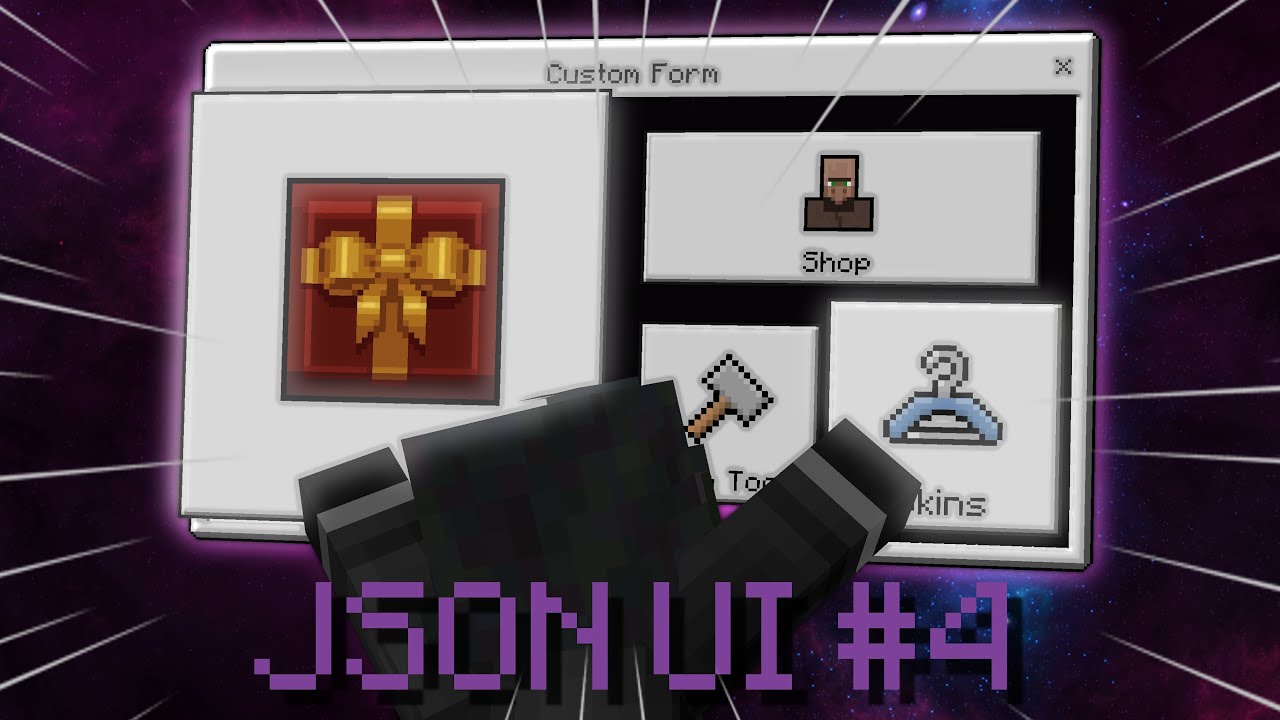
🔥Topics covered in this video:
JSON UI Variables
JSON UI Sizes and Scaling
Bindings in JSON UI
Server Forms
Custom Buttons
🔗Links :
Last Video Part: https://youtu.be/zWecyvsbKHY
Join My Discord! : https://discord.gg/tzrmH56JXC
My Website And Code: http://skyls.de
JSON UI docs : https://wiki.bedrock.dev/json-ui/json-ui-intro.html
Vanilla ...
You can see from the thumbnail
He also made a tutorial on texturing the form
broken trail
yea its similar
everything I see here is


and dingsel video at the bottom instead of ffmpeg
lmao
manic dragon
lol
pulsar hornet
Any ideas to fix those stripes between characters?

 uncut lantern
excel in minecraft before gta 6 😳
manic dragon
pulsar hornet
Any ideas to fix those stripes between characters?
You're trying to display the world through this!
That's awesome
Why not use squares
river flower
pulsar hornet
Any ideas to fix those stripes between characters?
Are all these buttons?
pulsar hornet
river flower
Are all these buttons?
nope they re glyphs
pulsar hornet
manic dragon
You're trying to display the world through this!
That's awesome
basically yes im trying to do a map where you can just go and see how you world look like and find biomes
oak verge
i don't think you can do anything about it
pulsar hornet
That's what i came up with for now
 manic dragon
pulsar hornet
That's what i came up with for now
manic dragon
pulsar hornet
That's what i came up with for now
I think you can get rid of those spacing between lines adjusting "line_padding"
pulsar hornet
i alredy tried but it fixes it only vertically
i prefer having squares than having stripes
 strange snow
how do you prevent hover_text_renderer from overflowing off the screen
weak cape
strange snow
how do you prevent `hover_text_renderer` from overflowing off the screen
Im not home rn
Maybe allow_clipping: false
strange snow
weak cape
Im not home rn
Maybe allow_clipping: false
no that didnt work.
like it doesnt fit inside the window of minecraft
weak cape
Show me your screen
Maybe your text too big
Happens in craftersmc
Sometimes you can't read some items cuz of big text
 last pollen
source code ? please
hardy lily
wary pollen
How can I add the score here or is it not possible?
Simply, you can use body text (or I called it Description Text) as the score
anyway, Is it possible to display 20 line in scoreboard? and does the scoreboard can read the 20th index (index 19)?
I haven't tried that myself
 opal aurora
pulsar hornet
That's what i came up with for now
opal aurora
pulsar hornet
That's what i came up with for now
why not trying with custom emoji glyphs? it's the only way to get text overlapping, which can fix those stripes issue
weak cape
{
   "profile_grid": {
      "type": "grid",
      "collection_name": "players_collection",
      "grid_item_template": "hud.profile_name",
      "debug": "yellow",
      "maximum_grid_items": 1,
      "size": [
         "40px",
         "100%"
      ]
   },
  "profile_name": {
     "type": "label",
     "text": "#gamertag",
     "debug": "red",
     "size": [
        "100%",
        "100%"
     ],
     "bindings": [
        {
           "binding_type": "collection",
           "binding_collection_name": "players_collection",
           "binding_name": "#gamertag"
        }
     ]
  }
}
any clue why this does not display the gamertag?
pulsar hornet
opal aurora
why not trying with custom emoji glyphs? it's the only way to get text overlappi...
It alredy uses glyphs
opal aurora
pulsar hornet
It alredy uses glyphs
i see, maybe making it a little bit bigger?
as i saw a pack that adds block glyphs but those glyphs are bigger than normal, by 2 times the standard text size
sick shell
that kinda sucks, just use images on a grid
to hopefully help it perform better and you can customize the padding between
weak cape
weak cape
```json
{
"profile_grid": {
"type": "grid",
"collection_name": "p...
can yall tell me if players_collection only works in the pause screen?
manic dragon
weak cape
can yall tell me if `players_collection` only works in the pause screen?
It works in hud screen as well
pulsar hornet
opal aurora
i see, maybe making it a little bit bigger?
but my goal is to make them small
but i think they re fine honestly
 weak cape
manic dragon
It works in hud screen as well
weak cape
manic dragon
It works in hud screen as well
does it work in server forms?
manic dragon
No
weak cape
 whole jasper
pulsar hornet
but i think they re fine honestly
whole jasper
pulsar hornet
but i think they re fine honestly
WOW smart people
 jolly rock
pulsar hornet
but i think they re fine honestly
jolly rock
pulsar hornet
but i think they re fine honestly
Do you save the color and position of each block? Does it update after breaking a block in a distant area?
hardy lily
pulsar hornet
but i think they re fine honestly
is this glyph font?
unreal ravine
pulsar hornet
but i think they re fine honestly
Does render custom blocks?
pulsar hornet
jolly rock
Do you save the color and position of each block? Does it update after breaking ...
Much more optimised than that
pulsar hornet
unreal ravine
Does render custom blocks?
Doesn’t render blocks
pulsar hornet
Fr
pulsar hornet
hardy lily
is this glyph font?
Yes
sinful crypt
weak cape
finnafinest hasn't narced on you yet? That's crazy
What?
unreal ravine
weak cape
why yall reply to him at the same time
Wecuz funni
valid swan
pulsar hornet
but i think they re fine honestly
||pênis?||
unreal ravine
💀
pulsar hornet
What's the variable to get the actionformdata title text?
jolly rock
#title_text
pulsar hornet
jolly rock
#title_text
thanks
this isnt working what should i do?
"$titletext": "#title_text"
(ping me)
pulsar hornet
im going crazy json ui is so ass
manic dragon
pulsar hornet
this isnt working what should i do?
```json
"$titletext": "#title_text"
```
(pin...
How are you using it?
pulsar hornet
manic dragon
How are you using it?
i need to read the title text to make the characters of the body of the actionformdata smaller
manic dragon
I meant the code
 manic dragon
Try adding the binding for it
{
 "binding_name": "#title_text"
}
Yeah
pulsar hornet
manic dragon
Yeah
nope text is still the same size, no errors
i just used
new ActionFormData()
    .title(`§T§Y§P§E§4§rWorld Map`)
You won't really get any errors
Sometimes using bindings in variables doesn't work as intended
pulsar hornet
so there is not a fix for that?
jolly rock
pulsar hornet
It always return small
pulsar hornet
jolly rock
It always return small
in game it never does
pulsar hornet
jolly rock
Right?
number changes the scale of the text and the type is to make the font small yes
pulsar hornet
jolly rock
<@985593016867778590> or another label inside controls?
yes the main label
i need to change the .body() not the .label()
jolly rock
In your code i dont see "font_size": "$font_size"
pulsar hornet

 manic dragon
How about using some property bag values and bindings
There are #font_type and #font_scale_factor bindings right?
jolly rock
I think no
manic dragon
I've seen them in vanilla files but didn't try before
pulsar hornet
jolly rock
If you change the default value it changes?
yes
i need it to make base forms also work when my addon is installed and also change size couse 75k characters in a form might make some device crash
why are bindings that hard to use?
manic dragon
pulsar hornet
why are bindings that hard to use?
Try using this and see if font scale changes
"property_bag": {
  "#font_scale": 0.15
},
"bindings": [
  {
    "binding_type": "view",
    "source_property_name": "#font_scale",
    "target_property_name": "#font_scale_factor"
  }
]
yeah it works fine
manic dragon
pulsar hornet
yeah it works fine
Well, then you have a solution to your problem
Do some logic in the source property name to achieve what you want
You can add more values in the property bag
pulsar hornet
manic dragon
Well, then you have a solution to your problem
Do some logic in the source prop...
wait a second what do you mean by logic
i do have to do the same thing as "requires" but in property name?
manic dragon
Yes but you'll need to modify that to do something similar to if else
pulsar hornet
fontscale: "(not (#title_text - '§T§Y§P§E§4') = #title_text) ? 0.15 : 0.30"
something like this in the property bag?
manic dragon
You can define property bag value like this:
"#§T§Y§P§E§2": 0.6
Then in source_property_name: "('#' + '%.15s' * #title_text)"
It should work but I'm not sure
manic dragon
pulsar hornet
fontscale: "(not (#title_text - '§T§Y§P§E§4') = #title_text) ? 0.15 : 0.30"
Ternary operator doesn't exist in JSON UI
pulsar hornet
what is that %.15s *
manic dragon
Gets the first 15 characters from title text
pulsar hornet
json ui is so weird
pulsar hornet
manic dragon
Gets the first 15 characters from title text
can i ask you why 15 characters?
manic dragon
§ counts as 2 characters so §T§Y§P§E§2 is 15 characters
pulsar hornet
oh
pulsar hornet
manic dragon
Try using this and see if font scale changes
```json
"property_bag": {
"#font_...
Thanks a lot mate
manic dragon
Did it work?
pulsar hornet
yes
manic dragon
Honestly I wasn't so sure because of the § character
Glad it worked
pulsar hornet
@manic dragon
"property_bag": {
    "#§T§Y§P§E§1": [
        "20%",
        32
    ]
},
"bindings": [
    {
        "binding_type": "view",
        "source_property_name": "('#' + '%.15s' * #form_button_text)",
        "target_property_name": "#size"
    }
],
"size": [
    "100%",
    32
],
for size it doesnt work like that right?
 earnest acorn
can json ui access entity properties?
unreal ravine
Nope
 hot granite
What’s the best way to learn json ui?
weak cape
hot granite
What’s the best way to learn json ui?
Reading docs, samples and trying out new stuff
oak verge
And reading vanilla files
pulsar hornet
where do i donwload good auto completions for json ui in vscode?
 hollow knot
Can anyone help me with my UI problem
How can I add a scrolling panel so it can support how many buttons i wanted
oak verge
pulsar hornet
where do i donwload good auto completions for json ui in vscode?
https://marketplace.visualstudio.com/items?itemName=LeGend077.json-ui-auto-completions
https://marketplace.visualstudio.com/items?itemName=Dingsel.bedrock-ui
Extension for Visual Studio Code - This extension adds some auto completions for Minecraft Bedrock JSON-UI creators to faster their work.
 hardy lily
I heard minecraft 1.21.110 will break some json ui code. Is that true?
valid swan
How can I define the color of my custom bar?
    "custom_bar": {
        "type": "image",
        "texture": "textures/pokemon/ui/ore-ui/buttons/button_header_light",
        "size": [128, 8],
        "color": "#color",
        "clip_direction": "left",
        "clip_pixelperfect": false,
        "$max_value": 100.0,
        "$min": 1.0,

        "$string": "('%.10s' * #form_button_text)",

        "bindings": [
            {
                "binding_type": "collection",
                "binding_collection_name": "form_buttons",
                "binding_name": "#form_button_text"
            },
            {
                "binding_type": "view",
                "source_property_name": "($min * ($string - '~'))",
                "target_property_name": "#value"
            },
            {
                "binding_type": "view",
                "source_property_name": "(($max_value - #value) / $max_value)",
                "target_property_name": "#clip_ratio"
            },
            {
                "binding_type": "view",
                "source_property_name": "(('%.10s' * (#form_button_text - $string )) - '~')",
                "target_property_name": "#color"
            }
        ]
    },
Just change the texture
valid swan
I'm avoiding using +1 texture '-'
without the bindings it works without problems, with the bindings it doesn't work
jolly rock
 chilly yacht
i dont think u can use #color like that lol
jaunty smelt
"bindings": [
{
"binding_name": "#hud_title_text_string"
},
{
"binding_type": "view",
"source_property_name": "#hud_title_text_string",
"target_property_name": "#text"
}
] this is a binding to apply title text to my label but how can i edit the text before applying?
valid swan
chilly yacht
i dont think u can use #color like that lol
bruh,-,
Worse still, it was working, in the title, the only thing that doesn't work is the form.
 paper yew
Hi guys, how can I disable the esc function in server_form.json?
 nocturne salmon
i dont really touch UI. But does someone know if i can enable the crosshair for specific entities when riding them?
night holly
nocturne salmon
i dont really touch UI. But does someone know if i can enable the crosshair for...
You can just use /hud I’m pretty sure
hardy lily
jolly rock
Is there any tools that can help me slicing a string 🤔
unreal ravine
hardy lily
Is there any tools that can help me slicing a string 🤔
Slicing like what? A texture?
hardy lily
unreal ravine
Slicing like what? A texture?
text slice using bindings
unreal ravine
Dunno ig
hardy lily
brah
weak cape
hardy lily
text slice using bindings
Omg i thought of the same thing. A website that will make slicing text way easier. That would be cool
weak cape
paper yew
Hi guys, how can I disable the esc function in server_form.json?
I think you have in main screen content element in server form button mappings. Delete those and you won't be able to exit forms
hardy lily
weak cape
Omg i thought of the same thing. A website that will make slicing text way easie...
No one has ever built it?
fine. I'll make my own
ummm... any docs available?
nvm, found it
It's called Text Formatting, but I called it text slice 🤦♂️
hardy lily
that should work
 hardy lily
oh, someone already make this on javascript. I guess this is not needed
weak cape
hardy lily
that should work
is it more advanced?
Something that will make stacking multiple information inside one button more feasable
 clear lantern
Can someone please help me with issue with server forms progress bar? It's in post
lean estuary
hexed briar
it's likely that a custom entity that summons behind the player (pretty much the...
im interested, can you explain a tad bit more please?
hardy lily
weak cape
is it more advanced?
Nope. It still gives a basic output
weak cape
hardy lily
Nope. It still gives a basic output
hmm, if it would be more advanced it would be very helpful in development.
might start a project like this if nobody would do it
hardy lily
weak cape
hmm, if it would be more advanced it would be very helpful in development.
Maybe tomorrow I'll continue advanced this
I am sick btw
Oh yeah, can you give me any example about string formatting? Maybe I can create one of thoose
hardy lily
So far, this is what I can make. Idk if this correct
 unreal ravine
hardy lily
So far, this is what I can make. Idk if this correct
unreal ravine
hardy lily
So far, this is what I can make. Idk if this correct
Omg I though it was a Job application for a moment 😭 💀🙏
hardy lily
unreal ravine
Omg I though it was a Job application for a moment 😭 💀🙏
haha, I'm too lazy to style this form
maybe I'll keep this to jumpscare other people :p
nocturne salmon
night holly
You can just use /hud I’m pretty sure
Okay thanks 👍
hardy lily
hardy lily
So far, this is what I can make. Idk if this correct
I'll show the progress in #off-topic
paper yew
weak cape
I think you have in main screen content element in server form button mappings. ...
ty bro
jolly rock
hardy lily
So far, this is what I can make. Idk if this correct
Looks fine
 untold dawn
umm, is it possible to add that screenShot button to the hudScreen?
opal aurora
untold dawn
umm, is it possible to add that screenShot button to the hudScreen?
no, just use a physical or virtual f2 key
manic dragon
Does anyone know what carousel_label is?
I saw it in ui_common.json but couldn't use it
oak verge
manic dragon
Does anyone know what ``carousel_label`` is?
I saw it in ui_common.json but coul...
rotatable text? not sure

it is Legacy, so not sure if it is usable
manic dragon
It's not usable I think
oak verge
seem so, no screen is calling it
 manic dragon
Also no other screen has any element of this type
hexed briar
manic dragon
Does anyone know what ``carousel_label`` is?
I saw it in ui_common.json but coul...
a text that used to be rotatable. though it was used probably during early json-ui days, but eventually it got replaced by renderer.
manic dragon
Was it used for the splash text?
hexed briar
i think they're pretty much been removed or something since they don't work anymore and throws a content logs that this type of element does not exist.
hexed briar
manic dragon
Was it used for the splash text?
Yeah, they are.
I've seen someone rotated text with this element type before, but that's like couple of years ago.
manic dragon
Yeah I was thinking about using it for rotated text. But ig there's no luck with this
sick shell
literally no one used that cus that wasn't even used below 1.0.0 versions
thats probably just paper doll tricks
hardy lily
does json ui bindings support text as boolean? like (($var1 or $var2) = true)?
weak cape
hardy lily
does json ui bindings support text as boolean? like `(($var1 or $var2) = true)`?
you mean strings "true" and "false"?
untold dawn
opal aurora
no, just use a physical or virtual f2 key
like i cant add a button to the hudScreen just to take a screenShot.
at least i can do something to take a screenShot, but making it useable in my idea might be impossible
opal aurora
untold dawn
like i cant add a button to the hudScreen just to take a screenShot.
at least i ...
not possible
untold dawn
opal aurora
not possible
-# my idea was taking a screenShot from the game and use it ingame, like those java mods but for bedrock, yeah i think thats near impossible,
hardy lily
weak cape
you mean strings "true" and "false"?
yes, something like that
and I need confirmation about this
 weak cape
hardy lily
yes, something like that
weak cape
hardy lily
yes, something like that
would be easier and faster if you would try it yourself tbh
weak cape
hardy lily
and I need confirmation about this
for some reason i ignored it lol
weak cape
hardy lily
and I need confirmation about this
i dont quite understand this lol
hardy lily
weak cape
i dont quite understand this lol
me neither
I'll fix this tomorrow. json bindings is a bit weird
 umbral trench
Can anyone tell me why this isn't working?
"health": {
    "type": "image",
    "$value1": "[inCombat]",
    "$value2": "[inSafe]",
    "size": [
        218,
        25
    ],
    "texture": "$texture",
    "bindings": [
        {
            "binding_name": "#hud_title_text_string"
        }
    ],
    "variables": [
        {
            "requires": "((#hud_title_text_string - $value1) = #hud_title_text_string))",
            "$texture": "textures/ui/xubis/health/healthInCombat"
        },
        {
            "requires": "((#hud_title_text_string - $value1) = #hud_title_text_string))",
            "$texture": "textures/ui/xubis/health/healthSafe"
        }
    ]
}
have you tried using bindings before?
as far I know, ((#hud_title_text_string - $value1) = #hud_title_text_string)) will return a boolean. but I'm not quite sure this is work in variables
I recommend to use string formatting for this case
it would be something like this
 manic dragon
umbral trench
Can anyone tell me why this isn't working?
```js
"health": {
"type": "image"...
manic dragon
umbral trench
Can anyone tell me why this isn't working?
```js
"health": {
"type": "image"...
Bindings don't work inside variables array
Do it with bindings only not variables
hollow oxide
pls help me
why is the text not displayed on the buttons
        "type": "stack_panel",
        "size": ["100%", "100%"],
        "orientation": "horizontal",
        "anchor_from": "center",
        "anchor_to": "center",
        "collection_name": "form_buttons",

        "controls": [
                                        "text": {
                                            "type": "label",
                                            "text": "#form_button_text",
                                            "layer": 32,
                                            "color": [1, 1, 1],
                                            "offset": [0, 0],
                                            "anchor_from": "top_middle",
                                            "bindings": [
                                                {
                                                    "binding_name": "#form_button_text",
                                                    "binding_type": "collection",
                                                    "binding_collection_name": "form_buttons"
                                                }
                                            ]
                                        }
                                    }

 hardy lily
hollow oxide
pls help me
why is the text not displayed on the buttons
```"sr_super_custom_pa...
hardy lily
hollow oxide
pls help me
why is the text not displayed on the buttons
```"sr_super_custom_pa...
is this a grid button?
hollow oxide
no
hardy lily
and, is that golang?
hollow oxide
java

GitHub
Library is designed to simplify the creation and handling of forms - MEFRREEX/FormConstructor

 hardy lily
hollow oxide
hardy lily
hollow oxide
ok, there must be something with the button text
hollow oxide
I took this as a basis https://skyls.de/samples/ui5/RP/ui/server_form.json
A Personal Code Sharing Website With Various Tutorials For Minecraft Bedrock JSON UI, Scripting API And More!
because there was no time to create from scratch
hardy lily
can I see the whole code of "custom_button"?
hardy lily
I think I know
hollow oxide
and what is the mistake?
hardy lily
hollow oxide
and what is the mistake?
                                        "text": {
                                            "type": "label",
                                            "text": "#form_button_text",
                                            "layer": 32,
                                            "color": [1, 1, 1],
                                            "offset": [0, 0],
                                            "anchor_from": "top_middle",
                                            "bindings": [
                                                {
                                                    "binding_name": "#form_button_text",
                                                    "binding_type": "collection",
                                                    "binding_collection_name": "form_buttons"
                                                }
                                            ]
                                        }
try moving this outside the "panel_name" and set the layer like 1000
hollow oxide
ok, thanks. I'll try it now
hardy lily
it just for testing btw, if it still doesn't appear, that mean you need to change the entire custom button structure
because the text won't appear if there's no texture available
🤦♂️ took me long enough to realize
hollow oxide
 hardy lily
hollow oxide
hardy lily
hollow oxide
ok, let me modify the code a bit
 hardy lily
brah
hollow oxide
Thank you very much
 hardy lily
at least it shows the text
hollow oxide
I think I can fix it myself
 torpid whale
Really quick the title bar is in hud_screen.json right?
unreal ravine
torpid whale
Really quick the title bar is in hud_screen.json right?
Yup
 nocturne python
It is possible to do something similar to a progress bar but have the red flag move based on the value of a variable?

 hardy lily
nocturne python
It is possible to do something similar to a progress bar but have the red flag m...
hardy lily
nocturne python
It is possible to do something similar to a progress bar but have the red flag m...
It's possible, but you must create the texture for each progress
from 0% to 100%
nocturne python
hardy lily
It's possible, but you must create the texture for each progress
I see, that's not what I want.
hardy lily
🤔
broken trail
nocturne python
It is possible to do something similar to a progress bar but have the red flag m...
yea there is, however its really anciet and idk if anyone have idea how to do this
broken trail
nocturne python
I see, that's not what I want.
without ^
manic dragon
nocturne python
It is possible to do something similar to a progress bar but have the red flag m...
If you use binding it can be done using #anchored_offset_value_x
broken trail
manic dragon
If you use binding it can be done using #anchored_offset_value_x
wouldnt it go beyond element width?
or well actually there might be some tricks to adjust it since its percentage
manic dragon
yea you can always adjust it a bit
whole jasper
tes

 weak cape
 bold dawn
Can I ask, Which one is better between the two UI designs that I made? <:bao_ext...
bold dawn
Can I ask, Which one is better between the two UI designs that I made? <:bao_ext...
whats the difference
 weak cape
bold dawn
Can I ask, Which one is better between the two UI designs that I made? <:bao_ext...
weak cape
bold dawn
Can I ask, Which one is better between the two UI designs that I made? <:bao_ext...
OHH, the color of the bar
red one is better
bold dawn
weak cape
OHH, the color of the bar
Yep² 😅
bold dawn
weak cape
red one is better
Thank you for your response sir
weak cape
bold dawn
Thank you for your response sir<:bao_icon_particles:937567566627487834>
np sir
tho i have a question to everyone
do i need to use toggles to open a screen after clicking a button in pause screen?
i want to use a button but how do i open a screen clicking?
weak cape
nvm mojang has common_toggles.light_text_toggle which is a button but as a toggle so no need to code a button toggle from scratch
torpid whale
Where do i edit the position of the title bar in hud_screen? I found 76 results but im not the best at json ui so idk 😭
weak cape
torpid whale
Where do i edit the position of the title bar in hud_screen? I found 76 results ...
{
   "hud_title_text": {
    "offset": [ 0, -19 ]
   }
}
i think thats how
manic dragon
weak cape
nvm mojang has `common_toggles.light_text_toggle` which is a button but as a tog...
Yeah they have templates like that
These are based on light_template_toggle. So that'll give you much more control
torpid whale
Found it! Line 2122
hud_tip_text_background, is this the background of the title bar?
torpid whale
is that the inventory screen background image?
 torpid whale
I assume its used in multiple other area's though right?
weak cape
torpid whale
I assume its used in multiple other area's though right?
I think so yeah
torpid whale
Hm cool!
torpid whale
torpid whale
hud_tip_text_background, is this the background of the title bar?
Is this right too?
weak cape
torpid whale
hud_tip_text_background, is this the background of the title bar?
you mean as a texture file or json ui element?
torpid whale
Ah cool! Tysm
 winged flicker
Hi, how can I set a custom hover text instead of #form_button_text ? For example : set the text to "Test" if I have "$hover_text": "Test" and if I haven't use the default value which is #form_button_text
  "[email protected]_text": {
    "$hover_text|default": "#form_button_text", // Currently not used
    "bindings": [
      {
        "binding_name": "#form_button_text",
        "binding_type": "collection",
        "binding_collection_name": "form_buttons"
      },
      {
        "binding_type": "view",
        "source_property_name": "#form_button_text",
        "target_property_name": "#hover_text"
      }
    ]
What's the difference between MinecraftTen and MinecraftTenEmoticon fonts?
oak verge
manic dragon
What's the difference between MinecraftTen and MinecraftTenEmoticon fonts?
Maybe the creeper face in some letters
manic dragon
oak verge
Maybe the creeper face in some letters
Tried with capital and small A but no creeper face. Or it requires a special character?
Only thing I noticed is that the size is a bit smaller than MinecraftTen font
oak verge
manic dragon
Tried with capital and small A but no creeper face. Or it requires a special cha...
where did you see "MinecraftTenEmoticon"
manic dragon
oak verge
where did you see "MinecraftTenEmoticon"
Saw it in a warning in vscode
It was something like this: Value is not accepted. Valid values: "smooth", "MinecraftTen", "MinecraftTenEmoticon".
oak verge
manic dragon
Saw it in a warning in vscode
It was something like this: Value is not accepted....
it is only mentioned here
C:\Program Files\WindowsApps\Microsoft.MinecraftUWP_1.21.10101.0_x64__8wekyb3d8bbwe\data\resource_packs\vanilla\font\font_metadata.json
 manic dragon
So it's just MinecraftTen?
oak verge
probably
manic dragon
Wait it's possible to use any custom font in Minecraft?
oak verge
i got mixed answers asking that, someone said yes while another said no
manic dragon
this is poppins

 oak verge
that is a ttf font?
manic dragon
yes
oak verge
how?
i haven't looked into that stuff
oak verge
weird
hexed briar
oak verge
be warned that custom .ttf fonts is experimental.
you can load up packs that uses custom .ttf font, but the game will have to be restarted for it to fully apply.
since the game will cache it, turn it into spritesheet for whatever reason.
you can replace the existing .ttf fonts but it will be there permanently until you clear the cache.
manic dragon
ngl that seems like a pain
hexed briar
it is, that's why it's experimental.
you can't even get the font_metadata.json in the sample pack, and there's absolutely 0 document on this thing too.
you can only get that file by the game assets itself.
oak verge
hexed briar
since the game will cache it, turn it into spritesheet for whatever reason.
i will stick to glyph if that so
manic dragon
hexed briar
you can't even get the `font_metadata.json` in the sample pack, and there's abso...
it doesn't even have the font folder
manic dragon
oak verge
i will stick to glyph if that so
yeah that seems like a better choice
hexed briar
oak verge
i will stick to glyph if that so
gotta use something that isn't experimental in the UI space tbh but yeah. not worth it
oak verge
i had a site that turn ttf to glyph but i lost it
hexed briar
can't load the packs in the server-side anyway since you need to restart the game for it to cache and use them.
the game will NOT cache anything if you apply it right now so yeah
manic dragon
oak verge
i had a site that turn ttf to glyph but i lost it
mc glyph generator
oak verge
yeah, thanks
hexed briar
also be warned about glyphs too.
oak verge
lol
hexed briar
you can't use big fonts on this
or literally anything that is beyond 256x without making them extremely big for whatever reason
oak verge
yeah, i played around a bit with that idea trying to remove the gap between letters
hexed briar
i did a funny thing with it when i don't even know about JSON-UI
oak verge
a question about a bad idea i had.
i have a script api addon that cancel chat messages and perform some changes to each letter, how bad can performance get if this was done in json ui, if possible to start with
hexed briar
you just make the glyphs about 2048x and fill it with black color just to make a transition thing
this however, lags or even crash people devices alot.
hexed briar
oak verge
a question about a bad idea i had.
i have a script api addon that cancel chat me...
shouldn't be bad.
chat messages are based on factory.
oak verge
it is a lot of conditions
hexed briar
this means that element does not exist until you say something in the chat.
you just use that template element and replace stuff whenever you feels like it and the performance wouldn't drop.
also when the chat is completely faded out, the said template element gets eradicated from the memory anyways.
so performance wise, it's shouldn't be bad unless people just spamming, even though if they're spamming. the default chat is limited to 30 total messages on display. can be changed to 5 or 20 if you like it
oak verge
alright, but that logic is to advanced for my json knowledge, lol
i struggled to even make it in js
hexed briar
the replace logic part in JSON-UI is possible pretty easily but each letter may require some complexity.
it doesn't feel laggy or anything either so i guess there's that.
oak verge
the complexity is in the condition part, it depend on the letter and it forms, the letter after and it forms, the letter before and it forms
 hexed briar
unfortunately only few people knows it since this is some cutting edge thing and you know people ain't gonna share that either.
hexed briar
oak verge
the complexity is in the condition part, it depend on the letter and it forms, t...
yeah, it'll work like that in JSON-UI except bindings.
i'd probably do it in script side rather than UI side
oak verge
yeah, i had the script version for a long time, but that event is still beta after all this. and people needing it to work in servers they don't own
hexed briar
yeah honestly it is too much of burden.
opal aurora
hexed briar
the replace logic part in JSON-UI is possible pretty easily but each letter may ...
how
 tropic idol
now this just looks odd 🤣 but also kind of works...
 wintry crater
It actually looks pretty cool
tropic idol
this is it on GUI SCALE -2 (1440p)

full screen reference

not sure what i'm planning on doing with it yet though
manic dragon
opal aurora
how
Probably using string formatting to loop through each letter. Then using property bag values to get a replacement for the letter. And then adding that letter to a string which will be empty at first and each replacement letter will be added to it after each iteration.
There might be an easier way. But that's what I can think of for now.
opal aurora
manic dragon
Probably using string formatting to loop through each letter. Then using propert...
feels not performant
manic dragon
There's probably better ways to do it which I don't know of
 elder lava
helllo why this is no hide first button?
"button_grid": {
        "type": "grid",
        "size": ["100%", "100%c"],
        "anchor_from": "top_middle",
        "anchor_to": "top_middle",
        "grid_item_template": "bc_panel_back.banner_list_entry",
        "grid_rescaling_type": "horizontal",
        "collection_name": "form_buttons",
        "bindings": [
            {
                "binding_name": "#form_button_length",
                "binding_name_override": "#maximum_grid_items"
            },

            {
                "binding_type": "view",
                "source_property_name": "(#collection_index > 0)",
                "target_property_name": "#visible",
                "binding_condition": "none"
            }
        ]
},```#collection_index > 1
elder lava
hardy lily
#collection_index > 1
okay wait second
elder lava
hardy lily
#collection_index > 1
still the same
{
"binding_type": "view",
"source_property_name": "(#collection_index > 1)",
"target_property_name": "#visible",
"binding_condition": "none"
}
]
@hardy lily no
this works {
"binding_type": "view",
"source_property_name": "(#collection_index > 0)",
"target_property_name": "#visible",
"binding_condition": "none"
}
but
i must give it to another place
@hardy lily i have next problem
because
i have a empty space between buttons
"banner_list_entry": {
        "type": "panel",
        "size": "$button_size",
        "controls": [
            {
                "[email protected]": {
                    "size": ["100% - 5px", "100% - 5px"],
                    "anchor_from": "top_left",
                    "anchor_to": "top_left",
                    "offset": [2.5, 2.5],
                    "layer": 1,
                    "$pressed_button_name": "button.form_button_click",
                    "controls": [
                        { "default@bc_panel_back.button_image": { "$state": "default" } },
                        { "hover@bc_panel_back.button_image": { "$state": "hover" } },
                        { "pressed@bc_panel_back.button_image": { "$state": "pressed" } }
                    ],
                    "bindings": [
                        {
                            "binding_type": "collection_details",
                            "binding_collection_name": "form_buttons"
                        },

                        {
                            "binding_type": "view",
                            "source_property_name": "(#collection_index > 0)",
                            "target_property_name": "#visible",
                            "binding_condition": "none"
                        }
                    ]
                }
            }
        ]
},```code
`
hardy lily
elder lava
```json
"banner_list_entry": {
"type": "panel",
"size": "$button...
is it grid?
elder lava
hardy lily
is it grid?
this is panel i guess
hardy lily
try adding bindings inside the button panel
something like this:
"bindings": [
 {
  "binding_name": "#text_button",
  "binding_type": "view",
  "source_property_name": "(not(#text_button = ''))",
  "target_property_name": "#visible"
 }
]
doesn't work
elder lava
hardy lily
try adding bindings inside the button panel
something like this:
```json
"bind...
i pasted it everywhere and doesn't work
i think the problem is something else
uh
elder lava
help me please 😭
 undone marsh
Wtf is that pfp 🙏
undone marsh
Uhh sure lemme see
elder lava
❤️
undone marsh
Try this
"button_grid": {
        "type": "grid",
        "size": ["100%", "100%c"],
        "anchor_from": "top_middle",
        "anchor_to": "top_middle",
        "grid_item_template": "bc_panel_back.banner_list_entry",
        "grid_rescaling_type": "horizontal",
        "collection_name": "form_buttons",
        "bindings": [
            {
                "binding_name": "#form_button_length",
                "binding_name_override": "#maximum_grid_items"
            },
            {
                "binding_type": "view",
                "source_property_name": "(#collection_index == 0)",
                "target_property_name": "#visible",
                "binding_condition": "none"
            }
        ]
    }
the button is deleted but i have empty space
undone marsh
Could you send the full json file?
undone marsh
"button_grid": {
  "type": "grid",
  "size": ["100%", "100%c"],
  "anchor_from": "top_middle",
  "anchor_to": "top_middle",
  "grid_item_template": "bc_panel_back.banner_list_entry",
  "grid_rescaling_type": "horizontal",
  "collection_name": "form_buttons",
  "bindings": [
    {
      "binding_type": "view",
      "source_property_name": "(#form_button_length - 1)",
      "target_property_name": "#maximum_grid_items"
    },
    {
      "binding_type": "collection",
      "binding_collection_name": "form_buttons",
      "binding_collection_prefix": "1"
    }
  ]
}
Try this
@elder lava
elder lava
undone marsh
```json
"button_grid": {
"type": "grid",
"size": ["100%", "100%c"],
"ancho...
there is no button now
undone marsh
My knowledge about forms is limited since I don't mess with it sorry
elder lava
okay no problem
undone marsh
I do things like these
 elder lava
undone marsh
I do things like these
elder lava
undone marsh
I do things like these
and u can't help me?
undone marsh
Yea, my knowledge about forms is limited :c
manic dragon
elder lava
```json
"banner_list_entry": {
"type": "panel",
"size": "$button...
Not sure if this is it but try adding "binding_name": "#collection_index" where you have binding_type: collection_details
elder lava
manic dragon
Not sure if this is it but try adding ``"binding_name": "#collection_index"`` wh...
doesn't work
oak verge
I can't @ mods :/
elder lava
elder lava
helllo why this is no hide first button?
```json
"button_grid": {
"type...
can someone finally help ?
weak cape
elder lava
helllo why this is no hide first button?
```json
"button_grid": {
"type...
am i dumb or are you trying to make the grid invisible?
youre checking the grids collection index, and set based on it its visibility state
elder lava
weak cape
youre checking the grids collection index, and set based on it its visibility st...
I set invisibility to 1 button
weak cape
elder lava
I set invisibility to 1 button
but you have it in the grid not the button
weak cape
elder lava
I set invisibility to 1 button
{
    "binding_type": "view",
    "source_property_name": "(#collection_index > 0)",
    "target_property_name": "#visible",
    "binding_condition": "none"
}
that needs to be in the button element
elder lava
weak cape
```json
{
"binding_type": "view",
"source_property_name": "(#collection_...
"banner_list_entry": {
        "type": "panel",
        "size": "$button_size",
        "controls": [
            {
                "[email protected]": {
                    "size": ["100% - 5px", "100% - 5px"],
                    "anchor_from": "top_left",
                    "anchor_to": "top_left",
                    "offset": [2.5, 2.5],
                    "layer": 1,
                    "$pressed_button_name": "button.form_button_click",
                    "controls": [
                        { "default@bc_panel_back.button_image": { "$state": "default" } },
                        { "hover@bc_panel_back.button_image": { "$state": "hover" } },
                        { "pressed@bc_panel_back.button_image": { "$state": "pressed" } }
                    ],
                    "bindings": [
                        {
                            "binding_type": "collection_details",
                            "binding_collection_name": "form_buttons"
                        },

                        {
                            "binding_name": "#collection_index",
                            "binding_type": "collection",
                            "binding_collection_name": "form_buttons"
                        },

                        {
                            "binding_type": "view",
                            "source_property_name": "(#collection_index > 0)",
                            "target_property_name": "#visible",
                            "binding_condition": "none"
                        }
                    ]
                }
            }
        ]
}, ```I forgot that I already have it
weak cape
show me how it looks ingame
elder lava
 weak cape
exactly
you cannot do that
with grids you cannot make an element invisible by simply using the visible property
elder lava
what should i do?
weak cape
I havent done something like this
but my idea would be
to set the size to 0,0 instead of visible false
oak verge
Use Dynamic grid
elder lava
oak verge
Use Dynamic grid
hm?
elder lava
weak cape
to set the size to 0,0 instead of visible false
okay i try
oak verge
elder lava
hm?
a grid without the dimensions
You can hide buttons in it and the grid will adjust
weak cape
elder lava
helllo why this is no hide first button?
```json
"button_grid": {
"type...
@oak verge isnt this grid dynamic?
elder lava
weak cape
<@704346785811923016> isnt this grid dynamic?
how do I change the size of the button with collection > 0?
weak cape
elder lava
how do I change the size of the button with collection > 0?
idk you would need to experiment with bindings somehow
okay i have an idea
elder lava
weak cape
~~idk you would need to experiment with bindings somehow~~
is this definitely possible?
weak cape
elder lava
how do I change the size of the button with collection > 0?
try maybe with enabled instead of visibile
and let me know if it works
oak verge
weak cape
<@704346785811923016> isnt this grid dynamic?
yeah nvm it is
i might be confusing his problem with another
elder lava
weak cape
try maybe with enabled instead of visibile
                        {
                            "binding_type": "view",
                            "source_property_name": "(#collection_index > 0)",
                            "target_property_name": "#enabled",
                            "binding_condition": "none"
                        }```
???if so it doesn't work
weak cape
elder lava
```json
{
"binding_type": "...
why binding condition none?
try without
or with always
hardy lily
elder lava
Yeah, I have the exact problem with this
but I simply resolved this by making different factories
instead of normal grid, I use prefix grid
elder lava
weak cape
or with always
still the same
elder lava
hardy lily
instead of normal grid, I use prefix grid
can you show me?
hardy lily
let me search it
elder lava
okay
hardy lily
  "[email protected]_button": {
    "bindings": [
      {
        "binding_name": "#form_button_text",
        "binding_type": "collection",
        "binding_collection_name": "form_buttons"
      },
      {
        "binding_type": "view",
        "source_property_name": "(not ((#form_button_text - '§x§z') = #form_button_text)))",
        "target_property_name": "#visible"
      }
    ]
  }
ym?
hardy lily
wait, I kinda forget with my own code
oh, I'm using a different approach
  "custom_dynamic_button_panel": {
    "type": "grid",
    "size": ["100%", "100%c"],
    "offset": [2, 0],
    "grid_rescaling_type": "horizontal",
    "grid_item_template": "server.custom_button",
    "anchor_from": "top_middle",
    "anchor_to": "top_middle",

    "factory": {
      "name": "buttons",
      "control_name": "server.custom_button"
    },

    "collection_name": "form_buttons",
    "bindings": [
      {
        "binding_name": "#form_button_length",
        "binding_condition": "once",
        "binding_name_override": "#collection_length"
      },
      {
        "binding_type": "view",
        "source_property_name": "((#collection_length * 1) - 1)",
        "target_property_name": "#maximum_grid_items"
      }
    ]
  }
This is what I use
alternatively, you can use this:
  "dynamic_button": {
    "type": "stack_panel",
    "size": ["100%", 32],
    "orientation": "horizontal",
    "controls": [{}], //your current custom button controls
    "bindings": [
      {
        "binding_name": "#form_button_text",
        "binding_type": "collection",
        "binding_collection_name": "form_buttons"
      },
      {
        "binding_type": "view",
        "source_property_name": "(not ((#form_button_text - '§x§x') = #form_button_text)))",
        "target_property_name": "#visible"
      }
    ]
  }
}
you can change whatever you want
weak cape
ugh i need to take my frustration out
JSON is so dumb
stack_panel works completly fine,
grid crashes my client...
"type": "grid",
"grid_fill_direction": "horizontal",
"grid_rescaling_type": "horizontal",
"maximum_grid_items": 10,
"size": [
    "100%",
    "100%c"
],
"bindings": [],
"controls": []
 wooden sluice
oak verge
it is only mentioned here
```
C:\Program Files\WindowsApps\Microsoft.MinecraftUW...
wooden sluice
oak verge
it is only mentioned here
```
C:\Program Files\WindowsApps\Microsoft.MinecraftUW...
isnt this how you add custom fonts
oak verge
yes
wooden sluice
thought so
its just annoying to edit the glyphs
thats why i dont make custom fonts
 storm dagger
can someone explain to me how this is made (the buttons on the left n right)? is it possible to apply the same to chest ui (place buttons on a chest ui and move them using script)?
 weak cape
storm dagger
can someone explain to me how this is made (the buttons on the left n right)? is...
weak cape
storm dagger
can someone explain to me how this is made (the buttons on the left n right)? is...
yeah it is possible
storm dagger
how would this be make?
weak cape
Its hard to explain
you just code a new button, apply a specific collection index and place it beside the chest panel
torpid whale
If i want to edit all the json textures seperately do i have to edit the texture file paths within their .json files?
Also where should i find all of the ui files nineslice code? From my zip searcher i could only find 3 "nineslice" throughout the entire ui sample file
 turbid sphinx
"localize": false in "item_text_label" causes translation keys set by the script to be the item name to not be translated, I hope they fix this, it's really bad to have to use only English name when renaming an item by script
hardy lily
@weak cape, about that String Formatting I created before, I don't have any ideas left
simulating boolean using gate is kinda hard to code, so the result may not quite right
nocturne python
@manic dragon Can you check direct messages? I need help with something.
wooden sluice
does anyone know how to get a flipbook animation to work
i have my sprite and i also took a look at animations in the vanilla ui files
// hud_screen.json
    "slash": {
        "type": "image",
        "uv_size": [32, 32],
        "uv": "@slash_animation",
        "anchor_from": "top_middle",
        "anchor_to": "top_middle",
        "texture": "textures/ui/animation/RPGslash",
        "bindings": [
            {
                "binding_name": "#hud_title_text_string"
            },
            {
                "binding_type": "view",
                "source_property_name": "(#hud_title_text_string = '⌂')",
                "target_property_name": "#visible"
            }
        ]
    },

    "slash_animation": {
    "anim_type": "flip_book",
    "initial_uv": [0, 0],
    "frame_count": 17,
    "frame_step": 1,
    "fps": 2.86,
    "easing": "linear"
    }
i am using the right symbol with the conditional rendering, and it fails.
i think this is the hud text tho, i feel like my animation is right
nevermind it works, my rp was off 😂
hollow knot
#1411942793609351178 everybody help me
gaunt apex
tropic idol
this is it on `GUI SCALE -2` (1440p)
wow look like simple
 hardy lily
nevermind, I found another way
storm dagger
woah charlotte avatar so pretty
weak cape
hardy lily
<@692078498785001514>, about that String Formatting I created before, I don't ha...
could you show me the end product?
umbral trench
I can't get the entity to appear. When I cut the string, the entity_id stops working. Does anyone have any idea what I can do?
"render_char": {
        "type": "custom",
        "renderer": "live_horse_renderer",
        "size": [
            25,
            25
        ],
        "offset": [
            0,
            0
        ],
        "layer": 8,
        "anchor_from": "center",
        "anchor_to": "center",
        "property_bag": {
            "#entity_id": "#new_value"
        },
        "bindings": [
            {
                "binding_type": "global",
                "binding_name": "#hud_subtitle_text_string",
                "binding_name_override": "#text"
            },
            {
                "binding_type": "view",
                "source_property_name": "(('a' + #text - ('%.81s' * #text)) - '$')",
                "target_property_name": "#new_text"
            },
            {
                "binding_type": "view",
                "source_property_name": "('§z' + #new_text - 'a')",
                "target_property_name": "#new_value"
            }
        ]
    }
I kinda forgot how entity ids are generated but if it’s completely int based you might need to convert your binding to int
You can wrap everything and put (1 * (STUFF))
manic dragon
umbral trench
I can't get the entity to appear. When I cut the string, the entity_id stops wor...
entity_id is a number in string format
So int won't work
Trying to do string formatting to extract the entity_id will make it an int which is not going to work
You'll have to pass the number without doing any operation on that so it remains in string format
umbral trench
manic dragon
Trying to do string formatting to extract the entity_id will make it an int whic...
Don't say that, it makes me sad, hahahaha.
manic dragon
That's just how it is :)
manic dragon
Is it possible to access properties of factory generated elements?
source_control_name doesn't seem to work in this case
 clever vapor
no because it doesn't make sense to do so
weak cape
clever vapor
no because it doesn't make sense to do so
why so aggressive
rocky quail
manic dragon
Is it possible to access properties of factory generated elements?
``source_cont...
we can't
manic dragon
I'll just have to take a different approach then
 dusty rune
Is there way to remove the normal healthbar while it also stay hidden still with other addons? "I'm using progress_bar_for_collections to hide it through modifications"

 surreal ridge
how would i make a loading screen?
weak cape
surreal ridge
how would i make a loading screen?
big image with a flipbook anim
unreal ravine
But horizontal
chilly yacht
surreal ridge
how would i make a loading screen?
be a pro like me
surreal ridge
chilly yacht
be a pro like me
id rather not waste my life away for a useless skill
surreal ridge
chilly yacht
then why are you trying to learning it
no i already know the basics but i wanna make 1 cuz im bored
 eager hazel
can someone help me with redirecting a file depending on the title text?
manic dragon
eager hazel
can someone help me with redirecting a file depending on the title text?
Redirecting file?
eager hazel
manic dragon
Redirecting file?
I just want my cosmetics json ui file to run/open up if I have the title text on an action form named “Cosmetics”
manic dragon
eager hazel
I just want my cosmetics json ui file to run/open up if I have the title text on...
"bindings": [
  {
    "binding_name": "#title_text"
  },
  {
    "binding_type": "view",
    "source_property_name": "(not (#title_text - 'Cosmetics' = #title_text))",
    "target_property_name": "#visible"
  }
]
could you help me add it into my server_form?
i have been at this for hours i can't figure it out
the file name and namespace is both cosmetics
manic dragon
eager hazel
the file name and namespace is both cosmetics
Assuming the form element name is ui inside cosmetics file
"form_selector": {
    "type": "panel",
    "anchor_from": "center",
    "anchor_to": "center",
    "controls": [
        {
            "edit1@form_type": {
                "$text": "Mines",
                "$content": "mines.ui"
            }
        },
        {
            "edit2@form_type": {
                "$text": "Towers",
                "$content": "towers.ui"
            }
        },
        {
            "edit3@form_type": {
                "$text": "Cosmetics",
                "$content": "cosmetics.ui"
            }
        },
        {
            "vanilla@vanilla_form": {}
        }
    ]
},
the bindings are already there
"vanilla_form": {
    "type": "panel",
    "bindings": [
        {
            "binding_name": "#title_text"
        },
        {
            "binding_type": "view",
            "source_property_name": "((#title_text - 'Mines' - 'Towers' - 'Cosmetics') = #title_text)",
            "target_property_name": "#visible"
        }
    ],
i don't get it 😭
    "form_selector": {
        "type": "panel",
        "anchor_from": "center",
        "anchor_to": "center",
        "controls": [
            {
                "edit1@form_type": {
                    "$text": "Mines",
                    "$content": "mines.ui"
                }
            },
            {
                "edit2@form_type": {
                    "$text": "Towers",
                    "$content": "towers.ui"
                }
            },
            {
                "edit3@form_type": {
                    "$text": "Cosmetics",
                    "$content": "cosmetics.ui"
                }
            },
            {
                "vanilla@vanilla_form": {}
            }
        ]
    },```

```js
                "vanilla_form": {
                    "type": "panel",
                    "bindings": [
                        {
                            "binding_name": "#title_text"
                        },
                        {
                            "binding_type": "view",
                            "source_property_name": "((#title_text - 'Mines' - 'Towers' - 'Cosmetics') = #title_text)",
                            "target_property_name": "#visible"
                        }
                    ]
                }```

 eager hazel
manic dragon
Assuming the form element name is ``ui`` inside cosmetics file
```json
"form_sel...
eager hazel
manic dragon
Assuming the form element name is ``ui`` inside cosmetics file
```json
"form_sel...
do you see anything wrong with this?
manic dragon
what's in the cosmetics file
eager hazel
i will send you in in dms
manic dragon
okay
river flower
What's the image called for the scrollbar?
 river flower
  "scrolling_content": {
    "type": "panel",
    "size": ["100%", "100%c"],
    "controls": [
      {
        "tmc_form_dynamic_buttons_panel": {
          "type": "grid",
          "size": ["100%", "100%c"],
          "grid_dimensions": [3, 50],
          "grid_item_template": "tmc_form.custom_button",
          "grid_fill_direction": "vertical",
          "grid_rescaling_type": "horizontal",
          "factory": {
            "name": "buttons",
            "control_name": "tmc_form.custom_button"
          },
          "collection_name": "form_buttons",
          "bindings": [
            {
              "binding_name": "#form_button_length",
              "binding_name_override": "#maximum_grid_items"
            }
          ]
        }
      }
    ]
  },

  "custom_button@common_buttons.light_text_button": {
    "$pressed_button_name": "button.form_button_click",
//    "size": ["33.33%", "33.33%"],
    "size": [64, 64],
    "$button_text": "#null",
    "$button_text_binding_type": "collection",
    "$button_text_grid_collection_name": "form_buttons",
    "$button_text_max_size": [
      "100%",
      20
    ],
    "bindings": [
      {
        "binding_type": "collection_details",
        "binding_collection_name": "form_buttons"
      }
    ],
  }
My grid has 3 columns. I want the buttons' size be a third of the form at all times; meaning I need to use percentages instead of pixels.
I tried 33.33% and it put all the buttons on top of each other. When I go back to [64, 64], it goes back to being normal but still didn't achieve my goal of adjusting button size based on form size (form size is also percentage and changes on how big the minecraft screen is)
manic dragon
river flower
```json
"scrolling_content": {
"type": "panel",
"size": ["100%", "100%...
The button width is 33% that's okay
But if you set height 33% it'll not work
Set it to 100%x
river flower
manic dragon
The button width is 33% that's okay
But if you set height 33% it'll not work
Set...
height? so but isn't x for width?
should I make it 100%y instead?
manic dragon
river flower
height? so but isn't `x` for width?
100%x means it'll set height to current width value
So that's what you should use
river flower
ohh okay
river flower
manic dragon
100%x means it'll set height to current width value
So that's what you should us...
Workss tysm!
Got another question 😓
"scrolling_content": {
  "type": "panel",
  "size": ["98%", "100%c"],
  "offset": ["2%", 0],
  "controls": [
    {
      "tmc_form_dynamic_buttons_panel": {
        "type": "grid",
        "size": ["100%", "100%c"],
        "grid_dimensions": [3, 50],
        "grid_item_template": "tmc_form.custom_button",
        "grid_fill_direction": "vertical",
        "grid_rescaling_type": "horizontal",
        "factory": {
          "name": "buttons",
          "control_name": "tmc_form.custom_button"
        },
        "collection_name": "form_buttons",
        "bindings": [
          {
            "binding_name": "#form_button_length",
            "binding_name_override": "#maximum_grid_items"
          }
        ]
      }
    }
  ]
},
I've always known that I need to wrap a child with a panel to add padding and that's what I did
I was able to add left and righ padding of 2px, but when I try to add top padding, the grid gets cut from the bottom and the top padding doesn't get added at all:
"size": ["98%", "95%c"],
"offset": ["2%", "5%"],
 manic dragon
The thing with % is that it'll adjust the value according to the parent size
I suppose the parent of scrolling_control has something with %c for its height
So it's adjusting its size according to its child element
Using vertical offset of a % value doesn't work in this case
river flower
Here is the parent:
"ui": { //form panel
  "type": "image",
  "texture": "textures/tmc_form/background",
  "size": ["50%", "80%"],
  "controls": [
    // other children
    {
      "[email protected]_panel": {
        "anchor_to": "top_middle",
        "anchor_from": "top_middle",
        "$show_background": false,
        "$scrolling_content": "tmc_form.scrolling_content",
        "$scroll_size": [8, "100% - 50px"],
        "$scrolling_pane_size": ["100% - 4px", "100% - 2px"],
        "$scrolling_pane_offset": [0, 0],
        "$scroll_bar_right_padding_size": [0, 0]
      }
    }
  ]
},
$scrolling_pane_size I change this maybe?
Nah that's probs just the scrollbar
ohh wait scroll_size is size of scroll bar
river flower
river flower
`$scrolling_pane_size` I change this maybe?
Okay I'll try this
YEP it worked
imo they should've called it scrolling_content_size
manic dragon
I think it should've worked even without changing the scrolling pane size
river flower
manic dragon
I think it should've worked even without changing the scrolling pane size
something's going on behind the stage with $scrolling_content which is probably what made it not work
manic dragon
river flower
something's going on behind the stage with `$scrolling_content` which is probabl...
Afaik the parent of scrolling_content is a panel so that's probably not it
It could be that the bottom padding was cut off a little bit by the scrolling panel
That'd explain why changing it's size fixed it
-# I'm not sure if that's the right wording
river flower
I see
 soft junco
I’m working with BedrockUI for Minecraft Bedrock and I’m looking for an easy way to preview and test UIs without opening the game.
Any tools or tips would be appreciated!
weak cape
soft junco
I’m working with BedrockUI for Minecraft Bedrock and I’m looking for an easy way...
this is a website for nineslice preview
 bright trench
does anyone know if its possible to make a navigation screen similar to the creative with different categories, but without closing and reopening the UI (which would make it flicker)
wintry crater
is it possible to get text value of other element and use it somewhere?
like this
"hud_text_1": {
    "type": "label",
    "text": "Sample Text",
    "anchor_from": "top_right",
    "anchor_to": "top_right",
    "offset": [ -4, 4 ]
},

"hud_text_2": {
    "type": "label",
    "text": "hud_text_1", // "hud_text_1" text value here: Sample Text
    "anchor_from": "top_right",
    "anchor_to": "top_right",
    "offset": [ -4, 8 ]
}
I think you can use resolve_sibling property in the binding right?
So you can use #variable in other sibling controllers
surreal ridge
how do i add the paperdoll to my form?
manic dragon
wintry crater
is it possible to get text value of other element and use it somewhere?
like th...
"hud_text_1": {
    "type": "label",
    "text": "#text",
    "anchor_from": "top_right",
    "anchor_to": "top_right",
    "offset": [ -4, 4 ],
    "property_bag": {
        "#text": "Sample Text"
    }
},

"hud_text_2": {
    "type": "label",
    "text": "#text", // "hud_text_1" text value here: Sample Text
    "anchor_from": "top_right",
    "anchor_to": "top_right",
    "offset": [ -4, 8 ],
    "bindings": [
        {
            "binding_type": "view",
            "source_control_name": "hud_text_1",
            "source_property_name": "#text",
            "target_property_name": "#text",
            "resolve_sibling_scope": true
        }
    ]
}
damn thanks so much
opal aurora
i hope it'd be through resource packs instead
surreal ridge
how can i is there a way i could use $texture like this?

because puttting it as this doesnt work

nvm i got it
weak cape
opal aurora
i hope it'd be through resource packs instead
i think it will be in both rp's and bp's
opal aurora
weak cape
i think it will be in both rp's and bp's
bp for some scripting features, i can agree
river flower
This works well:
"card_animation": {
  "anim_type": "offset",
  "easing": "linear",
  "from": [0, -150],
  "to": [0, 0],
  "duration": 3
}
This doesn't do the animation at all:
"card_animation": {
  "anim_type": "offset",
  "easing": "out_cubic",
  "from": [0, -150],
  "to": [0, 0],
  "duration": 3
}
Why is out_cubic broken? even though the vanilla tpack uses it just fine
gaunt apex
Custom NPC UI next
left yew
Still got the NG unicode on your scoreboard ✌️😭💔🥀
night holly
does anyone know if theres cases of huge amounts of variables crashing the game?
I have a massively dynamic form that uses a lot of flags and it seems to be crashing every 1-100 form opens
 opal aurora
night holly
does anyone know if theres cases of huge amounts of variables crashing the game?...
opal aurora
night holly
does anyone know if theres cases of huge amounts of variables crashing the game?...
"abusing too much may cause side effects"
left yew
night holly
does anyone know if theres cases of huge amounts of variables crashing the game?...
Holy 🙏😭
Thats alot of flags
night holly
left yew
Thats alot of flags
indeed, but the buttons need to be able to horizontally split all the way up to 6 buttons across
i dont think theres a better way to do it
gaunt apex
👀👀
 unreal ravine
gaunt apex
👀👀
unreal ravine
gaunt apex
👀👀
Omg, ore Ui? :0
opal aurora
unreal ravine
Omg, ore Ui? :0
it's not
night holly
does "cache_screen": false work on server forms
river flower
river flower
This works well:
```json
"card_animation": {
"anim_type": "offset",
"easing"...
Help please 😔
opal aurora
night holly
does "cache_screen": false work on server forms
it's false by default
gaunt apex
boring time
 wooden sluice
gaunt apex
boring time
wooden sluice
gaunt apex
boring time
thats a lot of controls
at least space your code out man
like
"title@npc_interact.title_label": {}
"close@npc_interact.x_close_button": {}
i dont think its broken, i think sometimes it depends on the element using the easing or you just can't notice it which is for a lot of cases with some of these easing types
surreal ridge
any feedback on this, idk if i like the button texture
 river flower
wooden sluice
i dont think its broken, i think sometimes it depends on the element using the e...
river flower
wooden sluice
i dont think its broken, i think sometimes it depends on the element using the e...
Okay I’ll try to increase the duration
dusty rune
is it possible to add new text type? like text but different fonts I could use sometimes in actionbar for example
manic dragon
Yes
 manic dragon
manic dragon
manic dragon
.
dusty rune
adds new text, just like that?
manic dragon
There are some issues with using custom fonts like this
Like the pack has to be in the global resources, Minecraft has to be reopened to load the fonts etc.
manic dragon
dusty rune
adds new text, just like that?
Yeah add font information in the font_metadata.json and use it in font_type
manic dragon
btw that file was from an older version of Minecraft
I don't have the new one
dusty rune
I will still check it
at least I know its possible
dusty rune
darn dis thing is experimental then
oh well, at least got the answer for it
manic dragon
Yeah it's experimental
hexed briar
dusty rune
darn dis thing is experimental then
oh well, at least got the answer for it
yeah, can't use it without restarting the game for it to cache first.
dusty rune
ngl this needs to be global is the worst part
hexed briar
the fact that you can permanently changing the default MinecraftTen font that will be like that the rest of your life until you reset the game.
dusty rune
needed it for sans/papyrus fonts for my dialogue system
guess I will still be waiting for your, btw uh since you lost your backups does this mean you lost your ui system too?
hexed briar
even if taking the resource pack out, this thing will be unchanged.
hexed briar
dusty rune
needed it for sans/papyrus fonts for my dialogue system
guess I will still be wa...
i rewrote it already since yesterday, but it's a font system first and not dialog system.
since the GUI im working on (actually showcased several times now) does use that system heavily.
dusty rune
hexed briar
i rewrote it already since yesterday, but it's a font system first and not dialo...
wait does this meant to use font too at first?
hexed briar
yeah, not the actual custom ones btw just the normal modified fonts.
manic dragon
hexed briar
i rewrote it already since yesterday, but it's a font system first and not dialo...
What's this about?
hexed briar
there's alot of unused fonts mojang didn't use so i did as reusing them
hexed briar
dusty rune
still you need to use it as global right?
No.
basically this uses the same spritesheet font and not TTF font.
 hexed briar
essentially, it works like plug and play.
dusty rune
so it works fine
hexed briar
no need to restart the game, put the pack anywhere you want
custom font still loads.
dusty rune
nice... one thing I need to check
does it break every update or it's chillin?
knowing this thing is uh
expermantel
hexed briar
it does not and fortunately, my system isn't experimental.
 hexed briar
honestly since deltarune literally uses font colors as entirely different fonts, i might aswell use glyphs or something.
dusty rune
why colors have there own fonts 😭
hexed briar
manic dragon
What's this about?
A thing that converts string to actual custom fonts in real time without the needs to restart the game or any issues that custom TTF fonts has.
hexed briar
dusty rune
why colors have there own fonts 😭
idk but they have 4 font colors... as SEPARATE FONTS
literally not recoloring the existing font whatsoever, just a entirely different font with same but different color.
dusty rune
I know toby's code is messy since undertale
but is it still there even in deltarune lol


 manic dragon
hexed briar
A thing that converts string to actual custom fonts in real time without the nee...
manic dragon
hexed briar
A thing that converts string to actual custom fonts in real time without the nee...
Woah
Do you loop through the string and change the characters to different Unicode, modified glyphs I mean
jolly rock
gaunt apex
It could be better, why not use 100% of the width for the text?
gaunt apex
jolly rock
It could be better, why not use 100% of the width for the text?
that's still 1 option that I made, maybe more
hexed briar
manic dragon
Woah
Do you loop through the string and change the characters to different Unico...
No, no loop. just convert it if it's detected.
Originally the system is gonna be pure JSON-UI, a actually working font system at certain point but I feel that it's not optimized so i went with server-side script instead.
manic dragon
Oh so the conversion is on the server-side
hexed briar
fyi the custom font IN the GUI are client-side.
like, that one i didn't convert it to server-side that time
i just wanna get a working prototype so i reused my old client-side custom font system as that.
manic dragon
I think I lack the knowledge to understand this properly
Btw where's this system used? In an addon?
hexed briar
tl;dr — crap ton of bindings.
unfortunately this system isn't used anywhere since, well. i didn't even release any addons ever since 2023.
manic dragon
Yeah makes sense it has a lot of bindings
hexed briar
and also i made alot of very experimental or cutting edge stuff, i.e proper text splitting, optimized percentage system etc
this included too.
aswell a search bar that works regardless of case.
manic dragon
You've been on this for a long time now
No wonder you did all of that
manic dragon
hexed briar
aswell a search bar that works regardless of case.
I was trying to make something like this
But I saw some errors after like 20 characters and the bindings were not optimized at all
hexed briar
yeah, ive joined this discord server for JSON-UI purpose and it seems that i do JSON-UI stuff for 4 years now.
hexed briar
manic dragon
I was trying to make something like this
But I saw some errors after like 20 ch...
yeah i faced that too and it's intentional thing really.
JSON-UI doesn't support character value conversion atleast what i find.
basically how it works is value turns into their perspective character that works like JS.
since that doesn't work, i had to add a check which character is which, replace it. and basically that's how my old custom font system works.
the big con is that the entire characters list has to be checked in a loop and that ain't performance friendly either knowing bindings does not play nice with it.
that's why i went to script/server-side instead.
the search bar is essentially the same except that i limit to 10 characters total and after that it's normal. or alternatively i could add extra variables that contains both uppercased and lowercased and it'll work surprisedly performance free.
manic dragon
hexed briar
the search bar is essentially the same except that i limit to 10 characters tota...
Yep how I tried worked great until 20 character or so
After that it doesn't work properly and even stops at 40 characters or so
I was using a loop to get each character and using property bag to convert it to lowercase
hexed briar
for me, it works limitless but i made a limit due to performance reasons.
i think ive reached like 120~ at certain point and my phone can't handle it anymore so i call the experiment paused for awhile.
after the limit, the search goes normal so case sensitive is back after 10 characters.
manic dragon
120 chars is a lot. I don't think it needs any more than that
I'll try to optimize mine but might give up if things don't work out properly
hexed briar
my phone is low-end nowadays so i probably consider it as very optimized system that i ever done tbh
but, it seems that I don't have any use for it. yet.
fortunately, i made another search bar instead uses both of my cutting edge tech stuff and performance free aswell.
i just doing stuff like these in my free time tbh, since they're experimental and that, i tend not to use them for performance reasons
though i spend my time optimizing rather than new stuff, somehow i even optimized the settings screen to the point it reduces loading time by 25%.
manic dragon
I'm a bit late to JSON UI but I experiment with things in my free time. Ultimately it's going to be replaced
hexed briar
yeah, this is why ive moved to other stuff i.e texture pack btw
probably pixel arts and spritesheet stuff aswell.
manic dragon
hexed briar
though i spend my time optimizing rather than new stuff, somehow i even optimize...
They have a lot of stuff in the settings screen. It's hard to understand properly. But I managed to completely overhaul this screen. Although it increased the loading time a bit
hexed briar
i basically, well.
rewrote literally every screens.
including buttons, sliders and stuff aswell
so everything i do, i know where to find and fix it directly.
while making sure it has more customizability than vanilla, such as themes (really customizable btw), better slider looking, all toggles has their own descriptions, dropdown looking like something from sodium mod
all of this with 20% reduced loading time.
no wonder why most people calling my stuff very optimized somehow.
manic dragon
What actually effects the loading time?
I use fully custom buttons or toggles mostly and they seem to be good enough. Vanilla ones have a lot going on in them