#JSON-UI General
1 messages · Page 35 of 1
 mental crystal
 placid geode
exp_progress_bar_and_hotbar_pocket
 valid swan
potato salad 🥗😋
placid geode
    "main_screen_content": {
        "size": [ "100%", "100%" ]
    },
    "long_form": {
        "size": [ "100%", "100%" ]
    },

 full glen
placid geode
```json
"main_screen_content": {
"size": [ "100%", "100%" ]
},
...
full glen
placid geode
```json
"main_screen_content": {
"size": [ "100%", "100%" ]
},
...
omg! tysm!!!!!!!!!!!

placid geode
do the same with custom form if you use it 👍
full glen
Yep! thanks again!
mental crystal
placid geode
exp_progress_bar_and_hotbar_pocket
how do I move the hotbar since the parent size is 100% lol
I will try my way, and I'll try yours now
-# might take awhile
placid geode
lol
mental crystal
if I get lazy to find a way I'll just hide the hotbar_panel and do the way I did to other centered gui


 jolly rock

 gaunt apex
 last pollen
{"texture":{
    "type":"image",
    "size":[50,50],
    "grayscale":true,
    "texture":"textures/ui/boutique/test"
}}
why the grayscale doesn't work
mental crystal
{
  "exp_progress_bar_and_hotbar_pocket": {
    "offset": [
      0,
      -6
    ]
  }
}```
Guys for some reason, I can't move the whole bar below in my pocket ui
what I moved there is the hotbar.
 oak shoal
Is it possible to detect scoreboard by json ui? Even if it has to be in an abnormal way
????
oak shoal
I want to create a system using the JSON UI to display the player's money permanently on the screen.
I have already modified the player's title, but I need a way to attach the money display to the player's screen. My goal is that when I send a message with the title "money," the player will see both the label "money" and their current balance, positioned at a specific offset on the screen.
How can I achieve this?
placid geode
use tellraw
or titleraw in your case

Bedrock Wiki
Understanding Rawtext JSON Components used in the /tellraw and /titleraw commands.
oak shoal
placid geode
https://wiki.bedrock.dev/concepts/rawtext
I can't, then I'll be limited to just one piece of information, I'll use several
mental crystal
oak shoal
I can't, then I'll be limited to just one piece of information, I'll use several
Huh? No
You just divide them with something to get multiple values
oak shoal
mental crystal
You just divide them with something to get multiple values
Yes, but I will use several values in each corner of the screen, and this is not possible with titleraw, and also if I use a lot of space to be able to place it in the corner, on some devices it may look different
mental crystal
oak shoal
Yes, but I will use several values in each corner of the screen, and this is n...
It's possible if you just know how
oak shoal
mental crystal
It's possible if you just know how
How? If I do this for one device, it may look different for others like mobile PC and consoles.
placid geode
or just use preserved text idk
 weary wind
Can someone teach me how to use this? "source_property_name": "(('§␛' + #text + '§r') - ('§␛' + $notification_flag_0e34fd) = ('§␛' + #text + '§r'))",

 normal moat
oak shoal
How? If I do this for one device, it may look different for others like mobile P...
normal moat
oak shoal
How? If I do this for one device, it may look different for others like mobile P...
device variables ($win10_edition, etc.), preserved title text, should do the work
mental crystal
heyoo
so in the server form we can remove the animations right? Is there a way to make that only that form will not have that animation and the rest is normal or default?
 hexed briar
mental crystal
so in the server form we can remove the animations right? Is there a way to make...
hexed briar
mental crystal
so in the server form we can remove the animations right? Is there a way to make...
- get rid of server form's screen animations
- put that on vanilla's factory element instead
that should be it.
mental crystal
hexed briar
- get rid of server form's screen animations
- put that on vanilla's factory ele...
Hmm. Btw you mens factory is this?
{
  "main_screen_content": {
    "type": "panel",
    "size": [0, 0],
    "controls": [
        {
          "server_form_factory": {
              "type": "factory",
              "control_ids": {
              "long_form": "@server_form.long_form",
              "custom_form": "@server_form.custom_form"
          }
        }
      }
    ]
  }
}```yeah.
mental crystal
How do I make that certain forms will only have that animation?
-# I don't deal with factories that's why, sorry
hexed briar
you just, use that on custom forms that you have
or any element that has condition renders.
that should work.
 weak cape
mental crystal
so in the server form we can remove the animations right? Is there a way to make...
weak cape
mental crystal
so in the server form we can remove the animations right? Is there a way to make...
if you look into showcase you will find my post with a skill tree menu
this post will include my solution
#1337974917337186305 message
oak shoal
normal moat
device variables ($win10_edition, etc.), preserved title text, should do the wor...
preservation title, do you have it?
?
normal moat
its on wiki
weak cape
oak shoal
preservation title, do you have it?
Bedrock Wiki
In this tutorial, you will learn how to preserve binding data and update elements based on titles containing specific strings.
oak shoal
weak cape
like one second
kkkkkk
weak cape
oak shoal
kkkkkk
you replied to the wrong message did you?
oak shoal
weak cape
you replied to the wrong message did you?
no
oak shoal
@weak cape I don't know about you, but when you see a message like this: "kkkkkk" it's a laugh in text like "lol" well at least I think "lol" is for laugh
am i right?
weak cape
oak shoal
<@692078498785001514> I don't know about you, but when you see a message like th...
oh
i thought it was like "alright" and you thought that i would tell you in a second
normal moat
I thought it was shorthand ok
oak shoal
"kkkkkk" is a laugh, "ok" is really Ok
 nocturne python
How can I make the player model render in a title?
weak cape
by making a renderer appear in the title?
nocturne python
weak cape
by making a renderer appear in the title?
Something like that but in a title
 nocturne python
Something like that but in a title
nocturne python
nocturne python
Something like that but in a title
This is a form
 vestal arrow
It turns out that I've been looking for hover_text_render, oh yeah, how do I make it so that, for example, the text "Test\nTesting" in #form_button_text only displays "Test" and "Testing" for #hover_text_render
 vestal arrow
It turns out that I've been looking for hover_text_render, oh yeah, how do I mak...
vestal arrow
vestal arrow
It turns out that I've been looking for hover_text_render, oh yeah, how do I mak...
@opal aurora you know how?
 misty minnow
how do you do it? @vestal arrow
 mental crystal
weak cape
if you look into showcase you will find my post with a skill tree menu
mental crystal
weak cape
if you look into showcase you will find my post with a skill tree menu
Mkay
weak cape
mental crystal
Mkay
let me know if you get stuck on it
weak cape
vestal arrow
It turns out that I've been looking for hover_text_render, oh yeah, how do I mak...
use rawtext
vestal arrow
weak cape
use rawtext
Example please i don't know how
weak cape
vestal arrow
Example please i don't know how
how do you display that hover_text?
using what
normal moat
don't \n works in hover text renderer?
 chilly yacht
yes
normal moat
it works right?
chilly yacht
yes
 sharp zinc
How can i let controller users scroll text?
i have a custom popup dialog, but controller players just can't scroll the text field for some reason
oak shoal
How do I render geometry via the UI?
The geometry is bound to the player.client
sharp zinc
sharp zinc
when i add buttons, then controller users cannot scroll the body text
and it's only scrolling with the in-game scroll bar, not the mouse wheel
but it's only when i put buttons
 pine furnace
One message removed from a suspended account.
One message removed from a suspended account.
 torpid axle
Use focus properties
jolly rock
weak cape
place the renderer to your controls in title?
Yes, but I think he wants to show other players
 opal aurora
vestal arrow
<@379093972817281034> you know how?
opal aurora
vestal arrow
<@379093972817281034> you know how?
truncate the text before parsing to hover text
mental crystal
guys
Does advancement notification thingy renders above the containers or other UIs you open
I'm talking about java one sorry
sharp zinc
How would i make more inventory slots on an entity appear?
for example: i have an entity that has an inventory size of 41, but not all 41 slots show with the normal inventory, how can i make those extra slots appear?
pine furnace
One message removed from a suspended account.
One message removed from a suspended account.
One message removed from a suspended account.
normal moat
sharp zinc
for example: i have an entity that has an inventory size of 41, but not all 41 s...
heres a template
sharp zinc
thanks but i just did it a bit earlier
sharp zinc
sharp zinc
and it's only scrolling with the in-game scroll bar, not the mouse wheel
still haven't figured this whole thing out yet though
normal moat
sharp zinc
still haven't figured this whole thing out yet though
you mean its not scrolling wth mouse wheel?
sharp zinc
normal moat
you mean its not scrolling wth mouse wheel?
the one with buttons is the one that i'm having issues with
everything is the same except that i added buttons lol
normal moat
hmm it is messageform right?
normal moat
though I never edited it, but the pop up dialog could be a problem
sharp zinc
sharp zinc
normal moat
though I never edited it, but the pop up dialog could be a problem
not sure why it would be, since the normal popup text scrolls fine
normal moat
could be a size problem
sharp zinc
oo wait i might've fixed it
i js changed the layer of the scrolling stuff, gotta try on controller now
Yup that fixed it
ty for the help
normal moat
Nice
sharp zinc
nvm even bigger issue now
Somehow each book panel text is messing with eachother
Whatever layer is the highest, has functioning scrolling
normal moat
try makinh them all same layer
but why should they interfere with each other if they are not visible
remove this "$always_handle_scrolling": true
sharp zinc
normal moat
but why should they interfere with each other if they are not visible
No clue
sharp zinc
normal moat
remove this `"$always_handle_scrolling": true`
that fixed it for mouse, but now neither work on controller
normal moat
that's good.
never played with a controller so probably can't help but you can try different values for different properties to see if it fixes or not.
sharp zinc
Fixed it by turning it into one form and just rendering the buttons based on if the button has a name or not
hexed briar
trollage
weak cape
jolly rock
Yes, but I think he wants to show other players
In that case show The title to everyone


 vestal arrow
opal aurora
truncate the text before parsing to hover text
vestal arrow
opal aurora
truncate the text before parsing to hover text
How
vestal arrow
misty minnow
how do you do it? <@595235276151062538>
Use hover_text_renderer
opal aurora
vestal arrow
How
use some kind of placeholder characters (\t) for example, in your original hover texts, then use json ui to truncate only part of a string ('%.100s' * #text) (this will return only 100 first characters), and finally remove all \t after truncating
vestal arrow
opal aurora
use some kind of placeholder characters (`\t`) for example, in your original hov...
Thank you
opal aurora
and later you need to remove first 100 characters to return only the end of the string, and also remove \t after that
 final matrix
how did you did the custom inventory slots
hover text I want to learn it can you help
final matrix
I will look
how to
change font type on toggles?
"font_type": "MinecraftTen",
is it possible through script
weak cape
Does "gamepad_cursor": true work on PC with a controller?
I have a screen but my cursor does not show up
is it because cursors for gamepads do not show up on pc or is it a bug on my side?
opal aurora
weak cape
Does `"gamepad_cursor": true` work on PC with a controller?
it should
weak cape
Maybe it doesnt because of my scrollbar_box or my buttons
pine furnace
One message removed from a suspended account.
One message removed from a suspended account.
weak cape
pine furnace
One message removed from a suspended account.
I only see a UI
you need to call out the "bug"
pine furnace
pine furnace
One message removed from a suspended account.
One message removed from a suspended account.
pine furnace
One message removed from a suspended account.
normal moat
pine furnace
One message removed from a suspended account.
just make buttons invisible if button text is '' (empty)
pine furnace
One message removed from a suspended account.
One message removed from a suspended account.
normal moat
pine furnace
One message removed from a suspended account.
yes
pine furnace
One message removed from a suspended account.
weak cape
How do i make a scrollbox draggable in every direction through a thumbstick of a controller?

 cunning bridge
Even more toys this week
 cunning bridge
 jaunty smelt
yall know what this error means?
jaunty smelt
yall know what this error means?
This error message is incomplete
mental crystal
{
  "bindings": [
    {
      "binding_name": "#chat_text",
      "binding_name_override": "#text",
      "binding_type": "collection",
      "binding_collection_name": "chat_text_grid",
      "binding_condition": "once"
    },
    {
      "binding_type": "view",
      "source_property_name": "('§r' + (('%.7s' * #text) - ('%.6s' * #text)))",
      "target_property_name": "#value"
    },
    {
      "binding_type": "view",
      "source_property_name": "(#value = '1')",
      "target_property_name": "visible"
    }
  ]
}```I tried this for some reason it doesn't work....
if in the chat the text is coddy.1 the visibility doesn't work.
it's always visible no matter what.
placid geode
#value will always have §r, so it will never be equal to 1
and i think Is #visible, not just visible
mental crystal
placid geode
and i think Is #visible, not just visible
mother frick.
I just noticed it.
placid geode
lol
mental crystal
placid geode
lol
so I do non existent color?
placid geode
just remove that §r
mental crystal
ngl it should've thrown a warning in the log if it didn't add a binding
 cerulean sail
I'm having trouble making a scoreboard background, I add an image but it doesn't cover the full scoreboard
jaunty smelt
cerulean sail
I'm having trouble making a scoreboard background, I add an image but it doesn't...
? u got a problem with ninescale or its just the box is to small?
if u have the text already figured out js do "100%c", "100%c"
should give the dimensions of its children
but u could also add a few extra pixels so theres some space
mental crystal
placid geode
maybe works
{
"bindings": [
{
"binding_name": "#chat_text",
"binding_name_override": "#text",
"binding_type": "collection",
"binding_collection_name": "chat_text_grid",
"binding_condition": "once"
},
{
"binding_type": "view",
"source_property_name": "(('%.7s' * #text) - ('%.6s' * #text))",
"target_property_name": "#value"
},
{
"binding_type": "view",
"source_property_name": "(#value = '0')",
"target_property_name": "#visible"
}
]
}```
it doesn't show up anymore. fair edge
does UI still work in the new update (nvm fixed it)
do I have to change the server ui module version?
my stuffs not showing up
but I got no errors
cerulean sail
jaunty smelt
? u got a problem with ninescale or its just the box is to small?
Yes image is very small and does not fully cover
placid geode
mental crystal
```js
{
"bindings": [
{
"binding_name": "#chat_text",
"binding...
try removing the '' from '0'
orjson { "bindings": [ { "binding_name": "#chat_text", "binding_name_override": "#text", "binding_type": "collection", "binding_collection_name": "chat_text_grid", "binding_condition": "once" }, { "binding_type": "view", "source_property_name": "('§r' + (('%.7s' * #text) - ('%.6s' * #text)))", "target_property_name": "#value" }, { "binding_type": "view", "source_property_name": "(#value = '§r0')", "target_property_name": "#visible" } ] }
mental crystal
placid geode
or```json
{
"bindings": [
{
"binding_name": "#chat_text",
"bin...
I used a letter instead of a number because it's a pain in the ass to detail with
placid geode
lol
mental crystal
Guys, does anyone know any better format for this?

like a better division of this.
I don't think this is possible but I am able to not have max and min texts for longer texts and textures
chilly yacht
mental crystal
Guys, does anyone know any better format for this?
use script api and use .padEnd()
also i use |
mental crystal
chilly yacht
use script api and use .padEnd()
That's what I'm doing rn, what I meant is like any good format so it's not kinda hard to understand? Not sure how to say it lol
mental crystal
um do anyone know how to replicate the hover thingy in chat the mc java advancement jas
chilly yacht
?
mental crystal
I know how to use hover text tho I don't know how to detect hover on a text
hexed briar
mental crystal
Guys, does anyone know any better format for this?
i'd probably go for language approach.
mental crystal
mental crystal
I know how to use hover text tho I don't know how to detect hover on a text
especially the chat screen
chilly yacht
like u can hover messages in chat?
mental crystal
Or do I make an unclickable button or some sort?
mental crystal
chilly yacht
like u can hover messages in chat?
yah. But certain message in the message
mental crystal
For example I have "Coddy XBOX" like when Xbox is hovered it shows but when Coddy nothing
you get the point lol
mental crystal
hmm. How do I do that? Lol
mental crystal
hexed briar
i'd probably go for language approach.
sorry what?
chilly yacht
mental crystal
hmm. How do I do that? Lol
you just only show it when the button has said flag in it
hexed briar
mental crystal
sorry what?
something like h000,t000,<texture_path>
mental crystal
chilly yacht
you just only show it when the button has said flag in it
daym, knew that it needs to have button.
mental crystal
hexed briar
something like `h000,t000,<texture_path>`
ahh. Kk get it
mental crystal
mental crystal
daym, knew that it needs to have button.
tho I dunno how to make it adjust which part of message will have hovered text only
hexed briar
chilly yacht
what
.lang magic
hexed briar
yeah most marketplace and including me uses that because it's just pretty easy to customize and doesn't seem to be any hassle.
chilly yacht

mental crystal
mental crystal
tho I dunno how to make it adjust which part of message will have hovered text o...
so yeah about this.
There's no way to automatically adjust it?
chilly yacht
there is
what i did
was layer panels
so bottom layer is a label with the next thats hoverable
mental crystal
plus the text can be in the next line if the screen is small lol
mental crystal
chilly yacht
above that is the button with the hoverable contents
btw you have a simple template?
at least?
weak cape
i hate anims in json ui
they are so ass
sometimes they work
sometimes they dont
these anims dont work:
{
    "crafting_panel": {
        "type": "panel",
        "anims": [
            "@common.container_screen_exit_animation_push",
            "@common.container_screen_exit_animation_pop",
            "@common.container_screen_entrance_animation_push",
            "@common.container_screen_entrance_animation_pop",
            "@common.screen_exit_animation_push_fade",
            "@common.screen_exit_animation_pop_fade",
            "@common.screen_entrance_animation_push_fade",
            "@common.screen_entrance_animation_pop_fade"
        ],
        "controls": []
}
but this anim does:
{
    "crafting_panel": {
        "type": "panel",
        "anims": [
            "@skill_menu.screen_push_entrance"
        ],
        "controls": []
}
you're literally using a screen animations.
weak cape
These work on other elements
hexed briar
and screen animations requires reset property to work properly.
also accounting that all screen uses animation on their screen element anyways
that aren't gonna work.
also the best part is those screen animation WILL NOT work if you have that animation toggle on video settings off
weak cape
hexed briar
also the best part is those screen animation WILL NOT work if you have that anim...
what about "disable_anim_fast_forward": false?
hexed briar
weak cape
what about `"disable_anim_fast_forward": false`?
that's for texture animations only.
usually when minimizing the game and reopening, some animation will go fast. this fixes that.
weak cape
hexed briar
that's for texture animations only.
thats lame
placid geode
weak cape
these anims dont work:
```json
{
"crafting_panel": {
"type": "panel"...
add "animation_reset_name": "screen_animation_reset"
mental crystal
weak cape
these anims dont work:
```json
{
"crafting_panel": {
"type": "panel"...
btw, what does that animation do?
guys, is it impossible to make chat stack like stacking from the top instead of stacking to the bottom?
hexed briar
mental crystal
btw, what does that animation do?
screen animations.
they fade or offset when you switch screens.
weak cape
mental crystal
btw, what does that animation do?
what animation?
mental crystal
hexed briar
screen animations.
ah.
weak cape
the above pushes and fades away
weak cape
mental crystal
guys, is it impossible to make chat stack like stacking from the top instead of ...
i think it isnt
mental crystal
weak cape
i think it isnt
that's very unfortunate
that would be fun if you could change the direction of the orientation in stack panels
hexed briar
mental crystal
guys, is it impossible to make chat stack like stacking from the top instead of ...
Yes.
Actually no.
mental crystal
bruh... Lol
hexed briar
you can use 100%c on the stack panel's height size.
mental crystal
hexed briar
you can use `100%c` on the stack panel's height size.
and use negative?
hexed briar
No.
just [ <your_size>, "100%c" ]
it should make the size adjusts itself to match child elements.
should giving you a top element stack instead of bottom element stack.
it's just a silly workaround but there's actually no top stack.
mental crystal
hexed briar
just `[ <your_size>, "100%c" ]`
I already did that and they still stack in the bottom way instead of the top


Unless I missed something
hexed briar
put that on factory element
they're still using the default size.
aka "100%" so thats aren't gonna work
mental crystal
didn't work.
mental crystal
hexed briar
put that on factory element
chilly yacht
does anyone have anims for stack panel stuff entering and exiting?
torpid axle
so many forms are going to break on 1.21.70+ 😂
hexed briar
mental crystal
Check your offset.
mental crystal
torpid axle
so many forms are going to break on 1.21.70+ 😂
why?
oh the new properties modal and action form data have rn?
guys, is there a way to remove the images sliding up when there's emptyy spaces? Like it will just stay there?
mental crystal
mental crystal
you can refer here on what I meant.
hexed briar
mental crystal
oh the new properties modal and action form data have rn?
yeah and they're still adding more.
grid is essentially broken now.
mental crystal
mental crystal
guys, is there a way to remove the images sliding up when there's emptyy spaces?...
like it will slide out in the place
I guess it's not even possible.
my first idea was do not destroy the chat and it will work since it's not empty space the rest will not go up tho how will I destroy it for the next batch of notifications
mental crystal
anyone?
placid geode
i think not possible lol
mental crystal
placid geode
i think not possible lol
yeah. Make sense
I have in mind to use panels and put a fixed position
since only 4-5 notifications are only visible until they are removed for the next queue
mental crystal
guys
The toast screen notification
Is there a way to detect if anything was shown or not.
cerulean sail
cerulean sail
Yes image is very small and does not fully cover
?
normal moat
hexed briar
grid is essentially broken now.
noo 😭
normal moat
well nvm.. it did not break my stuff
hexed briar
well it did broke nearly everyone's server form on that version
fixed grid or fixed collection index might still work.
normal moat
hexed briar
fixed grid or fixed collection index might still work.
yeah my custom form does not use labels or headers, it only uses buttons so when I put my button inside grid item template, its already the correct control id
hexed briar
latest preview?
normal moat
yeah 70.23
hexed briar
idk how does a something like this just randomly break when labels and headers is just a button without button
everything is all correct in there.
can't exactly figure out why but ive heard few featured servers dev having that issue aswell
normal moat
hexed briar
can't exactly figure out why but ive heard few featured servers dev having that ...
yes, most forms do not really break, they just use the button's control
hexed briar
normal moat
yes, most forms do not really *break*, they just use the button's control
and so do i.
my grid template is just button as usual, tried using it on factory and it works as usual
when i put that on grid element it just doesn't for whatever reason
works on stable, not this preview. don't know why but there's that
normal moat
grids are in general weird so that may be the case, but now people have to prevent using label and headers to maintain their button grids or they have to use collection index for everything
mental crystal
I'm too lazy to use stable, I am using the latest preview
hexed briar
I haven't tested it thoroughly yet (obviously being a person who always being busy), I'll probably test it next 2-3 days
i literally just installed preview and uninstalled it several time this month
normal moat
I just downloaded it to test stuff lol, never downloaded in my life
hexed briar
i usually would install if there's certain projects that required me to do so.
then probably uninstall because i can't play servers and my UI doesn't go well with preview (memory leaks lmao nice job mojang)
normal moat
memory leaks?
hexed briar
yeah, for whatever reason everytime i use my UI on preview, the memory would slowly go up each 10 mins I've play. there's that one situation where looking at just start screen already copping up 2gb of ram.
this does not happen on stable even to this day, I don't know why.
normal moat
that's some weird issue.. probably because they are abandoning json-ui?
hexed briar
that was like since 1.20 i think?
it's still happening. idk probably they left some json-ui debugging stuff enabled and clogs up ram
normal moat
yup, that's likely the case
final matrix
how do I change font on toggles?
custom_toggle_panel": {
    "type": "panel",
    "$toggle_size|default": [52, 21],
    "$padding|default": [52, 21],
    "$index|default": 1,
    "$name|default": "view_toggle",
    "$text|default": "$text_name",
    "size": "$padding",
or should I need to put it in label
?
normal moat
font_type
final matrix
I know but it won't work
normal moat
in yout label
hexed briar
You need to look if your panel contains label by looking where it's referenced on your toggle's element.
then use font_type like usual i suppose if you found it.
final matrix
hm
hexed briar
normal moat
grids are in general weird so that may be the case, but now people have to preve...
got the grid functioning, except that it only shows one row.
normal moat
hexed briar
got the grid functioning, except that it only shows one row.
are you using grid dimensions?
hexed briar
grid_rescaling_type breaks entire thing and grid_dimensions does absolutely nothing.
normal moat
hmmm
hexed briar
yeah i tried and it does not change the row. just stuck with 6 in a row for now
normal moat
my grid that workd fine':
"grid_items": {
        "type": "grid",
        "size": [
            "100%",
            "default"
        ],
        "offset": [
            0,
            0
        ],
        "grid_dimensions": "$grid_size",
        "grid_item_template": "chest_ui.inventory_button",
        "collection_name": "form_buttons",
        "layer": 1
    }
so your rows are not appearing?
hexed briar
yeah, only appear by one row. which, is 80% less than what it originally has (5-6 rows)
button works fine idk what's going on
normal moat
weird, you can try 100%c / default on grid y size
hexed briar
yeah i did, it's my default too.
this is my grid that functions but shows only one row. (supposed to have 6 buttons per row.)
"grid_button_panel": {
    "type": "grid",
    "size": [ "100%", "100%c" ],
    "grid_item_template": "@arx-designant.grid_button_core",
        "grid_fill_direction": "horizontal",
        "collection_name": "form_buttons",
    "bindings": [
      { "binding_name": "#form_button_length",
        "binding_name_override": "#maximum_grid_items"
    }]
},```hmm, try to remove fill direction
normal moat
💀 ..
hexed briar
interestingly ive used my debug tool and somehow this thing only shows what supposed to be a one row when there's literally nothing in there
i tried setting it to probably not very 100%c and still one row.
normal moat
try manually setting grid dimension or max grid items?
{ "binding_name": "#form_button_length",
        "binding_name_override": "#maximum_grid_items"
    }
``` this thing particularly never works for me idk whytried the grid_dimension with many stuff. again, absolutely nothing.
weak cape
mental crystal
that's very unfortunate
By isn't I meant no it is not impossible, I think
hexed briar
max grid bindings is also nothing as well
apparently??
i basically debugged literally everything and that's how far i could get for now
broken asf
normal moat
yeahhh, really no idea lol.
try to remove @ from item template
hexed briar
no differences between it and without.
works fine but apparently mojang just doing that now in this preview
so i did and literally no differences whatsoever
normal moat
try changing sizes of buttons maybe?
idrk json ui sucks
hexed briar
it works fine on stable
not this
so i doubt the buttons size or core template is the issue.
im convinced this isn't 1.21.70's server form thing but mojang just outright break the entire grid stuff
button or everything works
except this thing
we're going back to calculated stack panel grid fml
normal moat
let me test this rn
weak cape
Are you all talking about grids?
hexed briar
yeah, 1.21.70's broke grid. that's what we kinda got for now.
weak cape
Interesting
hexed briar
supposedly i thought this new server form stuff like label or header is gonna be an issue with custom forms
i guess not.
it's just grid being absolutely broken
weak cape
That sucks
hexed briar
this also basically gonna
force the entirety of servers to find the workaround
until 1.21.70 releases
final matrix
                    "type": "grid",
                    "size": ["100%", "100%c"],
                    "grid_dimensions": [3, 3],
                    "grid_item_template": "server_form.custom_button",
                    "grid_fill_direction": "horizontal",
                    "grid_rescaling_type": "horizontal",
                    "anchor_from": "center",
                    "anchor_to": "center",

                    "factory": {
                        "name": "buttons",
                        "control_name": "server_form.custom_button"
                    },

                    "collection_name": "form_buttons",
                    "bindings": [
                        {
                            "binding_name": "#form_button_length",
                            "binding_name_override": "#maximum_grid_items"
                        }
                    ]
it works
?
hexed briar
final matrix
```
"type": "grid",
"size": ["100%", "1...
Preview.
hexed briar
It does not.
final matrix
I am in beta
hexed briar
I'm like latest beta, grid is essentially broken in there no matter of what i do.
this grid works on stable, not here.
final matrix
hm
hexed briar
kinda same code as yours except no factory (even with factory this aren't gonna work)
final matrix
oh
hexed briar
they probably have to
otherwise all featured servers aren't gonna be exactly happy
cuz all of them uses that.
if i heard, some featured servers devs having this issues aswell so it's not just me.
if grid aren't fixed, we're have to go back either fixed collection index or calculated stack panels grid
and we have probably estimated 5 weeks until 1.21.70 stable releases ( next month or 2. )
normal moat
hexed briar
they probably have to
welp as i expected, it does not go beyond one row nor it stops at form button lengtht
hexed briar
as conclusion — they broke grid.
how? i don't know like how did they even screw the minecraft's title texture being a center of loading screen anyways
normal moat
yeah.
though grid in this works https://github.com/Herobrine643928/Chest-UI
hexed briar
also they broke pause screen for no reason too apparently even json-ui visual stuff is hard to break.
I guess they're doing it on purpose lmao
weak cape
normal moat
yeah.
though grid in this works https://github.com/Herobrine643928/Chest-UI
really? crazy
normal moat
yeah pause screen, why they have to remove backgrounds and change pause screen that is already good
hexed briar
I'll have to tweak grid dimensions again next time i suppose.
idk still doesn't work so lmao
final matrix
how to remove the black border on buttons?
weak cape
hexed briar
idk still doesn't work so lmao
So this only happens in the preview version right?
hexed briar
weak cape
So this only happens in the preview version right?
yeah, for now.
might get fixed since it does pissed alot of featured servers folks
things like header or label from new server form in latest preview shouldn't be any issue.
weak cape
final matrix
how to remove the black border on buttons?
scroll up you will find some messages related to it someone talked about this yesterdayish
normal moat
final matrix
how to remove the black border on buttons?
add "$border_visible": false
hexed briar
normal moat
welp as i expected, it does not go beyond one row nor it stops at form button le...
Got it working now.
Apparently grid_fill_direction seems to be broken.
normal moat
yeah, i doubted that
hexed briar
there's few grid properties that is also broken that I've removed aswell
normal moat
What other properties are broken?
hexed briar
grid_rescaling_type it appears so.
changing something on that property breaks the entire things even if it's vaild.
normal moat
hexed briar
`grid_rescaling_type` it appears so.
this is only broken in preview
tested on both
hexed briar
figured.
i went debugging on that first so i get rid of it and it shows one row
so i get rid of grid_fill_direction aswell and it breaks
apparently both of these properties makes grid_dimension utterly non-functional.
hexed briar
seems to be working now i just need to get rid of debugging stuff before preview aren't gonna be happy with me
hexed briar
normal moat
also I want to confirm if maximum grid items works for you?
yeah.
Actually
No.
it doesn't.
normal moat
yeppp, it sucks
hexed briar
i thought I've removed that until i looked it again
it's there
the grid shows all of buttons even dummy ones
so yeah it doesn't work
it supposed to work though
since it did on stable.
normal moat
yes, vanilla one works but when I put it on my panel it does not work
hexed briar
but i presume this binding are only for those 2 properties
and those 2 properties doesn't work or broken on this preview
yeah this is utterly useless
unfortunately new issue, since i rely on those. basically, there's padding/empty space issues now.
yay
normal moat
hexed briar
unfortunately new issue, since i rely on those. basically, there's padding/empty...
json ui hell
hexed briar
'technically' fixed grid
screw you mojang
A little debugging on the grid, i can confirm both header and label works in there aswell.
no surprise since both of these are just button without button, mojang doing hacky stuff with json-ui i suppose.
normal moat
yeah, binding remains the same #form_button_text
hexed briar
I have no idea if padding is that though
( 1.21.70.23's another new server form stuff )
normal moat
hexed briar
I have no idea if padding is that though
I see no padding change
hexed briar
 normal moat
label, header and divider might have unknown paddings but buttons are not changed
normal moat
I hate anything related to settings common and they reference everything from there💀
hexed briar
for me, this is quite a free method of replacement tbh
since I do everything including settings so should be a park for me
though i hate how did they implement it
 turbid nimbus
hexed briar
turbid nimbus
hexed briar
Is it factory item?
hexed briar
turbid nimbus
Is it factory item?
not sure, look up in the sample git.
normal moat
turbid nimbus
Is it factory item?
it is
hexed briar
I'm not downloading the latest preview sample though
normal moat
hexed briar
"divider": "@settings_common.option_group_section_divider"
wtf
really?
okay mojang
hexed briar
it's a divider so idk what can you possibly do with it
not sure if you can use that as another header or something
normal moat
nothing, they have no information
turbid nimbus
hexed briar
it's a divider so idk what can you possibly do with it
New factory item = more optimization for custom components in dynamic forms like GrimUI.
hexed briar
not that again
turbid nimbus
 turbid nimbus
hexed briar
'trying not to promote this ui framework 100% impossible'
turbid nimbus
hexed briar
'trying not to promote this ui framework 100% impossible'
Is GrimUI framework now?
hexed briar
you did mention it though so i assume so. i don't care though
turbid nimbus
By the way, I didn't say a single word related to its promotion 🙂
But okay, think as you please
weak cape
is it possible to make a button disabled but also hoverable?
normal moat
weak cape
is it possible to make a button disabled but also hoverable?
remove button ids and mappings
weak cape
could you show me how using a long form button?
normal moat
"button_mappings": [
  {
        "from_button_id": "button.menu_select",
        "to_button_id": "any",
        "mapping_type": "pressed"
      },
      {
        "from_button_id": "button.menu_ok",
        "to_button_id": "any",
        "mapping_type": "focused"
      }
]
``` put this in your buttonnvm just make $pressed_button_name to any or something so that it doesn't do anything
vestal arrow
How to rendering touch?
cerulean sail
Background image size problem
 cerulean sail
?
weak cape
i cant really do anything with this
oh hyes i can
i need to start looking at things
i keep overlooking some details
cerulean sail
weak cape
i cant really do anything with this
Do you want the whole code??
weak cape
nah
i thought that you did not send the background
but one question
why did you send 2 bakcground elements?
cerulean sail
I don't know, I used Mojang's own code.
I got the code from github
And I tried to edit it a little bit
weak cape
send me the whole code
 viral oxide
When people are saying grid is broken, what do they mean?
Like the type just isn’t working anymore in preview?
cerulean sail
weak cape
send me the whole code
Now?
weak cape
viral oxide
When people are saying grid is broken, what do they mean?

i dont really know much about json-ui
so it would be better ot send message snippets
weak cape
cerulean sail
Now?
sure
cerulean sail
Okey wait
cerulean sail
weak cape
sure
weak cape
cerulean sail
Do you want the whole code??
why did you delete it xd
anyways
try c instead of cm in main/size
cerulean sail
weak cape
why did you delete it xd
It was a different file
weak cape
makes sense
 weak cape
cerulean sail
Hmmmm
weak cape
cerulean sail
Hmmmm
can you send me your scoreboard command(s)?
cerulean sail
weak cape
can you send me your scoreboard command(s)?
I shape the scoreboard on my Pocketmine server
weak cape
oh makes sense
weak cape
cerulean sail
Hmmmm
maybe it does not work because of your pocket mine styling
it does work for me
 cerulean sail
weak cape
maybe it does not work because of your pocket mine styling
cerulean sail
weak cape
maybe it does not work because of your pocket mine styling
I don't know, can you try the code for me?
HmmmmMMMM
weak cape
np
 weak cape
i use textures/ui/hud_tip_text_background
placid geode
cerulean sail
did you add the nineslice thing?
cerulean sail
placid geode
did you add the nineslice thing?
No, I don't know what it's like.
cerulean sail
cerulean sail
Code here see
final matrix
vestal arrow
How to rendering touch?
how did you add ui button on hud
final matrix
how to separate crafting_table top half variant from player_inventory
inventory_screen.json
normal moat
final matrix
how to separate crafting_table top half variant from player_inventory
inventory...
it is already seperated
crafting_panel_top_half
final matrix
I know it but it uses same background
as survival panel top half variant
I wanna change that
normal moat
just overlay a background in its controls
final matrix
?
 final matrix
yes
normal moat
just add a background into crafting_panel_top_half controls
final matrix
ok let me try
 "crafting_panel_top_half": {
    "type": "panel",
    "size": [ "100%", "50%" ],
    "anchor_from": "top_left",
    "anchor_to": "top_left",
    "controls": [
      {
        "crafting_panel@work_bench_panel_3x3": {
          "offset": [ 29, 0 ]
        }
      }
    ]
  },
in this right
normal moat
yes
final matrix
I should include the crafting panel in the image panel or just add after the ,
normal moat
just add another control in it below crafting_panel
normal moat
crafting panel layer should be higher than the background's
final matrix
   "crafting_panel_top_half": {
    "type": "panel",
    "size": [ "100%", "50%" ],
    "anchor_from": "top_left",
    "anchor_to": "top_left",
    "controls": [
      {
        "crafting_panel@work_bench_panel_3x3": {
          "offset": [ 29, 0 ]
        }
      },
      {
           "craft": {
    "type": "image",
    "texture": "textures/ui/craft"
  }
      }
    ]
  },
ok
layer 1
label is layer 2
tysm
 nocturne python
How to put paperdoll in .body in a form
final matrix
hexed briar
Don't use the gui.png
I was customizing hud and inventory and this occured
how to block use of gui.png?
hexed briar
final matrix
I was customizing hud and inventory and this occured
how to block use of gui.png...
delete them i guess?
final matrix
hexed briar
delete them i guess?
what to delete
"root_panel/mob_effects_renderer": {
"ignored": true
},
what does this do
hexed briar
textures/gui/gui.png on your folder.
final matrix
ok
my pack is glitched it takes textures that are previously deleted and refresh when pack name is changed
thanks
turbid nimbus
:=
 jade dirge
how do i remove the opening animation for a specific long form
 clear lantern
How I can change background of ModalForm?
In normal long_form I've used designed background, but after opening default ModalForm, it is not changed
final matrix
"$custom_background": "server_form.custom_form_ui", //custom form ui
@clear lantern
clear lantern
Okay, I'm starting with JSON UI. I've followed "Dingsel" YT videos and I had couple tryouts.
I have this in my controls of long_form:
      {
        "long_form@common_dialogs.main_panel_no_buttons": {
          "$title_panel": "common_dialogs.standard_title_label",
          "$title_size": [
            "100% - 14px",
            10
          ],
          "size": [
            322,
            200
          ],
          "$custom_background": "server_form.my_background",
          "$text_name": "#title_text",
          "$title_text_binding_type": "none",
          "$child_control": "server_form.testing_form",
          "layer": 2,
          "bindings": [
            {
              "binding_name": "#title_text"
            },
            {
              "binding_type": "view",
              "source_property_name": "(#title_text = 'Testing Form')",
              "target_property_name": "#visible"
            }
          ]
        }
      },
And it works for custom ActionForm with buttons. But in ModalForm I have sliders, toggles etc. Where and how I can set up this custom background or define new child_control to set up again "my_background"
@final matrix
final matrix
wdym I am using toggles and it works on mine
    "custom_form_ui": {
        "type": "image",
        "texture": "textures/ui/background",    //background texture
        "$fill_alpha": 1,                            //background opacity
        "alpha": "$fill_alpha",
        "controls": [

            //title
            {
                "title_label": {
                  "type": "label",
                  "anchor_from": "top_middle",
                  "anchor_to": "top_middle",
                  "color": [1,1,1],
                  "text": "$text_name",
                  "font_type": "MinecraftTen",
                  "font_size": "normal",
                  "font_scale_factor": 1.25,
                  "offset": [0,36],
                  "bindings": [
                    {
                      "binding_type": "$title_text_binding_type",
                      "binding_name": "$text_name",
                      "binding_name_override": "$text_name"
                    }
                  ],
                  "controls": [
            {
              "[email protected]_close_button": {
                "$close_button_offset": [85,2],
                "size": [ 15, 15 ],
                "anchor_from": "top_right",
                "anchor_to": "top_right",
                "controls": [
                  {
                    "[email protected]_button_panel": {
                      "$close_button_texture": "textures/ui/close_button_default"
                    }
                  },
                  {
                    "[email protected]_button_panel": {
                      "$close_button_texture": "textures/ui/close_button_hover"
                    }
                  },
                  {
                    "[email protected]_button_panel": {
                      "$close_button_texture": "textures/ui/close_button_pressed_light"
                    }
                  }
                ]
              }
            }
            ]
                }
            }
        ]
    },
it's My background
toggle is not the problem I don't know about sliders
clear lantern
Somehow it's not working at my case... Can I dm you?
clear lantern
Nah, my ModalForm is still the same. This is my background:
    "type": "custom",
    "renderer": "gradient_renderer",
    "color2": [
      0.2,
      0.2,
      0.2
    ],
    "color1": [
      0,
      0,
      0
    ]
  },
And I don't have clue what am I doing wrong here:
      {
        "custom_form@common_dialogs.main_panel_no_buttons": {
          "$title_panel": "common_dialogs.standard_title_label",
          "$title_size": ["100% - 14px",10],
          "size": [200,200],
          "$custom_background": "server_form.my_background",
          "$text_name": "#title_text",
          "$title_text_binding_type": "none",
          "$child_control": "server_form.custom_form_panel",
          "layer": 2,
          "bindings": [
            {
              "binding_name": "#title_text"
            },
            {
              "binding_type": "view",
              "source_property_name": "(#title_text = 'Testing Form')",
              "target_property_name": "#visible"
            }
          ]
        }
      }
 hoary anchor
how do I test this do I need js to test it?
mental crystal
clear lantern
Nah, my ModalForm is still the same. This is my background:
``` "my_background"...
Are you sure the server form json is actually valid?
the bindings are actually correct maybe you missed something like comma, {} [] anything
jade dirge
how do i apply an animation to a panel?
 lethal wind
ive seen where people have their server logo and discord code in a corner, how do I do this?
clear lantern
mental crystal
Are you sure the server form json is actually valid?
Regarding my knowledge, if there is another comma or bracket, all of forms shouldn't work, right?
I have defined 4 different forms
JSON UI are mostly the same, copy paste code. Which is working
mental crystal
clear lantern
Regarding my knowledge, if there is another comma or bracket, all of forms shoul...
if you know the basic json format. Yes.
A small mistake makes the whole file invalid
instead of using gradients try to use an image instead
clear lantern
mental crystal
A small mistake makes the whole file invalid
I've checked it before. And full code was broken when I had one comma more
hexed briar
You might wanna need a text editor that does have a syntax check for .JSON and make sure you have content logs enabled on your game.
clear lantern
hexed briar
You might wanna need a text editor that does have a syntax check for .JSON and m...
I'm using VS Code with bunch of extensions. I have some JSON syntax ones. Also I have in game logs enabled and there is no error. I don't know much about JSON UI, so maybe it's some little mistake, but the point is - where is it?

I will open post with my code, please look on it and help me, please 😄
hexed briar
. ¯_(ツ)_/¯
mental crystal
clear lantern
I'm using VS Code with bunch of extensions. I have some JSON syntax ones. Also I...
Online JSON Formatter / Beautifier and JSON Validator will format JSON data, and helps to validate, convert JSON to XML, JSON to CSV. Save and Share JSON
clear lantern
mental crystal
https://jsonformatter.org
It shows that my code is valid (except comments ///)
 west dawn
Btw I also have a json ui extension called bedrock-ui which will provide colours and ctrl clicking
clear lantern
west dawn
Btw I also have a json ui extension called bedrock-ui which will provide colours...
Can you share it please? Also I'm watching again your videos about JSON UI Final texturing etc. And you are showing all things which are in Action Form, is there possibility to change color of dropdown button and inside of it?
 weak cape
clear lantern
Can you share it please? Also I'm watching again your videos about JSON UI Final...
weak cape
clear lantern
Can you share it please? Also I'm watching again your videos about JSON UI Final...
this is the extension you asked for
jaunty smelt
How can i make an entity render you know how u have a player render but i wanna render multiple entities at once is that possible?
 vale turtle
how would i render the player head? just the players head? is there some tricky way that i can use a live renderer like live_player_renderer and then just renderer the head of it?
cause technically the head doesnt need to move or anything, ill just send the front of there head in 2d not even 3d needed
weak cape
vale turtle
how would i render the player head? just the players head? is there some tricky ...
Well the renderers are kinda broken so calculating the heads position is kind of hard. I heard or saw a post that desribed some ways to display various things, including players skin head.
vale turtle
weak cape
Well the renderers are kinda broken so calculating the heads position is kind of...
oh thank you very much!
 pliant oyster
help
weak cape
pliant oyster
help
ok?
pliant oyster
I have a pocketmine server that has a texture that modifies the bossbar but when a player enters the sv with some text of his own, this sv texture becomes opaque and is no longer visible. Help. What I could see is that in the root panel of the users' textures the boss bar is modified.
hud_screen
 weak cape
whats sv
pliant oyster
yes
weak cape
oh server?
pliant oyster
yes
weak cape
makes sense
vale turtle
hold on
pliant oyster
😞
weak cape
pliant oyster
I have a pocketmine server that has a texture that modifies the bossbar but when...
One way is making the resource pack forced
vale turtle
bossbar but when a player enters the sv with some text of his own, ?
pliant oyster
Is there a way to put a SV texture so that the hud_screen is not edited or something like that?
weak cape
it does by itself i think
pliant oyster
weak cape
One way is making the resource pack forced
as a partner
vale turtle
pliant oyster
Is there a way to put a SV texture so that the hud_screen is not edited or somet...
what do you mean with edited? as zelisce said above you can force the texture pack (for pocketmine it is in the resource_pack.yml or server_properties.ym)
weak cape
try maybe putting every vanilla element in the hud screen
 vale turtle
what do you mean with edited?
weak cape
or wrong server
pliant oyster
look
vale turtle
??
vale turtle
screenshare elpush
what are you trying to show
ur screenshare isnt loading @pliant oyster
 vale turtle
pliant oyster
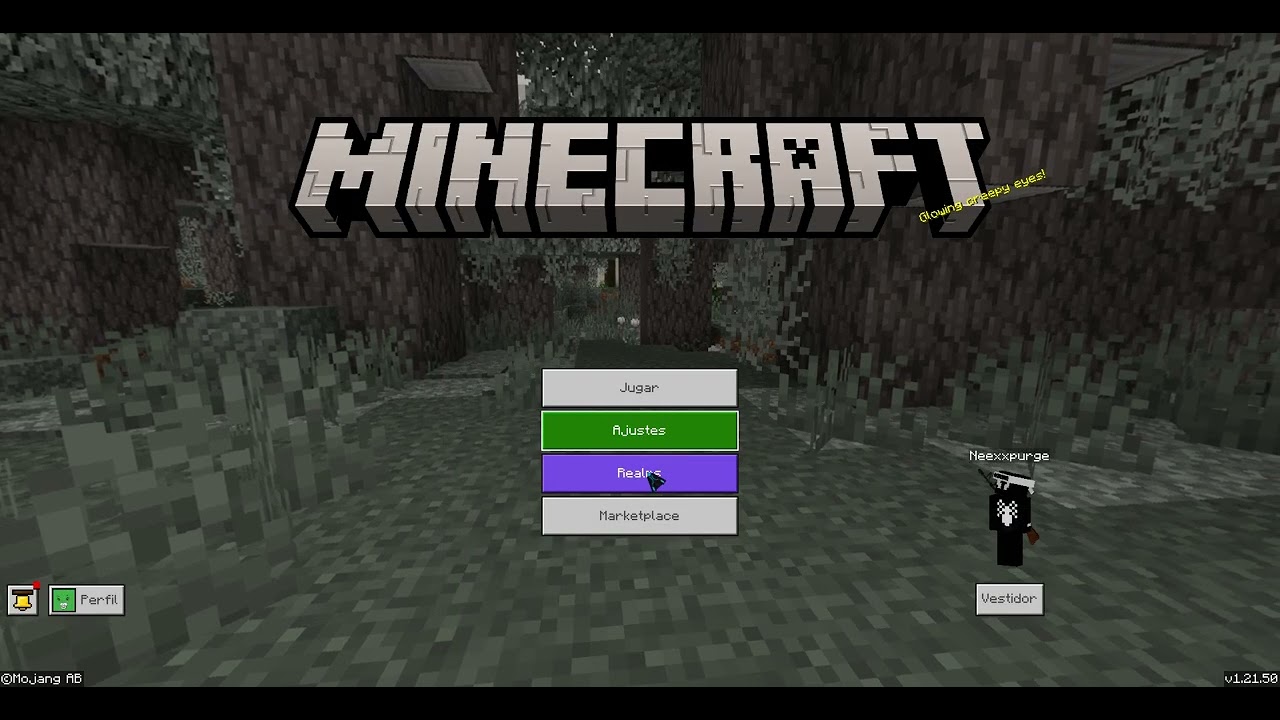
https://youtu.be/ubdKERdtCMA
vale turtle
pliant oyster
https://youtu.be/ubdKERdtCMA
try any other resource pack then the java ui replica
i think it might be ur java texture pack u put on
pliant oyster
In general, it is any texture that modifies the bossbar, making it opaque.
pine furnace
One message removed from a suspended account.
 outer stag
Hey, was wondering else if anyone else has had this bug (or if it even is a bug?) when using a live renderer element.
weak cape
outer stag
Hey, was wondering else if anyone else has had this bug (or if it even is a bug?...
what bug exactly
outer stag


The left is a screenshot of the UI element when I have screen animations toggled OFF.
Right is screen animations toggled ON.
For some reason, it changes the scale of the UI element, which is really weird.
It's such an obscure setting too 😂
weak cape
maybe, just maybe it is being changed to paperdoll?
outer stag
weak cape
maybe, just maybe it is being changed to paperdoll?
Wdym?
weak cape
if the scale is being changed and no animations are being shown maybe it is being changed to the paperdoll renderer
outer stag
That seems unlikely, because this is particular example is the live horse renderer.
But it has also occured when I used the live player renderer, as well as the paper doll renderer.
weak cape
this is my guess because the live renderer is bigger than the paperdoll
outer stag
All three have different scales depending on the status of the screen animations setting.
weak cape
this would explain the sudden scale change
outer stag
weak cape
this is my guess because the live renderer is bigger than the paperdoll
Like I said, all three elements having scaling issues.
weak cape
outer stag
But it has also occured when I used the live player renderer, as well as the pap...
in that case may be bug
i never experienced it
outer stag
Hopefully some others see this, because I am curious to see if this is a really a bug
Alternatively, I could just be stupid
outer stag
weak cape
i never experienced it
In fairness, most people don't mess with screen animations. Have you ever tried turning it off?
It might affect you too
 tropic badger
this doesn't work??
"battle_move_form_panel": {
  "type": "stack_panel",
  "size": [
    100,
    "100%c"
  ],
  "anchor_from": "bottom_right",
  "anchor_to": "bottom_right",
  "offset": [
    -4,
    -4
  ],
  "factory": {
    "name": "buttons",
    "control_name": "server_form.dynamic_button"
  },
  "collection_name": "form_buttons",
  "bindings": [
    {
      "binding_name": "#form_button_length",
      "binding_name_override": "#collection_length"
    }
  ]
}
My UIs works well (ver. 1.21.60). Maybe is a problem with the new factory elements in server_form (such as separator) depending on your version.
 tranquil void
im trying to hide the buttons' body on a server_form depending on their text content, how do i do that
i've tried doing this, but nothing happens
{
        "form_button@common_buttons.light_text_button": {
          "$pressed_button_name": "button.form_button_click",
          "anchor_from": "top_left",
          "anchor_to": "top_left",
          "size": [
            "fill",
            32
          ],
          "$button_text": "#form_button_text",
          "$button_text_binding_type": "collection",
          "$button_text_grid_collection_name": "form_buttons",
          "$button_text_max_size": [
            "100%",
            20
          ],
          "bindings": [
            {
              "binding_type": "collection_details",
              "binding_collection_name": "form_buttons"
            },
            {
              "binding_type": "view",
              "source_property_name": "(($button_text - 'image::') = $button_text )",
              "target_property_name": "#visible"
            }
          ]
        }
      }
nope, solved. you can't put factories in factories
turbid nimbus
tropic badger
nope, solved. you can't put factories in factories
Yes 🙂
Toggles too (In button factories)
mental crystal
still makes me wonder why bedrock still uses java horse jump texture lol
hexed briar
mental crystal
still makes me wonder why bedrock still uses java horse jump texture lol
Bedrock used to have java's experience bar including a outline text before.
mental crystal
yeah that make sense but maybe just maybe they made a bedrock jump horse version.
hexed briar
though they probably ditched the outline text for performance reasons but the experience bar are replaced by dynamic bar like we have now.
experience bar was used nearly everywhere back then
so it makes sense for them to replace it into dynamic bar
horse jump bar and dash bar are pretty much unaffected since they're not used for dynamic stuff
you could replace them into java bar and it would work but expect them to be abit 'wide' when seen on other screens
mental crystal
guys for some reason the grayscaled doesn't seem to work?
I used a vanilla texture, particularly the experiencebarempty full and nub and it doesn't make it grey
I mean black and white
normal moat
mental crystal
guys for some reason the `grayscaled` doesn't seem to work?
is it grayscale or grayscaled?
grayscale ig
hexed briar
it's grayscale
mental crystal
normal moat
is it `grayscale` or `grayscaled`?
it's without d in the json, I just added d here cause of autocorrect
Either way, it doesn't work lol
normal moat
hm.m..
mental crystal
tropic badger
it wont
That's very unfortunate
lethal wind
ive seen where people have their server logo and discord code in a corner, how do I do this?
normal moat
lethal wind
ive seen where people have their server logo and discord code in a corner, how d...
image and label
lethal wind
how do I do that?
normal moat
lethal wind
how do I do that?
edit hud_screen.json
lethal wind
ight. is there any references I can go off for how to create an image n label
normal moat
lethal wind
ight. is there any references I can go off for how to create an image n label
Bedrock Wiki
In this tutorial, you will learn how to add elements to the hud screen.
lethal wind
thanks
mental crystal
is this even valid?
{
  "array_name": "bindings",
  "operation": "remove",
  "where": {
    "binding_name": "#hotbar_visible_not_centered_resizable",
    "binding_name_override": "#visible",
    "binding_type": "global"
  }
}```after messing around a lil i found out how

{
        "form_button@common_buttons.light_text_button": {
          "$pressed_button_name": "button.form_button_click",
          "anchor_from": "top_left",
          "anchor_to": "top_left",
          "size": [
            "fill",
            32
          ],
          "$button_text": "#form_button_text",
          "$button_text_binding_type": "collection",
          "$button_text_grid_collection_name": "form_buttons",
          "$button_text_max_size": [
            "100%",
            20
          ],
          "bindings": [
            {
              "binding_type": "collection_details",
              "binding_collection_name": "form_buttons"
            },
            {
              "binding_type": "collection",
              "binding_collection_name": "form_buttons",
              "binding_name": "#form_button_text",
              "binding_name_override": "#button_text"
            },
            {
              "binding_type": "view",
              "source_property_name": "(((#button_text - 'image::') = #button_text))",
              "target_property_name": "#visible"
            }
          ]
        }
you just need to re-bind form_button_text and it'll read it
i may be winning

i have successfully added the equivalent of .image() to form uis
 tropic badger
nice
final matrix
how do I change the inventory label
I tried but it's not moving a inch

the inventory text
it is on $top_half_variant
vale turtle
I was reading the documention about Custom renders i saw hover_text_renderer and it said 'draws a tooltip' is it possible to apply this to a form button?
vale turtle
with script you mean a form right
final matrix
tooltip shows item Name in inventory
final matrix
vale turtle
with script you mean a form right
js files
vale turtle
vestal arrow
it is possible
final matrix
not json
vale turtle
final matrix
js files
yh a form would be located in to a js file
weak cape
vale turtle
it is possible
yes it is
mental crystal
vale turtle
I was reading the documention about Custom renders i saw hover_text_renderer and...
yeah, edit both server form ui and script.
final matrix
can anyone tell how to give background to panels
weak cape
final matrix
can anyone tell how to give background to panels
create an image element with the size of the panel
mental crystal
the problem is you need to divide the text to be shown in the button and the text to be shown in hover text
weak cape
can someone tell me what did mojang achieve or wanted to achieve?

because all what i see is sh!t
vale turtle
weak cape
it looks ugly as hell 😭
btw zelisce i want to add to a default long form button tooltip how would i do that? in which section or
mental crystal
Is it in the latest stable?
vale turtle
i mean i understand ill have to go to the dynamic_button and do something
mental crystal
if yes thank god I'm using 1.21.60 preview
weak cape
vale turtle
btw zelisce i want to add to a default long form button tooltip how would i do t...
In the button hover control
you add the renderer element
vale turtle
weak cape
In the button hover control
were would i find the hover control>?
weak cape
vale turtle
were would i find the hover control>?
{
    "[email protected]": {
        "$pressed_button_name": "button.form_button_click",
        "default_control": "default",
        "hover_control": "hover",
        "pressed_control": "pressed",
        "controls": [
            {
                "default@crafting_screen.default_control": {}
            },
            {
                "hover@crafting_screen.hover_control": {}
            },
            {
                "pressed@crafting_screen.pressed_control": {}
            }
        ],
        "bindings": [
            {
                "binding_name": "#null",
                "binding_type": "collection",
                "binding_condition": "none",
                "binding_collection_name": "form_buttons"
            },
            {
                "binding_name": "#null",
                "binding_type": "collection_details",
                "binding_collection_name": "form_buttons"
            },
            {
                "binding_name": "#form_button_text",
                "binding_type": "collection",
                "binding_collection_name": "form_buttons"
            }
        ]
    },
    "hover_control": {
        "type": "panel",
        "controls": [
            {
                "item_details": {
                    "type": "custom",
                    "renderer": "hover_text_renderer",
                    "hover_text": "#hover_text",
                    "allow_clipping": false,
                    "bindings": [
                        {
                            "binding_name": "#form_button_text",
                            "binding_type": "collection",
                            "binding_collection_name": "form_buttons"
                        },
                        {
                            "binding_type": "view",
                            "binding_name": "#form_button_text",
                            "binding_name_override": "#hover_text"
                        },
                        {
                            "binding_type": "collection_details",
                            "binding_collection_name": "form_buttons"
                        }
                    ]
                }
            }
        ]
    }
}```How do I move the pocket hotbar?
I also discovered that even if you're in pocket, the progress bar that they still used is the exp_progress_bar_and_hotbar
also for some unknown reason, modifying the element of anything related to pocket doesn't seem to work but also breaks the whole custom progress bar I made.
tranquil void
i love jsonui
 weak cape
tranquil void
i love jsonui
weak cape
tranquil void
i love jsonui
beautiful isnt it?
tranquil void
truly mesmerizing
chilly yacht
tranquil void
i love jsonui
me when bad json ui code
weak cape
chilly yacht
me when bad json ui code
me when always:
tranquil void
i think i found why
i had the title code wrong and i was checking if text - required = text
which should've been backwards
yea fixed

now i can have large UIs
 weak cape
nice title
tranquil void
grr ill fix that later
i need to first make it so i can turn buttons into large images
then add the hover text and text on the sides variants
 jovial hemlock
Hello anyone is experiencing Crashes in their UIs? in this new update?
jovial hemlock
turbid nimbus
My UIs works well (*ver.* 1.21.60). Maybe is a problem with the new factory elem...
they dont, its crashing my game too
its weird because it just happens randomly
not always
im testing it many other uis and have the same issue
 limpid quarry
Why does my sidebar for Hud look good on pc but bad on mobile?
chilly yacht
jovial hemlock
Hello anyone is experiencing Crashes in their UIs? in this new update?
Just u
placid geode
limpid quarry
Why does my sidebar for Hud look good on pc but bad on mobile?
like how?
limpid quarry
placid geode
like how?

Looks perfect on pc
But I'm not next to it rn
They stack perfect one after another on pc
Do it need to do %
Maybe that's why
 neat sequoia
#1340144946211983401 can anyone help me?
jovial hemlock
chilly yacht
Just u
no
its also happening with other uis
i have just test it
its not like it crashes always
its random
the more uis you have the more common it is
jovial hemlock
neat sequoia
<#1340144946211983401> can anyone help me?
im also having the same issue
neat sequoia
jovial hemlock
im also having the same issue
u are using pocketmine?
jovial hemlock
neat sequoia
u are using pocketmine?
no
jovial hemlock
neat sequoia
u are using pocketmine?
normal bds but json ui its the same
its not a script or behavior issue
jovial hemlock
neat sequoia
about this
do you have more than 1 grid factory?
neat sequoia
the unique change in server_form.json is the offset and the rename of drop down area
neat sequoia
jovial hemlock
do you have more than 1 grid factory?
damn
in one form
i use like ten
differents
jovial hemlock
neat sequoia
the unique change in `server_form.json` is the offset and the rename of drop dow...
yea i saw it, but there are also another files connected to it
like ui_common
jovial hemlock
neat sequoia
i use like ten
well a friend of mine told me that there are issues when you have more than 1
and make sense, because when i use one grid nothing happens
when i use 2
it starts to crash
jovial hemlock
ik
neat sequoia
and i need more than 1 grid factory in my form
jovial hemlock
neat sequoia
ping u
ok
tranquil void
heyall im having 2 issues
first, is it possible to add hover text to a sprite?
and second, after making custom forms i can't get the title to render properly
mental crystal
tranquil void
first, is it possible to add hover text to a sprite?
I don't think just an image is hover-able, add an unclickable button on top of it then use the hover state control for text render.
tranquil void
tranquil void
and second, after making custom forms i can't get the title to render properly
what im currently doing for the 2nd one is this
"mei_long_form_sm@common_dialogs.main_panel_no_buttons": {
    "$title_panel": "common_dialogs.standard_title_label",
    "$title_size": [
      "100% - 14px",
      10
    ],
    "size": [
      225,
      200
    ],
    "$title_text_binding_type": "none",
    "$text_name": "#text",
    "$child_control": "server_form.mei_long_form_panel",
    "layer": 2,
    "bindings": [
      {
        "binding_name": "#title_text"
      },
      {
        "binding_type": "view",
        "source_property_name": "(not ((#title_text - 'mei::small::') = #title_text))",
        "source_control_name": "mei_long_form_sm",
        "target_property_name": "#visible"
      },
      {
        "binding_type": "view",
        "source_property_name": "(#title_text - 'mei::small::')",
        "target_property_name": "#text"
      }
    ]
  }
sure a fun activity to do i just had to look up insice the files until i found what i wanted to do
 placid geode
tranquil void
what im currently doing for the 2nd one is this
```json
"mei_long_form_sm@common...
placid geode
tranquil void
what im currently doing for the 2nd one is this
```json
"mei_long_form_sm@common...
the last binding works only on label type element
you have two options
- Change your flag to something with §
like §m§e§i§:§:§s§m§a§l§l§:§:
or 2.
redo all your thing
tranquil void
i'd rather go with redoing
tranquil void
mental crystal
I don't think just an image is hover-able, add an unclickable button on top of i...
how could i do that
make the button unclickable without making the hover not render
tranquil void
placid geode
redo all your thing
would setting $use_custom_title_control to true and making my own work
placid geode
yeah you can do that
tranquil void
does it have to be it's own thing or can $custom_title_label be an element directly
placid geode
maybe just changing $title_panel to your custom title control
tranquil void
so setting it to "$custom_title_label": {} instead of a name
tranquil void
placid geode
maybe just changing $title_panel to your custom title control
ah ok, thanks
yeah, in the end that didn't fix it
sad
tranquil void
tranquil void
how could i do that
turns out removing the mappings fixes this
mental crystal
tranquil void
how could i do that
{
  "[email protected]": {
    "layer": 5,
    "$default_texture|default": "",
    "$hover_texture|default": "",
    "$pressed_texture|default": "",
    "button_mappings": [
      {
        "from_button_id": "button.menu_select",
        "to_button_id": "button.menu_select",
        "mapping_type": "pressed"
      }
    ],
    "controls": [
      {
        "default": {
          "type": "image",
          "texture": "$default_texture"
        }
      },
      {
        "hover": {
          "type": "image",
          "texture": "$hover_texture",
          "controls": [
            {
              "[email protected]_text": {
                "property_bag": {
                  "#hover_text": "TEST"
                }
              }
            }
          ]
        }
      },
      {
        "pressed": {
          "type": "image",
          "texture": "$pressed_texture"
        }
      }
    ]
  }
}```I forgot the element name for hover lol
just put this button in the controls of the image
and the size of the image should have "100%c"
and btw anyone god in json ui can correct me.
tranquil void
mental crystal
```js
{
"[email protected]": {
"layer": 5,
"$default_texture|d...
thx, by the way, do you know how i could make the form's title work properly? I left the code im using a bit upward and i don't want to change the formatting to use §
 still sundial
How would I remove the ugly flickering on the server form?
normal moat
still sundial
How would I remove the ugly flickering on the server form?
which flickering?
still sundial
normal moat
which flickering?
When quickly closing and opening a form
When i click a button it flickers before it opens the next form
I saw some people bypassing that somehow
normal moat
ah it cant be avoided because it occurs due to device and time delay between scripts and such
 sullen bolt
Hi
still sundial
Can't i like
Make the old form be there for a bit even after it's closed?
Animations or smth
sullen bolt
can someone help me?
normal moat
still sundial
Animations or smth
yes, you can create an animation.
you could modify the screen exit animation already in third_party_server_screen (base screen in common)
nocturne python
It is possible to rotate the paper doll in a form?
normal moat
"starting_rotation": 0
clear lantern
I have question about animations/images in JSON UI: If I have custom form, with 3 buttons and on the right I have image, can I somehow make, that after clicking button it will change image on right or change it's animation?
nocturne python
normal moat
`"starting_rotation": 0`
It didn't work
 mental crystal
nocturne python
I mean the render is looking forward
mental crystal
nocturne python
I mean the render is looking forward
Ah that's why. Use paper doll render .
that's where it only work.
nocturne python
mental crystal
Ah that's why. Use paper doll render .
I don't know if it works for what you needed it for, this form shows players with a certain tag
For now it works, I'll see if it works with other players.

As I thought, it doesn't work well


Each player will see their own skin
jaunty smelt
nocturne python
Each player will see their own skin
aint that just a normal player renderer then
final matrix
nocturne python
It is possible to rotate the paper doll in a form?
just reference the panel form skin viewer or make a new one
final matrix
nocturne python
As I thought, it doesn't work well
how did you make those left right buttons?
or is it just a toggle for 2 pages?

like this
final matrix
which screen. is used for crafter no pocket
opal aurora
final matrix
or is it just a toggle for 2 pages?
those are called "pagination "
it's there because ore ui performance is so so bad
jade dirge
what is that property that makes the hud display while using forms?
opal aurora
jade dirge
what is that property that makes the hud display while using forms?
render hud while in server forms?
jade dirge
yep
placid geode
"render_only_when_topmost": false (in hud_screen lol)
 opal aurora
jade dirge
yep
opal aurora
jade dirge
yep
"force_render_below" (in server form screen)
 agile moon
Its " bell button "
jade dirge
opal aurora
"force_render_below" (in server form screen)
ahh, thanks
opal aurora
placid geode
"render_only_when_topmost": false (in hud_screen lol)
only this is not enough, it will cause the loading bar to appear
placid geode
f*ck screen animations
agile moon
agile moon
Help me how to hide " bell button " pls
placid geode
opal aurora
only this is not enough, it will cause the loading bar to appear
"force_render_below": false,
"$screen_animations": [],
"$background_animations": [],
"$use_loading_bars": false
placid geode
jade dirge
ahh, thanks
^^^ that works for all screens
agile moon
placid geode
^^^ that works for all screens
Can u help me ..?
placid geode
if you want only in form screen then use tlgm method
opal aurora
placid geode
"force_render_below": false,
"$screen_animations": [],
"$background_animations":...
just set only $use_loading_bars to false, and "force_render_below" here in hud screen do nothing, since its default value is already false
placid geode
nah, if you dont remove the animations, the hud still dissapears lol
opal aurora
hmm, just use my safest method, "force_render_below"
jade dirge
placid geode
if you want only in form screen then use tlgm method
alright, but how does it work in pc?
final matrix
opal aurora
render hud while in server forms?
which screen used for crafter?
opal aurora
opal aurora
hmm, just use my safest method, "force_render_below"
the only problem here is that multiple server forms can stack on each other
agile moon
opal aurora
hmm, just use my safest method, "force_render_below"
How to hide inbox button in start screen bro?
I cant find it
jade dirge
jade dirge
alright, but how does it work in pc?
would the cursor appear or you'd be controlling the player's camera?
placid geode
agile moon
How to hide inbox button in start screen bro?
i think its inbox_button