
#JSON-UI General
1 messages · Page 24 of 1
 opal aurora
 weak lintel
im not sure if this is what you meant
weak lintel
im not sure if this is what you meant
yes, and you should change "factory > name" to your custom one
weak lintel
wait that works?
opal aurora
not sure, but i usually set it to a custom name
weak lintel
huh, neato
 patent bramble
Dumb question. But can someone please explain what a factory is?
(I’m incredibly new to json UI but really want to learn it as it’s the only way I can make my pack function)
weak lintel
patent bramble
Dumb question. But can someone please explain what a factory is?
(I’m incredibly...
its pretty self explanatory
factory - renders an element based off of another element, is capable of calling hardcoded values and variables
patent bramble
Huh. That’s a little more easy to understand ig
weak lintel
in my experience it allows me to get something (ex. title text) on something that doesnt have any text (as binding)
patent bramble
Docs have gotten me nowhere
which is why I usually prefer 1 on 1 teaching stuff but it’s rare that ppl want to help (reasonable)
 torpid nymph
patent bramble
Dumb question. But can someone please explain what a factory is?
(I’m incredibly...
torpid nymph
patent bramble
Dumb question. But can someone please explain what a factory is?
(I’m incredibly...
Factories are an implementation of a common design pattern, theyre not exclusive to bedrock UI. Theyre basically just functions that create ane return objects. In this instance, they take in your control and allow it to use hardcoded variables.
patent bramble
Thanks for the explanation
I feel like the pack i was analysing was quite a big jump to make for someone completely new.
but at the same time it’s kinda what I need
torpid nymph
patent bramble
Docs have gotten me nowhere
They make sense once you get into UI, it's not as hard of a topic to learn as people make it out to be
patent bramble
It would be a lot easier to learn if i has a mentor of sorts but that’s a lot to ask of someone and something I not planning on doing
I’m gonna be working with exclusively RP jsonUI
weak lintel
opal aurora
yes, and you should change `"factory > name"` to your custom one
ok i think i misunderstood this part (whoops ping)
the ui broke
patent bramble
I would post the link to the pack I was trying to learn from but I don’t wanna be accused of stuff
opal aurora
weak lintel
ok i think i misunderstood this part (whoops ping)
the "name" property in "factory"
weak lintel
 god im stupid, ty
also theres something that concerns me more, the "destroy_at_end" wont work properly
patent bramble
 "ez_dump_button_panel": {
    "$pressed_button_name": "unset_button_name",
    "type": "panel",
    "anchor_from": "top_left",
    "anchor_to": "top_left",
    "size": [ 15, 30 ],
    "layer": 6,
    "controls": [
      {
        "stack_panel_1": {
          "type": "stack_panel",
          "size": [ 15, 15 ],
          "offset": [ 0, -7.5 ],
      "collection_name": "$item_location",
          "property_bag": {
            "#size": 54
          },
          "factory": {
        "name": "ez_dump_button_panel_factory_1",
        "control_name": "$factory_selection"
          },
          "bindings": [
            {
              "binding_type": "view",
              "source_property_name": "#size",
              "target_property_name": "#collection_length"
            }
          ]
        }
      }
This is a snippet of what I’m trying to learn from
 left yew
Erm how to code full ui ☝️🤓
weak lintel
weak lintel
also theres something that concerns me more, the `"destroy_at_end"` wont work pr...
i probably linked the wrong element, but anything else wont work and destroying the panel would just not make it appear forever after that (which is obvious)
its prob related with factory name so imma try that
patent bramble
Is the collection name just where the UI is grabbing the data from?
collection_name: $item_location
property bag: #size = 54
Which brings me on to my next confusion
$
what do these even mean
is it like a datatype declaration?
#size
(Will be float)
I’ll revisit this in the morn when my brain decides to not be slacking off
weak lintel
opal aurora
the "name" property in "factory"
i accidentally set the size wrong, got it working now
but the "destroy_at_end" still wont work properly for some reason
"destroy_at_end" is pointed to the factory controlled element inside stack panel
opal aurora
weak lintel
i accidentally set the size wrong, got it working now
but the `"destroy_at_end"`...
set destroy at end to your "control_name" defined in factory control item (without namespace part)
weak lintel
opal aurora
set destroy at end to your "control_name" defined in factory control item (witho...
so "stack_panel" in this case?

oh right i can test it
 tropic badger
opal aurora
yes, and you should change `"factory > name"` to your custom one
tropic badger
opal aurora
yes, and you should change `"factory > name"` to your custom one
i think name can be hardcoded if paired by control_ids
does it still work?
opal aurora
tropic badger
i think name can be hardcoded if paired by control_ids
no, you can use any custom name
opal aurora
weak lintel
uh
incorrect
weak lintel
rip
opal aurora
it's notification_ui
weak lintel
Oh bruh
just felt a brick hitting my head
ok nope
still the same
it wont destroy
or wait... let me try smth
 tranquil void
what's up chat
weak lintel
nah nope, this wont work either
weak lintel
tranquil void
what's up chat
struggling with ui once again
tranquil void
same
hate it when there's no one to help cause i have to torture myself trying to find a solution
opal aurora
weak lintel
struggling with ui once again
i don't know... toast_item?
left yew
love how this server crashes my discord
weak lintel
left yew
love how this server crashes my discord
just like json ui 
left yew
 weak lintel

tranquil void
welcome to purgatory
opal aurora
weak lintel
just like json ui <:Face:1177240410733674528>
yes, imagine divide string by a non-zero number -> freeze
weak lintel
opal aurora
yes, imagine divide string by a non-zero number -> freeze
relatable (this made me go insane)
 hexed briar
added shadow to my panel and it screams MacOS to me

 hearty robin
hexed briar
added shadow to my panel and it screams MacOS to me
hearty robin
hexed briar
added shadow to my panel and it screams MacOS to me
why is the MinecraftTen font always screaming at me 😭
weak lintel
hearty robin
why is the MinecraftTen font always screaming at me 😭
ADD EXTERNAL SERVER
hexed briar
hearty robin
why is the MinecraftTen font always screaming at me 😭
Originally it was gonna be my actual custom font. though again, the game required to restart and I've ditched that starting in v2.0 (an update about 2-3 weeks ago)
turned out, people does not like or even want to restart the game so, custom font got removed and replaced by MinecraftTen font
 distant gorge
hearty robin
why is the MinecraftTen font always screaming at me 😭
distant gorge
hearty robin
why is the MinecraftTen font always screaming at me 😭
LOLLL
weak lintel
best font tbh
 hexed briar
added shadow to my panel and it screams MacOS to me
hexed briar
hexed briar
added shadow to my panel and it screams MacOS to me
updated and kinda wondering which "exit/X" button should be located. what do y'all prefer?

 untold dawn
{
    "player_inventory": {
        "modifications": [
            {
                "array_name": "controls",
                "value": [
                    {
                        "newInvSlot": {
                            "type": "panel",
                            "size": [ 16, 16 ],
                            "anchor_from": "top_middle",
                            "anchor_to": "top_middle",
                            "texture": "textures/ui/test"
                        }
                    }
                ]
            }
        ]
    }
}
```so this should add the image to the player inventory right?well, its not, idk why but it didn't work
weak lintel
untold dawn
```js
{
"player_inventory": {
"modifications": [
{
...
youre using panel
untold dawn
weak lintel
youre using panel
even with image
 weak lintel
untold dawn
```js
{
"player_inventory": {
"modifications": [
{
...
weak lintel
untold dawn
```js
{
"player_inventory": {
"modifications": [
{
...
can you try putting the element outside the modification
or wait
maybe
whats your image size
 opal aurora
hexed briar
added shadow to my panel and it screams MacOS to me
opal aurora
hexed briar
added shadow to my panel and it screams MacOS to me
way too modern = macos
untold dawn
weak lintel
sure thats possible?
a UI image that looks like a new slot
opal aurora
hexed briar
updated and kinda wondering which "exit/X" button should be located. what do y'a...
one for accessibility, two for anti-reacher
hexed briar
opal aurora
way too modern = macos
literally, accidentally made macos panel for some reason
adding shadow basically makes this thing like macos
untold dawn
weak lintel
check if your element is behind the inventory panel
how?
weak lintel
uh
untold dawn
should i add "layer": 10 or something?
weak lintel
simply slap "layer": 10 on it
weak lintel
untold dawn
should i add "layer": 10 or something?
get out of my brain
weak lintel
rip
untold dawn
who likes it tho
weak lintel
untold dawn
who likes it tho
i bet no one
hexed briar
me
weak lintel
hexed briar
me
requesting an air support
no one would hate something that works in one's favor
hexed briar
untold dawn
GET OUT
make me.
weak lintel
hexed briar
make me.
 hexed briar
weak lintel
hexed briar
weak lintel
never had it.
weak lintel

opal aurora
weak lintel
is your element has "type"
 ionic vapor
what is the correct syntax for removing a UI object in modifications? no matter what i do, it doesnt seem to work

ah nvm, finally figured it out
man json ui vocabulary is killing me
untold dawn
well, i have no problems at all with how GUI works bec there are alot of tutorials everywhere, unlike the normal UI
and it will take forever for me to understand how tf it works
 chilly yacht
it does you’re just doing it wrong
 final matrix
it just shrinks the whole doll
    "type": "panel",

    "size": [
            35,
            35
        ],
    "anchor_from": "top_left",
    "anchor_to": "top_left",
    "clips_children": true,
    "offset": [15,15],
    "controls": [
      {
        "player": {
          "type": "custom",
          "size": [
            35,
            35
                  ],
          "renderer": "paper_doll_renderer",
          "animation_reset_name": "screen_animation_reset",
          "anims": [],
          "layer": 3
        }
      }
      ]
},```it works with live player renderer
and hud player renderer
@chilly yacht
hearty robin
final matrix
```"playdoll": {
"type": "panel",
"size": [
35,
...
because the renderer is the same size as the clips_children panel
so it clips nothing
left yew
final matrix
it just shrinks the whole doll
Amazed u ain't asking for the code lowkey
Good progression 🗣
chilly yacht
fr 🔥
left yew
 neat sequoia
can someone help me?
neat sequoia
neat sequoia
can someone help me?
neat sequoia
I made something here, which implements an animation in the “paper_doll_renderer”
neat sequoia
and the renderer is inside a menu, i.e. when the menu opens the animation will run
left yew
Lit
neat sequoia
when the menu opens for the first time it runs normally, then the second time the animation doesn't work
then I need to reopen the menu
and I'm using “npc_interact_screen”
chilly yacht
JSON ui is so easy
hearty robin
chilly yacht
JSON ui is so easy
agreed
untold dawn
i done that like this one "[email protected]_square": {}
hearty robin
untold dawn
`"[email protected]": {}` is this how it should be?
depends on what you try to do
untold dawn
this adds a black screen on the hud screen
hearty robin
untold dawn
this adds a black screen on the hud screen
you got the reference
untold dawn
so i used hud.hud_square
but
what should i write if i wanna add that square to the inventory?
untold dawn
hearty robin
you got the reference
can u fix the issue bec i completely lost
{
    "newInvSlot": {
        "type": "image",
        "texture": "textures/ui/Black",
        "size": [ 16, 16 ],
        "offset": [ 0, 0 ]
    },
    "player_inventory": {
        "modifications": [
            {
                "array_name": "controls",
                "operation": "insert_front",
                "value": [
                    {
                        "[email protected]": {}
                    }
                ]
            }
        ]
    }
}
it is on this line
"[email protected]": {}
but idk what to do with it
weak lintel
untold dawn
```js
{
"newInvSlot": {
"type": "image",
"texture": "texture...
[element_name]@[namespace_reference].[element_name_reference]
right now the ui you have doesnt have namespace defined
weak lintel
untold dawn
it is on this line
```js
"[email protected]": {}
```
in this case you would add "namespace": "newSlot" on your json
untold dawn
weak lintel
in this case you would add `"namespace": "newSlot"` on your json
    "namespace": "newSlot",
    "newInvSlot": {
        "type": "image",
        "texture": "textures/ui/Black",
        "size": [ 16, 16 ],
        "offset": [ 0, 0 ]
    },
    "player_inventory": {
        "modifications": [
            {
                "array_name": "controls",
                "operation": "insert_front",
                "value": [
                    {
                        "[email protected]": {}
                    }
                ]
            }
        ]
    }
}```?yep
untold dawn
cool, lemme try it
weak lintel
didnt json ui intro tell you about this?
untold dawn
weak lintel
didnt json ui intro tell you about this?
{
    "namespace": "newSlot",
    "newInvSlot": {
        "type": "image",
        "texture": "textures/ui/Black",
        "size": [ 16, 16 ],
        "offset": [ 0, 0 ]
    },
    "player_inventory": {
        "modifications": [
            {
                "array_name": "controls",
                "operation": "insert_front",
                "value": [
                    {
                        "[email protected]": {}
                    }
                ]
            }
        ]
    }
}

uh?
weak lintel
wtf
untold dawn
#the_game_hate_me_freaking_alot_:/
maybe bec i use this newInvSlot
I'll try this new_inv_slot
still the same damn log

weak lintel
@untold dawn ok uh
try crafting as namespace?
basically an existing one in vanilla
weak lintel
crafting as namespace
untold dawn
oh, alright lemme try it
it has no logs but the texture is not showing in the inventory, lemme try adding "layer": 10 to it
yah its finally there
idk where this skin comes from :/
 weak lintel
just gotta make sure, we can use variables in "source_property_name", right?
 outer stag
Been trying for a few hours to find a way to hide this. I assume it's JSON UI, but I haven't found a way to do it yet.

Does anyone know?
I don't think so; I tried that first.
When you set the lang for it to empty, it resets to its default value.
When you set it to something "empty", like "§r", it still leaves a space.
That's annoying 😐
Well, maybe someone else knows something we don't, but if not, thanks for your help.
weak lintel
result:
my ui died
wait
think i set variable in a wrong way
how do i define string in variable
"$text_bind": "('yeet' + (#text))"
this would work right?

i gotta test it again cuz i didnt test the ui with () on #text
Oh bruh
ive been testing it on wrong file
works, beautiful
hexed briar
weak lintel
`"$text_bind": "('yeet' + (#text))"`
No.
oh wait nvm
thought it was #text_bind
weak lintel
lol
btw how do i do stack panel for labels? im trying to make the texts to not overlap, and making a stack_panel and slapping controls into it didnt work
            {
                "toast_bg": {
                    "type": "image",
                    "texture": "textures/ui/greyBorder",
                    "clips_children": true,
                    "anims": [
                        "@hud.toast_animation_in"
                    ],
                    "anchor_from": "top_right",
                    "anchor_to": "top_right",
                    "size": [
                        "100%cm + 10px",
                        30
                    ],
                    "controls": [
                        {
                            "[email protected]_label": {
                                "$text_binding": "('header' + (#text))"
                            }
                        },
                        {
                            "[email protected]_label": {
                                "$text_binding": "('body' + (#text))"
                            }
                        }
                    ]
                }
            }
]```wait why did i post the whole code 💀
weak lintel
weak lintel
btw how do i do stack panel for labels? im trying to make the texts to not overl...
nvm i got it
weak lintel
how do you guys do string formatting efficiently
i need to get the UI to grab translated texts but translated texts can differ in number of strings so i cant entirely rely on '%.#s'
smth like
_mcdHud.toast:header.foobar.body.fizzbuzz.texture.textures/ui/icon
or
_mcdHud.toast:foobar.fizzbuzz.textures/ui/icon
one element gets the foobar, the other gets fizzbuzz, the last gets texture path
hearty robin
outer stag
maybe you can find something in an element called "purpleBorder". I know it has something to do with the inventory hover text but I never looked at it
 light oriole
what does mean 100% with letter c?
weak lintel
light oriole
what does mean 100% with letter c?
means itll get 100% from its child element
light oriole
weak lintel
means itll get 100% from its child element
how to get 50% of its parent element?
weak lintel
it would be "50%"
tranquil void
hi guys
i need urgent assistance again
how do I hide a long_form if the title is x value
{
    "namespace": "server_form",
    "long_form": {
        "modifications": [{
            "array_name": "bindings",
            "operation": "insert_back",
            "value": [{
                "binding_name": "#title_text"
            },
            {
                "binding_type": "view",
                "source_property_name": "((#title_text - 'afr') = #title_text)",
                "target_property_name": "#visible"
            }]
        }]
    }
}
i tried this
didn't work
wait nvm
for some reason NOW it works
hexed briar
weak lintel
i need to get the UI to grab translated texts but translated texts can differ in...
eh no.
weak lintel

hexed briar
if you're using value or some kind, try to use something like 001 instead or just 1
this way you can reserve split strings.
weak lintel
welp
hexed briar
weak lintel
how do i send translated texts then
No.
 analog snow
weak lintel
how do i send translated texts then
analog snow
weak lintel
how do i send translated texts then
you can try formatting them to the same length? not sure if thats what you are asking though
hexed briar
i don't think the operator will translates the string though.
hexed briar
weak lintel
whats `"localize"` for then
a localization for label type.
if you don't want the text to be automatically translated by default from .lang, you can disable that with this property.
light oriole
another question maybe dumb but
are json values or my own made variables accessable through something?
hexed briar
Most or alot of vanilla elements will have these off like chat element for example
you don't want people to type something from .lang files.
light oriole
like can i make a variable named health and manipulate it through game somehow?
weak lintel
hexed briar
you don't want people to type something from .lang files.
ah hmm
right this makes it very complicated then
hexed briar
well if something supposed to be hidden
you don't need it to be translated.
but if you wanna use the translated texts, you can go with condition rendering instead.
weak lintel
got it
tranquil void
I'M FRFEE
IM FUCKING FREE
FINALLY
I'M FREE FROM THIS PURGATORY
I FOUND A MODIFICATION WAY TO DO THIS SHIT
If anyone needs it
Cross-addon compatible modification for server_form
doesn't override other addons
{
  "namespace": "server_form",
  "new_main_screen_content": {
    // your content goes here
  },
  "long_form": {
    "modifications": [{
      "array_name": "bindings",
      "operation": "insert_back",
      "value": [{
        "binding_name": "#title_text"
      },
      {
        "binding_type": "view",
        "source_property_name": "condition to display the original long form goes here",
        "target_property_name": "#visible"
      }]
    }]
  },
  "main_screen_content": {
    "modifications": [{
      "array_name": "controls",
      "operation": "insert_back",
      "value": [{
        "nmsc@server_form.new_main_screen_content": {
          "bindings": [{
            "binding_name": "#title_text"
          },
          {
            "binding_type": "view",
            "source_property_name": "condition to display your custom form goes here",
            "target_property_name": "#visible"
          }]
        }
      }]
    }]
  }
}
THIS OVERRIDES NOTHING
IM FINALLY FREE FROM COMPATIBILITY HELL
IM FREEEEEEE
weak lintel
analog snow
you can try formatting them to the same length? not sure if thats what you are a...
nah cant
wait so
weak lintel
hexed briar
if you're using value or some kind, try to use something like `001` instead or j...
if i can do this...
ok nevermind this hurts my head
doenst using value mean i have to define every single one of em in UI?
hexed briar
tranquil void
If anyone needs it
# Cross-addon compatible modification for `server_form`
doesn...
good job.
unfortunately i just made the same thing like a week ago tbh with some improvements and there. would highly change your new_main_screen_content into a factory instead if you want both long_form and custom_form
otherwise, a modal form wouldn't exist if you somehow use that instead of regular form.
hexed briar
weak lintel
doenst using value mean i have to define every single one of em in UI?
eh not really, if you can convert 1 into 001 then i think split should work perfectly.
you do need to split only number though, that'll automatically convert 001 into 1 in return you can use that as changing size or idk do something else with it
weak lintel
no i meant as in number into string or translation key
hexed briar
string if you're using it for custom bars or anything that uses value.
or if you're using it for changing textures in real time, you can just do textures/ui/something_01 i guess
weak lintel
im sending a vid holon
hexed briar
pretty hard to explain until you got it yourself
weak lintel
weak lintel
hexed briar
or if you're using it for changing textures in real time, you can just do `textu...
oh hey that one sounds alright
i could do the same with texts too
hexed briar
aslong you make sure that the string does not shift whatsoever
that's how you reserve splitting texts.
this somehow is also the same tech as some couple of marketplace map uses too.
you could now just idk use alot of spitting texts if you ever want it. maybe couple of custom bars or something
hell 30 custom bars would work as well
tranquil void
hexed briar
unfortunately i just made the same thing like a week ago tbh with some improveme...
Thats true
Issue is that this sorta crashes with vanilla behaviour
hexed briar
honestly it also nearly useless since not many people does that.
so basically not every add-ons gonna support it
tranquil void
tranquil void
Issue is that this sorta crashes with vanilla behaviour
"Remove both panels"
"Now add them back but use a carbon copy of one that can't be modified"
"There we go!!!"
I hate doing json ui
hexed briar
doing factory wrong will crash the game so it's expected.
it's just basically calling a function that doesn't exist.
tranquil void
With crash I meant collide, sorry
tranquil void
hexed briar
doing factory wrong will crash the game so it's expected.
Can I make a factory but only fill in the value for one of the two
I'm only overriding the long form
Idc about the message one
hexed briar
you can.
tranquil void
Ight
hexed briar
as long the factory is valid then yeah
tranquil void
Ty
This took ridiculously long to make
But I can finally begin making JEI's recipe viewer on bedrock
hexed briar
took me like 5 mins because my old code is getting out of hand
i can't do "if and else" forever
tranquil void
Coding is fun if you hate yourself
hexed briar
somehow even if we make it compatible with other add-ons
better luck with that since nobody's gonna follow it
probably why marketplace add-ons does not modify json-ui that alot or just don't touch it at all.
tranquil void
hexed briar
better luck with that since nobody's gonna follow it
I'm only doing this because another 2 addons I'm making do the same thing
One just makes it easier to render a book
The other is just the UI for machinery
tranquil void
hexed briar
probably why marketplace add-ons does not modify json-ui that alot or just don't...
Maybe because they know json ui is about to be taken out back and shot on the hesd
Because marketplace partners already have access to the ore ui docs iirc
hexed briar
tranquil void
Maybe because they know json ui is about to be taken out back and shot on the he...
Marketplace add-ons is about the compatibility.
can't make things if it gonna override each others specially json-ui, that thing does not have versioning and does easily break with different add-ons.
but if it was maps then yeah there'll definitely gonna be json-ui involved.
tranquil void
Json ui is an extremely dysfunctional system that got abandoned by it's parents and adopted by the government who began dissecting it for all it's secrets
hexed briar
json-ui is a good UI system but got abandoned too early.
 tropic tangle
better than ore ui if they made a damn ui builder like china did.
tranquil void
tropic tangle
better than ore ui if they made a damn ui builder like china did.
Im so jealous of MCCE
tropic tangle
Who isnt 😭
tranquil void
+ Im sorry MCBE community, there's nothing I can do
- Mojang
- C'mon Mojang
hexed briar
but the community itself is, well. too shady.
too shady in fact that they'll just downgrade it to international version instead of their own version
tropic tangle
oh yeah i have heard about that haha
tranquil void
Sure they're 3 versions behind, but they have custom dimensions already
hexed briar
we literally have a stolen mcpedl contents inside chinese edition
tranquil void
Yes, I know MCCE is not devved by mojang
hexed briar
and nobody can do anything about it
hexed briar
tranquil void
Yes, I know MCCE is not devved by mojang
well developed by a giant mobile company it is.
tropic tangle
hexed briar
we literally have a stolen mcpedl contents inside chinese edition
If they're not making money off it its good but they probably do
hexed briar
- a fork of forge if you're playing PC version
they do have a java edition except that it's literally just forge directly built-in with their own chinese mod thing where it tracks you.
funny stuff.
hexed briar
tropic tangle
If they're not making money off it its good but they probably do
well they do. like 90% of them apparently
tranquil void
Do you think bedrock will ever have a thriving MODDING community like java's
Even if it's limited to older versions
hexed briar
well it's unlikely tbh
tranquil void
I think I miss BlockLauncher
tropic tangle
tranquil void
I think I miss BlockLauncher
It was amazing
 left yew


 tropic badger
tranquil void
If anyone needs it
# Cross-addon compatible modification for `server_form`
doesn...
tropic badger
tranquil void
If anyone needs it
# Cross-addon compatible modification for `server_form`
doesn...
u need factory to differ modals and actionform
tropic badger
weak lintel
how do you guys do string formatting efficiently
what does this question means
 tropic badger
???
weak lintel
weak lintel
smth like
```_mcdHud.toast:header.foobar.body.fizzbuzz.texture.textures/ui/icon`...
i was asking about this
but well
ive already got the answer
untold dawn
    "newInvSlotButton": {
        "type": "button",
        "texture": "textures/ui/selected_hotbar_slot",
        "anchor_from": "center",
        "anchor_to": "center",
        "layer": 11,
        "size": [ 18, 18 ],
        "offset": [ 20, -13 ]
```this should add a new button right?i think i had to add the "button_mappings" thing right?
hmmm
does anyone know how to make the button do a command or a function when pressed?
i mean "from_button_id": "???" what should i place there to do a specific event?
@weak lintel sorry for the ping but d u know anything about buttons?
weak lintel
untold dawn
does anyone know how to make the button do a command or a function when pressed?...
this is why i told you about server forms
a button, in fact, is just for the stuff you see in minecraft
it can never run commands
untold dawn
i have to make it do a scriptevent thing,
weak lintel
weak lintel
it can never run commands
but by modifying server forms, you can make it to run stuff
those are mostly action forms but in disguise
which is really
hard to do without understanding of json ui
even i couldnt bear it
untold dawn
jeez
untold dawn
is it done by script ui?
like import ///\\\ from '@minecraft/ui'
 chilly yacht
untold dawn
does anyone know how to make the button do a command or a function when pressed?...
chilly yacht
untold dawn
does anyone know how to make the button do a command or a function when pressed?...
not possible
unless it’s on a form
untold dawn
using @minecraft/server-ui script?
chilly yacht
Yes but that’s just the button click sound
chilly yacht
wrong
sounds go in the RP pal
so its RP side
put your thinking cap on
not a tinfoil hat
🤯
final matrix
how yo separate xp bar from hotbar?
left yew
chilly yacht
not a tinfoil hat
💀💀💀
left yew
At least the search bar isn't case sensitive, and at least the grids don't break 😭😭😂
 untold dawn
chilly yacht
Can’t just place a button anywhere and make it do some behavior stuff
untold dawn
chilly yacht
Can’t just place a button anywhere and make it do some behavior stuff
hmm, what does "button.add_command* & "button.sub_command" do?
chilly yacht
nothing
untold dawn
chilly yacht
nothing
hmmm,
the structure_load thing is possible right? i mean it will load a structure somehow right?
i hope it does
left yew
chilly yacht
they copied my method
Ong 😂😂
chilly yacht
untold dawn
hmmm,
the `structure_load` thing is possible right? i mean it will load a struct...
no 💀
structure_load in json ui...
💀
put your big brain on
flip the switch pal
you're clearly not big brain enough to be a hacker

wrong
untold dawn
bro im talking about those things;
"button.structure_load" & "#button.load_structure"
is it possible to do anything that can be detected with BP scripts?
what are they?
i want the button do something that can be detected with scripts
final matrix
@opal aurora you said not possible
chilly yacht
untold dawn
i want the button do something that can be detected with scripts
then u have to do form or npc screen
untold dawn
hmm, double click on the button will open a GUI screen and then u have to click a button to do a function right?
normal click will show u information, double click for the function, and it is how u move items quickly from ur inventory, like when u equip the shield u gonna double click on it instead of equipping it normally u know what i mean
um, if u donr know, this what im making

that slot is an image,
I'll make it functional later
I'll put a button there that will act like an item, click on it will show u the item information, double click will put it back in the inventory
so double click will do a form thing
i mean
something that will be detected with scripts
to take off the item from that slot
so
what does the form do? open a GUI thing?
untold dawn
hmmm
how to open a GUI using UI button?
"from_button_id": "???"
"to_button_id": "???"
final matrix
@untold dawn
what are the offset and size
untold dawn
final matrix
<@917785883959263293>
what are the offset and size
"size": [ 18, 18 ],
"offset": [ 20, -13 ]
r u tryna to do the same thing?
do it
final matrix
ok

 weak lintel
 zenith vortex
what are you trying to do
zenith vortex
I want that when a message has the word "§a§b§0§1" it is displayed only in the text below
untold dawn
weak lintel
what are you trying to do
i dont have to ask u bec i think u dont know how to open a GUI form using a UI button
zenith vortex
zenith vortex
 weak lintel
untold dawn
i dont have to ask u bec i think u dont know how to open a GUI form using a UI b...
weak lintel
untold dawn
i dont have to ask u bec i think u dont know how to open a GUI form using a UI b...
whar
 jolly rock
What
zenith vortex
Angel xd
untold dawn
opening a GUI ( form ) using UI button
patent bramble
I wonder if it’s possible to create a seperate chat thing for only messages that mentioned you
untold dawn
how to do that?
weak lintel
patent bramble
I wonder if it’s possible to create a seperate chat thing for only messages that...
it is possible
zenith vortex
Whit bindigs
patent bramble
you know this how?
jolly rock
untold dawn
opening a GUI ( form ) using UI button
You can't open form ui with normal button
weak lintel
theres a ui for chat messages
patent bramble
I wanna learn json UI but docs really aren’t helping
untold dawn
jolly rock
You can't open form ui with normal button
new buttons
jolly rock
Can't
untold dawn
what?
zenith vortex
weak lintel
theres a ui for chat messages
Do u have an example using bindings in chat_text?
untold dawn
rly?
weak lintel
zenith vortex
Do u have an example using bindings in chat_text?
nope, got nothing
sorry
zenith vortex
zenith vortex
Does anyone know why this doesn't work?
I tried to do this but I don't know why it doesn't work
weak lintel
all i know is that you can make the chat to be hidden when a specific string is passed
but i don't have anything rn
zenith vortex
Xd
untold dawn
a button that will open a form when u click it
how is this not possible
jolly rock
It's just not possible
patent bramble
Is anyone here an expert with json UI?
zenith vortex
untold dawn
a button that will open a form when u click it
how is this not possible
No, it is not possible
weak lintel
untold dawn
a button that will open a form when u click it
how is this not possible
cuz theres no stuff that actually does that in vanilla minecraft
zenith vortex
patent bramble
Is anyone here an expert with json UI?
I know more or less
weak lintel
zenith vortex
I want that when a message has the word "§a§b§0§1" it is displayed only in the t...
just making sure, you want the chat to be hidden, right?
hexed briar
hopefully im not included on that list
patent bramble
I’m just looking for a mentor… there’s so many things I want to make but can’t because of massive skill issue
Also can UI files read from other folders?
jolly rock
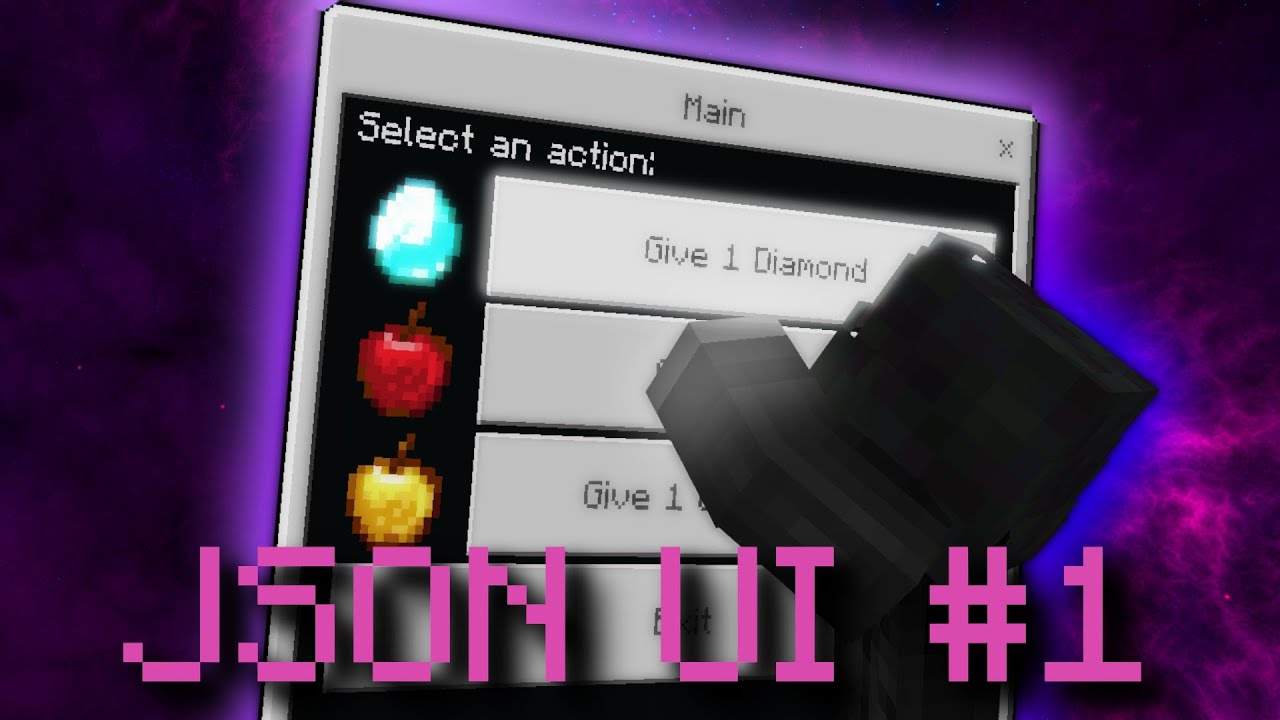
In this video, I demonstrate how to use JSON UI in combination with the scripting api in the Minecraft Bedrock Edition
🔗Links :
Like What I Am Doing? Concider Supporting Me! : https://ko-fi.com/dingsel
Join my Discord! : https://discord.gg/tzrmH56JXC
My Website : http://skyls.de
Music : https://www.youtube.com/watch?v=tEzYsaLm7nw&ab_channel=Si...

In this series, I demonstrate how to use JSON UI in combination with the scripting api in the Minecraft Bedrock Edition.
🔗Links :
Like What I Am Doing? Concider Supporting Me! : https://ko-fi.com/dingsel
Last Video : https://youtu.be/QhJkCDIZ-NU
Join my Discord! : https://discord.gg/tzrmH56JXC
My Website and Code : http://skyls.de
Music : http...

🔗Links :
Like What I Am Doing? Concider Supporting Me! : https://ko-fi.com/dingsel
Last Video Part: https://youtu.be/CWm-KU5ALOQ
Join My Discord! : https://discord.gg/tzrmH56JXC
My Website And Code: http://skyls.de
Music : https://www.youtube.com/watch?v=tEzYsaLm7nw&ab_channel=SimonChylinski-Topic | Breathing Break from the Riot Creator Playlis...
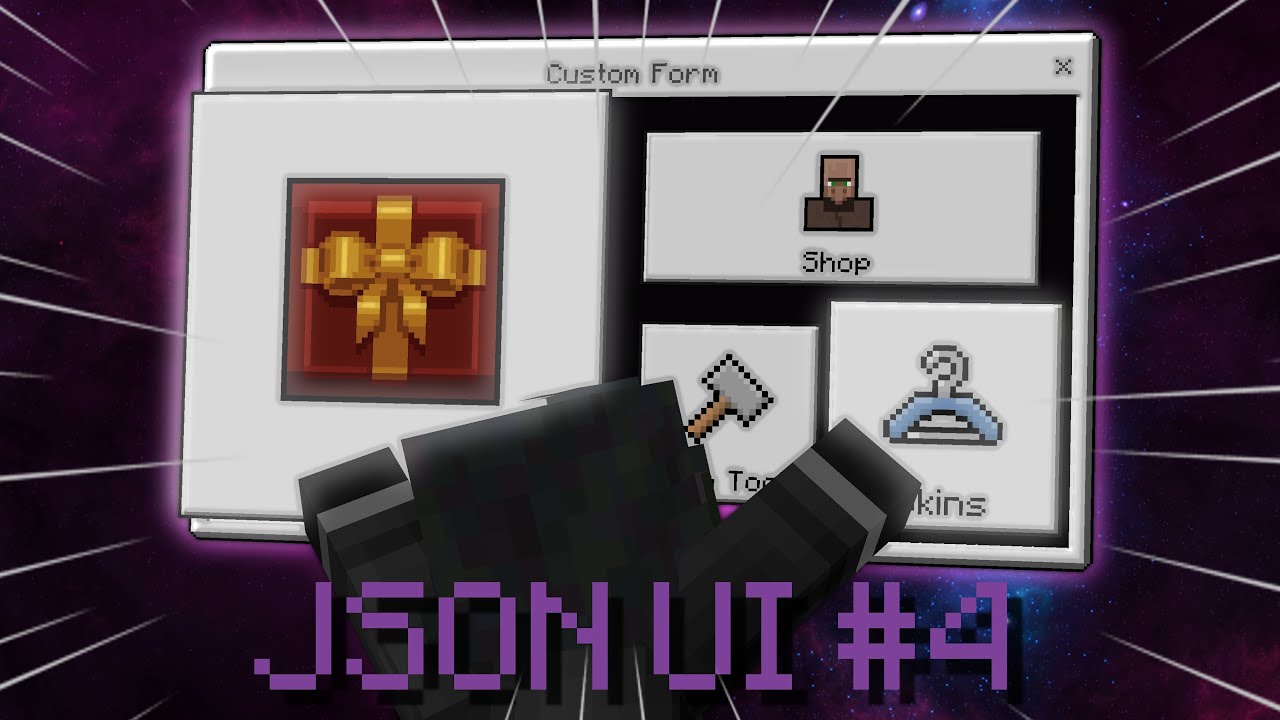
🔥Topics covered in this video:
JSON UI Variables
JSON UI Sizes and Scaling
Bindings in JSON UI
Server Forms
Custom Buttons
🔗Links :
Last Video Part: https://youtu.be/zWecyvsbKHY
Join My Discord! : https://discord.gg/tzrmH56JXC
My Website And Code: http://skyls.de
JSON UI docs : https://wiki.bedrock.dev/json-ui/json-ui-intro.html
Vanilla RP : h...
weak lintel
patent bramble
Also can UI files read from other folders?
iirc the game can read files that are in json format inside ui folder, it can be like hud_screen.yeetus or whatever
but reading from entirely different folder isnt possible
you know how minecraft reads resources
patent bramble
weak lintel
**iirc** the game can read files that are in json format inside ui folder, it ca...
even if said folder is in the Ui folder?
weak lintel
oh thatd work
patent bramble
just wanna seperate my custom elements from vanilla ones
And import them to screens inside the vanilla files
jolly rock
It is only important to define the .json inside _ui_defs.json in case it is a custom file
weak lintel
just make sure everything is in ui folder
weak lintel
jolly rock
It is only important to define the .json inside _ui_defs.json in case it is a cu...
and that
patent bramble
I mean I guess I have to learn json Ui first
zenith vortex
weak lintel
just making sure, you want the chat to be hidden, right?
Yes
patent bramble
I’ve tried that series of videos before if I remember correctly and this only handles Ui in tandem with a BP for scripts
Not what I’m looking for
weak lintel
zenith vortex
Yes
right ill get back to you when i make one, i was making toast popups using chat messages
patent bramble
jolly rock
This is important
The intro paragraph?
weak lintel
patent bramble
The intro paragraph?
yep
patent bramble
I’ve said here many times that docs really don’t help me fsr
weak lintel
its better than not having any
jolly rock
Maybe you're a little lazy?
weak lintel
using that while reverse engineering works the best imo
patent bramble
jolly rock
Maybe you're a little lazy?
No I’ve read through the entirity of the Ui docs like 17 times now
still don’t get it :)
patent bramble
I’ve tried my hand at doing as well
But it’s hard to do stuff when you don’t know what you’re doing
weak lintel
at that point im not sure if you tried
jolly rock
There are things that are not possible, such as adding buttons that execute actions within the game such as commands.
You need to learn JSON syntax to understand a little more how it works, also try adding elements on the screen
patent bramble
I know json syntax
jolly rock

Bedrock Wiki
In this tutorial, you will learn how to add elements to the hud screen.
patent bramble
damn.. there goes my plans for the next couple months (it’s gonna take me that long to get comfortable adding an element)
jolly rock
Try adding controls inside the element, use anchor, offset, size, image type, panel, label and more
jolly rock
A lot of words that you can understand on the wiki, if you read it
patent bramble
jolly rock
A lot of words that you can understand on the wiki, if you read it
I have
I just don’t take in bulk written information well…
weak lintel
then do ctrl + f
jolly rock
jolly rock
https://wiki.bedrock.dev/json-ui/add-hud-elements.html
Start with basic exercises like this one
patent bramble
I’m a visual learner apparently. Thriving from examples and explanations of said examples
it’s how I picked up lua to an intermediate level in under an hour
Unless I’m mistaken the wiki does throw examples but fails to explain them well
weak lintel
thats true
weak lintel
weak lintel
using that while reverse engineering works the best imo
thats why i said this
patent bramble
the annoying thing is the main part I’m interested in is using factories to modify player input
binding changes and all that
jolly rock
I suffered with bindings until I understood them
patent bramble
I have the pack I’m trying to break down but it contains a lot of what I assume is clutter and a bad naming schema
it bundles everything into 1 small package instead of importing UI changes from other files (if that’s even possible)
Makes it hard to read
weak lintel
some of them do that on purpose or have to make em very complicated because of its nature
patent bramble
I pretty much want to recreate a pack as I go by a certain policy/rule
if I don’t understand the code. I do not add it to my pack
weak lintel
i went from #1067870274894172260 message
to #1067870274894172260 message
in two weeks
patent bramble
Must be nice being a fast learner
patent bramble
I guess my issue is before I start anything I’d want to know how to separate these into separate files, being able to make “funny_button.json” and then import that into the inventory screen
weak lintel
like how Angel said, its _ui_defs thing
weak lintel
this one is from r4isen1920's pack
  /* created by r4isen1920 | MIT License */

  "ui_defs": [
    "ui/adv/_screen.r4ui",
    "ui/adv/_screen_content.r4ui",
    "ui/adv/_scroll_custom.r4ui",
    "ui/adv/_toast.r4ui"
  ]

}```thats how you do it
(sorry r4isen1920 i know you get shy but please make this one as an exception)
weak lintel
patent bramble
and ui_defs is Rp sided?
everything ui is rp sided
patent bramble
I’m just confused on how you’re linking these to the hud for example
jolly rock
I went from #1271677629170188309 message
To ↓ in 3 days


 patent bramble
I faintly remember it using dot notation but I could be wrong
weak lintel
jolly rock
I went from https://discord.com/channels/523663022053392405/1271677629170188309/...
impressive
patent bramble
inventory.funny_button
jolly rock
 chilly yacht
not bad
weak lintel
patent bramble
inventory.funny_button
element_name@namespace_reference.element_name_reference
hexed briar
bro gonna write essays on how bad this UI is
weak lintel
so yeah youre kinda not wrong (maybe)
jolly rock
"[email protected]_image"
<custom name>@<screen namespace>.<object in screen namespace>
untold dawn
@chilly yacht hey bro, can u tell me if it possible to open a GUI using UI button?
jolly rock
zenith vortex
No, it is not possible
.
weak lintel
well sure
jolly rock
patent bramble
So for example
drop_all@inventory_screen.input?
If input is in inventory_screen, then yea
chilly yacht
jolly rock
https://cdn.discordapp.com/attachments/1167246588645757049/1275657338480496711/i...
I mean ill allow it. One issue is how much extra space there is, I would get rid of that and then its fine. Also, move the title text to the right a little more.
patent bramble
jolly rock
If input is in inventory_screen, then yea
Ok so I have it backwards ig
jolly rock
chilly yacht
I mean ill allow it. One issue is how much extra space there is, I would get rid...
Thanks, I'll take that into account
chilly yacht
Looks good though!
jolly rock
Thank you
zenith vortex
jolly rock
I went from https://discord.com/channels/523663022053392405/1271677629170188309/...
Showing off? Xd
untold dawn
at, at, at least tell me if it possible to make the UI image visible when a current function happened
jolly rock
zenith vortex
Showing off? Xd
Showing progress
patent bramble
It’s prob better if I just show my badly drawn concept art of chest screen
I want those buttons on the right to be linked to
- Loot all
- Loot all (filtered)
- Deposit all
- Deposit all (filtered)
 untold dawn
like,
a UI will shows in the screen after using the item
zenith vortex
@jolly rock 😎
 jolly rock
untold dawn
at, at, at least tell me if it possible to make the UI image visible when a curr...
jolly rock
untold dawn
at, at, at least tell me if it possible to make the UI image visible when a curr...
What do you mean by current function?
untold dawn
untold dawn
like,
a UI will shows in the screen after using the item
u cant tell me this is impossible
isn't it?
weak lintel
untold dawn
at, at, at least tell me if it possible to make the UI image visible when a curr...
keep in mind that you cannot directly pass the info from scripts to UI
you need other methods
jolly rock
zenith vortex
<@669990163224592411> 😎
How did you make the search bar?
patent bramble
If I want to handle the actual inventory screen modification in another file to make it easier to identify each “feature” of my pack without having a super long inventory file
jolly rock
untold dawn
u cant tell me this is impossible
isn't it?
Its possible with script, but can only display forms, no screens like inventory etc..
untold dawn
jolly rock
What do you mean by current function?
like when i hold an item, the UI will show up in the hud screen

 hexed briar
zenith vortex
<@669990163224592411> 😎
hexed briar
zenith vortex
<@669990163224592411> 😎
lol
 patent bramble
I know it’s pretty much just chucking myself in the deep end but it’s kinda what I need
zenith vortex
chilly yacht
Nice
hexed briar
chilly yacht
imagine overusing ore-ui designs
weak lintel
you people are batshit insane for making all of these with undocumented and reverse engineered feature
damn
chilly yacht
hexed briar
imagine overusing ore-ui designs
it was commissioned
hexed briar
chilly yacht
it was commissioned
so what
zenith vortex
chilly yacht
@jovial hemlock me suena a algo xd
chilly yacht
hexed briar
so what
So I technically didn't overuse ore ui
patent bramble
patent bramble
It’s prob better if I just show my badly drawn concept art of chest screen
I wa...
Like how complex of a task would this be for someone new?
chilly yacht
the customer did
chilly yacht
zenith vortex
<@294281599984467978> me suena a algo xd
This is an English-only server!
patent bramble
Well guess I better get started asap then
quicker I start quicker I learn bang my head at Mach 7 against a brick wall
hexed briar
chilly yacht
So I technically didn't overuse ore ui
still terrible though.
chilly yacht
I will be reporting you to the mods
hexed briar
bet
 patent bramble
I guess the first thing I need to do is .. “stretch” the chest background
chilly yacht
thats not mean
untold dawn
wait,
is it impossible to change a UI image texture ( in the inventory ) using scripts?
jolly rock
untold dawn
wait,
is it impossible to change a UI image texture ( in the inventory ) using s...
No
distant gorge
Lol
untold dawn
jolly rock
No
i mean from this
 chilly yacht
Arcane has a big ego
untold dawn
fo this
 chilly yacht
ngl
patent bramble
so how would I even go about modifying the chest screen background?
hexed briar
chilly yacht
You're insulting someone elses design
literally same energy.
 young dune
How do you mimic how servers replace the marketplace button? cause I cant seem to find anything and it seems it might be server side or something
jolly rock
untold dawn
fo this
No, you can't
untold dawn
untold dawn
fo this
using a script
jolly rock
patent bramble
so how would I even go about modifying the chest screen background?
You must create a custom panel
chilly yacht

hexed briar
what happened to "reporting me" i wonder?
jolly rock
It seems like you two don't get along very well.
hexed briar
didn't happen?
chilly yacht
me when sarcasm
hexed briar
how surprising.
chilly yacht
i couldnt care less what u say 💀 l
you are probably the highest ego json ui dev out there
u complain about everyint
not trying to be mean
hexed briar
im in fact not.
chilly yacht
but its rediculous
patent bramble
jolly rock
You must create a custom panel
Well that’s a start. I’m gonna start coding this on mobile and move to PC once I have something
hexed briar
how's me "big ego" when I'm just doing texture packs and maybe open-sourcing idrk tbh
i didn't even often chat or help people here anymore like nearly a year now
chilly yacht
You just think you're the best json ui dev in the world 
patent bramble
There any difference between panel and stack panel?
hexed briar
chilly yacht
You just think you're the best json ui dev in the world <a:Facepalm:720305878783...
nope.
chilly yacht
But you're very passive agressive
chilly yacht

 safe wasp
Json ui community is scary 😨
hexed briar
im certified texture pack creator
jolly rock
patent bramble
There any difference between panel and stack panel?
Stack panel is an element stacker
young dune
young dune
How do you mimic how servers replace the marketplace button? cause I cant seem t...
anyone online able to answer?
safe wasp
safe wasp
Json ui community is scary 😨
Ask for help and 80% of the time you get nuked
hexed briar
safe wasp
Ask for help and 80% of the time you get nuked
very real
chilly yacht
young dune
anyone online able to answer?
Replace just the button texture?
If so look at the pause screen
patent bramble
And do panels only contain a type?
young dune
No I mean it redirects to their page
chilly yacht
safe wasp
Ask for help and 80% of the time you get nuked
99% of the time the person you are helping don't understand since you're talking big boy terms
hexed briar
young dune
How do you mimic how servers replace the marketplace button? cause I cant seem t...
marketplace button uses aesprite sheet and it's animation via json-ui.
chilly yacht
young dune
No I mean it redirects to their page
It's some seperate file
safe wasp
chilly yacht
99% of the time the person you are helping don't understand since you're talking...
That too lmao
chilly yacht
I forgot the name but I can try to find
safe wasp
safe wasp
That too lmao
Lil Timmy has no clue what’s goin on
hexed briar
chilly yacht
99% of the time the person you are helping don't understand since you're talking...
tbh I did paste the whole code quite alot and they still have no idea where to put it
young dune
hexed briar
marketplace button uses aesprite sheet and it's animation via json-ui.
not what im talking about, im talking about how it redirects to the servers marketplace page
jolly rock
patent bramble
And do panels only contain a type?
"Stack panel" It allows you to modify the direction in which the elements are displayed, which the "panel" does not allow you to do.
safe wasp
hexed briar
tbh I did paste the whole code quite alot and they still have no idea where to p...
Nah they need the whole file and everything
hexed briar
young dune
not what im talking about, im talking about how it redirects to the servers mark...
marketplace api maybe.
patent bramble
I’m so good at this, trust (please help me I have no idea what I’m doing)
 hexed briar
that screen is always fetched from marketplace api so idk nothing we can do about it
chilly yacht
There's a file for it
To lead to a different custom panel
I've done it before but it was a while ago
patent bramble
I just need to stretch the chest background to incorporate new buttons
hexed briar
you could use certain marketplace's elements but they probably wouldn't work or direct you into something else from marketplace api, just static panels and that's probably about it.
patent bramble
but idek where the buttons will looks best
hexed briar
think of it like "how to play" version 2
young dune
well im not seeing much since the hive ui doesnt have much in their files so im assuming its only a featured server thing or maybe a server settings
chilly yacht
win10_trial_conversion_screen
hexed briar
tabbed_upsell_screen is for mobile iirc
patent bramble
like if I’m trying to modify the inventory background what is it even called since isn’t this a modification of the screen rather than a new element
chilly yacht
young dune
well im not seeing much since the hive ui doesnt have much in their files so im ...
I would delete this
hexed briar
young dune
well im not seeing much since the hive ui doesnt have much in their files so im ...
either server forms and hud screen thats about it
safe wasp
chilly yacht
I would delete this
Self report
hexed briar
most important question is why do you have hive ui stuff
safe wasp
😬
patent bramble
Do I create a new panel even if I’m only trying to modify an existing screen?
hexed briar
what's the question
young dune
uh huh, try finding what im looking for
patent bramble
hexed briar
what's the question
Can’t tell who you’re talking to here
young dune
hexed briar
most important question is why do you have hive ui stuff
its all online
hexed briar
patent bramble
Can’t tell who you’re talking to here
you.
patent bramble
The question is quite literally do I need to create a new panel to modify an already existing element?
chilly yacht
young dune
uh huh, try finding what im looking for
ask @left yew
jolly rock
Hive, Cubecraft and others...
young dune
yeah its a repo
hexed briar
patent bramble
The question is quite literally do I need to create a new panel to modify an alr...
depends maybe — if you're using condition renderer then yeah. but if not then don't.
patent bramble
hexed briar
depends maybe — if you're using condition renderer then yeah. but if not then do...
I have no idea what that means :)
young dune
i just looked at it to try and make my own
chilly yacht
young dune
*not a legal repo* but still
Only not 100% legal if it includes textures
hexed briar
patent bramble
I have no idea what that means :)
i will therefore not write an essay.
patent bramble
I’m just tryna stretch the chest screen bg
hexed briar
but idk do you use different name to change the screen?
weak lintel
patent bramble
I have no idea what that means :)
THIS is the time where you open up the wiki and do Ctrl+F
hexed briar
patent bramble
I’m just tryna stretch the chest screen bg
oh just change the size
weak lintel
and search for conditional rendering
patent bramble
hexed briar
oh just change the size
and if I’m doing this in a completely different file?
chilly yacht
Dear Mojang,
Please let us use #player_name in screens that aren't "pause_screen.json" and "start_screen.json".
Thank you.
patent bramble
chestbg@inventory_screen?
safe wasp
chilly yacht
Dear Mojang,
Please let us use #player_name in screens that aren't "pause_scre...
aint happening 😭😭😭
Isn’t json ui deprecated
hexed briar
patent bramble
and if I’m doing this in a completely different file?
well which chest are you modifying?
large or small?
patent bramble
I haven’t got the base ui files on hand rn so I got no idea what it’s called
patent bramble
hexed briar
large or small?
Oh shit I’m gonna have to do both 😭
chilly yacht
safe wasp
Isn’t json ui deprecated
Not yet
safe wasp
chilly yacht
Not yet
👀
patent bramble
since it wouldn’t make sense to do 1 and not the other if I’m planning on adding buttons
I would also like to mention I have no way to testing this atm
So it’s just code and pray
I’m writing a stand-alone UI file with no pack attached
chilly yacht
This is the most active this channel has been in like 5 years
hexed briar
well if you're modifying the chest size either small and large.
this inside chest_screen.json
"small_chest_panel/root_panel": {
    "size": [ ???, ??? ], // can't find the origin size though.
  },
  "large_chest_panel/root_panel": {
    "size": [ 176, 220 ], // default
},```I think he want to change the background texture
patent bramble
so small_chest_panel/root_panel@chest_screen?
hexed briar
patent bramble
so small_chest_panel/root_panel@chest_screen?
eh no. just that code.
you put it inside chest_screen.json
tweak around the size and see what's best for you
patent bramble
Then how will my file know it’s referencing the chest screen? (I want to do everything “externally”)
I hate reading through 800 line UI files looking for the most obscure shit
hexed briar
jolly rock
I think he want to change the background texture
well then only option is to rewrite the whole thing actually no since apparently they're modular.
patent bramble
no I just want to stretch it to accommodate buttons in the UI in the future
those buttons will be using factories to modify player input
jolly rock
patent bramble
no I just want to stretch it to accommodate buttons in the UI in the future
I'm not sure but try something like
"custom_width@chest_screen.small_chest_panel/root_panel":{}```But like I said, I'm not sure.This is pretty much me being stubborn cause I want a certain feature added to my pack but don’t want to steal code
hexed briar
jolly rock
I'm not sure but try something like
```json
"custom_width@chest_screen.small_che...
/ are not supported in reference.
can't reference a child element.
jolly rock
So he will have to edit the chest screen?
hexed briar
probably either using modification property or direct override them.
patent bramble
time to have the most unorganised code ever!
hexed briar
patent bramble
no I just want to stretch it to accommodate buttons in the UI in the future
you can grab chest screen from vanilla template, look and see what can you tweak.
patent bramble
I don’t have the template files rn
Those are on my PC
I’m coding on my IOS rn
Sorry
“Coding”
hexed briar
look around //// region screen (line 89) section, you should see small/large chest codes. including it's background.
here's a template chest screen from 1.21.10, you can rename it to .json later
patent bramble
Appreciate it
hexed briar
since discord does not like .json being uploaded on mobile.
young dune
chilly yacht
I would delete this
also to just to clarify, just cause i have the hive pack files doesnt mean anything, everyone who has joined the server has them its just a matter of decrypting, but as long as I dont post it or use their files/assets I am ok. I am currently making a report to hive about the repo.
patent bramble
I only need to change what I need right?
analog snow
Is there a way to make it so that in a grid of buttons i only have spefic buttons all put together? right now i just have holes in the ones i dont want to render
 patent bramble
Like if the rest of the file doesn’t exist except for what I am changing?
hexed briar
yes
think of it like overriding the existing codes.
you can remove something that you don't want. although be mindful with controls property.
you can't exactly override controls property that much, removing something makes it gone entirely.
which, basically you're modifying them and not overriding them.
hexed briar
hexed briar
well if you're modifying the chest size either small and large.
this inside `ch...
but if you wanna modify something inside the controls property, you can try something like element/a_element_i_override or this exact code that its purpose is to override root_panel inside the small_chest_panel.
pretty small code too so you don't have to paste the whole elements.
patent bramble
{
    "namespace": "chest",
    "small_chest_panel/root_panel":{
        "size":[0,0]
    },
        "large_chest_panel/root_panel":{
            "size":[176,220]
            }
}
I’ve prob messed up syntax somewhere
hexed briar
No syntax error.
patent bramble
Downside of no IDE rn
hexed briar
you're good to go except that small chest panel size is [ 0, 0 ]
that's like. no size
patent bramble
It’s temp until I find the norm
I can’t exactly test rn
Mild additions

expecting 9000 errors but whatever
@hexed briar
hexed briar
$close_on_player_hurt is invaild.
patent bramble
What’s the actual arguement then?
I know it exists
as it works on chat screen too
patent bramble
Huh? Wait where was you confused
hexed briar
i don't really modify in-game stuff so i don't exactly know which code does what.
though i can read json-ui code perfectly though
left yew
chilly yacht
ask <@584507253915123734>
Ay Ay ay what
patent bramble
also I have no idea what $ means it just saw it in the vanilla file
left yew
What am I being asked
hexed briar
$ is a variable.
patent bramble
that’s it..?
left yew
hexed briar
tabbed_upsell_screen is for mobile iirc
Yes correct
Then g07hn is right about win ver
patent bramble
it just means variable
hexed briar
you can use $ (variable) and place it somewhere if you want to as long the property has a vaild variable.
which for whatever reason mojang decided to put use $close_on_player_hurt on close_on_player_hurt property.
patent bramble
Ah
hexed briar
idk why but probably hardcoded reasons maybe
left yew
Me when there's beef in here (I didn't get to start it this time )
 patent bramble
I know but I meant the width of both UIs should be the same no?
hexed briar
oh yeah it should be i guess
patent bramble
Or is a large chest just more bulky
hexed briar
i somehow misread so many times today i think thats my new record
tranquil void
and most containers except the large chest use 83Y iirc
hexed briar
how do you grow UI
tranquil void
by planting a UI seed
 tranquil void
anyw
I tried thr thing you said about adding a partial factory, didn't work I get nothing rendered on my screen
hexed briar
patent bramble
btw the same rule "overriding" still applies.
since small_chest_panel doesn't have any size property
i guess you don't have to include it.
patent bramble
oh
hexed briar
there'll be the same
patent bramble
err how do I override again?
tranquil void
just write over the property
hexed briar
you change the value and stuff
though again, small_screen_panel does not have a size
you don't need to override it.
patent bramble
Which I did?? I’m so confused
hexed briar
i did add size property because i thought you might wanna change the small chest size
patent bramble
hexed briar
i did add size property because i thought you might wanna change the small chest...
I do
hexed briar
well you change that i suppose
patent bramble
the background for both will need to be stretched
tranquil void
this is what I tried
        "texttthing": {
        "type": "label",
        "text": "I JUST FARTED"
    },
    "extended_main_screen_content": {
        "type": "factory",
        "control_ids": {
            "long_form": "@server_form.texttthing"
        }
    },
        "main_screen_content": {
        "modifications": [{
            "array_name": "controls",
            "operation": "insert_back",
            "value": [{
                "extended_main_screen_content@server_form.extended_main_screen_content": {

                }
            }]
        }]
    }
and nothing renders on screen
patent bramble
sometimes I wish I had a 1-on-1 teacher for this
hexed briar
welcome to my abandoned abode
patent bramble
If I’m struggling to stretch a basic texture making the actual factory logic and the custom buttons sounds like hell
hexed briar
well honestly it shouldn't be that bad if you do modify non-json-ui like entity or items
it should be fair easy for you maybe
well that's what i kinda did in day one and got pretty decent UI at that same day
patent bramble
This system will be working with item locations
some people would consider what I’m trying to make a cheat
ionic vapor
Not to interrupt, but is this binding syntax correct? it worked until i implemented '%.1s' *
"bindings": [
  {
      "binding_name": "#hud_title_text_string"
  },
  {
      "binding_type": "view",
      "source_property_name": "( ('%.1s' * #hud_title_text_string) = '/' )",
      "target_property_name": "#visible"
  }
]```That’s why I’m gonna have a toggle to disable all the features
hexed briar
well if it didn't give any unfair advantage then yeah.
you don't want people open inventory while moving aswell automatic wearing armors in instant
or maybe abusing the 2x2 crafting table slot where it would save your items when if you die
instant auto totems too maybe
patent bramble
I mean it can be considered unfair
hexed briar
it's pretty much just a way to get people banned for using your UIs
that's about it honestly.
patent bramble
it’s a Loot all / Deposit all function
single click runs the quick move function on all items in the chest/Inventory and has options for filtering too
People have done it before
patent bramble
but again I don’t wanna just steal code
left yew
The text 😭⁉️
tranquil void
left yew
What.
I JUST FARTED
patent bramble
I was planning on adding a server safe mode that disables any features that could be considered as giving an unfair advantage
tranquil void
left yew
The text 😭⁉️
 hexed briar
ionic vapor
Not to interrupt, but is this binding syntax correct? it worked until i implemen...
hexed briar
ionic vapor
Not to interrupt, but is this binding syntax correct? it worked until i implemen...
%.1s — only render one text at the start.
/ — if the text is /
Invalid due to the operator expecting value instead of the string ( / is a math or this ÷ thing )
ionic vapor
hexed briar
`%.1s` — only render one text at the start.
`/` — if the text is /
Invalid due ...
aw shoot
ur right
fricken operators man
hexed briar
patent bramble
People have done it before
yeah. although that's pretty complex stuff too.
hexed briar
you can modify/override some stuff until you get comfortable with it.
maybe change some button textures or something
the most complex part about json-ui is operator.
operator is essentially, well. it's between matching stuff and math.
patent bramble
i originally thought I could learn by analysing other’s packs and asking questions on how certain parts work but it feels impossible getting in touch with these ppl
opal aurora
left yew
At least the search bar isn't case sensitive, and at least the grids don't break...
when searchable worlds
hexed briar
it's also like any JS/TS, the code may return true/false to that specific strings. e.g if the chest title is your chest then the operator returns true and changes your chest into your own designed chest
this one called condition rendering.
if you wanna change some value via clicking buttons then toggle and complex operator are required.
that's how they do stuff with chest add-all or something idrk
opal aurora
final matrix
<@379093972817281034> you said not possible
fake cross hair is not the same as real cross hair
patent bramble


GitHub
Easily transfer items from inventory to containers - bud-aj29/BE_Easy_Item_Dump
It’s this method
opal aurora
just mapping buttons
hexed briar
it's button mappings
hexed briar
you could just paste it maybe since iirc vanilla inventory screen does have that. they're unused though iirc
opal aurora
something else will allow all buttons to be pressable at the same time
patent bramble
It’s just getting to the point of being able to map a single input to every slot in a container
patent bramble
opal aurora
something else will allow all buttons to be pressable at the same time
There’s a factory element
But I’m still not sure how it works
opal aurora
patent bramble
There’s a factory element
factory will simplify lots of buttons issue, not the thing
patent bramble
Lemme get it rq
opal aurora
a button property that changes everything
 opal aurora
??
patent bramble
I’ve been trying to figure this out for literal weeks…
left yew
patent bramble
Nah really?
No
opal aurora
stacking buttons?
patent bramble
thought if maybe I understood the multi-select methods I could hope to create my own
It’s grabbing 54 from the property bag which is the amount of slots in a double chest
opal aurora
patent bramble
so this one is not the answer
patent bramble
But I can’t see where it’s using this info
opal aurora
it's inside button properties

 opal aurora
patent bramble
doesn’t the bindings shed any light on things?
opal aurora
patent bramble
doesn’t the bindings shed any light on things?
no, just button data
left yew
Tlgm dms bro bro 🙏🙏
 oblique owl
I have a question
What's that one pack I see on every realm/server where it has the discord in the top left and the custom actionbar sidebar?
It has to be free to use cuz it's in every server
patent bramble
It has to be something to do with collections
patent bramble
I’m not seeing any else common between the declaration of the max chest slots and the actual button bindings
oblique owl
oblique owl
What's that one pack I see on every realm/server where it has the discord in the...
Does anyone have this I can use
opal aurora
oblique owl
What's that?
take a screenshot, i don't understand
oblique owl
What don't you understand?
You ever join realms and always see that thing with the discord link on the top left and the sidebar on the right?
 patent quartz
Has anyone seen or done any ore-ui tutorials or examples? I'm going to start on a new addon and I'm seeing some stuff on mojang's react-facet page, but nothing that really indicates how to create an addon with it.
hexed briar
patent quartz
Has anyone seen or done any ore-ui tutorials or examples? I'm going to start on ...
simple — you don't.
Ore-UI isn't a way that it's usable or modifiable yet. pretty much nobody can do about it unless you're modifying the game assets.
patent quartz
ah, ok, cool. I was just concerned since the documentation on the bedrock dev wiki seemed to indicate json-ui being end of lifed, which gave the impression we shouldn't use it.
hexed briar
patent bramble
I’m not seeing any else common between the declaration of the max chest slots an...
you might know variables or this $ thing, try to check it's variable around the code.
you'll find a trace of it.
use the search/find text feature for it.
hexed briar
patent quartz
ah, ok, cool. I was just concerned since the documentation on the bedrock dev wi...
it is deprecated, essentially it's not supported anymore but you can still modify or do things with it.
unfortunately mojang did not give us any official docs for json-ui snd everything from the wiki are the community find, chances are. you may find something that wiki does not have.
left yew
patent quartz
ah, ok, cool. I was just concerned since the documentation on the bedrock dev wi...
Ore ui will be out in like 2029 (I'm capping idk when)
hexed briar
ore-ui being longer development than geometry dash 2.2 is not in my bingo card
neat sequoia
how to make a “paper_doll_renderer” give an update when the skin is changed?
patent quartz
so around the same time HL Ep3 comes out, got it.
left yew
2099
hexed briar
ore-ui been like that since 5 years ago so idrk when will it come out
maybe 20 years who knows
patent quartz
alr, sounds like I'm good to use json-ui then
left yew
we will get gta 6 before ore ui
hexed briar
we got RDR2 before ore-ui
tranquil void
I can't get factories to work
left yew
no way we got minecraft before ore ui
patent quartz
Doom running in json-ui before ore ui?
tranquil void
at Arxance how the hell do i make this work
hexed briar
nope
 grave flax
I'm trying to make the chat lower, but when I'm on my cell phone the interface is much lower than the computer chat
  "chat_panel": {
    "type": "panel",
    //Uncomment when text formatting is being accounted for in word length
    //"clips_children": true,
    "anchor_from": "top_left",
    "anchor_to": "top_left",
    "size": [ "100%", "100%c" ],
    "max_size": [ "100%", "50%" ],

    "controls": [
      {
        "stack_panel": {
          "offset": [0, 160],
          "type": "stack_panel",
          "anchor_from": "top_left",
          "anchor_to": "top_left",
          "factory": {
            "name": "chat_item_factory",
            "max_children_size": 50,
            "control_ids": {
              "chat_item": "[email protected]_grid_item"
            }
          }
        }
      }
    ]
  }
but we do have bad apple running in json-ui lmao
tranquil void
I'm trying to do this, but it won't work and idk why