#JSON-UI General
1 messages · Page 13 of 1
 thorny nymph
Is it possible to change the color of the text when it is pressed and when it is normal?
 tropic idol
Are there any good/decent ways of learning JSON UI other than reading the documentation?
 dawn prism
Hey I am new at json anybody can tell me what is the work of layer ?
 crude remnant
dawn prism
Hey I am new at json anybody can tell me what is the work of `layer` ?
crude remnant
dawn prism
Hey I am new at json anybody can tell me what is the work of `layer` ?
If I remember from what I've seen the closer it is to 0 the more visible it is to you
I could be wrong and it might be the other way around
dawn prism
crude remnant
If I remember from what I've seen the closer it is to 0 the more visible it is t...
But work ?? What it do
crude remnant
Well as it says it layers things on top of each other.. so if you have a panel and some buttons if you set the panel higher than the buttons then you wont be able to see the buttons because you have made the panel have a higher layer than the buttons themselves
 fathom mica
can it cut integers? for example 1234, I want to make it only get integer 3, how do I do it?
 vernal imp
fathom mica
can it cut integers? for example 1234, I want to make it only get integer 3, how...
vernal imp
fathom mica
can it cut integers? for example 1234, I want to make it only get integer 3, how...
#x=1234, #x need to be a string not numbers
(%.1s * (#x - (%.2s * #x))
(%.1s * (1234 - 12)
(%.1s * 34)
3
just theory
 opal aurora
fathom mica
can it cut integers? for example 1234, I want to make it only get integer 3, how...
opal aurora
fathom mica
can it cut integers? for example 1234, I want to make it only get integer 3, how...
Convert to string first, then use %.xs to substring (x is amount of characters)
fathom mica
@opal aurora but I want to take the value 3 to be a string..🗿
fathom mica
vernal imp
#x=1234, #x need to be a string not numbers
(%.1s * (#x - (%.2s * #x))
(%.1s *...
opal aurora
fathom mica
<@379093972817281034> but I want to take the value 3 to be a string..🗿
It's complicated
"('%.3s' * (('§zzz' + #bind) - ('%.4s' * ('zz' + #bind))))"
I'm not sure if it works or not
Basically it cuts everything before the part you need first, then use %.xs to get only the remaining from that cut string from the left
fathom mica
ok, ill try
 red wagon
thorny nymph
Is it possible to change the color of the text when it is pressed and when it is...
red wagon
thorny nymph
Is it possible to change the color of the text when it is pressed and when it is...
yes, most elements like buttons have variables for it.
 vapid echo
could someone link me any tutorial or docs about ui?
I mean I would like to learn pretty much everything about bedrock dev, any advices?
red wagon
mess around with stuff and see what breaks
instead of using mojang's templates (i.e. light_button) try making your own elements
and a bunch of research + reading, try getting your hands on some packs from featured servers or some maps
 pine furnace
One message removed from a suspended account.
 hexed briar
nope
well. heart, armor, hunger and any hud icon related (expect hotbars and experience bar) are pretty much hardcoded.
They're renderers, so pretty much can't do anything with it expect moving them around with anchors and offsets.
pine furnace
hexed briar
well. heart, armor, hunger and any hud icon related (expect hotbars and experien...
One message removed from a suspended account.
hexed briar
again, they're renderers. it's pretty much hardcoded and there's nothing anybody else could do
pine furnace
One message removed from a suspended account.
dawn prism
How can I make glyph ?
 vagrant nova
is there a good way to render 3d models in UI
vagrant nova
how do i position these buttons to the middle

"anchor_from": "center",
"anchor_to": "center",
in light text button
vagrant nova
the arrow buttons
 last pollen
Does anyone know where I can find templates of the "server_form" but not the original, I'm experimenting and I'm doing crap XD, but I want to see how they make buttons, custom panels and that kind of thing.
 cunning bridge
last pollen
Does anyone know where I can find templates of the "server_form" but not the ori...
cunning bridge
last pollen
Does anyone know where I can find templates of the "server_form" but not the ori...
i read this in the complete wrong sense in the morning, now i look back at it, i can't imagine i read it that way
last pollen
How do I make a kind of const in my json ui?
Like, create a variable that if $actionbar text is equal to a specific text, the variable would return a texture patch
 past stirrup
Is it possible to have only a certain amount of hotbar slots show up on the hud? (for example 5)
hexed briar
yesn't
you can remove slots, but not really
you'd still able to use a slots that was removed
past stirrup
I’m using scripting to handle slots so it should be fine
hexed briar
if so, then yeah it's possible
past stirrup
yay!
past stirrup
do you might helping harlow if you’re free?
last pollen
cunning bridge
i read this in the complete wrong sense in the morning, now i look back at it, i...
You have a sick mind XD
I've been trying new things, but does anyone know how I can reposition different buttons? That is, I have 4 buttons of which I want 2 of them to be in a different place, is it possible to do that and how do I do it?
It is worth mentioning that all this is in server_form json
last pollen
I haven't seen what Hive's ones are like, but I've already learned how to do more things, now I just want to know how to make custom buttons.
 mystic heart
past stirrup
Is it possible to have only a certain amount of hotbar slots show up on the hud?...
mystic heart
past stirrup
Is it possible to have only a certain amount of hotbar slots show up on the hud?...
instead of using the grid items dimension binding ("grid_dimension_binding": "#hotbar_grid_dimensions"), remove this parameter along with the binding for it and put the desired amount to show up directly with "grid_dimensions": [ 5, 1 ]. If you want to set the amount dynamically, you can use the #maximum_grid_items binding instead of grid dimensions.
mystic heart
last pollen
I've been trying new things, but does anyone know how I can reposition different...
Make a stack panel with the form_buttons collection and then just set the collection_index for each button. You can use a button template like light text button and just set the $pressed_button_name to the button id for the server form buttons. If you want them to be freely repositioned, wrap the buttons in a panel and then put the panel as the child elements of the stack panel. That way you can use the offset property in the buttons
past stirrup
mystic heart
instead of using the grid items dimension binding (`"grid_dimension_binding": "#...
Pretty sure I already tried that, let me check again
Yeah, doesn't work. I should probably open a post
 hexed briar
past stirrup
*do you might helping harlow if you’re free?*
hexed briar
past stirrup
*do you might helping harlow if you’re free?*
eh probably
vagrant nova
vagrant nova
how do i position these buttons to the middle
does anyone have a idea to fix this?
 sour flint
How do I connect a UI to an entity?
sour flint
 broken trail
you cant 😂
broken trail
you cant 😂
Then how do people make chests using entities that when you click on the entity it displays a bigger chest UI
broken trail
by scripts
click on some block = show server form
or some inventory screen? idk if you are able to do this in scriptAPI, in pmmp its possible for sure
past stirrup
hexed briar
eh probably
someone already helped me but thank you!! :D
 wintry glade
how to display a value in jsonui with scoreboards
last pollen
mystic heart
Make a stack panel with the `form_buttons` collection and then just set the `col...
Sorry for not understanding, but it's easier for me to see an example. Do you have one? XD
mystic heart
last pollen
Sorry for not understanding, but it's easier for me to see an example. Do you ha...
if you search the chat for "collection_name": "form_buttons" you'll find a lot of examples
last pollen
I found some examples and I'm trying, thanks
 still sundial
How do i change server forms background?
dawn prism
Any idea how can I set work on those button as they as just texture for now, i want those button to load previous page or next page

 hard patrol
I am too lazy to search but what broke/changed with chest screens in 1.20.50? Seems like my chest screen that should change size based on container name doesn't resize anymore.
vagrant nova
vagrant nova
how do i position these buttons to the middle
does anyone know how to fix this?
sour flint
I think I messed up somewhere xD
 sour flint
177
oof
I don't think I will xD
well
maybe another time
but currently I'm just trying to make a bigger add-on with these chests implemented
I don't know what type of add-on I want to do tbh
I've added a few types of ores, I've added conveyers, armours, tools, etc
thorny nymph
Why can't I use shadow on my form? it says there was an error in the shadow property.
last pollen
Do you know how I can change the background of the buttons and the form?
 analog snow
is it possible to add a final string to a hardcoded string value and save it into a variable? e.g. json "$hover_texture": " '#form_button_texture' + '_hover' "
i dont want to do it with the normal way
i need it using the texture i put in the form and then to use the locked or the hover i can just add _hover or _locked at the end of the string in the json so it finds that texture
 oak verge
can json ui change the game chat text?
sour flint
oak verge
can json ui change the game chat text?
You'd probably need scripting for that #1067535382285135923.
Maybe #1067535712372654091 might have what you need
oak verge
sour flint
You'd probably need scripting for that <#1067535382285135923>.
Maybe <#10675357...
already coded my addon using that
i was just asking
past stirrup
Your question is unrelated to this channel’s topic which is #1067869374410657962 also I don’t think that’s possible
sour flint
Do we have access to the JSON files for the crafting table. Like where it's grid is and such?
last pollen
I need help with this:
I have created a form with 2 stack panels, "StackPanel_0" has a button that when interacted with, new buttons are generated, but I want the new buttons to be generated in "StackPanel_1", I have been experimenting for days and seeing examples, but how do I do that? 😐
 oblique bay
How to
opal aurora
sour flint
I think I messed up somewhere xD
You should put that big grid inside a scrolling panel because not every screen resolution is perfect
sour flint
opal aurora
You should put that big grid inside a scrolling panel because not every screen r...
Nah, I just messed up a thing in the grid UI. It's fixed now and the right size
 exotic dawn
ui
 cunning helm
Forms are the most hard things to do fr
 west dawn
I recently made a tutorial on json ui server forms. Thought you guys might wanna check it out. If this is the wrong place, please let me know. https://youtu.be/QhJkCDIZ-NU
In this vido, I demonstrate on how to use JSON UI in combination with the scripting api in the Minecraft Bedrock Edition
🔗Links :
Join my Discord! : https://discord.gg/tzrmH56JXC
My Website : http://skyls.de
Music : https://www.youtube.com/watch?v=tEzYsaLm7nw&ab_channel=SimonChylinski-Topic
JSON UI docs : https://wiki.bedrock.dev/json-ui/json-u...
thorny nymph
How do I remove the white border from button_hover? Note: I'm using the default dynamic button from the edited mine.
cunning helm
west dawn
I recently made a tutorial on json ui server forms. Thought you guys might wanna...
How can I instead of using an item, use a command to open the form?
and how can i create several forms
west dawn
cunning helm
How can I instead of using an item, use a command to open the form?
Just add more elements to the controlls array and change the conditions for the forms to show respectfully. For rhe command thing you want to use the chatSend event with either a delay or a function to force show the form. This is more related to scripting tho.
thorny nymph
thorny nymph
How do I remove the white border from button_hover? Note: I'm using the default ...
?
west dawn
Might just be a texture thing
thorny nymph
 hexed briar
hm
thorny nymph
The buttons have black and white borders, but I didn't add that.
hexed briar
obviously since you're using vanilla buttons
thorny nymph
Is there a way to remove it?
hexed briar
there is
gimme second
can't exactly remember what variable property are for border.
"$border_visible": false, to your button element.
thorny nymph
Ty
 graceful lantern
Im open for commission !
 restive crag
?looking for work
 south shadow
graceful lantern
Im open for commission !
south shadow
graceful lantern
Im open for commission !
 is still available?
 untold warren
Can someone help #1184512839600320612
 dusk sleet
is there a way to make custom crafting table ui for a custom block
 dusk sleet
thorny nymph
dusk sleet
thorny nymph
how did u do that
thorny nymph
dusk sleet
how did u do that
server_form and script
dusk sleet
thorny nymph
server_form and script
how did u learn that and from where?
thorny nymph
Does anyone know why when I put "$text_color": [1,1,1]" it doesn't change anything and it doesn't say there was an error?
Youtube and a little help from a friend.
dusk sleet
dawn prism
Any idea how can I set work on those button as they as just texture for now, i w...
YOOO HOW DID U MADE THAT TOOOO
thorny nymph
Ui
dusk sleet
I wanna learn it but idk where or how
thorny nymph
I learned it in +/- 2 days.
So I learned 1 tutorial in 1 day, and the second with a friend.
dusk sleet
anyone know how to make a custom ui for the crafting table ? @json
 summer river
Hi, I am working if there was a statement I could make to choose weather I want to source from catagory_form.json or list_form.json (both form files having separate code)
almost like making a form handler
but im not aquainted with the json ui lang
 orchid kindle
Hello guys I need help
I created a mod and created a list, but I want to add something
I want to make a button that when I press it, it takes 10 diamonds from me and increases my strength, and the effect lasts a lifetime and never goes away, even when I die. And another button takes 10 diamonds and increases my health.
If you don't understand what I want, it's almost the same system of increasing power in the Dragon Ball Evolution mode
dusk sleet
How can i learn JSON ui
untold warren
Can someone help mehttps://discord.com/channels/523663022053392405/1184512839600320612
graceful lantern
south shadow
<:bao_icon_entities:937567566442922084> is still available?
Yeah
dusk sleet
dusk sleet
is there a way to make custom crafting table ui for a custom block
anyone ?
south shadow
graceful lantern
Yeah
md
 fading kiln
can labels not be displayed conditionally the same way an image would be?
I attempted to copy over the same conditional from my images to text and the text is still displaying
broken trail
fading kiln
can labels not be displayed conditionally the same way an image would be?
what, display something conditionally is to set #visible value in bindings, its possible in every type
no matter if its image
panel
label
whatever
since I have free time now I can mess with some things
fading kiln
broken trail
what, display something conditionally is to set #visible value in bindings, its ...
ahh, I know what I messed up. Sorry about that. I had a #show_survival_ui visibility binding listed as an additional binding
so it was always showing
 broken trail
well, you can combine these 2 #visbility things into one if you need
1target = #condition1
2target = #condition2
finally
binding type = view
source = (#condition1 and #condition2)
target = visible
and now you can combine x of conditions do logic with it
just merge not required extra panels for same effect
cunning bridge
@broken trail do you know how to set a server frorm's button background depending on the buttons label?
broken trail
yes
broken trail
easiest way is to add 2 textures as bgs and show bg1 when button text = something, show bg2 when button text = something_else
you need to put this inside button content and thats all
if source = (('%.2s' * #button_text) = '&f')
target = #visible
but idk how it will act, since color codes are as 1 or 2 chars idk
cunning bridge
i understand this part, but i am not really that good at setting up bindings, the problem with the the icon's background is that it has controls in it, and i don't want to write everything twice if i don't need to
cunning bridge
@broken trail this doesn't work ```js
{
"background": {
"type": "image",
"layer": 1,
"size": [30, 30],
"offset": [0, -11.5],
"texture": "textures/ui/ach_icon_done",
"bindings":[
{
"binding_name": "#form_button_text"
},
{
"binding_type": "view",
"source_property_name": "( '%.2s' * #form_button_text = '§f' )",
"target_property_name": "#visible"
}
]
}
},
 rare flame
did you figure it out? i'm also looking to change the duration time for tooltips
 jolly pagoda
rare flame
did you figure it out? i'm also looking to change the duration time for tooltips
jolly pagoda
rare flame
did you figure it out? i'm also looking to change the duration time for tooltips
Nah, i gave up
 mint falcon
bro, do you have a json ui gametest form resource pack?
orchid kindle
I want to make a button that when I press it, it takes 10 diamonds from me and increases my strength, and the effect lasts a lifetime and never goes away, even when I die. And another button takes 10 diamonds and increases my health.
@mint falcon @jolly pagoda @topaz stone @median spoke @median spoke
 median spoke
orchid kindle
I want to make a button that when I press it, it takes 10 diamonds from me and i...
median spoke
orchid kindle
I want to make a button that when I press it, it takes 10 diamonds from me and i...
Um... Maybe use an NPC to give you a tag or something and use a function to give the effect 🤷
But why did you ping me?
hexed briar
bros pinged the entire server
hexed briar
mint falcon
bro, do you have a json ui gametest form resource pack?
There's no such a thing as "json-ui gametest"
cunning bridge
orchid kindle
I want to make a button that when I press it, it takes 10 diamonds from me and i...
...
reposting the same question?
broken trail
orchid kindle
I want to make a button that when I press it, it takes 10 diamonds from me and i...
its server side or more related to scripting api
ask this question on #1067535382285135923
mint falcon
hexed briar
There's no such a thing as "json-ui gametest"
So what's it called?
broken trail
when it comes to UI, you need to check by scripts, when button 1 is selected then do something by scripts in this example take items from inventory and do something
broken trail
mint falcon
So what's it called?
wdym by game test
hexed briar
mint falcon
So what's it called?
idk? there's no such a thing as json-ui gametest here
broken trail
there is some module called gametest but idk what it does
maybe thats what you are looking for? @mint falcon
hexed briar
It probably is a legacy of script-api
who knows
but from what I know so far, script-api is gametest but even better.
both are the same thing either way, it's just got renamed to script-api
still sundial
hexed briar
It probably is a legacy of script-api
The @minecraft/server-gametest module provides scriptable APIs for scaffolding and testing content experiences in Minecraft.
Its not legacy ig
mint falcon
broken trail
wdym by game test
I mean it's the ModalFormData ui
cunning bridge
i want to take the value of the button texture (for example: "(4*65536)") and set it as #item_id_aux for an item renderer, how do i do this
{
  "[email protected]_renderer": {
    "layer": 2,
    "size": [24, 24],
    "anchor_from": "center",
    "anchor_to": "center",
    "offset": [0, -11.5],
    "bindings": [
      {
          "binding_name": "#form_button_texture",
          "binding_type": "collection",
          "binding_collection_name": "form_buttons"
      },
      {
          "binding_type": "view",
          "source_property_name": "(not (('%.8s' * #form_button_texture) = 'textures'))",
          "target_property_name": "#visible"
      },
      {
          "binding_type": "view",
          "source_property_name": "(not ((#texture = '') or (#texture = 'loading')))",
          "target_property_name": "#visible"
      },
      {
          "binding_type": "view",
          "source_property_name": "(#form_button_texture * 1)",
          "target_property_name": "#item_id_aux"
      }
    ]
  }
},
this is what i have so far, and it doesn't work
broken trail
mint falcon
I mean it's the ModalFormData ui
then use ui module
cunning bridge
cunning bridge
```js
{
"[email protected]_renderer": {
"layer": 2,
"size": [24, 2...
i have been trying all day... all i managed to do so far is to make the texture visible if the button texture starts with 'textures'
 minor basalt
did u jump in a pool
 lilac reef
past stirrup
Your question is unrelated to this channel’s topic which is <#106786937441065796...
lilac reef
past stirrup
Your question is unrelated to this channel’s topic which is <#106786937441065796...
hi there, dark; long time no see-
I hope you're doing okay
minor basalt
lilac reef
Thanks for pointing out the typo
lol
thorny nymph
How do I change the button text color?
Using button_text it won't.
 raven wigeon
How do I make custom factories that reset an element when a binding changes?
cunning bridge
thorny nymph
How do I change the button text color?
Using button_text it won't.
you can use the § sign, if you are looking more specific colors, you need to add the 2 properties "$default_text_color" and "$hover_text_color" in the form_button element and set there values
[1, 1, 1] for white text and [0, 0, 0] is black text, and anything in between for other colors
thorny nymph
cunning bridge
you can use the § sign, if you are looking more specific colors, you need to ad...
Okay, ty
thorny nymph
cunning bridge
[1, 1, 1] for white text and [0, 0, 0] is black text, and anything in between fo...
 simple crystal
west dawn
I recently made a tutorial on json ui server forms. Thought you guys might wanna...
simple crystal
west dawn
I recently made a tutorial on json ui server forms. Thought you guys might wanna...
great tutorial
west dawn
thanks
thorny nymph
How do I change the scroll image?
mint falcon
please can someone help me https://discord.com/channels/523663022053392405/1185365698671825027
fading kiln
Are there any examples of animations being used? I'm looking at ui_common but it's a bit hard to follow. I'm trying to create the item "pop" look when you pick up items, but for now I'm just trying to get something to show.
tried to just do json "pop": { "anim_type": "size", "easing": "linear", "duration": 2, "from": [0, 0], "to": ["125%", "125%"] }, with a reference in the element json "anims": [ "pop" ],
hexed briar
The anims property part should be something like this
"anims": [
  "@<namespace>.<element>"
]```Like this? json { "test": { "type": "image", "anchor_from": "bottom_middle", "anchor_to": "bottom_middle", "texture": "textures/ui/potion", "size": [ "@pop.test" ], "uv_size": [ 16, 16 ], "offset": [ 0, -120 ] } } "pop": { "anim_type": "size", "easing": "linear", "duration": 2, "from": [16, 16], "to": [48, 48] },
hexed briar
yeah
fading kiln
nothing shows
do I need to do something additional if that element is inside of a larger label element?
hexed briar
the way of animation works should probably be clear enough but here we are anyways.
anim_type - the type of anims, e.g "size", "offset", "alpha" and "wait"
easing - animation easing, there's alot of type via wiki
duration - animation duration
from - the origin point of animation
to - the where location/value animation should end
next - moves to next animation elements.
hexed briar
fading kiln
nothing shows
The animation plays instantly once the element is loaded.
can't exactly replay them until the element is destroyed or reloaded.
fading kiln
so it's still playing, but it's playing before I've loaded into the world?
hexed briar
well it plays the moment main element shows up.
hexed briar
the best way you could try animation is to element that are reloadable, e.g title and actionbar etc
fading kiln
I was trying to just separate it so I could see it visually before I start messing with adding in bindings
But doesn't seem like that'll work
hexed briar
but yeah, it plays instantly once it loaded
though you can delay the animation with wait type for anim_type
fading kiln
Is there something I use to start the animation inside of the element then?
I just tried giving it a duration of 30 and nothing showed up, so something is missing
hexed briar
fading kiln
Like this? ```json
{
"test": {
"type": "image",
"anc...
nevermind no
look at the "namespace" property and see what's that was
or idk something like @hud.pop like that
fading kiln
what namespace property
hexed briar
Every json-ui files starts with namespace property, which usually are on the top or second line.
hexed briar
if you're editing hud_screen.json, chances are it's hud
hexed briar
also "anims" property not size property
fading kiln
There's nothing that indicates the element would be reloaded, especially if there aren't any bindings
It would just always be loaded
and there aren't any bindings for not loading something, only visibility
hexed briar
fading kiln
what exactly "reloads" the element
element that can be destroyed and reloaded, since json-ui are not that dynamic and changing things are not instant. which, in this case. Title/actionbar relies on that.
fading kiln
hexed briar
also "anims" property not size property
so everytime the title is read the element is considered "reloaded"
hexed briar
Factories can reload elements so yeah, it reloads the whole elements once you input some strings or commands
fading kiln
ahh okay
hexed briar
fading kiln
so everytime the title is read the element is considered "reloaded"
sort of, yeah.
hexed briar
/title uses factories, and everytime you send them some string, the element 'reloads' them.
fading kiln
doesn't look like the animation resets the scale either
hexed briar
therefore animations also do get reset aswell from the element that reloads.
fading kiln
so I also need to use one to change it back
seems like it only plays once
even when it's being updated
hexed briar
if the element was inside some title/actionbar factories then yeah it should replay
otherwise nope, it won't.
think about it like the way you set on how health bar displays, it works familiar to that.
fading kiln
Might be thinking differently here, my health bar display is just reading title text and setting a texture based on that
nothing about it would trigger the animation
hexed briar
the differences is that, it reloads.
fading kiln
It still isn't triggering the animation to play again
What would I do to make it reload? Because none of the stuff I currently know of works
hexed briar
well I suppose put it on title element or something if that didn't work
it works on mine before so it should be
fading kiln
threw it onto my health orb for example

played the animation on load, and never played it again
even after the element was "updated"
Nothing there would trigger the animation to play again, because I'm not reloading it, I'm only changing it's visibility or clip
fading kiln
I did just try and cheat json "pop_wait": { "anim_type": "wait", "duration": 2, "next": "@hud.pop_start" }, "pop_start": { "anim_type": "size", "easing": "linear", "duration": 0.1, "from": [16, 16], "to": [48, 48], "next": "@hud.pop_end" }, "pop_end": { "anim_type": "size", "easing": "linear", "duration": 0.1, "from": [48, 48], "to": [16, 16], "next": "@hud.pop_wait" },
but this doesn't work either since it is running it out of sync
fading kiln
hexed briar
not sure why it wouldn't play again after being reloaded
There's nothing that reloads it is what I'm saying
There's no way to actually reload the element
It's not perceiving changing the texture/visibility/any binding changes as reloading it
hexed briar
sending another title should reload it.
but eh, honestly idk what can do with it
you could delay them at the start of the loop if you want to
 swift lake
Does button.help work in server_form.json?
orchid kindle
@fading kiln How did you do health like this?
fading kiln
converted player health into a percentage and used a clip image to adjust the image to that percentage
raven wigeon
How do factories work?
And how can I make a custom one? That works on a certain condition
cunning bridge
can somebody please explain to me how collection and global bindings work, or at least point me towards a place where i can learn?
cunning bridge
i am getting sick of this json-ui thing, i don't think it's worth my time anymore, especially with the lack of documentation it has, kinda like a marketplace only monopoly.
raven wigeon
cunning bridge
can somebody please explain to me how collection and global bindings work, or at...
Try searching trough this server I think someone talked about those before.
cunning bridge
i am tired
raven wigeon
cunning bridge
i am getting sick of this json-ui thing, i don't think it's worth my time anymor...
I learned it by just trying over and over and over and over and over lmao.
I'd suggest the same.
Just do random edits.
And then go bigger.
raven wigeon
cunning bridge
i am tired
I don't really know about global bindings let me see if I cant find them
cunning bridge
 coarse torrent
when you finally understand it,it pays off
coarse torrent
when you finally understand it,it pays off
it's not that i don't understand it, it's just whenever i want to do something new, i keep trying different vanilla files and spend tremendous amount of time on it until i figure it out or give up and move on to another part and start the cycle all over again.
raven wigeon
cunning bridge
it's not that i don't understand it, it's just whenever i want to do something n...
Global bindings are just another binding type
cunning bridge
i know, i just can't figure out what they do, the wiki doesn't say anything about bindings other than listing the possible properties, in vanilla files, they make use of hardcoded variables that i have no idea about and when i try to replicate them, it simply doesn't work
raven wigeon
cunning bridge
i know, i just can't figure out what they do, the wiki doesn't say anything abou...
{
            "binding_type": "global",
            "binding_name": "#text"
        },
I think global means you can use them in other places.
cunning bridge
this is like giving me a fish, while what i really want is a fishing rod, thank you for trying to help really, i know you are in the same boat as me.
raven wigeon
cunning bridge
this is like giving me a fish, while what i really want is a fishing rod, thank ...
What do you want exactly then?
Sometimes exact info is really hard to give.
Due to the complexity of json ui
cunning bridge
to learn, basically, a reliable source of information
raven wigeon
cunning bridge
to learn, basically, a reliable source of information
Vanilla files and the wiki is the best you'll get.
It's rare to find people with a greater knowledge I also don't know alot more then the wiki
cunning bridge
i know right
raven wigeon
So we here can basically only help you out when your having a roadblock.
And point you towards the right direction.
Fully doing and explaining something is gonna be rare.
cunning bridge
my roundblock for mow is bindings, i keep blackboxing them and make a very limited use of them and always finding myself in a situation where i need to know how they work
raven wigeon
cunning bridge
my roundblock for mow is bindings, i keep blackboxing them and make a very limit...
Okay so what do you want to make now?
Show me your code, errors what is and what isn't working?
cunning bridge
right now i am trying to make ui read a server form button texture value, and if it's a number, i want it to use it as id aux for an item renderer
raven wigeon
Server form?
cunning bridge
yeah
raven wigeon
Those textures are hard coded. Together with the button names.
You won't he able to get those. As they are defined in the script not in the ui.
cunning bridge
no? i managed to read the button text and use it to choose a background for the button
raven wigeon
Really? Ahh then it's only the texture.
cunning bridge
and i know that ChestUi addons manages to use them for the button icons
raven wigeon
Didn't do server forms in a long time. I know for sure you can't grab the texture though.
So what you indeed do is just use the name if the buttons for those textures.
cunning bridge
then i will have to do an entire lookup table for so many item renders in the game
raven wigeon
No?
cunning bridge
are you sure we can't read the texture value?
raven wigeon
cunning bridge
are you sure we can't read the texture value?
100% I tried it before.
But let me explain to you a way you can achieve what you want.
Hang on I'm gonna type something long.
cunning bridge
because as you can see here, there is a variable for them that bind it with the other variable #texture
 raven wigeon
cunning bridge
because as you can see here, there is a variable for them that bind it with the ...
raven wigeon
cunning bridge
because as you can see here, there is a variable for them that bind it with the ...
Nope won't work will never work. I tried trust me.
If you don't wanna believe me then don't. But I'm just saying ain't possible.
raven wigeon
raven wigeon
Hang on I'm gonna type something long.
You will call your button the item id aux you want
So you have your #button_text (or smth similar) that now should be the item aux.
But now your button name shows the item aux you don't want that. So what you do is. You just hook a different binding to "text":
So instead of "text": "#button_text" you will have
"text": "#otherBinding_text"
coarse torrent
since we are at it i will ask this: is it possible to read a property of a child element from another element?
{
"namespace": "server_form",
"long_form": {
"type": "stack_panel",
"orientation": "vertical",
"size": [
"100%",
"100%"
],
"controls": [
{
"mybutton": {
"type": "button",
"size": [
20,
20
],
"default_control": "mybutton_image",
"controls": [
{
"mybutton_image": {
"type": "image",
"size": [
20,
20
],
"$buttonTexture": "textures/ui/button_borderless_light",
"texture": "$buttonTexture"
}
}
]
}
},
{
"mylabelo": {
"type": "label",
"bindings": [
{
"binding_type": "view",
"source_control_name": "long_form/mybutton/mybutton_image",
"source_property_name": "#texture",
"target_property_name": "#text"
}
]
}
}
]
}
}
in this case mylabelo tries to access the value of texture
raven wigeon
raven wigeon
You will call your button the item id aux you want
So you have your `#button_te...
Or instead of creating a new binding for the button name you will use the %.Xs to separate parts of the button name.
So you can have the aux id and the button name inside the same binding and only make the button name show up on the button and the aux id for the item renderer
cunning bridge
the aux id is variable length tho?
raven wigeon
AFAIK aux is just a number

Bedrock Wiki
This wiki is a knowledge-sharing website for Technical Bedrock, containing documentation, tutorials, and general how-to information.
cunning bridge
i meant it can be 123456 or 1234567 how am i gonna split it with %.Xs if i don't know how long the number is?
i like the idea though
raven wigeon
cunning bridge
i meant it can be 123456 or 1234567 how am i gonna split it with %.Xs if i don't...
There's a maximum length of an aux id. So you just put 0 before it.
Until it meets the maximum length.
For example:
100
099
005
(With a max length of 3)
cunning bridge
raven wigeon
There's a maximum length of an aux id. So you just put 0 before it.
great, but i also want to alternate between textures and item renderers, so do i set it to 0s when i use a texture? and set the texture to nothing when i use an aux?
raven wigeon
cunning bridge
great, but i also want to alternate between textures and item renderers, so do i...
Yeah you can basically store alot of data in a binding at the same time and separate using %.Xs there's alot of ways.
But I just like tex:Y;
And detect if there's a Y then overlay the image on top
cunning bridge
great, one last thing, i am already using the first character of the text to determine the background of the button, so how do i read the number past that first character?
i add a space to the beginning of the button text with a script to mark the button as done and give it a different background
raven wigeon
Substract the first charachter from the next charachters.
#binding is ABCDEFG
%.5s * #binding returns ABCDE
( %.5s * #binding ) - ( %.3s * #binding ) returns DE
So if you wanna get rid of your first charachter just do this:
"source": "( #binding - (%.1s * #binding) )"
"target": "#display_text"
that should do it, thank you so much for helping me, although i still don't understand bindings that well, you have shown me a way around it, i will give json-ui another shot
raven wigeon
cunning bridge
that should do it, thank you so much for helping me, although i still don't unde...
Yeah when you tell us your problem we can help much faster!!
coarse torrent
coarse torrent
since we are at it i will ask this: is it possible to read a property of a child...
😅
what i have written doesn't really serve a purpose, i just wanted to see if it's possible
raven wigeon
coarse torrent
what i have written doesn't really serve a purpose, i just wanted to see if it's...
What do you mean with property?
Binding? Variable?
coarse torrent
raven wigeon
Binding? Variable?
for example a label element has a text property or an image has a texture property,i hope i didn't mix up words now
raven wigeon
coarse torrent
for example a label element has a text property or an image has a texture proper...
So do you mean a binding or a variable?
coarse torrent
binding
dawn prism
How can I make those button works ?
 raven wigeon
dawn prism
How can I make those button works ?
raven wigeon
dawn prism
How can I make those button works ?
By adding button element
dawn prism
raven wigeon
By adding button element
We can in chest.inventory ?
raven wigeon
dawn prism
We can in chest.inventory ?
Yess
 vocal urchin
Can anyone suggest me a good json formatter website?
restive crag
vocal urchin
Can anyone suggest me a good json formatter website?
GPT
Honestly you can use your own IDE
coarse torrent
is there a way to pass data from json ui to the script API? using the server from screen ofc
restive crag
coarse torrent
is there a way to pass data from json ui to the script API? using the server fro...
no
dang haven't been here for awhile
coarse torrent
😦
restive crag
coarse torrent
😦
what are you gonna do with it
 wary hinge
When will ore UI be out?
cunning bridge
coarse torrent
is there a way to pass data from json ui to the script API? using the server fro...
no? why do you want that, json ui data is literally fixed.
 rocky quail
wary hinge
When will ore UI be out?
rocky quail
wary hinge
When will ore UI be out?
probably by 2026, since it isnt done
hexed briar
honestly this gonna be the 2.2 all over again
remember that ore-ui are in currently development for entire 4-5 years now
not sure what are they even doing at this point
rocky quail
hexed briar
remember that ore-ui are in currently development for entire 4-5 years now
aand just few screen uses it
they gonna change the other screen, just slowly
hexed briar
reminder that achievement screen was the first to get Ore-UI treatment and then next year later we got world creation
rocky quail
yep
rocky quail
and it isnt customizable :p
hexed briar
somehow in minecraft legends
All screens are actually ore-ui and idk what to say
the same game engine
rocky quail
hexed briar
All screens are actually ore-ui and idk what to say
it looks nice, and they use ore ui in all screens, but not in bedrock
rocky quail
1.19 ithink
hexed briar
kinda strange either seeing older version branch somehow got the whole ore-ui treatments and 0 json-ui
rocky quail
hexed briar
kinda strange either seeing older version branch somehow got the whole ore-ui tr...
except the chat screen
hexed briar
yeah, at this point idrk what are mojang doing at this point
both literally uses the same engine
same ore-ui
but the base game is eh, getting extremely slow ore-ui screens
and it's been nearly 5 years
rocky quail
im just waiting for them to make it customizable by resource packs
hexed briar
same but it's up to mojang
not sure if they gonna make it data-driven like json-ui or not
by the look of it, probably no.
maybe 2 more years who knows
at this rate, this is basically geometry dash 2.2
mint falcon
guys, can anyone help me? https://discord.com/channels/523663022053392405/1186138364928344246
 wicked mountain
does anyone knows about the ore ui? and its syntax
hexed briar
wicked mountain
does anyone knows about the ore ui? and its syntax
Ore-UI isn't out and not data-driven.
so no, you can't use it yet
wicked mountain
hexed briar
Ore-UI isn't out and not data-driven.
oh, cuz i was working on a block ui
and i wonder if json ui is broken in 1.20.50
or 1.20+
hexed briar
no it does not and will never be until ore-ui is fully out
it's there since the release of pocket edition or a version before bedrock edition
hexed briar
also json-ui does not have version lock.
so I guess it should look the same no matter of which versions you're playing on
but it's good to update UI once new update is out
 urban star
I'm looking for someone who can solve this https://discord.com/channels/523663022053392405/1182176843357503518
coarse torrent
restive crag
what are you gonna do with it
i wanted to make a item shop although now i realize, i could probably get away with just using the server form buttons and just change their looks
coarse torrent
cunning bridge
no? why do you want that, json ui data is literally fixed.
what do you mean it's fixed? also i just thought it would be convient since you could call commands and stuff with the script api
cunning bridge
static non functioning elements with pre-defined behavior, will i get it that they can do stuff depending on player input, but that already can be read by the api.
with server forms...
coarse torrent
yeah...i think i did a stoopis there lol
 snow acorn
Question: What is the best way to show numbers from scoreboard to player like stats? I need to display 5-10 sets of numbers on the hud/stats, some might go up to a few million in counts.
orchid kindle
Guys, I want to make the flop numbers, for example, ten hearts. I want them to appear 20/20. I want help because the hearts fill the screen.
. @brave pewter
🌹🌹
snow acorn
Question: I forget where I changed the NPC default button text color. It's too light grey to see. Could you remind me where it's at please?
 opal aurora
snow acorn
Question: I forget where I changed the NPC default button text color. It's too l...
opal aurora
snow acorn
Question: I forget where I changed the NPC default button text color. It's too l...
reference: common_buttons.light_text_button
inside npc_interact_screen:student_button/button
snow acorn
Is that in the npc ui file or in a general file somewhere?
snow acorn
snow acorn
Question: I forget where I changed the NPC default button text color. It's too l...
This was in _global_vars "$light_button_default_text_color": [ 1.0, 1.0, 1.0 ],
 raven wigeon
How can I create a custom factory that reloads an element when an specific binding is a certain value?
cunning bridge
how to make a button move me to another screen?
broken trail
minecraft event provided by universal studios (not sure if its correct) is using hive UI
but also some manipulation with chat
without this manipulation some UI parts simply wouldnt work
hmmmmmmmmmmmmmmmmmmmmmmmmmmmm
hexed briar
maybe hive worked on this?
Kinda possible, since they did helped making minecraft's 1.20 showcase event.
 left yew
hexed briar
maybe hive worked on this?
left yew
hexed briar
maybe hive worked on this?
Pretty sure. The clock image/unicode is the same and a cubee spray on one of the walls in the event if I'm correct
hexed briar
yeah I instantly recognizes sound effects as hive ones.
pretty sure that was EXACT same sound effects from previous 1.20 showcase event
also explosion sprites is also exactly same as Sonic DLC.
so yeah I guess this is definitely hive.
left yew
hexed briar
so yeah I guess this is definitely hive.
Look at the font glyphs
They are from the hives server lol
hexed briar
I can't check but just watched someone's playing it because somehow minecraft does not wants me to play the event
the event does not show up on the start screen. none.
broken trail
hexed briar
also explosion sprites is also exactly same as Sonic DLC.
well
in short this event is piece of trash based on a few texture packs basically made by hive years ago
except some blocks and entities
but maybe its hives too
I remember when they once showcased some tool that converted java custom blocks to bedrock entities that indicated custom blocks
hexed briar
Hive seems to reuses their assets quite alot ngl
sour flint
https://media.discordapp.net/attachments/1052372876247957576/1185618129838166097/image.png?ex=659043ed&is=657dceed&hm=52c1bb7f9519c153dc85b5ea969c3127d9de0e46adb745f8d32bf4af47a7c4b8&=&format=webp&quality=lossless&width=1440&height=640
it didn't say anything about the Hive before it was opened
 hexed briar
Hive don't really announce themselves to events like this.
even 1.20 showcase event doesn't have hive name on it, though looking at the UI code and it's texture styles, it's Hive.
likely they're probably do it for mojang's contracts.
GM1 on another hand, seems to announce themselves this year mob vote event.
sour flint
hexed briar
GM1 on another hand, seems to announce themselves this year mob vote event.
ye
snow acorn
Question: How would I scale the action bar background. It's way to large.

I need to "zoom out" scale out the image, add more pixels.
vagrant nova
everytime i switch forms the selector goes to the first button how do i stop that?
vagrant nova
snow acorn
Question: How would I scale the action bar background. It's way to large.
did u use scale using percentage?
 chilly yacht
hexed briar
even 1.20 showcase event doesn't have hive name on it, though looking at the UI ...
chilly yacht
hexed briar
even 1.20 showcase event doesn't have hive name on it, though looking at the UI ...
yeah lol, in the lang it says "Universal Event By Hive Games"
vagrant nova
guys im not able to position the buttons for some reason
i want to make them center of their grids

but the buttons are always top_left
cunning bridge
vagrant nova
guys im not able to position the buttons for some reason
try to dig deeper in the button element that you are using or make your own
vagrant nova
cunning bridge
try to dig deeper in the button element that you are using or make your own
i tried using offsets and still made no difference
cunning bridge
hhhm
snow acorn
vagrant nova
did u use scale using percentage?
I fixed it by using my own image. Not sure why it wouldn't scale right with vanilla file. Need design feed backnow..

 marble solstice
@undone verge
Who was it who could do this stuff again?
I would have pinged him/her but I forget their name
snow acorn
Question: How do you add resolution to glyphs without scaling them up. Or is there a scale options somewhere I can change?
raven wigeon
How can I create a custom factory that reloads an element when an specific binding is a certain value?
coarse torrent
is there a way to create a edit box that has a default value?
and is there a way to get the text from a edit box?
snow acorn
anyway to change the distance between font? So I can remove the line? In my glph button?

 eager seal
Okay, so I am making a dialogue ui menu. I have created a few different settings pages and I want to have a verification page that shows the settings that the player changed. My question is, how would I go about making it so that each setting is listed in the menu? For example, I have quite a few different kits that the player can toggle their own accessibility to. How would I make it show whether or not each kit is active? It must be within the ui, because after the player leaves the ui they will not be able to access it again unless the player with the Admin tag resets them.
 digital finchBOT
 yvz_.
yvz_.
How do I change the scroll texture
thorny nymph
?
raven wigeon
snow acorn
anyway to change the distance between font? So I can remove the line? In my glph...
You shouldn't use glyph for that. Just use an image
mint falcon
anyone can help me? https://discord.com/channels/523663022053392405/1187242675993321494
snow acorn
raven wigeon
You shouldn't use glyph for that. Just use an image
how?
snow acorn
You did see it a text ticker and rotating stats right. I cant just put them in the background.
And I Id still like to use the actionbar doe other stuff.
digital finchBOT
 cherry_chip
this is right?
raven wigeon
snow acorn
You did see it a text ticker and rotating stats right. I cant just put them in t...
Conditional render it by using the button name as binding.
orchid kindle
Guys, give me a solution to this problem. The effect disappears quickly and there is no benefit from it. Give me a solution
snow acorn
raven wigeon
Conditional render it by using the button name as binding.
Do you have a guide or example. I don't know how to do that.
opal aurora
orchid kindle
Guys, give me a solution to this problem. The effect disappears quickly and ther...
wrong channel?
snow acorn
Question: Is size in json ui the same as scale?
or is there a scale ability to for images?
 vital edge
snow acorn
or is there a scale ability to for images?
vital edge
snow acorn
or is there a scale ability to for images?
json UI images do re-scale, yes. as if you were stretching the image. a number counts for 1 pixel in the image.
useful properties to keep in mind:
keep_ratio(boolean) -- this re-scales the image without ruining the aspect ratio, useful for rendering icons and alikebilinear(boolean) -- re-scales the image using the "bilinear" filter instead of "nearest neighbor"
snow acorn
My issue is getting images to fit in the background of things. It just seems like it takes me many times longer than it should. It would be very helpful to be able to see the outlines of all the panels.
vital edge
the trick i do is i put the background in the top panel, and then have the child elements be the foreground elements
snow acorn
oh my. I don't understand this enough to do that. I'm not controlling it, it's controller me.
Why does changing this change the entire chat location {
"chat_background": { "type": "image", "texture": "textures/ui/sim_hud_left", "alpha": 0.7, "size": [ "25%", "100%c" ], "anims": [ "@hud.anim_chat_bg_wait" ], "controls": [ { "chat_text@chat_label": { "anchor_from": "bottom_left", "anchor_to": "bottom_left", "offset": [ -40, 300 ] } } ] } }
vital edge
yeah so when you offset the chat_background element, the chat_text element is also offset relative to that.
 snow acorn
vital edge
snow acorn
vital edge
I totally missed the chat_text and was thinking I was only moving background. My bad
snow acorn
Getting closer, struggling to move it down.
 raven wigeon
snow acorn
My issue is getting images to fit in the background of things. It just seems lik...
raven wigeon
snow acorn
My issue is getting images to fit in the background of things. It just seems lik...
Okay so inside the controls of your button. You conditional render your image.
Or even better make the name of the button contain a texture path
snow acorn
raven wigeon
Or even better make the name of the button contain a texture path
this would be easist
raven wigeon
Yup.
snow acorn
But I need each dialog menu to have a dif image
raven wigeon
The button name has the texture path right.
snow acorn
can you show an example
raven wigeon
Sure wait a minute I will make one for you.
raven wigeon
snow acorn
can you show an example
  "button_image": {
    "type": "image",
    "texture": "#texture",
    "bindings": [
      {
        "binding_name": "#button_name"
      },
      {
        "binding_type": "view",
        "source_property_name": "#button_name + 'textures/' ",
        "target_property_name": "#texture"
      }
    ]
  }
So now if your button is named image_A
It will display textures/image_A as texture
raven wigeon
Okay
snow acorn
raven wigeon
Okay
Thank you.
snow acorn
raven wigeon
Okay
Could something like this work in the Name Fields for NPC, items names, name tags and stuff so they showed an image instead of a floating name?
Anyway to stop the name from rotating to player.
snow acorn
https://www.youtube.com/watch?v=JDmvAGcOLXs - Got background lined up, glyphes added for cords and in hud.

Presented by CyberAxe of www.OutLandishlyCrafted.com
Tip and Support Welcome, it takes hordes of hours to provide free support.
HTTP://www.OutLandishlyCrafted.com
#minecraft, #bedrock, #mcpe, #indiegamedev, #blockbench, #animations, #portals, #prototype #live
snow acorn
How do I get the Save animation icons to always stay on screen playing.
vital edge
snow acorn
How do I get the Save animation icons to always stay on screen playing.
you put this element on the hud_screen:
  "auto_save": {
    "bindings": []
  },
which then overrides this part from the original vanilla files

so that theres no condition when the image element would be visible, and that it should be visible always instead
chilly yacht
vital edge
you put this element on the hud_screen:
```json
"auto_save": {
"bindings":...
just wondering
if i wanted to take it from hud_screen and put it on lets say server_form would how would i do that?
without just copying over the WHOLE auto_save thing
would it just be a binding?
vital edge
chilly yacht
if i wanted to take it from hud_screen and put it on lets say server_form would ...
you can call it by specifying the namespace as such:
"@hud.auto_save"
ahh alright thank you
snow acorn
vital edge
you put this element on the hud_screen:
```json
"auto_save": {
"bindings":...
Could I bind it to the positition toggle?
vital edge
snow acorn
Could I bind it to the positition toggle?
what do you mean?
snow acorn
I want it to turn on/off with the play position cords
ok I got the save icon working as a studio logo animated overlay. Works great
https://youtu.be/Lnt6xxyzUh0

Presented by CyberAxe of www.OutLandishlyCrafted.com
Tip and Support Welcome, it takes hordes of hours to provide free support.
HTTP://www.OutLandishlyCrafted.com
#minecraft, #bedrock, #mcpe, #indiegamedev, #blockbench, #animations, #portals, #prototype #live
snow acorn
Can I use queries and mojang in places like { "alpha": 0.25 }
So it would changed based on the player movement? or time of day?
snow acorn
Dang that would be cool to have added.
hexed briar
snow acorn
Can I use queries and mojang in places like ```{
"alpha": 0.25
}```
yesn't
or maybe no.
snow acorn
vital edge
you put this element on the hud_screen:
```json
"auto_save": {
"bindings":...
Thank you, this worked great. I moved over the auto save, and used it for the torchlight animation. I'm not sold on how this looks. But the proof of concept works.
Your help was very encouraging. https://www.youtube.com/watch?v=zlSkRcTHX6Y

Presented by CyberAxe of www.OutLandishlyCrafted.com
Tip and Support Welcome, it takes hordes of hours to provide free support.
HTTP://www.OutLandishlyCrafted.com
#minecraft, #bedrock, #mcpe, #indiegamedev, #blockbench, #animations, #portals, #prototype #live
snow acorn
Thank you. Good to know
Would have been cool
The rest of the hud hides when you start to move for more than 3 seconds. So It would be nice if the light animation(ie auto_save icon) did too, if I keep it
broken trail
hexed briar
you can't use queries and molang in json-ui
technically yes you can use
but with probably experimental features
or some weird world settings
hexed briar
It's not if you gonna use some hacky stuff with models involved
broken trail
well I dont really want to talk how it works but I have been doing weird things in molang for some times and its possible
hexed briar
cool I suppose
snow acorn
odd flex. "You can do it, but I don't want to talk about it, or how to do it. But I do it."
Not really helpful in a help channel.
hexed briar
that's the definition of "gatekeeping"
broken trail
snow acorn
odd flex. "You can do it, but I don't want to talk about it, or how to do it. Bu...
so you can see my messages damnn
snow acorn
Yep, just gives me a warning and ability to decide if I want to put it in my brain or just skip it.
It's helpful to limit the amount of discouragement and hate I get in a day.
snow acorn
Question: What is the sidebar called in the hud?
snow acorn
raven wigeon
```json
"button_image": {
"type": "image",
"texture": "#texture",
...
thank you
snow acorn
raven wigeon
```json
"button_image": {
"type": "image",
"texture": "#texture",
...
What does the dialog name syntex look like for this?
I got this far

    "student_button_label": {
        "type": "image",
        "texture": "#texture",
        "bindings": [
            {
                "binding_name": "#button_name"
            },
            {
                "binding_type": "view",
                "source_property_name": "#button_name + 'textures/' ",
                "target_property_name": "#texture"
            }
        ]
    }
}```If I hardset it to a texture file it work on them all. But I can't seem to get them to use the button name
raven wigeon
snow acorn
If I hardset it to a texture file it work on them all. But I can't seem to get t...
I used #button_name as an example
I don't know the name of the exact binding
last pollen
Try #button_text
 frigid echo
Is there a list of Hardcoded variables like $container_title and $actionbar_text
snow acorn
Question: There has to be some way to easily visually see how a json ui will render. Even just being able to see the borders or outlines of each nest would be helpful
Is there an easy way to turn on boarders or a colored background so I can see what I doing better?
snow acorn
Got this far then got stuck on the binding

    "student_button_label": {
        "text": "#student_button_text",
        "color": "$text_color",
        "bindings": [
            {
                "binding_name": "#student_button_text",
                "binding_type": "collection",
                "binding_collection_name": "student_buttons_collection"
            },
            {
                "binding_name": "$visible_binding",
                "binding_type": "collection",
                "binding_name_override": "#visible",
                "binding_collection_name": "student_buttons_collection"
            }
        ],
        "controls": [
            {
                "button_image": {
                    "type": "image",
                    "texture": "#texture",
                    "bindings": [
                        {
                            "binding_name": "#button_text"
                        },
                        {
                            "binding_name": "#student_button_text",
                            "target_property_name": "#button_text",
                            "binding_type": "view"
                        },
                        {
                            "binding_type": "view",
                            "source_property_name": "#button_text + 'textures/' ",
                            "target_property_name": "#texture"
                        }
                    ]
                }
            }
        ]
    }
}```I really tried. I did all kinds of stuff, but can't seem to connect the 2. I just don't understand this enought. I watched a few guides which helped. But I'm still missing something
raven wigeon
snow acorn
I really tried. I did all kinds of stuff, but can't seem to connect the 2. I jus...
Try #student_button_text instead of #button_text
                "button_image": {
                    "type": "image",
                    "texture": "#texture",
                    "bindings": [
                        {
                            "binding_name": "#student_button_text"
                        },
                        {
                            "binding_type": "view",
                            "source_property_name": "#student_button_text + 'textures/' ",
                            "target_property_name": "#texture"
                        }
                    ]
                }
            }
there is, actually. but not on public build. cannot disclose further details, but if you happen to know what i mean and you have it, i'll be sure to teach you how to do it
otherwise, you'd have to put an image for every element
thats the only way i could think of
snow acorn
There is no simple form style border that default
snow acorn
    "student_button_label": {
        "text": "#student_button_text",
        "color": "$text_color",
        "bindings": [
            {
                "binding_name": "#student_button_text",
                "binding_type": "collection",
                "binding_collection_name": "student_buttons_collection"
            },
            {
                "binding_name": "$visible_binding",
                "binding_type": "collection",
                "binding_name_override": "#visible",
                "binding_collection_name": "student_buttons_collection"
            }
        ],
        "controls": [
            {
                "button_image": {
                    "type": "image",
                    "texture": "#texture",
                    "bindings": [
                        {
                            "binding_name": "#student_button_text"
                        },
                        {
                            "binding_type": "view",
                            "source_property_name": "#student_button_text + 'textures/' ",
                            "target_property_name": "#texture"
                        }
                    ]
                }
            }
        ]
    }
}```
If I hardcode it to test the other stuff that works.
"student_button_label": {
"text": "#student_button_text",
"color": "$text_color",
"bindings": [
{
"binding_name": "#student_button_text",
"binding_type": "collection",
"binding_collection_name": "student_buttons_collection"
},
{
"binding_name": "$visible_binding",
"binding_type": "collection",
"binding_name_override": "#visible",
"binding_collection_name": "student_buttons_collection"
}
],
"controls": [
{
"button_image": {
"type": "image",
"texture": "textures/ui/olc_logo"
}
}
]
}
}``` broken trail
vital edge
there is, actually. but not on public build. cannot disclose further details, bu...
broken trail
vital edge
there is, actually. but not on public build. cannot disclose further details, bu...
use latest leaked mc dev build
pretty easy
but I wonder if you have perms to not leaked ones
past stirrup
broken trail
use latest leaked mc dev build
Let’s not talk about that here. 🙂
broken trail
ophh yeah censorship
snow acorn
Regardless I got some progress made. My issues were the 100% and not know all the letters yet and what they do.
Just need to add backgrounds

 green grail
What are all those stats?
sour flint
snow acorn
```{
"student_button_label": {
"text": "#student_button_text",
...
How did you bind that to your entity btw?
I'm trying to make an entity that's basically a chest UI, but I don't know how to attach the files to that entity
snow acorn
green grail
What are all those stats?
Just filler for proof of concept.
snow acorn
sour flint
How did you bind that to your entity btw?
These are in the NPC gui file. I haven't done any of my own stuff just modifing vanilla stuff
sour flint
ahh ok
snow acorn
green grail
What are all those stats?
or are you asking what each one is?
Coins
Luxury
Food
Wood
Rock
Water
Science
Religion
Are there any core rpg/sim I missed you'd suggest?
snow acorn
I got 2 more in. I think thats all I'll do. Pretty good proof of concept. Should be plenty of space for most people.
 vital edge
aside from the UI, the clouds and the sky look nice
green grail
snow acorn
or are you asking what each one is?
Coins
Luxury
Food
Wood
Rock
Water
Science
Re...
Thats what I meant. Sounds cool!
snow acorn
vital edge
aside from the UI, the clouds and the sky look nice
I just sit and watch them. Its very calming.
snow acorn
green grail
Thats what I meant. Sounds cool!
Great news. I think my goal is a merger of fable 2/skyrim style rpg, civ 5, and simcity/cityskylines.
So a citt empire sim but you can rpg it all fpp/tpp
green grail
That sounds sick
snow acorn
Yes Ive always dreamed of going down furst person in to my civ games. And I I want to build massive empires as far as the eye can see in a more sim mode.
green grail
I would like to give you some feedback though 🥺
snow acorn
Sure
green grail
snow acorn
Yes Ive always dreamed of going down furst person in to my civ games. And I I wa...
That’d be awesome for sure ✨
green grail
snow acorn
Sure
Make them toggable. So you press a button and they hide/show. Is the hud screen so you should be careful with the size
- is possible
snow acorn
green grail
Make them toggable. So you press a button and they hide/show. Is the hud screen ...
Already are.
At the tile and globally.
green grail
You can make the button in the hud screen itself
snow acorn
I have a full in game menu system
green grail
ooo fire 🔥
snow acorn
Each 16x16 tile also has a entity manager with a menu.
So you can micro manage to per tile if you want.
green grail
That’s awesome, wonderful job
snow acorn
Im excited. I got alot of the sim parts done and tested. But was stuck on showing all these stats.
But not any more. I have 4 great options for easy huds to manage stats and sim info easily.
When you get close to a tile it pops up its stats as a tile hud. I was going to use particles but the scoreboard to particle is a pain..
green grail
Ya I can imagine. I really don’t understand particles too so that makes my opinion quite irrelevant but still
snow acorn
Blocker:
I have a blocker but Im worried if I report this bug they will break a "feature" Im using instead of fixing the bug.
green grail
Is that feature a feature or a bug?
green grail
hm
snow acorn
If I can self fix the bug would be the best. But its a json ui issue.
green grail
You can most likely check that by seeing if it is used in the marketplace
snow acorn
green grail
You can most likely check that by seeing if it is used in the marketplace
good idea.
green grail
so if a marketplace map has for example intractable hud buttons, is safe
They’ll probably add a limit tbh
Well… you can take the risk
Is a 50 50
snow acorn
/camera does not replace this. As it doesnt move with player and has to be ticked. Which is horrible.
dawn prism
I'm looking to create a custom stat, let's call it "energy," which behaves like health or hunger in terms of regeneration. This energy stat can be reduced by certain weapons, say 50%, and over a specific time period, it'll completely replenish back to its normal level. Any thoughts or suggestions on how I could implement this?
median spoke
dawn prism
I'm looking to create a custom stat, let's call it "energy," which behaves like ...
Maybe something to do with #1067869136606220288?
snow acorn
Question: Is this defined globally? I can change it? $glyph_size
"$glyph_size": [ "20px", "20px" ]
vagrant nova
does anyone have a modal ui which is a gird
grid
"generated_contents": {
    "type": "grid",
    "grid_dimensions": [
      3,
      12
    ],
    "size": [
      "100%",
      "100%c"
    ],
    "offset": [
      5,
      5
    ],
    "grid_item_template": "server_form.kpmsd_button",
    "grid_rescaling_type": "horizontal",
    "anchor_from": "center",
    "anchor_to": "center",
    "factory": {
      "name": "buttons",
      "control_ids": {
        "label": "@server_form.custom_label",
        "toggle": "@server_form.custom_toggle",
        "slider": "@server_form.custom_slider",
        "step_slider": "@server_form.custom_step_slider",
        "dropdown": "@server_form.custom_dropdown",
        "input": "@server_form.custom_input"
      }
    },
That's just a variable, you can use/change it within the scope of the element.
sour flint
I found this repository that has chest, furnace, and crafting table UI templates and how to edit them to make your own
https://github.com/amon28/Addon-Templates/blob/main/Whole Template/Custom Crafting Table/ui/custom_craft.json
GitHub
This repo is for addon templates that I made to help Minecraft Bedrock Creators. - amon28/Addon-Templates
vagrant nova
How do i push the confirm button little down

"submit_button@common_buttons.light_text_button": {
          "$pressed_button_name": "button.submit_custom_form",
          "anchor_from": "bottom_middle",
          "anchor_to": "bottom_middle",
          "size": [
            "30%",
            32
          ],
          "$button_text": "CONFIRM",
          "bindings": [
            {
              "binding_name": "#submit_button_visible",
              "binding_name_override": "#visible"
            }
          ]
        }
      }
Is there a way to avoid these when a ninesliced texture is tiled? maybe modulo? the texture repeats every 8px

 unique swan
red wagon
Is there a way to avoid these when a ninesliced texture is tiled? maybe modulo? ...
unique swan
red wagon
Is there a way to avoid these when a ninesliced texture is tiled? maybe modulo? ...
How do you want it?
red wagon
preferably without the harsh splits in the border
unique swan
Then you will need to divide the background and then add tiled if you want it to grow on its own.
red wagon
as i mentioned, it is already a nineslice
unique swan
Is this custom background?
vagrant nova
guys is this correct?
 "custom_form2_scrolling_content": {
    "type": "stack_panel",
    "size": [
      "100% - 4px",
      "100%c"
    ],
    "offset": [
      0,
      0
    ],
    "orientation": "vertical",
    "anchor_from": "bottom_middle",
    "anchor_to": "bottom_middle",
    "controls": [
      {
        "generated_form@server_form.generated_contents2": {}
      },
      {
        "custom_submit_button":{}
      }
    ]
  },
  "custom_submit_button":{
    "type":"stack_panel",
    "orientation": "vertical",
    "anchor_to": "bottom_middle",
    "anchor_from": "bottom_middle",
    "controls":[
      {
        "submit_button@common_buttons.light_text_button": {
          "$pressed_button_name": "button.submit_custom_form",
          "size": [
            "25%",
            32
          ],
          "$button_text": "CONFIRM",
          "bindings": [
            {
              "binding_name": "#submit_button_visible",
              "binding_name_override": "#visible"
            }
          ]
        }
      }
    ]
  },
uh, no.
your custom_submit_button child element from custom_form2_scrolling_content does not have a referencer.
basically, you're putting an blank element in there
hexed briar
idk put custom_submit_button@custom_submit_button
vagrant nova
kk
{
        "generated_form@server_form.generated_contents2": {}
      },
      {
        "submit_button@common_buttons.light_text_button": {
          "$pressed_button_name": "button.submit_custom_form",
          "anchor_from": "bottom_middle",
          "anchor_to": "top_middle",
          "size": [
            "25%",
            32
          ],
          "$button_text": "CONFIRM",
          "bindings": [
            {
              "binding_name": "#submit_button_visible",
              "binding_name_override": "#visible"
            }
          ],
          "offset": [ 0, 400 ]
        }
      }
this was the default way
vagrant nova
vagrant nova
How do i push the confirm button little down
and the confirm button was not changing its position when i used anchors and offsets
hexed briar
nevermind I could see an issue.
you cannot adjust anchors/offsets child elements with stack_panel type
vagrant nova
so i gotta make a panel
hexed briar
probably
vagrant nova
then include the stack panel
hexed briar
maybe you can put panel inside of stack panel element and you could adjust from there
vagrant nova
 "custom_form2_scrolling_content": {
    "type": "stack_panel",
    "size": [
      "100% - 4px",
      "100%c"
    ],
    "offset": [
      0,
      0
    ],
    "orientation": "vertical",
    "anchor_from": "bottom_middle",
    "anchor_to": "bottom_middle",
    "controls": [
      {
        "generated_form@server_form.generated_contents2": {}
      },
      {
        "custom_submit_button@custom_submit_button":{}
      }
    ]
  },
  "custom_submit_button":{
    "type":"panel",
    "orientation": "vertical",
    "anchor_to": "bottom_middle",
    "anchor_from": "bottom_middle",
    "controls":[
      {
        "submit_button@common_buttons.light_text_button": {
          "$pressed_button_name": "button.submit_custom_form",
          "size": [
            "25%",
            32
          ],
          "$button_text": "CONFIRM",
          "bindings": [
            {
              "binding_name": "#submit_button_visible",
              "binding_name_override": "#visible"
            }
          ]
        }
      }
    ]
  },
so this should fix?
hexed briar
that is kinda risky move since everytime there's some new elements inside of stack panel, it can shifted.
hexed briar
vagrant nova
```js
"custom_form2_scrolling_content": {
"type": "stack_panel",
"size"...
sure, also remove orientation property on that button element
since it's not stack panel and will throw some content log errors
hexed briar
very well.
vagrant nova
thanks
hexed briar
well it's being child element in stack panel so yeah kinda expected
The default element size are [ "100%", "100%" ].
if you gonna change the element anchors on stack panel, well only your option is "use_child_anchors": true ( stack panel type only )
be warned that it's very limited.
anchors may work but only left, right and center (default)
 merry pike
How to check color in text (title)
green grail
JSON UI
Start from the basics of JSON UI
Just starting out? Check out the Introduction.
For detailed technical documentation, refer to the Documentation.
Learn some of the Best Practices.
Here are some specific topics you might find helpful:
- Master the art of Adding Hud Elements.
- Learn to Preserve Title Texts.
These resources will be valuable when learning how to use JSON UI for your Add-Ons.
green grail
green grail
## JSON UI
### Start from the basics of JSON UI
Just starting out? Check out t...
 full glen
Is it possible to extract text from $actionbar_text? I tried but I couldn't, I know it is possible from /title, but I have no idea if it is possible from the actionbar 
cunning bridge
what are the aux values for custom blocks?
hexed briar
full glen
Is it possible to extract text from $actionbar_text? I tried but I couldn't, I k...
make sure you use actionbar's factory first
just like title
full glen
hexed briar
make sure you use actionbar's factory first
I left that aside and better used /title xd

mini map
hexed briar
green grail
## JSON UI
### Start from the basics of JSON UI
Just starting out? Check out t...
 vagrant nova
full glen
I left that aside and better used /title xd
vagrant nova
full glen
I left that aside and better used /title xd
can u make it function like it renders the top view only
birds eye view
full glen
maybe
 jolly rock
red wagon
Is there a way to avoid these when a ninesliced texture is tiled? maybe modulo? ...
jolly rock
red wagon
Is there a way to avoid these when a ninesliced texture is tiled? maybe modulo? ...
: [ 10, 10, 10, 50 ] like this?
red wagon
nineslice is already defined.
jolly rock
Work?
red wagon
Well the nineslice obviously already works, as seen in the screenshot. As mentioned before, i just want to fix the texture not tiling in 8-px intervals so there are no harsh transitions
merry pike
How to check subtitle is not show in hudscreen?
median spoke
red wagon
Well the nineslice obviously already works, as seen in the screenshot. As mentio...
I'm not sure if this would work, but can't you just adjust the uv_size thingy to cut that part off?
 stoic heath
How do I convert the bool ($container_title = 'Chest') to a string?
 rancid thunder
Is it worth learning json ui, even though it will replace by the ore ui soon?
snow acorn
Question: What is the Best Practicies way to turn off chat on hud
Alpha, Size to 0, removing bindings?
west dawn
snow acorn
Question: What is the Best Practicies way to turn off chat on hud
Idk what you mean with on hud but i would use a binding to write to the #visable property
snow acorn
I'll have to make a few guides then. Did one for size to 0 which works.
I was more curious which was more performant. https://youtu.be/tW6YvmBM82Y

Presented by CyberAxe of www.OutLandishlyCrafted.com
Tip and Support Welcome, it takes hordes of hours to provide free support.
HTTP://www.OutLandishlyCrafted.com
#minecraft, #bedrock, #mcpe, #indiegamedev, #blockbench, #animations, #portals, #prototype #live #jsonui #json #ui #gui
snow acorn
west dawn
Idk what you mean with on hud but i would use a binding to write to the #visable...
Thanks, I'm removing the chat from the hud so I can show stats using the chat system on the chat ui screen instead
You access all your stats by hitting enter.
west dawn
Ah I get it. Yeh when you do not want it to be rendered conditionally you dont need to use bindings yeah
snow acorn
Yes, in this case I just want it off always.
west dawn
I wanted to do something simular bc if you hold B (the emote key) a smal menu will apear on the bottom left corner which I wanted to use for stats but its a bit harder to put any kind of text there
snow acorn
west dawn
I wanted to do something simular bc if you hold B (the emote key) a smal menu wi...
maybe using glyphs would work better
The nightmare as always is the ui scaling
snow acorn
west dawn
I wanted to do something simular bc if you hold B (the emote key) a smal menu wi...
Great idea, I didn't know it was a thing
cunning bridge
- does anyone have an example of a text hover that only shows up when you hover over a certain element
- how to open a new screen with a button for example (open the how to play screen by clicking a form button or just a custom screen if not possible)
- how to make the the form button's icon be an item renderer instead of an image and make it so it accepts the button text/texture as the aux value for the renderer
i have achieved a good progress in achieving everyone of those but got stuck in all of them.
fading kiln
Do you need to do something special in order to offset a control element that is part of a stack panel? none of the offsets I make change anything in the child elements.
snow acorn
Because it is 100% or 100%c
this gets most people who trial and error to learn
also keep the justifications too
cunning bridge
is it possible to make a flip book animation vertical?
stoic heath
Can I change the texture of the top half in a chest ui?

I can't seem to find where the background image is being loaded
cunning bridge
how to convert a binding to a string?
 static depot
Hey guys! Was wondering if anyone here knows how to add custom ui on the screen.

Making a drawing for anyone willing to help 
cunning bridge
was wondering the same thing
 static depot
Making a drawing for anyone willing to help <:FanonBilinda:1104184302306078780>
static depot
static depot
Making a drawing for anyone willing to help <:FanonBilinda:1104184302306078780>
^
fading kiln
fading kiln
Do you need to do something special in order to offset a control element that is...
found my issue, offset does not work in stack panels
cunning bridge
@raven wigeon hey, i have managed to set up the item renderer with the form button texture
static depot
cunning bridge
<@561253309617537034> hey, i have managed to set up the item renderer with the f...
Is that a ui thing?
cunning bridge
what item renderers?
yes, it's a custom element of the type inventory_item_rendered
@raven wigeon here is how i did it:js "item_renderer": { "type": "custom", "renderer": "inventory_item_renderer", "size": [ 24, 24 ], "bindings": [ { "binding_name": "#form_button_texture", "binding_type": "collection", "binding_collection_name": "form_buttons" }, { "binding_type": "view", "source_property_name": "('%.20s' * #form_button_texture)", "target_property_name": "#item_id_aux" } ] }
static depot
cunning bridge
yes, it's a custom element of the type inventory_item_rendered
Do you think the stuff i want could work if done like that?
Sorry if the question sounss stupid i'm not an addon maker lol
cunning bridge
you may use an image element to display your drawing on the hud screen, but you need basic json ui knowledge to do that@static depot
static depot
cunning bridge
you may use an image element to display your drawing on the hud screen, but you ...
Could you help me with it? I can draw some art for you in return! 
cunning bridge
sorry i won't do it for you, but you can learn for yourself this is wiki page kind of explains the what you can use in ui https://wiki.bedrock.dev/json-ui/json-ui-documentation.html#properties and you can use the bedrock samples as a reference

Bedrock Wiki
This wiki is a knowledge-sharing website for Technical Bedrock, containing documentation, tutorials, and general how-to information.
static depot
Ohhhhh
Sadly i already tried but couldn't get it to work ;-;
Thats why i'm here
Do you know if i did anything wrong?:


 cunning bridge
what do you want to do exactly?
static depot
cunning bridge
what do you want to do exactly?
Make the screen like this

Have the vhs overlay show up
I did it in the screenshot but it was using a pumpkin which isn't ideal for survival
static depot
cunning bridge
can you send just the overlay photo
Sure!
Imma dm it to ya
I did :>
cunning bridge
 cunning bridge
static depot
Imma dm it to ya
cunning bridge
static depot
Imma dm it to ya
is this what you want?
raven wigeon
cunning bridge
<@561253309617537034> here is how i did it:```js
"item_renderer": {
"type"...
Awesome
static depot
cunning bridge
is this what you want?
Yes :>
fading kiln
is anyone able to get "text_alignment" working?
that and "line_padding" are doing nothing for me
snow acorn
fading kiln
is anyone able to get "text_alignment" working?
I also ran in to this. Sometime it worked logically then other times nothing. After what you said about stack panels not being able to use offset, I wonder if maybe the same issue are here?
the other hard part was having the box expands the direction you want. For the right justifed side of the screen stuff. Need to push out left. That took a while.
snow acorn
fading kiln
that and "line_padding" are doing nothing for me
I'm sure it's not very helpful but if you want my hud file where I moved everything around you see in those video I did I can send it over. It might atleast give you an idea which thing I was able to move
fading kiln
snow acorn
I also ran in to this. Sometime it worked logically then other times nothing. Af...
tried it by itself and it still didn't align unfortunately
snow acorn
Which hud area are you trying to change? I can show you my code if I've changed that. I tried to do most places people would want.
I had a hell of a time with chat screen. But a few days ago I got it to only show 1 message at a time and work in both -2x and normal ui zoom. Just need to figure out a formatting that worked for both now, thats the really hard part.
static depot
Hey guys, i have a question.
snow acorn
fading kiln
tried it by itself and it still didn't align unfortunately
Did you get this fixed?
snow acorn
static depot
Hey guys, i have a question.
Feel free to ask it anytime.
fading kiln
snow acorn
Did you get this fixed?
testing it where the element is isolated by itself right now
static depot
snow acorn
Feel free to ask it anytime.
Do you know how json ui works?
I really wanna fix this one thing
snow acorn
static depot
Do you know how json ui works?
Maybe 0.05%. lol But if you ask your question I'm sure some of the smarter people in here can help figure it out.
static depot
Do you guys know a way to make the ui always stay on even when the player opens the inventory etc?
fading kiln
fading kiln
testing it where the element is isolated by itself right now
still no luck, text alignment seems broken
static depot
Hey Koalacan't, do you know how json ui works?
fading kiln
no
snow acorn
fading kiln
still no luck, text alignment seems broken
Which part of the hud are you trying to change
snow acorn
static depot
Do you guys know a way to make the ui always stay on even when the player opens ...
Do you simply want it to show up or be interactable?
static depot
snow acorn
Do you simply want it to show up or be interactable?
Just to show up
snow acorn
give me a few minutes and let me test it
static depot
snow acorn
give me a few minutes and let me test it
Can i dm you the ui?
snow acorn
no no
static depot
Oh oki, but know it has to stay active even when inventory is open etc :>
snow acorn
The chat screen has a background you can simply alpha and see some stuff, so I was going to check if that was true for here too
static depot
Oh i see
snow acorn
They don't seem to overlay it's 1 or the other sadly.
So this is out of my skill set, sorry
static depot
Ow its okay ;-;
snow acorn
fading kiln
no
Each of the 5 I did were a little different, if you let me know with one you are modifying I can test it too. Chat, Actionbar, title, subtitle, bossbar, player cords are all the ones I modified.
fading kiln
hud screen title element
hexed briar
hud screen title element
static depot
Still waiting for someone who knows how json ui works ;-;
stoic heath
man, I didn't think I'd enjoy making custom containers with json ui

I do wish there were more guides on it though.
Most guides are just about "how to change the coordinates bar text".
snow acorn
fading kiln
hud screen title element
Do you want it right or left?
stoic heath
What would happen if 2 packs had the same global variable with a different value?
snow acorn
In my understanding, The one on top in the rp/bp list wins..
Bedrock uses a addon priority system. He who is on top/first rules them all.
stoic heath
I'm thinking of a way to make custom container addons compatible with each other. There has to be a way.
static depot
stoic heath
man, I didn't think I'd enjoy making custom containers with json ui
Do you know how json ui works?
stoic heath
static depot
Do you know how json ui works?
Barely. I only know a few things about chest_screens after reading through #1158543368415092757
static depot
stoic heath
Barely. I only know a few things about chest_screens after reading through <#115...
Oh i see, so you don't know how ui works?
I'm desperate searching for someone to help me with it to the point i'm offering a free drawing in return lol
stoic heath
{
  "test_element": {
    "$myvar": "a",
    "controls": [{
      "another_test_element": {
        "$myvar": "b"
      }
    }]
  }
}
What is $myvar when the ui is active?
snow acorn
fading kiln
hud screen title element
Here is how I did mine. Does text_alignment not work for you here?
    "title_frame": {
        "type": "panel",
        "size": [
            100,
            220
        ],
        "controls": [
            {
                "title_background": {
                    "type": "image",
                    "size": [
                        "200%",
                        "350%"
                    ],
                    "texture": "textures/ui/sim_hud_right",
                    "offset": [
                        -35,
                        -35
                    ]
                }
            },
            {
                "title": {
                    "type": "label",
                    "anchor_from": "top_right",
                    "anchor_to": "top_right",
                    "color": "$title_command_text_color",
                    "text": "#text",
                    "layer": 31,
                    "localize": false,
                    "font_size": "normal",
                    "variables": [
                        {
                            "requires": "(not $title_shadow)",
                            "$show_shadow": false
                        },
                        {
                            "requires": "$title_shadow",
                            "$show_shadow": true
                        }
                    ],
                    "shadow": "$show_shadow",
                    "text_alignment": "right",
                    "offset": [
                        0,
                        0
                    ],
                    "bindings": [
                        {
                            "binding_name": "#hud_title_text_string",
                            "binding_name_override": "#text",
                            "binding_type": "global"
                        }
                    ]
                }
            }
        ],
        "offset": [
            0,
            -70
        ]
    }
}```oh apparently "a"
Can you not set a variable twice? nvm you can
I'm just being stupid
snow acorn
snow acorn
Here is how I did mine. Does text_alignment not work for you here?
```{
"tit...
It's this one
 stoic heath
oh wow this is amazing
snow acorn
It's my proof of concept for each of the 5-6 main command based huds you can do.
stoic heath
damn
snow acorn
Even added in the auto save animated icon for the light rays to animated as a test for animated huds feel
turned out pretty good for being json ui.
stoic heath
If you multiply a non-numeric string by 0, what would happen?
why am I even asking this here
I literally have minecraft open
snow acorn
stoic heath
oh wow this is amazing
You can check out the process on this here https://discord.com/channels/523663022053392405/1186569273125122119
snow acorn
I wish I could help. I haven't gotten that far
stoic heath
oh nevermind found it
you add an empty string to whatever value you want to convert
so something like "'' + $value"
fading kiln
snow acorn
Here is how I did mine. Does text_alignment not work for you here?
```{
"tit...
well idk what you did here, but whatever it is completely destroys the entire hud. I can't even click on the close button in the corner
tab out of the game, or open up a menu
snow acorn
fading kiln
well idk what you did here, but whatever it is completely destroys the entire hu...
lolol, try just adding
"text_alignment": "right"
fading kiln
I've already tested that stuff
 vocal bane
Hey guys! I have a pack that changes the player skin with different events, but when I go the the pause menu, it still shows the "default" skin. Is it possible to change that so it shows the current skin?
 snow acorn
fading kiln
I've already tested that stuff
snow acorn
fading kiln
I've already tested that stuff

I did this with a vanilla hud file
Just change these 2

If you don't want it on the edge of the screen then I think you'd change the % of the panel or offset the text a %
fading kiln
snow acorn
there's no difference, the vanilla hud file is messy, but it's inheriting the anchors instead of alignment
{
        "attack_level": {
          "type": "label",
          "text": "#text",
          "layer": 2,
          "text_alignment": "right",
          "offset": [
            -43,
            -0.5
          ],
          "color": [
            1,
            0.67,
            0
          ],
          "bindings": [
            {
              "binding_type": "view",
              "source_control_name": "koala_title_data_control",
              "source_property_name": "#preserved_text",
              "target_property_name": "#preserved_text"
            },
            {
              "binding_type": "view",
              "source_property_name": "('§z' + (('%.267s' * #preserved_text) -  ('%.264s' * #preserved_text)))",
              "target_property_name": "#text"
            }
          ]
        }
},``` I even removed the anchorsand now it's just aligning to center
snow acorn
fading kiln
```json
{
"attack_level": {
"type": "label",
"text":...
So the allignment is which was the text overflow, which edge it pushes against. If it's centered you can see that happen as any direct you overflow it will just center.
what is attack_level? I was editing hud_title_text
fading kiln
my element
snow acorn
is it also in the vertical stack panel?
fading kiln
it's by itself
snow acorn
So when you ask it to text_alignment what are you think it will do? Push that text to the edge of the screen? Or right justified like word/docs does?
fading kiln
It should be aligning the text. What do you mean?
This is the only definition of text alignment
 snow acorn
Well in doc/words it aligning the text to the edge of the document edges or column it's in.
I think you might want to move the text element to the edge justification you want, then have to text overflow "text align" to that edge and overflow the other way.
That is what I'm doing here. #1067870274894172260 message
fading kiln
I could just not use anchors at all so it defaults to center
then offset to the right location
fading kiln
snow acorn
If what I'm seeing is right, your text alignment isn't actually working here
snow acorn
What about putting in a frame. I think the text alignment need to align against something. You have nothing to align to.
fading kiln
It's inheriting from the top_right anchor
and aligning to the right
If you changed that to "left" would it work?
 fading kiln
yep, it's not working for you either then
snow acorn
I agree. Even if I hard set the sizes so you can clearly see the edges it wont do anything.
    "title_frame": {
        "type": "panel",
        "size": [
            200,
            200
        ],
        "controls": [
            {
                "title_background": {
                    "type": "image",
                    "size": [
                        200,
                        200
                    ],
                    "texture": "textures/ui/hud_tip_text_background",
                    "alpha": 100
                }
            },
            {
                "title": {
                    "type": "label",
                    "color": "$title_command_text_color",
                    "text": "#text",
                    "layer": 31,
                    "localize": false,
                    "font_size": "normal",
                    "variables": [
                        {
                            "requires": "(not $title_shadow)",
                            "$show_shadow": false
                        },
                        {
                            "requires": "$title_shadow",
                            "$show_shadow": true
                        }
                    ],
                    "shadow": "$show_shadow",
                    "offset": [
                        0,
                        6
                    ],
                    "bindings": [
                        {
                            "binding_name": "#hud_title_text_string",
                            "binding_name_override": "#text",
                            "binding_type": "global"
                        }
                    ],
                    "size": [
                        100,
                        100
                    ]
                }
            }
        ]
    }
}``` fading kiln
Darn, can't get rid of the anchor. if I do that and the screen size changes it doesn't stay where it's supposed to
snow acorn
Could an offset % work for the screen sizes?
snow acorn
fading kiln
Darn, can't get rid of the anchor. if I do that and the screen size changes it d...
text_alignmnt is in the vanilla code, why is it there if it doesnt' do anything?
So same thing for the boss name, I can move it easily with anchor but text_alignment doesn't do anything.
"controls": [
{
"boss_name": {
"type": "label",
"color": "$boss_name_text_color",
"text": "#bossName",
"anchor_from": "top_right",
"anchor_to": "top_right",
"shadow": true,
"bindings": [
{
"binding_name": "#bossName",
"binding_type": "collection",
"binding_collection_name": "boss_bars"
}
]
}
}
]
}``` thorny nymph
Why doesn't the scroll base appear?
                    "type": "stack_panel",
                    "size": ["100%", "100%"],
                    "orientation": "horizontal",
                    "layer": 1,
                    "anchor_from": "top_left",
                    "anchor_to": "top_left",
                    "controls": [{
                        "[email protected]_panel": {
                            "anchor_to": "top_left",
                            "anchor_from": "top_left",
                            "$show_background": false,
                            "size": ["100%", "100% -10px"],
                            "$scrolling_content": "server_form.simple_form_scroll",
                            "$scroll_box_mouse_image_control": "server_form.scrollbar_box_image",
                            "$scroll_box_touch_image_control": "server_form.scrollbar_box_index",
                            "$scroll_size": [5, "100% - 4px"],
                            "$scrolling_pane_size": ["100% - 4px", "100% - 2px"],
                            "$scrolling_pane_offset": [15, 5],
                            "$scroll_bar_right_padding_size": [0, 0]
                        }
                    }]
}``` "scrollbar_box_image": {
"type": "image",
"texture": "miui/ui/scrollbar",
"size": [11, "100%"],
"layer": 4
},
Where should I look for it?
fading kiln
snow acorn
text_alignmnt is in the vanilla code, why is it there if it doesnt' do anything?
From my verified source, "text_alignment" requires the label to have "size" otherwise the size of the label will always be the size of the text and cannot be aligned since they are the same size
snow acorn
explains my headache.
snow acorn
fading kiln
From my verified source, "text_alignment" requires the label to have "size" othe...
Great job tracking it down

 snow acorn
fading kiln
had to ask one of the ui guys
snow acorn
fading kiln
had to ask one of the ui guys
It's great you know 1
hexed briar
"text_alignment" property requires a fixed sizes and not dynamic, which by default. size default are "100%c".
marble solstice
Does anyone know how I could have the action bar positioned just below the emote, chat and settings button?
 snow acorn
Bug: Any ideas how to fix this? It seems like a bug when Im more the 5 blocks from entitiy Im access inventory for. https://m.youtube.com/watch?v=ii-Eka2Sxqs&feature=youtu.be
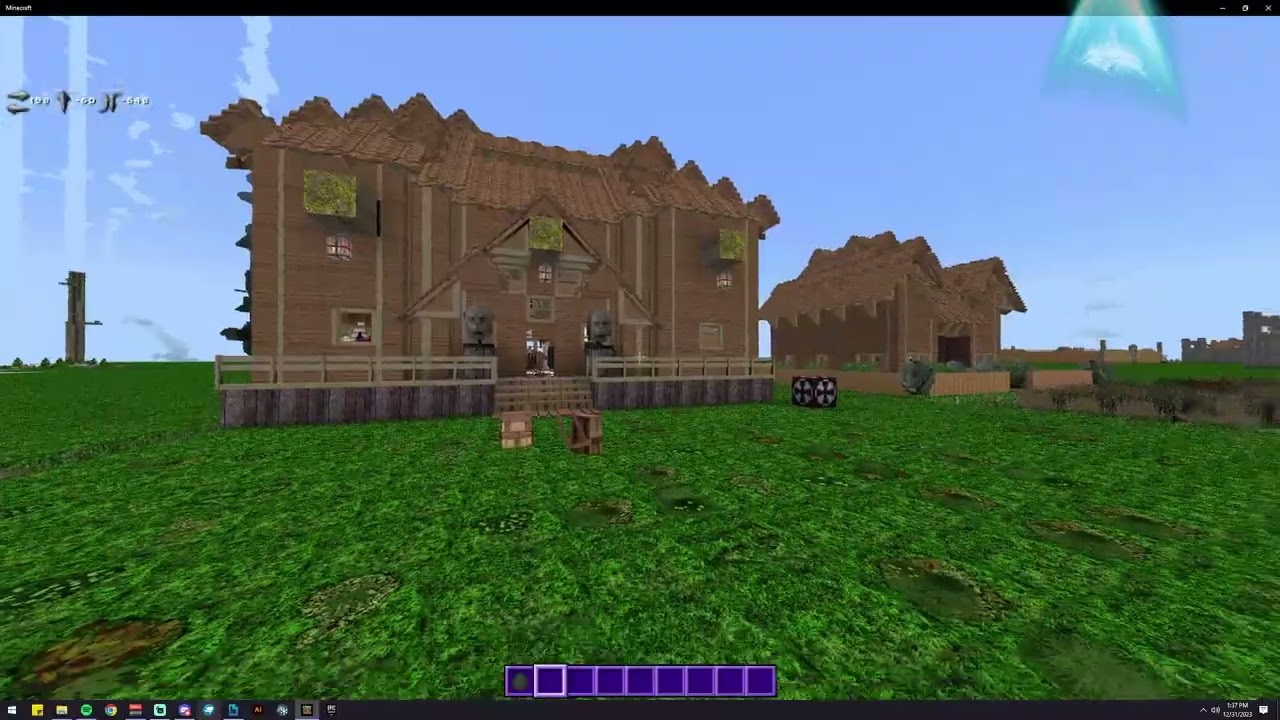
Presented by CyberAxe of www.OutLandishlyCrafted.com
Tip and Support Welcome, it takes hordes of hours to provide free support.
HTTP://www.OutLandishlyCrafted.com
#minecraft, #bedrock, #mcpe, #indiegamedev, #blockbench, #animations, #portals, #prototype #live
Looks like inventory ui animation is centered on entities local cords not world. So as you move away the animation breaks.
coarse torrent
stoic heath
oh apparently "a"
for "another_test_element" it's b, afaik child elements can't change the values of variables of parent elements, they can only "inherit" them
stoic heath
yeah I realised
last pollen
is it not possible to have chest ui server guis like java
 rain sand
Yes but this has nothing to do with json ui unless you wanna change another ui to look like the already existent chest ui
 winged flicker
Hi, I'm trying to redo the animation of the minecraft notification toast but I can't make it disappear, so I can have the toast once and then I don't have it anymore because it hasn't been "finished". Does anyone know how I can "finish" it please?
Or how to find out what's in the minecraft animation toast_animation_finished
  "popup_anim_start": {
    "anim_type": "offset",
    "easing": "linear",
    "from": [ "30%", "20%" ],
    "to": [ 0, "20%" ],
    "duration": 0.4,
    "next": "@toast_screen.popup_anim_wait"
  },

  "popup_anim_wait": {
    "anim_type": "wait",
    "duration": 3,
    "next": "@toast_screen.popup_anim_end"
  },

  "popup_anim_end": {
    "anim_type": "offset",
    "easing": "linear",
    "from": [ 0, "20%" ],
    "to": [ "30%", "20%" ],
    "duration": 0.4
  },
Please
 dusty ether
Is it possible to add a player list or leaderboard to a json ui?
 undone marsh
dusty ether
Is it possible to add a player list or leaderboard to a json ui?
undone marsh
dusty ether
Is it possible to add a player list or leaderboard to a json ui?
Yes, playerlist is possible
https://cdn.discordapp.com/attachments/1136045687772024973/1175748127358197831/image.png?ex=65a3bac5&is=659145c5&hm=1f74b12725692567b64c9cd4ebb1a66a3550d05c186ebee7fb4b58bac72ea72f&
 hexed briar
is this a chromebook
undone marsh
hexed briar
is this a chromebook
Yep it is
marble solstice
marble solstice
Does anyone know how I could have the action bar positioned just below the emote...
Is it the highlighted text?
I wanna move the action bar upwards
 winged flicker
How to change the font_scale_factor value according to the player's screen size
 vital dagger
Is there any guide on how to create a custom inventory? by type of removing and adding slats and not just textures
hexed briar
green grail
## JSON UI
### Start from the basics of JSON UI
Just starting out? Check out t...
Might wanna put some note it here that - JSON-UI are unsupported by mojang, which they're already confirmed. what does that mean is JSON-UI does not have any official documents from them, every discover from wiki are pretty much from the addon community. aswell any potential bugs or issues e.g resizing the game windows that somehow makes modified UI to break etc will unlikely be fixed.
JSON-UI will also eventually be fully depreciated or removed due to the favor of upcoming Ore-UI. so, it's up to you whenever it worth to learn JSON-UI or not.
hexed briar
winged flicker
How to change the font_scale_factor value according to the player's screen size
not possible unfortunately, json-ui can't detect screen resolutions.
hexed briar
vital dagger
Is there any guide on how to create a custom inventory? by type of removing and ...
Adding more slots is technically not possible, sure you could add it but it won't function at all. Removing slots is fine so.
essentially pretty much you have the limited amount of slots you could have in inventory.
if you wish to modify, consider look at ui/inventory_screen.json (if you can't find it, consider grab it from the resource pack template) and use the "search text" feature in your text/code editor, and search "grid" and from there, you can tweak some stuff you desired to.
hexed briar
marble solstice
Does anyone know how I could have the action bar positioned just below the emote...
You can add or tweak stuff from hud_actionbar_text element, add
"anchor_from": "top_middle",
"anchor_to": "top_middle",```
from there the actionbar should be on the top now. if you need some position tweaking, then consider changing `offset` property values.

`[ 0, 30 ]` ( or `[ 0, "30px" ]` if you're psychopath ) should bring the actionbar down by 30 pixels. you could add 40 or more if it doesn't fit your needs.Ok thx and I'm trying to redo the animation of the minecraft toast notification but I can't make it disappear, so I can have the toast once and then I don't have it anymore because it hasn't been "finished". Does anyone know how I can "finish" it please?
Or how to find out what's in the minecraft animation toast_animation_finished
Oops sorry I forgot to deactivate the ping
So sorry
marble solstice
hexed briar
You can add or tweak stuff from `hud_actionbar_text` element, add
```js
"anchor_...
OK thanks I'll give it a try
dusty ether
undone marsh
Yes, playerlist is possible
https://cdn.discordapp.com/attachments/1136045687772...
but can you condition it with tags, scores, etc.?
 next quarry
dusty ether
next quarry
dusty ether
say what you need help with, not "help me"
marble solstice
hexed briar
You can add or tweak stuff from `hud_actionbar_text` element, add
```js
"anchor_...
Thanks for this
took me about 3 hrs to actual get the offs right but I finally did
minor basalt
winged flicker
Like that
oh idk then
hexed briar
#1067535382285135923
past stirrup
- #1067535382285135923
- No screenshots, send code
hexed briar
that does not looks like Json-UI
analog snow
is there a way i can render an entity nametag as a 'sign text'?
so not as a floating text but like the ones you see on signs
 scenic galleon
is there any way to reload ui quickly? ideally without leaving the world
undone marsh
scenic galleon
is there any way to reload ui quickly? ideally without leaving the world
nope
winged flicker
Hi ! I'm trying to redo the animation of the minecraft toast notification but I can't make it disappear, so I can have the toast once and then I don't have it anymore because it hasn't been "finished". Does anyone know how I can "finish" it please?
Or how to find out what's in the minecraft animation toast_animation_finished
 twin viper
Is there a directory of sorts when it comes to finding the textures you can put next to your buttons? Cause I’m trying to figure out were to find them
orchid kindle
How do I hide the shape of hearts? I want their shape not to appear
 ivory aurora
How change coordinates panel position
 shrewd elm
How do I make the inventory icon invisible?
 flat blade
What medium did you use to create it?
 compact thorn
Is it possible to add new control buttons in minecraft?
cunning bridge
like new key binds?
cunning bridge
compact thorn
Is it possible to add new control buttons in minecraft?
should be interesting, might be possible on mobile. but i think keyboard binds are limited for windows 10
compact thorn
cunning bridge
should be interesting, might be possible on mobile. but i think keyboard binds a...
it's sad
cunning bridge
i know i would really love to assign unused buttons on my keyboard to some script functions, i wish that was possible
compact thorn
I'm building a car, but the control is only available through slots

Найдётся всё
video
minor basalt
im not ok with clicking a russian link lol
 smoky leaf
Anyone here accept comissions?
sour flint
I just found a gun add-on that has a crafting table with custom slots
it's
--
I didn't know that was possible
I'm going to try to dissect that shit and hopefully finally be able to make my own one without the 3x3 grid
🙏


 normal flower
Hello! currently starting to learn JSON-UI and came across this
