#Commands General
1 messages · Page 9 of 1
 grim ocean
cant believe my school is that far behind compared to the average knowledge school gives people in uk
💔💔💔
 tidal turret
doing this now sorry i had some things pop up
grim ocean
tidal turret
doing this now sorry i had some things pop up
depres
OH WAIITT WE GOT SIDE TRACKED 💔💔💔
lmaoaooa
 knotty oriole
My teacher taught me to remember it w a story:
“The Negative Boy Couldn’t Decide whether to go to the Radical party. He decided to Be Square and Missed Out on Four Awesome Chicks. The party was Over at Two AM.”
Thank u mr morrin
grim ocean
huhhh
tidal turret
yeah no chat gpt is cooked
grim ocean
no idea which part is meant to represent which part of the formula
grim ocean
tidal turret
yeah no chat gpt is cooked
💔
tidal turret
grim ocean
OH WAIITT WE GOT SIDE TRACKED 💔💔💔
is it my fault my cat peed on my arms
grim ocean
tidal turret
is it my fault my cat peed on my arms
💔💔💔 so sad
grim ocean
knotty oriole
My teacher taught me to remember it w a story:
“The **Negative Boy Couldn’t Deci...
oh i kinda get part of it now
lmaoaoaoa
funei ahh
tidal turret
u guys still yapping
knotty oriole
grim ocean
no idea which part is meant to represent which part of the formula
Negative Boy -b
Couldn’t Decide +-
Radical sqrt()
Be Square b^2
Missed Out —
Four Awesome Chicks 4ac
Over at 2AM /2am
grim ocean
lmaoaooa
grim ocean
knotty oriole
**Negative Boy** -b
**Couldn’t Decide** +-
**Radical** sqrt()
**Be Square** b^2
...
damn 😭 mr morrin smart
knotty oriole
He was a v wise man
grim ocean
real
knotty oriole
grim ocean
( i didn understand wat its used for )
Me neither if im gonna be honest
tidal turret
 grim ocean
huhhh
grim ocean
knotty oriole
Me neither if im gonna be honest
lmao?
tidal turret
you are 1 in a million
(you are deff special)
grim ocean
😭😭 if u didn understand it with such a cool teacher, am cooked
knotty oriole
grim ocean
😭😭 if u didn understand it with such a cool teacher, am cooked
I didnt pay attention much to quadratic formula, it was too daunting 😔
grim ocean
knotty oriole
I didnt pay attention much to quadratic formula, it was too daunting 😔
😭😭😭💔
grim ocean
real-
knotty oriole


 grim ocean
knotty oriole
grim ocean
knotty oriole
that actually looks simple enough, feels like i could actually understand it if i focused enough ( and stared at it for the next 3 hours )
knotty oriole
grim ocean
that actually looks simple enough, feels like i could actually understand it if ...
I was ac just thinking the same thing lowk, it looks wayy more manageable than i remember
grim ocean
lmaoaoa
knotty oriole
Think i was always commands hp tho on my phone when he was explaining it so
Would explain my problem
grim ocean
knotty oriole
Think i was always commands hp tho on my phone when he was explaining it so
💔
when we work on skygen 💔
tidal turret
@knotty oriole Would you say your pretty good at commands
knotty oriole
tidal turret
<@1300225662824747068> Would you say your pretty good at commands
Id say so, yeah
grim ocean
tidal turret
<@1300225662824747068> Would you say your pretty good at commands
💔 ( wat about me )
tidal turret
um can u help me with something
knotty oriole
grim ocean
when we work on skygen 💔
Lets all make one and compare them 🥶🥶
grim ocean
i is pretty good at cmd 💔
knotty oriole
tidal turret
um can u help me with something
Lets find out, what is it
grim ocean
knotty oriole
Lets all make one and compare them 🥶🥶
🗣️📢🔥 ( am cooked )
despite me not knowing trigonometry stuffyyf, i bet i can make watever u tell me to 🗣️📢🔥
knotty oriole
grim ocean
despite me not knowing trigonometry stuffyyf, i bet i can make watever u tell me...
I dont think ull need trig for the skygen so i think ull be fine 😮💨
grim ocean
lmaoaoa
tidal turret
can u make me a plot system'
knotty oriole
Telling u tho, if any trig come up its over
grim ocean
tidal turret
can u make me a plot system'
as innn
explain better-
( more detail pleag )
knotty oriole
tidal turret
can u make me a plot system'
Yeah i can show u one i made a while ago, theyre not v hard just super repetitive
grim ocean
knotty oriole
Yeah i can show u one i made a while ago, theyre not v hard just super repetitiv...
💔
i so depres
knotty oriole
Someone in command help asked for it too so idm
tidal turret
knotty oriole
Someone in command help asked for it too so idm
ye i saw u earlier
grim ocean
💔💔💔
tidal turret
u legit kinda gay
(jokes)
tidal turret
IM SORRY
knotty oriole
The plot system itself just comes down to binary TP which allows u to tp a distance dynamically based off of a score
grim ocean
knotty oriole
The plot system itself just comes down to binary TP which allows u to tp a dista...
real
tidal turret
knotty oriole
The plot system itself just comes down to binary TP which allows u to tp a dista...
i really need this
grim ocean
i got smth like that ( feels like u either overcomplicated it or am talking about a different thing )
knotty oriole
grim ocean
i got smth like that ( feels like u either overcomplicated it or am talking abou...
Dif thing i think, assuming u were the one who helped the other guy in command help
tidal turret
actually ive made over 300$ making mc maps butt i dont know scoreboard operations if im completely honest
knotty oriole
Was urs the one that ticked down to tp to plots?
grim ocean
knotty oriole
Dif thing i think, assuming u were the one who helped the other guy in command h...
whu
grim ocean
knotty oriole
Was urs the one that ticked down to tp to plots?
yea- 💔
wait then how did ur work 🤯
knotty oriole
tidal turret
actually ive made over 300$ making mc maps butt i dont know scoreboard operation...
Scoreboard operations are key asf lowk
Im more wondering where tf u found people willing to pay $300
Lmao
tidal turret
yes ik but idk where to start
knotty oriole
Put me on
tidal turret
knotty oriole
Im more wondering where tf u found people willing to pay $300
made over 100 maps in the past 2 years and ppl pay around 10-20$
for a 14 yr old that's pretty massive
knotty oriole
grim ocean
wait then how did ur work 🤯
Its not massively dissimilar, but mine uses binary to TP in increments of base 2 until a score reaches 0, meaning it can be accomplished in one tick, aka one command cycle as apposed to having to run over many ticks
grim ocean
knotty oriole
Its not massively dissimilar, but mine uses binary to TP in increments of base 2...
huhh
i kinda don get it
knotty oriole
tidal turret
made over 100 maps in the past 2 years and ppl pay around 10-20$
Ohh right i thought u meant on one map, i was gonna say
tidal turret
knotty oriole
Ohh right i thought u meant on one map, i was gonna say
most i got was 40$ at one time
grim ocean
knotty oriole
Its not massively dissimilar, but mine uses binary to TP in increments of base 2...
wouldnt that mean u need to like put up insanely long towers of cmd block for each possible number ( thats just doing it the manual way 😭 not much dynamic about that )
knotty oriole
Some american kid w wayy too much money used to commission me and my brother to work on maps for his realm and my bro was earning ab $50-100 while i was earning around $50-400 per job
grim ocean
knotty oriole
Some american kid w wayy too much money used to commission me and my brother to ...
wththt
bro actually made money from this? 💔
knotty oriole
grim ocean
wouldnt that mean u need to like put up insanely long towers of cmd block for ea...
Not quite each possible number, but ur right ab the long tower
U start from ur largest multiple of two and then continue to half it down until u reach 1 essentially; its long and tedious, but not 1:1 tedious lmao
grim ocean
knotty oriole
Some american kid w wayy too much money used to commission me and my brother to ...
wheres dat kid rn lmaoao
tidal turret
knotty oriole
Some american kid w wayy too much money used to commission me and my brother to ...
If im being honest the only reason why i play bedrock is bc its a simple game
grim ocean
knotty oriole
Not quite each possible number, but ur right ab the long tower
U start from ur l...
so its not true that it completes the tp within a tick 💔
knotty oriole
grim ocean
wheres dat kid rn lmaoao
Mooching off his parents no doubt lmao
He never made a return on them cus he was constantly starting new projects wo publishing the old
knotty oriole
grim ocean
so its not true that it completes the tp within a tick 💔
Yeah it does
grim ocean
knotty oriole
Mooching off his parents no doubt lmao
He never made a return on them cus he was...
💔
knotty oriole
Essentially the way it works is using a sum of binary numbers, u can make any number between it
We’ll do an exercise to demonstrate
Gimme a 2 digit number
tidal turret
sooo can u help me jonathan also both of u add me rq
knotty oriole
tidal turret
sooo can u help me jonathan also both of u add me rq
Yeah i got u, ill get on in a few mins
tidal turret
add me on discord rq
knotty oriole
grim ocean
OHHHH
Yeah, binary is super smart and ur able to make any number between using a sum of base 2 values; its how a computer does it pretty much
Super smart system
knotty oriole
Gimme another 2-3 digit for example
grim ocean
grim ocean
372
does bro just have a insanely long list of base 2 numbers to compare it to 💔
knotty oriole
256+64+32+16+4
grim ocean
💔💔💔
knotty oriole
Sorry had to go break that one down in the calc 😭
grim ocean
knotty oriole
256+64+32+16+4
and thats only 5 cmd blocks 💔💔💔
grim ocean
knotty oriole
Sorry had to go break that one down in the calc 😭
lmaoaooa
knotty oriole
Well sorta
knotty oriole
grim ocean
and thats only 5 cmd blocks 💔💔💔
Its 2 per one: one to tp by the value, one to remove the value from the score, and u need all values of base 2 up to ur max number
tidal turret
guys look inside the gc
grim ocean
knotty oriole
Its 2 per one: one to tp by the value, one to remove the value from the score, a...
oh rightht
lmaoao
so like 11 or smth
funei
knotty oriole
grim ocean
i feel dumb now 💔
Dwbi lmao, if ur not super involved in the community u may not know
grim ocean
tidal turret
guys look inside the gc
wat gc
 uncut notch
Who god damn tagged me.
grim ocean
uh
grim ocean
tidal turret
guys look inside the gc
its him sir
 topaz wren
Hey can anyone help with making a PvP area for me on my Auto Sky Gen soon to be realm, done everything else but can not seem to get a pvp command working.
Will be highly appreciated!
knotty oriole
topaz wren
Hey can anyone help with making a PvP area for me on my Auto Sky Gen soon to be ...
Is it ac full auto tho?
Thats a brave statement in a commands and add ons server
 manic mantle
Very brave
 restive portal
How to use damage command so that it only damages entities at where I am looking?
I usually just use r/radius
knotty oriole
restive portal
How to use damage command so that it only damages entities at where I am looking...
Can use a raycast or look detection
https://wiki.bedrock.dev/commands/look-detection
for look detection its smt like:
Yeah its the one thats like:
/execute as @e[c=2] as @e[c=2] as @e[c=2] as @e[c=2] as @e[c=2] as @e[c=2] as @e[c=2] as @e[c=2] as @e[tag=cast.ray] at @s if block ^ ^ ^0.2 air run /tp ^ ^ ^0.2 facing ^ ^ ^1
Where @e[tag=cast.ray] is an xp orb or armour stand with the tag

Bedrock Wiki
This command-technique allows you to detect when a target looks at a player/entity/coordinate and subsequently run your desired commands.
restive portal
What execute command only works if a certain entity is near the player?
/execute if entity @e[type=zoglin] positioned as @e[r=5] run effect @s regeneration 10 1 true
Tried this but it kept giving the effect anyway, so I dunno what I'm doing wrong
knotty oriole
restive portal
What execute command only works if a certain entity is near the player?
```
/exe...
/execute as @e[type=zoglin] at @s run /effect @a[r=5] regeneration 10 1 true
OR
/execute as @a at @s if entity @e[type=zoglin,r=5] run /effect @s resistance 10 1 true
First executes from the zoglin (more optimised), second executes from the player; both commands are effectively identical
 true laurel
/execute at @e[type=zoglin] run effect @a[r=5] regeneration 10 1 true
restive portal
Thanks ya'll
 scenic bronze
Where can I find documentation on the dialogue json?
 jade dirge
scenic bronze
Where can I find documentation on the dialogue json?
jade dirge
scenic bronze
Where can I find documentation on the dialogue json?
you might something useful here

A tutorial covering how to create a branching dialogue script for use with NPCs in Minecraft: Bedrock Edition
restive portal
Chat why is absorption not working??
 rose tusk
Describe what you are seeing? @restive portal
restive portal
rose tusk
Describe what you are seeing? <@878624332962750464>
I gotchu
Low level works fine. Any higher than that gives only 8 hearts (despite using 255 amplifier)
rose tusk
Yep, it's a bug https://bugs.mojang.com/browse/MCPE/issues/MCPE-33940
 graceful canopyBOT
rose tusk
Yep, it's a bug https://bugs.mojang.com/browse/MCPE/issues/MCPE-33940
graceful canopyBOT
rose tusk
Yep, it's a bug https://bugs.mojang.com/browse/MCPE/issues/MCPE-33940
Status
To Do (Open)
Resolution
Unresolved
rose tusk
Considering it was created 7 years ago, I would not hold my breath on a fix anytime soon
knotty oriole
restive portal
I gotchu
Why not just use health boost for the mean time
restive portal
knotty oriole
Why not just use health boost for the mean time
I'd need to heal all that health, though I guess it's a decent enough conpromise, seeing as I do use phases for my entity..
knotty oriole
restive portal
I'd need to heal all that health, though I guess it's a decent enough conpromise...
Then just use instant health to heal it, no?
restive portal
Yaa. You're right, I'll do that.
Though I gotta say, absorption would've been so much nicer since it won't be affected by regeneration
knotty oriole
Is what it is unfortunately
restive portal
I'm just surprised and disappointed that they haven't fixed it yet, for 7 whole years 😭
rose tusk
Some bugs are like that 🙁
restive portal
Now I'll resort to using an entity riding the main entity (boss) to act as their absorption...
Anywho, thanks for the help :D
 gray sage
What target selector can I use in a .mcfunction that lets me add a score to a player ONLY if they DON'T ALREADY HAVE ONE (to reduce lag) instead of just giving them 0 every tick?
My current line is scoreboard players add @a score 0
I would like to limit this function to only work on players without any sort of score on it whatsoever
I've been using [scores={score=-2147483647..}] for a while now but I so extremely doubt it changes anything because when I run it in-game it just runs it on anything no matter if the have a score or not
knotty oriole
gray sage
What target selector can I use in a .mcfunction that lets me add a score to a pl...
Just do an on join system
gray sage
knotty oriole
Just do an on join system
I want it to be guaranteed so even if the script shuts down and someone joins it'll do its thing
knotty oriole
gray sage
I want it to be guaranteed so even if the script shuts down and someone joins it...
Yeah itll be guaranteed
gray sage
knotty oriole
Yeah itll be guaranteed
Really? I thought world.afterEvents.playerJoin ONLY fires if the script is currently active at the time of the player joining
knotty oriole
gray sage
Really? I thought world.afterEvents.playerJoin ONLY fires if the script is curre...
Thats why u just do one w commands instead
knotty oriole
Why?
gray sage
I can't do that with mcfunctions
knotty oriole
Why not
gray sage
Because mcfunctions can't do conditionals
knotty oriole
U dont need conditionals, what?
Heres ur on join system:
tag @a[tag=!game.joined] add game.joined```Already formatted for ur .mcfunction
gray sage
Oh yeah- i forgot about tags
Okay thank you then
Hold on
Isn't it not guaranteed though because the command that adds the tag could run before the scoreboard
Man I hate these systems
I just want a target selector man
Is there seriously NO WAY to check for no score at all?
knotty oriole
gray sage
Isn't it not guaranteed though because the command that adds the tag could run b...
Not possible at all
Regardless of whether its commands, or .mcfunctions, they will always run consistently in an order and will never defer from it
gray sage
knotty oriole
Regardless of whether its commands, or .mcfunctions, they will always run consis...
What if it's in the middle of running the function when a player joins though ._.
With the size of the function it's a 1/2 chance
knotty oriole
gray sage
What if it's in the middle of running the function when a player joins though ._...
Its not exactly how that works
gray sage
Couldn't [scores={score=!-2147483647..}] work?
knotty oriole
Itll only run from the start on new entities, itll never start from the middle
knotty oriole
gray sage
Couldn't `[scores={score=!-2147483647..}]` work?
This will only apply if u have a value on the scoreboard (albeit its a value u cant achieve), however when ur not added to a scoreboard u just literally dont have a value
gray sage
knotty oriole
This will only apply if u have a value on the scoreboard (albeit its a value u c...
No wonder it doesn't work in game >:l
knotty oriole
gray sage
No wonder it doesn't work in game >:l
Yeah unfortunately
Theres no way to test for a player not added to a scoreboard (not without first adding them to it, at least)
Ur two best bets are the on first join, or repeat add 0
gray sage
I would try to use a script to check, like, !world.scoreboard.getObjective("score").getScore(player.scoreBoardIdentity) and just add it if the predicate was true but scripting forces players to have a score to know what it is 😔
Fine
I'll try the tag version
uncut notch
gray sage
Really? I thought world.afterEvents.playerJoin ONLY fires if the script is curre...
use playerSpawn
You're just not creative to do it.
gray sage
uncut notch
use playerSpawn
Oh uh
Yeah
I realized that
Scripts don't allow that
Because they NEED an existing score for the script to read it
uncut notch
gray sage
Because they NEED an existing score for the script to read it
wdym existing score?
that's why scoreboardIdentity exists, so if a player doesn't have it yet then we add one using addScore(player, 0)
gray sage
uncut notch
wdym existing score?
If I try to read an objective's score for a player that doesn't have a score for that objective the console goes haywire and the script stops running
uncut notch
uncut notch
that's why scoreboardIdentity exists, so if a player doesn't have it yet then we...
^
or just do addScore(player, 0)
gray sage
uncut notch
^
I literally can't read scores without scoreboard identity, it's the only option, I know that already
uncut notch
gray sage
I *literally can't read scores without scoreboard identity, it's the only option...
sigh
If you say so...
gray sage
Unless 2.0.0 changed scoreboard reading in scripts
uncut notch
Believe what you gotta believe
gray sage
Because it certainly didn't work the first time I tried
uncut notch
gray sage
Because it certainly didn't work the first time I tried
Also what are you trying to do?
gray sage
uncut notch
Also what are you trying to do?
ADD A SCORE TO PLAYERS THAT DONT HAVE THAT SCORE SO THAT MY SCRIPTS WORK OF COURSE
uncut notch
gray sage
Because it certainly didn't work the first time I tried
Nah you just don't know how to it.
uncut notch
gray sage
ADD A SCORE TO PLAYERS THAT DONT HAVE THAT SCORE SO THAT MY SCRIPTS WORK OF COUR...
SOORRRY YOU DON'T NEED TO YELL
uncut notch
gray sage
ADD A SCORE TO PLAYERS THAT DONT HAVE THAT SCORE SO THAT MY SCRIPTS WORK OF COUR...
scoreboardIdentity returns undefined if they don't have a score in the scoreboards... Wdym it's not possible...
gray sage
Well then 2.0.0 changed something. When I tried reading a player's score without .scoreboardIdentity, it errored me. When I tried reading a score that a player didn't have (and even making a failsafe) both options errored me.
This was on 1.18.0-beta
uncut notch
gray sage
Well then 2.0.0 changed something. When I tried reading a player's score without...
as I said it won't work obviously. Since they don't have scores, that's why I said use scoreboardIdentity
gray sage
uncut notch
as I said it won't work obviously. Since they don't have scores, that's why I sa...
I literally can't read anyone's scores without scoreboard identity, what are you talking about
uncut notch
gray sage
I literally can't read *anyone's* scores without scoreboard identity, what are y...
tf you mean you can't?
gray sage
And when I use scoreboard identity to read a score that doesn't exist the script immediately stops running and console error
uncut notch
lmao, you're the confusing one here.
gray sage
Okay.
Back when I was learning to make scripts (which was the beta @minecraft/server module just before 1.18.0-beta) I tried reading a player's score without scoreboardIdentity attached because I didn't know any better, and then it promptly ended main.js and my entire script system stopped working. Then way back I asked how to fix this, someone said add scoreboardIdentity, it worked. Then later on I tried reading a score out of a player that literally did not have that score on their identity, which didn't end main.js but spammed console errors. So of course I now have to add the score to everyone no matter what (and immediately) because I can't read scores that don't exist.
So now I'm here.
I tried adding a failsafe at some point that wouldn't write anything to the variable holding the score if the score was undefined, but it had the exact same effect as reading a nonexistent score.
Way back here actually #1317711120965832714 message
Was the second incident
uncut notch
gray sage
Okay.
Back when I was learning to make scripts (which was the beta @minecraft/s...
world.afterEvents.playerSpawn.subscribe(({ player, initialSpawn }) => {
  if (!initialSpawn) return;
  const obj = world.scoreboard.getObjective('join') ?? world.scoreboard.addObjective('join');

  obj.addScore(player, 0);
});```

You didn't do this don't you.^
Back then it literally didn't let me write to a nonexistent score
Maybe it works now but you could've said that when I asked if it was new
uncut notch
gray sage
Back then it literally didn't let me write to a nonexistent score
lmao no.
You can do it in 1.21.60 and below
uncut notch
gray sage
We're on 1.21.70 now
Ohh really? I didn't even fuckin notice!
uncut notch
gray sage
Yeap
I'm sarcastic.
uncut notch
I'm in 1.21.80 Soo no.
uncut notch
gray sage
That's why you use /sc
sc? Huh?
gray sage
Tone modifier-
This feels awfully familiar.
uncut notch
You're weird.
gray sage
I explained this to you several months ago and my memory shouldn't really be that good
gray sage
uncut notch
You're weird.
Okay
uncut notch
uncut notch
```js
world.afterEvents.playerSpawn.subscribe(({ player, initialSpawn }) => {
...
As I said you can always add 0 in players if they don't have score for initialization it's been there since API for scoreboard exists you just didn't experiment it fully.
gray sage
/sc is sarcastic /srs is serious
gray sage
uncut notch
As I said you can always add 0 in players if they don't have score for initializ...
Fine I will try this but I'm blaming it on you if it doesn't work :3
uncut notch
gray sage
Fine I will try this but I'm blaming it on you if it doesn't work :3
Uhh? Blame yourself
Not me, you just don't know any solutions
uncut notch
gray sage
I still don't understand why you separate the data in .subscribe()
Skill issue 😆
and what data?
gray sage
Oh I swear to god
uncut notch
Nah I'm just kidding
uncut notch
gray sage
You're using brackets in the data parameter
you don't know destructing don't you??
gray sage
I've always been using .subscribe((data)=>{})
 mighty kindle
making .runCommand() not be able to run in read-only mode was so unnecessary
gray sage
You're using .subscribe(({data, data2})=>{})
uncut notch
uncut notch
you don't know destructing don't you??
Obviously you don't why would you ask
uncut notch
gray sage
You're using .subscribe(({data, data2})=>{})
Because it's faster and cleaner
and also it doesn't matter
It would work the same, if it doesn't then skill issue
gray sage
uncut notch
Because it's faster and cleaner
It certainly is!! That would have been helpful for me to actually know how to do before!
Instead my stupid ADHD brain dismissed the brackets
uncut notch
gray sage
It certainly is!! That would have been helpful for me to actually know how to do...
world.afterEvents.playerSpawn.subscribe(({ player, initialSpawn }) => {
  // ...
});``````js
world.afterEvents.playerSpawn.subscribe(ev) => {
  const player = ev.player;
  const initialSpawn = ev.intialSpawn;
  // ...
});``````js
world.afterEvents.playerSpawn.subscribe(ev => {
  const { player, initialSpawn } = ev;
  // ...
});```

They work exactly the same.Now I know.
uncut notch
mighty kindle
making `.runCommand()` not be able to run in read-only mode was so unnecessary
uhh no? runCommand modifies the world.
wdym?
mighty kindle
I guess, but if I want to run some command that doesn't modify it like kicking a player
gray sage
mighty kindle
I guess, but if I want to run some command that doesn't modify it like kicking a...
Kick doesn't work
Needs a higher permission level
Only achievable from dedicated servers
mighty kindle
kick @s don't work?
gray sage
mighty kindle
`kick @s` don't work?
Not in scripts, no
uncut notch
mighty kindle
it worked last version
Never, it never worked.
You can't kick yourself at ALL
gray sage
Kick, op, setMaxPlayers all don't work in scripts
uncut notch
Mandela effect, you're confused
mighty kindle
kick worked with player names...
gray sage
Like I said, you need a dedicated server to elevate the permission level of scripts
uncut notch
mighty kindle
I guess, but if I want to run some command that doesn't modify it like kicking a...
it still modifies world, wdym?
mighty kindle
🤷♂️
uncut notch
mighty kindle
kick worked with player names...
runCommand() doesn't have enough permission
Mandela effect dude, it never worked.
gray sage
Anyway we should probably in https://discord.com/channels/523663022053392405/1067535608660107284
mighty kindle
oop confused the chats
uncut notch
mighty kindle
oop confused the chats
And btw, if you want to kick (almost) in single players, use transferPlayer and yes it works in single players and Multiplayer
 restive bone
does the error " [commands] [warning] couldnt load file ... in functions directory " means that there error in command in the file?
grim ocean
usually, or the file doesnt exist
restive portal
Is this not how it works??
execute at @e[type=og:angelica_black_silence] if entity @e[type=og:roland_black_silence] in overworld run function soul_lsoul_effect
Custom entities, though for some reason it throws an error at this execute command
rose tusk
What should this be doing? @restive portal What it looks like is "For all Angelica entities: At their position; if a Roland entity exists, then in the Overworld run function soul_lsoul_effect"
if entity and in overworld are two separate arguments
restive portal
rose tusk
What should this be doing? <@878624332962750464> What it looks like is "For all ...
Supposed to be that mob a (angelica) and mob b (roland) depend on each other. If mob b doesn't exist (killed) then the function wouldn't run (mob a runs the execute command which is why it checks if (roland) is in overworld)
Though I think I mixed up the execute command
jade dirge
restive portal
Supposed to be that mob a (angelica) and mob b (roland) depend on each other. If...
You could try this:
execute in overworld positioned 0 0 0 as @e[type=og:roland_black_silence, rm=0.01] at @e[type=og:angelica_black_silence] run function soul_lsoul_effect
You may need to change the at to as depending on if you want the function to be executed on the behalf of angelica or at the location of angelica.
restive portal
Thanks
restive portal
What command chain summons things in a circular pattern?
 tulip quarry
Hi, how can I make a mob activate a command when it approaches the player automatically?
 south glen
tulip quarry
Hi, how can I make a mob activate a command when it approaches the player automa...
south glen
tulip quarry
Hi, how can I make a mob activate a command when it approaches the player automa...
testfor the enity in a radious of the player
make the radious a certian amount like 3 blocks if you want it in a radious of 3
restive portal
Would this work?
effect @e[type=!player,r=3] poison 4 2 true
Or should I use both type and family player?
grim ocean
yea, it would give every entity except players thats within a 3 block radius poison
tulip quarry
and if I want you to activate an event when approaching the player for example start_riding
for example, when an entity that can be mounted by the player approaches the player, have the player automatically upload to it within a radius, say 1 to 2 blocks away and that in turn cannot be removed from said entity.
south glen
restive portal
Would this work?
```
effect @e[type=!player,r=3] poison 4 2 true
```
so your using a !
that means anything thats not the one there
so use player only
so @e[type=player,r=3] instead
south glen
restive portal
Ah, it's specifically for the player to use
Imma expand on what I wrote for you to better understanf the type part just incase
if using ! it would mean that it checks for entitys that arent that and if used with tags dont have that tag
but if you dont use ! in the command it finds the enity or tag that matches with what is writen
knotty oriole
south glen
testfor the enity in a radious of the player
Never use /testfor 
south glen
knotty oriole
Never use `/testfor` <:bao_foxxo_vomit:937056079966261310>
then use the next best fortest
you see instead it for tests it
knotty oriole
😭😭
tidal turret
@knotty oriole
/execute at @a[r=6,scores={plot=!1..}] run /setblock ~~-3~ redstone_block
what did i do wrong 😭
wait
i dont have a score for plots at all
knotty oriole
tidal turret
```/execute at @a[r=6,scores={plot=!1..}] run /setblock ~~-3~ redstone_block```
Run at everyone in a radius of 6 of the command block who has a score of 0 or less, set a redstone block 3 blocks below them
knotty oriole
tidal turret
i dont have a score for plots at all
Yeah thatll probably do it
tidal turret
and yeah
its as
yay
my plot system is finsihed
finished
and it only use 8 command blocks
knotty oriole
tidal turret
my plot system is finsihed
Boooo not fully auto 👎
tidal turret
knotty oriole
Boooo not fully auto 👎
@knotty oriole Actually it is fully auto
knotty oriole
tidal turret
<@1300225662824747068> Actually it is fully auto
Infinite generation?
knotty oriole
tidal turret
loser
Alr fair enough, no complaints here 🤝
But i bet u use one whole entity, pee-yew 🤢🤮🤮
tidal turret
knotty oriole
But i bet u use one whole entity, pee-yew 🤢🤮🤮
uh no
it's pretty much your system but people have to click a button
stupid
knotty oriole
Oh then whatd u use for the tp since my system is dependant on binary tp
Unless urs is the slow one which ticks down
knotty oriole
Heyy thats cheating
uncut notch
tidal turret
(i used chatgpt)
booo 👎🏽👎🏽
knotty oriole
Tell em, tell em
uncut notch
If you use ai for commands, I will expect you use for scripts tooo
tidal turret
uncut notch
If you use ai for commands, I will expect you use for scripts tooo
@uncut notch Wasnt for commands
im actually good with commands
i used chat gpt to give me ideas
so maybe its not actually doing the work for me
 pulsar marsh
Is there a way to make it so a diffrent tp command will execute based on a scoreboard value?
grim ocean
execute if score thing scores matches 0..10 run tp @p 69 -60 69

execute if score thing scores matches 11.. run tp @p 69 -9273829 69
Why was one of my friend babbling about a /ability command yesterday? They said they could just disable chatting and killing players with it, and that they heard of a Mayfly ability too. The world didn't have education edition turned on so I was wondering what they were talking about? I can't just use /ability in any world.
When I was confused about it to them yesterday they said it was announced sometime in 2020. Again, I'm pretty sure that's an education edition command. But there wasn't education edition enabled.
 hybrid musk
does anyone know the name for redstone ore glow id, need this for minecraft:can_destroy
grim ocean
gray sage
Why was one of my friend babbling about a `/ability` command yesterday? They sai...
he prob thought the cmd being able to disable chat meant it disabled you running commands in chat too, which isnt true lmao
and it was some crazy new trick, which it isnt 💔
gray sage
grim ocean
he prob thought the cmd being able to disable chat meant it disabled you running...
I had another extensive conversation with them. They DID use the command and I got creative flight in survival, and they said many times that it wasn't a script or a texture pack.
knotty oriole
gray sage
I had another extensive conversation with them. They DID use the command and I g...
R u certain the world isnt in edu?
It is true that the command is real, but its only available in education edition to my knowledge (at the very least, it used to be), and its a super useful command, especially if ur running a realm or hosting a public world
 gray sage
knotty oriole
R u certain the world isnt in edu?
gray sage
knotty oriole
R u certain the world isnt in edu?
Very certain, I'm not the host but way down in the world settings it says edu is OFF
uncut notch
gray sage
Very certain, I'm not the host but way down in the world settings it says edu is...
Is it a custom server or just a multiplayer or realm?
grim ocean
gray sage
Very certain, I'm not the host but way down in the world settings it says edu is...
ohh thats a bug lmao, viewing it by pausing the game and pressing the settings button doesnt really show the actual edu state lmao
knotty oriole
grim ocean
ohh thats a bug lmao, viewing it by pausing the game and pressing the settings b...
This ^
/ability is not accessible wo using edu, so u basically got pranked, lmao
gray sage
grim ocean
ohh thats a bug lmao, viewing it by pausing the game and pressing the settings b...
Oh.
Well then
Huh
 pseudo marlin
If I ran this command every tick, would it cause a noticeable amount of lag?
execute as @a at @a run fill ~-10 ~-10 ~-10 ~10 ~10 ~10 air replace end_portal
knotty oriole
pseudo marlin
If I ran this command every tick, would it cause a noticeable amount of lag?
`ex...
Not rly no
grim ocean
pseudo marlin
If I ran this command every tick, would it cause a noticeable amount of lag?
`ex...
but might make it slightly better if it was
execute at @a run fill ~-10 ~-10 ~-10 ~10 ~10 ~10 air replace end_portal
restive portal
Does anyone have the calculations for getting specific amount or at least close to the amount in using health_boost amplifier?
Nvm got it
pseudo marlin
grim ocean
but might make it slightly better if it was
```execute at @a run fill ~-10 ~-10...
thanks!
 severe hatch
hello! there is a way to increase the range of commandblock can be activeted?
I have a commandblock that generates a structure, the problem is that the commandblock is activated too late
It activates even when the player is far enough
grim ocean
tickingarea add circle ~~~ 4 cmdarea
do that cmd near ur cmd blocks
severe hatch
grim ocean
do that cmd near ur cmd blocks
if I understood correctly, i need to place a commandblock with this command near the other commandblock that places the structure?
grim ocean
grim ocean
```
tickingarea add circle ~~~ 4 cmdarea
```
nah, u can run that command in chat
it just has to be near the command block that you want to be activated no matter where you are
severe hatch
mmmmm but the commandblock are spawned randomly in the world
for this i need to increase the range of the commandblock must be actived when the player is away
knotty oriole
severe hatch
mmmmm but the commandblock are spawned randomly in the world
My question is why exactly theyre spawned randomly in the world
scenic bronze
What happen with the reload command?

 tight belfry
scenic bronze
What happen with the reload command?
tight belfry
scenic bronze
What happen with the reload command?
depneding what version of the game the world was created on some worlds do not have access to the command you have to leave and rjoin every time
 pastel sequoia
How do I focus my camera on a block so I would look straightly and couldn't rotate my camera?
scenic bronze
tight belfry
depneding what version of the game the world was created on some worlds do not h...
Okk, but the world was created in 1.21.50 and is now in 1.21.70...
tight belfry
scenic bronze
Okk, but the world was created in 1.21.50 and is now in 1.21.70...
is betaapis turned on?
tight belfry
pastel sequoia
How do I focus my camera on a block so I would look straightly and couldn't rota...
inputpermission set <playername> camera disabled
tp @s ~~~ facing <x> <y> <z>
pastel sequoia
tight belfry
`inputpermission set <playername> camera disabled`
`tp @s ~~~ facing <x> <y> <z>...
thank you
tight belfry
pastel sequoia
thank you
Your welcome
scenic bronze
tight belfry
is betaapis turned on?
Yes
tight belfry
scenic bronze
Yes
then im unsure
restive portal
If a function is used with commands that require an entity to exist, for example, mob a and mob b is teleported to each other every second, and there is also mob c and mob d doing the same command in a single mcfunction,
A <-> B
Tp @s @e[type=mob_b]
Tp @s @e[type=mob_a]
C <-> D
Tp @s @e[type=mob_d]
Tp @s @e[type=mob_c]
Let's say I run the function, but mob b is not spawned in, would the tp command for C and D still work without the tp command for a and b not activating?
knotty oriole
restive portal
If a function is used with commands that require an entity to exist, for example...
Yes, tho im more concerned that ur TPing mob a to mob b, and mob b to mob a
This would surely mean that mob b would get TPd to mob a who is now at the position of mob b, and thus mob b wouldnt move anywhere
restive portal
Yep, it's just a Hypothetical
knotty oriole
Then aside from that; yeah
restive portal
I figured, it runs independently and fails silently
Thanks for the clarification:3
knotty oriole
Commands in functions are basically just unconditional chain command blocks, so theyll still proceed fine regardless of the previous command outputs
restive portal
Commands can be used to call upon events right? And if the component has its own timer, when it runs out, it could just self implode and return to waiting to be activated?
Though I guess sensors, scripts may be more efficient
gray sage
knotty oriole
Commands in functions are basically just unconditional chain command blocks, so ...
I am also now remembering a question I've had for a while but never bothered to ask. You say functions run like chain command blocks, right?
Is there any way to make some lines of a function conditional then?
As in, run a line if the previous line output true
knotty oriole
gray sage
As in, run a line if the previous line output true
Yeah: use /execute ; the whole point of this was pretty much u should never ever use conditional — but to answer ur question there is no way to make a function conditional in the same sense as command blocks
gray sage
knotty oriole
Yeah: use `/execute` ; the whole point of this was pretty much u should never ev...
Good to know.
And I'm VERY familiar with /execute, thanks.
 stoic oxide
Did they change something about logs ? I was using this usefull command to do deforestation:
/execute as "PxP Aquila" positioned ~~~ run fill ~4 ~-4 ~4 ~-4 ~4 ~-4 air replace log
It was replacing all logs(oak, dark oak etc) But even using proper name like oak_log it does nothing
this commands works for other blocks, but not the logs
 timber sedge
stoic oxide
Did they change something about logs ? I was using this usefull command to do de...
timber sedge
stoic oxide
Did they change something about logs ? I was using this usefull command to do de...
Are you sure you typed it correctly?
I just tried air replace oak_log and it works
So it’s not glitched (for me)
 hollow linden
technically asking, how to summon chicken jockey?
true laurel
Use ride
true laurel
hollow linden
and i also dont know how to summon baby zombie
Ok then let me give you a simple one

/summon chicken ~~~ ~~

/summon zombie ~~~ ~~ minecraft:as_baby

/ride @e[type=zombie,c=1] start_riding @e[type=chicken,c=1] teleport_ride
@hollow linden
This will give you a chick jockey
hollow linden
tysm my guy
 formal loom


 finite nymph
is there a command I can use to detect coins (iron nuggets) in my inventory and when there are at least 16 it changes them to iron bars?
true laurel

/give @a[hasitem={item=iron_nuggets, quantity=16..}] iron_bar 1
/clear @a[hasitem={item=iron_nuggets, quantity=16..}] iron_nuggets 0 16
It's a simple cmd setup 😁
If you want an perfect I can make it complex for you [with tag add stuff]
finite nymph
ty! what would the dif between simple and perfect? would it affect gameplay differently or someting?
@true laurel
true laurel
Hmm first is in inventory management
If your inventory is full and you have sufficient nuggets the bar will given to you but it will drop as an item. After clearing the nuggets item you have the space to pick up the item [only if the nuggets number is 16x] . You can add some cmd tp prevent that happening by checking if you have empty slot or not ..
finite nymph
yeah i guess if you don't mind i would fs appreciate it! @true laurel
true laurel
@gilded schooner explain further more about what you want to make!
You can do that in using tags if the number of players are less or scoreboard if that is high
 gilded schooner
true laurel
<@834651966331944991> explain further more about what you want to make!
You can...
gilded schooner
true laurel
<@834651966331944991> explain further more about what you want to make!
You can...
The thing is I'm making a PvP arena where two player are needed to start the game.
I want a waiting for another player to start thing in actionbar
true laurel
Hmm can you give me the coordinates of your arena
For your setup working under automation you want
1- pair player detection system [we can use tag]
2- is the arena is occupied or not system
3- kill detect system on arena [for next match]
4- player selection system [for those only intrested to join, if there is high number of players want to participate need a queue system]
gilded schooner
true laurel
For your setup working under automation you want
1- pair player detection syste...
No I have made a seperate area for waiting
true laurel
Can you make a post ?
I will be back after a few hours
gilded schooner
true laurel
Can you make a post ?
I will be back after a few hours
Sure
gilded schooner
true laurel
Can you make a post ?
I will be back after a few hours
restive portal
I have this in a repeating command block for testing purposes, but why does this not work?
execute as @e[type=armor_stand,c=1] at @e[type=armor_stand,c=1] run tp @e[type=allay,c=1,r=3] ^5^1^2
It was supposed to look like the allay is simply floating at one location around the armor stand
true laurel
Hmm what you want to make bro?@restive portal
/execute at @e[type=armor_stand,c=1] run tp @e[type=allay,c=1,r=3] ^5^1^2
restive portal
true laurel
Hmm what you want to make bro?<@878624332962750464>
So there's this anime called "Frieren: Beyond Journey's End" and
I wanted to make the baseline function to have it so my custom entities would hang around close to the shoulders of the player so it looks like it's floating
true laurel
Make an id system
restive portal
Yeah I'll figure it out
true laurel
/execute at @a as @e[type=allay] if score @p ID = @s ID run tp @s ^5^1^2
restive portal
I was thinking of a lazy way of just having two identical custom mobs with different ids but I'll touch the scoreboards now
restive portal
true laurel
```/execute at @a as @e[type=allay] if score @p ID = @s ID run tp @s ^5^1^2```
Thanks bro 🙌
restive portal
I might be stupid. I got it working the first time after adding giving them a point in one of the objectives or groups, but then it didn't :L
 true laurel
The ID for allay and the player want to be same!
 turbid plaza
Guys, do you know of any tool that helps you create camera movements with the new /camera command? I still struggle to create a simple and smooth 360 shot of a small area 😔
 turbid plaza
true laurel
https://mcpedl.com/cinematic-add-on/
turbid plaza
true laurel
https://mcpedl.com/cinematic-add-on/
Hmm it doesn't use the /camera command, that's not what I was looking for, but thanks!!
 daring phoenix
How to rotate the camera of the player to different axis?
 hidden estuary
syntax error
/titleraw @a actionbar {"rawtext":[{"text":"§9Синия Команда:§f"},{"score":{"name":"","objective":"Blue"}},{"text":"\n §4Красная Команда: §f "},{"score":{"name"x","objective":"Red"}}]}
hidden estuary
/titleraw @a actionbar {"rawtext":[{"text":"> §9Синяя Команда: §f"},{"score:{"name":"","objective":"Blue"}},{"text":"\n> §4Красная Команда: §f "},{"score":{"name"","objective":"Red"}}]}
hidden estuary
hidden estuary
syntax error
.
true laurel
@hidden estuary
/titleraw @a actionbar {"rawtext":[{"text":" §9Синяя Команда: §f"},{"score":{"name":"*","objective":"Blue"}},{"text":"\n> §4Красная Команда: §f "},{"score":{"name":"*","objective":"Red"}}]}
”score: ❌ ”score”:✅
”name””❌ ”name”:”” ✅
 crimson thunder
gamerule commandblockoutput false
scoreboard objectives add tn dummy
scoreboard players random @s tn 1 4
execute as @s[scores={tn=1}] run title @s actionbar Hooked Next!
execute as @s[scores={tn=2}] run function tnn
execute as @s[scores={tn=3}] run title @s actionbar Dash Next!
execute as @s[scores={tn=4}] run summon av:fishing_rod_push ^ ^1 ^-0.4
scoreboard players set @s tn 0
Hi how can i make this like going in 1,2,34
I change the random to set but it didn't work
true laurel
/scoreboard players add @s[tn=1..3] tn 1
@crimson thunder
true laurel
true laurel
```/scoreboard players add @s[tn=1..3] tn 1```
<@1088320629394120755>
This will run and the score goes 1 to 2 to 3 to 4, and stop at 4!
crimson thunder
true laurel
```/scoreboard players add @s[tn=1..3] tn 1```
<@1088320629394120755>
I did try this one but why it doesn't work the function
jade dirge
crimson thunder
turn on your console log so you can see syntax errors
scoreboard players add @s[scores={tn=1..3}] tn 1
you forgot curly brackets
and scores=
crimson thunder
gamerule commandblockoutput false
scoreboard objectives add tn dummy
/scoreboard players add @s[tn=1..3] tn 1
execute as @s[scores={tn=1}] run title @s actionbar Hooked Next!
execute as @s[scores={tn=2}] run function tnn
execute as @s[scores={tn=3}] run title @s actionbar Dash Next!
execute as @s[scores={tn=4}] run summon av:fishing_rod_push ^ ^1 ^-0.4
scoreboard players set tn 0
Like this?
crimson thunder
jade dirge
turn on your console log so you can see syntax errors
I'm only using cp mb
jade dirge
i posted the fixed command
crimson thunder
jade dirge
i posted the fixed command
Where can i see it
gamerule commandblockoutput false
scoreboard objectives add tn dummy
/scoreboard players add @s[scores={tn=1..3}] tn 1
execute as @s[scores={tn=1}] run title @s actionbar Hooked Next!
execute as @s[scores={tn=2}] run function tnn
execute as @s[scores={tn=3}] run title @s actionbar Dash Next!
execute as @s[scores={tn=4}] run summon av:fishing_rod_push ^ ^1 ^-0.4
scoreboard players set tn 0
Still not working tho but if i put into player random @s 1 4 works
jade dirge
crimson thunder
Where can i see it
scoreboard players add @s[scores={tn=1..3}] tn 1
remove the /
crimson thunder
jade dirge
remove the `/`
I already removed it but still not working idk why
jade dirge
turn on your console log, what's the errors?
crimson thunder
gamerule commandblockoutput false
scoreboard objectives add tn dummy
scoreboard players add @s[scores={tn=1..3}] tn 1
execute as @s[scores={tn=1}] run title @s actionbar Hooked Next!
execute as @s[scores={tn=2}] run function tnn
execute as @s[scores={tn=3}] run title @s actionbar Dash Next!
execute as @s[scores={tn=4}] run summon av:fishing_rod_push ^ ^1 ^-0.4
scoreboard players set @s tn 0
crimson thunder
jade dirge
update the min_engine_version to 1.21.70
I put this on min engine
jade dirge
crimson thunder
I did change but still not working
do you have a tick.json?
A tutorial that introduces a creator to using functions
jade dirge
It only adds when you have a score of 1..3
And you're setting it to zero each tick at the end of the function so it will never add
crimson thunder
gamerule commandblockoutput false
scoreboard objectives add tn dummy
scoreboard players add @s[scores={tn=1..4}] tn 1
execute as @s[scores={tn=2}] run function tnn
execute as @s[scores={tn=3}] run summon av:fishing_rod_push ^ ^1 ^-0.4
scoreboard players set @s tn 0
jade dirge
gamerule commandblockoutput false
scoreboard objectives add tn dummy
scoreboard players add @s[scores={tn=0..3}] tn 1
execute as @s[scores={tn=1}]  run title @s actionbar Hooked Next!
execute as @s[scores={tn=2}]  run function tnn
execute as @s[scores={tn=3}]  run title @s actionbar Dash Next!
execute as @s[scores={tn=4}]  run summon av:fishing_rod_push ^ ^1 ^-0.4
scoreboard players reset @s tn
Set your score to zero in chat and it will run.
jade dirge
Since this is in the tick.json, you need to change all the as @s to as @a
gamerule commandblockoutput false
scoreboard objectives add tn dummy
scoreboard players add @a[scores={tn=0..3}] tn 1
title @a[scores={tn=1}] actionbar Hooked Next!
execute as @a[scores={tn=2}] run function tnn
title @a[scores={tn=3}] actionbar Dash Next!
execute as @a[scores={tn=4}] at @s run summon av:fishing_rod_push ^ ^1 ^-0.4
scoreboard players reset @a[scores={tn=4}] tn
It doesn't belong to tick.json
crimson thunder
Others works but its random
gamerule commandblockoutput false
scoreboard objectives add rsaf dummy
scoreboard players random @s rsaf 1 8
execute as @s[scores={rsaf=5}] run function rsht
execute as @s[scores={rsaf=6}] run function rsafg1
execute as @s[scores={rsaf=8}] run function rsht
scoreboard players set @s rsaf 0
Like this works
jade dirge
gamerule commandblockoutput false
scoreboard objectives add tn dummy
scoreboard players add @s[scores={tn=0..3}] tn 1
title @s[scores={tn=1}] actionbar Hooked Next!
execute as @s[scores={tn=2}] run function tnn
title @s[scores={tn=3}] actionbar Dash Next!
execute at @s[scores={tn=4}] run summon av:fishing_rod_push ^ ^1 ^-0.4
scoreboard players reset @s[scores={tn=4}] tn
copy that into your function file
jade dirge
what does your content log say?
crimson thunder
jade dirge
what does your content log say?
Nothing
jade dirge
did you set your score to zero and then run /function tn?
crimson thunder
jade dirge
```
gamerule commandblockoutput false
scoreboard objectives add tn dummy
scorebo...
I did put this on function
jade dirge
In chat, did you set your score to zero then run the function
jade dirge
oh I see what's wrong
make a function file named main.mcfunction. Put it in the tick.json
execute as @a[scores={tn=0..3}] run function tn
What's wrong?
But if i put the function it will trigger every second
Only want is to right click then the function works
jade dirge
Put that command as the bottom line in your tn function then, should also work
You're running it once and then it stops. You need a way for it to add scores.
crimson thunder
gamerule commandblockoutput false
scoreboard objectives add tn dummy
scoreboard players add @s[scores={tn=0..3}] tn 1
title @s[scores={tn=1}] actionbar Hooked Next!
execute as @s[scores={tn=2}] run function tnn
title @s[scores={tn=3}] actionbar Dash Next!
execute at @s[scores={tn=4}] run summon av:fishing_rod_push ^ ^1 ^-0.4
scoreboard players reset @s[scores={tn=4}] tn
make a function file named main.mcfunction. Put it in the tick.json
execute as @a[scores={tn=0..3}] run function tn
I don't get it really
jade dirge
gamerule commandblockoutput false
scoreboard objectives add tn dummy
scoreboard players add @s[scores={tn=0..3}] tn 1
title @s[scores={tn=1}] actionbar Hooked Next!
execute as @s[scores={tn=2}] run function tnn
title @s[scores={tn=3}] actionbar Dash Next!
execute at @s[scores={tn=4}] run summon av:fishing_rod_push ^ ^1 ^-0.4
scoreboard players reset @s[scores={tn=4}] tn
execute as @s[scores={tn=1..3}] run function tn
It's a scoreboard timer, each tick the function runs and adds a score. When it gets to 4 it resets and won't run anymore
crimson thunder
jade dirge
It's a scoreboard timer, each tick the function runs and adds a score. When it g...
You it will reset and go back to 0?
jade dirge
It won't go back to zero, the player won't have a score
To start the function, you need to give the player a score of 0
crimson thunder
Oh okay thanks
jade dirge
That's what you're doing in chat, testing it by setting your score to zero
true laurel
jade dirge
To start the function, you need to give the player a score of 0
I thought he already adding 0 score.
jade dirge
true laurel
I thought he already adding 0 score.
The original mcfunction was setting the score to zero so the timer never added a score and only ran once without a way to rerun the function since it isn't in tick.json
it was targeting players with a score of 1..3
 vagrant knoll
is there a way to translate tellraw text in different languages? like i put my key and i can define it at lang files, so the text will be translated
rose tusk
Yes.
Do precisely as you suggested; then in your /tellraw command, use the translate component:
/tellraw @a {"rawtext":[{"translate":"item.stone_sword.name"}]}
 toxic lion
are you able to orbit another entity with this?
 fallow cliff
toxic lion
are you able to orbit another entity with this?
fallow cliff
toxic lion
are you able to orbit another entity with this?
you can do that too
toxic lion
fallow cliff
you can do that too
it doesn't seem to work
follow_orbit only follows the player from tests i've done
jade dirge
toxic lion
it doesn't seem to work
There's an example on the wiki:
# To orbit camera around entity tagged with 'wiki:orbital_camera.focus'

execute as @p at @e[tag=wiki:orbital_camera.focus] anchored eyes rotated as @s rotated ~ 0 positioned ^^1^-5 run camera @s set minecraft:free ease 0.1 linear pos ~~~ facing @e[tag=wiki:orbital_camera.focus]
Bedrock Wiki
This technique allows you to confine your camera rotations to an orbit around the player, an entity, or position, with the height and radius of the orbit being fully adjustable.
toxic lion
jade dirge
There's an example on the wiki:
```
# To orbit camera around entity tagged with ...
that isn't follow_orbit
follow_orbit is an actual camera preset
it allows for 360 vectical and horizontal
the only difference is it cannot track entities so far
restive portal
/execute as @e[name=Bubbles] at @s run tp @s ^^^0.6 facing @e[type=!player,c=1,name=!Bubbles,type=!item,type=!xp_orb,scores={bubbled=!1}
This command would mean that any entity without a score of 1 in "bubbled" won't be approached by the "Bubbles" anymore, right?
I think all I have to do is when the Bubbles are spawned, they'd immediately set all entities nearby a score of 0 so they're in the scoreboard?
rose tusk
Yeah. You could do add 0 to at least track them on the scoreboard without changing their current bubbled score.
@restive portal
knotty oriole
restive portal
I think all I have to do is when the Bubbles are spawned, they'd immediately set...
unless score matches also is able to target players without a score fyi
restive portal
rose tusk
Yeah. You could do `add 0` to at least track them on the scoreboard without chan...
Sounds good to me, thanks
restive portal
knotty oriole
`unless score matches` also is able to target players without a score fyi
Ig I can try that too
restive portal
knotty oriole
`unless score matches` also is able to target players without a score fyi
What would this look like in command?
knotty oriole
restive portal
What would this look like in command?
To target all players without any score whatsoever:
/execute as @a unless score @s example.obj matches -2147483648.. run /command…
restive portal
Ah, I guess that would be good for pvp. I'm using mine for pve/eve though. Thank you for making it clear regardless! :D
knotty oriole
restive portal
Ah, I guess that would be good for pvp. I'm using mine for pve/eve though. Thank...
Hm? It works for any and all entities
U can substitute as @a for as @e if u wanna target all entities instead?
restive portal
Ohh. I'm dumb. Thank you again =^w^=
knotty oriole
restive portal
Ohh. I'm dumb. Thank you again =^w^=
Npnp, we all have our moments lmao 🤝
fallow cliff
toxic lion
that isn't follow_orbit
I tried it when it came out
didn't seem to work
u can use the command above for 360 too
just change ~ 0 to ~ ~
toxic lion
fallow cliff
I tried it when it came out
didn't seem to work
u can use the command above for ...
yeh thanks too bad it doesnt work well
restive portal
Oh btw. This command would mean that they wouldn't approach the entity if they have a score, right?
tp @s ^^^0.6 facing @e[type=!player,c=1,family=!bubbles,type=!item,type=!xp_orb,scores={bubbled=!1}]
What you are trying to make?
restive portal
An entity that would mark enemies with a scoreboard and then put effects only on those marked
Can't explain it well so ima record it
Got it semi-working, just have another problem, once all entities are set with 1 score, it stops working
It zooms around entities scored 0, then setting their score to 1. Once all entities are marked, it chills out, but I think I need to make it so it sets the score back to 0 once there's no more target
I could separate the tagging and the effect (damage/potion effects) and let it run as queue_commands on tick
true laurel
Idk how your cmd is working so I can't explain what is going on [issue]
/execute facing entity @e[...,c=1] eyes run tp @s ^^^0.6
restive portal
Cmd that sets score to 1
scoreboard players set @e[family=!bubbles,type=!player,type=!nkke:siren,r=1.2,type=!item,type=!xp_orb,family=!pacified,type=!nkke:bubble_attack_bullet,type=!arrow] bubbled 1
Cmd that tps the bubbles to their target
tp @s ^^^0.5 facing @e[type=!player,c=1,family=!bubbles,type=!item,type=!xp_orb,scores={bubbled=!1}]
Cmd that resets their score back to 0 or adds new enemies to the scoreboard
scoreboard players set @e[family=!bubbles,type=!player,type=!nkke:siren,r=60,type=!item,type=!xp_orb,family=!pacified,type=!nkke:bubble_attack_bullet,type=!arrow] bubbled 0
Hmm a little rearrangement
1st cmd
/execute as @e[...,c=1] at @s unless entity @e[scores={bubbled=1},r=10] run scoreboard...
tp..
/execute as @e[scores={bubbled=1},....] unless entity @s[r=10] run scoreboard...
1st cmd select one entity and set his score=1 [if there is no other entity with a score=1 ! , so that it prevents the tp flick]
2nd cmd tp towards that entity
3rd cmd if the selected entity is out of range form the target set the score to 0
@restive portal is it ok for you?
restive portal
true laurel
<@878624332962750464> is it ok for you?
Ah, it is not arranged in any particular way but thank you regardless, the anti-tp flick is actually useful
restive portal
true laurel
Wait what is the use of score=1?
Ehmm so it doesn't tp towards non scored entities?
Like shot projectiles that stick around and stuff
I may have overthunk it again
true laurel
You want the entity [shooting bubble] want to tp towards other entity and do damage.
Hmm you can tag one target entity near to the bubble and do tp then damage , remove tag tag another one ...
restive portal
Tbh, it works, kinda.
Even if they're all tagged, they take damage now
The tp function and damage function are separate so they don't interfere if one doesn't work because of scores etc
true laurel
Eg-
execute as @e[rm=0.5,r=5,tag=!GG] at @s unless entity @e [tag=GG,r=10] run tag @s add GG
tp @s ^^^0.5 facing @e[tag=GG]
tag @e[tag=GG,r=0.5] remove GG
execute as @e[tag=GG] unless entity @s[r=10] run tag @s remove GG
Something like this
This will make a chain reaction.
And you can reduce the scoreboard
restive portal
I'll test it out tommorow
It's past midnight and the summon component is pissing me off
Remaking the bubble slimes made the summons work, thank God. I'm sleeping now.
hybrid musk
how do i create a linebreak

 wispy wave
hybrid musk
how do i create a linebreak
wispy wave
hybrid musk
how do i create a linebreak
\n
hybrid musk
wispy wave
\n
it dosent work
wispy wave
how are you using it
knotty oriole
hybrid musk
how do i create a linebreak
Line breaks require a backslash \ not a forward slash /
Whether or not it works in kick messages is a dif question, tho
 knotty sluice
how do I get items that can only break specific blocks?
knotty sluice
thanks
 atomic mantle
Do chained blocks run in the same tick as their initial trigger block?
jade dirge
atomic mantle
Do chained blocks run in the same tick as their initial trigger block?
yes, the entire chain of command blocks will run in the same tick
atomic mantle
jade dirge
yes, the entire chain of command blocks will run in the same tick
cheers
Need a time-sensitive way to perform multiple operations on players standing on a block, so I guess this way the initial command can be to tag them, and then in the chain test that tag and perform each operation on them, without them having moved.
 pearl rain
How to TP each player with the same tag to a different location like random spawns but one person at each location?
 turbid stump
I sent you it on your post go checl
 true copper
I have a question I’m trying to run an execute command in a function file but every time it’ll give me an error saying unexpected @s at execute at >>@s<< run
rose tusk
Sounds like your behavior pack's manifest is out of date. Make sure your min_engine_version is at least [1, 19, 50] @true copper
The game is expecting a position to go there. It's reading /execute at @s with the old syntax; so it's as if "at" is a player name.
 ember ridge
how do i make some chain and some repeat like in the command blocks?
#all of these must be always active
#repeat
titleraw @a[hasitem={item=genb10:iron_battleaxe_cooldown,location=slot.weapon.mainhand}] actionbar {"rawtext":[{"text":"Cooldown: "},{"score":{"name":"*","objective":"iron_battleaxe_cd"}}]}

#chain
execute as @a unless entity @s[scores={iron_battleaxe_cd=0..}] run scoreboard players set @s iron_battleaxe_cd 0
# make sure that this checks for left click instead of crouch
execute as @a[hasitem={item=genb10:iron_battleaxe,location=slot.weapon.mainhand},scores={iron_battleaxe_cd=0}] at @s unless entity @s[y=~1.5,dy=0] run scoreboard players set @s iron_battleaxe_cd 1.1
#these are chain
execute as @a[hasitem={item=genb10:iron_battleaxe,location=slot.weapon.mainhand},scores={iron_battleaxe_cd=1.1}] at @s run replaceitem entity @s slot.weapon.mainhand 0 genb10:iron_battleaxe_cooldown
execute as @a[scores={iron_battleaxe_cd=1.1}] at @s run playsound mace.smash_air @a[r=15]
scoreboard players set @a[scores={iron_battleaxe_cd=1.1}] iron_battleaxe_cd 1

#repeat every 2 ticks
scoreboard players add @e[scores={iron_battleaxe_cd=0.1..}] iron_battleaxe_cd -0.1
like theres a way to make these run chained or run repeat right
knotty oriole
ember ridge
like theres a way to make these run chained or run repeat right
I assume this is a function?
In a function, it acts identical to using a repeating command block, followed by chain unconditional command blocks without any exception — which is why its good practice to use only those in physical commands — so to make a tick delay ull need to use a scoreboard timer to create ur own
ember ridge
knotty oriole
I assume this is a function?
In a function, it acts identical to using a repeat...
i have this function but it doesnt work for some reason
titleraw @a[hasitem={item=genb10:iron_battleaxe_cooldown,location=slot.weapon.mainhand}] actionbar {"rawtext":[{"text":"Cooldown: "},{"score":{"name":"*","objective":"iron_battleaxe_cd"}}]}
execute as @a unless entity @s[scores={iron_battleaxe_cd=0..}] run scoreboard players set @s iron_battleaxe_cd 0
# make sure that this checks for left click instead of crouch
execute as @a[hasitem={item=genb10:iron_battleaxe,location=slot.weapon.mainhand},scores={iron_battleaxe_cd=0}] at @s unless entity @s[y=~1.5,dy=0] run scoreboard players set @s iron_battleaxe_cd 1.05
execute as @a[hasitem={item=genb10:iron_battleaxe,location=slot.weapon.mainhand},scores={iron_battleaxe_cd=1.05}] at @s run replaceitem entity @s slot.weapon.mainhand 0 genb10:iron_battleaxe_cooldown
execute as @a[scores={iron_battleaxe_cd=1.05}] at @s run playsound mace.smash_air @a[r=15]
scoreboard players set @a[scores={iron_battleaxe_cd=1.05}] iron_battleaxe_cd 1
scoreboard players add @e[scores={iron_battleaxe_cd=0.05..}] iron_battleaxe_cd -0.05
it doesn't appear in /function as an option
nor does it work when i type the file name
knotty oriole
ember ridge
```
titleraw @a[hasitem={item=genb10:iron_battleaxe_cooldown,location=slot.weapo...
Ur trying to use decimals with scoreboards
knotty oriole
ember ridge
i hate this
Yeah unfortunately scoreboards only accept integers and not floating point numbers
For a decimal display, ull need to use two scoreboards and join them to show integer.decimal — however for a non-displaying timer, just use ticks instead of seconds
timber sedge
In the bedrock commands server there’s a bot made by someone cool that checks your functions for syntax errors it’s rly convenient
timber sedge
ember ridge
```
titleraw @a[hasitem={item=genb10:iron_battleaxe_cooldown,location=slot.weapo...
^
 exotic onyx
Is there a way to replace all grass blocks nearby if there is no bamboo above?
fallow cliff
exotic onyx
Is there a way to replace all grass blocks nearby if there is no bamboo above?
how big is your radius
would you like to replace with air?
exotic onyx
fallow cliff
how big is your radius
4x4
exotic onyx
fallow cliff
would you like to replace with air?
no, with a custom block
fallow cliff
exotic onyx
no, with a custom block
## Replace [Block] with Executable Block
execute at @a run fill ~4~4~4 ~-4~-4~-4 composter ["composter_fill_level"=8] replace grass_block

## Ignore Existing Item Entities
tag @e[type=item] add not_composter

## Make the Block Executable (Item Entity)
### Replace with original [block]
execute at @a run fill ~4~4~4 ~-4~-4~-4 grass_block replace composter ["composter_fill_level"=8]

## Commands to Execute:
execute at @e[type=item,tag=!not_composter] align xyz positioned ~0.5~1.5~0.5 unless block ~~~ bamboo run setblock ~~~ wiki:custom_block

## Delete Executable Item Entites
kill @e[type=item,tag=!not_composter]
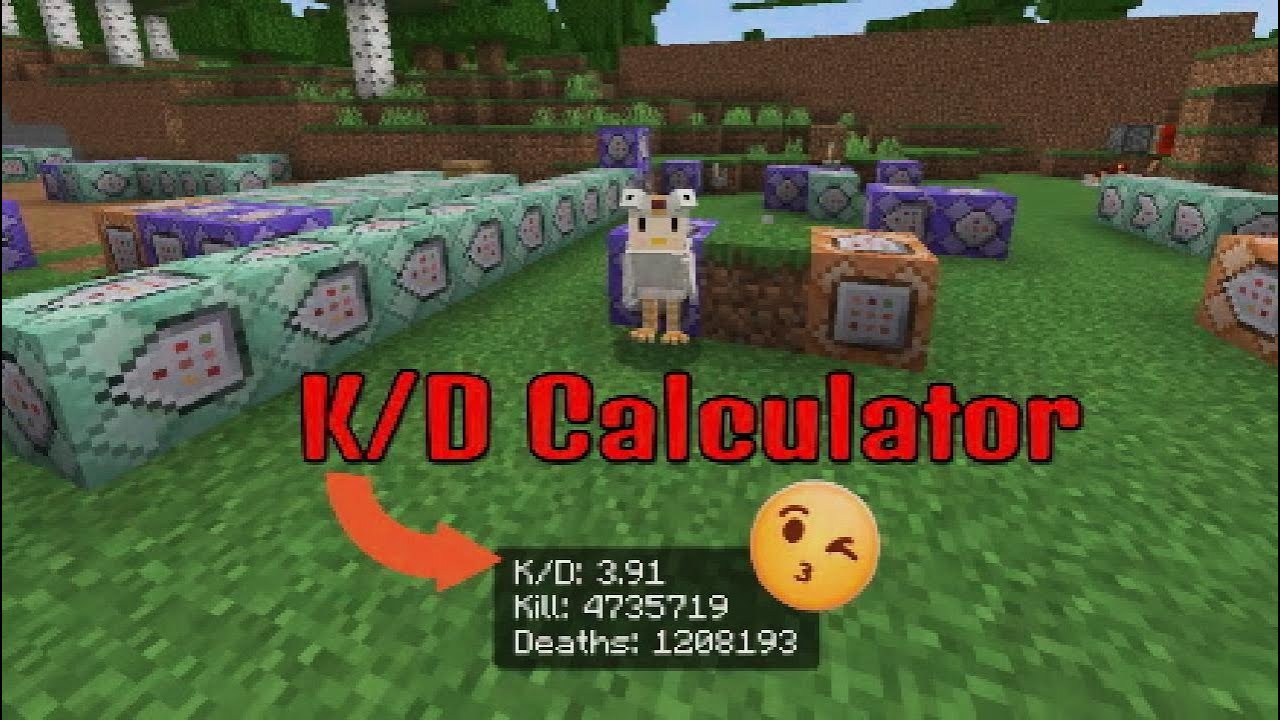
How to make a working K/D ratio with commands?
 tidal turret
pls
fallow cliff
context pls
tidal turret
fallow cliff
context pls
Wrong person super sorry
pearl rain
How to change the score of iron_ingots depending how much you have in your inventory without a lot of command blocks?
knotty oriole
pearl rain
How to change the score of iron_ingots depending how much you have in your inven...
Ull need to use a binary method to list all base two values up until ur maximum; this takes only two commands per value:
/clear @a[hasitem={item=iron_ingot,quantity=64..}] iron_ingot -1 64

/scoreboard players add @a[hasitem={item=iron_ingot,quantity=32..}] count.iron_ingot 32

/clear @a[hasitem={item=iron_ingot,quantity=32..}] iron_ingot -1 32```
Etc., etc. down until u reach 1

For a full inventory, ull need all base two values from 1024-1#1067870225585938444 message
did this answer your question
exotic onyx
I need to test it, but thanks
fallow cliff
oh alright
pearl rain
How to make a scoreboard tracker to detect crouches, like count them?
knotty oriole
pearl rain
How to make a scoreboard tracker to detect crouches, like count them?
Bedrock Wiki
These command-techniques allow you to detect certain player/entity 'states' and subsequently execute your desired commands.
 spring edge
Is it possible to to make a falling block
 rugged eagle
How would I tp all monsters within 150 blocks radius but above y=50 into the void using a command block
I tried /tp @e[family=monster,r=150,y=50,dy=150
 wise crater
rugged eagle
I tried ```/tp @e[family=monster,r=150,y=50,dy=150```
wise crater
rugged eagle
I tried ```/tp @e[family=monster,r=150,y=50,dy=150```
Your command is incomplete
Did you accidentally not write out the whole thing or is that what you meant
Cause what you wrote tries to detect if there is a mob in the area you mentioned but gives an error because the bracket is left open and there is no location to tp to
rugged eagle
I figured it out I did /execute as @e[family=monster,x=-150,y=50,z=150,dx=300,dy=200,dz=300] run tp @s[r=150] ~ -100 ~
wise crater
You don't even really need the execute command honestly
rugged eagle
Oh how would I do it
wise crater
/tp @e[family=monster,x=-150,y=50,z=150,dx=300,dy=200,dz=300, r=150] ~ -100 ~
rugged eagle
I tried that it doesn’t work
I was trying to do it without a execute command but I don’t think I can do it without an execute command
rose tusk
Works fine for me without /execute. Any monster within 150 blocks of the command block, yet within the points (-150, 50, 150) and (150, 250, 450) is teleported successfully
rugged eagle
rose tusk
Works fine for me without `/execute`. Any monster within 150 blocks of the comma...
I know that works. I was saying it doesn’t work without an execute command.
rose tusk
I was describing what I saw when I ran Lightning's command.
If that is the behavior you expected, then it not working should not be a fault with the command, but something else in your setup.
pearl rain
Why does this run even though theirs only 1 player inside the area?
/execute if entity @e[x=146,y=86,z=162,dx=26,dy=14,dz=16,type=player,c=2] run say Found 2
knotty oriole
pearl rain
Why does this run even though theirs only 1 player inside the area?
`/execute i...
c doesnt exactly work like that
U have to use an entity counter:
/scoreboard players set “game.players” gb.count 0

/execute as @a run /scoreboard players add “game.players” gb.count 1```I get ur logic tho, it just doesnt exactly work how u might expect it to in that application
rose tusk
"c" selects up to the number of entities. Since the command /execute if entity will return true if at least one eligible entity is found, the "c" argument does not serve any real purpose.
wise crater
Wait couldn't they use the execute command to get the nearest 2 players and then detect the furthest one of the 2?
Like this
/execute at @s[c=2] run execute if entity @e[x=146,y=86,z=162,dx=26,dy=14,dz=16,type=player,c=-1] run say Found 2
If this works, it seems a lot simpler than a scoreboard
rose tusk
No. If one player stood inside the volume, that would succeed too. A negative value for c simply reverses the sorting; in an array of found entities with length 1, the first and last entry would be the same entry.
Ignoring that, assuming two players were in the volume and the command did succeed, the result would be say Found 2 executing twice, due to how the command context would branch
Scoreboard is about the simplest way to do it. And it is much more obvious at a glance what it does. Clever programming is bad programming.
"Oh, this function initializes a number to 0, then increments 1 for each entity found, and succeeds if that number is 2 or more." Versus "this function tries executing as two entities, detecting if another entity is inside a volume, but should only succeed if all entities in the count are in the volume"
 storm wraith
Can I write a custom command that gets a function from a script while also using the command in a script to return said function?
rose tusk
That would be better to ask in #1067535382285135923
restive portal
Does the command to damage entities using self-explosion/suicide/override only work on "invisible" entities that use damage sensor if they are the ones that execute the command to themself? Like, damage @s etc etc
rose tusk
There's a lot to unpack in that question.
Can you describe this "invisible" entity more? (is this a dummy entity / marker entity?)
fallow cliff
I believe /damage command should work on all entities
restive portal
rose tusk
Can you describe this "invisible" entity more? (is this a dummy entity / marker ...
The invisible I meant is that the damage it takes (from all sources) is set to false
rose tusk
Ah, invincible
I believe /damage in those damage types would affect them regardless of where the command is sourced from.
 cerulean gull
 turbid stump
/execute as @a at @s run /camera
spring edge
How do I give myself an item with lore
rose tusk
You must either use scripting, loot tables, or structure files.
With scripting, you can invoke setLore() on an ItemStack to give it lore.
With loot tables, you can use the "set_lore" function.
With structure files, you can save the item you want into a structure, then use an NBT editor to give it lore.
@spring edge
spring edge
Ty
true laurel
@spring edge
GitHub - Justash01/item-editor: This project provides you an Add-on for Minecraft Bedrock which let's you edit item properties (nametag, durability etc) in-game! https://github.com/Justash01/item-editor
GitHub
This project provides you an Add-on for Minecraft Bedrock which let's you edit item properties (nametag, durability etc) in-game! - Justash01/item-editor
spring edge
Ty ty ty
 shell wagon
particle minecraft:villager_happy ^ ^ ^3 should spawn a particle where the crosshair is facing, right? But it's facing 2 blocks down the crosshair
 untold nova
shell wagon
particle minecraft:villager_happy ^ ^ ^3 should spawn a particle where the cross...
untold nova
shell wagon
particle minecraft:villager_happy ^ ^ ^3 should spawn a particle where the cross...
No, it's based on the feet of the player or entity.
wise crater
shell wagon
how do i use head location
Try using /execute anchored eyes run ...
shell wagon
that works thx
 unborn burrow
How to make blocks in an area randomly turn into another block (pretty much block decay)
fallow cliff
unborn burrow
How to make blocks in an area randomly turn into another block (pretty much bloc...

Bedrock Wiki
Learn how to dynamically execute commands at the location of any block variant.
spring edge
I want to replace all villagers in a three block vicinity of myself with pigs and vice versa with commands how do I do that?
unborn burrow
fallow cliff
https://wiki.bedrock.dev/commands/execute-at-block
This seems to do every block, I want it to happen randomly to any of the blocks?
fallow cliff
spring edge
I want to replace all villagers in a three block vicinity of myself with pigs an...
Save a villager tagged replaced in a structure block.
Also save a pig tagged replaced in a structure block.
Now load the villager structure at all pigs in desired area, not tagged 'replaced'
Execute at the position of a all villagers in the defined area to kill a pig closest to their feet
Do the same thing to replace villagers with pigs
spring edge
Ok
fallow cliff
unborn burrow
This seems to do every block, I want it to happen randomly to any of the blocks?
How big is your area?
You could just summon a couple of armor stands and use /spreadplayers
Then you can randomly replace the blocks at their feet and delete them
unborn burrow
fallow cliff
How big is your area?
You could just summon a couple of armor stands and use /s...
I would say a 10 radius snow layer
Yeah, I think spreadplayers can work
Ty @fallow cliff
fallow cliff
unborn burrow
I would say a 10 radius snow layer
oh, that should be easy enough
fallow cliff
unborn burrow
Ty <@887971908438597642>
Np!
fallow cliff
unborn burrow
Didn't work
Oh hm, there could be several reasons why your system failed to work.. if you're willing to share the commands you used in order, maybe me or someone else can help you get it to work as intended ^^
unborn burrow
fallow cliff
Oh hm, there could be several reasons why your system failed to work.. if you're...
The issue is that it always spawn the armor stand on the highest block possible and not on every layer making the top layer decay faster than just randomly as intended
I used a basic spreadplayer command
fallow cliff
unborn burrow
The issue is that it always spawn the armor stand on the highest block possible ...
Yep, that's how the spreadplayer command works.
Since you want it to affect all desired y levels, what you could do is use a scoreboard randomiser before placing the block to select a random y level at the armor stand
unborn burrow
fallow cliff
Yep, that's how the spreadplayer command works.
Since you want it to affect all...
Or just spread the layers from side to side so it can work for all layers
 patent bison
I want to command /reload
patent bison
fallow cliff
Yep, that's how the spreadplayer command works.
Since you want it to affect all...
I want to command /reload
fallow cliff
/reload
or
/reload all
no extra syntax
just that
 main stirrup
"buttons": [
    {
        "name": "Submit",
        "commands": [
            "/execute if entity @initiator[hasitem={item=minecraft:iron_ingot,quantity=10..}] run tellraw @initiator {\"rawtext\":[{\"text\":\"§aEnough items detected!\"}]}"
        ]
    }
]
npc_dialogue ^^
can someone help me with this, its working fine ingame when i run it on chat but when i use it on my npc it stops working
fallow cliff
main stirrup
```json
"buttons": [
{
"name": "Submit",
"commands": [
...
tellraw @initiator[hasitem={item=minecraft:iron_ingot,quantity=10..}] {\"rawtext\":[{\"text\":\"§aEnough items detected!\"}]}
@initiator only works in the context of an npc
when you call that selector a second or third time, its outside the npc
main stirrup
ohh i see, thank you!
patent bison
fallow cliff
`/reload`
or
`/reload all`
no extra syntax
just that
How to trun on the this command/reload
main stirrup
patent bison
How to trun on the this command/reload
just type /reload and enter
patent bison
main stirrup
just type /reload and enter
Wow😊
main stirrup
correct me if im wrong
/reload - is for script
/reload all - is for everything rp/bp
fallow cliff
main stirrup
correct me if im wrong
/reload - is for script
/reload all - is for everything ...
yes
/reload works for functions also
but /reload all is for certain rp/bp files that don't work with /reload
 raw sorrel
Is there any way to detect an Ender Dragon Egg falling block entity?
knotty oriole
U should be more specific ab what u want first so ure more likely to get people who can and want to help
 quiet dome
knotty oriole
U should be more specific ab what u want first so ure more likely to get people ...
quiet dome
knotty oriole
U should be more specific ab what u want first so ure more likely to get people ...
Hey no worries. Got dm’d
Found a person
 jolly solstice
The camera command with the easeType out_back and in_out_back crashes my game. Can someone please try it out and tell me if the problem is on my end?
knotty oriole
Probably herobrine
jolly solstice
jolly solstice
The camera command with the easeType out_back and in_out_back crashes my game. C...
I have found out taht the bug is known: https://bugs.mojang.com/browse/MCPE/issues/MCPE-223147
graceful canopyBOT
jolly solstice
I have found out taht the bug is known: https://bugs.mojang.com/browse/MCPE/issu...
Status
To Do (Open)
Resolution
Unresolved
 plucky condor
hey gang
im trying to make a biomesystem with an expanding armorstand system that spawn structures
it chooses a random score from 3 biomes, (for which biome is chosen), and the biome swaps after biomeamount is reached
however, i want a system similar to this

red biome 1, yellow biome 2
where biome 2 overtakes red from selecting,
 lapis quest
plucky condor
however, i want a system similar to this
lapis quest
plucky condor
however, i want a system similar to this
Add tag to armor stand to resemble as yellow's, and then add a condition for red tag armor stands to only generate using "unless entity" statement in execute command.
As both expand, the nearby red armor stands to the yellow ones should resist selecting.
 tender arrow
how can i use the dx, dz, dy to face according to the players feet ?
lapis quest
tender arrow
how can i use the dx, dz, dy to face according to the players feet ?
x, y and z values are always the starting point.
tender arrow
lapis quest
x, y and z values are always the starting point.
yeah how to make it work to face always on the players direction
 sand mulch
Is there any way to make a selected entity copy anothers entity movement on Its own axis with the /execute and /tp commands
 lone bramble
What?
 opal ice
sand mulch
Is there any way to make a selected entity copy anothers entity movement on Its ...
opal ice
sand mulch
Is there any way to make a selected entity copy anothers entity movement on Its ...
No, you can't access velocity without scriptAPI. But if you want the entity to fully mirror the movement of another, you can do something like this: /execute as {Your selected entity that will copy the movement} at {the entity that is being copied} run tp @s ~ ~5 ~ (you can change the ~ ~5 ~ to your liking of course.)
lapis quest
tender arrow
yeah how to make it work to face always on the players direction
Are you pointing out the use similar to carets? Because d values only refer to offset position and there is no way it works along with the player's direction
tender arrow
lapis quest
Are you pointing out the use similar to carets? Because d values only refer to o...
any alternatives
lapis quest
tender arrow
any alternatives
What do you even want to accomplish? You didn't even describe it properly.
tender arrow
lapis quest
What do you even want to accomplish? You didn't even describe it properly.
an aoe attack that i can offset it based on the entities look location
 sudden ivy
Mhh
 hollow atlas
A function which teleports you to a specific biomes
For example, a function when played, it teleports you to the nearest jungle biome in any seed
 modern lotus
yo how would I test for a snowball to be hitting a block
then destroy that block and kill the snowball
 teal seal
when im using chain commands, do i need to place the blocks up or to the side?
 knotty oriole
teal seal
when im using chain commands, do i need to place the blocks up or to the side?
knotty oriole
teal seal
when im using chain commands, do i need to place the blocks up or to the side?
The signal is passed into the command that the arrow is pointing towards
rose tusk
This is a valid placement. What matters is that the preceding block points into the next block. These arrangements are valid:
→→→
↓
→↑
for some reason when i did 1 command block and 2 chain command blocks like the one on my screenshot, the third one didnt work (all of the commands were right and the command block were on uncondicional)
rose tusk
Were they all receiving power? (Or set to Always Active?)
knotty oriole
teal seal
for some reason when i did 1 command block and 2 chain command blocks like the o...
Likely user error; could have been an error in the third command syntax, logic, or perhaps it wasn’t powered
teal seal
rose tusk
Were they all receiving power? (Or set to Always Active?)
chain command blocks arent set to always active as default?
teal seal
knotty oriole
Likely user error; could have been an error in the third command syntax, logic, ...
ok
rose tusk
They may or may not, depends on how they are placed. I think the block acquired through /give may be Always Active?
Always better to check
teal seal
rose tusk
Always better to check
alr thanks
restive portal
How can I detect if there is a mob above me? Like. The mob is on a mountain or ledge above me and I use an item, it would cast levitation 5 for 1 second to spring me up to the target
I'm mostly looking for the detecting part..
true laurel
restive portal
How can I detect if there is a mob above me? Like. The mob is on a mountain or l...
/execute as @a at @s positioned ~~15~ if entity @e[type=<type>,r=14] run effect @s levitation....
Try this
restive portal
true laurel
```/execute as @a at @s positioned ~~15~ if entity @e[type=<type>,r=14] run effe...
Thanks bro
 sterile grove
Anyone got idea how I can show on /say command the paragraph symbol? §
 exotic apex
Do structure loaded mobs despawn
 frosty junco
Question, what happens if two packs have mcfunctions with identical names/paths
 shut crater
The pack thats applied higher will overwrite the lower one
teal seal
is there any way that i can make a player run the elytra gliding animation? (using /playanimation)
restive portal
For comands like these, can I use >= for these?
execute as @s[scores={ego_manifested=2}] run function ego_manifested_armor
event entity @s[scores={ego_manifested=2}] phase_two_add
rose tusk
You can use number ranges:
x.. = x or greater
..x = x or fewer
x..y = between x and y, inclusive
So for two or more, use 2..
restive portal
Oh yeah I got it
sterile grove
Can I somehow put LocatorBar waypoint on the armor stand with commands?
knotty oriole
sterile grove
Can I somehow put LocatorBar waypoint on the armor stand with commands?
not without an expendable player that can mark that armour stand
sterile grove
hmmm, so another question, can I use scripts for that?
knotty oriole
sterile grove
hmmm, so another question, can I use scripts for that?
also probably not
ud probably have to make ur own UI component w JSON UI id assume
sterile grove
Yeah yeah, I was trying to avoid that, because what I've looked - its very much work to do something like that. So I willjsut abandon my idea for now, my current commission is not worth it xd
restive portal
What olayanimation command allows a humanoid entity to "sip"?
I tried:
/playanimation @s animation.humanoid.charging a 0 none a
/playanimation @s animation.humanoid.use_item_progress a 0 b b
But it only made the left arm freeze
Found the shield, how do I make it so it reverts to normal??
/playanimation @s animation.player.shield_block_off_hand a 0 none a

 true laurel
restive portal
Found the shield, how do I make it so it reverts to normal??
/playanimation @s ...
true laurel
restive portal
Found the shield, how do I make it so it reverts to normal??
/playanimation @s ...
Give it same animation control name . At a time only one animation with one control name get rendered.
restive portal
true laurel
Give it same animation control name . At a time only one animation with one cont...
I see, thank you
hollow atlas
/ say Species: Tyrannosaurus rex. Tamed: Yes. Owner: [owner_name]. Diet: Carnivorous
How do I make the
[owner_name] the actual username of the owner?
knotty oriole
hollow atlas
```
/ say Species: Tyrannosaurus rex. Tamed: Yes. Owner: [owner_name]. Diet: Car...
Don’t use /say, use the better alternative: /tellraw
It allows for far more capabilities than /say or /tell — but it’s a little harder to learn since u gotta learn rawtext JSON formatting
Regardless, the owner name would need to be stored as an ID kept on the entity, and the owner to form a pair between them
This would be a unique scoreboard value that remains consistent on the player when they first join; whenever they tame an entity, that ID is given to the entity also
We can use a clever trick to check for two entities of a matching ID:
/execute as <target1> positioned as <target2> if score @s id = @n id run /…
hollow atlas
knotty oriole
It allows for far more capabilities than `/say` or `/tell` — but it’s a little h...
I don't know anything about that or scoreboard
knotty oriole
hollow atlas
I don't know anything about that or scoreboard
Time to start learning then I suppose
I would rate this system to be an Intermediate level
U need:
- An “On First Join” system that automatically assigned a player a unique ID to a scoreboard
- A command that can print a rawtext that shows the name of the Owner
hollow atlas
Can I see some examples of this? Cuz I can easily learn new things with .json by seeing others do them
knotty oriole
hollow atlas
Can I see some examples of this? Cuz I can easily learn new things with .json by...
I’ll link u to the wiki where u can learn ab rawtext
They have examples for all 4 components
knotty oriole
hollow atlas
Can I see some examples of this? Cuz I can easily learn new things with .json by...
Bedrock Wiki
Understanding raw text JSON components used in the /tellraw and /titleraw commands.
It’s not too hard to learn, but it is a little difficult to remember when ure first learning it
I personally learnt to remember the format by having to write a lot of them by hand for a project many years ago — but it depends on how u learn best
Ull struggle most w the ID system since u aren’t as familiar yet w scoreboard
hollow atlas
knotty oriole
Ull struggle most w the ID system since u aren’t as familiar yet w scoreboard
And where can I learn about scoreboard
jade dirge
hollow atlas
And where can I learn about scoreboard
Description and usage of the scoreboard command
Bedrock Wiki
Scoreboards can be used to perform complex operations, similar to MoLang. Operations come in two flavors - mathematical, and logical.
restive portal
Yelo, I'm trying to make an execute command that detects if enemy are not on the floor so it targets those only airborne or flying ina range of 30, but the command doesn't seem to work .3.
/execute as @s unless entity @e[type=!player,r=30,dy=1] run say yay
Any workarounds? It only seem to detect if an entity is close by, then it won't run the command.
jade dirge
restive portal
Yelo, I'm trying to make an execute command that detects if enemy are *not* on t...
Are you running this in a function (bc of the as @s)? Where's the if block air subcommand?
restive portal
jade dirge
Are you running this in a function (bc of the `as @s`)? Where's the if block air...
Yes it's on a function run by an entity
I don't get the "if block air subcommand"
jade dirge
restive portal
I don't get the "if block air subcommand"
You are trying to detect enemies in the air? execute if block ~~-1~ air ...
restive portal
Could you elaborate? I can't quite grasp what I'm trying to understand.
I guess I could use this one from my older addon
execute as @e[type=!ds:saitama_chill,family=!player] at @s positioned ~~14~ if entity @e[type=ds:saitama_chill,r=14] run
jade dirge
first, who is the entity that is running the function? the @s?
restive portal
restive portal
I guess I could use this one from my older addon
execute as @e[type=!ds:saitama...
Alright, in the example here, Saitama is running the whole function, but this specific execute command is run as the entity being detected positioned 14 blocks above Saitama, and if Saitama is within the 14 radius, it would run a "jump" function
But tbh it's not as good since the height is kinda specific, unless if I could add multiple positions at once, which I probably can't .3.
jade dirge
restive portal
Alright, in the example here, Saitama is running the whole function, but this sp...
execute as @s at @s if entity @e[type=!player, y=~, dy=64] run <cmd>
Edited dy to not use relative
Use Saitama's position so you can use relative y and dy. Adjust to where you need to.
restive portal
I see, could I use unless so that it won't run unless the entity is beyond 5 blocks relative to Saitama who is on the ground?
jade dirge
Like 5 blocks above?
restive portal
5 blocks and above, basically
jade dirge
use y=~5
restive portal
Alright, got it. Thank you very much
jade dirge
Np 👍
rose tusk
jade dirge
```
execute as @s at @s if entity @e[type=!player, y=~, dy=64] run <cmd>
```
Edi...
I'm unsure if you want the relative coordinate on dy there. That would dynamically adjust the bounds of the volume by your coordinate; the higher you are, the taller the box. Being at y=100 would make a box that is 164 blocks tall, stretching from 100..264; being at y=-64 would make a box that is 1 block tall.
(Assuming it works how I expect it to work)
jade dirge
rose tusk
I'm unsure if you want the relative coordinate on dy there. That would dynamical...
ah yes my mistake, thx!
 cloud maple
I want my camera to see an entity as a third person, how can I do this?
restive portal
jade dirge
ah yes my mistake, thx!
Helloo, the command doesn't work. Errors at ~>"30"< from dy, and using only dy=30 results in "if subcommand" failing
Got it. Use the whole x, y, z selectors and dx dy dz
/execute as @s at @s positioned ~-5 ~-5 ~-5 if entity @e[x=~,y=~,z=~,dx=10,dy=10,dz=10,type=!player] run say A cow is nearby!
 rough geyser
restive portal
Helloo, the command doesn't work. Errors at ~>"30"< from dy, and using only dy=3...
rough geyser
restive portal
Helloo, the command doesn't work. Errors at ~>"30"< from dy, and using only dy=3...
There is no 30 in your command
restive portal
Oh, no no, I changed the dy
/execute as @s at @s if entity @e[type=!player,y=~4,dy=~30] run say wow!
restive portal
restive portal
Got it. Use the whole x, y, z selectors and dx dy dz
/execute as @s at @s posit...
This one works tho
rough geyser
You can't use ~ in dx, dy and dz
knotty oriole
restive portal
/execute as @s at @s if entity @e[type=!player,y=~4,dy=~30] run say wow!
Dxyz is not a coordinate, it’s the distance from the input coordinate — aka a volume
So ~30 would be the same as just saying 30, hence why it doesn’t work
restive portal
Yep yep. Too annoying to work with so back to the Rs I go.
 severe python
mhhhhhh why is commands still a thing
script api mostly replaced every single thing from commands
knotty oriole
severe python
mhhhhhh why is commands still a thing
script api mostly replaced every single t...
Cus a majority of people on bedrock aren’t necessarily PC players so most people just don’t have effective access to anything dev wise but commands
On top of that, they’re a lot more well known and syntactically more learnable, so they’re a good entry level for people starting to learn development
Some people still choose to learn commands even w other access for a variety of reasons also
For example, I now have a pc and know scripts and such, but I still choose to do lots of Commands only projects for a few reasons
Partially for the challenge: bc I enjoy the problem solving aspect from the limitations of commands
On the other hand, there is a moral reason, bc I enjoy developing for other’s who are still in situations where they’re limited to commands
For big publications, u should definitely go w add ons, but commands still do have a place in the community, even as a much weaker technology
Plus, there are a few handful of things in scripts at the minute that are either only possible or more convenient w commands, so it’s just good to have that knowledge even as an add ons dev
severe python
knotty oriole
Some people still choose to learn commands even w other access for a variety of ...
okay, yeah can agree
 tough flare
knotty oriole
Some people still choose to learn commands even w other access for a variety of ...
tough flare
knotty oriole
Some people still choose to learn commands even w other access for a variety of ...
uh are you saying script api is not challenging?
restive portal
I saw people talking about the @n selector, is that a real thing? Can't seem to find anything in the wiki
jade dirge
restive portal
I saw people talking about the @n selector, is that a real thing? Can't seem to ...
Yes, it's the new way to get the nearest entity. Need to add it to the Understanding Selectors page.
restive portal
jade dirge
Yes, it's the new way to get the nearest entity. Need to add it to the Understan...
Does it require a specific min version to work? I use 1.20.30 for my addons and would like to try that selector so I wouldn't have to use c=1
jade dirge
restive portal
Does it require a specific min version to work? I use 1.20.30 for my addons and ...
Yes, it would require the version it was introduced. Why are you using 1.20.30?
restive portal
jade dirge
Yes, it would require the version it was introduced. Why are you using 1.20.30?
What's the newest version I could use?
jade dirge
restive portal
What's the newest version I could use?
whatever the update is at now, 1.21.xxx
There may be a specific reason your add-ons are on 1.20.30, you'll have to see.
But you can still use the 1.20.30 addons and still use the @n selector in command
blocks or make a new function pack that is up to date.
restive portal
Okiee thank youu
knotty oriole
tough flare
uh are you saying script api is *not* challenging?
It’s definitely challenging, but in its own way
Commands are easier to write, but bc they’re more limited, the skill ceiling is a lot lower meaning there is much more problem solving to create things
Script API on the other hand is harder to write syntactically, but bc u can do basically anything w it, there is a lot less problem solving to reach ur outcome
tough flare
knotty oriole
It’s definitely challenging, but in its own way
Commands are easier to write, b...
there is a lot less problem solving to reach ur outcome
thats fair for small projects, but definitely not the case for larger projects. if there is barely any problem solving involved with the script api, then there would be no need for a 'software developer' job. while in commands u try to get smth working, in script api you also have to think abt like how efficient the strategy is and memory concerns etc.
also, you still have to apply mathematical concepts and logical concepts in scripts, no different to commands.
Script API on the other hand is harder to write syntactically
That is a pretty subjective statement, and ppl who have prior knowledge in programming languages would not find it challenging. maybe for someone who usually does commands will find the syntax of javascript challenging, but the syntax is actually the standard and minecraft commands is the one deviating from the standard.
lol i just realised that was a pretty large sentence
rose tusk
I came from Minecraft commands first. For me, my biggest struggle was not syntax. There were plenty of programming concepts I simply had no grasp of; pure functions being one example. I thought functions had to always mutate some global value; the idea of primitives being passed by value (not by reference) was weird at first.
Commands definitely have a lower barrier to entry. You can get started on any device simply with some command blocks in-game.
 tiny arrow
Yo
restive portal
Hellooo. What command can scan at specific spots? I try
/execute if entity @e[type=!player,r=6,rm=5] run say You're persistent!
Doesn't activate if there's entities at both 5 and 6 rather than at least one. Unless if I just make the entities run the command instead?
Like, if it detects me at these ranges, it activates? Would "unless" subcommand work better?
 naive timber
try:
/execute as @e[type=player] at @s if entity @e[type=!player,r=6,rm=5] run say You're persistent!
 quiet ferry
execute unless entity @e[tag=Pirate1,r=20,rm=19] run structure load Pirate1 ~ ~2 ~
just spamms the structure
anyway to fix it
knotty oriole
quiet ferry
execute unless entity @e[tag=Pirate1,r=20,rm=19] run structure load Pirate1 ~ ~2...
U need some kind of additional close condition, whatever that be
It’s up to u what that is, whether it’s a tag, score, or even if block / if blocks to check if the structure exists at the coordinates
quiet ferry
its fine i got it already
 obsidian sky
guys anything happened to can_climb in these later versions? for some reason when riding mobs won't auto jump 1 block
 covert moon
Hi
 halcyon kraken
How can I make something look at something and when it gets close to another entity like r=1 the entity gets tagged and then if there's any nearby other entities that doesn't have the tag it will go to the entity and will remove the tag of the other entity
restive portal
Chat I have a question, using the tp @s ^^^1, what's a good tickspeed to use it so it looks smooth?
I'm using 0 tickspeed but it's too fast and when combined with damage command and a kill @s command it deals too much damage it's supposed to and sometimes doesn't kill @self here is the function:
execute at @s if entity @e[r=1, type=!nzrk:aog, family=!nazarick] run damage @e[family=!nazarick,type=!item,type=!xp_orb,type=!lightning_bolt,type=!evocation_fang,type=!tnt,type=!arrow,family=!inanimate,type=!player,r=3.5,type=!nzrk:aog] 80 override

execute at @s if entity @e[r=0.8, family=!nazarick,type=!item,type=!xp_orb,type=!lightning_bolt,type=!evocation_fang,type=!tnt,type=!arrow,family=!inanimate,type=!player,type=!nzrk:aog] run kill @s

tp @s ^^^1 facing @e[family=!nazarick,type=!item,type=!xp_orb,type=!lightning_bolt,type=!evocation_fang,type=!tnt,type=!arrow,family=!inanimate,type=!player,c=1,type=!nzrk:aog]

particle minecraft:electric_spark_particle ~~~
Should I just run both damage and kill @s inside another function when it reaches the desired range?
restive portal
Nvm fixed it
 wise blade
 lone abyss
/playsound or playsound via animation in resource pack
lone abyss
/playsound or playsound via animation in resource pack
If you want to time the sound with a point in the animation, or if you want the sound to loop, then playsound in animation might be preferable
obsidian sky
Hi guys, anyone knows if it’s possible to achieve flying on a mob while riding like creative? Space bar to go up and some other key to go down?
hollow atlas
How to make a function which teleports you to a custom biome?
(I'm tryna make a custom "dimension")
 hot quiver
Hello, i come back on minecraft and it seem something change , before on my script i was able to use player.runCommand(execute @s ~~~ effect @s resistance 15 50 true) but now it do not work, they change syntaxes ?
 mild belfry
The new update seems to have broken my scoreboard display. I had a list display in the pause menu and It no longer exist. They changed the whole layout for the pause. Menu. So I'm guessing thats why it no longer works.
Is there any way to still use this command? And be able to see the scoreboard in the pause menu
/scoreboard objectives setdisplay list
teal seal
guys
how can i play a sound with commands in a way that the sound follows a player
like, when i use a playsound normally and move away from where i was, i cant hear the sound anymore
 gritty cave
help. /playanimation @a animation.humanoid.swimming none 0 "query.is_sneaking"
exotic onyx
is there a way to get the amount of a dropped stack has?
knotty oriole
exotic onyx
is there a way to get the amount of a dropped stack has?
Sadly not
exotic onyx
:c
 raw garnet
Hello
 zinc raft
Can any one her help wit a problem i have with adons and function in the addon not functioning coretly
execute as @a at @s run tag @e[r=3,c=1,tag=!pro,family=!mob,family=!player,family=!inanimate] add pro
execute as @e[tag=pro,tag=!has_target] at @s run tag @e[family=mob,tag=!pro,tag=!targeted,type=!player,c=1,rm=1,r=10] add targeted
execute as @e[tag=pro,tag=!has_target] at @s if entity @e[tag=targeted,r=11] run tag @s add has_target
execute as @e[tag=pro,tag=has_target] at @s run tp @s ^ ^ ^0.4 facing @e[tag=targeted,c=1,r=25]
execute as @e[tag=pro] at @s run particle minecraft:basic_flame_particle ~ ~ ~
execute as @e[tag=pro] at @s unless entity @p[r=60] run kill @s
execute as @e[tag=pro] at @s unless block ~ ~ ~ air run kill @s
execute as @e[tag=targeted] unless entity @e[tag=pro,r=35] run tag @s remove targeted
Ths ist the comand in the function
rose tusk
What is this function doing or not doing? What is intended? @zinc raft
zinc raft
It wot load in to the game
[Commands][warning]-Function homing failed to load correctly with error(s):
[Commands][warning]-Error on line 1: command failed to parse with error 'Syntax error: Unexpected "@a": at "xecute as >>@a<< at @s run"'
[Commands][warning]-Error on line 3: command failed to parse with error 'Syntax error: Unexpected "@e": at "xecute as >>@e<<[tag=pro,t"'
[Commands][warning]-Error on line 5: command failed to parse with error 'Syntax error: Unexpected "@e": at "xecute as >>@e<<[tag=pro,t"'
[Commands][warning]-Error on line 7: command failed to parse with error 'Syntax error: Unexpected "@e": at "xecute as >>@e<<[tag=pro,t"'
[Commands][warning]-Error on line 9: command failed to parse with error 'Syntax error: Unexpected "@e": at "xecute as >>@e<<[tag=pro] "'
[Commands][warning]-Error on line 11: command failed to parse with error 'Syntax error: Unexpected "@e": at "xecute as >>@e<<[tag=pro] "'
[Commands][warning]-Error on line 13: command failed to parse with error 'Syntax error: Unexpected "@e": at "xecute as >>@e<<[tag=pro] "'
[Commands][warning]-Error on line 15: command failed to parse with error 'Syntax error: Unexpected "@e": at "xecute as >>@e<<[tag=targe"'
This is the erro log
rose tusk
This suggests your behavior pack's manifest is out of date.
- In the manifest, set
"format_version": 2 - In the manifest's header object, set the version to at least 1.19.50 (best practice is whatever is latest version)
"min_engine_version": [1, 19, 50]
zinc raft
Now it is ruhig
 shy ravine
someone know how to lock item frame ?
raw sorrel
Does anybody know why my fog isn't going away, even though I'm deleting the right fog ID?
restive portal
Could anyone help? It's about tagging systems for tamed and untamed entities
https://discord.com/channels/523663022053392405/1455559139639034080
 unique spindle
Looking to make a sound detection system like a spider sense that notifies the player with a visual cue when a mob is nearby. Maybe having an effect similar to the vignette when deep underground but a different color that flashes to let the player know when a mob is within a certain distance of them and maybe even tracking them.
knotty oriole
unique spindle
Looking to make a sound detection system like a spider sense that notifies the p...
creating a vignette isnt rly a commands question
unique spindle
Ok thanks for the correction 😁
 polar cliff
How would I check if two scoreboards had the same amount or one had more than the other for a leveling up system
knotty oriole
polar cliff
How would I check if two scoreboards had the same amount or one had more than th...
/execute as @a if score @s obj1 >= @s obj2 run /……
 lean prism
Is it possible to retrieve items using the item ID instead of the name?
Like the old stonecutter, id 246 if I remember correctly
knotty oriole
lean prism
Is it possible to retrieve items using the item ID instead of the name?
No
Why would u wanna do that anyway
polar cliff
knotty oriole
`/execute as @a if score @s obj1 >= @s obj2 run /……`
Thank you
lean prism
knotty oriole
Why would u wanna do that anyway
Is for help a friend with her proyect
fallow cliff
lean prism
Is for help a friend with her proyect
he meant the specific game mechanic in your project because maybe there is a different way you could do it
lean prism
fallow cliff
he meant the specific game mechanic in your project because maybe there is a dif...
Sorry if my english is bad Im spanish and I dont know much english
 polar shardBOT
 zheaevyline
Se refería a la mecánica de juego específica de tu proyecto porque tal vez haya una manera diferente de hacerlo.
fallow cliff
@lean prism
polar shardBOT
 xp_troll1234
We are making an addon that, through commands, allows us to obtain hidden blocks such as the nether reactor core
The problem is that they cannot be obtained by entering the name in the command, but if the "item id" of the object is known, it should be possible to obtain
Using the old stone cutter as an example, suppose that its item/block id was 246, we seek to be able to obtain said object using that id, since using the name is impossible
I have a tool that allows us to obtain the id of all the blocks in the game, including hidden blocks such as the stone cutter or the nether reactor core
lean prism
@fallow cliff