#Script API General
1 messages · Page 79 of 1
 wheat condor
wheat condor
wheat condor
 mighty igloo
I'm taking about an item
mighty igloo
I'm taking about an item
you want to get the item potion effects?
 distant tulip
what was the method to make potion items?
 thorn flicker
wheat condor
you want to get the item potion effects?
thorn flicker
wheat condor
you want to get the item potion effects?
no...
mighty igloo
wheat condor
you want to get the item potion effects?
Read and write
Give a potion with an effect as well as a certain amplification and length
thorn flicker
lol
wheat condor
read:#1365770249835909272
write: ItemStack.createPotion()
thorn flicker
also important to note you need beta
distant tulip
wheat condor
read:<#1365770249835909272>
write: `ItemStack.createPotion()`
ItemStack.createPotion({
    effect: "WaterBreath",
    liquid: "Regular",
    modifier: "Long",
});
https://stirante.com/script/server/2.0.0-beta.1.21.70-stable/classes/ItemStack.html#createpotion
https://stirante.com/script/server/2.0.0-beta.1.21.70-stable/interfaces/PotionOptions.html
Documentation for @minecraft/server
Documentation for @minecraft/server
 shut vessel
Hi!
I'm working on a Bedrock Edition Minecraft server (version 1.21.73), and I would like to give players a custom kit that includes enchanted items (like Protection IV armor, Sharpness II sword, Efficiency II axe, etc.) using loot tables.
However, I found out that set_nbt and enchant_specific functions are not supported in Bedrock loot tables.
Is there any official way to generate enchanted items directly from loot tables in Bedrock? Or should I use /give commands in a .mcfunction file or JavaScript scripts instead?
My goal is to give players full UHC or KitPvP gear, with custom enchantments, either through loot tables or automated functions/scripts.
Thanks in advance!
wheat condor
shut vessel
Hi!
I'm working on a Bedrock Edition Minecraft server (version 1.21.73), and I w...
you can do that with scripts, by using the ItemStack class wich has the "minecraft:enchantable" component to manage the enchantments
shut vessel
okkay
 sick robin
anyone know how to fix this I tried system.run but it gave me the same errors: [Scripting][warning]-[System] Custom item amount: undefined item(s).
[Scripting][error]-ReferenceError: Native property getter [World::scoreboard] does not have required privileges. at <anonymous> (Modules/Database.js:430)
[Scripting][error]-Plugin [Trade System v1.4.0 (BP) - 1.0.0] - [main.js] ran with error: [ReferenceError: Native property getter [World::scoreboard] does not have required privileges. at <anonymous> (Modules/Database.js:430)
]
 steady canopy
I guess you had to re-explain and re-explain it over and over again so chatgpt does it well ?
 woven loom
anyway to get block's hitbox
distant tulip
woven loom
anyway to get block's hitbox
nope, only using something like how you did with entities
woven loom
how accurate would that be ?
distant tulip
not sure what the distance of the steps the ray take, so not really sure
also it get the collision box not the hitbox
if the hit succeeded it is accurate
but sometimes it does pass through edges
woven loom
hard to draw that
 chrome gyro
I'm pulling a word from Lore and an int. from a scoreboard and converting from a List then comparing them, Why aren't they registering as the same? I assume it has to do with a state (like .nameTag .name .id parseInt()) something like that:
                const oldcolor = itemStack.getLore()[3].replace("§tColor:§r ", "");
                    const colorList = [
                        { name: "Red" },
                        { name: "Orange" },
                        { name: "Yellow" },
                        { name: "Lime" },
                        { name: "Green" },
                        { name: "Cyan" },
                        { name: "Light blue" },
                        { name: "Blue" },
                        { name: "Purple" },
                        { name: "Magenta" },
                        { name: "Pink" },
                        { name: "Brown" },
                        { name: "Black" },
                        { name: "Gray" },
                        { name: "Light gray" },
                        { name: "White" },
                    ];
                const colorobj = world.scoreboard.getObjective(`color_${itemname}_cnbppl`);

                const colors = (colorobj?.getScore('cnbppl_variableholder') ?? 0);
                const color = colorList[colors]

                console.error(oldcolor == color)
I've tried about 30 combinations I could think of to parse the different words correctly, but couldn't figure it out myself, sorry.
woven loom
colors is index ?
chrome gyro
woven loom
colors is index ?
colors is an int from the scoreboard.
I maybe could just convert the Lore to a number... but I'm not really sure how to do that.
woven loom
+v or paraeInt(v)
 frozen vine
Is it possible for me to get the family of the mob I interacted with?
distant tulip
frozen vine
Is it possible for me to get the family of the mob I interacted with?
family component
 plucky light
Is there any change to events for item pickup? I want to check if a player has an entity and wondering if the constant checking of inventory is still the way to go
 wicked girder
How do I teleport the player but keep their velocity?
cause you cant use that option in the teleport function so idk what to do
 remote oyster
https://stirante.com/script/server/2.0.0-beta.1.21.70-stable/interfaces/TeleportOptions.html
import { world } from "@minecraft/server";

const player = world.getAllPlayers()[0];

player.teleport(player.location, { keepVelocity: true };
Documentation for @minecraft/server
wicked girder
ah is it only in beta rn?
remote oyster
Let me verify
wicked girder
It doesnt work for me in stable
wicked girder
yes but it outputs that keepVelocity is not supported for player teleportation
same in beta
so whats the best way around this?
remote oyster
Are you spelling it correctly?
 distant tulip
well... keepVelocity is not supported for player 🤷♂️
been like that for a while
wicked girder
Is there any good way around this though?
remote oyster
distant tulip
well... keepVelocity is not supported for player 🤷♂️
been like that for a whil...
Ah, well that I didn't know about.
Or probably did but forgot 😂
distant tulip
probably
distant tulip
wicked girder
Is there any good way around this though?
"good way"
i am afraid there is none
what is you use case
 carmine remnant
anyone know how to fix this I tried system.run but it gave me the same errors: [Scripting][warning]-[System] Custom item amount: undefined item(s).
[Scripting][error]-ReferenceError: Native property getter [World::scoreboard] does not have required privileges. at <anonymous> (Modules/Database.js:430)
[Scripting][error]-Plugin [Trade System v1.4.0 (BP) - 1.0.0] - [main.js] ran with error: [ReferenceError: Native property getter [World::scoreboard] does not have required privileges. at <anonymous> (Modules/Database.js:430)
]
wicked girder
distant tulip
what is you use case
Just want to seamlessly teleport the player
 fallow minnow
carmine remnant
anyone know how to fix this I tried system.run but it gave me the same errors: [...
fallow minnow
carmine remnant
anyone know how to fix this I tried system.run but it gave me the same errors: [...
load the file with worldLoad
or whatever it is
like import("database")
distant tulip
wicked girder
Just want to seamlessly teleport the player
i asked so i can think of any work around
but in general there is really no way
you can either applyknockback or make the player ride another entity, but those have there cons
fallow minnow
carmine remnant
anyone know how to fix this I tried system.run but it gave me the same errors: [...
this is how we import
import { system, world } from '@minecraft/server'

world.afterEvents.worldLoad.subscribe(async () => {
    await Promise.all([
        import('./behaviors/import'),
        import('./events/chat'),
        import('./events/entity'),
        import('./events/item'),
        import('./events/join'),
        import('./events/player-actions'),
        import('./events/script-event'),
        import('./events/tick'),
        import('./uis/testing')
    ]);
});
Is the promise nesseary
fallow minnow
distant tulip
Is the promise nesseary
@valid ice
distant tulip
uh oh
remote oyster
Not sure why it would be necessary. I don't see any calls after the fact, or any specific returns, so I don't see any benefits from it. There's no functional reason to await the imports. The purpose of using await is to pause execution until something completes, but if there's nothing after the await, then what are you waiting for?
 valid ice
None of those imports have function calls or constant imports, but for other code I do have calls, so the await does make sense

 slim thicket
Hi, does anyone happen to know how to make the shield have a chance of not activating?
valid ice
import() is an async function, so it's waiting for the return from each import before continuing
 sweet seal
How to automatically close actionforms?
 warped blaze
valid ice
import() is an async function, so it's waiting for the return from each import b...
warped blaze
valid ice
import() is an async function, so it's waiting for the return from each import b...
oh so you don't call anything before it's imported
valid ice
I do not
valid ice
The global assignments let me use it cross-function, as in my custom components I do this:
The register is also just to register them, so the function calls being stuck behind an async isn't noticeable at all
 frozen vine
Is it possible for me to force the hand movement animation when I interact with a block?
 echo tinsel
Could someone help me with script for making mobs occasionally spawn with random custom armor?
sick robin
Does anyone know why this is not working It does not give me any errors but it does not work for some reason i tried fixing it
mighty igloo
ded server
 wary mango
mighty igloo
ded server
wary mango
mighty igloo
ded server
not dead
valid ice
mighty igloo
how do i make a toggle switch in forms?
/**
     * @remarks
     * Adds a toggle checkbox button to the form.
     *
     * @param label
     * The label to display for the toggle.
     * @param toggleOptions
     * The optional additional values for the toggle creation.
     */
toggle(label: minecraftserver.RawMessage | string, toggleOptions?: ModalFormDataToggleOptions): ModalFormData;```Ya don't
mighty igloo
so i have to use a modal form for that?
valid ice
Modal form for toggles, yep yep
mighty igloo
if i use a modal form. how do i do like buttons and add texture images
valid ice
Modal form does not support buttons w/ images
Modal has stuff like text boxes, toggles, sliders
Action as buttons
mighty igloo
this is what my action form looks like but i wouldnt know how to convert it to a modal
 valid ice
Well, you can't, really
mighty igloo
 valid ice
Modals and Actions don't really mix well
valid ice
Probably?
mighty igloo
how do i move my json ui?
mighty igloo
how do i bind the modal?
valid ice
Would recommend you post in #1067869374410657962
chrome gyro
                    const colorList = (
                        JSON.stringify(oldcolor) == "Red" ? 0:0 +
                        JSON.stringify(oldcolor) == "Orange" ? 1:0 +
                        JSON.stringify(oldcolor) == "Yellow" ? 2:0 +
                        JSON.stringify(oldcolor) == "Lime" ? 3:0 +
                        JSON.stringify(oldcolor) == "Green" ? 4:0 +
                        JSON.stringify(oldcolor) == "Cyan" ? 5:0 +
                        JSON.stringify(oldcolor) == "Light blue" ? 6:0 +
                        JSON.stringify(oldcolor) == "Blue" ? 7:0 +
                        JSON.stringify(oldcolor) == "Purple" ? 8:0 +
                        JSON.stringify(oldcolor) == "Magenta" ? 9:0 +
                        JSON.stringify(oldcolor) == "Pink" ? 10:0 +
                        JSON.stringify(oldcolor) == "Brown" ? 11:0 +
                        JSON.stringify(oldcolor) == "Black" ? 12:0 +
                        JSON.stringify(oldcolor) == "Gray" ? 13:0 +
                        JSON.stringify(oldcolor) == "Light gray" ? 14:0 +
                        JSON.stringify(oldcolor) == "White" ? 15:0
                    );
Made a reverse list, but running into the same problem of it being parsed incorrectly... any ideas to get these the same, === doesn't yield anything either.
 sharp elbow
So what should it return? This implies to me it should return a number
If the oldcolor matches a string, it should return that value?
The most straightforward way I see is using a switch statement to assign the values.
let color;
switch (JSON.stringify(oldcolor)) {
    case "Red":         color = 0; break;
    case "Orange":      color = 1; break;
    case "Yellow":      color = 2; break;
    case "Lime":        color = 3; break;
    case "Green":       color = 4; break;
    case "Cyan":        color = 5; break;
    case "Light blue":  color = 6; break;
    case "Blue":        color = 7; break;
    case "Purple":      color = 8; break;
    case "Magenta":     color = 9; break;
    case "Pink":        color = 10; break;
    case "Brown":       color = 11; break;
    case "Black":       color = 12; break;
    case "Gray":        color = 13; break;
    case "Light gray":  color = 14; break;
    case "White":       color = 15; break;
    default: throw Error("oldcolor did not match a color");
}
Or you could create a mapping of those colors to numbers, then pull from the map.
const ColorMap = new Map([
    ["Red",         0],
    ["Orange",      1],
    ["Yellow",      2],
    ["Lime",        3],
    ["Green",       4],
    ["Cyan",        5],
    ["Light blue",  6],
    ["Blue",        7],
    ["Purple",      8],
    ["Magenta",     9],
    ["Pink",        10],
    ["Brown",       11],
    ["Black",       12],
    ["Gray",        13],
    ["Light gray",  14],
    ["White",       15],
]);
let color = ColorMap.get(JSON.stringify(oldcolor));
if (color == undefined) throw Error("oldcolor did not match a color");
Or similarly to the Map, you could make a simple array where the indices are the colors' numeric values and use findIndex. Random accesses will be slower than a Map, though
chrome gyro
exactly, thank you for both solutions. I was originally pulling a String from Lore then a number from a scoreboard and converting it to a color through a map, but in the console.errors it was saying "Red" from the Lore and "Red" from the other, but the test was coming out false for some reason as being the same.
                    const colorList = [
                        { name: "Red" },
                        { name: "Orange" },
                        { name: "Yellow" },
                        { name: "Lime" },
                        { name: "Green" },
                        { name: "Cyan" },
                        { name: "Light blue" },
                        { name: "Blue" },
                        { name: "Purple" },
                        { name: "Magenta" },
                        { name: "Pink" },
                        { name: "Brown" },
                        { name: "Black" },
                        { name: "Gray" },
                        { name: "Light gray" },
                        { name: "White" },
                    ];
It used to be like this^^
chrome gyro
sharp elbow
If the oldcolor matches a string, it should return that value?
Also yes this is what I was going for.
chrome gyro
sharp elbow
Or you could create a mapping of those colors to numbers, then pull from the map...
Hmmm I'm so confused.
Tried this and It's throwing the error. But also tested for:
console.error(oldcolor)
and it says Green.
sharp elbow
Can you paste the error here?
chrome gyro
It's your custom error, yeah its:
omg I think I see it now I've wasted like 6 hours on this:
[Scripting][error]-Green§r

[Scripting][error]-Error: oldcolor did not match a color    at <anonymous> (cnb_ppl/ppl/index.js:722)
    at forEach (native)
    at <anonymous> (cnb_ppl/ppl/index.js:807)
    at forEach (native)
    at <anonymous> (cnb_ppl/ppl/index.js:808)
    at forEach (native)
    at <anonymous> (cnb_ppl/ppl/index.js:809)
It doesn't show the §r in the pop up.
I hate myself rn XD
Thank you!
sharp elbow
Ah, that would certainly make the strings not match
I feel bad that you couldn't see it without copying the logs 😅
chrome gyro
sharp elbow
I feel bad that you couldn't see it without copying the logs 😅
haha, me too. I've been going crazy. It's hard too since I'm in that learning stage where you have a basic grasp of what to test for, but aren't good enough at it where your like: 'It's definitely that'. So I've just been using .id .name .nameTag JSON.Stringify... etc in so many different combinations for the last several hours haha.
plucky light
Are how we store dynamic properties changing in 2.0.0 onwards?
 round bone
plucky light
Are how we store dynamic properties changing in 2.0.0 onwards?
round bone
plucky light
Are how we store dynamic properties changing in 2.0.0 onwards?
nothing changes
frozen vine
Is it possible for me to force the hand movement animation when I interact with a block?
woven loom
Try Play animation
wheat condor
frozen vine
Is it possible for me to force the hand movement animation when I interact with ...
Add the interact component to the block
frozen vine
wheat condor
Add the interact component to the block
But this would prevent the placement of normal blocks and this is not the idea.
 shy leaf
frozen vine
Is it possible for me to force the hand movement animation when I interact with ...
shy leaf
frozen vine
Is it possible for me to force the hand movement animation when I interact with ...
prolly not...
 open urchin
if you do sendMessage("Hello") it isn't going to translate it to other languages for you
frozen vine
shy leaf
prolly not...
oh, okay, thanks
 solar dagger
is there a way to stop a player from opening a chest?
 onyx lantern
hmm so if I want to use any experimental stuff im forced to refactor my code to scripting v2?
I could swear before events for block breaking were stable lol
fallow minnow
solar dagger
is there a way to stop a player from opening a chest?
playerInteractWithBlock
solar dagger
fallow minnow
playerInteractWithBlock
Thanks!
round bone
fallow minnow
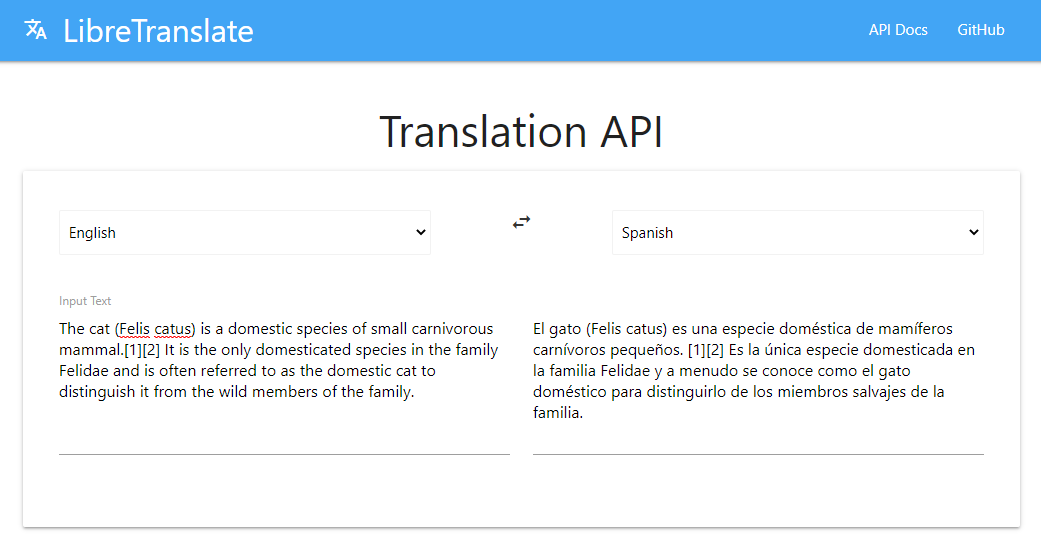
is there any way to translate text to another language?
Use HTTP and some translate API
fallow minnow
round bone
Use HTTP and some translate API
i tried but it wouldnt work 
the api was like
bad
it gave error 400
actually nvm
i needed an api key
do you know of any free apis
 unique acorn
onyx lantern
hmm so if I want to use any experimental stuff im forced to refactor my code to ...
unique acorn
onyx lantern
hmm so if I want to use any experimental stuff im forced to refactor my code to ...
correct
 full idol
Is there an easy pre-made script to randomize block drops?
Just like shuffle loot tables
 distant tulip
round bone
https://libretranslate.com/
distant tulip
round bone
https://libretranslate.com/

actually, nvm
you can just fetch the translation without a key
 coral ermine
what’s splash potion throw sound?
shy leaf
coral ermine
what’s splash potion throw sound?
same as any other projectile throw sounds
impact sound is the same as glass breaking sound
coral ermine
so random.bow?
shy leaf
coral ermine
so random.bow?
nah
i forgot the exact id for it, but that def isnt one
you could prolly check wiki
coral ermine
what’s the sound then? I alr checked it
fallow minnow
distant tulip
actually, nvm
you can just fetch the translation without a key
How?
solar dagger
fallow minnow
playerInteractWithBlock
i did this but it doesnt stop the player from opening the chest
world.beforeEvents.playerInteractWithBlock.subscribe((ev) => {
  const block = ev.block;
  const player = ev.player;
  const blockInvComp = block.getComponent(BlockInventoryComponent.componentId);
  if (player.hasTag(approvalTag) && blockInvComp) {
    console.error('Interaction cancelled');
    ev.cancel;
  }
});
do ev.cancel = true;
solar dagger
shy leaf
do `ev.cancel = true;`
oh right i forgot it's a boolean. Thanks!

 distant tulip
fallow minnow
How?
distant tulip
fallow minnow
How?
The have an example
Whatever is used in the server net module to fetch stuff use it instead of fetch
http.get?
fallow minnow
distant tulip
The have an example
Whatever is used in the server net module to fetch stuff us...
It requires an API key though
round bone
fallow minnow
It requires an API key though
it does not I think
if does, why you can't even create an API key if you're using BDS already?
you can change the key easily
echo tinsel
Is it possible to use set up a command with EntitySpawnAfterEvent?
 deep quiver
fallow minnow
It requires an API key though
deep quiver
fallow minnow
It requires an API key though
You can also run it locally or on an server, I used it before, or some similar one. You can also go with googles translate api, I think it allows for a certain amount of daily free translations
thorn flicker
echo tinsel
Is it possible to use set up a command with EntitySpawnAfterEvent?
you can run a command anywhere.
does not matter
echo tinsel
thorn flicker
you can run a command anywhere.
I'm trying to make it run to replaceitems on certain mob
Thought that would be the best option, when the mob spawns?
thorn flicker
make the entity that is spawning run the command and use @s as the selector.
echo tinsel
Is there anyway you could provide an example?
fallow minnow
deep quiver
You can also run it locally or on an server, I used it before, or some similar o...
Is the one above infinite?
echo tinsel
thorn flicker
you can run a command anywhere.
I can make a script that's just a command?
thorn flicker
echo tinsel
I can make a script that's just a command?
yes.
deep quiver
fallow minnow
Is the one above infinite?
Idk never used it, I only ran the local thingy which is selfhosted, so its infinite
Not sure if their api even has a free tier, but from what people said here, you can just send a request without an key and it works 🤷
 true isle
Is it possible to use a script to place blocks or features that aren't an actual feature into the world like the new api for features?
fallow minnow
deep quiver
Not sure if their api even has a free tier, but from what people said here, you ...
i tried and it doesnt 😭
distant tulip
fallow minnow
i tried and it doesnt 😭
yeah, sadly they just respond with a message t go pay for an api key, lol
you could use github ai playground as a translator, they have a free api (limited)
 agile flicker
player.addItem(new ItemStack("writable_book", 1))
This doesn't work for me
Not a function
distant tulip
me neither
agile flicker
Is it because I'm using version 1.14 - server?
distant tulip
it is a container function, you can't call it in the player
use getcomponent, get the inventory component, and get it container, then use that
agile flicker
player.getComponent("inventory").container.addItem(new ItemStack("writable_book", 1))
Like this?
distant tulip
yes
agile flicker
Ok
 gusty bramble
With a script is it possible to detect an armor stand on a red wool and If there’s a item at its feet it adds 1 to a scoreboard.
Take for example a armor sand named totem. It would check for the red wool, and if a totem is found at its feet it adds 1 to a scoreboard named “correct” and the “player” would be the name of the armor stand. And if any other item is found at its feet it adds 1 to a scoreboard named Fail and the players name is the name of the item?
This is for a automated way to track item sorting output for storage tech stuff. I should note I want the name of the armor stand to be dynamic so I can name it any item and it checks for an item matching the name.
Additionally I’d love if this could be applied to stack sizes. So white wool checks for 64 stackable items, light gay for 16s and gray for nonstackables for an example (so it checks for the correct stack size not any specific item)
If something isn’t clear please ask questions lol
 crimson kindle
so I made a post asking about this, but i thought to ask here as well incase it got lost, but i was wondering if it's possible of making essentially lockable shulker boxes? I want it have a custom ui that prompts players to set up a "password" when it's first used and only open when interacted with a key that has the same name as their set password.
valid ice
gusty bramble
With a script is it possible to detect an armor stand on a red wool and If there...
Yeah, that’s totally possible to do
fallow minnow
crimson kindle
so I made a post asking about this, but i thought to ask here as well incase it ...
what have u tried?
crimson kindle
fallow minnow
what have u tried?
I haven't tried anything yet as I don't really know where to start, but after consulting a friend I'm thinking of utilizing player uuid's and scoreboards to create a unique key for each shulker box (it would just have to be relinked after being broken if the player wants to relock it)
fallow minnow
crimson kindle
I haven't tried anything yet as I don't really know where to start, but after co...
yeah u can do that
you could uh
save the dynamic property on the shulker box itself
i think
and then when they place it grab the info and apply it
distant tulip
he is talking about the it as a block i believe
fallow minnow
yes
save the uuid and the passcode to the shulker
then when u place it save it on the world or player to see who owns it
and then if the break it re add the uuid and passcode to the shulker
 cold grove
 crimson kindle
fallow minnow
yeah u can do that
crimson kindle
fallow minnow
yeah u can do that
if i wanted to make a completely custom chest with similar properties as a shulker box would that be possible?
fallow minnow
ummm
 bold bison
[Scripting][error] - ReferenceError: Native function [World::getDimension] does not have required privileges.
How to fix this i turn on of the api
solar dagger
crimson kindle
if i wanted to make a completely custom chest with similar properties as a shulk...
Kinda yes but it's a bit more complex due to the data transfers
crimson kindle
solar dagger
Kinda yes but it's a bit more complex due to the data transfers
I see, I'll keep looking into different methods then
Thank you!
bold bison
solar dagger
Kinda yes but it's a bit more complex due to the data transfers
My brother [Scripting][error] - ReferenceError: Native function [World::getDimension] does not have required privileges.
solar dagger
bold bison
My brother [Scripting][error] - ReferenceError: Native function [World::getDimen...
You're using a before event?
 leaden elbow
bold bison
My brother [Scripting][error] - ReferenceError: Native function [World::getDimen...
leaden elbow
bold bison
My brother [Scripting][error] - ReferenceError: Native function [World::getDimen...
system.run
bold bison
 solar dagger
Oh God this hurts my eyes, why is everything on the right
@bold bison what are you trying to do?
A mobCount near the player?
bold bison
solar dagger
<@700619324049850379> what are you trying to do?
Yes like java education
solar dagger
system.runInterval(() => {
  for (const player of world.getAllPlayers()) {
    const getEntities = player.dimension.getEntities({
      location: player.location,
      maxDistance: 15
    });
    console.error('Mob count:', getEntities().length);
  };
});
@bold bison try this
bold bison
solar dagger
```typescript
system.runInterval(() => {
for (const player of world.getAllPlay...
Where do I put it in the script?
solar dagger
bold bison
Where do I put it in the script?
What does your file look like? Just put it anywhere
leaden elbow
solar dagger
Oh God this hurts my eyes, why is everything on the right
oh well arabic things
bold bison
[Scripting][error]-SyntaxError: unexpected end of string at JavaStyleSpawner.js:11
[Scripting][error]-Plugin [JavaStyleSpawner - 1.0.0] - [JavaStyleSpawner.js] ran with error: [SyntaxError: unexpected end of string at
leaden elbow
bold bison
[Scripting][error]-SyntaxError: unexpected end of string at JavaStyleSpawner....
the format
maybe missing }
bold bison
solar dagger
What does your file look like? Just put it anywhere
I want Script spawn bedrock like java the spawn in the bedrock is so bad
 snow jungle
How does setPermutation work? How in my block files can I define a seocnd texture, and when its interacted with, I can change the texture of the block?
 vast rune
can i have some script with functions in one BP and then use them in another BP?
shy leaf
vast rune
can i have some script with functions in one BP and then use them in another BP?
no
unless you make use of script event messages
vast rune
k
 rigid torrent
What's the most performant way for me to give an effect to the player once a full set is equipped in stable API?
Ideally without any ticking
oh look new day new me
true isle
best bet is to just give the infinit effect on equiping the whole set. get all the equipment and if all are there give the effect infinit
 gilded shadow
im pretty sure there was an event like Player Inventory Change
 hardy tusk
rigid torrent
What's the most performant way for me to give an effect to the player once a ful...
hardy tusk
rigid torrent
What's the most performant way for me to give an effect to the player once a ful...

Contents of the @minecraft/server.PlayerInventoryItemChangeAfterEvent class.
Its experimental tho
Otherwise you might need to pull up some molang magic or so to make it work
valid ice
That event only covers the inventory though, not armor slots,
gilded shadow
Yes, but you can filter it to check if any armor moves from the player's inventory and then check for any new armor.
 prisma shard
Wait how would you do it
Checking if the armor slot is empty,
would always return true
Because you cant detect interaction ig
gilded shadow
prisma shard
would always return true
no?
prisma shard
Like only one time fire event, when removed armor , how
gilded shadow
i see
you mean it wouldnt be possible to know when player removes an armor peice or when it breaks
gilded shadow
i guess combining multiple events like EntitySpawn event to check if player dropped an armor peice
could work
but if armor breaks it shouldnt trigger any event
prisma shard
yep
valid ice
gilded shadow
Yes, but you can filter it to check if any armor moves from the player's invento...
From chest? Dropped item? Give command?
There’s a few edge cases to consider 😛
warped blaze
preview day 🥳
agile flicker
.triggerEvent
It is the /event?
warped blaze
agile flicker
.triggerEvent
It is the /event?
yes
agile flicker
Ty
 untold garnet
is there a way to spawn a naturally generated oak tree using script?
round bone
untold garnet
is there a way to spawn a naturally generated oak tree using script?
the closest thing you can do is to load a structure from your world/add-on, that is the copy of some tree
round bone
untold garnet
then i should just construct one using fill then
just one basic tree?
gilded shadow
valid ice
From chest? Dropped item? Give command?
There’s a few edge cases to consider 😛
i hope they do something about this in upcoming previews
valid ice
Would be nice
 north frigate
I made this while I was bored
untold garnet
north frigate
I made this while I was bored
i totally forgot /reload existed
i relog and log back in to refresh script lol
north frigate
untold garnet
i relog and log back in to refresh script lol
noooo 
 north frigate
Guys the bedrockdev wiki suggest me to use A code can someone tell me why?
 native patio
Hey
prisma shard
How can i get the time spent on fillBlocks?
I want to make the message, in my WorldEdit addon.
Such as Filled out 90 blocks in "3" seconds
shy leaf
prisma shard
How can i get the time spent on fillBlocks?
Date.now() logging, i guess?
shy leaf
prisma shard
hmm
you could do promise
prisma shard
Oh
 oak lynx
yeah async
shy leaf

MDN Web Docs
The then() method of Promise instances takes up to two arguments: callback functions for the fulfilled and rejected cases of the Promise. It stores the callbacks within the promise it is called on and immediately returns another Promise object, allowing you to chain calls to other promise methods.
prisma shard
and just only Date.now()?
prisma shard
shy leaf
https://developer.mozilla.org/docs/Web/JavaScript/Reference/Global_Objects/Promi...
yes i know this
i gotta do return new Promise
shy leaf
prisma shard
and just only Date.now()?
yeah that returns time
prisma shard
prisma shard
and just only Date.now()?
Or do i do some math with it
shy leaf
in ms
oak lynx
wait do betas drop on wedensdays or thursdays now?
shy leaf
shrug
oak lynx
i really need getBlocks() that works 🙏
prisma shard
oak lynx
i really need getBlocks() that works 🙏
what feature you want in getBlocks
getBlocks is getBlocks and just does its work 🤷
oak lynx
i need getBlocks() to return an array of Block
oak lynx
no it returns positions of blocks that fit the filter
prisma shard
Oh it returns BlockVolume
not a problem you can still gget the array from the BlockVolume
prisma shard
block.location.....?
oak lynx
getBlockLocationIterator()
and like then just using getBlock() for each of them is too demanding resource wise
because saving a whole skyblock island (the area players can build in is like 100x100) is like a lot of blocks
prisma shard
mhm I see
oak lynx
if i could figure out a way to have blocks by count i could make a pretty well working algo
prisma shard
shy leaf
Date.now() logging, i guess?
Do i Date.now() at the first before resolving then, Date.now() atlast, Then subtract both?
 honest wave
How do I make blocks have crumble animation when I look at them just like on new cubecraft game
 ivory bough
const far_away_family = world.getDimension("overworld").getEntities({
    families: "far_away"
})[1];
})[1] is the line that shows the error
[Scripting][error]-Unhandled
promise rejection: TypeError: Native type conversion failed. Interface property ['families'] expected type: string[] | undefined (failed parsing interface to Function argument [0]) at <anonymous>
distant tulip
ivory bough
```
const far_away_family = world.getDimension("overworld").getEntities({
fa...
Just read the error
Expected type : string[]
Meaning it is expecting an array of strings
prisma shard
ivory bough
```
const far_away_family = world.getDimension("overworld").getEntities({
fa...
const far_away_family = world.getDimension("overworld").getEntities({
    families: ["far_away"]
})[1];
 gaunt salmonBOT
Installation for @minecraft/server
Latest API module install:
npm i @minecraft/[email protected]
Beta API module install:
npm i @minecraft/[email protected]
Preview API module install:
npm i @minecraft/[email protected]
Preview Beta API module install:
npm i @minecraft/[email protected]
 heavy cairn
import { system, world } from "@minecraft/server";
import { ActionFormData, ModalFormData, MessageFormData } from "@minecraft/server-ui";

// World load confirmation
world.afterEvents.worldLoad.subscribe(() => {
    console.log("✅ connected successfully");
});

// Chat Trigger
world.beforeEvents.chatSend.subscribe((eventData) => {
    const player = eventData.sender;
    const message = eventData.message;

    if (["!admin", "!ap", "!am"].includes(message)) {
        if (!player.hasTag("Admin")) {
            player.sendMessage("§cSorry, you are not an admin");
            player.applyDamage(4, { cause: magic });
            eventData.cancel = true;
            return;
        }
        eventData.cancel = true;
        system.runTimeout(() => {
            player.sendMessage("§You are admin");
        }, 30);
    }
});
Debug result for [code](#1067535608660107284 message)
Compiler Result
Compiler found 1 errors:
[36m<REPL0>.js[0m:[33m17[0m:[33m44[0m - [31merror[0m[30m TS2304: [0mCannot find name 'magic'.
[7m17[0m player.applyDamage(4, { cause: magic });
[7m [0m [31m ~~~~~[0m
Lint Result
There are no errors from ESLint.
heavy cairn
How to apply damage on player I tried it was not working
shy leaf
heavy cairn
How to apply damage on player I tried it was not working
just apply the damage
prisma shard
heavy cairn
```js
import { system, world } from "@minecraft/server";
import { ActionFormData...
cause should be string "magic"
prisma shard
gaunt salmon
Debug result for [code](https://discord.com/channels/523663022053392405/10675356...
he's reffereing to here that applyDamage is not working here
shy leaf
system.run is not there
heavy cairn
import { system, world } from "@minecraft/server";
import { ActionFormData, ModalFormData, MessageFormData } from "@minecraft/server-ui";

// World load confirmation
world.afterEvents.worldLoad.subscribe(() => {
    console.log("✅ connected successfully");
});

// Chat Trigger
world.beforeEvents.chatSend.subscribe((eventData) => {
    const player = eventData.sender;
    const message = eventData.message;

    if (["!admin", "!ap", "!am"].includes(message)) {
        if (!player.hasTag("Admin")) {
            player.sendMessage("§cSorry, you are not an admin");
            player.applyDamage(4, { cause: "magic" });
            eventData.cancel = true;
            return;
        }
        eventData.cancel = true;
        system.runTimeout(() => {
            player.sendMessage("§You are admin");
        }, 30);
    }
});
OOPS WRONG PING
gaunt salmonBOT
heavy cairn
```js
import { system, world } from "@minecraft/server";
import { ActionFormData...
Debug result for [code](#1067535608660107284 message)
Compiler Result
Compiler found 1 errors:
[36m<REPL0>.js[0m:[33m17[0m:[33m37[0m - [31merror[0m[30m TS2322: [0mType '"magic"' is not assignable to type 'EntityDamageCause'.
[7m17[0m player.applyDamage(4, { cause: "magic" });
[7m [0m [31m ~~~~~[0m
Lint Result
There are no errors from ESLint.
prisma shard
sorry gameza if you got a ping I didnt meant to
heavy cairn
prisma shard
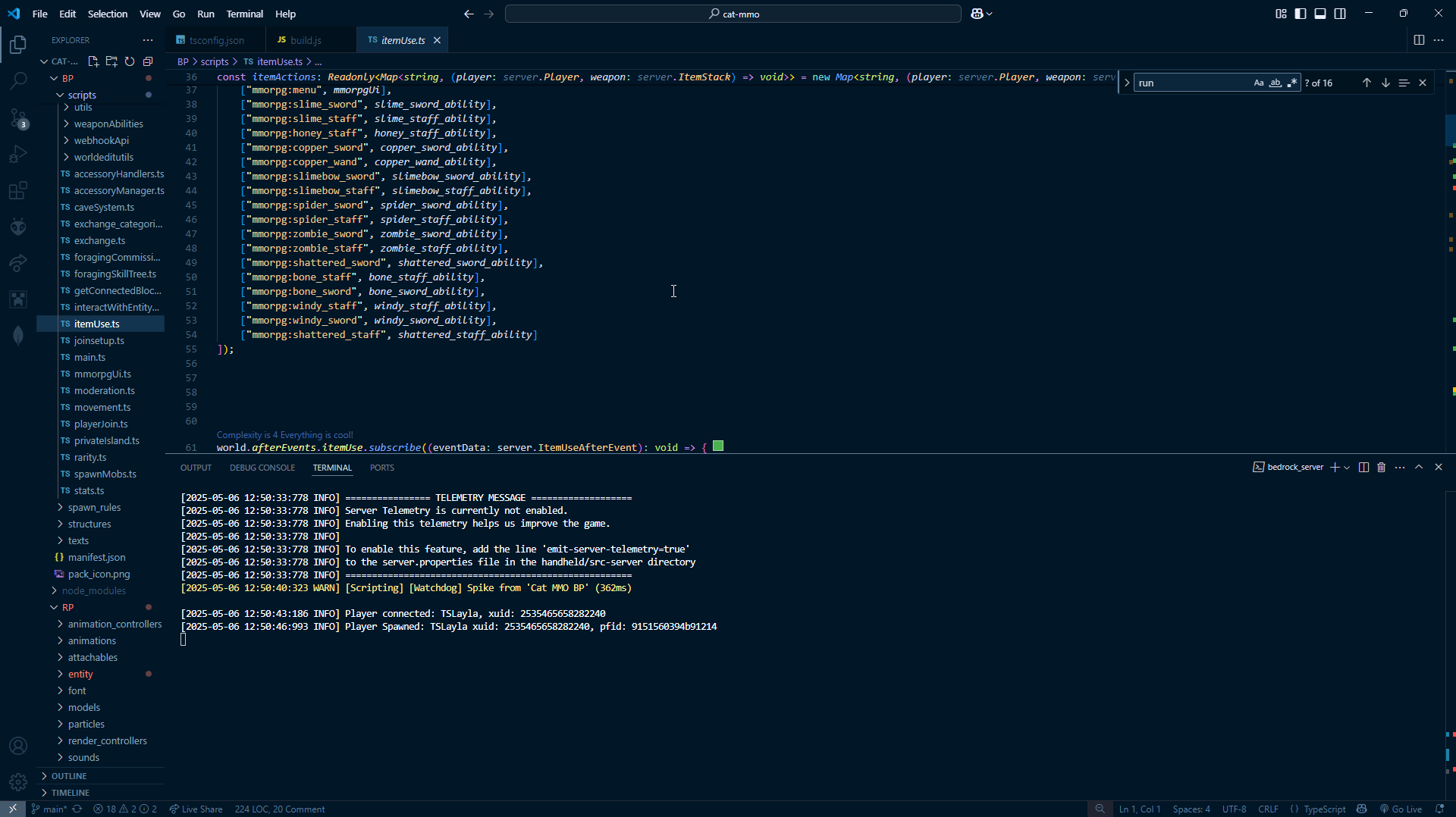
cause should be string "magic\"
Not working
 heavy cairn
 heavy cairn
prisma shard
try in game instead of debugger
heavy cairn
prisma shard
try in game instead of debugger
Ok
heavy cairn
prisma shard
And use system.run
But I want add delay for running
So I am using system.runTimeout for
Second command if player have Admin time
prisma shard
okay so
prisma shard
heavy cairn
```js
import { system, world } from "@minecraft/server";
import { ActionFormData...
import { system, world, EntityDamageCause } from "@minecraft/server";
import { ActionFormData, ModalFormData, MessageFormData } from "@minecraft/server-ui";

// World load confirmation
world.afterEvents.worldLoad.subscribe(() => {
    console.log("✅ connected successfully");
});

// Chat Trigger
world.beforeEvents.chatSend.subscribe((eventData) => {
    const player = eventData.sender;
    const message = eventData.message;

    if (["!admin", "!ap", "!am"].includes(message)) {
        if (!player.hasTag("Admin")) {
            player.sendMessage("§cSorry, you are not an admin");
            player.applyDamage(4, { cause: EntityDamageCause.magic });
            eventData.cancel = true;
            return;
        }
        eventData.cancel = true;
        system.runTimeout(() => {
            player.sendMessage("§You are admin");
        }, 30);
    }
});
Use enurmation then
It doesnt show error on compiler now i tried in debug playground
heavy cairn
prisma shard
```js
import { system, world, EntityDamageCause } from "@minecraft/server";
impo...
Thank you so much 🙂
untold garnet
question... can we write custom nbt data into entity?
 sour sedge
Is there any way to post javascript on discord with auto syntax highlighting?
distant tulip
untold garnet
question... can we write custom nbt data into entity?
no
untold garnet
sour sedge
Is there any way to post javascript on discord with auto syntax highlighting?
then
js
then
```js
```
bold bison
distant tulip
no
اهو هلا وغلا
distant tulip
اهلين
sour sedge
distant tulip
\`\`\`js
\`\`\`
Thanks, thought I tried that but must have had a typo.
distant tulip
sour sedge
Thanks, thought I tried that but must have had a typo.
maybe you tried '
sour sedge
// lib/general/clamp.js
function clampNumber(val, min, max) {
    return Math.min(Math.max(val, min), max);
}
Hmm still didn't work
 sour sedge
distant tulip
it did, mobile don't support the colors
sour sedge
distant tulip
it did, mobile don't support the colors
cheers!!
pretty simple to implement on app, oh well
prisma shard
distant tulip
it did, mobile don't support the colors
hey friend, you gave me a script which divides fillBlocks into 2 fillBlocks when reached max block limit right?
Where do i put code, when It reaches the max block limit?
distant tulip
blockVolume
prisma shard
Such as i want to show sendMessage(`max block limit of fillBlocks reached`)
like in this script
prisma shard
distant tulip
blockVolume
You surely split the fillBlocks in this script right, But i dont know where i can put the thing after each fillBlock
prisma shard
prisma shard
Such as i want to show ```sendMessage(`max block limit of fillBlocks reached`)``...
^
prisma shard
prisma shard
In this
distant tulip
i have no idea what are yo talking about
the script is already doing what you wanted
prisma shard
.........
prisma shard
prisma shard
Lemme explain you
This is the script which you sent, Is divides fillBlocks, if the max block reaches right?
Suppose it has reached the max block, Now i want to sendMessage
distant tulip
put it after if (totalBlocks <= MAX_BLOCKS)
prisma shard
Thanks
distant tulip
inside the if scope
prisma shard
okie
distant tulip
wain no, lol
prisma shard
So like if it still reaches the max block, the sendMessage will appear 2 times?
distant tulip
after the if, not inside
prisma shard
ohh okay
prisma shard
prisma shard
So like if it still reaches the max block, the sendMessage will appear 2 times?
@distant tulip
north frigate
How to fill an area?
distant tulip
prisma shard
So like if it still reaches the max block, the sendMessage will appear 2 times?
?
prisma shard
north frigate
How to fill an area?
fillBlocks.
distant tulip
it only trigger one time
the second try is guaranteed to be less than the max
prisma shard
distant tulip
it only trigger one time
the second try is guaranteed to be less than the max
Like it just sent sendMessage(max block reached), so it happens 2 fillBlocks. And now even after it, It still reaches the max block again, Won't it trigger another time? Because it is splitting the filBlocks again
distant tulip
that not how the script work
prisma shard
oooooo
Then how does it work
interesting
I thought It operates 2 fillBlocks, If the fillBlocks reaches the limit
Then if it again reaches the limit, It does another fillBlock
That's what i understand from the script
distant tulip
 distant tulip
i calculate the max cube possible without reaching the max and use that cube to split the area into same sizes
distant tulip
🤦♂️
prisma shard
if it reaches fillBlock limit?
distant tulip
distant tulip
https://cdn.discordapp.com/attachments/1067535608660107284/1355521393285926972/p...
...
prisma shard
I AM understanding the image
distant tulip
you clearly not
prisma shard
prisma shard
I thought It operates 2 fillBlocks, If the fillBlocks reaches the limit
But thats only what i understadnd from the image
prisma shard
distant tulip
you clearly not
My bad then, Can you describe :(
distant tulip
prisma shard
But thats only what i understadnd from the image
you understood nothing then
prisma shard
So first question. So does it only happen to be 1 fillBlocks?
And not execute another fillBlock?
But it has reached it limit, How it would fill that area
distant tulip
prisma shard
So first question. So does it only happen to be 1 fillBlocks?
No
dude
prisma shard
:(((( i am going insane
distant tulip
it is spiting into smaller sizes and filling each one
prisma shard
distant tulip
it is spiting into smaller sizes and filling each one
okay, BUT as it has reached the limit, But the script of you will only fill inside the limit?
distant tulip
for (const chunk of chunks)
prisma shard
I thought your script, also splits the chunk outside the Max limit
prisma shard
distant tulip
i gtg
I UNDerstand, Now I also undertsand What i want.
I want to make it appear sendMessage(Max block reached) when it has done filling one chunk, and it is now going to fill another chunk. So the message should appear
 small depot
did i just got ghost pinged?
leaden elbow
just to clarify, is player.isOp() in 1.21.70?
small depot
solar dagger
Oh God this hurts my eyes, why is everything on the right
XD, i think this is how they write in their language, like from right to left instead of us, from left to right
still it hurts my eyes
wheat condor
The cursed part is that words are not backwards order is
sharp elbow
@small depot You might get a kick out of this https://open-std.org/JTC1/SC22/WG21/docs/papers/2025/p3665r0.html
distant tulip
Just...Why
small depot
sharp elbow
<@294281599984467978> You might get a kick out of this https://open-std.org/JTC1...
lol
i read everything
looks interesting
but its weird
woven loom
leaden elbow
just to clarify, is `player.isOp()` in 1.21.70?
its being removed
leaden elbow
oh well
 loud frigate
Is there any profiler to see which part of a script is slowing down?
 wary edge
Yes.
Using tools for enhanced editing, debugging, and profiling of JavaScript within Visual Studio Code
loud frigate
ty
loud frigate
omg why is scripting so slow. merely calling system.currentTick is 40% of my script time
 shy leaf
loud frigate
omg why is scripting so slow. merely calling system.currentTick is 40% of my scr...
shy leaf
loud frigate
omg why is scripting so slow. merely calling system.currentTick is 40% of my scr...
did you use system.currentTick multiple times
loud frigate
yeah. one would thin that would merely be a variable access but no
can never trust this stuff
(its multiple time as once perblock)
solved this one by caching it myself
ivory bough
How to make a villager have a 50% chance to get renamed to "testificate" after spawning without villager json file?
small depot
loud frigate
omg why is scripting so slow. merely calling system.currentTick is 40% of my scr...
idk im not sure if that thing is right
or we are dumb
but my script runs really fast and smooth
and that also happens to me
like 27 seconds
for a simple getEntities()
that doesnt make any sense
loud frigate
getEntities isnt that simple
that is precisely what i would expect a slowdown in
not a simple variable access
wheat condor
getEntities is a little bit more than a currentTIck
small depot
loud frigate
that is precisely what i would expect a slowdown in
but not a 27 seconds slowdown
thats what i mean
loud frigate
unless you mean the one that gets all the enities and not the one that you pass entity query options
wheat condor
well 27 seconds in how many total time?
small depot
the thing is, that is not even showing up the watchdow slow script
loud frigate
tbh the scripting engine to the core is extremely slow
small depot
small depot
but not a 27 seconds slowdown
it should have crashed my game
wheat condor
isnt that the total time that that function run, not the time for the function to end
loud frigate
try to iterate over a 7x7x7 blocks cube and youll get kicked out for the watchdog timeout
wheat condor
loud frigate
try to iterate over a 7x7x7 blocks cube and youll get kicked out for the watchdo...
that's why runjob exists
small depot
loud frigate
try to iterate over a 7x7x7 blocks cube and youll get kicked out for the watchdo...
well you can use a volume for that or runJob
loud frigate
wheat condor
that's why runjob exists
doesnt matter my point is that scripting engine is inherently very slow. that iteration size, even for blocks should be way faster
wheat condor
small depot
it should have crashed my game
the 27 seconds i think are the total run time not the time that the single function took to end
wheat condor
loud frigate
doesnt matter my point is that scripting engine is inherently very slow. that it...
well that depends a lot on your pc
 heady dragon
where would i post to get help with an error code with my script
wheat condor
heady dragon
where would i post to get help with an error code with my script
#1067535382285135923 create a new post with question tag
sharp elbow
wheat condor
that's why runjob exists
runJob isn't great for systems that you need to finish
wheat condor
sharp elbow
runJob isn't great for systems that you need to finish
what do you mean by systems
sharp elbow
Say you are making a map where something happens and something expensive should occur before progressing to the next step.
Floodfill, for example.
You cannot rely on runJob completing that task within a finite amount of time, since its speed is hardware dependent
wheat condor
good point but i remind you that you can slow down the game by controlling the yield depending on the Date.now()
 glacial widget
gaunt salmon
**Installation for `@minecraft/server`**
Latest API module install:
```bash
npm ...
glacial widget
gaunt salmon
**Installation for `@minecraft/server`**
Latest API module install:
```bash
npm ...
so its still 2.0.0-beta?
gaunt salmonBOT
Installation for @minecraft/server
Latest API module install:
npm i @minecraft/[email protected]
Beta API module install:
npm i @minecraft/[email protected]
Preview API module install:
npm i @minecraft/[email protected]
Preview Beta API module install:
npm i @minecraft/[email protected]
then all i have to update is just my game?
since my addons are on the beta
glacial widget
fallow minnow
Yes and install new typings
new typings?
fallow minnow
gaunt salmon
**Installation for `@minecraft/server`**
Latest API module install:
```bash
npm ...
these
 loud zenith
New update ? Whats new ? Whats broken now ?
fallow minnow
nothing
 wintry bane
How do I stop the player from looking up and down?
 weary umbra
does anyone have a custom event for before entity hit entity (with tags, player.json)
wintry bane
distant tulip
lock the player camera
wait how
wouldn't that stop me from looking sideways?
 slim thicket
Hello, does anyone know what version of the script is currently being used?
gaunt salmonBOT
Installation for @minecraft/server
Latest API module install:
npm i @minecraft/[email protected]
Beta API module install:
npm i @minecraft/[email protected]
Preview API module install:
npm i @minecraft/[email protected]
Preview Beta API module install:
npm i @minecraft/[email protected]

npm
Contains many types related to manipulating a Minecraft world, including entities, blocks, dimensions, and more.. Latest version: 1.18.0, last published: a month ago. Start using @minecraft/server in your project by running npm i @minecraft/server. There are 69 other projects in the npm registry using @minecraft/server.
open urchin
they're out
fallow minnow
where
glacial widget
open urchin
they're out
where
open urchin
 glacial widget
?
 granite badger
is my bot awake
glacial widget
ModalFormDataSliderOptions are now changed
distant tulip
new not changed
glacial widget
distant tulip
new not changed
my modal forms are all broken because of it
gaunt salmonBOT
Installation for @minecraft/server
Latest API module install:
npm i @minecraft/[email protected]
Beta API module install:
npm i @minecraft/[email protected]
Preview API module install:
npm i @minecraft/[email protected]
Preview Beta API module install:
npm i @minecraft/[email protected]
Installation for @minecraft/server-ui
Latest API module install:
npm i @minecraft/[email protected]
Beta API module install:
npm i @minecraft/[email protected]
Preview API module install:
npm i @minecraft/[email protected]
Preview Beta API module install:
npm i @minecraft/[email protected]
ok that took a while mainly bc i totally remember there is a stable
distant tulip
glacial widget
my modal forms are all broken because of it
use stable 🤷♂️
glacial widget
distant tulip
use stable 🤷♂️
i mean is stable useable now?
glacial widget
distant tulip
the server ui? yeah
which verison?
distant tulip
it seem you can't use stable @minecraft/server-ui with beta v2 @minecraft/server
distant tulip
glacial widget
which verison?
1.3.0 iirc
glacial widget
distant tulip
it seem you can't use stable @minecraft/server-ui with beta v2 @minecraft/serve...
wait really?
thats so annoying
 distant tulip
glacial widget
wait really?
distant tulip
glacial widget
wait really?
yeah
you get
[Scripting][error]-Plugin [||xxxxxxx||] - version conflict for module [@minecraft/server].
[2.0.0-beta] requested by [||xxxxxxx||- 1.0.0],
[1.3.0] requested by [@minecraft/server-ui - 1.3.0]
glacial widget
damm
distant tulip
 warm mason
😵💫
warm mason
😵💫
yikes
granite badger
that might've been a bit too much

 random flint
||A flashbang for me||
fallow minnow
what is wrong with this
system.beforeEvents.startup.subscribe((init: StartupEvent) => {
    const helloCommand: CustomCommand = {
        name: "test:menu",
        description: "Opens a menu!",
        permissionLevel: CommandPermissionLevel.Any
    };
    init.customCommandRegistry.registerCommand(helloCommand, helloCustomCommand)
})

function helloCustomCommand(origin: CustomCommandOrigin): CustomCommandResult {
    const player = origin.initiator as Player;
    form(player)
    return {
        status: CustomCommandStatus.Success,
    };
}```nvm its correct
nvm its not
distant tulip
lol
fallow minnow
 random flint
Maybe, the helloCustomCommand function comes first, then you register it?
fallow minnow

 fallow minnow
what is wrong with mine
 somber cedar
i dont know but i used this example and it works https://jaylydev.github.io/scriptapi-docs/latest/interfaces/_minecraft_server.CustomCommand.html#example-jayly-switchdimensionts
somber cedar
import {
    system,
    StartupEvent,
    CustomCommand,
    CommandPermissionLevel,
    CustomCommandParamType,
    CustomCommandOrigin,
    CustomCommandResult,
    CustomCommandStatus,
    world,
} from "@minecraft/server";

system.beforeEvents.startup.subscribe((init: StartupEvent) => {
    const dimensionsEnum: string[] = ["overworld", "nether", "the_end"];
    const switchDimensionCommand: CustomCommand = {
        name: "jayly:switchdimension",
        description: "Switch dimension",
        permissionLevel: CommandPermissionLevel.GameDirectors,
        mandatoryParameters: [
            { type: CustomCommandParamType.Enum, name: "jayly:dimension" },
        ],
    };
    // registerEnum() must be called before registerCommand()
    init.customCommandRegistry.registerEnum("jayly:dimension", dimensionsEnum);
    init.customCommandRegistry.registerCommand(
        switchDimensionCommand,
        switchDimensionsCommand,
    );
});

function switchDimensionsCommand(
    origin: CustomCommandOrigin,
    dimensionId: string,
): CustomCommandResult {
    const entity = origin.sourceEntity;
    if (!entity)
        return {
            status: CustomCommandStatus.Failure,
            message: "No entity found",
        };

    system.run(() => {
        entity.teleport(entity.location, {
            dimension: world.getDimension(dimensionId),
        });
    });

    return {
        status: CustomCommandStatus.Success,
        message: `Teleported ${entity.typeId.replace("minecraft:", "")} to ${dimensionId}`,
    };
}
``` does this work distant tulip
huh
fallow minnow
somber cedar
```
import {
system,
StartupEvent,
CustomCommand,
CommandPermiss...
\nope
 fervent topaz
anyone know how ot make custom command without namespace
fallow minnow
import { CommandPermissionLevel, CustomCommand, CustomCommandOrigin, CustomCommandParamType, CustomCommandResult, CustomCommandStatus, StartupEvent, system, world } from "@minecraft/server";

world.afterEvents.worldLoad.subscribe(async () => {
    system.beforeEvents.startup.subscribe((init: StartupEvent) => {
        const helloCommand: CustomCommand = {
            name: "creator:hellocustomcommand",
            description: "Celebration super party hello",
            permissionLevel: CommandPermissionLevel.Any,
            optionalParameters: [
                { type: CustomCommandParamType.Integer, name: "celebrationSize" },
            ],
        };
        init.customCommandRegistry.registerCommand(helloCommand, helloCustomCommand);
    });

    function helloCustomCommand(origin: CustomCommandOrigin, celebrationSize?: number): CustomCommandResult {
        world.sendMessage("Hello Custom Command!");
        const player = origin.sourceEntity;
        if (celebrationSize && player) {
            system.run(() => {
                player.dimension.createExplosion(player.location, celebrationSize);
            });
        }
        return {
            status: CustomCommandStatus.Success,
        };
    }
});
quite literally does nothing
doesnt even register it
fallow minnow
then i wont have privlages
fallow minnow
ah okay
somber cedar
No.
fervent topaz
no?
agile flicker
chatSend is still in beta?
distant tulip
yes
gusty bramble
Can someone help me understand how I could detect if a note block is powered under an armour sand and if so get the name of the armour stand into a chat message
prisma shard
weary umbra
does anyone have a custom event for before entity hit entity (with tags, player....
GitHub
A custom event that can cancel entity damages using workaround in Bedrock Script API - IMvampireXD/entityHurt-beforeEvent
i have not finished yet
i am still working on it
give my repo a star if u want updates later when it done :)
oops self advrertise noo
fallow minnow
fireeee

we can fully stop players from connecting now!!!!
and stil fetch their pfid and name!!
fire
And it doesn’t send the connect packet
fervent topaz
prisma shard
https://github.com/IMvampireXD/entityHurt-beforeEvent
what does it even do rn
 sage sparrow
hi there, anyone was able to update the modal forms?
I got toogle and sliders working but only textField is returning errors javascript formUI.textField(`Nome: `, { defaultValue: oldName.toString(), tooltip: "NPC Name" });
log:[2025-05-06 22:47:18:792 WARN] [Scripting] forceShow error: RawMessageError: Failed to resolve raw message from json: {"rawtext":[null]}
thorn flicker
sage sparrow
hi there, anyone was able to update the modal forms?
I got toogle and sliders wo...
you forgot placeholder text after label, it thinks you are trying to do raw message.

 fast lark
Custom commands are now beta?
warped blaze
uhm, no preview today? 😞
mighty igloo
how do you see which player is running a custom command?
warped blaze
mighty igloo
how do you see which player is running a custom command?
origin
warped blaze
mighty igloo
i asked how
you have the two parameters, origin and ...args, if the command has been executed by a player, then you just get origin.sourceEntity
mighty igloo
this?
 mighty igloo
warped blaze
you have the two parameters, ``origin`` and ``...args``, if the command has been...
mighty igloo
warped blaze
you have the two parameters, ``origin`` and ``...args``, if the command has been...
?
fallow minnow
mighty igloo
this?
origin.
origin is also uh
like CustomOrigin something
CustomCommandOrigin
as a type
system.beforeEvents.startup.subscribe((init: StartupEvent) => {
    const helloCommand: CustomCommand = {
        name: "creator:hellocustomcommand",
        description: "Celebration super party hello",
        permissionLevel: CommandPermissionLevel.Any
    };
    init.customCommandRegistry.registerCommand(helloCommand, helloCustomCommand);
});
function helloCustomCommand(origin: CustomCommandOrigin): CustomCommandResult {
    const player = origin.sourceEntity as Player
    if (player) {
        system.run(() => {
            new ActionFormData()
                .title("test")
                .body("this is a body!")
                .button("test button")
                .button("test button 2")
                .show(player)
        });
    }
    return {
        status: CustomCommandStatus.Success,
    };
}```you dont pass types though
 fallow minnow
obviously
warped blaze
mighty igloo
you dont pass types though
no
fallow minnow
you havent defined SourceEntity is anything
warped blaze
origin.sourceEntity
fallow minnow
 mighty igloo
can you make it say something custom when you dont have permissions?
fallow minnow
ya
mighty igloo
o how
mighty igloo
so it shows an error there. how can I hide it?

it works properly
but it shows an error
fallow minnow
import that
 fallow minnow
oh
ur not returning anything
return {
status.success
}
i meant
status: CustomCommandStatus.Success,
mighty igloo
?
 fallow minnow
 mighty igloo
cool
fallow minnow
i believe next update they will have the ability to use them without the namespaces
fallow minnow
system.waitTicks()
mighty igloo
I have a subscribe to send a message to welcome the player on spawning but it sends the message before the player fully loads in
well i think its because the world takes long to load
how do i fix it
fallow minnow
u can test if they move
or if they move their camera
or both
or just delay it
like
system.waitTicks(20 * 5).then(() => {sendmessage})```or show a form and when it open close it and send your message
fallow minnow
constantly get the players position and view direction
mighty igloo
bruh
distant tulip
distant tulip
or show a form and when it open close it and send your message
import { world, system} from '@minecraft/server';
import { ActionFormData, uiManager } from '@minecraft/server-ui';

world.afterEvents.playerSpawn.subscribe((event)=>{
    if(!event.initialSpawn) return
    joinMessage(event.player)
})


function joinMessage(player) {
  let menu = new ActionFormData().title("test form")
    .body("ignore this form if it is still open for some reason...")
    .button("Close.")
  menu.show(player).then(data => {
    if (data.cancelationReason == "UserBusy") {
      return system.runTimeout(() => {
        joinMessage(player)
      }, 10)
    }
    uiManager.closeAllForms(player)
    player.sendMessage("Welcome to the server")
  })
}
 meager pulsar
What is the new property override thingy for?
wary edge
Per client rendering.
wary edge
https://youtu.be/Crs2lXPKsKM?t=595
I helped Toycat showcase what you can do.

Wild how much is changing so fast
thanks to @SmokeyStack for creating the world, and thanks to Dasha for recording her side of that weird interaction haha
Follow my Twitter for video updates and early news! → http://twitter.com/ibxtoycat
Become a Channel Member to access exclusive videos & community posts, special emojis to use in the comment...
valid ice
What is all this?
fallow minnow
mighty igloo
bruh
i think u can do this
const newlySpawnedPlayers: string[] = []

world.afterEvents.playerSpawn.subscribe((data) => {
    if (!data.initialSpawn) return;
    const player = data.player;
    if (!newlySpawnedPlayers.includes(player.id)) {
        newlySpawnedPlayers.push(player.id)
    }
});

world.beforeEvents.playerLeave.subscribe(({ player }) => {
    if (newlySpawnedPlayers.includes(player.id)) {
        newlySpawnedPlayers.splice(newlySpawnedPlayers.indexOf(player.id))
        return
    }
})

system.runInterval(() => {
    for (const player of world.getAllPlayers().filter(v => newlySpawnedPlayers.includes(v.id))) {
        const { x, y, z } = player.getVelocity()
        if (x > 0 || y > 0 || z > 0) {
            newlySpawnedPlayers.splice(newlySpawnedPlayers.indexOf(player.id))
            console.warn(`${player.name} moved!`)
        }
    }
}, 10)```it isnt working
mighty igloo
?
 fallow minnow
whatd u do
fallow minnow
okay all u have to do is add it under the splice
mighty igloo
im trying to run a function on the new players

 fallow minnow
yes
mighty igloo
what recording stuff are you using
fallow minnow
nvidia control panel
fallow minnow
well
its nvidia settings
and i have overlay turned on
and a keybind for record start and stop
i think u can make it better actually
so its not constantly running
ya use this instead
world.afterEvents.playerSpawn.subscribe((data) => {
    if (!data.initialSpawn) return;
    const player = data.player;
    if (!newlySpawnedPlayers.includes(player.id)) {
        newlySpawnedPlayers.push(player.id)
    }
    const id = system.runInterval(() => {
        for (const player of world.getAllPlayers().filter(v => newlySpawnedPlayers.includes(v.id))) {
            const { x, y, z } = player.getVelocity()
            if (x > 0 || y > 0 || z > 0) {
                newlySpawnedPlayers.splice(newlySpawnedPlayers.indexOf(player.id))
                form(player)
                system.clearRun(id)
            }
        }
    })
});

world.beforeEvents.playerLeave.subscribe(({ player }) => {
    if (newlySpawnedPlayers.includes(player.id)) {
        newlySpawnedPlayers.splice(newlySpawnedPlayers.indexOf(player.id))
        return
    }
})
How to get parameters of a custom command?
I current have:
system.beforeEvents.startup.subscribe((init) => {

  const testCommand = {
      name: "test:test",
      description: "test",
      permissionLevel: CommandPermissionLevel.Any,
      mandatoryParameters: [{ type: CustomCommandParamType.Integer, name: "amount" }],
  };

  init.customCommandRegistry.registerCommand(testCommand, testCustomCommand);
});

function testCustomCommand(origin) {
  const player = origin.sourceEntity

  if (player) {
player.sendMessage(`You put the amount of: ${AMOUNT}`)
  }
  return {
      status: CustomCommandStatus.Success,
  };
}

do you see that gap
the chat tip is that big
how do i remove it
its clunky when you get in the world
or how can I modify it
fallow minnow
the press t to return?
mighty igloo
where in the lang is that?
mighty igloo
fallow minnow
the press t to return?
yes
fallow minnow
uhh if u wanna fully remove it u have to do some json ui magic
 sinful swallow
Hello, I'm looking to retrieve the texture path of an item/block using its identifier. Does anyone have an idea of how to do that?
mighty igloo
 fallow minnow
mighty igloo
fallow minnow
mighty igloo
ya
mighty igloo
no wait. the blank bar isnt apart of it
fallow minnow
i think its ur message
fallow minnow
are u sending a blank message somewhere
mighty igloo
no
distant tulip
import { world, system } from '@minecraft/server';
import { ActionFormData, uiManager } from '@minecraft/server-ui';

world.afterEvents.playerSpawn.subscribe((event) => {
    if (!event.initialSpawn) return
    joinMessage(event.player, "Welcome to the server!")
})


function joinMessage(player, message) {

    const delayedWelcome = system.runTimeout(() => {
        player.sendMessage(message)
        uiManager.closeAllForms(player)
    }, 5)

    let menu = new ActionFormData().title("test form")
        .body("ignore this form if it is still open for some reason...")
        .button("Close.")

    menu.show(player).then(data => {
        if (data.cancelationReason == "UserBusy") {

            system.clearRun(delayedWelcome)
            return system.runTimeout(() => {
                joinMessage(player, message)
            }, 10)

        }
    })
}
not everyone loads in at the same time
some players have bad devices and join later
fallow minnow
yeah
 mighty igloo
nope
mighty igloo
what emote?
fallow minnow


 fallow minnow
what is it set to?
mighty igloo
what its set to doesnt matter. I was having the issue before setting it

i just set it to try and fix the issue
didnt work
shy leaf
whats new in 1.21.80 beta api, aside from custom commands?
mighty igloo
I use json ui but nothing that'd affect that
fallow minnow
shy leaf
whats new in 1.21.80 beta api, aside from custom commands?
system.beforeEvents.asyncPlayerJoin
u can now fully cancel players joining
or disconnect them
fallow minnow
you can get their name and pfid
and it doesnt send the connect or disconnect packet
which is amazing
mighty igloo
cool
 shy leaf
i should change the code asap rn cuz
mighty igloo
got any good ideas for introducing the player?
shy leaf
my addon uses beta api but the version didnt change
and theres a change in server forms
shy leaf
fallow minnow
yup
me or MassaHex?
fallow minnow
you
oh yeah theres also
uh
Container apis
and a new event for container change i think?
shy leaf
fallow minnow
you
 fallow minnow
that might be next update though idk
shy leaf
it is on 1.21.80 beta api
 shy leaf
oh
shy leaf
fallow minnow
Container apis
 mighty igloo
why is the panorama spinning so fast
shy leaf
shy leaf
ig we dont need to loop through every container slots now?
to find an item
idk how it works yet so i gotta find that out
woven loom
ye
woven loom
its in beta


 fallow minnow
woven loom
fallow minnow
woven loom
fireeeeee
that will be amazing
does that mean we can finally stop players from picking certain items up?
if they pick it up remove it from their inventory and re spawn it
woven loom
 fallow minnow
oh wow we can do some dope stuff
woven loom
some ppl did it
fallow minnow
like if i want to read a channel and fetch certain messages
 drowsy scaffold
fallow minnow
like if i want to read a channel and fetch certain messages
drowsy scaffold
fallow minnow
like if i want to read a channel and fetch certain messages
should be possible, with a HTTP server and get / post
I think webhooks can do it better tho
fallow minnow
yeah
im using webhooks for sending messages to discord
but im uncertain on how to get discord messages
drowsy scaffold
can't you add webhooks to a guild?
fallow minnow
no clue
const netPromise = netLoad();
async function sendToDiscord(webhook: string, message: string, username: string) {
    const net = await netPromise;
    if (!net) return;
    const request = new net.HttpRequest(
        `https://discord.com/api/webhooks/${webhook}`
    );
    request.method = net.HttpRequestMethod.Post;
    request.headers = [
        new net.HttpHeader('Content-Type', 'application/json')
    ];
    const body = {
        username: username,
        content: message,
        allowed_mentions: {
            parse: []
        }
    };
    request.body = JSON.stringify(body);
    const response = await net.http.request(request);
    return response;
};```also, am I stupid or is the new beforeEvents.asyncPlayerJoin event that was included in server-admin in the newest update just kinda useless?
fallow minnow
drowsy scaffold
also, am I stupid or is the new `beforeEvents.asyncPlayerJoin` event that was in...
why?
drowsy scaffold
fallow minnow
why?
we only get name and pfid, it's not even an invalid player instance so we have to get ID through some other means and the pfid isn't accessible in any other scope afaik
I'm not sure if namespoof is something that effects it too or not yet but
fallow minnow
drowsy scaffold
I'm not sure if namespoof is something that effects it too or not yet but
you can enable something on bds to prevent that
also to force playstation users to use their microsoft username
msa-gamertags-only=true```i have no clue how to use namespoof so i cant actually try it so
but i was told it patches it
drowsy scaffold
fallow minnow
but i was *told* it patches it
It's easy to do with protocol, but yeah msa-gamertags-only does force microsoft usernames
fallow minnow
would you be able to test it?
drowsy scaffold
I don't think protocol is updated as of rn
fallow minnow
oh
@cold iris told me about it
and hes a biggggg nerd so in a nice way
i trust him
drowsy scaffold
no I know that the msa-gamertags-only forces them, I'm just curious as to if spoofed names show up there or if it's true names
fallow minnow
drowsy scaffold
no I know that the msa-gamertags-only forces them, I'm just curious as to if spo...
yeah
HOPEFULLY it patches namespoof
fallow minnow
i mean
it doesnt send the player join or spawn packet so
they arent able to send any sort of packet when connecting
drowsy scaffold
that's looking to be the only redeeming factor of this currently, aside from that it's not seeming promising
haha accidental funny because it's promise based
fallow minnow

i mean
u can fetch stuff i think?
like dynamic properties
and itll basically make them wait there
drowsy scaffold
I think the only real use case is when it's used in tandem with server-net to store names of people who send bad packets, which like you just said would need to be dynamic properties
drowsy scaffold
okay that's fair
fallow minnow
while you're fetching it i believe itll make them wait
so no packets in or out from them
drowsy scaffold
fallow minnow
while you're fetching it i believe itll make them wait
it does, it just looks like a normal loading screen
fallow minnow
drowsy scaffold
okay that's fair
i just did that actually
well kinda
i used github pages and a json file on the website that i can fetch with banned player 💀
but its not dynamic since i can only read not write
drowsy scaffold
fallow minnow
i used github pages and a json file on the website that i can fetch with banned ...
lmao interesting I guess
valid ice
Google docs 
drowsy scaffold
valid ice
Google docs <:Clueless:1189130963209429073>
didn't someone make a script resource for using google docs as a database 💀
valid ice
Yea
fallow minnow
world.afterEvents.worldLoad.subscribe(() => {
    world.setDynamicProperty("banned", JSON.stringify(["5bd5325456176e84"]))
    admin.beforeEvents.asyncPlayerJoin.subscribe(async (data) => {
        const bannedList: string[] = JSON.parse(world.getDynamicProperty("banned") as string)
        if (bannedList.includes(data.persistentId)) {
            data.disconnect("u smell like poop")
            console.warn(`banned player tried joining!`)
            return
        }
    })
})
 drowsy scaffold
i guess so lol, the use case for this is really gonna come down to "do you get msa usernames or not"
leaden elbow
nvm just made it myself alr
untold garnet
leaden elbow
custom commands in 2.0.0 beta right?
is it?
i thought its for miencraft preview rn
 unique apex
sweet seal
How to get parameters of a custom command?
I current have:
```js
system.beforeEv...
unique apex
sweet seal
How to get parameters of a custom command?
I current have:
```js
system.beforeEv...
did you ever figure this out? im stumped
leaden elbow
unique apex
did you ever figure this out? im stumped
(origin, param1, param2, ...)
shy leaf
can custom commands check if the player ran the command manually via chat?
leaden elbow
yep
shy leaf
ooo
shy leaf
what about execute though
unique apex
leaden elbow
(origin, param1, param2, ...)
i used a player parameter type and doing this just gives me undefined
 uncut sail
can someone help me, in my world.beforeEvents.worldInitialize.subscribe when I am going to the world then it is not working, when I break the block and install it again then it works, how to fix it
unique apex
uncut sail
can someone help me, in my world.beforeEvents.worldInitialize.subscribe when I a...
its changed to afterevents.worldload
shy leaf
unique apex
its changed to afterevents.worldload
thats only in beta api
leaden elbow
unique apex
i used a player parameter type and doing this just gives me undefined
player selector?
uncut sail
Custom component block
unique apex
leaden elbow
player selector?
yes
unique apex
printing it by itself [object Object]
leaden elbow
well yeah
JSON.stringify(params)
console.warn(JSON.stringify(playerParams))
i think that returns player object structure
somewhat like playerParams[0].name or some
havent tested that params yet
unique apex
that works it prints id and typeid
leaden elbow
oh yeah
unique apex
now i just gotta try and get the name
solar dagger
untold garnet
but we need playerHitentity before event
Why?


 shy leaf
solar dagger
Why?
shy leaf
solar dagger
Why?
because the current way to cancel damages are super janky
solar dagger
shy leaf
because the current way to cancel damages are super janky
Why do you need to cancel dmg
 edgy elm
can anyone help how the new update in modal form work. I got this error recently
[Scripting][error]-Unhandled promise rejection: TypeError: Native type conversion failed. Function argument [2] expected type: ModalFormDataTextFieldOptions | undefined at <anonymous> (old_chestshop.js:727)
shy leaf
edgy elm
can anyone help how the new update in modal form work. I got this error recently...
headers, labels and dividers are considered into the response with an undefined value
leaden elbow
wth is this

i showed form and it shows but that error keeps sending
oh damn its because of async function
prisma shard
fervent topaz
what does it even do rn
nothing
plucky light
When I run updated npm commands to upgrade versions in vscode, do I need to remove older ones or does it do it automatically?
leaden elbow
plucky light
When I run updated npm commands to upgrade versions in vscode, do I need to remo...
it does automatically
js do @latest
leaden elbow
why does it log me 1.21.70 is the latest version something when i join world is it on manifest?
distant tulip
fallow minnow
like if i want to read a channel and fetch certain messages
You need a discord bot for that
 stuck ibex
Guys i wonder if itemUse event can be ran multiple times? For example spamming an item, would that run a function multiple times? Can that be an issue?
prisma shard
distant tulip
You need a discord bot for that
How can i get how much percent of fillBlocks has been done?
Maybe i have to calculate the area, and get how much percent it has been filled
Idk how, can someone help me?
prisma shard
stuck ibex
Guys i wonder if itemUse event can be ran multiple times? For example spamming a...
it would technically run the function and event multiple times, Not really a issue, unless the function your running is heavy
distant tulip
(chunks*100)/total chunks
prisma shard
uuh what
prisma shard
distant tulip
(chunks*100)/total chunks
hmm okay lemme mess with it
hm confused about total chunk
its NaN
remote oyster
prisma shard
https://github.com/IMvampireXD/entityHurt-beforeEvent
I'm pretty certain we spoke on this already. You can't cancel the damage this way because the entity being hurt is still taking place after it already happened. You wrapping it around in a beforeEvent doesn't change this situation.
prisma shard
ik
prisma shard
remote oyster
I'm pretty certain we spoke on this already. You can't cancel the damage this wa...
um can you help me
How can i get how much percent of fillBlocks has been done?
Maybe i have to calculate the area, and get how much percent it has been filled
Idk how, can someone help me?
I am splitting the chunks, and filling each cube of chunk. So it might be pretty much possible
@remote oyster Cany ou help
prisma shard
prisma shard
hm confused about total chunk
my split chunk is a object
from: {x,y,z}
to: {x,y,z}
i cant really dirreclt divide or multiply bcz its not a number
@distant tulip
distant tulip
i am talking about the number of chunks
you already have the array
see how many element is there and how many got filled
round bone
prisma shard
ik
you're not able to perform this type of event wihtout rewriting entire system
prisma shard
hello guys.
round bone
also, you're using afterEvent version for a listener
prisma shard
prisma shard
my split chunk is a object
from: {x,y,z}
to: {x,y,z}
i cant really dirreclt divi...
I managed it to work, No more help needed.
Testing out for 1 hour, and coding it
Finnaly
the best worldedit script!!
no issues, no errors, pure worldedit
            chunk.load(destination).then(async() => {
                const timeStart = Date.now()
                player.runJobStatus = false;
                fillBlocks(player, chunks, blockId)
                await new Promise(async(r)=>{
                    while (!player.runJobStatus)
                        await system.waitTicks(1);
                    r()
                })

                status[1]++
                if (status[1] >= status[0])
                world.sendMessage(
                    `Filled out ${count} blocks in ${(Date.now() - timeStart) / 1000} seconds`
                )
                chunk.unload(destination)
            })
        })
    }
})

/**
 *
 * @param {Player} player
 */
async function fillBlocks(player, chunks, block, blockFillOptions = {}) {
    const totalBlocks = getTotalCubes(chunks);
    let filledBlocks = 0;
    for (const [i, chunk] of chunks.entries()) {
        const blockVolume = new BlockVolume(chunk.from, chunk.to)
        await system.waitTicks(20)
        player.dimension.fillBlocks(blockVolume, block, blockFillOptions)
        filledBlocks += getCubesInChunk(chunk);
        const percent = Math.floor((100 * filledBlocks) / totalBlocks);
        player.onScreenDisplay?.setActionBar(`Filling area: ${percent}% complete`);
    }
    player.runJobStatus = true;
}
function getTotalCubes(chunks) {
    let totalCubes = 0;
    chunks.forEach(chunk => {
        const { from, to } = chunk;
        const xStep = Math.abs(to.x - from.x) + 1;
        const yStep = Math.abs(to.y - from.y) + 1;
        const zStep = Math.abs(to.z - from.z) + 1;
        totalCubes += xStep * yStep * zStep;
    });
    return totalCubes;
}
function getCubesInChunk(chunk) {
    const { from, to } = chunk;
    const xStep = Math.abs(to.x - from.x) + 1;
    const yStep = Math.abs(to.y - from.y) + 1;
    const zStep = Math.abs(to.z - from.z) + 1;
    return xStep * yStep * zStep;
}```Here's How i fixed it
incase someone wants to know
I feel like a pro coder😎
round bone
function getCubesInChunk({ fromVector, toVector }) {
    const xStep = Math.abs(toVector.x - fromVector.x) + 1;
    const yStep = Math.abs(toVector.y - fromVector.y) + 1;
    const zStep = Math.abs(toVector.z - fromVector.z) + 1;
    return xStep * yStep * zStep;
}
don't use keywords for variable names
round bone
??
untold garnet
solar dagger
Why do you need to cancel dmg
Why not?
solar dagger
untold garnet
Why not?
I just don't see a reason to do so
untold garnet
other ppl do?