#Script API General
1 messages · Page 61 of 1
 prisma shard
thats literlary not what i want
prisma shard
 distant tulip
i know that Date.now get irl time lol
didn't really follow the conversation, jus...
distant tulip
i know that Date.now get irl time lol
didn't really follow the conversation, jus...
Okay can you help me create a day counter script?
like it shows how many days you've played
distant tulip
prisma shard
thats literlary not what i want
anyone has a day counter script
like it shows how many days you've played
that almost what you asked for...
prisma shard
in " minecraft" time
distant tulip
distant tulip
just replace Date.now with system.currentTick
or convert it directly to mc days
...
prisma shard
like each night passes, new day starts
prisma shard
distant tulip
...
let tick = world.getDynamicProperty('tick') ?? 0;
let dayCount = world.getDynamicProperty('dayCount') ?? 0;

system.runInterval(() => {
    tick += 1;

    if (tick >= 24000) {
        tick = 0;
        dayCount += 1;
        world.setDynamicProperty('dayCount', dayCount);
    }

    world.setDynamicProperty('tick', tick);
});
thats the current script, can you improve it?
distant tulip
isn't that world time, not player spent time
prisma shard
what is f*cking difference between world time and player time 😭\
isn''t they are same
everyone making me confuse
another guys was jst telling me to use world.getDay()
another guy told me to use world.getAbsoluteTime()
distant tulip
that literally what your code does
prisma shard
.........
i have 999 diferent codes now
and i ' m confused which one to use]
help god
everyone jsut making me confuse
world time, player time, absoluteTime, getDay, balh balh BALAH BALh ..
Brooo... i just. want,, "each night pass = new day"
 wheat condor
distant tulip
just replace Date.now with system.currentTick
or convert it directly to mc days
wheat condor
distant tulip
just replace Date.now with system.currentTick
or convert it directly to mc days
It’s get absolute time, current tick is 0-20
 distant tulip
prisma shard
world time, player time, absoluteTime, getDay, balh balh BALAH BALh ..
Brooo......
distant tulip
prisma shard
world time, player time, absoluteTime, getDay, balh balh BALAH BALh ..
Brooo......
if the player spent the whole day in the server count that as one
or if he just was there when the night passed?
wheat condor
prisma shard
.........
Just explain yourself clearly we don’t know what you want specificaly
prisma shard
okay i'll explain
wheat condor
prisma shard
okay i'll explain
Every detail
distant tulip
wheat condor
It’s get absolute time, current tick is 0-20
 prisma shard
distant tulip
if the player spent the whole day in the server count that as one
or if he just ...
prisma shard
distant tulip
if the player spent the whole day in the server count that as one
or if he just ...
The player joins the world. Spends the whole day and sleeps at night. He wakes up and, its Day 2 !
wheat condor
distant tulip
What?
distant tulip
it is not 0 to 20
prisma shard
prisma shard
The player joins the world. Spends the whole day and sleeps at night. He wakes u...
and if the player cheats and sets the time to night from day, it will not work.
wheat condor
If the player cheats it will mess up the days of the script
prisma shard
prisma shard
and if the player cheats and sets the time to night from day, it will not work.
wait nah..... that shouldn't matter
nah dont think about cheats
just the night passes, its a new day
wheat condor
prisma shard
The player joins the world. Spends the whole day and sleeps at night. He wakes u...
I said every detail, it’s world day or player day?
prisma shard
not IRL day
wheat condor
Like every player see the same day or every player has a different day
prisma shard
it just starts counting from joining the world
prisma shard
wheat condor
Like every player see the same day or every player has a different day
. ... of course every player see the Same day..
wheat condor
Yeah but if player1 plays more than player2, will player 1 have more days than player2?
wheat condor
prisma shard
. ... of course every player see the Same day..
Finally
prisma shard
wheat condor
Yeah but if player1 plays more than player2, will player 1 have more days than p...
yes
wheat condor
You just contradicted yourself
prisma shard
contradicted?
wheat condor
you just said that every player has the same day, but at the same time you said that a player can have more days than another one
prisma shard
Every player has the SAME DAYYY
btw can u help me with another script , i've posted it in #debug-playground
wheat condor
lets do it in the hard way:
- "world" means the server where the players are connected.
- "day" means the ingame day, by the world's perspective.
- "day count" means the total days that a player has played in the world.
- "player" means a player that is in the world.
The world has its day, that is different from player's day count.
is that what you mean?
@prisma shard
prisma shard
yes
prisma shard
wheat condor
lets do it in the hard way:
- "world" means the server where the players are con...
i meant the world's day
wheat condor
prisma shard
i meant the world's day
-_-
prisma shard
distant tulip
if the player spent the whole day in the server count that as one
or if he just ...
the player spending whole day
wheat condor
you re saying the opposite of what you said previously everytime you send a message
distant tulip
prisma shard
the player spending whole day
import { world } from "@minecraft/server";

world.afterEvents.playerSpawn.subscribe(({ player, initialSpawn }) => {
    if (!initialSpawn) return;

    player.setDynamicProperty("joinTime", world.getAbsoluteTime());
    player.setDynamicProperty("joinDay", world.getDay());

    const daysPlayed = player.getDynamicProperty("playedDays") ?? 0;
    player.sendMessage(`Welcome back! You have played for ${daysPlayed} day(s).`);
});

world.beforeEvents.playerLeave.subscribe(({ player }) => {
    const days = getPlayedDays(player);
    player.setDynamicProperty("playedDays", days);
    player.setDynamicProperty("joinTime", null);
    player.setDynamicProperty("joinDay", null);
});

function getPlayedDays(player) {
    const currentTime = world.getAbsoluteTime();
    const currentDay = world.getDay();

    const joinTime = player.getDynamicProperty("joinTime") ?? currentTime;
    const joinDay = player.getDynamicProperty("joinDay") ?? currentDay;
    const daysPlayed = player.getDynamicProperty("playedDays") ?? 0;

    let days = currentDay - joinDay;

    if (currentTime < joinTime) {
        days = Math.max(0, days - 1); // prevent negative values
    }

    return daysPlayed + days;
}

world.getAllPlayers().forEach((player) => {
    const days = getPlayedDays(player);
    console.warn(`Player ${player.name} has played for ${days} day(s).`);
});
😭 i just dont understand the difference
i think i said everytime same thing\
prisma shard
distant tulip
```js
import { world } from "@minecraft/server";
world.afterEvents.playerSpawn....
Your a saviour. Thank you extremely. that's why I love you Minato ❤️
wheat condor
you just said that the day count is different from player to player, but also that everyione see the same day count
i give up
prisma shard
wheat condor
you just said that the day count is different from player to player, but also th...
everyone see the same day count, is that okay/??h
wheat condor
then the script that sent minato is wrong
if you need only the world's day
world.getDay()
nope
a new day don't mean the player was there the whole time
prisma shard
somene jsut finish the arguement 😭
wheat condor
distant tulip
nope
a new day don't mean the player was there the whole time
yes it does. how can a day pass of there isnt any players?
distant tulip
prisma shard
Your a saviour. Thank you extremely. that's why I love you Minato ❤️
edited, use the new one
prisma shard
distant tulip
edited, use the new one
thanks
distant tulip
wheat condor
yes it does. how can a day pass of there isnt any players?
let say i joined the world at day 2 at time 5000
a day passed and now the day is 4 and time is 2000
how many days i played?
if we were using only day it would count as 2 days
but i only played 1 day and some time, the other day shouldn't count until the time pass 5000 for me
also, the dp is cleared, see the edited msg
wheat condor
distant tulip
let say i joined the world at day 2 at time 5000
a day passed and now the day is...
then just use getAbsoluteTIme()
there is no need to catch the player join and exit if he just want world time
 distant tulip
you are right about getAbsoluteTIme()
at this point idk what he is asking for anymore tbh
wheat condor
enough
prisma shard
for god's sake
 dim tusk
dayum.
distant tulip
lol
wheat condor
at this point i dont even know if he is trolling us or not
prisma shard
import { world, system } from "@minecraft/server";

function isPlayerUnderground(player) {
    let block = player.dimension.getTopmostBlock(player.location)
    if (player.location.y >= block.y) return false
    while (!block.isSolid && block.y > player.dimension.heightRange.min) {
        if (player.location.y >= block.y) return false
        block = block.below()
    }
    return true
}


function isPlayerOnSurface(player) {
    const location = player.location
    const blockBelow = player.dimension.getBlock({ x: location.x, y: location.y - 1, z: location.z })
    const blockAbove = player.dimension.getBlock({ x: location.x, y: location.y + 1, z: location.z })

    const isSolidGround = blockBelow && blockBelow?.typeId !== "minecraft:air"
    const hasOpenSky = !blockAbove || blockAbove.typeId === "minecraft:air"

    if (isSolidGround && hasOpenSky) {
        for (let y = Math.ceil(location.y) + 1; y < 320; y++) {
            const block = player.dimension.getBlock({ x: location.x, y: y, z: location.z })
            if (block && block.typeId !== "minecraft:air") {
                return false
            }
        }
        return true
    }
    return false
}

system.runInterval(() => {
    for (const player of world.getAllPlayers()) {
        player.onScreenDisplay.setActionBar(`isUnderground => ${isPlayerUnderground(player)} \nisPlayerOnSurface => ${isPlayerOnSurface(player)}`);
    }
})```
help
errror on line 5: cannot read property 'y' of undefined..

the error only appears if your in the void
like you got no block straight underneath you
also this script could be a lot shorter , but idk, i just did what i didAhh.
You didn't properly said the problem
distant tulip
wheat condor
then just use `getAbsoluteTIme()`
import { world } from "@minecraft/server";

world.afterEvents.playerSpawn.subscribe(({ player, initialSpawn }) => {
    if (!initialSpawn) return;
    player.setDynamicProperty("joinTime", world.getAbsoluteTime());

    const daysPlayed = player.getDynamicProperty("playedDays") ?? 0;
    player.sendMessage(`Welcome back! You have played for ${daysPlayed} day(s).`);
});

world.beforeEvents.playerLeave.subscribe(({ player }) => {
    const playedDays = getPlayedDays(player);
    player.setDynamicProperty("playedDays", playedDays);
    player.setDynamicProperty("joinTime", null);
});

function getPlayedDays(player) {
    const currentTime = world.getAbsoluteTime();
    const joinTime = player.getDynamicProperty("joinTime") ?? currentTime;
    const daysPlayed = player.getDynamicProperty("playedDays") ?? 0;

    const newDays = Math.floor((currentTime - joinTime) / 24000);

    return daysPlayed + Math.max(0, newDays);
}
getTopmostBlock might be undefined or not a block
dim tusk
make an if statement that if the location y is less than minimum or maximum to the world height
dim tusk
wheat condor
getTopmostBlock might be undefined or not a block
the error only happens when you're in void
dim tusk
prisma shard
```js
import { world, system } from "@minecraft/server";
function isPlayerUnder...
const heightRange = player.dimension.heightRange;
const location = player.location;

if (location.y >= heightRange.min && location.y <= heightRange.max) {}```heh
prisma shard
dim tusk
```js
const heightRange = player.dimension.heightRange;
const location = player....
howi put it im confused
function isRaining(player) {
    if (player.dimension.getWeather() === "Rain") {
        return true
    } else return false
}```is this the right way to detect if its raining
??
distant tulip
prisma shard
```js
function isRaining(player) {
if (player.dimension.getWeather() === "Ra...
yep, just add Thunder there
prisma shard
ok
prisma shard
dim tusk
```js
const heightRange = player.dimension.heightRange;
const location = player....
please can you put it inside the script? :))
 rose light
Is it possible to make the item immune to lava, without modifying the item's entity?
 fallow rivet
How do I place a block on a location?
wheat condor
In chest form data, to support custom items how much do I need to shift item id? And how do i shift them
 proven jackal
is it possible to open/close a door in specific location?
Without redstone blocks/signals
distant tulip
states
prisma shard
rose light
Is it possible to make the item immune to lava, without modifying the item's ent...
No
Modifying the item entity is the only way
prisma shard
fallow rivet
How do I place a block on a location?
player.dimension.setBlockType(location, "block_typeId")```you put your location like this:
{ x: 0, y: 0, z: 0 }
 fallen hearth
Is it possible to detect the key used by the player? Even if it is a key that the game does not use like "F"
I want to use the keys to trigger commands
dim tusk
fallen hearth
I want to use the keys to trigger commands
No. Not possible
only movements are possible to detect as of now
 knotty plaza
Is it possible to hide the tame particles when using .tame(player)?
dim tusk
I don't think you can.
dim tusk
 humble lintel
anyone know how I can create a blockvolumebase
humble lintel
anyone know how I can create a blockvolumebase
import BlockVolume to server
humble lintel
alright
dim tusk
then do new BlockVolume({ x: 0, y: 0, z }, { x: 0, y: 0, z: 0 })
 dim tusk
humble lintel
and do i jsut fill that it for the `.fillBlocks()`
dim tusk
humble lintel
and do i jsut fill that it for the `.fillBlocks()`
Yeah, Dimension.fillBlocks(new BlockVolume({ x: 0, y: 0, z: 0 }, { x: 0, y: 0, z: 0 }), 'minecraft:tnt')
I'm gonna assume you know how to use fillBlcoks and what does it return.
humble lintel
oh okay i tohught we needed a blockvolumebase instead but makes sense
knotty plaza
dim tusk
I don't think you can.
Do you think it can be done adding a locator to the entity?
 limpid canyon
Is it possible to have multiple script entry points in one pack?
dim tusk
limpid canyon
Is it possible to have multiple script entry points in one pack?
nope.
use one entry then put all inputs there
import './<name>.js'
 pseudo hamlet
[Scripting][error]-ReferenceError: 'nausea' is not defined at <anonymous> (weapon_blunt.js:11)
world.afterEvents.entityHitEntity.subscribe((event) => {
    const { damagingEntity, hitEntity } = event;

    if (!damagingEntity || !hitEntity) return;

    const heldItem = damagingEntity.getComponent("equippable")?.getEquipment("Mainhand");

    if (heldItem && heldItem.getTags().includes("weapon_blunt")) {
        hitEntity.addEffect(EffectTypes.apply(nausea, 100, { amplifier: 0, showParticles: true }));
    }
});```so i tried correcting it adding apply which i forgot to do but it still errors -.-
pseudo hamlet
oh it was complaining my target was anon
 thorn flicker
hitEntity.addEffect("nausea", 100, { amplifier: 0, showParticles: true })
pseudo hamlet
thorn flicker
`hitEntity.addEffect("nausea", 100, { amplifier: 0, showParticles: true })`

so was my issue cause i didnt have the effect in quotes?
apart from the other grammer mistakes
thorn flicker
apply method does not exist on the EffectTypes Class
pseudo hamlet
ohh. when i hovered over it to correct with blockbench thats what that evil thing told me >.>
thorn flicker
what does this have to do with blockbench
thorn flicker
oh
pseudo hamlet
i use both alot and mix them up xD
thorn flicker
thats weird, it shouldnt tell you that
pseudo hamlet
i use to use vs but i cant figure out how to directly import on the fly like bridge does
thorn flicker
oh apply is valid
pseudo hamlet
well thank you again. you saved my bland addon weapons lol
thorn flicker
but not for your case

MDN Web Docs
The apply() method of Function instances calls this function with a given this value, and arguments provided as an array (or an array-like object).
its part of js itself not the script api
pseudo hamlet
oh ok. so is that for func calling only?
thorn flicker
just dont use it for this
pseudo hamlet
oh i see, its to spread multi arugements. that is above my skill. way above it.
 drowsy scaffold
Did lore line size / limits change?
 wary edge
In 1.21.70 yes.
drowsy scaffold
Mannn i was hoping those weren't in preview. Thanks for letting me know anyway
 near siren
Is there any way to drop items from an entity while also using remove() on them?
 azure lichen
why chatSend don't work with @minecraft-server 1.17.0
 near siren
chatSend is in beta so make sure you are using the beta version of minecraft-server
azure lichen
near siren
chatSend is in beta so make sure you are using the beta version of minecraft-ser...
Previously it was available in version 1.21.51, but after the update It doesn't work.
near siren
I believe your manifest's version for minecraft-server should be 1.18.0-beta
and beta apis should be enabled on a world
 cinder shadow
has anyone observed how effects work when only adding a single tick of the effect per tick? From my experience it seems to change quite frequently, and I'm not sure whether it's how due to whether my code is more optimized or not or if I'm simply lagging. In some cases you will be able to see the effect image on the HUD, in other cases not. In other cases, you might see the particles playing normally, in others you get 1 or 2 particles every now and then.
Only way I can think of getting it to work consistently would be by adding a set amount of time (around 7-10) seconds initially when I give the effect, THEN increase duration by 1 tick each tick, and then remove those 7-10 seconds when the effect shoul end.
azure lichen
near siren
I believe your manifest's version for minecraft-server should be 1.18.0-beta
after i change to 1.18.0-beta


 valid ice
cinder shadow
has anyone observed how effects work when only adding a single tick of the effec...
valid ice
cinder shadow
has anyone observed how effects work when only adding a single tick of the effec...
Yeah I noticed that today, actually lol
Thought it was because I wasn't using hideParticles, but I checked my code and I was. Very confusing 😛
cinder shadow
valid ice
Yeah I noticed that today, actually lol
yeah, I've had this issue with my Prayer skill for a while, occasionally it will play the particles properly, but as soon as I start adding too many operations it doesn't even get through the full animation for the icon
and I thought this was my most optimized setup yet 😭
const prayerIds = [player.getDynamicProperty('prayer_one'), player.getDynamicProperty('prayer_two'), player.getDynamicProperty('prayer_three')];
    const currentPrayers = prayers.filter(prayer => prayerIds.includes(prayer.id));
    for(const prayer of currentPrayers) {
        const prayerEffect = prayer.effect;
        const prayerAmplifier = prayer.amplifier;
        if(typeof prayerEffect == 'string') {
            const effect = player.getEffect(prayerEffect);
            player.addEffect(prayerEffect, (effect?.duration || 0) + 1, {amplifier: prayerAmplifier});
        }
        else {
            prayer.effect(player, prayerAmplifier);
        }
}```The effects screen also goes nuts saying that the timer index is invalid lol
ahh you know what, (effect?.duration || 1) + 1 actually works
@valid ice what was your solution?
valid ice
Didn't have one 
cinder shadow
cinder shadow
ahh you know what, (effect?.duration || 1) + 1 actually works
do this then 😔
valid ice
I mean mine ain't a big deal, so
cinder shadow
I crash out on everything
ahh nvm it's just incredibly inconsistent, moved it back to 0 and particles play normally still
knotty plaza
azure lichen
after i change to 1.18.0-beta
Install the api documentation
npm i -D @minecraft/[email protected]
humble lintel
Anyone know how I can use @minecraft/math in my pack?
like do I jsut add it to my dependencies in my manifest
because in the logs it tells me

 granite badger
humble lintel
Anyone know how I can use `@minecraft/math` in my pack?
granite badger
humble lintel
Anyone know how I can use `@minecraft/math` in my pack?
@minecraft/math is a library rather than a native module like @minecraft/server, you have to bundle the source files to use it
humble lintel
granite badger
@minecraft/math is a library rather than a native module like @minecraft/server,...
makes sense, I've been reading through ur guide on bundling with regolith and was wondering if I was required to install the node dependencies in the bp pack
aswell as the minecraft/math or minecraft/vanilla-data dependencies
 simple zodiac
npx create-mca all the way. Little jank but It works for all my projects
humble lintel
simple zodiac
npx create-mca all the way. Little jank but It works for all my projects
wait this one's lit thanks!
 umbral dune
I didn't get this part

 ivory bough
umbral dune
I didn't get this part
ivory bough
umbral dune
I didn't get this part
The itemUseOnBeforeEvent is removed use PlayerInteractWithBlockBeforeEvent instead
umbral dune
ivory bough
The itemUseOnBeforeEvent is removed use PlayerInteractWithBlockBeforeEvent inste...
I can read 😅
bu why playerInteractWithBlock event?
ivory bough
umbral dune
I can read 😅
bu why `playerInteractWithBlock` event?
Cause itemUseBeforeEvent is removed playerInteractWithBlock is a replacement
umbral dune
If I had a dollar for every time someone...
ivory bough
import { world, system } from "@minecraft/server";
import { transferPlayer } from "@minecraft/server-admin";
system.runInterval(() => {
  for (const player of world.getAllPlayers())[0] {
    transferPlayer(player, "hosldidrheuw0wlue.net", 11930)
  }
}, 20);
this says export transferPlayer not found
 unique acorn
did you add @minecraft/server-admin to your manifest.json?
unique acorn
import ( world, system ) from "@minecraft/server";
why are you using () here
ivory bough
unique acorn
```js
import ( world, system ) from "@minecraft/server";
```
why are you using `...
No that's not the problem the main file has {}
ivory bough
unique acorn
```js
for (const player of world.getAllPlayers())[0]
```
remove the `[0]`
I tried it dosent work
unique acorn
send the manifest.json then
ivory bough
unique acorn
send the manifest.json then
Ok
ivory bough
unique acorn
send the manifest.json then
{
    "format_version": 2,
    "metadata": {
        "authors": [
            "SpaceDummy"
        ]
    },
    "header": {
        "name": "The Anomaly",
        "description": "He is always watching...\nBy Clorobead on Java.\nPorted by SpaceDummy",
        "min_engine_version": [
            1,
            21,
            0
        ],
        "uuid": "3b9cdf29-4858-4e18-a13b-e87569adb00e",
        "version": [
            1,
            0,
            44
        ]
    },
    "modules": [
        {
            "type": "data",
            "uuid": "40e3e264-c1ee-4e9f-90a4-d08202dd63f1",
            "version": [
                1,
                0,
                0
            ]
        },
        {
            "type": "script",
            "language": "javascript",
            "uuid": "6f6e440d-5240-49fe-8b60-e7d2ac0f80a7",
            "entry": "scripts/anomaly.js",
            "version": [
                1,
                0,
                0
            ]
        }
    ],
    "dependencies": [
        {
            "uuid": "84dc34a0-3e80-42d6-96d5-1d5e4aba2a06",
            "version": [
                1,
                0,
                44
            ]
        },
        {
            "module_name": "@minecraft/server",
            "version": "1.18.0-beta"
        },
        {
            "module_name": "@minecraft/server-admin",
            "version": "1.0.0-beta"
        }
    ],
    "capabilities": [
        "script_eval"
    ]
}
@unique acorn
ivory bough
unique acorn
what minecraft version are you on?
1.21.60
ivory bough
unique acorn
I don't know then
Like did they patch it working in singleplayer?
unique acorn
No I tried it in my world using your manifest.json and your code and it worked fine
ivory bough
unique acorn
No I tried it in my world using your manifest.json and your code and it worked f...
Maybe I need to create a different world
Ah still doesn't work
ivory bough
unique acorn
No I tried it in my world using your manifest.json and your code and it worked f...
Now this thing saying expecting ; at line 4
ivory bough
unique acorn
just line 4 is good
for (const player of world.getAllPlayers())[0] {
Line 4
unique acorn
remove the [0]
for (const player of world.getAllPlayers()) {
it should be like this
ivory bough
unique acorn
```js
for (const player of world.getAllPlayers()) {
```
it should be like this
K
ivory bough
unique acorn
```js
for (const player of world.getAllPlayers()) {
```
it should be like this
Now it's back to saying export transferPlayer not found
dim tusk
umbral dune
I didn't get this part
Me who uses playerinteractwithblock the whole time.
umbral dune
dim tusk
Me who uses playerinteractwithblock the whole time.
But what if you interact with an entity?
That was my doubt
dim tusk
umbral dune
But what if you interact with an entity?
That was my doubt
playerinteractwithentity...
dim tusk
umbral dune
so you have to repeat the code on both?
um, itemUseOn is only usable on blocks Soo idk your point.
dim tusk
huh?
umbral dune
nothing 🫤
wheat condor
is there a way to check if an entity is on fire?
 winter pumice
wheat condor
is there a way to check if an entity is on fire?
winter pumice
wheat condor
is there a way to check if an entity is on fire?
I guess there is an EntityOnFireComponent
wheat condor
winter pumice
I guess there is an EntityOnFireComponent
thanks
 prime zenith
Using modal form data how do i make it so a slider sets a variable so i can run a function using that variable
Nvm tho i do need to know if i needed 2 sliders how do i seperate them
prisma shard
How can i detect if player is in village?
wheat condor
wheat condor
prisma shard
How can i detect if player is in village?
player.json, or the script that i just sent
that script isnt 100% reliable
prisma shard
wheat condor
extremely thank you.
wheat condor
but you can check if there are at least 7 villagers near you
prisma shard
what that script actually does?
detects villagers??..... but then if i spawn villagers near me.... it will.. datect as Village..
wheat condor
prisma shard
what that script actually does?
check if there are at least 7 villagers, then gets all the villagers and looks for the medium center of the points finding the presumed center of the village
wheat condor
prisma shard
detects villagers??..... but then if i spawn villagers near me.... it will.. dat...
yeah that's the catch, if you want it 100% precise you have to get if villagers have a bed and a job
 long cargo
ui
prime zenith
Using modal form how do i get values from 2 sliders in 1 form
 sage sparrow
hi there, is there any limit on the entity properties int range? what is the maximum number I can reach?
wary edge
sage sparrow
hi there, is there any limit on the entity properties int range? what is the max...
Though this is more of a #1067869022273667152 question.

An introductory article detailing entity properties
 chilly moth
wary edge
https://learn.microsoft.com/en-us/minecraft/creator/documents/introductiontoenti...
chilly moth
wary edge
https://learn.microsoft.com/en-us/minecraft/creator/documents/introductiontoenti...
how to store entities dynamically
wary edge
chilly moth
how to store entities dynamically
Gotta give me more than that.
 round bone
wheat condor
is there a way to check if an entity is on fire?
round bone
wheat condor
is there a way to check if an entity is on fire?
Entity.setOnFire
oh
getting
const isOnFire = (/** @type {"@minecraft/server".Entity"} */entity) => {
    return (entity.getComponent("minecraft:onfire")?.onFireTicksRemaining ?? 0) > 0;
};
Using modal form how do i get values from 2 sliders in 1 form
 cold grove
you already oppened a post
unique acorn
prime zenith
Using modal form how do i get values from 2 sliders in 1 form
response.fromValues[0] returns the value of the 1st slider
response.fromValues[1] returns the value of the 2nd slider
wheat condor
prime zenith
Using modal form how do i get values from 2 sliders in 1 form
show().then(({formValues})=>{
Const slider0 = formValues[0]
Const slider1 = formValues[1]
})
prisma shard
wheat condor
player.json, or the script that i just sent
what is the player json way
wheat condor
prisma shard
what is the player json way
Environment sensor, test is in village
prisma shard
ohhh
wheat condor
The same as bad omen activates in villages
prisma shard
wheat condor
The same as bad omen activates in villages
Can you tell me how to detect if player is in village, using the JSON way? since the script is not reliable
prisma shard
wheat condor
Just look it up on bedrock samples
wher
wheat condor
GitHub bedrock samples
prisma shard
cant find
prisma shard
wheat condor
GitHub bedrock samples
at this point, i don't even think it's possible to detect village
wheat condor
Just copy my message and google it
wary edge
prisma shard
at this point, i don't even think it's possible to detect village
Maybe read the docs?
Literally read the docs.
prisma shard
wary edge
Maybe read the docs?
i AM reading the docs...
prisma shard
prisma shard
cant find
i mean "cant find" by saying that i cant find by searching the docs
prisma shard
wheat condor
Just copy my message and google it
i do know about bedrock sample
wary edge
Since you're talking about JSON, please move to #1067869022273667152 instead.
prisma shard
I FOUND IT
wheat condor
prisma shard
at this point, i don't even think it's possible to detect village
You don’t have to be a genius to google the words that I just said

 prisma shard
I FOUND IT
Describes the minecraft:is_in_village entity filter element
it's a filter tag, is_in_village
yesssss finaly found it
okay sorry for flooding in this messege, i've should've been in json general
prime zenith
wheat condor
show().then(({formValues})=>{
Const slider0 = formValues[0]
Const slider1 = form...
Dont i want to use a local var like let wont const make it hard to reuse slider0 and slider1
I might be thinking about the wrong thing here
wheat condor
prime zenith
Dont i want to use a local var like let wont const make it hard to reuse slider0...
What? This gets the values After you set the slider, and if you show again the form there will be new values
prime zenith
Nvm i was thinking something else
 tidal wasp
Can you set the level of a block/point in space with a script?
dim tusk
tidal wasp
Can you set the level of a block/point in space with a script?
Sorry, what?
tidal wasp
Setting the light level of a given coordinate, like how light emitting blocks do
dim tusk
tidal wasp
Setting the light level of a given coordinate, like how light emitting blocks do
Ahh, just place a light block
That is the closest way to do that
 hazy cosmos
is there a way to register custom commands?
round bone
hazy cosmos
is there a way to register custom commands?
proxy on BDS or mod loaders
 misty dagger
I'm trying to play the record music using custom sound events via the playSound() method, and it only sometimes plays the tracks. Sometimes it just doesn't. Is this an issue others have had?
Is there a maximum number of sound events per tick? Does it prioritize shorter sounds?
 distant gulch
I'm doing a Neural Network in McBe for a TacTacToe pattern-ai, any ideas
distant gulch
misty dagger
Is there a maximum number of sound events per tick? Does it prioritize shorter s...
maybe 256 ig
misty dagger
Nah I'm definitely not hitting that.
distant gulch
But also could be lower. I'm mot pretty sure
misty dagger
I switched the sound category from "ui" to "neutral" and that didn't change anything.
distant gulch
I'm not pretty well known with sounds so i can't help you, sorry
misty dagger
I don't want to play the music through playMusic() since that system only allows one track to be played at once, and it requires having the music setting actually be turned on. Though regardless, doing it that way has no difference.
Whether I do playSound() or runCommand("playsound ...") makes no difference.
Running it in chat always seems to work though.
Okay so the object playing the sounds has other sounds that it plays. As a test, I fired off the code separate from the code that plays the sounds (i.e. the sounds aren't playing), and it seems to play the sounds without issue.
Made one little change: making it play a second sound in the same tick. Suddenly it stops.
dim tusk
misty dagger
Whether I do `playSound()` or `runCommand("playsound ...")` makes no difference.
How are you running the sound? Thru dimension or player?
misty dagger
Right now, it is going through runCommand().
And this through the player.
Did more testing. I hooked up the sound toggle to an item click event. If I am doing nothing and click, then the sound plays consistently. But if I am running on the ground and triggering the walking sound events, then it plays inconsistently.
Seems like delaying the sound by a few ticks makes it good enough.
 sharp elbow
That's silly. I wonder if there really is a sound buffer limit.
So long as two sounds do not occur in the same instant, they seems to play fine?
You might be able to get around that (somewhat better) with client-sided animations and sound effects, if that is within the scope of your project.
misty dagger
sharp elbow
You might be able to get around that (somewhat better) with client-sided animati...
Not sure I can so easily stop the sounds in that case, though I could use a hybrid system where it plays the sounds on the client and stops them on the server.
Though given the short time I have left to work on it, I think I'll settle with what I have right now since it works the majority of the time.
 digital trout
Hi all,
I'm currently handling item durability for my custom tools by updating the durability component in the item, then setting the item back in the player's inventory.
However this makes the item appear as though it is unequipped and re-equipped.
Is there a way to update the item durability without this visual effect?
wary edge
digital trout
Hi all,
I'm currently handling item durability for my custom tools by updating ...
No.
 stark kestrel
Pvp and pve specific areas? Possible to do without player.json?
 shut citrus
Is there way to check before riding event?
stark kestrel
cold grove
No
is possible with player.json yeah?
cold grove
Yes
stark kestrel
cold grove
Yes
alr ty seems like player.json is my only best friend in this case
knotty plaza
shut citrus
Is there way to check before riding event?
Maybe PlayerInteractWithEntityBeforeEvent?
Check if the entity already has a rider and if player.isSneaking is false
shut citrus
knotty plaza
Maybe PlayerInteractWithEntityBeforeEvent?
what about detect other entity like zombie rides horse
dim tusk
just use runtInterval since there's not built-in even that detects to it.
chilly moth
can anyone help stabilize the leaves script it's send slowdown warnings when I am near leaves
 chilly fractal
Yo, I'm thinking of moving to item custom components, but i wanna know if there is any difference between it and a normal itemUse event..
ivory bough
How to detect if the player was looking at my entity but then looked away where my entity is no longer in player's view
knotty plaza
chilly fractal
Yo, I'm thinking of moving to item custom components, but i wanna know if there ...
It makes the item have an actual interaction so it has the swing animation
At least for useOn
Also it is meant to be used when you have multiple items that have a function in common
So you don't have to create a list with the items in the code
With scripting 2.0.0 its gonna get better
chilly fractal
Ah.
Well, in my case, i have gemstones... so I'm not sure about a shared function. They all have different abilities and actions to trigger them.
And I'm okay without the swing animation to be honest.
I was just wondering if there was a performance difference between both
I always favor performance over cosmetics
 rigid meadow
im trying to play music 13 using script but it seems not to be working. why this that
player.playMusic("record.13", { volume: 1.0 })
i used a new ogg file for 13 and i tested out using jukebox and it worked
 errant wadi
make sure ur music volume is not 0
when you use jukebox, it will be played on jukebox/noteblock channel.
when you use .playMusic it will be played on music channel.
prime zenith
hey how hard would it be to turn this into a modal form using dropdown instead of action
i only meant to copy the world after event stuff
 gaunt salmonBOT
Installation for @minecraft/server
Latest API module install:
npm i @minecraft/[email protected]
Beta API module install:
npm i @minecraft/[email protected]
Preview API module install:
npm i @minecraft/[email protected]
Preview Beta API module install:
npm i @minecraft/[email protected]
Somewhat easy.
I just hate the fact that you still do ! canceled even if you already return it if it's canceled
Thats already useless
prime zenith
Im finding that out already in testing
Theres another cancled as i need it for the crafting as thats not cancled by the form once you start you need to cancle it by crouching and code hasnt been cleaned yet
dim tusk
prime zenith
Theres another cancled as i need it for the crafting as thats not cancled by the...
Still useless you already used if (canceled) return means if it's canceled to nothing
So doing if (!canceled) { ... } is utterly useless
prime zenith
Ohh you mean in all the case buttons
That was a copy and paste cleanup i didnt fix
Its about to be fixed tho
my tested function works tho theres 2 system runs cause i didnt know chatgpt knew to add that when i asked for a template
cold grove
prime zenith
my tested function works tho theres 2 system runs cause i didnt know chatgpt kne...
i recommend just asking chatGPT general things about programming, not minecraft scripting api
also it will be better to make an array of all your options
prime zenith
Its all about the prompts and reading its outcome
Going into software and development proper use of ai is importaint i use ai for templates its great at templates and repetatives
cold grove
thats why you need to learn before of using AI
prime zenith
I didnt have ai generate code i couldnt read
cold grove
you code is repetitive with no reason
prime zenith
Most of that code i showed was mine
I had it make a template i told it to do it that way
cold grove
make a list of your craftable items and just work with for loops, map them, etc
prime zenith
Im still learning so ima first use code i understand
If my learning started with most efficent code id never learn anything
cold grove
one of the first things internet teaches you is to work with loops and arrays
prime zenith
Internet should take an it class
cold grove
where are you reading about javascript?
prime zenith
Im not reading im in college
And its not that i dont know for loops im just still new at it and how it adds to the drop down
Btw im learning more then javascript
Im learning c sharp learned python a bit and angular and angular makes me want to throw my laptop acrossed the room
cold grove
const items = [
{ name: '', minLevel: 0, exp: 0 }
];

const form = new ModalFormData();
const playerLevel = 0;
const userCraftables = items.filter((i) => playerLevel >= i.minLevel);

form.dropDown('select to craft', userCraftables.map((i) => `(${i.minLevel}) ${i.name}`));
an example
distant gulch
Guyss
9.000 Simulated TicTacToe Games (Softmax algorythm) in 3.6m, is this improvable?
cold grove
prime zenith
Im not reading im in college
hmm? you cant read because youre on college?
prime zenith
What no i said im not reading about javascript im learning from college
cold grove
well i dont see any problem about learing outside the college
distant tulip
distant gulch
9.000 Simulated TicTacToe Games *(Softmax algorythm)* in **3.6m**, is this impro...
3.6m?
distant gulch
distant tulip
3.6m?
Minutes*
distant tulip
idk what your script look like, so i can't suggest anything
 distant tulip
how large will the file be if you pre calculated all that outside the game?
distant gulch
distant tulip
how large will the file be if you pre calculated all that outside the game?
I cant really precalculate it
distant tulip
distant gulch
Welll... alot of math
i meant from a script api perspective
async? runJob? runTimeot?...
distant gulch
distant tulip
i meant from a script api perspective
async? runJob? runTimeot?...
i use runJob for it
distant tulip
you are using yield for each game?
distant gulch
distant tulip
you are using yield for each game?
function* run(): Generator<void, void, void> {
    for (let i = 1; i <= gameAmount; i++) {
        game.reset();
        const gameHistory: { input: Float32Array, target: Float32Array }[] = [];

        while (game.checkWinnerForBoard(game.board) === 0 && !game.isDrawForBoard(game.board)) {
            const inputBoard = new Float32Array(game.board);
            const bestMove = game.getBestMove();

            if (bestMove !== null) {
                game.placeAt(bestMove);
                const targetBoard = new Float32Array(game.board);
                gameHistory.push({ input: inputBoard, target: targetBoard });
            }
        }

        for (const { input, target } of gameHistory) {
            NEURAL_NETWORK.train(input, target);
        }

        if (i % chunk === 0) {
            world.sendMessage(`§l§8⪧ §7§o${i}/${gameAmount} games played`);
            loadingBar.update(loadingBar.current + chunk);
        }

        yield;
    }

    world.sendMessage(`§aNeural Network trained within ${((Date.now() - initDate) / 1000).toFixed(3)} seconds.`);
}
yes
distant tulip
distant gulch
yes
make a counter
let count = 0
and each game add one
count ++
and use yeild each n number of games is simulated
if(count % n == 0) yeild
change n to a number like 4 and test until you land in a number that don't cause lag or much delay
actually, just use the i
distant gulch
distant tulip
make a counter
let count = 0
and each game add one
count ++
and use yeild each n...
alr wait
prime zenith
cold grove
well i dont see any problem about learing outside the college
I never said there is a problem
Outside the fact 4 classes and a job takes up most my time
distant tulip
distant gulch
alr wait
also
creating new Float32Arrays in every iteration can be slow. try reusing a pre declared array
distant gulch
distant tulip
also
creating new Float32Arrays in every iteration can be slow. try reusing a pr...
hmm alright
distant gulch
distant tulip
also
creating new Float32Arrays in every iteration can be slow. try reusing a pr...
Well, with Float32Arrays it isnt that easy, so declaring it new is better
 warm drum
can i combine multiple listblockvolume together?
humble lintel
Can someone help me understand if using system.run will loop a function or if it runs a function once with elevated permissions
distant tulip
humble lintel
Can someone help me understand if using system.run will loop a function or if it...
system.run runs a function once on the next tick; it does not loop or change permissions.
running it in the next tick make it not run in the read only mod
prime zenith
ok so this works great but i need advice on cleaning it up before i use it in other
wheat condor
system.runJob((function* _() {
    let end = Date.now() + 1
    while (true) {
        if (Date.now() >= end) {
            console.log(`run ${end % 100}`)
            end += 1
            yield;
        }
    }
})())
1ms runinterval is scary
wheat condor
wheat condor
```js
system.runJob((function* _() {
let end = Date.now() + 1
while (tru...
but it works
distant tulip
that is not 1ms
runJob don't have a constant time it runs on
it run a task whenever the game is free
wheat condor
if the game is free then it runs at 1ms
distant tulip
no...
wheat condor
distant tulip
no...
Have you tried or you re just thinking it can’t
 night acorn
is there a way to detect when the player presses their jump button
not actually detecting the jump itself, because the player is intended to activate it while in the air
dim tusk
night acorn
is there a way to detect when the player presses their jump button
use playerInput.
or runtInterval
actually, player.isJumping returns true even if you press jump while in the air.
night acorn
dim tusk
use playerInput.
im only seeing docs for playerInputMode
and playerInputPermissions
distant tulip
wheat condor
Have you tried or you re just thinking it can’t
the game just don't have that much free time to run every 1ms
the tick is divided into sections and each section is for something, run job run in specific sections and you can't expect it to run in each ms.
dim tusk
night acorn
im only seeing docs for `playerInputMode`

Documentation for Script API - v1.21.62
granite badger
distant tulip
the game just don't have that much free time to run every 1ms
the tick is divide...
i pretty much used system.runJob for precise timer related stuff... is that bad
night acorn
dim tusk
https://jaylydev.github.io/scriptapi-docs/latest/classes/_minecraft_server.Playe...
thanks!
night acorn
granite badger
i pretty much used system.runJob for precise timer related stuff... is that bad
i use system.runTimeout
dim tusk
world.afterEvents.playerButtonInput.subscribe(({ button, newButtonState, player }) => {
  if (button === 'Jump' && newButtonState === 'Pressed') {
    // ...
  }
});
the problem is it's not 100% reliable
night acorn
dim tusk
the problem is it's not 100% reliable
huh? how
distant tulip
granite badger
i pretty much used system.runJob for precise timer related stuff... is that bad
i guess? lol
not sure how much the game delay stuff under stress
distant tulip
distant tulip
the game just don't have that much free time to run every 1ms
the tick is divide...
ok so...
this might not be true... (i am pretty sure i heard that from here tho)

import { world, system } from '@minecraft/server';

let startTime = Date.now();

system.runJob((function* _() {
    for (let i = 0; i < 10000; i++) {

        world.sendMessage(`loop iteration ${i}`);
        yield;
    }
    world.sendMessage(`loop done in ${Date.now() - startTime}ms | ${(Date.now() - startTime) / 10000}ms per iteration`);
})());
how to use blockFilter in fillBlocks
prime zenith
how does my code look after cleanup it works but how well is it structured
night acorn
prime zenith
how does my code look after cleanup it works but how well is it structured
id reccomend moving your craftables array to a new file and using import
dim tusk
unique acorn
how to use blockFilter in fillBlocks
It's an object.
Dimension.fillBlocks(new BlockVolume(), 'minecraft:tnt', { blockFilter: { excludeTags: [], excludeTypes: [], includeTags: [], includeTypes: [], excludePermutations: [], includePermutations: [] } })```Documentation for Script API - v1.21.62
unique acorn
thanks
prime zenith
night acorn
id reccomend moving your craftables array to a new file and using import
I might rry that but ill have smeltables smithables fletchables and possibly others in the future should they all be in there own files or 1 big file
dim tusk
prime zenith
I might rry that but ill have smeltables smithables fletchables and possibly oth...
If readability separate them
If you don't care put them in one file then...
prime zenith
Ill probobly put seperate tho i might keep smeltables and smithables together
All i need to do is export it and import it right?
cold grove
prime zenith
All i need to do is export it and import it right?
yes
 pale terrace
if getViewDirection() is similar to q.target_y_rotation is there any similar to q.body_y_rotation?
its for player
distant tulip
pale terrace
if getViewDirection() is similar to q.target_y_rotation is there any similar to ...
no
pale terrace
distant tulip
no
so, is there any formula for body rotation?
dim tusk
no.
distant tulip
wdym formul? ,community made?
pale terrace
distant tulip
wdym formul? ,community made?
no, math formulas for body rotations in minecraft
distant tulip
not sure, but you can probably make something up, body rotation is kinda related to the view direction and velocity
pale terrace
oh, okay, I did it, that was fast
wary edge
No.
prime zenith
Ty for all who helped me learn this this made my code alot cleaner and now im able to just need to add new item recipies in 1 spot
prime zenith
Using script what is a way to run a funtion as every player taking in that player as a parameter every game tick
 inland merlin
prime zenith
Using script what is a way to run a funtion as every player taking in that playe...
inland merlin
prime zenith
Using script what is a way to run a funtion as every player taking in that playe...
What are you asking, can you expand on this question
prime zenith
nevermind found a way however weird issue that may not matter not sure how to fix ```import { system, world } from '@minecraft/server';
import { xpThreshold } from './variables/experience.js'
const trackedSkills = ["fishing"];
function updatePlayerLevels(player) {
trackedSkills.forEach(skill => {
// Ensure XP and Level scoreboards exist
let xpObjective = world.scoreboard.getObjective(${skill}xp) ?? world.scoreboard.addObjective(${skill}xp);
let lvlObjective = world.scoreboard.getObjective(${skill}lvl) ?? world.scoreboard.addObjective(${skill}lvl);
    let xp = xpObjective.getScore(player) ?? 0;
    let newLevel = xpThreshold.findIndex(threshold => xp < threshold);

    if (xp === undefined) {
        xpObjective.setScore(player, 0);
        xp = 0;
    }

    if (newLevel === -1) {
        newLevel = xpThreshold.length; // Set max level if beyond highest threshold
    }

    lvlObjective.setScore(player, newLevel);
});
}
system.runInterval(() => {
for (const player of world.getAllPlayers()) {
updatePlayerLevels(player);
}
}, 100);``` this works with 1 issue it wont give new players xp score of 0 but it sets the objectives right the level is at 1 but xp is not set i mean it blocks nothing as level got set but idk how to fix it
i think i found a fix
instead of me doing if (xp === undefined) { xpObjective.setScore(player, 0); xp = 0; } i did xpObjective.setScore(player, xp + 0);
prime zenith
yay i reduced my code by 13 files
prime zenith
I need a script that can create a var that takes in my current health score which is minhealth and my max health score so its hp minhealth/maxhealth but then add spaces so its charecter count always equals 14 then set it as a title
dim tusk
prime zenith
I need a script that can create a var that takes in my current health score whic...
I'm not sure what you meant.
const health = player.getComponent('health');
const minHealth = health.currentValue;
const maxHealth = health.effectiveMax;
const hpDisplay = `${minHealth}/${maxHealth}`.padEnd(14, ' ');

player.onScreenDisplay.setTitle(hpDisplay);
i got it ```import { system, world } from '@minecraft/server';
system.runInterval(() => {
for (const player of world.getAllPlayers()) {
showHealthTitle(player);
}
}, 1);
function getHealthDisplay(player) {
let minhealth = world.scoreboard.getObjective("minhealth")?.getScore(player) ?? 0;
let maxhealth = world.scoreboard.getObjective("maxhealth")?.getScore(player) ?? 0;
let display = `hp ${minhealth}/${maxhealth}`;

// Pad to exactly 14 characters
if (display.length < 14) {
    display = display.padEnd(14, ' ');
} else if (display.length > 14) {
    display = display.slice(0, 14);  // just in case
}
//console.warn(display)
return display;
}
function showHealthTitle(player) {
const healthDisplay = getHealthDisplay(player); // This is the function we just made
//player.sendMessage(`§aUpdating health display...`); // Optional debug message if you want to see it's running.
const command = `titleraw @s title {"rawtext":[{"text":"${healthDisplay}"}]}`;

player.runCommand(command);
}```
prisma shard
pale terrace
so, is there any formula for body rotation?
can't you get body rotation just by using player.getRotation() ??
prime zenith
How do i remove title background
dim tusk
prisma shard
can't you get body rotation just by using `player.getRotation()` ??
it's camera rotation not body
dim tusk
prime zenith
How do i remove title background
#1067869374410657962
prisma shard
dim tusk
it's camera rotation not body
he did said body rotation
prime zenith
Is there a way to get a score set to each entity to display above there head
dim tusk
prime zenith
Is there a way to get a score set to each entity to display above there head
set their name tag.
I'm not sure if the below name works on mobs
prime zenith
Can i set and reset there names as the score updates
dim tusk
prime zenith
Can i set and reset there names as the score updates
Just overwrite the current name they have.
prime zenith
Whats the syntax to overwrite a mobs name
dim tusk
prime zenith
Whats the syntax to overwrite a mobs name
Entity.nameTag = ''
prime zenith
So id want to get all entities then do a for loop that gets its score and sets its name ran every tick
is this valid for (const entity of world.getAllEntities()) {
}
how to get block volume and save it to dynamic property?
prime zenith
@dim tusk
dim tusk
prime zenith
is this valid for (const entity of world.getAllEntities()) {
}
No.
it requires dimension
prisma shard
xd
dim tusk
unlike olayers
dim tusk
for (const entity of world.getDimension('overworld').getEntities()) {

}```so to get nether and end id need 3 total
prisma shard
dim tusk
wdym block Volume?
like a cube of block i save the location data into dynamic prop
dim tusk
prisma shard
making a world edit addon xd
oh, you want to get all locations from that to that?
dim tusk
prisma shard
from and to
const volume = new BlockVolume({ x: 0, y: 0, z: 0 }, { x: 9, y: 10, z: 0 });
for (const iterator of volume.getBlockLocationIterator()) {
  const block = Dimension.getBlock(iterator);
}```thx
prisma shard
dim tusk
```js
const volume = new BlockVolume({ x: 0, y: 0, z: 0 }, { x: 9, y: 10, z: 0 }...
what does the getBlockLocationIterator do
what can i do w/ iterator
dim tusk
read the docs.
dim tusk
prisma shard
oh so iterator gets each block?
No, getBlockLocationIterator returns all locations only
inside the block Volume.
prisma shard
dim tusk
No, getBlockLocationIterator returns all locations only
and the for iterator of?
each block isnt it

IT saysssss
getBlockLocationIterator just gets all locationsssss
and for (const iterator of volume.getBlockLocationIterator())
the iterator is each block location
isn't it????
dim tusk
prisma shard
the `iterator` is each block location
Yes.
dim tusk
If you understand how arrays works. Y'know why we use for loop
prisma shard
yea eyah
dim tusk
you said each block but that's not blocks only it's locations only you still need to use getBlock for that. Tho docs is still true because you can use BlockVolume directly in getBlocks()
prime zenith
Woohoo it worked
dim tusk
prisma shard
if (!isfirstEvent) return
isFirstEvent
prisma shard
prisma shard
if (!isfirstEvent) return
ok noiw?
i need to practice write code
i forgot names
xd
dim tusk
prime zenith
so to get nether and end id need 3 total
I didn't see this kmfao
prisma shard
i set dynamic prop in world or player
to save locaitons
player.setDynamicPropertry()
or world.setDynamicPropertry()
prime zenith
Well im off to bed
dim tusk
prisma shard
player.setDynamicPropertry()
or world.setDynamicPropertry()
If player means if they left you can't access it anymore m
Just do world
prisma shard
dim tusk
If player means if they left you can't access it anymore m
import { world, system } from "@minecraft/server";

// set first postition
world.beforeEvents.playerBreakBlock.subscribe((ev) => {
    const {block, itemStack, player} = ev;
    if (itemStack?.typeId === "minecraft:wooden_axe" && block.typeId !== "minecraft:air") {
        ev.cancel = true;
        const pos1 = block.location;
    }
});

//set second position
world.beforeEvents.playerInteractWithBlock.subscribe((ev) => {
    const {block, itemStack, player} = ev;
    if (itemStack?.typeId === "minecraft:wooden_axe" && block.typeId !== "minecraft:air") {
        const pos2 = block.location;
    }
})
const volume = new BlockVolume(pos1, pos2);
world.setDynamicProperty("loc", volume);
How i get the variable access-able outside the event?
dim tusk
prisma shard
```js
import { world, system } from "@minecraft/server";
// set first postition...
You can't do that.
prisma shard
then what would i do
dim tusk
prisma shard
?
If you're doing that, just store it in player's dynamic property
world.beforeEvents.playerInteractWithBlock.subscribe(ev => {
  const { player, block, itemStack, isFirstEvent } = ev;
  if (!isFirstEvent) return;

  if (itemStack?.typeId === 'minecraft:wooden_sword') {
    ev.cancel = true;

    // Retrieve or initialize stored data
    const data = JSON.parse(player.getDynamicProperty('coddy:edit') || '{}');
    data.point = data.point || {};

    // Store the block location as 'point[2]'
    data.point[2] = block.location;

    // Save the updated data back to the player's dynamic properties
    player.setDynamicProperty('coddy:edit', JSON.stringify(data));
  }
});

world.afterEvents.entityHitBlock.subscribe(({ damagingEntity, hitBlock }) => {
  const equippable = damagingEntity.getComponent('equippable');
  const itemStack = equippable?.getEquipment('Mainhand');

  if (itemStack?.typeId === 'minecraft:wooden_sword') {
    // Retrieve or initialize stored data
    const data = JSON.parse(damagingEntity.getDynamicProperty('coddy:edit') || '{}');
    data.point = data.point || {};

    // Store the hit block location as 'point[1]'
    data.point[1] = hitBlock.location;

    // Save the updated data back to the entity's dynamic properties
    damagingEntity.setDynamicProperty('coddy:edit', JSON.stringify(data));
  }
});

world.beforeEvents.playerBreakBlock.subscribe(ev => {
  if (ev.itemStack?.typeId === 'minecraft:wooden_sword') ev.cancel = true;
});
the dynamic property will look like this.```js
{
"point": {
"1": {
"x": 0,
"y": 0,
"z": 0
},
"2": {
"x": 0,
"y": 0,
"z": 0
}
}
}
i dont understand this code
what the point of taking it if i ain't understanding
i am trying to make worldedit to learn
dim tusk
I'm adding comments as of now wait.
dim tusk
dim tusk
```js
world.beforeEvents.playerInteractWithBlock.subscribe(ev => {
const { pla...
Added simple comments
prisma shard
oh boy
dim tusk
you want to learn? That's all links explaining what it does
dim tusk
dim tusk
```js
world.beforeEvents.playerInteractWithBlock.subscribe(ev => {
const { pla...
tho, things that I just used on this
prisma shard
javascript have been never that hard
shut citrus
why it doesn't work:
molang.setSpeedAndDirection("variable.actor.speed", 0, {x: 0, y: 0, z: 0});
molang.setVector3("variable.actor.direction_x", {x: 0, y: 0, z: 0});
molang.setVector3("variable.actor.direction_y", {x: 0, y: 0, z: 0});
molang.setVector3("variable.actor.direction_z", {x: 0, y: 0, z: 0});
caster.dimension.spawnParticle("minecraft:dragon_breath_fire", spawnLocation, molang);``` fast lark
what version is @minecraft/server-net
winter pumice
shut citrus
why it doesn't work:
```let molang = new MolangVariableMap();
mo...
setSpeedAndDirection() already sets direction x, y, z and speed. also you don't need variable.:
const varMap = new MolangVariableMap();
    varMap.setSpeedAndDirection('actor', speed, { x: dir_x, y: dir_y, z: dir_x })
 warped kelp
Has anyone here asked about this?
Does anyone know how to randomize outputs from an event using scripts or functions thru custom entities?
Like.. if a mob with a specific/custom weapon/item hits a mob, the entity that hit would execute a random function out of an array?
shut citrus
winter pumice
setSpeedAndDirection() already sets direction x, y, z and speed. also you don't ...
is it right: const molang = new MolangVariableMap(); molang.setSpeedAndDirection("actor", 0, {x: 0, y: 0, z: 0})
clear the particle directions
winter pumice
shut citrus
is it right: ```const molang = new MolangVariableMap();
molang.setSpeedA...
yeah
it sets these variables variable.actor.direction_x, variable.actor.direction_y, variable.actor.direction_z and variable.actor.speed
shut citrus
still nothing changed
winter pumice
shut citrus
still nothing changed
its correct according to docs: https://jaylydev.github.io/scriptapi-docs/latest/classes/_minecraft_server.MolangVariableMap-1.html#setspeedanddirection
Documentation for Script API - v1.21.62
shut citrus
winter pumice
its correct according to docs: https://jaylydev.github.io/scriptapi-docs/latest/...
can u set the time particle will disapear?
hazy cosmos
How can I upgrade to the beta @minecraft/server package that contains the ChatSendBeforeEvent ?
Documentation for Script API - v1.21.62
unique acorn
hazy cosmos
How can I upgrade to the beta @minecraft/server package that contains the [ChatS...
change your @minecraft/server version in manifest.json
currently the latest is 1.18.0-beta
sharp elbow
dim tusk
```js
world.beforeEvents.playerInteractWithBlock.subscribe(ev => {
const { pla...
@prisma shard It does the following. Let me know if you have any questions about any step of this process.
- Grab the player's stored data. This is stored in a dynamic property, specifically as a string. The contents are JSON, and can be parsed via
JSON.parse()to return data in a JavaScript object. If the player has no existing data, then the 'data' variable is initialized to an empty object:{} - The "point" property is added, should it not already exist. If the player has no such property, then the 'data' variable now looks like this:
{point: {}} - The block's location is set to the '2' property in data.point. That might look like this:
{point: {2: {x: 0, y: 0, z: 0}}} - Set this 'data' to the dynamic property. Because it can only take a string, we use
JSON.stringifyto convert 'data' to a string. The result might look like'{"point": {"2": {"x": 0, "y": 0, "z": 0}}}'
The idea being, when you need to perform any operation involving data the player has stored, you can read and write from the dynamic property and parse it as JSON. That lets you carry information around between function scopes.
interface WorldEditData {
  point: {
    1: Vector3;
    2: Vector3;
  }
};

JSON.parse(world.getDynamicProperty('coddy:edit')): undefined | {} | WorldEditData
The limitation with JSON is you must store data in the primitives it expects, so constructs like Map, Iterators, etc. must be flattened into a JSON-friendly way. Then you need to re-build the Map (or what-have-you) when you parse the object. But if you stick to primitive constructs, you won't have any issues.
 subtle cove
nope
 north depot
How can i do it for multiple item?
              const growBlocksRocks = [
                    "minecraft:stone"
              ];
                                if (blockNEA.typeId != growBlocksRocks){}
hiii
adding two or more item it stop working...
can any one can please tell me how can i do it for more items?
subtle cove
const growBlocks = [
  "minecraft:stone",
  "minecraft:dirt"
];
``````js
if (!growBlocks.includes(blockNEA.typeId)) {}
thanks!
prisma shard
sharp elbow
<@1107163750781440021> It does the following. Let me know if you have any questi...
Extremely thank you.
ivory bough
system.afterEvents.scriptEventReceive.subscribe((event) => {
    if (event.id !== "space:peek") return;
      const checkLogs = system.runInterval(() => {
        for (const player of world.getAllPlayers()) {
            const playerPos = player.getHeadLocation();

            const directions = [
                { x: 1, y: -1, z: 0 },
                { x: 1, y: 0, z: 0 },
                { x: -1, y: 0, z: 0 },
                { x: 0, y: 1, z: 0 },
                { x: 0, y: 0, z: 1 },
                { x: 0, y: 0, z: -1 },
                { x: 1, y: 1, z: 0 },
                { x: -1, y: 1, z: 0 },
                { x: 0, y: 1, z: 1 },
                { x: 0, y: 1, z: -1 },
                { x: 1, y: 0, z: 1 },
                { x: -1, y: 0, z: 1 },
            ];

            for (const direction of directions) {
                const logs = [
                  "minecraft:oak_log", "minecraft:spruce_log", "minecraft:birch_log", "minecraft:jungle_log", "minecraft:acacia_log", "minecraft:dark_oak_log", "minecraft:mangrove_log", "minecraft:cherry_log", "minecraft:pale_oak_log"
                ];
                const blockRaycast = world.getDimension("overworld").getBlockFromRay(playerPos, direction, { maxDistance: 15 });
                const block = blockRaycast?.block;

                if (block && logs.includes(block.typeId)) {
                    const blockLoc = block.location;
                    world.getDimension("overworld").runCommand(
                        `execute as @a at @s run summon space:anomaly ~${blockLoc.x} ~${blockLoc.y} ~${blockLoc.z + 1}`
                    );
                    world.getDimension("overworld").runCommand("function tree");
                    system.clearRun(checkLogs);
                    return;
                 }
              }
           }
   }, 15);
});
This dosent return any error but dosent detect logs
prisma shard
ivory bough
```
system.afterEvents.scriptEventReceive.subscribe((event) => {
if (event.i...
system.afterEvents.scriptEventReceive.subscribe((event) => {
    if (event.id !== "space:peek") return;
        system.runInterval(() => {
        for (const player of world.getAllPlayers()) {
            const playerPos = player.getHeadLocation();
            const directions = [
                { x: 1, y: -1, z: 0 },
                { x: 1, y: 0, z: 0 },
                { x: -1, y: 0, z: 0 },
                { x: 0, y: 1, z: 0 },
                { x: 0, y: 0, z: 1 },
                { x: 0, y: 0, z: -1 },
                { x: 1, y: 1, z: 0 },
                { x: -1, y: 1, z: 0 },
                { x: 0, y: 1, z: 1 },
                { x: 0, y: 1, z: -1 },
                { x: 1, y: 0, z: 1 },
                { x: -1, y: 0, z: 1 },
            ];
            for (const direction of directions) {
                const logs = [
                  "minecraft:oak_log", "minecraft:spruce_log", "minecraft:birch_log", "minecraft:jungle_log", "minecraft:acacia_log", "minecraft:dark_oak_log", "minecraft:mangrove_log", "minecraft:cherry_log", "minecraft:pale_oak_log"
                ];
                const blockRaycast = player.dimension.getBlockFromRay(playerPos, direction, { maxDistance: 15 });
                const block = blockRaycast?.block;
                if (block && logs.includes(block.typeId)) {
                    const blockLoc = block.location;
                    player.dimension.runCommandAsync(
                        `execute as @a at @s run summon space:anomaly ~${blockLoc.x} ~${blockLoc.y} ~${blockLoc.z + 1}`
                    );
                    player.dimension.runCommandAsync("function tree");
                 }
              }
           }
   }, 15)
});
how about try this
idk what i did
but try
 coral ermine
is it possible to check if placed block has lore on it? With playerPlaceBlock event
or how to do it
prime zenith
I have a question
Can i change how a form looks like set it so the buttons are side by side instead of 1 single lined lis
unique acorn
prime zenith
I have a question
Can i change how a form looks like set it so the buttons are ...
#1067869374410657962
 fading sand
how do i get the time in the 1-0 format? (0.5..)
like i want to check if the time is 0.45 for example
fast lark
Yo someone can help to figure out how a dedicated server works? Pls
If yes dm me
Pretty pls
wary edge
 scarlet sable
how do custom structures work?
scarlet sable
how do custom structures work?
Please elaborate.
Because this could refer to #1067869232395735130 or Structure Manager.
scarlet sable
wary edge
Please elaborate.
the technique besides this one
https://wiki.bedrock.dev/world-generation/structure-features

that can be used with out experimental on to generate stuff
no idea what it's called but we see it in the mp addons
prime zenith
Can i make it so if a certain items is in mainhand are equiped it will unequip your shoeld slot
wary edge
scarlet sable
the technique besides this one
https://wiki.bedrock.dev/world-generation/structu...
Then please use #1067869232395735130 .
scarlet sable
Okie
ivory bough
prisma shard
```js
system.afterEvents.scriptEventReceive.subscribe((event) => {
if (eve...
this will keep running even after a log is found
prime zenith
prime zenith
Can i make it so if a certain items is in mainhand are equiped it will unequip y...
Anyone know?
 winter plaza
Is it possible to identify which biome the player is in with the script?
prime zenith
I achieved it next question can i make attack cooldowns on weapons
prime zenith
Woohoo attack cooldowns work
fading sand
how do i get the time in the 1-0 format? (0.5..)
 broken dagger
winter plaza
Is it possible to identify which biome the player is in with the script?
broken dagger
winter plaza
Is it possible to identify which biome the player is in with the script?
I have one here
winter plaza
broken dagger
I have one here
show me
warped kelp
Is it possible to put multiple different scripts in one json script file or to make separate?
Like, if I have a script that detects attacks, I could add another script below where it detects a mob's health
dim tusk
warped kelp
Is it possible to put multiple different scripts in one json script file or to m...
That depends on you tbh
dim tusk
winter plaza
Is it possible to identify which biome the player is in with the script?
import { BiomeTypes, system, world } from "@minecraft/server";

function getBiome(location, dimension) {
    let closestBiome;

    for (const biome of BiomeTypes.getAll()) {
        const biomeLocation = dimension.findClosestBiome(location, biome, { boundingSize: { x: 64, y: 64, z: 64 } });

        if (biomeLocation) {
            const dx = biomeLocation.x - location.x;
            const dy = biomeLocation.y - location.y;
            const dz = biomeLocation.z - location.z;
            const distance = Math.sqrt(dx * dx + dy * dy + dz * dz);

            if (!closestBiome || distance < closestBiome.distance) closestBiome = { biome, distance };
        }
    }

    if (!closestBiome) throw new Error("Could not find biome within the given location");

    return closestBiome.biome;
}

const player = world.getPlayers()[0];
system.runInterval(() => {
    const biome = getBiome(player.location, player.dimension);
    player.onScreenDisplay.setActionBar(biome.id);
});```Fair. Don't have the skills yet so I'll just make multiple scripts in one addon 👉👈
cold grove
dim tusk
```js
import { BiomeTypes, system, world } from "@minecraft/server";
function g...
Save code with Math.hypot
😉
distant gulch
Konnchiwa Chat
azure lichen
how to install module @minecraft/vanilla-data
dim tusk
azure lichen
how to install module @minecraft/vanilla-data
It's not a module like server or server ui that's a package iirc
distant tulip
azure lichen
how to install module @minecraft/vanilla-data
npm i @minecraft/vanilla-data
prisma shard
distant tulip
npm i @minecraft/vanilla-data
can u pls see my dm
distant tulip
sure
shut citrus
distant tulip
npm i @minecraft/vanilla-data
is it better than minecraft-net
distant tulip
shut citrus
is it better than minecraft-net
hmm...?
they are unrelated
one is for forms and the other is for mc enusm
umbral dune
Is it possible to manipulate the pixels of a map via scripting?
fading sand
how do i get the time in the 1-0 format? (0.5..)
unique acorn
what time exactly?
fading sand
unique acorn
what time exactly?
0.47 for example
fast lark
how can i active beta api in my dedicated server
unique acorn
fading sand
0.47 for example
but what time, irl minutes? seconds? in game ticks?
unique acorn
fast lark
how can i active beta api in my dedicated server
use an NBT editor or upload your world to minecraft then turn on Beta API then upload it back to your server
fast lark
unique acorn
use an NBT editor or upload your world to minecraft then turn on Beta API then u...
i alr do that but it dosent work for some reason
fading sand
unique acorn
but what time, irl minutes? seconds? in game ticks?
Im not exactly sure,but
0.0, 1.0). 0.0= Noon 0.25= Sunset 0.5= Midnight 0.75= Sunrise
azure lichen
how to detect weather or get weather
unique acorn
fading sand
Im not exactly sure,but
0.0, 1.0). 0.0= Noon 0.25= Sunset 0.5= Midnight 0.75= Su...
(world.getTimeOfDay() % 24000) / 24000
try this
unique acorn
azure lichen
how to detect weather or get weather
dimension.getWeather()
Thx, but What time does that get? And where do i put the time in the 0-1 format?
unique acorn
that returns the time in 0-1 format
distant tulip
umbral dune
Is it possible to manipulate the pixels of a map via scripting?
not without setting the block
umbral dune
distant tulip
not without setting the block
😦
So how do I edit the texture of a custom item dynamically?
distant tulip
attachable
if you meant the icon, we can't
and if you meant dynamically as in in game, we can't
 whole saddle
why does inv.container.setItem(0, new ItemStack("minecraft:apple", 1)); not work? It says [Scripting][error]-ReferenceError: Native function [Container::setItem] does not have required privileges. at load_inv (main.js:208) at <anonymous> (main.js:220)
distant tulip
wrap it in system.run
whole saddle
distant tulip
wrap it in system.run
Thank you so much 🙏
fast lark
someone know how i can add 1 to the player count?
const playerCount = world.getPlayers().length
unique acorn
let playerCount = world.getPlayers().length
playerCount++
btw i dont need it anymore
distant gulch
it isnt
This is basic JavaScript, you should know that if you have learned it, ii recommend you to learn it before scripting
fast lark
distant gulch
This is basic JavaScript, you should know that if you have learned it, ii recomm...
im lazy
distant gulch
That won't help you much
fast lark
yh ik
fast lark
distant gulch
That won't help you much
i've made this
world.afterEvents.playerLeave.subscribe(({ playerName }) => {
    const playerCount = world.getPlayers().length - 1;
    request.method = HttpRequestMethod.Post;
    request.headers = [new HttpHeader("Content-Type", "application/json")];
    if (playerCount === -1) {
        const leaveMsg = playerName + " left the game. 0/30";

        request.body = JSON.stringify({
            content: leaveMsg,
        });
        http.request(request).then((response) => {
            response.body;
        });
    }
    else {
        const leaveMsg = playerName + " left the game. " + playerCount + "/30";

        request.body = JSON.stringify({
            content: leaveMsg,
        });
        http.request(request).then((response) => {
            response.body;
        });
    }
});
when player leaves, shouldn't the playerCount already decrease by one?
fast lark
uhhh
idk
i did that bc when the player join the player count dont go up
and i now that i think about that u might be right
distant gulch
Its afterEvent, so it wikl be decreased by one
fast lark
bruh
 deep quiver
just do world.getAllPlayers().length no need for a player count variable, its fast enough this way
Ah your already doing it
deep quiver
fast lark
and i now that i think about that u might be right
Just test it out see if it is the correct number
winter plaza
dim tusk
```js
import { BiomeTypes, system, world } from "@minecraft/server";
function g...
beta?
distant tulip
winter plaza
beta?
BiomeTypes is beta
map them to an array and use that instead

 somber notch
has anyone tried making a world edit script in minecraft?
i had the idea for it when i was doing sm building, but i can't be the first person to think of this
 gaunt flare
distant tulip
BiomeTypes is beta
map them to an array and use that instead
gaunt flare
distant tulip
BiomeTypes is beta
map them to an array and use that instead
What’s this and what are the uses?
distant tulip
gaunt flare
What’s this and what are the uses?
analyze modules and suppurate beta functions from stable
distant tulip
somber notch
has anyone tried making a world edit script in minecraft?
sisilicon have a bedrock port
distant tulip
funny?
somber notch
yes
warped kelp
Is there a template in doing health detectors for entities?
prisma shard
warped kelp
Is there a template in doing health detectors for entities?
like detecting the health of entity?
warped kelp
Yepp, I got one from ai but I'm using it to try and understand it better
The case sensitivity and amount of [{ is scaring me tbh
Something like this?
import { world } from "@minecraft/server";

world.afterEvents.entityHurt.subscribe((eventData) => {
    const hurtEntity = eventData.hurtEntity;

    if (hurtEntity.typeId === "your_namespace:your_custom_entity_id") {
        const healthComponent = hurtEntity.getComponent("minecraft:health");

        if (healthComponent) {
            const currentHealth = healthComponent.current;
            const maxHealth = healthComponent.max;
            const healthPercentage = (currentHealth / maxHealth) * 100;

            console.log(
                `Custom entity health: ${currentHealth} / ${maxHealth} (${healthPercentage.toFixed(2)}%)`
            );

            // Check if health is below or equal to 65%
            if (healthPercentage <= 65) {
                console.log("Custom entity reached 65% health!");

                // Run your command
                world.getCommandManager().executeCommand(
                    `say Custom entity health is at or below 65%!`
                );
                //Or run a function.
                world.getCommandManager().executeCommand(
                    `function your_namespace:your_function_file`
                );
                //Add code to prevent the code from running multiple times.
                hurtEntity.removeComponent("minecraft:health");
            }
        }
    }
});
Could I use actor health as filter to detect the custom entity health?
ivory bough
warped kelp
Something like this?
```
import { world } from "@minecraft/server";
world.afte...
Why are you using ai? It will suck most of the time and also this looks like a chatgpt script. I recommend deepseek since it's better in coding
And there are a lot of mistakes here
warped kelp
ivory bough
Why are you using ai? It will suck most of the time and also this looks like a c...
I used gemini but yeah, I think the ai just brute forces what I said in it using percentages
Tbh just using it as a frame of reference
ivory bough
For instance, getCommandManager() isn't a thing neither is executeCommand
warped kelp
It's player.runCommand yes?
ivory bough
warped kelp
It's player.runCommand yes?
Yes player.dimension.runCommand
warped kelp
Ohh. Does dimension need to be there?
ivory bough
warped kelp
Ohh. Does dimension need to be there?
Idk but I use it and it works fine
subtle cove
not rly
ivory bough
^
warped kelp
I get the run command part, just need an idea on how to approach getting the mob's health as a filter to run the command
ivory bough
warped kelp
I get the run command part, just need an idea on how to approach getting the mob...
Wdym?
warped kelp
Like, if the custom entity's health reaches 350 out of 900 health, it would run a function
I was wondering if I could use actor_health
subtle cove
the dimension is used when using cmds like execute, tp just for dimension reference where it should be ran
warped kelp
I see
subtle cove
warped kelp
I was wondering if I could use actor_health
scoreboard?
warped kelp
I was afraid it'd come to scoreboards
ivory bough
warped kelp
Like, if the custom entity's health reaches 350 out of 900 health, it would run ...
Wdym by 350 out of 900? Do you mean when it's health is at 350 or like 350/900
subtle cove
have u tried entity properties?
warped kelp
ivory bough
Wdym by 350 out of 900? Do you mean when it's health is at 350 or like 350/900
Custom entity health of 900, reduced hp lower than or equal to 350
warped kelp
subtle cove
have u tried entity properties?
I saw that bat json for health detecting, would that work?
                        "filters":{
                            "test":"actor_health",
                            "subject": "self",
                            "operator": "==",
                            "value": 15
                        },
                        "event": "minecraft:bat_healt_15"
                    }
                ]
            }
        },
        "events": {
            "minecraft:bat_healt_15":{
                "run_command":{
                    "command":[
                    "help they attack me",
                    "effect @s instant_health 1 255 true"],
                    "target": "self"
You can just use actor_health filter in entity for easy way
warped kelp
ivory bough
<=
Yep, just the actor_health part of how I structure it
ivory bough
warped kelp
Yep, just the actor_health part of how I structure it
<= is the operator value and
350 is the value property's value
subtle cove
havent used that tbh, interesting
warped kelp
{ "test": "actor_health", "subject": "self", "operator": "equals", "value": "0" }
Change 0 to 350 based on what is inside entity's minecraft:entity_health?
ivory bough
ivory bough
<= is the operator value and
350 is the value property's value
@warped kelp
warped kelp
ivory bough
<= is the operator value and
350 is the value property's value
The given example from the wiki confused me tbh.
ivory bough
warped kelp
The given example from the wiki confused me tbh.
Use what I said
And it will detect when entity is equal or below 350 health
warped kelp
I get that I can use <=, I just don't get where
ivory bough
warped kelp
I get that I can use <=, I just don't get where
In the filter in the operator property
ivory bough
warped kelp
Here?
Yes and also wtf you using the run_command should be queue_command and the syntax of the commands aren't valid
warped kelp
It's old af, 1 year ago. Found it in this server searching
Das why am asking
It's used on a minecraft bat to detect their health and run what you see there
Bat json, placed inside it
ivory bough
warped kelp
It's old af, 1 year ago. Found it in this server searching
Think you should learn some basics of coding in mcbe
First
warped kelp
Ye
ivory bough
warped kelp
Ye
Just like how I need to stop yapping and improve my js 
night acorn
does anyone know of an api that i can use to get autocompletions for the srcipt api?
prisma shard
night acorn
does anyone know of an api that i can use to get autocompletions for the srcipt ...
what?
there is npm pacakge for script api
it is the autocompletion
gaunt salmonBOT
Installation for @minecraft/server
Latest API module install:
npm i @minecraft/[email protected]
Beta API module install:
npm i @minecraft/[email protected]
Preview API module install:
npm i @minecraft/[email protected]
Preview Beta API module install:
npm i @minecraft/[email protected]
no, as in like a http api that i can use to get autocompletions for script api
im making my own tool
fading sand
unique acorn
```js
(world.getTimeOfDay() % 24000) / 24000
```
midnight is 0.75 somehow
fast lark
import { world } from "@minecraft/server";
import { transferPlayer } from "@minecraft/server-admin";


world.beforeEvents.itemUse.subscribe((data) => {
  let player = data.source
  if (data.itemStack.typeId == "minecraft:compass") {
  if (player.getTags().includes("tester")) {
  transferPlayer(player, "wisteriasmp.net1.me", 19137);
  }
}
});
uh
 prisma shard
fast lark
```js
import { world } from "@minecraft/server";
import { transferPlayer } from ...
prisma shard
fast lark
```js
import { world } from "@minecraft/server";
import { transferPlayer } from ...
import { world, system } from "@minecraft/server";
import { transferPlayer } from "@minecraft/server-admin";


world.beforeEvents.itemUse.subscribe((data) => {
  let player = data.source
  if (data.itemStack.typeId == "minecraft:compass") {
  if (player.getTags().includes("tester")) {
system.run(() => {
  transferPlayer(player, "wisteriasmp.net1.me", 19137);
});
  }
}
});
wrap it in system.run
try this
fast lark
prisma shard
try this
thx it works
fading sand
how do i check what item tag an item in the player offhand has if there is one?
wary edge
fading sand
how do i check what item tag an item in the player offhand has if there is one?
Get player -> get equippable component -> get item -> get tags.
gaunt salmonBOT
prime zenith
Debug Result
JavaScript/TypeScript code blocks not detected in [message](#1067535608660107284 message).
You can either send the script in code block highlighted in JS format:
```js
world.sendMessage("Hello World");
```
Or Send an attachment end in .js to debug the file.
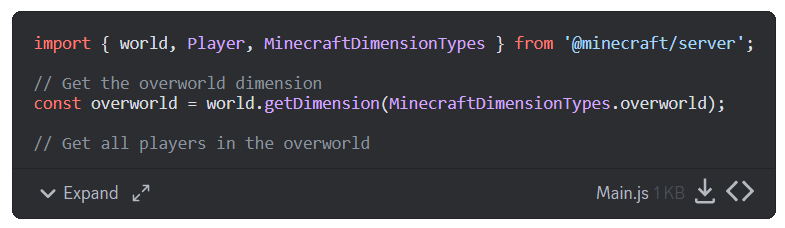 fast lark
gaunt salmonBOT
fast lark
fast lark
gaunt salmonBOT
fast lark
Debug Result
There are 60 errors from compiler, and 1 errors from ESLint in this [code](#1067535608660107284 message).
Please read the attached file for the result.
fallen hearth
how do i pull all entities within 10 blocks radius to me? using applyKnockback
fast lark
gaunt salmonBOT
fast lark
Debug result for [code](#1067535608660107284 message)
Compiler Result
Compiler found 1 errors:
[36mmessage.js[0m:[33m32[0m:[33m20[0m - [31merror[0m[30m TS2339: [0mProperty 'sendMessage' does not exist on type 'Entity'.
[7m32[0m player.sendMessage("Unknown bank action: " + event.id);
[7m [0m [31m ~~~~~~~~~~~[0m
Lint Result
ESLint results:
message.js
1:18 error 'world' is defined but never used @typescript-eslint/no-unused-vars
1:25 error 'ItemStack' is defined but never used @typescript-eslint/no-unused-vars
fading sand
how do i make an variable return 0 when invalid?
like im getting an offhand item but it gives me an error when theres no
wheat condor
fading sand
how do i make an variable return 0 when invalid?
var || 0 or var ?? 0
hazy cosmos
what are you tring to do exactly?
fading sand
wheat condor
you re trying to handle when you have no item in hand
exactly
wheat condor
if (item?.typeId.endsWith('-on')) return;
ahh thx
wheat condor
you can use ```js
variable?.property
to get the property only if the value exists, else it returns undefined@fast lark i dont see any changes i got it to get unknown bank action but idk why i cant get script event to work
prime zenith
Can someone please show me what a script for a script event to work is supposed to look like
 somber cedar
prime zenith
Can someone please show me what a script for a script event to work is supposed ...
somber cedar
prime zenith
Can someone please show me what a script for a script event to work is supposed ...
https://jaylydev.github.io/scriptapi-docs/latest/classes/_minecraft_server.SystemAfterEvents.html#scripteventreceive
Check the examples there
Documentation for Script API - v1.21.62
prime zenith
Using that example what is the /scriptevent you type to activate it
No matter what i type if formatted namespace:name it says unknown banking action
I mean bank action
fast lark
dim tusk
Don't use the debugger here
Yh sorry
dim tusk
prime zenith
No matter what i type if formatted namespace:name it says unknown banking action
try doing a debug to display the ID source etc.
system.afterEvents.scriptEventReceive.subscribe(({ id, message, sourceEntity, sourceBlock, sourceType }) => {
    console.error(id, message, sourceEntity?.nameTag, sourceBlock?.typeId, sourceType);
});```My bridge project got desynched cause i accidently deleted the bp the projects still there even pulled itvoutbof trash butvits desynched
I cant even edit a world without it crashing wtf
fast lark
prime zenith
I cant even edit a world without it crashing wtf
Same for me
rose light
Guys, I made an addon from scratch, and I'm having a very serious problem when downloading the package on the server, for example I put this texture package that I made on a server, and now it's giving an error when I try to download it through the game

Does anyone know how to solve it, it would help me a lot
prime zenith
Ok its time i say adios to bridge i like it but idk how to fix the desynche issue
night acorn
prime zenith
Ok its time i say adios to bridge i like it but idk how to fix the desynche issu...
im working on an alternative ish thing to bridge
thats what i was asking autocompletes api for
prime zenith
Umm is there a way to matk an error and have visual studio code stop flagging it thrres non errors it thinks are errors
dim tusk
night acorn
im working on an alternative ish thing to bridge
@distant tulip how's your website as of now?
prime zenith
Can anyone help me do some restoration work
prime zenith
Hindsight never ever ever rename a pack folder when using bridge
simple zodiac
copilot just casually trying to use the non existent pipe operator 🫡
 prime zenith
Wtf minecraft is crashing every time ibtry to edit worlds
dim tusk
prime zenith
Wtf minecraft is crashing every time ibtry to edit worlds
that's not a script problem but a Minecraft problem in general
did you update your Minecraft to the laste stable? I dunno since I don't use stable now, I use preview most of the time
prime zenith
Something i did that broke my packs is when this started i fixed the packs but it still has issues
shut citrus
why I can't play addons in preview verison?
prime zenith
Wtf its saying my scripts doesnt have a main.js it does have a main.js
cold grove
prime zenith
Wtf its saying my scripts doesnt have a main.js it does have a main.js
For me works just /reload
prime zenith
In minecraft?
Nope still says no main.js
Im not sure if it matters when my pack broke after i fixed it i took an updated scripts from an old pack and merged it but it still has the main.js
Idk what to do i cant fix it
gaunt salmonBOT
Installation for @minecraft/server
Latest API module install:
npm i @minecraft/[email protected]
Beta API module install:
npm i @minecraft/[email protected]
Preview API module install:
npm i @minecraft/[email protected]
Preview Beta API module install:
npm i @minecraft/[email protected]
It is not supposed to be a full editor, just a fast way to load and test different stuff in different versions.
Tbh i use it personally, especially when providing help here
prime zenith
is this valid const deposits = playerDeposits.get(player.nameTag) || []; i have playerDeposits as a map im trying to set an array per player will this get or set the array for that player
prime zenith
Why is player.nameTag comming up as 73
dim tusk
prime zenith
is this valid const deposits = playerDeposits.get(player.nameTag) || []; i have ...
const players = new Map();
players.set('names', [ 'Coddy', 'Testing', 'BRUH' ]);

console.error(JSON.stringify(players.get('names')));```Im trying to create an array so when function is ran it takes the item or items out if inventory snd adds it to your array
dim tusk
prime zenith
Im trying to create an array so when function is ran it takes the item or items ...
I gave it already.
prime zenith
Thats not what i mean but it answered my testing question the name wasnt needed i just needed to know it pathes the item correctly im clearing the item ok but its not adding to map
ignore the commented out section that almost destroyed my project
@dim tusk
Oh nvm it is pushing to an array
dim tusk
prime zenith
How do i detect and set the number of items in mainhand
get equippable -> ItemStack.amount = ?
prime zenith
@dim tusk when i save items to an array on the person does it persist?
also you mean like this ```const equippable = player.getComponent('equippable');
const mainhandItem = equippable.getEquipment('Mainhand');
const deposits = playerDeposits.get(player.id) || [];
if (mainhandItem) {
    player.sendMessage(`Deposited: ${mainhandItem.typeId}`);
    const itemName = mainhandItem.typeId;
    const itemAmount = mainhandItem.itemStack.amount;```
im making a banking system
basicually ill have bankers youll be able to bank mainhand hotbar or full inventory it sets and combines each item and quantity into an array
atm working on mainhand
this is the code so far ```system.runInterval(() => {
const players = world.getAllPlayers();
for (const player of players) {
    const bankMode = scoreboardSet(player, "bankMode"); // Default mode is "get", so no need to pass it
    //console.warn("player " + player.id)

    if (bankMode === 1) {
        handleMainhandDeposit(player);
        scoreboardSet(player, "bankMode", "set", 0); // Reset to 0 after handling
    }
}
}, 1); // Runs every tick (20 times per second). Adjust if needed.
function handleMainhandDeposit(player) {
const inventory = player.getComponent("inventory").container;
const equippable = player.getComponent('equippable');
const mainhandItem = equippable.getEquipment('Mainhand');
const deposits = playerDeposits.get(player.id) || [];
if (mainhandItem) {
    player.sendMessage(`Deposited: ${mainhandItem.typeId}`);
    const itemName = mainhandItem.typeId;
    const itemAmount = mainhandItem.itemStack.amount;
    deposits[itemName] = (deposits[itemName] || 0) + mainhandItem.amount;
    playerDeposits.set(player.id, deposits);
    equippable.setEquipment('Mainhand', undefined);  // Clear the mainhand slot (optional)
} else {
    player.sendMessage("Your mainhand is empty!");
}

console.warn(`Deposits for ${player.id}:`);

for (let i = 0; i < deposits.length; i++) {
    console.warn(`- ${deposits[i]}`);
}
}
// Placeholder stubs for future deposits (can be filled out later)
function handleHotbarDeposit(player) {
player.sendMessage("Hotbar deposit not implemented yet!");
}
function handleInventoryDeposit(player) {
player.sendMessage("Inventory deposit not implemented yet!");
}
function handleEquipmentDeposit(player) {
player.sendMessage("Equipment deposit not implemented yet!");
}```
@dim tusk
prime zenith
Can someone tell me if dynamic maps set to a player are persistent or will they be deleted at world reset
subtle cove
persistent, it's recorded in the world with the pack's uuid signature
dynamicproperty
prime zenith
Ok so whats the syntax to set an item to the array and if theres an item in array for your player it increases that items quanity instead of adding a new item
So in the array if i added 2 diamond swords it would be diamondsword: 2
subtle cove
global market... or player's item list
dim tusk
how do you store the items like what does it make it triggers?
Interact with block, entity use item etc.
prime zenith
I have triggers work it will be when a score is set
As ill use a banker npc to run it
But how its triggered is irrelevant to what it does when its triggered
All i need help with is the actual funtion
subtle cove
you'd prob need a diff way to save itemstack
instead of just [{}] objects
structure DB is what u gona need
prime zenith
Huh im saving it to a map
subtle cove
so just simple items then...
prime zenith
yes item and quantity but ill need an if for if item exists in array it adds quantity only
actually tell me these 2 simple questions what is the syntax to push an item into an array and what is the syntax to add a value to a component in an array
subtle cove
[].push(item.typeId)
or ```js
const itemList = {
"minecraft:diamond_sword":0,
"minecraft:diamond_pickaxe":0,
"minecraft:diamond_axe":0,
"minecraft:diamond_shovel":0,
};
itemList["minecraft:diamond_axe"] = (itemList["minecraft:diamond_axe"] || 0) + amount
1 sec on first option can you provide an example assuming the map name is map
what i can do is do a for loop for each number in itemAmount check if mainhandItem is in array if it is it adds 1 to its quantity if not it pushes that item in and adds 1 to quantity
im just missing syntax
subtle cove
const map = new Map()

const hand = new ItemStack("diamond_sword")
let amount = map.get(hand.typeId) || 0
amount += hand.amount
map.set(hand.typeId, amount)
```this Map is temporary thohow would i make 1 permanent
also that adds an item in script the item comes from game here ill show you current function
    const inventory = player.getComponent("inventory").container;
    const equippable = player.getComponent('equippable');
    const mainhandItem = equippable.getEquipment('Mainhand');
    const deposits = playerDeposits.get(player.id) || [];


    if (mainhandItem) {
        player.sendMessage(`Deposited: ${mainhandItem.typeId}`);
        const itemName = mainhandItem.typeId;
        const itemAmount = mainhandItem.amount
        player.sendMessage(`you have ${itemAmount} of ${itemName}`)
        deposits[itemName] = (deposits[itemName] || 0) + mainhandItem.amount;
        playerDeposits.set(player.id, deposits);
        //equippable.setEquipment('Mainhand', undefined);  // Clear the mainhand slot (optional)
    } else {
        player.sendMessage("Your mainhand is empty!");
    }

    console.warn(`Deposits for ${player.id}:`);

    for (let i = 0; i < deposits.length; i++) {
        console.warn(`- ${deposits[i]}`);
    }
}```this is the map const playerDeposits = new Map();
and im aware the method its using is wrong i was trying dif things
@subtle cove
subtle cove
tryna find my old db
anyway, feel free to try this https://discord.com/channels/523663022053392405/1098003173093933076
or this simple one #1261202822867849236 message
prime zenith
When you say db are you talking map
subtle cove
yes
prime zenith
Ok thats what im using
subtle cove
well, that the common word we use here
prime zenith
Sorry its just here db means something else map is structured likeca db but is actually an unordered array
subtle cove
any object type, it's just parsed and stringified to be able to save in the world
subtle cove
subtle cove
or this simple one https://discord.com/channels/523663022053392405/1261202822867...
const playerDeposits = new Database("playerDeposits")
``````js
if (!playerDeposits.has(player.id)) {
  playerDeposits.set(player.id, [])
  player.sendMessage('you have item list created')
}

const deposits = playerDeposits.get(player.id)

if (item.typeId in deposits) {
  deposits[item.typeId] += item.amount
  playerDeposits.set(player.id, deposits)
  player.sendMessage('you have ' + item.typeId + ' added')

} else {
  deposits[item.typeId] = item.amount
  player.sendMessage('new item has been added')
}
Ohh database is an actual thing in minecraft did not know that
Do i still declair the map
subtle cove
its just string <=> object saving
to use the Database class, copy the code in a separate file and export it, then import it to use it like new Database('items')
prime zenith
Im also trying to learn code to but what code are your talking about
subtle cove
subtle cove
or this simple one https://discord.com/channels/523663022053392405/1261202822867...
this
prime zenith
Ok i have no idea how class works on minecraft
Ok using that answer ne just these 3 questions
How do i
1 check if an item in the database
2 add an item to the database
3 add quantity to an item in the database
@subtle cove
Also i need to check if a bd for that player exists
subtle cove
subtle cove
```js
const playerDeposits = new Database("playerDeposits")
``````js
if (!player...
like this...
prime zenith
When im done ill be able to run a forloop for every item by name in database for form use right i dhould be able to wanna veryfy as thats how they will withdraw from bank
subtle cove
yep, gota map.get(player.id) again
prime zenith
Ill get the full syntax once i can successfully add items
subtle cove
yeah...
that's what this is there for if (!playerDeposits.has(player.id))
play with it more, youll get that hang of it
prime zenith
Cause ill need to do some complex trickery so the nametags arent shown but still used to give the player the correctvitem
subtle cove
i'd suggest to open a post for it if u still need help with it
prime zenith
I will do ty for the help
[Scripting][warning]-it ran

[Scripting][warning]-Deposits for -4294967295:

[Scripting][error]-Unhandled promise rejection: ReferenceError: playerDeposits is not initialized

[Scripting][error]-Unhandled promise rejection: ReferenceError: playerDeposits is not initialized

[Scripting][error]-Plugin [rpgcorepack - 1.0.0] - [main.js] ran with error: [ReferenceError: playerDeposits is not initialized    at <anonymous> (banking.js:5)
]
Im declaring it at top
subtle cove
create a post, send the file, send that error as well, and let us know what neeeds fixing
prime zenith
So the database can only store a key and 1 value i cant have item name and quantity
subtle cove
prime zenith
So the database can only store a key and 1 value i cant have item name and quant...
Learn Object In JavaScript | JavaScript Object Tutorial For Beginners with example and explanation.
❤️ SUBSCRIBE: @GreatStackDev
👉 30 Best JavaScript Projects: https://www.youtube.com/playlist?list=PLjwm_8O3suyOgDS_Z8AWbbq3zpCmR-WE9
👉 JavaScript Tutorials Playlist: https://youtube.com/playlist?list=PLjwm_8O3suyM61TZY1w5ufD12nRQCtd2N
In this...
u can use ai as well for some data structures of how to save/load items
prime zenith
I am im trying to find a workaround with ai
dim tusk
bruh.
prime zenith
I made a post i got everything but saving it to work
prisma shard
prime zenith
I am im trying to find a workaround with ai
🤦♂️ .
dim tusk
I played around a bit.
prime zenith
Hey ai is useful if you know how to use it
dim tusk
prime zenith
Hey ai is useful if you know how to use it
Until you get addicted
prime zenith
Im going into it they teach you to use ai and how to do so effectivly
Uhh coddy was that in responce to me
Cause i have triggers im only wotking on the function itself
Altho that does apear to have some use but id still use it with my triggers
prime zenith
@dim tusk im looking threw what you did can where it says 'coddy🏦 i instead pass in player.name so each player is seperate
humble lintel
why dont u just save the property into the player instead rather than using world dynamic properties
wait nvm im slow
is there something like leetcode but for mc script api
prime zenith
Coddy your a genius i just need now for it to remove items it adds them ok atleast
Oh nvm i just had 2 stacks of crafting tables
Id love to know why crafting tables gets a pick but thats the only 1
I have a stacking issue tho ill need to adjust with a forloop so it gives each item 1 at a time
Woohoo it worked now to make it reopen form when an item is added or withdrawn and add a safety check for inv full
ITS 2 AM WHY AM I STILL UP
prisma shard
prime zenith
ITS 2 AM WHY AM I STILL UP
get some sleep
waking deep night harms your body
i always go sleep on time
prisma shard
prime zenith
Can i make custum fish
#1067869022273667152
prime zenith
You know when player casts rod waits then gets a fish
I did figure it out theres a loot table id adjust then id use script to add it more detaled
prisma shard
prime zenith
You know when player casts rod waits then gets a fish
I did figure it out ther...
so you wanna make custom fishing rod?
warm drum
is there a way to have dynamic skin for custom entity?
dim tusk
prime zenith
<@916617172313321533> im looking threw what you did can where it says 'coddy🏦 i...
I didn't do that. I might fix it wait.
Each player has its own bank using name instead tho it's not a good idea since when player change name they can't access it anymore.
 safe stream
What's a great way to get into ScriptAPI, I've been avoiding it for the past year by doing things through the traditional anim controllers and functions but I don't think this is sustainable. I'm a bit familiar with the TS syntax and have made a few simple projects before but I'm not sure how complex and different scripting is compared to normal BP stuff
dim tusk
prime zenith
<@916617172313321533> im looking threw what you did can where it says 'coddy🏦 i...
The json of dynamic property somewhat looks like this.
{
  "Steve": {
    "minecraft:diamond": 5,
    "minecraft:gold_ingot": 10,
    "minecraft:iron_ingot": 20
  },
  "Coddy": {
    "minecraft:netherite_sword": 1,
    "minecraft:magma": 10,
    "minecraft:bedrock": 20
  }
}```

-# I totally didn't spend 30 minutes for this.... Definitely...yeah, property query + render control
ivory bough
How to add multiplayer support for player.isSleeping? Like if a player is sleeping, I want to run an mcfunction as the player that's sleeping not everyone like will .forEach() work here?
dim tusk
ivory bough
How to add multiplayer support for player.isSleeping? Like if a player is sleepi...
you want to run on player who doesn't sleep?
ivory bough
dim tusk
you want to run on player who doesn't sleep?
No the one that is sleeping
dim tusk
ivory bough
No the one that is sleeping
for (const player of world.getPlayers()) {
  if (player.isSleeping) {
    // ...
  }
}```execute as ${player.name} ?
ivory bough
dim tusk
```js
for (const player of world.getPlayers()) {
if (player.isSleeping) {
...
Also I truly don't understand the difference between getPlayers and getAllPlayers like which one should I use?
dim tusk
ivory bough
Also I truly don't understand the difference between getPlayers and getAllPlayer...
getPlayers() you can use options while getAllPlayers() don't...
distant tulip
ivory bough
Also I truly don't understand the difference between getPlayers and getAllPlayer...
getPlayers can use EntityQueryOptions
dim tusk
also you can try to use this. https://discord.com/channels/523663022053392405/1344652358939840573
distant tulip
some of them
ivory bough
So I should use getPlayers?
dim tusk
ivory bough
execute as ${player.name} ?
why? can't you just do player.runCommand('function ...')
ivory bough
dim tusk
why? can't you just do `player.runCommand('function ...')`
Isn't this and that the same?
ivory bough
Also is there any way to execute as the player that called a scriptevent?
distant tulip
ivory bough
Also is there any way to execute as the player that called a scriptevent?
event.sourceEntity