#Script API General
1 messages · Page 17 of 1
 ionic kayak
 knotty plaza
What are you trying to do in that event?
Maybe it is working but whats inside is the problem
ionic kayak
tried this @knotty plaza
knotty plaza
Just in case, you know that worldInitialize only runs once per world load right?
/reload wont make it fire again
knotty plaza
Check your content log, maybe it showed up and dissapeared really fast
ionic kayak
knotty plaza
Check your content log, maybe it showed up and dissapeared really fast
I see nothing related to it
Uhm figured out what was wrong
 viral plaza
is player.getDimension() a valid method
knotty plaza
viral plaza
is player.getDimension() a valid method
Player has a dimension property
viral plaza
oh
 valid ice
I mean if you wanted you could do world.getDimension(player.dimension.id)
viral plaza
thanks
Well, someone just asked if you could run a script for players in the nether so I wasn’t sure if getting their dimension was a method or not
valid ice
ah fair
knotty plaza
valid ice
I mean if you wanted you could do `world.getDimension(player.dimension.id)`
Thats like withdrawing money to deposit to another person's account
Instead of just transfering the money
valid ice

 inland merlin
Hey herobrine what's up
ionic kayak
Should I add a delay to run in game commands using worldInitialize?
inland merlin
ionic kayak
Should I add a delay to run in game commands using worldInitialize?
If your trying to send a message after world Initialize yes, probably a good 5 seconds
To make sure time to see it
If slow device
 solar dagger
i managed to do it without chatGPT, did a lot of youtube research 😆 it did take me a while tho. And i added a little of a wave path too
 deep garden
solar dagger
i managed to do it without chatGPT, did a lot of youtube research 😆 it did tak...
deep garden
solar dagger
i managed to do it without chatGPT, did a lot of youtube research 😆 it did tak...
That's pretty cool!
 meager pulsar
solar dagger
i managed to do it without chatGPT, did a lot of youtube research 😆 it did tak...
meager pulsar
solar dagger
i managed to do it without chatGPT, did a lot of youtube research 😆 it did tak...
What algorithm are you using?
 winter plaza
can you tell me or show me how to do this?
knotty plaza
Is your item custom or vanilla?
solar dagger
winter plaza
can you tell me or show me how to do this?
a lot of math xD
solar dagger
knotty plaza
Is your item custom or vanilla?
item?
knotty plaza
solar dagger
item?
I think you replied to the wrong message before
 shut citrus
How ?
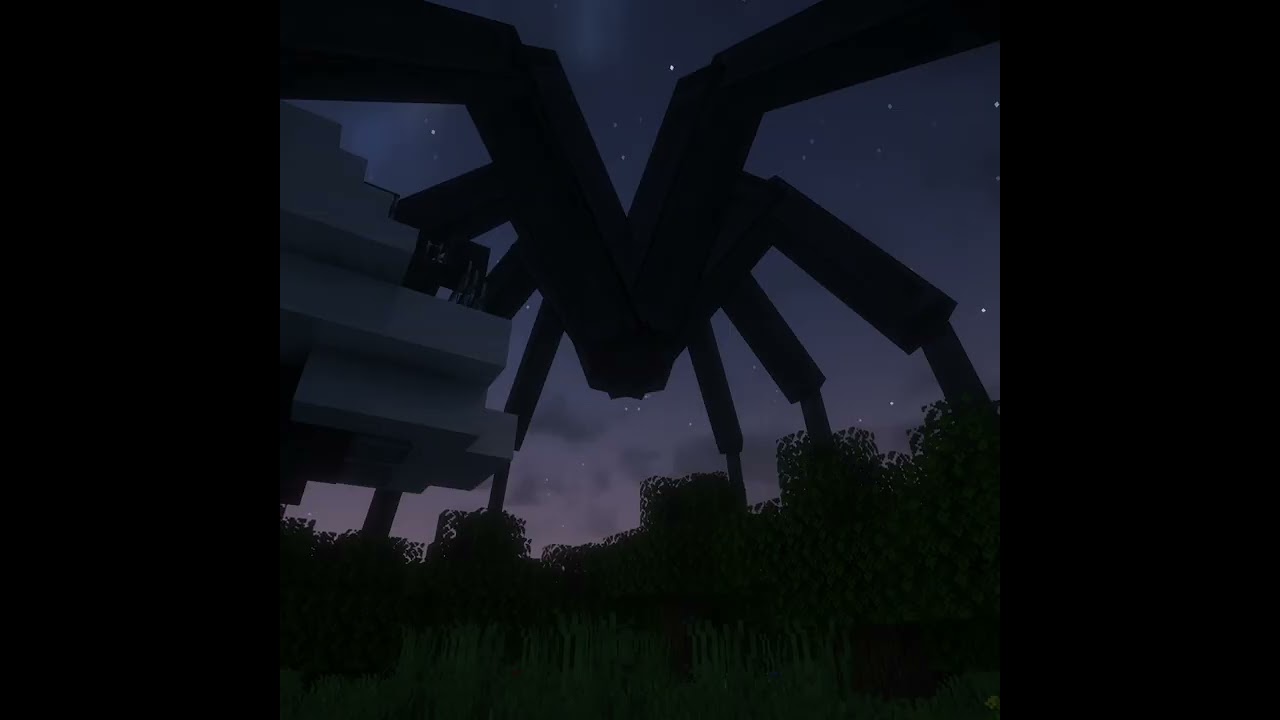
In this video, I show you how to create a spider with a procedural galloping animation.
Previous Video:
https://www.youtube.com/watch?v=Hc9x1e85L0w
Source Code:
https://github.com/TheCymaera/minecraft-spider
World Download:
https://www.planetminecraft.com/project/spider-garden/
All my links:
https://heledron.com/links/
Inspired by:
Coding A...
is it mc bedrock feature?
 random flint
shut citrus
https://youtube.com/shorts/lV6W19veP28?si=XrkPXLuYGKr4QdBQ
random flint
shut citrus
https://youtube.com/shorts/lV6W19veP28?si=XrkPXLuYGKr4QdBQ
plugin. That's Java Edition, indicated by Block Display Entities
He has the source code in his GitHub (check his main video)
meager pulsar
solar dagger
i managed to do it without chatGPT, did a lot of youtube research 😆 it did tak...
Do you just use the formula for a standard circular motion or add something else?
 burnt remnant
can you detect if it is raining? and if so can you detect if a player is currently standing in it
 dense skiff
Is there a way to get all of the properties on a component? Does JS allow some syntax for this or something?
 tiny tartan
what is launch_power replacement for projectile shoot?
 untold magnet
shut citrus
is it mc bedrock feature?
untold magnet
shut citrus
is it mc bedrock feature?
applyImpulse for entities and items
applyKnockback for the player
 honest spear
solar dagger
i managed to do it without chatGPT, did a lot of youtube research 😆 it did tak...
honest spear
solar dagger
i managed to do it without chatGPT, did a lot of youtube research 😆 it did tak...
that model is amazing tho
👍
 west chasm
burnt remnant
can you detect if it is raining? and if so can you detect if a player is current...
west chasm
burnt remnant
can you detect if it is raining? and if so can you detect if a player is current...
Here's an example of how you could do that. Also, keep in mind, the getWeather() method on the Dimension Class is currently in Beta.
import { system, world } from "@minecraft/server";

const overworldDimension = world.getDimension("minecraft:overworld");

system.runInterval(() => {
  const isRaining = overworldDimension.getWeather() === "Rain";

  for (const player of world.getAllPlayers()) {
    const playerDimension = player.dimension;
    const isOverworldDimension = playerDimension.id === overworldDimension.id;

    if (!isOverworldDimension) continue;

    const { x, y, z } = player.location;
    const topMostBlock = playerDimension.getTopmostBlock({ x, z });

    if (!topMostBlock) continue;

    const isStandingInRain = y > topMostBlock.y;

    if (isRaining && isStandingInRain) {
      world.sendMessage(`${player.name} is standing in Rain.`);
    }
  }
}, 0.1);
 slow walrus
west chasm
Here's an example of how you could do that. Also, keep in mind, the `getWeather(...
slow walrus
west chasm
Here's an example of how you could do that. Also, keep in mind, the `getWeather(...
0.1 tick delay?
west chasm
slow walrus
0.1 tick delay?
It's just an example. They're free to alter it for their use-case.
west chasm
That does work.
 sleek nexus
It clearly runs 10 times every tick Omniac
west chasm
slow walrus
cause it rounds it
Oh, I thought you meant it would error.
west chasm
sleek nexus
It clearly runs 10 times every tick Omniac
lol
 modest oasis
guys whats wrong with my code, does world.runCommand() not valid?
server.system.run(function tick() {
    for (let player of server.world.getPlayers()) {
        managePlayerClanTags(player);
        player.nameTag = handlePlayerName(player);

        if (player.hasTag("tempestKnight")) {
            giveEffect(player, 'strength', 10, 3, true);
            giveEffect(player, 'haste', 10, 1, true);
        } else if (player.hasTag("flameOni")) {
            giveEffect(player, 'fire_resistance', 10, 255, true);
        } else if (player.hasTag("forestSpirit")) {
            giveEffect(player, 'speed', 10, 1, true);
        } else if (player.hasTag("dragonsFang")) {
            giveEffect(player, 'resistance', 10, 6, true);
            giveEffect(player, 'weakness', 10, 1, true);

            if (!player.hasTag("hasWings")) {
                player.addTag("hasWings");
                player.runCommandAsync(`replaceitem entity @s slot.armor.chest 0 ewings:demon_0 1 0 {"item_lock":{"mode":"lock_in_slot"},"keep_on_death":{}}`);
            }
        } else {
            if (player.hasTag("hasWings")) {
                player.removeTag("hasWings");
                player.runCommandAsync(`replaceitem entity @s slot.armor.chest 0 air`);
            }
        }
        sidebar(player);
    }


    if (server.system.currentTick % 200 === 0) {
        server.world.sendMessage("sendMessage test");
        server.world.runCommand("say runCommand test");
    }

    // Schedule the next tick
    server.system.run(tick);
});

nevermind i resolved it server.world.getDimension('overworld').runCommand()
 distant tulip
 shy leaf
itemReleaseUse?
shy leaf
itemReleaseUse?
itemReleaseUse
itemStartUse
itemStopUse
distant tulip
idk
can the charge be canceled?

 shy leaf
shrug
burnt remnant
west chasm
Here's an example of how you could do that. Also, keep in mind, the `getWeather(...
would it be possible to combine it with the findClosestBiome/biometype class to make it so that it fires off with actual rain and not snow? or is there an easier way to seperate the two cause im pretty sure the game classifies snow as rain too, as well as identify if the player is in a desert/mesa or not since rain doesnt appear there
 fading sand
How do i get the min and max property value of an enum property?
 gaunt salmonBOT
Installation for @minecraft/server
Latest API module install:
npm i @minecraft/[email protected]
Beta API module install:
npm i @minecraft/[email protected]
Preview API module install:
npm i @minecraft/[email protected]
Preview Beta API module install:
npm i @minecraft/[email protected]
how can i get the owner of projectile that was shot by player using bow
tiny tartan
shy leaf
how can i get the owner of projectile that was shot by player using bow
you want to set player as projectile owner?
shy leaf
no i need to give projectile to do smth when hit
wait
oh
nvm i just realized smth
nevermind the nevermind
i still need to track the owner of the projectile and store functions in there
 fiery solar
shy leaf
how can i get the owner of projectile that was shot by player using bow
fiery solar
shy leaf
how can i get the owner of projectile that was shot by player using bow
arrow.getComponent('minecraft:projectile').owner``` grave thistle
How do I stop world.beforeEvents.playerInteractWithBlock from firing repeatedly? I'm not using the preview, so I can't use isFirstEvent.
shy leaf
grave thistle
How do I stop ``world.beforeEvents.playerInteractWithBlock`` from firing repeate...
whatcha need beforeEvents for?
fiery solar
shy leaf
ig thats the only way
Are you trying to do a custom enchantment that can be put on a bow, or just do something for all arrows the player fires?
It might be enough to just lookup the owner in the projectileHitEntity or projectileHitBlock afterEvent
shy leaf
fiery solar
Are you trying to do a custom enchantment that can be put on a bow, or just do s...
its (mostly) the former
oh wait
yeah it has source property
grave thistle
shy leaf
whatcha need beforeEvents for?
It needs to be a before event for what I'm doing as I don't want the player placing the block they are using on the target block
Be cancelling the block placement using e.cancel
grave thistle
@shy leaf
shy leaf
grave thistle
<@523382130093457418>
so from a glance i think this extends ladder when placed on specific block
grave thistle
Using a ladder on an already placed ladder will extend the ladder down if there is space and a solid block for the ladder to attach to
Like reverse scaffolding
 green prairie
hi, why my json ui don't work on new version
shy leaf
grave thistle
Like reverse scaffolding
and since its beforeEvents, it can fire multiple times
hmmmmm
grave thistle
shy leaf
and since its beforeEvents, it can fire multiple times
So if it was an afterEvent it'd fire once? Only problem then is a ladder might be placed opposite the existing ladder
grave thistle
Script works fine atm, still gotta add the item decrement function but that's all sorted ready to be imported. It's just the rapid fire activation that's a problem. Can place enough ladders from build height to bedrock layer in like 5 seconds lol
The isFirstEvent property just needs to become available outside of the preview
shy leaf
just gotta hope it enters stable
grave thistle
Can't see why it shouldn't. It'd fix so many issues with interactions and item usage
tiny tartan
@grave thistle you can try this
grave thistle
tiny tartan
<@858092127900139541> you can try this
Thanks, I'll take a look now
solar dagger
honest spear
that model is amazing tho
Yeah I have talented friends
 iron jewel
** Glide Minigame Flashbacks intensify **
grave thistle
tiny tartan
<@858092127900139541> you can try this
Haven't been able to test it out yet, but based on a bit of research on using Date.now() this looks like it'll fix my issue, thank you!
fiery solar
grave thistle
The ``isFirstEvent`` property just needs to become available outside of the prev...
Sounds like you have a solution, but in general looking into the concepts of debouncing (wait until X time after the last time a function is called) and throttling (limit execution of a function to the first time it gets called in some specified period so that calling it again will do nothing until after some delay) can be pretty helpful
shy leaf
can dynamicproperty store function or code?
 subtle cove
yes...
shy leaf
why am i asking this tbh
subtle cove
learn abt eval
subtle cove
mhm...
subtle cove
well, it depends on what variables are scopeable from where it's used
shy leaf
im making custom bow functionalities that can run codes for events like projectileHitEntity and projectileHitBlock
but im not sure what to do to store the functionalities into arrow
or... i could use Date.now() to sync the arrow and event without storing code into arrow
sleek nexus
Wait why? I feel like you might be overcomplicating it
shy leaf
could be
sleek nexus
I'm heading to bed now, but see if you can take a step back and look at the problem more broadly to try find a simpler solution
shy leaf
my brain is optimized at making the most complicated solution lmao
but yeah projectiles are kinda funky
sleek nexus
Yeah like getting the owner and stuff?
sleek nexus
Yep nice and easy, you can store it in a dynamic property on the arrow entity (unless they've changed it and it's directly accessible now). What's the other stuff you're trying to do?
... What does "custom bow functionalities" from above entail?
shy leaf
its not just one bow but a whole collection of bows
with abilities? i dunno im just helping with saving an addon from HCF hell
burnt remnant
can someone give an example of findClosestBiome
my brain is too small to understand the microsoft doc one
shy leaf
burnt remnant
my brain is too small to understand the microsoft doc one

Documentation for Script API - v1.21.20
this should help you understand better
Note that the findClosestBiome operation can take some time to complete, so avoid using many of these calls within a particular tick.
just in case
sleek nexus
shy leaf
with abilities? i dunno im just helping with saving an addon from HCF hell
Well, if the event for the arrow is predictable/deterministic i.e. The same bow type fired 3 times will always make the projectile do the same thing, you could simply store a kind of id in a dynamic property on the arrow entity, and when it hits something (in the callback event), check the id and run the appropriate block of code / function
sleek nexus
Haha thanks. Yeah I gotta fix my sleep schedule. Goodnight! Let me know if you have any more questions tomorrow.
burnt remnant
const { x, y, z } = player.location;
player.dimension.findClosestBiome(x,y,z,"minecraft:plains")
feels so off 😭
shy leaf
looks ok to me
though uh
the pos part should be a vector3
player.dimension.findClosestBiome(player.location,"minecraft:plains")```this alone should be ok
burnt remnant
hmm okay
how would you input an array into it since this doesnt work
player.dimension.findClosestBiome(player.location,${snowBiomeList})```ooo you should see the other array i have then
let rainBiomeList = ["ocean","deep_ocean","lukewarm_ocean","deep_lukewarm_ocean","warm_ocean","deep_warm_ocean","river","beach","cold_ocean","deep_cold_ocean","forest","flower_forest","birch_forest","birch_forest_mutated","roofed_forest","jungle","jungle_edge","bamboo_jungle","mushroom_island","swampland","plains","sunflower_plains","mangrove_swamp","lush_caves","dripstone_caves","deep_dark"]
shy leaf
no im saying findClosestBiome is very resource heavy
burnt remnant
so executing it every 30 seconds would probably be bad
shy leaf
if youre looking for one biome in particular then it should be alright
but doing that for each
doesnt sound great
burnt remnant
just trying to decern that when its raining is the biome im in gonna create snow, and if so, nothing happens, only looking for rain. and when getting the weather, Rain is, rain and snow
burnt remnant
what
shy leaf
Returns a location of the biome, or undefined if a biome could not be found.```hmm couldnt i just get that location and detect if the player is standing in it
shy leaf
how are you getting the type of the biome the player is standing at
(genuinely a question)
((i dunno how))
shy leaf
shy leaf
how are you getting the type of the biome the player is standing at
you gotta consider how wide the biome might be
im not sure if the script returns the center of the closest biome
or the location of the closest biome border
burnt remnant
well if this is how you say it is and itll give me the location of the biome, i assume i can compare that ouput with the player's current position and if its the same then idk command fire that says hi for now. but like you are saying right now idk where the number it gives me is, i might have to do a range, if the player is at least 50 blocks close
shy leaf

burnt remnant
if its the same logic as the locate command it wont be the center of the biome, i was flying around using it earlier and when in the biome i was firing it and it kept taking me to different spots inside the biome
up to 45 blocks away
idk this is way out of my league
 shrewd wedge
e.itemComponentRegistry.registerCustomComponent("evo:voids_edge", {
        onUse(e) {
            const player = e.source;
            const xyz = player.location;
            const dimension = player.dimension;

            player.startItemCooldown("custom", 20);
            player.playSound("mob.enderdragon.flap");
            player.runCommandAsync("particle evo:voids_edge_particle ~~~");

            let nearbyEntities = dimension.getEntities({
                location: xyz,
                maxDistance: 10,
                excludeTypes: ["minecraft:item", "minecraft:xp_orb"]
            });

            nearbyEntities = nearbyEntities.filter(entity => entity !== player);

            nearbyEntities.forEach(entity => {
                entity.runCommandAsync("particle ptg:voids_edge_particle ~~~")
                entity.applyKnockback(xyz.x, xyz.z, 1, 0.3);
            });
        }
    });
How to fix apply knock back? I want entity to be pulled to player who use sword
But it don't work. Player only go in positive x direct
 keen thorn
shrewd wedge
```js
e.itemComponentRegistry.registerCustomComponent("evo:voids_edge", {
...
keen thorn
shrewd wedge
```js
e.itemComponentRegistry.registerCustomComponent("evo:voids_edge", {
...
idk if im right but i think instead of location you need direction
@shrewd wedge
e.itemComponentRegistry.registerCustomComponent("evo:voids_edge", {
        onUse(e) {
            const player = e.source;
            const xyz = player.location;
            const dir = player.getRotation();
            const dimension = player.dimension;

            player.startItemCooldown("custom", 20);
            player.playSound("mob.enderdragon.flap");
            player.runCommandAsync("particle evo:voids_edge_particle ~~~");

            let nearbyEntities = dimension.getEntities({
                location: xyz,
                maxDistance: 10,
                excludeTypes: ["minecraft:item", "minecraft:xp_orb"]
            });

            nearbyEntities = nearbyEntities.filter(entity => entity !== player);

            nearbyEntities.forEach(entity => {
                entity.runCommandAsync("particle ptg:voids_edge_particle ~~~")
                entity.applyKnockback(dir.x, dir.y, 1, 0.3);
            });
        }
    });
dw
shrewd wedge
Hey i test and did not work
Entitys goes out not pull in, how to make it pull in instead
keen thorn
shrewd wedge
Entitys goes out not pull in, how to make it pull in instead
change dir.x to -dir.x
keen thorn
shrewd wedge
Entitys goes out not pull in, how to make it pull in instead
just mess with the values till it works
 devout dune
heyyyoo anyone know what im missing here?
Not able to get a translation.
const message: RawMessage = { translate: 'ts_ml.messaging.toggle_falling_stars'};
It is logging as "ts_ml.messaging.toggle_falling_stars"

 open urchin
remove the spaces around the =
 woven loom
anyone has an algorithm to detect tree
valid ice
woven loom
anyone has an algorithm to detect tree
for (let x = WORLD_MIN.x; x < WORLD_MAX.x; x++) {
for (let y = WORLD_MIN.y; y < WORLD_MAX.y; y++) {
for (let z = WORLD_MIN.z; z < WORLD_MAX.z; z++) {
const block = world.getDimension('overworld').getBlock({x: x, y: y, z: z})
if (!block?.isValid()) continue;
if (block.isTree()) world.sendMessage('Found a tree!');
}
}
}
``` 🗿
woven loom
wat
 neat hound
I do... see tree? no, turn around... see tree? no. wait. maybe. yes tree over there....
valid ice
woven loom
wat
yes
subtle cove
yes
grave thistle
fiery solar
Sounds like you have a solution, but in general looking into the concepts of `de...
I've looked into throttling and it sounds like a better method than applying properties to an object. However, with what I'm trying to achieve, wouldn't multiple players trying to extend ladders lock other players out of doing the same during the throttle cooldown?
i.e. the throttle lasts for 5 seconds. Player 1 places a ladder triggering the throttle but then player 2 goes to place a ladder 1 second in to the throttle's duration and it doesn't allow the ladder placement
shy leaf
what about storing the duration into player
(i actually just found out about throttling so i have no idea)
 sudden nest
valid ice
```js
for (let x = WORLD_MIN.x; x < WORLD_MAX.x; x++) {
for (let y = WORLD_MIN...
sudden nest
valid ice
```js
for (let x = WORLD_MIN.x; x < WORLD_MAX.x; x++) {
for (let y = WORLD_MIN...
don't forget to use try-catch:
try {
  for (let x = WORLD_MIN.x; x < WORLD_MAX.x; x++) {
    for (let y = WORLD_MIN.y; y < WORLD_MAX.y; y++) {
      for (let z = WORLD_MIN.z; z < WORLD_MAX.z; z++) {
        const block = world.getDimension('overworld').getBlock({x: x, y: y, z: z})
        if (!block?.isValid()) continue;
        if (block.isTree()) world.sendMessage('Found a tree!');
      }
    }
  }
} catch (e) {
  throw "No tree"
}
I've sorted my problem now thanks to Kira. I've only just learnt about throttling and debouncing and it sounds like a cool way of adding function delays. Not only that, I've only just learnt that functions can be passed as values of a property (still learning js lol, all self taught atm with occasional help from AI when I need something explaining)
shy leaf
sleek nexus
Well, if the event for the arrow is predictable/deterministic i.e. The same bow ...
got it working, ty
sleek nexus
Nice! Well done
shy leaf
sleek nexus
Nice! Well done
just to make sure, can .owner property on projectile component return the owner?
the one im doing rn is very inefficient and i cant redo the code since i dont have access to minecraft rn
 odd path
Can someone help me resolve a function error? I can't find the problem
shy leaf
the owner property in jayly's script docs doesnt mention about return so i was wondering
shy leaf
shy leaf
the one im doing rn is very inefficient and i cant redo the code since i dont ha...
im planning to rewrite the code to use entitySpawn + itemReleaseUse afterEvents to store the function id so that i can replace the abomination i made
shy leaf
odd path
Can someone help me resolve a function error? I can't find the problem
whats the issue
odd path
shy leaf
just to make sure, can `.owner` property on projectile component return the owne...
I think it would be easier to use nameTag, so you can always be sure that you own an entity
shy leaf
odd path
I think it would be easier to use nameTag, so you can always be sure that you ow...
dynamic property could work then
odd path
shy leaf
whats the issue
"not a function error"
I checked the whole script and I can't understand why this problem is happening...
shy leaf
odd path
"not a function error"
I checked the whole script and I can't understand why th...
that would require reviewing the whole code
odd path
shy leaf
that would require reviewing the whole code
It's a small code... The runCommand that is bringing the error
@shy leaf
I just can't find what is causing this bug to happen
function arrestEnemy(player) {
    const entitiesInView = player.getEntitiesFromViewDirection({ maxDistance: 4 })

    if (entitiesInView.length > 0) {
        const nearestEnemy = entitiesInView[0]
        const playerPos = player.location
        const playerRotation = player.getRotation()

        const offsetX = 1.5 * Math.sin((playerRotation.y + 90) * (Math.PI / 180))
        const offsetZ = 1.5 * Math.cos((playerRotation.y + 90) * (Math.PI / 180))
        const newX = playerPos.x + offsetX
        const newZ = playerPos.z + offsetZ
        const newY = playerPos.y

        nearestEnemy.runCommand(`tp @s ${newX} ${newY} ${newZ}`)
    }
}
which line is it pointing at?
odd path
nearestEnemy gives the error "not a function", but it doesn't make sense
odd path
shy leaf
which line is it pointing at?
It is pointing to the nearestEnemy.runCommand line
shy leaf
i see the issue
odd path
But the problem is not what is inside the command, because when I took it out, it continued with the error
shy leaf
since entitiesInView returns an arrary of it, youd need to do forEach or for loop
odd path
shy leaf
since entitiesInView returns an arrary of it, youd need to do `forEach` or for l...
So in this case it would be:
for nearestEnemy = entitiesInView[0]
?
This doesn't make sense to me, because in another function it doesn't generate errors, but I'll test it
shy leaf
odd path
So in this case it would be:
```js
for nearestEnemy = entitiesInView[0]
```
?
no
try
for (const e of entitiesInView) {
    e.runCommand('say Hello World!');
}```I see, so in this case the problem is that runCommand cannot call the array
I will test
shy leaf
yeah
 true isle
Is it possible to cycle through textures for for a block face with permutations that change the texture for a material instance? If that makes any sence
shy leaf
true isle
Is it possible to cycle through textures for for a block face with permutations ...
sounds possible
very possible
with block states
true isle
Yeah I tried and I'm not really getting anywhere I even had help with it but idk what I did wrong I have a thing open if anyone could help
 mystic mortar
I know paddles for sure wouldn't work.
Anyone able to help with this?
https://discord.com/channels/523663022053392405/1277805139201232970
fiery solar
shy leaf
just to make sure, can `.owner` property on projectile component return the owne...
Yeah, owner will contain the owner if there is one (which there will be unless an arrow is spawned directly or fired by a dispenser)
You should be able to do it without itemReleaseUse

Contents of the @minecraft/server.EntityProjectileComponent class.
shy leaf
fiery solar
Yeah, owner will contain the owner if there is one (which there will be unless a...
ty
shy leaf
now im kinda facing another issue
im storing bow's typeid into projectile's dynamic property to determine which function to fire, but im kinda worried if the dynamic property will be nullified since the projectile would be destroyed upon hit

i could use Map for this but i kinda want to preserve it until the projectile dies
 deep quiver
shy leaf
now im kinda facing another issue
im storing bow's typeid into projectile's dyna...
deep quiver
shy leaf
now im kinda facing another issue
im storing bow's typeid into projectile's dyna...
Set the property directly onto the arrow
shy leaf
thats what i did
well idk i havent tested it and i might be overthinking but
projectiles are wack
deep quiver

GitHub
Contribute to jeanmajid/MCPE-BowExtension development by creating an account on GitHub.
You can’t really do much if their killed before script api gets them
shy leaf
deep quiver
https://github.com/jeanmajid/MCPE-BowExtension/blob/main/scripts/events/projecti...
i did check it but doesnt this function by storing data into bow
deep quiver
shy leaf
i did check it but doesnt this function by storing data into bow
Ye both
shrewd wedge
How to remove item stack when use? I try item.amount--; but it say "cannot be less 0 greater 256" in log
would using clear command cause error?
deep quiver
shy leaf
i did check it but doesnt this function by storing data into bow
But its mostly relient on the arrow one
shy leaf
hmmmm
deep quiver
shrewd wedge
How to remove item stack when use? I try `item.amount--;` but it say "cannot be ...
Check the amount first if its 0 don’t decrement
shy leaf
shrewd wedge
How to remove item stack when use? I try `item.amount--;` but it say "cannot be ...
what item are you trying at
shrewd wedge
But if 0 then I have none?
deep quiver
Ye
shrewd wedge
shy leaf
what item are you trying at
like a item that drops when players die. It gives effects when use
shrewd wedge
No I try to remove by 1 when use,
But I have one in hotbar, use and it say cannot be less 0
shy leaf
are you using beforeEvents for itemUse?
shrewd wedge
No custom component
shy leaf
oh
shrewd wedge
onUse
shy leaf
its hard to tell without checking the code
solar dagger
shrewd wedge
How to remove item stack when use? I try `item.amount--;` but it say "cannot be ...
This probably happens when you have it on a loop or something like that
Does anybody know the polar Rotation? I'm trying to setup a custom path for an entity using this. I searched on YouTube, I can't seem to find anything useful for what I'm trying to do
shrewd wedge
solar dagger
This probably happens when you have it on a loop or something like that
It's not
shy leaf
can you post the block of the code
shrewd wedge
e.itemComponentRegistry.registerCustomComponent("evo:skull", {
        onUse(e) {
            const player = e.source;
            const itemStack = e.itemStack;
            const container = player.getComponent("minecraft:inventory").container;
            player.runCommandAsync("effect @s regeneration 5 1 true");
            player.runCommandAsync("effect @s absorption 5 0 true");
            player.startItemCooldown("skull", 20);
            itemStack.amount--;
            container.setItem(slot, itemStack);
        }
    });
});
now i see it
shrewd wedge
It say when use: "item amount cannot be less than 0"
shy leaf
const item = player.getComponent('equippable')?.getEquipment('Mainhand');```youre trying to get the inventory instead of the item used
shrewd wedge
Ohh ok thank you
solar dagger
Can't you just use the world event for itemUse?
Also you can set effects to the player via addEffect
shrewd wedge
Yes
shrewd wedge
solar dagger
Also you can set effects to the player via addEffect
What is difference
solar dagger
Literally nothing tbh
player.addEffect('conduit_power', 2400, {showParticles: false});
It's the same thing
shy leaf
shrewd wedge
Ohh ok thank you
actually, nevermind. since itemUse already gives you itemStack, the code i gave you would be unnecessary
shrewd wedge
Oh
ok I habe question, if I use clear command, does it clear item you are holding or is random?
solar dagger
Doesn't the clear CMD clear your hotbar?
shrewd wedge
like if I habe one item in hand, and one in inventory, does it random choose one
shy leaf
it clears your entire inventory unless you define which item by amount
shrewd wedge
solar dagger
Doesn't the clear CMD clear your hotbar?
no
I know if I only clear 1 of the item, then will it be random which it clear?
solar dagger
Sorry i haven't touched the cmds in years 😂
shrewd wedge
It's ok
shy leaf
shrewd wedge
I know if I only clear 1 of the item, then will it be random which it clear?
im pretty sure theres no 'random item clear'
shrewd wedge
no, sorry hard to explain
shrewd wedge
shy leaf
im pretty sure theres no 'random item clear'
ok I habe one item in hand right? And one item in inventory. And I use item in hand. I do clear item of one. Does game choose one in hand, in inventory or is random
That is what I mean
shy leaf
for that? pretty sure it goes in this order
 solar dagger
If you want to specify the slot you can do something like this
invComp.setItem(slotId, undefined);
shy leaf
shrewd wedge
```js
e.itemComponentRegistry.registerCustomComponent("evo:skull", {
onU...
const heldItem = player.getComponent('equippable')?.getEquipmentSlot('Mainhand');```use this as slot instead
solar dagger
Contents of the @minecraft/server.EntityInventoryComponent class.
shrewd wedge
Ohh ok. So I do inventory.setItem(heldItem, itemStack--;)
solar dagger
Uh no the undefined already removed 1
solar dagger

I stand corrected
It clears the slot apperantly
So I'm assuming the whole stack
shrewd wedge
???
shy leaf
yeah since it reduces itemStack into atoms
shy leaf
shrewd wedge
Ohh ok. So I do `inventory.setItem(heldItem, itemStack--;)`
you can replace slot in your setItem with the heldItem i gave you
shy leaf
you didnt have slot defined, that could be the issue
shrewd wedge
Ok I check, thank you
solar dagger
Oh that's true
 prisma shard
world.afterEvents.itemCompleteUse.subscribe((eventData) => {
    const { itemStack, source } = eventData;
    if (itemStack.typeId === "your item typeid") {
        source.runCommandAsync(`the command you want to execute`);
    };
});```what do you mean by go down????
shrewd wedge
shy leaf
you didnt have slot defined, that could be the issue
It work thank you
shrewd wedge
prisma shard
what do you mean by go down????
Like decrement the item stack how it was ins events
 unreal cove
prisma shard
```js
world.afterEvents.itemCompleteUse.subscribe((eventData) => {
const { i...
unreal cove
prisma shard
```js
world.afterEvents.itemCompleteUse.subscribe((eventData) => {
const { i...
They said on consume so itemCompleteUse fits better here, itemUse will run on just use
that or custom components with onConsume works too
prisma shard
green prairie
hi, why my json ui don't work on new version
#1067870274894172260
prisma shard
unreal cove
They said *on consume* so `itemCompleteUse` fits better here, `itemUse` will run...
oh ok
prisma shard
shrewd wedge
Like decrement the item stack how it was ins events
the item's amount or the item's durability?
function decreaseItem(itemStack, decreaseAmount) {
  itemStack.amount -= decreaseAmount;
  return itemStack;
};

  // function usage
  const inv = player.getComponent('inventory').container;
  const newItem = decreaseItem(itemStack, 1);
  inv.setItem(player.selectedSlotIndex, newItem);
@shrewd wedge ^
i had a function for decreasing item durability, i just changed it to itemStack.amount
i think you wanted to decrease the amount of the item, not the item's durability...right?
just change the selectedSlotIndex if you dont want to do this with the hand eqquiped item
or wanna do with any inventory item
whatever
 nimble schooner
How to set a block a sign with a specific text content?
sleek nexus
nimble schooner
How to set a block a sign with a specific text content?
Use this component
https://stirante.com/script/server/1.13.0/classes/BlockSignComponent.html
Documentation for @minecraft/server
That page has a snippet that provides everything you need 👍
shy leaf
shy leaf
i could use Map for this but i kinda want to preserve it until the projectile di...
i ended up using Map

at least it works perfectly
nimble schooner
sleek nexus
That page has a snippet that provides everything you need 👍
How would I do a location.dimension.getBlock for the location of for example 0 1 2? Would I use ({x: 0, y: 1, z: 2})?
distant tulip
nimble schooner
How would I do a location.dimension.getBlock for the location of for example 0 1...
yeah
nimble schooner
distant tulip
yeah
Is there an article for set blocks?
 granite badger
Documentation for Script API - v1.21.20
distant tulip
granite badger
https://jaylydev.github.io/scriptapi-docs/latest/classes/_minecraft_server_1_13_...
setPermutation?
distant tulip
nimble schooner
Is there an article for set blocks?
Documentation for Script API - v1.21.20
nimble schooner
Thank you!
 fallow rivet
playerInteractWithEntity
Is it possible to use this to stop a player from hitting another player?
nimble schooner
👌
nimble schooner
fallow rivet
Is it possible to use this to stop a player from hitting another player?
If there would be a beforeEvent
As far as I know you can‘t do that, only with editing the player.json
fallow rivet
nimble schooner
If there would be a beforeEvent
Alright
world.afterEvents.playerInteractWithEntity.subscribe(data => {
     const player = data.player;
     const entity = data.entity;

        console.warn('test')
});
How can you make this work?
nimble schooner
Idk you‘d have to ask someone who has a good overview over the documents
It theoretically makes sense but I don‘t know how entity and player are called in that case
nimble schooner
fallow rivet
How can you make this work?
There actually seems to be a before event, I just don‘t know if you are able to cancel attacks with that, here‘s more information about it
 shy leaf
fallow rivet
Is it possible to use this to stop a player from hitting another player?
shy leaf
fallow rivet
Is it possible to use this to stop a player from hitting another player?
no
you can prevent damage using entity json but you cant cancel the attack
shy leaf
playerInteractWithEntity is for right clicking so
nimble schooner
On mobile it‘s long clicking lol
shy leaf
can you tell the issue
fallow rivet
Shouldn't it be running in 11 to 11 position?
nimble schooner
fallow rivet
Wait how did you open that in your Minecraft tab,
Do you use Android?
shy leaf
nimble schooner
Wait how did you open that in your Minecraft tab,
its a feature for most phones
fallow rivet
nimble schooner
Do you use Android?
Yea
nimble schooner
shy leaf
its a feature for most phones
Not on my IPhone 😭
shy leaf
rip
fallow rivet
nimble schooner
Not on my IPhone 😭
The iPhone is very advanced but for some reason it does not contain some basic features.
shy leaf
iphone isnt advanced tbh
shy leaf
to be fair coding in mobile is frustrating but
all the iphone's """policy""" makes everything harder (at least in my eyes)
shy leaf
though i do recommend getting a phone with high ram if youre getting one someday
so that you dont go insane
fallow rivet
shy leaf
all the iphone's """policy""" makes everything harder (at least in my eyes)
In my eyes, the iPhone is a trash
 summer walrus
fallow rivet
?
summer walrus
fallow rivet
?
u gotta experiment on it bro
try diff operators like !== or === instead of <= or >= and why are the coords duplicated
nimble schooner
How do I system.clearRunInterval();?
shy leaf
nimble schooner
How do I system.clearRunInterval();?
its system.clearRun()
system.runInterval() returns a unique id so that you can use it
const interval = system.runInterval(() => {
    //code
});
system.clearRun(interval)```I just wanted to put it into a system.runInterval itself lol
slow walrus
fallow rivet
Shouldn't it be running in 11 to 11 position?
the coordinates displayed are rounded, so technically you're actually at some number between 11 and 10.5, so it shows 11, but your script doesn't
block positions are measured from the NW corner iirc
slow walrus
nimble schooner
I just wanted to put it into a system.runInterval itself lol
what do you need it for?
slow walrus
shy leaf
not sure if you can do that
you can
nimble schooner
Can the player leave before event cancel player leave?
Is there a player death after event?
shy leaf
nimble schooner
Can the player leave before event cancel player leave?
ofc not
shy leaf
nimble schooner
Is there a player death after event?
also there is entityDie afterEvents
nimble schooner
Is there a way to cancel a system.runTimeout?
shy leaf
nimble schooner
Is there a way to cancel a system.runTimeout?
honestly not sure about this one
shy leaf
shy leaf
system.runInterval() returns a unique id so that you can use it
```js
const int...
you can try with the same thing here
slow walrus
nimble schooner
Is there a way to cancel a system.runTimeout?
yes, use clearRun
 glacial widget
is there a way to face a player when using the .teleport notation?
 wheat condor
glacial widget
is there a way to face a player when using the .teleport notation?
wheat condor
glacial widget
is there a way to face a player when using the .teleport notation?
player.teleport(player.location, { facingLocation: anotherPlayer.location })
 plush moss
spawnEntitiesInArea([startX, startY, startZ], [endX, endY, endZ], entitiesToSpawn, entityType);
is it posible to spawn the entity only as an adult?
glacial widget
wheat condor
player.teleport(player.location, { facingLocation: anotherPlayer.location })
oh i found another way
player.teleport({ x: -315, y: 138, z: 36 },
            {
               facingLocation: targetLocationShop
            }
          );
however thank you
 steady zinc
What's the difference between system.run() and system.runJob() ?
honest spear
steady zinc
What's the difference between ``system.run()`` and ``system.runJob()`` ?
system run expect function to run, but runJob expects Generator to execute
steady zinc
Generator? Never heard of that xD
honest spear
steady zinc
Generator? Never heard of that xD
Corutines?
steady zinc
I don't know that either
woven loom
@beta no more returns preview exp?
honest spear
woven loom
@beta no more returns preview exp?
@beta returns experimental module from last release, so if stable is released it overwrites
woven loom
hm
 tight plume
How do i get the location the entity is facing because im trying to recreate the random sheep eating grass then turning it into dirt.
I cant trust this code so much since the location could be on the side of the entity which doesn't make sense at all:
const blockEaten = dim.getBlock({
  x: entity.location.x,
  y: entity.location.y - 1,
  z: entity.location.z + 1
});
blockEaten.setPermutation(
  BlockPermutation.resolve('minecraft:dirt')
);
 distant gulch
getPlayers is only get online player?
subtle cove
same with getAllPlayers, yes
 celest fable
is it possible to do multi threading?
subtle cove
shy leaf
it doesnt consider lan players??
whichever player entity is executable in the world
distant gulch
subtle cove
do u need the name or scoreboard, or something else?
i have name
but how can i get just player not name, id or something
shy leaf
would you like to go to dms? i can speak korean
subtle cove
if the player isnt offline, then its not possible to get the Player.prototype
but its possible to manage its ScoreboardIdentity
honest spear
Ya, there is no native instance for offline players, only accessible are scoreboards that are linked to entities and players
||Player.prototype is always accessible||
distant gulch
ty
celest fable
btw how do you make add method player.tell? like override the player and add method tell that basically sendMessage but with prefix
honest spear
celest fable
btw how do you make add method player.tell? like override the player and add met...
Player.prototype.tell = function tell(params){
  this.sendMessage(...params); //this is player instance
}

 shy leaf
welp
shy leaf
shy leaf
welp
now this is weird
it did get the object normally
but now it just refuses?
 remote oyster
shy leaf
but now it just refuses?
remote oyster
shy leaf
but now it just refuses?
Find the bug lol

 remote oyster
Lol
 sharp elbow
Always name your functions. Then it becomes easier to debug.
shy leaf
shy leaf
welp
this does not tell anything lmao
it just tells me "hey im not getting this data"
"over there"
sharp elbow
The stack trace is relatively short, so it should be easy to find a start
shy leaf
i ask "why", they reply with " "
sharp elbow
What is the anonymous function at ItemsFunctionalities/itemHandler.js on line 186? I'm betting it is an event subscription
shy leaf
sharp elbow
What is the anonymous function at ItemsFunctionalities/itemHandler.js on line 18...
yeah its an event
 cold grove
shy leaf
welp
cold grove
shy leaf
welp
JSON.parse() issue??
shy leaf
no parse is used
i dunno why cuz the event gives an object
and sends the object to other scripts
but it doesnt convert?... object
sharp elbow
You are sending the event object to other functions? Minecraft could be garbage collecting it before it can be used
Maybe it could be worthwhile making a shallow copy of the event object. Something like (e) => {const event = {...e};}
shy leaf
gotcha
i think garbage collecting is the issue here, this started once i added some codes for bows

honest spear
sharp elbow
Maybe it could be worthwhile making a shallow copy of the event object. Somethin...
Nah, event data objects are no longer free-ed by native end, so this is not the case here
shy leaf
honest spear
Nah, event data objects are no longer free-ed by native end, so this is not the ...

sharp elbow
No longer? I'm curious, when did that change
honest spear
sharp elbow
No longer? I'm curious, when did that change
about 4 months ago
maybe more but not sure
sharp elbow
Long enough that I am a bit silly for not having noticed lol
honest spear
@sharp elbow Not sure which update it was but this is the date of my notice
07/12/2023
lmao
sharp elbow
Ah, so about a year ago 😆
honest spear
yes
shy leaf
BUG SQUASHED
my statics were like
static weapon(id,eventData)```

but i forgot it was supposed to be
```js
static weapon(eventData,id)```the object was kept sending to id part

granite badger
Stats (using the api)

 wary edge
shy leaf
my statics were like
```js
static weapon(id,eventData)```
but i forgot it was s...
wary edge
shy leaf
my statics were like
```js
static weapon(id,eventData)```
but i forgot it was s...
Personally, I woouldve done id, data
nimble schooner
granite badger
Stats (using the api)
How to get those?
granite badger
I made that
nimble schooner
I mean how to get the player stats
Those which you can view on player‘s profile
Or are the shown stats for your world only and counted by your system?
subtle cove
If its on scoreboard, then world
if dynamic property, then pack
slow walrus
subtle cove
If its on scoreboard, then world
if dynamic property, then pack
are dynamic props really per pack?
I did not know that lmao
subtle cove
slow walrus
are dynamic props really per pack?
per pack uuid
regardless of pack version
but i havent tried working two packs same uuid, but diff ver
slow walrus
in that case, global dynamic props would be hella nice
valid ice
subtle cove
but i havent tried working two packs same uuid, but diff ver
I wouldn’t lol
I don’t think Minecraft likes that
I did it by accident the other night, and it said I applied one pack but it was actually the other one
subtle cove
it chooses the higher version?
valid ice
Both had the same version
I just copied over one of my packs in its entirety, removed a bunch of stuff & changed the pack name (But forgot to change the UUIDs), and said it added the new pack to the world, but all the stuff in-game was the old pack stuff.
slow walrus
iirc each world caches it's packs so if the version wasn't different, then it wouldn't have updated it
valid ice
It was a dev pack, however- and I deleted all the world BP json files & the folder for the BP.
slow walrus
pack path was probably still pointing to the old one
 buoyant canopy
i wonder if an addon can access the dynamic properties of another addon?
wary edge
No
 wanton ocean
buoyant canopy
wanton ocean
buoyant canopy
interesting, so i don't have to worry about my addons interfering with other addons of the dp share the same name
wheat condor
buoyant canopy
interesting, so i don't have to worry about my addons interfering with other add...
no
buoyant canopy
that's... convenient
fallow rivet
I am making a claim system and I am thinking of using dynamicproperty to save the data.
Do you have any other advice?
valid ice
That works
 sage portal
is there any event to detect when an entity shoots a projectile?
wary edge
sage portal
is there any event to detect when an entity shoots a projectile?
EntitySpawn?
sage portal
wary edge
EntitySpawn?
we can detect the entity that spawns it?
subtle cove
projectile have owner property in its "projectile" component
sage portal
I feel like there should be a shorter route to reach this, but that sounds like it'll work, thanks.
gaunt salmonBOT
Installation for @minecraft/server
Latest API module install:
npm i @minecraft/[email protected]
Beta API module install:
npm i @minecraft/[email protected]
Preview API module install:
npm i @minecraft/[email protected]
Preview Beta API module install:
npm i @minecraft/[email protected]
Installation for @minecraft/server-ui
Latest API module install:
npm i @minecraft/[email protected]
Beta API module install:
npm i @minecraft/[email protected]
Preview API module install:
npm i @minecraft/[email protected]
Preview Beta API module install:
npm i @minecraft/[email protected]
Installation for @minecraft/server-ui
Latest API module install:
npm i @minecraft/[email protected]
Beta API module install:
npm i @minecraft/[email protected]
Preview API module install:
npm i @minecraft/[email protected]
Preview Beta API module install:
npm i @minecraft/[email protected]
@jaunty relicPlease use #debug-playground
 jaunty relic
wary edge
<@424924983651729410>Please use <#1082870580186988594>
jaunty relic
wary edge
<@424924983651729410>Please use <#1082870580186988594>
ok ^^
grave thistle
I have a function that scans the player's hotbar for an item. How do I check if that item is a block? I'm using if (hotbarItem instanceof Block) { but it's not working
Is it because even though it's a block, it's still technically an item since it's in my inventory
winter plaza
help
mc.world.afterEvents.itemCompleteUse.subscribe((eventData) => {
    const { itemStack, source } = eventData;
    if (itemStack.typeId === "your item typeid") {
        source.runCommandAsync(`the command you want to execute`);
    };
});
What are your imports? And did you swap the your item typeid & the command you want to execute parts for your own usage?
winter plaza
yes I changed
wheat condor
winter plaza
yes I changed
Then what’s wrong?
winter plaza
says it doesn't exist
valid ice
Can you show the actual code you are running in-game, then?
wheat condor
winter plaza
says it doesn't exist
What doesn’t exist? You need to be more specific and tell all the details if you want I someone to assist you
shrewd wedge
How to make apply knock back go in direction of person who use sword
wheat condor
shrewd wedge
How to make apply knock back go in direction of person who use sword
You mean you want the knockback to send the player away from the sword or closer?
valid ice
get the user's view direction and apply that to the knockback amounts
shrewd wedge
Closer. So when player use sword it pull in player and entities
shrewd wedge
valid ice
get the user's view direction and apply that to the knockback amounts
But problem is that if player use sword while looking away, players nearby will be pulled in wrong direction
shrewd wedge
So when player uses the sword, I want to have it pull nearby entity towards who used
When I use direction sometimes entity pull in wrong direction
valid ice
In that case, you'd need to get the x & z (and maybe y) vector between the two entities
shrewd wedge
I try and do player.location and use apply knock back to player who use sword x and z but it not work?
shrewd wedge
valid ice
In that case, you'd need to get the x & z (and maybe y) vector between the two e...
How?
winter plaza
Sorry, it worked, it was another script that was giving conflict and saying it didn't exist
more thanks too
valid ice
shrewd wedge
How?
    const dx = otherEntity.location.x - source.location.x;
    const dy = otherEntity.location.y - source.location.y;
    const dz = otherEntity.location.z - source.location.z;
    const magnitude = Math.hypot(dx, dy, dz);
otherEntity.applyKnockback(dx / magnitude, dz / magnitude, 1, 1);``` maybe something like the thisYou may need to swap the two locations- can't recall if source or otherEntity should be first.
(can also just chuck a negative in front of the dx & dz in the applyKnockback part too)
wheat condor
const kb = {};
Object.keys(player.getViewDirection()).forEach(key => {
    kb[key] = -player.getViewDirection()[key];
})
HitEntity.applyKnockback(kb.x , kb.z , 1 , kb.y)
This will send the player near the player
valid ice
Wouldn't it be better to use Object.entries() instead of recalling the getViewDirection method for every direction?
shrewd wedge
e.itemComponentRegistry.registerCustomComponent("evo:voids_edge", {
        onUse(e) {
            const player = e.source;
            const xyz = player.location;
            const dir = player.getViewDirection();
            const dimension = player.dimension;

            player.startItemCooldown("custom", 20);
            player.playSound("mob.enderdragon.flap");
            player.runCommandAsync("particle evo:voids_edge_particle ~~~");

            let nearbyEntities = dimension.getEntities({
                location: xyz,
                maxDistance: 10,
                excludeTypes: ["minecraft:item", "minecraft:xp_orb"]
            });

            nearbyEntities = nearbyEntities.filter(entity => entity !== player);

            nearbyEntities.forEach(entity => {
    	    const dx = entity.location.x - xyz.x;
            const dy = entity.location.y - xyz.y;
            const dz = entity.location.z - xyz.z;
            const magnitude = Math.hypot(dx, dy, dz);
            entity.applyKnockback(dx / magnitude, dz / magnitude, 1, 1);

                entity.runCommandAsync("particle evo:voids_edge_particle ~~~")
            });
        }
    });
Ok this pull nearby entity?
valid ice
try it and see 
shrewd wedge
Ok
sage portal
Is there something I don't know about the percent symbol here? In any other situation, the % will work just fine, but no matter how I try to format it here, the symbol just... doesn't show up.
announced.sendMessage(`Health: ${health + "%"}`)
announced.sendMessage(`Health: ${health} + "%"`)```Try double percent symbol
Single is used for translation keys in certain strings, and the way the game parses it is a bit goofy
It's my pet peeve that single percent shows up on the item name in the inventory, but it does not in the item name when held- the one above the hotbar
wheat condor
valid ice
Wouldn't it be better to use Object.entries() instead of recalling the getViewDi...
const vDir = Player.getViewDirection()

const kb = {};
Object.entries(vDir).forEach(([key, value]) => {
    kb[key] = -value;
})
Now?
valid ice
ye
 wise raft
How can I do something if a Player uses an Item for x seconds?
shrewd wedge
Hey, is not work
sage portal
valid ice
Try double percent symbol
I'm honestly surprised that worked, thanks
shrewd wedge
It pull entity away and up not towards
sage portal
subtle cove
projectile have owner property in its "projectile" component
either I'm doing something wrong, or it doesn't work.
I don't think the owner is a value to be returned, only set
wheat condor
shrewd wedge
Hey, is not work
Mine doesn’t?
shrewd wedge
wheat condor
```js
const vDir = Player.getViewDirection()
const kb = {};
Object.entries(vDir...
This is what I try
But if player who use sword is not looking at player who got pulled, player gets pulled in other direction
wheat condor
shrewd wedge
But if player who use sword is not looking at player who got pulled, player gets...
What? How can the player hit someone without looking at him?
shrewd wedge
It supposed to pull every entity 10 blocks towards the xyz of player who use sword but everything I try does not work
I don't know what I'm doing wrong, the code I use just pull entity up and away not close
wheat condor
shrewd wedge
It supposed to pull every entity 10 blocks towards the xyz of player who use swo...
const pLoc = player.location
const eLoc = hitEntity.location

const kb = Object.fromEntries(
    Object.entries(pLoc).map(([key, value]) => [key, value - eLoc[key]])
)
hitEntity.applyknockback(-kb.x,-kb.z,(Math.abs(kb.x)+math.abs(kb.z)), -kb.y)
This should work
fallow rivet
system.runInterval(()=>{
world.getPlayers().forEach(player=>{
const test1 = (player.location.x <= 13 && player.location.x >= -13) && (player.location.z <= 13 && player.location.z >= -13)

player.runCommand(`title @s actionbar ${test1}`)

})});
Shouldn't it work when x is 13 and z is 13?
 chilly moth
import { ActionFormData } from "@minecraft/server-ui"
function Ui(player) {
const ui = new ActionFormData()
.title("Form")
.body("")
.button("button1")
.button("button2")
.button("button3");
form.show(player).then((r) => {
if (r.selection === 0){
player.runCommandAsync('say a')
}
}
)
};
function CustomUi(player) {
const customUi = new ActionFormData()
.title("Custom Form")
.body("")
.button("Rewards", "textures/ui/promo_holiday_gift_small")
.button("Shop", "textures/ui/icon_deals")
.button("Ban Tool", "textures/ui/hammer_l")
.button("Skins", "textures/ui/icon_hangar")
.button("Skins", "textures/ui/icon_hangar")
.button("Skins", "textures/ui/icon_hangar")
.button("Skins", "textures/ui/icon_hangar")
.button("Skins", "textures/ui/icon_hangar")
.button("Skins", "textures/ui/icon_hangar")
form.show(player).then((r) => {
if (r.selection === 0) {
Ui(player);
}
});
};
world.afterEvents.itemUse.subscribe(async (event) => {
const { source, itemStack } = event
switch (itemStack.typeId) {
case "minecraft:compass": ui.show(source); break;
case "minecraft:clock": {
const res = await customUi.show(source);
res.selection //This Is Number Will Be Derived From The "collection_index" property of a button in JSON UI
world.sendMessage(`Button ${res.selection} Has Been Pressed!`)
break
};
}
})```
why am I getting a reference error gray tinsel
chilly moth
```import { world } from "@minecraft/server"
import { ActionFormData } from "@mi...
gray tinsel
chilly moth
```import { world } from "@minecraft/server"
import { ActionFormData } from "@mi...
I would move this to it's own thread
wheat condor
fallow rivet
```js
system.runInterval(()=>{
world.getPlayers().forEach(player=>{
const test1 ...
system.runInterval(() => {
    world.getPlayers().forEach(player => {
        const { x, z } = player.location
        const test1 = Math.abs(x) <= 13 && Math.abs(z) <= 13
        player.runCommand(`title @s actionbar ${test1}`)
    })
})
This is simpler
chilly moth
hm
gray tinsel
just to help avoid it getting lost mostly
also provide the script error
as in the raw error from logs
cold grove
chilly moth
```import { world } from "@minecraft/server"
import { ActionFormData } from "@mi...
But send the error 
Ah i see..
You are referencing multiple times unexistant variables
chilly moth
[Scripting][error]-Unhandled promise rejection: ReferenceError: 'customUi' is not defined
[Scripting][error]-Unhandled promise rejection: ReferenceError: 'ui' is not defined
@cold grove
cold grove
chilly moth
[Scripting][error]-Unhandled promise rejection: ReferenceError: 'customUi' is no...
Reference correctly your variables
const ui = new ActionFormData();
//...
form.show(); // 'form'??? Where??
This is what are you doing rn
cold grove
Also, you cant use local variables outside his function

MDN Web Docs
The JavaScript exception "variable is not defined" occurs when there is a
non-existent variable referenced somewhere.
remote oyster
import { world } from "@minecraft/server";
import { ActionFormData } from "@minecraft/server-ui";

function Ui(player) {
    const ui = new ActionFormData()
        .title("Form")
        .body("")
        .button("button1")
        .button("button2")
        .button("button3");

    ui.show(player).then((r) => { // Use 'ui' here instead of 'form'
        if (r.canceled) return;
        if (r.selection === 0) {
            player.runCommandAsync('say a');
        }
    });
}

function CustomUi(player) {
    const customUi = new ActionFormData()
        .title("Custom Form")
        .body("")
        .button("Rewards", "textures/ui/promo_holiday_gift_small")
        .button("Shop", "textures/ui/icon_deals")
        .button("Ban Tool", "textures/ui/hammer_l")
        .button("Skins", "textures/ui/icon_hangar")
        .button("Skins", "textures/ui/icon_hangar")
        .button("Skins", "textures/ui/icon_hangar")
        .button("Skins", "textures/ui/icon_hangar")
        .button("Skins", "textures/ui/icon_hangar")
        .button("Skins", "textures/ui/icon_hangar");

    customUi.show(player).then((r) => { // Use 'customUi' here instead of 'form'
        if (r.canceled) return;
        if (r.selection === 0) {
            Ui(player);
        }
        return r.selection; // Return the selected button index
    });
}

world.afterEvents.itemUse.subscribe(async (event) => {
    const { source, itemStack } = event;
    switch (itemStack.typeId) {
        case "minecraft:compass":
            Ui(source); // Changed from 'ui.show(source)' to 'Ui(source)'
            break;
        case "minecraft:clock": {
            const res = await CustomUi(source); // Changed from 'customUi.show(source)' to 'await CustomUi(source)'
            world.sendMessage(`Button ${res} Has Been Pressed!`);
            break;
        }
    }
});
[Scripting][error]-Unhandled promise rejection: TypeError: cannot read property 'selection' of undefined
it works but still shows this error
valid ice
You can do if (r.canceled) return;
so if the form was canceled (e.g. no button selected but still closed) it'll just stop the code
chilly moth
where in actually?
valid ice
.show(player).then(r => {
if (r.canceled) return;
...
ok
remote oyster
Both form functions would need that.
I didn't include it since I didn't know what your plan was going forward.
chilly moth
ui.show(player).then((r) => {
if (r.canceled) return;
// Use 'ui' here instead of 'form'
if (r.selection === 0) {
player.runCommandAsync('say a');
}
});
}
ok
remote oyster
I edited my response to include it
valid ice
does that not imply that r is undefined?
west chasm
valid ice
why is it `selection of undefined`
The reason for that is this section of code. The CustomUi function doesn't return anything.
        case "minecraft:clock": {
            const res = await CustomUi(source); // Changed from 'customUi.show(source)' to 'await CustomUi(source)'
            world.sendMessage(`Button ${res.selection} Has Been Pressed!`);
            break;
        }
That's a valid point
valid ice
ohh that's the problem section
west chasm
chilly moth
ui.show(player).then((r) => {
if (r.canceled) return;
// Use 'ui' here ...
#1278065220018897159 message
remote oyster
The custom UI function is incomplete anyways, so when they add more functionality to it then they can have it return as needed.
I modified the above to return r.selection to appease the res call in sendMessage
tight plume
tight plume
How do i get the location the entity is facing because im trying to recreate the...
bump
glacial widget
is there a way to add a cooldown for itemUse ?
shy leaf
glacial widget
is there a way to add a cooldown for itemUse ?
cooldown as in?
glacial widget
shy leaf
cooldown as in?
the time you have to wait to use the item again
shy leaf
similar to ender pearls?
glacial widget
shy leaf
similar to ender pearls?
world.afterEvents.itemCompleteUse.subscribe((r) =>{
    const {source:player, itemStack:item, useDuration:time} = r
    switch(item.typeId){
        case "minecraft:ender_pearl":
            time = 1000

        break;

        case "minecraft:enchanted_golden_apple":

        break;
    }
})
yh pretty much what am tryna do
shy leaf
isnt useDuration in ticks? let me check
glacial widget
ItemStack#starCooldown ?
cold grove
Wait hehe
1st check if item its in cooldow
ItemCooldownComponent#getCooldownTicksRemaining
Run and set cooldown
ItemCooldownComponent#startCooldown
shy leaf
glacial widget
ItemStack#starCooldown ?
startcooldown is related with cooldown component inside the item
glacial widget
shy leaf
startcooldown is related with cooldown component inside the item
oh really?
shy leaf
yeah
glacial widget
cold grove
1st check if item its in cooldow
`ItemCooldownComponent#getCooldownTicksRemaini...
should they be imported?
shy leaf
nah
cold grove
1st check if item its in cooldow
ItemCooldownComponent#getCooldownTicksRemaining
If its not, run actions and set cooldown
ItemCooldownComponent#startCooldown
Contents of the @minecraft/server.ItemCooldownComponent class.
shy leaf
getting 'cooldown' component from itemStack can do
distant tulip
not all items have a cooldown
shy leaf
yeah
if youre trying to make a custom cooldown via scripts, try using this
Documentation for Script API - v1.21.20
distant tulip
something like this can work
    if(player["coolDown"] > Date.now()) return;
    player["coolDown"] = Date.now() + 1000;
const cd = <ItemStack>.getComponent(ItemComponentTypes.Cooldown);

if (cd.getCooldownTicksRemaining(<player>) > 0)  return;

// Do item action

cd.startCooldown(<player>);
Ah, right
distant tulip
distant tulip
something like this can work
```js
if(player["coolDown"] > Date.now()) retur...
...
shy leaf
whats the best way to deal with error thats thrown for executing code outside the loaded area
its not a big deal but the error kinda bothers me
shy leaf
 muted wing
do yall know how to call a function and have it continue even if it errors?
muted wing
do yall know how to call a function and have it continue even if it errors?
what function is it and what error is it throwing
cold grove
thats a bad practice... but, use try {} catch () {}
shy leaf
cold grove
thats a bad practice... but, use try {} catch () {}
try {
        //code
} catch (e) { console.warn(e) }
thanks
cold grove
mb
muted wing
cold grove
mb
its no problem
distant tulip
shy leaf
whats the best way to deal with error thats thrown for executing code outside th...
#1067535608660107284 message
shy leaf
distant tulip
https://discord.com/channels/523663022053392405/1067535608660107284/127815149829...

distant tulip
Lol
 muted wing
oh
glacial widget
cold grove
```js
const cd = <ItemStack>.getComponent(ItemComponentTypes.Cooldown);
if (cd...
let me try
cold grove
glacial widget
let me try
for vanilla ones just use this #1067535608660107284 message
distant tulip
1000 is the cooldown in ms
glacial widget
cold grove
for vanilla ones just use this https://discord.com/channels/523663022053392405/1...
oh alright
grave thistle
Is there a way to check if a held item is a block?
west chasm
grave thistle
Is there a way to check if a held item is a block?
I haven't really done anything like that previously. However, I believe you can do something like this.
import { BlockTypes } from "@minecraft/server";

// If it's not a block, it will be undefined.
const blockCheck = BlockTypes.get(heldItem.typeId);
how can i get the itemStack from equippable component it if the item breaks or runs out
cuz it returns undefined
i feel like i had a workaround but i kinda forgot
maybe i could add a beforeEvent itemUse to store the item and then give it to functions
cold grove
shy leaf
how can i get the itemStack from equippable component it if the item breaks or r...
system.runInterval(() => {
    world.getPlayers().forEach((player) => {
        const comp = player.getComponent('equippable');
        const head = comp.getEquipment('Head');
        if (!head && player._head) console.log('head equip off');
        player._head =  head;
    });
});
hmm i cant really use runInterval
cold grove
Huh
shy leaf
yeah
fiery solar
You could create a property lastItemType and update it any time you read the itemType for a slot
shy leaf
beforeEvents time
 stoic ocean
guyy is there anyone know if i use tp command with location is ^^^0.3 so how it looklike in scripts . i meant how location like that look like in scripts
player.teleport({?})
granite badger
you have to manually code that, here’s my version to see how it works https://jaylydev.github.io/posts/better-mace/#cutscene
Make the mace more dramatic via cutscene and particle effects.
stoic ocean
.-. ukmmmmm
 chilly fractal
Yo anyone know how to get the block placed?
(In the playerPlaceBlock beforeEvent)
I haven't touched scripting api in a while and I'm back, lots of cool things are here
But seems they haven't really added a method to get the block being placed
valid ice
permutationBeingPlaced
chilly fractal
The location
You gave me this script in 1.12.0-beta if I recall correctly
import { world, system, Direction } from "@minecraft/server";

const faceOffset = new Map([
  [Direction.East, { x: 1, y: 0, z: 0 }], [Direction.West, { x: -1, y: 0, z: 0 }],
  [Direction.Up, { x: 0, y: 1, z: 0 }], [Direction.Down, { x: 0, y: -1, z: 0 }],
  [Direction.South, { x: 0, y: 0, z: 1 }], [Direction.North, { x: 0, y: 0, z: -1 }],
]);

world.beforeEvents.playerPlaceBlock.subscribe((data) => {
  let { player, block, face, permutationToPlace, dimension } = data, item = player.getComponent('inventory').container.getItem(player.selectedSlotIndex);
  let offset = faceOffset.get(face);
  let newLocation = { x: block.location.x - offset.x, y: block.location.y - offset.y, z: block.location.z - offset.z}; // new block, but doesn't  work
});
I edited it a bit
So here's what I'm tryna do, I'm tryna something like the pc block picking up, when u shift break a block in creative it actually makes a random id and saves the structure name as the ID and puts the ID in the items lore, and yes I tested it, the saving part is fine I can load it using /structure load but, it doesn't seem to override the block I am placing.
Here's the full script:
import { world, system, Direction } from "@minecraft/server";

const faceOffset = new Map([
  [Direction.East, { x: 1, y: 0, z: 0 }], [Direction.West, { x: -1, y: 0, z: 0 }],
  [Direction.Up, { x: 0, y: 1, z: 0 }], [Direction.Down, { x: 0, y: -1, z: 0 }],
  [Direction.South, { x: 0, y: 0, z: 1 }], [Direction.North, { x: 0, y: 0, z: -1 }],
]);

world.beforeEvents.playerPlaceBlock.subscribe((data) => {
  let { player, block, face, permutationToPlace, dimension } = data, item = player.getComponent('inventory').container.getItem(player.selectedSlotIndex);
  if (!item || !item.getLore()[0] || !item.getLore()[0].startsWith('ID: ')) return;
  let offset = faceOffset.get(face);
  let newLocation = { x: block.location.x - offset.x, y: block.location.y - offset.y, z: block.location.z - offset.z};
  system.runTimeout(() => {
    let itemID = item.getLore()[0].split(' ')[1];
    player.dimension.runCommandAsync(`structure load ${itemID} ${Object.values(newLocation).reverse().join(' ')}`);
    player.dimension.runCommandAsync(`structure delete ${itemID}`);
  }, 2);
});
permutationToPlace should be permutationBeingPlaced, no?
valid ice
You aren't using it regardless, so it won't throw an error
chilly fractal
I didn't use it nor put it their but I decided not to mess with your script and just edit My part.
valid ice
Also they fixed the issue with the block in the events being the one you're placing on- no need to get the offset now, you can just use the block property from the event 👍
chilly fractal
Moyang finally be putting in 50 hours a week
chilly fractal
Bruh it still ain't working
It's still putting in the item I'm holding's block and not being overrided by the structure
import { world, system } from "@minecraft/server";

world.beforeEvents.playerPlaceBlock.subscribe((data) => {
  let { player, block, face, dimension } = data, item = player.getComponent('inventory').container.getItem(player.selectedSlotIndex);
  if (!item || !item.getLore()[0] || !item.getLore()[0].startsWith('ID: ')) return;
  system.runTimeout(() => {
    let itemID = item.getLore()[0].split(' ')[1];
    player.dimension.runCommandAsync(`structure load ${itemID} ${Object.values(block.location).reverse().join(' ')}`);
    player.dimension.runCommandAsync(`structure delete ${itemID}`);
  }, 2);
});
What's possibly wrong with this script???
#debug-playground message
Complier says absolutely no problems and even for extra measures I fixed the ts thing of typing face & dimension and never using them
Am I supposed to use afterEvent?.. I'll use it
granite badger
I think you need to cancel the before event
wheat condor
chilly fractal
```js
import { world, system } from "@minecraft/server";
world.beforeEvents.pla...
Can I ask you a question? Why did you do Block.location.reverse() this will do z y x and spawn the structure in a unloaded chunk
 deep plank
Is it just me, the tameable component returns undefined in vanilla entities that can be tamed. But works perfectly on custom entities that can be tamed.
 amber granite
chilly fractal
wheat condor
Can I ask you a question? Why did you do Block.location.reverse() this will do z...
amber granite
chilly fractal
wheat condor
Can I ask you a question? Why did you do Block.location.reverse() this will do z...
Becuz doing Object.values(vec3) will give you the values z y x and so reversing it will make it x y z again
chilly fractal
chilly fractal
Doesn't work, I'll test it in a different way in a sec, I gtg rn
Welp still doesn't work
Ima use after event
Maybe it'll work
wheat condor
chilly fractal
Becuz doing Object.values(vec3) will give you the values z y x and so reversing ...
I didn’t know this, but it feels wrong, have you tried to delete reverse and see what happens?
chilly fractal
It works lol, not cuz of deleting the reverse. It's cuz it deletes the structure with the placing so if there is a problem with the placing the structure would get deleted anyway and so it never got deleted so I made it send a message before the if (!item || !item.... and after and the after didn't work and so I instantly knew it was a problem with the if statement and I realized the whole problem was with the || !item.getLore()[0].startsWith('ID: ') return; cuz it was supposed to be '§r§5ID: ' not 'ID: '
Anyway thanks for the help yall
Especially herobrine
 craggy crater
How would I make it so when I put on a specific armor piece/set it would make my gamertag go away
wheat condor
craggy crater
How would I make it so when I put on a specific armor piece/set it would make my...
wdym by "make my gamertag go away"
craggy crater
Make it to where it's no longer visible
wheat condor
craggy crater
Make it to where it's no longer visible
you cant
you can just give the player invisibility
to stop showing it
craggy crater
Ok
Then how do I make it so where when wearing a specific piece of armor walking it's like sprinting but only when they're sneaking if that makes any sense
 wintry valve
wheat condor
you can just give the player invisibility
wintry valve
wheat condor
you can just give the player invisibility
its possible but i dunno how, ive seen it being used in some addons
wintry valve
craggy crater
How would I make it so when I put on a specific armor piece/set it would make my...
the only time i've seen this being possible is on the originspe addon by r4isen where if you choose the class "Rogue" your nametag becomes invisible
 cinder shadow
when you set "nametag" to "" 😔
wintry valve
cinder shadow
when you set "nametag" to "" 😔
wait that works?
import { world, system } from "@minecraft/server";

// Function to update player's name tag visibility
function updateNameTagVisibility(player) {
    const inventory = player.getComponent("inventory").container;
    const helmetSlot = inventory.getItem(103); // Slot 103 is the helmet slot

    if (helmetSlot && helmetSlot.typeId === "minecraft:iron_helmet") {
        // Player is wearing an iron helmet, hide the name tag
        player.nameTag = "";
    } else {
        // Player is not wearing an iron helmet, show the name tag
        player.nameTag = player.name;
    }
}

// Run the check periodically
system.runInterval(() => {
    for (const player of world.getAllPlayers()) {
        updateNameTagVisibility(player);
    }
}, 20); // Check every second (20 ticks)

// Listen for item equip events to update immediately when helmet is equipped/unequipped
world.afterEvents.itemUseOn.subscribe((event) => {
    const player = event.source;
    if (player.typeId === "minecraft:player") {
        system.run(() => updateNameTagVisibility(player));
    }
});
so this should work?
shy leaf
not that
wintry valve
oh-
cinder shadow
no?
cinder shadow
wintry valve
```js
import { world, system } from "@minecraft/server";
// Function to update ...
I'm pretty sure this works, but I'm not sure whether it would show a tiny bar for a blank space
shy leaf
holy
cinder shadow
Why would you need to edit player.json
cinder shadow
nametag isn't a component
wintry valve
shy leaf
what kind of sorcery did r4isen do
wizard!!
wintry valve
craggy crater
I'm actually also in that discord so maybe I'll message them
this might work, just test it out:
import { world, system } from "@minecraft/server";

// Function to update player's name tag visibility
function updateNameTagVisibility(player) {
    const inventory = player.getComponent("inventory").container;
    const helmetSlot = inventory.getItem(103); // Slot 103 is the helmet slot

    if (helmetSlot && helmetSlot.typeId === "minecraft:iron_helmet") {
        // Player is wearing an iron helmet, hide the name tag
        player.nameTag = "";
    } else {
        // Player is not wearing an iron helmet, show the name tag
        player.nameTag = player.name;
    }
}

// Run the check periodically
system.runInterval(() => {
    for (const player of world.getAllPlayers()) {
        updateNameTagVisibility(player);
    }
}, 20); // Check every second (20 ticks)

// Listen for item equip events to update immediately when helmet is equipped/unequipped
world.afterEvents.itemUseOn.subscribe((event) => {
    const player = event.source;
    if (player.typeId === "minecraft:player") {
        system.run(() => updateNameTagVisibility(player));
    }
});
Ok ty
wintry valve
craggy crater
Then how do I make it so where when wearing a specific piece of armor walking it...
so, sneak walking = sprinting?
craggy crater
Ya
wintry valve
craggy crater
Ya
thats probably possible, but i have no idea how to do it
craggy crater
Ok
wintry valve
maybe like increase the speed of a player while theyre sneaking?
so when they walk they go faster?
craggy crater
How would I do that
wintry valve
craggy crater
How would I do that
thats a great question
I have no idea
or maybe i do wait
wintry valve
craggy crater
How would I do that
import { world, Player, TicksPerSecond } from "@minecraft/server";

const sprintSpeed = 0.3; // Sprinting speed
const normalSpeed = 0.1; // Walking speed

world.events.tick.subscribe(() => {
    for (const player of world.getPlayers()) {
        if (player.isSneaking) {
            player.setMovementSpeed(sprintSpeed); // Set speed to sprinting speed when sneaking
        } else {
            player.setMovementSpeed(normalSpeed); // Reset to normal speed when not sneaking
        }
    }
});
just check if this works
this is generated by chatgpt so i highly doubt if it works
fallow rivet
How can I spawn a particle between 10 0 10 and 10 0 15 with spawn particle?
 warm acorn
there any way to route a player empty hand block interact to script yet in stable apis? i see block has an on_interact but not seeing a way to route it to a script with a coordinate etc
oh custom components that you register via script api, interesting
valid ice
wintry valve
this is generated by chatgpt so i highly doubt if it works
tick event 
wintry valve
valid ice
tick event <a:Why:1016595573371064330>
 valid ice
tick event did exist at one point in time, so it's not inaccurate, just... behind the times.
honest spear
wintry valve
```js
import { world, Player, TicksPerSecond } from "@minecraft/server";
const ...
Wow, thats really great results, its not valid but beter the before tho
wintry valve
honest spear
Wow, thats really great results, its not valid but beter the before tho
if ur looking for ai generated code you should 100% check out claude 3.5 sonnet
that thing is a menace
wheat condor
wintry valve
its possible but i dunno how, ive seen it being used in some addons
i think they re using something else like renders
wintry valve
wheat condor
i think they re using something else like renders
yeah maybe
wheat condor
wintry valve
if ur looking for ai generated code you should 100% check out claude 3.5 sonnet
bingAI works better couse it can look for info in sites, you tell him to get info from microsoft.learn and it will give you the correct info
wintry valve
wheat condor
bingAI works better couse it can look for info in sites, you tell him to get inf...
oh ok, i havent tried that
wheat condor
wintry valve
oh ok, i havent tried that
 honest spear
wow, thats cool
wintry valve
oh wow thats actually kinda impressive
valid ice
chat GPT is good if you feed it the npm types and can spend time correcting its mistakes
wheat condor
wintry valve
oh wow thats actually kinda impressive
yeah it works fine but you need to specify always to get the info from microsoft learn
cinder shadow
I yoted my code in there yesterday and just asked it to optimize it
All it really did was make const variables for things I'm calculating several times
and then replace block.above(1) with block.location.y + 1
valid ice
wild
 north rapids
Does the script run every game tick or every millisecond?
cinder shadow
it's every tick
now if you just slapped a while(true) {} in your code, that will run as fast as possible and crash your game
cinder shadow
yes
north rapids
Ok tysm
valid ice
north rapids
Does the script run every game tick or every millisecond?
system stuff runs once per tick- but world events can fire as many times as they are activated per-tick
e.g. if you break 50 blocks in one second, block break would then fire 50 times
prisma shard
does clearVelocity work on players
 unique dragon
nah
unique dragon
prisma shard
inputpermissiion?
it's a thing that let you disable movement or camera rotation
if it's that you want
woven loom
Resource:
JavaScript Algorithms and Data Structures
Beginner to Advance
https://github.com/trekhleb/javascript-algorithms?tab=readme-ov-file

GitHub
📝 Algorithms and data structures implemented in JavaScript with explanations and links to further readings - trekhleb/javascript-algorithms
woven loom
woven loom
Resource:
## JavaScript Algorithms and Data Structures
### Beginner to Advance
...
valid ice
Al Gore Rhythms!!?!!???!!
solar dagger
Any good method of resuming a custom path system after the player joins the world again?
 fast wind
Why can't I put a DynamicProperty on my itemStack?
honest spear
fast wind
Why can't I put a DynamicProperty on my itemStack?
well it have to be non-stackable stack
wary edge
fast wind
Why can't I put a DynamicProperty on my itemStack?
is it non stscksble?
fast wind
yes
fast wind
The player.getComponent('minecraft:inventory').container.getItem(player.selectedSlotIndex).getDynamicProperty('balance') is just to replace item because it didn't seem to work
honest spear
you have to save that item back, bc itemstack is abstract instance
basicly do this steps
- getItem
- set properties
- put item back
 slim spear
Did you ever get it to work? i'm having issues
 hushed ravine
slim spear
Did you ever get it to work? i'm having issues
hushed ravine
slim spear
Did you ever get it to work? i'm having issues
Oh, yeah
It's a library you have to bundle in your script
slim spear
do i have to import another module?
slim spear
hushed ravine
It's a library you have to bundle in your script
i'm not exactly sure what that means
i don't use other scripts often, just mainly @minecraft/server and ui
hushed ravine
slim spear
i'm not exactly sure what that means
Do you use something like webpack to bundle your scripts into one file?
 hushed ravine
Unlike the other @minecraft libraries, @minecraft/math doesn't just contain types. It also contains actual scripts inside of it
 honest spear
hushed ravine
Unlike the other @minecraft libraries, `@minecraft/math` doesn't just contain ty...
honest spear
hushed ravine
Unlike the other @minecraft libraries, `@minecraft/math` doesn't just contain ty...
its JS module it self, tho, but there is no need to use it
hushed ravine
honest spear
its JS module it self, tho, but there is no need to use it
Yeah, I was just showing him that the math library contains stuff that actually does something
honest spear
hushed ravine
Yeah, I was just showing him that the math library contains stuff that actually ...
Well, ya but module also does something but in the MC directly not in JS
¯_(ツ)_/¯
but ya
hushed ravine
honest spear
Well, ya but module also does something but in the MC directly not in JS
Then, why does it even have JS code in it when it can just include types?
honest spear
hushed ravine
Then, why does it even have JS code in it when it can just include types?
Well @minecraft/math is not module but NPM package
hushed ravine
honest spear
Well @minecraft/math is not module but NPM package
I'm aware of that...
honest spear
thats the different and also reason why you can't import it by default
it doesn't exist in MC
woven loom
thats utility pkg
hushed ravine
Yeah, I know that
If I want to use an NPM package, I have to bundle it along with my scripts
woven loom
it provides util funcs to use
slim spear
hushed ravine
Unlike the other @minecraft libraries, `@minecraft/math` doesn't just contain ty...
oh
i was js needing it for the distance calculations
hushed ravine
honest spear
Well @minecraft/math is not module but NPM package
@slim spear this pretty much explains it
hushed ravine
honest spear
thats the different and also reason why you can't import it by default
this too
subtle cove
||ChatGPT translators|| 
shy leaf
subtle cove
||*ChatGPT translators*|| <:3348vinnypain:1059839033578115182>
||as a translator i gotta say ChatGPT is alright at it||
||its just that some people depend way too much on it like how they leave their assignment to AIs||
deep garden
This is true, chatgpt has helped my understanding of JavaScript a lot, but it does get some stuff wrong though. That being said, its usually easy to pick out what is wrong
cinder shadow
I've been using chat GPT to help me with a few concepts
true isle
can anyone tell me whats wrong with this. its just supposed to change the permutation by using an item and its not changeing it at all
true isle
gaunt salmonBOT
Debug result for [code](#1067535608660107284 message)
Compiler Result
Compiler found 0 errors.
Lint Result
ESLint results:
shades.js
1:17 error 'BlockPermutation' is defined but never used @typescript-eslint/no-unused-vars
true isle
shit oops
shut citrus
Hi script team, any plan to add cancel these events:
~onAttack
~onBucket
~onDamaged
~onDeath
~onTriggered
~onExplode
~onInteract
~onTargeted
~onTeleport
~onShoot
~onCameraSet
~onItemUse
~onConsume
shy leaf
shut citrus
Hi script team, any plan to add cancel these events:
~onAttack
~onBucket
~onDam...
most of them already has beforeEvents
ok maybe not most
Documentation for Script API - v1.21.20
 worn sphinx
Is there a way that when you press any button the amount will show and increase when you press the second button the amount will increase? Does anyone know how?
Code:
function openForm2(player, tien, values = []) {
    let text = ''
    const form = new ActionFormData();
    form.title("§m§i§n§e§fMINES")
    form.body(`${tien}`)

    for (let i = 0; i < 25; i++) {
        if (!values[i]) values[i] = "gray";
        if (!values[i]) text = "???";
    }
    values.forEach((value) => {
        form.button(text, `textures/blocks/glass_${value}`)
    })
    form.button("§c§l§a§mAbc")
    form.show(player).then(rs => {
        if (rs.selection <= 24) {
            if(abc[rs.selection] == "O") {
                win++
                if (win === countO) {
                  player.sendMessage(`Bạn đã win`)
                  ResetOX()
                } else {
                    values[rs.selection] = "green"
                    openForm2(player, values)
                }
            } else {
                player.sendMessage(`Lose\n\n${result}`)
                ResetOX()
            }
        }
    })
}
wdym "when you press button the amount will increase and show and the second button the amount will incrase"?
worn sphinx
Yea
wheat condor
worn sphinx
Yea
what does this mean?
worn sphinx
I want it to increase the amount when the button is pressed
wheat condor
worn sphinx
I want it to increase the amount when the button is pressed
wich button
and what amount you want to increase?
worn sphinx
wheat condor
and what amount you want to increase?
When you press any button like there are 25 buttons, press 1 button it will increase, press 2 button it will increase again
wheat condor
worn sphinx
When you press any button like there are 25 buttons, press 1 button it will incr...
ok but what do you want increase?
worn sphinx
wheat condor
ok but what do you want increase?
Money
wheat condor
worn sphinx
Money
in your code there isnt any var that is named money
worn sphinx
wheat condor
in your code there isnt any var that is named money
I have used the part ModalFormData
wheat condor
worn sphinx
I have used the part ModalFormData
i give up i cant understande what you re trying to say
worn sphinx
wheat condor
i give up i cant understande what you re trying to say
You can create money in the section ActionFormData
prisma shard
worn sphinx
Is there a way that when you press any button the amount will show and increase ...
money += increaseNumber
is that what you mean
worn sphinx
That's right
prisma shard
ded
shy leaf
 remote oyster
slim spear
bruh these docs are outdated
remote oyster
slim spear
bruh these docs are outdated
Send a pull request to have it updated.
GitHub
This is the repository for Minecraft Bedrock documentation. - MicrosoftDocs/minecraft-creator
cinder shadow
can you... add colors?
like if I had #fbff00 and #ff0000 can they be combined to get the mix of the two colors?
wary edge
cinder shadow
like if I had #fbff00 and #ff0000 can they be combined to get the mix of the two...
You need to do some math yourself
cinder shadow
myself? no thanks
 wary edge
Well...by that i mean you need to implement it yourself. MC doesnt have any
cinder shadow
I'm not even sure if this is really worth doing lol
wary edge
Whatcha trying to do?
cinder shadow
my fan blocks work with my potion soaked sponges to give everything in the same fan column the effects of all of the potion sponges below it

and so my options were
a. have the fan particles inherit the color from the topmost block in the column
b. combine all the colors from the sponges in the column
distant tulip
don't particles use rgba
cinder shadow
changing/setting the color isn't my problem
distant tulip
this is how the the beacon beam dose that
 cinder shadow
what in the world
distant tulip
something like this?
function mixColors(colorsArray) {
    let colorsAmount = colorsArray.length - 1;
    let result = [0, 0, 0];
    for (let i = 0; i <= colorsAmount; i++) {
        let w = Math.pow(2, i - 1);
        result[0] += w*colorsArray[i][0];
        result[1] += w*colorsArray[i][1];
        result[2] += w*colorsArray[i][2];
    }
    return [
        Math.round(result[0]/Math.pow(2,colorsAmount)),
        Math.round(result[1]/Math.pow(2,colorsAmount)),
        Math.round(result[2]/Math.pow(2,colorsAmount))
    ]
}
damn, particle documentation is also wrong lol
it shows examples saying you can pretty use any format for "color"
but they only work in terms of 0 - 1
 rapid sail
can entitys use precise interactions?
distant tulip
no
rapid sail
that would be cool though
shrewd wedge
e.itemComponentRegistry.registerCustomComponent("evo:bone_crusher", {
        onUse(e) {
            const player = e.source;
            const xyz = player.location;
            const dimension = player.dimension;
            player.startItemCooldown("custom", 20);
            let nearbyEntities = dimension.getEntities({
                location: xyz,
                maxDistance: 10,
                excludeTypes: ["minecraft:item", "minecraft:xp_orb"]
            });

            nearbyEntities = nearbyEntities.filter(entity => entity !== player);
            nearbyEntities.forEach(entity => {
            	entity.addTag("evo:bone_crusher");
                entity.playSound("use.bone_block");
            });
        }
    });
Why did it say "not a function" when I try add tag?
open urchin
shrewd wedge
```js
e.itemComponentRegistry.registerCustomComponent("evo:bone_crusher", {
...
entity.playSound doesn't exist
try dimension.playSound("use.bone_block", entity.location) instead
shrewd wedge
Oh that only player, haha sorry
Thank you
        const player = e.source;
        const xyz = player.location;
        const dimension = player.dimension;

        player.startItemCooldown("custom", 20);
        player.playSound("mob.enderdragon.flap");
        player.runCommandAsync("particle evo:voids_edge_particle ~~~");

        let nearbyEntities = dimension.getEntities({
            location: xyz,
            maxDistance: 10,
            excludeTypes: ["minecraft:item", "minecraft:xp_orb"]
        });

        nearbyEntities = nearbyEntities.filter(entity => entity !== player);

        nearbyEntities.forEach(entity => {
            const dx = xyz.x - entity.location.x;
            const dz = xyz.z - entity.location.z;

            const length = Math.sqrt(dx ** 2 + dz ** 2);
            const dx2 = dx / length;
            const dz2 = dz / length;

            entity.applyKnockback(
                -dx,
                -dz,
                3,
                1
            );

            entity.runCommandAsync("particle evo:voids_edge_particle ~~~");
        });
    }
});
Does anyone know why entity still get pushed back instead of pull to entity who use sword?
slim spear
cinder shadow
but they only work in terms of 0 - 1
you can input RGB if you divide it by 255
cinder shadow
yeah
slim spear
map.setFloat("variable.colorR", num / 255)``` slim spear
💀
cinder shadow
distant tulip
something like this?
```js
function mixColors(colorsArray) {
let colorsAmoun...
ended up with this ```js
function getColor(blocks) {
if (blocks.length == 0) return { r: 1, g: 1, b: 1 };
const color = blocks.reduce((acc, block) => {
    const potion = potions.find(p => p.id === block[0]);
    acc.r += potion.color.r;
    acc.g += potion.color.g;
    acc.b += potion.color.b;
    return acc;
}, { r: 0, g: 0, b: 0 });

color.r /= blocks.length;
color.g /= blocks.length;
color.b /= blocks.length;

return color
}``` Idk what kinda junk is being done with that glass and beacon color, but you really just need to find the average
chatGPT taught me what .reduce was 😔