
#Script API General
1 messages · Page 11 of 1
 turbid oriole
It seems like too many people use this library at the same time.:

npm
A wrapper that includes features not included in the Minecraft native Scripting API modules.. Latest version: 1.0.7, last published: a year ago. Start using minecraft-extra in your project by running npm i minecraft-extra. There are no other projects in the npm registry using minecraft-extra.
 keen nymph
is onStepOn / onStepOff only in preview currently?
 wary edge
keen nymph
is onStepOn / onStepOff only in preview currently?
wary edge
keen nymph
is onStepOn / onStepOff only in preview currently?
Nope, stable beta-apis
I'd wait 1-2 more weeks if it isn't urgent as it will be stable stable in 1.21.20
 distant gulch
 keen nymph
wary edge
Nope, stable beta-apis
keen nymph
wary edge
Nope, stable beta-apis
oh. i added it to a custom block and it just like doesnt work no error no nothing 💀
 umbral dune
setDynamicProperty still not working for me
what's happening?
the game simply forgets about the property after the second interaction
 fallow minnow
umbral dune
setDynamicProperty still not working for me
fallow minnow
umbral dune
setDynamicProperty still not working for me
the first time u set the property youre not inputting a value
 neat hound
umbral dune
what's happening?
neat hound
umbral dune
what's happening?
what is the item stack referring to? the block or the item in your hand... I think you are not setting it on the item in your hand
fallow minnow
only the key
umbral dune
neat hound
what is the item stack referring to? the block or the item in your hand... I th...
to the item
umbral dune
fallow minnow
this ```js
e.itemStack.setDynamicProperty("source");``` is whats wrong
it's not that.
neat hound
umbral dune
to the item
dm me the whole thing or open a post with the whole file. and display the typeId of that itemstack
umbral dune
You can be sure, what I'm reading is "ready"
 thorn flicker
oh yeah, you dont need to do undefined, you can just leave it blank
umbral dune
the code is "small"
import { system, world, ItemStack, Block } from "@minecraft/server";

world.beforeEvents.playerInteractWithBlock.subscribe(e => {
  if(e.itemStack?.typeId === "ewds:resource_counter") {
    e.cancel = true;
    const ready = e.itemStack.getDynamicProperty("isready");
    world.sendMessage(`before setting to "true": ${e.itemStack.getDynamicProperty("isready")}`);

    if(ready) {
      e.itemStack.setDynamicProperty("isready", false);

      const target = e.block.location;
      const source = e.itemStack.getDynamicProperty("source");

      e.itemStack.setDynamicProperty("source");

      const minX = Math.min(target.x, source.x), minY = Math.min(target.y, source.y), minZ = Math.min(target.z, source.z);
      const maxX = Math.max(target.x, source.x), maxY = Math.max(target.y, source.y), maxZ = Math.max(target.z, source.z);

      const storage = new Map();
      for(let i = minX; i <= maxX; i++) {
        for(let j = minY; j <= maxY; j++) {
          for(let k = minZ; k <= maxZ; k++) {
            const block = e.block.dimension.getBlock({ x: i, y: j, z: k });
            if(block && !block.isAir) {
              storage.set(block.typeId, (storage.get(block.typeId) ?? 0) + 1);
            }
          }
        }
      }

      const list = [];
      for(const [block, quantity] of storage) {
        list.push(`${block} (${quantity}x)`);
      }

      system.run(() => e.player.onScreenDisplay.setActionBar(list.join(" §7-§r ")));
    } else {
      e.itemStack.setDynamicProperty("isready", true);
      world.sendMessage(`after setting to "true": ${e.itemStack.getDynamicProperty("isready")}`);

      const target = e.block.location;
      e.itemStack.setDynamicProperty("source", target);

      system.run(() => e.player.onScreenDisplay.setActionBar(`§7source position set to §s${target.x} ${target.y} ${target.z}§r`));
    }
  }
});
what exactly is the issue?
neat hound
I t may return the itemStack of what is in your hand, not not what is in your hand... I think you need to do it on the slot.
it you can....
wary edge
You need to set the item back into the hand
neat hound
try puttingit on yourself
umbral dune
wary edge
You need to set the item back into the hand
I could say this is bad 👁️
 valid ice
ItemStack is but an abstract reference to an item, it does not have to actually exist in the world.
ContainerSlot exists, and is a tangible thing the player can interact with in the world.
When you getItem, it's like you're pulling a copy of the item out of the inventory and into the code
neat hound
and.... what is this ```js
const source = e.itemStack.getDynamicProperty("source");
e.itemStack.setDynamicProperty("source");```
value = null
I'm deleting the property
neat hound
Did what Hero said make sense to you Elias?
umbral dune
neat hound
Did what Hero said make sense to you Elias?
Yes :D
neat hound
Guys.. how do you get what is in the hand... is it this... js const inventory = player.getComponent("inventory"); const selectedItem = inventory.container.getItem(player.selectedSlotIndex);copied from the API example
 granite badger
that works
neat hound
new territory for me... but you are probably on your way to your solution now
 remote oyster
 valid ice
can also ```js
const equipment = player.getComponent("equippable");
const selectedItem = equipment.getEquipment(EquipmentSlot.Mainhand);
and then he can put his dynamic property on it?
fallow minnow
yes
player.getComponent("equippable").getEquipment(EquipmentSlot.Mainhand)``` returns an itemstackdon't forget to set it back! 
fallow minnow
like this
 remote oyster
LOL
granite badger
then add like player.getComponent("equippable").setEquipment(mainhand)
 chrome flint
i just realized
AND gates are just multiplication operators and OR gates are just addition operators
1x1 = 1 , true and true returns true
1x0 = 0, true and false returns false
1+1 = 2 (positive), true or true, return true
1+0 = 1 (positive), true or false, return true
0+0 = 0, false or false, return false
🤓
 shy leaf
i shouldve specified that it only works when the event fires and the player sprints at the same time
but not when the event fires during the sprint
umbral dune
wary edge
You need to set the item back into the hand
now it's working, thanks
How do I get the name string of a block?
chrome flint
umbral dune
How do I get the name string of a block?
you can't
you can only get the typeID at least, but not the itemStack properties before it was placed
 serene radish
how do i detect if a command wasn't successful in scripting?
successcount seems to do nothing with what im trying to do
chrome flint
serene radish
how do i detect if a command wasn't successful in scripting?
.then()
shy leaf
how do i pass the damage value from entityHurt to entityHitEntity using async
i kinda never tried using async so i wanted to know if async works for those or not
serene radish
chrome flint
.then()
i've tried all that. i figured out a workaround with what im doing but im still curious
 glass gull
random question but does player.sendMessage just send to the player or to everyone
chrome flint
glass gull
so does that mean world.sendMessage sends to everyone
yes
shy leaf
ye every entity
chrome flint
yeah i thought so xd
serene radish
nvm my command just wasnt running no matter what, given that the successcount was always 0
glass gull
thanks
 solar dagger
Is dynamic properties better than Map?
granite badger
It depends if you want to store data to world permanently or temperatorily
wary edge
solar dagger
Is dynamic properties better than Map?
Thats not a good comparison. Dynamic properties is for storing data to the world persistently.
Comparing maps to objects or arrays is a better conversatiob
chrome flint
wary edge
Thats not a good comparison. Dynamic properties is for storing data to the world...
are maps better than objects
solar dagger
granite badger
It depends if you want to store data to world permanently or temperatorily
Well what would be better if you're trying to check stuff. Also to help reset things once the player leaves the world
wary edge
solar dagger
Well what would be better if you're trying to check stuff. Also to help reset t...
What exactly are you trying to achieve
shy leaf
shy leaf
how do i pass the damage value from entityHurt to entityHitEntity using async
i ...
apparently it doesnt work

valid ice
what are you doing?
solar dagger
wary edge
What exactly are you trying to achieve
I'm just trying to learn, there's not achievement yet
shy leaf
valid ice
what are you doing?
me? well uh
wary edge
solar dagger
I'm just trying to learn, there's not achievement yet
Ok, what are you trying to learn
shy leaf
trying to bypass iframes
shy leaf
override, nah
solar dagger
wary edge
Ok, what are you trying to learn
The difference between the map and dynamic properties, or if there're better alternatives to both
wary edge
solar dagger
The difference between the map and dynamic properties, or if there're better alt...
Do you know what they are in the first place?
shy leaf
im trying to get the damage from entityHurt but would health changed event work here?
wary edge
Again, what are you trying to do
solar dagger
Somewhat
wary edge
What are you trying to store?
valid ice
Both are very different things and should be used in appropriate places
valid ice
shy leaf
im trying to get the damage from entityHurt but would health changed event work ...
maybe?
solar dagger
valid ice
Both are very different things and should be used in appropriate places
Could you give me some examples
shy leaf
im really not sure cuz entityHitEntity fires before entityHurt so entityHitEntity can only get the damage that was done before the event
solar dagger
What's best for dynamic properties/map
shy leaf
and idk if health changed event is any different
valid ice
To put it bluntly, maps are reset when world closes, dynamic properties are not.
solar dagger
Ahh
valid ice
They are not the same, however. A map can be a dynamic property if converted & set, a map is a native javscript object and unrelated to script API, a dynamic property exists solely within the minecraft environment, and a lot more.
You would be better off comparing an object to a map.. although I am sure that many threads for that subject exist online, and you can research that on your own time.
wary edge
As previously stated
solar dagger
Okay so let's say I want to store items from an entity would I use a dynamic property or map?
wary edge
solar dagger
Okay so let's say I want to store items from an entity would I use a dynamic pro...
Do you need the data saved
valid ice
You can use whatever you fancy. Array, object, map, global variables- heck, if you want use a string.
solar dagger
wary edge
Do you need the data saved
Yes
wary edge
solar dagger
Yes
Then you would need to hse dynamic properties since maps cannot do that
solar dagger
Ok ok 👌 thanks
 random flint
You can't put ItemStack in DynamicProperty
solar dagger
random flint
You can't put ItemStack in DynamicProperty
Seriously...
chrome flint
but you can put dynamic property in itemStack
valid ice
string, boolean, number, or vec3 types only
random flint
Make a custom entity with the sole purpose of being a itemStack database 🤓
valid ice
Imagine if itemstacks in dynamic property- recursive properties, yippee!
 spring dove
Does someone else has the same problem? it appears like 2 minecrafts are open
 solar dagger
Well I'm currently using map for the video above
spring dove
and consumes so much resources
random flint
valid ice
Imagine if itemstacks in dynamic property- recursive properties, yippee!
At that point, why not make all stackable items have dynamicProperty
wary edge
solar dagger
Well I'm currently using map for the video above
Then just stringify the map and store it
solar dagger
wary edge
Then just stringify the map and store it
Would that store the quantity?
random flint
solar dagger
Would that store the quantity?
You can store the itemStack in dynamicProperty by first getting all its Components (Enchantment, Name, TypeId, Quantity, Durability, etc) and then converting them into JSON stringified objects.
But it has its own downside
valid ice
no data 
wary edge
valid ice
no data <:sobbing:1114940674190610543>
What data do yoi need?
solar dagger
Sounds like a few extra steps
valid ice
wary edge
What data do yoi need?
wary edge
valid ice
https://discord.com/channels/523663022053392405/1205371327733694514
🤓
Ahhh, aux val
Just wait for 1.22
 random flint
valid ice
Why not just use entity inventory <:shrug:949332926431133777>
random flint
valid ice
Why not just use entity inventory <:shrug:949332926431133777>
You gotta put a ticking area or teleport them somewhere where the player exists. (Chunk loaded)
/kill isn't an issue after the minimum health is set to 1
neat hound
solar dagger
Sounds like a few extra steps
You build your re-usable code to handle it for you... that is the great thing about programs...
valid ice
random flint
You gotta put a ticking area or teleport them somewhere where the player exists....
tick world entity component
solar dagger
neat hound
You build your re-usable code to handle it for you... that is the great thing ab...
What will keep things optimized? Map or dynamic properties
valid ice
Map will always be faster, as it's a native JS method, whereas dynamic props are a script API exclusive.
However, speed at that level should not really be a huge concern.
solar dagger
Well what if the player leaves the world and I need to transfer their items back.
wary edge
solar dagger
Well what if the player leaves the world and I need to transfer their items back...
What bout it?
solar dagger
What's the best option between the two
valid ice
valid ice
Why not just use entity inventory <:shrug:949332926431133777>
Why not this
Would work for your needs, it looks like
wary edge
I highly suggest you take the time to learn and read the docs
neat hound
I believe they answered you. You said you want to keep the data between sessions. Within a dynamic property you can store only, number or string or boolean or vector3 interface. So within the string you can get creative by taking data and converting it to a JSON obect, then stringifying it, then you can store it as a string. You can retrieve it and revert it back to JSON and so stuff with it.
Look in resources for example code to understand more.
solar dagger
valid ice
Would work for your needs, it looks like
I may go with this method instead
Thank you for being helpful 🙂
 astral quarry
If anybody wants to give feedback on the in Interact API share it here!
#1268601041063247955 message
keen nymph
keen nymph
oh. i added it to a custom block and it just like doesnt work no error no nothin...
so it appears that onStepOn/onStepOff only works if the block is at least 4 cubes tall in collision
random flint
A slab then?
random flint
oh, then a trapdoor tall?
 acoustic basin
guys, how do i use /scriptevent command and what do i need to make in script file itself for it to work?
wary edge
keen nymph
so it appears that onStepOn/onStepOff only works if the block is at least 4 cube...
Yes, just like the old step on component from hcf as well
random flint
acoustic basin
guys, how do i use `/scriptevent` command and what do i need to make in script f...
system afterEvent scriptEventReceive
or smt like that
acoustic basin
random flint
system afterEvent scriptEventReceive
okey, i'll look into it
keen nymph
wary edge
Yes, just like the old step on component from hcf as well
oh i didnt know that
 hushed ravine
Any way to make the compass point to a player without using the world spawn point?
 true isle
What's a good code editor for android?
hushed ravine
hushed ravine
Any way to make the compass point to a player without using the world spawn poin...
I was thinking of showing some text in the subtitle that looks like a compass, but I don't know how to do that
umbral dune
Is it possible to give the player a book and quill with specific text inside via scripting?
chrome flint
can we force enchant an armor? let's say i want to enchant an armor with protection and fire protection at the same time
i know its not possible with script api, but is there a way to do this?
true isle
I think you can in creative and save it in a structure to spawn but I haven't tested anything like that
 fiery solar
chrome flint
i know its not possible with script api, but is there a way to do this?
fiery solar
chrome flint
i know its not possible with script api, but is there a way to do this?
You would have to use an NBT editor and save the item in a structure, but it does work.
I'm not sure if both effects are actually applied though.

 nimble radish
wow @amber granite
 chrome flint
fiery solar
You would have to use an NBT editor and save the item in a structure, but it doe...
chrome flint
fiery solar
You would have to use an NBT editor and save the item in a structure, but it doe...
thanks, would it be changed if I converted it into itemStack in scriptAPI?
nimble radish
If anyone know how to make a durability system that shows the armo durability of the armor that you have on can you let me know 🙂
 amber granite
Hmm ?
amber granite
nimble radish
If anyone know how to make a durability system that shows the armo durability of...
No other way man lol ,
Unless u don't know how to use it
 cold grove
nimble radish
If anyone know how to make a durability system that shows the armo durability of...
cold grove
nimble radish
If anyone know how to make a durability system that shows the armo durability of...
Pay someome
distant gulch
nimble radish
If anyone know how to make a durability system that shows the armo durability of...
Get inventory equipment then get the rusbility and damage and use json ui to display it
amber granite
I told him


 nimble radish
cold grove
Pay someome
nimble radish
cold grove
Pay someome
i will
wary edge
 distant tulip
infested blocks itemStack type id <:bao_comm_squaredeyebrows:962752323015311391>
distant tulip
infested blocks itemStack type id <:bao_comm_squaredeyebrows:962752323015311391>
Yeah?
distant tulip
wary edge
Yeah?
the block id itself is "minecraft:monster_egg"
infested deepslate is the only one withe the right id "minecraft:infested_deepslate"
wary edge
Its flattenned in .20 or .10
 grave thistle
No sound is being played using this:
entity.dimension.playSound("fall.amethyst_block", entity.location, { volume: entity.getDynamicProperty("scan_volume") * 0.01, pitch: 3 });
The scan_volume property is set via UI slider:
sProperty("scan_volume", r.formValues[8] * 0.01);
How come this isn't working?
The slider goes from 0-100
 noble lagoon
It was working perfectly and suddenly it started showing these errors


i have no idea what happened
solar dagger
noble lagoon
It was working perfectly and suddenly it started showing these errors
Just a question because I haven't seen this yet, but why do you have the two green variables like that
 ocean escarp
solar dagger
Just a question because I haven't seen this yet, but why do you have the two gre...
ocean escarp
solar dagger
Just a question because I haven't seen this yet, but why do you have the two gre...
It’s just comments. It has no impact on the functionality of the code
noble lagoon
solar dagger
Just a question because I haven't seen this yet, but why do you have the two gre...
they are in comment
 north rapids
How do I test by block id and state?
noble lagoon
noble lagoon
It was working perfectly and suddenly it started showing these errors
I've been racking my brain over this for half an hour
This thing was working perfectly
solar dagger
Oh 😳 I don't use notes in my code, should probably start doing that
north rapids
Like "minecraft:dirt" ["dirt_type" = "normal"] ?
noble lagoon
north rapids
How do I test by block id and state?
(🇧🇷) Se eu soubesse alguma coisa de blocos eu ajudava, mas tú deve achar na lib
north rapids
noble lagoon
(🇧🇷) Se eu soubesse alguma coisa de blocos eu ajudava, mas tú deve achar na li...
Eu dei uma olhada mas n entendi bem como funciona ;P
thorn flicker
north rapids
Like "minecraft:dirt" ["dirt_type" = "normal"] ?
block.typeId
block.permutation.getState('name', value)
noble lagoon
north rapids
Eu dei uma olhada mas n entendi bem como funciona ;P
Esse negócio de teste é condições né?
north rapids
thorn flicker
block.typeId
block.permutation.getState('name', value)
Tks
north rapids
noble lagoon
Esse negócio de teste é condições né?
Ss
noble lagoon
O mano aí explicou
north rapids
De qualquer forma, valeu 🫡
noble lagoon
Can anyone help me with MolangVariableMap? For particles
thorn flicker
noble lagoon
Can anyone help me with MolangVariableMap? For particles
Yes
distant tulip
noble lagoon
Can anyone help me with MolangVariableMap? For particles
send your particle file
thorn flicker
distant tulip
send your particle file
are you going to help them
distant tulip
i will see what i can do
thorn flicker
show script side
north rapids
thorn flicker
block.typeId
block.permutation.getState('name', value)
So it would be something like this?
if (block.typeId = "minecraft:dirt" && block.permutation.getState("dirt_type","normal"))
this is the script?
thorn flicker
north rapids
So it would be something like this?
```js
if (block.typeId = "minecraft:dirt" &&...
no
noble lagoon
distant tulip
this is the script?
The particle json
noble lagoon
thorn flicker
show script side
Ok
thorn flicker
north rapids
So it would be something like this?
```js
if (block.typeId = "minecraft:dirt" &&...
you are not assigning values, you are checking them.
noble lagoon
 thorn flicker
use 3 equal operators " === "
north rapids
thorn flicker
you are not assigning values, you are checking them.
I didn't realize I only put one
Tks
thorn flicker
north rapids
I didn't realize I only put one
and im pretty sure that state name and value is wrong
im not sure what it is called, but you could use commands and see the auto completions to figure out.
oh you are right, it is dirt_type
...and normal
lol, okay, everything is right sorry
thorn flicker
north rapids
So it would be something like this?
```js
if (block.typeId = "minecraft:dirt" &&...
seems like that was your only mistake, this should be all set 👍
distant tulip
@noble lagoon
the script side should look like this
let mvm = new MolangVariableMap(); mvm.setSpeedAndDirection(`v.entityDirection`, 20, vector3 ) //vector3 is direction
entity.dimension.spawnParticle("arc:dash", vector3, mvm) // vector3 is position
20 is the speed
thorn flicker
distant tulip
<@518511389417930763>
the script side should look like this
```js
let mvm = new...
speed and direction will not work anymore, iirc
noble lagoon
Thanks, I'll look into this better
thorn flicker
use setVector3 instead
distant tulip
let me take a look at the docs
that was an old script i used
thorn flicker
distant tulip
let me take a look at the docs
that was an old script i used
Someone told me this, and setSpeed wasnt working for me
noble lagoon
thorn flicker
use setVector3 instead
But that's literally what I did
I separated it into vector3 and a float
In different variables
thorn flicker
noble lagoon
But that's literally what I did
you're good, everything looks fine
distant tulip
noble lagoon
But that's literally what I did
v.variableName not variableName
-# i think?
thorn flicker
distant tulip
v.variableName not variableName
uhhh
distant tulip
test it and see
thorn flicker
noble lagoon
v.variable is the string you put inside the method
.
distant tulip
that is not what you are doing?
molangVarMap.setVector3("variable.test", vector3)
@thorn flicker
 noble lagoon
It is instructed that the variable.variableName be only in the particle
I'm going to test putting this in the name but I don't think it will change anything
thorn flicker
noble lagoon
I'm going to test putting this in the name but I don't think it will change anyt...
well thats how I have in my projects
and it's working.
noble lagoon
noble lagoon
I'm going to test putting this in the name but I don't think it will change anyt...
Did not work
noble lagoon
thorn flicker
well thats how I have in my projects
I don't see any error in the codes, I don't eliminate the possibility of error, but...
It literally just broke out of nowhere
Maybe the snowstorm broke something, which is usual.
thorn flicker
then I have no clue.
noble lagoon
The problem was simply capital letters
I write variableName in the particle
But Minecraft reads variablename
A rather stupid problem, I noticed it by seeing that the errors only wrote the name of the particle with everything in lowercase
 dense skiff
        "canopy:customFuse": {
            "minecraft:explode": {
            "fuse_length": 4, // change this from ScriptAPI
            "fuse_lit": true,
            "power": 4,
            "causes_fire": false
            }
        },
    }
Is this possible? Current solution is just to make lots of different component groups with different fuse times and select the appropriate one, but I'd rather just be able to set the value smoothly.
 subtle cove
dense skiff
```"component_groups": {
"canopy:customFuse": {
"minecraft:e...
subtle cove
dense skiff
```"component_groups": {
"canopy:customFuse": {
"minecraft:e...
DataDrivenEntityTriggerBeforeEvent
Sth like that
subtle cove
U can control an event what comp_group to add/remove
dense skiff
yes you can trigger events, but I want to modify some event settings, and then trigger it
oh so getModifiers() on this might work
https://stirante.com/script/server/1.15.0-beta.1.21.30-preview.21/classes/DataDrivenEntityTriggerAfterEvent.html
Documentation for @minecraft/server
since those are writable
amber granite
Yeah
north rapids
How do I modify the block state?
dense skiff
@subtle cove The data driven entity trigger event can modify which components are used, but not the arguments of those components. Is there a way to edit the arguments?
north rapids
system.run() maybe?
dense skiff
Nah that's different this is already an afterevent. It only gives you the strings of the component id.
north rapids
Oh
subtle cove
dense skiff
<@558197847108091914> The data driven entity trigger event can modify which comp...
it was possible in old beta, sadly
shy leaf
does anyone have a template for detecting player selecting slot
actually nvm i can make one
dense skiff
player.selectedSlotIndex?
shy leaf
dense skiff
`player.selectedSlotIndex`?
yeah but it returns the number only
i was looking for smth like detecting the change
should be simple to make
dense skiff
Yep-- I've done it. A runInterval that updates the lastSelectedSlot, then you can just check if the player has scrolled since the last tick with this:
function hasScrolled(player) {
    return player.selectedSlotIndex !== lastSelectedSlots[player.id];
}```yw
dense skiff
dense skiff
```"component_groups": {
"canopy:customFuse": {
"minecraft:e...
so again, anyone know if you can do this without just creating a ton of customFuse events?
 near siren
Is there any alternative for isOp() for realms?
remote oyster
near siren
Is there any alternative for isOp() for realms?
Yea, a custom security check. A lot of different methods and ideas to roll with that. Just have to hit the drawing board and be creative on how you wish to manage it.
 gray tinsel
how would I add custom classes to a preexisitng class like Player?
near siren
Not sure if you can completely, but I dont see why not. I think you'd use 'extends' to extend from the Player class.Doc for extends

MDN Web Docs
The extends keyword is used in class declarations or class expressions to create a class that is a child of another class.
gray tinsel
yeah I'm not sure if that would really work unfortunately as I want to kinda create a manager system per player, and the best I have at the moment is a map storing the playerId and manager
specifically for the player since you can't create a new instance of a player so I would somehow need to convert the parent to the extended class
valid ice
gray tinsel
how would I add custom classes to a preexisitng class like Player?
Object.defineProperties(Player.prototype, {
    getter: {
        get() {
            return true;
        }
    },
    setter: {
        set(value) {
            this.setDynamicProperty('test', value);
        }
    },
    function: {
        value(param1, param2) {
            return param1 + param2;
        }
    }
})```would setting an entity's health value in entityHitEntity event apply the health before the entity gets 'hurt'?
 prisma shard
valid ice
```js
Object.defineProperties(Player.prototype, {
getter: {
get() {
...
prisma shard
valid ice
```js
Object.defineProperties(Player.prototype, {
getter: {
get() {
...
how can i get the entity, that i have hit , in projectileHItEvent ?
valid ice
Have you read the docs
prisma shard
i am messing for 1 hour
with docs

location returns even if i shoot the projectile even at a block
but i cant detect if i have hit entity
valid ice
prisma shard
prisma shard
there is no projectileHitEntity
there is only projectileHit
prisma shard
oh
prisma shard
valid ice
<https://jaylydev.github.io/scriptapi-docs/1.20.10/classes/_minecraft_server_1_4...
how can i use it? :))
valid ice
I'm sure you can figure that out
prisma shard
i cannt
prisma shard
valid ice
I'm sure you can figure that out

this my full code
import { Player, system, world } from '@minecraft/server';

world.afterEvents.projectileHit.subscribe(( { location: hitLocation, source } ) => {
    // i have to figure out now that the code will run after hitting a entity
    // these code run even if i shoot the arrow on a block

if (source instanceof Player) {
    const hitDistance = Math.trunc(calculateDistance(source.location, hitLocation));
    const interval =
    system.runInterval(() => {
        world.getAllPlayers().forEach(source => {
            source.onScreenDisplay.setActionBar(`Player has hit an entity ${hitDistance} blocks away`)
        });
    });
    interval;
    system.runTimeout(() => {
        system.clearRun(interval);
    }, secondsToTicks(1));
};
});

/**
  * Calculates the distance between a Vec3 and another Vec3
  * @param {Vector3} vecA - First Vec3
  * @param {Vector3} vecB - Second Vec3
  * @returns {number} The distance between the Vec3 and the other Vec3
  */
function calculateDistance(vecA, vecB) {
    const dx = vecA.x - vecB.x;
    const dy = vecA.y - vecB.y;
    const dz = vecA.z - vecB.z;
    const distance = Math.hypot(dx, dy, dz);

    return distance;
}

/**
 * converts seconds to ticks
 * @param {number} second
 * @returns {number} tick
 */
function secondsToTicks(second) {
    const tick = second * 20;
    return tick;
}```help me fix pls
i have to figure out now that the code will run after hitting a entity
these code run even if i shoot the arrow on a block
thats the problem
gray tinsel
valid ice
```js
Object.defineProperties(Player.prototype, {
getter: {
get() {
...
Sorry would this need to be applied in a specific file to be applied globally?
valid ice
I have mine in a file which is imported into each file I use. I don't think it really matters as long as your manifest file can access it..?
gray tinsel
Ah right ok
granite badger
prisma shard
Try to use entityHurt event instead of projectileHit
chrome flint
prisma shard
```js
import { Player, system, world } from '@minecraft/server';
world.afterEve...
why are you still calling for interval variable?
chrome flint
prisma shard
i have to figure out now that the code will run after hitting a entity
these co...
why not use projectileHitEntity?
world.afterEvents.projectileHit.subscribe((event) => {
  let {location: hitLocation, source} = event
  let entityHit = event.getEntityHit()
  if (!(source instanceof Player) || !entityHit) return;
  const hitDistance = Math.trunc(calculateDistance(source.location, hitLocation));
  const interval =
    system.runInterval(() => {
      world.getAllPlayers().forEach(source => {
        source.onScreenDisplay.setActionBar(`Player has hit an entity ${hitDistance} blocks away`)
      });
    });
  system.runTimeout(() => {
    system.clearRun(interval);
  }, secondsToTicks(1));
});
@prisma shard
shy leaf
wait a damn minute
is onBeforeDurabilityDamage technically entityHitEntity but focused on item?
i should test smth with this
thorn flicker
shy leaf
is `onBeforeDurabilityDamage` technically entityHitEntity but focused on item?
its detecting when the tool gets damaged, not when the tool damages an entity
shy leaf
thorn flicker
its detecting when the tool gets damaged, not when the tool damages an entity
but theres a property hitEntity
for some reason
thorn flicker
shy leaf
but theres a property `hitEntity`
because durability damage isn't just mining
I think that's why
granite badger
E.g. swords take durability damage when it hits an entity
shy leaf
oh hmmm
thorn flicker
granite badger
E.g. swords take durability damage when it hits an entity
yeah
granite badger
oh there is onHitEntity too as mentioned
thorn flicker
ye
I would've expected a "cause" property or something for the durability.
is the durabilityDamage property able to be edited?
granite badger
the other event listeners pretty does that, that durability fires when it’s like "when everything happens", also yes you can edit damage
thorn flicker
meaning we can use this instead of getting the durability component, and making methods out of that
granite badger
custom item only*
thorn flicker
well yeah
ik
well this doesnt trigger the damage, this just edits the damage obviously
 burnt remnant
i have a game theory, normal mods that are common on java have it so you can make chairs and sit in them, theoretically for bedrock, could you make a chair block and when you interact with it, it teleports you inside the block and plays the animation for when you are inside a minecart so it looks like you are sitting, and when you move the player, the animation stops?
cause using an entity is so boring and unoriginal
 glacial widget
How do I getComponent a players armor slots?
wary edge
shy leaf
is `onBeforeDurabilityDamage` technically entityHitEntity but focused on item?
Custom items only take damage when hitting an entity. However, since the game cant tell if your item is a weapon/proper tool or not, it will damage 2. This custom component allows you to fix it by making it get damaged 1
shy leaf
wary edge
Custom items only take damage when hitting an entity. However, since the game ca...
oh thats actually neat
 sage sparrow
hi there, I noticed that sometime ago mojang/microsoft have changed the way they handle player.name ingame for consoles (at least for PS)
before ingame our player.name was the same as gamertag set on microsoft profile account.
now it uses the PSN name as player.name... which is causing some issues of correlation to my ban system.
is there a way I can get ingame the xbox gamertag instead of the PSN name? I know player.id would be unique, but I need to correlate it with the right gamertag
shy leaf
would setting an entity's health to 0 kill them?
cold grove
shy leaf
would setting an entity's health to 0 kill them?
Yes / Why not .kill() method?
cold grove
Yes then
shy leaf
aight ty
distant tulip
cold grove
Yes / Why not .kill() method?
have you tested that?
remote oyster
gray tinsel
how would I add custom classes to a preexisitng class like Player?
I'm just piggybacking off what Herobrine64 showed you to give more clarity:
import { Player } from '@minecraft/server';

export function initializePlayerPrototype() {
    Object.defineProperties(Player.prototype, {
        isSpecialPlayer: {
            get() {
                return true;
            }
        },
        setTestProperty: {
            set(value) {
                this.setDynamicProperty('test', value);
                return this;
            }
        },
        addTwoNumbers: {
            value(param1, param2) {
                return param1 + param2;
            }
        }
    });
}
import { world } from '@minecraft/server';
import { initializePlayerPrototype } from './playerPrototypeModifications';

// Handle the worldInitialize event
world.afterEvents.worldInitialize.subscribe(() => {
    // Initialize the Player prototype
    initializePlayerPrototype();

    // Additional initialization code
});
Some may disagree with you using Prototypes. If you know what you are doing then ignore the hate you may get.
grave thistle
How do I add text from a language file to a text box in an ActionFormData(); UI?
cold grove
grave thistle
How do I add text from a language file to a text box in an ``ActionFormData();``...
Read the documentation, use a Rawtext instead of string
.body({ translate: 'my.body' })
 neat hazel
system.runTimeout, system.runInterval, system.run
What is the difference between them and what are they for?
wary edge
neat hazel
`system.runTimeout`, `system.runInterval`, `system.run`
What is the difference b...
Run - once
RunInterval - Run every X ticks
RunTimeout - Run once after x ticks
 viscid horizon
can I import whole js files into my entry file or can it only be constants and functions that can be exported
 buoyant canopy
viscid horizon
can I import whole js files into my entry file or can it only be constants and f...
buoyant canopy
viscid horizon
can I import whole js files into my entry file or can it only be constants and f...
you can import the whole file yes
viscid horizon
buoyant canopy
you can import the whole file yes
tell me how please
buoyant canopy
import "./file.js"
Oh ok I got it
Thks
viscid horizon
buoyant canopy
```js
import "./file.js"
```
I did that but my files still didn’t run
buoyant canopy
can you show a screenshot of your scripts folder?
and the script you have done the import in and the one you imported?
shy leaf
viscid horizon
I did that but my files still didn’t run
content logs?
viscid horizon
shy leaf
content logs?
nothing
 shy leaf
are you sure the js files are in the same directory the main script file is in?
you can set the path if you didnt know
(though the content log should say something if the file wasnt there)
buoyant canopy
viscid horizon
just to be sure, this file is linked to the manifest right?
viscid horizon
buoyant canopy
just to be sure, this file is linked to the manifest right?
yes
buoyant canopy
it should work then
subtle cove
What does the other files look like...
prisma shard
uh
const interval = system.runInterval(() => {
});


// the question is- do i need to put the variable here?
// because the interval is stored in a variable
// then how the code run, if its stored in a variable?
// i tried removing this "interval;", but it still work...
// does clearRun runs the variable, then stops it?
interval;


system.runTimeout(() => {
   // stop the runInterval after 1 second
   system.clearRun(interval);
},20);
```^help me solve this confusion @valid ice
valid ice
?
distant tulip
🗿 learn js
distant tulip
you keep coming with stuff like this
prisma shard
but i am not asking for code
this channel is for solving anyone's confusion isnt it
valid ice
interval is a number which is the ID of the runInterval loop
distant tulip
the code is not stored in the variable the code run and return a number that we store in the variable
that number refer to that interval
look at it like this "hey i am ruining an interval with the id xxxx"
then when we want to clear it we can do that easily sense we have it "address"
valid ice
When you clearRun that variable, it stops the runInterval
prisma shard
distant tulip
the code is not stored in the variable the code run and return a number that we ...
oh
understoood
neat hound
prisma shard
oh
you can also put the clearRun inside of the first interval if you add a timer```JS
let ctr=0
const runId = system.runInterval(() => {
if (ctr++ == 20) system.clearRun(runId);
<go do stuff here>
),1}```
prisma shard
neat hound
you can also put the clearRun inside of the first interval if you add a timer```...
can i use for loop to clearRun a interval after 20 ticks
neat hound
prisma shard
can i use `for loop` to clearRun a interval after 20 ticks
Well this one is if the interval is every tick... if not, then outside.. like if you had an interval for every 1.5 minutes and you wanted it to stop at 10 minutes, then it would need to be outside the loop for ease of reading, or inside with the correct math
prisma shard
neat hound
Well this one is if the interval is every tick... if not, then outside.. like if...
i was to keep my interval keep running ever tick, then after 20 ticks, the interval will stopped by clearRun
neat hound
yes
prisma shard
i wanna use for loop
prisma shard
prisma shard
i was to keep my interval keep running ever tick, then after 20 ticks, the inter...
to do this
neat hound
No, for loop goes fast
 tiny tartan
use system.runTimeOut
prisma shard
neat hound
No, for loop goes fast
okie
neat hound
try it... see how many iterations of a for loop you get in a tick
It is best to test out your theories, that is how you learn... from experience
distant tulip
neat hound
you can also put the clearRun inside of the first interval if you add a timer```...
this is doing more work than a runTimeout
prisma shard
const interval = system.runInterval(() => { });

system.runTimeout(() => {
     system.clearRun(interval);
}, secondsToTicks(1.5));```i was just testing how things work, but this is my final code
neat hound
Yes it may, but if you wanted to do something with the counter, then it is there. Either way works, just showing alternatives... there is even a 3rd way with a for loop and and just system.runTimout.
distant tulip
yeah
he is looking for something like a for loop, so i can see why is that better
neat hound
But for readability and maintainability by others, then the 1st way is best, no one has to guess what you are trying to do and make sure your math is correct.
neat hound
prisma shard
```js
const interval = system.runInterval(() => { });
system.runTimeout...
be sure to add the interval number to the first system.....
even if it is one
chrome flint
neat hound
be sure to add the interval number to the first system.....
doesnt really need to
distant tulip
system.currentTick could also be used
 last latch
onTestFailed: wasdhc:simulatedplayer - Failed to spawn test structure with path 'structures/wasdhc/simulatedplayer.mcstructure pops up whenever i run a gametest. I want to test something out using simulatedPlayer but for some reason it wants ot place a tst structure, can i avoid it?
code :
import { register } from "@minecraft/server-gametest";
register("wasdhc", "simulatedplayer", ((gameTestData) => { console.warn("ASd"); }));
I know it does not need it, but best practice is to be clear in your intent. I try to w rite my code like someone else has to maintain it.... like the intern who does not know the details of the method
chrome flint
last latch
`onTestFailed: wasdhc:simulatedplayer - Failed to spawn test structure with path...
same problem, idk how to start simulated players too
wary edge
last latch
`onTestFailed: wasdhc:simulatedplayer - Failed to spawn test structure with path...
Simulated Player is a gametest thing which requires structures
last latch
wary edge
Simulated Player is a gametest thing which requires structures
gametest is weird. do i need something or can thge structure be filled with air / empty. by this i mean do i need anything to make it run
subtle cove
Prob a special .mcstructure
chrome flint
distant tulip
https://discord.com/channels/523663022053392405/1236436817247469720
i used that last week and idk why it doesn't work, it always says failed to run
i want to use simulated players for testing systems where i need multiple players to run something
wary edge
last latch
gametest is weird. do i need something or can thge structure be filled with air ...
Bc gametest is used for unit testing lol
Gametest isnt meant for normal addons
distant tulip
chrome flint
i used that last week and idk why it doesn't work, it always says failed to run
...
it did for me
but as smokey said use it only for testing
chrome flint
distant tulip
it did for me
but as smokey said use it only for testing
yeah i just need it to test some things that required some players
chrome flint
distant tulip
it did for me
but as smokey said use it only for testing
im thinking its a problem on my manifest file, can you tell me what gametest module did you use?
valid ice
Isn't there only one available version?
prisma shard
can anyone give me a delay function
chrome flint
prisma shard
can anyone give me a delay function
system.runTimeout bro
prisma shard
prisma shard
can anyone give me a delay function
function delay (ticks) {
    new Promise(resolve => system.runTimeout(resolve, ticks));
} ```you literally used it in here
prisma shard
prisma shard
```js
function delay (ticks) {
new Promise(resolve => system.runTimeout(reso...
i made one but it dont work
 warm drum
This is not exactly where to ask it but do u guy remember the hidden setting in BDS that allow certain command?
prisma shard
prisma shard
```js
function delay (ticks) {
new Promise(resolve => system.runTimeout(reso...
@valid ice why does it not work??
valid ice
idk
warm drum
Like the privilege level 4 setting
neat hound
prisma shard
i made one but it dont work

Documentation for Script API - v1.21.2
chrome flint
neat hound
https://jaylydev.github.io/scriptapi-docs/latest/classes/_minecraft_server_1_12_...
yeah use this, this returns a promise @prisma shard
distant tulip
@warm drum
 last latch
wary edge
Simulated Player is a gametest thing which requires structures
last latch
wary edge
Simulated Player is a gametest thing which requires structures
well i created one and put into my world
but still shows this message
sorry for hte ping, forgot to turn off
prisma shard
neat hound
https://jaylydev.github.io/scriptapi-docs/latest/classes/_minecraft_server_1_12_...
sadly i am on 1.4.0-beta, and waitTicks doesn't exist there
so i gotta make a function myself
like waitTicks
that returns a promise
wary edge
prisma shard
sadly i am on 1.4.0-beta, and waitTicks doesn't exist there
Why?
Are you on edu or smthng?
distant tulip
-# not this talk again lol
chrome flint
i wonder why you can't update your minecraft loll
remote oyster
prisma shard
sadly i am on 1.4.0-beta, and waitTicks doesn't exist there
Why can't you update from 1.20.10???
buoyant canopy
can we read the container of a chest in a saved structure without placing it? i assume the answer is no, because we can get the permutation, and not the block itself.
 sudden nest
Can't you not reassign the movement component value of any entity? Like if i want this entity to not move? Since it's only read-only.
If we can't then sadge
prisma shard
remote oyster
Why can't you update from 1.20.10???
i can just say..
I, don't, have, microsoft store.
 grave nebula
is it possible to grab the items of a players inventory and see what item they are holding?
valid ice
It is possible, yes
grave nebula
how would i go about doing it
valid ice
const item = player.getComponent('equippable')?.getEquipment('Mainhand') will return an ItemStack
grave nebula
ah ok thanks
prisma shard
grave nebula
how would i go about doing it
/**
 * Getting the item that player is holding
 */
const item = player.getComponent("inventory").container.getItem(player.selectedSlotIndex);```or also you can do it this way
grave nebula
how would i go about returning all the items as json and if you have like a list of the possible functions with that
like every inventory item
and like the amount, enchantments, etc
prisma shard
loop though the container
valid ice
You need to player.getComponent("inventory").container.getItem() for each slot
grave nebula
ah ok
valid ice
const container = player.getComponent("inventory").container;
for (let i = 0; i < container.size; i++) {
  container.getItem(i);
  //Other stuff
}```const invContainer = player.getComponent("inventory").container;
for (let i = 0; i < invContainer.size; i++) {
const item = playerContainer.getItem(i);```BRO I SWEA-
grave nebula
alr
prisma shard
prisma shard
BRO I SWEA-
i swear i sent this before herobrine, but just bcoz of my internet, it was sent some seconds later 😭
grave nebula
😭
prisma shard
lol\
valid ice
sadge
valid ice
?
valid ice
neat hound
https://jaylydev.github.io/scriptapi-docs/latest/classes/_minecraft_server_1_12_...
the this?
prisma shard
yeah,
prisma shard
valid ice
the this?
waitTicks don't exist in my version
so i have to make waitTicks function myslef
grave nebula
world.getAllPlayers().forEach(async player => {
  const container = player.getComponent("inventory").container;
  const size = container.size
  for (let i = 0; i < size; i++) {
    const item = container.getItem(i);
    if (!item) return;
    world.sendMessage(JSON.stringify({ typeId: item.typeId, amount: i, enchants: item.enchants }))
  }
})```

when running this it doesnt seem to grab weapons ex: diamond sword or a bowand i wanted to test enchants with it
wary edge
You're going to have a hard time being stuck in an old version. Just update it. It's going to annoy a lot of people especially since you never specify the version you're using
wary edge
grave nebula
```js
world.getAllPlayers().forEach(async player => {
const container = player...
.enchants is not a thing in item
grave nebula
ok it still doesnt work with weapons
valid ice
Should work for everything
grave nebula


 sharp elbow
(and you won't want to print i for amount, that's your iterating variable)
grave nebula
i just saw that 😭
fixed the amount
but still no bow showing up
world.getAllPlayers().forEach(async player => {
  const container = player.getComponent("inventory").container;
  const size = container.size;
  for (let i = 0; i < size; i++) {
    const item = container.getItem(i);
    if (!item) return;
    world.sendMessage(JSON.stringify({ typeId: item.typeId, amount: item.amount }))
  }
})```aside from the .enchants property, I do not see a problem there
grave nebula
damn
valid ice
ah wiat
wary edge
Is it the .size
wary edge
Ah
valid ice
You want to use continue
valid ice
the return is triggering on the first empty slot- essentially saying, "if this slot is empty, then stop this forEach iteration"
grave nebula
#1271187723486625833 i plan on making a inventory gatherer like this for easier use
sharp elbow
We didn't see it at first either. It's an easy mistake
prisma shard
prisma shard
```js
function delay (ticks) {
new Promise(resolve => system.runTimeout(reso...
did i just make the same thing, as the thing you sent me 😭
valid ice
prisma shard
did i just make the same thing, as the thing you sent me 😭
seems so
grave nebula
💀
valid ice
grave nebula
what is the enderchest component id?
Does not exist
grave nebula
valid ice
Does not exist
flip
valid ice
womp womp fr
valid ice
Everyone and their grandmother wants it
sharp elbow
So the ender chest is outright not accessible?
valid ice
Only with commands
sharp elbow
Ah, fair. /replaceitem and such
grave nebula
it probably is thru replaceitem
valid ice
script devs are pretty generous with features- if it exists, they would release it.
valid ice
it's definitely possible- it's accessible via commands, so it has to exist on some level.
grave nebula
mhm
valid ice
Priorities for script API at the moment is getting HCF & custom components out
grave nebula
hcf?
wary edge
valid ice
Priorities for script API at the moment is getting HCF & custom components out
Which is over now
valid ice
DEATH TO HCF RAHHHHHHHHH
valid ice
grave nebula
hcf?
Holiday Creator Features
grave nebula
what do those even do 😭
valid ice
Item & block components & events
Some components were made stable, others were tweaked and made stable, and events were completely removed in favour of custom components in script API
grave nebula
they need to make the getComponent a class so i can actually see what im doing instead of guessing if it exists 😭
valid ice
it autocompletes for me/
 umbral dune
Does ItemStack.prototype.setLore need system.run?
grave nebula
shouldnt
valid ice
It does
grave nebula
why 😭
umbral dune
(The answer is up to me, right?)
valid ice
setLore modifies the world, so if it's being used in a before event, it needs to be pushed to the next tick
If you are not using a before event, it does not need system run
prisma shard
umbral dune
Does `ItemStack.prototype.setLore` need `system.run`?
btw if your getting itemStack from inventory component, then you need to set the lore into the slot, not the item.
grave nebula
is it possible to get an items enchants
umbral dune
valid ice
setLore modifies the world, so if it's being used in a before event, it needs to...
Does setDynamicProperty need it?
wary edge
grave nebula
is it possible to get an items enchants
Get the enchantable component
valid ice
grave nebula
I see- it completes for me.
You can also use jsdocs to type cast the container variable.
grave nebula
wary edge
Get the enchantable component
idk how to do that, how would i grab a certain items enchants
prisma shard
grave nebula
is it possible to get an items enchants
i had some class, wait let me search my folders, if i still have t
valid ice
valid ice
I see- it completes for me.
You can also use jsdocs to type cast the container v...
/** @type {Container} */ above the variable declaration
grave nebula
i have an old inventory see somewhere but i cant find it
wary edge
grave nebula
idk how to do that, how would i grab a certain items enchants
Documentation for @minecraft/server
valid ice
1.15.0-beta 😱
prisma shard
@grave nebula
i have a whole class,
which has methods like getEnchant, addEnchant, removeEnchant
prisma shard
import {EnchantmentTypes, ItemEnchantableComponent} from '@minecraft/server';

export class Enchantments {
    //returns an Array of Enchantments the itemStack has
    static getEnchants(itemStack){
        let enchantmentsArray = [];
        if(!itemStack.hasComponent(ItemEnchantableComponent.componentId)) return []
        const eCompo = itemStack.getComponent(ItemEnchantableComponent.componentId);
        enchantmentsArray = eCompo.getEnchantments();
        return enchantmentsArray;
    }
}
@grave nebula
grave nebula
thx
prisma shard
prisma shard
```js
import {EnchantmentTypes, ItemEnchantableComponent} from '@minecraft/serve...
it returns an array of enchantments, the itemStack has. :))
valid ice
Back in my day enchant component sucked to use
prisma shard
whats the time in ur area
valid ice
?
prisma shard
just curous
valid ice
1:22 pm
prisma shard
i am staring at my pc at midnight as always 🙂
umbral dune
What happens if the length of the string I put in setLore() is greater than 50 characters?
prisma shard
umbral dune
What happens if the length of the string I put in `setLore()` is greater than 50...
won't work
valid ice
umbral dune
What happens if the length of the string I put in `setLore()` is greater than 50...
The game yells at you and it doesn't set
umbral dune
funni
valid ice
Would be nice if it auto-truncated it
sharp elbow
valid ice
Back in my day enchant component sucked to use
Doesn't it still suck to use? I saw it was so weirdly structured
sharp elbow
I guess I'm asking if we still need to pass an EnchantmentType instance to the type property
wary edge
sharp elbow
Doesn't it still suck to use? I saw it was so weirdly structured
How so? Aside from the slots missing a few things
valid ice
sharp elbow
Doesn't it still suck to use? I saw it was so weirdly structured
Better than before- you had to do some weird stuff with setting & getting the component for it to work
sharp elbow
Mm
grave nebula
world.getAllPlayers().forEach(async player => {
  const container = player.getComponent("inventory").container;
  const size = container.size;
  let inventory = []
  for (let i = 0; i < size; i++) {
    const item = container.getItem(i);
    if (!item) continue;
    const enchants = Enchantments.getEnchants(item) || [];
    inventory.push({typeId: item.typeId, name: item.name, lore: item.getLore(), amount: item.amount, placement: i, enchants: enchants})
  }
  world.sendMessage(JSON.stringify({ playerId: player.id, inventory: inventory}))
})```
how would i get the items name?ive tried item.name and item.getName()
neither work
valid ice
const enchantment = item.getComponent('enchantments');
    const enchantmentList = enchantment.enchantments;
    for (const enchantType in enchants) {
        enchantmentList.addEnchantment(new Enchantment(enchantType, enchants[enchantType] || undefined));
    }
    enchantment.enchantments = enchantmentList;
``` from an old script of mineits nameTag isnt it
valid ice
You can't get the lang file definition for the name, if that's what you're after
grave nebula
oh
valid ice
e.g. "Blackstone Bricks"
valid ice
Gotta format the typeId
grave nebula
valid ice
Gotta format the typeId
are there any resources for that
valid ice
Or manually map all typeIds to their respective names
valid ice
grave nebula
are there any resources for that
typeId.replace(/.*(?<=:)/, '').replace(/_/g, ' ').replace(/(^\w|\s\w)/g, m => m.toUpperCase());
valid ice
Removes the namespace, replaces underscores with spaces, and capitalizes the start of each word
valid ice
real
Regex helped me do custom enchants from item lore back in the day
fun (& laggy) times
grave nebula
ok slight issue
when i have items with data ex: red sand what would i grad
grab*
item.data?
valid ice
can't
grave nebula
bru
wary edge
Wait for the flatenning
valid ice
No way to get that, unfortunately
umbral dune
help? the lore doesn't appear on my item, what gamerule do I have to enable to show the lore of my item?
umbral dune
system.run(() => {
        const result = `§7source position set to §s${target.x} ${target.y} ${target.z}§r`.replace(/(?![^\n]{1,49}$)([^\n]{1,49})\s/g, "$1\n");
        e.itemStack.setLore(typeof result === "array" ? result : [result]);
        inventory.setItem(e.player.selectedSlotIndex, e.itemStack);
      });
I'm setting :(
valid ice
Maybe try defining the itemstack & the player as a variable outside of the system run
umbral dune
valid ice
Maybe try defining the itemstack & the player as a variable outside of the syste...
hm, ok
do you mean that?
system.run(() => {
        const result = `§7source position set to §s${target.x} ${target.y} ${target.z}§r`.replace(/(?![^\n]{1,49}$)([^\n]{1,49})\s/g, "$1\n");
        e.itemStack.setLore(typeof result === "array" ? result : [result]);
      });
      inventory.setItem(e.player.selectedSlotIndex, e.itemStack);
I don't understand
valid ice
const itemStack = e.itemStack;
const player = e.player;
And work with those instead of the event variables
umbral dune
hm, I'll do that, if it works I'll let you know
@valid ice it didn't work, and I had to change all variables that had the name "block" to avoid conflicts.
valid ice
ah lol
umbral dune
I guess there's nothing I can do. ⚔️
grave thistle
Do translation keys not work for slider labels on modal UI forms? Every other aspect works like toggles and buttons, but slider just display the key and not the key's value
Slider key is config_UI_1.slider_1 both in my script and the en_US language file
Also noticed the key doesn't work for the textbox on action form UI
 untold magnet
sup guys
well, I'm trying to do something a little bit complicated
making the new custom blocks always has the regular statements, but when the player starts looking at the block, the statement will be changed in a specific case, but when the player looks around the block it will automatically change into the regular statement
without using "minecraft:ticks" or custom block components
i might not be doing that for now, cuz maybe mojang will introduce it later i mean who knows :/
 devout dune
    at <anonymous> (bundle.min.js)
    at forEach (native)
    at createSystems (bundle.min.js:1)
    at init (bundle.min.js:1)
    at <anonymous> (bundle.min.js:1)
Hey! @wary edge any idea why im getting an undefined error here!
Im sure its the second event im subscribing to, because i get no error when it is commented out
 wary edge
devout dune
```[Scripting][error]-TypeError: cannot read property 'subscribe' of undefined ...
wary edge
devout dune
```[Scripting][error]-TypeError: cannot read property 'subscribe' of undefined ...
You're binding an after event to a before event
devout dune
wary edge
You're binding an after event to a before event
so just remove the 'bind' ?
 wary edge
devout dune
so just remove the 'bind' ?
wary edge
devout dune
so just remove the 'bind' ?
Notice how the commented line says beforeEvents where as the bind is AfterEvent
devout dune
wary edge
Notice how the commented line says `beforeEvents` where as the bind is `AfterEve...
But its commented? I was cosuing on the third line
 devout dune
But its commented? I was cosuing on the third line
devout dune
devout dune
But its commented? I was cosuing on the third line
Is the comment still somehow throwing that error
random flint
playerInteract is beta
devout dune
random flint
playerInteract is beta
What should i use in the meantime? for player interacting with an entity
random flint
switch to beta in the manifest json
devout dune
random flint
switch to beta in the manifest json
Any other currently active events i can sub too?
distant tulip
maybe try item use and get entity from view
devout dune
random flint
entityHitEntity is stable iirc
Yea but entity hit entity is left click interaction. Im looking for right click
so the onInteract
gray tinsel
remote oyster
I'm just piggybacking off what Herobrine64 showed you to give more clarity:
```...
thanks for the further clarification
buoyant canopy
distant tulip
maybe try item use and get entity from view
that doesn't work i believe, but i am not sure, i tested it on blocks and it didn't work
distant tulip
buoyant canopy
that doesn't work i believe, but i am not sure, i tested it on blocks and it did...
not with an empty hand
buoyant canopy
how did your test go exactly? i used afterEvents.itemUse to detect when i use an item on a block that isn't normally interactable and it didn't detect it.
the item also doesn't have interactions
the after event only fires when i am looking away from a block
distant tulip
itemUse always fire on use
i used that and getBlockFromViewDirection
buoyant canopy
are you sure about that?
neat hazel
Why doesn't it work?
mc.world.afterEvents.playerSpawn.subscribe(eventData => {
  const player = eventData.player
  if (eventData.initialSpawn) {
    worldInitialized(player)
  }
})
yeah?
let retest that
subtle cove
Item right click triggers ItemUse on block or air
distant tulip
subtle cove
Item right click triggers ItemUse on block or air
entities?
subtle cove
Getblockview is just 2nd approach
shy leaf
neat hazel
Why doesn't it work?
```js
mc.world.afterEvents.playerSpawn.subscribe(eventData ...
whatcha trying
subtle cove
distant tulip
entities?
Might not
buoyant canopy
i would retest as well when i can
buoyant canopy
neat hazel
Why doesn't it work?
```js
mc.world.afterEvents.playerSpawn.subscribe(eventData ...
what doesWorldInitialized function look like
neat hazel
shy leaf
whatcha trying
Open an ActionForm when the player enters the world
shy leaf
neat hazel
Open an ActionForm when the player enters the world
try opening the form with other event
 oak lynx
world.beforeEvents.playerPlaceBlock.subscribe(data => {
    const loc = data.block.location
    console.warn(!isLocInPlayerIsland(loc, data.player))
    if (isInMapRegion(loc) && data.player.getGameMode() == GameMode.survival) {
        if (!isLocInPlayerIsland(loc, data.player)) {
            data.cancel = true
        }
    }
})
all the functions work properly as in they return true and false at the right moments
distant tulip
neat hazel
Open an ActionForm when the player enters the world
put it in a run interval
clear the run if the form opened
buoyant canopy
neat hazel
Open an ActionForm when the player enters the world
oh, because the player screen didn't load yet
shy leaf
if it works, then you didnt make the form to check for cancel
shy leaf
distant tulip
put it in a run interval
clear the run if the form opened
you can just make the form to check if the form was canceled unintentionally
itll open the form by their own, since the form was already told to do that
distant tulip
shy leaf
you can just make the form to check if the form was canceled unintentionally
was going to say that
 neat hazel
buoyant canopy
what doesWorldInitialized function look like
neat hazel
buoyant canopy
what doesWorldInitialized function look like
function worldInitialized(player) {
  const form = new ui.ActionFormData()
    .title("title")
    .body("body")
    .button("button")
  form.show(player).then(r => {
    r.selection == 0 ? "" : null
  })
}
function dcConfig(player) {
    let form = new ModalFormData()
    .title("Dungeons Combat Settings")
    .toggle("Toggle Mod\n(You can use compass to open this menu.)", player.getDynamicProperty("dc_state"))
    .slider("Camera Distance", 15, 30, 1, player.getDynamicProperty("dc_camdist"))
    .slider("Camera Position", 1, 4, 1, player.getDynamicProperty("dc_campos"))
    .slider("Camera Lerp", 10, 50, 5, player.getDynamicProperty("dc_camlerp"));
    form.show(player).then((response) => {
        const { canceled, formValues, cancelationReason } = response;
        if (response && canceled && cancelationReason === "UserBusy") {
            dcConfig(player);
            return;
        }
        if (canceled) return;
        player.setDynamicProperty("dc_state",formValues[0])
        player.setDynamicProperty("dc_camdist",formValues[1])
        player.setDynamicProperty("dc_campos",formValues[2])
        player.setDynamicProperty("dc_camlerp",formValues[3])
        if (player.getDynamicProperty("dc_state") == true) {
            setcamera(player)
        } else {
            clearcamera(player)
        }
    })
    }
this is my modal form
neat hazel
shy leaf
try opening the form with other event
I wanted to open it when I entered the world, it doesn't need to be playerSpawn, but I don't know any other way
amber granite
No way
buoyant canopy
neat hazel
I wanted to open it when I entered the world, it doesn't need to be `playerSpawn...
just keep loading it until r.canceled returns false
remote oyster
Put the form in a function. Call it in a spawn event. Verify if it's their initial spawn. Then call the function for the form. Verify if the user is busy. If they are, then recall the function. It will loop without creating a memory leak. When they are no longer busy the form will pop up on their screen.
neat hound
neat hazel
Open an ActionForm when the player enters the world
It may be too soon, either push it out a few secs in ticks ... or do a sendMessage to see if stuff can be seen at that time yet. I did something where I let them know where they last died when they re-log back on in case they did not choose to respawn at that time. I had to push the message 40 ticks.
neat hazel
distant tulip
put it in a run interval
clear the run if the form opened
Like this?
subtle cove
I'm not reading essays, am i...
shy leaf
shy leaf
```js
function dcConfig(player) {
let form = new ModalFormData()
.title(...
form.show(player).then((response) => {
        const { canceled, formValues, cancelationReason } = response;
        if (response && canceled && cancelationReason === "UserBusy") {
            dcConfig(player);
            return;
        }
        if (canceled) return;
        player.setDynamicProperty("dc_state",formValues[0])
        player.setDynamicProperty("dc_camdist",formValues[1])
        player.setDynamicProperty("dc_campos",formValues[2])
        player.setDynamicProperty("dc_camlerp",formValues[3])
        if (player.getDynamicProperty("dc_state") == true) {
            setcamera(player)
        } else {
            clearcamera(player)
        }
});```just use this as an example
oak lynx
oak lynx
```ts
world.beforeEvents.playerPlaceBlock.subscribe(data => {
const loc = da...
world.beforeEvents.playerPlaceBlock.subscribe(data => {
    const loc = data.block.location
    const player = data.player
    if (player.getGameMode() == GameMode.survival) {
        if (!isLocInPlayerIsland(loc, player) || isInMapRegion(loc)) data.cancel = true
    }
})
i doubt anyone will ever search for anything like this ever but i feel like sending the solution anyways (dont do conditions at 2am it doesnt end well)
canceling block placement when outside plot and spawn
distant tulip
@buoyant canopy
world.afterEvents.itemUse.subscribe(e=>{
  const b = e.source.getBlockFromViewDirection()?.block??e.source.getEntitiesFromViewDirection()[0]?.entity
  console.warn(b?.typeId);
})
 buoyant canopy
distant tulip
<@592361918090706960>
```js
world.afterEvents.itemUse.subscribe(e=>{
const b ...
buoyant canopy
distant tulip
<@592361918090706960>
```js
world.afterEvents.itemUse.subscribe(e=>{
const b ...
WHAT? what version of Minecraft is this?
distant tulip
latest stable
oak lynx
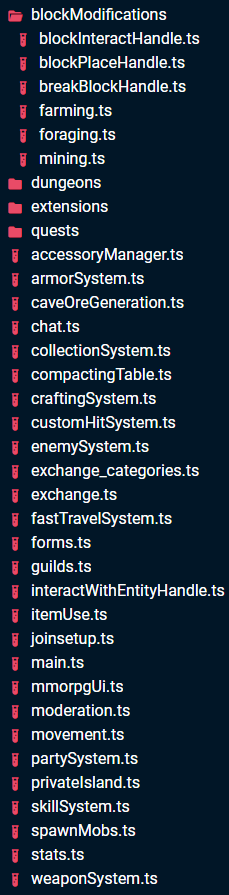 buoyant canopy
i did my test in a 1.21.10 preview
oak lynx
oak lynx
https://i.imgur.com/WcZCI0E.png
how do i motivate myself to organize this
shy leaf
oak lynx
https://i.imgur.com/WcZCI0E.png
jesus
subtle cove
oak lynx
how do i motivate myself to organize this
Just do step by step
shy leaf
ok suggestion
oak lynx
subtle cove
Just do step by step
i know how i just lack motivation 😭
distant tulip
buoyant canopy
i did my test in a 1.21.10 preview
it doesn't work when the interaction do something
like armor sand pose or trapdoor open
shy leaf
shy leaf
ok suggestion
if you dont organize itll grow bigger
you must stop it before it becomes unstoppable
buoyant canopy
distant tulip
it doesn't work when the interaction do something
like armor sand pose or trapdo...
my test was with a Trial key on a used Vault.
amber granite
buoyant canopy
my test was with a Trial key on a used Vault.
What are trying to do ?
buoyant canopy
amber granite
What are trying to do ?
clear my confusion about the itemUse after event lol
distant tulip
buoyant canopy
my test was with a Trial key on a used Vault.
probably count as interaction
or itemUseOn
buoyant canopy
distant tulip
probably count as interaction
maybe, although there was no hand swinging animation
amber granite
But
shy leaf
buoyant canopy
maybe, although there was no hand swinging animation
i did saw a forum post about that
amber granite
Hmm did u try itemUseOn ?
shy leaf
iirc you need to use beforeEvents.worldInitialize for item's custom components
subtle cove
itemStartUseOn
buoyant canopy
amber granite
Hmm did u try itemUseOn ?
this thing doesn't fire if there wasn't a successful interaction between the item and the block
distant tulip
buoyant canopy
my test was with a Trial key on a used Vault.
yeah that still the same
active vault do work tho
sudden nest
oak lynx
https://i.imgur.com/WcZCI0E.png
 distant tulip
sudden nest
https://tenor.com/view/myeyes-gif-5294202
distant tulip
sudden nest
https://tenor.com/view/myeyes-gif-5294202
me and my one file habit
buoyant canopy
that clears things, so does the itemUseOn fires when using a trial key on a used Vault?
oak lynx
distant tulip
me and my one file habit
this is even worse
i did it once for a box pvp server
never again
sudden nest
I literally organized my project structure with guilt in my heart just because I saw a large project that is organized xp
shy leaf
distant tulip
me and my one file habit
me who had export function habit before i realized class exists
wary edge
oak lynx
https://i.imgur.com/WcZCI0E.png
 camelCase filenames
sudden nest
Decoupling files into another files from other folders = ☠️
oak lynx
wary edge
<:wa:950511634395316284> camelCase filenames
iLoveCamelCase
wary edge
oak lynx
iLoveCamelCase
And yet, your name is PascalCase, intriguing
distant tulip
oak lynx
i did it once for a box pvp server
all my projects are one file scripts
even 1000+ line ones
oak lynx
wary edge
And yet, your name is PascalCase, intriguing
it wouldnt look good in camelCase it can be an exception ok
shy leaf
distant tulip
all my projects are one file scripts
even 1000+ line ones
haha i have a database with nearly two thousand lines
amber granite
switch(x){
case🐫 : console.log("camelCase")
break;
}
 strange dagger
Hey someone can tell me what's the problem of my shark because it despawn and respawn a little time after
sudden nest
shy leaf
Why
I mean I use index.ts/js (for each directory to just easily import it, but still need to exclude some coupled files, so it doesn't blow up) so it's really hard and time consuming for me
strange dagger
strange dagger
Hey someone can tell me what's the problem of my shark because it despawn and re...
The problem apparear at ~30s
buoyant canopy
i keep each feature in its dedicated file
 distant tulip
buoyant canopy
that clears things, so does the itemUseOn fires when using a trial key on a used...
distant tulip
buoyant canopy
that clears things, so does the itemUseOn fires when using a trial key on a used...
it dose fire tow times
shy leaf
strange dagger
The problem apparear at ~30s
what did you use to despawn the shark
buoyant canopy
distant tulip
it dose fire tow times
lol, even though there is no hand animation
strange dagger
shy leaf
what did you use to despawn the shark
"minecraft:despawn": {
                "despawn_from_chance": false,
                "despawn_from_distance": {
                    "min_distance": 10000,
                    "max_distance": 999999
                },
                "despawn_from_inactivity": false,
                "despawn_from_simulation_edge": false,
                "min_range_inactivity_timer": 30,
                "min_range_random_chance": 800,
                "remove_child_entities": false
            },
oh i thought it was scripts
amber granite
buoyant canopy
lol, even though there is no hand animation
I don't get it , what u want to do with hand animation
distant tulip
buoyant canopy
lol, even though there is no hand animation
ah i meant for not used vault
it doesn't work with used one
random flint
strange dagger
```json
"minecraft:despawn": {
"despawn_from_chance": false,
...
isn't there like persistent component so it will never despawn?
oh nvm, it's just a 10k block away from Despawn
buoyant canopy
distant tulip
ah i meant for not used vault
it doesn't work with used one
so used vaults are basically undetectable?
strange dagger
random flint
isn't there like persistent component so it will never despawn?
oh nvm, it's jus...
I don't know anything like that
distant tulip
buoyant canopy
so used vaults are basically undetectable?
in stable
distant tulip
kinda wired
shy leaf
strange dagger
I don't know anything like that
its probably similar to mobs not despawning if tamed or was fed at least once
you could use that
and then use scripts to despawn sharks instead
buoyant canopy
buoyant canopy
but every other block in the game is 😂
the single case i tried, is the one that can't be detected 😂
sudden nest
oak lynx
i know how i just lack motivation 😭
I found mine from this repo (First large project I found that is organized): https://github.com/nox7/mc-bedrock-villager-system

GitHub
A Minecraft Bedrock behavior and texture pack to add living, breathing village and townspeople life to your game - nox7/mc-bedrock-villager-system
strange dagger
shy leaf
and then use scripts to despawn sharks instead
I don't want despawn the shark, that's my problem
shy leaf
strange dagger
I don't want despawn the shark, that's my problem
oh just entirely?
distant tulip
buoyant canopy
the single case i tried, is the one that can't be detected 😂
that would be funny if all the other blocks work
strange dagger
shy leaf
oh just entirely?
Yes I would like it to go around the island but it has a radius of 200 blocks
shy leaf
strange dagger
Yes I would like it to go around the island but it has a radius of 200 blocks
"minecraft:persistent": {},
put that inside entity json
sudden nest
Yippee my discord following to dev and script resources post now works
strange dagger
shy leaf
`"minecraft:persistent": {},`
it does'nt working, but i think it's because the entity don't moving because the shark just have an animation who move it but he stay at the same place
buoyant canopy
strange dagger
it does'nt working, but i think it's because the entity don't moving because the...
maybe add some navigation behavior components
like : minecraft:behavior.random_swim
strange dagger
buoyant canopy
maybe add some navigation behavior components
ok but if i do that the shark doesn't go around the island ? it just swim randomly
random flint
strange dagger
Hey someone can tell me what's the problem of my shark because it despawn and re...
From what I see in the video, it's likely the resource pack fault.
The entity didn't despawn and respawn. The model just disappeared when in certain angle and distance.
Probably because the entity's hitbox was out of the camera visible range. Making the game to unload the entity model?
strange dagger
random flint
From what I see in the video, it's likely the resource pack fault.
The entity d...
The entity don't moving because the shark just have an animation who move it but he stay at the same place
random flint
strange dagger
The entity don't moving because the shark just have an animation who move it but...
That's the issue
The actual entity was out of the player camera, so Minecraft unloaded the model for performance
strange dagger
random flint
The actual entity was out of the player camera, so Minecraft unloaded the model ...
So I can't make the shark go around the island without making random movements? I must move the entity randomly ?
shy leaf
try increasing the entity's collision box or hitbox
 pale terrace
Is it possible to make an item unable to be picked up?
random flint
strange dagger
So I can't make the shark go around the island without making random movements? ...
or... make the model rotate based on the entity's head rotation. Then teleport it repeatedly in a predetermined path. (not animation)
shy leaf
pale terrace
Is it possible to make an item unable to be picked up?
i heard you can edit the time of item pick up time by editing NBT data?
subtle cove
pale terrace
Is it possible to make an item unable to be picked up?
Cleared, yes, but answer is no
shy leaf
nvm then
pale terrace
damm it
You can't apply animations to an item using playanimation either, right? I tried but I didn't get any results
shy leaf
you can filter out items and play animations on player
but you cant apply animations on item
pale terrace
shy leaf
you can filter out items and play animations on player
I need it in the item entity
pale terrace
shy leaf
but you cant apply animations on item
I guess it's over
shy leaf
then no
 chrome flint
pale terrace
Is it possible to make an item unable to be picked up?
chrome flint
pale terrace
Is it possible to make an item unable to be picked up?
like this? #1267939250503028817 message
pale terrace
chrome flint
like this? https://discord.com/channels/523663022053392405/1267939250503028817/1...
Yes, I look for it to be compatible with any item
chrome flint
mines compatible with any item lol including custom ones from other addons
umbral dune
umbral dune
help? the lore doesn't appear on my item, what gamerule do I have to enable to s...
I still need help :)
pale terrace
chrome flint
mines compatible with any item lol including custom ones from other addons
What did you do to achieve that?
chrome flint
pale terrace
What did you do to achieve that?
just create an entity with mainhand
then display the item in it
 pale terrace
chrome flint
just create an entity with mainhand
pale terrace
chrome flint
just create an entity with mainhand
And in this case there are several entities? one for each item?
chrome flint
pale terrace
And in this case there are several entities? one for each item?
no, lol, you just need one
pale terrace
chrome flint
no, lol, you just need one
do they have many hands then? xd
pale terrace
chrome flint
each entity can display 1-2 item, mainhand and offhand
but in your clip there are more than 2 items
chrome flint
pale terrace
but in your clip there are more than 2 items
yep, it consists of 4 entities
true isle
is on random tick before or after event?
shy leaf
true isle
is on random tick before or after event?
GitHub
Samples and assets for building Minecraft: Bedrock Edition add-ons - Mojang/bedrock-samples
this lists the afterevents ordering
theres also beforeevents orders so you could check that
viscid horizon
would this work or is it stupid
 subtle cove
viscid horizon
would this work or is it stupid
subtle cove
viscid horizon
would this work or is it stupid
string, not array
viscid horizon
subtle cove
string, not array
 amber granite
This is not even runCommands ☠️
viscid horizon
I got lazy
subtle cove
[{families:["infantry"]}, {type:"ata:vehicle"}, {type:"ata:aircraft"}]
.forEach(q => {
    if (target.matches(q)) target.applyDamage(125, {cause:"override"})
}) ```yeah this looks pretty interesting, thanks
subtle cove
Those {} are just EntityQueryOptions
viscid horizon
where uh would I fit these
subtle cove
Just at the target.runCommand
Replace it there
if (target....) {
    [{}].forEach...
} ```okay 👍
viscid horizon
subtle cove
Just at the target.runCommand
real quick question
what if I want to damage each families with different amounts of damage?
subtle cove
[{families: ["infantry"]}, {families: ["mob"]}, ...othrstuff]
``````js
const dmgs = {
    infantry: 100,
    mob: 50
}
``````js
const dmg = dmgs[q.families?.[0]] ?? 125
target.applyDamage(dmg, {cause: "override"})
Why isn't this displaying the message? It only displays the translation keys + whatever is within the ${}
entity.sendMessage({ translate: `seeker_wand.scan_message_1`.concat(` `, `seeker_wand.scan_1`, ` `, `${i}`, ` `, `seeker_wand.scan_message_2`, ` `, `${bSide}!`) });
Doesn't work removing .concat and adding + between the keys
shy leaf
grave thistle
Why isn't this displaying the message? It only displays the translation keys + w...
ya saying it doesnt show
` `
that?
grave thistle
shy leaf
that?
In game it's displayed as "seeker_wand.scan_message_1 seeker_wand.scan_1 999 seeker_wand.scan_message_2 East"
near siren
When someone teleports far away and they're just in 'limbo' for a couple of seconds, is this just a realm thing or a general thing? Made a script for my realm and it takes a while before people can move after teleporting
chrome flint
near siren
When someone teleports far away and they're just in 'limbo' for a couple of seco...
its because the chunk isn't loaded yet
shy leaf
whatcha trying though
near siren
chrome flint
its because the chunk isn't loaded yet
Anyway to make the chunk load faster?
shy leaf
near siren
Anyway to make the chunk load faster?
your device
grave thistle
shy leaf
thats cuz stuff inside
```
` `
```
is stringified
So the translation keys should be wrapped in " " and not ` `?
shy leaf
grave thistle
So the translation keys should be wrapped in ``" "`` and not `` ` ` ``?
im honestly not sure
and on top of that, i dunno what concat is
can you tell me about it
grave thistle
.concat() is just a simpler was of adding strings without using +


 grave thistle
So msgVar.concat("string1", "string2") would add the string in the msgVar variable, string1 and string2 together
subtle cove
translate each seeker wand
chrome flint
grave thistle
Why isn't this displaying the message? It only displays the translation keys + w...
uhm.. i think you can't concat on a translate string without the string being translated yet
shy leaf
sounds like a big fat line is coming right up
chrome flint
idk if % templates still works for translate strings
subtle cove
{rawtext:[{translate:'wand.e'},{translate:'wand.g'}]}
add "text" in between for spaces
grave thistle
subtle cove
```js
{rawtext:[{translate:'wand.e'},{translate:'wand.g'}]}
```
Would ${} still be able to be inserted?
Between each translate key brackets
chrome flint
let rawmessage = {
  rawtext:[
    {translate:'seeker_wand.scan_message_1'},
    {text: ' '},
    {translate:'seeker_wand.scan_1'},
    {text: ' ${i} '},
    {translate:'seeker_wand.scan_message_2'},
    {text: ' ${bSide}!'},
  ]
}

entity.sendMessage(rawmessage);
@grave thistle
grave thistle
chrome flint
```js
let rawmessage = {
rawtext:[
{translate:'seeker_wand.scan_message_1'...
I'll give that a go and let you know if it works
 mellow socket
Is there a way to give a custom model to the Agent in EE?
or make a custom agent? (as in like a new entity)
near siren
Will see it in the morning, but having trouble writing a promise that waits for a player to load in and return them.
wary edge
mellow socket
Is there a way to give a custom model to the Agent in EE?
or make a custom agent...
Thats not a scripting questiom. Seems like a #1067869590400544869 question
remote oyster
near siren
When someone teleports far away and they're just in 'limbo' for a couple of seco...
That's common and to be expected.
remote oyster
near siren
Will see it in the morning, but having trouble writing a promise that waits for ...
This code is untested and based on the assumption that teleporting a player triggers the playerSpawn event. If this assumption holds true, you can listen to the playerSpawn event before teleporting the player. After teleportation, you can verify in the event handler whether the spawned player matches the one being teleported. If they are a match, you can resolve the promise and proceed with other actions.
import { world, Player, Dimension, Vector3, PlayerSpawnAfterEvent } from "@minecraft/server";

/**
 * Teleports a player and returns a promise that resolves when the player has fully loaded.
 * @param player - The player to teleport.
 * @param location - The destination coordinates.
 * @param dimension - The dimension to teleport the player to (optional).
 * @returns A promise that resolves when the player has fully loaded.
 */
function teleportPlayer(player: Player, location: Vector3, dimension?: Dimension): Promise<void> {
    return new Promise((resolve, reject) => {
        try {
            // Subscribe to the playerSpawn event before teleporting
            const playerSpawnSubscription = world.afterEvents.playerSpawn.subscribe((event: PlayerSpawnAfterEvent) => {
                if (event.player.name === player.name) {
                    // Unsubscribe from the event after the player has spawned
                    world.afterEvents.playerSpawn.unsubscribe(playerSpawnSubscription);
                    resolve();
                }
            });

            // Teleport the player
            player.teleport(location, dimension);
        } catch (error) {
            reject(error);
        }
    });
}

// Usage
const player = world.getPlayers()[0];
const location = { x: 100, y: 20, z: 100 };

teleportPlayer(player, location)
    .then(() => {
        console.log("Player has fully loaded after teleporting.");
        // Proceed with further actions
    })
    .catch((error) => {
        console.error("Failed to teleport player:", error);
    });
This is only a theory to experiment with. If it works then you have a potential solution. If not, then it's back to the drawing board.
I may also add, you can check player.isValid(), and if it returns false, call your function to loop back until it returns true. Once true, you know you should be safe to execute code off the player as needed.

 alpine ibex
import { EntityType } from 'net/minecraft/entity/EntityType';
import { AttributeModifierMap } from 'net/minecraft/entity/ai/attributes/AttributeModifierMap';
import { EntityAttributeCreationEvent } from 'net/minecraftforge/event/entity/EntityAttributeCreationEvent';
import { SubscribeEvent } from 'net/minecraftforge/eventbus/api/SubscribeEvent';
import { Attributes } from 'net/minecraft/entity/ai/attributes/Attributes';

class AkazaEntity {
    static EntityAttributesRegisterHandler = class {
        @SubscribeEvent
        onEntityAttributeCreation(event) {
            const attributes = new AttributeModifierMap.MutableAttribute();
            attributes.createMutableAttribute(Attributes.field_233821_d_, 0); // Example attribute
            // Add more attributes as needed
            event.put(EntityType.AKAZA, attributes);
        }
    }
}
Does this work?
shy leaf
alpine ibex
```
import { EntityType } from 'net/minecraft/entity/EntityType';
import { Attri...
how can we even tell
is that for java?
shy leaf
thats for bedrock?
alpine ibex
shy leaf
thats for bedrock?
Ye
cold grove
Some features of js are unavailable
alpine ibex
cold grove
Some features of js are unavailable
Bruh for 1.21.1?
cold grove
Any version
alpine ibex
Also I'm going to try do scripting since my demons slayer mod will break in 1.21.20 which is very sad
I will crash out
prisma shard
alpine ibex
```
import { EntityType } from 'net/minecraft/entity/EntityType';
import { Attri...
This is not how you import, and i have never seen code like this in bedrock script api
alpine ibex
prisma shard
~~This is not how you import, and i have never seen code like this in bedrock sc...
Fr?
shy leaf
tell me
cold grove
Chatgpt
shy leaf
where did you get that
prisma shard
cold grove
Chatgpt
i was almost going to tell that
please don't use chatGPT for bedrock script api
alpine ibex
shy leaf
where did you get that
I made that 100% why?
prisma shard
alpine ibex
I made that 100% why?
hmmmm
prisma shard
alpine ibex
I made that 100% why?
Have you checked the script api documentation?
shy leaf
minecraftforge?
cold grove
Those routes looks like java modding
alpine ibex
prisma shard
Have you checked the script api documentation?
What's that 💀🙏
shy leaf

cold grove
Oh bibble
prisma shard
alpine ibex
What's that 💀🙏
Oh..
shy leaf
like
i dunno what youre trying to do either
you never mentioned that except "does this work"
prisma shard
alpine ibex
What's that 💀🙏
Documentation for Script API - v1.21.2
prisma shard
prisma shard
https://jaylydev.github.io/scriptapi-docs/1.21.2/
Please see the docs if you want to learn the script api
neat hound
near siren
Will see it in the morning, but having trouble writing a promise that waits for ...
Is the load from spawning in from a join or from a portal?
if from a spawn in, use world.afterEvents.playerSpawn.subscribe and put the thing you want to do in a system.runTimeout after 40 ticks.
grave thistle
chrome flint
```js
let rawmessage = {
rawtext:[
{translate:'seeker_wand.scan_message_1'...
It worked, thanks 👍
sudden nest
prisma shard
~~This is not how you import, and i have never seen code like this in bedrock sc...
unless he decoupled all the modules into separate files to make it like you're in java 
 woven loom
prisma shard
Please see the docs if you want to learn the script api
woven loom
prisma shard
Please see the docs if you want to learn the script api
you are still alive
alpine ibex
// Define the rotation angles for the swinging animation
const swingAngles = [0, 30, 60, 90, 60, 30, 0];

// Function to perform the swinging animation
function performSwingAnimation(entity) {
    let swingIndex = 0;

    const swingInterval = setInterval(() => {
        // Rotate the entity's arm or any other part based on the swingAngles array
        // In this example, we are rotating the entity's yaw (horizontal rotation)
        entity.yaw = swingAngles[swingIndex];

        // Increase the swing index for the next angle in the array
        swingIndex++;

        // If the end of the swingAngles array is reached, clear the interval to stop the animation
        if (swingIndex >= swingAngles.length) {
            clearInterval(swingInterval);
        }
    }, 100); // Adjust the interval duration to control the speed of the animation
}

// Call the performSwingAnimation function when you want to trigger the swinging animation
// For example, when a player swings a sword or attacks
performSwingAnimation(playerEntity); // Pass the entity object that you want to animate
I made something that makes the player constantly swing 😔🙏
shy leaf
alpine ibex
```
// Define the rotation angles for the swinging animation
const swingAngles =...
i think you couldve
used for loop