#site-support
1 messages · Page 168 of 1
 lapis hedge
 distant hatch
 toxic python
@quick hull #room-help not a bug
 reef agate
Good day all!
I hope I can get some help with an issue I am having
I've created a room and tried to upload the windows .ova file 2 but the conversion fails
It's a Windows 10 machine.
and no, it doesn't even reach 10GB
 zealous yoke
Conversion failed means that the VM does not meet the AWS Conversion requirements as per this section on the docs @reef agate https://docs.tryhackme.com/docs/room-creation/room-creation-getting-started/#miscellaneous-notes
Getting Started
I.e. Windows needs to be installed on MBR and not GPT
 naive dust
I'm having issues with the Blue room. I cannot answer any questions as it says an error has occured. Have tried rebooting laptop, and using another device.
 copper mist
Any issues with VPN? Mine is still frequently cutting out - my broadband is fine and I have regenerated my profile several times. Not too sure what I can do
 sharp bear
Have you switched vpn servers
copper mist
Yeah, have switched between EU-Regular-1 and EU-VIP-1
 surreal yacht
Every time I boot task 9 day 4 of the Advent of Cyber it boots a machine that only has port 111 open and I can't actually follow steps since there is no SSH port open. Anyone have a solution?
 hushed oxide
@surreal yacht weird.. although it only shows port 111 open, have you tried connecting to 22?
surreal yacht
Yes. I get refused everytime
hushed oxide
and you have tried rebooting it (looking at you last message)... hmmm
reef agate
quick question. Anyone know how to install windows using mbr instead of gpt? Or configure it to use mbr instead of gpt? I have no idea on how to do that kind of things
surreal yacht
Yeah, I even logged out and back in
hushed oxide
(another stupid question) you know for certain you deployed the right machine? it's not a machine from a prior task or something?
surreal yacht
Yes, I know I deployed the correct machine. I even completed the task on both sides just in case
hushed oxide
I can't rlly check it right now for you.. @feral dock do you have time to boot it up and take a looksie? 😊
surreal yacht
Every time I boot task 9 day 4 of the Advent of Cyber it boots a machine that only has port 111 open and I can't actually follow steps since there is no SSH port open. Anyone have a solution?
@surreal yacht @feral dock
LOL pinged myself
 feral dock
Alright, can you send some screenshots of you deploying the machine and the nmap result?
surreal yacht
Sure, let me reboot my VM. Please give me a minute
zealous yoke
You will have to reinstall windows @reef agate you can set it to set it to BIOS at least in vmware (you'll have to google if you use a different software)
zealous yoke
Giving it a whirl myself
surreal yacht
@feral dock
zealous yoke
port opened for me after about 5 mins as a subscriber @surreal yacht
feral dock
Hmm, okay so your machine has only port 111 open while mine has both port 111 and 22 open
zealous yoke
^
surreal yacht
I can wait (I did previously give one try 15 minutes and another at least 5). We can wait and see though. Maybe I didn't wait long enough or something
zealous yoke
That's...really odd...
Scanning the IP of what you deployed only gives me 111 as well
feral dock
Terminate the machine, and try again(post the ip here as well)
feral dock
This is interesting 🤔
surreal yacht
surreal yacht
Give me 2 minutes and I'll try again because it'll be 5 minutes old
feral dock
If that doesn't work use this ip: 10.10.134.218 it has 1 hour and 50 minutes remaining
hushed oxide
maybe the machine is just faulty, if someone starts their own version of it.. does it have everything or is this specifically the case for fox?
feral dock
Never mind
zealous yoke
I get SSH fine after ~5 minutes as a subscriber so could take closer towards 10 minutes for fox
feral dock
Your machine is working now
surreal yacht
Hey-o. Works now. Maybe I did not wait as long as I thought. Sorry, boys
Side note - I think the other two machines have warnings before them about how long the load time is. One here would maybe be nice
zealous yoke
I'll see how frequently it's been brought up before @surreal yacht (:
surreal yacht
I lied, just that one
I'll see how frequently it's been brought up before @surreal yacht (:
@zealous yoke Probably better. Just thought I would make a recommendation
zealous yoke
Absolutely ^^
surreal yacht
Sorry for the bother, maybe i was more impatient than I thought, haha
zealous yoke
Not an issue in the slightest -- hf 👍

 barren birch
@deep trellis download VPN go brrr
feral dock
It works for me
 silent storm
is it because i selected windows?
feral dock
No.
barren birch
Try regenerating first?
silent storm
yea tried that
barren birch
Switch server, regenerate, then download?
silent storm
cool that works
silent storm
Wed Jun 17 15:56:05 2020 C:\WINDOWS\system32\route.exe ADD 10.10.0.0 MASK 255.255.0.0 10.9.0.1 METRIC 1000
Wed Jun 17 15:56:05 2020 ROUTE: route addition failed using CreateIpForwardEntry: Access is denied. [status=5 if_index=13]
Wed Jun 17 15:56:05 2020 Route addition via IPAPI failed [adaptive]
Wed Jun 17 15:56:05 2020 Route addition fallback to route.exe
Wed Jun 17 15:56:05 2020 env_block: add PATH=C:\WINDOWS\System32;C:\WINDOWS;C:\WINDOWS\System32\Wbem
Wed Jun 17 15:56:05 2020 ERROR: Windows route add command failed [adaptive]: returned error code 1
Wed Jun 17 15:56:05 2020 Initialization Sequence Completed```
do things like this in the openvpn status matter ? lilac ocean
When i see Initializtion Sequence Completed i never look back on that terminal.
 eager fulcrum
@lilac ocean nah, it failed to add the route
@silent storm run as an administrator
silent storm
nopes out on connecting https://smonk.club/2020/06/17/CarelessAlienatedAnchovy.png

it is lol
eager fulcrum
You're getting permission denied so something's not right on your end.
silent storm
suddenly works
reef agate
Thanks again @zealous yoke !
reef agate
Ok. I'm starting to want to give up on this.
I've uploaded the .ova file that I extracted from VMware, uploaded it, let it convert or whatever and it worked fine
now, I deploy the machine to see if I can do the test to check that it works, but when doing the nmap scan, the port that should be open, is filtered (basically saying the machine is not powered on)
Is there an admin or someone that could check if a machine is running as it should?
eager fulcrum
@reef agate ????
reef agate
What I'm trying to say is that I've set a scheduled task to start a specific program on bootup like somebody recommended and on my VM it worked perfect as it should
but when I deploy it on THM, I believe it's not working as it should
Is it possible that something on the box after uploading isn't working right?
reef agate
yes, sorry should have mentioned that
eager fulcrum
Find out yourself
If you're making a linux VM, consider systemd services rather than reboot crons.
reef agate
in that case, I should have enabled it before anything. Or RDP but I didn't because it's not needed. Should have thought about something like this happening. hugh
eager fulcrum
Yes.
reef agate
no, it's windows 10 x64
eager fulcrum
You really need a way of troubleshooting your own boxes
The admins can't remote in if there's no remoting service running
reef agate
I didn't think about the troubleshooting after uploading but I did it on my VM before uploading. Oh well, guess I will have to enable ssh and/or rdp
 vivid ruin
oh sorry
 trim violet
hey i asked my question on hints/hel but was suggested to redirect here i'm on burp suite room task 10 the sequencer part
i have discussed with other ppl too i'm not getting the desired results with the same inputs
here it goes
eager fulcrum
Whoever directed you here was probably wrong
trim violet
this is the request i made for the question i am not getting anything in the analyse now ive tried more than 4 times and i'm still stuck
hmm sorry
where should i go then
eager fulcrum
#room-help is the appropriate place
eager fulcrum
Help was the right place
trim violet
someone tried same soln it worked for him
the options that i set but it aint working for me
where should i go then?
trim violet
hmm ok
zealous yoke
@jaunty thunder did you manage to get the in-browser kali sorted okay?
 jaunty thunder
@zealous yoke Hello, unfortunately not.
zealous yoke
What's happening? Or not I suppose 😆
jaunty thunder
I am unable to ssh to the task machines IP addresses'
zealous yoke
To another instance that you deploy?
What makes you think that you should be able to SSH into it? (:
jaunty thunder
yeah
it was the only way i had in mind, in regards to connecting
should I be doing it some otherway?
zealous yoke
Ah hehe
Very possibly, depending on the nature of the room, such as a walkthrough, you will be told if you need to SSH into it. Sometimes figuring out if you can / the crendentials is the challenge for rooms
What's the room you're trying out of curiosity ?
zealous yoke
Ah okies. As it happens, that is a room that you need to SSH into. How come you can't login? Is there an error?
jaunty thunder
a few times it has said it does not recognise the connection
but more often than not it does not accept the password
zealous yoke
Recognise the connection how exactly?
Part of the challenge for that room is finding out the username and password that you need to authenticate with. If it gets to the point where it recognises the password as wrong then you can connect okay (:
#room-help would be the place now that we've diagnosed as your connection / in-browser machine being okay ^^
zealous yoke
have fun!
naive dust
Im having problem with Open vpn
eager fulcrum
Please elaborate.
naive dust
everytime "ovpnagent request error" pops up
i installed TAP drivers, still no good
also the Speed is soooooooooo bad, is there anyway to increase the speed, im not even getting more than 5kbps
my internet plan is of 5mbps
can i use another VPN service?
eager fulcrum
You cannot.
naive dust
so is there anyway to optimise or speedup
i am unable to practice because of this error
btw which server should i use? im from India
eager fulcrum
We can't see the actual error so we can't really help
grab the logs, find the error and show us
naive dust
 crystal folio
does the type of virtual network you use in a virtual machine make a difference
sharp bear
yes, however #general is a better place to ask this is for THM technical questions only
crystal folio
oh ok thanks
crystal folio
could anyone help me out with RP: Metasploit? Whenever I try and run the exploit in task 5, I get an error message saying "Exploit failed [unreachable]. Rex::ConnectionTimeout
crystal folio
thank you sir
eager fulcrum
!multivpn @delicate sapphire
 sharp bisonBOT
 TryHackMe
• Step 1
Type ps aux | grep openvpn into your terminal and press enter
• Step 2
If there's more than one line (and the second doesn't have "grep" in it), do the following steps
• Step 3
Type killall openvpn into your terminal and press enter
• Step 4
Start the VPN with sudo openvpn <path-to-config>

From TryHackMe with ❤!
 delicate sapphire
and for windows?
 pearl slate

TryHackMe
Dumping LSASS and Registry Hives + Stealing NTDS.DIT? Attacking Windows has never been so easy.
will this room be public again?
eager fulcrum
@delicate sapphire make sure you're only connected from one place. VM and Host os count as seperate places. If you're using a VM, run the VPN only on the VM.
delicate sapphire
@eager fulcrum sometimes I am connect through windows and sometimes from kali linux
delicate sapphire
Ok thank you for the tip
eager fulcrum
If you connect from both at once, it will lead to instability and a lot of stuff breaking like you described
delicate sapphire
can we bruteforce ftp or ssh services with burpsuit? just asking
eager fulcrum
Not a question for #site-support . You can probably type that question more or less straight into google and get an answer
So under rule 13, I recommend you do that.
delicate sapphire
ok thank. you. I didnot realized that I am in the tech support. But 😊 But thank you Ninja
 gray moss
Hello, my VPN connection doesn't seem to be working. I tried accessing the machine on the OpenVPN room but it doesn't load a website.
sharp bisonBOT
TryHackMe
• Step 1
Type ps aux | grep openvpn into your terminal and press enter
• Step 2
If there's more than one line (and the second doesn't have "grep" in it), do the following steps
• Step 3
Type killall openvpn into your terminal and press enter
• Step 4
Start the VPN with sudo openvpn <path-to-config>
From TryHackMe with ❤!
naive dust
killall openvpn then run the openvpn cmd again
gray moss
I changed my vpn config file and it worked. I was able to access the website. The main issue was I couldnt ssh a machine in a different room so Ninja suggested I do the OpenVPN room. I just tried ssh in the room I was stuck at and it finally worked.
last question, Im not able to access the machine in browser with its IP but Im able to ssh into it(different room to OpenVPN room). Is accessing the machine in browser only enabled in the OpenVPN room?
naive dust
Not every machine has a webserver
gray moss
right. got it! Thanks
 vernal ruin
It's stuck like this, what does this mean
 pulsar crater
!multivpn
sharp bisonBOT
TryHackMe
• Step 1
Type ps aux | grep openvpn into your terminal and press enter
• Step 2
If there's more than one line (and the second doesn't have "grep" in it), do the following steps
• Step 3
Type killall openvpn into your terminal and press enter
• Step 4
Start the VPN with sudo openvpn <path-to-config>
From TryHackMe with ❤!
vernal ruin
yep did it already
pulsar crater
xD
 orchid sierra
Heyy, just asking: Is the 'Linux Challenges' room for subscribers only?
 summer bramble
Need help installing kali linux as dual boot. I am getting stuck when i choose graphical install
It freezes dunno what to do.
eager fulcrum
@summer bramble this channel is for directly tryhackme related tech support, not general.
reef agate
Anyone know why this happens when connecting from Linux to a Windows Samba share?
smb: > ls
NT_STATUS_ACCESS_DENIED listing *
pulsar crater
google knows
reef agate
google is not being my friend today
heh
it's showing everything for Linux and not Samba for Windows
zealous yoke
Hi, the THM VPN does not route your entire network traffic, it is only an extension in that sense
i.e. if you were google something, it'll be performed through your internet service as normal (:
feral dock
If you want to learn more I suggest researching on split tunnelling. 🤔
zealous yoke
And whilst most likely not, the clients are not isolated from each other on the same subnet IIRC. For example, someone could pivot through your kali vm from your THM IP and onto the network (if the vm is bridged etc)
Not only is that very against the rules by members, i'd say that there's a lot of ifs and buts for that sort of thing to happen - theoretically possible to my understanding of the topology
Sounds like a good idea (: better safe then sorry I suppose ^^
Nmap shouldn't be trying to use eth0 for thm - you need tun0 an issue on your device/config
feral dock
What command are you using and are you connected to the THM VPN?
What command are you using for nmap?
And the ip?
zealous yoke
Something to google to be honest - will help you more then I could at least. Found this github issue where installing the latest npcap fixed it but your mileage may vary https://github.com/nmap/nmap/issues/1167
Sounds good! You'll really come to thank yourself for it
 frigid aspen
Hey ftp on brainstorm is not working I think
Any one have any idea I tried a lot of things but
Than I read a write up
toxic python
toxic python
Brainstorm is having problems
zealous yoke
Try switching EU VPN servers @frigid aspen
zealous yoke
FTP is a bit funky one one/some of the vpn servers it's a known issue atm
frigid aspen
Thanks a lot i worked
naive dust
anyone know how i can controll in burp intruder a sleep timer between x attempts ? so make 3 trys sleep a min then do it again ?! thx
naive dust
Anyone experienced with JS? have a very simple issue but I just can't find the answer in stack lol if anyone is available please say it, this is not "pentest" related sorry for that
naive dust
sorry for that, thanks for pointing it out
 rancid escarp
Hey does anyone know how to locate and print an file within an sql database on linux
eager fulcrum
@rancid escarp wrong channel
eager fulcrum
Yep. But this channel isn't for general tech support
rancid escarp
why is it called tech support then?
rancid escarp
oh
 nimble trail

naive dust
Hello Im having difficulty deploying a room
barren birch
What do you mean when you say it gets stuck at 5% @naive dust?
There shouldn't be a progress bar with most machines
Oh, it might be the percentage of the room you've completed by clicking the answer button for questions that don't need answers?
Does it look like that?
eager fulcrum
It doesn't pop up with anything for that room
Not all rooms have in browser access like the kali does
naive dust
yes sir
barren birch
Yeah, that's the percentage of the questions you've answered 😄
When you deploy the machine, it will give you an IP address
They usually take a minute or so to come online
eager fulcrum
Then you gotta hack your way in.
barren birch
That one's a tutorial, so it'll guide you through hacking it
naive dust
Yes, its been about 10 minutes and the page still doesnt load
barren birch
Are you just putting the IP address into your browser, by any mischance?
barren birch
From memory, the website on that box is on a funny port
Read through the tasks -- it'll show you what to do
Not all boxes have webservers on them
That one does, but it's not on the default port 80
Your browser won't be able to find it unless you use the correct port 🙂
eager fulcrum
Not all machines run a web server
naive dust
Ah okok, It doesnt say anything about changing ports in the tasks or the walkthrough but Ill give it a shot
eager fulcrum
So you can't just paste the IP into your browser and expect something
barren birch
The first thing it tells you to do is scan the machine
There are very few rooms that you just put the IP into your browser and it gives you everything -- most of the time you need to scan it, figure out what's going on, then maybe connect to a webserver on the machine
naive dust
Ok thanks! I got it from there, thank you for your help
barren birch
No problem -- happy hacking! 😄
barren birch
What's this for @naive dust?
naive dust
Connecting to Vpn in linux
eager fulcrum
Download your openvpn config from tryhackme
barren birch
Where did you download the file to?
naive dust
from here?

TryHackMe
An online platform for learning and teaching cyber security, all through your browser.
barren birch
Actually, sod it, this will get it 99% of the time
Download the file
sudo openvpn ~/Downloads/*.ovpn
naive dust
- = my openvpn file name right
barren birch
You could use that command directly to call it
Or you could substitute in the real name, yes
eager fulcrum
It means anything ending in ovpn
naive dust
Options error: In [CMD-LINE]:1: Error opening configuration file:
barren birch
Did you download the file first?
naive dust
yes
barren birch
And if so, did you put it in your downloads?
naive dust
yes
barren birch
Can you screenshot ls -l ~/Downloads/*.ovpn?
naive dust
ls: cannot access '/home/skiii/Downloads/*.ovpn': No such file or directory
barren birch
^^
eager fulcrum
If you're using a VM, the files are isolated
Also if you're using WSL it won't work
eager fulcrum
Don't
WSL doesn't get access to any of the network stuff that it needs for hacking properly
Make a kali VM.
Then you get a gui too.
eager fulcrum
Whoever told you to use wsl was wrong.
WSL is good for some things. Hacking isn't one of them.
naive dust
Oh ok
hey could someone help me understand this php code and how to use it in a post request?
barren birch
Is it for a THM room @naive dust?
naive dust
no its just this upload code that i have @barren birch
i believe its file upload code anyways, only 17 lines
feral dock
I get that sometimes as well 🤔
 void bramble
tryna access the in-browser kali but its bugging out
@feral dock i had a similiar error before
feral dock
Pressing the reconnect button, usually fixes it for a while
void bramble
i've pressed a couple of times just shows the same window 😩
feral dock
Interesting 🤔
void bramble
@feral dock i had this error before but Skidy said it was someone resetting the passwords
and now im getting this new error????
feral dock
I've never got that error
void bramble
ok
I tried pressing the reconnect button a couple of times and now its let me in\
weird.
feral dock
Weird, I just started a kali machine and I'm getting this error as well 🤔
@eager fulcrum Can you please test on your side? 🤔
feral dock
Ah, okay 
eager fulcrum
About to brave the outside to buy food
zealous yoke
Launching one now
void bramble
@feral dock if you keep pressing reconnect it eventually lets you in, like it has with me.
Really Weird
zealous yoke
Kali took about almost exactly 5 minutes from deployment
void bramble
did you load in?
 deep trellis
@feral dock i had this error before but Skidy said it was someone resetting the passwords
@void bramble Were you already on the machine, then the permission error occured?
zealous yoke
Is guacamole playing up atm Skidy? Sessions seem to be taking a lot longer to connect
deep trellis
Next week randomized passwords will be implemented.
void bramble
@deep trellis i was already logged into the machine and then about 15 mins in it would log me out and the error was
then i tried to deploy my online kali and i got this error
feral dock
I'm getting the second error as well.
deep trellis
Is guacamole playing up atm Skidy? Sessions seem to be taking a lot longer to connect
@zealous yoke It shouldn't be - The initialisation time is based on the machine you're deploying.
void bramble
after pressing reconnect a lot of times it eventually let me in
eager fulcrum
Too many danny phantoms @zealous yoke
 rich flicker
is the option to suscribe for 3 months with paypal not available?
feral dock
 rich flicker
I try to get that one and I get a bad request gateway
deep trellis
I try to get that one and I get a bad request gateway
@rich flicker Just now?
rich flicker
Yes
But other options are available
Only the three months one throws me that error
What can I do?
deep trellis
What can I do?
@rich flicker can you explain your error a little more? You try to purchase via PayPal "3 months", and it immediately throws an error?
rich flicker
On the "Pay with paypal" option, I try to choose the 3 month subscription
If I click on that option I get a Error 502
But, if I choose the 6 month option on paypal, I get redirected to the paypal website
deep trellis
On the "Pay with paypal" option, I try to choose the 3 month subscription
@rich flicker Okay, whats your THM username, let me take a look
ah nevermind, I've managed to replicate it.
rich flicker
The username or the error? jajajaja
deep trellis
I'm fixing this right now - one moment please.
rich flicker
Thank you
deep trellis
Thank you
@rich flicker Please try now.
deep trellis
🙂 Happy hacking
 warm wedge
Hi, I am trying to use the option to connect to my own kali linux machine but it wont connect
eager fulcrum
???
warm wedge
I am talking about the sub feature where you can connect to your own kali machine
with your web browser
feral dock
Oh, yeah I was getting that error as well 🤔
warm wedge
It is either stuck at connecting or showing me the connection error 😦
reef agate
not sure where to report this
I saw the new clipboard feature added and I'm afraid it doesn't work right
I get the following error:
It's on the IP after deploying the machine
 fading sigil
Is VPN connectivity a common issue witin THM, or not so much? I can work for a solid 30 minutes then I seem to have issues connecting to the VM even though my OpenVPN shows no issues.
I thought maybe this was my Kali VM, but same issue on host machine.
fading sigil
I D/C'd
fading sigil
It did not
eager fulcrum
What VM?
 zinc whale
Hello, do french universities email address work for discount ?
zinc whale
Ok ty
naive dust
Can any1 help me install MaltegoCE on Kali 2020.2?
I get dependency issues.
`Reading package lists... Done
Building dependency tree
Reading state information... Done
Some packages could not be installed. This may mean that you have
requested an impossible situation or if you are using the unstable
distribution that some required packages have not yet been created
or been moved out of Incoming.
The following information may help to resolve the situation:
The following packages have unmet dependencies:
nvidia-openjdk-8-jre : Conflicts: openjdk-8-jre but 8u212-b01-1 is to be installed
Conflicts: openjdk-8-jre-headless but 8u212-b01-1 is to be installed
E: Error, pkgProblemResolver::Resolve generated breaks, this may be caused by held packages.`
I want to use it on the OhSINT Challenge. ( Completed it twice. ).
eager fulcrum
@naive dust please read the channel topic
naive dust
I want to use it on a Room.
eager fulcrum
Yep but the issue doesn't belong here as it's not directly related
naive dust
Fine...
 static turtle
Anyone can help in Webgaming please
copper mist
 ebon cloak
Hey
I was trying to setup OpenVpn in my kali linux vm.
I followed the instructions on tryhackme.
But how do I know if it's working?
Can someone pls help with the setup?
sharp bisonBOT
TryHackMe
• Step 1
Type ps aux | grep openvpn into your terminal and press enter
• Step 2
If there's more than one line (and the second doesn't have "grep" in it), do the following steps
• Step 3
Type killall openvpn into your terminal and press enter
• Step 4
Start the VPN with sudo openvpn <path-to-config>
From TryHackMe with ❤!
ebon cloak
Got it! Thankss
zealous yoke
Deploy the instance in this room and connect to it in your browser after a few minutes @ebon cloak
if you can connect, you're on the VPN a-okay
 ebon cloak
@zealous yoke okay, thank you!
 winter isle
You do not have permission to access this connection. If you require access, please ask your system administrator to add you the list of allowed users, or check your system settings.
I can not access my kali machine
deep trellis
You do not have permission to access this connection. If you require access, please ask your system administrator to add you the list of allowed users, or check your system settings.
@winter isle hi there
Mind DMing me the machines IP so I can take a look?
winter isle
I closed the web page let me deploy it again
deep trellis
Oh right, if it happens again, please let me know.
 solar geyser
I was on the euro vpn last night from canada around 2300 to 0400 and it the vpn kept resetting itself and the box I was trying to do nootnoot also kept freezing up, should I switch to the US vpn I know you guys are an offshoot of hackthebox.eu I never had issues being on the VIP eu vpn there
eager fulcrum
@solar geyser not an offshoot of hackthebox. Completely independent.
solar geyser
really?, you guys seem set up exactly the same way question about my kali box is it mine as in can I save stuff on it or does it like flash itself everytime it terminates because as I was having issues with the boxes yesterday I noticed their ip's kept changing as well
solar geyser
so the kali machine isn't really mine then with my subscription?
I appreciate the prompt answers but you forgot my main question from my first post
should I switch to the US vpn
eager fulcrum
It's yours and only yours
But it doesn't persist.
Test the VPNs yourself. See which is better for you.
Make sure you're only connected once.
solar geyser
I can't connect upstairs on my laptop and downstairs on my desktop at the same time?
eager fulcrum
Nope.
solar geyser
ack
eager fulcrum
You have a single IP address
You can't share that
It will cause VPN dropouts on both devices
Similar to what you were having
 true wharf
hey, I have one question. On the getting started page it asks to complete 6 rooms and one of them is Linux Challenges its asking for subscription. How am i supposed to complete it. Many places its said as a free box.
void bramble
just deployed it
void bramble
ok one second
deep trellis
Thanks
For reference, W_Panther just needed to wait 1 minute longer.
That error just means the machine is still booting/configuring
eager fulcrum
Ye but it probably means it was marked as ready client side?
 granite lichen
Is there someone I can send a link to ensure that it is intended behavior?
It's a tryhackme URL
deep trellis
Yeah sure:)
 vale fern
Hey guys! Im a complete newbie here in this community. I’m having isssues with the file importing it’s like the first step trying to connect my OPENVPN to make a connection with tryhackme. I’m using macOS platform, tried google but didn’t find any resolution. Please help.
eager fulcrum
Show us what the issue is.
vale fern
While I try to import from the file option that is .ovpn it pops up with “Profile import error”
naive dust
Would it be possible to have my username changed on THM?
zealous yoke
Email support@tryhackme.com they'll be able to help you out there @naive dust (:
eager fulcrum
@deep trellis ETA on this?
naive dust
@zealous yoke Thank you very much.
 brisk steeple
@sharp bear what would you run then
fading sigil
If a team member within a Team becomes inactive, is there a way to remove them to free up a slot?
 celest sapphire
@fading sigil not yet, that is a "coming soon™" feature
if you want to have them removed shoot an email to support@tryhackme.com with your team name and the username in question
fading sigil
Sounds good. I'm new to the platform so I don't really know what THM's coming soon really consist of, lol. Is that a ~30 day window, ~3 months, 6months +?
 verbal trench
 uncut silo
I`ve got a question and I'm not sure if it's something I'm doing wrong but I'm trying to run a nmap scan on the blue machine however the scan result tells me the host seems down or is blocking ping probes, Openvpn is running and the machine is up I also had this issue with the Nmap room
toxic python
did you use the -Pn flag?
 inner oyster
pardon me if this has been asked already. but is there a way to launch a in browser kali machine if it’s blocked on the network?
is there a work around for it
uncut silo
ah I didn`t realise -Pn had to be run with the rest, thank you. I found it odd it allowed one scan without it then blocked all the others, thank you anyway
winter isle
I am a sub but I did not get the role
zealous yoke
Have you verified your token with the bot since subscribing @winter isle ? It's automatic as of 4+ hours ago but you will have to manually verify one last time (:
winter isle
should I verify it all the time ?
zealous yoke
After you do it this time around you shouldn't need to anymore
winter isle
oki
zealous yoke
there we are
winter isle
thanks
zealous yoke
your role should automatically update with your thm profile now
 keen raptor
can someone help me with an arch issue?
grub error: no such device. created luksformat on root partition. not sure what into is needed to help understand the issue.
i created HOOKS for encryption in the mkinitcpio.conf file according to the wiki
eager fulcrum
Channel topic: VPN and other technical questions related to TryHackMe
 radiant token
I'm trying to do the Burpsuite room, but accidentally closed the room. Now I'm trying to reconnect, but it's saying this
 fiery dust
 wheat plinth
Hi!, Could be the Room OWASP Juice is down or in maintenance?
eager fulcrum
No, rooms don't work like that
@wheat plinth You do not share the VM with anyone else, so there is nothing to be down or under maintenance
In order for you to have something to hack, you need to click the deploy button to create the virtual machine
wheat plinth
Sure!, im connect to VPN and Deploy the machine, but I don't have web access to the machine, I ping it, I don't see it either
thats the reason to my questions.
eager fulcrum
That probably means you're not properly connected.
wheat plinth
that-s right!, i regenerate the VPN and its work!, thanks!
radiant token
I think burpsuite room is broken. I'm trying to get an incorrect credentials tag in Burp Suite, but can't get one to register
 cunning reef
Hi guys, so sorry for the dumb question but in the room Metasploit i cant deploy the machine.. i mean i cant see the option for deploy (im ready connectet by vpn) im missing something? (Yes i know rhe brain sometimes) lol
uncut silo
sometimes the website glitches out for me, have you refreshed the page? failing that have you got a machine deployed from a previous room? you can only have one going at a time
cunning reef
@Erise, yes i refresh, check connection, now i opened other basic room and give a shot again in a few, i think the issue is between the chair and the screen..any way thanks for the hint ;)
 cloud bay
Hello, I'm having this issue when I try to connect to my machine using PuTTY. PuTTY Fatal Error - No supported authentication methods available (server sent: publickey). Can anybody give me a hint?
barren birch
Hello, I'm having this issue when I try to connect to my machine using PuTTY. PuTTY Fatal Error - No supported authentication methods available (server sent: publickey). Can anybody give me a hint?
@cloud bay Would you be trying to connect to the OpenVPN machine by any mischance?
cloud bay
I'm trying to connect to the IP of my machine. The one where I got OpenVPN flag
barren birch
Yeah, that's not going to accept an SSH connection 🙂
Why are you trying to SSH into it?
barren birch
Hehe, nah -- just follow the tasks 🙂
cloud bay
Sorry to bother you 🙂
barren birch
Np 😄
cloud bay
so the IP that i want to connect is the one in "Access" (Internal Virtual IP Address)?
barren birch
No, that's your own IP
Most rooms will give you a machine to Deploy
When you click the deploy button it will give you an IP to target
cloud bay
OK,now I get it! It seems, though, that I deployed the machine before (without noticing it) and now I can't deploy a second one. Can you tell me where can I find the IP of the first one?
barren birch
Head back to the OpenVPN room -- it'll be there
cloud bay
Well I can't find it 😦
barren birch
!vpn
sharp bisonBOT
TryHackMe
Learn how to use OpenVPN to connect to our network!
From TryHackMe with ❤!
cloud bay
ty
So, when I deploy a machine (no matter the room), it's IP will be in the OpenVPN room?
barren birch
No
cloud bay
😄
tyvm for your patience 😄
i didn't terminate the machine from the previous room 😄
tyvm
barren birch
No problem 🙂
 zenith urchin
Hey guys, I don't seem to be able to connect to my kali machine from profile -> my machine, I keep getting asked for a username and password
naive dust
Hello there.
I have an important question: If I were to subscribe by now, would I have to pay at the beginning of the next month again or at 20th of the next month?
sharp bear
I believe that the subscriptions are a month based off of when you subscribed so if you subscribed the 20th it would be 30 days after then it would charge you again someone correct me if im wrong
toxic python
Thats what its been doing for me^
naive dust
Thank you for your support.
eager fulcrum
!multivpn @thin palm
sharp bisonBOT
TryHackMe
• Step 1
Learn how to look for duplicate instance of your OpenVPN connection.
• Step 2
• Step 3
Type ps aux | grep openvpn into your terminal and press enter
• Step 4
If there's more than one line (and the second doesn't have "grep" in it), do the following steps
• Step 5
Type killall openvpn into your terminal and press enter
• Step 6
Start the VPN with sudo openvpn <path-to-config>
From TryHackMe with ❤!
 pure jackal
where i should find vouchers code
eager fulcrum
Did you purchase a voucher?
pure jackal
yep
eager fulcrum
Have you checked your email?
pure jackal
not yet , it's not the first time i purchase a voucher last time i didnt check my email i just simply find the code somewhere in the website
so looks like the system changed right?
eager fulcrum
Not sure
pure jackal
yeah found it here , thanks dude
eager fulcrum
VPN and other technical questions related to TryHackMe
pearl slate
cool so who should i talk to then?
 solemn kelp
how i resolve this
i looking firewall and is well
but i don't know what is the problem
solemn kelp
Yes is a room
lilac ocean
are you connected to the vpn?
solemn kelp
Yes
lilac ocean
which room is it?
lilac ocean
did you terminated the room?
because i just checked the same ip you showed in screenshot, its not up
feral dock
Not all rooms have a web server.
solemn kelp
i not terminated the room
feral dock
@solemn kelp Are you doing learn linux(zthlinux)?
solemn kelp
Yes
feral dock
That room does not have a web server.
lilac ocean
can you recheck the ip? because its not up for me either
lilac ocean
no nmap results either
eager fulcrum
Connection timed out is a bad VPN
eager fulcrum
@naive dust VPN and other technical questions related to TryHackMe channel topic.
 quick smelt
@eager fulcrum is that where you want it posted instead?
sharp bear
yes
quick smelt
alright, sorry about that
eager fulcrum
It doesn't go here because it's not directly THM related.
 south canyon
g'day, i cannot access the kali machines in my browser, either i am doing something wrong, or there is a real problem 🙂
eager fulcrum
What are you doing, and what's happening or not happening?
south canyon
i go to "access" then access in-browser machine then the machine boots up, but then tells me it is unavailable
eager fulcrum
Show us.
south canyon
now i am logged out b right back 🙂 to get a new password
i have to log in when i open in-browser machine now
eager fulcrum
Show us.
 cinder prairie
Hey there, I'm a little confused. I just went on my profile and it says I'm in one more room than I have completed. Although as of today I have completed every room I'm in.
eager fulcrum
Picture paints a thousand words. Don't make us ask you to type a thousand words
cinder prairie

TryHackMe
An online platform for learning and teaching cyber security, all through your browser.
Should have appended that to my original message
eager fulcrum
@south canyon Screenshot.
@cinder prairie Go here, check the filter completed box and screenshot https://tryhackme.com/rooms
TryHackMe
An online platform for learning and teaching cyber security, all through your browser.
cinder prairie
Sure
south canyon
I keep getting "invalid login" when trying to use the in-browser machines
eager fulcrum
There's probably a room that had a task added @cinder prairie
cinder prairie
Oh, umm how do I fix
eager fulcrum
@south canyon I keep saying screenshot, show us the error. Please do that. Really really difficult to help you unless you do that
@cinder prairie Find the room that had a task/question added, complete it
cinder prairie
Sure
south canyon
even resetted password to make sure i used a right one
eager fulcrum
@deep trellis It's back
@naive dust It doesn't go here.
But trust me, you want your kali VM to be able to be accessed from your LAN
Otherwise you will struggle copying files off it
cinder prairie
Ninja I just found the box it doesn't like and I have completed this box I have went through each question and they are green and completed.
eager fulcrum
You can leave the room and it will keep your progress
cinder prairie
Ahh the room has been deleted
cinder prairie
I cant seem to find it through hacktivities
cinder prairie
Ahhh
eager fulcrum
It's been replaced with RP Burp
cinder prairie
So that counts as uncompleted then interesting
eager fulcrum
It shouldn't
cinder prairie
No idea then
cinder prairie
Thank you for your help though
eager fulcrum
In order for someone to gain access to your network, they'd need to pivot via your kali machine @naive dust
Keep your kali machine secure, and you're fine
It's also incredibly illegal to do that
south canyon
Anyone find out why i cannot use in-browser machines?
eager fulcrum
@south canyon I tagged skidy, there's nothing more anyone other than Skidy can do.
south canyon
ah ok thanks
deep trellis
even resetted password to make sure i used a right one
@south canyon Out of interest, did you have another machine deployed when you tried?
south canyon
nope, kali never worden (in-browser) and my own linux box is out of power somewhere at the office
eager fulcrum
Any other machines on THM deployed?
south canyon
worden = worked
i had one deployed wednesday or something but that was is signed off
deep trellis
I can't replicate this bug at all, I'll spend next week trying to fix it. Thanks James for letting me know its back.
south canyon
it is an older issue? 😛
deep trellis
@south canyon for the mean time please can you terminate and redeploy.
Yeah, I thought I had fixed it.
south canyon
i get an error but it is in dutch 😉
changed language to english on it now, let's see the english error
now i am in
maybe they only allow english?
 south canyon
i should get an incident response badge for this 😛
eager fulcrum
There's a bug bounty program but that's for security issues
deep trellis
i get an error but it is in dutch 😉
@south canyon Now that's a new one.
Whats your PC's country set to?
south canyon
dutch
but on the error screen i posted i went to "home" changed the language setting there to english i got in, then when you terminate that it appears it sets the language back to whatever setting the pc has
zealous yoke
It's probably just semantics but Guacamole will use the display language/localisation of the browser from what I understand working with it (:
zealous yoke
Oh nice! Was this after deploying an instance such as Kali? I would slightly doubt that localisation makes a difference - although I imagine is useful information for the admins who can confirm either way (:
south canyon
i coulndt get into kali again, so changed language to english, closed browser and restarted it, now i was able to deploy a kali machine
zealous yoke
That's interesting, actually, reading back your previous message
south canyon
so maybe it couldnt load because kali is not in dutch
maybe set gaucemole to force english
zealous yoke
It could be the localisation fallback that disrupts the automatic logging in via guac - interesting indeed
I'm gonna try myself
 dire nymph
Hoping that some one can help me. I am running the RP Burp Suite box right now and I can't seem to answer questions while Burp Suite is up and running. I have already download the certificates and I have verified that they are installed. However still can't go to google.com or answer question in the box. I really would like to learn burp suite but this making it really hard to learn. Thanks in advance
eager fulcrum
@dire nymph "still can't go to google.com" elaborate.
dire nymph
so when I have the proxy turned on for burp suite to work. I get a "Software is Preventing Firefox from Safely Connecting to this Site" Message
eager fulcrum
You need to install the cert.
dire nymph
I read that it had something to due with the PortSwigger CA not being download
eager fulcrum
The room walks you through doing that.
dire nymph
I have the certs
eager fulcrum
You need to install them in firefox though.
dire nymph
They are installed in firefox like the box shows
give me a second and I upload a photo
Shows the CA uploaded
@eager fulcrum sorry if I am coming of a like upset. Being trying to figure this out for the last couple of hours
dire nymph
double checked. I'll try deleting them and reinstalling them then
so i uninstalled and reinstalled as per the direction and I still can't access anything with the proxy set for burp suite
eager fulcrum
I guess disable the proxy for google+answers?
Use a browser that you're not using the proxy for?
dire nymph
ok
I thought you might have an idea about what is going on
is this something I should contact burp suites tech support on?
eager fulcrum
I bet they don't provide support unless you're a pro customer, but you could try
dire nymph
thanks you for trying
 carmine pumice
why are the machines constantly up and down? i'm using the VIP vpn but for the last week I can't connect to the machines for more than a couple minutes before it goes down then it comes back up for a couple minutes then back down. it's not my internet, i've tried reconfiguring on the access page, and still no stable connection. I can't use dirb because it get's through the a's then times out. visiting the page in the browser does the same thing
zealous yoke
Interesting. Have you tried switching to a VPN server that is geographically closer to you @carmine pumice? The EU servers are based within Ireland - they're better for load balancing if anything ]
I would argue the case that choosing a server closer to you (even if regular) would give you better performance then the VIP server (singular as it stands)
eager fulcrum
This sounds like you're running multiple VPN connections to me
My VPN has been rock stable the last few weeks
carmine pumice
i've tried it before but i'll try it again. i'm on the coast of maine so i'm not sure if i'm closer to EU or west coast
nah i've check to make sure it's only one instance
carmine pumice
no other vpns and only one instance of openvpn open
im gonna try west coast again
eager fulcrum
Only one device connected with your profile? VM/Host count as separate devices.
carmine pumice
i switch between my laptop and my desktop with kali in a VM. a new config file on my kali vm?
eager fulcrum
You can't be connected from both at once.
carmine pumice
im only connected from one
i've logged out of tryhackme everywhere except on my kali machine. Downloaded new config file to Kali, checked no other VPNs are running, started openvpn on kali. still same issue
eager fulcrum
Anything in the VPN console?
carmine pumice
This is what is in the console
eager fulcrum
RTNETLINK answers: File exists
Sat Jun 20 18:41:31 2020 ERROR: Linux route add command failed: external program exited with error status: 2``` That's sign #1 of multivpnhuh i don't know where i would have another one open
 gaunt phoenix
Port to stage 639914
eager fulcrum
@carmine pumice ps aux | grep openvpn paste a screenshot
carmine pumice
carmine pumice
weird, i only have one terminal open right now between both machines
i'll try shutting my laptop down
barren birch
Give the VPN troubleshooter a try
eager fulcrum
Closing the terminal doesn't necessarily kill the process
sudo killall openvpn and then reconnect. Control C in the terminal to make sure it closes the VPN connection and then close the tab
carmine pumice
alright trying now. thank you
do you think i would be better off using west coast or VIP if i'm on the coast of new england?
eager fulcrum
Your best bet is trying both, see which has better ping
 cinder hatch
Anyone else having weird connection issues with the VPNs?
carmine pumice
try what ninja just had me do
cinder hatch
Ah lemme hit that
eager fulcrum
!multivpn
sharp bisonBOT
TryHackMe
• Step 1
Learn how to look for duplicate instance of your OpenVPN connection.
• Step 2
• Step 3
Type ps aux | grep openvpn into your terminal and press enter
• Step 4
If there's more than one line (and the second doesn't have "grep" in it), do the following steps
• Step 5
Type killall openvpn into your terminal and press enter
• Step 6
Start the VPN with sudo openvpn <path-to-config>
From TryHackMe with ❤!
 mystic rapids
is anybody else having issues with the browser virtual machine?
I am having a connection error that says "remote server unavailable right now"
toxic python
Sometimes you just need to wait a bit, refresh and retry
mystic rapids
Already tried that a while ago, but still I can´t establish a connection 😦
Nevermind, I cleared the browser cookies and I am all set now
 keen sparrow
hello, when i deploy a machine (for example HackPark), the timer says that i have 2 hours but when the first hour is over i dont have access anymore
toxic python
That’s a known issue with hackpark @keen sparrow
sharp bear
he only said for example but the 2 hour thing is a new feature for subscribers can you test it on other rooms and see what happens? since hackpark is known to be broken
keen sparrow
he only said for example but the 2 hour thing is a new feature for subscribers can you test it on other rooms and see what happens? since hackpark is known to be broken
@sharp bear i'll tell you in an hour hahahaha
eager fulcrum
@sharp bear yes I tested it
 weak lynx
how to verify role?
 abstract stag
How much faster are the paid machines? I'm currently on the free plan, but often machines take minutes to load a page (not load the machine, load a single page) or stop working completely (needing a redeploy)
It's frustrating because I don't know if I'm doing something wrong or the machine is simply being slow
Been over 20mins trying to load a page now 😦 and this one I know exists cos I've been there before
 sturdy umbra
@abstract stag shouldnt be this much of a problem... you sure the url is valid and your vpn connection is on?
abstract stag
@sturdy umbra Yeah, checked those - restarted vpn and even the pure IP address wouldn't load. It would ping though. I can access now, although ping time is 300ms (vs 18ms Google.com and 6ms 1.1.1.1) - what is a "decent" ping for these?
sturdy umbra
my pings are 500ms
servers are only in the EU i believe
so no worries if ping time is high
abstract stag
Ah, okay. Still, does connectivity improve with paid plans? I presume so as you have private servers.
 wintry rock
Is it normal for windows defender to freak out when installing metasploit? I knew it would flag a few things but it had around 100 things flagged and was notifying me about new threats every 10 seconds
barren birch
@wintry rock Metasploit is literally full of payloads, which Windows Defender will not like. It may also object to the exploits themselves
wintry rock
Okay, I've flagged it as an exception. Is it safe to run on my machine or should I try to virtualise it as an extra precautuion?
wintry rock
This isn't really tryhackme related but it's still pentesting related. I've got a fresh kali install on a VM and when I try to initialize the database by typing: "msfdb init" in the terminal it tells me I need to run as root but the problem is that I need the root password which I don't have. I've tried toor but that doesn't work.
lilac ocean
@wintry rock did you try putting in the password that you login with?
wintry rock
Yes I've tried my user password
 cloud dirge
@wintry rock You may need to set the root password via terminal
wintry rock
@cloud dirge How do I do that?
cloud dirge
Opening a terminal
sudo su
passwd root
then enter in your desired password
Logout, login with root as username and the password you created
wintry rock
@cloud dirge My user account is now a root user, but I'm happy with that
nvm I'm logged in as the root user
 tulip cedar
Hello, is there a way to make my tryhackme Kali-box persistent?
deep trellis
Hello, is there a way to make my tryhackme Kali-box persistent?
@tulip cedar Unfortunately, not. Something that has been considered, but its not currently on our to-do list.
tulip cedar
thanks for the info
naive dust
hi, i've been trying to resend the confirmation email, but it doesn't work
i checked on spam
toxic python
anyway to change my subscription from monthly to yearly (if thats an option) without cancelling and reinputting credit card info?
 upbeat palm
@upbeat palm That room isn't released yet
@barren birch I was doing the room "Attacking Kerberos". In Task 4, there is a reference to this room
barren birch
@sharp bear can you get rid of that for the time being?
barren birch
Ty ♥️
sharp bear
@upbeat palm that room has been taken out of the task you weren't intended to see that room yet
 supple sonnet
kekw
 sinful solar
Id like to extend my subscription but I cant find an option to do so which retains my student discount (ive seen vouchers) How can I do this and keep my discount while having an active sub? @deep trellis
deep trellis
Once your subscription has expired, you'll be able to renew it. If you use the same email, the Discount will be automatically applied.
sinful solar
Okay. As feedback it could be worth adding an option in the UI for other instances like this where someone may want to extend a sub without having to wait for an expiry, I'm trying to give you money for a sub, me as a customer and you as a business are both sadly losing out.
thanks for the response.
deep trellis
No worries, feedback noted:) Something we can look into adding:)
eager fulcrum
@supple hawk there's no fix, you're connected to the VPN
Open a new tab to get a new terminal session
If you want to disconnect, Control C just once in the tab with the VPN running.
It won't
It's not an anonymising VPN.
It doesn't tunnel your internet traffic, it just connects you to the THM network so you can access the boxes.
upbeat palm
@upbeat palm that room has been taken out of the task you weren't intended to see that room yet
@sharp bear that's sad for me
naive dust
Hey, so i just saw TryHackMe and it looked intresting, so i joined and downloaded openvpn, but everytime i try to download a access configuration file, it just sends me a error page
Oh, I got it guys
 oblique fable
Hello folks, I'm not sure where to put this. In the MAL: Malware Introductory room, task 14 question 3, virustotal now has 1 engine reporting the checksum as malicious. Just putting this out there incase the answer should be changed to avoid confusion
eager fulcrum
@oak iris what's up?
 oak iris
nvm i figured it out
eager fulcrum
Sweet
oak iris
in the learn linux room for Task 11 Binary - Shiba1, im getting a permission denied every time i try to run the binary
eager fulcrum
#room-help. The text file you created is not the binary.
 shy shore
how to troubleshoot this?
eager fulcrum
@deep trellis once you're awake
deep trellis
how to troubleshoot this?
@shy shore Hi there, can you explain how this error occured? Did itr happen as soon as you deployed? Did you use the machine for a few minutes before it brought the message up?
 trail widget
Hi, is there any way to redeem a voucher if you have a current active subscription? I gifted a voucher to someone, but they have an existing 3 month sub until August. Do they need to wait until that has expired before redeeming the voucher?
sharp bear
I would assume that would just tack onto what they already have so they would just have 4 in total
trail widget
The only reason I ask is that I can't seem to find an option to redeem if you already have an active sub.
 dense imp
Can anyone send me the link to download a kali image to put into my VM
Wait i think i found it
 grave leaf
I provided you a guide in the other channel. Installing Kali is a basic task, and the guide will walk you through it step by step.
 lethal acorn
For task 18 Answer #2 in "Learn Linux" The answer is /home/shiba2, but it should be /home/shiba1
eager fulcrum
@lethal acorn nope. You missed a step.
lethal acorn
@eager fulcrum ah yes, I did. I did this over 2 days that's why
zenith urchin
Once your subscription has expired, you'll be able to renew it. If you use the same email, the Discount will be automatically applied.
@deep trellis --> do you give student discount?
I provided you a guide in the other channel. Installing Kali is a basic task, and the guide will walk you through it step by step.
@grave leaf --> I tried installing on VB on my mac but it is so sluggish even with 32gb ram assigned to it
dense imp
I have run into an issue with openbox VM
System acceleration: The hardware virtualization is enabled in the acceleration section of the system page although it is not supported by the host system
eager fulcrum
@dense imp not directly related to tryhackme, doesn't go here.
You probably need to enable virtualization in your bios. Please do your own research on how.
dense imp
@eager fulcrum where should I put bios related issues then, Bc nothing in here relates to virulization
eager fulcrum
Do some research. It varies by motherboard brand.
dense imp
Asus is supposed to have it in there advanced settings, it wasn’t there
eager fulcrum
If your PC is very old or low end, it might not support it. Unlikely though.
dense imp
Possibly because I don’t have a security password in my BIOS?
eager fulcrum
Unrelated.
dense imp
Well yes but I did research and went where said research told me to go, nothing was there
dense imp
I’m BIOS?
dense imp
What is the correct channel? Possibly we could continue there
 white mirage
Any issues with starting machines on the site? My machine started but spams connection errors
Nvm. 3 min waiting as 4 sec after post its fixed 😂
 vocal wasp
@white mirage do you have a subscription to tryhackme?
if not machines are going to take a little longer to spawn
white mirage
I ment the my kali machine on site was buggy. Yes im subbed
eager fulcrum
no
vocal wasp
ok sorry
eager fulcrum
Ask everyone, see who responds
vocal wasp
fair enough
eager fulcrum
Regenerate
 bold fractal
Actually i did multiple times
eager fulcrum
Which VPN server?
bold fractal
Eu regular 1
eager fulcrum
@deep trellis I think muri mentioned that VPN server was giving bad configs again
 plucky gust
anyone having problems getting an in browser vm?
I have rebooted it 4 times now and still fails on connection
Apoligies, now got a connection
vocal wasp
@plucky gust the kali machines may take some more time to boot than other machines. I just use bare metal machines.
plucky gust
I use the in browser machines because the vpn from thm, for some reason, kills my internet connection and stops all traffic coming through
vocal wasp
isn't the kali browser machine not need openvpn to work?
since it's on the same network
eager fulcrum
They're saying that's why they use the kali machine
plucky gust
I am running ubuntu 20, but I have kali on a vm. But because of the openvpn problem, I prefer to use the in browser vm. The strange thing is, I use openvpn for work, and I have never had problems with it
vocal wasp
@plucky gust the tryhackme kali machine is already connected to the network. If you use your the virtual machine you have setup on your own computer. When you launch your vm. Like James says you will have to openvpn on your own kali vm.
plucky gust
(Not the THM kali)
@eager fulcrum yes, I know that. I was just mentioning that when I connect via openvpn on my own computer, it kills my internet connection. That's why I tend to use the thm kali
eager fulcrum
That means you're doing something wrong
naive dust
Hey guys, I'm having a problem setting up my openvpn on my Kali VM, anyone can help? ik it seems like a very easy problem, but I'm just now coming from programming to security, if anyone can help out it'd be appreciated
eager fulcrum
What's up?@naive dust

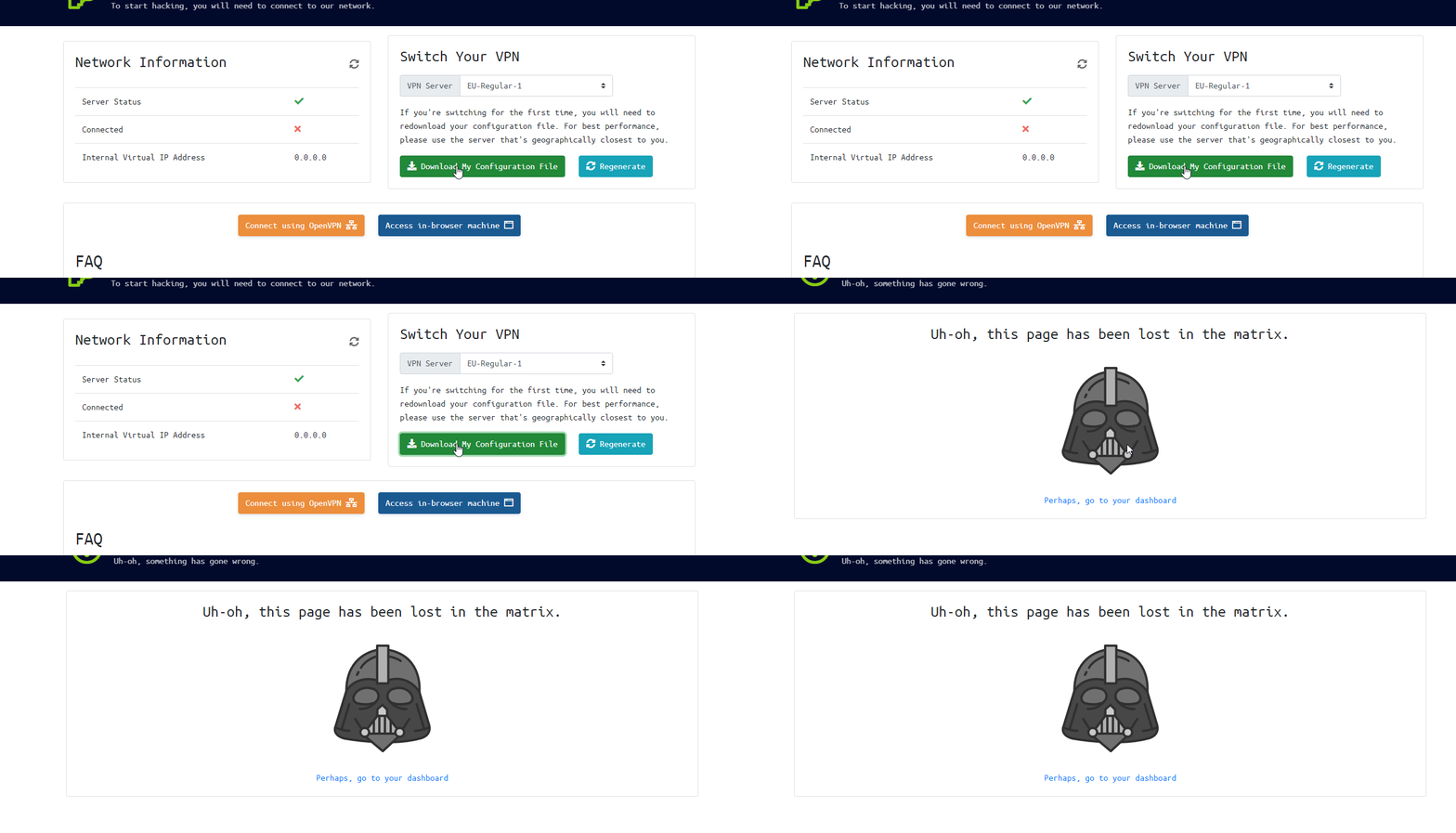
 vapid dawn
if you regenerate your file, it should work
naive dust
Okay, I'll try it, brb
plucky gust
That means you're doing something wrong
@eager fulcrum I don't think so, as I use openvpn to connect to services at work. And I have never had this problem
eager fulcrum
It's a different config
plucky gust
I have tried loading it in the terminal and also in the ubuntu settings
eager fulcrum
Doesn't matter what network setup the VM has
The VM needs to be the one running the VPN
plucky gust
I think it may have solved the problem!! Thanks!
naive dust
Initialization Sequence Completed
eager fulcrum
@naive dust That's connected 👍
naive dust
does this mean it's done? Like, good to go?
naive dust
i'll check
eager fulcrum
But leave that terminal window running
naive dust
ifconfig should give me the answer right?
eager fulcrum
Control C to disconnect, then close the terminal
ip a s the interface is tun0
ifconfig is deprecated
eager fulcrum
There's a VM in the welcome room, make sure you can open the webserver
not all VMs run a webserver, remember that
eager fulcrum
There's a VM in the welcome room
When you click deploy, that deploys a VM on AWS
Normally for you to attack/interact with
For the welcome room, it's running a web server
So you go to the IP address and you get a web page
naive dust
ohhh
Yeah I wasn't understanding like, "Discord has a VM that I can attack?" ahah
sorry for the confusion, thank you 🙂
Just one more thing, vpn is running, the vpn IP appears in the ifconfig, but if I use a IP locator it says mine, any idea why?
eager fulcrum
So the THM VPN isn't an anonymising VPN
It doesn't tunnel your internet traffic
It only tunnels traffic to the THM network
So your IP won't change, it just puts you on a LAN with the boxes
naive dust
Ohh okay makes sense, thank you 🙂
 languid hazel
@eager fulcrum here I guess
eager fulcrum
Also wrong channel because it's not a technical issue directly related to tryhackme
languid hazel
ow
deep trellis
it's taking too long to load the rooms
@olive axle Nothing is wrong no, everything is functioning as it should
Oh really?
sharp bear
mine is perfectly fine
eager fulcrum
Dashboard took a while to load
deep trellis
As is mine.
eager fulcrum
Dashboard is like 10+ seconds to properly load
deep trellis
Dashboard is like 10+ seconds to properly load
@eager fulcrum Whats causing it to be so slow?
Is it that "Lets get started" card?
deep trellis
Thank you
eager fulcrum
so