#site-support
1 messages · Page 166 of 1
 sharp bear
probably wrong channel for that
 eager fulcrum
@naive dust It works like any discord bot
 question
 sharp bisonBOT

 TryHackMe
Bot's Github Repository Link
From TryHackMe with ❤!
 barren birch
Huh, that actually worked
 naive dust
how do all bots work lol
barren birch
Who knew
eager fulcrum
Bot are programs that can act like users
naive dust
how does it listen and provide all these informations lol is that an example of automations
barren birch
!help
sharp bisonBOT
#####	HELP	#####
{required args} | [optional args]

> Room
vpn | Learn how to use OpenVPN to connect to the network.
multivpn | Learn how to look for duplicate instance of your OpenVPN connection.
writeup {room_code} | Get the writeups for a room.

> Help
staff | Displays all staff commands.
help | Displays all commands.

> Fun Commands
skidy | Sends Skidy's emote.
ashu | Send Ashu's emote.
dark | Send a random Darkstar quote.
honk | HOOONK!
boop {@user} | Boop someone!
shibe | Sends shibe!
spaniel | SPANIEL
xkcd | Send a random XKCD comic.

> Social
github | Get the bot's Github link.
twitter | Get the Twitter link.
reddit | Get the Reddit link.
website | Get the Website link.
social | Get links to all our socials.
tweet | Get THM's last tweet.

> Leaderboard Commands
leaderboard | Prints the leaderboard.
monthly | Prints this month's leaderboard.

> Rank Commands
rank {username} | Get a THM member's rank.

> Verifying/Role Assigning Commands
verify {token} | Verify yourself to get your roles.

> Rules Commands
rules | Sends the rules.
If you want to learn how discord bots work in general, do some research
barren birch
Believe it or not, it's really not as hard as you'd think. I made my first one the other day. The Discord API is, uh.. but it's easy enough to get something running
naive dust
im actually scared lol
eager fulcrum
?
naive dust
so i did 'sudo apt install openvpn' command in my Downloads directory in kali
i did the locate command on openvpn afterward to see where exactly the file was downloaded and there was multiple paths
sharp bear
openvpn is already on kali
naive dust
my question is what is the exact path i need to put when i do the sudo openvpn command
sharp bear
sudo openvpn <path to config file>.ovpn
naive dust
umm 😟
naive dust
on kali?
eager fulcrum
Yes.
naive dust
what command?
eager fulcrum
OpenVPN needs to know where to connect to, and needs some cryptographic stuff to authenticate you to the tryhackme vpn server
What do you mean what command?
naive dust
and in what directory?
naive dust
to download the config file
sharp bisonBOT
TryHackMe
Learn how to use OpenVPN to connect to our network!

From TryHackMe with ❤!
eager fulcrum
Follow this
naive dust
and i just got logged out of my THM account for trying to change my passwrd too many times while in another browser in another computer (kali virtual machine)
eager fulcrum
Close the browser session and start a new one
naive dust
so i did it and got something like this and checked the vpn in the network section in the settings menu and the vpn tab says that no vpn has been configured is this normal, or is it that the vpn was not shown because it was configured in the terminal, and one more question, how to i turn it off now in the terminal?
naive dust
so i need to start a new terminal tab and keep that one open if i want to keep the vpn open right?
eager fulcrum
That's the ideal
naive dust
what if i type clear?
barren birch
There's a running process in that tab already
naive dust
so i have foxy proxy installed in my firefox inside my kali machine and when i used it to check my ip its showing my exact ip address linked to my exact location and when i tried to connect to http://10.10.36.181 it worked.
naive dust
shouldnt my ip have changed since im connected to a vpn
barren birch
That VPN serves as a gateway into the THM network
It's not an anonymising VPN
And the rest of your traffic will still be being directed normally
naive dust
ahh how do i change the ip address shown in my firefox or how do i anonymize my traffic?
 mint gust
Similar to @random ravine 's question earlier, anyone know how to paste a link into tryhackme's browser - based kali machine?
naive dust
i was working on the metasploit room in THM and i found an error related problem in the task 7 "makin' Cisco proud" question #2 that asked : "Additionally, we can start a socks4a proxy server out of this session. Background our current meterpreter session and run the command search server/socks4a. What is the full path to the socks4a auxiliary module? "
i did the command twice and it did not work
this is the result i should've gotten but idk why it did not work for any reasons
 grim quail
 lilac ocean
@grim quail #room-help
 mighty lance
it took me a long time to connect to the vpn
not knowing that am suppose to use this command
sudo openvpn Downloads/cyberflamez.ovp
 raw rampart
currently doing the tmux room https://tryhackme.com/room/rptmux on questions 6-8, when i create a session then detach from it using the shortcut, it doesnt appear when typing "tmus ls". instead i get this message

 hushed oxide
@raw rampart is it your own machine?
normally this is a problem with your tmux config .... (if you're doing everything right)
or you're(/something) is killing it
does it even say it detached?
that's what it should looke like 😉
eager fulcrum
@digital yarrow maybe because it genuinely is malware?
You're complaining that your antivirus picks up readily available exploits as exploits
 digital yarrow
not familiar with the WSL acronym
eager fulcrum
Basically. You downloaded or installed something. This isn't directly tryhackme related. Not for this channel.
digital yarrow
well most of us downloaded Kali for THM
and thought maybe someone else encountered this issue
eager fulcrum
@digital yarrow no.
A VM won't be picked up
Because the files don't exist on the host OS
digital yarrow
sorry @eager fulcrum
 void bramble
Hey, i've been having an issue with booting up my kali machine on THM. I was having this issue a couple of days ago as well but sometimes when i try to turn it on it lets me in as normal but then kicks me out after liek 5 minutes. Other times it just doesn't let me in.
here is the error
Get this when trying to turn on my Kali
I try clicking 'Reconnect' but that just brings back the eroor
error*
 deep trellis
Whats your THM username?
deep trellis
Did you terminate the machine?
void bramble
yes
deep trellis
Because I can't find it running
Ah
If that happens again, please @ me and leave it running
void bramble
ok will do
void bramble
@deep trellis
it happened again
the machine is still online
@deep trellis but there's only 35mins left on the box before it terminates
my username is Hackmaster007
eager fulcrum
You know you can extend them right?
eager fulcrum
refresh
deep trellis
@deep trellis but there's only 35mins left on the box before it terminates
@void bramble Hi there
Is the machine still online?
void bramble
I refreshed it and it's offline
deep trellis
So you were using it, and then it gave you that error message. 25 Minutes in or so
void bramble
Yes
deep trellis
It looks like someone reset your machine's password.
Looks like I am moving up randomized password functionality to this week
void bramble
Ok, just wanted to say i
When I got that message I clicked home and the it showed me recent connections with the box ip??
Don't know if that's significant
Nah it's cool
It was like a white window
 heavy field
Guys I am having real issues with access to internet while on the VPN.....this is killing me now. Please can someone take a look at this for me? I cannot hit anything externally on the VPN. Which means I have to kill my VPN which if you are already on the box and accessing the victim machine is a real pain.....
Cloning into 'firefox_decrypt'...
fatal: unable to access 'https://github.com/Unode/firefox_decrypt.git/': Could not resolve host: github.com
eager fulcrum
That's an issue with your setup
The VPN is set up not to interfere with your internet traffic at all, only traffic to the THM network goes over the VPN
heavy field
I have my Kali as VM running on a bridged connection. Works absolutely fine off the VPN
eager fulcrum
Yep, it's an issue with your setup though
heavy field
sudo traceroute -d 8.8.8.8
traceroute to 8.8.8.8 (8.8.8.8), 30 hops max, 60 byte packets
1 10.9.0.1 (10.9.0.1) 23.211 ms 23.009 ms 22.922 ms
2 * * *
3 * * *
4 * * *
5 * * *
6 * * *
7 * * *
8 * * *
9 * * *
10 * * *
Yep can see it is an issue with my setup....No it is hitting the gateway and not going anywhere
eager fulcrum
It shouldn't be going via that route, so there's something up with your routing on your VM
eager fulcrum
the VPN config only routes traffic for the VPN
heavy field
Destination Gateway Genmask Flags Metric Ref Use Iface
0.0.0.0 10.9.0.1 0.0.0.0 UG 50 0 0 tun0
0.0.0.0 192.168.0.1 0.0.0.0 UG 100 0 0 eth0
10.9.0.0 0.0.0.0 255.255.0.0 U 50 0 0 tun0
10.10.0.0 10.9.0.1 255.255.0.0 UG 50 0 0 tun0
54.76.30.11 192.168.0.1 255.255.255.255 UGH 100 0 0 eth0
192.168.0.0 0.0.0.0 255.255.255.0 U 100 0 0 eth0
192.168.0.1 0.0.0.0 255.255.255.255 UH 100 0 0 eth0
eager fulcrum
That first route is wrong
heavy field
Ah so looks like for some reason when the VPN is up the default route is is the preferred path
Yeah get that. But I haven't set any routes. Simply used the VPN config file
 calm stone
Hi, I’m having trouble receiving my verification email from tryhackme. I checked spam, regular inbox, everything. Nothing came. I did the resend option countless times and nothing still came. Dark even told me to make sure my email was inputed correctly and I made sure of that. If anyone can help, it’ll be much appreciated!
eager fulcrum
I recommend emailing support@tryhackme.com about that
calm stone
Yea I did that yesterday afternoon so still waiting on their reply. Just wanted to know if anyone could help in discord, thnks
heavy field
That first route is wrong
@eager fulcrum deleted the route and all good
sudo route delete -net 0.0.0.0 gw 10.9.0.1 netmask 0.0.0.0 dev tun0
just not sure why this route would have been created. But thanks for the assist Ninja
 rich frost
Hi guys, in RP: Webscanning, part 3, i should start OWASP-ZAP. But it seems this is not by default installed on the KALI machine?
barren birch
@rich frost Not yet, but it is on the replacement
sudo apt install zaproxy should do it
rich frost
Cheers, thanks 🙂
 minor parcel
hello all. im having an issue connecting to the welcome 'test machine'. THM says im connected to the VPN (OpenVPN on Ubuntu 20.04). After deploying the machine and waiting upwards of 10 minutes, it's not pingable and i get no website.
sharp bisonBOT
TryHackMe
• Step 1
Type ps aux | grep openvpn into your terminal and press enter
• Step 2
If there's more than one line (and the second doesn't have "grep" in it), do the following steps
• Step 3
Type killall openvpn into your terminal and press enter
• Step 4
Start the VPN with sudo openvpn <path-to-config>
From TryHackMe with ❤!
eager fulcrum
@deep trellis It's happening again
deep trellis
Thats actually a new error hm
Taking too long to respond?
this is sooo frustrating
@arctic hull Whats your username?
minor parcel
right. i had two running, killall'd them. when i sudo openvpn <conf.ovpn> , there are two openvpn tasks that are running:
 arctic hull
MartianManhunter
I'm probably redo-ing this box like the 10th time
I've now switched off my Mcafee VPN
eager fulcrum
Good
minor parcel
re-deployed the weclome machine, waited a few minutes for it to boot up. still not able to access the VM. this seems to be an external issue actually.. does the IP scheme of my local network matter at all?
sorry, should clarify i can't ping the welcome machine either.
eager fulcrum
Show us the output in your terminal for the VPN
minor parcel
 nimble trail
nvm me
heavy field
@eager fulcrum I have just disconnected my VPN and reconnected and checked the routes, and the default route is back again....
Destination Gateway Genmask Flags Metric Ref Use Iface
0.0.0.0 10.9.0.1 0.0.0.0 UG 50 0 0 tun0
heavy field
Which is really weird. Is it to do with me starting the VPN through network manager rather than through the shell command?
This IP - 54.76.30.11
not sure which one that is pointing to
eager fulcrum
Yeah don't use network manager
I have no idea what that is, I'm guessing public IP?
heavy field
Ah ok
Yeah don't use network manager
@eager fulcrum yeah just confirmed it by checking the routes before and after.....Weird how network manager automatically adds the routes...Thanks mate.
minor parcel
new config file generated in use. redeployed the machine: no go on the connection.
im going to try a couple things externally. thanks for the help so far, i'll report back one way or the other
nimble trail
Yeah don't use network manager
Network Mangler. FTFY
naive dust
hi everyone, i never received the verification mail ¿any ideas of what to do? i've checked spam and my inbox, i also resended the code a couple times
nimble trail
Hi
I am still not able to complete Brainstorm. I noticed a bug submission for it here https://discordapp.com/channels/521382216299839518/685858111952781324/717902093863878696 but there is nothing under Known Issues on the room and the room appears to still be acting up.
Is there some update?
 wild steppe
I'm having some issues with a Kali vm I built on a laptop. I'm running OpenVPN from the VM itself, logged into tryhackme from that VM, access shows connected and rooms are pingable. But nmap scans are failing in more than one room and I know from the first step of the writeups that I am doing the right scan. Any ideas?
I know it's just the VM I made because if I launch the Kali vm from THM it works fine, but I don't see networking-wise what I've done wrong, especially since the access page says I'm connected and pings are successful.
minor parcel
if my internal ip address is 10.2.x.x, and the Welcome Test machine is 10.10.x.x, is that going to cause me not to be able to ping or access the deployed machine(s)?
 zealous yoke
Nope, all is well (:
minor parcel
what about ip routes? should 10.10.0.0/16 be routed to my default gateway?
10.10.0.0/16 via 10.2.0.1 dev enp6s0 metric 1000
minor parcel
nvm this
i connected to the EURegular1 and it works
i think my network and the vpn tunnel network both being 10.2.x.x was causing me the problems
that's what i get for trying to be different on my network lol
wild steppe
@zealous yoke @minor parcel any ideas how I can troubleshoot the nmap network issue?
zealous yoke
What's the error message?
minor parcel
@wild steppe , i do not. I'm very beginner myself. if i had to guess, it sounds like something with routing between the host and the kali vm
wild steppe
nmap "host seems down...try blocking ping probes" error
but they're not rooms blocking ping
eager fulcrum
Then you're not properly VPN'd
wild steppe
what could I do to fix it? I can ping the rooms, the THM Access page says I'm ok
I did sudo openvpn when connecting too
eager fulcrum
I mean, if you can ping them and nmap ignores it
wild steppe
yeah the same terminal pings ok so I know the room is up all the way, just nmap fails
but it's multiple rooms
I don't know what else to try if the access page says I'm good and ping works
sharp bisonBOT
TryHackMe
• Step 1
Type ps aux | grep openvpn into your terminal and press enter
• Step 2
If there's more than one line (and the second doesn't have "grep" in it), do the following steps
• Step 3
Type killall openvpn into your terminal and press enter
• Step 4
Start the VPN with sudo openvpn <path-to-config>
From TryHackMe with ❤!
wild steppe
ok so I went through that, it was 3 lines with grep on the bottom, I did steps 2-4 and then redid 1 to see and it's 3 lines again
the lines are: sudo openvpn...
openvpn
grep openvpn
I don't understand the second one without sudo if I'm not running that
wild steppe
sure, the multivpn says "more than 1 and not grep"
eager fulcrum
the other is the openvpn process that the sudo one spawns
wild steppe
ok
barren birch
The multivpn really needs updated
eager fulcrum
That guide was written before Kali switched to non-root user
wild steppe
haha ok
barren birch
I have a troubleshooting script here that should be going on the website soon
Would you like to test?
Or is it all working now
wild steppe
yeah!
no still not working, I am back to where I started before coming on discord today
barren birch
Ok, let's see if this sheds any light
inb4 it either doesn't work or gives us nothing
Download that and run it
Putting it in the same directory as your config is a good idea
But not essential
wild steppe
maybe a dumb question but was it just supposed to be ./thm-troubleshoot from the same directory?
minor parcel
@barren birch script is beautiful
minor parcel
however, (and im only saying this becuase it tripped me up) if your THMtunnel internal address and the machines ip address on teh same subnet (10.2.x.x/xx), a warning might be nice
let me download it again to be sure, but the first version worked for me as well
barren birch
I've not updated the copy in here
And yeah, it does not do that. Might look into that check 👍
Thanks
minor parcel
in that case yes, it worked
wild steppe
@barren birch what am I doing to run that script when it's in the same directory as ovpn
barren birch
Huh?
wild steppe
that's what I thought but it gave an error
barren birch
Heh, that helps 😁
minor parcel
just a tad XD
wild steppe
so this is weird, it ran and everything was good but the "your THM address" is blank
barren birch
Can you screenshot?
wild steppe
barren birch
Now that's an interesting one
Can you screenshot the results of ip a show tun0 for me?
wild steppe
can I just paste it or do you really want a screenshot?
minor parcel
i think the it's actually showing your local address, not the thm address.
barren birch
That should just be showing your THM IP @wild steppe, so screenshot, if you don't mind?
wild steppe
minor parcel
thm-troubleshoot
barren birch
Ok, 11 is in there, why on earth is it not showing
minor parcel
ip a show tun0
barren birch
Can you do ip a | grep -oE "10\.[2|4|8|9|11]\.[0-9]{1,3}\.[0-9]{1,3} @wild steppe?
@minor parcel Right, that is an easy fix
Other than there being a duplicate range
But I shall do some testing for that in a later version
wild steppe
I'm not sure it's doing anything unless it's slow. I just have a > after hitting enter
barren birch
That's because I copied it wrong
minor parcel
@wild steppe add a " to the end
wild steppe
ok done, is it supposed to show something?
minor parcel
it should show one or more ip address
barren birch
@minor parcel give this a shot
@wild steppe It is, which means regex is being stupid
wild steppe
it didn't show anything, just returned to my user prompt
barren birch
ip a | grep -oE "10\.[2|4|8|9|'11']\.[0-9]{1,3}\.[0-9]{1,3}"
Try that one?
Really shouldn't be making a difference
But it is
wild steppe
no same thing
minor parcel
@barren birch that worked
wild steppe
ifconfig shows what I'm guessing is the VM's IP, the loopback, and the tunnel
and the tunnel matches THM access page
minor parcel
@wild steppe does just 'ip a ' work?
barren birch
Yeah, it's the regex @wild steppe
For some reason it's not liking matching more than one character
wild steppe
is that related to why it appears that I'm connected but nmap doesn't see anything?
wild steppe
yeah I still don't understand why I could ping but that doesn't work
wild steppe
yeah, still connected
barren birch
Oh goddamnit
Sorted it
ip a | grep -oE "10\.(2|4|8|9|11)\.[0-9]{1,3}\.[0-9]{1,3}
Try that for me?
minor parcel
- with a " at the end
wild steppe
with an endquote 😛
minor parcel
ah, i see the difference in the regex now. it looked the same at first
barren birch
Yeah, I got the wrong brackets for it 😆
This is why you don't script at 0300 kids
wild steppe
I dunno if this matters but when I switched back to the vpn tab it had a bunch of decrypt packet errors
haha
barren birch
Now, interestingly, I am very surprised that it let you past the range check
Oh, I see what happened there
@wild steppe do us one last favour and try that one?
(Then screenshot that VPN tab for me and I'll diagnose it myself 😆)
Oooh
Run that script and show me what happens
Then do sudo killall openvpn
And run the script again
I reckon I know what's going on here
wild steppe
blank again on first run
wild steppe
yeah on that step, it says try to connect y/n?
barren birch
Tell it yes
wild steppe
tun0 does not exist before that
barren birch
And yeah, that happened because I forgot to fix the display at the end 🙄
Did the rest of them
And yeah, just tell it to set it up itself
That means that it will also be checking for certificate errors
It sounds like your certificate has errors
wild steppe
haha everything is good again but blank ip
barren birch
Yeah, blank IP will now be fixed on my local copy
barren birch
I cannot type tonight
Ok, can you do sudo killall openvpn again, then start the VPN manually and show me the errors?
wild steppe
yes
well the manual vpn start is fine, it as after awhile with running the scripts that it started to give errors
I'm reconnected, run the script again? nmap again?
wild steppe
rp: ps empire
wild steppe
yeah I can ping it again
barren birch
Can you nmap it?
wild steppe
I didn't let the nmap finish but it was starting to time out
barren birch
Ok, anything in the logs?
wild steppe
nmap 10.10.111.5 -A -T4 --script vuln
nmap 10.10.box.ip -A -T4 --script vuln
ha that's weird
wild steppe
yeah that works
barren birch
Sounds like the command might have been an issue
wild steppe
why would vuln script literally think the box isn't pingable?
barren birch
The box is Windows
Blue should respond to ICMP
I don't know if Dark turned off the firewall, or just changed stuff on it
wild steppe
I took that from a writeup when I couldn't get it to work and it still failed
barren birch
But Windows doesn't do nicely with being pinged, generally speaking
Try your command, but add -Pn?
wild steppe
I think I did and got the same but let me do it again
barren birch
That working?
barren birch
It sounds vaguely like your connection isn't liking the intensity of that scan
Anything in the OVPN log?
wild steppe
so you pointed out something I should have realized..when I said it did this with two rooms, I mean this one and Blue forgetting it's the same vm
barren birch
Haha
wild steppe
yeah there's a bunch of mute reply warning stuff in the ovpn log
barren birch
Can you screenshot it?
wild steppe
yeah
barren birch
There was an error going around that was fixed by adjusting the transmission time
wild steppe
barren birch
@deep trellis if you get a sec, mind checking that? It's a new one to me
Either way, it's working if you don't do anything like a -T4 scan @wild steppe?
wild steppe
let me take that out and just try the vuln script
barren birch
👍
barren birch
Did that work? 😁
wild steppe
yes lol
barren birch
Haha, fair enough
wild steppe
I took out the t4
wild steppe
that script is cool though,let me know if you need a guinea pig again
barren birch
Hehe, thanks
wild steppe
I've gotta logout, see you guys...
 south canyon
i have a problem connecting via openvpn
south canyon
getting to it 😉
i did sudo openvpn name.ovpn
and i see a tun0 in my ifconfig
inet is the same as destination though
and it wont let me get to my machines
also whatismyipadress.com still shows my non openvpn ip
eager fulcrum
Get to your machines? What do you mean?
It's not that type of VPN
It doesn't change your IP address, it doesn't anonymise at all.
south canyon
ok
but when it try to go to the machines website (10.10.xxx.xxx) it will not let me get through
eager fulcrum
Are you sure it's running a website?
south canyon
ok got it had to close browser 1st
thank you 🙂
Will there be new ways to pay subscribtions? Like ideal or molly?
wait nvm this is not for tech support
barren birch
Uh... what?
Localhost is whatever computer you're using at the time
Yes, you could do that, in a variety of different ways
Not really THM related though
eager fulcrum
Nope.
 brisk musk
Oh sorry my bad
barren birch
But yeah, the server is TryHackMe related 🙂
 zenith bear
Hey guys, I'm very new to Linux and pentesting. Just started the basic linux tutorial room and im trying to ssh into my VM as per the tutorial however whenever i try to connect through Putty om having a connection error 'connection timed out' im following the exact instructions but it just doesn't want to cooperate. Any ideas?
barren birch
You connected to the VPN @zenith bear?
zenith bear
Apparently i wasn't! Thanks mate, i think i musn't have connected properly.
All good now.
 narrow charm
Hello there. Shodan.jo room task 4 question number 2 needs to be updated. Am I right or I’m missing something?
 normal garden
On the in browser machine page https://tryhackme.com/my-machine should I be able to choose where the machine spawns? Clicking on "United Kingdom" doesn't give a drop down like it appears it might.

TryHackMe
An online platform for learning and teaching cyber security, all through your browser.
sharp bear
@narrow charm yes
narrow charm
Thank you
sharp bear
@normal garden I dont believe that you can change that you might be able to by changing where your vpn is but it might also be that it can only spawn in the UK
eager fulcrum
@normal garden Coming soon™️
naive dust
@naive dust What is the issue you're having?
naive dust
@naive dust Please do not DM me - if you require assistance I'm more than happy to assist you within this room.
 manic sinew
Hello, anyone able to help me out?
 celest sapphire
Don't ask to ask, just ask the question
manic sinew
yes sir
 radiant jasper
hello im trying to scan a machine in the room basic pentesting and nmap is saying that the host is down I try to ping the Ip and I dont get any response, and yes im connected to vpn.
celest sapphire
@radiant jasper not all machines respond to pings, try scanning with the -Pn flag to skip ping check in nmap
lilac ocean
hello im trying to scan a machine in the room basic pentesting and nmap is saying that the host is down I try to ping the Ip and I dont get any response, and yes im connected to vpn.
@radiant jasper When it says the host is down it also suggests to use-Pnflag just in case??
celest sapphire
Naughty, I just responded to this... you're doing it again
lilac ocean
I am slow at typing
manic sinew
anyways, I've been having some weird problems when doing stuff on the labs. I'm using my own Kali Machine, fresh install.
While working on Steel Mountain there was absolutely no way the intended Metasploit exploit would work. I did check if everything was ok (I'm not total beginner just in case), I followed walkthroughs, I followed livestream from @grave leaf, but nothing seems to work, weird, even when it's supposed to since my install is fresh and all the steps are recreated the same way. Then I tried manual exploitation but I would always not be able to do certain steps on the machine like running malicious file, again, weird things. I moved on and now I'm on Jenkins but there is also weird stuff going on and at this point I'm not convinced that the issue is on my side. Nmap scan will not return results, even using flag -Pn. I also tried different flags but nothing comes back. I also tried going straight to the first intended ip:port on the browser but there's no answer. Some stuff works but a lot of them doesn't. When I check writeups to certify myself I'm not doing something totally weird, I'm not.
My machine doesn't not seem to be the problem since I tried similar stuff to boxes on HTB and there's no problem.
My guess is that maybe there's something related to the connection pack I was assigned (I did download new one), restarting machine does not work.
Any idea on what to do next?
I do remember experiencing some troubles on past machines but now I do not remember exactly what
Maybe the IP that I'm assigned (always the same one so far, even with new connection pack) fell into some kind of filtering or something, is that possible?
 random ravine
Similar to @random ravine 's question earlier, anyone know how to paste a link into tryhackme's browser - based kali machine?
@mint gust solved, you have to enable clipboard if you are using chrom
celest sapphire
@manic sinew to me that looks like a connection issue. Did you see anything weird in the openvpn log?
manic sinew
hm, I did not dig to deep into it, I close the connection and open again and appears connected, maybe I can paste it somewhere to get some help? I'm not too expert on these issues. First I'll see if I find something weird by myself
celest sapphire
you should be able to paste it here, it it's too long it should automatically upload it as a file
manic sinew
alright so, on my big message I talked about 2 machines, Steel Mountain and "Jenkins" (actually, Alfred). Nmap -Pn wasn't showing results. I tried to restart the connection with THM, restart my machine and Alfred but nothing. Now for whatever reason it is detecting the ports. I don't see nothing weird on the openvpn log but I'll paste it here.
about Steel Mountain, I deployed it to try to see if the issue there was fixed but not
of course now we get to a point where the issue could be the connection or something that I'm doing wrong to pwn the machine, and I don't want to spoil, but from my perspective there's nothing wrong on my side. Showing the steps that I'm following to "pwn" the machine could maybe point out the error
The Mayor (also mentor) did try to help me the other day during his livestream and before but we couldn't find the issue
it's basic exploitation but it just doesn't work
openvpn log (I censored a bit my ip):
lilac ocean
No need to censor local ip
manic sinew
can't somebody start poking my machine around? what if I have a vulnerable service open and my machine is on bridge mode?
celest sapphire
VPN is on the VM right?
manic sinew
yes
celest sapphire
connects fine from what I see
celest sapphire
@distant acorn how is it broken??
manic sinew
@celest sapphire any idea? It's a bit frustrating to spend hours and have the feeling that the fault is on the other side
naive dust
I cant connect vpn
 distant acorn
lxd is crashing
zealous yoke
How so @naive dust
distant acorn
tried restart the box, still crashing
zealous yoke
lxd for that room is known to be buggy
You’ll have keep redeploying and hope to get lucky
distant acorn
i tried redeploy 3 times, still no luck
zealous yoke
Please respect Rule 1 @naive dust. We can help you here if you get a bit more detail
naive dust
@zealous yoke I cant connect to OpenVPN its showing error
zealous yoke
What’s the error?
naive dust
disconnection. and im using Linux machine
zealous yoke
!multivpn
sharp bisonBOT
TryHackMe
• Step 1
Type ps aux | grep openvpn into your terminal and press enter
• Step 2
If there's more than one line (and the second doesn't have "grep" in it), do the following steps
• Step 3
Type killall openvpn into your terminal and press enter
• Step 4
Start the VPN with sudo openvpn <path-to-config>
From TryHackMe with ❤!
zealous yoke
Try that
I’d recommend sudo killall openvpn and connecting in one terminal only to make sure
manic sinew
Hey @zealous yoke, is there a way to receive another ip? I would like to grey out this option from the source of my problem
naive dust
@zealous yoke thks let me try
celest sapphire
@manic sinew iirc you get a different IP after regenerating the config
manic sinew
hm, I did regenerate and got the same one, that's why I was asking. I'll try once more
regenerate button keeps giving me the same one always
celest sapphire
maybe it was switching the VPN servers that gave different IPs
manic sinew
yes I did that, got new IP but problems still here
manic sinew
6: tun0: <POINTOPOINT,MULTICAST,NOARP,UP,LOWER_UP> mtu 1500 qdisc pfifo_fast state UNKNOWN group default qlen 100
link/none
inet 10.9.33.173/16 brd 10.9.255.255 scope global tun0
valid_lft forever preferred_lft forever
inet6 fe80::6dc2:b699:5c67:ab5/64 scope link stable-privacy
valid_lft forever preferred_lft forever
celest sapphire
full output if possible
manic sinew
1: lo: <LOOPBACK,UP,LOWER_UP> mtu 65536 qdisc noqueue state UNKNOWN group default qlen 1000
link/loopback 00:00:00:00:00:00 brd 00:00:00:00:00:00
inet 127.0.0.1/8 scope host lo
valid_lft forever preferred_lft forever
inet6 ::1/128 scope host
valid_lft forever preferred_lft forever
2: eth0: <BROADCAST,MULTICAST,UP,LOWER_UP> mtu 1500 qdisc pfifo_fast state UP group default qlen 1000
link/ether 00:0c:29:70:0f:dd brd ff:ff:ff:ff:ff:ff
inet 192.168.78.207/24 brd 192.168.78.255 scope global dynamic noprefixroute eth0
valid_lft 1317sec preferred_lft 1317sec
inet6 fe80::20c:29ff:fe70:fdd/64 scope link noprefixroute
valid_lft forever preferred_lft forever
6: tun0: <POINTOPOINT,MULTICAST,NOARP,UP,LOWER_UP> mtu 1500 qdisc pfifo_fast state UNKNOWN group default qlen 100
link/none
inet 10.9.33.173/16 brd 10.9.255.255 scope global tun0
valid_lft forever preferred_lft forever
inet6 fe80::6dc2:b699:5c67:ab5/64 scope link stable-privacy
valid_lft forever preferred_lft forever
celest sapphire
hmm, so it's not colliding with the other network
manic sinew
I'm using nordvpn on my main machine, not sure if could be
celest sapphire
might be that
manic sinew
at this point what I'm using to "check" if things are working or not is launching the intended exploit from msf in Steel Mountain
naive dust
guyz i cant to cant connect to vpn
eager fulcrum
You're going to need to be a lot less vague than that
eager fulcrum
@naive dust less vague.
#site-support message
naive dust
why it comes like this, whn i try to connect with vpn
eager fulcrum
You needed to start with that
Don't make us keep asking for badic information
Are you in Egypt?
naive dust
indain
eager fulcrum
Check your system time and your network connectivity.
naive dust
@eager fulcrum let me try
 random light
Hi,
I keep getting theWARNING: Failed to daemonise. This is quite common and not fatal. Connection timed out (110) error on the vulnversity room and i cant seem to fix it
plesae help
eager fulcrum
That means you're not listening correctly
Or you didn't set the settings right in the shell
random light
uh, ive changed anything in the reverse shell code apart from local ip and port
i havent
eager fulcrum
Local IP set to your VPN IP?
eager fulcrum
Set to the 10.10 address of the kali browser machine?
eager fulcrum
The local is 10.10
random light
oh i did the one that said 173. whatever
 coral moat
Ninja, A weird no response thing happened with me while trying to open www.tryhackme.com onto chrome
(Diagnosed a little bit, It was only happening with my particular IP)
check Ping Log here: https://pastebin.com/M3kxYLrX
*Fixed automatically after 5mins.
Wanted to know, if my Ip got banned (I done nothing, just randomly opened thm on random time) or was website down?
okay! It's again happening with me LIVE!
eager fulcrum
Site is up
If you were IP banned, there would be a good reason. And you'd be told
Issue is on your end
Not tryhackme's
coral moat
ohh okay!
❤️ I'll check!
eager fulcrum
I can't tell what you're doing wrong because I can't see what you're doing
random light
ah ig
eager fulcrum
IP needs to be the 10.10 IP of the kali machine
random light
yup ive done that
eager fulcrum
Not of the machine you're attacking
eager fulcrum
ip a s
eager fulcrum
Working?
 copper mist
VPN keeps dying again - when performing scans
eager fulcrum
Checked multivpn?
random light
leme check
copper mist
Yeah, only 1 instance running
copper mist
Happend a few weeks ago, exactly the same thing, dies -> reconnects -> scan -> die
eager fulcrum
Weird. I'm out of ideas.
random light
hey ninja
i put the reverse shell code im using in a pastebin

Pastebin
but sadly it still dont work
eager fulcrum
I don't know all the information here, I can't help much more
eager fulcrum
Known issues for what, vulnversity?
random light
yup
eager fulcrum
Specifically says what?
random light
it just says the error message im getting
cos u know u can click options then known issues
its in there
last one
eager fulcrum
Yeah there's no detail there and that error tends to be user error
It's probably from when anyone could add a known issue
naive dust
I am trying TryHackMe for the first time. However, when I connect using Openvpn to the Simple CTF and then click on Deploy, although it says I have an active machine, no virtual machine window appears for me to complete the task in. What am I doing wrong?
barren birch
@naive dust For the vast majority of machines on the site you don't get in browser access
You're given an IP address and told to hack your way in
That's the case for Simple CTF
naive dust
OK, that's helpful, thankyou. And for your swift response!
 ember juniper
VMware 15.5.6 is out, sorts the CAPS LOCK issue, incase anyone else had that issue
zealous yoke
Oh boy did I
 tawdry orbit
They might as well rename 15.5.5 to 15.5.CAPS_LOCKED
ember juniper
+1
 zenith urchin
Hey Guys, just trying to complete the rpburpsuite room but I can't get the answer right for task13 #1 and I have tried everything. Can anyone help if they have got the answer and where abouts it may be hiding please 🙂
No stress, I found the answer thanks
lilac ocean
@zenith urchin Good for you and also if you have any questions in future you can ask in #room-help 🙂
zenith urchin
Thanks
 cursive lagoon
Can anyone tell me how to configure
my router for openvpn>/??
eager fulcrum
@cursive lagoon As we said, you don't configure your router at all
cursive lagoon
then how do i fix it?
cursive lagoon
openvpn works one network and doesnt work on another
eager fulcrum
Not a tryhackme issue
 pearl hill
hey there, does the tryhackme network is sometimes overloaded / unstable ? preventing some revers shell success ?
cursive lagoon
then i m not geting any support?
eager fulcrum
@cursive lagoon You're not getting support for a problem that you have a solution to. Use the other network.
@pearl hill Nope.
pearl hill
@eager fulcrum thanks
eager fulcrum
If you're not getting a reverse shell, you're either not connected properly, doing something wrong, or not running the VPN directly on kali.
cursive lagoon
the other one is too slow and not my own
pearl hill
I suppose the error is indeed on my side @eager fulcrum thanks for the info 😉
cursive lagoon
@eager fulcrum ?
eager fulcrum
@cursive lagoon Quite clearly that wasn't directed at you, seeing as it doesn't relate at all to what we were discussing
cursive lagoon
??
eager fulcrum
You don't have to do any setup on your router to allow openvpn
Do you have a specific question to answer?
Or would you like to show us what's not working, with screenshots and enough information that we can try to help you?
cursive lagoon
here is the output of openvpn username.ovpn:
Wed Jun 10 23:36:02 2020 OpenVPN 2.4.9 x86_64-pc-linux-gnu [SSL (OpenSSL)] [LZO] [LZ4] [EPOLL] [PKCS11] [MH/PKTINFO] [AEAD] built on Apr 21 2020
Wed Jun 10 23:36:02 2020 library versions: OpenSSL 1.1.1g 21 Apr 2020, LZO 2.10
Wed Jun 10 23:36:02 2020 Outgoing Control Channel Authentication: Using 512 bit message hash 'SHA512' for HMAC authentication
Wed Jun 10 23:36:02 2020 Incoming Control Channel Authentication: Using 512 bit message hash 'SHA512' for HMAC authentication
Wed Jun 10 23:36:02 2020 TCP/UDP: Preserving recently used remote address: [AF_INET]3.104.196.208:1194
Wed Jun 10 23:36:02 2020 Socket Buffers: R=[212992->212992] S=[212992->212992]
Wed Jun 10 23:36:02 2020 UDP link local: (not bound)
Wed Jun 10 23:36:02 2020 UDP link remote: [AF_INET]3.104.196.208:1194
eager fulcrum
There are no problems there.
eager fulcrum
Check your system time, it needs to be accurate
If you're in Egypt, it won't work at all
eager fulcrum
??
eager fulcrum
Ok, then the issue is with your network
Outside of what we can really help you with
cursive lagoon
should my time be gmt 0?
eager fulcrum
Your system time should be UTC, and then whatever offset you need
 wheat cove
sharp bear
wheat cove
sharp bear
this is why there are descriptions to the channels
 elfin sand
Hi guys, im trying to do the rpburpsuite room. im trying to do the sniper attack Task9 #12. Nothing is coming back, and im getting these errors. The room is deployed. Ive got 40mins left on it. Not to sure whats going on
 grave leaf
Did you turn off url encoding?
elfin sand
yeah its turned off
grave leaf
Seems like a #room-help question more than tech-support. This is probably an issue with user configuration.
What are you trying to run it on? If it's Windows, you may need to modify defender settings.
elfin sand
ok cheers.... Im in Kali on VMware
grave leaf
Let's move to #room-help and see if we can sort it out. 🙂
 tawny cliff
so TLS handshake error with openvpn, no way around it?
the vpn is blocked in my country
eager fulcrum
Wait for TCP VPN or subscribe and use the subscriber kali. Egypt? @tawny cliff
tawny cliff
yup
eager fulcrum
Those are your options then.
tawny cliff
alright, ty
eager fulcrum
You could try tunnelling your traffic elsewhere first but VPNs inside VPNs often go wrong
tawny cliff
i'd imagine so that's why i haven't tried it
naive dust
can you explain this question
 surreal yacht
@naive dust it wants you to list the number of ports under 1000. So if port 21, 22, and 8080 and open, the answer is 2
surreal yacht
@naive dust I think your question is better suited for community-help or community-hints depending on what you're looking for
 arctic kettle
hey 🙂 here, at "learn Linux" room, tesk 11 they ask me to execute the binary file "shiba1", whare I can find it? thanks
 zealous yoke
#room-help but shiba1 should be in the home directory of shba1 iirc
arctic kettle
Cant find this directory, i will ask there, thanks
 spark lodge
i tried setting up the openVPN for Linux...i did everything that was said but after i 'apt-installed' the directory was not there
it just...did not exist
any help regarding this? if yes, please ping me along with the answer
zealous yoke
You just need to sudo apt update && sudo apt install openvpn
then use the openvpn command with the path to your config file @spark lodge
!vpn
sharp bisonBOT
TryHackMe
Learn how to use OpenVPN to connect to our network!
From TryHackMe with ❤!
zealous yoke
It'll be wherever you downloaded the config file too
barren birch
@spark lodge If you downloaded the config it'll usually be in your Downloads folder by default
spark lodge
its empty...
barren birch
cd ~/Downloads && ls *.ovpn
If it's not there
Try downloading it again, and check where you're saving it..
spark lodge
oh i didnt get it
barren birch
barren birch
What client?
spark lodge
apt install openvpn
barren birch
sudo apt update && sudo apt install openvpn -y && sudo openvpn ~/Downloads/*.ovpn
Use that instead, just to be safe
barren birch
Mhm
spark lodge
through any browser?
spark lodge
its a room that has got machine IP
spark lodge
 barren birch
It has a webserver, but you'd be better starting with tutorials
spark lodge
i see
barren birch
Learn Linux, being a good bet from the sounds of it
spark lodge
any begineer suggestions?
barren birch
It would certainly help with the VPN
spark lodge
yep
 valid fossil
is the TCP openvpn out yet?
zealous yoke
Not yet @valid fossil I'm afraid
valid fossil
ok
 split horizon
Hey boi´´´
´´´
Thu Jun 11 14:04:00 2020 UDP link local: (not bound)
Thu Jun 11 14:04:00 2020 UDP link remote: [AF_INET]54.76.30.11:1194
That wasn't direct to you dw @valid fossil, there was another whose just left
That looks right @split horizon
valid fossil
idk you replied after me last messeging so
split horizon
does it?
eager fulcrum
They deleted messages
zealous yoke
give it a few seconds it sometimes takes a couple of seconds to get past that
valid fossil
ok
zealous yoke
It looks like it because messages have been deleted
valid fossil
yeah mb
zealous yoke
including switching vpn servers?
zealous yoke
!multivpn
sharp bisonBOT
TryHackMe
• Step 1
Type ps aux | grep openvpn into your terminal and press enter
• Step 2
If there's more than one line (and the second doesn't have "grep" in it), do the following steps
• Step 3
Type killall openvpn into your terminal and press enter
• Step 4
Start the VPN with sudo openvpn <path-to-config>
From TryHackMe with ❤!
zealous yoke
use sudo killall openvpn for the 3rd step
valid fossil
yeah
@split horizon if you are in Egypt, openvpn is currently blocked
valid fossil
are you using virtual machine
eager fulcrum
Linux or Windows?
eager fulcrum
@barren birch break out the troubleshooting script
split horizon
ill restart now cya
barren birch
Uh, gimme a sec. On my phone
thm-troubleshoot
I do not believe that worked.
Hopefully will be the latest one though.
 summer basalt
Hi, I'm currently working through the Linux Challenges. I've realised there's no sound coming out of the machine at all. Do I have to do this on my own box via OpenSSL so I can move it back to Windows to open the file for flag 32?
 native wind
Download it to your local
eager fulcrum
@summer basalt There's a large number of ways you can grab a file from the box.
summer basalt
Thanks 😄
split horizon
@barren birch should I download youe file
arctic hull
sorry guys, I don't know if this is the right channel, but how do I change my billing to take place on the last day of the month?
anyone know?
zealous yoke
You will have to wait until your current subscription ends and then renew it on the day you want
You can't specify billing dates - it is 30 days from whenever it's been started 🙂
arctic hull
will I lose my stats, etc?
zealous yoke
Nope!
arctic hull
wow thanks 🙂
zealous yoke
You just won't have subscriber benefits e.g. if you're in the middle of a sub room you can't complete it
arctic hull
ok
barren birch
@split horizon I mean, if you've not sorted the problems then yeah, give it a shot
zealous yoke
any time ^^
arctic hull
enjoy your evening 🙂
zealous yoke
and you! Thanks!
manic sinew
Hello!
Is there any known issue with Hackpark? There are serious timeout kinda problems every time, even restarting the box. My Openvpn shows no errors and I do not have any other VPN on. Sometimes the web server loads automatically and sometimes takes very very long, also the shell ends up dropping
eager fulcrum
!multivpn
sharp bisonBOT
TryHackMe
• Step 1
Type ps aux | grep openvpn into your terminal and press enter
• Step 2
If there's more than one line (and the second doesn't have "grep" in it), do the following steps
• Step 3
Type killall openvpn into your terminal and press enter
• Step 4
Start the VPN with sudo openvpn <path-to-config>
From TryHackMe with ❤!
eager fulcrum
Hackpark dies after an hour, but other than that it was stable for me
manic sinew
all the boxes dies after an hour no?
also the button to add 1h almost never works
even adding the extra hour the connection dies
manic sinew
I had the same on Steel mountain
manic sinew
I see, anyways, I did kill openvpn process, will give a try again
split horizon
@barren birch [+] Connecting....
openvpn: no process found
[-] Fatal Error: Inline Certificate is invalid
your script is printing that
barren birch
openvpn: no process found worries me
Inline Certificate is invalid
Means you need to switch server and generate a new config
 barren birch
Can you screenshot the output?
split horizon
after exec the openvpn before this time?
barren birch
Whichever
split horizon
one sec
-] Script is being run as a low-privileged user
Would you like to run this script with higher privilges automatically (Y/n)? y
[sudo] password for xyz:
[+] Re-running with root permissions
[+] Stable internet connection
[+] OpenVPN is installed
[-] tun0 interface does not exist
Would you like the script to attempt a connection automatically (Y/n)? y
[+] Connecting....
[-] Fatal Error: Inline Certificate is invalid
Please regenerate your VPN config on the access page (https://tryhackme.com/access)
If errors persist, change server then regenerate the config.
If all else fails, ask for further assistance on the TryHackMe Discord server, subreddit or forums.
[-] Exiting
where from is your script taking my connection file?
download path?
barren birch
If it doesn't find the config in the current directory, it'll ask you to tell you where it is
Meaning they're in the same folder?
Either way, you have a dud config file
Regenerate it on a different server and try that
barren birch
The script will kill the connection that it opens if it detects errors
Are you using a new config file?
split horizon
yeah
[+] Stable internet connection
[+] OpenVPN is installed
[-] tun0 interface does not exist
Would you like the script to attempt a connection automatically (Y/n)? Y
[+] Connecting....
[-] Fatal Error: Inline Certificate is invalid
./thm-troubleshoot: line 8: 2201 Killed openvpn $ovpn < /dev/null &> $ovpnoutput
Please regenerate your VPN config on the access page (https://tryhackme.com/access)
If errors persist, change server then regenerate the config.
If all else fails, ask for further assistance on the TryHackMe Discord server, subreddit or forums.
[-] Exiting
xyz@xyz:~/Downloads$
barren birch
Then yeah, run the script, and let it create the tun0 for you
split horizon
its still not working
barren birch
Same thing?
barren birch
Ok, could you please run it manually for me, then take a screenshot of the output
Preferably an actual screenshot
split horizon
ok
barren birch
Sounds like something wrong with the generation. I know there were changes made recently
barren birch
It should just be your VPN IP
barren birch
@vapid dawn could I get you to check this quickly?
That's after regenning and switching servers
split horizon
of course i restarted pc too // unfortunately i dont have any option to test on other devices
barren birch
Is there anything missing from that screenshot by the way?
split horizon
em i guess not lemme check
just did one from the first line too
but its basicly all the same
barren birch
Oh, I'm just trying to figure out where the heck my script was pulling the certificate error from
Do us a favour and check your system time actually?
TLS could be that
barren birch
Right then. Do my a favour would you?
split horizon
yeah lemme try
 vapid dawn
what do you need me to check @barren birch ?
barren birch
Could you check the screenshots from @split horizon @vapid dawn?
VPN problems. Script is currently indicating a certificate error. Wondering if it might be timezone related though
split horizon
timedatectl set-timezone Europe/Berlin is not working
im not a linux pro is this the right syntax?
vapid dawn
you're running it from linux right?
what geographic location are you in?
countries light Egypt block OpenVPN
split horizon
it should be yaeh
but it isnt
cause i set a wrong time zone on kali install
i tryed changing it with timedatectl set-timezone Europe/Berlin is not working
but sadly no results
vapid dawn
why don't you tried following this: https://www.tecmint.com/synchronize-time-with-ntp-in-linux/
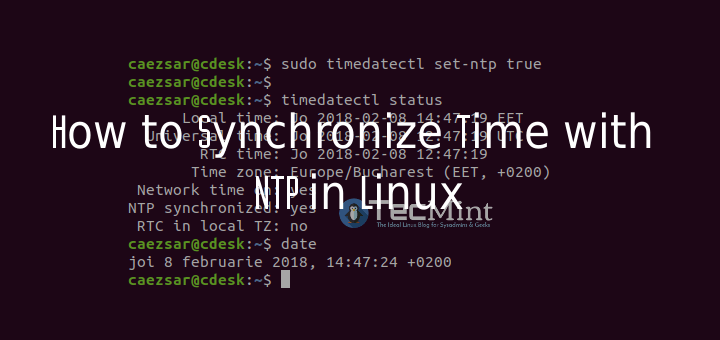
The Network Time Protocol (NTP) is a protocol used to synchronize computer system clock automatically over a networks using ntpdate command which can set Linux system time from an NTP time server.
barren birch
Also, @split horizon, mind copying and pasting the stuff you screenshotted in here? I have a little testing of my own to do
split horizon
should i c&p you the stuff of the screenshots
xyz@xyz:~$ sudo ntpdate 1.de.pool.ntp.org
11 Jun 23:07:21 ntpdate[4113]: no server suitable for synchronization found
barren birch
should i c&p you the stuff of the screenshots
@split horizon If you could paste it as text that would be great 😄
barren birch
I have a couple of things to check with that script. It's still getting improved
split horizon
you decide
barren birch
Yep, sure
barren birch
Either works for me
split horizon
hu Jun 11 23:09:22 2020 OpenVPN 2.4.9 x86_64-pc-linux-gnu [SSL (OpenSSL)] [LZO] [LZ4] [EPOLL] [PKCS11] [MH/PKTINFO] [AEAD] built on Apr 21 2020
Thu Jun 11 23:09:22 2020 library versions: OpenSSL 1.1.1g 21 Apr 2020, LZO 2.10
Thu Jun 11 23:09:22 2020 Outgoing Control Channel Authentication: Using 512 bit message hash 'SHA512' for HMAC authentication
Thu Jun 11 23:09:22 2020 Incoming Control Channel Authentication: Using 512 bit message hash 'SHA512' for HMAC authentication
Thu Jun 11 23:09:22 2020 TCP/UDP: Preserving recently used remote address: [AF_INET]34.253.19.14:1194
Thu Jun 11 23:09:22 2020 Socket Buffers: R=[212992->212992] S=[212992->212992]
Thu Jun 11 23:09:22 2020 UDP link local: (not bound)
Thu Jun 11 23:09:22 2020 UDP link remote: [AF_INET]34.253.19.14:1194
some later theres a message that he tryes again
and then prints the same out
barren birch
Perfect, thanks 🙂
split horizon
@vapid dawn the site you showed me // after this sudo ntpdate 1.ro.pool.ntp.org or this sudo ntpdate 1.de.pool.ntp.org its prints sudo] password for xyz:
Error resolving its: Name or service not known (-2)
11 Jun 23:12:35 ntpdate[4263]: Can't find host its: Name or service not known (-2)
Error resolving prints: Name or service not known (-2)
11 Jun 23:12:35 ntpdate[4263]: Can't find host prints: Name or service not known (-2)
11 Jun 23:12:44 ntpdate[4263]: no server suitable for synchronization found
vapid dawn
you have internet connectivity right
split horizon
yep
barren birch
(Script would definitely have caught that one 😁)
vapid dawn
might be your ISP blocking NTP packets
before all this, did you try regenerate your server?
** config file?
split horizon
host
vapid dawn
and from a home network and not a corporate network?
split horizon
usually i use the web kali host but there is a box that need packages thats not running on the web one cause its not saving any changes on restarts and stuff
home network
firewall is not catching anything too
vapid dawn
why don't you use the GUI to change your time settings?
barren birch
Is this a VM?
split horizon
no
vapid dawn
what distro of linux are you using?
vapid dawn
i know this sounds like a stupid question but i have looked everywhere n tried all sorts. My clock is out a hour and cause of that it i have problems with many websites and various other things. So how do i change time to proper time?

Super User
I am trying to set the time, using e.g.
date -s "11/20/2003 12:00:00"
however, after a few moments, the system time resets to the current time. What am I doing wrong?
NTP should not get a differ...
try checking those
barren birch
Kali is funny with times -- I was messing around with it when I was testing this
split horizon
the gui is olny showing american time zones
barren birch
This isn't going to fix it, for the record, but it helps me in terms of improving the script for future use. Could you possibly run this copy once for me? Just to check that it gives the right error for people with your problem 🙂
split horizon
yeah
barren birch
Thanks ♥️
split horizon
im pming you results
 cunning thorn
Hi all, I'm trying to see a video in the hackpark room but is too slow.
Do you know how can I solve this ?
 mossy wren
How can I change my username? The registration process removed special characters, and I'd like to switch to a different username, if possible.
eager fulcrum
Coming soon
mossy wren
@eager fulcrum Ok, thank you.
 stone roost
might be
 dull creek
hii i have a problem. i can't put my answer in the "RP: tmux" task number 1 and Question number #3 and #5 i follow all the clue hint, the question, the cheatsheet, everything i can find but it still sead my answer is wrong why is that?
and number #6 just know did the same thing
pls anyone help @everyone
hushed oxide
asking everyone isn't a good idea @dull creek also... maybe try one of the following rooms: #room-help , #room-hints and if you don't get an answer there try #692465827143876689 . This channel is only for stuff that are of technical kind.. not for questions that are filled in (probs) incorrectly
dull creek
ok
 flint arrow
@dull creek Try the full name of the key #3
hushed oxide
@flint arrow he's been redirected to the help channels 😉
flint arrow
I saw now, apologizes
 fossil dome
Please Guts, how can I get a Discord token?
 wintry rock
logged into shiba3 and this popped up, is it required?
 toxic python
No
zealous yoke
It is located on your profile on the THM site in the "Other" tab @fossil dome
fossil dome
@zealous yoke Thanks 😁
naive dust
howdy